
Computer Graphics
Submitted To: Inam Ul-Haq
Submitted By:Amber Rauf 1029
Raheela Akram 1056
,
M hannan tahir 1032
M saeed iqbal 1030
Group No. 09

University of Education Okara Campus
What is computer graphics?
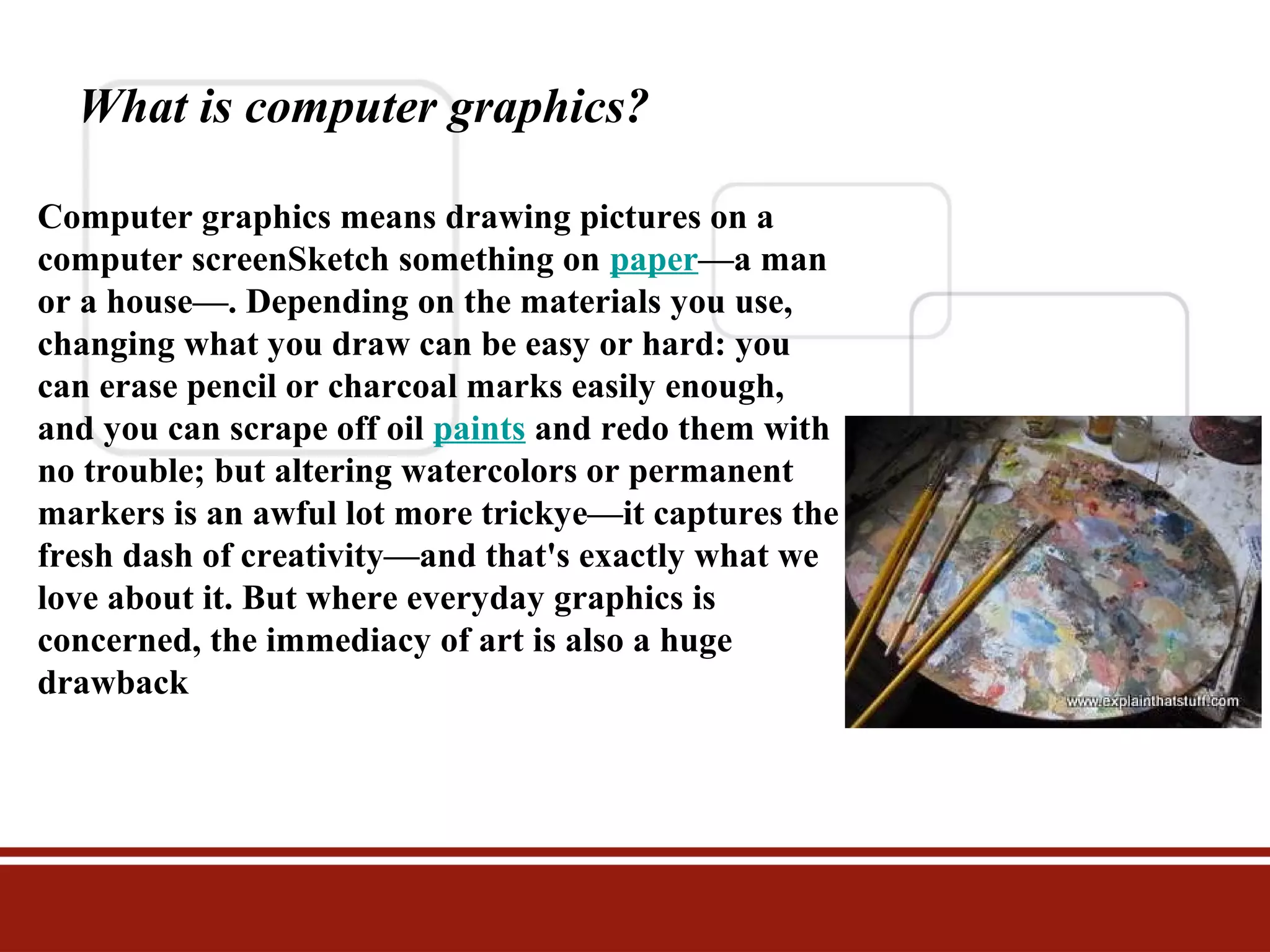
Computer graphics means drawing pictures on a
computer screenSketch something on paper—a man
or a house—. Depending on the materials you use,
changing what you draw can be easy or hard: you
can erase pencil or charcoal marks easily enough,
and you can scrape off oil paints and redo them with
no trouble; but altering watercolors or permanent
markers is an awful lot more trickye—it captures the
fresh dash of creativity—and that's exactly what we
love about it. But where everyday graphics is
concerned, the immediacy of art is also a huge
drawback
Types of graphics

1 Raster graphics
2 vector graphics
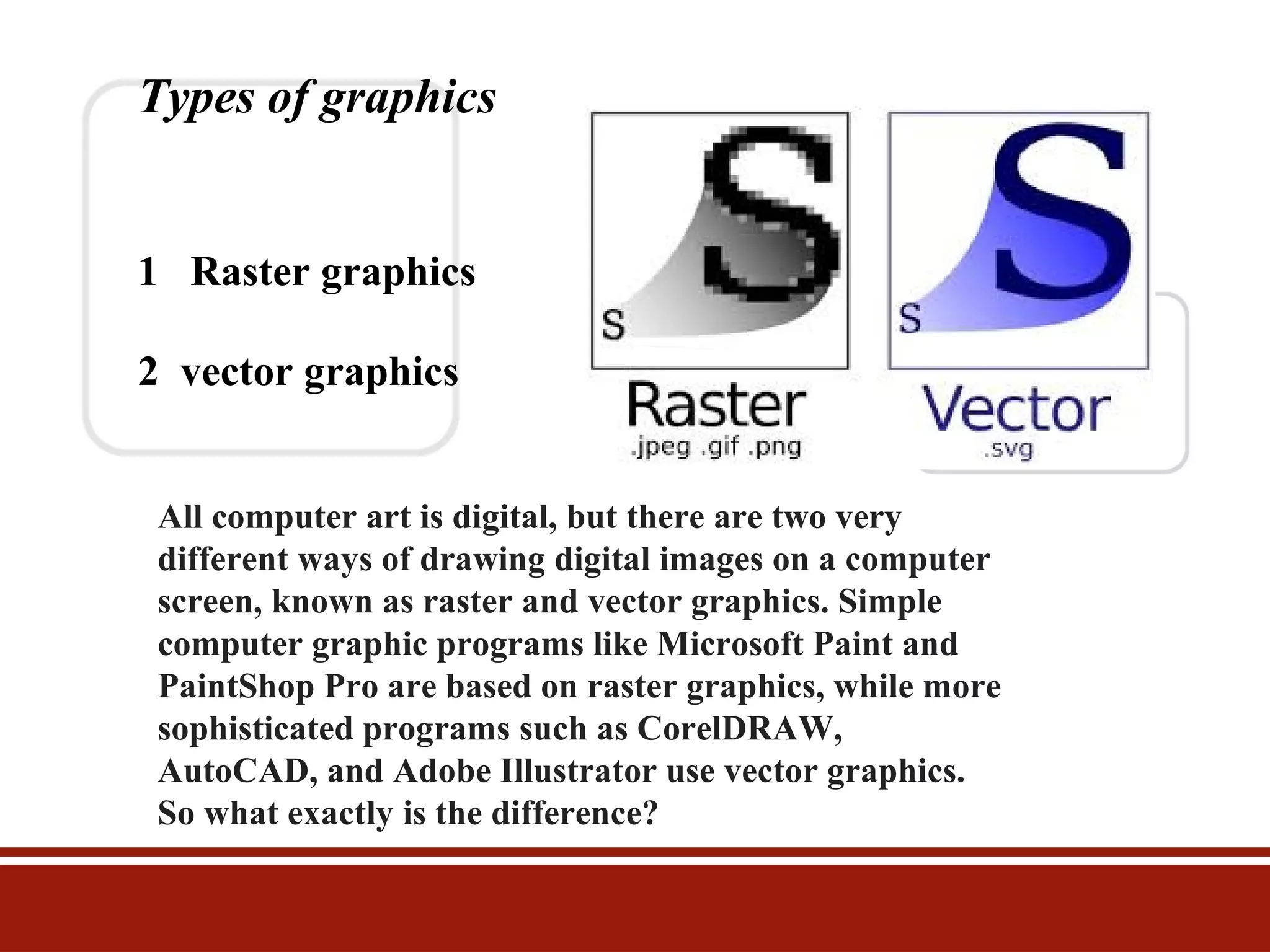
All computer art is digital, but there are two very
different ways of drawing digital images on a computer
screen, known as raster and vector graphics. Simple
computer graphic programs like Microsoft Paint and
PaintShop Pro are based on raster graphics, while more
sophisticated programs such as CorelDRAW,
AutoCAD, and Adobe Illustrator use vector graphics.
So what exactly is the difference?
Raster graphics
The first computer screens, developed in the mid-20th
century, worked much like televisions, which used to build
up their moving pictures by "scanning" beams of
electrons ) back and forth from top to bottom and left to
right—like a kind of instant electronic paintbrush. This
way of making a picture is called raster scanning and
that's why building up a picture on a computer screen out
of pixels is called raster graphics.
pixels
Stare hard at your computer screen and you'll notice the
pictures and words are made up of tiny colored dots or
squares called pixels

cathode rays
tiny charged particles inside atoms, also called
cathode rays

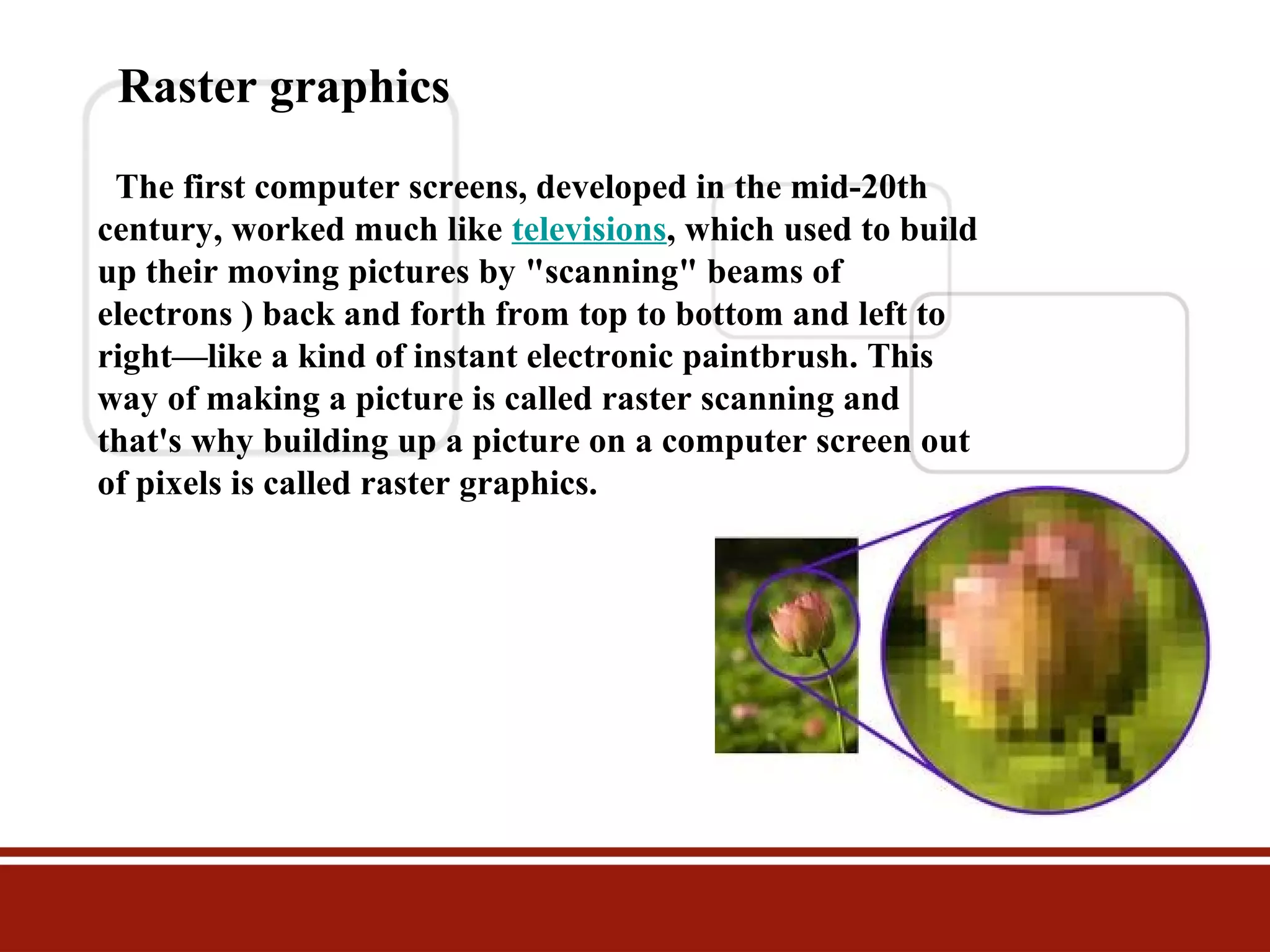
Photo Raster graphic
This is a closeup of the paintbrushes in the photo
of the artist's paint palette up above. At this
magnification, you can clearly see the individual
colored pixels (squares) from which the image is
built, like bricks in a wall.
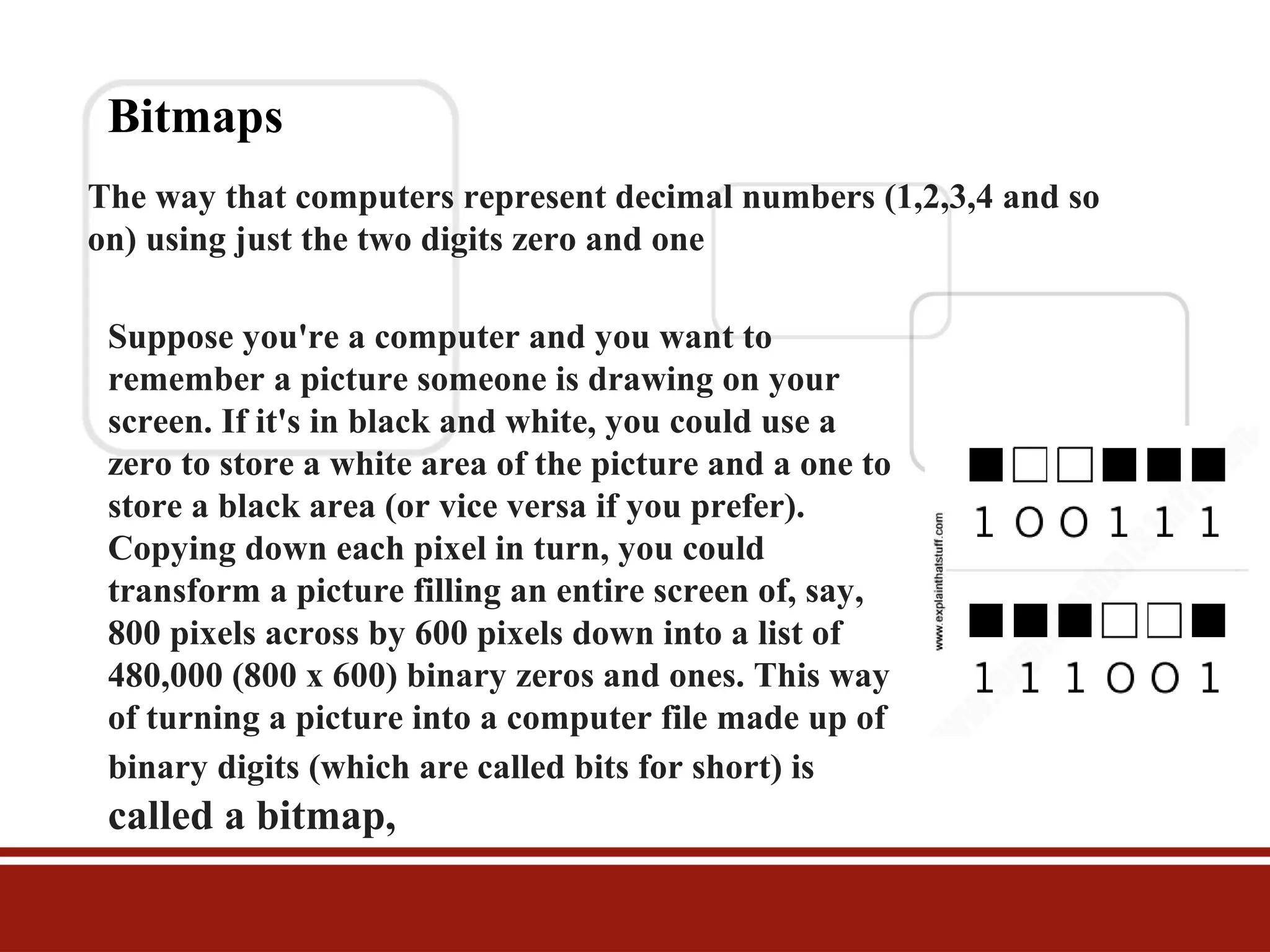
Bitmaps
The way that computers represent decimal numbers (1,2,3,4 and so
on) using just the two digits zero and one
Suppose you're a computer and you want to
remember a picture someone is drawing on your
screen. If it's in black and white, you could use a
zero to store a white area of the picture and a one to
store a black area (or vice versa if you prefer).
Copying down each pixel in turn, you could
transform a picture filling an entire screen of, say,
800 pixels across by 600 pixels down into a list of
480,000 (800 x 600) binary zeros and ones. This way
of turning a picture into a computer file made up of
binary digits (which are called bits for short) is

called a bitmap,
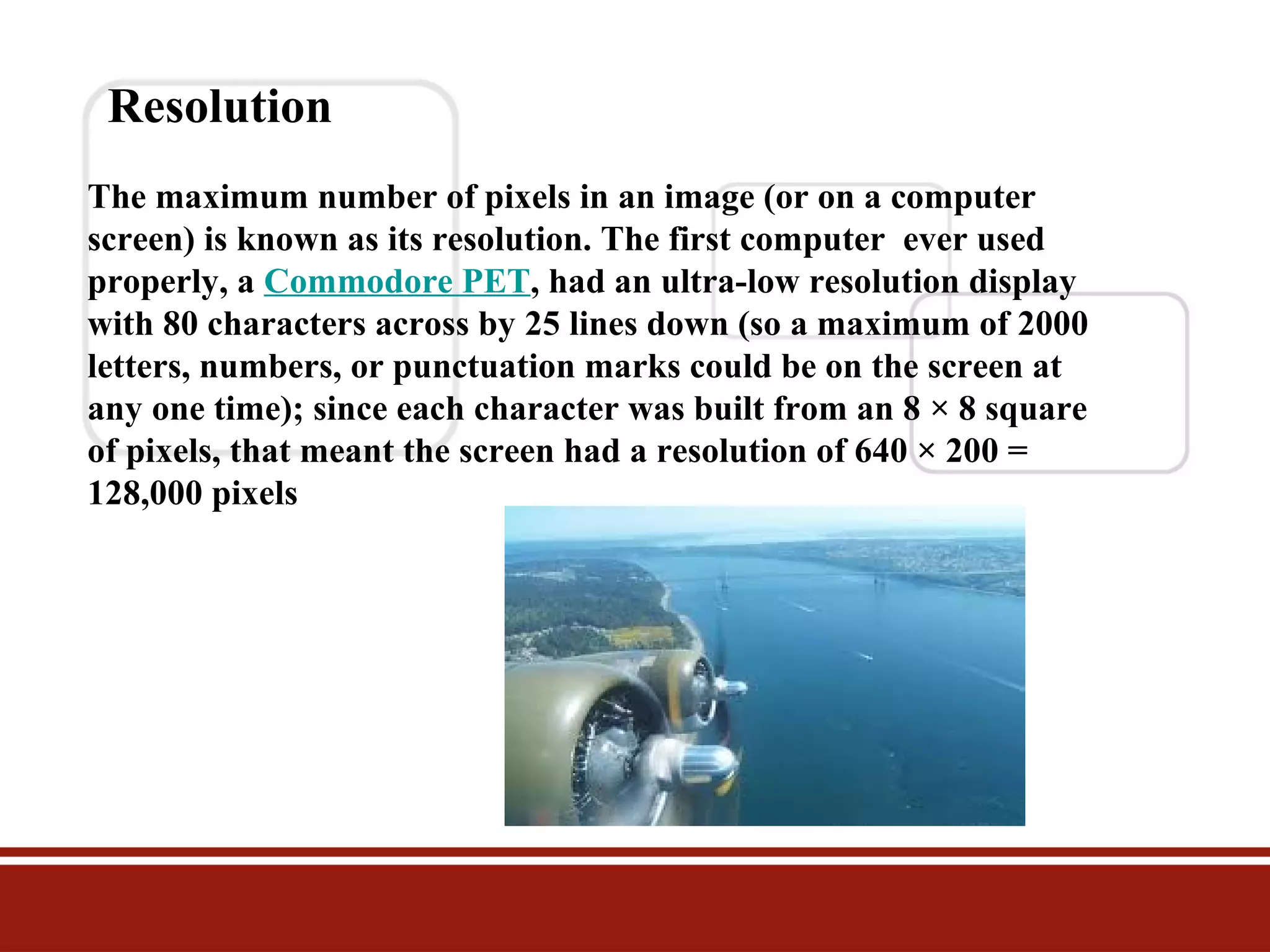
Resolution
The maximum number of pixels in an image (or on a computer
screen) is known as its resolution. The first computer ever used
properly, a Commodore PET, had an ultra-low resolution display
with 80 characters across by 25 lines down (so a maximum of 2000
letters, numbers, or punctuation marks could be on the screen at
any one time); since each character was built from an 8 × 8 square
of pixels, that meant the screen had a resolution of 640 × 200 =
128,000 pixels
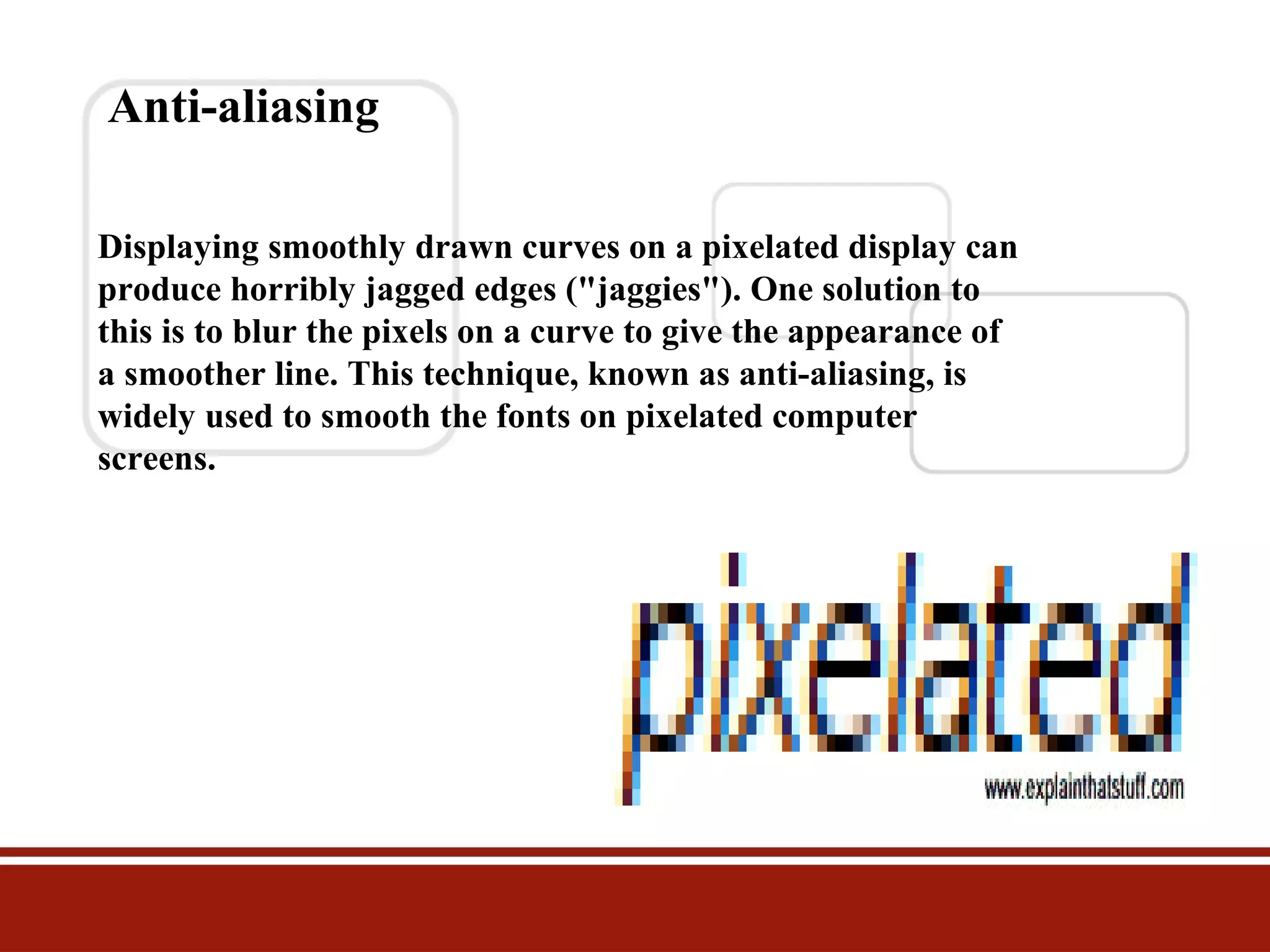
Anti-aliasing
Displaying smoothly drawn curves on a pixelated display can
produce horribly jagged edges ("jaggies"). One solution to
this is to blur the pixels on a curve to give the appearance of
a smoother line. This technique, known as anti-aliasing, is
widely used to smooth the fonts on pixelated computer
screens.
Vector graphics
There's an alternative method of computer graphics that gets
around the problems of raster graphics. Instead of building up a
picture out of pixels, you draw it a bit like a child would by using
simple straight and curved lines called vectors or basic shapes
(circles, curves, triangles, and so on) known as primitives. With
raster graphics, you make a drawing of a house by building it
from hundreds, thousands, or millions of individual pixels;
importantly, each pixel has no connection to any other pixel
except in your brain

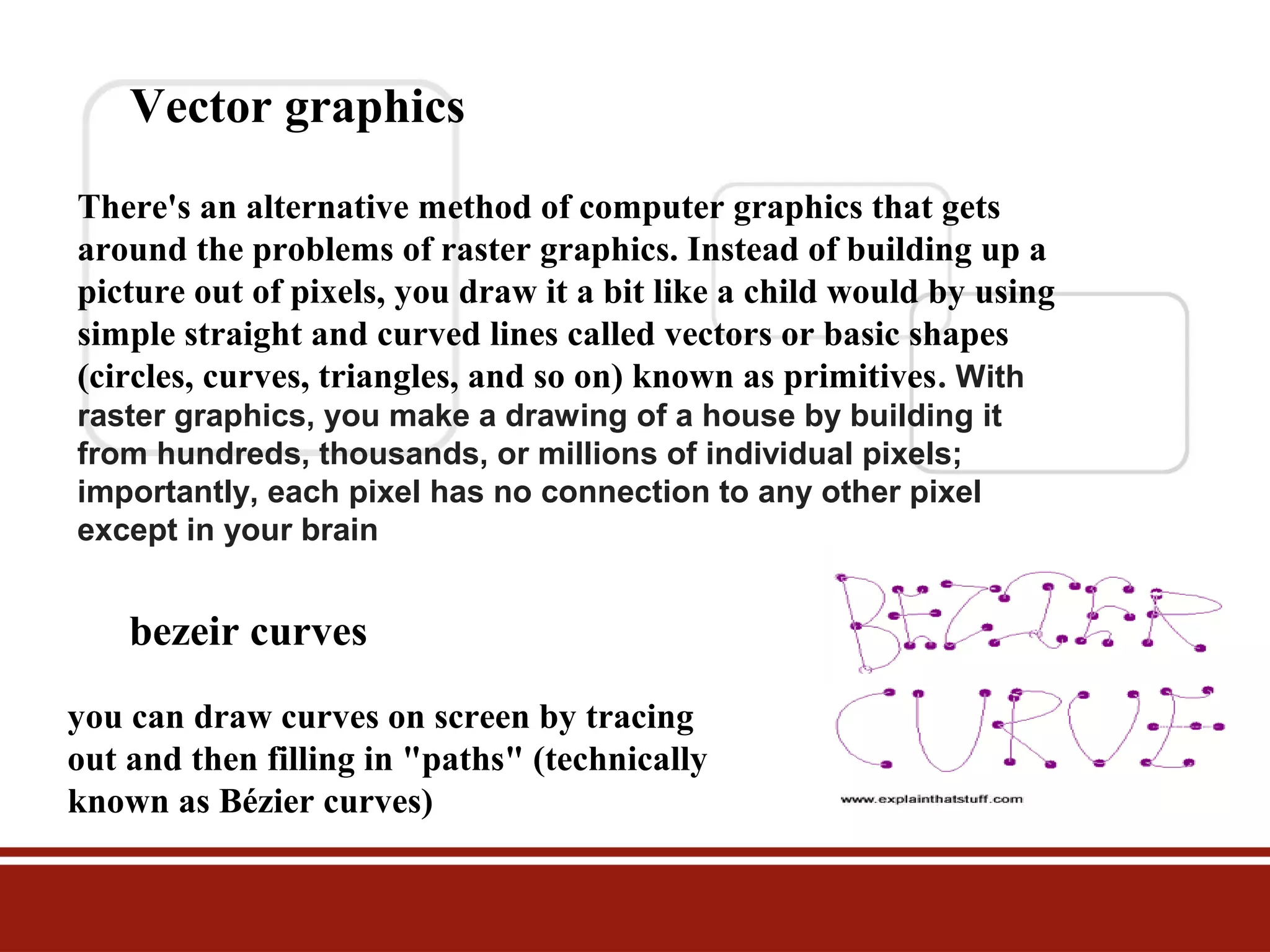
bezeir curves
you can draw curves on screen by tracing
out and then filling in "paths" (technically
known as Bézier curves)
3D graphics
First, you build up a basic three-dimensional outline of the
object called a wire-frame (because it's drawn from vectors
that look like they could be little metal wires). Then the model
is rigged, a process in which different bits of the object are
linked together a bit like the bones in a skeleton so they move
together in a realistic way. Finally, the object isrendered,
which involves shading the outside parts with different
textures (surface patterns), colors, degrees of opacity or
transparency, and so on.

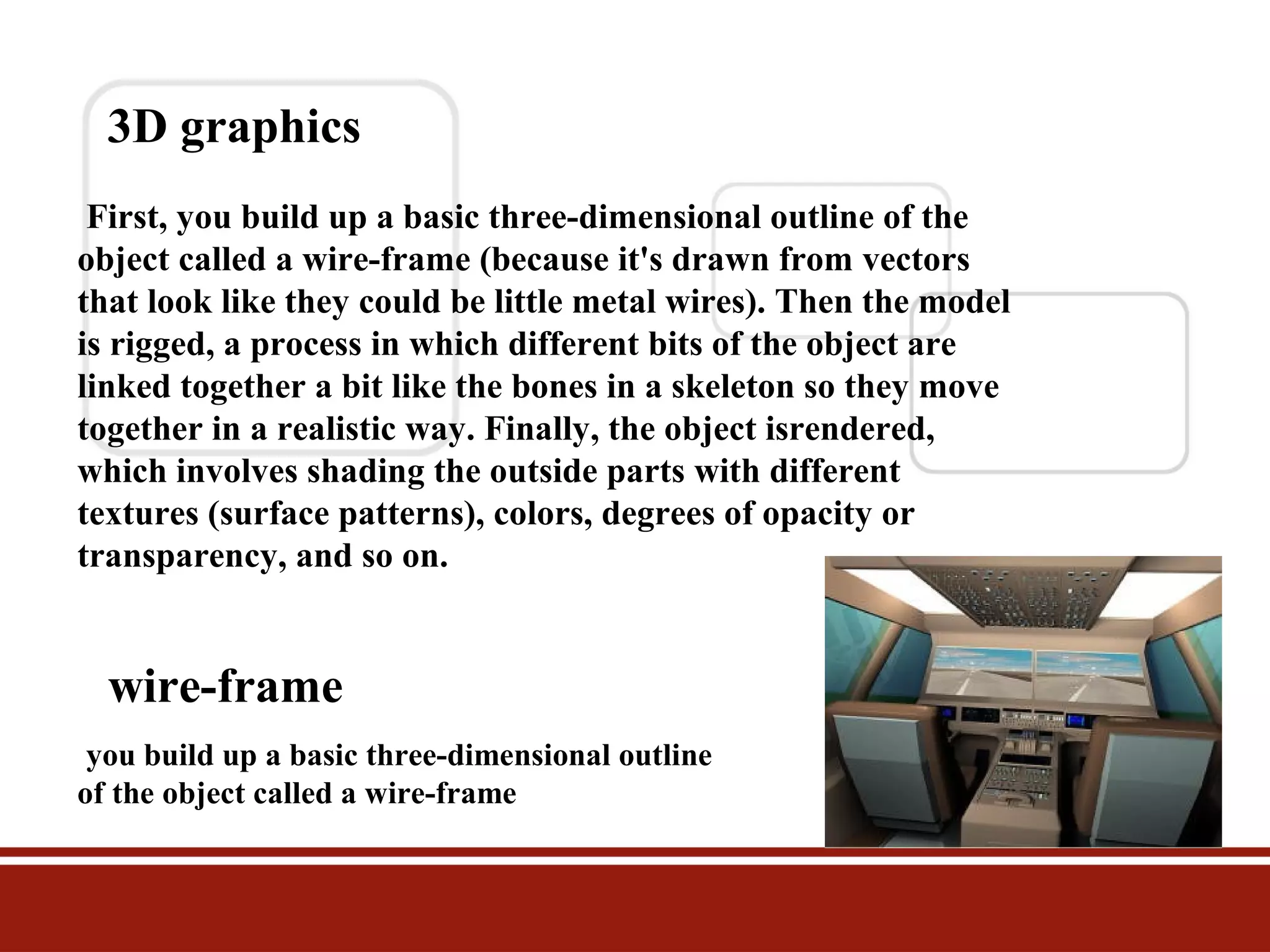
wire-frame
you build up a basic three-dimensional outline
of the object called a wire-frame
What is computer graphics used for?
Obvious uses of computer graphics include computer art,
CGI films, architectural drawings, and graphic design—
but there are many non-obvious uses as well and not all
of them are "artistic." Scientific visualization is a way of
producing graphic output from computer models so it's
easier for people to understand. Computerized models of
global warming produce vast tables of numbers as their
output, which only a PhD in climate science could figure
out; but if you produce a speeded-up animated
visualization—with the Earth getting bluer as it gets
colder and redder as it gets hotter—anyone can
understand what's going on.
What is computer graphics used for?
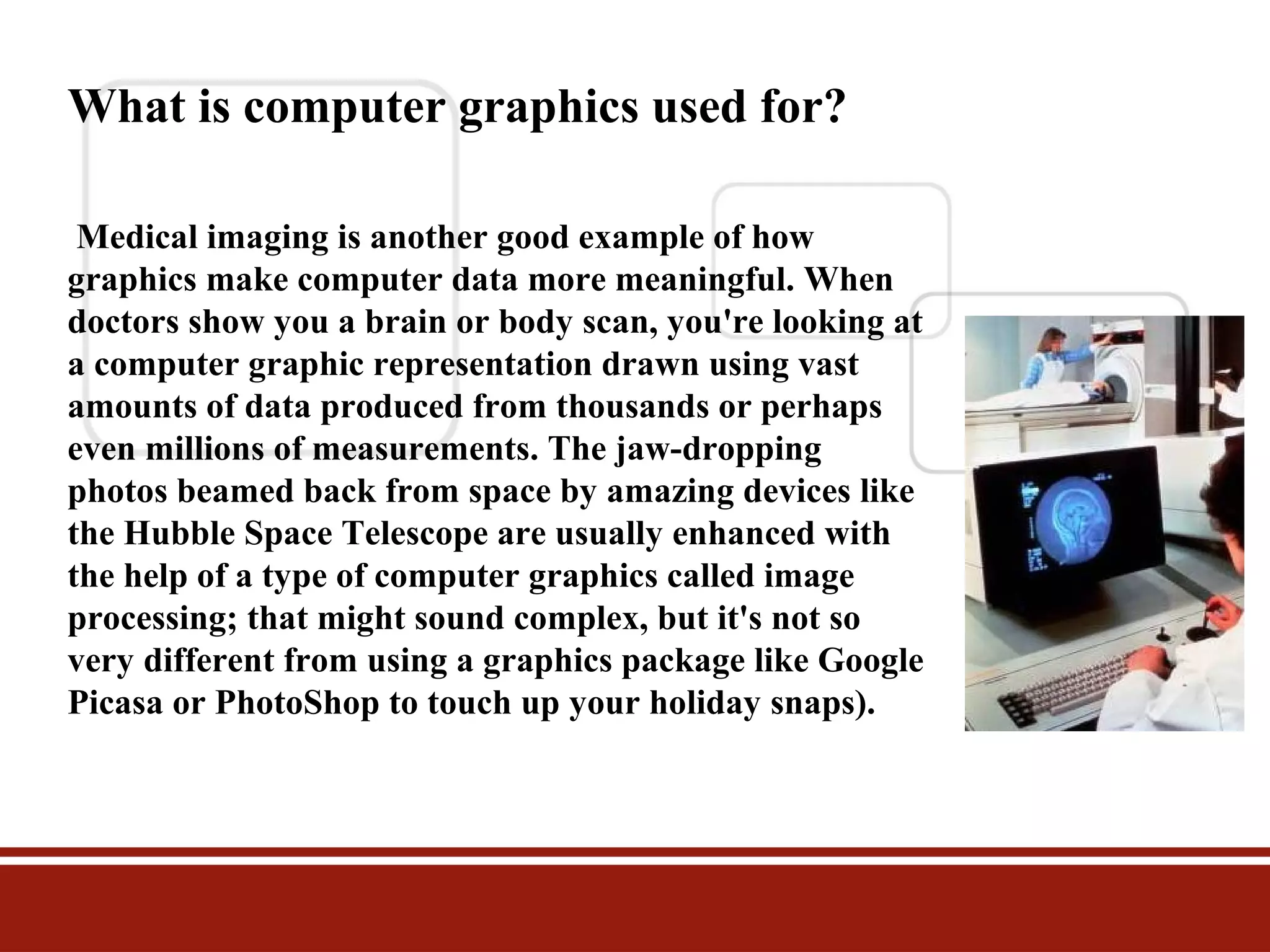
Medical imaging is another good example of how
graphics make computer data more meaningful. When
doctors show you a brain or body scan, you're looking at
a computer graphic representation drawn using vast
amounts of data produced from thousands or perhaps
even millions of measurements. The jaw-dropping
photos beamed back from space by amazing devices like
the Hubble Space Telescope are usually enhanced with
the help of a type of computer graphics called image
processing; that might sound complex, but it's not so
very different from using a graphics package like Google
Picasa or PhotoShop to touch up your holiday snaps).
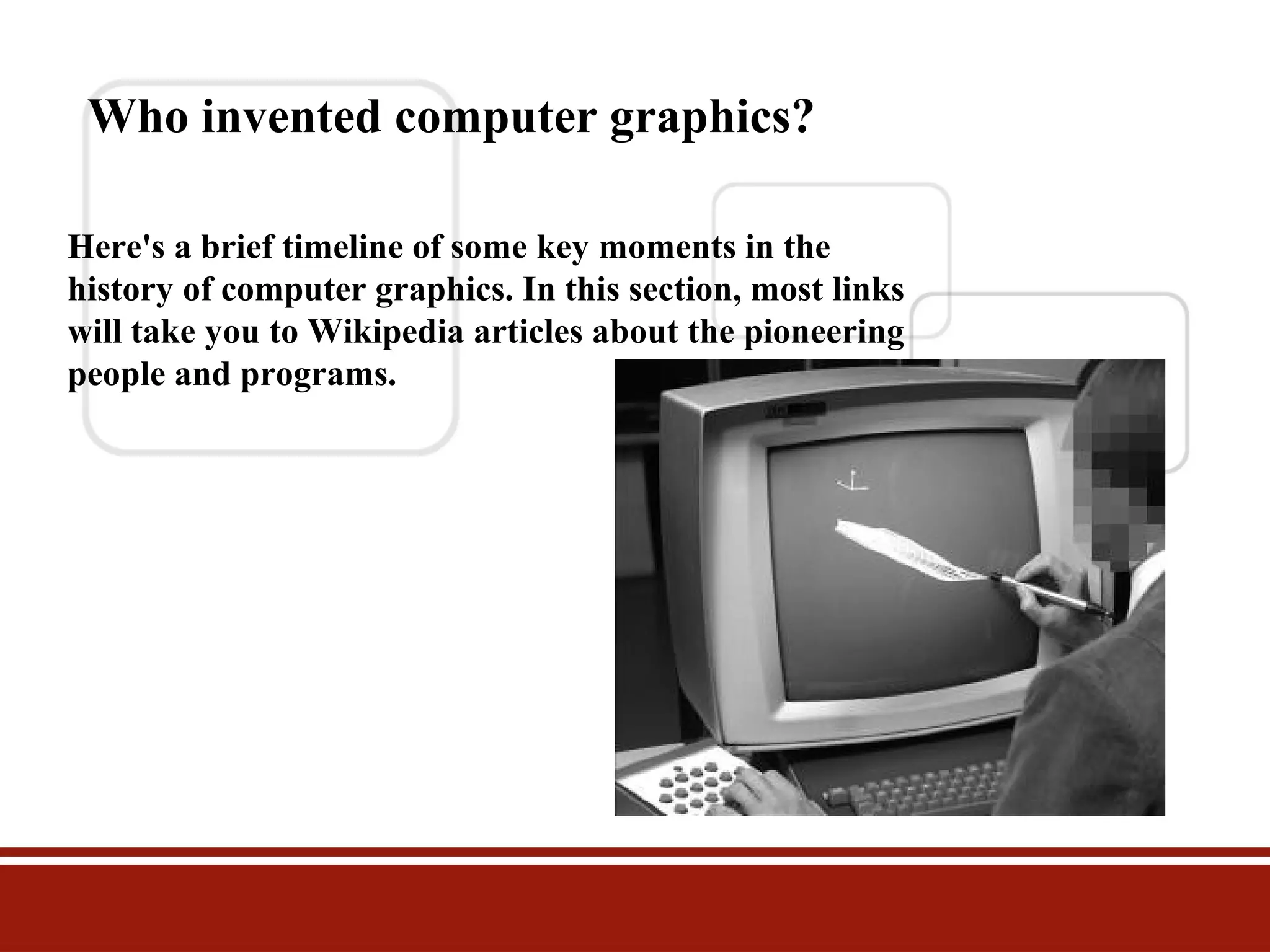
Who invented computer graphics?
Here's a brief timeline of some key moments in the
history of computer graphics. In this section, most links
will take you to Wikipedia articles about the pioneering
people and programs.
1951: Jay Forrester and Robert Everett of Massachusetts Institute of
Technology (MIT) produce Whirlwind, a mainframe computer that
can display crude images on a television monitor or VDU (visual
display unit).
1955: Directly descended from Whirlwind, MIT's
SAGE (Semi-Automatic Ground Equipment) computer uses
simple vector graphics to display radar images and becomes a
key part of the US missile defense system.
1959: General Motors and IBM develop
Design Augmented by Computers-1 (DAC-1), a CAD (computeraided design) system to help engineers design cars.
1961: John Whitney, Sr. uses computer graphics to design a
captivating title sequence for the Alfred Hitchcock thriller Vertigo
1961: MIT student Steve Russell programs Spacewar, the first
graphical computer game, on a DEC PDP-1 minicomputer.
1963: Ivan Sutherland, a pioneer of human-computer interaction
(making computers intuitively easy for humans to use), develops
Sketchpad (also called Robot Draftsman), one of the first computeraided design packages, in which images can be drawn on the screen
using a lightpen (an electronic pen/stylus wired into the computer).
Later, Sutherland develops virtual reality equipment and flight
simulators.
1965: The Howard Wise Gallery holds an exhibition of
computer-drawn art in Manhattan, New York.
1966: NASA's Jet Propulsion Laboratory (JPL) develops an
image-processing program called VICAR (Video Image
Communication and Retrieval), running on IBM mainframes, to
process images of the moon captured by spacecraft.
1970: Bézier curves are developed, soon becoming an
indispensable tool in vector graphics.
· 1990: The first version of Adobe Photo Shop (one of
the world's most popular professional graphic design
packages) is released. A simple, affordable home
graphics program called Paint Shop (later Paint
Shop Pro) is launched the same year.
· 1995: Toy Story, produced by Pixar Animation Studios
(founded by Apple's Steve Jobs, with Ed Catmull as its
chief technology officer) demonstrates the impressive
possibilities of CGI graphics in moviemaking. Stunning
follow-up movies from the same stable include A Bug's
Life, Monsters, Inc., Finding Nemo, and The
Incredibles.
· 2007: Apple launches its IPhone and IPod Touch
products with Touchscreen graphical user interfaces.
Data collect from these websites
www.slideshare.com
www.Wikipedia.com

Computer graphics, group 9, bba a

  • 1.
    Computer Graphics Submitted To:Inam Ul-Haq Submitted By:Amber Rauf 1029 Raheela Akram 1056 , M hannan tahir 1032 M saeed iqbal 1030 Group No. 09 University of Education Okara Campus
  • 2.
    What is computergraphics? Computer graphics means drawing pictures on a computer screenSketch something on paper—a man or a house—. Depending on the materials you use, changing what you draw can be easy or hard: you can erase pencil or charcoal marks easily enough, and you can scrape off oil paints and redo them with no trouble; but altering watercolors or permanent markers is an awful lot more trickye—it captures the fresh dash of creativity—and that's exactly what we love about it. But where everyday graphics is concerned, the immediacy of art is also a huge drawback
  • 3.
    Types of graphics 1Raster graphics 2 vector graphics All computer art is digital, but there are two very different ways of drawing digital images on a computer screen, known as raster and vector graphics. Simple computer graphic programs like Microsoft Paint and PaintShop Pro are based on raster graphics, while more sophisticated programs such as CorelDRAW, AutoCAD, and Adobe Illustrator use vector graphics. So what exactly is the difference?
  • 4.
    Raster graphics The firstcomputer screens, developed in the mid-20th century, worked much like televisions, which used to build up their moving pictures by "scanning" beams of electrons ) back and forth from top to bottom and left to right—like a kind of instant electronic paintbrush. This way of making a picture is called raster scanning and that's why building up a picture on a computer screen out of pixels is called raster graphics.
  • 5.
    pixels Stare hard atyour computer screen and you'll notice the pictures and words are made up of tiny colored dots or squares called pixels cathode rays tiny charged particles inside atoms, also called cathode rays Photo Raster graphic This is a closeup of the paintbrushes in the photo of the artist's paint palette up above. At this magnification, you can clearly see the individual colored pixels (squares) from which the image is built, like bricks in a wall.
  • 6.
    Bitmaps The way thatcomputers represent decimal numbers (1,2,3,4 and so on) using just the two digits zero and one Suppose you're a computer and you want to remember a picture someone is drawing on your screen. If it's in black and white, you could use a zero to store a white area of the picture and a one to store a black area (or vice versa if you prefer). Copying down each pixel in turn, you could transform a picture filling an entire screen of, say, 800 pixels across by 600 pixels down into a list of 480,000 (800 x 600) binary zeros and ones. This way of turning a picture into a computer file made up of binary digits (which are called bits for short) is called a bitmap,
  • 7.
    Resolution The maximum numberof pixels in an image (or on a computer screen) is known as its resolution. The first computer ever used properly, a Commodore PET, had an ultra-low resolution display with 80 characters across by 25 lines down (so a maximum of 2000 letters, numbers, or punctuation marks could be on the screen at any one time); since each character was built from an 8 × 8 square of pixels, that meant the screen had a resolution of 640 × 200 = 128,000 pixels
  • 8.
    Anti-aliasing Displaying smoothly drawncurves on a pixelated display can produce horribly jagged edges ("jaggies"). One solution to this is to blur the pixels on a curve to give the appearance of a smoother line. This technique, known as anti-aliasing, is widely used to smooth the fonts on pixelated computer screens.
  • 9.
    Vector graphics There's analternative method of computer graphics that gets around the problems of raster graphics. Instead of building up a picture out of pixels, you draw it a bit like a child would by using simple straight and curved lines called vectors or basic shapes (circles, curves, triangles, and so on) known as primitives. With raster graphics, you make a drawing of a house by building it from hundreds, thousands, or millions of individual pixels; importantly, each pixel has no connection to any other pixel except in your brain bezeir curves you can draw curves on screen by tracing out and then filling in "paths" (technically known as Bézier curves)
  • 10.
    3D graphics First, youbuild up a basic three-dimensional outline of the object called a wire-frame (because it's drawn from vectors that look like they could be little metal wires). Then the model is rigged, a process in which different bits of the object are linked together a bit like the bones in a skeleton so they move together in a realistic way. Finally, the object isrendered, which involves shading the outside parts with different textures (surface patterns), colors, degrees of opacity or transparency, and so on. wire-frame you build up a basic three-dimensional outline of the object called a wire-frame
  • 11.
    What is computergraphics used for? Obvious uses of computer graphics include computer art, CGI films, architectural drawings, and graphic design— but there are many non-obvious uses as well and not all of them are "artistic." Scientific visualization is a way of producing graphic output from computer models so it's easier for people to understand. Computerized models of global warming produce vast tables of numbers as their output, which only a PhD in climate science could figure out; but if you produce a speeded-up animated visualization—with the Earth getting bluer as it gets colder and redder as it gets hotter—anyone can understand what's going on.
  • 12.
    What is computergraphics used for? Medical imaging is another good example of how graphics make computer data more meaningful. When doctors show you a brain or body scan, you're looking at a computer graphic representation drawn using vast amounts of data produced from thousands or perhaps even millions of measurements. The jaw-dropping photos beamed back from space by amazing devices like the Hubble Space Telescope are usually enhanced with the help of a type of computer graphics called image processing; that might sound complex, but it's not so very different from using a graphics package like Google Picasa or PhotoShop to touch up your holiday snaps).
  • 13.
    Who invented computergraphics? Here's a brief timeline of some key moments in the history of computer graphics. In this section, most links will take you to Wikipedia articles about the pioneering people and programs.
  • 14.
    1951: Jay Forresterand Robert Everett of Massachusetts Institute of Technology (MIT) produce Whirlwind, a mainframe computer that can display crude images on a television monitor or VDU (visual display unit). 1955: Directly descended from Whirlwind, MIT's SAGE (Semi-Automatic Ground Equipment) computer uses simple vector graphics to display radar images and becomes a key part of the US missile defense system. 1959: General Motors and IBM develop Design Augmented by Computers-1 (DAC-1), a CAD (computeraided design) system to help engineers design cars. 1961: John Whitney, Sr. uses computer graphics to design a captivating title sequence for the Alfred Hitchcock thriller Vertigo 1961: MIT student Steve Russell programs Spacewar, the first graphical computer game, on a DEC PDP-1 minicomputer.
  • 15.
    1963: Ivan Sutherland,a pioneer of human-computer interaction (making computers intuitively easy for humans to use), develops Sketchpad (also called Robot Draftsman), one of the first computeraided design packages, in which images can be drawn on the screen using a lightpen (an electronic pen/stylus wired into the computer). Later, Sutherland develops virtual reality equipment and flight simulators. 1965: The Howard Wise Gallery holds an exhibition of computer-drawn art in Manhattan, New York. 1966: NASA's Jet Propulsion Laboratory (JPL) develops an image-processing program called VICAR (Video Image Communication and Retrieval), running on IBM mainframes, to process images of the moon captured by spacecraft. 1970: Bézier curves are developed, soon becoming an indispensable tool in vector graphics.
  • 16.
    · 1990: Thefirst version of Adobe Photo Shop (one of the world's most popular professional graphic design packages) is released. A simple, affordable home graphics program called Paint Shop (later Paint Shop Pro) is launched the same year. · 1995: Toy Story, produced by Pixar Animation Studios (founded by Apple's Steve Jobs, with Ed Catmull as its chief technology officer) demonstrates the impressive possibilities of CGI graphics in moviemaking. Stunning follow-up movies from the same stable include A Bug's Life, Monsters, Inc., Finding Nemo, and The Incredibles. · 2007: Apple launches its IPhone and IPod Touch products with Touchscreen graphical user interfaces.
  • 17.
    Data collect fromthese websites www.slideshare.com www.Wikipedia.com