Why we learn color theory
Knowing how colors are created and how
g
they relate to each other lets you work
more effectively in all graphic programs such
y
g p p g
as Adobe Photoshop or Illustrator.
Instead of achieving an effect by accident,
g
y
you’ll produce consistent results
thanks to an understanding of basic color
g
theory.
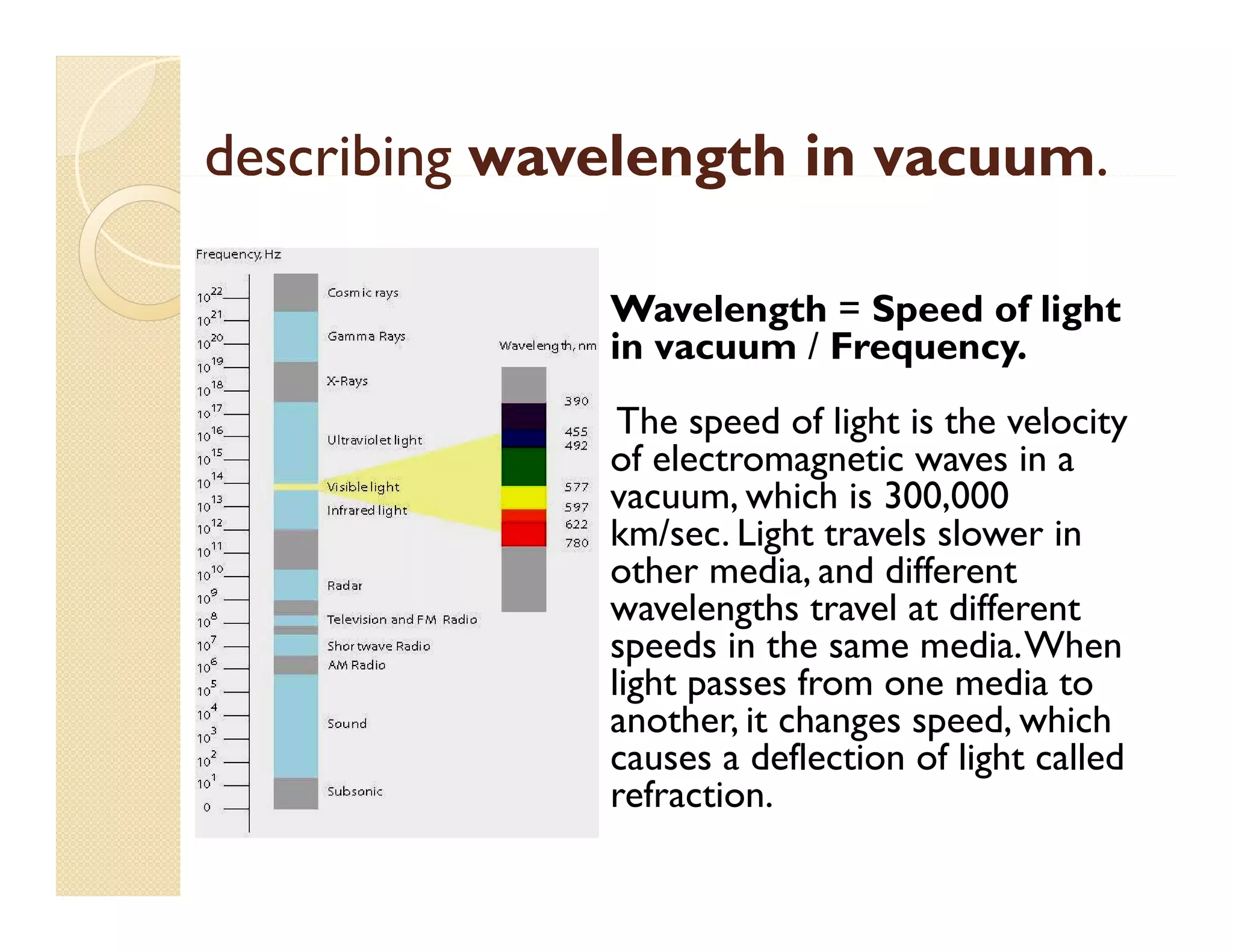
describing wavelength in vacuum.
g
g
vacuum.
Wavelength = S
W l
h Speed of light
d f li h
in vacuum / Frequency.
The s eed of light is the velocity
speed f li ht
el cit
of electromagnetic waves in a
vacuum, which is 300,000
km/sec.
km/sec Light travels slower in
other media, and different
wavelengths travel at different
speeds in the same media. When
media.When
light passes from one media to
another, it changes speed, which
causes a deflection of light called
g
refraction.
What causes a rainbow?
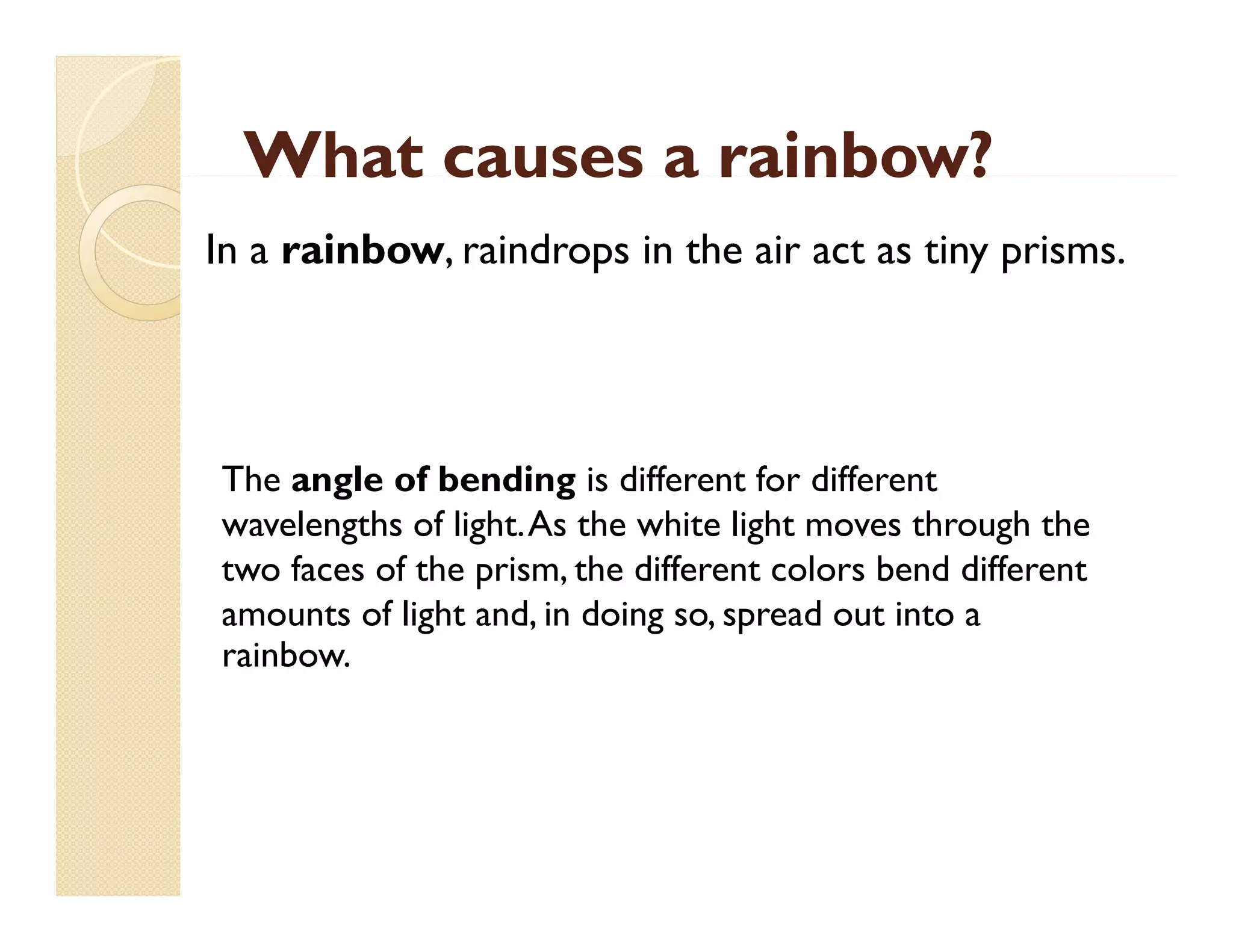
In a rainbow, raindrops in the air act as tiny prisms.

The angle of bending is different for different
wavelengths of light.As the white light moves through the
light. As
two faces of the prism, the different colors bend different
amounts of light and, in doing so, spread out into a
rainbow.
rainbow
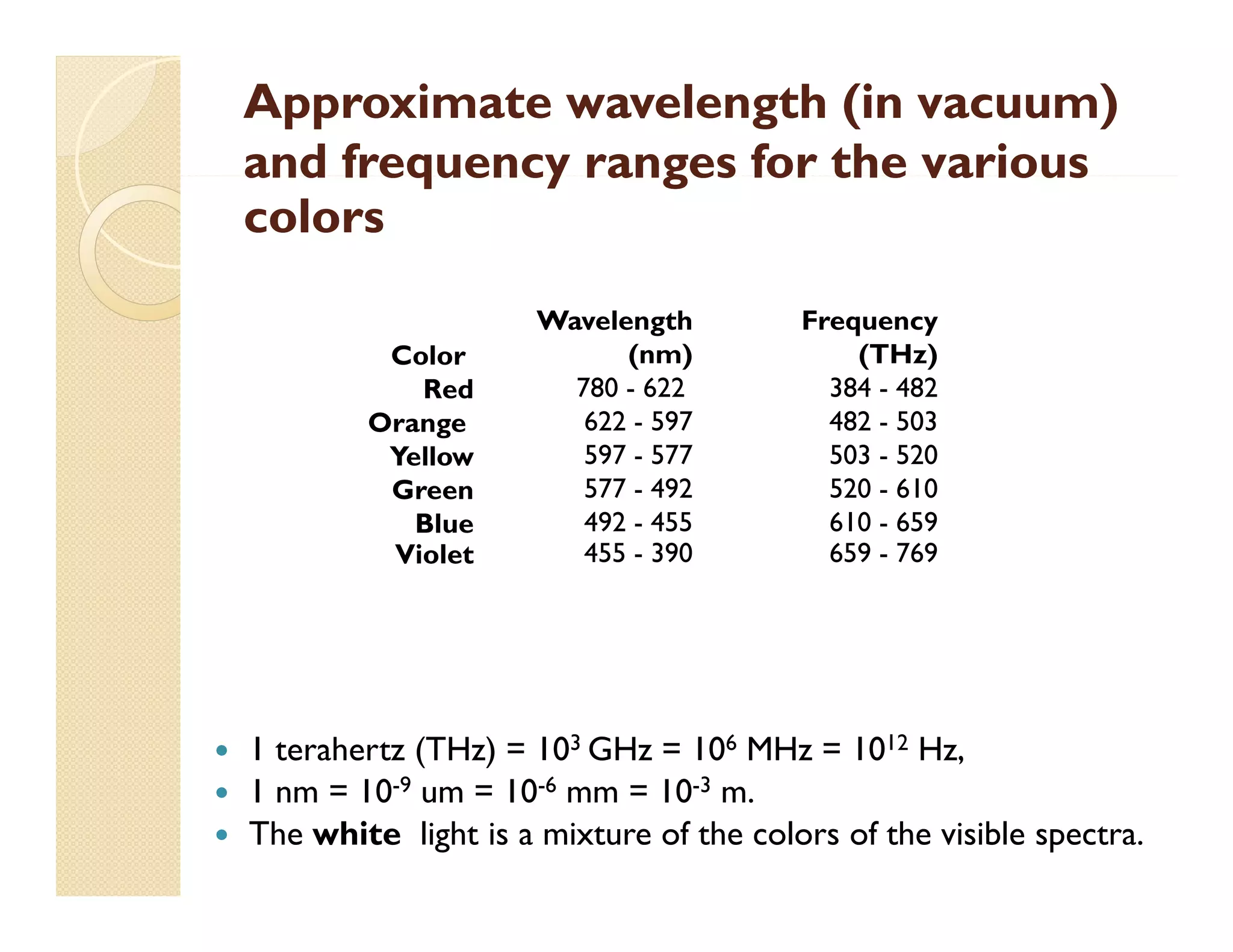
Approximate wavelength (in vacuum)
and frequency ranges for the various
colors
Color
Red
Orange
O
Yellow
Green
Blue
Violet





Wavelength
(nm)
780 - 622
622 - 597
597 - 577
577 - 492
492 - 455
455 - 390

Frequency
(THz)
384 - 482
482 - 503
503 - 520
520 - 610
610 - 659
659 - 769

1 terahertz (THz) = 103 GHz = 106 MHz = 1012 Hz,
1 nm = 10-9 um = 10-6 mm = 10-3 m.
The white light is a mixture of the colors of the visible spectra.
How We See:
The First Steps of Human
Vision
Which part of your body lets you read the
back f
b k of a cereal b check out a rainbow,
l box, h k
i b
and see a softball heading your way?
Your E
Y
Eyes t k i t
take in tons of i f
f information about
ti
b t
the world around you — shapes, colors,
movements,
movements and more. Then they send the
more
information to your brain for processing,
so the brain knows what s going on
what's
outside of your body.
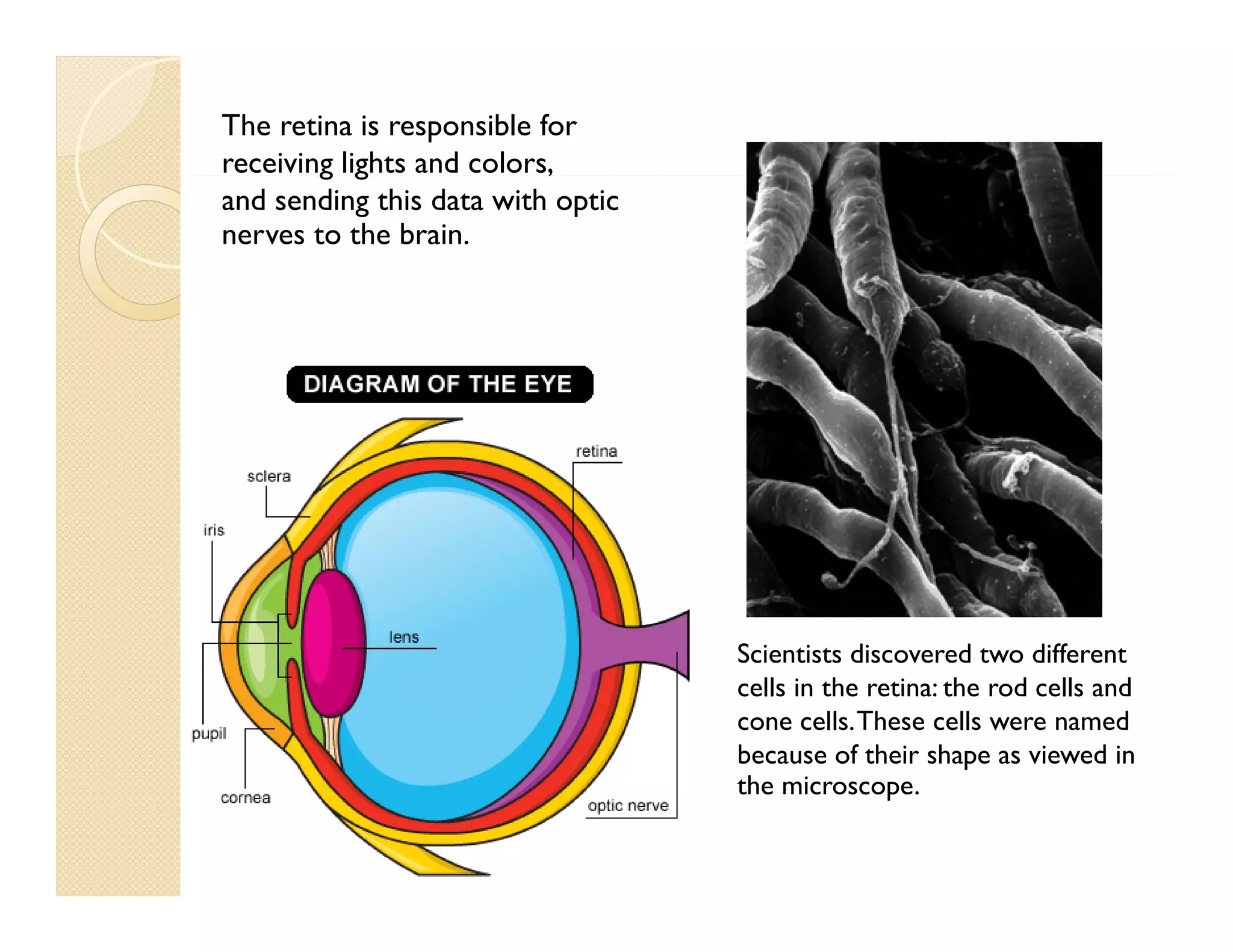
The retina is responsible for
receiving lights and colors,
g g
,
and sending this data with optic
nerves to the brain.

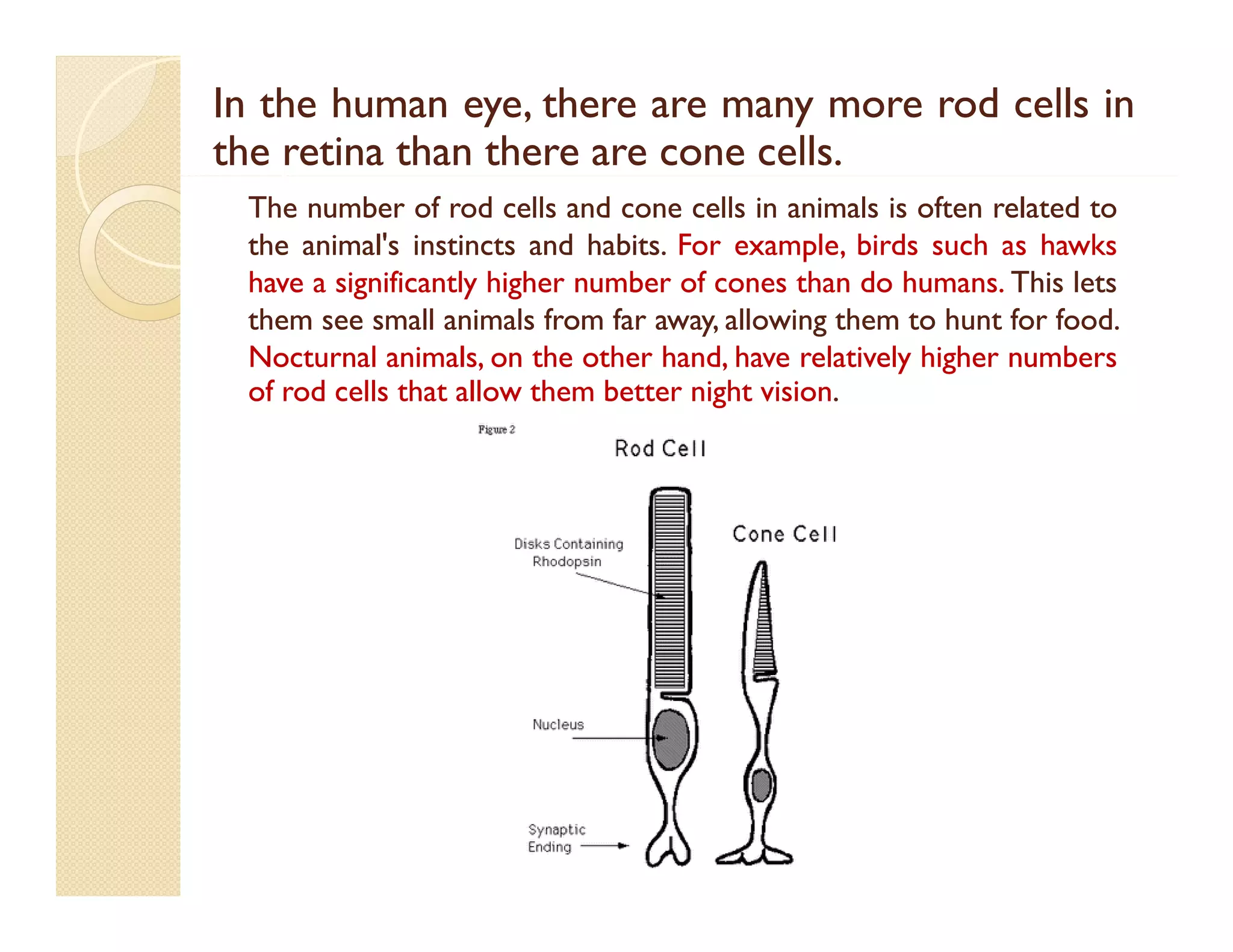
Scientists discovered two different
cells in the retina: the rod cells and
cone cells. These cells were named
because of their shape as viewed in
the microscope.
h



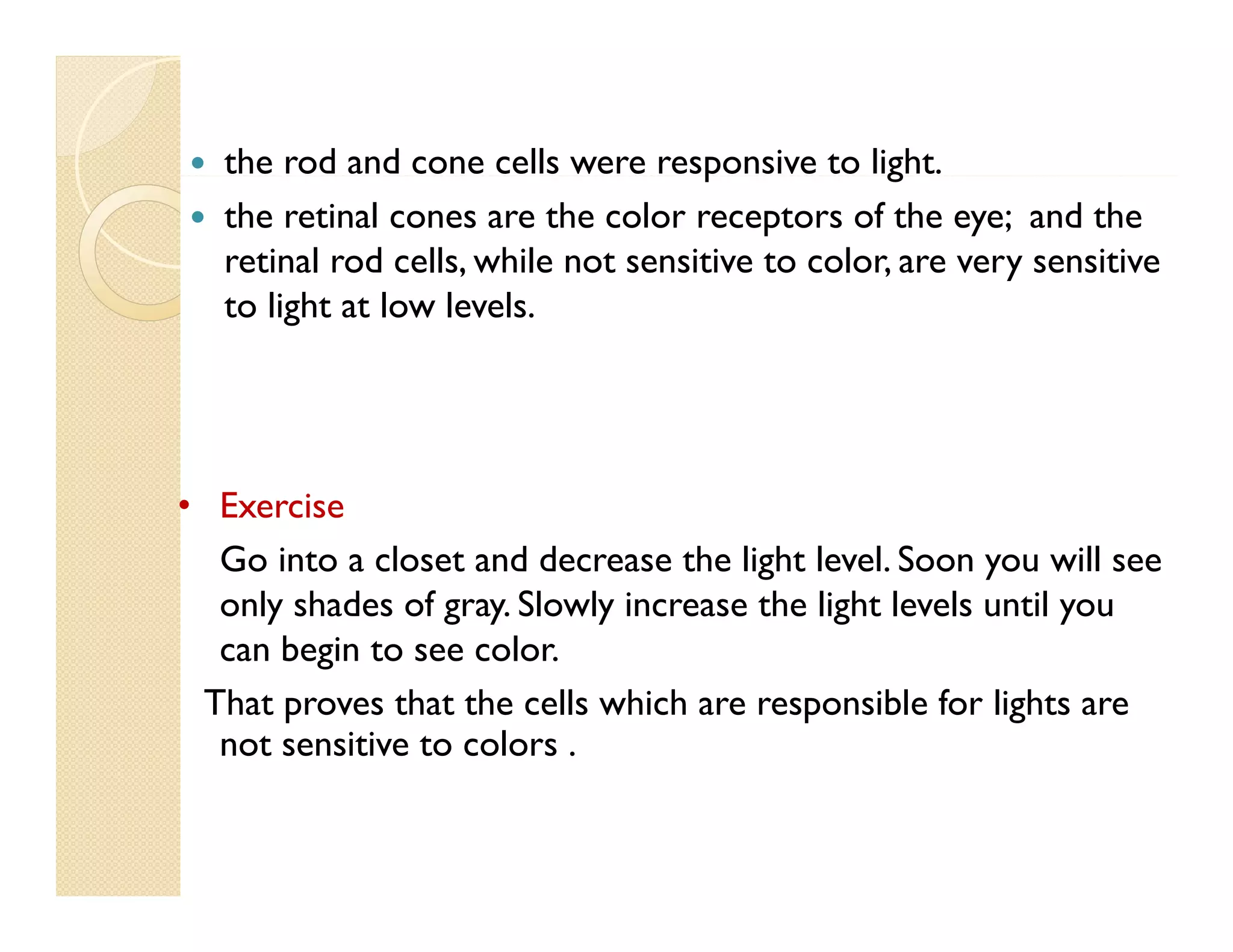
the rod and cone cells were responsive to light.
p
g
the retinal cones are the color receptors of the eye; and the
retinal rod cells, while not sensitive to color, are very sensitive
to li h at l
light low l l
levels.

• Exercise
Go into a closet and decrease the light level. Soon you will see
only shades of gray. Slowly increase the light levels until you
can begin to see color.
color
That proves that the cells which are responsible for lights are
not sensitive to colors .
In the human eye, there are many more rod cells in
the retina than there are cone cells.
cells.
The number of rod cells and cone cells in animals is often related to
the animal's instincts and habits. For example, birds such as hawks
habits.
have a significantly higher number of cones than do humans. This lets
g
y g
humans.
them see small animals from far away, allowing them to hunt for food.
food.
Nocturnal animals, on the other hand, have relatively higher numbers
of rod cells that allow them better night vision.
vision.
Visual Pigments in eye
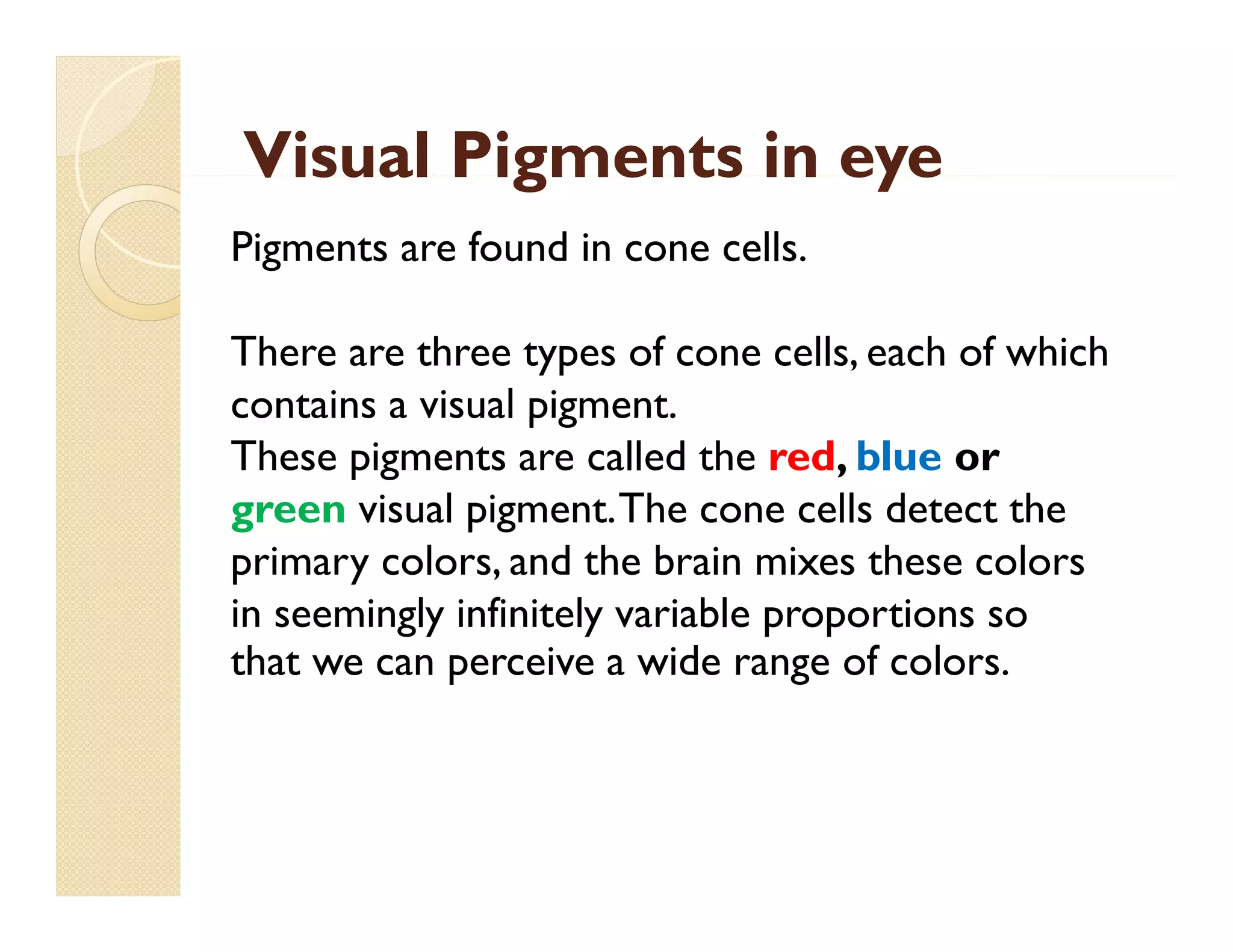
Pigments are found in cone cells.
There are three types of cone cells, each of which
contains a visual pigment.
These pigments are called the red, blue or
green visual pigment. The cone cells detect the
primary colors, and the brain mixes these colors
in seemingly infinitely variable proportions so
that we can perceive a wide range of colors
colors.
Primary Colors “RGB”
y
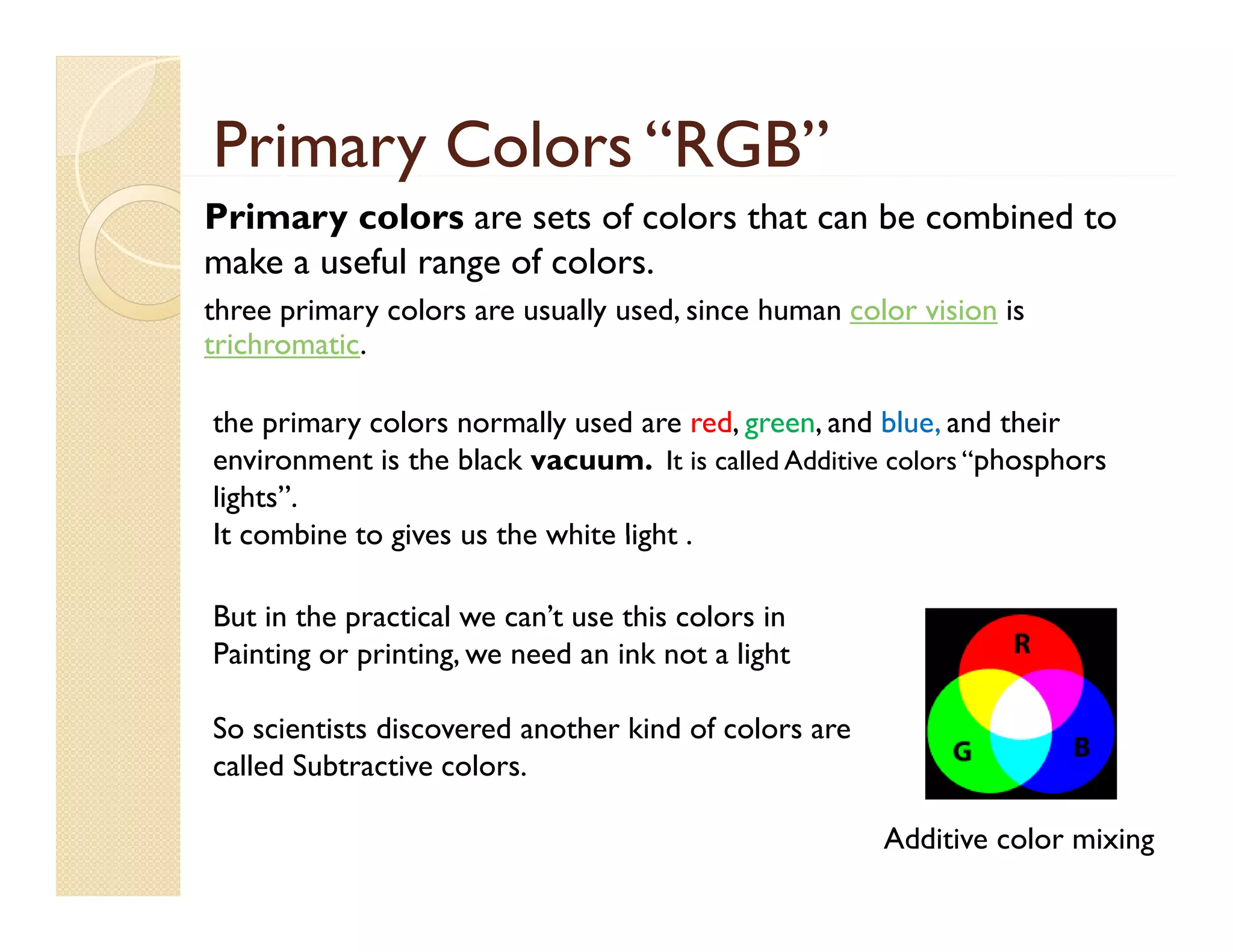
Primary colors are sets of colors that can be combined to
make a useful range of colors.
three primary colors are usually used, since human color vision is
trichromatic.
the i
th primary colors normally used are red, green, and bl and their
l
ll
d
d
d blue, d th i
environment is the black vacuum. It is called Additive colors “phosphors
lights”.
It combine to gives us the white light .
But in the practical we can’t use this colors in
Painting or printing, we need an ink not a light
printing
So scientists discovered another kind of colors are
ca e Subt act ve colors.
called Subtractive co o s.
Additive color mixing
Subtractive color “CMYK”
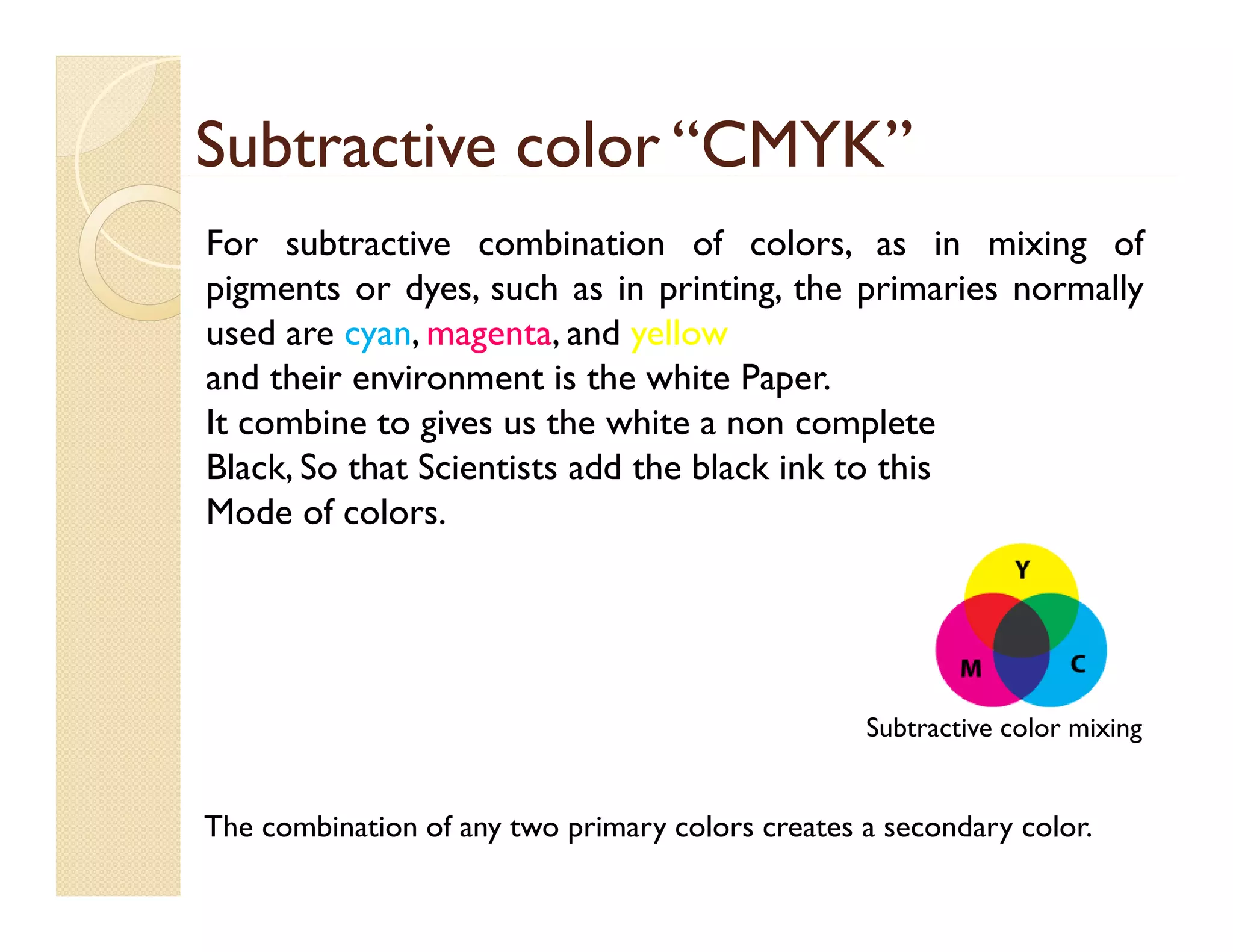
For subtractive combination of colors, as in mixing of
pigments or dyes, such as in printing, the primaries normally
used are cyan, magenta, and yellow
and their environment is the white Paper.
It combine t gives us th white a non complete
bi to i
the hit
l t
Black, So that Scientists add the black ink to this
Mode of colors.

Subtractive color mixing

The combination of any two primary colors creates a secondary color.
Usage of additive color in industry
g
y






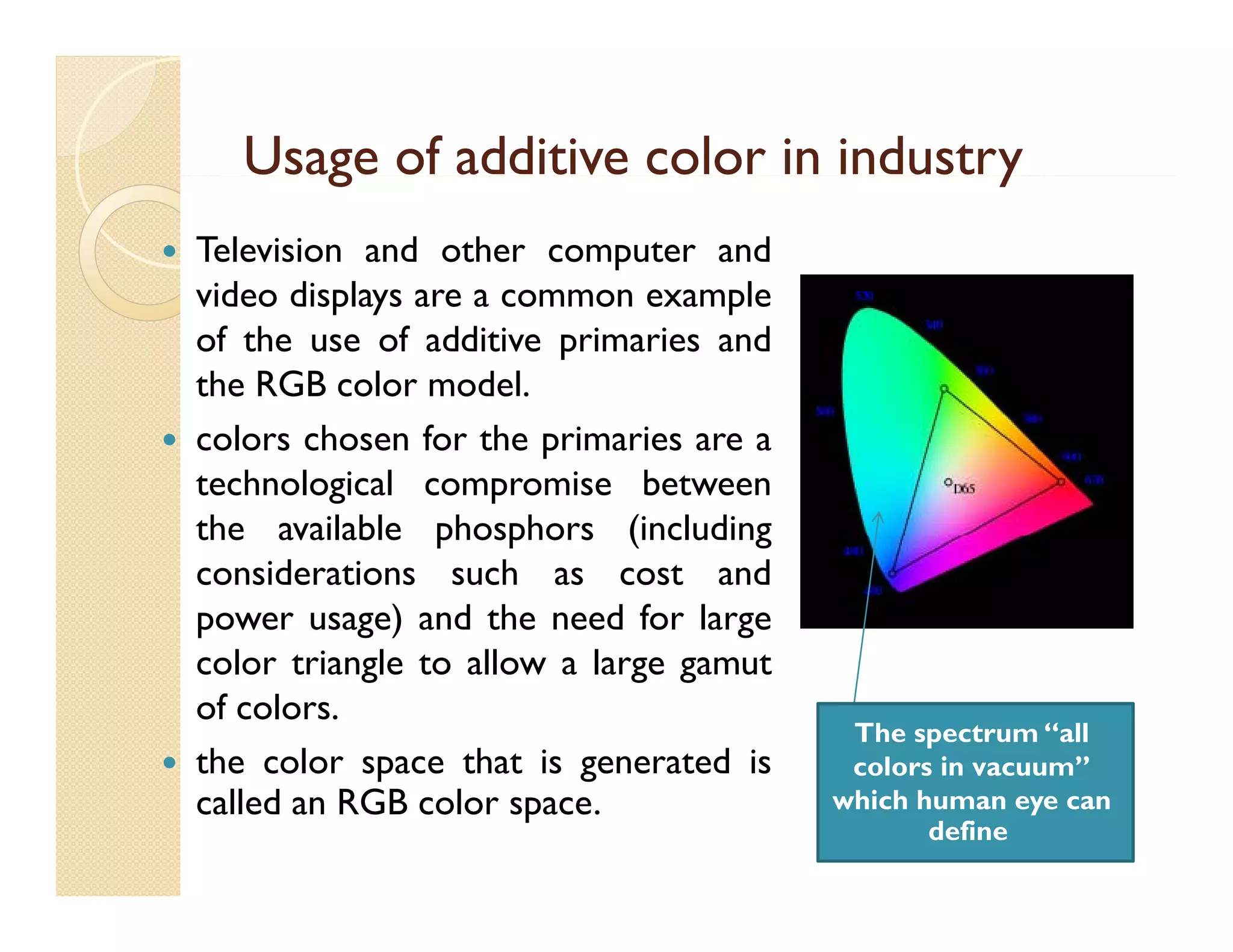
Television and other computer and
video displays are a common example
of the use of additive primaries and
the RGB color model.
colors chosen for the primaries are a
technological compromise between
the available phosphors (including
considerations such as cost and
power usage) and the need for large
color t i l t allow a l
l triangle to ll
large gamut
t
of colors.
the color space that is generated is
p
g
called an RGB color space.

The spectrum “all
co o s vacuum”
colors in vacuu
which human eye can
define
The CIE 1931 color space
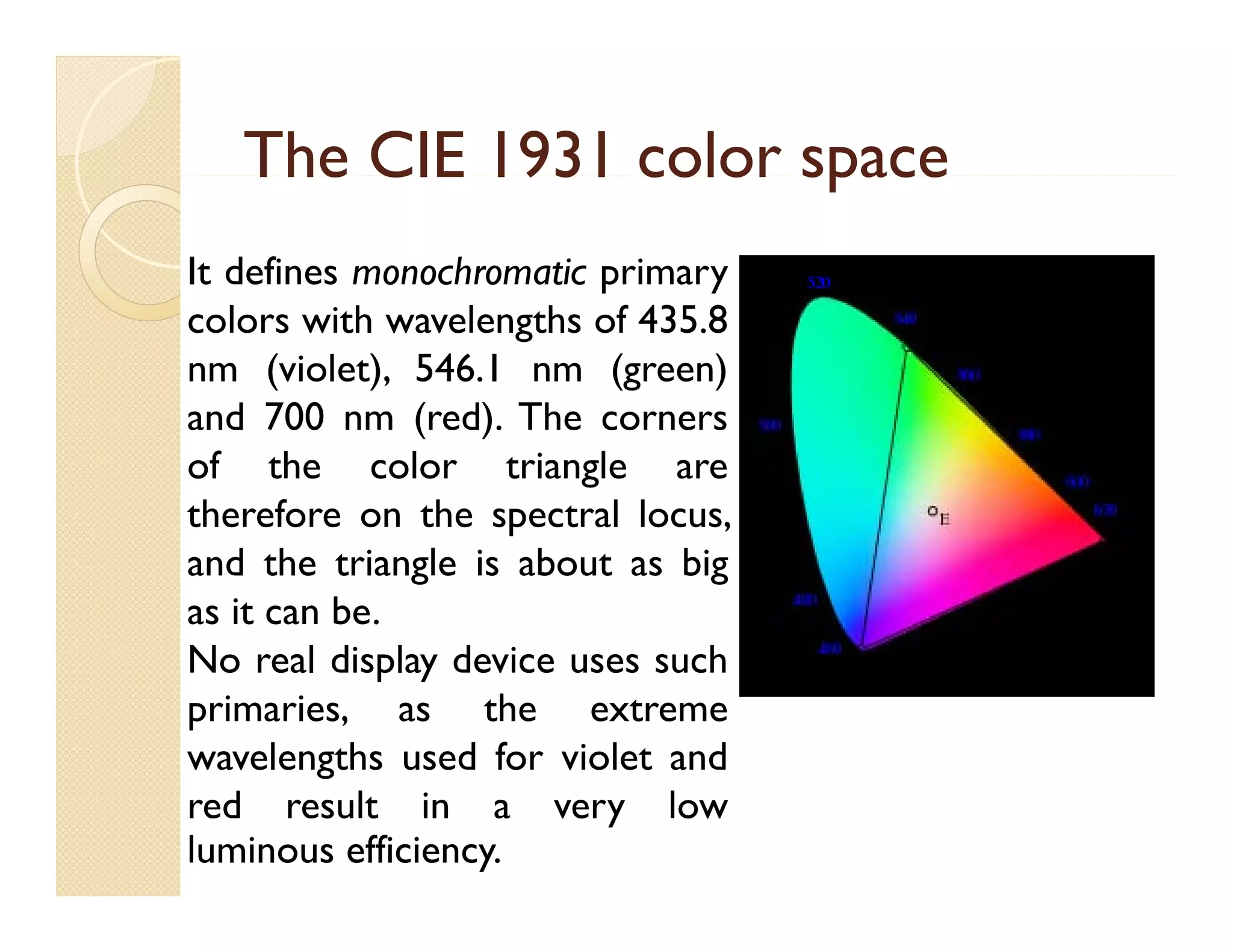
It defines monochromatic primary
colors with wavelengths of 435.8
nm (violet), 546.1 nm (green)
and 700 nm (red) The corners
(red).
of the color triangle are
therefore on the spectral locus,
p
and the triangle is about as big
as it can be.
No real display device uses such
primaries, as the extreme
wavelengths used for violet and
g
red result in a very low
luminous efficiency.
Some Examples of color spaces
we use


Search through internet.
Color Practice
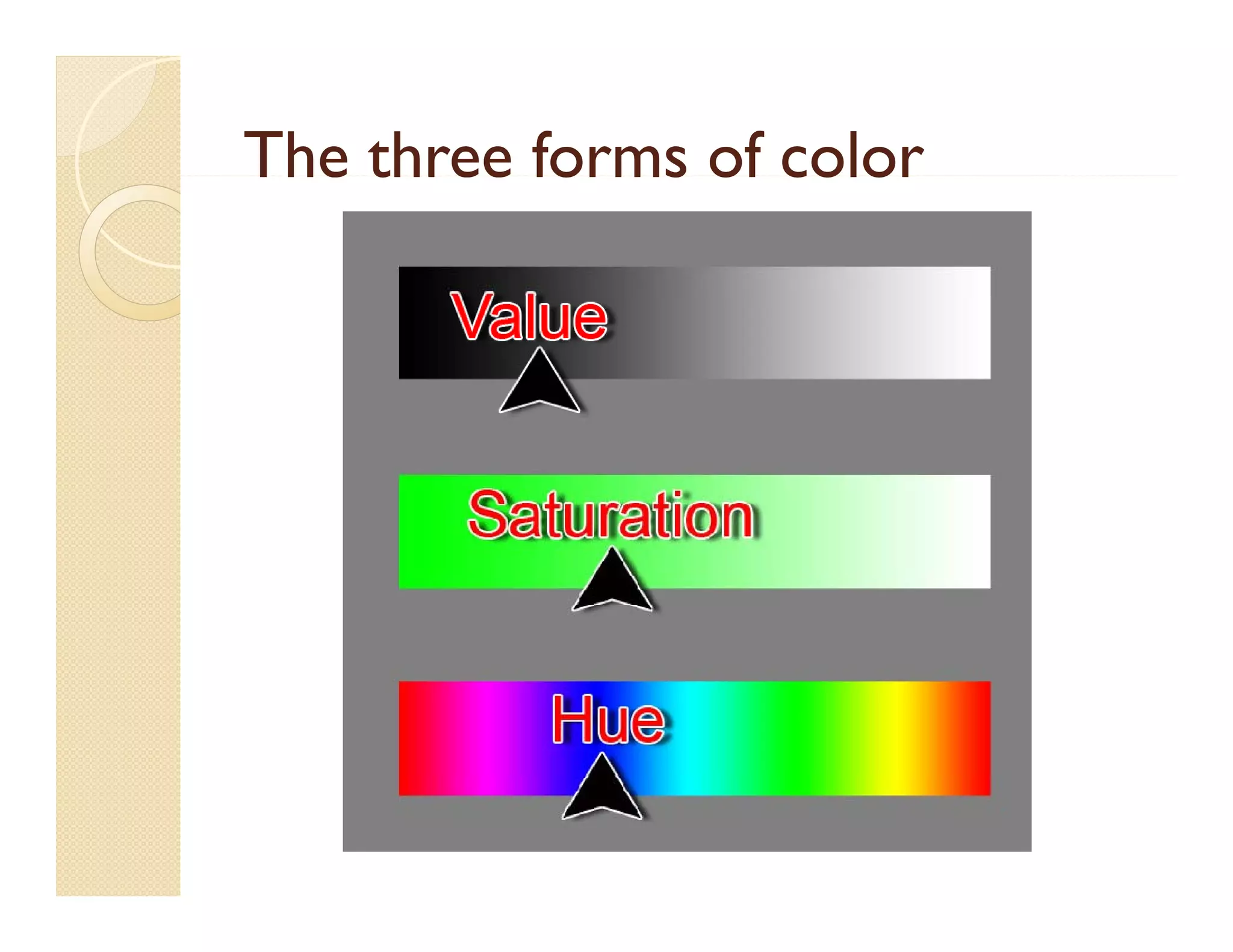
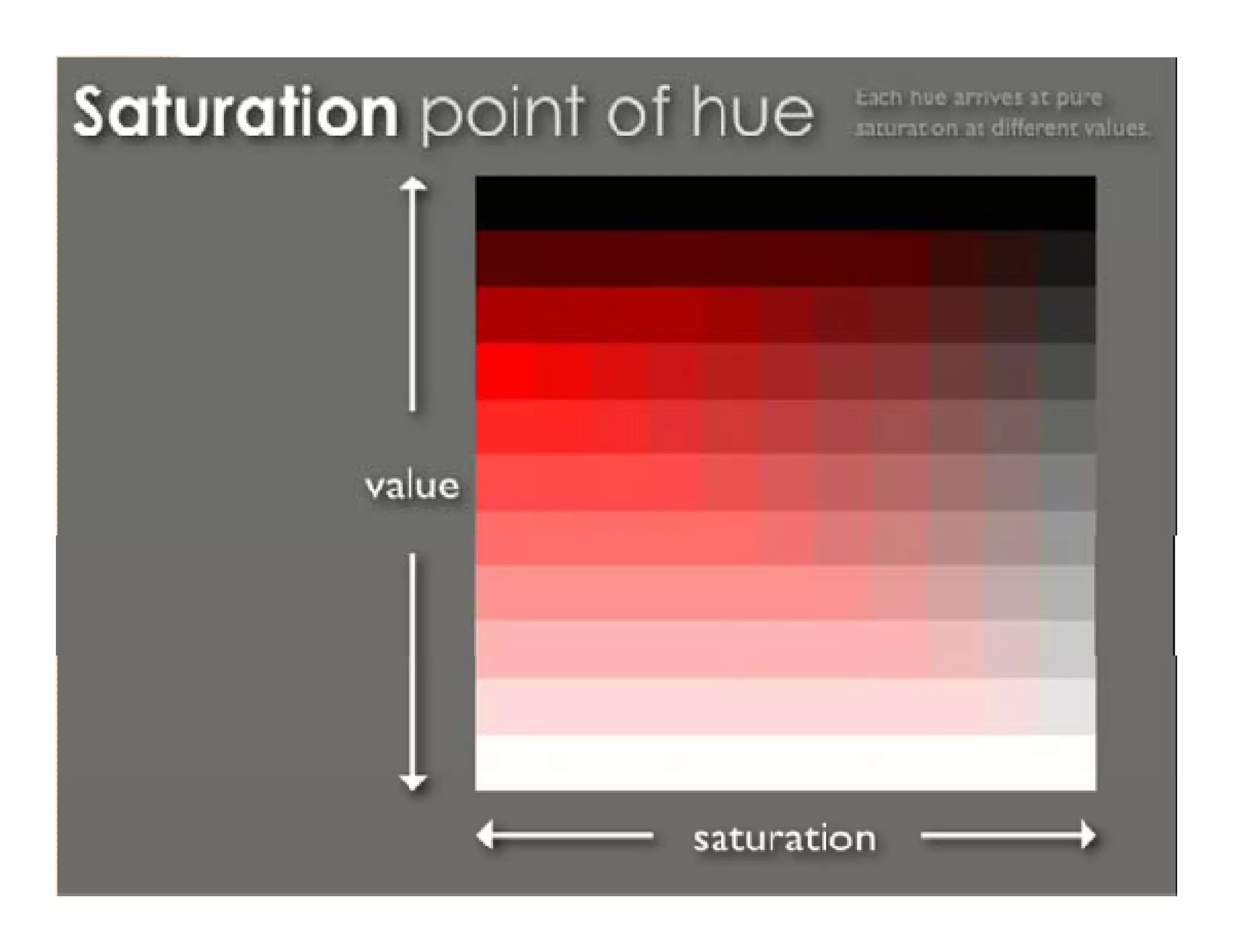
Colors are made of value, hue and
saturation.
t ti
By combining these properties together we
can create a special color .
s ecial c l r
- Value: determine how color is light or
dark.
dark
- Hue: determine which direction of the
color spectrum is the color or wheel the
color is oriented to
- Saturation: is the value of color pigment.
pigment
The three forms of color
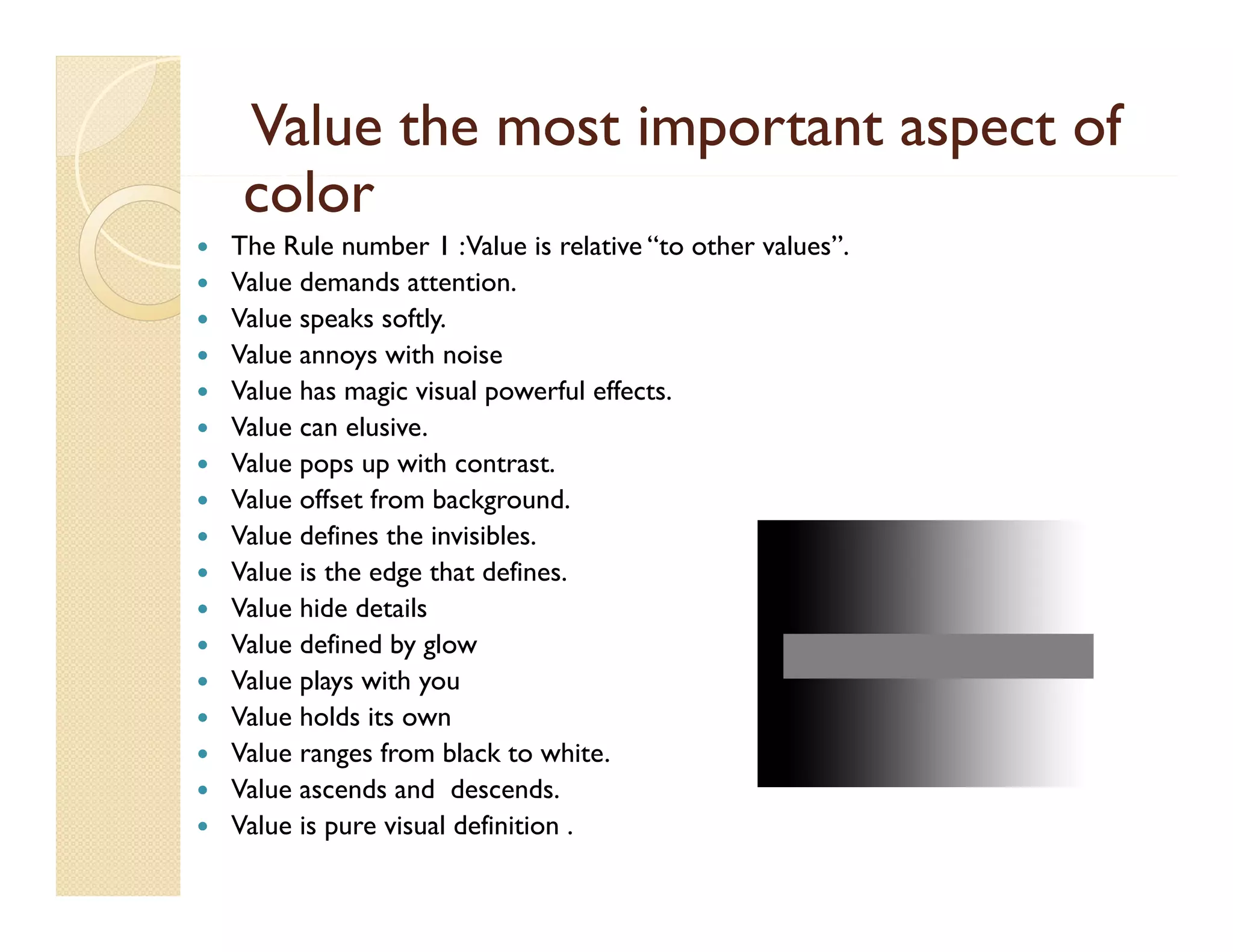
Value the most important aspect of
color
l


















The Rule number 1 : Value is relative “to other values”.
Value demands attention.
Value speaks softly.
Value annoys with noise
Value has magic visual powerful effects.
Value can elusive.
Value pops up with contrast.
Value offset from background.
Value defines the invisibles
invisibles.
Value is the edge that defines.
Value hide details
Value defined by g
y glow
Value plays with you
Value holds its own
Value ranges from black to white.
Value ascends and descends.
Value is pure visual definition .
Testing relative Value
Our eyes are typically drawn to point of
y
yp
y
p
highest contrast .
 The largest object o t e high co t ast
e a gest
of the g contrast
draw the most attention of the eye in
g
general, but not always.
,
y
 Low contrast can move elements to the
background of the elements in the images
and lower the importance of that
element.
element

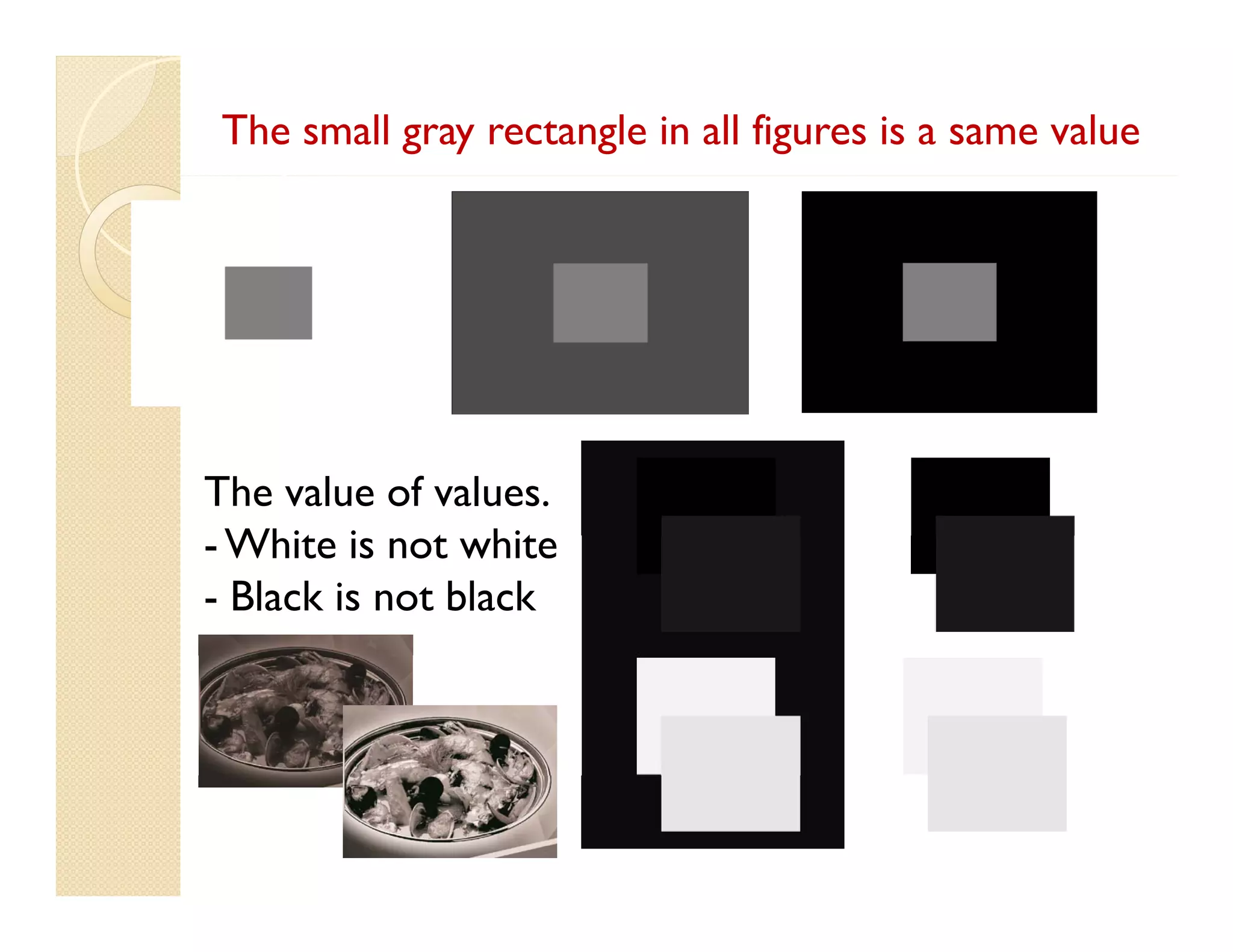
The small gray rectangle in all figures is a same value

The value of values.
- Whit i not white
White is t hit
- Black is not black
Elements that create colors
“Saturation”
“S
i ”
Rule Number1 : Saturation is more intense in
large areas of color.
 Desaturated text doesn’t read well in
saturated a large color background, unless
g
there is a large value difference.
 Saturated text on a desaturated background
reads OK. But could be improved by value.
 Saturated text flys off when the background
is completely desaturated. And more so
desaturated
when it pops up with contrast.

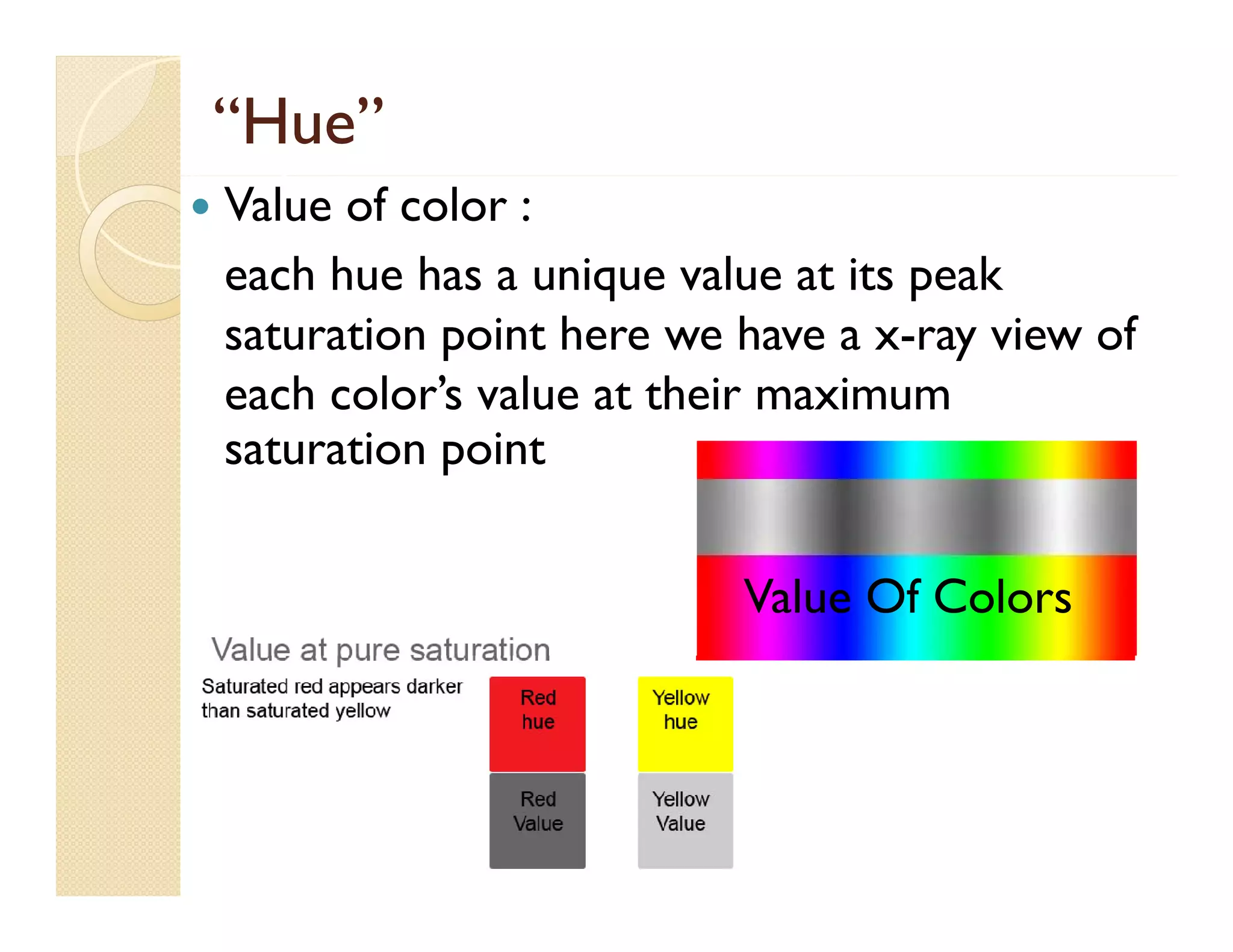
“Hue”


Value of color :
q
p
each hue has a unique value at its peak
saturation point here we have a x-ray view of
each color’s value at their maximum
saturation point
Value Of Colors
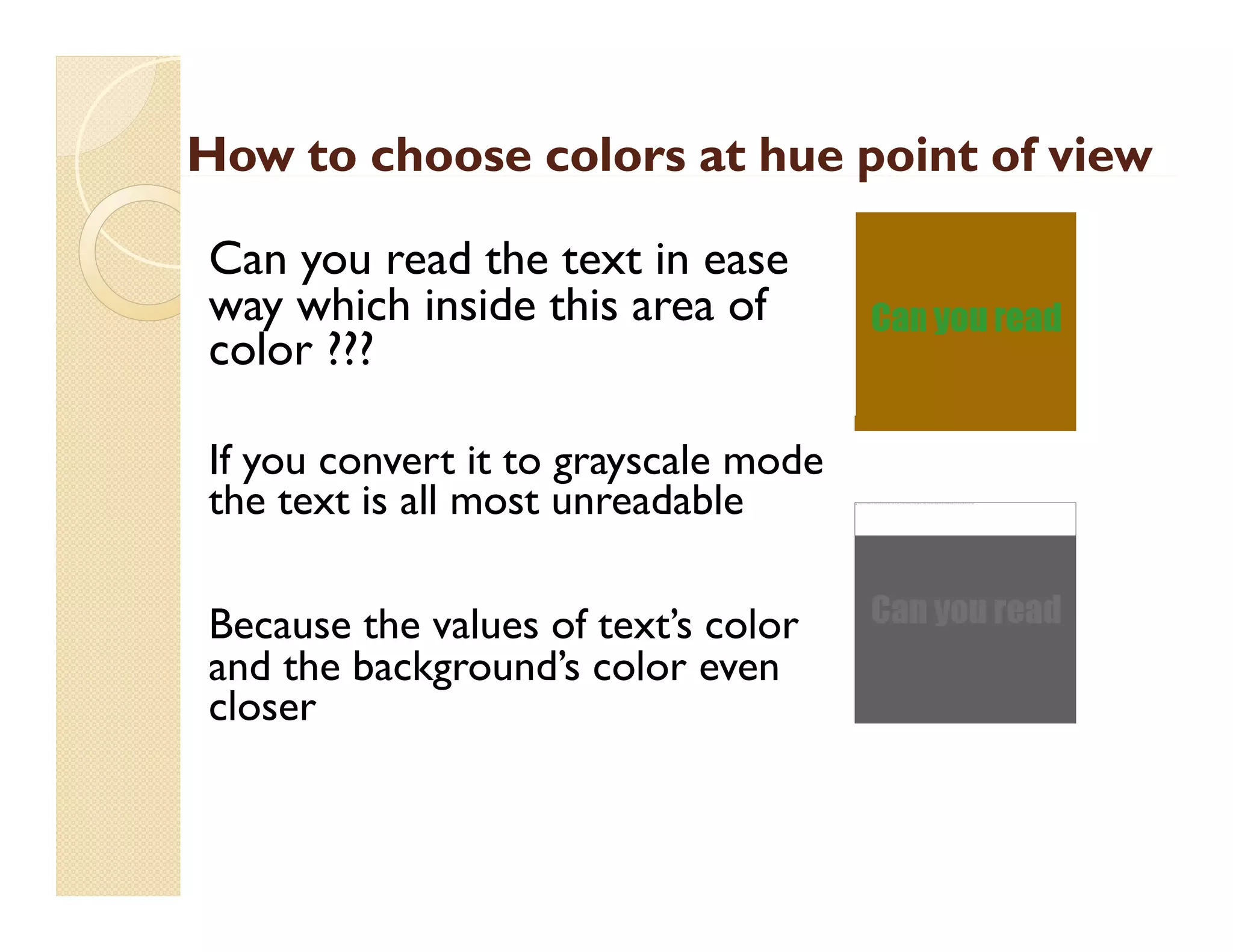
How to choose colors at hue point of view
p
Can you read the text in ease
way which i id thi area of
hi h inside this
f
color ???
If you convert it to grayscale mode
the text is all most unreadable
Because the values of text’s color
and the background’s color even
d h b k
d’
l
closer

The image cannot be display ed. Your computer may not hav e enough memory to open the image, or the image may hav e been corrupted. Restart y our computer, and then open the file again. If the red x still appears, y ou may hav e to delete the image and then insert it again.
Creating color systems and color
relationships.
l i hi


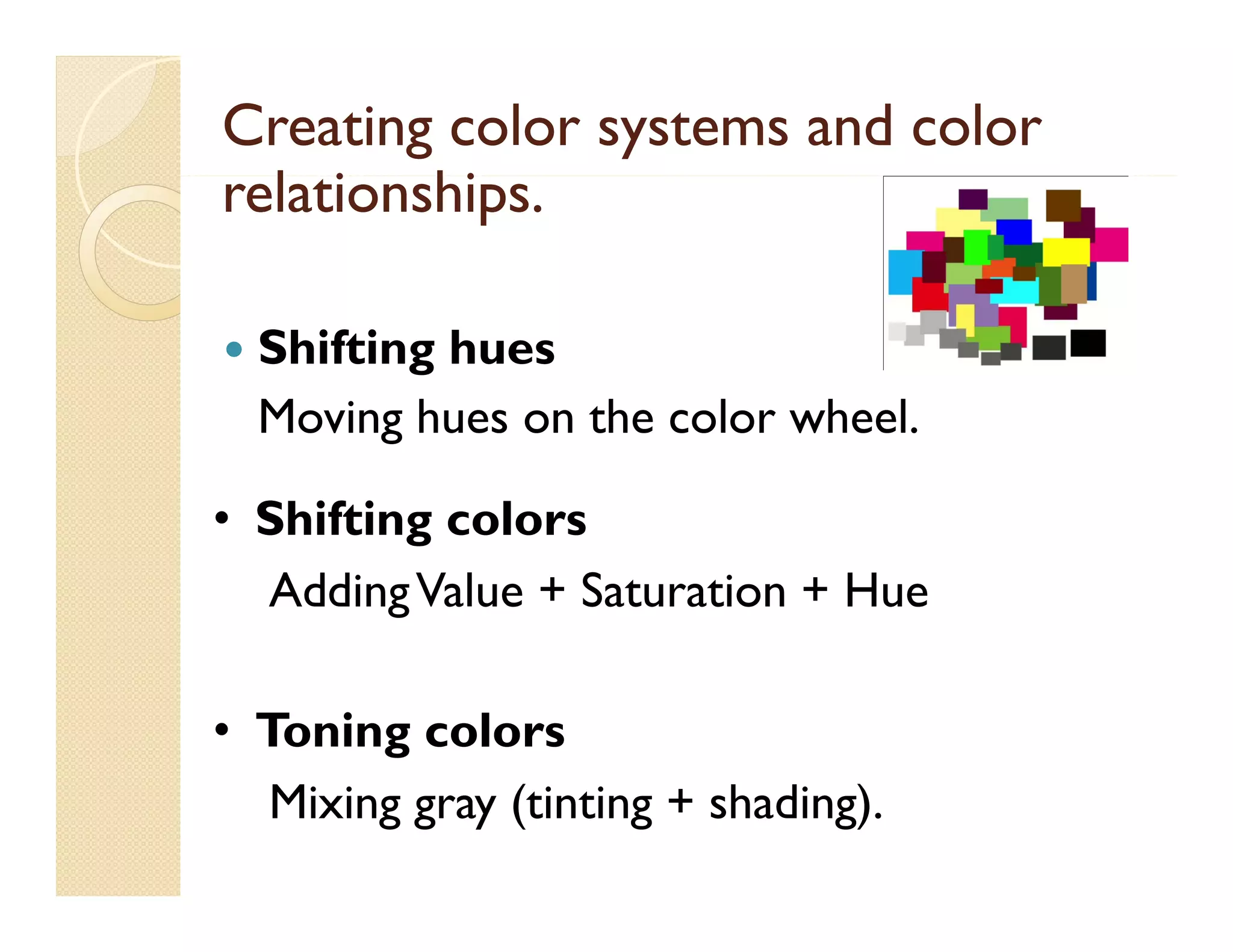
Shifting hues
Moving hues on the color wheel.
wheel

g
• Shifting colors
Adding Value + Saturation + Hue
• Toning colors
Mixing gray (tinting + shading).
Implementation of colors
RGB images use three colors, or channels, to reproduce
colors on-screen. In 8-bits-per-channel images, the three
p
g
channels translate to 24 (8 bits x 3 channels) bits of color
information per pixel. With 24-bit images, the three channels
can reproduce up to 16 7 million colors per pixel.
16.7
pixel
With 48-bit (16-bits-per-channel) and 96-bit (32-bits-perchannel) i
h
l) images, even more colors can b reproduced per
l
be
d d
pixel. In addition to being the default mode for new
Photoshop images, the RGB model is used by computer
p
g
y
p
monitors to display colors. This means that when working in
color modes other than RGB, such as CMYK, Photoshop
converts the CMYK image to RGB for display on screen.
on-screen
Converting between color modes
You can change an image from its original mode
(source mode) to a different mode (target mode).
When you choose a different color mode for an
image, you permanently change the color values in
g ,y p
y
g
the image. For example, when you convert an RGB
image to CMYK mode, RGB color values outside
the CMYK gamut (defined by the CMYK working
space setting in the Color Settings dialog box) are
adjusted to fall within gamut
gamut.
As a result, some image data may be lost and can’t be
recovered if you convert the i
d
h image f
from CMYK
back to RGB.
Choosing colors








About foreground and background colors
Choose colors i the toolbox
Ch
l
in h
lb
Choose colors with the Eyedropper tool
Adobe C
Color Picker overview
Choose a color with the Adobe Color Picker
Choose web-safe colors
Choose a CMYK equivalent for a non-printable
color
l
Choosing colors
Choose a spot color
p
 Change the color picker
 Color panel overview
 Select a color in the Color panel
S l
Select a color i the S
l in h Swatches panel
h
l
 Add and delete color swatches
 Manage swatch libraries
 Share swatches between applications
pp

Color and tonal adjustments







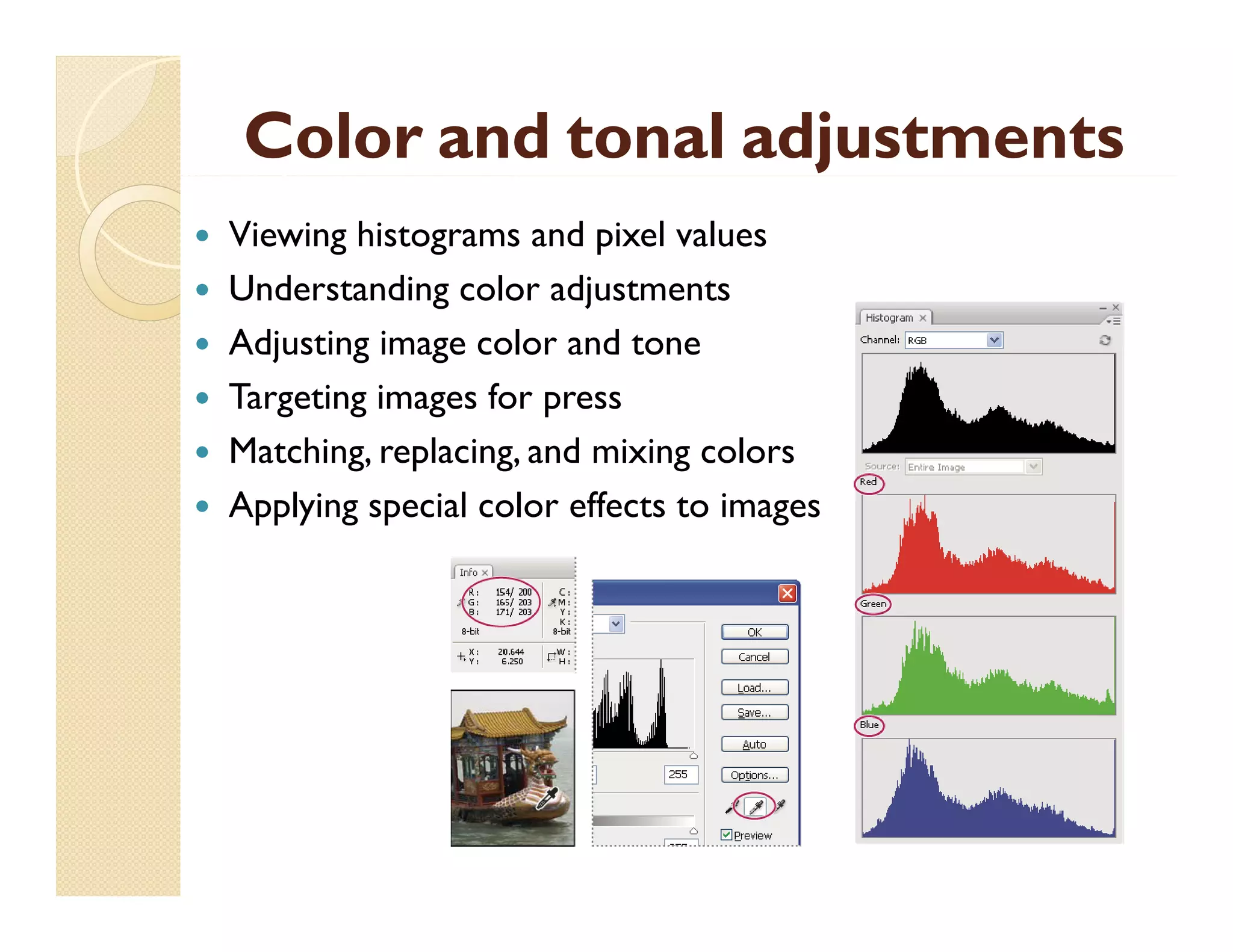
Viewing histograms and pixel values
Understanding color adjustments
Adjusting image color and tone
Targeting images for press
g
g
g
p
Matching, replacing, and mixing colors
Applying special color effects to images
What is blending mode
We always found a blending mode in most
y
g
of graphic programs and wonder what it
is mean?!!
So before demonstrate it we will make an
p
experiment with three circles and watch
out the result of blending it with the
background
g
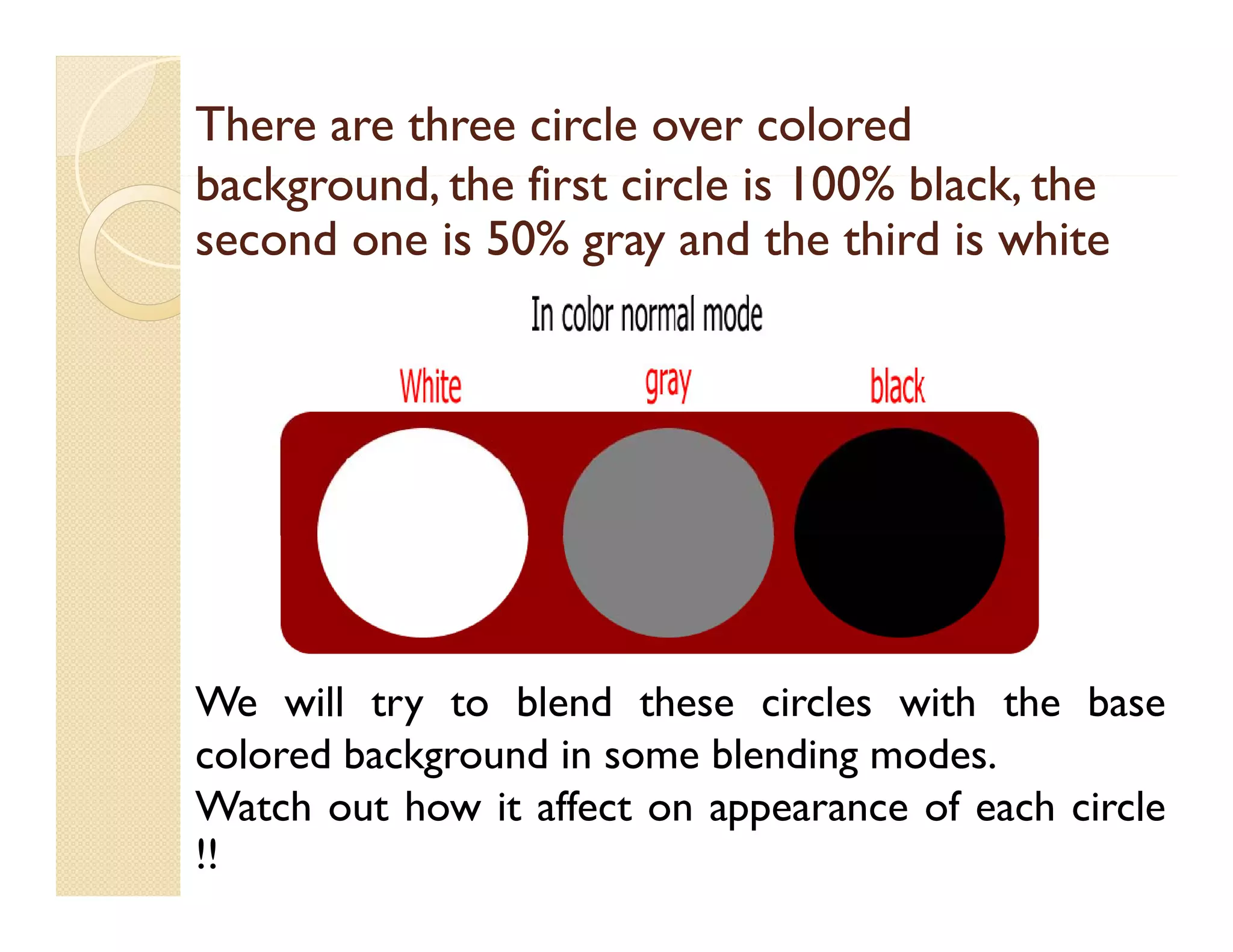
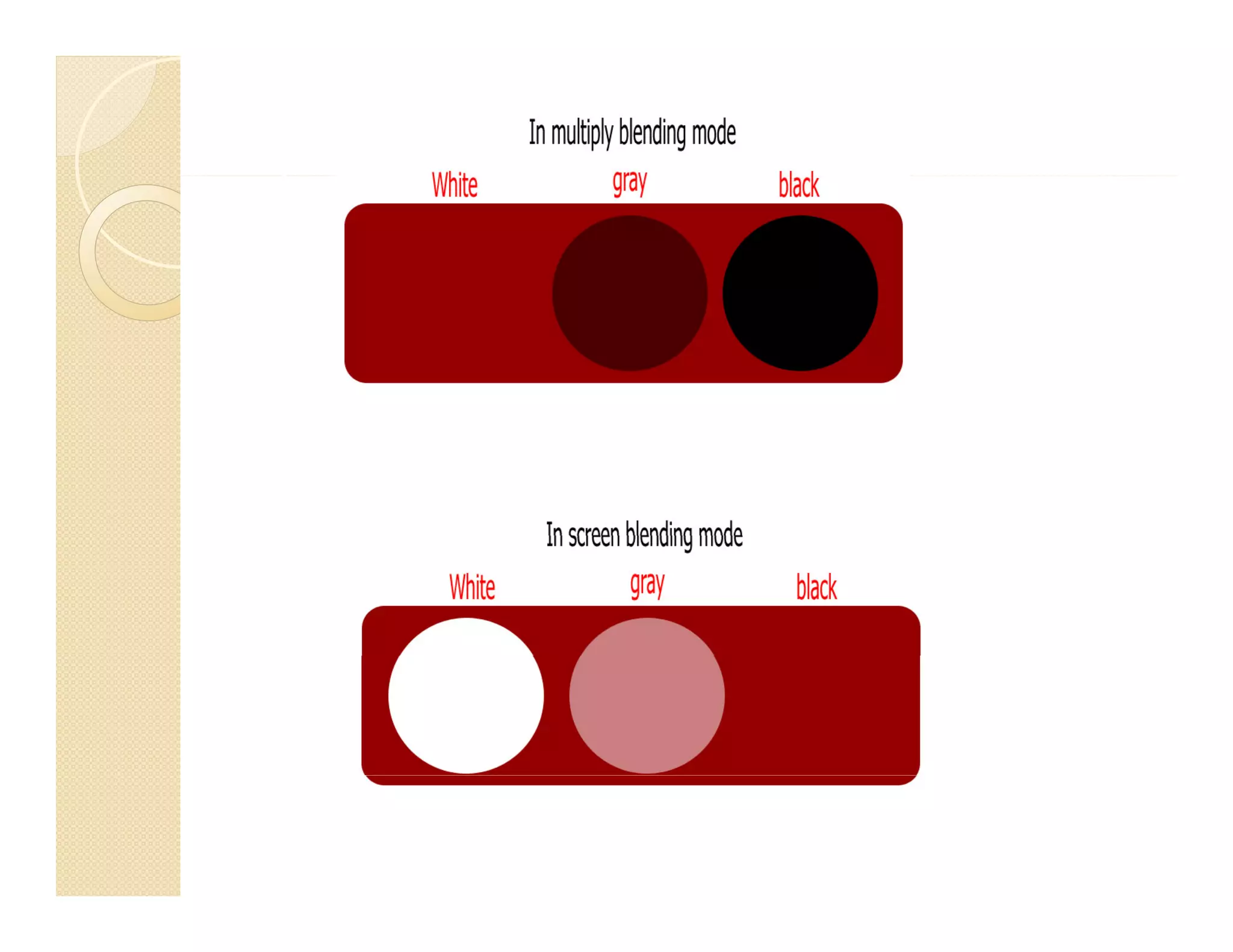
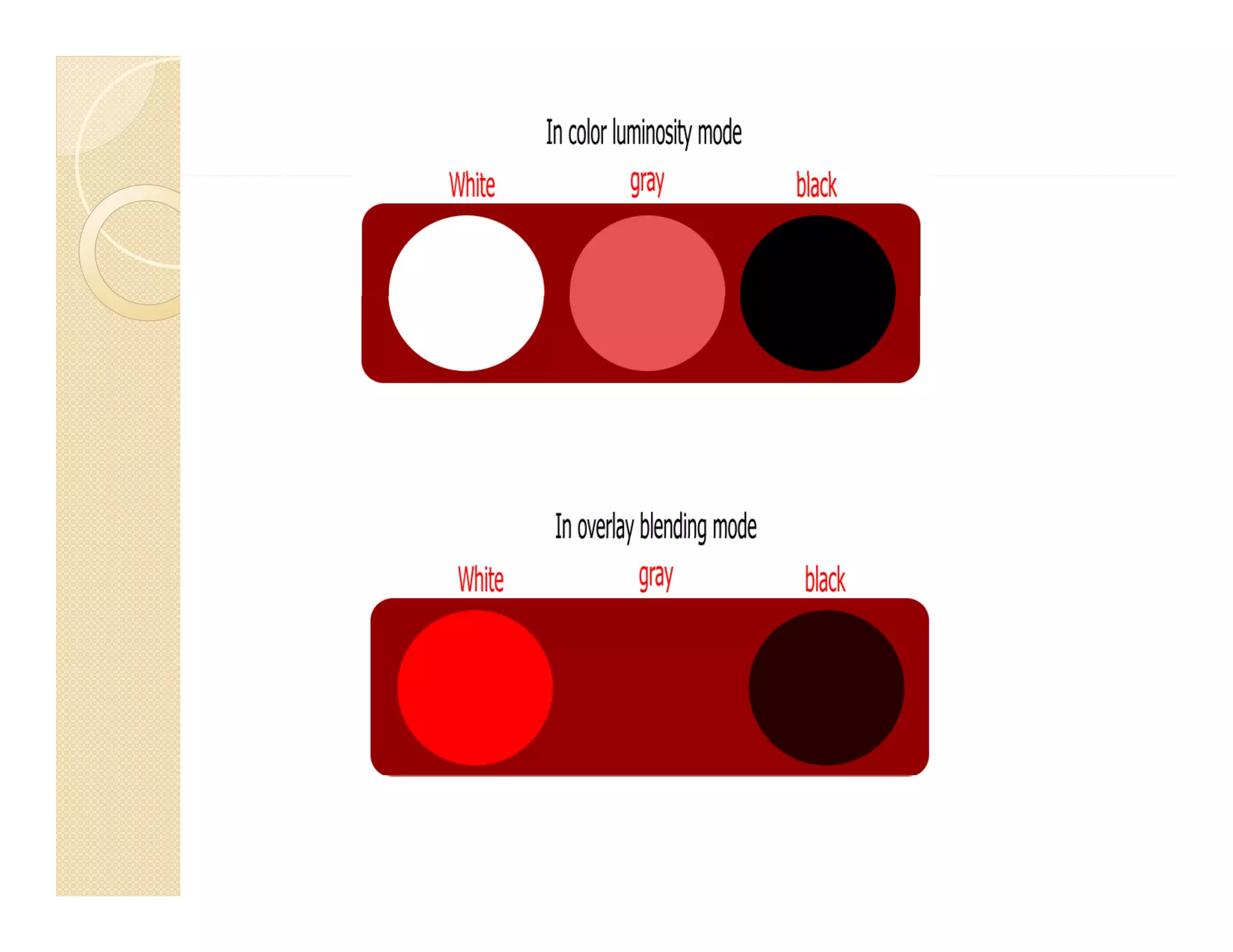
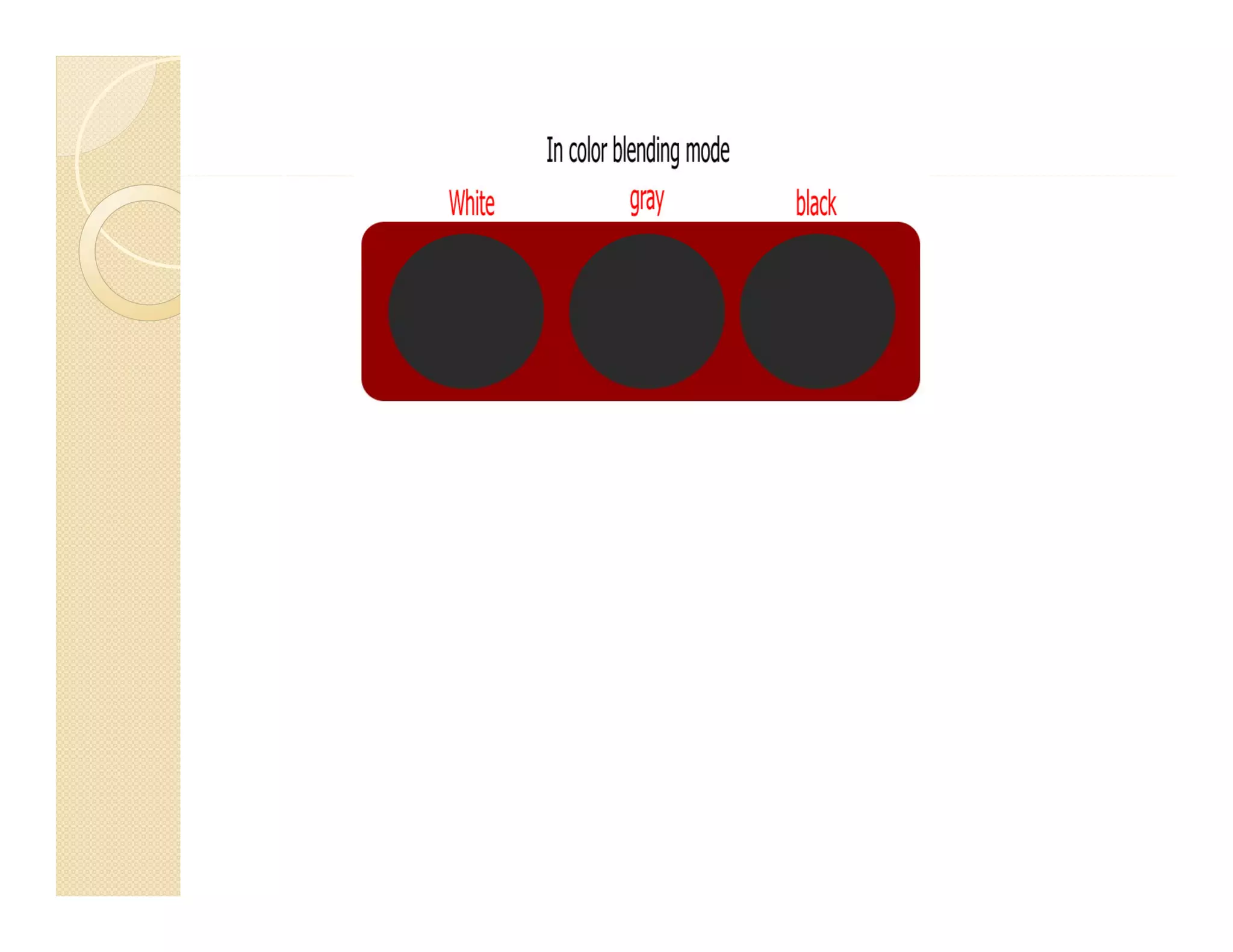
There are three circle over colored
background, the first circle i 100% black, th
b k
d th fi t i l is 100% bl k the
second one is 50% gray and the third is white
50%

We will try to blend these circles with the base
colored background in some blending modes.
g
g
Watch out how it affect on appearance of each circle
!!
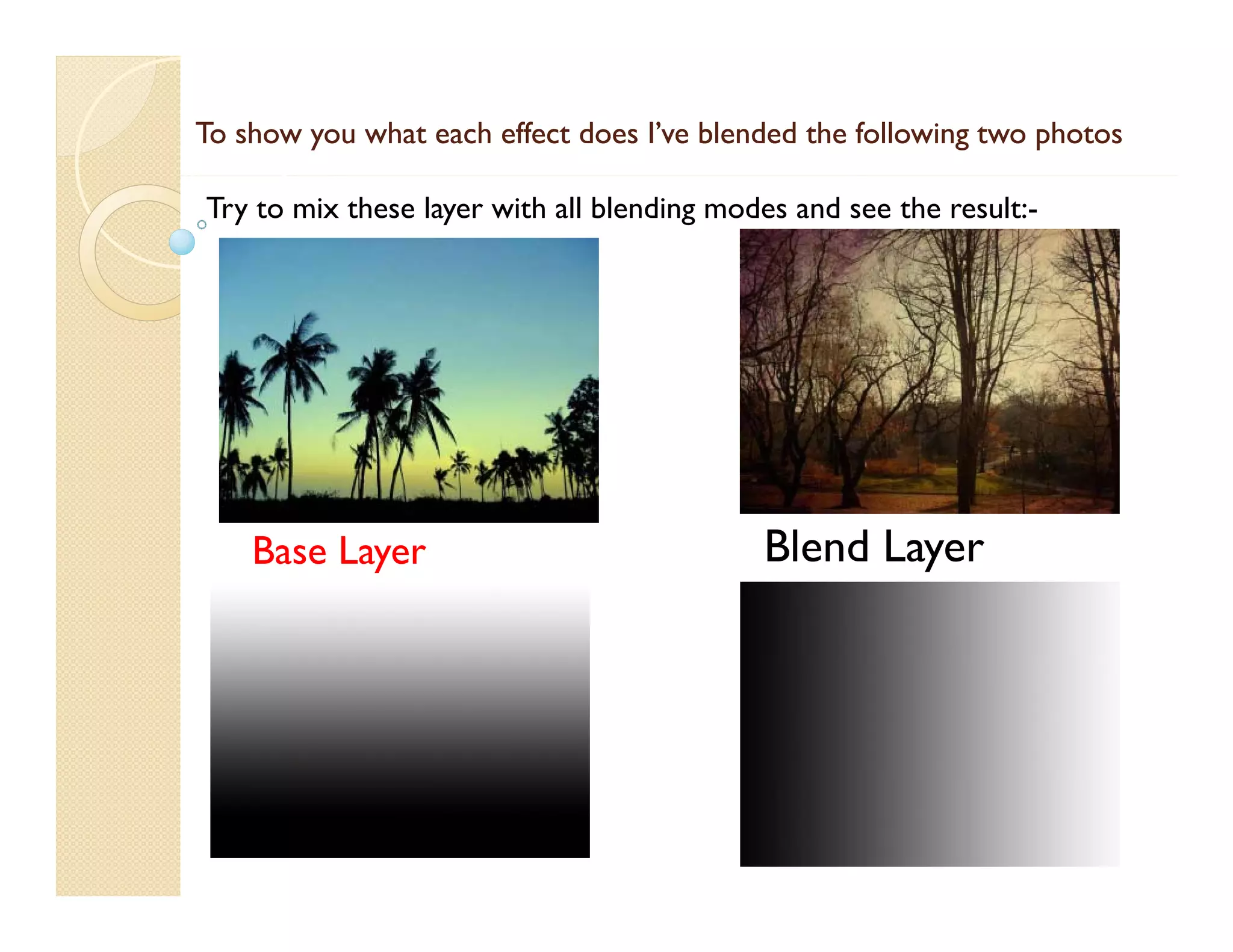
To show you what each effect does I’ve blended the following two photos
Try to mix these layer with all blending modes and see the result:-

Base Layer

Blend Layer
Bl d L
Demonstration of blending modes


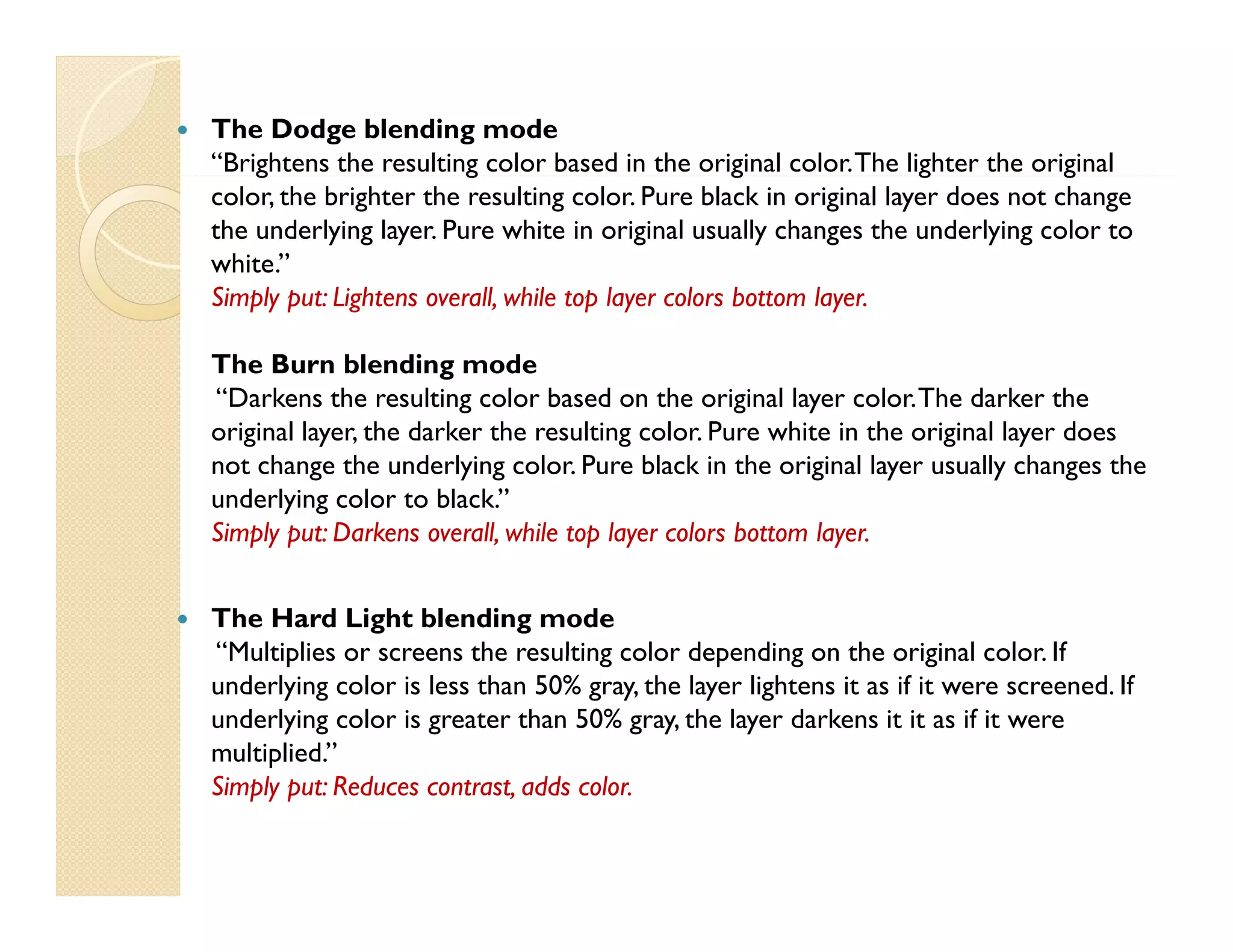
How the Multiply blending mode works:
“multiplies the color values in the layer and divides the result by the maximum
pixel value of either 8 bit or 16 bit pixels. The resulting image is never brighter
than the original.”
original
Simply put: All white pixels in the blended layer disappear.
Effects of the Screen blending mode:
“multiplies the inverse brightness values of the colors in all layers.”
“
f
”
Simply put: All the black pixels in the blended layer disappear.
Effects of the Overlay blending mode:
“mixes colors between layers, preserving the highlights and shadows to reflect the
light and dark areas of the layer colors.”
Simply put: Blended layer adds intensity to the layer underneath.


The Dodge blending mode
“Brightens the resulting color based in the original color. The lighter the original
g
g
g
g
g
color, the brighter the resulting color. Pure black in original layer does not change
the underlying layer. Pure white in original usually changes the underlying color to
white.”
Simply put: Lightens overall while top layer colors bottom layer
overall,
layer.
The Burn blending mode
“Darkens the resulting color based on the original layer color. The darker the
original layer, the darker the resulting color. Pure white in the original layer does
not change the underlying color. Pure black in the original layer usually changes the
underlying color to black.”
Simply put: Darkens overall while top layer colors bottom layer
overall,
layer.



The Hard Light blending mode
Multiplies
color
“Multiplies or screens the resulting color depending on the original color. If
underlying color is less than 50% gray, the layer lightens it as if it were screened. If
underlying color is greater than 50% gray, the layer darkens it it as if it were
multiplied.”
Simply put: Reduces contrast, adds color.


The Soft Light Blending Mode
Darkens or lightens resulting colors, depending on the layer color. If underlying
color is lighter than 50% gray, the layer lightens. If underlying color is darker than
gray
lightens
50% gray, the layer darkens.’
Simply put: Vintage with color!
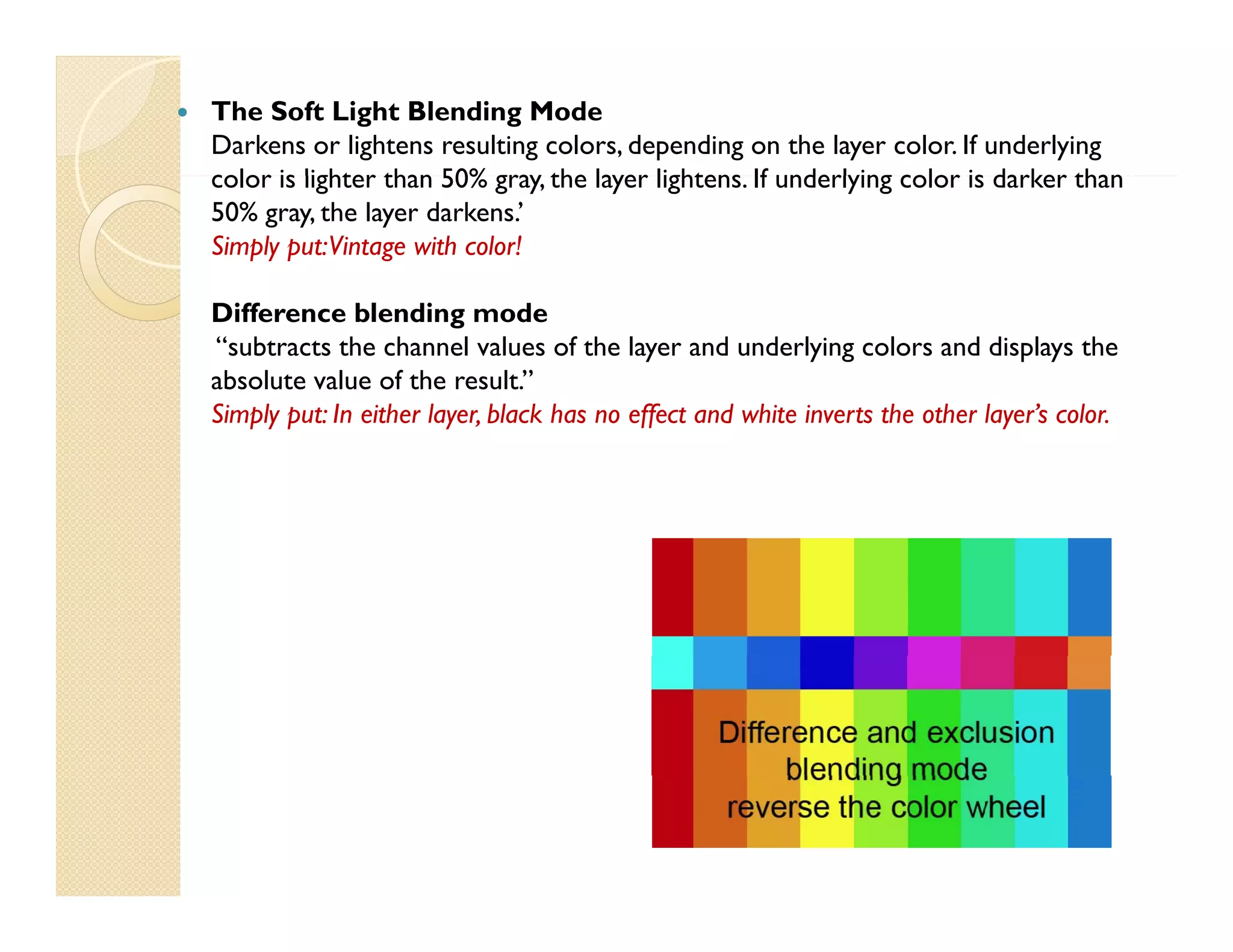
Difference blending mode
“subtracts the channel values of the layer and underlying colors and displays the
absolute value of the result.”
Simply put: In either layer, black has no effect and white inverts the other layer’s color.
layer
layer s color


Darken Only blending mode
“Compares the channel values of the underlying and layer color and displays the
darker of the two. Can cause color shifts.”
Simply put: shows pixels from the blended layer unless the pixels underneath are darker.
Lighten Only blending mode
The Lighten Only blending mode is very similar, but with one obvious difference.
Adobe’s definition is that Lighten Only “compares the channel values of the
underlying and layer colors and displays the lighter of the two. Can also cause a
color shift.”
Simply put: shows pixels from the blended layer unless the pixels underneath are lighter.



Addition blending mode
“combining the color values of the [blended] layer and underlying colors. The
resulting color is lighter than original. Pure black does not change underlying color.
White in base layer is never changed.
changed.”
Simply put: “lightens the base image, ignores black, and keeps the top layer’s color.”


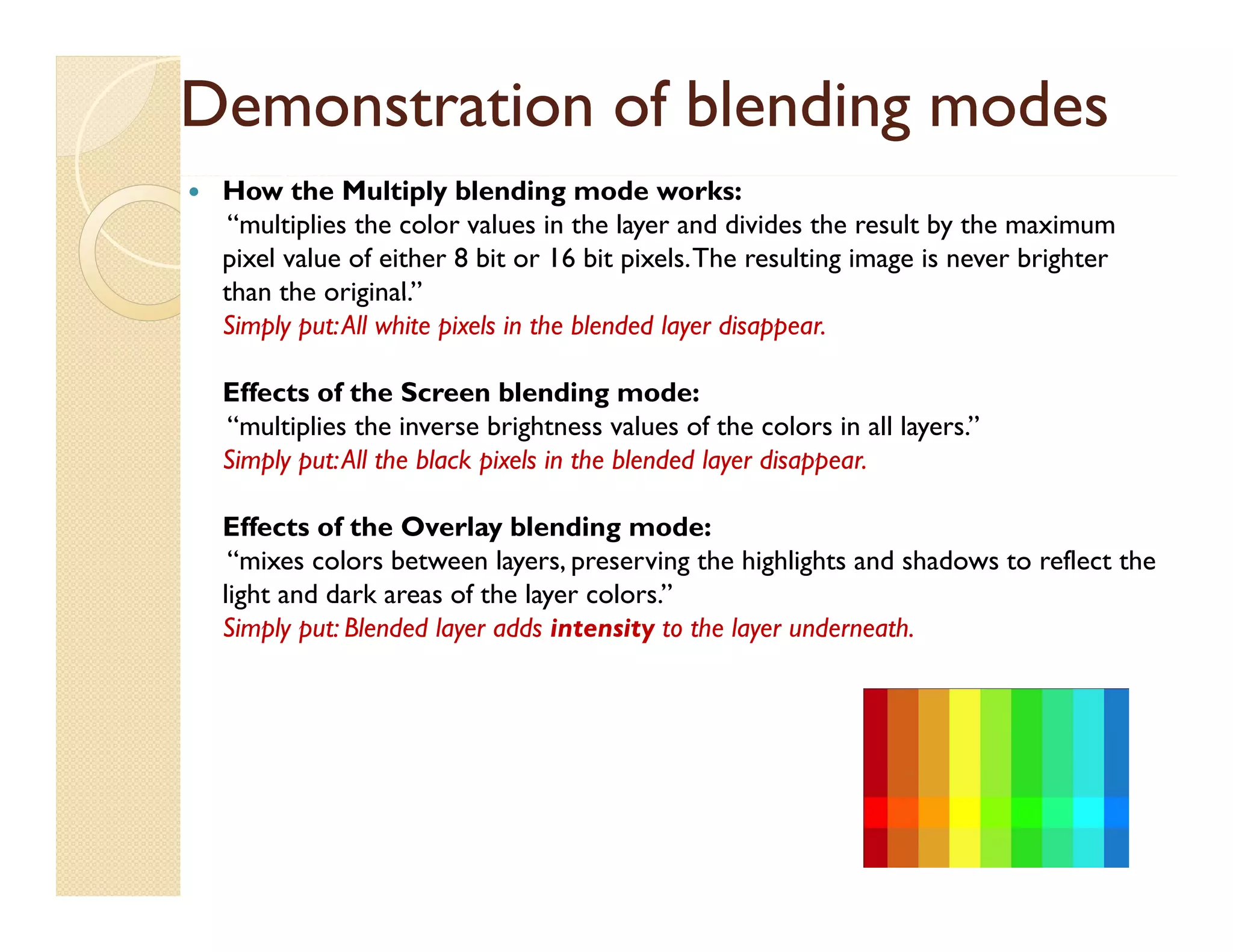
Hue
“Creates resulting colors with the luminance and saturation of the underlying
colors and th h of th layer colors.”
l
d the hue f the l
l ”
Simply put: colors on top replace colors below. “change only hue for the new layer”
Saturation
“creating resulting color with the luminance and hue of the underlying colors and
the saturation of the layer colors”.
Simply put: Top color determines saturation level for the layer below.
color
“create resulting colors with the “luminance of the underlying colors” and the
“hue & saturation of the layer colors”. This preserves the gray levels of the image.”
Simply put: colors on top replace everything but pure black below.

Color theorykareemebrahim

  • 2.
    Why we learncolor theory Knowing how colors are created and how g they relate to each other lets you work more effectively in all graphic programs such y g p p g as Adobe Photoshop or Illustrator. Instead of achieving an effect by accident, g y you’ll produce consistent results thanks to an understanding of basic color g theory.
  • 3.
    describing wavelength invacuum. g g vacuum. Wavelength = S W l h Speed of light d f li h in vacuum / Frequency. The s eed of light is the velocity speed f li ht el cit of electromagnetic waves in a vacuum, which is 300,000 km/sec. km/sec Light travels slower in other media, and different wavelengths travel at different speeds in the same media. When media.When light passes from one media to another, it changes speed, which causes a deflection of light called g refraction.
  • 4.
    What causes arainbow? In a rainbow, raindrops in the air act as tiny prisms. The angle of bending is different for different wavelengths of light.As the white light moves through the light. As two faces of the prism, the different colors bend different amounts of light and, in doing so, spread out into a rainbow. rainbow
  • 5.
    Approximate wavelength (invacuum) and frequency ranges for the various colors Color Red Orange O Yellow Green Blue Violet    Wavelength (nm) 780 - 622 622 - 597 597 - 577 577 - 492 492 - 455 455 - 390 Frequency (THz) 384 - 482 482 - 503 503 - 520 520 - 610 610 - 659 659 - 769 1 terahertz (THz) = 103 GHz = 106 MHz = 1012 Hz, 1 nm = 10-9 um = 10-6 mm = 10-3 m. The white light is a mixture of the colors of the visible spectra.
  • 6.
    How We See: TheFirst Steps of Human Vision Which part of your body lets you read the back f b k of a cereal b check out a rainbow, l box, h k i b and see a softball heading your way? Your E Y Eyes t k i t take in tons of i f f information about ti b t the world around you — shapes, colors, movements, movements and more. Then they send the more information to your brain for processing, so the brain knows what s going on what's outside of your body.
  • 7.
    The retina isresponsible for receiving lights and colors, g g , and sending this data with optic nerves to the brain. Scientists discovered two different cells in the retina: the rod cells and cone cells. These cells were named because of their shape as viewed in the microscope. h
  • 8.
      the rod andcone cells were responsive to light. p g the retinal cones are the color receptors of the eye; and the retinal rod cells, while not sensitive to color, are very sensitive to li h at l light low l l levels. • Exercise Go into a closet and decrease the light level. Soon you will see only shades of gray. Slowly increase the light levels until you can begin to see color. color That proves that the cells which are responsible for lights are not sensitive to colors .
  • 9.
    In the humaneye, there are many more rod cells in the retina than there are cone cells. cells. The number of rod cells and cone cells in animals is often related to the animal's instincts and habits. For example, birds such as hawks habits. have a significantly higher number of cones than do humans. This lets g y g humans. them see small animals from far away, allowing them to hunt for food. food. Nocturnal animals, on the other hand, have relatively higher numbers of rod cells that allow them better night vision. vision.
  • 10.
    Visual Pigments ineye Pigments are found in cone cells. There are three types of cone cells, each of which contains a visual pigment. These pigments are called the red, blue or green visual pigment. The cone cells detect the primary colors, and the brain mixes these colors in seemingly infinitely variable proportions so that we can perceive a wide range of colors colors.
  • 11.
    Primary Colors “RGB” y Primarycolors are sets of colors that can be combined to make a useful range of colors. three primary colors are usually used, since human color vision is trichromatic. the i th primary colors normally used are red, green, and bl and their l ll d d d blue, d th i environment is the black vacuum. It is called Additive colors “phosphors lights”. It combine to gives us the white light . But in the practical we can’t use this colors in Painting or printing, we need an ink not a light printing So scientists discovered another kind of colors are ca e Subt act ve colors. called Subtractive co o s. Additive color mixing
  • 12.
    Subtractive color “CMYK” Forsubtractive combination of colors, as in mixing of pigments or dyes, such as in printing, the primaries normally used are cyan, magenta, and yellow and their environment is the white Paper. It combine t gives us th white a non complete bi to i the hit l t Black, So that Scientists add the black ink to this Mode of colors. Subtractive color mixing The combination of any two primary colors creates a secondary color.
  • 13.
    Usage of additivecolor in industry g y    Television and other computer and video displays are a common example of the use of additive primaries and the RGB color model. colors chosen for the primaries are a technological compromise between the available phosphors (including considerations such as cost and power usage) and the need for large color t i l t allow a l l triangle to ll large gamut t of colors. the color space that is generated is p g called an RGB color space. The spectrum “all co o s vacuum” colors in vacuu which human eye can define
  • 14.
    The CIE 1931color space It defines monochromatic primary colors with wavelengths of 435.8 nm (violet), 546.1 nm (green) and 700 nm (red) The corners (red). of the color triangle are therefore on the spectral locus, p and the triangle is about as big as it can be. No real display device uses such primaries, as the extreme wavelengths used for violet and g red result in a very low luminous efficiency.
  • 15.
    Some Examples ofcolor spaces we use  Search through internet.
  • 16.
    Color Practice Colors aremade of value, hue and saturation. t ti By combining these properties together we can create a special color . s ecial c l r - Value: determine how color is light or dark. dark - Hue: determine which direction of the color spectrum is the color or wheel the color is oriented to - Saturation: is the value of color pigment. pigment
  • 17.
  • 18.
    Value the mostimportant aspect of color l                  The Rule number 1 : Value is relative “to other values”. Value demands attention. Value speaks softly. Value annoys with noise Value has magic visual powerful effects. Value can elusive. Value pops up with contrast. Value offset from background. Value defines the invisibles invisibles. Value is the edge that defines. Value hide details Value defined by g y glow Value plays with you Value holds its own Value ranges from black to white. Value ascends and descends. Value is pure visual definition .
  • 19.
    Testing relative Value Oureyes are typically drawn to point of y yp y p highest contrast .  The largest object o t e high co t ast e a gest of the g contrast draw the most attention of the eye in g general, but not always. , y  Low contrast can move elements to the background of the elements in the images and lower the importance of that element. element 
  • 20.
    The small grayrectangle in all figures is a same value The value of values. - Whit i not white White is t hit - Black is not black
  • 21.
    Elements that createcolors “Saturation” “S i ” Rule Number1 : Saturation is more intense in large areas of color.  Desaturated text doesn’t read well in saturated a large color background, unless g there is a large value difference.  Saturated text on a desaturated background reads OK. But could be improved by value.  Saturated text flys off when the background is completely desaturated. And more so desaturated when it pops up with contrast. 
  • 22.
    “Hue”  Value of color: q p each hue has a unique value at its peak saturation point here we have a x-ray view of each color’s value at their maximum saturation point Value Of Colors
  • 24.
    How to choosecolors at hue point of view p Can you read the text in ease way which i id thi area of hi h inside this f color ??? If you convert it to grayscale mode the text is all most unreadable Because the values of text’s color and the background’s color even d h b k d’ l closer The image cannot be display ed. Your computer may not hav e enough memory to open the image, or the image may hav e been corrupted. Restart y our computer, and then open the file again. If the red x still appears, y ou may hav e to delete the image and then insert it again.
  • 25.
    Creating color systemsand color relationships. l i hi  Shifting hues Moving hues on the color wheel. wheel g • Shifting colors Adding Value + Saturation + Hue • Toning colors Mixing gray (tinting + shading).
  • 26.
    Implementation of colors RGBimages use three colors, or channels, to reproduce colors on-screen. In 8-bits-per-channel images, the three p g channels translate to 24 (8 bits x 3 channels) bits of color information per pixel. With 24-bit images, the three channels can reproduce up to 16 7 million colors per pixel. 16.7 pixel With 48-bit (16-bits-per-channel) and 96-bit (32-bits-perchannel) i h l) images, even more colors can b reproduced per l be d d pixel. In addition to being the default mode for new Photoshop images, the RGB model is used by computer p g y p monitors to display colors. This means that when working in color modes other than RGB, such as CMYK, Photoshop converts the CMYK image to RGB for display on screen. on-screen
  • 27.
    Converting between colormodes You can change an image from its original mode (source mode) to a different mode (target mode). When you choose a different color mode for an image, you permanently change the color values in g ,y p y g the image. For example, when you convert an RGB image to CMYK mode, RGB color values outside the CMYK gamut (defined by the CMYK working space setting in the Color Settings dialog box) are adjusted to fall within gamut gamut. As a result, some image data may be lost and can’t be recovered if you convert the i d h image f from CMYK back to RGB.
  • 28.
    Choosing colors        About foregroundand background colors Choose colors i the toolbox Ch l in h lb Choose colors with the Eyedropper tool Adobe C Color Picker overview Choose a color with the Adobe Color Picker Choose web-safe colors Choose a CMYK equivalent for a non-printable color l
  • 29.
    Choosing colors Choose aspot color p  Change the color picker  Color panel overview  Select a color in the Color panel S l Select a color i the S l in h Swatches panel h l  Add and delete color swatches  Manage swatch libraries  Share swatches between applications pp 
  • 30.
    Color and tonaladjustments       Viewing histograms and pixel values Understanding color adjustments Adjusting image color and tone Targeting images for press g g g p Matching, replacing, and mixing colors Applying special color effects to images
  • 31.
    What is blendingmode We always found a blending mode in most y g of graphic programs and wonder what it is mean?!! So before demonstrate it we will make an p experiment with three circles and watch out the result of blending it with the background g
  • 32.
    There are threecircle over colored background, the first circle i 100% black, th b k d th fi t i l is 100% bl k the second one is 50% gray and the third is white 50% We will try to blend these circles with the base colored background in some blending modes. g g Watch out how it affect on appearance of each circle !!
  • 36.
    To show youwhat each effect does I’ve blended the following two photos Try to mix these layer with all blending modes and see the result:- Base Layer Blend Layer Bl d L
  • 37.
    Demonstration of blendingmodes  How the Multiply blending mode works: “multiplies the color values in the layer and divides the result by the maximum pixel value of either 8 bit or 16 bit pixels. The resulting image is never brighter than the original.” original Simply put: All white pixels in the blended layer disappear. Effects of the Screen blending mode: “multiplies the inverse brightness values of the colors in all layers.” “ f ” Simply put: All the black pixels in the blended layer disappear. Effects of the Overlay blending mode: “mixes colors between layers, preserving the highlights and shadows to reflect the light and dark areas of the layer colors.” Simply put: Blended layer adds intensity to the layer underneath.
  • 38.
     The Dodge blendingmode “Brightens the resulting color based in the original color. The lighter the original g g g g g color, the brighter the resulting color. Pure black in original layer does not change the underlying layer. Pure white in original usually changes the underlying color to white.” Simply put: Lightens overall while top layer colors bottom layer overall, layer. The Burn blending mode “Darkens the resulting color based on the original layer color. The darker the original layer, the darker the resulting color. Pure white in the original layer does not change the underlying color. Pure black in the original layer usually changes the underlying color to black.” Simply put: Darkens overall while top layer colors bottom layer overall, layer.  The Hard Light blending mode Multiplies color “Multiplies or screens the resulting color depending on the original color. If underlying color is less than 50% gray, the layer lightens it as if it were screened. If underlying color is greater than 50% gray, the layer darkens it it as if it were multiplied.” Simply put: Reduces contrast, adds color.
  • 39.
     The Soft LightBlending Mode Darkens or lightens resulting colors, depending on the layer color. If underlying color is lighter than 50% gray, the layer lightens. If underlying color is darker than gray lightens 50% gray, the layer darkens.’ Simply put: Vintage with color! Difference blending mode “subtracts the channel values of the layer and underlying colors and displays the absolute value of the result.” Simply put: In either layer, black has no effect and white inverts the other layer’s color. layer layer s color
  • 40.
     Darken Only blendingmode “Compares the channel values of the underlying and layer color and displays the darker of the two. Can cause color shifts.” Simply put: shows pixels from the blended layer unless the pixels underneath are darker. Lighten Only blending mode The Lighten Only blending mode is very similar, but with one obvious difference. Adobe’s definition is that Lighten Only “compares the channel values of the underlying and layer colors and displays the lighter of the two. Can also cause a color shift.” Simply put: shows pixels from the blended layer unless the pixels underneath are lighter.  Addition blending mode “combining the color values of the [blended] layer and underlying colors. The resulting color is lighter than original. Pure black does not change underlying color. White in base layer is never changed. changed.” Simply put: “lightens the base image, ignores black, and keeps the top layer’s color.”
  • 41.
     Hue “Creates resulting colorswith the luminance and saturation of the underlying colors and th h of th layer colors.” l d the hue f the l l ” Simply put: colors on top replace colors below. “change only hue for the new layer” Saturation “creating resulting color with the luminance and hue of the underlying colors and the saturation of the layer colors”. Simply put: Top color determines saturation level for the layer below. color “create resulting colors with the “luminance of the underlying colors” and the “hue & saturation of the layer colors”. This preserves the gray levels of the image.” Simply put: colors on top replace everything but pure black below.