Oracle® Coherence
Developer’s Guide
Release 3.7
E18677-01


April 2011
Provides contextual information, instructions, and examples
that are designed to teach Developers and Architects how to
use Coherence and develop Coherence-based applications.
Oracle Coherence Developer's Guide, Release 3.7

E18677-01

Copyright © 2008, 2011, Oracle and/or its affiliates. All rights reserved.

Primary Author:     Joseph Ruzzi

This software and related documentation are provided under a license agreement containing restrictions on
use and disclosure and are protected by intellectual property laws. Except as expressly permitted in your
license agreement or allowed by law, you may not use, copy, reproduce, translate, broadcast, modify,
license, transmit, distribute, exhibit, perform, publish, or display any part, in any form, or by any means.
Reverse engineering, disassembly, or decompilation of this software, unless required by law for
interoperability, is prohibited.

The information contained herein is subject to change without notice and is not warranted to be error-free. If
you find any errors, please report them to us in writing.

If this software or related documentation is delivered to the U.S. Government or anyone licensing it on
behalf of the U.S. Government, the following notice is applicable:

U.S. GOVERNMENT RIGHTS Programs, software, databases, and related documentation and technical data
delivered to U.S. Government customers are "commercial computer software" or "commercial technical
data" pursuant to the applicable Federal Acquisition Regulation and agency-specific supplemental
regulations. As such, the use, duplication, disclosure, modification, and adaptation shall be subject to the
restrictions and license terms set forth in the applicable Government contract, and, to the extent applicable
by the terms of the Government contract, the additional rights set forth in FAR 52.227-19, Commercial
Computer Software License (December 2007). Oracle USA, Inc., 500 Oracle Parkway, Redwood City, CA
94065.

This software is developed for general use in a variety of information management applications. It is not
developed or intended for use in any inherently dangerous applications, including applications which may
create a risk of personal injury. If you use this software in dangerous applications, then you shall be
responsible to take all appropriate fail-safe, backup, redundancy, and other measures to ensure the safe use
of this software. Oracle Corporation and its affiliates disclaim any liability for any damages caused by use of
this software in dangerous applications.

Oracle is a registered trademark of Oracle Corporation and/or its affiliates. Other names may be trademarks
of their respective owners.

This software and documentation may provide access to or information on content, products, and services
from third parties. Oracle Corporation and its affiliates are not responsible for and expressly disclaim all
warranties of any kind with respect to third-party content, products, and services. Oracle Corporation and
its affiliates will not be responsible for any loss, costs, or damages incurred due to your access to or use of
third-party content, products, or services.
Contents

Preface ............................................................................................................................................................ xxvii
        Audience.................................................................................................................................................. xxvii
        Documentation Accessibility ................................................................................................................ xxvii
        Related Documents ............................................................................................................................... xxviii
        Conventions ........................................................................................................................................... xxviii

Part I         Getting Started

1 Introduction
        Basic Concepts ..........................................................................................................................................          1-1
            Clustered Data Management............................................................................................................                          1-1
            A single API for the logical layer, XML configuration for the physical layer...........................                                                        1-2
            Caching Strategies..............................................................................................................................               1-2
            Data Storage Options.........................................................................................................................                  1-2
            Serialization Options .........................................................................................................................                1-3
            Configurability and Extensibility ....................................................................................................                         1-3
            Namespace Hierarchy .......................................................................................................................                    1-3
        Read/Write Caching .................................................................................................................................               1-4
            NamedCache.......................................................................................................................................              1-4
            Requirements for Cached Objects....................................................................................................                            1-4
            NamedCache Usage Patterns ...........................................................................................................                          1-5
        Querying the Cache .................................................................................................................................               1-6
        Transactions ...............................................................................................................................................       1-6
        HTTP Session Management...................................................................................................................                         1-6
        Invocation Service ....................................................................................................................................            1-7
        Events..........................................................................................................................................................   1-7
        Object-Relational Mapping Integration ..............................................................................................                               1-7
        C++/.NET Integration ..............................................................................................................................                1-7
        Management and Monitoring................................................................................................................                          1-8

2 Installing Oracle Coherence for Java
        System Requirements..............................................................................................................................                  2-1
        Extracting the Distribution.....................................................................................................................                   2-1
        Setting Environment Variables..............................................................................................................                        2-2
        Running Coherence for the First Time.................................................................................................                              2-2


                                                                                                                                                                            iii
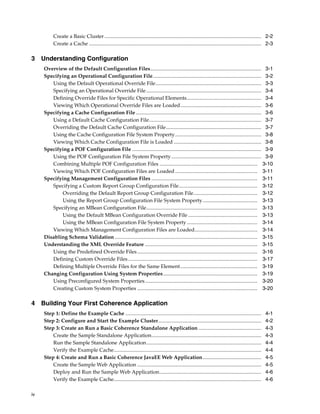
Create a Basic Cluster ........................................................................................................................ 2-2
           Create a Cache .................................................................................................................................... 2-3

3 Understanding Configuration
     Overview of the Default Configuration Files..................................................................................... 3-1
     Specifying an Operational Configuration File................................................................................... 3-2
        Using the Default Operational Override File................................................................................. 3-3
        Specifying an Operational Override File ........................................................................................ 3-4
        Defining Override Files for Specific Operational Elements......................................................... 3-4
        Viewing Which Operational Override Files are Loaded.............................................................. 3-6
     Specifying a Cache Configuration File ................................................................................................ 3-6
        Using a Default Cache Configuration File...................................................................................... 3-7
        Overriding the Default Cache Configuration File......................................................................... 3-7
        Using the Cache Configuration File System Property.................................................................. 3-8
        Viewing Which Cache Configuration File is Loaded ................................................................... 3-8
     Specifying a POF Configuration File ................................................................................................... 3-9
        Using the POF Configuration File System Property ..................................................................... 3-9
        Combining Multiple POF Configuration Files ........................................................................... 3-10
        Viewing Which POF Configuration Files are Loaded ............................................................... 3-11
     Specifying Management Configuration Files ................................................................................. 3-11
        Specifying a Custom Report Group Configuration File............................................................ 3-12
            Overriding the Default Report Group Configuration File................................................. 3-12
            Using the Report Group Configuration File System Property.......................................... 3-13
        Specifying an MBean Configuration File..................................................................................... 3-13
            Using the Default MBean Configuration Override File ..................................................... 3-13
            Using the MBean Configuration File System Property ...................................................... 3-14
        Viewing Which Management Configuration Files are Loaded................................................ 3-14
     Disabling Schema Validation ............................................................................................................. 3-15
     Understanding the XML Override Feature ...................................................................................... 3-15
        Using the Predefined Override Files ............................................................................................ 3-16
        Defining Custom Override Files ................................................................................................... 3-17
        Defining Multiple Override Files for the Same Element........................................................... 3-19
     Changing Configuration Using System Properties ........................................................................ 3-19
        Using Preconfigured System Properties ...................................................................................... 3-20
        Creating Custom System Properties ............................................................................................ 3-20

4 Building Your First Coherence Application
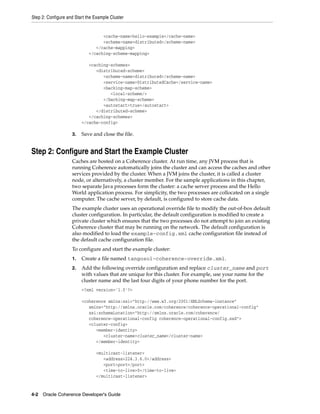
     Step 1: Define the Example Cache ........................................................................................................              4-1
     Step 2: Configure and Start the Example Cluster...............................................................................                         4-2
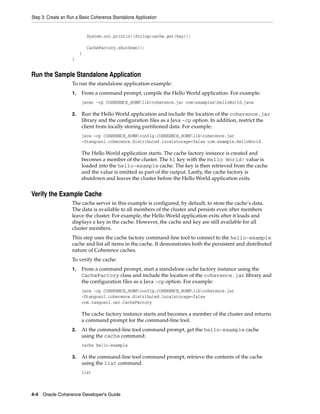
     Step 3: Create an Run a Basic Coherence Standalone Application ................................................                                        4-3
         Create the Sample Standalone Application....................................................................................                       4-3
         Run the Sample Standalone Application........................................................................................                      4-4
         Verify the Example Cache.................................................................................................................          4-4
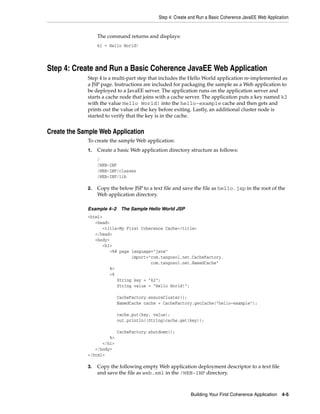
     Step 4: Create and Run a Basic Coherence JavaEE Web Application.............................................                                           4-5
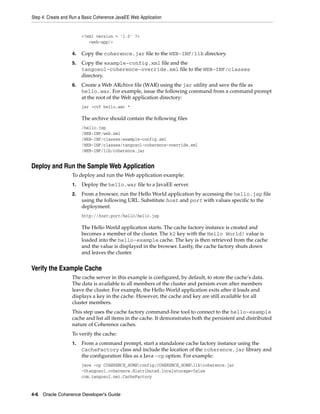
         Create the Sample Web Application ...............................................................................................                  4-5
         Deploy and Run the Sample Web Application..............................................................................                            4-6
         Verify the Example Cache.................................................................................................................          4-6

iv
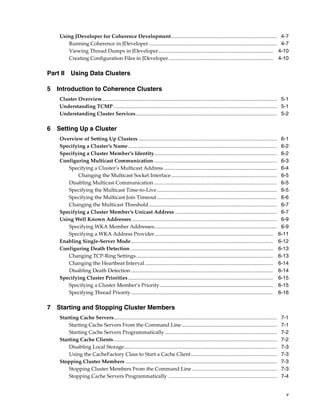
Using JDeveloper for Coherence Development................................................................................. 4-7
       Running Coherence in JDeveloper .................................................................................................. 4-7
       Viewing Thread Dumps in JDeveloper........................................................................................ 4-10
       Creating Configuration Files in JDeveloper................................................................................ 4-10

Part II Using Data Clusters

5 Introduction to Coherence Clusters
    Cluster Overview...................................................................................................................................... 5-1
    Understanding TCMP ............................................................................................................................. 5-1
    Understanding Cluster Services ............................................................................................................ 5-2

6 Setting Up a Cluster
    Overview of Setting Up Clusters .......................................................................................................... 6-1
    Specifying a Cluster’s Name .................................................................................................................. 6-2
    Specifying a Cluster Member’s Identity.............................................................................................. 6-2
    Configuring Multicast Communication .............................................................................................. 6-3
       Specifying a Cluster’s Multicast Address....................................................................................... 6-4
           Changing the Multicast Socket Interface................................................................................. 6-5
       Disabling Multicast Communication .............................................................................................. 6-5
       Specifying the Multicast Time-to-Live............................................................................................ 6-5
       Specifying the Multicast Join Timeout ............................................................................................ 6-6
       Changing the Multicast Threshold .................................................................................................. 6-7
    Specifying a Cluster Member’s Unicast Address .............................................................................. 6-7
    Using Well Known Addresses ............................................................................................................... 6-9
       Specifying WKA Member Addresses.............................................................................................. 6-9
       Specifying a WKA Address Provider........................................................................................... 6-11
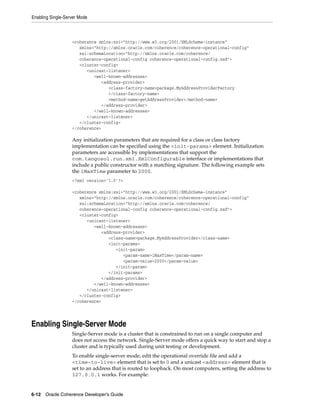
    Enabling Single-Server Mode............................................................................................................. 6-12
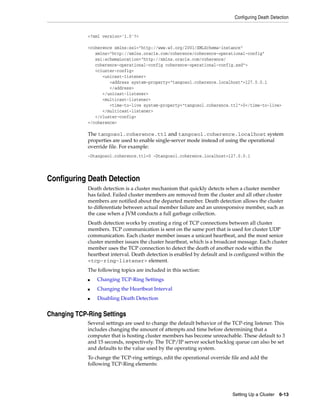
    Configuring Death Detection ............................................................................................................. 6-13
       Changing TCP-Ring Settings......................................................................................................... 6-13
       Changing the Heartbeat Interval .................................................................................................. 6-14
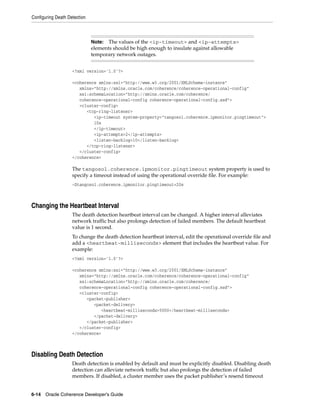
       Disabling Death Detection ............................................................................................................. 6-14
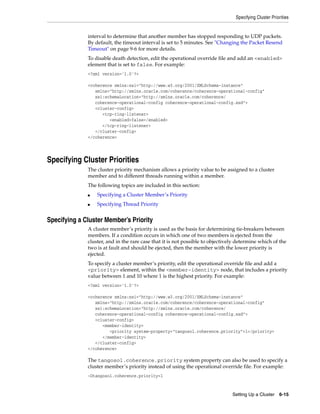
    Specifying Cluster Priorities............................................................................................................... 6-15
       Specifying a Cluster Member’s Priority....................................................................................... 6-15
       Specifying Thread Priority............................................................................................................. 6-16

7 Starting and Stopping Cluster Members
    Starting Cache Servers.............................................................................................................................    7-1
        Starting Cache Servers From the Command Line .........................................................................                             7-1
        Starting Cache Servers Programmatically ......................................................................................                     7-2
    Starting Cache Clients .............................................................................................................................   7-2
        Disabling Local Storage.....................................................................................................................       7-3
        Using the CacheFactory Class to Start a Cache Client..................................................................                             7-3
    Stopping Cluster Members ....................................................................................................................          7-3
        Stopping Cluster Members From the Command Line .................................................................                                   7-3
        Stopping Cache Servers Programmatically ...................................................................................                        7-4


                                                                                                                                                             v
8 Dynamically Managing Cluster Membership
     Using the Cluster and Service Objects................................................................................................. 8-1
     Using the Member Object ...................................................................................................................... 8-2
     Listening to Member Events .................................................................................................................. 8-2

9 Tuning TCMP Behavior
     Overview of TCMP Data Transmission ............................................................................................... 9-1
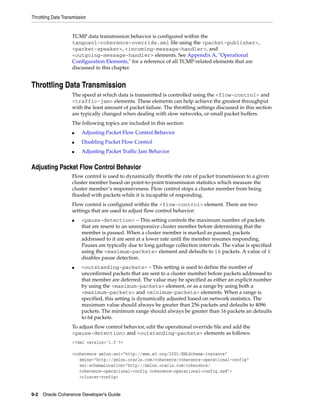
     Throttling Data Transmission................................................................................................................ 9-2
        Adjusting Packet Flow Control Behavior ....................................................................................... 9-2
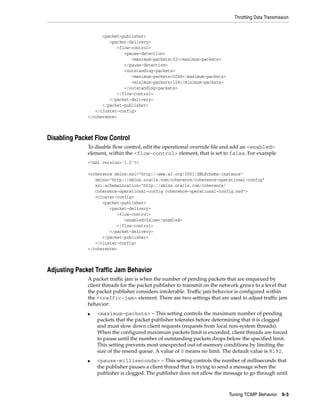
        Disabling Packet Flow Control......................................................................................................... 9-3
        Adjusting Packet Traffic Jam Behavior ........................................................................................... 9-3
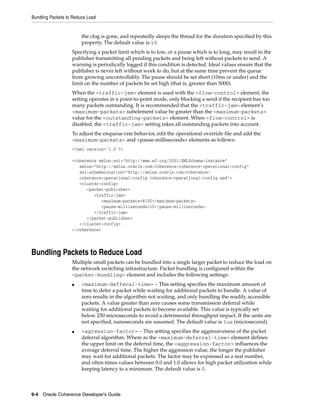
     Bundling Packets to Reduce Load......................................................................................................... 9-4
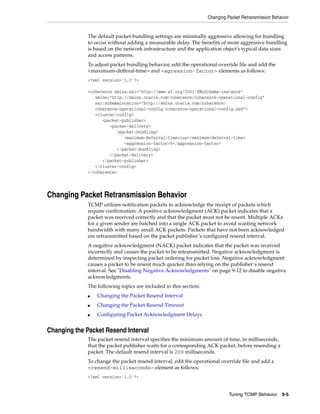
     Changing Packet Retransmission Behavior ........................................................................................ 9-5
        Changing the Packet Resend Interval ............................................................................................. 9-5
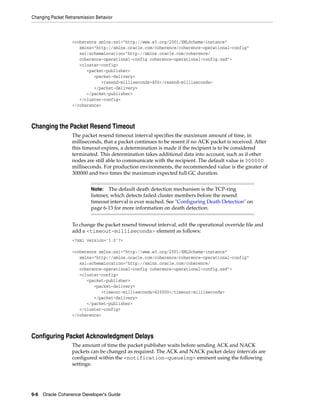
        Changing the Packet Resend Timeout ............................................................................................ 9-6
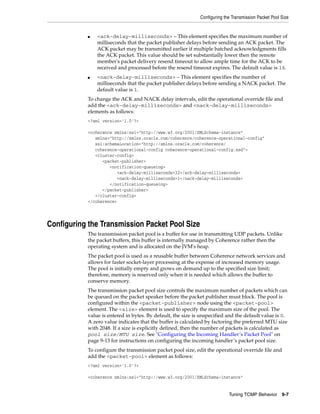
        Configuring Packet Acknowledgment Delays .............................................................................. 9-6
     Configuring the Transmission Packet Pool Size ................................................................................ 9-7
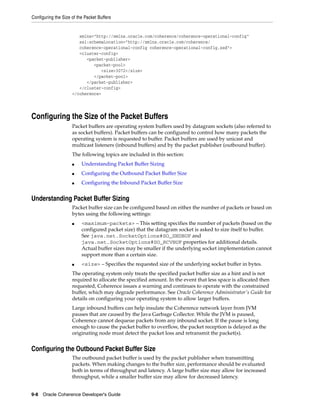
     Configuring the Size of the Packet Buffers......................................................................................... 9-8
        Understanding Packet Buffer Sizing ............................................................................................... 9-8
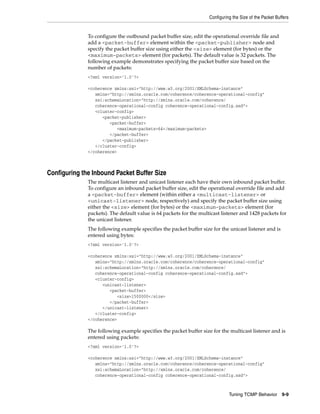
        Configuring the Outbound Packet Buffer Size .............................................................................. 9-8
        Configuring the Inbound Packet Buffer Size ................................................................................. 9-9
     Adjusting the Maximum Size of a Packet ........................................................................................ 9-10
     Changing the Packet Speaker Volume Threshold .......................................................................... 9-11
     Changing Message Handler Behavior............................................................................................... 9-11
        Configuring the Incoming Message Handler ............................................................................. 9-12
             Changing the Time Variance.................................................................................................. 9-12
             Disabling Negative Acknowledgments................................................................................ 9-12
             Configuring the Incoming Handler’s Packet Pool .............................................................. 9-13
        Configuring the Outgoing Message Handler ............................................................................. 9-13
             Configuring the Outgoing Handler’s Message Pool .......................................................... 9-14
     Changing the TCMP Socket Provider Implementation................................................................. 9-14
        Using the TCP Socket Provider..................................................................................................... 9-15
        Using the SSL Socket Provider ...................................................................................................... 9-15
        Enabling a Custom Socket Provider............................................................................................. 9-16

10 Using Network Filters
     Overview of Network Filters ..............................................................................................................     10-1
     Using the Compression Filter .............................................................................................................     10-2
        Enabling the Compression Filter for Specific Services ..............................................................                        10-2
        Enabling the Compression Filter for All Services ......................................................................                     10-2
        Configuring the Compression Filter ............................................................................................             10-3
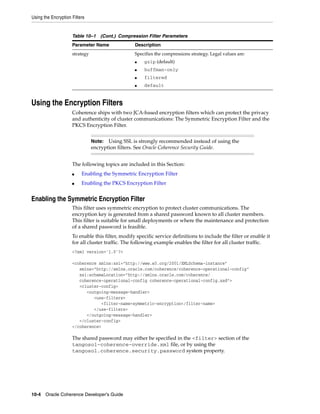
     Using the Encryption Filters ...............................................................................................................   10-4
        Enabling the Symmetric Encryption Filter ..................................................................................                 10-4
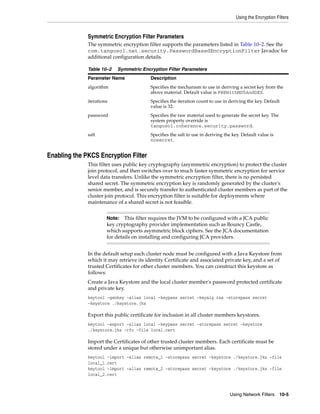
            Symmetric Encryption Filter Parameters .............................................................................                    10-5
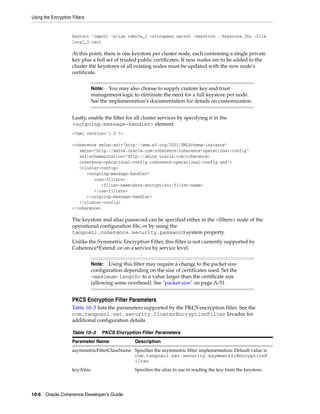
        Enabling the PKCS Encryption Filter ...........................................................................................             10-5
            PKCS Encryption Filter Parameters ......................................................................................                10-6


vi
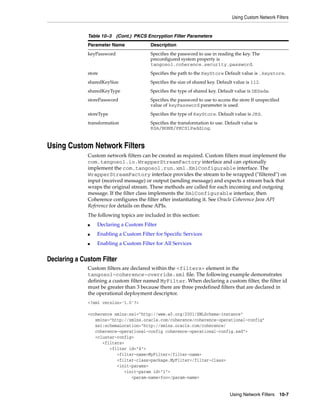
Using Custom Network Filters ...........................................................................................................                     10-7
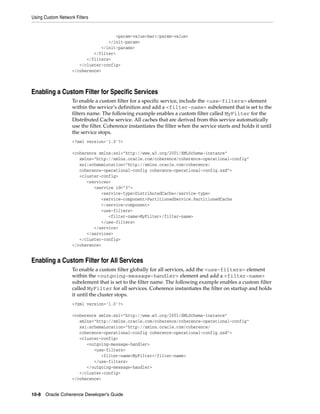
        Declaring a Custom Filter ..............................................................................................................                  10-7
        Enabling a Custom Filter for Specific Services ...........................................................................                                10-8
        Enabling a Custom Filter for All Services....................................................................................                             10-8

Part III      Using Caches

11 Introduction to Caches
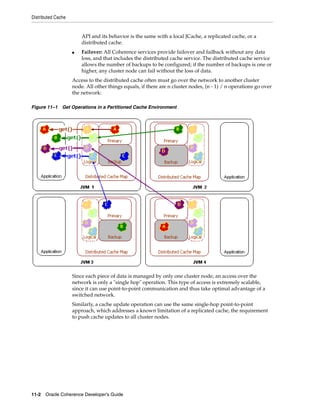
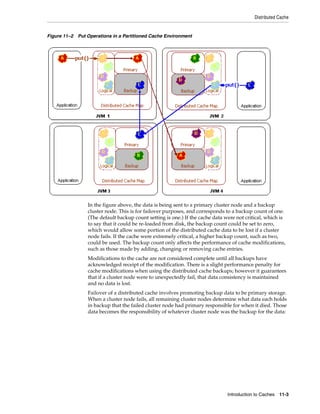
     Distributed Cache .................................................................................................................................          11-1
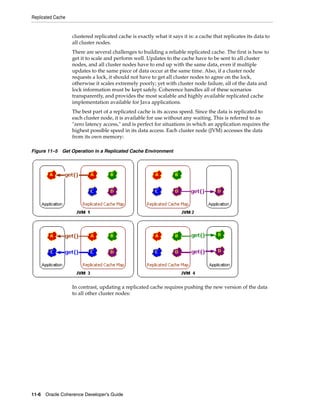
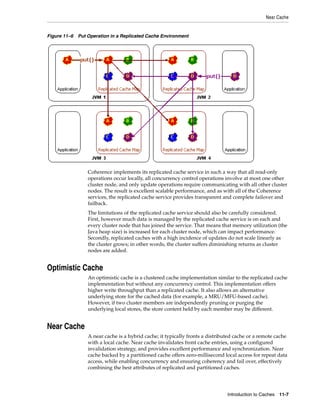
     Replicated Cache ...................................................................................................................................         11-5
     Optimistic Cache ...................................................................................................................................         11-7
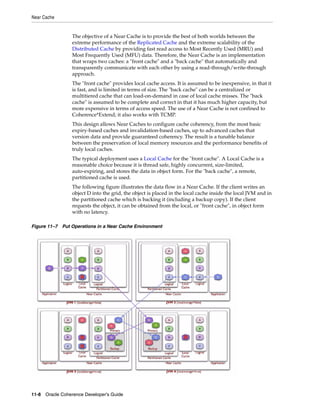
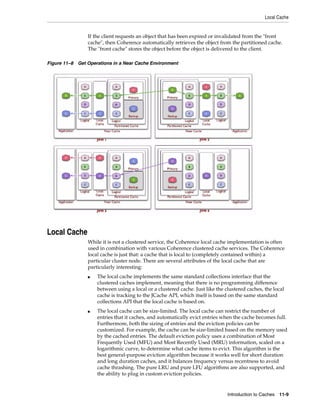
     Near Cache..............................................................................................................................................     11-7
     Local Cache .............................................................................................................................................    11-9
     Remote Cache.......................................................................................................................................         11-10
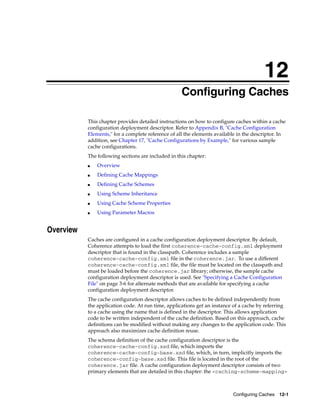
     Summary of Cache Types ..................................................................................................................                   11-10

12 Configuring Caches
     Overview.................................................................................................................................................    12-1
     Defining Cache Mappings ..................................................................................................................                   12-2
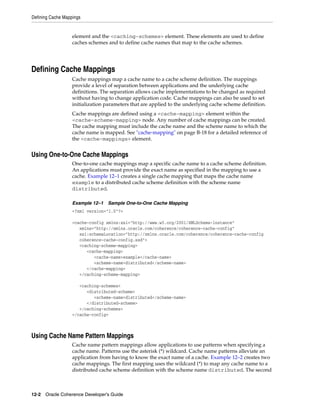
        Using One-to-One Cache Mappings ............................................................................................                              12-2
        Using Cache Name Pattern Mappings.........................................................................................                                12-2
        Specifying Initialization Parameters in a Mapping....................................................................                                     12-3
     Defining Cache Schemes .....................................................................................................................                 12-4
        Defining Distributed Cache Schemes...........................................................................................                             12-5
        Defining Replicated Cache Schemes ............................................................................................                            12-5
        Defining Optimistic Cache Schemes ............................................................................................                            12-6
        Defining Local Cache Schemes .....................................................................................................                        12-7
            Controlling the Growth of a Local Cache.............................................................................                                  12-7
        Defining Near Cache Schemes ......................................................................................................                        12-8
            Near Cache Invalidation Strategies .......................................................................................                            12-9
     Using Scheme Inheritance...................................................................................................................                  12-9
     Using Cache Scheme Properties .......................................................................................................                       12-11
     Using Parameter Macros ....................................................................................................................                 12-12

13 Implementing Storage and Backing Maps
     Cache Layers...........................................................................................................................................      13-1
     Local Storage ..........................................................................................................................................     13-2
     Operations ..............................................................................................................................................    13-3
     Capacity Planning .................................................................................................................................          13-4
     Using Partitioned Backing Maps .......................................................................................................                       13-5
     Using the Elastic Data Feature to Store Data ...................................................................................                             13-7
        Journaling Overview ......................................................................................................................                13-7
        Defining Journal Schemes..............................................................................................................                    13-8
             Configuring a RAM Journal Backing Map...........................................................................                                     13-8
             Configuring a Flash Journal Backing Map ...........................................................................                                  13-8
             Referencing a Journal Scheme................................................................................................                         13-9


                                                                                                                                                                    vii
Using a Journal Scheme for Backup Storage........................................................................                                   13-9
                Enabling a Custom Map Implementation for a Journal Scheme ....................................                                                     13-10
             Changing Journaling Behavior....................................................................................................                      13-10
                Configuring the RAM Journal Resource Manager............................................................                                           13-10
                Configuring the Flash Journal Resource Manager............................................................                                         13-11

14 Caching Data Sources
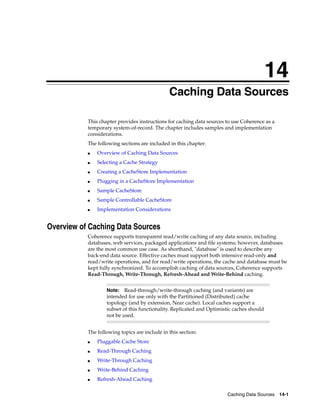
       Overview of Caching Data Sources ...................................................................................................                         14-1
           Pluggable Cache Store ....................................................................................................................               14-2
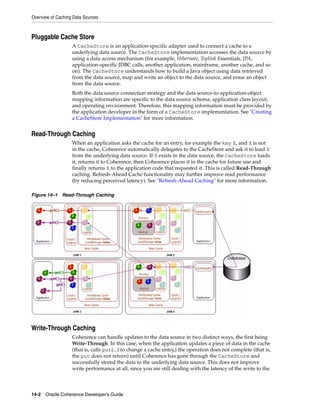
           Read-Through Caching .................................................................................................................                   14-2
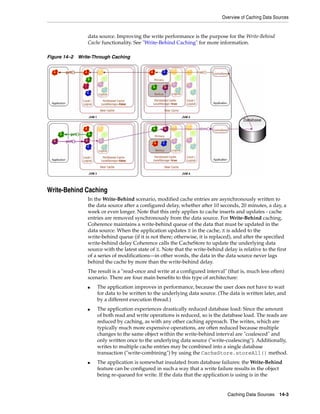
           Write-Through Caching ................................................................................................................                   14-2
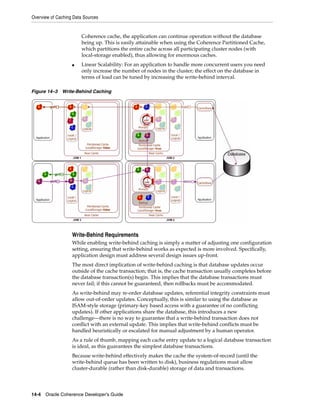
           Write-Behind Caching ...................................................................................................................                 14-3
               Write-Behind Requirements...................................................................................................                         14-4
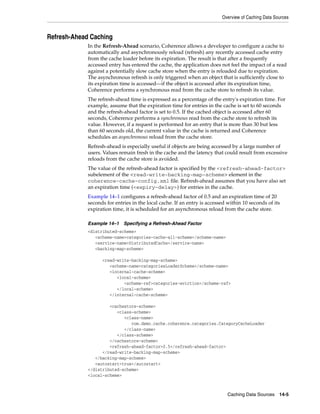
           Refresh-Ahead Caching ................................................................................................................                   14-5
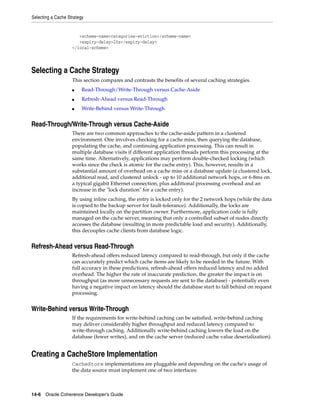
       Selecting a Cache Strategy...................................................................................................................                14-6
           Read-Through/Write-Through versus Cache-Aside ................................................................                                           14-6
           Refresh-Ahead versus Read-Through..........................................................................................                              14-6
           Write-Behind versus Write-Through ...........................................................................................                            14-6
       Creating a CacheStore Implementation ...........................................................................................                             14-6
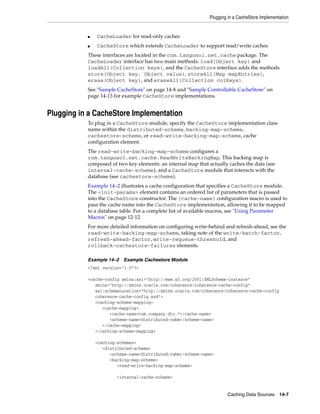
       Plugging in a CacheStore Implementation ......................................................................................                               14-7
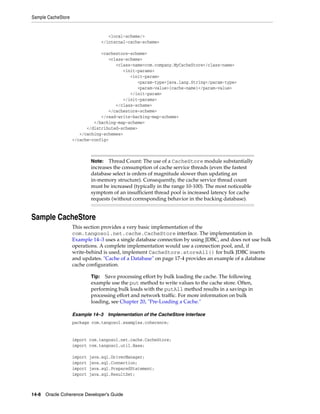
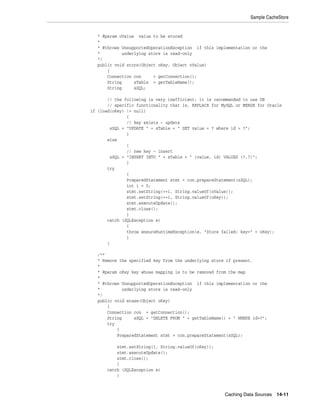
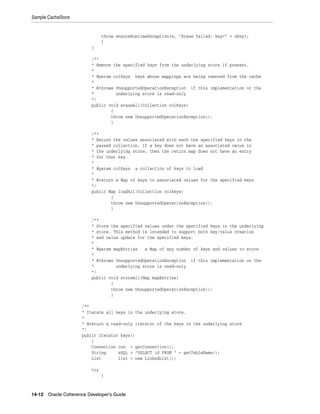
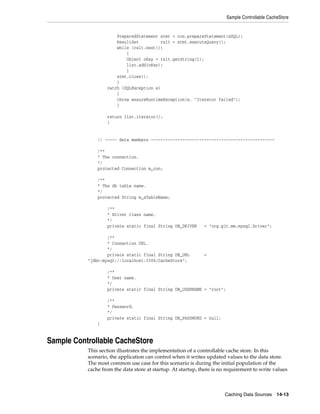
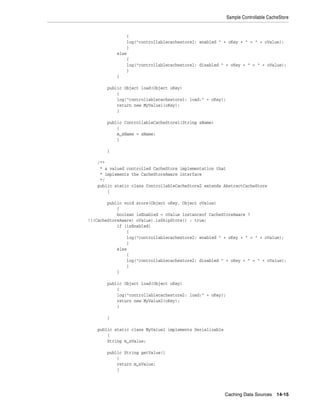
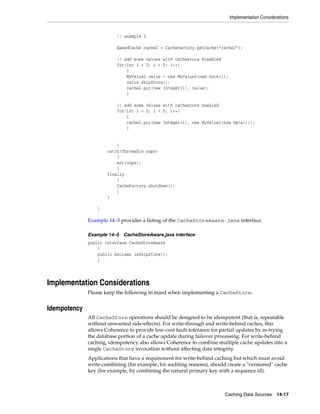
       Sample CacheStore ...............................................................................................................................            14-8
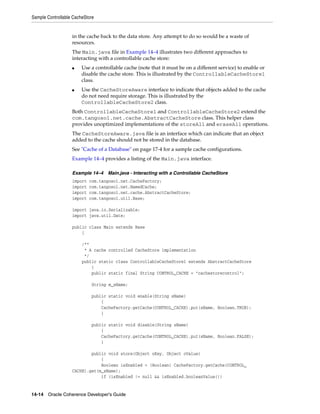
       Sample Controllable CacheStore .....................................................................................................                        14-13
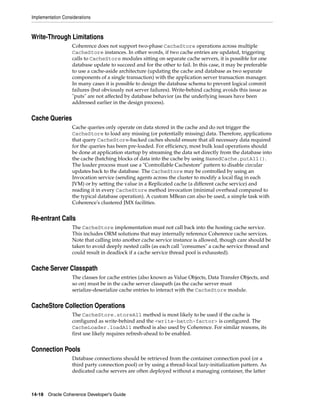
       Implementation Considerations.......................................................................................................                        14-17
           Idempotency ..................................................................................................................................          14-17
           Write-Through Limitations..........................................................................................................                     14-18
           Cache Queries ................................................................................................................................          14-18
           Re-entrant Calls .............................................................................................................................          14-18
           Cache Server Classpath ................................................................................................................                 14-18
           CacheStore Collection Operations ..............................................................................................                         14-18
           Connection Pools...........................................................................................................................             14-18

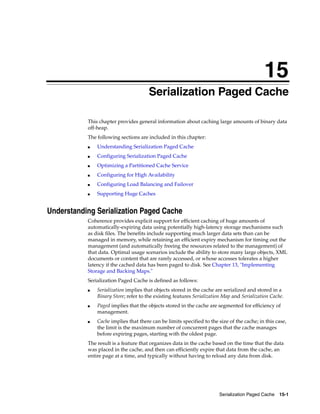
15 Serialization Paged Cache
       Understanding Serialization Paged Cache.......................................................................................                               15-1
       Configuring Serialization Paged Cache............................................................................................                            15-2
       Optimizing a Partitioned Cache Service...........................................................................................                            15-2
       Configuring for High Availability.....................................................................................................                       15-2
       Configuring Load Balancing and Failover .......................................................................................                              15-2
       Supporting Huge Caches .....................................................................................................................                 15-3

16 Using Quorum
       Overview.................................................................................................................................................    16-1
       Using the Cluster Quorum ..................................................................................................................                  16-1
          Configuring the Cluster Quorum Policy .....................................................................................                               16-2
       Using the Partitioned Cache Quorums .............................................................................................                            16-2
          Configuring the Partitioned Cache Quorum Policy...................................................................                                        16-3
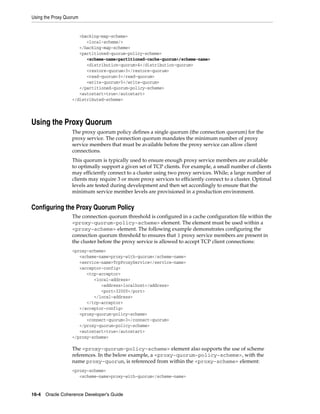
       Using the Proxy Quorum .....................................................................................................................                 16-4


viii
Configuring the Proxy Quorum Policy........................................................................................ 16-4
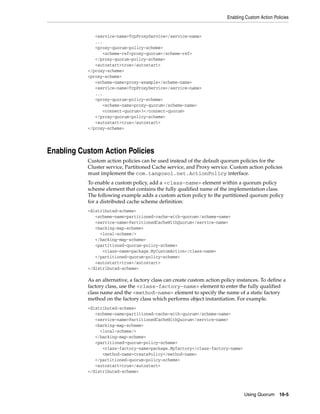
   Enabling Custom Action Policies....................................................................................................... 16-5

17 Cache Configurations by Example
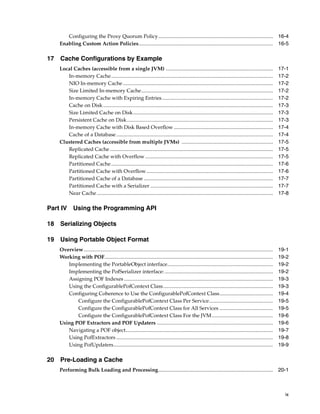
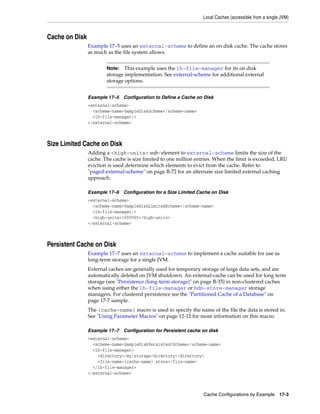
   Local Caches (accessible from a single JVM) ..................................................................................                              17-1
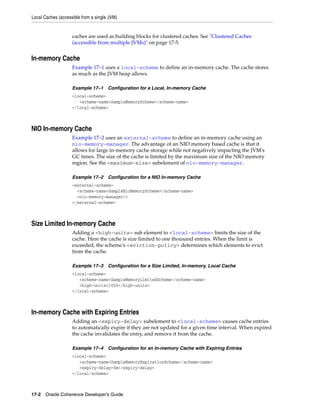
      In-memory Cache............................................................................................................................              17-2
      NIO In-memory Cache ...................................................................................................................                  17-2
      Size Limited In-memory Cache.....................................................................................................                        17-2
      In-memory Cache with Expiring Entries .....................................................................................                              17-2
      Cache on Disk ..................................................................................................................................         17-3
      Size Limited Cache on Disk ...........................................................................................................                   17-3
      Persistent Cache on Disk................................................................................................................                 17-3
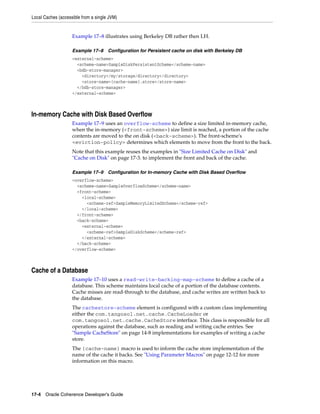
      In-memory Cache with Disk Based Overflow ............................................................................                                    17-4
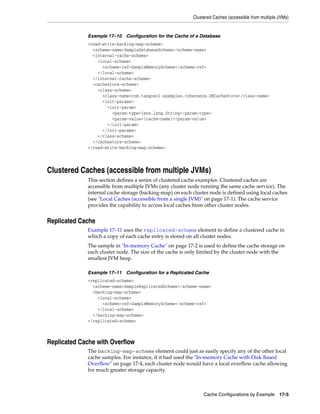
      Cache of a Database ........................................................................................................................             17-4
   Clustered Caches (accessible from multiple JVMs) ......................................................................                                     17-5
      Replicated Cache .............................................................................................................................           17-5
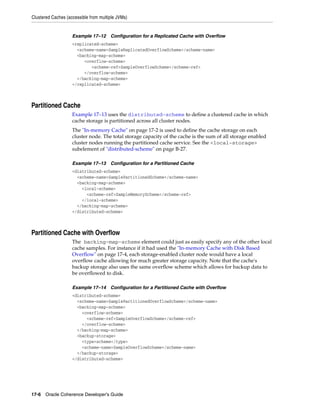
      Replicated Cache with Overflow ..................................................................................................                        17-5
      Partitioned Cache ............................................................................................................................           17-6
      Partitioned Cache with Overflow .................................................................................................                        17-6
      Partitioned Cache of a Database ...................................................................................................                      17-7
      Partitioned Cache with a Serializer ..............................................................................................                       17-7
      Near Cache .......................................................................................................................................       17-8

Part IV Using the Programming API

18 Serializing Objects

19 Using Portable Object Format
   Overview.................................................................................................................................................   19-1
   Working with POF.................................................................................................................................           19-2
      Implementing the PortableObject interface.................................................................................                               19-2
      Implementing the PofSerializer interface: ...................................................................................                            19-2
      Assigning POF Indexes ..................................................................................................................                 19-3
      Using the ConfigurablePofContext Class ....................................................................................                              19-3
      Configuring Coherence to Use the ConfigurablePofContext Class.........................................                                                   19-4
          Configure the ConfigurablePofContext Class Per Service.................................................                                              19-5
          Configure the ConfigurablePofContext Class for All Services .........................................                                                19-5
          Configure the ConfigurablePofContext Class For the JVM...............................................                                                19-6
   Using POF Extractors and POF Updaters .........................................................................................                             19-6
      Navigating a POF object.................................................................................................................                 19-7
      Using PofExtractors ........................................................................................................................             19-8
      Using PofUpdaters..........................................................................................................................              19-9

20 Pre-Loading a Cache
   Performing Bulk Loading and Processing........................................................................................ 20-1


                                                                                                                                                                 ix
Bulk Writing to a Cache ................................................................................................................                 20-1
        Efficient processing of filter results ..............................................................................................                    20-2
        A Bulk Loading and Processing Example ...................................................................................                                20-4
    Performing Distributed Bulk Loading..............................................................................................                            20-9
        A Distributed Bulk Loading Example........................................................................................                              20-10

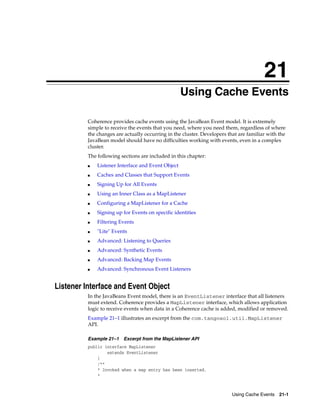
21 Using Cache Events
      Listener Interface and Event Object ..............................................................................................                         21-1
    Caches and Classes that Support Events ..........................................................................................                            21-3
    Signing Up for All Events....................................................................................................................                21-4
    Using an Inner Class as a MapListener.............................................................................................                           21-5
    Configuring a MapListener for a Cache ...........................................................................................                            21-6
    Signing up for Events on specific identities ....................................................................................                            21-6
    Filtering Events ......................................................................................................................................      21-6
    "Lite" Events ...........................................................................................................................................    21-7
    Advanced: Listening to Queries .........................................................................................................                     21-8
        Filtering Events Versus Filtering Cached Data...........................................................................                                 21-9
    Advanced: Synthetic Events ................................................................................................................                  21-9
    Advanced: Backing Map Events.......................................................................................................                         21-10
        Producing Readable Backing MapListener Events from Distributed Caches......................                                                             21-11
    Advanced: Synchronous Event Listeners .......................................................................................                               21-13

22 Querying Data In a Cache
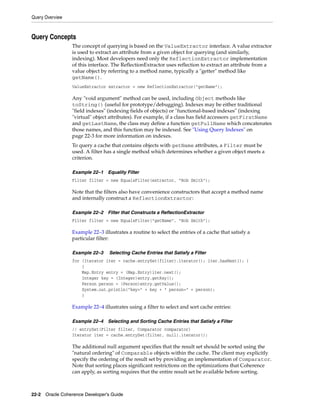
    Query Overview ....................................................................................................................................          22-1
        Query Concepts ...............................................................................................................................           22-2
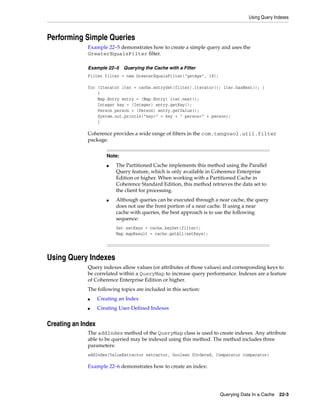
    Performing Simple Queries ................................................................................................................                   22-3
    Using Query Indexes ............................................................................................................................             22-3
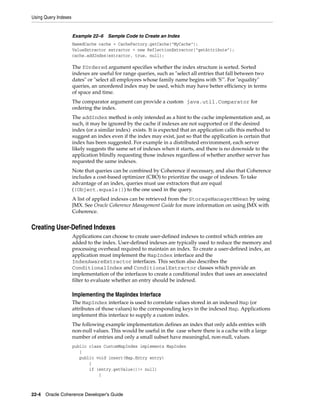
        Creating an Index ............................................................................................................................           22-3
        Creating User-Defined Indexes.....................................................................................................                       22-4
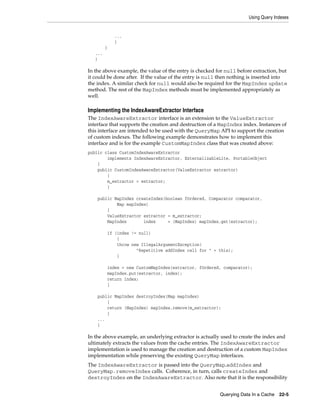
           Implementing the MapIndex Interface .................................................................................                                 22-4
           Implementing the IndexAwareExtractor Interface .............................................................                                          22-5
           Using a Conditional Index......................................................................................................                       22-6
    Batching Queries and Memory Usage...............................................................................................                             22-6
    Queries Involving Multi-Value Attributes.......................................................................................                              22-8
    ChainedExtractor ...................................................................................................................................         22-8

23 Using Continuous Query Caching
    Uses of Continuous Query Caching ..................................................................................................                          23-1
    The Coherence Continuous Query Cache ........................................................................................                                23-2
    Constructing a Continuous Query Cache.........................................................................................                               23-2
        Cleaning up the resources associated with a ContinuousQueryCache ..................................                                                      23-3
    Caching only keys, or caching both keys and values.....................................................................                                      23-3
        CacheValues Property and Event Listeners ................................................................................                                23-3
    Listening to the ContinuousQueryCache .........................................................................................                              23-4
        Achieving a Stable Materialized View .........................................................................................                           23-4
        Support for Synchronous and Asynchronous Listeners ...........................................................                                           23-5


x
Making the ContinuousQueryCache Read-Only ........................................................................... 23-5

24 Processing Data In a Cache
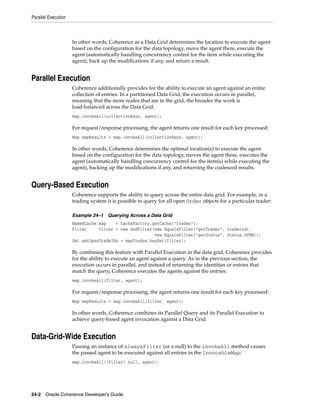
   Targeted Execution ................................................................................................................................     24-1
   Parallel Execution..................................................................................................................................    24-2
   Query-Based Execution ........................................................................................................................          24-2
   Data-Grid-Wide Execution ..................................................................................................................             24-2
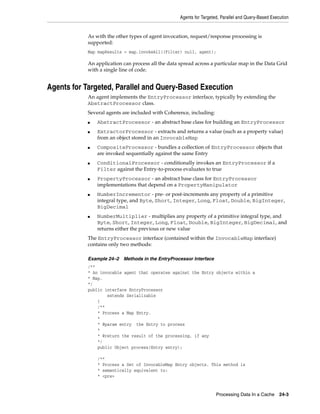
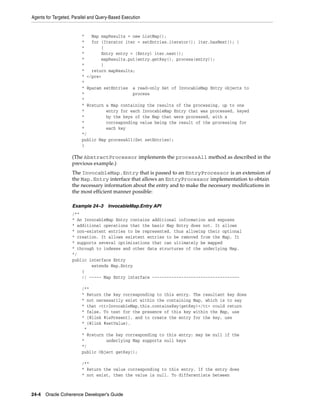
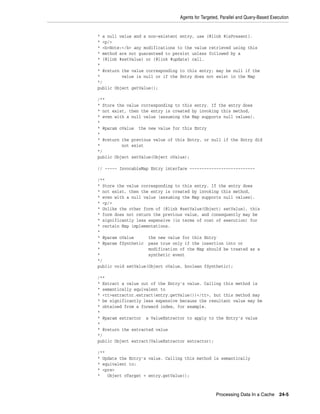
   Agents for Targeted, Parallel and Query-Based Execution ...........................................................                                     24-3
   Data Grid Aggregation.........................................................................................................................          24-6
   Node-Based Execution..........................................................................................................................          24-8
   Work Manager......................................................................................................................................     24-10

25 Managing Map Operations with Triggers
   A Map Trigger Example ....................................................................................................................... 25-2

26 Using Coherence Query Language
   Understanding Coherence Query Language Syntax ......................................................................                                    26-1
       Query Syntax Basics........................................................................................................................         26-2
           Using Path-Expressions ..........................................................................................................               26-2
           Using Bind Variables ...............................................................................................................            26-3
           Using Key and Value Pseudo-Functions ..............................................................................                             26-3
           Using Aliases ............................................................................................................................      26-3
           Using Quotes with Literal Arguments .................................................................................                           26-3
       Retrieving Data................................................................................................................................     26-4
           Retrieving Data from the Cache.............................................................................................                     26-4
           Filtering Entries in a Result Set ..............................................................................................                26-4
       Managing the Cache Lifecycle.......................................................................................................                 26-5
           Creating a Cache ......................................................................................................................         26-5
           Writing a Serialized Representation of a Cache to a File ..................................................                                     26-6
           Loading Cache Contents from a File.....................................................................................                         26-6
           Removing a Cache from the Cluster .....................................................................................                         26-7
       Working with Cache Data..............................................................................................................               26-7
           Aggregating Query Results ....................................................................................................                  26-7
           Changing Existing Values.......................................................................................................                 26-7
           Inserting Entries in the Cache ................................................................................................                 26-8
           Deleting Entries in the Cache .................................................................................................                 26-8
       Working with Indexes ....................................................................................................................           26-8
           Creating an Index on the Cache.............................................................................................                     26-8
           Removing an Index from the Cache......................................................................................                          26-9
       Issuing Multiple Query Statements..............................................................................................                     26-9
           Processing Query Statements in Batch Mode ......................................................................                                26-9
   Using the CohQL Command-Line Tool ..........................................................................................                           26-10
       Starting the Command-line Tool ................................................................................................                    26-10
       Using Command-Line Tool Arguments ....................................................................................                             26-11
       A Command-Line Example .........................................................................................................                   26-12
   Building Filters in Java Programs ....................................................................................................                 26-14


                                                                                                                                                             xi
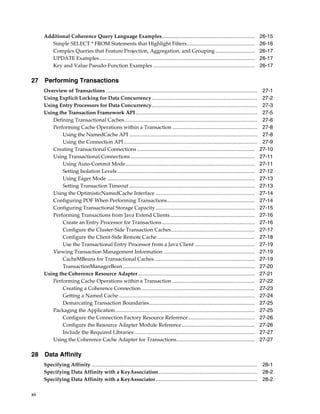
Additional Coherence Query Language Examples.......................................................................                             26-15
         Simple SELECT * FROM Statements that Highlight Filters....................................................                                   26-16
         Complex Queries that Feature Projection, Aggregation, and Grouping ..............................                                            26-17
         UPDATE Examples.......................................................................................................................       26-17
         Key and Value Pseudo-Function Examples ..............................................................................                        26-17

27 Performing Transactions
      Overview of Transactions ....................................................................................................................    27-1
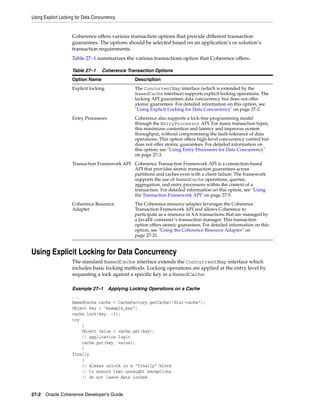
      Using Explicit Locking for Data Concurrency.................................................................................                     27-2
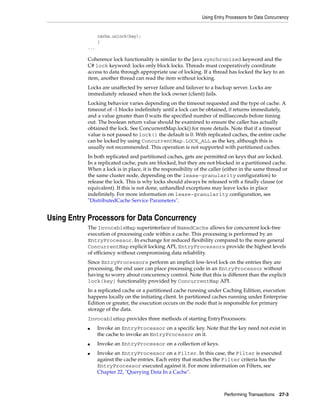
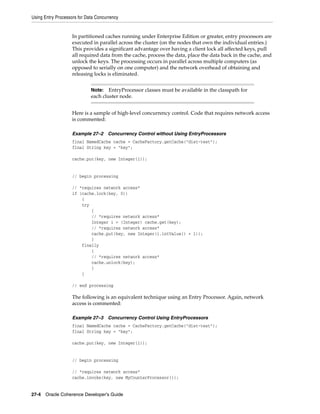
      Using Entry Processors for Data Concurrency.................................................................................                     27-3
      Using the Transaction Framework API .............................................................................................                27-5
         Defining Transactional Caches......................................................................................................           27-6
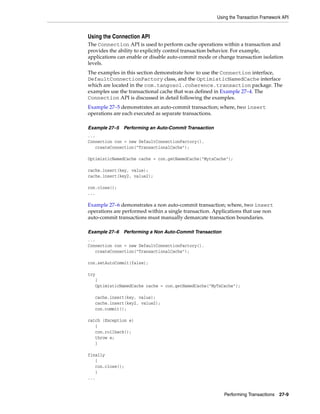
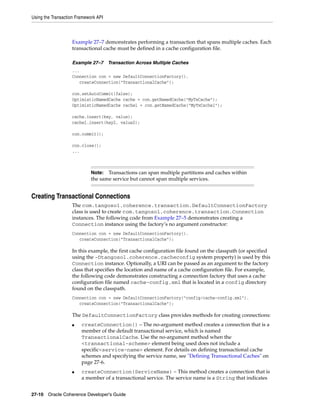
         Performing Cache Operations within a Transaction .................................................................                            27-8
             Using the NamedCache API ..................................................................................................               27-8
             Using the Connection API ......................................................................................................           27-9
         Creating Transactional Connections ..........................................................................................                27-10
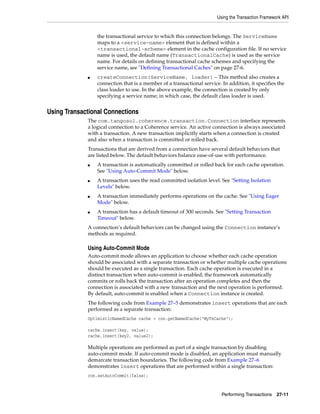
         Using Transactional Connections ...............................................................................................              27-11
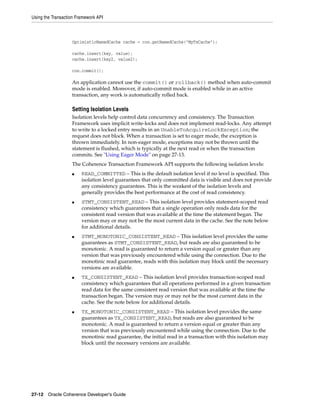
             Using Auto-Commit Mode...................................................................................................                27-11
             Setting Isolation Levels .........................................................................................................       27-12
             Using Eager Mode .................................................................................................................       27-13
             Setting Transaction Timeout ................................................................................................             27-13
         Using the OptimisticNamedCache Interface ............................................................................                        27-14
         Configuring POF When Performing Transactions...................................................................                              27-14
         Configuring Transactional Storage Capacity ............................................................................                      27-15
         Performing Transactions from Java Extend Clients.................................................................                            27-16
             Create an Entry Processor for Transactions .......................................................................                       27-16
             Configure the Cluster-Side Transaction Caches................................................................                            27-17
             Configure the Client-Side Remote Cache...........................................................................                        27-18
             Use the Transactional Entry Processor from a Java Client ..............................................                                  27-19
         Viewing Transaction Management Information ......................................................................                            27-19
             CacheMBeans for Transactional Caches.............................................................................                        27-19
             TransactionManagerBean .....................................................................................................             27-20
      Using the Coherence Resource Adapter .........................................................................................                  27-21
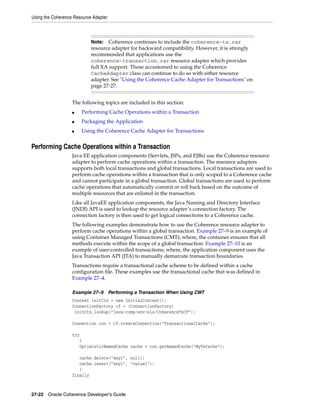
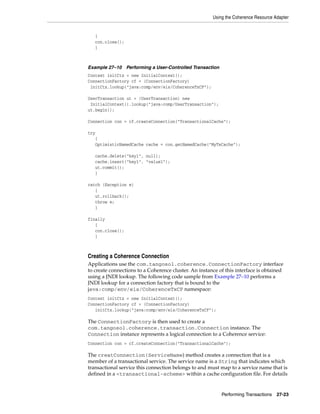
         Performing Cache Operations within a Transaction ...............................................................                             27-22
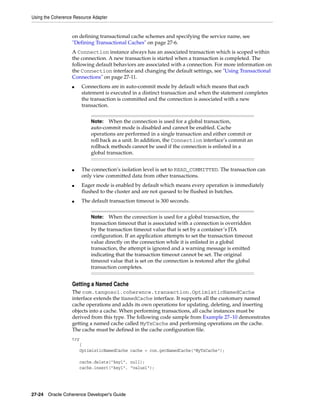
             Creating a Coherence Connection .......................................................................................                  27-23
             Getting a Named Cache ........................................................................................................           27-24
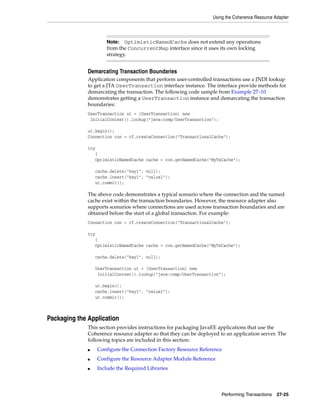
             Demarcating Transaction Boundaries.................................................................................                      27-25
         Packaging the Application...........................................................................................................         27-25
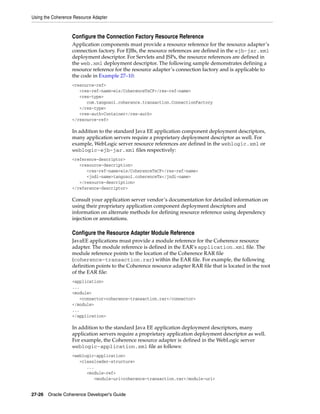
             Configure the Connection Factory Resource Reference...................................................                                   27-26
             Configure the Resource Adapter Module Reference........................................................                                  27-26
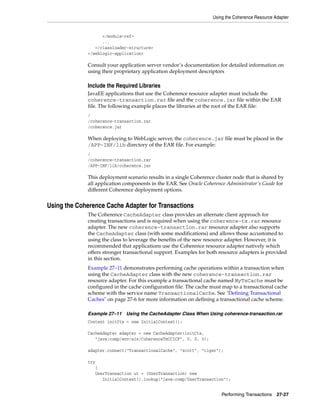
             Include the Required Libraries ............................................................................................              27-27
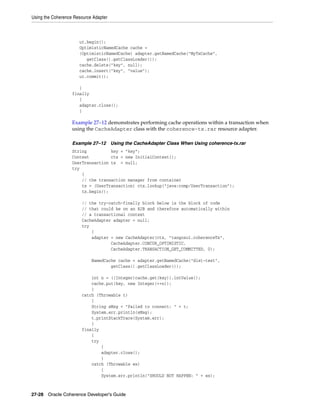
         Using the Coherence Cache Adapter for Transactions............................................................                               27-27

28 Data Affinity
      Specifying Affinity ............................................................................................................................... 28-1
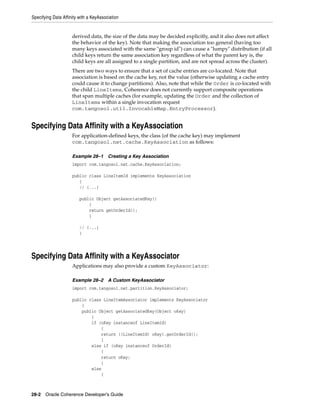
      Specifying Data Affinity with a KeyAssociation............................................................................ 28-2
      Specifying Data Affinity with a KeyAssociator.............................................................................. 28-2

xii
Example of Using Affinity................................................................................................................... 28-3

29 Priority Tasks
   Priority Tasks — Timeouts...................................................................................................................                29-1
       Configuring Execution Timeouts..................................................................................................                        29-1
       Command Line Options.................................................................................................................                   29-3
   Priority Task Execution — Custom Objects .....................................................................................                              29-3
       APIs for Creating Priority Task Objects.......................................................................................                          29-4
       Errors Thrown by Task Timeouts .................................................................................................                        29-5

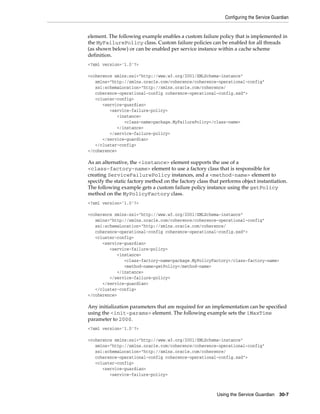
30 Using the Service Guardian
   Overview.................................................................................................................................................   30-1
   Configuring the Service Guardian.....................................................................................................                       30-2
       Setting the Guardian Timeout.......................................................................................................                     30-2
           Setting the Guardian Timeout for All Threads....................................................................                                    30-3
           Setting the Guardian Timeout Per Service Type .................................................................                                     30-3
           Setting the Guardian Timeout Per Service Instance ...........................................................                                       30-4
       Using the Timeout Value From the PriorityTask API ...............................................................                                       30-4
       Setting the Guardian Service Failure Policy................................................................................                             30-5
           Setting the Guardian Failure Policy for All Threads ..........................................................                                      30-5
           Setting the Guardian Failure Policy Per Service Type........................................................                                        30-6
           Setting the Guardian Failure Policy Per Service Instance..................................................                                          30-6
           Enabling a Custom Guardian Failure Policy .......................................................................                                   30-6
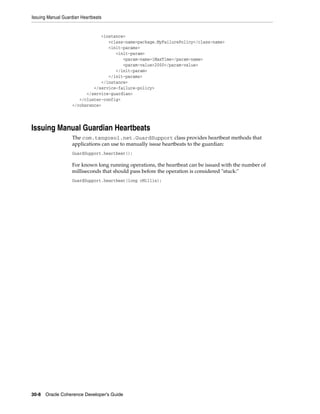
   Issuing Manual Guardian Heartbeats...............................................................................................                           30-8

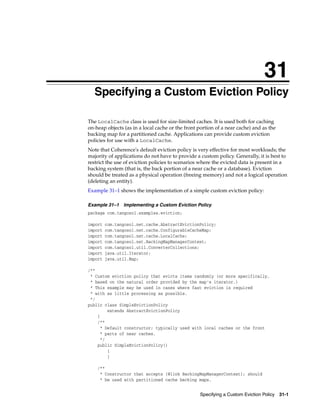
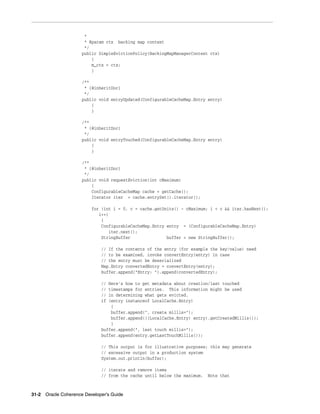
31 Specifying a Custom Eviction Policy

32 Constraints on Re-entrant Calls
   Re-entrancy, Services, and Service Threads .....................................................................................                            32-1
      Parent-Child Object Relationships................................................................................................                        32-1
      Avoiding Deadlock .........................................................................................................................              32-2
   Re-entrancy and Listeners ...................................................................................................................               32-3

A Operational Configuration Elements
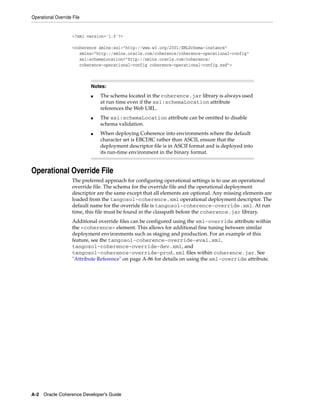
   Operational Deployment Descriptor...................................................................................................                         A-1
   Operational Override File......................................................................................................................              A-2
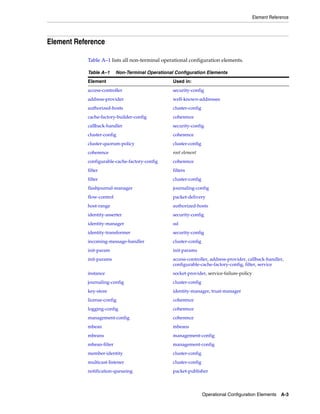
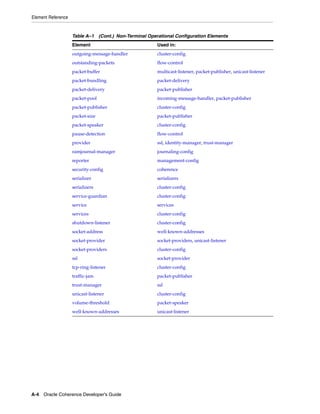
   Element Reference...................................................................................................................................         A-3
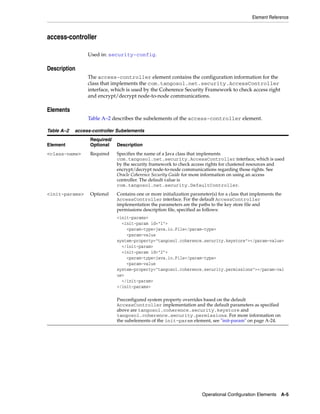
      access-controller ................................................................................................................................        A-5
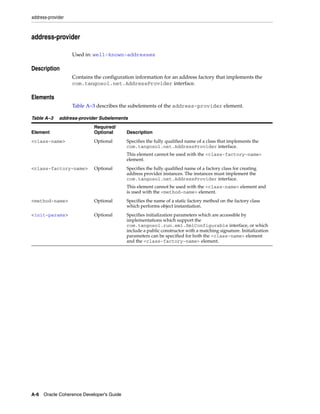
      address-provider ...............................................................................................................................          A-6
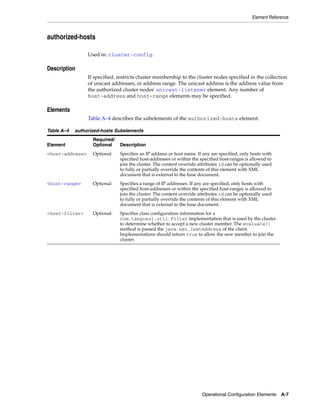
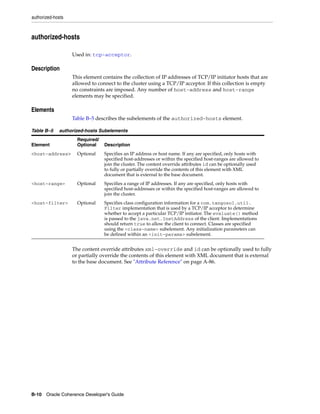
      authorized-hosts................................................................................................................................          A-7
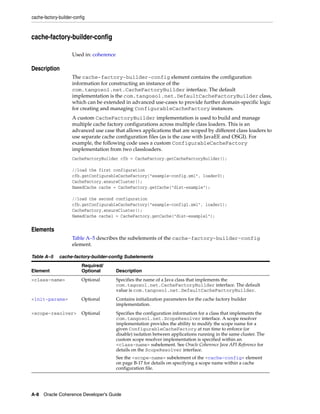
      cache-factory-builder-config............................................................................................................                  A-8
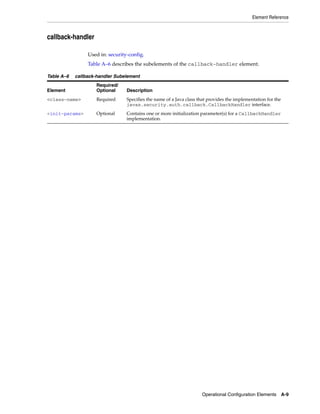
      callback-handler ................................................................................................................................         A-9
      cluster-config ...................................................................................................................................       A-10
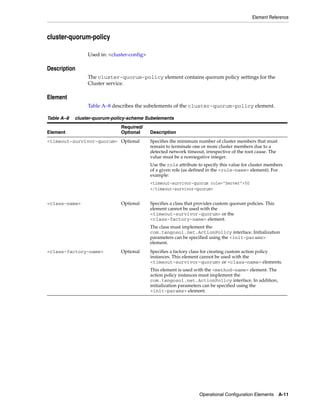
      cluster-quorum-policy ....................................................................................................................               A-11
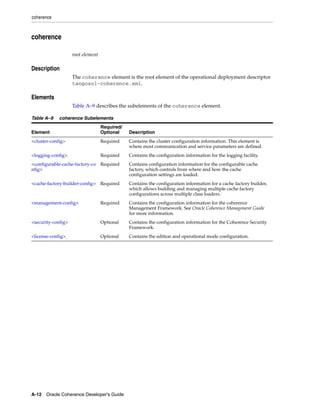
      coherence ..........................................................................................................................................     A-12


                                                                                                                                                                 xiii
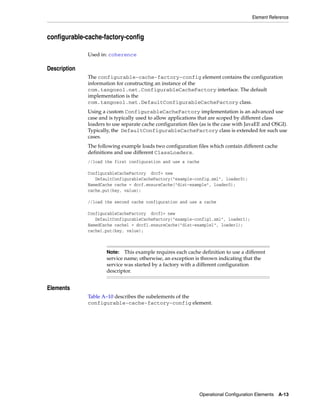
configurable-cache-factory-config ................................................................................................                           A-13
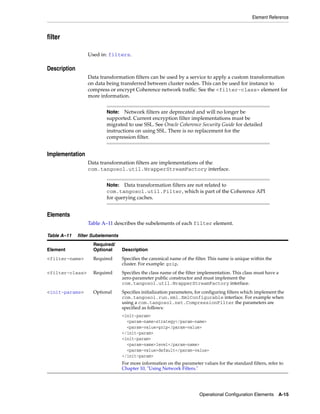
      filter ...................................................................................................................................................   A-15
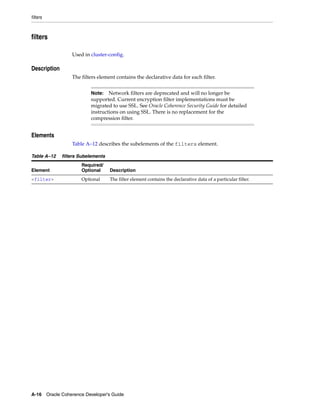
      filters..................................................................................................................................................    A-16
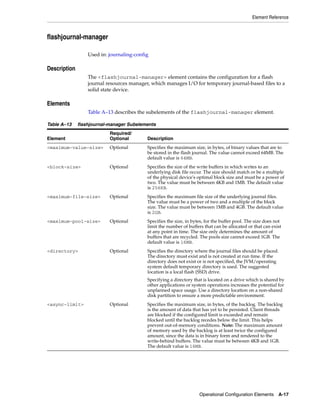
      flashjournal-manager......................................................................................................................                   A-17
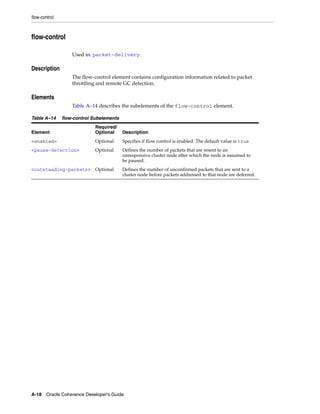
      flow-control......................................................................................................................................           A-18
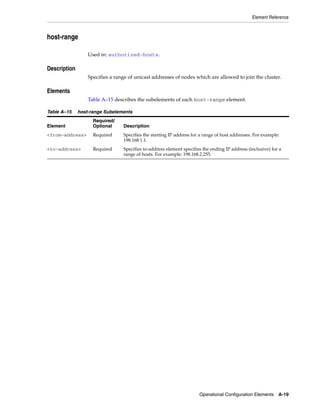
      host-range.........................................................................................................................................          A-19
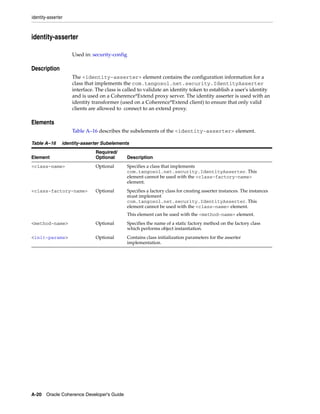
      identity-asserter...............................................................................................................................             A-20
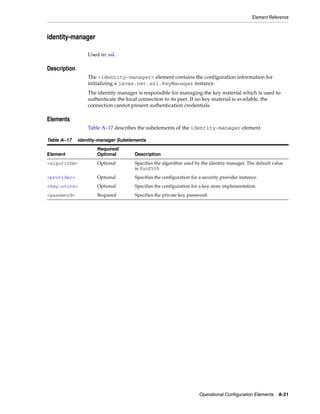
      identity-manager .............................................................................................................................               A-21
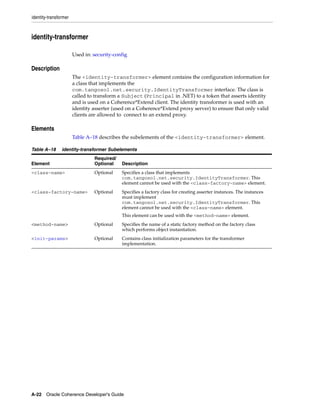
      identity-transformer .......................................................................................................................                 A-22
      incoming-message-handler............................................................................................................                         A-23
      init-param.........................................................................................................................................          A-24
      init-params .......................................................................................................................................          A-25
      instance .............................................................................................................................................       A-26
      journaling-config .............................................................................................................................              A-27
      key-store ...........................................................................................................................................        A-28
      license-config ...................................................................................................................................           A-29
      logging-config..................................................................................................................................             A-30
      management-config ........................................................................................................................                   A-32
      mbean................................................................................................................................................        A-34
      mbeans ..............................................................................................................................................        A-36
      mbean-filter......................................................................................................................................           A-37
      member-identity..............................................................................................................................                A-38
      message-pool ...................................................................................................................................             A-40
      multicast-listener .............................................................................................................................             A-41
      notification-queueing......................................................................................................................                  A-43
      outgoing-message-handler ............................................................................................................                        A-44
      outstanding-packets........................................................................................................................                  A-45
      packet-buffer ....................................................................................................................................           A-46
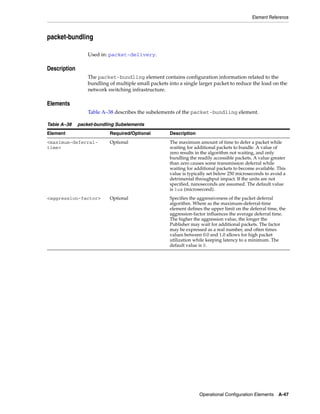
      packet-bundling ..............................................................................................................................               A-47
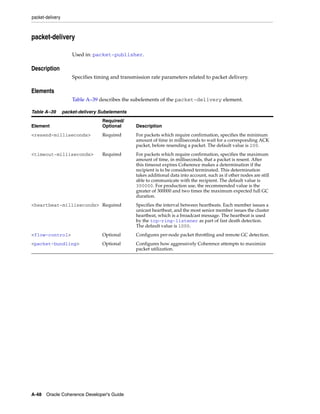
      packet-delivery ................................................................................................................................             A-48
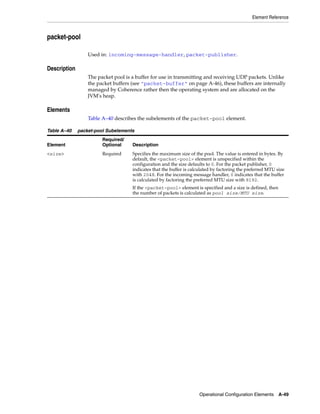
      packet-pool.......................................................................................................................................           A-49
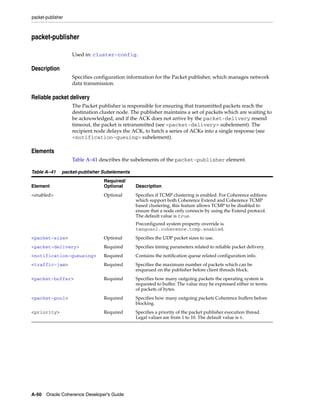
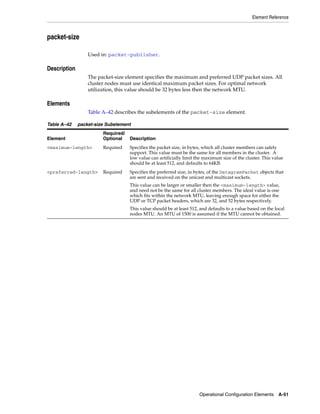
      packet-publisher..............................................................................................................................               A-50
      packet-size ........................................................................................................................................         A-51
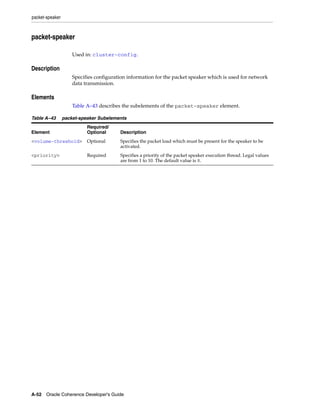
      packet-speaker .................................................................................................................................             A-52
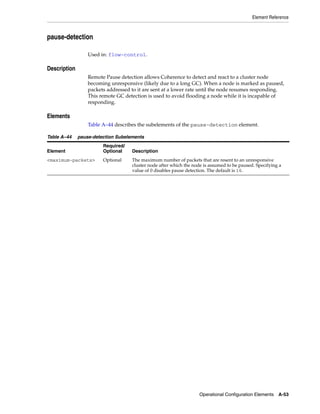
      pause-detection................................................................................................................................              A-53
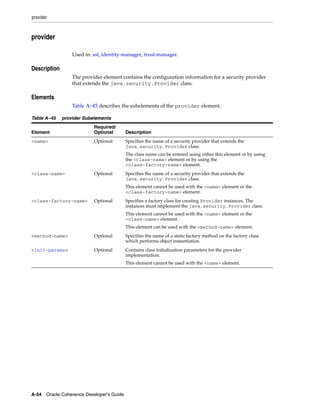
      provider ............................................................................................................................................        A-54
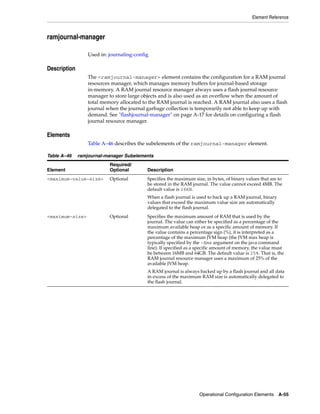
      ramjournal-manager .......................................................................................................................                   A-55
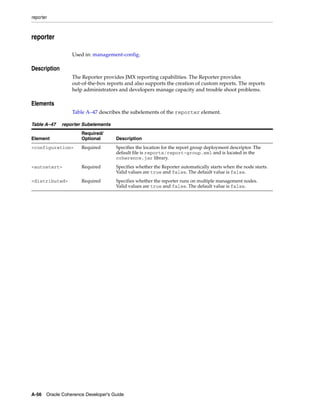
      reporter .............................................................................................................................................       A-56
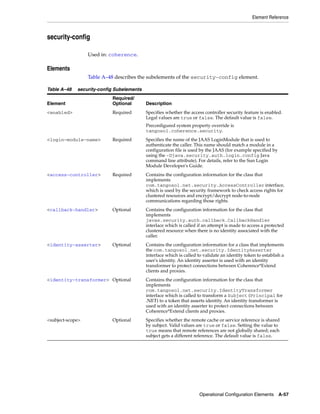
      security-config .................................................................................................................................            A-57
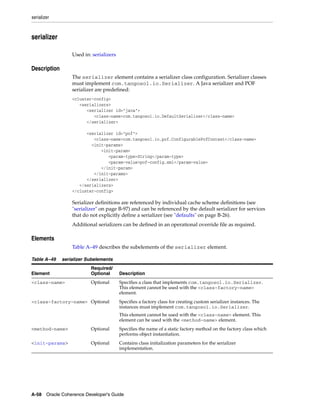
      serializer ...........................................................................................................................................       A-58
      serializers..........................................................................................................................................        A-59
      service ...............................................................................................................................................      A-60
           Initialization Parameter Settings............................................................................................                           A-61
                  DistributedCache Service Parameters ...........................................................................                                  A-62
                  ReplicatedCache Service Parameters .............................................................................                                 A-66
                  InvocationService Parameters.........................................................................................                            A-67
                  ProxyService Parameters .................................................................................................                        A-68


xiv
service-guardian..............................................................................................................................                A-70
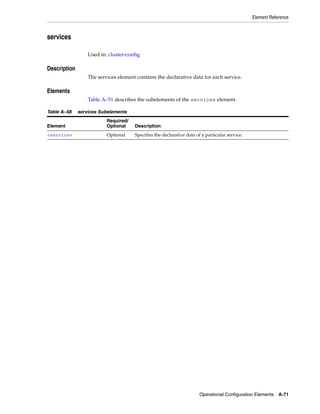
       services..............................................................................................................................................        A-71
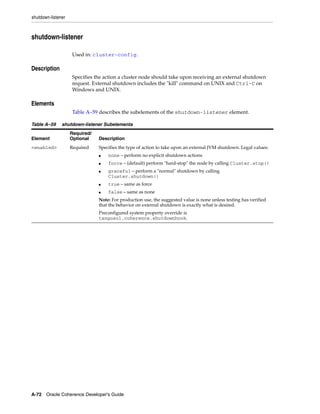
       shutdown-listener ...........................................................................................................................                 A-72
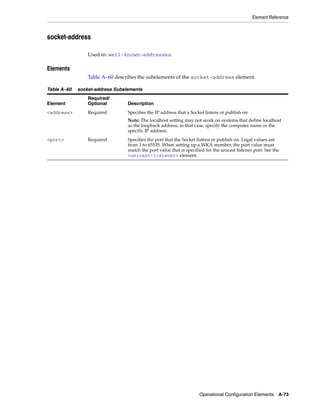
       socket-address .................................................................................................................................              A-73
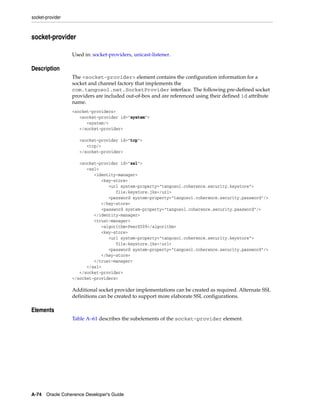
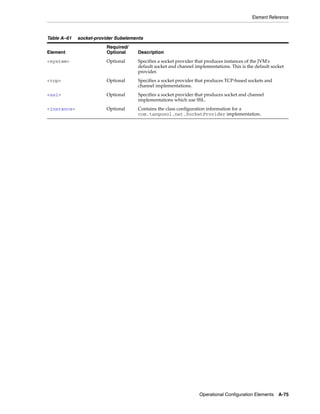
       socket-provider................................................................................................................................               A-74
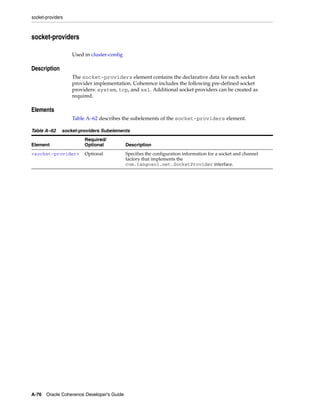
       socket-providers ..............................................................................................................................               A-76
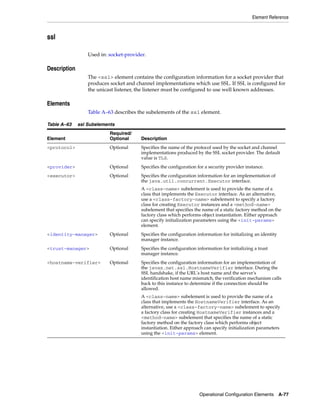
       ssl .......................................................................................................................................................   A-77
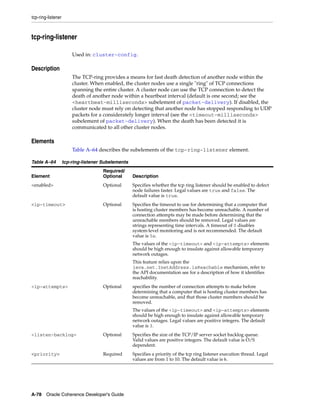
       tcp-ring-listener ...............................................................................................................................             A-78
       traffic-jam .........................................................................................................................................         A-79
       trust-manager ..................................................................................................................................              A-80
       unicast-listener.................................................................................................................................             A-81
       volume-threshold ............................................................................................................................                 A-83
       well-known-addresses....................................................................................................................                      A-84
   Attribute Reference...............................................................................................................................                A-86

B Cache Configuration Elements
   Cache Configuration Deployment Descriptor...................................................................................                                       B-1
   Element Reference...................................................................................................................................               B-3
      acceptor-config ..................................................................................................................................              B-6
      address-provider ...............................................................................................................................                B-7
      async-store-manager.........................................................................................................................                    B-8
      authorized-hosts..............................................................................................................................                 B-10
      backing-map-scheme ......................................................................................................................                      B-11
      backup-storage ................................................................................................................................                B-12
      bdb-store-manager..........................................................................................................................                    B-14
      bundle-config...................................................................................................................................               B-16
      cache-config......................................................................................................................................             B-17
      cache-mapping ................................................................................................................................                 B-18
      cache-service-proxy ........................................................................................................................                   B-19
      cachestore-scheme...........................................................................................................................                   B-20
      caching-scheme-mapping ..............................................................................................................                          B-21
      caching-schemes..............................................................................................................................                  B-22
      class-scheme.....................................................................................................................................              B-24
      custom-store-manager....................................................................................................................                       B-25
      defaults .............................................................................................................................................         B-26
      distributed-scheme..........................................................................................................................                   B-27
      external-scheme ...............................................................................................................................                B-34
      flashjournal-scheme ........................................................................................................................                   B-38
      identity-manager .............................................................................................................................                 B-39
      initiator-config .................................................................................................................................             B-40
      init-param.........................................................................................................................................            B-41
      init-params .......................................................................................................................................            B-42
      instance .............................................................................................................................................         B-43
      invocation-scheme ..........................................................................................................................                   B-44
      invocation-service-proxy................................................................................................................                       B-47
      key-associator ..................................................................................................................................              B-48
      key-partitioning...............................................................................................................................                B-49


                                                                                                                                                                       xv
key-store ...........................................................................................................................................        B-50
          lh-file-manager ................................................................................................................................             B-51
          listener...............................................................................................................................................      B-52
          local-address ....................................................................................................................................           B-53
          local-scheme.....................................................................................................................................            B-54
          near-scheme .....................................................................................................................................            B-57
          nio-file-manager ..............................................................................................................................              B-60
          nio-memory-manager.....................................................................................................................                      B-61
          operation-bundling .........................................................................................................................                 B-63
          optimistic-scheme ...........................................................................................................................                B-64
          outgoing-message-handler ............................................................................................................                        B-67
          overflow-scheme .............................................................................................................................                B-69
          paged-external-scheme...................................................................................................................                     B-72
          partition-listener..............................................................................................................................             B-75
          partitioned........................................................................................................................................          B-76
          partitioned-quorum-policy-scheme .............................................................................................                               B-77
          provider ............................................................................................................................................        B-78
          proxy-config.....................................................................................................................................            B-79
          proxy-scheme...................................................................................................................................              B-80
          proxy-quorum-policy-scheme.......................................................................................................                            B-83
          ramjournal-scheme .........................................................................................................................                  B-84
          read-write-backing-map-scheme ..................................................................................................                             B-85
          remote-addresses.............................................................................................................................                B-90
          remote-cache-scheme......................................................................................................................                    B-91
          remote-invocation-scheme.............................................................................................................                        B-92
          replicated-scheme............................................................................................................................                B-93
          serializer ...........................................................................................................................................       B-97
          socket-address .................................................................................................................................             B-98
          socket-provider................................................................................................................................              B-99
          ssl .....................................................................................................................................................   B-100
          tcp-acceptor ....................................................................................................................................           B-101
          tcp-initiator.....................................................................................................................................          B-105
          transactional-scheme ....................................................................................................................                   B-107
          trust-manager ................................................................................................................................              B-112
      Attribute Reference.............................................................................................................................                B-113

C Command Line Overrides
      Override Example.................................................................................................................................... C-1
      Preconfigured Override Values ............................................................................................................ C-1

D POF User Type Configuration Elements
      POF Configuration Deployment Descriptor......................................................................................                                    D-1
      Element Index ..........................................................................................................................................         D-3
         allow-interfaces .................................................................................................................................            D-4
         allow-subclasses ................................................................................................................................             D-5
         class-name ..........................................................................................................................................         D-6
         default-serializer................................................................................................................................            D-7

xvi
include ................................................................................................................................................      D-8
         init-param...........................................................................................................................................         D-9
         init-params .......................................................................................................................................          D-10
         param-type .......................................................................................................................................           D-11
         param-value .....................................................................................................................................            D-12
         pof-config .........................................................................................................................................         D-13
         serializer ...........................................................................................................................................       D-14
         type-id...............................................................................................................................................       D-16
         user-type...........................................................................................................................................         D-17
         user-type-list ....................................................................................................................................          D-18

E The PIF-POF Binary Format
   Stream Format ..........................................................................................................................................            E-1
       Integer Values ....................................................................................................................................             E-2
       Type Identifiers .................................................................................................................................              E-3
   Binary Formats for Predefined Types..................................................................................................                               E-5
       Int.........................................................................................................................................................    E-5
            Coercion of Integer Types.........................................................................................................                         E-6
       Decimal ...............................................................................................................................................         E-7
       Floating Point.....................................................................................................................................             E-7
       Boolean ...............................................................................................................................................         E-8
       Octet ....................................................................................................................................................      E-8
       Octet String.........................................................................................................................................           E-9
       Char .....................................................................................................................................................      E-9
       Char String .......................................................................................................................................            E-10
       Date ...................................................................................................................................................       E-10
       Year-Month Interval .......................................................................................................................                    E-11
       Time...................................................................................................................................................        E-11
       Time Interval....................................................................................................................................              E-11
       Date-Time .........................................................................................................................................            E-11
            Coercion of Date and Time Types .........................................................................................                                 E-11
       Day-Time Interval ...........................................................................................................................                  E-11
       Collections ........................................................................................................................................           E-11
       Arrays ...............................................................................................................................................         E-12
       Sparse Arrays...................................................................................................................................               E-13
       Key-Value Maps (Dictionaries) .....................................................................................................                            E-13
       Identity..............................................................................................................................................         E-14
       Reference ..........................................................................................................................................           E-15
   Binary Format for User Types .............................................................................................................                         E-15
       Versioning of User Types...............................................................................................................                        E-16


                                                                                                                                                                       xvii
xviii
List of Examples
    1–1     Methods in the InvocationService API .................................................................................... 1-7
    4–1     The Sample HelloWorld Standalone Application.................................................................. 4-3
    4–2     The Sample Hello World JSP..................................................................................................... 4-5
    8–1     Determining Services Running in the Cluster ........................................................................ 8-1
    8–2     A Sample MemberListener Implementation........................................................................... 8-3
    8–3     Using Event Type Information in a MemberEvent Object ................................................... 8-4
    12–1    Sample One-to-One Cache Mapping .................................................................................... 12-2
    12–2    Sample Cache Name Pattern Mapping................................................................................. 12-3
    12–3    Initialization Parameters in a Cache Mapping .................................................................... 12-4
    12–4    Sample Distributed Cache Definition ................................................................................... 12-5
    12–5    Sample Replicated Cache Definition..................................................................................... 12-5
    12–6    Sample Optimistic Cache Definition..................................................................................... 12-6
    12–7    Sample Local Cache Definition .............................................................................................. 12-7
    12–8    Sample Near Cache Definition............................................................................................... 12-8
    12–9    Using Cache Scheme References ......................................................................................... 12-10
    12–10   Multiple Cache Schemes Using Scheme Inheritance ........................................................ 12-10
    12–11   Setting Cache Properties ....................................................................................................... 12-11
    14–1    Specifying a Refresh-Ahead Factor ....................................................................................... 14-5
    14–2    Example Cachestore Module.................................................................................................. 14-7
    14–3    Implementation of the CacheStore Interface........................................................................ 14-8
    14–4    Main.java - Interacting with a Controllable CacheStore .................................................. 14-14
    14–5    CacheStoreAware.java interface .......................................................................................... 14-17
    17–1    Configuration for a Local, In-memory Cache ...................................................................... 17-2
    17–2    Configuration for a NIO In-memory Cache......................................................................... 17-2
    17–3    Configuration for a Size Limited, In-memory, Local Cache.............................................. 17-2
    17–4    Configuration for an In-memory Cache with Expiring Entries ........................................ 17-2
    17–5    Configuration to Define a Cache on Disk............................................................................. 17-3
    17–6    Configuration for a Size Limited Cache on Disk................................................................. 17-3
    17–7    Configuration for Persistent cache on disk .......................................................................... 17-3
    17–8    Configuration for Persistent cache on disk with Berkeley DB .......................................... 17-4
    17–9    Configuration for In-memory Cache with Disk Based Overflow..................................... 17-4
    17–10   Configuration for the Cache of a Database .......................................................................... 17-5
    17–11   Configuration for a Replicated Cache................................................................................... 17-5
    17–12   Configuration for a Replicated Cache with Overflow........................................................ 17-6
    17–13   Configuration for a Partitioned Cache.................................................................................. 17-6
    17–14   Configuration for a Partitioned Cache with Overflow....................................................... 17-6
    17–15   Configuration for a Partitioned Cache of a Database ......................................................... 17-7
    17–16   Configuration for a Partitioned Cache with a Serializer .................................................... 17-7
    17–17   Partitioned Cache that References a Serializer .................................................................... 17-7
    17–18   Defining a Default Serializer .................................................................................................. 17-8
    17–19   Configuration for a Local Cache of a Partitioned Cache ................................................... 17-8
    19–1    Implementation of the PortableObject Interface ................................................................. 19-2
    19–2    Implementation of the PofSerializer Interface ..................................................................... 19-3
    20–1    Pre-Loading a Cache................................................................................................................ 20-1
    20–2    Pre-Loading a Cache Using ConcurrentMap.putAll .......................................................... 20-2
    20–3    Using a Filter to Query a Cache ............................................................................................ 20-2
    20–4    Processing Query Results in Batches .................................................................................... 20-3
    20–5    A Sample Bulk Loading Program.......................................................................................... 20-4
    20–6    Terminal Output from the Bulk Loading Program............................................................. 20-8
    20–7    Retrieving Storage-Enabled Members of the Cache ......................................................... 20-10
    20–8    Routine to Get a List of Files Assigned to a Cache Member............................................ 20-10
    20–9    Class to Load Each Member of the Cache .......................................................................... 20-10
    21–1    Excerpt from the MapListener API ....................................................................................... 21-1
    21–2    Excerpt from the MapEvent API ........................................................................................... 21-2


                                                                                                                                                xix
21–3    Methods on the ObservableMap API....................................................................................                           21-4
     21–4    Sample MapListener Implementation ..................................................................................                           21-4
     21–5    Holding a Reference to a Listener .........................................................................................                    21-5
     21–6    Removing a Listener................................................................................................................            21-5
     21–7    Inner Class that Prints Only Cache Insert Events ...............................................................                               21-5
     21–8    Routing All Events to a Single Method for Handling ........................................................                                    21-6
     21–9    Triggering an Event when a Specific Integer Key is Inserted or Updated ......................                                                  21-6
     21–10   Adding a Listener with Filter for Deleted Events ...............................................................                               21-6
     21–11   Inserting, Updating, and Removing a Value from the Cache ...........................................                                           21-7
     21–12   Sample Output .........................................................................................................................        21-8
     21–13   Listening for Events from a Cache ........................................................................................                     21-8
     21–14   Listening for Events on an Object..........................................................................................                    21-8
     21–15   Using MapEventFilter to Filter on Various Events .............................................................                                 21-9
     21–16   Determining Synthetic Events .............................................................................................                    21-10
     21–17   An AbstractMultiplexingBackingMapListener Implementation....................................                                                  21-11
     21–18   Distributed Scheme Specifying a Verbose Backing Map Listener ..................................                                               21-12
     22–1    Equality Filter ...........................................................................................................................    22-2
     22–2    Filter that Constructs a ReflectionExtractor .........................................................................                         22-2
     22–3     Selecting Cache Entries that Satisfy a Filter ........................................................................                        22-2
     22–4    Selecting and Sorting Cache Entries that Satisfy a Filter....................................................                                  22-2
     22–5    Querying the Cache with a Filter...........................................................................................                    22-3
     22–6    Sample Code to Create an Index............................................................................................                     22-4
     22–7    Using a keySet Query Format ................................................................................................                   22-6
     22–8    Using a Limit Filter ..................................................................................................................        22-7
     22–9    Querying on Multi-Value Attributes ....................................................................................                        22-8
     22–10   Chaining Invocation Methods................................................................................................                    22-8
     23–1    A Query for a Continuous Query Cache ..............................................................................                            23-3
     23–2    Getting Data for the Continuous Query Cache ...................................................................                                23-3
     23–3    Constructing the Continuous Query Cache.........................................................................                               23-3
     23–4    A Constructor that Allows the CacheValues Property ......................................................                                      23-3
     23–5    Setting the CacheValues Property .........................................................................................                     23-3
     23–6    Adding a Listener to a Continuous Query Cache ...............................................................                                  23-4
     23–7    Processing Continuous Query Cache Entries and Adding a Listener ............................                                                   23-4
     23–8    Adding a Listener Before Processing Continuous Query Cache Entries.........................                                                    23-4
     23–9    Providing a Listener When Constructing the Continuous Query Cache ........................                                                     23-4
     23–10   Making the Continuous Query Cache Read-Only ..............................................................                                     23-5
     24–1    Querying Across a Data Grid.................................................................................................                   24-2
     24–2    Methods in the EntryProcessor Interface .............................................................................                          24-3
     24–3    InvocableMap.Entry API ........................................................................................................                24-4
     24–4    Aggregation in the InvocableMap API .................................................................................                          24-6
     24–5    EntryAggregator API ..............................................................................................................             24-7
     24–6    ParallelAwareAggregator API for running Aggregation in Parallel ..............................                                                 24-7
     24–7    Simple Agent to Request Garbage Collection......................................................................                               24-8
     24–8    Agent to Support a Grid-Wide Request and Response Model .........................................                                              24-9
     24–9    Printing the Results from a Grid-Wide Request or Response ...........................................                                          24-9
     24–10   Stateful Agent Operations ......................................................................................................               24-9
     24–11   Using a Work Manager .........................................................................................................                24-10
     25–1    Example MapTriggerListener Configuration ......................................................................                                25-2
     25–2    A MapTriggerListener Registering a MapTrigger with a Named Cache ........................                                                      25-2
     25–3    A MapTrigger Class.................................................................................................................            25-2
     25–4    Calling a MapTrigger and Passing it to a Named Cache ...................................................                                       25-3
     26–1    A Command-Line Query Exercise ......................................................................................                          26-12
     27–1    Applying Locking Operations on a Cache ...........................................................................                             27-2
     27–2    Concurrency Control without Using EntryProcessors ......................................................                                       27-4
     27–3    Concurrency Control Using EntryProcessors......................................................................                                27-4


xx
27–4    Example Transactional Cache Definition ............................................................................. 27-7
27–5    Performing an Auto-Commit Transaction ........................................................................... 27-9
27–6    Performing a Non Auto-Commit Transaction..................................................................... 27-9
27–7    Transaction Across Multiple Caches................................................................................... 27-10
27–8    Entry Processor for Extend Client Transaction ................................................................. 27-16
27–9    Performing a Transaction When Using CMT .................................................................... 27-22
27–10   Performing a User-Controlled Transaction........................................................................ 27-23
27–11   Using the CacheAdapter Class When Using coherence-transaction.rar ....................... 27-27
27–12   Using the CacheAdapter Class When Using coherence-tx.rar........................................ 27-28
28–1    Creating a Key Association .................................................................................................... 28-2
28–2    A Custom KeyAssociator........................................................................................................ 28-2
28–3    Configuring a Key Associator ................................................................................................ 28-3
28–4    Using Affinity for a More Efficient Query ........................................................................... 28-3
29–1    Sample Task Time and Task Hung Configuration ............................................................. 29-2
29–2    Sample Client Request Timeout Configuration .................................................................. 29-2
29–3    Exception Thrown by a TaskTimeout ................................................................................... 29-5
31–1    Implementing a Custom Eviction Policy.............................................................................. 31-1
31–2    Custom Eviction Policy in a coherence-cache-config.xml File .......................................... 31-3
A–1     Sample init-param Configuration.......................................................................................... A-62
A–2     Another Sample init-param Configuration.......................................................................... A-62
A–3     Configuration for Two Well-Known-Addresses................................................................. A-84
E–1     Writing a 32-bit Integer Value to an Octet Stream ................................................................ E-2
E–2     Reading a 32-bit Integer Value from an Octet Stream.......................................................... E-2
E–3     Writing a Character Value to an Octet Stream ...................................................................... E-9
E–4     Reading a Character Value from an Octet Stream ................................................................ E-9


                                                                                                                                        xxi
List of Figures
       11–1   Get Operations in a Partitioned Cache Environment .........................................................                          11-2
       11–2   Put Operations in a Partitioned Cache Environment .........................................................                          11-3
       11–3   Failover in a Partitioned Cache Environment .....................................................................                    11-4
       11–4   Local Storage in a Partitioned Cache Environment ............................................................                        11-5
       11–5   Get Operation in a Replicated Cache Environment............................................................                          11-6
       11–6   Put Operation in a Replicated Cache Environment ...........................................................                          11-7
       11–7   Put Operations in a Near Cache Environment ....................................................................                      11-8
       11–8   Get Operations in a Near Cache Environment ....................................................................                      11-9
       13–1   Backing Map Storage...............................................................................................................   13-2
       13–2   Conventional Backing Map Implementation.......................................................................                       13-6
       13–3   Partitioned Backing Map Implementation ...........................................................................                   13-6
       14–1   Read-Through Caching ...........................................................................................................     14-2
       14–2   Write-Through Caching ..........................................................................................................     14-3
       14–3   Write-Behind Caching .............................................................................................................   14-4


xxii
List of Tables
    10–1   Compression Filter Parameters............................................................................................. 10-3
    10–2   Symmetric Encryption Filter Parameters ............................................................................ 10-5
    10–3   PKCS Encryption Filter Parameters ..................................................................................... 10-6
    11–1   Summary of Cache Types and Characteristics ................................................................. 11-10
    12–1   Near Cache Invalidation Strategies...................................................................................... 12-9
    12–2   Parameter Macros for Cache Configuration ..................................................................... 12-13
    26–1   Coherence Query Language Statements ............................................................................. 26-2
    26–2   Coherence Query Language Command-Line Tool Arguments..................................... 26-11
    27–1   Coherence Transaction Options............................................................................................ 27-2
    27–2   Transactional Cache Supported Attributes....................................................................... 27-20
    27–3   TransactionManagerMBean Attributes ............................................................................. 27-20
    29–1   Execution Timeout Elements................................................................................................. 29-2
    29–2   Command Line Options for Setting Service Type ............................................................. 29-3
    29–3   Methods to Support Task Timeout....................................................................................... 29-4
    A–1    Non-Terminal Operational Configuration Elements........................................................... A-3
    A–2    access-controller Subelements................................................................................................. A-5
    A–3    address-provider Subelements ............................................................................................... A-6
    A–4    authorized-hosts Subelements ................................................................................................ A-7
    A–5    cache-factory-builder-config Subelements............................................................................ A-8
    A–6    callback-handler Subelement .................................................................................................. A-9
    A–7    cluster-config Subelements.................................................................................................... A-10
    A–8    cluster-quorum-policy-scheme Subelements...................................................................... A-11
    A–9    coherence Subelements .......................................................................................................... A-12
    A–10   configurable-cache-factory-config Subelements ................................................................ A-14
    A–11   filter Subelements.................................................................................................................... A-15
    A–12   filters Subelements.................................................................................................................. A-16
    A–13   flashjournal-manager Subelements ...................................................................................... A-17
    A–14   flow-control Subelements ...................................................................................................... A-18
    A–15   host-range Subelements ......................................................................................................... A-19
    A–16   identity-asserter Subelements ............................................................................................... A-20
    A–17   identity-manager Subelements ............................................................................................. A-21
    A–18   identity-transformer Subelements........................................................................................ A-22
    A–19   incoming-message-handler Subelements............................................................................ A-23
    A–20   init-param Subelement........................................................................................................... A-24
    A–21   init-params Subelement ......................................................................................................... A-25
    A–22   instance Subelements ............................................................................................................. A-26
    A–23   journaling-config Subelements ............................................................................................. A-27
    A–24   key-store Subelements............................................................................................................ A-28
    A–25   license-config Subelements.................................................................................................... A-29
    A–26   logging-config Subelements .................................................................................................. A-30
    A–27   management-config Subelements......................................................................................... A-32
    A–28   Subelements of mbean ........................................................................................................... A-34
    A–29   Subelement of mbeans ........................................................................................................... A-36
    A–30   mbean-filter Subelements ...................................................................................................... A-37
    A–31   member-identity Subelements .............................................................................................. A-38
    A–32   message-pool Subelements.................................................................................................... A-40
    A–33   multicast-listener Subelements ............................................................................................. A-41
    A–34   notification-queuing Subelements........................................................................................ A-43
    A–35   outgoing-message-handler Subelement .............................................................................. A-44
    A–36   outstanding-packets Subelements ........................................................................................ A-45
    A–37   packet-buffer Subelements .................................................................................................... A-46
    A–38   packet-bundling Subelements............................................................................................... A-47
    A–39   packet-delivery Subelements ................................................................................................ A-48


                                                                                                                                                xxiii
A–40   packet-pool Subelements .......................................................................................................           A-49
       A–41   packet-publisher Subelements ..............................................................................................               A-50
       A–42   packet-size Subelement ..........................................................................................................         A-51
       A–43   packet-speaker Subelements .................................................................................................              A-52
       A–44   pause-detection Subelements................................................................................................               A-53
       A–45   provider Subelements ............................................................................................................         A-54
       A–46   ramjournal-manager Subelements .......................................................................................                    A-55
       A–47   reporter Subelements..............................................................................................................        A-56
       A–48   security-config Subelements..................................................................................................             A-57
       A–49   serializer Subelements............................................................................................................        A-58
       A–50   serializers Subelements ..........................................................................................................        A-59
       A–51   service Subelements................................................................................................................       A-61
       A–52   Sample Table Entry.................................................................................................................       A-62
       A–53   DistributedCache Service Parameters..................................................................................                     A-62
       A–54   ReplicatedCache Service Parameters ...................................................................................                    A-67
       A–55   InvocationService Parameters ...............................................................................................              A-68
       A–56   ProxyService Parameters .......................................................................................................           A-69
       A–57   service-guardian Subelements ..............................................................................................               A-70
       A–58   services Subelements ..............................................................................................................       A-71
       A–59   shutdown-listener Subelements............................................................................................                 A-72
       A–60   socket-address Subelements..................................................................................................              A-73
       A–61   socket-provider Subelements ................................................................................................              A-75
       A–62   socket-providers Subelements ..............................................................................................               A-76
       A–63   ssl Subelements .......................................................................................................................   A-77
       A–64   tcp-ring-listener Subelements ...............................................................................................             A-78
       A–65   traffic-jam Subelements..........................................................................................................         A-79
       A–66   trust-manager Subelements...................................................................................................              A-80
       A–67   unicast-listener Subelements.................................................................................................             A-81
       A–68   packet-speaker Subelements .................................................................................................              A-83
       A–69   well-known-addresses Subelements ....................................................................................                     A-85
       A–70   Operational Deployment Descriptor Attributes.................................................................                             A-86
       B–1    Non-Terminal Cache Configuration Elements .....................................................................                            B-3
       B–2    acceptor-config Subelements...................................................................................................             B-6
       B–3    address-provider Subelements ...............................................................................................               B-7
       B–4    async-store-manager Subelements .........................................................................................                  B-8
       B–5    authorized-hosts Subelements ..............................................................................................               B-10
       B–6    backing-map-scheme Subelements ......................................................................................                     B-11
       B–7    backup-storage Subelements.................................................................................................               B-12
       B–8    bdb-store-manager Subelements ..........................................................................................                  B-14
       B–9    bundle-config Subelements ...................................................................................................             B-16
       B–10   cache-config Subelements......................................................................................................            B-17
       B–11   cache-mapping Subelements.................................................................................................                B-18
       B–12   cache-service-proxy Subelements.........................................................................................                  B-19
       B–13   cachestore-scheme Subelements ...........................................................................................                 B-20
       B–14   caching-scheme-mapping Subelement ................................................................................                        B-21
       B–15   caching-schemes Subelements ..............................................................................................                B-22
       B–16   class-scheme Subelements .....................................................................................................            B-24
       B–17   custom-store-manager Subelements ....................................................................................                     B-25
       B–18   defaults Subelements..............................................................................................................        B-26
       B–19   distributed-scheme Subelements..........................................................................................                  B-28
       B–20   external-scheme Subelements ...............................................................................................               B-35
       B–21   flashjournal-scheme Subelements ........................................................................................                  B-38
       B–22   identity-manager Subelements .............................................................................................                B-39
       B–23   initiator-config Subelements .................................................................................................            B-40
       B–24   init-param Subelements .........................................................................................................          B-41


xxiv
B–25   init-params Subelements ....................................................................................................... B-42
B–26   instance Subelements ............................................................................................................. B-43
B–27   invocation-scheme Subelements........................................................................................... B-44
B–28   invocation-service-proxy Subelement.................................................................................. B-47
B–29   key-associator Subelements................................................................................................... B-48
B–30   key-partitioning Subelements ............................................................................................... B-49
B–31   key-store Subelements............................................................................................................ B-50
B–32   lh-file-manager Subelements................................................................................................. B-51
B–33    listener Subelement................................................................................................................ B-52
B–34   local-address Subelements..................................................................................................... B-53
B–35   local-scheme Subelements ..................................................................................................... B-54
B–36   near-scheme Subelements...................................................................................................... B-57
B–37   nio-file-manager Subelements .............................................................................................. B-60
B–38   nio-memory-manager Subelements ..................................................................................... B-61
B–39   operation-bundling Subelement ........................................................................................... B-63
B–40   optimistic-scheme Subelements............................................................................................ B-64
B–41   outgoing-message-handler Subelements............................................................................. B-68
B–42   overflow-scheme Subelements.............................................................................................. B-69
B–43   paged-external-scheme Subelements................................................................................... B-73
B–44   partition-listener Subelements .............................................................................................. B-75
B–45   partitioned-quorum-policy-scheme Subelements.............................................................. B-77
B–46   provider Subelements ............................................................................................................ B-78
B–47   proxy-config Subelements ..................................................................................................... B-79
B–48   proxy-scheme Subelements ................................................................................................... B-80
B–49   proxy-quorum-policy-scheme Subelements ....................................................................... B-83
B–50   ramjournal-scheme Subelements.......................................................................................... B-84
B–51   read-write-backing-map-scheme Subelements .................................................................. B-85
B–52   remote-addresses Subelements............................................................................................. B-90
B–53   remote-cache-scheme Subelements ...................................................................................... B-91
B–54   remote-invocation-scheme Subelements ............................................................................. B-92
B–55   replicated-scheme Subelements............................................................................................ B-93
B–56   serializer Subelements............................................................................................................ B-97
B–57   socket-address Subelements.................................................................................................. B-98
B–58   socket-provider Subelements ................................................................................................ B-99
B–59   ssl Subelements ..................................................................................................................... B-100
B–60   tcp-acceptor Subelements .................................................................................................... B-101
B–61   tcp-initiator Subelements ..................................................................................................... B-105
B–62   transactional-scheme Subelements..................................................................................... B-107
B–63   trust-manager Subelements................................................................................................. B-112
B–64   Cache Configuration Deployment Descriptor Attribute ................................................ B-113
C–1    Preconfigured System Property Override Values................................................................ C-2
D–1    POF Configuration Elements .................................................................................................. D-3
D–2    default-serializer Subelements................................................................................................ D-7
D–3    init-param Subelements ........................................................................................................... D-9
D–4    init-params Subelements ....................................................................................................... D-10
D–5    pof-config Subelements.......................................................................................................... D-13
D–6    serializer Subelements............................................................................................................ D-15
D–7    user-type Subelements ........................................................................................................... D-17
D–8    user-type-list Subelements..................................................................................................... D-18
E–1    Regions in the First Octet of a Packed Integer ...................................................................... E-2
E–2    Regions in the Trailing Octet of a Packed Integer................................................................ E-2
E–3    Binary Formats for Integer Values Without a Type Identifier ........................................... E-3
E–4    Predefined Type Identifiers..................................................................................................... E-3
E–5    Type Identifiers that Combine a Type and a Value ............................................................. E-4
E–6    Type Identifiers that Combine an int Data Type with a Value .......................................... E-6


                                                                                                                                             xxv
E–7    Type IDs of Integer Types that can be Coerced into Other Types.....................................                            E-6
       E–8    Type Identifiers that can Indicate Decimal Values ..............................................................               E-7
       E–9    Type Identifiers that can Indicate IEEE 754 Special Values................................................                     E-8
       E–10   Type Identifiers that can Indicate Boolean Values...............................................................               E-8
       E–11   Integer Values that may be Used for Octet Values ..............................................................                E-8
       E–12   Values for Char String Formats ............................................................................................   E-10
       E–13   Collection and Uniform Collection Formats for Various Values.....................................                             E-12
       E–14   Array and Uniform Array Formats for Various Values....................................................                        E-12
       E–15   Sparse Array and Uniform Sparse Array Formats for Various Values ..........................                                   E-13
       E–16   Binary Formats for Key/Value Pairs ...................................................................................        E-14
       E–17   Binary Formats for Key/Value Pairs where Keys are of Uniform Type ........................                                    E-14
       E–18   Binary Formats for Key/Value Pairs where Keys and Values are of Uniform Type....                                              E-14
       E–19   Binary Formats for "By Reference" Semantics ....................................................................              E-15


xxvi
Preface

           Welcome to Oracle Coherence Developer's Guide. This document provides contextual
           information, instructions, and examples that are designed to teach developers and
           architects how to use Coherence and develop Coherence-based applications.


Audience
           Oracle Coherence Developer's Guide is intended for the following audiences:
           ■   Primary Audience – Application developers who want to understand core Oracle
               Coherence concepts and want to build applications that leverage an Oracle
               Coherence data grid.
           ■   Secondary Audience – System architects who want to understand core Oracle
               Coherence concepts and want to build data grid-based solutions.
           The audience must be familiar with Java to use this guide. In addition, the examples in
           this guide require the installation and use of the Oracle Coherence product. The use of
           an IDE is not required to use this guide, but is recommended to facilitate working
           through the examples. A database and basic database knowledge is required when
           using cache store features.


Documentation Accessibility
           Our goal is to make Oracle products, services, and supporting documentation
           accessible to all users, including users that are disabled. To that end, our
           documentation includes features that make information available to users of assistive
           technology. This documentation is available in HTML format, and contains markup to
           facilitate access by the disabled community. Accessibility standards will continue to
           evolve over time, and Oracle is actively engaged with other market-leading
           technology vendors to address technical obstacles so that our documentation can be
           accessible to all of our customers. For more information, visit the Oracle Accessibility
           Program Web site at http://www.oracle.com/accessibility/.

           Accessibility of Code Examples in Documentation
           Screen readers may not always correctly read the code examples in this document. The
           conventions for writing code require that closing braces should appear on an
           otherwise empty line; however, some screen readers may not always read a line of text
           that consists solely of a bracket or brace.


                                                                                               xxvii
Accessibility of Links to External Web Sites in Documentation
          This documentation may contain links to Web sites of other companies or
          organizations that Oracle does not own or control. Oracle neither evaluates nor makes
          any representations regarding the accessibility of these Web sites.

          Access to Oracle Support
          Oracle customers have access to electronic support through My Oracle Support. For
          information, visit http://www.oracle.com/support/contact.html or visit
          http://www.oracle.com/accessibility/support.html if you are hearing
          impaired.


Related Documents
          For more information, see the following documents that are included in the Oracle
          Coherence documentation set:
          ■    Oracle Coherence Client Guide
          ■    Oracle Coherence Getting Started Guide
          ■    Oracle Coherence Integration Guide for Oracle Coherence
          ■    Oracle Coherence Tutorial for Oracle Coherence
          ■    Oracle Coherence User's Guide for Oracle Coherence*Web
          ■    Oracle Coherence Java API Reference
          ■    Oracle Coherence C++ API Reference
          ■    Oracle Coherence .NET API Reference
          ■    Oracle Coherence Release Notes for Oracle Coherence


Conventions
          The following text conventions are used in this document:

          Convention            Meaning
          boldface              Boldface type indicates graphical user interface elements associated
                                with an action, or terms defined in text or the glossary.
          italic                Italic type indicates book titles, emphasis, or placeholder variables for
                                which you supply particular values.
          monospace             Monospace type indicates commands within a paragraph, URLs, code
                                in examples, text that appears on the screen, or text that you enter.


xxviii
Part I
                                               Part I   Getting Started

Part I contains the following chapters:
■   Chapter 1, "Introduction"
■   Chapter 2, "Installing Oracle Coherence for Java"
■   Chapter 3, "Understanding Configuration"
■   Chapter 4, "Building Your First Coherence Application"
1
                                                                        Introduction
                                                                        1


             This chapter provides a quick overview of general Coherence concepts and features. It
             outlines product capabilities, usage possibilities, and provides a brief overview of how
             one would go about implementing particular features. The items discussed in this
             chapter are detailed throughout this guide.
             The following sections are included in this chapter:
             ■   Basic Concepts
             ■   Read/Write Caching
             ■   Querying the Cache
             ■   Transactions
             ■   HTTP Session Management
             ■   Invocation Service
             ■   Events
             ■   Object-Relational Mapping Integration
             ■   C++/.NET Integration
             ■   Management and Monitoring


Basic Concepts
             The topics in this section describes fundamental concepts that are associated with
             Coherence and discusses several important features that are associated with using
             Coherence to cluster data.


Clustered Data Management
             At the core of Coherence is the concept of clustered data management. This implies the
             following goals:
             ■   A fully coherent, single system image (SSI)
             ■   Scalability for both read and write access
             ■   Fast, transparent failover and failback
             ■   Linear scalability for storage and processing
             ■   No Single-Points-of-Failure (SPOFs)
             ■   Cluster-wide locking and transactions


                                                                                     Introduction 1-1
Basic Concepts


                 Built on top of this foundation are the various services that Coherence provides,
                 including database caching, HTTP session management, grid agent invocation and
                 distributed queries. Before going into detail about these features, some basic aspects of
                 Coherence should be discussed.


A single API for the logical layer, XML configuration for the physical layer
                 Coherence supports many topologies for clustered data management. Each of these
                 topologies has a trade-off in terms of performance and fault-tolerance. By using a
                 single API, the choice of topology can be deferred until deployment if desired. This
                 allows developers to work with a consistent logical view of Coherence, while
                 providing flexibility during tuning or as application needs change.


Caching Strategies
                 Coherence provides several cache implementations:
                 ■   Local Cache—Local on-heap caching for non-clustered caching.
                 ■   Replicated Cache—Perfect for small, read-heavy caches.
                 ■   Distributed Cache—True linear scalability for both read and write access. Data is
                     automatically, dynamically and transparently partitioned across nodes. The
                     distribution algorithm minimizes network traffic and avoids service pauses by
                     incrementally shifting data.
                 ■   Near Cache—Provides the performance of local caching with the scalability of
                     distributed caching. Several different near-cache strategies are available and offer a
                     trade-off between performance and synchronization guarantees.
                 In-process caching provides the highest level of raw performance, since objects are
                 managed within the local JVM. This benefit is most directly realized by the Local,
                 Replicated, Optimistic and Near Cache implementations.
                 Out-of-process (client/server) caching provides the option of using dedicated cache
                 servers. This can be helpful when you want to partition workloads (to avoid stressing
                 the application servers). This is accomplished by using the Partitioned cache
                 implementation and simply disabling local storage on client nodes through a single
                 command-line option or a one-line entry in the XML configuration.
                 Tiered caching (using the Near Cache functionality) enables you to couple local caches
                 on the application server with larger, partitioned caches on the cache servers,
                 combining the raw performance of local caching with the scalability of partitioned
                 caching. This is useful for both dedicated cache servers and co-located caching (cache
                 partitions stored within the application server JVMs).
                 See Part III, "Using Caches" for detailed information on configuring and using caches.


Data Storage Options
                 While most customers use on-heap storage combined with dedicated cache servers,
                 Coherence has several options for data storage:
                 ■   On-heap—The fastest option, though it can affect JVM garbage collection times.
                 ■   NIO RAM—No impact on garbage collection, though it does require
                     serialization/deserialization.
                 ■   NIO Disk—Similar to NIO RAM, but using memory-mapped files.


1-2 Oracle Coherence Developer's Guide
Basic Concepts


               ■   File-based—Uses a special disk-optimized storage system to optimize speed and
                   minimize I/O.
               Coherence storage is transient: the disk-based storage options are for managing cached
               data only. For persistent storage, Coherence offers backing maps coupled with a
               CacheLoader/CacheStore.
               See Chapter 13, "Implementing Storage and Backing Maps," for detailed information.


Serialization Options
               Because serialization is often the most expensive part of clustered data management,
               Coherence provides the following options for serializing/deserializing data:
               ■   com.tangosol.io.pof.PofSerializer – The Portable Object Format (also
                   referred to as POF) is a language agnostic binary format. POF was designed to be
                   incredibly efficient in both space and time and is the recommended serialization
                   option in Coherence. See Chapter 19, "Using Portable Object Format."
               ■   java.io.Serializable – The simplest, but slowest option.
               ■   java.io.Externalizable – This requires developers to implement
                   serialization manually, but can provide significant performance benefits.
                   Compared to java.io.Serializable, this can cut serialized data size by a
                   factor of two or more (especially helpful with Distributed caches, as they generally
                   cache data in serialized form). Most importantly, CPU usage is dramatically
                   reduced.
               ■   com.tangosol.io.ExternalizableLite – This is very similar to
                   java.io.Externalizable, but offers better performance and less memory
                   usage by using a more efficient IO stream implementation.
               ■   com.tangosol.run.xml.XmlBean – A default implementation of
                   ExternalizableLite.


Configurability and Extensibility
               Coherence's API provides access to all Coherence functionality. The most commonly
               used subset of this API is exposed through simple XML options to minimize effort for
               typical use cases. There is no penalty for mixing direct configuration through the API
               with the easier XML configuration.
               Coherence is designed to allow the replacement of its modules as needed. For
               example, the local "backing maps" (which provide the actual physical data storage on
               each node) can be easily replaced as needed. The vast majority of the time, this is not
               required, but it is there for the situations that require it. The general guideline is that
               80% of tasks are easy, and the remaining 20% of tasks (the special cases) require a little
               more effort, but certainly can be done without significant hardship.


Namespace Hierarchy
               Coherence is organized as set of services. At the root is the Cluster service. A cluster is
               defined as a set of Coherence instances (one instance per JVM, with one or more JVMs
               on each computer). A cluster is defined by the combination of multicast address and
               port. A TTL (network packet time-to-live; that is, the number of network hops) setting
               can restrict the cluster to a single computer, or the computers attached to a single
               switch.
               Under the cluster service are the various services that comprise the Coherence API.
               These include the various caching services (Replicated, Distributed, and so on) and the


                                                                                          Introduction 1-3
Read/Write Caching


                     Invocation Service (for deploying agents to various nodes of the cluster). Each instance
                     of a service is named, and there is typically a default service instance for each type.
                     The cache services contain named caches (com.tangosol.net.NamedCache),
                     which are analogous to database tables—that is, they typically contain a set of related
                     objects.
                     See Chapter 5, "Introduction to Coherence Clusters," for more information on the
                     cluster service as well the other cluster-based service provided by Coherence.


Read/Write Caching
                     This section provides an overview of the NamedCache API, which is the primary
                     interface used by applications to get and interact with cache instances. This section
                     also includes some insight into the use of the NamedCache API.


NamedCache
                     The following source code returns a reference to a NamedCache instance. The
                     underlying cache service is started if necessary. See the Oracle Coherence Java API
                     Reference for details on the NamedCache interface.
                     import com.tangosol.net.*;
                     ...
                     NamedCache cache = CacheFactory.getCache("MyCache");

                     Coherence scans the cache configuration XML file for a name mapping for MyCache.
                     This is similar to Servlet name mapping in a web container's web.xml file.
                     Coherence's cache configuration file contains (in the simplest case) a set of mappings
                     (from cache name to cache scheme) and a set of cache schemes.
                     By default, Coherence uses the coherence-cache-config.xml file found at the
                     root of coherence.jar. This can be overridden on the JVM command-line with
                     -Dtangosol.coherence.cacheconfig=file.xml. This argument can reference
                     either a file system path, or a Java resource path.
                     The com.tangosol.net.NamedCache interface extends several other interfaces:
                     ■   java.util.Map—basic Map methods such as get(), put(), remove().
                     ■   com.tangosol.util.ObservableMap—methods for listening to cache events.
                         (See Chapter 21, "Using Cache Events".
                     ■   com.tangosol.net.cache.CacheMap—methods for getting a collection of
                         keys (as a Map) that are in the cache and for putting objects in the cache. Also
                         supports adding an expiry value when putting an entry in a cache.
                     ■   com.tangosol.util.QueryMap—methods for querying the cache. (See "Query
                         the Cache" in the Oracle Coherence Developer's Guide)
                     ■   com.tangosol.util.ConcurrentMap—methods for concurrent access such as
                         lock() and unlock().
                     ■   com.tangosol.util.InvocableMap—methods for server-side processing of
                         cache data.


Requirements for Cached Objects
                     Cache keys and values must be serializable (for example, java.io.Serializable).
                     Furthermore, cache keys must provide an implementation of the hashCode() and
                     equals() methods, and those methods must return consistent results across cluster


1-4 Oracle Coherence Developer's Guide
Read/Write Caching


            nodes. This implies that the implementation of hashCode() and equals() must be
            based solely on the object's serializable state (that is, the object's non-transient fields);
            most built-in Java types, such as String, Integer and Date, meet this requirement.
            Some cache implementations (specifically the partitioned cache) use the serialized
            form of the key objects for equality testing, which means that keys for which
            equals() returns true must serialize identically; most built-in Java types meet this
            requirement as well.


NamedCache Usage Patterns
            There are two general approaches to using a NamedCache:
            ■   As a clustered implementation of java.util.Map with several added features
                (queries, concurrency), but with no persistent backing (a "side" cache).
            ■   As a means of decoupling access to external data sources (an "inline" cache). In
                this case, the application uses the NamedCache interface, and the NamedCache
                takes care of managing the underlying database (or other resource).
            Typically, an inline cache is used to cache data from:
            ■   a database—The most intuitive use of a cache—simply caching database tables (in
                the form of Java objects).
            ■   a service—Mainframe, web service, service bureau—any service that represents an
                expensive resource to access (either due to computational cost or actual access
                fees).
            ■   calculations—Financial calculations, aggregations, data transformations. Using an
                inline cache makes it very easy to avoid duplicating calculations. If the calculation
                is complete, the result is simply pulled from the cache. Since any serializable object
                can be used as a cache key, it is a simple matter to use an object containing
                calculation parameters as the cache key.
            See Chapter 14, "Caching Data Sources" for more information on inline caching.
            Write-back options:
            ■   write-through—Ensures that the external data source always contains up-to-date
                information. Used when data must be persisted immediately, or when sharing a
                data source with other applications.
            ■   write-behind—Provides better performance by caching writes to the external data
                source. Not only can writes be buffered to even out the load on the data source,
                but multiple writes can be combined, further reducing I/O. The trade-off is that
                data is not immediately persisted to disk; however, it is immediately distributed
                across the cluster, so the data survives the loss of a server. Furthermore, if the
                entire data set is cached, this option means that the application can survive a
                complete failure of the data source temporarily as both cache reads and writes do
                not require synchronous access the data source.
            To implement a read-only inline cache, you simply implement two methods on the
            com.tangosol.net.cache.CacheLoader interface, one for singleton reads, the
            other for bulk reads. Coherence provides an abstract class
            com.tangosol.net.cache.AbstractCacheLoader which provides a default
            implementation of the bulk method, which means that you need only implement a
            single method: public Object load(Object oKey). This method accepts an
            arbitrary cache key and returns the appropriate value object.


                                                                                         Introduction 1-5
Querying the Cache


                     If you want to implement read/write caching, you must extend
                     com.tangosol.net.cache.AbstractCacheStore (or implement the interface
                     com.tangosol.net.cache.CacheStore), which adds the following methods:
                     public   void   erase(Object oKey);
                     public   void   eraseAll(Collection colKeys);
                     public   void   store(Object oKey, Object oValue);
                     public   void   storeAll(Map mapEntries);

                     The method erase() should remove the specified key from the external data source.
                     The method store() should update the specified item in the data source if it exists,
                     or insert it if it does not presently exist.
                     After the CacheLoader/CacheStore is implemented, it can be connected through
                     the coherence-cache-config.xml file.


Querying the Cache
                     Coherence provides the ability to query cached data. With partitioned caches, the
                     queries are indexed and parallel, which means that adding servers to a partitioned
                     cache not only increases throughput (total queries per second) but also reduces
                     latency, with queries taking less user time. To query against a NamedCache, all objects
                     should implement a common interface (or base class). Any field of an object can be
                     queried; indexes are optional, and used to increase performance. With a replicated
                     cache, queries are performed locally, and do not use indexes. See Chapter 22,
                     "Querying Data In a Cache," for detailed information.
                     To add an index to a NamedCache, you first need a value extractor (which accepts as
                     input a value object and returns an attribute of that object). Indexes can be added
                     blindly (duplicate indexes are ignored). Indexes can be added at any time, before or
                     after inserting data into the cache.
                     It should be noted that queries apply only to cached data. For this reason, queries
                     should not be used unless the entire data set has been loaded into the cache, unless
                     additional support is added to manage partially loaded sets.
                     Developers have the option of implementing additional custom filters for queries, thus
                     taking advantage of query parallel behavior. For particularly performance-sensitive
                     queries, developers may implement index-aware filters, which can access Coherence's
                     internal indexing structures.
                     Coherence includes a built-in optimizer, and applies indexes in the optimal order.
                     Because of the focused nature of the queries, the optimizer is both effective and
                     efficient. No maintenance is required.


Transactions
                     Coherence provides various transaction options. The options include: basic data
                     concurrency using the ConcurrentMap interface and EntryProcessor API, atomic
                     transactions using the Transaction Framework API, and atomic transactions with full
                     XA support using the Coherence resource adapter. See Chapter 27, "Performing
                     Transactions" for detailed instructions.


HTTP Session Management
                     Coherence*Web is an HTTP session-management module with support for a wide
                     range of application servers. See Oracle Coherence User's Guide for Oracle Coherence*Web
                     for more information on Coherence*Web.

1-6 Oracle Coherence Developer's Guide
C++/.NET Integration


            Using Coherence session management does not require any changes to the application.
            Coherence*Web uses the NearCache technology to provide fully fault-tolerant
            caching, with almost unlimited scalability (to several hundred cluster nodes without
            issue).


Invocation Service
            The Coherence invocation service can deploy computational agents to various nodes
            within the cluster. These agents can be either execute-style (deploy and
            asynchronously listen) or query-style (deploy and synchronously listen). See
            Chapter 24, "Processing Data In a Cache," for more information on using the
            invocation service.
            The invocation service is accessed through the
            com.tangosol.net.InvocationService interface and includes the following
            two methods:

            Example 1–1 Methods in the InvocationService API
            public void execute(Invocable task, Set setMembers, InvocationObserver observer);
            public Map query(Invocable task, Set setMembers);

            An instance of the service can be retrieved from the
            com.tangosol.net.CacheFactory class.
            Coherence implements the WorkManager API for task-centric processing.


Events
            All NamedCache instances in Coherence implement the
            com.tangosol.util.ObservableMap interface, which allows the option of
            attaching a cache listener implementation (of com.tangosol.util.MapListener).
            It should be noted that applications can observe events as logical concepts regardless
            of which computer caused the event. Customizable server-based filters and
            lightweight events can minimize network traffic and processing. Cache listeners
            follow the JavaBean paradigm, and can distinguish between system cache events (for
            example, eviction) and application cache events (for example, get/put operations).
            Continuous Query functionality provides the ability to maintain a client-side
            "materialized view". Similarly, any service can be watched for members joining and
            leaving, including the cluster service and the cache and invocation services.
            See Chapter 21, "Using Cache Events," for more detailed information on using events.


Object-Relational Mapping Integration
            Most ORM products support Coherence as an "L2" caching plug-in. These solutions
            cache entity data inside Coherence, allowing application on multiple servers to share
            cached data. See Oracle Coherence Integration Guide for Oracle Coherence for more
            information.


C++/.NET Integration
            Coherence provides support for cross-platform clients (over TCP/IP). All clients use
            the same wire protocol (the servers do not differentiate between client platforms).
            Also, note that there are no third-party components in any of these clients (such as
            embedded JVMs or language bridges). The wire protocol supports event feeds and

                                                                                   Introduction 1-7
Management and Monitoring


                  coherent in-process caching for all client platforms. See Oracle Coherence Client Guide
                  for complete instructions on using Coherence*Extend to support remote C++ and
                  .NET clients.


Management and Monitoring
                  Coherence offers management and monitoring facilities by using Java Management
                  Extensions (JMX). See Oracle Coherence Management Guide for detailed information on
                  using JMX with Coherence.


1-8 Oracle Coherence Developer's Guide
2
                Installing Oracle Coherence for Java
                2


            This chapter provides instructions for installing Oracle Coherence for Java (simply
            referred to as Coherence). The chapter does not include instructions for installing
            Coherence*Extend client distributions (C++ and .NET) or Coherence*Web. Refer to the
            Oracle Coherence Client Guide and the Oracle Coherence User's Guide for Oracle
            Coherence*Web, respectively, for instructions on installing these components.
            The following sections are included in this chapter:
            ■       System Requirements
            ■       Extracting the Distribution
            ■       Setting Environment Variables
            ■       Running Coherence for the First Time


System Requirements
            The following are suggested minimum system requirements for installing Coherence
            in a development environment:
            ■       65 MB disk space for installation
            ■       1 GB of RAM (assuming a maximum Java heap size of 512MB) – This amount of
                    RAM can ideally support a maximum cache size of 150MB on a single node that is
                    configured to store a backup of all data (150MB x 2) and leaves more than a 1/3 of
                    the heap available for scratch and JVM tasks. See Oracle Coherence Administrator's
                    Guide for recommendations on calculating cache size.
            ■       1.6 update 23 JVM or later
            ■       Windows or UNIX-based system that supports the required Java Version
            ■       Network adapter


Extracting the Distribution
            Coherence is distributed as a ZIP file. Use a ZIP utility or the unzip command-line
            utility to extract the ZIP file to a location on the target computer. The extracted files are
            organized within a single directory called coherence. The complete path to the
            coherence directory is referred to as COHERENCE_HOME throughout this
            documentation. For example, C:INSTALL_DIRcoherence.
            The following example uses the unzip utility to extract the distribution to the /opt
            directory which is the suggested installation directory on UNIX-based operating


                                                                 Installing Oracle Coherence for Java 2-1
Setting Environment Variables


                    systems. Use the ZIP utility provided with the target operating system if the unzip
                    utility is not available.
                    unzip /path_to_zip/coherence-version_number.zip -d /opt

                    The following example extracts the distribution using the unzip utility to the C:
                    directory on the Windows operating system.
                    unzip C:path_to_zipcoherence-version_number.zip -d C:

                    The following list describes the directories that are included in COHERENCE_HOME:
                    ■    bin – This directory includes a set of common scripts for performing different
                         tasks, such as: starting a cache server, starting development tools, and performing
                         network tests. The scripts are provided in both Windows (.cmd) and UNIX-based
                         (.sh) formats.
                    ■    doc – This directory contains a link to the Coherence documentation.
                    ■    lib – This directory includes all delivered libraries. The coherence.jar is the
                         main development and run-time library and is discussed in detail throughout this
                         documentation.


Setting Environment Variables
                    The following system environment variables can be set, but they are not required to
                    run Coherence:
                    ■    JAVA_HOME – This variable is used when running the scripts that are included in
                         the COHERENCE_HOME/bin directory. The value of this variable is the full path to
                         the Java installation directory. If JAVA_HOME is not set, the scripts use the
                         computer’s default Java installation. Set this variable to ensure that the scripts use
                         a specific Java version.
                    ■    COHERENCE_HOME – This variable is typically set as a convenience. The value of
                         this variable is the full path to the INSTALL_DIR/coherence directory.


Running Coherence for the First Time
                    The COHERENCE_HOME/bin directory includes two scripts that are used during
                    development and testing and are provided as a design-time convenience. The
                    cache-server script starts a cache server using a default configuration. The
                    coherence script starts a cache factory instance using a default configuration. The
                    cache factory instance includes a command-line tool that is used to (among other
                    things) create and interact with a cache.
                    In this scenario, a basic cluster is created and then the command-line tool is used to
                    create and interact with a cache that is hosted in the cluster.


Create a Basic Cluster
                    In this step, a basic cluster is created that contains three separate Java processes: a
                    cache server and two cache factory instances. For simplicity, the three processes are
                    collocated on a single computer. The cache server, by default, is configured to store
                    backup data. The two cache factory instances, by default, are configured not to store
                    backup data. As each process is started, they automatically join and become cluster
                    members (also referred to as cluster nodes).


2-2 Oracle Coherence Developer's Guide
Running Coherence for the First Time


             For this example, the Coherence out-of-box default configuration is slightly modified
             to create a unique cluster which ensures that these cluster members do not attempt to
             join an existing Coherence cluster that may be running on the network.


                      Note: The Coherence default behavior is to use multicast to find
                      cluster members. Coherence can be configured to use unicast if a
                      network does not allow the use of multicast. See "Using Well Known
                      Addresses" on page 6-9 for details.


             To create a basic cluster:
             1.   Using a text editor, open the COHERENCE_HOME/bin/cache-server script.
             2.   Modify the java_opts variable to include the tangosol.coherence.cluster
                  and the tangosol.coherence.clusterport system properties as follows:
                  set java_opts="-Xms%memory% -Xmx%memory% -Dtangosol.coherence.cluster=cluster_
                  name -Dtangosol.coherence.clusterport=port"

                  Replace cluster_name and port with values that are unique for this cluster. For
                  example, use your name for the cluster name and the last four digits of your
                  phone number for the port.
             3.   Save and close the cache-server script.
             4.   Repeat steps 1 to 3 for the COHERENCE_HOME/bin/coherence script.
             5.   Run the cache-server script. The cache server starts and output is emitted that
                  provides information about this cluster member.
             6.   Run 2 instances of the coherence script. As each instance is started, output is
                  emitted that provides information about the respective cluster members. Each
                  instance returns a command prompt for the command-line tool.


Create a Cache
             In this step, a cache is created and hosted on the basic cluster. A simple string is
             entered into the cache using the command-line tool of the first cache factory instance.
             The string is then retrieved from the cache using the command-line tool of the second
             cache factory instance. The example is simplistic and not very practical, but it does
             quickly demonstrate the distributed nature of Coherence caches. Moreover, these steps
             are typically performed directly using the Coherence API.
             To create a cache:
             1.   At the command prompt for either cache factory instance, create a cache named
                  Test using the cache command:
                  cache Test

             2.   At the command prompt, use the put command to place a simple string in the
                  new cache by entering a key/value pair (separated by a space):
                  put key1 Hello

                  The command returns and displays null. The put command always returns the
                  previous value for a given key. The null value is returned because this is the first
                  value entered for this key.
             3.   Switch to the other cache factory instance and from the command prompt create
                  the Test cache using the cache command:

                                                                Installing Oracle Coherence for Java 2-3
Running Coherence for the First Time


                         cache Test

                    4.   From this command prompt, retrieve the string in the cache using the get
                         command and entering the key name:
                         get key1

                         The command returns and displays hello. Either cache factory process can add
                         or remove cache entries because the processes are part of the same cluster and
                         because the Test cache is known to all cluster members. In addition, since the
                         cache server is storing a backup of the cache data, either cache factory process (or
                         both) can be shutdown and the cache data persists.


2-4 Oracle Coherence Developer's Guide
3
                               Understanding Configuration
                               3


            This chapter describes each of the default configuration files that are distributed with
            Coherence and details how applications and solutions override these files when
            creating their own Coherence configurations.


                    Note:   Coherence configuration files are described using XML
                    Schema (XSD) and are no longer described using Document Type
                    Definition (DTD). DTD files are deprecated and will be desupported.
                    All configuration files that currently use the DTD files must be
                    updated to reference and adhere to the appropriate XSD files.


            The following sections are included in this chapter:
            ■   Overview of the Default Configuration Files
            ■   Specifying an Operational Configuration File
            ■   Specifying a Cache Configuration File
            ■   Specifying a POF Configuration File
            ■   Specifying Management Configuration Files
            ■   Disabling Schema Validation
            ■   Understanding the XML Override Feature
            ■   Changing Configuration Using System Properties


Overview of the Default Configuration Files
            The Coherence distribution includes a set of default XML configuration files that are
            included within the COHERENCE_HOMElibcoherence.jar library. The easiest
            way to inspect these files and their associated schemas is to extract the Coherence
            library to a directory.
            The configuration files provide a default setup that allows Coherence to be used
            out-of-box with minimal changes. The files are for demonstration purposes only and
            can be reused or changed as required for a particular application or solution.
            However, the recommended approach is to provide configuration files that override
            the default configuration files.
            The default configuration files include:
            ■   tangosol-coherence.xml – This files provides operational and run-time
                settings and is used to create and configure cluster, communication, and data
                management services. This file is typically referred to as the operational

                                                                      Understanding Configuration 3-1
Specifying an Operational Configuration File


                          deployment descriptor. The schema for this file is the
                          coherence-operational-config.xsd file. See Appendix A, "Operational
                          Configuration Elements," for a complete reference of the elements in the
                          operational deployment descriptor.
                     ■    tangosol-coherence-override-dev.xml – This file overrides operational
                          settings in the tangosol-coherence.xml file when Coherence is started in
                          developer mode. By default, Coherence is started in developer mode and the
                          settings in this file are used. The settings in this file are suitable for development
                          environments. The schema file for this override file and the schema for the
                          operational deployment descriptor are the same.
                     ■    tangosol-coherence-override-eval.xml – This file overrides operational
                          settings in the tangosol-coherence.xml file when Coherence is started in
                          evaluation mode. The settings in this file are suitable for evaluating Coherence.
                          The schema file for this override file and the schema for the operational
                          deployment descriptor are the same.
                     ■    tangosol-coherence-override-prod.xml – This file overrides operational
                          settings in the tangosol-coherence.xml file when Coherence is started in
                          production mode. The settings in this file are suitable for production
                          environments. The schema file for this override file and the schema for the
                          operational deployment descriptor are the same.
                     ■    coherence-cache-config.xml – This file is used to specify the various types
                          of caches which can be used within a cluster. This file is typically referred to as the
                          cache configuration deployment descriptor. The schema for this file is the
                          coherence-cache-config.xsd file. See Appendix B, "Cache Configuration
                          Elements," for a complete reference of the elements in this file.
                     ■    coherence-pof-config.xml – This file is used to specify custom data types
                          when using Portable Object Format (POF) to serialize objects. This file is typically
                          referred to as the POF configuration deployment descriptor. The schema for this
                          file is the coherence-pof-config.xsd file. See Appendix D, "POF User Type
                          Configuration Elements," for a complete reference of the elements in this file.
                     ■    Management configuration files – A set of files that are used to configure
                          Coherence management reports. The files are located in the /reports directory
                          within coherence.jar. The files include a report group configuration files
                          (report-group.xml, the default), which refer to any number of report definition
                          files. Each report definition file results in the creation of a report file that displays
                          management information based on a particular set of metrics. The schema for
                          these files are the coherence-report-config.xsd file and the
                          coherence-report-group-config.xsd file, respectively. See Oracle Coherence
                          Management Guide for detailed information on using reports and a reference for the
                          elements in these configuration files.
                     ■    License configuration files – A set of files that are used to license specific
                          Coherence server and client editions.


Specifying an Operational Configuration File
                     The tangosol-coherence.xml operational deployment descriptor provides
                     operational and run-time settings and is used to create and configure cluster,
                     communication, and data management services. At run time, Coherence uses the first
                     instance of tangosol-coherence.xml that is found in the classpath.
                     The default operational deployment descriptor that is shipped with Coherence is
                     located in the root of the coherence.jar library. This file can be changed as


3-2 Oracle Coherence Developer's Guide
Specifying an Operational Configuration File


              required; however, overriding this file is recommended when configuring the
              operational run time. See "Understanding the XML Override Feature" on page 3-15 for
              detailed information about the XML override feature.
              The following topics are included in this section:
              ■    Using the Default Operational Override File
              ■    Specifying an Operational Override File
              ■    Defining Override Files for Specific Operational Elements
              ■    Viewing Which Operational Override Files are Loaded
              Refer to Part II, "Using Data Clusters" for detailed instructions on configuring the
              operational run time.


Using the Default Operational Override File
              Elements in the default tangosol-coherence.xml file are overridden by placing an
              operational override file named tangosol-coherence-override.xml in the
              classpath at run time. The structure of the override file and the operational
              deployment descriptor are the same except that all elements are optional. The override
              file includes only the elements that are being changed. Any missing elements are
              loaded from the tangosol-coherence.xml file.
              In general, using the operational override file provides the most comprehensive
              method of configuring the operational run time and is used in both development and
              production environments.
              To use the default operational override file:
              1.   Create a file named tangosol-coherence-override.xml.
              2.   Edit the file and add any operational elements that are to be overridden.
                   The following example configures a cluster name and overrides the default cluster
                   name:
                   <?xml version='1.0'?>

                   <coherence xmlns:xsi="http://www.w3.org/2001/XMLSchema-instance"
                      xmlns="http://xmlns.oracle.com/coherence/coherence-operational-config"
                      xsi:schemaLocation="http://xmlns.oracle.com/coherence/
                      coherence-operational-config coherence-operational-config.xsd">
                      <cluster-config>
                         <member-identity>
                            <cluster-name system-property="tangosol.coherence.cluster">
                               MyCluster</cluster-name>
                         </member-identity>
                      </cluster-config>
                   </coherence>

              3.   Save and close the file.
              4.   Make sure the location of the operational override file is located in the classpath at
                   run time.
                   The following example demonstrates starting a cache server that uses an override
                   file that is located in COHERENCE_HOME.
                   java -cp COHERENCE_HOME;COHERENCE_HOMElibcoherence.jar
                   com.tangosol.net.DefaultCacheServer


                                                                         Understanding Configuration 3-3
Specifying an Operational Configuration File


                               Tip: When using the cache-server and coherence scripts during
                               development, add the location of the
                               tangosol-coherence-override.xml file to the classpath using
                               the Java -cp argument in each of the scripts.

Specifying an Operational Override File
                     The tangosol.coherence.override system property specifies an operational
                     override file to be used instead of the default
                     tangosol-coherence-override.xml file. The structure of the specified file and
                     the operational deployment descriptor are the same except that all elements are
                     optional. Any missing elements are loaded from the tangosol-coherence.xml file.
                     The tangosol.coherence.override system property provides an easy way to
                     switch between different operational configurations and is convenient during
                     development and testing.
                     To specify an operational override file:
                     1.   Create a text file.
                     2.   Edit the file and add any operational elements that are to be overridden.
                          The following example configures the multicast port number:
                          <?xml version='1.0'?>

                          <coherence xmlns:xsi="http://www.w3.org/2001/XMLSchema-instance"
                             xmlns="http://xmlns.oracle.com/coherence/coherence-operational-config"
                             xsi:schemaLocation="http://xmlns.oracle.com/coherence/
                             coherence-operational-config coherence-operational-config.xsd">
                             <cluster-config>
                                <multicast-listener>
                                   <port system-property="tangosol.coherence.clusterport">3059</port>
                                </multicast-listener>
                             </cluster-config>
                          </coherence>

                     3.   Save the file as an XML file and close the file.
                     4.   Specify the name of the operational override file as a value of the
                          tangosol.coherence.override system property. If the file is not located in
                          the classpath, enter the full (or relative) path to the file and the name. The system
                          property also supports the use of a URL when specifying the location of an
                          operational override file.
                          The following example demonstrates starting a cache server and using an
                          operational override file that is named cluster.xml which is located in
                          COHERENCE_HOME.
                          java -Dtangosol.coherence.override=cluster.xml -cp COHERENCE_HOME;COHERENCE_
                          HOMElibcoherence.jar com.tangosol.net.DefaultCacheServer


Defining Override Files for Specific Operational Elements
                     Override files can be created to override the contents of specific operational elements.
                     The override files follow the same structure as the operational deployment descriptor
                     except that their root element must match the element that is to be overridden. See
                     "Defining Custom Override Files" on page 3-17 for detailed information on defining
                     override files for specific operational elements.


3-4 Oracle Coherence Developer's Guide
Specifying an Operational Configuration File


In general, override files for specific operational elements provides fine-grained
control over which portions of the operational deployment descriptor may be
modified and allows different configurations to be created for different deployment
scenarios.
To define override files for specific operational elements:
1.   Create a tangosol-coherence-override.xml file as described in "Using the
     Default Operational Override File" on page 3-3.
2.   Add an xml-override attribute to an element that is to be overridden. The value
     of the xml-override attribute is the name of an override file.
     The following example defines an override file named cluster-config.xml
     that is used to override the <cluster-config> element.
     <?xml version='1.0'?>

     <coherence xmlns:xsi="http://www.w3.org/2001/XMLSchema-instance"
        xmlns="http://xmlns.oracle.com/coherence/coherence-operational-config"
        xsi:schemaLocation="http://xmlns.oracle.com/coherence/
        coherence-operational-config coherence-operational-config.xsd">
        <cluster-config xml-override="/cluster-config.xml">
        ...
        </cluster-config>
     </coherence>

3.   Save and close the file.
4.   Create a text file.
5.   Edit the file and add an XML node that corresponds to the element that is to be
     overridden. The XML root element must match the element that is to be
     overridden.
     Using the example from step 2, the following node is created to override the
     <cluster-config> element and specifies a multicast join timeout.
     <?xml version='1.0'?>

     <cluster-config xmlns:xsi="http://www.w3.org/2001/XMLSchema-instance"
        xmlns="http://xmlns.oracle.com/coherence/coherence-operational-config"
        xsi:schemaLocation="http://xmlns.oracle.com/coherence/
        coherence-operational-config coherence-operational-config.xsd">
        <multicast-listener>
           <join-timeout-milliseconds>4000</join-timeout-milliseconds>
        </multicast-listener>
     </cluster-config>

6.   Save the file as an XML file with the same name used in the xml-override
     attribute.
7.   Make sure the location of both override files are located in the classpath at run
     time.
     The following example demonstrates starting a cache server that uses override
     files that are located in COHERENCE_HOME.
     java -cp COHERENCE_HOME;COHERENCE_HOMElibcoherence.jar
     com.tangosol.net.DefaultCacheServer


                                                           Understanding Configuration 3-5
Specifying a Cache Configuration File


Viewing Which Operational Override Files are Loaded
                    The output for a Coherence node indicates the location and name of the operational
                    configuration files that are loaded at startup. The operational configuration messages
                    are the first messages to be emitted when starting a process. The output is especially
                    helpful when using multiple override files and is often useful when developing and
                    testing Coherence applications and solutions.
                    The following example output demonstrates typical messages that are emitted:
                    Loaded operational configuration from resource "jar:file:/D:/coherence/lib/
                       coherence.jar!/tangosol-coherence.xml"
                    Loaded operational overrides from resource "jar:file:/D:/coherence/lib/
                       coherence.jar!/tangosol-coherence-override-dev.xml"
                    Loaded operational overrides from resource "file:/D:/coherence/
                       tangosol-coherence-override.xml"
                    Optional configuration override "/cluster-config.xml" is not specified
                    Optional configuration override "/custom-mbeans.xml" is not specified

                    The above output indicates that the operational deployment descriptor included in
                    coherence.jar was loaded and that settings in this file are overridden by two
                    loaded override files: tangosol-coherence-override-dev.xml and
                    tangosol-coherence-override.xml. In addition, two override files were defined
                    for specific operational elements but were not found or loaded at run time.


Specifying a Cache Configuration File
                    The coherence-cache-config.xml cache configuration deployment descriptor
                    file is used to specify the various types of caches that can be used within a cluster. At
                    run time, Coherence uses the first coherence-cache-config.xml file that is found
                    in the classpath. A sample coherence-cache-config.xml file is included with
                    Coherence and is located in the root of the coherence.jar library. The sample file is
                    provided only for demonstration purposes. It can be changed or reused as required;
                    however, it is recommended that a custom cache configuration deployment descriptor
                    be created instead of using the sample file.


                              Note:
                              ■    It is recommended (although not required) that all cache server
                                   nodes within a cluster use identical cache configuration
                                   descriptors.
                              ■    Coherence requires a cache configuration deployment descriptor
                                   to start. If the cache configuration deployment descriptor is not
                                   found at run time, an error message indicates that there was a
                                   failure loading the configuration resource and also provides the
                                   name and location for the file that was not found.


                    The following topics are included in this section:
                    ■    Using a Default Cache Configuration File
                    ■    Overriding the Default Cache Configuration File
                    ■    Using the Cache Configuration File System Property
                    ■    Viewing Which Cache Configuration File is Loaded
                    Refer to Part III, "Using Caches" for detailed instructions on configuring caches.


3-6 Oracle Coherence Developer's Guide
Specifying a Cache Configuration File


Using a Default Cache Configuration File
              Coherence is configured out-of-box to use the first coherence-cache-config.xml
              file that is found on the classpath. To use a coherence-cache-config.xml file, the
              file must be located on the classpath and must precede the coherence.jar library;
              otherwise, the sample coherence-cache-config.xml file that is located in the
              coherence.jar is used.
              To use a default cache configuration file:
              1.   Make a copy of the sample coherence-cache-config.xml file that is located
                   in the coherence.jar and save it to a different location. The cache definitions
                   that are included in the sample file are for demonstration purposes and are used
                   as a starting point for creating solution-specific cache configurations.
              2.   Ensure that the location where the coherence-cache-config.xml file is saved
                   is in the classpath at run time and that the location precedes the coherence.jar
                   file in the classpath.
                   The following example demonstrates starting a cache server that uses a
                   coherence-cache-config.xml cache configuration file that is located in
                   COHERENCE_HOME.
                   java -cp COHERENCE_HOME;COHERENCE_HOMElibcoherence.jar
                   com.tangosol.net.DefaultCacheServer


Overriding the Default Cache Configuration File
              The default name and location of the cache configuration deployment descriptor is
              specified in the operational deployment descriptor within the
              <configurable-cache-factory-config> element. This element can be
              overridden to specify a different name an location to be used for the default cache
              configuration file.
              To override the default cache configuration file:
              1.   Make a copy of the default coherence-cache-config.xml cache configuration
                   file that is located in the coherence.jar and save it to a location with a different
                   name.
              2.   Create a tangosol-coherence-override.xml file as described in "Using the
                   Default Operational Override File" on page 3-3.
              3.   Edit the operational override file and enter a
                   <configurable-cache-factory-config> node that specifies the name of the
                   cache configuration file created in step 1. If the cache configuration file is not
                   located in the classpath, enter the full (or relative) path to the file as well. The
                   element also supports the use of a URL when specifying the location of a cache
                   configuration file.
                   The following example specifies a cache configuration deployment descriptor
                   called MyConfig.xml.
                   <?xml version='1.0'?>

                   <coherence xmlns:xsi="http://www.w3.org/2001/XMLSchema-instance"
                      xmlns="http://xmlns.oracle.com/coherence/coherence-operational-config"
                      xsi:schemaLocation="http://xmlns.oracle.com/coherence/
                      coherence-operational-config coherence-operational-config.xsd">
                      <configurable-cache-factory-config>
                         <init-params>


                                                                        Understanding Configuration 3-7
Specifying a Cache Configuration File


                                  <init-param>
                                     <param-type>java.lang.String</param-type>
                                     <param-value system-property="tangosol.coherence.cacheconfig">
                                        MyConfig.xml</param-value>
                                  </init-param>
                               </init-params>
                            </configurable-cache-factory-config>
                         </coherence>

                    4.   Save and close the file.
                    5.   Ensure that the location of the operational override file is located in the classpath
                         at run time.
                         The following example demonstrates starting a cache server using an operational
                         override file and a custom cache configuration file that are located in COHERENCE_
                         HOME.
                         java -cp COHERENCE_HOME;COHERENCE_HOMElibcoherence.jar
                         com.tangosol.net.DefaultCacheServer


Using the Cache Configuration File System Property
                    The tangosol.coherence.cacheconfig system property is used to specify a
                    custom cache configuration deployment descriptor to be used instead of the
                    configured default cache configuration deployment descriptor. The system property
                    provides an easy way to switch between different configurations and is convenient
                    during development and testing.
                    To specify a custom cache configuration file, enter the name of the file as a value of the
                    tangosol.coherence.cacheconfig system property. This is typically done as a
                    -D Java option when starting a Coherence node. If the file is not located in the
                    classpath, enter the full (or relative) path to the file and the name. The system property
                    also supports the use of a URL when specifying the location of a cache configuration
                    file.
                    The following example starts a cache server and specifies a cache configuration
                    deployment descriptor called MyConfig.xml that is located in COHERENCE_HOME.
                    java -Dtangosol.coherence.cacheconfig=MyConfig.xml -cp COHERENCE_HOME;COHERENCE_
                    HOMElibcoherence.jar com.tangosol.net.DefaultCacheServer


Viewing Which Cache Configuration File is Loaded
                    The output for a Coherence node indicates the location and name of the cache
                    configuration deployment descriptor that is loaded at startup. The configuration
                    message is the first message to display after the Coherence copyright text is emitted.
                    The output is especially helpful when developing and testing Coherence applications
                    and solutions.
                    The following example output demonstrates a cache configuration message which
                    indicates that a cache configuration deployment descriptor named Myconfig.xml
                    was loaded:
                    Loaded cache configuration from resource "file:/D:/coherence/Myconfig.xml"


3-8 Oracle Coherence Developer's Guide
Specifying a POF Configuration File


Specifying a POF Configuration File
              The pof-config.xml POF configuration deployment descriptor file is used to
              specify custom user types when using Portable Object Format (POF) for serialization.
              At run time, Coherence uses the first instance of pof-config.xml that is found in
              the classpath.


                      Note:
                      ■   It is recommended that all nodes within a cluster use identical
                          POF configuration deployment descriptors.
                      ■   A POF configuration deployment descriptor is only loaded if the
                          POF serializer is either configured as part of a cache scheme or
                          configured globally for all cache schemes. The default
                          coherence-cache-config.xml provides an example cache
                          scheme that defines the POF serializer, but it is commented out by
                          default.


              The default POF configuration deployment descriptor that is distributed with
              Coherence is located in the root of the coherence.jar library. This file should be
              customized, replaced, or extended for a particular application or solution. By default,
              the deployment descriptor references the coherence-pof-config.xml file. This is
              where the Coherence specific user types are defined and should always be included
              when extending or creating a POF configuration file.
              The following topics are included in this section:
              ■    Using the POF Configuration File System Property
              ■    Combining Multiple POF Configuration Files
              ■    Viewing Which POF Configuration Files are Loaded
              Refer to Chapter 19, "Using Portable Object Format" for detailed instructions on
              configuring POF user types.


Using the POF Configuration File System Property
              The tangosol.pof.config system property is used to specify a custom POF
              configuration deployment descriptor to be used instead of the default
              pof-config.xml file. The system property provides an easy way to switch between
              different configurations and is convenient during development and testing.
              To specify a custom POF configuration file:
              1.   Create an XML file.
              2.   Edit the file and create a <pof-config> node that includes the default Coherence
                   POF user types:
                   <?xml version="1.0"?>

                   <pof-config xmlns:xsi="http://www.w3.org/2001/XMLSchema-instance"
                      xmlns="http://xmlns.oracle.com/coherence/coherence-pof-config"
                      xsi:schemaLocation="http://xmlns.oracle.com/coherence/coherence-pof-config
                      coherence-pof-config.xsd">
                      <user-type-list>
                         <include>coherence-pof-config.xml</include>
                      </user-type-list>
                   </pof-config>


                                                                       Understanding Configuration 3-9
Specifying a POF Configuration File


                    3.   Save and close the file.
                    4.   Enter the name of the file as a value of the tangosol.pof.config system
                         property. This is typically done as a -D Java option when starting a Coherence
                         node. If the file is not located in the classpath, enter the full (or relative) path to the
                         file and the name. The system property also supports the use of a URL when
                         specifying the location of a POF configuration file.
                         The following example starts a cache server and specifies a POF configuration
                         deployment descriptor called MyPOF.xml that is located in COHERENCE_HOME.
                         java -Dtangosol.pof.config=MyPOF.xml -cp COHERENCE_HOME;COHERENCE_
                         HOMElibcoherence.jar com.tangosol.net.DefaultCacheServer


Combining Multiple POF Configuration Files
                    The <include> element is used within a POF configuration deployment descriptor to
                    include user types that are defined in different POF configuration deployment
                    descriptors. This allows user types to be organized in meaningful ways, such as by
                    application or development group.


                              Note:   When combining multiple POF configuration files, each user
                              type that is defined must have a unique <type-id>. If no type
                              identifier is included, then the type identifiers are based on the order
                              in which the user types appear in the composite configuration file.


                    To combine multiple POF configuration files:
                    1.   Open an existing POF configuration file that is being loaded at startup.
                    2.   Add an <include> element whose value is the name of a POF configuration file.
                         If the file is not located in the classpath, enter the full (or relative) path to the file
                         and the name. A URL can also be used to locate the file.
                         The following example combines two POF configuration files in addition to the
                         default Coherence POF configuration file:
                         <?xml version='1.0'?>

                         <pof-config xmlns:xsi="http://www.w3.org/2001/XMLSchema-instance"
                            xmlns="http://xmlns.oracle.com/coherence/coherence-pof-config"
                            xsi:schemaLocation="http://xmlns.oracle.com/coherence/coherence-pof-config
                            coherence-pof-config.xsd">
                            <user-type-list>
                               <include>coherence-pof-config.xml</include>
                               <include>hr-pof-config.xml</include>
                               <include>crm-pof-config.xml</include>
                            </user-type-list>
                         </pof-config>

                    3.   Save and close the file.
                    4.   If required, ensure that the location of the POF configuration files are located in
                         the classpath at run time.
                         The following example demonstrates starting a cache server that uses POF
                         configuration files that are located in COHERENCE_HOME.


3-10 Oracle Coherence Developer's Guide
Specifying Management Configuration Files


                 java -cp COHERENCE_HOME;COHERENCE_HOMElibcoherence.jar
                 com.tangosol.net.DefaultCacheServer


Viewing Which POF Configuration Files are Loaded
             The output for a Coherence node indicates the location and name of the POF
             configuration deployment descriptors that are loaded at startup. The configuration
             messages are among the messages that display after the Coherence copyright text is
             emitted and are associated with the cache service that is configured to use POF. The
             output is especially helpful when developing and testing Coherence applications and
             solutions.
             The following example output demonstrates POF configuration messages which
             indicate that four POF configuration deployment descriptors were loaded:
             Loading POF configuration from resource "file:/D:/coherence/my-pof-config.xml"
             Loading POF configuration from resource
             "file:/D:/coherence/coherence-pof-config.xml"
             Loading POF configuration from resource "file:/D:/coherence/hr-pof-config.xml"
             Loading POF configuration from resource "file:/D:/coherence/crm-pof-config.xml"


Specifying Management Configuration Files
             There are several different configuration files that are used to configure management.
             These include:
             ■   report group configuration file – A report group configuration file is used to list
                 the name and location of report definition files and the output directory where
                 reports are written. The name and location of this file is defined in the operational
                 deployment descriptor. By default, the report-group.xml file is used and is
                 located in the /reports directory of the coherence.jar. Additional report
                 group configuration file are provided and custom report group files can be created
                 as required.
             ■   report configuration files – A report configuration file defines a report and results
                 in the creation of a report file that displays management information for a
                 particular set of metrics. Report configuration files must be referenced in a report
                 group configuration file to be used at run time. The default report configuration
                 files are located in the /reports directory of the coherence.jar and are
                 referenced by the default report group configuration file. Custom report
                 configuration files can be created as required.
             ■   custom-mbeans.xml – This file is the default MBean configuration override file
                 and is used to define custom MBeans (that is, application-level MBeans) within the
                 Coherence JMX management and monitoring framework. This allows any
                 application-level MBean to be managed and monitored from any node within the
                 cluster. Custom MBeans can be defined within the operational override file.
                 However, the MBean configuration override file is typically used instead.
             The following topics are included in this section:
             ■   Specifying a Custom Report Group Configuration File
             ■   Specifying an MBean Configuration File
             ■   Viewing Which Management Configuration Files are Loaded
             See Oracle Coherence Management Guide for detailed instructions on managing
             Coherence.


                                                                      Understanding Configuration 3-11
Specifying Management Configuration Files


Specifying a Custom Report Group Configuration File
                    The name and location of the default report group configuration file is specified in the
                    operational configuration deployment descriptor within the <management-config>
                    node. A custom report group configuration file can be specified by either using an
                    operational override file or a system property.


                             Note:  The report group configuration file is only loaded if JMX
                             management is enabled. The examples in this section demonstrate
                             enabling JMX management on nodes that host an MBean server.


                    Overriding the Default Report Group Configuration File
                    The name and location of a custom report group configuration file can be specified
                    using an operational override file. This mechanism overrides the default name and
                    location of the report group configuration file.
                    To override the default report group configuration file:
                    1.   Create an XML file.
                    2.   Edit the file and create a <report-group> node as follows. This example
                         configures a single report.
                         <?xml version='1.0'?>

                         <report-group xmlns:xsi="http://www.w3.org/2001/XMLSchema-instance"
                            xmlns="http://xmlns.oracle.com/coherence/coherence-report-group-config"
                            xsi:schemaLocation="http://xmlns.oracle.com/coherence/
                            coherence-report-group-config coherence-report-group-config.xsd">
                            <frequency>1m</frequency>
                            <output-directory>./</output-directory>
                            <report-list>
                               <report-config>
                                  <location>reports/report-node.xml</location>
                               </report-config>
                            </report-list>
                         </report-group>

                    3.   Save and close the file.
                    4.   Create a tangosol-coherence-override.xml file as described in "Using the
                         Default Operational Override File" on page 3-3.
                    5.   Edit the file and enter a <management-config> node that specifies the name of
                         the report group configuration file. If the report group configuration file is not
                         located in the classpath, enter the full (or relative) path to the file as well. The
                         element also supports the use of a URL when specifying the location of a report
                         group configuration file.
                         The following example enables JMX management and specifies a report group
                         configuration deployment descriptor called my-group.xml.
                         <?xml version='1.0'?>

                         <coherence xmlns:xsi="http://www.w3.org/2001/XMLSchema-instance"
                            xmlns="http://xmlns.oracle.com/coherence/coherence-operational-config"
                            xsi:schemaLocation="http://xmlns.oracle.com/coherence/
                            coherence-operational-config coherence-operational-config.xsd">
                            <management-config>
                               <managed-nodes system-property="tangosol.coherence.management">all


3-12 Oracle Coherence Developer's Guide
Specifying Management Configuration Files


                         </managed-nodes>
                         <reporter>
                            <configuration system-property="tangosol.coherence.management.report.
                               configuration">my-group.xml</configuration>
                         </reporter>
                      </management-config>
                   </coherence>

              6.   Save and close the file.
              7.   Ensure that the location of the operational override file is located in the classpath
                   at run time.
                   The following example demonstrates starting a cache server using an operational
                   override file and a report group configuration file that are located in COHERENCE_
                   HOME.
                   java -cp COHERENCE_HOME;COHERENCE_HOMElibcoherence.jar
                   com.tangosol.net.DefaultCacheServer


              Using the Report Group Configuration File System Property
              The tangosol.coherence.management.report.configuration system
              property is used to specify a custom report group configuration file to be used instead
              of the default report-group.xml file. The system property provides an easy way to
              switch between different configurations and is convenient during development and
              testing.
              To specify a custom report group configuration file, enter the name of the file as a
              value of the tangosol.coherence.management.report.configuration
              system property. This is typically done as a -D Java option when starting a Coherence
              node. If the file is not located in the classpath, enter the full (or relative) path to the file
              and the name. The system property also supports the use of a URL when specifying
              the location of a report group configuration file.
              The following example starts a cache server, enables JMX management, and specifies a
              report group configuration file that is named my-group.xml and is located in
              COHERENCE_HOME.
              java -Dtangosol.coherence.management=all
              -Dtangosol.coherence.management.report.configuration=my-group.xml -cp COHERENCE_
              HOME;COHERENCE_HOMElibcoherence.jar com.tangosol.net.DefaultCacheServer


Specifying an MBean Configuration File
              The tangosol-coherence.xml operational deployment descriptor defines an
              operational override file that is named custom-mbeans.xml and is specifically used
              to define custom MBeans. A name and location of the override file may also be
              specified using the MBean configuration file system property.

              Using the Default MBean Configuration Override File
              Custom MBeans are defined within an override file named custom-mbeans.xml. At
              run time, Coherence uses the first instance of custom-mbeans.xml that is found in
              the classpath.
              To use the default MBean configuration override file:
              1.   Create a file named custom-mbeans.xml.


                                                                           Understanding Configuration 3-13
Specifying Management Configuration Files


                    2.   Edit the file and create an empty <mbeans> node as follows:
                         <?xml version='1.0'?>

                         <mbeans xmlns:xsi="http://www.w3.org/2001/XMLSchema-instance"
                            xmlns="http://xmlns.oracle.com/coherence/coherence-operational-config"
                            xsi:schemaLocation="http://xmlns.oracle.com/coherence/
                            coherence-operational-config coherence-operational-config.xsd">
                         </mbeans>

                    3.   Save and close the file.
                    4.   Make sure the location of the custom MBean configuration override file is located
                         in the classpath at run time.
                         The following example demonstrates starting a cache server that uses a default
                         MBean configuration override file that is located in COHERENCE_HOME.
                         java -cp COHERENCE_HOME;COHERENCE_HOMElibcoherence.jar
                         com.tangosol.net.DefaultCacheServer


                    Using the MBean Configuration File System Property
                    The tangosol.coherence.mbeans system property specifies an MBean
                    configuration override file to be used instead of the default custom-mbeans.xml
                    override file. The system property provides an easy way to switch between different
                    MBean configurations and is convenient during development and testing.
                    To specify an MBean configuration override file, enter the name of the file as a value of
                    the tangosol.coherence.mbeans system property. This is typically done as a -D
                    Java option when starting a Coherence node. If the file is not located in the classpath,
                    enter the full (or relative) path to the file and the name. The system property also
                    supports the use of a URL when specifying the location of an MBean configuration
                    override file.
                    The following example starts a cache server and specifies an MBean configuration
                    override file that is named my-mbeans.xml and is located in COHERENCE_HOME.
                    java -Dtangosol.coherence.mbeans=my-mbeans.xml -cp COHERENCE_HOME;COHERENCE_
                    HOMElibcoherence.jar com.tangosol.net.DefaultCacheServer


Viewing Which Management Configuration Files are Loaded
                    The output for a Coherence node indicates the location and name of the report group
                    configuration file and the MBean configuration file that are loaded at startup. The
                    output is especially helpful when developing and testing Coherence applications and
                    solutions.

                    Report Group Configuration File
                    The report group configuration messages are among the messages that display after
                    the Coherence copyright text is emitted.
                    The following example output demonstrates a report group configuration message
                    that indicates the my-group.xml file is loaded:
                    Loaded Reporter configuration from "file:/D:/coherence/my-group.xml


3-14 Oracle Coherence Developer's Guide
Understanding the XML Override Feature


           MBean Configuration Override File
           The MBean configuration message is emitted with the other operational override
           messages and is among the first messages to be emitted when starting a process. The
           output is especially helpful when using override files and is often useful when
           developing and testing Coherence applications and solutions.
           The following example output demonstrates an operational override message that
           indicates the default MBean configuration override file is loaded:
           Loaded operational overrides from resource "file:/D:/coherence/custom-mbeans.xml"


Disabling Schema Validation
           Coherence uses schema validation to ensure that configuration files adhere to their
           respective schema definition. Configuration files that include a schema reference are
           automatically validated against the schema when the configuration file is loaded. A
           validation error causes an immediate failure and an error message is emitted that
           indicates which element caused the error. Schema validation should always be used as
           a best practice.
           Schema validation can be disabled if required. To disable schema validation, remove
           the xsi:schemaLocation attribute from a configuration file. The following example
           creates a tangosol-coherence-override.xml file that does not contain a schema
           reference and is not validated when loaded:
           <?xml version='1.0'?>

           <coherence xmlns:xsi="http://www.w3.org/2001/XMLSchema-instance"
              xmlns="http://xmlns.oracle.com/coherence/coherence-operational-config">
              ...
           </coherence>


                   Note: When schema validation is disabled, Coherence only fails if
                   the XML is malformed. Syntactical errors are ignored and may not be
                   immediately apparent.


Understanding the XML Override Feature
           The XML override feature is a configuration mechanism that allows any operational
           settings to be changed without having to edit the default
           tangosol-coherence.xml operational deployment descriptor that is located in the
           coherence.jar. This mechanism is the preferred way of configuring the Coherence
           operational run time.
           The XML override feature works by associating an XML document, commonly
           referred to as an override file, with a specific operational XML element. The XML
           element, and any of its subelements, are then modified as required in the override file.
           At run time, Coherence loads the override file and its elements replace (or are added
           to) the elements that are in the tangosol-coherence.xml file.
           An override file does not have to exist at run time. However, if the override file does
           exist, then its root element must match the element it overrides. In addition,
           Subelements are optional. If a subelement is not defined in the override file, it is
           loaded from the tangosol-coherence.xml file. Typically, only the subelements
           that are being changed or added are placed in the override file.


                                                                   Understanding Configuration 3-15
Understanding the XML Override Feature


                   The following topics are included in this section:
                   ■    Using the Predefined Override Files
                   ■    Defining Custom Override Files
                   ■    Defining Multiple Override Files for the Same Element


Using the Predefined Override Files
                   Two override files are predefined and can override elements in the operational
                   deployment descriptor. These files must be manually created and saved to a location
                   in the classpath.
                   ■    tangosol-coherence-override.xml – This override file is defined for the
                        <coherence> root element and is used to override any element in the operational
                        deployment descriptor. The root element in this file must be the <coherence>
                        element.
                   ■    custom-mbeans.xml – This override file is defined for the <mbeans> element
                        and is used to add custom MBeans to the operational deployment descriptor. The
                        root element in this file must be the <mbeans> element.
                   The following example demonstrates a tangosol-coherence-override.xml file
                   that is used to override the default cluster name. All other operational settings are
                   loaded from the tangosol-coherence.xml file.
                   <?xml version='1.0'?>

                   <coherence xmlns:xsi="http://www.w3.org/2001/XMLSchema-instance"
                      xmlns="http://xmlns.oracle.com/coherence/coherence-operational-config"
                      xsi:schemaLocation="http://xmlns.oracle.com/coherence/
                      coherence-operational-config coherence-operational-config.xsd">
                      <cluster-config>
                         <member-identity>
                            <cluster-name system-property="tangosol.coherence.cluster">MyCluster
                            </cluster-name>
                         </member-identity>
                      </cluster-config>
                   </coherence>

                   The following example demonstrates a tangosol-coherence-override.xml file
                   that is used to disable local storage for the distributed cache service on this node.
                   Notice the use of an id attribute to differentiate an element that can have multiple
                   occurrences. The id attribute must match the id attribute of the element being
                   overridden.
                   <?xml version='1.0'?>

                   <coherence xmlns:xsi="http://www.w3.org/2001/XMLSchema-instance"
                      xmlns="http://xmlns.oracle.com/coherence/coherence-operational-config"
                      xsi:schemaLocation="http://xmlns.oracle.com/coherence/
                      coherence-operational-config coherence-operational-config.xsd">
                      <cluster-config>
                         <services>
                            <service id="3">
                               <init-params>
                                  <init-param id="4">
                                     <param-name>local-storage</param-name>
                                     <param-value system-property="tangosol.coherence.distributed.
                                        localstorage">false</param-value>
                                  </init-param>


3-16 Oracle Coherence Developer's Guide
Understanding the XML Override Feature


                          </init-params>
                       </service>
                    </services>
                 </cluster-config>
              </coherence>

              The following example demonstrates a custom-mbean.xml file that adds a standard
              MBean definition to the list of MBeans.
              <mbeans xmlns:xsi="http://www.w3.org/2001/XMLSchema-instance"
                 xmlns="http://xmlns.oracle.com/coherence/coherence-operational-config"
                 xsi:schemaLocation="http://xmlns.oracle.com/coherence/
                 coherence-operational-config coherence-operational-config.xsd">
                 <mbean id="100">
                    <mbean-class>com.oracle.customMBeans.Query</mbean-class>
                    <mbean-name>type=Query</mbean-name>
                    <enabled>true</enabled>
                 </mbean>
              </mbeans>


Defining Custom Override Files
              Any element in the tangosol-coherence.xml deployment descriptor can be
              overridden using the predefined tangosol-coherence-override.xml file.
              However, there may be situations where more fine-grained configuration control is
              required. For example, a solution may want to allow changes to certain elements, but
              does not want to allow changes to the complete operational deployment descriptor. As
              another example, a solution may want to provide different configurations based on
              different use cases. Custom override files are used to support these types of scenarios.

              Using the xml-override and id attributes
              Override files are defined using the xml-override attribute and, if required, the id
              attribute. Both of these attributes are optional and are added to the operational
              element that is to be overridden. See "Attribute Reference" on page A-86 for a list of
              the operational elements that support the use of an override file.
              The value of the xml-override attribute is the name of a document that is accessible
              to the classes contained in the coherence.jar library using the
              ClassLoader.getResourceAsStream(String name) method. In general, the
              file name contains a / prefix and is located in the classpath at run time. The attribute
              also supports the use of a URL when specifying the location of an override file.
              For example, to define an override file named cluster-config.xml that is used to
              override the <cluster-config> element, add an xml-override attribute to the
              <cluster-config> element in the tangosol-coherence-override.xml file as
              shown below:
              <?xml version='1.0'?>

              <coherence xmlns:xsi="http://www.w3.org/2001/XMLSchema-instance"
                 xmlns="http://xmlns.oracle.com/coherence/coherence-operational-config"
                 xsi:schemaLocation="http://xmlns.oracle.com/coherence/
                 coherence-operational-config coherence-operational-config.xsd">
                 <cluster-config xml-override="/cluster-config.xml">
                 ...
                 </cluster-config>
              </coherence>


                                                                      Understanding Configuration 3-17
Understanding the XML Override Feature


                   To use this override file, create a document named cluster-config.xml and
                   ensure that it and the base document (tangosol-coherence-override.xml in
                   this case) are located in a directory that is in the classpath at run time. For this
                   example, the override file’s root element must be <cluster-config> as shown
                   below.
                   <?xml version='1.0'?>

                   <cluster-config xmlns:xsi="http://www.w3.org/2001/XMLSchema-instance"
                      xmlns="http://xmlns.oracle.com/coherence/coherence-operational-config"
                      xsi:schemaLocation="http://xmlns.oracle.com/coherence/
                      coherence-operational-config coherence-operational-config.xsd">
                      <multicast-listener>
                         <join-timeout-milliseconds>4000</join-timeout-milliseconds>
                      </multicast-listener>
                   </cluster-config>

                   An id attribute is used to distinguish elements that can occur more multiple times.
                   For example, to define a custom override file named dist-service-config.xml
                   that is used to override the <service> element for the distributed cache service, add
                   an xml-override attribute to the <service> element whose id is number 3 as
                   shown below
                   <?xml version='1.0'?>

                   <coherence xmlns:xsi="http://www.w3.org/2001/XMLSchema-instance"
                      xmlns="http://xmlns.oracle.com/coherence/coherence-operational-config"
                      xsi:schemaLocation="http://xmlns.oracle.com/coherence/
                      coherence-operational-config coherence-operational-config.xsd">
                      <cluster-config>
                         <services>
                            <service id="3" xml-override="/dist-service-config.xml">
                            </service>
                         </services>
                      </cluster-config>
                   </coherence>

                   To use this override file, create a document named dist-service-config.xml and
                   ensure that it is located in a directory that is in the classpath at run time. For this
                   example, the override file’s root element must be <service> as shown below.
                   <?xml version='1.0'?>

                   <service id="3" xmlns:xsi="http://www.w3.org/2001/XMLSchema-instance"
                      xmlns="http://xmlns.oracle.com/coherence/coherence-operational-config"
                      xsi:schemaLocation="http://xmlns.oracle.com/coherence/
                      coherence-operational-config coherence-operational-config.xsd">
                      <init-params>
                         <init-param id="1">
                            <param-name>standard-lease-milliseconds</param-name>
                            <param-value>2</param-value>
                         </init-param>
                      </init-params>
                   </service>


                            Note: If the element’s id in the override document does not have a
                            match in the base document, the elements are just appended to the
                            base document.


3-18 Oracle Coherence Developer's Guide
Changing Configuration Using System Properties


Defining Multiple Override Files for the Same Element
              Multiple override files can be defined for the same element to chain operational
              override files. This is typically done to allow operational configurations based on
              different deployment scenarios, such as staging and production.
              As an example, the tangosol-coherence.xml operational deployment descriptor
              located in coherence.jar defines an operational override file for the <coherence>
              element as follows:
              <?xml version='1.0'?>

              <coherence xmlns:xsi="http://www.w3.org/2001/XMLSchema-instance"
                 xmlns="http://xmlns.oracle.com/coherence/coherence-operational-config"
                 xsi:schemaLocation="http://xmlns.oracle.com/coherence/
                 coherence-operational-config coherence-operational-config.xsd"
                 xml-override="{tangosol.coherence.override/tangosol-coherence-override-{mode}
                 .xml}">
                 ...
              </coherence>

              The mode-specific override files are also located in coherence.jar and are used
              depending on the Coherence start mode (the value of the <license-mode> element).
              Each of the mode-specific operational override files, in turn, defines the default
              operational override file as follows:
              <?xml version='1.0'?>

              <coherence xmlns:xsi="http://www.w3.org/2001/XMLSchema-instance"
                 xmlns="http://xmlns.oracle.com/coherence/coherence-operational-config"
                 xsi:schemaLocation="http://xmlns.oracle.com/coherence/
                 coherence-operational-config coherence-operational-config.xsd"
                 xml-override="/tangosol-coherence-override.xml">
                 ...
              </coherence>

              A fourth override file can be defined for the <coherence> element in the
              tangosol-coherence-override.xml file. For example:
              <?xml version='1.0'?>

              <coherence xmlns:xsi="http://www.w3.org/2001/XMLSchema-instance"
                 xmlns="http://xmlns.oracle.com/coherence/coherence-operational-config"
                 xsi:schemaLocation="http://xmlns.oracle.com/coherence/
                 coherence-operational-config coherence-operational-config.xsd"
                 xml-override="/tangosol-coherence-override-staging.xml">
                 ...
              </coherence>

              The chain can continue as required. The files are all loaded at run time if they are
              placed in a location in the classpath. Files higher up in the chain always override files
              below in the chain.


Changing Configuration Using System Properties
              The command-line override feature allows operational and cache settings to be
              overridden using system properties. System properties are typically specified on the
              Java command line using the Java -D option. This allows configuration to be
              customized for each node in a cluster while using the same operational configuration


                                                                       Understanding Configuration 3-19
Changing Configuration Using System Properties


                   file and cache configuration file across the nodes. System properties are also a
                   convenient and quick way to change settings during development.
                   The following topics are included in this section:
                   ■    Using Preconfigured System Properties
                   ■    Creating Custom System Properties


Using Preconfigured System Properties
                   Coherence includes many preconfigured system properties that are used to override
                   different operational and cache settings. Table C–1 lists all the preconfigured system
                   properties. The preconfigured system properties are defined within the
                   tangosol-coherence.xml and coherence-cache-config.xml default
                   deployment descriptors, respectively, using system-property attributes.
                   For example, the preconfigured tangosol.coherence.log.level system
                   property is defined in the tangosol-coherence.xml file as follows:
                   <logging-config>
                      ...
                      <severity-level system-property="tangosol.coherence.log.level">5
                      </severity-level>
                      ...
                   </logging-config>

                   To use a preconfigured system property, add the system property as a Java -D option
                   at startup. For the above example, the log level system property is specified as follows
                   when starting a cache server:
                   java -Dtangosol.coherence.log.level=3 -cp COHERENCE_HOMElibcoherence.jar
                   com.tangosol.net.DefaultCacheServer


                             Note:  When using an operational override file and when creating a
                             custom cache configuration file; the preconfigured system properties
                             must always be included along with the element that is to be
                             overridden; otherwise, the property is no longer available.


Creating Custom System Properties
                   Custom system properties can be created for any operational or cache configuration
                   element. The names of the preconfigured system properties can also be changed as
                   required.
                   System properties are defined by adding a system-property attribute to the
                   element that is to be overridden. The value of the system-property attribute can be
                   any user-defined name. Custom system properties are typically defined in an
                   operational override file (such as tangosol-coherence-override.xml) and a
                   custom cache configuration file.

                   Defining a System Property for an Operational Element
                   The following example defines a system property called multicast.join.timeout
                   for the <join-timeout-milliseconds> operational element and is added to an
                   operational override file:
                   <?xml version='1.0'?>


3-20 Oracle Coherence Developer's Guide
Changing Configuration Using System Properties


<coherence xmlns:xsi="http://www.w3.org/2001/XMLSchema-instance"
   xmlns="http://xmlns.oracle.com/coherence/coherence-operational-config"
   xsi:schemaLocation="http://xmlns.oracle.com/coherence/
   coherence-operational-config coherence-operational-config.xsd">
   <cluster-config>
      <multicast-listener>
         <join-timeout-milliseconds system-property="multicast.join.timeout">30000
         </join-timeout-milliseconds>
      </multicast-listener>
   </cluster-config>
</coherence>


Defining a System Property for a Cache Configuration element
The following example defines a system property called cache.name for a
<cache-name> element and is added to a custom cache configuration file:
<?xml version='1.0'?>

<cache-config xmlns:xsi="http://www.w3.org/2001/XMLSchema-instance"
   xmlns="http://xmlns.oracle.com/coherence/coherence-cache-config"
   xsi:schemaLocation="http://xmlns.oracle.com/coherence/coherence-cache-config
   coherence-cache-config.xsd">
   <caching-scheme-mapping>
    <cache-mapping>
      <cache-name system-property="cache.name"></cache-name>
      ...


Changing a Preconfigured System Property
The following example changes the preconfigured system property name for the
<cluster-name> operational element and is added to an operational override file:
<?xml version='1.0'?>

<coherence xmlns:xsi="http://www.w3.org/2001/XMLSchema-instance"
   xmlns="http://xmlns.oracle.com/coherence/coherence-operational-config"
   xsi:schemaLocation="http://xmlns.oracle.com/coherence/
   coherence-operational-config coherence-operational-config.xsd">
   <cluster-config>
      <member-identity>
         <cluster-name system-property="myapp.cluster.name"></cluster-name>
      </member-identity>
   </cluster-config>
</coherence>


       Note:   To remove a system property, delete the system property
       attribute from the element. If a system property is used at run time
       and it does not exist, it is disregarded.


                                                       Understanding Configuration 3-21
Changing Configuration Using System Properties


3-22 Oracle Coherence Developer's Guide
4
    Building Your First Coherence Application
    4


           This chapter provides step-by-step instructions for building and running a basic
           Coherence example and demonstrates many fundamental Coherence concepts. The
           sample application is a simple Hello World application and is implemented both as a
           standalone Java application and a JSP application. Lastly, a JDeveloper section has
           been included that provides some basic instructions for setting up JDeveloper when
           developing with Coherence.


                    Note:  The example in this chapter is basic and is only intended to
                    teach general concepts. For more advanced examples, download the
                    Coherence Examples included with the documentation library.


           The following sections are included in this chapter:
           ■    Step 1: Define the Example Cache
           ■    Step 2: Configure and Start the Example Cluster
           ■    Step 3: Create an Run a Basic Coherence Standalone Application
           ■    Step 4: Create and Run a Basic Coherence JavaEE Web Application
           ■    Using JDeveloper for Coherence Development


Step 1: Define the Example Cache
           Caches are defined in a cache configuration deployment descriptor and are referred to
           by name within an application. This allows configuration changes to be made to a
           cache without having to change an application’s code. The following cache
           configuration defines a basic distributed cache which is mapped to the cache name
           hello-example.
           To define the example cache:
           1.   Create an XML file named example-config.xml.
           2.   Copy the following distributed cache definition to the file:
                <?xml version="1.0"?>

                <cache-config xmlns:xsi="http://www.w3.org/2001/XMLSchema-instance"
                   xmlns="http://xmlns.oracle.com/coherence/coherence-cache-config"
                   xsi:schemaLocation="http://xmlns.oracle.com/coherence/coherence-cache-config
                   coherence-cache-config.xsd">
                   <caching-scheme-mapping>
                      <cache-mapping>


                                                         Building Your First Coherence Application   4-1
Step 2: Configure and Start the Example Cluster


                                   <cache-name>hello-example</cache-name>
                                   <scheme-name>distributed</scheme-name>
                                </cache-mapping>
                             </caching-scheme-mapping>

                            <caching-schemes>
                               <distributed-scheme>
                                  <scheme-name>distributed</scheme-name>
                                  <service-name>DistributedCache</service-name>
                                  <backing-map-scheme>
                                     <local-scheme/>
                                  </backing-map-scheme>
                                  <autostart>true</autostart>
                               </distributed-scheme>
                            </caching-schemes>
                         </cache-config>

                    3.   Save and close the file.


Step 2: Configure and Start the Example Cluster
                    Caches are hosted on a Coherence cluster. At run time, any JVM process that is
                    running Coherence automatically joins the cluster and can access the caches and other
                    services provided by the cluster. When a JVM joins the cluster, it is called a cluster
                    node, or alternatively, a cluster member. For the sample applications in this chapter,
                    two separate Java processes form the cluster: a cache server process and the Hello
                    World application process. For simplicity, the two processes are collocated on a single
                    computer. The cache server, by default, is configured to store cache data.
                    The example cluster uses an operational override file to modify the out-of-box default
                    cluster configuration. In particular, the default configuration is modified to create a
                    private cluster which ensures that the two processes do not attempt to join an existing
                    Coherence cluster that may be running on the network. The default configuration is
                    also modified to load the example-config.xml cache configuration file instead of
                    the default cache configuration file.
                    To configure and start the example cluster:
                    1.   Create a file named tangosol-coherence-override.xml.
                    2.   Add the following override configuration and replace cluster_name and port
                         with values that are unique for this cluster. For example, use your name for the
                         cluster name and the last four digits of your phone number for the port.
                         <?xml version='1.0'?>

                         <coherence xmlns:xsi="http://www.w3.org/2001/XMLSchema-instance"
                            xmlns="http://xmlns.oracle.com/coherence/coherence-operational-config"
                            xsi:schemaLocation="http://xmlns.oracle.com/coherence/
                            coherence-operational-config coherence-operational-config.xsd">
                            <cluster-config>
                               <member-identity>
                                  <cluster-name>cluster_name</cluster-name>
                               </member-identity>

                                <multicast-listener>
                                   <address>224.3.6.0</address>
                                   <port>port</port>
                                   <time-to-live>0</time-to-live>
                                </multicast-listener>


4-2 Oracle Coherence Developer's Guide
Step 3: Create an Run a Basic Coherence Standalone Application


                      </cluster-config>

                      <configurable-cache-factory-config>
                         <init-params>
                            <init-param>
                               <param-type>java.lang.String</param-type>
                               <param-value system-property="tangosol.coherence.cacheconfig">
                                  example-config.xml</param-value>
                            </init-param>
                         </init-params>
                      </configurable-cache-factory-config>
                   </coherence>

              3.   Save the file to the same directory where the example-config.xml file was
                   saved.
              4.   From a command prompt, start a cache server instance using the
                   DefaultCacheServer class and include the location of the coherence.jar
                   library and the configuration files as a Java -cp option. For example:
                   java -cp COHERENCE_HOMEconfig;COHERENCE_HOMElibcoherence.jar
                   com.tangosol.net.DefaultCacheServer


Step 3: Create an Run a Basic Coherence Standalone Application
              Step 3 is a multi-part step that includes a sample Hello World application and
              instructions for running and verifying the example. The application is run from the
              command line and starts a cache node that joins with a cache server. The application
              puts a key named k1 with the value Hello World! into the hello-example cache
              and then gets and prints out the value of the key before exiting. Lastly, an additional
              cluster node is started to verify that the key is in the cache.


Create the Sample Standalone Application
              Applications use the Coherence API to access and interact with a cache. The
              CacheFactory class is used to get an instance of a cache and the NamedCache
              interface is used to retrieve and store objects in the cache. The Hello World application
              is very basic, but it does demonstrate using the CacheFactory class and the
              NamedCache interface.

              Example 4–1 The Sample HelloWorld Standalone Application
              package com.examples;

              import com.tangosol.net.CacheFactory;
              import com.tangosol.net.NamedCache;

              public class HelloWorld {

                   public static void main(String[] args) {

                     String key = "k1";
                     String value = "Hello World!";

                     CacheFactory.ensureCluster();
                     NamedCache cache = CacheFactory.getCache("hello-example");

                     cache.put(key, value);


                                                            Building Your First Coherence Application    4-3
Step 3: Create an Run a Basic Coherence Standalone Application


                             System.out.println((String)cache.get(key));

                             CacheFactory.shutdown();
                         }
                    }


Run the Sample Standalone Application
                    To run the standalone application example:
                    1.   From a command prompt, compile the Hello World application. For example:
                         javac -cp COHERENCE_HOMElibcoherence.jar comexamplesHelloWorld.java

                    2.   Run the Hello World application and include the location of the coherence.jar
                         library and the configuration files as a Java -cp option. In addition, restrict the
                         client from locally storing partitioned data. For example:
                         java -cp COHERENCE_HOMEconfig;COHERENCE_HOMElibcoherence.jar
                         -Dtangosol.coherence.distributed.localstorage=false com.example.HelloWorld

                         The Hello World application starts. The cache factory instance is created and
                         becomes a member of the cluster. The k1 key with the Hello World! value is
                         loaded into the hello-example cache. The key is then retrieved from the cache
                         and the value is emitted as part of the output. Lastly, the cache factory is
                         shutdown and leaves the cluster before the Hello World application exits.


Verify the Example Cache
                    The cache server in this example is configured, by default, to store the cache’s data.
                    The data is available to all members of the cluster and persists even after members
                    leave the cluster. For example, the Hello World application exits after it loads and
                    displays a key in the cache. However, the cache and key are still available for all
                    cluster members.
                    This step uses the cache factory command-line tool to connect to the hello-example
                    cache and list all items in the cache. It demonstrates both the persistent and distributed
                    nature of Coherence caches.
                    To verify the cache:
                    1.   From a command prompt, start a standalone cache factory instance using the
                         CacheFactory class and include the location of the coherence.jar library and
                         the configuration files as a Java -cp option. For example:
                         java -cp COHERENCE_HOMEconfig;COHERENCE_HOMElibcoherence.jar
                         -Dtangosol.coherence.distributed.localstorage=false
                         com.tangosol.net.CacheFactory

                         The cache factory instance starts and becomes a member of the cluster and returns
                         a command prompt for the command-line tool.
                    2.   At the command-line tool command prompt, get the hello-example cache
                         using the cache command:
                         cache hello-example

                    3.   At the command-line tool command prompt, retrieve the contents of the cache
                         using the list command.
                         list


4-4 Oracle Coherence Developer's Guide
Step 4: Create and Run a Basic Coherence JavaEE Web Application


                  The command returns and displays:
                  k1 = Hello World!


Step 4: Create and Run a Basic Coherence JavaEE Web Application
             Step 4 is a multi-part step that includes the Hello World application re-implemented as
             a JSP page. Instructions are included for packaging the sample as a Web application to
             be deployed to a JavaEE server. The application runs on the application server and
             starts a cache node that joins with a cache server. The application puts a key named k2
             with the value Hello World! into the hello-example cache and then gets and
             prints out the value of the key before exiting. Lastly, an additional cluster node is
             started to verify that the key is in the cache.


Create the Sample Web Application
             To create the sample Web application:
             1.   Create a basic Web application directory structure as follows:
                  /
                  /WEB-INF
                  /WEB-INF/classes
                  /WEB-INF/lib

             2.   Copy the below JSP to a text file and save the file as hello.jsp in the root of the
                  Web application directory.

             Example 4–2 The Sample Hello World JSP
             <html>
                <head>
                   <title>My First Coherence Cache</title>
                </head>
                <body>
                   <h1>
                      <%@ page language="java"
                               import="com.tangosol.net.CacheFactory,
                                       com.tangosol.net.NamedCache"
                      %>
                      <%
                         String key = "k2";
                         String value = "Hello World!";

                           CacheFactory.ensureCluster();
                           NamedCache cache = CacheFactory.getCache("hello-example");

                           cache.put(key, value);
                           out.println((String)cache.get(key));

                           CacheFactory.shutdown();
                      %>
                   </h1>
                </body>
             </html>

             3.   Copy the following empty Web application deployment descriptor to a text file
                  and save the file as web.xml in the /WEB-INF directory.


                                                            Building Your First Coherence Application   4-5
Step 4: Create and Run a Basic Coherence JavaEE Web Application


                        <?xml version = '1.0' ?>
                           <web-app/>

                   4.   Copy the coherence.jar file to the WEB-INF/lib directory.
                   5.   Copy the example-config.xml file and the
                        tangosol-coherence-override.xml file to the WEB-INF/classes
                        directory.
                   6.   Create a Web ARchive file (WAR) using the jar utility and save the file as
                        hello.war. For example, issue the following command from a command prompt
                        at the root of the Web application directory:
                        jar -cvf hello.war *

                        The archive should contain the following files
                        /hello.jsp
                        /WEB-INF/web.xml
                        /WEB-INF/classes/example-config.xml
                        /WEB-INF/classes/tangosol-coherence-override.xml
                        /WEB-INF/lib/coherence.jar


Deploy and Run the Sample Web Application
                   To deploy and run the Web application example:
                   1.   Deploy the hello.war file to a JavaEE server.
                   2.   From a browser, run the Hello World application by accessing the hello.jsp file
                        using the following URL. Substitute host and port with values specific to the
                        deployment.
                        http://host:port/hello/hello.jsp

                        The Hello World application starts. The cache factory instance is created and
                        becomes a member of the cluster. The k2 key with the Hello World! value is
                        loaded into the hello-example cache. The key is then retrieved from the cache
                        and the value is displayed in the browser. Lastly, the cache factory shuts down
                        and leaves the cluster.


Verify the Example Cache
                   The cache server in this example is configured, by default, to store the cache’s data.
                   The data is available to all members of the cluster and persists even after members
                   leave the cluster. For example, the Hello World application exits after it loads and
                   displays a key in the cache. However, the cache and key are still available for all
                   cluster members.
                   This step uses the cache factory command-line tool to connect to the hello-example
                   cache and list all items in the cache. It demonstrates both the persistent and distributed
                   nature of Coherence caches.
                   To verify the cache:
                   1.   From a command prompt, start a standalone cache factory instance using the
                        CacheFactory class and include the location of the coherence.jar library and
                        the configuration files as a Java -cp option. For example:
                        java -cp COHERENCE_HOMEconfig;COHERENCE_HOMElibcoherence.jar
                        -Dtangosol.coherence.distributed.localstorage=false
                        com.tangosol.net.CacheFactory


4-6 Oracle Coherence Developer's Guide
Using JDeveloper for Coherence Development


                  The cache factory instance starts and becomes a member of the cluster and returns
                  a command prompt for the command-line tool.
             2.   At the command-line tool command prompt, get the hello-example cache
                  using the cache command:
                  cache hello-example

             3.   At the command-line tool command prompt, retrieve the contents of the cache
                  using the list command.
                  list

                  The command returns and displays:
                  k2 = Hello World!


Using JDeveloper for Coherence Development
             This section provides basic instructions on how to setup JDeveloper for Coherence
             development:
             ■    Running Coherence in JDeveloper
             ■    Viewing Thread Dumps in JDeveloper
             ■    Creating Configuration Files in JDeveloper


Running Coherence in JDeveloper
             JDeveloper can run cache server (DefaultCacheServer) and cache
             (CacheFactory) instances. Each instance is started as a separate Java process and
             emits standard output to the process’ log. Input (such as cache commands) can be
             entered directly in the process as if it were started from the command line. This
             configuration facilitates development and testing Coherence solutions.
             To run Coherence in JDeveloper:
             1.   In JDeveloper, create a new Generic Application, which includes a single project. If
                  you are new to JDeveloper, consult the Online Help for detailed instructions.
             2.   In the Application Navigator, double-click the new project. The Project Properties
                  dialog box displays.
             3.   Select the Libraries and Classpath node. The Libraries and Classpath page
                  displays
             4.   On the Libraries and Classpath page, click Add JAR/Directory. The Add Archive
                  or Directory dialog box displays.
             5.   From the directory tree, select COHERENCE_HOMElibcoherence.jar and
                  click Select. The coherence.jar library displays in the Classpath Entries list as
                  shown below:


                                                           Building Your First Coherence Application   4-7
Using JDeveloper for Coherence Development


                   6.   From the Project Properties dialog box, select the Run/Debug/Profile node. The
                        Run/Debug/Profile page displays.
                   7.   From the Run/Debug/Profile page, click New. The Create Run Configuration
                        dialog box displays.
                   8.   In the Name text box, enter a name for the new run configuration. In the Copy
                        Settings From drop-down box, choose default. Click OK. The new run
                        configuration displays in the Run Configuration list.
                   9.   From the Run Configuration list, select the new Run Configuration and click Edit.
                        The Edit Run Configuration dialog box displays and the Launch Settings node is
                        selected.
                   10. From the Launch Settings page, click Browse to select a Default Run Target. The
                        Choose Default Run Target dialog box displays.
                   11. From the directory tree, select COHERENCE_HOMElibcoherence.jarcom
                        tangosolnetDefaultCacheServer.class and click Open. The
                        DefaultCacheServer class is entered as the default run target as shown below:


                            Tip: Use the Java Options text box to set Coherence system
                            properties.


4-8 Oracle Coherence Developer's Guide
Using JDeveloper for Coherence Development


12. Select the Tool Settings Node. The Tool Settings page displays.
13. From the Additional Runner Options section, click the Allow Program Input
    check box. A check mark in the box indicates that the option is selected.
14. Click OK.

15. Repeat Steps 6 through 14 and select COHERENCE_HOMElibcoherence.jar
    comtangosolnetCacheFactory.class as the default run target as shown
    below:


16. Click OK to close the Project Properties dialog box.

17. Use the Run button drop-down list to select and start the run configuration for the
    cache server. A cache server instance is started and output is shown in the
    process’s log tab as shown below:


18. Use the Run button drop-down list to select and start the run configuration for the
    cache. A cache instance is started and output is shown in the process’s log tab as
    shown below.


                                             Building Your First Coherence Application   4-9
Using JDeveloper for Coherence Development


                   19. From the Cache Factory’s Running Log tab, use the Input text box located at the
                        bottom of the tab to interact with the cache instance. For example, type help and
                        press Enter to see a list of valid commands.


Viewing Thread Dumps in JDeveloper
                   Java can dump a list of threads and all their held locks to standard out. This is
                   achieved in Linux environments using the kill command and in Windows
                   environments using ctrl+break. Thread dumps are very useful for troubleshooting
                   during development (for example, finding deadlocks).
                   When developing Coherence solutions in JDeveloper, you can view thread dumps
                   directly in a process’s log tab. This is achieved, by sending the above signals to the
                   Java process running in JDeveloper.
                   To view thread dumps in JDeveloper:
                   1.   From a shell or command prompt, use JDK_HOME/bin/jps to get the Process ID
                        (PID) of the Java process for which you want to view a thread dump.
                   2.   On Linux, use kill -3 PID to send a QUIT signal to the process. On Windows,
                        you must use a third-party tool (such as SendSignal) to send a ctrl+break signal
                        to a remote Java process.
                        The thread dump is viewable in the process’s log in JDeveloper.


Creating Configuration Files in JDeveloper
                   JDeveloper can create Coherence configuration files. JDeveloper loads the appropriate
                   XSD files and lists all the elements in the Component Palette. In addition, JDeveloper
                   validates configuration files against the XSD and provides XML code completion. The
                   following procedure creates both a cache configuration file and an operational
                   override file. The same procedure can be used for any of the Coherence configuration
                   files.
                   To create a cache configuration and operation override file in JDeveloper:
                   1.   Extract coherence-cache-config.xsd,
                        coherence-cache-config-base.xsd,
                        coherence-operational-config.xsd,
                        coherence-operational-config-base.xsd, and
                        coherence-config-base.xsd from the COHERENCE_
                        HOMElibcoherence.jar library to a directory on your computer.


4-10 Oracle Coherence Developer's Guide
Using JDeveloper for Coherence Development


2.   In the JDeveloper Application Navigator, double-click your coherence project. The
     Project Properties dialog box displays.
3.   Expand the Project Source Paths node and click Resources. The Resources page
     displays.
4.   In the Resources section, click Add to find and select the directory where you
     extracted the XSD files.
5.   In the Included tab, click Add and select the XSD files. Alternatively, you can
     allow JDeveloper to include all files in this directory and not explicitly add each
     file.
6.   Click OK. The XSDs are listed in the Included tab as shown below.


7.   Click OK to close the Project Properties dialog box. The XSDs are listed in the
     Application Navigator under the Resources folder for your project.
8.   From the File menu, click New. The New Gallery dialog box displays.
9.   From the Categories section, expand the General node and click XML.
10. Select XML Document and click OK. The Create XML File dialog box displays.

11. Enter coherence-cache-config.xml as the file name and save it to the same
     directory where the XSD is located. At run time, this file must be found on the
     classpath and must be loaded before the coherence.jar file.
12. Click OK. The cache configuration file is created, opened for editing, and listed in
     the Application Navigator under the resources folder for your project.
13. Add the following schema reference at the beginning of the file:
     <?xml version="1.0" ?>

     <cache-config xmlns:xsi="http://www.w3.org/2001/XMLSchema-instance"
        xmlns="http://xmlns.oracle.com/coherence/coherence-cache-config"
        xsi:schemaLocation="http://xmlns.oracle.com/coherence/coherence-cache-config
        coherence-cache-config.xsd">


                                              Building Your First Coherence Application 4-11
Using JDeveloper for Coherence Development


                       The Component Palette refreshes and lists all the elements available from the
                       coherence-cache-config.xsd file.
                   14. Save the coherence-cache-config.xml file.

                   15. Repeat steps 8 through 12 to create an operational override file called
                       tangosol-coherence-override.xml. At run time, this file must be found on
                       the classpath.
                   16. Add the following schema references at the beginning of the file:
                       <?xml version="1.0" ?>

                       <coherence xmlns:xsi="http://www.w3.org/2001/XMLSchema-instance"
                          xmlns="http://xmlns.oracle.com/coherence/coherence-operational-config"
                          xsi:schemaLocation="http://xmlns.oracle.com/coherence/
                          coherence-operational-config coherence-operational-config.xsd">

                       The Component Palette refreshes and lists all the elements available from the
                       coherence-operational-config.xsd file.
                   17. Save the tangosol-coherence-override.xml file.


4-12 Oracle Coherence Developer's Guide
Part II
                                    Part II   Using Data Clusters

Part II contains the following chapters:
■   Chapter 5, "Introduction to Coherence Clusters"
■   Chapter 6, "Setting Up a Cluster"
■   Chapter 7, "Starting and Stopping Cluster Members"
■   Chapter 8, "Dynamically Managing Cluster Membership"
■   Chapter 9, "Tuning TCMP Behavior"
■   Chapter 10, "Using Network Filters"
5
               5   Introduction to Coherence Clusters

           The following sections are included in this chapter:
           ■   Cluster Overview
           ■   Understanding TCMP
           ■   Understanding Cluster Services


Cluster Overview
           A Coherence cluster is a collection of JVM processes. At run time, JVM processes that
           run Coherence automatically join and cluster. JVMs that join a cluster are called cluster
           members or cluster nodes. Cluster members communicate using Tangosol Cluster
           Management Protocol (TCMP). Cluster members use TCMP for both multicast
           communication (broadcast) and unicast communication (point-to-point
           communication).
           A cluster contains services that are shared by all cluster members. The services include
           connectivity services (such as the Cluster service), cache services (such as the
           Distributed Cache service), and processing services (such as the invocation service).
           Each cluster member can provide and consume such services. The first cluster member
           is referred to as the senior member and typically starts the core services that are
           required to create the cluster. If the senior member of the cluster is shutdown, another
           cluster member assumes the senior member role.


Understanding TCMP
           TCMP is an IP-based protocol that is used to discover cluster members, manage the
           cluster, provision services, and transmit data. TCMP uses a combination of UDP/IP
           multicast, UDP/IP unicast and TCP/IP as follows:
           ■   Multicast
               ■    Cluster discovery: Multicast is used to discover if there is a cluster running
                    that a new member can join.
               ■    Cluster heartbeat: The most senior member in the cluster issues a periodic
                    heartbeat through multicast; the rate can be configured and defaults to one per
                    second.
               ■    Message delivery: Messages that must be delivered to multiple cluster
                    members are often sent through multicast, instead of unicasting the message
                    one time to each member.
           ■   Unicast


                                                                Introduction to Coherence Clusters   5-1
Understanding Cluster Services


                        ■    Direct member-to-member ("point-to-point") communication, including
                             messages, asynchronous acknowledgments (ACKs), asynchronous negative
                             acknowledgments (NACKs) and peer-to-peer heartbeats.
                        ■    Under some circumstances, a message may be sent through unicast even if the
                             message is directed to multiple members. This is done to shape traffic flow
                             and to reduce CPU load in very large clusters.
                    ■   TCP
                        ■    An optional TCP/IP ring is used as an additional "death detection"
                             mechanism, to differentiate between actual node failure and an unresponsive
                             node, such as when a JVM conducts a full GC.
                        ■    TCP/IP is not used as a data transfer mechanism due to the intrinsic overhead
                             of the protocol and its synchronous nature.

                    Protocol Reliability
                    The TCMP protocol provides fully reliable, in-order delivery of all messages. Since the
                    underlying UDP/IP protocol does not provide for either reliable or in-order delivery,
                    TCMP uses a queued, fully asynchronous ACK- and NACK-based mechanism for
                    reliable delivery of messages, with unique integral identity for guaranteed ordering of
                    messages.

                    Protocol Resource Utilization
                    The TCMP protocol requires only three UDP/IP sockets (one multicast, two unicast)
                    and six threads per JVM, regardless of the cluster size. This is a key element in the
                    scalability of Coherence, in that regardless of the number of servers, each node in the
                    cluster can still communicate either point-to-point or with collections of cluster
                    members without requiring additional network connections.
                    The optional TCP/IP ring uses a few additional TCP/IP sockets, and a total of one
                    additional thread.

                    Protocol Tunability
                    The TCMP protocol is very tunable to take advantage of specific network topologies,
                    or to add tolerance for low-bandwidth and high-latency segments in a geographically
                    distributed cluster. Coherence comes with a pre-set configuration. Some TCMP
                    attributes are dynamically self-configuring at run time, but can also be overridden and
                    locked down for deployment purposes.


Understanding Cluster Services
                    Coherence functionality is based on the concept of cluster services. Each cluster node
                    can participate in (which implies both the ability to provide and to consume) any
                    number of named services. These named services may exist, which is to say that they
                    may be running on one or more other cluster nodes, or a cluster node can register new
                    named services. Each named service has a service name that uniquely identifies the
                    service within the cluster, and a service type, which defines what the service can do.
                    There may be multiple named instances of each service type (other than the root
                    Cluster service). By way of analogy, a service instance corresponds roughly to a
                    database schema, and for data services, a hosted named cache corresponds roughly to
                    a database table. While services can be added, many applications only require the
                    default set of services shipped with Coherence. There are several service types that are
                    supported by Coherence.


5-2 Oracle Coherence Developer's Guide
Understanding Cluster Services


Connectivity Services
■  Cluster Service: This service is automatically started when a cluster node must
   join the cluster; each cluster node always has exactly one service of this type
   running. This service is responsible for the detection of other cluster nodes, for
   detecting the failure (death) of a cluster node, and for registering the availability of
   other services in the cluster. In other words, the Cluster Service keeps track of the
   membership and services in the cluster.
■   Proxy Service: While many applications are configured so that all clients are also
    cluster members, there are use cases where it is desirable to have clients running
    outside the cluster, especially in cases where there are hundreds or thousands of
    client processes, where the clients are not running on the Java platform, or where a
    greater degree of coupling is desired. This service allows connections (using TCP)
    from clients that run outside the cluster.

Processing Services
■  Invocation Service: This service provides clustered invocation and supports grid
   computing architectures. Using the Invocation Service, application code can
   invoke agents on any node in the cluster, or any group of nodes, or across the
   entire cluster. The agent invocations can be request/response, fire and forget, or
   an asynchronous user-definable model.

Data Services
■  Distributed Cache Service: This is the distributed cache service, which allows
   cluster nodes to distribute (partition) data across the cluster so that each piece of
   data in the cache is managed (held) by only one cluster node. The Distributed
   Cache Service supports pessimistic locking. Additionally, to support failover
   without any data loss, the service can be configured so that each piece of data is
   backed up by one or more other cluster nodes. Lastly, some cluster nodes can be
   configured to hold no data at all; this is useful, for example, to limit the Java heap
   size of an application server process, by setting the application server processes to
   not hold any distributed data, and by running additional cache server JVMs to
   provide the distributed cache storage. For more information on distributed caches,
   see "Distributed Cache" on page 11-1.
■   Replicated Cache Service: This is the synchronized replicated cache service,
    which fully replicates all of its data to all cluster nodes that run the service.
    Furthermore, it supports pessimistic locking so that data can be modified in a
    cluster without encountering the classic missing update problem. With the
    introduction of near caching and continuous query caching, most of the
    functionality of replicated caches is available on top of the Distributed cache
    service (and with better robustness). But replicated caches are often used to
    manage internal application metadata. For more information on replicated caches,
    see "Replicated Cache" on page 11-5.
■   Optimistic Cache Service: This is the optimistic-concurrency version of the
    Replicated Cache Service, which fully replicates all of its data to all cluster nodes,
    and employs an optimization similar to optimistic database locking to maintain
    coherency. Coherency refers to the fact that all servers end up with the same
    "current" value, even if multiple updates occur at the same exact time from
    different servers. The Optimistic Cache Service does not support pessimistic
    locking, so in general it should only be used for caching "most recently known"
    values for read-only uses. This service is rarely used. For more information on
    optimistic caches, see "Optimistic Cache" on page 11-7.


                                                     Introduction to Coherence Clusters   5-3
Understanding Cluster Services


                    Regarding resources, a clustered service typically uses one daemon thread, and
                    optionally has a thread pool that can be configured to provide the service with
                    additional processing bandwidth. For example, the invocation service and the
                    distributed cache service both fully support thread pooling to accelerate database load
                    operations, parallel distributed queries, and agent invocations.
                    It is important to note that these are only the basic clustered services, and not the full
                    set of types of caches provided by Coherence. By combining clustered services with
                    cache features such as backing maps and overflow maps, Coherence can provide an
                    extremely flexible, configurable, and powerful set of options for clustered applications.
                    For example, the Near Cache functionality uses a Distributed Cache as one of its
                    components.
                    Within a cache service, there exists any number of named caches. A named cache
                    provides the standard JCache API, which is based on the Java collections API for
                    key-value pairs, known as java.util.Map. The Map interface is the same API that is
                    implemented by the Java Hashtable class, for example.


5-4 Oracle Coherence Developer's Guide
6
                                                    6Setting Up a Cluster

            This chapter provides instructions for completing common tasks that are associated
            with setting up a cluster.
            The following sections are included in this chapter:
            ■   Overview of Setting Up Clusters
            ■   Specifying a Cluster’s Name
            ■   Specifying a Cluster Member’s Identity
            ■   Configuring Multicast Communication
            ■   Specifying a Cluster Member’s Unicast Address
            ■   Using Well Known Addresses
            ■   Enabling Single-Server Mode
            ■   Configuring Death Detection
            ■   Specifying Cluster Priorities


Overview of Setting Up Clusters
            Coherence provides a default out-of-box cluster configuration that is used for
            demonstration purposes. It allows clusters to be quickly created and often requires
            little or no configuration changes. However, beyond demonstration, the default setup
            should not be used. Instead, unique clusters should be set up based on the network
            environment in which they run and based on the requirements of the applications that
            use them. A cluster that runs in single-server mode can be configured for unit testing
            and trivial development.
            At a minimum, setting up a cluster includes defining the cluster’s name and the
            cluster’s multicast address. If multicast is undesirable or unavailable in an
            environment, then setting up the Well Known Addresses (WKA) feature is required.
            The rest of the tasks presented in this chapter are typically used when setting up a
            cluster and are completed when the default settings must be changed.
            Clusters are set up within an operational override file
            (tangosol-coherence-override.xml). Each cluster member uses an override file
            to specify unique values that override the default configuration that is defined in the
            operational deployment descriptor. See "Specifying an Operational Configuration File"
            on page 3-2 for detailed information on using an operational override file. In addition,
            refer to Appendix A, "Operational Configuration Elements," for descriptions and
            usage information for all the operational elements that are discussed in this chapter.


                                                                            Setting Up a Cluster 6-1
Specifying a Cluster’s Name


Specifying a Cluster’s Name
                    A cluster name is a user-defined name that uniquely identifies a cluster from other
                    clusters that run on the network. Cluster members must specify the same cluster name
                    to join and cluster. A cluster member does not start if the wrong name is specified
                    when attempting to join an existing cluster. A unique cluster name is often used with a
                    unique multicast port to create distinct clusters on the same network.


                              Note: A cluster member uses a system generated cluster name if a
                              name is not explicitly specified. Using the system generated name
                              (and the out-of-box multicast defaults) increases the chance of having
                              overlapping cluster configurations on the network. This can lead to
                              cluster members accidentally joining an unexpected cluster.


                    To specify a cluster name, edit the operational override file and add a
                    <cluster-name> element, within the <member-identity> element, that includes
                    the cluster name. For example:
                    <?xml version='1.0'?>

                    <coherence xmlns:xsi="http://www.w3.org/2001/XMLSchema-instance"
                       xmlns="http://xmlns.oracle.com/coherence/coherence-operational-config"
                       xsi:schemaLocation="http://xmlns.oracle.com/coherence/
                       coherence-operational-config coherence-operational-config.xsd">
                       <cluster-config>
                          <member-identity>
                             <cluster-name system-property="tangosol.coherence.cluster">MyCluster
                             </cluster-name>
                          </member-identity>
                       </cluster-config>
                    </coherence>

                    The tangosol.coherence.cluster system property is used to specify the cluster
                    name instead of using the operational override file. For example:
                    -Dtangosol.coherence.cluster=name


Specifying a Cluster Member’s Identity
                    A set of identifiers are used to give a cluster member an identity within the cluster.
                    The identity information is used to differentiate cluster members and conveys the
                    members’ role within the cluster. Some identifiers are also used by the cluster service
                    when performing cluster tasks. Lastly, the identity information is valuable when
                    displaying management information (for example, JMX) and facilitates interpreting
                    log entries. The following list describes each of the identifiers:
                    ■    Site Name – the name of the geographic site that hosts the cluster member. The
                         server’s domain name is used if no name is specified. For WAN clustering, this
                         value identifies the datacenter where the member is located and can be used as the
                         basis for intelligent routing, load balancing, and disaster recovery planning (that
                         is, the explicit backing up of data on separate geographic sites).
                    ■    Rack Name – the name of the location within the geographic site that hosts the
                         cluster member. This is often a cage, rack, or bladeframe identifier and can be used
                         as the basis for intelligent routing, load balancing and disaster recovery planning
                         (that is, the explicit backing up of data on separate bladeframes).


6-2 Oracle Coherence Developer's Guide
Configuring Multicast Communication


           ■   Machine Name – the name of the server that hosts the cluster member. The
               server’s host name is used if no name is specified. The name is used as the basis
               for creating an ID. The cluster service uses the ID to ensure that data are backed
               up on different computers to prevent single points of failure.
           ■   Process Name – the name of the JVM process that hosts the cluster member. The
               JVM process number is used if no name is specified. The process name makes it
               possible to easily differentiate among multiple JVMs running on the same
               computer.
           ■   Member Name – the cluster member’s unique name. The name makes it easy to
               differentiate cluster members especially when multiple members run on the same
               computer or within the same JVM. Always specify a member name (as a best
               practice) even though it is not required to do so.
           ■   Role Name – the cluster member’s role in the cluster. The role name allows an
               application to organize cluster members into specialized roles, such as cache
               servers and cache clients. Default role names (CoherenceServer for cache
               servers and application_class_name for cache clients) are used if no role
               name is specified.
           To specify member identity information, edit the operational override file and add the
           member identity elements within the <member-identity> element as demonstrated
           below:
           <?xml version='1.0'?>

           <coherence xmlns:xsi="http://www.w3.org/2001/XMLSchema-instance"
              xmlns="http://xmlns.oracle.com/coherence/coherence-operational-config"
              xsi:schemaLocation="http://xmlns.oracle.com/coherence/
              coherence-operational-config coherence-operational-config.xsd">
              <cluster-config>
                 <member-identity>
                    <site-name system-property="tangosol.coherence.site">pa-1</site-name>
                    <rack-name system-property="tangosol.coherence.rack">100A</rack-name>
                    <machine-name system-property="tangosol.coherence.machine">prod001
                    </machine-name>
                    <process-name system-property="tangosol.coherence.process">JVM1
                    </process-name>
                    <member-name system-property="tangosol.coherence.member">C1</member-name>
                    <role-name system-property="tangosol.coherence.role">Server</role-name>
                 </member-identity>
              </cluster-config>
           </coherence>

           The following system properties are used to specify a cluster member’s identity
           information instead of using the operational override file.
           -Dtangosol.coherence.site=pa-1 -Dtangosol.coherence.rack=100A
           -Dtangosol.coherence.machine=prod001 -Dtangosol.coherence.process=JVM1
           -Dtangosol.coherence.member=C1 -Dtangosol.coherence.role=Server


Configuring Multicast Communication
           Cluster members use multicast communication to discover other cluster members and
           when a message must be communicated to multiple members of the cluster. The
           cluster protocol makes very judicious use of multicast and avoids things such as
           multicast storms. By default, data is only transmitted over multicast if it is intended
           for more than 25% of the cluster members. The vast majority of traffic is transmitted


                                                                            Setting Up a Cluster 6-3
Configuring Multicast Communication


                    using unicast even when multicast is enabled. For typical partitioned cache based
                    clusters, most transmissions is point-to-point and only cluster membership and
                    partition ownership is broadcast to the entire cluster.
                    Multicast communication is configured in an operational override file within the
                    <multicast-listener> node. Many system properties are also available to
                    configure multicast communication when starting a cluster member.
                    The following topics are included in this section:
                    ■   Specifying a Cluster’s Multicast Address
                    ■   Disabling Multicast Communication
                    ■   Specifying the Multicast Time-to-Live
                    ■   Specifying the Multicast Join Timeout
                    ■   Changing the Multicast Threshold


Specifying a Cluster’s Multicast Address
                    A multicast address (IP address and port) can be specified for a cluster member.
                    Cluster members must use the same multicast address and port to join and cluster.
                    Distinct clusters on the same network must use different multicast addresses.
                    A cluster member uses a default multicast address if an address is not explicitly
                    specified. The default value depends on the release version and follows the
                    convention of {build}.{major version}.{minor version}.{patch} for the
                    address and {major version}.{minor version}.{patch} for the port.


                             Note:   Using the default multicast address and port (and the system
                             generated cluster name) increases the chance of having overlapping
                             cluster configurations on the network. This can lead to cluster
                             members accidentally joining an unexpected cluster. Always use a
                             unique port value to create a distinct cluster.


                    To specify a cluster multicast address, edit the operational override file and add both
                    an <address> and <port> element and specify the address and port to be used by
                    the cluster member. For example:
                    <?xml version='1.0'?>

                    <coherence xmlns:xsi="http://www.w3.org/2001/XMLSchema-instance"
                       xmlns="http://xmlns.oracle.com/coherence/coherence-operational-config"
                       xsi:schemaLocation="http://xmlns.oracle.com/coherence/
                       coherence-operational-config coherence-operational-config.xsd">
                       <cluster-config>
                          <multicast-listener>
                             <address system-property="tangosol.coherence.clusteraddress">224.3.6.0
                             </address>
                             <port system-property="tangosol.coherence.clusterport">3059</port>
                          </multicast-listener>
                       </cluster-config>
                    </coherence>

                    The tangosol.coherence.clusteraddress and
                    tangosol.coherence.clusterport system properties are used to specify the
                    cluster multicast address instead of using the operational override file. For example:


6-4 Oracle Coherence Developer's Guide
Configuring Multicast Communication


              -Dtangosol.coherence.clusteraddress=224.3.6.0
              -Dtangosol.coherence.clusterport=3059


              Changing the Multicast Socket Interface
              The multicast socket is bound to the same network interface (NIC) as the unicast
              listener IP address. A different NIC for multicast can be configured but, with rare
              exception, it is strongly discouraged as it can lead to partial failure of the cluster.
              With two NICs, the interface (and thus network) used for multicast traffic is different
              from the interface (and thus network) used for unicast (UDP/IP) and TCP-ring
              (TCP/IP) traffic. Communication on one interface (or network) continues to succeed
              even if the other interface has failed; this scenario prolongs failure detection and
              failover. Since the clustering protocol handles member (and thus interface) failure, it is
              preferable to have all communication fail so that a failed member is quickly detected
              and removed from the cluster.
              To change the default multicast network interface, edit the operational override file
              and add an <interface> element that specifies the IP address to which the multicast
              socket binds. For example:
              <?xml version='1.0'?>

              <coherence xmlns:xsi="http://www.w3.org/2001/XMLSchema-instance"
                 xmlns="http://xmlns.oracle.com/coherence/coherence-operational-config"
                 xsi:schemaLocation="http://xmlns.oracle.com/coherence/
                 coherence-operational-config coherence-operational-config.xsd">
                 <cluster-config>
                    <multicast-listener>
                       <interface>192.168.0.1</interface>
                    </multicast-listener>
                 </cluster-config>
              </coherence>


Disabling Multicast Communication
              Multicast traffic may be undesirable or may be disallowed in some network
              environments. In this case, use the Well Known Addresses feature to prevent
              Coherence from using multicast. This disables multicast discovery and also disable
              multicast for all data transfers; unicast (point-to-point) is used instead. Coherence is
              designed to use point-to-point communication as much as possible, so most
              application profiles do not see a substantial performance impact. See "Using Well
              Known Addresses" on page 6-9.


                      Note:  Disabling multicast does puts a higher strain on the network.
                      However, this only becomes an issue for large clusters with greater
                      than 100 members.


Specifying the Multicast Time-to-Live
              The time-to-live value (TTL) setting designates how far multicast UDP/IP packets can
              travel on a network. The TTL is expressed in terms of how many hops a packet
              survives; each network interface, router, and managed switch is considered one hop.
              The TTL value should be set to the lowest integer value that works. Setting the value
              too high can use unnecessary bandwidth on other LAN segments and can even cause


                                                                                  Setting Up a Cluster 6-5
Configuring Multicast Communication


                    the operating system or network devices to disable multicast traffic. Typically, setting
                    the TTL value to 1 works on a simple switched backbone. A value of 2 or more may be
                    required on an advanced backbone with intelligent switching. A value of 0 is used for
                    single server clusters that are used for development and testing. See "Enabling
                    Single-Server Mode" on page 6-12 for more information on single server clusters.
                    To specify the TTL, edit the operational override file and add a <time-to-live>
                    element that includes the TTL value. For example:
                    <?xml version='1.0'?>

                    <coherence xmlns:xsi="http://www.w3.org/2001/XMLSchema-instance"
                       xmlns="http://xmlns.oracle.com/coherence/coherence-operational-config"
                       xsi:schemaLocation="http://xmlns.oracle.com/coherence/
                       coherence-operational-config coherence-operational-config.xsd">
                       <cluster-config>
                          <multicast-listener>
                             <time-to-live system-property="tangosol.coherence.ttl">3</time-to-live>
                          </multicast-listener>
                       </cluster-config>
                    </coherence>

                    The tangosol.coherence.ttl system property is used to specify the TTL value
                    instead of using the operational override file. For example:
                    -Dtangosol.coherence.ttl=3


Specifying the Multicast Join Timeout
                    The multicast join timeout defines how much time a cluster member waits to join a
                    cluster. If the timeout is reached and an existing cluster is not detected, then the cluster
                    member starts its own cluster and elects itself as the senior cluster member. A short
                    timeout can be specified during development and testing. A timeout of 30 seconds is
                    generally adequate for production environments.


                             Note:   The first member of the cluster waits the full duration of the
                             join timeout before it assumes the role of the senior member. If the
                             cluster startup timeout is less than the join timeout, then the first
                             member of the cluster fails during cluster startup. The cluster member
                             timeout is specified using the packet publisher timeout
                             (<timeout-milliseconds>). See "packet-delivery" on page A-48.


                    To specify the join timeout, edit the operational override file and add a
                    <join-timeout-milliseconds> element that includes the timeout value. For
                    example:
                    <?xml version='1.0'?>

                    <coherence xmlns:xsi="http://www.w3.org/2001/XMLSchema-instance"
                       xmlns="http://xmlns.oracle.com/coherence/coherence-operational-config"
                       xsi:schemaLocation="http://xmlns.oracle.com/coherence/
                       coherence-operational-config coherence-operational-config.xsd">
                       <cluster-config>
                          <multicast-listener>
                             <join-timeout-milliseconds>6000</join-timeout-milliseconds>
                          </multicast-listener>
                       </cluster-config>


6-6 Oracle Coherence Developer's Guide
Specifying a Cluster Member’s Unicast Address


              </coherence>


Changing the Multicast Threshold
              Cluster members use both multicast and unicast communication when sending cluster
              packets. The multicast threshold value is used to determine whether to use multicast
              for packet delivery or unicast. Setting the threshold higher or lower can force a cluster
              to favor one style of communication over the other. The threshold setting is not used if
              multicast communication is disabled.
              The multicast threshold is a percentage value and is in the range of 1% to 100%. In a
              cluster of n members, a cluster member that is sending a packet to a set of destination
              nodes (not counting itself) of size d (in the range of 0 to n-1) sends a packet using
              multicast only if the following hold true:
              ■   The packet is being sent over the network to multiple nodes (d > 1).
              ■   The number of nodes is greater than the specified threshold (d > (n-1) *
                  (threshold/100)).
                  For example, in a 25 member cluster with a multicast threshold of 25%, a cluster
                  member only uses multicast if the packet is destined for 6 or more members (24 *
                  .25 = 6).
              Setting this value to 1 allows the cluster to use multicast for basically all multi-point
              traffic. Setting this value to 100 forces the cluster to use unicast for all multi-point
              traffic except for explicit broadcast traffic (for example, cluster heartbeat and
              discovery) because the 100% threshold is never exceeded. With the setting of 25 (the
              default) a cluster member sends the packet using unicast if it is destined for less than
              one-fourth of all nodes, and sends the packet using multicast if it is destined for
              one-fourth or more of all nodes.
              To specify the multicast threshold, edit the operational override file and add a
              <multicast-threshold-percent> element that includes the threshold value. For
              example:
              <?xml version='1.0'?>

              <coherence xmlns:xsi="http://www.w3.org/2001/XMLSchema-instance"
                 xmlns="http://xmlns.oracle.com/coherence/coherence-operational-config"
                 xsi:schemaLocation="http://xmlns.oracle.com/coherence/
                 coherence-operational-config coherence-operational-config.xsd">
                 <cluster-config>
                    <multicast-listener>
                       <multicast-threshold-percent>40</multicast-threshold-percent>
                    </multicast-listener>
                 </cluster-config>
              </coherence>


Specifying a Cluster Member’s Unicast Address
              Cluster members use unicast for direct member-to-member (point-to-point)
              communication, which makes up the majority of communication on the cluster. A
              default unicast address (IP address and ports) is used but can be specified as required
              within the <unicast-listener> element.
              The unicast listener, as configured out-of-box, selects the unicast address as follows:


                                                                                  Setting Up a Cluster 6-7
Specifying a Cluster Member’s Unicast Address


                    ■   address – A cluster member attempts to obtain the IP to bind to using the
                        java.net.InetAddress.getLocalHost() call. Explicitly specify the address
                        on computers with multiple IPs or NICs, if required. Moreover, the localhost
                        setting may not work on systems that define localhost as the loopback address; in
                        that case, the computer name or the specific IP address must be specified. The
                        multicast socket binds to the same interface as defined by this address. See
                        "Changing the Multicast Socket Interface" on page 6-5.
                    ■   ports – A cluster member uses two unicast UDP ports. The default behavior is to
                        attempt to use port 8088 for the first port (port1). If port 8088 is not available,
                        automatic port adjustment is used to select the next available port. The second
                        port (port2) is automatically opened and defaults to the next available port after
                        port1 (port1 + 1 if available). Automatic port adjustment can be disabled. In
                        this case, port1 must be available and the second port is always port1 + 1.
                        Two UDP ports are used because:
                        –    It reduces contention between inbound and outbound traffic and avoids doing
                             both heavy transmits and receives on the same port
                        –    It allows for coherence members to communicate at the optimal packet size
                             based on the Maximum Transmission Unit (MTU) of the operating system.
                             One UDP port is used for large packets, and the other port is for packets with
                             sizes at or under the network MTU. The separation allows for separate packet
                             buffers based on size.
                        –    It allows for large clusters (> 500 members) to be run without artificially
                             increasing the size of the socket buffers
                    To specify a cluster member’s unicast address, edit the operational override file and
                    add both an <address> and <port> element (and optionally a
                    <port-auto-adjust> element) and specify the address and port to be used by the
                    cluster member. For example:
                    <?xml version='1.0'?>

                    <coherence xmlns:xsi="http://www.w3.org/2001/XMLSchema-instance"
                       xmlns="http://xmlns.oracle.com/coherence/coherence-operational-config"
                       xsi:schemaLocation="http://xmlns.oracle.com/coherence/
                       coherence-operational-config coherence-operational-config.xsd">
                       <cluster-config>
                          <unicast-listener>
                             <address system-property="tangosol.coherence.localhost">192.168.0.1
                             </address>
                             <port system-property="tangosol.coherence.localport">8090</port>
                             <port-auto-adjust system-property="tangosol.coherence.localport.adjust">
                                true
                             </port-auto-adjust>
                          </unicast-listener>
                       </cluster-config>
                    </coherence>

                    The tangosol.coherence.localhost, tangosol.coherence.localport, and
                    tangosol.coherence.localport.adjust system properties are used to specify
                    the unicast address instead of using the operational override file. For example:
                    -Dtangosol.coherence.localhost=192.168.0.1 -Dtangosol.coherence.localport=8090
                    -Dtangosol.coherence.localport.adjust=true


6-8 Oracle Coherence Developer's Guide
Using Well Known Addresses


Using Well Known Addresses
            The Well Known Addresses (WKA) feature is a mechanism that allows cluster
            members to discover and join a cluster using unicast instead of multicast. WKA is
            most often used when multicast networking is undesirable or unavailable in an
            environment or when an environment is not properly configured to support multicast.
            All cluster multicast communication is disabled if WKA is enabled.
            WKA is enabled by specifying a small subset of cluster members (referred to as WKA
            members) that are able to start a cluster. The optimal number of WKA members varies
            based on the cluster size. Generally, WKA members should be about 10% of the
            cluster. One or two WKA members for each switch is recommended.
            WKA members are expected to remain available over the lifetime of the cluster but are
            not required to be simultaneously active at any point in time. Only one WKA member
            must be operational for cluster members to discover and join the cluster. In addition,
            after a cluster member has joined the cluster, it receives the addresses of all cluster
            members and then broadcasts are performed by individually sending messages to
            each cluster member. This allows a cluster to operate even if all WKA members are
            stopped. However, new cluster members are not able to join the cluster unless they
            themselves are a WKA member or until a WKA member is started. In this case, the
            senior-most member of the cluster polls the WKA member list and allows the WKA
            member to rejoin the existing cluster.
            There are two ways to specify WKA members. The first method explicitly defines a list
            of addresses. The second method uses an address provider implementation to get a list
            of WKA addresses. Both methods are configured in an operational override file within
            the <well-known-addresses> subelement of the <unicast-listener> element.
            The following topics are included in this section:
            ■   Specifying WKA Member Addresses
            ■   Specifying a WKA Address Provider


Specifying WKA Member Addresses
            WKA members are explicitly specified within the <socket-address> element. Any
            number of <socket-address> elements can be specified and each must define both
            the address and port of a WKA member by using the <address> and <port>
            elements. If a cluster member specifies its own address, then the cluster member is a
            WKA member when it is started. The list of WKA members must be the same on every
            cluster member to ensure that different cluster members do not operate independently
            from the rest of the cluster. The following example specifies two WKA members:
            <?xml version='1.0'?>

            <coherence xmlns:xsi="http://www.w3.org/2001/XMLSchema-instance"
               xmlns="http://xmlns.oracle.com/coherence/coherence-operational-config"
               xsi:schemaLocation="http://xmlns.oracle.com/coherence/
               coherence-operational-config coherence-operational-config.xsd">
               <cluster-config>
                  <unicast-listener>
                     <well-known-addresses>
                        <socket-address id="1">
                           <address>192.168.0.100</address>
                           <port>8088</port>
                        </socket-address>
                        <socket-address id="2">
                           <address>192.168.0.101</address>


                                                                            Setting Up a Cluster 6-9
Using Well Known Addresses


                                 <port>8088</port>
                              </socket-address>
                           </well-known-addresses>
                        </unicast-listener>
                     </cluster-config>
                  </coherence>


                             Note:   When setting up a WKA member, the port value must match
                             the port value that is specified for the member’s unicast listener port.
                             See "Specifying a Cluster Member’s Unicast Address" on page 6-7 for
                             more information on setting the unicast port.


                  Using WKA System Properties
                  A single WKA member can be specified using the tangosol.coherence.wka and
                  tangosol.coherence.wka.port system properties instead of specifying the
                  address in an operational override file. The system properties are intended for
                  demonstration and testing scenarios to quickly specify a single WKA member. For
                  example:
                  -Dtangosol.coherence.wka=192.168.0.100 -Dtangosol.coherence.wka.port=8088

                  To create additional system properties to specify multiple WKA member addresses, an
                  operational override file must be used to define multiple WKA member addresses and
                  a system-property attribute must be defined for each WKA member address
                  element. The attributes must include the system property names to be used to override
                  the elements. The below example defines two addresses including system properties:


                             Note:   Defining additional system properties to specify a list of WKA
                             members can be used during testing or in controlled production
                             environments. However, the best practice is to exclusively use an
                             operational override file to specify WKA members in production
                             environments. This ensure the same list of WKA members exists on
                             each cluster member.


                  <?xml version='1.0'?>

                  <coherence xmlns:xsi="http://www.w3.org/2001/XMLSchema-instance"
                     xmlns="http://xmlns.oracle.com/coherence/coherence-operational-config"
                     xsi:schemaLocation="http://xmlns.oracle.com/coherence/
                     coherence-operational-config coherence-operational-config.xsd">
                     <cluster-config>
                        <unicast-listener>
                           <well-known-addresses>
                              <socket-address id="1">
                                 <address system-property="tangosol.coherence.wka"></address>
                                 <port system-property="tangosol.coherence.wka.port"></port>
                              </socket-address>
                              <socket-address id="2">
                                 <address system-property="tangosol.coherence.wka2"></address>
                                 <port system-property="tangosol.coherence.wka2.port"></port>
                              </socket-address>
                           </well-known-addresses>
                        </unicast-listener>
                     </cluster-config>
                  </coherence>


6-10 Oracle Coherence Developer's Guide
Using Well Known Addresses


             For the above example, the WKA member addresses are specified using the system
             properties as follows:
             -Dtangosol.coherence.wka=192.168.0.102 -Dtangosol.coherence.wka.port=8090
             -Dtangosol.coherence.wka2=192.168.0.103 -Dtangosol.coherence.wka2.port=8094

             See "Creating Custom System Properties" on page 3-20 for more information on
             defining system properties.


Specifying a WKA Address Provider
             A WKA address provider offers a programmatic way to define WKA members. A
             WKA address provider must implement the
             com.tangosol.net.AddressProvider interface. Implementations may be as
             simple as a static list or as complex as using dynamic discovery protocols. The address
             provider must return a terminating null address to indicate that all available
             addresses have been returned. The address provider implementation is called when
             the cluster member starts.


                     Note: implementations must exercise extreme caution since any
                     delay with returned or unhandled exceptions causes a discovery delay
                     and may cause a complete shutdown of the cluster service on the
                     member. Implementations that involve more expensive operations
                     (for example, network fetch) may choose to do so asynchronously by
                     extending the
                     com.tangosol.net.RefreshableAddressProvider class.


             To use a WKA address provider implementation, add an <address-provider>
             element and specify the fully qualified name of the implementation class within the
             <class-name> element. For example:
             <?xml version='1.0'?>

             <coherence xmlns:xsi="http://www.w3.org/2001/XMLSchema-instance"
                xmlns="http://xmlns.oracle.com/coherence/coherence-operational-config"
                xsi:schemaLocation="http://xmlns.oracle.com/coherence/
                coherence-operational-config coherence-operational-config.xsd">
                <cluster-config>
                   <unicast-listener>
                      <well-known-addresses>
                         <address-provider>
                            <class-name>package.MyAddressProvider</class-name>
                         </address-provider>
                      </well-known-addresses>
                   </unicast-listener>
                </cluster-config>
             </coherence>

             As an alternative, the <address-provider> element supports the use of a
             <class-factory-name> element that is used to specify a factory class for creating
             AddressProvider instances, and a <method-name> element to specify the static
             factory method on the factory class that performs object instantiation. The following
             example gets an address provider instance using the getAddressProvider method
             on the MyAddressProviderFactory class.
             <?xml version='1.0'?>


                                                                            Setting Up a Cluster   6-11
Enabling Single-Server Mode


                   <coherence xmlns:xsi="http://www.w3.org/2001/XMLSchema-instance"
                      xmlns="http://xmlns.oracle.com/coherence/coherence-operational-config"
                      xsi:schemaLocation="http://xmlns.oracle.com/coherence/
                      coherence-operational-config coherence-operational-config.xsd">
                      <cluster-config>
                         <unicast-listener>
                            <well-known-addresses>
                               <address-provider>
                                  <class-factory-name>package.MyAddressProviderFactory
                                  </class-factory-name>
                                  <method-name>getAddressProvider</method-name>
                               </address-provider>
                            </well-known-addresses>
                         </unicast-listener>
                      </cluster-config>
                   </coherence>

                   Any initialization parameters that are required for a class or class factory
                   implementation can be specified using the <init-params> element. Initialization
                   parameters are accessible by implementations that support the
                   com.tangosol.run.xml.XmlConfigurable interface or implementations that
                   include a public constructor with a matching signature. The following example sets
                   the iMaxTime parameter to 2000.
                   <?xml version='1.0'?>

                   <coherence xmlns:xsi="http://www.w3.org/2001/XMLSchema-instance"
                      xmlns="http://xmlns.oracle.com/coherence/coherence-operational-config"
                      xsi:schemaLocation="http://xmlns.oracle.com/coherence/
                      coherence-operational-config coherence-operational-config.xsd">
                      <cluster-config>
                         <unicast-listener>
                            <well-known-addresses>
                               <address-provider>
                                  <class-name>package.MyAddressProvider</class-name>
                                  <init-params>
                                     <init-param>
                                        <param-name>iMaxTime</param-name>
                                        <param-value>2000</param-value>
                                     </init-param>
                                  </init-params>
                               </address-provider>
                            </well-known-addresses>
                         </unicast-listener>
                      </cluster-config>
                   </coherence>


Enabling Single-Server Mode
                   Single-Server mode is a cluster that is constrained to run on a single computer and
                   does not access the network. Single-Server mode offers a quick way to start and stop a
                   cluster and is typically used during unit testing or development.
                   To enable single-server mode, edit the operational override file and add a
                   <time-to-live> element that is set to 0 and a unicast <address> element that is
                   set to an address that is routed to loopback. On most computers, setting the address to
                   127.0.0.1 works. For example:


6-12 Oracle Coherence Developer's Guide
Configuring Death Detection


             <?xml version='1.0'?>

             <coherence xmlns:xsi="http://www.w3.org/2001/XMLSchema-instance"
                xmlns="http://xmlns.oracle.com/coherence/coherence-operational-config"
                xsi:schemaLocation="http://xmlns.oracle.com/coherence/
                coherence-operational-config coherence-operational-config.xsd">
                <cluster-config>
                   <unicast-listener>
                      <address system-property="tangosol.coherence.localhost">127.0.0.1
                      </address>
                   </unicast-listener>
                   <multicast-listener>
                      <time-to-live system-property="tangosol.coherence.ttl">0</time-to-live>
                   </multicast-listener>
                </cluster-config>
             </coherence>

             The tangosol.coherence.ttl and tangosol.coherence.localhost system
             properties are used to enable single-server mode instead of using the operational
             override file. For example:
             -Dtangosol.coherence.ttl=0 -Dtangosol.coherence.localhost=127.0.0.1


Configuring Death Detection
             Death detection is a cluster mechanism that quickly detects when a cluster member
             has failed. Failed cluster members are removed from the cluster and all other cluster
             members are notified about the departed member. Death detection allows the cluster
             to differentiate between actual member failure and an unresponsive member, such as
             the case when a JVM conducts a full garbage collection.
             Death detection works by creating a ring of TCP connections between all cluster
             members. TCP communication is sent on the same port that is used for cluster UDP
             communication. Each cluster member issues a unicast heartbeat, and the most senior
             cluster member issues the cluster heartbeat, which is a broadcast message. Each cluster
             member uses the TCP connection to detect the death of another node within the
             heartbeat interval. Death detection is enabled by default and is configured within the
             <tcp-ring-listener> element.
             The following topics are included in this section:
             ■   Changing TCP-Ring Settings
             ■   Changing the Heartbeat Interval
             ■   Disabling Death Detection


Changing TCP-Ring Settings
             Several settings are used to change the default behavior of the TCP-ring listener. This
             includes changing the amount of attempts and time before determining that a
             computer that is hosting cluster members has become unreachable. These default to 3
             and 15 seconds, respectively. The TCP/IP server socket backlog queue can also be set
             and defaults to the value used by the operating system.
             To change the TCP-ring settings, edit the operational override file and add the
             following TCP-Ring elements:


                                                                            Setting Up a Cluster   6-13
Configuring Death Detection


                              Note: The values of the <ip-timeout> and <ip-attempts>
                              elements should be high enough to insulate against allowable
                              temporary network outages.


                    <?xml version='1.0'?>

                    <coherence xmlns:xsi="http://www.w3.org/2001/XMLSchema-instance"
                       xmlns="http://xmlns.oracle.com/coherence/coherence-operational-config"
                       xsi:schemaLocation="http://xmlns.oracle.com/coherence/
                       coherence-operational-config coherence-operational-config.xsd">
                       <cluster-config>
                          <tcp-ring-listener>
                             <ip-timeout system-property="tangosol.coherence.ipmonitor.pingtimeout">
                             10s
                             </ip-timeout>
                             <ip-attempts>2</ip-attempts>
                             <listen-backlog>10</listen-backlog>
                          </tcp-ring-listener>
                       </cluster-config>
                    </coherence>

                    The tangosol.coherence.ipmonitor.pingtimeout system property is used to
                    specify a timeout instead of using the operational override file. For example:
                    -Dtangosol.coherence.ipmonitor.pingtimeout=20s


Changing the Heartbeat Interval
                    The death detection heartbeat interval can be changed. A higher interval alleviates
                    network traffic but also prolongs detection of failed members. The default heartbeat
                    value is 1 second.
                    To change the death detection heartbeat interval, edit the operational override file and
                    add a <heartbeat-milliseconds> element that includes the heartbeat value. For
                    example:
                    <?xml version='1.0'?>

                    <coherence xmlns:xsi="http://www.w3.org/2001/XMLSchema-instance"
                       xmlns="http://xmlns.oracle.com/coherence/coherence-operational-config"
                       xsi:schemaLocation="http://xmlns.oracle.com/coherence/
                       coherence-operational-config coherence-operational-config.xsd">
                       <cluster-config>
                          <packet-publisher>
                             <packet-delivery>
                                <heartbeat-milliseconds>5000</heartbeat-milliseconds>
                             </packet-delivery>
                          </packet-publisher>
                       </cluster-config>
                    </coherence>


Disabling Death Detection
                    Death detection is enabled by default and must be explicitly disabled. Disabling death
                    detection can alleviate network traffic but also prolongs the detection of failed
                    members. If disabled, a cluster member uses the packet publisher’s resend timeout


6-14 Oracle Coherence Developer's Guide
Specifying Cluster Priorities


              interval to determine that another member has stopped responding to UDP packets.
              By default, the timeout interval is set to 5 minutes. See "Changing the Packet Resend
              Timeout" on page 9-6 for more details.
              To disable death detection, edit the operational override file and add an <enabled>
              element that is set to false. For example:
              <?xml version='1.0'?>

              <coherence xmlns:xsi="http://www.w3.org/2001/XMLSchema-instance"
                 xmlns="http://xmlns.oracle.com/coherence/coherence-operational-config"
                 xsi:schemaLocation="http://xmlns.oracle.com/coherence/
                 coherence-operational-config coherence-operational-config.xsd">
                 <cluster-config>
                    <tcp-ring-listener>
                       <enabled>false</enabled>
                    </tcp-ring-listener>
                 </cluster-config>
              </coherence>


Specifying Cluster Priorities
              The cluster priority mechanism allows a priority value to be assigned to a cluster
              member and to different threads running within a member.
              The following topics are included in this section:
              ■   Specifying a Cluster Member’s Priority
              ■   Specifying Thread Priority


Specifying a Cluster Member’s Priority
              A cluster member’s priority is used as the basis for determining tie-breakers between
              members. If a condition occurs in which one of two members is ejected from the
              cluster, and in the rare case that it is not possible to objectively determine which of the
              two is at fault and should be ejected, then the member with the lower priority is
              ejected.
              To specify a cluster member’s priority, edit the operational override file and add a
              <priority> element, within the <member-identity> node, that includes a priority
              value between 1 and 10 where 1 is the highest priority. For example:
              <?xml version='1.0'?>

              <coherence xmlns:xsi="http://www.w3.org/2001/XMLSchema-instance"
                 xmlns="http://xmlns.oracle.com/coherence/coherence-operational-config"
                 xsi:schemaLocation="http://xmlns.oracle.com/coherence/
                 coherence-operational-config coherence-operational-config.xsd">
                 <cluster-config>
                    <member-identity>
                       <priority system-property="tangosol.coherence.priority">1</priority>
                    </member-identity>
                 </cluster-config>
              </coherence>

              The tangosol.coherence.priority system property can also be used to specify a
              cluster member’s priority instead of using the operational override file. For example:
              -Dtangosol.coherence.priority=1


                                                                                Setting Up a Cluster    6-15
Specifying Cluster Priorities


Specifying Thread Priority
                      Multiple cluster components support thread priority. The priority is used as the basis
                      for determining Java thread execution importance. The components include: the
                      multicast listener, the unicast listener, the TCP ring listener, the packet speaker, the
                      packet publisher, and the incoming message handler. The default priority setup gives
                      the packet publisher the highest priority followed by the incoming message handler
                      followed by the remaining components.
                      Thread priority is specified within each component’s configuration element
                      (<unicast-listener>, <multicast-listener>, <packet-speaker>,
                      <packet-publisher>, <tcp-ring-listener>, and
                      <incoming-message-handler> elements, respectively). For example, to specify a
                      thread priority for the unicast listener, edit the operational override file and add a
                      <priority> element, within the <unicast-listener> node, that includes a
                      priority value between 1 and 10 where 1 is the highest priority:
                      <?xml version='1.0'?>

                      <coherence xmlns:xsi="http://www.w3.org/2001/XMLSchema-instance"
                         xmlns="http://xmlns.oracle.com/coherence/coherence-operational-config"
                         xsi:schemaLocation="http://xmlns.oracle.com/coherence/
                         coherence-operational-config coherence-operational-config.xsd">
                         <cluster-config>
                            <unicast-listener>
                               <priority>5</priority>
                            </unicast-listener>
                         </cluster-config>
                      </coherence>


6-16 Oracle Coherence Developer's Guide
7
         Starting and Stopping Cluster Members
         7


             This chapter provides basic instructions for starting and stopping cache servers and
             cache clients. If you are having difficulties establishing a cluster when using multicast,
             see Oracle Coherence Administrator's Guide for instructions on performing a multicast
             connectivity test.
             The following sections are included in this chapter:
             ■   Starting Cache Servers
             ■   Starting Cache Clients
             ■   Stopping Cluster Members


Starting Cache Servers
             Cache servers are cluster members that are responsible for storing cached data. A
             cluster may be comprised of many cache servers. Each cache server runs in its own
             JVM.
             The following topics are included in this section:
             ■   Starting Cache Servers From the Command Line
             ■   Starting Cache Servers Programmatically


Starting Cache Servers From the Command Line
             The com.tangosol.net.DefaultCacheServer class is used to start a cache server
             instance from the command line. Use the Java -cp option to indicate the location of
             the coherence.jar file and the location where the
             tangosol-coherence-override.xml and coherence-cache-config.xml
             files are located. The location of the configuration files must precede the
             cohernce.jar file on the classpath; otherwise, the default configuration files that
             are located in the coherence.jar file are used to start the cache server instance. See
             Chapter 3, "Understanding Configuration," for detailed information on configuration
             files.
             The following example starts a cache server member and uses any configuration files
             that are placed in COHERENCE_HOMEconfig:
             java -server -Xms512m -Xmx512m -cp COHERENCE_HOMEconfig;COHERENCE_
             HOMElibcoherence.jar com.tangosol.net.DefaultCacheServer

             The COHERENCE_HOMEbincache-server script is provided as a convenience and
             can startup a cache server instance. The script sets up a basic environment and then
             runs the DefaultCacheServer class. There is a script for both the Windows and


                                                             Starting and Stopping Cluster Members   7-1
Starting Cache Clients


                    UNIX-based platforms. The scripts are typically modified as required for a particular
                    cluster.

                             Tip: During testing, it is sometimes useful to create multiple scripts
                             with different names that uniquely identify each cache server. For
                             example: cahe-server-a, cache-server-b, and so on.

Starting Cache Servers Programmatically
                    An application can use or extend the DefaultCacheServer class as required when
                    starting a cache server. For example, an application may want to do some
                    application-specific setup or processing before starting a cache server and its services.
                    For basic use cases, the main method can be called and requires two arguments: the
                    name of a cache configuration file that is found on the classpath, and the number of
                    seconds between checks for stopped services. Stopped services are started if they are
                    set to be automatically started (as configured by an <autostart> element in the
                    cache configuration file). The following example starts a cache server using the main
                    method:
                    String[] args = new String[]{"my-cache-config.xml", "5"};
                    DefaultCacheServer.main(args);

                    The DefaultCacheServer(DefaultConfigurableCacheFactory) constructor
                    uses a factory class to create a cache server instance that uses a specified cache
                    configuration file. The following example creates a DefaultCacheServer instance
                    and uses the startAndMonitor(long) method to start a cache server as in the
                    previous example:
                    DefaultConfigurableCacheFactory factory;
                    factory = new DefaultConfigurableCacheFactory("my-cache-config.xml");

                    DefaultCacheServer dcs = new DefaultCacheServer(factory);
                    dcs.startAndMonitor(5000);

                    Two static start methods (start() and start(ConfigurableCacheFactory)) are
                    also available to start a cache server and return control. However, the CacheFactory
                    class is typically used instead of these methods which remain for backward
                    compatibility.
                    Applications that require even more fine-grained control can subclass the
                    DefaultCacheServer class and override its methods to perform any custom
                    processing as required. See Oracle Coherence Java API Reference for detailed information
                    on the DefaultCacheServer class.


Starting Cache Clients
                    Cache clients are cluster members that join the cluster to interact with the cluster’s
                    services. Cache clients can be as simple as an application that gets and puts data in a
                    cache or can be as complex as a data grid compute application that processes data that
                    is in a cache. The main difference between a cache client and a cache server is that
                    cache clients are generally not responsible for cluster storage.
                    The following topics are included in this section:
                    ■    Disabling Local Storage
                    ■    Using the CacheFactory Class to Start a Cache Client


7-2 Oracle Coherence Developer's Guide
Stopping Cluster Members


Disabling Local Storage
              Cache clients that use the partition cache service (distributed caches) should not
              maintain any partitioned data. Cache clients that join the cluster in this perform better
              and use less resources. Partitioned data should only be distributed among cache server
              instances.
              Local storage is disabled on a per-process basis using the
              tangosol.coherence.distributed.localstorage system property. This
              allows cache clients and servers to use the same configuration descriptors. For
              example:
              java -cp COHERENCE_HOMEconfig;COHERENCE_HOMElibcoherence.jar
              -Dtangosol.coherence.distributed.localstorage=false com.MyApp


Using the CacheFactory Class to Start a Cache Client
              Any application that uses the com.tangosol.net.CacheFactory class to get an
              instance of a cache becomes a cluster member and is considered a cache client. The
              following example demonstrates the most common way of starting a cache client:
              CacheFactory.ensureCluster();
              NamedCache cache = CacheFactory.getCache("cache_name");

              When starting an application that is a cache client, use the Java -cp option to indicate
              the location of the coherence.jar file and the location where the
              tangosol-coherence-override.xml and coherence-cache-config.xml
              files are located. The location of the configuration files must precede the
              cohernce.jar file on the classpath; otherwise, the default configuration files that
              are located in the coherence.jar file are used to start the cache server instance. See
              Chapter 3, "Understanding Configuration," for detailed information on configuration
              files. For example:
              java -cp COHERENCE_HOMEconfig;COHERENCE_HOMElibcoherence.jar
              -Dtangosol.coherence.distributed.localstorage=false com.MyApp


Stopping Cluster Members
              The following topics are included in this section:
              ■   Stopping Cluster Members From the Command Line
              ■   Stopping Cache Servers Programmatically


Stopping Cluster Members From the Command Line
              Cluster members are most often shutdown using the kill command when on the
              UNIX platform and Ctrl+c when on the Windows platform. These commands
              initiate the standard JVM shutdown hook which is invoked upon normal JVM
              termination.


                      Note: Issuing the kill -9 command triggers an abnormal JVM
                      termination and the shutdown hook does not run. However, a
                      graceful shutdown is generally not required if a service is known to be
                      node-safe (as seen using JMX management) before termination.


                                                             Starting and Stopping Cluster Members   7-3
Stopping Cluster Members


                   The action a cluster member takes when receiving a shutdown command is configured
                   in the operational override file within the <shutdown-listener> element. The
                   following options are available:
                   ■   none — perform no explicit shutdown actions. This is the suggested value for
                       production unless testing has verified that the behavior on external shutdown is
                       exactly what is desired.
                   ■   force — (default) perform a hard-stop on the node by calling Cluster.stop().
                       This is the default out-of-box action.
                   ■   graceful — perform a normal shutdown by calling Cluster.shutdown()
                   ■   true — same as force
                   ■   false — same as none
                   The following example sets the shutdown hook to none.
                   <?xml version='1.0'?>

                   <coherence xmlns:xsi="http://www.w3.org/2001/XMLSchema-instance"
                      xmlns="http://xmlns.oracle.com/coherence/coherence-operational-config"
                      xsi:schemaLocation="http://xmlns.oracle.com/coherence/
                      coherence-operational-config coherence-operational-config.xsd">
                      <cluster-config>
                         <shutdown-listener>
                            <enabled system-property="tangosol.coherence.shutdownhook">none</enabled>
                         </shutdown-listener>
                      </cluster-config>
                   </coherence>

                   The tangosol.coherence.shutdownhook system property is used to specify the
                   shutdown hook behavior instead of using the operational override file. For example:
                   -Dtangosol.coherence.shutdownhook=none


Stopping Cache Servers Programmatically
                   The DefaultCacheServer class provides two methods that are used to shutdown a
                   cache server:


                           Note:    Shutdown is supposed to be called in a standalone application
                           where it shuts down the instance which the DefaultCacheServer
                           class itself maintains as a static member.


                   ■   shutdown() – This is a static method that is used to shut down a cache server
                       that was started on a different thread using the DefaultCacheServer.main()
                       or DefaultCacheServer.start() methods.
                   ■   shutdownServer() – This method is called on a DefaultCacheServer
                       instance which an application keeps hold of.


7-4 Oracle Coherence Developer's Guide
8
  Dynamically Managing Cluster Membership
  8


            Coherence manages cluster membership by automatically adding new servers to the
            cluster when they start and automatically detecting their departure when they are shut
            down or fail. Applications have full access to this information and can sign up to
            receive event notifications when members join and leave the cluster. Coherence also
            tracks all the services that each member is providing and consuming. This information
            is used to, among other things, plan for service resiliency in case of server failure and
            to load-balance data management across all members of the cluster.
            The following sections are included in this chapter:
            ■   Using the Cluster and Service Objects
            ■   Using the Member Object
            ■   Listening to Member Events


Using the Cluster and Service Objects
            From any cache, the application can obtain a reference to the local representation of a
            cache's service. From any service, the application can obtain a reference to the local
            representation of the cluster.
            CacheService service = cache.getCacheService();
            Cluster      cluster = service.getCluster();

            From the Cluster object, the application can determine the set of services that run in
            the cluster. This is illustrated in Example 8–1.

            Example 8–1 Determining Services Running in the Cluster
            ...
            for (Enumeration enum = cluster.getServiceNames(); enum.hasMoreElements(); )
                {
                String sName = (String) enum.nextElement();
                ServiceInfo info = cluster.getServiceInfo(sName);
                // ...
                }
            ...

            The ServiceInfo object provides information about the service, including its name,
            type, version and membership.
            For more information on this feature, see the API documentation for NamedCache,
            CacheService, Service, ServiceInfo and Cluster.


                                                        Dynamically Managing Cluster Membership 8-1
Using the Member Object


Using the Member Object
                   The primary information that an application can determine about each member in the
                   cluster is:
                   ■      The Member's IP address
                   ■      What date/time the Member joined the cluster
                   As an example, if there are four servers in the cluster with each server running one
                   copy ("instance") of the application and all four instances of the application are
                   clustered, then the cluster is composed of four Members. From the Cluster object,
                   the application can determine what the local Member is:
                   Member memberThis = cluster.getLocalMember();

                   From the Cluster object, the application can also determine the entire set of cluster
                   members:
                   Set setMembers = cluster.getMemberSet();

                   From the ServiceInfo object, the application can determine the set of cluster
                   members that are participating in that service:
                   ServiceInfo info = cluster.getServiceInfo(sName);
                   Set setMembers = info.getMemberSet();

                   For more information on this feature, see the API documentation for Member.


Listening to Member Events
                   Applications must create a class that implements the MemberListener interface (see
                   Example 8–2) to listen for cluster and service membership changes. The listener class is
                   then added on a service by either using the service’s addMemberListener method or
                   by adding a <member-listener> element to a cache scheme definition.
                   There are two advantages to using the configuration approach versus the
                   programmatic approach. First, programmatically, listeners can only be added to a
                   service that is running. As such, the first MEMBER_JOINED event is missed. Secondly,
                   the addMemberListener call must be issued on each and every cluster node that
                   runs the corresponding service. The configuration approach solves both of these
                   issues.
                   The following example adds a listener implementation named MyMemberListener
                   to a service using the addMemberListener method:
                   Service service = cache.getCacheService();
                   service.addMemberListener(package.MyMemberListener);

                   The service can also be looked up by its name:
                   Service service = cluster.getService(sName);
                   service.addMemberListener(package.MyMemberListener);

                   The following example adds a listener implementation named MyMemberListener
                   to a service named DistributedCache by adding the <member-listener>
                   element to a distributed cache scheme definition:
                   <distributed-scheme>
                      <scheme-name>example-distributed</scheme-name>
                      <service-name>DistributedCache</service-name>
                      <member-listener>


8-2 Oracle Coherence Developer's Guide
Listening to Member Events


      <class-name>package.MyMemberListener</class-name>
   </member-listener>
   <backing-map-scheme>
      <local-scheme>
         <scheme-ref>example-binary-backing-map</scheme-ref>
      </local-scheme>
   </backing-map-scheme>
   <autostart>true</autostart>
</distributed-scheme>

The <member-listener> element can be used within the
<distributed-scheme>, <replicated-scheme>, <optimistic-scheme>,
<invocation-scheme>, and <proxy-scheme> elements. See Appendix B, "Cache
Configuration Elements" for a reference of valid cache configuration elements.


        Note: A MemberListener implementation must have a public
        default constructor when using the <member-listener> element to
        add a listener to a service.


Example 8–2 demonstrates a MemberListener implementation that prints out all the
membership events that it receives:

Example 8–2 A Sample MemberListener Implementation
public class MemberEventPrinter
        extends Base
        implements MemberListener
    {
    public void memberJoined(MemberEvent evt)
        {
        out(evt);
        }

    public void memberLeaving(MemberEvent evt)
        {
        out(evt);
        }

    public void memberLeft(MemberEvent evt)
        {
        out(evt);
        }
    }

The MemberEvent object carries information about the event type (either MEMBER_
JOINED, MEMBER_LEAVING, or MEMBER_LEFT), the member that generated the event,
and the service that acts as the source of the event. Additionally, the event provides a
method, isLocal(), that indicates to the application that it is this member that is
joining or leaving the cluster. This is useful for recognizing soft restarts in which an
application automatically rejoins a cluster after a failure occurs.


        Note: Calling the CacheFactory.shutdown() method unregisters
        all listeners. In this case, both the MEMBER_LEAVING and MEMBER_
        LEFT events are sent. If a member terminates for any other reason,
        only the MEMBER_LEFT event is sent.


                                           Dynamically Managing Cluster Membership 8-3
Listening to Member Events


                   Example 8–3 illustrates how information encapsulated in a MemberEvent object can
                   be used.

                   Example 8–3 Using Event Type Information in a MemberEvent Object
                   public class RejoinEventPrinter
                           extends Base
                           implements MemberListener
                       {
                       public void memberJoined(MemberEvent evt)
                           {
                           if (evt.isLocal())
                               {
                               out("this member just rejoined the cluster: " + evt);
                               }
                           }

                        public void memberLeaving(MemberEvent evt)
                            {
                            }

                        public void memberLeft(MemberEvent evt)
                            {
                            }
                        }

                   For more information on these feature, see the API documentation for Service,
                   MemberListener and MemberEvent.


8-4 Oracle Coherence Developer's Guide
9
                                             9Tuning TCMP Behavior

           This chapter provides instructions for changing default TCMP settings. A brief
           overview of TCMP is also provided. See "Understanding TCMP" on page 5-1 for
           additional details on TCMP. Also, see Oracle Coherence Administrator's Guide the which
           includes many tuning recommendations and instructions.
           The following sections are included in this chapter:
           ■   Overview of TCMP Data Transmission
           ■   Throttling Data Transmission
           ■   Bundling Packets to Reduce Load
           ■   Changing Packet Retransmission Behavior
           ■   Configuring the Transmission Packet Pool Size
           ■   Configuring the Size of the Packet Buffers
           ■   Adjusting the Maximum Size of a Packet
           ■   Changing the Packet Speaker Volume Threshold
           ■   Changing Message Handler Behavior
           ■   Changing the TCMP Socket Provider Implementation


Overview of TCMP Data Transmission
           Cluster members communicate using Tangosol Cluster Management Protocol (TCMP).
           TCMP is an IP-based protocol that is used to discover cluster members, manage the
           cluster, provision services, and transmit data. TCMP is an asynchronous protocol;
           communication is never blocking even when many threads on a server are
           communicating at the same time. Asynchronous communication also means that the
           latency of the network (for example, on a routed network between two different sites)
           does not affect cluster throughput, although it affects the speed of certain operations.
           The TCMP protocol is very tunable to take advantage of specific network topologies,
           or to add tolerance for low-bandwidth and high-latency segments in a geographically
           distributed cluster. Coherence comes with a pre-set configuration. Some TCMP
           attributes are dynamically self-configuring at run time, but can also be overridden and
           locked down for deployment purposes. TCMP behavior should always be changed
           based on performance testing. Coherence includes a datagram test that is used to
           evaluate TCMP data transmission performance over the network. See Oracle Coherence
           Administrator's Guide for instructions on using the datagram test utility to test network
           performance.


                                                                         Tuning TCMP Behavior    9-1
Throttling Data Transmission


                    TCMP data transmission behavior is configured within the
                    tangosol-coherence-override.xml file using the <packet-publisher>,
                    <packet-speaker>, <incoming-message-handler>, and
                    <outgoing-message-handler> elements. See Appendix A, "Operational
                    Configuration Elements," for a reference of all TCMP-related elements that are
                    discussed in this chapter.


Throttling Data Transmission
                    The speed at which data is transmitted is controlled using the <flow-control> and
                    <traffic-jam> elements. These elements can help achieve the greatest throughput
                    with the least amount of packet failure. The throttling settings discussed in this section
                    are typically changed when dealing with slow networks, or small packet buffers.
                    The following topics are included in this section:
                    ■    Adjusting Packet Flow Control Behavior
                    ■    Disabling Packet Flow Control
                    ■    Adjusting Packet Traffic Jam Behavior


Adjusting Packet Flow Control Behavior
                    Flow control is used to dynamically throttle the rate of packet transmission to a given
                    cluster member based on point-to-point transmission statistics which measure the
                    cluster member’s responsiveness. Flow control stops a cluster member from being
                    flooded with packets while it is incapable of responding.
                    Flow control is configured within the <flow-control> element. There are two
                    settings that are used to adjust flow control behavior:
                    ■    <pause-detection> – This setting controls the maximum number of packets
                         that are resent to an unresponsive cluster member before determining that the
                         member is paused. When a cluster member is marked as paused, packets
                         addressed to it are sent at a lower rate until the member resumes responding.
                         Pauses are typically due to long garbage collection intervals. The value is specified
                         using the <maximum-packets> element and defaults to 16 packets. A value of 0
                         disables pause detection.
                    ■    <outstanding-packets> – This setting is used to define the number of
                         unconfirmed packets that are sent to a cluster member before packets addressed to
                         that member are deferred. The value may be specified as either an explicit number
                         by using the <maximum-packets> element, or as a range by using both a
                         <maximum-packets> and <minimum-packets> elements. When a range is
                         specified, this setting is dynamically adjusted based on network statistics. The
                         maximum value should always be greater than 256 packets and defaults to 4096
                         packets. The minimum range should always be greater than 16 packets an defaults
                         to 64 packets.
                    To adjust flow control behavior, edit the operational override file and add the
                    <pause-detection> and <outstanding-packets> elements as follows:
                    <?xml version='1.0'?>

                    <coherence xmlns:xsi="http://www.w3.org/2001/XMLSchema-instance"
                       xmlns="http://xmlns.oracle.com/coherence/coherence-operational-config"
                       xsi:schemaLocation="http://xmlns.oracle.com/coherence/
                       coherence-operational-config coherence-operational-config.xsd">
                       <cluster-config>


9-2 Oracle Coherence Developer's Guide
Throttling Data Transmission


                    <packet-publisher>
                       <packet-delivery>
                          <flow-control>
                             <pause-detection>
                                <maximum-packets>32</maximum-packets>
                             </pause-detection>
                             <outstanding-packets>
                                <maximum-packets>2048</maximum-packets>
                                <minimum-packets>128</minimum-packets>
                             </outstanding-packets>
                          </flow-control>
                       </packet-delivery>
                    </packet-publisher>
                 </cluster-config>
              </coherence>


Disabling Packet Flow Control
              To disable flow control, edit the operational override file and add an <enabled>
              element, within the <flow-control> element, that is set to false. For example
              <?xml version='1.0'?>

              <coherence xmlns:xsi="http://www.w3.org/2001/XMLSchema-instance"
                 xmlns="http://xmlns.oracle.com/coherence/coherence-operational-config"
                 xsi:schemaLocation="http://xmlns.oracle.com/coherence/
                 coherence-operational-config coherence-operational-config.xsd">
                 <cluster-config>
                    <packet-publisher>
                       <packet-delivery>
                          <flow-control>
                             <enabled>false</enabled>
                          </flow-control>
                       </packet-delivery>
                    </packet-publisher>
                 </cluster-config>
              </coherence>


Adjusting Packet Traffic Jam Behavior
              A packet traffic jam is when the number of pending packets that are enqueued by
              client threads for the packet publisher to transmit on the network grows to a level that
              the packet publisher considers intolerable. Traffic jam behavior is configured within
              the <traffic-jam> element. There are two settings that are used to adjust traffic jam
              behavior:
              ■   <maximum-packets> – This setting controls the maximum number of pending
                  packets that the packet publisher tolerates before determining that it is clogged
                  and must slow down client requests (requests from local non-system threads).
                  When the configured maximum packets limit is exceeded, client threads are forced
                  to pause until the number of outstanding packets drops below the specified limit.
                  This setting prevents most unexpected out-of-memory conditions by limiting the
                  size of the resend queue. A value of 0 means no limit. The default value is 8192.
              ■   <pause-milliseconds> – This setting controls the number of milliseconds that
                  the publisher pauses a client thread that is trying to send a message when the
                  publisher is clogged. The publisher does not allow the message to go through until


                                                                            Tuning TCMP Behavior      9-3
Bundling Packets to Reduce Load


                        the clog is gone, and repeatedly sleeps the thread for the duration specified by this
                        property. The default value is 10.
                   Specifying a packet limit which is to low, or a pause which is to long, may result in the
                   publisher transmitting all pending packets and being left without packets to send. A
                   warning is periodically logged if this condition is detected. Ideal values ensure that the
                   publisher is never left without work to do, but at the same time prevent the queue
                   from growing uncontrollably. The pause should be set short (10ms or under) and the
                   limit on the number of packets be set high (that is, greater than 5000).
                   When the <traffic-jam> element is used with the <flow-control> element, the
                   setting operates in a point-to-point mode, only blocking a send if the recipient has too
                   many packets outstanding. It is recommended that the <traffic-jam> element’s
                   <maximum-packets> subelement value be greater than the <maximum-packets>
                   value for the <outstanding-packets> element. When <flow-control> is
                   disabled, the <traffic-jam> setting takes all outstanding packets into account.
                   To adjust the enqueue rate behavior, edit the operational override file and add the
                   <maximum-packets> and <pause-milliseconds> elements as follows:
                   <?xml version='1.0'?>

                   <coherence xmlns:xsi="http://www.w3.org/2001/XMLSchema-instance"
                      xmlns="http://xmlns.oracle.com/coherence/coherence-operational-config"
                      xsi:schemaLocation="http://xmlns.oracle.com/coherence/
                      coherence-operational-config coherence-operational-config.xsd">
                      <cluster-config>
                         <packet-publisher>
                            <traffic-jam>
                               <maximum-packets>8192</maximum-packets>
                               <pause-milliseconds>10</pause-milliseconds>
                            </traffic-jam>
                         </packet-publisher>
                      </cluster-config>
                   </coherence>


Bundling Packets to Reduce Load
                   Multiple small packets can be bundled into a single larger packet to reduce the load on
                   the network switching infrastructure. Packet bundling is configured within the
                   <packet-bundling> element and includes the following settings:
                   ■    <maximum-defferal-time> – This setting specifies the maximum amount of
                        time to defer a packet while waiting for additional packets to bundle. A value of
                        zero results in the algorithm not waiting, and only bundling the readily accessible
                        packets. A value greater than zero causes some transmission deferral while
                        waiting for additional packets to become available. This value is typically set
                        below 250 microseconds to avoid a detrimental throughput impact. If the units are
                        not specified, nanoseconds are assumed. The default value is 1us (microsecond).
                   ■    <agression-factor> – This setting specifies the aggressiveness of the packet
                        deferral algorithm. Where as the <maximum-deferral-time> element defines
                        the upper limit on the deferral time, the <aggression-factor> influences the
                        average deferral time. The higher the aggression value, the longer the publisher
                        may wait for additional packets. The factor may be expressed as a real number,
                        and often times values between 0.0 and 1.0 allows for high packet utilization while
                        keeping latency to a minimum. The default value is 0.


9-4 Oracle Coherence Developer's Guide
Changing Packet Retransmission Behavior


              The default packet-bundling settings are minimally aggressive allowing for bundling
              to occur without adding a measurable delay. The benefits of more aggressive bundling
              is based on the network infrastructure and the application object's typical data sizes
              and access patterns.
              To adjust packet bundling behavior, edit the operational override file and add the
              <maximum-defferal-time> and <agression-factor> elements as follows:
              <?xml version='1.0'?>

              <coherence xmlns:xsi="http://www.w3.org/2001/XMLSchema-instance"
                 xmlns="http://xmlns.oracle.com/coherence/coherence-operational-config"
                 xsi:schemaLocation="http://xmlns.oracle.com/coherence/
                 coherence-operational-config coherence-operational-config.xsd">
                 <cluster-config>
                    <packet-publisher>
                       <packet-delivery>
                          <packet-bundling>
                             <maximum-deferral-time>1us</maximum-deferral-time>
                             <aggression-factor>0</aggression-factor>
                          </packet-bundling>
                       </packet-delivery>
                    </packet-publisher>
                 </cluster-config>
              </coherence>


Changing Packet Retransmission Behavior
              TCMP utilizes notification packets to acknowledge the receipt of packets which
              require confirmation. A positive acknowledgment (ACK) packet indicates that a
              packet was received correctly and that the packet must not be resent. Multiple ACKs
              for a given sender are batched into a single ACK packet to avoid wasting network
              bandwidth with many small ACK packets. Packets that have not been acknowledged
              are retransmitted based on the packet publisher’s configured resend interval.
              A negative acknowledgment (NACK) packet indicates that the packet was received
              incorrectly and causes the packet to be retransmitted. Negative acknowledgment is
              determined by inspecting packet ordering for packet loss. Negative acknowledgment
              causes a packet to be resent much quicker than relying on the publisher’s resend
              interval. See "Disabling Negative Acknowledgments" on page 9-12 to disable negative
              acknowledgments.
              The following topics are included in this section:
              ■   Changing the Packet Resend Interval
              ■   Changing the Packet Resend Timeout
              ■   Configuring Packet Acknowledgment Delays


Changing the Packet Resend Interval
              The packet resend interval specifies the minimum amount of time, in milliseconds,
              that the packet publisher waits for a corresponding ACK packet, before resending a
              packet. The default resend interval is 200 milliseconds.
              To change the packet resend interval, edit the operational override file and add a
              <resend-milliseconds> element as follows:
              <?xml version='1.0'?>


                                                                             Tuning TCMP Behavior     9-5
Changing Packet Retransmission Behavior


                   <coherence xmlns:xsi="http://www.w3.org/2001/XMLSchema-instance"
                      xmlns="http://xmlns.oracle.com/coherence/coherence-operational-config"
                      xsi:schemaLocation="http://xmlns.oracle.com/coherence/
                      coherence-operational-config coherence-operational-config.xsd">
                      <cluster-config>
                         <packet-publisher>
                            <packet-delivery>
                               <resend-milliseconds>400</resend-milliseconds>
                            </packet-delivery>
                         </packet-publisher>
                      </cluster-config>
                   </coherence>


Changing the Packet Resend Timeout
                   The packet resend timeout interval specifies the maximum amount of time, in
                   milliseconds, that a packet continues to be resent if no ACK packet is received. After
                   this timeout expires, a determination is made if the recipient is to be considered
                   terminated. This determination takes additional data into account, such as if other
                   nodes are still able to communicate with the recipient. The default value is 300000
                   milliseconds. For production environments, the recommended value is the greater of
                   300000 and two times the maximum expected full GC duration.


                            Note:    The default death detection mechanism is the TCP-ring
                            listener, which detects failed cluster members before the resend
                            timeout interval is ever reached. See "Configuring Death Detection" on
                            page 6-13 for more information on death detection.


                   To change the packet resend timeout interval, edit the operational override file and
                   add a <timeout-milliseconds> element as follows:
                   <?xml version='1.0'?>

                   <coherence xmlns:xsi="http://www.w3.org/2001/XMLSchema-instance"
                      xmlns="http://xmlns.oracle.com/coherence/coherence-operational-config"
                      xsi:schemaLocation="http://xmlns.oracle.com/coherence/
                      coherence-operational-config coherence-operational-config.xsd">
                      <cluster-config>
                         <packet-publisher>
                            <packet-delivery>
                               <timeout-milliseconds>420000</timeout-milliseconds>
                            </packet-delivery>
                         </packet-publisher>
                      </cluster-config>
                   </coherence>


Configuring Packet Acknowledgment Delays
                   The amount of time the packet publisher waits before sending ACK and NACK
                   packets can be changed as required. The ACK and NACK packet delay intervals are
                   configured within the <notification-queueing> eminent using the following
                   settings:


9-6 Oracle Coherence Developer's Guide
Configuring the Transmission Packet Pool Size


            ■   <ack-delay-milliseconds> – This element specifies the maximum number of
                milliseconds that the packet publisher delays before sending an ACK packet. The
                ACK packet may be transmitted earlier if multiple batched acknowledgments fills
                the ACK packet. This value should be set substantially lower then the remote
                member's packet delivery resend timeout to allow ample time for the ACK to be
                received and processed before the resend timeout expires. The default value is 16.
            ■   <nack-delay-milliseconds> – This element specifies the number of
                milliseconds that the packet publisher delays before sending a NACK packet. The
                default value is 1.
            To change the ACK and NACK delay intervals, edit the operational override file and
            add the <ack-delay-milliseconds> and <nack-delay-milliseconds>
            elements as follows:
            <?xml version='1.0'?>

            <coherence xmlns:xsi="http://www.w3.org/2001/XMLSchema-instance"
               xmlns="http://xmlns.oracle.com/coherence/coherence-operational-config"
               xsi:schemaLocation="http://xmlns.oracle.com/coherence/
               coherence-operational-config coherence-operational-config.xsd">
               <cluster-config>
                  <packet-publisher>
                     <notification-queueing>
                        <ack-delay-milliseconds>32</ack-delay-milliseconds>
                        <nack-delay-milliseconds>1</nack-delay-milliseconds>
                     </notification-queueing>
                  </packet-publisher>
               </cluster-config>
            </coherence>


Configuring the Transmission Packet Pool Size
            The transmission packet pool is a buffer for use in transmitting UDP packets. Unlike
            the packet buffers, this buffer is internally managed by Coherence rather then the
            operating system and is allocated on the JVM's heap.
            The packet pool is used as a reusable buffer between Coherence network services and
            allows for faster socket-layer processing at the expense of increased memory usage.
            The pool is initially empty and grows on demand up to the specified size limit;
            therefore, memory is reserved only when it is needed which allows the buffer to
            conserve memory.
            The transmission packet pool size controls the maximum number of packets which can
            be queued on the packet speaker before the packet publisher must block. The pool is
            configured within the <packet-publisher> node using the <packet-pool>
            element. The <size> element is used to specify the maximum size of the pool. The
            value is entered in bytes. By default, the size is unspecified and the default value is 0.
            A zero value indicates that the buffer is calculated by factoring the preferred MTU size
            with 2048. If a size is explicitly defined, then the number of packets is calculated as
            pool size/MTU size. See "Configuring the Incoming Handler’s Packet Pool" on
            page 9-13 for instructions on configuring the incoming handler’s packet pool size.
            To configure the transmission packet pool size, edit the operational override file and
            add the <packet-pool> element as follows:
            <?xml version='1.0'?>

            <coherence xmlns:xsi="http://www.w3.org/2001/XMLSchema-instance"


                                                                            Tuning TCMP Behavior       9-7
Configuring the Size of the Packet Buffers


                        xmlns="http://xmlns.oracle.com/coherence/coherence-operational-config"
                        xsi:schemaLocation="http://xmlns.oracle.com/coherence/
                        coherence-operational-config coherence-operational-config.xsd">
                        <cluster-config>
                           <packet-publisher>
                              <packet-pool>
                                 <size>3072</size>
                              </packet-pool>
                           </packet-publisher>
                        </cluster-config>
                     </coherence>


Configuring the Size of the Packet Buffers
                     Packet buffers are operating system buffers used by datagram sockets (also referred to
                     as socket buffers). Packet buffers can be configured to control how many packets the
                     operating system is requested to buffer. Packet buffers are used by unicast and
                     multicast listeners (inbound buffers) and by the packet publisher (outbound buffer).
                     The following topics are included in this section:
                     ■    Understanding Packet Buffer Sizing
                     ■    Configuring the Outbound Packet Buffer Size
                     ■    Configuring the Inbound Packet Buffer Size


Understanding Packet Buffer Sizing
                     Packet buffer size can be configured based on either the number of packets or based on
                     bytes using the following settings:
                     ■    <maximum-packets> – This setting specifies the number of packets (based on the
                          configured packet size) that the datagram socket is asked to size itself to buffer.
                          See java.net.SocketOptions#SO_SNDBUF and
                          java.net.SocketOptions#SO_RCVBUF properties for additional details.
                          Actual buffer sizes may be smaller if the underlying socket implementation cannot
                          support more than a certain size.
                     ■    <size> – Specifies the requested size of the underlying socket buffer in bytes.
                     The operating system only treats the specified packet buffer size as a hint and is not
                     required to allocate the specified amount. In the event that less space is allocated then
                     requested, Coherence issues a warning and continues to operate with the constrained
                     buffer, which may degrade performance. See Oracle Coherence Administrator's Guide for
                     details on configuring your operating system to allow larger buffers.
                     Large inbound buffers can help insulate the Coherence network layer from JVM
                     pauses that are caused by the Java Garbage Collector. While the JVM is paused,
                     Coherence cannot dequeue packets from any inbound socket. If the pause is long
                     enough to cause the packet buffer to overflow, the packet reception is delayed as the
                     originating node must detect the packet loss and retransmit the packet(s).


Configuring the Outbound Packet Buffer Size
                     The outbound packet buffer is used by the packet publisher when transmitting
                     packets. When making changes to the buffer size, performance should be evaluated
                     both in terms of throughput and latency. A large buffer size may allow for increased
                     throughput, while a smaller buffer size may allow for decreased latency.


9-8 Oracle Coherence Developer's Guide
Configuring the Size of the Packet Buffers


              To configure the outbound packet buffer size, edit the operational override file and
              add a <packet-buffer> element within the <packet-publisher> node and
              specify the packet buffer size using either the <size> element (for bytes) or the
              <maximum-packets> element (for packets). The default value is 32 packets. The
              following example demonstrates specifying the packet buffer size based on the
              number of packets:
              <?xml version='1.0'?>

              <coherence xmlns:xsi="http://www.w3.org/2001/XMLSchema-instance"
                 xmlns="http://xmlns.oracle.com/coherence/coherence-operational-config"
                 xsi:schemaLocation="http://xmlns.oracle.com/coherence/
                 coherence-operational-config coherence-operational-config.xsd">
                 <cluster-config>
                    <packet-publisher>
                       <packet-buffer>
                          <maximum-packets>64</maximum-packets>
                       </packet-buffer>
                    </packet-publisher>
                 </cluster-config>
              </coherence>


Configuring the Inbound Packet Buffer Size
              The multicast listener and unicast listener each have their own inbound packet buffer.
              To configure an inbound packet buffer size, edit the operational override file and add
              a <packet-buffer> element (within either a <multicast-listener> or
              <unicast-listener> node, respectively) and specify the packet buffer size using
              either the <size> element (for bytes) or the <maximum-packets> element (for
              packets). The default value is 64 packets for the multicast listener and 1428 packets for
              the unicast listener.
              The following example specifies the packet buffer size for the unicast listener and is
              entered using bytes:
              <?xml version='1.0'?>

              <coherence xmlns:xsi="http://www.w3.org/2001/XMLSchema-instance"
                 xmlns="http://xmlns.oracle.com/coherence/coherence-operational-config"
                 xsi:schemaLocation="http://xmlns.oracle.com/coherence/
                 coherence-operational-config coherence-operational-config.xsd">
                 <cluster-config>
                    <unicast-listener>
                       <packet-buffer>
                          <size>1500000</size>
                       </packet-buffer>
                    </unicast-listener>
                 </cluster-config>
              </coherence>

              The following example specifies the packet buffer size for the multicast listener and is
              entered using packets:
              <?xml version='1.0'?>

              <coherence xmlns:xsi="http://www.w3.org/2001/XMLSchema-instance"
                 xmlns="http://xmlns.oracle.com/coherence/coherence-operational-config"
                 xsi:schemaLocation="http://xmlns.oracle.com/coherence/
                 coherence-operational-config coherence-operational-config.xsd">


                                                                              Tuning TCMP Behavior        9-9
Adjusting the Maximum Size of a Packet


                       <cluster-config>
                          <packet-publisher>
                             <packet-buffer>
                                <maximum-packets>128</maximum-packets>
                             </packet-buffer>
                          </packet-publisher>
                       </cluster-config>
                    </coherence>


Adjusting the Maximum Size of a Packet
                    The maximum and preferred UDP packet sizes can be adjusted to optimize the
                    efficiency and throughput of cluster communication. All cluster nodes must use
                    identical maximum packet sizes. For optimal network utilization, this value should be
                    32 bytes less then the network maximum transmission unit (MTU).


                             Note: When specifying a UDP packet size larger then 1024 bytes on
                             Microsoft Windows a registry setting must be adjusted to allow for
                             optimal transmission rates. The COHRENCE_
                             HOME/bin/optimize.reg registration file contains the registry
                             settings. See Oracle Coherence Administrator's Guide for details on
                             setting the Datagram size on Windows.


                    Packet size is configured within the <packet-size> element and includes the
                    following settings:
                    ■   <maximum-length> – Specifies the packet size, in bytes, which all cluster
                        members can safely support. This value must be the same for all members in the
                        cluster. A low value can artificially limit the maximum size of the cluster. This
                        value should be at least 512. The default value is 64KB.
                    ■   <preferred-length> – Specifies the preferred size, in bytes, of the
                        DatagramPacket objects that is sent and received on the unicast and multicast
                        sockets.
                        This value can be larger or smaller then the <maximum-length> value, and need
                        not be the same for all cluster members. The ideal value is one which fits within
                        the network MTU, leaving enough space for either the UDP or TCP packet
                        headers, which are 32 and 52 bytes respectively.
                        This value should be at least 512 and defaults to a value based on the local nodes
                        MTU. An MTU of 1500 is assumed if the MTU cannot be obtained.
                    To adjust the packet size, edit the operational override file and add the
                    <maximum-length> and <preferred-length> elements as follows:
                    <?xml version='1.0'?>

                    <coherence xmlns:xsi="http://www.w3.org/2001/XMLSchema-instance"
                       xmlns="http://xmlns.oracle.com/coherence/coherence-operational-config"
                       xsi:schemaLocation="http://xmlns.oracle.com/coherence/
                       coherence-operational-config coherence-operational-config.xsd">
                       <cluster-config>
                          <packet-publisher>
                             <packet-size>
                                <maximum-length>49152</maximum-length>
                                <preferred-length>1500</preferred-length>


9-10 Oracle Coherence Developer's Guide
Changing Message Handler Behavior


                    </packet-size>
                 </packet-publisher>
              </cluster-config>
           </coherence>


Changing the Packet Speaker Volume Threshold
           The packet speaker is responsible for sending packets on the network when the
           packet-publisher detects that a network send operation is likely to block. This
           allows the packet publisher to avoid blocking on I/O and continue to prepare
           outgoing packets. The packet publisher dynamically chooses whether to use the
           speaker as the packet load changes.
           When the packet load is relatively low it may be more efficient for the speaker's
           operations to be performed on the publisher's thread. When the packet load is high
           using the speaker allows the publisher to continue preparing packets while the
           speaker transmits them on the network.
           The packet speaker is configured using the <volume-threshold> element to specify
           the minimum number of packets which must be ready to be sent for the speaker
           daemon to be activated. A value of 0 forces the speaker to always be used, while a
           very high value causes it to never be used. If the value is unspecified (the default), it is
           set to match the packet buffer.
           To specify the packet speaker volume threshold, edit the operational override file and
           add the <volume-threshold> element as follows:
           <?xml version='1.0'?>

           <coherence xmlns:xsi="http://www.w3.org/2001/XMLSchema-instance"
              xmlns="http://xmlns.oracle.com/coherence/coherence-operational-config"
              xsi:schemaLocation="http://xmlns.oracle.com/coherence/
              coherence-operational-config coherence-operational-config.xsd">
              <cluster-config>
                 <packet-speaker>
                    <volume-threshold>
                       <minimum-packets>32</minimum-packets>
                    </volume-threshold>
                 </packet-speaker>
              </cluster-config>
           </coherence>


Changing Message Handler Behavior
           Cluster services transmit and receive data using message handlers. There is handler
           for processing incoming data and a handler for processing outgoing data. Both
           handlers have settings that can be configured as required.
           The following topics are included in this section:
           ■   Configuring the Incoming Message Handler
           ■   Configuring the Outgoing Message Handler


                                                                          Tuning TCMP Behavior     9-11
Changing Message Handler Behavior


Configuring the Incoming Message Handler
                  The incoming message handler assembles UDP packets into logical messages and
                  dispatches them to the appropriate Coherence service for processing. The incoming
                  message handler is configured within the <incoming-message-handler> element.
                  The following topics are included in this section:
                  ■    Changing the Time Variance
                  ■    Disabling Negative Acknowledgments
                  ■    Configuring the Incoming Handler’s Packet Pool

                  Changing the Time Variance
                  The <maximum-time-variance> element specifies the maximum time variance
                  between sending and receiving broadcast messages when trying to determine the
                  difference between a new cluster member's system time and the cluster time. The
                  smaller the variance, the more certain one can be that the cluster time is closer between
                  multiple systems running in the cluster; however, the process of joining the cluster is
                  extended until an exchange of messages can occur within the specified variance.
                  Normally, a value as small as 20 milliseconds is sufficient; but, with heavily loaded
                  clusters and multiple network hops, a larger value may be necessary. The default
                  value is 16.
                  To change the maximum time variance, edit the operational override file and add the
                  <maximum-time-variance> element as follows:
                  <?xml version='1.0'?>

                  <coherence xmlns:xsi="http://www.w3.org/2001/XMLSchema-instance"
                     xmlns="http://xmlns.oracle.com/coherence/coherence-operational-config"
                     xsi:schemaLocation="http://xmlns.oracle.com/coherence/
                     coherence-operational-config coherence-operational-config.xsd">
                     <cluster-config>
                        <incoming-message-handler>
                           <maximum-time-variance>16</maximum-time-variance>
                        </incoming-message-handler>
                     </cluster-config>
                  </coherence>


                  Disabling Negative Acknowledgments
                  Negative acknowledgments can be disabled for the incoming message handler. When
                  disabled, the handler does not notify the packet sender if packets were received
                  incorrectly. In this case, the packet sender waits the specified resend timeout interval
                  before resending the packet. See "Changing Packet Retransmission Behavior" on
                  page 9-5 for more information on packet acknowledgments.
                  To disable negative acknowledgment, edit the operational override file and add a
                  <use-nack-packets> element that is set to false. For example:
                  <?xml version='1.0'?>

                  <coherence xmlns:xsi="http://www.w3.org/2001/XMLSchema-instance"
                     xmlns="http://xmlns.oracle.com/coherence/coherence-operational-config"
                     xsi:schemaLocation="http://xmlns.oracle.com/coherence/
                     coherence-operational-config coherence-operational-config.xsd">
                     <cluster-config>
                        <incoming-message-handler>


9-12 Oracle Coherence Developer's Guide
Changing Message Handler Behavior


                      <use-nack-packets>false</use-nack-packets>
                   </incoming-message-handler>
                </cluster-config>
             </coherence>


             Configuring the Incoming Handler’s Packet Pool
             The incoming packet pool is a buffer for use in receiving UDP packets. Unlike the
             packet buffers, this buffer is internally managed by Coherence rather then the
             operating system and is allocated on the JVM's heap.
             The packet pool is used as a reusable buffer between Coherence network services and
             allows for faster socket-layer processing at the expense of increased memory usage.
             The pool is initially empty and grows on demand up to the specified size limit;
             therefore, memory is reserved only when it is needed which allows the buffer to
             conserve memory.
             The incoming handler’s packet pool size controls the number of packets which can be
             queued before the unicast listener and multicast listener must block. The pool is
             configured within the <incoming-message-handler> node using the
             <packet-pool> element. The <size> element is used to specify the maximum size
             of the pool. The value is entered in bytes. By default, the size is unspecified and the
             default value is 0. A zero value indicates that the buffer is calculated by factoring the
             preferred MTU size with 2048. If a size is explicitly defined, then the number of
             packets is calculated as pool size/MTU size. See "Configuring the Transmission
             Packet Pool Size" on page 9-7 for instructions on configuring the packet pool size used
             to transmit packets.
             To configure the incoming handler’s packet pool size, edit the operational override file
             and add the <size> element as follows:
             <?xml version='1.0'?>

             <coherence xmlns:xsi="http://www.w3.org/2001/XMLSchema-instance"
                xmlns="http://xmlns.oracle.com/coherence/coherence-operational-config"
                xsi:schemaLocation="http://xmlns.oracle.com/coherence/
                coherence-operational-config coherence-operational-config.xsd">
                <cluster-config>
                   <incoming-message-handler>
                      <packet-pool>
                         <size>3072</size>
                      </packet-pool>
                   </incoming-message-handler>
                </cluster-config>
             </coherence>


Configuring the Outgoing Message Handler
             The outgoing message handler is used by cluster services to process messages that are
             to be transmitted. The outgoing message handler uses a specialized message pool
             whose size can be configured as required. The outgoing message handler can also be
             configured to use a network filter. See Chapter 10, "Using Network Filters," for
             detailed information on using network filters. The outgoing message handler is
             configured within the <outgoing-message-handler> element.


                                                                           Tuning TCMP Behavior    9-13
Changing the TCMP Socket Provider Implementation


                   Configuring the Outgoing Handler’s Message Pool
                   The outgoing message handler uses a message pool to control how many message
                   buffers are pooled for message transmission. Pooling message buffers relieves the
                   pressure on the JVM garbage collector by pooling the memory resources needed for
                   messaging.
                   The message pool contains any number of segments of a specified size. For example, a
                   pool with 4 segments and a segment size of 10MB can hold, at most, 40 MB of space
                   for serialization. The number of segments and the segment size are defined using the
                   <segment> and <segment-size> elements, respectively.
                   Each pool segment stores message buffers of a specific size. The smallest size buffer is
                   defined by the <min-buffer-size> element. The next buffer size for the next
                   segment is then calculated using bitwise left shift using the <growth-factor> value
                   ('min-buffer-size' << growth-factor). A left shift by n is equivalent to
                   multiplying by 2n; where n is the growth factor value. For a growth factor of 2,
                   multiply the minimum buffer size by 4. For a growth factory of 3, multiply the
                   minimum buffer size by 8, and so on.
                   The following example shows the default pool values and results in a message pool
                   that is 64MB in total size where: the first pool segment contains message buffers of
                   1KB; the second pool segment contains message buffers of 4KB; the third pool segment
                   contains message buffers of 16KB; and the fourth pool segment contains message
                   buffers of 64KB. Using the same default values but increasing the growth factor to 3,
                   results in buffer sizes of 1KB, 8KB, 64KB, and 512KB.
                   <?xml version='1.0'?>

                   <coherence xmlns:xsi="http://www.w3.org/2001/XMLSchema-instance"
                      xmlns="http://xmlns.oracle.com/coherence/coherence-operational-config"
                      xsi:schemaLocation="http://xmlns.oracle.com/coherence/
                      coherence-operational-config coherence-operational-config.xsd">
                      <cluster-config>
                         <outgoing-message-handler>
                            <message-pool>
                               <segments>4</segments>
                               <segment-size>16MB</segment-size>
                               <min-buffer-size>1KB</min-buffer-size>
                               <growth-factor>2</growth-factor>
                            </message-pool>
                         </outgoing-message-handler>
                      </cluster-config>
                   </coherence>

                   Space that is claimed for network buffers (in and out) and serialization buffers is
                   periodically reclaimed when the capacity is higher than the actual usage.


Changing the TCMP Socket Provider Implementation
                   Coherence provides three underlying socket provider implementations for use by
                   TCMP:
                   ■   system socket provider (default) – A socket provider that produces instances of
                       the JVM's default socket and channel implementations.
                   ■   TCP socket provider – A socket provider that produces TCP-based sockets and
                       channel implementations.
                   ■   SSL socket provider – A socket provider that produces socket and channel
                       implementations which use SSL.

9-14 Oracle Coherence Developer's Guide
Changing the TCMP Socket Provider Implementation


             custom socket providers can also be enabled as required. Socket providers for use by
             TCMP are configured for the unicast listener within the <unicast-listener>
             element.
             The following topics are included in this section:
             ■   Using the TCP Socket Provider
             ■   Using the SSL Socket Provider
             ■   Enabling a Custom Socket Provider


Using the TCP Socket Provider
             The TCP socket provider is a socket provider which, whenever possible, produces
             TCP-based sockets. This socket provider creates DatagramSocket instances which
             are backed by TCP. When used with the WKA feature (mulitcast disabled), TCMP
             functions entirely over TCP without the need for UDP.


                     Note:  if this socket provider is used without the WKA feature
                     (multicast enabled), TCP is used for all unicast communications;
                     while, multicast is utilized for group based communications.


             The TCP socket provider uses up to two TCP connections between each pair of cluster
             members. No additional threads are added to manage the TCP traffic as it is all done
             using nonblocking NIO based sockets. Therefore, the existing TCMP threads handle
             all the connections. The connections are brought up on demand and are automatically
             reopened as needed if they get disconnected for any reason. Two connections are
             utilized because it reduces send/receive contention and noticeably improves
             performance. TCMP is largely unaware that it is using a reliable protocol and as such
             still manages guaranteed delivery and flow control.
             To specify the TCP socket provider, edit the operational override file and add a
             <socket-provider> element that includes the tcp value. For example:
             <?xml version='1.0'?>

             <coherence xmlns:xsi="http://www.w3.org/2001/XMLSchema-instance"
                xmlns="http://xmlns.oracle.com/coherence/coherence-operational-config"
                xsi:schemaLocation="http://xmlns.oracle.com/coherence/
                coherence-operational-config coherence-operational-config.xsd">
                <cluster-config>
                   <unicast-listener>
                      <socket-provider system-property="tangosol.coherence.socketprovider">tcp
                      </socket-provider>
                   </unicast-listener>
                </cluster-config>
             </coherence>

             The tangosol.coherence.socketprovider system property is used to specify
             the socket provider instead of using the operational override file. For example:
             -Dtangosol.coherence.socketprovider=tcp


Using the SSL Socket Provider
             The SSL socket provider is a socket provider which only produces SSL protected
             sockets. This socket provider creates DatagramSocket instances which are backed by


                                                                           Tuning TCMP Behavior     9-15
Changing the TCMP Socket Provider Implementation


                   SSL/TCP. SSL is not supported for multicast sockets; therefore, the WKA feature
                   (multicast disabled) must be used for TCMP to function with this provider.
                   The default SSL configuration allows for easy configuration of two-way SSL
                   connections, based on peer trust where every trusted peer resides within a single JKS
                   keystore. More elaborate configuration can be defined with alternate identity and trust
                   managers to allow for Certificate Authority trust validation. See Oracle Coherence
                   Security Guide for detailed instructions on configuring and using SSL with TCMP.


Enabling a Custom Socket Provider
                   Custom socket providers can be created and enabled for use by TCMP as required.
                   Custom socket providers must implement the
                   com.tangosol.net.SocketProvider interface. See Oracle Coherence Java API
                   Reference for details on this API.
                   Custom socket providers are enabled within the <socket-provider> element using
                   the <instance> element. The preferred approach is to use the <socket-provider>
                   element to reference a custom socket provider configuration that is defined within the
                   <socket-providers> node.
                   The following example demonstrates enabling a custom socket provider by
                   referencing a provider named mySocketProvider which is implemented in the
                   MySocketProvider class. The provider is referenced using the name defined in the
                   id attribute.
                   <?xml version='1.0'?>

                   <coherence xmlns:xsi="http://www.w3.org/2001/XMLSchema-instance"
                      xmlns="http://xmlns.oracle.com/coherence/coherence-operational-config"
                      xsi:schemaLocation="http://xmlns.oracle.com/coherence/
                      coherence-operational-config coherence-operational-config.xsd">
                      <cluster-config>
                         <unicast-listener>
                            <socket-provider>mySocketProvider</socket-provider>
                         </unicast-listener>

                         <socket-providers>
                            <socket-provider id="mySocketProvider">
                               <instance>
                                  <class-name>package.MySocketProvider</class-name>
                               </instance>
                            </socket-provider>
                         </socket-providers>
                      </cluster-config>
                   </coherence>

                   As an alternative, the <instance> element supports the use of a
                   <class-factory-name> element to use a factory class that is responsible for
                   creating SocketProvider instances, and a <method-name> element to specify the
                   static factory method on the factory class that performs object instantiation. The
                   following example gets a custom socket provider instance using the
                   createProvider method on the MySocketProviderFactory class.
                   <socket-providers>
                      <socket-provider id="mySocketProvider">
                         <instance>
                            <class-factory-name>package.MySocketProviderFactory</class-factory-name>
                            <method-name>createProvider</method-name>
                         </instance>


9-16 Oracle Coherence Developer's Guide
Changing the TCMP Socket Provider Implementation


   </socket-provider>
</socket-providers>

Any initialization parameters that are required for an implementation can be specified
using the <init-params> element. The following example sets the iMaxTimeout
parameter to 2000.
<socket-providers>
   <socket-provider id="mySocketProvider">
      <instance>
         <class-name>package.MySocketProvider</class-name>
         <init-params>
            <init-param>
               <param-name>iMaxTimeout</param-name>
               <param-value>2000</param-value>
            </init-param>
         </init-params>
      </instance>
   </socket-provider>
</socket-providers>


                                                             Tuning TCMP Behavior     9-17
Changing the TCMP Socket Provider Implementation


9-18 Oracle Coherence Developer's Guide
10
                                                10Using Network Filters

            This chapter provides instructions for using the network filters that are included with
            Coherence and instructions for creating custom network filters.


                    Note:  Network filters are deprecated and will be desupported.
                    Current encryption filter implementations must be migrated to use
                    SSL. See Oracle Coherence Security Guide for detailed instructions on
                    using SSL. There is no replacement for the compression filter.


            The following sections are included in this chapter:
            ■   Overview of Network Filters
            ■   Using the Compression Filter
            ■   Using the Encryption Filters
            ■   Using Custom Network Filters


Overview of Network Filters
            A network filter is a mechanism for plugging into the low-level TCMP stream
            protocol. Every message that is sent across the network by Coherence is streamed
            through this protocol. Coherence includes the following predefined filters and also
            supports custom filters as required.
            ■   Compression Filter – compresses messages to reduce network load.
            ■   Symmetric Encryption Filter – protects network communication using symmetric
                encryption. Using SSL is strongly recommended instead of using this filter. See
                Oracle Coherence Security Guide.
            ■   PKCS Encryption Filter – protects network communication using asymmetric
                encryption. Using SSL is strongly recommended instead of using this filter. See
                Oracle Coherence Security Guide.
            The predefined filters are defined in the operational deployment descriptor and must
            be explicitly enabled within a tangosol-coherence-override.xml file.


                    Note: Use filters in an all-or-nothing manner: if one cluster member
                    is using a filter and another is not, the messaging protocol fails. Stop
                    the entire cluster before configuring filters.


                                                                           Using Network Filters 10-1
Using the Compression Filter


Using the Compression Filter
                    The compression filter is based on the java.util.zip package and compresses
                    message contents to reduce network load. This filter is useful when there is ample
                    CPU available but insufficient network bandwidth. The compression filter is defined
                    in the com.tangosol.net.CompressionFilter class and declared in the
                    operational deployment descriptor within the <filters> node. The compression
                    filter’s configured name is gzip, which is used when enabling the filter for specific
                    services or when enabling the filter for all services.
                    The following topics are included in this section:
                    ■    Enabling the Compression Filter for Specific Services
                    ■    Enabling the Compression Filter for All Services
                    ■    Configuring the Compression Filter


Enabling the Compression Filter for Specific Services
                    To enable the compression filter for a specific service, include the <use-filters>
                    element within the service’s definition and add a <filter-name> subelement that is
                    set to gzip. The following example configures the Distributed Cache service
                    definition to enable the compression filter. All services that are instances of this service
                    automatically use the filter.
                    <?xml version='1.0'?>

                    <coherence xmlns:xsi="http://www.w3.org/2001/XMLSchema-instance"
                       xmlns="http://xmlns.oracle.com/coherence/coherence-operational-config"
                       xsi:schemaLocation="http://xmlns.oracle.com/coherence/
                       coherence-operational-config coherence-operational-config.xsd">
                       <cluster-config>
                          <services>
                             <service id="3">
                                <service-type>DistributedCache</service-type>
                                <service-component>PartitionedService.PartitionedCache
                                </service-component>
                                <use-filters>
                                   <filter-name>gzip</filter-name>
                                </use-filters>
                             </service>
                          </services>
                       </cluster-config>
                    </coherence>


Enabling the Compression Filter for All Services
                    To enable the compression filter for all services, add the <use-filters> element
                    within the <outgoing-message-handler> element and add a <filter-name>
                    subelement that is set to gzip. For example:
                    <?xml version='1.0'?>

                    <coherence xmlns:xsi="http://www.w3.org/2001/XMLSchema-instance"
                       xmlns="http://xmlns.oracle.com/coherence/coherence-operational-config"
                       xsi:schemaLocation="http://xmlns.oracle.com/coherence/
                       coherence-operational-config coherence-operational-config.xsd">
                       <cluster-config>
                          <outgoing-message-handler>


10-2 Oracle Coherence Developer's Guide
Using the Compression Filter


                       <use-filters>
                          <filter-name>gzip</filter-name>
                       </use-filters>
                    </outgoing-message-handler>
                 </cluster-config>
              </coherence>


Configuring the Compression Filter
              The compression filter includes parameters that can configure the filter’s behavior.
              Table 10–1 describes each of the parameters that are available. See
              java.util.zip.Deflater for additional details.
              The following example demonstrates configuring the compression filter and changes
              the default compression strategy and level:
              <?xml version='1.0'?>

              <coherence xmlns:xsi="http://www.w3.org/2001/XMLSchema-instance"
                 xmlns="http://xmlns.oracle.com/coherence/coherence-operational-config"
                 xsi:schemaLocation="http://xmlns.oracle.com/coherence/
                 coherence-operational-config coherence-operational-config.xsd">
                 <cluster-config>
                    <filters>
                       <filter id="1">
                          <filter-name>gzip</filter-name>
                          <filter-class>com.tangosol.net.CompressionFilter</filter-class>
                          <init-params>
                             <init-param id="1">
                                <param-name>strategy</param-name>
                                <param-value>huffman-only</param-value>
                             </init-param>
                             <init-param id="2">
                                <param-name>level</param-name>
                                <param-value>speed</param-value>
                             </init-param>
                          </init-params>
                       </filter>
                    </filters>
                 </cluster-config>
              </coherence>


              Table 10–1      Compression Filter Parameters
              Parameter Name               Description
              buffer-length                Specifies compression buffer length in bytes. Legal values are
                                           positive integers or zero. The default value is 0.
              level                        Specifies the compression level. Legal values are:
                                           ■   default (default)
                                           ■   compression
                                           ■   speed
                                           ■   none


                                                                                  Using Network Filters 10-3
Using the Encryption Filters


                     Table 10–1 (Cont.) Compression Filter Parameters
                     Parameter Name               Description
                     strategy                     Specifies the compressions strategy. Legal values are:
                                                  ■   gzip (default)
                                                  ■   huffman-only
                                                  ■   filtered
                                                  ■   default


Using the Encryption Filters
                     Coherence ships with two JCA-based encryption filters which can protect the privacy
                     and authenticity of cluster communications: The Symmetric Encryption Filter and the
                     PKCS Encryption Filter.


                                Note:  Using SSL is strongly recommended instead of using the
                                encryption filters. See Oracle Coherence Security Guide.


                     The following topics are included in this Section:
                     ■    Enabling the Symmetric Encryption Filter
                     ■    Enabling the PKCS Encryption Filter


Enabling the Symmetric Encryption Filter
                     This filter uses symmetric encryption to protect cluster communications. The
                     encryption key is generated from a shared password known to all cluster members.
                     This filter is suitable for small deployments or where the maintenance and protection
                     of a shared password is feasible.
                     To enable this filter, modify specific service definitions to include the filter or enable it
                     for all cluster traffic. The following example enables the filter for all cluster traffic.
                     <?xml version='1.0'?>

                     <coherence xmlns:xsi="http://www.w3.org/2001/XMLSchema-instance"
                        xmlns="http://xmlns.oracle.com/coherence/coherence-operational-config"
                        xsi:schemaLocation="http://xmlns.oracle.com/coherence/
                        coherence-operational-config coherence-operational-config.xsd">
                        <cluster-config>
                           <outgoing-message-handler>
                              <use-filters>
                                 <filter-name>symmetric-encryption</filter-name>
                              </use-filters>
                           </outgoing-message-handler>
                        </cluster-config>
                     </coherence>

                     The shared password may either be specified in the <filter> section of the
                     tangosol-coherence-override.xml file, or by using the
                     tangosol.coherence.security.password system property.


10-4 Oracle Coherence Developer's Guide
Using the Encryption Filters


              Symmetric Encryption Filter Parameters
              The symmetric encryption filter supports the parameters listed in Table 10–2. See the
              com.tangosol.net.security.PasswordBasedEncryptionFilter Javadoc for
              additional configuration details.

              Table 10–2   Symmetric Encryption Filter Parameters
              Parameter Name              Description
              algorithm                   Specifies the mechanism to use in deriving a secret key from the
                                          above material. Default value is PBEWithMD5AndDES.
              iterations                  Specifies the iteration count to use in deriving the key. Default
                                          value is 32.
              password                    Specifies the raw material used to generate the secret key. The
                                          system property override is
                                          tangosol.coherence.security.password.
              salt                        Specifies the salt to use in deriving the key. Default value is
                                          nosecret.


Enabling the PKCS Encryption Filter
              This filter uses public key cryptography (asymmetric encryption) to protect the cluster
              join protocol, and then switches over to much faster symmetric encryption for service
              level data transfers. Unlike the symmetric encryption filter, there is no persisted
              shared secret. The symmetric encryption key is randomly generated by the cluster's
              senior member, and is securely transfer to authenticated cluster members as part of the
              cluster join protocol. This encryption filter is suitable for deployments where
              maintenance of a shared secret is not feasible.


                       Note: This filter requires the JVM to be configured with a JCA public
                       key cryptography provider implementation such as Bouncy Castle,
                       which supports asymmetric block ciphers. See the JCA documentation
                       for details on installing and configuring JCA providers.


              In the default setup each cluster node must be configured with a Java Keystore from
              which it may retrieve its identity Certificate and associated private key, and a set of
              trusted Certificates for other cluster members. You can construct this keystore as
              follows:
              Create a Java Keystore and the local cluster member's password protected certificate
              and private key.
              keytool -genkey -alias local -keypass secret -keyalg rsa -storepass secret
              -keystore ./keystore.jks

              Export this public certificate for inclusion in all cluster members keystores.
              keytool -export -alias local -keypass secret -storepass secret -keystore
              ./keystore.jks -rfc -file local.cert

              Import the Certificates of other trusted cluster members. Each certificate must be
              stored under a unique but otherwise unimportant alias.
              keytool -import -alias remote_1 -storepass secret -keystore ./keystore.jks -file
              local_1.cert
              keytool -import -alias remote_2 -storepass secret -keystore ./keystore.jks -file
              local_2.cert


                                                                                  Using Network Filters 10-5
Using the Encryption Filters


                     keytool -import -alias remote_3 -storepass secret -keystore ./keystore.jks -file
                     local_3.cert

                     At this point, there is one keystore per cluster node, each containing a single private
                     key plus a full set of trusted public certificates. If new nodes are to be added to the
                     cluster the keystores of all existing nodes must be updated with the new node's
                     certificate.


                                Note:   You may also choose to supply custom key and trust
                                management logic to eliminate the need for a full keystore per node.
                                See the implementation's documentation for details on customization.


                     Lastly, enable the filter for all cluster services by specifying it in the
                     <outgoing-message-handler> element.
                     <?xml version='1.0'?>

                     <coherence xmlns:xsi="http://www.w3.org/2001/XMLSchema-instance"
                        xmlns="http://xmlns.oracle.com/coherence/coherence-operational-config"
                        xsi:schemaLocation="http://xmlns.oracle.com/coherence/
                        coherence-operational-config coherence-operational-config.xsd">
                        <cluster-config>
                           <outgoing-message-handler>
                              <use-filters>
                                 <filter-name>pkcs-encryption</filter-name>
                              </use-filters>
                           </outgoing-message-handler>
                        </cluster-config>
                     </coherence>

                     The keystore and alias password can be specified either in the <filters> node of the
                     operational configuration file, or by using the
                     tangosol.coherence.security.password system property.
                     Unlike the Symmetric Encryption Filter, this filter is not currently supported by
                     Coherence*Extend, or on a service by service level.


                                Note:  Using this filter may require a change to the packet size
                                configuration depending on the size of certificates used. Set the
                                <maximum-length> to a value larger than the certificate size
                                (allowing some overhead). See "packet-size" on page A-51.


                     PKCS Encryption Filter Parameters
                     Table 10–3 lists the parameters supported by the PKCS encryption filter. See the
                     com.tangosol.net.security.ClusterEncryptionFilter Javadoc for
                     additional configuration details.

                     Table 10–3     PKCS Encryption Filter Parameters
                     Parameter Name                Description
                     asymmetricFilterClassName Specifies the asymmetric filter implementation. Default value is
                                               com.tangosol.net.security.AsymmetricEncryptionF
                                               ilter.
                     keyAlias                      Specifies the alias to use in reading the key from the keystore.


10-6 Oracle Coherence Developer's Guide
Using Custom Network Filters


              Table 10–3 (Cont.) PKCS Encryption Filter Parameters
              Parameter Name              Description
              keyPassword                 Specifies the password to use in reading the key. The
                                          preconfigured system property is
                                          tangosol.coherence.security.password.
              store                       Specifies the path to the KeyStore Default value is .keystore.
              sharedKeySize               Specifies the size of shared key. Default value is 112.
              sharedKeyType               Specifies the type of shared key. Default value is DESede.
              storePassword               Specifies the password to use to access the store If unspecified
                                          value of keyPassword parameter is used.
              storeType                   Specifies the type of KeyStore. Default value is JKS.
              transformation              Specifies the transformation to use. Default value is
                                          RSA/NONE/PKCS1Padding.


Using Custom Network Filters
              Custom network filters can be created as required. Custom filters must implement the
              com.tangosol.io.WrapperStreamFactory interface and can optionally
              implement the com.tangosol.run.xml.XmlConfigurable interface. The
              WrapperStreamFactory interface provides the stream to be wrapped ("filtered") on
              input (received message) or output (sending message) and expects a stream back that
              wraps the original stream. These methods are called for each incoming and outgoing
              message. If the filter class implements the XmlConfigurable interface, then
              Coherence configures the filter after instantiating it. See Oracle Coherence Java API
              Reference for details on these APIs.
              The following topics are included in this section:
              ■   Declaring a Custom Filter
              ■   Enabling a Custom Filter for Specific Services
              ■   Enabling a Custom Filter for All Services


Declaring a Custom Filter
              Custom filters are declared within the <filters> element in the
              tangosol-coherence-override.xml file. The following example demonstrates
              defining a custom filter named MyFilter. When declaring a custom filter, the filter id
              must be greater than 3 because there are three predefined filters that are declared in
              the operational deployment descriptor.
              <?xml version='1.0'?>

              <coherence xmlns:xsi="http://www.w3.org/2001/XMLSchema-instance"
                 xmlns="http://xmlns.oracle.com/coherence/coherence-operational-config"
                 xsi:schemaLocation="http://xmlns.oracle.com/coherence/
                 coherence-operational-config coherence-operational-config.xsd">
                 <cluster-config>
                    <filters>
                       <filter id="4">
                          <filter-name>MyFilter</filter-name>
                          <filter-class>package.MyFilter</filter-class>
                          <init-params>
                             <init-param id="1">
                                <param-name>foo</param-name>


                                                                                 Using Network Filters 10-7
Using Custom Network Filters


                                      <param-value>bar</param-value>
                                   </init-param>
                                </init-params>
                             </filter>
                          </filters>
                       </cluster-config>
                    </coherence>


Enabling a Custom Filter for Specific Services
                    To enable a custom filter for a specific service, include the <use-filters> element
                    within the service’s definition and add a <filter-name> subelement that is set to the
                    filters name. The following example enables a custom filter called MyFilter for the
                    Distributed Cache service. All caches that are derived from this service automatically
                    use the filter. Coherence instantiates the filter when the service starts and holds it until
                    the service stops.
                    <?xml version='1.0'?>

                    <coherence xmlns:xsi="http://www.w3.org/2001/XMLSchema-instance"
                       xmlns="http://xmlns.oracle.com/coherence/coherence-operational-config"
                       xsi:schemaLocation="http://xmlns.oracle.com/coherence/
                       coherence-operational-config coherence-operational-config.xsd">
                       <cluster-config>
                          <services>
                             <service id="3">
                                <service-type>DistributedCache</service-type>
                                <service-component>PartitionedService.PartitionedCache
                                </service-component>
                                <use-filters>
                                   <filter-name>MyFilter</filter-name>
                                </use-filters>
                             </service>
                          </services>
                       </cluster-config>
                    </coherence>


Enabling a Custom Filter for All Services
                    To enable a custom filter globally for all services, add the <use-filters> element
                    within the <outgoing-message-handler> element and add a <filter-name>
                    subelement that is set to the filter name. The following example enables a custom filter
                    called MyFilter for all services. Coherence instantiates the filter on startup and holds
                    it until the cluster stops.
                    <?xml version='1.0'?>

                    <coherence xmlns:xsi="http://www.w3.org/2001/XMLSchema-instance"
                       xmlns="http://xmlns.oracle.com/coherence/coherence-operational-config"
                       xsi:schemaLocation="http://xmlns.oracle.com/coherence/
                       coherence-operational-config coherence-operational-config.xsd">
                       <cluster-config>
                          <outgoing-message-handler>
                             <use-filters>
                                <filter-name>MyFilter</filter-name>
                             </use-filters>
                          </outgoing-message-handler>
                       </cluster-config>
                    </coherence>


10-8 Oracle Coherence Developer's Guide
Part III
                                              Part III   Using Caches

Part III contains the following chapters:
■   Chapter 11, "Introduction to Caches"
■   Chapter 12, "Configuring Caches"
■   Chapter 13, "Implementing Storage and Backing Maps"
■   Chapter 14, "Caching Data Sources"
■   Chapter 15, "Serialization Paged Cache"
■   Chapter 16, "Using Quorum"
■   Chapter 17, "Cache Configurations by Example"
11
                                              Introduction to Caches
                                             11


           This chapter provides an overview and comparison of basic cache types offered by
           Coherence. The chapter includes the following sections:
           ■   Distributed Cache
           ■   Replicated Cache
           ■   Optimistic Cache
           ■   Near Cache
           ■   Local Cache
           ■   Remote Cache
           ■   Summary of Cache Types


Distributed Cache
           A distributed, or partitioned, cache is a clustered, fault-tolerant cache that has linear
           scalability. Data is partitioned among all the computers of the cluster. For
           fault-tolerance, partitioned caches can be configured to keep each piece of data on one
           or more unique computers within a cluster. Distributed caches are the most commonly
           used caches in Coherence.
           Coherence defines a distributed cache as a collection of data that is distributed (or,
           partitioned) across any number of cluster nodes such that exactly one node in the
           cluster is responsible for each piece of data in the cache, and the responsibility is
           distributed (or, load-balanced) among the cluster nodes.
           There are several key points to consider about a distributed cache:
           ■   Partitioned: The data in a distributed cache is spread out over all the servers in
               such a way that no two servers are responsible for the same piece of cached data.
               The size of the cache and the processing power associated with the management
               of the cache can grow linearly with the size of the cluster. Also, it means that
               operations against data in the cache can be accomplished with a "single hop," in
               other words, involving at most one other server.
           ■   Load-Balanced: Since the data is spread out evenly over the servers, the
               responsibility for managing the data is automatically load-balanced across the
               cluster.
           ■   Location Transparency: Although the data is spread out across cluster nodes, the
               exact same API is used to access the data, and the same behavior is provided by
               each of the API methods. This is called location transparency, which means that
               the developer does not have to code based on the topology of the cache, since the


                                                                          Introduction to Caches 11-1
Distributed Cache


                        API and its behavior is the same with a local JCache, a replicated cache, or a
                        distributed cache.
                    ■   Failover: All Coherence services provide failover and failback without any data
                        loss, and that includes the distributed cache service. The distributed cache service
                        allows the number of backups to be configured; if the number of backups is one or
                        higher, any cluster node can fail without the loss of data.
                    Access to the distributed cache often must go over the network to another cluster
                    node. All other things equals, if there are n cluster nodes, (n - 1) / n operations go over
                    the network:

Figure 11–1 Get Operations in a Partitioned Cache Environment


                    Since each piece of data is managed by only one cluster node, an access over the
                    network is only a "single hop" operation. This type of access is extremely scalable,
                    since it can use point-to-point communication and thus take optimal advantage of a
                    switched network.
                    Similarly, a cache update operation can use the same single-hop point-to-point
                    approach, which addresses a known limitation of a replicated cache, the requirement
                    to push cache updates to all cluster nodes.


11-2 Oracle Coherence Developer's Guide
Distributed Cache


Figure 11–2 Put Operations in a Partitioned Cache Environment


                 In the figure above, the data is being sent to a primary cluster node and a backup
                 cluster node. This is for failover purposes, and corresponds to a backup count of one.
                 (The default backup count setting is one.) If the cache data were not critical, which is
                 to say that it could be re-loaded from disk, the backup count could be set to zero,
                 which would allow some portion of the distributed cache data to be lost if a cluster
                 node fails. If the cache were extremely critical, a higher backup count, such as two,
                 could be used. The backup count only affects the performance of cache modifications,
                 such as those made by adding, changing or removing cache entries.
                 Modifications to the cache are not considered complete until all backups have
                 acknowledged receipt of the modification. There is a slight performance penalty for
                 cache modifications when using the distributed cache backups; however it guarantees
                 that if a cluster node were to unexpectedly fail, that data consistency is maintained
                 and no data is lost.
                 Failover of a distributed cache involves promoting backup data to be primary storage.
                 When a cluster node fails, all remaining cluster nodes determine what data each holds
                 in backup that the failed cluster node had primary responsible for when it died. Those
                 data becomes the responsibility of whatever cluster node was the backup for the data:


                                                                               Introduction to Caches 11-3
Distributed Cache


Figure 11–3 Failover in a Partitioned Cache Environment


                    If there are multiple levels of backup, the first backup becomes responsible for the
                    data; the second backup becomes the new first backup, and so on. Just as with the
                    replicated cache service, lock information is also retained with server failure; the sole
                    exception is when the locks for the failed cluster node are automatically released.
                    The distributed cache service also allows certain cluster nodes to be configured to store
                    data, and others to be configured to not store data. The name of this setting is local
                    storage enabled. Cluster nodes that are configured with the local storage enabled option
                    provides the cache storage and the backup storage for the distributed cache.
                    Regardless of this setting, all cluster nodes have the same exact view of the data, due
                    to location transparency.


11-4 Oracle Coherence Developer's Guide
Replicated Cache


Figure 11–4 Local Storage in a Partitioned Cache Environment


                 There are several benefits to the local storage enabled option:
                 ■   The Java heap size of the cluster nodes that have turned off local storage enabled
                     are not affected at all by the amount of data in the cache, because that data is
                     cached on other cluster nodes. This is particularly useful for application server
                     processes running on older JVM versions with large Java heaps, because those
                     processes often suffer from garbage collection pauses that grow exponentially
                     with the size of the heap.
                 ■   Coherence allows each cluster node to run any supported version of the JVM. That
                     means that cluster nodes with local storage enabled turned on could be running a
                     newer JVM version that supports larger heap sizes, or Coherence's off-heap
                     storage using the Java NIO features.
                 ■   The local storage enabled option allows some cluster nodes to be used just for
                     storing the cache data; such cluster nodes are called Coherence cache servers.
                     Cache servers are commonly used to scale up Coherence's distributed query
                     functionality.


Replicated Cache
                 A replicated cache is a clustered, fault tolerant cache where data is fully replicated to
                 every member in the cluster. This cache offers the fastest read performance with linear
                 performance scalability for reads but poor scalability for writes (as writes must be
                 processed by every member in the cluster). Because data is replicated to all servers,
                 adding servers does not increase aggregate cache capacity.
                 The replicated cache excels in its ability to handle data replication, concurrency control
                 and failover in a cluster, all while delivering in-memory data access speeds. A


                                                                               Introduction to Caches 11-5
Replicated Cache


                   clustered replicated cache is exactly what it says it is: a cache that replicates its data to
                   all cluster nodes.
                   There are several challenges to building a reliable replicated cache. The first is how to
                   get it to scale and perform well. Updates to the cache have to be sent to all cluster
                   nodes, and all cluster nodes have to end up with the same data, even if multiple
                   updates to the same piece of data occur at the same time. Also, if a cluster node
                   requests a lock, it should not have to get all cluster nodes to agree on the lock,
                   otherwise it scales extremely poorly; yet with cluster node failure, all of the data and
                   lock information must be kept safely. Coherence handles all of these scenarios
                   transparently, and provides the most scalable and highly available replicated cache
                   implementation available for Java applications.
                   The best part of a replicated cache is its access speed. Since the data is replicated to
                   each cluster node, it is available for use without any waiting. This is referred to as
                   "zero latency access," and is perfect for situations in which an application requires the
                   highest possible speed in its data access. Each cluster node (JVM) accesses the data
                   from its own memory:

Figure 11–5 Get Operation in a Replicated Cache Environment


                   In contrast, updating a replicated cache requires pushing the new version of the data
                   to all other cluster nodes:


11-6 Oracle Coherence Developer's Guide
Near Cache


Figure 11–6 Put Operation in a Replicated Cache Environment


                 Coherence implements its replicated cache service in such a way that all read-only
                 operations occur locally, all concurrency control operations involve at most one other
                 cluster node, and only update operations require communicating with all other cluster
                 nodes. The result is excellent scalable performance, and as with all of the Coherence
                 services, the replicated cache service provides transparent and complete failover and
                 failback.
                 The limitations of the replicated cache service should also be carefully considered.
                 First, however much data is managed by the replicated cache service is on each and
                 every cluster node that has joined the service. That means that memory utilization (the
                 Java heap size) is increased for each cluster node, which can impact performance.
                 Secondly, replicated caches with a high incidence of updates do not scale linearly as
                 the cluster grows; in other words, the cluster suffers diminishing returns as cluster
                 nodes are added.


Optimistic Cache
                 An optimistic cache is a clustered cache implementation similar to the replicated cache
                 implementation but without any concurrency control. This implementation offers
                 higher write throughput than a replicated cache. It also allows an alternative
                 underlying store for the cached data (for example, a MRU/MFU-based cache).
                 However, if two cluster members are independently pruning or purging the
                 underlying local stores, the store content held by each member may be different.


Near Cache
                 A near cache is a hybrid cache; it typically fronts a distributed cache or a remote cache
                 with a local cache. Near cache invalidates front cache entries, using a configured
                 invalidation strategy, and provides excellent performance and synchronization. Near
                 cache backed by a partitioned cache offers zero-millisecond local access for repeat data
                 access, while enabling concurrency and ensuring coherency and fail over, effectively
                 combining the best attributes of replicated and partitioned caches.


                                                                               Introduction to Caches 11-7
Near Cache


                 The objective of a Near Cache is to provide the best of both worlds between the
                 extreme performance of the Replicated Cache and the extreme scalability of the
                 Distributed Cache by providing fast read access to Most Recently Used (MRU) and
                 Most Frequently Used (MFU) data. Therefore, the Near Cache is an implementation
                 that wraps two caches: a "front cache" and a "back cache" that automatically and
                 transparently communicate with each other by using a read-through/write-through
                 approach.
                 The "front cache" provides local cache access. It is assumed to be inexpensive, in that it
                 is fast, and is limited in terms of size. The "back cache" can be a centralized or
                 multitiered cache that can load-on-demand in case of local cache misses. The "back
                 cache" is assumed to be complete and correct in that it has much higher capacity, but
                 more expensive in terms of access speed. The use of a Near Cache is not confined to
                 Coherence*Extend; it also works with TCMP.
                 This design allows Near Caches to configure cache coherency, from the most basic
                 expiry-based caches and invalidation-based caches, up to advanced caches that
                 version data and provide guaranteed coherency. The result is a tunable balance
                 between the preservation of local memory resources and the performance benefits of
                 truly local caches.
                 The typical deployment uses a Local Cache for the "front cache". A Local Cache is a
                 reasonable choice because it is thread safe, highly concurrent, size-limited,
                 auto-expiring, and stores the data in object form. For the "back cache", a remote,
                 partitioned cache is used.
                 The following figure illustrates the data flow in a Near Cache. If the client writes an
                 object D into the grid, the object is placed in the local cache inside the local JVM and in
                 the partitioned cache which is backing it (including a backup copy). If the client
                 requests the object, it can be obtained from the local, or "front cache", in object form
                 with no latency.

Figure 11–7 Put Operations in a Near Cache Environment


11-8 Oracle Coherence Developer's Guide
Local Cache


                If the client requests an object that has been expired or invalidated from the "front
                cache", then Coherence automatically retrieves the object from the partitioned cache.
                The "front cache" stores the object before the object is delivered to the client.

Figure 11–8 Get Operations in a Near Cache Environment


Local Cache
                While it is not a clustered service, the Coherence local cache implementation is often
                used in combination with various Coherence clustered cache services. The Coherence
                local cache is just that: a cache that is local to (completely contained within) a
                particular cluster node. There are several attributes of the local cache that are
                particularly interesting:
                ■   The local cache implements the same standard collections interface that the
                    clustered caches implement, meaning that there is no programming difference
                    between using a local or a clustered cache. Just like the clustered caches, the local
                    cache is tracking to the JCache API, which itself is based on the same standard
                    collections API that the local cache is based on.
                ■   The local cache can be size-limited. The local cache can restrict the number of
                    entries that it caches, and automatically evict entries when the cache becomes full.
                    Furthermore, both the sizing of entries and the eviction policies can be
                    customized. For example, the cache can be size-limited based on the memory used
                    by the cached entries. The default eviction policy uses a combination of Most
                    Frequently Used (MFU) and Most Recently Used (MRU) information, scaled on a
                    logarithmic curve, to determine what cache items to evict. This algorithm is the
                    best general-purpose eviction algorithm because it works well for short duration
                    and long duration caches, and it balances frequency versus recentness to avoid
                    cache thrashing. The pure LRU and pure LFU algorithms are also supported, and
                    the ability to plug in custom eviction policies.


                                                                               Introduction to Caches 11-9
Remote Cache


                   ■       The local cache supports automatic expiration of cached entries, meaning that each
                           cache entry can be assigned a time to live in the cache.
                   ■       The local cache is thread safe and highly concurrent, allowing many threads to
                           simultaneously access and update entries in the local cache.
                   ■       The local cache supports cache notifications. These notifications are provided for
                           additions (entries that are put by the client, or automatically loaded into the
                           cache), modifications (entries that are put by the client, or automatically reloaded),
                           and deletions (entries that are removed by the client, or automatically expired,
                           flushed, or evicted.) These are the same cache events supported by the clustered
                           caches.
                   ■       The local cache maintains hit and miss statistics. These run-time statistics can
                           accurately project the effectiveness of the cache, and adjust its size-limiting and
                           auto-expiring settings accordingly while the cache is running.
                   The local cache is important to the clustered cache services for several reasons,
                   including as part of Coherence's near cache technology, and with the modular backing
                   map architecture.


Remote Cache
                   A remote cache describes any out of process cache accessed by a Coherence*Extend
                   client. All cache requests are sent to a Coherence proxy where they are delegated to a
                   cache (Replicated, Optimistic, Partitioned). See Oracle Coherence Client Guide for more
                   information on using remote caches.


Summary of Cache Types
                   Numerical Terms:
                   ■       JVMs = number of JVMs
                   ■       DataSize = total size of cached data (measured without redundancy)
                   ■       Redundancy = number of copies of data maintained
                   ■       LocalCache = size of local cache (for near caches)

                   Table 11–1       Summary of Cache Types and Characteristics
                                                                                          LocalCache
                                                                        Near Cache        not clustered
               Replicated            Optimistic        Partitioned      backed by
               Cache                 Cache             Cache            partitioned cache
Topology       Replicated            Replicated        Partitioned      Local Caches +      Local Cache
                                                       Cache            Partitioned Cache
Read           Instant 5             Instant 5         Locally cached: Locally cached:      Instant 5
Performance                                            instant 5       instant 5 Remote:
                                                       Remote:         network speed 1
                                                       network speed
                                                       1
Fault          Extremely High        Extremely High    Configurable 4   Configurable 4      Zero
Tolerance                                              Zero to          Zero to Extremely
                                                       Extremely        High
                                                       High
Write          Fast 2                Fast 2            Extremely fast   Extremely fast 3    Instant 5
Performance                                            3


11-10 Oracle Coherence Developer's Guide
Summary of Cache Types


                   Table 11–1 (Cont.) Summary of Cache Types and Characteristics
                                                                                       LocalCache
                                                                     Near Cache        not clustered
               Replicated         Optimistic        Partitioned      backed by
               Cache              Cache             Cache            partitioned cache
Memory         DataSize           DataSize          DataSize/JVMs LocalCache +             DataSize
Usage (Per                                          x Redundancy [DataSize / JVMs]
JVM)

Coherency      fully coherent     fully coherent    fully coherent   fully coherent 6      n/a
Memory        JVMs x DataSize     JVMs x DataSize   Redundancy x     [Redundancy x         n/a
Usage (Total)                                       DataSize         DataSize] + [JVMs
                                                                     x LocalCache]
Locking        fully transactional none             fully            fully transactional   fully
                                                    transactional                          transactional
Typical Uses   Metadata           n/a (see Near     Read-write       Read-heavy caches Local data
                                  Cache)            caches           w/ access affinity


                   Notes:
                   1. As a rough estimate, with 100mb Ethernet, network reads typically require ~20ms
                      for a 100KB object. With gigabit Ethernet, network reads for 1KB objects are
                      typically sub-millisecond.
                   2.   Requires UDP multicast or a few UDP unicast operations, depending on JVM
                        count.
                   3.   Requires a few UDP unicast operations, depending on level of redundancy.
                   4.   Partitioned caches can be configured with as many levels of backup as desired, or
                        zero if desired. Most installations use one backup copy (two copies total)
                   5.   Limited by local CPU/memory performance, with negligible processing required
                        (typically sub-millisecond performance).
                   6.   Listener-based Near caches are coherent; expiry-based near caches are partially
                        coherent for non-transactional reads and coherent for transactional access.


                                                                                   Introduction to Caches   11-11
Summary of Cache Types


11-12 Oracle Coherence Developer's Guide
12
                                                    Configuring Caches
                                                   12


           This chapter provides detailed instructions on how to configure caches within a cache
           configuration deployment descriptor. Refer to Appendix B, "Cache Configuration
           Elements," for a complete reference of all the elements available in the descriptor. In
           addition, see Chapter 17, "Cache Configurations by Example," for various sample
           cache configurations.
           The following sections are included in this chapter:
           ■   Overview
           ■   Defining Cache Mappings
           ■   Defining Cache Schemes
           ■   Using Scheme Inheritance
           ■   Using Cache Scheme Properties
           ■   Using Parameter Macros


Overview
           Caches are configured in a cache configuration deployment descriptor. By default,
           Coherence attempts to load the first coherence-cache-config.xml deployment
           descriptor that is found in the classpath. Coherence includes a sample
           coherence-cache-config.xml file in the coherence.jar. To use a different
           coherence-cache-config.xml file, the file must be located on the classpath and
           must be loaded before the coherence.jar library; otherwise, the sample cache
           configuration deployment descriptor is used. See "Specifying a Cache Configuration
           File" on page 3-6 for alternate methods that are available for specifying a cache
           configuration deployment descriptor.
           The cache configuration descriptor allows caches to be defined independently from
           the application code. At run time, applications get an instance of a cache by referring
           to a cache using the name that is defined in the descriptor. This allows application
           code to be written independent of the cache definition. Based on this approach, cache
           definitions can be modified without making any changes to the application code. This
           approach also maximizes cache definition reuse.
           The schema definition of the cache configuration descriptor is the
           coherence-cache-config.xsd file, which imports the
           coherence-cache-config-base.xsd file, which, in turn, implicitly imports the
           coherence-config-base.xsd file. This file is located in the root of the
           coherence.jar file. A cache configuration deployment descriptor consists of two
           primary elements that are detailed in this chapter: the <caching-scheme-mapping>


                                                                          Configuring Caches 12-1
Defining Cache Mappings


                   element and the <caching-schemes> element. These elements are used to define
                   caches schemes and to define cache names that map to the cache schemes.


Defining Cache Mappings
                   Cache mappings map a cache name to a cache scheme definition. The mappings
                   provide a level of separation between applications and the underlying cache
                   definitions. The separation allows cache implementations to be changed as required
                   without having to change application code. Cache mappings can also be used to set
                   initialization parameters that are applied to the underlying cache scheme definition.
                   Cache mappings are defined using a <cache-mapping> element within the
                   <cache-scheme-mapping> node. Any number of cache mappings can be created.
                   The cache mapping must include the cache name and the scheme name to which the
                   cache name is mapped. See "cache-mapping" on page B-18 for a detailed reference of
                   the <cache-mappings> element.


Using One-to-One Cache Mappings
                   One-to-one cache mappings map a specific cache name to a cache scheme definition.
                   An applications must provide the exact name as specified in the mapping to use a
                   cache. Example 12–1 creates a single cache mapping that maps the cache name
                   example to a distributed cache scheme definition with the scheme name
                   distributed.

                   Example 12–1   Sample One-to-One Cache Mapping
                   <?xml version="1.0"?>

                   <cache-config xmlns:xsi="http://www.w3.org/2001/XMLSchema-instance"
                      xmlns="http://xmlns.oracle.com/coherence/coherence-cache-config"
                      xsi:schemaLocation="http://xmlns.oracle.com/coherence/coherence-cache-config
                      coherence-cache-config.xsd">
                      <caching-scheme-mapping>
                         <cache-mapping>
                            <cache-name>example</cache-name>
                            <scheme-name>distributed</scheme-name>
                         </cache-mapping>
                      </caching-scheme-mapping>

                      <caching-schemes>
                         <distributed-scheme>
                            <scheme-name>distributed</scheme-name>
                         </distributed-scheme>
                      </caching-schemes>
                   </cache-config>


Using Cache Name Pattern Mappings
                   Cache name pattern mappings allow applications to use patterns when specifying a
                   cache name. Patterns use the asterisk (*) wildcard. Cache name patterns alleviate an
                   application from having to know the exact name of a cache. Example 12–2 creates two
                   cache mappings. The first mapping uses the wildcard (*) to map any cache name to a
                   distributed cache scheme definition with the scheme name distributed. The second


12-2 Oracle Coherence Developer's Guide
Defining Cache Mappings


              mapping maps the cache name pattern account-* to the cache scheme definition
              with the scheme name account-distributed.

              Example 12–2   Sample Cache Name Pattern Mapping
              <?xml version="1.0"?>

              <cache-config xmlns:xsi="http://www.w3.org/2001/XMLSchema-instance"
                 xmlns="http://xmlns.oracle.com/coherence/coherence-cache-config"
                 xsi:schemaLocation="http://xmlns.oracle.com/coherence/coherence-cache-config
                 coherence-cache-config.xsd">
                 <caching-scheme-mapping>
                    <cache-mapping>
                       <cache-name>*</cache-name>
                       <scheme-name>distributed</scheme-name>
                    </cache-mapping>
                    <cache-mapping>
                       <cache-name>account-*</cache-name>
                       <scheme-name>account-distributed</scheme-name>
                    </cache-mapping>
                 </caching-scheme-mapping>

                 <caching-schemes>
                    <distributed-scheme>
                       <scheme-name>distributed</scheme-name>
                    </distributed-scheme>
                    <distributed-scheme>
                       <scheme-name>account-distributed</scheme-name>
                    </distributed-scheme>
                 </caching-schemes>
              </cache-config>

              For the first mapping, an application can use any name when creating a cache and the
              name is mapped to the cache scheme definition with the scheme name distributed.
              The second mapping requires an application to use a pattern when specifying a cache
              name. In this case, an application must use the prefix account- before the name. For
              example, an application that specifies account-overdue as the cache name uses the
              cache scheme definition with the scheme name account-distributed.


Specifying Initialization Parameters in a Mapping
              Cache mappings support the use of initialization parameters to override the properties
              of the underlying cache scheme definition. Initialization parameters are typically used
              to facilitate cache scheme definition reuse. In such cases, multiple cache names map to
              the same cache scheme definition, but each mapping overrides cache properties as
              required.
              Initialization parameters are defined using an <init-param> element within the
              <init-params> node. The <init-param> element must include the
              <param-name> element and the <param-value> element. Any number of
              parameters can be specified. See "init-param" on page B-41 for a detailed reference of
              the <init-param> element.
              Example 12–3 creates two cache mappings that map to the same cache scheme
              definition. However, the first mapping overrides the back-size-limit property on
              the underlying cache scheme definition; while, the second mapping uses the
              back-size-limit as configured in the underlying cache scheme definition.


                                                                             Configuring Caches 12-3
Defining Cache Schemes


                  Example 12–3     Initialization Parameters in a Cache Mapping
                  <?xml version="1.0"?>

                  <cache-config xmlns:xsi="http://www.w3.org/2001/XMLSchema-instance"
                     xmlns="http://xmlns.oracle.com/coherence/coherence-cache-config"
                     xsi:schemaLocation="http://xmlns.oracle.com/coherence/coherence-cache-config
                     coherence-cache-config.xsd">
                     <caching-scheme-mapping>
                        <cache-mapping>
                           <cache-name>*</cache-name>
                           <scheme-name>distributed</scheme-name>
                           <init-params>
                              <init-param>
                                 <param-name>back-size-limit</param-name>
                                 <param-value>8MB</param-value>
                              </init-param>
                           </init-params>
                        </cache-mapping>
                        <cache-mapping>
                           <cache-name>account-*</cache-name>
                           <scheme-name>distributed</scheme-name>
                        </cache-mapping>
                     </caching-scheme-mapping>
                     ...
                  </cache-config>

                  See "Using Cache Scheme Properties" on page 12-11 for more information on how
                  cache scheme properties are configured for a cache scheme definition.


Defining Cache Schemes
                  Cache schemes are used to define the caches that are available to an application. Cache
                  schemes provide a declarative mechanism that allows caches to be defined
                  independent of the applications that use them. This removes the responsibility of
                  defining caches from the application and allows caches to change without having to
                  change an application’s code. Cache schemes also promote cache definition reuse by
                  allowing many applications to use the same cache definition.
                  Cache schemes are defined within the <caching-schemes> element. Each cache
                  type (distributed, replicated, and so on) has a corresponding scheme element and
                  properties that are used to define a cache of that type. Cache schemes can also be
                  nested to allow further customized and composite caches such as near caches. See
                  "caching-schemes" on page B-22 for a detailed reference of the <caching-schemes>
                  element.
                  This section describes how to define cache schemes for the most often used cache
                  types and does not represent the full set of cache types provided by Coherence.
                  Instructions for defining cache schemes for additional cache types are found
                  throughout this guide and are discussed as part of the features that they support. The
                  following topics are included in this section:
                  ■      Defining Distributed Cache Schemes
                  ■      Defining Replicated Cache Schemes
                  ■      Defining Optimistic Cache Schemes
                  ■      Defining Local Cache Schemes
                  ■      Defining Near Cache Schemes


12-4 Oracle Coherence Developer's Guide
Defining Cache Schemes


Defining Distributed Cache Schemes
             The <distributed-scheme> element is used to define distributed caches. A
             distributed cache utilizes a distributed (partitioned) cache service instance. Any
             number of distributed caches can be defined in a cache configuration file. See
             "distributed-scheme" on page B-27 for a detailed reference of the
             <distributed-scheme> element.
             Example 12–4 defines a basic distributed cache that uses distributed as the scheme
             name and is mapped to the cache name example. The <autostart> element is set to
             true to start the service on a cache server node.

             Example 12–4   Sample Distributed Cache Definition
             <?xml version="1.0"?>

             <cache-config xmlns:xsi="http://www.w3.org/2001/XMLSchema-instance"
                xmlns="http://xmlns.oracle.com/coherence/coherence-cache-config"
                xsi:schemaLocation="http://xmlns.oracle.com/coherence/coherence-cache-config
                coherence-cache-config.xsd">
                <caching-scheme-mapping>
                   <cache-mapping>
                      <cache-name>example</cache-name>
                      <scheme-name>distributed</scheme-name>
                   </cache-mapping>
                </caching-scheme-mapping>

                <caching-schemes>
                   <distributed-scheme>
                      <scheme-name>distributed</scheme-name>
                      <backing-map-scheme>
                         <local-scheme/>
                      </backing-map-scheme>
                      <autostart>true</autostart>
                   </distributed-scheme>
                </caching-schemes>
             </cache-config>

             In the example, the distributed cache defines a local cache to be used as the backing
             map. See Chapter 13, "Implementing Storage and Backing Maps" for more information
             on configuring backing maps.


Defining Replicated Cache Schemes
             The <replicated-scheme> element is used to define replicated caches. A replicated
             cache utilizes a replicated cache service instance. Any number of replicated caches can
             be defined in a cache configuration file. See "replicated-scheme" on page B-93 for a
             detailed reference of the <replicated-scheme> element.
             Example 12–5 defines a basic replicated cache that uses replicated as the scheme
             name and is mapped to the cache name example. The <autostart> element is set to
             true to start the service on a cache server node.

             Example 12–5   Sample Replicated Cache Definition
             <?xml version="1.0"?>

             <cache-config xmlns:xsi="http://www.w3.org/2001/XMLSchema-instance"
                xmlns="http://xmlns.oracle.com/coherence/coherence-cache-config"
                xsi:schemaLocation="http://xmlns.oracle.com/coherence/coherence-cache-config


                                                                             Configuring Caches 12-5
Defining Cache Schemes


                     coherence-cache-config.xsd">
                     <caching-scheme-mapping>
                        <cache-mapping>
                           <cache-name>example</cache-name>
                           <scheme-name>replicated</scheme-name>
                        </cache-mapping>
                     </caching-scheme-mapping>

                     <caching-schemes>
                        <replicated-scheme>
                           <scheme-name>replicated</scheme-name>
                           <backing-map-scheme>
                              <local-scheme/>
                           </backing-map-scheme>
                           <autostart>true</autostart>
                        </replicated-scheme>
                     </caching-schemes>
                  </cache-config>

                  In the example, the replicated cache defines a local cache to be used as the backing
                  map. See Chapter 13, "Implementing Storage and Backing Maps" for more information
                  on configuring backing maps.


Defining Optimistic Cache Schemes
                  The <optimistic-scheme> element is used to define optimistic caches. An
                  optimistic cache utilizes an optimistic cache service instance. Any number of
                  optimistic caches can be defined in a cache configuration file. See "optimistic-scheme"
                  on page B-64 for a detailed reference of the <optimistic-scheme> element.
                  Example 12–6 defines a basic optimistic cache that uses optimistic as the scheme
                  name and is mapped to the cache name example. The <autostart> element is set to
                  true to start the service on a cache server node.

                  Example 12–6   Sample Optimistic Cache Definition
                  <?xml version="1.0"?>

                  <cache-config xmlns:xsi="http://www.w3.org/2001/XMLSchema-instance"
                     xmlns="http://xmlns.oracle.com/coherence/coherence-cache-config"
                     xsi:schemaLocation="http://xmlns.oracle.com/coherence/coherence-cache-config
                     coherence-cache-config.xsd">
                     <caching-scheme-mapping>
                        <cache-mapping>
                           <cache-name>example</cache-name>
                           <scheme-name>optimistic</scheme-name>
                        </cache-mapping>
                     </caching-scheme-mapping>

                     <caching-schemes>
                        <optimistic-scheme>
                           <scheme-name>optimistic</scheme-name>
                           <backing-map-scheme>
                              <local-scheme/>
                           </backing-map-scheme>
                           <autostart>true</autostart>
                        </optimistic-scheme>
                     </caching-schemes>
                  </cache-config>


12-6 Oracle Coherence Developer's Guide
Defining Cache Schemes


             In the example, the optimistic cache defines a local cache to be used as the backing
             map. See Chapter 13, "Implementing Storage and Backing Maps" for more information
             on configuring backing maps.


Defining Local Cache Schemes
             The <local-scheme> element is used to define local caches. Local caches are
             generally nested within other cache schemes, for instance as the front-tier of a near
             cache. Thus, this element can appear as a sub-element of any of the following
             elements: <caching-schemes>, <distributed-scheme>,
             <replicated-scheme>, <optimistic-scheme>, <near-scheme>,
             <overflow-scheme>, <read-write-backing-map-scheme>, and
             <backing-map-scheme>. See "local-scheme" on page B-54 for a detailed reference of
             the <local-scheme> element.
             Example 12–7 defines a local cache that uses local as the scheme name and is
             mapped to the cache name example.


                     Note:   A local cache is not typically used as a standalone cache on a
                     cache server; moreover, a cache server does not start if the only cache
                     definition in the cache configuration file is a local cache.


             Example 12–7    Sample Local Cache Definition
             <?xml version="1.0"?>

             <cache-config xmlns:xsi="http://www.w3.org/2001/XMLSchema-instance"
                xmlns="http://xmlns.oracle.com/coherence/coherence-cache-config"
                xsi:schemaLocation="http://xmlns.oracle.com/coherence/coherence-cache-config
                coherence-cache-config.xsd">
               <caching-scheme-mapping>
                 <cache-mapping>
                   <cache-name>example</cache-name>
                   <scheme-name>local</scheme-name>
                 </cache-mapping>
               </caching-scheme-mapping>

               <caching-schemes>
                 <local-scheme>
                   <scheme-name>local</scheme-name>
                   <eviction-policy>LRU</eviction-policy>
                   <high-units>32000</high-units>
                   <low-units>10</low-units>
                   <unit-calculator>FIXED</unit-calculator>
                   <expiry-delay>10ms</expiry-delay>
                 </local-scheme>
               </caching-schemes>
             </cache-config>

             See "Defining a Local Cache for C++ Clients" and "Configuring a Local Cache for .NET
             Clients" in the Oracle Coherence Client Guide when using Coherence*Extend.

             Controlling the Growth of a Local Cache
             As shown in Table 12–7, the <local-scheme> provides several optional
             sub-elements that control the growth of the cache. For example, the <low-units>
             and <high-units> sub-elements limit the cache in terms of size. When the cache
             reaches its maximum allowable size it prunes itself back to a specified smaller size,


                                                                             Configuring Caches 12-7
Defining Cache Schemes


                  choosing which entries to evict according to a specified eviction-policy
                  (<eviction-policy>). The entries and size limitations are measured in terms of
                  units as calculated by the scheme's unit-calculator (<unit-calculator>).
                  Local caches use the <expiry-delay> cache configuration element to configure the
                  amount of time that items may remain in the cache before they expire. Client threads
                  initiate these actions while accessing the cache. Therefore, the <expiry-delay> may
                  be reached, but not initiated until a client thread accesses the cache. For example, if the
                  <expiry-delay> value is set at 10 seconds (10s) and a client accesses the cache after
                  15 seconds, then expiry occurs after 15 seconds.


                          Note:   The client thread performs the evictions, not a background
                          thread. In addition, the expiry delay parameter (cExpiryMillis) is
                          defined as an integer and is expressed in milliseconds. Therefore, the
                          maximum amount of time can never exceed Integer.MAX_VALUE
                          (2147483647) milliseconds or approximately 24 days.


Defining Near Cache Schemes
                  The <near-scheme> element is used to define a near cache. A near cache is a
                  composite cache because it contains two caches: the <front-scheme> element is
                  used to define a local (front-tier) cache and the <back-scheme> element is used to
                  define a (back-tier) cache. Typically, a local cache is used for the front-tier, however,
                  the front-tier can also use schemes based on Java Objects (using the
                  <class-scheme>) and non-JVM heap-based caches (using <external-scheme> or
                  <paged-external-scheme>). The back-tier cache is described by the
                  <back-scheme> element. A back-tier cache can be any clustered cache type and any
                  of the standalone cache types. See "near-scheme" on page B-57 for a detailed reference
                  of the <near-scheme> element.
                  Example 12–8 defines of a near cache that uses near as the scheme name and is
                  mapped to the cache name example. The front-tier is a local cache and the back-tier is
                  a distributed cache.


                          Note:  Near caches are used for cache clients and are not typically
                          used on a cache server; moreover, a cache server does not start if the
                          only cache definition in the cache configuration file is a near cache.


                  Example 12–8    Sample Near Cache Definition
                  <?xml version="1.0"?>

                  <cache-config xmlns:xsi="http://www.w3.org/2001/XMLSchema-instance"
                     xmlns="http://xmlns.oracle.com/coherence/coherence-cache-config"
                     xsi:schemaLocation="http://xmlns.oracle.com/coherence/coherence-cache-config
                     coherence-cache-config.xsd">
                     <caching-scheme-mapping>
                        <cache-mapping>
                           <cache-name>example</cache-name>
                           <scheme-name>near</scheme-name>
                        </cache-mapping>
                     </caching-scheme-mapping>

                     <caching-schemes>
                        <near-scheme>
                           <scheme-name>near</scheme-name>


12-8 Oracle Coherence Developer's Guide
Using Scheme Inheritance


                    <front-scheme>
                       <local-scheme/>
                    </front-scheme>
                    <back-scheme>
                       <distributed-scheme>
                          <scheme-name>near-distributed</scheme-name>
                          <backing-map-scheme>
                             <local-scheme/>
                          </backing-map-scheme>
                          <autostart>true</autostart>
                       </distributed-scheme>
                    </back-scheme>
                 </near-scheme>
              </caching-schemes>
           </cache-config>

           See "Defining a Near Cache for C++ Clients" and "Defining a Near Cache for .NET
           Clients" in the Oracle Coherence Client Guide when using Coherence*Extend.

           Near Cache Invalidation Strategies
           The <invalidation-strategy> is an optional subelement for a near cache. An
           invalidation strategy is used to specify how the front-tier and back-tier objects are kept
           synchronous. A near cache can be configured to listen to certain events in the back
           cache and automatically update or invalidate entries in the front cache. Depending on
           the interface that the back cache implements, the near cache provides four different
           strategies of invalidating the front cache entries that have changed by other processes
           in the back cache.
           Table 12–1 describes the invalidation strategies. You can find more information on the
           invalidation strategies and the read-through/write-through approach in Chapter 14,
           "Caching Data Sources."

           Table 12–1   Near Cache Invalidation Strategies
           Strategy Name               Description
           None                        This strategy instructs the cache not to listen for invalidation
                                       events at all. This is the best choice for raw performance and
                                       scalability when business requirements permit the use of data
                                       which might not be absolutely current. Freshness of data can be
                                       guaranteed by use of a sufficiently brief eviction policy for the
                                       front cache.
           Present                     This strategy instructs a near cache to listen to the back cache
                                       events related only to the items currently present in the front
                                       cache. This strategy works best when each instance of a front
                                       cache contains distinct subset of data relative to the other front
                                       cache instances (for example, sticky data access patterns).
           All                         This strategy instructs a near cache to listen to all back cache
                                       events. This strategy is optimal for read-heavy tiered access
                                       patterns where there is significant overlap between the different
                                       instances of front caches.
           Auto                        This strategy instructs a near cache to switch automatically
                                       between Present and All strategies based on the cache
                                       statistics.


Using Scheme Inheritance
           Scheme inheritance allows cache schemes to be created by inheriting another scheme
           and selectively overriding the inherited scheme’s properties as required. This

                                                                                Configuring Caches 12-9
Using Scheme Inheritance


                   flexibility enables cache schemes to be easily maintained and promotes cache scheme
                   reuse. The <scheme-ref> element is used within a cache scheme definition and
                   specifies the name of the cache scheme from which to inherit.
                   Example 12–9 creates two distributed cache schemes that are equivalent. The first
                   explicitly configures a local scheme to be used for the backing map. The second
                   definition use the <scheme-ref> element to inherit a local scheme named
                   LocalSizeLimited:

                   Example 12–9   Using Cache Scheme References
                   <distributed-scheme>
                     <scheme-name>DistributedInMemoryCache</scheme-name>
                     <service-name>DistributedCache</service-name>
                     <backing-map-scheme>
                       <local-scheme>
                         <eviction-policy>LRU</eviction-policy>
                         <high-units>1000</high-units>
                         <expiry-delay>1h</expiry-delay>
                       </local-scheme>
                     </backing-map-scheme>
                   </distributed-scheme>

                   <distributed-scheme>
                     <scheme-name>DistributedInMemoryCache</scheme-name>
                     <service-name>DistributedCache</service-name>
                     <backing-map-scheme>
                       <local-scheme>
                         <scheme-ref>LocalSizeLimited</scheme-ref>
                       </local-scheme>
                     </backing-map-scheme>
                   </distributed-scheme>

                   <local-scheme>
                     <scheme-name>LocalSizeLimited</scheme-name>
                     <eviction-policy>LRU</eviction-policy>
                     <high-units>1000</high-units>
                     <expiry-delay>1h</expiry-delay>
                   </local-scheme>

                   In Example 12–9, the first distributed scheme definition is more compact; however, the
                   second definition offers the ability to easily reuse the LocalSizeLimited scheme
                   within multiple schemes. Example 12–10 demonstrates multiple schemes reusing the
                   same LocalSizeLimited base definition and overriding the expiry-delay
                   property.

                   Example 12–10 Multiple Cache Schemes Using Scheme Inheritance
                   <distributed-scheme>
                     <scheme-name>DistributedInMemoryCache</scheme-name>
                     <service-name>DistributedCache</service-name>
                     <backing-map-scheme>
                       <local-scheme>
                         <scheme-ref>LocalSizeLimited</scheme-ref>
                       </local-scheme>
                     </backing-map-scheme>
                   </distributed-scheme>

                   <replicated-scheme>
                     <scheme-name>ReplicatedInMemoryCache</scheme-name>


12-10 Oracle Coherence Developer's Guide
Using Cache Scheme Properties


             <service-name>ReplicatedCache</service-name>
             <backing-map-scheme>
               <local-scheme>
                 <scheme-ref>LocalSizeLimited</scheme-ref>
                 <expiry-delay>10m</expiry-delay>
               </local-scheme>
             </backing-map-scheme>
           </replicated-scheme>

           <local-scheme>
             <scheme-name>LocalSizeLimited</scheme-name>
             <eviction-policy>LRU</eviction-policy>
             <high-units>1000</high-units>
             <expiry-delay>1h</expiry-delay>
           </local-scheme>


Using Cache Scheme Properties
           Cache scheme properties modify cache behavior as required for a particular
           application. Each cache scheme type contains its own set of properties that are valid
           for the cache. Cache properties are set within a cache scheme definition using their
           respective elements. See Appendix B, "Cache Configuration Elements," for a reference
           of all the properties that are supported for each cache scheme type.
           Many cache properties use default values unless a different value is explicitly given
           within the cache scheme definition. The clustered caches (distributed, replicated and
           optimistic) use the default values as specified by their respective cache service
           definition. Cache services are defined in the operational deployment descriptor. While
           it is possible to change property values using an operational override file, cache
           properties are most often set within the cache scheme definition.
           Example 12–11 creates a basic distributed cache scheme that sets the service thread
           count property and the request timeout property. In addition, the local scheme that is
           used for the backing map sets properties to limit the size of the local cache.
           Instructions for using cache scheme properties are found throughout this guide and
           are discussed as part of the features that they support.

           Example 12–11 Setting Cache Properties
           <?xml version="1.0"?>

           <cache-config xmlns:xsi="http://www.w3.org/2001/XMLSchema-instance"
              xmlns="http://xmlns.oracle.com/coherence/coherence-cache-config"
              xsi:schemaLocation="http://xmlns.oracle.com/coherence/coherence-cache-config
              coherence-cache-config.xsd">
              <caching-scheme-mapping>
                 <cache-mapping>
                    <cache-name>example</cache-name>
                    <scheme-name>DistributedInMemoryCache</scheme-name>
                 </cache-mapping>
              </caching-scheme-mapping>

              <caching-schemes>
                 <distributed-scheme>
                    <scheme-name>DistributedInMemoryCache</scheme-name>
                    <service-name>DistributedCache</service-name>
                    <thread-count>4</thread-count>
                    <request-timeout>60s</request-timeout>


                                                                         Configuring Caches   12-11
Using Parameter Macros


                            <backing-map-scheme>
                               <local-scheme>
                                  <scheme-ref>LocalSizeLimited</scheme-ref>
                               </local-scheme>
                            </backing-map-scheme>
                         </distributed-scheme>

                        <local-scheme>
                           <scheme-name>LocalSizeLimited</scheme-name>
                           <eviction-policy>LRU</eviction-policy>
                           <high-units>1000</high-units>
                           <expiry-delay>1h</expiry-delay>
                        </local-scheme>
                     </caching-schemes>
                  </cache-config>


Using Parameter Macros
                  The cache configuration deployment descriptor supports parameter macros to
                  minimize custom coding and enable specification of commonly used attributes when
                  configuring class constructor parameters. The macros should be entered enclosed in
                  curly braces as shown below, without any quotes or spaces.
                  Table 12–2 describes the parameter macros that may be specified:


12-12 Oracle Coherence Developer's Guide
Using Parameter Macros


Table 12–2   Parameter Macros for Cache Configuration
<param-type>          <param-value>         Description
java.lang.String      {cache-name}          Used to pass the current cache name as a constructor parameter
                                            For example:
                                            <class-name>com.mycompany.cache.CustomCacheLoader
                                            </class-name>
                                            <init-params>
                                              <init-param>
                                                <param-type>java.lang.String</param-type>
                                                <param-value>{cache-name}</param-value>
                                              </init-param>
                                            </init-params>
java.lang.ClassLo {class-loader}            Used to pass the current classloader as a constructor parameter.
ader                                        For example:
                                            <class-name>com.mycompany.cache.CustomCacheLoader
                                            </class-name>
                                            <init-params>
                                              <init-param>
                                                <param-type>java.lang.ClassLoader</param-type>
                                                <param-value>{class-loader}</param-value>
                                              </init-param>
                                            </init-params>


                                                                                  Configuring Caches    12-13
Using Parameter Macros


Table 12–2 (Cont.) Parameter Macros for Cache Configuration
<param-type>             <param-value>     Description
com.tangosol.net. {manager-context} Used to pass the current BackingMapManagerContext object
BackingMapManager                   as a constructor parameter. For example:
Context
                                    <class-name>com.mycompany.cache.CustomCacheLoader
                                    </class-name>
                                    <init-params>
                                      <init-param>
                                         <param-type>
                                           com.tangosol.net.BackingMapManagerContext
                                         </param-type>
                                         <param-value>{manager-context}</param-value>
                                      </init-param>
                                    </init-params>
{scheme-ref}             local-scheme      Instantiates an object defined by the <class-scheme>,
                                           <local-scheme> or <file-scheme> with the specified
                                           <scheme-name> value and uses it as a constructor parameter.
                                           For example:
                                           <class-scheme>
                                             <scheme-name>dbconnection</scheme-name>
                                             <class-name>com.mycompany.dbConnection</class-name>
                                             <init-params>
                                               <init-param>
                                                 <param-name>driver</param-name>
                                                 <param-type>String</param-type>
                                                 <param-value>org.gjt.mm.mysql.Driver
                                                 </param-value>
                                               </init-param>
                                               <init-param>
                                                 <param-name>url</param-name>
                                                 <param-type>String</param-type>
                                                 <param-value>
                                                    jdbc:mysql://dbserver:3306/companydb
                                                 </param-value>
                                               </init-param>
                                               <init-param>
                                                 <param-name>user</param-name>
                                                 <param-type>String</param-type>
                                                 <param-value>default</param-value>
                                               </init-param>
                                               <init-param>
                                                 <param-name>password</param-name>
                                                 <param-type>String</param-type>
                                                 <param-value>default</param-value>
                                               </init-param>
                                             </init-params>
                                           </class-scheme>
                                           ...
                                           <class-name>com.mycompany.cache.CustomCacheLoader
                                           </class-name>
                                             <init-params>
                                               <init-param>
                                                 <param-type>{scheme-ref}</param-type>
                                                 <param-value>dbconnection</param-value>
                                               </init-param>
                                             </init-params>


12-14 Oracle Coherence Developer's Guide
Using Parameter Macros


Table 12–2 (Cont.) Parameter Macros for Cache Configuration
<param-type>         <param-value>         Description
{cache-ref}          cache name            Used to obtain a NamedCache reference for the specified cache
                                           name. Consider the following configuration example:
                                           <cache-config>
                                             <caching-scheme-mapping>
                                               <cache-mapping>
                                                 <cache-name>boston-*</cache-name>
                                                 <scheme-name>wrapper</scheme-name>
                                                 <init-params>
                                                   <init-param>
                                                     <param-name>delegate-cache-name</param-name>
                                                     <param-value>london-*</param-value>
                                                   </init-param>
                                                 </init-params>
                                               </cache-mapping>
                                               <cache-mapping>
                                                 <cache-name>london-*</cache-name>
                                                 <scheme-name>partitioned</scheme-name>
                                               </cache-mapping>
                                             </caching-scheme-mapping>
                                             <caching-schemes>
                                               <class-scheme>
                                                 <scheme-name>wrapper</scheme-name>
                                                 <class-name>
                                                    com.tangosol.net.cache.WrapperNamedCache
                                                 </class-name>
                                                 <init-params>
                                                   <init-param>
                                                     <param-type>{cache-ref}</param-type>
                                                     <param-value>{delegate-cache-name}
                                                     </param-value>
                                                   </init-param>
                                                   <init-param>
                                                     <param-type>string</param-type>
                                                     <param-value>{cache-name}</param-value>
                                                   </init-param>
                                                 </init-params>
                                               </class-scheme>
                                               <distributed-scheme>
                                                 <scheme-name>partitioned</scheme-name>
                                                 <service-name>partitioned</service-name>
                                                 <backing-map-scheme>
                                                   <local-scheme>
                                                     <unit-calculator>BINARY</unit-calculator>
                                                   </local-scheme>
                                                 </backing-map-scheme>
                                                 <autostart>true</autostart>
                                               </distributed-scheme>
                                             </caching-schemes>
                                           </cache-config>
                                           The CacheFactory.getCache("london-test") call
                                           would result in a standard partitioned cache reference.
                                           Conversely, the
                                           CacheFactory.getCache("boston-test") call would
                                           resolve the value of the delegate-cache-name parameter to
                                           london-test and would construct an instance of the
                                           WrapperNamedCache delegating to the NamedCache returned
                                           by the CacheFactory.getCache("london-test") call.


                                                                               Configuring Caches    12-15
Using Parameter Macros


12-16 Oracle Coherence Developer's Guide
13
      Implementing Storage and Backing Maps
     13


           This chapter provides information on storage using backing maps. The following
           sections are included in this chapter:
           ■   Cache Layers
           ■   Local Storage
           ■   Operations
           ■   Capacity Planning
           ■   Using Partitioned Backing Maps
           ■   Using the Elastic Data Feature to Store Data


Cache Layers
           Partitioned (Distributed) cache service in Coherence has three distinct layers:
           ■   Client View – The client view represents a virtual layer that provides access to the
               underlying partitioned data. Access to this tier is provided using the NamedCache
               interface. In this layer you can also create synthetic data structures such as
               NearCache or ContinuousQueryCache.
           ■   Storage Manager – The storage manager is the server-side tier that is responsible
               for processing cache-related requests from the client tier. It manages the data
               structures that hold the actual cache data (primary and backup copies) and
               information about locks, event listeners, map triggers, and son.
           ■   Backing Map – The Backing Map is the server-side data structure that holds actual
               data.
           Coherence allows users to configure some out-of-the-box backing map
           implementations and custom ones. Basically, the only constraint that all these Map
           implementation have to be aware of, is the understanding that the Storage Manager
           provides all keys and values in internal (Binary) format. To deal with conversions of
           that internal data to and from an Object format, the Storage Manager can supply
           Backing Map implementations with a BackingMapManagerContext reference.
           Figure 13–1 shows a conceptual view of backing maps.


                                                       Implementing Storage and Backing Maps 13-1
Local Storage


                 Figure 13–1 Backing Map Storage


Local Storage
                 Local storage refers to the data structures that actually store or cache the data that is
                 managed by Coherence. For an object to provide local storage, it must support the
                 same standard collections interface, java.util.Map. When a local storage
                 implementation is used by Coherence to store replicated or distributed data, it is called
                 a backing map because Coherence is actually backed by that local storage
                 implementation. The other common uses of local storage is in front of a distributed
                 cache and as a backup behind the distributed cache.
                 Coherence supports the following local storage implementations:
                 ■   Safe HashMap: This is the default lossless implementation. A lossless
                     implementation is one, like Java's Hashtable class, that is neither size-limited nor
                     auto-expiring. In other words, it is an implementation that never evicts ("loses")
                     cache items on its own. This particular HashMap implementation is optimized for
                     extremely high thread-level concurrency. For the default implementation, use
                     class com.tangosol.util.SafeHashMap; when an implementation is required
                     that provides cache events, use com.tangosol.util.ObservableHashMap.
                     These implementations are thread-safe.
                 ■   Local Cache: This is the default size-limiting and auto-expiring implementation.
                     The local cache is covered in more detail below, but the primary points to
                     remember about it are that it can limit the size of the cache, and it can
                     automatically expire cache items after a certain period. For the default
                     implementation, use com.tangosol.net.cache.LocalCache; this
                     implementation is thread safe and supports cache events,
                     com.tangosol.net.CacheLoader, CacheStore and configurable/pluggable
                     eviction policies.


13-2 Oracle Coherence Developer's Guide
Operations


             ■   Read/Write Backing Map: This is the default backing map implementation for
                 caches that load from a database on a cache miss. It can be configured as a
                 read-only cache (consumer model) or as either a write-through or a write-behind
                 cache (for the consumer/producer model). The write-through and write-behind
                 modes are intended only for use with the distributed cache service. If used with a
                 near cache and the near cache must be kept synchronous with the distributed
                 cache, it is possible to combine the use of this backing map with a Seppuku-based
                 near cache (for near cache invalidation purposes). For the default implementation,
                 use class com.tangosol.net.cache.ReadWriteBackingMap.
             ■   Binary Map (Java NIO): This is a backing map implementation that can store its
                 information in memory but outside of the Java heap, or even in memory-mapped
                 files, which means that it does not affect the Java heap size and the related JVM
                 garbage-collection performance that can be responsible for application pauses.
                 This implementation is also available for distributed cache backups, which is
                 particularly useful for read-mostly and read-only caches that require backup for
                 high availability purposes, because it means that the backup does not affect the
                 Java heap size yet it is immediately available in case of failover.
             ■   Serialization Map: This is a backing map implementation that translates its data
                 to a form that can be stored on disk, referred to as a serialized form. It requires a
                 separate com.tangosol.io.BinaryStore object into which it stores the
                 serialized form of the data; usually, this is the built-in LH disk store
                 implementation, but the Serialization Map supports any custom implementation
                 of BinaryStore. For the default implementation of Serialization Map, use
                 com.tangosol.net.cache.SerializationMap.
             ■   Serialization Cache: This is an extension of the SerializationMap that
                 supports an LRU eviction policy. For example, a serialization cache can limit the
                 size of disk files. For the default implementation of Serialization Cache, use
                 com.tangosol.net.cache.SerializationCache.
             ■   Overflow Map: An overflow map does not actually provide storage, but it
                 deserves mention in this section because it can combine two local storage
                 implementations so that when the first one fills up, it overflows into the second.
                 For the default implementation of OverflowMap, use
                 com.tangosol.net.cache.OverflowMap.


Operations
             There are number of operation types performed against the Backing Map:
             ■   Natural access and update operations caused by the application usage. For
                 example, NamedCache.get() call naturally causes a Map.get() call on a
                 corresponding Backing Map; the NamedCache.invoke() call may cause a
                 sequence of Map.get() followed by the Map.put(); the
                 NamedCache.keySet(filter) call may cause an
                 Map.entrySet().iterator() loop, and so on.
             ■   Remove operations caused by the time-based expiry or the size-based eviction. For
                 example, a NamedCache.get() or NamedCache.size() call from the client tier
                 could cause a Map.remove() call due to an entry expiry timeout; or
                 NamedCache.put() call causing some Map.remove() calls (for different keys)
                 caused by the total amount data in a backing map reaching the configured high
                 water-mark value.
             ■   Insert operations caused by a CacheStore.load() operation (for backing maps
                 configured with read-through or read-ahead features)


                                                          Implementing Storage and Backing Maps 13-3
Capacity Planning


                    ■   Synthetic access and updates caused by the partition distribution (which in turn
                        could be caused by cluster nodes fail over or fail back). In this case, without any
                        application tier call, some entries could be inserted or removed from the backing
                        map.


Capacity Planning
                    Depending on the actual implementation, the Backing Map stores the cache data in the
                    following ways:
                    ■   on-heap memory
                    ■   off-heap memory
                    ■   disk (memory-mapped files or in-process DB)
                    ■   solid state device (journal files)
                    ■   combination of any of the above
                    Keeping data in memory naturally provides dramatically smaller access and update
                    latencies and is most commonly used.
                    More often than not, applications must ensure that the total amount of data placed
                    into the data grid does not exceed some predetermined amount of memory. It could be
                    done either directly by the application tier logic or automatically using size- or
                    expiry-based eviction. Quite naturally, the total amount of data held in a Coherence
                    cache equals the sum of data volume in all corresponding backing maps (one per each
                    cluster node that runs the corresponding partitioned cache service in a storage enabled
                    mode).
                    Consider following cache configuration excerpts:
                    <backing-map-scheme>
                      <local-scheme/>
                    </backing-map-scheme>

                    The backing map above is an instance of com.tangosol.net.cache.LocalCache
                    and does not have any pre-determined size constraints and has to be controlled
                    explicitly. Failure to do so could cause the JVM to go out-of-memory.
                    <backing-map-scheme>
                      <local-scheme>
                        <eviction-policy>LRU</eviction-policy>
                        <high-units>100m</high-units>
                        <unit-calculator>BINARY</unit-calculator>
                      </local-scheme>
                    </backing-map-scheme>

                    This backing map above is also a com.tangosol.net.cache.LocalCache and has
                    a capacity limit of 100MB. As the total amount of data held by this backing map
                    exceeds that high watermark, some entries are removed from the backing map,
                    bringing the volume down to the low watermark value (<low-units> configuration
                    element, witch defaults to 75% of the <high-units>). The choice of the removed
                    entries is based on the LRU (Least Recently Used) eviction policy. Other options are
                    LFU (Least Frequently Used) and Hybrid (a combination of the LRU and LFU). The
                    value of <high-units> is limited to 2GB. To overcome that limitation (but maintain
                    backward compatibility) Coherence uses the <unit-factor> element. For example,
                    the <high-units> value of 8192 with a <unit-factor> of 1048576 results in a
                    high watermark value of 8GB.


13-4 Oracle Coherence Developer's Guide
Using Partitioned Backing Maps


           <backing-map-scheme>
             <local-scheme>
               <expiry-delay>1h</expiry-delay>
             </local-scheme>
           </backing-map-scheme>

           The backing map above automatically evicts any entries that have not been updated
           for more than an hour. Note, that such an eviction is a "lazy" one and can happen any
           time after an hour since the last update happens; the only guarantee Coherence
           provides is that entries that exceed one hour are not returned to a caller.
           The following backing map is an instance of
           com.tangosol.net.cache.SerializationCache which stores values in the
           extended (nio) memory and has a capacity limit of 100MB (100*1048576).
           <backing-map-scheme>
             <external-scheme>
               <nio-memory-manager>
                 <initial-size>1MB</initial-size>
                 <maximum-size>100MB</maximum-size>
               </nio-memory-manager>
               <high-units>100</high-units>
               <unit-calculator>BINARY</unit-calculator>
               <unit-factor>1048576</unit-factor>
             </external-scheme>
           </backing-map-scheme>

            Configure a backup storage for this cache being off-heap (or file-mapped):
           <backup-storage>
             <type>off-heap</type>
             <initial-size>1MB</initial-size>
             <maximum-size>100MB</maximum-size>
           </backup-storage>


Using Partitioned Backing Maps
           The conventional backing map implementation contained entries for all partitions
           owned by the corresponding node. (During partition transfer, it could also hold "in
           flight" entries that from the clients' perspective are temporarily not owned by anyone).
           Figure 13–2 shows a conceptual view of the conventional backing map
           implementation.


                                                       Implementing Storage and Backing Maps 13-5
Using Partitioned Backing Maps


                    Figure 13–2 Conventional Backing Map Implementation


                    A partitioned backing map is basically a multiplexer of actual Map implementations,
                    each of which would contain only entries that belong to the same partition.
                    Figure 13–3 shows a conceptual view of the partitioned backing map implementation.

                    Figure 13–3 Partitioned Backing Map Implementation


                    To configure a partitioned backing map, add a <partitioned> element with a value
                    of true. For example:
                    <backing-map-scheme>
                      <partitioned>true</partitioned>
                      <external-scheme>
                        <nio-memory-manager>
                          <initial-size>1MB</initial-size>
                          <maximum-size>50MB</maximum-size>
                        </nio-memory-manager>
                        <high-units>8192</high-units>
                        <unit-calculator>BINARY</unit-calculator>
                        <unit-factor>1048576</unit-factor>


13-6 Oracle Coherence Developer's Guide
Using the Elastic Data Feature to Store Data


               </external-scheme>
             </backing-map-scheme>

             This backing map is an instance of
             com.tangosol.net.partition.PartitionSplittingBackingMap, with
             individual partition holding maps being instances of
             com.tangosol.net.cache.SerializationCache that each store values in the
             extended (nio) memory. The individual nio buffers have a limit of 50MB, while the
             backing map as whole has a capacity limit of 8GB (8192*1048576). Again, you must
             configure a backup storage for this cache being off-heap or file-mapped.


Using the Elastic Data Feature to Store Data
             The Elastic Data feature is used to seamlessly store data across memory and
             disk-based devices. This feature is especially tuned to take advantage of fast
             disk-based devices such as Solid State Disks (SSD) and enables near memory speed
             while storing and reading data from SSDs. The Elastic Data feature uses a technique
             called journaling to optimize the storage across memory and disk.
             Elastic data contains two distinct components: the RAM journal for storing data
             in-memory and the flash journal for storing data to disk-based devices. These can be
             combined in different combinations and are typically used for backing maps and
             backup storage but can also be used with composite caches (for example, a near
             cache). The RAM journal always works with the flash journal to enable seamless
             overflow to disk.
             Caches that use RAM and flash journals are configured as part of a cache scheme
             definition within a cache configuration file. Journaling behavior is configured, as
             required, by using an operational override file to override the out-of-box
             configuration.
             The following topics are included in this section:
             ■   Journaling Overview
             ■   Defining Journal Schemes
             ■   Changing Journaling Behavior


Journaling Overview
             Journaling refers to the technique of recording state changes in a sequence of
             modifications called a journal. As changes occur, the journal records each value for a
             specific key and a tree structure that is stored in memory keeps track of which journal
             entry contains the current value for a particular key. To find the value for an entry,
             you find the key in the tree which includes a pointer to the journal entry that contains
             the latest value.
             As changes in the journal become obsolete due to new values being written for a key,
             stale values accumulate in the journal. At regular intervals, the stale values are
             evacuated making room for new values to be written in the journal.
             The Elastic Data feature includes a RAM journal implementation and a Flash journal
             implementation that work seamlessly with each other. If for example the RAM Journal
             runs out of memory, the Flash Journal automatically accepts the overflow from the
             RAM Journal, allowing for caches to expand far beyond the size of RAM.


                                                          Implementing Storage and Backing Maps 13-7
Using the Elastic Data Feature to Store Data


                              Note:  When journaling is enabled, additional capacity planning is
                              required if you are performing data grid operations (such as queries
                              and aggregations) on large result sets. See Oracle Coherence
                              Administrator's Guide for details.


                     A resource manager controls journaling. The resource manager creates and utilizes a
                     binary store to perform operations on the journal. The binary store is implemented by
                     the JournalBinaryStore class. All reads and writes through the binary store are
                     handled by the resource manager. There is a resource manager for RAM journals
                     (RamJournalRM) and one for flash journals (FlashJournalRM). Lastly, journaling
                     uses the SimpleSerializationMap class as the backing map implementation.
                     Custom implementation of SimpleSerializationMap can be created as required.
                     See Oracle Coherence Java API Reference for specific details on these APIs.


Defining Journal Schemes
                     The <ramjournal-scheme> and <flashjournal-scheme> elements are used to
                     configure RAM and Flash journals (respectively) in a cache configuration file. See the
                     "ramjournal-scheme" on page B-84 and the "flashjournal-scheme" on page B-38 for
                     detailed configuration options for these scheme types.
                     The following topics are included in this section:
                     ■    Configuring a RAM Journal Backing Map
                     ■    Configuring a Flash Journal Backing Map
                     ■    Referencing a Journal Scheme
                     ■    Using a Journal Scheme for Backup Storage
                     ■    Enabling a Custom Map Implementation for a Journal Scheme

                     Configuring a RAM Journal Backing Map
                     To configure a RAM journal backing map, add the <ramjournal-scheme> element
                     within the <backing-map-scheme> element of a cache definition. The following
                     example creates a distributed cache that uses a RAM journal for the backing map. The
                     RAM journal automatically delegates to a flash journal when the RAM journal exceeds
                     the configured memory size. See "Changing Journaling Behavior" on page 13-10 to
                     change memory settings.
                     <distributed-scheme>
                        <scheme-name>distributed-journal</scheme-name>
                        <service-name>DistributedCacheRAMJournal</service-name>
                        <backing-map-scheme>
                           <ramjournal-scheme/>
                        </backing-map-scheme>
                        <autostart>true</autostart>
                     </distributed-scheme>


                     Configuring a Flash Journal Backing Map
                     To configure a flash journal backing map, add the <flashjournal-scheme>
                     element within the <backing-map-scheme> element of a cache definition. The
                     following example creates a distributed scheme that uses a flash journal for the
                     backing map.


13-8 Oracle Coherence Developer's Guide
Using the Elastic Data Feature to Store Data


<distributed-scheme>
   <scheme-name>distributed-journal</scheme-name>
   <service-name>DistributedCacheFlashJournal</service-name>
   <backing-map-scheme>
      <flashjournal-scheme/>
   </backing-map-scheme>
   <autostart>true</autostart>
</distributed-scheme>


Referencing a Journal Scheme
The RAM and flash journal schemes both support the use of scheme references to
reuse scheme definitions. The following example creates a distributed cache and
configures a RAM journal backing map by referencing the RAM scheme definition
called default-ram.
<caching-schemes>
   <distributed-scheme>
      <scheme-name>distributed-journal</scheme-name>
         <service-name>DistributedCacheJournal</service-name>
         <backing-map-scheme>
            <ramjournal-scheme>
               <scheme-ref>default-ram</scheme-ref>
            </ramjournal-scheme>
         </backing-map-scheme>
         <autostart>true</autostart>
   </distributed-scheme>

   <ramjournal-scheme>
      <scheme-name>default-ram</scheme-name>
   </ramjournal-scheme>
</caching-schemes>


Using a Journal Scheme for Backup Storage
By default, a distributed scheme that uses a RAM journal uses a RAM journal for
backup storage too. Similarly, a distributed scheme that uses a flash journal for a
backing map, uses a flash journal for backup storage. This default behavior can be
modified by explicitly specifying the storage type within the <backup-storage>
element. The following configuration uses a RAM journal for the backing map and
explicitly configures a flash journal for backup storage:
<caching-schemes>
   <distributed-scheme>
      <scheme-name>default-distributed-journal</scheme-name>
         <service-name>DistributedCacheJournal</service-name>
         <backup-storage>
            <type>scheme</type>
            <scheme-name>example-flash</scheme-name>
         </backup-storage>
         <backing-map-scheme>
            <ramjournal-scheme/>
         </backing-map-scheme>
      <autostart>true</autostart>
   </distributed-scheme>

   <flashjournal-scheme>
      <scheme-name>example-flash</scheme-name>
   </flashjournal-scheme>


                                           Implementing Storage and Backing Maps 13-9
Using the Elastic Data Feature to Store Data


                     </caching-schemes>


                     Enabling a Custom Map Implementation for a Journal Scheme
                     Journal schemes can be configured to use a custom map as required. Custom map
                     implementations must extend the SimpleSerializationMap class and declare the
                     exact same set of public constructors. To enable, a custom implementation, add a
                     <class-scheme> element whose value is the fully qualified name of the custom
                     class. Any parameters that are required by the custom class can be defined using the
                     <init-params> element. The following example enables a custom map
                     implementation called MySimpleSerializationMap.
                     <flashjournal-scheme>
                        <scheme-name>example-flash</scheme-name>
                        <class-name>package.MySimpleSerializationMap</class-name>
                     </flashjournal-scheme>


Changing Journaling Behavior
                     A resource manager controls journaling behavior. There is a resource manager for
                     RAM journals (RamJournalRM) and a resource manager for Flash journals
                     (FlashJournalRM). The resource managers are configured for a cluster in the
                     tangosol-coherence-override.xml operational override file. The resource
                     managers’ default out-of-box settings are used if no configuration overrides are set.
                     The following topics are included in this section:
                     ■    Configuring the RAM Journal Resource Manager
                     ■    Configuring the Flash Journal Resource Manager

                     Configuring the RAM Journal Resource Manager
                     The <ramjournal-manager> element is used to configure RAM journal behavior.
                     The following lists provides a brief summary of the defaults that are set by the
                     resource manager. See "ramjournal-manager" on page A-55 for details on all settings
                     that are available and their defaults.
                     ■    Binary values are limited by default to 16KB (and maximum 4MB)
                     ■    An individual buffer (a journal file) is limited by default to 2MB (and maximum
                          2GB)
                     ■    A journal is composed of up to 512 files
                     ■    The total memory used by the journal is limited to 1GB by default (and maximum
                          64GB)


                              Note:    A flash journal is automatically used if the binary value
                              setting, or memory setting, or both are exceeded.


                     To configure a RAM journal resource manager, add a <ramjournal-manager>
                     element within a <journaling-config> element and define any subelements that
                     are to be overridden. The following example demonstrates overriding each of the
                     available subelements:
                     <?xml version='1.0'?>

                     <coherence xmlns:xsi="http://www.w3.org/2001/XMLSchema-instance"


13-10 Oracle Coherence Developer's Guide
Using the Elastic Data Feature to Store Data


   xmlns="http://xmlns.oracle.com/coherence/coherence-operational-config"
   xsi:schemaLocation="http://xmlns.oracle.com/coherence/
   coherence-operational-config coherence-operational-config.xsd">
   <cluster-config>
      <journaling-config>
         <ramjournal-manager>
            <maximum-value-size>64K</maximum-value-size>
            <maximum-size>2G</maximum-size>
         </ramjournal-manager>
      </journaling-config>
   </cluster-config>
</coherence>


Configuring the Flash Journal Resource Manager
The <flashjournal-manager> element is used to configure flash journal behavior.
The following lists provides a brief summary of the defaults that are set by the
resource manager. See "flashjournal-manager" on page A-17 for details on all settings
that are available and their defaults.
■   Binary values are limited by default to 64MB
■   An individual buffer (a journal file) is limited by default to 2GB (and maximum
    4GB)
■   A journal is composed of up to 512 files.
■   A journal is thus limited by default to 1TB, with a theoretical maximum of 2TB.
To configure a flash journal resource manager, add a <flashjournal-manager>
element within a <journaling-config> element and define any subelements that
are to be overridden. The following example demonstrates overriding each of the
available subelements:
<?xml version='1.0'?>

<coherence xmlns:xsi="http://www.w3.org/2001/XMLSchema-instance"
   xmlns="http://xmlns.oracle.com/coherence/coherence-operational-config"
   xsi:schemaLocation="http://xmlns.oracle.com/coherence/
   coherence-operational-config coherence-operational-config.xsd">
   <cluster-config>
      <journaling-config>
         <flashjournal-manager>
            <maximum-value-size>64K</maximum-value-size>
            <maximum-file-size>8M</maximum-file-size>
            <block-size>512K</block-size>
            <maximum-pool-size>32M</maximum-pool-size>
            <directory>/coherence_storage</directory>
            <async-limit>32M</async-limit>
         </flashjournal-manager>
      </journaling-config>
   </cluster-config>
</coherence>


        Note:   The directory specified for storing journal files must exist. If
        the directory does not exist, a warning is logged and the default
        temporary file directory, as designated by the JVM, is used.


                                            Implementing Storage and Backing Maps        13-11
Using the Elastic Data Feature to Store Data


13-12 Oracle Coherence Developer's Guide
14
                                               Caching Data Sources
                                              14


           This chapter provides instructions for caching data sources to use Coherence as a
           temporary system-of-record. The chapter includes samples and implementation
           considerations.
           The following sections are included in this chapter:
           ■   Overview of Caching Data Sources
           ■   Selecting a Cache Strategy
           ■   Creating a CacheStore Implementation
           ■   Plugging in a CacheStore Implementation
           ■   Sample CacheStore
           ■   Sample Controllable CacheStore
           ■   Implementation Considerations


Overview of Caching Data Sources
           Coherence supports transparent read/write caching of any data source, including
           databases, web services, packaged applications and file systems; however, databases
           are the most common use case. As shorthand, "database" is used to describe any
           back-end data source. Effective caches must support both intensive read-only and
           read/write operations, and for read/write operations, the cache and database must be
           kept fully synchronized. To accomplish caching of data sources, Coherence supports
           Read-Through, Write-Through, Refresh-Ahead and Write-Behind caching.


                   Note:   Read-through/write-through caching (and variants) are
                   intended for use only with the Partitioned (Distributed) cache
                   topology (and by extension, Near cache). Local caches support a
                   subset of this functionality. Replicated and Optimistic caches should
                   not be used.


           The following topics are include in this section:
           ■   Pluggable Cache Store
           ■   Read-Through Caching
           ■   Write-Through Caching
           ■   Write-Behind Caching
           ■   Refresh-Ahead Caching

                                                                        Caching Data Sources 14-1
Overview of Caching Data Sources


Pluggable Cache Store
                   A CacheStore is an application-specific adapter used to connect a cache to a
                   underlying data source. The CacheStore implementation accesses the data source by
                   using a data access mechanism (for example, Hibernate, Toplink Essentials, JPA,
                   application-specific JDBC calls, another application, mainframe, another cache, and so
                   on). The CacheStore understands how to build a Java object using data retrieved
                   from the data source, map and write an object to the data source, and erase an object
                   from the data source.
                   Both the data source connection strategy and the data source-to-application-object
                   mapping information are specific to the data source schema, application class layout,
                   and operating environment. Therefore, this mapping information must be provided by
                   the application developer in the form of a CacheStore implementation. See "Creating
                   a CacheStore Implementation" for more information.


Read-Through Caching
                   When an application asks the cache for an entry, for example the key X, and X is not
                   in the cache, Coherence automatically delegates to the CacheStore and ask it to load X
                   from the underlying data source. If X exists in the data source, the CacheStore loads
                   it, returns it to Coherence, then Coherence places it in the cache for future use and
                   finally returns X to the application code that requested it. This is called Read-Through
                   caching. Refresh-Ahead Cache functionality may further improve read performance
                   (by reducing perceived latency). See "Refresh-Ahead Caching" for more information.

Figure 14–1 Read-Through Caching


Write-Through Caching
                   Coherence can handle updates to the data source in two distinct ways, the first being
                   Write-Through. In this case, when the application updates a piece of data in the cache
                   (that is, calls put(...) to change a cache entry,) the operation does not complete (that is,
                   the put does not return) until Coherence has gone through the CacheStore and
                   successfully stored the data to the underlying data source. This does not improve
                   write performance at all, since you are still dealing with the latency of the write to the


14-2 Oracle Coherence Developer's Guide
Overview of Caching Data Sources


                data source. Improving the write performance is the purpose for the Write-Behind
                Cache functionality. See "Write-Behind Caching" for more information.

Figure 14–2 Write-Through Caching


Write-Behind Caching
                In the Write-Behind scenario, modified cache entries are asynchronously written to
                the data source after a configured delay, whether after 10 seconds, 20 minutes, a day, a
                week or even longer. Note that this only applies to cache inserts and updates - cache
                entries are removed synchronously from the data source. For Write-Behind caching,
                Coherence maintains a write-behind queue of the data that must be updated in the
                data source. When the application updates X in the cache, X is added to the
                write-behind queue (if it is not there; otherwise, it is replaced), and after the specified
                write-behind delay Coherence calls the CacheStore to update the underlying data
                source with the latest state of X. Note that the write-behind delay is relative to the first
                of a series of modifications—in other words, the data in the data source never lags
                behind the cache by more than the write-behind delay.
                The result is a "read-once and write at a configured interval" (that is, much less often)
                scenario. There are four main benefits to this type of architecture:
                ■   The application improves in performance, because the user does not have to wait
                    for data to be written to the underlying data source. (The data is written later, and
                    by a different execution thread.)
                ■   The application experiences drastically reduced database load: Since the amount
                    of both read and write operations is reduced, so is the database load. The reads are
                    reduced by caching, as with any other caching approach. The writes, which are
                    typically much more expensive operations, are often reduced because multiple
                    changes to the same object within the write-behind interval are "coalesced" and
                    only written once to the underlying data source ("write-coalescing"). Additionally,
                    writes to multiple cache entries may be combined into a single database
                    transaction ("write-combining") by using the CacheStore.storeAll() method.
                ■   The application is somewhat insulated from database failures: the Write-Behind
                    feature can be configured in such a way that a write failure results in the object
                    being re-queued for write. If the data that the application is using is in the


                                                                                Caching Data Sources 14-3
Overview of Caching Data Sources


                        Coherence cache, the application can continue operation without the database
                        being up. This is easily attainable when using the Coherence Partitioned Cache,
                        which partitions the entire cache across all participating cluster nodes (with
                        local-storage enabled), thus allowing for enormous caches.
                   ■    Linear Scalability: For an application to handle more concurrent users you need
                        only increase the number of nodes in the cluster; the effect on the database in
                        terms of load can be tuned by increasing the write-behind interval.

Figure 14–3 Write-Behind Caching


                   Write-Behind Requirements
                   While enabling write-behind caching is simply a matter of adjusting one configuration
                   setting, ensuring that write-behind works as expected is more involved. Specifically,
                   application design must address several design issues up-front.
                   The most direct implication of write-behind caching is that database updates occur
                   outside of the cache transaction; that is, the cache transaction usually completes before
                   the database transaction(s) begin. This implies that the database transactions must
                   never fail; if this cannot be guaranteed, then rollbacks must be accommodated.
                   As write-behind may re-order database updates, referential integrity constraints must
                   allow out-of-order updates. Conceptually, this is similar to using the database as
                   ISAM-style storage (primary-key based access with a guarantee of no conflicting
                   updates). If other applications share the database, this introduces a new
                   challenge—there is no way to guarantee that a write-behind transaction does not
                   conflict with an external update. This implies that write-behind conflicts must be
                   handled heuristically or escalated for manual adjustment by a human operator.
                   As a rule of thumb, mapping each cache entry update to a logical database transaction
                   is ideal, as this guarantees the simplest database transactions.
                   Because write-behind effectively makes the cache the system-of-record (until the
                   write-behind queue has been written to disk), business regulations must allow
                   cluster-durable (rather than disk-durable) storage of data and transactions.


14-4 Oracle Coherence Developer's Guide
Overview of Caching Data Sources


Refresh-Ahead Caching
             In the Refresh-Ahead scenario, Coherence allows a developer to configure a cache to
             automatically and asynchronously reload (refresh) any recently accessed cache entry
             from the cache loader before its expiration. The result is that after a frequently
             accessed entry has entered the cache, the application does not feel the impact of a read
             against a potentially slow cache store when the entry is reloaded due to expiration.
             The asynchronous refresh is only triggered when an object that is sufficiently close to
             its expiration time is accessed—if the object is accessed after its expiration time,
             Coherence performs a synchronous read from the cache store to refresh its value.
             The refresh-ahead time is expressed as a percentage of the entry's expiration time. For
             example, assume that the expiration time for entries in the cache is set to 60 seconds
             and the refresh-ahead factor is set to 0.5. If the cached object is accessed after 60
             seconds, Coherence performs a synchronous read from the cache store to refresh its
             value. However, if a request is performed for an entry that is more than 30 but less
             than 60 seconds old, the current value in the cache is returned and Coherence
             schedules an asynchronous reload from the cache store.
             Refresh-ahead is especially useful if objects are being accessed by a large number of
             users. Values remain fresh in the cache and the latency that could result from excessive
             reloads from the cache store is avoided.
             The value of the refresh-ahead factor is specified by the <refresh-ahead-factor>
             subelement of the <read-write-backing-map-scheme> element in the
             coherence-cache-config.xml file. Refresh-ahead assumes that you have also set
             an expiration time (<expiry-delay>) for entries in the cache.
             Example 14–1 configures a refresh-ahead factor of 0.5 and an expiration time of 20
             seconds for entries in the local cache. If an entry is accessed within 10 seconds of its
             expiration time, it is scheduled for an asynchronous reload from the cache store.

             Example 14–1    Specifying a Refresh-Ahead Factor
             <distributed-scheme>
                <scheme-name>categories-cache-all-scheme</scheme-name>
                <service-name>DistributedCache</service-name>
                <backing-map-scheme>

                   <read-write-backing-map-scheme>
                      <scheme-name>categoriesLoaderScheme</scheme-name>
                      <internal-cache-scheme>
                         <local-scheme>
                            <scheme-ref>categories-eviction</scheme-ref>
                         </local-scheme>
                      </internal-cache-scheme>

                      <cachestore-scheme>
                         <class-scheme>
                            <class-name>
                               com.demo.cache.coherence.categories.CategoryCacheLoader
                            </class-name>
                         </class-scheme>
                      </cachestore-scheme>
                      <refresh-ahead-factor>0.5</refresh-ahead-factor>
                   </read-write-backing-map-scheme>
                </backing-map-scheme>
                <autostart>true</autostart>
             </distributed-scheme>
             <local-scheme>


                                                                             Caching Data Sources 14-5
Selecting a Cache Strategy


                       <scheme-name>categories-eviction</scheme-name>
                       <expiry-delay>20s</expiry-delay>
                    </local-scheme>


Selecting a Cache Strategy
                    This section compares and contrasts the benefits of several caching strategies.
                    ■    Read-Through/Write-Through versus Cache-Aside
                    ■    Refresh-Ahead versus Read-Through
                    ■    Write-Behind versus Write-Through


Read-Through/Write-Through versus Cache-Aside
                    There are two common approaches to the cache-aside pattern in a clustered
                    environment. One involves checking for a cache miss, then querying the database,
                    populating the cache, and continuing application processing. This can result in
                    multiple database visits if different application threads perform this processing at the
                    same time. Alternatively, applications may perform double-checked locking (which
                    works since the check is atomic for the cache entry). This, however, results in a
                    substantial amount of overhead on a cache miss or a database update (a clustered lock,
                    additional read, and clustered unlock - up to 10 additional network hops, or 6-8ms on
                    a typical gigabit Ethernet connection, plus additional processing overhead and an
                    increase in the "lock duration" for a cache entry).
                    By using inline caching, the entry is locked only for the 2 network hops (while the data
                    is copied to the backup server for fault-tolerance). Additionally, the locks are
                    maintained locally on the partition owner. Furthermore, application code is fully
                    managed on the cache server, meaning that only a controlled subset of nodes directly
                    accesses the database (resulting in more predictable load and security). Additionally,
                    this decouples cache clients from database logic.


Refresh-Ahead versus Read-Through
                    Refresh-ahead offers reduced latency compared to read-through, but only if the cache
                    can accurately predict which cache items are likely to be needed in the future. With
                    full accuracy in these predictions, refresh-ahead offers reduced latency and no added
                    overhead. The higher the rate of inaccurate prediction, the greater the impact is on
                    throughput (as more unnecessary requests are sent to the database) - potentially even
                    having a negative impact on latency should the database start to fall behind on request
                    processing.


Write-Behind versus Write-Through
                    If the requirements for write-behind caching can be satisfied, write-behind caching
                    may deliver considerably higher throughput and reduced latency compared to
                    write-through caching. Additionally write-behind caching lowers the load on the
                    database (fewer writes), and on the cache server (reduced cache value deserialization).


Creating a CacheStore Implementation
                    CacheStore implementations are pluggable and depending on the cache's usage of
                    the data source must implement one of two interfaces:


14-6 Oracle Coherence Developer's Guide
Plugging in a CacheStore Implementation


           ■   CacheLoader for read-only caches
           ■   CacheStore which extends CacheLoader to support read/write caches
           These interfaces are located in the com.tangosol.net.cache package. The
           CacheLoader interface has two main methods: load(Object key) and
           loadAll(Collection keys), and the CacheStore interface adds the methods
           store(Object key, Object value), storeAll(Map mapEntries),
           erase(Object key), and eraseAll(Collection colKeys).
           See "Sample CacheStore" on page 14-8 and "Sample Controllable CacheStore" on
           page 14-13 for example CacheStore implementations.


Plugging in a CacheStore Implementation
           To plug in a CacheStore module, specify the CacheStore implementation class
           name within the distributed-scheme, backing-map-scheme,
           cachestore-scheme, or read-write-backing-map-scheme, cache
           configuration element.
           The read-write-backing-map-scheme configures a
           com.tangosol.net.cache.ReadWriteBackingMap. This backing map is
           composed of two key elements: an internal map that actually caches the data (see
           internal-cache-scheme), and a CacheStore module that interacts with the
           database (see cachestore-scheme).
           Example 14–2 illustrates a cache configuration that specifies a CacheStore module.
           The <init-params> element contains an ordered list of parameters that is passed
           into the CacheStore constructor. The {cache-name} configuration macro is used to
           pass the cache name into the CacheStore implementation, allowing it to be mapped
           to a database table. For a complete list of available macros, see "Using Parameter
           Macros" on page 12-12.
           For more detailed information on configuring write-behind and refresh-ahead, see the
           read-write-backing-map-scheme, taking note of the write-batch-factor,
           refresh-ahead-factor, write-requeue-threshold, and
           rollback-cachestore-failures elements.

           Example 14–2   Example Cachestore Module
           <?xml version="1.0"?>

           <cache-config xmlns:xsi="http://www.w3.org/2001/XMLSchema-instance"
              xmlns="http://xmlns.oracle.com/coherence/coherence-cache-config"
              xsi:schemaLocation="http://xmlns.oracle.com/coherence/coherence-cache-config
              coherence-cache-config.xsd">
              <caching-scheme-mapping>
                 <cache-mapping>
                    <cache-name>com.company.dto.*</cache-name>
                    <scheme-name>distributed-rwbm</scheme-name>
                 </cache-mapping>
              </caching-scheme-mapping>

               <caching-schemes>
                  <distributed-scheme>
                     <scheme-name>distributed-rwbm</scheme-name>
                     <backing-map-scheme>
                        <read-write-backing-map-scheme>

                       <internal-cache-scheme>


                                                                       Caching Data Sources 14-7
Sample CacheStore


                                    <local-scheme/>
                                 </internal-cache-scheme>

                                <cachestore-scheme>
                                   <class-scheme>
                                      <class-name>com.company.MyCacheStore</class-name>
                                         <init-params>
                                            <init-param>
                                                <param-type>java.lang.String</param-type>
                                                <param-value>{cache-name}</param-value>
                                            </init-param>
                                         </init-params>
                                      </class-scheme>
                                   </cachestore-scheme>
                                </read-write-backing-map-scheme>
                             </backing-map-scheme>
                          </distributed-scheme>
                       </caching-schemes>
                    </cache-config>


                             Note:   Thread Count: The use of a CacheStore module substantially
                             increases the consumption of cache service threads (even the fastest
                             database select is orders of magnitude slower than updating an
                             in-memory structure). Consequently, the cache service thread count
                             must be increased (typically in the range 10-100). The most noticeable
                             symptom of an insufficient thread pool is increased latency for cache
                             requests (without corresponding behavior in the backing database).


Sample CacheStore
                    This section provides a very basic implementation of the
                    com.tangosol.net.cache.CacheStore interface. The implementation in
                    Example 14–3 uses a single database connection by using JDBC, and does not use bulk
                    operations. A complete implementation would use a connection pool, and, if
                    write-behind is used, implement CacheStore.storeAll() for bulk JDBC inserts
                    and updates. "Cache of a Database" on page 17-4 provides an example of a database
                    cache configuration.

                             Tip: Save processing effort by bulk loading the cache. The following
                             example use the put method to write values to the cache store. Often,
                             performing bulk loads with the putAll method results in a savings in
                             processing effort and network traffic. For more information on bulk
                             loading, see Chapter 20, "Pre-Loading a Cache."

                    Example 14–3     Implementation of the CacheStore Interface
                    package com.tangosol.examples.coherence;


                    import com.tangosol.net.cache.CacheStore;
                    import com.tangosol.util.Base;

                    import   java.sql.DriverManager;
                    import   java.sql.Connection;
                    import   java.sql.PreparedStatement;
                    import   java.sql.ResultSet;


14-8 Oracle Coherence Developer's Guide
Sample CacheStore


import java.sql.SQLException;

import   java.util.Collection;
import   java.util.Iterator;
import   java.util.LinkedList;
import   java.util.List;
import   java.util.Map;


/**
* An example implementation of CacheStore
* interface.
*
* @author erm 2003.05.01
*/
public class DBCacheStore
        extends Base
        implements CacheStore
    {
    // ----- constructors ---------------------------------------------------
    /**
    * Constructs DBCacheStore for a given database table.
    *
    * @param sTableName the db table name
    */
    public DBCacheStore(String sTableName)
        {
        m_sTableName = sTableName;
        configureConnection();
        }

        /**
        * Set up the DB connection.
        */
        protected void configureConnection()
                {
                try
                        {
                        Class.forName("org.gjt.mm.mysql.Driver");
                        m_con = DriverManager.getConnection(DB_URL, DB_USERNAME,
DB_PASSWORD);
                        m_con.setAutoCommit(true);
                        }
                catch (Exception e)
                        {
                        throw ensureRuntimeException(e, "Connection failed");
                        }
                }


          // ---- accessors -------------------------------------------------------

    /**
    * Obtain the name of the table this CacheStore is persisting to.
    *
    * @return the name of the table this CacheStore is persisting to
    */
    public String getTableName()
        {
        return m_sTableName;


                                                           Caching Data Sources 14-9
Sample CacheStore


                         }

                     /**
                     * Obtain the connection being used to connect to the database.
                     *
                     * @return the connection used to connect to the database
                     */
                     public Connection getConnection()
                         {
                         return m_con;
                         }


                     // ----- CacheStore Interface --------------------------------------------

                     /**
                     * Return the value associated with the specified key, or null if the
                     * key does not have an associated value in the underlying store.
                     *
                     * @param oKey key whose associated value is to be returned
                     *
                     * @return the value associated with the specified key, or
                     *         <tt>null</tt> if no value is available for that key
                     */
                     public Object load(Object oKey)
                         {
                         Object     oValue = null;
                         Connection con    = getConnection();
                         String     sSQL   = "SELECT id, value FROM " + getTableName()
                                           + " WHERE id = ?";
                         try
                             {
                             PreparedStatement stmt = con.prepareStatement(sSQL);

                             stmt.setString(1, String.valueOf(oKey));

                             ResultSet rslt = stmt.executeQuery();
                             if (rslt.next())
                                 {
                                 oValue = rslt.getString(2);
                                 if (rslt.next())
                                     {
                                     throw new SQLException("Not a unique key: " + oKey);
                                     }
                                 }
                             stmt.close();
                             }
                         catch (SQLException e)
                             {
                             throw ensureRuntimeException(e, "Load failed: key=" + oKey);
                             }
                         return oValue;
                         }

                     /**
                     * Store the specified value under the specific key in the underlying
                     * store. This method is intended to support both key/value creation
                     * and value update for a specific key.
                     *
                     * @param oKey    key to store the value under


14-10 Oracle Coherence Developer's Guide
Sample CacheStore


   * @param oValue value to be stored
   *
   * @throws UnsupportedOperationException if this implementation or the
   *         underlying store is read-only
   */
   public void store(Object oKey, Object oValue)
       {
       Connection con     = getConnection();
       String     sTable = getTableName();
       String     sSQL;

       // the following is very inefficient; it is recommended to use DB
       // specific functionality that is, REPLACE for MySQL or MERGE for Oracle
if (load(oKey) != null)
               {
               // key exists - update
        sSQL = "UPDATE " + sTable + " SET value = ? where id = ?";
               }
       else
               {
               // new key - insert
        sSQL = "INSERT INTO " + sTable + " (value, id) VALUES (?,?)";
               }
       try
               {
               PreparedStatement stmt = con.prepareStatement(sSQL);
               int i = 0;
               stmt.setString(++i, String.valueOf(oValue));
               stmt.setString(++i, String.valueOf(oKey));
               stmt.executeUpdate();
               stmt.close();
               }
       catch (SQLException e)
               {
               throw ensureRuntimeException(e, "Store failed: key=" + oKey);
               }
       }

   /**
   * Remove the specified key from the underlying store if present.
   *
   * @param oKey key whose mapping is to be removed from the map
   *
   * @throws UnsupportedOperationException if this implementation or the
   *         underlying store is read-only
   */
   public void erase(Object oKey)
       {
       Connection con = getConnection();
       String     sSQL = "DELETE FROM " + getTableName() + " WHERE id=?";
       try
           {
           PreparedStatement stmt = con.prepareStatement(sSQL);

           stmt.setString(1, String.valueOf(oKey));
           stmt.executeUpdate();
           stmt.close();
           }
       catch (SQLException e)
           {


                                                       Caching Data Sources 14-11
Sample CacheStore


                               throw ensureRuntimeException(e, "Erase failed: key=" + oKey);
                               }
                         }

                         /**
                         * Remove the specified keys from the underlying store if present.
                         *
                         * @param colKeys keys whose mappings are being removed from the cache
                         *
                         * @throws UnsupportedOperationException if this implementation or the
                         *         underlying store is read-only
                         */
                         public void eraseAll(Collection colKeys)
                                 {
                                 throw new UnsupportedOperationException();
                                 }

                         /**
                         * Return the values associated with each the specified keys in the
                         * passed collection. If a key does not have an associated value in
                         * the underlying store, then the return map does not have an entry
                         * for that key.
                         *
                         * @param colKeys a collection of keys to load
                         *
                         * @return a Map of keys to associated values for the specified keys
                         */
                         public Map loadAll(Collection colKeys)
                                 {
                                 throw new UnsupportedOperationException();
                                 }

                         /**
                         * Store the specified values under the specified keys in the underlying
                         * store. This method is intended to support both key/value creation
                         * and value update for the specified keys.
                         *
                         * @param mapEntries   a Map of any number of keys and values to store
                         *
                         * @throws UnsupportedOperationException if this implementation or the
                         *         underlying store is read-only
                         */
                         public void storeAll(Map mapEntries)
                                 {
                                 throw new UnsupportedOperationException();
                                 }

                     /**
                     * Iterate all keys in the underlying store.
                     *
                     * @return a read-only iterator of the keys in the underlying store
                     */
                     public Iterator keys()
                         {
                         Connection con = getConnection();
                         String     sSQL = "SELECT id FROM " + getTableName();
                         List       list = new LinkedList();

                         try
                               {


14-12 Oracle Coherence Developer's Guide
Sample Controllable CacheStore


                       PreparedStatement stmt = con.prepareStatement(sSQL);
                       ResultSet         rslt = stmt.executeQuery();
                       while (rslt.next())
                           {
                           Object oKey = rslt.getString(1);
                           list.add(oKey);
                           }
                       stmt.close();
                       }
                   catch (SQLException e)
                       {
                       throw ensureRuntimeException(e, "Iterator failed");
                       }

                   return list.iterator();
                   }


               // ----- data members ---------------------------------------------------

               /**
               * The connection.
               */
               protected Connection m_con;

               /**
               * The db table name.
               */
               protected String m_sTableName;

                   /**
                   * Driver class name.
                   */
                   private static final String DB_DRIVER      = "org.gjt.mm.mysql.Driver";

                   /**
                   * Connection URL.
                   */
                   private static final String DB_URL         =
           "jdbc:mysql://localhost:3306/CacheStore";

                   /**
                   * User name.
                   */
                   private static final String DB_USERNAME = "root";

                   /**
                   * Password.
                   */
                   private static final String DB_PASSWORD = null;
               }


Sample Controllable CacheStore
           This section illustrates the implementation of a controllable cache store. In this
           scenario, the application can control when it writes updated values to the data store.
           The most common use case for this scenario is during the initial population of the
           cache from the data store at startup. At startup, there is no requirement to write values


                                                                        Caching Data Sources 14-13
Sample Controllable CacheStore


                   in the cache back to the data store. Any attempt to do so would be a waste of
                   resources.
                   The Main.java file in Example 14–4 illustrates two different approaches to
                   interacting with a controllable cache store:
                   ■    Use a controllable cache (note that it must be on a different service) to enable or
                        disable the cache store. This is illustrated by the ControllableCacheStore1
                        class.
                   ■    Use the CacheStoreAware interface to indicate that objects added to the cache
                        do not need require storage. This is illustrated by the
                        ControllableCacheStore2 class.
                   Both ControllableCacheStore1 and ControllableCacheStore2 extend the
                   com.tangosol.net.cache.AbstractCacheStore class. This helper class
                   provides unoptimized implementations of the storeAll and eraseAll operations.
                   The CacheStoreAware.java file is an interface which can indicate that an object
                   added to the cache should not be stored in the database.
                   See "Cache of a Database" on page 17-4 for a sample cache configurations.
                   Example 14–4 provides a listing of the Main.java interface.

                   Example 14–4    Main.java - Interacting with a Controllable CacheStore
                   import   com.tangosol.net.CacheFactory;
                   import   com.tangosol.net.NamedCache;
                   import   com.tangosol.net.cache.AbstractCacheStore;
                   import   com.tangosol.util.Base;

                   import java.io.Serializable;
                   import java.util.Date;

                   public class Main extends Base
                       {

                        /**
                         * A cache controlled CacheStore implementation
                         */
                        public static class ControllableCacheStore1 extends AbstractCacheStore
                            {
                            public static final String CONTROL_CACHE = "cachestorecontrol";

                             String m_sName;

                             public static void enable(String sName)
                                 {
                                 CacheFactory.getCache(CONTROL_CACHE).put(sName, Boolean.TRUE);
                                 }

                             public static void disable(String sName)
                                 {
                                 CacheFactory.getCache(CONTROL_CACHE).put(sName, Boolean.FALSE);
                                 }

                           public void store(Object oKey, Object oValue)
                               {
                               Boolean isEnabled = (Boolean) CacheFactory.getCache(CONTROL_
                   CACHE).get(m_sName);
                               if (isEnabled != null && isEnabled.booleanValue())


14-14 Oracle Coherence Developer's Guide
Sample Controllable CacheStore


                {
                log("controllablecachestore1: enabled " + oKey + " = " + oValue);
                }
            else
                {
                log("controllablecachestore1: disabled " + oKey + " = " + oValue);
                }
            }

        public Object load(Object oKey)
            {
            log("controllablecachestore1: load:" + oKey);
            return new MyValue1(oKey);
            }

        public ControllableCacheStore1(String sName)
            {
            m_sName = sName;
            }

        }

    /**
     * a valued controlled CacheStore implementation that
     * implements the CacheStoreAware interface
     */
    public static class ControllableCacheStore2 extends AbstractCacheStore
        {

        public void store(Object oKey, Object oValue)
            {
            boolean isEnabled = oValue instanceof CacheStoreAware ?
!((CacheStoreAware) oValue).isSkipStore() : true;
            if (isEnabled)
                {
                log("controllablecachestore2: enabled " + oKey + " = " + oValue);
                }
            else
                {
                log("controllablecachestore2: disabled " + oKey + " = " + oValue);
                }
            }

        public Object load(Object oKey)
            {
            log("controllablecachestore2: load:" + oKey);
            return new MyValue2(oKey);
            }

        }

    public static class MyValue1 implements Serializable
        {
        String m_sValue;

        public String getValue()
            {
            return m_sValue;
            }


                                                           Caching Data Sources 14-15
Sample Controllable CacheStore


                            public String toString()
                                {
                                return "MyValue1[" + getValue() + "]";
                                }

                            public MyValue1(Object obj)
                                {
                                m_sValue = "value:" + obj;
                                }
                            }

                        public static class MyValue2 extends MyValue1 implements CacheStoreAware
                            {
                            boolean m_isSkipStore = false;

                            public boolean isSkipStore()
                                {
                                return m_isSkipStore;
                                }

                            public void skipStore()
                                {
                                m_isSkipStore = true;
                                }

                            public String toString()
                                {
                                return "MyValue2[" + getValue() + "]";
                                }

                            public MyValue2(Object obj)
                                {
                                super(obj);
                                }

                            }

                        public static void main(String[] args)
                            {
                            try
                                {

                                 // example 1

                                 NamedCache cache1 = CacheFactory.getCache("cache1");

                                 // disable cachestore
                                 ControllableCacheStore1.disable("cache1");
                                 for(int i = 0; i < 5; i++)
                                     {
                                     cache1.put(new Integer(i), new MyValue1(new Date()));
                                     }

                                 // enable cachestore
                                 ControllableCacheStore1.enable("cache1");
                                 for(int i = 0; i < 5; i++)
                                     {
                                     cache1.put(new Integer(i), new MyValue1(new Date()));
                                     }


14-16 Oracle Coherence Developer's Guide
Implementation Considerations


                          // example 2

                          NamedCache cache2 = CacheFactory.getCache("cache2");

                          // add some values with cachestore disabled
                          for(int i = 0; i < 5; i++)
                              {
                              MyValue2 value = new MyValue2(new Date());
                              value.skipStore();
                              cache2.put(new Integer(i), value);
                              }

                          // add some values with cachestore enabled
                          for(int i = 0; i < 5; i++)
                              {
                              cache2.put(new Integer(i), new MyValue2(new Date()));
                              }


                          }
                      catch(Throwable oops)
                          {
                          err(oops);
                          }
                      finally
                          {
                          CacheFactory.shutdown();
                          }
                      }

                  }

              Example 14–5 provides a listing of the CacheStoreAware.java interface.

              Example 14–5   CacheStoreAware.java interface
              public interface CacheStoreAware
                  {
                  public boolean isSkipStore();
                  }


Implementation Considerations
              Please keep the following in mind when implementing a CacheStore.


Idempotency
              All CacheStore operations should be designed to be idempotent (that is, repeatable
              without unwanted side-effects). For write-through and write-behind caches, this
              allows Coherence to provide low-cost fault-tolerance for partial updates by re-trying
              the database portion of a cache update during failover processing. For write-behind
              caching, idempotency also allows Coherence to combine multiple cache updates into a
              single CacheStore invocation without affecting data integrity.
              Applications that have a requirement for write-behind caching but which must avoid
              write-combining (for example, for auditing reasons), should create a "versioned" cache
              key (for example, by combining the natural primary key with a sequence id).


                                                                         Caching Data Sources 14-17
Implementation Considerations


Write-Through Limitations
                   Coherence does not support two-phase CacheStore operations across multiple
                   CacheStore instances. In other words, if two cache entries are updated, triggering
                   calls to CacheStore modules sitting on separate cache servers, it is possible for one
                   database update to succeed and for the other to fail. In this case, it may be preferable
                   to use a cache-aside architecture (updating the cache and database as two separate
                   components of a single transaction) with the application server transaction manager.
                   In many cases it is possible to design the database schema to prevent logical commit
                   failures (but obviously not server failures). Write-behind caching avoids this issue as
                   "puts" are not affected by database behavior (as the underlying issues have been
                   addressed earlier in the design process).


Cache Queries
                   Cache queries only operate on data stored in the cache and do not trigger the
                   CacheStore to load any missing (or potentially missing) data. Therefore, applications
                   that query CacheStore-backed caches should ensure that all necessary data required
                   for the queries has been pre-loaded. For efficiency, most bulk load operations should
                   be done at application startup by streaming the data set directly from the database into
                   the cache (batching blocks of data into the cache by using NamedCache.putAll().
                   The loader process must use a "Controllable Cachestore" pattern to disable circular
                   updates back to the database. The CacheStore may be controlled by using an
                   Invocation service (sending agents across the cluster to modify a local flag in each
                   JVM) or by setting the value in a Replicated cache (a different cache service) and
                   reading it in every CacheStore method invocation (minimal overhead compared to
                   the typical database operation). A custom MBean can also be used, a simple task with
                   Coherence's clustered JMX facilities.


Re-entrant Calls
                   The CacheStore implementation must not call back into the hosting cache service.
                   This includes ORM solutions that may internally reference Coherence cache services.
                   Note that calling into another cache service instance is allowed, though care should be
                   taken to avoid deeply nested calls (as each call "consumes" a cache service thread and
                   could result in deadlock if a cache service thread pool is exhausted).


Cache Server Classpath
                   The classes for cache entries (also known as Value Objects, Data Transfer Objects, and
                   so on) must be in the cache server classpath (as the cache server must
                   serialize-deserialize cache entries to interact with the CacheStore module.


CacheStore Collection Operations
                   The CacheStore.storeAll method is most likely to be used if the cache is
                   configured as write-behind and the <write-batch-factor> is configured. The
                   CacheLoader.loadAll method is also used by Coherence. For similar reasons, its
                   first use likely requires refresh-ahead to be enabled.


Connection Pools
                   Database connections should be retrieved from the container connection pool (or a
                   third party connection pool) or by using a thread-local lazy-initialization pattern. As
                   dedicated cache servers are often deployed without a managing container, the latter


14-18 Oracle Coherence Developer's Guide
Implementation Considerations


may be the most attractive option (though the cache service thread-pool size should be
constrained to avoid excessive simultaneous database connections).


                                                           Caching Data Sources 14-19
Implementation Considerations


14-20 Oracle Coherence Developer's Guide
15
                                     15Serialization Paged Cache

           This chapter provides general information about caching large amounts of binary data
           off-heap.
           The following sections are included in this chapter:
           ■   Understanding Serialization Paged Cache
           ■   Configuring Serialization Paged Cache
           ■   Optimizing a Partitioned Cache Service
           ■   Configuring for High Availability
           ■   Configuring Load Balancing and Failover
           ■   Supporting Huge Caches


Understanding Serialization Paged Cache
           Coherence provides explicit support for efficient caching of huge amounts of
           automatically-expiring data using potentially high-latency storage mechanisms such
           as disk files. The benefits include supporting much larger data sets than can be
           managed in memory, while retaining an efficient expiry mechanism for timing out the
           management (and automatically freeing the resources related to the management) of
           that data. Optimal usage scenarios include the ability to store many large objects, XML
           documents or content that are rarely accessed, or whose accesses tolerates a higher
           latency if the cached data has been paged to disk. See Chapter 13, "Implementing
           Storage and Backing Maps."
           Serialization Paged Cache is defined as follows:
           ■   Serialization implies that objects stored in the cache are serialized and stored in a
               Binary Store; refer to the existing features Serialization Map and Serialization Cache.
           ■   Paged implies that the objects stored in the cache are segmented for efficiency of
               management.
           ■   Cache implies that there can be limits specified to the size of the cache; in this case,
               the limit is the maximum number of concurrent pages that the cache manages
               before expiring pages, starting with the oldest page.
           The result is a feature that organizes data in the cache based on the time that the data
           was placed in the cache, and then can efficiently expire that data from the cache, an
           entire page at a time, and typically without having to reload any data from disk.


                                                                       Serialization Paged Cache 15-1
Configuring Serialization Paged Cache


Configuring Serialization Paged Cache
                    The primary configuration for the Serialization Paged Cache is composed of two
                    parameters: The number of pages that the cache manages, and the length of time
                    represented by each page. For example, to cache data for one day, the cache can be
                    configured as 24 pages of one hour each, or 96 pages of 15 minutes each, and so on.
                    Each page of data in the cache is managed by a separate Binary Store. The cache
                    requires a Binary Store Manager, which provides the means to create and destroy these
                    Binary Stores. Coherence provides Binary Store Managers for all of the built-in Binary
                    Store implementations, including Berkley DB (referred to as "BDB") and the various
                    NIO implementations.
                    Serialization paged caches are configured within the <external-scheme> and
                    <paged-external-scheme> element in the cache configuration file. See
                    "external-scheme" on page B-34 and "paged-external-scheme" on page B-72 for details.


Optimizing a Partitioned Cache Service
                    Coherence provides an optimization for the partitioned cache service, since - when it is
                    used to back a partitioned cache—the data being stored in any of the Serialization
                    Maps and Caches is entirely binary in form. This is called the Binary Map
                    optimization, and when it is enabled, it gives the Serialization Map, the Serialization
                    Cache and the Serialization Paged Cache permission to assume that all data being
                    stored in the cache is binary. The result of this optimization is a lower CPU and
                    memory utilization, and also slightly higher performance. See the <external-scheme>
                    and <paged-external-scheme> cache configuration elements.


Configuring for High Availability
                    Explicit support is also provided in the Serialization Paged Cache for the
                    high-availability features of the partitioned cache service, by providing a configuration
                    that can be used for the primary storage of the data and a configuration that is
                    optimized for the backup storage of the data. The configuration for the backup storage
                    is known as a passive model, because it does not actively expire data from its storage,
                    but rather reflects the expiration that is occurring on the primary cache storage. When
                    using the high-availability data feature (a backup count of one or greater; the default is
                    one) for a partitioned cache service, and using the Serialization Paged Cache as the
                    primary backing storage for the service, it is a best practice to also use the Serialization
                    Paged Cache as the backup store, and configure the backup with the passive option.
                    See the <paged-external-scheme> cache configuration elements.


Configuring Load Balancing and Failover
                    When used with the distributed cache service, special considerations should be made
                    for load balancing and failover purposes. The partition-count parameter of the
                    distributed cache service should be set higher than normal if the amount of cache data
                    is very large. A high partition count breaks up the overall cache into smaller chunks
                    for load-balancing and recovery processing due to failover. For example, if the cache is
                    expected to be one terabyte, twenty thousand partitions breaks the cache up into units
                    averaging about 50MB. If a unit (the size of a partition) is too large, it causes an
                    out-of-memory condition when load-balancing the cache. (Remember to ensure that
                    the partition count is a prime number; see http://primes.utm.edu/lists/small/ for
                    lists of prime numbers that you can use.)


15-2 Oracle Coherence Developer's Guide
Supporting Huge Caches


Supporting Huge Caches
          To support huge caches (for example, terabytes) of expiring data, the expiration
          processing is performed concurrently on a daemon thread with no interruption to the
          cache processing. The result is that many thousands or millions of objects can exist in a
          single cache page, and they can be expired asynchronously, thus avoiding any
          interruption of service. The daemon thread is an option that is enabled by default, but
          it can be disabled. See the <external-scheme> and <paged-external-scheme> cache
          configuration elements.
          When the cache is used for large amounts of data, the pages are typically disk-backed.
          Since the cache eventually expires each page, thus releasing the disk resources, the
          cache uses a virtual erase optimization by default. Data that is explicitly removed or
          expired from the cache is not actually removed from the underlying Binary Store, but
          when a page (a Binary Store) is completely emptied, it is erased in its entirety. This
          reduces I/O by a considerable margin, particularly during expiry processing and
          during operations such as load-balancing that have to redistribute large amounts of
          data within the cluster. The cost of this optimization is that the disk files (if a
          disk-based Binary Store option is used) tends to be larger than the data that they are
          managing would otherwise imply; since disk space is considered to be inexpensive
          compared to other factors such as response times, the virtual erase optimization is
          enabled by default, but it can be disabled. Note that the disk space is typically
          allocated locally to each server, and thus a terabyte cache partitioned over one
          hundred servers would only use about 20GB of disk space per server (10GB for the
          primary store and 10GB for the backup store, assuming one level of backup.)


                                                                    Serialization Paged Cache 15-3
Supporting Huge Caches


15-4 Oracle Coherence Developer's Guide
16
                                                                   Using Quorum
                                                                  16


           The following sections are included in this chapter:
           ■   Overview
           ■   Using the Cluster Quorum
           ■   Using the Partitioned Cache Quorums
           ■   Using the Proxy Quorum
           ■   Enabling Custom Action Policies


Overview
           A quorum, in Coherence, refers to the minimum number of service members that are
           required in a cluster before a service action is allowed or disallowed. Quorums are
           beneficial because they automatically provide assurances that a cluster behaves in an
           expected way when member thresholds are reached. For example, a partitioned cache
           backup quorum might require at least 5 storage-enabled members before the
           partitioned cache service is allowed to back up partitions.
           Quorums are service-specific and defined within a quorum policy; there is a cluster
           quorum policy for the Cluster service, a partitioned quorum policy for the Partitioned
           Cache service, and a proxy quorum policy for the Proxy service. Quorum thresholds
           are set on the policy using a cache configuration file.
           Each quorum provides benefits for its particular service. However, in general,
           quorums:
           ■   control service behavior at different service member levels
           ■   mandate the minimum service member levels that are required for service
               operations
           ■   ensure an optimal cluster and cache environment for a particular application or
               solution


Using the Cluster Quorum
           The cluster quorum policy defines a single quorum (the timeout survivor quorum) for
           the Cluster Service. The timeout survivor quorum mandates the minimum number of
           cluster members that must remain in the cluster when the cluster service is
           terminating suspect members. A member is considered suspect if it has not responded
           to network communications and is in imminent danger of being disconnected from the
           cluster. The quorum can be specified generically across all members or constrained to
           members that have a specific role in the cluster, such as client or server members. See


                                                                               Using Quorum 16-1
Using the Partitioned Cache Quorums


                   the <role-name> element in "member-identity" on page A-38 for more information
                   on defining role names for cluster members.
                   This quorum is typically used in environments where network performance varies.
                   For example, intermittent network outages may cause a high number of cluster
                   members to be removed from the cluster. Using this quorum, a certain number of
                   members are maintained during the outage and are available when the network
                   recovers. This behavior also minimizes the manual intervention required to restart
                   members. Naturally, requests that require cooperation by the nodes that are not
                   responding are not able to complete and are either blocked for the duration of the
                   outage or are timed out.


Configuring the Cluster Quorum Policy
                   The timeout survivor quorum threshold is configured in an operational override file
                   using the <timeout-survivor-quorum> element and optionally the role attribute.
                   This element must be used within a <cluster-quorum-policy> element. The
                   following example demonstrates configuring the timeout survivor quorum threshold
                   to ensure that5 cluster members with the server role are always kept in the cluster
                   while removing suspect members:
                   <cluster-config>
                      <member-identity>
                         <role-name>server</role-name>
                      </member-identity>
                      <cluster-quorum-policy>
                         <timeout-survivor-quorum role="Server">5</timeout-survivor-quorum>
                      </cluster-quorum-policy>
                   </cluster-config>


Using the Partitioned Cache Quorums
                   The partitioned cache quorum policy defines four quorums for the partitioned cache
                   service (DistributedCache) that mandate how many service members are required
                   before different partitioned cache service operations can be performed:
                   ■    Distribution Quorum – This quorum mandates the minimum number of
                        storage-enabled members of a partitioned cache service that must be present
                        before the partitioned cache service is allowed to perform partition distribution.
                   ■    Restore Quorum – This quorum mandates the minimum number of
                        storage-enabled members of a partitioned cache service that must be present
                        before the partitioned cache service is allowed to restore lost primary partitions
                        from backup.
                   ■    Read Quorum – This quorum mandates the minimum number of storage-enabled
                        members of a partitioned cache service that must be present to process read
                        requests. A read request is any request that does not mutate the state or contents
                        of a cache.
                   ■    Write Quorum – This quorum mandates the minimum number of storage-enabled
                        members of a partitioned cache service that must be present to process write
                        requests. A write request is any request that may mutate the state or contents of a
                        cache.
                   These quorums are typically used to indicate at what service member levels different
                   service operations are best performed given the intended use and requirements of a
                   distributed cache. For example, a small distributed cache may only require three


16-2 Oracle Coherence Developer's Guide
Using the Partitioned Cache Quorums


              storage-enabled members to adequately store data and handle projected request
              volumes. While; a large distributed cache may require 10, or more, storage-enabled
              members to adequately store data and handle projected request volumes. Optimal
              member levels are tested during development and then set accordingly to ensure that
              the minimum service member levels are provisioned in a production environment.
              If the number of storage-enabled nodes running the service drops below the
              configured level of read or write quorum, the corresponding client operation are
              rejected by throwing the com.tangosol.net.RequestPolicyException. If the
              number of storage-enabled nodes drops below the configured level of distribution
              quorum, some data may become "endangered" (no backup) until the quorum is
              reached. Dropping below the restore quorum may cause some operation to be blocked
              until the quorum is reached or to be timed out.


Configuring the Partitioned Cache Quorum Policy
              Partitioned cache quorums are configured in a cache configuration file within the
              <partitioned-quorum-policy-scheme> element. The element must be used
              within a <distributed-scheme> element. The following example demonstrates
              configuring thresholds for the partitioned cache quorums. Ideally, the threshold
              values would indicate the minimum amount of service members that are required to
              perform the operation.
              <distributed-scheme>
                 <scheme-name>partitioned-cache-with-quorum</scheme-name>
                 <service-name>PartitionedCacheWithQuorum</service-name>
                 <backing-map-scheme>
                    <local-scheme/>
                 </backing-map-scheme>
                 <partitioned-quorum-policy-scheme>
                    <distribution-quorum>4</distribution-quorum>
                    <restore-quorum>3</restore-quorum>
                    <read-quorum>3</read-quorum>
                    <write-quorum>5</write-quorum>
                 </partitioned-quorum-policy-scheme>
                 <autostart>true</autostart>
              </distributed-scheme>

              The <partitioned-quorum-policy-scheme> element also supports the use of
              scheme references. In the below example, a
              <partitioned-quorum-policy-scheme>, with the name
              partitioned-cache-quorum, is referenced from within the
              <distributed-scheme> element:
              <distributed-scheme>
                 <scheme-name>partitioned-cache-with-quorum</scheme-name>
                 <service-name>PartitionedCacheWithQuorum</service-name>
                 <backing-map-scheme>
                    <local-scheme/>
                 </backing-map-scheme>
                 <partitioned-quorum-policy-scheme>
                    <scheme-ref>partitioned-cache-quorum</scheme-ref>
                 </partitioned-quorum-policy-scheme>
                 <autostart>true</autostart>
              </distributed-scheme>

              <distributed-scheme>
                 <scheme-name>dist-example</scheme-name>
                 <service-name>DistributedCache</service-name>


                                                                                 Using Quorum 16-3
Using the Proxy Quorum


                      <backing-map-scheme>
                         <local-scheme/>
                      </backing-map-scheme>
                      <partitioned-quorum-policy-scheme>
                         <scheme-name>partitioned-cache-quorum</scheme-name>
                         <distribution-quorum>4</distribution-quorum>
                         <restore-quorum>3</restore-quorum>
                         <read-quorum>3</read-quorum>
                         <write-quorum>5</write-quorum>
                      </partitioned-quorum-policy-scheme>
                      <autostart>true</autostart>
                   </distributed-scheme>


Using the Proxy Quorum
                   The proxy quorum policy defines a single quorum (the connection quorum) for the
                   proxy service. The connection quorum mandates the minimum number of proxy
                   service members that must be available before the proxy service can allow client
                   connections.
                   This quorum is typically used to ensure enough proxy service members are available
                   to optimally support a given set of TCP clients. For example, a small number of clients
                   may efficiently connect to a cluster using two proxy services. While; a large number of
                   clients may require 3 or more proxy services to efficiently connect to a cluster. Optimal
                   levels are tested during development and then set accordingly to ensure that the
                   minimum service member levels are provisioned in a production environment.


Configuring the Proxy Quorum Policy
                   The connection quorum threshold is configured in a cache configuration file within the
                   <proxy-quorum-policy-scheme> element. The element must be used within a
                   <proxy-scheme> element. The following example demonstrates configuring the
                   connection quorum threshold to ensures that 3 proxy service members are present in
                   the cluster before the proxy service is allowed to accept TCP client connections:
                   <proxy-scheme>
                      <scheme-name>proxy-with-quorum</scheme-name>
                      <service-name>TcpProxyService</service-name>
                      <acceptor-config>
                         <tcp-acceptor>
                            <local-address>
                               <address>localhost</address>
                               <port>32000</port>
                            </local-address>
                         </tcp-acceptor>
                      </acceptor-config>
                      <proxy-quorum-policy-scheme>
                         <connect-quorum>3</connect-quorum>
                      </proxy-quorum-policy-scheme>
                      <autostart>true</autostart>
                   </proxy-scheme>

                   The <proxy-quorum-policy-scheme> element also supports the use of scheme
                   references. In the below example, a <proxy-quorum-policy-scheme>, with the
                   name proxy-quorum, is referenced from within the <proxy-scheme> element:
                   <proxy-scheme>
                      <scheme-name>proxy-with-quorum</scheme-name>


16-4 Oracle Coherence Developer's Guide
Enabling Custom Action Policies


              <service-name>TcpProxyService</service-name>
              ...
              <proxy-quorum-policy-scheme>
                 <scheme-ref>proxy-quorum</scheme-ref>
              </proxy-quorum-policy-scheme>
              <autostart>true</autostart>
           </proxy-scheme>
           <proxy-scheme>
              <scheme-name>proxy-example</scheme-name>
              <service-name>TcpProxyService</service-name>
              ...
              <proxy-quorum-policy-scheme>
                 <scheme-name>proxy-quorum</scheme-name>
                 <connect-quorum>3</connect-quorum>
              </proxy-quorum-policy-scheme>
              <autostart>true</autostart>
           </proxy-scheme>


Enabling Custom Action Policies
           Custom action policies can be used instead of the default quorum policies for the
           Cluster service, Partitioned Cache service, and Proxy service. Custom action policies
           must implement the com.tangosol.net.ActionPolicy interface.
           To enable a custom policy, add a <class-name> element within a quorum policy
           scheme element that contains the fully qualified name of the implementation class.
           The following example adds a custom action policy to the partitioned quorum policy
           for a distributed cache scheme definition:
           <distributed-scheme>
              <scheme-name>partitioned-cache-with-quorum</scheme-name>
              <service-name>PartitionedCacheWithQuorum</service-name>
              <backing-map-scheme>
                <local-scheme/>
              </backing-map-scheme>
              <partitioned-quorum-policy-scheme>
                 <class-name>package.MyCustomAction</class-name>
              </partitioned-quorum-policy-scheme>
              <autostart>true</autostart>
           </distributed-scheme>

           As an alternative, a factory class can create custom action policy instances. To define a
           factory class, use the <class-factory-name> element to enter the fully qualified
           class name and the <method-name> element to specify the name of a static factory
           method on the factory class which performs object instantiation. For example.
           <distributed-scheme>
              <scheme-name>partitioned-cache-with-quorum</scheme-name>
              <service-name>PartitionedCacheWithQuorum</service-name>
              <backing-map-scheme>
                <local-scheme/>
              </backing-map-scheme>
              <partitioned-quorum-policy-scheme>
                 <class-factory-name>package.Myfactory</class-factory-name>
                 <method-name>createPolicy</method-name>
              </partitioned-quorum-policy-scheme>
              <autostart>true</autostart>
           </distributed-scheme>


                                                                                 Using Quorum 16-5
Enabling Custom Action Policies


16-6 Oracle Coherence Developer's Guide
17
                     Cache Configurations by Example
                    17


            This section provides a series of basic cache scheme definitions that can be used or
            modified as required. See Chapter 12, "Configuring Caches," for detailed instructions
            on how to configure caches. In addition, the samples in this chapter build upon one
            another and often use a <scheme-ref> element to reuse other samples as nested
            schemes. See "Using Scheme Inheritance" on page 12-9 for details on using the
            <scheme-ref> element. Lastly, these samples only specify a minimum number of
            settings, follow the embedded links to a scheme's documentation to see the full set of
            options.
            This section describes configurations for the following caching scenarios:
            ■   Local Caches (accessible from a single JVM)
                –        In-memory Cache
                –        NIO In-memory Cache
                –        Size Limited In-memory Cache
                –        In-memory Cache with Expiring Entries
                –        Cache on Disk
                –        Size Limited Cache on Disk
                –        Persistent Cache on Disk
                –        In-memory Cache with Disk Based Overflow
                –        Cache of a Database
            ■   Clustered Caches (accessible from multiple JVMs)
                –        Replicated Cache
                –        Replicated Cache with Overflow
                –        Partitioned Cache
                –        Partitioned Cache with Overflow
                –        Partitioned Cache of a Database
                –        Partitioned Cache with a Serializer
                –        Near Cache


Local Caches (accessible from a single JVM)
            This section defines a series of local cache schemes. In this context "local" means that
            the cache is only directly accessible by a single JVM. Later in this document local


                                                                 Cache Configurations by Example 17-1
Local Caches (accessible from a single JVM)


                    caches are used as building blocks for clustered caches. See "Clustered Caches
                    (accessible from multiple JVMs)" on page 17-5.


In-memory Cache
                    Example 17–1 uses a local-scheme to define an in-memory cache. The cache stores
                    as much as the JVM heap allows.

                    Example 17–1      Configuration for a Local, In-memory Cache
                    <local-scheme>
                       <scheme-name>SampleMemoryScheme</scheme-name>
                    </local-scheme>


NIO In-memory Cache
                    Example 17–2 uses an external-scheme to define an in-memory cache using an
                    nio-memory-manager. The advantage of an NIO memory based cache is that it
                    allows for large in-memory cache storage while not negatively impacting the JVM's
                    GC times. The size of the cache is limited by the maximum size of the NIO memory
                    region. See the <maximum-size> subelement of nio-memory-manager.

                    Example 17–2      Configuration for a NIO In-memory Cache
                    <external-scheme>
                      <scheme-name>SampleNioMemoryScheme</scheme-name>
                      <nio-memory-manager/>
                    </external-scheme>


Size Limited In-memory Cache
                    Adding a <high-units> sub element to <local-scheme> limits the size of the
                    cache. Here the cache is size limited to one thousand entries. When the limit is
                    exceeded, the scheme's <eviction-policy> determines which elements to evict
                    from the cache.

                    Example 17–3      Configuration for a Size Limited, In-memory, Local Cache
                    <local-scheme>
                       <scheme-name>SampleMemoryLimitedScheme</scheme-name>
                       <high-units>1000</high-units>
                    </local-scheme>


In-memory Cache with Expiring Entries
                    Adding an <expiry-delay> subelement to <local-scheme> causes cache entries
                    to automatically expire if they are not updated for a given time interval. When expired
                    the cache invalidates the entry, and remove it from the cache.

                    Example 17–4      Configuration for an In-memory Cache with Expiring Entries
                    <local-scheme>
                       <scheme-name>SampleMemoryExpirationScheme</scheme-name>
                       <expiry-delay>5m</expiry-delay>
                    </local-scheme>


17-2 Oracle Coherence Developer's Guide
Local Caches (accessible from a single JVM)


Cache on Disk
                Example 17–5 uses an external-scheme to define an on disk cache. The cache stores
                as much as the file system allows.


                        Note: This example uses the lh-file-manager for its on disk
                        storage implementation. See external-scheme for additional external
                        storage options.


                Example 17–5   Configuration to Define a Cache on Disk
                <external-scheme>
                  <scheme-name>SampleDiskScheme</scheme-name>
                  <lh-file-manager/>
                </external-scheme>


Size Limited Cache on Disk
                Adding a <high-units> sub- element to external-scheme limits the size of the
                cache. The cache is size limited to one million entries. When the limit is exceeded, LRU
                eviction is used determine which elements to evict from the cache. Refer to
                "paged-external-scheme" on page B-72 for an alternate size limited external caching
                approach.

                Example 17–6   Configuration for a Size Limited Cache on Disk
                <external-scheme>
                  <scheme-name>SampleDiskLimitedScheme</scheme-name>
                  <lh-file-manager/>
                  <high-units>1000000</high-units>
                </external-scheme>


Persistent Cache on Disk
                Example 17–7 uses an external-scheme to implement a cache suitable for use as
                long-term storage for a single JVM.
                External caches are generally used for temporary storage of large data sets, and are
                automatically deleted on JVM shutdown. An external-cache can be used for long term
                storage (see "Persistence (long-term storage)" on page B-35) in non-clustered caches
                when using either the lh-file-manager or bdb-store-manager storage
                managers. For clustered persistence see the "Partitioned Cache of a Database" on
                page 17-7 sample.
                The {cache-name} macro is used to specify the name of the file the data is stored in.
                See "Using Parameter Macros" on page 12-12 for more information on this macro.

                Example 17–7   Configuration for Persistent cache on disk
                <external-scheme>
                  <scheme-name>SampleDiskPersistentScheme</scheme-name>
                  <lh-file-manager>
                    <directory>/my/storage/directory</directory>
                    <file-name>{cache-name}.store</file-name>
                  </lh-file-manager>
                </external-scheme>


                                                                   Cache Configurations by Example 17-3
Local Caches (accessible from a single JVM)


                    Example 17–8 illustrates using Berkeley DB rather then LH.

                    Example 17–8      Configuration for Persistent cache on disk with Berkeley DB
                    <external-scheme>
                      <scheme-name>SampleDiskPersistentScheme</scheme-name>
                      <bdb-store-manager>
                        <directory>/my/storage/directory</directory>
                        <store-name>{cache-name}.store</store-name>
                      </bdb-store-manager>
                    </external-scheme>


In-memory Cache with Disk Based Overflow
                    Example 17–9 uses an overflow-scheme to define a size limited in-memory cache,
                    when the in-memory (<front-scheme>) size limit is reached, a portion of the cache
                    contents are moved to the on disk (<back-scheme>). The front-scheme's
                    <eviction-policy> determines which elements to move from the front to the back.
                    Note that this example reuses the examples in "Size Limited Cache on Disk" and
                    "Cache on Disk" on page 17-3. to implement the front and back of the cache.

                    Example 17–9      Configuration for In-memory Cache with Disk Based Overflow
                    <overflow-scheme>
                      <scheme-name>SampleOverflowScheme</scheme-name>
                      <front-scheme>
                        <local-scheme>
                          <scheme-ref>SampleMemoryLimitedScheme</scheme-ref>
                        </local-scheme>
                      </front-scheme>
                      <back-scheme>
                        <external-scheme>
                          <scheme-ref>SampleDiskScheme</scheme-ref>
                        </external-scheme>
                      </back-scheme>
                    </overflow-scheme>


Cache of a Database
                    Example 17–10 uses a read-write-backing-map-scheme to define a cache of a
                    database. This scheme maintains local cache of a portion of the database contents.
                    Cache misses are read-through to the database, and cache writes are written back to
                    the database.
                    The cachestore-scheme element is configured with a custom class implementing
                    either the com.tangosol.net.cache.CacheLoader or
                    com.tangosol.net.cache.CacheStore interface. This class is responsible for all
                    operations against the database, such as reading and writing cache entries. See
                    "Sample CacheStore" on page 14-8 implementations for examples of writing a cache
                    store.
                    The {cache-name} macro is used to inform the cache store implementation of the
                    name of the cache it backs. See "Using Parameter Macros" on page 12-12 for more
                    information on this macro.


17-4 Oracle Coherence Developer's Guide
Clustered Caches (accessible from multiple JVMs)


             Example 17–10 Configuration for the Cache of a Database
             <read-write-backing-map-scheme>
               <scheme-name>SampleDatabaseScheme</scheme-name>
               <internal-cache-scheme>
                 <local-scheme>
                   <scheme-ref>SampleMemoryScheme</scheme-ref>
                 </local-scheme>
               </internal-cache-scheme>
               <cachestore-scheme>
                 <class-scheme>
                   <class-name>com.tangosol.examples.coherence.DBCacheStore</class-name>
                   <init-params>
                     <init-param>
                       <param-type>java.lang.String</param-type>
                       <param-value>{cache-name}</param-value>
                     </init-param>
                   </init-params>
                 </class-scheme>
               </cachestore-scheme>
             </read-write-backing-map-scheme>


Clustered Caches (accessible from multiple JVMs)
             This section defines a series of clustered cache examples. Clustered caches are
             accessible from multiple JVMs (any cluster node running the same cache service). The
             internal cache storage (backing-map) on each cluster node is defined using local caches
             (see "Local Caches (accessible from a single JVM)" on page 17-1). The cache service
             provides the capability to access local caches from other cluster nodes.


Replicated Cache
             Example 17–11 uses the replicated-scheme element to define a clustered cache in
             which a copy of each cache entry is stored on all cluster nodes.
             The sample in "In-memory Cache" on page 17-2 is used to define the cache storage on
             each cluster node. The size of the cache is only limited by the cluster node with the
             smallest JVM heap.

             Example 17–11 Configuration for a Replicated Cache
             <replicated-scheme>
               <scheme-name>SampleReplicatedScheme</scheme-name>
               <backing-map-scheme>
                 <local-scheme>
                   <scheme-ref>SampleMemoryScheme</scheme-ref>
                 </local-scheme>
               </backing-map-scheme>
             </replicated-scheme>


Replicated Cache with Overflow
             The backing-map-scheme element could just as easily specify any of the other local
             cache samples. For instance, if it had used the "In-memory Cache with Disk Based
             Overflow" on page 17-4, each cluster node would have a local overflow cache allowing
             for much greater storage capacity.


                                                               Cache Configurations by Example 17-5
Clustered Caches (accessible from multiple JVMs)


                    Example 17–12 Configuration for a Replicated Cache with Overflow
                    <replicated-scheme>
                      <scheme-name>SampleReplicatedOverflowScheme</scheme-name>
                      <backing-map-scheme>
                         <overflow-scheme>
                            <scheme-ref>SampleOverflowScheme</scheme-ref>
                         </overflow-scheme>
                      </backing-map-scheme>
                    </replicated-scheme>


Partitioned Cache
                    Example 17–13 uses the distributed-scheme to define a clustered cache in which
                    cache storage is partitioned across all cluster nodes.
                    The "In-memory Cache" on page 17-2 is used to define the cache storage on each
                    cluster node. The total storage capacity of the cache is the sum of all storage enabled
                    cluster nodes running the partitioned cache service. See the <local-storage>
                    subelement of "distributed-scheme" on page B-27.

                    Example 17–13 Configuration for a Partitioned Cache
                    <distributed-scheme>
                      <scheme-name>SamplePartitionedScheme</scheme-name>
                      <backing-map-scheme>
                        <local-scheme>
                          <scheme-ref>SampleMemoryScheme</scheme-ref>
                        </local-scheme>
                      </backing-map-scheme>
                    </distributed-scheme>


Partitioned Cache with Overflow
                    The backing-map-scheme element could just as easily specify any of the other local
                    cache samples. For instance if it had used the "In-memory Cache with Disk Based
                    Overflow" on page 17-4, each storage-enabled cluster node would have a local
                    overflow cache allowing for much greater storage capacity. Note that the cache's
                    backup storage also uses the same overflow scheme which allows for backup data to
                    be overflowed to disk.

                    Example 17–14 Configuration for a Partitioned Cache with Overflow
                    <distributed-scheme>
                      <scheme-name>SamplePartitionedOverflowScheme</scheme-name>
                      <backing-map-scheme>
                        <overflow-scheme>
                          <scheme-ref>SampleOverflowScheme</scheme-ref>
                        </overflow-scheme>
                      </backing-map-scheme>
                      <backup-storage>
                        <type>scheme</type>
                        <scheme-name>SampleOverflowScheme</scheme-name>
                      </backup-storage>
                    </distributed-scheme>


17-6 Oracle Coherence Developer's Guide
Clustered Caches (accessible from multiple JVMs)


Partitioned Cache of a Database
               Switching the backing-map-scheme element to use a
               read-write-backing-map-scheme allows the cache to load and store entries
               against an external source such as a database.
               Example 17–15 reuses the "Cache of a Database" on page 17-4 to define the database
               access.

               Example 17–15 Configuration for a Partitioned Cache of a Database
               <distributed-scheme>
                 <scheme-name>SamplePartitionedDatabaseScheme</scheme-name>
                 <backing-map-scheme>
                   <read-write-backing-map-scheme>
                     <scheme-ref>SampleDatabaseScheme</scheme-ref>
                   </read-write-backing-map-scheme>
                 </backing-map-scheme>
               </distributed-scheme>


Partitioned Cache with a Serializer
               Example 17–16 uses the serializer element in distributed-scheme to define a
               serializer that is used to serialize and deserialize user types. In this case, the
               partitioned cache uses POF (ConfigurablePofContext) as its serialization format.
               Note that if you use POF and your application uses any custom user type classes, then
               you must also define a custom POF configuration for them. See Appendix D, "POF
               User Type Configuration Elements" for more information on POF elements.

               Example 17–16 Configuration for a Partitioned Cache with a Serializer
               <distributed-scheme>
                 <scheme-name>SamplePartitionedPofScheme</scheme-name>
                 <service-name>PartitionedPofCache</service-name>
                 <serializer>
                   <instance>
                     <class-name>com.tangosol.io.pof.ConfigurablePofContext</class-name>
                   </instance>
                 </serializer>
                 <backing-map-scheme>
                   <local-scheme/>
                 </backing-map-scheme>
                 <autostart>true</autostart>
               </distributed-scheme>

               Serializers that are defined in the tangosol-coherence.xml deployment descriptor
               can also be referenced.

               Example 17–17 Partitioned Cache that References a Serializer
               <distributed-scheme>
                 <scheme-name>SamplePartitionedPofScheme</scheme-name>
                 <service-name>PartitionedPofCache</service-name>
                 <serializer>pof</serializer>
                 <backing-map-scheme>
                   <local-scheme/>
                 </backing-map-scheme>
                 <autostart>true</autostart>
               </distributed-scheme>


                                                                 Cache Configurations by Example 17-7
Clustered Caches (accessible from multiple JVMs)


                    Lastly a default serializer can be defined for all cache schemes and alleviates having to
                    explicitly include a <serializer> element in each cache scheme definition. The
                    global serializer definitions can also reference serializers that are defined in the
                    tangosol-coherence.xml deployment descriptor

                    Example 17–18 Defining a Default Serializer
                    <?xml version='1.0'?>

                    <cache-config xmlns:xsi="http://www.w3.org/2001/XMLSchema-instance"
                       xmlns="http://xmlns.oracle.com/coherence/coherence-cache-config"
                       xsi:schemaLocation="http://xmlns.oracle.com/coherence/coherence-cache-config
                       coherence-cache-config.xsd">
                       <defaults>
                          <serializer>pof</serializer>
                       </defaults>
                       ...


Near Cache
                    Example 17–19 uses the near-scheme to define a local in-memory cache of a subset
                    of a partitioned cache. The result is that any cluster node accessing the partitioned
                    cache maintains a local copy of the elements it frequently accesses. This offers read
                    performance close to the replicated-scheme-based caches, while offering the high
                    scalability of a distributed-scheme-based cache.
                    The "Size Limited In-memory Cache" on page 17-2 sample is reused to define the
                    "near" (<front-scheme>) cache, while the "Partitioned Cache" on page 17-6 sample
                    is reused to define the near-scheme.
                    Note that the size limited configuration of the front-scheme specifies the limit on how
                    much of the back-scheme cache is locally cached.

                    Example 17–19 Configuration for a Local Cache of a Partitioned Cache
                    <near-scheme>
                      <scheme-name>SampleNearScheme</scheme-name>
                      <front-scheme>
                        <local-scheme>
                           <scheme-ref>SampleLimitedMemoryScheme</scheme-ref>
                        </local-scheme>
                      </front-scheme>
                      <back-scheme>
                        <distributed-scheme>
                          <scheme-ref>SamplePartitionedScheme</scheme-ref>
                        </distributed-scheme>
                      </back-scheme>
                    </near-scheme>


17-8 Oracle Coherence Developer's Guide
Part IV
                Part IV   Using the Programming API

Part IV contains the following chapters:
■   Chapter 18, "Serializing Objects"
■   Chapter 19, "Using Portable Object Format"
■   Chapter 20, "Pre-Loading a Cache"
■   Chapter 21, "Using Cache Events"
■   Chapter 22, "Querying Data In a Cache"
■   Chapter 23, "Using Continuous Query Caching"
■   Chapter 24, "Processing Data In a Cache"
■   Chapter 25, "Managing Map Operations with Triggers"
■   Chapter 26, "Using Coherence Query Language"
■   Chapter 27, "Performing Transactions"
■   Chapter 28, "Data Affinity"
■   Chapter 29, "Priority Tasks"
■   Chapter 30, "Using the Service Guardian"
■   Chapter 31, "Specifying a Custom Eviction Policy"
■   Chapter 32, "Constraints on Re-entrant Calls"
18
                                             Serializing Objects
                                            18


Use Coherence caches to cache value objects. These objects may represent data from
any source, either internal (such as session data, transient data, and so on) or external
(such as a database, mainframe, and so on).
Objects placed in the cache must be serializable. Because serialization is often the most
expensive part of clustered data management, Coherence provides the following
options for serializing/deserializing data:
■   com.tangosol.io.pof.PofSerializer – The Portable Object Format (also
    referred to as POF) is a language agnostic binary format. POF was designed to be
    incredibly efficient in both space and time and has become the recommended
    serialization option in Coherence. See Chapter 19, "Using Portable Object Format."
■   java.io.Serializable – The simplest, but slowest option.
■   java.io.Externalizable – This requires developers to implement
    serialization manually, but can provide significant performance benefits.
    Compared to java.io.Serializable, this can cut serialized data size by a
    factor of two or more (especially helpful with Distributed caches, as they generally
    cache data in serialized form). Most importantly, CPU usage is dramatically
    reduced.
■   com.tangosol.io.ExternalizableLite – This is very similar to
    java.io.Externalizable, but offers better performance and less memory
    usage by using a more efficient I/O stream implementation.
■   com.tangosol.run.xml.XmlBean – A default implementation of
    ExternalizableLite (For more details, see the API Javadoc for XmlBean).


        Note: Remember, when serializing an object, Java serialization
        automatically crawls every visible object (by using object references,
        including collections like Map and List). As a result, cached objects
        should not refer to their parent objects directly (holding onto an
        identifying value like an integer is OK).
        Objects that implement their own serialization routines are not
        affected.


                                                                  Serializing Objects 18-1
18-2 Oracle Coherence Developer's Guide
19
                              Using Portable Object Format
                             19


           Using Portable Object Format (POF) has many advantages ranging from performance
           benefits to language independence. It's recommended that you look closely at POF as
           your serialization solution when working with Coherence. For information on how to
           work with POF when building .NET extend clients, see "Building Integration Objects
           for .NET Clients" in Oracle Coherence Client Guide. For information on how to work
           with POF when building C++ extend clients, see "Building Integration Objects for C++
           Clients" in Oracle Coherence Client Guide.
           The following sections are included in this chapter:
           ■   Overview
           ■   Working with POF
           ■   Using POF Extractors and POF Updaters


Overview
           Serialization is the process of encoding an object into a binary format. It is a critical
           component to working with Coherence as data must be moved around the network.
           The Portable Object Format (also referred to as POF) is a language agnostic binary
           format. POF was designed to be incredibly efficient in both space and time and has
           become a cornerstone element in working with Coherence. For more information on
           the POF binary stream, see Appendix E, "The PIF-POF Binary Format."
           There are several options available for serialization including standard Java
           serialization, POF, and your own custom serialization routines. Each has their own
           trade-offs. Standard Java serialization is easy to implement, supports cyclic object
           graphs and preserves object identity. Unfortunately, it's also comparatively slow, has a
           verbose binary format, and restricted to only Java objects.
           The Portable Object Format has the following advantages:
           ■   It's language independent with current support for Java, .NET, and C++.
           ■   It's very efficient, in a simple test class with a String, a long, and three ints,
               (de)serialization was seven times faster, and the binary produced was one sixth
               the size compared with standard Java serialization.
           ■   It's versionable, objects can evolve and have forward and backward compatibility.
           ■   It supports the ability to externalize your serialization logic.
           ■   It's indexed which allows for extracting values without deserializing the whole
               object. See "Using POF Extractors and POF Updaters" on page 19-6.


                                                                    Using Portable Object Format 19-1
Working with POF


Working with POF
                   POF requires you to implement serialization routines that know how to serialize and
                   deserialize your objects. There are two ways to do this:
                   ■   Have your objects implement the com.tangosol.io.pof.PortableObject
                       interface.
                   ■   Implement a serializer for your objects using the
                       com.tangosol.io.pof.PofSerializer interface.


Implementing the PortableObject interface
                   The PortableObject interface is a simple interface made up of two methods:
                   ■   public void readExternal(PofReader reader)
                   ■   public void writeExternal(PofWriter writer)
                   As mentioned above, POF elements are indexed. This is accomplished by providing a
                   numeric index for each element that you write or read from the POF stream. It's
                   important to keep in mind that the indexes must be unique to each element written
                   and read from the POF stream, especially when you have derived types involved
                   because the indexes must be unique between the super class and the derived class.
                   Example 19–1 is a simple example of implementing the PortableObject interface:

                   Example 19–1    Implementation of the PortableObject Interface
                   public void readExternal(PofReader in)
                           throws IOException
                       {
                       m_symbol    = (Symbol) in.readObject(0);
                       m_ldtPlaced = in.readLong(1);
                       m_fClosed   = in.readBoolean(2);
                       }

                   public void writeExternal(PofWriter out)
                           throws IOException
                       {
                       out.writeObject(0, m_symbol);
                       out.writeLong(1, m_ldtPlaced);
                       out.writeBoolean(2, m_fClosed);
                       }


Implementing the PofSerializer interface:
                   The PofSerializer interface provide you with a way to externalize your
                   serialization logic from the classes you want to serialize. This is particularly useful
                   when you do not want to change the structure of your classes to work with POF and
                   Coherence. The PofSerializer interface is also made up of two methods:
                   ■   public Object deserializer(PofReader in)
                   ■   public void serialize(PofWriter out, Object o)
                   As with the PortableObject interface, all elements written to or read from the POF
                   stream must be uniquely indexed. Below is an example implementation of the
                   PofSerializer interface:


19-2 Oracle Coherence Developer's Guide
Working with POF


             Example 19–2   Implementation of the PofSerializer Interface
             public Object deserialize(PofReader in)
                     throws IOException
                 {
                 Symbol symbol    = (Symbol)in.readObject(0);
                 long   ldtPlaced = in.readLong(1);
                 bool   fClosed   = in.readBoolean(2);

                 // mark that reading the object is done
                 in.readRemainder(null);

                 return new Trade(symbol, ldtPlaced, fClosed);
                 }

             public void serialize(PofWriter out, Object o)
                     throws IOException
                 {
                 Trade trade = (Trade) o;
                 out.writeObject(0, trade.getSymbol());
                 out.writeLong(1, trade.getTimePlaced());
                 out.writeBoolean(2, trade.isClosed());

                 // mark that writing the object is done
                 out.writeRemainder(null);
                 }


Assigning POF Indexes
             Use the following guidelines when assigning POF indexes to an object's attributes:
             ■   Order your reads and writes: start with the lowest index value in the serialization
                 routine and finish with the highest. When deserializing a value, perform reads in
                 the same order as writes.
             ■   Non-contiguous indexes are acceptable but must be read/written sequentially.
             ■   When Subclassing reserve index ranges: index's are cumulative across derived
                 types. As such, each derived type must be aware of the POF index range reserved
                 by its super class.
             ■   Don not re-purpose indexes: to support Evolvable, it's imperative that indexes of
                 attributes are not re-purposed across class revisions.
             ■   Label indexes: indexes that are labeled with a public static final int, are
                 much easier to work with, especially when using POF Extractors and POF
                 Updaters. See "Using POF Extractors and POF Updaters" on page 19-6. Indexes
                 that are labeled must still be read and written out in the same order as mentioned
                 above.


Using the ConfigurablePofContext Class
             Coherence provides the com.tangosol.io.pof.ConfigurablePofContext
             serializer class which is responsible for mapping a POF serialized object to an
             appropriate serialization routine (either a PofSerializer implementation or by
             calling through the PortableObject interface).
             Once your classes have serialization routines, the classes are registered with the
             ConfigurablePofContext class using a POF configuration file. The POF
             configuration file is an XML file that has a <user-type-list> element that contains
             a list of classes that implement PortableObject or have a PofSerializer


                                                                    Using Portable Object Format 19-3
Working with POF


                   associated with them. The <type-id> for each class must be unique, and must match
                   across all cluster instances (including extend clients). See Appendix D, "POF User Type
                   Configuration Elements," for detailed reference of the POF configuration elements.
                   The following is an example of a POF configuration file:
                   <?xml version='1.0'?>

                   <pof-config xmlns:xsi="http://www.w3.org/2001/XMLSchema-instance"
                      xmlns="http://xmlns.oracle.com/coherence/coherence-pof-config"
                      xsi:schemaLocation="http://xmlns.oracle.com/coherence/coherence-pof-config
                      coherence-pof-config.xsd">
                      <user-type-list>
                         <include>coherence-pof-config.xml</include>

                         <!-- User types must be above 1000 -->
                         <user-type>
                            <type-id>1001</type-id>
                            <class-name>com.examples.MyTrade</class-name>
                            <serializer>
                               <class-name>com.examples.MyTradeSerializer</class-name>
                            </serializer>
                         </user-type>

                         <user-type>
                           <type-id>1002</type-id>
                           <class-name>com.examples.MyPortableTrade</class-name>
                         </user-type>
                      </user-type-list>
                   </pof-config>


                           Note: Coherence reserves the first 1000 type-id's for internal use. As
                           shown in the above example, the <user-type-list> includes the
                           coherence-pof-config.xml file that is located in the root of the
                           coherence.jar file. This is where Coherence specific user types are
                           defined and should be included in all of your POF configuration files.


Configuring Coherence to Use the ConfigurablePofContext Class
                   Coherence can be configured to use the ConfigurablePofContext serializer class
                   in three different ways based on the level of granularity that is required:
                   ■   Per Service – Each service provides a full ConfigurablePofContext serializer
                       class configuration or references a predefined configuration that is included in the
                       operational configuration file.
                   ■   All Services – All services use a global ConfigurablePofContext serializer
                       class configuration. Services that provide their own configuration override the
                       global configuration. The global configuration can also be a full configuration or
                       reference a predefined configuration that is included in the operational
                       configuration file.
                   ■   JVM – The ConfigurablePofContext serializer class is enabled for the whole
                       JVM.


19-4 Oracle Coherence Developer's Guide
Working with POF


Configure the ConfigurablePofContext Class Per Service
To configure a service to use the ConfigurablePofContext class, add a
<serializer> element to a cache scheme in a cache configuration file. See
"serializer" on page B-97 for a complete reference of the <serializer> element.
The following example demonstrates a distributed cache that is configured to use the
ConfigurablePofContext class and defines a custom POF configuration file:
 <distributed-scheme>
   <scheme-name>example-distributed</scheme-name>
   <service-name>DistributedCache</service-name>
   <serializer>
      <instance>
         <class-name>com.tangosol.io.pof.ConfigurablePofContext</class-name>
         <init-params>
            <init-param>
               <param-type>String</param-type>
               <param-value>my-pof-config.xml</param-value>
            </init-param>
         </init-params>
      </instance>
   </serializer>
</distributed-scheme>

The following example references the default definition in the operational
configuration file. Refer to "serializer" on page A-58 to see the default
ConfigurablePofContext serializer definition.
 <distributed-scheme>
    <scheme-name>example-distributed</scheme-name>
    <service-name>DistributedCache</service-name>
    <serializer>pof</serializer>
 </distributed-scheme>


Configure the ConfigurablePofContext Class for All Services
To globally configure the ConfigurablePofContext class for all services, add a
<serializer> element within the <defaults> element in a cache configuration
file. Both of the below examples globally configure a serializer for all cache scheme
definitions and do not require any additional configuration within individual cache
scheme definitions. See "defaults" on page B-26 for a complete reference of the
<defaults> element.
The following example demonstrates a global configuration for the
ConfigurablePofContext class and defines a custom POF configuration file:
<?xml version='1.0'?>

<cache-config xmlns:xsi="http://www.w3.org/2001/XMLSchema-instance"
   xmlns="http://xmlns.oracle.com/coherence/coherence-cache-config"
   xsi:schemaLocation="http://xmlns.oracle.com/coherence/coherence-cache-config
   coherence-cache-config.xsd">
   <defaults>
      <serializer>
         <instance>
            <class-name>com.tangosol.io.pof.ConfigurablePofContext</class-name>
            <init-params>
               <init-param>
                  <param-type>String</param-type>
                  <param-value>my-pof-config.xml</param-value>


                                                       Using Portable Object Format 19-5
Using POF Extractors and POF Updaters


                                   </init-param>
                                </init-params>
                             </instance>
                          </serializer>
                       </defaults>
                       ...

                   The following example references the default definition in the operational
                   configuration file. Refer to "serializer" on page A-58 to see the default
                   ConfigurablePofContext serializer definition.
                   <?xml version='1.0'?>

                   <cache-config xmlns:xsi="http://www.w3.org/2001/XMLSchema-instance"
                      xmlns="http://xmlns.oracle.com/coherence/coherence-cache-config"
                      xsi:schemaLocation="http://xmlns.oracle.com/coherence/coherence-cache-config
                      coherence-cache-config.xsd">
                      <defaults>
                         <serializer>pof</serializer>
                      </defaults>
                      ...


                   Configure the ConfigurablePofContext Class For the JVM
                   An entire JVM instance can be configured to use POF using the following system
                   properties:
                   ■   tangosol.pof.enabled=true - Enables POF for the entire JVM instance.
                   ■   tangosol.pof.config=CONFIG_FILE_PATH - The path to the POF
                       configuration file you want to use. If the files is not in the classpath, then it must
                       be presented as a file resource (for example,
                       file:///opt/home/coherence/mycustom-pof-config.xml).


Using POF Extractors and POF Updaters
                   In Coherence, the ValueExtractor and ValueUpdater interfaces are used to
                   extract and update values of objects that are stored in the cache. The PofExtractor
                   and PofUpdater interfaces take advantage of the POF indexed state to extract or
                   update an object without the requirement to go through the full
                   serialization/deserialization routines.
                   PofExtractor and PofUpdater adds flexibility in working with non-primitive
                   types in Coherence. For most cases where you're working with extend clients, it's no
                   longer required to have corresponding Java classes in the grid. Because POF extractors
                   and POF updaters can navigate the binary, the entire key/value does not have to be
                   deserialized into Object form. This implies that indexing can be achieved by simply
                   using POF extractors to pull a value to index on. There are however circumstances
                   where you must provide a corresponding Java class:
                   ■   Key Association – When using key association, Coherence always deserializes
                       keys to determine whether they implement key association.
                   ■   Cache Stores – When using a cache store, Coherence passes the deserialized
                       version of the key and value to the cache store to write to the back end.


19-6 Oracle Coherence Developer's Guide
Using POF Extractors and POF Updaters


Navigating a POF object
              Due to the fact that the Portable Object Format (POF) is indexed, it's possible to
              quickly traverse the binary to a specific element for extraction or updating. It's the
              responsibility of the PofNavigator interface to traverse a POF value object and
              return the desired POF value object. Out of the box, Coherence provides a
              SimplePofPath class that can navigate a POF value based on integer indexes. In the
              simplest form, provide the index of the attribute to be extracted/updated.
              Consider the following example:
              public class Contact
                      implements PortableObject
                  {
                  ...
                  // ----- PortableObject interface ---------------------------------------

                  /**
                  * {@inheritDoc}
                  */
                  public void readExternal(PofReader reader)
                          throws IOException
                      {
                      m_sFirstName     = reader.readString(FIRSTNAME);
                      m_sLastName      = reader.readString(LASTNAME);
                      m_addrHome       = (Address) reader.readObject(HOME_ADDRESS);
                      m_addrWork       = (Address) reader.readObject(WORK_ADDRESS);
                      m_mapPhoneNumber = reader.readMap(PHONE_NUMBERS, null);
                      }

                  /**
                  * {@inheritDoc}
                  */
                  public void writeExternal(PofWriter writer)
                          throws IOException
                      {
                      writer.writeString(FIRSTNAME, m_sFirstName);
                      writer.writeString(LASTNAME, m_sLastName);
                      writer.writeObject(HOME_ADDRESS, m_addrHome);
                      writer.writeObject(WORK_ADDRESS, m_addrWork);
                      writer.writeMap(PHONE_NUMBERS, m_mapPhoneNumber);
                      }

                  ....

                  // ----- constants -------------------------------------------------------

                  /**
                  * The POF index for the FirstName property
                  */
                  public static final int FIRSTNAME = 0;

                  /**
                  * The POF index for the LastName property
                  */
                  public static final int LASTNAME = 1;

                  /**
                  * The POF index for the HomeAddress property
                  */
                  public static final int HOME_ADDRESS = 2;


                                                                    Using Portable Object Format 19-7
Using POF Extractors and POF Updaters


                       /**
                       * The POF index for the WorkAddress property
                       */
                       public static final int WORK_ADDRESS = 3;

                       /**
                       * The POF index for the PhoneNumbers property
                       */
                       public static final int PHONE_NUMBERS = 4;

                       ...
                   }
                   Notice that there's a constant for each data member that is being written to and from
                   the POF stream. This is an excellent practice to follow as it simplifies both writing your
                   serialization routines and makes it easier to work with POF extractors and POF
                   updaters. By labeling each index, it becomes much easier to think about the index. As
                   mentioned above, in the simplest case, the work address can be pulled out of the
                   contact by using the WORK_ADDRESS index. The SimplePofPath also allows using
                   an Array of ints to traverse the PofValues. For example, to get the zip code of the
                   work address use [WORK_ADDRESS, ZIP]. The example are discussed in more detail
                   below.


Using PofExtractors
                   PofExtractors are typically used when querying a cache and should greatly improve
                   the performance of your queries. For example, using the class demonstrated above, to
                   query the cache for all Contacts with the last names Jones, the query is as follows:
                   ValueExtractor veName = new PofExtractor(String.class, Contact.LASTNAME);
                   Filter         filter = new EqualsFilter(veName, "Jones");

                   // find all entries that have a last name of Jones
                   Set setEntries = cache.entrySet(filter);

                   In the above use case, PofExtractor has a convenience constructor that uses a
                   SimplePofPath to retrieve a singular index, in our case the Contact.LASTNAME
                   index. To find all Contacts with the area code 01803, the query is as follows:
                   ValueExtractor veZip = new PofExtractor(
                      String.class, new SimplePofPath(new int[] {Contact.WORK_ADDRESS,
                   Address.ZIP}));

                   Filter filter = new EqualsFilter(veZip, "01803");

                   // find all entries that have a work address in the 01803 zip code
                   Set setEntries = cache.entrySet(filter);

                   Notice that in the previous examples, the PofExtractor constructor has a first
                   argument with the class of the extracted value or null. The reason for passing type
                   information is that POF uses a compact form in the serialized value when possible. For
                   example, some numeric values are represented as special POF intrinsic types in which
                   the type implies the value. As a result, POF requires the receiver of a value to have
                   implicit knowledge of the type. PofExtractor uses the class supplied in the
                   constructor as the source of the type information. If the class is null, PofExtractor
                   infers the type from the serialized state, but the extracted type may differ from the
                   expected type. String types, in fact, can be correctly inferred from the POF stream, so
                   null is sufficient in the previous examples. In general, however, null should not be
                   used.

19-8 Oracle Coherence Developer's Guide
Using POF Extractors and POF Updaters


Using PofUpdaters
             PofUpdater works in the same way as PofExtractor except that they update the
             value of an object rather than extract it. To change all entries with the last name of
             Jones to Smith, use the UpdaterProcessor as follows:
             ValueExtractor veName = new PofExtractor(String.class, Contact.LASTNAME);
             Filter         filter = new EqualsFilter(veName, "Jones");
             ValueUpdater   updater = new PofUpdator(Contact.LASTNAME);

             // find all Contacts with the last name Jones and change them to have the last
             // name "Smith"

             cache.invokeAll(filter, new UpdaterProcessor(updater, "Smith"));


                     Note: while these examples operate on String based values, this
                     functionality works on any POF encoded value.


                                                                    Using Portable Object Format 19-9
Using POF Extractors and POF Updaters


19-10 Oracle Coherence Developer's Guide
20
                                                     Pre-Loading a Cache
                                                    20


              This chapter describes different patterns you can use to pre-load the cache. The
              patterns include bulk loading and distributed loading.
              The following sections are included in this chapter:
              ■   Performing Bulk Loading and Processing
              ■   Performing Distributed Bulk Loading


Performing Bulk Loading and Processing
              Example 20–5, PagedQuery.java, demonstrates techniques for efficiently bulk
              loading and processing items in a Coherence Cache.


Bulk Writing to a Cache
              A common scenario when using Coherence is to pre-populate a cache before the
              application uses it. A simple way to do this is illustrated by the Java code in
              Example 20–1:

              Example 20–1   Pre-Loading a Cache
              public static void bulkLoad(NamedCache cache, Connection conn)
                  {
                  Statement s;
                  ResultSet rs;

                  try
                      {
                      s = conn.createStatement();
                      rs = s.executeQuery("select key, value from table");
                      while (rs.next())
                          {
                          Integer key   = new Integer(rs.getInt(1));
                          String value = rs.getString(2);
                          cache.put(key, value);
                          }
                      ...
                      }
                  catch (SQLException e)
                      {...}
                  }

              This technique works, but each call to put may result in network traffic, especially for
              partitioned and replicated caches. Additionally, each call to put returns the object it


                                                                             Pre-Loading a Cache 20-1
Performing Bulk Loading and Processing


                   just replaced in the cache (per the java.util.Map interface) which adds more
                   unnecessary overhead. Loading the cache can be made much more efficient by using
                   the ConcurrentMap.putAll method instead. This is illustrated in Example 20–2:

                   Example 20–2      Pre-Loading a Cache Using ConcurrentMap.putAll
                   public static    void bulkLoad(NamedCache cache, Connection conn)
                       {
                       Statement    s;
                       ResultSet    rs;
                       Map          buffer = new HashMap();

                        try
                              {
                              int count = 0;
                              s = conn.createStatement();
                              rs = s.executeQuery("select key, value from table");
                              while (rs.next())
                                  {
                                  Integer key   = new Integer(rs.getInt(1));
                                  String value = rs.getString(2);
                                  buffer.put(key, value);

                                // this loads 1000 items at a time into the cache
                                if ((count++ % 1000) == 0)
                                    {
                                    cache.putAll(buffer);
                                    buffer.clear();
                                    }
                                }
                            if (!buffer.isEmpty())
                                {
                                cache.putAll(buffer);
                                }
                            ...
                            }
                        catch (SQLException e)
                            {...}
                        }


Efficient processing of filter results
                   Coherence provides the ability to query caches based on criteria by using the Filter
                   API. Here is an example (given entries with integers as keys and strings as values):

                   Example 20–3      Using a Filter to Query a Cache
                   NamedCache c = CacheFactory.getCache("test");

                   // Search for entries that start with 'c'
                   Filter query = new LikeFilter(IdentityExtractor.INSTANCE, "c%", '', true);

                   // Perform query, return all entries that match
                   Set results = c.entrySet(query);
                   for (Iterator i = results.iterator(); i.hasNext();)
                       {
                       Map.Entry e = (Map.Entry) i.next();
                       out("key: "+e.getKey() + ", value: "+e.getValue());
                       }


20-2 Oracle Coherence Developer's Guide
Performing Bulk Loading and Processing


This example works for small data sets, but it may encounter problems, such as
running out of heap space, if the data set is too large. Example 20–4 illustrates a
pattern to process query results in batches to avoid this problem:

Example 20–4    Processing Query Results in Batches
public static void performQuery()
    {
    NamedCache c = CacheFactory.getCache("test");

    // Search for entries that start with 'c'
    Filter query = new LikeFilter(IdentityExtractor.INSTANCE, "c%", '', true);

    // Perform query, return keys of entries that match
    Set keys = c.keySet(query);

    // The amount of objects to process at a time
    final int BUFFER_SIZE = 100;

    // Object buffer
    Set buffer = new HashSet(BUFFER_SIZE);

    for (Iterator i = keys.iterator(); i.hasNext();)
        {
        buffer.add(i.next());

        if (buffer.size() >= BUFFER_SIZE)
            {
            // Bulk load BUFFER_SIZE number of objects from cache
            Map entries = c.getAll(buffer);

             // Process each entry
             process(entries);

             // Done processing these keys, clear buffer
             buffer.clear();
             }
        }
        // Handle the last partial chunk (if any)
        if (!buffer.isEmpty())
            {
            process(c.getAll(buffer));
            }
    }

public static void process(Map map)
    {
    for (Iterator ie = map.entrySet().iterator(); ie.hasNext();)
        {

        Map.Entry e = (Map.Entry) ie.next();
        out("key: "+e.getKey() + ", value: "+e.getValue());
        }
    }

In this example, all keys for entries that match the filter are returned, but only
BUFFER_SIZE (in this case, 100) entries are retrieved from the cache at a time.


                                                                 Pre-Loading a Cache 20-3
Performing Bulk Loading and Processing


                   Note that LimitFilter can process results in parts, similar to the example above.
                   However LimitFilter is meant for scenarios where the results are paged, such as in
                   a user interface. It is not an efficient means to process all data in a query result.


A Bulk Loading and Processing Example
                   Example 20–5 illustrates PagedQuery.java, a sample program that demonstrates the
                   concepts described in the previous section.
                   To run the example, follow these steps:
                   1.   Save the following Java file as com/tangosol/examples/PagedQuery.java
                   2.   Point the classpath to the Coherence libraries and the current directory
                   3.   Compile and run the example

                   Example 20–5      A Sample Bulk Loading Program
                   package com.tangosol.examples;

                   import   com.tangosol.net.CacheFactory;
                   import   com.tangosol.net.NamedCache;
                   import   com.tangosol.net.cache.NearCache;
                   import   com.tangosol.util.Base;
                   import   com.tangosol.util.Filter;
                   import   com.tangosol.util.filter.LikeFilter;

                   import java.io.Serializable;

                   import   java.util.HashMap;
                   import   java.util.Iterator;
                   import   java.util.Map;
                   import   java.util.Random;
                   import   java.util.Set;
                   import   java.util.HashSet;


                   /**
                   * This sample application demonstrates the following:
                   * <ul>
                   * <li>
                   * <b>Obtaining a back cache from a near cache for populating a cache.</b>
                   * Since the near cache holds a limited subset of the data in a cache it is
                   * more efficient to bulk load data directly into the back cache instead of
                   * the near cache.
                   * </li>
                   * <li>
                   * <b>Populating a cache in bulk using <tt>putAll</tt>.</b>
                   * This is more efficient than <tt>put</tt> for a large amount of entries.
                   * </li>
                   * <li>
                   * <b>Executing a filter against a cache and processing the results in bulk.</b>
                   * This sample issues a query against the cache using a filter. The result is
                   * a set of keys that represent the query results. Instead of iterating
                   * through the keys and loading each item individually with a <tt>get</tt>,
                   * this sample loads entries from the cache in bulk using <tt>getAll</tt> which
                   * is more efficient.
                   * </li>
                   *
                   * @author cp


20-4 Oracle Coherence Developer's Guide
Performing Bulk Loading and Processing


*/
public class PagedQuery
        extends Base
    {
    /**
    * Command line execution entry point.
    */
    public static void main(String[] asArg)
        {
        NamedCache cacheContacts = CacheFactory.getCache("contacts",
                Contact.class.getClassLoader());

        populateCache(cacheContacts);

        executeFilter(cacheContacts);

        CacheFactory.shutdown();
        }

    // ----- populate the cache ---------------------------------------------

    /**
    * Populate the cache with test data. This example shows how to populate
    * the cache a chunk at a time using {@link NamedCache#putAll} which is more
    * efficient than {@link NamedCache#put}.
    *
    * @param cacheDirect the cache to populate. Note that this should <b>not</b>
    *                     be a near cache since that thrashes the cache
    *                     if the load size exceeds the near cache max size.
    */
    public static void populateCache(NamedCache cacheDirect)
        {
        if (cacheDirect.isEmpty())
            {
            Map mapBuffer = new HashMap();
            for (int i = 0; i < 100000; ++i)
                {
                // some fake data
                Contact contact = new Contact();
                contact.setName(getRandomName() + ' ' + getRandomName());
                contact.setPhone(getRandomPhone());
                mapBuffer.put(new Integer(i), contact);

                // this loads 1000 items at a time into the cache
                if ((i % 1000) == 0)
                    {
                    out("Adding "+mapBuffer.size()+" entries to cache");
                    cacheDirect.putAll(mapBuffer);
                    mapBuffer.clear();
                    }
                }
            if (!mapBuffer.isEmpty())
                {
                cacheDirect.putAll(mapBuffer);
                }
            }
        }

    /**
    * Creates a random name.


                                                           Pre-Loading a Cache 20-5
Performing Bulk Loading and Processing


                        *
                        * @return a random string between 4 to 11 chars long
                        */
                        public static String getRandomName()
                            {
                            Random rnd = getRandom();
                            int    cch = 4 + rnd.nextInt(7);
                            char[] ach = new char[cch];
                            ach[0] = (char) ('A' + rnd.nextInt(26));
                            for (int of = 1; of < cch; ++of)
                                {
                                ach[of] = (char) ('a' + rnd.nextInt(26));
                                }
                            return new String(ach);
                            }

                        /**
                        * Creates a random phone number
                        *
                        * @return a random string of integers 10 chars long
                        */
                        public static String getRandomPhone()
                            {
                            Random rnd = getRandom();
                            return "("
                                + toDecString(100 + rnd.nextInt(900), 3)
                                + ") "
                                + toDecString(100 + rnd.nextInt(900), 3)
                                + "-"
                                + toDecString(10000, 4);
                            }

                        // ----- process the cache ----------------------------------------------

                        /**
                        * Query the cache and process the results in batches. This example
                        * shows how to load a chunk at a time using {@link NamedCache#getAll}
                        * which is more efficient than {@link NamedCache#get}.
                        *
                        * @param cacheDirect the cache to issue the query against
                        */
                        private static void executeFilter(NamedCache cacheDirect)
                            {
                            Filter query = new LikeFilter("getName", "C%");

                             // to process 100 entries at a time
                             final int CHUNK_COUNT = 100;

                             // Start by querying for all the keys that match
                             Set setKeys = cacheDirect.keySet(query);

                             // Create a collection to hold the "current" chunk of keys
                             Set setBuffer = new HashSet();

                             // Iterate through the keys
                             for (Iterator iter = setKeys.iterator(); iter.hasNext(); )
                                 {
                                 // Collect the keys into the current chunk
                                 setBuffer.add(iter.next());


20-6 Oracle Coherence Developer's Guide
Performing Bulk Loading and Processing


       // handle the current chunk when it gets big enough
       if (setBuffer.size() >= CHUNK_COUNT)
           {
           // Instead of retrieving each object with a get,
           // retrieve a chunk of objects at a time with a getAll.
           processContacts(cacheDirect.getAll(setBuffer));
           setBuffer.clear();
           }
       }

    // Handle the last partial chunk (if any)
    if (!setBuffer.isEmpty())
        {
        processContacts(cacheDirect.getAll(setBuffer));
        }
    }

/**
* Process the map of contacts. In a real application some sort of
* processing for each map entry would occur. In this example each
* entry is logged to output.
*
* @param map the map of contacts to be processed
*/
public static void processContacts(Map map)
    {
    out("processing chunk of " + map.size() + " contacts:");
    for (Iterator iter = map.entrySet().iterator(); iter.hasNext(); )
        {
        Map.Entry entry = (Map.Entry) iter.next();
        out(" [" + entry.getKey() + "]=" + entry.getValue());
        }
    }

// ----- inner classes --------------------------------------------------

/**
* Sample object used to populate cache
*/
public static class Contact
        extends Base
        implements Serializable
    {
    public Contact() {}

    public String getName()
        {
        return m_sName;
        }
    public void setName(String sName)
        {
        m_sName = sName;
        }

    public String getPhone()
        {
        return m_sPhone;
        }
    public void setPhone(String sPhone)
        {


                                                       Pre-Loading a Cache 20-7
Performing Bulk Loading and Processing


                                  m_sPhone = sPhone;
                                  }

                             public String toString()
                                 {
                                 return "Contact{"
                                         + "Name=" + getName()
                                         + ", Phone=" + getPhone()
                                         + "}";
                                 }

                             public boolean equals(Object o)
                                 {
                                 if (o instanceof Contact)
                                     {
                                     Contact that = (Contact) o;
                                     return equals(this.getName(), that.getName())
                                         && equals(this.getPhone(), that.getPhone());
                                     }
                                 return false;
                                 }

                             public int hashCode()
                                 {
                                 int result;
                                 result = (m_sName != null ? m_sName.hashCode() : 0);
                                 result = 31 * result + (m_sPhone != null ? m_sPhone.hashCode() : 0);
                                 return result;
                                 }

                             private String m_sName;
                             private String m_sPhone;
                             }
                        }

                   Example 20–6 illustrates the terminal output from Coherence when you compile and
                   run the example:

                   Example 20–6      Terminal Output from the Bulk Loading Program
                   $ export COHERENCE_HOME=[**Coherence install directory**]

                   $ export CLASSPATH=$COHERENCE_HOME/lib/coherence.jar:.

                   $ javac com/tangosol/examples/PagedQuery.java

                   $ java com.tangosol.examples.PagedQuery

                   2008-09-15 12:19:44.156 Oracle Coherence 3.4/405 <Info> (thread=main, member=n/a):
                   Loaded operational configuration from
                    resource "jar:file:/C:/coherence/lib/coherence.jar!/tangosol-coherence.xml"
                   2008-09-15 12:19:44.171 Oracle Coherence 3.4/405 <Info> (thread=main, member=n/a):
                   Loaded operational overrides from
                   resource
                   "jar:file:/C:/coherence/lib/coherence.jar!/tangosol-coherence-override-dev.xml"
                   2008-09-15 12:19:44.171 Oracle Coherence 3.4/405 <D5> (thread=main, member=n/a):
                   Optional configuration override
                   "/tangosol-coherence-override.xml" is not specified

                   Oracle Coherence Version 3.4/405


20-8 Oracle Coherence Developer's Guide
Performing Distributed Bulk Loading


            Grid Edition: Development mode
           Copyright (c) 2000-2008 Oracle. All rights reserved.

           2008-09-15 12:19:44.812 Oracle Coherence GE 3.4/405 <D5> (thread=Cluster,
           member=n/a): Service Cluster joined the cluster
           with senior service member n/a
           2008-09-15 12:19:48.062 Oracle Coherence GE 3.4/405 <Info> (thread=Cluster,
           member=n/a): Created a new cluster with
           Member(Id=1, Timestamp=2008-09-15 12:19:44.609, Address=xxx.xxx.x.xxx:8088,
           MachineId=26828, Edition=Grid Edition,
           Mode=Development, CpuCount=2, SocketCount=1)
           UID=0xC0A800CC00000112B9BC9B6168CC1F98
           Adding 1024 entries to cache
           Adding 1024 entries to cache

           ...repeated many times...

           Adding 1024 entries to cache
           Adding 1024 entries to cache
           Adding 1024 entries to cache
           processing chunk of 100 contacts:
             [25827]=Contact{Name=Cgkyleass Kmknztk, Phone=(285) 452-0000}
             [4847]=Contact{Name=Cyedlujlc Ruexrtgla, Phone=(255) 296-0000}
           ...repeated many times
             [33516]=Contact{Name=Cjfwlxa Wsfhrj, Phone=(683) 968-0000}
             [71832]=Contact{Name=Clfsyk Dwncpr, Phone=(551) 957-0000}
           processing chunk of 100 contacts:
             [38789]=Contact{Name=Cezmcxaokf Kwztt, Phone=(725) 575-0000}
             [87654]=Contact{Name=Cuxcwtkl Tqxmw, Phone=(244) 521-0000}
           ...repeated many times
             [96164]=Contact{Name=Cfpmbvq Qaxty, Phone=(596) 381-0000}
             [29502]=Contact{Name=Cofcdfgzp Nczpdg, Phone=(563) 983-0000}
           ...
           processing chunk of 80 contacts:
             [49179]=Contact{Name=Czbjokh Nrinuphmsv, Phone=(140) 353-0000}
             [84463]=Contact{Name=Cyidbd Rnria, Phone=(571) 681-0000}
           ...
             [2530]=Contact{Name=Ciazkpbos Awndvrvcd, Phone=(676) 700-0000}
             [9371]=Contact{Name=Cpqo Rmdw, Phone=(977) 729-0000}


Performing Distributed Bulk Loading
           When pre-populating a Coherence partitioned cache with a large data set, it may be
           more efficient to distribute the work to Coherence cluster members. Distributed
           loading allows for higher data throughput rates to the cache by leveraging the
           aggregate network bandwidth and CPU power of the cluster. When performing a
           distributed load, the application must decide on the following:
           ■   which cluster members performs the load
           ■   how to divide the data set among the members
           The application should consider the load that is placed on the underlying data source
           (such as a database or file system) when selecting members and dividing work. For
           example, a single database can easily be overwhelmed if too many members execute
           queries concurrently.


                                                                         Pre-Loading a Cache 20-9
Performing Distributed Bulk Loading


A Distributed Bulk Loading Example
                    This section outlines the general steps to perform a simple distributed load. The
                    example assumes that the data is stored in files and is distributed to all
                    storage-enabled members of a cluster.
                    1.   Retrieve the set of storage-enabled members. For example, the following method
                         uses the getStorageEnabledMembers method to retrieve the storage-enabled
                         members of a distributed cache.

                    Example 20–7      Retrieving Storage-Enabled Members of the Cache
                    protected Set getStorageMembers(NamedCache cache)
                            {
                            return ((DistributedCacheService) cache.getCacheService())
                                    .getStorageEnabledMembers();
                            }

                    2.   Divide the work among the storage enabled cluster members. For example, the
                         following routine returns a map, keyed by member, containing a list of files
                         assigned to that member.

                    Example 20–8      Routine to Get a List of Files Assigned to a Cache Member
                    protected Map<Member, List<String>> divideWork(Set members, List<String>
                    fileNames)
                            {
                            Iterator i = members.iterator();
                            Map<Member, List<String>> mapWork = new HashMap(members.size());
                            for (String sFileName : fileNames)
                                {
                                Member member = (Member) i.next();
                                List<String> memberFileNames = mapWork.get(member);
                                if (memberFileNames == null)
                                    {
                                    memberFileNames = new ArrayList();
                                    mapWork.put(member, memberFileNames);
                                    }
                                memberFileNames.add(sFileName);

                                  // recycle through the members
                                  if (!i.hasNext())
                                      {
                                      i = members.iterator();
                                      }
                                  }
                              return mapWork;
                              }

                    3.   Launch a task that performs the load on each member. For example, use
                         Coherence's InvocationService to launch the task. In this case, the
                         implementation of LoaderInvocable must iterate through memberFileNames
                         and process each file, loading its contents into the cache. The cache operations
                         normally performed on the client must execute through the LoaderInvocable.

                    Example 20–9      Class to Load Each Member of the Cache
                    public void load()
                            {
                            NamedCache cache = getCache();


20-10 Oracle Coherence Developer's Guide
Performing Distributed Bulk Loading


        Set members = getStorageMembers(cache);

        List<String> fileNames = getFileNames();

        Map<Member, List<String>> mapWork = divideWork(members, fileNames);

        InvocationService service = (InvocationService)
                CacheFactory.getService("InvocationService");

        for (Map.Entry<Member, List<String>> entry : mapWork.entrySet())
            {
            Member member = entry.getKey();
            List<String> memberFileNames = entry.getValue();

            LoaderInvocable task = new LoaderInvocable(memberFileNames,
cache.getCacheName());
            service.execute(task, Collections.singleton(member), this);
            }
        }


                                                         Pre-Loading a Cache      20-11
Performing Distributed Bulk Loading


20-12 Oracle Coherence Developer's Guide
21
                                                  21Using Cache Events

          Coherence provides cache events using the JavaBean Event model. It is extremely
          simple to receive the events that you need, where you need them, regardless of where
          the changes are actually occurring in the cluster. Developers that are familiar with the
          JavaBean model should have no difficulties working with events, even in a complex
          cluster.
          The following sections are included in this chapter:
          ■   Listener Interface and Event Object
          ■   Caches and Classes that Support Events
          ■   Signing Up for All Events
          ■   Using an Inner Class as a MapListener
          ■   Configuring a MapListener for a Cache
          ■   Signing up for Events on specific identities
          ■   Filtering Events
          ■   "Lite" Events
          ■   Advanced: Listening to Queries
          ■   Advanced: Synthetic Events
          ■   Advanced: Backing Map Events
          ■   Advanced: Synchronous Event Listeners


Listener Interface and Event Object
          In the JavaBeans Event model, there is an EventListener interface that all listeners
          must extend. Coherence provides a MapListener interface, which allows application
          logic to receive events when data in a Coherence cache is added, modified or removed.
          Example 21–1 illustrates an excerpt from the com.tangosol.util.MapListener
          API.

          Example 21–1   Excerpt from the MapListener API
          public interface MapListener
                  extends EventListener
              {
              /**
              * Invoked when a map entry has been inserted.
              *


                                                                          Using Cache Events 21-1
Listener Interface and Event Object


                          * @param evt the MapEvent carrying the insert information
                          */
                          public void entryInserted(MapEvent evt);

                          /**
                          * Invoked when a map entry has been updated.
                          *
                          * @param evt the MapEvent carrying the update information
                          */
                          public void entryUpdated(MapEvent evt);

                          /**
                          * Invoked when a map entry has been removed.
                          *
                          * @param evt the MapEvent carrying the delete information
                          */
                          public void entryDeleted(MapEvent evt);
                          }

                     An application object that implements the MapListener interface can sign up for
                     events from any Coherence cache or class that implements the ObservableMap
                     interface, simply by passing an instance of the application's MapListener
                     implementation to a addMapListener() method.
                     The MapEvent object that is passed to the MapListener carries all of the necessary
                     information about the event that has occurred, including the source (ObservableMap)
                     that raised the event, the identity (key) that the event is related to, what the action was
                     against that identity (insert, update or delete), what the old value was and what the
                     new value is:
                     Example 21–2 illustrates an excerpt from the com.tangosol.util.MapEvent API.

                     Example 21–2     Excerpt from the MapEvent API
                     public class MapEvent
                             extends EventObject
                         {
                         /**
                         * Return an ObservableMap object on which this event has actually
                         * occurred.
                         *
                         * @return an ObservableMap object
                         */
                         public ObservableMap getMap()

                          /**
                          * Return this event's id. The event id is an ENTRY_*
                          * enumerated constants.
                          *
                          * @return an id
                          */
                          public int getId()

                          /**
                          * Return a key associated with this event.
                          *
                          * @return a key
                          */
                          public Object getKey()


21-2 Oracle Coherence Developer's Guide
Caches and Classes that Support Events


              /**
              * Return an old value associated with this event.
              * <p>
              * The old value represents a value deleted from or updated in a map.
              * It is always null for "insert" notifications.
              *
              * @return an old value
              */
              public Object getOldValue()

              /**
              * Return a new value associated with this event.
              * <p>
              * The new value represents a new value inserted into or updated in
              * a map. It is always null for "delete" notifications.
              *
              * @return a new value
              */
              public Object getNewValue()


              // ----- Object methods -------------------------------------------------

              /**
              * Return a String representation of this MapEvent object.
              *
              * @return a String representation of this MapEvent object
              */
              public String toString()


              // ----- constants ------------------------------------------------------

              /**
              * This event indicates that an entry has been added to the map.
              */
              public static final int ENTRY_INSERTED = 1;

              /**
              * This event indicates that an entry has been updated in the map.
              */
              public static final int ENTRY_UPDATED = 2;

              /**
              * This event indicates that an entry has been removed from the map.
              */
              public static final int ENTRY_DELETED = 3;
              }


Caches and Classes that Support Events
           All Coherence caches implement ObservableMap; in fact, the NamedCache interface
           that is implemented by all Coherence caches extends the ObservableMap interface.
           That means that an application can sign up to receive events from any cache,
           regardless of whether that cache is local, partitioned, near, replicated, using
           read-through, write-through, write-behind, overflow, disk storage, and so on.


                                                                      Using Cache Events 21-3
Signing Up for All Events


                               Note:   Regardless of the cache topology and the number of servers,
                               and even if the modifications are being made by other servers, the
                               events are delivered to the application's listeners.


                     In addition to the Coherence caches (those objects obtained through a Coherence cache
                     factory), several other supporting classes in Coherence also implement the
                     ObservableMap interface:
                     ■      ObservableHashMap
                     ■      LocalCache
                     ■      OverflowMap
                     ■      NearCache
                     ■      ReadWriteBackingMap
                     ■      AbstractSerializationCache, SerializationCache, and
                            SerializationPagedCache
                     ■      WrapperObservableMap, WrapperConcurrentMap, and
                            WrapperNamedCache
                     For a full list of published implementing classes, see the Coherence Javadoc for
                     ObservableMap.


Signing Up for All Events
                     To sign up for events, simply pass an object that implements the MapListener
                     interface to a addMapListener method on ObservableMap. The addMapListener
                     methods are illustrated in Example 21–3.

                     Example 21–3      Methods on the ObservableMap API
                     public void addMapListener(MapListener listener);
                     public void addMapListener(MapListener listener, Object oKey, boolean fLite);
                     public void addMapListener(MapListener listener, Filter filter, boolean fLite);

                     Let's create an example MapListener implementation. Example 21–4 illustrates a
                     sample MapListener implementation that prints each event as it receive.

                     Example 21–4      Sample MapListener Implementation
                     /**
                     * A MapListener implementation that prints each event as it receives
                     * them.
                     */
                     public static class EventPrinter
                             extends Base
                             implements MapListener
                         {
                         public void entryInserted(MapEvent evt)
                             {
                             out(evt);
                             }

                            public void entryUpdated(MapEvent evt)
                                {
                                out(evt);


21-4 Oracle Coherence Developer's Guide
Using an Inner Class as a MapListener


                    }

                public void entryDeleted(MapEvent evt)
                    {
                    out(evt);
                    }
                }

            Using this implementation, it is extremely simple to print all events from any given
            cache (since all caches implement the ObservableMap interface):
            cache.addMapListener(new EventPrinter());

            Of course, to be able to later remove the listener, it is necessary to hold on to a
            reference to the listener:

            Example 21–5    Holding a Reference to a Listener
            Listener listener = new EventPrinter();
            cache.addMapListener(listener);
            m_listener = listener; // store the listener in a field

            Later, to remove the listener:

            Example 21–6    Removing a Listener
            Listener listener = m_listener;
            if (listener != null)
                {
                cache.removeMapListener(listener);
                m_listener = null; // clean up the listener field
                }

            Each addMapListener method on the ObservableMap interface has a
            corresponding removeMapListener method. To remove a listener, use the
            removeMapListener method that corresponds to the addMapListener method
            that was used to add the listener.


Using an Inner Class as a MapListener
            When creating an inner class to use as a MapListener, or when implementing a
            MapListener that only listens to one or two types of events (inserts, updates or
            deletes), you can use the AbstractMapListener base class. For example, the
            anonymous inner class in Example 21–7 prints out only the insert events for the cache.

            Example 21–7    Inner Class that Prints Only Cache Insert Events
            cache.addMapListener(new AbstractMapListener()
                {
                public void entryInserted(MapEvent evt)
                    {
                    out(evt);
                    }
                });

            Another helpful base class for creating a MapListener is the
            MultiplexingMapListener, which routes all events to a single method for
            handling. This class would allow you to simplify the EventPrinter example to the
            code illustrated in Example 21–8. Since only one method must be implemented to


                                                                               Using Cache Events 21-5
Configuring a MapListener for a Cache


                    capture all events, the MultiplexingMapListener can also be very useful when
                    creating an inner class to use as a MapListener.

                    Example 21–8        Routing All Events to a Single Method for Handling
                    public static class EventPrinter
                            extends MultiplexingMapListener
                        {
                        public void onMapEvent(MapEvent evt)
                            {
                            out(evt);
                            }
                        }


Configuring a MapListener for a Cache
                    If the listener should always be on a particular cache, then place it into the cache
                    configuration using the <listener> element and Coherence automatically adds the
                    listener when it configures the cache.


Signing up for Events on specific identities
                    Signing up for events that occur against specific identities (keys) is just as simple. For
                    example, to print all events that occur against the Integer key 5:
                    cache.addMapListener(new EventPrinter(), new Integer(5), false);

                    Thus, the code in Example 21–9 would only trigger an event when the Integer key 5 is
                    inserted or updated:

                    Example 21–9        Triggering an Event when a Specific Integer Key is Inserted or Updated
                    for (int i = 0; i < 10; ++i)
                        {
                        Integer key   = new Integer(i);
                        String value = "test value for key " + i;
                        cache.put(key, value);
                        }


Filtering Events
                    Similar to listening to a particular key, it is possible to listen to particular events. In
                    Example 21–10 a listener is added to the cache with a filter that allows the listener to
                    only receive delete events.

                    Example 21–10 Adding a Listener with Filter for Deleted Events
                    // Filters used with partitioned caches must be
                    // Serializable, Externalizable or ExternalizableLite
                    public class DeletedFilter
                            implements Filter, Serializable
                        {
                        public boolean evaluate(Object o)
                            {
                            MapEvent evt = (MapEvent) o;
                            return evt.getId() == MapEvent.ENTRY_DELETED;
                            }
                        }


21-6 Oracle Coherence Developer's Guide
"Lite" Events


            cache.addMapListener(new EventPrinter(), new DeletedFilter(), false);


                    Note:   Filtering events versus filtering cached data:
                    When building a filter for querying, the object that is passed to the
                    evaluate method of the Filter is a value from the cache, or - if the
                    filter implements the EntryFilter interface - the entire Map.Entry
                    from the cache. When building a filter for filtering events for a
                    MapListener, the object that is passed to the evaluate method of the
                    filter is of type MapEvent.
                    See "Advanced: Listening to Queries" on page 21-8, for more
                    information on how to use a query filter to listen to cache events, .


            If you then make the following sequence of calls:
            cache.put("hello", "world");
            cache.put("hello", "again");
            cache.remove("hello");

            The result would be:
            CacheEvent{LocalCache deleted: key=hello, value=again}

            For more information, see the "Advanced: Listening to Queries" on page 21-8.


"Lite" Events
            By default, Coherence provides both the old and the new value as part of an event.
            Consider the following example:

            Example 21–11 Inserting, Updating, and Removing a Value from the Cache
            MapListener listener = new MultiplexingMapListener()
                {
                public void onMapEvent(MapEvent evt)
                    {
                    out("event has occurred: " + evt);
                    out("(the wire-size of the event would have been "
                        + ExternalizableHelper.toBinary(evt).length()
                        + " bytes.)");
                    }
                };
            cache.addMapListener(listener);

            // insert a 1KB value
            cache.put("test", new byte[1024]);

            // update with a 2KB value
            cache.put("test", new byte[2048]);

            // remove the 2KB value
            cache.remove("test");

            The output from running the test, illustrated inExample 21–12, shows that the first
            event carries the 1KB inserted value, the second event carries both the replaced 1KB
            value and the new 2KB value, and the third event carries the removed 2KB value.

                                                                             Using Cache Events 21-7
Advanced: Listening to Queries


                    Example 21–12 Sample Output
                    event has occurred: CacheEvent{LocalCache added: key=test, value=[B@a470b8}
                    (the wire-size of the event would have been 1283 bytes.)
                    event has occurred: CacheEvent{LocalCache updated: key=test, old value=[B@a470b8,
                    new value=[B@1c6f579}
                    (the wire-size of the event would have been 3340 bytes.)
                    event has occurred: CacheEvent{LocalCache deleted: key=test, value=[B@1c6f579}
                    (the wire-size of the event would have been 2307 bytes.)

                    When an application does not require the old and the new value to be included in the
                    event, it can indicate that by requesting only "lite" events. When adding a listener, you
                    can request lite events by using a addMapListener method that takes an additional
                    boolean fLite parameter. In Example 21–11, the only change would be:
                    cache.addMapListener(listener, (Filter) null, true);


                             Note:   Obviously, a lite event's old value and new value may be null.
                             However, even if you request lite events, the old and the new value
                             may be included if there is no additional cost to generate and deliver
                             the event. In other words, requesting that a MapListener receive lite
                             events is simply a hint to the system that the MapListener does not
                             have to know the old and new values for the event.


Advanced: Listening to Queries
                    All Coherence caches support querying by any criteria. When an application queries
                    for data from a cache, the result is a point-in-time snapshot, either as a set of identities
                    (keySet) or a set of identity/value pairs (entrySet). The mechanism for
                    determining the contents of the resulting set is referred to as filtering, and it allows an
                    application developer to construct queries of arbitrary complexity using a rich set of
                    out-of-the-box filters (for example, equals, less-than, like, between, and so on), or to
                    provide their own custom filters (for example, XPath).
                    The same filters that are used to query a cache can listen to events from a cache. For
                    example, in a trading system it is possible to query for all open Order objects for a
                    particular trader:

                    Example 21–13 Listening for Events from a Cache
                    NamedCache mapTrades = ...
                    Filter filter = new AndFilter(new EqualsFilter("getTrader", traderid),
                                                  new EqualsFilter("getStatus", Status.OPEN));
                    Set setOpenTrades = mapTrades.entrySet(filter);

                    To receive notifications of new trades being opened for that trader, closed by that
                    trader or reassigned to or from another trader, the application can use the same filter:

                    Example 21–14 Listening for Events on an Object
                    // receive events for all trade IDs that this trader is interested in
                    mapTrades.addMapListener(listener, new MapEventFilter(filter), true);

                    The MapEventFilter converts a query filter into an event filter.
                    The MapEventFilter has several very powerful options, allowing an application
                    listener to receive only the events that it is specifically interested in. More importantly
                    for scalability and performance, only the desired events have to be communicated


21-8 Oracle Coherence Developer's Guide
Advanced: Synthetic Events


              over the network, and they are communicated only to the servers and clients that have
              expressed interest in those specific events. Example 21–15 illustrates these scenarios.

              Example 21–15 Using MapEventFilter to Filter on Various Events
              // receive all events for all trades that this trader is interested in
              nMask = MapEventFilter.E_ALL;
              mapTrades.addMapListener(listener, new MapEventFilter(nMask, filter), true);

              // receive events for all this trader's trades that are closed or
              // re-assigned to a different trader
              nMask = MapEventFilter.E_UPDATED_LEFT | MapEventFilter.E_DELETED;
              mapTrades.addMapListener(listener, new MapEventFilter(nMask, filter), true);

              // receive events for all trades as they are assigned to this trader
              nMask = MapEventFilter.E_INSERTED | MapEventFilter.E_UPDATED_ENTERED;
              mapTrades.addMapListener(listener, new MapEventFilter(nMask, filter), true);

              // receive events only fornew trades assigned to this trader
              nMask = MapEventFilter.E_INSERTED;
              mapTrades.addMapListener(listener, new MapEventFilter(nMask, filter), true);

              For more information on the various options supported, see the API documentation
              for MapEventFilter.


Filtering Events Versus Filtering Cached Data
              When building a Filter for querying, the object that is passed to the evaluate
              method of the Filter is a value from the cache, or if the Filter implements the
              EntryFilter interface, the entire Map.Entry from the cache. When building a
              Filter for filtering events for a MapListener, the object that is passed to the
              evaluate method of the Filter is of type MapEvent.
              The MapEventFilter converts a Filter that is used to do a query into a Filter
              that is used to filter events for a MapListener. In other words, the MapEventFilter
              is constructed from a Filter that queries a cache, and the resulting
              MapEventFilter is a filter that evaluates MapEvent objects by converting them into
              the objects that a query Filter would expect.


Advanced: Synthetic Events
              Events usually reflect the changes being made to a cache. For example, one server is
              modifying one entry in a cache while another server is adding several items to a cache
              while a third server is removing an item from the same cache, all while fifty threads on
              each and every server in the cluster is accessing data from the same cache! All the
              modifying actions produces events that any server within the cluster can choose to
              receive. We refer to these actions as client actions, and the events as being dispatched to
              clients, even though the "clients" in this case are actually servers. This is a natural
              concept in a true peer-to-peer architecture, such as a Coherence cluster: Each and
              every peer is both a client and a server, both consuming services from its peers and
              providing services to its peers. In a typical Java Enterprise application, a "peer" is an
              application server instance that is acting as a container for the application, and the
              "client" is that part of the application that is directly accessing and modifying the
              caches and listening to events from the caches.
              Some events originate from within a cache itself. There are many examples, but the
              most common cases are:


                                                                               Using Cache Events 21-9
Advanced: Backing Map Events


                  ■    When entries automatically expire from a cache;
                  ■    When entries are evicted from a cache because the maximum size of the cache has
                       been reached;
                  ■    When entries are transparently added to a cache as the result of a Read-Through
                       operation;
                  ■    When entries in a cache are transparently updated as the result of a Read-Ahead
                       or Refresh-Ahead operation.
                  Each of these represents a modification, but the modifications represent natural (and
                  typically automatic) operations from within a cache. These events are referred to as
                  synthetic events.
                  When necessary, an application can differentiate between client-induced and synthetic
                  events simply by asking the event if it is synthetic. This information is carried on a
                  sub-class of the MapEvent, called CacheEvent. Using the previous EventPrinter
                  example, it is possible to print only the synthetic events:

                  Example 21–16 Determining Synthetic Events
                  public static class EventPrinter
                          extends MultiplexingMapListener
                      {
                      public void onMapEvent(MapEvent evt)
                          {
                          if (evt instanceof CacheEvent && ((CacheEvent) evt).isSynthetic())
                              {
                              out(evt);
                              )
                          }
                      }

                  For more information on this feature, see the API documentation for CacheEvent.


Advanced: Backing Map Events
                  While it is possible to listen to events from Coherence caches, each of which presents a
                  local view of distributed, partitioned, replicated, near-cached, continuously-queried,
                  read-through/write-through and and write-behind data, it is also possible to peek
                  behind the curtains, so to speak.
                  For some advanced use cases, it may be necessary to "listen to" the "map" behind the
                  "service". Replication, partitioning and other approaches to managing data in a
                  distributed environment are all distribution services. The service still has to have
                  something in which to actually manage the data, and that something is called a "backing
                  map".
                  Backing maps can be configured. If all the data for a particular cache should be kept in
                  object form on the heap, then use an unlimited and non-expiring LocalCache (or a
                  SafeHashMap if statistics are not required). If only a small number of items should be
                  kept in memory, use a LocalCache. If data are to be read on demand from a
                  database, then use a ReadWriteBackingMap (which knows how to read and write
                  through an application's DAO implementation), and in turn give the
                  ReadWriteBackingMap a backing map such as a SafeHashMap or a LocalCache
                  to store its data in.
                  Some backing maps are observable. The events coming from these backing maps are
                  not usually of direct interest to the application. Instead, Coherence translates them into


21-10 Oracle Coherence Developer's Guide
Advanced: Backing Map Events


             actions that must be taken (by Coherence) to keep data synchronous and properly
             backed up, and it also translates them when appropriate into clustered events that are
             delivered throughout the cluster as requested by application listeners. For example, if
             a partitioned cache has a LocalCache as its backing map, and the local cache expires
             an entry, that event causes Coherence to expire all of the backup copies of that entry.
             Furthermore, if any listeners have been registered on the partitioned cache, and if the
             event matches their event filter(s), then that event is delivered to those listeners on the
             servers where those listeners were registered.
             In some advanced use cases, an application must process events on the server where
             the data are being maintained, and it must do so on the structure (backing map) that is
             actually managing the data. In these cases, if the backing map is an observable map, a
             listener can be configured on the backing map or one can be programmatically added
             to the backing map. (If the backing map is not observable, it can be made observable
             by wrapping it in an WrapperObservableMap.)
             For more information on this feature, see the API documentation for
             BackingMapManager.


Producing Readable Backing MapListener Events from Distributed Caches
             Backing MapListener events are returned from replicated caches in readable Java
             format. However, backing MapListener events returned from distributed caches are
             in internal Coherence format. The Coherence Incubator Common project provides an
             AbstractMultiplexingBackingMapListener class that enables you to obtain
             readable backing MapListener events from distributed caches. See
             http://coherence.oracle.com/display/INCUBATOR/Coherence+Common to
             download Coherence Common libraries.
             To produce readable backing MapListener events from distributed caches:
             1.   Implement the AbstractMultiplexingBackingMapListener class.
             2.   Register the implementation in the <listener> section of the
                  backing-map-scheme in the cache-config file.
             3.   Start the cache server application file and the client file with the cacheconfig
                  Java property:
                  -Dtangosol.coherence.cacheconfig="cache-config.xml"

             The AbstractMultiplexingBackingMapListener class provides an
             onBackingMapEvent method which you can override to specify how you would like
             the event returned.
             The following listing of the VerboseBackingMapListener class is a sample
             implementation of AbstractMultiplexingBackingMapListener. The
             onBackingMapEvent method has been over-ridden to send the results to standard
             output.

             Example 21–17 An AbstractMultiplexingBackingMapListener Implementation
             import com.tangosol.net.BackingMapManagerContext;
             import com.tangosol.util.MapEvent;


             public class VerboseBackingMapListener extends
             AbstractMultiplexingBackingMapListener {

                      public VerboseBackingMapListener(BackingMapManagerContext context) {
                              super(context);


                                                                             Using Cache Events    21-11
Advanced: Backing Map Events


                               }

                               @Override
                               protected void onBackingMapEvent(MapEvent mapEvent, Cause cause) {

                                  System.out.printf("Thread: %s Cause: %s Event: %sn",
                  Thread.currentThread().getName(), cause, mapEvent);

                                      try {
                                              Thread.currentThread().sleep(5000);
                                      } catch (InterruptedException e) {
                                              // add Auto-generated catch block
                                       e.printStackTrace();
                                      }

                               }
                  }

                  Example 21–18 is an example distributed scheme definition. In the <listener>
                  section of the file, the VerboseBackingMapListener is identified as being of type
                  com.tangosol.net.BackingMapManagerContext.

                  Example 21–18 Distributed Scheme Specifying a Verbose Backing Map Listener
                  <distributed-scheme>
                     <scheme-name>my-dist-scheme</scheme-name>
                     <service-name>DistributedCache</service-name>
                        <backing-map-scheme>
                           <read-write-backing-map-scheme>
                              <internal-cache-scheme>
                                 <local-scheme>
                                    <high-units>0</high-units>
                                    <expiry-delay>0</expiry-delay>
                                 </local-scheme>
                              </internal-cache-scheme>
                              <cachestore-scheme>
                                 <class-scheme>
                                    <class-name>CustomCacheStore</class-name>
                                    <init-params>
                                       <init-param>
                                          <param-type>java.lang.String</param-type>
                                          <param-value>{cache-name}</param-value>
                                       </init-param>
                                    </init-params>
                                 </class-scheme>
                              </cachestore-scheme>
                              <listener>
                                 <class-scheme>
                                    <class-name>VerboseBackingMapListener</class-name>
                                       <init-params>
                                          <init-param>
                                              <param-type>com.tangosol.net.BackingMapManagerContext
                                              </param-type>
                                              <param-value>{manager-context}</param-value>
                                          </init-param>
                                       </init-params>
                                    </class-scheme>
                              </listener>
                           </read-write-backing-map-scheme>
                        </backing-map-scheme>


21-12 Oracle Coherence Developer's Guide
Advanced: Synchronous Event Listeners


              <autostart>true</autostart>
           </distributed-scheme>


Advanced: Synchronous Event Listeners
           Some events are delivered asynchronously, so that application listeners do not disrupt
           the cache services that are generating the events. In some rare scenarios, asynchronous
           delivery can cause ambiguity of the ordering of events compared to the results of
           ongoing operations. To guarantee that the cache API operations and the events are
           ordered as if the local view of the clustered system were single-threaded, a
           MapListener must implement the SynchronousListener marker interface.
           One example in Coherence itself that uses synchronous listeners is the Near Cache,
           which can use events to invalidate locally cached data ("Seppuku").
           For more information on this feature, see the API documentation for
           MapListenerSupport.SynchronousListener.


                                                                         Using Cache Events     21-13
Advanced: Synchronous Event Listeners


21-14 Oracle Coherence Developer's Guide
22
                                      Querying Data In a Cache
                                     22


          Coherence can perform queries and indexes against currently cached data that meets a
          given set of criteria. Queries and indexes can be simple, employing filters packaged
          with Coherence, or they can be run against multi-value attributes such as collections
          and arrays.
          The following sections are included in this chapter:
          ■   Query Overview
          ■   Performing Simple Queries
          ■   Using Query Indexes
          ■   Batching Queries and Memory Usage
          ■   Queries Involving Multi-Value Attributes
          ■   ChainedExtractor


Query Overview
          Coherence provides the ability to search for cache entries that meet a given set of
          criteria. The result set may be sorted if desired. Queries are evaluated with Read
          Committed isolation.
          It should be noted that queries apply only to currently cached data (and do not use the
          CacheLoader interface to retrieve additional data that may satisfy the query). Thus,
          the data set should be loaded entirely into cache before queries are performed. In cases
          where the data set is too large to fit into available memory, it may be possible to
          restrict the cache contents along a specific dimension (for example, "date") and
          manually switch between cache queries and database queries based on the structure of
          the query. For maintainability, this is usually best implemented inside a cache-aware
          data access object (DAO).
          Indexing requires the ability to extract attributes on each Partitioned cache node; for
          dedicated CacheServer instances, this implies (usually) that application classes must
          be installed in the CacheServer classpath.
          For Local and Replicated caches, queries are evaluated locally against unindexed data.
          For Partitioned caches, queries are performed in parallel across the cluster, using
          indexes if available. Coherence includes a Cost-Based Optimizer (CBO). Access to
          unindexed attributes requires object deserialization (though indexing on other
          attributes can reduce the number of objects that must be evaluated).


                                                                    Querying Data In a Cache    22-1
Query Overview


Query Concepts
                 The concept of querying is based on the ValueExtractor interface. A value extractor
                 is used to extract an attribute from a given object for querying (and similarly,
                 indexing). Most developers need only the ReflectionExtractor implementation
                 of this interface. The ReflectionExtractor uses reflection to extract an attribute from a
                 value object by referring to a method name, typically a "getter" method like
                 getName().
                 ValueExtractor extractor = new ReflectionExtractor("getName");

                 Any "void argument" method can be used, including Object methods like
                 toString() (useful for prototype/debugging). Indexes may be either traditional
                 "field indexes" (indexing fields of objects) or "functional-based indexes" (indexing
                 "virtual" object attributes). For example, if a class has field accessors getFirstName
                 and getLastName, the class may define a function getFullName which concatenates
                 those names, and this function may be indexed. See "Using Query Indexes" on
                 page 22-3 for more information on indexes.
                 To query a cache that contains objects with getName attributes, a Filter must be
                 used. A filter has a single method which determines whether a given object meets a
                 criterion.

                 Example 22–1    Equality Filter
                 Filter filter = new EqualsFilter(extractor, "Bob Smith");

                 Note that the filters also have convenience constructors that accept a method name
                 and internally construct a ReflectionExtractor:

                 Example 22–2    Filter that Constructs a ReflectionExtractor
                 Filter filter = new EqualsFilter("getName", "Bob Smith");

                 Example 22–3 illustrates a routine to select the entries of a cache that satisfy a
                 particular filter:

                 Example 22–3     Selecting Cache Entries that Satisfy a Filter
                 for (Iterator iter = cache.entrySet(filter).iterator(); iter.hasNext(); )
                     {
                     Map.Entry entry = (Map.Entry)iter.next();
                     Integer key = (Integer)entry.getKey();
                     Person person = (Person)entry.getValue();
                     System.out.println("key=" + key + " person=" + person);
                     }

                 Example 22–4 illustrates using a filter to select and sort cache entries:

                 Example 22–4    Selecting and Sorting Cache Entries that Satisfy a Filter
                 // entrySet(Filter filter, Comparator comparator)
                 Iterator iter = cache.entrySet(filter, null).iterator();

                 The additional null argument specifies that the result set should be sorted using the
                 "natural ordering" of Comparable objects within the cache. The client may explicitly
                 specify the ordering of the result set by providing an implementation of Comparator.
                 Note that sorting places significant restrictions on the optimizations that Coherence
                 can apply, as sorting requires that the entire result set be available before sorting.


22-2 Oracle Coherence Developer's Guide
Using Query Indexes


Performing Simple Queries
              Example 22–5 demonstrates how to create a simple query and uses the
              GreaterEqualsFilter filter.

              Example 22–5     Querying the Cache with a Filter
              Filter filter = new GreaterEqualsFilter("getAge", 18);

              for (Iterator iter = cache.entrySet(filter).iterator(); iter.hasNext(); )
                  {
                  Map.Entry entry = (Map.Entry) iter.next();
                  Integer key = (Integer) entry.getKey();
                  Person person = (Person) entry.getValue();
                  System.out.println("key=" + key + " person=" + person);
                  }

              Coherence provides a wide range of filters in the com.tangosol.util.filter
              package.


                       Note:
                       ■   The Partitioned Cache implements this method using the Parallel
                           Query feature, which is only available in Coherence Enterprise
                           Edition or higher. When working with a Partitioned Cache in
                           Coherence Standard Edition, this method retrieves the data set to
                           the client for processing.
                       ■   Although queries can be executed through a near cache, the query
                           does not use the front portion of a near cache. If using a near
                           cache with queries, the best approach is to use the following
                           sequence:
                           Set setKeys = cache.keySet(filter);
                           Map mapResult = cache.getAll(setKeys);


Using Query Indexes
              Query indexes allow values (or attributes of those values) and corresponding keys to
              be correlated within a QueryMap to increase query performance. Indexes are a feature
              of Coherence Enterprise Edition or higher.
              The following topics are included in this section:
              ■     Creating an Index
              ■     Creating User-Defined Indexes


Creating an Index
              The addIndex method of the QueryMap class is used to create indexes. Any attribute
              able to be queried may be indexed using this method. The method includes three
              parameters:
              addIndex(ValueExtractor extractor, boolean fOrdered, Comparator comparator)

              Example 22–6 demonstrates how to create an index:


                                                                       Querying Data In a Cache   22-3
Using Query Indexes


                      Example 22–6    Sample Code to Create an Index
                      NamedCache cache = CacheFactory.getCache("MyCache");
                      ValueExtractor extractor = new ReflectionExtractor("getAttribute");
                      cache.addIndex(extractor, true, null);

                      The fOrdered argument specifies whether the index structure is sorted. Sorted
                      indexes are useful for range queries, such as "select all entries that fall between two
                      dates" or "select all employees whose family name begins with 'S'". For "equality"
                      queries, an unordered index may be used, which may have better efficiency in terms
                      of space and time.
                      The comparator argument can provide a custom java.util.Comparator for
                      ordering the index.
                      The addIndex method is only intended as a hint to the cache implementation and, as
                      such, it may be ignored by the cache if indexes are not supported or if the desired
                      index (or a similar index) exists. It is expected that an application calls this method to
                      suggest an index even if the index may exist, just so that the application is certain that
                      index has been suggested. For example in a distributed environment, each server
                      likely suggests the same set of indexes when it starts, and there is no downside to the
                      application blindly requesting those indexes regardless of whether another server has
                      requested the same indexes.
                      Note that queries can be combined by Coherence if necessary, and also that Coherence
                      includes a cost-based optimizer (CBO) to prioritize the usage of indexes. To take
                      advantage of an index, queries must use extractors that are equal
                      ((Object.equals()) to the one used in the query.
                      A list of applied indexes can be retrieved from the StorageManagerMBean by using
                      JMX. See Oracle Coherence Management Guide for more information on using JMX with
                      Coherence.


Creating User-Defined Indexes
                      Applications can choose to create user-defined indexes to control which entries are
                      added to the index. User-defined indexes are typically used to reduce the memory and
                      processing overhead required to maintain an index. To create a user-defined index, an
                      application must implement the MapIndex interface and the
                      IndexAwareExtractor interfaces. This section also describes the
                      ConditionalIndex and ConditionalExtractor classes which provide an
                      implementation of the interfaces to create a conditional index that uses an associated
                      filter to evaluate whether an entry should be indexed.

                      Implementing the MapIndex Interface
                      The MapIndex interface is used to correlate values stored in an indexed Map (or
                      attributes of those values) to the corresponding keys in the indexed Map. Applications
                      implement this interface to supply a custom index.
                      The following example implementation defines an index that only adds entries with
                      non-null values. This would be useful in the case where there is a cache with a large
                      number of entries and only a small subset have meaningful, non-null, values.
                      public class CustomMapIndex implements MapIndex
                         {
                         public void insert(Map.Entry entry)
                             {
                             if (entry.getValue()!= null)
                                 {


22-4 Oracle Coherence Developer's Guide
Using Query Indexes


             ...
             }
         }
   ...
   }

In the above example, the value of the entry is checked for null before extraction, but
it could be done after. If the value of the entry is null then nothing is inserted into
the index. A similar check for null would also be required for the MapIndex update
method. The rest of the MapIndex methods must be implemented appropriately as
well.

Implementing the IndexAwareExtractor Interface
The IndexAwareExtractor interface is an extension to the ValueExtractor
interface that supports the creation and destruction of a MapIndex index. Instances of
this interface are intended to be used with the QueryMap API to support the creation
of custom indexes. The following example demonstrates how to implement this
interface and is for the example CustomMapIndex class that was created above:
public class CustomIndexAwareExtractor
        implements IndexAwareExtractor, ExternalizableLite, PortableObject
    {
    public CustomIndexAwareExtractor(ValueExtractor extractor)
        {
        m_extractor = extractor;
        }

    public MapIndex createIndex(boolean fOrdered, Comparator comparator,
            Map mapIndex)
        {
        ValueExtractor extractor = m_extractor;
        MapIndex       index     = (MapIndex) mapIndex.get(extractor);

         if (index != null)
             {
             throw new IllegalArgumentException(
                     "Repetitive addIndex call for " + this);
             }

         index = new CustomMapIndex(extractor, fOrdered, comparator);
         mapIndex.put(extractor, index);
         return index;
         }

    public MapIndex destroyIndex(Map mapIndex)
        {
        return (MapIndex) mapIndex.remove(m_extractor);
        }
    ...
    }

In the above example, an underlying extractor is actually used to create the index and
ultimately extracts the values from the cache entries. The IndexAwareExtractor
implementation is used to manage the creation and destruction of a custom MapIndex
implementation while preserving the existing QueryMap interfaces.
The IndexAwareExtractor is passed into the QueryMap.addIndex and
QueryMap.removeIndex calls. Coherence, in turn, calls createIndex and
destroyIndex on the IndexAwareExtractor. Also note that it is the responsibility


                                                         Querying Data In a Cache   22-5
Batching Queries and Memory Usage


                  of the IndexAwareExtractor to maintain the Map of extractor-to-index associations
                  that is passed into createIndex and destroyIndex.

                  Using a Conditional Index
                   A conditional index is a custom index that implements both the MapIndex and
                  IndexAwareExtractor interfaces as described above and uses an associated filter to
                  evaluate whether an entry should be indexed. An entry's extracted value is only added
                  to the index if the filter evaluates to true. The implemented classes are
                  ConditionalIndex and ConditionalExtractor, respectively.
                  The ConditionalIndex is created by a ConditionalExtractor. The filter and
                  extractor used by the ConditionalIndex are set on the ConditionalExtractor
                  and passed to the ConditionalIndex constructor during the QueryMap.addIndex
                  call.
                  The ConditionalExtractor is an IndexAwareExtractor implementation that is
                  only used to create a ConditionalIndex. The underlying ValueExtractor is used
                  for value extraction during index creation and is the extractor that is associated with
                  the created ConditionalIndex in the given index map. Using the
                  ConditionalExtractor to extract values in not supported. For example:
                  ValueExtractor extractor = new ReflectionExtractor("getLastName");
                  Filter filter = new NotEqualsFilter("getId", null);
                  ValueExtractor condExtractor = new ConditionalExtractor(filter, extractor, true);

                  // add the conditional index which should only contain the last name values for
                  the
                  // entries with non-null Ids
                  cache.addIndex(condExtractor, true, null);


Batching Queries and Memory Usage
                  In order to preserve memory on the client issuing a query, there are various
                  techniques that can retrieve query results in batches.
                  Using the keySet form of the queries – combined with getAll() – reduces memory
                  consumption since the entire entry set is not deserialized on the client simultaneously.
                  It also takes advantage of near caching. For example:

                  Example 22–7      Using a keySet Query Format
                  // keySet(Filter filter)
                  Set setKeys = cache.keySet(filter);
                  Set setPageKeys = new HashSet();
                  int PAGE_SIZE = 100;
                  for (Iterator iter = setKeys.iterator(); iter.hasNext();)
                      {
                      setPageKeys.add(iter.next());
                      if (setKeyPage.size() == PAGE_SIZE || !iter.hasNext())
                          {
                          // get a block of values
                          Map mapResult = cache.getAll(setPageKeys);

                           // process the block
                           // ...

                           setPageKeys.clear();
                           }
                       }


22-6 Oracle Coherence Developer's Guide
Batching Queries and Memory Usage


A LimitFilter may be used to limit the amount of data sent to the client, and also to
provide paging . Example 22–8 demonstrates using a LimitFilter:

Example 22–8    Using a Limit Filter
int pageSize = 25;
Filter filter = new GreaterEqualsFilter("getAge", 18);
// get entries 1-25
Filter limitFilter = new LimitFilter(filter, pageSize);
Set entries = cache.entrySet(limitFilter);

// get entries 26-50
limitFilter.nextPage();
entries = cache.entrySet(limitFilter);

When using a distributed/partitioned cache, queries can be targeted to partitions and
cache servers using a PartitionedFilter. This is the most efficient way of batching
query results as each query request is targeted to a single cache server, thus reducing
the number of servers that must respond to a request and making the most efficient
use of the network.


        Note:   Use of PartitionedFilter is limited to cluster members; it
        cannot be used by Coherence*Extend clients. Coherence*Extend
        clients may use the two techniques described above, or these queries
        can be implemented as an Invocable and executed remotely by a
        Coherence*Extend client.


To execute a query partition by partition:
DistributedCacheService service =
   (DistributedCacheService) cache.getCacheService();
int cPartitions = service.getPartitionCount();

PartitionSet parts = new PartitionSet(cPartitions);
for (int iPartition = 0; iPartition < cPartitions; iPartition++)
    {
    parts.add(iPartition);
    Filter filterPart = new PartitionedFilter(filter, parts);
    Set setEntriesPart = cache.entrySet(filterPart);

    // process the entries ...
    parts.remove(iPartition);
    }

Queries can also be executed on a server by server basis:
DistributedCacheService service =
   (DistributedCacheService) cache.getCacheService();
int cPartitions = service.getPartitionCount();

PartitionSet partsProcessed = new PartitionSet(cPartitions);
for (Iterator iter = service.getStorageEnabledMembers().iterator();
        iter.hasNext();)
    {
    Member member = (Member) iter.next();
    PartitionSet partsMember = service.getOwnedPartitions(member);

    // due to a redistribution some partitions may have been processed


                                                            Querying Data In a Cache   22-7
Queries Involving Multi-Value Attributes


                          partsMember.remove(partsProcessed);
                          Filter filterPart = new PartitionedFilter(filter, partsMember);
                          Set setEntriesPart = cache.entrySet(filterPart);

                          // process the entries ...
                          partsProcessed.add(partsMember);
                          }

                     // due to a possible redistribution, some partitions may have been skipped
                     if (!partsProcessed.isFull())
                         {
                         partsProcessed.invert();
                         Filter filter = new PartitionedFilter(filter, partsProcessed);

                          // process the remaining entries ...
                          }


Queries Involving Multi-Value Attributes
                     Coherence supports indexing and querying of multi-value attributes including
                     collections and arrays. When an object is indexed, Coherence verifies if it is a
                     multi-value type, and then indexes it as a collection rather than a singleton. The
                     ContainsAllFilter, ContainsAnyFilter and ContainsFilter are used to
                     query against these collections.

                     Example 22–9          Querying on Multi-Value Attributes
                     Set searchTerms = new HashSet();
                     searchTerms.add("java");
                     searchTerms.add("clustering");
                     searchTerms.add("books");

                     // The cache contains instances of a class "Document" which has a method
                     // "getWords" which returns a Collection<String> containing the set of
                     // words that appear in the document.
                     Filter filter = new ContainsAllFilter("getWords", searchTerms);

                     Set entrySet = cache.entrySet(filter);

                     // iterate through the search results
                     // ...


ChainedExtractor
                     The ChainedExtractor implementation allows chained invocation of
                     zero-argument (accessor) methods. In Example 22–10, the extractor first uses reflection
                     to call getName() on each cached Person object, and then uses reflection to call
                     length() on the returned String.

                     Example 22–10 Chaining Invocation Methods
                     ValueExtractor extractor = new ChainedExtractor("getName.length");

                     This extractor could be passed into a query, allowing queries (for example) to select all
                     people with names not exceeding 10 letters. Method invocations may be chained
                     indefinitely, for example getName.trim.length.


22-8 Oracle Coherence Developer's Guide
23
                   Using Continuous Query Caching
                  23


           While it is possible to obtain a point in time query result from a Coherence cache to,
           and it is possible to receive events that would change the result of that query,
           Coherence provides a feature that combines a query result with a continuous stream of
           related events to maintain an up-to-date query result in a real-time fashion. This
           capability is called Continuous Query, because it has the same effect as if the desired
           query had zero latency and the query were being executed several times every
           millisecond! For more information on point in time query results and events, see
           Chapter 22, "Querying Data In a Cache."
           Coherence implements the Continuous Query functionality by materializing the
           results of the query into a Continuous Query Cache, and then keeping that cache
           up-to-date in real-time using event listeners on the query. In other words, a Coherence
           Continuous Query is a cached query result that never gets out-of-date.
           The following sections are included in this chapter:
           ■   Uses of Continuous Query Caching
           ■   The Coherence Continuous Query Cache
           ■   Constructing a Continuous Query Cache
           ■   Caching only keys, or caching both keys and values
           ■   Listening to the ContinuousQueryCache
           ■   Making the ContinuousQueryCache Read-Only


Uses of Continuous Query Caching
           There are several different general use categories for Continuous Query Caching:
           ■   It is an ideal building block for Complex Event Processing (CEP) systems and
               event correlation engines.
           ■   It is ideal for situations in which an application repeats a particular query, and
               would benefit from always having instant access to the up-to-date result of that
               query.
           ■   A Continuous Query Cache is analogous to a materialized view, and is useful for
               accessing and manipulating the results of a query using the standard
               NamedCache API, and receiving an ongoing stream of events related to that
               query.
           ■   A Continuous Query Cache can be used in a manner similar to a Near Cache,
               because it maintains an up-to-date set of data locally where it is being used, for
               example on a particular server node or on a client desktop; note that a Near Cache


                                                               Using Continuous Query Caching   23-1
The Coherence Continuous Query Cache


                       is invalidation-based, but the Continuous Query Cache actually maintains its data
                       in an up-to-date manner.
                  An example use case is a trading system desktop, in which a trader's open orders and
                  all related information must always be maintained in an up-to-date manner. By
                  combining the Coherence*Extend functionality with Continuous Query Caching, an
                  application can support literally tens of thousands of concurrent users.


                           Note:   Continuous Query Caches are useful in almost every type of
                           application, including both client-based and server-based
                           applications, because they provide the ability to very easily and
                           efficiently maintain an up-to-date local copy of a specified sub-set of a
                           much larger and potentially distributed cached data set.


The Coherence Continuous Query Cache
                  The Coherence implementation of Continuous Query is found in the
                  com.tangosol.net.cache.ContinuousQueryCache class. This class, like all
                  Coherence caches, implements the standard NamedCache interface, which includes
                  the following capabilities:
                  ■    Cache access and manipulation using the Map interface: NamedCache extends the
                       standard Map interface from the Java Collections Framework, which is the same
                       interface implemented by the JDK's HashMap and Hashtable classes.
                  ■    Events for all objects modifications that occur within the cache: NamedCache
                       extends the ObservableMap interface.
                  ■    Identity-based clusterwide locking of objects in the cache: NamedCache extends
                       the ConcurrentMap interface.
                  ■    Querying the objects in the cache: NamedCache extends the QueryMap interface.
                  ■    Distributed Parallel Processing and Aggregation of objects in the cache:
                       NamedCache extends the InvocableMap interface.
                  Since the ContinuousQueryCache implements the NamedCache interface, which is
                  the same API provided by all Coherence caches, it is extremely simple to use, and it
                  can be easily substituted for another cache when its functionality is called for.


Constructing a Continuous Query Cache
                  There are two items that define a Continuous Query Cache:
                  1.   The underlying cache that it is based on;
                  2.   A query of that underlying cache that produces the sub-set that the Continuous
                       Query Cache caches.
                  The underlying cache is any Coherence cache, including another Continuous Query
                  Cache. A cache is usually obtained from a CacheFactory, which allows the
                  developer to simply specify the name of the cache and have it automatically
                  configured based on the application's cache configuration information; for example:
                  NamedCache cache = CacheFactory.getCache("orders");

                  See Appendix B, "Cache Configuration Elements" for more information on specifying
                  cache configuration information.
                  The query is the same type of query that would be used to; for example:


23-2 Oracle Coherence Developer's Guide
Caching only keys, or caching both keys and values


             Example 23–1   A Query for a Continuous Query Cache
             Filter filter = new AndFilter(new EqualsFilter("getTrader", traderid),
                                           new EqualsFilter("getStatus", Status.OPEN));

             See Chapter 22, "Querying Data In a Cache" for more information on queries.
             Normally, to query a cache, a method from QueryMap is used; for examples, to obtain
             a snap-shot of all open trades for this trader:

             Example 23–2   Getting Data for the Continuous Query Cache
             Set setOpenTrades = cache.entrySet(filter);

             Similarly, the Continuous Query Cache is constructed from those same two pieces:

             Example 23–3   Constructing the Continuous Query Cache
             ContinuousQueryCache cacheOpenTrades = new ContinuousQueryCache(cache, filter);


Cleaning up the resources associated with a ContinuousQueryCache
             A Continuous Query Cache places one or more event listeners on its underlying cache.
             If the Continuous Query Cache is used for the duration of the application, then the
             resources are cleaned up when the node is shut down or otherwise stops. However, if
             the Continuous Query Cache is only used for a period, then when the application is
             done using it, the application must call the release() method on the
             ContinuousQueryCache.


Caching only keys, or caching both keys and values
             When constructing a Continuous Query Cache, it is possible to specify that the cache
             should only keep track of the keys that result from the query, and obtain the values
             from the underlying cache only when they are asked for. This feature may be useful
             for creating a Continuous Query Cache that represents a very large query result set, or
             if the values are never or rarely requested. To specify that only the keys should be
             cached, use the constructor that allows the CacheValues property to be configured;
             for example:

             Example 23–4   A Constructor that Allows the CacheValues Property
             ContinuousQueryCache cacheOpenTrades = new ContinuousQueryCache(cache, filter,
             false);

             If necessary, the CacheValues property can also be modified after the cache has been
             instantiated; for example:

             Example 23–5   Setting the CacheValues Property
             cacheOpenTrades.setCacheValues(true);


CacheValues Property and Event Listeners
             If the Continuous Query Cache has any standard (non-lite) event listeners, or if any of
             the event listeners are filtered, then the CacheValues property is automatically set to
             true, because the Continuous Query Cache uses the locally cached values to filter
             events and to supply the old and new values for the events that it raises.


                                                                 Using Continuous Query Caching        23-3
Listening to the ContinuousQueryCache


Listening to the ContinuousQueryCache
                   Since the Continuous Query Cache is itself observable, it is possible for the client to
                   place one or more event listeners onto it. For example:

                   Example 23–6         Adding a Listener to a Continuous Query Cache
                   ContinuousQueryCache cacheOpenTrades = new ContinuousQueryCache(cache, filter);
                   cacheOpenTrades.addMapListener(listener);

                   Assuming some processing has to occur against every item that is in the cache and
                   every item added to the cache, there are two approaches. First, the processing could
                   occur then a listener could be added to handle any later additions:

                   Example 23–7         Processing Continuous Query Cache Entries and Adding a Listener
                   ContinuousQueryCache cacheOpenTrades = new ContinuousQueryCache(cache, filter);
                   for (Iterator iter = cacheOpenTrades.entrySet().iterator(); iter.hasNext(); )
                       {
                       Map.Entry entry = (Map.Entry) iter.next();
                       // .. process the cache entry
                       }
                   cacheOpenTrades.addMapListener(listener);

                   However, that code is incorrect because it allows events that occur in the split second
                   after the iteration and before the listener is added to be missed! The alternative is to
                   add a listener first, so no events are missed, and then do the processing:

                   Example 23–8         Adding a Listener Before Processing Continuous Query Cache Entries
                   ContinuousQueryCache cacheOpenTrades = new ContinuousQueryCache(cache, filter);
                   cacheOpenTrades.addMapListener(listener);
                   for (Iterator iter = cacheOpenTrades.entrySet().iterator(); iter.hasNext(); )
                       {
                       Map.Entry entry = (Map.Entry) iter.next();
                       // .. process the cache entry
                       }

                   However, the same entry can appear in both an event an in the Iterator, and the
                   events can be asynchronous, so the sequence of operations cannot be guaranteed.
                   The solution is to provide the listener during construction, and it receives one event
                   for each item that is in the Continuous Query Cache, whether it was there to begin
                   with (because it was in the query) or if it got added during or after the construction of
                   the cache:

                   Example 23–9         Providing a Listener When Constructing the Continuous Query Cache
                   ContinuousQueryCache cacheOpenTrades = new ContinuousQueryCache(cache, filter,
                   listener);


Achieving a Stable Materialized View
                   The ContinuousQueryCache implementation faced the same challenge: How to
                   assemble an exact point-in-time snapshot of an underlying cache while receiving a
                   stream of modification events from that same cache. The solution has several parts. First,
                   Coherence supports an option for synchronous events, which provides a set of
                   ordering guarantees. See Chapter 21, "Using Cache Events," for more information on
                   this option.


23-4 Oracle Coherence Developer's Guide
Making the ContinuousQueryCache Read-Only


             Secondly, the ContinuousQueryCache has a two-phase implementation of its initial
             population that allows it to first query the underlying cache and then subsequently
             resolve all of the events that came in during the first phase. Since achieving these
             guarantees of data visibility without any missing or repeated events is fairly complex,
             the ContinuousQueryCache allows a developer to pass a listener during
             construction, thus avoiding exposing these same complexities to the application
             developer.


Support for Synchronous and Asynchronous Listeners
             By default, listeners to the ContinuousQueryCache have their events delivered
             asynchronously. However, the ContinuousQueryCache does respect the option for
             synchronous events as provided by the SynchronousListener interface. See
             Chapter 23, "Using Continuous Query Caching," for more information on this option.


Making the ContinuousQueryCache Read-Only
             The ContinuousQueryCache can be made into a read-only cache; for example:

             Example 23–10 Making the Continuous Query Cache Read-Only
             cacheOpenTrades.setReadOnly(true);

             A read-only ContinuousQueryCache does not allow objects to be added to, changed
             in, removed from or locked in the cache.
             When a ContinuousQueryCache has been set to read-only, it cannot be changed
             back to read/write.


                                                                Using Continuous Query Caching   23-5
Making the ContinuousQueryCache Read-Only


23-6 Oracle Coherence Developer's Guide
24
                                 24 Processing Data In a Cache

           Coherence provides the ideal infrastructure for building Data Grid services, and the
           client and server-based applications that use a Data Grid. At a basic level, Coherence
           can manage an immense amount of data across a large number of servers in a grid; it
           can provide close to zero latency access for that data; it supports parallel queries
           across that data; and it supports integration with database and EIS systems that act as
           the system of record for that data. Additionally, Coherence provides several services
           that are ideal for building effective data grids.
           The following sections are included in this chapter:
           ■   Targeted Execution
           ■   Parallel Execution
           ■   Query-Based Execution
           ■   Data-Grid-Wide Execution
           ■   Agents for Targeted, Parallel and Query-Based Execution
           ■   Data Grid Aggregation
           ■   Node-Based Execution
           ■   Work Manager


                   Note:   All of the Data Grid capabilities described in the following
                   sections are features of Coherence Enterprise Edition and higher.


Targeted Execution
           Coherence provides for the ability to execute an agent against an entry in any map of
           data managed by the Data Grid:
           map.invoke(key, agent);

           In the case of partitioned data, the agent executes on the grid node that owns the data
           to execute against. The queuing, concurrency management, agent execution, data
           access by the agent, and data modification by the agent all occur on that grid node.
           (Only the synchronous backup of the resultant data modification, if any, requires
           additional network traffic.) For many processing purposes, it is much more efficient to
           move the serialized form of the agent (usually only a few hundred bytes, at most) than
           to handle distributed concurrency control, coherency and data updates.
           For request/response processing, the agent returns a result:
           Object oResult = map.invoke(key, agent);


                                                                   Processing Data In a Cache   24-1
Parallel Execution


                     In other words, Coherence as a Data Grid determines the location to execute the agent
                     based on the configuration for the data topology, move the agent there, execute the
                     agent (automatically handling concurrency control for the item while executing the
                     agent), back up the modifications if any, and return a result.


Parallel Execution
                     Coherence additionally provides for the ability to execute an agent against an entire
                     collection of entries. In a partitioned Data Grid, the execution occurs in parallel,
                     meaning that the more nodes that are in the grid, the broader the work is
                     load-balanced across the Data Grid:
                     map.invokeAll(collectionKeys, agent);

                     For request/response processing, the agent returns one result for each key processed:
                     Map mapResults = map.invokeAll(collectionKeys, agent);

                     In other words, Coherence determines the optimal location(s) to execute the agent
                     based on the configuration for the data topology, moves the agent there, executes the
                     agent (automatically handling concurrency control for the item(s) while executing the
                     agent), backing up the modifications if any, and returning the coalesced results.


Query-Based Execution
                     Coherence supports the ability to query across the entire data grid. For example, in a
                     trading system it is possible to query for all open Order objects for a particular trader:

                     Example 24–1    Querying Across a Data Grid
                     NamedCache map    = CacheFactory.getCache("trades");
                     Filter     filter = new AndFilter(new EqualsFilter("getTrader", traderid),
                                                       new EqualsFilter("getStatus", Status.OPEN));
                     Set setOpenTradeIds = mapTrades.keySet(filter);

                     By combining this feature with Parallel Execution in the data grid, Coherence provides
                     for the ability to execute an agent against a query. As in the previous section, the
                     execution occurs in parallel, and instead of returning the identities or entries that
                     match the query, Coherence executes the agents against the entries:
                     map.invokeAll(filter, agent);

                     For request/response processing, the agent returns one result for each key processed:
                     Map mapResults = map.invokeAll(filter, agent);

                     In other words, Coherence combines its Parallel Query and its Parallel Execution to
                     achieve query-based agent invocation against a Data Grid.


Data-Grid-Wide Execution
                     Passing an instance of AlwaysFilter (or a null) to the invokeAll method causes
                     the passed agent to be executed against all entries in the InvocableMap:
                     map.invokeAll((Filter) null, agent);


24-2 Oracle Coherence Developer's Guide
Agents for Targeted, Parallel and Query-Based Execution


            As with the other types of agent invocation, request/response processing is
            supported:
            Map mapResults = map.invokeAll((Filter) null, agent);

            An application can process all the data spread across a particular map in the Data Grid
            with a single line of code.


Agents for Targeted, Parallel and Query-Based Execution
            An agent implements the EntryProcessor interface, typically by extending the
            AbstractProcessor class.
            Several agents are included with Coherence, including:
            ■   AbstractProcessor - an abstract base class for building an EntryProcessor
            ■   ExtractorProcessor - extracts and returns a value (such as a property value)
                from an object stored in an InvocableMap
            ■   CompositeProcessor - bundles a collection of EntryProcessor objects that
                are invoked sequentially against the same Entry
            ■   ConditionalProcessor - conditionally invokes an EntryProcessor if a
                Filter against the Entry-to-process evaluates to true
            ■   PropertyProcessor - an abstract base class for EntryProcessor
                implementations that depend on a PropertyManipulator
            ■   NumberIncrementor - pre- or post-increments any property of a primitive
                integral type, and Byte, Short, Integer, Long, Float, Double, BigInteger,
                BigDecimal
            ■   NumberMultiplier - multiplies any property of a primitive integral type, and
                Byte, Short, Integer, Long, Float, Double, BigInteger, BigDecimal, and
                returns either the previous or new value
            The EntryProcessor interface (contained within the InvocableMap interface)
            contains only two methods:

            Example 24–2   Methods in the EntryProcessor Interface
            /**
            * An invocable agent that operates against the Entry objects within a
            * Map.
            */
            public interface EntryProcessor
                    extends Serializable
                {
                /**
                * Process a Map Entry.
                *
                * @param entry the Entry to process
                *
                * @return the result of the processing, if any
                */
                public Object process(Entry entry);

                /**
                * Process a Set of InvocableMap Entry objects. This method is
                * semantically equivalent to:
                * <pre>


                                                                      Processing Data In a Cache      24-3
Agents for Targeted, Parallel and Query-Based Execution


                         *   Map mapResults = new ListMap();
                         *   for (Iterator iter = setEntries.iterator(); iter.hasNext(); )
                         *       {
                         *       Entry entry = (Entry) iter.next();
                         *       mapResults.put(entry.getKey(), process(entry));
                         *       }
                         *   return mapResults;
                         * </pre>
                         *
                         * @param setEntries a read-only Set of InvocableMap Entry objects to
                         *                    process
                         *
                         * @return a Map containing the results of the processing, up to one
                         *         entry for each InvocableMap Entry that was processed, keyed
                         *         by the keys of the Map that were processed, with a
                         *         corresponding value being the result of the processing for
                         *         each key
                         */
                         public Map processAll(Set setEntries);
                         }

                    (The AbstractProcessor implements the processAll method as described in the
                    previous example.)
                    The InvocableMap.Entry that is passed to an EntryProcessor is an extension of
                    the Map.Entry interface that allows an EntryProcessor implementation to obtain
                    the necessary information about the entry and to make the necessary modifications in
                    the most efficient manner possible:

                    Example 24–3      InvocableMap.Entry API
                    /**
                    * An InvocableMap Entry contains additional information and exposes
                    * additional operations that the basic Map Entry does not. It allows
                    * non-existent entries to be represented, thus allowing their optional
                    * creation. It allows existent entries to be removed from the Map. It
                    * supports several optimizations that can ultimately be mapped
                    * through to indexes and other data structures of the underlying Map.
                    */
                    public interface Entry
                            extends Map.Entry
                        {
                        // ----- Map Entry interface ------------------------------------

                         /**
                         * Return the key corresponding to this entry. The resultant key does
                         * not necessarily exist within the containing Map, which is to say
                         * that <tt>InvocableMap.this.containsKey(getKey)</tt> could return
                         * false. To test for the presence of this key within the Map, use
                         * {@link #isPresent}, and to create the entry for the key, use
                         * {@link #setValue}.
                          *
                         * @return the key corresponding to this entry; may be null if the
                         *         underlying Map supports null keys
                         */
                         public Object getKey();

                         /**
                         * Return the value corresponding to this entry. If the entry does
                         * not exist, then the value is null. To differentiate between


24-4 Oracle Coherence Developer's Guide
Agents for Targeted, Parallel and Query-Based Execution


* a null value and a non-existent entry, use {@link #isPresent}.
* <p/>
* <b>Note:</b> any modifications to the value retrieved using this
* method are not guaranteed to persist unless followed by a
* {@link #setValue} or {@link #update} call.
*
* @return the value corresponding to this entry; may be null if the
*         value is null or if the Entry does not exist in the Map
*/
public Object getValue();

/**
* Store the value corresponding to this entry. If the entry does
* not exist, then the entry is created by invoking this method,
* even with a null value (assuming the Map supports null values).
*
* @param oValue the new value for this Entry
*
* @return the previous value of this Entry, or null if the Entry did
*         not exist
*/
public Object setValue(Object oValue);

// ----- InvocableMap Entry interface ---------------------------

/**
* Store the value corresponding to this entry. If the entry does
* not exist, then the entry is created by invoking this method,
* even with a null value (assuming the Map supports null values).
* <p/>
* Unlike the other form of {@link #setValue(Object) setValue}, this
* form does not return the previous value, and consequently may be
* significantly less expensive (in terms of cost of execution) for
* certain Map implementations.
*
* @param oValue      the new value for this Entry
* @param fSynthetic pass true only if the insertion into or
*                    modification of the Map should be treated as a
*                    synthetic event
*/
public void setValue(Object oValue, boolean fSynthetic);

/**
* Extract a value out of the Entry's value. Calling this method is
* semantically equivalent to
* <tt>extractor.extract(entry.getValue())</tt>, but this method may
* be significantly less expensive because the resultant value may be
* obtained from a forward index, for example.
*
* @param extractor a ValueExtractor to apply to the Entry's value
*
* @return the extracted value
*/
public Object extract(ValueExtractor extractor);

/**
* Update the Entry's value. Calling this method is semantically
* equivalent to:
* <pre>
*   Object oTarget = entry.getValue();


                                                    Processing Data In a Cache      24-5
Data Grid Aggregation


                        *   updater.update(oTarget, oValue);
                        *   entry.setValue(oTarget, false);
                        * </pre>
                        * The benefit of using this method is that it may allow the Entry
                        * implementation to significantly optimize the operation, such as
                        * for purposes of delta updates and backup maintenance.
                        *
                        * @param updater a ValueUpdater used to modify the Entry's value
                        */
                        public void update(ValueUpdater updater, Object oValue);

                        /**
                        * Determine if this Entry exists in the Map. If the Entry is not
                        * present, it can be created by calling {@link #setValue} or
                        * {@link #setValue}. If the Entry is present, it can be destroyed by
                        * calling {@link #remove}.
                        *
                        * @return true iff this Entry is existent in the containing Map
                        */
                        public boolean isPresent();

                        /**
                        * Remove this Entry from the Map if it is present in the Map.
                        * <p/>
                        * This method supports both the operation corresponding to
                        * {@link Map#remove} and synthetic operations such as
                        * eviction. If the containing Map does not differentiate between
                        * the two, then this method must be identical to
                        * <tt>InvocableMap.this.remove(getKey())</tt>.
                        *
                        * @param fSynthetic pass true only if the removal from the Map
                        *                    should be treated as a synthetic event
                        */
                        public void remove(boolean fSynthetic);
                        }


Data Grid Aggregation
                    While the agent discussion in the previous section corresponds to scalar agents, the
                    InvocableMap interface also supports aggregation:

                    Example 24–4   Aggregation in the InvocableMap API
                    /**
                    * Perform an aggregating operation against the entries specified by the
                    * passed keys.
                    *
                    * @param collKeys the Collection of keys that specify the entries within
                    *                  this Map to aggregate across
                    * @param agent     the EntryAggregator that is used to aggregate across
                    *                  the specified entries of this Map
                    *
                    * @return the result of the aggregation
                    */
                    public Object aggregate(Collection collKeys, EntryAggregator agent);

                    /**
                    * Perform an aggregating operation against the set of entries that are
                    * selected by the given Filter.


24-6 Oracle Coherence Developer's Guide
Data Grid Aggregation


* <p/>
* <b>Note:</b> calling this method on partitioned caches requires a
* Coherence Enterprise Edition (or higher) license.
*
* @param filter the Filter that is used to select entries within this
*                Map to aggregate across
* @param agent   the EntryAggregator that is used to aggregate across
*                the selected entries of this Map
*
* @return the result of the aggregation
*/
public Object aggregate(Filter filter, EntryAggregator agent);

A simple EntryAggregator processes a set of InvocableMap.Entry objects to
achieve a result:

Example 24–5   EntryAggregator API
/**
* An EntryAggregator represents processing that can be directed to occur
* against some subset of the entries in an InvocableMap, resulting in a
* aggregated result. Common examples of aggregation include functions
* such as min(), max() and avg(). However, the concept of aggregation
* applies to any process that must evaluate a group of entries to
* come up with a single answer.
*/
public interface EntryAggregator
        extends Serializable
    {
    /**
    * Process a set of InvocableMap Entry objects to produce an
    * aggregated result.
    *
    * @param setEntries a Set of read-only InvocableMap Entry objects to
    *                    aggregate
    *
    * @return the aggregated result from processing the entries
    */
    public Object aggregate(Set setEntries);
    }

For efficient execution in a Data Grid, an aggregation process must be designed to
operate in a parallel manner.

Example 24–6   ParallelAwareAggregator API for running Aggregation in Parallel
/**
* A ParallelAwareAggregator is an advanced extension to EntryAggregator
* that is explicitly capable of being run in parallel, for example in a
* distributed environment.
*/
public interface ParallelAwareAggregator
        extends EntryAggregator
    {
    /**
    * Get an aggregator that can take the place of this aggregator in
    * situations in which the InvocableMap can aggregate in parallel.
    *
    * @return the aggregator that is run in parallel
    */


                                                       Processing Data In a Cache    24-7
Node-Based Execution


                       public EntryAggregator getParallelAggregator();

                       /**
                       * Aggregate the results of the parallel aggregations.
                       *
                       * @return the aggregation of the parallel aggregation results
                       */
                       public Object aggregateResults(Collection collResults);
                       }

                  Coherence comes with all of the natural aggregation functions, including:
                  ■    Count
                  ■    DistinctValues
                  ■    DoubleAverage
                  ■    DoubleMax
                  ■    DoubleMin
                  ■    DoubleSum
                  ■    LongMax
                  ■    LongMin
                  ■    LongSum


                          Note:   All aggregators that come with Coherence are parallel-aware.


                       See the com.tangosol.util.aggregator package for a list of Coherence
                       aggregators. To implement your own aggregator, see the AbstractAggregator
                       abstract base class.


Node-Based Execution
                  Coherence provides an Invocation Service which allows execution of single-pass
                  agents (called Invocable objects) anywhere within the grid. The agents can be executed
                  on any particular node of the grid, in parallel on any particular set of nodes in the grid,
                  or in parallel on all nodes of the grid.
                  An invocation service is configured using the <invocation-scheme> element in the
                  cache configuration file. Using the name of the service, the application can easily
                  obtain a reference to the service:
                  InvocationService service = CacheFactory.getInvocationService("agents");

                  Agents are simply runnable classes that are part of the application. An example of a
                  simple agent is one designed to request a GC from the JVM:

                  Example 24–7    Simple Agent to Request Garbage Collection
                  /**
                  * Agent that issues a garbage collection.
                  */
                  public class GCAgent
                          extends AbstractInvocable
                      {
                      public void run()


24-8 Oracle Coherence Developer's Guide
Node-Based Execution


         {
         System.gc();
         }
    }

To execute that agent across the entire cluster, it takes one line of code:
service.execute(new GCAgent(), null, null);

Here is an example of an agent that supports a grid-wide request/response model:

Example 24–8    Agent to Support a Grid-Wide Request and Response Model
/**
* Agent that determines how much free memory a grid node has.
*/
public class FreeMemAgent
        extends AbstractInvocable
    {
    public void run()
        {
        Runtime runtime = Runtime.getRuntime();
        int cbFree = runtime.freeMemory();
        int cbTotal = runtime.totalMemory();
        setResult(new int[] {cbFree, cbTotal});
        }
    }

To execute that agent across the entire grid and retrieve all the results from it, it still
takes only one line of code:
Map map = service.query(new FreeMemAgent(), null);

While it is easy to do a grid-wide request/response, it takes a bit more code to print
the results:

Example 24–9    Printing the Results from a Grid-Wide Request or Response
Iterator iter = map.entrySet().iterator();
while (iter.hasNext())
    {
    Map.Entry entry = (Map.Entry) iter.next();
    Member    member = (Member) entry.getKey();
    int[]     anInfo = (int[]) entry.getValue();
    if (anInfo != null) // nullif member died
        System.out.println("Member " + member + " has "
            + anInfo[0] + " bytes free out of "
            + anInfo[1] + " bytes total");
    }

The agent operations can be stateful, which means that their invocation state is
serialized and transmitted to the grid nodes on which the agent is to be run.

Example 24–10 Stateful Agent Operations
/**
* Agent that carries some state with it.
*/
public class StatefulAgent
        extends AbstractInvocable
    {


                                                            Processing Data In a Cache    24-9
Work Manager


                     public StatefulAgent(String sKey)
                         {
                         m_sKey = sKey;
                         }

                     public void run()
                         {
                         // the agent has the key that it was constructed with
                         String sKey = m_sKey;
                         // ...
                         }

                     private String m_sKey;
                     }


Work Manager
                 Coherence provides a grid-enabled implementation of the CommonJ Work Manager.
                 Using a Work Manager, an application can submit a collection of work that must be
                 executed. The Work Manager distributes that work in such a way that it is executed in
                 parallel, typically across the grid. In other words, if there are ten work items submitted
                 and ten servers in the grid, then each server likely processes one work item. Further,
                 the distribution of work items across the grid can be tailored, so that certain servers
                 (for example, one that acts as a gateway to a particular mainframe service) is the first
                 choice to run certain work items, for sake of efficiency and locality of data.
                 The application can then wait for the work to be completed, and can provide a timeout
                 for how long it can wait. The API for this purpose is quite powerful, allowing an
                 application to wait for the first work item to complete, or for a specified set of the
                 work items to complete. By combining methods from this API, it is possible to do
                 things like "Here are 10 items to execute; for these 7 unimportant items, wait no more
                 than 5 seconds, and for these 3 important items, wait no more than 30 seconds".

                 Example 24–11 Using a Work Manager
                 Work[] aWork = ...
                 Collection collBigItems = new ArrayList();
                 Collection collAllItems = new ArrayList();
                 for (int i = 0, c = aWork.length; i < c; ++i)
                     {
                     WorkItem item = manager.schedule(aWork[i]);

                     if (i < 3)
                         {
                         // the first three work items are the important ones
                         collBigItems.add(item);
                         }

                     collAllItems.add(item);
                     }

                 Collection collDone = manager.waitForAll(collAllItems, 5000L);
                 if (!collDone.containsAll(collBigItems))
                     {
                     // wait the remainder of 30 seconds for the important work to finish
                     manager.waitForAll(collBigItems, 25000L);
                     }


24-10 Oracle Coherence Developer's Guide
25
 Managing Map Operations with Triggers
25


     Map triggers supplement the standard capabilities of Oracle Coherence to provide a
     highly customized cache management system. For example, map triggers can prevent
     invalid transactions, enforce complex security authorizations or complex business
     rules, provide transparent event logging and auditing, and gather statistics on data
     modifications. Other possible use for triggers include restricting operations against a
     cache to those issued during application re-deployment time.
     For example, assume that you have code that is working with a NamedCache, and you
     want to change an entry's behavior or contents before the entry is inserted into the
     map. The addition of a map trigger enables you to make this change without having to
     modify all the existing code.
     Map triggers could also be used as part of an upgrade process. The addition of a map
     trigger could prompt inserts to be diverted from one cache into another.
     A map trigger in the Oracle Coherence cache is somewhat similar to a trigger that
     might be applied to a database. It is a functional agent represented by the
     MapTrigger interface that is run in response to a pending change (or removal) of the
     corresponding map entry. The pending change is represented by the
     MapTrigger.Entry interface. This interface inherits from the
     InvocableMap.Entry interface, so it provides methods to retrieve, update, and
     remove values in the underlying map.
     The MapTrigger interface contains the process method that is used to validate, reject,
     or modify the pending change in the map. This method is called before an operation
     that intends to change the underlying map content is committed. An implementation
     of this method can evaluate the pending change by analyzing the original and the new
     value and produce any of the following results:
     ■   override the requested change with a different value
     ■   undo the pending change by resetting the original value
     ■   remove the entry from the underlying map
     ■   reject the pending change by throwing a RuntimeException
     ■   do nothing, and allow the pending change to be committed
     MapTrigger functionality is typically added as part of an application start-up
     process. It can be added programmatically as described in the MapTrigger API, or it
     can be configured using the class-factory mechanism in the
     coherence-cache-config.xml configuration file. In this case, a MapTrigger is
     registered during the very first CacheFactory.getCache(...) call for the
     corresponding cache. Example 25–1 assumes that the createMapTrigger method
     would return a new MapTriggerListener(new MyCustomTrigger());:


                                                  Managing Map Operations with Triggers 25-1
A Map Trigger Example


                   Example 25–1    Example MapTriggerListener Configuration
                   <distributed-scheme>
                      ...
                      <listener>
                         <class-scheme>
                            <class-factory-name>package.MyFactory</class-factory-name>
                            <method-name>createTriggerListener</method-name>
                            <init-params>
                               <init-param>
                                  <param-type>string</param-type>
                                  <param-value>{cache-name}</param-value>
                               </init-param>
                            </init-params>
                         </class-scheme>
                      </listener>
                   </distributed-scheme>

                   In addition to the MapTrigger.Entry and MapTrigger interfaces, Oracle
                   Coherence provides the FilterTrigger and MapTriggerListener classes. The
                   FilterTrigger is a generic MapTrigger implementation that performs a
                   predefined action if a pending change is rejected by the associated Filter. The
                   FilterTrigger can either reject the pending operation, ignore the change and
                   restore the entry's original value, or remove the entry itself from the underlying map.
                   The MapTriggerListener is a special purpose MapListener implementation that
                   is used to register a MapTrigger with a corresponding NamedCache. In
                   Example 25–2, MapTriggerListener is used to register the PersonMapTrigger
                   with the People named cache.

                   Example 25–2    A MapTriggerListener Registering a MapTrigger with a Named Cache
                   NamedCache person = CacheFactory.getCache("People");
                   MapTrigger trigger = new PersonMapTrigger();
                   person.addMapListener(new MapTriggerListener(trigger));

                   These API reside in the com.tangosol.util package. For more information on
                   these API, see the Javadoc pages for MapTrigger, MapTrigger.Entry,
                   FilterTrigger, and MapTriggerListener.


A Map Trigger Example
                   The code in Example 25–3 illustrates a map trigger and how it can be called. In the
                   PersonMapTrigger class in Example 25–3, the process method is implemented to
                   modify an entry before it is placed in the map. In this case, the last name attribute of a
                   Person object is converted to upper case characters. The object is then returned to the
                   entry.

                   Example 25–3    A MapTrigger Class
                   ...

                   public class PersonMapTrigger implements MapTrigger
                       {
                       public PersonMapTrigger()
                           {
                           }

                         public void process(MapTrigger.Entry entry)


25-2 Oracle Coherence Developer's Guide
A Map Trigger Example


          {
          Person person = (Person) entry.getValue();
          String sName   = person.getLastName();
          String sNameUC = sName.toUpperCase();

          if (!sNameUC.equals(sName))
             {
             person.setLastName(sNameUC);

           System.out.println("Changed last name of [" + sName + "] to [" +
person.getLastName() + "]");

              entry.setValue(person);
              }
          }

      // ---- hashCode() and equals() must be implemented

      public boolean equals(Object o)
          {
          return o != null && o.getClass() == this.getClass();
          }
      public int hashCode()
          {
          return getClass().getName().hashCode();
          }
      }

The MapTrigger in Example 25–4, calls the PersonMapTrigger. The new
MapTriggerListener passes the PersonMapTrigger to the People
NamedCache.

Example 25–4     Calling a MapTrigger and Passing it to a Named Cache
...

public class MyFactory
    {
    /**
    * Instantiate a MapTriggerListener for a given NamedCache
    */
    public static MapTriggerListener createTriggerListener(String sCacheName)
        {
        MapTrigger trigger;
        if ("People".equals(sCacheName))
            {
            trigger = new PersonMapTrigger();
            }
        else
            {
            throw IllegalArgumentException("Unknown cache name " + sCacheName);
            }

          System.out.println("Creating MapTrigger for cache " + sCacheName);

          return new MapTriggerListener(trigger);
          }

      public static void main(String[] args)
          {


                                               Managing Map Operations with Triggers 25-3
A Map Trigger Example


                            NamedCache cache = CacheFactory.getCache("People");
                            cache.addMapListener(createTriggerListener("People"));

                            System.out.println("Installed MapTrigger into cache People");
                            }
                        }


25-4 Oracle Coherence Developer's Guide
26
                 Using Coherence Query Language
                26


           This chapter describes how to use Coherence Query Language (CohQL) to interact
           with Coherence caches. CohQL is a new light-weight syntax (in the tradition of SQL)
           that is used to perform cache operations on a Coherence cluster. The language can be
           used either programmatically or from a command-line tool.
           The following sections are included in this chapter:
           ■   Understanding Coherence Query Language Syntax
           ■   Using the CohQL Command-Line Tool
           ■   Building Filters in Java Programs
           ■   Additional Coherence Query Language Examples


                     Note:
                     ■   Although the CohQL syntax may appear similar to SQL, it is
                         important to remember that the syntax is not SQL and is actually
                         more contextually related to the Java Persistence Query Language
                         (JPQL) standard.
                     ■   CQL (Continuous Query Language) is a query language related to
                         Complex Event Processing (CEP) and should not be confused
                         with CohQL.


Understanding Coherence Query Language Syntax
           The following sections describe the functionality provided by CohQL. Each section
           describes a particular statement, its syntax, and an example. You can find more query
           examples in "Additional Coherence Query Language Examples" on page 26-15.


                     Note:   The current release of CohQL does not support subqueries.


           The following topics are included in this section:
           ■   Query Syntax Basics
           ■   Retrieving Data
           ■   Managing the Cache Lifecycle
           ■   Working with Cache Data
           ■   Working with Indexes


                                                                Using Coherence Query Language 26-1
Understanding Coherence Query Language Syntax


                  ■    Issuing Multiple Query Statements
                  For reference, Table 26–1 lists the Coherence query statements, clauses, and
                  expressions in alphabetical order.

                  Table 26–1       Coherence Query Language Statements
                  For this statement, clause, or expression... See this section
                  BACKUP CACHE                                "Writing a Serialized Representation of a Cache
                                                              to a File"
                  bind variables                              "Using Bind Variables"
                  CREATE CACHE                                "Creating a Cache"
                  CREATE INDEX                                "Creating an Index on the Cache"
                  DELETE                                      "Deleting Entries in the Cache"
                  DROP CACHE                                  "Removing a Cache from the Cluster"
                  DROP INDEX                                  "Removing an Index from the Cache"
                  ENSURE CACHE                                "Creating a Cache"
                  ENSURE INDEX                                "Creating an Index on the Cache"
                  GROUP BY                                    "Aggregating Query Results"
                  INSERT                                      "Inserting Entries in the Cache"
                  key() pseudo-function                       "Using Key and Value Pseudo-Functions"
                  path-expressions                            "Using Path-Expressions"
                  RESTORE CACHE                               "Loading Cache Contents from a File"
                  SELECT                                      "Retrieving Data from the Cache"
                  SOURCE                                      "Processing Query Statements in Batch Mode"
                  UPDATE                                      "Changing Existing Values"
                  value() pseudo-function                     "Using Key and Value Pseudo-Functions"
                  WHERE                                       "Filtering Entries in a Result Set"


Query Syntax Basics
                  This section describes some building blocks of the syntax, such as path expressions,
                  bind variables, and pseudo-functions.

                  Using Path-Expressions
                  One of the main building blocks of CohQL are path-expressions. Path expressions are
                  used to navigate through a graph of object instances. An identifier in a path expression
                  is used to represent a property in the Java Bean sense. It is backed by a
                  ReflectionExtractor that is created by prepending a get and capitalizing the
                  first letter. Elements are separated by the "dot" (.) character, that represents object
                  traversal. For example the following path expression is used to navigate an object
                  structure:
                  a.b.c

                  It reflectively invokes these methods:
                  getA().getB().getC()


26-2 Oracle Coherence Developer's Guide
Understanding Coherence Query Language Syntax


Using Bind Variables
For programmatic uses, the API passes strings to a simple set of query functions. Use
bind variables to pass the value of variables without engaging in string concatenation.
There are two different formats for bind variables.
■   the question mark (?)—Enter a question mark, immediately followed by a number
    to signify a positional place holder that indexes a collection of objects that are
    "supplied" before the query is run. The syntax for this form is: ?n where n can be
    any number. Positional bind variables can be used by the QueryHelper class in
    the construction of filters. For example:
    QueryHelper.createFilter("number = ?1" , new Object[]{new Integer(42)};

■   the colon (:)—Enter a colon, immediately followed by the identifier to be used as a
    named place holder for the object to be supplied as a key value pair. The syntax
    for this is :identifier where identifier is an alpha-numeric combination, starting with
    an alphabetic character. Named bind variables can be used by the QueryHelper
    class in the construction of filters. For example:
    HashMap env = new HashMap();
    env.put("iNum",new Integer(42));
    QueryHelper.createFilter("number = :iNum" , env};

See "Building Filters in Java Programs" on page 26-14 for more information on the
QueryHelper class and constructing filters programmatically.

Using Key and Value Pseudo-Functions
CohQL provides a key() pseudo-function because many users store objects with a
key property. The key() represents the cache’s key. The query syntax also provides a
value() pseudo-function. The value() is implicit in chains that do not start with
key(). The key() and value() pseudo-functions are typically used in WHERE
clauses, where they test against the key or value of the cache entry. For examples of
using key() and value(), see "Key and Value Pseudo-Function Examples" on
page 26-17 and "A Command-Line Example" on page 26-12.

Using Aliases
Although not needed semantically, CohQL supports aliases to make code artifacts as
portable as possible to JPQL. CohQL supports aliases attached to the cache name and
at the head of dotted path expressions in the SELECT, UPDATE, and DELETE
commands. CohQL also allows the cache alias as a substitute for the value() pseudo
function and as an argument to the key() pseudo function.

Using Quotes with Literal Arguments
Generally, you do not have to enclose literal arguments (such as cache-name or
service-name) in quotes. Quotes (either single or double) would be required only if
the argument contains an operator (such as -, +, ., <, >, =, and so on) or whitespace.
Filenames should also be quoted. Filenames often contain path separators (/ or ) and
dots to separate the name from the extension.
The compiler throws an error if it encounters an unquoted literal argument or filename
that contains an offending character.


                                                   Using Coherence Query Language 26-3
Understanding Coherence Query Language Syntax


Retrieving Data
                  The following sections describe the SELECT statement and the WHERE clause. These
                  entities are the basic building blocks of most cache queries.

                  Retrieving Data from the Cache
                  The SELECT statement is the basic building block of a query: it retrieves data from the
                  cache. The clause can take several forms, including simple and complex path
                  expressions, key expressions, transformation functions, multiple expressions, and
                  aggregate functions. The SELECT statement also supports the use of aliases.
                  The form of the SELECT statement is as follows:
                  SELECT (properties* aggregators* | * | alias)
                  FROM "cache-name" [[AS] alias]
                  [WHERE conditional-expression] [GROUP [BY] properties+]

                  The asterisk (*) character represents the full object instead of subparts. It is not
                  required to prefix a path with the cache-name. The FROM part of the SELECT
                  statement targets the cache that forms the domain over which the query should draw
                  its results. The cache-name is the name of an existing cache.
                  See "Simple SELECT * FROM Statements that Highlight Filters" on page 26-16 for
                  additional examples.

                  Example:
                  ■  Select all of the items from the cache dept.
                       select * from "dept"


                  Filtering Entries in a Result Set
                  Use the WHERE clause to filter the entries returned in a result set. One of the key
                  features of CohQL is that they can use path expressions to navigate object structure
                  during expression evaluation. Conditional expressions can use a combination of
                  logical operators, comparison expressions, primitive and function operators on fields,
                  and so on.
                  In the literal syntax of the WHERE clause, use single quotes to enclose string literals;
                  they can be escaped within a string by prefixing the quote with another single quote.
                  Numeric expressions are defined according to the conventions of the Java
                  programming language. Boolean values are represented by the literals TRUE and
                  FALSE. Date literals are not supported.


                           Note:    CohQL does not have access to type information. If a getter
                           returns a numeric type different than the type of the literal, you may
                           get a false where you would have expected a true on the
                           comparison operators. The work around is to specify the type of the
                           literal with l, for long, d for double, or s for short. The defaults
                           are Integer for literals without a period (.) and Float for literals
                           with a period (.).


                  Operator precedence within the WHERE clause is as follows:
                  1.   Path operator (.)
                  2.   Unary + and -


26-4 Oracle Coherence Developer's Guide
Understanding Coherence Query Language Syntax


             3.   Multiplication ( * ) and division (/ )
             4.   Addition ( + ) and subtraction ( - )
             5.   Comparison operators: =, >, >=, <, <=, <>, [ NOT ] BETWEEN, [ NOT ] LIKE, [ NOT ]
                  IN, IS [ NOT ] NULL, CONTAINS [ ALL | ANY ]
             6.   Logical operators (AND, OR, NOT)
             The WHERE clause supports only arithmetic at the language level.
             The BETWEEN operator can be used in conditional expressions to determine whether
             the result of an expression falls within an inclusive range of values. Numeric, or string
             expressions can be evaluated in this way. The form is: BETWEEN lower AND upper.
             The LIKE operator can use the "_" and "%" wild-cards.
             The IN operator can check whether a single-valued path-expression is a member of a
             collection. The collection is defined as an inline-list or expressed as a bind variable.
             The syntax of an inline-list is:
             "(" literal* ")"

             CONTAINS [ ALL | ANY ] are very useful operators because Coherence data
             models typically use de-normalized data. The CONTAINS operator can determine if a
             many-valued path-expression contains a given value. For example:
             e.citys CONTAINS "Boston"
             The ALL and ANY forms of CONTAINS take a inline-list or bind-variable with the same
             syntax as the IN operator.


                      Note:   Coherence provides a programmatic API that enables you to
                      create standalone Coherence filters based on the WHERE clause
                      conditional-expression syntax. See "Building Filters in Java Programs"
                      on page 26-14.


             See "Simple SELECT * FROM Statements that Highlight Filters" on page 26-16 for
             additional examples.

             Example:
             ■  Select all of the items in the cache dept where the value of the deptno key equals
                10.
                  select * from "dept" where deptno = 10


Managing the Cache Lifecycle
             The following sections describe how to create and remove caches. They also describe
             how to backup and restore cache contents.

             Creating a Cache
             Before sending queries, connect to an existing cache or create a new cache using the
             CREATE CACHE or ENSURE CACHE statements, respectively. This statement first
             attempts to connect to a cache with the specified cache-name. If the cache is not
             found in the cluster, Coherence attempts to create a cache with the specified name
             based on the current cache configuration file. This statement is especially useful on the
             command line. If you are using this statement in a program, you have the option of


                                                                Using Coherence Query Language 26-5
Understanding Coherence Query Language Syntax


                  specifying service and classloader information instead of a name (classloaders cannot
                  be accessed from the command line).


                           Note:   Cache names and service names must be enclosed in quotes
                           (either double-quotes (" ") or single-quotes (’ ’)) in a statement.


                  The syntax is:
                  [ CREATE | ENSURE ] CACHE "cache-name"
                  [ SERVICE "service-name" ]

                  Example:
                  ■  Create a cache named dept.
                       create cache "dept"


                  Writing a Serialized Representation of a Cache to a File
                  Use the BACKUP CACHE statement to write a serialized representation of the given
                  cache to a file represented by the given filename. The filename is an operating
                  system-dependent path and must be enclosed in single or double quotes. The BACKUP
                  CACHE statement is available only in the command-line tool. The syntax is:
                  BACKUP CACHE "cache-name" [ TO ] [ FILE ] "filename"


                           Note:   The backup (and subsequent restore) functionality is designed
                           for use in a development and testing environment and should not be
                           used on a production data set as it makes no provisions to ensure data
                           consistency. It is not supported as a production backup, snapshot, or
                           checkpointing utility.
                           In particular:
                           ■   The backup is slow since it only operates on a single node in the
                               cluster.
                           ■   The backup is not atomic. That is, it misses changes to elements
                               which occur during the backup and results in a dirty read of the
                               data.
                           ■   The backup stops if an error occurs and results in an incomplete
                               backup. In such scenarios, an IOException is thrown that
                               describes the error.


                  Example:
                  ■  Write a serialized representation of the cache dept to the file textfile.
                       backup cache "dept" to file "textfile"


                  Loading Cache Contents from a File
                  Use the RESTORE CACHE statement to read a serialized representation of the given
                  cache from a file represented by the given filename. The filename is an operating
                  system-dependent path and must be enclosed in single or double quotes. The
                  RESTORE CACHE statement is available only in the command-line tool. The syntax is:
                  RESTORE CACHE "cache-name" [ FROM ] [ FILE ] "filename"


26-6 Oracle Coherence Developer's Guide
Understanding Coherence Query Language Syntax


             Example:
             ■  Restore the cache dept from the file textfile.
                 restore cache "dept" from file "textfile"


             Removing a Cache from the Cluster
             Use the DROP CACHE statement to remove the specified cache completely from the
             cluster. The cache is removed by a call to the Java destroy() method. If any cluster
             member holds a reference to the dropped cache and tries to perform any operations on
             it, then the member receives an IllegalStateException. The syntax for the
             Coherence query DROP CACHE statement is:
             DROP CACHE   "cache-name"

             Example:
             ■  Remove the cache orders from the cluster.
                 drop cache "orders"


Working with Cache Data
             The following sections describe how to work with data in the cache, such as inserting
             and deleting cache data and filtering result sets.

             Aggregating Query Results
             An aggregate query is a variation on the SELECT query. Use an aggregate query when
             you want to group results and apply aggregate functions to obtain summary
             information about the results. A query is considered an aggregate query if it uses an
             aggregate function or has a GROUP BY clause. The most typical form of an aggregate
             query involves the use of one or more grouping expressions followed by aggregate
             functions in the SELECT clause paired with the same lead grouping expressions in a
             GROUP BY clause.
             CohQL supports these aggregate functions: COUNT, AVG, MIN, MAX, and SUM.
             See "Complex Queries that Feature Projection, Aggregation, and Grouping" on
             page 26-17 for additional examples.

             Example:
             ■  Select the total amount and average price for items from the orders cache,
                grouped by supplier.
                 select supplier,sum(amount),avg(price) from "orders" group by supplier


             Changing Existing Values
             Use the UPDATE statement to change an existing value in the cache. The syntax is:
             UPDATE "cache-name" [[AS] alias]
             SET update-statement {, update-statement}*
             [ WHERE conditional-expression ]

             Each update-statement consists of a path expression, assignment operator (=), and
             an expression. The expression choices for the assignment statement are restricted. The
             right side of the assignment must resolve to a literal, a bind-variable, a static method,
             or a new Java-constructor with only literals or bind-variables. The UPDATE statement
             also supports the use of aliases.


                                                               Using Coherence Query Language 26-7
Understanding Coherence Query Language Syntax


                  See "UPDATE Examples" on page 26-17 for additional examples.

                  Example:
                  ■  For employees in the employees cache whose ranking is above grade 7, update
                     their salaries to 1000 and vacation hours to 200.
                       update "employees" set salary = 1000, vacation = 200 where grade > 7


                  Inserting Entries in the Cache
                  Use the INSERT statement to store the given VALUE under the given KEY. If the KEY
                  clause is not provided, then the newly created object is sent the message getKey(), if
                  possible. Otherwise, the value object is used as the key.
                  Note that the INSERT statement operates on Maps of Objects. The syntax is:
                  INSERT INTO "cache-name"
                  [ KEY (literal | new java-constructor | static method) ]
                  VALUE (literal | new java-constructor | static method)

                  Example:
                  ■  Insert the key writer with the value David into the employee cache.
                       insert into "employee" key "writer" value "David"


                  Deleting Entries in the Cache
                  Use the DELETE statement to delete specified entries in the cache. The syntax is:
                  DELETE FROM "cache-name" [[AS] alias]
                  [WHERE conditional-expression]

                  The WHERE clause for the DELETE statement functions the same as it would for a
                  SELECT statement. All conditional-expressions are available to filter the set of
                  entities to be removed. The DELETE statement also supports the use of aliases.


                           Be Careful: If the WHERE clause is not present, then all entities in the
                           given cache are removed.


                  Example:
                  ■  Delete the entry from the cache employee where bar.writer key is not David.
                       delete from "employee" where bar.writer IS NOT "David"


Working with Indexes
                  The following sections describe how to create and remove indexes on cache data.
                  Indexes are a powerful tool that allows Coherence’s built-in optimizer to more quickly
                  and efficiently analyze queries and return results.

                  Creating an Index on the Cache
                  Use the CREATE INDEX or the ENSURE INDEX statement to create indexes on an
                  identified cache. The syntax is:
                  [ CREATE | ENSURE ] INDEX [ON] "cache-name" (value-extractor-list)

                  The value-extractor-list is a comma-delimited list that uses path expressions to
                  create ValueExtractors. If multiple elements exist, then a MultiExtractor is


26-8 Oracle Coherence Developer's Guide
Understanding Coherence Query Language Syntax


              used. To create a KeyExtractor, then start the path expression with a key()
              pseudo-function.
              Natural ordering for the index is assumed.

              Example:
              ■  Create a index on the attribute lastname in the orders cache.
                  create index "orders" lastname


              Removing an Index from the Cache
              The DROP INDEX statement removes the index based on the given ValueExtractor.
              This statement is available only for the command-line tool. The syntax is:
              DROP INDEX [ON] "cache-name" (value-extractor-list)

              Example:
              ■  Remove the index on the lastname attribute in the orders cache.
                  drop index "orders" lastname


Issuing Multiple Query Statements
              The following section describes how to more efficiently issue multiple query
              statements to the cache.

              Processing Query Statements in Batch Mode
              The SOURCE statement allows for the "batch" processing of statements. The SOURCE
              statement opens and reads one or more query statements from a file represented by
              the given filename. The filename is an operating system-dependent path and must
              be enclosed in single or double quotes. Each query statement in the file must be
              separated by a semicolon (;) character. Sourcing is available only in the command-line
              tool, where you naturally want to load files consisting of sequences of commands.
              Source files may source other files. The syntax is:
              SOURCE FROM [ FILE ] "filename"

              SOURCE can be abbreviated with an "at" symbol (@) as in @"filename". On the
              command command line only, a "period" symbol '.' can be used as an abbreviation for
              '@' but must no contain quotes around the filename.

              Example:
              ■  Process the statements in the file command_file.
                  source from file "command_file"

                  or,
                  @ "command_file"

                  or,
                  . command_file


                                                               Using Coherence Query Language 26-9
Using the CohQL Command-Line Tool


Using the CohQL Command-Line Tool
                  The CohQL command-line tool provides a non-programmatic way to interact with
                  caches by allowing statements to be issued from the command line. The tool can be
                  run using the com.tangosol.coherence.dslquery.QueryPlus class or, for
                  convenience, a startup script is available to run the tool and is located in the
                  COHERENCE_HOME/bin/ directory. The script is available for both Windows
                  (query.cmd) and UNIX (query.sh).
                  The script starts a cluster node in console mode; that is, storage is not enabled on the
                  node. This is the suggested setting for production environments and assumes that the
                  node joins a cluster that contains storage-enabled cache servers. However, a
                  storage-enabled node can be created for testing by changing the storage_enabled
                  setting in the script to true.


                           Note:   As configured, the startup script uses the default operational
                           configuration file (tangosol-coherence.xml) and the default
                           cache configuration file (coherence-cache-config.xml) that are
                           located in the coherence.jar when creating/joining a cluster and
                           configuring caches. For more information on configuring Coherence,
                           see Chapter 3, "Understanding Configuration."


                  The script also provides the option for setting the COHERENCE_HOME environment
                  variable and the JLINE_HOME environment variable. If COHERENCE_HOME is not set
                  on the computer, set it in the script to the location where Coherence was installed. The
                  JLINE_HOME environment variable should be set to the location of the JLine JAR,
                  which is used for enhanced command-line editing capabilities, such as having the up
                  and down arrows move through the command history. However, JLine is not required
                  to use CohQL.
                  Out-of-Box, the script expects the jline-0.9.94.jar library to be located in the
                  COHERENCE_HOME/bin/ directory. If it is not found, a message displays indicating
                  that the JAR was not loaded. Copy the JAR to the COHERENCE_HOME/bin/ directory,
                  or modify the JLINE_HOME variable to point to the location of the JAR.
                  The JLine JAR can be downloaded from the following location.
                  http://jline.sourceforge.net/


Starting the Command-line Tool
                  The following procedure demonstrates how to start the CohQL command-line tool
                  using the startup script and assumes that the storage_enabled setting in the script
                  is set to false (the default):
                  1.   Start a cache server cluster node or ensure that an existing cache server cluster
                       node is started.
                       To start a cache server cluster node, open a command prompt or shell and execute
                       the cache server startup script that is located in the /bin directory:
                       cache-server.cmd on the Windows platform or cache-server.sh for UNIX
                       platforms. The cache server starts and output is emitted that provides information
                       about this cluster member.
                  2.   Open a command prompt or shell and execute the CohQL command-line startup
                       script that is located in the /bin directory: query.cmd on the Windows platform
                       or query.sh for UNIX platforms. Information about the Java environment
                       displays. The command-line tool prompt (CohQL>) is returned.


26-10 Oracle Coherence Developer's Guide
Using the CohQL Command-Line Tool


                     Note:   When joining an existing cache server node, modify the
                     startup script to use the same cluster settings as the existing cache
                     server node, including the same cache configuration.


            3.   Enter help at the prompt to view the complete command-line help. Enter
                 commands to list the help without detailed descriptions.
                 Typically, your first statement is to create cache or connect to an existing cache.
                 See "Creating a Cache" on page 26-5.
                 "A Command-Line Example" on page 26-12 illustrates a series of query statements
                 that exercise the command-line tool.


Using Command-Line Tool Arguments
            The CohQL command-line tool includes a set of arguments that are read and executed
            before the CohQL> prompt returns. This is useful when using the script as part of a
            larger script– for example, as part of a build process or to pipe I/O. Enter help at the
            CohQL> prompt to view help for the arguments within the command-line tool.

            Table 26–2    Coherence Query Language Command-Line Tool Arguments
            Argument           Description
            -t                 enable trace mode to print debug information.
            -c                 Exit the command-line tool after processing the command-line arguments.
                               This argument should not be used when redirecting from standard input;
                               in which case, the tool exits as soon as the command line arguments are
                               finished being processed and the redirected input is never read.
            -s                 Run the command-line tool in silent mode to remove extraneous verbiage.
                               This allows the command line tool to be used in pipes or filters by
                               redirecting standard input (<myInput) and standard output (>myOuput).
            -e                 Run the command-line tool in extended language mode. This mode
                               allows object literals in update and insert commands. See the
                               command-line help for complete usage information.
            -l statement       Execute the given statement. Statements must be enclosed in single or
                               double quotes. Any number of -l arguments can be used.
            -f filename        Process the statements in the given file. The statements in the file must be
                               separated by a semicolon (;). The file is an operating system-dependent
                               path and must be enclosed in single or double quotes. Any number of -f
                               arguments can be used.


            Examples
            Return all entries in the contact cache and print the entries to the standard out then
            exit the command-line tool.
            query.sh -c -l "select * from contact"

            Return all entries in the dist-example cache and print the entries (suppressing extra
            verbiage) to the file named myOutput then exit the command-line tool.
            query.cmd -s -c -l "select * from ’dist-example’" >myOutput

            Process all the segments in the file named myStatements then exit the command-line
            tool.
            query.sh -c -f myStatements


                                                                 Using Coherence Query Language         26-11
Using the CohQL Command-Line Tool


                  Read the commands from the myInput file and print the output (suppressing extra
                  verbiage) to the file named myOutput.
                  query.sh -s <myInput >myOutput


A Command-Line Example
                  Example 26–1 illustrates a simple example that exercises the command-line tool on
                  Windows. This example is intended to test statements against a local cache, so the
                  storage_enabled setting in the startup script is set to true. The example illustrates
                  creating and dropping a cache, storing and retrieving entries, and restoring the cache
                  from a backup file. It also highlights the use of the key() and value()
                  pseudo-functions.
                  When you start query.cmd at the command prompt, information about the Java
                  environment, the Coherence version and edition, and Coherence cache server is
                  displayed. You then receive a prompt (CohQL>) where you can enter your query
                  statements.
                  Annotations that describe the commands and their output have been added to the
                  example in bold-italic font. Here is an example:
                  < This is an annotation. >


Example 26–1 A Command-Line Query Exercise
C:/coherence/bin/query.cmd
** Starting storage enabled console **
java version "1.6.0_14"
Java(TM) SE Runtime Environment (build 1.6.0_14-b08)
Java HotSpot(TM) Server VM (build 14.0-b16, mixed mode)

2010-01-27 16:54:07.501/0.265 Oracle Coherence 3.6.0.0 Internal <Info> (thread=main, member=n/a):
Loaded operational configuration from
"jar:file:/C:/coherence360/coherence/lib/coherence.jar!/tangosol-coherence.xml"
2010-01-27 16:54:07.501/0.265 Oracle Coherence 3.6.0.0 Internal <Info> (thread=main, member=n/a):
Loaded operational overrides from
"jar:file:/C:/coherence360/coherence/lib/coherence.jar!/tangosol-coherence-override-dev.xml"
2010-01-27 16:54:07.501/0.265 Oracle Coherence 3.6.0.0 Internal <D5> (thread=main, member=n/a):
Optional configuration override "/tangosol-coherence-override.xml" is not specified
2010-01-27 16:54:07.517/0.281 Oracle Coherence 3.6.0.0 Internal <D5> (thread=main, member=n/a):
Optional configuration override "/custom-mbeans.xml" is not specified

Oracle Coherence Version 3.6.0.0 Internal Build 0
 Grid Edition: Development mode
Copyright (c) 2000, 2010, Oracle and/or its affiliates. All rights reserved.

2010-01-27 16:54:09.173/1.937 Oracle Coherence GE 3.6.0.0 Internal <D5> (thread=Cluster,
member=n/a): Service Cluster joined the cluster with senior service member n/a
2010-01-27 16:54:12.423/5.187 Oracle Coherence GE 3.6.0.0 Internal <Info> (thread=Cluster,
member=n/a): Created a new cluster "cluster:0xC4DB" with Member(Id=1, Timestamp=2010-01-27
16:54:08.032, Address=130.35.99.213:8088, MachineId=49877,
Location=site:us.oracle.com,machine:tpfaeffl-lap7,process:4316, Role=TangosolCoherenceQueryPlus,
Edition=Grid Edition, Mode=Development, CpuCount=2, SocketCount=1)
UID=0x822363D500000126726BBBA0C2D51F98
2010-01-27 16:54:12.501/5.265 Oracle Coherence GE 3.6.0.0 Internal <D5>
(thread=Invocation:Management, member=1): Service Management joined the cluster with senior service
member 1


26-12 Oracle Coherence Developer's Guide
Using the CohQL Command-Line Tool


   < Create a cache named "employees". >
CohQL> create cache "employees"

2010-01-27 16:54:26.892/19.656 Oracle Coherence GE 3.6.0.0 Internal <Info> (thread=main, member=1):
Loaded cache configuration from
"jar:file:/C:/coherence360/coherence/lib/coherence.jar!/coherence-cache-config.xml"
2010-01-27 16:54:27.079/19.843 Oracle Coherence GE 3.6.0.0 Internal <D5> (thread=DistributedCache,
member=1): Service DistributedCache joined the cluster with senior service member 1
2010-01-27 16:54:27.095/19.859 Oracle Coherence GE 3.6.0.0 Internal <D5> (thread=DistributedCache,
member=1): Service DistributedCache: sending Config
Sync to all
Result

   < Insert an entry (key-value pair) into the cache. >
CohQL> insert into "employees" key "David" value "ID-5070"

   < Insert an object into the cache. >
CohQL> insert into "employess" value new com.my.Employee("John", "Doe", "address", 34)

   < Change the value of the key. >
CohQL> update employees set value() = "ID-5080" where key() like "David"
Result
David, true

   < Retrieve the values in the cache. >
CohQL> select * from "employees"
Result
ID-5080

   < Retrieve the value of a key that does not exist. An empty result set is returned >
CohQL> select key(), value() from "employees" where key() is "Richard"
Result

   < Delete an existing key in the cache. An empty result set is returned. >
CohQL> delete from employees where key() = "David"
Result

  < Delete the contents of the employees cache. An empty result set is returned. >
CohQL> delete from "employees"
Result

   < Destroy the employees cache. >
CohQL> drop cache "employees"

   < Re-create the employees cache. >
CohQL> create cache "employees"
Result

   < Insert more entries into the cache. >
CohQL> insert into "employees" key "David" value "ID-5080"

CohQL> insert into "employees" key "Julie" value "ID-5081"

CohQL> insert into "employees" key "Mike" value "ID-5082"

CohQL> insert into "employees" key "Mary" value "ID-5083"

   < Retrieve the keys and value in the enployees cache. >
CohQL> select key(), value() from "employees"
Result


                                                              Using Coherence Query Language     26-13
Building Filters in Java Programs


Julie, ID-5081
Mike, ID-5082
Mary, ID-5083
David, ID-5080

   < Save a serialized representation of the cache in a file. >
CohQL> backup cache "employees" to "emp.bkup"

   < Delete a key from the cache. >
CohQL> delete from "employees" where key() = "David"
Result

   < Retreive the cache contents again, notice that the deleted key and value are not present. >
CohQL> select key(), value() from "employees"
Result
Julie, ID-5081
Mike, ID-5082
Mary, ID-5083

   < Delete the contents of the cache. >
CohQL> delete from "employees"
Result

   < Retrieve the contents of the cache. An empty result set is returned. >
CohQL> select * from "employees"
Result

   < Restore the cache contents from the backup file. >
CohQL> restore cache "employees" from file "emp.bkup"

   < Retrieve the cache contents. Note that all of the entries have been restored and returned. >
CohQL> select key(), value() from "employees"
Result
Julie, ID-5081
Mike, ID-5082
Mary, ID-5083
David, ID-5080

   < Destroy the employees cache. >
CohQL> drop cache "employees"

   < Exit the command-line tool. >
CohQL> bye


Building Filters in Java Programs
                     The FilterBuilder API is a string-oriented way to filter a result set from within a
                     Java program, without having to remember details of the Coherence API. The API
                     provides a set of four overloaded createFilter factory methods in the
                     com.tangosol.util.QueryHelper class.
                     The following list describes the different forms of the createFilter method. The
                     passed string uses the Coherence query WHERE clause syntax (described in "Filtering
                     Entries in a Result Set" on page 26-4), but without the literal WHERE. The forms that
                     take an Object array or Map are for passing objects that are referenced by bind
                     variables. Each form constructs a filter from the provided Coherence query string.
                     ■    public static Filter createFilter(String s)—where s is a String
                          in the Coherence query representing a Filter.


26-14 Oracle Coherence Developer's Guide
Additional Coherence Query Language Examples


           ■   public static Filter createFilter(String s, Object[]
               aBindings)—where s is a String in the Coherence query representing a
               Filter and aBindings is an array of Objects to use for bind variables.
           ■   public static Filter createFilter(String s, Map
               bindings)—where s is a String in the Coherence query representing a Filter
               and bindings is a Map of Objects to use for bind variables.
           ■   public static Filter createFilter(String s, Object[]
               aBindings, Map bindings)—where s is a String in the Coherence query
               representing a Filter, aBindings is an array of Objects to use for bind
               variables, and bindings is a Map of Objects to use for bind variables.
           These factory methods throw a FilterBuildingException if there are any
           malformed, syntactically incorrect expressions, or semantic errors. Since this exception
           is a subclass of RuntimeException, catching the error is not required, but the
           process could terminate if you do not.

           Example
           The following statement uses the createFilter(String s) form of the method. It
           constructs a filter for employees who live in Massachusetts but work in another state.
           ..
           QueryHelper.createFilter("homeAddress.state = 'MA'      and workAddress.state !=
           'MA'")
           ...

           This statement is equivalent to the following filter/extractor using the Coherence API:
           AndFilter(EqualsFilter(ChainedExtractor(#getHomeAddress[], #getState[]), MA),
           NotEqualsFilter(ChainedExtractor(#getWorkAddress[], #getState[]), MA)))

           The QueryHelper class also provides a createExtractor method that enables you
           to create value extractors when building filters. The extractor is used to both extract
           values (for example, for sorting or filtering) from an object, and to provide an identity
           for that extraction. The following example demonstrates using createExtractor
           when creating an index:
           cache.addIndex(QueryHelper.createExtractor("key().lastName"),/*fOrdered*/ true,
             /*comparator*/ null);


Additional Coherence Query Language Examples
           This section provides additional examples and shows their equivalent Coherence API
           calls with instantiated Objects (Filters, ValueExtractors, Aggregators, and so
           on). The simple select * examples that highlight Filters can understand the
           translation for FilterBuilder API if you focus only on the Filter part. Use the
           full set of examples to understand the translation for the QueryBuilder API and the
           command-line tool.
           The examples use an abbreviated form of the path syntax where the cache name to
           qualify an identifier is dropped.
           The Java language form of the examples also use ReducerAggregator instead of
           EntryProcessors for projection. Note also that the use of KeyExtractor should
           no longer be needed given changes to ReflectionExtractor in Coherence 3.5.


                                                            Using Coherence Query Language      26-15
Additional Coherence Query Language Examples


Simple SELECT * FROM Statements that Highlight Filters
                   ■   Select the items from the cache orders where 40 is greater than the value of the
                       price key.
                       select * from "orders" where 40 > price

                   ■   Select the items from the cache orders where the value of the price key exactly
                       equals 100, and the value of insurance key is less than 10 or the value of the
                       shipping key is greater than or equal to 20.
                       select * from "orders" where price is 100 and insurance < 10 or shipping >= 20

                   ■   Select the items from the cache orders where the value of the price key exactly
                       equals 100, and either the value of insurance key is less than 10 or the value of
                       the shipping key is greater than or equal to 20.
                       select * from "orders" where price is 100 and (insurance < 10 or shipping >=
                       20)

                   ■   Select the items from the cache orders where either the value of the price key
                       equals 100, or the bar key equals 20.
                       select * from "orders" where price = 100 or shipping = 20

                   ■   Select the items from the cache orders where the value of the insurance key is
                       not null.
                       select * from "orders" where insurance is not null

                   ■   Select the items from the cache employees where the emp_id key has a value
                       between 1 and 1000 or the bar.emp key is not "Smith".
                       select * from "employees" where emp_id between 1 and 1000 or bar.emp is not
                       "Smith"

                   ■   Select items from the cache orders where the value of item key is similar to the
                       value "coat".
                       select * from "orders" where item like "coat%"

                   ■   Select items from the cache employees where the value of emp_id is in the set 5,
                       10, 15, or 20.
                       select * from "employees" where emp_id in (5,10,15,20)

                   ■   Select items from the cache employees where emp_id contains the list 5, 10, 15,
                       and 20.
                       select * from "employees" where emp_id contains (5,10,15,20)

                   ■   Select items from the cache employees where emp_id contains the all of the
                       items 5, 10, 15, and 20.
                       select * from "employees" where emp_id contains all (5,10,15,20)

                   ■   Select items from the cache employees where emp_id contains any of the items
                       5, 10, 15, or 20.
                       select * from "employees" where emp_id contains any (5,10,15,20)

                   ■   Select items from cache employees where the value of foo key is less than 10 and
                       occurs in the set 10, 20.


26-16 Oracle Coherence Developer's Guide
Additional Coherence Query Language Examples


                  select * from "employees" where emp_id < 10 in (10,20)


Complex Queries that Feature Projection, Aggregation, and Grouping
              ■   Select the home state and age of employees in the cache ContactInfoCache,
                  and group by state and age.
                  select homeAddress.state, age, count() from "ContactInfoCache" group by
                  homeAddress.state, age

              ■   Select the spurious frobit key from the orders cache. Note, an empty result set
                  is returned.
                  select frobit,supplier,sum(amount),avg(price) from "orders" group by supplier

              ■   For the items in the orders cache that are greater than $1000, select the items,
                  their prices and colors.
                  select item_name,price,color from "orders" where price > 1000

              ■   Select the total amount for items from the orders cache.
                  select sum(amount) from "orders"

              ■   Select the total amount for items from the orders cache where the color
                  attribute is red or green.
                  select sum(amount) from "orders" where color is "red" or color is "green"

              ■   Select the total amount and average price for items from the orders cache
                  select sum(amount),avg(price) from "orders"

              ■   Select one copy of the lastname and city from possible duplicate rows from the
                  employees cache, where the state is California.
                  select distinct lastName,city from "employees" where state = "CA"


UPDATE Examples
              ■   For employees in the employees cache whose ranking is above grade 7, increase
                  their salaries by 10% and add 50 hours of vacation time.
                  update "employees" set salary = salary*1.10, vacation = vacation + 50 where
                  grade > 7


Key and Value Pseudo-Function Examples
              This section provides examples of how to use the key() and value()
              pseudo-functions. For additional examples, see "A Command-Line Example" on
              page 26-12.
              ■   Select the employees from the ContactInfoCache whose home address is in
                  Massachusetts, but work out of state.
                  select key().firstName, key().lastName from "ContactInfoCache"
                  homeAddress.state is 'MA' and workAddress.state != "MA"

              ■   Select the employees from the ContactInfoCache cache whose age is greater
                  than 42.
                  select key().firstName, key().lastName, age from "ContactInfoCache" where age >
                  42


                                                               Using Coherence Query Language      26-17
Additional Coherence Query Language Examples


26-18 Oracle Coherence Developer's Guide
27
                                          Performing Transactions
                                         27


           This chapter provides instructions for using Coherence’s transaction and data
           concurrency features. Users should be familiar with transaction principles before
           reading this chapter. In addition, the Coherence Resource Adapter requires knowledge
           of J2EE Connector Architecture (J2CA), Java Transaction API (JTA) and Java EE
           deployment.
           The following sections are included in this chapter:
           ■   Overview of Transactions
           ■   Using Explicit Locking for Data Concurrency
           ■   Using Entry Processors for Data Concurrency
           ■   Using the Transaction Framework API
           ■   Using the Coherence Resource Adapter


Overview of Transactions
           Transactions ensure correct outcomes in systems that undergo state changes by
           allowing a programmer to scope multiple state changes into a unit of work. The state
           changes are committed only if each change can complete without failure; otherwise, all
           changes must be rolled back to their previous state.
           Transactions attempt to maintain a set of criteria that are commonly referred to as
           ACID properties (Atomicity, Consistency, Isolation, Durability):
           ■   Atomic - The changes that are performed within the transaction are either all
               committed or all rolled back to their previous state.
           ■   Consistent - The results of a transaction must leave any shared resources in a
               valid state.
           ■   Isolated - The results of a transaction are not visible outside of the transaction
               until the transaction has been committed.
           ■   Durable - The changes that are performed within the transaction are made
               permanent.
           Sometimes ACID properties cannot be maintained solely by the transaction
           infrastructure and may require customized business logic. For instance, the
           consistency property requires program logic to check whether changes to a system are
           valid. In addition, strict adherence to the ACID properties can directly affect
           infrastructure and application performance and must be carefully considered.


                                                                         Performing Transactions 27-1
Using Explicit Locking for Data Concurrency


                    Coherence offers various transaction options that provide different transaction
                    guarantees. The options should be selected based on an application’s or solution’s
                    transaction requirements.
                    Table 27–1 summarizes the various transactions option that Coherence offers.

                    Table 27–1      Coherence Transaction Options
                    Option Name                   Description
                    Explicit locking              The ConcurrentMap interface (which is extended by the
                                                  NamedCache interface) supports explicit locking operations. The
                                                  locking API guarantees data concurrency but does not offer
                                                  atomic guarantees. For detailed information on this option, see
                                                  "Using Explicit Locking for Data Concurrency" on page 27-2.
                    Entry Processors              Coherence also supports a lock-free programming model
                                                  through the EntryProcessor API. For many transaction types,
                                                  this minimizes contention and latency and improves system
                                                  throughput, without compromising the fault-tolerance of data
                                                  operations. This option offers high-level concurrency control but
                                                  does not offer atomic guarantees. For detailed information on
                                                  this option, see "Using Entry Processors for Data Concurrency"
                                                  on page 27-3.
                    Transaction Framework API Coherence Transaction Framework API is a connection-based
                                              API that provides atomic transaction guarantees across
                                              partitions and caches even with a client failure. The framework
                                              supports the use of NamedCache operations, queries,
                                              aggregation, and entry processors within the context of a
                                              transaction. For detailed information on this option, see "Using
                                              the Transaction Framework API" on page 27-5.
                    Coherence Resource            The Coherence resource adapter leverages the Coherence
                    Adapter                       Transaction Framework API and allows Coherence to
                                                  participate as a resource in XA transactions that are managed by
                                                  a JavaEE container’s transaction manager. This transaction
                                                  option offers atomic guarantees. For detailed information on this
                                                  option, see "Using the Coherence Resource Adapter" on
                                                  page 27-21.


Using Explicit Locking for Data Concurrency
                    The standard NamedCache interface extends the ConcurrentMap interface which
                    includes basic locking methods. Locking operations are applied at the entry level by
                    requesting a lock against a specific key in a NamedCache:

                    Example 27–1       Applying Locking Operations on a Cache
                    ...
                    NamedCache cache = CacheFactory.getCache("dist-cache");
                    Object key = "example_key";
                    cache.lock(key, -1);
                    try
                        {
                        Object value = cache.get(key);
                        // application logic
                        cache.put(key, value);
                        }
                    finally
                        {
                        // Always unlock in a "finally" block
                        // to ensure that uncaught exceptions
                        // do not leave data locked


27-2 Oracle Coherence Developer's Guide
Using Entry Processors for Data Concurrency


                 cache.unlock(key);
                 }
           ...

           Coherence lock functionality is similar to the Java synchronized keyword and the
           C# lock keyword: locks only block locks. Threads must cooperatively coordinate
           access to data through appropriate use of locking. If a thread has locked the key to an
           item, another thread can read the item without locking.
           Locks are unaffected by server failure and failover to a backup server. Locks are
           immediately released when the lock owner (client) fails.
           Locking behavior varies depending on the timeout requested and the type of cache. A
           timeout of -1 blocks indefinitely until a lock can be obtained, 0 returns immediately,
           and a value greater than 0 waits the specified number of milliseconds before timing
           out. The boolean return value should be examined to ensure the caller has actually
           obtained the lock. See ConcurrentMap.lock() for more details. Note that if a timeout
           value is not passed to lock() the default is 0. With replicated caches, the entire cache
           can be locked by using ConcurrentMap.LOCK_ALL as the key, although this is
           usually not recommended. This operation is not supported with partitioned caches.
           In both replicated and partitioned caches, gets are permitted on keys that are locked.
           In a replicated cache, puts are blocked, but they are not blocked in a partitioned cache.
           When a lock is in place, it is the responsibility of the caller (either in the same thread or
           the same cluster node, depending on the lease-granularity configuration) to
           release the lock. This is why locks should always be released with a finally clause (or
           equivalent). If this is not done, unhandled exceptions may leave locks in place
           indefinitely. For more information on lease-granularity configuration, see
           "DistributedCache Service Parameters".


Using Entry Processors for Data Concurrency
           The InvocableMap superinterface of NamedCache allows for concurrent lock-free
           execution of processing code within a cache. This processing is performed by an
           EntryProcessor. In exchange for reduced flexibility compared to the more general
           ConcurrentMap explicit locking API, EntryProcessors provide the highest levels
           of efficiency without compromising data reliability.
           Since EntryProcessors perform an implicit low-level lock on the entries they are
           processing, the end user can place processing code in an EntryProcessor without
           having to worry about concurrency control. Note that this is different than the explicit
           lock(key) functionality provided by ConcurrentMap API.
           In a replicated cache or a partitioned cache running under Caching Edition, execution
           happens locally on the initiating client. In partitioned caches running under Enterprise
           Edition or greater, the execution occurs on the node that is responsible for primary
           storage of the data.
           InvocableMap provides three methods of starting EntryProcessors:
           ■     Invoke an EntryProcessor on a specific key. Note that the key need not exist in
                 the cache to invoke an EntryProcessor on it.
           ■     Invoke an EntryProcessor on a collection of keys.
           ■     Invoke an EntryProcessor on a Filter. In this case, the Filter is executed
                 against the cache entries. Each entry that matches the Filter criteria has the
                 EntryProcessor executed against it. For more information on Filters, see
                 Chapter 22, "Querying Data In a Cache".


                                                                           Performing Transactions 27-3
Using Entry Processors for Data Concurrency


                    In partitioned caches running under Enterprise Edition or greater, entry processors are
                    executed in parallel across the cluster (on the nodes that own the individual entries.)
                    This provides a significant advantage over having a client lock all affected keys, pull
                    all required data from the cache, process the data, place the data back in the cache, and
                    unlock the keys. The processing occurs in parallel across multiple computers (as
                    opposed to serially on one computer) and the network overhead of obtaining and
                    releasing locks is eliminated.


                             Note:   EntryProcessor classes must be available in the classpath for
                             each cluster node.


                    Here is a sample of high-level concurrency control. Code that requires network access
                    is commented:

                    Example 27–2     Concurrency Control without Using EntryProcessors
                    final NamedCache cache = CacheFactory.getCache("dist-test");
                    final String key = "key";

                    cache.put(key, new Integer(1));


                    // begin processing

                    // *requires network access*
                    if (cache.lock(key, 0))
                        {
                        try
                            {
                            // *requires network access*
                            Integer i = (Integer) cache.get(key);
                            // *requires network access*
                            cache.put(key, new Integer(i.intValue() + 1));
                            }
                        finally
                            {
                            // *requires network access*
                            cache.unlock(key);
                            }
                        }

                    // end processing

                    The following is an equivalent technique using an Entry Processor. Again, network
                    access is commented:

                    Example 27–3     Concurrency Control Using EntryProcessors
                    final NamedCache cache = CacheFactory.getCache("dist-test");
                    final String key = "key";

                    cache.put(key, new Integer(1));


                    // begin processing

                    // *requires network access*
                    cache.invoke(key, new MyCounterProcessor());


27-4 Oracle Coherence Developer's Guide
Using the Transaction Framework API


           // end processing

           ...

           public static class MyCounterProcessor
                   extends AbstractProcessor
               {
               // this is executed on the node that owns the data,
               // no network access required
               public Object process(InvocableMap.Entry entry)
                   {
                   Integer i = (Integer) entry.getValue();
                   entry.setValue(new Integer(i.intValue() + 1));
                   return null;
                   }
               }

           EntryProcessors are individually executed atomically, however multiple
           EntryProcessor invocations by using InvocableMap.invokeAll() do not
           execute as one atomic unit. As soon as an individual EntryProcessor has
           completed, any updates made to the cache is immediately visible while the other
           EntryProcessors are executing. Furthermore, an uncaught exception in an
           EntryProcessor does not prevent the others from executing. Should the primary
           node for an entry fail while executing an EntryProcessor, the backup node
           performs the execution instead. However if the node fails after the completion of an
           EntryProcessor, the EntryProcessor is not invoked on the backup.
           Note that in general, EntryProcessors should be short lived. Applications with
           longer running EntryProcessors should increase the size of the distributed service
           thread pool so that other operations performed by the distributed service are not
           blocked by the long running EntryProcessor. For more information on the
           distributed service thread pool, see "DistributedCache Service Parameters".
           Coherence includes several EntryProcessor implementations for common use
           cases. Further details on these EntryProcessors, along with additional information
           on parallel data processing, can be found in "Provide a Data Grid".


Using the Transaction Framework API
           The Transaction Framework API allows TCMP clients to perform operations and use
           queries, aggregators, and entry processors within the context of a transaction. The
           transactions provide read consistency and atomic guarantees across partitions and
           caches even with client failure. The framework uses its own concurrency strategy and
           storage implementation and its own recovery manager for failed transactions.


                     Note: The TransactionMap API has been deprecated and is
                     superseded by the Transaction Framework API. The two APIs are
                     mutually exclusive.


           Known Limitations
           The Transaction Framework API has the following limitations:
           ■     Database Integration – For existing Coherence users, the most noticeable limitation
                 is the lack of support for database integration as compared to the existing
                 Partitioned NamedCache implementation.


                                                                        Performing Transactions 27-5
Using the Transaction Framework API


                   ■    Server-Side Functionality – Transactional caches do not support eviction or expiry,
                        though they support garbage collection of older object versions. Backing map
                        listeners, triggers, and CacheStore modules are not supported.
                   ■    Explicit Locking and Pessimistic Transactions – Pessimistic/explicit locking
                        (ConcurrentMap interface) are not supported.
                   ■    Filters – Filters, such as PartitionedFilter, LimitFilter and
                        KeyAssociationFilter, are not supported.
                   ■    Synchronous Listener – The SynchronousListener interface is not supported.
                   ■    Near Cache – Wrapping a near cache around a transactional cache is not
                        supported.
                   ■    Key Partitioning Strategy – You cannot specify a custom
                        KeyPartitioningStrategy for a transactional cache; although,
                        KeyAssociation or a custom KeyAssociator works.
                   The following topics are included in this section:
                   ■    Defining Transactional Caches
                   ■    Performing Cache Operations within a Transaction
                   ■    Creating Transactional Connections
                   ■    Using Transactional Connections
                   ■    Using the OptimisticNamedCache Interface
                   ■    Configuring POF When Performing Transactions
                   ■    Configuring Transactional Storage Capacity
                   ■    Performing Transactions from Java Extend Clients
                   ■    Viewing Transaction Management Information
                   The Transaction Framework API is also the underling transaction framework for the
                   Coherence JCA resource adapter. For details on using the resource adapter, see "Using
                   the Coherence Resource Adapter" on page 27-21.


Defining Transactional Caches
                   Transactional caches are specialized distributed caches that provide transactional
                   guarantees. Transactional caches are required whenever performing a transaction
                   using the Transaction Framework API. Transactional caches are not interoperable with
                   non-transactional caches.
                   At run-time, transactional caches are automatically used with a set of internal
                   transactional caches that provide transactional storage and recovery. Transactional
                   caches also allow default transaction behavior (including the default behavior of the
                   internal transactional caches) to be overridden at run-time.
                   Transactional caches are defined within a cache configuration file using a
                   <transactional-scheme> element. A transaction scheme includes many of the
                   same elements and attributes that are available to a distributed cache scheme. For
                   detailed information about the <transactional-scheme> element and all its
                   subelements, see "transactional-scheme" on page B-107.


                             Note:   The use of transaction schemes within near cache schemes is
                             currently not supported.


27-6 Oracle Coherence Developer's Guide
Using the Transaction Framework API


The following example demonstrates defining a transactional cache scheme in a cache
configuration file. The cache is named MyTxCache and maps to a
<transactional-scheme> that is named example-transactional. The cache
name can also use the tx-* convention which allows multiple cache instances to use a
single mapping to a transactional cache scheme.


       Note:
       ■   The <service-name> element, as shown in the example below,
           is optional. If no <service-name> element is included in the
           transactional cache scheme, TransactionalCache is used as the
           default service name. In this case, applications must connect to a
           transactional service using the default service name. See "Creating
           Transactional Connections" on page 27-10.


Example 27–4   Example Transactional Cache Definition
<caching-scheme-mapping>
   <cache-mapping>
      <cache-name>MyTxCache</cache-name>
      <scheme-name>example-transactional</scheme-name>
   </cache-mapping>
</caching-scheme-mapping>

<caching-schemes>
<!-- Transactional caching scheme. -->
   <transactional-scheme>
      <scheme-name>example-transactional</scheme-name>
      <service-name>TransactionalCache</service-name>
      <thread-count>10</thread-count>
      <request-timeout>30000</request-timeout>
      <autostart>true</autostart>
   </transactional-scheme>
</caching-schemes>

The <transactional-scheme> element also supports the use of scheme references.
In the below example, a <transactional-scheme> with the name
example-transactional references a <transactional-scheme> with the name
base-transactional:
<caching-scheme-mapping>
   <cache-mapping>
      <cache-name>tx-*</cache-name>
      <scheme-name>example-transactional</scheme-name>
   </cache-mapping>
</caching-scheme-mapping>

<caching-schemes>
   <transactional-scheme>
      <scheme-name>example-transactional</scheme-name>
      <scheme-ref>base-transactional</scheme-ref>
      <thread-count>10</thread-count>
   </transactional-scheme>

   <transactional-scheme>
      <scheme-name>base-transactional</scheme-name>
      <service-name>TransactionalCache</service-name>
      <request-timeout>30000</request-timeout>
      <autostart>true</autostart>


                                                           Performing Transactions 27-7
Using the Transaction Framework API


                      </transactional-scheme>
                   </caching-schemes>


Performing Cache Operations within a Transaction
                   Applications perform cache operations within a transaction in one of three ways:
                   ■    Using the NamedCache API – Applications use the NamedCache API to implicitly
                        perform cache operations within a transaction.
                   ■    Using the Connection API – Applications use the Connection API to explicitly
                        perform cache operations within a transaction.
                   ■    Using the Coherence Resource Adapter – Java EE applications use the Coherence
                        Resource Adapter to connect to a Coherence data cluster and perform cache
                        operations as part of a distributed (global) transaction.

                   Using the NamedCache API
                   The NamedCache API can perform cache operations implicitly within the context of a
                   transaction. However, this approach does not allow an application to change default
                   transaction behavior. For example, transactions are in auto-commit mode when using
                   the NamedCache API approach. Each operation is immediately committed when it
                   successfully completes; multiple operations cannot be scoped into a single transaction.
                   Applications that require more control over transactional behavior must use the
                   Connection API. See "Using Transactional Connections" on page 27-11 for a detailed
                   description of a transaction’s default behaviors.
                   The NamedCache API approach is ideally suited for ensuring atomicity guarantees
                   when performing single operations such as putAll. The following example
                   demonstrates a simple client that creates a NamedCache instance and uses the
                   CacheFactory.getCache()method to get a transactional cache. The example uses
                   the transactional cache that was defined in Example 27–4. The client performs a
                   putAll operation that is only committed if all the put operations succeed. The
                   transaction is automatically rolled back if any put operation fails.
                   ...
                   String   key = "k";
                   String   key2 = "k2";
                   String   key3 = "k3";
                   String   key4 = "k4";

                   CacheFactory.ensureCluster();
                   NamedCache cache = CacheFactory.getCache("MyTxCache");

                   Map map = new HashMap();
                   map.put(key, "value");
                   map.put(key2, "value2");
                   map.put(key3, "value3");
                   map.put(key4, "value4");

                   //operations performed on the cache are atomic
                   cache.putAll(map);

                   CacheFactory.shutdown();
                   ...


27-8 Oracle Coherence Developer's Guide
Using the Transaction Framework API


Using the Connection API
The Connection API is used to perform cache operations within a transaction and
provides the ability to explicitly control transaction behavior. For example,
applications can enable or disable auto-commit mode or change transaction isolation
levels.
The examples in this section demonstrate how to use the Connection interface,
DefaultConnectionFactory class, and the OptimisticNamedCache interface
which are located in the com.tangosol.coherence.transaction package. The
examples use the transactional cache that was defined in Example 27–4. The
Connection API is discussed in detail following the examples.
Example 27–5 demonstrates an auto-commit transaction; where, two insert
operations are each executed as separate transactions.

Example 27–5   Performing an Auto-Commit Transaction
...
Connection con = new DefaultConnectionFactory().
   createConnection("TransactionalCache");

OptimisticNamedCache cache = con.getNamedCache("MytxCache");

cache.insert(key, value);
cache.insert(key2, value2);

con.close();
...

Example 27–6 demonstrates a non auto-commit transaction; where, two insert
operations are performed within a single transaction. Applications that use non
auto-commit transactions must manually demarcate transaction boundaries.

Example 27–6   Performing a Non Auto-Commit Transaction
...
Connection con = new DefaultConnectionFactory().
   createConnection("TransactionalCache");

con.setAutoCommit(false);

try
   {
   OptimisticNamedCache cache = con.getNamedCache("MyTxCache");

   cache.insert(key, value);
   cache.insert(key2, value2);
   con.commit();

catch (Exception e)
   {
   con.rollback();
   throw e;
   }

finally
   {
   con.close();
   }
...


                                                          Performing Transactions 27-9
Using the Transaction Framework API


                   Example 27–7 demonstrates performing a transaction that spans multiple caches. Each
                   transactional cache must be defined in a cache configuration file.

                   Example 27–7       Transaction Across Multiple Caches
                   ...
                   Connection con = new DefaultConnectionFactory().
                      createConnection("TransactionalCache");

                   con.setAutoCommit(false);
                   OptimisticNamedCache cache = con.getNamedCache("MyTxCache");
                   OptimisticNamedCache cache1 = con.getNamedCache("MyTxCache1");

                   cache.insert(key, value);
                   cache1.insert(key2, value2);

                   con.commit();

                   con.close();
                   ...


                             Note:  Transactions can span multiple partitions and caches within
                             the same service but cannot span multiple services.


Creating Transactional Connections
                   The com.tangosol.coherence.transaction.DefaultConnectionFactory
                   class is used to create com.tangosol.coherence.transaction.Connection
                   instances. The following code from Example 27–5 demonstrates creating a
                   Connection instance using the factory’s no argument constructor:
                   Connection con = new DefaultConnectionFactory().
                      createConnection("TransactionalCache");

                   In this example, the first cache configuration file found on the classpath (or specified
                   using the -Dtangosol.coherence.cacheconfig system property) is used by this
                   Connection instance. Optionally, a URI can be passed as an argument to the factory
                   class that specifies the location and name of a cache configuration file. For example,
                   the following code demonstrates constructing a connection factory that uses a cache
                   configuration file named cache-config.xml that is located in a config directory
                   found on the classpath.
                   Connection con = new DefaultConnectionFactory("config/cache-config.xml").
                      createConnection("TransactionalCache");

                   The DefaultConnectionFactory class provides methods for creating connections:
                   ■    createConnection() – The no-argument method creates a connection that is a
                        member of the default transactional service, which is named
                        TransactionalCache. Use the no-argument method when the
                        <transactional-scheme> element being used does not include a
                        specific<service-name> element. For details on defining transactional cache
                        schemes and specifying the service name, see "Defining Transactional Caches" on
                        page 27-6.
                   ■    createConnection(ServiceName) – This method creates a connection that is
                        a member of a transactional service. The service name is a String that indicates


27-10 Oracle Coherence Developer's Guide
Using the Transaction Framework API


                 the transactional service to which this connection belongs. The ServiceName
                 maps to a <service-name> element that is defined within a
                 <transactional-scheme> element in the cache configuration file. If no service
                 name is used, the default name (TransactionalCache) is used as the service
                 name. For details on defining transactional cache schemes and specifying the
                 service name, see "Defining Transactional Caches" on page 27-6.
             ■   createConnection(ServiceName, loader) – This method also creates a
                 connection that is a member of a transactional service. In addition, it specifies the
                 class loader to use. In the above example, the connection is created by only
                 specifying a service name; in which case, the default class loader is used.


Using Transactional Connections
             The com.tangosol.coherence.transaction.Connection interface represents
             a logical connection to a Coherence service. An active connection is always associated
             with a transaction. A new transaction implicitly starts when a connection is created
             and also when a transaction is committed or rolled back.
             Transactions that are derived from a connection have several default behaviors that
             are listed below. The default behaviors balance ease-of-use with performance.
             ■   A transaction is automatically committed or rolled back for each cache operation.
                 See "Using Auto-Commit Mode" below.
             ■   A transaction uses the read committed isolation level. See "Setting Isolation
                 Levels" below.
             ■   A transaction immediately performs operations on the cache. See "Using Eager
                 Mode" below.
             ■   A transaction has a default timeout of 300 seconds. See "Setting Transaction
                 Timeout" below.
             A connection’s default behaviors can be changed using the Connection instance’s
             methods as required.

             Using Auto-Commit Mode
             Auto-commit mode allows an application to choose whether each cache operation
             should be associated with a separate transaction or whether multiple cache operations
             should be executed as a single transaction. Each cache operation is executed in a
             distinct transaction when auto-commit is enabled; the framework automatically
             commits or rolls back the transaction after an operation completes and then the
             connection is associated with a new transaction and the next operation is performed.
             By default, auto-commit is enabled when a Connection instance is created.
             The following code from Example 27–5 demonstrates insert operations that are each
             performed as a separate transaction:
             OptimisticNamedCache cache = con.getNamedCache("MyTxCache");

             cache.insert(key, value);
             cache.insert(key2, value2);

             Multiple operations are performed as part of a single transaction by disabling
             auto-commit mode. If auto-commit mode is disabled, an application must manually
             demarcate transaction boundaries. The following code from Example 27–6
             demonstrates insert operations that are performed within a single transaction:
             con.setAutoCommit(false);


                                                                         Performing Transactions    27-11
Using the Transaction Framework API


                   OptimisticNamedCache cache = con.getNamedCache("MyTxCache");

                   cache.insert(key, value);
                   cache.insert(key2, value2);

                   con.commit();

                   An application cannot use the commit() or rollback() method when auto-commit
                   mode is enabled. Moreover, if auto-commit mode is enabled while in an active
                   transaction, any work is automatically rolled back.

                   Setting Isolation Levels
                   Isolation levels help control data concurrency and consistency. The Transaction
                   Framework uses implicit write-locks and does not implement read-locks. Any attempt
                   to write to a locked entry results in an UnableToAcquireLockException; the
                   request does not block. When a transaction is set to eager mode, the exception is
                   thrown immediately. In non-eager mode, exceptions may not be thrown until the
                   statement is flushed, which is typically at the next read or when the transaction
                   commits. See "Using Eager Mode" on page 27-13.
                   The Coherence Transaction Framework API supports the following isolation levels:
                   ■    READ_COMMITTED – This is the default isolation level if no level is specified. This
                        isolation level guarantees that only committed data is visible and does not provide
                        any consistency guarantees. This is the weakest of the isolation levels and
                        generally provides the best performance at the cost of read consistency.
                   ■    STMT_CONSISTENT_READ – This isolation level provides statement-scoped read
                        consistency which guarantees that a single operation only reads data for the
                        consistent read version that was available at the time the statement began. The
                        version may or may not be the most current data in the cache. See the note below
                        for additional details.
                   ■    STMT_MONOTONIC_CONSISTENT_READ – This isolation level provides the same
                        guarantees as STMT_CONSISTENT_READ, but reads are also guaranteed to be
                        monotonic. A read is guaranteed to return a version equal or greater than any
                        version that was previously encountered while using the connection. Due to the
                        monotinic read guarantee, reads with this isolation may block until the necessary
                        versions are available.
                   ■    TX_CONSISTENT_READ – This isolation level provides transaction-scoped read
                        consistency which guarantees that all operations performed in a given transaction
                        read data for the same consistent read version that was available at the time the
                        transaction began. The version may or may not be the most current data in the
                        cache. See the note below for additional details.
                   ■    TX_MONOTONIC_CONSISTENT_READ – This isolation level provides the same
                        guarantees as TX_CONSISTENT_READ, but reads are also guaranteed to be
                        monotonic. A read is guaranteed to return a version equal or greater than any
                        version that was previously encountered while using the connection. Due to the
                        monotinic read guarantee, the initial read in a transaction with this isolation may
                        block until the necessary versions are available.


27-12 Oracle Coherence Developer's Guide
Using the Transaction Framework API


        Note: Consistent read isolation levels (statement or transaction) may
        lag slightly behind the most current data in the cache. If a transaction
        writes and commits a value, then immediately reads the same value in
        the next transaction with a consistent read isolation level, the updated
        value may not be immediately visible. If reading the most recent value
        is critical, then the READ_COMMITTED isolation level is required.


Isolation levels are set on a Connection instance and must be set before starting an
active transaction. For example:
...
Connection con = new DefaultConnectionFactory().
createConnection("TransactionalCache");

con.setIsolationLevel(STMT_CONSISTENT_READ);
...


Using Eager Mode
Eager mode allows an application to control when cache operations are performed on
the cluster. If eager mode is enabled, cache operations are immediately performed on
the cluster. If eager mode is disabled, cache operations are deferred, if possible, and
queued to be performed as a batch operation. Typically, an operation can only be
queued if it does not return a value. An application may be able to increase
performance by disabling eager mode.
By default, eager mode is enabled and cache operations are immediately performed on
the cluster. The following example demonstrates disabling eager mode.
...
Connection con = new DefaultConnectionFactory().
createConnection("TransactionalCache");

con.setEager(false);
...


Setting Transaction Timeout
The transaction timeout allows an application to control how long a transaction can
remain active before it is rolled back. The transaction timeout is associated with the
current transaction and any new transactions that are associated with the connection.
The timeout value is specified in seconds. The default timeout value is 300 seconds.
The following example demonstrates setting the transaction timeout value.
...
Connection con = new DefaultConnectionFactory().
createConnection("TransactionalCache");

con.setTransactionTimeout(420);
...


                                                           Performing Transactions    27-13
Using the Transaction Framework API


Using the OptimisticNamedCache Interface
                   The com.tangosol.coherence.transaction.OptimisticNamedCache
                   interface extends the NamedCache interface and adds the operations: update(),
                   delete(), and insert().
                   All transactional caches are derived from this type. This cache type ensures that an
                   application use the framework’s concurrency and data locking implementations.


                             Note:   OptimisticNamedCache does not extend any operations
                             from the ConcurrentMap interface since it uses its own locking
                             strategy.


                   The following code sample from Example 27–5 demonstrates getting a transactional
                   cache called MyTxCache and performs operations on the cache. For this example, a
                   transactional cache that is named MyTxCache must be located in the cache
                   configuration file at run-time. For details on defining a transactional cache, see
                   "Defining Transactional Caches" on page 27-6.
                   OptimisticNamedCache cache = con.getNamedCache("MyTxCache");

                   cache.insert(key, value);
                   cache.insert(key2, value2);


Configuring POF When Performing Transactions
                   Transactional caches support Portable Object Format (POF) serialization within
                   transactions. POF is enabled within a transactional cache scheme using the
                   <serializer> element. The following example demonstrates enabling POF
                   serialization in a transactional cache scheme.
                   <transactional-scheme>
                      <scheme-name>example-transactional</scheme-name>
                      <service-name>TransactionalCache</service-name>
                      <serializer>
                         <instance>
                            <class-name>com.tangosol.io.pof.ConfigurablePofContext</class-name>
                         </instance>
                      </serializer>
                      <autostart>true</autostart>
                   </transactional-scheme>

                   The Transaction Framework API also includes its own POF types which are defined in
                   the txn-pof-config.xml POF configuration file which is included in
                   coherence.jar. The POF types are required and must be found at run-time.
                   To load the transaction POF types at run time, modify an application’s POF
                   configuration file and include the txn-pof-config.xml POF configuration file
                   using the <include> element. For example:
                   <pof-config xmlns:xsi="http://www.w3.org/2001/XMLSchema-instance"
                      xmlns="http://xmlns.oracle.com/coherence/coherence-pof-config"
                      xsi:schemaLocation="http://xmlns.oracle.com/coherence/coherence-pof-config
                      coherence-pof-config.xsd">
                      <user-type-list>
                         <include>coherence-pof-config.xml</include>
                         <include>txn-pof-config.xml</include>
                      </user-type-list>


27-14 Oracle Coherence Developer's Guide
Using the Transaction Framework API


                 ...
              </pof-config>

              See "Combining Multiple POF Configuration Files" on page 3-10 for more information
              on using the <include> element to combine POF configuration files.


Configuring Transactional Storage Capacity
              The Transaction Framework API stores transactional data in internal distributed
              caches that use backing maps. The data includes versions of all keys and their values
              for a transactional cache. The framework uses the stored data in roll-back scenarios
              and also during recovery.
              Due to the internal storage requirements, transactional caches have a constant
              overhead associated with every entry written to the cache. Moreover, transactional
              caches use multi-version concurrency control, which means that every write operation
              produces a new row into the cache even if it is an update. Therefore, the Transaction
              Framework API uses a custom eviction policy to help manage the growth of its
              internal storage caches. The eviction policy works by determining which versions of
              an entry can be kept and which versions are eligible for eviction. The latest version for
              a given key (the most recent) is never evicted. The eviction policy is enforced
              whenever a configured high-water mark is reached. After the threshold is reached,
              25% of the eligible versions are removed.


                      Note:
                      ■   The eviction policy does not take the entire transactional storage
                          into account when comparing the high-water mark. Therefore,
                          transactional storage slightly exceeds the high-water mark before
                          the storage eviction policy is notified.
                      ■   It is possible that storage for a transactional cache exceeds the
                          maximum heap size if the cache is sufficiently broad (large
                          number of distinct keys) since the current entry for a key is never
                          evicted.


              Because the storage eviction policy is notified on every write where the measured
              storage size exceeds the high-water mark, the default high-water mark may have to be
              increased so that it is larger than the size of the current data set. Otherwise, the
              eviction policy is notified on every write after the size of the current data set exceeds
              the high water mark resulting in decreased performance. If consistent reads are not
              used, the value can be set so that it slightly exceeds the projected size of the current
              data set since no historical versions is ever read. When using consistent reads, the
              high-water mark should be high enough to provide for enough historical versions. Use
              the below formulas to approximate the transactional storage size.
              The high-water mark is configured using the <high-units> element within a
              transactional scheme definition. The following example demonstrates configuring a
              high-water mark of 20 MB.
              <transactional-scheme>
                 ...
                 <high-units>20M</high-units>
                 ...
              </trnsactional-scheme>


                                                                         Performing Transactions    27-15
Using the Transaction Framework API


                   The following formulas provide a rough estimate of the memory usage for a row in a
                   transactional cache.
                   For insert operations:
                   ■    Primary – key(serialized) + key (on-heap size) + value(serialized) + 1095 bytes
                        constant overhead
                   ■    Backup – key(serialized) + value(serialized) + 530 bytes constant overhead
                   For updated operations:
                   ■    Primary – value(serialized) + 685 bytes constant overhead
                   ■    Backup – value(serialized) + 420 bytes constant overhead


Performing Transactions from Java Extend Clients
                   The Transaction Framework API provides Java extend clients with the ability to
                   perform cache operations within a transaction. In this case, the transaction API is used
                   within an entry processor that is located on the cluster. At run time, the entry
                   processor is executed on behalf of the Java client.
                   The instructions in this section do not include detailed instructions on how to setup
                   and use Coherence*Extend. For those new to Coherence*Extend, see "Setting Up
                   Coherence*Extend" in Oracle Coherence Client Guide. For details on performing
                   transactions from C++ or .NET clients, see "Performing Transactions for C++ Clients"
                   and "Performing Transactions for .NET Clients" in the Oracle Coherence Client Guide.
                   The following topics are included in this section and are required to perform
                   transactions from Java extend clients:
                   ■    Create an Entry Processor for Transactions
                   ■    Configure the Cluster-Side Transaction Caches
                   ■    Configure the Client-Side Remote Cache
                   ■    Use the Transactional Entry Processor from a Java Client

                   Create an Entry Processor for Transactions
                   Transactions are performed using the transaction API within an entry processor that
                   resides on the cluster. The entry processor is executed on behalf of a Java extend client.
                   Example 27–8 demonstrates an entry processor that performs a simple update
                   operation within a transaction. At run time, the entry processor must be located on
                   both the client and cluster.

                   Example 27–8       Entry Processor for Extend Client Transaction
                   public class MyTxProcessor extends AbstractProcessor
                      {
                      public Object process(InvocableMap.Entry entry)
                      {
                         // obtain a connection and transaction cache
                         ConnectionFactory connFactory = new DefaultConnectionFactory();
                         Connection conn = connFactory.createConnection("TransactionalCache");
                         OptimisticNamedCache cache = conn.getNamedCache("MyTxCache");

                          conn.setAutoCommit(false);

                          // get a value for an existing entry
                          String sValue = (String) cache.get("existingEntry");


27-16 Oracle Coherence Developer's Guide
Using the Transaction Framework API


        // create predicate filter
        Filter predicate = new EqualsFilter(IdentityExtractor.INSTANCE, sValue);

        try
           {
               // update the previously obtained value
               cache.update("existingEntry", "newValue", predicate);
           }
        catch (PredicateFailedException e)
           {
              // value was updated after it was read
              conn.rollback();
              return false;
           }
        catch (UnableToAcquireLockException e)
           {
              // row is being updated by another tranaction
              conn.rollback();
              return false;
           }
        try
           {
              conn.commit();
           }
        catch (RollbackException e)
           {
              // transaction was rolled back
              return false;
           }
        return true;
    }
}


Configure the Cluster-Side Transaction Caches
Transactions require a transactional cache to be defined in the cluster-side cache
configuration file. For details on defining a transactional cache, see "Defining
Transactional Caches" on page 27-6.
The following example defines a transactional cache that is named MyTxCache, which
is the cache name that was used by the entry processor in Example 27–8. The example
also includes a proxy scheme and a distributed cache scheme that are required to
execute the entry processor from a remote client. The proxy is configured to accept
client TCP/IP connections on localhost at port 9099.
<?xml version='1.0'?>

<cache-config xmlns:xsi="http://www.w3.org/2001/XMLSchema-instance"
   xmlns="http://xmlns.oracle.com/coherence/coherence-cache-config"
   xsi:schemaLocation="http://xmlns.oracle.com/coherence/coherence-cache-config
   coherence-cache-config.xsd">
   <caching-scheme-mapping>
      <cache-mapping>
         <cache-name>MyTxCache</cache-name>
         <scheme-name>example-transactional</scheme-name>
      </cache-mapping>
      <cache-mapping>
         <cache-name>dist-example</cache-name>
         <scheme-name>example-distributed</scheme-name>


                                                           Performing Transactions    27-17
Using the Transaction Framework API


                          </cache-mapping>
                       </caching-scheme-mapping>

                      <caching-schemes>
                         <transactional-scheme>
                            <scheme-name>example-transactional</scheme-name>
                            <thread-count>7</thread-count>
                            <high-units>15M</high-units>
                            <task-timeout>0</task-timeout>
                            <autostart>true</autostart>
                         </transactional-scheme>
                         <distributed-scheme>
                            <scheme-name>example-distributed</scheme-name>
                            <service-name>DistributedCache</service-name>
                            <backing-map-scheme>
                               <local-scheme/>
                            </backing-map-scheme>
                           <autostart>true</autostart>
                         </distributed-scheme>
                         <proxy-scheme>
                            <service-name>ExtendTcpProxyService</service-name>
                            <thread-count>5</thread-count>
                            <acceptor-config>
                               <tcp-acceptor>
                                  <local-address>
                                     <address>localhost</address>
                                     <port>9099</port>
                                  </local-address>
                               </tcp-acceptor>
                            </acceptor-config>
                           <autostart>true</autostart>
                         </proxy-scheme>
                      </caching-schemes>
                   </cache-config>


                   Configure the Client-Side Remote Cache
                   Remote clients require a remote cache to connect to the cluster’s proxy and run a
                   transactional entry processor. The remote cache is defined in the client-side cache
                   configuration file.
                   The following example configures a remote cache to connect to a proxy that is located
                   on localhost at port 9099. In addition, the name of the remote cache
                   (dist-example) must match the name of a cluster-side cache that is used when
                   initiating the transactional entry processor.
                   <?xml version='1.0'?>

                   <cache-config xmlns:xsi="http://www.w3.org/2001/XMLSchema-instance"
                      xmlns="http://xmlns.oracle.com/coherence/coherence-cache-config"
                      xsi:schemaLocation="http://xmlns.oracle.com/coherence/coherence-cache-config
                      coherence-cache-config.xsd">
                      <caching-scheme-mapping>
                         <cache-mapping>
                            <cache-name>dist-example</cache-name>
                            <scheme-name>extend</scheme-name>
                         </cache-mapping>
                      </caching-scheme-mapping>

                       <caching-schemes>
                          <remote-cache-scheme>


27-18 Oracle Coherence Developer's Guide
Using the Transaction Framework API


                      <scheme-name>extend</scheme-name>
                      <service-name>ExtendTcpCacheService</service-name>
                      <initiator-config>
                         <tcp-initiator>
                            <remote-addresses>
                               <socket-address>
                                  <address>localhost</address>
                                  <port>9099</port>
                               </socket-address>
                            </remote-addresses>
                            <connect-timeout>30s</connect-timeout>
                         </tcp-initiator>
                         <outgoing-message-handler>
                            <request-timeout>30s</request-timeout>
                         </outgoing-message-handler>
                      </initiator-config>
                   </remote-cache-scheme>
                </caching-schemes>
             </cache-config>


             Use the Transactional Entry Processor from a Java Client
             A Java extend client invokes an entry processor as normal. However, at run time, the
             cluster-side entry processor is invoked. The client is unaware that the invocation has
             been delegated. The following example demonstrates how a Java client calls the entry
             processor shown in Example 27–8.
             NamedCache   cache     = CacheFactory.getCache("dist-example");
             Object       oReturn   = cache.invoke("AnyKey", new MyTxProcessor());

             System.out.println("Result of extend tx execution: " + oReturn);


Viewing Transaction Management Information
             The transaction framework leverages the existing Coherence JMX management
             framework. See Oracle Coherence Management Guide for detailed information on
             enabling and using JMX in Coherence.
             This section describes two MBeans that provide transaction information: CacheMBean
             and TransactionManagerMBean.

             CacheMBeans for Transactional Caches
             The CacheMBean managed resource provides attributes and operations for all caches,
             including transactional caches. Many of the MBeans attributes are not applicable to
             transactional cache; invoking such attributes simply returns a -1 value. A cluster node
             may have zero or more instances of cache managed beans for transactional caches. The
             object name uses the form:
             type=Cache, service=service name, name=cache name,
             nodeId=cluster node's id
             Table 27–2 describes the CacheMBean attributes that are supported for transactional
             caches.


                                                                       Performing Transactions    27-19
Using the Transaction Framework API


                   Table 27–2     Transactional Cache Supported Attributes
                   Attribute                Type            Description
                   AverageGetMillis         Double          The average number of milliseconds per get()
                                                            invocation
                   AveragePutMillis         Double          The average number of milliseconds per put()
                                                            invocation since the cache statistics were last reset.
                   Description              String          The cache description.
                   HighUnits                Integer         The limit of the cache size measured in units. The
                                                            cache prunes itself automatically after it reaches its
                                                            maximum unit level. This is often referred to as the
                                                            high water mark of the cache.
                   Size                     Integer         The number of entries in the current data set
                   TotalGets                Long            The total number of get() operations since the cache
                                                            statistics were last reset.
                   TotalGetsMillis          Long            The total number of milliseconds spent on get()
                                                            operations since the cache statistics were last reset.
                   TotalPuts                Long            The total number of put() operations since the cache
                                                            statistics were last reset.
                   TotalPutsMillis          Long            The total number of milliseconds spent on put()
                                                            operations since the cache statistics were last reset.


                   For transactional caches, the resetStatistics operation is supported and resets all
                   transaction manager statistics.

                   TransactionManagerBean
                   The TransactionManagerMBean managed resource is specific to the transactional
                   framework. It provides global transaction manager statics by aggregating service-level
                   statistics from all transaction service instances. Each cluster node has an instance of the
                   transaction manager managed bean per service. The object name uses the form:
                   type=TransactionManager, service=service name, nodeId=cluster
                   node's id


                             Note:   For certain transaction manager attributes, the count is
                             maintained at the coordinator node for the transaction, even though
                             multiple nodes may have participated in the transaction. For example,
                             a transaction may include modifications to entries stored on multiple
                             nodes but the TotalCommitted attribute is only incremented on the
                             MBean on the node that coordinated the commit of that transaction.


                   Table 27–3 describes TransactionManager attributes.

                   Table 27–3     TransactionManagerMBean Attributes
                   Attribute                       Type      Description
                   TotalActive                       Long    The total number of currently active transactions.
                                                             An active transaction is counted as any transaction
                                                             that contains at least one modified entry and has yet
                                                             to be committed or rolled back. Note that the count
                                                             is maintained at the coordinator node for the
                                                             transaction, even though multiple nodes may have
                                                             participated in the transaction.


27-20 Oracle Coherence Developer's Guide
Using the Coherence Resource Adapter


           Table 27–3 (Cont.) TransactionManagerMBean Attributes
           Attribute                   Type     Description
           TotalCommitted              Long     The total number of transactions that have been
                                                committed by the Transaction Manager since the last
                                                time the statistics were reset. Note that the count is
                                                maintained at the coordinator node for the
                                                transaction being committed, even though multiple
                                                nodes may have participated in the transaction.
           TotalRecovered              Long     The total number of transactions that have been
                                                recovered by the Transaction Manager since the last
                                                time the statistics were reset. Note that the count is
                                                maintained at the coordinator node for the
                                                transaction being recovered, even though multiple
                                                nodes may have participated in the transaction.
           TotalRolledback             Long     The total number of transactions that have been
                                                rolled back by the Transaction Manager since the
                                                last time the statistics were reset. Note that the
                                                count is maintained at the coordinator node for the
                                                transaction being rolled back, even though multiple
                                                nodes may have participated in the transaction.
           TotalTransactionMillis Long          The cumulative time (in milliseconds) spent on
                                                active transactions.
           TimeoutMillis               Long     The transaction timeout value in milliseconds. Note
                                                that this value only applies to transactional
                                                connections obtained after the value is set. This
                                                attribute is currently not supported.


           The TransactionManagerMBean includes a single operation called
           resetStatistics, which resets all transaction manager statistics.


Using the Coherence Resource Adapter
           Coherence includes a J2EE Connector Architecture (J2CA) 1.5 compliant resource
           adaptor that is used to get connections to a Coherence cache. The resource adapter
           leverages the connection API of the Coherence Transaction Framework and therefore
           provides default transaction guarantees. In addition, the resource adapter provides
           full XA support which allows Coherence to participate in global transactions. A global
           transaction is unit of work that is managed by one or more resource managers and is
           controlled and coordinated by an external transaction manager, such as the transaction
           manager that is included with WebLogic server or OC4J.
           The resource adapter is packaged as a standard Resource Adaptor Archive (RAR) and
           is named coherence-transaction.rar. The resource adapter is located in
           COHERENCE_HOME/lib and can be deployed to any Java EE container compatible
           with J2CA 1.5. The resource adapter includes proprietary resource adapter
           deployment descriptors for WebLogic (weblogic-ra.xml) and OC4J
           (oc4j-ra.xml) and can be deployed to these platforms without modification. Check
           your application server vendor’s documentation for details on defining a proprietary
           resource adapter descriptor that can be included within the RAR.


                                                                       Performing Transactions    27-21
Using the Coherence Resource Adapter


                            Note:   Coherence continues to include the coherence-tx.rar
                            resource adapter for backward compatibility. However, it is strongly
                            recommended that applications use the
                            coherence-transaction.rar resource adapter which provides
                            full XA support. Those accustomed to using the Coherence
                            CacheAdapter class can continue to do so with either resource
                            adapter. See "Using the Coherence Cache Adapter for Transactions" on
                            page 27-27.


                   The following topics are included in this section:
                   ■   Performing Cache Operations within a Transaction
                   ■   Packaging the Application
                   ■   Using the Coherence Cache Adapter for Transactions


Performing Cache Operations within a Transaction
                   Java EE application components (Servlets, JSPs, and EJBs) use the Coherence resource
                   adapter to perform cache operations within a transaction. The resource adapters
                   supports both local transactions and global transactions. Local transactions are used to
                   perform cache operations within a transaction that is only scoped to a Coherence cache
                   and cannot participate in a global transaction. Global transactions are used to perform
                   cache operations that automatically commit or roll back based on the outcome of
                   multiple resources that are enlisted in the transaction.
                   Like all JavaEE application components, the Java Naming and Directory Interface
                   (JNDI) API is used to lookup the resource adapter’s connection factory. The
                   connection factory is then used to get logical connections to a Coherence cache.

                   The following examples demonstrate how to use the Coherence resource adapter to
                   perform cache operations within a global transaction. Example 27–9 is an example of
                   using Container Managed Transactions (CMT); where, the container ensures that all
                   methods execute within the scope of a global transaction. Example 27–10 is an
                   example of user-controlled transactions; where, the application component uses the
                   Java Transaction API (JTA) to manually demarcate transaction boundaries.
                   Transactions require a transactional cache scheme to be defined within a cache
                   configuration file. These examples use the transactional cache that was defined in
                   Example 27–4.

                   Example 27–9        Performing a Transaction When Using CMT
                   Context initCtx = new InitialContext();
                   ConnectionFactory cf = (ConnectionFactory)
                    initCtx.lookup("java:comp/env/eis/CoherenceTxCF");

                   Connection con = cf.createConnection("TransactionalCache");

                   try
                      {
                      OptimisticNamedCache cache = con.getNamedCache("MyTxCache");

                      cache.delete("key1", null);
                      cache.insert("key1", "value1");
                      }
                   finally


27-22 Oracle Coherence Developer's Guide
Using the Coherence Resource Adapter


   {
   con.close();
   }


Example 27–10 Performing a User-Controlled Transaction
Context initCtx = new InitialContext();
ConnectionFactory cf = (ConnectionFactory)
 initCtx.lookup("java:comp/env/eis/CoherenceTxCF");

UserTransaction ut = (UserTransaction) new
 InitialContext().lookup("java:comp/UserTransaction");
ut.begin();

Connection con = cf.createConnection("TransactionalCache");

try
   {
   OptimisticNamedCache cache = con.getNamedCache("MyTxCache");

   cache.delete("key1", null);
   cache.insert("key1", "value1");
   ut.commit();
   }

catch (Exception e)
   {
   ut.rollback();
   throw e;
   }

finally
   {
   con.close();
   }


Creating a Coherence Connection
Applications use the com.tangosol.coherence.ConnectionFactory interface
to create connections to a Coherence cluster. An instance of this interface is obtained
using a JNDI lookup. The following code sample from Example 27–10 performs a
JNDI lookup for a connection factory that is bound to the
java:comp/env/eis/CoherenceTxCF namespace:
Context initCtx = new InitialContext();
ConnectionFactory cf = (ConnectionFactory)
   initCtx.lookup("java:comp/env/eis/CoherenceTxCF");

The ConnectionFactory is then used to create a
com.tangosol.coherence.transaction.Connection instance. The
Connection instance represents a logical connection to a Coherence service:
Connection con = cf.createConnection("TransactionalCache");

The creatConnection(ServiceName) method creates a connection that is a
member of a transactional service. The service name is a String that indicates which
transactional service this connection belongs to and must map to a service name that is
defined in a <transactional-scheme> within a cache configuration file. For details


                                                           Performing Transactions   27-23
Using the Coherence Resource Adapter


                   on defining transactional cache schemes and specifying the service name, see
                   "Defining Transactional Caches" on page 27-6.
                   A Connection instance always has an associated transaction which is scoped within
                   the connection. A new transaction is started when a transaction is completed. The
                   following default behaviors are associated with a connection. For more information on
                   the Connection interface and changing the default settings, see "Using Transactional
                   Connections" on page 27-11.
                   ■   Connections are in auto-commit mode by default which means that each
                       statement is executed in a distinct transaction and when the statement completes
                       the transaction is committed and the connection is associated with a new
                       transaction.


                            Note:   When the connection is used for a global transaction,
                            auto-commit mode is disabled and cannot be enabled. Cache
                            operations are performed in a single transaction and either commit or
                            roll back as a unit. In addition, the Connection interface’s commit an
                            rollback methods cannot be used if the connection is enlisted in a
                            global transaction.


                   ■   The connection’s isolation level is set to READ_COMMITTED. The transaction can
                       only view committed data from other transactions.
                   ■   Eager mode is enabled by default which means every operation is immediately
                       flushed to the cluster and are not queued to be flushed in batches.
                   ■   The default transaction timeout is 300 seconds.


                            Note:   When the connection is used for a global transaction, the
                            transaction timeout that is associated with a connection is overridden
                            by the transaction timeout value that is set by a container’s JTA
                            configuration. If an application attempts to set the transaction timeout
                            value directly on the connection while it is enlisted in a global
                            transaction, the attempt is ignored and a warning message is emitted
                            indicating that the transaction timeout cannot be set. The original
                            timeout value that is set on the connection is restored after the global
                            transaction completes.


                   Getting a Named Cache
                   The com.tangosol.coherence.transaction.OptimisticNamedCache
                   interface extends the NamedCache interface. It supports all the customary named
                   cache operations and adds its own operations for updating, deleting, and inserting
                   objects into a cache. When performing transactions, all cache instances must be
                   derived from this type. The following code sample from Example 27–10 demonstrates
                   getting a named cache called MyTxCache and performing operations on the cache.
                   The cache must be defined in the cache configuration file.
                   try
                      {
                      OptimisticNamedCache cache = con.getNamedCache("MyTxCache");

                       cache.delete("key1", null);
                       cache.insert("key1", "value1");


27-24 Oracle Coherence Developer's Guide
Using the Coherence Resource Adapter


                      Note:   OptimisticNamedCache does not extend any operations
                      from the ConcurrentMap interface since it uses its own locking
                      strategy.


              Demarcating Transaction Boundaries
              Application components that perform user-controlled transactions use a JNDI lookup
              to get a JTA UserTransaction interface instance. The interface provide methods for
              demarcating the transaction. The following code sample from Example 27–10
              demonstrates getting a UserTransaction instance and demarcating the transaction
              boundaries:
              UserTransaction ut = (UserTransaction) new
               InitialContext().lookup("java:comp/UserTransaction");

              ut.begin();
              Connection con = cf.createConnection("TransactionalCache");

              try
                 {
                 OptimisticNamedCache cache = con.getNamedCache("MyTxCache");

                  cache.delete("key1", null);
                  cache.insert("key1", "value1");
                  ut.commit();

              The above code demonstrates a typical scenario where the connection and the named
              cache exist within the transaction boundaries. However, the resource adapter also
              supports scenarios where connections are used across transaction boundaries and are
              obtained before the start of a global transaction. For example:
              Connection con = cf.createConnection("TransactionalCache");

              try
                 {
                 OptimisticNamedCache cache = con.getNamedCache("MyTxCache");

                  cache.delete("key1", null);

                  UserTransaction ut = (UserTransaction) new
                   InitialContext().lookup("java:comp/UserTransaction");

                  ut.begin();
                  cache.insert("key1", "value1");
                  ut.commit();


Packaging the Application
              This section provides instructions for packaging JavaEE applications that use the
              Coherence resource adapter so that they can be deployed to an application server. The
              following topics are included in this section:
              ■   Configure the Connection Factory Resource Reference
              ■   Configure the Resource Adapter Module Reference
              ■   Include the Required Libraries


                                                                       Performing Transactions   27-25
Using the Coherence Resource Adapter


                   Configure the Connection Factory Resource Reference
                   Application components must provide a resource reference for the resource adapter’s
                   connection factory. For EJBs, the resource references are defined in the ejb-jar.xml
                   deployment descriptor. For Servlets and JSPs, the resource references are defined in
                   the web.xml deployment descriptor. The following sample demonstrates defining a
                   resource reference for the resource adapter’s connection factory and is applicable to
                   the code in Example 27–10:
                   <resource-ref>
                      <res-ref-name>eis/CoherenceTxCF</res-ref-name>
                      <res-type>
                         com.tangosol.coherence.transaction.ConnectionFactory
                      </res-type>
                      <res-auth>Container</res-auth>
                   </resource-ref>

                   In addition to the standard Java EE application component deployment descriptors,
                   many application servers require a proprietary deployment descriptor as well. For
                   example, WebLogic server resource references are defined in the weblogic.xml or
                   weblogic-ejb-jar.xml files respectively:
                   <reference-descriptor>
                      <resource-description>
                         <res-ref-name>eis/CoherenceTxCF</res-ref-name>
                         <jndi-name>tangosol.coherenceTx</jndi-name>
                      </resource-description>
                   </reference-descriptor>

                   Consult your application server vendor’s documentation for detailed information on
                   using their proprietary application component deployment descriptors and
                   information on alternate methods for defining resource reference using dependency
                   injection or annotations.

                   Configure the Resource Adapter Module Reference
                   JavaEE applications must provide a module reference for the Coherence resource
                   adapter. The module reference is defined in the EAR’s application.xml file. The
                   module reference points to the location of the Coherence RAR file
                   (coherence-transaction.rar) within the EAR file. For example, the following
                   definition points to the Coherence resource adapter RAR file that is located in the root
                   of the EAR file:
                   <application>
                   ...
                   <module>
                      <connector>coherence-transaction.rar</connector>
                   </module>
                   ...
                   </application>

                   In addition to the standard Java EE application deployment descriptors, many
                   application servers require a proprietary application deployment descriptor as well.
                   For example, the Coherence resource adapter is defined in the WebLogic server
                   weblogic-application.xml file as follows:
                   <weblogic-application>
                      <classloader-structure>
                         ...
                         <module-ref>
                            <module-uri>coherence-transaction.rar</module-uri>


27-26 Oracle Coherence Developer's Guide
Using the Coherence Resource Adapter


                   </module-ref>
                   ...
                </classloader-structure>
             </weblogic-application>

             Consult your application server vendor’s documentation for detailed information on
             using their proprietary application deployment descriptors

             Include the Required Libraries
             JavaEE applications that use the Coherence resource adapter must include the
             coherence-transaction.rar file and the coherence.jar file within the EAR
             file. The following example places the libraries at the root of the EAR file:
             /
             /coherence-transaction.rar
             /coherence.jar

             When deploying to WebLogic server, the coherence.jar file must be placed in the
             /APP-INF/lib directory of the EAR file. For example:
             /
             /coherence-transaction.rar
             /APP-INF/lib/coherence.jar

             This deployment scenario results in a single Coherence cluster node that is shared by
             all application components in the EAR. See Oracle Coherence Administrator's Guide for
             different Coherence deployment options.


Using the Coherence Cache Adapter for Transactions
             The Coherence CacheAdapter class provides an alternate client approach for
             creating transactions and is required when using the coherence-tx.rar resource
             adapter. The new coherence-transaction.rar resource adapter also supports
             the CacheAdapter class (with some modifications) and allows those accustomed to
             using the class to leverage the benefits of the new resource adapter. However, it is
             recommended that applications use the Coherence resource adapter natively which
             offers stronger transactional support. Examples for both resource adapters is provided
             in this section.
             Example 27–11 demonstrates performing cache operations within a transaction when
             using the CacheAdapter class with the new coherence-transaction.rar
             resource adapter. For this example a transactional cache named MyTxCache must be
             configured in the cache configuration file. The cache must map to a transactional cache
             scheme with the service name TransactionalCache. See "Defining Transactional
             Caches" on page 27-6 for more information on defining a transactional cache scheme.

             Example 27–11 Using the CacheAdapter Class When Using coherence-transaction.rar
             Context initCtx = new InitialContext();

             CacheAdapter adapter = new CacheAdapter(initCtx,
                "java:comp/env/eis/CoherenceTxCCICF", 0, 0, 0);

             adapter.connect("TransactionalCache", "scott", "tiger");

             try
                {
                UserTransaction ut = (UserTransaction) new
                   InitialContext().lookup("java:comp/UserTransaction");


                                                                       Performing Transactions   27-27
Using the Coherence Resource Adapter


                      ut.begin();
                      OptimisticNamedCache cache =
                      (OptimisticNamedCache) adapter.getNamedCache("MyTxCache",
                         getClass().getClassLoader());
                      cache.delete("key", null);
                      cache.insert("key", "value");
                      ut.commit();

                      }
                   finally
                      {
                      adapter.close();
                      }

                   Example 27–12 demonstrates performing cache operations within a transaction when
                   using the CacheAdapter class with the coherence-tx.rar resource adapter.

                   Example 27–12 Using the CacheAdapter Class When Using coherence-tx.rar
                   String          key = "key";
                   Context         ctx = new InitialContext();
                   UserTransaction tx = null;
                   try
                       {
                       // the transaction manager from container
                       tx = (UserTransaction) ctx.lookup("java:comp/UserTransaction");
                       tx.begin();

                       // the try-catch-finally block below is the block of code
                       // that could be on an EJB and therefore automatically within
                       // a transactional context
                       CacheAdapter adapter = null;
                       try
                           {
                           adapter = new CacheAdapter(ctx, "tangosol.coherenceTx",
                                   CacheAdapter.CONCUR_OPTIMISTIC,
                                   CacheAdapter.TRANSACTION_GET_COMMITTED, 0);

                            NamedCache cache = adapter.getNamedCache("dist-test",
                                    getClass().getClassLoader());

                           int n = ((Integer)cache.get(key)).intValue();
                           cache.put(key, new Integer(++n));
                           }
                       catch (Throwable t)
                           {
                           String sMsg = "Failed to connect: " + t;
                           System.err.println(sMsg);
                           t.printStackTrace(System.err);
                           }
                       finally
                           {
                           try
                               {
                               adapter.close();
                               }
                           catch (Throwable ex)
                               {
                               System.err.println("SHOULD NOT HAPPEN: " + ex);


27-28 Oracle Coherence Developer's Guide
Using the Coherence Resource Adapter


              }
          }
    }
finally
    {
    try
       {
       tx.commit();
       }
   catch (Throwable t)
       {
       String sMsg = "Failed to commit: " + t;
       System.err.println(sMsg);
       }
   }


                                                     Performing Transactions   27-29
Using the Coherence Resource Adapter


27-30 Oracle Coherence Developer's Guide
28
                                                                         Data Affinity
                                                                        28


            Data affinity describes the concept of ensuring that a group of related cache entries is
            contained within a single cache partition. This ensures that all relevant data is
            managed on a single primary cache node (without compromising fault-tolerance).
            Affinity may span multiple caches (if they are managed by the same cache service,
            which generally is the case). For example, in a master-detail pattern such as an
            "Order-LineItem", the Order object may be co-located with the entire collection of
            LineItem objects that are associated with it.
            The benefit is two-fold. First, only a single cache node is required to manage queries
            and transactions against a set of related items. Second, all concurrency operations can
            be managed locally, avoiding the need for clustered synchronization.
            Several standard Coherence operations can benefit from affinity, including cache
            queries, InvocableMap operations and the getAll, putAll, and removeAll
            methods.


                    Note:    Data affinity is specified in terms of entry keys (not values). As
                    a result, the association information must be present in the key class.
                    Similarly, the association logic applies to the key class, not the value
                    class.


            The following sections are included in this chapter:
            ■   Specifying Affinity
            ■   Specifying Data Affinity with a KeyAssociation
            ■   Specifying Data Affinity with a KeyAssociator
            ■   Example of Using Affinity


Specifying Affinity
            Affinity is specified in terms of a relationship to a partitioned key. In the
            Order-LineItem example above, the Order objects would be partitioned normally,
            and the LineItem objects would be associated with the appropriate Order object.
            The association does not have to be directly tied to the actual parent key - it only must
            be a functional mapping of the parent key. It could be a single field of the parent key
            (even if it is non-unique), or an integer hash of the parent key. All that matters is that
            all child keys return the same associated key; it does not matter whether the associated
            key is an actual key (it is simply a "group id"). This fact may help minimize the size
            impact on the child key classes that do not contain the parent key information (as it is


                                                                                      Data Affinity 28-1
Specifying Data Affinity with a KeyAssociation


                     derived data, the size of the data may be decided explicitly, and it also does not affect
                     the behavior of the key). Note that making the association too general (having too
                     many keys associated with the same "group id") can cause a "lumpy" distribution (if all
                     child keys return the same association key regardless of what the parent key is, the
                     child keys are all assigned to a single partition, and are not spread across the cluster).
                     There are two ways to ensure that a set of cache entries are co-located. Note that
                     association is based on the cache key, not the value (otherwise updating a cache entry
                     could cause it to change partitions). Also, note that while the Order is co-located with
                     the child LineItems, Coherence does not currently support composite operations
                     that span multiple caches (for example, updating the Order and the collection of
                     LineItems within a single invocation request
                     com.tangosol.util.InvocableMap.EntryProcessor).


Specifying Data Affinity with a KeyAssociation
                     For application-defined keys, the class (of the cache key) may implement
                     com.tangosol.net.cache.KeyAssociation as follows:

                     Example 28–1       Creating a Key Association
                     import com.tangosol.net.cache.KeyAssociation;

                     public class LineItemId implements KeyAssociation
                        {
                        // {...}

                         public Object getAssociatedKey()
                             {
                             return getOrderId();
                             }

                         // {...}
                         }


Specifying Data Affinity with a KeyAssociator
                     Applications may also provide a custom KeyAssociator:

                     Example 28–2       A Custom KeyAssociator
                     import com.tangosol.net.partition.KeyAssociator;

                     public class LineItemAssociator implements KeyAssociator
                         {
                         public Object getAssociatedKey(Object oKey)
                             {
                             if (oKey instanceof LineItemId)
                                 {
                                 return ((LineItemId) oKey).getOrderId();
                                 }
                             else if (oKey instanceof OrderId)
                                 {
                                 return oKey;
                                 }
                             else
                                 {


28-2 Oracle Coherence Developer's Guide
Example of Using Affinity


                        return null;
                        }
                    }

                public void init(PartitionedService service)
                    {
                    }
                }

            The key associator may be configured for a NamedCache in the associated
            <distributed-scheme> element:

            Example 28–3   Configuring a Key Associator
            <distributed-scheme>
                <!-- ... -->
                <key-associator>
                    <class-name>LineItemAssociator</class-name>
                </key-associator>
            </distributed-scheme>


Example of Using Affinity
            Example 28–4 illustrates how to use affinity to create a more efficient query
            (NamedCache.entrySet(Filter)) and cache access
            (NamedCache.getAll(Collection)).

            Example 28–4   Using Affinity for a More Efficient Query
            OrderId orderId = new OrderId(1234);

            // this Filter is applied to all LineItem objects to fetch those
            // for which getOrderId() returns the specified order identifier
            // "select * from LineItem where OrderId = :orderId"Filter filterEq = new
            EqualsFilter("getOrderId", orderId);

            // this Filter directs the query to the cluster node that currently owns
            // the Order object with the given identifier
            Filter filterAsc = new KeyAssociatedFilter(filterEq, orderId);

            // run the optimized query to get the ChildKey objects
            Set setLineItemKeys = cacheLineItems.keySet(filterAsc);

            // get all the Child objects immediately
            Set setLineItems = cacheLineItems.getAll(setLineItemKeys);

            // Or remove all immediately
            cacheLineItems.keySet().removeAll(setLineItemKeys);


                                                                                    Data Affinity 28-3
Example of Using Affinity


28-4 Oracle Coherence Developer's Guide
29
                                                                     Priority Tasks
                                                                    29


             Coherence Priority Tasks provide applications that have critical response time
             requirements better control of the execution of processes within Coherence. Execution
             and request timeouts can be configured to limit wait time for long running threads. In
             addition, a custom task API allows applications to control queue processing. Use these
             features with extreme caution because they can dramatically affect performance and
             throughput of the data grid.
             The following sections are included in this chapter:
             ■   Priority Tasks — Timeouts
             ■   Priority Task Execution — Custom Objects


Priority Tasks — Timeouts
             Care should be taken when configuring Coherence Task Execution timeouts especially
             for Coherence applications that pre-date this feature and thus do not handle timeout
             exceptions. For example, if a write-through in a CacheStore is blocked and exceeds
             the configured timeout value, the Coherence Task Manager attempts to interrupt the
             execution of the thread and an exception is thrown. In a similar fashion, queries or
             aggregations that exceed configured timeouts are interrupted and an exception is
             thrown. Applications that use this feature should ensure that they handle these
             exceptions correctly to ensure system integrity. Since this configuration is performed
             on a service by service basis, changing these settings on existing caches/services not
             designed with this feature in mind should be done with great care.


Configuring Execution Timeouts
             The <request-timeout>, <task-timeout>, and the <task-hung-threshold>
             elements are used to configuring execution timeouts for a service’s worker threads.
             These timeout settings are configured in a cache configuration file and can also be set
             using command line parameters. See Chapter 30, "Using the Service Guardian," for
             information on setting timeouts for service threads.
             Table 29–1 describes the execution timeout elements.


                                                                                   Priority Tasks 29-1
Priority Tasks — Timeouts


                    Table 29–1   Execution Timeout Elements
                    Element Name                Description
                    <request-timeout>           Specifies the default timeout value for requests that can time out
                                                (for example, implement the PriorityTask interface), but do
                                                not explicitly specify the request timeout value. The request time
                                                is measured on the client side as the time elapsed from the
                                                moment a request is sent for execution to the corresponding
                                                server node(s) and includes the following:
                                                1.   The time it takes to deliver the request to an executing node
                                                     (server).
                                                2.   The interval between the time the task is received and
                                                     placed into a service queue until the execution starts.
                                                3.   The task execution time.
                                                4.   The time it takes to deliver a result back to the client.
                                                If the value does not contain a unit, a unit of milliseconds is
                                                assumed. Legal values are positive integers or zero (indicating
                                                no default timeout). Default value is an infinite timeout (0s) for
                                                clustered client requests and 30 seconds (30s) for non-clustered
                                                client requests.
                    <task-timeout>              Specifies the default timeout value for tasks that can be
                                                timed-out (for example, implement the PriorityTask
                                                interface), but do not explicitly specify the task execution
                                                timeout value. The task execution time is measured on the
                                                server side and does not include the time spent waiting in a
                                                service backlog queue before being started. This attribute is
                                                applied only if the thread pool is used (the thread-count
                                                value is positive). If zero is specified, the default
                                                service-guardian <timeout-milliseconds> value is used.
                    <task-hung-threshold> Specifies the amount of time in milliseconds that a task can
                                          execute before it is considered "hung". Note: A posted task that
                                          has not yet started is never considered as hung. This attribute is
                                          applied only if the Thread pool is used (the thread-count
                                          value is positive).


                    The following example sets a distributed cache’s thread count to 7 with a task time out
                    of 5000 milliseconds and a task hung threshold of 10000 milliseconds:

                    Example 29–1    Sample Task Time and Task Hung Configuration
                    <caching-schemes>
                        <distributed-scheme>
                          <scheme-name>example-distributed</scheme-name>
                          <service-name>DistributedCache</service-name>
                          <thread-count>7</thread-count>
                          <task-hung-threshold>10000</task-hung-threshold>
                          <task-timeout>5000</task-timeout>
                        </distributed-scheme>
                    </caching-schemes>

                    Setting the client request timeout to 15 milliseconds

                    Example 29–2    Sample Client Request Timeout Configuration
                    <distributed-scheme>
                          <scheme-name>example-distributed</scheme-name>
                          <service-name>DistributedCache</service-name>
                          <request-timeout>15000ms</request-timeout>


29-2 Oracle Coherence Developer's Guide
Priority Task Execution — Custom Objects


                </distributed-scheme>


                     Note: The request-timeout should always be longer than the
                     thread-hung-threshold or the task-timeout.


Command Line Options
            Use the command line options to set the service type default (such as distributed
            cache, invocation, proxy, and so on) for the node. Table 29–2 describes the options.

            Table 29–2   Command Line Options for Setting Service Type
            Option                                        Description
            tangosol.coherence.replicated.                The default client request timeout for the
            request.timeout                               Replicated cache service
            tangosol.coherence.optimistic.                The default client request timeout for the
            request.timeout                               Optimistic cache service
            tangosol.coherence.distributed.               The default client request timeout for
            request.timeout                               distributed cache services
            tangosol.coherence.distributed.task. The default server execution timeout for
            timeout                              distributed cache services
            tangosol.coherence.distributed.task. The default time before a thread is reported
            hung                                 as hung by distributed cache services
            tangosol.coherence.invocation.                The default client request timeout for
            request.timeout                               invocation services
            tangosol.coherence.invocation.task.           The default time before a thread is reported
            hung                                          as hung by invocation services
            tangosol.coherence.invocation.task.           The default server execution timeout
            timeout                                       invocation services
            tangosol.coherence.proxy.request.             The default client request timeout for proxy
            timeout                                       services
            tangosol.coherence.proxy.task.                The default server execution timeout proxy
            timeout                                       services
            tangosol.coherence.proxy.task.hung            The default time before a thread is reported
                                                          as hung by proxy services


Priority Task Execution — Custom Objects
            The PriorityTask interface enables you to control the ordering in which a service
            schedules tasks for execution using a thread pool and hold their execution time to a
            specified limit. Instances of PriorityTask typically also implement either the
            Invocable or Runnable interface. Priority Task Execution is only relevant when a
            task back log exists.
            The API defines the following ways to schedule tasks for execution
            ■   SCHEDULE_STANDARD—a task is scheduled for execution in a natural (based on
                the request arrival time) order
            ■   SCHEDULE_FIRST—a task is scheduled in front of any equal or lower scheduling
                priority tasks and executed as soon as any of worker threads become available


                                                                                    Priority Tasks 29-3
Priority Task Execution — Custom Objects


                    ■   SCHEDULE_IMMEDIATE—a task is immediately executed by any idle worker
                        thread; if all of them are active, a new thread is created to execute this task


APIs for Creating Priority Task Objects
                    Coherence provides the following classes to help create priority task objects:
                    ■   PriorityProcessor can be extended to create a custom entry processor.
                    ■   PriorityFilter can be extended to create a custom priority filter.
                    ■   PriorityAggregator can be extended to create a custom aggregation.
                    ■   PriorityTask can be extended to create an priority invocation class.
                    After extending each of these classes the developer must implement several methods.
                    The return values for getRequestTimeoutMillis,
                    getExecutionTimeoutMillis, and getSchedulingPriority should be stored
                    on a class-by-class basis in your application configuration parameters. These methods
                    are described in Table 29–3.

                    Table 29–3    Methods to Support Task Timeout
                    Method                              Description
                    public long                         Obtains the maximum amount of time a calling thread is
                    getRequestTimeoutMillis()           can wait for a result of the request execution. The
                                                        request time is measured on the client side as the time
                                                        elapsed from the moment a request is sent for execution
                                                        to the corresponding server node(s) and includes: the
                                                        time it takes to deliver the request to the executing
                                                        node(s); the interval between the time the task is
                                                        received and placed into a service queue until the
                                                        execution starts; the task execution time; the time it
                                                        takes to deliver a result back to the client. The value of
                                                        TIMEOUT_DEFAULT indicates a default timeout value
                                                        configured for the corresponding service; the value of
                                                        TIMEOUT_NONE indicates that the client thread is can
                                                        wait indefinitely until the task execution completes or is
                                                        canceled by the service due to a task execution timeout
                                                        specified by the getExecutionTimeoutMillis()
                                                        value.
                    public long                 Obtains the maximum amount of time this task is
                    getExecutionTimeoutMillis() allowed to run before the corresponding service
                                                attempts to stop it. The value of TIMEOUT_DEFAULT
                                                indicates a default timeout value configured for the
                                                corresponding service; the value of TIMEOUT_NONE
                                                indicates that this task can execute indefinitely. If, by the
                                                time the specified amount of time passed, the task has
                                                not finished, the service attempts to stop the execution
                                                by using the Thread.interrupt() method. In the
                                                case that interrupting the thread does not result in the
                                                task's termination, the runCanceled method is called.
                    public int                          Obtains this task's scheduling priority. Valid values are
                    getSchedulingPriority()             SCHEDULE_STANDARD, SCHEDULE_FIRST, SCHEDULE_
                                                        IMMEDIATE


29-4 Oracle Coherence Developer's Guide
Priority Task Execution — Custom Objects


             Table 29–3 (Cont.) Methods to Support Task Timeout
             Method                           Description
             public void                      This method is called if and only if all attempts to
             runCanceled(boolean              interrupt this task were unsuccessful in stopping the
             fAbandoned)                      execution or if the execution was canceled before it had
                                              a chance to run at all. Since this method is usually called
                                              on a service thread, implementors must exercise
                                              extreme caution since any delay introduced by the
                                              implementation causes a delay of the corresponding
                                              service.


Errors Thrown by Task Timeouts
             When a task timeout occurs the node gets a RequestTimeoutException.
             Example 29–3 illustrates an exception that may be thrown.

             Example 29–3   Exception Thrown by a TaskTimeout
             com.tangosol.net.RequestTimeoutException: Request timed out after 4015 millis
                     at com.tangosol.coherence.component.util.daemon.queueProcessor.Service.
             checkRequestTimeout(Service.CDB:8)
                     at com.tangosol.coherence.component.util.daemon.queueProcessor.Service.
             poll(Service.CDB:52)
                     at com.tangosol.coherence.component.util.daemon.queueProcessor.Service.
             poll(Service.CDB:18)
                     at com.tangosol.coherence.component.util.daemon.queueProcessor.service.
             InvocationService.query(InvocationService.CDB:17)
                     at com.tangosol.coherence.component.util.safeService.
             SafeInvocationService.query(SafeInvocationService.CDB:1)


                                                                                     Priority Tasks 29-5
Priority Task Execution — Custom Objects


29-6 Oracle Coherence Developer's Guide
30
                                   Using the Service Guardian
                                  30


           The following sections are included in this chapter:
           ■   Overview
           ■   Configuring the Service Guardian
           ■   Issuing Manual Guardian Heartbeats


Overview
           The service guardian is a mechanism that detects and attempts to resolve deadlocks in
           Coherence threads. Deadlocked threads on a member may result in many undesirable
           behaviors that are visible to the rest of the cluster, such as the inability to add new
           nodes to the cluster and the inability to service requests by nodes currently in the
           cluster.
           The service guardian receives periodic heartbeats that are issued by Coherence-owned
           and created threads. Should a thread fail to issue a heartbeat before the configured
           timeout, the service guardian takes corrective action. Both the timeout and corrective
           action (recovery) can be configured as required.


                   Note:   The term deadlock does not necessarily indicate a true
                   deadlock; a thread that does not issue a timely heartbeat may be
                   executing a long running process or waiting on a slow resource. The
                   service guardian does not have the ability to distinguish a deadlocked
                   thread from a slow one.


           Interfaces That Are Executed By Coherence
           Implementations of the following interfaces are executed by Coherence-owned
           threads. Any processing in an implementation that exceeds the configured guardian
           timeout results in the service guardian attempting to recover the thread. The list is not
           exhaustive and only provides the most common interfaces that are implemented by
           end users.
           com.tangosol.net.Invocable
           com.tangosol.net.cache.CacheStore
           com.tangosol.util.Filter
           com.tangosol.util.InvocableMap.EntryAggregator
           com.tangosol.util.InvocableMap.EntryProcessor
           com.tangosol.util.MapListener
           com.tangosol.util.MapTrigger


                                                                    Using the Service Guardian   30-1
Configuring the Service Guardian


                    Understanding Recovery
                    The service guardian’s recovery mechanism uses a series of steps to determine if a
                    thread is deadlocked. Corrective action is taken if the service guardian concludes that
                    the thread is deadlocked. The action to take can be configured and custom actions can
                    be created if required. The recovery mechanism is outlined below:
                    ■    Soft Timeout – The recovery mechanism first attempts to interrupt the thread just
                         before the configured timeout is reached. The following example log message
                         demonstrates a soft timeout message:
                         <Error> (thread=DistributedCache, member=1): Attempting recovery (due to soft
                         timeout) of Daemon{Thread="Thread[WriteBehindThread:CacheStoreWrapper(com.
                         tangosol.examples.rwbm.TimeoutTest),5,WriteBehindThread:CacheStoreWrapper(com.
                         tangosol.examples.rwbm.TimeoutTest)]", State=Running}

                         If the thread can be interrupted and it results in a heartbeat, normal processing
                         resumes.
                    ■    Hard Timeout – The recovery mechanism attempts to stop a thread after the
                         configured timeout is reached. The following example log message demonstrates a
                         hard timeout message:
                         <Error> (thread=DistributedCache, member=1): Terminating guarded execution (due
                         to hard timeout) of Daemon{Thread="Thread[WriteBehindThread:CacheStoreWrapper
                         (com.tangosol.examples.rwbm.TimeoutTest),5,WriteBehindThread:CacheStoreWrapper
                         (com.tangosol.examples.rwbm.TimeoutTest)]", State=Running}

                    ■    Lastly, if the thread cannot be stopped, the recovery mechanism performs an
                         action based on the configured failure policy. Actions that can be performed
                         include: shutting down the cluster service, shutting down the JVM, and
                         performing a custom action. The following example log message demonstrates an
                         action taken by the recovery mechanism:
                         <Error> (thread=Termination Thread, member=1): Write-behind thread timed out;
                         stopping the cache service


Configuring the Service Guardian
                    The service guardian is enabled out-of-the box and has two configured items: the
                    timeout value and the failure policy. The timeout value is the length of time the service
                    guardian waits to receive a heartbeat from a thread before starting recovery. The
                    failure policy is the corrective action that the service guardian takes after it concludes
                    that the thread is deadlocked.


Setting the Guardian Timeout
                    The service guardian timeout can be set in three different ways based on the level of
                    granularity that is required:
                    ■    All threads – This option allows a single timeout value to be applied to all
                         Coherence-owned threads on a cluster node. This is the out-of-box configuration
                         and is set at 305000 milliseconds by default.
                    ■    Threads per service type – This option allows different timeout values to be set for
                         specific service types. The timeout value is applied to the threads of all service
                         instances. If a timeout is not specified for a particular service type, then the
                         timeout defaults to the timeout that is set for all threads.


30-2 Oracle Coherence Developer's Guide
Configuring the Service Guardian


■   Threads per service instance – This option allows different timeout values to be set
    for specific service instances. If a timeout is not set for a specific service instance,
    then the service’s timeout value, if specified, is used; otherwise, the timeout that is
    set for all threads is used.
Setting the timeout value to 0 stops threads from being guarded. In general, the
service guardian timeout value should be set equal to or greater than the timeout
value for packet delivery.


        Note:  The guardian timeout can also be used for cache store
        implementations that are configured with a read-write-backing-map
        scheme. In this case, the <cachestore-timeout> element is set to
        0, which defaults the timeout to the guardian timeout. See
        "read-write-backing-map-scheme" on page B-85.


Setting the Guardian Timeout for All Threads
To set the guardian timeout for all threads in a cluster node, add a
<timeout-milliseconds> element to an operational override file within the
<service-guardian> element. The following example sets the timeout value to
120000 milliseconds:
<?xml version='1.0'?>

<coherence xmlns:xsi="http://www.w3.org/2001/XMLSchema-instance"
   xmlns="http://xmlns.oracle.com/coherence/coherence-operational-config"
   xsi:schemaLocation="http://xmlns.oracle.com/coherence/
   coherence-operational-config coherence-operational-config.xsd">
   <cluster-config>
      <service-guardian>
         <timeout-milliseconds>120000</timeout-milliseconds>
      </service-guardian>
   </cluster-config>
</coherence>

The <timeout-milliseconds> value can also be set using the
tangosol.coherence.guard.timeout system property.

Setting the Guardian Timeout Per Service Type
To set the guardian timeout per service type, override the service’s
guardian-timeout initialization parameter in an operational override file. The
following example sets the guardian timeout for the DistributedCache service to
120000 milliseconds:
<?xml version='1.0'?>

<coherence xmlns:xsi="http://www.w3.org/2001/XMLSchema-instance"
   xmlns="http://xmlns.oracle.com/coherence/coherence-operational-config"
   xsi:schemaLocation="http://xmlns.oracle.com/coherence/
   coherence-operational-config coherence-operational-config.xsd">
   <cluster-config>
      <services>
         <service id="3">
            <init-params>
               <init-param id="18">
                  <param-name>guardian-timeout</param-name>
                  <param-value>120000</param-value>
               </init-param>


                                                           Using the Service Guardian     30-3
Configuring the Service Guardian


                                </init-params>
                             </service>
                          </services>
                       </cluster-config>
                    </coherence>

                    The guardian-timeout initialization parameter can be set for the
                    DistributedCache, ReplicatedCache, OptimisticCache, Invocation, and
                    Proxy services. Refer to the tangosol-coherence.xml file that is located in the
                    coherence.jar file for the correct service ID and initialization parameter ID to use
                    when overriding the guardian-timeout parameter for a service.
                    Each service also has a system property that sets the guardian timeout, respectively:
                    tangosol.coherence.distributed.guard.timeout
                    tangosol.coherence.replicated.guard.timeout
                    tangosol.coherence.optimistic.guard.timeout
                    tangosol.coherence.invocation.guard.timeout
                    tangosol.coherence.proxy.guard.timeout

                    Setting the Guardian Timeout Per Service Instance
                    To set the guardian timeout per service instance, add a <guardian-timeout>
                    element to a cache scheme definition in the cache configuration file. The following
                    example sets the guardian timeout for a distributed cache scheme to 120000
                    milliseconds.
                    <distributed-scheme>
                       <scheme-name>example-distributed</scheme-name>
                       <service-name>DistributedCache</service-name>
                       <guardian-timeout>120000</guardian-timeout>
                       <backing-map-scheme>
                          <local-scheme>
                             <scheme-ref>example-binary-backing-map</scheme-ref>
                          </local-scheme>
                       </backing-map-scheme>
                       <autostart>true</autostart>
                    </distributed-scheme>

                    The <guardian-timeout> element can be used in the following schemes:
                    <distributed-scheme>, <replicated-scheme>, <optimistic-scheme>,
                    <transaction-scheme>, <invocation-scheme>, and <proxy-scheme>.


Using the Timeout Value From the PriorityTask API
                    Custom implementations of the Invocable, EntryProcessor, and
                    EntryAggregator interface can implement the
                    com.tangosol.net.PriorityTask interface. In this case, the service guardian
                    attempts recovery after the task has been executing for longer than the value returned
                    by getExecutionTimeoutMillis(). See Chapter 29, "Priority Tasks," for more
                    information on using the API.
                    The execution timeout can be set using the <task-timeout> element within an
                    <invocation-scheme> element defined in the cache configuration file. For the
                    Invocation service, the <task-timeout> element specifies the timeout value for
                    Invocable tasks that implement the PriorityTask interface, but do not explicitly
                    specify the execution timeout value; that is, the getExecutionTimeoutMillis()
                    method returns 0.


30-4 Oracle Coherence Developer's Guide
Configuring the Service Guardian


              If the <task-timeout> element is set to 0, the default guardian timeout is used. See
              Appendix B, "Cache Configuration Elements" for more information on the different
              cache schemes that support the use of the <task-timeout> element.


Setting the Guardian Service Failure Policy
              The service failure policy determines the corrective action that the service guardian
              takes after it concludes that a thread is deadlocked. The following policies are
              available:
              ■   exit-cluster – This policy attempts to recover threads that appear to be
                  unresponsive. If the attempt fails, an attempt is made to stop the associated
                  service. If the associated service cannot be stopped, this policy causes the local
                  node to stop the cluster services. This is the default policy if no policy is specified.
              ■   exit-process – This policy attempts to recover threads that appear to be
                  unresponsive. If the attempt fails, an attempt is made to stop the associated
                  service. If the associated service cannot be stopped, this policy cause the local node
                  to exit the JVM and terminate abruptly.
              ■   logging – This policy logs any detected problems but takes no corrective action.
              ■   custom – the name of a Java class that provides an implementation for the
                  com.tangosol.net.ServiceFailurePolicy interface. See "Enabling a
                  Custom Guardian Failure Policy" on page 30-6.
              The service guardian failure policy can be set three different ways based on the level of
              granularity that is required:
              ■   All threads – This option allows a single failure policy to be applied to all
                  Coherence-owned threads on a cluster node. This is the out-of-box configuration.
              ■   Threads per service type – This option allows different failure policies to be set for
                  specific service types. The policy is applied to the threads of all service instances. If
                  a policy is not specified for a particular service type, then the timeout defaults to
                  the timeout that is set for all threads.
              ■   Threads per service instance – This option allows different failure policies to be set
                  for specific service instances. If a policy is not set for a specific service instance,
                  then the service’s policy, if specified, is used; otherwise, the policy that is set for all
                  threads is used.

              Setting the Guardian Failure Policy for All Threads
              To set a guardian failure policy, add a <service-failure-policy> element to an
              operational override file within the <service-guardian> element. The following
              example sets the failure policy to exit-process:
              <?xml version='1.0'?>

              <coherence xmlns:xsi="http://www.w3.org/2001/XMLSchema-instance"
                 xmlns="http://xmlns.oracle.com/coherence/coherence-operational-config"
                 xsi:schemaLocation="http://xmlns.oracle.com/coherence/
                 coherence-operational-config coherence-operational-config.xsd">
                 <cluster-config>
                    <service-guardian>
                       <service-failure-policy>exit-process</service-failure-policy>
                    </service-guardian>
                 </cluster-config>
              </coherence>


                                                                           Using the Service Guardian     30-5
Configuring the Service Guardian


                    Setting the Guardian Failure Policy Per Service Type
                    To set the failure policy per service type, override the service’s
                    service-failure-policy initialization parameter in an operational override file.
                    The following example sets the failure policy for the DistributedCache service to
                    the logging policy:
                    <?xml version='1.0'?>

                    <coherence xmlns:xsi="http://www.w3.org/2001/XMLSchema-instance"
                       xmlns="http://xmlns.oracle.com/coherence/coherence-operational-config"
                       xsi:schemaLocation="http://xmlns.oracle.com/coherence/
                       coherence-operational-config coherence-operational-config.xsd">
                       <cluster-config>
                          <services>
                             <service id="3">
                                <init-params>
                                   <init-param id="19">
                                      <param-name>service-failure-policy</param-name>
                                      <param-value>logging</param-value>
                                  </init-param>
                                </init-params>
                             </service>
                          </services>
                       </cluster-config>
                    </coherence>

                    The service-failure-policy initialization parameter can be set for the
                    DistributedCache, ReplicatedCache, OptimisticCache, Invocation, and
                    Proxy services. Refer to the tangosol-coherence.xml file that is located in the
                    coherence.jar file for the correct service ID and initialization parameter ID to use
                    when overriding the service-failure-policy parameter for a service.

                    Setting the Guardian Failure Policy Per Service Instance
                    To set the failure policy per service instance, add a <service-failure-policy>
                    element to a cache scheme definition in the cache configuration file. The following
                    example sets the failure policy to logging for a distributed cache scheme:
                    <distributed-scheme>
                       <scheme-name>example-distributed</scheme-name>
                       <service-name>DistributedCache</service-name>
                       <guardian-timeout>120000</guardian-timeout>
                       <service-failure-policy>logging</service-failure-policy>
                       <backing-map-scheme>
                          <local-scheme>
                             <scheme-ref>example-binary-backing-map</scheme-ref>
                          </local-scheme>
                       </backing-map-scheme>
                       <autostart>true</autostart>
                    </distributed-scheme>

                    The <service-failure-policy> element can be used in the following schemes:
                    <distributed-scheme>, <replicated-scheme>, <optimistic-scheme>,
                    <transaction-scheme>, <invocation-scheme>, and <proxy-scheme>.

                    Enabling a Custom Guardian Failure Policy
                    To use a custom failure policy, include an <instance> subelement and provide a
                    fully qualified class name that implements the ServiceFailurePolicy interface.
                    See "instance" on page A-26 for detailed instructions on using the <instance>

30-6 Oracle Coherence Developer's Guide
Configuring the Service Guardian


element. The following example enables a custom failure policy that is implemented in
the MyFailurePolicy class. Custom failure policies can be enabled for all threads
(as shown below) or can be enabled per service instance within a cache scheme
definition.
<?xml version='1.0'?>

<coherence xmlns:xsi="http://www.w3.org/2001/XMLSchema-instance"
   xmlns="http://xmlns.oracle.com/coherence/coherence-operational-config"
   xsi:schemaLocation="http://xmlns.oracle.com/coherence/
   coherence-operational-config coherence-operational-config.xsd">
   <cluster-config>
      <service-guardian>
         <service-failure-policy>
            <instance>
               <class-name>package.MyFailurePolicy</class-name>
            </instance>
         </service-failure-policy>
      </service-guardian>
   </cluster-config>
</coherence>

As an alternative, the <instance> element supports the use of a
<class-factory-name> element to use a factory class that is responsible for
creating ServiceFailurePolicy instances, and a <method-name> element to
specify the static factory method on the factory class that performs object instantiation.
The following example gets a custom failure policy instance using the getPolicy
method on the MyPolicyFactory class.
<?xml version='1.0'?>

<coherence xmlns:xsi="http://www.w3.org/2001/XMLSchema-instance"
   xmlns="http://xmlns.oracle.com/coherence/coherence-operational-config"
   xsi:schemaLocation="http://xmlns.oracle.com/coherence/
   coherence-operational-config coherence-operational-config.xsd">
   <cluster-config>
      <service-guardian>
         <service-failure-policy>
            <instance>
               <class-factory-name>package.MyPolicyFactory</class-factory-name>
               <method-name>getPolicy</method-name>
            </instance>
         </service-failure-policy>
      </service-guardian>
   </cluster-config>
</coherence>

Any initialization parameters that are required for an implementation can be specified
using the <init-params> element. The following example sets the iMaxTime
parameter to 2000.
<?xml version='1.0'?>

<coherence xmlns:xsi="http://www.w3.org/2001/XMLSchema-instance"
   xmlns="http://xmlns.oracle.com/coherence/coherence-operational-config"
   xsi:schemaLocation="http://xmlns.oracle.com/coherence/
   coherence-operational-config coherence-operational-config.xsd">
   <cluster-config>
      <service-guardian>
         <service-failure-policy>


                                                          Using the Service Guardian    30-7
Issuing Manual Guardian Heartbeats


                               <instance>
                                  <class-name>package.MyFailurePolicy</class-name>
                                  <init-params>
                                     <init-param>
                                        <param-name>iMaxTime</param-name>
                                        <param-value>2000</param-value>
                                     </init-param>
                                  </init-params>
                               </instance>
                            </service-failure-policy>
                         </service-guardian>
                      </cluster-config>
                   </coherence>


Issuing Manual Guardian Heartbeats
                   The com.tangosol.net.GuardSupport class provides heartbeat methods that
                   applications can use to manually issue heartbeats to the guardian:
                   GuardSupport.heartbeat();

                   For known long running operations, the heartbeat can be issued with the number of
                   milliseconds that should pass before the operation is considered "stuck:"
                   GuardSupport.heartbeat(long cMillis);


30-8 Oracle Coherence Developer's Guide
31
 31Specifying a Custom Eviction Policy

The LocalCache class is used for size-limited caches. It is used both for caching
on-heap objects (as in a local cache or the front portion of a near cache) and as the
backing map for a partitioned cache. Applications can provide custom eviction
policies for use with a LocalCache.
Note that Coherence's default eviction policy is very effective for most workloads; the
majority of applications do not have to provide a custom policy. Generally, it is best to
restrict the use of eviction policies to scenarios where the evicted data is present in a
backing system (that is, the back portion of a near cache or a database). Eviction
should be treated as a physical operation (freeing memory) and not a logical operation
(deleting an entity).
Example 31–1 shows the implementation of a simple custom eviction policy:

Example 31–1    Implementing a Custom Eviction Policy
package com.tangosol.examples.eviction;

import   com.tangosol.net.cache.AbstractEvictionPolicy;
import   com.tangosol.net.cache.ConfigurableCacheMap;
import   com.tangosol.net.cache.LocalCache;
import   com.tangosol.net.BackingMapManagerContext;
import   com.tangosol.util.ConverterCollections;
import   java.util.Iterator;
import   java.util.Map;

/**
 * Custom eviction policy that evicts items randomly (or more specifically,
 * based on the natural order provided by the map's iterator.)
 * This example may be used in cases where fast eviction is required
 * with as little processing as possible.
 */
public class SimpleEvictionPolicy
        extends AbstractEvictionPolicy
    {
    /**
     * Default constructor; typically used with local caches or the front
     * parts of near caches.
     */
    public SimpleEvictionPolicy()
        {
        }

      /**
       * Constructor that accepts {@link BackingMapManagerContext}; should
       * be used with partitioned cache backing maps.


                                                  Specifying a Custom Eviction Policy 31-1
*
                      * @param ctx backing map context
                      */
                     public SimpleEvictionPolicy(BackingMapManagerContext ctx)
                         {
                         m_ctx = ctx;
                         }

                     /**
                      * {@inheritDoc}
                      */
                     public void entryUpdated(ConfigurableCacheMap.Entry entry)
                         {
                         }

                     /**
                      * {@inheritDoc}
                      */
                     public void entryTouched(ConfigurableCacheMap.Entry entry)
                         {
                         }

                     /**
                      * {@inheritDoc}
                      */
                     public void requestEviction(int cMaximum)
                         {
                         ConfigurableCacheMap cache = getCache();
                         Iterator iter = cache.entrySet().iterator();

                         for (int i = 0, c = cache.getUnits() - cMaximum; i < c && iter.hasNext();
                            i++)
                             {
                             ConfigurableCacheMap.Entry entry = (ConfigurableCacheMap.Entry)
                                iter.next();
                             StringBuffer               buffer = new StringBuffer();

                             // If the contents of the entry (for example the key/value) need
                             // to be examined, invoke convertEntry(entry) in case
                             // the entry must be deserialized
                             Map.Entry convertedEntry = convertEntry(entry);
                             buffer.append("Entry: ").append(convertedEntry);

                             // Here's how to get metadata about creation/last touched
                             // timestamps for entries. This information might be used
                             // in determining what gets evicted.
                             if (entry instanceof LocalCache.Entry)
                                 {
                                 buffer.append(", create millis=");
                                 buffer.append(((LocalCache.Entry) entry).getCreatedMillis());
                                 }
                             buffer.append(", last touch millis=");
                             buffer.append(entry.getLastTouchMillis());

                             // This output is for illustrative purposes; this may generate
                             // excessive output in a production system
                             System.out.println(buffer);

                             // iterate and remove items
                             // from the cache until below the maximum.   Note that


31-2 Oracle Coherence Developer's Guide
// the non converted entry key is passed to the evict method
            cache.evict(entry.getKey());
            }
        }

    /**
     * If a {@link BackingMapManagerContext} is configured, wrap the
     * Entry with {@link ConverterCollections.ConverterEntry} in order
     * to deserialize the entry.
     *
     * @see ConverterCollections.ConverterEntry
     * @see BackingMapManagerContext
     *
     * @param entry entry to convert if necessary
     *
     * @return an entry that deserializes its key and value if necessary
     */
    protected Map.Entry convertEntry(Map.Entry entry)
        {
        BackingMapManagerContext ctx = m_ctx;
        return ctx == null ? entry :
                new ConverterCollections.ConverterEntry(entry,
                        ctx.getKeyFromInternalConverter(),
                        ctx.getValueFromInternalConverter(),
                        ctx.getValueToInternalConverter());
        }

    private BackingMapManagerContext m_ctx;
    }

Example 31–2 illustrates a Coherence cache configuration file
(coherence-cache-config.xml) with an eviction policy:

Example 31–2   Custom Eviction Policy in a coherence-cache-config.xml File
<?xml version="1.0"?>

<cache-config xmlns:xsi="http://www.w3.org/2001/XMLSchema-instance"
   xmlns="http://xmlns.oracle.com/coherence/coherence-cache-config"
   xsi:schemaLocation="http://xmlns.oracle.com/coherence/coherence-cache-config
   coherence-cache-config.xsd">
   <caching-scheme-mapping>
      <cache-mapping>
         <cache-name>*</cache-name>
         <scheme-name>example-near</scheme-name>
      </cache-mapping>
   </caching-scheme-mapping>

   <caching-schemes>
      <near-scheme>
         <scheme-name>example-near</scheme-name>
         <front-scheme>
            <local-scheme>
               <eviction-policy>
                  <class-scheme>
                     <class-name>
                        com.tangosol.examples.eviction.SimpleEvictionPolicy
                     </class-name>
                  </class-scheme>
               </eviction-policy>


                                                Specifying a Custom Eviction Policy 31-3
<high-units>1000</high-units>
                             </local-scheme>
                          </front-scheme>
                          <back-scheme>
                             <distributed-scheme>
                                <scheme-ref>example-distributed</scheme-ref>
                             </distributed-scheme>
                          </back-scheme>
                          <invalidation-strategy>all</invalidation-strategy>
                          <autostart>true</autostart>
                       </near-scheme>

                       <distributed-scheme>
                          <scheme-name>example-distributed</scheme-name>
                          <service-name>DistributedCache</service-name>
                          <backing-map-scheme>
                             <local-scheme>
                                <eviction-policy>
                                   <class-scheme>
                                      <class-name>
                                         com.tangosol.examples.eviction.SimpleEvictionPolicy
                                      </class-name>
                                      <init-params>
                               <!--
                                Passing the BackingMapManagerContext to the eviction policy;
                                this is required for deserializing entries
                                -->
                                         <init-param>
                                             <param-type>
                                             com.tangosol.net.BackingMapManagerContext</param-type>
                                             <param-value>{manager-context}</param-value>
                                         </init-param>
                                      </init-params>
                                   </class-scheme>
                                </eviction-policy>
                                <high-units>20m</high-units>
                                <unit-calculator>binary</unit-calculator>
                             </local-scheme>
                          </backing-map-scheme>
                          <autostart>true</autostart>
                       </distributed-scheme>
                    </caching-schemes>
                 </cache-config>


31-4 Oracle Coherence Developer's Guide
32
                            Constraints on Re-entrant Calls
                           32


              The Coherence architecture is based on a collection of services. Each Coherence service
              consists of the Coherence code that implements the service, along with an associated
              configuration. The service runs on an allocated pool of threads with associated queues
              that receive requests and return responses.
              Coherence does not support re-entrant calls. A "re-entrant service call" occurs when a
              service thread, in the act of processing a request, makes a request to that same service.
              As all requests to a service are delivered by using the inbound queue, and Coherence
              uses a thread-per-request model, each reentrant request would consume an additional
              thread (the calling thread would block while awaiting a response). Note that this is
              distinct from the similar-sounding concept of recursion.
              The following sections are included in this chapter:
              ■   Re-entrancy, Services, and Service Threads
              ■   Re-entrancy and Listeners


Re-entrancy, Services, and Service Threads
              A service is defined as a unique combination of a service name and a service type
              (such as Invocation, Replicated, or Distributed). For example, you can call from a
              distributed service Dist-Customers into a distributed service named
              Dist-Inventory, or from a distributed service named Dist-Customers into a
              replicated service named Repl-Catalog. Service names are configured in the cache
              configuration file using the <service-name> element.


Parent-Child Object Relationships
              In the current implementation of Coherence, it is irrelevant whether the "call" is local
              or remote. This complicates the use of key association to support the efficient assembly
              of parent-child relationships. If you use key association to co-locate a Parent object
              with all of its Child objects, then you cannot send an EntryProcessor to the parent
              object and have that EntryProcessor "grab" the (local) Child objects. This is true
              even though the Child objects are in-process.
              To access both a parent object and its child objects, you can do any of the following:
              ■   Embed the child objects within the parent object (using an "aggregate" pattern) or,
              ■   Use direct access to the server-side backing map (which requires advanced
                  knowledge to do safely), or


                                                                     Constraints on Re-entrant Calls 32-1
Re-entrancy, Services, and Service Threads


                    ■     Run the logic on another service (for example, Invocation targeted by using
                          PartitionedService.getKeyOwner), and have that service access the data by
                          using NamedCache interfaces, or
                    ■     Place the child objects on another service which would allow reentrant calls (but
                          incur network access since there is no affinity between partitions in different cache
                          services).
                    Using the aggregate pattern is probably the best solution for most use cases. However,
                    if this is impractical (due to size restrictions, for example), and there is a requirement
                    to access both the parent and child objects without using a client/server model, the
                    Invocation service approach is probably the best compromise for most use cases.


Avoiding Deadlock
                    Even when re-entrancy is allowed, one should be very careful to avoid saturating the
                    thread pool and causing catastrophic deadlock. For example, if service A calls service
                    B, and service B calls service A, there is a possibility that enough concurrent calls
                    could fill a thread pool, which would cause a form of deadlock. As with traditional
                    locking, using ordered access (for example, service A can call service B, but not vice
                    versa) can help.
                    So:
                    ■     Service A calling into service A is never allowed
                    ■     Service A calling into service B, and service B calling back into service A is
                          technically allowed but is deadlock-prone and should be avoided if at all possible.
                          ■   Service A calling into service B, and service B calling into service C, and
                              service C calling back into service A is similarly restricted
                    ■     Service A calling into service B is allowed
                          ■   Service A calling into service B, and service B calling into service C, and
                              service A calling into service C is similarly allowed
                    A service thread is defined as any thread involved in fulfilling a Coherence API
                    request. Service threads may invoke any of the following entities:
                    ■     Map Listeners
                    ■     Membership Listeners
                    ■     Network Filters
                    ■     Custom Serialization/Deserialization such as ExternalizableLite
                          implementations
                    ■     Backing Map Listeners
                    ■     CacheLoader/CacheStore Modules
                    ■     Query logic such as Aggregators, Filters, ValueExtractors and
                          Comparators
                    ■     Entry Processors
                    ■     Triggers
                    ■     InvocationService Invocables
                    These entities should never make re-entrant calls back into their own services.


32-2 Oracle Coherence Developer's Guide
Re-entrancy and Listeners


Re-entrancy and Listeners
           Membership listeners can observe the active set of members participating in the cluster
           or a specific service. Membership listener threading can be complex; thus, re-entrant
           calls from a member listener to any Coherence service should be avoided.


                                                               Constraints on Re-entrant Calls 32-3
Re-entrancy and Listeners


32-4 Oracle Coherence Developer's Guide
A
               Operational Configuration Elements
               A


           This appendix provides a detailed reference of the operational deployment descriptor
           elements and briefly describes the deployment descriptor files in which these elements
           can appear.


                      Note:   Coherence configuration files are described using XML
                      Schema (XSD) and are no longer described using Document Type
                      Definition (DTD). DTD files are deprecated and will be desupported.
                      All configuration files that currently use the DTD files must be
                      updated to reference and adhere to the appropriate XSD files.


           The following sections are included in this appendix:
           ■       Operational Deployment Descriptor
           ■       Operational Override File
           ■       Element Reference
           ■       Attribute Reference


Operational Deployment Descriptor
           The tangosol-coherence.xml operational deployment descriptor specifies the
           operational and run-time settings that control clustering, communication, and data
           management services. The operational deployment descriptor is located in the root of
           the coherence.jar library. A custom tangosol-coherence.xml file can be
           created; however, the preferred approach to changing the operational settings is to use
           a tangosol-coherence-override.xml operational override file as described in
           "Operational Override File" below.
           The operational deployment descriptor schema is defined in the
           coherence-operational-config.xsd file, which imports the
           coherence-operational-config-base.xsd file, which, in turn, implicitly
           imports the coherence-config-base.xsd file. The operational deployment
           descriptor schema file is located in the root of the coherence.jar library and at the
           following Web URL:
           http://xmlns.oracle.com/coherence/coherence-operational-config/1
           .0/coherence-operational-config.xsd
           The <cohrence> element is the root element of the operational descriptor and
           includes an XSD and Coherence namespace reference and the location of the
           coherence-operational-config.xsd file. For example:


                                                              Operational Configuration Elements   A-1
Operational Override File


                     <?xml version='1.0'?>

                     <coherence xmlns:xsi="http://www.w3.org/2001/XMLSchema-instance"
                        xmlns="http://xmlns.oracle.com/coherence/coherence-operational-config"
                        xsi:schemaLocation="http://xmlns.oracle.com/coherence/
                        coherence-operational-config coherence-operational-config.xsd">


                             Notes:
                             ■   The schema located in the coherence.jar library is always used
                                 at run time even if the xsi:schemaLocation attribute
                                 r
Coherence developer's guide

Coherence developer's guide

  • 1.
    Oracle® Coherence Developer’s Guide Release3.7 E18677-01 April 2011 Provides contextual information, instructions, and examples that are designed to teach Developers and Architects how to use Coherence and develop Coherence-based applications.
  • 2.
    Oracle Coherence Developer'sGuide, Release 3.7 E18677-01 Copyright © 2008, 2011, Oracle and/or its affiliates. All rights reserved. Primary Author: Joseph Ruzzi This software and related documentation are provided under a license agreement containing restrictions on use and disclosure and are protected by intellectual property laws. Except as expressly permitted in your license agreement or allowed by law, you may not use, copy, reproduce, translate, broadcast, modify, license, transmit, distribute, exhibit, perform, publish, or display any part, in any form, or by any means. Reverse engineering, disassembly, or decompilation of this software, unless required by law for interoperability, is prohibited. The information contained herein is subject to change without notice and is not warranted to be error-free. If you find any errors, please report them to us in writing. If this software or related documentation is delivered to the U.S. Government or anyone licensing it on behalf of the U.S. Government, the following notice is applicable: U.S. GOVERNMENT RIGHTS Programs, software, databases, and related documentation and technical data delivered to U.S. Government customers are "commercial computer software" or "commercial technical data" pursuant to the applicable Federal Acquisition Regulation and agency-specific supplemental regulations. As such, the use, duplication, disclosure, modification, and adaptation shall be subject to the restrictions and license terms set forth in the applicable Government contract, and, to the extent applicable by the terms of the Government contract, the additional rights set forth in FAR 52.227-19, Commercial Computer Software License (December 2007). Oracle USA, Inc., 500 Oracle Parkway, Redwood City, CA 94065. This software is developed for general use in a variety of information management applications. It is not developed or intended for use in any inherently dangerous applications, including applications which may create a risk of personal injury. If you use this software in dangerous applications, then you shall be responsible to take all appropriate fail-safe, backup, redundancy, and other measures to ensure the safe use of this software. Oracle Corporation and its affiliates disclaim any liability for any damages caused by use of this software in dangerous applications. Oracle is a registered trademark of Oracle Corporation and/or its affiliates. Other names may be trademarks of their respective owners. This software and documentation may provide access to or information on content, products, and services from third parties. Oracle Corporation and its affiliates are not responsible for and expressly disclaim all warranties of any kind with respect to third-party content, products, and services. Oracle Corporation and its affiliates will not be responsible for any loss, costs, or damages incurred due to your access to or use of third-party content, products, or services.
  • 3.
    Contents Preface ............................................................................................................................................................ xxvii Audience.................................................................................................................................................. xxvii Documentation Accessibility ................................................................................................................ xxvii Related Documents ............................................................................................................................... xxviii Conventions ........................................................................................................................................... xxviii Part I Getting Started 1 Introduction Basic Concepts .......................................................................................................................................... 1-1 Clustered Data Management............................................................................................................ 1-1 A single API for the logical layer, XML configuration for the physical layer........................... 1-2 Caching Strategies.............................................................................................................................. 1-2 Data Storage Options......................................................................................................................... 1-2 Serialization Options ......................................................................................................................... 1-3 Configurability and Extensibility .................................................................................................... 1-3 Namespace Hierarchy ....................................................................................................................... 1-3 Read/Write Caching ................................................................................................................................. 1-4 NamedCache....................................................................................................................................... 1-4 Requirements for Cached Objects.................................................................................................... 1-4 NamedCache Usage Patterns ........................................................................................................... 1-5 Querying the Cache ................................................................................................................................. 1-6 Transactions ............................................................................................................................................... 1-6 HTTP Session Management................................................................................................................... 1-6 Invocation Service .................................................................................................................................... 1-7 Events.......................................................................................................................................................... 1-7 Object-Relational Mapping Integration .............................................................................................. 1-7 C++/.NET Integration .............................................................................................................................. 1-7 Management and Monitoring................................................................................................................ 1-8 2 Installing Oracle Coherence for Java System Requirements.............................................................................................................................. 2-1 Extracting the Distribution..................................................................................................................... 2-1 Setting Environment Variables.............................................................................................................. 2-2 Running Coherence for the First Time................................................................................................. 2-2 iii
  • 4.
    Create a BasicCluster ........................................................................................................................ 2-2 Create a Cache .................................................................................................................................... 2-3 3 Understanding Configuration Overview of the Default Configuration Files..................................................................................... 3-1 Specifying an Operational Configuration File................................................................................... 3-2 Using the Default Operational Override File................................................................................. 3-3 Specifying an Operational Override File ........................................................................................ 3-4 Defining Override Files for Specific Operational Elements......................................................... 3-4 Viewing Which Operational Override Files are Loaded.............................................................. 3-6 Specifying a Cache Configuration File ................................................................................................ 3-6 Using a Default Cache Configuration File...................................................................................... 3-7 Overriding the Default Cache Configuration File......................................................................... 3-7 Using the Cache Configuration File System Property.................................................................. 3-8 Viewing Which Cache Configuration File is Loaded ................................................................... 3-8 Specifying a POF Configuration File ................................................................................................... 3-9 Using the POF Configuration File System Property ..................................................................... 3-9 Combining Multiple POF Configuration Files ........................................................................... 3-10 Viewing Which POF Configuration Files are Loaded ............................................................... 3-11 Specifying Management Configuration Files ................................................................................. 3-11 Specifying a Custom Report Group Configuration File............................................................ 3-12 Overriding the Default Report Group Configuration File................................................. 3-12 Using the Report Group Configuration File System Property.......................................... 3-13 Specifying an MBean Configuration File..................................................................................... 3-13 Using the Default MBean Configuration Override File ..................................................... 3-13 Using the MBean Configuration File System Property ...................................................... 3-14 Viewing Which Management Configuration Files are Loaded................................................ 3-14 Disabling Schema Validation ............................................................................................................. 3-15 Understanding the XML Override Feature ...................................................................................... 3-15 Using the Predefined Override Files ............................................................................................ 3-16 Defining Custom Override Files ................................................................................................... 3-17 Defining Multiple Override Files for the Same Element........................................................... 3-19 Changing Configuration Using System Properties ........................................................................ 3-19 Using Preconfigured System Properties ...................................................................................... 3-20 Creating Custom System Properties ............................................................................................ 3-20 4 Building Your First Coherence Application Step 1: Define the Example Cache ........................................................................................................ 4-1 Step 2: Configure and Start the Example Cluster............................................................................... 4-2 Step 3: Create an Run a Basic Coherence Standalone Application ................................................ 4-3 Create the Sample Standalone Application.................................................................................... 4-3 Run the Sample Standalone Application........................................................................................ 4-4 Verify the Example Cache................................................................................................................. 4-4 Step 4: Create and Run a Basic Coherence JavaEE Web Application............................................. 4-5 Create the Sample Web Application ............................................................................................... 4-5 Deploy and Run the Sample Web Application.............................................................................. 4-6 Verify the Example Cache................................................................................................................. 4-6 iv
  • 5.
    Using JDeveloper forCoherence Development................................................................................. 4-7 Running Coherence in JDeveloper .................................................................................................. 4-7 Viewing Thread Dumps in JDeveloper........................................................................................ 4-10 Creating Configuration Files in JDeveloper................................................................................ 4-10 Part II Using Data Clusters 5 Introduction to Coherence Clusters Cluster Overview...................................................................................................................................... 5-1 Understanding TCMP ............................................................................................................................. 5-1 Understanding Cluster Services ............................................................................................................ 5-2 6 Setting Up a Cluster Overview of Setting Up Clusters .......................................................................................................... 6-1 Specifying a Cluster’s Name .................................................................................................................. 6-2 Specifying a Cluster Member’s Identity.............................................................................................. 6-2 Configuring Multicast Communication .............................................................................................. 6-3 Specifying a Cluster’s Multicast Address....................................................................................... 6-4 Changing the Multicast Socket Interface................................................................................. 6-5 Disabling Multicast Communication .............................................................................................. 6-5 Specifying the Multicast Time-to-Live............................................................................................ 6-5 Specifying the Multicast Join Timeout ............................................................................................ 6-6 Changing the Multicast Threshold .................................................................................................. 6-7 Specifying a Cluster Member’s Unicast Address .............................................................................. 6-7 Using Well Known Addresses ............................................................................................................... 6-9 Specifying WKA Member Addresses.............................................................................................. 6-9 Specifying a WKA Address Provider........................................................................................... 6-11 Enabling Single-Server Mode............................................................................................................. 6-12 Configuring Death Detection ............................................................................................................. 6-13 Changing TCP-Ring Settings......................................................................................................... 6-13 Changing the Heartbeat Interval .................................................................................................. 6-14 Disabling Death Detection ............................................................................................................. 6-14 Specifying Cluster Priorities............................................................................................................... 6-15 Specifying a Cluster Member’s Priority....................................................................................... 6-15 Specifying Thread Priority............................................................................................................. 6-16 7 Starting and Stopping Cluster Members Starting Cache Servers............................................................................................................................. 7-1 Starting Cache Servers From the Command Line ......................................................................... 7-1 Starting Cache Servers Programmatically ...................................................................................... 7-2 Starting Cache Clients ............................................................................................................................. 7-2 Disabling Local Storage..................................................................................................................... 7-3 Using the CacheFactory Class to Start a Cache Client.................................................................. 7-3 Stopping Cluster Members .................................................................................................................... 7-3 Stopping Cluster Members From the Command Line ................................................................. 7-3 Stopping Cache Servers Programmatically ................................................................................... 7-4 v
  • 6.
    8 Dynamically ManagingCluster Membership Using the Cluster and Service Objects................................................................................................. 8-1 Using the Member Object ...................................................................................................................... 8-2 Listening to Member Events .................................................................................................................. 8-2 9 Tuning TCMP Behavior Overview of TCMP Data Transmission ............................................................................................... 9-1 Throttling Data Transmission................................................................................................................ 9-2 Adjusting Packet Flow Control Behavior ....................................................................................... 9-2 Disabling Packet Flow Control......................................................................................................... 9-3 Adjusting Packet Traffic Jam Behavior ........................................................................................... 9-3 Bundling Packets to Reduce Load......................................................................................................... 9-4 Changing Packet Retransmission Behavior ........................................................................................ 9-5 Changing the Packet Resend Interval ............................................................................................. 9-5 Changing the Packet Resend Timeout ............................................................................................ 9-6 Configuring Packet Acknowledgment Delays .............................................................................. 9-6 Configuring the Transmission Packet Pool Size ................................................................................ 9-7 Configuring the Size of the Packet Buffers......................................................................................... 9-8 Understanding Packet Buffer Sizing ............................................................................................... 9-8 Configuring the Outbound Packet Buffer Size .............................................................................. 9-8 Configuring the Inbound Packet Buffer Size ................................................................................. 9-9 Adjusting the Maximum Size of a Packet ........................................................................................ 9-10 Changing the Packet Speaker Volume Threshold .......................................................................... 9-11 Changing Message Handler Behavior............................................................................................... 9-11 Configuring the Incoming Message Handler ............................................................................. 9-12 Changing the Time Variance.................................................................................................. 9-12 Disabling Negative Acknowledgments................................................................................ 9-12 Configuring the Incoming Handler’s Packet Pool .............................................................. 9-13 Configuring the Outgoing Message Handler ............................................................................. 9-13 Configuring the Outgoing Handler’s Message Pool .......................................................... 9-14 Changing the TCMP Socket Provider Implementation................................................................. 9-14 Using the TCP Socket Provider..................................................................................................... 9-15 Using the SSL Socket Provider ...................................................................................................... 9-15 Enabling a Custom Socket Provider............................................................................................. 9-16 10 Using Network Filters Overview of Network Filters .............................................................................................................. 10-1 Using the Compression Filter ............................................................................................................. 10-2 Enabling the Compression Filter for Specific Services .............................................................. 10-2 Enabling the Compression Filter for All Services ...................................................................... 10-2 Configuring the Compression Filter ............................................................................................ 10-3 Using the Encryption Filters ............................................................................................................... 10-4 Enabling the Symmetric Encryption Filter .................................................................................. 10-4 Symmetric Encryption Filter Parameters ............................................................................. 10-5 Enabling the PKCS Encryption Filter ........................................................................................... 10-5 PKCS Encryption Filter Parameters ...................................................................................... 10-6 vi
  • 7.
    Using Custom NetworkFilters ........................................................................................................... 10-7 Declaring a Custom Filter .............................................................................................................. 10-7 Enabling a Custom Filter for Specific Services ........................................................................... 10-8 Enabling a Custom Filter for All Services.................................................................................... 10-8 Part III Using Caches 11 Introduction to Caches Distributed Cache ................................................................................................................................. 11-1 Replicated Cache ................................................................................................................................... 11-5 Optimistic Cache ................................................................................................................................... 11-7 Near Cache.............................................................................................................................................. 11-7 Local Cache ............................................................................................................................................. 11-9 Remote Cache....................................................................................................................................... 11-10 Summary of Cache Types .................................................................................................................. 11-10 12 Configuring Caches Overview................................................................................................................................................. 12-1 Defining Cache Mappings .................................................................................................................. 12-2 Using One-to-One Cache Mappings ............................................................................................ 12-2 Using Cache Name Pattern Mappings......................................................................................... 12-2 Specifying Initialization Parameters in a Mapping.................................................................... 12-3 Defining Cache Schemes ..................................................................................................................... 12-4 Defining Distributed Cache Schemes........................................................................................... 12-5 Defining Replicated Cache Schemes ............................................................................................ 12-5 Defining Optimistic Cache Schemes ............................................................................................ 12-6 Defining Local Cache Schemes ..................................................................................................... 12-7 Controlling the Growth of a Local Cache............................................................................. 12-7 Defining Near Cache Schemes ...................................................................................................... 12-8 Near Cache Invalidation Strategies ....................................................................................... 12-9 Using Scheme Inheritance................................................................................................................... 12-9 Using Cache Scheme Properties ....................................................................................................... 12-11 Using Parameter Macros .................................................................................................................... 12-12 13 Implementing Storage and Backing Maps Cache Layers........................................................................................................................................... 13-1 Local Storage .......................................................................................................................................... 13-2 Operations .............................................................................................................................................. 13-3 Capacity Planning ................................................................................................................................. 13-4 Using Partitioned Backing Maps ....................................................................................................... 13-5 Using the Elastic Data Feature to Store Data ................................................................................... 13-7 Journaling Overview ...................................................................................................................... 13-7 Defining Journal Schemes.............................................................................................................. 13-8 Configuring a RAM Journal Backing Map........................................................................... 13-8 Configuring a Flash Journal Backing Map ........................................................................... 13-8 Referencing a Journal Scheme................................................................................................ 13-9 vii
  • 8.
    Using a JournalScheme for Backup Storage........................................................................ 13-9 Enabling a Custom Map Implementation for a Journal Scheme .................................... 13-10 Changing Journaling Behavior.................................................................................................... 13-10 Configuring the RAM Journal Resource Manager............................................................ 13-10 Configuring the Flash Journal Resource Manager............................................................ 13-11 14 Caching Data Sources Overview of Caching Data Sources ................................................................................................... 14-1 Pluggable Cache Store .................................................................................................................... 14-2 Read-Through Caching ................................................................................................................. 14-2 Write-Through Caching ................................................................................................................ 14-2 Write-Behind Caching ................................................................................................................... 14-3 Write-Behind Requirements................................................................................................... 14-4 Refresh-Ahead Caching ................................................................................................................ 14-5 Selecting a Cache Strategy................................................................................................................... 14-6 Read-Through/Write-Through versus Cache-Aside ................................................................ 14-6 Refresh-Ahead versus Read-Through.......................................................................................... 14-6 Write-Behind versus Write-Through ........................................................................................... 14-6 Creating a CacheStore Implementation ........................................................................................... 14-6 Plugging in a CacheStore Implementation ...................................................................................... 14-7 Sample CacheStore ............................................................................................................................... 14-8 Sample Controllable CacheStore ..................................................................................................... 14-13 Implementation Considerations....................................................................................................... 14-17 Idempotency .................................................................................................................................. 14-17 Write-Through Limitations.......................................................................................................... 14-18 Cache Queries ................................................................................................................................ 14-18 Re-entrant Calls ............................................................................................................................. 14-18 Cache Server Classpath ................................................................................................................ 14-18 CacheStore Collection Operations .............................................................................................. 14-18 Connection Pools........................................................................................................................... 14-18 15 Serialization Paged Cache Understanding Serialization Paged Cache....................................................................................... 15-1 Configuring Serialization Paged Cache............................................................................................ 15-2 Optimizing a Partitioned Cache Service........................................................................................... 15-2 Configuring for High Availability..................................................................................................... 15-2 Configuring Load Balancing and Failover ....................................................................................... 15-2 Supporting Huge Caches ..................................................................................................................... 15-3 16 Using Quorum Overview................................................................................................................................................. 16-1 Using the Cluster Quorum .................................................................................................................. 16-1 Configuring the Cluster Quorum Policy ..................................................................................... 16-2 Using the Partitioned Cache Quorums ............................................................................................. 16-2 Configuring the Partitioned Cache Quorum Policy................................................................... 16-3 Using the Proxy Quorum ..................................................................................................................... 16-4 viii
  • 9.
    Configuring the ProxyQuorum Policy........................................................................................ 16-4 Enabling Custom Action Policies....................................................................................................... 16-5 17 Cache Configurations by Example Local Caches (accessible from a single JVM) .................................................................................. 17-1 In-memory Cache............................................................................................................................ 17-2 NIO In-memory Cache ................................................................................................................... 17-2 Size Limited In-memory Cache..................................................................................................... 17-2 In-memory Cache with Expiring Entries ..................................................................................... 17-2 Cache on Disk .................................................................................................................................. 17-3 Size Limited Cache on Disk ........................................................................................................... 17-3 Persistent Cache on Disk................................................................................................................ 17-3 In-memory Cache with Disk Based Overflow ............................................................................ 17-4 Cache of a Database ........................................................................................................................ 17-4 Clustered Caches (accessible from multiple JVMs) ...................................................................... 17-5 Replicated Cache ............................................................................................................................. 17-5 Replicated Cache with Overflow .................................................................................................. 17-5 Partitioned Cache ............................................................................................................................ 17-6 Partitioned Cache with Overflow ................................................................................................. 17-6 Partitioned Cache of a Database ................................................................................................... 17-7 Partitioned Cache with a Serializer .............................................................................................. 17-7 Near Cache ....................................................................................................................................... 17-8 Part IV Using the Programming API 18 Serializing Objects 19 Using Portable Object Format Overview................................................................................................................................................. 19-1 Working with POF................................................................................................................................. 19-2 Implementing the PortableObject interface................................................................................. 19-2 Implementing the PofSerializer interface: ................................................................................... 19-2 Assigning POF Indexes .................................................................................................................. 19-3 Using the ConfigurablePofContext Class .................................................................................... 19-3 Configuring Coherence to Use the ConfigurablePofContext Class......................................... 19-4 Configure the ConfigurablePofContext Class Per Service................................................. 19-5 Configure the ConfigurablePofContext Class for All Services ......................................... 19-5 Configure the ConfigurablePofContext Class For the JVM............................................... 19-6 Using POF Extractors and POF Updaters ......................................................................................... 19-6 Navigating a POF object................................................................................................................. 19-7 Using PofExtractors ........................................................................................................................ 19-8 Using PofUpdaters.......................................................................................................................... 19-9 20 Pre-Loading a Cache Performing Bulk Loading and Processing........................................................................................ 20-1 ix
  • 10.
    Bulk Writing toa Cache ................................................................................................................ 20-1 Efficient processing of filter results .............................................................................................. 20-2 A Bulk Loading and Processing Example ................................................................................... 20-4 Performing Distributed Bulk Loading.............................................................................................. 20-9 A Distributed Bulk Loading Example........................................................................................ 20-10 21 Using Cache Events Listener Interface and Event Object .............................................................................................. 21-1 Caches and Classes that Support Events .......................................................................................... 21-3 Signing Up for All Events.................................................................................................................... 21-4 Using an Inner Class as a MapListener............................................................................................. 21-5 Configuring a MapListener for a Cache ........................................................................................... 21-6 Signing up for Events on specific identities .................................................................................... 21-6 Filtering Events ...................................................................................................................................... 21-6 "Lite" Events ........................................................................................................................................... 21-7 Advanced: Listening to Queries ......................................................................................................... 21-8 Filtering Events Versus Filtering Cached Data........................................................................... 21-9 Advanced: Synthetic Events ................................................................................................................ 21-9 Advanced: Backing Map Events....................................................................................................... 21-10 Producing Readable Backing MapListener Events from Distributed Caches...................... 21-11 Advanced: Synchronous Event Listeners ....................................................................................... 21-13 22 Querying Data In a Cache Query Overview .................................................................................................................................... 22-1 Query Concepts ............................................................................................................................... 22-2 Performing Simple Queries ................................................................................................................ 22-3 Using Query Indexes ............................................................................................................................ 22-3 Creating an Index ............................................................................................................................ 22-3 Creating User-Defined Indexes..................................................................................................... 22-4 Implementing the MapIndex Interface ................................................................................. 22-4 Implementing the IndexAwareExtractor Interface ............................................................. 22-5 Using a Conditional Index...................................................................................................... 22-6 Batching Queries and Memory Usage............................................................................................... 22-6 Queries Involving Multi-Value Attributes....................................................................................... 22-8 ChainedExtractor ................................................................................................................................... 22-8 23 Using Continuous Query Caching Uses of Continuous Query Caching .................................................................................................. 23-1 The Coherence Continuous Query Cache ........................................................................................ 23-2 Constructing a Continuous Query Cache......................................................................................... 23-2 Cleaning up the resources associated with a ContinuousQueryCache .................................. 23-3 Caching only keys, or caching both keys and values..................................................................... 23-3 CacheValues Property and Event Listeners ................................................................................ 23-3 Listening to the ContinuousQueryCache ......................................................................................... 23-4 Achieving a Stable Materialized View ......................................................................................... 23-4 Support for Synchronous and Asynchronous Listeners ........................................................... 23-5 x
  • 11.
    Making the ContinuousQueryCacheRead-Only ........................................................................... 23-5 24 Processing Data In a Cache Targeted Execution ................................................................................................................................ 24-1 Parallel Execution.................................................................................................................................. 24-2 Query-Based Execution ........................................................................................................................ 24-2 Data-Grid-Wide Execution .................................................................................................................. 24-2 Agents for Targeted, Parallel and Query-Based Execution ........................................................... 24-3 Data Grid Aggregation......................................................................................................................... 24-6 Node-Based Execution.......................................................................................................................... 24-8 Work Manager...................................................................................................................................... 24-10 25 Managing Map Operations with Triggers A Map Trigger Example ....................................................................................................................... 25-2 26 Using Coherence Query Language Understanding Coherence Query Language Syntax ...................................................................... 26-1 Query Syntax Basics........................................................................................................................ 26-2 Using Path-Expressions .......................................................................................................... 26-2 Using Bind Variables ............................................................................................................... 26-3 Using Key and Value Pseudo-Functions .............................................................................. 26-3 Using Aliases ............................................................................................................................ 26-3 Using Quotes with Literal Arguments ................................................................................. 26-3 Retrieving Data................................................................................................................................ 26-4 Retrieving Data from the Cache............................................................................................. 26-4 Filtering Entries in a Result Set .............................................................................................. 26-4 Managing the Cache Lifecycle....................................................................................................... 26-5 Creating a Cache ...................................................................................................................... 26-5 Writing a Serialized Representation of a Cache to a File .................................................. 26-6 Loading Cache Contents from a File..................................................................................... 26-6 Removing a Cache from the Cluster ..................................................................................... 26-7 Working with Cache Data.............................................................................................................. 26-7 Aggregating Query Results .................................................................................................... 26-7 Changing Existing Values....................................................................................................... 26-7 Inserting Entries in the Cache ................................................................................................ 26-8 Deleting Entries in the Cache ................................................................................................. 26-8 Working with Indexes .................................................................................................................... 26-8 Creating an Index on the Cache............................................................................................. 26-8 Removing an Index from the Cache...................................................................................... 26-9 Issuing Multiple Query Statements.............................................................................................. 26-9 Processing Query Statements in Batch Mode ...................................................................... 26-9 Using the CohQL Command-Line Tool .......................................................................................... 26-10 Starting the Command-line Tool ................................................................................................ 26-10 Using Command-Line Tool Arguments .................................................................................... 26-11 A Command-Line Example ......................................................................................................... 26-12 Building Filters in Java Programs .................................................................................................... 26-14 xi
  • 12.
    Additional Coherence QueryLanguage Examples....................................................................... 26-15 Simple SELECT * FROM Statements that Highlight Filters.................................................... 26-16 Complex Queries that Feature Projection, Aggregation, and Grouping .............................. 26-17 UPDATE Examples....................................................................................................................... 26-17 Key and Value Pseudo-Function Examples .............................................................................. 26-17 27 Performing Transactions Overview of Transactions .................................................................................................................... 27-1 Using Explicit Locking for Data Concurrency................................................................................. 27-2 Using Entry Processors for Data Concurrency................................................................................. 27-3 Using the Transaction Framework API ............................................................................................. 27-5 Defining Transactional Caches...................................................................................................... 27-6 Performing Cache Operations within a Transaction ................................................................. 27-8 Using the NamedCache API .................................................................................................. 27-8 Using the Connection API ...................................................................................................... 27-9 Creating Transactional Connections .......................................................................................... 27-10 Using Transactional Connections ............................................................................................... 27-11 Using Auto-Commit Mode................................................................................................... 27-11 Setting Isolation Levels ......................................................................................................... 27-12 Using Eager Mode ................................................................................................................. 27-13 Setting Transaction Timeout ................................................................................................ 27-13 Using the OptimisticNamedCache Interface ............................................................................ 27-14 Configuring POF When Performing Transactions................................................................... 27-14 Configuring Transactional Storage Capacity ............................................................................ 27-15 Performing Transactions from Java Extend Clients................................................................. 27-16 Create an Entry Processor for Transactions ....................................................................... 27-16 Configure the Cluster-Side Transaction Caches................................................................ 27-17 Configure the Client-Side Remote Cache........................................................................... 27-18 Use the Transactional Entry Processor from a Java Client .............................................. 27-19 Viewing Transaction Management Information ...................................................................... 27-19 CacheMBeans for Transactional Caches............................................................................. 27-19 TransactionManagerBean ..................................................................................................... 27-20 Using the Coherence Resource Adapter ......................................................................................... 27-21 Performing Cache Operations within a Transaction ............................................................... 27-22 Creating a Coherence Connection ....................................................................................... 27-23 Getting a Named Cache ........................................................................................................ 27-24 Demarcating Transaction Boundaries................................................................................. 27-25 Packaging the Application........................................................................................................... 27-25 Configure the Connection Factory Resource Reference................................................... 27-26 Configure the Resource Adapter Module Reference........................................................ 27-26 Include the Required Libraries ............................................................................................ 27-27 Using the Coherence Cache Adapter for Transactions............................................................ 27-27 28 Data Affinity Specifying Affinity ............................................................................................................................... 28-1 Specifying Data Affinity with a KeyAssociation............................................................................ 28-2 Specifying Data Affinity with a KeyAssociator.............................................................................. 28-2 xii
  • 13.
    Example of UsingAffinity................................................................................................................... 28-3 29 Priority Tasks Priority Tasks — Timeouts................................................................................................................... 29-1 Configuring Execution Timeouts.................................................................................................. 29-1 Command Line Options................................................................................................................. 29-3 Priority Task Execution — Custom Objects ..................................................................................... 29-3 APIs for Creating Priority Task Objects....................................................................................... 29-4 Errors Thrown by Task Timeouts ................................................................................................. 29-5 30 Using the Service Guardian Overview................................................................................................................................................. 30-1 Configuring the Service Guardian..................................................................................................... 30-2 Setting the Guardian Timeout....................................................................................................... 30-2 Setting the Guardian Timeout for All Threads.................................................................... 30-3 Setting the Guardian Timeout Per Service Type ................................................................. 30-3 Setting the Guardian Timeout Per Service Instance ........................................................... 30-4 Using the Timeout Value From the PriorityTask API ............................................................... 30-4 Setting the Guardian Service Failure Policy................................................................................ 30-5 Setting the Guardian Failure Policy for All Threads .......................................................... 30-5 Setting the Guardian Failure Policy Per Service Type........................................................ 30-6 Setting the Guardian Failure Policy Per Service Instance.................................................. 30-6 Enabling a Custom Guardian Failure Policy ....................................................................... 30-6 Issuing Manual Guardian Heartbeats............................................................................................... 30-8 31 Specifying a Custom Eviction Policy 32 Constraints on Re-entrant Calls Re-entrancy, Services, and Service Threads ..................................................................................... 32-1 Parent-Child Object Relationships................................................................................................ 32-1 Avoiding Deadlock ......................................................................................................................... 32-2 Re-entrancy and Listeners ................................................................................................................... 32-3 A Operational Configuration Elements Operational Deployment Descriptor................................................................................................... A-1 Operational Override File...................................................................................................................... A-2 Element Reference................................................................................................................................... A-3 access-controller ................................................................................................................................ A-5 address-provider ............................................................................................................................... A-6 authorized-hosts................................................................................................................................ A-7 cache-factory-builder-config............................................................................................................ A-8 callback-handler ................................................................................................................................ A-9 cluster-config ................................................................................................................................... A-10 cluster-quorum-policy .................................................................................................................... A-11 coherence .......................................................................................................................................... A-12 xiii
  • 14.
    configurable-cache-factory-config ................................................................................................ A-13 filter ................................................................................................................................................... A-15 filters.................................................................................................................................................. A-16 flashjournal-manager...................................................................................................................... A-17 flow-control...................................................................................................................................... A-18 host-range......................................................................................................................................... A-19 identity-asserter............................................................................................................................... A-20 identity-manager ............................................................................................................................. A-21 identity-transformer ....................................................................................................................... A-22 incoming-message-handler............................................................................................................ A-23 init-param......................................................................................................................................... A-24 init-params ....................................................................................................................................... A-25 instance ............................................................................................................................................. A-26 journaling-config ............................................................................................................................. A-27 key-store ........................................................................................................................................... A-28 license-config ................................................................................................................................... A-29 logging-config.................................................................................................................................. A-30 management-config ........................................................................................................................ A-32 mbean................................................................................................................................................ A-34 mbeans .............................................................................................................................................. A-36 mbean-filter...................................................................................................................................... A-37 member-identity.............................................................................................................................. A-38 message-pool ................................................................................................................................... A-40 multicast-listener ............................................................................................................................. A-41 notification-queueing...................................................................................................................... A-43 outgoing-message-handler ............................................................................................................ A-44 outstanding-packets........................................................................................................................ A-45 packet-buffer .................................................................................................................................... A-46 packet-bundling .............................................................................................................................. A-47 packet-delivery ................................................................................................................................ A-48 packet-pool....................................................................................................................................... A-49 packet-publisher.............................................................................................................................. A-50 packet-size ........................................................................................................................................ A-51 packet-speaker ................................................................................................................................. A-52 pause-detection................................................................................................................................ A-53 provider ............................................................................................................................................ A-54 ramjournal-manager ....................................................................................................................... A-55 reporter ............................................................................................................................................. A-56 security-config ................................................................................................................................. A-57 serializer ........................................................................................................................................... A-58 serializers.......................................................................................................................................... A-59 service ............................................................................................................................................... A-60 Initialization Parameter Settings............................................................................................ A-61 DistributedCache Service Parameters ........................................................................... A-62 ReplicatedCache Service Parameters ............................................................................. A-66 InvocationService Parameters......................................................................................... A-67 ProxyService Parameters ................................................................................................. A-68 xiv
  • 15.
    service-guardian.............................................................................................................................. A-70 services.............................................................................................................................................. A-71 shutdown-listener ........................................................................................................................... A-72 socket-address ................................................................................................................................. A-73 socket-provider................................................................................................................................ A-74 socket-providers .............................................................................................................................. A-76 ssl ....................................................................................................................................................... A-77 tcp-ring-listener ............................................................................................................................... A-78 traffic-jam ......................................................................................................................................... A-79 trust-manager .................................................................................................................................. A-80 unicast-listener................................................................................................................................. A-81 volume-threshold ............................................................................................................................ A-83 well-known-addresses.................................................................................................................... A-84 Attribute Reference............................................................................................................................... A-86 B Cache Configuration Elements Cache Configuration Deployment Descriptor................................................................................... B-1 Element Reference................................................................................................................................... B-3 acceptor-config .................................................................................................................................. B-6 address-provider ............................................................................................................................... B-7 async-store-manager......................................................................................................................... B-8 authorized-hosts.............................................................................................................................. B-10 backing-map-scheme ...................................................................................................................... B-11 backup-storage ................................................................................................................................ B-12 bdb-store-manager.......................................................................................................................... B-14 bundle-config................................................................................................................................... B-16 cache-config...................................................................................................................................... B-17 cache-mapping ................................................................................................................................ B-18 cache-service-proxy ........................................................................................................................ B-19 cachestore-scheme........................................................................................................................... B-20 caching-scheme-mapping .............................................................................................................. B-21 caching-schemes.............................................................................................................................. B-22 class-scheme..................................................................................................................................... B-24 custom-store-manager.................................................................................................................... B-25 defaults ............................................................................................................................................. B-26 distributed-scheme.......................................................................................................................... B-27 external-scheme ............................................................................................................................... B-34 flashjournal-scheme ........................................................................................................................ B-38 identity-manager ............................................................................................................................. B-39 initiator-config ................................................................................................................................. B-40 init-param......................................................................................................................................... B-41 init-params ....................................................................................................................................... B-42 instance ............................................................................................................................................. B-43 invocation-scheme .......................................................................................................................... B-44 invocation-service-proxy................................................................................................................ B-47 key-associator .................................................................................................................................. B-48 key-partitioning............................................................................................................................... B-49 xv
  • 16.
    key-store ........................................................................................................................................... B-50 lh-file-manager ................................................................................................................................ B-51 listener............................................................................................................................................... B-52 local-address .................................................................................................................................... B-53 local-scheme..................................................................................................................................... B-54 near-scheme ..................................................................................................................................... B-57 nio-file-manager .............................................................................................................................. B-60 nio-memory-manager..................................................................................................................... B-61 operation-bundling ......................................................................................................................... B-63 optimistic-scheme ........................................................................................................................... B-64 outgoing-message-handler ............................................................................................................ B-67 overflow-scheme ............................................................................................................................. B-69 paged-external-scheme................................................................................................................... B-72 partition-listener.............................................................................................................................. B-75 partitioned........................................................................................................................................ B-76 partitioned-quorum-policy-scheme ............................................................................................. B-77 provider ............................................................................................................................................ B-78 proxy-config..................................................................................................................................... B-79 proxy-scheme................................................................................................................................... B-80 proxy-quorum-policy-scheme....................................................................................................... B-83 ramjournal-scheme ......................................................................................................................... B-84 read-write-backing-map-scheme .................................................................................................. B-85 remote-addresses............................................................................................................................. B-90 remote-cache-scheme...................................................................................................................... B-91 remote-invocation-scheme............................................................................................................. B-92 replicated-scheme............................................................................................................................ B-93 serializer ........................................................................................................................................... B-97 socket-address ................................................................................................................................. B-98 socket-provider................................................................................................................................ B-99 ssl ..................................................................................................................................................... B-100 tcp-acceptor .................................................................................................................................... B-101 tcp-initiator..................................................................................................................................... B-105 transactional-scheme .................................................................................................................... B-107 trust-manager ................................................................................................................................ B-112 Attribute Reference............................................................................................................................. B-113 C Command Line Overrides Override Example.................................................................................................................................... C-1 Preconfigured Override Values ............................................................................................................ C-1 D POF User Type Configuration Elements POF Configuration Deployment Descriptor...................................................................................... D-1 Element Index .......................................................................................................................................... D-3 allow-interfaces ................................................................................................................................. D-4 allow-subclasses ................................................................................................................................ D-5 class-name .......................................................................................................................................... D-6 default-serializer................................................................................................................................ D-7 xvi
  • 17.
    include ................................................................................................................................................ D-8 init-param........................................................................................................................................... D-9 init-params ....................................................................................................................................... D-10 param-type ....................................................................................................................................... D-11 param-value ..................................................................................................................................... D-12 pof-config ......................................................................................................................................... D-13 serializer ........................................................................................................................................... D-14 type-id............................................................................................................................................... D-16 user-type........................................................................................................................................... D-17 user-type-list .................................................................................................................................... D-18 E The PIF-POF Binary Format Stream Format .......................................................................................................................................... E-1 Integer Values .................................................................................................................................... E-2 Type Identifiers ................................................................................................................................. E-3 Binary Formats for Predefined Types.................................................................................................. E-5 Int......................................................................................................................................................... E-5 Coercion of Integer Types......................................................................................................... E-6 Decimal ............................................................................................................................................... E-7 Floating Point..................................................................................................................................... E-7 Boolean ............................................................................................................................................... E-8 Octet .................................................................................................................................................... E-8 Octet String......................................................................................................................................... E-9 Char ..................................................................................................................................................... E-9 Char String ....................................................................................................................................... E-10 Date ................................................................................................................................................... E-10 Year-Month Interval ....................................................................................................................... E-11 Time................................................................................................................................................... E-11 Time Interval.................................................................................................................................... E-11 Date-Time ......................................................................................................................................... E-11 Coercion of Date and Time Types ......................................................................................... E-11 Day-Time Interval ........................................................................................................................... E-11 Collections ........................................................................................................................................ E-11 Arrays ............................................................................................................................................... E-12 Sparse Arrays................................................................................................................................... E-13 Key-Value Maps (Dictionaries) ..................................................................................................... E-13 Identity.............................................................................................................................................. E-14 Reference .......................................................................................................................................... E-15 Binary Format for User Types ............................................................................................................. E-15 Versioning of User Types............................................................................................................... E-16 xvii
  • 18.
  • 19.
    List of Examples 1–1 Methods in the InvocationService API .................................................................................... 1-7 4–1 The Sample HelloWorld Standalone Application.................................................................. 4-3 4–2 The Sample Hello World JSP..................................................................................................... 4-5 8–1 Determining Services Running in the Cluster ........................................................................ 8-1 8–2 A Sample MemberListener Implementation........................................................................... 8-3 8–3 Using Event Type Information in a MemberEvent Object ................................................... 8-4 12–1 Sample One-to-One Cache Mapping .................................................................................... 12-2 12–2 Sample Cache Name Pattern Mapping................................................................................. 12-3 12–3 Initialization Parameters in a Cache Mapping .................................................................... 12-4 12–4 Sample Distributed Cache Definition ................................................................................... 12-5 12–5 Sample Replicated Cache Definition..................................................................................... 12-5 12–6 Sample Optimistic Cache Definition..................................................................................... 12-6 12–7 Sample Local Cache Definition .............................................................................................. 12-7 12–8 Sample Near Cache Definition............................................................................................... 12-8 12–9 Using Cache Scheme References ......................................................................................... 12-10 12–10 Multiple Cache Schemes Using Scheme Inheritance ........................................................ 12-10 12–11 Setting Cache Properties ....................................................................................................... 12-11 14–1 Specifying a Refresh-Ahead Factor ....................................................................................... 14-5 14–2 Example Cachestore Module.................................................................................................. 14-7 14–3 Implementation of the CacheStore Interface........................................................................ 14-8 14–4 Main.java - Interacting with a Controllable CacheStore .................................................. 14-14 14–5 CacheStoreAware.java interface .......................................................................................... 14-17 17–1 Configuration for a Local, In-memory Cache ...................................................................... 17-2 17–2 Configuration for a NIO In-memory Cache......................................................................... 17-2 17–3 Configuration for a Size Limited, In-memory, Local Cache.............................................. 17-2 17–4 Configuration for an In-memory Cache with Expiring Entries ........................................ 17-2 17–5 Configuration to Define a Cache on Disk............................................................................. 17-3 17–6 Configuration for a Size Limited Cache on Disk................................................................. 17-3 17–7 Configuration for Persistent cache on disk .......................................................................... 17-3 17–8 Configuration for Persistent cache on disk with Berkeley DB .......................................... 17-4 17–9 Configuration for In-memory Cache with Disk Based Overflow..................................... 17-4 17–10 Configuration for the Cache of a Database .......................................................................... 17-5 17–11 Configuration for a Replicated Cache................................................................................... 17-5 17–12 Configuration for a Replicated Cache with Overflow........................................................ 17-6 17–13 Configuration for a Partitioned Cache.................................................................................. 17-6 17–14 Configuration for a Partitioned Cache with Overflow....................................................... 17-6 17–15 Configuration for a Partitioned Cache of a Database ......................................................... 17-7 17–16 Configuration for a Partitioned Cache with a Serializer .................................................... 17-7 17–17 Partitioned Cache that References a Serializer .................................................................... 17-7 17–18 Defining a Default Serializer .................................................................................................. 17-8 17–19 Configuration for a Local Cache of a Partitioned Cache ................................................... 17-8 19–1 Implementation of the PortableObject Interface ................................................................. 19-2 19–2 Implementation of the PofSerializer Interface ..................................................................... 19-3 20–1 Pre-Loading a Cache................................................................................................................ 20-1 20–2 Pre-Loading a Cache Using ConcurrentMap.putAll .......................................................... 20-2 20–3 Using a Filter to Query a Cache ............................................................................................ 20-2 20–4 Processing Query Results in Batches .................................................................................... 20-3 20–5 A Sample Bulk Loading Program.......................................................................................... 20-4 20–6 Terminal Output from the Bulk Loading Program............................................................. 20-8 20–7 Retrieving Storage-Enabled Members of the Cache ......................................................... 20-10 20–8 Routine to Get a List of Files Assigned to a Cache Member............................................ 20-10 20–9 Class to Load Each Member of the Cache .......................................................................... 20-10 21–1 Excerpt from the MapListener API ....................................................................................... 21-1 21–2 Excerpt from the MapEvent API ........................................................................................... 21-2 xix
  • 20.
    21–3 Methods on the ObservableMap API.................................................................................... 21-4 21–4 Sample MapListener Implementation .................................................................................. 21-4 21–5 Holding a Reference to a Listener ......................................................................................... 21-5 21–6 Removing a Listener................................................................................................................ 21-5 21–7 Inner Class that Prints Only Cache Insert Events ............................................................... 21-5 21–8 Routing All Events to a Single Method for Handling ........................................................ 21-6 21–9 Triggering an Event when a Specific Integer Key is Inserted or Updated ...................... 21-6 21–10 Adding a Listener with Filter for Deleted Events ............................................................... 21-6 21–11 Inserting, Updating, and Removing a Value from the Cache ........................................... 21-7 21–12 Sample Output ......................................................................................................................... 21-8 21–13 Listening for Events from a Cache ........................................................................................ 21-8 21–14 Listening for Events on an Object.......................................................................................... 21-8 21–15 Using MapEventFilter to Filter on Various Events ............................................................. 21-9 21–16 Determining Synthetic Events ............................................................................................. 21-10 21–17 An AbstractMultiplexingBackingMapListener Implementation.................................... 21-11 21–18 Distributed Scheme Specifying a Verbose Backing Map Listener .................................. 21-12 22–1 Equality Filter ........................................................................................................................... 22-2 22–2 Filter that Constructs a ReflectionExtractor ......................................................................... 22-2 22–3 Selecting Cache Entries that Satisfy a Filter ........................................................................ 22-2 22–4 Selecting and Sorting Cache Entries that Satisfy a Filter.................................................... 22-2 22–5 Querying the Cache with a Filter........................................................................................... 22-3 22–6 Sample Code to Create an Index............................................................................................ 22-4 22–7 Using a keySet Query Format ................................................................................................ 22-6 22–8 Using a Limit Filter .................................................................................................................. 22-7 22–9 Querying on Multi-Value Attributes .................................................................................... 22-8 22–10 Chaining Invocation Methods................................................................................................ 22-8 23–1 A Query for a Continuous Query Cache .............................................................................. 23-3 23–2 Getting Data for the Continuous Query Cache ................................................................... 23-3 23–3 Constructing the Continuous Query Cache......................................................................... 23-3 23–4 A Constructor that Allows the CacheValues Property ...................................................... 23-3 23–5 Setting the CacheValues Property ......................................................................................... 23-3 23–6 Adding a Listener to a Continuous Query Cache ............................................................... 23-4 23–7 Processing Continuous Query Cache Entries and Adding a Listener ............................ 23-4 23–8 Adding a Listener Before Processing Continuous Query Cache Entries......................... 23-4 23–9 Providing a Listener When Constructing the Continuous Query Cache ........................ 23-4 23–10 Making the Continuous Query Cache Read-Only .............................................................. 23-5 24–1 Querying Across a Data Grid................................................................................................. 24-2 24–2 Methods in the EntryProcessor Interface ............................................................................. 24-3 24–3 InvocableMap.Entry API ........................................................................................................ 24-4 24–4 Aggregation in the InvocableMap API ................................................................................. 24-6 24–5 EntryAggregator API .............................................................................................................. 24-7 24–6 ParallelAwareAggregator API for running Aggregation in Parallel .............................. 24-7 24–7 Simple Agent to Request Garbage Collection...................................................................... 24-8 24–8 Agent to Support a Grid-Wide Request and Response Model ......................................... 24-9 24–9 Printing the Results from a Grid-Wide Request or Response ........................................... 24-9 24–10 Stateful Agent Operations ...................................................................................................... 24-9 24–11 Using a Work Manager ......................................................................................................... 24-10 25–1 Example MapTriggerListener Configuration ...................................................................... 25-2 25–2 A MapTriggerListener Registering a MapTrigger with a Named Cache ........................ 25-2 25–3 A MapTrigger Class................................................................................................................. 25-2 25–4 Calling a MapTrigger and Passing it to a Named Cache ................................................... 25-3 26–1 A Command-Line Query Exercise ...................................................................................... 26-12 27–1 Applying Locking Operations on a Cache ........................................................................... 27-2 27–2 Concurrency Control without Using EntryProcessors ...................................................... 27-4 27–3 Concurrency Control Using EntryProcessors...................................................................... 27-4 xx
  • 21.
    27–4 Example Transactional Cache Definition ............................................................................. 27-7 27–5 Performing an Auto-Commit Transaction ........................................................................... 27-9 27–6 Performing a Non Auto-Commit Transaction..................................................................... 27-9 27–7 Transaction Across Multiple Caches................................................................................... 27-10 27–8 Entry Processor for Extend Client Transaction ................................................................. 27-16 27–9 Performing a Transaction When Using CMT .................................................................... 27-22 27–10 Performing a User-Controlled Transaction........................................................................ 27-23 27–11 Using the CacheAdapter Class When Using coherence-transaction.rar ....................... 27-27 27–12 Using the CacheAdapter Class When Using coherence-tx.rar........................................ 27-28 28–1 Creating a Key Association .................................................................................................... 28-2 28–2 A Custom KeyAssociator........................................................................................................ 28-2 28–3 Configuring a Key Associator ................................................................................................ 28-3 28–4 Using Affinity for a More Efficient Query ........................................................................... 28-3 29–1 Sample Task Time and Task Hung Configuration ............................................................. 29-2 29–2 Sample Client Request Timeout Configuration .................................................................. 29-2 29–3 Exception Thrown by a TaskTimeout ................................................................................... 29-5 31–1 Implementing a Custom Eviction Policy.............................................................................. 31-1 31–2 Custom Eviction Policy in a coherence-cache-config.xml File .......................................... 31-3 A–1 Sample init-param Configuration.......................................................................................... A-62 A–2 Another Sample init-param Configuration.......................................................................... A-62 A–3 Configuration for Two Well-Known-Addresses................................................................. A-84 E–1 Writing a 32-bit Integer Value to an Octet Stream ................................................................ E-2 E–2 Reading a 32-bit Integer Value from an Octet Stream.......................................................... E-2 E–3 Writing a Character Value to an Octet Stream ...................................................................... E-9 E–4 Reading a Character Value from an Octet Stream ................................................................ E-9 xxi
  • 22.
    List of Figures 11–1 Get Operations in a Partitioned Cache Environment ......................................................... 11-2 11–2 Put Operations in a Partitioned Cache Environment ......................................................... 11-3 11–3 Failover in a Partitioned Cache Environment ..................................................................... 11-4 11–4 Local Storage in a Partitioned Cache Environment ............................................................ 11-5 11–5 Get Operation in a Replicated Cache Environment............................................................ 11-6 11–6 Put Operation in a Replicated Cache Environment ........................................................... 11-7 11–7 Put Operations in a Near Cache Environment .................................................................... 11-8 11–8 Get Operations in a Near Cache Environment .................................................................... 11-9 13–1 Backing Map Storage............................................................................................................... 13-2 13–2 Conventional Backing Map Implementation....................................................................... 13-6 13–3 Partitioned Backing Map Implementation ........................................................................... 13-6 14–1 Read-Through Caching ........................................................................................................... 14-2 14–2 Write-Through Caching .......................................................................................................... 14-3 14–3 Write-Behind Caching ............................................................................................................. 14-4 xxii
  • 23.
    List of Tables 10–1 Compression Filter Parameters............................................................................................. 10-3 10–2 Symmetric Encryption Filter Parameters ............................................................................ 10-5 10–3 PKCS Encryption Filter Parameters ..................................................................................... 10-6 11–1 Summary of Cache Types and Characteristics ................................................................. 11-10 12–1 Near Cache Invalidation Strategies...................................................................................... 12-9 12–2 Parameter Macros for Cache Configuration ..................................................................... 12-13 26–1 Coherence Query Language Statements ............................................................................. 26-2 26–2 Coherence Query Language Command-Line Tool Arguments..................................... 26-11 27–1 Coherence Transaction Options............................................................................................ 27-2 27–2 Transactional Cache Supported Attributes....................................................................... 27-20 27–3 TransactionManagerMBean Attributes ............................................................................. 27-20 29–1 Execution Timeout Elements................................................................................................. 29-2 29–2 Command Line Options for Setting Service Type ............................................................. 29-3 29–3 Methods to Support Task Timeout....................................................................................... 29-4 A–1 Non-Terminal Operational Configuration Elements........................................................... A-3 A–2 access-controller Subelements................................................................................................. A-5 A–3 address-provider Subelements ............................................................................................... A-6 A–4 authorized-hosts Subelements ................................................................................................ A-7 A–5 cache-factory-builder-config Subelements............................................................................ A-8 A–6 callback-handler Subelement .................................................................................................. A-9 A–7 cluster-config Subelements.................................................................................................... A-10 A–8 cluster-quorum-policy-scheme Subelements...................................................................... A-11 A–9 coherence Subelements .......................................................................................................... A-12 A–10 configurable-cache-factory-config Subelements ................................................................ A-14 A–11 filter Subelements.................................................................................................................... A-15 A–12 filters Subelements.................................................................................................................. A-16 A–13 flashjournal-manager Subelements ...................................................................................... A-17 A–14 flow-control Subelements ...................................................................................................... A-18 A–15 host-range Subelements ......................................................................................................... A-19 A–16 identity-asserter Subelements ............................................................................................... A-20 A–17 identity-manager Subelements ............................................................................................. A-21 A–18 identity-transformer Subelements........................................................................................ A-22 A–19 incoming-message-handler Subelements............................................................................ A-23 A–20 init-param Subelement........................................................................................................... A-24 A–21 init-params Subelement ......................................................................................................... A-25 A–22 instance Subelements ............................................................................................................. A-26 A–23 journaling-config Subelements ............................................................................................. A-27 A–24 key-store Subelements............................................................................................................ A-28 A–25 license-config Subelements.................................................................................................... A-29 A–26 logging-config Subelements .................................................................................................. A-30 A–27 management-config Subelements......................................................................................... A-32 A–28 Subelements of mbean ........................................................................................................... A-34 A–29 Subelement of mbeans ........................................................................................................... A-36 A–30 mbean-filter Subelements ...................................................................................................... A-37 A–31 member-identity Subelements .............................................................................................. A-38 A–32 message-pool Subelements.................................................................................................... A-40 A–33 multicast-listener Subelements ............................................................................................. A-41 A–34 notification-queuing Subelements........................................................................................ A-43 A–35 outgoing-message-handler Subelement .............................................................................. A-44 A–36 outstanding-packets Subelements ........................................................................................ A-45 A–37 packet-buffer Subelements .................................................................................................... A-46 A–38 packet-bundling Subelements............................................................................................... A-47 A–39 packet-delivery Subelements ................................................................................................ A-48 xxiii
  • 24.
    A–40 packet-pool Subelements ....................................................................................................... A-49 A–41 packet-publisher Subelements .............................................................................................. A-50 A–42 packet-size Subelement .......................................................................................................... A-51 A–43 packet-speaker Subelements ................................................................................................. A-52 A–44 pause-detection Subelements................................................................................................ A-53 A–45 provider Subelements ............................................................................................................ A-54 A–46 ramjournal-manager Subelements ....................................................................................... A-55 A–47 reporter Subelements.............................................................................................................. A-56 A–48 security-config Subelements.................................................................................................. A-57 A–49 serializer Subelements............................................................................................................ A-58 A–50 serializers Subelements .......................................................................................................... A-59 A–51 service Subelements................................................................................................................ A-61 A–52 Sample Table Entry................................................................................................................. A-62 A–53 DistributedCache Service Parameters.................................................................................. A-62 A–54 ReplicatedCache Service Parameters ................................................................................... A-67 A–55 InvocationService Parameters ............................................................................................... A-68 A–56 ProxyService Parameters ....................................................................................................... A-69 A–57 service-guardian Subelements .............................................................................................. A-70 A–58 services Subelements .............................................................................................................. A-71 A–59 shutdown-listener Subelements............................................................................................ A-72 A–60 socket-address Subelements.................................................................................................. A-73 A–61 socket-provider Subelements ................................................................................................ A-75 A–62 socket-providers Subelements .............................................................................................. A-76 A–63 ssl Subelements ....................................................................................................................... A-77 A–64 tcp-ring-listener Subelements ............................................................................................... A-78 A–65 traffic-jam Subelements.......................................................................................................... A-79 A–66 trust-manager Subelements................................................................................................... A-80 A–67 unicast-listener Subelements................................................................................................. A-81 A–68 packet-speaker Subelements ................................................................................................. A-83 A–69 well-known-addresses Subelements .................................................................................... A-85 A–70 Operational Deployment Descriptor Attributes................................................................. A-86 B–1 Non-Terminal Cache Configuration Elements ..................................................................... B-3 B–2 acceptor-config Subelements................................................................................................... B-6 B–3 address-provider Subelements ............................................................................................... B-7 B–4 async-store-manager Subelements ......................................................................................... B-8 B–5 authorized-hosts Subelements .............................................................................................. B-10 B–6 backing-map-scheme Subelements ...................................................................................... B-11 B–7 backup-storage Subelements................................................................................................. B-12 B–8 bdb-store-manager Subelements .......................................................................................... B-14 B–9 bundle-config Subelements ................................................................................................... B-16 B–10 cache-config Subelements...................................................................................................... B-17 B–11 cache-mapping Subelements................................................................................................. B-18 B–12 cache-service-proxy Subelements......................................................................................... B-19 B–13 cachestore-scheme Subelements ........................................................................................... B-20 B–14 caching-scheme-mapping Subelement ................................................................................ B-21 B–15 caching-schemes Subelements .............................................................................................. B-22 B–16 class-scheme Subelements ..................................................................................................... B-24 B–17 custom-store-manager Subelements .................................................................................... B-25 B–18 defaults Subelements.............................................................................................................. B-26 B–19 distributed-scheme Subelements.......................................................................................... B-28 B–20 external-scheme Subelements ............................................................................................... B-35 B–21 flashjournal-scheme Subelements ........................................................................................ B-38 B–22 identity-manager Subelements ............................................................................................. B-39 B–23 initiator-config Subelements ................................................................................................. B-40 B–24 init-param Subelements ......................................................................................................... B-41 xxiv
  • 25.
    B–25 init-params Subelements ....................................................................................................... B-42 B–26 instance Subelements ............................................................................................................. B-43 B–27 invocation-scheme Subelements........................................................................................... B-44 B–28 invocation-service-proxy Subelement.................................................................................. B-47 B–29 key-associator Subelements................................................................................................... B-48 B–30 key-partitioning Subelements ............................................................................................... B-49 B–31 key-store Subelements............................................................................................................ B-50 B–32 lh-file-manager Subelements................................................................................................. B-51 B–33 listener Subelement................................................................................................................ B-52 B–34 local-address Subelements..................................................................................................... B-53 B–35 local-scheme Subelements ..................................................................................................... B-54 B–36 near-scheme Subelements...................................................................................................... B-57 B–37 nio-file-manager Subelements .............................................................................................. B-60 B–38 nio-memory-manager Subelements ..................................................................................... B-61 B–39 operation-bundling Subelement ........................................................................................... B-63 B–40 optimistic-scheme Subelements............................................................................................ B-64 B–41 outgoing-message-handler Subelements............................................................................. B-68 B–42 overflow-scheme Subelements.............................................................................................. B-69 B–43 paged-external-scheme Subelements................................................................................... B-73 B–44 partition-listener Subelements .............................................................................................. B-75 B–45 partitioned-quorum-policy-scheme Subelements.............................................................. B-77 B–46 provider Subelements ............................................................................................................ B-78 B–47 proxy-config Subelements ..................................................................................................... B-79 B–48 proxy-scheme Subelements ................................................................................................... B-80 B–49 proxy-quorum-policy-scheme Subelements ....................................................................... B-83 B–50 ramjournal-scheme Subelements.......................................................................................... B-84 B–51 read-write-backing-map-scheme Subelements .................................................................. B-85 B–52 remote-addresses Subelements............................................................................................. B-90 B–53 remote-cache-scheme Subelements ...................................................................................... B-91 B–54 remote-invocation-scheme Subelements ............................................................................. B-92 B–55 replicated-scheme Subelements............................................................................................ B-93 B–56 serializer Subelements............................................................................................................ B-97 B–57 socket-address Subelements.................................................................................................. B-98 B–58 socket-provider Subelements ................................................................................................ B-99 B–59 ssl Subelements ..................................................................................................................... B-100 B–60 tcp-acceptor Subelements .................................................................................................... B-101 B–61 tcp-initiator Subelements ..................................................................................................... B-105 B–62 transactional-scheme Subelements..................................................................................... B-107 B–63 trust-manager Subelements................................................................................................. B-112 B–64 Cache Configuration Deployment Descriptor Attribute ................................................ B-113 C–1 Preconfigured System Property Override Values................................................................ C-2 D–1 POF Configuration Elements .................................................................................................. D-3 D–2 default-serializer Subelements................................................................................................ D-7 D–3 init-param Subelements ........................................................................................................... D-9 D–4 init-params Subelements ....................................................................................................... D-10 D–5 pof-config Subelements.......................................................................................................... D-13 D–6 serializer Subelements............................................................................................................ D-15 D–7 user-type Subelements ........................................................................................................... D-17 D–8 user-type-list Subelements..................................................................................................... D-18 E–1 Regions in the First Octet of a Packed Integer ...................................................................... E-2 E–2 Regions in the Trailing Octet of a Packed Integer................................................................ E-2 E–3 Binary Formats for Integer Values Without a Type Identifier ........................................... E-3 E–4 Predefined Type Identifiers..................................................................................................... E-3 E–5 Type Identifiers that Combine a Type and a Value ............................................................. E-4 E–6 Type Identifiers that Combine an int Data Type with a Value .......................................... E-6 xxv
  • 26.
    E–7 Type IDs of Integer Types that can be Coerced into Other Types..................................... E-6 E–8 Type Identifiers that can Indicate Decimal Values .............................................................. E-7 E–9 Type Identifiers that can Indicate IEEE 754 Special Values................................................ E-8 E–10 Type Identifiers that can Indicate Boolean Values............................................................... E-8 E–11 Integer Values that may be Used for Octet Values .............................................................. E-8 E–12 Values for Char String Formats ............................................................................................ E-10 E–13 Collection and Uniform Collection Formats for Various Values..................................... E-12 E–14 Array and Uniform Array Formats for Various Values.................................................... E-12 E–15 Sparse Array and Uniform Sparse Array Formats for Various Values .......................... E-13 E–16 Binary Formats for Key/Value Pairs ................................................................................... E-14 E–17 Binary Formats for Key/Value Pairs where Keys are of Uniform Type ........................ E-14 E–18 Binary Formats for Key/Value Pairs where Keys and Values are of Uniform Type.... E-14 E–19 Binary Formats for "By Reference" Semantics .................................................................... E-15 xxvi
  • 27.
    Preface Welcome to Oracle Coherence Developer's Guide. This document provides contextual information, instructions, and examples that are designed to teach developers and architects how to use Coherence and develop Coherence-based applications. Audience Oracle Coherence Developer's Guide is intended for the following audiences: ■ Primary Audience – Application developers who want to understand core Oracle Coherence concepts and want to build applications that leverage an Oracle Coherence data grid. ■ Secondary Audience – System architects who want to understand core Oracle Coherence concepts and want to build data grid-based solutions. The audience must be familiar with Java to use this guide. In addition, the examples in this guide require the installation and use of the Oracle Coherence product. The use of an IDE is not required to use this guide, but is recommended to facilitate working through the examples. A database and basic database knowledge is required when using cache store features. Documentation Accessibility Our goal is to make Oracle products, services, and supporting documentation accessible to all users, including users that are disabled. To that end, our documentation includes features that make information available to users of assistive technology. This documentation is available in HTML format, and contains markup to facilitate access by the disabled community. Accessibility standards will continue to evolve over time, and Oracle is actively engaged with other market-leading technology vendors to address technical obstacles so that our documentation can be accessible to all of our customers. For more information, visit the Oracle Accessibility Program Web site at http://www.oracle.com/accessibility/. Accessibility of Code Examples in Documentation Screen readers may not always correctly read the code examples in this document. The conventions for writing code require that closing braces should appear on an otherwise empty line; however, some screen readers may not always read a line of text that consists solely of a bracket or brace. xxvii
  • 28.
    Accessibility of Linksto External Web Sites in Documentation This documentation may contain links to Web sites of other companies or organizations that Oracle does not own or control. Oracle neither evaluates nor makes any representations regarding the accessibility of these Web sites. Access to Oracle Support Oracle customers have access to electronic support through My Oracle Support. For information, visit http://www.oracle.com/support/contact.html or visit http://www.oracle.com/accessibility/support.html if you are hearing impaired. Related Documents For more information, see the following documents that are included in the Oracle Coherence documentation set: ■ Oracle Coherence Client Guide ■ Oracle Coherence Getting Started Guide ■ Oracle Coherence Integration Guide for Oracle Coherence ■ Oracle Coherence Tutorial for Oracle Coherence ■ Oracle Coherence User's Guide for Oracle Coherence*Web ■ Oracle Coherence Java API Reference ■ Oracle Coherence C++ API Reference ■ Oracle Coherence .NET API Reference ■ Oracle Coherence Release Notes for Oracle Coherence Conventions The following text conventions are used in this document: Convention Meaning boldface Boldface type indicates graphical user interface elements associated with an action, or terms defined in text or the glossary. italic Italic type indicates book titles, emphasis, or placeholder variables for which you supply particular values. monospace Monospace type indicates commands within a paragraph, URLs, code in examples, text that appears on the screen, or text that you enter. xxviii
  • 29.
    Part I Part I Getting Started Part I contains the following chapters: ■ Chapter 1, "Introduction" ■ Chapter 2, "Installing Oracle Coherence for Java" ■ Chapter 3, "Understanding Configuration" ■ Chapter 4, "Building Your First Coherence Application"
  • 31.
    1 Introduction 1 This chapter provides a quick overview of general Coherence concepts and features. It outlines product capabilities, usage possibilities, and provides a brief overview of how one would go about implementing particular features. The items discussed in this chapter are detailed throughout this guide. The following sections are included in this chapter: ■ Basic Concepts ■ Read/Write Caching ■ Querying the Cache ■ Transactions ■ HTTP Session Management ■ Invocation Service ■ Events ■ Object-Relational Mapping Integration ■ C++/.NET Integration ■ Management and Monitoring Basic Concepts The topics in this section describes fundamental concepts that are associated with Coherence and discusses several important features that are associated with using Coherence to cluster data. Clustered Data Management At the core of Coherence is the concept of clustered data management. This implies the following goals: ■ A fully coherent, single system image (SSI) ■ Scalability for both read and write access ■ Fast, transparent failover and failback ■ Linear scalability for storage and processing ■ No Single-Points-of-Failure (SPOFs) ■ Cluster-wide locking and transactions Introduction 1-1
  • 32.
    Basic Concepts Built on top of this foundation are the various services that Coherence provides, including database caching, HTTP session management, grid agent invocation and distributed queries. Before going into detail about these features, some basic aspects of Coherence should be discussed. A single API for the logical layer, XML configuration for the physical layer Coherence supports many topologies for clustered data management. Each of these topologies has a trade-off in terms of performance and fault-tolerance. By using a single API, the choice of topology can be deferred until deployment if desired. This allows developers to work with a consistent logical view of Coherence, while providing flexibility during tuning or as application needs change. Caching Strategies Coherence provides several cache implementations: ■ Local Cache—Local on-heap caching for non-clustered caching. ■ Replicated Cache—Perfect for small, read-heavy caches. ■ Distributed Cache—True linear scalability for both read and write access. Data is automatically, dynamically and transparently partitioned across nodes. The distribution algorithm minimizes network traffic and avoids service pauses by incrementally shifting data. ■ Near Cache—Provides the performance of local caching with the scalability of distributed caching. Several different near-cache strategies are available and offer a trade-off between performance and synchronization guarantees. In-process caching provides the highest level of raw performance, since objects are managed within the local JVM. This benefit is most directly realized by the Local, Replicated, Optimistic and Near Cache implementations. Out-of-process (client/server) caching provides the option of using dedicated cache servers. This can be helpful when you want to partition workloads (to avoid stressing the application servers). This is accomplished by using the Partitioned cache implementation and simply disabling local storage on client nodes through a single command-line option or a one-line entry in the XML configuration. Tiered caching (using the Near Cache functionality) enables you to couple local caches on the application server with larger, partitioned caches on the cache servers, combining the raw performance of local caching with the scalability of partitioned caching. This is useful for both dedicated cache servers and co-located caching (cache partitions stored within the application server JVMs). See Part III, "Using Caches" for detailed information on configuring and using caches. Data Storage Options While most customers use on-heap storage combined with dedicated cache servers, Coherence has several options for data storage: ■ On-heap—The fastest option, though it can affect JVM garbage collection times. ■ NIO RAM—No impact on garbage collection, though it does require serialization/deserialization. ■ NIO Disk—Similar to NIO RAM, but using memory-mapped files. 1-2 Oracle Coherence Developer's Guide
  • 33.
    Basic Concepts ■ File-based—Uses a special disk-optimized storage system to optimize speed and minimize I/O. Coherence storage is transient: the disk-based storage options are for managing cached data only. For persistent storage, Coherence offers backing maps coupled with a CacheLoader/CacheStore. See Chapter 13, "Implementing Storage and Backing Maps," for detailed information. Serialization Options Because serialization is often the most expensive part of clustered data management, Coherence provides the following options for serializing/deserializing data: ■ com.tangosol.io.pof.PofSerializer – The Portable Object Format (also referred to as POF) is a language agnostic binary format. POF was designed to be incredibly efficient in both space and time and is the recommended serialization option in Coherence. See Chapter 19, "Using Portable Object Format." ■ java.io.Serializable – The simplest, but slowest option. ■ java.io.Externalizable – This requires developers to implement serialization manually, but can provide significant performance benefits. Compared to java.io.Serializable, this can cut serialized data size by a factor of two or more (especially helpful with Distributed caches, as they generally cache data in serialized form). Most importantly, CPU usage is dramatically reduced. ■ com.tangosol.io.ExternalizableLite – This is very similar to java.io.Externalizable, but offers better performance and less memory usage by using a more efficient IO stream implementation. ■ com.tangosol.run.xml.XmlBean – A default implementation of ExternalizableLite. Configurability and Extensibility Coherence's API provides access to all Coherence functionality. The most commonly used subset of this API is exposed through simple XML options to minimize effort for typical use cases. There is no penalty for mixing direct configuration through the API with the easier XML configuration. Coherence is designed to allow the replacement of its modules as needed. For example, the local "backing maps" (which provide the actual physical data storage on each node) can be easily replaced as needed. The vast majority of the time, this is not required, but it is there for the situations that require it. The general guideline is that 80% of tasks are easy, and the remaining 20% of tasks (the special cases) require a little more effort, but certainly can be done without significant hardship. Namespace Hierarchy Coherence is organized as set of services. At the root is the Cluster service. A cluster is defined as a set of Coherence instances (one instance per JVM, with one or more JVMs on each computer). A cluster is defined by the combination of multicast address and port. A TTL (network packet time-to-live; that is, the number of network hops) setting can restrict the cluster to a single computer, or the computers attached to a single switch. Under the cluster service are the various services that comprise the Coherence API. These include the various caching services (Replicated, Distributed, and so on) and the Introduction 1-3
  • 34.
    Read/Write Caching Invocation Service (for deploying agents to various nodes of the cluster). Each instance of a service is named, and there is typically a default service instance for each type. The cache services contain named caches (com.tangosol.net.NamedCache), which are analogous to database tables—that is, they typically contain a set of related objects. See Chapter 5, "Introduction to Coherence Clusters," for more information on the cluster service as well the other cluster-based service provided by Coherence. Read/Write Caching This section provides an overview of the NamedCache API, which is the primary interface used by applications to get and interact with cache instances. This section also includes some insight into the use of the NamedCache API. NamedCache The following source code returns a reference to a NamedCache instance. The underlying cache service is started if necessary. See the Oracle Coherence Java API Reference for details on the NamedCache interface. import com.tangosol.net.*; ... NamedCache cache = CacheFactory.getCache("MyCache"); Coherence scans the cache configuration XML file for a name mapping for MyCache. This is similar to Servlet name mapping in a web container's web.xml file. Coherence's cache configuration file contains (in the simplest case) a set of mappings (from cache name to cache scheme) and a set of cache schemes. By default, Coherence uses the coherence-cache-config.xml file found at the root of coherence.jar. This can be overridden on the JVM command-line with -Dtangosol.coherence.cacheconfig=file.xml. This argument can reference either a file system path, or a Java resource path. The com.tangosol.net.NamedCache interface extends several other interfaces: ■ java.util.Map—basic Map methods such as get(), put(), remove(). ■ com.tangosol.util.ObservableMap—methods for listening to cache events. (See Chapter 21, "Using Cache Events". ■ com.tangosol.net.cache.CacheMap—methods for getting a collection of keys (as a Map) that are in the cache and for putting objects in the cache. Also supports adding an expiry value when putting an entry in a cache. ■ com.tangosol.util.QueryMap—methods for querying the cache. (See "Query the Cache" in the Oracle Coherence Developer's Guide) ■ com.tangosol.util.ConcurrentMap—methods for concurrent access such as lock() and unlock(). ■ com.tangosol.util.InvocableMap—methods for server-side processing of cache data. Requirements for Cached Objects Cache keys and values must be serializable (for example, java.io.Serializable). Furthermore, cache keys must provide an implementation of the hashCode() and equals() methods, and those methods must return consistent results across cluster 1-4 Oracle Coherence Developer's Guide
  • 35.
    Read/Write Caching nodes. This implies that the implementation of hashCode() and equals() must be based solely on the object's serializable state (that is, the object's non-transient fields); most built-in Java types, such as String, Integer and Date, meet this requirement. Some cache implementations (specifically the partitioned cache) use the serialized form of the key objects for equality testing, which means that keys for which equals() returns true must serialize identically; most built-in Java types meet this requirement as well. NamedCache Usage Patterns There are two general approaches to using a NamedCache: ■ As a clustered implementation of java.util.Map with several added features (queries, concurrency), but with no persistent backing (a "side" cache). ■ As a means of decoupling access to external data sources (an "inline" cache). In this case, the application uses the NamedCache interface, and the NamedCache takes care of managing the underlying database (or other resource). Typically, an inline cache is used to cache data from: ■ a database—The most intuitive use of a cache—simply caching database tables (in the form of Java objects). ■ a service—Mainframe, web service, service bureau—any service that represents an expensive resource to access (either due to computational cost or actual access fees). ■ calculations—Financial calculations, aggregations, data transformations. Using an inline cache makes it very easy to avoid duplicating calculations. If the calculation is complete, the result is simply pulled from the cache. Since any serializable object can be used as a cache key, it is a simple matter to use an object containing calculation parameters as the cache key. See Chapter 14, "Caching Data Sources" for more information on inline caching. Write-back options: ■ write-through—Ensures that the external data source always contains up-to-date information. Used when data must be persisted immediately, or when sharing a data source with other applications. ■ write-behind—Provides better performance by caching writes to the external data source. Not only can writes be buffered to even out the load on the data source, but multiple writes can be combined, further reducing I/O. The trade-off is that data is not immediately persisted to disk; however, it is immediately distributed across the cluster, so the data survives the loss of a server. Furthermore, if the entire data set is cached, this option means that the application can survive a complete failure of the data source temporarily as both cache reads and writes do not require synchronous access the data source. To implement a read-only inline cache, you simply implement two methods on the com.tangosol.net.cache.CacheLoader interface, one for singleton reads, the other for bulk reads. Coherence provides an abstract class com.tangosol.net.cache.AbstractCacheLoader which provides a default implementation of the bulk method, which means that you need only implement a single method: public Object load(Object oKey). This method accepts an arbitrary cache key and returns the appropriate value object. Introduction 1-5
  • 36.
    Querying the Cache If you want to implement read/write caching, you must extend com.tangosol.net.cache.AbstractCacheStore (or implement the interface com.tangosol.net.cache.CacheStore), which adds the following methods: public void erase(Object oKey); public void eraseAll(Collection colKeys); public void store(Object oKey, Object oValue); public void storeAll(Map mapEntries); The method erase() should remove the specified key from the external data source. The method store() should update the specified item in the data source if it exists, or insert it if it does not presently exist. After the CacheLoader/CacheStore is implemented, it can be connected through the coherence-cache-config.xml file. Querying the Cache Coherence provides the ability to query cached data. With partitioned caches, the queries are indexed and parallel, which means that adding servers to a partitioned cache not only increases throughput (total queries per second) but also reduces latency, with queries taking less user time. To query against a NamedCache, all objects should implement a common interface (or base class). Any field of an object can be queried; indexes are optional, and used to increase performance. With a replicated cache, queries are performed locally, and do not use indexes. See Chapter 22, "Querying Data In a Cache," for detailed information. To add an index to a NamedCache, you first need a value extractor (which accepts as input a value object and returns an attribute of that object). Indexes can be added blindly (duplicate indexes are ignored). Indexes can be added at any time, before or after inserting data into the cache. It should be noted that queries apply only to cached data. For this reason, queries should not be used unless the entire data set has been loaded into the cache, unless additional support is added to manage partially loaded sets. Developers have the option of implementing additional custom filters for queries, thus taking advantage of query parallel behavior. For particularly performance-sensitive queries, developers may implement index-aware filters, which can access Coherence's internal indexing structures. Coherence includes a built-in optimizer, and applies indexes in the optimal order. Because of the focused nature of the queries, the optimizer is both effective and efficient. No maintenance is required. Transactions Coherence provides various transaction options. The options include: basic data concurrency using the ConcurrentMap interface and EntryProcessor API, atomic transactions using the Transaction Framework API, and atomic transactions with full XA support using the Coherence resource adapter. See Chapter 27, "Performing Transactions" for detailed instructions. HTTP Session Management Coherence*Web is an HTTP session-management module with support for a wide range of application servers. See Oracle Coherence User's Guide for Oracle Coherence*Web for more information on Coherence*Web. 1-6 Oracle Coherence Developer's Guide
  • 37.
    C++/.NET Integration Using Coherence session management does not require any changes to the application. Coherence*Web uses the NearCache technology to provide fully fault-tolerant caching, with almost unlimited scalability (to several hundred cluster nodes without issue). Invocation Service The Coherence invocation service can deploy computational agents to various nodes within the cluster. These agents can be either execute-style (deploy and asynchronously listen) or query-style (deploy and synchronously listen). See Chapter 24, "Processing Data In a Cache," for more information on using the invocation service. The invocation service is accessed through the com.tangosol.net.InvocationService interface and includes the following two methods: Example 1–1 Methods in the InvocationService API public void execute(Invocable task, Set setMembers, InvocationObserver observer); public Map query(Invocable task, Set setMembers); An instance of the service can be retrieved from the com.tangosol.net.CacheFactory class. Coherence implements the WorkManager API for task-centric processing. Events All NamedCache instances in Coherence implement the com.tangosol.util.ObservableMap interface, which allows the option of attaching a cache listener implementation (of com.tangosol.util.MapListener). It should be noted that applications can observe events as logical concepts regardless of which computer caused the event. Customizable server-based filters and lightweight events can minimize network traffic and processing. Cache listeners follow the JavaBean paradigm, and can distinguish between system cache events (for example, eviction) and application cache events (for example, get/put operations). Continuous Query functionality provides the ability to maintain a client-side "materialized view". Similarly, any service can be watched for members joining and leaving, including the cluster service and the cache and invocation services. See Chapter 21, "Using Cache Events," for more detailed information on using events. Object-Relational Mapping Integration Most ORM products support Coherence as an "L2" caching plug-in. These solutions cache entity data inside Coherence, allowing application on multiple servers to share cached data. See Oracle Coherence Integration Guide for Oracle Coherence for more information. C++/.NET Integration Coherence provides support for cross-platform clients (over TCP/IP). All clients use the same wire protocol (the servers do not differentiate between client platforms). Also, note that there are no third-party components in any of these clients (such as embedded JVMs or language bridges). The wire protocol supports event feeds and Introduction 1-7
  • 38.
    Management and Monitoring coherent in-process caching for all client platforms. See Oracle Coherence Client Guide for complete instructions on using Coherence*Extend to support remote C++ and .NET clients. Management and Monitoring Coherence offers management and monitoring facilities by using Java Management Extensions (JMX). See Oracle Coherence Management Guide for detailed information on using JMX with Coherence. 1-8 Oracle Coherence Developer's Guide
  • 39.
    2 Installing Oracle Coherence for Java 2 This chapter provides instructions for installing Oracle Coherence for Java (simply referred to as Coherence). The chapter does not include instructions for installing Coherence*Extend client distributions (C++ and .NET) or Coherence*Web. Refer to the Oracle Coherence Client Guide and the Oracle Coherence User's Guide for Oracle Coherence*Web, respectively, for instructions on installing these components. The following sections are included in this chapter: ■ System Requirements ■ Extracting the Distribution ■ Setting Environment Variables ■ Running Coherence for the First Time System Requirements The following are suggested minimum system requirements for installing Coherence in a development environment: ■ 65 MB disk space for installation ■ 1 GB of RAM (assuming a maximum Java heap size of 512MB) – This amount of RAM can ideally support a maximum cache size of 150MB on a single node that is configured to store a backup of all data (150MB x 2) and leaves more than a 1/3 of the heap available for scratch and JVM tasks. See Oracle Coherence Administrator's Guide for recommendations on calculating cache size. ■ 1.6 update 23 JVM or later ■ Windows or UNIX-based system that supports the required Java Version ■ Network adapter Extracting the Distribution Coherence is distributed as a ZIP file. Use a ZIP utility or the unzip command-line utility to extract the ZIP file to a location on the target computer. The extracted files are organized within a single directory called coherence. The complete path to the coherence directory is referred to as COHERENCE_HOME throughout this documentation. For example, C:INSTALL_DIRcoherence. The following example uses the unzip utility to extract the distribution to the /opt directory which is the suggested installation directory on UNIX-based operating Installing Oracle Coherence for Java 2-1
  • 40.
    Setting Environment Variables systems. Use the ZIP utility provided with the target operating system if the unzip utility is not available. unzip /path_to_zip/coherence-version_number.zip -d /opt The following example extracts the distribution using the unzip utility to the C: directory on the Windows operating system. unzip C:path_to_zipcoherence-version_number.zip -d C: The following list describes the directories that are included in COHERENCE_HOME: ■ bin – This directory includes a set of common scripts for performing different tasks, such as: starting a cache server, starting development tools, and performing network tests. The scripts are provided in both Windows (.cmd) and UNIX-based (.sh) formats. ■ doc – This directory contains a link to the Coherence documentation. ■ lib – This directory includes all delivered libraries. The coherence.jar is the main development and run-time library and is discussed in detail throughout this documentation. Setting Environment Variables The following system environment variables can be set, but they are not required to run Coherence: ■ JAVA_HOME – This variable is used when running the scripts that are included in the COHERENCE_HOME/bin directory. The value of this variable is the full path to the Java installation directory. If JAVA_HOME is not set, the scripts use the computer’s default Java installation. Set this variable to ensure that the scripts use a specific Java version. ■ COHERENCE_HOME – This variable is typically set as a convenience. The value of this variable is the full path to the INSTALL_DIR/coherence directory. Running Coherence for the First Time The COHERENCE_HOME/bin directory includes two scripts that are used during development and testing and are provided as a design-time convenience. The cache-server script starts a cache server using a default configuration. The coherence script starts a cache factory instance using a default configuration. The cache factory instance includes a command-line tool that is used to (among other things) create and interact with a cache. In this scenario, a basic cluster is created and then the command-line tool is used to create and interact with a cache that is hosted in the cluster. Create a Basic Cluster In this step, a basic cluster is created that contains three separate Java processes: a cache server and two cache factory instances. For simplicity, the three processes are collocated on a single computer. The cache server, by default, is configured to store backup data. The two cache factory instances, by default, are configured not to store backup data. As each process is started, they automatically join and become cluster members (also referred to as cluster nodes). 2-2 Oracle Coherence Developer's Guide
  • 41.
    Running Coherence forthe First Time For this example, the Coherence out-of-box default configuration is slightly modified to create a unique cluster which ensures that these cluster members do not attempt to join an existing Coherence cluster that may be running on the network. Note: The Coherence default behavior is to use multicast to find cluster members. Coherence can be configured to use unicast if a network does not allow the use of multicast. See "Using Well Known Addresses" on page 6-9 for details. To create a basic cluster: 1. Using a text editor, open the COHERENCE_HOME/bin/cache-server script. 2. Modify the java_opts variable to include the tangosol.coherence.cluster and the tangosol.coherence.clusterport system properties as follows: set java_opts="-Xms%memory% -Xmx%memory% -Dtangosol.coherence.cluster=cluster_ name -Dtangosol.coherence.clusterport=port" Replace cluster_name and port with values that are unique for this cluster. For example, use your name for the cluster name and the last four digits of your phone number for the port. 3. Save and close the cache-server script. 4. Repeat steps 1 to 3 for the COHERENCE_HOME/bin/coherence script. 5. Run the cache-server script. The cache server starts and output is emitted that provides information about this cluster member. 6. Run 2 instances of the coherence script. As each instance is started, output is emitted that provides information about the respective cluster members. Each instance returns a command prompt for the command-line tool. Create a Cache In this step, a cache is created and hosted on the basic cluster. A simple string is entered into the cache using the command-line tool of the first cache factory instance. The string is then retrieved from the cache using the command-line tool of the second cache factory instance. The example is simplistic and not very practical, but it does quickly demonstrate the distributed nature of Coherence caches. Moreover, these steps are typically performed directly using the Coherence API. To create a cache: 1. At the command prompt for either cache factory instance, create a cache named Test using the cache command: cache Test 2. At the command prompt, use the put command to place a simple string in the new cache by entering a key/value pair (separated by a space): put key1 Hello The command returns and displays null. The put command always returns the previous value for a given key. The null value is returned because this is the first value entered for this key. 3. Switch to the other cache factory instance and from the command prompt create the Test cache using the cache command: Installing Oracle Coherence for Java 2-3
  • 42.
    Running Coherence forthe First Time cache Test 4. From this command prompt, retrieve the string in the cache using the get command and entering the key name: get key1 The command returns and displays hello. Either cache factory process can add or remove cache entries because the processes are part of the same cluster and because the Test cache is known to all cluster members. In addition, since the cache server is storing a backup of the cache data, either cache factory process (or both) can be shutdown and the cache data persists. 2-4 Oracle Coherence Developer's Guide
  • 43.
    3 Understanding Configuration 3 This chapter describes each of the default configuration files that are distributed with Coherence and details how applications and solutions override these files when creating their own Coherence configurations. Note: Coherence configuration files are described using XML Schema (XSD) and are no longer described using Document Type Definition (DTD). DTD files are deprecated and will be desupported. All configuration files that currently use the DTD files must be updated to reference and adhere to the appropriate XSD files. The following sections are included in this chapter: ■ Overview of the Default Configuration Files ■ Specifying an Operational Configuration File ■ Specifying a Cache Configuration File ■ Specifying a POF Configuration File ■ Specifying Management Configuration Files ■ Disabling Schema Validation ■ Understanding the XML Override Feature ■ Changing Configuration Using System Properties Overview of the Default Configuration Files The Coherence distribution includes a set of default XML configuration files that are included within the COHERENCE_HOMElibcoherence.jar library. The easiest way to inspect these files and their associated schemas is to extract the Coherence library to a directory. The configuration files provide a default setup that allows Coherence to be used out-of-box with minimal changes. The files are for demonstration purposes only and can be reused or changed as required for a particular application or solution. However, the recommended approach is to provide configuration files that override the default configuration files. The default configuration files include: ■ tangosol-coherence.xml – This files provides operational and run-time settings and is used to create and configure cluster, communication, and data management services. This file is typically referred to as the operational Understanding Configuration 3-1
  • 44.
    Specifying an OperationalConfiguration File deployment descriptor. The schema for this file is the coherence-operational-config.xsd file. See Appendix A, "Operational Configuration Elements," for a complete reference of the elements in the operational deployment descriptor. ■ tangosol-coherence-override-dev.xml – This file overrides operational settings in the tangosol-coherence.xml file when Coherence is started in developer mode. By default, Coherence is started in developer mode and the settings in this file are used. The settings in this file are suitable for development environments. The schema file for this override file and the schema for the operational deployment descriptor are the same. ■ tangosol-coherence-override-eval.xml – This file overrides operational settings in the tangosol-coherence.xml file when Coherence is started in evaluation mode. The settings in this file are suitable for evaluating Coherence. The schema file for this override file and the schema for the operational deployment descriptor are the same. ■ tangosol-coherence-override-prod.xml – This file overrides operational settings in the tangosol-coherence.xml file when Coherence is started in production mode. The settings in this file are suitable for production environments. The schema file for this override file and the schema for the operational deployment descriptor are the same. ■ coherence-cache-config.xml – This file is used to specify the various types of caches which can be used within a cluster. This file is typically referred to as the cache configuration deployment descriptor. The schema for this file is the coherence-cache-config.xsd file. See Appendix B, "Cache Configuration Elements," for a complete reference of the elements in this file. ■ coherence-pof-config.xml – This file is used to specify custom data types when using Portable Object Format (POF) to serialize objects. This file is typically referred to as the POF configuration deployment descriptor. The schema for this file is the coherence-pof-config.xsd file. See Appendix D, "POF User Type Configuration Elements," for a complete reference of the elements in this file. ■ Management configuration files – A set of files that are used to configure Coherence management reports. The files are located in the /reports directory within coherence.jar. The files include a report group configuration files (report-group.xml, the default), which refer to any number of report definition files. Each report definition file results in the creation of a report file that displays management information based on a particular set of metrics. The schema for these files are the coherence-report-config.xsd file and the coherence-report-group-config.xsd file, respectively. See Oracle Coherence Management Guide for detailed information on using reports and a reference for the elements in these configuration files. ■ License configuration files – A set of files that are used to license specific Coherence server and client editions. Specifying an Operational Configuration File The tangosol-coherence.xml operational deployment descriptor provides operational and run-time settings and is used to create and configure cluster, communication, and data management services. At run time, Coherence uses the first instance of tangosol-coherence.xml that is found in the classpath. The default operational deployment descriptor that is shipped with Coherence is located in the root of the coherence.jar library. This file can be changed as 3-2 Oracle Coherence Developer's Guide
  • 45.
    Specifying an OperationalConfiguration File required; however, overriding this file is recommended when configuring the operational run time. See "Understanding the XML Override Feature" on page 3-15 for detailed information about the XML override feature. The following topics are included in this section: ■ Using the Default Operational Override File ■ Specifying an Operational Override File ■ Defining Override Files for Specific Operational Elements ■ Viewing Which Operational Override Files are Loaded Refer to Part II, "Using Data Clusters" for detailed instructions on configuring the operational run time. Using the Default Operational Override File Elements in the default tangosol-coherence.xml file are overridden by placing an operational override file named tangosol-coherence-override.xml in the classpath at run time. The structure of the override file and the operational deployment descriptor are the same except that all elements are optional. The override file includes only the elements that are being changed. Any missing elements are loaded from the tangosol-coherence.xml file. In general, using the operational override file provides the most comprehensive method of configuring the operational run time and is used in both development and production environments. To use the default operational override file: 1. Create a file named tangosol-coherence-override.xml. 2. Edit the file and add any operational elements that are to be overridden. The following example configures a cluster name and overrides the default cluster name: <?xml version='1.0'?> <coherence xmlns:xsi="http://www.w3.org/2001/XMLSchema-instance" xmlns="http://xmlns.oracle.com/coherence/coherence-operational-config" xsi:schemaLocation="http://xmlns.oracle.com/coherence/ coherence-operational-config coherence-operational-config.xsd"> <cluster-config> <member-identity> <cluster-name system-property="tangosol.coherence.cluster"> MyCluster</cluster-name> </member-identity> </cluster-config> </coherence> 3. Save and close the file. 4. Make sure the location of the operational override file is located in the classpath at run time. The following example demonstrates starting a cache server that uses an override file that is located in COHERENCE_HOME. java -cp COHERENCE_HOME;COHERENCE_HOMElibcoherence.jar com.tangosol.net.DefaultCacheServer Understanding Configuration 3-3
  • 46.
    Specifying an OperationalConfiguration File Tip: When using the cache-server and coherence scripts during development, add the location of the tangosol-coherence-override.xml file to the classpath using the Java -cp argument in each of the scripts. Specifying an Operational Override File The tangosol.coherence.override system property specifies an operational override file to be used instead of the default tangosol-coherence-override.xml file. The structure of the specified file and the operational deployment descriptor are the same except that all elements are optional. Any missing elements are loaded from the tangosol-coherence.xml file. The tangosol.coherence.override system property provides an easy way to switch between different operational configurations and is convenient during development and testing. To specify an operational override file: 1. Create a text file. 2. Edit the file and add any operational elements that are to be overridden. The following example configures the multicast port number: <?xml version='1.0'?> <coherence xmlns:xsi="http://www.w3.org/2001/XMLSchema-instance" xmlns="http://xmlns.oracle.com/coherence/coherence-operational-config" xsi:schemaLocation="http://xmlns.oracle.com/coherence/ coherence-operational-config coherence-operational-config.xsd"> <cluster-config> <multicast-listener> <port system-property="tangosol.coherence.clusterport">3059</port> </multicast-listener> </cluster-config> </coherence> 3. Save the file as an XML file and close the file. 4. Specify the name of the operational override file as a value of the tangosol.coherence.override system property. If the file is not located in the classpath, enter the full (or relative) path to the file and the name. The system property also supports the use of a URL when specifying the location of an operational override file. The following example demonstrates starting a cache server and using an operational override file that is named cluster.xml which is located in COHERENCE_HOME. java -Dtangosol.coherence.override=cluster.xml -cp COHERENCE_HOME;COHERENCE_ HOMElibcoherence.jar com.tangosol.net.DefaultCacheServer Defining Override Files for Specific Operational Elements Override files can be created to override the contents of specific operational elements. The override files follow the same structure as the operational deployment descriptor except that their root element must match the element that is to be overridden. See "Defining Custom Override Files" on page 3-17 for detailed information on defining override files for specific operational elements. 3-4 Oracle Coherence Developer's Guide
  • 47.
    Specifying an OperationalConfiguration File In general, override files for specific operational elements provides fine-grained control over which portions of the operational deployment descriptor may be modified and allows different configurations to be created for different deployment scenarios. To define override files for specific operational elements: 1. Create a tangosol-coherence-override.xml file as described in "Using the Default Operational Override File" on page 3-3. 2. Add an xml-override attribute to an element that is to be overridden. The value of the xml-override attribute is the name of an override file. The following example defines an override file named cluster-config.xml that is used to override the <cluster-config> element. <?xml version='1.0'?> <coherence xmlns:xsi="http://www.w3.org/2001/XMLSchema-instance" xmlns="http://xmlns.oracle.com/coherence/coherence-operational-config" xsi:schemaLocation="http://xmlns.oracle.com/coherence/ coherence-operational-config coherence-operational-config.xsd"> <cluster-config xml-override="/cluster-config.xml"> ... </cluster-config> </coherence> 3. Save and close the file. 4. Create a text file. 5. Edit the file and add an XML node that corresponds to the element that is to be overridden. The XML root element must match the element that is to be overridden. Using the example from step 2, the following node is created to override the <cluster-config> element and specifies a multicast join timeout. <?xml version='1.0'?> <cluster-config xmlns:xsi="http://www.w3.org/2001/XMLSchema-instance" xmlns="http://xmlns.oracle.com/coherence/coherence-operational-config" xsi:schemaLocation="http://xmlns.oracle.com/coherence/ coherence-operational-config coherence-operational-config.xsd"> <multicast-listener> <join-timeout-milliseconds>4000</join-timeout-milliseconds> </multicast-listener> </cluster-config> 6. Save the file as an XML file with the same name used in the xml-override attribute. 7. Make sure the location of both override files are located in the classpath at run time. The following example demonstrates starting a cache server that uses override files that are located in COHERENCE_HOME. java -cp COHERENCE_HOME;COHERENCE_HOMElibcoherence.jar com.tangosol.net.DefaultCacheServer Understanding Configuration 3-5
  • 48.
    Specifying a CacheConfiguration File Viewing Which Operational Override Files are Loaded The output for a Coherence node indicates the location and name of the operational configuration files that are loaded at startup. The operational configuration messages are the first messages to be emitted when starting a process. The output is especially helpful when using multiple override files and is often useful when developing and testing Coherence applications and solutions. The following example output demonstrates typical messages that are emitted: Loaded operational configuration from resource "jar:file:/D:/coherence/lib/ coherence.jar!/tangosol-coherence.xml" Loaded operational overrides from resource "jar:file:/D:/coherence/lib/ coherence.jar!/tangosol-coherence-override-dev.xml" Loaded operational overrides from resource "file:/D:/coherence/ tangosol-coherence-override.xml" Optional configuration override "/cluster-config.xml" is not specified Optional configuration override "/custom-mbeans.xml" is not specified The above output indicates that the operational deployment descriptor included in coherence.jar was loaded and that settings in this file are overridden by two loaded override files: tangosol-coherence-override-dev.xml and tangosol-coherence-override.xml. In addition, two override files were defined for specific operational elements but were not found or loaded at run time. Specifying a Cache Configuration File The coherence-cache-config.xml cache configuration deployment descriptor file is used to specify the various types of caches that can be used within a cluster. At run time, Coherence uses the first coherence-cache-config.xml file that is found in the classpath. A sample coherence-cache-config.xml file is included with Coherence and is located in the root of the coherence.jar library. The sample file is provided only for demonstration purposes. It can be changed or reused as required; however, it is recommended that a custom cache configuration deployment descriptor be created instead of using the sample file. Note: ■ It is recommended (although not required) that all cache server nodes within a cluster use identical cache configuration descriptors. ■ Coherence requires a cache configuration deployment descriptor to start. If the cache configuration deployment descriptor is not found at run time, an error message indicates that there was a failure loading the configuration resource and also provides the name and location for the file that was not found. The following topics are included in this section: ■ Using a Default Cache Configuration File ■ Overriding the Default Cache Configuration File ■ Using the Cache Configuration File System Property ■ Viewing Which Cache Configuration File is Loaded Refer to Part III, "Using Caches" for detailed instructions on configuring caches. 3-6 Oracle Coherence Developer's Guide
  • 49.
    Specifying a CacheConfiguration File Using a Default Cache Configuration File Coherence is configured out-of-box to use the first coherence-cache-config.xml file that is found on the classpath. To use a coherence-cache-config.xml file, the file must be located on the classpath and must precede the coherence.jar library; otherwise, the sample coherence-cache-config.xml file that is located in the coherence.jar is used. To use a default cache configuration file: 1. Make a copy of the sample coherence-cache-config.xml file that is located in the coherence.jar and save it to a different location. The cache definitions that are included in the sample file are for demonstration purposes and are used as a starting point for creating solution-specific cache configurations. 2. Ensure that the location where the coherence-cache-config.xml file is saved is in the classpath at run time and that the location precedes the coherence.jar file in the classpath. The following example demonstrates starting a cache server that uses a coherence-cache-config.xml cache configuration file that is located in COHERENCE_HOME. java -cp COHERENCE_HOME;COHERENCE_HOMElibcoherence.jar com.tangosol.net.DefaultCacheServer Overriding the Default Cache Configuration File The default name and location of the cache configuration deployment descriptor is specified in the operational deployment descriptor within the <configurable-cache-factory-config> element. This element can be overridden to specify a different name an location to be used for the default cache configuration file. To override the default cache configuration file: 1. Make a copy of the default coherence-cache-config.xml cache configuration file that is located in the coherence.jar and save it to a location with a different name. 2. Create a tangosol-coherence-override.xml file as described in "Using the Default Operational Override File" on page 3-3. 3. Edit the operational override file and enter a <configurable-cache-factory-config> node that specifies the name of the cache configuration file created in step 1. If the cache configuration file is not located in the classpath, enter the full (or relative) path to the file as well. The element also supports the use of a URL when specifying the location of a cache configuration file. The following example specifies a cache configuration deployment descriptor called MyConfig.xml. <?xml version='1.0'?> <coherence xmlns:xsi="http://www.w3.org/2001/XMLSchema-instance" xmlns="http://xmlns.oracle.com/coherence/coherence-operational-config" xsi:schemaLocation="http://xmlns.oracle.com/coherence/ coherence-operational-config coherence-operational-config.xsd"> <configurable-cache-factory-config> <init-params> Understanding Configuration 3-7
  • 50.
    Specifying a CacheConfiguration File <init-param> <param-type>java.lang.String</param-type> <param-value system-property="tangosol.coherence.cacheconfig"> MyConfig.xml</param-value> </init-param> </init-params> </configurable-cache-factory-config> </coherence> 4. Save and close the file. 5. Ensure that the location of the operational override file is located in the classpath at run time. The following example demonstrates starting a cache server using an operational override file and a custom cache configuration file that are located in COHERENCE_ HOME. java -cp COHERENCE_HOME;COHERENCE_HOMElibcoherence.jar com.tangosol.net.DefaultCacheServer Using the Cache Configuration File System Property The tangosol.coherence.cacheconfig system property is used to specify a custom cache configuration deployment descriptor to be used instead of the configured default cache configuration deployment descriptor. The system property provides an easy way to switch between different configurations and is convenient during development and testing. To specify a custom cache configuration file, enter the name of the file as a value of the tangosol.coherence.cacheconfig system property. This is typically done as a -D Java option when starting a Coherence node. If the file is not located in the classpath, enter the full (or relative) path to the file and the name. The system property also supports the use of a URL when specifying the location of a cache configuration file. The following example starts a cache server and specifies a cache configuration deployment descriptor called MyConfig.xml that is located in COHERENCE_HOME. java -Dtangosol.coherence.cacheconfig=MyConfig.xml -cp COHERENCE_HOME;COHERENCE_ HOMElibcoherence.jar com.tangosol.net.DefaultCacheServer Viewing Which Cache Configuration File is Loaded The output for a Coherence node indicates the location and name of the cache configuration deployment descriptor that is loaded at startup. The configuration message is the first message to display after the Coherence copyright text is emitted. The output is especially helpful when developing and testing Coherence applications and solutions. The following example output demonstrates a cache configuration message which indicates that a cache configuration deployment descriptor named Myconfig.xml was loaded: Loaded cache configuration from resource "file:/D:/coherence/Myconfig.xml" 3-8 Oracle Coherence Developer's Guide
  • 51.
    Specifying a POFConfiguration File Specifying a POF Configuration File The pof-config.xml POF configuration deployment descriptor file is used to specify custom user types when using Portable Object Format (POF) for serialization. At run time, Coherence uses the first instance of pof-config.xml that is found in the classpath. Note: ■ It is recommended that all nodes within a cluster use identical POF configuration deployment descriptors. ■ A POF configuration deployment descriptor is only loaded if the POF serializer is either configured as part of a cache scheme or configured globally for all cache schemes. The default coherence-cache-config.xml provides an example cache scheme that defines the POF serializer, but it is commented out by default. The default POF configuration deployment descriptor that is distributed with Coherence is located in the root of the coherence.jar library. This file should be customized, replaced, or extended for a particular application or solution. By default, the deployment descriptor references the coherence-pof-config.xml file. This is where the Coherence specific user types are defined and should always be included when extending or creating a POF configuration file. The following topics are included in this section: ■ Using the POF Configuration File System Property ■ Combining Multiple POF Configuration Files ■ Viewing Which POF Configuration Files are Loaded Refer to Chapter 19, "Using Portable Object Format" for detailed instructions on configuring POF user types. Using the POF Configuration File System Property The tangosol.pof.config system property is used to specify a custom POF configuration deployment descriptor to be used instead of the default pof-config.xml file. The system property provides an easy way to switch between different configurations and is convenient during development and testing. To specify a custom POF configuration file: 1. Create an XML file. 2. Edit the file and create a <pof-config> node that includes the default Coherence POF user types: <?xml version="1.0"?> <pof-config xmlns:xsi="http://www.w3.org/2001/XMLSchema-instance" xmlns="http://xmlns.oracle.com/coherence/coherence-pof-config" xsi:schemaLocation="http://xmlns.oracle.com/coherence/coherence-pof-config coherence-pof-config.xsd"> <user-type-list> <include>coherence-pof-config.xml</include> </user-type-list> </pof-config> Understanding Configuration 3-9
  • 52.
    Specifying a POFConfiguration File 3. Save and close the file. 4. Enter the name of the file as a value of the tangosol.pof.config system property. This is typically done as a -D Java option when starting a Coherence node. If the file is not located in the classpath, enter the full (or relative) path to the file and the name. The system property also supports the use of a URL when specifying the location of a POF configuration file. The following example starts a cache server and specifies a POF configuration deployment descriptor called MyPOF.xml that is located in COHERENCE_HOME. java -Dtangosol.pof.config=MyPOF.xml -cp COHERENCE_HOME;COHERENCE_ HOMElibcoherence.jar com.tangosol.net.DefaultCacheServer Combining Multiple POF Configuration Files The <include> element is used within a POF configuration deployment descriptor to include user types that are defined in different POF configuration deployment descriptors. This allows user types to be organized in meaningful ways, such as by application or development group. Note: When combining multiple POF configuration files, each user type that is defined must have a unique <type-id>. If no type identifier is included, then the type identifiers are based on the order in which the user types appear in the composite configuration file. To combine multiple POF configuration files: 1. Open an existing POF configuration file that is being loaded at startup. 2. Add an <include> element whose value is the name of a POF configuration file. If the file is not located in the classpath, enter the full (or relative) path to the file and the name. A URL can also be used to locate the file. The following example combines two POF configuration files in addition to the default Coherence POF configuration file: <?xml version='1.0'?> <pof-config xmlns:xsi="http://www.w3.org/2001/XMLSchema-instance" xmlns="http://xmlns.oracle.com/coherence/coherence-pof-config" xsi:schemaLocation="http://xmlns.oracle.com/coherence/coherence-pof-config coherence-pof-config.xsd"> <user-type-list> <include>coherence-pof-config.xml</include> <include>hr-pof-config.xml</include> <include>crm-pof-config.xml</include> </user-type-list> </pof-config> 3. Save and close the file. 4. If required, ensure that the location of the POF configuration files are located in the classpath at run time. The following example demonstrates starting a cache server that uses POF configuration files that are located in COHERENCE_HOME. 3-10 Oracle Coherence Developer's Guide
  • 53.
    Specifying Management ConfigurationFiles java -cp COHERENCE_HOME;COHERENCE_HOMElibcoherence.jar com.tangosol.net.DefaultCacheServer Viewing Which POF Configuration Files are Loaded The output for a Coherence node indicates the location and name of the POF configuration deployment descriptors that are loaded at startup. The configuration messages are among the messages that display after the Coherence copyright text is emitted and are associated with the cache service that is configured to use POF. The output is especially helpful when developing and testing Coherence applications and solutions. The following example output demonstrates POF configuration messages which indicate that four POF configuration deployment descriptors were loaded: Loading POF configuration from resource "file:/D:/coherence/my-pof-config.xml" Loading POF configuration from resource "file:/D:/coherence/coherence-pof-config.xml" Loading POF configuration from resource "file:/D:/coherence/hr-pof-config.xml" Loading POF configuration from resource "file:/D:/coherence/crm-pof-config.xml" Specifying Management Configuration Files There are several different configuration files that are used to configure management. These include: ■ report group configuration file – A report group configuration file is used to list the name and location of report definition files and the output directory where reports are written. The name and location of this file is defined in the operational deployment descriptor. By default, the report-group.xml file is used and is located in the /reports directory of the coherence.jar. Additional report group configuration file are provided and custom report group files can be created as required. ■ report configuration files – A report configuration file defines a report and results in the creation of a report file that displays management information for a particular set of metrics. Report configuration files must be referenced in a report group configuration file to be used at run time. The default report configuration files are located in the /reports directory of the coherence.jar and are referenced by the default report group configuration file. Custom report configuration files can be created as required. ■ custom-mbeans.xml – This file is the default MBean configuration override file and is used to define custom MBeans (that is, application-level MBeans) within the Coherence JMX management and monitoring framework. This allows any application-level MBean to be managed and monitored from any node within the cluster. Custom MBeans can be defined within the operational override file. However, the MBean configuration override file is typically used instead. The following topics are included in this section: ■ Specifying a Custom Report Group Configuration File ■ Specifying an MBean Configuration File ■ Viewing Which Management Configuration Files are Loaded See Oracle Coherence Management Guide for detailed instructions on managing Coherence. Understanding Configuration 3-11
  • 54.
    Specifying Management ConfigurationFiles Specifying a Custom Report Group Configuration File The name and location of the default report group configuration file is specified in the operational configuration deployment descriptor within the <management-config> node. A custom report group configuration file can be specified by either using an operational override file or a system property. Note: The report group configuration file is only loaded if JMX management is enabled. The examples in this section demonstrate enabling JMX management on nodes that host an MBean server. Overriding the Default Report Group Configuration File The name and location of a custom report group configuration file can be specified using an operational override file. This mechanism overrides the default name and location of the report group configuration file. To override the default report group configuration file: 1. Create an XML file. 2. Edit the file and create a <report-group> node as follows. This example configures a single report. <?xml version='1.0'?> <report-group xmlns:xsi="http://www.w3.org/2001/XMLSchema-instance" xmlns="http://xmlns.oracle.com/coherence/coherence-report-group-config" xsi:schemaLocation="http://xmlns.oracle.com/coherence/ coherence-report-group-config coherence-report-group-config.xsd"> <frequency>1m</frequency> <output-directory>./</output-directory> <report-list> <report-config> <location>reports/report-node.xml</location> </report-config> </report-list> </report-group> 3. Save and close the file. 4. Create a tangosol-coherence-override.xml file as described in "Using the Default Operational Override File" on page 3-3. 5. Edit the file and enter a <management-config> node that specifies the name of the report group configuration file. If the report group configuration file is not located in the classpath, enter the full (or relative) path to the file as well. The element also supports the use of a URL when specifying the location of a report group configuration file. The following example enables JMX management and specifies a report group configuration deployment descriptor called my-group.xml. <?xml version='1.0'?> <coherence xmlns:xsi="http://www.w3.org/2001/XMLSchema-instance" xmlns="http://xmlns.oracle.com/coherence/coherence-operational-config" xsi:schemaLocation="http://xmlns.oracle.com/coherence/ coherence-operational-config coherence-operational-config.xsd"> <management-config> <managed-nodes system-property="tangosol.coherence.management">all 3-12 Oracle Coherence Developer's Guide
  • 55.
    Specifying Management ConfigurationFiles </managed-nodes> <reporter> <configuration system-property="tangosol.coherence.management.report. configuration">my-group.xml</configuration> </reporter> </management-config> </coherence> 6. Save and close the file. 7. Ensure that the location of the operational override file is located in the classpath at run time. The following example demonstrates starting a cache server using an operational override file and a report group configuration file that are located in COHERENCE_ HOME. java -cp COHERENCE_HOME;COHERENCE_HOMElibcoherence.jar com.tangosol.net.DefaultCacheServer Using the Report Group Configuration File System Property The tangosol.coherence.management.report.configuration system property is used to specify a custom report group configuration file to be used instead of the default report-group.xml file. The system property provides an easy way to switch between different configurations and is convenient during development and testing. To specify a custom report group configuration file, enter the name of the file as a value of the tangosol.coherence.management.report.configuration system property. This is typically done as a -D Java option when starting a Coherence node. If the file is not located in the classpath, enter the full (or relative) path to the file and the name. The system property also supports the use of a URL when specifying the location of a report group configuration file. The following example starts a cache server, enables JMX management, and specifies a report group configuration file that is named my-group.xml and is located in COHERENCE_HOME. java -Dtangosol.coherence.management=all -Dtangosol.coherence.management.report.configuration=my-group.xml -cp COHERENCE_ HOME;COHERENCE_HOMElibcoherence.jar com.tangosol.net.DefaultCacheServer Specifying an MBean Configuration File The tangosol-coherence.xml operational deployment descriptor defines an operational override file that is named custom-mbeans.xml and is specifically used to define custom MBeans. A name and location of the override file may also be specified using the MBean configuration file system property. Using the Default MBean Configuration Override File Custom MBeans are defined within an override file named custom-mbeans.xml. At run time, Coherence uses the first instance of custom-mbeans.xml that is found in the classpath. To use the default MBean configuration override file: 1. Create a file named custom-mbeans.xml. Understanding Configuration 3-13
  • 56.
    Specifying Management ConfigurationFiles 2. Edit the file and create an empty <mbeans> node as follows: <?xml version='1.0'?> <mbeans xmlns:xsi="http://www.w3.org/2001/XMLSchema-instance" xmlns="http://xmlns.oracle.com/coherence/coherence-operational-config" xsi:schemaLocation="http://xmlns.oracle.com/coherence/ coherence-operational-config coherence-operational-config.xsd"> </mbeans> 3. Save and close the file. 4. Make sure the location of the custom MBean configuration override file is located in the classpath at run time. The following example demonstrates starting a cache server that uses a default MBean configuration override file that is located in COHERENCE_HOME. java -cp COHERENCE_HOME;COHERENCE_HOMElibcoherence.jar com.tangosol.net.DefaultCacheServer Using the MBean Configuration File System Property The tangosol.coherence.mbeans system property specifies an MBean configuration override file to be used instead of the default custom-mbeans.xml override file. The system property provides an easy way to switch between different MBean configurations and is convenient during development and testing. To specify an MBean configuration override file, enter the name of the file as a value of the tangosol.coherence.mbeans system property. This is typically done as a -D Java option when starting a Coherence node. If the file is not located in the classpath, enter the full (or relative) path to the file and the name. The system property also supports the use of a URL when specifying the location of an MBean configuration override file. The following example starts a cache server and specifies an MBean configuration override file that is named my-mbeans.xml and is located in COHERENCE_HOME. java -Dtangosol.coherence.mbeans=my-mbeans.xml -cp COHERENCE_HOME;COHERENCE_ HOMElibcoherence.jar com.tangosol.net.DefaultCacheServer Viewing Which Management Configuration Files are Loaded The output for a Coherence node indicates the location and name of the report group configuration file and the MBean configuration file that are loaded at startup. The output is especially helpful when developing and testing Coherence applications and solutions. Report Group Configuration File The report group configuration messages are among the messages that display after the Coherence copyright text is emitted. The following example output demonstrates a report group configuration message that indicates the my-group.xml file is loaded: Loaded Reporter configuration from "file:/D:/coherence/my-group.xml 3-14 Oracle Coherence Developer's Guide
  • 57.
    Understanding the XMLOverride Feature MBean Configuration Override File The MBean configuration message is emitted with the other operational override messages and is among the first messages to be emitted when starting a process. The output is especially helpful when using override files and is often useful when developing and testing Coherence applications and solutions. The following example output demonstrates an operational override message that indicates the default MBean configuration override file is loaded: Loaded operational overrides from resource "file:/D:/coherence/custom-mbeans.xml" Disabling Schema Validation Coherence uses schema validation to ensure that configuration files adhere to their respective schema definition. Configuration files that include a schema reference are automatically validated against the schema when the configuration file is loaded. A validation error causes an immediate failure and an error message is emitted that indicates which element caused the error. Schema validation should always be used as a best practice. Schema validation can be disabled if required. To disable schema validation, remove the xsi:schemaLocation attribute from a configuration file. The following example creates a tangosol-coherence-override.xml file that does not contain a schema reference and is not validated when loaded: <?xml version='1.0'?> <coherence xmlns:xsi="http://www.w3.org/2001/XMLSchema-instance" xmlns="http://xmlns.oracle.com/coherence/coherence-operational-config"> ... </coherence> Note: When schema validation is disabled, Coherence only fails if the XML is malformed. Syntactical errors are ignored and may not be immediately apparent. Understanding the XML Override Feature The XML override feature is a configuration mechanism that allows any operational settings to be changed without having to edit the default tangosol-coherence.xml operational deployment descriptor that is located in the coherence.jar. This mechanism is the preferred way of configuring the Coherence operational run time. The XML override feature works by associating an XML document, commonly referred to as an override file, with a specific operational XML element. The XML element, and any of its subelements, are then modified as required in the override file. At run time, Coherence loads the override file and its elements replace (or are added to) the elements that are in the tangosol-coherence.xml file. An override file does not have to exist at run time. However, if the override file does exist, then its root element must match the element it overrides. In addition, Subelements are optional. If a subelement is not defined in the override file, it is loaded from the tangosol-coherence.xml file. Typically, only the subelements that are being changed or added are placed in the override file. Understanding Configuration 3-15
  • 58.
    Understanding the XMLOverride Feature The following topics are included in this section: ■ Using the Predefined Override Files ■ Defining Custom Override Files ■ Defining Multiple Override Files for the Same Element Using the Predefined Override Files Two override files are predefined and can override elements in the operational deployment descriptor. These files must be manually created and saved to a location in the classpath. ■ tangosol-coherence-override.xml – This override file is defined for the <coherence> root element and is used to override any element in the operational deployment descriptor. The root element in this file must be the <coherence> element. ■ custom-mbeans.xml – This override file is defined for the <mbeans> element and is used to add custom MBeans to the operational deployment descriptor. The root element in this file must be the <mbeans> element. The following example demonstrates a tangosol-coherence-override.xml file that is used to override the default cluster name. All other operational settings are loaded from the tangosol-coherence.xml file. <?xml version='1.0'?> <coherence xmlns:xsi="http://www.w3.org/2001/XMLSchema-instance" xmlns="http://xmlns.oracle.com/coherence/coherence-operational-config" xsi:schemaLocation="http://xmlns.oracle.com/coherence/ coherence-operational-config coherence-operational-config.xsd"> <cluster-config> <member-identity> <cluster-name system-property="tangosol.coherence.cluster">MyCluster </cluster-name> </member-identity> </cluster-config> </coherence> The following example demonstrates a tangosol-coherence-override.xml file that is used to disable local storage for the distributed cache service on this node. Notice the use of an id attribute to differentiate an element that can have multiple occurrences. The id attribute must match the id attribute of the element being overridden. <?xml version='1.0'?> <coherence xmlns:xsi="http://www.w3.org/2001/XMLSchema-instance" xmlns="http://xmlns.oracle.com/coherence/coherence-operational-config" xsi:schemaLocation="http://xmlns.oracle.com/coherence/ coherence-operational-config coherence-operational-config.xsd"> <cluster-config> <services> <service id="3"> <init-params> <init-param id="4"> <param-name>local-storage</param-name> <param-value system-property="tangosol.coherence.distributed. localstorage">false</param-value> </init-param> 3-16 Oracle Coherence Developer's Guide
  • 59.
    Understanding the XMLOverride Feature </init-params> </service> </services> </cluster-config> </coherence> The following example demonstrates a custom-mbean.xml file that adds a standard MBean definition to the list of MBeans. <mbeans xmlns:xsi="http://www.w3.org/2001/XMLSchema-instance" xmlns="http://xmlns.oracle.com/coherence/coherence-operational-config" xsi:schemaLocation="http://xmlns.oracle.com/coherence/ coherence-operational-config coherence-operational-config.xsd"> <mbean id="100"> <mbean-class>com.oracle.customMBeans.Query</mbean-class> <mbean-name>type=Query</mbean-name> <enabled>true</enabled> </mbean> </mbeans> Defining Custom Override Files Any element in the tangosol-coherence.xml deployment descriptor can be overridden using the predefined tangosol-coherence-override.xml file. However, there may be situations where more fine-grained configuration control is required. For example, a solution may want to allow changes to certain elements, but does not want to allow changes to the complete operational deployment descriptor. As another example, a solution may want to provide different configurations based on different use cases. Custom override files are used to support these types of scenarios. Using the xml-override and id attributes Override files are defined using the xml-override attribute and, if required, the id attribute. Both of these attributes are optional and are added to the operational element that is to be overridden. See "Attribute Reference" on page A-86 for a list of the operational elements that support the use of an override file. The value of the xml-override attribute is the name of a document that is accessible to the classes contained in the coherence.jar library using the ClassLoader.getResourceAsStream(String name) method. In general, the file name contains a / prefix and is located in the classpath at run time. The attribute also supports the use of a URL when specifying the location of an override file. For example, to define an override file named cluster-config.xml that is used to override the <cluster-config> element, add an xml-override attribute to the <cluster-config> element in the tangosol-coherence-override.xml file as shown below: <?xml version='1.0'?> <coherence xmlns:xsi="http://www.w3.org/2001/XMLSchema-instance" xmlns="http://xmlns.oracle.com/coherence/coherence-operational-config" xsi:schemaLocation="http://xmlns.oracle.com/coherence/ coherence-operational-config coherence-operational-config.xsd"> <cluster-config xml-override="/cluster-config.xml"> ... </cluster-config> </coherence> Understanding Configuration 3-17
  • 60.
    Understanding the XMLOverride Feature To use this override file, create a document named cluster-config.xml and ensure that it and the base document (tangosol-coherence-override.xml in this case) are located in a directory that is in the classpath at run time. For this example, the override file’s root element must be <cluster-config> as shown below. <?xml version='1.0'?> <cluster-config xmlns:xsi="http://www.w3.org/2001/XMLSchema-instance" xmlns="http://xmlns.oracle.com/coherence/coherence-operational-config" xsi:schemaLocation="http://xmlns.oracle.com/coherence/ coherence-operational-config coherence-operational-config.xsd"> <multicast-listener> <join-timeout-milliseconds>4000</join-timeout-milliseconds> </multicast-listener> </cluster-config> An id attribute is used to distinguish elements that can occur more multiple times. For example, to define a custom override file named dist-service-config.xml that is used to override the <service> element for the distributed cache service, add an xml-override attribute to the <service> element whose id is number 3 as shown below <?xml version='1.0'?> <coherence xmlns:xsi="http://www.w3.org/2001/XMLSchema-instance" xmlns="http://xmlns.oracle.com/coherence/coherence-operational-config" xsi:schemaLocation="http://xmlns.oracle.com/coherence/ coherence-operational-config coherence-operational-config.xsd"> <cluster-config> <services> <service id="3" xml-override="/dist-service-config.xml"> </service> </services> </cluster-config> </coherence> To use this override file, create a document named dist-service-config.xml and ensure that it is located in a directory that is in the classpath at run time. For this example, the override file’s root element must be <service> as shown below. <?xml version='1.0'?> <service id="3" xmlns:xsi="http://www.w3.org/2001/XMLSchema-instance" xmlns="http://xmlns.oracle.com/coherence/coherence-operational-config" xsi:schemaLocation="http://xmlns.oracle.com/coherence/ coherence-operational-config coherence-operational-config.xsd"> <init-params> <init-param id="1"> <param-name>standard-lease-milliseconds</param-name> <param-value>2</param-value> </init-param> </init-params> </service> Note: If the element’s id in the override document does not have a match in the base document, the elements are just appended to the base document. 3-18 Oracle Coherence Developer's Guide
  • 61.
    Changing Configuration UsingSystem Properties Defining Multiple Override Files for the Same Element Multiple override files can be defined for the same element to chain operational override files. This is typically done to allow operational configurations based on different deployment scenarios, such as staging and production. As an example, the tangosol-coherence.xml operational deployment descriptor located in coherence.jar defines an operational override file for the <coherence> element as follows: <?xml version='1.0'?> <coherence xmlns:xsi="http://www.w3.org/2001/XMLSchema-instance" xmlns="http://xmlns.oracle.com/coherence/coherence-operational-config" xsi:schemaLocation="http://xmlns.oracle.com/coherence/ coherence-operational-config coherence-operational-config.xsd" xml-override="{tangosol.coherence.override/tangosol-coherence-override-{mode} .xml}"> ... </coherence> The mode-specific override files are also located in coherence.jar and are used depending on the Coherence start mode (the value of the <license-mode> element). Each of the mode-specific operational override files, in turn, defines the default operational override file as follows: <?xml version='1.0'?> <coherence xmlns:xsi="http://www.w3.org/2001/XMLSchema-instance" xmlns="http://xmlns.oracle.com/coherence/coherence-operational-config" xsi:schemaLocation="http://xmlns.oracle.com/coherence/ coherence-operational-config coherence-operational-config.xsd" xml-override="/tangosol-coherence-override.xml"> ... </coherence> A fourth override file can be defined for the <coherence> element in the tangosol-coherence-override.xml file. For example: <?xml version='1.0'?> <coherence xmlns:xsi="http://www.w3.org/2001/XMLSchema-instance" xmlns="http://xmlns.oracle.com/coherence/coherence-operational-config" xsi:schemaLocation="http://xmlns.oracle.com/coherence/ coherence-operational-config coherence-operational-config.xsd" xml-override="/tangosol-coherence-override-staging.xml"> ... </coherence> The chain can continue as required. The files are all loaded at run time if they are placed in a location in the classpath. Files higher up in the chain always override files below in the chain. Changing Configuration Using System Properties The command-line override feature allows operational and cache settings to be overridden using system properties. System properties are typically specified on the Java command line using the Java -D option. This allows configuration to be customized for each node in a cluster while using the same operational configuration Understanding Configuration 3-19
  • 62.
    Changing Configuration UsingSystem Properties file and cache configuration file across the nodes. System properties are also a convenient and quick way to change settings during development. The following topics are included in this section: ■ Using Preconfigured System Properties ■ Creating Custom System Properties Using Preconfigured System Properties Coherence includes many preconfigured system properties that are used to override different operational and cache settings. Table C–1 lists all the preconfigured system properties. The preconfigured system properties are defined within the tangosol-coherence.xml and coherence-cache-config.xml default deployment descriptors, respectively, using system-property attributes. For example, the preconfigured tangosol.coherence.log.level system property is defined in the tangosol-coherence.xml file as follows: <logging-config> ... <severity-level system-property="tangosol.coherence.log.level">5 </severity-level> ... </logging-config> To use a preconfigured system property, add the system property as a Java -D option at startup. For the above example, the log level system property is specified as follows when starting a cache server: java -Dtangosol.coherence.log.level=3 -cp COHERENCE_HOMElibcoherence.jar com.tangosol.net.DefaultCacheServer Note: When using an operational override file and when creating a custom cache configuration file; the preconfigured system properties must always be included along with the element that is to be overridden; otherwise, the property is no longer available. Creating Custom System Properties Custom system properties can be created for any operational or cache configuration element. The names of the preconfigured system properties can also be changed as required. System properties are defined by adding a system-property attribute to the element that is to be overridden. The value of the system-property attribute can be any user-defined name. Custom system properties are typically defined in an operational override file (such as tangosol-coherence-override.xml) and a custom cache configuration file. Defining a System Property for an Operational Element The following example defines a system property called multicast.join.timeout for the <join-timeout-milliseconds> operational element and is added to an operational override file: <?xml version='1.0'?> 3-20 Oracle Coherence Developer's Guide
  • 63.
    Changing Configuration UsingSystem Properties <coherence xmlns:xsi="http://www.w3.org/2001/XMLSchema-instance" xmlns="http://xmlns.oracle.com/coherence/coherence-operational-config" xsi:schemaLocation="http://xmlns.oracle.com/coherence/ coherence-operational-config coherence-operational-config.xsd"> <cluster-config> <multicast-listener> <join-timeout-milliseconds system-property="multicast.join.timeout">30000 </join-timeout-milliseconds> </multicast-listener> </cluster-config> </coherence> Defining a System Property for a Cache Configuration element The following example defines a system property called cache.name for a <cache-name> element and is added to a custom cache configuration file: <?xml version='1.0'?> <cache-config xmlns:xsi="http://www.w3.org/2001/XMLSchema-instance" xmlns="http://xmlns.oracle.com/coherence/coherence-cache-config" xsi:schemaLocation="http://xmlns.oracle.com/coherence/coherence-cache-config coherence-cache-config.xsd"> <caching-scheme-mapping> <cache-mapping> <cache-name system-property="cache.name"></cache-name> ... Changing a Preconfigured System Property The following example changes the preconfigured system property name for the <cluster-name> operational element and is added to an operational override file: <?xml version='1.0'?> <coherence xmlns:xsi="http://www.w3.org/2001/XMLSchema-instance" xmlns="http://xmlns.oracle.com/coherence/coherence-operational-config" xsi:schemaLocation="http://xmlns.oracle.com/coherence/ coherence-operational-config coherence-operational-config.xsd"> <cluster-config> <member-identity> <cluster-name system-property="myapp.cluster.name"></cluster-name> </member-identity> </cluster-config> </coherence> Note: To remove a system property, delete the system property attribute from the element. If a system property is used at run time and it does not exist, it is disregarded. Understanding Configuration 3-21
  • 64.
    Changing Configuration UsingSystem Properties 3-22 Oracle Coherence Developer's Guide
  • 65.
    4 Building Your First Coherence Application 4 This chapter provides step-by-step instructions for building and running a basic Coherence example and demonstrates many fundamental Coherence concepts. The sample application is a simple Hello World application and is implemented both as a standalone Java application and a JSP application. Lastly, a JDeveloper section has been included that provides some basic instructions for setting up JDeveloper when developing with Coherence. Note: The example in this chapter is basic and is only intended to teach general concepts. For more advanced examples, download the Coherence Examples included with the documentation library. The following sections are included in this chapter: ■ Step 1: Define the Example Cache ■ Step 2: Configure and Start the Example Cluster ■ Step 3: Create an Run a Basic Coherence Standalone Application ■ Step 4: Create and Run a Basic Coherence JavaEE Web Application ■ Using JDeveloper for Coherence Development Step 1: Define the Example Cache Caches are defined in a cache configuration deployment descriptor and are referred to by name within an application. This allows configuration changes to be made to a cache without having to change an application’s code. The following cache configuration defines a basic distributed cache which is mapped to the cache name hello-example. To define the example cache: 1. Create an XML file named example-config.xml. 2. Copy the following distributed cache definition to the file: <?xml version="1.0"?> <cache-config xmlns:xsi="http://www.w3.org/2001/XMLSchema-instance" xmlns="http://xmlns.oracle.com/coherence/coherence-cache-config" xsi:schemaLocation="http://xmlns.oracle.com/coherence/coherence-cache-config coherence-cache-config.xsd"> <caching-scheme-mapping> <cache-mapping> Building Your First Coherence Application 4-1
  • 66.
    Step 2: Configureand Start the Example Cluster <cache-name>hello-example</cache-name> <scheme-name>distributed</scheme-name> </cache-mapping> </caching-scheme-mapping> <caching-schemes> <distributed-scheme> <scheme-name>distributed</scheme-name> <service-name>DistributedCache</service-name> <backing-map-scheme> <local-scheme/> </backing-map-scheme> <autostart>true</autostart> </distributed-scheme> </caching-schemes> </cache-config> 3. Save and close the file. Step 2: Configure and Start the Example Cluster Caches are hosted on a Coherence cluster. At run time, any JVM process that is running Coherence automatically joins the cluster and can access the caches and other services provided by the cluster. When a JVM joins the cluster, it is called a cluster node, or alternatively, a cluster member. For the sample applications in this chapter, two separate Java processes form the cluster: a cache server process and the Hello World application process. For simplicity, the two processes are collocated on a single computer. The cache server, by default, is configured to store cache data. The example cluster uses an operational override file to modify the out-of-box default cluster configuration. In particular, the default configuration is modified to create a private cluster which ensures that the two processes do not attempt to join an existing Coherence cluster that may be running on the network. The default configuration is also modified to load the example-config.xml cache configuration file instead of the default cache configuration file. To configure and start the example cluster: 1. Create a file named tangosol-coherence-override.xml. 2. Add the following override configuration and replace cluster_name and port with values that are unique for this cluster. For example, use your name for the cluster name and the last four digits of your phone number for the port. <?xml version='1.0'?> <coherence xmlns:xsi="http://www.w3.org/2001/XMLSchema-instance" xmlns="http://xmlns.oracle.com/coherence/coherence-operational-config" xsi:schemaLocation="http://xmlns.oracle.com/coherence/ coherence-operational-config coherence-operational-config.xsd"> <cluster-config> <member-identity> <cluster-name>cluster_name</cluster-name> </member-identity> <multicast-listener> <address>224.3.6.0</address> <port>port</port> <time-to-live>0</time-to-live> </multicast-listener> 4-2 Oracle Coherence Developer's Guide
  • 67.
    Step 3: Createan Run a Basic Coherence Standalone Application </cluster-config> <configurable-cache-factory-config> <init-params> <init-param> <param-type>java.lang.String</param-type> <param-value system-property="tangosol.coherence.cacheconfig"> example-config.xml</param-value> </init-param> </init-params> </configurable-cache-factory-config> </coherence> 3. Save the file to the same directory where the example-config.xml file was saved. 4. From a command prompt, start a cache server instance using the DefaultCacheServer class and include the location of the coherence.jar library and the configuration files as a Java -cp option. For example: java -cp COHERENCE_HOMEconfig;COHERENCE_HOMElibcoherence.jar com.tangosol.net.DefaultCacheServer Step 3: Create an Run a Basic Coherence Standalone Application Step 3 is a multi-part step that includes a sample Hello World application and instructions for running and verifying the example. The application is run from the command line and starts a cache node that joins with a cache server. The application puts a key named k1 with the value Hello World! into the hello-example cache and then gets and prints out the value of the key before exiting. Lastly, an additional cluster node is started to verify that the key is in the cache. Create the Sample Standalone Application Applications use the Coherence API to access and interact with a cache. The CacheFactory class is used to get an instance of a cache and the NamedCache interface is used to retrieve and store objects in the cache. The Hello World application is very basic, but it does demonstrate using the CacheFactory class and the NamedCache interface. Example 4–1 The Sample HelloWorld Standalone Application package com.examples; import com.tangosol.net.CacheFactory; import com.tangosol.net.NamedCache; public class HelloWorld { public static void main(String[] args) { String key = "k1"; String value = "Hello World!"; CacheFactory.ensureCluster(); NamedCache cache = CacheFactory.getCache("hello-example"); cache.put(key, value); Building Your First Coherence Application 4-3
  • 68.
    Step 3: Createan Run a Basic Coherence Standalone Application System.out.println((String)cache.get(key)); CacheFactory.shutdown(); } } Run the Sample Standalone Application To run the standalone application example: 1. From a command prompt, compile the Hello World application. For example: javac -cp COHERENCE_HOMElibcoherence.jar comexamplesHelloWorld.java 2. Run the Hello World application and include the location of the coherence.jar library and the configuration files as a Java -cp option. In addition, restrict the client from locally storing partitioned data. For example: java -cp COHERENCE_HOMEconfig;COHERENCE_HOMElibcoherence.jar -Dtangosol.coherence.distributed.localstorage=false com.example.HelloWorld The Hello World application starts. The cache factory instance is created and becomes a member of the cluster. The k1 key with the Hello World! value is loaded into the hello-example cache. The key is then retrieved from the cache and the value is emitted as part of the output. Lastly, the cache factory is shutdown and leaves the cluster before the Hello World application exits. Verify the Example Cache The cache server in this example is configured, by default, to store the cache’s data. The data is available to all members of the cluster and persists even after members leave the cluster. For example, the Hello World application exits after it loads and displays a key in the cache. However, the cache and key are still available for all cluster members. This step uses the cache factory command-line tool to connect to the hello-example cache and list all items in the cache. It demonstrates both the persistent and distributed nature of Coherence caches. To verify the cache: 1. From a command prompt, start a standalone cache factory instance using the CacheFactory class and include the location of the coherence.jar library and the configuration files as a Java -cp option. For example: java -cp COHERENCE_HOMEconfig;COHERENCE_HOMElibcoherence.jar -Dtangosol.coherence.distributed.localstorage=false com.tangosol.net.CacheFactory The cache factory instance starts and becomes a member of the cluster and returns a command prompt for the command-line tool. 2. At the command-line tool command prompt, get the hello-example cache using the cache command: cache hello-example 3. At the command-line tool command prompt, retrieve the contents of the cache using the list command. list 4-4 Oracle Coherence Developer's Guide
  • 69.
    Step 4: Createand Run a Basic Coherence JavaEE Web Application The command returns and displays: k1 = Hello World! Step 4: Create and Run a Basic Coherence JavaEE Web Application Step 4 is a multi-part step that includes the Hello World application re-implemented as a JSP page. Instructions are included for packaging the sample as a Web application to be deployed to a JavaEE server. The application runs on the application server and starts a cache node that joins with a cache server. The application puts a key named k2 with the value Hello World! into the hello-example cache and then gets and prints out the value of the key before exiting. Lastly, an additional cluster node is started to verify that the key is in the cache. Create the Sample Web Application To create the sample Web application: 1. Create a basic Web application directory structure as follows: / /WEB-INF /WEB-INF/classes /WEB-INF/lib 2. Copy the below JSP to a text file and save the file as hello.jsp in the root of the Web application directory. Example 4–2 The Sample Hello World JSP <html> <head> <title>My First Coherence Cache</title> </head> <body> <h1> <%@ page language="java" import="com.tangosol.net.CacheFactory, com.tangosol.net.NamedCache" %> <% String key = "k2"; String value = "Hello World!"; CacheFactory.ensureCluster(); NamedCache cache = CacheFactory.getCache("hello-example"); cache.put(key, value); out.println((String)cache.get(key)); CacheFactory.shutdown(); %> </h1> </body> </html> 3. Copy the following empty Web application deployment descriptor to a text file and save the file as web.xml in the /WEB-INF directory. Building Your First Coherence Application 4-5
  • 70.
    Step 4: Createand Run a Basic Coherence JavaEE Web Application <?xml version = '1.0' ?> <web-app/> 4. Copy the coherence.jar file to the WEB-INF/lib directory. 5. Copy the example-config.xml file and the tangosol-coherence-override.xml file to the WEB-INF/classes directory. 6. Create a Web ARchive file (WAR) using the jar utility and save the file as hello.war. For example, issue the following command from a command prompt at the root of the Web application directory: jar -cvf hello.war * The archive should contain the following files /hello.jsp /WEB-INF/web.xml /WEB-INF/classes/example-config.xml /WEB-INF/classes/tangosol-coherence-override.xml /WEB-INF/lib/coherence.jar Deploy and Run the Sample Web Application To deploy and run the Web application example: 1. Deploy the hello.war file to a JavaEE server. 2. From a browser, run the Hello World application by accessing the hello.jsp file using the following URL. Substitute host and port with values specific to the deployment. http://host:port/hello/hello.jsp The Hello World application starts. The cache factory instance is created and becomes a member of the cluster. The k2 key with the Hello World! value is loaded into the hello-example cache. The key is then retrieved from the cache and the value is displayed in the browser. Lastly, the cache factory shuts down and leaves the cluster. Verify the Example Cache The cache server in this example is configured, by default, to store the cache’s data. The data is available to all members of the cluster and persists even after members leave the cluster. For example, the Hello World application exits after it loads and displays a key in the cache. However, the cache and key are still available for all cluster members. This step uses the cache factory command-line tool to connect to the hello-example cache and list all items in the cache. It demonstrates both the persistent and distributed nature of Coherence caches. To verify the cache: 1. From a command prompt, start a standalone cache factory instance using the CacheFactory class and include the location of the coherence.jar library and the configuration files as a Java -cp option. For example: java -cp COHERENCE_HOMEconfig;COHERENCE_HOMElibcoherence.jar -Dtangosol.coherence.distributed.localstorage=false com.tangosol.net.CacheFactory 4-6 Oracle Coherence Developer's Guide
  • 71.
    Using JDeveloper forCoherence Development The cache factory instance starts and becomes a member of the cluster and returns a command prompt for the command-line tool. 2. At the command-line tool command prompt, get the hello-example cache using the cache command: cache hello-example 3. At the command-line tool command prompt, retrieve the contents of the cache using the list command. list The command returns and displays: k2 = Hello World! Using JDeveloper for Coherence Development This section provides basic instructions on how to setup JDeveloper for Coherence development: ■ Running Coherence in JDeveloper ■ Viewing Thread Dumps in JDeveloper ■ Creating Configuration Files in JDeveloper Running Coherence in JDeveloper JDeveloper can run cache server (DefaultCacheServer) and cache (CacheFactory) instances. Each instance is started as a separate Java process and emits standard output to the process’ log. Input (such as cache commands) can be entered directly in the process as if it were started from the command line. This configuration facilitates development and testing Coherence solutions. To run Coherence in JDeveloper: 1. In JDeveloper, create a new Generic Application, which includes a single project. If you are new to JDeveloper, consult the Online Help for detailed instructions. 2. In the Application Navigator, double-click the new project. The Project Properties dialog box displays. 3. Select the Libraries and Classpath node. The Libraries and Classpath page displays 4. On the Libraries and Classpath page, click Add JAR/Directory. The Add Archive or Directory dialog box displays. 5. From the directory tree, select COHERENCE_HOMElibcoherence.jar and click Select. The coherence.jar library displays in the Classpath Entries list as shown below: Building Your First Coherence Application 4-7
  • 72.
    Using JDeveloper forCoherence Development 6. From the Project Properties dialog box, select the Run/Debug/Profile node. The Run/Debug/Profile page displays. 7. From the Run/Debug/Profile page, click New. The Create Run Configuration dialog box displays. 8. In the Name text box, enter a name for the new run configuration. In the Copy Settings From drop-down box, choose default. Click OK. The new run configuration displays in the Run Configuration list. 9. From the Run Configuration list, select the new Run Configuration and click Edit. The Edit Run Configuration dialog box displays and the Launch Settings node is selected. 10. From the Launch Settings page, click Browse to select a Default Run Target. The Choose Default Run Target dialog box displays. 11. From the directory tree, select COHERENCE_HOMElibcoherence.jarcom tangosolnetDefaultCacheServer.class and click Open. The DefaultCacheServer class is entered as the default run target as shown below: Tip: Use the Java Options text box to set Coherence system properties. 4-8 Oracle Coherence Developer's Guide
  • 73.
    Using JDeveloper forCoherence Development 12. Select the Tool Settings Node. The Tool Settings page displays. 13. From the Additional Runner Options section, click the Allow Program Input check box. A check mark in the box indicates that the option is selected. 14. Click OK. 15. Repeat Steps 6 through 14 and select COHERENCE_HOMElibcoherence.jar comtangosolnetCacheFactory.class as the default run target as shown below: 16. Click OK to close the Project Properties dialog box. 17. Use the Run button drop-down list to select and start the run configuration for the cache server. A cache server instance is started and output is shown in the process’s log tab as shown below: 18. Use the Run button drop-down list to select and start the run configuration for the cache. A cache instance is started and output is shown in the process’s log tab as shown below. Building Your First Coherence Application 4-9
  • 74.
    Using JDeveloper forCoherence Development 19. From the Cache Factory’s Running Log tab, use the Input text box located at the bottom of the tab to interact with the cache instance. For example, type help and press Enter to see a list of valid commands. Viewing Thread Dumps in JDeveloper Java can dump a list of threads and all their held locks to standard out. This is achieved in Linux environments using the kill command and in Windows environments using ctrl+break. Thread dumps are very useful for troubleshooting during development (for example, finding deadlocks). When developing Coherence solutions in JDeveloper, you can view thread dumps directly in a process’s log tab. This is achieved, by sending the above signals to the Java process running in JDeveloper. To view thread dumps in JDeveloper: 1. From a shell or command prompt, use JDK_HOME/bin/jps to get the Process ID (PID) of the Java process for which you want to view a thread dump. 2. On Linux, use kill -3 PID to send a QUIT signal to the process. On Windows, you must use a third-party tool (such as SendSignal) to send a ctrl+break signal to a remote Java process. The thread dump is viewable in the process’s log in JDeveloper. Creating Configuration Files in JDeveloper JDeveloper can create Coherence configuration files. JDeveloper loads the appropriate XSD files and lists all the elements in the Component Palette. In addition, JDeveloper validates configuration files against the XSD and provides XML code completion. The following procedure creates both a cache configuration file and an operational override file. The same procedure can be used for any of the Coherence configuration files. To create a cache configuration and operation override file in JDeveloper: 1. Extract coherence-cache-config.xsd, coherence-cache-config-base.xsd, coherence-operational-config.xsd, coherence-operational-config-base.xsd, and coherence-config-base.xsd from the COHERENCE_ HOMElibcoherence.jar library to a directory on your computer. 4-10 Oracle Coherence Developer's Guide
  • 75.
    Using JDeveloper forCoherence Development 2. In the JDeveloper Application Navigator, double-click your coherence project. The Project Properties dialog box displays. 3. Expand the Project Source Paths node and click Resources. The Resources page displays. 4. In the Resources section, click Add to find and select the directory where you extracted the XSD files. 5. In the Included tab, click Add and select the XSD files. Alternatively, you can allow JDeveloper to include all files in this directory and not explicitly add each file. 6. Click OK. The XSDs are listed in the Included tab as shown below. 7. Click OK to close the Project Properties dialog box. The XSDs are listed in the Application Navigator under the Resources folder for your project. 8. From the File menu, click New. The New Gallery dialog box displays. 9. From the Categories section, expand the General node and click XML. 10. Select XML Document and click OK. The Create XML File dialog box displays. 11. Enter coherence-cache-config.xml as the file name and save it to the same directory where the XSD is located. At run time, this file must be found on the classpath and must be loaded before the coherence.jar file. 12. Click OK. The cache configuration file is created, opened for editing, and listed in the Application Navigator under the resources folder for your project. 13. Add the following schema reference at the beginning of the file: <?xml version="1.0" ?> <cache-config xmlns:xsi="http://www.w3.org/2001/XMLSchema-instance" xmlns="http://xmlns.oracle.com/coherence/coherence-cache-config" xsi:schemaLocation="http://xmlns.oracle.com/coherence/coherence-cache-config coherence-cache-config.xsd"> Building Your First Coherence Application 4-11
  • 76.
    Using JDeveloper forCoherence Development The Component Palette refreshes and lists all the elements available from the coherence-cache-config.xsd file. 14. Save the coherence-cache-config.xml file. 15. Repeat steps 8 through 12 to create an operational override file called tangosol-coherence-override.xml. At run time, this file must be found on the classpath. 16. Add the following schema references at the beginning of the file: <?xml version="1.0" ?> <coherence xmlns:xsi="http://www.w3.org/2001/XMLSchema-instance" xmlns="http://xmlns.oracle.com/coherence/coherence-operational-config" xsi:schemaLocation="http://xmlns.oracle.com/coherence/ coherence-operational-config coherence-operational-config.xsd"> The Component Palette refreshes and lists all the elements available from the coherence-operational-config.xsd file. 17. Save the tangosol-coherence-override.xml file. 4-12 Oracle Coherence Developer's Guide
  • 77.
    Part II Part II Using Data Clusters Part II contains the following chapters: ■ Chapter 5, "Introduction to Coherence Clusters" ■ Chapter 6, "Setting Up a Cluster" ■ Chapter 7, "Starting and Stopping Cluster Members" ■ Chapter 8, "Dynamically Managing Cluster Membership" ■ Chapter 9, "Tuning TCMP Behavior" ■ Chapter 10, "Using Network Filters"
  • 79.
    5 5 Introduction to Coherence Clusters The following sections are included in this chapter: ■ Cluster Overview ■ Understanding TCMP ■ Understanding Cluster Services Cluster Overview A Coherence cluster is a collection of JVM processes. At run time, JVM processes that run Coherence automatically join and cluster. JVMs that join a cluster are called cluster members or cluster nodes. Cluster members communicate using Tangosol Cluster Management Protocol (TCMP). Cluster members use TCMP for both multicast communication (broadcast) and unicast communication (point-to-point communication). A cluster contains services that are shared by all cluster members. The services include connectivity services (such as the Cluster service), cache services (such as the Distributed Cache service), and processing services (such as the invocation service). Each cluster member can provide and consume such services. The first cluster member is referred to as the senior member and typically starts the core services that are required to create the cluster. If the senior member of the cluster is shutdown, another cluster member assumes the senior member role. Understanding TCMP TCMP is an IP-based protocol that is used to discover cluster members, manage the cluster, provision services, and transmit data. TCMP uses a combination of UDP/IP multicast, UDP/IP unicast and TCP/IP as follows: ■ Multicast ■ Cluster discovery: Multicast is used to discover if there is a cluster running that a new member can join. ■ Cluster heartbeat: The most senior member in the cluster issues a periodic heartbeat through multicast; the rate can be configured and defaults to one per second. ■ Message delivery: Messages that must be delivered to multiple cluster members are often sent through multicast, instead of unicasting the message one time to each member. ■ Unicast Introduction to Coherence Clusters 5-1
  • 80.
    Understanding Cluster Services ■ Direct member-to-member ("point-to-point") communication, including messages, asynchronous acknowledgments (ACKs), asynchronous negative acknowledgments (NACKs) and peer-to-peer heartbeats. ■ Under some circumstances, a message may be sent through unicast even if the message is directed to multiple members. This is done to shape traffic flow and to reduce CPU load in very large clusters. ■ TCP ■ An optional TCP/IP ring is used as an additional "death detection" mechanism, to differentiate between actual node failure and an unresponsive node, such as when a JVM conducts a full GC. ■ TCP/IP is not used as a data transfer mechanism due to the intrinsic overhead of the protocol and its synchronous nature. Protocol Reliability The TCMP protocol provides fully reliable, in-order delivery of all messages. Since the underlying UDP/IP protocol does not provide for either reliable or in-order delivery, TCMP uses a queued, fully asynchronous ACK- and NACK-based mechanism for reliable delivery of messages, with unique integral identity for guaranteed ordering of messages. Protocol Resource Utilization The TCMP protocol requires only three UDP/IP sockets (one multicast, two unicast) and six threads per JVM, regardless of the cluster size. This is a key element in the scalability of Coherence, in that regardless of the number of servers, each node in the cluster can still communicate either point-to-point or with collections of cluster members without requiring additional network connections. The optional TCP/IP ring uses a few additional TCP/IP sockets, and a total of one additional thread. Protocol Tunability The TCMP protocol is very tunable to take advantage of specific network topologies, or to add tolerance for low-bandwidth and high-latency segments in a geographically distributed cluster. Coherence comes with a pre-set configuration. Some TCMP attributes are dynamically self-configuring at run time, but can also be overridden and locked down for deployment purposes. Understanding Cluster Services Coherence functionality is based on the concept of cluster services. Each cluster node can participate in (which implies both the ability to provide and to consume) any number of named services. These named services may exist, which is to say that they may be running on one or more other cluster nodes, or a cluster node can register new named services. Each named service has a service name that uniquely identifies the service within the cluster, and a service type, which defines what the service can do. There may be multiple named instances of each service type (other than the root Cluster service). By way of analogy, a service instance corresponds roughly to a database schema, and for data services, a hosted named cache corresponds roughly to a database table. While services can be added, many applications only require the default set of services shipped with Coherence. There are several service types that are supported by Coherence. 5-2 Oracle Coherence Developer's Guide
  • 81.
    Understanding Cluster Services ConnectivityServices ■ Cluster Service: This service is automatically started when a cluster node must join the cluster; each cluster node always has exactly one service of this type running. This service is responsible for the detection of other cluster nodes, for detecting the failure (death) of a cluster node, and for registering the availability of other services in the cluster. In other words, the Cluster Service keeps track of the membership and services in the cluster. ■ Proxy Service: While many applications are configured so that all clients are also cluster members, there are use cases where it is desirable to have clients running outside the cluster, especially in cases where there are hundreds or thousands of client processes, where the clients are not running on the Java platform, or where a greater degree of coupling is desired. This service allows connections (using TCP) from clients that run outside the cluster. Processing Services ■ Invocation Service: This service provides clustered invocation and supports grid computing architectures. Using the Invocation Service, application code can invoke agents on any node in the cluster, or any group of nodes, or across the entire cluster. The agent invocations can be request/response, fire and forget, or an asynchronous user-definable model. Data Services ■ Distributed Cache Service: This is the distributed cache service, which allows cluster nodes to distribute (partition) data across the cluster so that each piece of data in the cache is managed (held) by only one cluster node. The Distributed Cache Service supports pessimistic locking. Additionally, to support failover without any data loss, the service can be configured so that each piece of data is backed up by one or more other cluster nodes. Lastly, some cluster nodes can be configured to hold no data at all; this is useful, for example, to limit the Java heap size of an application server process, by setting the application server processes to not hold any distributed data, and by running additional cache server JVMs to provide the distributed cache storage. For more information on distributed caches, see "Distributed Cache" on page 11-1. ■ Replicated Cache Service: This is the synchronized replicated cache service, which fully replicates all of its data to all cluster nodes that run the service. Furthermore, it supports pessimistic locking so that data can be modified in a cluster without encountering the classic missing update problem. With the introduction of near caching and continuous query caching, most of the functionality of replicated caches is available on top of the Distributed cache service (and with better robustness). But replicated caches are often used to manage internal application metadata. For more information on replicated caches, see "Replicated Cache" on page 11-5. ■ Optimistic Cache Service: This is the optimistic-concurrency version of the Replicated Cache Service, which fully replicates all of its data to all cluster nodes, and employs an optimization similar to optimistic database locking to maintain coherency. Coherency refers to the fact that all servers end up with the same "current" value, even if multiple updates occur at the same exact time from different servers. The Optimistic Cache Service does not support pessimistic locking, so in general it should only be used for caching "most recently known" values for read-only uses. This service is rarely used. For more information on optimistic caches, see "Optimistic Cache" on page 11-7. Introduction to Coherence Clusters 5-3
  • 82.
    Understanding Cluster Services Regarding resources, a clustered service typically uses one daemon thread, and optionally has a thread pool that can be configured to provide the service with additional processing bandwidth. For example, the invocation service and the distributed cache service both fully support thread pooling to accelerate database load operations, parallel distributed queries, and agent invocations. It is important to note that these are only the basic clustered services, and not the full set of types of caches provided by Coherence. By combining clustered services with cache features such as backing maps and overflow maps, Coherence can provide an extremely flexible, configurable, and powerful set of options for clustered applications. For example, the Near Cache functionality uses a Distributed Cache as one of its components. Within a cache service, there exists any number of named caches. A named cache provides the standard JCache API, which is based on the Java collections API for key-value pairs, known as java.util.Map. The Map interface is the same API that is implemented by the Java Hashtable class, for example. 5-4 Oracle Coherence Developer's Guide
  • 83.
    6 6Setting Up a Cluster This chapter provides instructions for completing common tasks that are associated with setting up a cluster. The following sections are included in this chapter: ■ Overview of Setting Up Clusters ■ Specifying a Cluster’s Name ■ Specifying a Cluster Member’s Identity ■ Configuring Multicast Communication ■ Specifying a Cluster Member’s Unicast Address ■ Using Well Known Addresses ■ Enabling Single-Server Mode ■ Configuring Death Detection ■ Specifying Cluster Priorities Overview of Setting Up Clusters Coherence provides a default out-of-box cluster configuration that is used for demonstration purposes. It allows clusters to be quickly created and often requires little or no configuration changes. However, beyond demonstration, the default setup should not be used. Instead, unique clusters should be set up based on the network environment in which they run and based on the requirements of the applications that use them. A cluster that runs in single-server mode can be configured for unit testing and trivial development. At a minimum, setting up a cluster includes defining the cluster’s name and the cluster’s multicast address. If multicast is undesirable or unavailable in an environment, then setting up the Well Known Addresses (WKA) feature is required. The rest of the tasks presented in this chapter are typically used when setting up a cluster and are completed when the default settings must be changed. Clusters are set up within an operational override file (tangosol-coherence-override.xml). Each cluster member uses an override file to specify unique values that override the default configuration that is defined in the operational deployment descriptor. See "Specifying an Operational Configuration File" on page 3-2 for detailed information on using an operational override file. In addition, refer to Appendix A, "Operational Configuration Elements," for descriptions and usage information for all the operational elements that are discussed in this chapter. Setting Up a Cluster 6-1
  • 84.
    Specifying a Cluster’sName Specifying a Cluster’s Name A cluster name is a user-defined name that uniquely identifies a cluster from other clusters that run on the network. Cluster members must specify the same cluster name to join and cluster. A cluster member does not start if the wrong name is specified when attempting to join an existing cluster. A unique cluster name is often used with a unique multicast port to create distinct clusters on the same network. Note: A cluster member uses a system generated cluster name if a name is not explicitly specified. Using the system generated name (and the out-of-box multicast defaults) increases the chance of having overlapping cluster configurations on the network. This can lead to cluster members accidentally joining an unexpected cluster. To specify a cluster name, edit the operational override file and add a <cluster-name> element, within the <member-identity> element, that includes the cluster name. For example: <?xml version='1.0'?> <coherence xmlns:xsi="http://www.w3.org/2001/XMLSchema-instance" xmlns="http://xmlns.oracle.com/coherence/coherence-operational-config" xsi:schemaLocation="http://xmlns.oracle.com/coherence/ coherence-operational-config coherence-operational-config.xsd"> <cluster-config> <member-identity> <cluster-name system-property="tangosol.coherence.cluster">MyCluster </cluster-name> </member-identity> </cluster-config> </coherence> The tangosol.coherence.cluster system property is used to specify the cluster name instead of using the operational override file. For example: -Dtangosol.coherence.cluster=name Specifying a Cluster Member’s Identity A set of identifiers are used to give a cluster member an identity within the cluster. The identity information is used to differentiate cluster members and conveys the members’ role within the cluster. Some identifiers are also used by the cluster service when performing cluster tasks. Lastly, the identity information is valuable when displaying management information (for example, JMX) and facilitates interpreting log entries. The following list describes each of the identifiers: ■ Site Name – the name of the geographic site that hosts the cluster member. The server’s domain name is used if no name is specified. For WAN clustering, this value identifies the datacenter where the member is located and can be used as the basis for intelligent routing, load balancing, and disaster recovery planning (that is, the explicit backing up of data on separate geographic sites). ■ Rack Name – the name of the location within the geographic site that hosts the cluster member. This is often a cage, rack, or bladeframe identifier and can be used as the basis for intelligent routing, load balancing and disaster recovery planning (that is, the explicit backing up of data on separate bladeframes). 6-2 Oracle Coherence Developer's Guide
  • 85.
    Configuring Multicast Communication ■ Machine Name – the name of the server that hosts the cluster member. The server’s host name is used if no name is specified. The name is used as the basis for creating an ID. The cluster service uses the ID to ensure that data are backed up on different computers to prevent single points of failure. ■ Process Name – the name of the JVM process that hosts the cluster member. The JVM process number is used if no name is specified. The process name makes it possible to easily differentiate among multiple JVMs running on the same computer. ■ Member Name – the cluster member’s unique name. The name makes it easy to differentiate cluster members especially when multiple members run on the same computer or within the same JVM. Always specify a member name (as a best practice) even though it is not required to do so. ■ Role Name – the cluster member’s role in the cluster. The role name allows an application to organize cluster members into specialized roles, such as cache servers and cache clients. Default role names (CoherenceServer for cache servers and application_class_name for cache clients) are used if no role name is specified. To specify member identity information, edit the operational override file and add the member identity elements within the <member-identity> element as demonstrated below: <?xml version='1.0'?> <coherence xmlns:xsi="http://www.w3.org/2001/XMLSchema-instance" xmlns="http://xmlns.oracle.com/coherence/coherence-operational-config" xsi:schemaLocation="http://xmlns.oracle.com/coherence/ coherence-operational-config coherence-operational-config.xsd"> <cluster-config> <member-identity> <site-name system-property="tangosol.coherence.site">pa-1</site-name> <rack-name system-property="tangosol.coherence.rack">100A</rack-name> <machine-name system-property="tangosol.coherence.machine">prod001 </machine-name> <process-name system-property="tangosol.coherence.process">JVM1 </process-name> <member-name system-property="tangosol.coherence.member">C1</member-name> <role-name system-property="tangosol.coherence.role">Server</role-name> </member-identity> </cluster-config> </coherence> The following system properties are used to specify a cluster member’s identity information instead of using the operational override file. -Dtangosol.coherence.site=pa-1 -Dtangosol.coherence.rack=100A -Dtangosol.coherence.machine=prod001 -Dtangosol.coherence.process=JVM1 -Dtangosol.coherence.member=C1 -Dtangosol.coherence.role=Server Configuring Multicast Communication Cluster members use multicast communication to discover other cluster members and when a message must be communicated to multiple members of the cluster. The cluster protocol makes very judicious use of multicast and avoids things such as multicast storms. By default, data is only transmitted over multicast if it is intended for more than 25% of the cluster members. The vast majority of traffic is transmitted Setting Up a Cluster 6-3
  • 86.
    Configuring Multicast Communication using unicast even when multicast is enabled. For typical partitioned cache based clusters, most transmissions is point-to-point and only cluster membership and partition ownership is broadcast to the entire cluster. Multicast communication is configured in an operational override file within the <multicast-listener> node. Many system properties are also available to configure multicast communication when starting a cluster member. The following topics are included in this section: ■ Specifying a Cluster’s Multicast Address ■ Disabling Multicast Communication ■ Specifying the Multicast Time-to-Live ■ Specifying the Multicast Join Timeout ■ Changing the Multicast Threshold Specifying a Cluster’s Multicast Address A multicast address (IP address and port) can be specified for a cluster member. Cluster members must use the same multicast address and port to join and cluster. Distinct clusters on the same network must use different multicast addresses. A cluster member uses a default multicast address if an address is not explicitly specified. The default value depends on the release version and follows the convention of {build}.{major version}.{minor version}.{patch} for the address and {major version}.{minor version}.{patch} for the port. Note: Using the default multicast address and port (and the system generated cluster name) increases the chance of having overlapping cluster configurations on the network. This can lead to cluster members accidentally joining an unexpected cluster. Always use a unique port value to create a distinct cluster. To specify a cluster multicast address, edit the operational override file and add both an <address> and <port> element and specify the address and port to be used by the cluster member. For example: <?xml version='1.0'?> <coherence xmlns:xsi="http://www.w3.org/2001/XMLSchema-instance" xmlns="http://xmlns.oracle.com/coherence/coherence-operational-config" xsi:schemaLocation="http://xmlns.oracle.com/coherence/ coherence-operational-config coherence-operational-config.xsd"> <cluster-config> <multicast-listener> <address system-property="tangosol.coherence.clusteraddress">224.3.6.0 </address> <port system-property="tangosol.coherence.clusterport">3059</port> </multicast-listener> </cluster-config> </coherence> The tangosol.coherence.clusteraddress and tangosol.coherence.clusterport system properties are used to specify the cluster multicast address instead of using the operational override file. For example: 6-4 Oracle Coherence Developer's Guide
  • 87.
    Configuring Multicast Communication -Dtangosol.coherence.clusteraddress=224.3.6.0 -Dtangosol.coherence.clusterport=3059 Changing the Multicast Socket Interface The multicast socket is bound to the same network interface (NIC) as the unicast listener IP address. A different NIC for multicast can be configured but, with rare exception, it is strongly discouraged as it can lead to partial failure of the cluster. With two NICs, the interface (and thus network) used for multicast traffic is different from the interface (and thus network) used for unicast (UDP/IP) and TCP-ring (TCP/IP) traffic. Communication on one interface (or network) continues to succeed even if the other interface has failed; this scenario prolongs failure detection and failover. Since the clustering protocol handles member (and thus interface) failure, it is preferable to have all communication fail so that a failed member is quickly detected and removed from the cluster. To change the default multicast network interface, edit the operational override file and add an <interface> element that specifies the IP address to which the multicast socket binds. For example: <?xml version='1.0'?> <coherence xmlns:xsi="http://www.w3.org/2001/XMLSchema-instance" xmlns="http://xmlns.oracle.com/coherence/coherence-operational-config" xsi:schemaLocation="http://xmlns.oracle.com/coherence/ coherence-operational-config coherence-operational-config.xsd"> <cluster-config> <multicast-listener> <interface>192.168.0.1</interface> </multicast-listener> </cluster-config> </coherence> Disabling Multicast Communication Multicast traffic may be undesirable or may be disallowed in some network environments. In this case, use the Well Known Addresses feature to prevent Coherence from using multicast. This disables multicast discovery and also disable multicast for all data transfers; unicast (point-to-point) is used instead. Coherence is designed to use point-to-point communication as much as possible, so most application profiles do not see a substantial performance impact. See "Using Well Known Addresses" on page 6-9. Note: Disabling multicast does puts a higher strain on the network. However, this only becomes an issue for large clusters with greater than 100 members. Specifying the Multicast Time-to-Live The time-to-live value (TTL) setting designates how far multicast UDP/IP packets can travel on a network. The TTL is expressed in terms of how many hops a packet survives; each network interface, router, and managed switch is considered one hop. The TTL value should be set to the lowest integer value that works. Setting the value too high can use unnecessary bandwidth on other LAN segments and can even cause Setting Up a Cluster 6-5
  • 88.
    Configuring Multicast Communication the operating system or network devices to disable multicast traffic. Typically, setting the TTL value to 1 works on a simple switched backbone. A value of 2 or more may be required on an advanced backbone with intelligent switching. A value of 0 is used for single server clusters that are used for development and testing. See "Enabling Single-Server Mode" on page 6-12 for more information on single server clusters. To specify the TTL, edit the operational override file and add a <time-to-live> element that includes the TTL value. For example: <?xml version='1.0'?> <coherence xmlns:xsi="http://www.w3.org/2001/XMLSchema-instance" xmlns="http://xmlns.oracle.com/coherence/coherence-operational-config" xsi:schemaLocation="http://xmlns.oracle.com/coherence/ coherence-operational-config coherence-operational-config.xsd"> <cluster-config> <multicast-listener> <time-to-live system-property="tangosol.coherence.ttl">3</time-to-live> </multicast-listener> </cluster-config> </coherence> The tangosol.coherence.ttl system property is used to specify the TTL value instead of using the operational override file. For example: -Dtangosol.coherence.ttl=3 Specifying the Multicast Join Timeout The multicast join timeout defines how much time a cluster member waits to join a cluster. If the timeout is reached and an existing cluster is not detected, then the cluster member starts its own cluster and elects itself as the senior cluster member. A short timeout can be specified during development and testing. A timeout of 30 seconds is generally adequate for production environments. Note: The first member of the cluster waits the full duration of the join timeout before it assumes the role of the senior member. If the cluster startup timeout is less than the join timeout, then the first member of the cluster fails during cluster startup. The cluster member timeout is specified using the packet publisher timeout (<timeout-milliseconds>). See "packet-delivery" on page A-48. To specify the join timeout, edit the operational override file and add a <join-timeout-milliseconds> element that includes the timeout value. For example: <?xml version='1.0'?> <coherence xmlns:xsi="http://www.w3.org/2001/XMLSchema-instance" xmlns="http://xmlns.oracle.com/coherence/coherence-operational-config" xsi:schemaLocation="http://xmlns.oracle.com/coherence/ coherence-operational-config coherence-operational-config.xsd"> <cluster-config> <multicast-listener> <join-timeout-milliseconds>6000</join-timeout-milliseconds> </multicast-listener> </cluster-config> 6-6 Oracle Coherence Developer's Guide
  • 89.
    Specifying a ClusterMember’s Unicast Address </coherence> Changing the Multicast Threshold Cluster members use both multicast and unicast communication when sending cluster packets. The multicast threshold value is used to determine whether to use multicast for packet delivery or unicast. Setting the threshold higher or lower can force a cluster to favor one style of communication over the other. The threshold setting is not used if multicast communication is disabled. The multicast threshold is a percentage value and is in the range of 1% to 100%. In a cluster of n members, a cluster member that is sending a packet to a set of destination nodes (not counting itself) of size d (in the range of 0 to n-1) sends a packet using multicast only if the following hold true: ■ The packet is being sent over the network to multiple nodes (d > 1). ■ The number of nodes is greater than the specified threshold (d > (n-1) * (threshold/100)). For example, in a 25 member cluster with a multicast threshold of 25%, a cluster member only uses multicast if the packet is destined for 6 or more members (24 * .25 = 6). Setting this value to 1 allows the cluster to use multicast for basically all multi-point traffic. Setting this value to 100 forces the cluster to use unicast for all multi-point traffic except for explicit broadcast traffic (for example, cluster heartbeat and discovery) because the 100% threshold is never exceeded. With the setting of 25 (the default) a cluster member sends the packet using unicast if it is destined for less than one-fourth of all nodes, and sends the packet using multicast if it is destined for one-fourth or more of all nodes. To specify the multicast threshold, edit the operational override file and add a <multicast-threshold-percent> element that includes the threshold value. For example: <?xml version='1.0'?> <coherence xmlns:xsi="http://www.w3.org/2001/XMLSchema-instance" xmlns="http://xmlns.oracle.com/coherence/coherence-operational-config" xsi:schemaLocation="http://xmlns.oracle.com/coherence/ coherence-operational-config coherence-operational-config.xsd"> <cluster-config> <multicast-listener> <multicast-threshold-percent>40</multicast-threshold-percent> </multicast-listener> </cluster-config> </coherence> Specifying a Cluster Member’s Unicast Address Cluster members use unicast for direct member-to-member (point-to-point) communication, which makes up the majority of communication on the cluster. A default unicast address (IP address and ports) is used but can be specified as required within the <unicast-listener> element. The unicast listener, as configured out-of-box, selects the unicast address as follows: Setting Up a Cluster 6-7
  • 90.
    Specifying a ClusterMember’s Unicast Address ■ address – A cluster member attempts to obtain the IP to bind to using the java.net.InetAddress.getLocalHost() call. Explicitly specify the address on computers with multiple IPs or NICs, if required. Moreover, the localhost setting may not work on systems that define localhost as the loopback address; in that case, the computer name or the specific IP address must be specified. The multicast socket binds to the same interface as defined by this address. See "Changing the Multicast Socket Interface" on page 6-5. ■ ports – A cluster member uses two unicast UDP ports. The default behavior is to attempt to use port 8088 for the first port (port1). If port 8088 is not available, automatic port adjustment is used to select the next available port. The second port (port2) is automatically opened and defaults to the next available port after port1 (port1 + 1 if available). Automatic port adjustment can be disabled. In this case, port1 must be available and the second port is always port1 + 1. Two UDP ports are used because: – It reduces contention between inbound and outbound traffic and avoids doing both heavy transmits and receives on the same port – It allows for coherence members to communicate at the optimal packet size based on the Maximum Transmission Unit (MTU) of the operating system. One UDP port is used for large packets, and the other port is for packets with sizes at or under the network MTU. The separation allows for separate packet buffers based on size. – It allows for large clusters (> 500 members) to be run without artificially increasing the size of the socket buffers To specify a cluster member’s unicast address, edit the operational override file and add both an <address> and <port> element (and optionally a <port-auto-adjust> element) and specify the address and port to be used by the cluster member. For example: <?xml version='1.0'?> <coherence xmlns:xsi="http://www.w3.org/2001/XMLSchema-instance" xmlns="http://xmlns.oracle.com/coherence/coherence-operational-config" xsi:schemaLocation="http://xmlns.oracle.com/coherence/ coherence-operational-config coherence-operational-config.xsd"> <cluster-config> <unicast-listener> <address system-property="tangosol.coherence.localhost">192.168.0.1 </address> <port system-property="tangosol.coherence.localport">8090</port> <port-auto-adjust system-property="tangosol.coherence.localport.adjust"> true </port-auto-adjust> </unicast-listener> </cluster-config> </coherence> The tangosol.coherence.localhost, tangosol.coherence.localport, and tangosol.coherence.localport.adjust system properties are used to specify the unicast address instead of using the operational override file. For example: -Dtangosol.coherence.localhost=192.168.0.1 -Dtangosol.coherence.localport=8090 -Dtangosol.coherence.localport.adjust=true 6-8 Oracle Coherence Developer's Guide
  • 91.
    Using Well KnownAddresses Using Well Known Addresses The Well Known Addresses (WKA) feature is a mechanism that allows cluster members to discover and join a cluster using unicast instead of multicast. WKA is most often used when multicast networking is undesirable or unavailable in an environment or when an environment is not properly configured to support multicast. All cluster multicast communication is disabled if WKA is enabled. WKA is enabled by specifying a small subset of cluster members (referred to as WKA members) that are able to start a cluster. The optimal number of WKA members varies based on the cluster size. Generally, WKA members should be about 10% of the cluster. One or two WKA members for each switch is recommended. WKA members are expected to remain available over the lifetime of the cluster but are not required to be simultaneously active at any point in time. Only one WKA member must be operational for cluster members to discover and join the cluster. In addition, after a cluster member has joined the cluster, it receives the addresses of all cluster members and then broadcasts are performed by individually sending messages to each cluster member. This allows a cluster to operate even if all WKA members are stopped. However, new cluster members are not able to join the cluster unless they themselves are a WKA member or until a WKA member is started. In this case, the senior-most member of the cluster polls the WKA member list and allows the WKA member to rejoin the existing cluster. There are two ways to specify WKA members. The first method explicitly defines a list of addresses. The second method uses an address provider implementation to get a list of WKA addresses. Both methods are configured in an operational override file within the <well-known-addresses> subelement of the <unicast-listener> element. The following topics are included in this section: ■ Specifying WKA Member Addresses ■ Specifying a WKA Address Provider Specifying WKA Member Addresses WKA members are explicitly specified within the <socket-address> element. Any number of <socket-address> elements can be specified and each must define both the address and port of a WKA member by using the <address> and <port> elements. If a cluster member specifies its own address, then the cluster member is a WKA member when it is started. The list of WKA members must be the same on every cluster member to ensure that different cluster members do not operate independently from the rest of the cluster. The following example specifies two WKA members: <?xml version='1.0'?> <coherence xmlns:xsi="http://www.w3.org/2001/XMLSchema-instance" xmlns="http://xmlns.oracle.com/coherence/coherence-operational-config" xsi:schemaLocation="http://xmlns.oracle.com/coherence/ coherence-operational-config coherence-operational-config.xsd"> <cluster-config> <unicast-listener> <well-known-addresses> <socket-address id="1"> <address>192.168.0.100</address> <port>8088</port> </socket-address> <socket-address id="2"> <address>192.168.0.101</address> Setting Up a Cluster 6-9
  • 92.
    Using Well KnownAddresses <port>8088</port> </socket-address> </well-known-addresses> </unicast-listener> </cluster-config> </coherence> Note: When setting up a WKA member, the port value must match the port value that is specified for the member’s unicast listener port. See "Specifying a Cluster Member’s Unicast Address" on page 6-7 for more information on setting the unicast port. Using WKA System Properties A single WKA member can be specified using the tangosol.coherence.wka and tangosol.coherence.wka.port system properties instead of specifying the address in an operational override file. The system properties are intended for demonstration and testing scenarios to quickly specify a single WKA member. For example: -Dtangosol.coherence.wka=192.168.0.100 -Dtangosol.coherence.wka.port=8088 To create additional system properties to specify multiple WKA member addresses, an operational override file must be used to define multiple WKA member addresses and a system-property attribute must be defined for each WKA member address element. The attributes must include the system property names to be used to override the elements. The below example defines two addresses including system properties: Note: Defining additional system properties to specify a list of WKA members can be used during testing or in controlled production environments. However, the best practice is to exclusively use an operational override file to specify WKA members in production environments. This ensure the same list of WKA members exists on each cluster member. <?xml version='1.0'?> <coherence xmlns:xsi="http://www.w3.org/2001/XMLSchema-instance" xmlns="http://xmlns.oracle.com/coherence/coherence-operational-config" xsi:schemaLocation="http://xmlns.oracle.com/coherence/ coherence-operational-config coherence-operational-config.xsd"> <cluster-config> <unicast-listener> <well-known-addresses> <socket-address id="1"> <address system-property="tangosol.coherence.wka"></address> <port system-property="tangosol.coherence.wka.port"></port> </socket-address> <socket-address id="2"> <address system-property="tangosol.coherence.wka2"></address> <port system-property="tangosol.coherence.wka2.port"></port> </socket-address> </well-known-addresses> </unicast-listener> </cluster-config> </coherence> 6-10 Oracle Coherence Developer's Guide
  • 93.
    Using Well KnownAddresses For the above example, the WKA member addresses are specified using the system properties as follows: -Dtangosol.coherence.wka=192.168.0.102 -Dtangosol.coherence.wka.port=8090 -Dtangosol.coherence.wka2=192.168.0.103 -Dtangosol.coherence.wka2.port=8094 See "Creating Custom System Properties" on page 3-20 for more information on defining system properties. Specifying a WKA Address Provider A WKA address provider offers a programmatic way to define WKA members. A WKA address provider must implement the com.tangosol.net.AddressProvider interface. Implementations may be as simple as a static list or as complex as using dynamic discovery protocols. The address provider must return a terminating null address to indicate that all available addresses have been returned. The address provider implementation is called when the cluster member starts. Note: implementations must exercise extreme caution since any delay with returned or unhandled exceptions causes a discovery delay and may cause a complete shutdown of the cluster service on the member. Implementations that involve more expensive operations (for example, network fetch) may choose to do so asynchronously by extending the com.tangosol.net.RefreshableAddressProvider class. To use a WKA address provider implementation, add an <address-provider> element and specify the fully qualified name of the implementation class within the <class-name> element. For example: <?xml version='1.0'?> <coherence xmlns:xsi="http://www.w3.org/2001/XMLSchema-instance" xmlns="http://xmlns.oracle.com/coherence/coherence-operational-config" xsi:schemaLocation="http://xmlns.oracle.com/coherence/ coherence-operational-config coherence-operational-config.xsd"> <cluster-config> <unicast-listener> <well-known-addresses> <address-provider> <class-name>package.MyAddressProvider</class-name> </address-provider> </well-known-addresses> </unicast-listener> </cluster-config> </coherence> As an alternative, the <address-provider> element supports the use of a <class-factory-name> element that is used to specify a factory class for creating AddressProvider instances, and a <method-name> element to specify the static factory method on the factory class that performs object instantiation. The following example gets an address provider instance using the getAddressProvider method on the MyAddressProviderFactory class. <?xml version='1.0'?> Setting Up a Cluster 6-11
  • 94.
    Enabling Single-Server Mode <coherence xmlns:xsi="http://www.w3.org/2001/XMLSchema-instance" xmlns="http://xmlns.oracle.com/coherence/coherence-operational-config" xsi:schemaLocation="http://xmlns.oracle.com/coherence/ coherence-operational-config coherence-operational-config.xsd"> <cluster-config> <unicast-listener> <well-known-addresses> <address-provider> <class-factory-name>package.MyAddressProviderFactory </class-factory-name> <method-name>getAddressProvider</method-name> </address-provider> </well-known-addresses> </unicast-listener> </cluster-config> </coherence> Any initialization parameters that are required for a class or class factory implementation can be specified using the <init-params> element. Initialization parameters are accessible by implementations that support the com.tangosol.run.xml.XmlConfigurable interface or implementations that include a public constructor with a matching signature. The following example sets the iMaxTime parameter to 2000. <?xml version='1.0'?> <coherence xmlns:xsi="http://www.w3.org/2001/XMLSchema-instance" xmlns="http://xmlns.oracle.com/coherence/coherence-operational-config" xsi:schemaLocation="http://xmlns.oracle.com/coherence/ coherence-operational-config coherence-operational-config.xsd"> <cluster-config> <unicast-listener> <well-known-addresses> <address-provider> <class-name>package.MyAddressProvider</class-name> <init-params> <init-param> <param-name>iMaxTime</param-name> <param-value>2000</param-value> </init-param> </init-params> </address-provider> </well-known-addresses> </unicast-listener> </cluster-config> </coherence> Enabling Single-Server Mode Single-Server mode is a cluster that is constrained to run on a single computer and does not access the network. Single-Server mode offers a quick way to start and stop a cluster and is typically used during unit testing or development. To enable single-server mode, edit the operational override file and add a <time-to-live> element that is set to 0 and a unicast <address> element that is set to an address that is routed to loopback. On most computers, setting the address to 127.0.0.1 works. For example: 6-12 Oracle Coherence Developer's Guide
  • 95.
    Configuring Death Detection <?xml version='1.0'?> <coherence xmlns:xsi="http://www.w3.org/2001/XMLSchema-instance" xmlns="http://xmlns.oracle.com/coherence/coherence-operational-config" xsi:schemaLocation="http://xmlns.oracle.com/coherence/ coherence-operational-config coherence-operational-config.xsd"> <cluster-config> <unicast-listener> <address system-property="tangosol.coherence.localhost">127.0.0.1 </address> </unicast-listener> <multicast-listener> <time-to-live system-property="tangosol.coherence.ttl">0</time-to-live> </multicast-listener> </cluster-config> </coherence> The tangosol.coherence.ttl and tangosol.coherence.localhost system properties are used to enable single-server mode instead of using the operational override file. For example: -Dtangosol.coherence.ttl=0 -Dtangosol.coherence.localhost=127.0.0.1 Configuring Death Detection Death detection is a cluster mechanism that quickly detects when a cluster member has failed. Failed cluster members are removed from the cluster and all other cluster members are notified about the departed member. Death detection allows the cluster to differentiate between actual member failure and an unresponsive member, such as the case when a JVM conducts a full garbage collection. Death detection works by creating a ring of TCP connections between all cluster members. TCP communication is sent on the same port that is used for cluster UDP communication. Each cluster member issues a unicast heartbeat, and the most senior cluster member issues the cluster heartbeat, which is a broadcast message. Each cluster member uses the TCP connection to detect the death of another node within the heartbeat interval. Death detection is enabled by default and is configured within the <tcp-ring-listener> element. The following topics are included in this section: ■ Changing TCP-Ring Settings ■ Changing the Heartbeat Interval ■ Disabling Death Detection Changing TCP-Ring Settings Several settings are used to change the default behavior of the TCP-ring listener. This includes changing the amount of attempts and time before determining that a computer that is hosting cluster members has become unreachable. These default to 3 and 15 seconds, respectively. The TCP/IP server socket backlog queue can also be set and defaults to the value used by the operating system. To change the TCP-ring settings, edit the operational override file and add the following TCP-Ring elements: Setting Up a Cluster 6-13
  • 96.
    Configuring Death Detection Note: The values of the <ip-timeout> and <ip-attempts> elements should be high enough to insulate against allowable temporary network outages. <?xml version='1.0'?> <coherence xmlns:xsi="http://www.w3.org/2001/XMLSchema-instance" xmlns="http://xmlns.oracle.com/coherence/coherence-operational-config" xsi:schemaLocation="http://xmlns.oracle.com/coherence/ coherence-operational-config coherence-operational-config.xsd"> <cluster-config> <tcp-ring-listener> <ip-timeout system-property="tangosol.coherence.ipmonitor.pingtimeout"> 10s </ip-timeout> <ip-attempts>2</ip-attempts> <listen-backlog>10</listen-backlog> </tcp-ring-listener> </cluster-config> </coherence> The tangosol.coherence.ipmonitor.pingtimeout system property is used to specify a timeout instead of using the operational override file. For example: -Dtangosol.coherence.ipmonitor.pingtimeout=20s Changing the Heartbeat Interval The death detection heartbeat interval can be changed. A higher interval alleviates network traffic but also prolongs detection of failed members. The default heartbeat value is 1 second. To change the death detection heartbeat interval, edit the operational override file and add a <heartbeat-milliseconds> element that includes the heartbeat value. For example: <?xml version='1.0'?> <coherence xmlns:xsi="http://www.w3.org/2001/XMLSchema-instance" xmlns="http://xmlns.oracle.com/coherence/coherence-operational-config" xsi:schemaLocation="http://xmlns.oracle.com/coherence/ coherence-operational-config coherence-operational-config.xsd"> <cluster-config> <packet-publisher> <packet-delivery> <heartbeat-milliseconds>5000</heartbeat-milliseconds> </packet-delivery> </packet-publisher> </cluster-config> </coherence> Disabling Death Detection Death detection is enabled by default and must be explicitly disabled. Disabling death detection can alleviate network traffic but also prolongs the detection of failed members. If disabled, a cluster member uses the packet publisher’s resend timeout 6-14 Oracle Coherence Developer's Guide
  • 97.
    Specifying Cluster Priorities interval to determine that another member has stopped responding to UDP packets. By default, the timeout interval is set to 5 minutes. See "Changing the Packet Resend Timeout" on page 9-6 for more details. To disable death detection, edit the operational override file and add an <enabled> element that is set to false. For example: <?xml version='1.0'?> <coherence xmlns:xsi="http://www.w3.org/2001/XMLSchema-instance" xmlns="http://xmlns.oracle.com/coherence/coherence-operational-config" xsi:schemaLocation="http://xmlns.oracle.com/coherence/ coherence-operational-config coherence-operational-config.xsd"> <cluster-config> <tcp-ring-listener> <enabled>false</enabled> </tcp-ring-listener> </cluster-config> </coherence> Specifying Cluster Priorities The cluster priority mechanism allows a priority value to be assigned to a cluster member and to different threads running within a member. The following topics are included in this section: ■ Specifying a Cluster Member’s Priority ■ Specifying Thread Priority Specifying a Cluster Member’s Priority A cluster member’s priority is used as the basis for determining tie-breakers between members. If a condition occurs in which one of two members is ejected from the cluster, and in the rare case that it is not possible to objectively determine which of the two is at fault and should be ejected, then the member with the lower priority is ejected. To specify a cluster member’s priority, edit the operational override file and add a <priority> element, within the <member-identity> node, that includes a priority value between 1 and 10 where 1 is the highest priority. For example: <?xml version='1.0'?> <coherence xmlns:xsi="http://www.w3.org/2001/XMLSchema-instance" xmlns="http://xmlns.oracle.com/coherence/coherence-operational-config" xsi:schemaLocation="http://xmlns.oracle.com/coherence/ coherence-operational-config coherence-operational-config.xsd"> <cluster-config> <member-identity> <priority system-property="tangosol.coherence.priority">1</priority> </member-identity> </cluster-config> </coherence> The tangosol.coherence.priority system property can also be used to specify a cluster member’s priority instead of using the operational override file. For example: -Dtangosol.coherence.priority=1 Setting Up a Cluster 6-15
  • 98.
    Specifying Cluster Priorities SpecifyingThread Priority Multiple cluster components support thread priority. The priority is used as the basis for determining Java thread execution importance. The components include: the multicast listener, the unicast listener, the TCP ring listener, the packet speaker, the packet publisher, and the incoming message handler. The default priority setup gives the packet publisher the highest priority followed by the incoming message handler followed by the remaining components. Thread priority is specified within each component’s configuration element (<unicast-listener>, <multicast-listener>, <packet-speaker>, <packet-publisher>, <tcp-ring-listener>, and <incoming-message-handler> elements, respectively). For example, to specify a thread priority for the unicast listener, edit the operational override file and add a <priority> element, within the <unicast-listener> node, that includes a priority value between 1 and 10 where 1 is the highest priority: <?xml version='1.0'?> <coherence xmlns:xsi="http://www.w3.org/2001/XMLSchema-instance" xmlns="http://xmlns.oracle.com/coherence/coherence-operational-config" xsi:schemaLocation="http://xmlns.oracle.com/coherence/ coherence-operational-config coherence-operational-config.xsd"> <cluster-config> <unicast-listener> <priority>5</priority> </unicast-listener> </cluster-config> </coherence> 6-16 Oracle Coherence Developer's Guide
  • 99.
    7 Starting and Stopping Cluster Members 7 This chapter provides basic instructions for starting and stopping cache servers and cache clients. If you are having difficulties establishing a cluster when using multicast, see Oracle Coherence Administrator's Guide for instructions on performing a multicast connectivity test. The following sections are included in this chapter: ■ Starting Cache Servers ■ Starting Cache Clients ■ Stopping Cluster Members Starting Cache Servers Cache servers are cluster members that are responsible for storing cached data. A cluster may be comprised of many cache servers. Each cache server runs in its own JVM. The following topics are included in this section: ■ Starting Cache Servers From the Command Line ■ Starting Cache Servers Programmatically Starting Cache Servers From the Command Line The com.tangosol.net.DefaultCacheServer class is used to start a cache server instance from the command line. Use the Java -cp option to indicate the location of the coherence.jar file and the location where the tangosol-coherence-override.xml and coherence-cache-config.xml files are located. The location of the configuration files must precede the cohernce.jar file on the classpath; otherwise, the default configuration files that are located in the coherence.jar file are used to start the cache server instance. See Chapter 3, "Understanding Configuration," for detailed information on configuration files. The following example starts a cache server member and uses any configuration files that are placed in COHERENCE_HOMEconfig: java -server -Xms512m -Xmx512m -cp COHERENCE_HOMEconfig;COHERENCE_ HOMElibcoherence.jar com.tangosol.net.DefaultCacheServer The COHERENCE_HOMEbincache-server script is provided as a convenience and can startup a cache server instance. The script sets up a basic environment and then runs the DefaultCacheServer class. There is a script for both the Windows and Starting and Stopping Cluster Members 7-1
  • 100.
    Starting Cache Clients UNIX-based platforms. The scripts are typically modified as required for a particular cluster. Tip: During testing, it is sometimes useful to create multiple scripts with different names that uniquely identify each cache server. For example: cahe-server-a, cache-server-b, and so on. Starting Cache Servers Programmatically An application can use or extend the DefaultCacheServer class as required when starting a cache server. For example, an application may want to do some application-specific setup or processing before starting a cache server and its services. For basic use cases, the main method can be called and requires two arguments: the name of a cache configuration file that is found on the classpath, and the number of seconds between checks for stopped services. Stopped services are started if they are set to be automatically started (as configured by an <autostart> element in the cache configuration file). The following example starts a cache server using the main method: String[] args = new String[]{"my-cache-config.xml", "5"}; DefaultCacheServer.main(args); The DefaultCacheServer(DefaultConfigurableCacheFactory) constructor uses a factory class to create a cache server instance that uses a specified cache configuration file. The following example creates a DefaultCacheServer instance and uses the startAndMonitor(long) method to start a cache server as in the previous example: DefaultConfigurableCacheFactory factory; factory = new DefaultConfigurableCacheFactory("my-cache-config.xml"); DefaultCacheServer dcs = new DefaultCacheServer(factory); dcs.startAndMonitor(5000); Two static start methods (start() and start(ConfigurableCacheFactory)) are also available to start a cache server and return control. However, the CacheFactory class is typically used instead of these methods which remain for backward compatibility. Applications that require even more fine-grained control can subclass the DefaultCacheServer class and override its methods to perform any custom processing as required. See Oracle Coherence Java API Reference for detailed information on the DefaultCacheServer class. Starting Cache Clients Cache clients are cluster members that join the cluster to interact with the cluster’s services. Cache clients can be as simple as an application that gets and puts data in a cache or can be as complex as a data grid compute application that processes data that is in a cache. The main difference between a cache client and a cache server is that cache clients are generally not responsible for cluster storage. The following topics are included in this section: ■ Disabling Local Storage ■ Using the CacheFactory Class to Start a Cache Client 7-2 Oracle Coherence Developer's Guide
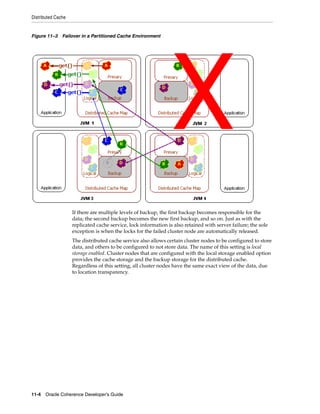
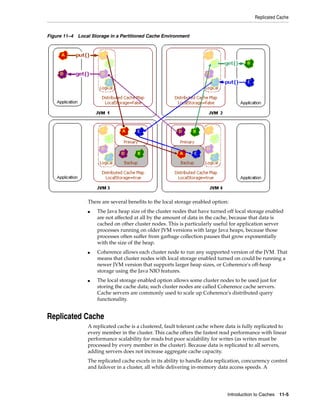
  • 101.
    Stopping Cluster Members DisablingLocal Storage Cache clients that use the partition cache service (distributed caches) should not maintain any partitioned data. Cache clients that join the cluster in this perform better and use less resources. Partitioned data should only be distributed among cache server instances. Local storage is disabled on a per-process basis using the tangosol.coherence.distributed.localstorage system property. This allows cache clients and servers to use the same configuration descriptors. For example: java -cp COHERENCE_HOMEconfig;COHERENCE_HOMElibcoherence.jar -Dtangosol.coherence.distributed.localstorage=false com.MyApp Using the CacheFactory Class to Start a Cache Client Any application that uses the com.tangosol.net.CacheFactory class to get an instance of a cache becomes a cluster member and is considered a cache client. The following example demonstrates the most common way of starting a cache client: CacheFactory.ensureCluster(); NamedCache cache = CacheFactory.getCache("cache_name"); When starting an application that is a cache client, use the Java -cp option to indicate the location of the coherence.jar file and the location where the tangosol-coherence-override.xml and coherence-cache-config.xml files are located. The location of the configuration files must precede the cohernce.jar file on the classpath; otherwise, the default configuration files that are located in the coherence.jar file are used to start the cache server instance. See Chapter 3, "Understanding Configuration," for detailed information on configuration files. For example: java -cp COHERENCE_HOMEconfig;COHERENCE_HOMElibcoherence.jar -Dtangosol.coherence.distributed.localstorage=false com.MyApp Stopping Cluster Members The following topics are included in this section: ■ Stopping Cluster Members From the Command Line ■ Stopping Cache Servers Programmatically Stopping Cluster Members From the Command Line Cluster members are most often shutdown using the kill command when on the UNIX platform and Ctrl+c when on the Windows platform. These commands initiate the standard JVM shutdown hook which is invoked upon normal JVM termination. Note: Issuing the kill -9 command triggers an abnormal JVM termination and the shutdown hook does not run. However, a graceful shutdown is generally not required if a service is known to be node-safe (as seen using JMX management) before termination. Starting and Stopping Cluster Members 7-3
  • 102.
    Stopping Cluster Members The action a cluster member takes when receiving a shutdown command is configured in the operational override file within the <shutdown-listener> element. The following options are available: ■ none — perform no explicit shutdown actions. This is the suggested value for production unless testing has verified that the behavior on external shutdown is exactly what is desired. ■ force — (default) perform a hard-stop on the node by calling Cluster.stop(). This is the default out-of-box action. ■ graceful — perform a normal shutdown by calling Cluster.shutdown() ■ true — same as force ■ false — same as none The following example sets the shutdown hook to none. <?xml version='1.0'?> <coherence xmlns:xsi="http://www.w3.org/2001/XMLSchema-instance" xmlns="http://xmlns.oracle.com/coherence/coherence-operational-config" xsi:schemaLocation="http://xmlns.oracle.com/coherence/ coherence-operational-config coherence-operational-config.xsd"> <cluster-config> <shutdown-listener> <enabled system-property="tangosol.coherence.shutdownhook">none</enabled> </shutdown-listener> </cluster-config> </coherence> The tangosol.coherence.shutdownhook system property is used to specify the shutdown hook behavior instead of using the operational override file. For example: -Dtangosol.coherence.shutdownhook=none Stopping Cache Servers Programmatically The DefaultCacheServer class provides two methods that are used to shutdown a cache server: Note: Shutdown is supposed to be called in a standalone application where it shuts down the instance which the DefaultCacheServer class itself maintains as a static member. ■ shutdown() – This is a static method that is used to shut down a cache server that was started on a different thread using the DefaultCacheServer.main() or DefaultCacheServer.start() methods. ■ shutdownServer() – This method is called on a DefaultCacheServer instance which an application keeps hold of. 7-4 Oracle Coherence Developer's Guide
  • 103.
    8 DynamicallyManaging Cluster Membership 8 Coherence manages cluster membership by automatically adding new servers to the cluster when they start and automatically detecting their departure when they are shut down or fail. Applications have full access to this information and can sign up to receive event notifications when members join and leave the cluster. Coherence also tracks all the services that each member is providing and consuming. This information is used to, among other things, plan for service resiliency in case of server failure and to load-balance data management across all members of the cluster. The following sections are included in this chapter: ■ Using the Cluster and Service Objects ■ Using the Member Object ■ Listening to Member Events Using the Cluster and Service Objects From any cache, the application can obtain a reference to the local representation of a cache's service. From any service, the application can obtain a reference to the local representation of the cluster. CacheService service = cache.getCacheService(); Cluster cluster = service.getCluster(); From the Cluster object, the application can determine the set of services that run in the cluster. This is illustrated in Example 8–1. Example 8–1 Determining Services Running in the Cluster ... for (Enumeration enum = cluster.getServiceNames(); enum.hasMoreElements(); ) { String sName = (String) enum.nextElement(); ServiceInfo info = cluster.getServiceInfo(sName); // ... } ... The ServiceInfo object provides information about the service, including its name, type, version and membership. For more information on this feature, see the API documentation for NamedCache, CacheService, Service, ServiceInfo and Cluster. Dynamically Managing Cluster Membership 8-1
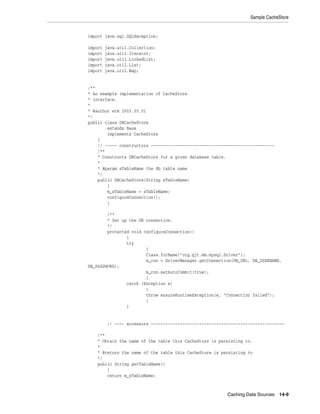
  • 104.
    Using the MemberObject Using the Member Object The primary information that an application can determine about each member in the cluster is: ■ The Member's IP address ■ What date/time the Member joined the cluster As an example, if there are four servers in the cluster with each server running one copy ("instance") of the application and all four instances of the application are clustered, then the cluster is composed of four Members. From the Cluster object, the application can determine what the local Member is: Member memberThis = cluster.getLocalMember(); From the Cluster object, the application can also determine the entire set of cluster members: Set setMembers = cluster.getMemberSet(); From the ServiceInfo object, the application can determine the set of cluster members that are participating in that service: ServiceInfo info = cluster.getServiceInfo(sName); Set setMembers = info.getMemberSet(); For more information on this feature, see the API documentation for Member. Listening to Member Events Applications must create a class that implements the MemberListener interface (see Example 8–2) to listen for cluster and service membership changes. The listener class is then added on a service by either using the service’s addMemberListener method or by adding a <member-listener> element to a cache scheme definition. There are two advantages to using the configuration approach versus the programmatic approach. First, programmatically, listeners can only be added to a service that is running. As such, the first MEMBER_JOINED event is missed. Secondly, the addMemberListener call must be issued on each and every cluster node that runs the corresponding service. The configuration approach solves both of these issues. The following example adds a listener implementation named MyMemberListener to a service using the addMemberListener method: Service service = cache.getCacheService(); service.addMemberListener(package.MyMemberListener); The service can also be looked up by its name: Service service = cluster.getService(sName); service.addMemberListener(package.MyMemberListener); The following example adds a listener implementation named MyMemberListener to a service named DistributedCache by adding the <member-listener> element to a distributed cache scheme definition: <distributed-scheme> <scheme-name>example-distributed</scheme-name> <service-name>DistributedCache</service-name> <member-listener> 8-2 Oracle Coherence Developer's Guide
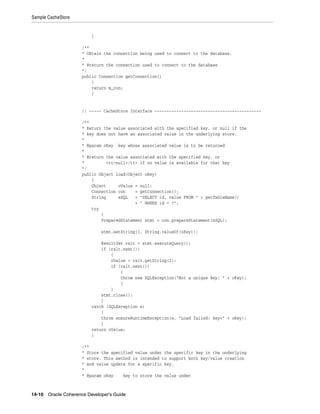
  • 105.
    Listening to MemberEvents <class-name>package.MyMemberListener</class-name> </member-listener> <backing-map-scheme> <local-scheme> <scheme-ref>example-binary-backing-map</scheme-ref> </local-scheme> </backing-map-scheme> <autostart>true</autostart> </distributed-scheme> The <member-listener> element can be used within the <distributed-scheme>, <replicated-scheme>, <optimistic-scheme>, <invocation-scheme>, and <proxy-scheme> elements. See Appendix B, "Cache Configuration Elements" for a reference of valid cache configuration elements. Note: A MemberListener implementation must have a public default constructor when using the <member-listener> element to add a listener to a service. Example 8–2 demonstrates a MemberListener implementation that prints out all the membership events that it receives: Example 8–2 A Sample MemberListener Implementation public class MemberEventPrinter extends Base implements MemberListener { public void memberJoined(MemberEvent evt) { out(evt); } public void memberLeaving(MemberEvent evt) { out(evt); } public void memberLeft(MemberEvent evt) { out(evt); } } The MemberEvent object carries information about the event type (either MEMBER_ JOINED, MEMBER_LEAVING, or MEMBER_LEFT), the member that generated the event, and the service that acts as the source of the event. Additionally, the event provides a method, isLocal(), that indicates to the application that it is this member that is joining or leaving the cluster. This is useful for recognizing soft restarts in which an application automatically rejoins a cluster after a failure occurs. Note: Calling the CacheFactory.shutdown() method unregisters all listeners. In this case, both the MEMBER_LEAVING and MEMBER_ LEFT events are sent. If a member terminates for any other reason, only the MEMBER_LEFT event is sent. Dynamically Managing Cluster Membership 8-3
  • 106.
    Listening to MemberEvents Example 8–3 illustrates how information encapsulated in a MemberEvent object can be used. Example 8–3 Using Event Type Information in a MemberEvent Object public class RejoinEventPrinter extends Base implements MemberListener { public void memberJoined(MemberEvent evt) { if (evt.isLocal()) { out("this member just rejoined the cluster: " + evt); } } public void memberLeaving(MemberEvent evt) { } public void memberLeft(MemberEvent evt) { } } For more information on these feature, see the API documentation for Service, MemberListener and MemberEvent. 8-4 Oracle Coherence Developer's Guide
  • 107.
    9 9Tuning TCMP Behavior This chapter provides instructions for changing default TCMP settings. A brief overview of TCMP is also provided. See "Understanding TCMP" on page 5-1 for additional details on TCMP. Also, see Oracle Coherence Administrator's Guide the which includes many tuning recommendations and instructions. The following sections are included in this chapter: ■ Overview of TCMP Data Transmission ■ Throttling Data Transmission ■ Bundling Packets to Reduce Load ■ Changing Packet Retransmission Behavior ■ Configuring the Transmission Packet Pool Size ■ Configuring the Size of the Packet Buffers ■ Adjusting the Maximum Size of a Packet ■ Changing the Packet Speaker Volume Threshold ■ Changing Message Handler Behavior ■ Changing the TCMP Socket Provider Implementation Overview of TCMP Data Transmission Cluster members communicate using Tangosol Cluster Management Protocol (TCMP). TCMP is an IP-based protocol that is used to discover cluster members, manage the cluster, provision services, and transmit data. TCMP is an asynchronous protocol; communication is never blocking even when many threads on a server are communicating at the same time. Asynchronous communication also means that the latency of the network (for example, on a routed network between two different sites) does not affect cluster throughput, although it affects the speed of certain operations. The TCMP protocol is very tunable to take advantage of specific network topologies, or to add tolerance for low-bandwidth and high-latency segments in a geographically distributed cluster. Coherence comes with a pre-set configuration. Some TCMP attributes are dynamically self-configuring at run time, but can also be overridden and locked down for deployment purposes. TCMP behavior should always be changed based on performance testing. Coherence includes a datagram test that is used to evaluate TCMP data transmission performance over the network. See Oracle Coherence Administrator's Guide for instructions on using the datagram test utility to test network performance. Tuning TCMP Behavior 9-1
  • 108.
    Throttling Data Transmission TCMP data transmission behavior is configured within the tangosol-coherence-override.xml file using the <packet-publisher>, <packet-speaker>, <incoming-message-handler>, and <outgoing-message-handler> elements. See Appendix A, "Operational Configuration Elements," for a reference of all TCMP-related elements that are discussed in this chapter. Throttling Data Transmission The speed at which data is transmitted is controlled using the <flow-control> and <traffic-jam> elements. These elements can help achieve the greatest throughput with the least amount of packet failure. The throttling settings discussed in this section are typically changed when dealing with slow networks, or small packet buffers. The following topics are included in this section: ■ Adjusting Packet Flow Control Behavior ■ Disabling Packet Flow Control ■ Adjusting Packet Traffic Jam Behavior Adjusting Packet Flow Control Behavior Flow control is used to dynamically throttle the rate of packet transmission to a given cluster member based on point-to-point transmission statistics which measure the cluster member’s responsiveness. Flow control stops a cluster member from being flooded with packets while it is incapable of responding. Flow control is configured within the <flow-control> element. There are two settings that are used to adjust flow control behavior: ■ <pause-detection> – This setting controls the maximum number of packets that are resent to an unresponsive cluster member before determining that the member is paused. When a cluster member is marked as paused, packets addressed to it are sent at a lower rate until the member resumes responding. Pauses are typically due to long garbage collection intervals. The value is specified using the <maximum-packets> element and defaults to 16 packets. A value of 0 disables pause detection. ■ <outstanding-packets> – This setting is used to define the number of unconfirmed packets that are sent to a cluster member before packets addressed to that member are deferred. The value may be specified as either an explicit number by using the <maximum-packets> element, or as a range by using both a <maximum-packets> and <minimum-packets> elements. When a range is specified, this setting is dynamically adjusted based on network statistics. The maximum value should always be greater than 256 packets and defaults to 4096 packets. The minimum range should always be greater than 16 packets an defaults to 64 packets. To adjust flow control behavior, edit the operational override file and add the <pause-detection> and <outstanding-packets> elements as follows: <?xml version='1.0'?> <coherence xmlns:xsi="http://www.w3.org/2001/XMLSchema-instance" xmlns="http://xmlns.oracle.com/coherence/coherence-operational-config" xsi:schemaLocation="http://xmlns.oracle.com/coherence/ coherence-operational-config coherence-operational-config.xsd"> <cluster-config> 9-2 Oracle Coherence Developer's Guide
  • 109.
    Throttling Data Transmission <packet-publisher> <packet-delivery> <flow-control> <pause-detection> <maximum-packets>32</maximum-packets> </pause-detection> <outstanding-packets> <maximum-packets>2048</maximum-packets> <minimum-packets>128</minimum-packets> </outstanding-packets> </flow-control> </packet-delivery> </packet-publisher> </cluster-config> </coherence> Disabling Packet Flow Control To disable flow control, edit the operational override file and add an <enabled> element, within the <flow-control> element, that is set to false. For example <?xml version='1.0'?> <coherence xmlns:xsi="http://www.w3.org/2001/XMLSchema-instance" xmlns="http://xmlns.oracle.com/coherence/coherence-operational-config" xsi:schemaLocation="http://xmlns.oracle.com/coherence/ coherence-operational-config coherence-operational-config.xsd"> <cluster-config> <packet-publisher> <packet-delivery> <flow-control> <enabled>false</enabled> </flow-control> </packet-delivery> </packet-publisher> </cluster-config> </coherence> Adjusting Packet Traffic Jam Behavior A packet traffic jam is when the number of pending packets that are enqueued by client threads for the packet publisher to transmit on the network grows to a level that the packet publisher considers intolerable. Traffic jam behavior is configured within the <traffic-jam> element. There are two settings that are used to adjust traffic jam behavior: ■ <maximum-packets> – This setting controls the maximum number of pending packets that the packet publisher tolerates before determining that it is clogged and must slow down client requests (requests from local non-system threads). When the configured maximum packets limit is exceeded, client threads are forced to pause until the number of outstanding packets drops below the specified limit. This setting prevents most unexpected out-of-memory conditions by limiting the size of the resend queue. A value of 0 means no limit. The default value is 8192. ■ <pause-milliseconds> – This setting controls the number of milliseconds that the publisher pauses a client thread that is trying to send a message when the publisher is clogged. The publisher does not allow the message to go through until Tuning TCMP Behavior 9-3
  • 110.
    Bundling Packets toReduce Load the clog is gone, and repeatedly sleeps the thread for the duration specified by this property. The default value is 10. Specifying a packet limit which is to low, or a pause which is to long, may result in the publisher transmitting all pending packets and being left without packets to send. A warning is periodically logged if this condition is detected. Ideal values ensure that the publisher is never left without work to do, but at the same time prevent the queue from growing uncontrollably. The pause should be set short (10ms or under) and the limit on the number of packets be set high (that is, greater than 5000). When the <traffic-jam> element is used with the <flow-control> element, the setting operates in a point-to-point mode, only blocking a send if the recipient has too many packets outstanding. It is recommended that the <traffic-jam> element’s <maximum-packets> subelement value be greater than the <maximum-packets> value for the <outstanding-packets> element. When <flow-control> is disabled, the <traffic-jam> setting takes all outstanding packets into account. To adjust the enqueue rate behavior, edit the operational override file and add the <maximum-packets> and <pause-milliseconds> elements as follows: <?xml version='1.0'?> <coherence xmlns:xsi="http://www.w3.org/2001/XMLSchema-instance" xmlns="http://xmlns.oracle.com/coherence/coherence-operational-config" xsi:schemaLocation="http://xmlns.oracle.com/coherence/ coherence-operational-config coherence-operational-config.xsd"> <cluster-config> <packet-publisher> <traffic-jam> <maximum-packets>8192</maximum-packets> <pause-milliseconds>10</pause-milliseconds> </traffic-jam> </packet-publisher> </cluster-config> </coherence> Bundling Packets to Reduce Load Multiple small packets can be bundled into a single larger packet to reduce the load on the network switching infrastructure. Packet bundling is configured within the <packet-bundling> element and includes the following settings: ■ <maximum-defferal-time> – This setting specifies the maximum amount of time to defer a packet while waiting for additional packets to bundle. A value of zero results in the algorithm not waiting, and only bundling the readily accessible packets. A value greater than zero causes some transmission deferral while waiting for additional packets to become available. This value is typically set below 250 microseconds to avoid a detrimental throughput impact. If the units are not specified, nanoseconds are assumed. The default value is 1us (microsecond). ■ <agression-factor> – This setting specifies the aggressiveness of the packet deferral algorithm. Where as the <maximum-deferral-time> element defines the upper limit on the deferral time, the <aggression-factor> influences the average deferral time. The higher the aggression value, the longer the publisher may wait for additional packets. The factor may be expressed as a real number, and often times values between 0.0 and 1.0 allows for high packet utilization while keeping latency to a minimum. The default value is 0. 9-4 Oracle Coherence Developer's Guide
  • 111.
    Changing Packet RetransmissionBehavior The default packet-bundling settings are minimally aggressive allowing for bundling to occur without adding a measurable delay. The benefits of more aggressive bundling is based on the network infrastructure and the application object's typical data sizes and access patterns. To adjust packet bundling behavior, edit the operational override file and add the <maximum-defferal-time> and <agression-factor> elements as follows: <?xml version='1.0'?> <coherence xmlns:xsi="http://www.w3.org/2001/XMLSchema-instance" xmlns="http://xmlns.oracle.com/coherence/coherence-operational-config" xsi:schemaLocation="http://xmlns.oracle.com/coherence/ coherence-operational-config coherence-operational-config.xsd"> <cluster-config> <packet-publisher> <packet-delivery> <packet-bundling> <maximum-deferral-time>1us</maximum-deferral-time> <aggression-factor>0</aggression-factor> </packet-bundling> </packet-delivery> </packet-publisher> </cluster-config> </coherence> Changing Packet Retransmission Behavior TCMP utilizes notification packets to acknowledge the receipt of packets which require confirmation. A positive acknowledgment (ACK) packet indicates that a packet was received correctly and that the packet must not be resent. Multiple ACKs for a given sender are batched into a single ACK packet to avoid wasting network bandwidth with many small ACK packets. Packets that have not been acknowledged are retransmitted based on the packet publisher’s configured resend interval. A negative acknowledgment (NACK) packet indicates that the packet was received incorrectly and causes the packet to be retransmitted. Negative acknowledgment is determined by inspecting packet ordering for packet loss. Negative acknowledgment causes a packet to be resent much quicker than relying on the publisher’s resend interval. See "Disabling Negative Acknowledgments" on page 9-12 to disable negative acknowledgments. The following topics are included in this section: ■ Changing the Packet Resend Interval ■ Changing the Packet Resend Timeout ■ Configuring Packet Acknowledgment Delays Changing the Packet Resend Interval The packet resend interval specifies the minimum amount of time, in milliseconds, that the packet publisher waits for a corresponding ACK packet, before resending a packet. The default resend interval is 200 milliseconds. To change the packet resend interval, edit the operational override file and add a <resend-milliseconds> element as follows: <?xml version='1.0'?> Tuning TCMP Behavior 9-5
  • 112.
    Changing Packet RetransmissionBehavior <coherence xmlns:xsi="http://www.w3.org/2001/XMLSchema-instance" xmlns="http://xmlns.oracle.com/coherence/coherence-operational-config" xsi:schemaLocation="http://xmlns.oracle.com/coherence/ coherence-operational-config coherence-operational-config.xsd"> <cluster-config> <packet-publisher> <packet-delivery> <resend-milliseconds>400</resend-milliseconds> </packet-delivery> </packet-publisher> </cluster-config> </coherence> Changing the Packet Resend Timeout The packet resend timeout interval specifies the maximum amount of time, in milliseconds, that a packet continues to be resent if no ACK packet is received. After this timeout expires, a determination is made if the recipient is to be considered terminated. This determination takes additional data into account, such as if other nodes are still able to communicate with the recipient. The default value is 300000 milliseconds. For production environments, the recommended value is the greater of 300000 and two times the maximum expected full GC duration. Note: The default death detection mechanism is the TCP-ring listener, which detects failed cluster members before the resend timeout interval is ever reached. See "Configuring Death Detection" on page 6-13 for more information on death detection. To change the packet resend timeout interval, edit the operational override file and add a <timeout-milliseconds> element as follows: <?xml version='1.0'?> <coherence xmlns:xsi="http://www.w3.org/2001/XMLSchema-instance" xmlns="http://xmlns.oracle.com/coherence/coherence-operational-config" xsi:schemaLocation="http://xmlns.oracle.com/coherence/ coherence-operational-config coherence-operational-config.xsd"> <cluster-config> <packet-publisher> <packet-delivery> <timeout-milliseconds>420000</timeout-milliseconds> </packet-delivery> </packet-publisher> </cluster-config> </coherence> Configuring Packet Acknowledgment Delays The amount of time the packet publisher waits before sending ACK and NACK packets can be changed as required. The ACK and NACK packet delay intervals are configured within the <notification-queueing> eminent using the following settings: 9-6 Oracle Coherence Developer's Guide
  • 113.
    Configuring the TransmissionPacket Pool Size ■ <ack-delay-milliseconds> – This element specifies the maximum number of milliseconds that the packet publisher delays before sending an ACK packet. The ACK packet may be transmitted earlier if multiple batched acknowledgments fills the ACK packet. This value should be set substantially lower then the remote member's packet delivery resend timeout to allow ample time for the ACK to be received and processed before the resend timeout expires. The default value is 16. ■ <nack-delay-milliseconds> – This element specifies the number of milliseconds that the packet publisher delays before sending a NACK packet. The default value is 1. To change the ACK and NACK delay intervals, edit the operational override file and add the <ack-delay-milliseconds> and <nack-delay-milliseconds> elements as follows: <?xml version='1.0'?> <coherence xmlns:xsi="http://www.w3.org/2001/XMLSchema-instance" xmlns="http://xmlns.oracle.com/coherence/coherence-operational-config" xsi:schemaLocation="http://xmlns.oracle.com/coherence/ coherence-operational-config coherence-operational-config.xsd"> <cluster-config> <packet-publisher> <notification-queueing> <ack-delay-milliseconds>32</ack-delay-milliseconds> <nack-delay-milliseconds>1</nack-delay-milliseconds> </notification-queueing> </packet-publisher> </cluster-config> </coherence> Configuring the Transmission Packet Pool Size The transmission packet pool is a buffer for use in transmitting UDP packets. Unlike the packet buffers, this buffer is internally managed by Coherence rather then the operating system and is allocated on the JVM's heap. The packet pool is used as a reusable buffer between Coherence network services and allows for faster socket-layer processing at the expense of increased memory usage. The pool is initially empty and grows on demand up to the specified size limit; therefore, memory is reserved only when it is needed which allows the buffer to conserve memory. The transmission packet pool size controls the maximum number of packets which can be queued on the packet speaker before the packet publisher must block. The pool is configured within the <packet-publisher> node using the <packet-pool> element. The <size> element is used to specify the maximum size of the pool. The value is entered in bytes. By default, the size is unspecified and the default value is 0. A zero value indicates that the buffer is calculated by factoring the preferred MTU size with 2048. If a size is explicitly defined, then the number of packets is calculated as pool size/MTU size. See "Configuring the Incoming Handler’s Packet Pool" on page 9-13 for instructions on configuring the incoming handler’s packet pool size. To configure the transmission packet pool size, edit the operational override file and add the <packet-pool> element as follows: <?xml version='1.0'?> <coherence xmlns:xsi="http://www.w3.org/2001/XMLSchema-instance" Tuning TCMP Behavior 9-7
  • 114.
    Configuring the Sizeof the Packet Buffers xmlns="http://xmlns.oracle.com/coherence/coherence-operational-config" xsi:schemaLocation="http://xmlns.oracle.com/coherence/ coherence-operational-config coherence-operational-config.xsd"> <cluster-config> <packet-publisher> <packet-pool> <size>3072</size> </packet-pool> </packet-publisher> </cluster-config> </coherence> Configuring the Size of the Packet Buffers Packet buffers are operating system buffers used by datagram sockets (also referred to as socket buffers). Packet buffers can be configured to control how many packets the operating system is requested to buffer. Packet buffers are used by unicast and multicast listeners (inbound buffers) and by the packet publisher (outbound buffer). The following topics are included in this section: ■ Understanding Packet Buffer Sizing ■ Configuring the Outbound Packet Buffer Size ■ Configuring the Inbound Packet Buffer Size Understanding Packet Buffer Sizing Packet buffer size can be configured based on either the number of packets or based on bytes using the following settings: ■ <maximum-packets> – This setting specifies the number of packets (based on the configured packet size) that the datagram socket is asked to size itself to buffer. See java.net.SocketOptions#SO_SNDBUF and java.net.SocketOptions#SO_RCVBUF properties for additional details. Actual buffer sizes may be smaller if the underlying socket implementation cannot support more than a certain size. ■ <size> – Specifies the requested size of the underlying socket buffer in bytes. The operating system only treats the specified packet buffer size as a hint and is not required to allocate the specified amount. In the event that less space is allocated then requested, Coherence issues a warning and continues to operate with the constrained buffer, which may degrade performance. See Oracle Coherence Administrator's Guide for details on configuring your operating system to allow larger buffers. Large inbound buffers can help insulate the Coherence network layer from JVM pauses that are caused by the Java Garbage Collector. While the JVM is paused, Coherence cannot dequeue packets from any inbound socket. If the pause is long enough to cause the packet buffer to overflow, the packet reception is delayed as the originating node must detect the packet loss and retransmit the packet(s). Configuring the Outbound Packet Buffer Size The outbound packet buffer is used by the packet publisher when transmitting packets. When making changes to the buffer size, performance should be evaluated both in terms of throughput and latency. A large buffer size may allow for increased throughput, while a smaller buffer size may allow for decreased latency. 9-8 Oracle Coherence Developer's Guide
  • 115.
    Configuring the Sizeof the Packet Buffers To configure the outbound packet buffer size, edit the operational override file and add a <packet-buffer> element within the <packet-publisher> node and specify the packet buffer size using either the <size> element (for bytes) or the <maximum-packets> element (for packets). The default value is 32 packets. The following example demonstrates specifying the packet buffer size based on the number of packets: <?xml version='1.0'?> <coherence xmlns:xsi="http://www.w3.org/2001/XMLSchema-instance" xmlns="http://xmlns.oracle.com/coherence/coherence-operational-config" xsi:schemaLocation="http://xmlns.oracle.com/coherence/ coherence-operational-config coherence-operational-config.xsd"> <cluster-config> <packet-publisher> <packet-buffer> <maximum-packets>64</maximum-packets> </packet-buffer> </packet-publisher> </cluster-config> </coherence> Configuring the Inbound Packet Buffer Size The multicast listener and unicast listener each have their own inbound packet buffer. To configure an inbound packet buffer size, edit the operational override file and add a <packet-buffer> element (within either a <multicast-listener> or <unicast-listener> node, respectively) and specify the packet buffer size using either the <size> element (for bytes) or the <maximum-packets> element (for packets). The default value is 64 packets for the multicast listener and 1428 packets for the unicast listener. The following example specifies the packet buffer size for the unicast listener and is entered using bytes: <?xml version='1.0'?> <coherence xmlns:xsi="http://www.w3.org/2001/XMLSchema-instance" xmlns="http://xmlns.oracle.com/coherence/coherence-operational-config" xsi:schemaLocation="http://xmlns.oracle.com/coherence/ coherence-operational-config coherence-operational-config.xsd"> <cluster-config> <unicast-listener> <packet-buffer> <size>1500000</size> </packet-buffer> </unicast-listener> </cluster-config> </coherence> The following example specifies the packet buffer size for the multicast listener and is entered using packets: <?xml version='1.0'?> <coherence xmlns:xsi="http://www.w3.org/2001/XMLSchema-instance" xmlns="http://xmlns.oracle.com/coherence/coherence-operational-config" xsi:schemaLocation="http://xmlns.oracle.com/coherence/ coherence-operational-config coherence-operational-config.xsd"> Tuning TCMP Behavior 9-9
  • 116.
    Adjusting the MaximumSize of a Packet <cluster-config> <packet-publisher> <packet-buffer> <maximum-packets>128</maximum-packets> </packet-buffer> </packet-publisher> </cluster-config> </coherence> Adjusting the Maximum Size of a Packet The maximum and preferred UDP packet sizes can be adjusted to optimize the efficiency and throughput of cluster communication. All cluster nodes must use identical maximum packet sizes. For optimal network utilization, this value should be 32 bytes less then the network maximum transmission unit (MTU). Note: When specifying a UDP packet size larger then 1024 bytes on Microsoft Windows a registry setting must be adjusted to allow for optimal transmission rates. The COHRENCE_ HOME/bin/optimize.reg registration file contains the registry settings. See Oracle Coherence Administrator's Guide for details on setting the Datagram size on Windows. Packet size is configured within the <packet-size> element and includes the following settings: ■ <maximum-length> – Specifies the packet size, in bytes, which all cluster members can safely support. This value must be the same for all members in the cluster. A low value can artificially limit the maximum size of the cluster. This value should be at least 512. The default value is 64KB. ■ <preferred-length> – Specifies the preferred size, in bytes, of the DatagramPacket objects that is sent and received on the unicast and multicast sockets. This value can be larger or smaller then the <maximum-length> value, and need not be the same for all cluster members. The ideal value is one which fits within the network MTU, leaving enough space for either the UDP or TCP packet headers, which are 32 and 52 bytes respectively. This value should be at least 512 and defaults to a value based on the local nodes MTU. An MTU of 1500 is assumed if the MTU cannot be obtained. To adjust the packet size, edit the operational override file and add the <maximum-length> and <preferred-length> elements as follows: <?xml version='1.0'?> <coherence xmlns:xsi="http://www.w3.org/2001/XMLSchema-instance" xmlns="http://xmlns.oracle.com/coherence/coherence-operational-config" xsi:schemaLocation="http://xmlns.oracle.com/coherence/ coherence-operational-config coherence-operational-config.xsd"> <cluster-config> <packet-publisher> <packet-size> <maximum-length>49152</maximum-length> <preferred-length>1500</preferred-length> 9-10 Oracle Coherence Developer's Guide
  • 117.
    Changing Message HandlerBehavior </packet-size> </packet-publisher> </cluster-config> </coherence> Changing the Packet Speaker Volume Threshold The packet speaker is responsible for sending packets on the network when the packet-publisher detects that a network send operation is likely to block. This allows the packet publisher to avoid blocking on I/O and continue to prepare outgoing packets. The packet publisher dynamically chooses whether to use the speaker as the packet load changes. When the packet load is relatively low it may be more efficient for the speaker's operations to be performed on the publisher's thread. When the packet load is high using the speaker allows the publisher to continue preparing packets while the speaker transmits them on the network. The packet speaker is configured using the <volume-threshold> element to specify the minimum number of packets which must be ready to be sent for the speaker daemon to be activated. A value of 0 forces the speaker to always be used, while a very high value causes it to never be used. If the value is unspecified (the default), it is set to match the packet buffer. To specify the packet speaker volume threshold, edit the operational override file and add the <volume-threshold> element as follows: <?xml version='1.0'?> <coherence xmlns:xsi="http://www.w3.org/2001/XMLSchema-instance" xmlns="http://xmlns.oracle.com/coherence/coherence-operational-config" xsi:schemaLocation="http://xmlns.oracle.com/coherence/ coherence-operational-config coherence-operational-config.xsd"> <cluster-config> <packet-speaker> <volume-threshold> <minimum-packets>32</minimum-packets> </volume-threshold> </packet-speaker> </cluster-config> </coherence> Changing Message Handler Behavior Cluster services transmit and receive data using message handlers. There is handler for processing incoming data and a handler for processing outgoing data. Both handlers have settings that can be configured as required. The following topics are included in this section: ■ Configuring the Incoming Message Handler ■ Configuring the Outgoing Message Handler Tuning TCMP Behavior 9-11
  • 118.
    Changing Message HandlerBehavior Configuring the Incoming Message Handler The incoming message handler assembles UDP packets into logical messages and dispatches them to the appropriate Coherence service for processing. The incoming message handler is configured within the <incoming-message-handler> element. The following topics are included in this section: ■ Changing the Time Variance ■ Disabling Negative Acknowledgments ■ Configuring the Incoming Handler’s Packet Pool Changing the Time Variance The <maximum-time-variance> element specifies the maximum time variance between sending and receiving broadcast messages when trying to determine the difference between a new cluster member's system time and the cluster time. The smaller the variance, the more certain one can be that the cluster time is closer between multiple systems running in the cluster; however, the process of joining the cluster is extended until an exchange of messages can occur within the specified variance. Normally, a value as small as 20 milliseconds is sufficient; but, with heavily loaded clusters and multiple network hops, a larger value may be necessary. The default value is 16. To change the maximum time variance, edit the operational override file and add the <maximum-time-variance> element as follows: <?xml version='1.0'?> <coherence xmlns:xsi="http://www.w3.org/2001/XMLSchema-instance" xmlns="http://xmlns.oracle.com/coherence/coherence-operational-config" xsi:schemaLocation="http://xmlns.oracle.com/coherence/ coherence-operational-config coherence-operational-config.xsd"> <cluster-config> <incoming-message-handler> <maximum-time-variance>16</maximum-time-variance> </incoming-message-handler> </cluster-config> </coherence> Disabling Negative Acknowledgments Negative acknowledgments can be disabled for the incoming message handler. When disabled, the handler does not notify the packet sender if packets were received incorrectly. In this case, the packet sender waits the specified resend timeout interval before resending the packet. See "Changing Packet Retransmission Behavior" on page 9-5 for more information on packet acknowledgments. To disable negative acknowledgment, edit the operational override file and add a <use-nack-packets> element that is set to false. For example: <?xml version='1.0'?> <coherence xmlns:xsi="http://www.w3.org/2001/XMLSchema-instance" xmlns="http://xmlns.oracle.com/coherence/coherence-operational-config" xsi:schemaLocation="http://xmlns.oracle.com/coherence/ coherence-operational-config coherence-operational-config.xsd"> <cluster-config> <incoming-message-handler> 9-12 Oracle Coherence Developer's Guide
  • 119.
    Changing Message HandlerBehavior <use-nack-packets>false</use-nack-packets> </incoming-message-handler> </cluster-config> </coherence> Configuring the Incoming Handler’s Packet Pool The incoming packet pool is a buffer for use in receiving UDP packets. Unlike the packet buffers, this buffer is internally managed by Coherence rather then the operating system and is allocated on the JVM's heap. The packet pool is used as a reusable buffer between Coherence network services and allows for faster socket-layer processing at the expense of increased memory usage. The pool is initially empty and grows on demand up to the specified size limit; therefore, memory is reserved only when it is needed which allows the buffer to conserve memory. The incoming handler’s packet pool size controls the number of packets which can be queued before the unicast listener and multicast listener must block. The pool is configured within the <incoming-message-handler> node using the <packet-pool> element. The <size> element is used to specify the maximum size of the pool. The value is entered in bytes. By default, the size is unspecified and the default value is 0. A zero value indicates that the buffer is calculated by factoring the preferred MTU size with 2048. If a size is explicitly defined, then the number of packets is calculated as pool size/MTU size. See "Configuring the Transmission Packet Pool Size" on page 9-7 for instructions on configuring the packet pool size used to transmit packets. To configure the incoming handler’s packet pool size, edit the operational override file and add the <size> element as follows: <?xml version='1.0'?> <coherence xmlns:xsi="http://www.w3.org/2001/XMLSchema-instance" xmlns="http://xmlns.oracle.com/coherence/coherence-operational-config" xsi:schemaLocation="http://xmlns.oracle.com/coherence/ coherence-operational-config coherence-operational-config.xsd"> <cluster-config> <incoming-message-handler> <packet-pool> <size>3072</size> </packet-pool> </incoming-message-handler> </cluster-config> </coherence> Configuring the Outgoing Message Handler The outgoing message handler is used by cluster services to process messages that are to be transmitted. The outgoing message handler uses a specialized message pool whose size can be configured as required. The outgoing message handler can also be configured to use a network filter. See Chapter 10, "Using Network Filters," for detailed information on using network filters. The outgoing message handler is configured within the <outgoing-message-handler> element. Tuning TCMP Behavior 9-13
  • 120.
    Changing the TCMPSocket Provider Implementation Configuring the Outgoing Handler’s Message Pool The outgoing message handler uses a message pool to control how many message buffers are pooled for message transmission. Pooling message buffers relieves the pressure on the JVM garbage collector by pooling the memory resources needed for messaging. The message pool contains any number of segments of a specified size. For example, a pool with 4 segments and a segment size of 10MB can hold, at most, 40 MB of space for serialization. The number of segments and the segment size are defined using the <segment> and <segment-size> elements, respectively. Each pool segment stores message buffers of a specific size. The smallest size buffer is defined by the <min-buffer-size> element. The next buffer size for the next segment is then calculated using bitwise left shift using the <growth-factor> value ('min-buffer-size' << growth-factor). A left shift by n is equivalent to multiplying by 2n; where n is the growth factor value. For a growth factor of 2, multiply the minimum buffer size by 4. For a growth factory of 3, multiply the minimum buffer size by 8, and so on. The following example shows the default pool values and results in a message pool that is 64MB in total size where: the first pool segment contains message buffers of 1KB; the second pool segment contains message buffers of 4KB; the third pool segment contains message buffers of 16KB; and the fourth pool segment contains message buffers of 64KB. Using the same default values but increasing the growth factor to 3, results in buffer sizes of 1KB, 8KB, 64KB, and 512KB. <?xml version='1.0'?> <coherence xmlns:xsi="http://www.w3.org/2001/XMLSchema-instance" xmlns="http://xmlns.oracle.com/coherence/coherence-operational-config" xsi:schemaLocation="http://xmlns.oracle.com/coherence/ coherence-operational-config coherence-operational-config.xsd"> <cluster-config> <outgoing-message-handler> <message-pool> <segments>4</segments> <segment-size>16MB</segment-size> <min-buffer-size>1KB</min-buffer-size> <growth-factor>2</growth-factor> </message-pool> </outgoing-message-handler> </cluster-config> </coherence> Space that is claimed for network buffers (in and out) and serialization buffers is periodically reclaimed when the capacity is higher than the actual usage. Changing the TCMP Socket Provider Implementation Coherence provides three underlying socket provider implementations for use by TCMP: ■ system socket provider (default) – A socket provider that produces instances of the JVM's default socket and channel implementations. ■ TCP socket provider – A socket provider that produces TCP-based sockets and channel implementations. ■ SSL socket provider – A socket provider that produces socket and channel implementations which use SSL. 9-14 Oracle Coherence Developer's Guide
  • 121.
    Changing the TCMPSocket Provider Implementation custom socket providers can also be enabled as required. Socket providers for use by TCMP are configured for the unicast listener within the <unicast-listener> element. The following topics are included in this section: ■ Using the TCP Socket Provider ■ Using the SSL Socket Provider ■ Enabling a Custom Socket Provider Using the TCP Socket Provider The TCP socket provider is a socket provider which, whenever possible, produces TCP-based sockets. This socket provider creates DatagramSocket instances which are backed by TCP. When used with the WKA feature (mulitcast disabled), TCMP functions entirely over TCP without the need for UDP. Note: if this socket provider is used without the WKA feature (multicast enabled), TCP is used for all unicast communications; while, multicast is utilized for group based communications. The TCP socket provider uses up to two TCP connections between each pair of cluster members. No additional threads are added to manage the TCP traffic as it is all done using nonblocking NIO based sockets. Therefore, the existing TCMP threads handle all the connections. The connections are brought up on demand and are automatically reopened as needed if they get disconnected for any reason. Two connections are utilized because it reduces send/receive contention and noticeably improves performance. TCMP is largely unaware that it is using a reliable protocol and as such still manages guaranteed delivery and flow control. To specify the TCP socket provider, edit the operational override file and add a <socket-provider> element that includes the tcp value. For example: <?xml version='1.0'?> <coherence xmlns:xsi="http://www.w3.org/2001/XMLSchema-instance" xmlns="http://xmlns.oracle.com/coherence/coherence-operational-config" xsi:schemaLocation="http://xmlns.oracle.com/coherence/ coherence-operational-config coherence-operational-config.xsd"> <cluster-config> <unicast-listener> <socket-provider system-property="tangosol.coherence.socketprovider">tcp </socket-provider> </unicast-listener> </cluster-config> </coherence> The tangosol.coherence.socketprovider system property is used to specify the socket provider instead of using the operational override file. For example: -Dtangosol.coherence.socketprovider=tcp Using the SSL Socket Provider The SSL socket provider is a socket provider which only produces SSL protected sockets. This socket provider creates DatagramSocket instances which are backed by Tuning TCMP Behavior 9-15
  • 122.
    Changing the TCMPSocket Provider Implementation SSL/TCP. SSL is not supported for multicast sockets; therefore, the WKA feature (multicast disabled) must be used for TCMP to function with this provider. The default SSL configuration allows for easy configuration of two-way SSL connections, based on peer trust where every trusted peer resides within a single JKS keystore. More elaborate configuration can be defined with alternate identity and trust managers to allow for Certificate Authority trust validation. See Oracle Coherence Security Guide for detailed instructions on configuring and using SSL with TCMP. Enabling a Custom Socket Provider Custom socket providers can be created and enabled for use by TCMP as required. Custom socket providers must implement the com.tangosol.net.SocketProvider interface. See Oracle Coherence Java API Reference for details on this API. Custom socket providers are enabled within the <socket-provider> element using the <instance> element. The preferred approach is to use the <socket-provider> element to reference a custom socket provider configuration that is defined within the <socket-providers> node. The following example demonstrates enabling a custom socket provider by referencing a provider named mySocketProvider which is implemented in the MySocketProvider class. The provider is referenced using the name defined in the id attribute. <?xml version='1.0'?> <coherence xmlns:xsi="http://www.w3.org/2001/XMLSchema-instance" xmlns="http://xmlns.oracle.com/coherence/coherence-operational-config" xsi:schemaLocation="http://xmlns.oracle.com/coherence/ coherence-operational-config coherence-operational-config.xsd"> <cluster-config> <unicast-listener> <socket-provider>mySocketProvider</socket-provider> </unicast-listener> <socket-providers> <socket-provider id="mySocketProvider"> <instance> <class-name>package.MySocketProvider</class-name> </instance> </socket-provider> </socket-providers> </cluster-config> </coherence> As an alternative, the <instance> element supports the use of a <class-factory-name> element to use a factory class that is responsible for creating SocketProvider instances, and a <method-name> element to specify the static factory method on the factory class that performs object instantiation. The following example gets a custom socket provider instance using the createProvider method on the MySocketProviderFactory class. <socket-providers> <socket-provider id="mySocketProvider"> <instance> <class-factory-name>package.MySocketProviderFactory</class-factory-name> <method-name>createProvider</method-name> </instance> 9-16 Oracle Coherence Developer's Guide
  • 123.
    Changing the TCMPSocket Provider Implementation </socket-provider> </socket-providers> Any initialization parameters that are required for an implementation can be specified using the <init-params> element. The following example sets the iMaxTimeout parameter to 2000. <socket-providers> <socket-provider id="mySocketProvider"> <instance> <class-name>package.MySocketProvider</class-name> <init-params> <init-param> <param-name>iMaxTimeout</param-name> <param-value>2000</param-value> </init-param> </init-params> </instance> </socket-provider> </socket-providers> Tuning TCMP Behavior 9-17
  • 124.
    Changing the TCMPSocket Provider Implementation 9-18 Oracle Coherence Developer's Guide
  • 125.
    10 10Using Network Filters This chapter provides instructions for using the network filters that are included with Coherence and instructions for creating custom network filters. Note: Network filters are deprecated and will be desupported. Current encryption filter implementations must be migrated to use SSL. See Oracle Coherence Security Guide for detailed instructions on using SSL. There is no replacement for the compression filter. The following sections are included in this chapter: ■ Overview of Network Filters ■ Using the Compression Filter ■ Using the Encryption Filters ■ Using Custom Network Filters Overview of Network Filters A network filter is a mechanism for plugging into the low-level TCMP stream protocol. Every message that is sent across the network by Coherence is streamed through this protocol. Coherence includes the following predefined filters and also supports custom filters as required. ■ Compression Filter – compresses messages to reduce network load. ■ Symmetric Encryption Filter – protects network communication using symmetric encryption. Using SSL is strongly recommended instead of using this filter. See Oracle Coherence Security Guide. ■ PKCS Encryption Filter – protects network communication using asymmetric encryption. Using SSL is strongly recommended instead of using this filter. See Oracle Coherence Security Guide. The predefined filters are defined in the operational deployment descriptor and must be explicitly enabled within a tangosol-coherence-override.xml file. Note: Use filters in an all-or-nothing manner: if one cluster member is using a filter and another is not, the messaging protocol fails. Stop the entire cluster before configuring filters. Using Network Filters 10-1
  • 126.
    Using the CompressionFilter Using the Compression Filter The compression filter is based on the java.util.zip package and compresses message contents to reduce network load. This filter is useful when there is ample CPU available but insufficient network bandwidth. The compression filter is defined in the com.tangosol.net.CompressionFilter class and declared in the operational deployment descriptor within the <filters> node. The compression filter’s configured name is gzip, which is used when enabling the filter for specific services or when enabling the filter for all services. The following topics are included in this section: ■ Enabling the Compression Filter for Specific Services ■ Enabling the Compression Filter for All Services ■ Configuring the Compression Filter Enabling the Compression Filter for Specific Services To enable the compression filter for a specific service, include the <use-filters> element within the service’s definition and add a <filter-name> subelement that is set to gzip. The following example configures the Distributed Cache service definition to enable the compression filter. All services that are instances of this service automatically use the filter. <?xml version='1.0'?> <coherence xmlns:xsi="http://www.w3.org/2001/XMLSchema-instance" xmlns="http://xmlns.oracle.com/coherence/coherence-operational-config" xsi:schemaLocation="http://xmlns.oracle.com/coherence/ coherence-operational-config coherence-operational-config.xsd"> <cluster-config> <services> <service id="3"> <service-type>DistributedCache</service-type> <service-component>PartitionedService.PartitionedCache </service-component> <use-filters> <filter-name>gzip</filter-name> </use-filters> </service> </services> </cluster-config> </coherence> Enabling the Compression Filter for All Services To enable the compression filter for all services, add the <use-filters> element within the <outgoing-message-handler> element and add a <filter-name> subelement that is set to gzip. For example: <?xml version='1.0'?> <coherence xmlns:xsi="http://www.w3.org/2001/XMLSchema-instance" xmlns="http://xmlns.oracle.com/coherence/coherence-operational-config" xsi:schemaLocation="http://xmlns.oracle.com/coherence/ coherence-operational-config coherence-operational-config.xsd"> <cluster-config> <outgoing-message-handler> 10-2 Oracle Coherence Developer's Guide
  • 127.
    Using the CompressionFilter <use-filters> <filter-name>gzip</filter-name> </use-filters> </outgoing-message-handler> </cluster-config> </coherence> Configuring the Compression Filter The compression filter includes parameters that can configure the filter’s behavior. Table 10–1 describes each of the parameters that are available. See java.util.zip.Deflater for additional details. The following example demonstrates configuring the compression filter and changes the default compression strategy and level: <?xml version='1.0'?> <coherence xmlns:xsi="http://www.w3.org/2001/XMLSchema-instance" xmlns="http://xmlns.oracle.com/coherence/coherence-operational-config" xsi:schemaLocation="http://xmlns.oracle.com/coherence/ coherence-operational-config coherence-operational-config.xsd"> <cluster-config> <filters> <filter id="1"> <filter-name>gzip</filter-name> <filter-class>com.tangosol.net.CompressionFilter</filter-class> <init-params> <init-param id="1"> <param-name>strategy</param-name> <param-value>huffman-only</param-value> </init-param> <init-param id="2"> <param-name>level</param-name> <param-value>speed</param-value> </init-param> </init-params> </filter> </filters> </cluster-config> </coherence> Table 10–1 Compression Filter Parameters Parameter Name Description buffer-length Specifies compression buffer length in bytes. Legal values are positive integers or zero. The default value is 0. level Specifies the compression level. Legal values are: ■ default (default) ■ compression ■ speed ■ none Using Network Filters 10-3
  • 128.
    Using the EncryptionFilters Table 10–1 (Cont.) Compression Filter Parameters Parameter Name Description strategy Specifies the compressions strategy. Legal values are: ■ gzip (default) ■ huffman-only ■ filtered ■ default Using the Encryption Filters Coherence ships with two JCA-based encryption filters which can protect the privacy and authenticity of cluster communications: The Symmetric Encryption Filter and the PKCS Encryption Filter. Note: Using SSL is strongly recommended instead of using the encryption filters. See Oracle Coherence Security Guide. The following topics are included in this Section: ■ Enabling the Symmetric Encryption Filter ■ Enabling the PKCS Encryption Filter Enabling the Symmetric Encryption Filter This filter uses symmetric encryption to protect cluster communications. The encryption key is generated from a shared password known to all cluster members. This filter is suitable for small deployments or where the maintenance and protection of a shared password is feasible. To enable this filter, modify specific service definitions to include the filter or enable it for all cluster traffic. The following example enables the filter for all cluster traffic. <?xml version='1.0'?> <coherence xmlns:xsi="http://www.w3.org/2001/XMLSchema-instance" xmlns="http://xmlns.oracle.com/coherence/coherence-operational-config" xsi:schemaLocation="http://xmlns.oracle.com/coherence/ coherence-operational-config coherence-operational-config.xsd"> <cluster-config> <outgoing-message-handler> <use-filters> <filter-name>symmetric-encryption</filter-name> </use-filters> </outgoing-message-handler> </cluster-config> </coherence> The shared password may either be specified in the <filter> section of the tangosol-coherence-override.xml file, or by using the tangosol.coherence.security.password system property. 10-4 Oracle Coherence Developer's Guide
  • 129.
    Using the EncryptionFilters Symmetric Encryption Filter Parameters The symmetric encryption filter supports the parameters listed in Table 10–2. See the com.tangosol.net.security.PasswordBasedEncryptionFilter Javadoc for additional configuration details. Table 10–2 Symmetric Encryption Filter Parameters Parameter Name Description algorithm Specifies the mechanism to use in deriving a secret key from the above material. Default value is PBEWithMD5AndDES. iterations Specifies the iteration count to use in deriving the key. Default value is 32. password Specifies the raw material used to generate the secret key. The system property override is tangosol.coherence.security.password. salt Specifies the salt to use in deriving the key. Default value is nosecret. Enabling the PKCS Encryption Filter This filter uses public key cryptography (asymmetric encryption) to protect the cluster join protocol, and then switches over to much faster symmetric encryption for service level data transfers. Unlike the symmetric encryption filter, there is no persisted shared secret. The symmetric encryption key is randomly generated by the cluster's senior member, and is securely transfer to authenticated cluster members as part of the cluster join protocol. This encryption filter is suitable for deployments where maintenance of a shared secret is not feasible. Note: This filter requires the JVM to be configured with a JCA public key cryptography provider implementation such as Bouncy Castle, which supports asymmetric block ciphers. See the JCA documentation for details on installing and configuring JCA providers. In the default setup each cluster node must be configured with a Java Keystore from which it may retrieve its identity Certificate and associated private key, and a set of trusted Certificates for other cluster members. You can construct this keystore as follows: Create a Java Keystore and the local cluster member's password protected certificate and private key. keytool -genkey -alias local -keypass secret -keyalg rsa -storepass secret -keystore ./keystore.jks Export this public certificate for inclusion in all cluster members keystores. keytool -export -alias local -keypass secret -storepass secret -keystore ./keystore.jks -rfc -file local.cert Import the Certificates of other trusted cluster members. Each certificate must be stored under a unique but otherwise unimportant alias. keytool -import -alias remote_1 -storepass secret -keystore ./keystore.jks -file local_1.cert keytool -import -alias remote_2 -storepass secret -keystore ./keystore.jks -file local_2.cert Using Network Filters 10-5
  • 130.
    Using the EncryptionFilters keytool -import -alias remote_3 -storepass secret -keystore ./keystore.jks -file local_3.cert At this point, there is one keystore per cluster node, each containing a single private key plus a full set of trusted public certificates. If new nodes are to be added to the cluster the keystores of all existing nodes must be updated with the new node's certificate. Note: You may also choose to supply custom key and trust management logic to eliminate the need for a full keystore per node. See the implementation's documentation for details on customization. Lastly, enable the filter for all cluster services by specifying it in the <outgoing-message-handler> element. <?xml version='1.0'?> <coherence xmlns:xsi="http://www.w3.org/2001/XMLSchema-instance" xmlns="http://xmlns.oracle.com/coherence/coherence-operational-config" xsi:schemaLocation="http://xmlns.oracle.com/coherence/ coherence-operational-config coherence-operational-config.xsd"> <cluster-config> <outgoing-message-handler> <use-filters> <filter-name>pkcs-encryption</filter-name> </use-filters> </outgoing-message-handler> </cluster-config> </coherence> The keystore and alias password can be specified either in the <filters> node of the operational configuration file, or by using the tangosol.coherence.security.password system property. Unlike the Symmetric Encryption Filter, this filter is not currently supported by Coherence*Extend, or on a service by service level. Note: Using this filter may require a change to the packet size configuration depending on the size of certificates used. Set the <maximum-length> to a value larger than the certificate size (allowing some overhead). See "packet-size" on page A-51. PKCS Encryption Filter Parameters Table 10–3 lists the parameters supported by the PKCS encryption filter. See the com.tangosol.net.security.ClusterEncryptionFilter Javadoc for additional configuration details. Table 10–3 PKCS Encryption Filter Parameters Parameter Name Description asymmetricFilterClassName Specifies the asymmetric filter implementation. Default value is com.tangosol.net.security.AsymmetricEncryptionF ilter. keyAlias Specifies the alias to use in reading the key from the keystore. 10-6 Oracle Coherence Developer's Guide
  • 131.
    Using Custom NetworkFilters Table 10–3 (Cont.) PKCS Encryption Filter Parameters Parameter Name Description keyPassword Specifies the password to use in reading the key. The preconfigured system property is tangosol.coherence.security.password. store Specifies the path to the KeyStore Default value is .keystore. sharedKeySize Specifies the size of shared key. Default value is 112. sharedKeyType Specifies the type of shared key. Default value is DESede. storePassword Specifies the password to use to access the store If unspecified value of keyPassword parameter is used. storeType Specifies the type of KeyStore. Default value is JKS. transformation Specifies the transformation to use. Default value is RSA/NONE/PKCS1Padding. Using Custom Network Filters Custom network filters can be created as required. Custom filters must implement the com.tangosol.io.WrapperStreamFactory interface and can optionally implement the com.tangosol.run.xml.XmlConfigurable interface. The WrapperStreamFactory interface provides the stream to be wrapped ("filtered") on input (received message) or output (sending message) and expects a stream back that wraps the original stream. These methods are called for each incoming and outgoing message. If the filter class implements the XmlConfigurable interface, then Coherence configures the filter after instantiating it. See Oracle Coherence Java API Reference for details on these APIs. The following topics are included in this section: ■ Declaring a Custom Filter ■ Enabling a Custom Filter for Specific Services ■ Enabling a Custom Filter for All Services Declaring a Custom Filter Custom filters are declared within the <filters> element in the tangosol-coherence-override.xml file. The following example demonstrates defining a custom filter named MyFilter. When declaring a custom filter, the filter id must be greater than 3 because there are three predefined filters that are declared in the operational deployment descriptor. <?xml version='1.0'?> <coherence xmlns:xsi="http://www.w3.org/2001/XMLSchema-instance" xmlns="http://xmlns.oracle.com/coherence/coherence-operational-config" xsi:schemaLocation="http://xmlns.oracle.com/coherence/ coherence-operational-config coherence-operational-config.xsd"> <cluster-config> <filters> <filter id="4"> <filter-name>MyFilter</filter-name> <filter-class>package.MyFilter</filter-class> <init-params> <init-param id="1"> <param-name>foo</param-name> Using Network Filters 10-7
  • 132.
    Using Custom NetworkFilters <param-value>bar</param-value> </init-param> </init-params> </filter> </filters> </cluster-config> </coherence> Enabling a Custom Filter for Specific Services To enable a custom filter for a specific service, include the <use-filters> element within the service’s definition and add a <filter-name> subelement that is set to the filters name. The following example enables a custom filter called MyFilter for the Distributed Cache service. All caches that are derived from this service automatically use the filter. Coherence instantiates the filter when the service starts and holds it until the service stops. <?xml version='1.0'?> <coherence xmlns:xsi="http://www.w3.org/2001/XMLSchema-instance" xmlns="http://xmlns.oracle.com/coherence/coherence-operational-config" xsi:schemaLocation="http://xmlns.oracle.com/coherence/ coherence-operational-config coherence-operational-config.xsd"> <cluster-config> <services> <service id="3"> <service-type>DistributedCache</service-type> <service-component>PartitionedService.PartitionedCache </service-component> <use-filters> <filter-name>MyFilter</filter-name> </use-filters> </service> </services> </cluster-config> </coherence> Enabling a Custom Filter for All Services To enable a custom filter globally for all services, add the <use-filters> element within the <outgoing-message-handler> element and add a <filter-name> subelement that is set to the filter name. The following example enables a custom filter called MyFilter for all services. Coherence instantiates the filter on startup and holds it until the cluster stops. <?xml version='1.0'?> <coherence xmlns:xsi="http://www.w3.org/2001/XMLSchema-instance" xmlns="http://xmlns.oracle.com/coherence/coherence-operational-config" xsi:schemaLocation="http://xmlns.oracle.com/coherence/ coherence-operational-config coherence-operational-config.xsd"> <cluster-config> <outgoing-message-handler> <use-filters> <filter-name>MyFilter</filter-name> </use-filters> </outgoing-message-handler> </cluster-config> </coherence> 10-8 Oracle Coherence Developer's Guide
  • 133.
    Part III Part III Using Caches Part III contains the following chapters: ■ Chapter 11, "Introduction to Caches" ■ Chapter 12, "Configuring Caches" ■ Chapter 13, "Implementing Storage and Backing Maps" ■ Chapter 14, "Caching Data Sources" ■ Chapter 15, "Serialization Paged Cache" ■ Chapter 16, "Using Quorum" ■ Chapter 17, "Cache Configurations by Example"
  • 135.
    11 Introduction to Caches 11 This chapter provides an overview and comparison of basic cache types offered by Coherence. The chapter includes the following sections: ■ Distributed Cache ■ Replicated Cache ■ Optimistic Cache ■ Near Cache ■ Local Cache ■ Remote Cache ■ Summary of Cache Types Distributed Cache A distributed, or partitioned, cache is a clustered, fault-tolerant cache that has linear scalability. Data is partitioned among all the computers of the cluster. For fault-tolerance, partitioned caches can be configured to keep each piece of data on one or more unique computers within a cluster. Distributed caches are the most commonly used caches in Coherence. Coherence defines a distributed cache as a collection of data that is distributed (or, partitioned) across any number of cluster nodes such that exactly one node in the cluster is responsible for each piece of data in the cache, and the responsibility is distributed (or, load-balanced) among the cluster nodes. There are several key points to consider about a distributed cache: ■ Partitioned: The data in a distributed cache is spread out over all the servers in such a way that no two servers are responsible for the same piece of cached data. The size of the cache and the processing power associated with the management of the cache can grow linearly with the size of the cluster. Also, it means that operations against data in the cache can be accomplished with a "single hop," in other words, involving at most one other server. ■ Load-Balanced: Since the data is spread out evenly over the servers, the responsibility for managing the data is automatically load-balanced across the cluster. ■ Location Transparency: Although the data is spread out across cluster nodes, the exact same API is used to access the data, and the same behavior is provided by each of the API methods. This is called location transparency, which means that the developer does not have to code based on the topology of the cache, since the Introduction to Caches 11-1
  • 136.
    Distributed Cache API and its behavior is the same with a local JCache, a replicated cache, or a distributed cache. ■ Failover: All Coherence services provide failover and failback without any data loss, and that includes the distributed cache service. The distributed cache service allows the number of backups to be configured; if the number of backups is one or higher, any cluster node can fail without the loss of data. Access to the distributed cache often must go over the network to another cluster node. All other things equals, if there are n cluster nodes, (n - 1) / n operations go over the network: Figure 11–1 Get Operations in a Partitioned Cache Environment Since each piece of data is managed by only one cluster node, an access over the network is only a "single hop" operation. This type of access is extremely scalable, since it can use point-to-point communication and thus take optimal advantage of a switched network. Similarly, a cache update operation can use the same single-hop point-to-point approach, which addresses a known limitation of a replicated cache, the requirement to push cache updates to all cluster nodes. 11-2 Oracle Coherence Developer's Guide
  • 137.
    Distributed Cache Figure 11–2Put Operations in a Partitioned Cache Environment In the figure above, the data is being sent to a primary cluster node and a backup cluster node. This is for failover purposes, and corresponds to a backup count of one. (The default backup count setting is one.) If the cache data were not critical, which is to say that it could be re-loaded from disk, the backup count could be set to zero, which would allow some portion of the distributed cache data to be lost if a cluster node fails. If the cache were extremely critical, a higher backup count, such as two, could be used. The backup count only affects the performance of cache modifications, such as those made by adding, changing or removing cache entries. Modifications to the cache are not considered complete until all backups have acknowledged receipt of the modification. There is a slight performance penalty for cache modifications when using the distributed cache backups; however it guarantees that if a cluster node were to unexpectedly fail, that data consistency is maintained and no data is lost. Failover of a distributed cache involves promoting backup data to be primary storage. When a cluster node fails, all remaining cluster nodes determine what data each holds in backup that the failed cluster node had primary responsible for when it died. Those data becomes the responsibility of whatever cluster node was the backup for the data: Introduction to Caches 11-3
  • 138.
    Distributed Cache Figure 11–3Failover in a Partitioned Cache Environment If there are multiple levels of backup, the first backup becomes responsible for the data; the second backup becomes the new first backup, and so on. Just as with the replicated cache service, lock information is also retained with server failure; the sole exception is when the locks for the failed cluster node are automatically released. The distributed cache service also allows certain cluster nodes to be configured to store data, and others to be configured to not store data. The name of this setting is local storage enabled. Cluster nodes that are configured with the local storage enabled option provides the cache storage and the backup storage for the distributed cache. Regardless of this setting, all cluster nodes have the same exact view of the data, due to location transparency. 11-4 Oracle Coherence Developer's Guide
  • 139.
    Replicated Cache Figure 11–4Local Storage in a Partitioned Cache Environment There are several benefits to the local storage enabled option: ■ The Java heap size of the cluster nodes that have turned off local storage enabled are not affected at all by the amount of data in the cache, because that data is cached on other cluster nodes. This is particularly useful for application server processes running on older JVM versions with large Java heaps, because those processes often suffer from garbage collection pauses that grow exponentially with the size of the heap. ■ Coherence allows each cluster node to run any supported version of the JVM. That means that cluster nodes with local storage enabled turned on could be running a newer JVM version that supports larger heap sizes, or Coherence's off-heap storage using the Java NIO features. ■ The local storage enabled option allows some cluster nodes to be used just for storing the cache data; such cluster nodes are called Coherence cache servers. Cache servers are commonly used to scale up Coherence's distributed query functionality. Replicated Cache A replicated cache is a clustered, fault tolerant cache where data is fully replicated to every member in the cluster. This cache offers the fastest read performance with linear performance scalability for reads but poor scalability for writes (as writes must be processed by every member in the cluster). Because data is replicated to all servers, adding servers does not increase aggregate cache capacity. The replicated cache excels in its ability to handle data replication, concurrency control and failover in a cluster, all while delivering in-memory data access speeds. A Introduction to Caches 11-5
  • 140.
    Replicated Cache clustered replicated cache is exactly what it says it is: a cache that replicates its data to all cluster nodes. There are several challenges to building a reliable replicated cache. The first is how to get it to scale and perform well. Updates to the cache have to be sent to all cluster nodes, and all cluster nodes have to end up with the same data, even if multiple updates to the same piece of data occur at the same time. Also, if a cluster node requests a lock, it should not have to get all cluster nodes to agree on the lock, otherwise it scales extremely poorly; yet with cluster node failure, all of the data and lock information must be kept safely. Coherence handles all of these scenarios transparently, and provides the most scalable and highly available replicated cache implementation available for Java applications. The best part of a replicated cache is its access speed. Since the data is replicated to each cluster node, it is available for use without any waiting. This is referred to as "zero latency access," and is perfect for situations in which an application requires the highest possible speed in its data access. Each cluster node (JVM) accesses the data from its own memory: Figure 11–5 Get Operation in a Replicated Cache Environment In contrast, updating a replicated cache requires pushing the new version of the data to all other cluster nodes: 11-6 Oracle Coherence Developer's Guide
  • 141.
    Near Cache Figure 11–6Put Operation in a Replicated Cache Environment Coherence implements its replicated cache service in such a way that all read-only operations occur locally, all concurrency control operations involve at most one other cluster node, and only update operations require communicating with all other cluster nodes. The result is excellent scalable performance, and as with all of the Coherence services, the replicated cache service provides transparent and complete failover and failback. The limitations of the replicated cache service should also be carefully considered. First, however much data is managed by the replicated cache service is on each and every cluster node that has joined the service. That means that memory utilization (the Java heap size) is increased for each cluster node, which can impact performance. Secondly, replicated caches with a high incidence of updates do not scale linearly as the cluster grows; in other words, the cluster suffers diminishing returns as cluster nodes are added. Optimistic Cache An optimistic cache is a clustered cache implementation similar to the replicated cache implementation but without any concurrency control. This implementation offers higher write throughput than a replicated cache. It also allows an alternative underlying store for the cached data (for example, a MRU/MFU-based cache). However, if two cluster members are independently pruning or purging the underlying local stores, the store content held by each member may be different. Near Cache A near cache is a hybrid cache; it typically fronts a distributed cache or a remote cache with a local cache. Near cache invalidates front cache entries, using a configured invalidation strategy, and provides excellent performance and synchronization. Near cache backed by a partitioned cache offers zero-millisecond local access for repeat data access, while enabling concurrency and ensuring coherency and fail over, effectively combining the best attributes of replicated and partitioned caches. Introduction to Caches 11-7
  • 142.
    Near Cache The objective of a Near Cache is to provide the best of both worlds between the extreme performance of the Replicated Cache and the extreme scalability of the Distributed Cache by providing fast read access to Most Recently Used (MRU) and Most Frequently Used (MFU) data. Therefore, the Near Cache is an implementation that wraps two caches: a "front cache" and a "back cache" that automatically and transparently communicate with each other by using a read-through/write-through approach. The "front cache" provides local cache access. It is assumed to be inexpensive, in that it is fast, and is limited in terms of size. The "back cache" can be a centralized or multitiered cache that can load-on-demand in case of local cache misses. The "back cache" is assumed to be complete and correct in that it has much higher capacity, but more expensive in terms of access speed. The use of a Near Cache is not confined to Coherence*Extend; it also works with TCMP. This design allows Near Caches to configure cache coherency, from the most basic expiry-based caches and invalidation-based caches, up to advanced caches that version data and provide guaranteed coherency. The result is a tunable balance between the preservation of local memory resources and the performance benefits of truly local caches. The typical deployment uses a Local Cache for the "front cache". A Local Cache is a reasonable choice because it is thread safe, highly concurrent, size-limited, auto-expiring, and stores the data in object form. For the "back cache", a remote, partitioned cache is used. The following figure illustrates the data flow in a Near Cache. If the client writes an object D into the grid, the object is placed in the local cache inside the local JVM and in the partitioned cache which is backing it (including a backup copy). If the client requests the object, it can be obtained from the local, or "front cache", in object form with no latency. Figure 11–7 Put Operations in a Near Cache Environment 11-8 Oracle Coherence Developer's Guide
  • 143.
    Local Cache If the client requests an object that has been expired or invalidated from the "front cache", then Coherence automatically retrieves the object from the partitioned cache. The "front cache" stores the object before the object is delivered to the client. Figure 11–8 Get Operations in a Near Cache Environment Local Cache While it is not a clustered service, the Coherence local cache implementation is often used in combination with various Coherence clustered cache services. The Coherence local cache is just that: a cache that is local to (completely contained within) a particular cluster node. There are several attributes of the local cache that are particularly interesting: ■ The local cache implements the same standard collections interface that the clustered caches implement, meaning that there is no programming difference between using a local or a clustered cache. Just like the clustered caches, the local cache is tracking to the JCache API, which itself is based on the same standard collections API that the local cache is based on. ■ The local cache can be size-limited. The local cache can restrict the number of entries that it caches, and automatically evict entries when the cache becomes full. Furthermore, both the sizing of entries and the eviction policies can be customized. For example, the cache can be size-limited based on the memory used by the cached entries. The default eviction policy uses a combination of Most Frequently Used (MFU) and Most Recently Used (MRU) information, scaled on a logarithmic curve, to determine what cache items to evict. This algorithm is the best general-purpose eviction algorithm because it works well for short duration and long duration caches, and it balances frequency versus recentness to avoid cache thrashing. The pure LRU and pure LFU algorithms are also supported, and the ability to plug in custom eviction policies. Introduction to Caches 11-9
  • 144.
    Remote Cache ■ The local cache supports automatic expiration of cached entries, meaning that each cache entry can be assigned a time to live in the cache. ■ The local cache is thread safe and highly concurrent, allowing many threads to simultaneously access and update entries in the local cache. ■ The local cache supports cache notifications. These notifications are provided for additions (entries that are put by the client, or automatically loaded into the cache), modifications (entries that are put by the client, or automatically reloaded), and deletions (entries that are removed by the client, or automatically expired, flushed, or evicted.) These are the same cache events supported by the clustered caches. ■ The local cache maintains hit and miss statistics. These run-time statistics can accurately project the effectiveness of the cache, and adjust its size-limiting and auto-expiring settings accordingly while the cache is running. The local cache is important to the clustered cache services for several reasons, including as part of Coherence's near cache technology, and with the modular backing map architecture. Remote Cache A remote cache describes any out of process cache accessed by a Coherence*Extend client. All cache requests are sent to a Coherence proxy where they are delegated to a cache (Replicated, Optimistic, Partitioned). See Oracle Coherence Client Guide for more information on using remote caches. Summary of Cache Types Numerical Terms: ■ JVMs = number of JVMs ■ DataSize = total size of cached data (measured without redundancy) ■ Redundancy = number of copies of data maintained ■ LocalCache = size of local cache (for near caches) Table 11–1 Summary of Cache Types and Characteristics LocalCache Near Cache not clustered Replicated Optimistic Partitioned backed by Cache Cache Cache partitioned cache Topology Replicated Replicated Partitioned Local Caches + Local Cache Cache Partitioned Cache Read Instant 5 Instant 5 Locally cached: Locally cached: Instant 5 Performance instant 5 instant 5 Remote: Remote: network speed 1 network speed 1 Fault Extremely High Extremely High Configurable 4 Configurable 4 Zero Tolerance Zero to Zero to Extremely Extremely High High Write Fast 2 Fast 2 Extremely fast Extremely fast 3 Instant 5 Performance 3 11-10 Oracle Coherence Developer's Guide
  • 145.
    Summary of CacheTypes Table 11–1 (Cont.) Summary of Cache Types and Characteristics LocalCache Near Cache not clustered Replicated Optimistic Partitioned backed by Cache Cache Cache partitioned cache Memory DataSize DataSize DataSize/JVMs LocalCache + DataSize Usage (Per x Redundancy [DataSize / JVMs] JVM) Coherency fully coherent fully coherent fully coherent fully coherent 6 n/a Memory JVMs x DataSize JVMs x DataSize Redundancy x [Redundancy x n/a Usage (Total) DataSize DataSize] + [JVMs x LocalCache] Locking fully transactional none fully fully transactional fully transactional transactional Typical Uses Metadata n/a (see Near Read-write Read-heavy caches Local data Cache) caches w/ access affinity Notes: 1. As a rough estimate, with 100mb Ethernet, network reads typically require ~20ms for a 100KB object. With gigabit Ethernet, network reads for 1KB objects are typically sub-millisecond. 2. Requires UDP multicast or a few UDP unicast operations, depending on JVM count. 3. Requires a few UDP unicast operations, depending on level of redundancy. 4. Partitioned caches can be configured with as many levels of backup as desired, or zero if desired. Most installations use one backup copy (two copies total) 5. Limited by local CPU/memory performance, with negligible processing required (typically sub-millisecond performance). 6. Listener-based Near caches are coherent; expiry-based near caches are partially coherent for non-transactional reads and coherent for transactional access. Introduction to Caches 11-11
  • 146.
    Summary of CacheTypes 11-12 Oracle Coherence Developer's Guide
  • 147.
    12 Configuring Caches 12 This chapter provides detailed instructions on how to configure caches within a cache configuration deployment descriptor. Refer to Appendix B, "Cache Configuration Elements," for a complete reference of all the elements available in the descriptor. In addition, see Chapter 17, "Cache Configurations by Example," for various sample cache configurations. The following sections are included in this chapter: ■ Overview ■ Defining Cache Mappings ■ Defining Cache Schemes ■ Using Scheme Inheritance ■ Using Cache Scheme Properties ■ Using Parameter Macros Overview Caches are configured in a cache configuration deployment descriptor. By default, Coherence attempts to load the first coherence-cache-config.xml deployment descriptor that is found in the classpath. Coherence includes a sample coherence-cache-config.xml file in the coherence.jar. To use a different coherence-cache-config.xml file, the file must be located on the classpath and must be loaded before the coherence.jar library; otherwise, the sample cache configuration deployment descriptor is used. See "Specifying a Cache Configuration File" on page 3-6 for alternate methods that are available for specifying a cache configuration deployment descriptor. The cache configuration descriptor allows caches to be defined independently from the application code. At run time, applications get an instance of a cache by referring to a cache using the name that is defined in the descriptor. This allows application code to be written independent of the cache definition. Based on this approach, cache definitions can be modified without making any changes to the application code. This approach also maximizes cache definition reuse. The schema definition of the cache configuration descriptor is the coherence-cache-config.xsd file, which imports the coherence-cache-config-base.xsd file, which, in turn, implicitly imports the coherence-config-base.xsd file. This file is located in the root of the coherence.jar file. A cache configuration deployment descriptor consists of two primary elements that are detailed in this chapter: the <caching-scheme-mapping> Configuring Caches 12-1
  • 148.
    Defining Cache Mappings element and the <caching-schemes> element. These elements are used to define caches schemes and to define cache names that map to the cache schemes. Defining Cache Mappings Cache mappings map a cache name to a cache scheme definition. The mappings provide a level of separation between applications and the underlying cache definitions. The separation allows cache implementations to be changed as required without having to change application code. Cache mappings can also be used to set initialization parameters that are applied to the underlying cache scheme definition. Cache mappings are defined using a <cache-mapping> element within the <cache-scheme-mapping> node. Any number of cache mappings can be created. The cache mapping must include the cache name and the scheme name to which the cache name is mapped. See "cache-mapping" on page B-18 for a detailed reference of the <cache-mappings> element. Using One-to-One Cache Mappings One-to-one cache mappings map a specific cache name to a cache scheme definition. An applications must provide the exact name as specified in the mapping to use a cache. Example 12–1 creates a single cache mapping that maps the cache name example to a distributed cache scheme definition with the scheme name distributed. Example 12–1 Sample One-to-One Cache Mapping <?xml version="1.0"?> <cache-config xmlns:xsi="http://www.w3.org/2001/XMLSchema-instance" xmlns="http://xmlns.oracle.com/coherence/coherence-cache-config" xsi:schemaLocation="http://xmlns.oracle.com/coherence/coherence-cache-config coherence-cache-config.xsd"> <caching-scheme-mapping> <cache-mapping> <cache-name>example</cache-name> <scheme-name>distributed</scheme-name> </cache-mapping> </caching-scheme-mapping> <caching-schemes> <distributed-scheme> <scheme-name>distributed</scheme-name> </distributed-scheme> </caching-schemes> </cache-config> Using Cache Name Pattern Mappings Cache name pattern mappings allow applications to use patterns when specifying a cache name. Patterns use the asterisk (*) wildcard. Cache name patterns alleviate an application from having to know the exact name of a cache. Example 12–2 creates two cache mappings. The first mapping uses the wildcard (*) to map any cache name to a distributed cache scheme definition with the scheme name distributed. The second 12-2 Oracle Coherence Developer's Guide
  • 149.
    Defining Cache Mappings mapping maps the cache name pattern account-* to the cache scheme definition with the scheme name account-distributed. Example 12–2 Sample Cache Name Pattern Mapping <?xml version="1.0"?> <cache-config xmlns:xsi="http://www.w3.org/2001/XMLSchema-instance" xmlns="http://xmlns.oracle.com/coherence/coherence-cache-config" xsi:schemaLocation="http://xmlns.oracle.com/coherence/coherence-cache-config coherence-cache-config.xsd"> <caching-scheme-mapping> <cache-mapping> <cache-name>*</cache-name> <scheme-name>distributed</scheme-name> </cache-mapping> <cache-mapping> <cache-name>account-*</cache-name> <scheme-name>account-distributed</scheme-name> </cache-mapping> </caching-scheme-mapping> <caching-schemes> <distributed-scheme> <scheme-name>distributed</scheme-name> </distributed-scheme> <distributed-scheme> <scheme-name>account-distributed</scheme-name> </distributed-scheme> </caching-schemes> </cache-config> For the first mapping, an application can use any name when creating a cache and the name is mapped to the cache scheme definition with the scheme name distributed. The second mapping requires an application to use a pattern when specifying a cache name. In this case, an application must use the prefix account- before the name. For example, an application that specifies account-overdue as the cache name uses the cache scheme definition with the scheme name account-distributed. Specifying Initialization Parameters in a Mapping Cache mappings support the use of initialization parameters to override the properties of the underlying cache scheme definition. Initialization parameters are typically used to facilitate cache scheme definition reuse. In such cases, multiple cache names map to the same cache scheme definition, but each mapping overrides cache properties as required. Initialization parameters are defined using an <init-param> element within the <init-params> node. The <init-param> element must include the <param-name> element and the <param-value> element. Any number of parameters can be specified. See "init-param" on page B-41 for a detailed reference of the <init-param> element. Example 12–3 creates two cache mappings that map to the same cache scheme definition. However, the first mapping overrides the back-size-limit property on the underlying cache scheme definition; while, the second mapping uses the back-size-limit as configured in the underlying cache scheme definition. Configuring Caches 12-3
  • 150.
    Defining Cache Schemes Example 12–3 Initialization Parameters in a Cache Mapping <?xml version="1.0"?> <cache-config xmlns:xsi="http://www.w3.org/2001/XMLSchema-instance" xmlns="http://xmlns.oracle.com/coherence/coherence-cache-config" xsi:schemaLocation="http://xmlns.oracle.com/coherence/coherence-cache-config coherence-cache-config.xsd"> <caching-scheme-mapping> <cache-mapping> <cache-name>*</cache-name> <scheme-name>distributed</scheme-name> <init-params> <init-param> <param-name>back-size-limit</param-name> <param-value>8MB</param-value> </init-param> </init-params> </cache-mapping> <cache-mapping> <cache-name>account-*</cache-name> <scheme-name>distributed</scheme-name> </cache-mapping> </caching-scheme-mapping> ... </cache-config> See "Using Cache Scheme Properties" on page 12-11 for more information on how cache scheme properties are configured for a cache scheme definition. Defining Cache Schemes Cache schemes are used to define the caches that are available to an application. Cache schemes provide a declarative mechanism that allows caches to be defined independent of the applications that use them. This removes the responsibility of defining caches from the application and allows caches to change without having to change an application’s code. Cache schemes also promote cache definition reuse by allowing many applications to use the same cache definition. Cache schemes are defined within the <caching-schemes> element. Each cache type (distributed, replicated, and so on) has a corresponding scheme element and properties that are used to define a cache of that type. Cache schemes can also be nested to allow further customized and composite caches such as near caches. See "caching-schemes" on page B-22 for a detailed reference of the <caching-schemes> element. This section describes how to define cache schemes for the most often used cache types and does not represent the full set of cache types provided by Coherence. Instructions for defining cache schemes for additional cache types are found throughout this guide and are discussed as part of the features that they support. The following topics are included in this section: ■ Defining Distributed Cache Schemes ■ Defining Replicated Cache Schemes ■ Defining Optimistic Cache Schemes ■ Defining Local Cache Schemes ■ Defining Near Cache Schemes 12-4 Oracle Coherence Developer's Guide
  • 151.
    Defining Cache Schemes DefiningDistributed Cache Schemes The <distributed-scheme> element is used to define distributed caches. A distributed cache utilizes a distributed (partitioned) cache service instance. Any number of distributed caches can be defined in a cache configuration file. See "distributed-scheme" on page B-27 for a detailed reference of the <distributed-scheme> element. Example 12–4 defines a basic distributed cache that uses distributed as the scheme name and is mapped to the cache name example. The <autostart> element is set to true to start the service on a cache server node. Example 12–4 Sample Distributed Cache Definition <?xml version="1.0"?> <cache-config xmlns:xsi="http://www.w3.org/2001/XMLSchema-instance" xmlns="http://xmlns.oracle.com/coherence/coherence-cache-config" xsi:schemaLocation="http://xmlns.oracle.com/coherence/coherence-cache-config coherence-cache-config.xsd"> <caching-scheme-mapping> <cache-mapping> <cache-name>example</cache-name> <scheme-name>distributed</scheme-name> </cache-mapping> </caching-scheme-mapping> <caching-schemes> <distributed-scheme> <scheme-name>distributed</scheme-name> <backing-map-scheme> <local-scheme/> </backing-map-scheme> <autostart>true</autostart> </distributed-scheme> </caching-schemes> </cache-config> In the example, the distributed cache defines a local cache to be used as the backing map. See Chapter 13, "Implementing Storage and Backing Maps" for more information on configuring backing maps. Defining Replicated Cache Schemes The <replicated-scheme> element is used to define replicated caches. A replicated cache utilizes a replicated cache service instance. Any number of replicated caches can be defined in a cache configuration file. See "replicated-scheme" on page B-93 for a detailed reference of the <replicated-scheme> element. Example 12–5 defines a basic replicated cache that uses replicated as the scheme name and is mapped to the cache name example. The <autostart> element is set to true to start the service on a cache server node. Example 12–5 Sample Replicated Cache Definition <?xml version="1.0"?> <cache-config xmlns:xsi="http://www.w3.org/2001/XMLSchema-instance" xmlns="http://xmlns.oracle.com/coherence/coherence-cache-config" xsi:schemaLocation="http://xmlns.oracle.com/coherence/coherence-cache-config Configuring Caches 12-5
  • 152.
    Defining Cache Schemes coherence-cache-config.xsd"> <caching-scheme-mapping> <cache-mapping> <cache-name>example</cache-name> <scheme-name>replicated</scheme-name> </cache-mapping> </caching-scheme-mapping> <caching-schemes> <replicated-scheme> <scheme-name>replicated</scheme-name> <backing-map-scheme> <local-scheme/> </backing-map-scheme> <autostart>true</autostart> </replicated-scheme> </caching-schemes> </cache-config> In the example, the replicated cache defines a local cache to be used as the backing map. See Chapter 13, "Implementing Storage and Backing Maps" for more information on configuring backing maps. Defining Optimistic Cache Schemes The <optimistic-scheme> element is used to define optimistic caches. An optimistic cache utilizes an optimistic cache service instance. Any number of optimistic caches can be defined in a cache configuration file. See "optimistic-scheme" on page B-64 for a detailed reference of the <optimistic-scheme> element. Example 12–6 defines a basic optimistic cache that uses optimistic as the scheme name and is mapped to the cache name example. The <autostart> element is set to true to start the service on a cache server node. Example 12–6 Sample Optimistic Cache Definition <?xml version="1.0"?> <cache-config xmlns:xsi="http://www.w3.org/2001/XMLSchema-instance" xmlns="http://xmlns.oracle.com/coherence/coherence-cache-config" xsi:schemaLocation="http://xmlns.oracle.com/coherence/coherence-cache-config coherence-cache-config.xsd"> <caching-scheme-mapping> <cache-mapping> <cache-name>example</cache-name> <scheme-name>optimistic</scheme-name> </cache-mapping> </caching-scheme-mapping> <caching-schemes> <optimistic-scheme> <scheme-name>optimistic</scheme-name> <backing-map-scheme> <local-scheme/> </backing-map-scheme> <autostart>true</autostart> </optimistic-scheme> </caching-schemes> </cache-config> 12-6 Oracle Coherence Developer's Guide
  • 153.
    Defining Cache Schemes In the example, the optimistic cache defines a local cache to be used as the backing map. See Chapter 13, "Implementing Storage and Backing Maps" for more information on configuring backing maps. Defining Local Cache Schemes The <local-scheme> element is used to define local caches. Local caches are generally nested within other cache schemes, for instance as the front-tier of a near cache. Thus, this element can appear as a sub-element of any of the following elements: <caching-schemes>, <distributed-scheme>, <replicated-scheme>, <optimistic-scheme>, <near-scheme>, <overflow-scheme>, <read-write-backing-map-scheme>, and <backing-map-scheme>. See "local-scheme" on page B-54 for a detailed reference of the <local-scheme> element. Example 12–7 defines a local cache that uses local as the scheme name and is mapped to the cache name example. Note: A local cache is not typically used as a standalone cache on a cache server; moreover, a cache server does not start if the only cache definition in the cache configuration file is a local cache. Example 12–7 Sample Local Cache Definition <?xml version="1.0"?> <cache-config xmlns:xsi="http://www.w3.org/2001/XMLSchema-instance" xmlns="http://xmlns.oracle.com/coherence/coherence-cache-config" xsi:schemaLocation="http://xmlns.oracle.com/coherence/coherence-cache-config coherence-cache-config.xsd"> <caching-scheme-mapping> <cache-mapping> <cache-name>example</cache-name> <scheme-name>local</scheme-name> </cache-mapping> </caching-scheme-mapping> <caching-schemes> <local-scheme> <scheme-name>local</scheme-name> <eviction-policy>LRU</eviction-policy> <high-units>32000</high-units> <low-units>10</low-units> <unit-calculator>FIXED</unit-calculator> <expiry-delay>10ms</expiry-delay> </local-scheme> </caching-schemes> </cache-config> See "Defining a Local Cache for C++ Clients" and "Configuring a Local Cache for .NET Clients" in the Oracle Coherence Client Guide when using Coherence*Extend. Controlling the Growth of a Local Cache As shown in Table 12–7, the <local-scheme> provides several optional sub-elements that control the growth of the cache. For example, the <low-units> and <high-units> sub-elements limit the cache in terms of size. When the cache reaches its maximum allowable size it prunes itself back to a specified smaller size, Configuring Caches 12-7
  • 154.
    Defining Cache Schemes choosing which entries to evict according to a specified eviction-policy (<eviction-policy>). The entries and size limitations are measured in terms of units as calculated by the scheme's unit-calculator (<unit-calculator>). Local caches use the <expiry-delay> cache configuration element to configure the amount of time that items may remain in the cache before they expire. Client threads initiate these actions while accessing the cache. Therefore, the <expiry-delay> may be reached, but not initiated until a client thread accesses the cache. For example, if the <expiry-delay> value is set at 10 seconds (10s) and a client accesses the cache after 15 seconds, then expiry occurs after 15 seconds. Note: The client thread performs the evictions, not a background thread. In addition, the expiry delay parameter (cExpiryMillis) is defined as an integer and is expressed in milliseconds. Therefore, the maximum amount of time can never exceed Integer.MAX_VALUE (2147483647) milliseconds or approximately 24 days. Defining Near Cache Schemes The <near-scheme> element is used to define a near cache. A near cache is a composite cache because it contains two caches: the <front-scheme> element is used to define a local (front-tier) cache and the <back-scheme> element is used to define a (back-tier) cache. Typically, a local cache is used for the front-tier, however, the front-tier can also use schemes based on Java Objects (using the <class-scheme>) and non-JVM heap-based caches (using <external-scheme> or <paged-external-scheme>). The back-tier cache is described by the <back-scheme> element. A back-tier cache can be any clustered cache type and any of the standalone cache types. See "near-scheme" on page B-57 for a detailed reference of the <near-scheme> element. Example 12–8 defines of a near cache that uses near as the scheme name and is mapped to the cache name example. The front-tier is a local cache and the back-tier is a distributed cache. Note: Near caches are used for cache clients and are not typically used on a cache server; moreover, a cache server does not start if the only cache definition in the cache configuration file is a near cache. Example 12–8 Sample Near Cache Definition <?xml version="1.0"?> <cache-config xmlns:xsi="http://www.w3.org/2001/XMLSchema-instance" xmlns="http://xmlns.oracle.com/coherence/coherence-cache-config" xsi:schemaLocation="http://xmlns.oracle.com/coherence/coherence-cache-config coherence-cache-config.xsd"> <caching-scheme-mapping> <cache-mapping> <cache-name>example</cache-name> <scheme-name>near</scheme-name> </cache-mapping> </caching-scheme-mapping> <caching-schemes> <near-scheme> <scheme-name>near</scheme-name> 12-8 Oracle Coherence Developer's Guide
  • 155.
    Using Scheme Inheritance <front-scheme> <local-scheme/> </front-scheme> <back-scheme> <distributed-scheme> <scheme-name>near-distributed</scheme-name> <backing-map-scheme> <local-scheme/> </backing-map-scheme> <autostart>true</autostart> </distributed-scheme> </back-scheme> </near-scheme> </caching-schemes> </cache-config> See "Defining a Near Cache for C++ Clients" and "Defining a Near Cache for .NET Clients" in the Oracle Coherence Client Guide when using Coherence*Extend. Near Cache Invalidation Strategies The <invalidation-strategy> is an optional subelement for a near cache. An invalidation strategy is used to specify how the front-tier and back-tier objects are kept synchronous. A near cache can be configured to listen to certain events in the back cache and automatically update or invalidate entries in the front cache. Depending on the interface that the back cache implements, the near cache provides four different strategies of invalidating the front cache entries that have changed by other processes in the back cache. Table 12–1 describes the invalidation strategies. You can find more information on the invalidation strategies and the read-through/write-through approach in Chapter 14, "Caching Data Sources." Table 12–1 Near Cache Invalidation Strategies Strategy Name Description None This strategy instructs the cache not to listen for invalidation events at all. This is the best choice for raw performance and scalability when business requirements permit the use of data which might not be absolutely current. Freshness of data can be guaranteed by use of a sufficiently brief eviction policy for the front cache. Present This strategy instructs a near cache to listen to the back cache events related only to the items currently present in the front cache. This strategy works best when each instance of a front cache contains distinct subset of data relative to the other front cache instances (for example, sticky data access patterns). All This strategy instructs a near cache to listen to all back cache events. This strategy is optimal for read-heavy tiered access patterns where there is significant overlap between the different instances of front caches. Auto This strategy instructs a near cache to switch automatically between Present and All strategies based on the cache statistics. Using Scheme Inheritance Scheme inheritance allows cache schemes to be created by inheriting another scheme and selectively overriding the inherited scheme’s properties as required. This Configuring Caches 12-9
  • 156.
    Using Scheme Inheritance flexibility enables cache schemes to be easily maintained and promotes cache scheme reuse. The <scheme-ref> element is used within a cache scheme definition and specifies the name of the cache scheme from which to inherit. Example 12–9 creates two distributed cache schemes that are equivalent. The first explicitly configures a local scheme to be used for the backing map. The second definition use the <scheme-ref> element to inherit a local scheme named LocalSizeLimited: Example 12–9 Using Cache Scheme References <distributed-scheme> <scheme-name>DistributedInMemoryCache</scheme-name> <service-name>DistributedCache</service-name> <backing-map-scheme> <local-scheme> <eviction-policy>LRU</eviction-policy> <high-units>1000</high-units> <expiry-delay>1h</expiry-delay> </local-scheme> </backing-map-scheme> </distributed-scheme> <distributed-scheme> <scheme-name>DistributedInMemoryCache</scheme-name> <service-name>DistributedCache</service-name> <backing-map-scheme> <local-scheme> <scheme-ref>LocalSizeLimited</scheme-ref> </local-scheme> </backing-map-scheme> </distributed-scheme> <local-scheme> <scheme-name>LocalSizeLimited</scheme-name> <eviction-policy>LRU</eviction-policy> <high-units>1000</high-units> <expiry-delay>1h</expiry-delay> </local-scheme> In Example 12–9, the first distributed scheme definition is more compact; however, the second definition offers the ability to easily reuse the LocalSizeLimited scheme within multiple schemes. Example 12–10 demonstrates multiple schemes reusing the same LocalSizeLimited base definition and overriding the expiry-delay property. Example 12–10 Multiple Cache Schemes Using Scheme Inheritance <distributed-scheme> <scheme-name>DistributedInMemoryCache</scheme-name> <service-name>DistributedCache</service-name> <backing-map-scheme> <local-scheme> <scheme-ref>LocalSizeLimited</scheme-ref> </local-scheme> </backing-map-scheme> </distributed-scheme> <replicated-scheme> <scheme-name>ReplicatedInMemoryCache</scheme-name> 12-10 Oracle Coherence Developer's Guide
  • 157.
    Using Cache SchemeProperties <service-name>ReplicatedCache</service-name> <backing-map-scheme> <local-scheme> <scheme-ref>LocalSizeLimited</scheme-ref> <expiry-delay>10m</expiry-delay> </local-scheme> </backing-map-scheme> </replicated-scheme> <local-scheme> <scheme-name>LocalSizeLimited</scheme-name> <eviction-policy>LRU</eviction-policy> <high-units>1000</high-units> <expiry-delay>1h</expiry-delay> </local-scheme> Using Cache Scheme Properties Cache scheme properties modify cache behavior as required for a particular application. Each cache scheme type contains its own set of properties that are valid for the cache. Cache properties are set within a cache scheme definition using their respective elements. See Appendix B, "Cache Configuration Elements," for a reference of all the properties that are supported for each cache scheme type. Many cache properties use default values unless a different value is explicitly given within the cache scheme definition. The clustered caches (distributed, replicated and optimistic) use the default values as specified by their respective cache service definition. Cache services are defined in the operational deployment descriptor. While it is possible to change property values using an operational override file, cache properties are most often set within the cache scheme definition. Example 12–11 creates a basic distributed cache scheme that sets the service thread count property and the request timeout property. In addition, the local scheme that is used for the backing map sets properties to limit the size of the local cache. Instructions for using cache scheme properties are found throughout this guide and are discussed as part of the features that they support. Example 12–11 Setting Cache Properties <?xml version="1.0"?> <cache-config xmlns:xsi="http://www.w3.org/2001/XMLSchema-instance" xmlns="http://xmlns.oracle.com/coherence/coherence-cache-config" xsi:schemaLocation="http://xmlns.oracle.com/coherence/coherence-cache-config coherence-cache-config.xsd"> <caching-scheme-mapping> <cache-mapping> <cache-name>example</cache-name> <scheme-name>DistributedInMemoryCache</scheme-name> </cache-mapping> </caching-scheme-mapping> <caching-schemes> <distributed-scheme> <scheme-name>DistributedInMemoryCache</scheme-name> <service-name>DistributedCache</service-name> <thread-count>4</thread-count> <request-timeout>60s</request-timeout> Configuring Caches 12-11
  • 158.
    Using Parameter Macros <backing-map-scheme> <local-scheme> <scheme-ref>LocalSizeLimited</scheme-ref> </local-scheme> </backing-map-scheme> </distributed-scheme> <local-scheme> <scheme-name>LocalSizeLimited</scheme-name> <eviction-policy>LRU</eviction-policy> <high-units>1000</high-units> <expiry-delay>1h</expiry-delay> </local-scheme> </caching-schemes> </cache-config> Using Parameter Macros The cache configuration deployment descriptor supports parameter macros to minimize custom coding and enable specification of commonly used attributes when configuring class constructor parameters. The macros should be entered enclosed in curly braces as shown below, without any quotes or spaces. Table 12–2 describes the parameter macros that may be specified: 12-12 Oracle Coherence Developer's Guide
  • 159.
    Using Parameter Macros Table12–2 Parameter Macros for Cache Configuration <param-type> <param-value> Description java.lang.String {cache-name} Used to pass the current cache name as a constructor parameter For example: <class-name>com.mycompany.cache.CustomCacheLoader </class-name> <init-params> <init-param> <param-type>java.lang.String</param-type> <param-value>{cache-name}</param-value> </init-param> </init-params> java.lang.ClassLo {class-loader} Used to pass the current classloader as a constructor parameter. ader For example: <class-name>com.mycompany.cache.CustomCacheLoader </class-name> <init-params> <init-param> <param-type>java.lang.ClassLoader</param-type> <param-value>{class-loader}</param-value> </init-param> </init-params> Configuring Caches 12-13
  • 160.
    Using Parameter Macros Table12–2 (Cont.) Parameter Macros for Cache Configuration <param-type> <param-value> Description com.tangosol.net. {manager-context} Used to pass the current BackingMapManagerContext object BackingMapManager as a constructor parameter. For example: Context <class-name>com.mycompany.cache.CustomCacheLoader </class-name> <init-params> <init-param> <param-type> com.tangosol.net.BackingMapManagerContext </param-type> <param-value>{manager-context}</param-value> </init-param> </init-params> {scheme-ref} local-scheme Instantiates an object defined by the <class-scheme>, <local-scheme> or <file-scheme> with the specified <scheme-name> value and uses it as a constructor parameter. For example: <class-scheme> <scheme-name>dbconnection</scheme-name> <class-name>com.mycompany.dbConnection</class-name> <init-params> <init-param> <param-name>driver</param-name> <param-type>String</param-type> <param-value>org.gjt.mm.mysql.Driver </param-value> </init-param> <init-param> <param-name>url</param-name> <param-type>String</param-type> <param-value> jdbc:mysql://dbserver:3306/companydb </param-value> </init-param> <init-param> <param-name>user</param-name> <param-type>String</param-type> <param-value>default</param-value> </init-param> <init-param> <param-name>password</param-name> <param-type>String</param-type> <param-value>default</param-value> </init-param> </init-params> </class-scheme> ... <class-name>com.mycompany.cache.CustomCacheLoader </class-name> <init-params> <init-param> <param-type>{scheme-ref}</param-type> <param-value>dbconnection</param-value> </init-param> </init-params> 12-14 Oracle Coherence Developer's Guide
  • 161.
    Using Parameter Macros Table12–2 (Cont.) Parameter Macros for Cache Configuration <param-type> <param-value> Description {cache-ref} cache name Used to obtain a NamedCache reference for the specified cache name. Consider the following configuration example: <cache-config> <caching-scheme-mapping> <cache-mapping> <cache-name>boston-*</cache-name> <scheme-name>wrapper</scheme-name> <init-params> <init-param> <param-name>delegate-cache-name</param-name> <param-value>london-*</param-value> </init-param> </init-params> </cache-mapping> <cache-mapping> <cache-name>london-*</cache-name> <scheme-name>partitioned</scheme-name> </cache-mapping> </caching-scheme-mapping> <caching-schemes> <class-scheme> <scheme-name>wrapper</scheme-name> <class-name> com.tangosol.net.cache.WrapperNamedCache </class-name> <init-params> <init-param> <param-type>{cache-ref}</param-type> <param-value>{delegate-cache-name} </param-value> </init-param> <init-param> <param-type>string</param-type> <param-value>{cache-name}</param-value> </init-param> </init-params> </class-scheme> <distributed-scheme> <scheme-name>partitioned</scheme-name> <service-name>partitioned</service-name> <backing-map-scheme> <local-scheme> <unit-calculator>BINARY</unit-calculator> </local-scheme> </backing-map-scheme> <autostart>true</autostart> </distributed-scheme> </caching-schemes> </cache-config> The CacheFactory.getCache("london-test") call would result in a standard partitioned cache reference. Conversely, the CacheFactory.getCache("boston-test") call would resolve the value of the delegate-cache-name parameter to london-test and would construct an instance of the WrapperNamedCache delegating to the NamedCache returned by the CacheFactory.getCache("london-test") call. Configuring Caches 12-15
  • 162.
    Using Parameter Macros 12-16Oracle Coherence Developer's Guide
  • 163.
    13 Implementing Storage and Backing Maps 13 This chapter provides information on storage using backing maps. The following sections are included in this chapter: ■ Cache Layers ■ Local Storage ■ Operations ■ Capacity Planning ■ Using Partitioned Backing Maps ■ Using the Elastic Data Feature to Store Data Cache Layers Partitioned (Distributed) cache service in Coherence has three distinct layers: ■ Client View – The client view represents a virtual layer that provides access to the underlying partitioned data. Access to this tier is provided using the NamedCache interface. In this layer you can also create synthetic data structures such as NearCache or ContinuousQueryCache. ■ Storage Manager – The storage manager is the server-side tier that is responsible for processing cache-related requests from the client tier. It manages the data structures that hold the actual cache data (primary and backup copies) and information about locks, event listeners, map triggers, and son. ■ Backing Map – The Backing Map is the server-side data structure that holds actual data. Coherence allows users to configure some out-of-the-box backing map implementations and custom ones. Basically, the only constraint that all these Map implementation have to be aware of, is the understanding that the Storage Manager provides all keys and values in internal (Binary) format. To deal with conversions of that internal data to and from an Object format, the Storage Manager can supply Backing Map implementations with a BackingMapManagerContext reference. Figure 13–1 shows a conceptual view of backing maps. Implementing Storage and Backing Maps 13-1
  • 164.
    Local Storage Figure 13–1 Backing Map Storage Local Storage Local storage refers to the data structures that actually store or cache the data that is managed by Coherence. For an object to provide local storage, it must support the same standard collections interface, java.util.Map. When a local storage implementation is used by Coherence to store replicated or distributed data, it is called a backing map because Coherence is actually backed by that local storage implementation. The other common uses of local storage is in front of a distributed cache and as a backup behind the distributed cache. Coherence supports the following local storage implementations: ■ Safe HashMap: This is the default lossless implementation. A lossless implementation is one, like Java's Hashtable class, that is neither size-limited nor auto-expiring. In other words, it is an implementation that never evicts ("loses") cache items on its own. This particular HashMap implementation is optimized for extremely high thread-level concurrency. For the default implementation, use class com.tangosol.util.SafeHashMap; when an implementation is required that provides cache events, use com.tangosol.util.ObservableHashMap. These implementations are thread-safe. ■ Local Cache: This is the default size-limiting and auto-expiring implementation. The local cache is covered in more detail below, but the primary points to remember about it are that it can limit the size of the cache, and it can automatically expire cache items after a certain period. For the default implementation, use com.tangosol.net.cache.LocalCache; this implementation is thread safe and supports cache events, com.tangosol.net.CacheLoader, CacheStore and configurable/pluggable eviction policies. 13-2 Oracle Coherence Developer's Guide
  • 165.
    Operations ■ Read/Write Backing Map: This is the default backing map implementation for caches that load from a database on a cache miss. It can be configured as a read-only cache (consumer model) or as either a write-through or a write-behind cache (for the consumer/producer model). The write-through and write-behind modes are intended only for use with the distributed cache service. If used with a near cache and the near cache must be kept synchronous with the distributed cache, it is possible to combine the use of this backing map with a Seppuku-based near cache (for near cache invalidation purposes). For the default implementation, use class com.tangosol.net.cache.ReadWriteBackingMap. ■ Binary Map (Java NIO): This is a backing map implementation that can store its information in memory but outside of the Java heap, or even in memory-mapped files, which means that it does not affect the Java heap size and the related JVM garbage-collection performance that can be responsible for application pauses. This implementation is also available for distributed cache backups, which is particularly useful for read-mostly and read-only caches that require backup for high availability purposes, because it means that the backup does not affect the Java heap size yet it is immediately available in case of failover. ■ Serialization Map: This is a backing map implementation that translates its data to a form that can be stored on disk, referred to as a serialized form. It requires a separate com.tangosol.io.BinaryStore object into which it stores the serialized form of the data; usually, this is the built-in LH disk store implementation, but the Serialization Map supports any custom implementation of BinaryStore. For the default implementation of Serialization Map, use com.tangosol.net.cache.SerializationMap. ■ Serialization Cache: This is an extension of the SerializationMap that supports an LRU eviction policy. For example, a serialization cache can limit the size of disk files. For the default implementation of Serialization Cache, use com.tangosol.net.cache.SerializationCache. ■ Overflow Map: An overflow map does not actually provide storage, but it deserves mention in this section because it can combine two local storage implementations so that when the first one fills up, it overflows into the second. For the default implementation of OverflowMap, use com.tangosol.net.cache.OverflowMap. Operations There are number of operation types performed against the Backing Map: ■ Natural access and update operations caused by the application usage. For example, NamedCache.get() call naturally causes a Map.get() call on a corresponding Backing Map; the NamedCache.invoke() call may cause a sequence of Map.get() followed by the Map.put(); the NamedCache.keySet(filter) call may cause an Map.entrySet().iterator() loop, and so on. ■ Remove operations caused by the time-based expiry or the size-based eviction. For example, a NamedCache.get() or NamedCache.size() call from the client tier could cause a Map.remove() call due to an entry expiry timeout; or NamedCache.put() call causing some Map.remove() calls (for different keys) caused by the total amount data in a backing map reaching the configured high water-mark value. ■ Insert operations caused by a CacheStore.load() operation (for backing maps configured with read-through or read-ahead features) Implementing Storage and Backing Maps 13-3
  • 166.
    Capacity Planning ■ Synthetic access and updates caused by the partition distribution (which in turn could be caused by cluster nodes fail over or fail back). In this case, without any application tier call, some entries could be inserted or removed from the backing map. Capacity Planning Depending on the actual implementation, the Backing Map stores the cache data in the following ways: ■ on-heap memory ■ off-heap memory ■ disk (memory-mapped files or in-process DB) ■ solid state device (journal files) ■ combination of any of the above Keeping data in memory naturally provides dramatically smaller access and update latencies and is most commonly used. More often than not, applications must ensure that the total amount of data placed into the data grid does not exceed some predetermined amount of memory. It could be done either directly by the application tier logic or automatically using size- or expiry-based eviction. Quite naturally, the total amount of data held in a Coherence cache equals the sum of data volume in all corresponding backing maps (one per each cluster node that runs the corresponding partitioned cache service in a storage enabled mode). Consider following cache configuration excerpts: <backing-map-scheme> <local-scheme/> </backing-map-scheme> The backing map above is an instance of com.tangosol.net.cache.LocalCache and does not have any pre-determined size constraints and has to be controlled explicitly. Failure to do so could cause the JVM to go out-of-memory. <backing-map-scheme> <local-scheme> <eviction-policy>LRU</eviction-policy> <high-units>100m</high-units> <unit-calculator>BINARY</unit-calculator> </local-scheme> </backing-map-scheme> This backing map above is also a com.tangosol.net.cache.LocalCache and has a capacity limit of 100MB. As the total amount of data held by this backing map exceeds that high watermark, some entries are removed from the backing map, bringing the volume down to the low watermark value (<low-units> configuration element, witch defaults to 75% of the <high-units>). The choice of the removed entries is based on the LRU (Least Recently Used) eviction policy. Other options are LFU (Least Frequently Used) and Hybrid (a combination of the LRU and LFU). The value of <high-units> is limited to 2GB. To overcome that limitation (but maintain backward compatibility) Coherence uses the <unit-factor> element. For example, the <high-units> value of 8192 with a <unit-factor> of 1048576 results in a high watermark value of 8GB. 13-4 Oracle Coherence Developer's Guide
  • 167.
    Using Partitioned BackingMaps <backing-map-scheme> <local-scheme> <expiry-delay>1h</expiry-delay> </local-scheme> </backing-map-scheme> The backing map above automatically evicts any entries that have not been updated for more than an hour. Note, that such an eviction is a "lazy" one and can happen any time after an hour since the last update happens; the only guarantee Coherence provides is that entries that exceed one hour are not returned to a caller. The following backing map is an instance of com.tangosol.net.cache.SerializationCache which stores values in the extended (nio) memory and has a capacity limit of 100MB (100*1048576). <backing-map-scheme> <external-scheme> <nio-memory-manager> <initial-size>1MB</initial-size> <maximum-size>100MB</maximum-size> </nio-memory-manager> <high-units>100</high-units> <unit-calculator>BINARY</unit-calculator> <unit-factor>1048576</unit-factor> </external-scheme> </backing-map-scheme> Configure a backup storage for this cache being off-heap (or file-mapped): <backup-storage> <type>off-heap</type> <initial-size>1MB</initial-size> <maximum-size>100MB</maximum-size> </backup-storage> Using Partitioned Backing Maps The conventional backing map implementation contained entries for all partitions owned by the corresponding node. (During partition transfer, it could also hold "in flight" entries that from the clients' perspective are temporarily not owned by anyone). Figure 13–2 shows a conceptual view of the conventional backing map implementation. Implementing Storage and Backing Maps 13-5
  • 168.
    Using Partitioned BackingMaps Figure 13–2 Conventional Backing Map Implementation A partitioned backing map is basically a multiplexer of actual Map implementations, each of which would contain only entries that belong to the same partition. Figure 13–3 shows a conceptual view of the partitioned backing map implementation. Figure 13–3 Partitioned Backing Map Implementation To configure a partitioned backing map, add a <partitioned> element with a value of true. For example: <backing-map-scheme> <partitioned>true</partitioned> <external-scheme> <nio-memory-manager> <initial-size>1MB</initial-size> <maximum-size>50MB</maximum-size> </nio-memory-manager> <high-units>8192</high-units> <unit-calculator>BINARY</unit-calculator> <unit-factor>1048576</unit-factor> 13-6 Oracle Coherence Developer's Guide
  • 169.
    Using the ElasticData Feature to Store Data </external-scheme> </backing-map-scheme> This backing map is an instance of com.tangosol.net.partition.PartitionSplittingBackingMap, with individual partition holding maps being instances of com.tangosol.net.cache.SerializationCache that each store values in the extended (nio) memory. The individual nio buffers have a limit of 50MB, while the backing map as whole has a capacity limit of 8GB (8192*1048576). Again, you must configure a backup storage for this cache being off-heap or file-mapped. Using the Elastic Data Feature to Store Data The Elastic Data feature is used to seamlessly store data across memory and disk-based devices. This feature is especially tuned to take advantage of fast disk-based devices such as Solid State Disks (SSD) and enables near memory speed while storing and reading data from SSDs. The Elastic Data feature uses a technique called journaling to optimize the storage across memory and disk. Elastic data contains two distinct components: the RAM journal for storing data in-memory and the flash journal for storing data to disk-based devices. These can be combined in different combinations and are typically used for backing maps and backup storage but can also be used with composite caches (for example, a near cache). The RAM journal always works with the flash journal to enable seamless overflow to disk. Caches that use RAM and flash journals are configured as part of a cache scheme definition within a cache configuration file. Journaling behavior is configured, as required, by using an operational override file to override the out-of-box configuration. The following topics are included in this section: ■ Journaling Overview ■ Defining Journal Schemes ■ Changing Journaling Behavior Journaling Overview Journaling refers to the technique of recording state changes in a sequence of modifications called a journal. As changes occur, the journal records each value for a specific key and a tree structure that is stored in memory keeps track of which journal entry contains the current value for a particular key. To find the value for an entry, you find the key in the tree which includes a pointer to the journal entry that contains the latest value. As changes in the journal become obsolete due to new values being written for a key, stale values accumulate in the journal. At regular intervals, the stale values are evacuated making room for new values to be written in the journal. The Elastic Data feature includes a RAM journal implementation and a Flash journal implementation that work seamlessly with each other. If for example the RAM Journal runs out of memory, the Flash Journal automatically accepts the overflow from the RAM Journal, allowing for caches to expand far beyond the size of RAM. Implementing Storage and Backing Maps 13-7
  • 170.
    Using the ElasticData Feature to Store Data Note: When journaling is enabled, additional capacity planning is required if you are performing data grid operations (such as queries and aggregations) on large result sets. See Oracle Coherence Administrator's Guide for details. A resource manager controls journaling. The resource manager creates and utilizes a binary store to perform operations on the journal. The binary store is implemented by the JournalBinaryStore class. All reads and writes through the binary store are handled by the resource manager. There is a resource manager for RAM journals (RamJournalRM) and one for flash journals (FlashJournalRM). Lastly, journaling uses the SimpleSerializationMap class as the backing map implementation. Custom implementation of SimpleSerializationMap can be created as required. See Oracle Coherence Java API Reference for specific details on these APIs. Defining Journal Schemes The <ramjournal-scheme> and <flashjournal-scheme> elements are used to configure RAM and Flash journals (respectively) in a cache configuration file. See the "ramjournal-scheme" on page B-84 and the "flashjournal-scheme" on page B-38 for detailed configuration options for these scheme types. The following topics are included in this section: ■ Configuring a RAM Journal Backing Map ■ Configuring a Flash Journal Backing Map ■ Referencing a Journal Scheme ■ Using a Journal Scheme for Backup Storage ■ Enabling a Custom Map Implementation for a Journal Scheme Configuring a RAM Journal Backing Map To configure a RAM journal backing map, add the <ramjournal-scheme> element within the <backing-map-scheme> element of a cache definition. The following example creates a distributed cache that uses a RAM journal for the backing map. The RAM journal automatically delegates to a flash journal when the RAM journal exceeds the configured memory size. See "Changing Journaling Behavior" on page 13-10 to change memory settings. <distributed-scheme> <scheme-name>distributed-journal</scheme-name> <service-name>DistributedCacheRAMJournal</service-name> <backing-map-scheme> <ramjournal-scheme/> </backing-map-scheme> <autostart>true</autostart> </distributed-scheme> Configuring a Flash Journal Backing Map To configure a flash journal backing map, add the <flashjournal-scheme> element within the <backing-map-scheme> element of a cache definition. The following example creates a distributed scheme that uses a flash journal for the backing map. 13-8 Oracle Coherence Developer's Guide
  • 171.
    Using the ElasticData Feature to Store Data <distributed-scheme> <scheme-name>distributed-journal</scheme-name> <service-name>DistributedCacheFlashJournal</service-name> <backing-map-scheme> <flashjournal-scheme/> </backing-map-scheme> <autostart>true</autostart> </distributed-scheme> Referencing a Journal Scheme The RAM and flash journal schemes both support the use of scheme references to reuse scheme definitions. The following example creates a distributed cache and configures a RAM journal backing map by referencing the RAM scheme definition called default-ram. <caching-schemes> <distributed-scheme> <scheme-name>distributed-journal</scheme-name> <service-name>DistributedCacheJournal</service-name> <backing-map-scheme> <ramjournal-scheme> <scheme-ref>default-ram</scheme-ref> </ramjournal-scheme> </backing-map-scheme> <autostart>true</autostart> </distributed-scheme> <ramjournal-scheme> <scheme-name>default-ram</scheme-name> </ramjournal-scheme> </caching-schemes> Using a Journal Scheme for Backup Storage By default, a distributed scheme that uses a RAM journal uses a RAM journal for backup storage too. Similarly, a distributed scheme that uses a flash journal for a backing map, uses a flash journal for backup storage. This default behavior can be modified by explicitly specifying the storage type within the <backup-storage> element. The following configuration uses a RAM journal for the backing map and explicitly configures a flash journal for backup storage: <caching-schemes> <distributed-scheme> <scheme-name>default-distributed-journal</scheme-name> <service-name>DistributedCacheJournal</service-name> <backup-storage> <type>scheme</type> <scheme-name>example-flash</scheme-name> </backup-storage> <backing-map-scheme> <ramjournal-scheme/> </backing-map-scheme> <autostart>true</autostart> </distributed-scheme> <flashjournal-scheme> <scheme-name>example-flash</scheme-name> </flashjournal-scheme> Implementing Storage and Backing Maps 13-9
  • 172.
    Using the ElasticData Feature to Store Data </caching-schemes> Enabling a Custom Map Implementation for a Journal Scheme Journal schemes can be configured to use a custom map as required. Custom map implementations must extend the SimpleSerializationMap class and declare the exact same set of public constructors. To enable, a custom implementation, add a <class-scheme> element whose value is the fully qualified name of the custom class. Any parameters that are required by the custom class can be defined using the <init-params> element. The following example enables a custom map implementation called MySimpleSerializationMap. <flashjournal-scheme> <scheme-name>example-flash</scheme-name> <class-name>package.MySimpleSerializationMap</class-name> </flashjournal-scheme> Changing Journaling Behavior A resource manager controls journaling behavior. There is a resource manager for RAM journals (RamJournalRM) and a resource manager for Flash journals (FlashJournalRM). The resource managers are configured for a cluster in the tangosol-coherence-override.xml operational override file. The resource managers’ default out-of-box settings are used if no configuration overrides are set. The following topics are included in this section: ■ Configuring the RAM Journal Resource Manager ■ Configuring the Flash Journal Resource Manager Configuring the RAM Journal Resource Manager The <ramjournal-manager> element is used to configure RAM journal behavior. The following lists provides a brief summary of the defaults that are set by the resource manager. See "ramjournal-manager" on page A-55 for details on all settings that are available and their defaults. ■ Binary values are limited by default to 16KB (and maximum 4MB) ■ An individual buffer (a journal file) is limited by default to 2MB (and maximum 2GB) ■ A journal is composed of up to 512 files ■ The total memory used by the journal is limited to 1GB by default (and maximum 64GB) Note: A flash journal is automatically used if the binary value setting, or memory setting, or both are exceeded. To configure a RAM journal resource manager, add a <ramjournal-manager> element within a <journaling-config> element and define any subelements that are to be overridden. The following example demonstrates overriding each of the available subelements: <?xml version='1.0'?> <coherence xmlns:xsi="http://www.w3.org/2001/XMLSchema-instance" 13-10 Oracle Coherence Developer's Guide
  • 173.
    Using the ElasticData Feature to Store Data xmlns="http://xmlns.oracle.com/coherence/coherence-operational-config" xsi:schemaLocation="http://xmlns.oracle.com/coherence/ coherence-operational-config coherence-operational-config.xsd"> <cluster-config> <journaling-config> <ramjournal-manager> <maximum-value-size>64K</maximum-value-size> <maximum-size>2G</maximum-size> </ramjournal-manager> </journaling-config> </cluster-config> </coherence> Configuring the Flash Journal Resource Manager The <flashjournal-manager> element is used to configure flash journal behavior. The following lists provides a brief summary of the defaults that are set by the resource manager. See "flashjournal-manager" on page A-17 for details on all settings that are available and their defaults. ■ Binary values are limited by default to 64MB ■ An individual buffer (a journal file) is limited by default to 2GB (and maximum 4GB) ■ A journal is composed of up to 512 files. ■ A journal is thus limited by default to 1TB, with a theoretical maximum of 2TB. To configure a flash journal resource manager, add a <flashjournal-manager> element within a <journaling-config> element and define any subelements that are to be overridden. The following example demonstrates overriding each of the available subelements: <?xml version='1.0'?> <coherence xmlns:xsi="http://www.w3.org/2001/XMLSchema-instance" xmlns="http://xmlns.oracle.com/coherence/coherence-operational-config" xsi:schemaLocation="http://xmlns.oracle.com/coherence/ coherence-operational-config coherence-operational-config.xsd"> <cluster-config> <journaling-config> <flashjournal-manager> <maximum-value-size>64K</maximum-value-size> <maximum-file-size>8M</maximum-file-size> <block-size>512K</block-size> <maximum-pool-size>32M</maximum-pool-size> <directory>/coherence_storage</directory> <async-limit>32M</async-limit> </flashjournal-manager> </journaling-config> </cluster-config> </coherence> Note: The directory specified for storing journal files must exist. If the directory does not exist, a warning is logged and the default temporary file directory, as designated by the JVM, is used. Implementing Storage and Backing Maps 13-11
  • 174.
    Using the ElasticData Feature to Store Data 13-12 Oracle Coherence Developer's Guide
  • 175.
    14 Caching Data Sources 14 This chapter provides instructions for caching data sources to use Coherence as a temporary system-of-record. The chapter includes samples and implementation considerations. The following sections are included in this chapter: ■ Overview of Caching Data Sources ■ Selecting a Cache Strategy ■ Creating a CacheStore Implementation ■ Plugging in a CacheStore Implementation ■ Sample CacheStore ■ Sample Controllable CacheStore ■ Implementation Considerations Overview of Caching Data Sources Coherence supports transparent read/write caching of any data source, including databases, web services, packaged applications and file systems; however, databases are the most common use case. As shorthand, "database" is used to describe any back-end data source. Effective caches must support both intensive read-only and read/write operations, and for read/write operations, the cache and database must be kept fully synchronized. To accomplish caching of data sources, Coherence supports Read-Through, Write-Through, Refresh-Ahead and Write-Behind caching. Note: Read-through/write-through caching (and variants) are intended for use only with the Partitioned (Distributed) cache topology (and by extension, Near cache). Local caches support a subset of this functionality. Replicated and Optimistic caches should not be used. The following topics are include in this section: ■ Pluggable Cache Store ■ Read-Through Caching ■ Write-Through Caching ■ Write-Behind Caching ■ Refresh-Ahead Caching Caching Data Sources 14-1
  • 176.
    Overview of CachingData Sources Pluggable Cache Store A CacheStore is an application-specific adapter used to connect a cache to a underlying data source. The CacheStore implementation accesses the data source by using a data access mechanism (for example, Hibernate, Toplink Essentials, JPA, application-specific JDBC calls, another application, mainframe, another cache, and so on). The CacheStore understands how to build a Java object using data retrieved from the data source, map and write an object to the data source, and erase an object from the data source. Both the data source connection strategy and the data source-to-application-object mapping information are specific to the data source schema, application class layout, and operating environment. Therefore, this mapping information must be provided by the application developer in the form of a CacheStore implementation. See "Creating a CacheStore Implementation" for more information. Read-Through Caching When an application asks the cache for an entry, for example the key X, and X is not in the cache, Coherence automatically delegates to the CacheStore and ask it to load X from the underlying data source. If X exists in the data source, the CacheStore loads it, returns it to Coherence, then Coherence places it in the cache for future use and finally returns X to the application code that requested it. This is called Read-Through caching. Refresh-Ahead Cache functionality may further improve read performance (by reducing perceived latency). See "Refresh-Ahead Caching" for more information. Figure 14–1 Read-Through Caching Write-Through Caching Coherence can handle updates to the data source in two distinct ways, the first being Write-Through. In this case, when the application updates a piece of data in the cache (that is, calls put(...) to change a cache entry,) the operation does not complete (that is, the put does not return) until Coherence has gone through the CacheStore and successfully stored the data to the underlying data source. This does not improve write performance at all, since you are still dealing with the latency of the write to the 14-2 Oracle Coherence Developer's Guide
  • 177.
    Overview of CachingData Sources data source. Improving the write performance is the purpose for the Write-Behind Cache functionality. See "Write-Behind Caching" for more information. Figure 14–2 Write-Through Caching Write-Behind Caching In the Write-Behind scenario, modified cache entries are asynchronously written to the data source after a configured delay, whether after 10 seconds, 20 minutes, a day, a week or even longer. Note that this only applies to cache inserts and updates - cache entries are removed synchronously from the data source. For Write-Behind caching, Coherence maintains a write-behind queue of the data that must be updated in the data source. When the application updates X in the cache, X is added to the write-behind queue (if it is not there; otherwise, it is replaced), and after the specified write-behind delay Coherence calls the CacheStore to update the underlying data source with the latest state of X. Note that the write-behind delay is relative to the first of a series of modifications—in other words, the data in the data source never lags behind the cache by more than the write-behind delay. The result is a "read-once and write at a configured interval" (that is, much less often) scenario. There are four main benefits to this type of architecture: ■ The application improves in performance, because the user does not have to wait for data to be written to the underlying data source. (The data is written later, and by a different execution thread.) ■ The application experiences drastically reduced database load: Since the amount of both read and write operations is reduced, so is the database load. The reads are reduced by caching, as with any other caching approach. The writes, which are typically much more expensive operations, are often reduced because multiple changes to the same object within the write-behind interval are "coalesced" and only written once to the underlying data source ("write-coalescing"). Additionally, writes to multiple cache entries may be combined into a single database transaction ("write-combining") by using the CacheStore.storeAll() method. ■ The application is somewhat insulated from database failures: the Write-Behind feature can be configured in such a way that a write failure results in the object being re-queued for write. If the data that the application is using is in the Caching Data Sources 14-3
  • 178.
    Overview of CachingData Sources Coherence cache, the application can continue operation without the database being up. This is easily attainable when using the Coherence Partitioned Cache, which partitions the entire cache across all participating cluster nodes (with local-storage enabled), thus allowing for enormous caches. ■ Linear Scalability: For an application to handle more concurrent users you need only increase the number of nodes in the cluster; the effect on the database in terms of load can be tuned by increasing the write-behind interval. Figure 14–3 Write-Behind Caching Write-Behind Requirements While enabling write-behind caching is simply a matter of adjusting one configuration setting, ensuring that write-behind works as expected is more involved. Specifically, application design must address several design issues up-front. The most direct implication of write-behind caching is that database updates occur outside of the cache transaction; that is, the cache transaction usually completes before the database transaction(s) begin. This implies that the database transactions must never fail; if this cannot be guaranteed, then rollbacks must be accommodated. As write-behind may re-order database updates, referential integrity constraints must allow out-of-order updates. Conceptually, this is similar to using the database as ISAM-style storage (primary-key based access with a guarantee of no conflicting updates). If other applications share the database, this introduces a new challenge—there is no way to guarantee that a write-behind transaction does not conflict with an external update. This implies that write-behind conflicts must be handled heuristically or escalated for manual adjustment by a human operator. As a rule of thumb, mapping each cache entry update to a logical database transaction is ideal, as this guarantees the simplest database transactions. Because write-behind effectively makes the cache the system-of-record (until the write-behind queue has been written to disk), business regulations must allow cluster-durable (rather than disk-durable) storage of data and transactions. 14-4 Oracle Coherence Developer's Guide
  • 179.
    Overview of CachingData Sources Refresh-Ahead Caching In the Refresh-Ahead scenario, Coherence allows a developer to configure a cache to automatically and asynchronously reload (refresh) any recently accessed cache entry from the cache loader before its expiration. The result is that after a frequently accessed entry has entered the cache, the application does not feel the impact of a read against a potentially slow cache store when the entry is reloaded due to expiration. The asynchronous refresh is only triggered when an object that is sufficiently close to its expiration time is accessed—if the object is accessed after its expiration time, Coherence performs a synchronous read from the cache store to refresh its value. The refresh-ahead time is expressed as a percentage of the entry's expiration time. For example, assume that the expiration time for entries in the cache is set to 60 seconds and the refresh-ahead factor is set to 0.5. If the cached object is accessed after 60 seconds, Coherence performs a synchronous read from the cache store to refresh its value. However, if a request is performed for an entry that is more than 30 but less than 60 seconds old, the current value in the cache is returned and Coherence schedules an asynchronous reload from the cache store. Refresh-ahead is especially useful if objects are being accessed by a large number of users. Values remain fresh in the cache and the latency that could result from excessive reloads from the cache store is avoided. The value of the refresh-ahead factor is specified by the <refresh-ahead-factor> subelement of the <read-write-backing-map-scheme> element in the coherence-cache-config.xml file. Refresh-ahead assumes that you have also set an expiration time (<expiry-delay>) for entries in the cache. Example 14–1 configures a refresh-ahead factor of 0.5 and an expiration time of 20 seconds for entries in the local cache. If an entry is accessed within 10 seconds of its expiration time, it is scheduled for an asynchronous reload from the cache store. Example 14–1 Specifying a Refresh-Ahead Factor <distributed-scheme> <scheme-name>categories-cache-all-scheme</scheme-name> <service-name>DistributedCache</service-name> <backing-map-scheme> <read-write-backing-map-scheme> <scheme-name>categoriesLoaderScheme</scheme-name> <internal-cache-scheme> <local-scheme> <scheme-ref>categories-eviction</scheme-ref> </local-scheme> </internal-cache-scheme> <cachestore-scheme> <class-scheme> <class-name> com.demo.cache.coherence.categories.CategoryCacheLoader </class-name> </class-scheme> </cachestore-scheme> <refresh-ahead-factor>0.5</refresh-ahead-factor> </read-write-backing-map-scheme> </backing-map-scheme> <autostart>true</autostart> </distributed-scheme> <local-scheme> Caching Data Sources 14-5
  • 180.
    Selecting a CacheStrategy <scheme-name>categories-eviction</scheme-name> <expiry-delay>20s</expiry-delay> </local-scheme> Selecting a Cache Strategy This section compares and contrasts the benefits of several caching strategies. ■ Read-Through/Write-Through versus Cache-Aside ■ Refresh-Ahead versus Read-Through ■ Write-Behind versus Write-Through Read-Through/Write-Through versus Cache-Aside There are two common approaches to the cache-aside pattern in a clustered environment. One involves checking for a cache miss, then querying the database, populating the cache, and continuing application processing. This can result in multiple database visits if different application threads perform this processing at the same time. Alternatively, applications may perform double-checked locking (which works since the check is atomic for the cache entry). This, however, results in a substantial amount of overhead on a cache miss or a database update (a clustered lock, additional read, and clustered unlock - up to 10 additional network hops, or 6-8ms on a typical gigabit Ethernet connection, plus additional processing overhead and an increase in the "lock duration" for a cache entry). By using inline caching, the entry is locked only for the 2 network hops (while the data is copied to the backup server for fault-tolerance). Additionally, the locks are maintained locally on the partition owner. Furthermore, application code is fully managed on the cache server, meaning that only a controlled subset of nodes directly accesses the database (resulting in more predictable load and security). Additionally, this decouples cache clients from database logic. Refresh-Ahead versus Read-Through Refresh-ahead offers reduced latency compared to read-through, but only if the cache can accurately predict which cache items are likely to be needed in the future. With full accuracy in these predictions, refresh-ahead offers reduced latency and no added overhead. The higher the rate of inaccurate prediction, the greater the impact is on throughput (as more unnecessary requests are sent to the database) - potentially even having a negative impact on latency should the database start to fall behind on request processing. Write-Behind versus Write-Through If the requirements for write-behind caching can be satisfied, write-behind caching may deliver considerably higher throughput and reduced latency compared to write-through caching. Additionally write-behind caching lowers the load on the database (fewer writes), and on the cache server (reduced cache value deserialization). Creating a CacheStore Implementation CacheStore implementations are pluggable and depending on the cache's usage of the data source must implement one of two interfaces: 14-6 Oracle Coherence Developer's Guide
  • 181.
    Plugging in aCacheStore Implementation ■ CacheLoader for read-only caches ■ CacheStore which extends CacheLoader to support read/write caches These interfaces are located in the com.tangosol.net.cache package. The CacheLoader interface has two main methods: load(Object key) and loadAll(Collection keys), and the CacheStore interface adds the methods store(Object key, Object value), storeAll(Map mapEntries), erase(Object key), and eraseAll(Collection colKeys). See "Sample CacheStore" on page 14-8 and "Sample Controllable CacheStore" on page 14-13 for example CacheStore implementations. Plugging in a CacheStore Implementation To plug in a CacheStore module, specify the CacheStore implementation class name within the distributed-scheme, backing-map-scheme, cachestore-scheme, or read-write-backing-map-scheme, cache configuration element. The read-write-backing-map-scheme configures a com.tangosol.net.cache.ReadWriteBackingMap. This backing map is composed of two key elements: an internal map that actually caches the data (see internal-cache-scheme), and a CacheStore module that interacts with the database (see cachestore-scheme). Example 14–2 illustrates a cache configuration that specifies a CacheStore module. The <init-params> element contains an ordered list of parameters that is passed into the CacheStore constructor. The {cache-name} configuration macro is used to pass the cache name into the CacheStore implementation, allowing it to be mapped to a database table. For a complete list of available macros, see "Using Parameter Macros" on page 12-12. For more detailed information on configuring write-behind and refresh-ahead, see the read-write-backing-map-scheme, taking note of the write-batch-factor, refresh-ahead-factor, write-requeue-threshold, and rollback-cachestore-failures elements. Example 14–2 Example Cachestore Module <?xml version="1.0"?> <cache-config xmlns:xsi="http://www.w3.org/2001/XMLSchema-instance" xmlns="http://xmlns.oracle.com/coherence/coherence-cache-config" xsi:schemaLocation="http://xmlns.oracle.com/coherence/coherence-cache-config coherence-cache-config.xsd"> <caching-scheme-mapping> <cache-mapping> <cache-name>com.company.dto.*</cache-name> <scheme-name>distributed-rwbm</scheme-name> </cache-mapping> </caching-scheme-mapping> <caching-schemes> <distributed-scheme> <scheme-name>distributed-rwbm</scheme-name> <backing-map-scheme> <read-write-backing-map-scheme> <internal-cache-scheme> Caching Data Sources 14-7
  • 182.
    Sample CacheStore <local-scheme/> </internal-cache-scheme> <cachestore-scheme> <class-scheme> <class-name>com.company.MyCacheStore</class-name> <init-params> <init-param> <param-type>java.lang.String</param-type> <param-value>{cache-name}</param-value> </init-param> </init-params> </class-scheme> </cachestore-scheme> </read-write-backing-map-scheme> </backing-map-scheme> </distributed-scheme> </caching-schemes> </cache-config> Note: Thread Count: The use of a CacheStore module substantially increases the consumption of cache service threads (even the fastest database select is orders of magnitude slower than updating an in-memory structure). Consequently, the cache service thread count must be increased (typically in the range 10-100). The most noticeable symptom of an insufficient thread pool is increased latency for cache requests (without corresponding behavior in the backing database). Sample CacheStore This section provides a very basic implementation of the com.tangosol.net.cache.CacheStore interface. The implementation in Example 14–3 uses a single database connection by using JDBC, and does not use bulk operations. A complete implementation would use a connection pool, and, if write-behind is used, implement CacheStore.storeAll() for bulk JDBC inserts and updates. "Cache of a Database" on page 17-4 provides an example of a database cache configuration. Tip: Save processing effort by bulk loading the cache. The following example use the put method to write values to the cache store. Often, performing bulk loads with the putAll method results in a savings in processing effort and network traffic. For more information on bulk loading, see Chapter 20, "Pre-Loading a Cache." Example 14–3 Implementation of the CacheStore Interface package com.tangosol.examples.coherence; import com.tangosol.net.cache.CacheStore; import com.tangosol.util.Base; import java.sql.DriverManager; import java.sql.Connection; import java.sql.PreparedStatement; import java.sql.ResultSet; 14-8 Oracle Coherence Developer's Guide
  • 183.
    Sample CacheStore import java.sql.SQLException; import java.util.Collection; import java.util.Iterator; import java.util.LinkedList; import java.util.List; import java.util.Map; /** * An example implementation of CacheStore * interface. * * @author erm 2003.05.01 */ public class DBCacheStore extends Base implements CacheStore { // ----- constructors --------------------------------------------------- /** * Constructs DBCacheStore for a given database table. * * @param sTableName the db table name */ public DBCacheStore(String sTableName) { m_sTableName = sTableName; configureConnection(); } /** * Set up the DB connection. */ protected void configureConnection() { try { Class.forName("org.gjt.mm.mysql.Driver"); m_con = DriverManager.getConnection(DB_URL, DB_USERNAME, DB_PASSWORD); m_con.setAutoCommit(true); } catch (Exception e) { throw ensureRuntimeException(e, "Connection failed"); } } // ---- accessors ------------------------------------------------------- /** * Obtain the name of the table this CacheStore is persisting to. * * @return the name of the table this CacheStore is persisting to */ public String getTableName() { return m_sTableName; Caching Data Sources 14-9
  • 184.
    Sample CacheStore } /** * Obtain the connection being used to connect to the database. * * @return the connection used to connect to the database */ public Connection getConnection() { return m_con; } // ----- CacheStore Interface -------------------------------------------- /** * Return the value associated with the specified key, or null if the * key does not have an associated value in the underlying store. * * @param oKey key whose associated value is to be returned * * @return the value associated with the specified key, or * <tt>null</tt> if no value is available for that key */ public Object load(Object oKey) { Object oValue = null; Connection con = getConnection(); String sSQL = "SELECT id, value FROM " + getTableName() + " WHERE id = ?"; try { PreparedStatement stmt = con.prepareStatement(sSQL); stmt.setString(1, String.valueOf(oKey)); ResultSet rslt = stmt.executeQuery(); if (rslt.next()) { oValue = rslt.getString(2); if (rslt.next()) { throw new SQLException("Not a unique key: " + oKey); } } stmt.close(); } catch (SQLException e) { throw ensureRuntimeException(e, "Load failed: key=" + oKey); } return oValue; } /** * Store the specified value under the specific key in the underlying * store. This method is intended to support both key/value creation * and value update for a specific key. * * @param oKey key to store the value under 14-10 Oracle Coherence Developer's Guide
  • 185.
    Sample CacheStore * @param oValue value to be stored * * @throws UnsupportedOperationException if this implementation or the * underlying store is read-only */ public void store(Object oKey, Object oValue) { Connection con = getConnection(); String sTable = getTableName(); String sSQL; // the following is very inefficient; it is recommended to use DB // specific functionality that is, REPLACE for MySQL or MERGE for Oracle if (load(oKey) != null) { // key exists - update sSQL = "UPDATE " + sTable + " SET value = ? where id = ?"; } else { // new key - insert sSQL = "INSERT INTO " + sTable + " (value, id) VALUES (?,?)"; } try { PreparedStatement stmt = con.prepareStatement(sSQL); int i = 0; stmt.setString(++i, String.valueOf(oValue)); stmt.setString(++i, String.valueOf(oKey)); stmt.executeUpdate(); stmt.close(); } catch (SQLException e) { throw ensureRuntimeException(e, "Store failed: key=" + oKey); } } /** * Remove the specified key from the underlying store if present. * * @param oKey key whose mapping is to be removed from the map * * @throws UnsupportedOperationException if this implementation or the * underlying store is read-only */ public void erase(Object oKey) { Connection con = getConnection(); String sSQL = "DELETE FROM " + getTableName() + " WHERE id=?"; try { PreparedStatement stmt = con.prepareStatement(sSQL); stmt.setString(1, String.valueOf(oKey)); stmt.executeUpdate(); stmt.close(); } catch (SQLException e) { Caching Data Sources 14-11
  • 186.
    Sample CacheStore throw ensureRuntimeException(e, "Erase failed: key=" + oKey); } } /** * Remove the specified keys from the underlying store if present. * * @param colKeys keys whose mappings are being removed from the cache * * @throws UnsupportedOperationException if this implementation or the * underlying store is read-only */ public void eraseAll(Collection colKeys) { throw new UnsupportedOperationException(); } /** * Return the values associated with each the specified keys in the * passed collection. If a key does not have an associated value in * the underlying store, then the return map does not have an entry * for that key. * * @param colKeys a collection of keys to load * * @return a Map of keys to associated values for the specified keys */ public Map loadAll(Collection colKeys) { throw new UnsupportedOperationException(); } /** * Store the specified values under the specified keys in the underlying * store. This method is intended to support both key/value creation * and value update for the specified keys. * * @param mapEntries a Map of any number of keys and values to store * * @throws UnsupportedOperationException if this implementation or the * underlying store is read-only */ public void storeAll(Map mapEntries) { throw new UnsupportedOperationException(); } /** * Iterate all keys in the underlying store. * * @return a read-only iterator of the keys in the underlying store */ public Iterator keys() { Connection con = getConnection(); String sSQL = "SELECT id FROM " + getTableName(); List list = new LinkedList(); try { 14-12 Oracle Coherence Developer's Guide
  • 187.
    Sample Controllable CacheStore PreparedStatement stmt = con.prepareStatement(sSQL); ResultSet rslt = stmt.executeQuery(); while (rslt.next()) { Object oKey = rslt.getString(1); list.add(oKey); } stmt.close(); } catch (SQLException e) { throw ensureRuntimeException(e, "Iterator failed"); } return list.iterator(); } // ----- data members --------------------------------------------------- /** * The connection. */ protected Connection m_con; /** * The db table name. */ protected String m_sTableName; /** * Driver class name. */ private static final String DB_DRIVER = "org.gjt.mm.mysql.Driver"; /** * Connection URL. */ private static final String DB_URL = "jdbc:mysql://localhost:3306/CacheStore"; /** * User name. */ private static final String DB_USERNAME = "root"; /** * Password. */ private static final String DB_PASSWORD = null; } Sample Controllable CacheStore This section illustrates the implementation of a controllable cache store. In this scenario, the application can control when it writes updated values to the data store. The most common use case for this scenario is during the initial population of the cache from the data store at startup. At startup, there is no requirement to write values Caching Data Sources 14-13
  • 188.
    Sample Controllable CacheStore in the cache back to the data store. Any attempt to do so would be a waste of resources. The Main.java file in Example 14–4 illustrates two different approaches to interacting with a controllable cache store: ■ Use a controllable cache (note that it must be on a different service) to enable or disable the cache store. This is illustrated by the ControllableCacheStore1 class. ■ Use the CacheStoreAware interface to indicate that objects added to the cache do not need require storage. This is illustrated by the ControllableCacheStore2 class. Both ControllableCacheStore1 and ControllableCacheStore2 extend the com.tangosol.net.cache.AbstractCacheStore class. This helper class provides unoptimized implementations of the storeAll and eraseAll operations. The CacheStoreAware.java file is an interface which can indicate that an object added to the cache should not be stored in the database. See "Cache of a Database" on page 17-4 for a sample cache configurations. Example 14–4 provides a listing of the Main.java interface. Example 14–4 Main.java - Interacting with a Controllable CacheStore import com.tangosol.net.CacheFactory; import com.tangosol.net.NamedCache; import com.tangosol.net.cache.AbstractCacheStore; import com.tangosol.util.Base; import java.io.Serializable; import java.util.Date; public class Main extends Base { /** * A cache controlled CacheStore implementation */ public static class ControllableCacheStore1 extends AbstractCacheStore { public static final String CONTROL_CACHE = "cachestorecontrol"; String m_sName; public static void enable(String sName) { CacheFactory.getCache(CONTROL_CACHE).put(sName, Boolean.TRUE); } public static void disable(String sName) { CacheFactory.getCache(CONTROL_CACHE).put(sName, Boolean.FALSE); } public void store(Object oKey, Object oValue) { Boolean isEnabled = (Boolean) CacheFactory.getCache(CONTROL_ CACHE).get(m_sName); if (isEnabled != null && isEnabled.booleanValue()) 14-14 Oracle Coherence Developer's Guide
  • 189.
    Sample Controllable CacheStore { log("controllablecachestore1: enabled " + oKey + " = " + oValue); } else { log("controllablecachestore1: disabled " + oKey + " = " + oValue); } } public Object load(Object oKey) { log("controllablecachestore1: load:" + oKey); return new MyValue1(oKey); } public ControllableCacheStore1(String sName) { m_sName = sName; } } /** * a valued controlled CacheStore implementation that * implements the CacheStoreAware interface */ public static class ControllableCacheStore2 extends AbstractCacheStore { public void store(Object oKey, Object oValue) { boolean isEnabled = oValue instanceof CacheStoreAware ? !((CacheStoreAware) oValue).isSkipStore() : true; if (isEnabled) { log("controllablecachestore2: enabled " + oKey + " = " + oValue); } else { log("controllablecachestore2: disabled " + oKey + " = " + oValue); } } public Object load(Object oKey) { log("controllablecachestore2: load:" + oKey); return new MyValue2(oKey); } } public static class MyValue1 implements Serializable { String m_sValue; public String getValue() { return m_sValue; } Caching Data Sources 14-15
  • 190.
    Sample Controllable CacheStore public String toString() { return "MyValue1[" + getValue() + "]"; } public MyValue1(Object obj) { m_sValue = "value:" + obj; } } public static class MyValue2 extends MyValue1 implements CacheStoreAware { boolean m_isSkipStore = false; public boolean isSkipStore() { return m_isSkipStore; } public void skipStore() { m_isSkipStore = true; } public String toString() { return "MyValue2[" + getValue() + "]"; } public MyValue2(Object obj) { super(obj); } } public static void main(String[] args) { try { // example 1 NamedCache cache1 = CacheFactory.getCache("cache1"); // disable cachestore ControllableCacheStore1.disable("cache1"); for(int i = 0; i < 5; i++) { cache1.put(new Integer(i), new MyValue1(new Date())); } // enable cachestore ControllableCacheStore1.enable("cache1"); for(int i = 0; i < 5; i++) { cache1.put(new Integer(i), new MyValue1(new Date())); } 14-16 Oracle Coherence Developer's Guide
  • 191.
    Implementation Considerations // example 2 NamedCache cache2 = CacheFactory.getCache("cache2"); // add some values with cachestore disabled for(int i = 0; i < 5; i++) { MyValue2 value = new MyValue2(new Date()); value.skipStore(); cache2.put(new Integer(i), value); } // add some values with cachestore enabled for(int i = 0; i < 5; i++) { cache2.put(new Integer(i), new MyValue2(new Date())); } } catch(Throwable oops) { err(oops); } finally { CacheFactory.shutdown(); } } } Example 14–5 provides a listing of the CacheStoreAware.java interface. Example 14–5 CacheStoreAware.java interface public interface CacheStoreAware { public boolean isSkipStore(); } Implementation Considerations Please keep the following in mind when implementing a CacheStore. Idempotency All CacheStore operations should be designed to be idempotent (that is, repeatable without unwanted side-effects). For write-through and write-behind caches, this allows Coherence to provide low-cost fault-tolerance for partial updates by re-trying the database portion of a cache update during failover processing. For write-behind caching, idempotency also allows Coherence to combine multiple cache updates into a single CacheStore invocation without affecting data integrity. Applications that have a requirement for write-behind caching but which must avoid write-combining (for example, for auditing reasons), should create a "versioned" cache key (for example, by combining the natural primary key with a sequence id). Caching Data Sources 14-17
  • 192.
    Implementation Considerations Write-Through Limitations Coherence does not support two-phase CacheStore operations across multiple CacheStore instances. In other words, if two cache entries are updated, triggering calls to CacheStore modules sitting on separate cache servers, it is possible for one database update to succeed and for the other to fail. In this case, it may be preferable to use a cache-aside architecture (updating the cache and database as two separate components of a single transaction) with the application server transaction manager. In many cases it is possible to design the database schema to prevent logical commit failures (but obviously not server failures). Write-behind caching avoids this issue as "puts" are not affected by database behavior (as the underlying issues have been addressed earlier in the design process). Cache Queries Cache queries only operate on data stored in the cache and do not trigger the CacheStore to load any missing (or potentially missing) data. Therefore, applications that query CacheStore-backed caches should ensure that all necessary data required for the queries has been pre-loaded. For efficiency, most bulk load operations should be done at application startup by streaming the data set directly from the database into the cache (batching blocks of data into the cache by using NamedCache.putAll(). The loader process must use a "Controllable Cachestore" pattern to disable circular updates back to the database. The CacheStore may be controlled by using an Invocation service (sending agents across the cluster to modify a local flag in each JVM) or by setting the value in a Replicated cache (a different cache service) and reading it in every CacheStore method invocation (minimal overhead compared to the typical database operation). A custom MBean can also be used, a simple task with Coherence's clustered JMX facilities. Re-entrant Calls The CacheStore implementation must not call back into the hosting cache service. This includes ORM solutions that may internally reference Coherence cache services. Note that calling into another cache service instance is allowed, though care should be taken to avoid deeply nested calls (as each call "consumes" a cache service thread and could result in deadlock if a cache service thread pool is exhausted). Cache Server Classpath The classes for cache entries (also known as Value Objects, Data Transfer Objects, and so on) must be in the cache server classpath (as the cache server must serialize-deserialize cache entries to interact with the CacheStore module. CacheStore Collection Operations The CacheStore.storeAll method is most likely to be used if the cache is configured as write-behind and the <write-batch-factor> is configured. The CacheLoader.loadAll method is also used by Coherence. For similar reasons, its first use likely requires refresh-ahead to be enabled. Connection Pools Database connections should be retrieved from the container connection pool (or a third party connection pool) or by using a thread-local lazy-initialization pattern. As dedicated cache servers are often deployed without a managing container, the latter 14-18 Oracle Coherence Developer's Guide
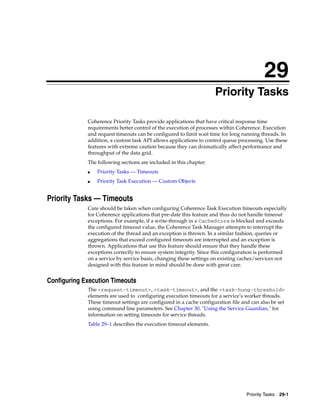
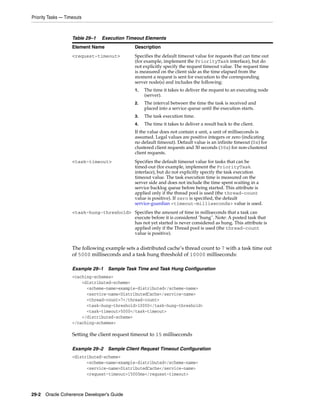
  • 193.
    Implementation Considerations may bethe most attractive option (though the cache service thread-pool size should be constrained to avoid excessive simultaneous database connections). Caching Data Sources 14-19
  • 194.
    Implementation Considerations 14-20 OracleCoherence Developer's Guide
  • 195.
    15 15Serialization Paged Cache This chapter provides general information about caching large amounts of binary data off-heap. The following sections are included in this chapter: ■ Understanding Serialization Paged Cache ■ Configuring Serialization Paged Cache ■ Optimizing a Partitioned Cache Service ■ Configuring for High Availability ■ Configuring Load Balancing and Failover ■ Supporting Huge Caches Understanding Serialization Paged Cache Coherence provides explicit support for efficient caching of huge amounts of automatically-expiring data using potentially high-latency storage mechanisms such as disk files. The benefits include supporting much larger data sets than can be managed in memory, while retaining an efficient expiry mechanism for timing out the management (and automatically freeing the resources related to the management) of that data. Optimal usage scenarios include the ability to store many large objects, XML documents or content that are rarely accessed, or whose accesses tolerates a higher latency if the cached data has been paged to disk. See Chapter 13, "Implementing Storage and Backing Maps." Serialization Paged Cache is defined as follows: ■ Serialization implies that objects stored in the cache are serialized and stored in a Binary Store; refer to the existing features Serialization Map and Serialization Cache. ■ Paged implies that the objects stored in the cache are segmented for efficiency of management. ■ Cache implies that there can be limits specified to the size of the cache; in this case, the limit is the maximum number of concurrent pages that the cache manages before expiring pages, starting with the oldest page. The result is a feature that organizes data in the cache based on the time that the data was placed in the cache, and then can efficiently expire that data from the cache, an entire page at a time, and typically without having to reload any data from disk. Serialization Paged Cache 15-1
  • 196.
    Configuring Serialization PagedCache Configuring Serialization Paged Cache The primary configuration for the Serialization Paged Cache is composed of two parameters: The number of pages that the cache manages, and the length of time represented by each page. For example, to cache data for one day, the cache can be configured as 24 pages of one hour each, or 96 pages of 15 minutes each, and so on. Each page of data in the cache is managed by a separate Binary Store. The cache requires a Binary Store Manager, which provides the means to create and destroy these Binary Stores. Coherence provides Binary Store Managers for all of the built-in Binary Store implementations, including Berkley DB (referred to as "BDB") and the various NIO implementations. Serialization paged caches are configured within the <external-scheme> and <paged-external-scheme> element in the cache configuration file. See "external-scheme" on page B-34 and "paged-external-scheme" on page B-72 for details. Optimizing a Partitioned Cache Service Coherence provides an optimization for the partitioned cache service, since - when it is used to back a partitioned cache—the data being stored in any of the Serialization Maps and Caches is entirely binary in form. This is called the Binary Map optimization, and when it is enabled, it gives the Serialization Map, the Serialization Cache and the Serialization Paged Cache permission to assume that all data being stored in the cache is binary. The result of this optimization is a lower CPU and memory utilization, and also slightly higher performance. See the <external-scheme> and <paged-external-scheme> cache configuration elements. Configuring for High Availability Explicit support is also provided in the Serialization Paged Cache for the high-availability features of the partitioned cache service, by providing a configuration that can be used for the primary storage of the data and a configuration that is optimized for the backup storage of the data. The configuration for the backup storage is known as a passive model, because it does not actively expire data from its storage, but rather reflects the expiration that is occurring on the primary cache storage. When using the high-availability data feature (a backup count of one or greater; the default is one) for a partitioned cache service, and using the Serialization Paged Cache as the primary backing storage for the service, it is a best practice to also use the Serialization Paged Cache as the backup store, and configure the backup with the passive option. See the <paged-external-scheme> cache configuration elements. Configuring Load Balancing and Failover When used with the distributed cache service, special considerations should be made for load balancing and failover purposes. The partition-count parameter of the distributed cache service should be set higher than normal if the amount of cache data is very large. A high partition count breaks up the overall cache into smaller chunks for load-balancing and recovery processing due to failover. For example, if the cache is expected to be one terabyte, twenty thousand partitions breaks the cache up into units averaging about 50MB. If a unit (the size of a partition) is too large, it causes an out-of-memory condition when load-balancing the cache. (Remember to ensure that the partition count is a prime number; see http://primes.utm.edu/lists/small/ for lists of prime numbers that you can use.) 15-2 Oracle Coherence Developer's Guide
  • 197.
    Supporting Huge Caches SupportingHuge Caches To support huge caches (for example, terabytes) of expiring data, the expiration processing is performed concurrently on a daemon thread with no interruption to the cache processing. The result is that many thousands or millions of objects can exist in a single cache page, and they can be expired asynchronously, thus avoiding any interruption of service. The daemon thread is an option that is enabled by default, but it can be disabled. See the <external-scheme> and <paged-external-scheme> cache configuration elements. When the cache is used for large amounts of data, the pages are typically disk-backed. Since the cache eventually expires each page, thus releasing the disk resources, the cache uses a virtual erase optimization by default. Data that is explicitly removed or expired from the cache is not actually removed from the underlying Binary Store, but when a page (a Binary Store) is completely emptied, it is erased in its entirety. This reduces I/O by a considerable margin, particularly during expiry processing and during operations such as load-balancing that have to redistribute large amounts of data within the cluster. The cost of this optimization is that the disk files (if a disk-based Binary Store option is used) tends to be larger than the data that they are managing would otherwise imply; since disk space is considered to be inexpensive compared to other factors such as response times, the virtual erase optimization is enabled by default, but it can be disabled. Note that the disk space is typically allocated locally to each server, and thus a terabyte cache partitioned over one hundred servers would only use about 20GB of disk space per server (10GB for the primary store and 10GB for the backup store, assuming one level of backup.) Serialization Paged Cache 15-3
  • 198.
    Supporting Huge Caches 15-4Oracle Coherence Developer's Guide
  • 199.
    16 Using Quorum 16 The following sections are included in this chapter: ■ Overview ■ Using the Cluster Quorum ■ Using the Partitioned Cache Quorums ■ Using the Proxy Quorum ■ Enabling Custom Action Policies Overview A quorum, in Coherence, refers to the minimum number of service members that are required in a cluster before a service action is allowed or disallowed. Quorums are beneficial because they automatically provide assurances that a cluster behaves in an expected way when member thresholds are reached. For example, a partitioned cache backup quorum might require at least 5 storage-enabled members before the partitioned cache service is allowed to back up partitions. Quorums are service-specific and defined within a quorum policy; there is a cluster quorum policy for the Cluster service, a partitioned quorum policy for the Partitioned Cache service, and a proxy quorum policy for the Proxy service. Quorum thresholds are set on the policy using a cache configuration file. Each quorum provides benefits for its particular service. However, in general, quorums: ■ control service behavior at different service member levels ■ mandate the minimum service member levels that are required for service operations ■ ensure an optimal cluster and cache environment for a particular application or solution Using the Cluster Quorum The cluster quorum policy defines a single quorum (the timeout survivor quorum) for the Cluster Service. The timeout survivor quorum mandates the minimum number of cluster members that must remain in the cluster when the cluster service is terminating suspect members. A member is considered suspect if it has not responded to network communications and is in imminent danger of being disconnected from the cluster. The quorum can be specified generically across all members or constrained to members that have a specific role in the cluster, such as client or server members. See Using Quorum 16-1
  • 200.
    Using the PartitionedCache Quorums the <role-name> element in "member-identity" on page A-38 for more information on defining role names for cluster members. This quorum is typically used in environments where network performance varies. For example, intermittent network outages may cause a high number of cluster members to be removed from the cluster. Using this quorum, a certain number of members are maintained during the outage and are available when the network recovers. This behavior also minimizes the manual intervention required to restart members. Naturally, requests that require cooperation by the nodes that are not responding are not able to complete and are either blocked for the duration of the outage or are timed out. Configuring the Cluster Quorum Policy The timeout survivor quorum threshold is configured in an operational override file using the <timeout-survivor-quorum> element and optionally the role attribute. This element must be used within a <cluster-quorum-policy> element. The following example demonstrates configuring the timeout survivor quorum threshold to ensure that5 cluster members with the server role are always kept in the cluster while removing suspect members: <cluster-config> <member-identity> <role-name>server</role-name> </member-identity> <cluster-quorum-policy> <timeout-survivor-quorum role="Server">5</timeout-survivor-quorum> </cluster-quorum-policy> </cluster-config> Using the Partitioned Cache Quorums The partitioned cache quorum policy defines four quorums for the partitioned cache service (DistributedCache) that mandate how many service members are required before different partitioned cache service operations can be performed: ■ Distribution Quorum – This quorum mandates the minimum number of storage-enabled members of a partitioned cache service that must be present before the partitioned cache service is allowed to perform partition distribution. ■ Restore Quorum – This quorum mandates the minimum number of storage-enabled members of a partitioned cache service that must be present before the partitioned cache service is allowed to restore lost primary partitions from backup. ■ Read Quorum – This quorum mandates the minimum number of storage-enabled members of a partitioned cache service that must be present to process read requests. A read request is any request that does not mutate the state or contents of a cache. ■ Write Quorum – This quorum mandates the minimum number of storage-enabled members of a partitioned cache service that must be present to process write requests. A write request is any request that may mutate the state or contents of a cache. These quorums are typically used to indicate at what service member levels different service operations are best performed given the intended use and requirements of a distributed cache. For example, a small distributed cache may only require three 16-2 Oracle Coherence Developer's Guide
  • 201.
    Using the PartitionedCache Quorums storage-enabled members to adequately store data and handle projected request volumes. While; a large distributed cache may require 10, or more, storage-enabled members to adequately store data and handle projected request volumes. Optimal member levels are tested during development and then set accordingly to ensure that the minimum service member levels are provisioned in a production environment. If the number of storage-enabled nodes running the service drops below the configured level of read or write quorum, the corresponding client operation are rejected by throwing the com.tangosol.net.RequestPolicyException. If the number of storage-enabled nodes drops below the configured level of distribution quorum, some data may become "endangered" (no backup) until the quorum is reached. Dropping below the restore quorum may cause some operation to be blocked until the quorum is reached or to be timed out. Configuring the Partitioned Cache Quorum Policy Partitioned cache quorums are configured in a cache configuration file within the <partitioned-quorum-policy-scheme> element. The element must be used within a <distributed-scheme> element. The following example demonstrates configuring thresholds for the partitioned cache quorums. Ideally, the threshold values would indicate the minimum amount of service members that are required to perform the operation. <distributed-scheme> <scheme-name>partitioned-cache-with-quorum</scheme-name> <service-name>PartitionedCacheWithQuorum</service-name> <backing-map-scheme> <local-scheme/> </backing-map-scheme> <partitioned-quorum-policy-scheme> <distribution-quorum>4</distribution-quorum> <restore-quorum>3</restore-quorum> <read-quorum>3</read-quorum> <write-quorum>5</write-quorum> </partitioned-quorum-policy-scheme> <autostart>true</autostart> </distributed-scheme> The <partitioned-quorum-policy-scheme> element also supports the use of scheme references. In the below example, a <partitioned-quorum-policy-scheme>, with the name partitioned-cache-quorum, is referenced from within the <distributed-scheme> element: <distributed-scheme> <scheme-name>partitioned-cache-with-quorum</scheme-name> <service-name>PartitionedCacheWithQuorum</service-name> <backing-map-scheme> <local-scheme/> </backing-map-scheme> <partitioned-quorum-policy-scheme> <scheme-ref>partitioned-cache-quorum</scheme-ref> </partitioned-quorum-policy-scheme> <autostart>true</autostart> </distributed-scheme> <distributed-scheme> <scheme-name>dist-example</scheme-name> <service-name>DistributedCache</service-name> Using Quorum 16-3
  • 202.
    Using the ProxyQuorum <backing-map-scheme> <local-scheme/> </backing-map-scheme> <partitioned-quorum-policy-scheme> <scheme-name>partitioned-cache-quorum</scheme-name> <distribution-quorum>4</distribution-quorum> <restore-quorum>3</restore-quorum> <read-quorum>3</read-quorum> <write-quorum>5</write-quorum> </partitioned-quorum-policy-scheme> <autostart>true</autostart> </distributed-scheme> Using the Proxy Quorum The proxy quorum policy defines a single quorum (the connection quorum) for the proxy service. The connection quorum mandates the minimum number of proxy service members that must be available before the proxy service can allow client connections. This quorum is typically used to ensure enough proxy service members are available to optimally support a given set of TCP clients. For example, a small number of clients may efficiently connect to a cluster using two proxy services. While; a large number of clients may require 3 or more proxy services to efficiently connect to a cluster. Optimal levels are tested during development and then set accordingly to ensure that the minimum service member levels are provisioned in a production environment. Configuring the Proxy Quorum Policy The connection quorum threshold is configured in a cache configuration file within the <proxy-quorum-policy-scheme> element. The element must be used within a <proxy-scheme> element. The following example demonstrates configuring the connection quorum threshold to ensures that 3 proxy service members are present in the cluster before the proxy service is allowed to accept TCP client connections: <proxy-scheme> <scheme-name>proxy-with-quorum</scheme-name> <service-name>TcpProxyService</service-name> <acceptor-config> <tcp-acceptor> <local-address> <address>localhost</address> <port>32000</port> </local-address> </tcp-acceptor> </acceptor-config> <proxy-quorum-policy-scheme> <connect-quorum>3</connect-quorum> </proxy-quorum-policy-scheme> <autostart>true</autostart> </proxy-scheme> The <proxy-quorum-policy-scheme> element also supports the use of scheme references. In the below example, a <proxy-quorum-policy-scheme>, with the name proxy-quorum, is referenced from within the <proxy-scheme> element: <proxy-scheme> <scheme-name>proxy-with-quorum</scheme-name> 16-4 Oracle Coherence Developer's Guide
  • 203.
    Enabling Custom ActionPolicies <service-name>TcpProxyService</service-name> ... <proxy-quorum-policy-scheme> <scheme-ref>proxy-quorum</scheme-ref> </proxy-quorum-policy-scheme> <autostart>true</autostart> </proxy-scheme> <proxy-scheme> <scheme-name>proxy-example</scheme-name> <service-name>TcpProxyService</service-name> ... <proxy-quorum-policy-scheme> <scheme-name>proxy-quorum</scheme-name> <connect-quorum>3</connect-quorum> </proxy-quorum-policy-scheme> <autostart>true</autostart> </proxy-scheme> Enabling Custom Action Policies Custom action policies can be used instead of the default quorum policies for the Cluster service, Partitioned Cache service, and Proxy service. Custom action policies must implement the com.tangosol.net.ActionPolicy interface. To enable a custom policy, add a <class-name> element within a quorum policy scheme element that contains the fully qualified name of the implementation class. The following example adds a custom action policy to the partitioned quorum policy for a distributed cache scheme definition: <distributed-scheme> <scheme-name>partitioned-cache-with-quorum</scheme-name> <service-name>PartitionedCacheWithQuorum</service-name> <backing-map-scheme> <local-scheme/> </backing-map-scheme> <partitioned-quorum-policy-scheme> <class-name>package.MyCustomAction</class-name> </partitioned-quorum-policy-scheme> <autostart>true</autostart> </distributed-scheme> As an alternative, a factory class can create custom action policy instances. To define a factory class, use the <class-factory-name> element to enter the fully qualified class name and the <method-name> element to specify the name of a static factory method on the factory class which performs object instantiation. For example. <distributed-scheme> <scheme-name>partitioned-cache-with-quorum</scheme-name> <service-name>PartitionedCacheWithQuorum</service-name> <backing-map-scheme> <local-scheme/> </backing-map-scheme> <partitioned-quorum-policy-scheme> <class-factory-name>package.Myfactory</class-factory-name> <method-name>createPolicy</method-name> </partitioned-quorum-policy-scheme> <autostart>true</autostart> </distributed-scheme> Using Quorum 16-5
  • 204.
    Enabling Custom ActionPolicies 16-6 Oracle Coherence Developer's Guide
  • 205.
    17 Cache Configurations by Example 17 This section provides a series of basic cache scheme definitions that can be used or modified as required. See Chapter 12, "Configuring Caches," for detailed instructions on how to configure caches. In addition, the samples in this chapter build upon one another and often use a <scheme-ref> element to reuse other samples as nested schemes. See "Using Scheme Inheritance" on page 12-9 for details on using the <scheme-ref> element. Lastly, these samples only specify a minimum number of settings, follow the embedded links to a scheme's documentation to see the full set of options. This section describes configurations for the following caching scenarios: ■ Local Caches (accessible from a single JVM) – In-memory Cache – NIO In-memory Cache – Size Limited In-memory Cache – In-memory Cache with Expiring Entries – Cache on Disk – Size Limited Cache on Disk – Persistent Cache on Disk – In-memory Cache with Disk Based Overflow – Cache of a Database ■ Clustered Caches (accessible from multiple JVMs) – Replicated Cache – Replicated Cache with Overflow – Partitioned Cache – Partitioned Cache with Overflow – Partitioned Cache of a Database – Partitioned Cache with a Serializer – Near Cache Local Caches (accessible from a single JVM) This section defines a series of local cache schemes. In this context "local" means that the cache is only directly accessible by a single JVM. Later in this document local Cache Configurations by Example 17-1
  • 206.
    Local Caches (accessiblefrom a single JVM) caches are used as building blocks for clustered caches. See "Clustered Caches (accessible from multiple JVMs)" on page 17-5. In-memory Cache Example 17–1 uses a local-scheme to define an in-memory cache. The cache stores as much as the JVM heap allows. Example 17–1 Configuration for a Local, In-memory Cache <local-scheme> <scheme-name>SampleMemoryScheme</scheme-name> </local-scheme> NIO In-memory Cache Example 17–2 uses an external-scheme to define an in-memory cache using an nio-memory-manager. The advantage of an NIO memory based cache is that it allows for large in-memory cache storage while not negatively impacting the JVM's GC times. The size of the cache is limited by the maximum size of the NIO memory region. See the <maximum-size> subelement of nio-memory-manager. Example 17–2 Configuration for a NIO In-memory Cache <external-scheme> <scheme-name>SampleNioMemoryScheme</scheme-name> <nio-memory-manager/> </external-scheme> Size Limited In-memory Cache Adding a <high-units> sub element to <local-scheme> limits the size of the cache. Here the cache is size limited to one thousand entries. When the limit is exceeded, the scheme's <eviction-policy> determines which elements to evict from the cache. Example 17–3 Configuration for a Size Limited, In-memory, Local Cache <local-scheme> <scheme-name>SampleMemoryLimitedScheme</scheme-name> <high-units>1000</high-units> </local-scheme> In-memory Cache with Expiring Entries Adding an <expiry-delay> subelement to <local-scheme> causes cache entries to automatically expire if they are not updated for a given time interval. When expired the cache invalidates the entry, and remove it from the cache. Example 17–4 Configuration for an In-memory Cache with Expiring Entries <local-scheme> <scheme-name>SampleMemoryExpirationScheme</scheme-name> <expiry-delay>5m</expiry-delay> </local-scheme> 17-2 Oracle Coherence Developer's Guide
  • 207.
    Local Caches (accessiblefrom a single JVM) Cache on Disk Example 17–5 uses an external-scheme to define an on disk cache. The cache stores as much as the file system allows. Note: This example uses the lh-file-manager for its on disk storage implementation. See external-scheme for additional external storage options. Example 17–5 Configuration to Define a Cache on Disk <external-scheme> <scheme-name>SampleDiskScheme</scheme-name> <lh-file-manager/> </external-scheme> Size Limited Cache on Disk Adding a <high-units> sub- element to external-scheme limits the size of the cache. The cache is size limited to one million entries. When the limit is exceeded, LRU eviction is used determine which elements to evict from the cache. Refer to "paged-external-scheme" on page B-72 for an alternate size limited external caching approach. Example 17–6 Configuration for a Size Limited Cache on Disk <external-scheme> <scheme-name>SampleDiskLimitedScheme</scheme-name> <lh-file-manager/> <high-units>1000000</high-units> </external-scheme> Persistent Cache on Disk Example 17–7 uses an external-scheme to implement a cache suitable for use as long-term storage for a single JVM. External caches are generally used for temporary storage of large data sets, and are automatically deleted on JVM shutdown. An external-cache can be used for long term storage (see "Persistence (long-term storage)" on page B-35) in non-clustered caches when using either the lh-file-manager or bdb-store-manager storage managers. For clustered persistence see the "Partitioned Cache of a Database" on page 17-7 sample. The {cache-name} macro is used to specify the name of the file the data is stored in. See "Using Parameter Macros" on page 12-12 for more information on this macro. Example 17–7 Configuration for Persistent cache on disk <external-scheme> <scheme-name>SampleDiskPersistentScheme</scheme-name> <lh-file-manager> <directory>/my/storage/directory</directory> <file-name>{cache-name}.store</file-name> </lh-file-manager> </external-scheme> Cache Configurations by Example 17-3
  • 208.
    Local Caches (accessiblefrom a single JVM) Example 17–8 illustrates using Berkeley DB rather then LH. Example 17–8 Configuration for Persistent cache on disk with Berkeley DB <external-scheme> <scheme-name>SampleDiskPersistentScheme</scheme-name> <bdb-store-manager> <directory>/my/storage/directory</directory> <store-name>{cache-name}.store</store-name> </bdb-store-manager> </external-scheme> In-memory Cache with Disk Based Overflow Example 17–9 uses an overflow-scheme to define a size limited in-memory cache, when the in-memory (<front-scheme>) size limit is reached, a portion of the cache contents are moved to the on disk (<back-scheme>). The front-scheme's <eviction-policy> determines which elements to move from the front to the back. Note that this example reuses the examples in "Size Limited Cache on Disk" and "Cache on Disk" on page 17-3. to implement the front and back of the cache. Example 17–9 Configuration for In-memory Cache with Disk Based Overflow <overflow-scheme> <scheme-name>SampleOverflowScheme</scheme-name> <front-scheme> <local-scheme> <scheme-ref>SampleMemoryLimitedScheme</scheme-ref> </local-scheme> </front-scheme> <back-scheme> <external-scheme> <scheme-ref>SampleDiskScheme</scheme-ref> </external-scheme> </back-scheme> </overflow-scheme> Cache of a Database Example 17–10 uses a read-write-backing-map-scheme to define a cache of a database. This scheme maintains local cache of a portion of the database contents. Cache misses are read-through to the database, and cache writes are written back to the database. The cachestore-scheme element is configured with a custom class implementing either the com.tangosol.net.cache.CacheLoader or com.tangosol.net.cache.CacheStore interface. This class is responsible for all operations against the database, such as reading and writing cache entries. See "Sample CacheStore" on page 14-8 implementations for examples of writing a cache store. The {cache-name} macro is used to inform the cache store implementation of the name of the cache it backs. See "Using Parameter Macros" on page 12-12 for more information on this macro. 17-4 Oracle Coherence Developer's Guide
  • 209.
    Clustered Caches (accessiblefrom multiple JVMs) Example 17–10 Configuration for the Cache of a Database <read-write-backing-map-scheme> <scheme-name>SampleDatabaseScheme</scheme-name> <internal-cache-scheme> <local-scheme> <scheme-ref>SampleMemoryScheme</scheme-ref> </local-scheme> </internal-cache-scheme> <cachestore-scheme> <class-scheme> <class-name>com.tangosol.examples.coherence.DBCacheStore</class-name> <init-params> <init-param> <param-type>java.lang.String</param-type> <param-value>{cache-name}</param-value> </init-param> </init-params> </class-scheme> </cachestore-scheme> </read-write-backing-map-scheme> Clustered Caches (accessible from multiple JVMs) This section defines a series of clustered cache examples. Clustered caches are accessible from multiple JVMs (any cluster node running the same cache service). The internal cache storage (backing-map) on each cluster node is defined using local caches (see "Local Caches (accessible from a single JVM)" on page 17-1). The cache service provides the capability to access local caches from other cluster nodes. Replicated Cache Example 17–11 uses the replicated-scheme element to define a clustered cache in which a copy of each cache entry is stored on all cluster nodes. The sample in "In-memory Cache" on page 17-2 is used to define the cache storage on each cluster node. The size of the cache is only limited by the cluster node with the smallest JVM heap. Example 17–11 Configuration for a Replicated Cache <replicated-scheme> <scheme-name>SampleReplicatedScheme</scheme-name> <backing-map-scheme> <local-scheme> <scheme-ref>SampleMemoryScheme</scheme-ref> </local-scheme> </backing-map-scheme> </replicated-scheme> Replicated Cache with Overflow The backing-map-scheme element could just as easily specify any of the other local cache samples. For instance, if it had used the "In-memory Cache with Disk Based Overflow" on page 17-4, each cluster node would have a local overflow cache allowing for much greater storage capacity. Cache Configurations by Example 17-5
  • 210.
    Clustered Caches (accessiblefrom multiple JVMs) Example 17–12 Configuration for a Replicated Cache with Overflow <replicated-scheme> <scheme-name>SampleReplicatedOverflowScheme</scheme-name> <backing-map-scheme> <overflow-scheme> <scheme-ref>SampleOverflowScheme</scheme-ref> </overflow-scheme> </backing-map-scheme> </replicated-scheme> Partitioned Cache Example 17–13 uses the distributed-scheme to define a clustered cache in which cache storage is partitioned across all cluster nodes. The "In-memory Cache" on page 17-2 is used to define the cache storage on each cluster node. The total storage capacity of the cache is the sum of all storage enabled cluster nodes running the partitioned cache service. See the <local-storage> subelement of "distributed-scheme" on page B-27. Example 17–13 Configuration for a Partitioned Cache <distributed-scheme> <scheme-name>SamplePartitionedScheme</scheme-name> <backing-map-scheme> <local-scheme> <scheme-ref>SampleMemoryScheme</scheme-ref> </local-scheme> </backing-map-scheme> </distributed-scheme> Partitioned Cache with Overflow The backing-map-scheme element could just as easily specify any of the other local cache samples. For instance if it had used the "In-memory Cache with Disk Based Overflow" on page 17-4, each storage-enabled cluster node would have a local overflow cache allowing for much greater storage capacity. Note that the cache's backup storage also uses the same overflow scheme which allows for backup data to be overflowed to disk. Example 17–14 Configuration for a Partitioned Cache with Overflow <distributed-scheme> <scheme-name>SamplePartitionedOverflowScheme</scheme-name> <backing-map-scheme> <overflow-scheme> <scheme-ref>SampleOverflowScheme</scheme-ref> </overflow-scheme> </backing-map-scheme> <backup-storage> <type>scheme</type> <scheme-name>SampleOverflowScheme</scheme-name> </backup-storage> </distributed-scheme> 17-6 Oracle Coherence Developer's Guide
  • 211.
    Clustered Caches (accessiblefrom multiple JVMs) Partitioned Cache of a Database Switching the backing-map-scheme element to use a read-write-backing-map-scheme allows the cache to load and store entries against an external source such as a database. Example 17–15 reuses the "Cache of a Database" on page 17-4 to define the database access. Example 17–15 Configuration for a Partitioned Cache of a Database <distributed-scheme> <scheme-name>SamplePartitionedDatabaseScheme</scheme-name> <backing-map-scheme> <read-write-backing-map-scheme> <scheme-ref>SampleDatabaseScheme</scheme-ref> </read-write-backing-map-scheme> </backing-map-scheme> </distributed-scheme> Partitioned Cache with a Serializer Example 17–16 uses the serializer element in distributed-scheme to define a serializer that is used to serialize and deserialize user types. In this case, the partitioned cache uses POF (ConfigurablePofContext) as its serialization format. Note that if you use POF and your application uses any custom user type classes, then you must also define a custom POF configuration for them. See Appendix D, "POF User Type Configuration Elements" for more information on POF elements. Example 17–16 Configuration for a Partitioned Cache with a Serializer <distributed-scheme> <scheme-name>SamplePartitionedPofScheme</scheme-name> <service-name>PartitionedPofCache</service-name> <serializer> <instance> <class-name>com.tangosol.io.pof.ConfigurablePofContext</class-name> </instance> </serializer> <backing-map-scheme> <local-scheme/> </backing-map-scheme> <autostart>true</autostart> </distributed-scheme> Serializers that are defined in the tangosol-coherence.xml deployment descriptor can also be referenced. Example 17–17 Partitioned Cache that References a Serializer <distributed-scheme> <scheme-name>SamplePartitionedPofScheme</scheme-name> <service-name>PartitionedPofCache</service-name> <serializer>pof</serializer> <backing-map-scheme> <local-scheme/> </backing-map-scheme> <autostart>true</autostart> </distributed-scheme> Cache Configurations by Example 17-7
  • 212.
    Clustered Caches (accessiblefrom multiple JVMs) Lastly a default serializer can be defined for all cache schemes and alleviates having to explicitly include a <serializer> element in each cache scheme definition. The global serializer definitions can also reference serializers that are defined in the tangosol-coherence.xml deployment descriptor Example 17–18 Defining a Default Serializer <?xml version='1.0'?> <cache-config xmlns:xsi="http://www.w3.org/2001/XMLSchema-instance" xmlns="http://xmlns.oracle.com/coherence/coherence-cache-config" xsi:schemaLocation="http://xmlns.oracle.com/coherence/coherence-cache-config coherence-cache-config.xsd"> <defaults> <serializer>pof</serializer> </defaults> ... Near Cache Example 17–19 uses the near-scheme to define a local in-memory cache of a subset of a partitioned cache. The result is that any cluster node accessing the partitioned cache maintains a local copy of the elements it frequently accesses. This offers read performance close to the replicated-scheme-based caches, while offering the high scalability of a distributed-scheme-based cache. The "Size Limited In-memory Cache" on page 17-2 sample is reused to define the "near" (<front-scheme>) cache, while the "Partitioned Cache" on page 17-6 sample is reused to define the near-scheme. Note that the size limited configuration of the front-scheme specifies the limit on how much of the back-scheme cache is locally cached. Example 17–19 Configuration for a Local Cache of a Partitioned Cache <near-scheme> <scheme-name>SampleNearScheme</scheme-name> <front-scheme> <local-scheme> <scheme-ref>SampleLimitedMemoryScheme</scheme-ref> </local-scheme> </front-scheme> <back-scheme> <distributed-scheme> <scheme-ref>SamplePartitionedScheme</scheme-ref> </distributed-scheme> </back-scheme> </near-scheme> 17-8 Oracle Coherence Developer's Guide
  • 213.
    Part IV Part IV Using the Programming API Part IV contains the following chapters: ■ Chapter 18, "Serializing Objects" ■ Chapter 19, "Using Portable Object Format" ■ Chapter 20, "Pre-Loading a Cache" ■ Chapter 21, "Using Cache Events" ■ Chapter 22, "Querying Data In a Cache" ■ Chapter 23, "Using Continuous Query Caching" ■ Chapter 24, "Processing Data In a Cache" ■ Chapter 25, "Managing Map Operations with Triggers" ■ Chapter 26, "Using Coherence Query Language" ■ Chapter 27, "Performing Transactions" ■ Chapter 28, "Data Affinity" ■ Chapter 29, "Priority Tasks" ■ Chapter 30, "Using the Service Guardian" ■ Chapter 31, "Specifying a Custom Eviction Policy" ■ Chapter 32, "Constraints on Re-entrant Calls"
  • 215.
    18 Serializing Objects 18 Use Coherence caches to cache value objects. These objects may represent data from any source, either internal (such as session data, transient data, and so on) or external (such as a database, mainframe, and so on). Objects placed in the cache must be serializable. Because serialization is often the most expensive part of clustered data management, Coherence provides the following options for serializing/deserializing data: ■ com.tangosol.io.pof.PofSerializer – The Portable Object Format (also referred to as POF) is a language agnostic binary format. POF was designed to be incredibly efficient in both space and time and has become the recommended serialization option in Coherence. See Chapter 19, "Using Portable Object Format." ■ java.io.Serializable – The simplest, but slowest option. ■ java.io.Externalizable – This requires developers to implement serialization manually, but can provide significant performance benefits. Compared to java.io.Serializable, this can cut serialized data size by a factor of two or more (especially helpful with Distributed caches, as they generally cache data in serialized form). Most importantly, CPU usage is dramatically reduced. ■ com.tangosol.io.ExternalizableLite – This is very similar to java.io.Externalizable, but offers better performance and less memory usage by using a more efficient I/O stream implementation. ■ com.tangosol.run.xml.XmlBean – A default implementation of ExternalizableLite (For more details, see the API Javadoc for XmlBean). Note: Remember, when serializing an object, Java serialization automatically crawls every visible object (by using object references, including collections like Map and List). As a result, cached objects should not refer to their parent objects directly (holding onto an identifying value like an integer is OK). Objects that implement their own serialization routines are not affected. Serializing Objects 18-1
  • 216.
    18-2 Oracle CoherenceDeveloper's Guide
  • 217.
    19 Using Portable Object Format 19 Using Portable Object Format (POF) has many advantages ranging from performance benefits to language independence. It's recommended that you look closely at POF as your serialization solution when working with Coherence. For information on how to work with POF when building .NET extend clients, see "Building Integration Objects for .NET Clients" in Oracle Coherence Client Guide. For information on how to work with POF when building C++ extend clients, see "Building Integration Objects for C++ Clients" in Oracle Coherence Client Guide. The following sections are included in this chapter: ■ Overview ■ Working with POF ■ Using POF Extractors and POF Updaters Overview Serialization is the process of encoding an object into a binary format. It is a critical component to working with Coherence as data must be moved around the network. The Portable Object Format (also referred to as POF) is a language agnostic binary format. POF was designed to be incredibly efficient in both space and time and has become a cornerstone element in working with Coherence. For more information on the POF binary stream, see Appendix E, "The PIF-POF Binary Format." There are several options available for serialization including standard Java serialization, POF, and your own custom serialization routines. Each has their own trade-offs. Standard Java serialization is easy to implement, supports cyclic object graphs and preserves object identity. Unfortunately, it's also comparatively slow, has a verbose binary format, and restricted to only Java objects. The Portable Object Format has the following advantages: ■ It's language independent with current support for Java, .NET, and C++. ■ It's very efficient, in a simple test class with a String, a long, and three ints, (de)serialization was seven times faster, and the binary produced was one sixth the size compared with standard Java serialization. ■ It's versionable, objects can evolve and have forward and backward compatibility. ■ It supports the ability to externalize your serialization logic. ■ It's indexed which allows for extracting values without deserializing the whole object. See "Using POF Extractors and POF Updaters" on page 19-6. Using Portable Object Format 19-1
  • 218.
    Working with POF Workingwith POF POF requires you to implement serialization routines that know how to serialize and deserialize your objects. There are two ways to do this: ■ Have your objects implement the com.tangosol.io.pof.PortableObject interface. ■ Implement a serializer for your objects using the com.tangosol.io.pof.PofSerializer interface. Implementing the PortableObject interface The PortableObject interface is a simple interface made up of two methods: ■ public void readExternal(PofReader reader) ■ public void writeExternal(PofWriter writer) As mentioned above, POF elements are indexed. This is accomplished by providing a numeric index for each element that you write or read from the POF stream. It's important to keep in mind that the indexes must be unique to each element written and read from the POF stream, especially when you have derived types involved because the indexes must be unique between the super class and the derived class. Example 19–1 is a simple example of implementing the PortableObject interface: Example 19–1 Implementation of the PortableObject Interface public void readExternal(PofReader in) throws IOException { m_symbol = (Symbol) in.readObject(0); m_ldtPlaced = in.readLong(1); m_fClosed = in.readBoolean(2); } public void writeExternal(PofWriter out) throws IOException { out.writeObject(0, m_symbol); out.writeLong(1, m_ldtPlaced); out.writeBoolean(2, m_fClosed); } Implementing the PofSerializer interface: The PofSerializer interface provide you with a way to externalize your serialization logic from the classes you want to serialize. This is particularly useful when you do not want to change the structure of your classes to work with POF and Coherence. The PofSerializer interface is also made up of two methods: ■ public Object deserializer(PofReader in) ■ public void serialize(PofWriter out, Object o) As with the PortableObject interface, all elements written to or read from the POF stream must be uniquely indexed. Below is an example implementation of the PofSerializer interface: 19-2 Oracle Coherence Developer's Guide
  • 219.
    Working with POF Example 19–2 Implementation of the PofSerializer Interface public Object deserialize(PofReader in) throws IOException { Symbol symbol = (Symbol)in.readObject(0); long ldtPlaced = in.readLong(1); bool fClosed = in.readBoolean(2); // mark that reading the object is done in.readRemainder(null); return new Trade(symbol, ldtPlaced, fClosed); } public void serialize(PofWriter out, Object o) throws IOException { Trade trade = (Trade) o; out.writeObject(0, trade.getSymbol()); out.writeLong(1, trade.getTimePlaced()); out.writeBoolean(2, trade.isClosed()); // mark that writing the object is done out.writeRemainder(null); } Assigning POF Indexes Use the following guidelines when assigning POF indexes to an object's attributes: ■ Order your reads and writes: start with the lowest index value in the serialization routine and finish with the highest. When deserializing a value, perform reads in the same order as writes. ■ Non-contiguous indexes are acceptable but must be read/written sequentially. ■ When Subclassing reserve index ranges: index's are cumulative across derived types. As such, each derived type must be aware of the POF index range reserved by its super class. ■ Don not re-purpose indexes: to support Evolvable, it's imperative that indexes of attributes are not re-purposed across class revisions. ■ Label indexes: indexes that are labeled with a public static final int, are much easier to work with, especially when using POF Extractors and POF Updaters. See "Using POF Extractors and POF Updaters" on page 19-6. Indexes that are labeled must still be read and written out in the same order as mentioned above. Using the ConfigurablePofContext Class Coherence provides the com.tangosol.io.pof.ConfigurablePofContext serializer class which is responsible for mapping a POF serialized object to an appropriate serialization routine (either a PofSerializer implementation or by calling through the PortableObject interface). Once your classes have serialization routines, the classes are registered with the ConfigurablePofContext class using a POF configuration file. The POF configuration file is an XML file that has a <user-type-list> element that contains a list of classes that implement PortableObject or have a PofSerializer Using Portable Object Format 19-3
  • 220.
    Working with POF associated with them. The <type-id> for each class must be unique, and must match across all cluster instances (including extend clients). See Appendix D, "POF User Type Configuration Elements," for detailed reference of the POF configuration elements. The following is an example of a POF configuration file: <?xml version='1.0'?> <pof-config xmlns:xsi="http://www.w3.org/2001/XMLSchema-instance" xmlns="http://xmlns.oracle.com/coherence/coherence-pof-config" xsi:schemaLocation="http://xmlns.oracle.com/coherence/coherence-pof-config coherence-pof-config.xsd"> <user-type-list> <include>coherence-pof-config.xml</include> <!-- User types must be above 1000 --> <user-type> <type-id>1001</type-id> <class-name>com.examples.MyTrade</class-name> <serializer> <class-name>com.examples.MyTradeSerializer</class-name> </serializer> </user-type> <user-type> <type-id>1002</type-id> <class-name>com.examples.MyPortableTrade</class-name> </user-type> </user-type-list> </pof-config> Note: Coherence reserves the first 1000 type-id's for internal use. As shown in the above example, the <user-type-list> includes the coherence-pof-config.xml file that is located in the root of the coherence.jar file. This is where Coherence specific user types are defined and should be included in all of your POF configuration files. Configuring Coherence to Use the ConfigurablePofContext Class Coherence can be configured to use the ConfigurablePofContext serializer class in three different ways based on the level of granularity that is required: ■ Per Service – Each service provides a full ConfigurablePofContext serializer class configuration or references a predefined configuration that is included in the operational configuration file. ■ All Services – All services use a global ConfigurablePofContext serializer class configuration. Services that provide their own configuration override the global configuration. The global configuration can also be a full configuration or reference a predefined configuration that is included in the operational configuration file. ■ JVM – The ConfigurablePofContext serializer class is enabled for the whole JVM. 19-4 Oracle Coherence Developer's Guide
  • 221.
    Working with POF Configurethe ConfigurablePofContext Class Per Service To configure a service to use the ConfigurablePofContext class, add a <serializer> element to a cache scheme in a cache configuration file. See "serializer" on page B-97 for a complete reference of the <serializer> element. The following example demonstrates a distributed cache that is configured to use the ConfigurablePofContext class and defines a custom POF configuration file: <distributed-scheme> <scheme-name>example-distributed</scheme-name> <service-name>DistributedCache</service-name> <serializer> <instance> <class-name>com.tangosol.io.pof.ConfigurablePofContext</class-name> <init-params> <init-param> <param-type>String</param-type> <param-value>my-pof-config.xml</param-value> </init-param> </init-params> </instance> </serializer> </distributed-scheme> The following example references the default definition in the operational configuration file. Refer to "serializer" on page A-58 to see the default ConfigurablePofContext serializer definition. <distributed-scheme> <scheme-name>example-distributed</scheme-name> <service-name>DistributedCache</service-name> <serializer>pof</serializer> </distributed-scheme> Configure the ConfigurablePofContext Class for All Services To globally configure the ConfigurablePofContext class for all services, add a <serializer> element within the <defaults> element in a cache configuration file. Both of the below examples globally configure a serializer for all cache scheme definitions and do not require any additional configuration within individual cache scheme definitions. See "defaults" on page B-26 for a complete reference of the <defaults> element. The following example demonstrates a global configuration for the ConfigurablePofContext class and defines a custom POF configuration file: <?xml version='1.0'?> <cache-config xmlns:xsi="http://www.w3.org/2001/XMLSchema-instance" xmlns="http://xmlns.oracle.com/coherence/coherence-cache-config" xsi:schemaLocation="http://xmlns.oracle.com/coherence/coherence-cache-config coherence-cache-config.xsd"> <defaults> <serializer> <instance> <class-name>com.tangosol.io.pof.ConfigurablePofContext</class-name> <init-params> <init-param> <param-type>String</param-type> <param-value>my-pof-config.xml</param-value> Using Portable Object Format 19-5
  • 222.
    Using POF Extractorsand POF Updaters </init-param> </init-params> </instance> </serializer> </defaults> ... The following example references the default definition in the operational configuration file. Refer to "serializer" on page A-58 to see the default ConfigurablePofContext serializer definition. <?xml version='1.0'?> <cache-config xmlns:xsi="http://www.w3.org/2001/XMLSchema-instance" xmlns="http://xmlns.oracle.com/coherence/coherence-cache-config" xsi:schemaLocation="http://xmlns.oracle.com/coherence/coherence-cache-config coherence-cache-config.xsd"> <defaults> <serializer>pof</serializer> </defaults> ... Configure the ConfigurablePofContext Class For the JVM An entire JVM instance can be configured to use POF using the following system properties: ■ tangosol.pof.enabled=true - Enables POF for the entire JVM instance. ■ tangosol.pof.config=CONFIG_FILE_PATH - The path to the POF configuration file you want to use. If the files is not in the classpath, then it must be presented as a file resource (for example, file:///opt/home/coherence/mycustom-pof-config.xml). Using POF Extractors and POF Updaters In Coherence, the ValueExtractor and ValueUpdater interfaces are used to extract and update values of objects that are stored in the cache. The PofExtractor and PofUpdater interfaces take advantage of the POF indexed state to extract or update an object without the requirement to go through the full serialization/deserialization routines. PofExtractor and PofUpdater adds flexibility in working with non-primitive types in Coherence. For most cases where you're working with extend clients, it's no longer required to have corresponding Java classes in the grid. Because POF extractors and POF updaters can navigate the binary, the entire key/value does not have to be deserialized into Object form. This implies that indexing can be achieved by simply using POF extractors to pull a value to index on. There are however circumstances where you must provide a corresponding Java class: ■ Key Association – When using key association, Coherence always deserializes keys to determine whether they implement key association. ■ Cache Stores – When using a cache store, Coherence passes the deserialized version of the key and value to the cache store to write to the back end. 19-6 Oracle Coherence Developer's Guide
  • 223.
    Using POF Extractorsand POF Updaters Navigating a POF object Due to the fact that the Portable Object Format (POF) is indexed, it's possible to quickly traverse the binary to a specific element for extraction or updating. It's the responsibility of the PofNavigator interface to traverse a POF value object and return the desired POF value object. Out of the box, Coherence provides a SimplePofPath class that can navigate a POF value based on integer indexes. In the simplest form, provide the index of the attribute to be extracted/updated. Consider the following example: public class Contact implements PortableObject { ... // ----- PortableObject interface --------------------------------------- /** * {@inheritDoc} */ public void readExternal(PofReader reader) throws IOException { m_sFirstName = reader.readString(FIRSTNAME); m_sLastName = reader.readString(LASTNAME); m_addrHome = (Address) reader.readObject(HOME_ADDRESS); m_addrWork = (Address) reader.readObject(WORK_ADDRESS); m_mapPhoneNumber = reader.readMap(PHONE_NUMBERS, null); } /** * {@inheritDoc} */ public void writeExternal(PofWriter writer) throws IOException { writer.writeString(FIRSTNAME, m_sFirstName); writer.writeString(LASTNAME, m_sLastName); writer.writeObject(HOME_ADDRESS, m_addrHome); writer.writeObject(WORK_ADDRESS, m_addrWork); writer.writeMap(PHONE_NUMBERS, m_mapPhoneNumber); } .... // ----- constants ------------------------------------------------------- /** * The POF index for the FirstName property */ public static final int FIRSTNAME = 0; /** * The POF index for the LastName property */ public static final int LASTNAME = 1; /** * The POF index for the HomeAddress property */ public static final int HOME_ADDRESS = 2; Using Portable Object Format 19-7
  • 224.
    Using POF Extractorsand POF Updaters /** * The POF index for the WorkAddress property */ public static final int WORK_ADDRESS = 3; /** * The POF index for the PhoneNumbers property */ public static final int PHONE_NUMBERS = 4; ... } Notice that there's a constant for each data member that is being written to and from the POF stream. This is an excellent practice to follow as it simplifies both writing your serialization routines and makes it easier to work with POF extractors and POF updaters. By labeling each index, it becomes much easier to think about the index. As mentioned above, in the simplest case, the work address can be pulled out of the contact by using the WORK_ADDRESS index. The SimplePofPath also allows using an Array of ints to traverse the PofValues. For example, to get the zip code of the work address use [WORK_ADDRESS, ZIP]. The example are discussed in more detail below. Using PofExtractors PofExtractors are typically used when querying a cache and should greatly improve the performance of your queries. For example, using the class demonstrated above, to query the cache for all Contacts with the last names Jones, the query is as follows: ValueExtractor veName = new PofExtractor(String.class, Contact.LASTNAME); Filter filter = new EqualsFilter(veName, "Jones"); // find all entries that have a last name of Jones Set setEntries = cache.entrySet(filter); In the above use case, PofExtractor has a convenience constructor that uses a SimplePofPath to retrieve a singular index, in our case the Contact.LASTNAME index. To find all Contacts with the area code 01803, the query is as follows: ValueExtractor veZip = new PofExtractor( String.class, new SimplePofPath(new int[] {Contact.WORK_ADDRESS, Address.ZIP})); Filter filter = new EqualsFilter(veZip, "01803"); // find all entries that have a work address in the 01803 zip code Set setEntries = cache.entrySet(filter); Notice that in the previous examples, the PofExtractor constructor has a first argument with the class of the extracted value or null. The reason for passing type information is that POF uses a compact form in the serialized value when possible. For example, some numeric values are represented as special POF intrinsic types in which the type implies the value. As a result, POF requires the receiver of a value to have implicit knowledge of the type. PofExtractor uses the class supplied in the constructor as the source of the type information. If the class is null, PofExtractor infers the type from the serialized state, but the extracted type may differ from the expected type. String types, in fact, can be correctly inferred from the POF stream, so null is sufficient in the previous examples. In general, however, null should not be used. 19-8 Oracle Coherence Developer's Guide
  • 225.
    Using POF Extractorsand POF Updaters Using PofUpdaters PofUpdater works in the same way as PofExtractor except that they update the value of an object rather than extract it. To change all entries with the last name of Jones to Smith, use the UpdaterProcessor as follows: ValueExtractor veName = new PofExtractor(String.class, Contact.LASTNAME); Filter filter = new EqualsFilter(veName, "Jones"); ValueUpdater updater = new PofUpdator(Contact.LASTNAME); // find all Contacts with the last name Jones and change them to have the last // name "Smith" cache.invokeAll(filter, new UpdaterProcessor(updater, "Smith")); Note: while these examples operate on String based values, this functionality works on any POF encoded value. Using Portable Object Format 19-9
  • 226.
    Using POF Extractorsand POF Updaters 19-10 Oracle Coherence Developer's Guide
  • 227.
    20 Pre-Loading a Cache 20 This chapter describes different patterns you can use to pre-load the cache. The patterns include bulk loading and distributed loading. The following sections are included in this chapter: ■ Performing Bulk Loading and Processing ■ Performing Distributed Bulk Loading Performing Bulk Loading and Processing Example 20–5, PagedQuery.java, demonstrates techniques for efficiently bulk loading and processing items in a Coherence Cache. Bulk Writing to a Cache A common scenario when using Coherence is to pre-populate a cache before the application uses it. A simple way to do this is illustrated by the Java code in Example 20–1: Example 20–1 Pre-Loading a Cache public static void bulkLoad(NamedCache cache, Connection conn) { Statement s; ResultSet rs; try { s = conn.createStatement(); rs = s.executeQuery("select key, value from table"); while (rs.next()) { Integer key = new Integer(rs.getInt(1)); String value = rs.getString(2); cache.put(key, value); } ... } catch (SQLException e) {...} } This technique works, but each call to put may result in network traffic, especially for partitioned and replicated caches. Additionally, each call to put returns the object it Pre-Loading a Cache 20-1
  • 228.
    Performing Bulk Loadingand Processing just replaced in the cache (per the java.util.Map interface) which adds more unnecessary overhead. Loading the cache can be made much more efficient by using the ConcurrentMap.putAll method instead. This is illustrated in Example 20–2: Example 20–2 Pre-Loading a Cache Using ConcurrentMap.putAll public static void bulkLoad(NamedCache cache, Connection conn) { Statement s; ResultSet rs; Map buffer = new HashMap(); try { int count = 0; s = conn.createStatement(); rs = s.executeQuery("select key, value from table"); while (rs.next()) { Integer key = new Integer(rs.getInt(1)); String value = rs.getString(2); buffer.put(key, value); // this loads 1000 items at a time into the cache if ((count++ % 1000) == 0) { cache.putAll(buffer); buffer.clear(); } } if (!buffer.isEmpty()) { cache.putAll(buffer); } ... } catch (SQLException e) {...} } Efficient processing of filter results Coherence provides the ability to query caches based on criteria by using the Filter API. Here is an example (given entries with integers as keys and strings as values): Example 20–3 Using a Filter to Query a Cache NamedCache c = CacheFactory.getCache("test"); // Search for entries that start with 'c' Filter query = new LikeFilter(IdentityExtractor.INSTANCE, "c%", '', true); // Perform query, return all entries that match Set results = c.entrySet(query); for (Iterator i = results.iterator(); i.hasNext();) { Map.Entry e = (Map.Entry) i.next(); out("key: "+e.getKey() + ", value: "+e.getValue()); } 20-2 Oracle Coherence Developer's Guide
  • 229.
    Performing Bulk Loadingand Processing This example works for small data sets, but it may encounter problems, such as running out of heap space, if the data set is too large. Example 20–4 illustrates a pattern to process query results in batches to avoid this problem: Example 20–4 Processing Query Results in Batches public static void performQuery() { NamedCache c = CacheFactory.getCache("test"); // Search for entries that start with 'c' Filter query = new LikeFilter(IdentityExtractor.INSTANCE, "c%", '', true); // Perform query, return keys of entries that match Set keys = c.keySet(query); // The amount of objects to process at a time final int BUFFER_SIZE = 100; // Object buffer Set buffer = new HashSet(BUFFER_SIZE); for (Iterator i = keys.iterator(); i.hasNext();) { buffer.add(i.next()); if (buffer.size() >= BUFFER_SIZE) { // Bulk load BUFFER_SIZE number of objects from cache Map entries = c.getAll(buffer); // Process each entry process(entries); // Done processing these keys, clear buffer buffer.clear(); } } // Handle the last partial chunk (if any) if (!buffer.isEmpty()) { process(c.getAll(buffer)); } } public static void process(Map map) { for (Iterator ie = map.entrySet().iterator(); ie.hasNext();) { Map.Entry e = (Map.Entry) ie.next(); out("key: "+e.getKey() + ", value: "+e.getValue()); } } In this example, all keys for entries that match the filter are returned, but only BUFFER_SIZE (in this case, 100) entries are retrieved from the cache at a time. Pre-Loading a Cache 20-3
  • 230.
    Performing Bulk Loadingand Processing Note that LimitFilter can process results in parts, similar to the example above. However LimitFilter is meant for scenarios where the results are paged, such as in a user interface. It is not an efficient means to process all data in a query result. A Bulk Loading and Processing Example Example 20–5 illustrates PagedQuery.java, a sample program that demonstrates the concepts described in the previous section. To run the example, follow these steps: 1. Save the following Java file as com/tangosol/examples/PagedQuery.java 2. Point the classpath to the Coherence libraries and the current directory 3. Compile and run the example Example 20–5 A Sample Bulk Loading Program package com.tangosol.examples; import com.tangosol.net.CacheFactory; import com.tangosol.net.NamedCache; import com.tangosol.net.cache.NearCache; import com.tangosol.util.Base; import com.tangosol.util.Filter; import com.tangosol.util.filter.LikeFilter; import java.io.Serializable; import java.util.HashMap; import java.util.Iterator; import java.util.Map; import java.util.Random; import java.util.Set; import java.util.HashSet; /** * This sample application demonstrates the following: * <ul> * <li> * <b>Obtaining a back cache from a near cache for populating a cache.</b> * Since the near cache holds a limited subset of the data in a cache it is * more efficient to bulk load data directly into the back cache instead of * the near cache. * </li> * <li> * <b>Populating a cache in bulk using <tt>putAll</tt>.</b> * This is more efficient than <tt>put</tt> for a large amount of entries. * </li> * <li> * <b>Executing a filter against a cache and processing the results in bulk.</b> * This sample issues a query against the cache using a filter. The result is * a set of keys that represent the query results. Instead of iterating * through the keys and loading each item individually with a <tt>get</tt>, * this sample loads entries from the cache in bulk using <tt>getAll</tt> which * is more efficient. * </li> * * @author cp 20-4 Oracle Coherence Developer's Guide
  • 231.
    Performing Bulk Loadingand Processing */ public class PagedQuery extends Base { /** * Command line execution entry point. */ public static void main(String[] asArg) { NamedCache cacheContacts = CacheFactory.getCache("contacts", Contact.class.getClassLoader()); populateCache(cacheContacts); executeFilter(cacheContacts); CacheFactory.shutdown(); } // ----- populate the cache --------------------------------------------- /** * Populate the cache with test data. This example shows how to populate * the cache a chunk at a time using {@link NamedCache#putAll} which is more * efficient than {@link NamedCache#put}. * * @param cacheDirect the cache to populate. Note that this should <b>not</b> * be a near cache since that thrashes the cache * if the load size exceeds the near cache max size. */ public static void populateCache(NamedCache cacheDirect) { if (cacheDirect.isEmpty()) { Map mapBuffer = new HashMap(); for (int i = 0; i < 100000; ++i) { // some fake data Contact contact = new Contact(); contact.setName(getRandomName() + ' ' + getRandomName()); contact.setPhone(getRandomPhone()); mapBuffer.put(new Integer(i), contact); // this loads 1000 items at a time into the cache if ((i % 1000) == 0) { out("Adding "+mapBuffer.size()+" entries to cache"); cacheDirect.putAll(mapBuffer); mapBuffer.clear(); } } if (!mapBuffer.isEmpty()) { cacheDirect.putAll(mapBuffer); } } } /** * Creates a random name. Pre-Loading a Cache 20-5
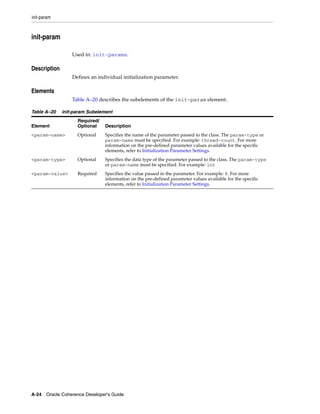
  • 232.
    Performing Bulk Loadingand Processing * * @return a random string between 4 to 11 chars long */ public static String getRandomName() { Random rnd = getRandom(); int cch = 4 + rnd.nextInt(7); char[] ach = new char[cch]; ach[0] = (char) ('A' + rnd.nextInt(26)); for (int of = 1; of < cch; ++of) { ach[of] = (char) ('a' + rnd.nextInt(26)); } return new String(ach); } /** * Creates a random phone number * * @return a random string of integers 10 chars long */ public static String getRandomPhone() { Random rnd = getRandom(); return "(" + toDecString(100 + rnd.nextInt(900), 3) + ") " + toDecString(100 + rnd.nextInt(900), 3) + "-" + toDecString(10000, 4); } // ----- process the cache ---------------------------------------------- /** * Query the cache and process the results in batches. This example * shows how to load a chunk at a time using {@link NamedCache#getAll} * which is more efficient than {@link NamedCache#get}. * * @param cacheDirect the cache to issue the query against */ private static void executeFilter(NamedCache cacheDirect) { Filter query = new LikeFilter("getName", "C%"); // to process 100 entries at a time final int CHUNK_COUNT = 100; // Start by querying for all the keys that match Set setKeys = cacheDirect.keySet(query); // Create a collection to hold the "current" chunk of keys Set setBuffer = new HashSet(); // Iterate through the keys for (Iterator iter = setKeys.iterator(); iter.hasNext(); ) { // Collect the keys into the current chunk setBuffer.add(iter.next()); 20-6 Oracle Coherence Developer's Guide
  • 233.
    Performing Bulk Loadingand Processing // handle the current chunk when it gets big enough if (setBuffer.size() >= CHUNK_COUNT) { // Instead of retrieving each object with a get, // retrieve a chunk of objects at a time with a getAll. processContacts(cacheDirect.getAll(setBuffer)); setBuffer.clear(); } } // Handle the last partial chunk (if any) if (!setBuffer.isEmpty()) { processContacts(cacheDirect.getAll(setBuffer)); } } /** * Process the map of contacts. In a real application some sort of * processing for each map entry would occur. In this example each * entry is logged to output. * * @param map the map of contacts to be processed */ public static void processContacts(Map map) { out("processing chunk of " + map.size() + " contacts:"); for (Iterator iter = map.entrySet().iterator(); iter.hasNext(); ) { Map.Entry entry = (Map.Entry) iter.next(); out(" [" + entry.getKey() + "]=" + entry.getValue()); } } // ----- inner classes -------------------------------------------------- /** * Sample object used to populate cache */ public static class Contact extends Base implements Serializable { public Contact() {} public String getName() { return m_sName; } public void setName(String sName) { m_sName = sName; } public String getPhone() { return m_sPhone; } public void setPhone(String sPhone) { Pre-Loading a Cache 20-7
  • 234.
    Performing Bulk Loadingand Processing m_sPhone = sPhone; } public String toString() { return "Contact{" + "Name=" + getName() + ", Phone=" + getPhone() + "}"; } public boolean equals(Object o) { if (o instanceof Contact) { Contact that = (Contact) o; return equals(this.getName(), that.getName()) && equals(this.getPhone(), that.getPhone()); } return false; } public int hashCode() { int result; result = (m_sName != null ? m_sName.hashCode() : 0); result = 31 * result + (m_sPhone != null ? m_sPhone.hashCode() : 0); return result; } private String m_sName; private String m_sPhone; } } Example 20–6 illustrates the terminal output from Coherence when you compile and run the example: Example 20–6 Terminal Output from the Bulk Loading Program $ export COHERENCE_HOME=[**Coherence install directory**] $ export CLASSPATH=$COHERENCE_HOME/lib/coherence.jar:. $ javac com/tangosol/examples/PagedQuery.java $ java com.tangosol.examples.PagedQuery 2008-09-15 12:19:44.156 Oracle Coherence 3.4/405 <Info> (thread=main, member=n/a): Loaded operational configuration from resource "jar:file:/C:/coherence/lib/coherence.jar!/tangosol-coherence.xml" 2008-09-15 12:19:44.171 Oracle Coherence 3.4/405 <Info> (thread=main, member=n/a): Loaded operational overrides from resource "jar:file:/C:/coherence/lib/coherence.jar!/tangosol-coherence-override-dev.xml" 2008-09-15 12:19:44.171 Oracle Coherence 3.4/405 <D5> (thread=main, member=n/a): Optional configuration override "/tangosol-coherence-override.xml" is not specified Oracle Coherence Version 3.4/405 20-8 Oracle Coherence Developer's Guide
  • 235.
    Performing Distributed BulkLoading Grid Edition: Development mode Copyright (c) 2000-2008 Oracle. All rights reserved. 2008-09-15 12:19:44.812 Oracle Coherence GE 3.4/405 <D5> (thread=Cluster, member=n/a): Service Cluster joined the cluster with senior service member n/a 2008-09-15 12:19:48.062 Oracle Coherence GE 3.4/405 <Info> (thread=Cluster, member=n/a): Created a new cluster with Member(Id=1, Timestamp=2008-09-15 12:19:44.609, Address=xxx.xxx.x.xxx:8088, MachineId=26828, Edition=Grid Edition, Mode=Development, CpuCount=2, SocketCount=1) UID=0xC0A800CC00000112B9BC9B6168CC1F98 Adding 1024 entries to cache Adding 1024 entries to cache ...repeated many times... Adding 1024 entries to cache Adding 1024 entries to cache Adding 1024 entries to cache processing chunk of 100 contacts: [25827]=Contact{Name=Cgkyleass Kmknztk, Phone=(285) 452-0000} [4847]=Contact{Name=Cyedlujlc Ruexrtgla, Phone=(255) 296-0000} ...repeated many times [33516]=Contact{Name=Cjfwlxa Wsfhrj, Phone=(683) 968-0000} [71832]=Contact{Name=Clfsyk Dwncpr, Phone=(551) 957-0000} processing chunk of 100 contacts: [38789]=Contact{Name=Cezmcxaokf Kwztt, Phone=(725) 575-0000} [87654]=Contact{Name=Cuxcwtkl Tqxmw, Phone=(244) 521-0000} ...repeated many times [96164]=Contact{Name=Cfpmbvq Qaxty, Phone=(596) 381-0000} [29502]=Contact{Name=Cofcdfgzp Nczpdg, Phone=(563) 983-0000} ... processing chunk of 80 contacts: [49179]=Contact{Name=Czbjokh Nrinuphmsv, Phone=(140) 353-0000} [84463]=Contact{Name=Cyidbd Rnria, Phone=(571) 681-0000} ... [2530]=Contact{Name=Ciazkpbos Awndvrvcd, Phone=(676) 700-0000} [9371]=Contact{Name=Cpqo Rmdw, Phone=(977) 729-0000} Performing Distributed Bulk Loading When pre-populating a Coherence partitioned cache with a large data set, it may be more efficient to distribute the work to Coherence cluster members. Distributed loading allows for higher data throughput rates to the cache by leveraging the aggregate network bandwidth and CPU power of the cluster. When performing a distributed load, the application must decide on the following: ■ which cluster members performs the load ■ how to divide the data set among the members The application should consider the load that is placed on the underlying data source (such as a database or file system) when selecting members and dividing work. For example, a single database can easily be overwhelmed if too many members execute queries concurrently. Pre-Loading a Cache 20-9
  • 236.
    Performing Distributed BulkLoading A Distributed Bulk Loading Example This section outlines the general steps to perform a simple distributed load. The example assumes that the data is stored in files and is distributed to all storage-enabled members of a cluster. 1. Retrieve the set of storage-enabled members. For example, the following method uses the getStorageEnabledMembers method to retrieve the storage-enabled members of a distributed cache. Example 20–7 Retrieving Storage-Enabled Members of the Cache protected Set getStorageMembers(NamedCache cache) { return ((DistributedCacheService) cache.getCacheService()) .getStorageEnabledMembers(); } 2. Divide the work among the storage enabled cluster members. For example, the following routine returns a map, keyed by member, containing a list of files assigned to that member. Example 20–8 Routine to Get a List of Files Assigned to a Cache Member protected Map<Member, List<String>> divideWork(Set members, List<String> fileNames) { Iterator i = members.iterator(); Map<Member, List<String>> mapWork = new HashMap(members.size()); for (String sFileName : fileNames) { Member member = (Member) i.next(); List<String> memberFileNames = mapWork.get(member); if (memberFileNames == null) { memberFileNames = new ArrayList(); mapWork.put(member, memberFileNames); } memberFileNames.add(sFileName); // recycle through the members if (!i.hasNext()) { i = members.iterator(); } } return mapWork; } 3. Launch a task that performs the load on each member. For example, use Coherence's InvocationService to launch the task. In this case, the implementation of LoaderInvocable must iterate through memberFileNames and process each file, loading its contents into the cache. The cache operations normally performed on the client must execute through the LoaderInvocable. Example 20–9 Class to Load Each Member of the Cache public void load() { NamedCache cache = getCache(); 20-10 Oracle Coherence Developer's Guide
  • 237.
    Performing Distributed BulkLoading Set members = getStorageMembers(cache); List<String> fileNames = getFileNames(); Map<Member, List<String>> mapWork = divideWork(members, fileNames); InvocationService service = (InvocationService) CacheFactory.getService("InvocationService"); for (Map.Entry<Member, List<String>> entry : mapWork.entrySet()) { Member member = entry.getKey(); List<String> memberFileNames = entry.getValue(); LoaderInvocable task = new LoaderInvocable(memberFileNames, cache.getCacheName()); service.execute(task, Collections.singleton(member), this); } } Pre-Loading a Cache 20-11
  • 238.
    Performing Distributed BulkLoading 20-12 Oracle Coherence Developer's Guide
  • 239.
    21 21Using Cache Events Coherence provides cache events using the JavaBean Event model. It is extremely simple to receive the events that you need, where you need them, regardless of where the changes are actually occurring in the cluster. Developers that are familiar with the JavaBean model should have no difficulties working with events, even in a complex cluster. The following sections are included in this chapter: ■ Listener Interface and Event Object ■ Caches and Classes that Support Events ■ Signing Up for All Events ■ Using an Inner Class as a MapListener ■ Configuring a MapListener for a Cache ■ Signing up for Events on specific identities ■ Filtering Events ■ "Lite" Events ■ Advanced: Listening to Queries ■ Advanced: Synthetic Events ■ Advanced: Backing Map Events ■ Advanced: Synchronous Event Listeners Listener Interface and Event Object In the JavaBeans Event model, there is an EventListener interface that all listeners must extend. Coherence provides a MapListener interface, which allows application logic to receive events when data in a Coherence cache is added, modified or removed. Example 21–1 illustrates an excerpt from the com.tangosol.util.MapListener API. Example 21–1 Excerpt from the MapListener API public interface MapListener extends EventListener { /** * Invoked when a map entry has been inserted. * Using Cache Events 21-1
  • 240.
    Listener Interface andEvent Object * @param evt the MapEvent carrying the insert information */ public void entryInserted(MapEvent evt); /** * Invoked when a map entry has been updated. * * @param evt the MapEvent carrying the update information */ public void entryUpdated(MapEvent evt); /** * Invoked when a map entry has been removed. * * @param evt the MapEvent carrying the delete information */ public void entryDeleted(MapEvent evt); } An application object that implements the MapListener interface can sign up for events from any Coherence cache or class that implements the ObservableMap interface, simply by passing an instance of the application's MapListener implementation to a addMapListener() method. The MapEvent object that is passed to the MapListener carries all of the necessary information about the event that has occurred, including the source (ObservableMap) that raised the event, the identity (key) that the event is related to, what the action was against that identity (insert, update or delete), what the old value was and what the new value is: Example 21–2 illustrates an excerpt from the com.tangosol.util.MapEvent API. Example 21–2 Excerpt from the MapEvent API public class MapEvent extends EventObject { /** * Return an ObservableMap object on which this event has actually * occurred. * * @return an ObservableMap object */ public ObservableMap getMap() /** * Return this event's id. The event id is an ENTRY_* * enumerated constants. * * @return an id */ public int getId() /** * Return a key associated with this event. * * @return a key */ public Object getKey() 21-2 Oracle Coherence Developer's Guide
  • 241.
    Caches and Classesthat Support Events /** * Return an old value associated with this event. * <p> * The old value represents a value deleted from or updated in a map. * It is always null for "insert" notifications. * * @return an old value */ public Object getOldValue() /** * Return a new value associated with this event. * <p> * The new value represents a new value inserted into or updated in * a map. It is always null for "delete" notifications. * * @return a new value */ public Object getNewValue() // ----- Object methods ------------------------------------------------- /** * Return a String representation of this MapEvent object. * * @return a String representation of this MapEvent object */ public String toString() // ----- constants ------------------------------------------------------ /** * This event indicates that an entry has been added to the map. */ public static final int ENTRY_INSERTED = 1; /** * This event indicates that an entry has been updated in the map. */ public static final int ENTRY_UPDATED = 2; /** * This event indicates that an entry has been removed from the map. */ public static final int ENTRY_DELETED = 3; } Caches and Classes that Support Events All Coherence caches implement ObservableMap; in fact, the NamedCache interface that is implemented by all Coherence caches extends the ObservableMap interface. That means that an application can sign up to receive events from any cache, regardless of whether that cache is local, partitioned, near, replicated, using read-through, write-through, write-behind, overflow, disk storage, and so on. Using Cache Events 21-3
  • 242.
    Signing Up forAll Events Note: Regardless of the cache topology and the number of servers, and even if the modifications are being made by other servers, the events are delivered to the application's listeners. In addition to the Coherence caches (those objects obtained through a Coherence cache factory), several other supporting classes in Coherence also implement the ObservableMap interface: ■ ObservableHashMap ■ LocalCache ■ OverflowMap ■ NearCache ■ ReadWriteBackingMap ■ AbstractSerializationCache, SerializationCache, and SerializationPagedCache ■ WrapperObservableMap, WrapperConcurrentMap, and WrapperNamedCache For a full list of published implementing classes, see the Coherence Javadoc for ObservableMap. Signing Up for All Events To sign up for events, simply pass an object that implements the MapListener interface to a addMapListener method on ObservableMap. The addMapListener methods are illustrated in Example 21–3. Example 21–3 Methods on the ObservableMap API public void addMapListener(MapListener listener); public void addMapListener(MapListener listener, Object oKey, boolean fLite); public void addMapListener(MapListener listener, Filter filter, boolean fLite); Let's create an example MapListener implementation. Example 21–4 illustrates a sample MapListener implementation that prints each event as it receive. Example 21–4 Sample MapListener Implementation /** * A MapListener implementation that prints each event as it receives * them. */ public static class EventPrinter extends Base implements MapListener { public void entryInserted(MapEvent evt) { out(evt); } public void entryUpdated(MapEvent evt) { out(evt); 21-4 Oracle Coherence Developer's Guide
  • 243.
    Using an InnerClass as a MapListener } public void entryDeleted(MapEvent evt) { out(evt); } } Using this implementation, it is extremely simple to print all events from any given cache (since all caches implement the ObservableMap interface): cache.addMapListener(new EventPrinter()); Of course, to be able to later remove the listener, it is necessary to hold on to a reference to the listener: Example 21–5 Holding a Reference to a Listener Listener listener = new EventPrinter(); cache.addMapListener(listener); m_listener = listener; // store the listener in a field Later, to remove the listener: Example 21–6 Removing a Listener Listener listener = m_listener; if (listener != null) { cache.removeMapListener(listener); m_listener = null; // clean up the listener field } Each addMapListener method on the ObservableMap interface has a corresponding removeMapListener method. To remove a listener, use the removeMapListener method that corresponds to the addMapListener method that was used to add the listener. Using an Inner Class as a MapListener When creating an inner class to use as a MapListener, or when implementing a MapListener that only listens to one or two types of events (inserts, updates or deletes), you can use the AbstractMapListener base class. For example, the anonymous inner class in Example 21–7 prints out only the insert events for the cache. Example 21–7 Inner Class that Prints Only Cache Insert Events cache.addMapListener(new AbstractMapListener() { public void entryInserted(MapEvent evt) { out(evt); } }); Another helpful base class for creating a MapListener is the MultiplexingMapListener, which routes all events to a single method for handling. This class would allow you to simplify the EventPrinter example to the code illustrated in Example 21–8. Since only one method must be implemented to Using Cache Events 21-5
  • 244.
    Configuring a MapListenerfor a Cache capture all events, the MultiplexingMapListener can also be very useful when creating an inner class to use as a MapListener. Example 21–8 Routing All Events to a Single Method for Handling public static class EventPrinter extends MultiplexingMapListener { public void onMapEvent(MapEvent evt) { out(evt); } } Configuring a MapListener for a Cache If the listener should always be on a particular cache, then place it into the cache configuration using the <listener> element and Coherence automatically adds the listener when it configures the cache. Signing up for Events on specific identities Signing up for events that occur against specific identities (keys) is just as simple. For example, to print all events that occur against the Integer key 5: cache.addMapListener(new EventPrinter(), new Integer(5), false); Thus, the code in Example 21–9 would only trigger an event when the Integer key 5 is inserted or updated: Example 21–9 Triggering an Event when a Specific Integer Key is Inserted or Updated for (int i = 0; i < 10; ++i) { Integer key = new Integer(i); String value = "test value for key " + i; cache.put(key, value); } Filtering Events Similar to listening to a particular key, it is possible to listen to particular events. In Example 21–10 a listener is added to the cache with a filter that allows the listener to only receive delete events. Example 21–10 Adding a Listener with Filter for Deleted Events // Filters used with partitioned caches must be // Serializable, Externalizable or ExternalizableLite public class DeletedFilter implements Filter, Serializable { public boolean evaluate(Object o) { MapEvent evt = (MapEvent) o; return evt.getId() == MapEvent.ENTRY_DELETED; } } 21-6 Oracle Coherence Developer's Guide
  • 245.
    "Lite" Events cache.addMapListener(new EventPrinter(), new DeletedFilter(), false); Note: Filtering events versus filtering cached data: When building a filter for querying, the object that is passed to the evaluate method of the Filter is a value from the cache, or - if the filter implements the EntryFilter interface - the entire Map.Entry from the cache. When building a filter for filtering events for a MapListener, the object that is passed to the evaluate method of the filter is of type MapEvent. See "Advanced: Listening to Queries" on page 21-8, for more information on how to use a query filter to listen to cache events, . If you then make the following sequence of calls: cache.put("hello", "world"); cache.put("hello", "again"); cache.remove("hello"); The result would be: CacheEvent{LocalCache deleted: key=hello, value=again} For more information, see the "Advanced: Listening to Queries" on page 21-8. "Lite" Events By default, Coherence provides both the old and the new value as part of an event. Consider the following example: Example 21–11 Inserting, Updating, and Removing a Value from the Cache MapListener listener = new MultiplexingMapListener() { public void onMapEvent(MapEvent evt) { out("event has occurred: " + evt); out("(the wire-size of the event would have been " + ExternalizableHelper.toBinary(evt).length() + " bytes.)"); } }; cache.addMapListener(listener); // insert a 1KB value cache.put("test", new byte[1024]); // update with a 2KB value cache.put("test", new byte[2048]); // remove the 2KB value cache.remove("test"); The output from running the test, illustrated inExample 21–12, shows that the first event carries the 1KB inserted value, the second event carries both the replaced 1KB value and the new 2KB value, and the third event carries the removed 2KB value. Using Cache Events 21-7
  • 246.
    Advanced: Listening toQueries Example 21–12 Sample Output event has occurred: CacheEvent{LocalCache added: key=test, value=[B@a470b8} (the wire-size of the event would have been 1283 bytes.) event has occurred: CacheEvent{LocalCache updated: key=test, old value=[B@a470b8, new value=[B@1c6f579} (the wire-size of the event would have been 3340 bytes.) event has occurred: CacheEvent{LocalCache deleted: key=test, value=[B@1c6f579} (the wire-size of the event would have been 2307 bytes.) When an application does not require the old and the new value to be included in the event, it can indicate that by requesting only "lite" events. When adding a listener, you can request lite events by using a addMapListener method that takes an additional boolean fLite parameter. In Example 21–11, the only change would be: cache.addMapListener(listener, (Filter) null, true); Note: Obviously, a lite event's old value and new value may be null. However, even if you request lite events, the old and the new value may be included if there is no additional cost to generate and deliver the event. In other words, requesting that a MapListener receive lite events is simply a hint to the system that the MapListener does not have to know the old and new values for the event. Advanced: Listening to Queries All Coherence caches support querying by any criteria. When an application queries for data from a cache, the result is a point-in-time snapshot, either as a set of identities (keySet) or a set of identity/value pairs (entrySet). The mechanism for determining the contents of the resulting set is referred to as filtering, and it allows an application developer to construct queries of arbitrary complexity using a rich set of out-of-the-box filters (for example, equals, less-than, like, between, and so on), or to provide their own custom filters (for example, XPath). The same filters that are used to query a cache can listen to events from a cache. For example, in a trading system it is possible to query for all open Order objects for a particular trader: Example 21–13 Listening for Events from a Cache NamedCache mapTrades = ... Filter filter = new AndFilter(new EqualsFilter("getTrader", traderid), new EqualsFilter("getStatus", Status.OPEN)); Set setOpenTrades = mapTrades.entrySet(filter); To receive notifications of new trades being opened for that trader, closed by that trader or reassigned to or from another trader, the application can use the same filter: Example 21–14 Listening for Events on an Object // receive events for all trade IDs that this trader is interested in mapTrades.addMapListener(listener, new MapEventFilter(filter), true); The MapEventFilter converts a query filter into an event filter. The MapEventFilter has several very powerful options, allowing an application listener to receive only the events that it is specifically interested in. More importantly for scalability and performance, only the desired events have to be communicated 21-8 Oracle Coherence Developer's Guide
  • 247.
    Advanced: Synthetic Events over the network, and they are communicated only to the servers and clients that have expressed interest in those specific events. Example 21–15 illustrates these scenarios. Example 21–15 Using MapEventFilter to Filter on Various Events // receive all events for all trades that this trader is interested in nMask = MapEventFilter.E_ALL; mapTrades.addMapListener(listener, new MapEventFilter(nMask, filter), true); // receive events for all this trader's trades that are closed or // re-assigned to a different trader nMask = MapEventFilter.E_UPDATED_LEFT | MapEventFilter.E_DELETED; mapTrades.addMapListener(listener, new MapEventFilter(nMask, filter), true); // receive events for all trades as they are assigned to this trader nMask = MapEventFilter.E_INSERTED | MapEventFilter.E_UPDATED_ENTERED; mapTrades.addMapListener(listener, new MapEventFilter(nMask, filter), true); // receive events only fornew trades assigned to this trader nMask = MapEventFilter.E_INSERTED; mapTrades.addMapListener(listener, new MapEventFilter(nMask, filter), true); For more information on the various options supported, see the API documentation for MapEventFilter. Filtering Events Versus Filtering Cached Data When building a Filter for querying, the object that is passed to the evaluate method of the Filter is a value from the cache, or if the Filter implements the EntryFilter interface, the entire Map.Entry from the cache. When building a Filter for filtering events for a MapListener, the object that is passed to the evaluate method of the Filter is of type MapEvent. The MapEventFilter converts a Filter that is used to do a query into a Filter that is used to filter events for a MapListener. In other words, the MapEventFilter is constructed from a Filter that queries a cache, and the resulting MapEventFilter is a filter that evaluates MapEvent objects by converting them into the objects that a query Filter would expect. Advanced: Synthetic Events Events usually reflect the changes being made to a cache. For example, one server is modifying one entry in a cache while another server is adding several items to a cache while a third server is removing an item from the same cache, all while fifty threads on each and every server in the cluster is accessing data from the same cache! All the modifying actions produces events that any server within the cluster can choose to receive. We refer to these actions as client actions, and the events as being dispatched to clients, even though the "clients" in this case are actually servers. This is a natural concept in a true peer-to-peer architecture, such as a Coherence cluster: Each and every peer is both a client and a server, both consuming services from its peers and providing services to its peers. In a typical Java Enterprise application, a "peer" is an application server instance that is acting as a container for the application, and the "client" is that part of the application that is directly accessing and modifying the caches and listening to events from the caches. Some events originate from within a cache itself. There are many examples, but the most common cases are: Using Cache Events 21-9
  • 248.
    Advanced: Backing MapEvents ■ When entries automatically expire from a cache; ■ When entries are evicted from a cache because the maximum size of the cache has been reached; ■ When entries are transparently added to a cache as the result of a Read-Through operation; ■ When entries in a cache are transparently updated as the result of a Read-Ahead or Refresh-Ahead operation. Each of these represents a modification, but the modifications represent natural (and typically automatic) operations from within a cache. These events are referred to as synthetic events. When necessary, an application can differentiate between client-induced and synthetic events simply by asking the event if it is synthetic. This information is carried on a sub-class of the MapEvent, called CacheEvent. Using the previous EventPrinter example, it is possible to print only the synthetic events: Example 21–16 Determining Synthetic Events public static class EventPrinter extends MultiplexingMapListener { public void onMapEvent(MapEvent evt) { if (evt instanceof CacheEvent && ((CacheEvent) evt).isSynthetic()) { out(evt); ) } } For more information on this feature, see the API documentation for CacheEvent. Advanced: Backing Map Events While it is possible to listen to events from Coherence caches, each of which presents a local view of distributed, partitioned, replicated, near-cached, continuously-queried, read-through/write-through and and write-behind data, it is also possible to peek behind the curtains, so to speak. For some advanced use cases, it may be necessary to "listen to" the "map" behind the "service". Replication, partitioning and other approaches to managing data in a distributed environment are all distribution services. The service still has to have something in which to actually manage the data, and that something is called a "backing map". Backing maps can be configured. If all the data for a particular cache should be kept in object form on the heap, then use an unlimited and non-expiring LocalCache (or a SafeHashMap if statistics are not required). If only a small number of items should be kept in memory, use a LocalCache. If data are to be read on demand from a database, then use a ReadWriteBackingMap (which knows how to read and write through an application's DAO implementation), and in turn give the ReadWriteBackingMap a backing map such as a SafeHashMap or a LocalCache to store its data in. Some backing maps are observable. The events coming from these backing maps are not usually of direct interest to the application. Instead, Coherence translates them into 21-10 Oracle Coherence Developer's Guide
  • 249.
    Advanced: Backing MapEvents actions that must be taken (by Coherence) to keep data synchronous and properly backed up, and it also translates them when appropriate into clustered events that are delivered throughout the cluster as requested by application listeners. For example, if a partitioned cache has a LocalCache as its backing map, and the local cache expires an entry, that event causes Coherence to expire all of the backup copies of that entry. Furthermore, if any listeners have been registered on the partitioned cache, and if the event matches their event filter(s), then that event is delivered to those listeners on the servers where those listeners were registered. In some advanced use cases, an application must process events on the server where the data are being maintained, and it must do so on the structure (backing map) that is actually managing the data. In these cases, if the backing map is an observable map, a listener can be configured on the backing map or one can be programmatically added to the backing map. (If the backing map is not observable, it can be made observable by wrapping it in an WrapperObservableMap.) For more information on this feature, see the API documentation for BackingMapManager. Producing Readable Backing MapListener Events from Distributed Caches Backing MapListener events are returned from replicated caches in readable Java format. However, backing MapListener events returned from distributed caches are in internal Coherence format. The Coherence Incubator Common project provides an AbstractMultiplexingBackingMapListener class that enables you to obtain readable backing MapListener events from distributed caches. See http://coherence.oracle.com/display/INCUBATOR/Coherence+Common to download Coherence Common libraries. To produce readable backing MapListener events from distributed caches: 1. Implement the AbstractMultiplexingBackingMapListener class. 2. Register the implementation in the <listener> section of the backing-map-scheme in the cache-config file. 3. Start the cache server application file and the client file with the cacheconfig Java property: -Dtangosol.coherence.cacheconfig="cache-config.xml" The AbstractMultiplexingBackingMapListener class provides an onBackingMapEvent method which you can override to specify how you would like the event returned. The following listing of the VerboseBackingMapListener class is a sample implementation of AbstractMultiplexingBackingMapListener. The onBackingMapEvent method has been over-ridden to send the results to standard output. Example 21–17 An AbstractMultiplexingBackingMapListener Implementation import com.tangosol.net.BackingMapManagerContext; import com.tangosol.util.MapEvent; public class VerboseBackingMapListener extends AbstractMultiplexingBackingMapListener { public VerboseBackingMapListener(BackingMapManagerContext context) { super(context); Using Cache Events 21-11
  • 250.
    Advanced: Backing MapEvents } @Override protected void onBackingMapEvent(MapEvent mapEvent, Cause cause) { System.out.printf("Thread: %s Cause: %s Event: %sn", Thread.currentThread().getName(), cause, mapEvent); try { Thread.currentThread().sleep(5000); } catch (InterruptedException e) { // add Auto-generated catch block e.printStackTrace(); } } } Example 21–18 is an example distributed scheme definition. In the <listener> section of the file, the VerboseBackingMapListener is identified as being of type com.tangosol.net.BackingMapManagerContext. Example 21–18 Distributed Scheme Specifying a Verbose Backing Map Listener <distributed-scheme> <scheme-name>my-dist-scheme</scheme-name> <service-name>DistributedCache</service-name> <backing-map-scheme> <read-write-backing-map-scheme> <internal-cache-scheme> <local-scheme> <high-units>0</high-units> <expiry-delay>0</expiry-delay> </local-scheme> </internal-cache-scheme> <cachestore-scheme> <class-scheme> <class-name>CustomCacheStore</class-name> <init-params> <init-param> <param-type>java.lang.String</param-type> <param-value>{cache-name}</param-value> </init-param> </init-params> </class-scheme> </cachestore-scheme> <listener> <class-scheme> <class-name>VerboseBackingMapListener</class-name> <init-params> <init-param> <param-type>com.tangosol.net.BackingMapManagerContext </param-type> <param-value>{manager-context}</param-value> </init-param> </init-params> </class-scheme> </listener> </read-write-backing-map-scheme> </backing-map-scheme> 21-12 Oracle Coherence Developer's Guide
  • 251.
    Advanced: Synchronous EventListeners <autostart>true</autostart> </distributed-scheme> Advanced: Synchronous Event Listeners Some events are delivered asynchronously, so that application listeners do not disrupt the cache services that are generating the events. In some rare scenarios, asynchronous delivery can cause ambiguity of the ordering of events compared to the results of ongoing operations. To guarantee that the cache API operations and the events are ordered as if the local view of the clustered system were single-threaded, a MapListener must implement the SynchronousListener marker interface. One example in Coherence itself that uses synchronous listeners is the Near Cache, which can use events to invalidate locally cached data ("Seppuku"). For more information on this feature, see the API documentation for MapListenerSupport.SynchronousListener. Using Cache Events 21-13
  • 252.
    Advanced: Synchronous EventListeners 21-14 Oracle Coherence Developer's Guide
  • 253.
    22 Querying Data In a Cache 22 Coherence can perform queries and indexes against currently cached data that meets a given set of criteria. Queries and indexes can be simple, employing filters packaged with Coherence, or they can be run against multi-value attributes such as collections and arrays. The following sections are included in this chapter: ■ Query Overview ■ Performing Simple Queries ■ Using Query Indexes ■ Batching Queries and Memory Usage ■ Queries Involving Multi-Value Attributes ■ ChainedExtractor Query Overview Coherence provides the ability to search for cache entries that meet a given set of criteria. The result set may be sorted if desired. Queries are evaluated with Read Committed isolation. It should be noted that queries apply only to currently cached data (and do not use the CacheLoader interface to retrieve additional data that may satisfy the query). Thus, the data set should be loaded entirely into cache before queries are performed. In cases where the data set is too large to fit into available memory, it may be possible to restrict the cache contents along a specific dimension (for example, "date") and manually switch between cache queries and database queries based on the structure of the query. For maintainability, this is usually best implemented inside a cache-aware data access object (DAO). Indexing requires the ability to extract attributes on each Partitioned cache node; for dedicated CacheServer instances, this implies (usually) that application classes must be installed in the CacheServer classpath. For Local and Replicated caches, queries are evaluated locally against unindexed data. For Partitioned caches, queries are performed in parallel across the cluster, using indexes if available. Coherence includes a Cost-Based Optimizer (CBO). Access to unindexed attributes requires object deserialization (though indexing on other attributes can reduce the number of objects that must be evaluated). Querying Data In a Cache 22-1
  • 254.
    Query Overview Query Concepts The concept of querying is based on the ValueExtractor interface. A value extractor is used to extract an attribute from a given object for querying (and similarly, indexing). Most developers need only the ReflectionExtractor implementation of this interface. The ReflectionExtractor uses reflection to extract an attribute from a value object by referring to a method name, typically a "getter" method like getName(). ValueExtractor extractor = new ReflectionExtractor("getName"); Any "void argument" method can be used, including Object methods like toString() (useful for prototype/debugging). Indexes may be either traditional "field indexes" (indexing fields of objects) or "functional-based indexes" (indexing "virtual" object attributes). For example, if a class has field accessors getFirstName and getLastName, the class may define a function getFullName which concatenates those names, and this function may be indexed. See "Using Query Indexes" on page 22-3 for more information on indexes. To query a cache that contains objects with getName attributes, a Filter must be used. A filter has a single method which determines whether a given object meets a criterion. Example 22–1 Equality Filter Filter filter = new EqualsFilter(extractor, "Bob Smith"); Note that the filters also have convenience constructors that accept a method name and internally construct a ReflectionExtractor: Example 22–2 Filter that Constructs a ReflectionExtractor Filter filter = new EqualsFilter("getName", "Bob Smith"); Example 22–3 illustrates a routine to select the entries of a cache that satisfy a particular filter: Example 22–3 Selecting Cache Entries that Satisfy a Filter for (Iterator iter = cache.entrySet(filter).iterator(); iter.hasNext(); ) { Map.Entry entry = (Map.Entry)iter.next(); Integer key = (Integer)entry.getKey(); Person person = (Person)entry.getValue(); System.out.println("key=" + key + " person=" + person); } Example 22–4 illustrates using a filter to select and sort cache entries: Example 22–4 Selecting and Sorting Cache Entries that Satisfy a Filter // entrySet(Filter filter, Comparator comparator) Iterator iter = cache.entrySet(filter, null).iterator(); The additional null argument specifies that the result set should be sorted using the "natural ordering" of Comparable objects within the cache. The client may explicitly specify the ordering of the result set by providing an implementation of Comparator. Note that sorting places significant restrictions on the optimizations that Coherence can apply, as sorting requires that the entire result set be available before sorting. 22-2 Oracle Coherence Developer's Guide
  • 255.
    Using Query Indexes PerformingSimple Queries Example 22–5 demonstrates how to create a simple query and uses the GreaterEqualsFilter filter. Example 22–5 Querying the Cache with a Filter Filter filter = new GreaterEqualsFilter("getAge", 18); for (Iterator iter = cache.entrySet(filter).iterator(); iter.hasNext(); ) { Map.Entry entry = (Map.Entry) iter.next(); Integer key = (Integer) entry.getKey(); Person person = (Person) entry.getValue(); System.out.println("key=" + key + " person=" + person); } Coherence provides a wide range of filters in the com.tangosol.util.filter package. Note: ■ The Partitioned Cache implements this method using the Parallel Query feature, which is only available in Coherence Enterprise Edition or higher. When working with a Partitioned Cache in Coherence Standard Edition, this method retrieves the data set to the client for processing. ■ Although queries can be executed through a near cache, the query does not use the front portion of a near cache. If using a near cache with queries, the best approach is to use the following sequence: Set setKeys = cache.keySet(filter); Map mapResult = cache.getAll(setKeys); Using Query Indexes Query indexes allow values (or attributes of those values) and corresponding keys to be correlated within a QueryMap to increase query performance. Indexes are a feature of Coherence Enterprise Edition or higher. The following topics are included in this section: ■ Creating an Index ■ Creating User-Defined Indexes Creating an Index The addIndex method of the QueryMap class is used to create indexes. Any attribute able to be queried may be indexed using this method. The method includes three parameters: addIndex(ValueExtractor extractor, boolean fOrdered, Comparator comparator) Example 22–6 demonstrates how to create an index: Querying Data In a Cache 22-3
  • 256.
    Using Query Indexes Example 22–6 Sample Code to Create an Index NamedCache cache = CacheFactory.getCache("MyCache"); ValueExtractor extractor = new ReflectionExtractor("getAttribute"); cache.addIndex(extractor, true, null); The fOrdered argument specifies whether the index structure is sorted. Sorted indexes are useful for range queries, such as "select all entries that fall between two dates" or "select all employees whose family name begins with 'S'". For "equality" queries, an unordered index may be used, which may have better efficiency in terms of space and time. The comparator argument can provide a custom java.util.Comparator for ordering the index. The addIndex method is only intended as a hint to the cache implementation and, as such, it may be ignored by the cache if indexes are not supported or if the desired index (or a similar index) exists. It is expected that an application calls this method to suggest an index even if the index may exist, just so that the application is certain that index has been suggested. For example in a distributed environment, each server likely suggests the same set of indexes when it starts, and there is no downside to the application blindly requesting those indexes regardless of whether another server has requested the same indexes. Note that queries can be combined by Coherence if necessary, and also that Coherence includes a cost-based optimizer (CBO) to prioritize the usage of indexes. To take advantage of an index, queries must use extractors that are equal ((Object.equals()) to the one used in the query. A list of applied indexes can be retrieved from the StorageManagerMBean by using JMX. See Oracle Coherence Management Guide for more information on using JMX with Coherence. Creating User-Defined Indexes Applications can choose to create user-defined indexes to control which entries are added to the index. User-defined indexes are typically used to reduce the memory and processing overhead required to maintain an index. To create a user-defined index, an application must implement the MapIndex interface and the IndexAwareExtractor interfaces. This section also describes the ConditionalIndex and ConditionalExtractor classes which provide an implementation of the interfaces to create a conditional index that uses an associated filter to evaluate whether an entry should be indexed. Implementing the MapIndex Interface The MapIndex interface is used to correlate values stored in an indexed Map (or attributes of those values) to the corresponding keys in the indexed Map. Applications implement this interface to supply a custom index. The following example implementation defines an index that only adds entries with non-null values. This would be useful in the case where there is a cache with a large number of entries and only a small subset have meaningful, non-null, values. public class CustomMapIndex implements MapIndex { public void insert(Map.Entry entry) { if (entry.getValue()!= null) { 22-4 Oracle Coherence Developer's Guide
  • 257.
    Using Query Indexes ... } } ... } In the above example, the value of the entry is checked for null before extraction, but it could be done after. If the value of the entry is null then nothing is inserted into the index. A similar check for null would also be required for the MapIndex update method. The rest of the MapIndex methods must be implemented appropriately as well. Implementing the IndexAwareExtractor Interface The IndexAwareExtractor interface is an extension to the ValueExtractor interface that supports the creation and destruction of a MapIndex index. Instances of this interface are intended to be used with the QueryMap API to support the creation of custom indexes. The following example demonstrates how to implement this interface and is for the example CustomMapIndex class that was created above: public class CustomIndexAwareExtractor implements IndexAwareExtractor, ExternalizableLite, PortableObject { public CustomIndexAwareExtractor(ValueExtractor extractor) { m_extractor = extractor; } public MapIndex createIndex(boolean fOrdered, Comparator comparator, Map mapIndex) { ValueExtractor extractor = m_extractor; MapIndex index = (MapIndex) mapIndex.get(extractor); if (index != null) { throw new IllegalArgumentException( "Repetitive addIndex call for " + this); } index = new CustomMapIndex(extractor, fOrdered, comparator); mapIndex.put(extractor, index); return index; } public MapIndex destroyIndex(Map mapIndex) { return (MapIndex) mapIndex.remove(m_extractor); } ... } In the above example, an underlying extractor is actually used to create the index and ultimately extracts the values from the cache entries. The IndexAwareExtractor implementation is used to manage the creation and destruction of a custom MapIndex implementation while preserving the existing QueryMap interfaces. The IndexAwareExtractor is passed into the QueryMap.addIndex and QueryMap.removeIndex calls. Coherence, in turn, calls createIndex and destroyIndex on the IndexAwareExtractor. Also note that it is the responsibility Querying Data In a Cache 22-5
  • 258.
    Batching Queries andMemory Usage of the IndexAwareExtractor to maintain the Map of extractor-to-index associations that is passed into createIndex and destroyIndex. Using a Conditional Index A conditional index is a custom index that implements both the MapIndex and IndexAwareExtractor interfaces as described above and uses an associated filter to evaluate whether an entry should be indexed. An entry's extracted value is only added to the index if the filter evaluates to true. The implemented classes are ConditionalIndex and ConditionalExtractor, respectively. The ConditionalIndex is created by a ConditionalExtractor. The filter and extractor used by the ConditionalIndex are set on the ConditionalExtractor and passed to the ConditionalIndex constructor during the QueryMap.addIndex call. The ConditionalExtractor is an IndexAwareExtractor implementation that is only used to create a ConditionalIndex. The underlying ValueExtractor is used for value extraction during index creation and is the extractor that is associated with the created ConditionalIndex in the given index map. Using the ConditionalExtractor to extract values in not supported. For example: ValueExtractor extractor = new ReflectionExtractor("getLastName"); Filter filter = new NotEqualsFilter("getId", null); ValueExtractor condExtractor = new ConditionalExtractor(filter, extractor, true); // add the conditional index which should only contain the last name values for the // entries with non-null Ids cache.addIndex(condExtractor, true, null); Batching Queries and Memory Usage In order to preserve memory on the client issuing a query, there are various techniques that can retrieve query results in batches. Using the keySet form of the queries – combined with getAll() – reduces memory consumption since the entire entry set is not deserialized on the client simultaneously. It also takes advantage of near caching. For example: Example 22–7 Using a keySet Query Format // keySet(Filter filter) Set setKeys = cache.keySet(filter); Set setPageKeys = new HashSet(); int PAGE_SIZE = 100; for (Iterator iter = setKeys.iterator(); iter.hasNext();) { setPageKeys.add(iter.next()); if (setKeyPage.size() == PAGE_SIZE || !iter.hasNext()) { // get a block of values Map mapResult = cache.getAll(setPageKeys); // process the block // ... setPageKeys.clear(); } } 22-6 Oracle Coherence Developer's Guide
  • 259.
    Batching Queries andMemory Usage A LimitFilter may be used to limit the amount of data sent to the client, and also to provide paging . Example 22–8 demonstrates using a LimitFilter: Example 22–8 Using a Limit Filter int pageSize = 25; Filter filter = new GreaterEqualsFilter("getAge", 18); // get entries 1-25 Filter limitFilter = new LimitFilter(filter, pageSize); Set entries = cache.entrySet(limitFilter); // get entries 26-50 limitFilter.nextPage(); entries = cache.entrySet(limitFilter); When using a distributed/partitioned cache, queries can be targeted to partitions and cache servers using a PartitionedFilter. This is the most efficient way of batching query results as each query request is targeted to a single cache server, thus reducing the number of servers that must respond to a request and making the most efficient use of the network. Note: Use of PartitionedFilter is limited to cluster members; it cannot be used by Coherence*Extend clients. Coherence*Extend clients may use the two techniques described above, or these queries can be implemented as an Invocable and executed remotely by a Coherence*Extend client. To execute a query partition by partition: DistributedCacheService service = (DistributedCacheService) cache.getCacheService(); int cPartitions = service.getPartitionCount(); PartitionSet parts = new PartitionSet(cPartitions); for (int iPartition = 0; iPartition < cPartitions; iPartition++) { parts.add(iPartition); Filter filterPart = new PartitionedFilter(filter, parts); Set setEntriesPart = cache.entrySet(filterPart); // process the entries ... parts.remove(iPartition); } Queries can also be executed on a server by server basis: DistributedCacheService service = (DistributedCacheService) cache.getCacheService(); int cPartitions = service.getPartitionCount(); PartitionSet partsProcessed = new PartitionSet(cPartitions); for (Iterator iter = service.getStorageEnabledMembers().iterator(); iter.hasNext();) { Member member = (Member) iter.next(); PartitionSet partsMember = service.getOwnedPartitions(member); // due to a redistribution some partitions may have been processed Querying Data In a Cache 22-7
  • 260.
    Queries Involving Multi-ValueAttributes partsMember.remove(partsProcessed); Filter filterPart = new PartitionedFilter(filter, partsMember); Set setEntriesPart = cache.entrySet(filterPart); // process the entries ... partsProcessed.add(partsMember); } // due to a possible redistribution, some partitions may have been skipped if (!partsProcessed.isFull()) { partsProcessed.invert(); Filter filter = new PartitionedFilter(filter, partsProcessed); // process the remaining entries ... } Queries Involving Multi-Value Attributes Coherence supports indexing and querying of multi-value attributes including collections and arrays. When an object is indexed, Coherence verifies if it is a multi-value type, and then indexes it as a collection rather than a singleton. The ContainsAllFilter, ContainsAnyFilter and ContainsFilter are used to query against these collections. Example 22–9 Querying on Multi-Value Attributes Set searchTerms = new HashSet(); searchTerms.add("java"); searchTerms.add("clustering"); searchTerms.add("books"); // The cache contains instances of a class "Document" which has a method // "getWords" which returns a Collection<String> containing the set of // words that appear in the document. Filter filter = new ContainsAllFilter("getWords", searchTerms); Set entrySet = cache.entrySet(filter); // iterate through the search results // ... ChainedExtractor The ChainedExtractor implementation allows chained invocation of zero-argument (accessor) methods. In Example 22–10, the extractor first uses reflection to call getName() on each cached Person object, and then uses reflection to call length() on the returned String. Example 22–10 Chaining Invocation Methods ValueExtractor extractor = new ChainedExtractor("getName.length"); This extractor could be passed into a query, allowing queries (for example) to select all people with names not exceeding 10 letters. Method invocations may be chained indefinitely, for example getName.trim.length. 22-8 Oracle Coherence Developer's Guide
  • 261.
    23 Using Continuous Query Caching 23 While it is possible to obtain a point in time query result from a Coherence cache to, and it is possible to receive events that would change the result of that query, Coherence provides a feature that combines a query result with a continuous stream of related events to maintain an up-to-date query result in a real-time fashion. This capability is called Continuous Query, because it has the same effect as if the desired query had zero latency and the query were being executed several times every millisecond! For more information on point in time query results and events, see Chapter 22, "Querying Data In a Cache." Coherence implements the Continuous Query functionality by materializing the results of the query into a Continuous Query Cache, and then keeping that cache up-to-date in real-time using event listeners on the query. In other words, a Coherence Continuous Query is a cached query result that never gets out-of-date. The following sections are included in this chapter: ■ Uses of Continuous Query Caching ■ The Coherence Continuous Query Cache ■ Constructing a Continuous Query Cache ■ Caching only keys, or caching both keys and values ■ Listening to the ContinuousQueryCache ■ Making the ContinuousQueryCache Read-Only Uses of Continuous Query Caching There are several different general use categories for Continuous Query Caching: ■ It is an ideal building block for Complex Event Processing (CEP) systems and event correlation engines. ■ It is ideal for situations in which an application repeats a particular query, and would benefit from always having instant access to the up-to-date result of that query. ■ A Continuous Query Cache is analogous to a materialized view, and is useful for accessing and manipulating the results of a query using the standard NamedCache API, and receiving an ongoing stream of events related to that query. ■ A Continuous Query Cache can be used in a manner similar to a Near Cache, because it maintains an up-to-date set of data locally where it is being used, for example on a particular server node or on a client desktop; note that a Near Cache Using Continuous Query Caching 23-1
  • 262.
    The Coherence ContinuousQuery Cache is invalidation-based, but the Continuous Query Cache actually maintains its data in an up-to-date manner. An example use case is a trading system desktop, in which a trader's open orders and all related information must always be maintained in an up-to-date manner. By combining the Coherence*Extend functionality with Continuous Query Caching, an application can support literally tens of thousands of concurrent users. Note: Continuous Query Caches are useful in almost every type of application, including both client-based and server-based applications, because they provide the ability to very easily and efficiently maintain an up-to-date local copy of a specified sub-set of a much larger and potentially distributed cached data set. The Coherence Continuous Query Cache The Coherence implementation of Continuous Query is found in the com.tangosol.net.cache.ContinuousQueryCache class. This class, like all Coherence caches, implements the standard NamedCache interface, which includes the following capabilities: ■ Cache access and manipulation using the Map interface: NamedCache extends the standard Map interface from the Java Collections Framework, which is the same interface implemented by the JDK's HashMap and Hashtable classes. ■ Events for all objects modifications that occur within the cache: NamedCache extends the ObservableMap interface. ■ Identity-based clusterwide locking of objects in the cache: NamedCache extends the ConcurrentMap interface. ■ Querying the objects in the cache: NamedCache extends the QueryMap interface. ■ Distributed Parallel Processing and Aggregation of objects in the cache: NamedCache extends the InvocableMap interface. Since the ContinuousQueryCache implements the NamedCache interface, which is the same API provided by all Coherence caches, it is extremely simple to use, and it can be easily substituted for another cache when its functionality is called for. Constructing a Continuous Query Cache There are two items that define a Continuous Query Cache: 1. The underlying cache that it is based on; 2. A query of that underlying cache that produces the sub-set that the Continuous Query Cache caches. The underlying cache is any Coherence cache, including another Continuous Query Cache. A cache is usually obtained from a CacheFactory, which allows the developer to simply specify the name of the cache and have it automatically configured based on the application's cache configuration information; for example: NamedCache cache = CacheFactory.getCache("orders"); See Appendix B, "Cache Configuration Elements" for more information on specifying cache configuration information. The query is the same type of query that would be used to; for example: 23-2 Oracle Coherence Developer's Guide
  • 263.
    Caching only keys,or caching both keys and values Example 23–1 A Query for a Continuous Query Cache Filter filter = new AndFilter(new EqualsFilter("getTrader", traderid), new EqualsFilter("getStatus", Status.OPEN)); See Chapter 22, "Querying Data In a Cache" for more information on queries. Normally, to query a cache, a method from QueryMap is used; for examples, to obtain a snap-shot of all open trades for this trader: Example 23–2 Getting Data for the Continuous Query Cache Set setOpenTrades = cache.entrySet(filter); Similarly, the Continuous Query Cache is constructed from those same two pieces: Example 23–3 Constructing the Continuous Query Cache ContinuousQueryCache cacheOpenTrades = new ContinuousQueryCache(cache, filter); Cleaning up the resources associated with a ContinuousQueryCache A Continuous Query Cache places one or more event listeners on its underlying cache. If the Continuous Query Cache is used for the duration of the application, then the resources are cleaned up when the node is shut down or otherwise stops. However, if the Continuous Query Cache is only used for a period, then when the application is done using it, the application must call the release() method on the ContinuousQueryCache. Caching only keys, or caching both keys and values When constructing a Continuous Query Cache, it is possible to specify that the cache should only keep track of the keys that result from the query, and obtain the values from the underlying cache only when they are asked for. This feature may be useful for creating a Continuous Query Cache that represents a very large query result set, or if the values are never or rarely requested. To specify that only the keys should be cached, use the constructor that allows the CacheValues property to be configured; for example: Example 23–4 A Constructor that Allows the CacheValues Property ContinuousQueryCache cacheOpenTrades = new ContinuousQueryCache(cache, filter, false); If necessary, the CacheValues property can also be modified after the cache has been instantiated; for example: Example 23–5 Setting the CacheValues Property cacheOpenTrades.setCacheValues(true); CacheValues Property and Event Listeners If the Continuous Query Cache has any standard (non-lite) event listeners, or if any of the event listeners are filtered, then the CacheValues property is automatically set to true, because the Continuous Query Cache uses the locally cached values to filter events and to supply the old and new values for the events that it raises. Using Continuous Query Caching 23-3
  • 264.
    Listening to theContinuousQueryCache Listening to the ContinuousQueryCache Since the Continuous Query Cache is itself observable, it is possible for the client to place one or more event listeners onto it. For example: Example 23–6 Adding a Listener to a Continuous Query Cache ContinuousQueryCache cacheOpenTrades = new ContinuousQueryCache(cache, filter); cacheOpenTrades.addMapListener(listener); Assuming some processing has to occur against every item that is in the cache and every item added to the cache, there are two approaches. First, the processing could occur then a listener could be added to handle any later additions: Example 23–7 Processing Continuous Query Cache Entries and Adding a Listener ContinuousQueryCache cacheOpenTrades = new ContinuousQueryCache(cache, filter); for (Iterator iter = cacheOpenTrades.entrySet().iterator(); iter.hasNext(); ) { Map.Entry entry = (Map.Entry) iter.next(); // .. process the cache entry } cacheOpenTrades.addMapListener(listener); However, that code is incorrect because it allows events that occur in the split second after the iteration and before the listener is added to be missed! The alternative is to add a listener first, so no events are missed, and then do the processing: Example 23–8 Adding a Listener Before Processing Continuous Query Cache Entries ContinuousQueryCache cacheOpenTrades = new ContinuousQueryCache(cache, filter); cacheOpenTrades.addMapListener(listener); for (Iterator iter = cacheOpenTrades.entrySet().iterator(); iter.hasNext(); ) { Map.Entry entry = (Map.Entry) iter.next(); // .. process the cache entry } However, the same entry can appear in both an event an in the Iterator, and the events can be asynchronous, so the sequence of operations cannot be guaranteed. The solution is to provide the listener during construction, and it receives one event for each item that is in the Continuous Query Cache, whether it was there to begin with (because it was in the query) or if it got added during or after the construction of the cache: Example 23–9 Providing a Listener When Constructing the Continuous Query Cache ContinuousQueryCache cacheOpenTrades = new ContinuousQueryCache(cache, filter, listener); Achieving a Stable Materialized View The ContinuousQueryCache implementation faced the same challenge: How to assemble an exact point-in-time snapshot of an underlying cache while receiving a stream of modification events from that same cache. The solution has several parts. First, Coherence supports an option for synchronous events, which provides a set of ordering guarantees. See Chapter 21, "Using Cache Events," for more information on this option. 23-4 Oracle Coherence Developer's Guide
  • 265.
    Making the ContinuousQueryCacheRead-Only Secondly, the ContinuousQueryCache has a two-phase implementation of its initial population that allows it to first query the underlying cache and then subsequently resolve all of the events that came in during the first phase. Since achieving these guarantees of data visibility without any missing or repeated events is fairly complex, the ContinuousQueryCache allows a developer to pass a listener during construction, thus avoiding exposing these same complexities to the application developer. Support for Synchronous and Asynchronous Listeners By default, listeners to the ContinuousQueryCache have their events delivered asynchronously. However, the ContinuousQueryCache does respect the option for synchronous events as provided by the SynchronousListener interface. See Chapter 23, "Using Continuous Query Caching," for more information on this option. Making the ContinuousQueryCache Read-Only The ContinuousQueryCache can be made into a read-only cache; for example: Example 23–10 Making the Continuous Query Cache Read-Only cacheOpenTrades.setReadOnly(true); A read-only ContinuousQueryCache does not allow objects to be added to, changed in, removed from or locked in the cache. When a ContinuousQueryCache has been set to read-only, it cannot be changed back to read/write. Using Continuous Query Caching 23-5
  • 266.
    Making the ContinuousQueryCacheRead-Only 23-6 Oracle Coherence Developer's Guide
  • 267.
    24 24 Processing Data In a Cache Coherence provides the ideal infrastructure for building Data Grid services, and the client and server-based applications that use a Data Grid. At a basic level, Coherence can manage an immense amount of data across a large number of servers in a grid; it can provide close to zero latency access for that data; it supports parallel queries across that data; and it supports integration with database and EIS systems that act as the system of record for that data. Additionally, Coherence provides several services that are ideal for building effective data grids. The following sections are included in this chapter: ■ Targeted Execution ■ Parallel Execution ■ Query-Based Execution ■ Data-Grid-Wide Execution ■ Agents for Targeted, Parallel and Query-Based Execution ■ Data Grid Aggregation ■ Node-Based Execution ■ Work Manager Note: All of the Data Grid capabilities described in the following sections are features of Coherence Enterprise Edition and higher. Targeted Execution Coherence provides for the ability to execute an agent against an entry in any map of data managed by the Data Grid: map.invoke(key, agent); In the case of partitioned data, the agent executes on the grid node that owns the data to execute against. The queuing, concurrency management, agent execution, data access by the agent, and data modification by the agent all occur on that grid node. (Only the synchronous backup of the resultant data modification, if any, requires additional network traffic.) For many processing purposes, it is much more efficient to move the serialized form of the agent (usually only a few hundred bytes, at most) than to handle distributed concurrency control, coherency and data updates. For request/response processing, the agent returns a result: Object oResult = map.invoke(key, agent); Processing Data In a Cache 24-1
  • 268.
    Parallel Execution In other words, Coherence as a Data Grid determines the location to execute the agent based on the configuration for the data topology, move the agent there, execute the agent (automatically handling concurrency control for the item while executing the agent), back up the modifications if any, and return a result. Parallel Execution Coherence additionally provides for the ability to execute an agent against an entire collection of entries. In a partitioned Data Grid, the execution occurs in parallel, meaning that the more nodes that are in the grid, the broader the work is load-balanced across the Data Grid: map.invokeAll(collectionKeys, agent); For request/response processing, the agent returns one result for each key processed: Map mapResults = map.invokeAll(collectionKeys, agent); In other words, Coherence determines the optimal location(s) to execute the agent based on the configuration for the data topology, moves the agent there, executes the agent (automatically handling concurrency control for the item(s) while executing the agent), backing up the modifications if any, and returning the coalesced results. Query-Based Execution Coherence supports the ability to query across the entire data grid. For example, in a trading system it is possible to query for all open Order objects for a particular trader: Example 24–1 Querying Across a Data Grid NamedCache map = CacheFactory.getCache("trades"); Filter filter = new AndFilter(new EqualsFilter("getTrader", traderid), new EqualsFilter("getStatus", Status.OPEN)); Set setOpenTradeIds = mapTrades.keySet(filter); By combining this feature with Parallel Execution in the data grid, Coherence provides for the ability to execute an agent against a query. As in the previous section, the execution occurs in parallel, and instead of returning the identities or entries that match the query, Coherence executes the agents against the entries: map.invokeAll(filter, agent); For request/response processing, the agent returns one result for each key processed: Map mapResults = map.invokeAll(filter, agent); In other words, Coherence combines its Parallel Query and its Parallel Execution to achieve query-based agent invocation against a Data Grid. Data-Grid-Wide Execution Passing an instance of AlwaysFilter (or a null) to the invokeAll method causes the passed agent to be executed against all entries in the InvocableMap: map.invokeAll((Filter) null, agent); 24-2 Oracle Coherence Developer's Guide
  • 269.
    Agents for Targeted,Parallel and Query-Based Execution As with the other types of agent invocation, request/response processing is supported: Map mapResults = map.invokeAll((Filter) null, agent); An application can process all the data spread across a particular map in the Data Grid with a single line of code. Agents for Targeted, Parallel and Query-Based Execution An agent implements the EntryProcessor interface, typically by extending the AbstractProcessor class. Several agents are included with Coherence, including: ■ AbstractProcessor - an abstract base class for building an EntryProcessor ■ ExtractorProcessor - extracts and returns a value (such as a property value) from an object stored in an InvocableMap ■ CompositeProcessor - bundles a collection of EntryProcessor objects that are invoked sequentially against the same Entry ■ ConditionalProcessor - conditionally invokes an EntryProcessor if a Filter against the Entry-to-process evaluates to true ■ PropertyProcessor - an abstract base class for EntryProcessor implementations that depend on a PropertyManipulator ■ NumberIncrementor - pre- or post-increments any property of a primitive integral type, and Byte, Short, Integer, Long, Float, Double, BigInteger, BigDecimal ■ NumberMultiplier - multiplies any property of a primitive integral type, and Byte, Short, Integer, Long, Float, Double, BigInteger, BigDecimal, and returns either the previous or new value The EntryProcessor interface (contained within the InvocableMap interface) contains only two methods: Example 24–2 Methods in the EntryProcessor Interface /** * An invocable agent that operates against the Entry objects within a * Map. */ public interface EntryProcessor extends Serializable { /** * Process a Map Entry. * * @param entry the Entry to process * * @return the result of the processing, if any */ public Object process(Entry entry); /** * Process a Set of InvocableMap Entry objects. This method is * semantically equivalent to: * <pre> Processing Data In a Cache 24-3
  • 270.
    Agents for Targeted,Parallel and Query-Based Execution * Map mapResults = new ListMap(); * for (Iterator iter = setEntries.iterator(); iter.hasNext(); ) * { * Entry entry = (Entry) iter.next(); * mapResults.put(entry.getKey(), process(entry)); * } * return mapResults; * </pre> * * @param setEntries a read-only Set of InvocableMap Entry objects to * process * * @return a Map containing the results of the processing, up to one * entry for each InvocableMap Entry that was processed, keyed * by the keys of the Map that were processed, with a * corresponding value being the result of the processing for * each key */ public Map processAll(Set setEntries); } (The AbstractProcessor implements the processAll method as described in the previous example.) The InvocableMap.Entry that is passed to an EntryProcessor is an extension of the Map.Entry interface that allows an EntryProcessor implementation to obtain the necessary information about the entry and to make the necessary modifications in the most efficient manner possible: Example 24–3 InvocableMap.Entry API /** * An InvocableMap Entry contains additional information and exposes * additional operations that the basic Map Entry does not. It allows * non-existent entries to be represented, thus allowing their optional * creation. It allows existent entries to be removed from the Map. It * supports several optimizations that can ultimately be mapped * through to indexes and other data structures of the underlying Map. */ public interface Entry extends Map.Entry { // ----- Map Entry interface ------------------------------------ /** * Return the key corresponding to this entry. The resultant key does * not necessarily exist within the containing Map, which is to say * that <tt>InvocableMap.this.containsKey(getKey)</tt> could return * false. To test for the presence of this key within the Map, use * {@link #isPresent}, and to create the entry for the key, use * {@link #setValue}. * * @return the key corresponding to this entry; may be null if the * underlying Map supports null keys */ public Object getKey(); /** * Return the value corresponding to this entry. If the entry does * not exist, then the value is null. To differentiate between 24-4 Oracle Coherence Developer's Guide
  • 271.
    Agents for Targeted,Parallel and Query-Based Execution * a null value and a non-existent entry, use {@link #isPresent}. * <p/> * <b>Note:</b> any modifications to the value retrieved using this * method are not guaranteed to persist unless followed by a * {@link #setValue} or {@link #update} call. * * @return the value corresponding to this entry; may be null if the * value is null or if the Entry does not exist in the Map */ public Object getValue(); /** * Store the value corresponding to this entry. If the entry does * not exist, then the entry is created by invoking this method, * even with a null value (assuming the Map supports null values). * * @param oValue the new value for this Entry * * @return the previous value of this Entry, or null if the Entry did * not exist */ public Object setValue(Object oValue); // ----- InvocableMap Entry interface --------------------------- /** * Store the value corresponding to this entry. If the entry does * not exist, then the entry is created by invoking this method, * even with a null value (assuming the Map supports null values). * <p/> * Unlike the other form of {@link #setValue(Object) setValue}, this * form does not return the previous value, and consequently may be * significantly less expensive (in terms of cost of execution) for * certain Map implementations. * * @param oValue the new value for this Entry * @param fSynthetic pass true only if the insertion into or * modification of the Map should be treated as a * synthetic event */ public void setValue(Object oValue, boolean fSynthetic); /** * Extract a value out of the Entry's value. Calling this method is * semantically equivalent to * <tt>extractor.extract(entry.getValue())</tt>, but this method may * be significantly less expensive because the resultant value may be * obtained from a forward index, for example. * * @param extractor a ValueExtractor to apply to the Entry's value * * @return the extracted value */ public Object extract(ValueExtractor extractor); /** * Update the Entry's value. Calling this method is semantically * equivalent to: * <pre> * Object oTarget = entry.getValue(); Processing Data In a Cache 24-5
  • 272.
    Data Grid Aggregation * updater.update(oTarget, oValue); * entry.setValue(oTarget, false); * </pre> * The benefit of using this method is that it may allow the Entry * implementation to significantly optimize the operation, such as * for purposes of delta updates and backup maintenance. * * @param updater a ValueUpdater used to modify the Entry's value */ public void update(ValueUpdater updater, Object oValue); /** * Determine if this Entry exists in the Map. If the Entry is not * present, it can be created by calling {@link #setValue} or * {@link #setValue}. If the Entry is present, it can be destroyed by * calling {@link #remove}. * * @return true iff this Entry is existent in the containing Map */ public boolean isPresent(); /** * Remove this Entry from the Map if it is present in the Map. * <p/> * This method supports both the operation corresponding to * {@link Map#remove} and synthetic operations such as * eviction. If the containing Map does not differentiate between * the two, then this method must be identical to * <tt>InvocableMap.this.remove(getKey())</tt>. * * @param fSynthetic pass true only if the removal from the Map * should be treated as a synthetic event */ public void remove(boolean fSynthetic); } Data Grid Aggregation While the agent discussion in the previous section corresponds to scalar agents, the InvocableMap interface also supports aggregation: Example 24–4 Aggregation in the InvocableMap API /** * Perform an aggregating operation against the entries specified by the * passed keys. * * @param collKeys the Collection of keys that specify the entries within * this Map to aggregate across * @param agent the EntryAggregator that is used to aggregate across * the specified entries of this Map * * @return the result of the aggregation */ public Object aggregate(Collection collKeys, EntryAggregator agent); /** * Perform an aggregating operation against the set of entries that are * selected by the given Filter. 24-6 Oracle Coherence Developer's Guide
  • 273.
    Data Grid Aggregation *<p/> * <b>Note:</b> calling this method on partitioned caches requires a * Coherence Enterprise Edition (or higher) license. * * @param filter the Filter that is used to select entries within this * Map to aggregate across * @param agent the EntryAggregator that is used to aggregate across * the selected entries of this Map * * @return the result of the aggregation */ public Object aggregate(Filter filter, EntryAggregator agent); A simple EntryAggregator processes a set of InvocableMap.Entry objects to achieve a result: Example 24–5 EntryAggregator API /** * An EntryAggregator represents processing that can be directed to occur * against some subset of the entries in an InvocableMap, resulting in a * aggregated result. Common examples of aggregation include functions * such as min(), max() and avg(). However, the concept of aggregation * applies to any process that must evaluate a group of entries to * come up with a single answer. */ public interface EntryAggregator extends Serializable { /** * Process a set of InvocableMap Entry objects to produce an * aggregated result. * * @param setEntries a Set of read-only InvocableMap Entry objects to * aggregate * * @return the aggregated result from processing the entries */ public Object aggregate(Set setEntries); } For efficient execution in a Data Grid, an aggregation process must be designed to operate in a parallel manner. Example 24–6 ParallelAwareAggregator API for running Aggregation in Parallel /** * A ParallelAwareAggregator is an advanced extension to EntryAggregator * that is explicitly capable of being run in parallel, for example in a * distributed environment. */ public interface ParallelAwareAggregator extends EntryAggregator { /** * Get an aggregator that can take the place of this aggregator in * situations in which the InvocableMap can aggregate in parallel. * * @return the aggregator that is run in parallel */ Processing Data In a Cache 24-7
  • 274.
    Node-Based Execution public EntryAggregator getParallelAggregator(); /** * Aggregate the results of the parallel aggregations. * * @return the aggregation of the parallel aggregation results */ public Object aggregateResults(Collection collResults); } Coherence comes with all of the natural aggregation functions, including: ■ Count ■ DistinctValues ■ DoubleAverage ■ DoubleMax ■ DoubleMin ■ DoubleSum ■ LongMax ■ LongMin ■ LongSum Note: All aggregators that come with Coherence are parallel-aware. See the com.tangosol.util.aggregator package for a list of Coherence aggregators. To implement your own aggregator, see the AbstractAggregator abstract base class. Node-Based Execution Coherence provides an Invocation Service which allows execution of single-pass agents (called Invocable objects) anywhere within the grid. The agents can be executed on any particular node of the grid, in parallel on any particular set of nodes in the grid, or in parallel on all nodes of the grid. An invocation service is configured using the <invocation-scheme> element in the cache configuration file. Using the name of the service, the application can easily obtain a reference to the service: InvocationService service = CacheFactory.getInvocationService("agents"); Agents are simply runnable classes that are part of the application. An example of a simple agent is one designed to request a GC from the JVM: Example 24–7 Simple Agent to Request Garbage Collection /** * Agent that issues a garbage collection. */ public class GCAgent extends AbstractInvocable { public void run() 24-8 Oracle Coherence Developer's Guide
  • 275.
    Node-Based Execution { System.gc(); } } To execute that agent across the entire cluster, it takes one line of code: service.execute(new GCAgent(), null, null); Here is an example of an agent that supports a grid-wide request/response model: Example 24–8 Agent to Support a Grid-Wide Request and Response Model /** * Agent that determines how much free memory a grid node has. */ public class FreeMemAgent extends AbstractInvocable { public void run() { Runtime runtime = Runtime.getRuntime(); int cbFree = runtime.freeMemory(); int cbTotal = runtime.totalMemory(); setResult(new int[] {cbFree, cbTotal}); } } To execute that agent across the entire grid and retrieve all the results from it, it still takes only one line of code: Map map = service.query(new FreeMemAgent(), null); While it is easy to do a grid-wide request/response, it takes a bit more code to print the results: Example 24–9 Printing the Results from a Grid-Wide Request or Response Iterator iter = map.entrySet().iterator(); while (iter.hasNext()) { Map.Entry entry = (Map.Entry) iter.next(); Member member = (Member) entry.getKey(); int[] anInfo = (int[]) entry.getValue(); if (anInfo != null) // nullif member died System.out.println("Member " + member + " has " + anInfo[0] + " bytes free out of " + anInfo[1] + " bytes total"); } The agent operations can be stateful, which means that their invocation state is serialized and transmitted to the grid nodes on which the agent is to be run. Example 24–10 Stateful Agent Operations /** * Agent that carries some state with it. */ public class StatefulAgent extends AbstractInvocable { Processing Data In a Cache 24-9
  • 276.
    Work Manager public StatefulAgent(String sKey) { m_sKey = sKey; } public void run() { // the agent has the key that it was constructed with String sKey = m_sKey; // ... } private String m_sKey; } Work Manager Coherence provides a grid-enabled implementation of the CommonJ Work Manager. Using a Work Manager, an application can submit a collection of work that must be executed. The Work Manager distributes that work in such a way that it is executed in parallel, typically across the grid. In other words, if there are ten work items submitted and ten servers in the grid, then each server likely processes one work item. Further, the distribution of work items across the grid can be tailored, so that certain servers (for example, one that acts as a gateway to a particular mainframe service) is the first choice to run certain work items, for sake of efficiency and locality of data. The application can then wait for the work to be completed, and can provide a timeout for how long it can wait. The API for this purpose is quite powerful, allowing an application to wait for the first work item to complete, or for a specified set of the work items to complete. By combining methods from this API, it is possible to do things like "Here are 10 items to execute; for these 7 unimportant items, wait no more than 5 seconds, and for these 3 important items, wait no more than 30 seconds". Example 24–11 Using a Work Manager Work[] aWork = ... Collection collBigItems = new ArrayList(); Collection collAllItems = new ArrayList(); for (int i = 0, c = aWork.length; i < c; ++i) { WorkItem item = manager.schedule(aWork[i]); if (i < 3) { // the first three work items are the important ones collBigItems.add(item); } collAllItems.add(item); } Collection collDone = manager.waitForAll(collAllItems, 5000L); if (!collDone.containsAll(collBigItems)) { // wait the remainder of 30 seconds for the important work to finish manager.waitForAll(collBigItems, 25000L); } 24-10 Oracle Coherence Developer's Guide
  • 277.
    25 Managing MapOperations with Triggers 25 Map triggers supplement the standard capabilities of Oracle Coherence to provide a highly customized cache management system. For example, map triggers can prevent invalid transactions, enforce complex security authorizations or complex business rules, provide transparent event logging and auditing, and gather statistics on data modifications. Other possible use for triggers include restricting operations against a cache to those issued during application re-deployment time. For example, assume that you have code that is working with a NamedCache, and you want to change an entry's behavior or contents before the entry is inserted into the map. The addition of a map trigger enables you to make this change without having to modify all the existing code. Map triggers could also be used as part of an upgrade process. The addition of a map trigger could prompt inserts to be diverted from one cache into another. A map trigger in the Oracle Coherence cache is somewhat similar to a trigger that might be applied to a database. It is a functional agent represented by the MapTrigger interface that is run in response to a pending change (or removal) of the corresponding map entry. The pending change is represented by the MapTrigger.Entry interface. This interface inherits from the InvocableMap.Entry interface, so it provides methods to retrieve, update, and remove values in the underlying map. The MapTrigger interface contains the process method that is used to validate, reject, or modify the pending change in the map. This method is called before an operation that intends to change the underlying map content is committed. An implementation of this method can evaluate the pending change by analyzing the original and the new value and produce any of the following results: ■ override the requested change with a different value ■ undo the pending change by resetting the original value ■ remove the entry from the underlying map ■ reject the pending change by throwing a RuntimeException ■ do nothing, and allow the pending change to be committed MapTrigger functionality is typically added as part of an application start-up process. It can be added programmatically as described in the MapTrigger API, or it can be configured using the class-factory mechanism in the coherence-cache-config.xml configuration file. In this case, a MapTrigger is registered during the very first CacheFactory.getCache(...) call for the corresponding cache. Example 25–1 assumes that the createMapTrigger method would return a new MapTriggerListener(new MyCustomTrigger());: Managing Map Operations with Triggers 25-1
  • 278.
    A Map TriggerExample Example 25–1 Example MapTriggerListener Configuration <distributed-scheme> ... <listener> <class-scheme> <class-factory-name>package.MyFactory</class-factory-name> <method-name>createTriggerListener</method-name> <init-params> <init-param> <param-type>string</param-type> <param-value>{cache-name}</param-value> </init-param> </init-params> </class-scheme> </listener> </distributed-scheme> In addition to the MapTrigger.Entry and MapTrigger interfaces, Oracle Coherence provides the FilterTrigger and MapTriggerListener classes. The FilterTrigger is a generic MapTrigger implementation that performs a predefined action if a pending change is rejected by the associated Filter. The FilterTrigger can either reject the pending operation, ignore the change and restore the entry's original value, or remove the entry itself from the underlying map. The MapTriggerListener is a special purpose MapListener implementation that is used to register a MapTrigger with a corresponding NamedCache. In Example 25–2, MapTriggerListener is used to register the PersonMapTrigger with the People named cache. Example 25–2 A MapTriggerListener Registering a MapTrigger with a Named Cache NamedCache person = CacheFactory.getCache("People"); MapTrigger trigger = new PersonMapTrigger(); person.addMapListener(new MapTriggerListener(trigger)); These API reside in the com.tangosol.util package. For more information on these API, see the Javadoc pages for MapTrigger, MapTrigger.Entry, FilterTrigger, and MapTriggerListener. A Map Trigger Example The code in Example 25–3 illustrates a map trigger and how it can be called. In the PersonMapTrigger class in Example 25–3, the process method is implemented to modify an entry before it is placed in the map. In this case, the last name attribute of a Person object is converted to upper case characters. The object is then returned to the entry. Example 25–3 A MapTrigger Class ... public class PersonMapTrigger implements MapTrigger { public PersonMapTrigger() { } public void process(MapTrigger.Entry entry) 25-2 Oracle Coherence Developer's Guide
  • 279.
    A Map TriggerExample { Person person = (Person) entry.getValue(); String sName = person.getLastName(); String sNameUC = sName.toUpperCase(); if (!sNameUC.equals(sName)) { person.setLastName(sNameUC); System.out.println("Changed last name of [" + sName + "] to [" + person.getLastName() + "]"); entry.setValue(person); } } // ---- hashCode() and equals() must be implemented public boolean equals(Object o) { return o != null && o.getClass() == this.getClass(); } public int hashCode() { return getClass().getName().hashCode(); } } The MapTrigger in Example 25–4, calls the PersonMapTrigger. The new MapTriggerListener passes the PersonMapTrigger to the People NamedCache. Example 25–4 Calling a MapTrigger and Passing it to a Named Cache ... public class MyFactory { /** * Instantiate a MapTriggerListener for a given NamedCache */ public static MapTriggerListener createTriggerListener(String sCacheName) { MapTrigger trigger; if ("People".equals(sCacheName)) { trigger = new PersonMapTrigger(); } else { throw IllegalArgumentException("Unknown cache name " + sCacheName); } System.out.println("Creating MapTrigger for cache " + sCacheName); return new MapTriggerListener(trigger); } public static void main(String[] args) { Managing Map Operations with Triggers 25-3
  • 280.
    A Map TriggerExample NamedCache cache = CacheFactory.getCache("People"); cache.addMapListener(createTriggerListener("People")); System.out.println("Installed MapTrigger into cache People"); } } 25-4 Oracle Coherence Developer's Guide
  • 281.
    26 Using Coherence Query Language 26 This chapter describes how to use Coherence Query Language (CohQL) to interact with Coherence caches. CohQL is a new light-weight syntax (in the tradition of SQL) that is used to perform cache operations on a Coherence cluster. The language can be used either programmatically or from a command-line tool. The following sections are included in this chapter: ■ Understanding Coherence Query Language Syntax ■ Using the CohQL Command-Line Tool ■ Building Filters in Java Programs ■ Additional Coherence Query Language Examples Note: ■ Although the CohQL syntax may appear similar to SQL, it is important to remember that the syntax is not SQL and is actually more contextually related to the Java Persistence Query Language (JPQL) standard. ■ CQL (Continuous Query Language) is a query language related to Complex Event Processing (CEP) and should not be confused with CohQL. Understanding Coherence Query Language Syntax The following sections describe the functionality provided by CohQL. Each section describes a particular statement, its syntax, and an example. You can find more query examples in "Additional Coherence Query Language Examples" on page 26-15. Note: The current release of CohQL does not support subqueries. The following topics are included in this section: ■ Query Syntax Basics ■ Retrieving Data ■ Managing the Cache Lifecycle ■ Working with Cache Data ■ Working with Indexes Using Coherence Query Language 26-1
  • 282.
    Understanding Coherence QueryLanguage Syntax ■ Issuing Multiple Query Statements For reference, Table 26–1 lists the Coherence query statements, clauses, and expressions in alphabetical order. Table 26–1 Coherence Query Language Statements For this statement, clause, or expression... See this section BACKUP CACHE "Writing a Serialized Representation of a Cache to a File" bind variables "Using Bind Variables" CREATE CACHE "Creating a Cache" CREATE INDEX "Creating an Index on the Cache" DELETE "Deleting Entries in the Cache" DROP CACHE "Removing a Cache from the Cluster" DROP INDEX "Removing an Index from the Cache" ENSURE CACHE "Creating a Cache" ENSURE INDEX "Creating an Index on the Cache" GROUP BY "Aggregating Query Results" INSERT "Inserting Entries in the Cache" key() pseudo-function "Using Key and Value Pseudo-Functions" path-expressions "Using Path-Expressions" RESTORE CACHE "Loading Cache Contents from a File" SELECT "Retrieving Data from the Cache" SOURCE "Processing Query Statements in Batch Mode" UPDATE "Changing Existing Values" value() pseudo-function "Using Key and Value Pseudo-Functions" WHERE "Filtering Entries in a Result Set" Query Syntax Basics This section describes some building blocks of the syntax, such as path expressions, bind variables, and pseudo-functions. Using Path-Expressions One of the main building blocks of CohQL are path-expressions. Path expressions are used to navigate through a graph of object instances. An identifier in a path expression is used to represent a property in the Java Bean sense. It is backed by a ReflectionExtractor that is created by prepending a get and capitalizing the first letter. Elements are separated by the "dot" (.) character, that represents object traversal. For example the following path expression is used to navigate an object structure: a.b.c It reflectively invokes these methods: getA().getB().getC() 26-2 Oracle Coherence Developer's Guide
  • 283.
    Understanding Coherence QueryLanguage Syntax Using Bind Variables For programmatic uses, the API passes strings to a simple set of query functions. Use bind variables to pass the value of variables without engaging in string concatenation. There are two different formats for bind variables. ■ the question mark (?)—Enter a question mark, immediately followed by a number to signify a positional place holder that indexes a collection of objects that are "supplied" before the query is run. The syntax for this form is: ?n where n can be any number. Positional bind variables can be used by the QueryHelper class in the construction of filters. For example: QueryHelper.createFilter("number = ?1" , new Object[]{new Integer(42)}; ■ the colon (:)—Enter a colon, immediately followed by the identifier to be used as a named place holder for the object to be supplied as a key value pair. The syntax for this is :identifier where identifier is an alpha-numeric combination, starting with an alphabetic character. Named bind variables can be used by the QueryHelper class in the construction of filters. For example: HashMap env = new HashMap(); env.put("iNum",new Integer(42)); QueryHelper.createFilter("number = :iNum" , env}; See "Building Filters in Java Programs" on page 26-14 for more information on the QueryHelper class and constructing filters programmatically. Using Key and Value Pseudo-Functions CohQL provides a key() pseudo-function because many users store objects with a key property. The key() represents the cache’s key. The query syntax also provides a value() pseudo-function. The value() is implicit in chains that do not start with key(). The key() and value() pseudo-functions are typically used in WHERE clauses, where they test against the key or value of the cache entry. For examples of using key() and value(), see "Key and Value Pseudo-Function Examples" on page 26-17 and "A Command-Line Example" on page 26-12. Using Aliases Although not needed semantically, CohQL supports aliases to make code artifacts as portable as possible to JPQL. CohQL supports aliases attached to the cache name and at the head of dotted path expressions in the SELECT, UPDATE, and DELETE commands. CohQL also allows the cache alias as a substitute for the value() pseudo function and as an argument to the key() pseudo function. Using Quotes with Literal Arguments Generally, you do not have to enclose literal arguments (such as cache-name or service-name) in quotes. Quotes (either single or double) would be required only if the argument contains an operator (such as -, +, ., <, >, =, and so on) or whitespace. Filenames should also be quoted. Filenames often contain path separators (/ or ) and dots to separate the name from the extension. The compiler throws an error if it encounters an unquoted literal argument or filename that contains an offending character. Using Coherence Query Language 26-3
  • 284.
    Understanding Coherence QueryLanguage Syntax Retrieving Data The following sections describe the SELECT statement and the WHERE clause. These entities are the basic building blocks of most cache queries. Retrieving Data from the Cache The SELECT statement is the basic building block of a query: it retrieves data from the cache. The clause can take several forms, including simple and complex path expressions, key expressions, transformation functions, multiple expressions, and aggregate functions. The SELECT statement also supports the use of aliases. The form of the SELECT statement is as follows: SELECT (properties* aggregators* | * | alias) FROM "cache-name" [[AS] alias] [WHERE conditional-expression] [GROUP [BY] properties+] The asterisk (*) character represents the full object instead of subparts. It is not required to prefix a path with the cache-name. The FROM part of the SELECT statement targets the cache that forms the domain over which the query should draw its results. The cache-name is the name of an existing cache. See "Simple SELECT * FROM Statements that Highlight Filters" on page 26-16 for additional examples. Example: ■ Select all of the items from the cache dept. select * from "dept" Filtering Entries in a Result Set Use the WHERE clause to filter the entries returned in a result set. One of the key features of CohQL is that they can use path expressions to navigate object structure during expression evaluation. Conditional expressions can use a combination of logical operators, comparison expressions, primitive and function operators on fields, and so on. In the literal syntax of the WHERE clause, use single quotes to enclose string literals; they can be escaped within a string by prefixing the quote with another single quote. Numeric expressions are defined according to the conventions of the Java programming language. Boolean values are represented by the literals TRUE and FALSE. Date literals are not supported. Note: CohQL does not have access to type information. If a getter returns a numeric type different than the type of the literal, you may get a false where you would have expected a true on the comparison operators. The work around is to specify the type of the literal with l, for long, d for double, or s for short. The defaults are Integer for literals without a period (.) and Float for literals with a period (.). Operator precedence within the WHERE clause is as follows: 1. Path operator (.) 2. Unary + and - 26-4 Oracle Coherence Developer's Guide
  • 285.
    Understanding Coherence QueryLanguage Syntax 3. Multiplication ( * ) and division (/ ) 4. Addition ( + ) and subtraction ( - ) 5. Comparison operators: =, >, >=, <, <=, <>, [ NOT ] BETWEEN, [ NOT ] LIKE, [ NOT ] IN, IS [ NOT ] NULL, CONTAINS [ ALL | ANY ] 6. Logical operators (AND, OR, NOT) The WHERE clause supports only arithmetic at the language level. The BETWEEN operator can be used in conditional expressions to determine whether the result of an expression falls within an inclusive range of values. Numeric, or string expressions can be evaluated in this way. The form is: BETWEEN lower AND upper. The LIKE operator can use the "_" and "%" wild-cards. The IN operator can check whether a single-valued path-expression is a member of a collection. The collection is defined as an inline-list or expressed as a bind variable. The syntax of an inline-list is: "(" literal* ")" CONTAINS [ ALL | ANY ] are very useful operators because Coherence data models typically use de-normalized data. The CONTAINS operator can determine if a many-valued path-expression contains a given value. For example: e.citys CONTAINS "Boston" The ALL and ANY forms of CONTAINS take a inline-list or bind-variable with the same syntax as the IN operator. Note: Coherence provides a programmatic API that enables you to create standalone Coherence filters based on the WHERE clause conditional-expression syntax. See "Building Filters in Java Programs" on page 26-14. See "Simple SELECT * FROM Statements that Highlight Filters" on page 26-16 for additional examples. Example: ■ Select all of the items in the cache dept where the value of the deptno key equals 10. select * from "dept" where deptno = 10 Managing the Cache Lifecycle The following sections describe how to create and remove caches. They also describe how to backup and restore cache contents. Creating a Cache Before sending queries, connect to an existing cache or create a new cache using the CREATE CACHE or ENSURE CACHE statements, respectively. This statement first attempts to connect to a cache with the specified cache-name. If the cache is not found in the cluster, Coherence attempts to create a cache with the specified name based on the current cache configuration file. This statement is especially useful on the command line. If you are using this statement in a program, you have the option of Using Coherence Query Language 26-5
  • 286.
    Understanding Coherence QueryLanguage Syntax specifying service and classloader information instead of a name (classloaders cannot be accessed from the command line). Note: Cache names and service names must be enclosed in quotes (either double-quotes (" ") or single-quotes (’ ’)) in a statement. The syntax is: [ CREATE | ENSURE ] CACHE "cache-name" [ SERVICE "service-name" ] Example: ■ Create a cache named dept. create cache "dept" Writing a Serialized Representation of a Cache to a File Use the BACKUP CACHE statement to write a serialized representation of the given cache to a file represented by the given filename. The filename is an operating system-dependent path and must be enclosed in single or double quotes. The BACKUP CACHE statement is available only in the command-line tool. The syntax is: BACKUP CACHE "cache-name" [ TO ] [ FILE ] "filename" Note: The backup (and subsequent restore) functionality is designed for use in a development and testing environment and should not be used on a production data set as it makes no provisions to ensure data consistency. It is not supported as a production backup, snapshot, or checkpointing utility. In particular: ■ The backup is slow since it only operates on a single node in the cluster. ■ The backup is not atomic. That is, it misses changes to elements which occur during the backup and results in a dirty read of the data. ■ The backup stops if an error occurs and results in an incomplete backup. In such scenarios, an IOException is thrown that describes the error. Example: ■ Write a serialized representation of the cache dept to the file textfile. backup cache "dept" to file "textfile" Loading Cache Contents from a File Use the RESTORE CACHE statement to read a serialized representation of the given cache from a file represented by the given filename. The filename is an operating system-dependent path and must be enclosed in single or double quotes. The RESTORE CACHE statement is available only in the command-line tool. The syntax is: RESTORE CACHE "cache-name" [ FROM ] [ FILE ] "filename" 26-6 Oracle Coherence Developer's Guide
  • 287.
    Understanding Coherence QueryLanguage Syntax Example: ■ Restore the cache dept from the file textfile. restore cache "dept" from file "textfile" Removing a Cache from the Cluster Use the DROP CACHE statement to remove the specified cache completely from the cluster. The cache is removed by a call to the Java destroy() method. If any cluster member holds a reference to the dropped cache and tries to perform any operations on it, then the member receives an IllegalStateException. The syntax for the Coherence query DROP CACHE statement is: DROP CACHE "cache-name" Example: ■ Remove the cache orders from the cluster. drop cache "orders" Working with Cache Data The following sections describe how to work with data in the cache, such as inserting and deleting cache data and filtering result sets. Aggregating Query Results An aggregate query is a variation on the SELECT query. Use an aggregate query when you want to group results and apply aggregate functions to obtain summary information about the results. A query is considered an aggregate query if it uses an aggregate function or has a GROUP BY clause. The most typical form of an aggregate query involves the use of one or more grouping expressions followed by aggregate functions in the SELECT clause paired with the same lead grouping expressions in a GROUP BY clause. CohQL supports these aggregate functions: COUNT, AVG, MIN, MAX, and SUM. See "Complex Queries that Feature Projection, Aggregation, and Grouping" on page 26-17 for additional examples. Example: ■ Select the total amount and average price for items from the orders cache, grouped by supplier. select supplier,sum(amount),avg(price) from "orders" group by supplier Changing Existing Values Use the UPDATE statement to change an existing value in the cache. The syntax is: UPDATE "cache-name" [[AS] alias] SET update-statement {, update-statement}* [ WHERE conditional-expression ] Each update-statement consists of a path expression, assignment operator (=), and an expression. The expression choices for the assignment statement are restricted. The right side of the assignment must resolve to a literal, a bind-variable, a static method, or a new Java-constructor with only literals or bind-variables. The UPDATE statement also supports the use of aliases. Using Coherence Query Language 26-7
  • 288.
    Understanding Coherence QueryLanguage Syntax See "UPDATE Examples" on page 26-17 for additional examples. Example: ■ For employees in the employees cache whose ranking is above grade 7, update their salaries to 1000 and vacation hours to 200. update "employees" set salary = 1000, vacation = 200 where grade > 7 Inserting Entries in the Cache Use the INSERT statement to store the given VALUE under the given KEY. If the KEY clause is not provided, then the newly created object is sent the message getKey(), if possible. Otherwise, the value object is used as the key. Note that the INSERT statement operates on Maps of Objects. The syntax is: INSERT INTO "cache-name" [ KEY (literal | new java-constructor | static method) ] VALUE (literal | new java-constructor | static method) Example: ■ Insert the key writer with the value David into the employee cache. insert into "employee" key "writer" value "David" Deleting Entries in the Cache Use the DELETE statement to delete specified entries in the cache. The syntax is: DELETE FROM "cache-name" [[AS] alias] [WHERE conditional-expression] The WHERE clause for the DELETE statement functions the same as it would for a SELECT statement. All conditional-expressions are available to filter the set of entities to be removed. The DELETE statement also supports the use of aliases. Be Careful: If the WHERE clause is not present, then all entities in the given cache are removed. Example: ■ Delete the entry from the cache employee where bar.writer key is not David. delete from "employee" where bar.writer IS NOT "David" Working with Indexes The following sections describe how to create and remove indexes on cache data. Indexes are a powerful tool that allows Coherence’s built-in optimizer to more quickly and efficiently analyze queries and return results. Creating an Index on the Cache Use the CREATE INDEX or the ENSURE INDEX statement to create indexes on an identified cache. The syntax is: [ CREATE | ENSURE ] INDEX [ON] "cache-name" (value-extractor-list) The value-extractor-list is a comma-delimited list that uses path expressions to create ValueExtractors. If multiple elements exist, then a MultiExtractor is 26-8 Oracle Coherence Developer's Guide
  • 289.
    Understanding Coherence QueryLanguage Syntax used. To create a KeyExtractor, then start the path expression with a key() pseudo-function. Natural ordering for the index is assumed. Example: ■ Create a index on the attribute lastname in the orders cache. create index "orders" lastname Removing an Index from the Cache The DROP INDEX statement removes the index based on the given ValueExtractor. This statement is available only for the command-line tool. The syntax is: DROP INDEX [ON] "cache-name" (value-extractor-list) Example: ■ Remove the index on the lastname attribute in the orders cache. drop index "orders" lastname Issuing Multiple Query Statements The following section describes how to more efficiently issue multiple query statements to the cache. Processing Query Statements in Batch Mode The SOURCE statement allows for the "batch" processing of statements. The SOURCE statement opens and reads one or more query statements from a file represented by the given filename. The filename is an operating system-dependent path and must be enclosed in single or double quotes. Each query statement in the file must be separated by a semicolon (;) character. Sourcing is available only in the command-line tool, where you naturally want to load files consisting of sequences of commands. Source files may source other files. The syntax is: SOURCE FROM [ FILE ] "filename" SOURCE can be abbreviated with an "at" symbol (@) as in @"filename". On the command command line only, a "period" symbol '.' can be used as an abbreviation for '@' but must no contain quotes around the filename. Example: ■ Process the statements in the file command_file. source from file "command_file" or, @ "command_file" or, . command_file Using Coherence Query Language 26-9
  • 290.
    Using the CohQLCommand-Line Tool Using the CohQL Command-Line Tool The CohQL command-line tool provides a non-programmatic way to interact with caches by allowing statements to be issued from the command line. The tool can be run using the com.tangosol.coherence.dslquery.QueryPlus class or, for convenience, a startup script is available to run the tool and is located in the COHERENCE_HOME/bin/ directory. The script is available for both Windows (query.cmd) and UNIX (query.sh). The script starts a cluster node in console mode; that is, storage is not enabled on the node. This is the suggested setting for production environments and assumes that the node joins a cluster that contains storage-enabled cache servers. However, a storage-enabled node can be created for testing by changing the storage_enabled setting in the script to true. Note: As configured, the startup script uses the default operational configuration file (tangosol-coherence.xml) and the default cache configuration file (coherence-cache-config.xml) that are located in the coherence.jar when creating/joining a cluster and configuring caches. For more information on configuring Coherence, see Chapter 3, "Understanding Configuration." The script also provides the option for setting the COHERENCE_HOME environment variable and the JLINE_HOME environment variable. If COHERENCE_HOME is not set on the computer, set it in the script to the location where Coherence was installed. The JLINE_HOME environment variable should be set to the location of the JLine JAR, which is used for enhanced command-line editing capabilities, such as having the up and down arrows move through the command history. However, JLine is not required to use CohQL. Out-of-Box, the script expects the jline-0.9.94.jar library to be located in the COHERENCE_HOME/bin/ directory. If it is not found, a message displays indicating that the JAR was not loaded. Copy the JAR to the COHERENCE_HOME/bin/ directory, or modify the JLINE_HOME variable to point to the location of the JAR. The JLine JAR can be downloaded from the following location. http://jline.sourceforge.net/ Starting the Command-line Tool The following procedure demonstrates how to start the CohQL command-line tool using the startup script and assumes that the storage_enabled setting in the script is set to false (the default): 1. Start a cache server cluster node or ensure that an existing cache server cluster node is started. To start a cache server cluster node, open a command prompt or shell and execute the cache server startup script that is located in the /bin directory: cache-server.cmd on the Windows platform or cache-server.sh for UNIX platforms. The cache server starts and output is emitted that provides information about this cluster member. 2. Open a command prompt or shell and execute the CohQL command-line startup script that is located in the /bin directory: query.cmd on the Windows platform or query.sh for UNIX platforms. Information about the Java environment displays. The command-line tool prompt (CohQL>) is returned. 26-10 Oracle Coherence Developer's Guide
  • 291.
    Using the CohQLCommand-Line Tool Note: When joining an existing cache server node, modify the startup script to use the same cluster settings as the existing cache server node, including the same cache configuration. 3. Enter help at the prompt to view the complete command-line help. Enter commands to list the help without detailed descriptions. Typically, your first statement is to create cache or connect to an existing cache. See "Creating a Cache" on page 26-5. "A Command-Line Example" on page 26-12 illustrates a series of query statements that exercise the command-line tool. Using Command-Line Tool Arguments The CohQL command-line tool includes a set of arguments that are read and executed before the CohQL> prompt returns. This is useful when using the script as part of a larger script– for example, as part of a build process or to pipe I/O. Enter help at the CohQL> prompt to view help for the arguments within the command-line tool. Table 26–2 Coherence Query Language Command-Line Tool Arguments Argument Description -t enable trace mode to print debug information. -c Exit the command-line tool after processing the command-line arguments. This argument should not be used when redirecting from standard input; in which case, the tool exits as soon as the command line arguments are finished being processed and the redirected input is never read. -s Run the command-line tool in silent mode to remove extraneous verbiage. This allows the command line tool to be used in pipes or filters by redirecting standard input (<myInput) and standard output (>myOuput). -e Run the command-line tool in extended language mode. This mode allows object literals in update and insert commands. See the command-line help for complete usage information. -l statement Execute the given statement. Statements must be enclosed in single or double quotes. Any number of -l arguments can be used. -f filename Process the statements in the given file. The statements in the file must be separated by a semicolon (;). The file is an operating system-dependent path and must be enclosed in single or double quotes. Any number of -f arguments can be used. Examples Return all entries in the contact cache and print the entries to the standard out then exit the command-line tool. query.sh -c -l "select * from contact" Return all entries in the dist-example cache and print the entries (suppressing extra verbiage) to the file named myOutput then exit the command-line tool. query.cmd -s -c -l "select * from ’dist-example’" >myOutput Process all the segments in the file named myStatements then exit the command-line tool. query.sh -c -f myStatements Using Coherence Query Language 26-11
  • 292.
    Using the CohQLCommand-Line Tool Read the commands from the myInput file and print the output (suppressing extra verbiage) to the file named myOutput. query.sh -s <myInput >myOutput A Command-Line Example Example 26–1 illustrates a simple example that exercises the command-line tool on Windows. This example is intended to test statements against a local cache, so the storage_enabled setting in the startup script is set to true. The example illustrates creating and dropping a cache, storing and retrieving entries, and restoring the cache from a backup file. It also highlights the use of the key() and value() pseudo-functions. When you start query.cmd at the command prompt, information about the Java environment, the Coherence version and edition, and Coherence cache server is displayed. You then receive a prompt (CohQL>) where you can enter your query statements. Annotations that describe the commands and their output have been added to the example in bold-italic font. Here is an example: < This is an annotation. > Example 26–1 A Command-Line Query Exercise C:/coherence/bin/query.cmd ** Starting storage enabled console ** java version "1.6.0_14" Java(TM) SE Runtime Environment (build 1.6.0_14-b08) Java HotSpot(TM) Server VM (build 14.0-b16, mixed mode) 2010-01-27 16:54:07.501/0.265 Oracle Coherence 3.6.0.0 Internal <Info> (thread=main, member=n/a): Loaded operational configuration from "jar:file:/C:/coherence360/coherence/lib/coherence.jar!/tangosol-coherence.xml" 2010-01-27 16:54:07.501/0.265 Oracle Coherence 3.6.0.0 Internal <Info> (thread=main, member=n/a): Loaded operational overrides from "jar:file:/C:/coherence360/coherence/lib/coherence.jar!/tangosol-coherence-override-dev.xml" 2010-01-27 16:54:07.501/0.265 Oracle Coherence 3.6.0.0 Internal <D5> (thread=main, member=n/a): Optional configuration override "/tangosol-coherence-override.xml" is not specified 2010-01-27 16:54:07.517/0.281 Oracle Coherence 3.6.0.0 Internal <D5> (thread=main, member=n/a): Optional configuration override "/custom-mbeans.xml" is not specified Oracle Coherence Version 3.6.0.0 Internal Build 0 Grid Edition: Development mode Copyright (c) 2000, 2010, Oracle and/or its affiliates. All rights reserved. 2010-01-27 16:54:09.173/1.937 Oracle Coherence GE 3.6.0.0 Internal <D5> (thread=Cluster, member=n/a): Service Cluster joined the cluster with senior service member n/a 2010-01-27 16:54:12.423/5.187 Oracle Coherence GE 3.6.0.0 Internal <Info> (thread=Cluster, member=n/a): Created a new cluster "cluster:0xC4DB" with Member(Id=1, Timestamp=2010-01-27 16:54:08.032, Address=130.35.99.213:8088, MachineId=49877, Location=site:us.oracle.com,machine:tpfaeffl-lap7,process:4316, Role=TangosolCoherenceQueryPlus, Edition=Grid Edition, Mode=Development, CpuCount=2, SocketCount=1) UID=0x822363D500000126726BBBA0C2D51F98 2010-01-27 16:54:12.501/5.265 Oracle Coherence GE 3.6.0.0 Internal <D5> (thread=Invocation:Management, member=1): Service Management joined the cluster with senior service member 1 26-12 Oracle Coherence Developer's Guide
  • 293.
    Using the CohQLCommand-Line Tool < Create a cache named "employees". > CohQL> create cache "employees" 2010-01-27 16:54:26.892/19.656 Oracle Coherence GE 3.6.0.0 Internal <Info> (thread=main, member=1): Loaded cache configuration from "jar:file:/C:/coherence360/coherence/lib/coherence.jar!/coherence-cache-config.xml" 2010-01-27 16:54:27.079/19.843 Oracle Coherence GE 3.6.0.0 Internal <D5> (thread=DistributedCache, member=1): Service DistributedCache joined the cluster with senior service member 1 2010-01-27 16:54:27.095/19.859 Oracle Coherence GE 3.6.0.0 Internal <D5> (thread=DistributedCache, member=1): Service DistributedCache: sending Config Sync to all Result < Insert an entry (key-value pair) into the cache. > CohQL> insert into "employees" key "David" value "ID-5070" < Insert an object into the cache. > CohQL> insert into "employess" value new com.my.Employee("John", "Doe", "address", 34) < Change the value of the key. > CohQL> update employees set value() = "ID-5080" where key() like "David" Result David, true < Retrieve the values in the cache. > CohQL> select * from "employees" Result ID-5080 < Retrieve the value of a key that does not exist. An empty result set is returned > CohQL> select key(), value() from "employees" where key() is "Richard" Result < Delete an existing key in the cache. An empty result set is returned. > CohQL> delete from employees where key() = "David" Result < Delete the contents of the employees cache. An empty result set is returned. > CohQL> delete from "employees" Result < Destroy the employees cache. > CohQL> drop cache "employees" < Re-create the employees cache. > CohQL> create cache "employees" Result < Insert more entries into the cache. > CohQL> insert into "employees" key "David" value "ID-5080" CohQL> insert into "employees" key "Julie" value "ID-5081" CohQL> insert into "employees" key "Mike" value "ID-5082" CohQL> insert into "employees" key "Mary" value "ID-5083" < Retrieve the keys and value in the enployees cache. > CohQL> select key(), value() from "employees" Result Using Coherence Query Language 26-13
  • 294.
    Building Filters inJava Programs Julie, ID-5081 Mike, ID-5082 Mary, ID-5083 David, ID-5080 < Save a serialized representation of the cache in a file. > CohQL> backup cache "employees" to "emp.bkup" < Delete a key from the cache. > CohQL> delete from "employees" where key() = "David" Result < Retreive the cache contents again, notice that the deleted key and value are not present. > CohQL> select key(), value() from "employees" Result Julie, ID-5081 Mike, ID-5082 Mary, ID-5083 < Delete the contents of the cache. > CohQL> delete from "employees" Result < Retrieve the contents of the cache. An empty result set is returned. > CohQL> select * from "employees" Result < Restore the cache contents from the backup file. > CohQL> restore cache "employees" from file "emp.bkup" < Retrieve the cache contents. Note that all of the entries have been restored and returned. > CohQL> select key(), value() from "employees" Result Julie, ID-5081 Mike, ID-5082 Mary, ID-5083 David, ID-5080 < Destroy the employees cache. > CohQL> drop cache "employees" < Exit the command-line tool. > CohQL> bye Building Filters in Java Programs The FilterBuilder API is a string-oriented way to filter a result set from within a Java program, without having to remember details of the Coherence API. The API provides a set of four overloaded createFilter factory methods in the com.tangosol.util.QueryHelper class. The following list describes the different forms of the createFilter method. The passed string uses the Coherence query WHERE clause syntax (described in "Filtering Entries in a Result Set" on page 26-4), but without the literal WHERE. The forms that take an Object array or Map are for passing objects that are referenced by bind variables. Each form constructs a filter from the provided Coherence query string. ■ public static Filter createFilter(String s)—where s is a String in the Coherence query representing a Filter. 26-14 Oracle Coherence Developer's Guide
  • 295.
    Additional Coherence QueryLanguage Examples ■ public static Filter createFilter(String s, Object[] aBindings)—where s is a String in the Coherence query representing a Filter and aBindings is an array of Objects to use for bind variables. ■ public static Filter createFilter(String s, Map bindings)—where s is a String in the Coherence query representing a Filter and bindings is a Map of Objects to use for bind variables. ■ public static Filter createFilter(String s, Object[] aBindings, Map bindings)—where s is a String in the Coherence query representing a Filter, aBindings is an array of Objects to use for bind variables, and bindings is a Map of Objects to use for bind variables. These factory methods throw a FilterBuildingException if there are any malformed, syntactically incorrect expressions, or semantic errors. Since this exception is a subclass of RuntimeException, catching the error is not required, but the process could terminate if you do not. Example The following statement uses the createFilter(String s) form of the method. It constructs a filter for employees who live in Massachusetts but work in another state. .. QueryHelper.createFilter("homeAddress.state = 'MA' and workAddress.state != 'MA'") ... This statement is equivalent to the following filter/extractor using the Coherence API: AndFilter(EqualsFilter(ChainedExtractor(#getHomeAddress[], #getState[]), MA), NotEqualsFilter(ChainedExtractor(#getWorkAddress[], #getState[]), MA))) The QueryHelper class also provides a createExtractor method that enables you to create value extractors when building filters. The extractor is used to both extract values (for example, for sorting or filtering) from an object, and to provide an identity for that extraction. The following example demonstrates using createExtractor when creating an index: cache.addIndex(QueryHelper.createExtractor("key().lastName"),/*fOrdered*/ true, /*comparator*/ null); Additional Coherence Query Language Examples This section provides additional examples and shows their equivalent Coherence API calls with instantiated Objects (Filters, ValueExtractors, Aggregators, and so on). The simple select * examples that highlight Filters can understand the translation for FilterBuilder API if you focus only on the Filter part. Use the full set of examples to understand the translation for the QueryBuilder API and the command-line tool. The examples use an abbreviated form of the path syntax where the cache name to qualify an identifier is dropped. The Java language form of the examples also use ReducerAggregator instead of EntryProcessors for projection. Note also that the use of KeyExtractor should no longer be needed given changes to ReflectionExtractor in Coherence 3.5. Using Coherence Query Language 26-15
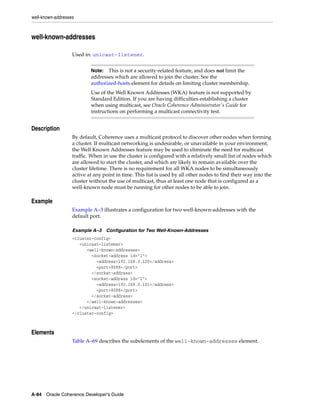
  • 296.
    Additional Coherence QueryLanguage Examples Simple SELECT * FROM Statements that Highlight Filters ■ Select the items from the cache orders where 40 is greater than the value of the price key. select * from "orders" where 40 > price ■ Select the items from the cache orders where the value of the price key exactly equals 100, and the value of insurance key is less than 10 or the value of the shipping key is greater than or equal to 20. select * from "orders" where price is 100 and insurance < 10 or shipping >= 20 ■ Select the items from the cache orders where the value of the price key exactly equals 100, and either the value of insurance key is less than 10 or the value of the shipping key is greater than or equal to 20. select * from "orders" where price is 100 and (insurance < 10 or shipping >= 20) ■ Select the items from the cache orders where either the value of the price key equals 100, or the bar key equals 20. select * from "orders" where price = 100 or shipping = 20 ■ Select the items from the cache orders where the value of the insurance key is not null. select * from "orders" where insurance is not null ■ Select the items from the cache employees where the emp_id key has a value between 1 and 1000 or the bar.emp key is not "Smith". select * from "employees" where emp_id between 1 and 1000 or bar.emp is not "Smith" ■ Select items from the cache orders where the value of item key is similar to the value "coat". select * from "orders" where item like "coat%" ■ Select items from the cache employees where the value of emp_id is in the set 5, 10, 15, or 20. select * from "employees" where emp_id in (5,10,15,20) ■ Select items from the cache employees where emp_id contains the list 5, 10, 15, and 20. select * from "employees" where emp_id contains (5,10,15,20) ■ Select items from the cache employees where emp_id contains the all of the items 5, 10, 15, and 20. select * from "employees" where emp_id contains all (5,10,15,20) ■ Select items from the cache employees where emp_id contains any of the items 5, 10, 15, or 20. select * from "employees" where emp_id contains any (5,10,15,20) ■ Select items from cache employees where the value of foo key is less than 10 and occurs in the set 10, 20. 26-16 Oracle Coherence Developer's Guide
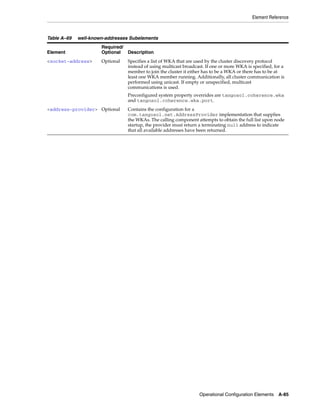
  • 297.
    Additional Coherence QueryLanguage Examples select * from "employees" where emp_id < 10 in (10,20) Complex Queries that Feature Projection, Aggregation, and Grouping ■ Select the home state and age of employees in the cache ContactInfoCache, and group by state and age. select homeAddress.state, age, count() from "ContactInfoCache" group by homeAddress.state, age ■ Select the spurious frobit key from the orders cache. Note, an empty result set is returned. select frobit,supplier,sum(amount),avg(price) from "orders" group by supplier ■ For the items in the orders cache that are greater than $1000, select the items, their prices and colors. select item_name,price,color from "orders" where price > 1000 ■ Select the total amount for items from the orders cache. select sum(amount) from "orders" ■ Select the total amount for items from the orders cache where the color attribute is red or green. select sum(amount) from "orders" where color is "red" or color is "green" ■ Select the total amount and average price for items from the orders cache select sum(amount),avg(price) from "orders" ■ Select one copy of the lastname and city from possible duplicate rows from the employees cache, where the state is California. select distinct lastName,city from "employees" where state = "CA" UPDATE Examples ■ For employees in the employees cache whose ranking is above grade 7, increase their salaries by 10% and add 50 hours of vacation time. update "employees" set salary = salary*1.10, vacation = vacation + 50 where grade > 7 Key and Value Pseudo-Function Examples This section provides examples of how to use the key() and value() pseudo-functions. For additional examples, see "A Command-Line Example" on page 26-12. ■ Select the employees from the ContactInfoCache whose home address is in Massachusetts, but work out of state. select key().firstName, key().lastName from "ContactInfoCache" homeAddress.state is 'MA' and workAddress.state != "MA" ■ Select the employees from the ContactInfoCache cache whose age is greater than 42. select key().firstName, key().lastName, age from "ContactInfoCache" where age > 42 Using Coherence Query Language 26-17
  • 298.
    Additional Coherence QueryLanguage Examples 26-18 Oracle Coherence Developer's Guide
  • 299.
    27 Performing Transactions 27 This chapter provides instructions for using Coherence’s transaction and data concurrency features. Users should be familiar with transaction principles before reading this chapter. In addition, the Coherence Resource Adapter requires knowledge of J2EE Connector Architecture (J2CA), Java Transaction API (JTA) and Java EE deployment. The following sections are included in this chapter: ■ Overview of Transactions ■ Using Explicit Locking for Data Concurrency ■ Using Entry Processors for Data Concurrency ■ Using the Transaction Framework API ■ Using the Coherence Resource Adapter Overview of Transactions Transactions ensure correct outcomes in systems that undergo state changes by allowing a programmer to scope multiple state changes into a unit of work. The state changes are committed only if each change can complete without failure; otherwise, all changes must be rolled back to their previous state. Transactions attempt to maintain a set of criteria that are commonly referred to as ACID properties (Atomicity, Consistency, Isolation, Durability): ■ Atomic - The changes that are performed within the transaction are either all committed or all rolled back to their previous state. ■ Consistent - The results of a transaction must leave any shared resources in a valid state. ■ Isolated - The results of a transaction are not visible outside of the transaction until the transaction has been committed. ■ Durable - The changes that are performed within the transaction are made permanent. Sometimes ACID properties cannot be maintained solely by the transaction infrastructure and may require customized business logic. For instance, the consistency property requires program logic to check whether changes to a system are valid. In addition, strict adherence to the ACID properties can directly affect infrastructure and application performance and must be carefully considered. Performing Transactions 27-1
  • 300.
    Using Explicit Lockingfor Data Concurrency Coherence offers various transaction options that provide different transaction guarantees. The options should be selected based on an application’s or solution’s transaction requirements. Table 27–1 summarizes the various transactions option that Coherence offers. Table 27–1 Coherence Transaction Options Option Name Description Explicit locking The ConcurrentMap interface (which is extended by the NamedCache interface) supports explicit locking operations. The locking API guarantees data concurrency but does not offer atomic guarantees. For detailed information on this option, see "Using Explicit Locking for Data Concurrency" on page 27-2. Entry Processors Coherence also supports a lock-free programming model through the EntryProcessor API. For many transaction types, this minimizes contention and latency and improves system throughput, without compromising the fault-tolerance of data operations. This option offers high-level concurrency control but does not offer atomic guarantees. For detailed information on this option, see "Using Entry Processors for Data Concurrency" on page 27-3. Transaction Framework API Coherence Transaction Framework API is a connection-based API that provides atomic transaction guarantees across partitions and caches even with a client failure. The framework supports the use of NamedCache operations, queries, aggregation, and entry processors within the context of a transaction. For detailed information on this option, see "Using the Transaction Framework API" on page 27-5. Coherence Resource The Coherence resource adapter leverages the Coherence Adapter Transaction Framework API and allows Coherence to participate as a resource in XA transactions that are managed by a JavaEE container’s transaction manager. This transaction option offers atomic guarantees. For detailed information on this option, see "Using the Coherence Resource Adapter" on page 27-21. Using Explicit Locking for Data Concurrency The standard NamedCache interface extends the ConcurrentMap interface which includes basic locking methods. Locking operations are applied at the entry level by requesting a lock against a specific key in a NamedCache: Example 27–1 Applying Locking Operations on a Cache ... NamedCache cache = CacheFactory.getCache("dist-cache"); Object key = "example_key"; cache.lock(key, -1); try { Object value = cache.get(key); // application logic cache.put(key, value); } finally { // Always unlock in a "finally" block // to ensure that uncaught exceptions // do not leave data locked 27-2 Oracle Coherence Developer's Guide
  • 301.
    Using Entry Processorsfor Data Concurrency cache.unlock(key); } ... Coherence lock functionality is similar to the Java synchronized keyword and the C# lock keyword: locks only block locks. Threads must cooperatively coordinate access to data through appropriate use of locking. If a thread has locked the key to an item, another thread can read the item without locking. Locks are unaffected by server failure and failover to a backup server. Locks are immediately released when the lock owner (client) fails. Locking behavior varies depending on the timeout requested and the type of cache. A timeout of -1 blocks indefinitely until a lock can be obtained, 0 returns immediately, and a value greater than 0 waits the specified number of milliseconds before timing out. The boolean return value should be examined to ensure the caller has actually obtained the lock. See ConcurrentMap.lock() for more details. Note that if a timeout value is not passed to lock() the default is 0. With replicated caches, the entire cache can be locked by using ConcurrentMap.LOCK_ALL as the key, although this is usually not recommended. This operation is not supported with partitioned caches. In both replicated and partitioned caches, gets are permitted on keys that are locked. In a replicated cache, puts are blocked, but they are not blocked in a partitioned cache. When a lock is in place, it is the responsibility of the caller (either in the same thread or the same cluster node, depending on the lease-granularity configuration) to release the lock. This is why locks should always be released with a finally clause (or equivalent). If this is not done, unhandled exceptions may leave locks in place indefinitely. For more information on lease-granularity configuration, see "DistributedCache Service Parameters". Using Entry Processors for Data Concurrency The InvocableMap superinterface of NamedCache allows for concurrent lock-free execution of processing code within a cache. This processing is performed by an EntryProcessor. In exchange for reduced flexibility compared to the more general ConcurrentMap explicit locking API, EntryProcessors provide the highest levels of efficiency without compromising data reliability. Since EntryProcessors perform an implicit low-level lock on the entries they are processing, the end user can place processing code in an EntryProcessor without having to worry about concurrency control. Note that this is different than the explicit lock(key) functionality provided by ConcurrentMap API. In a replicated cache or a partitioned cache running under Caching Edition, execution happens locally on the initiating client. In partitioned caches running under Enterprise Edition or greater, the execution occurs on the node that is responsible for primary storage of the data. InvocableMap provides three methods of starting EntryProcessors: ■ Invoke an EntryProcessor on a specific key. Note that the key need not exist in the cache to invoke an EntryProcessor on it. ■ Invoke an EntryProcessor on a collection of keys. ■ Invoke an EntryProcessor on a Filter. In this case, the Filter is executed against the cache entries. Each entry that matches the Filter criteria has the EntryProcessor executed against it. For more information on Filters, see Chapter 22, "Querying Data In a Cache". Performing Transactions 27-3
  • 302.
    Using Entry Processorsfor Data Concurrency In partitioned caches running under Enterprise Edition or greater, entry processors are executed in parallel across the cluster (on the nodes that own the individual entries.) This provides a significant advantage over having a client lock all affected keys, pull all required data from the cache, process the data, place the data back in the cache, and unlock the keys. The processing occurs in parallel across multiple computers (as opposed to serially on one computer) and the network overhead of obtaining and releasing locks is eliminated. Note: EntryProcessor classes must be available in the classpath for each cluster node. Here is a sample of high-level concurrency control. Code that requires network access is commented: Example 27–2 Concurrency Control without Using EntryProcessors final NamedCache cache = CacheFactory.getCache("dist-test"); final String key = "key"; cache.put(key, new Integer(1)); // begin processing // *requires network access* if (cache.lock(key, 0)) { try { // *requires network access* Integer i = (Integer) cache.get(key); // *requires network access* cache.put(key, new Integer(i.intValue() + 1)); } finally { // *requires network access* cache.unlock(key); } } // end processing The following is an equivalent technique using an Entry Processor. Again, network access is commented: Example 27–3 Concurrency Control Using EntryProcessors final NamedCache cache = CacheFactory.getCache("dist-test"); final String key = "key"; cache.put(key, new Integer(1)); // begin processing // *requires network access* cache.invoke(key, new MyCounterProcessor()); 27-4 Oracle Coherence Developer's Guide
  • 303.
    Using the TransactionFramework API // end processing ... public static class MyCounterProcessor extends AbstractProcessor { // this is executed on the node that owns the data, // no network access required public Object process(InvocableMap.Entry entry) { Integer i = (Integer) entry.getValue(); entry.setValue(new Integer(i.intValue() + 1)); return null; } } EntryProcessors are individually executed atomically, however multiple EntryProcessor invocations by using InvocableMap.invokeAll() do not execute as one atomic unit. As soon as an individual EntryProcessor has completed, any updates made to the cache is immediately visible while the other EntryProcessors are executing. Furthermore, an uncaught exception in an EntryProcessor does not prevent the others from executing. Should the primary node for an entry fail while executing an EntryProcessor, the backup node performs the execution instead. However if the node fails after the completion of an EntryProcessor, the EntryProcessor is not invoked on the backup. Note that in general, EntryProcessors should be short lived. Applications with longer running EntryProcessors should increase the size of the distributed service thread pool so that other operations performed by the distributed service are not blocked by the long running EntryProcessor. For more information on the distributed service thread pool, see "DistributedCache Service Parameters". Coherence includes several EntryProcessor implementations for common use cases. Further details on these EntryProcessors, along with additional information on parallel data processing, can be found in "Provide a Data Grid". Using the Transaction Framework API The Transaction Framework API allows TCMP clients to perform operations and use queries, aggregators, and entry processors within the context of a transaction. The transactions provide read consistency and atomic guarantees across partitions and caches even with client failure. The framework uses its own concurrency strategy and storage implementation and its own recovery manager for failed transactions. Note: The TransactionMap API has been deprecated and is superseded by the Transaction Framework API. The two APIs are mutually exclusive. Known Limitations The Transaction Framework API has the following limitations: ■ Database Integration – For existing Coherence users, the most noticeable limitation is the lack of support for database integration as compared to the existing Partitioned NamedCache implementation. Performing Transactions 27-5
  • 304.
    Using the TransactionFramework API ■ Server-Side Functionality – Transactional caches do not support eviction or expiry, though they support garbage collection of older object versions. Backing map listeners, triggers, and CacheStore modules are not supported. ■ Explicit Locking and Pessimistic Transactions – Pessimistic/explicit locking (ConcurrentMap interface) are not supported. ■ Filters – Filters, such as PartitionedFilter, LimitFilter and KeyAssociationFilter, are not supported. ■ Synchronous Listener – The SynchronousListener interface is not supported. ■ Near Cache – Wrapping a near cache around a transactional cache is not supported. ■ Key Partitioning Strategy – You cannot specify a custom KeyPartitioningStrategy for a transactional cache; although, KeyAssociation or a custom KeyAssociator works. The following topics are included in this section: ■ Defining Transactional Caches ■ Performing Cache Operations within a Transaction ■ Creating Transactional Connections ■ Using Transactional Connections ■ Using the OptimisticNamedCache Interface ■ Configuring POF When Performing Transactions ■ Configuring Transactional Storage Capacity ■ Performing Transactions from Java Extend Clients ■ Viewing Transaction Management Information The Transaction Framework API is also the underling transaction framework for the Coherence JCA resource adapter. For details on using the resource adapter, see "Using the Coherence Resource Adapter" on page 27-21. Defining Transactional Caches Transactional caches are specialized distributed caches that provide transactional guarantees. Transactional caches are required whenever performing a transaction using the Transaction Framework API. Transactional caches are not interoperable with non-transactional caches. At run-time, transactional caches are automatically used with a set of internal transactional caches that provide transactional storage and recovery. Transactional caches also allow default transaction behavior (including the default behavior of the internal transactional caches) to be overridden at run-time. Transactional caches are defined within a cache configuration file using a <transactional-scheme> element. A transaction scheme includes many of the same elements and attributes that are available to a distributed cache scheme. For detailed information about the <transactional-scheme> element and all its subelements, see "transactional-scheme" on page B-107. Note: The use of transaction schemes within near cache schemes is currently not supported. 27-6 Oracle Coherence Developer's Guide
  • 305.
    Using the TransactionFramework API The following example demonstrates defining a transactional cache scheme in a cache configuration file. The cache is named MyTxCache and maps to a <transactional-scheme> that is named example-transactional. The cache name can also use the tx-* convention which allows multiple cache instances to use a single mapping to a transactional cache scheme. Note: ■ The <service-name> element, as shown in the example below, is optional. If no <service-name> element is included in the transactional cache scheme, TransactionalCache is used as the default service name. In this case, applications must connect to a transactional service using the default service name. See "Creating Transactional Connections" on page 27-10. Example 27–4 Example Transactional Cache Definition <caching-scheme-mapping> <cache-mapping> <cache-name>MyTxCache</cache-name> <scheme-name>example-transactional</scheme-name> </cache-mapping> </caching-scheme-mapping> <caching-schemes> <!-- Transactional caching scheme. --> <transactional-scheme> <scheme-name>example-transactional</scheme-name> <service-name>TransactionalCache</service-name> <thread-count>10</thread-count> <request-timeout>30000</request-timeout> <autostart>true</autostart> </transactional-scheme> </caching-schemes> The <transactional-scheme> element also supports the use of scheme references. In the below example, a <transactional-scheme> with the name example-transactional references a <transactional-scheme> with the name base-transactional: <caching-scheme-mapping> <cache-mapping> <cache-name>tx-*</cache-name> <scheme-name>example-transactional</scheme-name> </cache-mapping> </caching-scheme-mapping> <caching-schemes> <transactional-scheme> <scheme-name>example-transactional</scheme-name> <scheme-ref>base-transactional</scheme-ref> <thread-count>10</thread-count> </transactional-scheme> <transactional-scheme> <scheme-name>base-transactional</scheme-name> <service-name>TransactionalCache</service-name> <request-timeout>30000</request-timeout> <autostart>true</autostart> Performing Transactions 27-7
  • 306.
    Using the TransactionFramework API </transactional-scheme> </caching-schemes> Performing Cache Operations within a Transaction Applications perform cache operations within a transaction in one of three ways: ■ Using the NamedCache API – Applications use the NamedCache API to implicitly perform cache operations within a transaction. ■ Using the Connection API – Applications use the Connection API to explicitly perform cache operations within a transaction. ■ Using the Coherence Resource Adapter – Java EE applications use the Coherence Resource Adapter to connect to a Coherence data cluster and perform cache operations as part of a distributed (global) transaction. Using the NamedCache API The NamedCache API can perform cache operations implicitly within the context of a transaction. However, this approach does not allow an application to change default transaction behavior. For example, transactions are in auto-commit mode when using the NamedCache API approach. Each operation is immediately committed when it successfully completes; multiple operations cannot be scoped into a single transaction. Applications that require more control over transactional behavior must use the Connection API. See "Using Transactional Connections" on page 27-11 for a detailed description of a transaction’s default behaviors. The NamedCache API approach is ideally suited for ensuring atomicity guarantees when performing single operations such as putAll. The following example demonstrates a simple client that creates a NamedCache instance and uses the CacheFactory.getCache()method to get a transactional cache. The example uses the transactional cache that was defined in Example 27–4. The client performs a putAll operation that is only committed if all the put operations succeed. The transaction is automatically rolled back if any put operation fails. ... String key = "k"; String key2 = "k2"; String key3 = "k3"; String key4 = "k4"; CacheFactory.ensureCluster(); NamedCache cache = CacheFactory.getCache("MyTxCache"); Map map = new HashMap(); map.put(key, "value"); map.put(key2, "value2"); map.put(key3, "value3"); map.put(key4, "value4"); //operations performed on the cache are atomic cache.putAll(map); CacheFactory.shutdown(); ... 27-8 Oracle Coherence Developer's Guide
  • 307.
    Using the TransactionFramework API Using the Connection API The Connection API is used to perform cache operations within a transaction and provides the ability to explicitly control transaction behavior. For example, applications can enable or disable auto-commit mode or change transaction isolation levels. The examples in this section demonstrate how to use the Connection interface, DefaultConnectionFactory class, and the OptimisticNamedCache interface which are located in the com.tangosol.coherence.transaction package. The examples use the transactional cache that was defined in Example 27–4. The Connection API is discussed in detail following the examples. Example 27–5 demonstrates an auto-commit transaction; where, two insert operations are each executed as separate transactions. Example 27–5 Performing an Auto-Commit Transaction ... Connection con = new DefaultConnectionFactory(). createConnection("TransactionalCache"); OptimisticNamedCache cache = con.getNamedCache("MytxCache"); cache.insert(key, value); cache.insert(key2, value2); con.close(); ... Example 27–6 demonstrates a non auto-commit transaction; where, two insert operations are performed within a single transaction. Applications that use non auto-commit transactions must manually demarcate transaction boundaries. Example 27–6 Performing a Non Auto-Commit Transaction ... Connection con = new DefaultConnectionFactory(). createConnection("TransactionalCache"); con.setAutoCommit(false); try { OptimisticNamedCache cache = con.getNamedCache("MyTxCache"); cache.insert(key, value); cache.insert(key2, value2); con.commit(); catch (Exception e) { con.rollback(); throw e; } finally { con.close(); } ... Performing Transactions 27-9
  • 308.
    Using the TransactionFramework API Example 27–7 demonstrates performing a transaction that spans multiple caches. Each transactional cache must be defined in a cache configuration file. Example 27–7 Transaction Across Multiple Caches ... Connection con = new DefaultConnectionFactory(). createConnection("TransactionalCache"); con.setAutoCommit(false); OptimisticNamedCache cache = con.getNamedCache("MyTxCache"); OptimisticNamedCache cache1 = con.getNamedCache("MyTxCache1"); cache.insert(key, value); cache1.insert(key2, value2); con.commit(); con.close(); ... Note: Transactions can span multiple partitions and caches within the same service but cannot span multiple services. Creating Transactional Connections The com.tangosol.coherence.transaction.DefaultConnectionFactory class is used to create com.tangosol.coherence.transaction.Connection instances. The following code from Example 27–5 demonstrates creating a Connection instance using the factory’s no argument constructor: Connection con = new DefaultConnectionFactory(). createConnection("TransactionalCache"); In this example, the first cache configuration file found on the classpath (or specified using the -Dtangosol.coherence.cacheconfig system property) is used by this Connection instance. Optionally, a URI can be passed as an argument to the factory class that specifies the location and name of a cache configuration file. For example, the following code demonstrates constructing a connection factory that uses a cache configuration file named cache-config.xml that is located in a config directory found on the classpath. Connection con = new DefaultConnectionFactory("config/cache-config.xml"). createConnection("TransactionalCache"); The DefaultConnectionFactory class provides methods for creating connections: ■ createConnection() – The no-argument method creates a connection that is a member of the default transactional service, which is named TransactionalCache. Use the no-argument method when the <transactional-scheme> element being used does not include a specific<service-name> element. For details on defining transactional cache schemes and specifying the service name, see "Defining Transactional Caches" on page 27-6. ■ createConnection(ServiceName) – This method creates a connection that is a member of a transactional service. The service name is a String that indicates 27-10 Oracle Coherence Developer's Guide
  • 309.
    Using the TransactionFramework API the transactional service to which this connection belongs. The ServiceName maps to a <service-name> element that is defined within a <transactional-scheme> element in the cache configuration file. If no service name is used, the default name (TransactionalCache) is used as the service name. For details on defining transactional cache schemes and specifying the service name, see "Defining Transactional Caches" on page 27-6. ■ createConnection(ServiceName, loader) – This method also creates a connection that is a member of a transactional service. In addition, it specifies the class loader to use. In the above example, the connection is created by only specifying a service name; in which case, the default class loader is used. Using Transactional Connections The com.tangosol.coherence.transaction.Connection interface represents a logical connection to a Coherence service. An active connection is always associated with a transaction. A new transaction implicitly starts when a connection is created and also when a transaction is committed or rolled back. Transactions that are derived from a connection have several default behaviors that are listed below. The default behaviors balance ease-of-use with performance. ■ A transaction is automatically committed or rolled back for each cache operation. See "Using Auto-Commit Mode" below. ■ A transaction uses the read committed isolation level. See "Setting Isolation Levels" below. ■ A transaction immediately performs operations on the cache. See "Using Eager Mode" below. ■ A transaction has a default timeout of 300 seconds. See "Setting Transaction Timeout" below. A connection’s default behaviors can be changed using the Connection instance’s methods as required. Using Auto-Commit Mode Auto-commit mode allows an application to choose whether each cache operation should be associated with a separate transaction or whether multiple cache operations should be executed as a single transaction. Each cache operation is executed in a distinct transaction when auto-commit is enabled; the framework automatically commits or rolls back the transaction after an operation completes and then the connection is associated with a new transaction and the next operation is performed. By default, auto-commit is enabled when a Connection instance is created. The following code from Example 27–5 demonstrates insert operations that are each performed as a separate transaction: OptimisticNamedCache cache = con.getNamedCache("MyTxCache"); cache.insert(key, value); cache.insert(key2, value2); Multiple operations are performed as part of a single transaction by disabling auto-commit mode. If auto-commit mode is disabled, an application must manually demarcate transaction boundaries. The following code from Example 27–6 demonstrates insert operations that are performed within a single transaction: con.setAutoCommit(false); Performing Transactions 27-11
  • 310.
    Using the TransactionFramework API OptimisticNamedCache cache = con.getNamedCache("MyTxCache"); cache.insert(key, value); cache.insert(key2, value2); con.commit(); An application cannot use the commit() or rollback() method when auto-commit mode is enabled. Moreover, if auto-commit mode is enabled while in an active transaction, any work is automatically rolled back. Setting Isolation Levels Isolation levels help control data concurrency and consistency. The Transaction Framework uses implicit write-locks and does not implement read-locks. Any attempt to write to a locked entry results in an UnableToAcquireLockException; the request does not block. When a transaction is set to eager mode, the exception is thrown immediately. In non-eager mode, exceptions may not be thrown until the statement is flushed, which is typically at the next read or when the transaction commits. See "Using Eager Mode" on page 27-13. The Coherence Transaction Framework API supports the following isolation levels: ■ READ_COMMITTED – This is the default isolation level if no level is specified. This isolation level guarantees that only committed data is visible and does not provide any consistency guarantees. This is the weakest of the isolation levels and generally provides the best performance at the cost of read consistency. ■ STMT_CONSISTENT_READ – This isolation level provides statement-scoped read consistency which guarantees that a single operation only reads data for the consistent read version that was available at the time the statement began. The version may or may not be the most current data in the cache. See the note below for additional details. ■ STMT_MONOTONIC_CONSISTENT_READ – This isolation level provides the same guarantees as STMT_CONSISTENT_READ, but reads are also guaranteed to be monotonic. A read is guaranteed to return a version equal or greater than any version that was previously encountered while using the connection. Due to the monotinic read guarantee, reads with this isolation may block until the necessary versions are available. ■ TX_CONSISTENT_READ – This isolation level provides transaction-scoped read consistency which guarantees that all operations performed in a given transaction read data for the same consistent read version that was available at the time the transaction began. The version may or may not be the most current data in the cache. See the note below for additional details. ■ TX_MONOTONIC_CONSISTENT_READ – This isolation level provides the same guarantees as TX_CONSISTENT_READ, but reads are also guaranteed to be monotonic. A read is guaranteed to return a version equal or greater than any version that was previously encountered while using the connection. Due to the monotinic read guarantee, the initial read in a transaction with this isolation may block until the necessary versions are available. 27-12 Oracle Coherence Developer's Guide
  • 311.
    Using the TransactionFramework API Note: Consistent read isolation levels (statement or transaction) may lag slightly behind the most current data in the cache. If a transaction writes and commits a value, then immediately reads the same value in the next transaction with a consistent read isolation level, the updated value may not be immediately visible. If reading the most recent value is critical, then the READ_COMMITTED isolation level is required. Isolation levels are set on a Connection instance and must be set before starting an active transaction. For example: ... Connection con = new DefaultConnectionFactory(). createConnection("TransactionalCache"); con.setIsolationLevel(STMT_CONSISTENT_READ); ... Using Eager Mode Eager mode allows an application to control when cache operations are performed on the cluster. If eager mode is enabled, cache operations are immediately performed on the cluster. If eager mode is disabled, cache operations are deferred, if possible, and queued to be performed as a batch operation. Typically, an operation can only be queued if it does not return a value. An application may be able to increase performance by disabling eager mode. By default, eager mode is enabled and cache operations are immediately performed on the cluster. The following example demonstrates disabling eager mode. ... Connection con = new DefaultConnectionFactory(). createConnection("TransactionalCache"); con.setEager(false); ... Setting Transaction Timeout The transaction timeout allows an application to control how long a transaction can remain active before it is rolled back. The transaction timeout is associated with the current transaction and any new transactions that are associated with the connection. The timeout value is specified in seconds. The default timeout value is 300 seconds. The following example demonstrates setting the transaction timeout value. ... Connection con = new DefaultConnectionFactory(). createConnection("TransactionalCache"); con.setTransactionTimeout(420); ... Performing Transactions 27-13
  • 312.
    Using the TransactionFramework API Using the OptimisticNamedCache Interface The com.tangosol.coherence.transaction.OptimisticNamedCache interface extends the NamedCache interface and adds the operations: update(), delete(), and insert(). All transactional caches are derived from this type. This cache type ensures that an application use the framework’s concurrency and data locking implementations. Note: OptimisticNamedCache does not extend any operations from the ConcurrentMap interface since it uses its own locking strategy. The following code sample from Example 27–5 demonstrates getting a transactional cache called MyTxCache and performs operations on the cache. For this example, a transactional cache that is named MyTxCache must be located in the cache configuration file at run-time. For details on defining a transactional cache, see "Defining Transactional Caches" on page 27-6. OptimisticNamedCache cache = con.getNamedCache("MyTxCache"); cache.insert(key, value); cache.insert(key2, value2); Configuring POF When Performing Transactions Transactional caches support Portable Object Format (POF) serialization within transactions. POF is enabled within a transactional cache scheme using the <serializer> element. The following example demonstrates enabling POF serialization in a transactional cache scheme. <transactional-scheme> <scheme-name>example-transactional</scheme-name> <service-name>TransactionalCache</service-name> <serializer> <instance> <class-name>com.tangosol.io.pof.ConfigurablePofContext</class-name> </instance> </serializer> <autostart>true</autostart> </transactional-scheme> The Transaction Framework API also includes its own POF types which are defined in the txn-pof-config.xml POF configuration file which is included in coherence.jar. The POF types are required and must be found at run-time. To load the transaction POF types at run time, modify an application’s POF configuration file and include the txn-pof-config.xml POF configuration file using the <include> element. For example: <pof-config xmlns:xsi="http://www.w3.org/2001/XMLSchema-instance" xmlns="http://xmlns.oracle.com/coherence/coherence-pof-config" xsi:schemaLocation="http://xmlns.oracle.com/coherence/coherence-pof-config coherence-pof-config.xsd"> <user-type-list> <include>coherence-pof-config.xml</include> <include>txn-pof-config.xml</include> </user-type-list> 27-14 Oracle Coherence Developer's Guide
  • 313.
    Using the TransactionFramework API ... </pof-config> See "Combining Multiple POF Configuration Files" on page 3-10 for more information on using the <include> element to combine POF configuration files. Configuring Transactional Storage Capacity The Transaction Framework API stores transactional data in internal distributed caches that use backing maps. The data includes versions of all keys and their values for a transactional cache. The framework uses the stored data in roll-back scenarios and also during recovery. Due to the internal storage requirements, transactional caches have a constant overhead associated with every entry written to the cache. Moreover, transactional caches use multi-version concurrency control, which means that every write operation produces a new row into the cache even if it is an update. Therefore, the Transaction Framework API uses a custom eviction policy to help manage the growth of its internal storage caches. The eviction policy works by determining which versions of an entry can be kept and which versions are eligible for eviction. The latest version for a given key (the most recent) is never evicted. The eviction policy is enforced whenever a configured high-water mark is reached. After the threshold is reached, 25% of the eligible versions are removed. Note: ■ The eviction policy does not take the entire transactional storage into account when comparing the high-water mark. Therefore, transactional storage slightly exceeds the high-water mark before the storage eviction policy is notified. ■ It is possible that storage for a transactional cache exceeds the maximum heap size if the cache is sufficiently broad (large number of distinct keys) since the current entry for a key is never evicted. Because the storage eviction policy is notified on every write where the measured storage size exceeds the high-water mark, the default high-water mark may have to be increased so that it is larger than the size of the current data set. Otherwise, the eviction policy is notified on every write after the size of the current data set exceeds the high water mark resulting in decreased performance. If consistent reads are not used, the value can be set so that it slightly exceeds the projected size of the current data set since no historical versions is ever read. When using consistent reads, the high-water mark should be high enough to provide for enough historical versions. Use the below formulas to approximate the transactional storage size. The high-water mark is configured using the <high-units> element within a transactional scheme definition. The following example demonstrates configuring a high-water mark of 20 MB. <transactional-scheme> ... <high-units>20M</high-units> ... </trnsactional-scheme> Performing Transactions 27-15
  • 314.
    Using the TransactionFramework API The following formulas provide a rough estimate of the memory usage for a row in a transactional cache. For insert operations: ■ Primary – key(serialized) + key (on-heap size) + value(serialized) + 1095 bytes constant overhead ■ Backup – key(serialized) + value(serialized) + 530 bytes constant overhead For updated operations: ■ Primary – value(serialized) + 685 bytes constant overhead ■ Backup – value(serialized) + 420 bytes constant overhead Performing Transactions from Java Extend Clients The Transaction Framework API provides Java extend clients with the ability to perform cache operations within a transaction. In this case, the transaction API is used within an entry processor that is located on the cluster. At run time, the entry processor is executed on behalf of the Java client. The instructions in this section do not include detailed instructions on how to setup and use Coherence*Extend. For those new to Coherence*Extend, see "Setting Up Coherence*Extend" in Oracle Coherence Client Guide. For details on performing transactions from C++ or .NET clients, see "Performing Transactions for C++ Clients" and "Performing Transactions for .NET Clients" in the Oracle Coherence Client Guide. The following topics are included in this section and are required to perform transactions from Java extend clients: ■ Create an Entry Processor for Transactions ■ Configure the Cluster-Side Transaction Caches ■ Configure the Client-Side Remote Cache ■ Use the Transactional Entry Processor from a Java Client Create an Entry Processor for Transactions Transactions are performed using the transaction API within an entry processor that resides on the cluster. The entry processor is executed on behalf of a Java extend client. Example 27–8 demonstrates an entry processor that performs a simple update operation within a transaction. At run time, the entry processor must be located on both the client and cluster. Example 27–8 Entry Processor for Extend Client Transaction public class MyTxProcessor extends AbstractProcessor { public Object process(InvocableMap.Entry entry) { // obtain a connection and transaction cache ConnectionFactory connFactory = new DefaultConnectionFactory(); Connection conn = connFactory.createConnection("TransactionalCache"); OptimisticNamedCache cache = conn.getNamedCache("MyTxCache"); conn.setAutoCommit(false); // get a value for an existing entry String sValue = (String) cache.get("existingEntry"); 27-16 Oracle Coherence Developer's Guide
  • 315.
    Using the TransactionFramework API // create predicate filter Filter predicate = new EqualsFilter(IdentityExtractor.INSTANCE, sValue); try { // update the previously obtained value cache.update("existingEntry", "newValue", predicate); } catch (PredicateFailedException e) { // value was updated after it was read conn.rollback(); return false; } catch (UnableToAcquireLockException e) { // row is being updated by another tranaction conn.rollback(); return false; } try { conn.commit(); } catch (RollbackException e) { // transaction was rolled back return false; } return true; } } Configure the Cluster-Side Transaction Caches Transactions require a transactional cache to be defined in the cluster-side cache configuration file. For details on defining a transactional cache, see "Defining Transactional Caches" on page 27-6. The following example defines a transactional cache that is named MyTxCache, which is the cache name that was used by the entry processor in Example 27–8. The example also includes a proxy scheme and a distributed cache scheme that are required to execute the entry processor from a remote client. The proxy is configured to accept client TCP/IP connections on localhost at port 9099. <?xml version='1.0'?> <cache-config xmlns:xsi="http://www.w3.org/2001/XMLSchema-instance" xmlns="http://xmlns.oracle.com/coherence/coherence-cache-config" xsi:schemaLocation="http://xmlns.oracle.com/coherence/coherence-cache-config coherence-cache-config.xsd"> <caching-scheme-mapping> <cache-mapping> <cache-name>MyTxCache</cache-name> <scheme-name>example-transactional</scheme-name> </cache-mapping> <cache-mapping> <cache-name>dist-example</cache-name> <scheme-name>example-distributed</scheme-name> Performing Transactions 27-17
  • 316.
    Using the TransactionFramework API </cache-mapping> </caching-scheme-mapping> <caching-schemes> <transactional-scheme> <scheme-name>example-transactional</scheme-name> <thread-count>7</thread-count> <high-units>15M</high-units> <task-timeout>0</task-timeout> <autostart>true</autostart> </transactional-scheme> <distributed-scheme> <scheme-name>example-distributed</scheme-name> <service-name>DistributedCache</service-name> <backing-map-scheme> <local-scheme/> </backing-map-scheme> <autostart>true</autostart> </distributed-scheme> <proxy-scheme> <service-name>ExtendTcpProxyService</service-name> <thread-count>5</thread-count> <acceptor-config> <tcp-acceptor> <local-address> <address>localhost</address> <port>9099</port> </local-address> </tcp-acceptor> </acceptor-config> <autostart>true</autostart> </proxy-scheme> </caching-schemes> </cache-config> Configure the Client-Side Remote Cache Remote clients require a remote cache to connect to the cluster’s proxy and run a transactional entry processor. The remote cache is defined in the client-side cache configuration file. The following example configures a remote cache to connect to a proxy that is located on localhost at port 9099. In addition, the name of the remote cache (dist-example) must match the name of a cluster-side cache that is used when initiating the transactional entry processor. <?xml version='1.0'?> <cache-config xmlns:xsi="http://www.w3.org/2001/XMLSchema-instance" xmlns="http://xmlns.oracle.com/coherence/coherence-cache-config" xsi:schemaLocation="http://xmlns.oracle.com/coherence/coherence-cache-config coherence-cache-config.xsd"> <caching-scheme-mapping> <cache-mapping> <cache-name>dist-example</cache-name> <scheme-name>extend</scheme-name> </cache-mapping> </caching-scheme-mapping> <caching-schemes> <remote-cache-scheme> 27-18 Oracle Coherence Developer's Guide
  • 317.
    Using the TransactionFramework API <scheme-name>extend</scheme-name> <service-name>ExtendTcpCacheService</service-name> <initiator-config> <tcp-initiator> <remote-addresses> <socket-address> <address>localhost</address> <port>9099</port> </socket-address> </remote-addresses> <connect-timeout>30s</connect-timeout> </tcp-initiator> <outgoing-message-handler> <request-timeout>30s</request-timeout> </outgoing-message-handler> </initiator-config> </remote-cache-scheme> </caching-schemes> </cache-config> Use the Transactional Entry Processor from a Java Client A Java extend client invokes an entry processor as normal. However, at run time, the cluster-side entry processor is invoked. The client is unaware that the invocation has been delegated. The following example demonstrates how a Java client calls the entry processor shown in Example 27–8. NamedCache cache = CacheFactory.getCache("dist-example"); Object oReturn = cache.invoke("AnyKey", new MyTxProcessor()); System.out.println("Result of extend tx execution: " + oReturn); Viewing Transaction Management Information The transaction framework leverages the existing Coherence JMX management framework. See Oracle Coherence Management Guide for detailed information on enabling and using JMX in Coherence. This section describes two MBeans that provide transaction information: CacheMBean and TransactionManagerMBean. CacheMBeans for Transactional Caches The CacheMBean managed resource provides attributes and operations for all caches, including transactional caches. Many of the MBeans attributes are not applicable to transactional cache; invoking such attributes simply returns a -1 value. A cluster node may have zero or more instances of cache managed beans for transactional caches. The object name uses the form: type=Cache, service=service name, name=cache name, nodeId=cluster node's id Table 27–2 describes the CacheMBean attributes that are supported for transactional caches. Performing Transactions 27-19
  • 318.
    Using the TransactionFramework API Table 27–2 Transactional Cache Supported Attributes Attribute Type Description AverageGetMillis Double The average number of milliseconds per get() invocation AveragePutMillis Double The average number of milliseconds per put() invocation since the cache statistics were last reset. Description String The cache description. HighUnits Integer The limit of the cache size measured in units. The cache prunes itself automatically after it reaches its maximum unit level. This is often referred to as the high water mark of the cache. Size Integer The number of entries in the current data set TotalGets Long The total number of get() operations since the cache statistics were last reset. TotalGetsMillis Long The total number of milliseconds spent on get() operations since the cache statistics were last reset. TotalPuts Long The total number of put() operations since the cache statistics were last reset. TotalPutsMillis Long The total number of milliseconds spent on put() operations since the cache statistics were last reset. For transactional caches, the resetStatistics operation is supported and resets all transaction manager statistics. TransactionManagerBean The TransactionManagerMBean managed resource is specific to the transactional framework. It provides global transaction manager statics by aggregating service-level statistics from all transaction service instances. Each cluster node has an instance of the transaction manager managed bean per service. The object name uses the form: type=TransactionManager, service=service name, nodeId=cluster node's id Note: For certain transaction manager attributes, the count is maintained at the coordinator node for the transaction, even though multiple nodes may have participated in the transaction. For example, a transaction may include modifications to entries stored on multiple nodes but the TotalCommitted attribute is only incremented on the MBean on the node that coordinated the commit of that transaction. Table 27–3 describes TransactionManager attributes. Table 27–3 TransactionManagerMBean Attributes Attribute Type Description TotalActive Long The total number of currently active transactions. An active transaction is counted as any transaction that contains at least one modified entry and has yet to be committed or rolled back. Note that the count is maintained at the coordinator node for the transaction, even though multiple nodes may have participated in the transaction. 27-20 Oracle Coherence Developer's Guide
  • 319.
    Using the CoherenceResource Adapter Table 27–3 (Cont.) TransactionManagerMBean Attributes Attribute Type Description TotalCommitted Long The total number of transactions that have been committed by the Transaction Manager since the last time the statistics were reset. Note that the count is maintained at the coordinator node for the transaction being committed, even though multiple nodes may have participated in the transaction. TotalRecovered Long The total number of transactions that have been recovered by the Transaction Manager since the last time the statistics were reset. Note that the count is maintained at the coordinator node for the transaction being recovered, even though multiple nodes may have participated in the transaction. TotalRolledback Long The total number of transactions that have been rolled back by the Transaction Manager since the last time the statistics were reset. Note that the count is maintained at the coordinator node for the transaction being rolled back, even though multiple nodes may have participated in the transaction. TotalTransactionMillis Long The cumulative time (in milliseconds) spent on active transactions. TimeoutMillis Long The transaction timeout value in milliseconds. Note that this value only applies to transactional connections obtained after the value is set. This attribute is currently not supported. The TransactionManagerMBean includes a single operation called resetStatistics, which resets all transaction manager statistics. Using the Coherence Resource Adapter Coherence includes a J2EE Connector Architecture (J2CA) 1.5 compliant resource adaptor that is used to get connections to a Coherence cache. The resource adapter leverages the connection API of the Coherence Transaction Framework and therefore provides default transaction guarantees. In addition, the resource adapter provides full XA support which allows Coherence to participate in global transactions. A global transaction is unit of work that is managed by one or more resource managers and is controlled and coordinated by an external transaction manager, such as the transaction manager that is included with WebLogic server or OC4J. The resource adapter is packaged as a standard Resource Adaptor Archive (RAR) and is named coherence-transaction.rar. The resource adapter is located in COHERENCE_HOME/lib and can be deployed to any Java EE container compatible with J2CA 1.5. The resource adapter includes proprietary resource adapter deployment descriptors for WebLogic (weblogic-ra.xml) and OC4J (oc4j-ra.xml) and can be deployed to these platforms without modification. Check your application server vendor’s documentation for details on defining a proprietary resource adapter descriptor that can be included within the RAR. Performing Transactions 27-21
  • 320.
    Using the CoherenceResource Adapter Note: Coherence continues to include the coherence-tx.rar resource adapter for backward compatibility. However, it is strongly recommended that applications use the coherence-transaction.rar resource adapter which provides full XA support. Those accustomed to using the Coherence CacheAdapter class can continue to do so with either resource adapter. See "Using the Coherence Cache Adapter for Transactions" on page 27-27. The following topics are included in this section: ■ Performing Cache Operations within a Transaction ■ Packaging the Application ■ Using the Coherence Cache Adapter for Transactions Performing Cache Operations within a Transaction Java EE application components (Servlets, JSPs, and EJBs) use the Coherence resource adapter to perform cache operations within a transaction. The resource adapters supports both local transactions and global transactions. Local transactions are used to perform cache operations within a transaction that is only scoped to a Coherence cache and cannot participate in a global transaction. Global transactions are used to perform cache operations that automatically commit or roll back based on the outcome of multiple resources that are enlisted in the transaction. Like all JavaEE application components, the Java Naming and Directory Interface (JNDI) API is used to lookup the resource adapter’s connection factory. The connection factory is then used to get logical connections to a Coherence cache. The following examples demonstrate how to use the Coherence resource adapter to perform cache operations within a global transaction. Example 27–9 is an example of using Container Managed Transactions (CMT); where, the container ensures that all methods execute within the scope of a global transaction. Example 27–10 is an example of user-controlled transactions; where, the application component uses the Java Transaction API (JTA) to manually demarcate transaction boundaries. Transactions require a transactional cache scheme to be defined within a cache configuration file. These examples use the transactional cache that was defined in Example 27–4. Example 27–9 Performing a Transaction When Using CMT Context initCtx = new InitialContext(); ConnectionFactory cf = (ConnectionFactory) initCtx.lookup("java:comp/env/eis/CoherenceTxCF"); Connection con = cf.createConnection("TransactionalCache"); try { OptimisticNamedCache cache = con.getNamedCache("MyTxCache"); cache.delete("key1", null); cache.insert("key1", "value1"); } finally 27-22 Oracle Coherence Developer's Guide
  • 321.
    Using the CoherenceResource Adapter { con.close(); } Example 27–10 Performing a User-Controlled Transaction Context initCtx = new InitialContext(); ConnectionFactory cf = (ConnectionFactory) initCtx.lookup("java:comp/env/eis/CoherenceTxCF"); UserTransaction ut = (UserTransaction) new InitialContext().lookup("java:comp/UserTransaction"); ut.begin(); Connection con = cf.createConnection("TransactionalCache"); try { OptimisticNamedCache cache = con.getNamedCache("MyTxCache"); cache.delete("key1", null); cache.insert("key1", "value1"); ut.commit(); } catch (Exception e) { ut.rollback(); throw e; } finally { con.close(); } Creating a Coherence Connection Applications use the com.tangosol.coherence.ConnectionFactory interface to create connections to a Coherence cluster. An instance of this interface is obtained using a JNDI lookup. The following code sample from Example 27–10 performs a JNDI lookup for a connection factory that is bound to the java:comp/env/eis/CoherenceTxCF namespace: Context initCtx = new InitialContext(); ConnectionFactory cf = (ConnectionFactory) initCtx.lookup("java:comp/env/eis/CoherenceTxCF"); The ConnectionFactory is then used to create a com.tangosol.coherence.transaction.Connection instance. The Connection instance represents a logical connection to a Coherence service: Connection con = cf.createConnection("TransactionalCache"); The creatConnection(ServiceName) method creates a connection that is a member of a transactional service. The service name is a String that indicates which transactional service this connection belongs to and must map to a service name that is defined in a <transactional-scheme> within a cache configuration file. For details Performing Transactions 27-23
  • 322.
    Using the CoherenceResource Adapter on defining transactional cache schemes and specifying the service name, see "Defining Transactional Caches" on page 27-6. A Connection instance always has an associated transaction which is scoped within the connection. A new transaction is started when a transaction is completed. The following default behaviors are associated with a connection. For more information on the Connection interface and changing the default settings, see "Using Transactional Connections" on page 27-11. ■ Connections are in auto-commit mode by default which means that each statement is executed in a distinct transaction and when the statement completes the transaction is committed and the connection is associated with a new transaction. Note: When the connection is used for a global transaction, auto-commit mode is disabled and cannot be enabled. Cache operations are performed in a single transaction and either commit or roll back as a unit. In addition, the Connection interface’s commit an rollback methods cannot be used if the connection is enlisted in a global transaction. ■ The connection’s isolation level is set to READ_COMMITTED. The transaction can only view committed data from other transactions. ■ Eager mode is enabled by default which means every operation is immediately flushed to the cluster and are not queued to be flushed in batches. ■ The default transaction timeout is 300 seconds. Note: When the connection is used for a global transaction, the transaction timeout that is associated with a connection is overridden by the transaction timeout value that is set by a container’s JTA configuration. If an application attempts to set the transaction timeout value directly on the connection while it is enlisted in a global transaction, the attempt is ignored and a warning message is emitted indicating that the transaction timeout cannot be set. The original timeout value that is set on the connection is restored after the global transaction completes. Getting a Named Cache The com.tangosol.coherence.transaction.OptimisticNamedCache interface extends the NamedCache interface. It supports all the customary named cache operations and adds its own operations for updating, deleting, and inserting objects into a cache. When performing transactions, all cache instances must be derived from this type. The following code sample from Example 27–10 demonstrates getting a named cache called MyTxCache and performing operations on the cache. The cache must be defined in the cache configuration file. try { OptimisticNamedCache cache = con.getNamedCache("MyTxCache"); cache.delete("key1", null); cache.insert("key1", "value1"); 27-24 Oracle Coherence Developer's Guide
  • 323.
    Using the CoherenceResource Adapter Note: OptimisticNamedCache does not extend any operations from the ConcurrentMap interface since it uses its own locking strategy. Demarcating Transaction Boundaries Application components that perform user-controlled transactions use a JNDI lookup to get a JTA UserTransaction interface instance. The interface provide methods for demarcating the transaction. The following code sample from Example 27–10 demonstrates getting a UserTransaction instance and demarcating the transaction boundaries: UserTransaction ut = (UserTransaction) new InitialContext().lookup("java:comp/UserTransaction"); ut.begin(); Connection con = cf.createConnection("TransactionalCache"); try { OptimisticNamedCache cache = con.getNamedCache("MyTxCache"); cache.delete("key1", null); cache.insert("key1", "value1"); ut.commit(); The above code demonstrates a typical scenario where the connection and the named cache exist within the transaction boundaries. However, the resource adapter also supports scenarios where connections are used across transaction boundaries and are obtained before the start of a global transaction. For example: Connection con = cf.createConnection("TransactionalCache"); try { OptimisticNamedCache cache = con.getNamedCache("MyTxCache"); cache.delete("key1", null); UserTransaction ut = (UserTransaction) new InitialContext().lookup("java:comp/UserTransaction"); ut.begin(); cache.insert("key1", "value1"); ut.commit(); Packaging the Application This section provides instructions for packaging JavaEE applications that use the Coherence resource adapter so that they can be deployed to an application server. The following topics are included in this section: ■ Configure the Connection Factory Resource Reference ■ Configure the Resource Adapter Module Reference ■ Include the Required Libraries Performing Transactions 27-25
  • 324.
    Using the CoherenceResource Adapter Configure the Connection Factory Resource Reference Application components must provide a resource reference for the resource adapter’s connection factory. For EJBs, the resource references are defined in the ejb-jar.xml deployment descriptor. For Servlets and JSPs, the resource references are defined in the web.xml deployment descriptor. The following sample demonstrates defining a resource reference for the resource adapter’s connection factory and is applicable to the code in Example 27–10: <resource-ref> <res-ref-name>eis/CoherenceTxCF</res-ref-name> <res-type> com.tangosol.coherence.transaction.ConnectionFactory </res-type> <res-auth>Container</res-auth> </resource-ref> In addition to the standard Java EE application component deployment descriptors, many application servers require a proprietary deployment descriptor as well. For example, WebLogic server resource references are defined in the weblogic.xml or weblogic-ejb-jar.xml files respectively: <reference-descriptor> <resource-description> <res-ref-name>eis/CoherenceTxCF</res-ref-name> <jndi-name>tangosol.coherenceTx</jndi-name> </resource-description> </reference-descriptor> Consult your application server vendor’s documentation for detailed information on using their proprietary application component deployment descriptors and information on alternate methods for defining resource reference using dependency injection or annotations. Configure the Resource Adapter Module Reference JavaEE applications must provide a module reference for the Coherence resource adapter. The module reference is defined in the EAR’s application.xml file. The module reference points to the location of the Coherence RAR file (coherence-transaction.rar) within the EAR file. For example, the following definition points to the Coherence resource adapter RAR file that is located in the root of the EAR file: <application> ... <module> <connector>coherence-transaction.rar</connector> </module> ... </application> In addition to the standard Java EE application deployment descriptors, many application servers require a proprietary application deployment descriptor as well. For example, the Coherence resource adapter is defined in the WebLogic server weblogic-application.xml file as follows: <weblogic-application> <classloader-structure> ... <module-ref> <module-uri>coherence-transaction.rar</module-uri> 27-26 Oracle Coherence Developer's Guide
  • 325.
    Using the CoherenceResource Adapter </module-ref> ... </classloader-structure> </weblogic-application> Consult your application server vendor’s documentation for detailed information on using their proprietary application deployment descriptors Include the Required Libraries JavaEE applications that use the Coherence resource adapter must include the coherence-transaction.rar file and the coherence.jar file within the EAR file. The following example places the libraries at the root of the EAR file: / /coherence-transaction.rar /coherence.jar When deploying to WebLogic server, the coherence.jar file must be placed in the /APP-INF/lib directory of the EAR file. For example: / /coherence-transaction.rar /APP-INF/lib/coherence.jar This deployment scenario results in a single Coherence cluster node that is shared by all application components in the EAR. See Oracle Coherence Administrator's Guide for different Coherence deployment options. Using the Coherence Cache Adapter for Transactions The Coherence CacheAdapter class provides an alternate client approach for creating transactions and is required when using the coherence-tx.rar resource adapter. The new coherence-transaction.rar resource adapter also supports the CacheAdapter class (with some modifications) and allows those accustomed to using the class to leverage the benefits of the new resource adapter. However, it is recommended that applications use the Coherence resource adapter natively which offers stronger transactional support. Examples for both resource adapters is provided in this section. Example 27–11 demonstrates performing cache operations within a transaction when using the CacheAdapter class with the new coherence-transaction.rar resource adapter. For this example a transactional cache named MyTxCache must be configured in the cache configuration file. The cache must map to a transactional cache scheme with the service name TransactionalCache. See "Defining Transactional Caches" on page 27-6 for more information on defining a transactional cache scheme. Example 27–11 Using the CacheAdapter Class When Using coherence-transaction.rar Context initCtx = new InitialContext(); CacheAdapter adapter = new CacheAdapter(initCtx, "java:comp/env/eis/CoherenceTxCCICF", 0, 0, 0); adapter.connect("TransactionalCache", "scott", "tiger"); try { UserTransaction ut = (UserTransaction) new InitialContext().lookup("java:comp/UserTransaction"); Performing Transactions 27-27
  • 326.
    Using the CoherenceResource Adapter ut.begin(); OptimisticNamedCache cache = (OptimisticNamedCache) adapter.getNamedCache("MyTxCache", getClass().getClassLoader()); cache.delete("key", null); cache.insert("key", "value"); ut.commit(); } finally { adapter.close(); } Example 27–12 demonstrates performing cache operations within a transaction when using the CacheAdapter class with the coherence-tx.rar resource adapter. Example 27–12 Using the CacheAdapter Class When Using coherence-tx.rar String key = "key"; Context ctx = new InitialContext(); UserTransaction tx = null; try { // the transaction manager from container tx = (UserTransaction) ctx.lookup("java:comp/UserTransaction"); tx.begin(); // the try-catch-finally block below is the block of code // that could be on an EJB and therefore automatically within // a transactional context CacheAdapter adapter = null; try { adapter = new CacheAdapter(ctx, "tangosol.coherenceTx", CacheAdapter.CONCUR_OPTIMISTIC, CacheAdapter.TRANSACTION_GET_COMMITTED, 0); NamedCache cache = adapter.getNamedCache("dist-test", getClass().getClassLoader()); int n = ((Integer)cache.get(key)).intValue(); cache.put(key, new Integer(++n)); } catch (Throwable t) { String sMsg = "Failed to connect: " + t; System.err.println(sMsg); t.printStackTrace(System.err); } finally { try { adapter.close(); } catch (Throwable ex) { System.err.println("SHOULD NOT HAPPEN: " + ex); 27-28 Oracle Coherence Developer's Guide
  • 327.
    Using the CoherenceResource Adapter } } } finally { try { tx.commit(); } catch (Throwable t) { String sMsg = "Failed to commit: " + t; System.err.println(sMsg); } } Performing Transactions 27-29
  • 328.
    Using the CoherenceResource Adapter 27-30 Oracle Coherence Developer's Guide
  • 329.
    28 Data Affinity 28 Data affinity describes the concept of ensuring that a group of related cache entries is contained within a single cache partition. This ensures that all relevant data is managed on a single primary cache node (without compromising fault-tolerance). Affinity may span multiple caches (if they are managed by the same cache service, which generally is the case). For example, in a master-detail pattern such as an "Order-LineItem", the Order object may be co-located with the entire collection of LineItem objects that are associated with it. The benefit is two-fold. First, only a single cache node is required to manage queries and transactions against a set of related items. Second, all concurrency operations can be managed locally, avoiding the need for clustered synchronization. Several standard Coherence operations can benefit from affinity, including cache queries, InvocableMap operations and the getAll, putAll, and removeAll methods. Note: Data affinity is specified in terms of entry keys (not values). As a result, the association information must be present in the key class. Similarly, the association logic applies to the key class, not the value class. The following sections are included in this chapter: ■ Specifying Affinity ■ Specifying Data Affinity with a KeyAssociation ■ Specifying Data Affinity with a KeyAssociator ■ Example of Using Affinity Specifying Affinity Affinity is specified in terms of a relationship to a partitioned key. In the Order-LineItem example above, the Order objects would be partitioned normally, and the LineItem objects would be associated with the appropriate Order object. The association does not have to be directly tied to the actual parent key - it only must be a functional mapping of the parent key. It could be a single field of the parent key (even if it is non-unique), or an integer hash of the parent key. All that matters is that all child keys return the same associated key; it does not matter whether the associated key is an actual key (it is simply a "group id"). This fact may help minimize the size impact on the child key classes that do not contain the parent key information (as it is Data Affinity 28-1
  • 330.
    Specifying Data Affinitywith a KeyAssociation derived data, the size of the data may be decided explicitly, and it also does not affect the behavior of the key). Note that making the association too general (having too many keys associated with the same "group id") can cause a "lumpy" distribution (if all child keys return the same association key regardless of what the parent key is, the child keys are all assigned to a single partition, and are not spread across the cluster). There are two ways to ensure that a set of cache entries are co-located. Note that association is based on the cache key, not the value (otherwise updating a cache entry could cause it to change partitions). Also, note that while the Order is co-located with the child LineItems, Coherence does not currently support composite operations that span multiple caches (for example, updating the Order and the collection of LineItems within a single invocation request com.tangosol.util.InvocableMap.EntryProcessor). Specifying Data Affinity with a KeyAssociation For application-defined keys, the class (of the cache key) may implement com.tangosol.net.cache.KeyAssociation as follows: Example 28–1 Creating a Key Association import com.tangosol.net.cache.KeyAssociation; public class LineItemId implements KeyAssociation { // {...} public Object getAssociatedKey() { return getOrderId(); } // {...} } Specifying Data Affinity with a KeyAssociator Applications may also provide a custom KeyAssociator: Example 28–2 A Custom KeyAssociator import com.tangosol.net.partition.KeyAssociator; public class LineItemAssociator implements KeyAssociator { public Object getAssociatedKey(Object oKey) { if (oKey instanceof LineItemId) { return ((LineItemId) oKey).getOrderId(); } else if (oKey instanceof OrderId) { return oKey; } else { 28-2 Oracle Coherence Developer's Guide
  • 331.
    Example of UsingAffinity return null; } } public void init(PartitionedService service) { } } The key associator may be configured for a NamedCache in the associated <distributed-scheme> element: Example 28–3 Configuring a Key Associator <distributed-scheme> <!-- ... --> <key-associator> <class-name>LineItemAssociator</class-name> </key-associator> </distributed-scheme> Example of Using Affinity Example 28–4 illustrates how to use affinity to create a more efficient query (NamedCache.entrySet(Filter)) and cache access (NamedCache.getAll(Collection)). Example 28–4 Using Affinity for a More Efficient Query OrderId orderId = new OrderId(1234); // this Filter is applied to all LineItem objects to fetch those // for which getOrderId() returns the specified order identifier // "select * from LineItem where OrderId = :orderId"Filter filterEq = new EqualsFilter("getOrderId", orderId); // this Filter directs the query to the cluster node that currently owns // the Order object with the given identifier Filter filterAsc = new KeyAssociatedFilter(filterEq, orderId); // run the optimized query to get the ChildKey objects Set setLineItemKeys = cacheLineItems.keySet(filterAsc); // get all the Child objects immediately Set setLineItems = cacheLineItems.getAll(setLineItemKeys); // Or remove all immediately cacheLineItems.keySet().removeAll(setLineItemKeys); Data Affinity 28-3
  • 332.
    Example of UsingAffinity 28-4 Oracle Coherence Developer's Guide
  • 333.
    29 Priority Tasks 29 Coherence Priority Tasks provide applications that have critical response time requirements better control of the execution of processes within Coherence. Execution and request timeouts can be configured to limit wait time for long running threads. In addition, a custom task API allows applications to control queue processing. Use these features with extreme caution because they can dramatically affect performance and throughput of the data grid. The following sections are included in this chapter: ■ Priority Tasks — Timeouts ■ Priority Task Execution — Custom Objects Priority Tasks — Timeouts Care should be taken when configuring Coherence Task Execution timeouts especially for Coherence applications that pre-date this feature and thus do not handle timeout exceptions. For example, if a write-through in a CacheStore is blocked and exceeds the configured timeout value, the Coherence Task Manager attempts to interrupt the execution of the thread and an exception is thrown. In a similar fashion, queries or aggregations that exceed configured timeouts are interrupted and an exception is thrown. Applications that use this feature should ensure that they handle these exceptions correctly to ensure system integrity. Since this configuration is performed on a service by service basis, changing these settings on existing caches/services not designed with this feature in mind should be done with great care. Configuring Execution Timeouts The <request-timeout>, <task-timeout>, and the <task-hung-threshold> elements are used to configuring execution timeouts for a service’s worker threads. These timeout settings are configured in a cache configuration file and can also be set using command line parameters. See Chapter 30, "Using the Service Guardian," for information on setting timeouts for service threads. Table 29–1 describes the execution timeout elements. Priority Tasks 29-1
  • 334.
    Priority Tasks —Timeouts Table 29–1 Execution Timeout Elements Element Name Description <request-timeout> Specifies the default timeout value for requests that can time out (for example, implement the PriorityTask interface), but do not explicitly specify the request timeout value. The request time is measured on the client side as the time elapsed from the moment a request is sent for execution to the corresponding server node(s) and includes the following: 1. The time it takes to deliver the request to an executing node (server). 2. The interval between the time the task is received and placed into a service queue until the execution starts. 3. The task execution time. 4. The time it takes to deliver a result back to the client. If the value does not contain a unit, a unit of milliseconds is assumed. Legal values are positive integers or zero (indicating no default timeout). Default value is an infinite timeout (0s) for clustered client requests and 30 seconds (30s) for non-clustered client requests. <task-timeout> Specifies the default timeout value for tasks that can be timed-out (for example, implement the PriorityTask interface), but do not explicitly specify the task execution timeout value. The task execution time is measured on the server side and does not include the time spent waiting in a service backlog queue before being started. This attribute is applied only if the thread pool is used (the thread-count value is positive). If zero is specified, the default service-guardian <timeout-milliseconds> value is used. <task-hung-threshold> Specifies the amount of time in milliseconds that a task can execute before it is considered "hung". Note: A posted task that has not yet started is never considered as hung. This attribute is applied only if the Thread pool is used (the thread-count value is positive). The following example sets a distributed cache’s thread count to 7 with a task time out of 5000 milliseconds and a task hung threshold of 10000 milliseconds: Example 29–1 Sample Task Time and Task Hung Configuration <caching-schemes> <distributed-scheme> <scheme-name>example-distributed</scheme-name> <service-name>DistributedCache</service-name> <thread-count>7</thread-count> <task-hung-threshold>10000</task-hung-threshold> <task-timeout>5000</task-timeout> </distributed-scheme> </caching-schemes> Setting the client request timeout to 15 milliseconds Example 29–2 Sample Client Request Timeout Configuration <distributed-scheme> <scheme-name>example-distributed</scheme-name> <service-name>DistributedCache</service-name> <request-timeout>15000ms</request-timeout> 29-2 Oracle Coherence Developer's Guide
  • 335.
    Priority Task Execution— Custom Objects </distributed-scheme> Note: The request-timeout should always be longer than the thread-hung-threshold or the task-timeout. Command Line Options Use the command line options to set the service type default (such as distributed cache, invocation, proxy, and so on) for the node. Table 29–2 describes the options. Table 29–2 Command Line Options for Setting Service Type Option Description tangosol.coherence.replicated. The default client request timeout for the request.timeout Replicated cache service tangosol.coherence.optimistic. The default client request timeout for the request.timeout Optimistic cache service tangosol.coherence.distributed. The default client request timeout for request.timeout distributed cache services tangosol.coherence.distributed.task. The default server execution timeout for timeout distributed cache services tangosol.coherence.distributed.task. The default time before a thread is reported hung as hung by distributed cache services tangosol.coherence.invocation. The default client request timeout for request.timeout invocation services tangosol.coherence.invocation.task. The default time before a thread is reported hung as hung by invocation services tangosol.coherence.invocation.task. The default server execution timeout timeout invocation services tangosol.coherence.proxy.request. The default client request timeout for proxy timeout services tangosol.coherence.proxy.task. The default server execution timeout proxy timeout services tangosol.coherence.proxy.task.hung The default time before a thread is reported as hung by proxy services Priority Task Execution — Custom Objects The PriorityTask interface enables you to control the ordering in which a service schedules tasks for execution using a thread pool and hold their execution time to a specified limit. Instances of PriorityTask typically also implement either the Invocable or Runnable interface. Priority Task Execution is only relevant when a task back log exists. The API defines the following ways to schedule tasks for execution ■ SCHEDULE_STANDARD—a task is scheduled for execution in a natural (based on the request arrival time) order ■ SCHEDULE_FIRST—a task is scheduled in front of any equal or lower scheduling priority tasks and executed as soon as any of worker threads become available Priority Tasks 29-3
  • 336.
    Priority Task Execution— Custom Objects ■ SCHEDULE_IMMEDIATE—a task is immediately executed by any idle worker thread; if all of them are active, a new thread is created to execute this task APIs for Creating Priority Task Objects Coherence provides the following classes to help create priority task objects: ■ PriorityProcessor can be extended to create a custom entry processor. ■ PriorityFilter can be extended to create a custom priority filter. ■ PriorityAggregator can be extended to create a custom aggregation. ■ PriorityTask can be extended to create an priority invocation class. After extending each of these classes the developer must implement several methods. The return values for getRequestTimeoutMillis, getExecutionTimeoutMillis, and getSchedulingPriority should be stored on a class-by-class basis in your application configuration parameters. These methods are described in Table 29–3. Table 29–3 Methods to Support Task Timeout Method Description public long Obtains the maximum amount of time a calling thread is getRequestTimeoutMillis() can wait for a result of the request execution. The request time is measured on the client side as the time elapsed from the moment a request is sent for execution to the corresponding server node(s) and includes: the time it takes to deliver the request to the executing node(s); the interval between the time the task is received and placed into a service queue until the execution starts; the task execution time; the time it takes to deliver a result back to the client. The value of TIMEOUT_DEFAULT indicates a default timeout value configured for the corresponding service; the value of TIMEOUT_NONE indicates that the client thread is can wait indefinitely until the task execution completes or is canceled by the service due to a task execution timeout specified by the getExecutionTimeoutMillis() value. public long Obtains the maximum amount of time this task is getExecutionTimeoutMillis() allowed to run before the corresponding service attempts to stop it. The value of TIMEOUT_DEFAULT indicates a default timeout value configured for the corresponding service; the value of TIMEOUT_NONE indicates that this task can execute indefinitely. If, by the time the specified amount of time passed, the task has not finished, the service attempts to stop the execution by using the Thread.interrupt() method. In the case that interrupting the thread does not result in the task's termination, the runCanceled method is called. public int Obtains this task's scheduling priority. Valid values are getSchedulingPriority() SCHEDULE_STANDARD, SCHEDULE_FIRST, SCHEDULE_ IMMEDIATE 29-4 Oracle Coherence Developer's Guide
  • 337.
    Priority Task Execution— Custom Objects Table 29–3 (Cont.) Methods to Support Task Timeout Method Description public void This method is called if and only if all attempts to runCanceled(boolean interrupt this task were unsuccessful in stopping the fAbandoned) execution or if the execution was canceled before it had a chance to run at all. Since this method is usually called on a service thread, implementors must exercise extreme caution since any delay introduced by the implementation causes a delay of the corresponding service. Errors Thrown by Task Timeouts When a task timeout occurs the node gets a RequestTimeoutException. Example 29–3 illustrates an exception that may be thrown. Example 29–3 Exception Thrown by a TaskTimeout com.tangosol.net.RequestTimeoutException: Request timed out after 4015 millis at com.tangosol.coherence.component.util.daemon.queueProcessor.Service. checkRequestTimeout(Service.CDB:8) at com.tangosol.coherence.component.util.daemon.queueProcessor.Service. poll(Service.CDB:52) at com.tangosol.coherence.component.util.daemon.queueProcessor.Service. poll(Service.CDB:18) at com.tangosol.coherence.component.util.daemon.queueProcessor.service. InvocationService.query(InvocationService.CDB:17) at com.tangosol.coherence.component.util.safeService. SafeInvocationService.query(SafeInvocationService.CDB:1) Priority Tasks 29-5
  • 338.
    Priority Task Execution— Custom Objects 29-6 Oracle Coherence Developer's Guide
  • 339.
    30 Using the Service Guardian 30 The following sections are included in this chapter: ■ Overview ■ Configuring the Service Guardian ■ Issuing Manual Guardian Heartbeats Overview The service guardian is a mechanism that detects and attempts to resolve deadlocks in Coherence threads. Deadlocked threads on a member may result in many undesirable behaviors that are visible to the rest of the cluster, such as the inability to add new nodes to the cluster and the inability to service requests by nodes currently in the cluster. The service guardian receives periodic heartbeats that are issued by Coherence-owned and created threads. Should a thread fail to issue a heartbeat before the configured timeout, the service guardian takes corrective action. Both the timeout and corrective action (recovery) can be configured as required. Note: The term deadlock does not necessarily indicate a true deadlock; a thread that does not issue a timely heartbeat may be executing a long running process or waiting on a slow resource. The service guardian does not have the ability to distinguish a deadlocked thread from a slow one. Interfaces That Are Executed By Coherence Implementations of the following interfaces are executed by Coherence-owned threads. Any processing in an implementation that exceeds the configured guardian timeout results in the service guardian attempting to recover the thread. The list is not exhaustive and only provides the most common interfaces that are implemented by end users. com.tangosol.net.Invocable com.tangosol.net.cache.CacheStore com.tangosol.util.Filter com.tangosol.util.InvocableMap.EntryAggregator com.tangosol.util.InvocableMap.EntryProcessor com.tangosol.util.MapListener com.tangosol.util.MapTrigger Using the Service Guardian 30-1
  • 340.
    Configuring the ServiceGuardian Understanding Recovery The service guardian’s recovery mechanism uses a series of steps to determine if a thread is deadlocked. Corrective action is taken if the service guardian concludes that the thread is deadlocked. The action to take can be configured and custom actions can be created if required. The recovery mechanism is outlined below: ■ Soft Timeout – The recovery mechanism first attempts to interrupt the thread just before the configured timeout is reached. The following example log message demonstrates a soft timeout message: <Error> (thread=DistributedCache, member=1): Attempting recovery (due to soft timeout) of Daemon{Thread="Thread[WriteBehindThread:CacheStoreWrapper(com. tangosol.examples.rwbm.TimeoutTest),5,WriteBehindThread:CacheStoreWrapper(com. tangosol.examples.rwbm.TimeoutTest)]", State=Running} If the thread can be interrupted and it results in a heartbeat, normal processing resumes. ■ Hard Timeout – The recovery mechanism attempts to stop a thread after the configured timeout is reached. The following example log message demonstrates a hard timeout message: <Error> (thread=DistributedCache, member=1): Terminating guarded execution (due to hard timeout) of Daemon{Thread="Thread[WriteBehindThread:CacheStoreWrapper (com.tangosol.examples.rwbm.TimeoutTest),5,WriteBehindThread:CacheStoreWrapper (com.tangosol.examples.rwbm.TimeoutTest)]", State=Running} ■ Lastly, if the thread cannot be stopped, the recovery mechanism performs an action based on the configured failure policy. Actions that can be performed include: shutting down the cluster service, shutting down the JVM, and performing a custom action. The following example log message demonstrates an action taken by the recovery mechanism: <Error> (thread=Termination Thread, member=1): Write-behind thread timed out; stopping the cache service Configuring the Service Guardian The service guardian is enabled out-of-the box and has two configured items: the timeout value and the failure policy. The timeout value is the length of time the service guardian waits to receive a heartbeat from a thread before starting recovery. The failure policy is the corrective action that the service guardian takes after it concludes that the thread is deadlocked. Setting the Guardian Timeout The service guardian timeout can be set in three different ways based on the level of granularity that is required: ■ All threads – This option allows a single timeout value to be applied to all Coherence-owned threads on a cluster node. This is the out-of-box configuration and is set at 305000 milliseconds by default. ■ Threads per service type – This option allows different timeout values to be set for specific service types. The timeout value is applied to the threads of all service instances. If a timeout is not specified for a particular service type, then the timeout defaults to the timeout that is set for all threads. 30-2 Oracle Coherence Developer's Guide
  • 341.
    Configuring the ServiceGuardian ■ Threads per service instance – This option allows different timeout values to be set for specific service instances. If a timeout is not set for a specific service instance, then the service’s timeout value, if specified, is used; otherwise, the timeout that is set for all threads is used. Setting the timeout value to 0 stops threads from being guarded. In general, the service guardian timeout value should be set equal to or greater than the timeout value for packet delivery. Note: The guardian timeout can also be used for cache store implementations that are configured with a read-write-backing-map scheme. In this case, the <cachestore-timeout> element is set to 0, which defaults the timeout to the guardian timeout. See "read-write-backing-map-scheme" on page B-85. Setting the Guardian Timeout for All Threads To set the guardian timeout for all threads in a cluster node, add a <timeout-milliseconds> element to an operational override file within the <service-guardian> element. The following example sets the timeout value to 120000 milliseconds: <?xml version='1.0'?> <coherence xmlns:xsi="http://www.w3.org/2001/XMLSchema-instance" xmlns="http://xmlns.oracle.com/coherence/coherence-operational-config" xsi:schemaLocation="http://xmlns.oracle.com/coherence/ coherence-operational-config coherence-operational-config.xsd"> <cluster-config> <service-guardian> <timeout-milliseconds>120000</timeout-milliseconds> </service-guardian> </cluster-config> </coherence> The <timeout-milliseconds> value can also be set using the tangosol.coherence.guard.timeout system property. Setting the Guardian Timeout Per Service Type To set the guardian timeout per service type, override the service’s guardian-timeout initialization parameter in an operational override file. The following example sets the guardian timeout for the DistributedCache service to 120000 milliseconds: <?xml version='1.0'?> <coherence xmlns:xsi="http://www.w3.org/2001/XMLSchema-instance" xmlns="http://xmlns.oracle.com/coherence/coherence-operational-config" xsi:schemaLocation="http://xmlns.oracle.com/coherence/ coherence-operational-config coherence-operational-config.xsd"> <cluster-config> <services> <service id="3"> <init-params> <init-param id="18"> <param-name>guardian-timeout</param-name> <param-value>120000</param-value> </init-param> Using the Service Guardian 30-3
  • 342.
    Configuring the ServiceGuardian </init-params> </service> </services> </cluster-config> </coherence> The guardian-timeout initialization parameter can be set for the DistributedCache, ReplicatedCache, OptimisticCache, Invocation, and Proxy services. Refer to the tangosol-coherence.xml file that is located in the coherence.jar file for the correct service ID and initialization parameter ID to use when overriding the guardian-timeout parameter for a service. Each service also has a system property that sets the guardian timeout, respectively: tangosol.coherence.distributed.guard.timeout tangosol.coherence.replicated.guard.timeout tangosol.coherence.optimistic.guard.timeout tangosol.coherence.invocation.guard.timeout tangosol.coherence.proxy.guard.timeout Setting the Guardian Timeout Per Service Instance To set the guardian timeout per service instance, add a <guardian-timeout> element to a cache scheme definition in the cache configuration file. The following example sets the guardian timeout for a distributed cache scheme to 120000 milliseconds. <distributed-scheme> <scheme-name>example-distributed</scheme-name> <service-name>DistributedCache</service-name> <guardian-timeout>120000</guardian-timeout> <backing-map-scheme> <local-scheme> <scheme-ref>example-binary-backing-map</scheme-ref> </local-scheme> </backing-map-scheme> <autostart>true</autostart> </distributed-scheme> The <guardian-timeout> element can be used in the following schemes: <distributed-scheme>, <replicated-scheme>, <optimistic-scheme>, <transaction-scheme>, <invocation-scheme>, and <proxy-scheme>. Using the Timeout Value From the PriorityTask API Custom implementations of the Invocable, EntryProcessor, and EntryAggregator interface can implement the com.tangosol.net.PriorityTask interface. In this case, the service guardian attempts recovery after the task has been executing for longer than the value returned by getExecutionTimeoutMillis(). See Chapter 29, "Priority Tasks," for more information on using the API. The execution timeout can be set using the <task-timeout> element within an <invocation-scheme> element defined in the cache configuration file. For the Invocation service, the <task-timeout> element specifies the timeout value for Invocable tasks that implement the PriorityTask interface, but do not explicitly specify the execution timeout value; that is, the getExecutionTimeoutMillis() method returns 0. 30-4 Oracle Coherence Developer's Guide
  • 343.
    Configuring the ServiceGuardian If the <task-timeout> element is set to 0, the default guardian timeout is used. See Appendix B, "Cache Configuration Elements" for more information on the different cache schemes that support the use of the <task-timeout> element. Setting the Guardian Service Failure Policy The service failure policy determines the corrective action that the service guardian takes after it concludes that a thread is deadlocked. The following policies are available: ■ exit-cluster – This policy attempts to recover threads that appear to be unresponsive. If the attempt fails, an attempt is made to stop the associated service. If the associated service cannot be stopped, this policy causes the local node to stop the cluster services. This is the default policy if no policy is specified. ■ exit-process – This policy attempts to recover threads that appear to be unresponsive. If the attempt fails, an attempt is made to stop the associated service. If the associated service cannot be stopped, this policy cause the local node to exit the JVM and terminate abruptly. ■ logging – This policy logs any detected problems but takes no corrective action. ■ custom – the name of a Java class that provides an implementation for the com.tangosol.net.ServiceFailurePolicy interface. See "Enabling a Custom Guardian Failure Policy" on page 30-6. The service guardian failure policy can be set three different ways based on the level of granularity that is required: ■ All threads – This option allows a single failure policy to be applied to all Coherence-owned threads on a cluster node. This is the out-of-box configuration. ■ Threads per service type – This option allows different failure policies to be set for specific service types. The policy is applied to the threads of all service instances. If a policy is not specified for a particular service type, then the timeout defaults to the timeout that is set for all threads. ■ Threads per service instance – This option allows different failure policies to be set for specific service instances. If a policy is not set for a specific service instance, then the service’s policy, if specified, is used; otherwise, the policy that is set for all threads is used. Setting the Guardian Failure Policy for All Threads To set a guardian failure policy, add a <service-failure-policy> element to an operational override file within the <service-guardian> element. The following example sets the failure policy to exit-process: <?xml version='1.0'?> <coherence xmlns:xsi="http://www.w3.org/2001/XMLSchema-instance" xmlns="http://xmlns.oracle.com/coherence/coherence-operational-config" xsi:schemaLocation="http://xmlns.oracle.com/coherence/ coherence-operational-config coherence-operational-config.xsd"> <cluster-config> <service-guardian> <service-failure-policy>exit-process</service-failure-policy> </service-guardian> </cluster-config> </coherence> Using the Service Guardian 30-5
  • 344.
    Configuring the ServiceGuardian Setting the Guardian Failure Policy Per Service Type To set the failure policy per service type, override the service’s service-failure-policy initialization parameter in an operational override file. The following example sets the failure policy for the DistributedCache service to the logging policy: <?xml version='1.0'?> <coherence xmlns:xsi="http://www.w3.org/2001/XMLSchema-instance" xmlns="http://xmlns.oracle.com/coherence/coherence-operational-config" xsi:schemaLocation="http://xmlns.oracle.com/coherence/ coherence-operational-config coherence-operational-config.xsd"> <cluster-config> <services> <service id="3"> <init-params> <init-param id="19"> <param-name>service-failure-policy</param-name> <param-value>logging</param-value> </init-param> </init-params> </service> </services> </cluster-config> </coherence> The service-failure-policy initialization parameter can be set for the DistributedCache, ReplicatedCache, OptimisticCache, Invocation, and Proxy services. Refer to the tangosol-coherence.xml file that is located in the coherence.jar file for the correct service ID and initialization parameter ID to use when overriding the service-failure-policy parameter for a service. Setting the Guardian Failure Policy Per Service Instance To set the failure policy per service instance, add a <service-failure-policy> element to a cache scheme definition in the cache configuration file. The following example sets the failure policy to logging for a distributed cache scheme: <distributed-scheme> <scheme-name>example-distributed</scheme-name> <service-name>DistributedCache</service-name> <guardian-timeout>120000</guardian-timeout> <service-failure-policy>logging</service-failure-policy> <backing-map-scheme> <local-scheme> <scheme-ref>example-binary-backing-map</scheme-ref> </local-scheme> </backing-map-scheme> <autostart>true</autostart> </distributed-scheme> The <service-failure-policy> element can be used in the following schemes: <distributed-scheme>, <replicated-scheme>, <optimistic-scheme>, <transaction-scheme>, <invocation-scheme>, and <proxy-scheme>. Enabling a Custom Guardian Failure Policy To use a custom failure policy, include an <instance> subelement and provide a fully qualified class name that implements the ServiceFailurePolicy interface. See "instance" on page A-26 for detailed instructions on using the <instance> 30-6 Oracle Coherence Developer's Guide
  • 345.
    Configuring the ServiceGuardian element. The following example enables a custom failure policy that is implemented in the MyFailurePolicy class. Custom failure policies can be enabled for all threads (as shown below) or can be enabled per service instance within a cache scheme definition. <?xml version='1.0'?> <coherence xmlns:xsi="http://www.w3.org/2001/XMLSchema-instance" xmlns="http://xmlns.oracle.com/coherence/coherence-operational-config" xsi:schemaLocation="http://xmlns.oracle.com/coherence/ coherence-operational-config coherence-operational-config.xsd"> <cluster-config> <service-guardian> <service-failure-policy> <instance> <class-name>package.MyFailurePolicy</class-name> </instance> </service-failure-policy> </service-guardian> </cluster-config> </coherence> As an alternative, the <instance> element supports the use of a <class-factory-name> element to use a factory class that is responsible for creating ServiceFailurePolicy instances, and a <method-name> element to specify the static factory method on the factory class that performs object instantiation. The following example gets a custom failure policy instance using the getPolicy method on the MyPolicyFactory class. <?xml version='1.0'?> <coherence xmlns:xsi="http://www.w3.org/2001/XMLSchema-instance" xmlns="http://xmlns.oracle.com/coherence/coherence-operational-config" xsi:schemaLocation="http://xmlns.oracle.com/coherence/ coherence-operational-config coherence-operational-config.xsd"> <cluster-config> <service-guardian> <service-failure-policy> <instance> <class-factory-name>package.MyPolicyFactory</class-factory-name> <method-name>getPolicy</method-name> </instance> </service-failure-policy> </service-guardian> </cluster-config> </coherence> Any initialization parameters that are required for an implementation can be specified using the <init-params> element. The following example sets the iMaxTime parameter to 2000. <?xml version='1.0'?> <coherence xmlns:xsi="http://www.w3.org/2001/XMLSchema-instance" xmlns="http://xmlns.oracle.com/coherence/coherence-operational-config" xsi:schemaLocation="http://xmlns.oracle.com/coherence/ coherence-operational-config coherence-operational-config.xsd"> <cluster-config> <service-guardian> <service-failure-policy> Using the Service Guardian 30-7
  • 346.
    Issuing Manual GuardianHeartbeats <instance> <class-name>package.MyFailurePolicy</class-name> <init-params> <init-param> <param-name>iMaxTime</param-name> <param-value>2000</param-value> </init-param> </init-params> </instance> </service-failure-policy> </service-guardian> </cluster-config> </coherence> Issuing Manual Guardian Heartbeats The com.tangosol.net.GuardSupport class provides heartbeat methods that applications can use to manually issue heartbeats to the guardian: GuardSupport.heartbeat(); For known long running operations, the heartbeat can be issued with the number of milliseconds that should pass before the operation is considered "stuck:" GuardSupport.heartbeat(long cMillis); 30-8 Oracle Coherence Developer's Guide
  • 347.
    31 31Specifying aCustom Eviction Policy The LocalCache class is used for size-limited caches. It is used both for caching on-heap objects (as in a local cache or the front portion of a near cache) and as the backing map for a partitioned cache. Applications can provide custom eviction policies for use with a LocalCache. Note that Coherence's default eviction policy is very effective for most workloads; the majority of applications do not have to provide a custom policy. Generally, it is best to restrict the use of eviction policies to scenarios where the evicted data is present in a backing system (that is, the back portion of a near cache or a database). Eviction should be treated as a physical operation (freeing memory) and not a logical operation (deleting an entity). Example 31–1 shows the implementation of a simple custom eviction policy: Example 31–1 Implementing a Custom Eviction Policy package com.tangosol.examples.eviction; import com.tangosol.net.cache.AbstractEvictionPolicy; import com.tangosol.net.cache.ConfigurableCacheMap; import com.tangosol.net.cache.LocalCache; import com.tangosol.net.BackingMapManagerContext; import com.tangosol.util.ConverterCollections; import java.util.Iterator; import java.util.Map; /** * Custom eviction policy that evicts items randomly (or more specifically, * based on the natural order provided by the map's iterator.) * This example may be used in cases where fast eviction is required * with as little processing as possible. */ public class SimpleEvictionPolicy extends AbstractEvictionPolicy { /** * Default constructor; typically used with local caches or the front * parts of near caches. */ public SimpleEvictionPolicy() { } /** * Constructor that accepts {@link BackingMapManagerContext}; should * be used with partitioned cache backing maps. Specifying a Custom Eviction Policy 31-1
  • 348.
    * * @param ctx backing map context */ public SimpleEvictionPolicy(BackingMapManagerContext ctx) { m_ctx = ctx; } /** * {@inheritDoc} */ public void entryUpdated(ConfigurableCacheMap.Entry entry) { } /** * {@inheritDoc} */ public void entryTouched(ConfigurableCacheMap.Entry entry) { } /** * {@inheritDoc} */ public void requestEviction(int cMaximum) { ConfigurableCacheMap cache = getCache(); Iterator iter = cache.entrySet().iterator(); for (int i = 0, c = cache.getUnits() - cMaximum; i < c && iter.hasNext(); i++) { ConfigurableCacheMap.Entry entry = (ConfigurableCacheMap.Entry) iter.next(); StringBuffer buffer = new StringBuffer(); // If the contents of the entry (for example the key/value) need // to be examined, invoke convertEntry(entry) in case // the entry must be deserialized Map.Entry convertedEntry = convertEntry(entry); buffer.append("Entry: ").append(convertedEntry); // Here's how to get metadata about creation/last touched // timestamps for entries. This information might be used // in determining what gets evicted. if (entry instanceof LocalCache.Entry) { buffer.append(", create millis="); buffer.append(((LocalCache.Entry) entry).getCreatedMillis()); } buffer.append(", last touch millis="); buffer.append(entry.getLastTouchMillis()); // This output is for illustrative purposes; this may generate // excessive output in a production system System.out.println(buffer); // iterate and remove items // from the cache until below the maximum. Note that 31-2 Oracle Coherence Developer's Guide
  • 349.
    // the nonconverted entry key is passed to the evict method cache.evict(entry.getKey()); } } /** * If a {@link BackingMapManagerContext} is configured, wrap the * Entry with {@link ConverterCollections.ConverterEntry} in order * to deserialize the entry. * * @see ConverterCollections.ConverterEntry * @see BackingMapManagerContext * * @param entry entry to convert if necessary * * @return an entry that deserializes its key and value if necessary */ protected Map.Entry convertEntry(Map.Entry entry) { BackingMapManagerContext ctx = m_ctx; return ctx == null ? entry : new ConverterCollections.ConverterEntry(entry, ctx.getKeyFromInternalConverter(), ctx.getValueFromInternalConverter(), ctx.getValueToInternalConverter()); } private BackingMapManagerContext m_ctx; } Example 31–2 illustrates a Coherence cache configuration file (coherence-cache-config.xml) with an eviction policy: Example 31–2 Custom Eviction Policy in a coherence-cache-config.xml File <?xml version="1.0"?> <cache-config xmlns:xsi="http://www.w3.org/2001/XMLSchema-instance" xmlns="http://xmlns.oracle.com/coherence/coherence-cache-config" xsi:schemaLocation="http://xmlns.oracle.com/coherence/coherence-cache-config coherence-cache-config.xsd"> <caching-scheme-mapping> <cache-mapping> <cache-name>*</cache-name> <scheme-name>example-near</scheme-name> </cache-mapping> </caching-scheme-mapping> <caching-schemes> <near-scheme> <scheme-name>example-near</scheme-name> <front-scheme> <local-scheme> <eviction-policy> <class-scheme> <class-name> com.tangosol.examples.eviction.SimpleEvictionPolicy </class-name> </class-scheme> </eviction-policy> Specifying a Custom Eviction Policy 31-3
  • 350.
    <high-units>1000</high-units> </local-scheme> </front-scheme> <back-scheme> <distributed-scheme> <scheme-ref>example-distributed</scheme-ref> </distributed-scheme> </back-scheme> <invalidation-strategy>all</invalidation-strategy> <autostart>true</autostart> </near-scheme> <distributed-scheme> <scheme-name>example-distributed</scheme-name> <service-name>DistributedCache</service-name> <backing-map-scheme> <local-scheme> <eviction-policy> <class-scheme> <class-name> com.tangosol.examples.eviction.SimpleEvictionPolicy </class-name> <init-params> <!-- Passing the BackingMapManagerContext to the eviction policy; this is required for deserializing entries --> <init-param> <param-type> com.tangosol.net.BackingMapManagerContext</param-type> <param-value>{manager-context}</param-value> </init-param> </init-params> </class-scheme> </eviction-policy> <high-units>20m</high-units> <unit-calculator>binary</unit-calculator> </local-scheme> </backing-map-scheme> <autostart>true</autostart> </distributed-scheme> </caching-schemes> </cache-config> 31-4 Oracle Coherence Developer's Guide
  • 351.
    32 Constraints on Re-entrant Calls 32 The Coherence architecture is based on a collection of services. Each Coherence service consists of the Coherence code that implements the service, along with an associated configuration. The service runs on an allocated pool of threads with associated queues that receive requests and return responses. Coherence does not support re-entrant calls. A "re-entrant service call" occurs when a service thread, in the act of processing a request, makes a request to that same service. As all requests to a service are delivered by using the inbound queue, and Coherence uses a thread-per-request model, each reentrant request would consume an additional thread (the calling thread would block while awaiting a response). Note that this is distinct from the similar-sounding concept of recursion. The following sections are included in this chapter: ■ Re-entrancy, Services, and Service Threads ■ Re-entrancy and Listeners Re-entrancy, Services, and Service Threads A service is defined as a unique combination of a service name and a service type (such as Invocation, Replicated, or Distributed). For example, you can call from a distributed service Dist-Customers into a distributed service named Dist-Inventory, or from a distributed service named Dist-Customers into a replicated service named Repl-Catalog. Service names are configured in the cache configuration file using the <service-name> element. Parent-Child Object Relationships In the current implementation of Coherence, it is irrelevant whether the "call" is local or remote. This complicates the use of key association to support the efficient assembly of parent-child relationships. If you use key association to co-locate a Parent object with all of its Child objects, then you cannot send an EntryProcessor to the parent object and have that EntryProcessor "grab" the (local) Child objects. This is true even though the Child objects are in-process. To access both a parent object and its child objects, you can do any of the following: ■ Embed the child objects within the parent object (using an "aggregate" pattern) or, ■ Use direct access to the server-side backing map (which requires advanced knowledge to do safely), or Constraints on Re-entrant Calls 32-1
  • 352.
    Re-entrancy, Services, andService Threads ■ Run the logic on another service (for example, Invocation targeted by using PartitionedService.getKeyOwner), and have that service access the data by using NamedCache interfaces, or ■ Place the child objects on another service which would allow reentrant calls (but incur network access since there is no affinity between partitions in different cache services). Using the aggregate pattern is probably the best solution for most use cases. However, if this is impractical (due to size restrictions, for example), and there is a requirement to access both the parent and child objects without using a client/server model, the Invocation service approach is probably the best compromise for most use cases. Avoiding Deadlock Even when re-entrancy is allowed, one should be very careful to avoid saturating the thread pool and causing catastrophic deadlock. For example, if service A calls service B, and service B calls service A, there is a possibility that enough concurrent calls could fill a thread pool, which would cause a form of deadlock. As with traditional locking, using ordered access (for example, service A can call service B, but not vice versa) can help. So: ■ Service A calling into service A is never allowed ■ Service A calling into service B, and service B calling back into service A is technically allowed but is deadlock-prone and should be avoided if at all possible. ■ Service A calling into service B, and service B calling into service C, and service C calling back into service A is similarly restricted ■ Service A calling into service B is allowed ■ Service A calling into service B, and service B calling into service C, and service A calling into service C is similarly allowed A service thread is defined as any thread involved in fulfilling a Coherence API request. Service threads may invoke any of the following entities: ■ Map Listeners ■ Membership Listeners ■ Network Filters ■ Custom Serialization/Deserialization such as ExternalizableLite implementations ■ Backing Map Listeners ■ CacheLoader/CacheStore Modules ■ Query logic such as Aggregators, Filters, ValueExtractors and Comparators ■ Entry Processors ■ Triggers ■ InvocationService Invocables These entities should never make re-entrant calls back into their own services. 32-2 Oracle Coherence Developer's Guide
  • 353.
    Re-entrancy and Listeners Re-entrancyand Listeners Membership listeners can observe the active set of members participating in the cluster or a specific service. Membership listener threading can be complex; thus, re-entrant calls from a member listener to any Coherence service should be avoided. Constraints on Re-entrant Calls 32-3
  • 354.
    Re-entrancy and Listeners 32-4Oracle Coherence Developer's Guide
  • 355.
    A Operational Configuration Elements A This appendix provides a detailed reference of the operational deployment descriptor elements and briefly describes the deployment descriptor files in which these elements can appear. Note: Coherence configuration files are described using XML Schema (XSD) and are no longer described using Document Type Definition (DTD). DTD files are deprecated and will be desupported. All configuration files that currently use the DTD files must be updated to reference and adhere to the appropriate XSD files. The following sections are included in this appendix: ■ Operational Deployment Descriptor ■ Operational Override File ■ Element Reference ■ Attribute Reference Operational Deployment Descriptor The tangosol-coherence.xml operational deployment descriptor specifies the operational and run-time settings that control clustering, communication, and data management services. The operational deployment descriptor is located in the root of the coherence.jar library. A custom tangosol-coherence.xml file can be created; however, the preferred approach to changing the operational settings is to use a tangosol-coherence-override.xml operational override file as described in "Operational Override File" below. The operational deployment descriptor schema is defined in the coherence-operational-config.xsd file, which imports the coherence-operational-config-base.xsd file, which, in turn, implicitly imports the coherence-config-base.xsd file. The operational deployment descriptor schema file is located in the root of the coherence.jar library and at the following Web URL: http://xmlns.oracle.com/coherence/coherence-operational-config/1 .0/coherence-operational-config.xsd The <cohrence> element is the root element of the operational descriptor and includes an XSD and Coherence namespace reference and the location of the coherence-operational-config.xsd file. For example: Operational Configuration Elements A-1
  • 356.
    Operational Override File <?xml version='1.0'?> <coherence xmlns:xsi="http://www.w3.org/2001/XMLSchema-instance" xmlns="http://xmlns.oracle.com/coherence/coherence-operational-config" xsi:schemaLocation="http://xmlns.oracle.com/coherence/ coherence-operational-config coherence-operational-config.xsd"> Notes: ■ The schema located in the coherence.jar library is always used at run time even if the xsi:schemaLocation attribute r