From customer need
to Umbraco setup
Hello!
We are René and Anders from Skybrud.dk
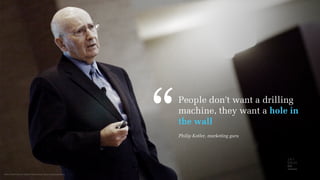
Photo from Flickr by Gabriel Chmielewski/Mays Communications
People don't want a drilling
machine, they want a hole in
the wall
,,
Philip Kotler, marketing guru
We help people define, design and develop
holes (nothing naughty about that).
This is what we will talk about today.
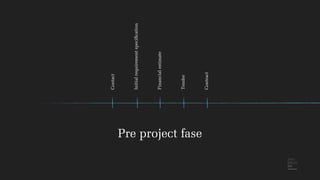
Contact
Initial requirementspecification
Financialestimate
Tender
Contract
Pre project fase
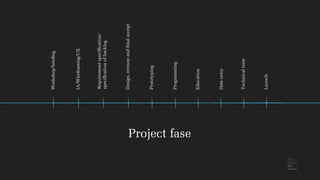
Project fase
Workshop/briefing
IA/Wireframing/UX
Design,revisonandfinalaccept
Prototyping
Programming
Education
Dataentry
Technicaltests
Launch
Requirementspecification/
specificationofbacklog
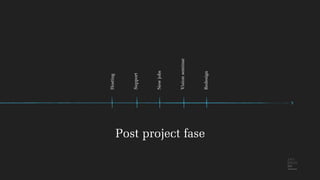
Hosting
Support
Newjobs
Visionseminar
Redesign
Post project fase
• Breaking the project down makes it easier to grasp
• They only have to put their attention to one thing at a time
• They can allocate the right people at the right time in the project
The process is good for our customers because:
• Breaking the project down makes it easier to grasp
• We avoid mixing pears and bananas
→ makes it easier to define the problem if iteration is needed
• It is easier to code something that is well-defined – and we also avoid
coding stuff that ends up being useless or not being used at all
The process is good for us because:
Defining the “hole” begins with questions
• Why – the main purpose
• Who – the users
• What – content, services
• How – concept, system platform, technical setup
• Where – context, devices
• How much – goals
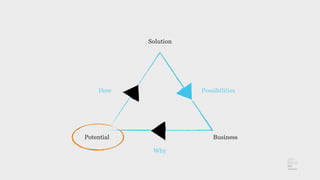
Why
“We want a website!”
→ “Why do you want a website?”
BusinessPotential
Solution
PossibilitiesHow
Why
How do we find the WHY and the potential?
Inside out – looking at the business from both a management
and employee perspective
• Top down → getting “the why” of the solution connected with
the overlying business goals
• Buttom up → getting an idea of what kind of resources
we have to walk the walk
• Looking at the company's vision with “digital eyes”
• Breaking down their strategy/strategies
(sometimes we also help writing them)
• Workshops
• Interviews with employees and sometimes other stakeholders
• Looking at what similar firms in the business are doing
We do this by …
Who
The more you know
about the customers,
the better you can serve them.
The better you serve them,
the more money you make.
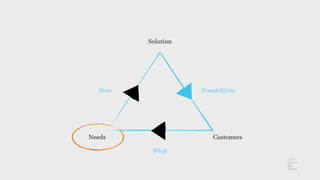
CustomersNeeds
Solution
PossibilitiesHow
What
Finding the needs
• Outside in –
looking at the business and services through the lens of the users.
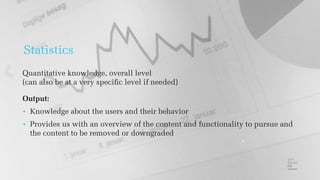
Statistics
Quantitative knowledge, overall level
(can also be at a very specific level if needed)
Output:
• Knowledge about the users and their behavior
• Provides us with an overview of the content and functionality to pursue and
the content to be removed or downgraded
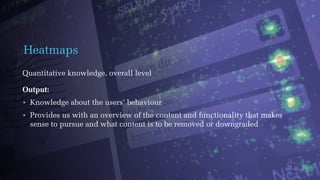
Heatmaps
Quantitative knowledge, overall level
Output:
• Knowledge about the users’ behaviour
• Provides us with an overview of the content and functionality that makes
sense to pursue and what content is to be removed or downgraded
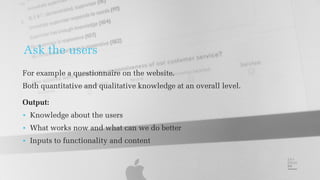
Ask the users
For example a questionnaire on the website.
Both quantitative and qualitative knowledge at an overall level.
Output:
• Knowledge about the users
• What works now and what can we do better
• Inputs to functionality and content
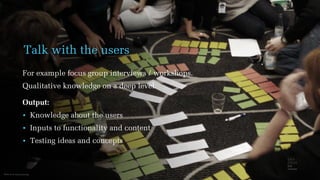
Photo from www.scout.org
Talk with the users
For example focus group interviews / workshops.
Qualitative knowledge on a deep level.
Output:
• Knowledge about the users
• Inputs to functionality and content
• Testing ideas and concepts
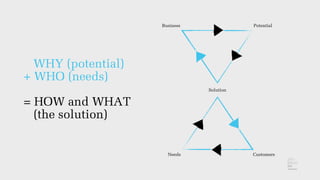
WHY (potential)
+ WHO (needs)
= HOW and WHAT
(the solution)
Business Potential
Solution
CustomersNeeds
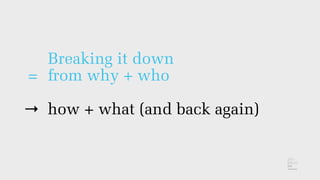
=
→
Breaking it down
from why + who
how + what (and back again)
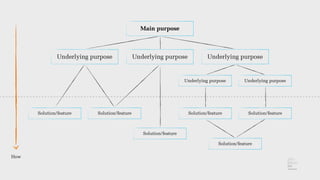
Main purpose
Underlying purposeUnderlying purpose Underlying purpose
Underlying purpose Underlying purpose
Solution/featureSolution/feature
Solution/feature
Solution/feature
Solution/featureSolution/feature
How
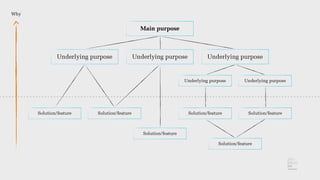
Main purpose
Underlying purposeUnderlying purpose Underlying purpose
Underlying purpose Underlying purpose
Solution/featureSolution/feature
Solution/feature
Solution/feature
Solution/featureSolution/feature
Why
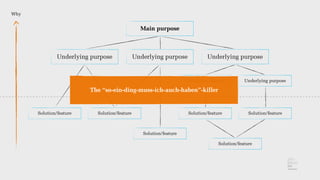
Main purpose
Underlying purposeUnderlying purpose Underlying purpose
Underlying purpose Underlying purpose
Solution/featureSolution/feature
Solution/feature
Solution/feature
Solution/featureSolution/feature
Why
The “so-ein-ding-muss-ich-auch-haben”-killer
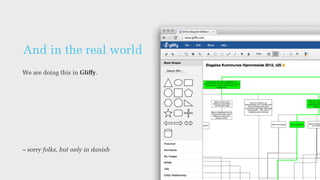
And in the real world
We are doing this in Gliffy.
– sorry folks, but only in danish
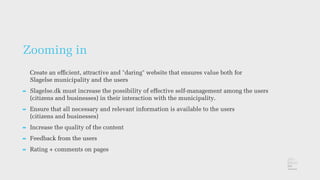
Zooming in
Create an efficient, attractive and "daring" website that ensures value both for
Slagelse municipality and the users
➡ Slagelse.dk must increase the possibility of effective self-management among the users
(citizens and businesses) in their interaction with the municipality.
➡ Ensure that all necessary and relevant information is available to the users
(citizens and businesses)
➡ Increase the quality of the content
➡ Feedback from the users
➡ Rating + comments on pages
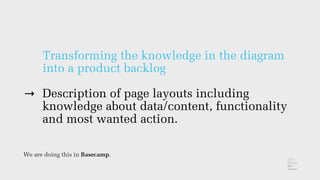
→
Transforming the knowledge in the diagram
into a product backlog
Description of page layouts including
knowledge about data/content, functionality
and most wanted action.
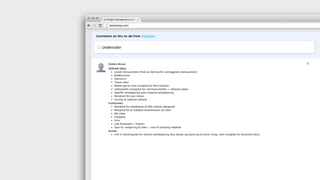
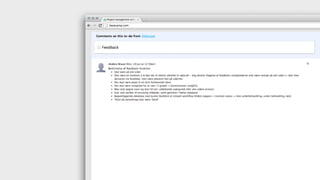
We are doing this in Basecamp.
Also descriptions of each function
From product backlog
to design of the creative
potential
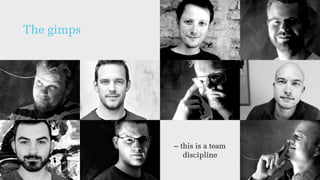
Bring in the gimps!
The gimps
– this is a team
discipline
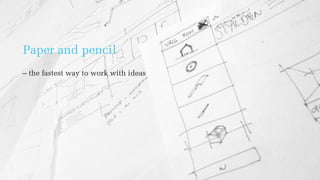
Paper and pencil
– the fastest way to work with ideas
Reusing ideas
by making them fit the customer
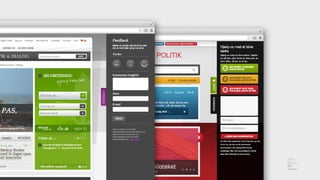
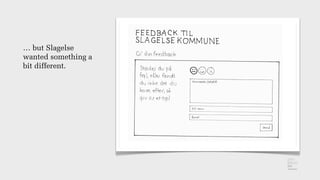
… but Slagelse
wanted something a
bit different.
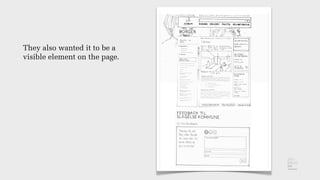
They also wanted it to be a
visible element on the page.
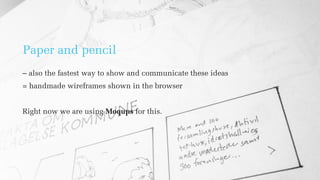
Paper and pencil
– also the fastest way to show and communicate these ideas
= handmade wireframes shown in the browser
Right now we are using Moqups for this.
Flesh and blood
– design of the final user interface
We still believe that the best design is created in Photoshop
– but must always be tweaked, presented and approved in a browser.
And a solution for
mobile must always be
experienced on a mobile
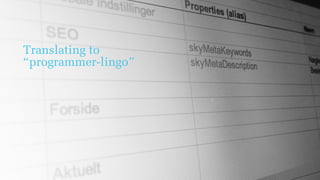
Translating to
“programmer-lingo”
Making it user-friendly for the editors
= setting the backend up with the customer
• It’s easy to create backoffice “on the run” with the customer
• Involving the customer
• Getting a lot of clarification done very quickly (no iterations)
• Customers feel ownership
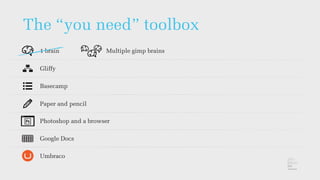
The “you need” toolbox
1 brain Multiple gimp brains
Gliffy
Basecamp
Paper and pencil
Photoshop and a browser
Google Docs
Umbraco
Umbraco is good at
making beautiful holes
– and then you also get
an excellent drilling machine
Umbraco rocks – so let’s drill away!
Anders Bruun / abruun@skybrud.dk
René Pjengaard / rpjengaard@skybrud.dk / @pjengaard

From customer need to Umbraco setup

  • 1.
    From customer need toUmbraco setup
  • 2.
    Hello! We are Renéand Anders from Skybrud.dk
  • 3.
    Photo from Flickrby Gabriel Chmielewski/Mays Communications People don't want a drilling machine, they want a hole in the wall ,, Philip Kotler, marketing guru
  • 4.
    We help peopledefine, design and develop holes (nothing naughty about that). This is what we will talk about today.
  • 5.
  • 6.
  • 7.
  • 8.
    • Breaking theproject down makes it easier to grasp • They only have to put their attention to one thing at a time • They can allocate the right people at the right time in the project The process is good for our customers because:
  • 9.
    • Breaking theproject down makes it easier to grasp • We avoid mixing pears and bananas → makes it easier to define the problem if iteration is needed • It is easier to code something that is well-defined – and we also avoid coding stuff that ends up being useless or not being used at all The process is good for us because:
  • 10.
    Defining the “hole”begins with questions • Why – the main purpose • Who – the users • What – content, services • How – concept, system platform, technical setup • Where – context, devices • How much – goals
  • 11.
  • 12.
    “We want awebsite!” → “Why do you want a website?”
  • 13.
  • 14.
    How do wefind the WHY and the potential? Inside out – looking at the business from both a management and employee perspective • Top down → getting “the why” of the solution connected with the overlying business goals • Buttom up → getting an idea of what kind of resources we have to walk the walk
  • 15.
    • Looking atthe company's vision with “digital eyes” • Breaking down their strategy/strategies (sometimes we also help writing them) • Workshops • Interviews with employees and sometimes other stakeholders • Looking at what similar firms in the business are doing We do this by …
  • 16.
  • 17.
    The more youknow about the customers, the better you can serve them. The better you serve them, the more money you make.
  • 18.
  • 19.
    Finding the needs •Outside in – looking at the business and services through the lens of the users.
  • 20.
    Statistics Quantitative knowledge, overalllevel (can also be at a very specific level if needed) Output: • Knowledge about the users and their behavior • Provides us with an overview of the content and functionality to pursue and the content to be removed or downgraded
  • 21.
    Heatmaps Quantitative knowledge, overalllevel Output: • Knowledge about the users’ behaviour • Provides us with an overview of the content and functionality that makes sense to pursue and what content is to be removed or downgraded
  • 22.
    Ask the users Forexample a questionnaire on the website. Both quantitative and qualitative knowledge at an overall level. Output: • Knowledge about the users • What works now and what can we do better • Inputs to functionality and content
  • 23.
    Photo from www.scout.org Talkwith the users For example focus group interviews / workshops. Qualitative knowledge on a deep level. Output: • Knowledge about the users • Inputs to functionality and content • Testing ideas and concepts
  • 24.
    WHY (potential) + WHO(needs) = HOW and WHAT (the solution) Business Potential Solution CustomersNeeds
  • 25.
    = → Breaking it down fromwhy + who how + what (and back again)
  • 26.
    Main purpose Underlying purposeUnderlyingpurpose Underlying purpose Underlying purpose Underlying purpose Solution/featureSolution/feature Solution/feature Solution/feature Solution/featureSolution/feature How
  • 27.
    Main purpose Underlying purposeUnderlyingpurpose Underlying purpose Underlying purpose Underlying purpose Solution/featureSolution/feature Solution/feature Solution/feature Solution/featureSolution/feature Why
  • 28.
    Main purpose Underlying purposeUnderlyingpurpose Underlying purpose Underlying purpose Underlying purpose Solution/featureSolution/feature Solution/feature Solution/feature Solution/featureSolution/feature Why The “so-ein-ding-muss-ich-auch-haben”-killer
  • 29.
    And in thereal world We are doing this in Gliffy. – sorry folks, but only in danish
  • 30.
    Zooming in Create anefficient, attractive and "daring" website that ensures value both for Slagelse municipality and the users ➡ Slagelse.dk must increase the possibility of effective self-management among the users (citizens and businesses) in their interaction with the municipality. ➡ Ensure that all necessary and relevant information is available to the users (citizens and businesses) ➡ Increase the quality of the content ➡ Feedback from the users ➡ Rating + comments on pages
  • 31.
    → Transforming the knowledgein the diagram into a product backlog Description of page layouts including knowledge about data/content, functionality and most wanted action. We are doing this in Basecamp.
  • 33.
    Also descriptions ofeach function
  • 35.
    From product backlog todesign of the creative potential Bring in the gimps!
  • 36.
    The gimps – thisis a team discipline
  • 37.
    Paper and pencil –the fastest way to work with ideas
  • 38.
    Reusing ideas by makingthem fit the customer
  • 40.
    … but Slagelse wantedsomething a bit different.
  • 41.
    They also wantedit to be a visible element on the page.
  • 42.
    Paper and pencil –also the fastest way to show and communicate these ideas = handmade wireframes shown in the browser Right now we are using Moqups for this.
  • 43.
    Flesh and blood –design of the final user interface We still believe that the best design is created in Photoshop – but must always be tweaked, presented and approved in a browser.
  • 44.
    And a solutionfor mobile must always be experienced on a mobile
  • 45.
  • 46.
    Making it user-friendlyfor the editors = setting the backend up with the customer • It’s easy to create backoffice “on the run” with the customer • Involving the customer • Getting a lot of clarification done very quickly (no iterations) • Customers feel ownership
  • 47.
    The “you need”toolbox 1 brain Multiple gimp brains Gliffy Basecamp Paper and pencil Photoshop and a browser Google Docs Umbraco
  • 48.
    Umbraco is goodat making beautiful holes – and then you also get an excellent drilling machine
  • 49.
    Umbraco rocks –so let’s drill away! Anders Bruun / abruun@skybrud.dk René Pjengaard / rpjengaard@skybrud.dk / @pjengaard