






Cloud Powered Mobile
Apps
with Azure
MicrosoftAzure
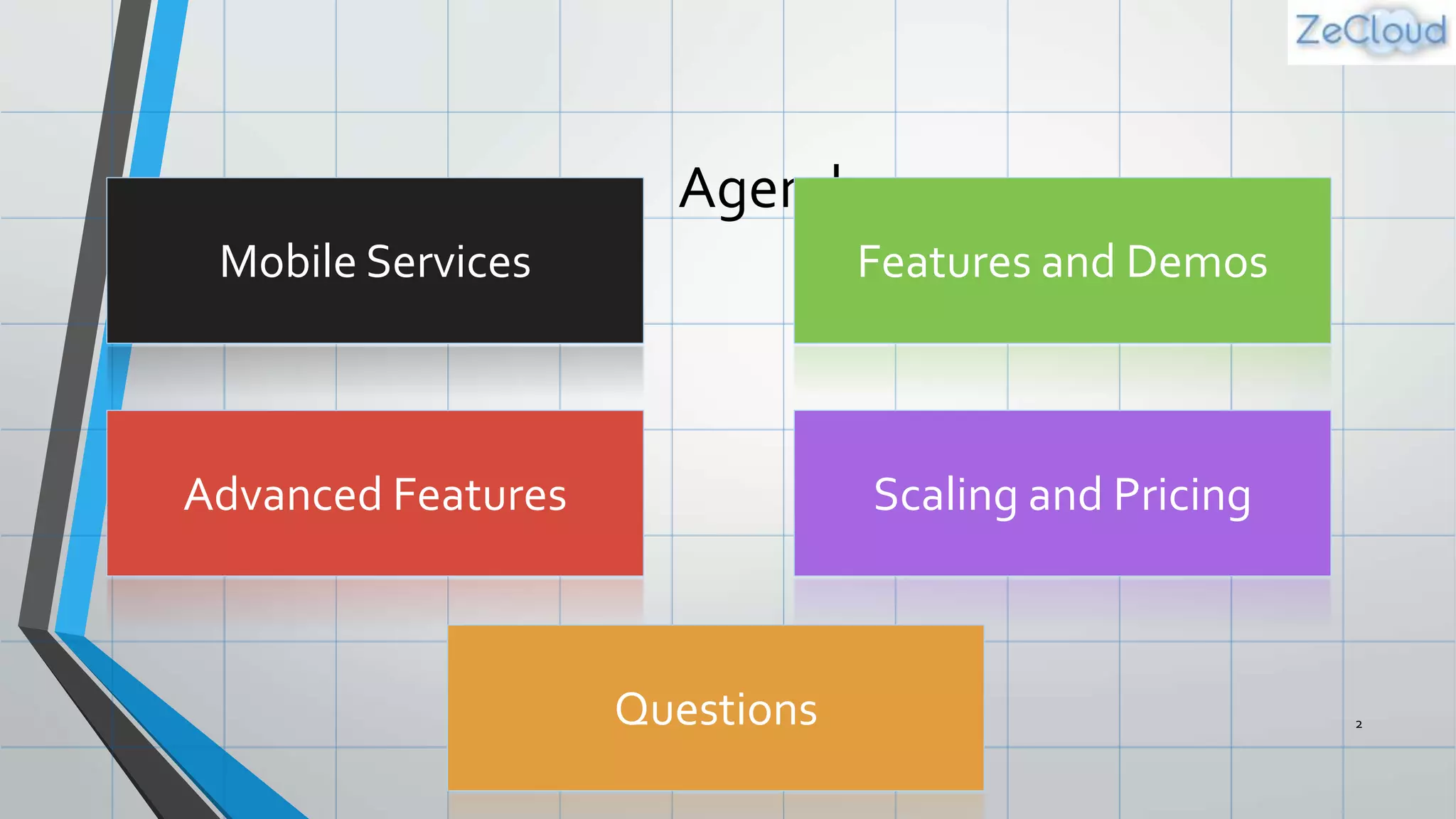
Agenda
2
Mobile Services Features and Demos
Advanced Features Scaling and Pricing
Questions
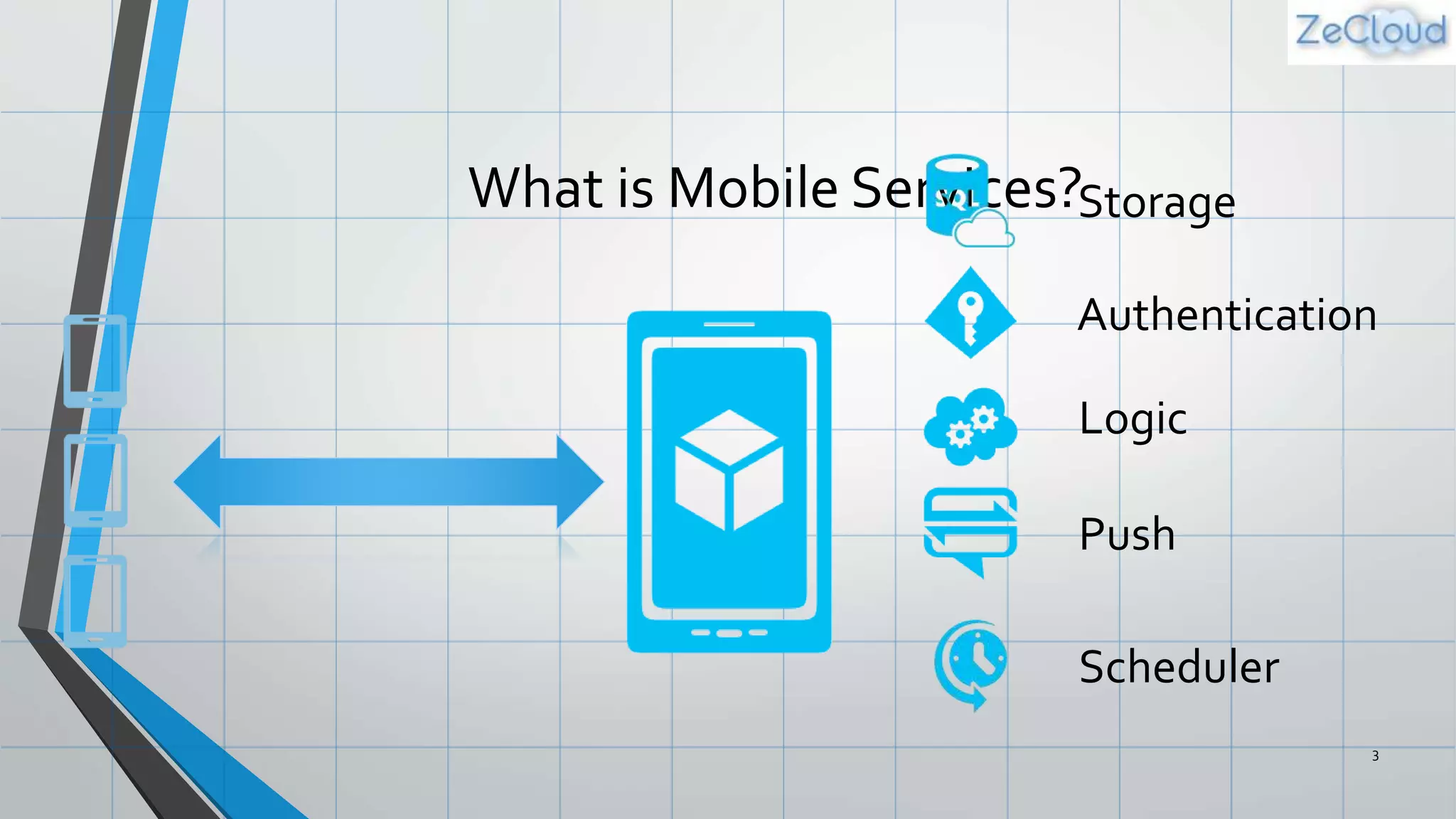
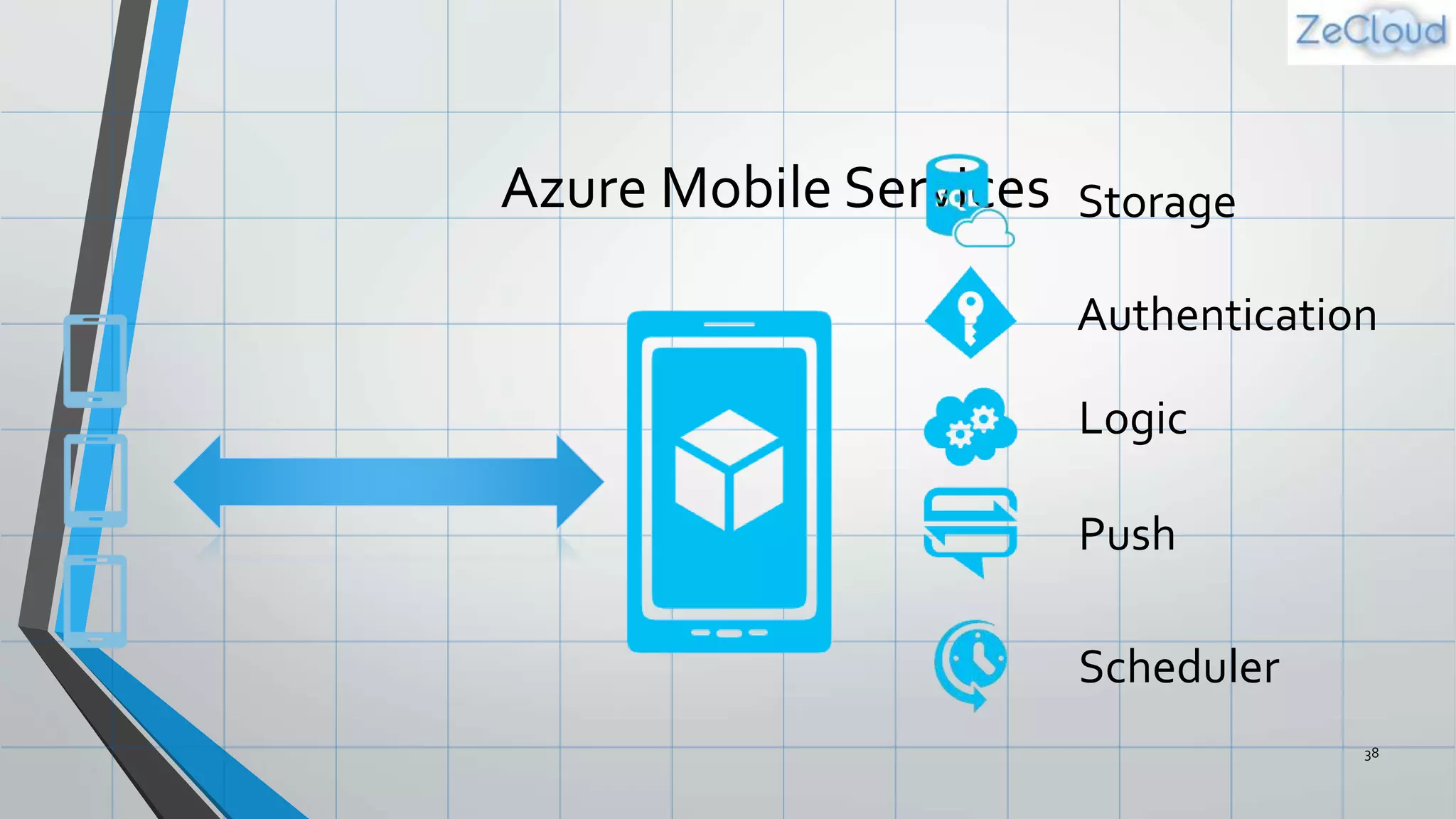
What is Mobile Services?
3
Storage
Authentication
Logic
Push
Scheduler
Demo: Getting Started
Your first Mobile Service
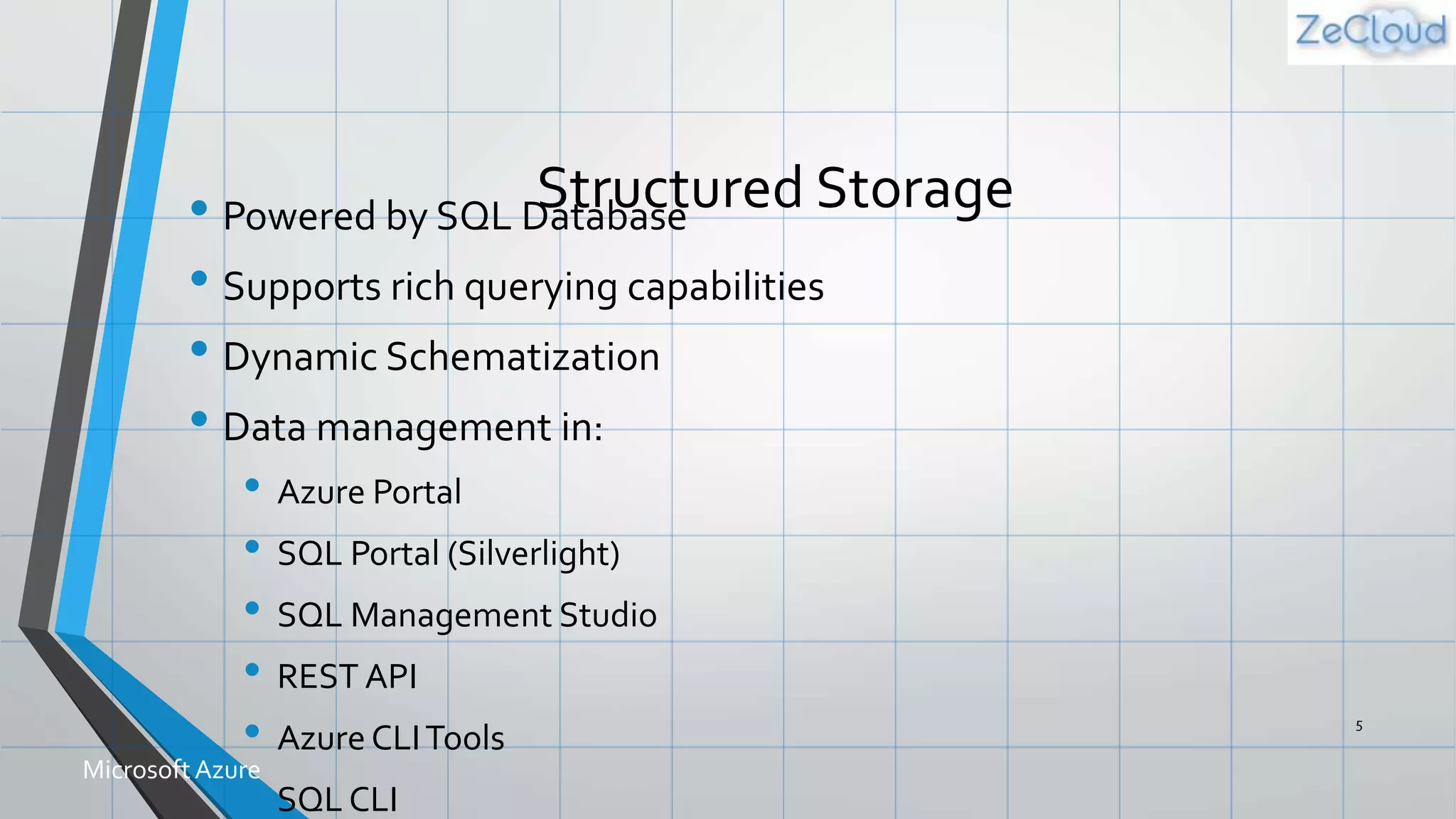
Structured Storage• Powered by SQL Database
• Supports rich querying capabilities
• Dynamic Schematization
• Data management in:
• Azure Portal
• SQL Portal (Silverlight)
• SQL Management Studio
• REST API
• Azure CLITools
• SQL CLI
5
MicrosoftAzure
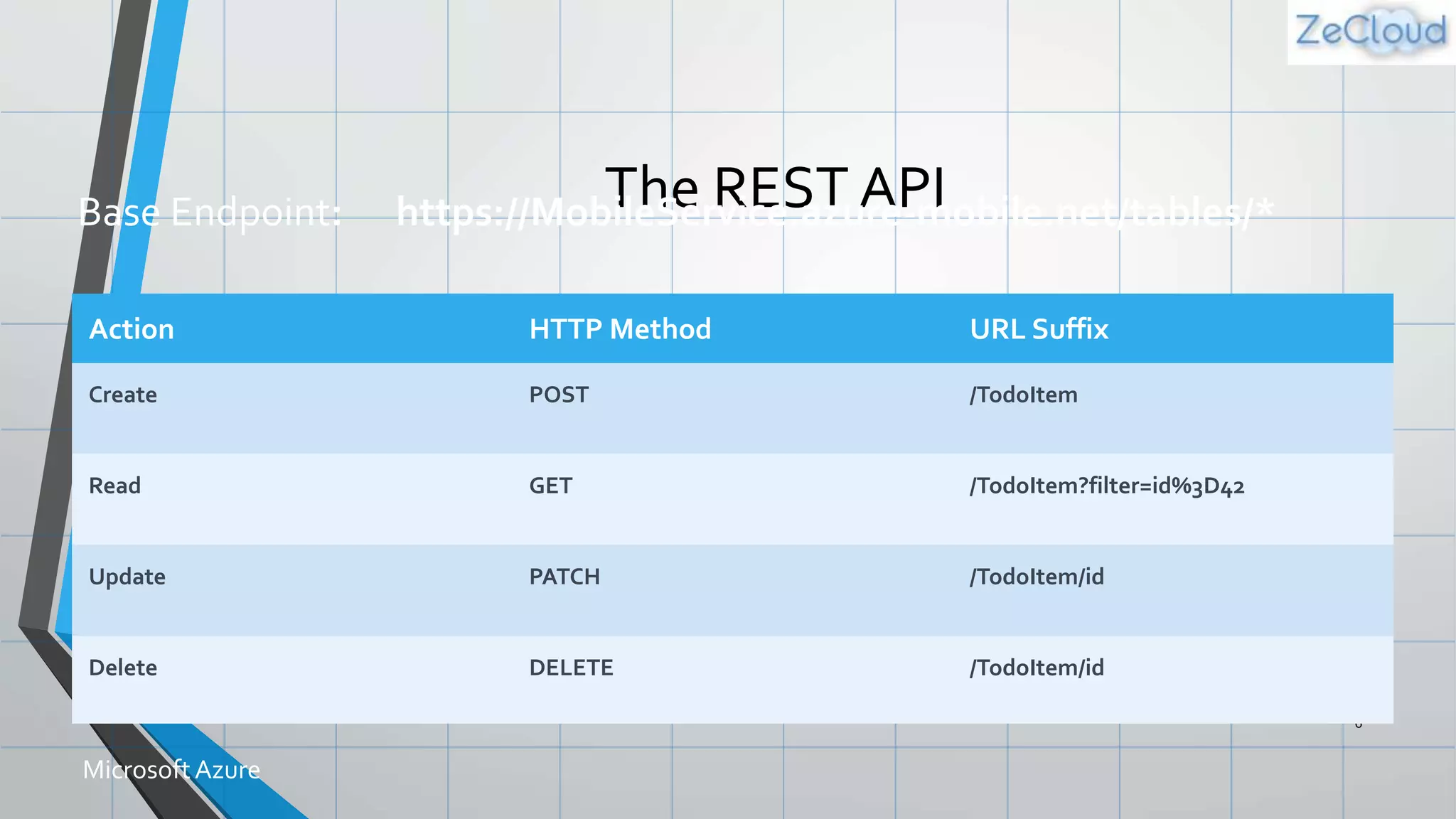
The REST API
6
Action HTTP Method URL Suffix
Create POST /TodoItem
Read GET /TodoItem?filter=id%3D42
Update PATCH /TodoItem/id
Delete DELETE /TodoItem/id
MicrosoftAzure
Base Endpoint: https://MobileService.azure-mobile.net/tables/*
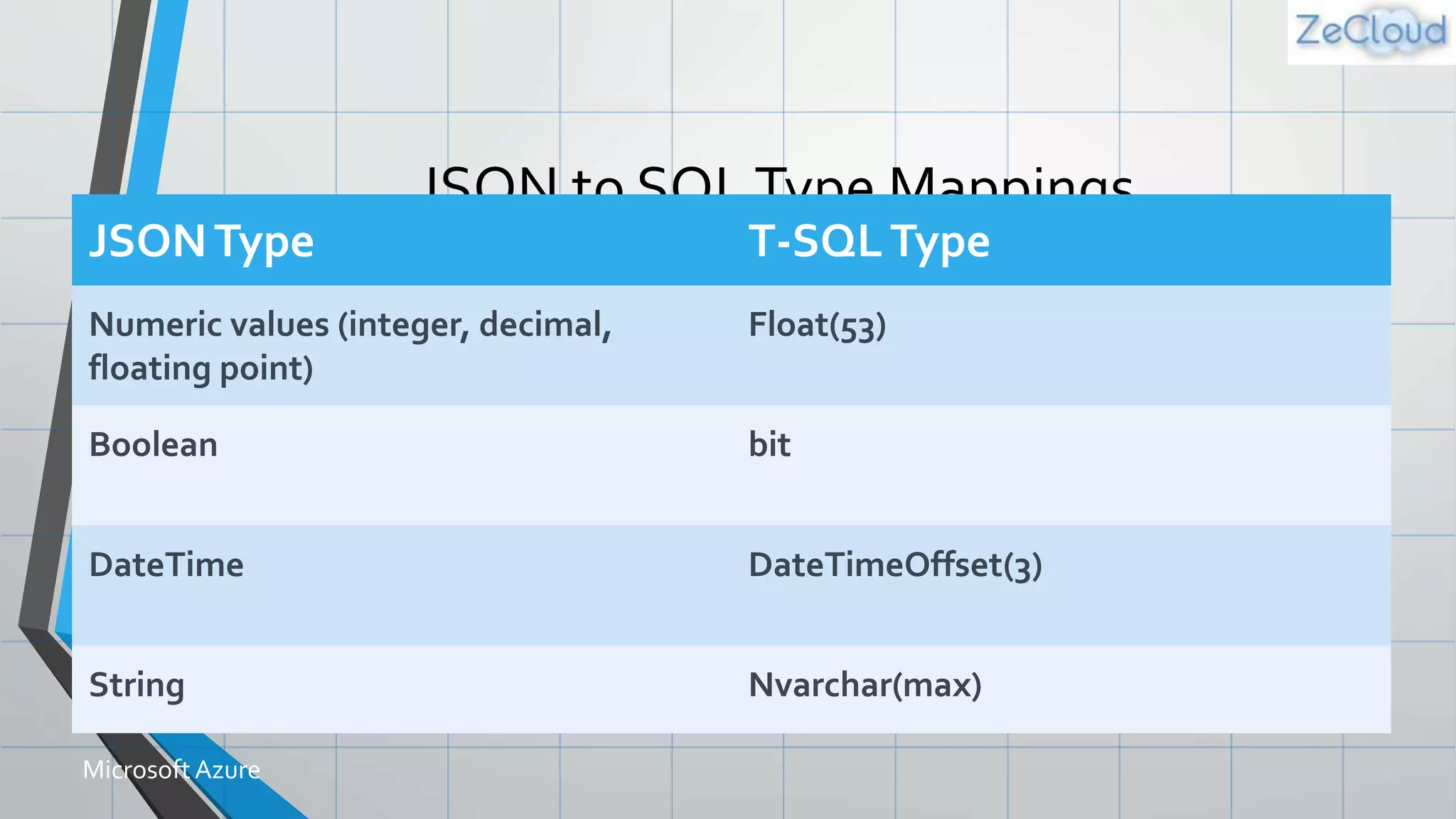
JSON to SQLType Mappings
7
JSONType T-SQLType
Numeric values (integer, decimal,
floating point)
Float(53)
Boolean bit
DateTime DateTimeOffset(3)
String Nvarchar(max)
MicrosoftAzure
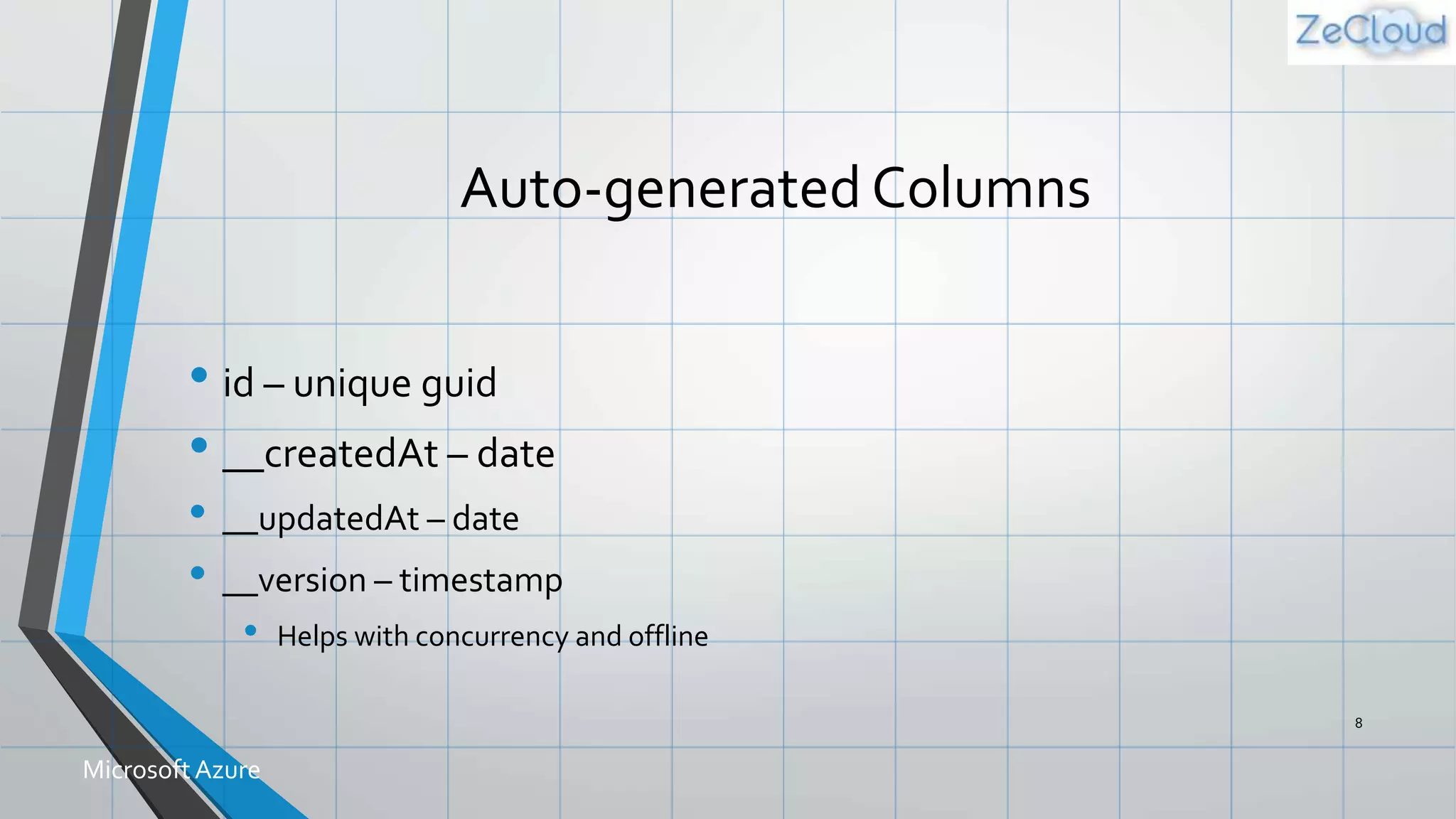
Auto-generated Columns
• id – unique guid
• __createdAt – date
• __updatedAt – date
• __version – timestamp
• Helps with concurrency and offline
8
MicrosoftAzure
Backend Logic:
JavaScript & .NET
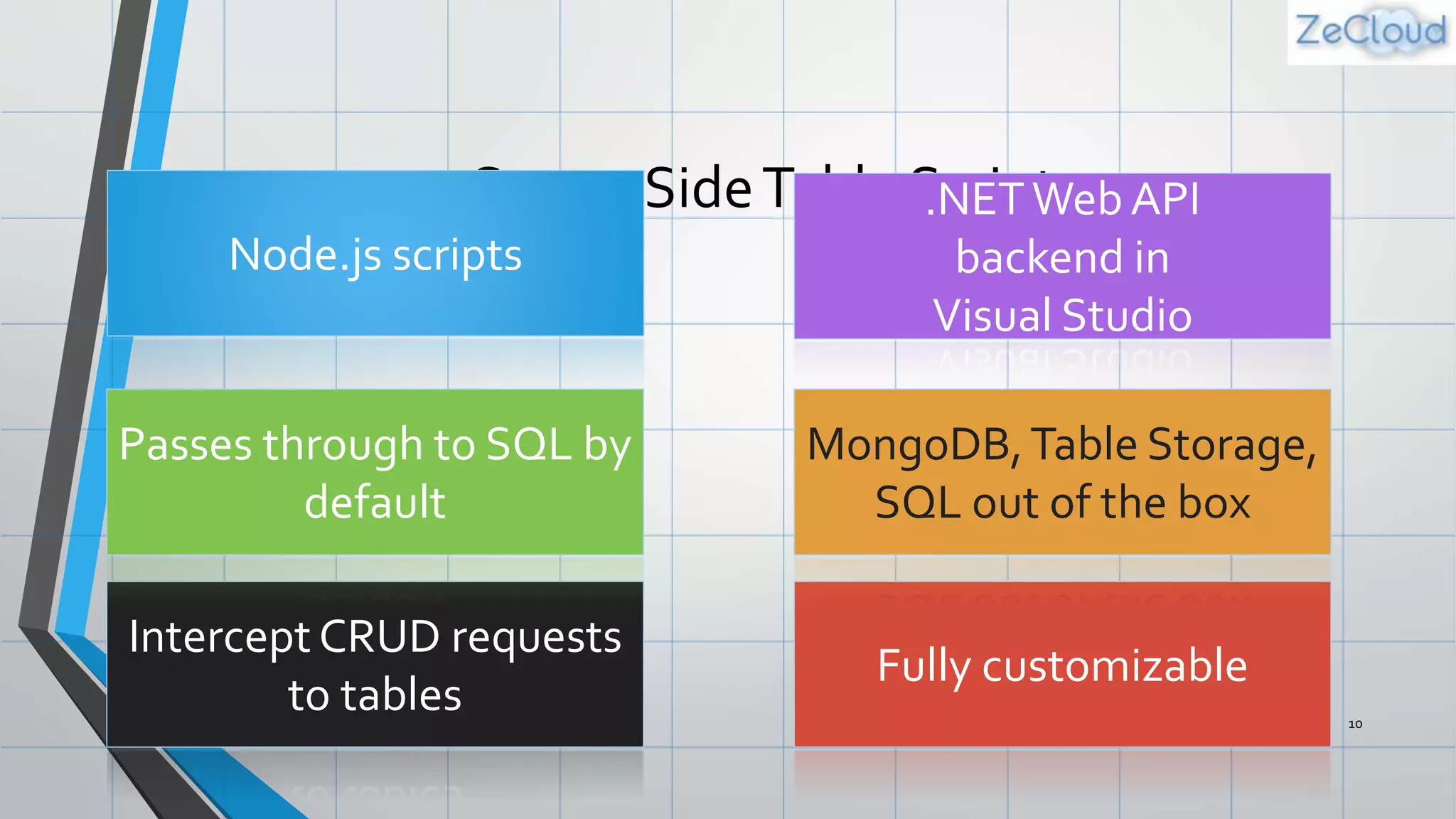
Server SideTable Scripts
10
Node.js scripts
Intercept CRUD requests
to tables
Passes through to SQL by
default
Fully customizable
.NETWeb API
backend in
Visual Studio
MongoDB,Table Storage,
SQL out of the box
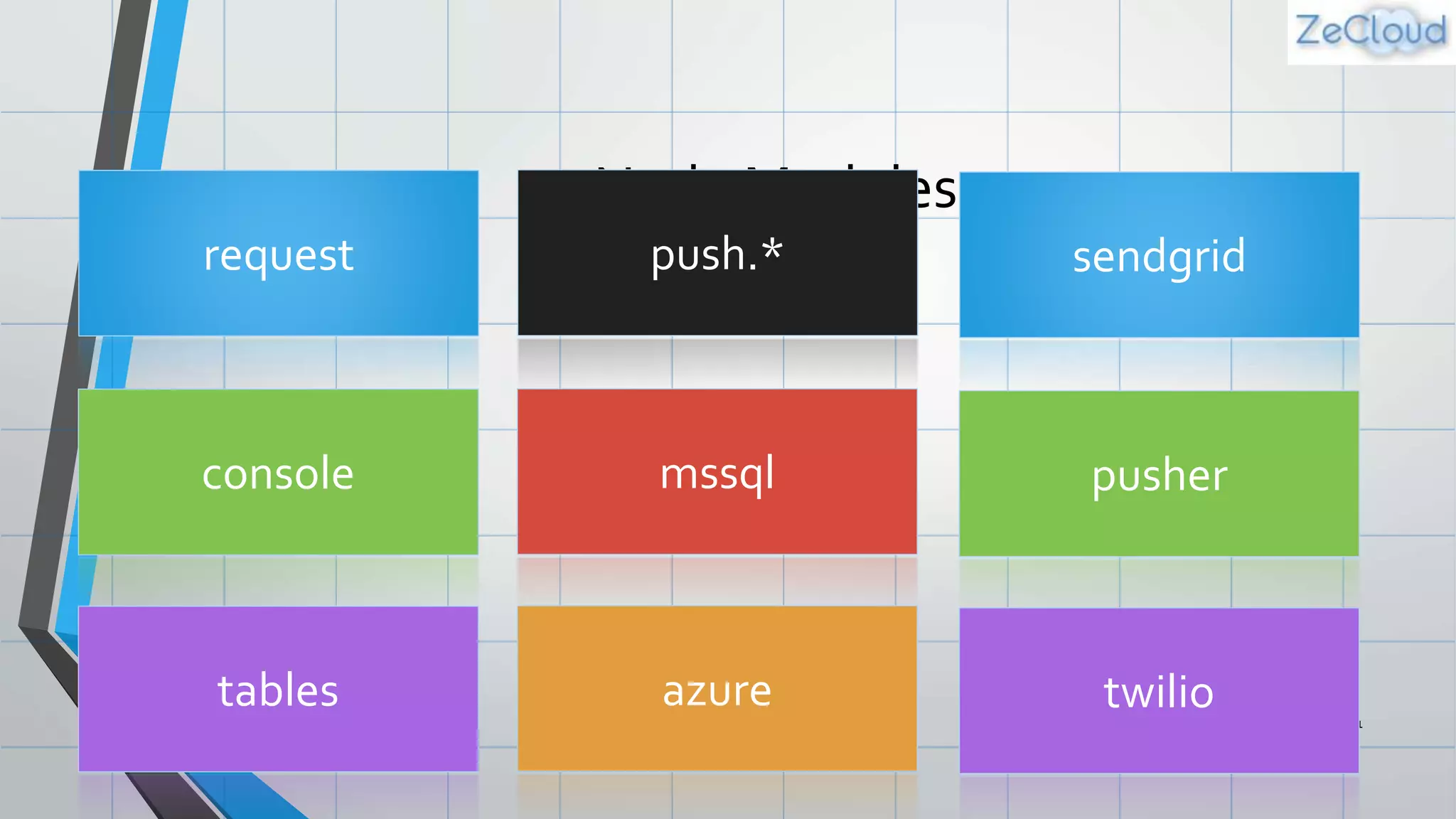
Node Modules
11
request push.*
console mssql
tables azure
sendgrid
pusher
twilio
Demo: Customizing Logic
Adding DataValidation
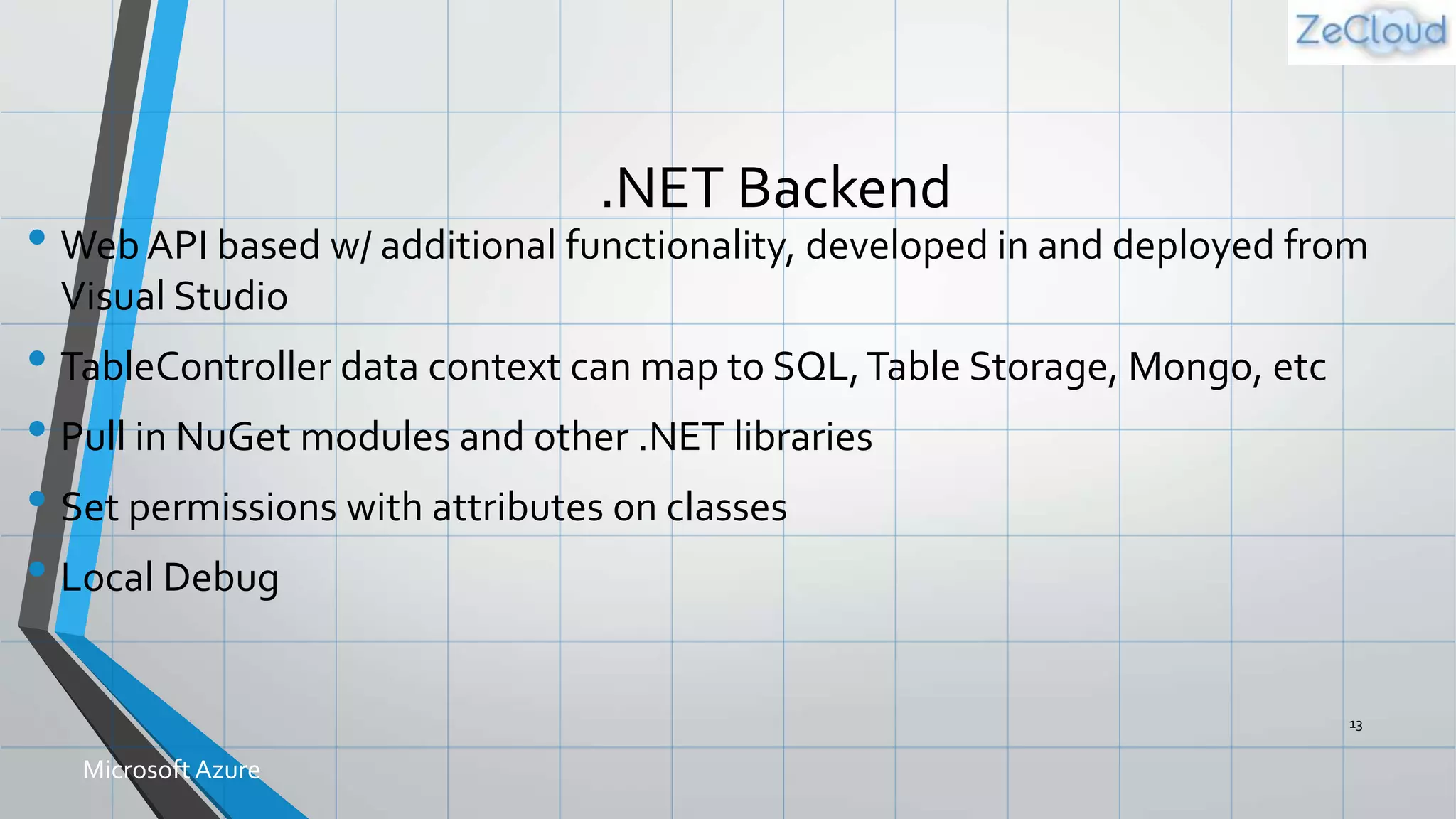
.NET Backend
• Web API based w/ additional functionality, developed in and deployed from
Visual Studio
• TableController data context can map to SQL,Table Storage, Mongo, etc
• Pull in NuGet modules and other .NET libraries
• Set permissions with attributes on classes
• Local Debug
13
MicrosoftAzure
Custom API
• Non-table based endpoints
• Accessible from
• GET
• POST
• PUT
• PATCH
• DELETE
• For node.js logic in scripts like table endpoints
• For .NET delivered through a WebAPI
• Expose any functionality you want
14
MicrosoftAzure
File Storage
• Don’t store files in Mobile Services DB
• Use Mobile Service to provide a Valet Key Pattern to Blob
Storage, aka BLOB SAS
• Create table / custom API script to talk to Blob Storage
• Script generates Shared Access Signature (SAS) URL
• Script returns SAS URL to client app
• Client app uploads data to blob storage directly
• Store file URL in Mobile Service DB as needed
• Blob storage costs less and is built for redundant file storage 15
MicrosoftAzure
Push Notifications
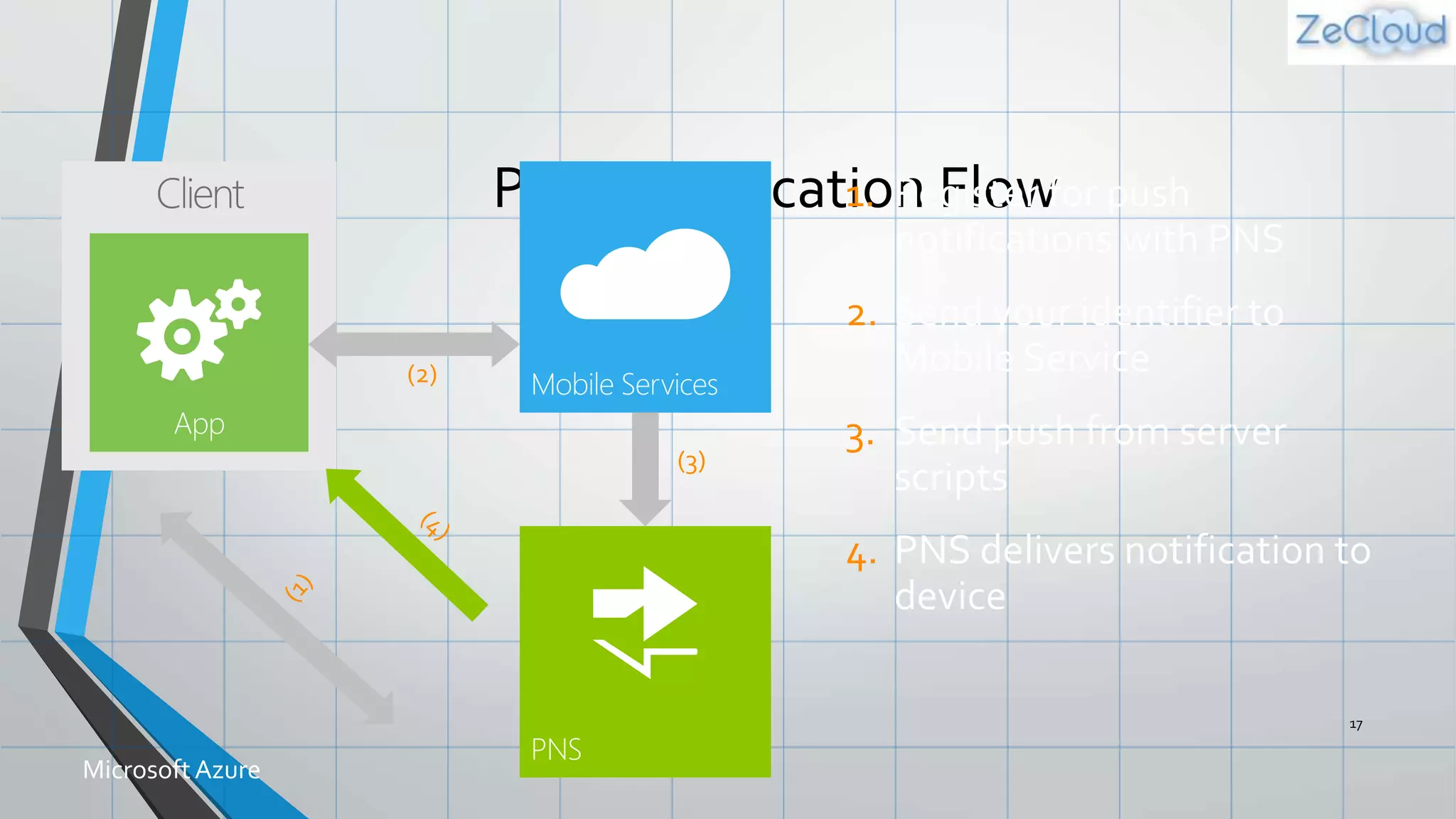
Push Notification Flow
17
MicrosoftAzure
Demo: Adding Push
Notifications
Notification Hubs
• Separate from Mobile Services
• Can be used regardless of whether you’re storing data in Azure
• Extremely scalable push notifications
• Cross platform support
• Push to iOS,Android, Kindle,Windows Phone,Windows Store
• Tags (i.e. tie my registration to this topic or user ID)
• Templates (i.e. when I get a push, send it in this format)
• Server SDKs for .NET, Java, and Node (also open as REST API) 19
MicrosoftAzure
Authorization
&
Authentication
Data Authorization
Per HTTP method auth options:
• App Key Required
• Not ideal for production use
• Everyone
• Authenticated Users
• Admins and other scripts
• Requires Master Key as header
401 Unauthorized response if security check fails 21
MicrosoftAzure
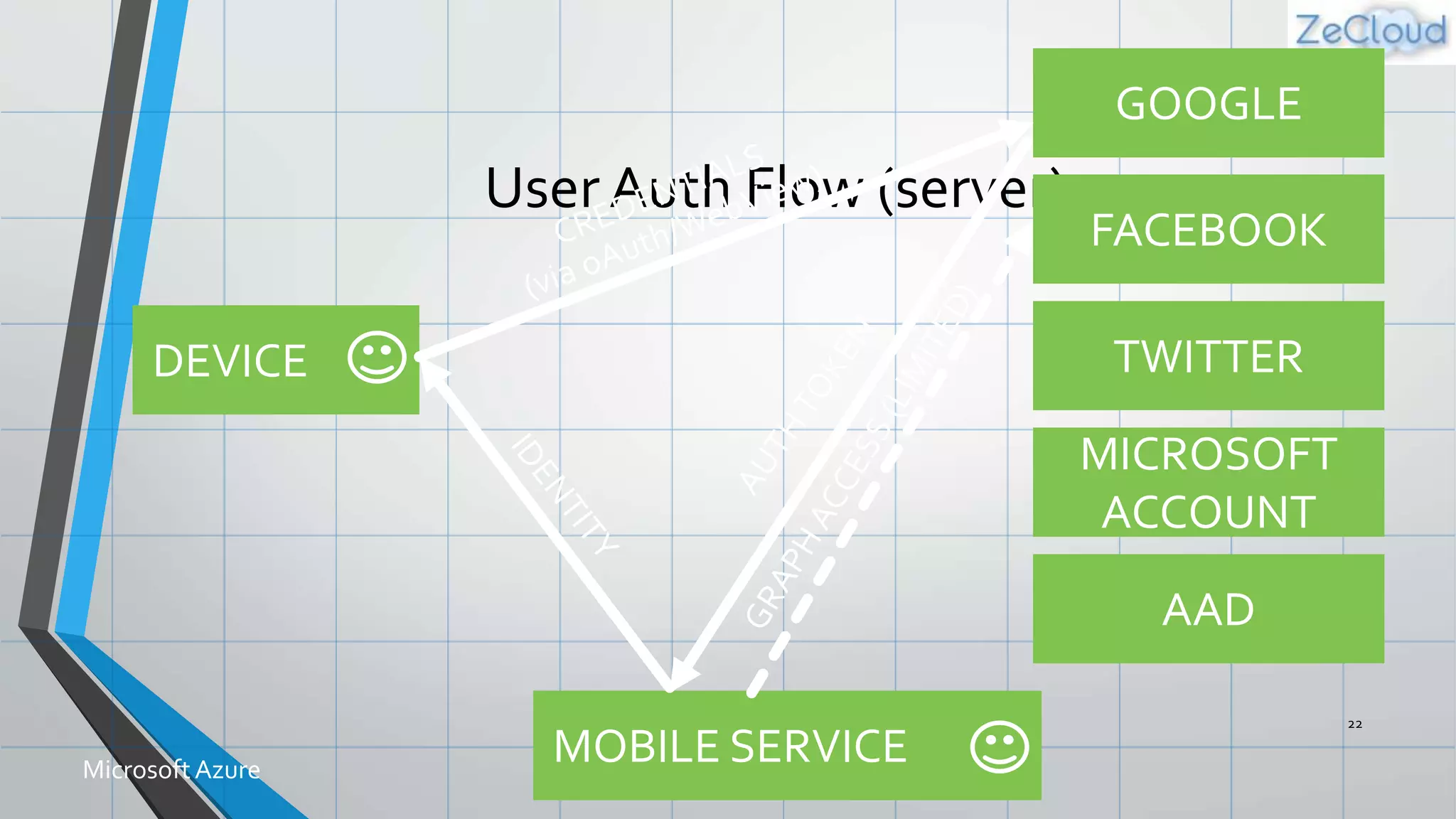
User Auth Flow (server)
22
MicrosoftAzure
GOOGLE
FACEBOOK
TWITTER
MOBILE SERVICE
DEVICE
MICROSOFT
ACCOUNT
AAD
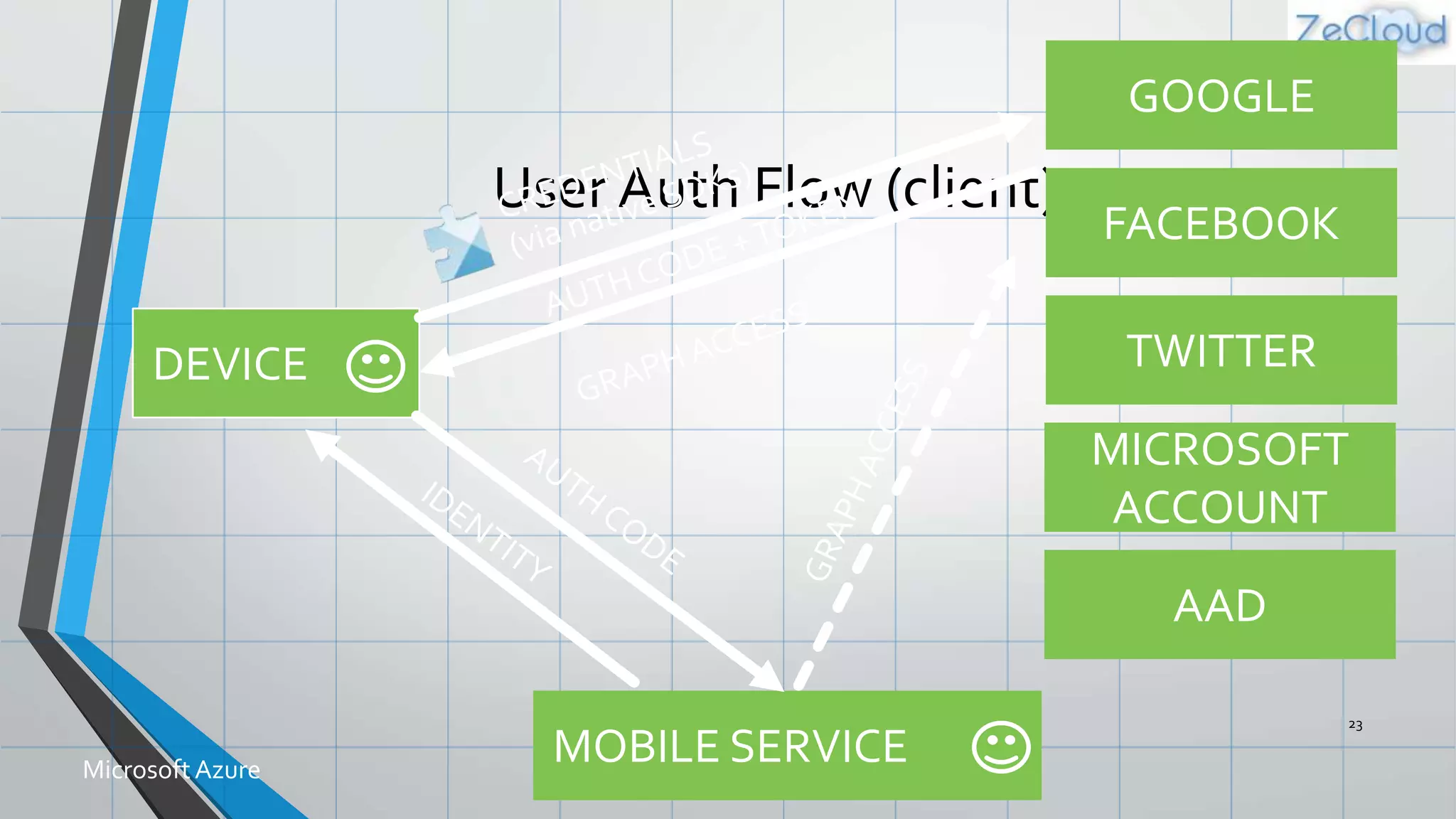
User Auth Flow (client)
23
MicrosoftAzure
GOOGLE
FACEBOOK
TWITTER
MOBILE SERVICE
DEVICE
MICROSOFT
ACCOUNT
AAD
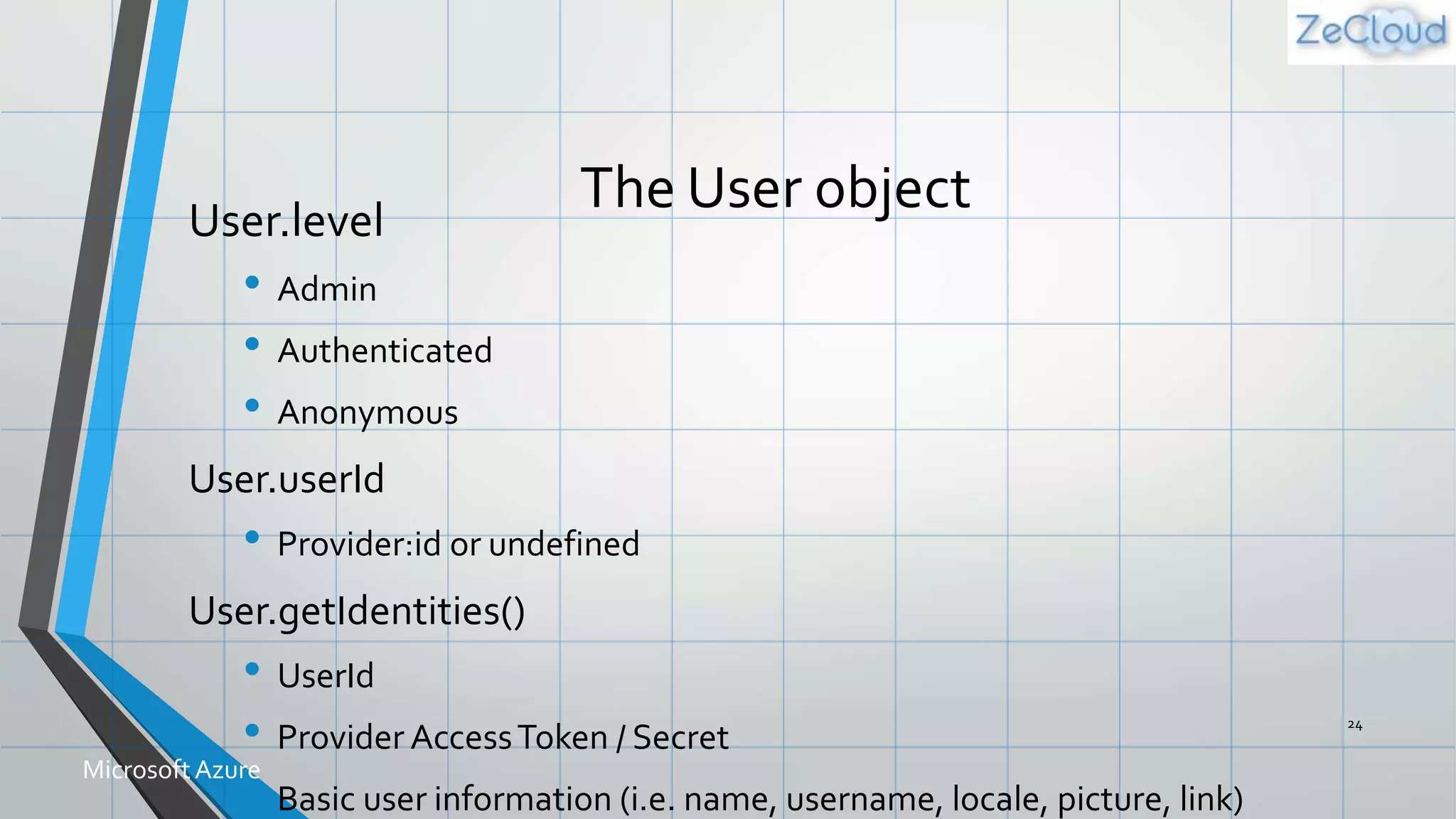
The User objectUser.level
• Admin
• Authenticated
• Anonymous
User.userId
• Provider:id or undefined
User.getIdentities()
• UserId
• Provider AccessToken / Secret
• Basic user information (i.e. name, username, locale, picture, link)
24
MicrosoftAzure
Demo: Adding Auth
Lock Down and Login
Scheduler
Scheduled Jobs
• Executes a script on defined schedule
• Can be run on demand
• Ideal for any backend data processing job
• Length / frequency based of Mobile Service tier
27
MicrosoftAzure
Script
Source
Control
Script Source Control
• Creates a Git repo in Azure
• Access table, scheduler, custom API, shared scripts and
permissions
• Pushing changes triggers a redeploy of your Mobile Service
• Enables installing NPM modules (for Node backends)
• Shared Scripts
• Create scripts that can be used from all other scripts in your Service
29
MicrosoftAzure
Diagnostics
Logging
Scale
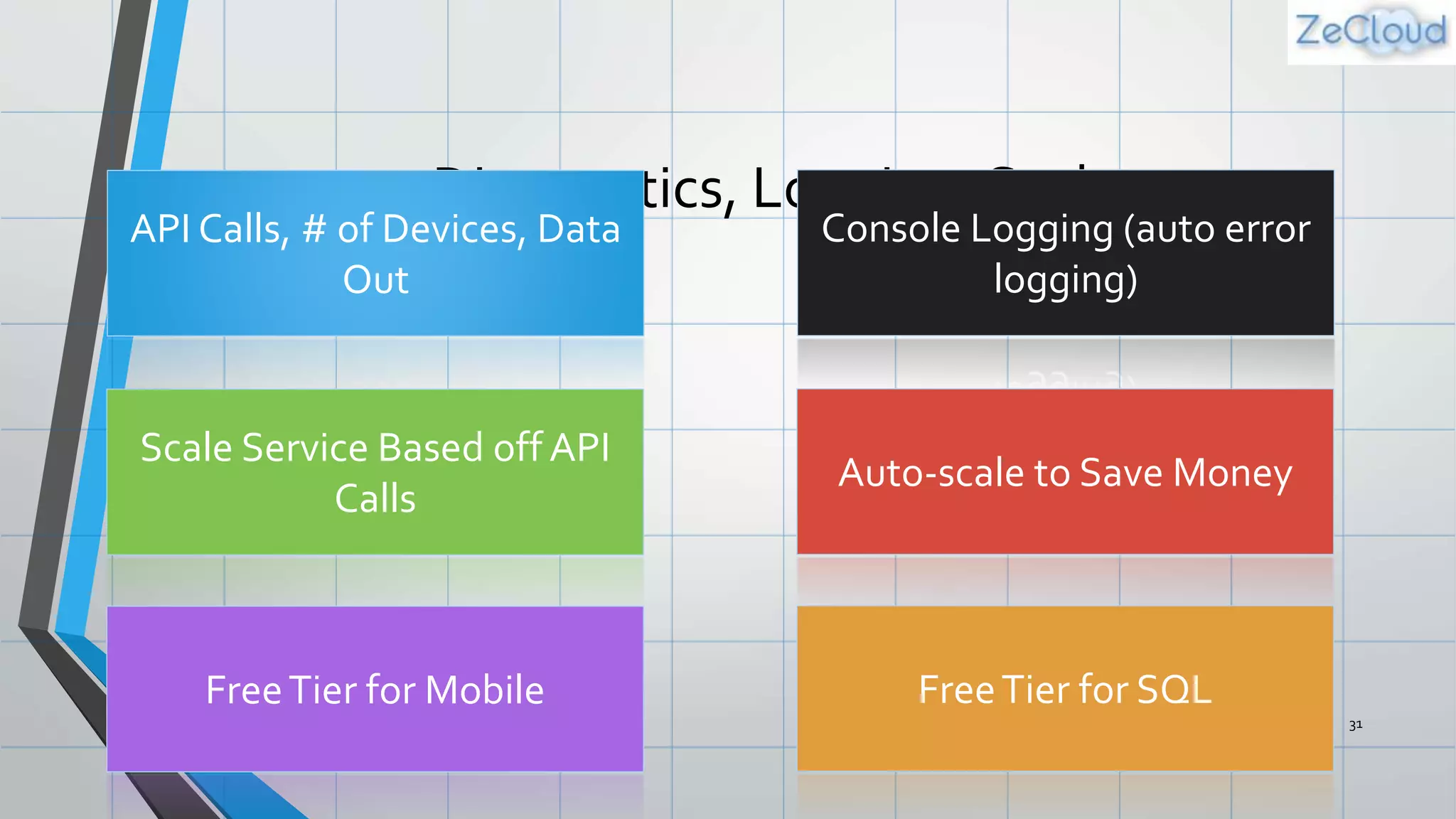
Diagnostics, Logging, Scale
31
API Calls, # of Devices, Data
Out
Console Logging (auto error
logging)
Scale Service Based off API
Calls
Auto-scale to Save Money
FreeTier for Mobile FreeTier for SQL
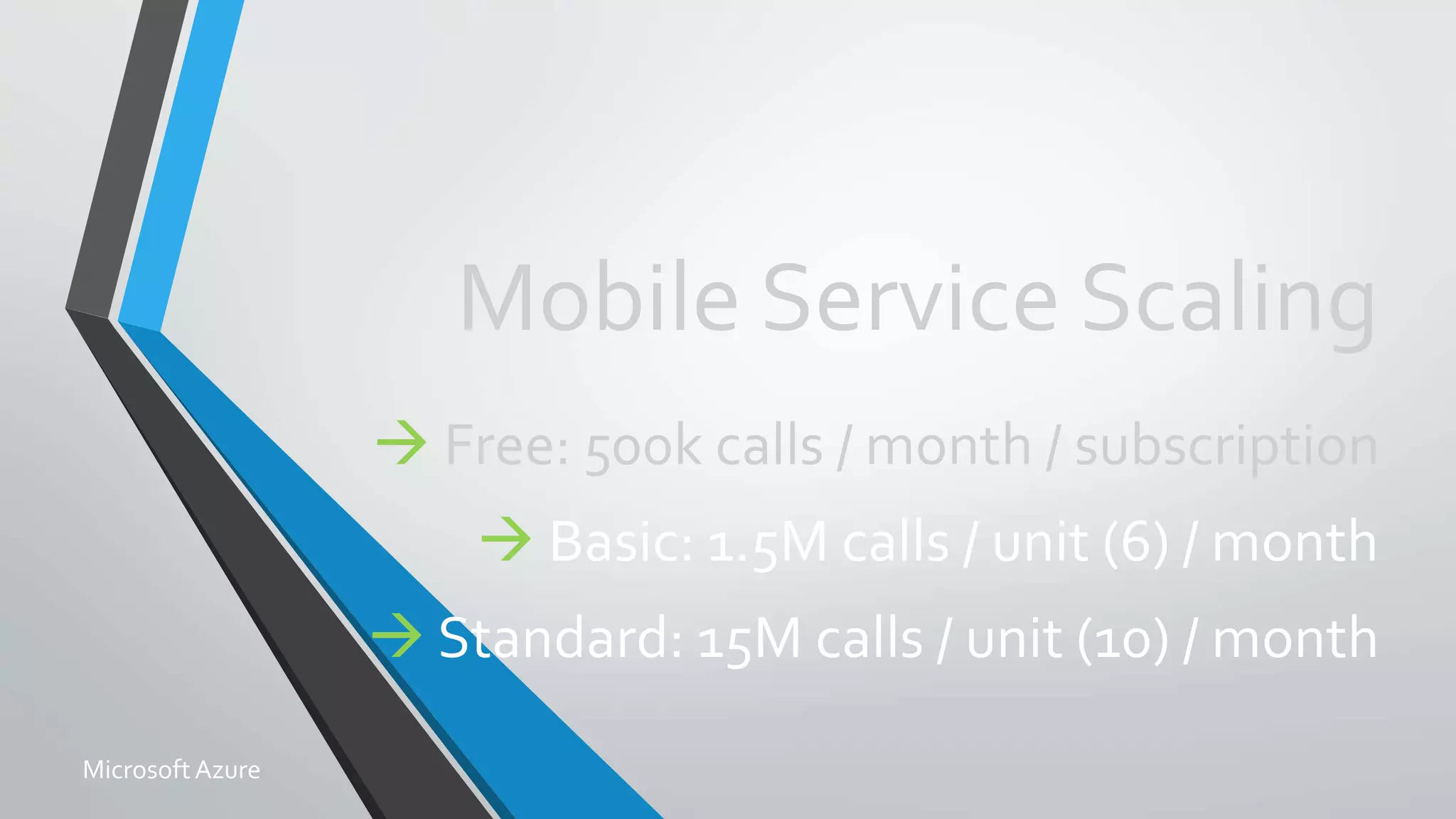
Mobile Service Scaling
 Free: 500k calls / month / subscription
 Basic: 1.5M calls / unit (6) / month
 Standard: 15M calls / unit (10) / month
MicrosoftAzure
Demo: Scaling
Leaving Free Mode andTurning
on AutoScale
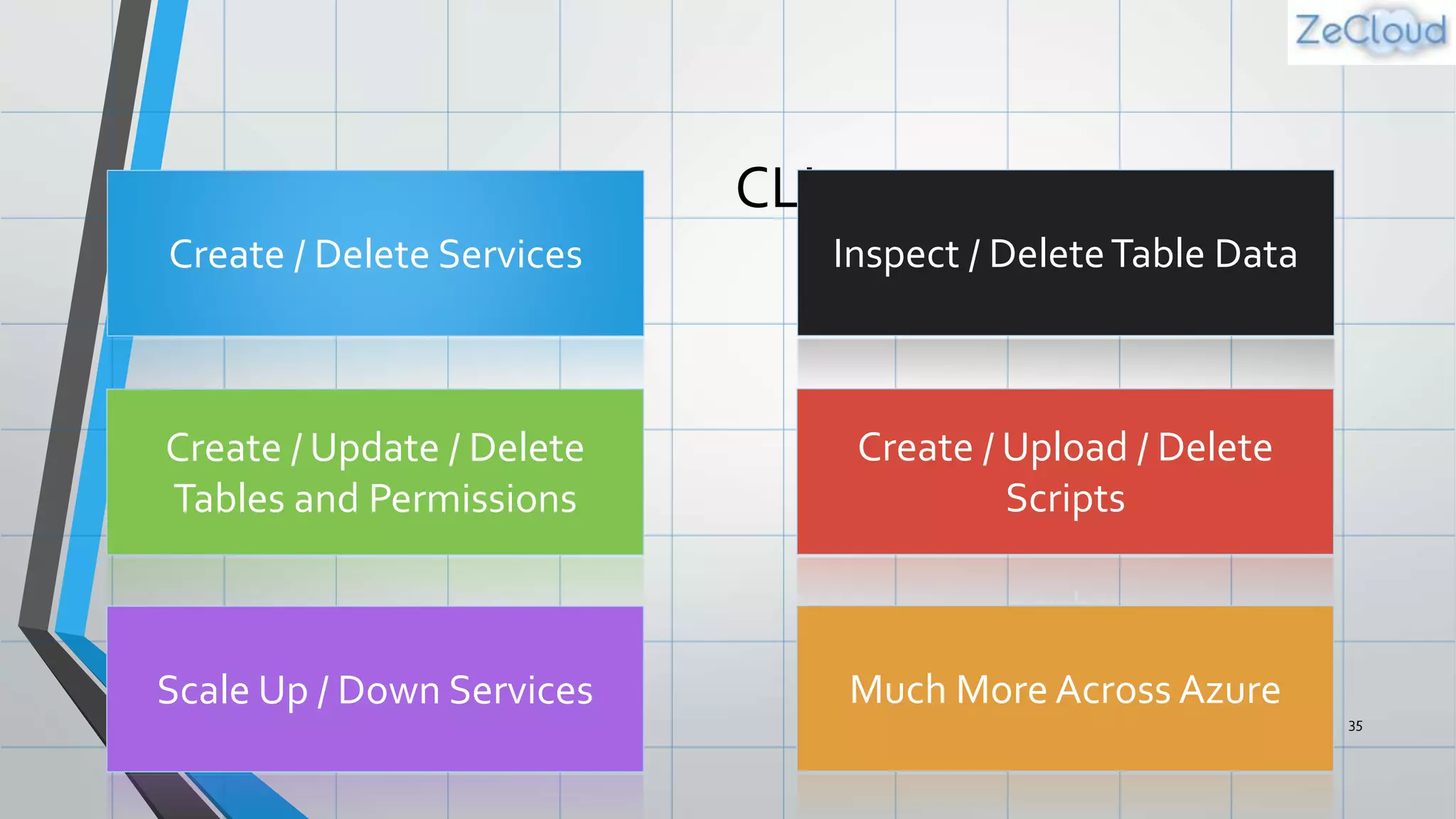
Command
Line
Interface
CLI
35
Create / Delete Services Inspect / DeleteTable Data
Create / Update / Delete
Tables and Permissions
Create / Upload / Delete
Scripts
Scale Up / Down Services Much More Across Azure
Demo: Using the CLI
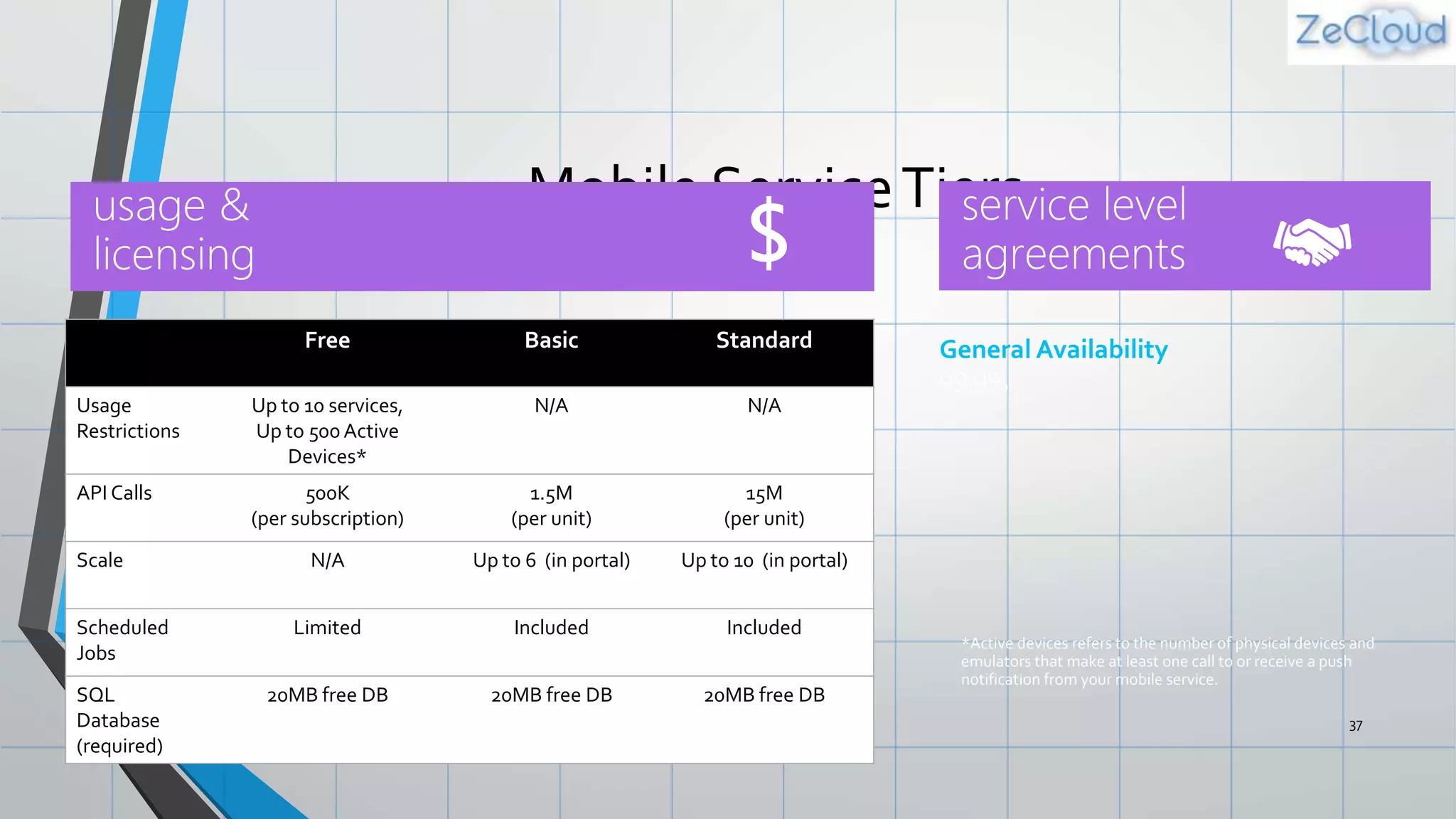
Mobile ServiceTiers
37
General Availability
99.9%
Free Basic Standard
Usage
Restrictions
Up to 10 services,
Up to 500 Active
Devices*
N/A N/A
API Calls 500K
(per subscription)
1.5M
(per unit)
15M
(per unit)
Scale N/A Up to 6 (in portal) Up to 10 (in portal)
Scheduled
Jobs
Limited Included Included
SQL
Database
(required)
20MB free DB 20MB free DB 20MB free DB
*Active devices refers to the number of physical devices and
emulators that make at least one call to or receive a push
notification from your mobile service.
Azure Mobile Services
38
Storage
Authentication
Logic
Push
Scheduler
Resources
• Get a FREE Microsoft AzureTrial Account:
• http://azure.microsoft.com
• Videos,Tutorials, and More
• http://azure.microsoft.com/mobile
• SDK Source Code on GitHub
• https://github.com/Azure/azure-mobile-services
• Contact Details
• <Contact Info> 39
MicrosoftAzure
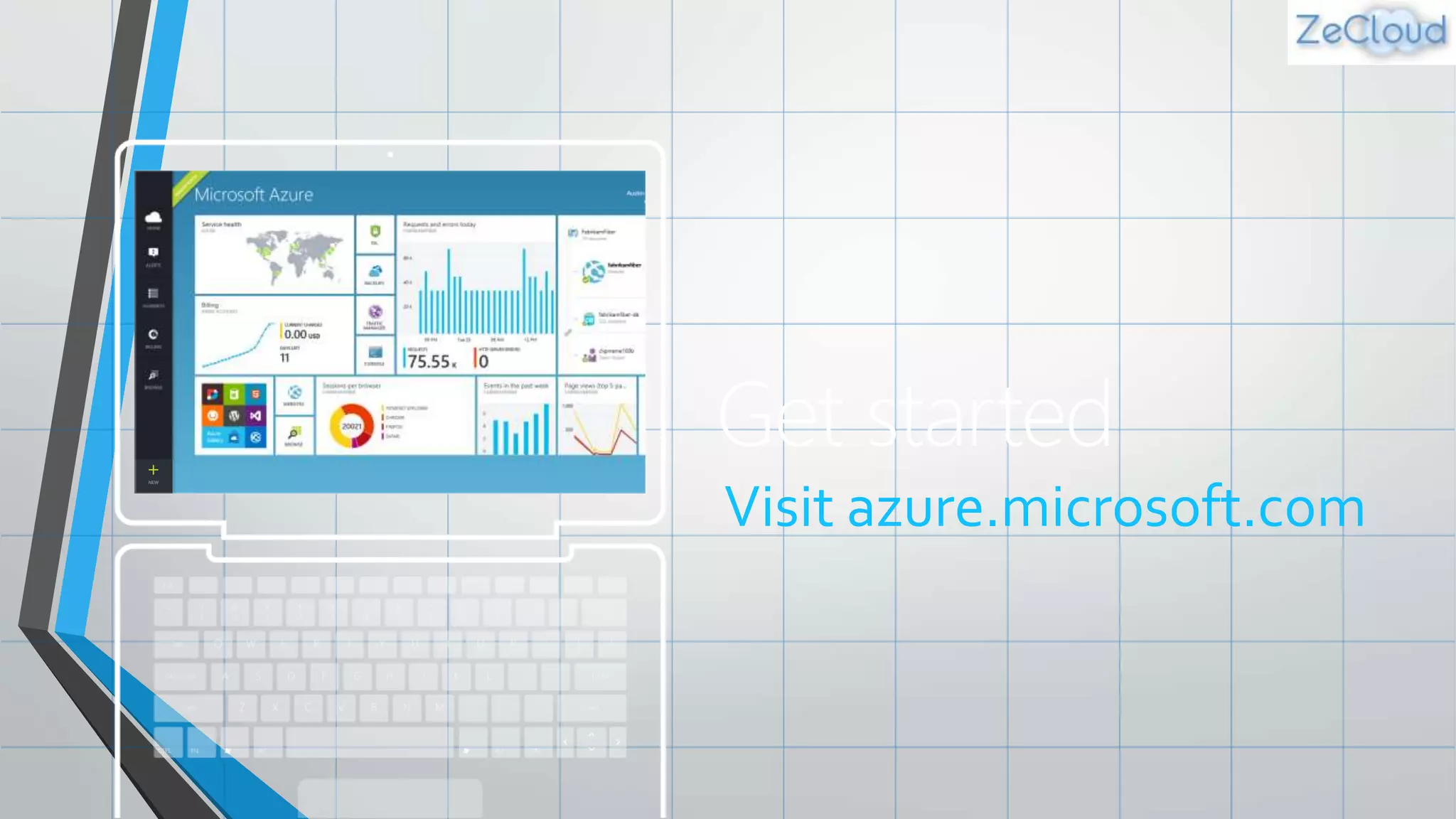
Get started
Visit azure.microsoft.com
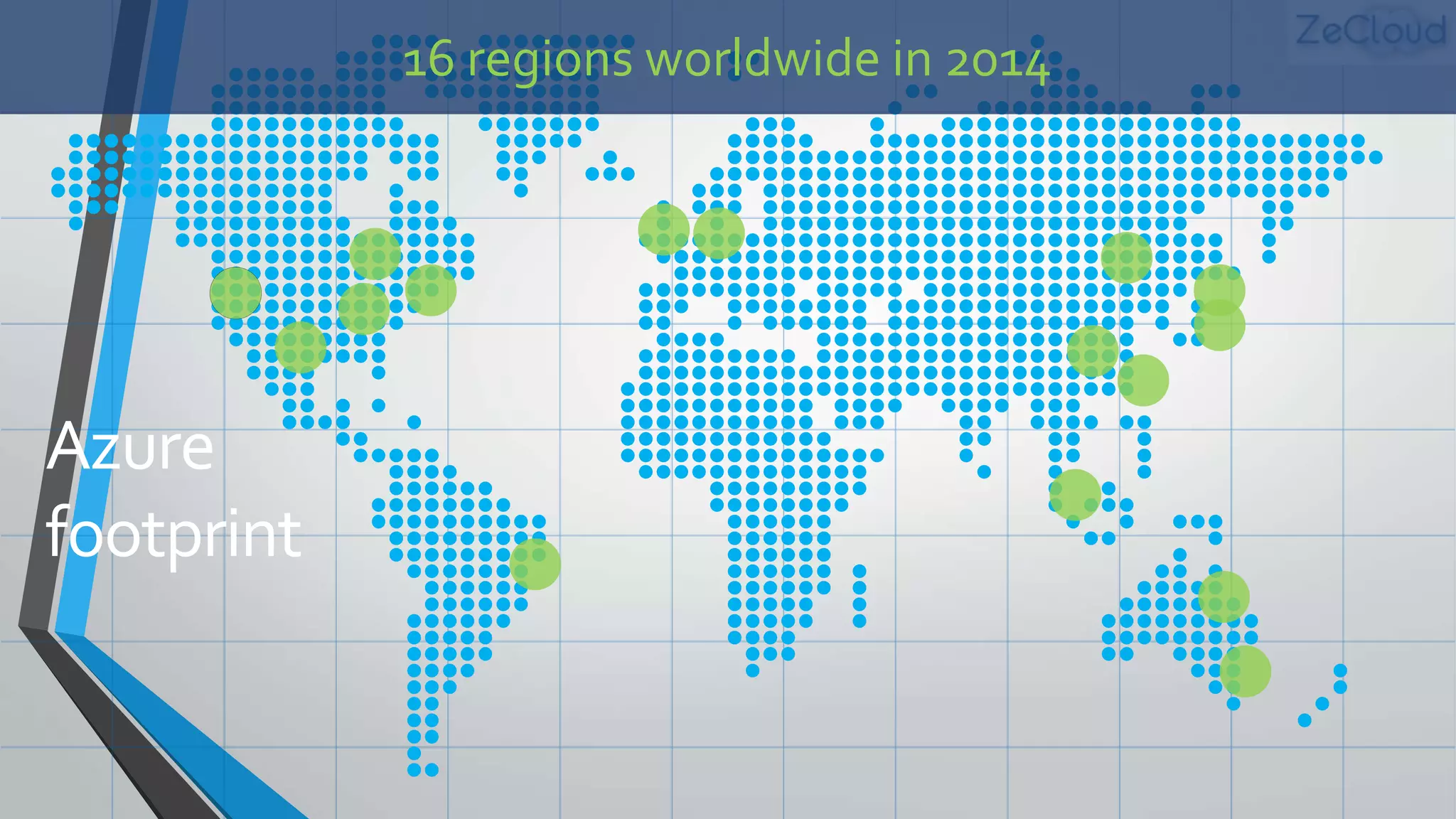
Azure
footprint
16 regions worldwide in 2014
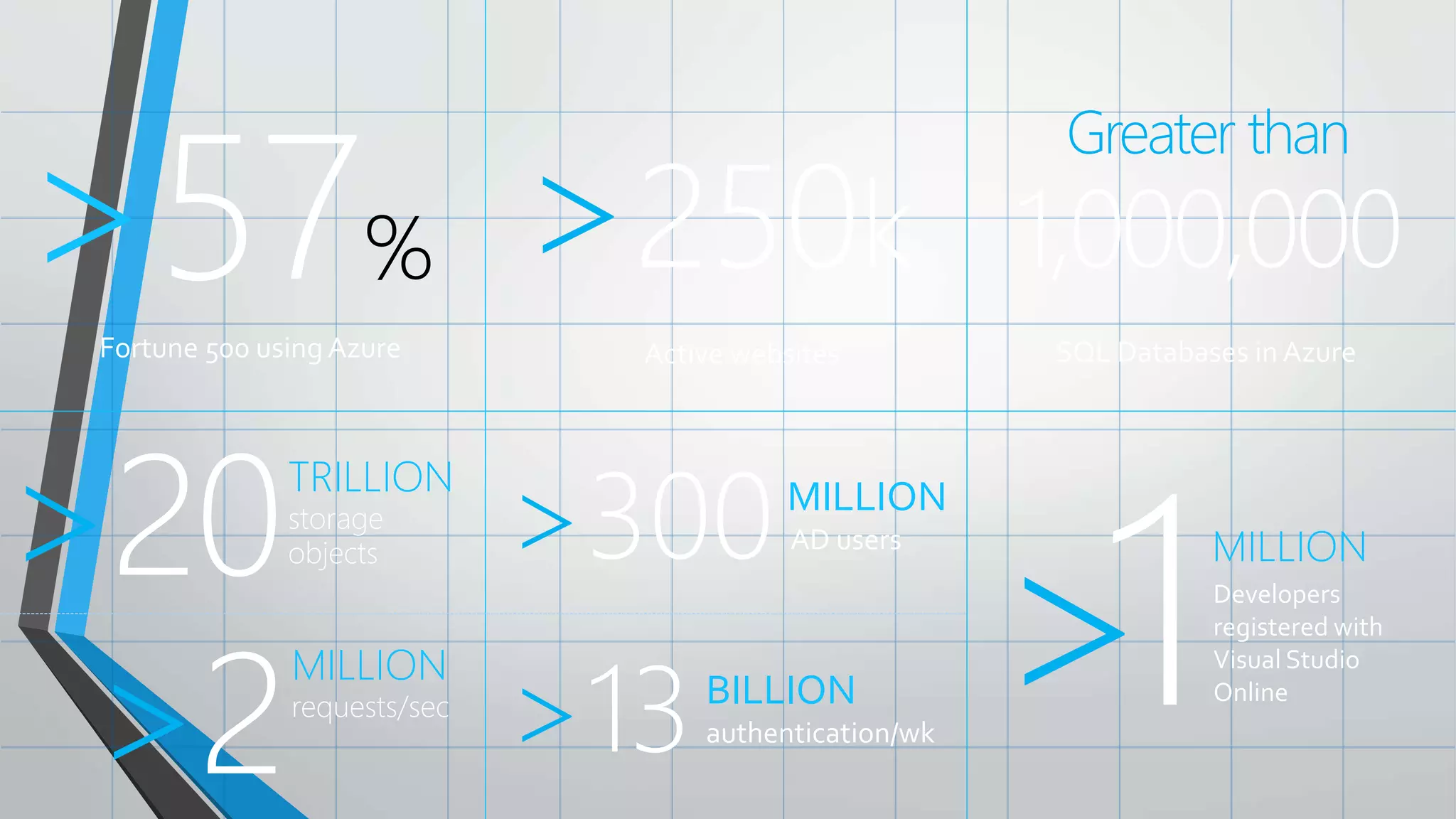
Fortune 500 using Azure
>57% >250k
Active websites
Greater than
1,000,000
SQL Databases in Azure
>20TRILLION
storage
objects >300MILLION
AD users
>13BILLION
authentication/wk
>2
MILLION
requests/sec >1MILLION
Developers
registered with
Visual Studio
Online
Cnam cours azure zecloud mobile services

Cnam cours azure zecloud mobile services

  • 1.
    Cloud Powered Mobile Apps withAzure MicrosoftAzure
  • 2.
    Agenda 2 Mobile Services Featuresand Demos Advanced Features Scaling and Pricing Questions
  • 3.
    What is MobileServices? 3 Storage Authentication Logic Push Scheduler
  • 4.
    Demo: Getting Started Yourfirst Mobile Service
  • 5.
    Structured Storage• Poweredby SQL Database • Supports rich querying capabilities • Dynamic Schematization • Data management in: • Azure Portal • SQL Portal (Silverlight) • SQL Management Studio • REST API • Azure CLITools • SQL CLI 5 MicrosoftAzure
  • 6.
    The REST API 6 ActionHTTP Method URL Suffix Create POST /TodoItem Read GET /TodoItem?filter=id%3D42 Update PATCH /TodoItem/id Delete DELETE /TodoItem/id MicrosoftAzure Base Endpoint: https://MobileService.azure-mobile.net/tables/*
  • 7.
    JSON to SQLTypeMappings 7 JSONType T-SQLType Numeric values (integer, decimal, floating point) Float(53) Boolean bit DateTime DateTimeOffset(3) String Nvarchar(max) MicrosoftAzure
  • 8.
    Auto-generated Columns • id– unique guid • __createdAt – date • __updatedAt – date • __version – timestamp • Helps with concurrency and offline 8 MicrosoftAzure
  • 9.
  • 10.
    Server SideTable Scripts 10 Node.jsscripts Intercept CRUD requests to tables Passes through to SQL by default Fully customizable .NETWeb API backend in Visual Studio MongoDB,Table Storage, SQL out of the box
  • 11.
    Node Modules 11 request push.* consolemssql tables azure sendgrid pusher twilio
  • 12.
  • 13.
    .NET Backend • WebAPI based w/ additional functionality, developed in and deployed from Visual Studio • TableController data context can map to SQL,Table Storage, Mongo, etc • Pull in NuGet modules and other .NET libraries • Set permissions with attributes on classes • Local Debug 13 MicrosoftAzure
  • 14.
    Custom API • Non-tablebased endpoints • Accessible from • GET • POST • PUT • PATCH • DELETE • For node.js logic in scripts like table endpoints • For .NET delivered through a WebAPI • Expose any functionality you want 14 MicrosoftAzure
  • 15.
    File Storage • Don’tstore files in Mobile Services DB • Use Mobile Service to provide a Valet Key Pattern to Blob Storage, aka BLOB SAS • Create table / custom API script to talk to Blob Storage • Script generates Shared Access Signature (SAS) URL • Script returns SAS URL to client app • Client app uploads data to blob storage directly • Store file URL in Mobile Service DB as needed • Blob storage costs less and is built for redundant file storage 15 MicrosoftAzure
  • 16.
  • 17.
  • 18.
  • 19.
    Notification Hubs • Separatefrom Mobile Services • Can be used regardless of whether you’re storing data in Azure • Extremely scalable push notifications • Cross platform support • Push to iOS,Android, Kindle,Windows Phone,Windows Store • Tags (i.e. tie my registration to this topic or user ID) • Templates (i.e. when I get a push, send it in this format) • Server SDKs for .NET, Java, and Node (also open as REST API) 19 MicrosoftAzure
  • 20.
  • 21.
    Data Authorization Per HTTPmethod auth options: • App Key Required • Not ideal for production use • Everyone • Authenticated Users • Admins and other scripts • Requires Master Key as header 401 Unauthorized response if security check fails 21 MicrosoftAzure
  • 22.
    User Auth Flow(server) 22 MicrosoftAzure GOOGLE FACEBOOK TWITTER MOBILE SERVICE DEVICE MICROSOFT ACCOUNT AAD
  • 23.
    User Auth Flow(client) 23 MicrosoftAzure GOOGLE FACEBOOK TWITTER MOBILE SERVICE DEVICE MICROSOFT ACCOUNT AAD
  • 24.
    The User objectUser.level •Admin • Authenticated • Anonymous User.userId • Provider:id or undefined User.getIdentities() • UserId • Provider AccessToken / Secret • Basic user information (i.e. name, username, locale, picture, link) 24 MicrosoftAzure
  • 25.
    Demo: Adding Auth LockDown and Login
  • 26.
  • 27.
    Scheduled Jobs • Executesa script on defined schedule • Can be run on demand • Ideal for any backend data processing job • Length / frequency based of Mobile Service tier 27 MicrosoftAzure
  • 28.
  • 29.
    Script Source Control •Creates a Git repo in Azure • Access table, scheduler, custom API, shared scripts and permissions • Pushing changes triggers a redeploy of your Mobile Service • Enables installing NPM modules (for Node backends) • Shared Scripts • Create scripts that can be used from all other scripts in your Service 29 MicrosoftAzure
  • 30.
  • 31.
    Diagnostics, Logging, Scale 31 APICalls, # of Devices, Data Out Console Logging (auto error logging) Scale Service Based off API Calls Auto-scale to Save Money FreeTier for Mobile FreeTier for SQL
  • 32.
    Mobile Service Scaling Free: 500k calls / month / subscription  Basic: 1.5M calls / unit (6) / month  Standard: 15M calls / unit (10) / month MicrosoftAzure
  • 33.
    Demo: Scaling Leaving FreeMode andTurning on AutoScale
  • 34.
  • 35.
    CLI 35 Create / DeleteServices Inspect / DeleteTable Data Create / Update / Delete Tables and Permissions Create / Upload / Delete Scripts Scale Up / Down Services Much More Across Azure
  • 36.
  • 37.
    Mobile ServiceTiers 37 General Availability 99.9% FreeBasic Standard Usage Restrictions Up to 10 services, Up to 500 Active Devices* N/A N/A API Calls 500K (per subscription) 1.5M (per unit) 15M (per unit) Scale N/A Up to 6 (in portal) Up to 10 (in portal) Scheduled Jobs Limited Included Included SQL Database (required) 20MB free DB 20MB free DB 20MB free DB *Active devices refers to the number of physical devices and emulators that make at least one call to or receive a push notification from your mobile service.
  • 38.
  • 39.
    Resources • Get aFREE Microsoft AzureTrial Account: • http://azure.microsoft.com • Videos,Tutorials, and More • http://azure.microsoft.com/mobile • SDK Source Code on GitHub • https://github.com/Azure/azure-mobile-services • Contact Details • <Contact Info> 39 MicrosoftAzure
  • 40.
  • 42.
  • 43.
    Fortune 500 usingAzure >57% >250k Active websites Greater than 1,000,000 SQL Databases in Azure >20TRILLION storage objects >300MILLION AD users >13BILLION authentication/wk >2 MILLION requests/sec >1MILLION Developers registered with Visual Studio Online

Editor's Notes

  • #3 Speaking Points: Topics covered in the session include What is Microsoft Azure What is Mobile Services, a feature of Azure Features and demos Advanced features throughout the session Scaling and pricing details Questions at the end
  • #4 Speaking Notes Azure Mobile Services is a Backend-as-a-Service Instead of you having to design, build, test, deploy, manage, and upgrade your whole backend, we do it for you Features of Mobile Services Storage – SQL DB Authentication – built in support for social providers w/ ability to custom auth Backend logic – data validation, logical flows, etc Push Notifications – across all major mobile platforms Scheduler – backend job processing
  • #5 Demo: Getting Started Go to the portal Create a new mobile service (Node backend works with most of deck) Walk through Getting started screen Choose platform Download quick start Run quick start Save and update data Show data in portal (Node) Walk through client code that deals with Mobile Service
  • #6 Speaking points Mobile Service easily connects to SQL Database SQL offers rich querying and indexing capabilities Dynamic Schematization means you don’t have to be a DBA and manage schema Data can be managed in: Azure Portal (read and delete data) SQL Portal (Silverlight) SQL Management Studio (windows) REST API (used by SDKs) Azure CLI tools SQL CLI (Node module)
  • #7 Speaking points This is the mapping for the REST API exposed by table storage Standard REST Anything that can talk REST can connect to your Mobile Service
  • #8 Speaking points JSON to SQL mapping Whatever JSON data type on left is passed in generates column of SQL type on right
  • #9 Speaking notes Auto-generated columns id – unique id used to handle querying, updating, and deleting specific rows createdAt, updatedAt, version help with optimistic concurrency (first update wins) Last three columns not pulled to client by default (Need to specify query parameter to get those back)
  • #10 Speaking points * Section change: Backend Logic
  • #11 Speaking points Node backend generates Node scripts for each table action Scripts intercept CRUD requests Pass to SQL by default Custom logic added here Edit in portal (NODE) .NET Backend creates Visual Studio project
  • #12 Speaking points Node backend comes with pre-included modules Request – make web requests against other services Push.* - perform push notifications Console – log information Mssql – call stored procedures / custom SQL Tables – OO way of accessing tables in backend Azure – access service bus, blob, table storage, notification hubs, etc Partners Sendgrid – send emails Pusher – web socket style communications Twilio – SMS and voice Most have a free tier you can use
  • #13 Demo: Customizing logic If using quick start Go into insert script and add validation to check length of item.text field Run app and show validation catching Show app still working if validation is fulfilled
  • #14 Speaking points .NET backend is currently in preview Bases off of Web API Develop and deploy in VS (also create new Mobile Services with VS project template) Debug locally Can pull in NuGet and other .NET libs TableController is base for accessing data, can be overridden to talk to Table Storage, Mongo, etc Permissions handled as attributes on classes
  • #15 Speaking points All scripts so far tied to a table action Custom APIs are non-table based endpoints Script functionality for normal HTTP methods
  • #16 File storage SQL DB for Mobile Services not ideal for file data storage Best practice is to use Mobile Service as Proxy Mobile Service script generates SAS URL Client uploads file to SAS URL Valet Key Patternhttp://msdn.microsoft.com/en-us/library/dn568102.aspx
  • #17 Speaking points Section change: Push Notifications
  • #18 Speaking points Push notifications work the same no matter which client you’re working with Client talks to PNS to register for push Client gets token, passes to Mobile Service Mobile Service asks PNS to deliver payload to token / channel URI / registration ID PNS delivers push to client app PNS = Push Notification Service (i.e. MPNS, WNS, GCM, ADM, APNS)
  • #19 Demo: Adding Push Configure server side for push (Apple Dev portal / Android portal / Win Portal) Copy certificate / api key / etc to Azure portal Set up push on client Enable push from server to client
  • #20 Speaking points Notification Hubs are a separate service from Mobile Services but also used by Mobile Services Pushes to iOS, Android, Kindle, Windows Phone, Windows Store Extremely scalable (millions of pushes in minutes) Tags and templates Server SDKs: .NET, Java (beta), Node, REST API
  • #21 Speaking points Section change: Authorization and Authentication Controlling who can access what
  • #22 Speaking points Data auth – locking data down Default is App Key Required, great for pre-release time period Not production ready due to key’s accessibility in public apps Authenticated users – requests must contain user ID and matching auth token Admins and other scripts – only external requests with Master Key make it through Otherwise 401 is returned
  • #23 Speaking Points Server auth flow uses OAUTH Mobile Service is registered with provider to allow auth Client calls auth method and passes in provider name User authenticates, Mobile Service and provider do OAUTH User ID and token (for Mobile Service) returned to client Provider token / secret accessible in Mobile Service
  • #24 Speaking points Client flow uses SDKs for provider / platform User auths using SDK on client Provider token / secret sent to Mobile Service Mobile Service checks validity and hands back user ID and token
  • #25 Speaking points User level indicates if they’ve logged in or came across with master key User ID for user making the request GetIdentities can be called to get provider token / secret and basic information from provider
  • #26 Demo: adding auth Lock table operations down to authenticated users Attempt to access and show 401 on client Set up auth provider and mobile service in portal Add auth code to client Show auth working Add logic to insert script to tie data to user Add logic to read script to only fetch data user can access
  • #27 Speaking notes Subject change: Scheduler
  • #28 Speaking points Schedule jobs (scripts) can be run by the scheduler Ideal for any backend job processing (regular push notification, remove old data, etc) Length and how often you can run job based off tier of your mobile service
  • #29 Speaking points Subject change: Script source control
  • #30 Speaking points Script source control creates GIT repo for all scripts and permission JSON files Enables you to pull scripts down and edit locally Lets you create shared scripts to reuse code Enables installing of NPM modules (Node)
  • #31 Speaking points Subject change: diagnostics, logging, scale
  • #32 Speaking points Some default stats like # of api calls, # of devices connecting, amount of data out Api calls are important because that’s how mobile services’ scale is baed All console statements and errors go to logging area Auto-scaling helps save money Free tier for Mobile Services and SQL while developing
  • #33 Speaking points Scaling Free 500k / month / sub (across entire subscription is important distinction) Basic 1.5M / unit / month (up to 6 units) Standard 15M / unit / month (up to 10 units) More units available by contacting support
  • #34 Demo: Scaling Go to scaling tab Go to Standard mode Turn on auto-scaling Explain that additional units will only be turned on / used if you need them based off daily API calls
  • #35 Speaking points Section change: Command Line Interface
  • #36 Speaking points CLI allows you to do many different things within Azure Create new Mobile Services, read table data, update permissions and scripts, change scale, turn on and off features, etc Also allows you to do things outside Mobile Services (create VMs, read debug logs, etc)
  • #37 Demo: Using the CLI Open the CLI tools Perform some commands azure mobile list azure mobile table list <service-name> Reference: http://azure.microsoft.com/en-us/documentation/articles/mobile-services-manage-command-line-interface/
  • #38 Speaking points Review different tiers Mention that SQL database bills separately but is a full SQL DB and can be accessed from other resources (i.e. web sites, VMs)
  • #39 Speaking Notes Summarize earlier slide Azure Mobile Services is a Backend-as-a-Service Instead of you having to design, build, test, deploy, manage, and upgrade your whole backend, we do it for you Features of Mobile Services Storage – SQL DB Authentication – built in support for social providers w/ ability to custom auth Backend logic – data validation, logical flows, etc Push Notifications – across all major mobile platforms Scheduler – backend job processing
  • #40 Speaking points Sign up for a free Azure trial Mobile Services are free to develop with (to a point) on non-trial subscription Additional videos, tutorials, samples available SDK source code (for Mobile Services and Notification Hubs) available in GitHub