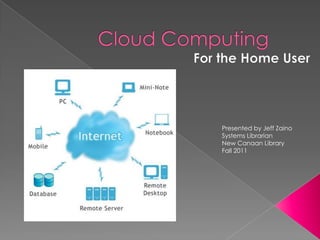
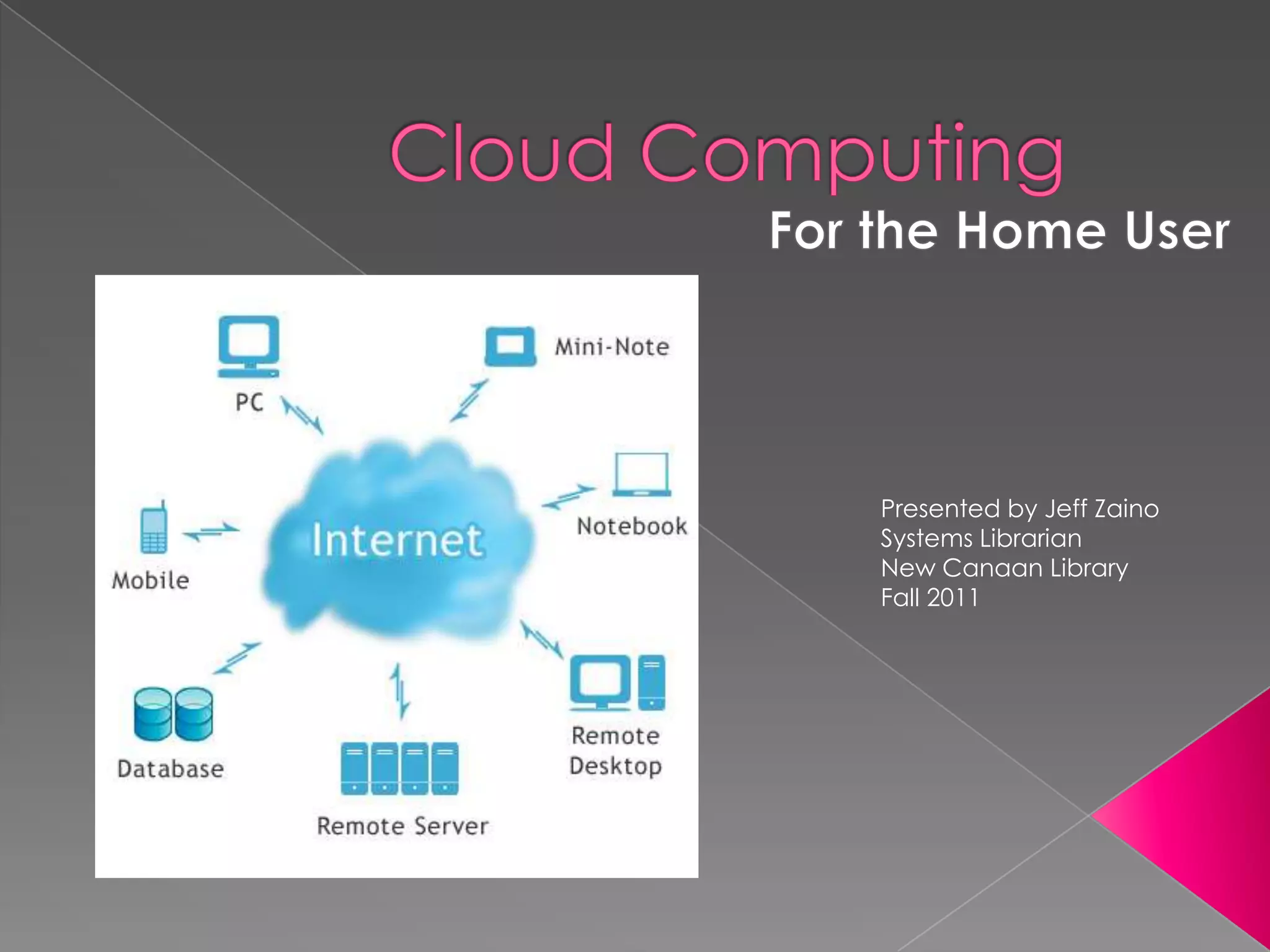
Presented by Jeff Zaino
Systems Librarian
New Canaan Library
Fall 2011
   What is Cloud computing
   Online Applications
    ›   Photo Editing
    ›   Music Editing
    ›   Slide Shows
    ›   The Virtual Office: Office Online, Google Docs, Windows Live
    ›   Personal Finance
    ›   Cloud Antivirus

   Photo storage
   Video Storage
   Music storage
   Online Backup and Recovery
   Online File Storage
   Online Desktop
From Wikipedia:
Cloud computing is Internet-based
  computing, whereby shared resources,
  software and information are provided
  to computers and other devices on-
  demand…

http://en.wikipedia.org/wiki/Cloud_computing
 Desktop PC no longer primary device
 Advent of mobile devices
 Multiple devices, data not in one place
 Cheap storage
 Improved Internet Speed
 Desire to share and collaborate
Pros
 Simplicity
 Convenience
 Fast to implement
Cons
 Performance
 Security
 Cost
 Pixlr – free online photo editing tool.
  Combines image design and paint tools
  with photo editing and adjustment
  features. Features include cropping,
  resizing, rotation, special effects
 Aviary Image Editor - (Chrome app)-
  Basic image editing to complex special
  effects
   Aviary Audio Editor (Chrome app) –
    Powerful editing tool used to remix your
    favorite songs or record your own.
   SlideRocket
    ›   Online presentation software
    ›   250 mb free space
    ›   Allows MS Powerpoint import
    ›   Access from any location

   Slideshare
    › Leading source of free presentations
    › Users can upload presentations
    › Presentations available on every topic
   Google Documents
    › Google Docs is a free, Web-based word
      processor, spreadsheet, presentation, form, and
      data storage service offered by Google. It
      allows users to create and edit documents
      online while collaborating in real-time with other
      users.
   Windows Live
    › A complete suite of local and online
      applications
   Thinkfree Office
    › Free Online office and conversion application
   Mint.com - Mint brings all your financial
    accounts together online or on your
    mobile device, automatically
    categorizes your transactions, lets you set
    budgets and helps you achieveyour
    savings goals.
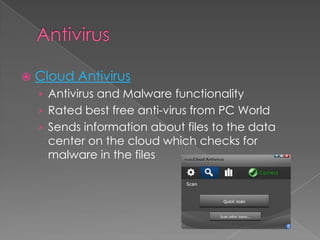
   Cloud Antivirus
    › Antivirus and Malware functionality
    › Rated best free anti-virus from PC World
    › Sends information about files to the data
      center on the cloud which checks for
      malware in the files
Sites that will host your images on the web.
   Organize, tag, and create slideshows
 Flickr
 Fotolog
 Photobucket
   Vimeo – video sharing web site on which
    users can upload, share and view videos
 Mspot – Works on any device, free
  option 5GB.
 Google Music – beta version, no
  iphone|ipad app
 Amazon Cloud Drive – like dropbox
  (photos, video), cloud player; uses flash
  (no apple products)
 Apple Icloud – Apple’s service makes
  music on your itunes desktop available
  to all devices
   Carbonite
    › Automatic online data backup storage
    › Unlimited backup ($54.95/year)
    › Remote access to data – download, view or
     share from any browser
   Mozy
    › Automatic online backup and storage
    › Home and business solutions
    › $5.99/month for 50gb | $9.99/month for
     125gb
   Dropbox
    › Software that syns your files online and
      across computers
    › Apps for Smartphones
    › 2gb of free storage
   Mediafire
    › Upload, download, manage, and share your
      documents, presentations, videos, images,
      and more
    › Free version 200 mb max file
   Tonido
    › Tonido is a software and service that once
      installed on any computer (Windows, Linux or
      Mac), can make files and media in that
      computer available anywhere through a
      web browser or from mobile phones (iPhone,
      Android or Blackberry). It is a new way to
      share your files, media and other information
      with anyone around the world without
      having to upload to third-party sites first.
    › Desktop version is free
   Books
     › Cloud Computing for Dummies 006.7 C
     › Cloud Computing: A Practical Approach 006.7 V
     › Cloud Computing Explained: Handbook for Enterprise
       implementation 006.7 R
   Websites
     › Cloud Computing Resource Center
       (www.deitel.com/resourcecenters/programming/cloudco
       mputing/tabid/3057/Default.aspx)
     › Cloud Computing Journal
       (cloudcomputing.sys-con.com)
     › Cloud Computing – Wikipedia
       (en.wikipedia.org/wiki/cloud_computing)

Cloud computing

  • 1.
    Presented by JeffZaino Systems Librarian New Canaan Library Fall 2011
  • 2.
    What is Cloud computing  Online Applications › Photo Editing › Music Editing › Slide Shows › The Virtual Office: Office Online, Google Docs, Windows Live › Personal Finance › Cloud Antivirus  Photo storage  Video Storage  Music storage  Online Backup and Recovery  Online File Storage  Online Desktop
  • 3.
    From Wikipedia: Cloud computingis Internet-based computing, whereby shared resources, software and information are provided to computers and other devices on- demand… http://en.wikipedia.org/wiki/Cloud_computing
  • 4.
     Desktop PCno longer primary device  Advent of mobile devices  Multiple devices, data not in one place  Cheap storage  Improved Internet Speed  Desire to share and collaborate
  • 5.
    Pros  Simplicity  Convenience Fast to implement Cons  Performance  Security  Cost
  • 6.
     Pixlr –free online photo editing tool. Combines image design and paint tools with photo editing and adjustment features. Features include cropping, resizing, rotation, special effects  Aviary Image Editor - (Chrome app)- Basic image editing to complex special effects
  • 7.
    Aviary Audio Editor (Chrome app) – Powerful editing tool used to remix your favorite songs or record your own.
  • 8.
    SlideRocket › Online presentation software › 250 mb free space › Allows MS Powerpoint import › Access from any location  Slideshare › Leading source of free presentations › Users can upload presentations › Presentations available on every topic
  • 9.
    Google Documents › Google Docs is a free, Web-based word processor, spreadsheet, presentation, form, and data storage service offered by Google. It allows users to create and edit documents online while collaborating in real-time with other users.  Windows Live › A complete suite of local and online applications  Thinkfree Office › Free Online office and conversion application
  • 10.
    Mint.com - Mint brings all your financial accounts together online or on your mobile device, automatically categorizes your transactions, lets you set budgets and helps you achieveyour savings goals.
  • 11.
    Cloud Antivirus › Antivirus and Malware functionality › Rated best free anti-virus from PC World › Sends information about files to the data center on the cloud which checks for malware in the files
  • 12.
    Sites that willhost your images on the web. Organize, tag, and create slideshows  Flickr  Fotolog  Photobucket
  • 13.
    Vimeo – video sharing web site on which users can upload, share and view videos
  • 14.
     Mspot –Works on any device, free option 5GB.  Google Music – beta version, no iphone|ipad app  Amazon Cloud Drive – like dropbox (photos, video), cloud player; uses flash (no apple products)  Apple Icloud – Apple’s service makes music on your itunes desktop available to all devices
  • 15.
    Carbonite › Automatic online data backup storage › Unlimited backup ($54.95/year) › Remote access to data – download, view or share from any browser  Mozy › Automatic online backup and storage › Home and business solutions › $5.99/month for 50gb | $9.99/month for 125gb
  • 16.
    Dropbox › Software that syns your files online and across computers › Apps for Smartphones › 2gb of free storage  Mediafire › Upload, download, manage, and share your documents, presentations, videos, images, and more › Free version 200 mb max file
  • 17.
    Tonido › Tonido is a software and service that once installed on any computer (Windows, Linux or Mac), can make files and media in that computer available anywhere through a web browser or from mobile phones (iPhone, Android or Blackberry). It is a new way to share your files, media and other information with anyone around the world without having to upload to third-party sites first. › Desktop version is free
  • 18.
    Books › Cloud Computing for Dummies 006.7 C › Cloud Computing: A Practical Approach 006.7 V › Cloud Computing Explained: Handbook for Enterprise implementation 006.7 R  Websites › Cloud Computing Resource Center (www.deitel.com/resourcecenters/programming/cloudco mputing/tabid/3057/Default.aspx) › Cloud Computing Journal (cloudcomputing.sys-con.com) › Cloud Computing – Wikipedia (en.wikipedia.org/wiki/cloud_computing)

Editor's Notes