CLOUD
COMPUTING
What is Cloud Computing
 This is the use of hardware and software
to deliver a service over a network.
 Users can access files and use
applications from any device that can
access the internet e.g. Google's g-mail.
 Data is stored on many physical or virtual
servers that are hosted by a third party
service provider.
Cloud Computing
 Cloud computing is providing developers
and IT departments with the ability to
focus on what matters most and avoid
undifferentiated work like procurement,
maintenance, and capacity planning.
Common Services hosted in the
Cloud
 Hosted desktop (AT&T)
 Hosted e-mail (G-mail)
 Cloud storage (Drop box)
 Streaming music (spotify)
Advantages of Cloud
Computing
 Hardware services- Companies are able to use
the cloud service provider’s equipment (storage,
hardware, servers and networking components).
Instead of spending large amounts of capital on
equipment.
 Software services- Companies applications are
hosted by the cloud service provider and are
made available over a network saving costly
deployment and maintenance costs.
 Although no storage solution is 100% safe.
Cloud is safer & more accessible to store data
than traditional computing methods.
Cloud Computing Models
There are 3 different types of cloud
computing models with each representing
a different part of the cloud computing
stack mainly:
 Infrastructure as a service (IAAS)
 Platform as a service (PAAS)
 Software as a service (SAAS)
Infrastructure as a service (Iaas)
 Infrastructure as a Service,contains the basic
building blocks for cloud IT and typically provide
access to networking features, computers
(virtual or on dedicated hardware), and data
storage space.
 Infrastructure as a Service provides you with the
highest level of flexibility and management
control over your IT resources and is most
similar to existing IT resources that many IT
departments and developers are familiar with
today.
Platforms as a service (Paas)
 Platforms as a service remove the need for
organizations to manage the underlying
infrastructure (usually hardware and operating
systems) and allow you to focus on the
deployment and management of your
applications.
 This helps you be more efficient as you don’t
need to worry about resource procurement,
capacity planning, software maintenance,
patching, or any of the other undifferentiated
heavy lifting involved in running your application.
Software as a Service(Saas)
 Software as a Service provides you with a
completed product that is run and managed by the
service provider. People referring to Software as a
Service are referring to end-user applications.
 You do not have to think about how the service is
maintained or how the underlying infrastructure is
managed; you should only think about how you will
use that particular piece software.
 A common example of a SaaS application is web-
based email where you can send and receive email
without having to manage feature additions to the
email product or maintaining the servers and
operating systems that the email program is running
on.
Cloud Computing Deployment
Models
 Cloud/Public
 Hybrid Cloud
 On Premises/Private
Cloud/Public Computing Model
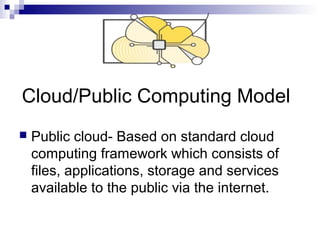
 Public cloud- Based on standard cloud
computing framework which consists of
files, applications, storage and services
available to the public via the internet.
On Premises/Private Cloud
 Private cloud- Files & applications, storage
& services that are implemented and
protected within a corporate firewall, under
the control of a corporate I.T department.
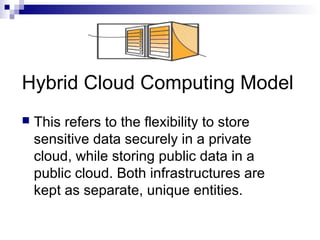
Hybrid Cloud Computing Model
 This refers to the flexibility to store
sensitive data securely in a private
cloud, while storing public data in a
public cloud. Both infrastructures are
kept as separate, unique entities.
Amazon Web Services
 These services help organizations move
faster, lower IT costs, and scale. AWS is
trusted by the largest enterprises and the
hottest start-ups to power a wide variety of
workloads including: web and mobile
applications, game development, data
processing and warehousing, storage,
archive, and many others.
AMAZON WEB SERVICES
 This is a secure cloud sevices platform that
offers the following:
 Compute power.
 Database storage.
 Content delivery.
 Functionality to help businesses scale/grow.
 Analytics
 Networking.
 Mobile.
AMAZON WEB SERVICES
 Other features of AWS are:
 Developer tools.
 Management tools.
 Security.
 Enterprise applications.
 Reduces CPU intensive work loads.
 Sophisticated scalable applications.
 Business applications.
 Building games.
Benefits of Cloud Computing
1. Trade capital expense for variable
expense
 Instead of having to invest heavily in data
centers and servers before you know how
you’re going to use them, you can only pay
when you consume computing resources,
and only pay for how much you consume.
2. Benefit from massive economies of scale
 By using cloud computing, you can achieve
a lower variable cost than you can get on
your own. Because usage from hundreds of
thousands of customers are aggregated in
the cloud, providers such as Amazon Web
Services can achieve higher economies of
scale which translates into lower pay as you
go prices.
Benefits of Cloud Computing
3. Stop guessing capacity
 Eliminate guessing on your infrastructure
capacity needs. When you make a capacity
decision prior to deploying an application,
you often either end up sitting on expensive
idle resources or dealing with limited
capacity. With cloud computing, these
problems go away. You can access as much
or as little as you need, and scale up and
down as required with only a few minutes
notice.
Benefits of Cloud Computing
4. Increase speed and agility
 In a cloud computing environment, new IT
resources are only ever a click away, which
means you reduce the time it takes to make
those resources available to your developers
from weeks to just minutes. This results in a
dramatic increase in agility for the
organization, since the cost and time it takes
to experiment and develop is significantly
lower.
Benefits of Cloud Computing
5. Stop spending money on running and
maintaining data centers
 Focus on projects that differentiate your
business, not the infrastructure. Cloud
computing lets you focus on your own
customers, rather than on the heavy lifting of
racking, stacking and powering servers.
Benefits of Cloud Computing
6. Go global in minutes
 Easily deploy your application in multiple
regions around the world with just a few
clicks. This means you can provide a lower
latency and better experience for your
customers simply and at minimal cost.
Benefits of Cloud Computing
Cloud Solutions
 Hundreds of thousands of customers have
joined the Amazon Web Services (AWS)
community and use AWS solutions to build their
businesses.
 The AWS cloud computing platform provides the
flexibility to build your application, your way,
regardless of your use case or industry.
 You can save time, money, and let AWS
manage your infrastructure, without
compromising scalability, security, or
dependability.
Cloud Products & Services
 Amazon Web Services (AWS) offers a
broad set of global compute, storage,
database, analytics, application, and
deployment services that help
organizations move faster, lower IT costs,
and scale applications.

Cloud computing

  • 1.
  • 2.
    What is CloudComputing  This is the use of hardware and software to deliver a service over a network.  Users can access files and use applications from any device that can access the internet e.g. Google's g-mail.  Data is stored on many physical or virtual servers that are hosted by a third party service provider.
  • 3.
    Cloud Computing  Cloudcomputing is providing developers and IT departments with the ability to focus on what matters most and avoid undifferentiated work like procurement, maintenance, and capacity planning.
  • 4.
    Common Services hostedin the Cloud  Hosted desktop (AT&T)  Hosted e-mail (G-mail)  Cloud storage (Drop box)  Streaming music (spotify)
  • 5.
    Advantages of Cloud Computing Hardware services- Companies are able to use the cloud service provider’s equipment (storage, hardware, servers and networking components). Instead of spending large amounts of capital on equipment.  Software services- Companies applications are hosted by the cloud service provider and are made available over a network saving costly deployment and maintenance costs.  Although no storage solution is 100% safe. Cloud is safer & more accessible to store data than traditional computing methods.
  • 6.
    Cloud Computing Models Thereare 3 different types of cloud computing models with each representing a different part of the cloud computing stack mainly:  Infrastructure as a service (IAAS)  Platform as a service (PAAS)  Software as a service (SAAS)
  • 7.
    Infrastructure as aservice (Iaas)  Infrastructure as a Service,contains the basic building blocks for cloud IT and typically provide access to networking features, computers (virtual or on dedicated hardware), and data storage space.  Infrastructure as a Service provides you with the highest level of flexibility and management control over your IT resources and is most similar to existing IT resources that many IT departments and developers are familiar with today.
  • 8.
    Platforms as aservice (Paas)  Platforms as a service remove the need for organizations to manage the underlying infrastructure (usually hardware and operating systems) and allow you to focus on the deployment and management of your applications.  This helps you be more efficient as you don’t need to worry about resource procurement, capacity planning, software maintenance, patching, or any of the other undifferentiated heavy lifting involved in running your application.
  • 9.
    Software as aService(Saas)  Software as a Service provides you with a completed product that is run and managed by the service provider. People referring to Software as a Service are referring to end-user applications.  You do not have to think about how the service is maintained or how the underlying infrastructure is managed; you should only think about how you will use that particular piece software.  A common example of a SaaS application is web- based email where you can send and receive email without having to manage feature additions to the email product or maintaining the servers and operating systems that the email program is running on.
  • 10.
    Cloud Computing Deployment Models Cloud/Public  Hybrid Cloud  On Premises/Private
  • 11.
    Cloud/Public Computing Model Public cloud- Based on standard cloud computing framework which consists of files, applications, storage and services available to the public via the internet.
  • 12.
    On Premises/Private Cloud Private cloud- Files & applications, storage & services that are implemented and protected within a corporate firewall, under the control of a corporate I.T department.
  • 13.
    Hybrid Cloud ComputingModel  This refers to the flexibility to store sensitive data securely in a private cloud, while storing public data in a public cloud. Both infrastructures are kept as separate, unique entities.
  • 14.
    Amazon Web Services These services help organizations move faster, lower IT costs, and scale. AWS is trusted by the largest enterprises and the hottest start-ups to power a wide variety of workloads including: web and mobile applications, game development, data processing and warehousing, storage, archive, and many others.
  • 15.
    AMAZON WEB SERVICES This is a secure cloud sevices platform that offers the following:  Compute power.  Database storage.  Content delivery.  Functionality to help businesses scale/grow.  Analytics  Networking.  Mobile.
  • 16.
    AMAZON WEB SERVICES Other features of AWS are:  Developer tools.  Management tools.  Security.  Enterprise applications.  Reduces CPU intensive work loads.  Sophisticated scalable applications.  Business applications.  Building games.
  • 17.
    Benefits of CloudComputing 1. Trade capital expense for variable expense  Instead of having to invest heavily in data centers and servers before you know how you’re going to use them, you can only pay when you consume computing resources, and only pay for how much you consume.
  • 18.
    2. Benefit frommassive economies of scale  By using cloud computing, you can achieve a lower variable cost than you can get on your own. Because usage from hundreds of thousands of customers are aggregated in the cloud, providers such as Amazon Web Services can achieve higher economies of scale which translates into lower pay as you go prices. Benefits of Cloud Computing
  • 19.
    3. Stop guessingcapacity  Eliminate guessing on your infrastructure capacity needs. When you make a capacity decision prior to deploying an application, you often either end up sitting on expensive idle resources or dealing with limited capacity. With cloud computing, these problems go away. You can access as much or as little as you need, and scale up and down as required with only a few minutes notice. Benefits of Cloud Computing
  • 20.
    4. Increase speedand agility  In a cloud computing environment, new IT resources are only ever a click away, which means you reduce the time it takes to make those resources available to your developers from weeks to just minutes. This results in a dramatic increase in agility for the organization, since the cost and time it takes to experiment and develop is significantly lower. Benefits of Cloud Computing
  • 21.
    5. Stop spendingmoney on running and maintaining data centers  Focus on projects that differentiate your business, not the infrastructure. Cloud computing lets you focus on your own customers, rather than on the heavy lifting of racking, stacking and powering servers. Benefits of Cloud Computing
  • 22.
    6. Go globalin minutes  Easily deploy your application in multiple regions around the world with just a few clicks. This means you can provide a lower latency and better experience for your customers simply and at minimal cost. Benefits of Cloud Computing
  • 23.
    Cloud Solutions  Hundredsof thousands of customers have joined the Amazon Web Services (AWS) community and use AWS solutions to build their businesses.  The AWS cloud computing platform provides the flexibility to build your application, your way, regardless of your use case or industry.  You can save time, money, and let AWS manage your infrastructure, without compromising scalability, security, or dependability.
  • 24.
    Cloud Products &Services  Amazon Web Services (AWS) offers a broad set of global compute, storage, database, analytics, application, and deployment services that help organizations move faster, lower IT costs, and scale applications.