WELCOME
1
DEPARTMENT OF ELECTRONICS AND COMMUNICATION ENGINEERING
TECHNICAL SEMINAR
ON
“ CLOUD COMPUTING AND ITS APPLICATIONS”
PRESENTED BY
RUDRO JYOTI BISWAS
(1EW12EC081)
2
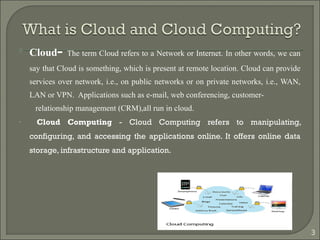
 Cloud- The term Cloud refers to a Network or Internet. In other words, we can
say that Cloud is something, which is present at remote location. Cloud can provide
services over network, i.e., on public networks or on private networks, i.e., WAN,
LAN or VPN. Applications such as e-mail, web conferencing, customer-
relationship management (CRM),all run in cloud.
• Cloud Computing - Cloud Computing refers to manipulating,
configuring, and accessing the applications online. It offers online data
storage, infrastructure and application.
3
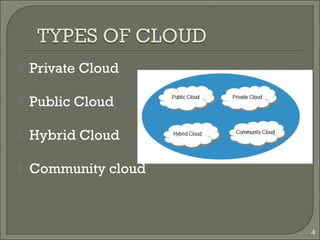
 Private Cloud
 Public Cloud
 Hybrid Cloud
 Community cloud
4
5
6
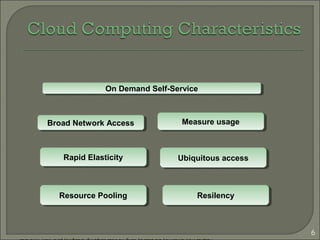
ResilencyResilency
Ubiquitous accessUbiquitous access
Resource PoolingResource Pooling
Broad Network AccessBroad Network Access
Rapid ElasticityRapid Elasticity
Measure usageMeasure usage
On Demand Self-ServiceOn Demand Self-Service
Adoptedfrom:EffectivelyandSecurelyUsingtheCloudComputingParadigmbypeterMell,TimGrance
7
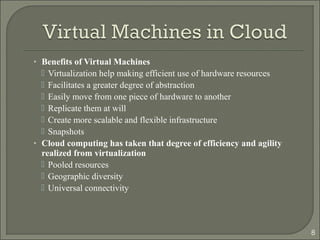
• Benefits of Virtual Machines
 Virtualization help making efficient use of hardware resources
 Facilitates a greater degree of abstraction
 Easily move from one piece of hardware to another
 Replicate them at will
 Create more scalable and flexible infrastructure
 Snapshots
• Cloud computing has taken that degree of efficiency and agility
realized from virtualization
 Pooled resources
 Geographic diversity
 Universal connectivity
8
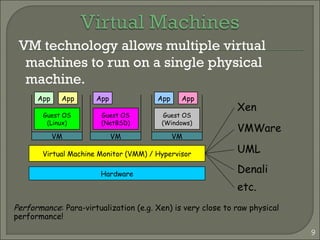
VM technology allows multiple virtual
machines to run on a single physical
machine.
9
Hardware
Virtual Machine Monitor (VMM) / Hypervisor
Guest OS
(Linux)
Guest OS
(NetBSD)
Guest OS
(Windows)
VM VM VM
AppApp AppAppApp
Xen
VMWare
UML
Denali
etc.
Performance: Para-virtualization (e.g. Xen) is very close to raw physical
performance!
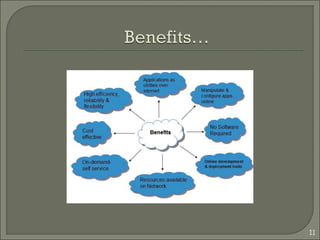
 Cloud computing enables companies and
applications, which are system infrastructure
dependent, to be infrastructure-less.
 By using the Cloud infrastructure on “pay as used
and on demand”, all of us can save in capital and
operational investment!
 Clients can:
 Put their data on the platform instead of on their own
desktop PCs and/or on their own servers.
 They can put their applications on the cloud and use the
servers within the cloud to do processing and data
manipulations etc.
10
11
 Several large Web companies are now
exploiting the fact that they have data storage
capacity that can be hired out to others.
• allows data stored remotely to be temporarily
cached on desktop computers, mobile phones or
other Internet-linked devices.
 Amazon’s Elastic Compute Cloud (EC2) and
Simple Storage Solution (S3) are well known
examples
• Mechanical Turk
12
The use of the cloud provides a number of
opportunities:
 It enables services to be used without any understanding
of their infrastructure.
 Cloud computing works using economies of scale:
 Data and services are stored remotely but accessible
from “anywhere”.
 In parallel there has been backlash against cloud
computing
 Security could prove to be a big issue:
13
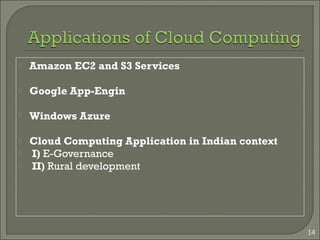
 Amazon EC2 and S3 Services
 Google App-Engin
 Windows Azure
 Cloud Computing Application in Indian context
 I) E-Governance
 II) Rural development
14
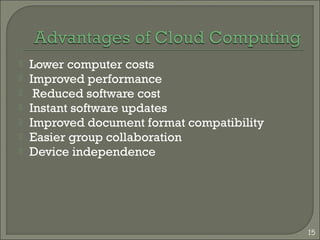
 Lower computer costs
 Improved performance
 Reduced software cost
 Instant software updates
 Improved document format compatibility
 Easier group collaboration
 Device independence
15
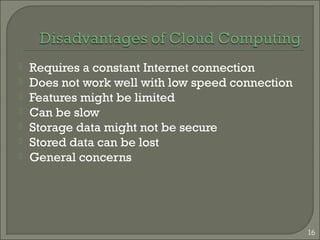
 Requires a constant Internet connection
 Does not work well with low speed connection
 Features might be limited
 Can be slow
 Storage data might not be secure
 Stored data can be lost
 General concerns
16
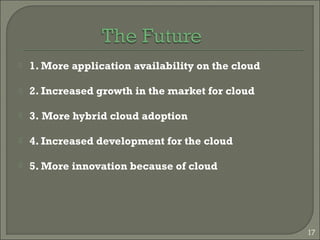
 1. More application availability on the cloud
 2. Increased growth in the market for cloud
 3. More hybrid cloud adoption
 4. Increased development for the cloud
 5. More innovation because of cloud
17
THANK YOU
18

Cloud computing

  • 1.
  • 2.
    DEPARTMENT OF ELECTRONICSAND COMMUNICATION ENGINEERING TECHNICAL SEMINAR ON “ CLOUD COMPUTING AND ITS APPLICATIONS” PRESENTED BY RUDRO JYOTI BISWAS (1EW12EC081) 2
  • 3.
     Cloud- Theterm Cloud refers to a Network or Internet. In other words, we can say that Cloud is something, which is present at remote location. Cloud can provide services over network, i.e., on public networks or on private networks, i.e., WAN, LAN or VPN. Applications such as e-mail, web conferencing, customer- relationship management (CRM),all run in cloud. • Cloud Computing - Cloud Computing refers to manipulating, configuring, and accessing the applications online. It offers online data storage, infrastructure and application. 3
  • 4.
     Private Cloud Public Cloud  Hybrid Cloud  Community cloud 4
  • 5.
  • 6.
    6 ResilencyResilency Ubiquitous accessUbiquitous access ResourcePoolingResource Pooling Broad Network AccessBroad Network Access Rapid ElasticityRapid Elasticity Measure usageMeasure usage On Demand Self-ServiceOn Demand Self-Service Adoptedfrom:EffectivelyandSecurelyUsingtheCloudComputingParadigmbypeterMell,TimGrance
  • 7.
  • 8.
    • Benefits ofVirtual Machines  Virtualization help making efficient use of hardware resources  Facilitates a greater degree of abstraction  Easily move from one piece of hardware to another  Replicate them at will  Create more scalable and flexible infrastructure  Snapshots • Cloud computing has taken that degree of efficiency and agility realized from virtualization  Pooled resources  Geographic diversity  Universal connectivity 8
  • 9.
    VM technology allowsmultiple virtual machines to run on a single physical machine. 9 Hardware Virtual Machine Monitor (VMM) / Hypervisor Guest OS (Linux) Guest OS (NetBSD) Guest OS (Windows) VM VM VM AppApp AppAppApp Xen VMWare UML Denali etc. Performance: Para-virtualization (e.g. Xen) is very close to raw physical performance!
  • 10.
     Cloud computingenables companies and applications, which are system infrastructure dependent, to be infrastructure-less.  By using the Cloud infrastructure on “pay as used and on demand”, all of us can save in capital and operational investment!  Clients can:  Put their data on the platform instead of on their own desktop PCs and/or on their own servers.  They can put their applications on the cloud and use the servers within the cloud to do processing and data manipulations etc. 10
  • 11.
  • 12.
     Several largeWeb companies are now exploiting the fact that they have data storage capacity that can be hired out to others. • allows data stored remotely to be temporarily cached on desktop computers, mobile phones or other Internet-linked devices.  Amazon’s Elastic Compute Cloud (EC2) and Simple Storage Solution (S3) are well known examples • Mechanical Turk 12
  • 13.
    The use ofthe cloud provides a number of opportunities:  It enables services to be used without any understanding of their infrastructure.  Cloud computing works using economies of scale:  Data and services are stored remotely but accessible from “anywhere”.  In parallel there has been backlash against cloud computing  Security could prove to be a big issue: 13
  • 14.
     Amazon EC2and S3 Services  Google App-Engin  Windows Azure  Cloud Computing Application in Indian context  I) E-Governance  II) Rural development 14
  • 15.
     Lower computercosts  Improved performance  Reduced software cost  Instant software updates  Improved document format compatibility  Easier group collaboration  Device independence 15
  • 16.
     Requires aconstant Internet connection  Does not work well with low speed connection  Features might be limited  Can be slow  Storage data might not be secure  Stored data can be lost  General concerns 16
  • 17.
     1. Moreapplication availability on the cloud  2. Increased growth in the market for cloud  3. More hybrid cloud adoption  4. Increased development for the cloud  5. More innovation because of cloud 17
  • 18.