CISSP (8 Domain)
Certified Information Systems
Security Professional
Kelly Handerhan, Instructor
WELCOME TO CISSP
BOOTCAMP
CISSP (Certified Information Systems Security Professional)
Kelly Handerhan, Instructor
Kellymorrison@yahoo.com
CASP, CISSP, PMP
2
THE 8 DOMAINS OF CISSP
CISSP Course Syllabus:
 Chapter 1: Security and Risk Management
 Chapter 2: Asset Security
 Chapter 3: Security Engineering
 Chapter 4: Communications and Network Security
 Chapter 5: Identity and Access Management
 Chapter 6: Security Assessment and Testing
 Chapter 7: Security Operations
 Chapter 8: Software Development Security
3
EXAM SPECIFICS
 250 Questions (25 are “beta” and are not graded)
 6 hours to complete the exam
 You can mark questions for review
 You will be provided with 1“wipe” board 8x11 and a pen.
materials. You will also have access to an on-screen
calculator.
 Many test centers provide earplugs or noise cancelling head
phones. Call your center ahead of time to verify
 Questions are weighted (Remember…security transcends
technology)
4
THE CISSP MINDSET
• Your Role is a Risk Advisor
• Do NOT fix Problems
• Who is responsible for security?
• How much security is enough?
• All decisions start with risk management. Risk management starts
with Identifying/Valuating your assets.
• “Security Transcends Technology”
• Physical safety is always the first choice
• Technical Questions are for Managers. Management questions are
for technicians
• Incorporate security into the design, as opposed to adding it on later
• Layered Defense!
5
CHAPTER 1
Security and Risk Management
6
AGENDA
• Confidentiality, integrity, and availability concepts
• IAAA
• Security governance vs. Management
• Compliance
• Legal and regulatory issues
• Professional ethics
• Security policies, standards, procedures and guidelines
• Business Continuity and Disaster Recovery
7
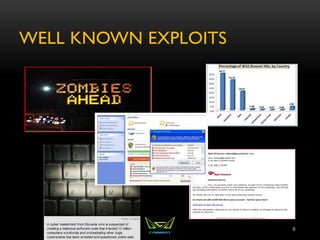
WELL KNOWN EXPLOITS
8
THE ROLE OF INFORMATION
SECURITY WITHIN AN
ORGANIZATION
• First priority is to support the mission of the organization
• Requires judgment based on risk tolerance of organization,
cost and benefit
• Role of the security professional is that of a risk advisor, not a
decision maker.
9
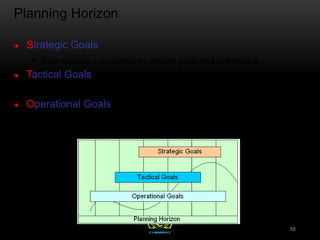
Planning Horizon
Strategic Goals
 Over-arching - supported by tactical goals and operational
Tactical Goals
 Mid-Term - lay the necessary foundation to accomplish Strategic Goals
Operational Goals
 Day-to-day - focus on productivity and task-oriented activities
10
SECURITY FUNDAMENTALS
• C-I-A Triad
• Confidentiality
• Integrity
• Availability
11
CONFIDENTIALITY
• Prevent unauthorized disclosure
• Threats against confidentiality:
• Social Engineering
• Training, Separation of Duties, Enforce Policies and
ConductVulnerability Assessments
• Media Reuse
• Proper Sanitization Strategies
• Eavesdropping
• Encrypt
• Keep sensitive information off the network
12
INTEGRITY
• Detect modification of information
• Corruption
• Intentional or Malicious Modification
• Message Digest (Hash)
• MAC
• Digital Signatures
13
AVAILABILITY
• Provide Timely and reliable access to resources
• Redundancy, redundancy, redundancy
• Prevent single point of failure
• Comprehensive fault tolerance (Data, Hard Drives,
Servers, Network Links, etc..)
14
BEST PRACTICES (TO PROTECT C-I-A)
 Separation of Duties (SOD)
 Mandatory Vacations
 Job rotation
 Least privilege
 Need to know
 Dual control
15
DEFENSE IN DEPTH
• Also Known as layered Defense
• No One Device will PREVENT an attacker
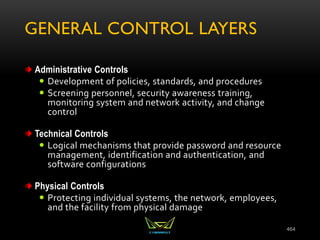
• Three main types of controls:
• Technical (Logical)
• Administrative
• Physical
16
RISK
• Every decision starts with looking at risk
• Determine the value of your assets
• Look to identify the potential for loss
• Find cost effective solution reduce risk to an acceptable
level (rarely can we eliminate risk)
• Safeguards are proactive
• Countermeasures are reactive
17
RISK DEFINITIONS
 Asset: Anything of Value to the company
 Vulnerability: A weakness; the absence of a safeguard
 Threat: Something that could pose loss to all or part of an
asset
 Threat Agent: What carries out the attack
 Exploit: An instance of compromise
 Risk: The probability of a threat materializing
 Controls: Physical, Administrative, and Technical
Protections
 Safeguards
 Countermeasure
18
SOURCES OF RISK
• Weak or non-existing anti-virus software
• Disgruntled employees
• Poor physical security
• Weak access control
• No change management
• No formal process for hardening systems
• Lack of redundancy
• Poorly trained users
19
RISK MANAGEMENT
 Processes of identifying, analyzing, assessing,
mitigating, or transferring risk. It’s main goal is the
reduction of probability or impact of a risk.
 Summary topic that includes all risk-related actions
 Includes Assessment, Analysis, Mitigation, and
Ongoing Risk Monitoring
20
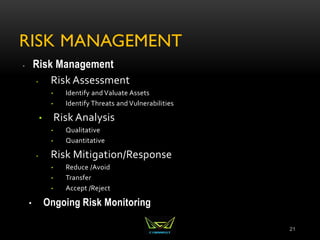
RISK MANAGEMENT
 Risk Management
• Risk Assessment
• Identify and Valuate Assets
• Identify Threats and Vulnerabilities
• Risk Analysis
• Qualitative
• Quantitative
• Risk Mitigation/Response
• Reduce /Avoid
• Transfer
• Accept /Reject
• Ongoing Risk Monitoring
21
RISK ASSESSMENT
• Identification and Valuation of Assets is the first step in risk
assessment.
• What are we protecting and what is it worth
 Is it valuable to me? To my competitors?
 What damage will be caused if it is compromised?
 How much time was spent in development
 Are there compliance/legal issues?
22
RISK ANALYSIS
• Determining a value for a risk
• Qualitative vs. Quantitative
• Risk Value is Probability * Impact
• Probability: How likely is the threat to materialize?
• Impact: How much damage will there be if it does?
• Could also be referred to as likelihood and severity.
23
RISK ANALYSIS
• Qualitative Analysis (subjective, judgment-based)
• Probability and Impact Matrix
• Quantitative Analysis (objective, numbers driven
24
QUALITATIVE ANALYSIS
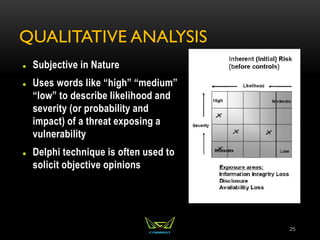
 Subjective in Nature
 Uses words like “high” “medium”
“low” to describe likelihood and
severity (or probability and
impact) of a threat exposing a
vulnerability
 Delphi technique is often used to
solicit objective opinions
25
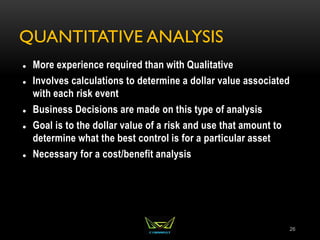
QUANTITATIVE ANALYSIS
 More experience required than with Qualitative
 Involves calculations to determine a dollar value associated
with each risk event
 Business Decisions are made on this type of analysis
 Goal is to the dollar value of a risk and use that amount to
determine what the best control is for a particular asset
 Necessary for a cost/benefit analysis
26
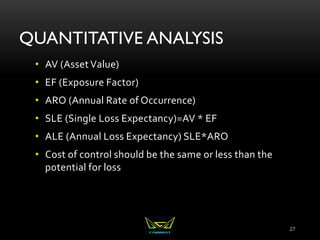
QUANTITATIVE ANALYSIS
• AV (AssetValue)
• EF (Exposure Factor)
• ARO (Annual Rate of Occurrence)
• SLE (Single Loss Expectancy)=AV * EF
• ALE (Annual Loss Expectancy) SLE*ARO
• Cost of control should be the same or less than the
potential for loss
27
MITIGATING RISK
 Three Acceptable Risk Responses:
 Reduce
 Transfer
 Accept
 Secondary Risks
 Residual Risks
 Continue to monitor for risks
 How we decide to mitigate business risks becomes the basis
for Security Governance and Policy
28
SECURITY GOVERNANCE
 The IT Governance Institute in its Board Briefing on IT
Governance, 2nd Edition, defines Security governance as
follows:
“Security governance is the set of responsibilities and
practices exercised by the board and executive
management with the goal of providing strategic direction,
ensuring that objectives are achieved, ascertaining that
risks are managed appropriately and verifying that the
enterprise's resources are used responsibly.”
29
SECURITY BLUEPRINTS
 For achieving “Security Governance”
 BS 7799, ISO 17799, and 27000 Series
 COBIT and COSO
 OCTAVE
 ITIL
30
COBIT AND COSO
 COBIT (Control Objectives for Information and related
Technology.
 COSO (Committee of Sponsoring Organizations)
 Both of these focus on goals for security
31
ITIL
 Information Technology Infrastructure Library (ITIL) is the de facto
standard for best practices for IT service management
 5 Service Management Publications:
 Strategy
 Design
 Transition
 Operation
 Continual Improvement
**While the Publications of ITIL are not testable, it's purpose and
comprehensive approach are testable. It provides best practices for
organization and the means in which to implement those practices
32
OCTAVE
 Operationally Critical Threat, Asset and Vulnerability Evaluation
 Self Directed risk evaluation developed by Carnegie Mellon.
People within an organization are the ones who direct the risk
analysis
 A suite of tools, techniques, and methods for risk-based
information security strategic assessment and planning.
1. Identify Assets
2. Identify Vulnerabilities
3. Risk Analysis and Mitigation
33
BS 7799, ISO 17799, 27000 SERIES
 BS 7799-1, BS 7799-2
 Absorbed by ISO 17799
 Renamed ISO 27002 to fit into the ISO numbering standard
34
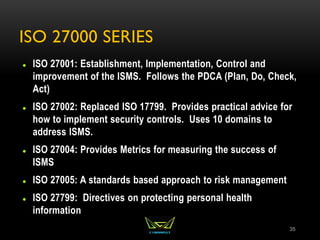
ISO 27000 SERIES
 ISO 27001: Establishment, Implementation, Control and
improvement of the ISMS. Follows the PDCA (Plan, Do, Check,
Act)
 ISO 27002: Replaced ISO 17799. Provides practical advice for
how to implement security controls. Uses 10 domains to
address ISMS.
 ISO 27004: Provides Metrics for measuring the success of
ISMS
 ISO 27005: A standards based approach to risk management
 ISO 27799: Directives on protecting personal health
information
35
The Plan Do Check Act (PDCA) Model
* Deming – TQM
(basis for 6 Sigma)
* ISO 9001: 2008
* Best Practice for
ISM Governance
PLAN
Establish
ISMS
ACT
Maintain and
Improve ISMS
CHECK
Monitor and
Review ISMS
Check
DO
Implement and
Operate ISMS
INTERESTED
PARTIES
Information
Security
Requirements
And
Expectations
INTERESTED
PARTIES
Managed
Information
Security
36
MANAGEMENT
Bottom-Up Approach
The IT department tries to implement
security
Top-Down Approach
Security practices are directed and
supported at the senior management
level
37
Senior Management
Staff
Middle Management
Senior Management
Staff
Middle Management
SENIOR MANAGEMENT ROLE
 CEO, CSO, CIO, etc..
 Ultimately responsible for Security within an
organization
 Development and Support of Policies
 Allocation of Resources
 Decisions based on Risk
 Prioritization of business processes
38
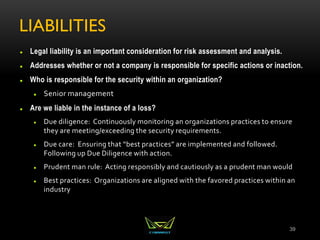
LIABILITIES
 Legal liability is an important consideration for risk assessment and analysis.
 Addresses whether or not a company is responsible for specific actions or inaction.
 Who is responsible for the security within an organization?
 Senior management
 Are we liable in the instance of a loss?
 Due diligence: Continuously monitoring an organizations practices to ensure
they are meeting/exceeding the security requirements.
 Due care: Ensuring that “best practices” are implemented and followed.
Following up Due Diligence with action.
 Prudent man rule: Acting responsibly and cautiously as a prudent man would
 Best practices: Organizations are aligned with the favored practices within an
industry
39
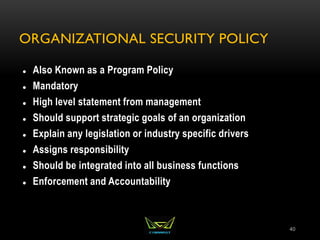
ORGANIZATIONAL SECURITY POLICY
 Also Known as a Program Policy
 Mandatory
 High level statement from management
 Should support strategic goals of an organization
 Explain any legislation or industry specific drivers
 Assigns responsibility
 Should be integrated into all business functions
 Enforcement and Accountability
40
ISSUE AND SYSTEM SPECIFIC POLICY
 Issue Specific policy, sometimes called Functional
Implementation policy would include company's stance on
various employee issues. AUP, Email, Privacy would all be
covered under issue specific
 System Specific policy is geared toward the use of network
and system resources. Approved software lists, use of
firewalls, IDS, Scanners, etc.
41
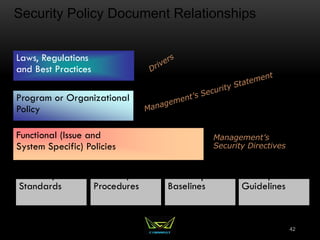
Security Policy Document Relationships
Standards Procedures Baselines Guidelines
Functional (Issue and
System Specific) Policies
Program or Organizational
Policy
Laws, Regulations
and Best Practices
Management’s
Security Directives
42
STANDARDS
 Mandatory
 Created to support policy, while providing more specifics.
 Reinforces policy and provides direction
 Can be internal or external
43
PROCEDURES
 Mandatory
 Step by step directives on how to accomplish an end-result.
 Detail the “how-to” of meeting the policy, standards and
guidelines
44
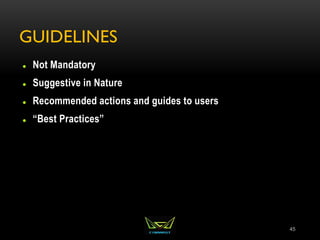
GUIDELINES
 Not Mandatory
 Suggestive in Nature
 Recommended actions and guides to users
 “Best Practices”
45
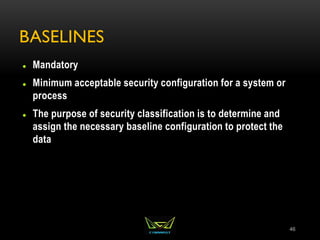
BASELINES
 Mandatory
 Minimum acceptable security configuration for a system or
process
 The purpose of security classification is to determine and
assign the necessary baseline configuration to protect the
data
46
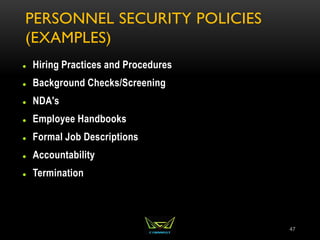
PERSONNEL SECURITY POLICIES
(EXAMPLES)
 Hiring Practices and Procedures
 Background Checks/Screening
 NDA's
 Employee Handbooks
 Formal Job Descriptions
 Accountability
 Termination
47
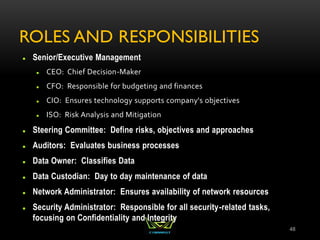
ROLES AND RESPONSIBILITIES
 Senior/Executive Management
 CEO: Chief Decision-Maker
 CFO: Responsible for budgeting and finances
 CIO: Ensures technology supports company's objectives
 ISO: Risk Analysis and Mitigation
 Steering Committee: Define risks, objectives and approaches
 Auditors: Evaluates business processes
 Data Owner: Classifies Data
 Data Custodian: Day to day maintenance of data
 Network Administrator: Ensures availability of network resources
 Security Administrator: Responsible for all security-related tasks,
focusing on Confidentiality and Integrity
48
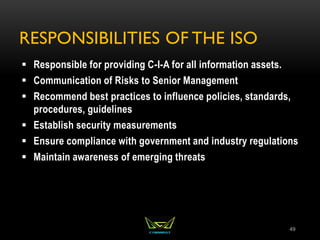
RESPONSIBILITIES OF THE ISO
 Responsible for providing C-I-A for all information assets.
 Communication of Risks to Senior Management
 Recommend best practices to influence policies, standards,
procedures, guidelines
 Establish security measurements
 Ensure compliance with government and industry regulations
 Maintain awareness of emerging threats
49
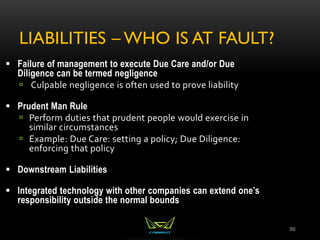
LIABILITIES – WHO IS AT FAULT?
50
 Failure of management to execute Due Care and/or Due
Diligence can be termed negligence
 Culpable negligence is often used to prove liability
 Prudent Man Rule
 Perform duties that prudent people would exercise in
similar circumstances
 Example: Due Care: setting a policy; Due Diligence:
enforcing that policy
 Downstream Liabilities
 Integrated technology with other companies can extend one’s
responsibility outside the normal bounds
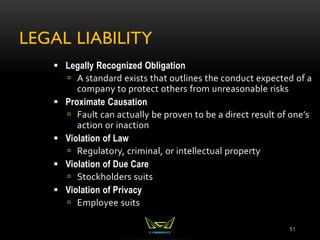
LEGAL LIABILITY
51
 Legally Recognized Obligation
 A standard exists that outlines the conduct expected of a
company to protect others from unreasonable risks
 Proximate Causation
 Fault can actually be proven to be a direct result of one’s
action or inaction
 Violation of Law
 Regulatory, criminal, or intellectual property
 Violation of Due Care
 Stockholders suits
 Violation of Privacy
 Employee suits
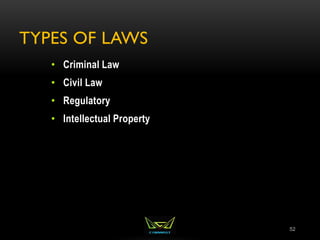
TYPES OF LAWS
52
• Criminal Law
• Civil Law
• Regulatory
• Intellectual Property
CRIMINAL LAW
53
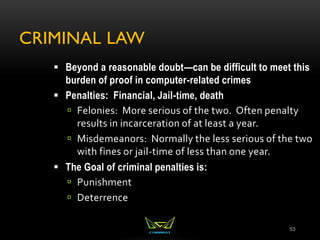
 Beyond a reasonable doubt—can be difficult to meet this
burden of proof in computer-related crimes
 Penalties: Financial, Jail-time, death
 Felonies: More serious of the two. Often penalty
results in incarceration of at least a year.
 Misdemeanors: Normally the less serious of the two
with fines or jail-time of less than one year.
 The Goal of criminal penalties is:
 Punishment
 Deterrence
CIVIL (TORT) LAW
54
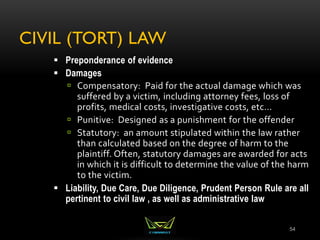
 Preponderance of evidence
 Damages
 Compensatory: Paid for the actual damage which was
suffered by a victim, including attorney fees, loss of
profits, medical costs, investigative costs, etc...
 Punitive: Designed as a punishment for the offender
 Statutory: an amount stipulated within the law rather
than calculated based on the degree of harm to the
plaintiff. Often, statutory damages are awarded for acts
in which it is difficult to determine the value of the harm
to the victim.
 Liability, Due Care, Due Diligence, Prudent Person Rule are all
pertinent to civil law , as well as administrative law
ADMINISTRATIVE (REGULATORY) LAW
55
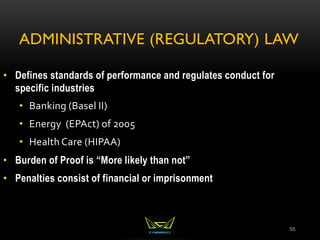
• Defines standards of performance and regulates conduct for
specific industries
• Banking (Basel II)
• Energy (EPAct) of 2005
• Health Care (HIPAA)
• Burden of Proof is “More likely than not”
• Penalties consist of financial or imprisonment
INTELLECTUAL PROPERTY
56
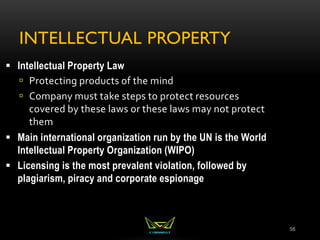
 Intellectual Property Law
 Protecting products of the mind
 Company must take steps to protect resources
covered by these laws or these laws may not protect
them
 Main international organization run by the UN is the World
Intellectual Property Organization (WIPO)
 Licensing is the most prevalent violation, followed by
plagiarism, piracy and corporate espionage
INTELLECTUAL PROPERTY
PROTECTION
57
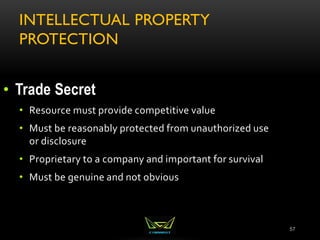
• Trade Secret
• Resource must provide competitive value
• Must be reasonably protected from unauthorized use
or disclosure
• Proprietary to a company and important for survival
• Must be genuine and not obvious
COPYRIGHT
58
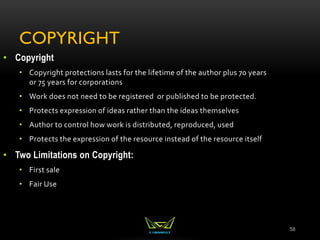
• Copyright
• Copyright protections lasts for the lifetime of the author plus 70 years
or 75 years for corporations
• Work does not need to be registered or published to be protected.
• Protects expression of ideas rather than the ideas themselves
• Author to control how work is distributed, reproduced, used
• Protects the expression of the resource instead of the resource itself
• Two Limitations on Copyright:
• First sale
• Fair Use
INTELLECTUAL PROPERTY
PROTECTION CONTINUED
59
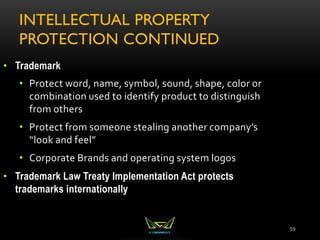
• Trademark
• Protect word, name, symbol, sound, shape, color or
combination used to identify product to distinguish
from others
• Protect from someone stealing another company’s
“look and feel”
• Corporate Brands and operating system logos
• Trademark Law Treaty Implementation Act protects
trademarks internationally
INTELLECTUAL PROPERTY
PROTECTION CONTINUED
60
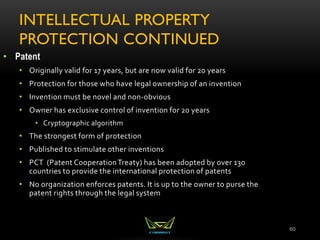
• Patent
• Originally valid for 17 years, but are now valid for 20 years
• Protection for those who have legal ownership of an invention
• Invention must be novel and non-obvious
• Owner has exclusive control of invention for 20 years
• Cryptographic algorithm
• The strongest form of protection
• Published to stimulate other inventions
• PCT (Patent CooperationTreaty) has been adopted by over 130
countries to provide the international protection of patents
• No organization enforces patents. It is up to the owner to purse the
patent rights through the legal system
ATTACKS ON INTELLECTUAL
PROPERTY
61
• Piracy
• Copyright infringement
• Counterfeiting
• Cybersquatting
• Typosquatting
EXPORT/IMPORT RESTRICTIONS
62
 Export restriction
 WASSENAAR Agreement makes it illegal to export
munitions to terrorist sponsored nations
 Exporting of cryptographic software is allowed to non-
government end-users of other countries
 No exporting of strong encryption software to terrorists
states
 Import restriction
 In many countries, the import of cryptographic tools with
strong encryption requires a copy of the private keys be
provided to law enforcement
 US Safe Harbor Laws
INTERNATIONAL ISSUES
63
• Trans border Issues
• Each country treats computer crimes differently
• Evidence rules differ between legal systems
• Governments may not assist each other in
international cases
• Jurisdiction issues
PRIVACY ISSUES – EMPLOYEE
MONITORING
64
 Local labor laws related to privacy cannot be violated
 Be mindful of the reasonable expectation of privacy (REP)
 Gain an employee waiver by signature on policies, etc...
 Notify of monitoring that may be used, or do not monitor the
employees at all
 Banner and security awareness
 Ensure that monitoring is lawful
 Do not target individuals in monitoring
 Monitor work-related events:
 Keystroke, Cameras, Badges, Telephone, E-mail
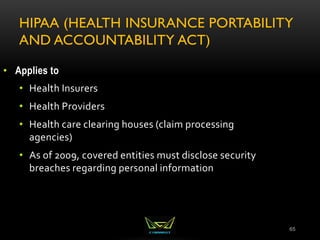
HIPAA (HEALTH INSURANCE PORTABILITY
AND ACCOUNTABILITY ACT)
65
• Applies to
• Health Insurers
• Health Providers
• Health care clearing houses (claim processing
agencies)
• As of 2009, covered entities must disclose security
breaches regarding personal information
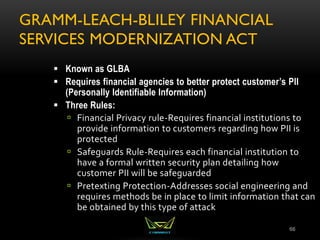
GRAMM-LEACH-BLILEY FINANCIAL
SERVICES MODERNIZATION ACT
66
 Known as GLBA
 Requires financial agencies to better protect customer’s PII
(Personally Identifiable Information)
 Three Rules:
 Financial Privacy rule-Requires financial institutions to
provide information to customers regarding how PII is
protected
 Safeguards Rule-Requires each financial institution to
have a formal written security plan detailing how
customer PII will be safeguarded
 Pretexting Protection-Addresses social engineering and
requires methods be in place to limit information that can
be obtained by this type of attack
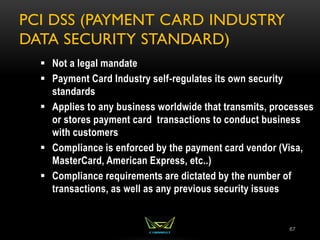
PCI DSS (PAYMENT CARD INDUSTRY
DATA SECURITY STANDARD)
67
 Not a legal mandate
 Payment Card Industry self-regulates its own security
standards
 Applies to any business worldwide that transmits, processes
or stores payment card transactions to conduct business
with customers
 Compliance is enforced by the payment card vendor (Visa,
MasterCard, American Express, etc..)
 Compliance requirements are dictated by the number of
transactions, as well as any previous security issues
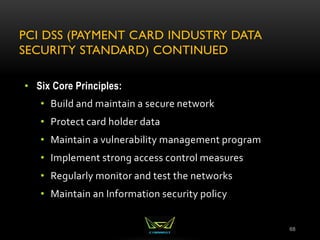
PCI DSS (PAYMENT CARD INDUSTRY DATA
SECURITY STANDARD) CONTINUED
68
• Six Core Principles:
• Build and maintain a secure network
• Protect card holder data
• Maintain a vulnerability management program
• Implement strong access control measures
• Regularly monitor and test the networks
• Maintain an Information security policy
DISCLOSURE
69
 Often Organizations prefer not to disclose security
breaches
 Advertises vulnerabilities
 Causes loss of customer confidence
 Liability issues
 Difficulty of Prosecution
 Many states have now passed disclosure laws that legally
require organizations to publicly disclose security
breaches that might compromise personal data
 Allow individuals to take corrective action
 Additional motivation for organizations to protect
customer data
AUDITING ROLE
 Objective Evaluation of controls and policies to ensure that
they are being implemented and are effective.
 If internal auditing is in place, auditors should not report to
the head of a business unit, but rather to legal or human
resources--some other entity with out direct stake in result
70
Knowledge Transfer
Awareness, Training, Education
“People are often the weakest link in securing information.
Awareness of the need to protect information, training in the
skills needed to operate them securely, and education in
security measures and practices are of critical importance for
the success of an organization’s security program.”
The Goal of Knowledge Transfer is to modify employee
behavior
71
BEING AWARE OF THE RULES
Security Awareness Training
Employees cannot and will not follow the directives and
procedures, if they do not know about them
Employees must know expectations and ramifications, if
not met
Employee recognition award program
Part of due care
Administrative control
72
AWARENESS/TRAINING/ EDUCATION
BENEFITS
Overriding Benefits:
Modifies employee behavior and improves attitudes
towards information security
Increases ability to hold employees accountable for their
actions
Raises collective security awareness level of the
organization
73
CONTINUITY OF THE ENTERPRISE
Business Continuity and Disaster Recovery
Planning
BCP VS. DRP
• Business Continuity Planning: Focuses on sustaining
operations and protecting the viability of the business
following a disaster, until normal business conditions can be
restored. The BCP is an “umbrella” term that includes many
other plans including the DRP. Long Term focused
• Disaster Recovery Planning: goal is to minimize the effects of
a disaster and to take the necessary steps to ensure that the
resources, personnel and business processes are able to
resume operations in a timely manner. Deals with the
immediate aftermath of the disaster, and is often IT focused.
Short Term focused
75
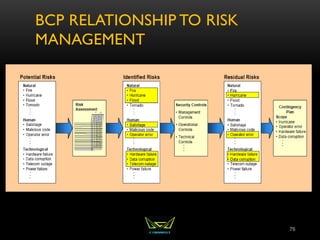
BCP RELATIONSHIP TO RISK
MANAGEMENT
76
MITIGATE RISKS
• Reduce negative effects:
• – Life Safety is the number 1 priority!
• – Reputation: Is the second most important asset of an
organization. Though specific systems are certainly essential,
don’t forget to focus on the big picture—protect the company
as a whole
77
BUSINESS CONTINUITY PLANNING
• Disaster recovery and continuity planning deal with uncertainty
and chance
• Must identify all possible threats and estimate possible
damage
• Develop viable alternatives
• Threat Types:
• Man-made
• Strikes, riots, fires, terrorism, hackers, vandals
• Natural
• Tornado, flood, earthquake
• Technical
• Power outage, device failure, loss of a T1 line
78
BUSINESS CONTINUITY PLANNING
 Categories of Disruptions
 Non-disaster: Inconvenience. Hard drive failure
 Disruption of service
 Device malfunction
 Emergency/Crisis
 Urgent, immediate event where there is the potential for loss of life or property
 Disaster
 Entire facility unusable for a day or longer
 Catastrophe
 Destroys facility
 A company should understand and be prepared for each category
 ANYONE CAN DECLARE AN EMERGENCY, ONLY THE BCP COORDINATOR CAN
DECLARE A DISASTER (Anyone can pull the fire alarm or trigger an emergency alarm.
Only the BCP coordinator or someone specified in the BCP can declare a disaster which
will then trigger failover to another facility)
79
ISO 27031
 Approved in 2011
 Provides a standard that did not exist previously
 Will solve issues of inconsistency in terms, definitions and
documents (so for now, there may be inconsistencies on the
exam. Look for concepts more than specific terms)
 Until this ISO standard is included on the test, the following
institutes will provide guidance on BCP/DRP:
 DRII (Disaster Recovery Institute International)
 NIST 800-34
 BCI GPG (Business Continuity International Good Practice
Guidelines)
80
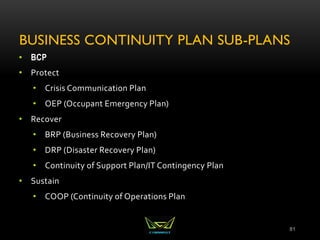
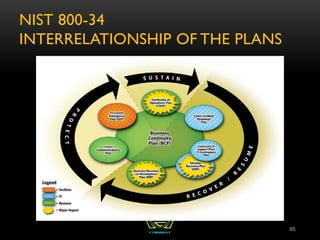
BUSINESS CONTINUITY PLAN SUB-PLANS
• BCP
• Protect
• Crisis Communication Plan
• OEP (Occupant Emergency Plan)
• Recover
• BRP (Business Recovery Plan)
• DRP (Disaster Recovery Plan)
• Continuity of Support Plan/IT Contingency Plan
• Sustain
• COOP (Continuity of Operations Plan
81
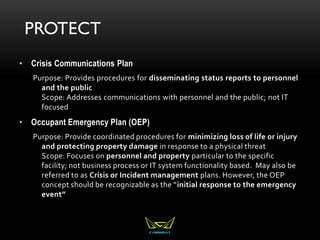
PROTECT
• Crisis Communications Plan
Purpose: Provides procedures for disseminating status reports to personnel
and the public
Scope: Addresses communications with personnel and the public; not IT
focused
• Occupant Emergency Plan (OEP)
Purpose: Provide coordinated procedures for minimizing loss of life or injury
and protecting property damage in response to a physical threat
Scope: Focuses on personnel and property particular to the specific
facility; not business process or IT system functionality based. May also be
referred to as Crisis or Incident management plans. However, the OEP
concept should be recognizable as the “initial response to the emergency
event”
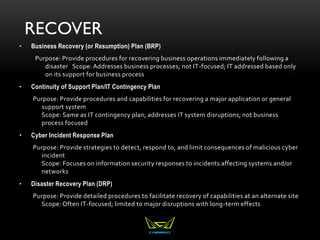
RECOVER
• Business Recovery (or Resumption) Plan (BRP)
Purpose: Provide procedures for recovering business operations immediately following a
disaster Scope: Addresses business processes; not IT-focused; IT addressed based only
on its support for business process
• Continuity of Support Plan/IT Contingency Plan
Purpose: Provide procedures and capabilities for recovering a major application or general
support system
Scope: Same as IT contingency plan; addresses IT system disruptions; not business
process focused
• Cyber Incident Response Plan
Purpose: Provide strategies to detect, respond to, and limit consequences of malicious cyber
incident
Scope: Focuses on information security responses to incidents affecting systems and/or
networks
• Disaster Recovery Plan (DRP)
Purpose: Provide detailed procedures to facilitate recovery of capabilities at an alternate site
Scope: Often IT-focused; limited to major disruptions with long-term effects
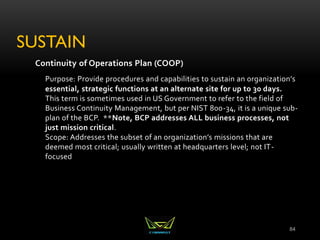
SUSTAIN
Continuity of Operations Plan (COOP)
Purpose: Provide procedures and capabilities to sustain an organization’s
essential, strategic functions at an alternate site for up to 30 days.
This term is sometimes used in US Government to refer to the field of
Business Continuity Management, but per NIST 800-34, it is a unique sub-
plan of the BCP. **Note, BCP addresses ALL business processes, not
just mission critical.
Scope: Addresses the subset of an organization’s missions that are
deemed most critical; usually written at headquarters level; not IT-
focused
84
NIST 800-34
INTERRELATIONSHIP OF THE PLANS
85
ROLES AND RESPONSIBILITIES
• Senior Executive Management
• Consistent support and final approval of plans
• Setting the business continuity policy
• Prioritizing critical business functions
• Allocating sufficient resources and personnel
• Providing oversight for and approving the BCP
• Directing and reviewing test results
• Ensuring maintenance of a current plan
86
ROLES AND RESPONSIBILITIES
 Senior Functional Management
 Develop and document maintenance and testing
strategy
 Identify and prioritize mission-critical systems
 Monitor progress of plan development and execution
 Ensure periodic tests
 Create the various teams necessary to execute the
plans
87
ROLES AND RESPONSIBILITIES
• BCP Steering Committee
• Conduct the BIA
• Coordinate with department
representatives
• Develop analysis group
• Plan must be developed by those who will carry it out
• Representatives from critical departments
88
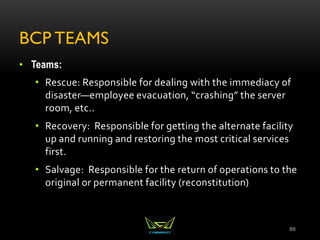
BCP TEAMS
• Teams:
• Rescue: Responsible for dealing with the immediacy of
disaster—employee evacuation, “crashing” the server
room, etc..
• Recovery: Responsible for getting the alternate facility
up and running and restoring the most critical services
first.
• Salvage: Responsible for the return of operations to the
original or permanent facility (reconstitution)
89
DEVELOPING THE TEAMS
 Management should appoint members
 Each member must understand the goals of the plan and be
familiar with the department they are responsible for
 Agreed upon prior to the event:
 Who will talk to the media, customers, share holders
 Who will setup alternative communication methods
 Who will setup the offsite facility
 Established agreements with off-site facilities should be
in place
 Who will work on the primary facility
90
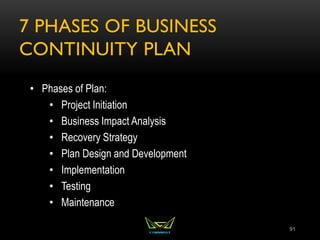
7 PHASES OF BUSINESS
CONTINUITY PLAN
91
• Phases of Plan:
• Project Initiation
• Business Impact Analysis
• Recovery Strategy
• Plan Design and Development
• Implementation
• Testing
• Maintenance
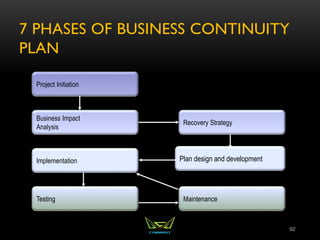
7 PHASES OF BUSINESS CONTINUITY
PLAN
92
Project Initiation
Business Impact
Analysis
Implementation
Testing
Recovery Strategy
Plan design and development
Maintenance
PHASES OF THE PLAN:
PROJECT INITIATION
93
• Project Initiation
• Obtain senior management’s support
• Secure funding and resource allocation
• Name BCP coordinator/Project Manager
• Develop Project Charter
• Determine scope of the plan
• Select Members of the BCP Team
PHASES OF THE PLAN: BUSINESS IMPACT ANALYSIS
94
• BIA (Business Impact Analysis)
• Initiated by BCP Committee
• Identifies and prioritizes all business processes based on criticality
• Addresses the impact on the organization in the event of loss of a specific
services or process
• Quantitative: Loss of revenue, loss of capital, loss due to liabilities,
penalties and fines, etc..
• Qualitative: loss of service quality, competitive advantage, market share,
reputation, etc..
• Establishes key metrics for use in determining appropriate counter-measures
and recovery strategy
• IMPORTANCE (relevance) vs. CRITICALITY (downtime)
• The Auditing Department is certainly important, though not usually critical.
THE BIA FOCUSES ON CRITICALITY
PHASES OF THE PLAN:
BUSINESS IMPACT ANALYSIS
95
• Key Metrics to Establish
• Service Level Objectives:
• RPO (Recovery Point Objective):
• MTD (Maximum Tolerable Downtime)
• RTO (Recovery Time Objective)
• WRT (Work Recovery Time)
• MTBF (Mean Time Between Failures)
MTTR (Mean Time To Repair)
MOR (Minimum Operating Requirements)
ELEMENTS OF THE PLAN:
BUSINESS IMPACT ANALYSIS
 Management should establish recovery priorities for business
processes that identify:
 Essential personnel
 Succession Plans
 MOAs/MOUs (Memorandums of
Agreement/Understanding)
 Technologies
 Facilities
 Communications systems
 Vital records and data
96
RESULTS FROM THE BIA
 Results of Business Impact Analysis contain
 Identified ALL business processes and assets, not just those
considered critical.
 Impact company can handle dealing with each risk
 Outage time that would be critical vs those which would not be
critical
 Preventive Controls
 Document and present to management for approval
 Results are used to create the recovery plans
97
BIA
Submit to
management
DRP and BCP
derived from BIA
PHASES OF THE PLAN:
IDENTIFY RECOVERY STRATEGIES
• When preventive controls don’t work, recovery strategies are
necessary
• Facility Recovery
• Hardware and Software Recovery
• Personnel recovery
• Data Recovery
98
FACILITY RECOVERY
• Facility Recovery
• Subscription Services
• Hot, warm, cold sites
• Reciprocal Agreements
• Others
• Redundant/Mirrored site (partial or full)
• Outsourcing
• Rolling hot site
• Prefabricated building
• Offsite Facilities should be no less than 15 miles away for low to medium
environments. Critical operations should have an offsite facility 50-200
miles away
99
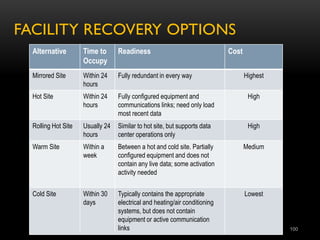
FACILITY RECOVERY OPTIONS
Alternative Time to
Occupy
Readiness Cost
Mirrored Site Within 24
hours
Fully redundant in every way Highest
Hot Site Within 24
hours
Fully configured equipment and
communications links; need only load
most recent data
High
Rolling Hot Site Usually 24
hours
Similar to hot site, but supports data
center operations only
High
Warm Site Within a
week
Between a hot and cold site. Partially
configured equipment and does not
contain any live data; some activation
activity needed
Medium
Cold Site Within 30
days
Typically contains the appropriate
electrical and heating/air conditioning
systems, but does not contain
equipment or active communication
links
Lowest
100
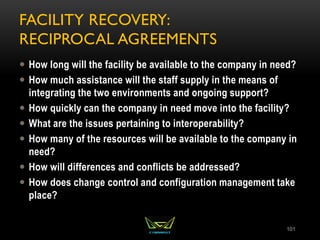
FACILITY RECOVERY:
RECIPROCAL AGREEMENTS
 How long will the facility be available to the company in need?
 How much assistance will the staff supply in the means of
integrating the two environments and ongoing support?
 How quickly can the company in need move into the facility?
 What are the issues pertaining to interoperability?
 How many of the resources will be available to the company in
need?
 How will differences and conflicts be addressed?
 How does change control and configuration management take
place?
101
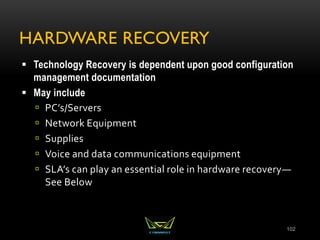
HARDWARE RECOVERY
 Technology Recovery is dependent upon good configuration
management documentation
 May include
 PC’s/Servers
 Network Equipment
 Supplies
 Voice and data communications equipment
 SLA’s can play an essential role in hardware recovery—
See Below
102
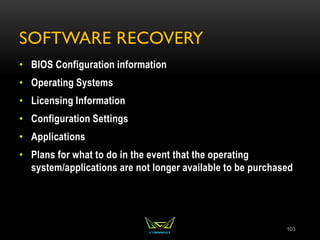
SOFTWARE RECOVERY
• BIOS Configuration information
• Operating Systems
• Licensing Information
• Configuration Settings
• Applications
• Plans for what to do in the event that the operating
system/applications are not longer available to be purchased
103
PERSONNEL RECOVERY
• Identify Essential Personnel—Entire staff is not always
necessary to move into recovery operations
• How to handle personnel if the offsite facility is a great
distance away
• Eliminate single points of failure in staffing and ensure
backups are properly Trained
• Don’t forget payroll!
104
ADDITIONAL DATA REDUNDANCY
• Database Shadowing
• Remote Journaling
• Electronic Vaulting
105
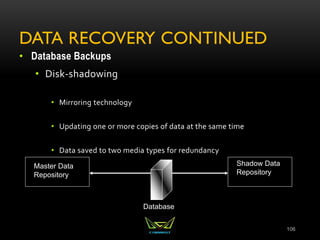
DATA RECOVERY CONTINUED
• Database Backups
• Disk-shadowing
• Mirroring technology
• Updating one or more copies of data at the same time
• Data saved to two media types for redundancy
106
Database
Master Data
Repository
Shadow Data
Repository
DATA RECOVERY CONTINUED
• Electronic Vaulting
• Copy of modified file is sent to a remote location where
an original backup is stored
• Transfers bulk backup information
• Batch process of moving data
• Remote Journaling
• Moves the journal or transaction log to a remote
location, not the actual files
107
PHASES OF THE PLAN:
PLAN AND DESIGN DEVELOPMENT
• Now that all the research and planning has been done, this
phase is where the actual plan is written
• Should address
• Responsibility
• Authority
• Priorities
• Testing
108
PHASES OF THE PLAN:
IMPLEMENTATION
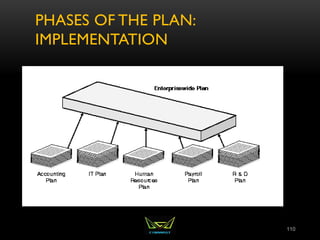
• Plan is often created for an enterprise with individual
functional managers responsible for plans specific to their
departments
• Copies of Plan should be kept in multiple locations
• Both Electronic and paper copies should be kept
• Plan should be distributed to those with a need to know.
Most employees will only see a small portion of the plan
109
PHASES OF THE PLAN:
IMPLEMENTATION
110
PHASES OF THE PLAN: IMPLEMENTATION
• Three Phases Following a Disruption
• Notification/Activation
• Notifying recovery personnel
• Performing a damage assessment
• Recovery Phase--Failover
• Actions taken by recovery teams and personnel to restore IT
operations at an alternate site or using contingency
capabilities—performed by recovery team
• Reconstitution--Failback
• Outlines actions taken to return the system to normal operating
conditions—performed by Salvage team
111
PHASES OF THE PLAN:
TESTING
 Should happen once per year, or as the result of a major
change (VERY TESTABLE)
 The purpose of testing is to improve the response (never to
find fault or blame)
 The type of testing is based upon the criticality of the
organization, resources available and risk tolerance
 Testing: Happens before implementation of a plan. The goal is to ensure the
accuracy and the effectiveness of the plan
 Exercises/Drills: Employees walk through step by step. Happens periodically.
Main goal is to train employees
 Auditing: 3rd party observer ensures that components of a plan are being
carried out and that they are effective.
112
TYPES OF TESTS
 Checklist Test
 Copies of plan distributed to different departments
 Functional managers review
 Structured Walk-Through (Table Top) Test
 Representatives from each department go over the plan
 Simulation Test
 Going through a disaster scenario
 Continues up to the actual relocation to an offsite facility
113
TYPES OF TESTS
• Parallel Test
• Systems moved to alternate site, and processing takes
place there
• Full-Interruption Test
• Original site shut down
• All of processing moved to offsite facility
114
POST-INCIDENT REVIEW
• After a test or disaster has taken place:
• Focus on how to improve
• What should have happened
• What should happen next
• Not who’s fault it was; this is not productive
115
PHASES OF THE PLAN:
MAINTENANCE
 Change Management:
 Technical – hardware/software
 People
 Environment
 Laws
 Large plans can take a lot of work to maintain
 Does not have a direct line to profitability
116
PHASES OF THE PLAN:
MAINTENANCE
• Keeping plan in date
• Make it a part of business meetings and decisions
• Centralize responsibility for updates
• Part of job description
• Personnel evaluations
• Report regularly
• Audits
• As plans get revised, original copies should be retrieved
and destroyed
117
CHAPTER 1: SECURITY AND RISK MANAGEMENT REVIEW
• Security Basics
• Confidentiality, integrity, and availability concepts
• IAAA
• Risks
• Security governance principles
• Compliance
• Legal and regulatory issues
• Professional ethics: download ISC2 code of ethics at
https://www.isc2.org/uploadedfiles/(isc)2_public_content/code_of_ethics/isc2-code-of-ethics.pdf
• Business Continuity Planning
1. Project Initiation
2. Business Impact Analysis
3. Recovery Strategy
4. Plan Design and Development
5. Implementation
6. Testing
7. Maintenance
118
CHAPTER 2
Asset Security
119
CHAPTER 2 ASSET SECURITY
AGENDA
• Roles within an Organization
• Classification of Data
• System Baselining and Hardening
• States of Data
120
ROLES AND RESPONSIBILITIES
 Senior/Executive Management
 CEO: Chief Decision-Maker
 CFO: Responsible for budgeting and finances
 CIO: Ensures technology supports company's objectives
 ISO: Risk Analysis and Mitigation
 Steering Committee: Define risks, objectives and approaches
 Auditors: Evaluates business processes
 Data Owner: Classifies Data
 Data Custodian: Day to day maintenance of data
 Network Administrator: Ensures availability of network resources
 Security Administrator: Responsible for all security-related tasks,
focusing on Confidentiality and Integrity
121
AUDITING ROLE
 Objective Evaluation of controls and policies to ensure that
they are being implemented and are effective.
 If internal auditing is in place, auditors should not report to
the head of a business unit, but rather to legal or human
resources--some other entity with out direct stake in result
122
DATA CLASSIFICATION
 Development of sensitivity labels for data and the
assignment of those labels for the purpose of configuring
baseline security based on value of data
 Cost: Value of the Data
 Classify: Criteria for Classification
 Controls: Determining the baseline security configuration
for each
 Data Owner determines the classification of data
 Data Custodian maintains the data
123
CONSIDERATIONS FOR ASSET
VALUATION
 What makes up the value of an asset?
 Value to the organization
 Loss if compromised
 Legislative drivers
 Liabilities
 Value to competitors
 Acquisition costs
 And many others
124
SENSITIVITY VS. CRITICALITY
• Sensitivity describes the amount of damage that would be
done should the information be disclosed
• Criticality describes the time sensitivity of the data. This is
usually driven by the understanding of how much revenue
a specific asset generates, and without that asset, there will
be lost revenue
125
STATES OF DATA
• At Rest: File System Encryptions, EFS, TPM
• In Process: ?
• In Transit: IPSec, SSL/TLS
126
SYSTEM HARDENING & BASELINING
• Removing Unnecessary Services
• Installing the latest services packs and patches
• Renaming default accounts
• Changing default settings
• Enabling security configurations like auditing, firewalls,
updates, etc..
• ***Don’t forget physical security!***
127
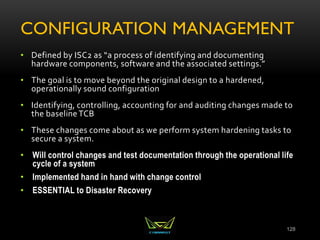
CONFIGURATION MANAGEMENT
• Defined by ISC2 as “a process of identifying and documenting
hardware components, software and the associated settings.”
• The goal is to move beyond the original design to a hardened,
operationally sound configuration
• Identifying, controlling, accounting for and auditing changes made to
the baselineTCB
• These changes come about as we perform system hardening tasks to
secure a system.
• Will control changes and test documentation through the operational life
cycle of a system
• Implemented hand in hand with change control
• ESSENTIAL to Disaster Recovery
128
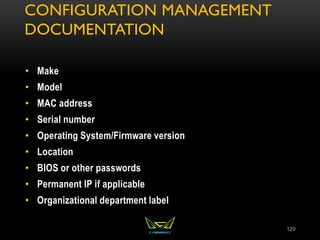
CONFIGURATION MANAGEMENT
DOCUMENTATION
• Make
• Model
• MAC address
• Serial number
• Operating System/Firmware version
• Location
• BIOS or other passwords
• Permanent IP if applicable
• Organizational department label
129
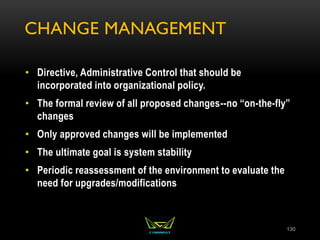
CHANGE MANAGEMENT
• Directive, Administrative Control that should be
incorporated into organizational policy.
• The formal review of all proposed changes--no “on-the-fly”
changes
• Only approved changes will be implemented
• The ultimate goal is system stability
• Periodic reassessment of the environment to evaluate the
need for upgrades/modifications
130
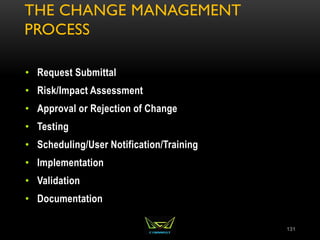
THE CHANGE MANAGEMENT
PROCESS
• Request Submittal
• Risk/Impact Assessment
• Approval or Rejection of Change
• Testing
• Scheduling/User Notification/Training
• Implementation
• Validation
• Documentation
131
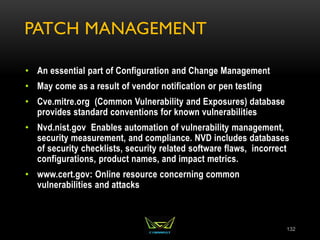
PATCH MANAGEMENT
• An essential part of Configuration and Change Management
• May come as a result of vendor notification or pen testing
• Cve.mitre.org (Common Vulnerability and Exposures) database
provides standard conventions for known vulnerabilities
• Nvd.nist.gov Enables automation of vulnerability management,
security measurement, and compliance. NVD includes databases
of security checklists, security related software flaws, incorrect
configurations, product names, and impact metrics.
• www.cert.gov: Online resource concerning common
vulnerabilities and attacks
132
CHAPTER 2 ASSET SECURITY
REVIEW
• Roles within an Organization
• Classification of Data
• System Baselining and Hardening
• States of Data
133
CHAPTER 3
Security Engineering
134
SECURITY ARCHITECTURE & DESIGN OBJECTIVES
• Part I:
• Principles of Secure Design
• Trusted Computer Base Elements
• Security Perimeter
• Reference Monitor
• Security Kernel
• Security Models
• Computer/Security Architecture
• Security Models
• Security Evaluation Criteria
• Part II
• Cryptography
135
PRINCIPLES OF SECURE DESIGN
An information system’s architecture must satisfy
the defined business and security requirements.
Security should be built into an information system
by design.
When designing system architecture, security and
business requirements needs to be carefully
balanced.
Tradeoffs are involved in reaching a balance between
security and business requirements.
Security should be integrated into the design, as
opposed to added later
136
PRINCIPLES OF SECURE DESIGN
CONTINUED
The security requirements of an information system are
driven by the security policy of the organization that will
use the system.
To incorporate the abstract goals of a security policy
into an information system’s architecture, you will need
to use security models.
A security model lays out the framework and
mathematical models that act as security-related
specifications for a system architecture.
The system architecture, in turn, is the overall design of
the components - such as hardware, operating systems,
applications, and networks – of an information system.
This design should meet the specifications provided by
the security model.
137
SECURITY ARCHITECTURE
 Security architecture is part of the overall
architecture of an information system. It
directs how the components included in the
system architecture should be organized to
ensure that security requirements are met.
The security architecture of an information
system should include:
A description of the locations in the overall
architecture where security measures should be
placed.
A description of how various components of the
architecture should interact to ensure security.
The security specifications to be followed when
designing and developing the system.
138
COMPUTER ARCHITECTURE
 The Central Processing Unit (CPU) – Processes the instructions
provided by the various applications/programs. To do this the
CPU needs to access such instructions from their memory
locations.
 The CPU can access the memory locations in its cache, along
with memory locations in the random access memory (RAM).
These types of memory are called primary memory.
 The major components.
 The Arithmetic Logic Unit (ALU)
 Control Unit (coordinates instruction execution)
 Registers that act as temporary memory locations and store the
memory addresses of the instructions and data that needs
processing by the CPU.
139
COMPUTER ARCHITECTURE
Program: An Application
Process: A program loaded into memory
Thread: Each individual instruction within a process
Multiprogramming: no true isolation
Multiprocessing – more than one CPU
Multi threading—in the past multiple CPUs were needed.
Today multi-core processors provide this.
Operating System Architecture
Process Activity
Memory Management
Memory Types – RAM, ROM, etc..
Virtual Memory
CPU Modes & Protection Rings
140
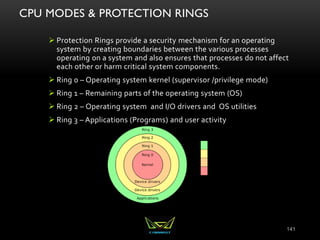
CPU MODES & PROTECTION RINGS
 Protection Rings provide a security mechanism for an operating
system by creating boundaries between the various processes
operating on a system and also ensures that processes do not affect
each other or harm critical system components.
 Ring 0 – Operating system kernel (supervisor /privilege mode)
 Ring 1 – Remaining parts of the operating system (OS)
 Ring 2 – Operating system and I/O drivers and OS utilities
 Ring 3 – Applications (Programs) and user activity
141
SYSTEM ARCHITECTURE
 Defined Subset of Subjects and Objects
 Trusted Computing Base (TCB)
 Security Perimeter
 Reference Monitor
 Security Kernel
 The Security kernel enforces the reference monitor concept.
 Must facilitate isolation of processes
 Must be invoked at every access attempt.
 Must be small enough to be tested and verified in a comprehensive manner.
 Security Policy – a set of rules on how resources are
managed within a computer system.
 Least Privilege – one process has no more privileges than it
needs.
142
SECURITY MODELS
• State Machine Models
• **The Bell-LaPadula Model
• **The Biba Model
• The Clark-Wilson Model
• The Brewer & Nash Model
• The Information Flow Model
• The Non-Interference Model
• The Lattice Model
143
Security Models
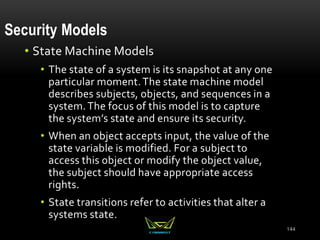
• State Machine Models
• The state of a system is its snapshot at any one
particular moment.The state machine model
describes subjects, objects, and sequences in a
system.The focus of this model is to capture
the system’s state and ensure its security.
• When an object accepts input, the value of the
state variable is modified. For a subject to
access this object or modify the object value,
the subject should have appropriate access
rights.
• State transitions refer to activities that alter a
systems state.
144
145
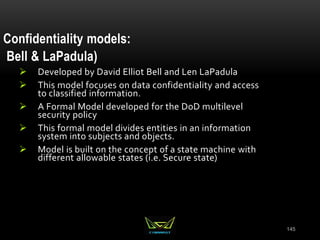
Confidentiality models:
Bell & LaPadula)
 Developed by David Elliot Bell and Len LaPadula
 This model focuses on data confidentiality and access
to classified information.
 A Formal Model developed for the DoD multilevel
security policy
 This formal model divides entities in an information
system into subjects and objects.
 Model is built on the concept of a state machine with
different allowable states (i.e. Secure state)
146
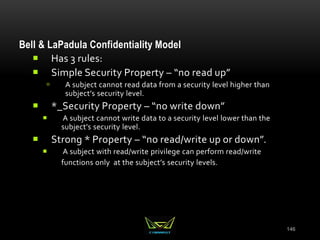
Bell & LaPadula Confidentiality Model
 Has 3 rules:
 Simple Security Property – “no read up”
 A subject cannot read data from a security level higher than
subject’s security level.
 *_Security Property – “no write down”
 A subject cannot write data to a security level lower than the
subject’s security level.
 Strong * Property – “no read/write up or down”.
 A subject with read/write privilege can perform read/write
functions only at the subject’s security levels.
147
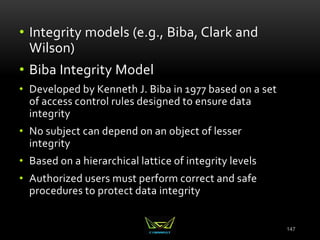
• Integrity models (e.g., Biba, Clark and
Wilson)
• Biba Integrity Model
• Developed by Kenneth J. Biba in 1977 based on a set
of access control rules designed to ensure data
integrity
• No subject can depend on an object of lesser
integrity
• Based on a hierarchical lattice of integrity levels
• Authorized users must perform correct and safe
procedures to protect data integrity
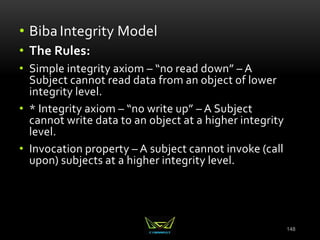
148
• Biba Integrity Model
• The Rules:
• Simple integrity axiom – “no read down” – A
Subject cannot read data from an object of lower
integrity level.
• * Integrity axiom – “no write up” – A Subject
cannot write data to an object at a higher integrity
level.
• Invocation property – A subject cannot invoke (call
upon) subjects at a higher integrity level.
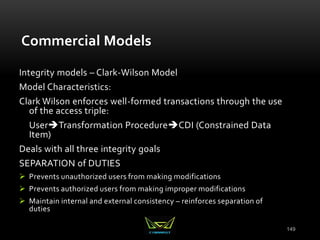
149
Commercial Models
Integrity models – Clark-Wilson Model
Model Characteristics:
Clark Wilson enforces well-formed transactions through the use
of the access triple:
UserTransformation ProcedureCDI (Constrained Data
Item)
Deals with all three integrity goals
SEPARATION of DUTIES
 Prevents unauthorized users from making modifications
 Prevents authorized users from making improper modifications
 Maintain internal and external consistency – reinforces separation of
duties
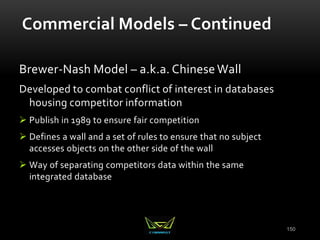
150
Commercial Models – Continued
Brewer-Nash Model – a.k.a. Chinese Wall
Developed to combat conflict of interest in databases
housing competitor information
 Publish in 1989 to ensure fair competition
 Defines a wall and a set of rules to ensure that no subject
accesses objects on the other side of the wall
 Way of separating competitors data within the same
integrated database
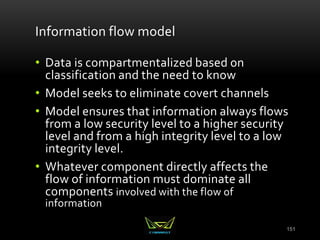
151
Information flow model
• Data is compartmentalized based on
classification and the need to know
• Model seeks to eliminate covert channels
• Model ensures that information always flows
from a low security level to a higher security
level and from a high integrity level to a low
integrity level.
• Whatever component directly affects the
flow of information must dominate all
components involved with the flow of
information
152
Non-interference Model
Model Characteristics:
• Model ensures that actions at a higher security
level does not interfere with the actions at a
lower security level.
• The goal of this model is to protect the state of
an entity at the lower security level by actions
at the higher security level so that data does
not pass through covert or timing channels.
153
Lattice Model
Model Characteristics
• Model consists of a set of objects constrained between the least upper
bound and the greatest lower bound values.
• The least upper bound is the value that defines the least level of object
access rights granted to a subject.
• The greatest lower bound is value that defines the maximum level of
object access rights granted to a subject
• The goal of this model is to protect the confidentiality of an object and
only allow access by an authorized subject.
Secure Modes of Operation
• Single State
• Multi State
• Compartmented
• Dedicated
**See Document entitled Single, Multi, Compartmented
Dedicated. ***
154
EVALUATION CRITERIA
Why Evaluate?
 To carefully examine the security-related components of a system
 Trust vs. Assurance
 The Orange Book (TCSEC)
 The Orange Book & the Rainbow Series
 ITSEC (Information Technology Security Evaluation Criteria)
 Common Criteria
155
156
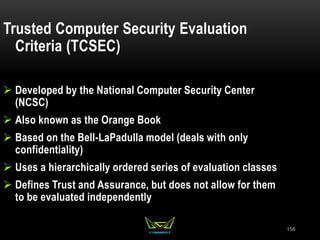
Trusted Computer Security Evaluation
Criteria (TCSEC)
 Developed by the National Computer Security Center
(NCSC)
 Also known as the Orange Book
 Based on the Bell-LaPadulla model (deals with only
confidentiality)
 Uses a hierarchically ordered series of evaluation classes
 Defines Trust and Assurance, but does not allow for them
to be evaluated independently
157
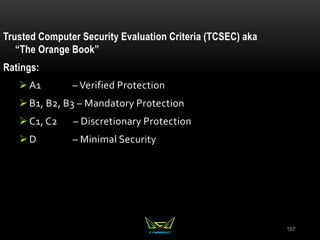
Trusted Computer Security Evaluation Criteria (TCSEC) aka
“The Orange Book”
Ratings:
A1 – Verified Protection
B1, B2, B3 – Mandatory Protection
C1, C2 – Discretionary Protection
D – Minimal Security
158
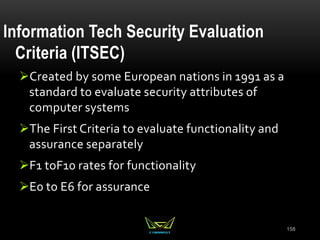
Information Tech Security Evaluation
Criteria (ITSEC)
Created by some European nations in 1991 as a
standard to evaluate security attributes of
computer systems
The First Criteria to evaluate functionality and
assurance separately
F1 toF10 rates for functionality
E0 to E6 for assurance
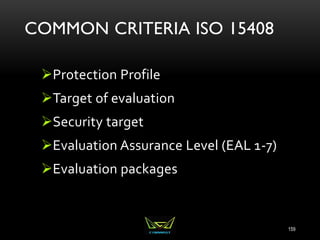
COMMON CRITERIA ISO 15408
Protection Profile
Target of evaluation
Security target
Evaluation Assurance Level (EAL 1-7)
Evaluation packages
159
160
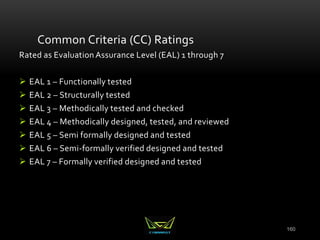
Common Criteria (CC) Ratings
Rated as Evaluation Assurance Level (EAL) 1 through 7
 EAL 1 – Functionally tested
 EAL 2 – Structurally tested
 EAL 3 – Methodically tested and checked
 EAL 4 – Methodically designed, tested, and reviewed
 EAL 5 – Semi formally designed and tested
 EAL 6 – Semi-formally verified designed and tested
 EAL 7 – Formally verified designed and tested
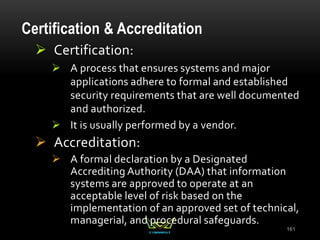
Certification & Accreditation
 Certification:
 A process that ensures systems and major
applications adhere to formal and established
security requirements that are well documented
and authorized.
 It is usually performed by a vendor.
 Accreditation:
 A formal declaration by a Designated
Accrediting Authority (DAA) that information
systems are approved to operate at an
acceptable level of risk based on the
implementation of an approved set of technical,
managerial, and procedural safeguards.
161
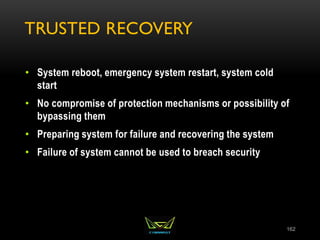
TRUSTED RECOVERY
• System reboot, emergency system restart, system cold
start
• No compromise of protection mechanisms or possibility of
bypassing them
• Preparing system for failure and recovering the system
• Failure of system cannot be used to breach security
162
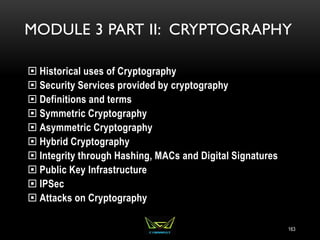
MODULE 3 PART II: CRYPTOGRAPHY
 Historical uses of Cryptography
 Security Services provided by cryptography
 Definitions and terms
 Symmetric Cryptography
 Asymmetric Cryptography
 Hybrid Cryptography
 Integrity through Hashing, MACs and Digital Signatures
 Public Key Infrastructure
 IPSec
 Attacks on Cryptography
163
CRYPTOGRAPHY IN HISTORY
• Caesar Cipher
• Scytale
• Vignere
• Vernam
• Enigma Machine and Purple Machine
164
CAESAR CIPHER
• Simple Substitution
• Shift Characters 3 spaces
• A=D, B=E, C=F, etc..
• Substitution Ciphers are subject to pattern analysis
165
SCYTALE
• Spartans used this cipher to communicate messages to
generals in the field
• Wrapped tape around a rod
• Diameter of the rod is the pre-agreed upon secret (key)
166
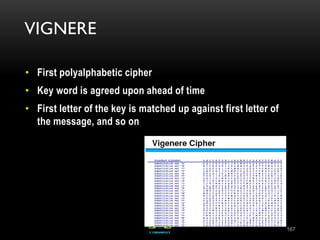
VIGNERE
• First polyalphabetic cipher
• Key word is agreed upon ahead of time
• First letter of the key is matched up against first letter of
the message, and so on
167
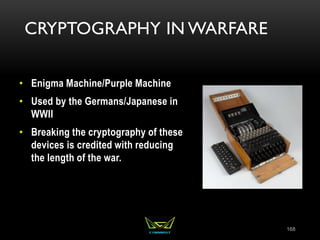
CRYPTOGRAPHY IN WARFARE
• Enigma Machine/Purple Machine
• Used by the Germans/Japanese in
WWII
• Breaking the cryptography of these
devices is credited with reducing
the length of the war.
168
VERNAM CIPHER
• One Time Pad
• Only mathematically unbreakable form of cryptography
• Key must be used only once
• Pad must be at least as long as the message
• Key pad is statistically unpredictable
• Key Pad must be delivered and stored securely
169
SECURITY SERVICES PROVIDED BY
CRYPTOGRAPHY
• Privacy: Prevents unauthorized disclosure of information
• Authenticity: Verifies the claimed identity
• Integrity: Detects modification or corruption
• Non-Repudiation: Combines authenticity and integrity. A
sender can’t dispute having sent a message, nor its
contents.
170
DEFINITIONS AND CONCEPTS
Plain Text + Initialization Vector + Algorithm (aka Cipher) + Key
=
Cipher Text
171
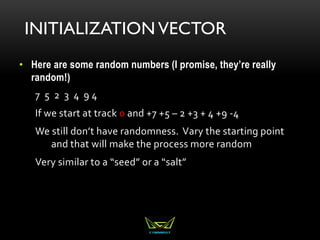
INITIALIZATION VECTOR
• Here are some random numbers (I promise, they’re really
random!)
7 5 2 3 4 9 4
If we start at track 0 and +7 +5 – 2 +3 + 4 +9 -4
We still don’t have randomness. Vary the starting point
and that will make the process more random
Very similar to a “seed” or a “salt”
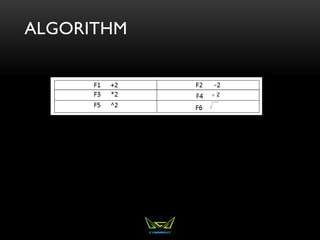
ALGORITHM
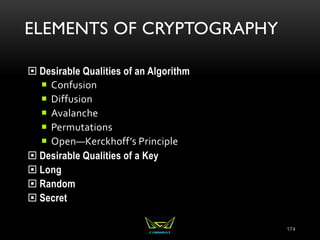
ELEMENTS OF CRYPTOGRAPHY
 Desirable Qualities of an Algorithm
 Confusion
 Diffusion
 Avalanche
 Permutations
 Open—Kerckhoff’s Principle
 Desirable Qualities of a Key
 Long
 Random
 Secret
174
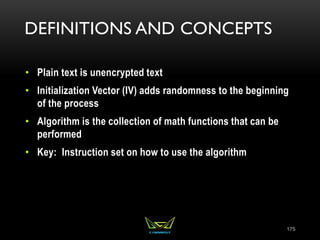
DEFINITIONS AND CONCEPTS
• Plain text is unencrypted text
• Initialization Vector (IV) adds randomness to the beginning
of the process
• Algorithm is the collection of math functions that can be
performed
• Key: Instruction set on how to use the algorithm
175
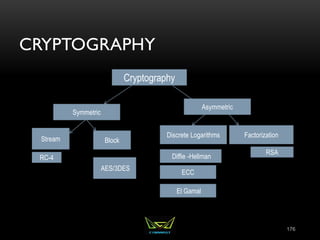
CRYPTOGRAPHY
176
Symmetric
Asymmetric
Stream Block
Factorization
Discrete Logarithms
RC-4
AES/3DES
ECC
Diffie -Hellman
El Gamal
RSA
Cryptography
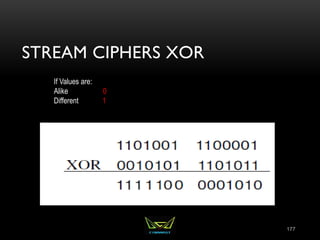
STREAM CIPHERS XOR
177
If Values are:
Alike 0
Different 1
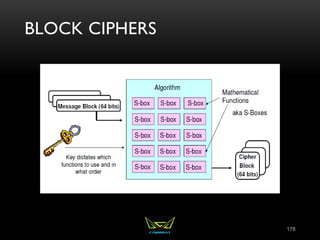
BLOCK CIPHERS
178
SYMMETRIC CRYPTOGRAPHY
• Symmetric = Same
• In symmetric cryptography the same key is used to both
encrypt and decrypt
• Very fast means of encrypting/decrypting with good
strength for privacy
• Preferred means of protecting privacy data
• Also can be called “Private Key” “Secret Key” or “Shared
Key” Cryptography
179
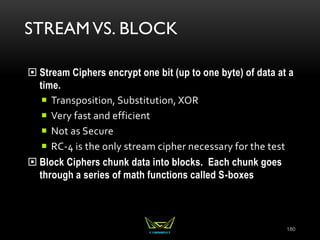
STREAM VS. BLOCK
 Stream Ciphers encrypt one bit (up to one byte) of data at a
time.
 Transposition, Substitution, XOR
 Very fast and efficient
 Not as Secure
 RC-4 is the only stream cipher necessary for the test
 Block Ciphers chunk data into blocks. Each chunk goes
through a series of math functions called S-boxes
180
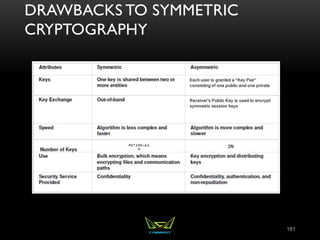
DRAWBACKS TO SYMMETRIC
CRYPTOGRAPHY
181
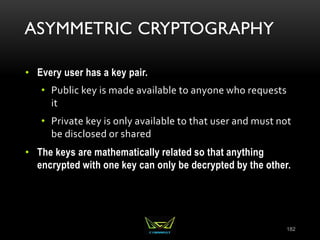
ASYMMETRIC CRYPTOGRAPHY
• Every user has a key pair.
• Public key is made available to anyone who requests
it
• Private key is only available to that user and must not
be disclosed or shared
• The keys are mathematically related so that anything
encrypted with one key can only be decrypted by the other.
182
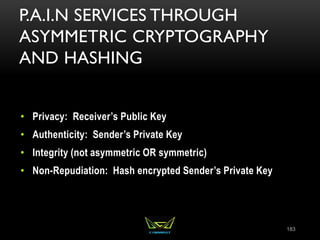
P.A.I.N SERVICES THROUGH
ASYMMETRIC CRYPTOGRAPHY
AND HASHING
• Privacy: Receiver’s Public Key
• Authenticity: Sender’s Private Key
• Integrity (not asymmetric OR symmetric)
• Non-Repudiation: Hash encrypted Sender’s Private Key
183
SSL/TLS HYBRID CRYPTOGRAPHY
SUMMARY OF SYMMETRIC vs.ASYMMETRIC
185
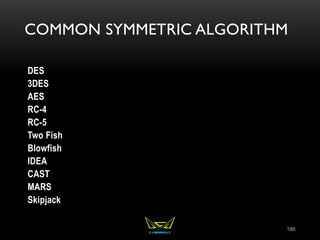
COMMON SYMMETRIC ALGORITHM
DES
3DES
AES
RC-4
RC-5
Two Fish
Blowfish
IDEA
CAST
MARS
Skipjack
186
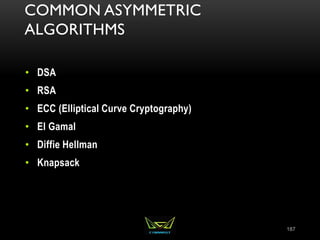
COMMON ASYMMETRIC
ALGORITHMS
• DSA
• RSA
• ECC (Elliptical Curve Cryptography)
• El Gamal
• Diffie Hellman
• Knapsack
187
THE BUDDY SYSTEM FOR ASYMMETRIC ALGORITHMS
• RSA and DSA
• ECC and El Gamal
• DH (Diffie Hellman) and Knapsack
RSA
• Named for Rivest, Shamir, and Adleman, the creator
• Currently the standard for Digital Signatures
• Uses the idea that there is no efficient way to factor the
product of large prime numbers
• The math used for RSA is sometimes referred to as a trap-
door function
• ****Factorization*****
189
DIFFIE-HELLMAN
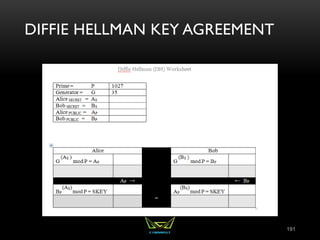
• The first asymmetric algorithm
• Secure key-agreement without pre-shared secrets
• Based on discrete logarithms in a finite field
190
DIFFIE HELLMAN KEY AGREEMENT
191
ECC (ELLIPTICAL CURVE
CRYPTOGRAPHY)
• Based upon plotting points upon a curve
• Very efficient, but only designed to work within certain
environments
• Frequently used for handheld devices due to their limited
processing capability
192
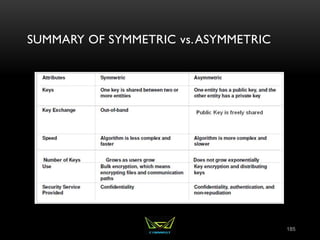
REVIEW SYMMETRIC VS.ASYMMETRIC
 Symmetric
 Fast
 Out of band key exchange
 No integrity, authenticity or authenticity
 Not Scalable
 Asymmetric
 Slow
 Scales to large organizations well
 Provides non-repudiation
 Key exchange does not require exchange of any secret
information
193
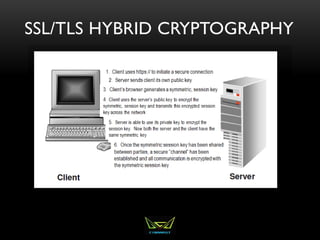
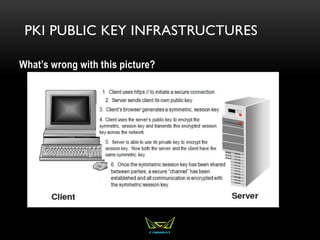
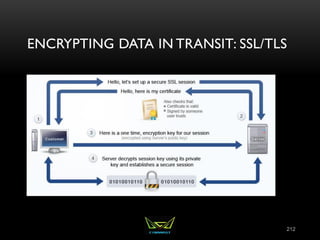
HYBRID CRYPTOGRAPHY IN SSL/TLS
 Client initiates a secure connection
 Server responds by sending it’s public key to the client
 The client then generates a symmetric session key.
 Client encrypts uses the server’s public key to encrypt the
session key.
 Client sends the session key (encrypted with the server’s
public key) to the server
 Server uses it’s private key to decrypt the session key
 Now that a symmetric session key has been distributed,
both parties have a secure channel across which to
communicate.
194
INTEGRITY
 Data gets modified
 Accidentally through corruption
 Intentionally through malicious alteration
 Hash: only good for accidental modification
 MAC: Provides reasonable authenticity and integrity not
strong enough to be non-repudiation (because it uses a
symmetric key)
 Digital Signatures: Can detect both malicious and
accidental modification, but requires an overhead.
Provides true non-repudiation
195
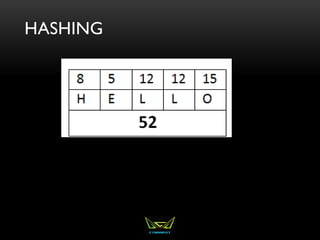
HASHING
HASHING
 Digital representation of the contents of the file
 If the file changes, the hash will change
 One way math
 When two different documents produce the same hash it is
called a collision
 A birthday attack is an attempt to cause collisions. It is based
on the idea that it is easier to find two hashes that happen to
match than to produce a specific hash.
197
HASHING ALGORITHMS
• Variable length message, fixed length has
• MD-5 used to be the standard with a 128 bit hash
• SHA-1 160 bit replaced MD-5 for the most part
• SHA-256 is becoming very frequently used
• RipeMD, Tiger, Whirlpool, HAVAL are lesser known hashing
algorithms
198
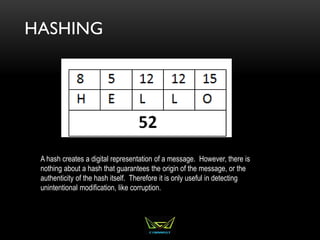
HASHING
A hash creates a digital representation of a message. However, there is
nothing about a hash that guarantees the origin of the message, or the
authenticity of the hash itself. Therefore it is only useful in detecting
unintentional modification, like corruption.
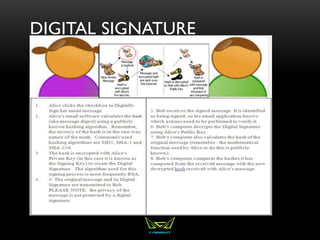
DIGITAL SIGNATURE
MAC (MESSAGE AUTHENTICATION CODE)
• Message + Symmetric Number +Hashing algorithm
= HMAC
• Integrity and (reasonable) authenticity
• A MAC does not provide true authenticity (symmetric)
201
DIGITAL SIGNATURE
• Message is hashed.
• Hash is encrypted by Sender’s Private Key.
• SHA-1 is generally used for the hash
• RSA is the asymmetric encryption algorithm that encrypts
the hash with the sender’s private key.
202
PKI PUBLIC KEY INFRASTRUCTURES
What’s wrong with this picture?
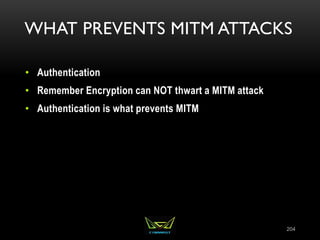
WHAT PREVENTS MITM ATTACKS
• Authentication
• Remember Encryption can NOT thwart a MITM attack
• Authentication is what prevents MITM
204
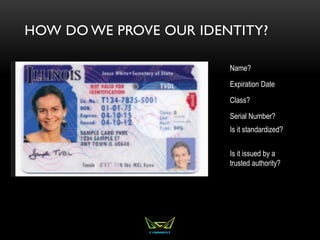
HOW DO WE PROVE OUR IDENTITY?
Name?
Expiration Date
Class?
Serial Number?
Is it issued by a
trusted authority?
Is it standardized?
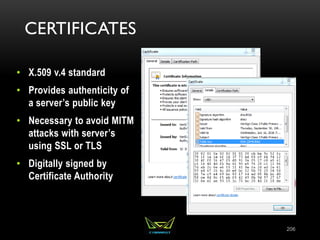
CERTIFICATES
• X.509 v.4 standard
• Provides authenticity of
a server’s public key
• Necessary to avoid MITM
attacks with server’s
using SSL or TLS
• Digitally signed by
Certificate Authority
206
PKI (PUBLIC KEY INFRASTRUCTURE)
• Certificate Authority (CA)
• Registration Authority (RA)
• Certificate Repository
• Certificate Revocation List
207
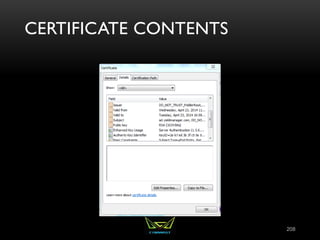
CERTIFICATE CONTENTS
208
CERTIFICATE REVOCATION
• CRL: CA publishes CRL. Client is responsible for
downloading to see if a certificate has been revoked.
• OCSP (Online Certificate Status Protocol) Streamlines the
process of verifying whether or not a certificate has been
revoked.
209
TRUSTED CERTIFICATE AUTHORITIES
ENCRYPTING DATA IN TRANSIT
• Protect Data as it traverses the network
• Most protocols like IP, HTTP FTP are not inherently secure
211
ENCRYPTING DATA IN TRANSIT: SSL/TLS
212
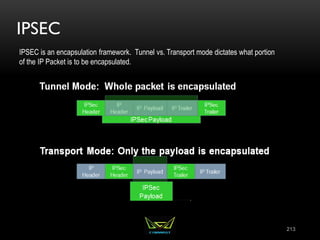
IPSEC
213
IPSEC is an encapsulation framework. Tunnel vs. Transport mode dictates what portion
of the IP Packet is to be encapsulated.
IPSEC SUB-PROTOCOLS
 AH (Authentication Header) Provides integrity, authenticity, and non-
repudiation through the use of an ICV (Integrity Check Value). The ICV
is run on the entire packet (header, data, trailer) except for particular
fields in the header that are dynamic (like TTL, etc..). NO
CONFIDENTIALITY
 ESP (Encapsulating Security Payload) Provides authenticity and
integrity through a MAC (no non-repudiation since a MAC is
symmetric). The main service provided is ENCRYPTION. ICV is run on
payload only.
 IKE: Internet Key Exchange---No Security Services. Just management
of secure connection
 Oakley: Uses Diffie Hellman to agree upon a key
 ISAKMP (Internet Security Association and Key Management
Protocol) Manages Keys, Security Associations (SAs)and
Security Parameters Index (SPI)
214
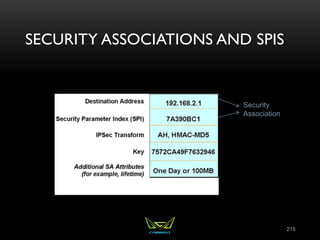
SECURITY ASSOCIATIONS AND SPIS
215
Security
Association
There will be at least two SAs for every secure connection
SSH (SECURE SHELL)
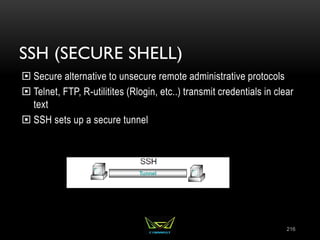
 Secure alternative to unsecure remote administrative protocols
 Telnet, FTP, R-utilitites (Rlogin, etc..) transmit credentials in clear
text
 SSH sets up a secure tunnel
216
IMPLEMENTATION OF CRYPTOGRAPHY:
DIGITAL ENVELOPES IN S/MIME
 S/MIME (Secure Multipart Internet Mail Exchange) :
Standards based secure email by creating a digital envelope
Sender functions:
Calculate hash value on message
Encrypt message with session key
Encrypt hash value with private key
Encrypt session key with receiver’s public key
Receiver functions:
Decrypt session key with private key
Decrypt hash value with sender’s public key
Decrypt message
Calculate hash value and compare with one sent
217
CRYPTOGRAPHY: PGP (PRETTY
GOOD PRIVACY)
• Proprietary mail standard from Phil Zimmerman
• Free, but proprietary software must be installed
• Uses Web of Trust
• Passphrases instead of passwords
• Learned keys are stored in a file called the key ring
218
PROTECTING CONFIDENTIALITY OF
DATA REST
• Data stored on local drives must be protected
• Log off of workstations not in use
• Use encryption within the operating system (ex: EFS in
Windows environment)
• Whole Drive Encryption: Protect Hard Drive in the event
the disk is stolen
• TPM
• USB
• Directory Services
219
ATTACKS ON CRYPTOGRAPHY
 Ciphertext Only: Attacker has captured encrypted text on the
network. Usually means all the attacker can do is brute force
 Known Plain Text: The attacker has captured cipher text, but
also knows what a portion of the message is in plain text (like
an automatic signature)
 Chosen Plaintext: Attacker can see the full text encrypted and
decrypted. Usually the attacker has initiated the message
 Chosen Ciphertext: An attacker can see whatever they want in
plain or ciphertext. They have compromised a workstation.
Sometimes called a lunchtime or midnight attack.
220
ATTACKS ON CRYPTOGRAPHY
CONTINUED
• Meet in the Middle (Not to be confused with Man in the Middle).
These attacks are targeted towards algorithms like 3DES where
there are multiple key. An attacker tries to learn what each key
does individually.
221
SECURITY ENGINEERING REVIEW
Part I Security Architecture and
Design:
• Trusted Computer Base
Elements
• Security Perimeter
• Reference Monitor
• Security Kernel
• Security Models
• Computer/Security
Architecture
• Security Models
• Security Evaluation Criteria
222
Part II Cryptography
• Historical uses of Cryptography
• Security Services provided by
cryptography
• Definitions and terms
• Symmetric Cryptography
• Asymmetric Cryptography
• Hybrid Cryptography
• Integrity through Hashing,
MACs and Digital Signatures
• Public Key Infrastructure
• IPSec
• Attacks on Cryptography
CHAPTER 4
Communications and Network
Security
223
COMMUNICATIONS AND
NETWORK SECURITY
• OSI Reference Model
• Network Protocols
• Network Connectivity Devices
• Threats to Network Security
• Firewalls
• Wireless Communications
224
OSI REFERENCE MODEL
225
OSI
226
ENCAPSULATION
227
OSI MODEL
7 layers A P S T N D P… “All People Seem to Need Data
Processing”
 Application
 Presentation
 Session
 Transport
 Network
 Data link
 LLC
 MAC
 Physical
228
OSI MODEL – LAYER 1 PHYSICAL
Layer 1 Physical – simply put is concerned with physically
sending electric signals over a medium. Is concerned with
• specific cabling,
• voltages and
• Timings
• This level actually sends data as electrical signals that
other equipment using the same “physical” medium
229
OSI REFERENCE MODEL: LAYER 1 (PHYSICAL)
TRANSMISSION MEDIA/CABLING
OSI REFERENCE MODEL: LAYER 1 (PHYSICAL)
TOPOLOGY
Bus •No central point of connection
•Difficult to troubleshoot
•One break in cable takes down the
whole network
Ring •No central point of connection
•Often implemented with a MAU
for fault tolerance
Star •Switch offers fault tolerance, as
individual links no longer affect the
network
•Switch is still a single point of failure
Mesh •Most fault tolerant
•Fully redundant
•Partial Mesh is often used to spare
cost
231
OSI REFERENCE MODEL: LAYER 1 (PHYSICAL)
CONNECTIVITY DEVICES
Hub •Sends all data out all ports
•No addressing
•Historically a cheap point of
central connectivity
Modem •Modulator/Demodulator
•Converts digital signal to analog and
back
Wireless Access Point •Provides wireless devices a point of
connection to the wired network.
232
OSI REFERENCE MODEL: LAYER 1
(PHYSICAL)
233
Threats:
•Theft
•Unauthorized Access
•Vandalism
•Sniffing
•Interference
•Data Emanation
OSI MODEL – LAYER 2 DATA LINK
 Data Link Layer
 LLC Logical Link Control—error detection
 MAC Media Access Control—Physical
 Addressing/Resolution and media access determination
 ARP (Address Resolution Protocol
 RARP (Reverse Address Resolution Protocol)
 Media Access Control
 CSMA/CD Carrier Sense Multiple Access with Collision Detection
(IEEE standard) 802.3 Ethernet
 CSMA/CA Carrier Sense Multiple Access with Collision
Avoidance(IEEE standard) 802.11 Wireless
 Token Passing: 24 bit control frame passed around the network
environment with the purpose of determining which system can
transmit data. There is only one token and since a system can’t
communicate without the token, there are no collisions.
234
MEDIA ACCESS TECHNOLOGIES
 Token Passing
 CSMA/CD – waits for clear, then starts talking, detect
collisions
 CSMA/CA – signals intent to talk
 Collision Domain – where collisions can occur. (i.e. two
people try to talk at the same time)
 What is a security impact of collision domains? sniffing,
DoS
235
ETHERNET -
• Most common form of LAN networking, has the following
characteristics
• Shares media
• Broadcast and collision domains (see next slides)
• CSMA/CD
• Supports full duplex with a switch
• Defined by IEEE 802.3
236
ARP
237
SWITCH
• Layer 2
• Uses MAC addresses to
direct traffic
• Isolates traffic into
collision domains
• Does NOT isolate
broadcasts natively
238
OSI MODEL LAYER 3 NETWORK
• Routers Isolate traffic into broadcast domains and use IP
addressing to direct traffic
239
VLANS
• Routers are expensive
• To get broadcast
isolation on a switch, a
VLAN is necessary
• Not all switches support
VLANs
• A Layer 2 switch (even
with a VLAN) doesn’t
truly understand Layer 3
IP Addressing
• A Layer 3 switch is
necessary for inter-Vlan
Communication
LAYER 3 PROTOCOLS
• All Protocols that start with the letter “I” except IMAP (which is a
layer 7 mail protocol)
• IP
• ICMP – IP “helpers” (like ping)
• IGMP – Internet Group Message Protocol
• IGRP
• IPSEC
• IKE
• ISAKMP
ICMP
 ICMP – “IP helper”
 Protocol behind echoing utilities like PING and Traceroute
 Frequently exploited
 LOKI :sending data in ICMP headers—covert Channel
 Ping of Death: violates the MTU (maximum
transmission unit) size
 Ping Floods: Lots of ping traffic
 SMURF: Uses spoofed source address (Target) and
directed broadcasts to launch a DDos
242
OSI MODEL LAYER 4 TRANSPORT
OSI Layer 4 Transport – Provides end-to-end data transport
services and establishes a logical connection between 2
computers systems”
• The “pony express”
• Protocols used at layer 4
• SSL/TLS (Discussed in Cryptography Chapter)
• TCP
• UDP
243
TCP (TRANSMISSION CONTROL PROTOCOL)
• Connection oriented “guaranteed” delivery.
• Advantages
• Easier to program with
• Truly implements a session
• Adds security
• Disadvantages
• More overhead / slower
• SYN Floods
244
TCP
• Reliable connection-oriented protocol
• Has a guaranteed delivery based on the handshake
process
1. SYN
2. SYN/ACK
3. ACK
245
UDP (USER DATAGRAM PROTOCOL)
• Connectionless
• Unreliable
• No handshaking
• Desirable when “real time” transfer is essential
• Media Streaming, Gaming, live time chat, etc..
• FTP usesTCP
• TFTP uses UDP
246
OSI MODEL LAYER 5 SESSION
OSI Layer 5 (Session) – responsible for establishing a
connection between two APPLICATIONS! (either on the
same computer or two different computers)
 Create connection
 Transfer data
 Release connection
 TCP actually does session oriented services
247
OSI MODEL LAYER 6 PRESENTATION
OSI Layer 6 – present the data in a format that all computers
can understand
This is the only layer of OSI that does NOT have any protocol.
 Concerned with encryption, compression and
formatting
 Making sure data is presented in a universal format
 File level encryption
 Removing redundancy from files (compression)
248
OSI MODEL LAYER 7 – APPLICATION
This defines a protocol (way of sending data) that two
different programs or applications understand.
• HTTP, HTTPS, FTP, TFTP, SMTP, SNMP, etc...
• Application Proxies
• Non-Repudiation
• Certificates
• Integration with Directory Services
• Time awareness.
249
TCP/IP MODEL
250
OSI VS.TCP/IP MODEL
251
Network Access
Or Network Interface
Host to Host or Transport
OSI/TCP…WHAT YOU NEED TO
KNOW
252
THREATS TO NETWORK
SECURITY
253
COMMON ATTACKS
 Virus: Virus A piece of malicious code that can take many forms
and serve many purposes. Needs a host in which to live, and an
action by the user to spread.
 Worm: Similar to a virus, but does not need a host and is self
replicating
 Logic Bomb: A type of malicious code that lays dormant until a
logical event occurs
 Trojan Horse: One program (usually some type of malicious
code) masquerades as another. Common means of distributing
Back Door Programs
 Back Door Programs: A Program that allows access (often
administrative access) to a system that bypasses normal
security controls. Examples are NetBus, Back Orifice,
SubSeven
254
COMMON ATTACKS CONTINUED
 Salami: Many small attacks add up to equal a large attack
 Data Diddling: Altering/Manipulating data, usually before entry
 Sniffing: Capturing and Viewing packets through the use of a protocol
analyzer. Best defense: Encryption
 Session Hijacking: Where an attacker steps in between two hosts and
either monitors the exchange, or often disconnects one. Session
hijacks are types of Man in the Middle attacks. Encryption prevents
sniffing and mutual authentication would prevent a session hijack
 Wardialing: An attack on a RAS (Remote Access Server) where the
attacker tries to find the phone number that accepts incoming calls.
RAS should be set to use caller ID (can be spoofed), callback (best),
and configured so that modem does not answer until after 4 calls.
255
COMMON ATTACKS
CONTINUED
 Dos Denial of Service: The purpose of these attacks is to
overwhelm a system and disrupt its availability
 DDoS Distributed Denial of Service: Characterized by the use of
Control Machines (Handlers) and Zombies (Bots) An attacker
uploads software to the control machines, which in turn
commandeer unsuspecting machines to perform an attack on
the victim. The idea is that if one machine initiating a denial of
service attack, then having many machines perform the attack is
better.
 Ping of Death: Sending a Ping Packet that violates the Maximum
Transmission Unit (MTU) size—a very large ping packet.
 Ping Flooding: Overwhelming a system with a multitude of
pings.
256
COMMON ATTACKS
CONTINUED
 Tear Drop: Sending Malformed packets which the Operating System does not
know how to reassemble. Layer 3 attack
 Buffer Overflow: Attacks that overwhelm a specific type of memory on a system—
the buffers. Is best avoided with input validation
 Bonk : Similar to the Teardrop attack. Manipulates how a PC reassembles a
packet and allows it to accept a packet much too large.
 Land Attack: Creates a “circular reference” on a machine. Sends a packet where
source and destination are the same.
 Syn Flood: Type of attack that exploits the three way handshake of TCP. Layer 4
attack. Stateful firewall is needed to prevent
 Smurf: Uses an ICMP directed broadcast. Layer 3 attack. Block distributed
broadcasts on routers
 Fraggle: Similar to Smurf, but uses UDP instead of ICMP. Layer 4 attack. Block
distributed broadcasts on routers
257
FIREWALLS, PROXIES,AND NAT
258
FIREWALLS AND THE OSI
 Firewalls: Allow/Block traffic
 Rules to Allow or Deny Traffic. Can be HW or SW
 Layer 3: Static Packet Filters: Base decisions on
Source/Destination IP Address and Port
 Layer 5 Stateful inspection. Knowledge of who initiated
the session. Can block unsolicited replies. Protocol
Anomaly firewalls—can block traffic based on syntax being
different than the RFC would specify
 Layer 7: Application Proxies/Kernel Proxies: Make
decisions on Content, Active Directory Integration,
Certificates, Time
259
FIREWALLS
260
FIREWALLS -
 Enforce network policy.
 Usually firewalls are put on the perimeter of a network and allow
or deny traffic based on company or network policy.
 MUST have IP forwarding turned off*
 Firewalls are often used to create a DMZ.
 Generally are dual/multi homed*
 Types of firewalls
 Packet filtering
 State full
 Proxy
 Dynamic packet filtering
261
PACKET FILTER -
 Uses Access control lists (ACLs), which are rules that a
firewall applies to each packet it receives.
 Not state full, just looks at the network and transport layer
packets (IP addresses, ports, and “flags”)
 Do not look into the application, cannot block viruses
etc...
 Generally do not support anything advanced or
custom
262
PACKET FILTER
 Packet filters keep no state*
 Each packet is evaluated own it’s own without regard
to previous traffic
 Advantages
 Disadvantages
 fragments
 Rule based access control
 Packet filters are still used on the edge of the network
before a statefull firewall for performance reasons.
263
STATE FULL FIREWALL -
 router keeps track of a connections in a table. It knows
which conversations are active, who is involved etc...
 It allows return traffic to come back where a packet filter
would have to have a specific rule to define returned traffic
 More complex, and can launch DoS against by trying to fill
up all the entries in the state tables/use up memory.
 If rebooted can disrupt conversation that had been
occurring.
 Context dependant access control*
264
DYNAMIC PACKET FILTERING
 I believe the author is confusing about this topic and
actually is describing a state full filter in the book.
However there are firewalls that do allow “triggers” these
could be called dynamic packet filters
 Like a state full firewall but more advanced. Can actually
rewrite rules dynamically.
 Some protocols such as FTP have complex
communications that require multiple ports and protocols
for a specific application, packet and statefull filter cannot
handle these easily, however dynamic packet filter can as
they can create rules on the fly as needed.
265
PROXY FIREWALLS
• Two types of proxies
• Circuit level*
• Application*
• Both types of Proxies hide the internal hosts/addressing
from the outside world.
• Talk about each of these on next slides
266
APPLICATION PROXIES
 Like circuit layer proxies, but actually understand the
application/protocol they are proxing.
 This allows for additional security as they can inspect the
data for protocol violations or content.
267
APPLICATION PROXIES
Advantages
 Application proxies understand the protocol, so they can
add extra security
 Can have advanced logging/auditing and access control
features
 Ex. Restrict users to only allowed websites
 Ex. Inspect data for protocol violations
 Ex. Inspect data for malware (viri etc..)
Disadvantages
 Extra processing requires extra CPU (slower)
 Proxies ONLY understand the protocols they were written
to understand. So you generally have a separate
application proxy for EACH protocol you want to proxy
268
APPLICATION PROXIES -
Examples:
• Internet Security and Acceleration Server (MS web
proxy)
• SMTP proxies
• FTP proxies
269
SECURITY ZONES
It is common practice in network and physical security to
group different security levels into different areas or
zones. Each zone is either more or less trusted then the
other zones. Interfaces between zones have some type of
access control to restrict movement between zones (like
biometric and guard stations) or firewalls.) In Network
security there is often a median zone between the Internet
and internal network called a DMZ.
270
DMZ
A buffer zone between an unprotected network and a
protected network that allows for the monitoring and
regulation of traffic between the two.
• Internet accessible servers (bastion hosts) are placed
in a DMZ between the Internet and Internal network
271
DMZ
272
DMZ ARCHITECTURES
• Multi-homed Firewall
• Screened Subnet
273
MULTI HOMED FIREWALL -
• Multi-homed firewalls may be used to setup a DMZ with a
single firewall. (see next slide)
• On any multi-homed machine, IP forwarding should be
disabled.*
274
MULTI-HOMED FIREWALL
275
SCREENED SUBNET –
In a screen subnet, there is a separate firewall on both sides
of the DMZ.
When using this model it is recommended that each firewall
be a different vendor/product.
• Diversity of defense*
276
SCREENED SUBNET
277
NAT/PAT
A proxy that works without special software and is transparent
to the end users.
• Remaps IP addresses, allowing you to use private
addresses internally and map them to public IP addresses
• NAT allows a one-to-one mapping of IP addresses
• PAT allows multiple private address to share one public
address
278
NAT
 Computer 10.0.0.1 sends a packet to 175.56.28.3
 Router grabs packet, notices it is NOT addressed to it.
Modifies the src address to one from it’s pool (215.37.32.202),
then sends the packet on it’s way to the destination*
 The end machine accepts the packet as it’s addressed to him.
 End machine creates response, src = itself (172.56.28.3) dest
= 215.37.32.202
 Router grabs packet, notices the dest address, and looks up
in it’s NAT table, rewrites the dest to 10.0.0.1 and sends it on
its way*
 Originating machine grabs response since it’s addressed to
him, he processes it.
279
NAT / PAT
 Advantages
 Allows you to use private addresses Internally, you
don’t need to get real public IP addresses for each
computer
 Protects the network by stopping external entities
from starting conversations to internal machines
 Hides internal network structure
 Transparent, doesn’t require special software
 Disadvantages
 Single Point of Failure / Performance Bottleneck
 Doesn’t protect from bad content
280
RFC 1918
• 10.x.x.x
• 172.16.x.x-172.31.x.x
• 192.168.x.x
281
OVERALL FIREWALL ISSUES
• Potential bottleneck
• Can restrict valid access
• Often mis-configured
• Except for application proxies firewalls generally do not
filter out malware or improper content.
• Don’t protect against internal attacks!*
282
OVERALL FIREWALL BEST PRACTICES
 Block un-necessary ICMP packets types.
 (Be careful though, know your environment)
 Keep ACLS simple
 Use Implicit deny*
 Disallow source routed packets*
 Use least privilege*
 Block directed IP broadcasts
 Perform ingress and egress filtering*
 Block traffic leaving the network from a
non-internal address (indicates the network is possibly being used as
zombie systems in a possible DDoS attack.
 Block all traffic entering the network from an internal address
(indicates a potential spoofing attack)
 Enable logging
 Drop fragments or re-assemble fragments
283
WAN TECHNOLOGY
284
LAN,WAN, MAN
• LAN – local area network
• High speed
• Small physical area
• WAN – wide area network
• Used to connect LANS
• Generally slow, using serial links
• MAN – metropolitan area network
• Connect sites together within a medium range area
(like a city)
285
CIRCUIT SWITCHING
286
All Data Follows the Same Path
CIRCUIT SWITCHING
TECHNOLOGIES
• PSTN
• ISDN
• DSL
• T-carriers
287
DIAL UP (REMOTE ACCESS)
 Disadvantages
 Back door into networks (bypass firewall)
 Often forgotten about
 Slow
 Attacks*
 War dialing
 Defenses*
 Dial Back /
 Caller ID restrictions
 Use authentication
 Answer after 4 or more rings (why/war dialing)
 Use a different numbering convention for RAS
288
ISDN
Uses same lines as phone lines, directly dial into company or
ISP
• BRI
• 2 B Channels (64Kbits x 2)
• 1 D Channel (control channel) Out of Band
• PRI
• 23 B Channels
• 1 D Channel
• Not for personal use
289
ADSL
• MUCH faster than IDSN (6-30 times faster)
• Must live very close to the DSL equipment
• Symmetric and Asymmetric
• Always on (security concerns)
290
PACKET SWITCHING
291
PACKET SWITCHING
TECHNOLOGIES
• X.25
• Frame Relay
• ATM
• VOIP
• MPLS
• Cable Modems
292
CABLE MODEM -
High speed access up to 50Mbps via cable TV lines.
• Shared bandwidth
• Always on (security concerns)
293
MPLS (MULTI PROTOCOL LABELED
SWITCHING
 MPLS is used to create cost effective, private Wide Area Networks
(WANs) faster and more secure than regular routed “public” IP
networks like the internet.
 More secure than the public internet, because a “virtual” private
network (end-to-end circuit)can be built just for your organization
 Since it’s a private network, we don’t have to configure and maintain
traditional encryption based Virtual Private Networking (VPN)
equipment anymore, and can also avoid the latency and delay inherent
in this technology.
 Provides QoS for VOIP and other high priority traffic
 Purely Layer 3 technology
294
MPLS
295
VOIP VOICE OVER IP
• Converts analog to digital through use of Telephony
adapter or smartphone
• Data is channeled though gateways (often lacking in
authentication mechanisms leading to TOLL FRAUD)
• At the end of a VOIP connection the smartphone or TA
converts the signal back to
analog
296
VOIP SECURITY ISSUES
• Eavesdropping (greatest threat)—Enable S/RTP
• Toll Fraud
• Vishing
• SPIT
Performance Issues
• Latency
• Jittering
297
REMOTE ACCESS PROTOCOLS
298
DIAL-UP
 PPP Point to Point Protocol: Provides Layer 2 framing for dial-
up. Needs other protocols for security
 Encryption: MPPE
 Authentication:
 PAP (Password Authentication Protocol): Clear Text
 CHAP (Challenge Handshake Authentication Protocol)
Client responds to a challenge from the server. The only
way the client can answer correctly is if the correct
password had been entered.
 EAP (Extensible Authentication Protocol) Extends
capabilities beyond passwords (smart cards, biometrics,
token devices, etc..)
299
TUNNELING
A function of VPNs - Tunnel encapsulates one protocol within
another protocol to create a virtual network.
• Can encrypts original IP headers
• Can encrypts data
• Allows for routing non routable protocols and IP addresses
• Can provide remote/internal IP addresses
300
VPN PROTOCOLS
Different protocols
• PPTP
• L2TP
• IPSEC
301
PPTP
Point to Point Tunneling Protocol
Based on PPP (uses MPPE for encryption and PAP, CHAP or
EAP for authentication)
 Lead by Microsoft protocol for a tunneling VPN
 Only works across IP networks
 Remote user connects to ISP, gets an Internet Address
 Establishes VPN connection to work VPN server, get’s
Internal IP address.
 Sends private IP packets encrypted within other IP
packets.
302
L2TP
Layer 2 Tunneling Protocol
• Cisco designed L2F to break free of dependence on IP
networks, but kept it proprietary.
• L2TP was a combination of L2F and PPTP
• Designed to be implemented in software solutions
• THERE IS NO SECURITY with L2TP. It MUST use
IPSec to secure
303
WIRELESS
304
WIRELESS COMPONENTS
• Access points are like wireless hubs, they create a
infrastructure WLAN
• If you use just wireless cards of computers to communicate
together that is called an ad-hoc* network.
• Wireless devices must use the same channel
• Devices are configured to use a specific SSID (often
broadcasted)
305
802.11 FAMILY
 802.11a
 54Mbps
 5Ghz
 8 channels
 802.11b
 11Mbs
 2.4Ghz (same as other home devices)
 802.11g
 54Mbs
 2.4Ghz
 802.11i : Wireless with security. First standard to require WPAII
 802.11n
 100Mbs
 2.4Ghz or 5Ghz
306
WIRELESS SECURITY PROBLEMS
• Unauthorized access
• sniffing
• War driving
• Unauthorized access points (Man in the middle)
307
AIRSNARFING (WIRELESS MITM)
308
Wireless AP
Wireless User Attacker
TRANSMISSION ENCRYPTION
 There are many different types of wireless encryption protocols
 WEP
 Shared authentication passwords
 Weak IV (24 bits)
 IV transmitted in clear text
 RC-4 (stream cipher)
 Easily crackable
 Only option for 802.11b
 WPA
 Stronger IV
 Introduced TKIP
 Still used RC-4
309
TRANSMISSION ENCRYPTION
• WPA2
• AES
• CCMP
• NOT backwards compatible
• WPA and WPA2 Enterprise
• Uses 802.1X authentication to have individual
passwords for individual users
• RADIUS
310
BLUETOOTH
Bluetooth is a Personal Area Network protocol designed to
free devices from physical wires.
• Bluetooth Modes
• Discovery Mode
• Automatic Pairing
311
BLUETOOTH ATTACKS
• Blue jacking
• Sending SPAM to nearby Bluetooth devices
• Blue Snarfing
• Copies information off of remote devices
• Blue bugging
• More serious
• Allows full use of phone
• Allows one to make calls
• Can eavesdrop on calls
312
BLUETOOTH
COUNTERMEASURES
• Disable it if you’re not using it
• Disable auto-discovery
• Disable auto-pairing
313
WAP
Wireless Application Protocol – a protocol developed mainly
to allow wireless devices (cell phones) access to the
Internet.
 Requires a Gateway to translate WAP <-> HTML (see
visual)
 Uses WTLS to encrypt data (modified version of TLS)
 Uses HMAC for message authentication
 WAP GAP* problem (see visual and explain)
 A lot of wireless devices don’t need WAP anymore.
314
Cloud Computing
 A new paradigm in computing that involves the provision and hosting
of services over the Internet, modeled after a pay-as-you-go
approach.
 It allows organizations to extend their existing computing capabilities
and also easily scale up.
 As of now three variety of services are provided, namely, Software as
a Service (SaaS), Platform as a Service (PaaS), and Infrastructure as a
Service (IaaS).
 There are also four different types of deployment approaches,
namely, Private Clouds, Public Clouds, Community Clouds, and Hybrid
Clouds.
 Cloud computing can offer useful extensions to enterprise
Architectures, on demand without any additional capital investment.
 Many organizations are concerned with security in the cloud and are
hesitating going into the cloud.
315
TELECOMMUNICATIONS AND
NETWORK SECURITY OBJECTIVES
• OSI Reference Model
• Network Protocols
• Network Connectivity Devices
• Threats to Network Security
• Firewalls
• WAN Technology
• Wireless Communications
316
REMEMBER…
• Senior management is responsible for the physical safety
of their employee
• Focus on prevention, not correction
• Human life should always supersede other assets
• Physical security is the first line of defense in protecting a
company’s assets
317
TELECOMMUNICATIONS AND
NETWORK SECURITY REVIEW
• OSI Reference Model
• Network Protocols
• Network Connectivity Devices
• Threats to Network Security
• Firewalls
• WAN Technology
• Wireless Communications
318
CHAPTER 5
Identity and Access
Management
319
IDENTITY AND ACCESS
MANAGEMENT
• Identity Management
• Controls the life cycle for all accounts in a system
• Access Management
• Controls the assignment of rights/privileges to those
accounts
• Per ISC2, Identity and Access Management solutions
“focus on harmonizing the provisioning of users and
managing their access across multiple systems with
different native access control systems”.
320
ACCESS CONTROLS OBJECTIVES
• IAAA
• Identification
• Authentication
• Type I (Knowledge)
• Type II (Possession)
• Type III (Biometrics)
• Authorization
• Accounting
• Single Sign On
• Access Control Models
• Access Control Methods
• Access Control Administration
• Data Emanation
321
ACCESS CONTROLS
Access controls are security mechanisms that control how
subjects can interact with objects.
Controls should be layered and provide both proactive and
reactive protection.
322
ACCESS
Access is the data flow between an subject and an object.
• Subject is active--a person, process or program
• Object is passive--a resource (file, printer etc..)
• Access controls should support the CIA triad and
regulate what a subject can do with an object
323
ACCESS CONTROLS
Access controls are security features that control how people
can interact with systems, and resources.
• Logical
• Physical
• Administrative
324
IAAA OF ACCESS CONTROL
The components of Access Control that we are about to
discuss are:
• Identification:
• Make a claim (userid etc..)
• Authentication:
• Provide support (proof) for your claim
• Authorization:
• What rights and permissions you have
• Auditing:
• Accountability—matching actions to subjects
325
IDENTIFICATION
• Public Information (usually we aren’t concerned with
protecting identities)
• Identification must be unique for accountability
• Standard naming schemes should be used
• Identifier should not indicate extra information about user
(like job position)
• User ID
• Account Number
• RFID
• IP or MAC address
326
AUTHENTICATION
Proving your identity
• Type 1: Something you know
• Type 2: Something you have
• Type 3: Something you are
327
TYPE 1: SOMETHING YOU KNOW
• Passwords/Passphrases/Cognitive Password
• Best practices
• No less than 8 characters
• Change on a regular basis
• Enforce password history
• Consider brute force and dictionary attacks
• Ease of cracking cognitive passwords
• Graphic Image
• Enable clipping levels and respond accordingly
328
TYPE 2: SOMETHING YOU HAVE
• Token Devices
• Smart Card
• Memory Card
• Hardware Key
• Cryptographic Key
• Certificate
• Cookies
329
TOKEN DEVICES: ONE TIME PASSWORD
GENERATORS
Password that is used only once then no longer valid
• One time password reduces vulnerability associated
with sniffing passwords.
• Simple device to implement
• Can be costly
• Users can lose or damage
• Two Types: Synchronous/Asynchronous
330
SYNCHRONOUS TOKEN DEVICES
331
•Rely upon synchronizing with
authentication server.
Frequently time based, but could be
event based
•If damaged, or battery fails, must be
re-synchronized
•Authentication server knows what
“password” to expect based on time
or event.
ASYNCHRONOUS TOKEN
DEVICES
Asynchronous/ Challenge Response
 User logs in
 Authentication returns a challenge
to the user
 User types challenge string into
token device and presses enter.
 Token devices returns a reply
 Only that specific user’s token
device could respond with the
expected reply.
 More Complex than synchronous
 May provide better protection
against sniffing
332
MEMORY CARDS
333
MEMORY CARDS
• Holds information, does NOT process
• A memory card holds authentication info, usually you’ll
want to pair this with a PIN… WHY?
• A credit card or ATM card is a type of memory card, so is a
key/swipe card
• Usually insecure, easily copied.*
334
SMART CARD
335
SMART CARD (191)
• More secure than memory cards
• Can actually process information
• Includes a microprocessor
• Often integrated with PKI
• Two types
• Contact
• Contactless
336
SMART CARD ATTACKS
There are attacks against smart cards
1. Fault generation – manipulate environmental controls and
measure errors in order to reverse engineer logic
2. Side Channel Attacks – Measure the cards while they work
 Differential power analysis – measure power
emissions
 Electromagnetic analysis – example frequencies
emitted
3. Micro probing - using needles to vibrations to remove the
outer protection on the cards circuits. Then tap into ROMS
if possible or “die” ROMS to read data.
337
TYPE 3: SOMETHING YOU ARE
• Biometrics
• Static: Should not significantly change over time.
Bound to a user’s physiological traits
• Fingerprint, hand geometry, iris, retina, etc..
• Dynamic: Based on behavioral traits
• Voice, gait, signature, keyboard cadence, etc..
• Even though these can be modified temporarily,
they are very difficult to modify for any significant
length of time.
338
BIOMETRIC CONCERNS
 Accuracy
 Type I Error: False Rejection--A legitimate user is barred from
access. Is caused when a system identifies too much
information. This causes excessive overhead.
 Type II Error: False Acceptance—An impostor is allowed access.
This is a security threat and comes when a system doesn’t
evaluate enough information
 As FRR goes down, FAR goes up and vice versa
 The level at which the two meet is called CER (Crossover Error
Rate). The lower the number, the more accurate the system
 Iris Scans are the most accurate
339
CROSSOVER ERROR RATE
340
BIOMETRIC CONCERNS
• User Acceptance
• Many users feel biometrics are intrusive
• Retina scans can reveal health care information
• Time for enrollment and verification can make user’s
resistant
• Cost/benefit analysis
• No way to revoke biometrics
341
BIOMETRIC CONCERNS
• Cost
• Biometric systems can be very costly and require unwieldy
technology
• Though costs are coming down for means like fingerprint
recognition, other technologies still remain prohibitive
342
STRONG AUTHENTICATION
Strong Authentication is the combination of 2 or more of
these and is encouraged!
 Strong Authentication provides a higher level of
assurance*
 Strong Authentication is also called multi-factor
authentication*
 Watch out! Most people want to choose biometrics
as the best authentication, but any one source can be
compromised. Always look for more than one type!
 Mutual Authentication is beneficial
343
AUTHORIZATION
The concept of ensuring that someone who is authenticated is
allowed access to a resource.
• Authorization is a preventative control
• Race conditions would try to cause authorization to
happen before authentication
344
AUDITING
Logging and reviewing accesses to objects.
• What is the purpose of auditing?
• Auditing is a detective control
345
AUTHORIZATION
346
AUTHORIZATION
Now that I proved I am who I say I am, what can I do?
• Both OSes and Applications can provide this
functionality.
• Authorization can be provided based on user, groups,
roles, rules, physical location, time of day (temporal
isolation)* or transaction type (example a teller may
be able to withdrawal small amounts, but require
manager for large withdrawals)
347
AUTHORIZATION PRINCIPALS
• Default NO access (implicit deny)* - Unless a subject is
explicitly given access to an object, then they are implicitly
denied access.
• Principle of Least Privilege
• Need to know
• Content-based
348
AUTHORIZATION CREEP
As a subject stays in an environment over time, their
permissions accumulate even after they are no longer
needed.
• Auditing authorization can help mitigate this. SOX
requires yearly auditing.
349
SINGLE SIGN ON
As environments get larger and more complex it becomes
harder and harder to manage users accounts securely.
• Multiple users to create/disable
• Passwords to remember, leads to passwords security
issues
• Reduces user frustration as well as IT frustration!
• Wastes your IT budget trying to manage disparate
accounts.
350
SINGLE SIGN ON
Single sign on systems try to mitigate this problem. Some
SSO systems are.
• Kerberos
• LDAP
• Sesame
• KryptoKnight
351
SSO SINGLE SIGN-ON PROS AND
CONS
• Pros
• Ease of use for end users
• Centralized Control
• Ease of administration
• Cons
• Single point of failure
• Standards necessary
• Keys to the kingdom
352
SSO TECHNOLOGIES
• Kerberos
• SESAME
• LDAP
• Microsoft Active Directory*
353
KERBEROS
 A network authentication protocol designed from MITs
project Athena. Kerberos tries to ensure authentication
security in an insecure environment
 Used in Windows2000+ and some Unix
 Allows for single sign on
 Never transfers passwords
 Uses Symmetric encryption to verify Identifications
 Avoids replay attacks
354
KERBEROS COMPONENTS
• Essential Components:
• AS (Authentication Server): Allows authentication of the user and issues a TGT
• TGS: After receiving the TGT from the user, the TGS issues a ticket for a
particular user to access a particular service
KDC (Key Distribution Center) a system which runs the TGS (Ticket Granting
Service) and the AS (Authentication Service)
• Ticket: Means of distributing Session Key
• Principles (users, applications, services)
• Kerberos Software (integrated into most Operating Systems. MS Windows 2000
and up support Kerberos)
• Main Goal: User needs to authenticate himself/herself without sending
passwords across the network—needs to prove he/she knows the password
without actually sending it across the wire.
355
356
Welcome to the
Kerberos Carnival
Realm
357
Welcome to the
Kerberos Carnival
Realm
2. TGT
1. Username
File Server
Ticket Granting Service
Authentication Service
Print Server A
Database Server
KERBEROS CONCERNS
• Computers must have clocks synchronized within 5
minutes of each other
• Tickets are stored on the workstation. If the workstation is
compromised your identity can be forged.
• If your KDC is hacked, security is lost
• A single KDC is a single point of failure and performance
bottleneck
• Still vulnerable to password guessing attacks
358
SESAME
European technology, developed to extend Kerberos and
improve on it’s weaknesses
• Sesame uses both symmetric and asymmetric
cryptography.
• Uses “Privileged Attribute Certificates” rather than
tickets, PACS are digitally signed and contain the
subjects identity, access capabilities for the object,
access time period and lifetime of the PAC.
• PACS come from the Privileged Attribute Server.
359
KRYPTOKNIGHT
• Should only be known as an older obsolete SSO
Technology
360
SUPER SIGN-ON AND
FEDERATED SERVICES
• XML: Universal format for storing information
• SPML: XML based format for exchanging user and
resource information and controlling provisioning
• SAML: provides an XML-based framework for
exchanging security-related information
over networks
361
ACCESS CONTROL MODELS
362
ACCESS CONTROL MODELS
A framework that dictates how subjects access objects.
 Uses access control technologies and security
mechanisms to enforce the rules
 Supported by Access Control Technologies
 Business goals and culture of the organization will
prescribe which model is used
 Every OS has a security kernel/reference monitor (talk
about in another chapter) that enforces the access control
model.
363
ACCESS CONTROL MODELS
The models we are about to discuss are
From the TCSEC(Trusted Computer System Evaluation
Criteria—Orange Book)
• DAC (Discretionary Access Control)
• MAC (Mandatory Access Control)
• Established Later
• RBAC (Role based Access Control)
364
DAC
Discretionary Access Control
• Security of an object is at the owner’s discretion
• Access is granted through an ACL (Access Control
List)
• Commonly implemented in commercial products and
all client based systems
• Identity Based
365
MAC
Mandatory Access Control
• Data owners cannot grant access!
• OS makes the decision based on a security label system
• Subject’s label must dominate the object’s label
• Users and Data are given a clearance level (confidential,
secret, top secret etc..)*
• Rules for access are configured by the security officer and
enforced by the OS.
366
MAC
MAC is used where classification and confidentiality is of
utmost importance… military.
• Generally you have to buy a specific MAC system, DAC
systems don’t do MAC
• SELinux
• Trusted Solaris (now called Solaris with Trusted
Extensions)
367
MAC SENSITIVITY LABELS
• All objects in a MAC system have a security label*
• Security labels can be defined the organization.
• They also have categories to support “need to know” at a
certain level.
• Categories can be defined by the organization
368
ROLE BASED ACCESS CONTROL
369
ROLE BASED ACCESS CONTROL
• Uses a set of controls to determine how subjects and
objects interact.
• Don’t give rights to users directly. Instead create “roles”
which are given rights. Assign users to roles rather than
providing users directly with privileges.
• Advantages:
• This scales better than DAC methods
• Fights “authorization creep”*
370
ROLE BASED ACCESS CONTROL
When to use*
• If you need centralized access
• If you DON’T need MAC
• If you have high turnover
371
THAT SUPPORT ACCESS CONTROL
MODELS
We will talk more in depth of each in the next few slides.
 Rule-based Access Control
 Constrained User Interfaces
 Access Control Matrix
 Access Control Lists
 Content-Dependant Access Control
 Context-Dependant Access Control
372
RULE BASED ACCESS CONTROL
 Uses specific rules that indicate what can and cannot transpire
between subject and object.
 Also called non-discretionary.
 “if x then y” logic
 Before a subject can access and object it must meet a set of
predefined rules.
 ex. If a user has proper clearance, and it’s between 9AM -
5PM then allow access (Context based access control)
 However it does NOT have to deal specifically with
identity/authorization
 Ex. May only accept email attachments 5M or less
373
RULES BASED ACCESS CONTROL
 Is considered a
“compulsory control”
because the rules are
strictly enforced and not
modifiable by users.
 Routers and firewalls use
Rule Based access
control*
374
CONSTRAINED USER
INTERFACES
Restrict user access by not allowing them see certain data or
have certain functionality (see slides)
 Views – only allow access to certain data (canned
interfaces)
 Restricted shell – like a real shell but only with certain
commands. (like Cisco's non-enable mode)
 Menu – similar but more “GUI”
 Physically constrained interface – show only certain keys
on a keypad/touch screen. – like an ATM. (a modern type of
menu) Difference is you are physically constrained from
accessing them.
375
PHYSICALLY CONSTRAINED
INTERFACE
376
CONTENT DEPENDANT ACCESS
CONTROLS
Access is determined by the type of data.
• Example, email filters that look for specific things like
“confidential”, “SSN”, images.
• Web Proxy servers may be content based.
377
CONTEXT DEPENDANT ACCESS
CONTROL
System reviews a Situation then makes a decision on access.
• A firewall is a great example of this, if session is
established, then allow traffic to proceed.
• In a web proxy, allow access to certain body imagery
if previous web sessions are referencing medical data
otherwise deny access.
378
ACCESS CONTROL
ADMINISTRATION
379
CENTRALIZATION VS.
DECENTRALIZATION
 Centralization:
• Greater Consistency
• Ease of Administration
• Greater Control
• Usually considered more secure
 Decentralization
 Granularity
 Flexibility
380
CENTRALIZED ACCESS CONTROL
ADMINISTRATION
• A centralized place for configuring and managing access control
• All the ones we will talk about (next) are “AAA” protocols
• Authentication
• Authorization
• Auditing
381
CENTRALIZED ACCESS CONTROL
TECHNOLOGIES
We will talk about each of these in the upcoming slides
• Radius
• TACACS, TACACS+
• Diameter
382
RADIUS
 Remote Authentication Dial-in User Service (RADIUS) is an
 authentication protocol that authenticates and authorizes
 users
 Handshaking protocol that allows the RADIUS server to provide
authentication and authorization information to network server
(RADIUS client)
 Users usually dial in to an access server (RADIUS client) that
 communicates with the RADIUS server
 RADIUS server usually contains a database of users and
 credentials
 Communication between the RADIUS client and server is
 protected
383
RADIUS PROS/CONS
Radius Pros
• It’s been around, a lot of vendor support
Radius Cons
• Radius can share symmetric key between NAS and Radius
server, but does not encrypt attribute value pairs, only user
info.This could provide info to people doing reconnaissance
384
TACACS+
• Provides the same functionality of Radius
• TACACS+ uses TCP port 49
• TACACS+ can support one time passwords
• Encrypts ALL traffic data
• TACACS+ separates each AAA function.
• For example can use an AD for authentication, and an
SQL server for accounting.
• Has more AVP than Radius… more flexible
385
DIAMETER
 DIAMETER is a protocol designed as the next generation
RADIUS
 RADIUS is limited to authenticating users via SLIP and
 PPP dial-up modem connections
 – Other device types use different protocol types
 Internet protocol that supports seamless and continuous
connectivity for mobile devices - such as PDAs, laptops, or cell
phones with Internet data capabilities
 Move between service provider networks and change
 their points of attachment to the Internet
 Including better message transport, proxying, session
 control, and higher security for AAA transactions
386
CENTRALIZED ACCESS CONTROLS
OVERVIEW
• Idea centralize access control
• Radius, TACACS+, diameter
• Decentralized is simply maintaining access control on all
nodes separately.
387
EMANATION SECURITY
388
EMANATION SECURITY
• All devices give off electrical / magnetic signals.
• A non-obvious example is reading info from a CRT
bouncing off something like a pair of sunglasses.
• Tempest is a standard to develop countermeasures to
protect against this.
389
EMANATION
COUNTERMEASURES
• Faraday cage – a metal mesh cage around an object, it
negates a lot of electrical/magnetic fields.
• White Noise – a device that emits radio frequencies
designed to disguise meaningful transmission.
• Control Zones – protect sensitive devices in special areas
with special walls etc...
390
ACCESS CONTROLS REVIEW
• IAAA
• Identification
• Authentication
• Type I (Knowledge)
• Type II (Possession)
• Type III (Biometrics)
• Single Sign On
• Access Control Models
• Access Control Methods
• Access Control Administration
• Data Emanation
391
CHAPTER 6
Security Assessment and
Testing
392
6 SECURITY ASSESSMENT AND
TESTING OBJECTIVES
• Introduction to Security Assessments
• Vulnerability Assessments
• Penetration Testing
• Remediation
• Intrusion Detection
• Audit Logs
• Common Vulnerabilities
393
VULNERABILITY ASSESSMENTS AND
PENETRATION TESTING
• Vulnerability Assessment
• Physical / Administrative/ Logical
• Identify weaknesses
• Penetration Testing
• Ethical hacking to validate discovered weaknesses
• Red Teams (Attack)/Blue Teams (Defend)
• NIST SP 800-42 Guideline on Security Testing
394
DEGREE OF KNOWLEDGE
• Zero Knowledge (Black Box Testing): Team has no
knowledge of the target and must start with only
information that is publically available. This simulates an
external attack
• Partial Knowledge: The team has limited knowledge of the
organization
• Full Knowledge: This simulates an internal attack. The
team has full knowledge of network operations
395
VULNERABILITY SCANNING
 Identifying:
 Active hosts on network
 Active and vulnerable services (ports) on hosts
 Applications
 Operating systems
 Vulnerabilities associated with discovered OS &
applications
 Misconfigured settings
 Testing compliance with host application usage/security policies
 Establishing a foundation for penetration testing
396
ATTACK METHODOLOGY
 Test Attacks 1 of 2
1. Reconnaissance
 Who Is Database, Company Website, Job Search Engines, Social Networking
2. Footprinting
 Mapping the network (Nmap)
 ICMP ping sweeps
 DNS zone transfers
3. Fingerprinting
 Identifying host information
 Port scanning
4. Vulnerability assessment
 Identifying weaknesses in system configurations
 Discovering unpatched software
397
ATTACK METHODOLOGY
CONTINUED
• Test Attacks 2 of 2
5. The “attack”
• Penetration
• Privilege escalation
• Run As, SU
• Root kits
• Collection of tools to allow continued access. Includes
• Back Door software
• Can update the kernel of the operating system
• Very difficult to detect
• Cover tracks
• Trojaned Programs: The Attacker replaces default utilities with ones that masquerade as
system utilities that provide normal services, with the exception of helping identify the
backdoor software
• Log Scrubbers
398
TESTING GUIDELINES
• Why Test?
• Risk analysis
• Certification
• Accreditation
• Security architectures
• Policy development
• Develop a cohesive, well-planned, and operational security
testing program
399
PENETRATION TESTING CONSIDERATIONS
 Three basic requirements:
 Meet with Senior management to determine the goal of the
Assessment
 Document Rules of Engagement
 Get sign off from Senior Management
 Issue: it could disrupt productivity and systems
 Overall purpose is to determine subject’s ability to withstand an attack
and determine effectiveness of current security measures
 Tester should determine effectiveness of safeguards and identify areas
of improvement. ****TESTER SHOULD NOT BE THE ONE
SUGGESTING REMEDIATION. THIS VIOLATES SEPARATION OF
DUTIES*****
400
RULES OF ENGAGEMENT
• Specific IP addresses/ranges to be tested
• Any restricted hosts
• A list of acceptable testing techniques
• Times when testing is to be conducted
• Points of contact for the penetration testing team, the targeted
systems, and the networks
• Measures to prevent law enforcement being called with false
alarms
• Handling of information collected by penetration testing team
401
TYPES OF PENETRATION TESTS
• Physical Security
• Access into building or department
• Wiring closets, locked file cabinets, offices, server room, sensitive
areas
• Remove materials from building
• Administrative Security
• Help desk giving out sensitive information, data on disposed disks
• Logical Security
• Attacks on systems, networks, communication
402
APPROACHES TO TESTING
 Do not rely on single method of attack
 Get creative
 Path of least resistance
 Start with users—social engineering is often the easiest
way to gain access
 Break the rules
 Even if a company follows its own policy, standards and
procedures, it does not mean that there are not
vulnerabilities
 Attempt things not expected
403
APPROACHES TO TESTING
 Do not rely exclusively on high-tech tools
 Dumpster diving
 Stealth methods may be required
 Do not damage systems or data
 Do not overlook small weakness in search for the big ones
 Have a toolkit of techniques
404
NETWORK SCANNING
• List of all active hosts
• Network services:
• ICMP
• UDP & TCP
• Port scanner:
• Nmap
• Finger Printing
• Banner Grabbing
405
PASSWORD CRACKING
• Goal is to identify weak passwords
• Passwords are generally stored and transmitted in an
encrypted form called a hash
• Password cracking requires captured password hashes
• Hashes can be intercepted
• Can be retrieved from the targeted system
406
PASSWORD CRACKING TECHNIQUES
• Dictionary attack
• Brute force
• Hybrid attack
• LanMan password hashes
• Theoretically all passwords are “crackable”
• Rainbow tables
407
ROGUE INFRASTRUCTURES
• Unauthorized DHCP Servers can be used to redirect
hosts to rogue DNS servers
• Rogue DNS Servers can direct traffic to spoofed hosts
• DNS zone transfer information contains MUCH
information about a network and its configuration
• Secure physical access to the network, require DHCP
servers to require authorization, User DHCP
reservations and MAC addressing to control assignment
of IPs, Secure DNS zone transfers only to specific hosts
408
WAR DIALING
 Goal is to discover unauthorized modems
 Provide a means to bypass most or all of the security
measures in place
 Dial large blocks of phone numbers in search of available
modems
 Should be conducted at least annually
 Should be performed after-hours
 Include all numbers that belong to an organization, except those
that could be impacted negatively
 If removal is not possible, block inbound calls to the modem
409
CORRECTIVE ACTIONS – 1 OF 2
• Investigate and disconnect unauthorized hosts
• Disable or remove unnecessary and vulnerable services
• Modify vulnerable hosts to restrict access to vulnerable services to a limited
number of required hosts
• (i.e., host-level firewall or TCP wrappers)
• Modify enterprise firewalls to restrict outside access to known vulnerable
services
• Ingress Filtering: No inbound traffic allowed with internal addresses
(spoofing)
• Egress Filtering : No outbound traffic allowed with external addressing (DDoS)
410
CORRECTIVE ACTIONS – 2 OF 2
 Upgrade or patch vulnerable systems
 Deploy mitigating countermeasures
 Improve configuration management program and procedures
 Assign a staff member to:
 Monitor vulnerability alerts/mailing lists
 Examine applicability to environment
 Initiate appropriate system changes
 Modify the organization's security policies and architecture
 All of the above require going through proper change management
procedures
411
WATCHING NETWORK TRAFFIC
 Traffic Analysis—Side Channel Analysis
 Watching traffic and its patterns to try and determine if
something special is taking place. For example:
 A lot of traffic between two military units may indicate that an
attack is being planned
 Traffic between human resources and headquarters may
indicate layoffs are around the corner
 Traffic Padding
 Generating spurious data in traffic to make traffic analysis more
difficult
 Sending out decoy attacks
 The amount and nature of traffic may be masked
 Attempt to keep traffic constant so no information can be gained
412
PROTOCOL ANALYZERS (SNIFFERS)
AND PRIVACY
• Promiscuous mode
• Bridging / Switching can affect the Packet Capture
413
IDS
IDS are a tool in a layered security model. The purpose of an IDS
is to
• identify suspicious activity
• log activity
• Respond (alert people)
• Needs an interface in “Promiscuous” Mode
• Port Mirroring/Span needs to be enabled to view traffic on a
switch
414
IDS CATEGORIES
IDS systems we are about to discuss.
• HIDS – Host Based Intrusion Detection System
• NIDS – Network Intrusion Detection System
415
IDS COMPONENTS
Both type of IDS have several components that make up the
product
 Sensor – Data Collector
 On network segments (NIDS)
 Or on Hosts (HIDS)
 Analysis Engine – Analyzes data collected by the sensor,
determines if there is suspicious activity
 Signature Database – Used by the AE, defines signatures of
previously known attacks
 User Interface and Reporting – the way the system interacts with
users
 (visualization next)
416
IDS COMPONENTS
417
HIDS
Hosts Based Intrusion Detection Systems – Examine the operation of a
SINGLE system independently to determine of anything “of note” is
going on.
Some things a HIDS will looks at
 Logins
 System Log files / audit files
 Application Log Files / audit files
 File Activity / Changes to software
 Configuration Files changes
 Processes being launched or stopped
 Use of certain programs
 CPU usage
 Network Traffic to/from Computer
418
ADVANTAGES OF HIDS
• Can be operating system and application specific – might
understand the latest attack against a certain service on a
host.
• They can look at data after it’s been decrypted (network
traffic is often encrypted)*
419
DISADVANTAGES OF HIDS
• Only protect one machine (or must be loaded on every
machine you want to protect)
• Use local system resources (CPU/memory)
• They don’t see what’s going on, on other machines.
• Scalability
• The HIDS could be disabled if machine is hacked
420
NETWORK BASED IDS
A concept focused on watching an entire network and all
associated machines. Focuses specifically on network
traffic, in this case the “sensor” is sometimes called a
“traffic collector”
Looks at
 SRC IP
 DEST IP
 Protocol
 Port Numbers
 Data Content
421
NETWORK BASED IDS
A NIDS system will often look for
• DoS Attacks
• Port Scans
• Malicious content
• Vulnerability tests
• Tunneling
• Brute Force Attacks
422
NETWORK BASED IDS
In Addition to looking for attacks a NIDS can watch the
internal network for policy violations.
Example:
• Detecting Instant Messaging, or streaming video.
423
NIDS ADVANTAGES
• A single NIDS sensor can cover a whole network. What
happens if I want to cover multiple networks?
• Deployment is usually easier
• A NIDS can see things that are happening on multiple
machine, it gets a bigger picture and may see distributed
attacks that a HIDS would miss
424
NIDS PROBLEMS
 Data must be UNENCRYPTED for a NIDS to analyze. So many
protocols are now encrypted, it’s hard for the NIDS to see
what’s going on.*
 Switches cause problems for NIDS—port span should be
implemented on the switch port
 If only on the perimeter, it can miss things on the inside.
 It must be able to handle LOTS of data to be effective! (should
be able to handle wire speed+)
 It does not see what’s going on a server directly
425
IDS VS. IPS
An IDS is generally a passive device.
An IPS is an IDS that takes an active approach.
Examples:
• Activate Firewall rules dynamically
• Shuts downTCP traffic
426
ANALYSIS ENGINES
• Pattern Matching
• Profile Matching
SIGNATURE BASED (PATTERN MATCHING)
Most network attacks have distinct “signatures” that is data that is
passed between attacker and victim. A Signature Based NIDS
has a database of known attack signatures, and compares
network traffic against this database.
Concerns for Signature Based systems.
 Pay for a signature subscription from vendor*
 Keep signatures updated*
 Does not protect against 0day attacks!
428
ANOMALY/BEHAVIOR/HEURISTICS
(PROFILE MATCHING)
• Anomaly based systems, look for changes in “normal” behavior.
To do this generally you let a anomaly based system learn what
normal behavior is over a few days or weeks, creating a
baseline. The anomaly based system will then look for traffic
types and volume that is outside of the normal behavior.
429
Advantages
• Can possibly detect 0days*
• Can detect behavioral changes that might not be
technical attacks (like employees preparing to
commit fraud)*
Disadvantages
• Lots of false positives*
• Often ignored due to reason above
• Requires a much more skilled analyst
430
Anomaly/Behavior/Heuristics
BYPASSING AN IDS
• Evasion Attack “Flying under the RADAR”. Many small
attacks from different directions
• Insertion attack (geared toward signature based systems)
Adding meaningless information (without modifying the
payload) to a known attack
431
RULES BASED
• Uses expert system/knowledge based systems.
• These use a database of knowledge and an “inference
engine”) to try to mimic human knowledge. It’s like of a
person was watching data in real time and had knowledge
of how attacks work.
432
Promiscuous mode
• Network interfaces generally only look at packets
specifically intended for their MAC address. TO accomplish
sniffing, network analysis, or IDS functionality, you have to
put network interfaces into promiscuous mode
433
HONEYPOT
• Deployment:
• Pseudo Flaw: Loophole purposely added to operating system or
application to trap intruders
• Sacrificial lamb system on the network
• Administrators hope that intruders will attack this system instead of
their production systems
• It is enticing because many ports are open and services are running
• Be careful of Enticement vs. Entrapment
434
PADDED CELL AND VULNERABILITY TOOLS
• Concept used in software programming where a “safe”
environment is created for applications and processes to run in
• Similar to a virtual machine
• Concept used in IDS where identified intruder is moved to a
“safe” environment without their knowing
• Simulated environment to keep the intruder happy and busy
• Hopefully leave production systems alone
• aka: Self Mutating Honeypot, Tarpit
435
CHAPTER 6 SECURITY ASSESSMENT
AND TESTING OBJECTIVES
• Introduction to Security Assessments
• Vulnerability Assessments
• Penetration Testing
• Remediation
• Intrusion Detection
436
CHAPTER 7
Security Operations
437
CHAPTER 7 SECURITY OPERATIONS REVIEW
• Incident Response
• Forensics
• Evidence Collection
• Admissibility Issues
• Types of Evidence
• Fault tolerance and recovery strategies
438
SECURITY INCIDENCE RESPONSE
• Event: negative occurrence that can be observed,
verified and documented
• Incident: Series of events that has a negative
impact on the company and its security
• Incidence response focuses on containing the
damage of an attack and restoring normal
operations
• Investigations focuses on gathering evidence of an
attack with the goal of prosecuting the attacker
SECURITY INCIDENCE RESPONSE
CONTINUED
• Framework should include:
• Response Capability
• Incident Response and handling
• Recovery and Feedback
RESPONSE CAPABILITY
• Incident Response
• Corporate incidence response polices, procedures and guidelines should be
in place
• Legal, HR, Executive management, and key business units must be
involved
• If handling in-house, an incident response team must be in place
• Items the Computer Incident ResponseTeam must have at its disposal
• List of outside agencies and resources to contact or report to
• Computer Emergency ResponseTeam (CERT)
• List of computer or forensics experts to contact
• Steps on how to secure and preserve evidence
• Steps on how to search for evidence
• List of items that should be included on the report
• A list that indicates how the different systems should be treated in this type of
situation
INCIDENT RESPONSE AND
HANDLING
• Triage
• Detection
• Identification
• Notification
• Investigations
• Containment
• Analysis and Tracking
RECOVERY AND FEEDBACK
• Recovery and Repair: restoration of the system to
operations. Remember, it does no good to restore
to its original status—must provide greater security
lest if fall prey to the same attack again
• Provide Feedback: One of the most important (and
most overlooked) steps. Document, document,
document!
COMPUTER FORENSICS
• Computer Forensics: The discipline of using proven methods toward the
collection, preservation, validation, identification, analysis, interpretation,
documentation and presentation of digital evidence.
• IOCE and SWGDE are two entities that provide forensics guidelines and
principles as follows
• All forensic principles must be applied to digital evidence
• Evidence should not be altered as a result of collection
• If a person is to access original digital evidence, that person must be trained
for such a purpose
• All activity relating to the seizure, access, storage, and transfer of digital
evidence must be fully documented and available for review
• An individual is responsible for actions affecting digital evidence while that
evidence is in their possession
• Any entity responsible for seizing, accessing, storing or transferring digital
evidence is responsible for compliance with these principles
FIVE RULES OF DIGITAL
EVIDENCE
• Digital Evidence Must:
• Be authentic
• Be accurate
• Be complete
• Be convincing
• Be admissible
THE FORENSICS INVESTIGATION
PROCESS
• Identification
• Preservation
• Collection
• Examination
• Analysis
• Presentation
• Decision
THE FORENSICS INVESTIGATION
PROCESS
• Identification
• Locard’s principle of Exchange: when a crime is
committed, the attacker takes something and leaves
something behind. What they leave behind can help
us identify aspects of the responsible party
THE FORENSICS INVESTIGATION
PROCESS
• Preservation
• Chain of Custody must be well documented
• A history of how the evidence was
• Collected
• Analyzed
• Transported
• Preserved
• Necessary because digital evidence can be manipulated so
easily
• Hashing Algorithms are used to show the integrity of the
evidence has not been modified by the investigation
process
THE FORENSICS INVESTIGATION
PROCESS
• Collection
• Minimize handling/corruption of evidence
• Keep detailed logs of your actions
• Comply with the 5 rules of digital evidence
• Do not exceed your knowledge
• Follow organization’s security policy
• Capture an accurate image of the system
• Ensure actions are repeatable
• Work Fast (digital evidence may have a short lifespan)
• Work from volatile to persistent evidence
• DO NOT run any programs or open any files on the infected system
until a forensic copy of the disk has been made
THE FORENSICS INVESTIGATION
PROCESS
• Collection (Continued)
• Steps to evidence collection:
• Photograph area, record what is on the screen
• Dump contents from memory
• Power down system
• Photograph inside of system
• Label each piece of evidence
• Record who collected what and how
• Have legal department and possibly human resources
involved
THE FORENSICS INVESTIGATION
PROCESS
• Collection (Continued)
• The Fourth Amendment protects against illegal search and seizure
• Exceptions to previous statement
• Private citizen not subject to Fourth Amendment rules unless acting as a
police agent
• Citizen may be subject to restrictions of Electronic Communications
Privacy Act
• Computer evidence can be obtained by law enforcement only through:
• Subpoena
• Search warrant
• Voluntary consent
• Exigent Circumstances
THE FORENSICS INVESTIGATION
PROCESS
• Examination
• Look for signatures of known attacks
• Review audit logs
• Hidden data recovery
• Analysis
• Primary image (original) vs. Working image (copy)
• Working image should be a bit by bit copy of original
• Both copies must be hashed and the working copy should be write-
protected
• What is the root cause?
• What files were altered/installed?
• What communications channels were opened?
THE FORENSICS INVESTIGATION
PROCESS
• Presentation
• Interpreting the results of the investigation and
presenting the findings in an appropriate format
• Documentation
• ExpertTestimony
• Decision
• What is the result of the investigation?
• Suspects?
• Corrective Actions?
EVIDENCE LIFE CYCLE
• Evidence Life Cycle
• Collection and identification
• Analysis
• Storage, Preservation, Transportation
• Present in court
• Return to victim (owner)
• Integrity and authenticity of evidence must be
preserved throughout the life cycle
CONTROLLING THE CRIME SCENE
• The scene of the crime should be immediately secured with
only authorized individuals allowed in
• Document, document, document—the integrity of the evidence
could be called in to question if it is not properly documented
• Who is at the crime scene/who has interaction with the systems
and to what degree. Also, any contamination at the crime scene
must be documented (contamination does not always negate
the evidence)
• Logs should be kept detailing all activities. In most instances,
an investigator’s notebook is not admissible as evidence,
however the investigator can use it to refer to during testimony
EVIDENCE TYPES
• Direct Evidence: Can prove a fact by itself and does not
need backup information. Information provided based on
the 5 sense of a (reliable) witness.
• Real Evidence: Physical evidence. The objects themselves
that are used in a crime.
• Best Evidence: Most reliable—a signed contract
EVIDENCE TYPES
• Secondary: Not strong enough to stand alone, but can
support other evidence. Expert Opinion
• Corroborative Evidence: Support evidence. Backs up
other information presented. Can’t stand on its own.
• Circumstantial: Proves one fact which can be used to
reasonably to suggest another. Again, can’t stand on its
own.
EVIDENCE TYPES
• Hearsay: 2nd hand oral or written. Usually not admissible.
“John heard that Bill heard that…..” Copies of a document.
• Demonstrative: Presentation based. Photos of a crime
scene, x-rays, diagrams.
WHO SHOULD DO THE
INVESTIGATION?
• Law Enforcement
• Available skilled resources for this investigation?
• Fourth amendment, jurisdiction, Miranda, privacy
issues
• More restrictions than private citizen
• Information dissemination is not controlled
SUSPECT’S ACTIONS AND INTENT
• Enticement
• Tempting a potential criminal
• Legal and ethical
• Honeypot
• Entrapment
• Tricking a person into committing a crime
• Illegal and unethical
• Pointing user to a site and then saying they trespassed
7 SECURITY OPERATIONS
OBJECTIVES
• Evidence Collection and Forensics
• Configuration Management
• Media Management
• Fault tolerance and recovery strategies
• Business Continuity and Disaster Recovery
461
GENERAL INFORMATION SECURITY
PRINCIPLES
• Separation of
Privilege
• Psychological
Acceptability
• Layered Defense
• Incident Recording
• Simplicity
• Fail-Safe
• Complete
• Open Design
462
CONTROL MECHANISMS
• Control Mechanisms
• Protect information and resources from unauthorized
disclosure, modification, and destruction
• Main types of mechanisms
• Physical
• Administrative
• Technical
463
GENERAL CONTROL LAYERS
Administrative Controls
 Development of policies, standards, and procedures
 Screening personnel, security awareness training,
monitoring system and network activity, and change
control
Technical Controls
 Logical mechanisms that provide password and resource
management, identification and authentication, and
software configurations
Physical Controls
 Protecting individual systems, the network, employees,
and the facility from physical damage
464
ACCESS CONTROL FUNCTIONS
Preventative
 Controls used to STOP undesirable events from taking place
Detective
 Controls used to identify undesirable events that have occurred
Corrective
 Controls used to correct the effects of undesirable events
Deterrent
 Controls used to DISCOURAGE security violations
Recovery
 Controls used to restore resources and capabilities
Compensation
 Controls used to provide alternative solutions
465
KEY OPERATIONAL PROCEDURES
AND CONTROLS
• Fault Management
• Configuration Management
• System Hardening
• Change Control
• Trusted Recovery
• Media Management
• Identity and Access Management
• Monitoring
• Security Auditing and Reviews
466
FAULT MANAGEMENT
• Spares
• Redundant Servers
• UPS
• Clustering
• RAID
• Shadowing, Remote Journaling, Electronic Vaulting
• Back Ups
• Redundancy of Staff
467
SPARES
• Redundant hardware
• Available in the event that the primary
device becomes unusable
• Often associated with hard drives
• Hot, warm and cold swappable devices
• SLAs
• MTBF and MTTR
468
Mean time between failure
=650 days; Mean time to
repair = 12 Hours
Mean time between failure =
785 days; Mean time to repair
= 16 Hours
Mean time between failure
=652 days; Mean time to
repair = 24 Hours
RAID
RAID-0 : Disk striping provides no redundancy or fault
tolerance but provides performance improvements for
read/write functions
RAID-1: Disk Mirroring-Provides redundancy but is often
considered to be the least efficient usage of space
RAID-5: Disk Striping with Parity: Fault tolerance + Speed
469
REDUNDANT SERVERS
• Primary server mirrors data to secondary server
• If primary fails it rolls over to secondary
• Server fault tolerance
470
CLUSTERING
 Group of servers that are managed as a single system
 Higher availability, greater scalability, easier to manage instead of individual
systems
 May provide redundancy, load balancing, or both.
 Active/Active
 Active/Passive
 Cluster looks like a single server to the user
 Server farm
471
UNINTERRUPTIBLE POWER SUPPLY
Issues to Consider
• Size of load UPS can support
• How long it can support this load (battery duration)
• Speed the UPS takes on the load when the primary power source fails
• Physical space required
Desirable Features
• Long battery life
• Remote diagnostic software
• Surge protection and line conditioning
• EMI/RFI filters to prevent data errors caused by electrical noise
• High MTBF values
• Allow for automatic shutdown of system
472
BACKUPS
• Backing up software and having backup hardware is a large
part of network availability
• It is important to be able to restore data:
• If a hard drive fails
• A disaster takes place
• Some type of software corruption
473
BACKUPS
 Full backup
 Archive Bit is reset
 Incremental backup
 Backs up all files that have been modified since last backup
 Archive Bit is reset
 Differential backup
 Backs up all files that have been modified since last full backup
 Archive Bit is not reset
 Copy backup
 Same as full backup, but Archive Bit is not reset
 Use before upgrades, or system maintenance
474
BACKUPS
475
Sunday Monday Tuesday Wednesday Thursday
Full
Full
Full
Full Full Full
Server Crash!!!!!
Backups
needed
to
recover
Inc Inc Inc
Diff Diff Diff Full(s) +
Diff (w)
Full(s) +
Inc (m,t,w)
Full(w)
BACKUP ISSUES
• Identify what needs to be backed up first
• Media Rotation Scheme
• Grandfather, Father, Son
• Tower of Hanoi
• Backup schedule needs to be developed
• If restoring a backup after a compromise, ensure that the
backup material does not contain the same vulnerabilities
that were exploited
476
REDUNDANCY OF STAFF
• Eliminate Single Point of Failure
• Cross Training
• Job Rotation
• Mandatory Vacations
• Training and Education
477
MEDIA MANAGEMENT
• Production Libraries
• Holds software used in production environment
• Programmer Libraries
• Holds work in progress
• Source Code Libraries
• Holds source code and should be escrowed
• Media Library
• Hardware centrally controlled
478
CONTROLLING ACCESS TO MEDIA –
LIBRARIAN
• Librarian to control access
• Log who takes what materials out and when
• Materials should be properly labeled
• Media must be properly sanitized when necessary
• Zeroization (Previous DoD standards required seven wipes.
Currently, only one is required.)
• Degaussing (Only good for magnetic media)
• Coercivity: Amount of energy required to reduce the magnetic field to
zero
• Physical destruction (The best means of removing remnants).
479
7 SECURITY OPERATIONS
OBJECTIVES
• Incident Response, Evidence Collection and Forensics
• Fault tolerance and recovery strategies
• Business Continuity and Disaster Recovery
480
CHAPTER 8
Software Development Security
481
Objectives
Software Flaws
SDLC
Software Development Methods
Object Oriented Programming
Databases
Design
Vulnerabilities/Threats
Malicious Code
482
483
Software Flaws
Reasons Why Software Lacks Security
 Software vendors rush product to market with much emphasis on functionality not on security
 A majority of software developers are no security professionals and vice versa
 The computing public is used to receiving software with bugs and then apply patches to it
 Software vendors have not been subjected to liability for insecure code/products
 Programmers are not taught secure coding practices in school
TREND:
1. Buggy software is released to the market to beat the competition
2. Hackers find new vulnerabilities in new software
3. Hacker Websites post vulnerabilities and how to exploit them
4. Vendor releases patch to fix vulnerabilities
5. Network administrators and security engineers test and install patches
6. Vendor develops upgrade and organizations follow suit spending lots of money
484
Software Development Lifecycle
Where to implement Security?
1. Project Initiation
2. Functional Design Analysis and Planning
3. System Design Specifications
4. Software Development
5. Install/Test/Implement
6. Operational/Maintenance
7. Retirement/Disposal
485
Project Initiation
 Decide on conceptual definition of project
 Identify security requirements
 Perform an initial risk analysis (analyze potential threats)
 Identify security framework
 Determine service level agreements
Functional Design Analysis
 Define security requirements
 Implement security checkpoints in plan
 Develop contingency plans
 Generate preliminary security test plans
 Ensure formal functional baseline includes security requirements
486
System Design Specification
 Define security specification
 Update test plans involving security
 Security specifications
 System design checklist
 Formal methods developed
Software Development/Programming
 Write programming code to meet specifications
 Implement security within code
 Perform unit test
487
DOMAIN #4: SOFTWARE DEVELOPMENT
SECURITY
Install/Test
 Test system components
 User acceptance testing, data checking, resiliency testing
 Install system
 Create manuals
 Perform acceptance test – i.e. certification and accreditation
 System acceptance
488
DOMAIN #4: SOFTWARE DEVELOPMENT
SECURITY
Operational/Maintenance
 Maintain system through service-level agreement
 After changes, recertification may be necessary
 Audit and test security components periodically
Retirement/Disposal
 Properly dispose of system
 Move data to another system or discard accordingly
Repeat full cycle with a new project initiation
489
DOMAIN #4: SOFTWARE DEVELOPMENT
SECURITY
Object oriented technology
Non-procedural programming where the emphasis is on data objects and
their manipulation instead of processes
Benefits:
 Modularity (autonomous objects/modules)
 Reusability
490
DOMAIN #4: SOFTWARE DEVELOPMENT
SECURITY
2. Object oriented technology
 Classes – Define attributes, characteristics, and behaviors
 Attributes-Descriptors for each class
 Objects – collection of attributes for a single instance
 Methods – functionality performed by objects
 Messages – means of communication by objects
491
2. Object oriented technology
 Inheritance – objects inherit attributes and behaviors from super class
 Polymorphism – capability of different objects to respond differently to same message
 Cohesion –Singleness of purpose
 Coupling – the dependency between modules
 Abstraction - Information hiding
492
DOMAIN #4: SOFTWARE DEVELOPMENT
SECURITY
• Database Management
 Database Management Software
 Database Models
 Database programming Interfaces
 Relational Database Components
 Database Integrity
 Database Security Issues
 Data Warehousing & Data Mining
493
DOMAIN #4: SOFTWARE DEVELOPMENT
SECURITY
Database Models
1. Hierarchical
2. Distributed
3. Object-Oriented
4. Relational
494
DOMAIN #4: SOFTWARE DEVELOPMENT
SECURITY
Database Models
 Describes relationships between data elements
 Used to represent the conceptual organization of data
 Formal methods of representing information
495
DOMAIN #4: SOFTWARE DEVELOPMENT
SECURITY
Columns & Rows
a.k.a. Attributes &Tuples
Name Address Phone
496
Hierarchical
 Stores related information in a tree-like fashion
 Info traced from major group to subgroup
 Predetermined access paths to data
 Data traced through parents (hierarchy)
497
DOMAIN #4: SOFTWARE DEVELOPMENT
SECURITY
Distributed
 Client-server type of DB located on more than one server
distributed in several locations
 Synchronization accomplished via a two-phase commit or
replication methods
 Data accessible in a single search function despite separate location
498
DOMAIN #4: SOFTWARE DEVELOPMENT
SECURITY
Object-Oriented
 Keeps track of objects and entities that contain both data and
action on the data
 Designed for non-text data such as graphics, video and audio clips
 A DB in which the operations carried out on data objects are
considered part of their definition
499
DOMAIN #4: SOFTWARE DEVELOPMENT
SECURITY
Relational
 A DB in the form of tables (rows & columns) related to each other
 Stores data in such a way that a data manipulation language can be
used independently on data
 Uses a database engine (Oracle, Sybase, etc...)
500
Definitions
 Primary Key
 Foreign Keys
 Data dictionary
 Metadata (information that describes or augments the main data – it
includes details on how to format data for display, processing instructions,
or information about how pieces of the data are stored in memory)
 View
 Cell
 Record
 File
 Schema
 Tuple
 Attribute
501
Databases: Vulnerabilities, Threats and Protections
Aggregation
Inference
Polyinstantiation
Code Injection
Input validation
DOES THE DATABASE PASS THE
ACID TEST?
• Atomicity
• Consistency
• Isolation
• Durability
502
503
Data Warehousing
 Meta Data: “data about data” gives the data its meaning/context
 Data Marts: Often regional collection of information from databases
 Data Warehouse: Collection of information from data marts
 Data mining: Process of pulling information from data warehouse by
utilizing meta data
Malicious Software (Malware)
 Adware - Software that automatically displays or downloads
advertisements. While not all adware is malicious, many of such are
associated with spyware and other types of malicious software (malware).
 Virus - Malicious code that spreads from a computer to computer via
attaching itself to other files. The code executes when the attached file
is opened.
 Worms - Malicious code that spreads from computer to computer,
within a network, on its own. It ultimately consumes network bandwidth.
 Spyware - Is a secretly installed malicious code that is intended to
track and report usage of a target system or collect data. Such
data may include web browsing history, personal information, user names
and passwords, and much more.
504
MALICIOUS SOFTWARE
CONTINUED
 Trojan - Malicious code that masquerades as a harmless file. It usually
performs a variety of actions, including key-logging, opening the
computer to further attacks, destroying data or files, among others.
 Rootkits - Malicious code that is intended to take full or partial control
of a system at the lowest level (core or kernel). They often hide
themselves from monitoring or detection and modify system files.
Most rootkit infections install back trapdoors, spyware, or other
malicious codes once they gain control of the target system.
 Backdoors – Usually created by software developers for an emergency
entry into a system. Example may be a hotkey in the event that
a password is not available for access. Obviously can be used by
anyone with such knowledge to gain access into the system. A
trapdoor is rather created via malicious activity.
505
 SEI-CMMI (Software Engineering Institute – Capability Maturity Model
Integrated)
• Developed by the Software Engineering Institute of The Carnegie
Mellon University in Pittsburgh
• Describes the procedures, principles, and practices in better software
development processes. Has five maturity models:
• Initial
• Development based on Ad Hoc effort. No procedures in place and there
is no assurance of consistency; thereby affecting software quality.
• Repeatable
• A formal structure has been developed including quality assurance.
However, no formal process models have been defined.
• Defined
• Formal procedures and defined processes have been put in place for
projects.
• Managed
• Formal processes have been put in place to allow for qualitative data
analysis. Metrics are defined for process improvement. Quantitative
understanding of quality
• Optimized
• Integrated plans for continuous process improvement.
506
8 Software Development Security
Review
Software Flaws
SDLC
Software Development Methods
Object Oriented Programming
Databases
Design
Vulnerabilities/Threats
Malicious Code
CMMI
507
THE 8 DOMAINS OF CISSP
CISSP Course Syllabus:
 Chapter 1: Security and Risk Management
 Chapter 2: Asset Security
 Chapter 3: Security Engineering
 Chapter 4: Communications and Network Security
 Chapter 5: Identity and Access Management
 Chapter 6: Security Assessment and Testing
 Chapter 7: Security Operations
 Chapter 8: Software Development Security
508

CISSP 8 Domains.pdf

  • 1.
    CISSP (8 Domain) CertifiedInformation Systems Security Professional Kelly Handerhan, Instructor
  • 2.
    WELCOME TO CISSP BOOTCAMP CISSP(Certified Information Systems Security Professional) Kelly Handerhan, Instructor Kellymorrison@yahoo.com CASP, CISSP, PMP 2
  • 3.
    THE 8 DOMAINSOF CISSP CISSP Course Syllabus:  Chapter 1: Security and Risk Management  Chapter 2: Asset Security  Chapter 3: Security Engineering  Chapter 4: Communications and Network Security  Chapter 5: Identity and Access Management  Chapter 6: Security Assessment and Testing  Chapter 7: Security Operations  Chapter 8: Software Development Security 3
  • 4.
    EXAM SPECIFICS  250Questions (25 are “beta” and are not graded)  6 hours to complete the exam  You can mark questions for review  You will be provided with 1“wipe” board 8x11 and a pen. materials. You will also have access to an on-screen calculator.  Many test centers provide earplugs or noise cancelling head phones. Call your center ahead of time to verify  Questions are weighted (Remember…security transcends technology) 4
  • 5.
    THE CISSP MINDSET •Your Role is a Risk Advisor • Do NOT fix Problems • Who is responsible for security? • How much security is enough? • All decisions start with risk management. Risk management starts with Identifying/Valuating your assets. • “Security Transcends Technology” • Physical safety is always the first choice • Technical Questions are for Managers. Management questions are for technicians • Incorporate security into the design, as opposed to adding it on later • Layered Defense! 5
  • 6.
    CHAPTER 1 Security andRisk Management 6
  • 7.
    AGENDA • Confidentiality, integrity,and availability concepts • IAAA • Security governance vs. Management • Compliance • Legal and regulatory issues • Professional ethics • Security policies, standards, procedures and guidelines • Business Continuity and Disaster Recovery 7
  • 8.
  • 9.
    THE ROLE OFINFORMATION SECURITY WITHIN AN ORGANIZATION • First priority is to support the mission of the organization • Requires judgment based on risk tolerance of organization, cost and benefit • Role of the security professional is that of a risk advisor, not a decision maker. 9
  • 10.
    Planning Horizon Strategic Goals Over-arching - supported by tactical goals and operational Tactical Goals  Mid-Term - lay the necessary foundation to accomplish Strategic Goals Operational Goals  Day-to-day - focus on productivity and task-oriented activities 10
  • 11.
    SECURITY FUNDAMENTALS • C-I-ATriad • Confidentiality • Integrity • Availability 11
  • 12.
    CONFIDENTIALITY • Prevent unauthorizeddisclosure • Threats against confidentiality: • Social Engineering • Training, Separation of Duties, Enforce Policies and ConductVulnerability Assessments • Media Reuse • Proper Sanitization Strategies • Eavesdropping • Encrypt • Keep sensitive information off the network 12
  • 13.
    INTEGRITY • Detect modificationof information • Corruption • Intentional or Malicious Modification • Message Digest (Hash) • MAC • Digital Signatures 13
  • 14.
    AVAILABILITY • Provide Timelyand reliable access to resources • Redundancy, redundancy, redundancy • Prevent single point of failure • Comprehensive fault tolerance (Data, Hard Drives, Servers, Network Links, etc..) 14
  • 15.
    BEST PRACTICES (TOPROTECT C-I-A)  Separation of Duties (SOD)  Mandatory Vacations  Job rotation  Least privilege  Need to know  Dual control 15
  • 16.
    DEFENSE IN DEPTH •Also Known as layered Defense • No One Device will PREVENT an attacker • Three main types of controls: • Technical (Logical) • Administrative • Physical 16
  • 17.
    RISK • Every decisionstarts with looking at risk • Determine the value of your assets • Look to identify the potential for loss • Find cost effective solution reduce risk to an acceptable level (rarely can we eliminate risk) • Safeguards are proactive • Countermeasures are reactive 17
  • 18.
    RISK DEFINITIONS  Asset:Anything of Value to the company  Vulnerability: A weakness; the absence of a safeguard  Threat: Something that could pose loss to all or part of an asset  Threat Agent: What carries out the attack  Exploit: An instance of compromise  Risk: The probability of a threat materializing  Controls: Physical, Administrative, and Technical Protections  Safeguards  Countermeasure 18
  • 19.
    SOURCES OF RISK •Weak or non-existing anti-virus software • Disgruntled employees • Poor physical security • Weak access control • No change management • No formal process for hardening systems • Lack of redundancy • Poorly trained users 19
  • 20.
    RISK MANAGEMENT  Processesof identifying, analyzing, assessing, mitigating, or transferring risk. It’s main goal is the reduction of probability or impact of a risk.  Summary topic that includes all risk-related actions  Includes Assessment, Analysis, Mitigation, and Ongoing Risk Monitoring 20
  • 21.
    RISK MANAGEMENT  RiskManagement • Risk Assessment • Identify and Valuate Assets • Identify Threats and Vulnerabilities • Risk Analysis • Qualitative • Quantitative • Risk Mitigation/Response • Reduce /Avoid • Transfer • Accept /Reject • Ongoing Risk Monitoring 21
  • 22.
    RISK ASSESSMENT • Identificationand Valuation of Assets is the first step in risk assessment. • What are we protecting and what is it worth  Is it valuable to me? To my competitors?  What damage will be caused if it is compromised?  How much time was spent in development  Are there compliance/legal issues? 22
  • 23.
    RISK ANALYSIS • Determininga value for a risk • Qualitative vs. Quantitative • Risk Value is Probability * Impact • Probability: How likely is the threat to materialize? • Impact: How much damage will there be if it does? • Could also be referred to as likelihood and severity. 23
  • 24.
    RISK ANALYSIS • QualitativeAnalysis (subjective, judgment-based) • Probability and Impact Matrix • Quantitative Analysis (objective, numbers driven 24
  • 25.
    QUALITATIVE ANALYSIS  Subjectivein Nature  Uses words like “high” “medium” “low” to describe likelihood and severity (or probability and impact) of a threat exposing a vulnerability  Delphi technique is often used to solicit objective opinions 25
  • 26.
    QUANTITATIVE ANALYSIS  Moreexperience required than with Qualitative  Involves calculations to determine a dollar value associated with each risk event  Business Decisions are made on this type of analysis  Goal is to the dollar value of a risk and use that amount to determine what the best control is for a particular asset  Necessary for a cost/benefit analysis 26
  • 27.
    QUANTITATIVE ANALYSIS • AV(AssetValue) • EF (Exposure Factor) • ARO (Annual Rate of Occurrence) • SLE (Single Loss Expectancy)=AV * EF • ALE (Annual Loss Expectancy) SLE*ARO • Cost of control should be the same or less than the potential for loss 27
  • 28.
    MITIGATING RISK  ThreeAcceptable Risk Responses:  Reduce  Transfer  Accept  Secondary Risks  Residual Risks  Continue to monitor for risks  How we decide to mitigate business risks becomes the basis for Security Governance and Policy 28
  • 29.
    SECURITY GOVERNANCE  TheIT Governance Institute in its Board Briefing on IT Governance, 2nd Edition, defines Security governance as follows: “Security governance is the set of responsibilities and practices exercised by the board and executive management with the goal of providing strategic direction, ensuring that objectives are achieved, ascertaining that risks are managed appropriately and verifying that the enterprise's resources are used responsibly.” 29
  • 30.
    SECURITY BLUEPRINTS  Forachieving “Security Governance”  BS 7799, ISO 17799, and 27000 Series  COBIT and COSO  OCTAVE  ITIL 30
  • 31.
    COBIT AND COSO COBIT (Control Objectives for Information and related Technology.  COSO (Committee of Sponsoring Organizations)  Both of these focus on goals for security 31
  • 32.
    ITIL  Information TechnologyInfrastructure Library (ITIL) is the de facto standard for best practices for IT service management  5 Service Management Publications:  Strategy  Design  Transition  Operation  Continual Improvement **While the Publications of ITIL are not testable, it's purpose and comprehensive approach are testable. It provides best practices for organization and the means in which to implement those practices 32
  • 33.
    OCTAVE  Operationally CriticalThreat, Asset and Vulnerability Evaluation  Self Directed risk evaluation developed by Carnegie Mellon. People within an organization are the ones who direct the risk analysis  A suite of tools, techniques, and methods for risk-based information security strategic assessment and planning. 1. Identify Assets 2. Identify Vulnerabilities 3. Risk Analysis and Mitigation 33
  • 34.
    BS 7799, ISO17799, 27000 SERIES  BS 7799-1, BS 7799-2  Absorbed by ISO 17799  Renamed ISO 27002 to fit into the ISO numbering standard 34
  • 35.
    ISO 27000 SERIES ISO 27001: Establishment, Implementation, Control and improvement of the ISMS. Follows the PDCA (Plan, Do, Check, Act)  ISO 27002: Replaced ISO 17799. Provides practical advice for how to implement security controls. Uses 10 domains to address ISMS.  ISO 27004: Provides Metrics for measuring the success of ISMS  ISO 27005: A standards based approach to risk management  ISO 27799: Directives on protecting personal health information 35
  • 36.
    The Plan DoCheck Act (PDCA) Model * Deming – TQM (basis for 6 Sigma) * ISO 9001: 2008 * Best Practice for ISM Governance PLAN Establish ISMS ACT Maintain and Improve ISMS CHECK Monitor and Review ISMS Check DO Implement and Operate ISMS INTERESTED PARTIES Information Security Requirements And Expectations INTERESTED PARTIES Managed Information Security 36
  • 37.
    MANAGEMENT Bottom-Up Approach The ITdepartment tries to implement security Top-Down Approach Security practices are directed and supported at the senior management level 37 Senior Management Staff Middle Management Senior Management Staff Middle Management
  • 38.
    SENIOR MANAGEMENT ROLE CEO, CSO, CIO, etc..  Ultimately responsible for Security within an organization  Development and Support of Policies  Allocation of Resources  Decisions based on Risk  Prioritization of business processes 38
  • 39.
    LIABILITIES  Legal liabilityis an important consideration for risk assessment and analysis.  Addresses whether or not a company is responsible for specific actions or inaction.  Who is responsible for the security within an organization?  Senior management  Are we liable in the instance of a loss?  Due diligence: Continuously monitoring an organizations practices to ensure they are meeting/exceeding the security requirements.  Due care: Ensuring that “best practices” are implemented and followed. Following up Due Diligence with action.  Prudent man rule: Acting responsibly and cautiously as a prudent man would  Best practices: Organizations are aligned with the favored practices within an industry 39
  • 40.
    ORGANIZATIONAL SECURITY POLICY Also Known as a Program Policy  Mandatory  High level statement from management  Should support strategic goals of an organization  Explain any legislation or industry specific drivers  Assigns responsibility  Should be integrated into all business functions  Enforcement and Accountability 40
  • 41.
    ISSUE AND SYSTEMSPECIFIC POLICY  Issue Specific policy, sometimes called Functional Implementation policy would include company's stance on various employee issues. AUP, Email, Privacy would all be covered under issue specific  System Specific policy is geared toward the use of network and system resources. Approved software lists, use of firewalls, IDS, Scanners, etc. 41
  • 42.
    Security Policy DocumentRelationships Standards Procedures Baselines Guidelines Functional (Issue and System Specific) Policies Program or Organizational Policy Laws, Regulations and Best Practices Management’s Security Directives 42
  • 43.
    STANDARDS  Mandatory  Createdto support policy, while providing more specifics.  Reinforces policy and provides direction  Can be internal or external 43
  • 44.
    PROCEDURES  Mandatory  Stepby step directives on how to accomplish an end-result.  Detail the “how-to” of meeting the policy, standards and guidelines 44
  • 45.
    GUIDELINES  Not Mandatory Suggestive in Nature  Recommended actions and guides to users  “Best Practices” 45
  • 46.
    BASELINES  Mandatory  Minimumacceptable security configuration for a system or process  The purpose of security classification is to determine and assign the necessary baseline configuration to protect the data 46
  • 47.
    PERSONNEL SECURITY POLICIES (EXAMPLES) Hiring Practices and Procedures  Background Checks/Screening  NDA's  Employee Handbooks  Formal Job Descriptions  Accountability  Termination 47
  • 48.
    ROLES AND RESPONSIBILITIES Senior/Executive Management  CEO: Chief Decision-Maker  CFO: Responsible for budgeting and finances  CIO: Ensures technology supports company's objectives  ISO: Risk Analysis and Mitigation  Steering Committee: Define risks, objectives and approaches  Auditors: Evaluates business processes  Data Owner: Classifies Data  Data Custodian: Day to day maintenance of data  Network Administrator: Ensures availability of network resources  Security Administrator: Responsible for all security-related tasks, focusing on Confidentiality and Integrity 48
  • 49.
    RESPONSIBILITIES OF THEISO  Responsible for providing C-I-A for all information assets.  Communication of Risks to Senior Management  Recommend best practices to influence policies, standards, procedures, guidelines  Establish security measurements  Ensure compliance with government and industry regulations  Maintain awareness of emerging threats 49
  • 50.
    LIABILITIES – WHOIS AT FAULT? 50  Failure of management to execute Due Care and/or Due Diligence can be termed negligence  Culpable negligence is often used to prove liability  Prudent Man Rule  Perform duties that prudent people would exercise in similar circumstances  Example: Due Care: setting a policy; Due Diligence: enforcing that policy  Downstream Liabilities  Integrated technology with other companies can extend one’s responsibility outside the normal bounds
  • 51.
    LEGAL LIABILITY 51  LegallyRecognized Obligation  A standard exists that outlines the conduct expected of a company to protect others from unreasonable risks  Proximate Causation  Fault can actually be proven to be a direct result of one’s action or inaction  Violation of Law  Regulatory, criminal, or intellectual property  Violation of Due Care  Stockholders suits  Violation of Privacy  Employee suits
  • 52.
    TYPES OF LAWS 52 •Criminal Law • Civil Law • Regulatory • Intellectual Property
  • 53.
    CRIMINAL LAW 53  Beyonda reasonable doubt—can be difficult to meet this burden of proof in computer-related crimes  Penalties: Financial, Jail-time, death  Felonies: More serious of the two. Often penalty results in incarceration of at least a year.  Misdemeanors: Normally the less serious of the two with fines or jail-time of less than one year.  The Goal of criminal penalties is:  Punishment  Deterrence
  • 54.
    CIVIL (TORT) LAW 54 Preponderance of evidence  Damages  Compensatory: Paid for the actual damage which was suffered by a victim, including attorney fees, loss of profits, medical costs, investigative costs, etc...  Punitive: Designed as a punishment for the offender  Statutory: an amount stipulated within the law rather than calculated based on the degree of harm to the plaintiff. Often, statutory damages are awarded for acts in which it is difficult to determine the value of the harm to the victim.  Liability, Due Care, Due Diligence, Prudent Person Rule are all pertinent to civil law , as well as administrative law
  • 55.
    ADMINISTRATIVE (REGULATORY) LAW 55 •Defines standards of performance and regulates conduct for specific industries • Banking (Basel II) • Energy (EPAct) of 2005 • Health Care (HIPAA) • Burden of Proof is “More likely than not” • Penalties consist of financial or imprisonment
  • 56.
    INTELLECTUAL PROPERTY 56  IntellectualProperty Law  Protecting products of the mind  Company must take steps to protect resources covered by these laws or these laws may not protect them  Main international organization run by the UN is the World Intellectual Property Organization (WIPO)  Licensing is the most prevalent violation, followed by plagiarism, piracy and corporate espionage
  • 57.
    INTELLECTUAL PROPERTY PROTECTION 57 • TradeSecret • Resource must provide competitive value • Must be reasonably protected from unauthorized use or disclosure • Proprietary to a company and important for survival • Must be genuine and not obvious
  • 58.
    COPYRIGHT 58 • Copyright • Copyrightprotections lasts for the lifetime of the author plus 70 years or 75 years for corporations • Work does not need to be registered or published to be protected. • Protects expression of ideas rather than the ideas themselves • Author to control how work is distributed, reproduced, used • Protects the expression of the resource instead of the resource itself • Two Limitations on Copyright: • First sale • Fair Use
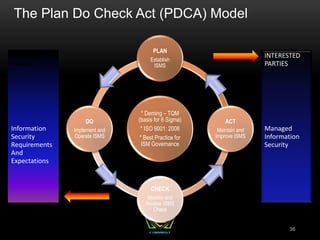
  • 59.
    INTELLECTUAL PROPERTY PROTECTION CONTINUED 59 •Trademark • Protect word, name, symbol, sound, shape, color or combination used to identify product to distinguish from others • Protect from someone stealing another company’s “look and feel” • Corporate Brands and operating system logos • Trademark Law Treaty Implementation Act protects trademarks internationally
  • 60.
    INTELLECTUAL PROPERTY PROTECTION CONTINUED 60 •Patent • Originally valid for 17 years, but are now valid for 20 years • Protection for those who have legal ownership of an invention • Invention must be novel and non-obvious • Owner has exclusive control of invention for 20 years • Cryptographic algorithm • The strongest form of protection • Published to stimulate other inventions • PCT (Patent CooperationTreaty) has been adopted by over 130 countries to provide the international protection of patents • No organization enforces patents. It is up to the owner to purse the patent rights through the legal system
  • 61.
    ATTACKS ON INTELLECTUAL PROPERTY 61 •Piracy • Copyright infringement • Counterfeiting • Cybersquatting • Typosquatting
  • 62.
    EXPORT/IMPORT RESTRICTIONS 62  Exportrestriction  WASSENAAR Agreement makes it illegal to export munitions to terrorist sponsored nations  Exporting of cryptographic software is allowed to non- government end-users of other countries  No exporting of strong encryption software to terrorists states  Import restriction  In many countries, the import of cryptographic tools with strong encryption requires a copy of the private keys be provided to law enforcement  US Safe Harbor Laws
  • 63.
    INTERNATIONAL ISSUES 63 • Transborder Issues • Each country treats computer crimes differently • Evidence rules differ between legal systems • Governments may not assist each other in international cases • Jurisdiction issues
  • 64.
    PRIVACY ISSUES –EMPLOYEE MONITORING 64  Local labor laws related to privacy cannot be violated  Be mindful of the reasonable expectation of privacy (REP)  Gain an employee waiver by signature on policies, etc...  Notify of monitoring that may be used, or do not monitor the employees at all  Banner and security awareness  Ensure that monitoring is lawful  Do not target individuals in monitoring  Monitor work-related events:  Keystroke, Cameras, Badges, Telephone, E-mail
  • 65.
    HIPAA (HEALTH INSURANCEPORTABILITY AND ACCOUNTABILITY ACT) 65 • Applies to • Health Insurers • Health Providers • Health care clearing houses (claim processing agencies) • As of 2009, covered entities must disclose security breaches regarding personal information
  • 66.
    GRAMM-LEACH-BLILEY FINANCIAL SERVICES MODERNIZATIONACT 66  Known as GLBA  Requires financial agencies to better protect customer’s PII (Personally Identifiable Information)  Three Rules:  Financial Privacy rule-Requires financial institutions to provide information to customers regarding how PII is protected  Safeguards Rule-Requires each financial institution to have a formal written security plan detailing how customer PII will be safeguarded  Pretexting Protection-Addresses social engineering and requires methods be in place to limit information that can be obtained by this type of attack
  • 67.
    PCI DSS (PAYMENTCARD INDUSTRY DATA SECURITY STANDARD) 67  Not a legal mandate  Payment Card Industry self-regulates its own security standards  Applies to any business worldwide that transmits, processes or stores payment card transactions to conduct business with customers  Compliance is enforced by the payment card vendor (Visa, MasterCard, American Express, etc..)  Compliance requirements are dictated by the number of transactions, as well as any previous security issues
  • 68.
    PCI DSS (PAYMENTCARD INDUSTRY DATA SECURITY STANDARD) CONTINUED 68 • Six Core Principles: • Build and maintain a secure network • Protect card holder data • Maintain a vulnerability management program • Implement strong access control measures • Regularly monitor and test the networks • Maintain an Information security policy
  • 69.
    DISCLOSURE 69  Often Organizationsprefer not to disclose security breaches  Advertises vulnerabilities  Causes loss of customer confidence  Liability issues  Difficulty of Prosecution  Many states have now passed disclosure laws that legally require organizations to publicly disclose security breaches that might compromise personal data  Allow individuals to take corrective action  Additional motivation for organizations to protect customer data
  • 70.
    AUDITING ROLE  ObjectiveEvaluation of controls and policies to ensure that they are being implemented and are effective.  If internal auditing is in place, auditors should not report to the head of a business unit, but rather to legal or human resources--some other entity with out direct stake in result 70
  • 71.
    Knowledge Transfer Awareness, Training,Education “People are often the weakest link in securing information. Awareness of the need to protect information, training in the skills needed to operate them securely, and education in security measures and practices are of critical importance for the success of an organization’s security program.” The Goal of Knowledge Transfer is to modify employee behavior 71
  • 72.
    BEING AWARE OFTHE RULES Security Awareness Training Employees cannot and will not follow the directives and procedures, if they do not know about them Employees must know expectations and ramifications, if not met Employee recognition award program Part of due care Administrative control 72
  • 73.
    AWARENESS/TRAINING/ EDUCATION BENEFITS Overriding Benefits: Modifiesemployee behavior and improves attitudes towards information security Increases ability to hold employees accountable for their actions Raises collective security awareness level of the organization 73
  • 74.
    CONTINUITY OF THEENTERPRISE Business Continuity and Disaster Recovery Planning
  • 75.
    BCP VS. DRP •Business Continuity Planning: Focuses on sustaining operations and protecting the viability of the business following a disaster, until normal business conditions can be restored. The BCP is an “umbrella” term that includes many other plans including the DRP. Long Term focused • Disaster Recovery Planning: goal is to minimize the effects of a disaster and to take the necessary steps to ensure that the resources, personnel and business processes are able to resume operations in a timely manner. Deals with the immediate aftermath of the disaster, and is often IT focused. Short Term focused 75
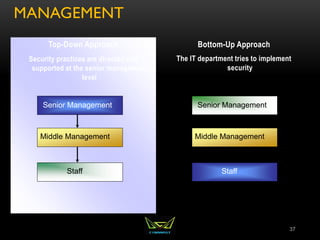
  • 76.
    BCP RELATIONSHIP TORISK MANAGEMENT 76
  • 77.
    MITIGATE RISKS • Reducenegative effects: • – Life Safety is the number 1 priority! • – Reputation: Is the second most important asset of an organization. Though specific systems are certainly essential, don’t forget to focus on the big picture—protect the company as a whole 77
  • 78.
    BUSINESS CONTINUITY PLANNING •Disaster recovery and continuity planning deal with uncertainty and chance • Must identify all possible threats and estimate possible damage • Develop viable alternatives • Threat Types: • Man-made • Strikes, riots, fires, terrorism, hackers, vandals • Natural • Tornado, flood, earthquake • Technical • Power outage, device failure, loss of a T1 line 78
  • 79.
    BUSINESS CONTINUITY PLANNING Categories of Disruptions  Non-disaster: Inconvenience. Hard drive failure  Disruption of service  Device malfunction  Emergency/Crisis  Urgent, immediate event where there is the potential for loss of life or property  Disaster  Entire facility unusable for a day or longer  Catastrophe  Destroys facility  A company should understand and be prepared for each category  ANYONE CAN DECLARE AN EMERGENCY, ONLY THE BCP COORDINATOR CAN DECLARE A DISASTER (Anyone can pull the fire alarm or trigger an emergency alarm. Only the BCP coordinator or someone specified in the BCP can declare a disaster which will then trigger failover to another facility) 79
  • 80.
    ISO 27031  Approvedin 2011  Provides a standard that did not exist previously  Will solve issues of inconsistency in terms, definitions and documents (so for now, there may be inconsistencies on the exam. Look for concepts more than specific terms)  Until this ISO standard is included on the test, the following institutes will provide guidance on BCP/DRP:  DRII (Disaster Recovery Institute International)  NIST 800-34  BCI GPG (Business Continuity International Good Practice Guidelines) 80
  • 81.
    BUSINESS CONTINUITY PLANSUB-PLANS • BCP • Protect • Crisis Communication Plan • OEP (Occupant Emergency Plan) • Recover • BRP (Business Recovery Plan) • DRP (Disaster Recovery Plan) • Continuity of Support Plan/IT Contingency Plan • Sustain • COOP (Continuity of Operations Plan 81
  • 82.
    PROTECT • Crisis CommunicationsPlan Purpose: Provides procedures for disseminating status reports to personnel and the public Scope: Addresses communications with personnel and the public; not IT focused • Occupant Emergency Plan (OEP) Purpose: Provide coordinated procedures for minimizing loss of life or injury and protecting property damage in response to a physical threat Scope: Focuses on personnel and property particular to the specific facility; not business process or IT system functionality based. May also be referred to as Crisis or Incident management plans. However, the OEP concept should be recognizable as the “initial response to the emergency event”
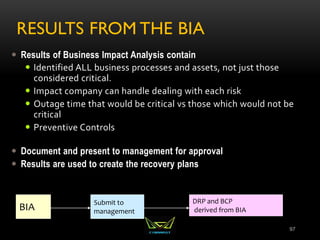
  • 83.
    RECOVER • Business Recovery(or Resumption) Plan (BRP) Purpose: Provide procedures for recovering business operations immediately following a disaster Scope: Addresses business processes; not IT-focused; IT addressed based only on its support for business process • Continuity of Support Plan/IT Contingency Plan Purpose: Provide procedures and capabilities for recovering a major application or general support system Scope: Same as IT contingency plan; addresses IT system disruptions; not business process focused • Cyber Incident Response Plan Purpose: Provide strategies to detect, respond to, and limit consequences of malicious cyber incident Scope: Focuses on information security responses to incidents affecting systems and/or networks • Disaster Recovery Plan (DRP) Purpose: Provide detailed procedures to facilitate recovery of capabilities at an alternate site Scope: Often IT-focused; limited to major disruptions with long-term effects
  • 84.
    SUSTAIN Continuity of OperationsPlan (COOP) Purpose: Provide procedures and capabilities to sustain an organization’s essential, strategic functions at an alternate site for up to 30 days. This term is sometimes used in US Government to refer to the field of Business Continuity Management, but per NIST 800-34, it is a unique sub- plan of the BCP. **Note, BCP addresses ALL business processes, not just mission critical. Scope: Addresses the subset of an organization’s missions that are deemed most critical; usually written at headquarters level; not IT- focused 84
  • 85.
  • 86.
    ROLES AND RESPONSIBILITIES •Senior Executive Management • Consistent support and final approval of plans • Setting the business continuity policy • Prioritizing critical business functions • Allocating sufficient resources and personnel • Providing oversight for and approving the BCP • Directing and reviewing test results • Ensuring maintenance of a current plan 86
  • 87.
    ROLES AND RESPONSIBILITIES Senior Functional Management  Develop and document maintenance and testing strategy  Identify and prioritize mission-critical systems  Monitor progress of plan development and execution  Ensure periodic tests  Create the various teams necessary to execute the plans 87
  • 88.
    ROLES AND RESPONSIBILITIES •BCP Steering Committee • Conduct the BIA • Coordinate with department representatives • Develop analysis group • Plan must be developed by those who will carry it out • Representatives from critical departments 88
  • 89.
    BCP TEAMS • Teams: •Rescue: Responsible for dealing with the immediacy of disaster—employee evacuation, “crashing” the server room, etc.. • Recovery: Responsible for getting the alternate facility up and running and restoring the most critical services first. • Salvage: Responsible for the return of operations to the original or permanent facility (reconstitution) 89
  • 90.
    DEVELOPING THE TEAMS Management should appoint members  Each member must understand the goals of the plan and be familiar with the department they are responsible for  Agreed upon prior to the event:  Who will talk to the media, customers, share holders  Who will setup alternative communication methods  Who will setup the offsite facility  Established agreements with off-site facilities should be in place  Who will work on the primary facility 90
  • 91.
    7 PHASES OFBUSINESS CONTINUITY PLAN 91 • Phases of Plan: • Project Initiation • Business Impact Analysis • Recovery Strategy • Plan Design and Development • Implementation • Testing • Maintenance
  • 92.
    7 PHASES OFBUSINESS CONTINUITY PLAN 92 Project Initiation Business Impact Analysis Implementation Testing Recovery Strategy Plan design and development Maintenance
  • 93.
    PHASES OF THEPLAN: PROJECT INITIATION 93 • Project Initiation • Obtain senior management’s support • Secure funding and resource allocation • Name BCP coordinator/Project Manager • Develop Project Charter • Determine scope of the plan • Select Members of the BCP Team
  • 94.
    PHASES OF THEPLAN: BUSINESS IMPACT ANALYSIS 94 • BIA (Business Impact Analysis) • Initiated by BCP Committee • Identifies and prioritizes all business processes based on criticality • Addresses the impact on the organization in the event of loss of a specific services or process • Quantitative: Loss of revenue, loss of capital, loss due to liabilities, penalties and fines, etc.. • Qualitative: loss of service quality, competitive advantage, market share, reputation, etc.. • Establishes key metrics for use in determining appropriate counter-measures and recovery strategy • IMPORTANCE (relevance) vs. CRITICALITY (downtime) • The Auditing Department is certainly important, though not usually critical. THE BIA FOCUSES ON CRITICALITY
  • 95.
    PHASES OF THEPLAN: BUSINESS IMPACT ANALYSIS 95 • Key Metrics to Establish • Service Level Objectives: • RPO (Recovery Point Objective): • MTD (Maximum Tolerable Downtime) • RTO (Recovery Time Objective) • WRT (Work Recovery Time) • MTBF (Mean Time Between Failures) MTTR (Mean Time To Repair) MOR (Minimum Operating Requirements)
  • 96.
    ELEMENTS OF THEPLAN: BUSINESS IMPACT ANALYSIS  Management should establish recovery priorities for business processes that identify:  Essential personnel  Succession Plans  MOAs/MOUs (Memorandums of Agreement/Understanding)  Technologies  Facilities  Communications systems  Vital records and data 96
  • 97.
    RESULTS FROM THEBIA  Results of Business Impact Analysis contain  Identified ALL business processes and assets, not just those considered critical.  Impact company can handle dealing with each risk  Outage time that would be critical vs those which would not be critical  Preventive Controls  Document and present to management for approval  Results are used to create the recovery plans 97 BIA Submit to management DRP and BCP derived from BIA
  • 98.
    PHASES OF THEPLAN: IDENTIFY RECOVERY STRATEGIES • When preventive controls don’t work, recovery strategies are necessary • Facility Recovery • Hardware and Software Recovery • Personnel recovery • Data Recovery 98
  • 99.
    FACILITY RECOVERY • FacilityRecovery • Subscription Services • Hot, warm, cold sites • Reciprocal Agreements • Others • Redundant/Mirrored site (partial or full) • Outsourcing • Rolling hot site • Prefabricated building • Offsite Facilities should be no less than 15 miles away for low to medium environments. Critical operations should have an offsite facility 50-200 miles away 99
  • 100.
    FACILITY RECOVERY OPTIONS AlternativeTime to Occupy Readiness Cost Mirrored Site Within 24 hours Fully redundant in every way Highest Hot Site Within 24 hours Fully configured equipment and communications links; need only load most recent data High Rolling Hot Site Usually 24 hours Similar to hot site, but supports data center operations only High Warm Site Within a week Between a hot and cold site. Partially configured equipment and does not contain any live data; some activation activity needed Medium Cold Site Within 30 days Typically contains the appropriate electrical and heating/air conditioning systems, but does not contain equipment or active communication links Lowest 100
  • 101.
    FACILITY RECOVERY: RECIPROCAL AGREEMENTS How long will the facility be available to the company in need?  How much assistance will the staff supply in the means of integrating the two environments and ongoing support?  How quickly can the company in need move into the facility?  What are the issues pertaining to interoperability?  How many of the resources will be available to the company in need?  How will differences and conflicts be addressed?  How does change control and configuration management take place? 101
  • 102.
    HARDWARE RECOVERY  TechnologyRecovery is dependent upon good configuration management documentation  May include  PC’s/Servers  Network Equipment  Supplies  Voice and data communications equipment  SLA’s can play an essential role in hardware recovery— See Below 102
  • 103.
    SOFTWARE RECOVERY • BIOSConfiguration information • Operating Systems • Licensing Information • Configuration Settings • Applications • Plans for what to do in the event that the operating system/applications are not longer available to be purchased 103
  • 104.
    PERSONNEL RECOVERY • IdentifyEssential Personnel—Entire staff is not always necessary to move into recovery operations • How to handle personnel if the offsite facility is a great distance away • Eliminate single points of failure in staffing and ensure backups are properly Trained • Don’t forget payroll! 104
  • 105.
    ADDITIONAL DATA REDUNDANCY •Database Shadowing • Remote Journaling • Electronic Vaulting 105
  • 106.
    DATA RECOVERY CONTINUED •Database Backups • Disk-shadowing • Mirroring technology • Updating one or more copies of data at the same time • Data saved to two media types for redundancy 106 Database Master Data Repository Shadow Data Repository
  • 107.
    DATA RECOVERY CONTINUED •Electronic Vaulting • Copy of modified file is sent to a remote location where an original backup is stored • Transfers bulk backup information • Batch process of moving data • Remote Journaling • Moves the journal or transaction log to a remote location, not the actual files 107
  • 108.
    PHASES OF THEPLAN: PLAN AND DESIGN DEVELOPMENT • Now that all the research and planning has been done, this phase is where the actual plan is written • Should address • Responsibility • Authority • Priorities • Testing 108
  • 109.
    PHASES OF THEPLAN: IMPLEMENTATION • Plan is often created for an enterprise with individual functional managers responsible for plans specific to their departments • Copies of Plan should be kept in multiple locations • Both Electronic and paper copies should be kept • Plan should be distributed to those with a need to know. Most employees will only see a small portion of the plan 109
  • 110.
    PHASES OF THEPLAN: IMPLEMENTATION 110
  • 111.
    PHASES OF THEPLAN: IMPLEMENTATION • Three Phases Following a Disruption • Notification/Activation • Notifying recovery personnel • Performing a damage assessment • Recovery Phase--Failover • Actions taken by recovery teams and personnel to restore IT operations at an alternate site or using contingency capabilities—performed by recovery team • Reconstitution--Failback • Outlines actions taken to return the system to normal operating conditions—performed by Salvage team 111
  • 112.
    PHASES OF THEPLAN: TESTING  Should happen once per year, or as the result of a major change (VERY TESTABLE)  The purpose of testing is to improve the response (never to find fault or blame)  The type of testing is based upon the criticality of the organization, resources available and risk tolerance  Testing: Happens before implementation of a plan. The goal is to ensure the accuracy and the effectiveness of the plan  Exercises/Drills: Employees walk through step by step. Happens periodically. Main goal is to train employees  Auditing: 3rd party observer ensures that components of a plan are being carried out and that they are effective. 112
  • 113.
    TYPES OF TESTS Checklist Test  Copies of plan distributed to different departments  Functional managers review  Structured Walk-Through (Table Top) Test  Representatives from each department go over the plan  Simulation Test  Going through a disaster scenario  Continues up to the actual relocation to an offsite facility 113
  • 114.
    TYPES OF TESTS •Parallel Test • Systems moved to alternate site, and processing takes place there • Full-Interruption Test • Original site shut down • All of processing moved to offsite facility 114
  • 115.
    POST-INCIDENT REVIEW • Aftera test or disaster has taken place: • Focus on how to improve • What should have happened • What should happen next • Not who’s fault it was; this is not productive 115
  • 116.
    PHASES OF THEPLAN: MAINTENANCE  Change Management:  Technical – hardware/software  People  Environment  Laws  Large plans can take a lot of work to maintain  Does not have a direct line to profitability 116
  • 117.
    PHASES OF THEPLAN: MAINTENANCE • Keeping plan in date • Make it a part of business meetings and decisions • Centralize responsibility for updates • Part of job description • Personnel evaluations • Report regularly • Audits • As plans get revised, original copies should be retrieved and destroyed 117
  • 118.
    CHAPTER 1: SECURITYAND RISK MANAGEMENT REVIEW • Security Basics • Confidentiality, integrity, and availability concepts • IAAA • Risks • Security governance principles • Compliance • Legal and regulatory issues • Professional ethics: download ISC2 code of ethics at https://www.isc2.org/uploadedfiles/(isc)2_public_content/code_of_ethics/isc2-code-of-ethics.pdf • Business Continuity Planning 1. Project Initiation 2. Business Impact Analysis 3. Recovery Strategy 4. Plan Design and Development 5. Implementation 6. Testing 7. Maintenance 118
  • 119.
  • 120.
    CHAPTER 2 ASSETSECURITY AGENDA • Roles within an Organization • Classification of Data • System Baselining and Hardening • States of Data 120
  • 121.
    ROLES AND RESPONSIBILITIES Senior/Executive Management  CEO: Chief Decision-Maker  CFO: Responsible for budgeting and finances  CIO: Ensures technology supports company's objectives  ISO: Risk Analysis and Mitigation  Steering Committee: Define risks, objectives and approaches  Auditors: Evaluates business processes  Data Owner: Classifies Data  Data Custodian: Day to day maintenance of data  Network Administrator: Ensures availability of network resources  Security Administrator: Responsible for all security-related tasks, focusing on Confidentiality and Integrity 121
  • 122.
    AUDITING ROLE  ObjectiveEvaluation of controls and policies to ensure that they are being implemented and are effective.  If internal auditing is in place, auditors should not report to the head of a business unit, but rather to legal or human resources--some other entity with out direct stake in result 122
  • 123.
    DATA CLASSIFICATION  Developmentof sensitivity labels for data and the assignment of those labels for the purpose of configuring baseline security based on value of data  Cost: Value of the Data  Classify: Criteria for Classification  Controls: Determining the baseline security configuration for each  Data Owner determines the classification of data  Data Custodian maintains the data 123
  • 124.
    CONSIDERATIONS FOR ASSET VALUATION What makes up the value of an asset?  Value to the organization  Loss if compromised  Legislative drivers  Liabilities  Value to competitors  Acquisition costs  And many others 124
  • 125.
    SENSITIVITY VS. CRITICALITY •Sensitivity describes the amount of damage that would be done should the information be disclosed • Criticality describes the time sensitivity of the data. This is usually driven by the understanding of how much revenue a specific asset generates, and without that asset, there will be lost revenue 125
  • 126.
    STATES OF DATA •At Rest: File System Encryptions, EFS, TPM • In Process: ? • In Transit: IPSec, SSL/TLS 126
  • 127.
    SYSTEM HARDENING &BASELINING • Removing Unnecessary Services • Installing the latest services packs and patches • Renaming default accounts • Changing default settings • Enabling security configurations like auditing, firewalls, updates, etc.. • ***Don’t forget physical security!*** 127
  • 128.
    CONFIGURATION MANAGEMENT • Definedby ISC2 as “a process of identifying and documenting hardware components, software and the associated settings.” • The goal is to move beyond the original design to a hardened, operationally sound configuration • Identifying, controlling, accounting for and auditing changes made to the baselineTCB • These changes come about as we perform system hardening tasks to secure a system. • Will control changes and test documentation through the operational life cycle of a system • Implemented hand in hand with change control • ESSENTIAL to Disaster Recovery 128
  • 129.
    CONFIGURATION MANAGEMENT DOCUMENTATION • Make •Model • MAC address • Serial number • Operating System/Firmware version • Location • BIOS or other passwords • Permanent IP if applicable • Organizational department label 129
  • 130.
    CHANGE MANAGEMENT • Directive,Administrative Control that should be incorporated into organizational policy. • The formal review of all proposed changes--no “on-the-fly” changes • Only approved changes will be implemented • The ultimate goal is system stability • Periodic reassessment of the environment to evaluate the need for upgrades/modifications 130
  • 131.
    THE CHANGE MANAGEMENT PROCESS •Request Submittal • Risk/Impact Assessment • Approval or Rejection of Change • Testing • Scheduling/User Notification/Training • Implementation • Validation • Documentation 131
  • 132.
    PATCH MANAGEMENT • Anessential part of Configuration and Change Management • May come as a result of vendor notification or pen testing • Cve.mitre.org (Common Vulnerability and Exposures) database provides standard conventions for known vulnerabilities • Nvd.nist.gov Enables automation of vulnerability management, security measurement, and compliance. NVD includes databases of security checklists, security related software flaws, incorrect configurations, product names, and impact metrics. • www.cert.gov: Online resource concerning common vulnerabilities and attacks 132
  • 133.
    CHAPTER 2 ASSETSECURITY REVIEW • Roles within an Organization • Classification of Data • System Baselining and Hardening • States of Data 133
  • 134.
  • 135.
    SECURITY ARCHITECTURE &DESIGN OBJECTIVES • Part I: • Principles of Secure Design • Trusted Computer Base Elements • Security Perimeter • Reference Monitor • Security Kernel • Security Models • Computer/Security Architecture • Security Models • Security Evaluation Criteria • Part II • Cryptography 135
  • 136.
    PRINCIPLES OF SECUREDESIGN An information system’s architecture must satisfy the defined business and security requirements. Security should be built into an information system by design. When designing system architecture, security and business requirements needs to be carefully balanced. Tradeoffs are involved in reaching a balance between security and business requirements. Security should be integrated into the design, as opposed to added later 136
  • 137.
    PRINCIPLES OF SECUREDESIGN CONTINUED The security requirements of an information system are driven by the security policy of the organization that will use the system. To incorporate the abstract goals of a security policy into an information system’s architecture, you will need to use security models. A security model lays out the framework and mathematical models that act as security-related specifications for a system architecture. The system architecture, in turn, is the overall design of the components - such as hardware, operating systems, applications, and networks – of an information system. This design should meet the specifications provided by the security model. 137
  • 138.
    SECURITY ARCHITECTURE  Securityarchitecture is part of the overall architecture of an information system. It directs how the components included in the system architecture should be organized to ensure that security requirements are met. The security architecture of an information system should include: A description of the locations in the overall architecture where security measures should be placed. A description of how various components of the architecture should interact to ensure security. The security specifications to be followed when designing and developing the system. 138
  • 139.
    COMPUTER ARCHITECTURE  TheCentral Processing Unit (CPU) – Processes the instructions provided by the various applications/programs. To do this the CPU needs to access such instructions from their memory locations.  The CPU can access the memory locations in its cache, along with memory locations in the random access memory (RAM). These types of memory are called primary memory.  The major components.  The Arithmetic Logic Unit (ALU)  Control Unit (coordinates instruction execution)  Registers that act as temporary memory locations and store the memory addresses of the instructions and data that needs processing by the CPU. 139
  • 140.
    COMPUTER ARCHITECTURE Program: AnApplication Process: A program loaded into memory Thread: Each individual instruction within a process Multiprogramming: no true isolation Multiprocessing – more than one CPU Multi threading—in the past multiple CPUs were needed. Today multi-core processors provide this. Operating System Architecture Process Activity Memory Management Memory Types – RAM, ROM, etc.. Virtual Memory CPU Modes & Protection Rings 140
  • 141.
    CPU MODES &PROTECTION RINGS  Protection Rings provide a security mechanism for an operating system by creating boundaries between the various processes operating on a system and also ensures that processes do not affect each other or harm critical system components.  Ring 0 – Operating system kernel (supervisor /privilege mode)  Ring 1 – Remaining parts of the operating system (OS)  Ring 2 – Operating system and I/O drivers and OS utilities  Ring 3 – Applications (Programs) and user activity 141
  • 142.
    SYSTEM ARCHITECTURE  DefinedSubset of Subjects and Objects  Trusted Computing Base (TCB)  Security Perimeter  Reference Monitor  Security Kernel  The Security kernel enforces the reference monitor concept.  Must facilitate isolation of processes  Must be invoked at every access attempt.  Must be small enough to be tested and verified in a comprehensive manner.  Security Policy – a set of rules on how resources are managed within a computer system.  Least Privilege – one process has no more privileges than it needs. 142
  • 143.
    SECURITY MODELS • StateMachine Models • **The Bell-LaPadula Model • **The Biba Model • The Clark-Wilson Model • The Brewer & Nash Model • The Information Flow Model • The Non-Interference Model • The Lattice Model 143
  • 144.
    Security Models • StateMachine Models • The state of a system is its snapshot at any one particular moment.The state machine model describes subjects, objects, and sequences in a system.The focus of this model is to capture the system’s state and ensure its security. • When an object accepts input, the value of the state variable is modified. For a subject to access this object or modify the object value, the subject should have appropriate access rights. • State transitions refer to activities that alter a systems state. 144
  • 145.
    145 Confidentiality models: Bell &LaPadula)  Developed by David Elliot Bell and Len LaPadula  This model focuses on data confidentiality and access to classified information.  A Formal Model developed for the DoD multilevel security policy  This formal model divides entities in an information system into subjects and objects.  Model is built on the concept of a state machine with different allowable states (i.e. Secure state)
  • 146.
    146 Bell & LaPadulaConfidentiality Model  Has 3 rules:  Simple Security Property – “no read up”  A subject cannot read data from a security level higher than subject’s security level.  *_Security Property – “no write down”  A subject cannot write data to a security level lower than the subject’s security level.  Strong * Property – “no read/write up or down”.  A subject with read/write privilege can perform read/write functions only at the subject’s security levels.
  • 147.
    147 • Integrity models(e.g., Biba, Clark and Wilson) • Biba Integrity Model • Developed by Kenneth J. Biba in 1977 based on a set of access control rules designed to ensure data integrity • No subject can depend on an object of lesser integrity • Based on a hierarchical lattice of integrity levels • Authorized users must perform correct and safe procedures to protect data integrity
  • 148.
    148 • Biba IntegrityModel • The Rules: • Simple integrity axiom – “no read down” – A Subject cannot read data from an object of lower integrity level. • * Integrity axiom – “no write up” – A Subject cannot write data to an object at a higher integrity level. • Invocation property – A subject cannot invoke (call upon) subjects at a higher integrity level.
  • 149.
    149 Commercial Models Integrity models– Clark-Wilson Model Model Characteristics: Clark Wilson enforces well-formed transactions through the use of the access triple: UserTransformation ProcedureCDI (Constrained Data Item) Deals with all three integrity goals SEPARATION of DUTIES  Prevents unauthorized users from making modifications  Prevents authorized users from making improper modifications  Maintain internal and external consistency – reinforces separation of duties
  • 150.
    150 Commercial Models –Continued Brewer-Nash Model – a.k.a. Chinese Wall Developed to combat conflict of interest in databases housing competitor information  Publish in 1989 to ensure fair competition  Defines a wall and a set of rules to ensure that no subject accesses objects on the other side of the wall  Way of separating competitors data within the same integrated database
  • 151.
    151 Information flow model •Data is compartmentalized based on classification and the need to know • Model seeks to eliminate covert channels • Model ensures that information always flows from a low security level to a higher security level and from a high integrity level to a low integrity level. • Whatever component directly affects the flow of information must dominate all components involved with the flow of information
  • 152.
    152 Non-interference Model Model Characteristics: •Model ensures that actions at a higher security level does not interfere with the actions at a lower security level. • The goal of this model is to protect the state of an entity at the lower security level by actions at the higher security level so that data does not pass through covert or timing channels.
  • 153.
    153 Lattice Model Model Characteristics •Model consists of a set of objects constrained between the least upper bound and the greatest lower bound values. • The least upper bound is the value that defines the least level of object access rights granted to a subject. • The greatest lower bound is value that defines the maximum level of object access rights granted to a subject • The goal of this model is to protect the confidentiality of an object and only allow access by an authorized subject.
  • 154.
    Secure Modes ofOperation • Single State • Multi State • Compartmented • Dedicated **See Document entitled Single, Multi, Compartmented Dedicated. *** 154
  • 155.
    EVALUATION CRITERIA Why Evaluate? To carefully examine the security-related components of a system  Trust vs. Assurance  The Orange Book (TCSEC)  The Orange Book & the Rainbow Series  ITSEC (Information Technology Security Evaluation Criteria)  Common Criteria 155
  • 156.
    156 Trusted Computer SecurityEvaluation Criteria (TCSEC)  Developed by the National Computer Security Center (NCSC)  Also known as the Orange Book  Based on the Bell-LaPadulla model (deals with only confidentiality)  Uses a hierarchically ordered series of evaluation classes  Defines Trust and Assurance, but does not allow for them to be evaluated independently
  • 157.
    157 Trusted Computer SecurityEvaluation Criteria (TCSEC) aka “The Orange Book” Ratings: A1 – Verified Protection B1, B2, B3 – Mandatory Protection C1, C2 – Discretionary Protection D – Minimal Security
  • 158.
    158 Information Tech SecurityEvaluation Criteria (ITSEC) Created by some European nations in 1991 as a standard to evaluate security attributes of computer systems The First Criteria to evaluate functionality and assurance separately F1 toF10 rates for functionality E0 to E6 for assurance
  • 159.
    COMMON CRITERIA ISO15408 Protection Profile Target of evaluation Security target Evaluation Assurance Level (EAL 1-7) Evaluation packages 159
  • 160.
    160 Common Criteria (CC)Ratings Rated as Evaluation Assurance Level (EAL) 1 through 7  EAL 1 – Functionally tested  EAL 2 – Structurally tested  EAL 3 – Methodically tested and checked  EAL 4 – Methodically designed, tested, and reviewed  EAL 5 – Semi formally designed and tested  EAL 6 – Semi-formally verified designed and tested  EAL 7 – Formally verified designed and tested
  • 161.
    Certification & Accreditation Certification:  A process that ensures systems and major applications adhere to formal and established security requirements that are well documented and authorized.  It is usually performed by a vendor.  Accreditation:  A formal declaration by a Designated Accrediting Authority (DAA) that information systems are approved to operate at an acceptable level of risk based on the implementation of an approved set of technical, managerial, and procedural safeguards. 161
  • 162.
    TRUSTED RECOVERY • Systemreboot, emergency system restart, system cold start • No compromise of protection mechanisms or possibility of bypassing them • Preparing system for failure and recovering the system • Failure of system cannot be used to breach security 162
  • 163.
    MODULE 3 PARTII: CRYPTOGRAPHY  Historical uses of Cryptography  Security Services provided by cryptography  Definitions and terms  Symmetric Cryptography  Asymmetric Cryptography  Hybrid Cryptography  Integrity through Hashing, MACs and Digital Signatures  Public Key Infrastructure  IPSec  Attacks on Cryptography 163
  • 164.
    CRYPTOGRAPHY IN HISTORY •Caesar Cipher • Scytale • Vignere • Vernam • Enigma Machine and Purple Machine 164
  • 165.
    CAESAR CIPHER • SimpleSubstitution • Shift Characters 3 spaces • A=D, B=E, C=F, etc.. • Substitution Ciphers are subject to pattern analysis 165
  • 166.
    SCYTALE • Spartans usedthis cipher to communicate messages to generals in the field • Wrapped tape around a rod • Diameter of the rod is the pre-agreed upon secret (key) 166
  • 167.
    VIGNERE • First polyalphabeticcipher • Key word is agreed upon ahead of time • First letter of the key is matched up against first letter of the message, and so on 167
  • 168.
    CRYPTOGRAPHY IN WARFARE •Enigma Machine/Purple Machine • Used by the Germans/Japanese in WWII • Breaking the cryptography of these devices is credited with reducing the length of the war. 168
  • 169.
    VERNAM CIPHER • OneTime Pad • Only mathematically unbreakable form of cryptography • Key must be used only once • Pad must be at least as long as the message • Key pad is statistically unpredictable • Key Pad must be delivered and stored securely 169
  • 170.
    SECURITY SERVICES PROVIDEDBY CRYPTOGRAPHY • Privacy: Prevents unauthorized disclosure of information • Authenticity: Verifies the claimed identity • Integrity: Detects modification or corruption • Non-Repudiation: Combines authenticity and integrity. A sender can’t dispute having sent a message, nor its contents. 170
  • 171.
    DEFINITIONS AND CONCEPTS PlainText + Initialization Vector + Algorithm (aka Cipher) + Key = Cipher Text 171
  • 172.
    INITIALIZATION VECTOR • Hereare some random numbers (I promise, they’re really random!) 7 5 2 3 4 9 4 If we start at track 0 and +7 +5 – 2 +3 + 4 +9 -4 We still don’t have randomness. Vary the starting point and that will make the process more random Very similar to a “seed” or a “salt”
  • 173.
  • 174.
    ELEMENTS OF CRYPTOGRAPHY Desirable Qualities of an Algorithm  Confusion  Diffusion  Avalanche  Permutations  Open—Kerckhoff’s Principle  Desirable Qualities of a Key  Long  Random  Secret 174
  • 175.
    DEFINITIONS AND CONCEPTS •Plain text is unencrypted text • Initialization Vector (IV) adds randomness to the beginning of the process • Algorithm is the collection of math functions that can be performed • Key: Instruction set on how to use the algorithm 175
  • 176.
  • 177.
    STREAM CIPHERS XOR 177 IfValues are: Alike 0 Different 1
  • 178.
  • 179.
    SYMMETRIC CRYPTOGRAPHY • Symmetric= Same • In symmetric cryptography the same key is used to both encrypt and decrypt • Very fast means of encrypting/decrypting with good strength for privacy • Preferred means of protecting privacy data • Also can be called “Private Key” “Secret Key” or “Shared Key” Cryptography 179
  • 180.
    STREAM VS. BLOCK Stream Ciphers encrypt one bit (up to one byte) of data at a time.  Transposition, Substitution, XOR  Very fast and efficient  Not as Secure  RC-4 is the only stream cipher necessary for the test  Block Ciphers chunk data into blocks. Each chunk goes through a series of math functions called S-boxes 180
  • 181.
  • 182.
    ASYMMETRIC CRYPTOGRAPHY • Everyuser has a key pair. • Public key is made available to anyone who requests it • Private key is only available to that user and must not be disclosed or shared • The keys are mathematically related so that anything encrypted with one key can only be decrypted by the other. 182
  • 183.
    P.A.I.N SERVICES THROUGH ASYMMETRICCRYPTOGRAPHY AND HASHING • Privacy: Receiver’s Public Key • Authenticity: Sender’s Private Key • Integrity (not asymmetric OR symmetric) • Non-Repudiation: Hash encrypted Sender’s Private Key 183
  • 184.
  • 185.
    SUMMARY OF SYMMETRICvs.ASYMMETRIC 185
  • 186.
    COMMON SYMMETRIC ALGORITHM DES 3DES AES RC-4 RC-5 TwoFish Blowfish IDEA CAST MARS Skipjack 186
  • 187.
    COMMON ASYMMETRIC ALGORITHMS • DSA •RSA • ECC (Elliptical Curve Cryptography) • El Gamal • Diffie Hellman • Knapsack 187
  • 188.
    THE BUDDY SYSTEMFOR ASYMMETRIC ALGORITHMS • RSA and DSA • ECC and El Gamal • DH (Diffie Hellman) and Knapsack
  • 189.
    RSA • Named forRivest, Shamir, and Adleman, the creator • Currently the standard for Digital Signatures • Uses the idea that there is no efficient way to factor the product of large prime numbers • The math used for RSA is sometimes referred to as a trap- door function • ****Factorization***** 189
  • 190.
    DIFFIE-HELLMAN • The firstasymmetric algorithm • Secure key-agreement without pre-shared secrets • Based on discrete logarithms in a finite field 190
  • 191.
    DIFFIE HELLMAN KEYAGREEMENT 191
  • 192.
    ECC (ELLIPTICAL CURVE CRYPTOGRAPHY) •Based upon plotting points upon a curve • Very efficient, but only designed to work within certain environments • Frequently used for handheld devices due to their limited processing capability 192
  • 193.
    REVIEW SYMMETRIC VS.ASYMMETRIC Symmetric  Fast  Out of band key exchange  No integrity, authenticity or authenticity  Not Scalable  Asymmetric  Slow  Scales to large organizations well  Provides non-repudiation  Key exchange does not require exchange of any secret information 193
  • 194.
    HYBRID CRYPTOGRAPHY INSSL/TLS  Client initiates a secure connection  Server responds by sending it’s public key to the client  The client then generates a symmetric session key.  Client encrypts uses the server’s public key to encrypt the session key.  Client sends the session key (encrypted with the server’s public key) to the server  Server uses it’s private key to decrypt the session key  Now that a symmetric session key has been distributed, both parties have a secure channel across which to communicate. 194
  • 195.
    INTEGRITY  Data getsmodified  Accidentally through corruption  Intentionally through malicious alteration  Hash: only good for accidental modification  MAC: Provides reasonable authenticity and integrity not strong enough to be non-repudiation (because it uses a symmetric key)  Digital Signatures: Can detect both malicious and accidental modification, but requires an overhead. Provides true non-repudiation 195
  • 196.
  • 197.
    HASHING  Digital representationof the contents of the file  If the file changes, the hash will change  One way math  When two different documents produce the same hash it is called a collision  A birthday attack is an attempt to cause collisions. It is based on the idea that it is easier to find two hashes that happen to match than to produce a specific hash. 197
  • 198.
    HASHING ALGORITHMS • Variablelength message, fixed length has • MD-5 used to be the standard with a 128 bit hash • SHA-1 160 bit replaced MD-5 for the most part • SHA-256 is becoming very frequently used • RipeMD, Tiger, Whirlpool, HAVAL are lesser known hashing algorithms 198
  • 199.
    HASHING A hash createsa digital representation of a message. However, there is nothing about a hash that guarantees the origin of the message, or the authenticity of the hash itself. Therefore it is only useful in detecting unintentional modification, like corruption.
  • 200.
  • 201.
    MAC (MESSAGE AUTHENTICATIONCODE) • Message + Symmetric Number +Hashing algorithm = HMAC • Integrity and (reasonable) authenticity • A MAC does not provide true authenticity (symmetric) 201
  • 202.
    DIGITAL SIGNATURE • Messageis hashed. • Hash is encrypted by Sender’s Private Key. • SHA-1 is generally used for the hash • RSA is the asymmetric encryption algorithm that encrypts the hash with the sender’s private key. 202
  • 203.
    PKI PUBLIC KEYINFRASTRUCTURES What’s wrong with this picture?
  • 204.
    WHAT PREVENTS MITMATTACKS • Authentication • Remember Encryption can NOT thwart a MITM attack • Authentication is what prevents MITM 204
  • 205.
    HOW DO WEPROVE OUR IDENTITY? Name? Expiration Date Class? Serial Number? Is it issued by a trusted authority? Is it standardized?
  • 206.
    CERTIFICATES • X.509 v.4standard • Provides authenticity of a server’s public key • Necessary to avoid MITM attacks with server’s using SSL or TLS • Digitally signed by Certificate Authority 206
  • 207.
    PKI (PUBLIC KEYINFRASTRUCTURE) • Certificate Authority (CA) • Registration Authority (RA) • Certificate Repository • Certificate Revocation List 207
  • 208.
  • 209.
    CERTIFICATE REVOCATION • CRL:CA publishes CRL. Client is responsible for downloading to see if a certificate has been revoked. • OCSP (Online Certificate Status Protocol) Streamlines the process of verifying whether or not a certificate has been revoked. 209
  • 210.
  • 211.
    ENCRYPTING DATA INTRANSIT • Protect Data as it traverses the network • Most protocols like IP, HTTP FTP are not inherently secure 211
  • 212.
    ENCRYPTING DATA INTRANSIT: SSL/TLS 212
  • 213.
    IPSEC 213 IPSEC is anencapsulation framework. Tunnel vs. Transport mode dictates what portion of the IP Packet is to be encapsulated.
  • 214.
    IPSEC SUB-PROTOCOLS  AH(Authentication Header) Provides integrity, authenticity, and non- repudiation through the use of an ICV (Integrity Check Value). The ICV is run on the entire packet (header, data, trailer) except for particular fields in the header that are dynamic (like TTL, etc..). NO CONFIDENTIALITY  ESP (Encapsulating Security Payload) Provides authenticity and integrity through a MAC (no non-repudiation since a MAC is symmetric). The main service provided is ENCRYPTION. ICV is run on payload only.  IKE: Internet Key Exchange---No Security Services. Just management of secure connection  Oakley: Uses Diffie Hellman to agree upon a key  ISAKMP (Internet Security Association and Key Management Protocol) Manages Keys, Security Associations (SAs)and Security Parameters Index (SPI) 214
  • 215.
    SECURITY ASSOCIATIONS ANDSPIS 215 Security Association There will be at least two SAs for every secure connection
  • 216.
    SSH (SECURE SHELL) Secure alternative to unsecure remote administrative protocols  Telnet, FTP, R-utilitites (Rlogin, etc..) transmit credentials in clear text  SSH sets up a secure tunnel 216
  • 217.
    IMPLEMENTATION OF CRYPTOGRAPHY: DIGITALENVELOPES IN S/MIME  S/MIME (Secure Multipart Internet Mail Exchange) : Standards based secure email by creating a digital envelope Sender functions: Calculate hash value on message Encrypt message with session key Encrypt hash value with private key Encrypt session key with receiver’s public key Receiver functions: Decrypt session key with private key Decrypt hash value with sender’s public key Decrypt message Calculate hash value and compare with one sent 217
  • 218.
    CRYPTOGRAPHY: PGP (PRETTY GOODPRIVACY) • Proprietary mail standard from Phil Zimmerman • Free, but proprietary software must be installed • Uses Web of Trust • Passphrases instead of passwords • Learned keys are stored in a file called the key ring 218
  • 219.
    PROTECTING CONFIDENTIALITY OF DATAREST • Data stored on local drives must be protected • Log off of workstations not in use • Use encryption within the operating system (ex: EFS in Windows environment) • Whole Drive Encryption: Protect Hard Drive in the event the disk is stolen • TPM • USB • Directory Services 219
  • 220.
    ATTACKS ON CRYPTOGRAPHY Ciphertext Only: Attacker has captured encrypted text on the network. Usually means all the attacker can do is brute force  Known Plain Text: The attacker has captured cipher text, but also knows what a portion of the message is in plain text (like an automatic signature)  Chosen Plaintext: Attacker can see the full text encrypted and decrypted. Usually the attacker has initiated the message  Chosen Ciphertext: An attacker can see whatever they want in plain or ciphertext. They have compromised a workstation. Sometimes called a lunchtime or midnight attack. 220
  • 221.
    ATTACKS ON CRYPTOGRAPHY CONTINUED •Meet in the Middle (Not to be confused with Man in the Middle). These attacks are targeted towards algorithms like 3DES where there are multiple key. An attacker tries to learn what each key does individually. 221
  • 222.
    SECURITY ENGINEERING REVIEW PartI Security Architecture and Design: • Trusted Computer Base Elements • Security Perimeter • Reference Monitor • Security Kernel • Security Models • Computer/Security Architecture • Security Models • Security Evaluation Criteria 222 Part II Cryptography • Historical uses of Cryptography • Security Services provided by cryptography • Definitions and terms • Symmetric Cryptography • Asymmetric Cryptography • Hybrid Cryptography • Integrity through Hashing, MACs and Digital Signatures • Public Key Infrastructure • IPSec • Attacks on Cryptography
  • 223.
    CHAPTER 4 Communications andNetwork Security 223
  • 224.
    COMMUNICATIONS AND NETWORK SECURITY •OSI Reference Model • Network Protocols • Network Connectivity Devices • Threats to Network Security • Firewalls • Wireless Communications 224
  • 225.
  • 226.
  • 227.
  • 228.
    OSI MODEL 7 layersA P S T N D P… “All People Seem to Need Data Processing”  Application  Presentation  Session  Transport  Network  Data link  LLC  MAC  Physical 228
  • 229.
    OSI MODEL –LAYER 1 PHYSICAL Layer 1 Physical – simply put is concerned with physically sending electric signals over a medium. Is concerned with • specific cabling, • voltages and • Timings • This level actually sends data as electrical signals that other equipment using the same “physical” medium 229
  • 230.
    OSI REFERENCE MODEL:LAYER 1 (PHYSICAL) TRANSMISSION MEDIA/CABLING
  • 231.
    OSI REFERENCE MODEL:LAYER 1 (PHYSICAL) TOPOLOGY Bus •No central point of connection •Difficult to troubleshoot •One break in cable takes down the whole network Ring •No central point of connection •Often implemented with a MAU for fault tolerance Star •Switch offers fault tolerance, as individual links no longer affect the network •Switch is still a single point of failure Mesh •Most fault tolerant •Fully redundant •Partial Mesh is often used to spare cost 231
  • 232.
    OSI REFERENCE MODEL:LAYER 1 (PHYSICAL) CONNECTIVITY DEVICES Hub •Sends all data out all ports •No addressing •Historically a cheap point of central connectivity Modem •Modulator/Demodulator •Converts digital signal to analog and back Wireless Access Point •Provides wireless devices a point of connection to the wired network. 232
  • 233.
    OSI REFERENCE MODEL:LAYER 1 (PHYSICAL) 233 Threats: •Theft •Unauthorized Access •Vandalism •Sniffing •Interference •Data Emanation
  • 234.
    OSI MODEL –LAYER 2 DATA LINK  Data Link Layer  LLC Logical Link Control—error detection  MAC Media Access Control—Physical  Addressing/Resolution and media access determination  ARP (Address Resolution Protocol  RARP (Reverse Address Resolution Protocol)  Media Access Control  CSMA/CD Carrier Sense Multiple Access with Collision Detection (IEEE standard) 802.3 Ethernet  CSMA/CA Carrier Sense Multiple Access with Collision Avoidance(IEEE standard) 802.11 Wireless  Token Passing: 24 bit control frame passed around the network environment with the purpose of determining which system can transmit data. There is only one token and since a system can’t communicate without the token, there are no collisions. 234
  • 235.
    MEDIA ACCESS TECHNOLOGIES Token Passing  CSMA/CD – waits for clear, then starts talking, detect collisions  CSMA/CA – signals intent to talk  Collision Domain – where collisions can occur. (i.e. two people try to talk at the same time)  What is a security impact of collision domains? sniffing, DoS 235
  • 236.
    ETHERNET - • Mostcommon form of LAN networking, has the following characteristics • Shares media • Broadcast and collision domains (see next slides) • CSMA/CD • Supports full duplex with a switch • Defined by IEEE 802.3 236
  • 237.
  • 238.
    SWITCH • Layer 2 •Uses MAC addresses to direct traffic • Isolates traffic into collision domains • Does NOT isolate broadcasts natively 238
  • 239.
    OSI MODEL LAYER3 NETWORK • Routers Isolate traffic into broadcast domains and use IP addressing to direct traffic 239
  • 240.
    VLANS • Routers areexpensive • To get broadcast isolation on a switch, a VLAN is necessary • Not all switches support VLANs • A Layer 2 switch (even with a VLAN) doesn’t truly understand Layer 3 IP Addressing • A Layer 3 switch is necessary for inter-Vlan Communication
  • 241.
    LAYER 3 PROTOCOLS •All Protocols that start with the letter “I” except IMAP (which is a layer 7 mail protocol) • IP • ICMP – IP “helpers” (like ping) • IGMP – Internet Group Message Protocol • IGRP • IPSEC • IKE • ISAKMP
  • 242.
    ICMP  ICMP –“IP helper”  Protocol behind echoing utilities like PING and Traceroute  Frequently exploited  LOKI :sending data in ICMP headers—covert Channel  Ping of Death: violates the MTU (maximum transmission unit) size  Ping Floods: Lots of ping traffic  SMURF: Uses spoofed source address (Target) and directed broadcasts to launch a DDos 242
  • 243.
    OSI MODEL LAYER4 TRANSPORT OSI Layer 4 Transport – Provides end-to-end data transport services and establishes a logical connection between 2 computers systems” • The “pony express” • Protocols used at layer 4 • SSL/TLS (Discussed in Cryptography Chapter) • TCP • UDP 243
  • 244.
    TCP (TRANSMISSION CONTROLPROTOCOL) • Connection oriented “guaranteed” delivery. • Advantages • Easier to program with • Truly implements a session • Adds security • Disadvantages • More overhead / slower • SYN Floods 244
  • 245.
    TCP • Reliable connection-orientedprotocol • Has a guaranteed delivery based on the handshake process 1. SYN 2. SYN/ACK 3. ACK 245
  • 246.
    UDP (USER DATAGRAMPROTOCOL) • Connectionless • Unreliable • No handshaking • Desirable when “real time” transfer is essential • Media Streaming, Gaming, live time chat, etc.. • FTP usesTCP • TFTP uses UDP 246
  • 247.
    OSI MODEL LAYER5 SESSION OSI Layer 5 (Session) – responsible for establishing a connection between two APPLICATIONS! (either on the same computer or two different computers)  Create connection  Transfer data  Release connection  TCP actually does session oriented services 247
  • 248.
    OSI MODEL LAYER6 PRESENTATION OSI Layer 6 – present the data in a format that all computers can understand This is the only layer of OSI that does NOT have any protocol.  Concerned with encryption, compression and formatting  Making sure data is presented in a universal format  File level encryption  Removing redundancy from files (compression) 248
  • 249.
    OSI MODEL LAYER7 – APPLICATION This defines a protocol (way of sending data) that two different programs or applications understand. • HTTP, HTTPS, FTP, TFTP, SMTP, SNMP, etc... • Application Proxies • Non-Repudiation • Certificates • Integration with Directory Services • Time awareness. 249
  • 250.
  • 251.
    OSI VS.TCP/IP MODEL 251 NetworkAccess Or Network Interface Host to Host or Transport
  • 252.
  • 253.
  • 254.
    COMMON ATTACKS  Virus:Virus A piece of malicious code that can take many forms and serve many purposes. Needs a host in which to live, and an action by the user to spread.  Worm: Similar to a virus, but does not need a host and is self replicating  Logic Bomb: A type of malicious code that lays dormant until a logical event occurs  Trojan Horse: One program (usually some type of malicious code) masquerades as another. Common means of distributing Back Door Programs  Back Door Programs: A Program that allows access (often administrative access) to a system that bypasses normal security controls. Examples are NetBus, Back Orifice, SubSeven 254
  • 255.
    COMMON ATTACKS CONTINUED Salami: Many small attacks add up to equal a large attack  Data Diddling: Altering/Manipulating data, usually before entry  Sniffing: Capturing and Viewing packets through the use of a protocol analyzer. Best defense: Encryption  Session Hijacking: Where an attacker steps in between two hosts and either monitors the exchange, or often disconnects one. Session hijacks are types of Man in the Middle attacks. Encryption prevents sniffing and mutual authentication would prevent a session hijack  Wardialing: An attack on a RAS (Remote Access Server) where the attacker tries to find the phone number that accepts incoming calls. RAS should be set to use caller ID (can be spoofed), callback (best), and configured so that modem does not answer until after 4 calls. 255
  • 256.
    COMMON ATTACKS CONTINUED  DosDenial of Service: The purpose of these attacks is to overwhelm a system and disrupt its availability  DDoS Distributed Denial of Service: Characterized by the use of Control Machines (Handlers) and Zombies (Bots) An attacker uploads software to the control machines, which in turn commandeer unsuspecting machines to perform an attack on the victim. The idea is that if one machine initiating a denial of service attack, then having many machines perform the attack is better.  Ping of Death: Sending a Ping Packet that violates the Maximum Transmission Unit (MTU) size—a very large ping packet.  Ping Flooding: Overwhelming a system with a multitude of pings. 256
  • 257.
    COMMON ATTACKS CONTINUED  TearDrop: Sending Malformed packets which the Operating System does not know how to reassemble. Layer 3 attack  Buffer Overflow: Attacks that overwhelm a specific type of memory on a system— the buffers. Is best avoided with input validation  Bonk : Similar to the Teardrop attack. Manipulates how a PC reassembles a packet and allows it to accept a packet much too large.  Land Attack: Creates a “circular reference” on a machine. Sends a packet where source and destination are the same.  Syn Flood: Type of attack that exploits the three way handshake of TCP. Layer 4 attack. Stateful firewall is needed to prevent  Smurf: Uses an ICMP directed broadcast. Layer 3 attack. Block distributed broadcasts on routers  Fraggle: Similar to Smurf, but uses UDP instead of ICMP. Layer 4 attack. Block distributed broadcasts on routers 257
  • 258.
  • 259.
    FIREWALLS AND THEOSI  Firewalls: Allow/Block traffic  Rules to Allow or Deny Traffic. Can be HW or SW  Layer 3: Static Packet Filters: Base decisions on Source/Destination IP Address and Port  Layer 5 Stateful inspection. Knowledge of who initiated the session. Can block unsolicited replies. Protocol Anomaly firewalls—can block traffic based on syntax being different than the RFC would specify  Layer 7: Application Proxies/Kernel Proxies: Make decisions on Content, Active Directory Integration, Certificates, Time 259
  • 260.
  • 261.
    FIREWALLS -  Enforcenetwork policy.  Usually firewalls are put on the perimeter of a network and allow or deny traffic based on company or network policy.  MUST have IP forwarding turned off*  Firewalls are often used to create a DMZ.  Generally are dual/multi homed*  Types of firewalls  Packet filtering  State full  Proxy  Dynamic packet filtering 261
  • 262.
    PACKET FILTER - Uses Access control lists (ACLs), which are rules that a firewall applies to each packet it receives.  Not state full, just looks at the network and transport layer packets (IP addresses, ports, and “flags”)  Do not look into the application, cannot block viruses etc...  Generally do not support anything advanced or custom 262
  • 263.
    PACKET FILTER  Packetfilters keep no state*  Each packet is evaluated own it’s own without regard to previous traffic  Advantages  Disadvantages  fragments  Rule based access control  Packet filters are still used on the edge of the network before a statefull firewall for performance reasons. 263
  • 264.
    STATE FULL FIREWALL-  router keeps track of a connections in a table. It knows which conversations are active, who is involved etc...  It allows return traffic to come back where a packet filter would have to have a specific rule to define returned traffic  More complex, and can launch DoS against by trying to fill up all the entries in the state tables/use up memory.  If rebooted can disrupt conversation that had been occurring.  Context dependant access control* 264
  • 265.
    DYNAMIC PACKET FILTERING I believe the author is confusing about this topic and actually is describing a state full filter in the book. However there are firewalls that do allow “triggers” these could be called dynamic packet filters  Like a state full firewall but more advanced. Can actually rewrite rules dynamically.  Some protocols such as FTP have complex communications that require multiple ports and protocols for a specific application, packet and statefull filter cannot handle these easily, however dynamic packet filter can as they can create rules on the fly as needed. 265
  • 266.
    PROXY FIREWALLS • Twotypes of proxies • Circuit level* • Application* • Both types of Proxies hide the internal hosts/addressing from the outside world. • Talk about each of these on next slides 266
  • 267.
    APPLICATION PROXIES  Likecircuit layer proxies, but actually understand the application/protocol they are proxing.  This allows for additional security as they can inspect the data for protocol violations or content. 267
  • 268.
    APPLICATION PROXIES Advantages  Applicationproxies understand the protocol, so they can add extra security  Can have advanced logging/auditing and access control features  Ex. Restrict users to only allowed websites  Ex. Inspect data for protocol violations  Ex. Inspect data for malware (viri etc..) Disadvantages  Extra processing requires extra CPU (slower)  Proxies ONLY understand the protocols they were written to understand. So you generally have a separate application proxy for EACH protocol you want to proxy 268
  • 269.
    APPLICATION PROXIES - Examples: •Internet Security and Acceleration Server (MS web proxy) • SMTP proxies • FTP proxies 269
  • 270.
    SECURITY ZONES It iscommon practice in network and physical security to group different security levels into different areas or zones. Each zone is either more or less trusted then the other zones. Interfaces between zones have some type of access control to restrict movement between zones (like biometric and guard stations) or firewalls.) In Network security there is often a median zone between the Internet and internal network called a DMZ. 270
  • 271.
    DMZ A buffer zonebetween an unprotected network and a protected network that allows for the monitoring and regulation of traffic between the two. • Internet accessible servers (bastion hosts) are placed in a DMZ between the Internet and Internal network 271
  • 272.
  • 273.
    DMZ ARCHITECTURES • Multi-homedFirewall • Screened Subnet 273
  • 274.
    MULTI HOMED FIREWALL- • Multi-homed firewalls may be used to setup a DMZ with a single firewall. (see next slide) • On any multi-homed machine, IP forwarding should be disabled.* 274
  • 275.
  • 276.
    SCREENED SUBNET – Ina screen subnet, there is a separate firewall on both sides of the DMZ. When using this model it is recommended that each firewall be a different vendor/product. • Diversity of defense* 276
  • 277.
  • 278.
    NAT/PAT A proxy thatworks without special software and is transparent to the end users. • Remaps IP addresses, allowing you to use private addresses internally and map them to public IP addresses • NAT allows a one-to-one mapping of IP addresses • PAT allows multiple private address to share one public address 278
  • 279.
    NAT  Computer 10.0.0.1sends a packet to 175.56.28.3  Router grabs packet, notices it is NOT addressed to it. Modifies the src address to one from it’s pool (215.37.32.202), then sends the packet on it’s way to the destination*  The end machine accepts the packet as it’s addressed to him.  End machine creates response, src = itself (172.56.28.3) dest = 215.37.32.202  Router grabs packet, notices the dest address, and looks up in it’s NAT table, rewrites the dest to 10.0.0.1 and sends it on its way*  Originating machine grabs response since it’s addressed to him, he processes it. 279
  • 280.
    NAT / PAT Advantages  Allows you to use private addresses Internally, you don’t need to get real public IP addresses for each computer  Protects the network by stopping external entities from starting conversations to internal machines  Hides internal network structure  Transparent, doesn’t require special software  Disadvantages  Single Point of Failure / Performance Bottleneck  Doesn’t protect from bad content 280
  • 281.
    RFC 1918 • 10.x.x.x •172.16.x.x-172.31.x.x • 192.168.x.x 281
  • 282.
    OVERALL FIREWALL ISSUES •Potential bottleneck • Can restrict valid access • Often mis-configured • Except for application proxies firewalls generally do not filter out malware or improper content. • Don’t protect against internal attacks!* 282
  • 283.
    OVERALL FIREWALL BESTPRACTICES  Block un-necessary ICMP packets types.  (Be careful though, know your environment)  Keep ACLS simple  Use Implicit deny*  Disallow source routed packets*  Use least privilege*  Block directed IP broadcasts  Perform ingress and egress filtering*  Block traffic leaving the network from a non-internal address (indicates the network is possibly being used as zombie systems in a possible DDoS attack.  Block all traffic entering the network from an internal address (indicates a potential spoofing attack)  Enable logging  Drop fragments or re-assemble fragments 283
  • 284.
  • 285.
    LAN,WAN, MAN • LAN– local area network • High speed • Small physical area • WAN – wide area network • Used to connect LANS • Generally slow, using serial links • MAN – metropolitan area network • Connect sites together within a medium range area (like a city) 285
  • 286.
    CIRCUIT SWITCHING 286 All DataFollows the Same Path
  • 287.
    CIRCUIT SWITCHING TECHNOLOGIES • PSTN •ISDN • DSL • T-carriers 287
  • 288.
    DIAL UP (REMOTEACCESS)  Disadvantages  Back door into networks (bypass firewall)  Often forgotten about  Slow  Attacks*  War dialing  Defenses*  Dial Back /  Caller ID restrictions  Use authentication  Answer after 4 or more rings (why/war dialing)  Use a different numbering convention for RAS 288
  • 289.
    ISDN Uses same linesas phone lines, directly dial into company or ISP • BRI • 2 B Channels (64Kbits x 2) • 1 D Channel (control channel) Out of Band • PRI • 23 B Channels • 1 D Channel • Not for personal use 289
  • 290.
    ADSL • MUCH fasterthan IDSN (6-30 times faster) • Must live very close to the DSL equipment • Symmetric and Asymmetric • Always on (security concerns) 290
  • 291.
  • 292.
    PACKET SWITCHING TECHNOLOGIES • X.25 •Frame Relay • ATM • VOIP • MPLS • Cable Modems 292
  • 293.
    CABLE MODEM - Highspeed access up to 50Mbps via cable TV lines. • Shared bandwidth • Always on (security concerns) 293
  • 294.
    MPLS (MULTI PROTOCOLLABELED SWITCHING  MPLS is used to create cost effective, private Wide Area Networks (WANs) faster and more secure than regular routed “public” IP networks like the internet.  More secure than the public internet, because a “virtual” private network (end-to-end circuit)can be built just for your organization  Since it’s a private network, we don’t have to configure and maintain traditional encryption based Virtual Private Networking (VPN) equipment anymore, and can also avoid the latency and delay inherent in this technology.  Provides QoS for VOIP and other high priority traffic  Purely Layer 3 technology 294
  • 295.
  • 296.
    VOIP VOICE OVERIP • Converts analog to digital through use of Telephony adapter or smartphone • Data is channeled though gateways (often lacking in authentication mechanisms leading to TOLL FRAUD) • At the end of a VOIP connection the smartphone or TA converts the signal back to analog 296
  • 297.
    VOIP SECURITY ISSUES •Eavesdropping (greatest threat)—Enable S/RTP • Toll Fraud • Vishing • SPIT Performance Issues • Latency • Jittering 297
  • 298.
  • 299.
    DIAL-UP  PPP Pointto Point Protocol: Provides Layer 2 framing for dial- up. Needs other protocols for security  Encryption: MPPE  Authentication:  PAP (Password Authentication Protocol): Clear Text  CHAP (Challenge Handshake Authentication Protocol) Client responds to a challenge from the server. The only way the client can answer correctly is if the correct password had been entered.  EAP (Extensible Authentication Protocol) Extends capabilities beyond passwords (smart cards, biometrics, token devices, etc..) 299
  • 300.
    TUNNELING A function ofVPNs - Tunnel encapsulates one protocol within another protocol to create a virtual network. • Can encrypts original IP headers • Can encrypts data • Allows for routing non routable protocols and IP addresses • Can provide remote/internal IP addresses 300
  • 301.
    VPN PROTOCOLS Different protocols •PPTP • L2TP • IPSEC 301
  • 302.
    PPTP Point to PointTunneling Protocol Based on PPP (uses MPPE for encryption and PAP, CHAP or EAP for authentication)  Lead by Microsoft protocol for a tunneling VPN  Only works across IP networks  Remote user connects to ISP, gets an Internet Address  Establishes VPN connection to work VPN server, get’s Internal IP address.  Sends private IP packets encrypted within other IP packets. 302
  • 303.
    L2TP Layer 2 TunnelingProtocol • Cisco designed L2F to break free of dependence on IP networks, but kept it proprietary. • L2TP was a combination of L2F and PPTP • Designed to be implemented in software solutions • THERE IS NO SECURITY with L2TP. It MUST use IPSec to secure 303
  • 304.
  • 305.
    WIRELESS COMPONENTS • Accesspoints are like wireless hubs, they create a infrastructure WLAN • If you use just wireless cards of computers to communicate together that is called an ad-hoc* network. • Wireless devices must use the same channel • Devices are configured to use a specific SSID (often broadcasted) 305
  • 306.
    802.11 FAMILY  802.11a 54Mbps  5Ghz  8 channels  802.11b  11Mbs  2.4Ghz (same as other home devices)  802.11g  54Mbs  2.4Ghz  802.11i : Wireless with security. First standard to require WPAII  802.11n  100Mbs  2.4Ghz or 5Ghz 306
  • 307.
    WIRELESS SECURITY PROBLEMS •Unauthorized access • sniffing • War driving • Unauthorized access points (Man in the middle) 307
  • 308.
  • 309.
    TRANSMISSION ENCRYPTION  Thereare many different types of wireless encryption protocols  WEP  Shared authentication passwords  Weak IV (24 bits)  IV transmitted in clear text  RC-4 (stream cipher)  Easily crackable  Only option for 802.11b  WPA  Stronger IV  Introduced TKIP  Still used RC-4 309
  • 310.
    TRANSMISSION ENCRYPTION • WPA2 •AES • CCMP • NOT backwards compatible • WPA and WPA2 Enterprise • Uses 802.1X authentication to have individual passwords for individual users • RADIUS 310
  • 311.
    BLUETOOTH Bluetooth is aPersonal Area Network protocol designed to free devices from physical wires. • Bluetooth Modes • Discovery Mode • Automatic Pairing 311
  • 312.
    BLUETOOTH ATTACKS • Bluejacking • Sending SPAM to nearby Bluetooth devices • Blue Snarfing • Copies information off of remote devices • Blue bugging • More serious • Allows full use of phone • Allows one to make calls • Can eavesdrop on calls 312
  • 313.
    BLUETOOTH COUNTERMEASURES • Disable itif you’re not using it • Disable auto-discovery • Disable auto-pairing 313
  • 314.
    WAP Wireless Application Protocol– a protocol developed mainly to allow wireless devices (cell phones) access to the Internet.  Requires a Gateway to translate WAP <-> HTML (see visual)  Uses WTLS to encrypt data (modified version of TLS)  Uses HMAC for message authentication  WAP GAP* problem (see visual and explain)  A lot of wireless devices don’t need WAP anymore. 314
  • 315.
    Cloud Computing  Anew paradigm in computing that involves the provision and hosting of services over the Internet, modeled after a pay-as-you-go approach.  It allows organizations to extend their existing computing capabilities and also easily scale up.  As of now three variety of services are provided, namely, Software as a Service (SaaS), Platform as a Service (PaaS), and Infrastructure as a Service (IaaS).  There are also four different types of deployment approaches, namely, Private Clouds, Public Clouds, Community Clouds, and Hybrid Clouds.  Cloud computing can offer useful extensions to enterprise Architectures, on demand without any additional capital investment.  Many organizations are concerned with security in the cloud and are hesitating going into the cloud. 315
  • 316.
    TELECOMMUNICATIONS AND NETWORK SECURITYOBJECTIVES • OSI Reference Model • Network Protocols • Network Connectivity Devices • Threats to Network Security • Firewalls • WAN Technology • Wireless Communications 316
  • 317.
    REMEMBER… • Senior managementis responsible for the physical safety of their employee • Focus on prevention, not correction • Human life should always supersede other assets • Physical security is the first line of defense in protecting a company’s assets 317
  • 318.
    TELECOMMUNICATIONS AND NETWORK SECURITYREVIEW • OSI Reference Model • Network Protocols • Network Connectivity Devices • Threats to Network Security • Firewalls • WAN Technology • Wireless Communications 318
  • 319.
    CHAPTER 5 Identity andAccess Management 319
  • 320.
    IDENTITY AND ACCESS MANAGEMENT •Identity Management • Controls the life cycle for all accounts in a system • Access Management • Controls the assignment of rights/privileges to those accounts • Per ISC2, Identity and Access Management solutions “focus on harmonizing the provisioning of users and managing their access across multiple systems with different native access control systems”. 320
  • 321.
    ACCESS CONTROLS OBJECTIVES •IAAA • Identification • Authentication • Type I (Knowledge) • Type II (Possession) • Type III (Biometrics) • Authorization • Accounting • Single Sign On • Access Control Models • Access Control Methods • Access Control Administration • Data Emanation 321
  • 322.
    ACCESS CONTROLS Access controlsare security mechanisms that control how subjects can interact with objects. Controls should be layered and provide both proactive and reactive protection. 322
  • 323.
    ACCESS Access is thedata flow between an subject and an object. • Subject is active--a person, process or program • Object is passive--a resource (file, printer etc..) • Access controls should support the CIA triad and regulate what a subject can do with an object 323
  • 324.
    ACCESS CONTROLS Access controlsare security features that control how people can interact with systems, and resources. • Logical • Physical • Administrative 324
  • 325.
    IAAA OF ACCESSCONTROL The components of Access Control that we are about to discuss are: • Identification: • Make a claim (userid etc..) • Authentication: • Provide support (proof) for your claim • Authorization: • What rights and permissions you have • Auditing: • Accountability—matching actions to subjects 325
  • 326.
    IDENTIFICATION • Public Information(usually we aren’t concerned with protecting identities) • Identification must be unique for accountability • Standard naming schemes should be used • Identifier should not indicate extra information about user (like job position) • User ID • Account Number • RFID • IP or MAC address 326
  • 327.
    AUTHENTICATION Proving your identity •Type 1: Something you know • Type 2: Something you have • Type 3: Something you are 327
  • 328.
    TYPE 1: SOMETHINGYOU KNOW • Passwords/Passphrases/Cognitive Password • Best practices • No less than 8 characters • Change on a regular basis • Enforce password history • Consider brute force and dictionary attacks • Ease of cracking cognitive passwords • Graphic Image • Enable clipping levels and respond accordingly 328
  • 329.
    TYPE 2: SOMETHINGYOU HAVE • Token Devices • Smart Card • Memory Card • Hardware Key • Cryptographic Key • Certificate • Cookies 329
  • 330.
    TOKEN DEVICES: ONETIME PASSWORD GENERATORS Password that is used only once then no longer valid • One time password reduces vulnerability associated with sniffing passwords. • Simple device to implement • Can be costly • Users can lose or damage • Two Types: Synchronous/Asynchronous 330
  • 331.
    SYNCHRONOUS TOKEN DEVICES 331 •Relyupon synchronizing with authentication server. Frequently time based, but could be event based •If damaged, or battery fails, must be re-synchronized •Authentication server knows what “password” to expect based on time or event.
  • 332.
    ASYNCHRONOUS TOKEN DEVICES Asynchronous/ ChallengeResponse  User logs in  Authentication returns a challenge to the user  User types challenge string into token device and presses enter.  Token devices returns a reply  Only that specific user’s token device could respond with the expected reply.  More Complex than synchronous  May provide better protection against sniffing 332
  • 333.
  • 334.
    MEMORY CARDS • Holdsinformation, does NOT process • A memory card holds authentication info, usually you’ll want to pair this with a PIN… WHY? • A credit card or ATM card is a type of memory card, so is a key/swipe card • Usually insecure, easily copied.* 334
  • 335.
  • 336.
    SMART CARD (191) •More secure than memory cards • Can actually process information • Includes a microprocessor • Often integrated with PKI • Two types • Contact • Contactless 336
  • 337.
    SMART CARD ATTACKS Thereare attacks against smart cards 1. Fault generation – manipulate environmental controls and measure errors in order to reverse engineer logic 2. Side Channel Attacks – Measure the cards while they work  Differential power analysis – measure power emissions  Electromagnetic analysis – example frequencies emitted 3. Micro probing - using needles to vibrations to remove the outer protection on the cards circuits. Then tap into ROMS if possible or “die” ROMS to read data. 337
  • 338.
    TYPE 3: SOMETHINGYOU ARE • Biometrics • Static: Should not significantly change over time. Bound to a user’s physiological traits • Fingerprint, hand geometry, iris, retina, etc.. • Dynamic: Based on behavioral traits • Voice, gait, signature, keyboard cadence, etc.. • Even though these can be modified temporarily, they are very difficult to modify for any significant length of time. 338
  • 339.
    BIOMETRIC CONCERNS  Accuracy Type I Error: False Rejection--A legitimate user is barred from access. Is caused when a system identifies too much information. This causes excessive overhead.  Type II Error: False Acceptance—An impostor is allowed access. This is a security threat and comes when a system doesn’t evaluate enough information  As FRR goes down, FAR goes up and vice versa  The level at which the two meet is called CER (Crossover Error Rate). The lower the number, the more accurate the system  Iris Scans are the most accurate 339
  • 340.
  • 341.
    BIOMETRIC CONCERNS • UserAcceptance • Many users feel biometrics are intrusive • Retina scans can reveal health care information • Time for enrollment and verification can make user’s resistant • Cost/benefit analysis • No way to revoke biometrics 341
  • 342.
    BIOMETRIC CONCERNS • Cost •Biometric systems can be very costly and require unwieldy technology • Though costs are coming down for means like fingerprint recognition, other technologies still remain prohibitive 342
  • 343.
    STRONG AUTHENTICATION Strong Authenticationis the combination of 2 or more of these and is encouraged!  Strong Authentication provides a higher level of assurance*  Strong Authentication is also called multi-factor authentication*  Watch out! Most people want to choose biometrics as the best authentication, but any one source can be compromised. Always look for more than one type!  Mutual Authentication is beneficial 343
  • 344.
    AUTHORIZATION The concept ofensuring that someone who is authenticated is allowed access to a resource. • Authorization is a preventative control • Race conditions would try to cause authorization to happen before authentication 344
  • 345.
    AUDITING Logging and reviewingaccesses to objects. • What is the purpose of auditing? • Auditing is a detective control 345
  • 346.
  • 347.
    AUTHORIZATION Now that Iproved I am who I say I am, what can I do? • Both OSes and Applications can provide this functionality. • Authorization can be provided based on user, groups, roles, rules, physical location, time of day (temporal isolation)* or transaction type (example a teller may be able to withdrawal small amounts, but require manager for large withdrawals) 347
  • 348.
    AUTHORIZATION PRINCIPALS • DefaultNO access (implicit deny)* - Unless a subject is explicitly given access to an object, then they are implicitly denied access. • Principle of Least Privilege • Need to know • Content-based 348
  • 349.
    AUTHORIZATION CREEP As asubject stays in an environment over time, their permissions accumulate even after they are no longer needed. • Auditing authorization can help mitigate this. SOX requires yearly auditing. 349
  • 350.
    SINGLE SIGN ON Asenvironments get larger and more complex it becomes harder and harder to manage users accounts securely. • Multiple users to create/disable • Passwords to remember, leads to passwords security issues • Reduces user frustration as well as IT frustration! • Wastes your IT budget trying to manage disparate accounts. 350
  • 351.
    SINGLE SIGN ON Singlesign on systems try to mitigate this problem. Some SSO systems are. • Kerberos • LDAP • Sesame • KryptoKnight 351
  • 352.
    SSO SINGLE SIGN-ONPROS AND CONS • Pros • Ease of use for end users • Centralized Control • Ease of administration • Cons • Single point of failure • Standards necessary • Keys to the kingdom 352
  • 353.
    SSO TECHNOLOGIES • Kerberos •SESAME • LDAP • Microsoft Active Directory* 353
  • 354.
    KERBEROS  A networkauthentication protocol designed from MITs project Athena. Kerberos tries to ensure authentication security in an insecure environment  Used in Windows2000+ and some Unix  Allows for single sign on  Never transfers passwords  Uses Symmetric encryption to verify Identifications  Avoids replay attacks 354
  • 355.
    KERBEROS COMPONENTS • EssentialComponents: • AS (Authentication Server): Allows authentication of the user and issues a TGT • TGS: After receiving the TGT from the user, the TGS issues a ticket for a particular user to access a particular service KDC (Key Distribution Center) a system which runs the TGS (Ticket Granting Service) and the AS (Authentication Service) • Ticket: Means of distributing Session Key • Principles (users, applications, services) • Kerberos Software (integrated into most Operating Systems. MS Windows 2000 and up support Kerberos) • Main Goal: User needs to authenticate himself/herself without sending passwords across the network—needs to prove he/she knows the password without actually sending it across the wire. 355
  • 356.
  • 357.
    357 Welcome to the KerberosCarnival Realm 2. TGT 1. Username File Server Ticket Granting Service Authentication Service Print Server A Database Server
  • 358.
    KERBEROS CONCERNS • Computersmust have clocks synchronized within 5 minutes of each other • Tickets are stored on the workstation. If the workstation is compromised your identity can be forged. • If your KDC is hacked, security is lost • A single KDC is a single point of failure and performance bottleneck • Still vulnerable to password guessing attacks 358
  • 359.
    SESAME European technology, developedto extend Kerberos and improve on it’s weaknesses • Sesame uses both symmetric and asymmetric cryptography. • Uses “Privileged Attribute Certificates” rather than tickets, PACS are digitally signed and contain the subjects identity, access capabilities for the object, access time period and lifetime of the PAC. • PACS come from the Privileged Attribute Server. 359
  • 360.
    KRYPTOKNIGHT • Should onlybe known as an older obsolete SSO Technology 360
  • 361.
    SUPER SIGN-ON AND FEDERATEDSERVICES • XML: Universal format for storing information • SPML: XML based format for exchanging user and resource information and controlling provisioning • SAML: provides an XML-based framework for exchanging security-related information over networks 361
  • 362.
  • 363.
    ACCESS CONTROL MODELS Aframework that dictates how subjects access objects.  Uses access control technologies and security mechanisms to enforce the rules  Supported by Access Control Technologies  Business goals and culture of the organization will prescribe which model is used  Every OS has a security kernel/reference monitor (talk about in another chapter) that enforces the access control model. 363
  • 364.
    ACCESS CONTROL MODELS Themodels we are about to discuss are From the TCSEC(Trusted Computer System Evaluation Criteria—Orange Book) • DAC (Discretionary Access Control) • MAC (Mandatory Access Control) • Established Later • RBAC (Role based Access Control) 364
  • 365.
    DAC Discretionary Access Control •Security of an object is at the owner’s discretion • Access is granted through an ACL (Access Control List) • Commonly implemented in commercial products and all client based systems • Identity Based 365
  • 366.
    MAC Mandatory Access Control •Data owners cannot grant access! • OS makes the decision based on a security label system • Subject’s label must dominate the object’s label • Users and Data are given a clearance level (confidential, secret, top secret etc..)* • Rules for access are configured by the security officer and enforced by the OS. 366
  • 367.
    MAC MAC is usedwhere classification and confidentiality is of utmost importance… military. • Generally you have to buy a specific MAC system, DAC systems don’t do MAC • SELinux • Trusted Solaris (now called Solaris with Trusted Extensions) 367
  • 368.
    MAC SENSITIVITY LABELS •All objects in a MAC system have a security label* • Security labels can be defined the organization. • They also have categories to support “need to know” at a certain level. • Categories can be defined by the organization 368
  • 369.
    ROLE BASED ACCESSCONTROL 369
  • 370.
    ROLE BASED ACCESSCONTROL • Uses a set of controls to determine how subjects and objects interact. • Don’t give rights to users directly. Instead create “roles” which are given rights. Assign users to roles rather than providing users directly with privileges. • Advantages: • This scales better than DAC methods • Fights “authorization creep”* 370
  • 371.
    ROLE BASED ACCESSCONTROL When to use* • If you need centralized access • If you DON’T need MAC • If you have high turnover 371
  • 372.
    THAT SUPPORT ACCESSCONTROL MODELS We will talk more in depth of each in the next few slides.  Rule-based Access Control  Constrained User Interfaces  Access Control Matrix  Access Control Lists  Content-Dependant Access Control  Context-Dependant Access Control 372
  • 373.
    RULE BASED ACCESSCONTROL  Uses specific rules that indicate what can and cannot transpire between subject and object.  Also called non-discretionary.  “if x then y” logic  Before a subject can access and object it must meet a set of predefined rules.  ex. If a user has proper clearance, and it’s between 9AM - 5PM then allow access (Context based access control)  However it does NOT have to deal specifically with identity/authorization  Ex. May only accept email attachments 5M or less 373
  • 374.
    RULES BASED ACCESSCONTROL  Is considered a “compulsory control” because the rules are strictly enforced and not modifiable by users.  Routers and firewalls use Rule Based access control* 374
  • 375.
    CONSTRAINED USER INTERFACES Restrict useraccess by not allowing them see certain data or have certain functionality (see slides)  Views – only allow access to certain data (canned interfaces)  Restricted shell – like a real shell but only with certain commands. (like Cisco's non-enable mode)  Menu – similar but more “GUI”  Physically constrained interface – show only certain keys on a keypad/touch screen. – like an ATM. (a modern type of menu) Difference is you are physically constrained from accessing them. 375
  • 376.
  • 377.
    CONTENT DEPENDANT ACCESS CONTROLS Accessis determined by the type of data. • Example, email filters that look for specific things like “confidential”, “SSN”, images. • Web Proxy servers may be content based. 377
  • 378.
    CONTEXT DEPENDANT ACCESS CONTROL Systemreviews a Situation then makes a decision on access. • A firewall is a great example of this, if session is established, then allow traffic to proceed. • In a web proxy, allow access to certain body imagery if previous web sessions are referencing medical data otherwise deny access. 378
  • 379.
  • 380.
    CENTRALIZATION VS. DECENTRALIZATION  Centralization: •Greater Consistency • Ease of Administration • Greater Control • Usually considered more secure  Decentralization  Granularity  Flexibility 380
  • 381.
    CENTRALIZED ACCESS CONTROL ADMINISTRATION •A centralized place for configuring and managing access control • All the ones we will talk about (next) are “AAA” protocols • Authentication • Authorization • Auditing 381
  • 382.
    CENTRALIZED ACCESS CONTROL TECHNOLOGIES Wewill talk about each of these in the upcoming slides • Radius • TACACS, TACACS+ • Diameter 382
  • 383.
    RADIUS  Remote AuthenticationDial-in User Service (RADIUS) is an  authentication protocol that authenticates and authorizes  users  Handshaking protocol that allows the RADIUS server to provide authentication and authorization information to network server (RADIUS client)  Users usually dial in to an access server (RADIUS client) that  communicates with the RADIUS server  RADIUS server usually contains a database of users and  credentials  Communication between the RADIUS client and server is  protected 383
  • 384.
    RADIUS PROS/CONS Radius Pros •It’s been around, a lot of vendor support Radius Cons • Radius can share symmetric key between NAS and Radius server, but does not encrypt attribute value pairs, only user info.This could provide info to people doing reconnaissance 384
  • 385.
    TACACS+ • Provides thesame functionality of Radius • TACACS+ uses TCP port 49 • TACACS+ can support one time passwords • Encrypts ALL traffic data • TACACS+ separates each AAA function. • For example can use an AD for authentication, and an SQL server for accounting. • Has more AVP than Radius… more flexible 385
  • 386.
    DIAMETER  DIAMETER isa protocol designed as the next generation RADIUS  RADIUS is limited to authenticating users via SLIP and  PPP dial-up modem connections  – Other device types use different protocol types  Internet protocol that supports seamless and continuous connectivity for mobile devices - such as PDAs, laptops, or cell phones with Internet data capabilities  Move between service provider networks and change  their points of attachment to the Internet  Including better message transport, proxying, session  control, and higher security for AAA transactions 386
  • 387.
    CENTRALIZED ACCESS CONTROLS OVERVIEW •Idea centralize access control • Radius, TACACS+, diameter • Decentralized is simply maintaining access control on all nodes separately. 387
  • 388.
  • 389.
    EMANATION SECURITY • Alldevices give off electrical / magnetic signals. • A non-obvious example is reading info from a CRT bouncing off something like a pair of sunglasses. • Tempest is a standard to develop countermeasures to protect against this. 389
  • 390.
    EMANATION COUNTERMEASURES • Faraday cage– a metal mesh cage around an object, it negates a lot of electrical/magnetic fields. • White Noise – a device that emits radio frequencies designed to disguise meaningful transmission. • Control Zones – protect sensitive devices in special areas with special walls etc... 390
  • 391.
    ACCESS CONTROLS REVIEW •IAAA • Identification • Authentication • Type I (Knowledge) • Type II (Possession) • Type III (Biometrics) • Single Sign On • Access Control Models • Access Control Methods • Access Control Administration • Data Emanation 391
  • 392.
  • 393.
    6 SECURITY ASSESSMENTAND TESTING OBJECTIVES • Introduction to Security Assessments • Vulnerability Assessments • Penetration Testing • Remediation • Intrusion Detection • Audit Logs • Common Vulnerabilities 393
  • 394.
    VULNERABILITY ASSESSMENTS AND PENETRATIONTESTING • Vulnerability Assessment • Physical / Administrative/ Logical • Identify weaknesses • Penetration Testing • Ethical hacking to validate discovered weaknesses • Red Teams (Attack)/Blue Teams (Defend) • NIST SP 800-42 Guideline on Security Testing 394
  • 395.
    DEGREE OF KNOWLEDGE •Zero Knowledge (Black Box Testing): Team has no knowledge of the target and must start with only information that is publically available. This simulates an external attack • Partial Knowledge: The team has limited knowledge of the organization • Full Knowledge: This simulates an internal attack. The team has full knowledge of network operations 395
  • 396.
    VULNERABILITY SCANNING  Identifying: Active hosts on network  Active and vulnerable services (ports) on hosts  Applications  Operating systems  Vulnerabilities associated with discovered OS & applications  Misconfigured settings  Testing compliance with host application usage/security policies  Establishing a foundation for penetration testing 396
  • 397.
    ATTACK METHODOLOGY  TestAttacks 1 of 2 1. Reconnaissance  Who Is Database, Company Website, Job Search Engines, Social Networking 2. Footprinting  Mapping the network (Nmap)  ICMP ping sweeps  DNS zone transfers 3. Fingerprinting  Identifying host information  Port scanning 4. Vulnerability assessment  Identifying weaknesses in system configurations  Discovering unpatched software 397
  • 398.
    ATTACK METHODOLOGY CONTINUED • TestAttacks 2 of 2 5. The “attack” • Penetration • Privilege escalation • Run As, SU • Root kits • Collection of tools to allow continued access. Includes • Back Door software • Can update the kernel of the operating system • Very difficult to detect • Cover tracks • Trojaned Programs: The Attacker replaces default utilities with ones that masquerade as system utilities that provide normal services, with the exception of helping identify the backdoor software • Log Scrubbers 398
  • 399.
    TESTING GUIDELINES • WhyTest? • Risk analysis • Certification • Accreditation • Security architectures • Policy development • Develop a cohesive, well-planned, and operational security testing program 399
  • 400.
    PENETRATION TESTING CONSIDERATIONS Three basic requirements:  Meet with Senior management to determine the goal of the Assessment  Document Rules of Engagement  Get sign off from Senior Management  Issue: it could disrupt productivity and systems  Overall purpose is to determine subject’s ability to withstand an attack and determine effectiveness of current security measures  Tester should determine effectiveness of safeguards and identify areas of improvement. ****TESTER SHOULD NOT BE THE ONE SUGGESTING REMEDIATION. THIS VIOLATES SEPARATION OF DUTIES***** 400
  • 401.
    RULES OF ENGAGEMENT •Specific IP addresses/ranges to be tested • Any restricted hosts • A list of acceptable testing techniques • Times when testing is to be conducted • Points of contact for the penetration testing team, the targeted systems, and the networks • Measures to prevent law enforcement being called with false alarms • Handling of information collected by penetration testing team 401
  • 402.
    TYPES OF PENETRATIONTESTS • Physical Security • Access into building or department • Wiring closets, locked file cabinets, offices, server room, sensitive areas • Remove materials from building • Administrative Security • Help desk giving out sensitive information, data on disposed disks • Logical Security • Attacks on systems, networks, communication 402
  • 403.
    APPROACHES TO TESTING Do not rely on single method of attack  Get creative  Path of least resistance  Start with users—social engineering is often the easiest way to gain access  Break the rules  Even if a company follows its own policy, standards and procedures, it does not mean that there are not vulnerabilities  Attempt things not expected 403
  • 404.
    APPROACHES TO TESTING Do not rely exclusively on high-tech tools  Dumpster diving  Stealth methods may be required  Do not damage systems or data  Do not overlook small weakness in search for the big ones  Have a toolkit of techniques 404
  • 405.
    NETWORK SCANNING • Listof all active hosts • Network services: • ICMP • UDP & TCP • Port scanner: • Nmap • Finger Printing • Banner Grabbing 405
  • 406.
    PASSWORD CRACKING • Goalis to identify weak passwords • Passwords are generally stored and transmitted in an encrypted form called a hash • Password cracking requires captured password hashes • Hashes can be intercepted • Can be retrieved from the targeted system 406
  • 407.
    PASSWORD CRACKING TECHNIQUES •Dictionary attack • Brute force • Hybrid attack • LanMan password hashes • Theoretically all passwords are “crackable” • Rainbow tables 407
  • 408.
    ROGUE INFRASTRUCTURES • UnauthorizedDHCP Servers can be used to redirect hosts to rogue DNS servers • Rogue DNS Servers can direct traffic to spoofed hosts • DNS zone transfer information contains MUCH information about a network and its configuration • Secure physical access to the network, require DHCP servers to require authorization, User DHCP reservations and MAC addressing to control assignment of IPs, Secure DNS zone transfers only to specific hosts 408
  • 409.
    WAR DIALING  Goalis to discover unauthorized modems  Provide a means to bypass most or all of the security measures in place  Dial large blocks of phone numbers in search of available modems  Should be conducted at least annually  Should be performed after-hours  Include all numbers that belong to an organization, except those that could be impacted negatively  If removal is not possible, block inbound calls to the modem 409
  • 410.
    CORRECTIVE ACTIONS –1 OF 2 • Investigate and disconnect unauthorized hosts • Disable or remove unnecessary and vulnerable services • Modify vulnerable hosts to restrict access to vulnerable services to a limited number of required hosts • (i.e., host-level firewall or TCP wrappers) • Modify enterprise firewalls to restrict outside access to known vulnerable services • Ingress Filtering: No inbound traffic allowed with internal addresses (spoofing) • Egress Filtering : No outbound traffic allowed with external addressing (DDoS) 410
  • 411.
    CORRECTIVE ACTIONS –2 OF 2  Upgrade or patch vulnerable systems  Deploy mitigating countermeasures  Improve configuration management program and procedures  Assign a staff member to:  Monitor vulnerability alerts/mailing lists  Examine applicability to environment  Initiate appropriate system changes  Modify the organization's security policies and architecture  All of the above require going through proper change management procedures 411
  • 412.
    WATCHING NETWORK TRAFFIC Traffic Analysis—Side Channel Analysis  Watching traffic and its patterns to try and determine if something special is taking place. For example:  A lot of traffic between two military units may indicate that an attack is being planned  Traffic between human resources and headquarters may indicate layoffs are around the corner  Traffic Padding  Generating spurious data in traffic to make traffic analysis more difficult  Sending out decoy attacks  The amount and nature of traffic may be masked  Attempt to keep traffic constant so no information can be gained 412
  • 413.
    PROTOCOL ANALYZERS (SNIFFERS) ANDPRIVACY • Promiscuous mode • Bridging / Switching can affect the Packet Capture 413
  • 414.
    IDS IDS are atool in a layered security model. The purpose of an IDS is to • identify suspicious activity • log activity • Respond (alert people) • Needs an interface in “Promiscuous” Mode • Port Mirroring/Span needs to be enabled to view traffic on a switch 414
  • 415.
    IDS CATEGORIES IDS systemswe are about to discuss. • HIDS – Host Based Intrusion Detection System • NIDS – Network Intrusion Detection System 415
  • 416.
    IDS COMPONENTS Both typeof IDS have several components that make up the product  Sensor – Data Collector  On network segments (NIDS)  Or on Hosts (HIDS)  Analysis Engine – Analyzes data collected by the sensor, determines if there is suspicious activity  Signature Database – Used by the AE, defines signatures of previously known attacks  User Interface and Reporting – the way the system interacts with users  (visualization next) 416
  • 417.
  • 418.
    HIDS Hosts Based IntrusionDetection Systems – Examine the operation of a SINGLE system independently to determine of anything “of note” is going on. Some things a HIDS will looks at  Logins  System Log files / audit files  Application Log Files / audit files  File Activity / Changes to software  Configuration Files changes  Processes being launched or stopped  Use of certain programs  CPU usage  Network Traffic to/from Computer 418
  • 419.
    ADVANTAGES OF HIDS •Can be operating system and application specific – might understand the latest attack against a certain service on a host. • They can look at data after it’s been decrypted (network traffic is often encrypted)* 419
  • 420.
    DISADVANTAGES OF HIDS •Only protect one machine (or must be loaded on every machine you want to protect) • Use local system resources (CPU/memory) • They don’t see what’s going on, on other machines. • Scalability • The HIDS could be disabled if machine is hacked 420
  • 421.
    NETWORK BASED IDS Aconcept focused on watching an entire network and all associated machines. Focuses specifically on network traffic, in this case the “sensor” is sometimes called a “traffic collector” Looks at  SRC IP  DEST IP  Protocol  Port Numbers  Data Content 421
  • 422.
    NETWORK BASED IDS ANIDS system will often look for • DoS Attacks • Port Scans • Malicious content • Vulnerability tests • Tunneling • Brute Force Attacks 422
  • 423.
    NETWORK BASED IDS InAddition to looking for attacks a NIDS can watch the internal network for policy violations. Example: • Detecting Instant Messaging, or streaming video. 423
  • 424.
    NIDS ADVANTAGES • Asingle NIDS sensor can cover a whole network. What happens if I want to cover multiple networks? • Deployment is usually easier • A NIDS can see things that are happening on multiple machine, it gets a bigger picture and may see distributed attacks that a HIDS would miss 424
  • 425.
    NIDS PROBLEMS  Datamust be UNENCRYPTED for a NIDS to analyze. So many protocols are now encrypted, it’s hard for the NIDS to see what’s going on.*  Switches cause problems for NIDS—port span should be implemented on the switch port  If only on the perimeter, it can miss things on the inside.  It must be able to handle LOTS of data to be effective! (should be able to handle wire speed+)  It does not see what’s going on a server directly 425
  • 426.
    IDS VS. IPS AnIDS is generally a passive device. An IPS is an IDS that takes an active approach. Examples: • Activate Firewall rules dynamically • Shuts downTCP traffic 426
  • 427.
    ANALYSIS ENGINES • PatternMatching • Profile Matching
  • 428.
    SIGNATURE BASED (PATTERNMATCHING) Most network attacks have distinct “signatures” that is data that is passed between attacker and victim. A Signature Based NIDS has a database of known attack signatures, and compares network traffic against this database. Concerns for Signature Based systems.  Pay for a signature subscription from vendor*  Keep signatures updated*  Does not protect against 0day attacks! 428
  • 429.
    ANOMALY/BEHAVIOR/HEURISTICS (PROFILE MATCHING) • Anomalybased systems, look for changes in “normal” behavior. To do this generally you let a anomaly based system learn what normal behavior is over a few days or weeks, creating a baseline. The anomaly based system will then look for traffic types and volume that is outside of the normal behavior. 429
  • 430.
    Advantages • Can possiblydetect 0days* • Can detect behavioral changes that might not be technical attacks (like employees preparing to commit fraud)* Disadvantages • Lots of false positives* • Often ignored due to reason above • Requires a much more skilled analyst 430 Anomaly/Behavior/Heuristics
  • 431.
    BYPASSING AN IDS •Evasion Attack “Flying under the RADAR”. Many small attacks from different directions • Insertion attack (geared toward signature based systems) Adding meaningless information (without modifying the payload) to a known attack 431
  • 432.
    RULES BASED • Usesexpert system/knowledge based systems. • These use a database of knowledge and an “inference engine”) to try to mimic human knowledge. It’s like of a person was watching data in real time and had knowledge of how attacks work. 432
  • 433.
    Promiscuous mode • Networkinterfaces generally only look at packets specifically intended for their MAC address. TO accomplish sniffing, network analysis, or IDS functionality, you have to put network interfaces into promiscuous mode 433
  • 434.
    HONEYPOT • Deployment: • PseudoFlaw: Loophole purposely added to operating system or application to trap intruders • Sacrificial lamb system on the network • Administrators hope that intruders will attack this system instead of their production systems • It is enticing because many ports are open and services are running • Be careful of Enticement vs. Entrapment 434
  • 435.
    PADDED CELL ANDVULNERABILITY TOOLS • Concept used in software programming where a “safe” environment is created for applications and processes to run in • Similar to a virtual machine • Concept used in IDS where identified intruder is moved to a “safe” environment without their knowing • Simulated environment to keep the intruder happy and busy • Hopefully leave production systems alone • aka: Self Mutating Honeypot, Tarpit 435
  • 436.
    CHAPTER 6 SECURITYASSESSMENT AND TESTING OBJECTIVES • Introduction to Security Assessments • Vulnerability Assessments • Penetration Testing • Remediation • Intrusion Detection 436
  • 437.
  • 438.
    CHAPTER 7 SECURITYOPERATIONS REVIEW • Incident Response • Forensics • Evidence Collection • Admissibility Issues • Types of Evidence • Fault tolerance and recovery strategies 438
  • 439.
    SECURITY INCIDENCE RESPONSE •Event: negative occurrence that can be observed, verified and documented • Incident: Series of events that has a negative impact on the company and its security • Incidence response focuses on containing the damage of an attack and restoring normal operations • Investigations focuses on gathering evidence of an attack with the goal of prosecuting the attacker
  • 440.
    SECURITY INCIDENCE RESPONSE CONTINUED •Framework should include: • Response Capability • Incident Response and handling • Recovery and Feedback
  • 441.
    RESPONSE CAPABILITY • IncidentResponse • Corporate incidence response polices, procedures and guidelines should be in place • Legal, HR, Executive management, and key business units must be involved • If handling in-house, an incident response team must be in place • Items the Computer Incident ResponseTeam must have at its disposal • List of outside agencies and resources to contact or report to • Computer Emergency ResponseTeam (CERT) • List of computer or forensics experts to contact • Steps on how to secure and preserve evidence • Steps on how to search for evidence • List of items that should be included on the report • A list that indicates how the different systems should be treated in this type of situation
  • 442.
    INCIDENT RESPONSE AND HANDLING •Triage • Detection • Identification • Notification • Investigations • Containment • Analysis and Tracking
  • 443.
    RECOVERY AND FEEDBACK •Recovery and Repair: restoration of the system to operations. Remember, it does no good to restore to its original status—must provide greater security lest if fall prey to the same attack again • Provide Feedback: One of the most important (and most overlooked) steps. Document, document, document!
  • 444.
    COMPUTER FORENSICS • ComputerForensics: The discipline of using proven methods toward the collection, preservation, validation, identification, analysis, interpretation, documentation and presentation of digital evidence. • IOCE and SWGDE are two entities that provide forensics guidelines and principles as follows • All forensic principles must be applied to digital evidence • Evidence should not be altered as a result of collection • If a person is to access original digital evidence, that person must be trained for such a purpose • All activity relating to the seizure, access, storage, and transfer of digital evidence must be fully documented and available for review • An individual is responsible for actions affecting digital evidence while that evidence is in their possession • Any entity responsible for seizing, accessing, storing or transferring digital evidence is responsible for compliance with these principles
  • 445.
    FIVE RULES OFDIGITAL EVIDENCE • Digital Evidence Must: • Be authentic • Be accurate • Be complete • Be convincing • Be admissible
  • 446.
    THE FORENSICS INVESTIGATION PROCESS •Identification • Preservation • Collection • Examination • Analysis • Presentation • Decision
  • 447.
    THE FORENSICS INVESTIGATION PROCESS •Identification • Locard’s principle of Exchange: when a crime is committed, the attacker takes something and leaves something behind. What they leave behind can help us identify aspects of the responsible party
  • 448.
    THE FORENSICS INVESTIGATION PROCESS •Preservation • Chain of Custody must be well documented • A history of how the evidence was • Collected • Analyzed • Transported • Preserved • Necessary because digital evidence can be manipulated so easily • Hashing Algorithms are used to show the integrity of the evidence has not been modified by the investigation process
  • 449.
    THE FORENSICS INVESTIGATION PROCESS •Collection • Minimize handling/corruption of evidence • Keep detailed logs of your actions • Comply with the 5 rules of digital evidence • Do not exceed your knowledge • Follow organization’s security policy • Capture an accurate image of the system • Ensure actions are repeatable • Work Fast (digital evidence may have a short lifespan) • Work from volatile to persistent evidence • DO NOT run any programs or open any files on the infected system until a forensic copy of the disk has been made
  • 450.
    THE FORENSICS INVESTIGATION PROCESS •Collection (Continued) • Steps to evidence collection: • Photograph area, record what is on the screen • Dump contents from memory • Power down system • Photograph inside of system • Label each piece of evidence • Record who collected what and how • Have legal department and possibly human resources involved
  • 451.
    THE FORENSICS INVESTIGATION PROCESS •Collection (Continued) • The Fourth Amendment protects against illegal search and seizure • Exceptions to previous statement • Private citizen not subject to Fourth Amendment rules unless acting as a police agent • Citizen may be subject to restrictions of Electronic Communications Privacy Act • Computer evidence can be obtained by law enforcement only through: • Subpoena • Search warrant • Voluntary consent • Exigent Circumstances
  • 452.
    THE FORENSICS INVESTIGATION PROCESS •Examination • Look for signatures of known attacks • Review audit logs • Hidden data recovery • Analysis • Primary image (original) vs. Working image (copy) • Working image should be a bit by bit copy of original • Both copies must be hashed and the working copy should be write- protected • What is the root cause? • What files were altered/installed? • What communications channels were opened?
  • 453.
    THE FORENSICS INVESTIGATION PROCESS •Presentation • Interpreting the results of the investigation and presenting the findings in an appropriate format • Documentation • ExpertTestimony • Decision • What is the result of the investigation? • Suspects? • Corrective Actions?
  • 454.
    EVIDENCE LIFE CYCLE •Evidence Life Cycle • Collection and identification • Analysis • Storage, Preservation, Transportation • Present in court • Return to victim (owner) • Integrity and authenticity of evidence must be preserved throughout the life cycle
  • 455.
    CONTROLLING THE CRIMESCENE • The scene of the crime should be immediately secured with only authorized individuals allowed in • Document, document, document—the integrity of the evidence could be called in to question if it is not properly documented • Who is at the crime scene/who has interaction with the systems and to what degree. Also, any contamination at the crime scene must be documented (contamination does not always negate the evidence) • Logs should be kept detailing all activities. In most instances, an investigator’s notebook is not admissible as evidence, however the investigator can use it to refer to during testimony
  • 456.
    EVIDENCE TYPES • DirectEvidence: Can prove a fact by itself and does not need backup information. Information provided based on the 5 sense of a (reliable) witness. • Real Evidence: Physical evidence. The objects themselves that are used in a crime. • Best Evidence: Most reliable—a signed contract
  • 457.
    EVIDENCE TYPES • Secondary:Not strong enough to stand alone, but can support other evidence. Expert Opinion • Corroborative Evidence: Support evidence. Backs up other information presented. Can’t stand on its own. • Circumstantial: Proves one fact which can be used to reasonably to suggest another. Again, can’t stand on its own.
  • 458.
    EVIDENCE TYPES • Hearsay:2nd hand oral or written. Usually not admissible. “John heard that Bill heard that…..” Copies of a document. • Demonstrative: Presentation based. Photos of a crime scene, x-rays, diagrams.
  • 459.
    WHO SHOULD DOTHE INVESTIGATION? • Law Enforcement • Available skilled resources for this investigation? • Fourth amendment, jurisdiction, Miranda, privacy issues • More restrictions than private citizen • Information dissemination is not controlled
  • 460.
    SUSPECT’S ACTIONS ANDINTENT • Enticement • Tempting a potential criminal • Legal and ethical • Honeypot • Entrapment • Tricking a person into committing a crime • Illegal and unethical • Pointing user to a site and then saying they trespassed
  • 461.
    7 SECURITY OPERATIONS OBJECTIVES •Evidence Collection and Forensics • Configuration Management • Media Management • Fault tolerance and recovery strategies • Business Continuity and Disaster Recovery 461
  • 462.
    GENERAL INFORMATION SECURITY PRINCIPLES •Separation of Privilege • Psychological Acceptability • Layered Defense • Incident Recording • Simplicity • Fail-Safe • Complete • Open Design 462
  • 463.
    CONTROL MECHANISMS • ControlMechanisms • Protect information and resources from unauthorized disclosure, modification, and destruction • Main types of mechanisms • Physical • Administrative • Technical 463
  • 464.
    GENERAL CONTROL LAYERS AdministrativeControls  Development of policies, standards, and procedures  Screening personnel, security awareness training, monitoring system and network activity, and change control Technical Controls  Logical mechanisms that provide password and resource management, identification and authentication, and software configurations Physical Controls  Protecting individual systems, the network, employees, and the facility from physical damage 464
  • 465.
    ACCESS CONTROL FUNCTIONS Preventative Controls used to STOP undesirable events from taking place Detective  Controls used to identify undesirable events that have occurred Corrective  Controls used to correct the effects of undesirable events Deterrent  Controls used to DISCOURAGE security violations Recovery  Controls used to restore resources and capabilities Compensation  Controls used to provide alternative solutions 465
  • 466.
    KEY OPERATIONAL PROCEDURES ANDCONTROLS • Fault Management • Configuration Management • System Hardening • Change Control • Trusted Recovery • Media Management • Identity and Access Management • Monitoring • Security Auditing and Reviews 466
  • 467.
    FAULT MANAGEMENT • Spares •Redundant Servers • UPS • Clustering • RAID • Shadowing, Remote Journaling, Electronic Vaulting • Back Ups • Redundancy of Staff 467
  • 468.
    SPARES • Redundant hardware •Available in the event that the primary device becomes unusable • Often associated with hard drives • Hot, warm and cold swappable devices • SLAs • MTBF and MTTR 468 Mean time between failure =650 days; Mean time to repair = 12 Hours Mean time between failure = 785 days; Mean time to repair = 16 Hours Mean time between failure =652 days; Mean time to repair = 24 Hours
  • 469.
    RAID RAID-0 : Diskstriping provides no redundancy or fault tolerance but provides performance improvements for read/write functions RAID-1: Disk Mirroring-Provides redundancy but is often considered to be the least efficient usage of space RAID-5: Disk Striping with Parity: Fault tolerance + Speed 469
  • 470.
    REDUNDANT SERVERS • Primaryserver mirrors data to secondary server • If primary fails it rolls over to secondary • Server fault tolerance 470
  • 471.
    CLUSTERING  Group ofservers that are managed as a single system  Higher availability, greater scalability, easier to manage instead of individual systems  May provide redundancy, load balancing, or both.  Active/Active  Active/Passive  Cluster looks like a single server to the user  Server farm 471
  • 472.
    UNINTERRUPTIBLE POWER SUPPLY Issuesto Consider • Size of load UPS can support • How long it can support this load (battery duration) • Speed the UPS takes on the load when the primary power source fails • Physical space required Desirable Features • Long battery life • Remote diagnostic software • Surge protection and line conditioning • EMI/RFI filters to prevent data errors caused by electrical noise • High MTBF values • Allow for automatic shutdown of system 472
  • 473.
    BACKUPS • Backing upsoftware and having backup hardware is a large part of network availability • It is important to be able to restore data: • If a hard drive fails • A disaster takes place • Some type of software corruption 473
  • 474.
    BACKUPS  Full backup Archive Bit is reset  Incremental backup  Backs up all files that have been modified since last backup  Archive Bit is reset  Differential backup  Backs up all files that have been modified since last full backup  Archive Bit is not reset  Copy backup  Same as full backup, but Archive Bit is not reset  Use before upgrades, or system maintenance 474
  • 475.
    BACKUPS 475 Sunday Monday TuesdayWednesday Thursday Full Full Full Full Full Full Server Crash!!!!! Backups needed to recover Inc Inc Inc Diff Diff Diff Full(s) + Diff (w) Full(s) + Inc (m,t,w) Full(w)
  • 476.
    BACKUP ISSUES • Identifywhat needs to be backed up first • Media Rotation Scheme • Grandfather, Father, Son • Tower of Hanoi • Backup schedule needs to be developed • If restoring a backup after a compromise, ensure that the backup material does not contain the same vulnerabilities that were exploited 476
  • 477.
    REDUNDANCY OF STAFF •Eliminate Single Point of Failure • Cross Training • Job Rotation • Mandatory Vacations • Training and Education 477
  • 478.
    MEDIA MANAGEMENT • ProductionLibraries • Holds software used in production environment • Programmer Libraries • Holds work in progress • Source Code Libraries • Holds source code and should be escrowed • Media Library • Hardware centrally controlled 478
  • 479.
    CONTROLLING ACCESS TOMEDIA – LIBRARIAN • Librarian to control access • Log who takes what materials out and when • Materials should be properly labeled • Media must be properly sanitized when necessary • Zeroization (Previous DoD standards required seven wipes. Currently, only one is required.) • Degaussing (Only good for magnetic media) • Coercivity: Amount of energy required to reduce the magnetic field to zero • Physical destruction (The best means of removing remnants). 479
  • 480.
    7 SECURITY OPERATIONS OBJECTIVES •Incident Response, Evidence Collection and Forensics • Fault tolerance and recovery strategies • Business Continuity and Disaster Recovery 480
  • 481.
  • 482.
    Objectives Software Flaws SDLC Software DevelopmentMethods Object Oriented Programming Databases Design Vulnerabilities/Threats Malicious Code 482
  • 483.
    483 Software Flaws Reasons WhySoftware Lacks Security  Software vendors rush product to market with much emphasis on functionality not on security  A majority of software developers are no security professionals and vice versa  The computing public is used to receiving software with bugs and then apply patches to it  Software vendors have not been subjected to liability for insecure code/products  Programmers are not taught secure coding practices in school TREND: 1. Buggy software is released to the market to beat the competition 2. Hackers find new vulnerabilities in new software 3. Hacker Websites post vulnerabilities and how to exploit them 4. Vendor releases patch to fix vulnerabilities 5. Network administrators and security engineers test and install patches 6. Vendor develops upgrade and organizations follow suit spending lots of money
  • 484.
    484 Software Development Lifecycle Whereto implement Security? 1. Project Initiation 2. Functional Design Analysis and Planning 3. System Design Specifications 4. Software Development 5. Install/Test/Implement 6. Operational/Maintenance 7. Retirement/Disposal
  • 485.
    485 Project Initiation  Decideon conceptual definition of project  Identify security requirements  Perform an initial risk analysis (analyze potential threats)  Identify security framework  Determine service level agreements Functional Design Analysis  Define security requirements  Implement security checkpoints in plan  Develop contingency plans  Generate preliminary security test plans  Ensure formal functional baseline includes security requirements
  • 486.
    486 System Design Specification Define security specification  Update test plans involving security  Security specifications  System design checklist  Formal methods developed Software Development/Programming  Write programming code to meet specifications  Implement security within code  Perform unit test
  • 487.
    487 DOMAIN #4: SOFTWAREDEVELOPMENT SECURITY Install/Test  Test system components  User acceptance testing, data checking, resiliency testing  Install system  Create manuals  Perform acceptance test – i.e. certification and accreditation  System acceptance
  • 488.
    488 DOMAIN #4: SOFTWAREDEVELOPMENT SECURITY Operational/Maintenance  Maintain system through service-level agreement  After changes, recertification may be necessary  Audit and test security components periodically Retirement/Disposal  Properly dispose of system  Move data to another system or discard accordingly Repeat full cycle with a new project initiation
  • 489.
    489 DOMAIN #4: SOFTWAREDEVELOPMENT SECURITY Object oriented technology Non-procedural programming where the emphasis is on data objects and their manipulation instead of processes Benefits:  Modularity (autonomous objects/modules)  Reusability
  • 490.
    490 DOMAIN #4: SOFTWAREDEVELOPMENT SECURITY 2. Object oriented technology  Classes – Define attributes, characteristics, and behaviors  Attributes-Descriptors for each class  Objects – collection of attributes for a single instance  Methods – functionality performed by objects  Messages – means of communication by objects
  • 491.
    491 2. Object orientedtechnology  Inheritance – objects inherit attributes and behaviors from super class  Polymorphism – capability of different objects to respond differently to same message  Cohesion –Singleness of purpose  Coupling – the dependency between modules  Abstraction - Information hiding
  • 492.
    492 DOMAIN #4: SOFTWAREDEVELOPMENT SECURITY • Database Management  Database Management Software  Database Models  Database programming Interfaces  Relational Database Components  Database Integrity  Database Security Issues  Data Warehousing & Data Mining
  • 493.
    493 DOMAIN #4: SOFTWAREDEVELOPMENT SECURITY Database Models 1. Hierarchical 2. Distributed 3. Object-Oriented 4. Relational
  • 494.
    494 DOMAIN #4: SOFTWAREDEVELOPMENT SECURITY Database Models  Describes relationships between data elements  Used to represent the conceptual organization of data  Formal methods of representing information
  • 495.
    495 DOMAIN #4: SOFTWAREDEVELOPMENT SECURITY Columns & Rows a.k.a. Attributes &Tuples Name Address Phone
  • 496.
    496 Hierarchical  Stores relatedinformation in a tree-like fashion  Info traced from major group to subgroup  Predetermined access paths to data  Data traced through parents (hierarchy)
  • 497.
    497 DOMAIN #4: SOFTWAREDEVELOPMENT SECURITY Distributed  Client-server type of DB located on more than one server distributed in several locations  Synchronization accomplished via a two-phase commit or replication methods  Data accessible in a single search function despite separate location
  • 498.
    498 DOMAIN #4: SOFTWAREDEVELOPMENT SECURITY Object-Oriented  Keeps track of objects and entities that contain both data and action on the data  Designed for non-text data such as graphics, video and audio clips  A DB in which the operations carried out on data objects are considered part of their definition
  • 499.
    499 DOMAIN #4: SOFTWAREDEVELOPMENT SECURITY Relational  A DB in the form of tables (rows & columns) related to each other  Stores data in such a way that a data manipulation language can be used independently on data  Uses a database engine (Oracle, Sybase, etc...)
  • 500.
    500 Definitions  Primary Key Foreign Keys  Data dictionary  Metadata (information that describes or augments the main data – it includes details on how to format data for display, processing instructions, or information about how pieces of the data are stored in memory)  View  Cell  Record  File  Schema  Tuple  Attribute
  • 501.
    501 Databases: Vulnerabilities, Threatsand Protections Aggregation Inference Polyinstantiation Code Injection Input validation
  • 502.
    DOES THE DATABASEPASS THE ACID TEST? • Atomicity • Consistency • Isolation • Durability 502
  • 503.
    503 Data Warehousing  MetaData: “data about data” gives the data its meaning/context  Data Marts: Often regional collection of information from databases  Data Warehouse: Collection of information from data marts  Data mining: Process of pulling information from data warehouse by utilizing meta data
  • 504.
    Malicious Software (Malware) Adware - Software that automatically displays or downloads advertisements. While not all adware is malicious, many of such are associated with spyware and other types of malicious software (malware).  Virus - Malicious code that spreads from a computer to computer via attaching itself to other files. The code executes when the attached file is opened.  Worms - Malicious code that spreads from computer to computer, within a network, on its own. It ultimately consumes network bandwidth.  Spyware - Is a secretly installed malicious code that is intended to track and report usage of a target system or collect data. Such data may include web browsing history, personal information, user names and passwords, and much more. 504
  • 505.
    MALICIOUS SOFTWARE CONTINUED  Trojan- Malicious code that masquerades as a harmless file. It usually performs a variety of actions, including key-logging, opening the computer to further attacks, destroying data or files, among others.  Rootkits - Malicious code that is intended to take full or partial control of a system at the lowest level (core or kernel). They often hide themselves from monitoring or detection and modify system files. Most rootkit infections install back trapdoors, spyware, or other malicious codes once they gain control of the target system.  Backdoors – Usually created by software developers for an emergency entry into a system. Example may be a hotkey in the event that a password is not available for access. Obviously can be used by anyone with such knowledge to gain access into the system. A trapdoor is rather created via malicious activity. 505
  • 506.
     SEI-CMMI (SoftwareEngineering Institute – Capability Maturity Model Integrated) • Developed by the Software Engineering Institute of The Carnegie Mellon University in Pittsburgh • Describes the procedures, principles, and practices in better software development processes. Has five maturity models: • Initial • Development based on Ad Hoc effort. No procedures in place and there is no assurance of consistency; thereby affecting software quality. • Repeatable • A formal structure has been developed including quality assurance. However, no formal process models have been defined. • Defined • Formal procedures and defined processes have been put in place for projects. • Managed • Formal processes have been put in place to allow for qualitative data analysis. Metrics are defined for process improvement. Quantitative understanding of quality • Optimized • Integrated plans for continuous process improvement. 506
  • 507.
    8 Software DevelopmentSecurity Review Software Flaws SDLC Software Development Methods Object Oriented Programming Databases Design Vulnerabilities/Threats Malicious Code CMMI 507
  • 508.
    THE 8 DOMAINSOF CISSP CISSP Course Syllabus:  Chapter 1: Security and Risk Management  Chapter 2: Asset Security  Chapter 3: Security Engineering  Chapter 4: Communications and Network Security  Chapter 5: Identity and Access Management  Chapter 6: Security Assessment and Testing  Chapter 7: Security Operations  Chapter 8: Software Development Security 508