CPU Scheduling
CPU Scheduling
• Basic Concepts
• Scheduling Criteria
• Scheduling Algorithms
• Thread Scheduling
• Multiple-Processor Scheduling
• Operating Systems Examples
• Algorithm Evaluation
Objectives
• To introduce CPU scheduling, which is the basis for
multiprogrammed operating systems
• To describe various CPU-scheduling algorithms
• To discuss evaluation criteria for selecting a CPU-scheduling
algorithm for a particular system
Basic Concepts
• Maximum CPU utilization obtained with multiprogramming
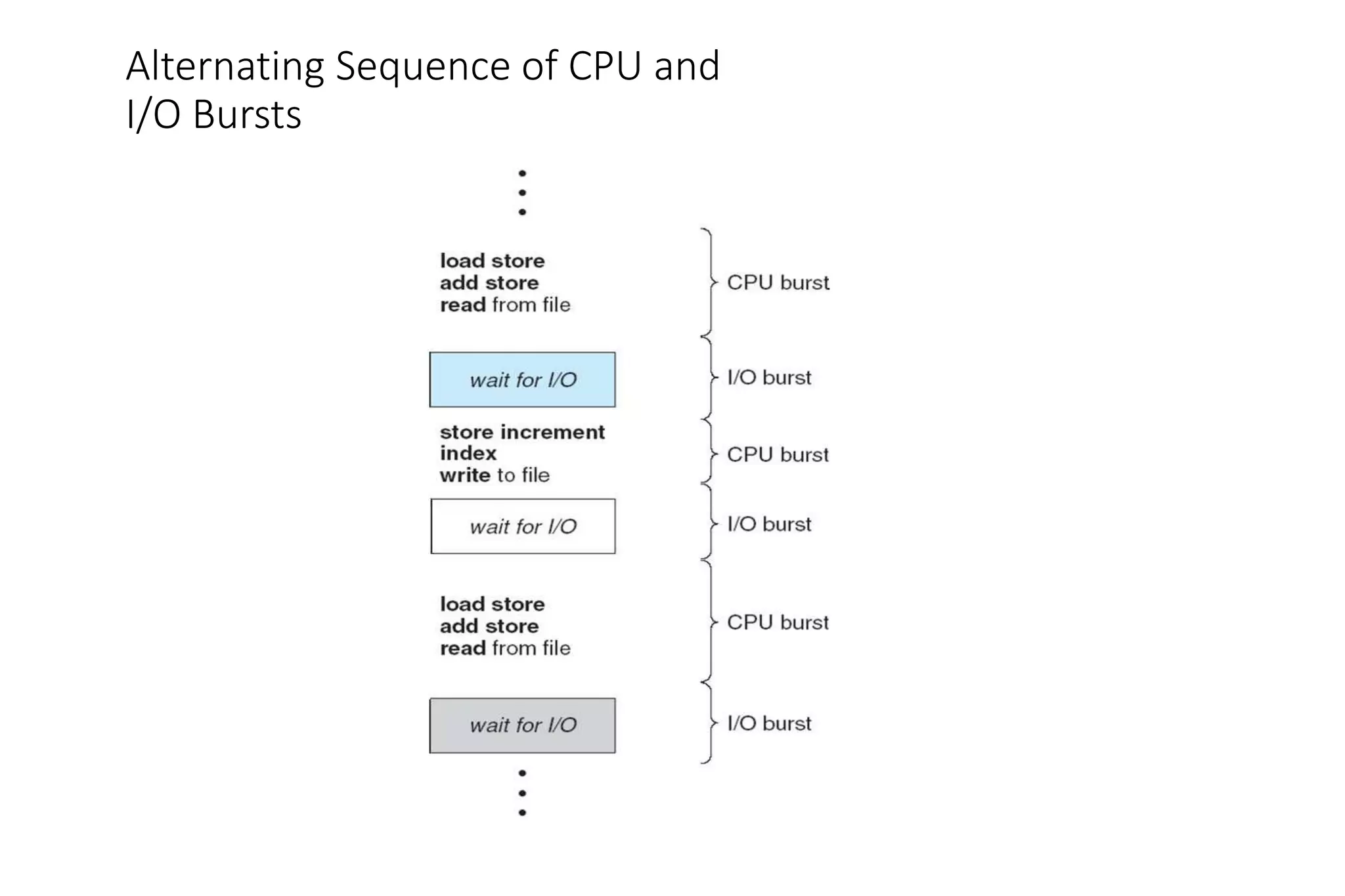
• CPU–I/O Burst Cycle – Process execution consists of a cycle of
CPU execution and I/O wait
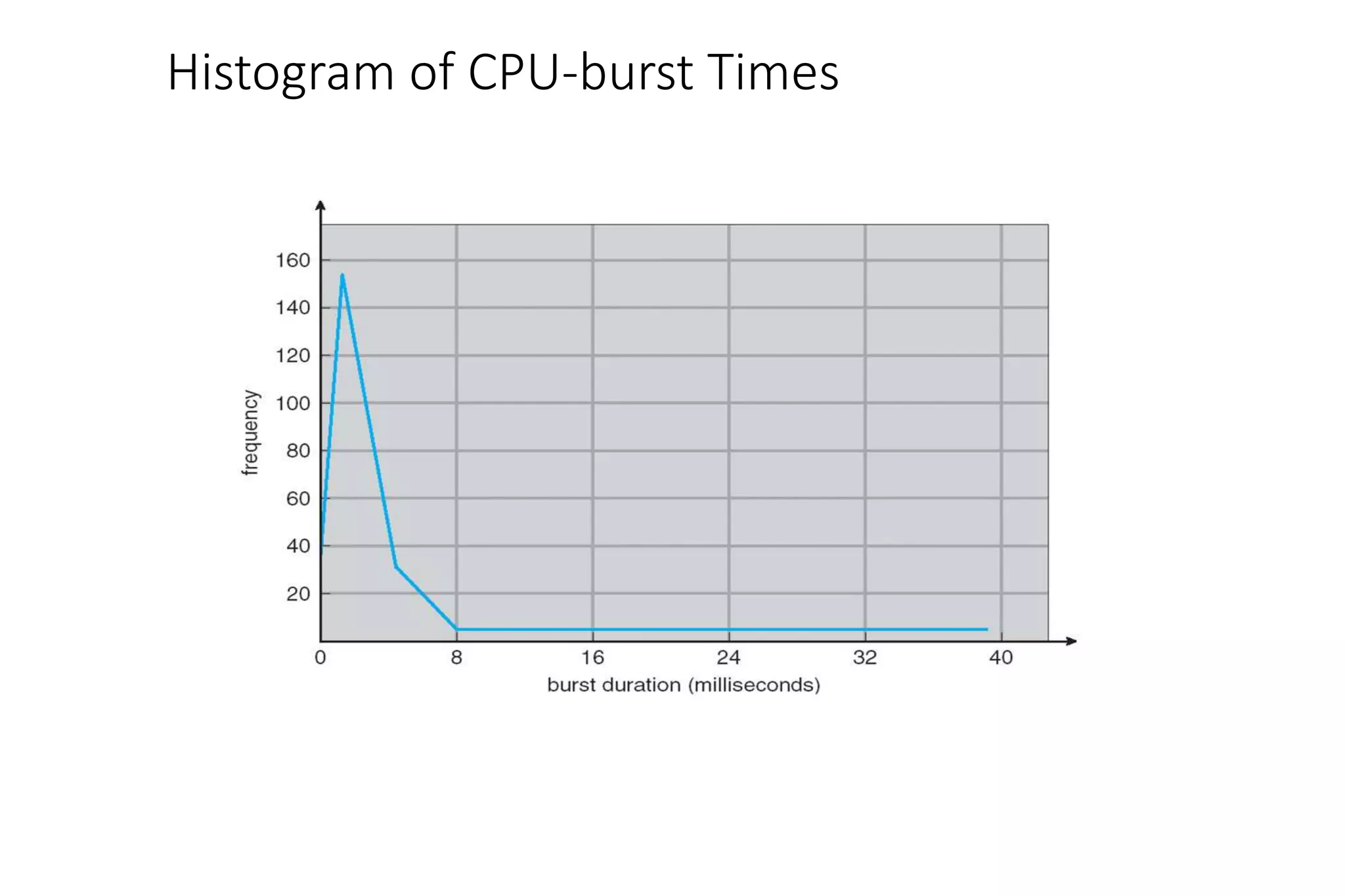
• CPU burst distribution
Alternating Sequence of CPU and
I/O Bursts
Histogram of CPU-burst Times
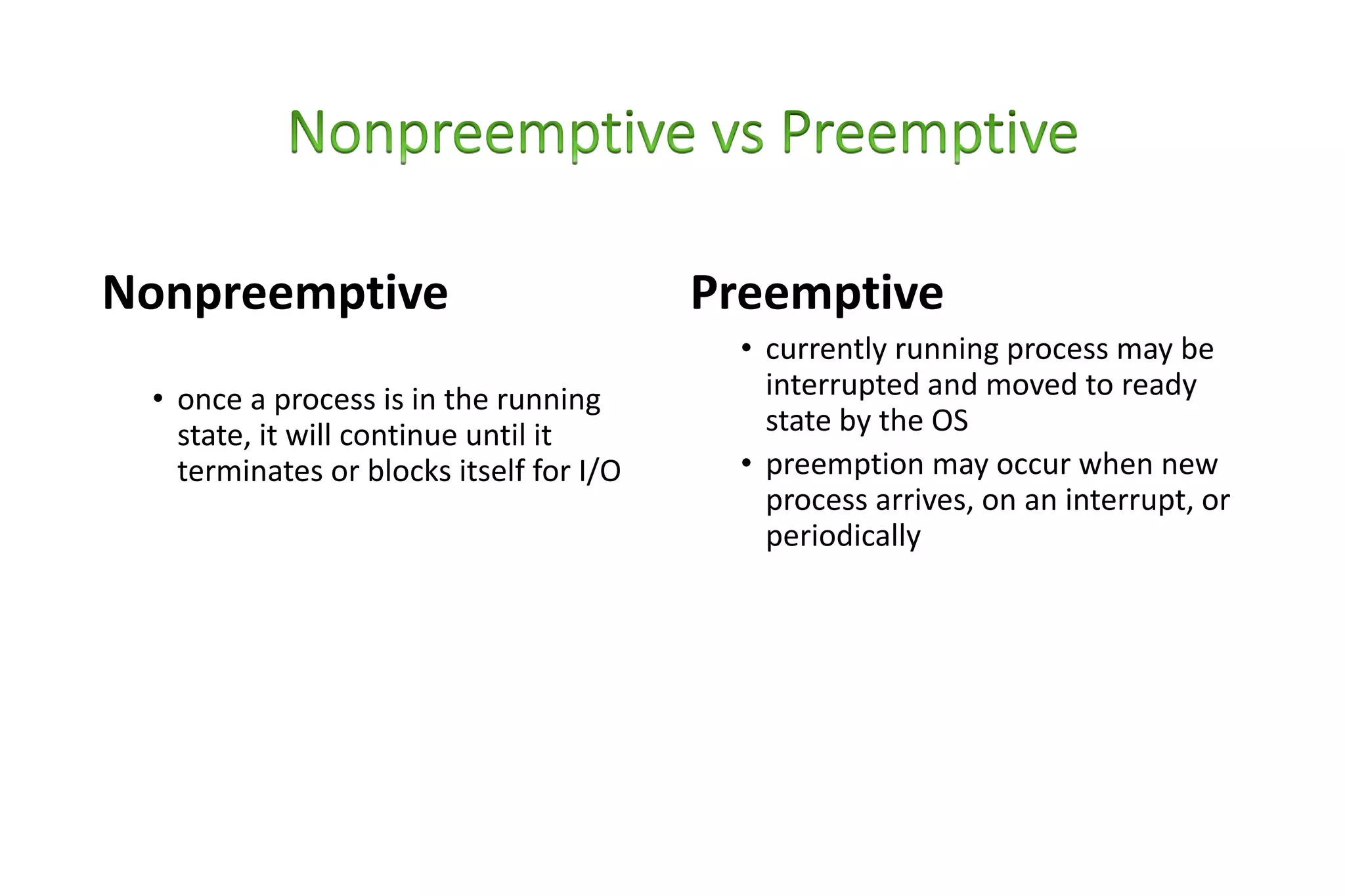
Nonpreemptive
• once a process is in the running
state, it will continue until it
terminates or blocks itself for I/O
Preemptive
• currently running process may be
interrupted and moved to ready
state by the OS
• preemption may occur when new
process arrives, on an interrupt, or
periodically
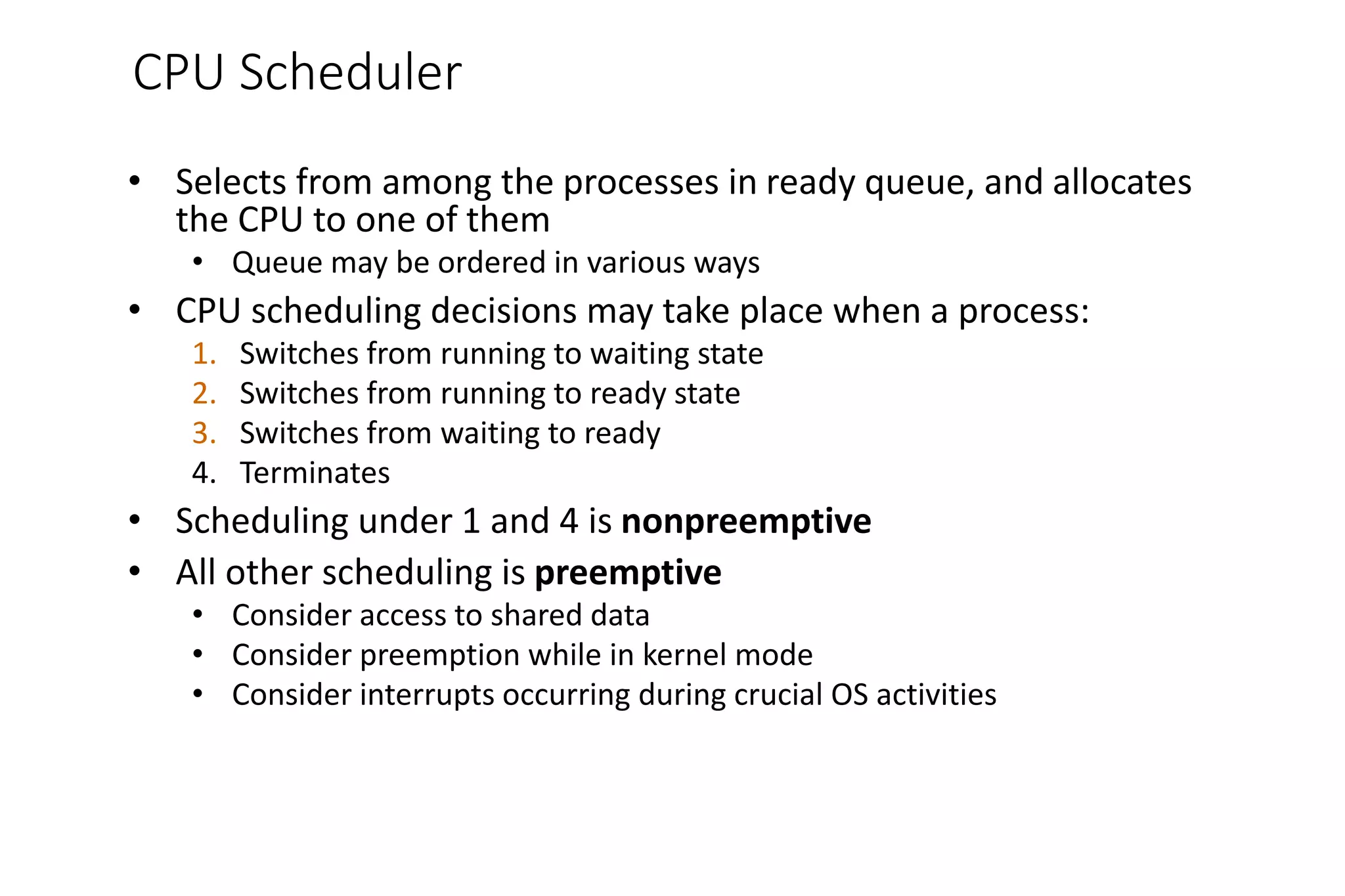
CPU Scheduler
• Selects from among the processes in ready queue, and allocates
the CPU to one of them
• Queue may be ordered in various ways
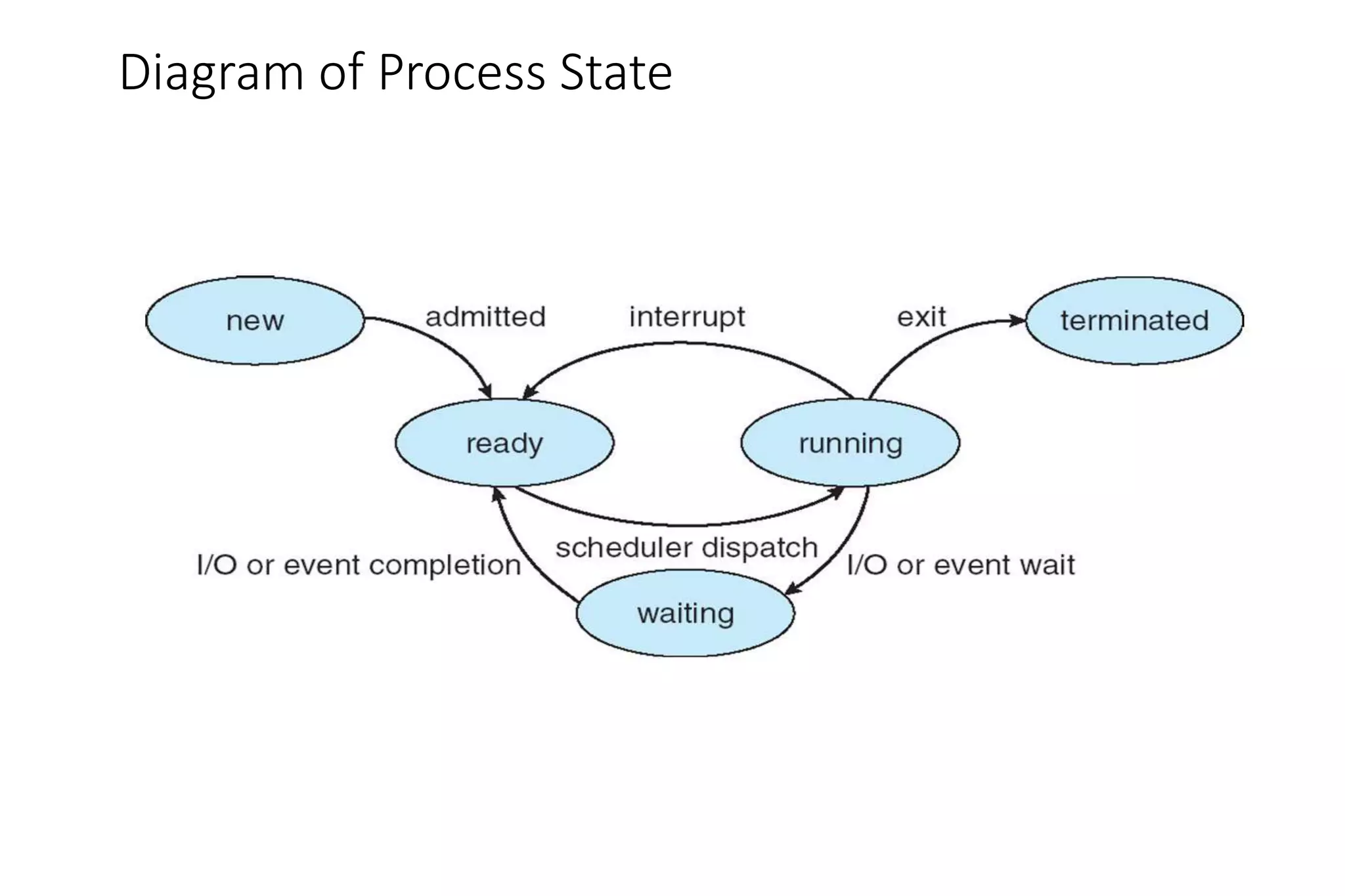
• CPU scheduling decisions may take place when a process:
1. Switches from running to waiting state
2. Switches from running to ready state
3. Switches from waiting to ready
4. Terminates
• Scheduling under 1 and 4 is nonpreemptive
• All other scheduling is preemptive
• Consider access to shared data
• Consider preemption while in kernel mode
• Consider interrupts occurring during crucial OS activities
Diagram of Process State
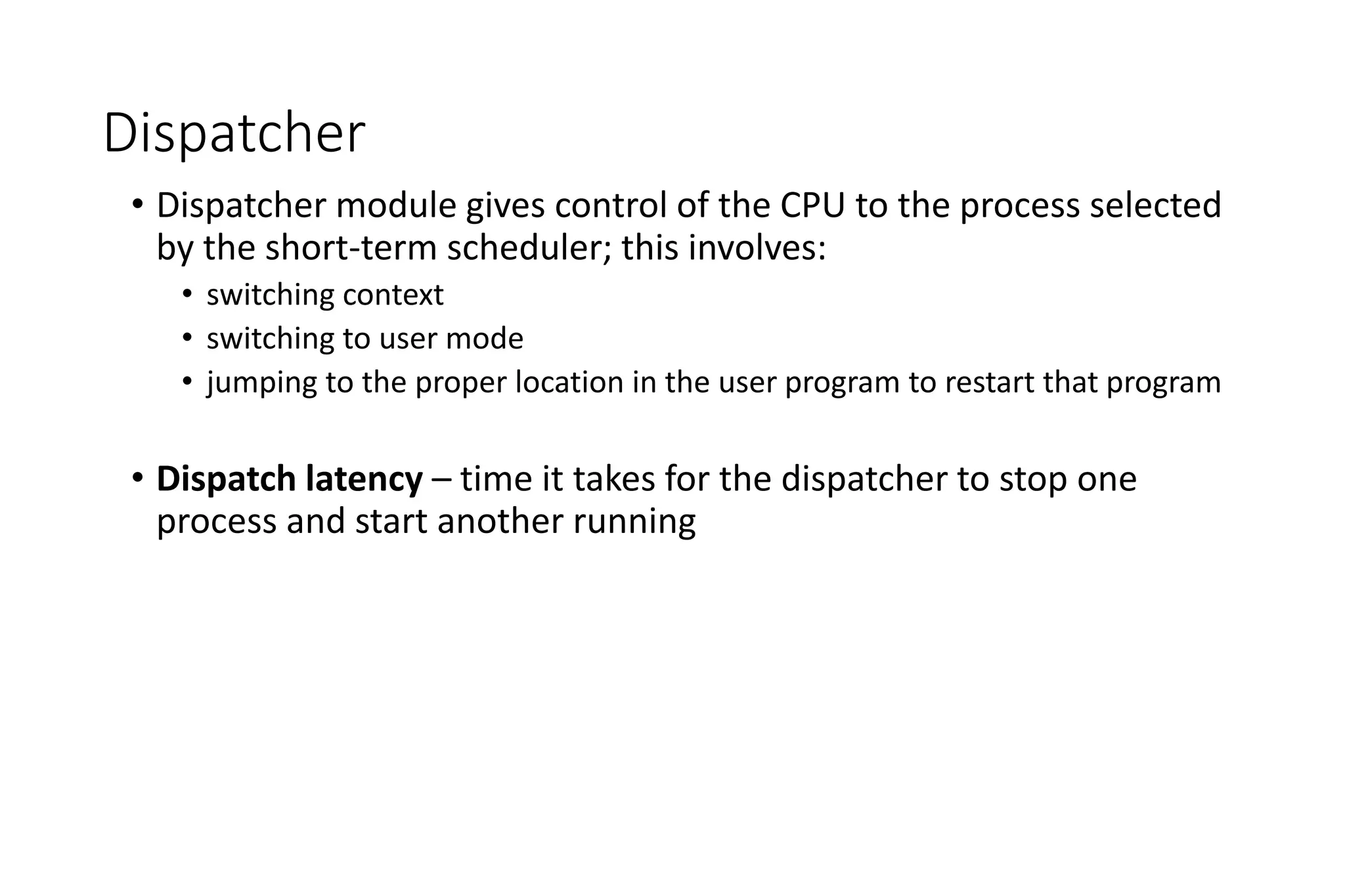
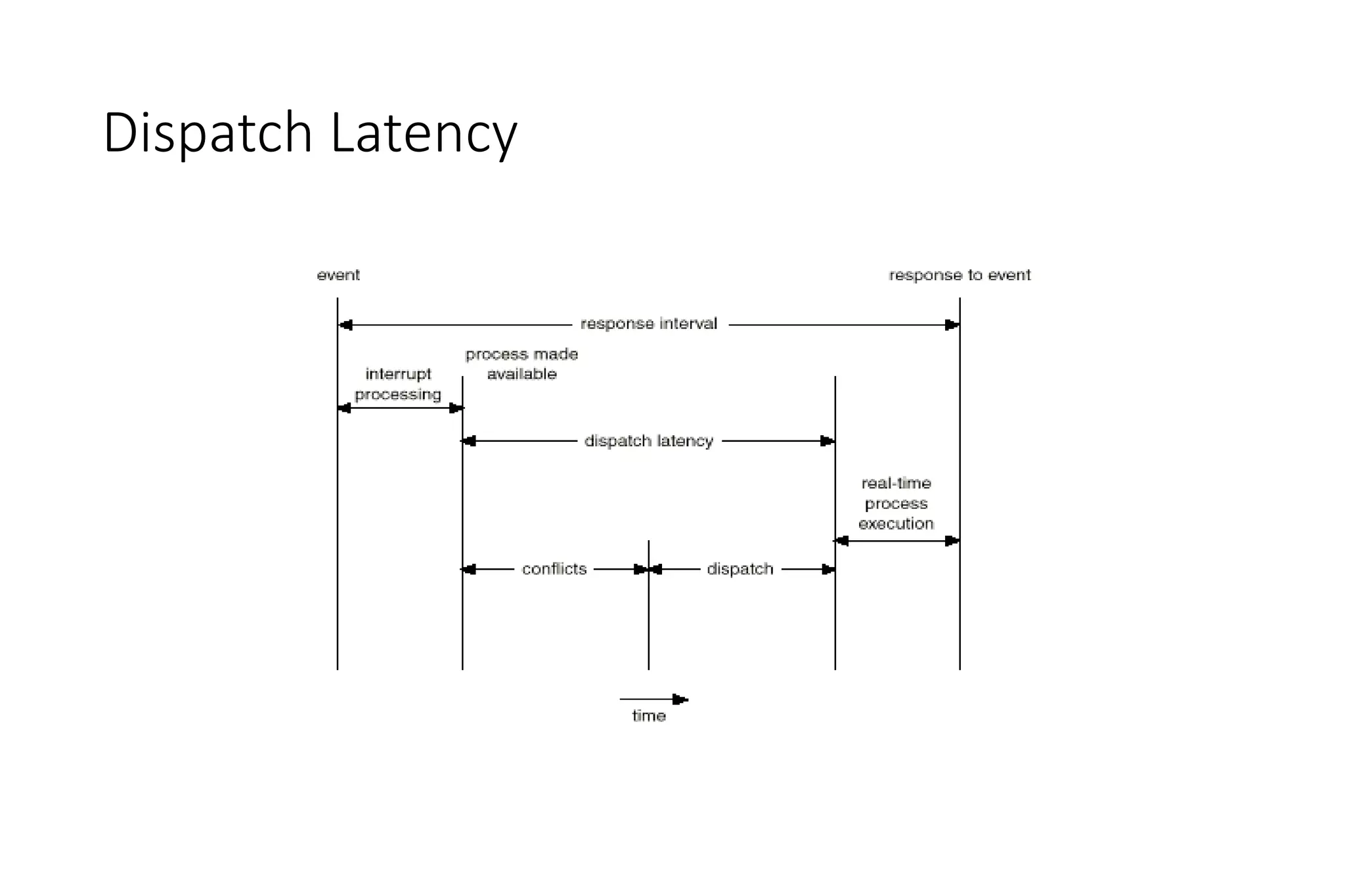
Dispatcher
• Dispatcher module gives control of the CPU to the process selected
by the short-term scheduler; this involves:
• switching context
• switching to user mode
• jumping to the proper location in the user program to restart that program
• Dispatch latency – time it takes for the dispatcher to stop one
process and start another running
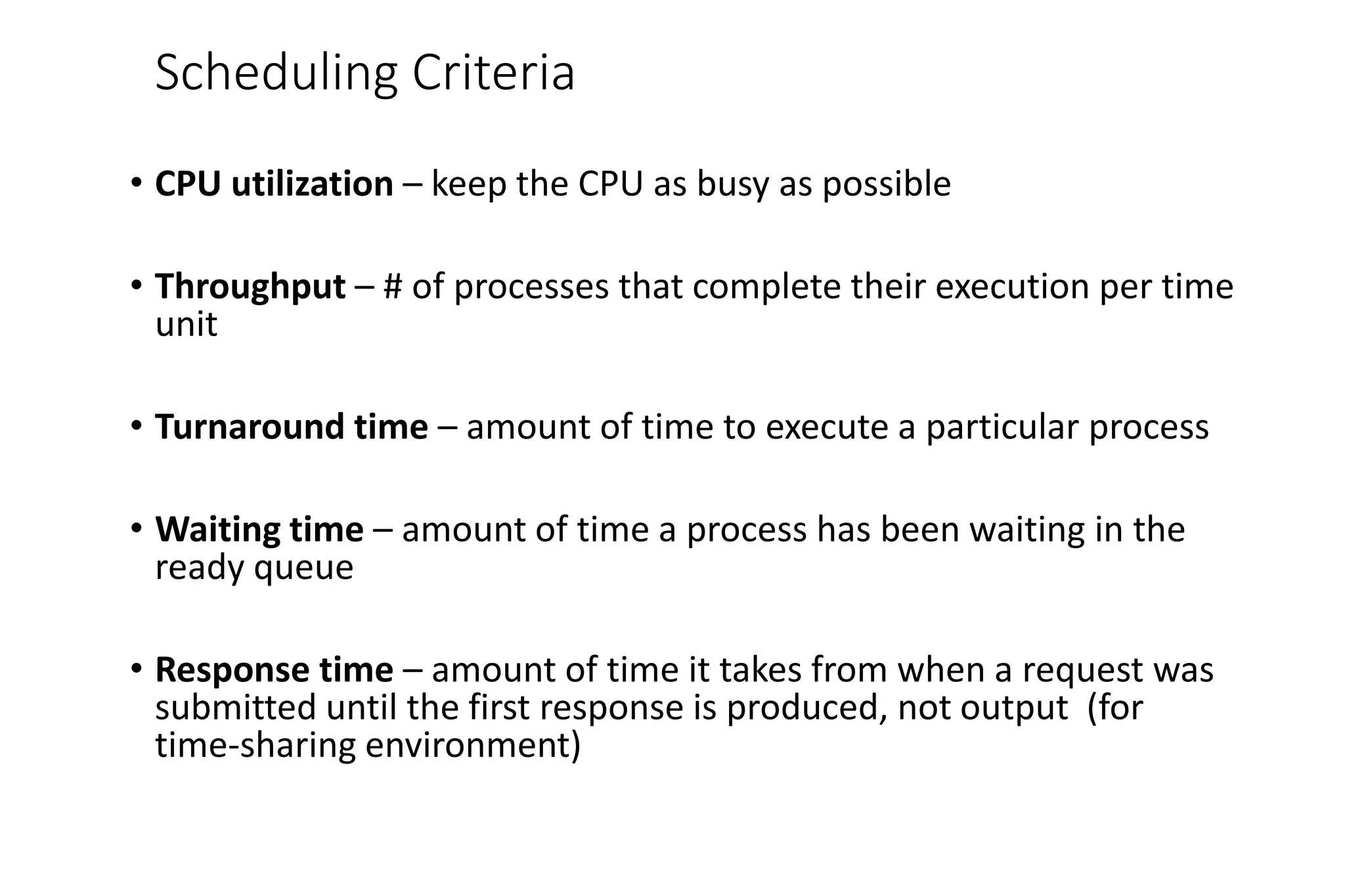
Scheduling Criteria
• CPU utilization – keep the CPU as busy as possible
• Throughput – # of processes that complete their execution per time
unit
• Turnaround time – amount of time to execute a particular process
• Waiting time – amount of time a process has been waiting in the
ready queue
• Response time – amount of time it takes from when a request was
submitted until the first response is produced, not output (for
time-sharing environment)
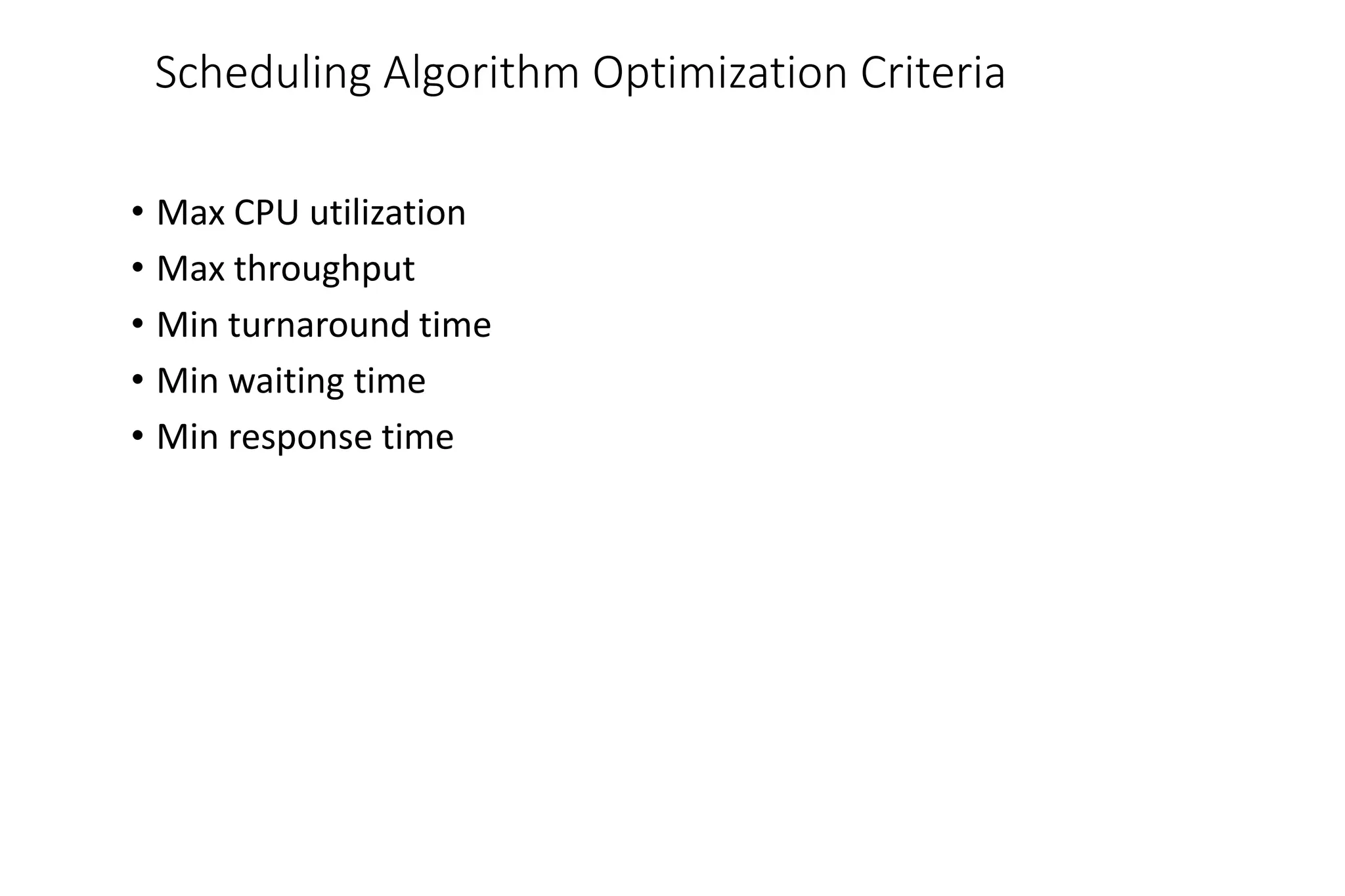
Scheduling Algorithm Optimization Criteria
• Max CPU utilization
• Max throughput
• Min turnaround time
• Min waiting time
• Min response time
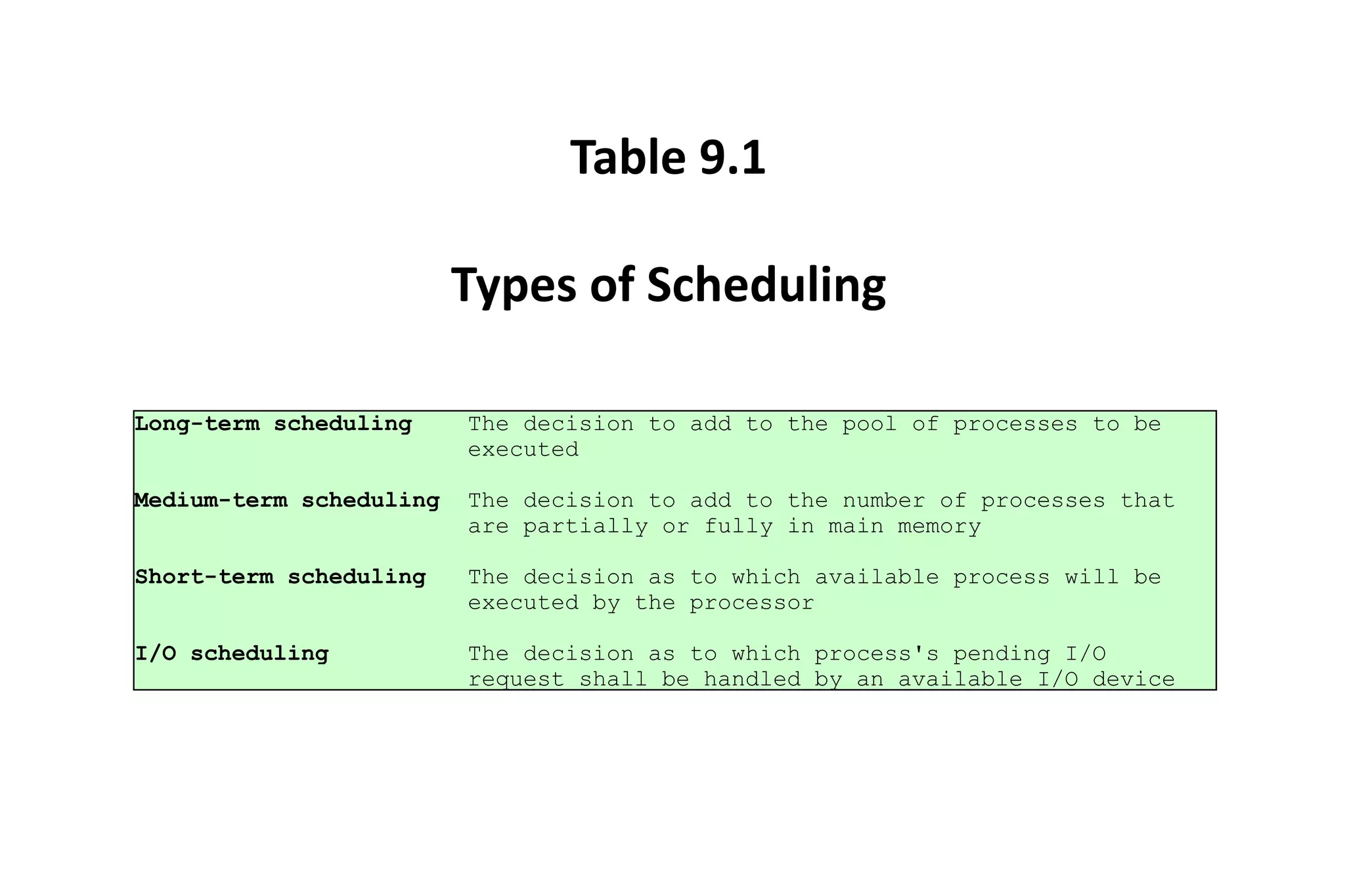
Long-term scheduling The decision to add to the pool of processes to be
executed
Medium-term scheduling The decision to add to the number of processes that
are partially or fully in main memory
Short-term scheduling The decision as to which available process will be
executed by the processor
I/O scheduling The decision as to which process's pending I/O
request shall be handled by an available I/O device
Table 9.1
Types of Scheduling
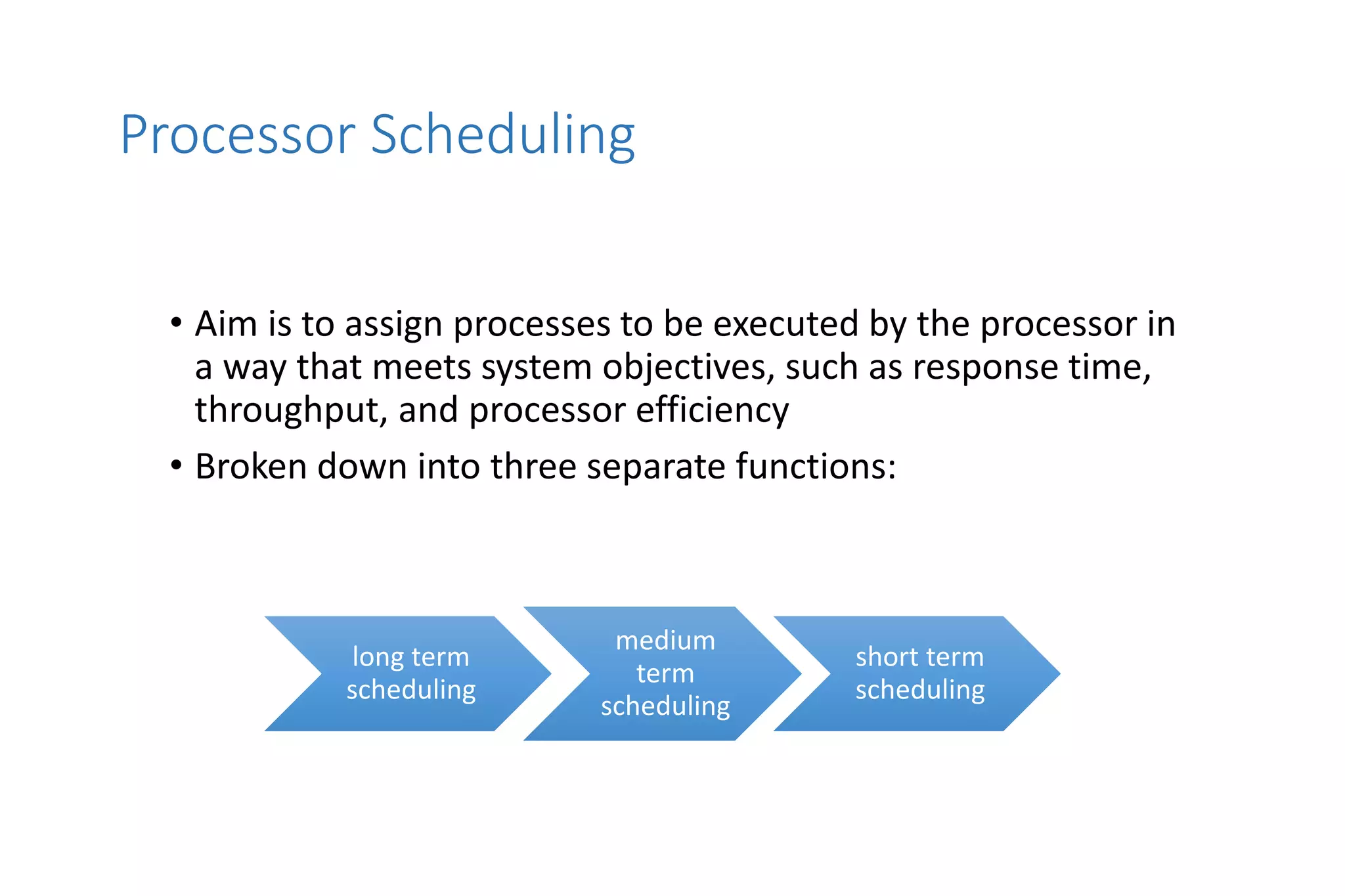
Processor Scheduling
• Aim is to assign processes to be executed by the processor in
a way that meets system objectives, such as response time,
throughput, and processor efficiency
• Broken down into three separate functions:
long term
scheduling
medium
term
scheduling
short term
scheduling
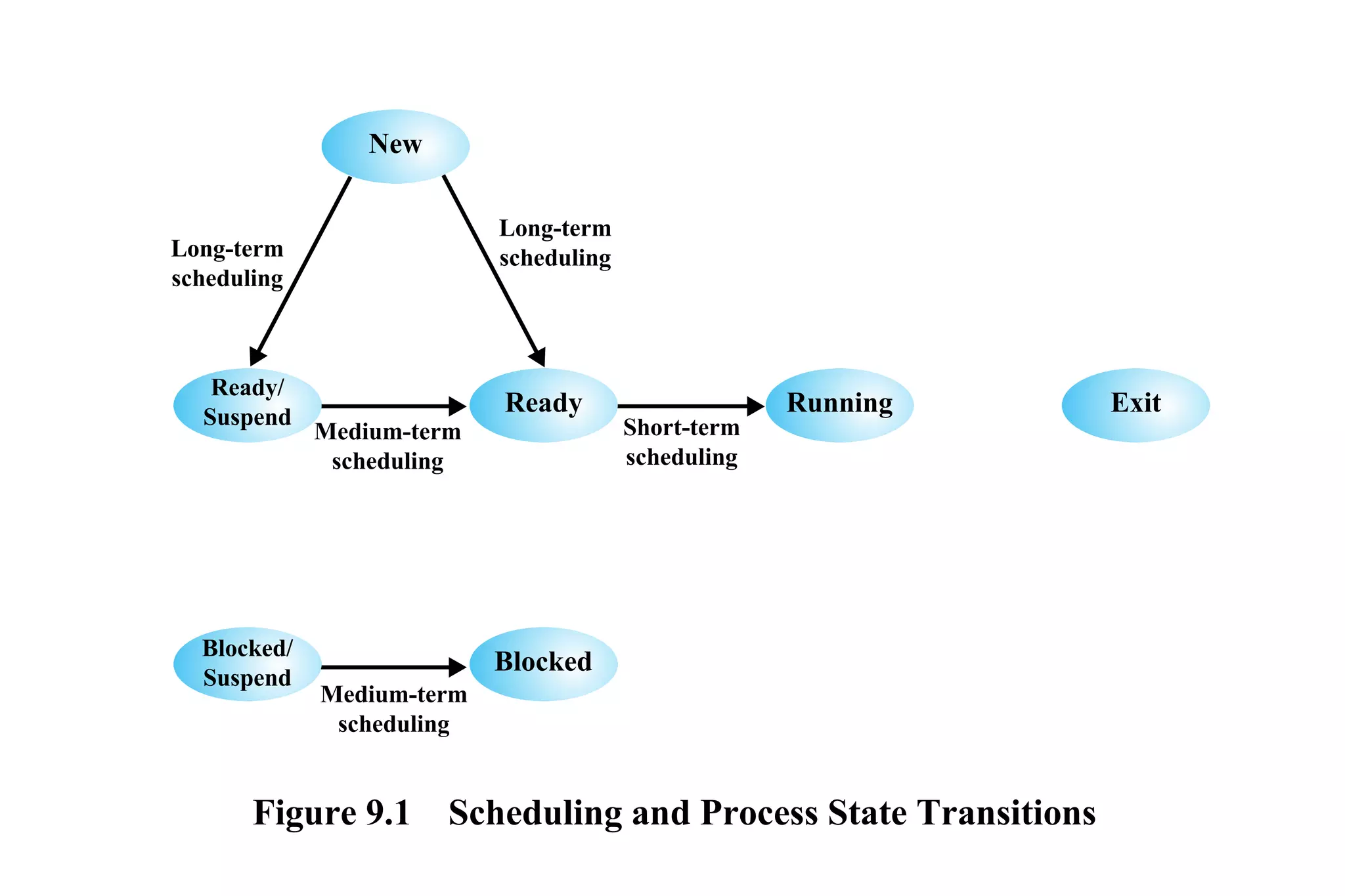
Figure 9.1 Scheduling and Process State Transitions
Ready/
Suspend
New
Running Exit
Blocked
Long-term
scheduling
Long-term
scheduling
Medium-term
scheduling
Medium-term
scheduling
Short-term
scheduling
Ready
Blocked/
Suspend
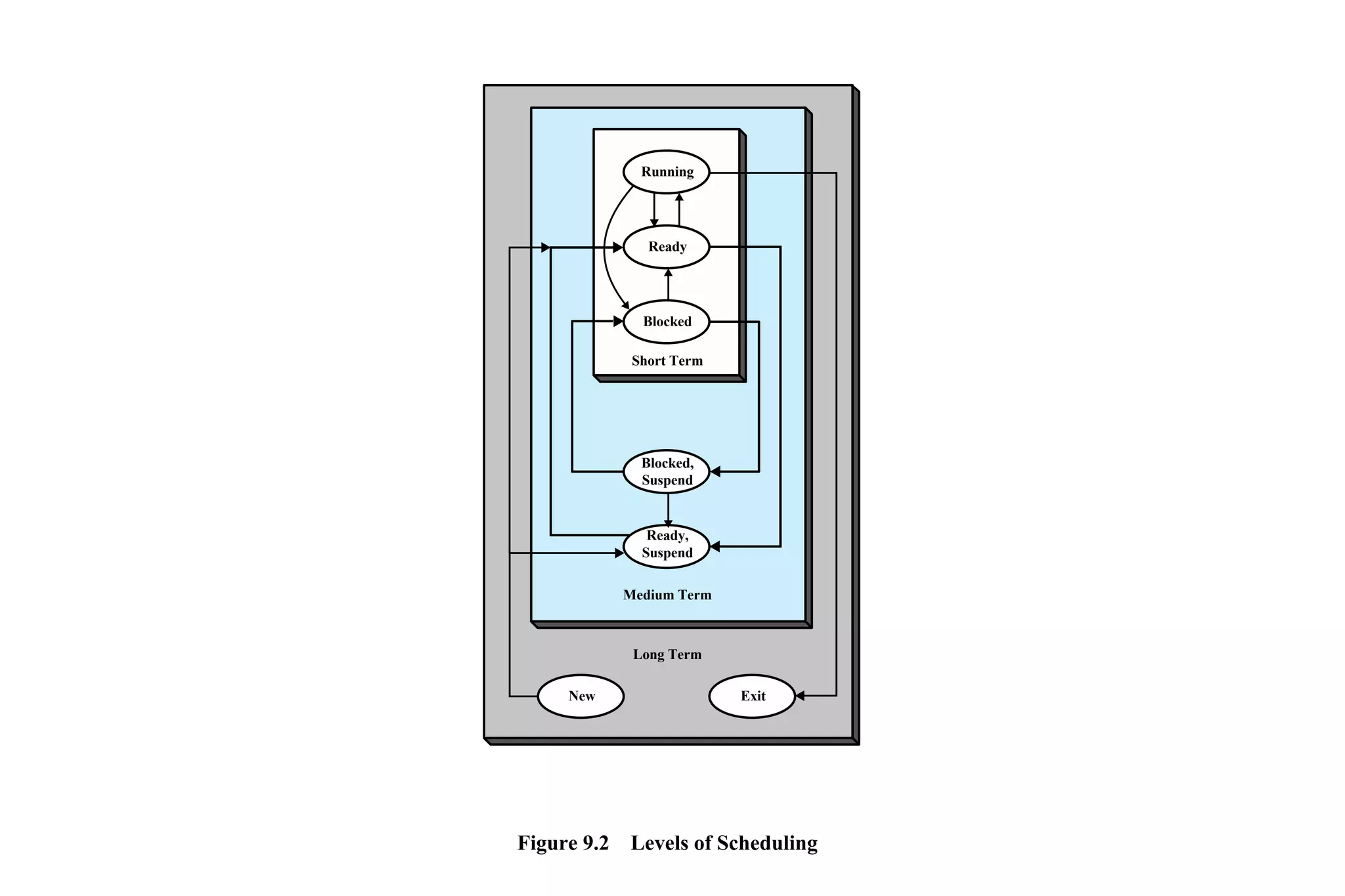
Running
Ready
Blocked
Short Term
Medium Term
Long Term
Blocked,
Suspend
Ready,
Suspend
New Exit
Figure 9.2 Levels of Scheduling
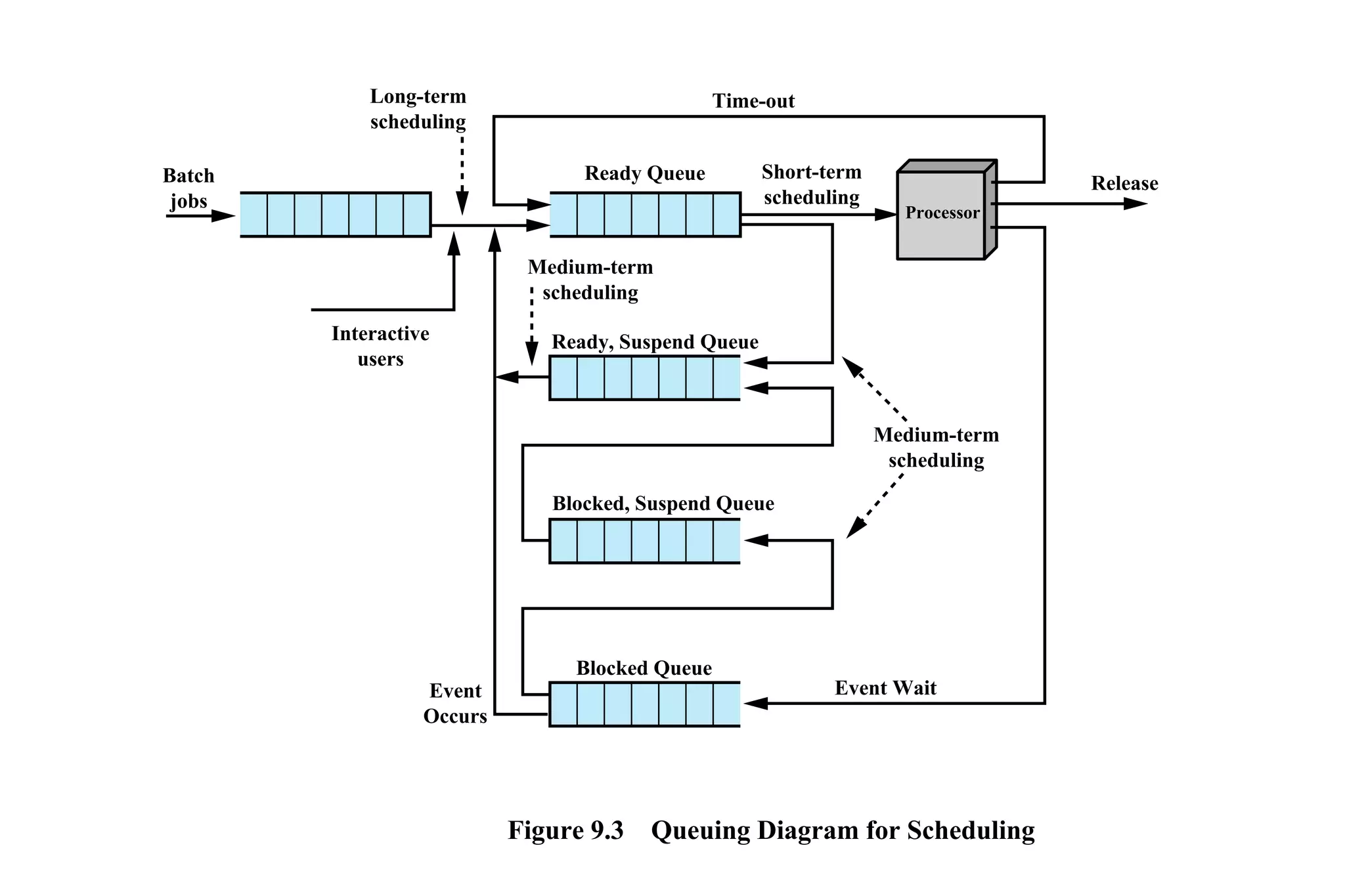
Figure 9.3 Queuing Diagram for Scheduling
Event Wait
Time-out
Release
Ready Queue Short-term
scheduling
Medium-term
scheduling
Medium-term
scheduling
Interactive
users
Batch
jobs
Processor
Ready, Suspend Queue
Event
Occurs
Blocked, Suspend Queue
Blocked Queue
Long-term
scheduling
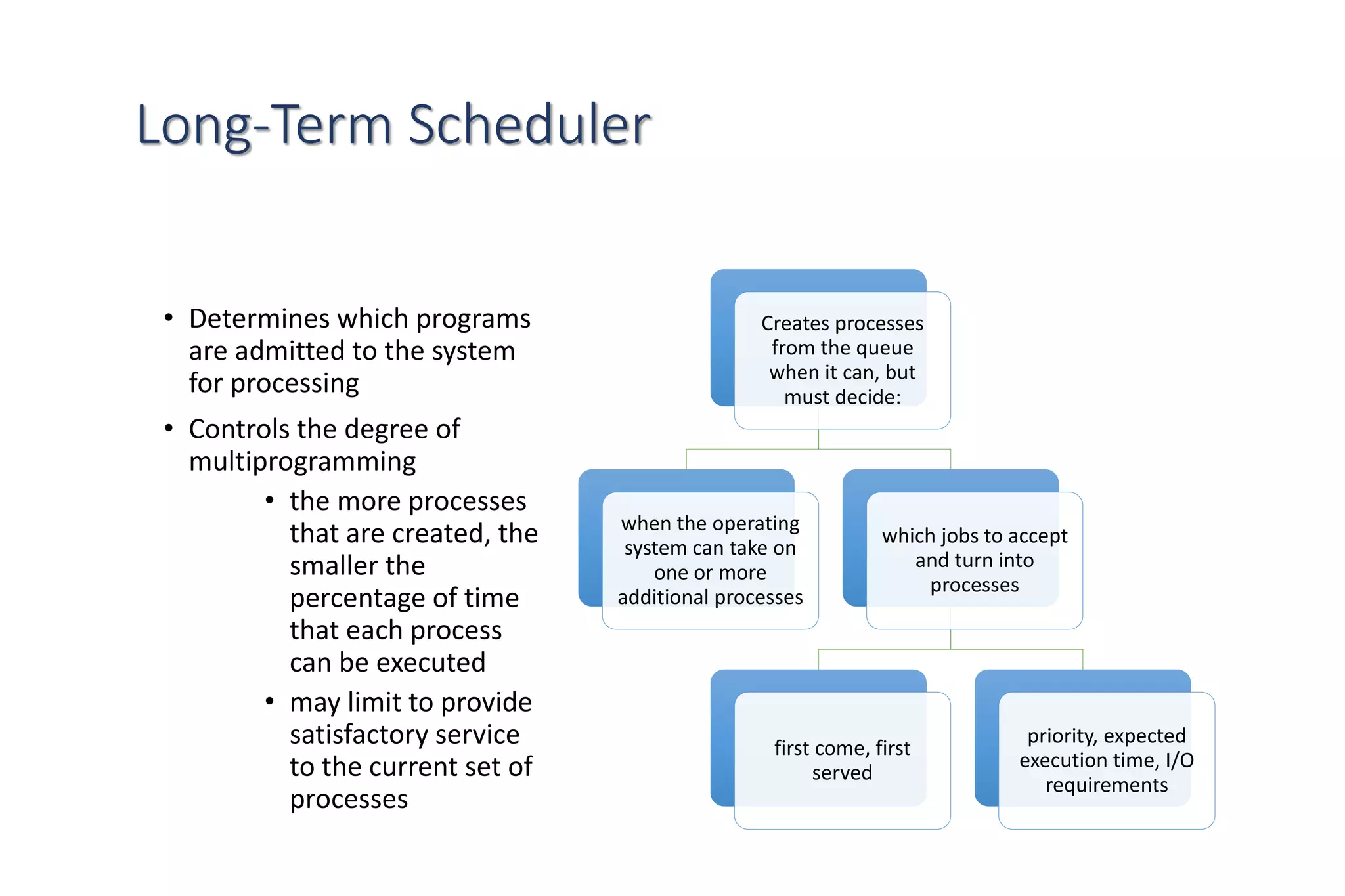
Long-Term Scheduler
• Determines which programs
are admitted to the system
for processing
• Controls the degree of
multiprogramming
• the more processes
that are created, the
smaller the
percentage of time
that each process
can be executed
• may limit to provide
satisfactory service
to the current set of
processes
Creates processes
from the queue
when it can, but
must decide:
when the operating
system can take on
one or more
additional processes
which jobs to accept
and turn into
processes
first come, first
served
priority, expected
execution time, I/O
requirements
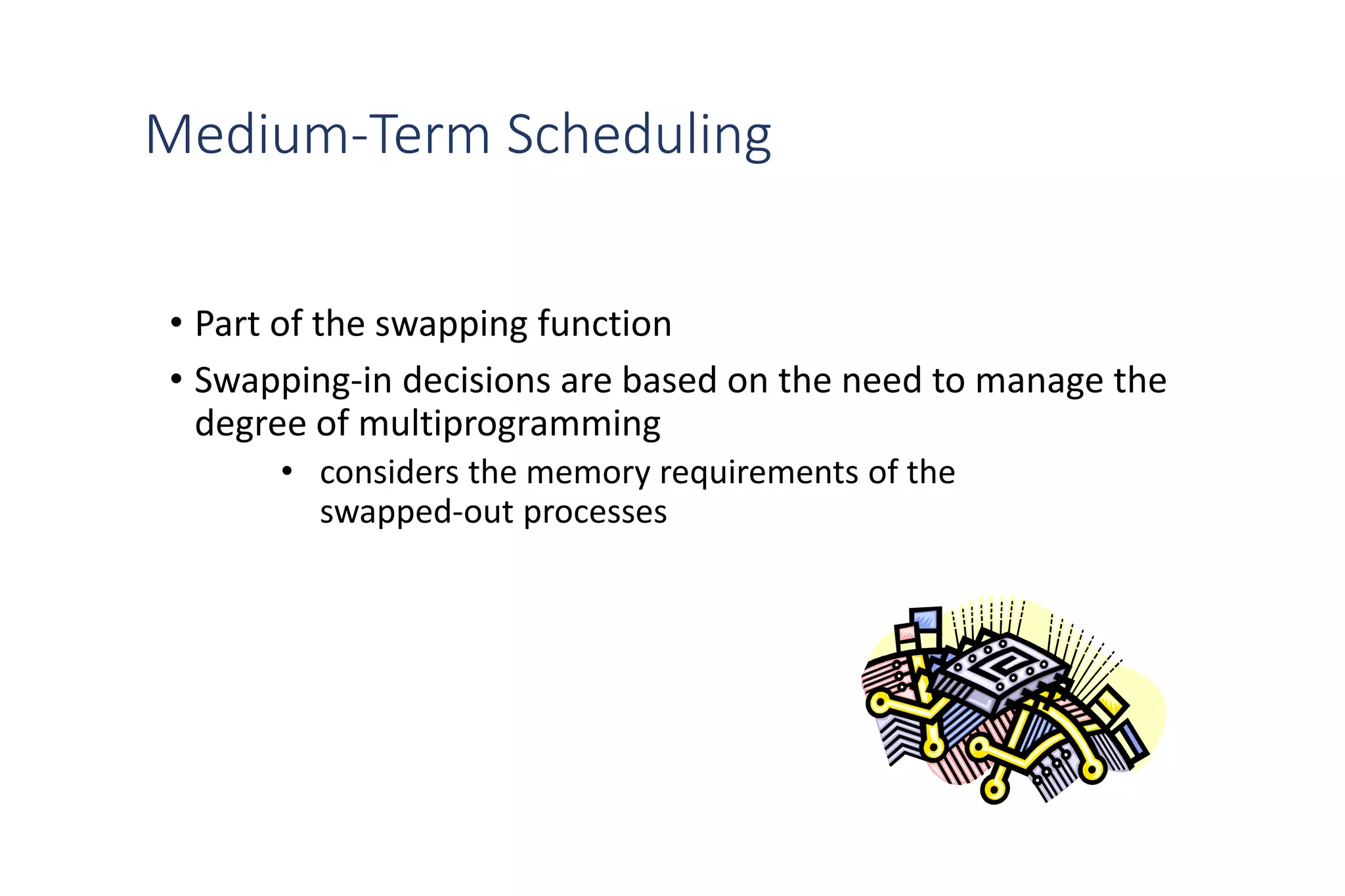
Medium-Term Scheduling
• Part of the swapping function
• Swapping-in decisions are based on the need to manage the
degree of multiprogramming
• considers the memory requirements of the
swapped-out processes
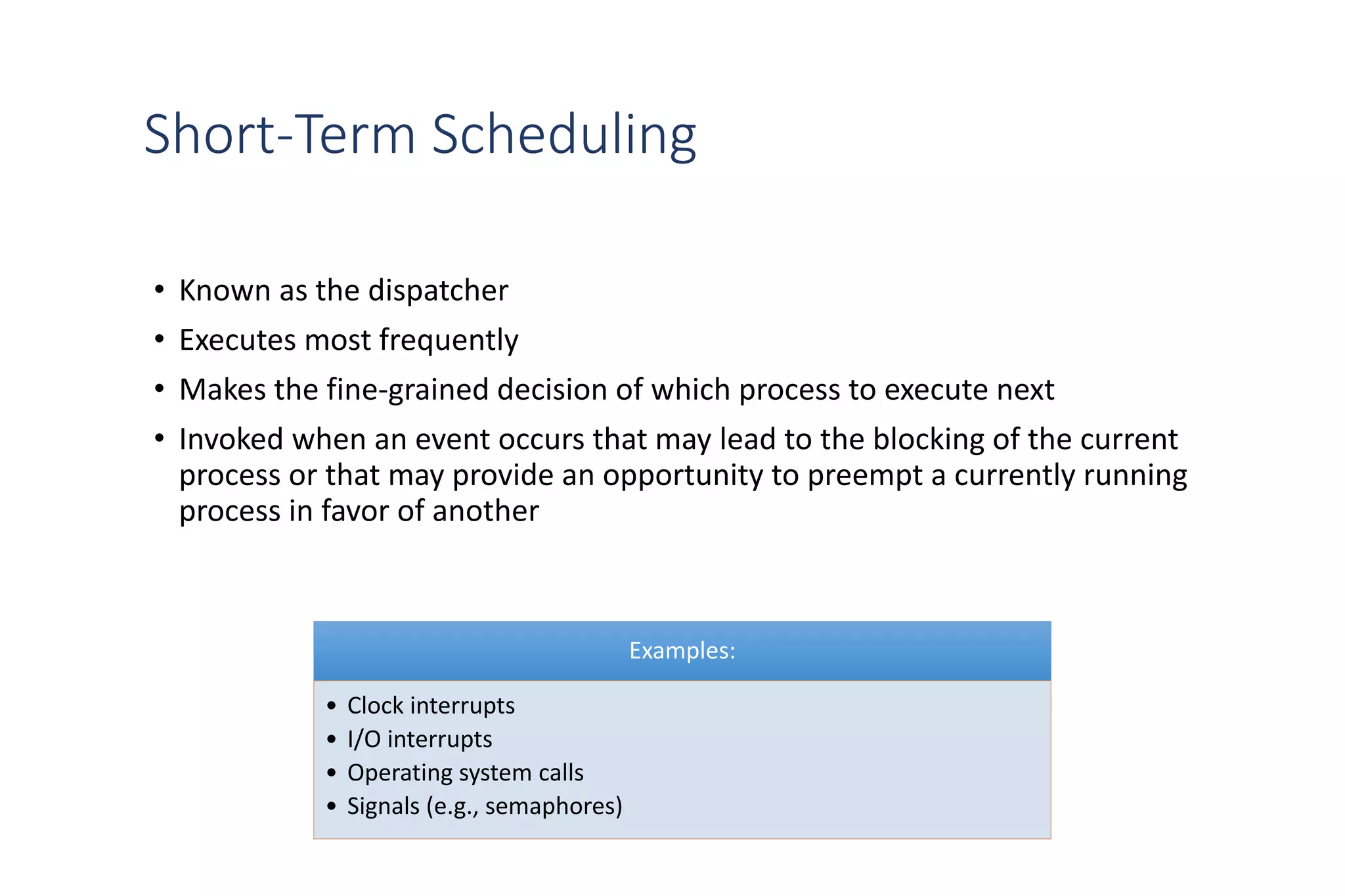
Short-Term Scheduling
• Known as the dispatcher
• Executes most frequently
• Makes the fine-grained decision of which process to execute next
• Invoked when an event occurs that may lead to the blocking of the current
process or that may provide an opportunity to preempt a currently running
process in favor of another
Examples:
• Clock interrupts
• I/O interrupts
• Operating system calls
• Signals (e.g., semaphores)
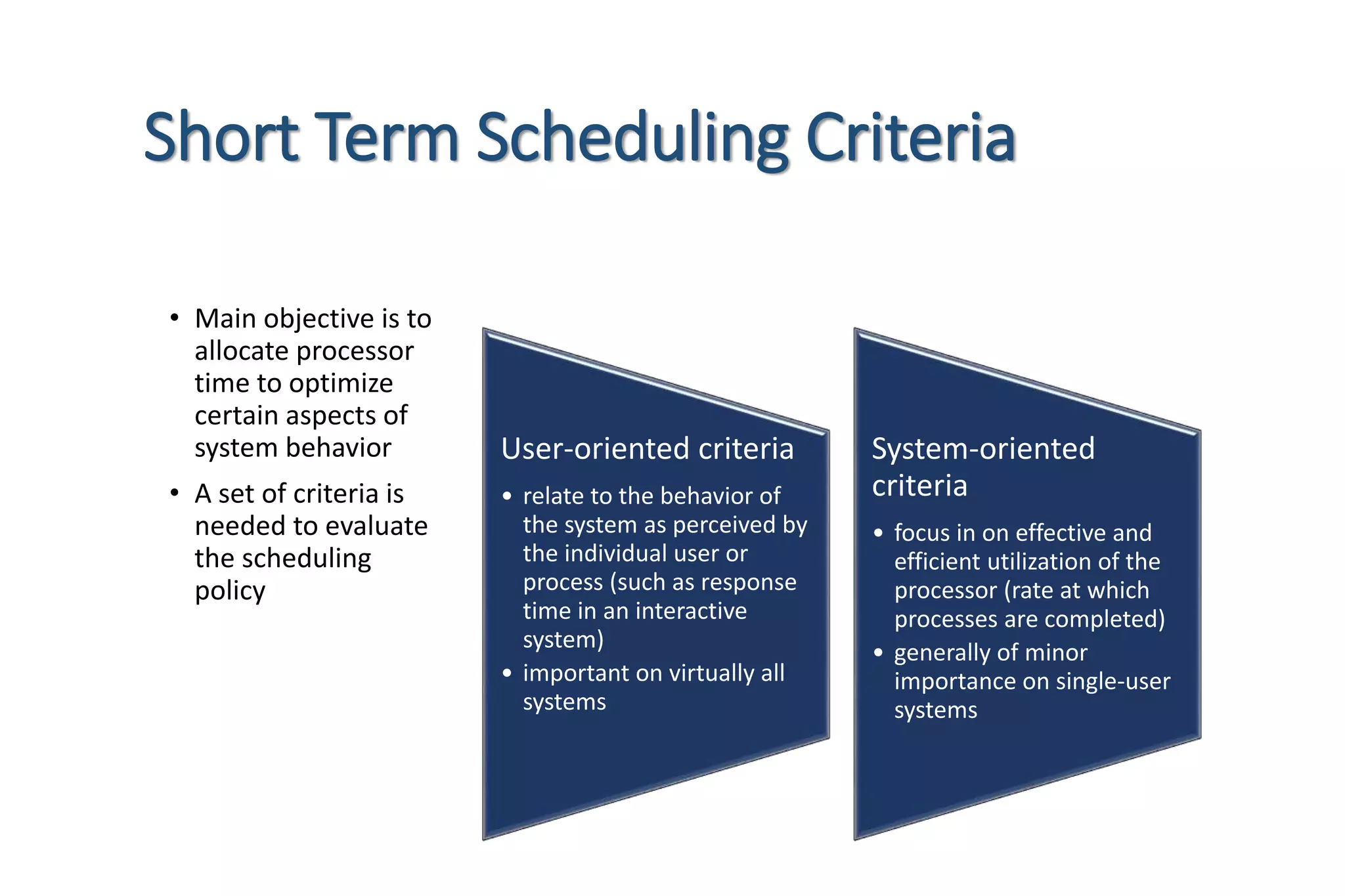
Short Term Scheduling Criteria
• Main objective is to
allocate processor
time to optimize
certain aspects of
system behavior
• A set of criteria is
needed to evaluate
the scheduling
policy
User-oriented criteria
• relate to the behavior of
the system as perceived by
the individual user or
process (such as response
time in an interactive
system)
• important on virtually all
systems
System-oriented
criteria
• focus in on effective and
efficient utilization of the
processor (rate at which
processes are completed)
• generally of minor
importance on single-user
systems
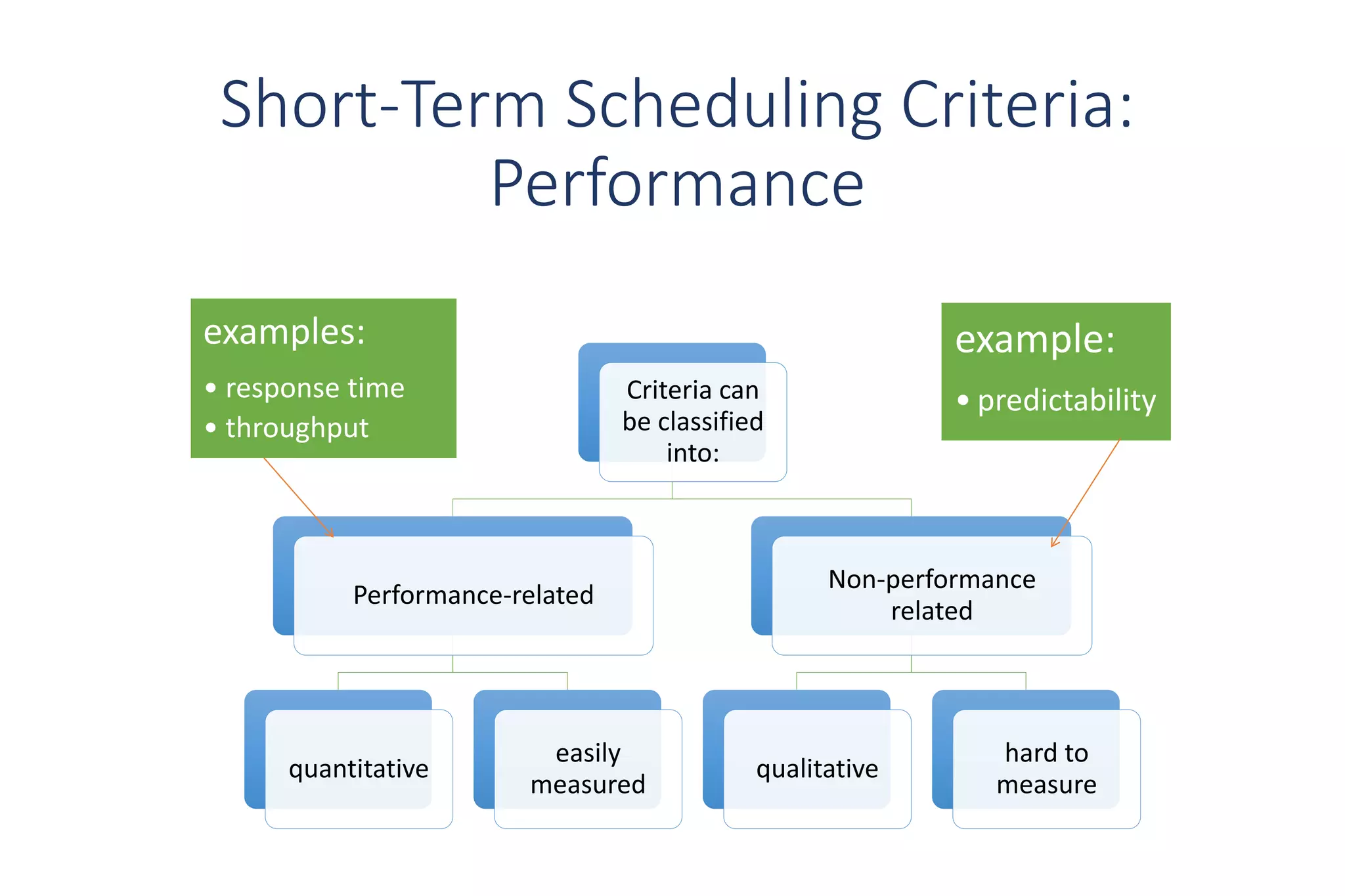
Criteria can
be classified
into:
Performance-related
quantitative
easily
measured
Non-performance
related
qualitative
hard to
measure
Short-Term Scheduling Criteria:
Performance
examples:
• response time
• throughput
example:
• predictability
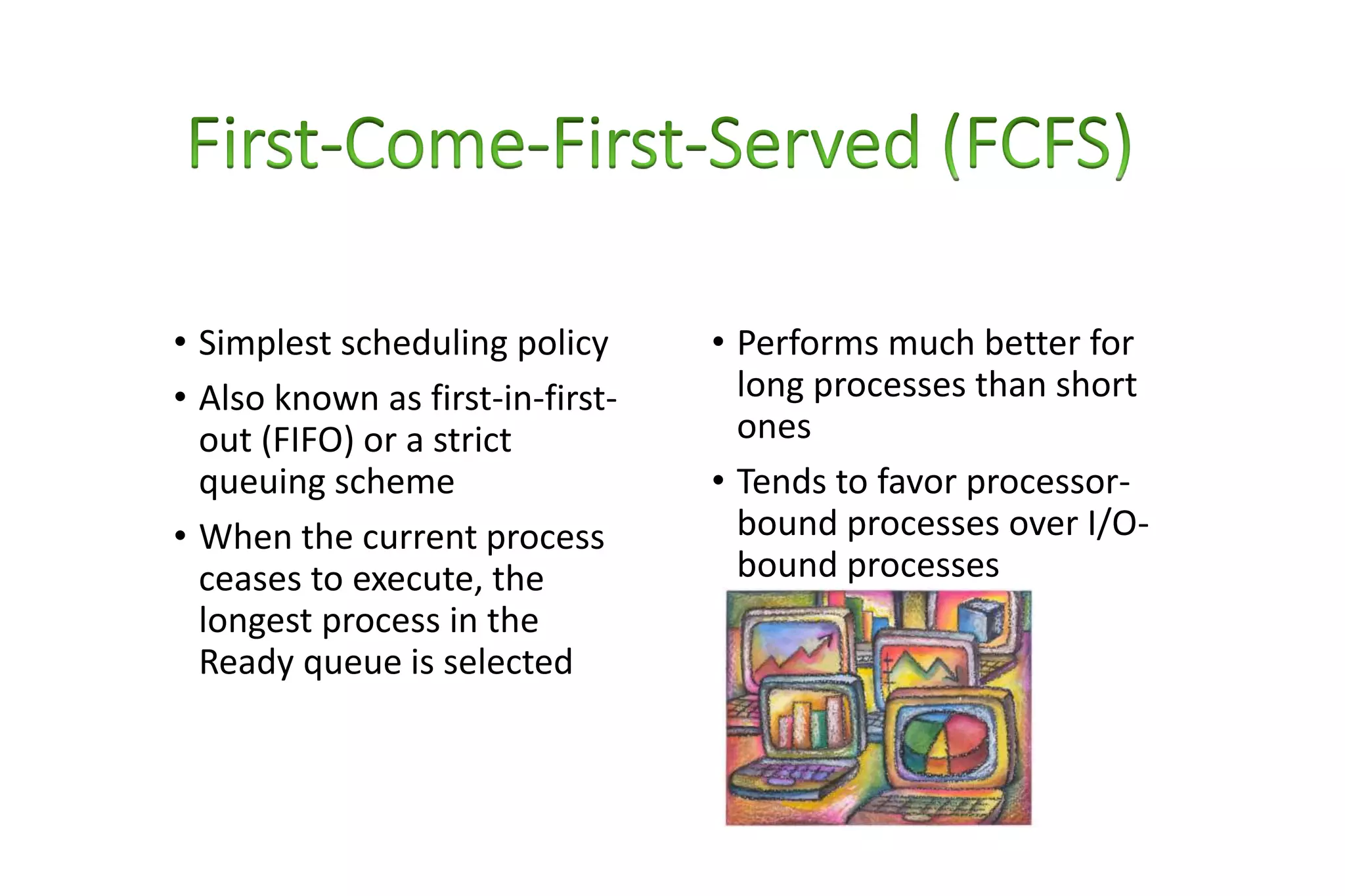
• Simplest scheduling policy
• Also known as first-in-first-
out (FIFO) or a strict
queuing scheme
• When the current process
ceases to execute, the
longest process in the
Ready queue is selected
• Performs much better for
long processes than short
ones
• Tends to favor processor-
bound processes over I/O-
bound processes
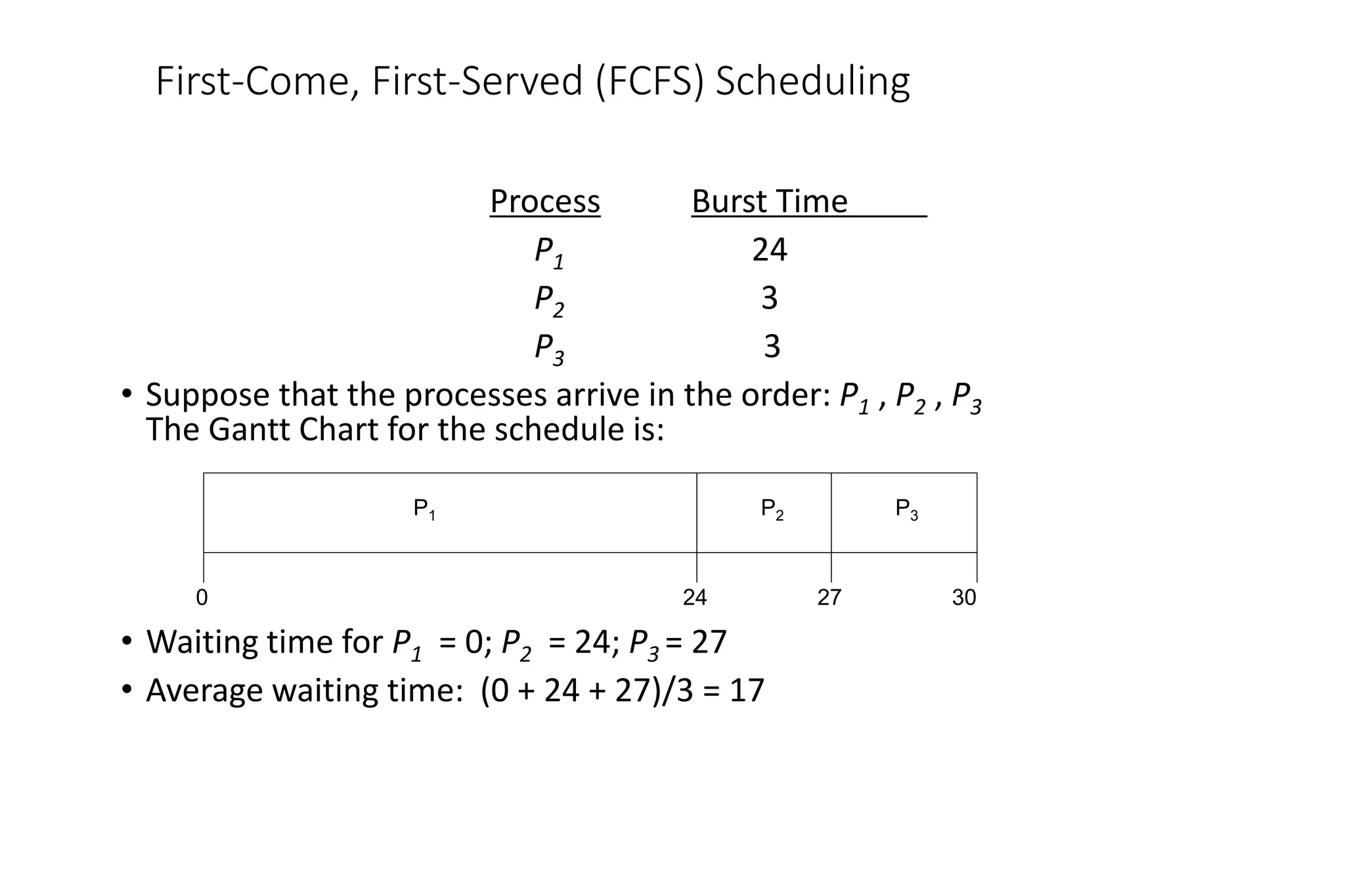
First-Come, First-Served (FCFS) Scheduling
Process Burst Time
P1 24
P2 3
P3 3
• Suppose that the processes arrive in the order: P1 , P2 , P3
The Gantt Chart for the schedule is:
• Waiting time for P1 = 0; P2 = 24; P3 = 27
• Average waiting time: (0 + 24 + 27)/3 = 17
P1 P2 P3
24 27 30
0
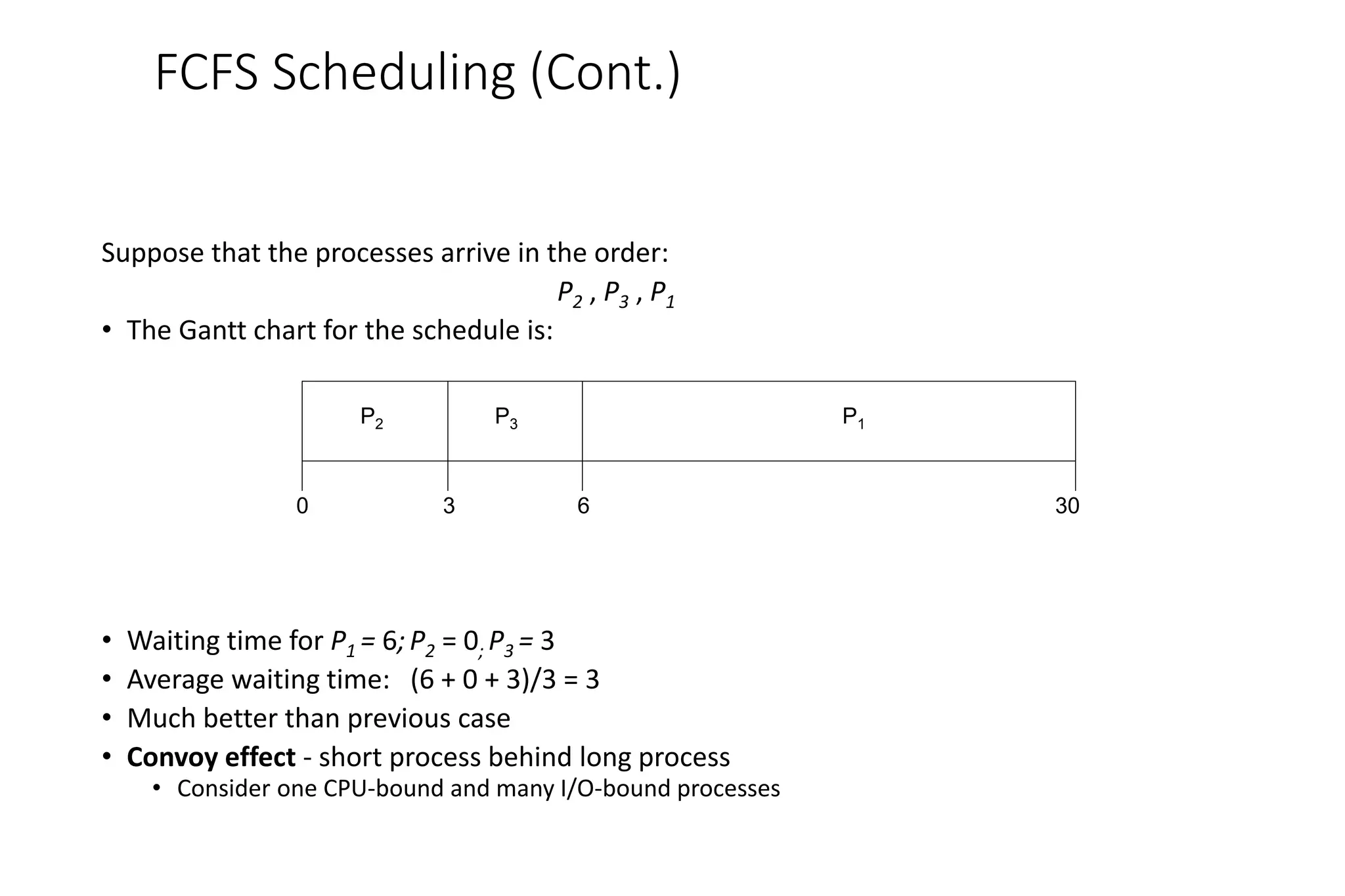
FCFS Scheduling (Cont.)
Suppose that the processes arrive in the order:
P2 , P3 , P1
• The Gantt chart for the schedule is:
• Waiting time for P1 = 6;P2 = 0; P3 = 3
• Average waiting time: (6 + 0 + 3)/3 = 3
• Much better than previous case
• Convoy effect - short process behind long process
• Consider one CPU-bound and many I/O-bound processes
P1
P3
P2
6
3 30
0
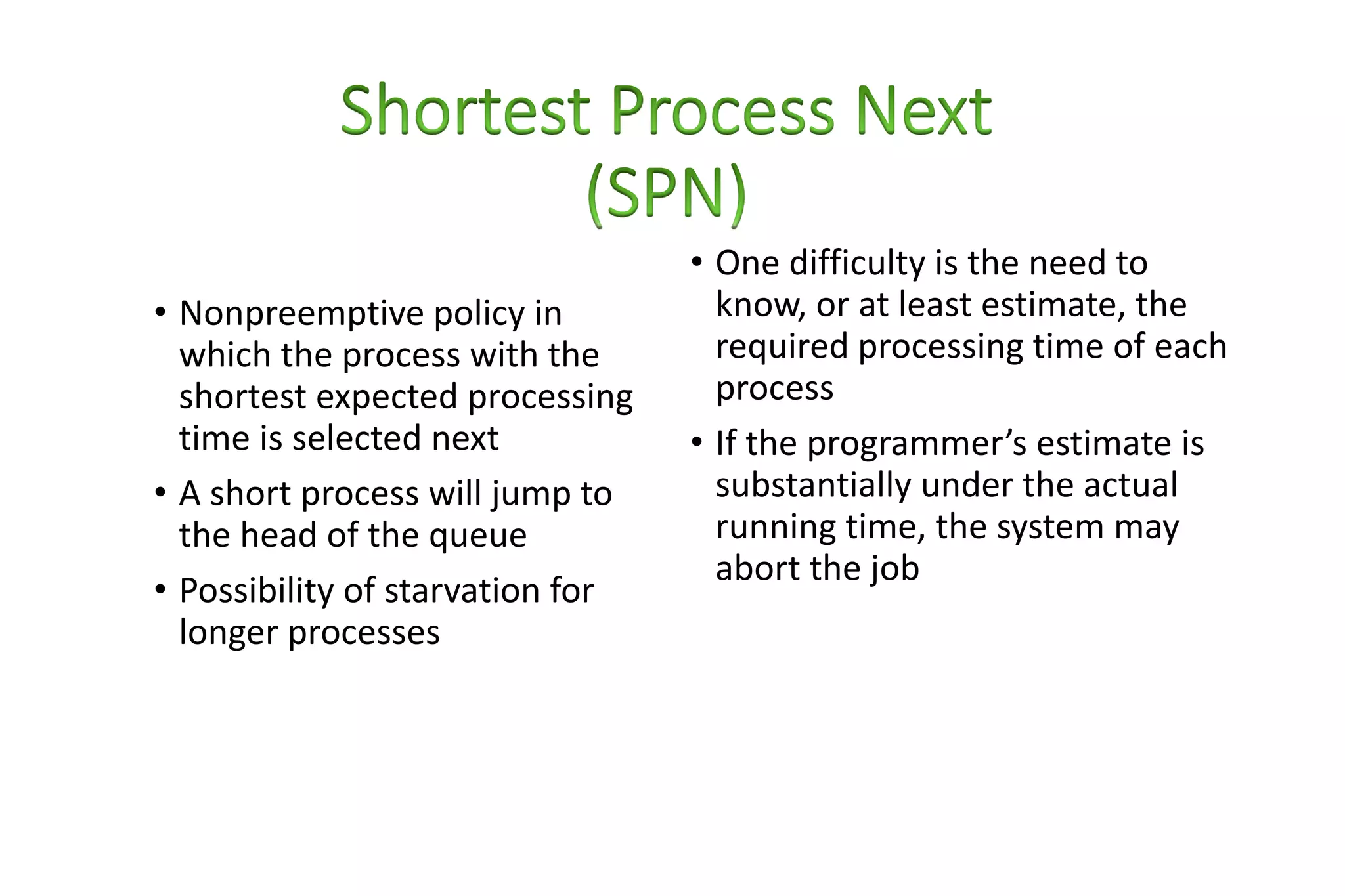
• Nonpreemptive policy in
which the process with the
shortest expected processing
time is selected next
• A short process will jump to
the head of the queue
• Possibility of starvation for
longer processes
• One difficulty is the need to
know, or at least estimate, the
required processing time of each
process
• If the programmer’s estimate is
substantially under the actual
running time, the system may
abort the job
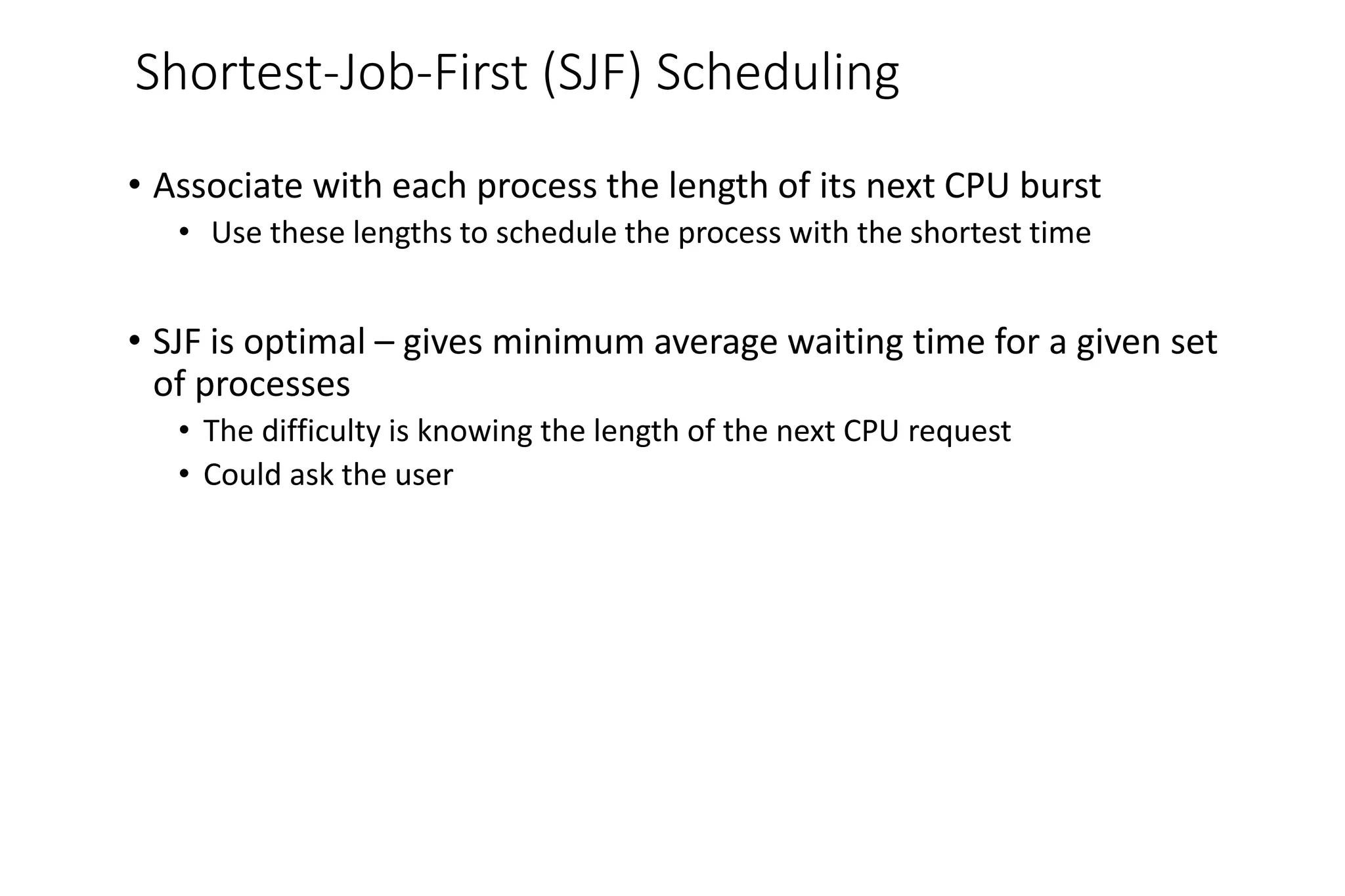
Shortest-Job-First (SJF) Scheduling
• Associate with each process the length of its next CPU burst
• Use these lengths to schedule the process with the shortest time
• SJF is optimal – gives minimum average waiting time for a given set
of processes
• The difficulty is knowing the length of the next CPU request
• Could ask the user
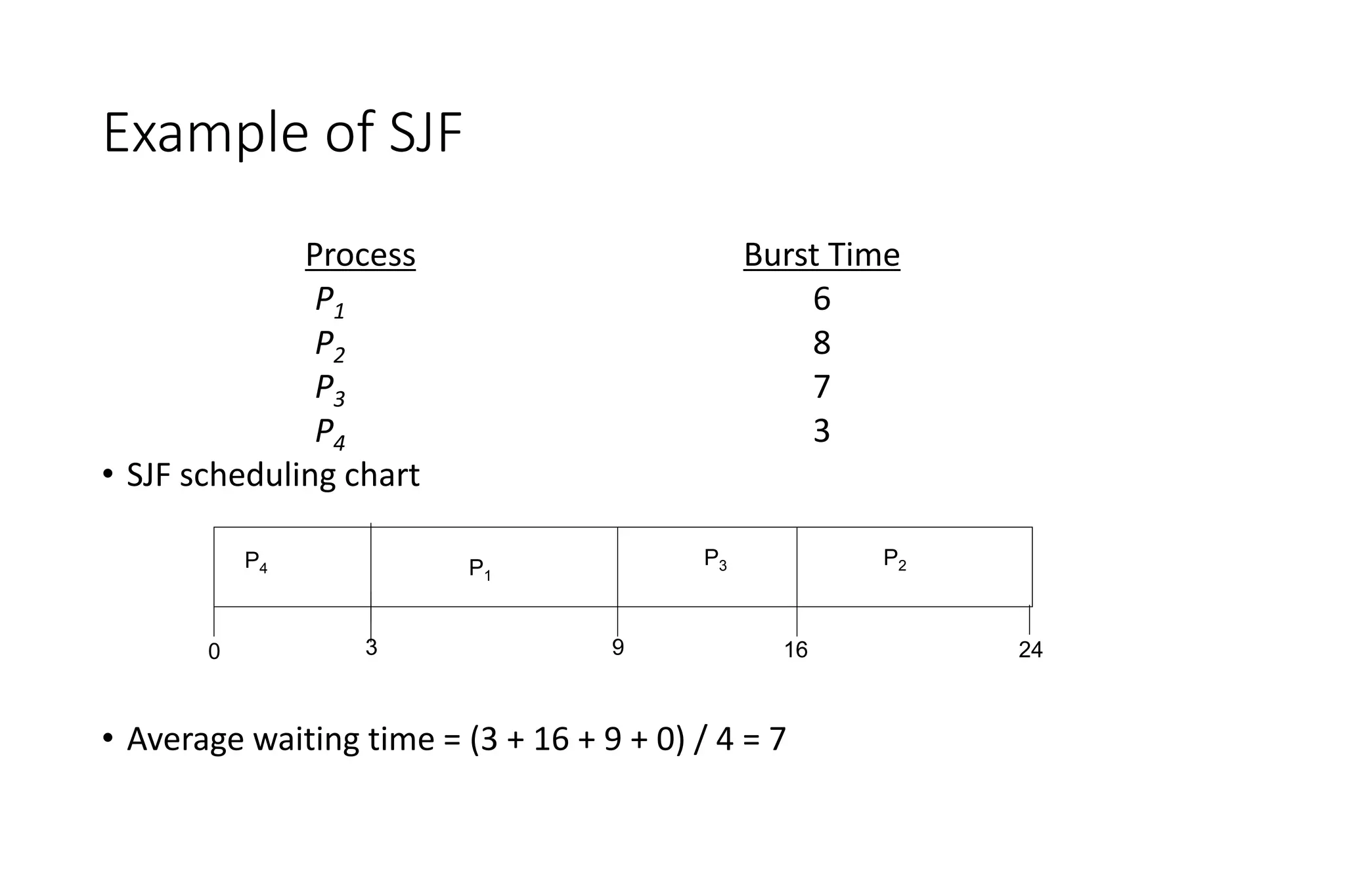
Example of SJF
ProcessArriva l Time Burst Time
P1 0.0 6
P2 2.0 8
P3 4.0 7
P4 5.0 3
• SJF scheduling chart
• Average waiting time = (3 + 16 + 9 + 0) / 4 = 7
P4
P3
P1
3 16
0 9
P2
24
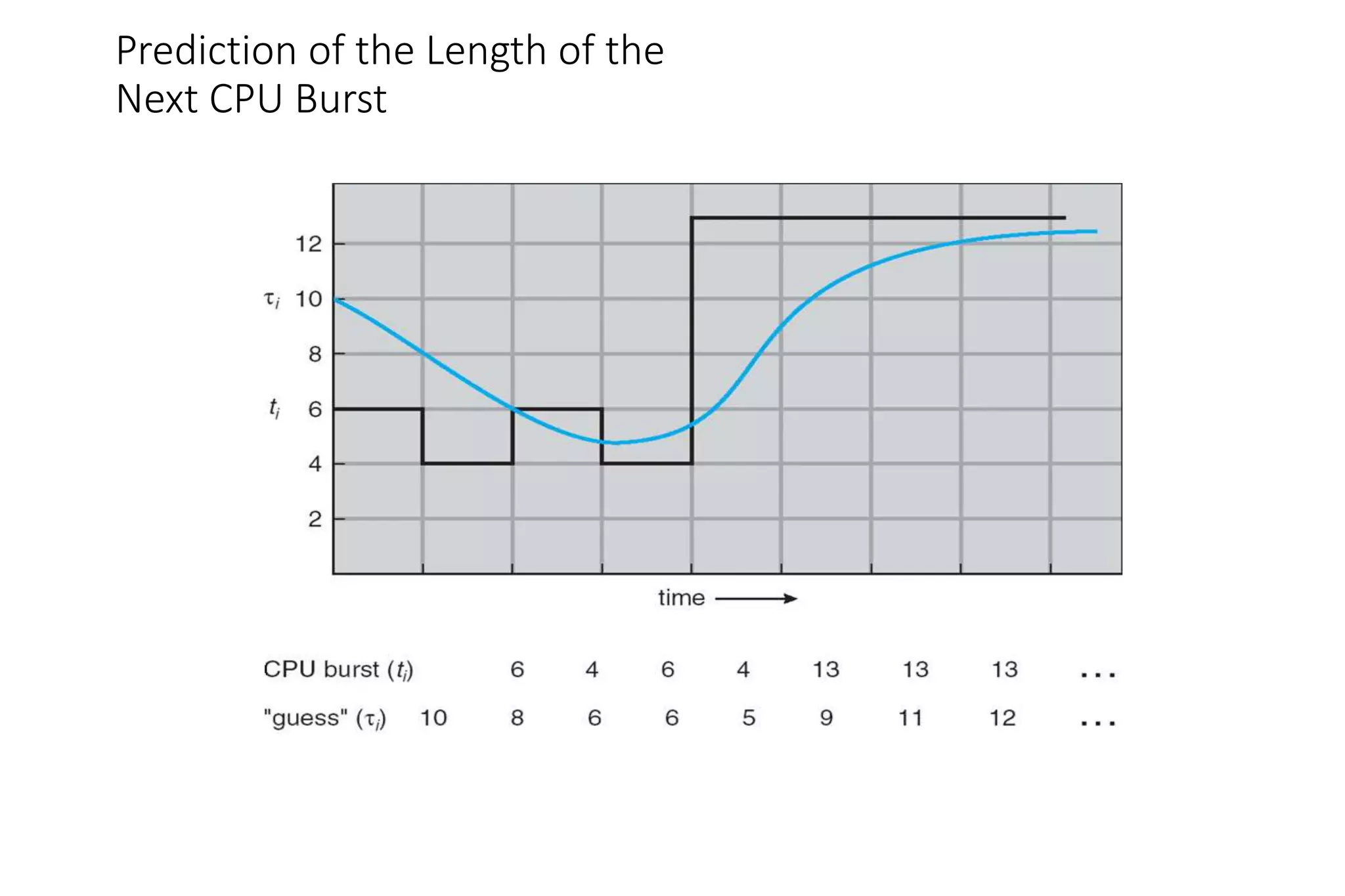
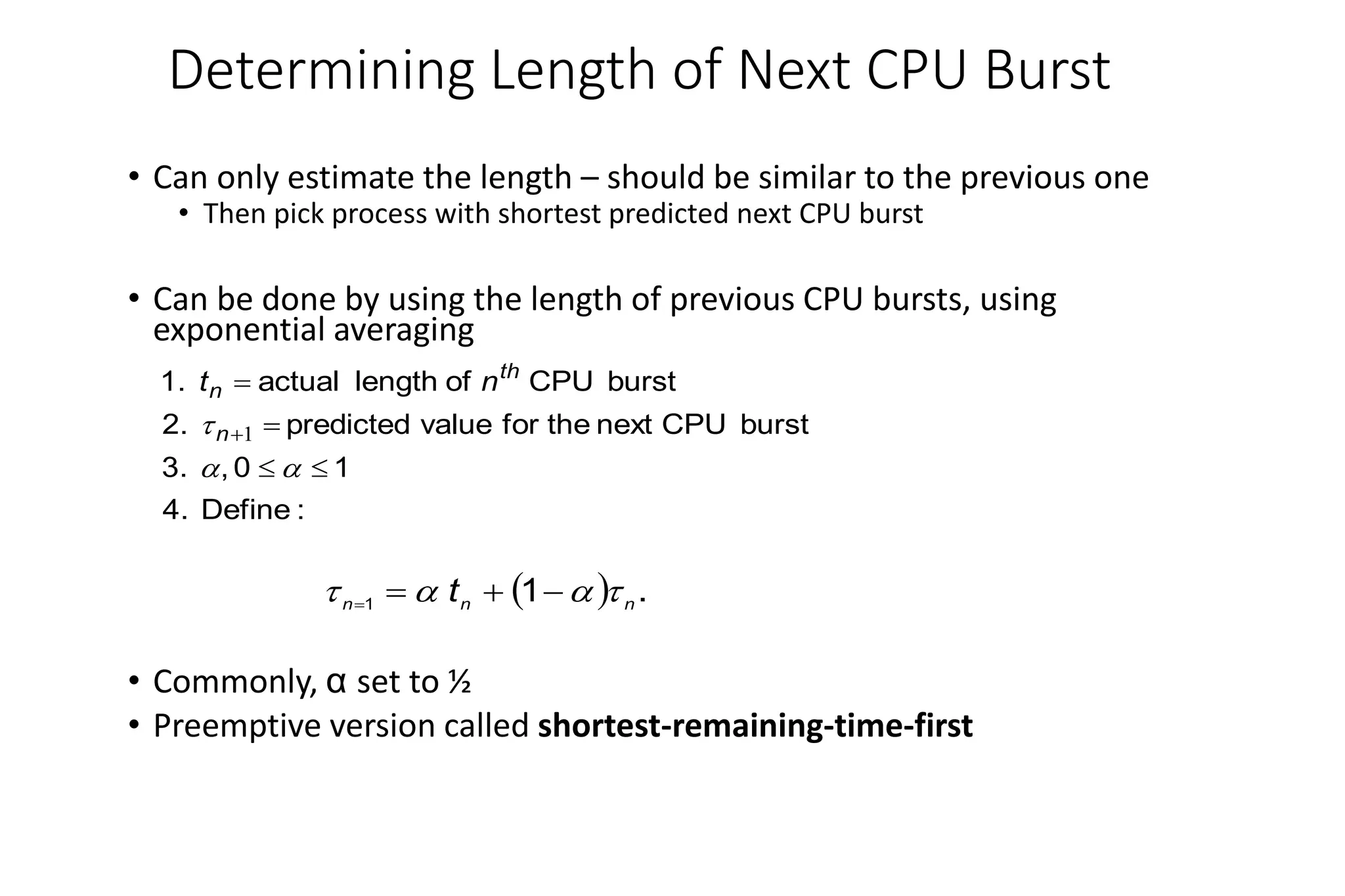
Determining Length of Next CPU Burst
• Can only estimate the length – should be similar to the previous one
• Then pick process with shortest predicted next CPU burst
• Can be done by using the length of previous CPU bursts, using
exponential averaging
• Commonly, α set to ½
• Preemptive version called shortest-remaining-time-first
:
Define
4.
1
0
,
3.
burst
CPU
next
the
for
value
predicted
2.
burst
CPU
of
length
actual
1.







 1
n
th
n n
t
  .
1
1 n
n
n
t 


 



Prediction of the Length of the
Next CPU Burst
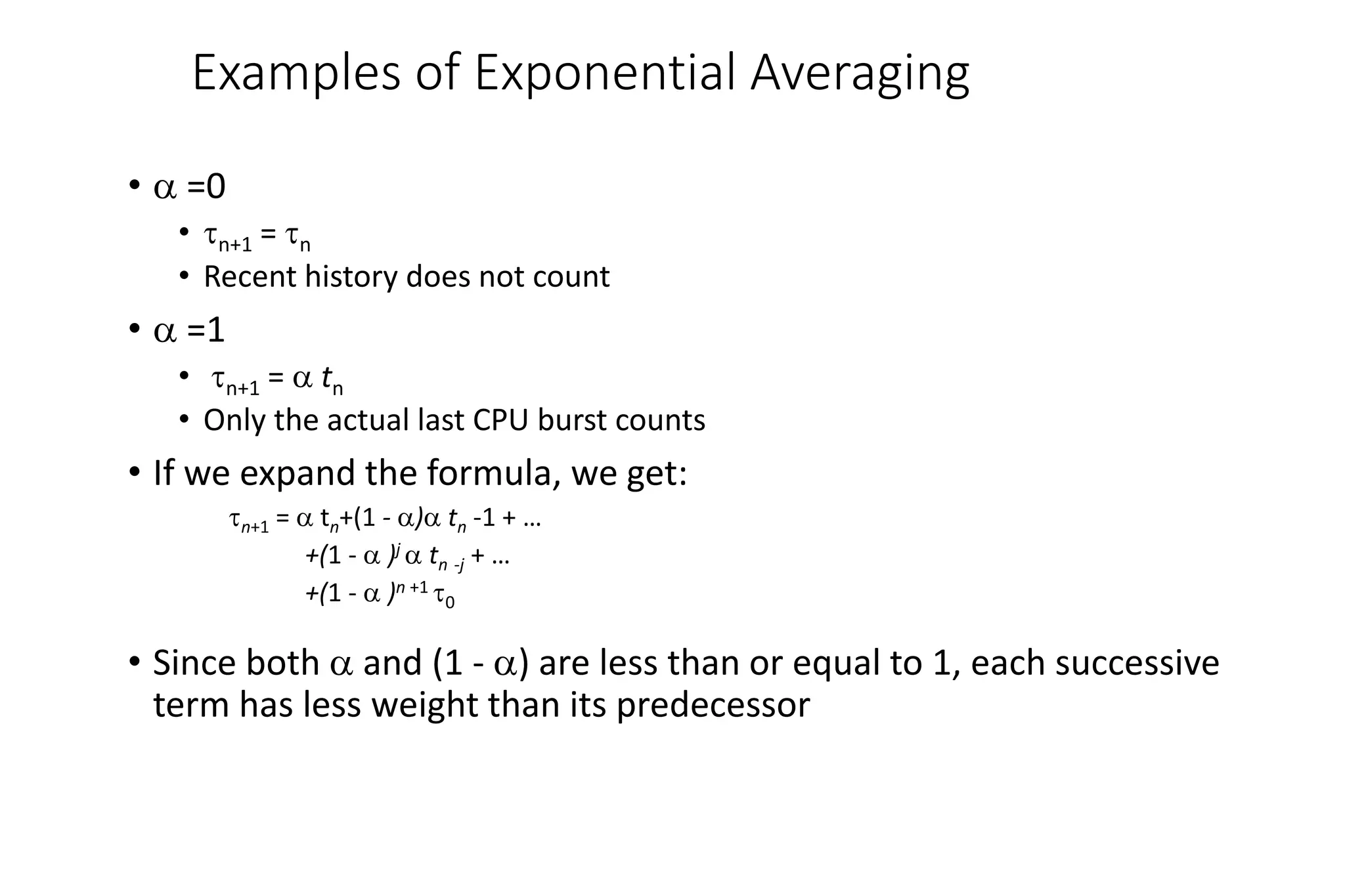
Examples of Exponential Averaging
•  =0
• n+1 = n
• Recent history does not count
•  =1
• n+1 =  tn
• Only the actual last CPU burst counts
• If we expand the formula, we get:
n+1 =  tn+(1 - ) tn -1 + …
+(1 -  )j  tn -j + …
+(1 -  )n +1 0
• Since both  and (1 - ) are less than or equal to 1, each successive
term has less weight than its predecessor
• Preemptive version of SPN
• Scheduler always chooses the
process that has the shortest
expected remaining processing
time
• Risk of starvation of longer
processes
• Should give
superior
turnaround time
performance to
SPN because a
short job is
given
immediate
preference to a
running longer
job
Example of Shortest-remaining-time-first
• Now we add the concepts of varying arrival times and preemption to the analysis
ProcessA arri Arrival TimeT Burst Time
P1 0 8
P2 1 4
P3 2 9
P4 3 5
• Preemptive SJF Gantt Chart
• Average waiting time = [(10-1)+(1-1)+(17-2)+5-3)]/4 = 26/4 = 6.5 msec
P1
P1
P2
1 17
0 10
P3
26
5
P4
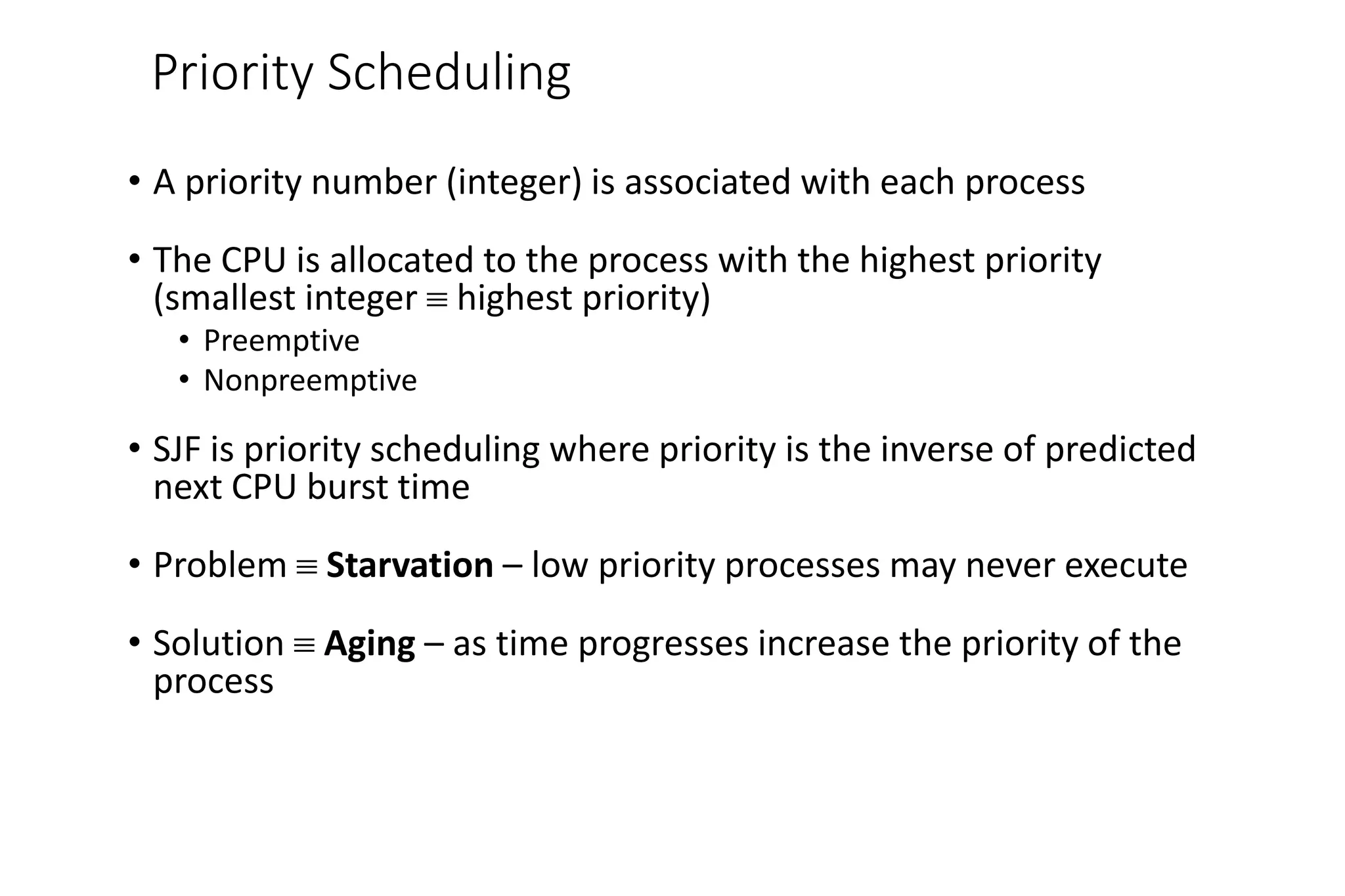
Priority Scheduling
• A priority number (integer) is associated with each process
• The CPU is allocated to the process with the highest priority
(smallest integer  highest priority)
• Preemptive
• Nonpreemptive
• SJF is priority scheduling where priority is the inverse of predicted
next CPU burst time
• Problem  Starvation – low priority processes may never execute
• Solution  Aging – as time progresses increase the priority of the
process
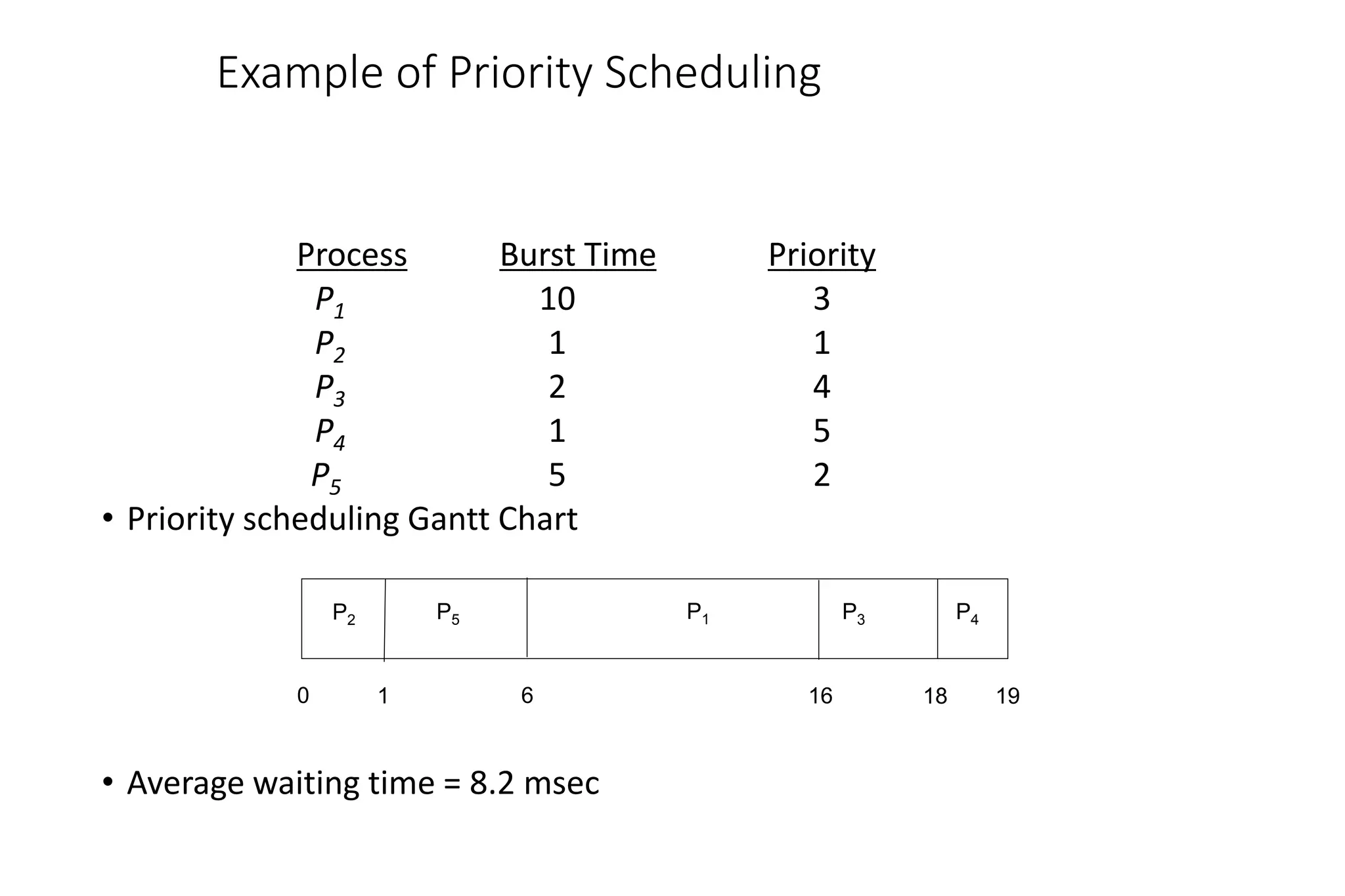
Example of Priority Scheduling
ProcessA arri Burst TimeT Priority
P1 10 3
P2 1 1
P3 2 4
P4 1 5
P5 5 2
• Priority scheduling Gantt Chart
• Average waiting time = 8.2 msec
P2 P3
P5
1 18
0 16
P4
19
6
P1
• Uses preemption based on a
clock
• Also known as time slicing
because each process is
given a slice of time before
being preempted
• Principal design issue is the
length of the time quantum,
or slice, to be used
• Particularly effective in a
general-purpose time-
sharing system or
transaction processing
system
• One drawback is its relative
treatment of processor-
bound and I/O-bound
processes
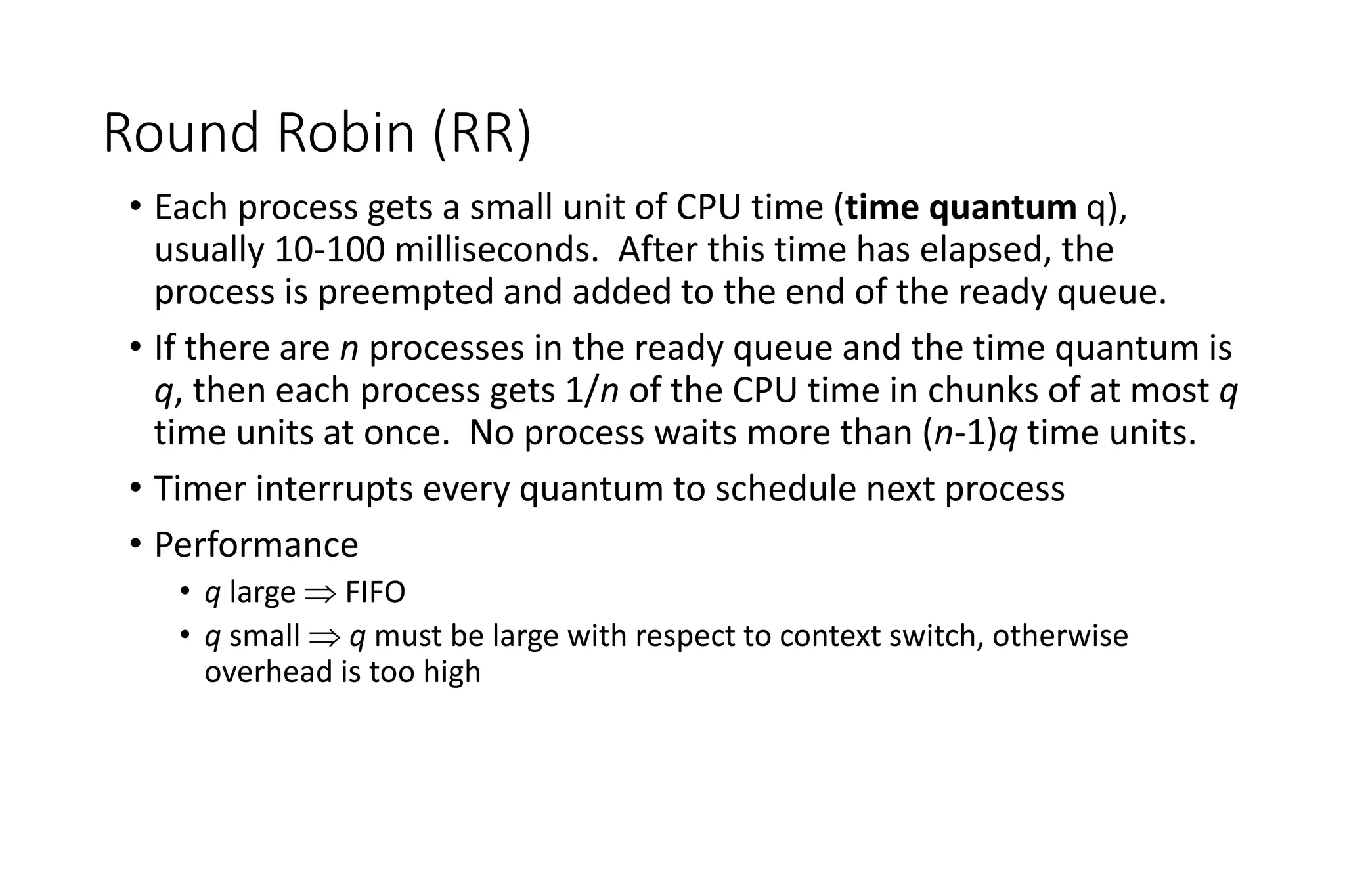
Round Robin (RR)
• Each process gets a small unit of CPU time (time quantum q),
usually 10-100 milliseconds. After this time has elapsed, the
process is preempted and added to the end of the ready queue.
• If there are n processes in the ready queue and the time quantum is
q, then each process gets 1/n of the CPU time in chunks of at most q
time units at once. No process waits more than (n-1)q time units.
• Timer interrupts every quantum to schedule next process
• Performance
• q large  FIFO
• q small  q must be large with respect to context switch, otherwise
overhead is too high
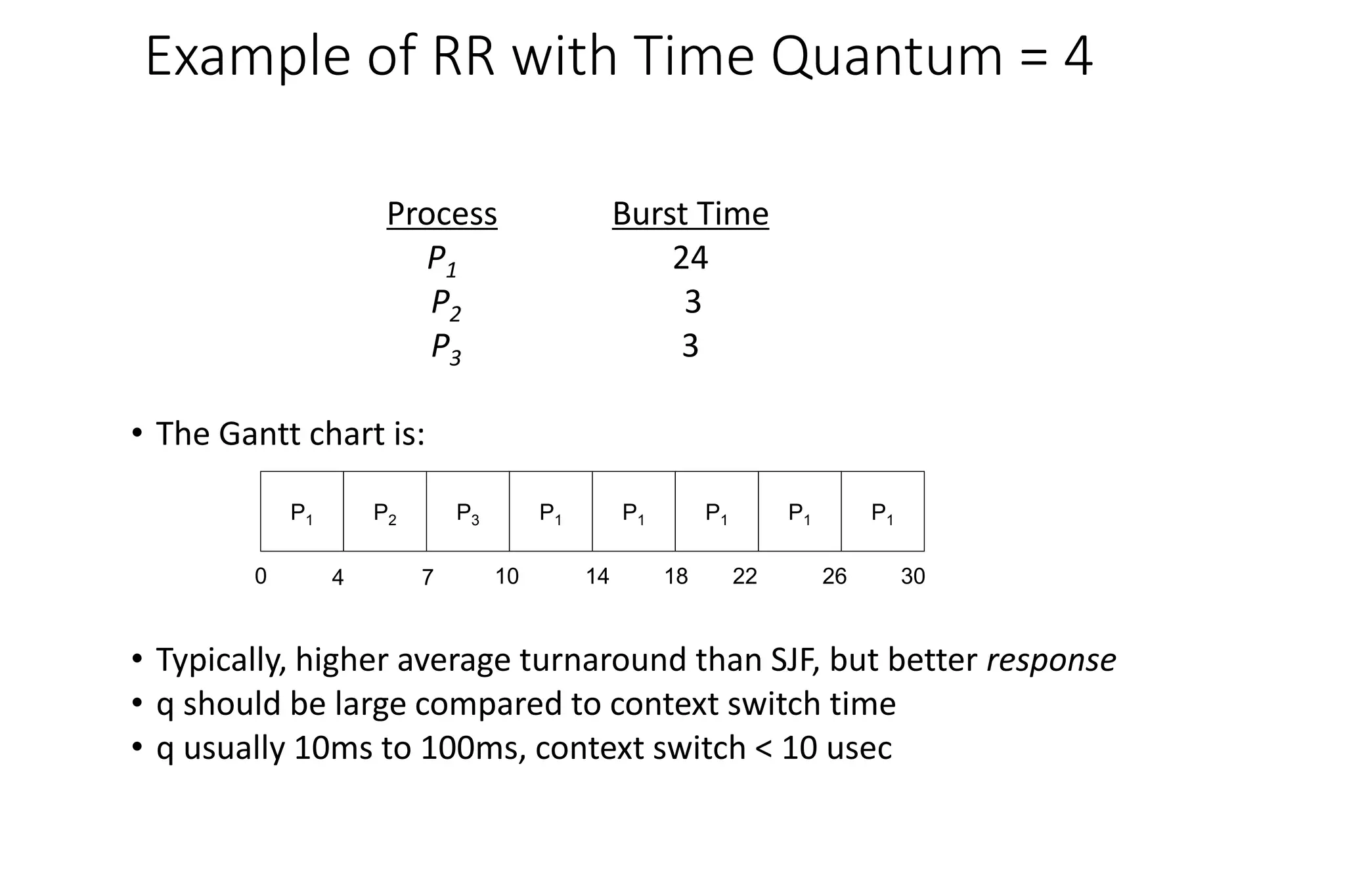
Example of RR with Time Quantum = 4
Process Burst Time
P1 24
P2 3
P3 3
• The Gantt chart is:
• Typically, higher average turnaround than SJF, but better response
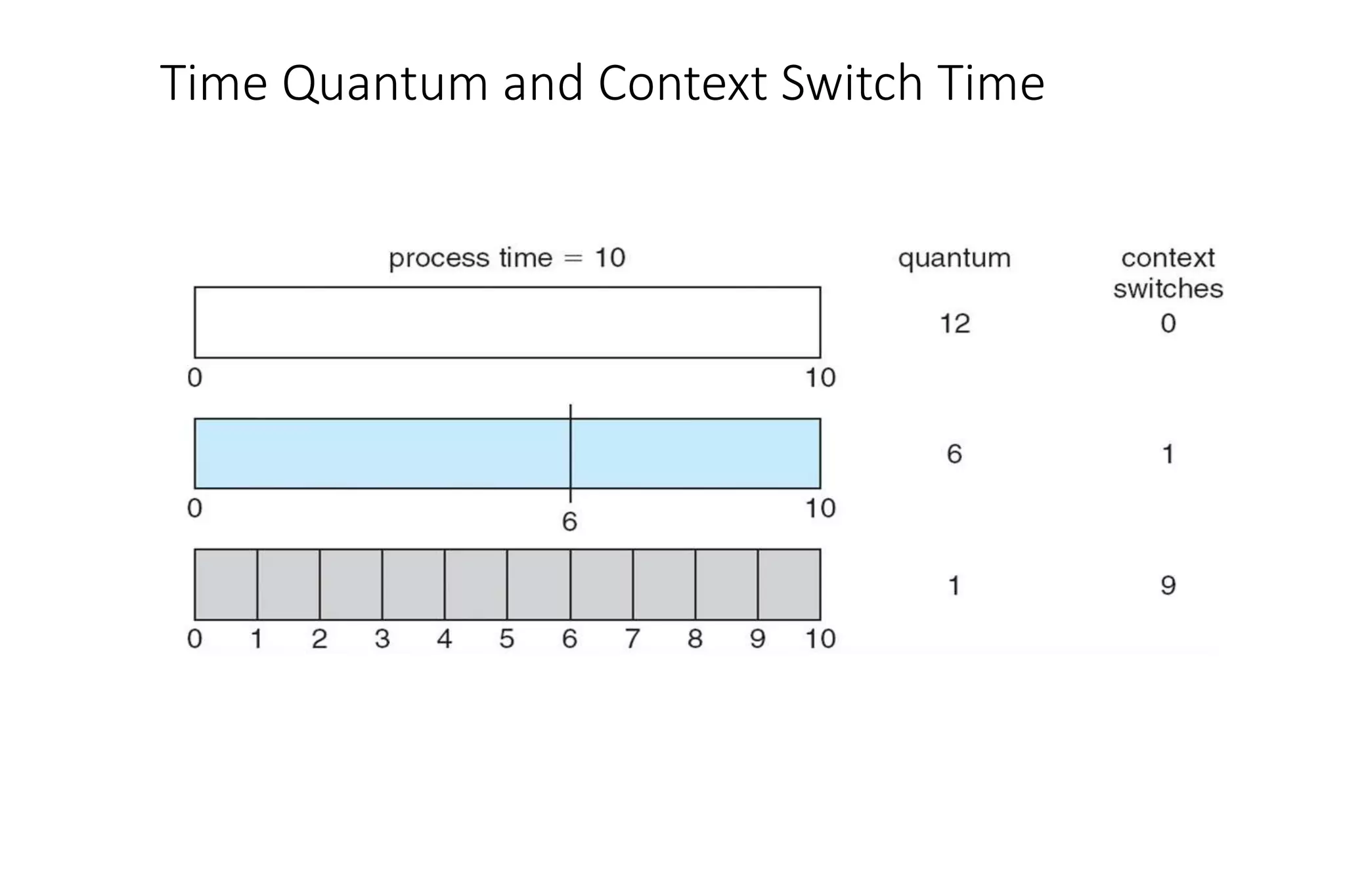
• q should be large compared to context switch time
• q usually 10ms to 100ms, context switch < 10 usec
P1 P2 P3 P1 P1 P1 P1 P1
0 4 7 10 14 18 22 26 30
Time Quantum and Context Switch Time
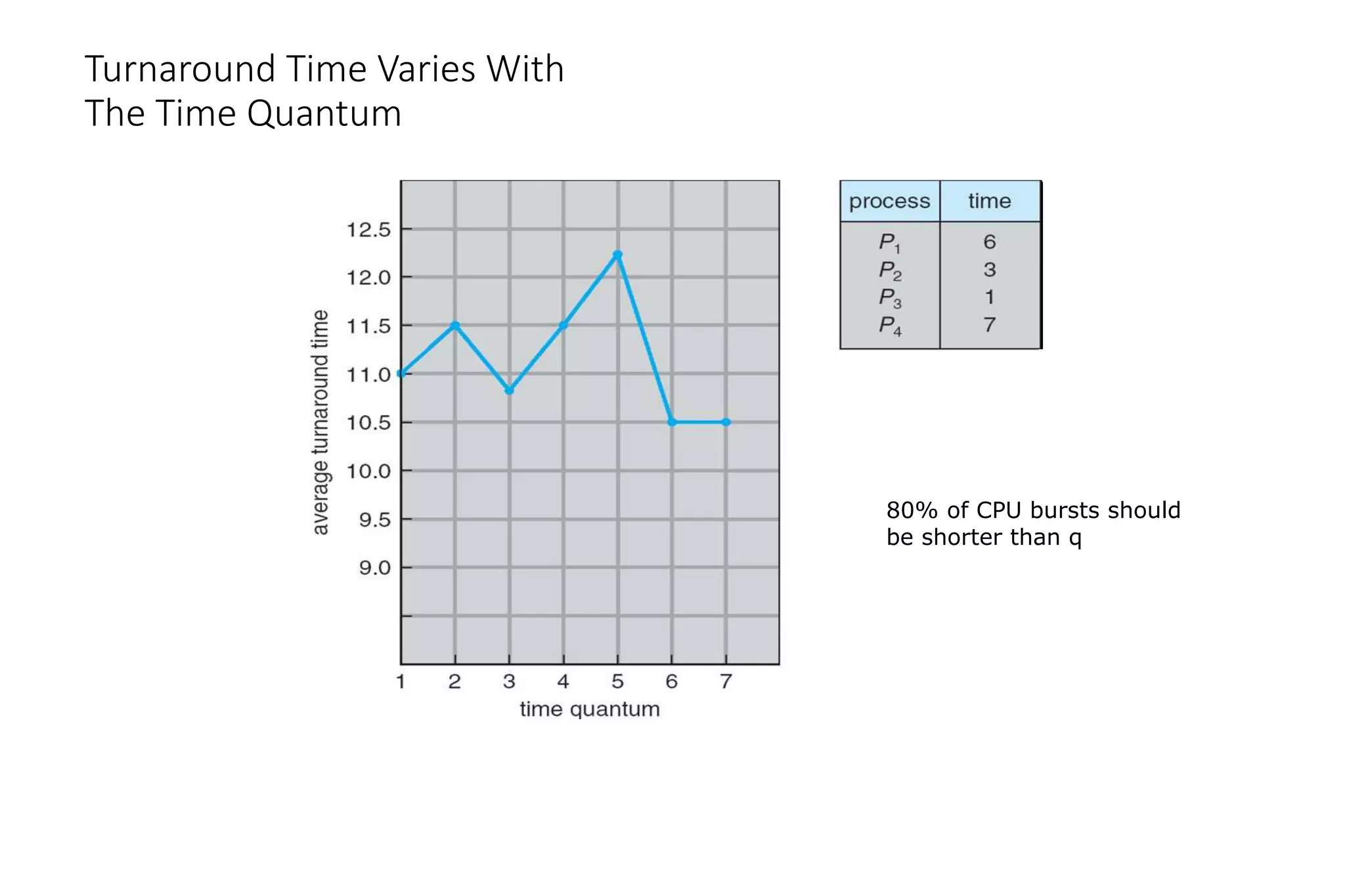
Turnaround Time Varies With
The Time Quantum
80% of CPU bursts should
be shorter than q
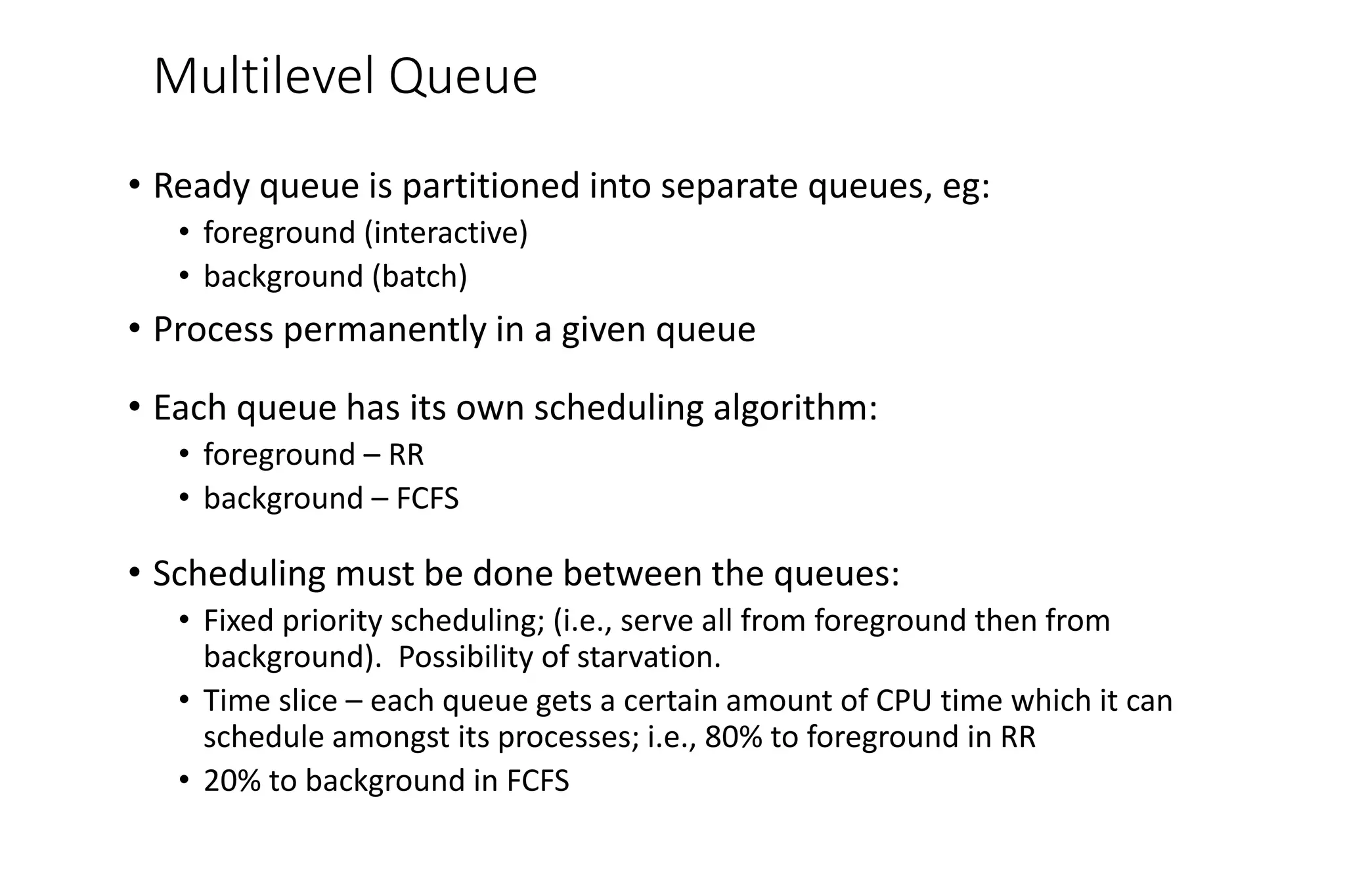
Multilevel Queue
• Ready queue is partitioned into separate queues, eg:
• foreground (interactive)
• background (batch)
• Process permanently in a given queue
• Each queue has its own scheduling algorithm:
• foreground – RR
• background – FCFS
• Scheduling must be done between the queues:
• Fixed priority scheduling; (i.e., serve all from foreground then from
background). Possibility of starvation.
• Time slice – each queue gets a certain amount of CPU time which it can
schedule amongst its processes; i.e., 80% to foreground in RR
• 20% to background in FCFS
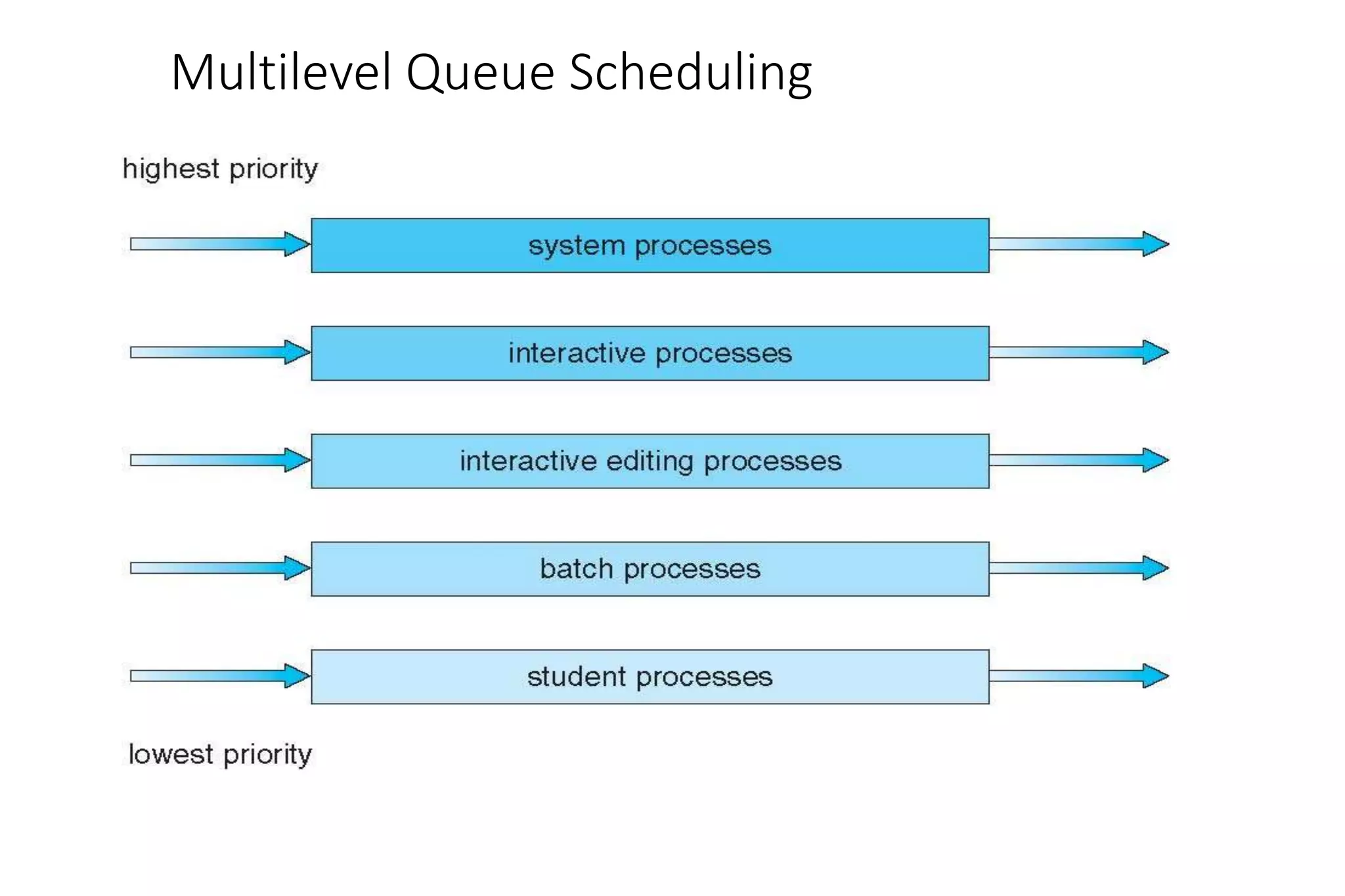
Multilevel Queue Scheduling
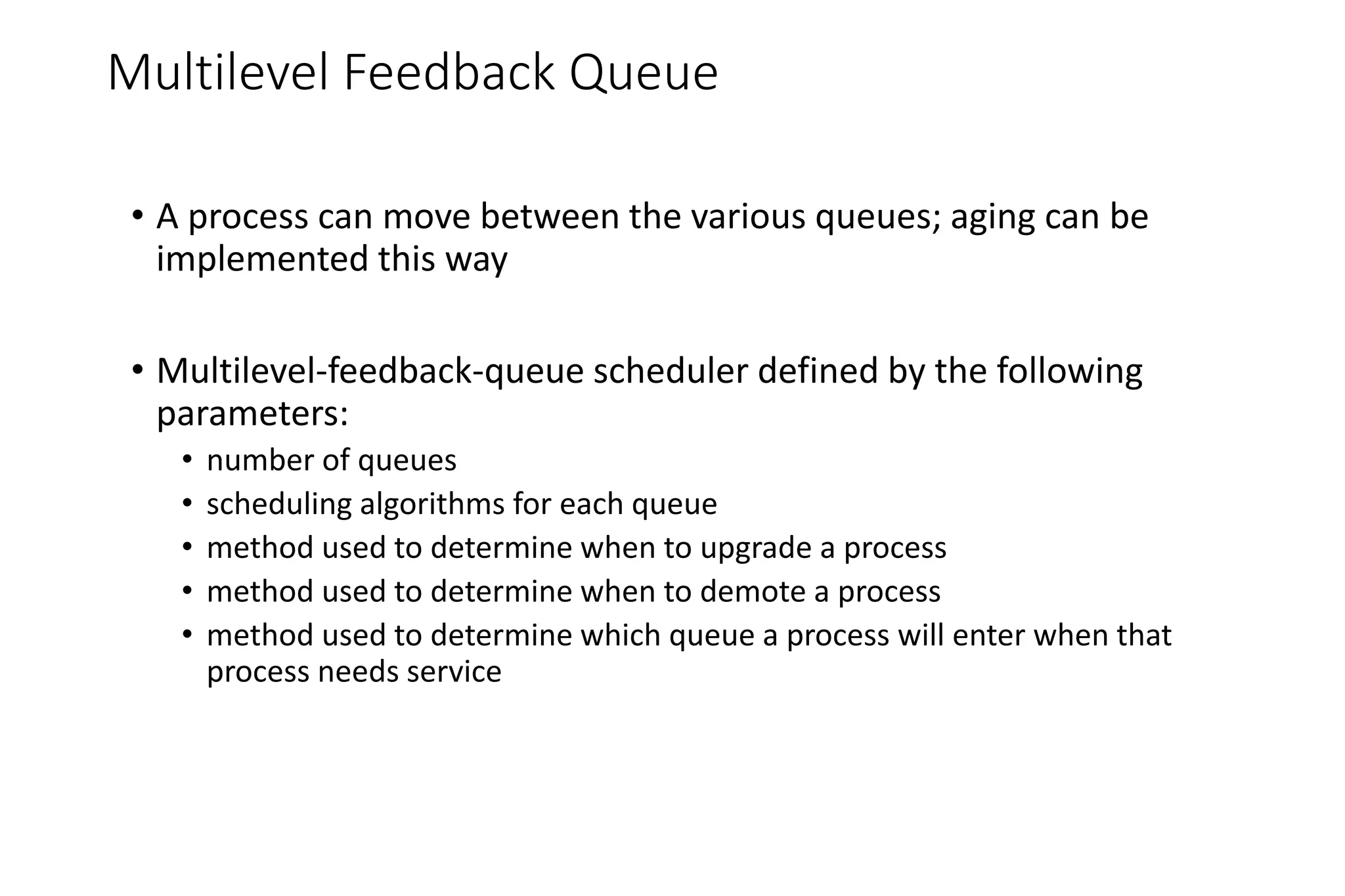
Multilevel Feedback Queue
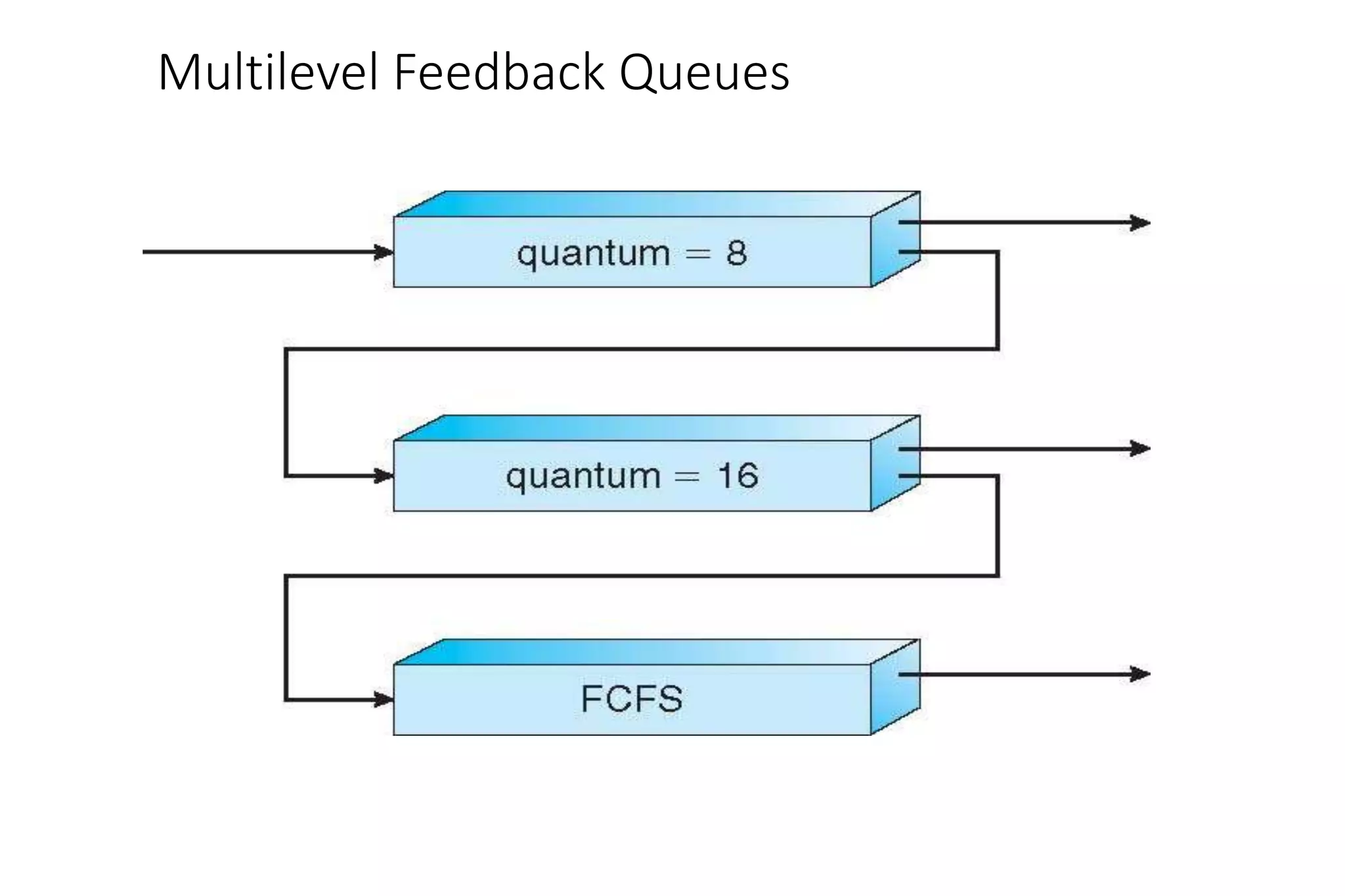
• A process can move between the various queues; aging can be
implemented this way
• Multilevel-feedback-queue scheduler defined by the following
parameters:
• number of queues
• scheduling algorithms for each queue
• method used to determine when to upgrade a process
• method used to determine when to demote a process
• method used to determine which queue a process will enter when that
process needs service
Example of Multilevel Feedback Queue
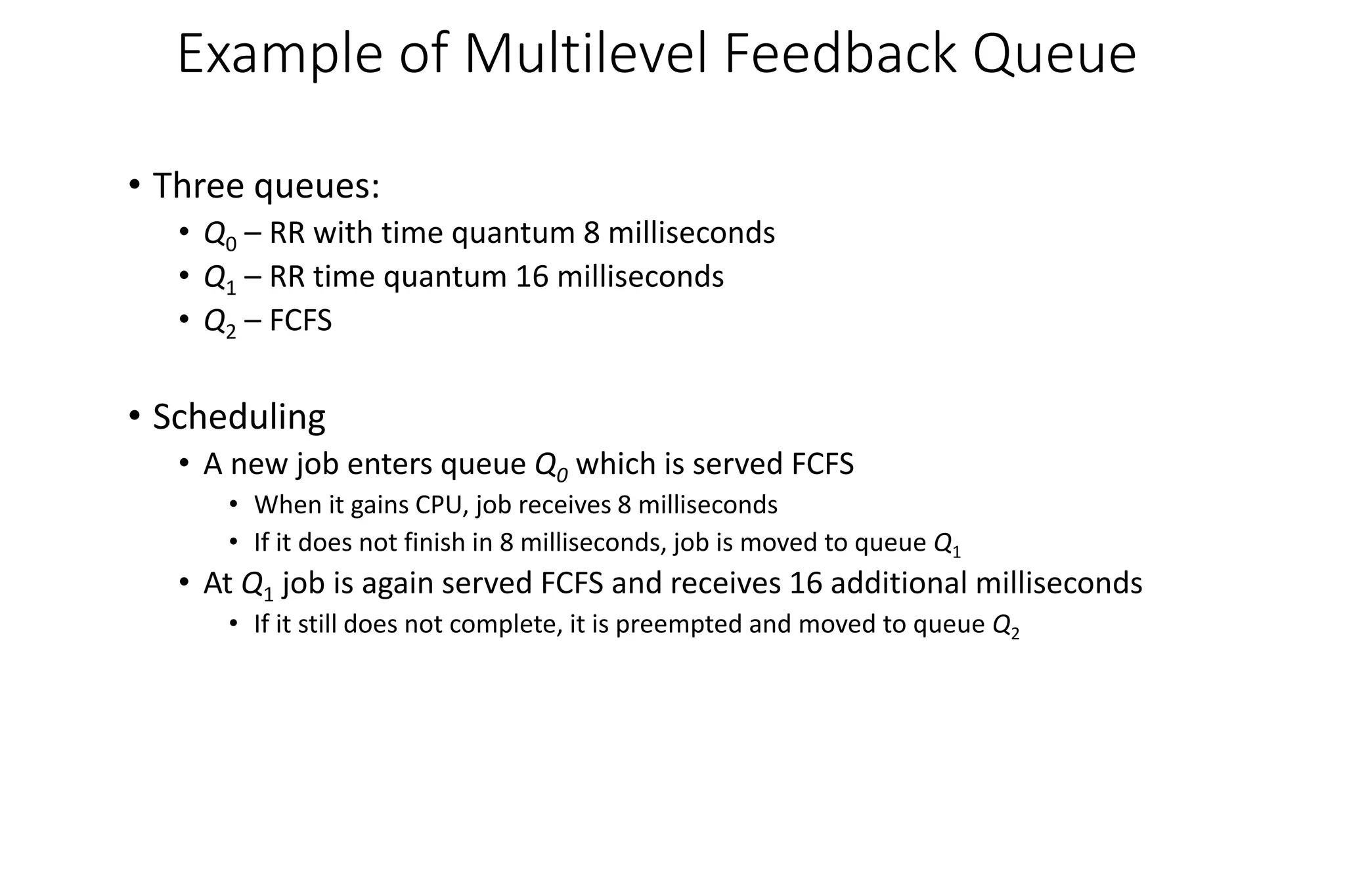
• Three queues:
• Q0 – RR with time quantum 8 milliseconds
• Q1 – RR time quantum 16 milliseconds
• Q2 – FCFS
• Scheduling
• A new job enters queue Q0 which is served FCFS
• When it gains CPU, job receives 8 milliseconds
• If it does not finish in 8 milliseconds, job is moved to queue Q1
• At Q1 job is again served FCFS and receives 16 additional milliseconds
• If it still does not complete, it is preempted and moved to queue Q2
Multilevel Feedback Queues
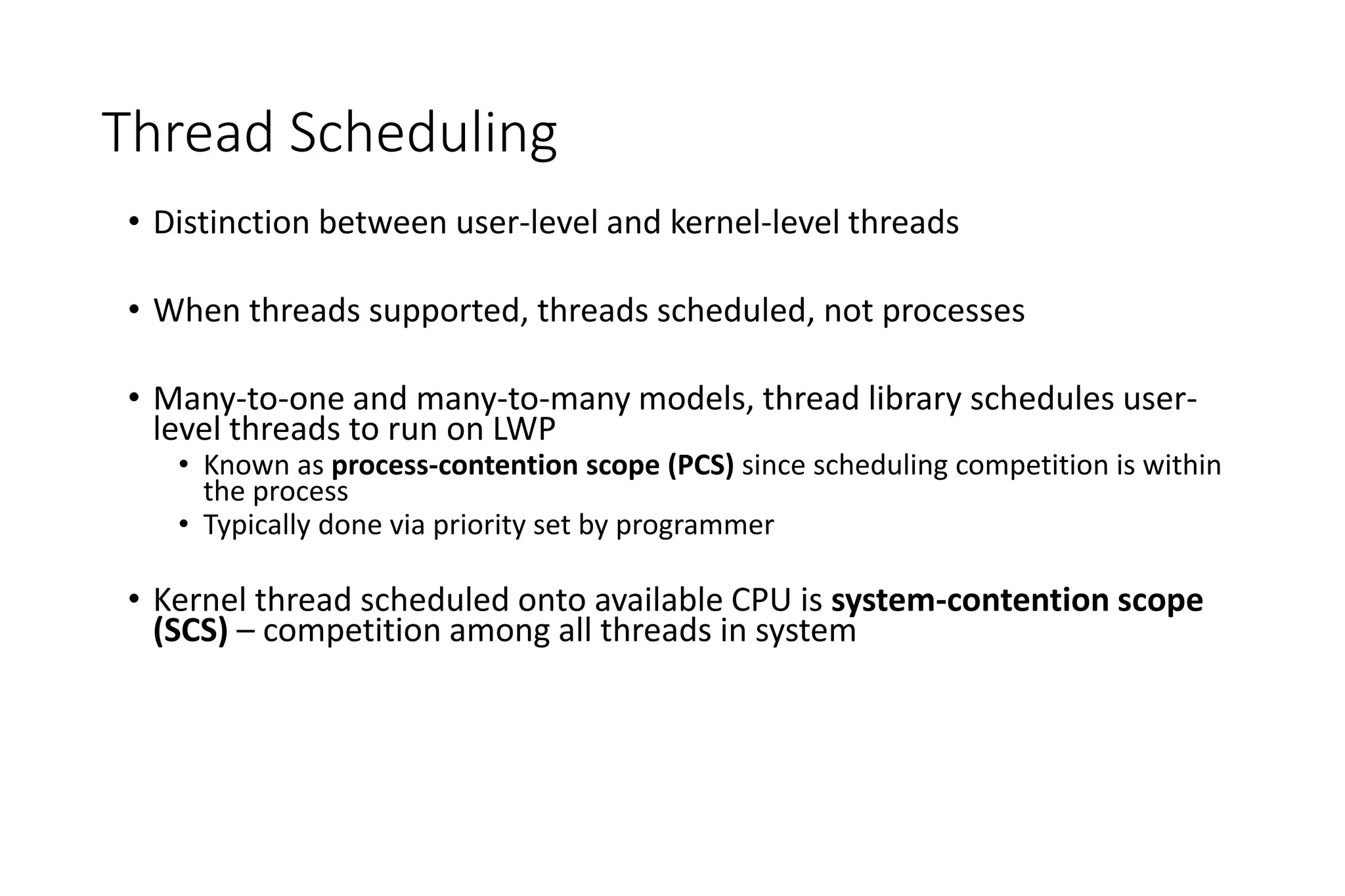
Thread Scheduling
• Distinction between user-level and kernel-level threads
• When threads supported, threads scheduled, not processes
• Many-to-one and many-to-many models, thread library schedules user-
level threads to run on LWP
• Known as process-contention scope (PCS) since scheduling competition is within
the process
• Typically done via priority set by programmer
• Kernel thread scheduled onto available CPU is system-contention scope
(SCS) – competition among all threads in system
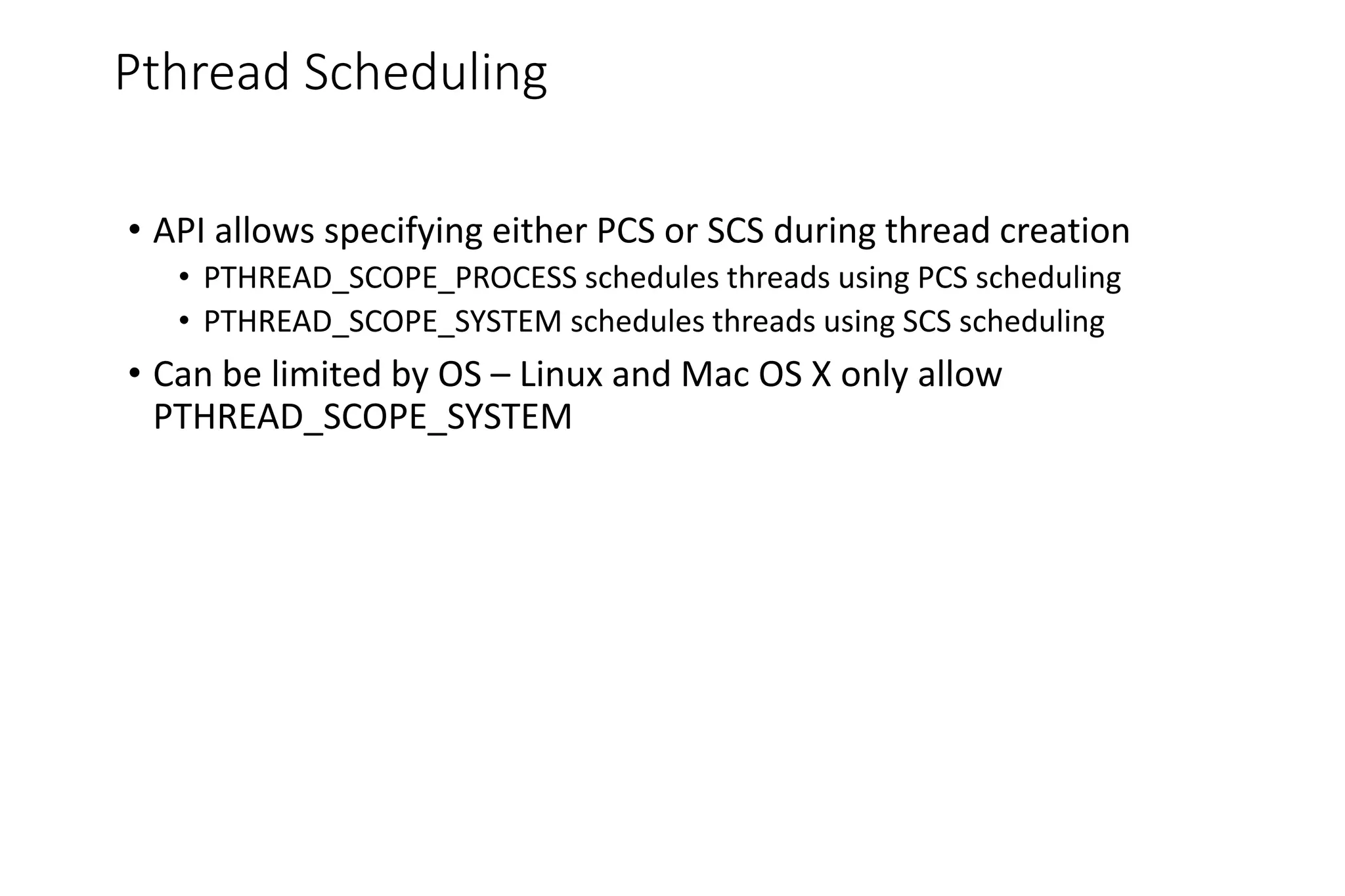
Pthread Scheduling
• API allows specifying either PCS or SCS during thread creation
• PTHREAD_SCOPE_PROCESS schedules threads using PCS scheduling
• PTHREAD_SCOPE_SYSTEM schedules threads using SCS scheduling
• Can be limited by OS – Linux and Mac OS X only allow
PTHREAD_SCOPE_SYSTEM
Pthread Scheduling API
#include <pthread.h>
#include <stdio.h>
#define NUM THREADS 5
int main(int argc, char *argv[])
{
int i;
pthread t tid[NUM THREADS];
pthread attr t attr;
/* get the default attributes */
pthread attr init(&attr);
/* set the scheduling algorithm to PROCESS or SYSTEM */
pthread attr setscope(&attr, PTHREAD SCOPE SYSTEM);
/* set the scheduling policy - FIFO, RT, or OTHER */
pthread attr setschedpolicy(&attr, SCHED OTHER);
/* create the threads */
for (i = 0; i < NUM THREADS; i++)
pthread create(&tid[i],&attr,runner,NULL);
Pthread Scheduling API
/* now join on each thread */
for (i = 0; i < NUM THREADS; i++)
pthread join(tid[i], NULL);
}
/* Each thread will begin control in this function */
void *runner(void *param)
{
printf("I am a threadn");
pthread exit(0);
}
Multiple-Processor Scheduling
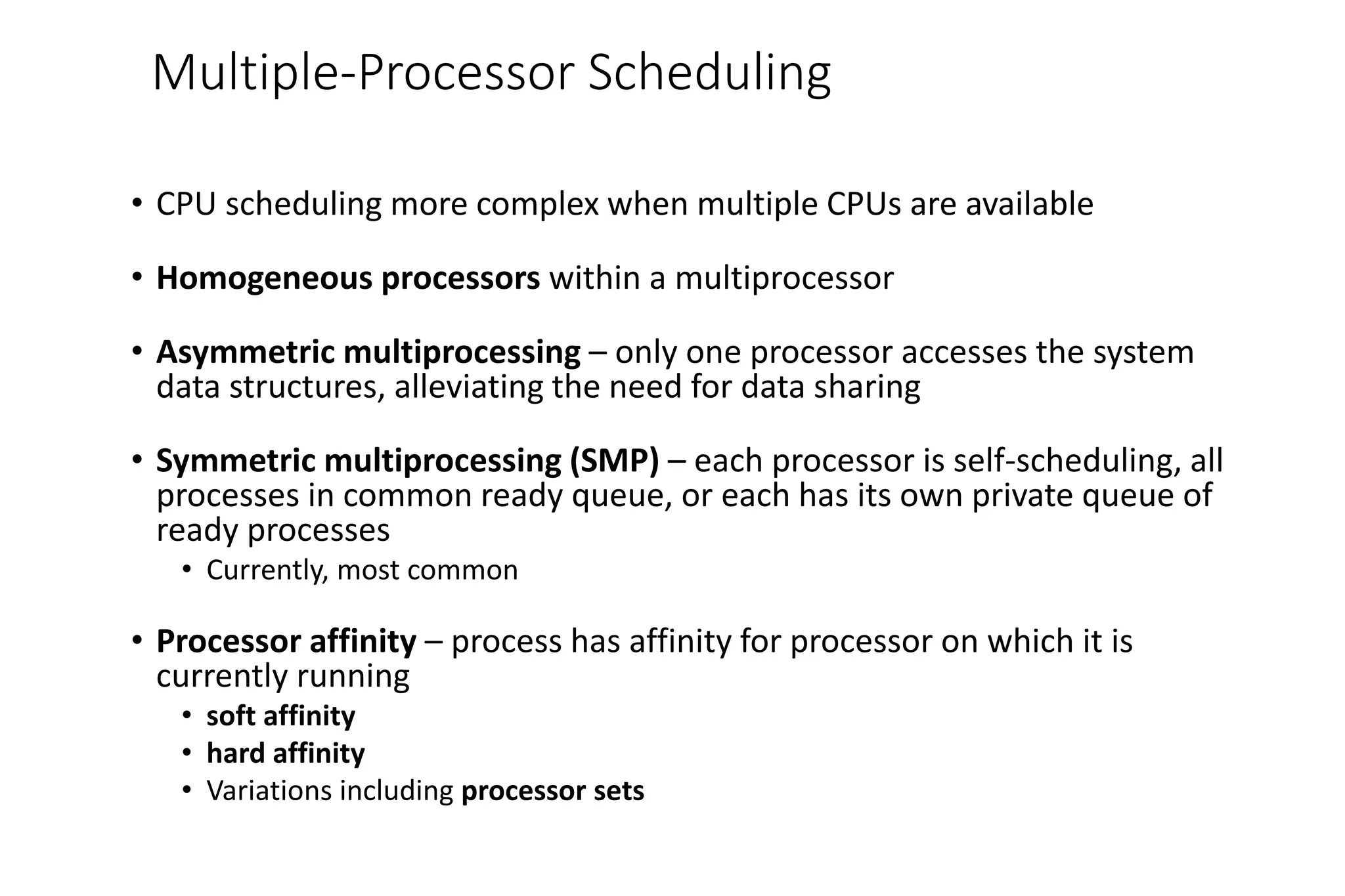
• CPU scheduling more complex when multiple CPUs are available
• Homogeneous processors within a multiprocessor
• Asymmetric multiprocessing – only one processor accesses the system
data structures, alleviating the need for data sharing
• Symmetric multiprocessing (SMP) – each processor is self-scheduling, all
processes in common ready queue, or each has its own private queue of
ready processes
• Currently, most common
• Processor affinity – process has affinity for processor on which it is
currently running
• soft affinity
• hard affinity
• Variations including processor sets
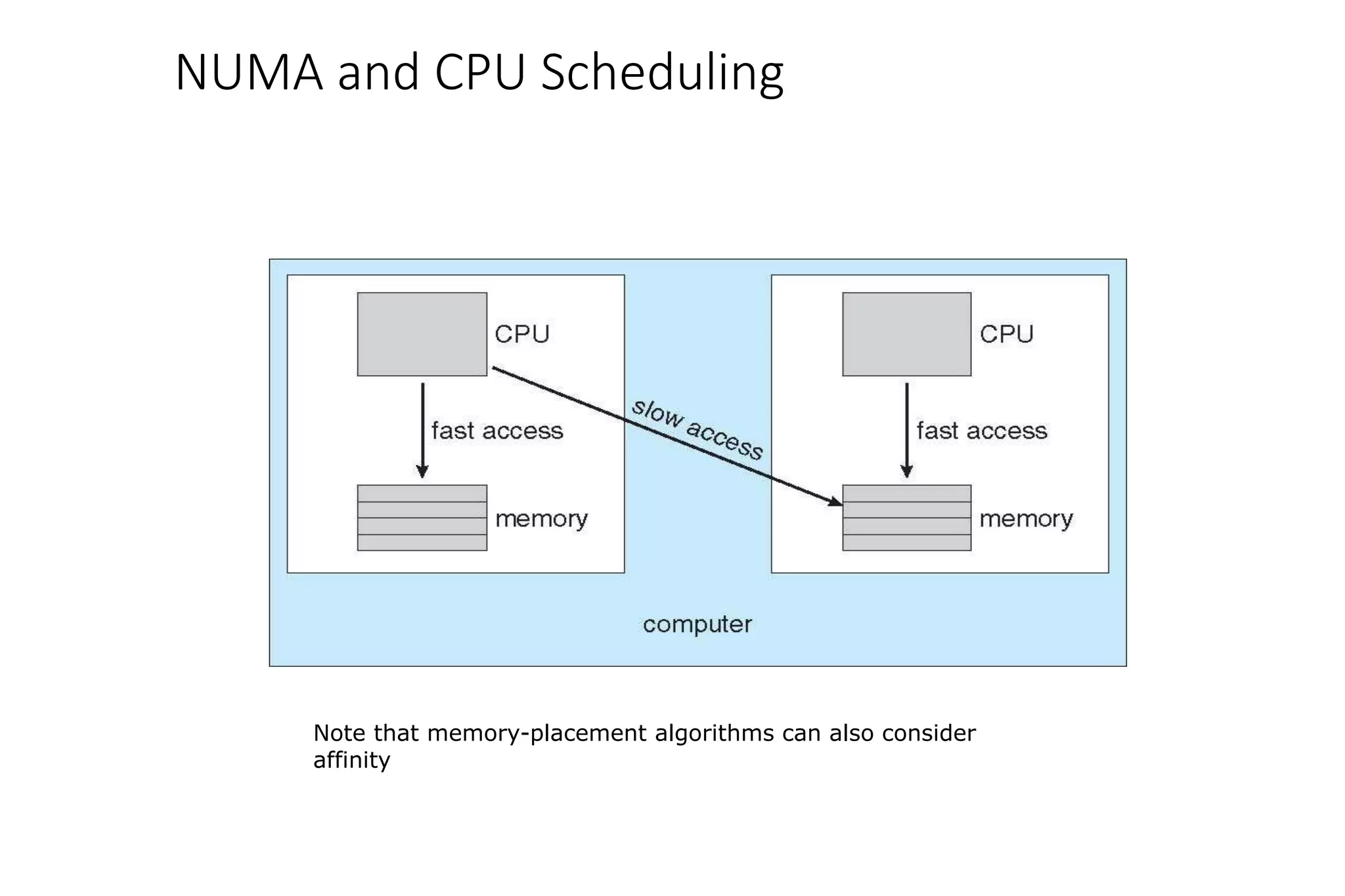
NUMA and CPU Scheduling
Note that memory-placement algorithms can also consider
affinity
Multicore Processors
• Recent trend to place multiple processor cores on same physical
chip
• Faster and consumes less power
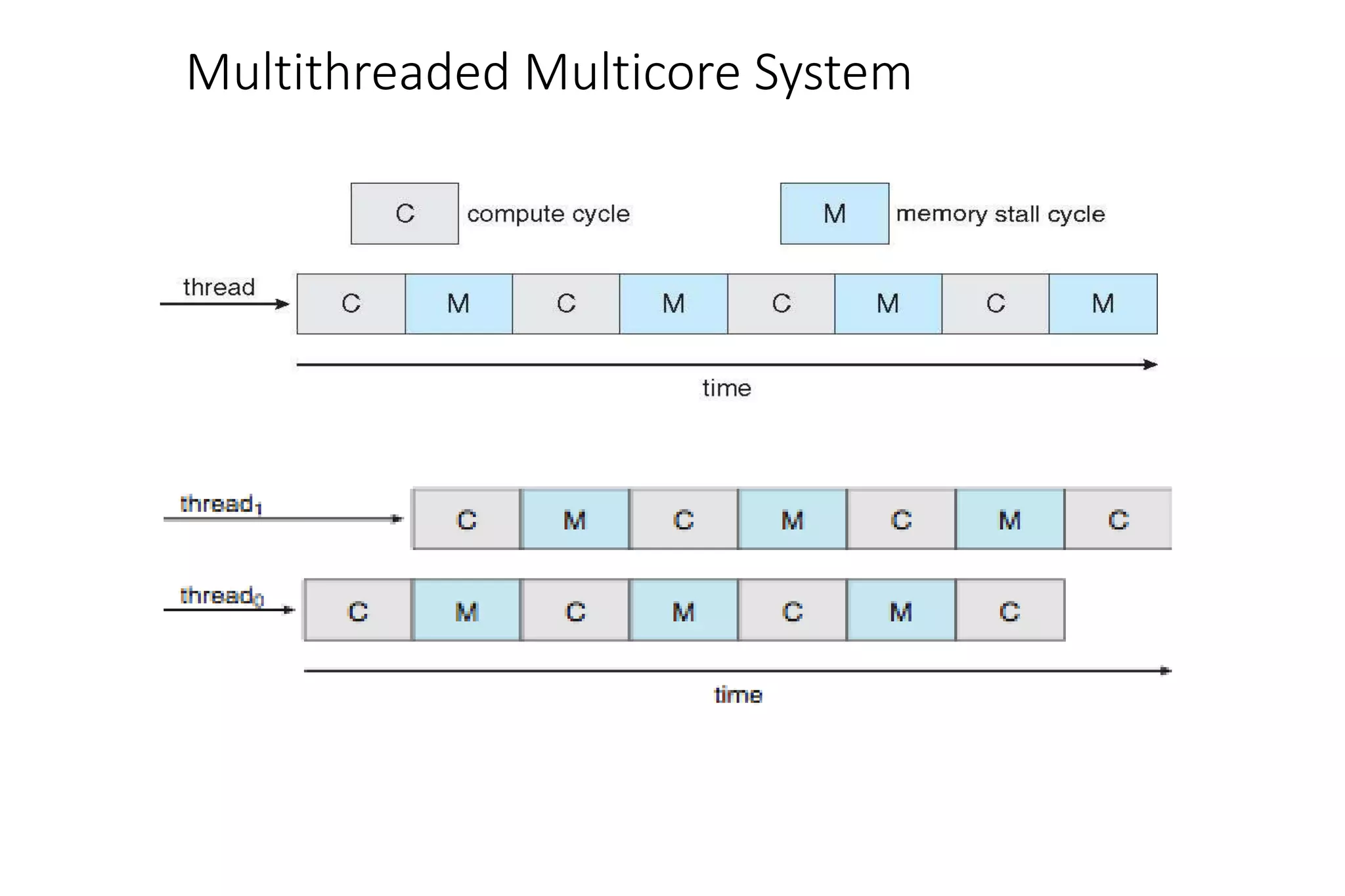
• Multiple threads per core also growing
• Takes advantage of memory stall to make progress on another thread while
memory retrieve happens
Multithreaded Multicore System
Virtualization and Scheduling
• Virtualization software schedules multiple guests onto CPU(s)
• Each guest doing its own scheduling
• Not knowing it doesn’t own the CPUs
• Can result in poor response time
• Can effect time-of-day clocks in guests
• Can undo good scheduling algorithm efforts of guests
Operating System Examples
• Solaris scheduling
• Windows XP scheduling
• Linux scheduling
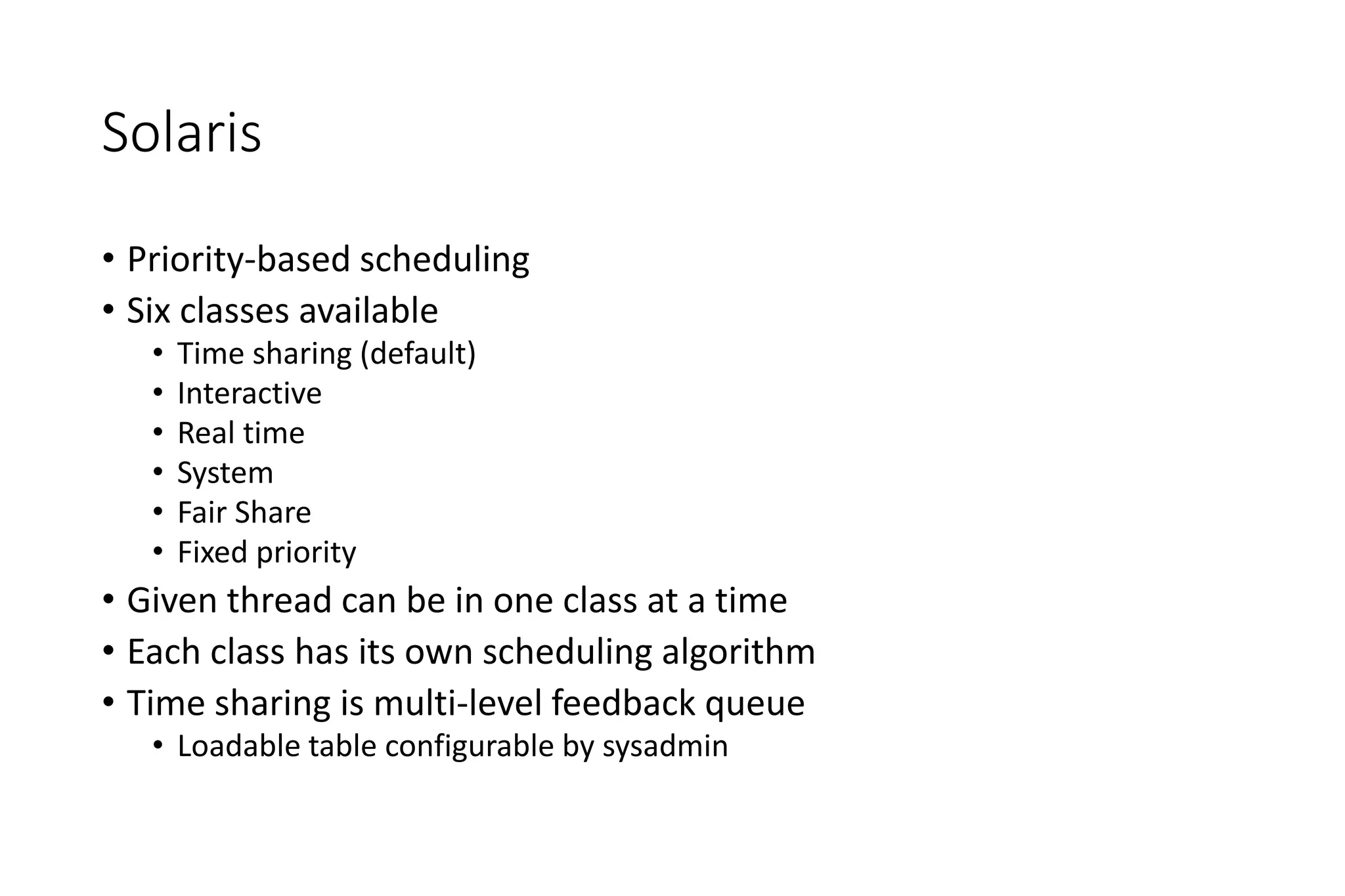
Solaris
• Priority-based scheduling
• Six classes available
• Time sharing (default)
• Interactive
• Real time
• System
• Fair Share
• Fixed priority
• Given thread can be in one class at a time
• Each class has its own scheduling algorithm
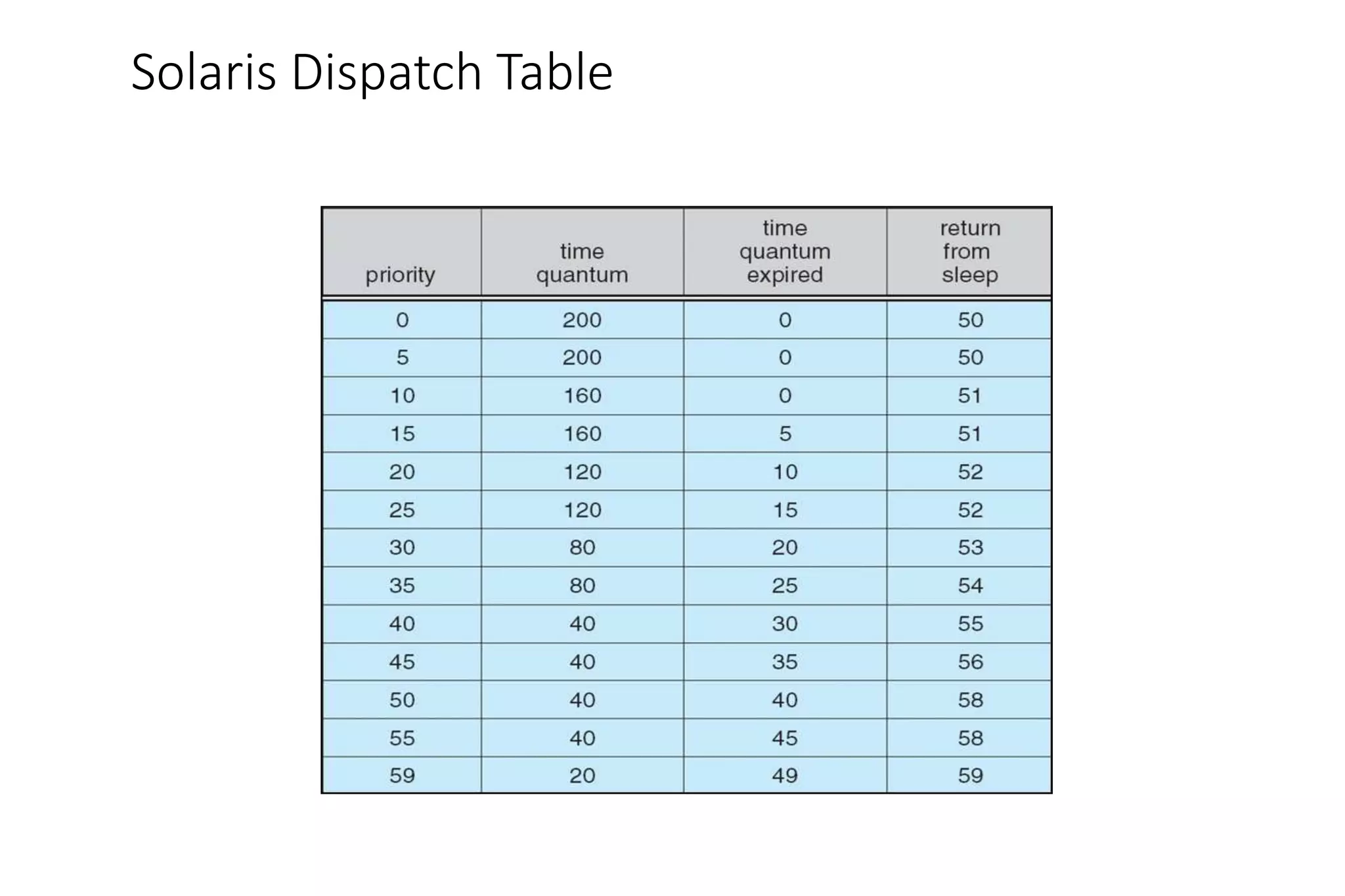
• Time sharing is multi-level feedback queue
• Loadable table configurable by sysadmin
Solaris Dispatch Table
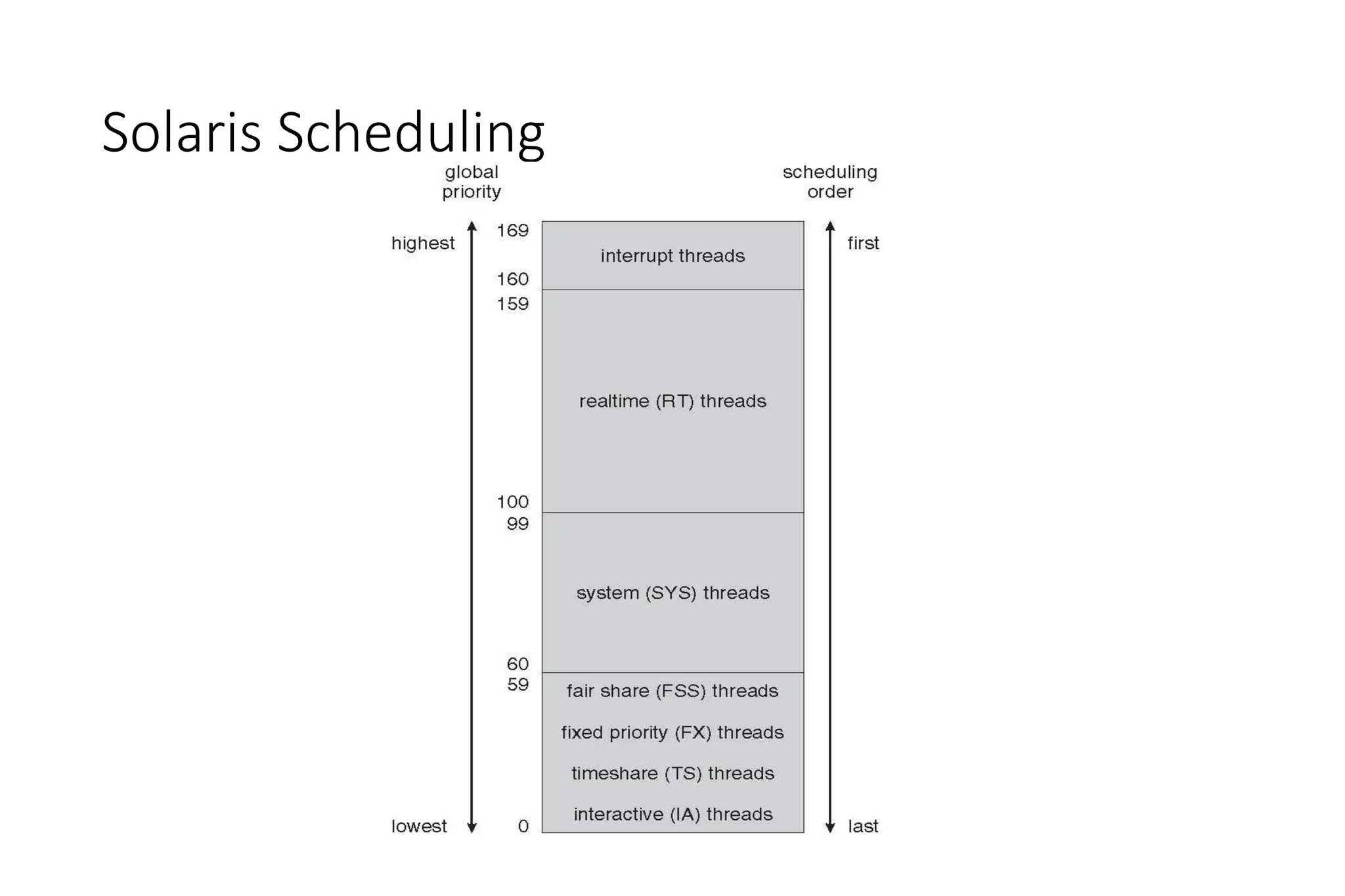
Solaris Scheduling
Solaris Scheduling (Cont.)
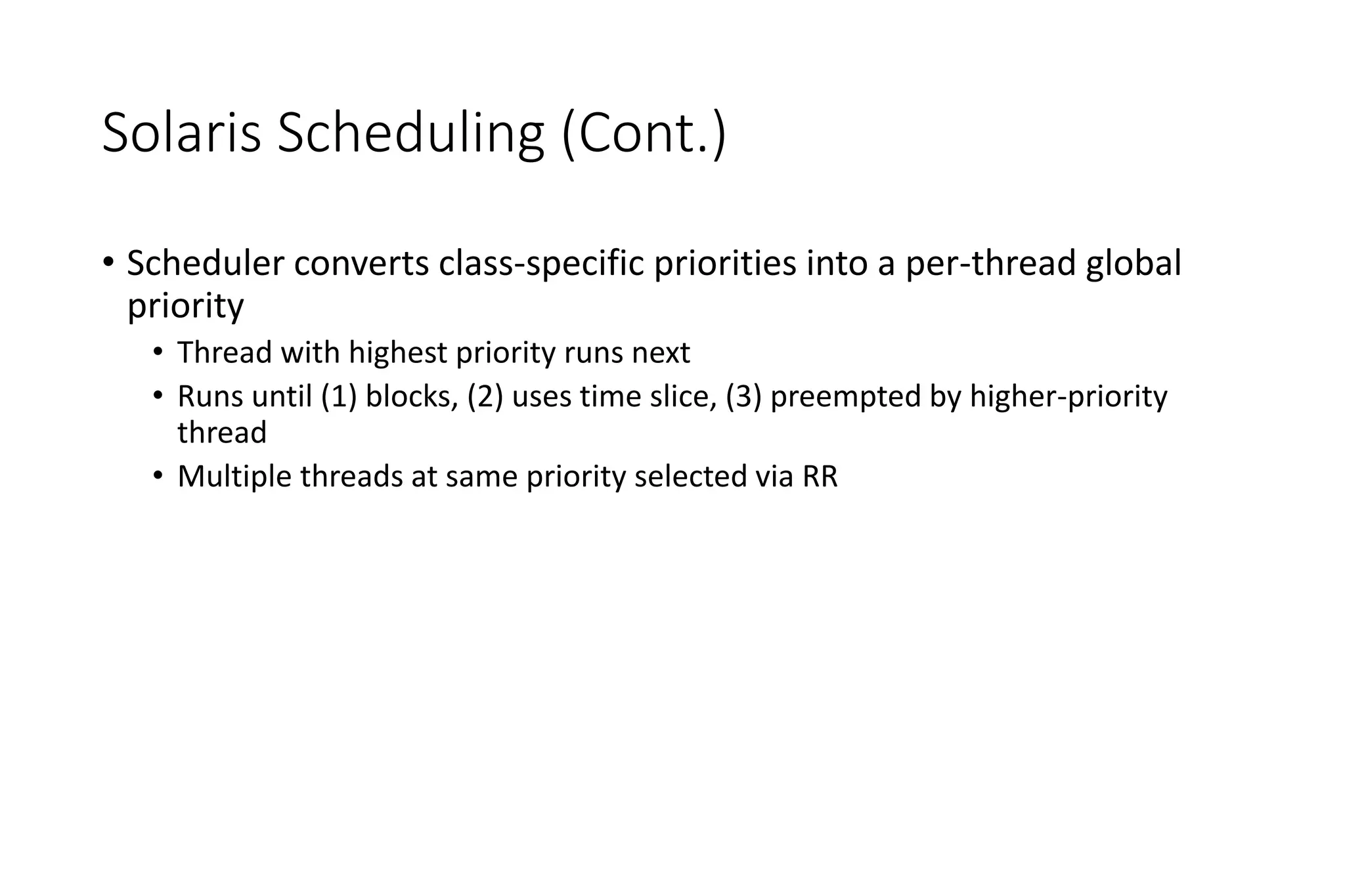
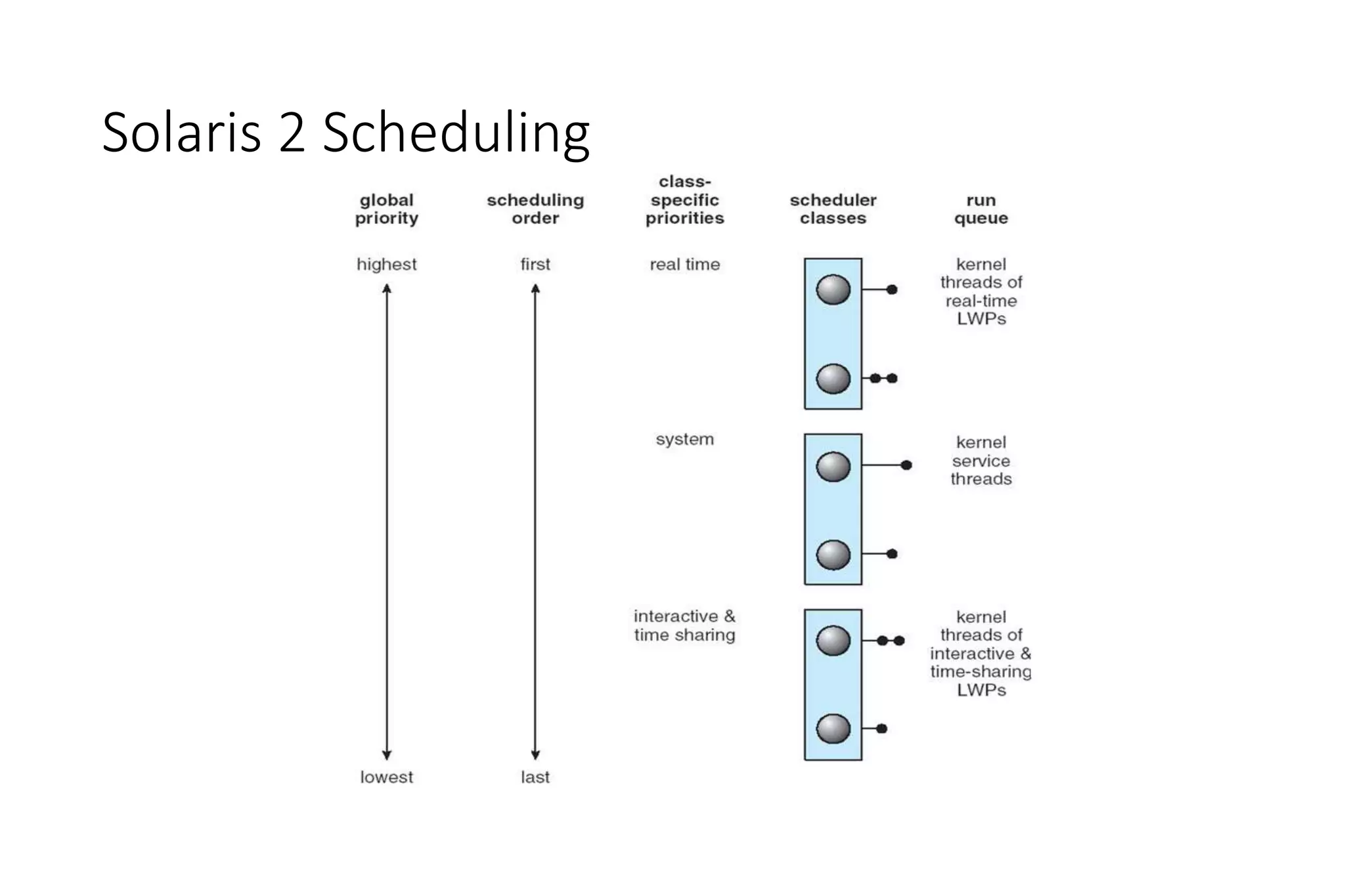
• Scheduler converts class-specific priorities into a per-thread global
priority
• Thread with highest priority runs next
• Runs until (1) blocks, (2) uses time slice, (3) preempted by higher-priority
thread
• Multiple threads at same priority selected via RR
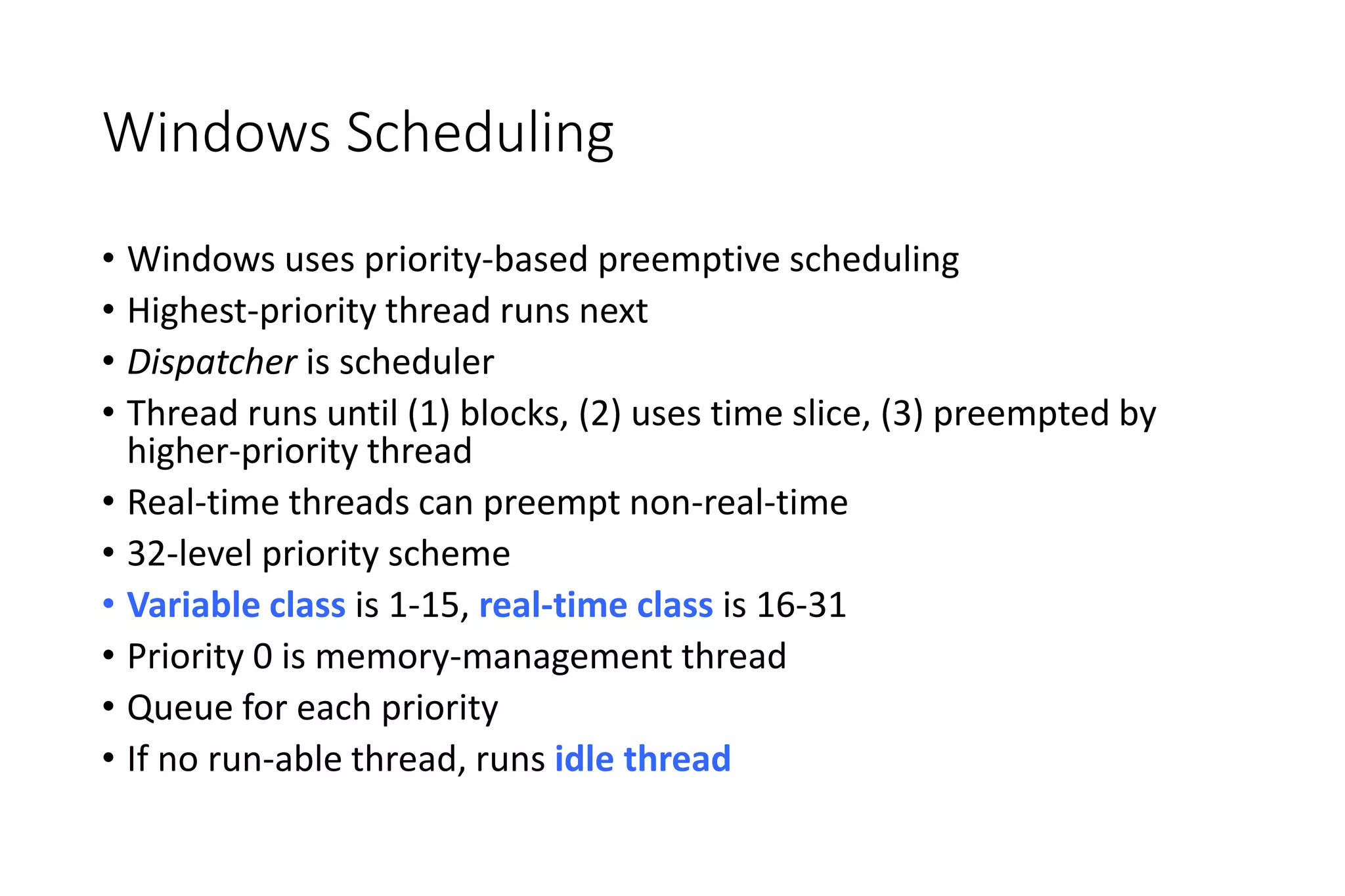
Windows Scheduling
• Windows uses priority-based preemptive scheduling
• Highest-priority thread runs next
• Dispatcher is scheduler
• Thread runs until (1) blocks, (2) uses time slice, (3) preempted by
higher-priority thread
• Real-time threads can preempt non-real-time
• 32-level priority scheme
• Variable class is 1-15, real-time class is 16-31
• Priority 0 is memory-management thread
• Queue for each priority
• If no run-able thread, runs idle thread
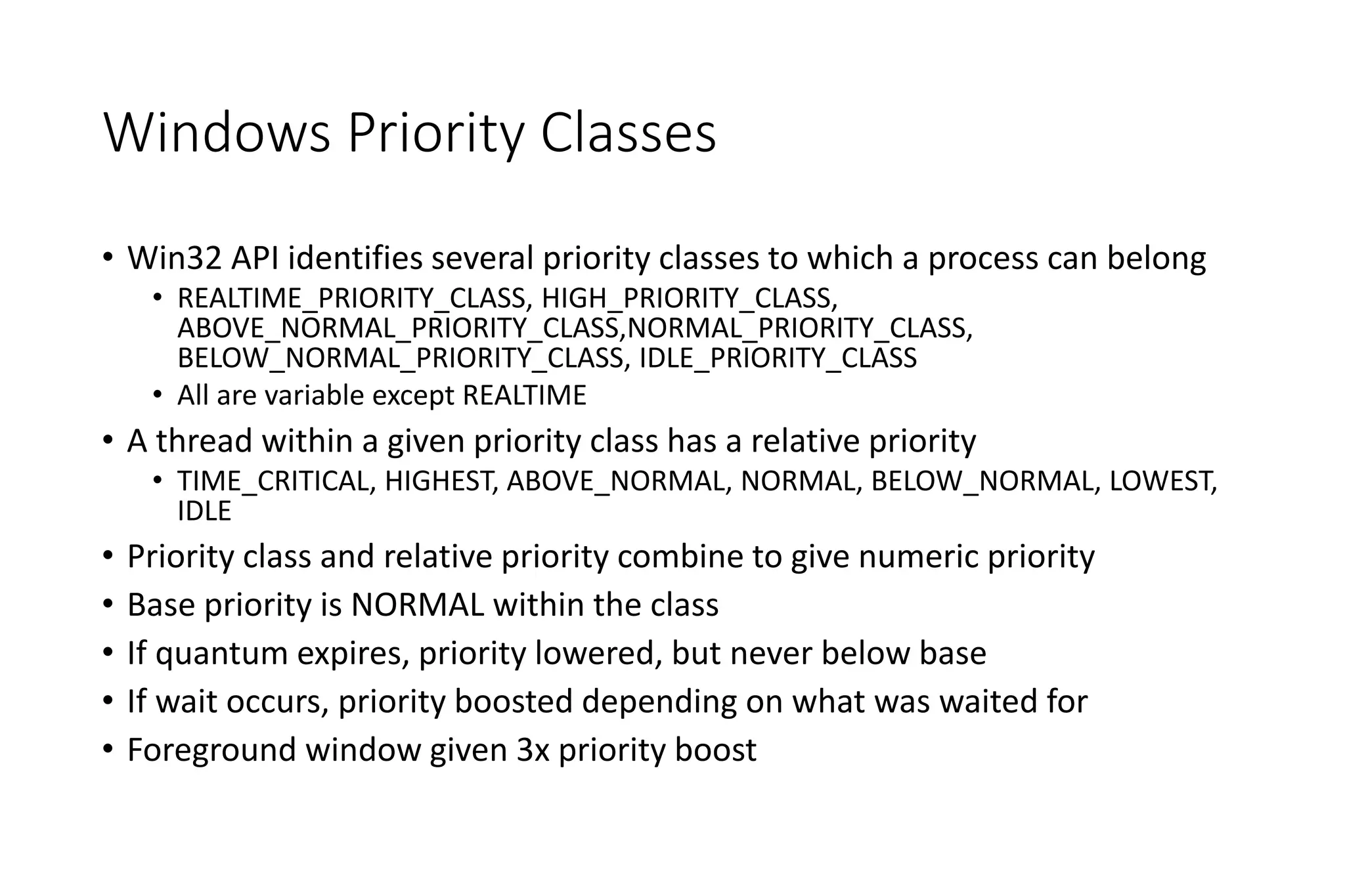
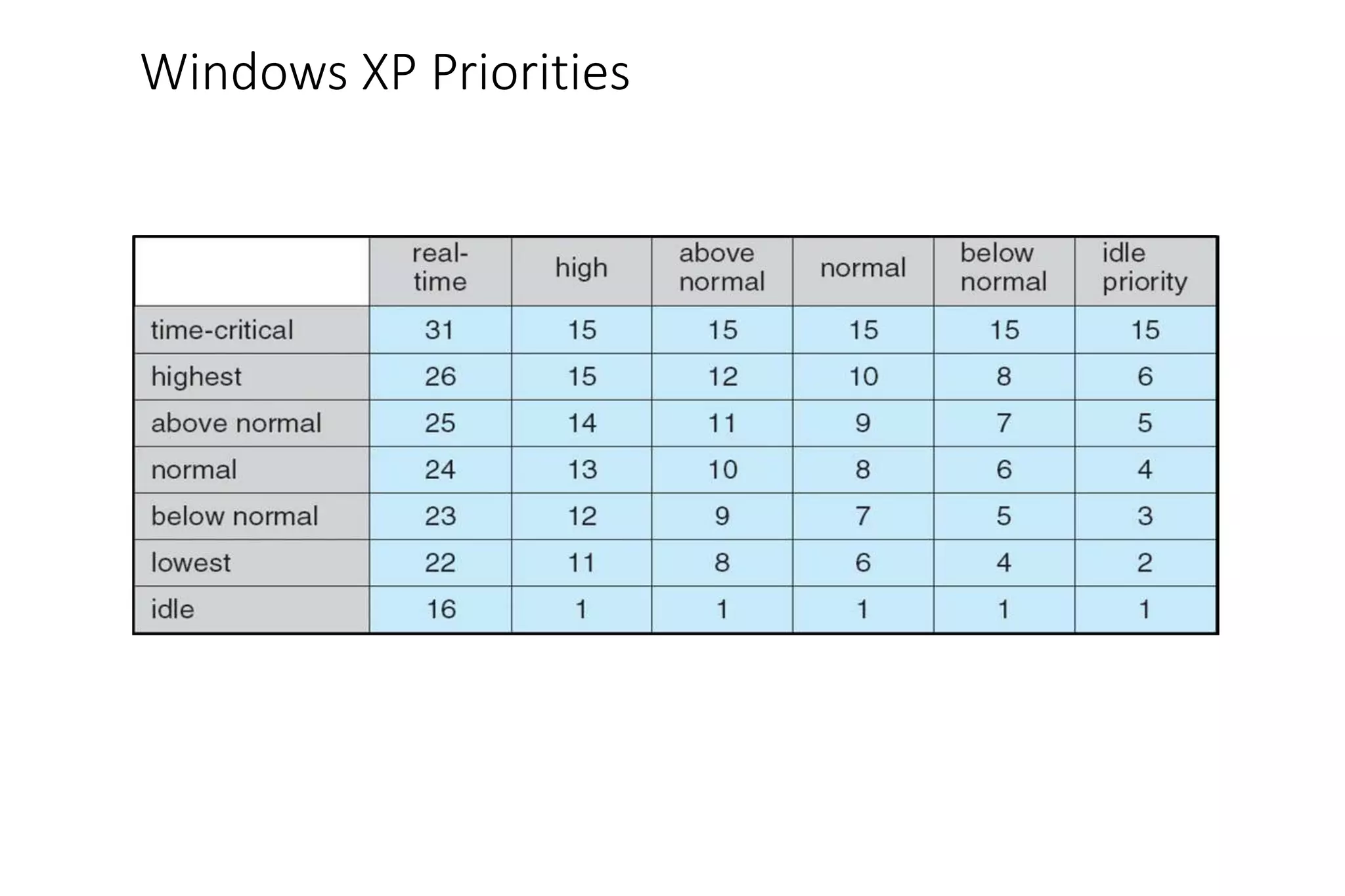
Windows Priority Classes
• Win32 API identifies several priority classes to which a process can belong
• REALTIME_PRIORITY_CLASS, HIGH_PRIORITY_CLASS,
ABOVE_NORMAL_PRIORITY_CLASS,NORMAL_PRIORITY_CLASS,
BELOW_NORMAL_PRIORITY_CLASS, IDLE_PRIORITY_CLASS
• All are variable except REALTIME
• A thread within a given priority class has a relative priority
• TIME_CRITICAL, HIGHEST, ABOVE_NORMAL, NORMAL, BELOW_NORMAL, LOWEST,
IDLE
• Priority class and relative priority combine to give numeric priority
• Base priority is NORMAL within the class
• If quantum expires, priority lowered, but never below base
• If wait occurs, priority boosted depending on what was waited for
• Foreground window given 3x priority boost
Windows XP Priorities
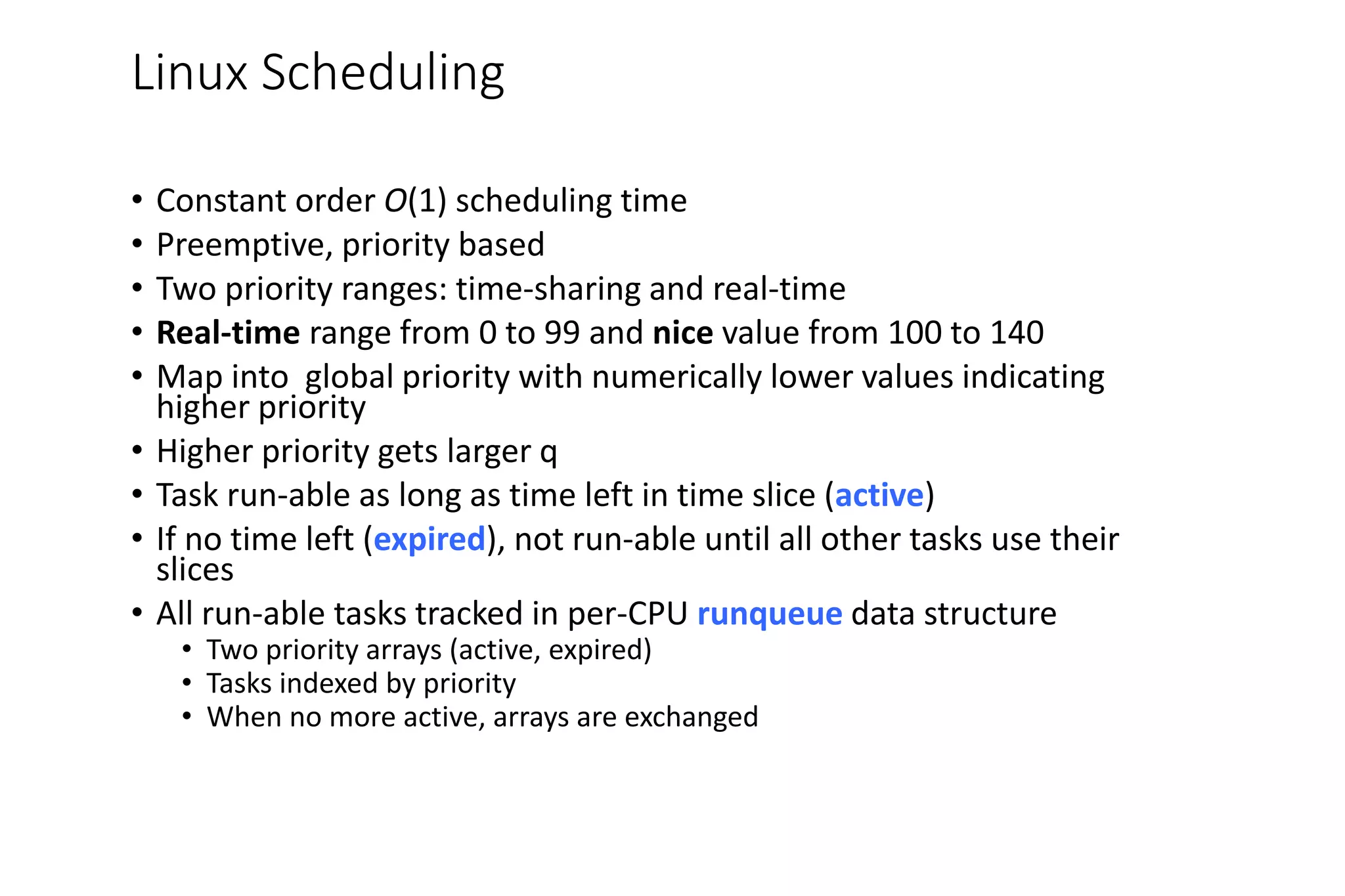
Linux Scheduling
• Constant order O(1) scheduling time
• Preemptive, priority based
• Two priority ranges: time-sharing and real-time
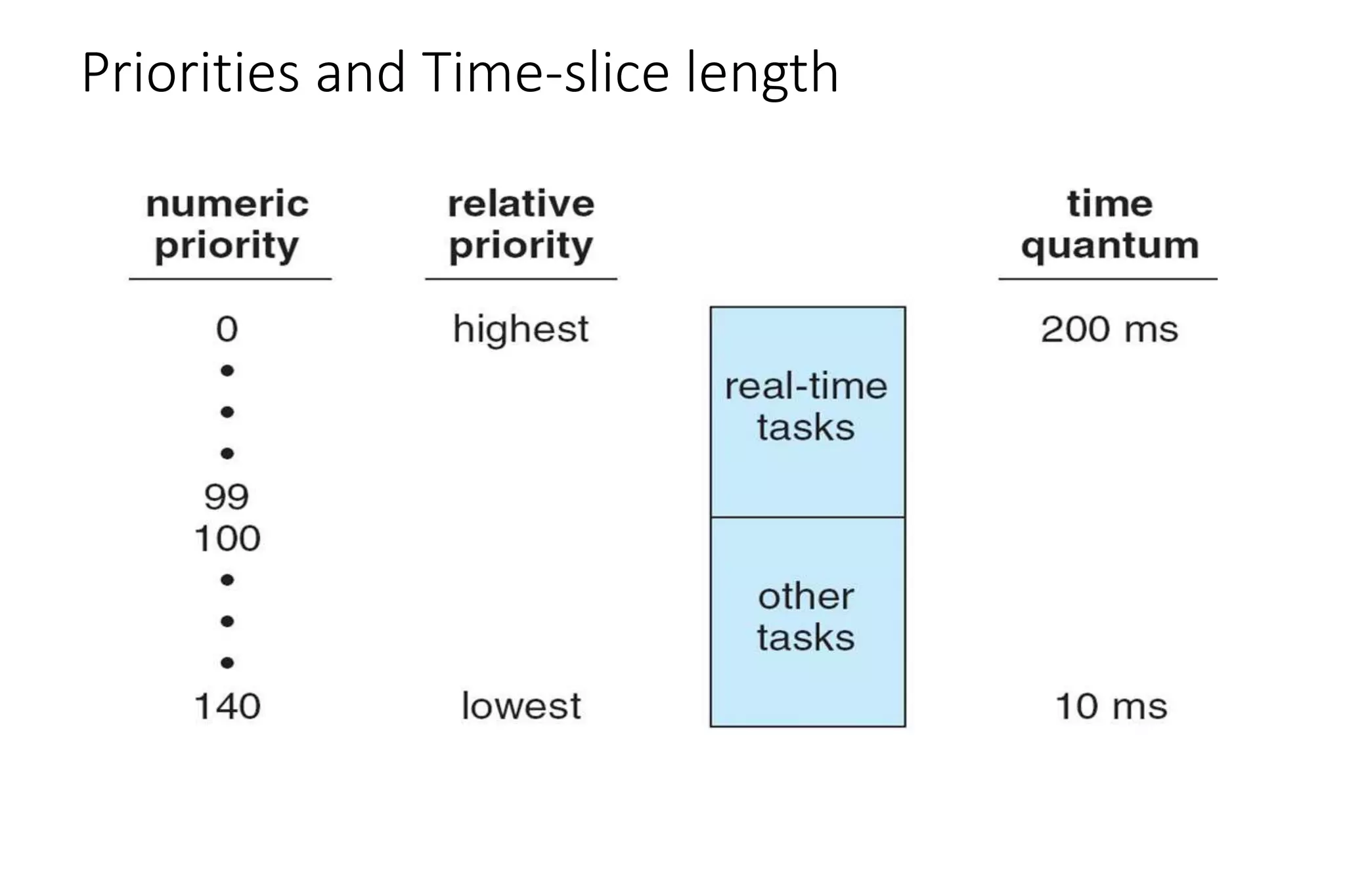
• Real-time range from 0 to 99 and nice value from 100 to 140
• Map into global priority with numerically lower values indicating
higher priority
• Higher priority gets larger q
• Task run-able as long as time left in time slice (active)
• If no time left (expired), not run-able until all other tasks use their
slices
• All run-able tasks tracked in per-CPU runqueue data structure
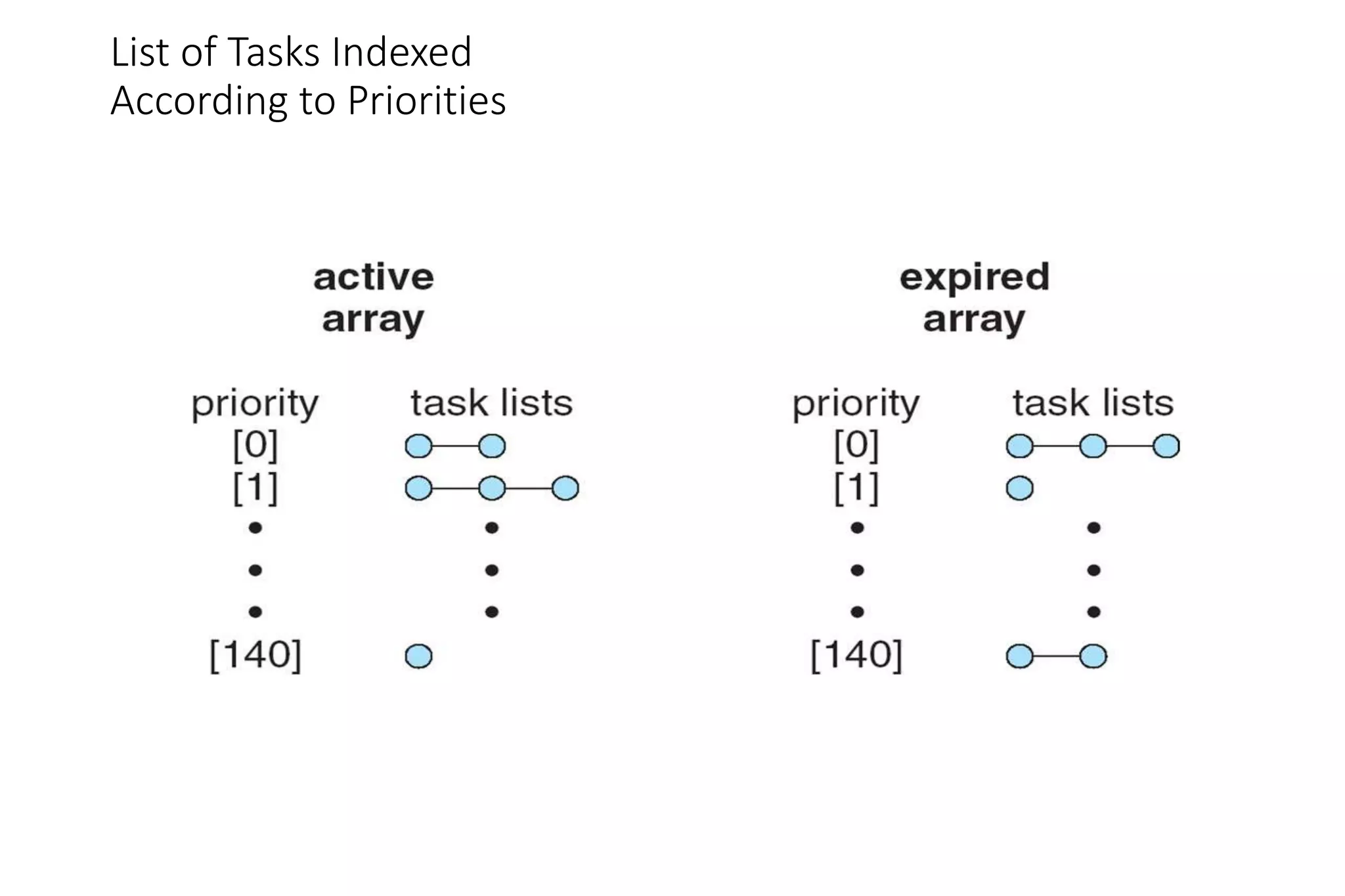
• Two priority arrays (active, expired)
• Tasks indexed by priority
• When no more active, arrays are exchanged
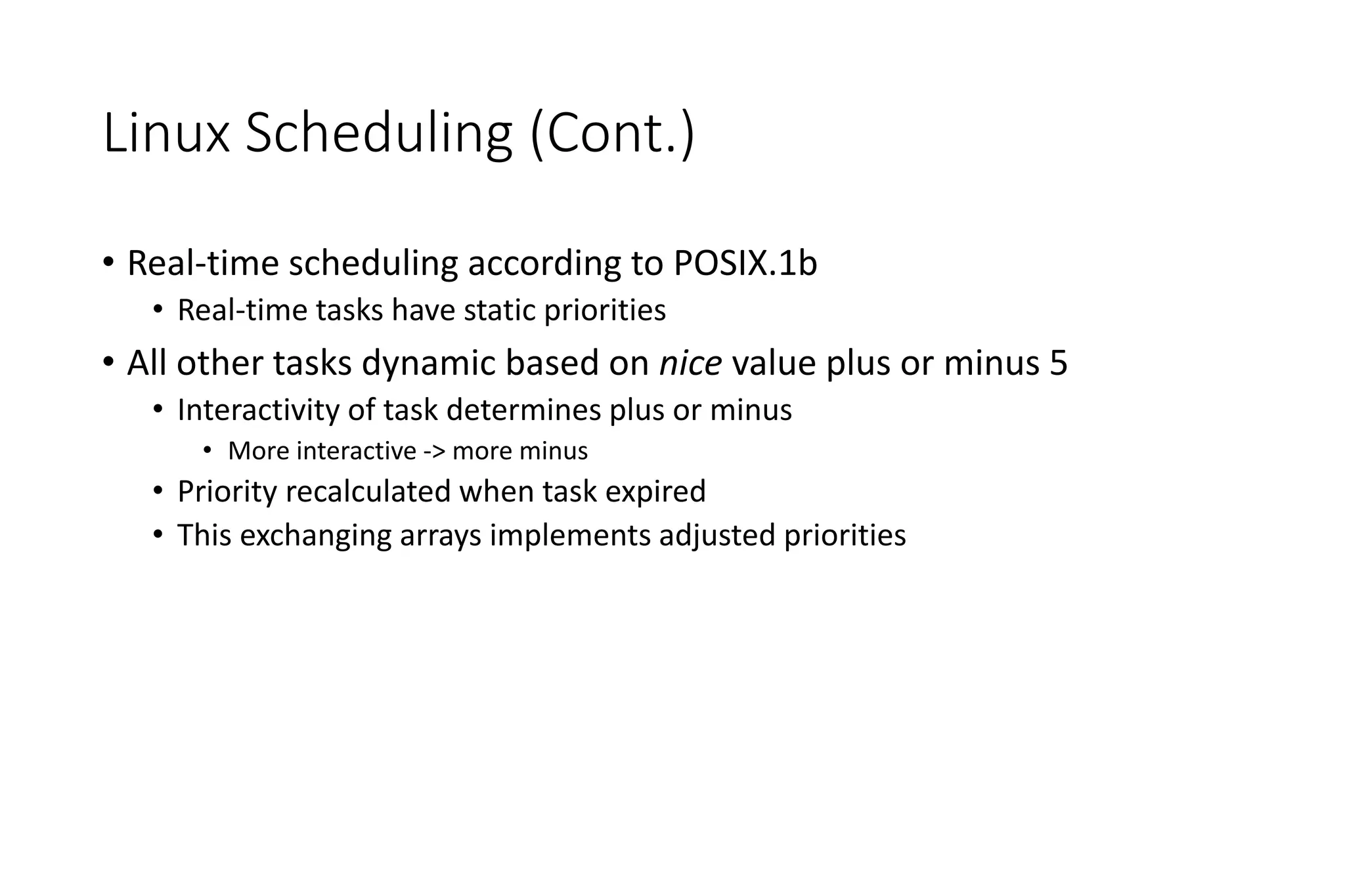
Linux Scheduling (Cont.)
• Real-time scheduling according to POSIX.1b
• Real-time tasks have static priorities
• All other tasks dynamic based on nice value plus or minus 5
• Interactivity of task determines plus or minus
• More interactive -> more minus
• Priority recalculated when task expired
• This exchanging arrays implements adjusted priorities
Priorities and Time-slice length
List of Tasks Indexed
According to Priorities
Algorithm Evaluation
• How to select CPU-scheduling algorithm for an OS?
• Determine criteria, then evaluate algorithms
• Deterministic modeling
• Type of analytic evaluation
• Takes a particular predetermined workload and defines the performance
of each algorithm for that workload
Queueing Models
• Describes the arrival of processes, and CPU and I/O bursts
probabilistically
• Commonly exponential, and described by mean
• Computes average throughput, utilization, waiting time, etc
• Computer system described as network of servers, each with queue
of waiting processes
• Knowing arrival rates and service rates
• Computes utilization, average queue length, average wait time, etc
Little’s Formula
• n = average queue length
• W = average waiting time in queue
• λ = average arrival rate into queue
• Little’s law – in steady state, processes leaving queue must equal
processes arriving, thus
n = λ x W
• Valid for any scheduling algorithm and arrival distribution
• For example, if on average 7 processes arrive per second, and
normally 14 processes in queue, then average wait time per process =
2 seconds
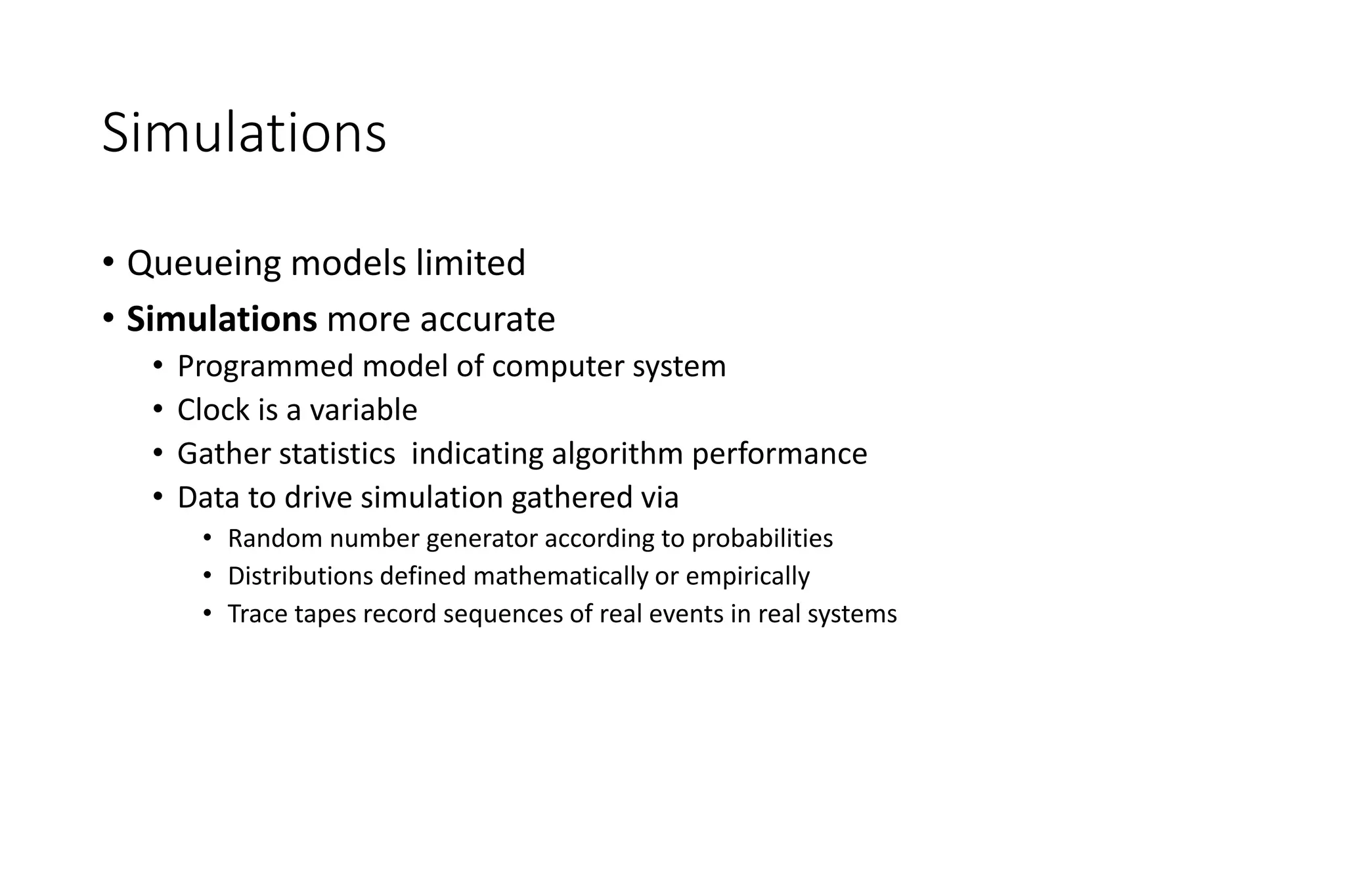
Simulations
• Queueing models limited
• Simulations more accurate
• Programmed model of computer system
• Clock is a variable
• Gather statistics indicating algorithm performance
• Data to drive simulation gathered via
• Random number generator according to probabilities
• Distributions defined mathematically or empirically
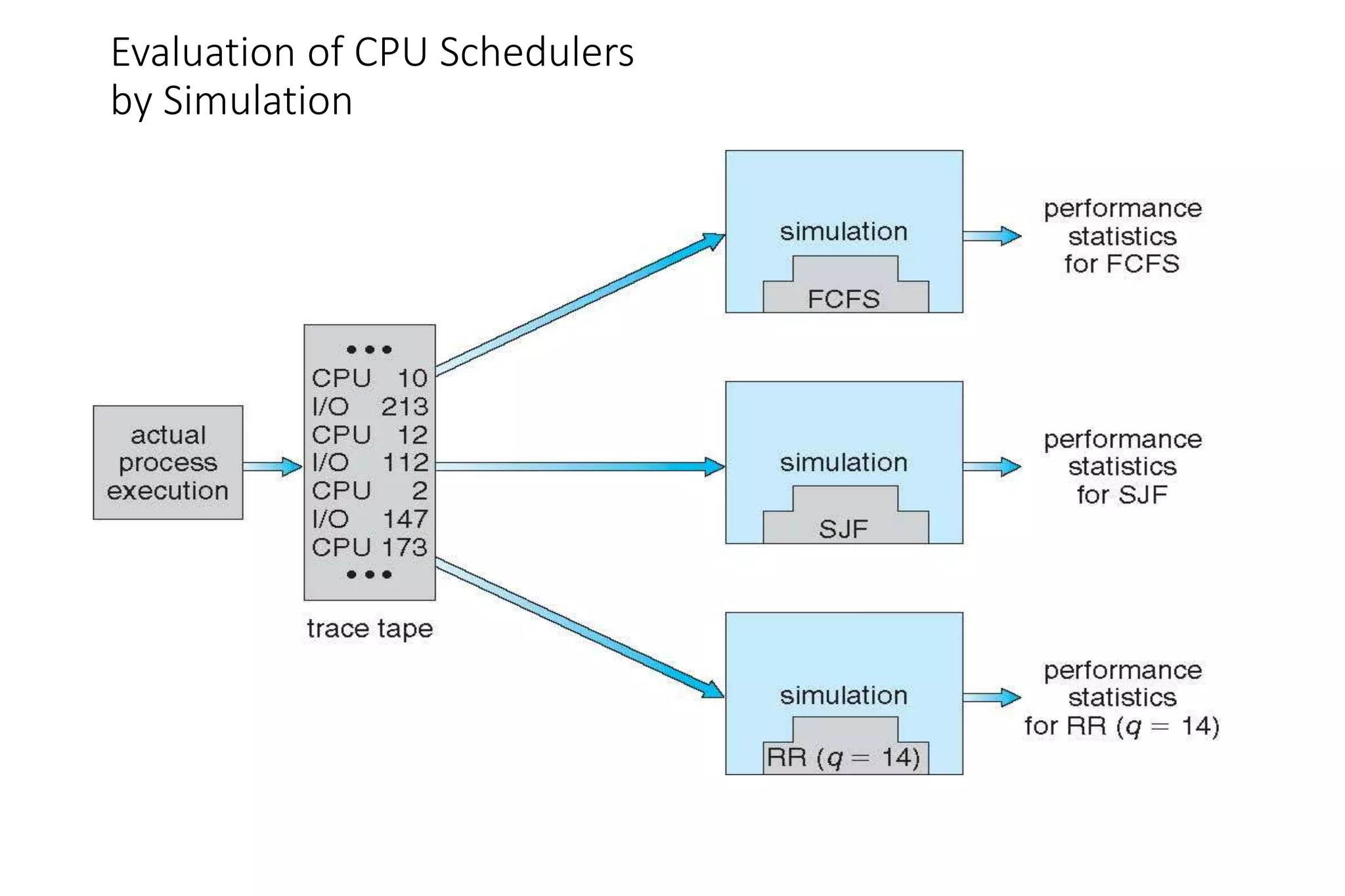
• Trace tapes record sequences of real events in real systems
Evaluation of CPU Schedulers
by Simulation
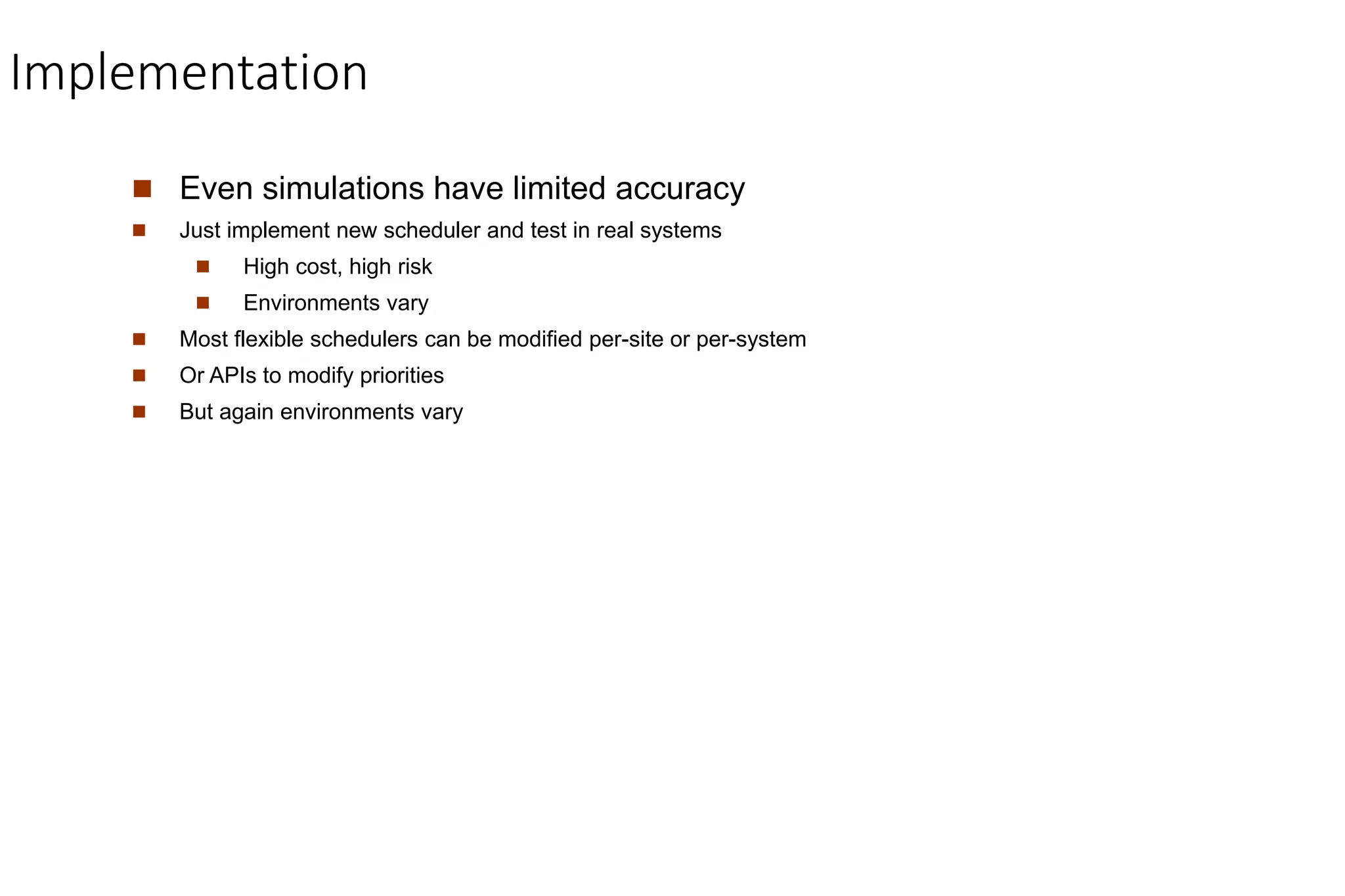
Implementation
 Even simulations have limited accuracy
 Just implement new scheduler and test in real systems
 High cost, high risk
 Environments vary
 Most flexible schedulers can be modified per-site or per-system
 Or APIs to modify priorities
 But again environments vary
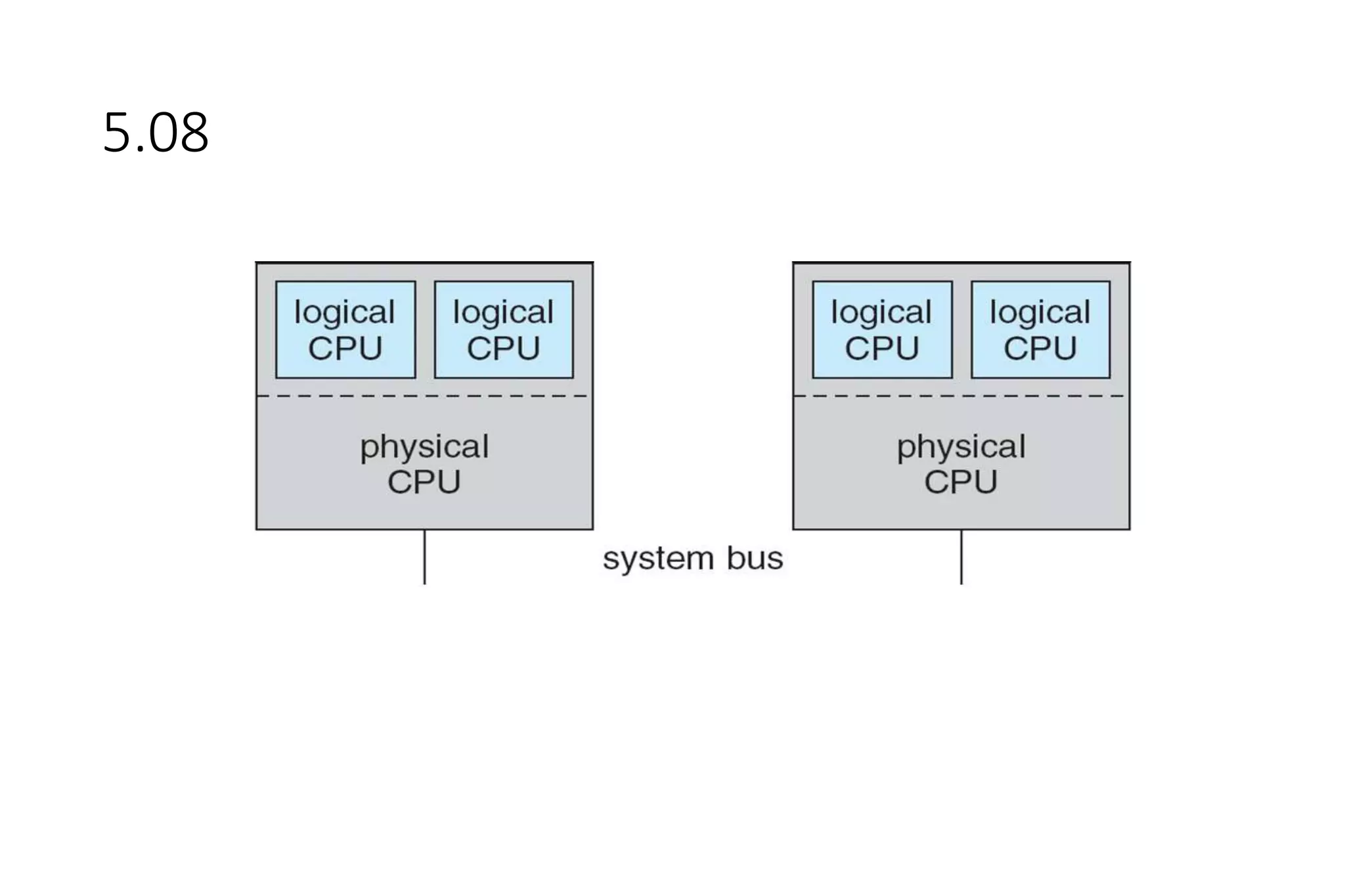
5.08
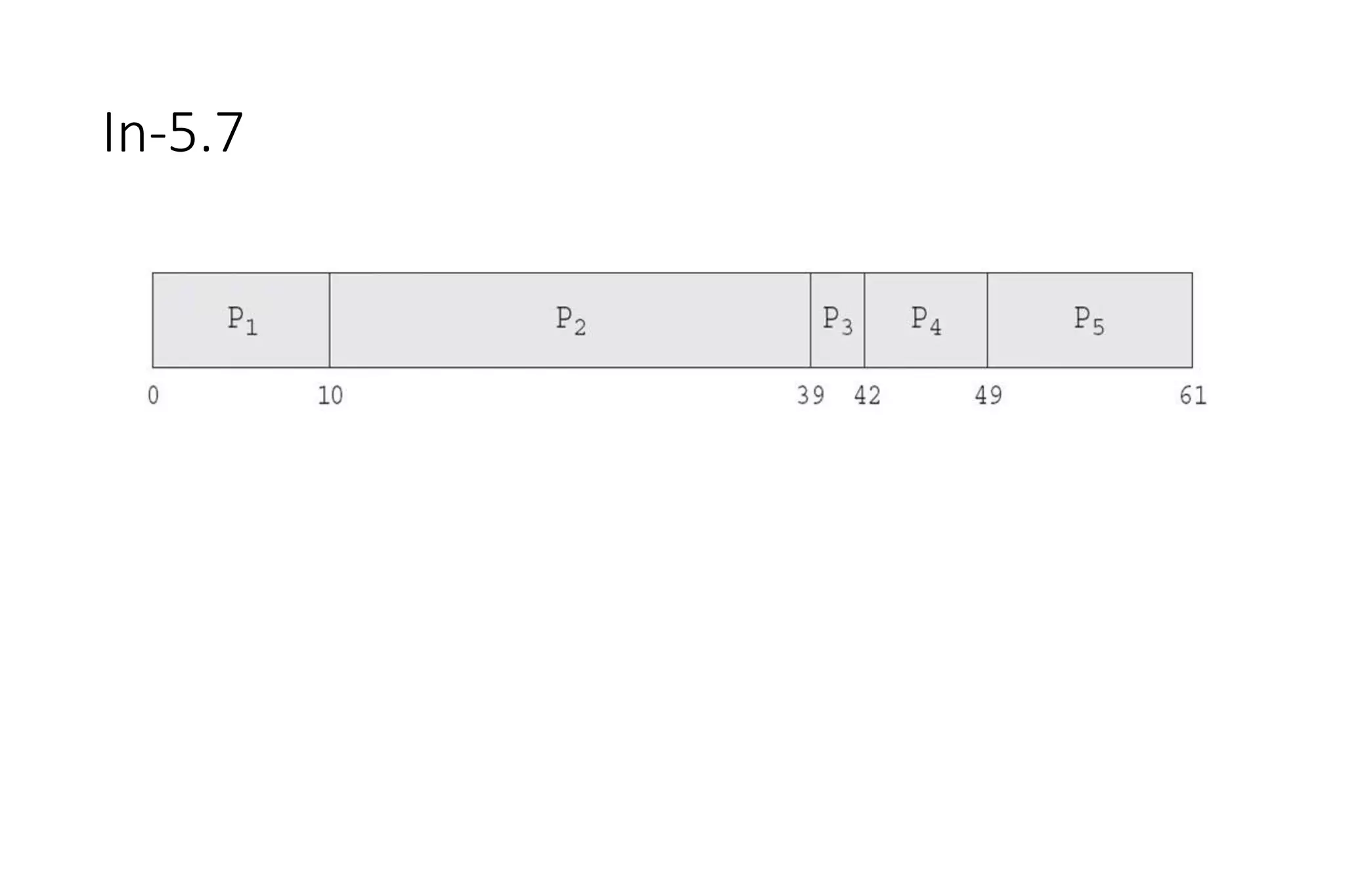
In-5.7
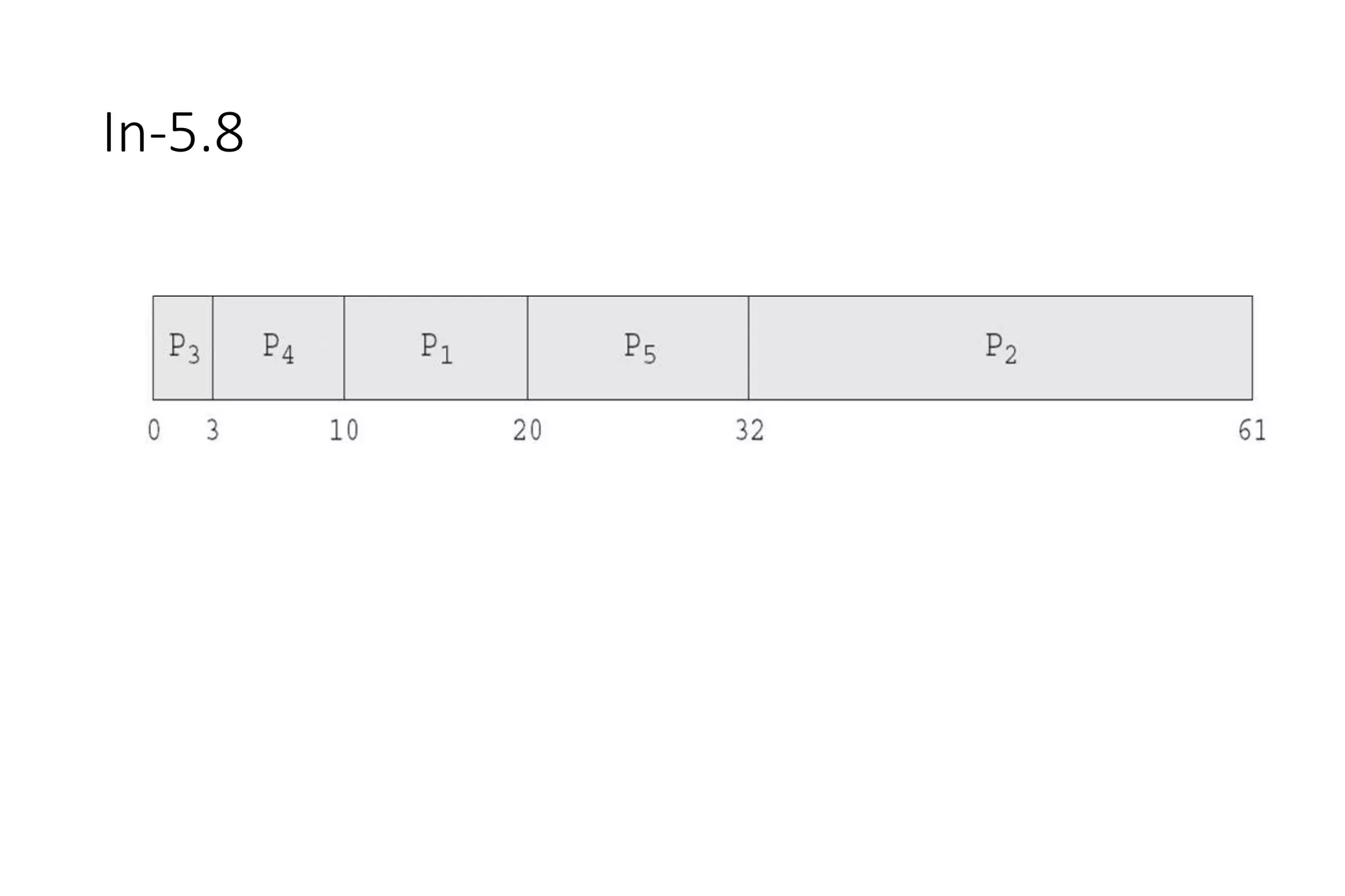
In-5.8
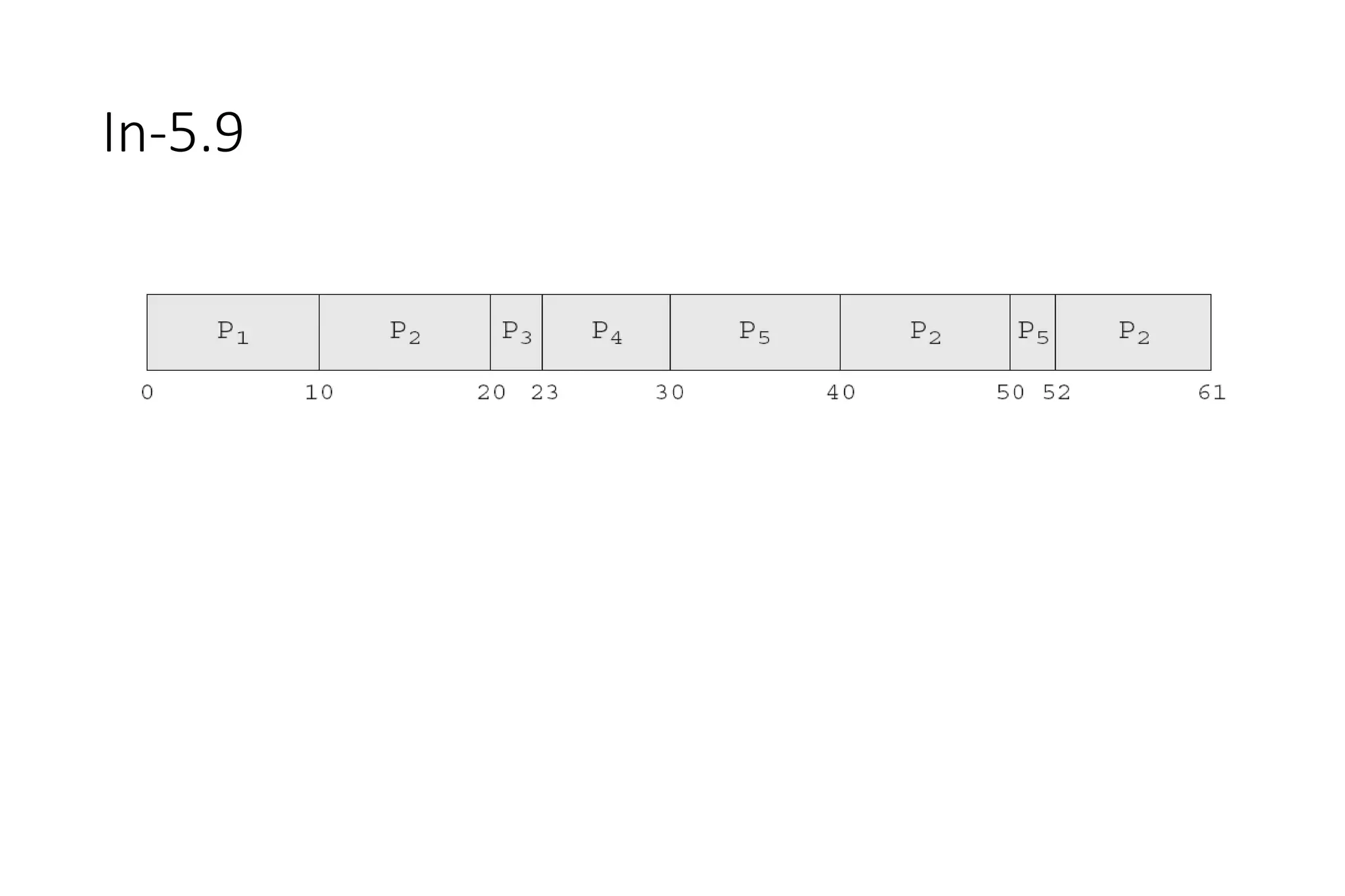
In-5.9
Dispatch Latency
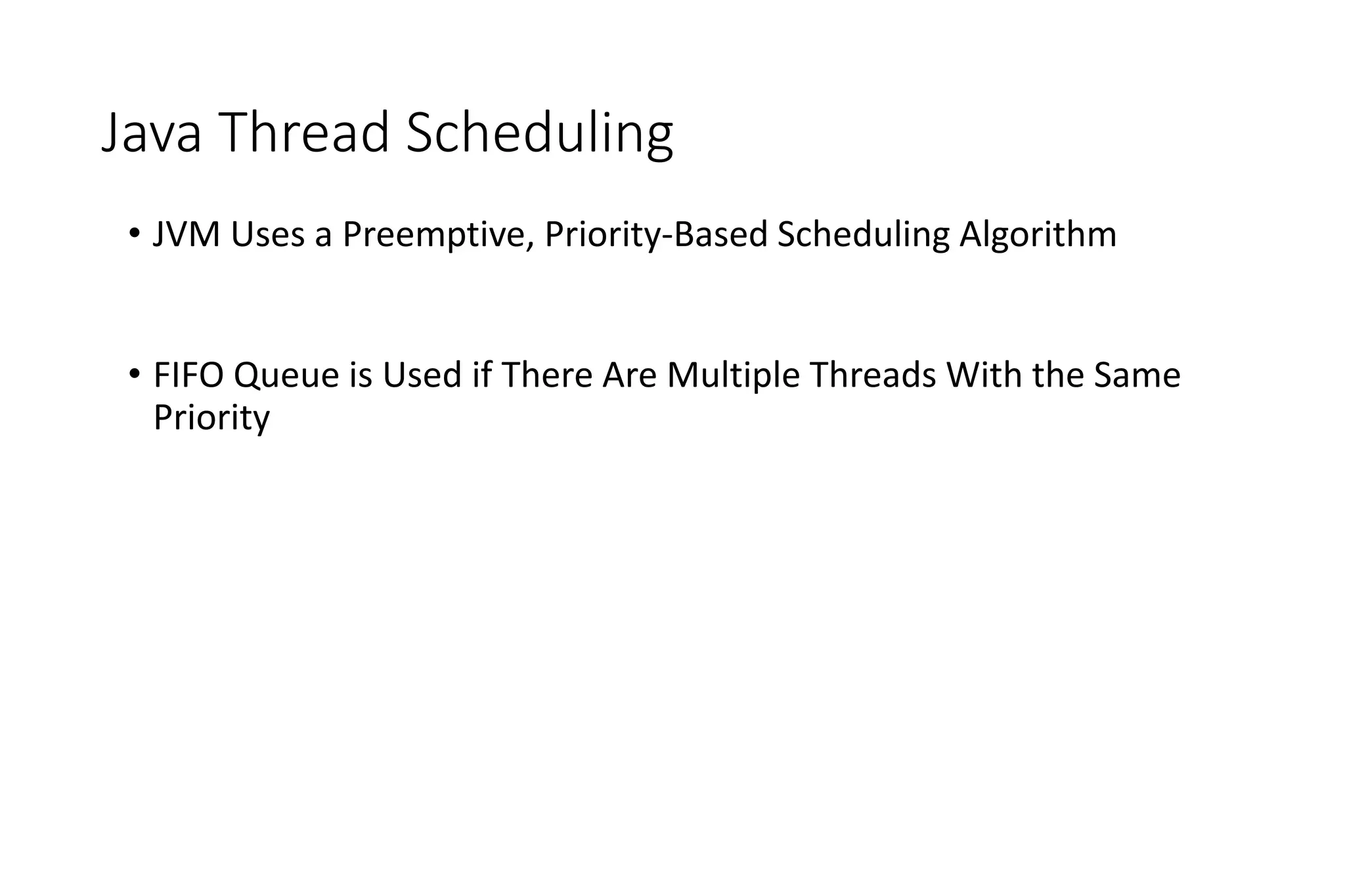
Java Thread Scheduling
• JVM Uses a Preemptive, Priority-Based Scheduling Algorithm
• FIFO Queue is Used if There Are Multiple Threads With the Same
Priority
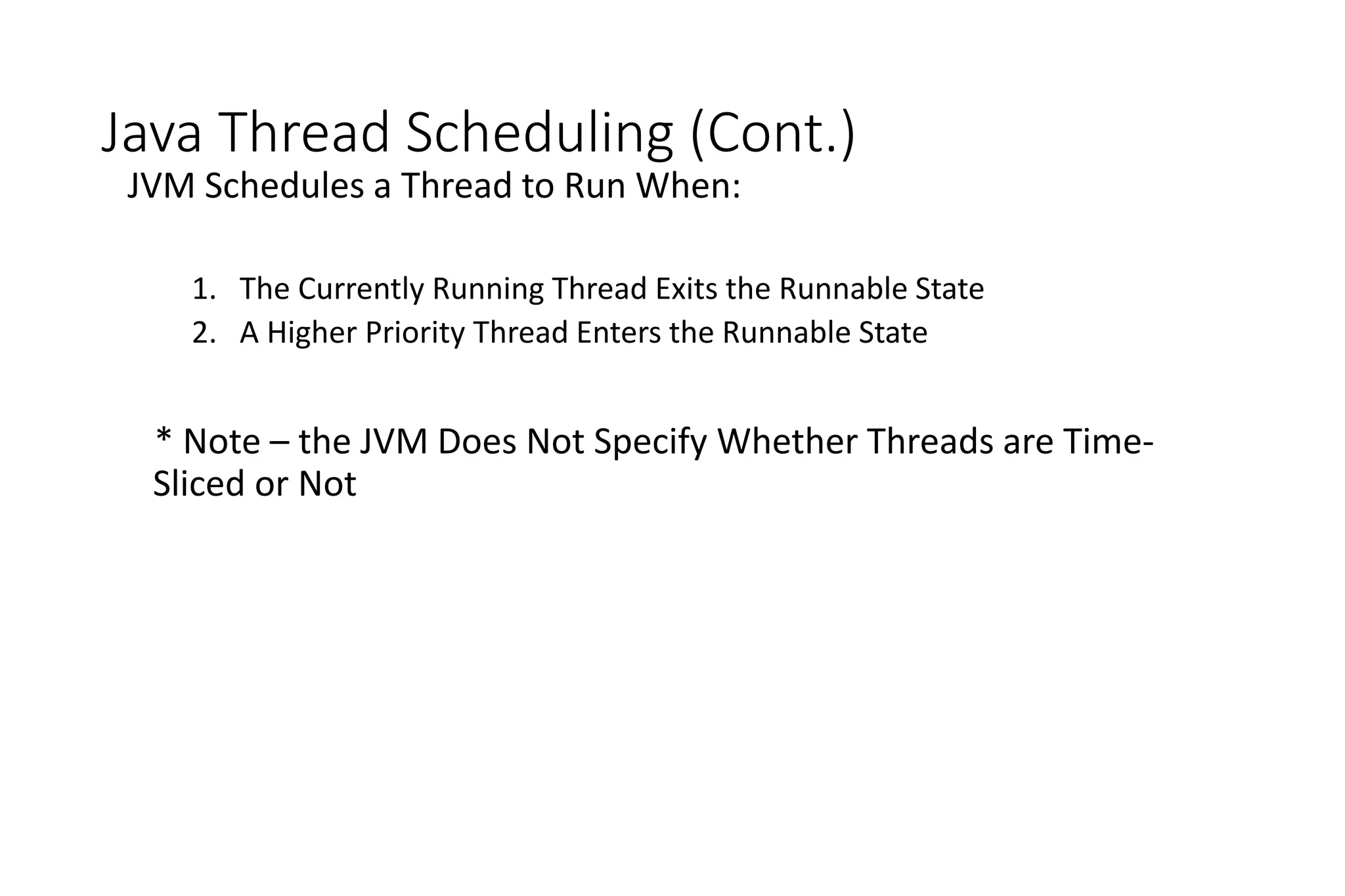
Java Thread Scheduling (Cont.)
JVM Schedules a Thread to Run When:
1. The Currently Running Thread Exits the Runnable State
2. A Higher Priority Thread Enters the Runnable State
* Note – the JVM Does Not Specify Whether Threads are Time-
Sliced or Not
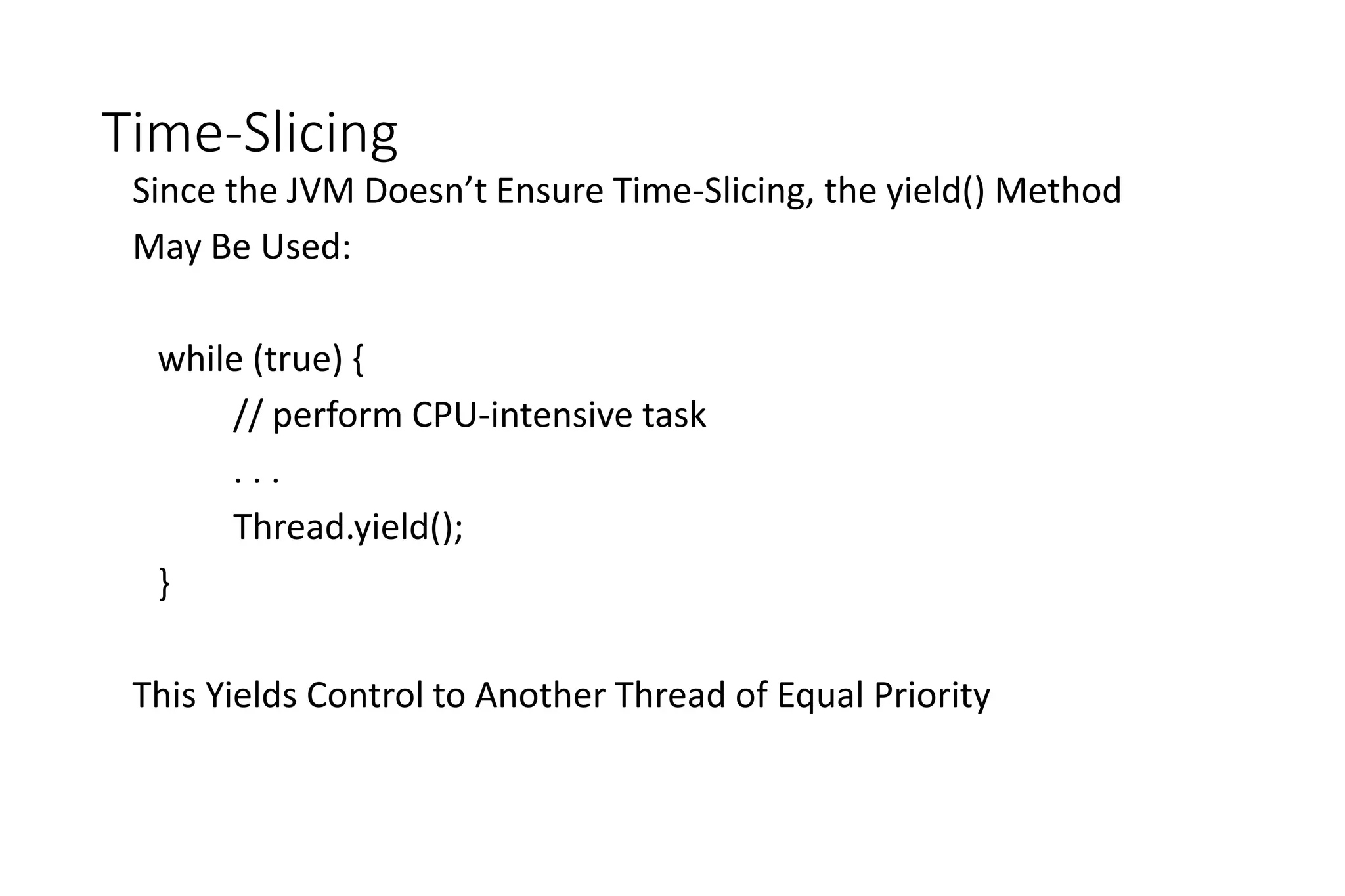
Time-Slicing
Since the JVM Doesn’t Ensure Time-Slicing, the yield() Method
May Be Used:
while (true) {
// perform CPU-intensive task
. . .
Thread.yield();
}
This Yields Control to Another Thread of Equal Priority
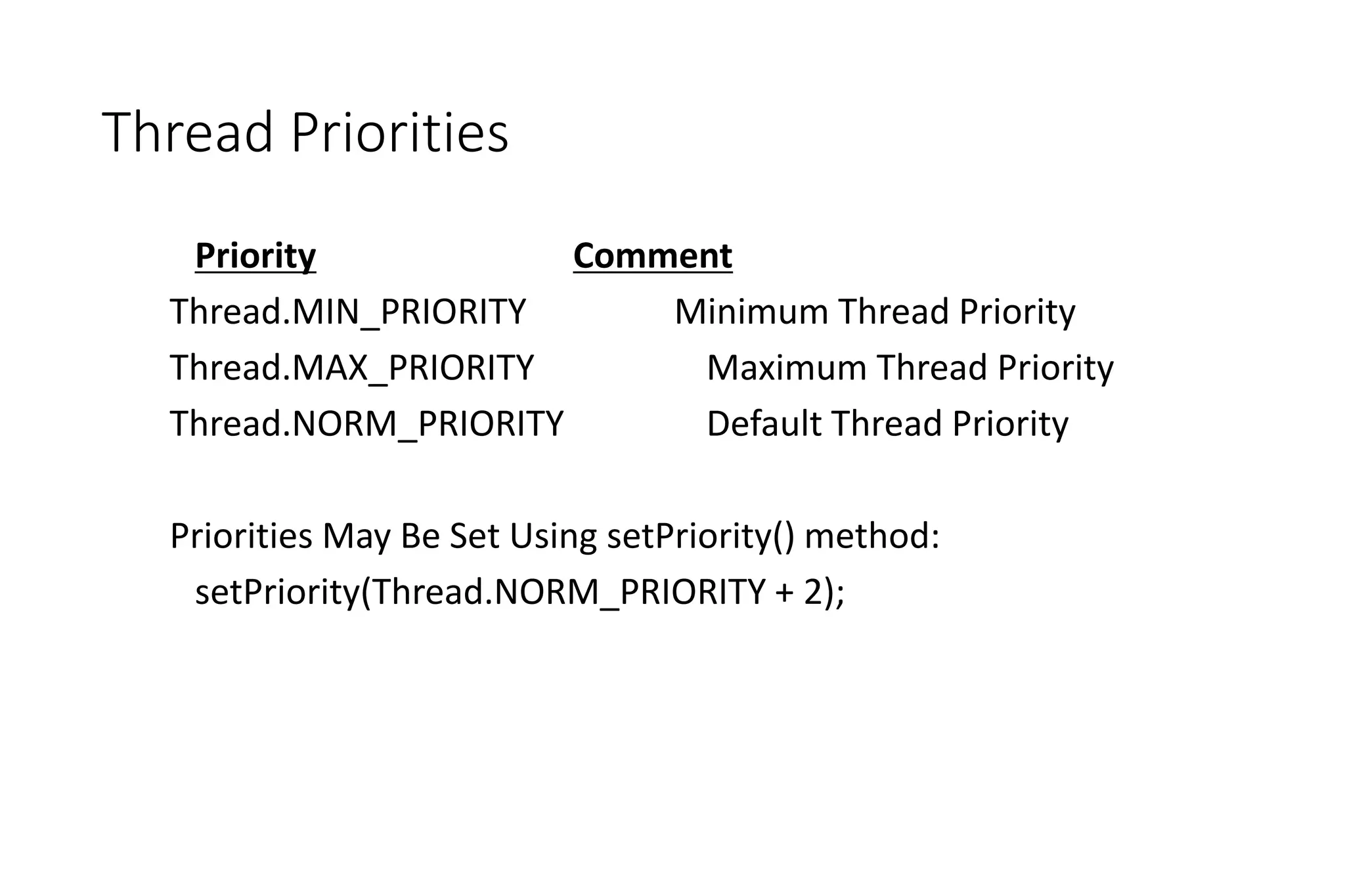
Thread Priorities
Priority Comment
Thread.MIN_PRIORITY Minimum Thread Priority
Thread.MAX_PRIORITY Maximum Thread Priority
Thread.NORM_PRIORITY Default Thread Priority
Priorities May Be Set Using setPriority() method:
setPriority(Thread.NORM_PRIORITY + 2);
Solaris 2 Scheduling

ch_scheduling (1).ppt

  • 1.
  • 2.
    CPU Scheduling • BasicConcepts • Scheduling Criteria • Scheduling Algorithms • Thread Scheduling • Multiple-Processor Scheduling • Operating Systems Examples • Algorithm Evaluation
  • 3.
    Objectives • To introduceCPU scheduling, which is the basis for multiprogrammed operating systems • To describe various CPU-scheduling algorithms • To discuss evaluation criteria for selecting a CPU-scheduling algorithm for a particular system
  • 4.
    Basic Concepts • MaximumCPU utilization obtained with multiprogramming • CPU–I/O Burst Cycle – Process execution consists of a cycle of CPU execution and I/O wait • CPU burst distribution
  • 5.
    Alternating Sequence ofCPU and I/O Bursts
  • 6.
  • 7.
    Nonpreemptive • once aprocess is in the running state, it will continue until it terminates or blocks itself for I/O Preemptive • currently running process may be interrupted and moved to ready state by the OS • preemption may occur when new process arrives, on an interrupt, or periodically
  • 8.
    CPU Scheduler • Selectsfrom among the processes in ready queue, and allocates the CPU to one of them • Queue may be ordered in various ways • CPU scheduling decisions may take place when a process: 1. Switches from running to waiting state 2. Switches from running to ready state 3. Switches from waiting to ready 4. Terminates • Scheduling under 1 and 4 is nonpreemptive • All other scheduling is preemptive • Consider access to shared data • Consider preemption while in kernel mode • Consider interrupts occurring during crucial OS activities
  • 9.
  • 10.
    Dispatcher • Dispatcher modulegives control of the CPU to the process selected by the short-term scheduler; this involves: • switching context • switching to user mode • jumping to the proper location in the user program to restart that program • Dispatch latency – time it takes for the dispatcher to stop one process and start another running
  • 11.
    Scheduling Criteria • CPUutilization – keep the CPU as busy as possible • Throughput – # of processes that complete their execution per time unit • Turnaround time – amount of time to execute a particular process • Waiting time – amount of time a process has been waiting in the ready queue • Response time – amount of time it takes from when a request was submitted until the first response is produced, not output (for time-sharing environment)
  • 12.
    Scheduling Algorithm OptimizationCriteria • Max CPU utilization • Max throughput • Min turnaround time • Min waiting time • Min response time
  • 13.
    Long-term scheduling Thedecision to add to the pool of processes to be executed Medium-term scheduling The decision to add to the number of processes that are partially or fully in main memory Short-term scheduling The decision as to which available process will be executed by the processor I/O scheduling The decision as to which process's pending I/O request shall be handled by an available I/O device Table 9.1 Types of Scheduling
  • 14.
    Processor Scheduling • Aimis to assign processes to be executed by the processor in a way that meets system objectives, such as response time, throughput, and processor efficiency • Broken down into three separate functions: long term scheduling medium term scheduling short term scheduling
  • 15.
    Figure 9.1 Schedulingand Process State Transitions Ready/ Suspend New Running Exit Blocked Long-term scheduling Long-term scheduling Medium-term scheduling Medium-term scheduling Short-term scheduling Ready Blocked/ Suspend
  • 16.
    Running Ready Blocked Short Term Medium Term LongTerm Blocked, Suspend Ready, Suspend New Exit Figure 9.2 Levels of Scheduling
  • 17.
    Figure 9.3 QueuingDiagram for Scheduling Event Wait Time-out Release Ready Queue Short-term scheduling Medium-term scheduling Medium-term scheduling Interactive users Batch jobs Processor Ready, Suspend Queue Event Occurs Blocked, Suspend Queue Blocked Queue Long-term scheduling
  • 18.
    Long-Term Scheduler • Determineswhich programs are admitted to the system for processing • Controls the degree of multiprogramming • the more processes that are created, the smaller the percentage of time that each process can be executed • may limit to provide satisfactory service to the current set of processes Creates processes from the queue when it can, but must decide: when the operating system can take on one or more additional processes which jobs to accept and turn into processes first come, first served priority, expected execution time, I/O requirements
  • 19.
    Medium-Term Scheduling • Partof the swapping function • Swapping-in decisions are based on the need to manage the degree of multiprogramming • considers the memory requirements of the swapped-out processes
  • 20.
    Short-Term Scheduling • Knownas the dispatcher • Executes most frequently • Makes the fine-grained decision of which process to execute next • Invoked when an event occurs that may lead to the blocking of the current process or that may provide an opportunity to preempt a currently running process in favor of another Examples: • Clock interrupts • I/O interrupts • Operating system calls • Signals (e.g., semaphores)
  • 21.
    Short Term SchedulingCriteria • Main objective is to allocate processor time to optimize certain aspects of system behavior • A set of criteria is needed to evaluate the scheduling policy User-oriented criteria • relate to the behavior of the system as perceived by the individual user or process (such as response time in an interactive system) • important on virtually all systems System-oriented criteria • focus in on effective and efficient utilization of the processor (rate at which processes are completed) • generally of minor importance on single-user systems
  • 22.
    Criteria can be classified into: Performance-related quantitative easily measured Non-performance related qualitative hardto measure Short-Term Scheduling Criteria: Performance examples: • response time • throughput example: • predictability
  • 23.
    • Simplest schedulingpolicy • Also known as first-in-first- out (FIFO) or a strict queuing scheme • When the current process ceases to execute, the longest process in the Ready queue is selected • Performs much better for long processes than short ones • Tends to favor processor- bound processes over I/O- bound processes
  • 24.
    First-Come, First-Served (FCFS)Scheduling Process Burst Time P1 24 P2 3 P3 3 • Suppose that the processes arrive in the order: P1 , P2 , P3 The Gantt Chart for the schedule is: • Waiting time for P1 = 0; P2 = 24; P3 = 27 • Average waiting time: (0 + 24 + 27)/3 = 17 P1 P2 P3 24 27 30 0
  • 25.
    FCFS Scheduling (Cont.) Supposethat the processes arrive in the order: P2 , P3 , P1 • The Gantt chart for the schedule is: • Waiting time for P1 = 6;P2 = 0; P3 = 3 • Average waiting time: (6 + 0 + 3)/3 = 3 • Much better than previous case • Convoy effect - short process behind long process • Consider one CPU-bound and many I/O-bound processes P1 P3 P2 6 3 30 0
  • 26.
    • Nonpreemptive policyin which the process with the shortest expected processing time is selected next • A short process will jump to the head of the queue • Possibility of starvation for longer processes • One difficulty is the need to know, or at least estimate, the required processing time of each process • If the programmer’s estimate is substantially under the actual running time, the system may abort the job
  • 27.
    Shortest-Job-First (SJF) Scheduling •Associate with each process the length of its next CPU burst • Use these lengths to schedule the process with the shortest time • SJF is optimal – gives minimum average waiting time for a given set of processes • The difficulty is knowing the length of the next CPU request • Could ask the user
  • 28.
    Example of SJF ProcessArrival Time Burst Time P1 0.0 6 P2 2.0 8 P3 4.0 7 P4 5.0 3 • SJF scheduling chart • Average waiting time = (3 + 16 + 9 + 0) / 4 = 7 P4 P3 P1 3 16 0 9 P2 24
  • 29.
    Determining Length ofNext CPU Burst • Can only estimate the length – should be similar to the previous one • Then pick process with shortest predicted next CPU burst • Can be done by using the length of previous CPU bursts, using exponential averaging • Commonly, α set to ½ • Preemptive version called shortest-remaining-time-first : Define 4. 1 0 , 3. burst CPU next the for value predicted 2. burst CPU of length actual 1.         1 n th n n t   . 1 1 n n n t        
  • 30.
    Prediction of theLength of the Next CPU Burst
  • 31.
    Examples of ExponentialAveraging •  =0 • n+1 = n • Recent history does not count •  =1 • n+1 =  tn • Only the actual last CPU burst counts • If we expand the formula, we get: n+1 =  tn+(1 - ) tn -1 + … +(1 -  )j  tn -j + … +(1 -  )n +1 0 • Since both  and (1 - ) are less than or equal to 1, each successive term has less weight than its predecessor
  • 32.
    • Preemptive versionof SPN • Scheduler always chooses the process that has the shortest expected remaining processing time • Risk of starvation of longer processes • Should give superior turnaround time performance to SPN because a short job is given immediate preference to a running longer job
  • 33.
    Example of Shortest-remaining-time-first •Now we add the concepts of varying arrival times and preemption to the analysis ProcessA arri Arrival TimeT Burst Time P1 0 8 P2 1 4 P3 2 9 P4 3 5 • Preemptive SJF Gantt Chart • Average waiting time = [(10-1)+(1-1)+(17-2)+5-3)]/4 = 26/4 = 6.5 msec P1 P1 P2 1 17 0 10 P3 26 5 P4
  • 34.
    Priority Scheduling • Apriority number (integer) is associated with each process • The CPU is allocated to the process with the highest priority (smallest integer  highest priority) • Preemptive • Nonpreemptive • SJF is priority scheduling where priority is the inverse of predicted next CPU burst time • Problem  Starvation – low priority processes may never execute • Solution  Aging – as time progresses increase the priority of the process
  • 35.
    Example of PriorityScheduling ProcessA arri Burst TimeT Priority P1 10 3 P2 1 1 P3 2 4 P4 1 5 P5 5 2 • Priority scheduling Gantt Chart • Average waiting time = 8.2 msec P2 P3 P5 1 18 0 16 P4 19 6 P1
  • 36.
    • Uses preemptionbased on a clock • Also known as time slicing because each process is given a slice of time before being preempted • Principal design issue is the length of the time quantum, or slice, to be used • Particularly effective in a general-purpose time- sharing system or transaction processing system • One drawback is its relative treatment of processor- bound and I/O-bound processes
  • 37.
    Round Robin (RR) •Each process gets a small unit of CPU time (time quantum q), usually 10-100 milliseconds. After this time has elapsed, the process is preempted and added to the end of the ready queue. • If there are n processes in the ready queue and the time quantum is q, then each process gets 1/n of the CPU time in chunks of at most q time units at once. No process waits more than (n-1)q time units. • Timer interrupts every quantum to schedule next process • Performance • q large  FIFO • q small  q must be large with respect to context switch, otherwise overhead is too high
  • 38.
    Example of RRwith Time Quantum = 4 Process Burst Time P1 24 P2 3 P3 3 • The Gantt chart is: • Typically, higher average turnaround than SJF, but better response • q should be large compared to context switch time • q usually 10ms to 100ms, context switch < 10 usec P1 P2 P3 P1 P1 P1 P1 P1 0 4 7 10 14 18 22 26 30
  • 39.
    Time Quantum andContext Switch Time
  • 40.
    Turnaround Time VariesWith The Time Quantum 80% of CPU bursts should be shorter than q
  • 41.
    Multilevel Queue • Readyqueue is partitioned into separate queues, eg: • foreground (interactive) • background (batch) • Process permanently in a given queue • Each queue has its own scheduling algorithm: • foreground – RR • background – FCFS • Scheduling must be done between the queues: • Fixed priority scheduling; (i.e., serve all from foreground then from background). Possibility of starvation. • Time slice – each queue gets a certain amount of CPU time which it can schedule amongst its processes; i.e., 80% to foreground in RR • 20% to background in FCFS
  • 42.
  • 43.
    Multilevel Feedback Queue •A process can move between the various queues; aging can be implemented this way • Multilevel-feedback-queue scheduler defined by the following parameters: • number of queues • scheduling algorithms for each queue • method used to determine when to upgrade a process • method used to determine when to demote a process • method used to determine which queue a process will enter when that process needs service
  • 44.
    Example of MultilevelFeedback Queue • Three queues: • Q0 – RR with time quantum 8 milliseconds • Q1 – RR time quantum 16 milliseconds • Q2 – FCFS • Scheduling • A new job enters queue Q0 which is served FCFS • When it gains CPU, job receives 8 milliseconds • If it does not finish in 8 milliseconds, job is moved to queue Q1 • At Q1 job is again served FCFS and receives 16 additional milliseconds • If it still does not complete, it is preempted and moved to queue Q2
  • 45.
  • 46.
    Thread Scheduling • Distinctionbetween user-level and kernel-level threads • When threads supported, threads scheduled, not processes • Many-to-one and many-to-many models, thread library schedules user- level threads to run on LWP • Known as process-contention scope (PCS) since scheduling competition is within the process • Typically done via priority set by programmer • Kernel thread scheduled onto available CPU is system-contention scope (SCS) – competition among all threads in system
  • 47.
    Pthread Scheduling • APIallows specifying either PCS or SCS during thread creation • PTHREAD_SCOPE_PROCESS schedules threads using PCS scheduling • PTHREAD_SCOPE_SYSTEM schedules threads using SCS scheduling • Can be limited by OS – Linux and Mac OS X only allow PTHREAD_SCOPE_SYSTEM
  • 48.
    Pthread Scheduling API #include<pthread.h> #include <stdio.h> #define NUM THREADS 5 int main(int argc, char *argv[]) { int i; pthread t tid[NUM THREADS]; pthread attr t attr; /* get the default attributes */ pthread attr init(&attr); /* set the scheduling algorithm to PROCESS or SYSTEM */ pthread attr setscope(&attr, PTHREAD SCOPE SYSTEM); /* set the scheduling policy - FIFO, RT, or OTHER */ pthread attr setschedpolicy(&attr, SCHED OTHER); /* create the threads */ for (i = 0; i < NUM THREADS; i++) pthread create(&tid[i],&attr,runner,NULL);
  • 49.
    Pthread Scheduling API /*now join on each thread */ for (i = 0; i < NUM THREADS; i++) pthread join(tid[i], NULL); } /* Each thread will begin control in this function */ void *runner(void *param) { printf("I am a threadn"); pthread exit(0); }
  • 50.
    Multiple-Processor Scheduling • CPUscheduling more complex when multiple CPUs are available • Homogeneous processors within a multiprocessor • Asymmetric multiprocessing – only one processor accesses the system data structures, alleviating the need for data sharing • Symmetric multiprocessing (SMP) – each processor is self-scheduling, all processes in common ready queue, or each has its own private queue of ready processes • Currently, most common • Processor affinity – process has affinity for processor on which it is currently running • soft affinity • hard affinity • Variations including processor sets
  • 51.
    NUMA and CPUScheduling Note that memory-placement algorithms can also consider affinity
  • 52.
    Multicore Processors • Recenttrend to place multiple processor cores on same physical chip • Faster and consumes less power • Multiple threads per core also growing • Takes advantage of memory stall to make progress on another thread while memory retrieve happens
  • 53.
  • 54.
    Virtualization and Scheduling •Virtualization software schedules multiple guests onto CPU(s) • Each guest doing its own scheduling • Not knowing it doesn’t own the CPUs • Can result in poor response time • Can effect time-of-day clocks in guests • Can undo good scheduling algorithm efforts of guests
  • 55.
    Operating System Examples •Solaris scheduling • Windows XP scheduling • Linux scheduling
  • 56.
    Solaris • Priority-based scheduling •Six classes available • Time sharing (default) • Interactive • Real time • System • Fair Share • Fixed priority • Given thread can be in one class at a time • Each class has its own scheduling algorithm • Time sharing is multi-level feedback queue • Loadable table configurable by sysadmin
  • 57.
  • 58.
  • 59.
    Solaris Scheduling (Cont.) •Scheduler converts class-specific priorities into a per-thread global priority • Thread with highest priority runs next • Runs until (1) blocks, (2) uses time slice, (3) preempted by higher-priority thread • Multiple threads at same priority selected via RR
  • 60.
    Windows Scheduling • Windowsuses priority-based preemptive scheduling • Highest-priority thread runs next • Dispatcher is scheduler • Thread runs until (1) blocks, (2) uses time slice, (3) preempted by higher-priority thread • Real-time threads can preempt non-real-time • 32-level priority scheme • Variable class is 1-15, real-time class is 16-31 • Priority 0 is memory-management thread • Queue for each priority • If no run-able thread, runs idle thread
  • 61.
    Windows Priority Classes •Win32 API identifies several priority classes to which a process can belong • REALTIME_PRIORITY_CLASS, HIGH_PRIORITY_CLASS, ABOVE_NORMAL_PRIORITY_CLASS,NORMAL_PRIORITY_CLASS, BELOW_NORMAL_PRIORITY_CLASS, IDLE_PRIORITY_CLASS • All are variable except REALTIME • A thread within a given priority class has a relative priority • TIME_CRITICAL, HIGHEST, ABOVE_NORMAL, NORMAL, BELOW_NORMAL, LOWEST, IDLE • Priority class and relative priority combine to give numeric priority • Base priority is NORMAL within the class • If quantum expires, priority lowered, but never below base • If wait occurs, priority boosted depending on what was waited for • Foreground window given 3x priority boost
  • 62.
  • 63.
    Linux Scheduling • Constantorder O(1) scheduling time • Preemptive, priority based • Two priority ranges: time-sharing and real-time • Real-time range from 0 to 99 and nice value from 100 to 140 • Map into global priority with numerically lower values indicating higher priority • Higher priority gets larger q • Task run-able as long as time left in time slice (active) • If no time left (expired), not run-able until all other tasks use their slices • All run-able tasks tracked in per-CPU runqueue data structure • Two priority arrays (active, expired) • Tasks indexed by priority • When no more active, arrays are exchanged
  • 64.
    Linux Scheduling (Cont.) •Real-time scheduling according to POSIX.1b • Real-time tasks have static priorities • All other tasks dynamic based on nice value plus or minus 5 • Interactivity of task determines plus or minus • More interactive -> more minus • Priority recalculated when task expired • This exchanging arrays implements adjusted priorities
  • 65.
  • 66.
    List of TasksIndexed According to Priorities
  • 67.
    Algorithm Evaluation • Howto select CPU-scheduling algorithm for an OS? • Determine criteria, then evaluate algorithms • Deterministic modeling • Type of analytic evaluation • Takes a particular predetermined workload and defines the performance of each algorithm for that workload
  • 68.
    Queueing Models • Describesthe arrival of processes, and CPU and I/O bursts probabilistically • Commonly exponential, and described by mean • Computes average throughput, utilization, waiting time, etc • Computer system described as network of servers, each with queue of waiting processes • Knowing arrival rates and service rates • Computes utilization, average queue length, average wait time, etc
  • 69.
    Little’s Formula • n= average queue length • W = average waiting time in queue • λ = average arrival rate into queue • Little’s law – in steady state, processes leaving queue must equal processes arriving, thus n = λ x W • Valid for any scheduling algorithm and arrival distribution • For example, if on average 7 processes arrive per second, and normally 14 processes in queue, then average wait time per process = 2 seconds
  • 70.
    Simulations • Queueing modelslimited • Simulations more accurate • Programmed model of computer system • Clock is a variable • Gather statistics indicating algorithm performance • Data to drive simulation gathered via • Random number generator according to probabilities • Distributions defined mathematically or empirically • Trace tapes record sequences of real events in real systems
  • 71.
    Evaluation of CPUSchedulers by Simulation
  • 72.
    Implementation  Even simulationshave limited accuracy  Just implement new scheduler and test in real systems  High cost, high risk  Environments vary  Most flexible schedulers can be modified per-site or per-system  Or APIs to modify priorities  But again environments vary
  • 74.
  • 75.
  • 76.
  • 77.
  • 78.
  • 79.
    Java Thread Scheduling •JVM Uses a Preemptive, Priority-Based Scheduling Algorithm • FIFO Queue is Used if There Are Multiple Threads With the Same Priority
  • 80.
    Java Thread Scheduling(Cont.) JVM Schedules a Thread to Run When: 1. The Currently Running Thread Exits the Runnable State 2. A Higher Priority Thread Enters the Runnable State * Note – the JVM Does Not Specify Whether Threads are Time- Sliced or Not
  • 81.
    Time-Slicing Since the JVMDoesn’t Ensure Time-Slicing, the yield() Method May Be Used: while (true) { // perform CPU-intensive task . . . Thread.yield(); } This Yields Control to Another Thread of Equal Priority
  • 82.
    Thread Priorities Priority Comment Thread.MIN_PRIORITYMinimum Thread Priority Thread.MAX_PRIORITY Maximum Thread Priority Thread.NORM_PRIORITY Default Thread Priority Priorities May Be Set Using setPriority() method: setPriority(Thread.NORM_PRIORITY + 2);
  • 83.