Choosing Channels
How do I decide which social media channels make sense for
                      my business?
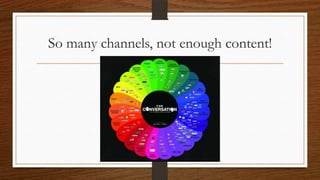
So many channels, not enough content!
How do I know what to choose?
•   Decide on Goals and Objectives
•   Find the channel that FITS
•   Figure out WHO is going to do WHAT
•   Find Your Voice & Stick to It
•   Put it on a calendar
•   Rinse, Repeat & Review
Goals vs. Objectives
• Goals – Larger visions
   • More Sales
   • Bigger Email List
• Objectives – The Road map
   • Monthly Social Campaigns
   • Online Advertising
Having Goals = Destination
• Think about your reason to engage
• Measure based on „bottom-line value‟
• Not number of likes, +1 or follows, but what matters for long term
   profitability ie. cost reduction, customer satisfaction, brand
   perception, increased attendance…
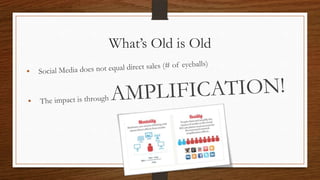
What‟s Old is Old
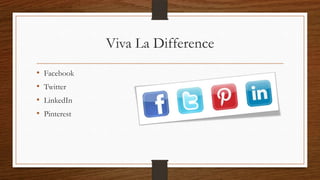
Viva La Difference
•   Facebook
•   Twitter
•   LinkedIn
•   Pinterest
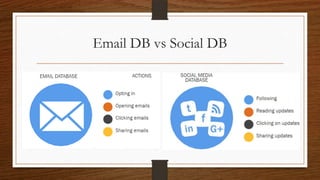
Email DB vs Social DB
Facebook
•   Conversation & Engagement
•   Longer Life
•   Visual & Written
•   Event Promotion
•   Demographic
Twitter
•   FAST Response
•   News!!
•   Customer Service Expected
•   Brand Following
•   Events
•   Short Life Span
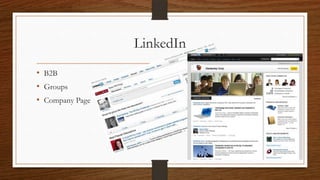
LinkedIn
• B2B
• Groups
• Company Page
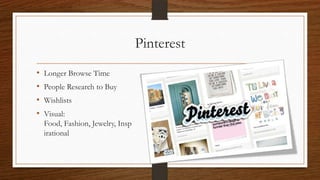
Pinterest
•   Longer Browse Time
•   People Research to Buy
•   Wishlists
•   Visual:
    Food, Fashion, Jewelry, Insp
    irational
Achieve Your Goals
•   Make it relevant
•   Focus on engagement & community
•   Nurture Your Superfans!
•   Plan campaigns that deliver value
•   Prepare Ahead for problems
•   Measure & Keep Improving
•   BE CONSISTENT!
Measure Goals

• Engagement
•   “Likes”
•   Comments
•   Votes
•   Clicks
Campaign Ideas
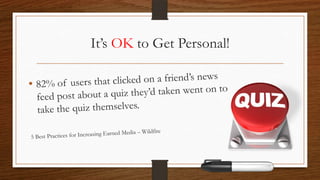
It‟s OK to Get Personal!
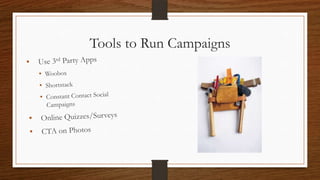
Tools to Run Campaigns
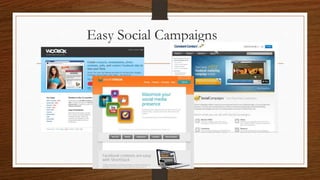
Easy Social Campaigns
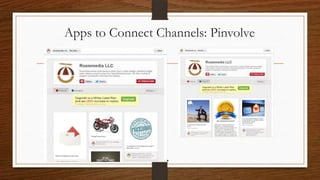
Apps to Connect Channels: Pinvolve
Measure Goals

• Earned Media (Trust)
•   Shares
•   News Feed posts
•   Invitations Sent
•   Stories Created
•   Mentions/Tags
Measure Goals

• Leads (Not always direct sales)
• Opt-ins for Email List
• Conversions*
• Information Submissions
    (Photo uploads, Contact
    Forms, Survey/Polls)
*Yes, it does happen especially with a FB Store or from Pinterest
Tools to Automate
• Monitor
• Measure
• Manage
Choose Your Mix
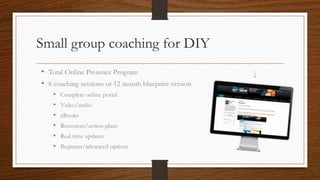
Small group coaching for DIY
• Total Online Presence Program
• 8 coaching sessions or 12 month blueprint version
    •   Complete online portal
    •   Video/audio
    •   eBooks
    •   Resources/action plans
    •   Real time updates
    •   Beginner/advanced options
Questions? Your free ebook is ready.
Rosie Taylor
www.rosiemedia.com
rtaylor@rosiemedia.com

954-667-9668
Do you need help implementing or
 maintaining your Social Media?

        Let us help you!
Social Media Management
                            ($97 $77/month*)
Manage and measure your social networks including:
• Set-up account
• Create monthly social media campaigns
• Manage up to two social profiles
• Schedule messages and tweets
• Analyze social media traffic
• Provide social media campaign schedule


* Offer expires April 30, 2013
If you’re interested in getting assistance with
  your Social Media Marketing, email ME at
     nmullings@careermarketinginc.com

Choosing channels

  • 1.
    Choosing Channels How doI decide which social media channels make sense for my business?
  • 2.
    So many channels,not enough content!
  • 3.
    How do Iknow what to choose? • Decide on Goals and Objectives • Find the channel that FITS • Figure out WHO is going to do WHAT • Find Your Voice & Stick to It • Put it on a calendar • Rinse, Repeat & Review
  • 4.
    Goals vs. Objectives •Goals – Larger visions • More Sales • Bigger Email List • Objectives – The Road map • Monthly Social Campaigns • Online Advertising
  • 5.
    Having Goals =Destination • Think about your reason to engage • Measure based on „bottom-line value‟ • Not number of likes, +1 or follows, but what matters for long term profitability ie. cost reduction, customer satisfaction, brand perception, increased attendance…
  • 6.
  • 7.
    Viva La Difference • Facebook • Twitter • LinkedIn • Pinterest
  • 8.
    Email DB vsSocial DB
  • 9.
    Facebook • Conversation & Engagement • Longer Life • Visual & Written • Event Promotion • Demographic
  • 10.
    Twitter • FAST Response • News!! • Customer Service Expected • Brand Following • Events • Short Life Span
  • 11.
  • 12.
    Pinterest • Longer Browse Time • People Research to Buy • Wishlists • Visual: Food, Fashion, Jewelry, Insp irational
  • 13.
    Achieve Your Goals • Make it relevant • Focus on engagement & community • Nurture Your Superfans! • Plan campaigns that deliver value • Prepare Ahead for problems • Measure & Keep Improving • BE CONSISTENT!
  • 14.
    Measure Goals • Engagement • “Likes” • Comments • Votes • Clicks
  • 15.
  • 16.
    It‟s OK toGet Personal!
  • 17.
    Tools to RunCampaigns
  • 18.
  • 19.
    Apps to ConnectChannels: Pinvolve
  • 20.
    Measure Goals • EarnedMedia (Trust) • Shares • News Feed posts • Invitations Sent • Stories Created • Mentions/Tags
  • 21.
    Measure Goals • Leads(Not always direct sales) • Opt-ins for Email List • Conversions* • Information Submissions (Photo uploads, Contact Forms, Survey/Polls) *Yes, it does happen especially with a FB Store or from Pinterest
  • 22.
    Tools to Automate •Monitor • Measure • Manage
  • 23.
  • 24.
    Small group coachingfor DIY • Total Online Presence Program • 8 coaching sessions or 12 month blueprint version • Complete online portal • Video/audio • eBooks • Resources/action plans • Real time updates • Beginner/advanced options
  • 25.
    Questions? Your freeebook is ready. Rosie Taylor www.rosiemedia.com rtaylor@rosiemedia.com 954-667-9668
  • 26.
    Do you needhelp implementing or maintaining your Social Media? Let us help you!
  • 27.
    Social Media Management ($97 $77/month*) Manage and measure your social networks including: • Set-up account • Create monthly social media campaigns • Manage up to two social profiles • Schedule messages and tweets • Analyze social media traffic • Provide social media campaign schedule * Offer expires April 30, 2013
  • 28.
    If you’re interestedin getting assistance with your Social Media Marketing, email ME at nmullings@careermarketinginc.com

Editor's Notes

  • #19 Running Social CampaignsAddress the use of campaigns during the planning process. Then save yourself time and stay compliant with platform rules like the ones Facebook enforces by using apps that can manage campaigns like sweepstakes and giveaways. Here are a few favorites that I’ve used:WooboxShortstackConstant Contact Social CampaignsThese apps offer easy set up, operation and reporting for your campaigns from photo contests to giveaways and sweepstakes. They have free and low cost versions.
  • #24 I like to say it’s all in the mix. Different tools can talk to us in different ways via email, a website or a text message. Maybe we use the services of a VA to get the daily work done. Having different touch points gives you access when you need it and it frees you up from having to constantly interrupt your day to check-in. For example Skype and FB can be connected for messages. If you’re managing social for clients, this is important because you only have so much bandwidth in a day. Plus by using different tools, you are not relying on one source in case it goes down or just goes away. Look at some of the changes to the Twitter API and how it changed some of the apps you use.Remember to refine the amount of notifications you get. For example, do you need a notification for every single FB like on a page or every new Twitter follower? You can turn these features off and keep your email from interrupting you so much. Some dashboards like Sprout Social will just alert you when there’s a reply so you can do a little reputation management in the event of a complaint or smart alec comment.