Chapter I
Generations of
Computers
Grade V
Sri Sri Academy
What is a Generation?
► Generation refers to a step in Technology.
► In the initial days [In 1940s], the Computers used to be very large of the
size of a room. As years progressed, due to technological advancements,
engineers are able to reduce the size to the size of our palm now. It can be
even smaller in future.
► The term generation helps us provide a framework to distinguish various
technologies.
► Each generation of computers is marked by a major technological
development. Let us have a glimpse at the generations of computers.
Major Components of a Computer
► Input Devices.
► E.g. Keyboard, Mouse etc
► Output Devices.
► E.g. Monitor, Printer etc
► Storage.
► E.g. Hard disk, CD, DVD
► Circuitry
► Did anyone see what is in inside a CPU?
► Circuitry refers to how various components are connected inside the CPU.
► E.g. Microprocessor etc
► Language
► This is how we communicate with the Computer
► E.g. C, JAVA etc
First Generation (1946 - 1959)
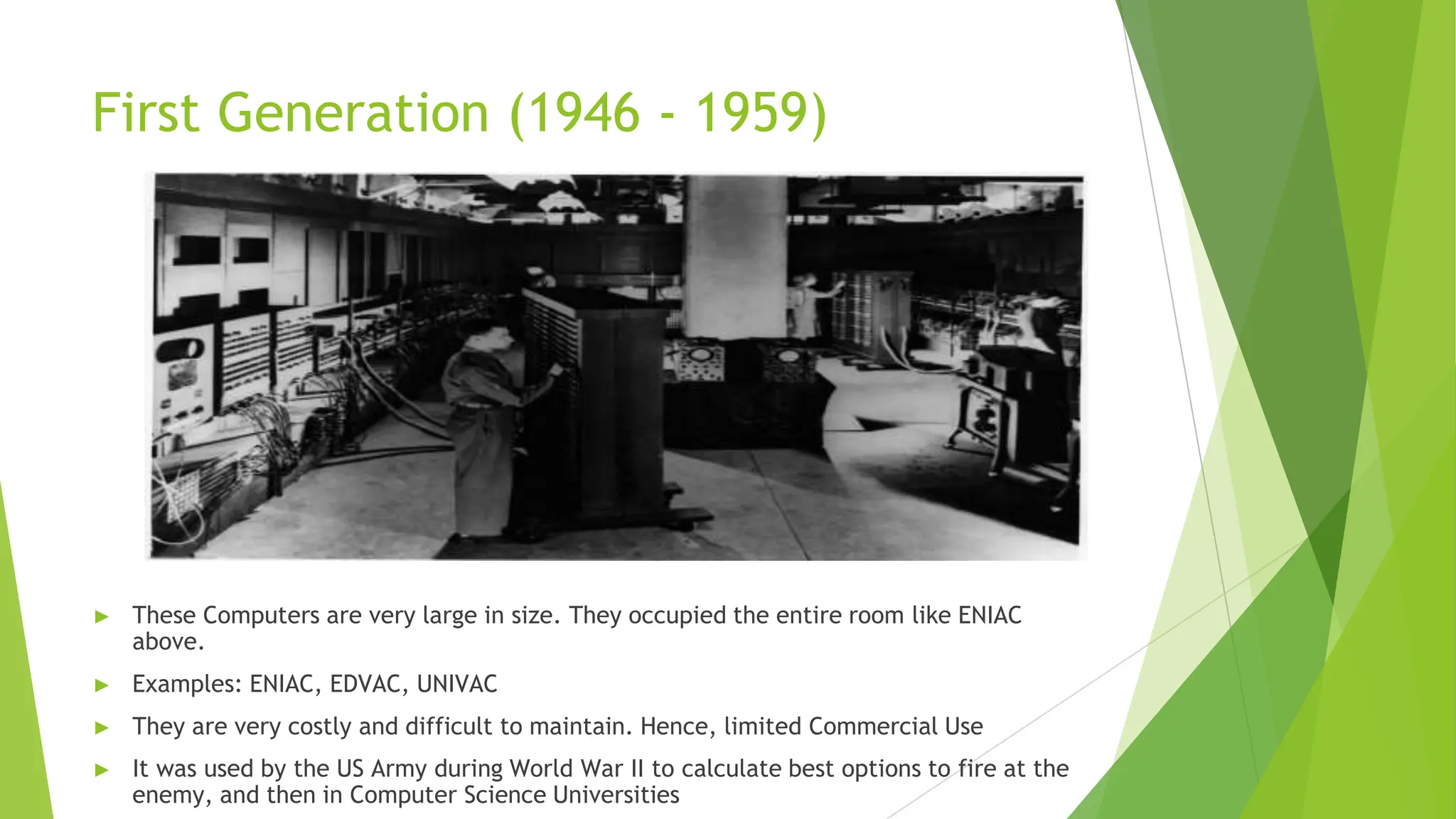
► These Computers are very large in size. They occupied the entire room like ENIAC
above.
► Examples: ENIAC, EDVAC, UNIVAC
► They are very costly and difficult to maintain. Hence, limited Commercial Use
► It was used by the US Army during World War II to calculate best options to fire at the
enemy, and then in Computer Science Universities
First Generation (1946 - 1959)
► Circuitry
► Vacuum Tubes
► Vacuum tubes generate a lot of heat and used to get burnt frequently.
ENIAC used about 18000 Vacuum Tubes.
First Generation (1946 - 1959)
► Input Devices
► Punch Cards
► Could process in milli seconds
► Language
► Machine Language – Binary
► Very difficult and complicated
► Limited Use
First Generation (1946 - 1959)
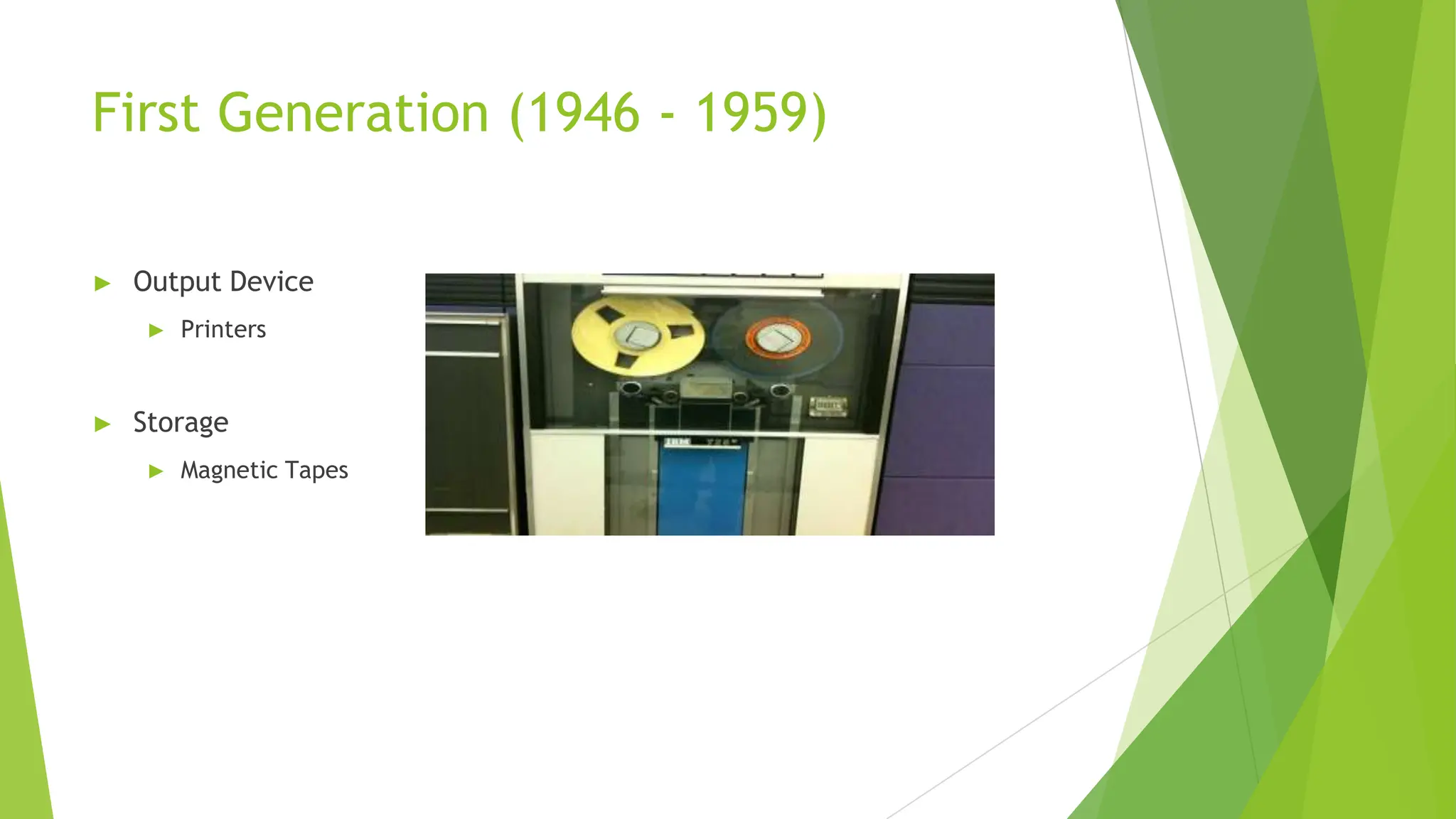
► Output Device
► Printers
► Storage
► Magnetic Tapes
Second Generation (1959 - 1964)
These Computers were smaller in size,
more reliable and faster than the First
Generation machines
► However, they were also very expensive
and had limited commercial use.
Examples: IBM 1620, IBM 7094, CDC 1604,
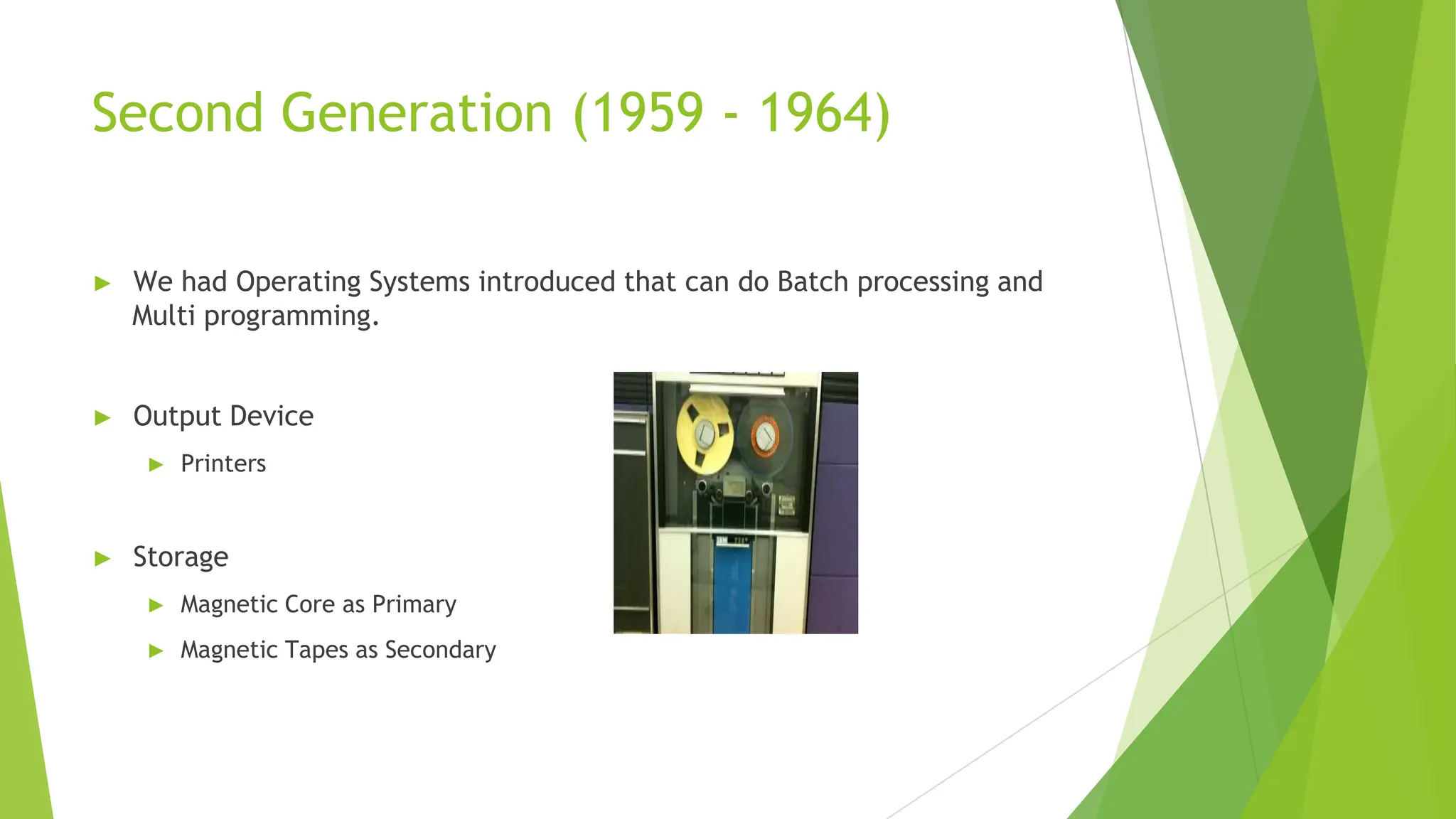
CDC 3600, AND UNIVAC 1108 IBM 1620
Second Generation (1959 - 1964)
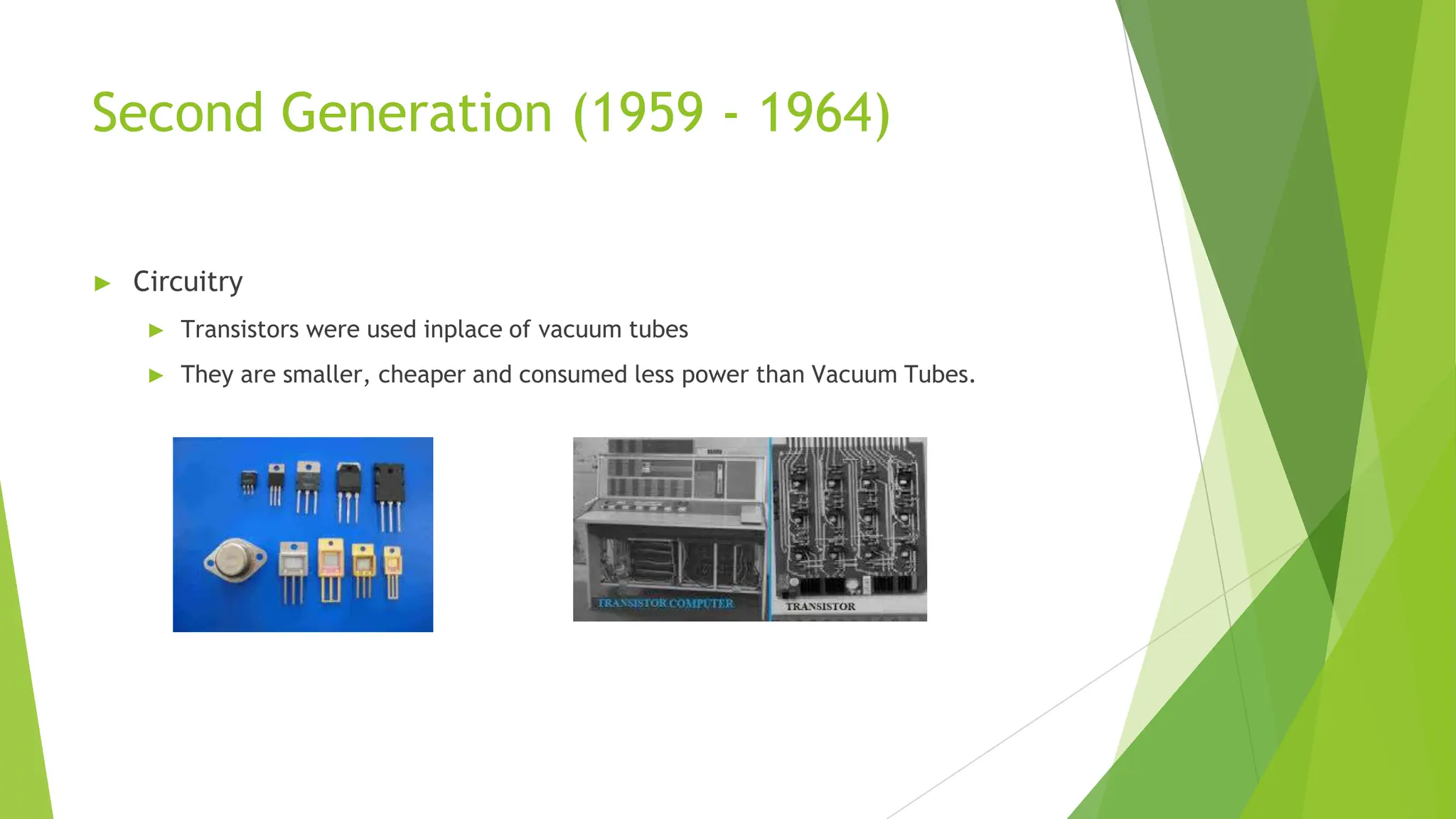
► Circuitry
► Transistors were used inplace of vacuum tubes
► They are smaller, cheaper and consumed less power than Vacuum Tubes.
Second Generation (1959 - 1964)
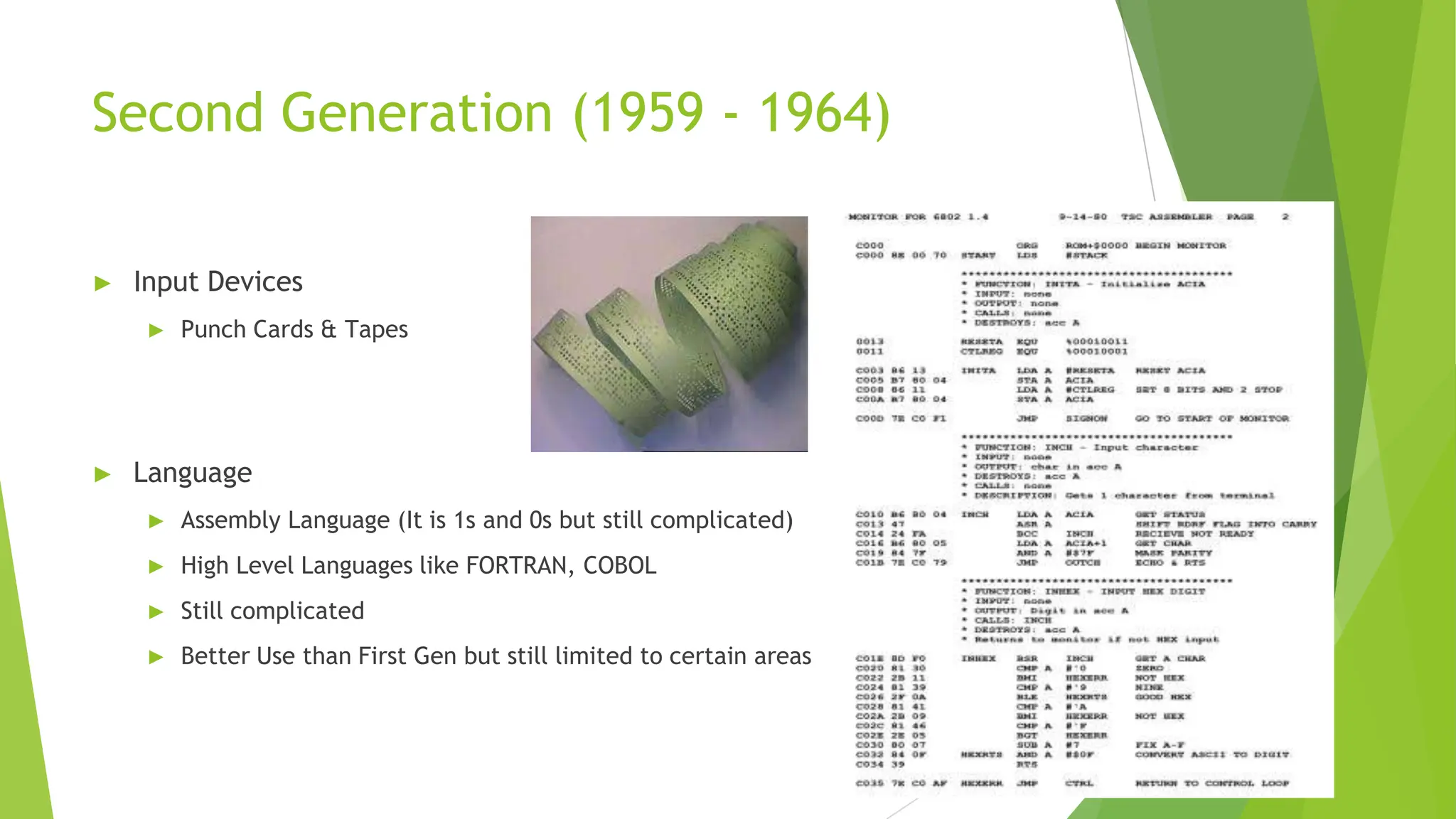
► Input Devices
► Punch Cards & Tapes
► Language
► Assembly Language (It is 1s and 0s but still complicated)
► High Level Languages like FORTRAN, COBOL
► Still complicated
► Better Use than First Gen but still limited to certain areas
Second Generation (1959 - 1964)
► We had Operating Systems introduced that can do Batch processing and
Multi programming.
► Output Device
► Printers
► Storage
► Magnetic Core as Primary
► Magnetic Tapes as Secondary
Third Generation (1964 - 1971)
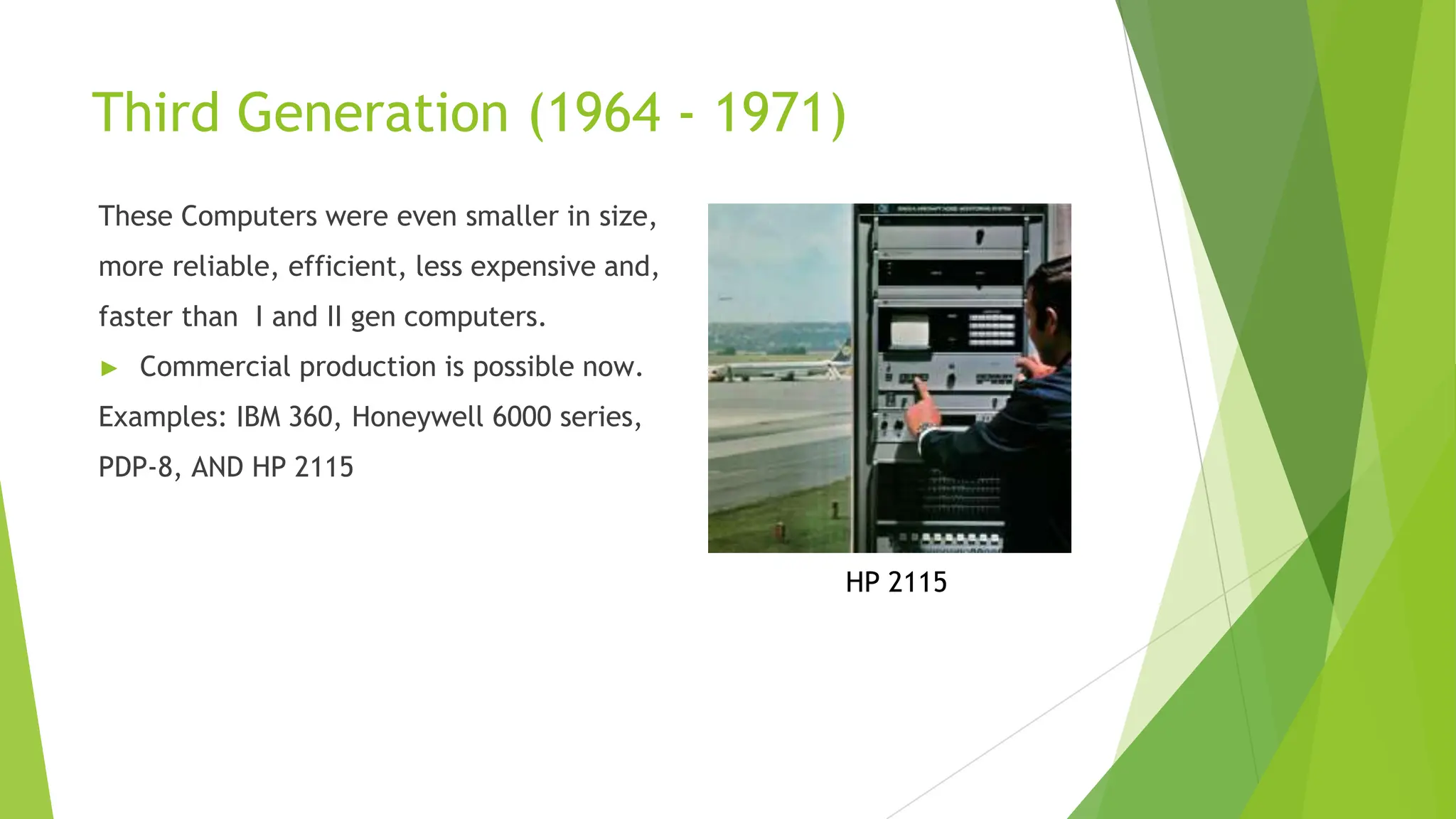
These Computers were even smaller in size,
more reliable, efficient, less expensive and,
faster than I and II gen computers.
► Commercial production is possible now.
Examples: IBM 360, Honeywell 6000 series,
PDP-8, AND HP 2115
HP 2115
Third Generation (1964 - 1971)
► Circuitry
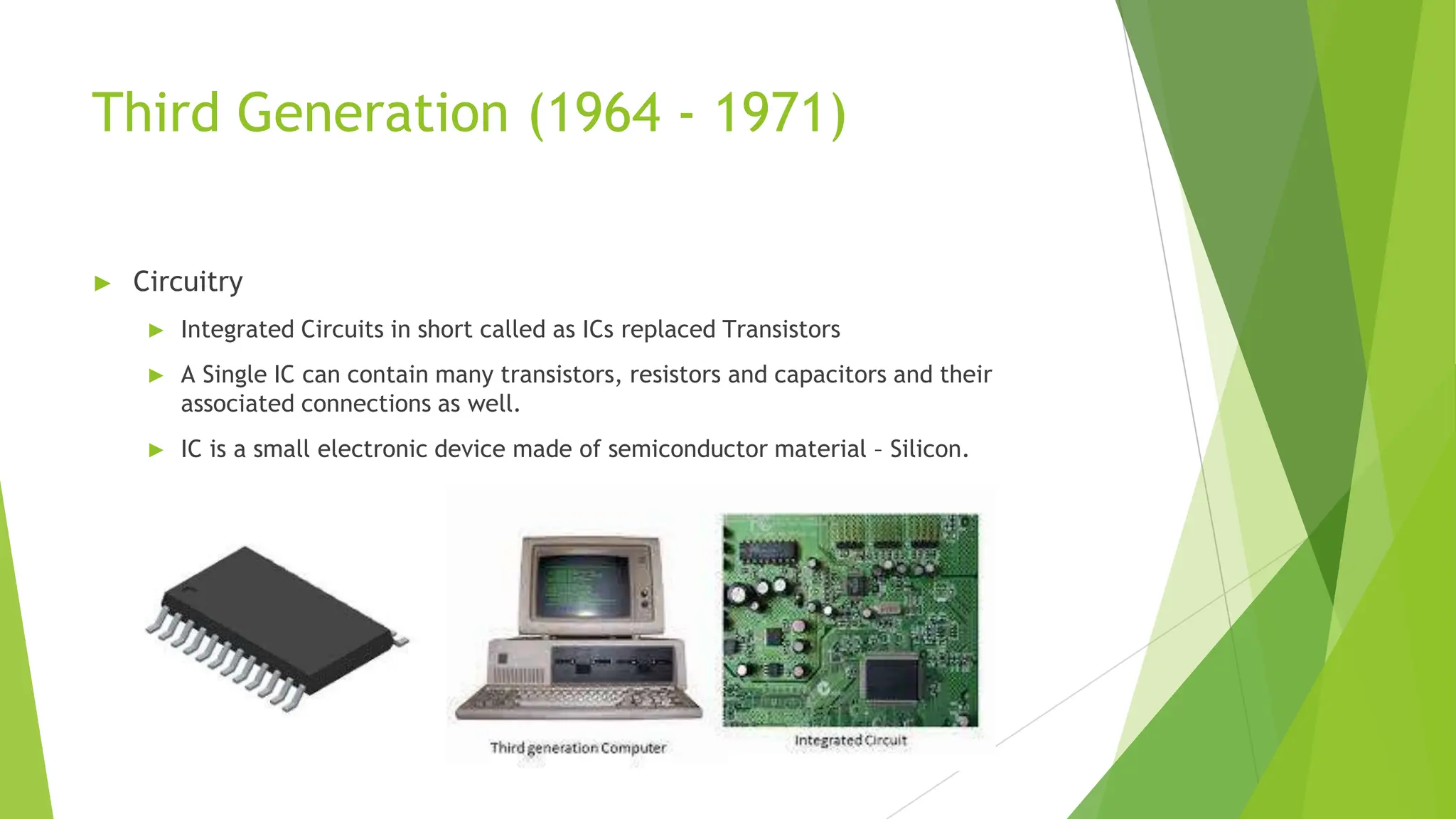
► Integrated Circuits in short called as ICs replaced Transistors
► A Single IC can contain many transistors, resistors and capacitors and their
associated connections as well.
► IC is a small electronic device made of semiconductor material – Silicon.
Third Generation (1964 - 1971)
► Input & Output Devices
► Monitors and Keyboards were introduced
► Language
► High Level Languages like FORTRAN II to IV, BASIC, ALGOL
► Much easier to provide instructions to computer
Third Generation (1964 - 1971)
► Operating Systems are also improved to do Remote Processing, time-
sharing and Multi programming.
► Storage
► Magnetic Core as Primary
► Magnetic Tapes & Disks as Secondary
Fourth Generation (1971 - Present)
These Computers are designed using
microprocessor and could now fit in a small place.
They became compact, reliable, cheaper, affordable,
and even more powerful.
This gave rise to PC (Personal Computer) revolution
► DEC system 10, STAR 100, PDP 11
Fourth Generation (1971 - Present)
► Circuitry
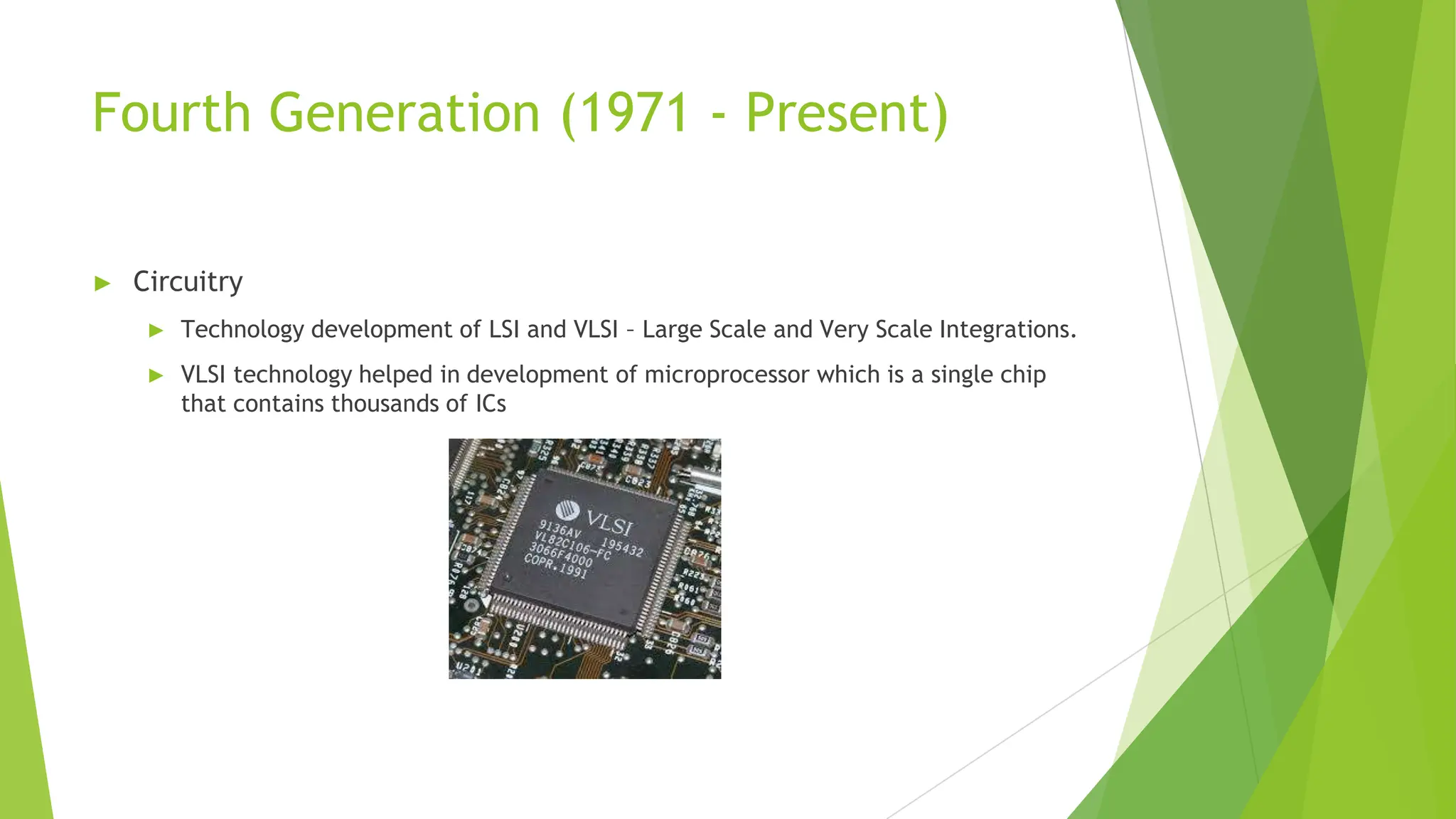
► Technology development of LSI and VLSI – Large Scale and Very Scale Integrations.
► VLSI technology helped in development of microprocessor which is a single chip
that contains thousands of ICs
Fourth Generation (1971 - Present)
► Input & Output Devices
► Keyboards, Mouse, Scanners, Monitors, Printers and Speakers became more refined.
► Language
► High Level Languages C & C++
► Gave capability to solve real life applications
Fourth Generation (1971 - Present)
► Operating Systems are also improved to do Time-sharing, real-time,
networking, distributed and GUI based operations. E.g. Windows, Linux,
MacOS etc
► Storage
► Magnetic Core as Primary
► Magnetic Tapes & Disks with higher capacity as Secondary
Fifth Generation (Present & Beyond)
As years passed, computers became smaller, cheaper
and more powerful. They are used everywhere in
almost aspect of modern life.
► Optical Fiber Technology is used for Storage
► Fifth gen computers are still in developmental stage.
► They use artificial intelligence like Voice Recognition
► They can respond to natural language inputs and are capable of self learning.
Fifth Generation (Present & Beyond)
► Circuitry
► Technology development of ULSI - Ultra Large Scale Integrations.
► ULSI technology helped in development of microprocessor chips having millions of
electronic components in the same circuit.
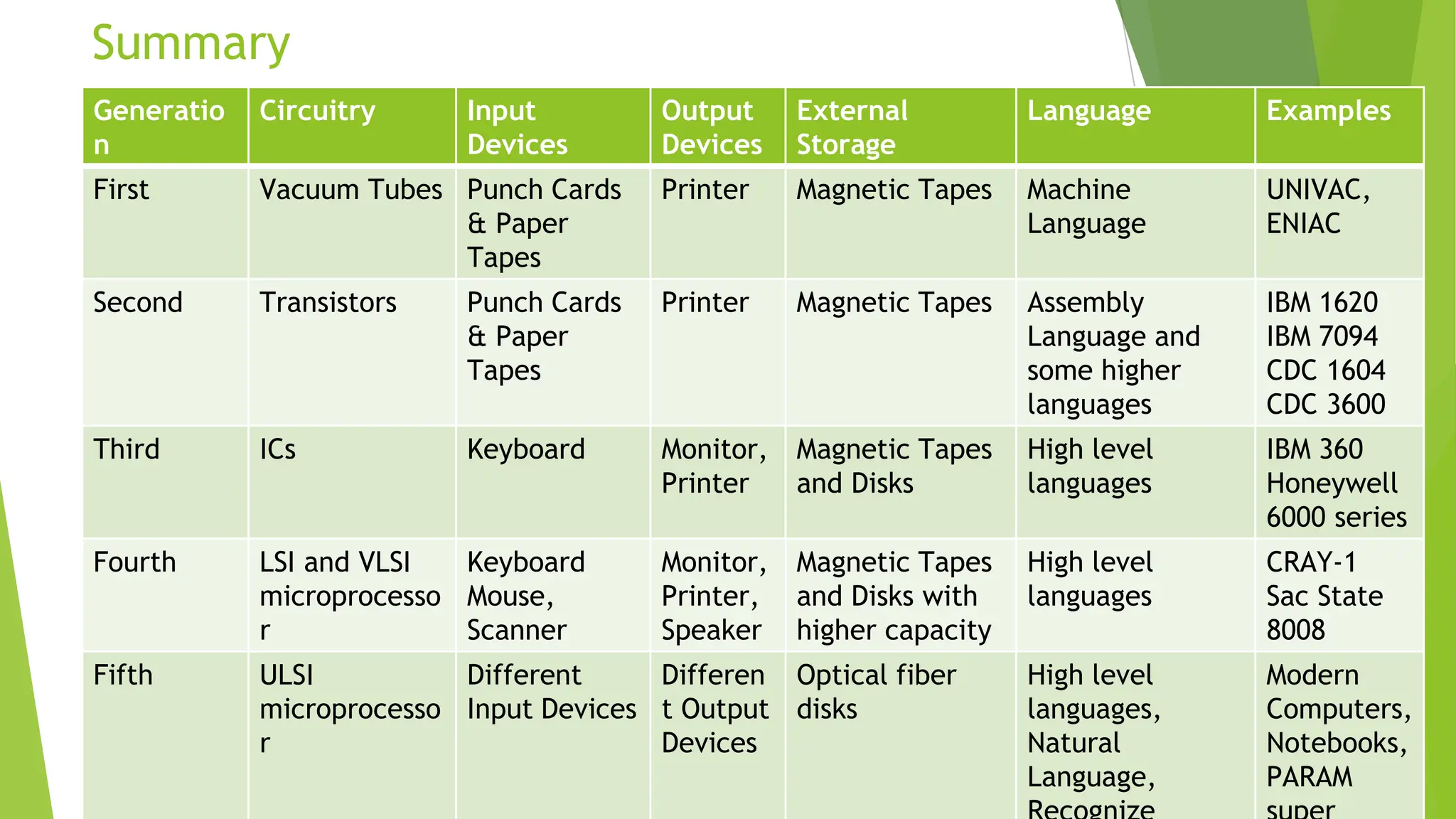
Summary
Generatio
n
Circuitry Input
Devices
Output
Devices
External
Storage
Language Examples
First Vacuum Tubes Punch Cards
& Paper
Tapes
Printer Magnetic Tapes Machine
Language
UNIVAC,
ENIAC
Second Transistors Punch Cards
& Paper
Tapes
Printer Magnetic Tapes Assembly
Language and
some higher
languages
IBM 1620
IBM 7094
CDC 1604
CDC 3600
Third ICs Keyboard Monitor,
Printer
Magnetic Tapes
and Disks
High level
languages
IBM 360
Honeywell
6000 series
Fourth LSI and VLSI
microprocesso
r
Keyboard
Mouse,
Scanner
Monitor,
Printer,
Speaker
Magnetic Tapes
and Disks with
higher capacity
High level
languages
CRAY-1
Sac State
8008
Fifth ULSI
microprocesso
r
Different
Input Devices
Differen
t Output
Devices
Optical fiber
disks
High level
languages,
Natural
Language,
Modern
Computers,
Notebooks,
PARAM

Chapter I Generations of Computers.pptx

  • 1.
  • 2.
    What is aGeneration? ► Generation refers to a step in Technology. ► In the initial days [In 1940s], the Computers used to be very large of the size of a room. As years progressed, due to technological advancements, engineers are able to reduce the size to the size of our palm now. It can be even smaller in future. ► The term generation helps us provide a framework to distinguish various technologies. ► Each generation of computers is marked by a major technological development. Let us have a glimpse at the generations of computers.
  • 3.
    Major Components ofa Computer ► Input Devices. ► E.g. Keyboard, Mouse etc ► Output Devices. ► E.g. Monitor, Printer etc ► Storage. ► E.g. Hard disk, CD, DVD ► Circuitry ► Did anyone see what is in inside a CPU? ► Circuitry refers to how various components are connected inside the CPU. ► E.g. Microprocessor etc ► Language ► This is how we communicate with the Computer ► E.g. C, JAVA etc
  • 4.
    First Generation (1946- 1959) ► These Computers are very large in size. They occupied the entire room like ENIAC above. ► Examples: ENIAC, EDVAC, UNIVAC ► They are very costly and difficult to maintain. Hence, limited Commercial Use ► It was used by the US Army during World War II to calculate best options to fire at the enemy, and then in Computer Science Universities
  • 5.
    First Generation (1946- 1959) ► Circuitry ► Vacuum Tubes ► Vacuum tubes generate a lot of heat and used to get burnt frequently. ENIAC used about 18000 Vacuum Tubes.
  • 6.
    First Generation (1946- 1959) ► Input Devices ► Punch Cards ► Could process in milli seconds ► Language ► Machine Language – Binary ► Very difficult and complicated ► Limited Use
  • 7.
    First Generation (1946- 1959) ► Output Device ► Printers ► Storage ► Magnetic Tapes
  • 8.
    Second Generation (1959- 1964) These Computers were smaller in size, more reliable and faster than the First Generation machines ► However, they were also very expensive and had limited commercial use. Examples: IBM 1620, IBM 7094, CDC 1604, CDC 3600, AND UNIVAC 1108 IBM 1620
  • 9.
    Second Generation (1959- 1964) ► Circuitry ► Transistors were used inplace of vacuum tubes ► They are smaller, cheaper and consumed less power than Vacuum Tubes.
  • 10.
    Second Generation (1959- 1964) ► Input Devices ► Punch Cards & Tapes ► Language ► Assembly Language (It is 1s and 0s but still complicated) ► High Level Languages like FORTRAN, COBOL ► Still complicated ► Better Use than First Gen but still limited to certain areas
  • 11.
    Second Generation (1959- 1964) ► We had Operating Systems introduced that can do Batch processing and Multi programming. ► Output Device ► Printers ► Storage ► Magnetic Core as Primary ► Magnetic Tapes as Secondary
  • 12.
    Third Generation (1964- 1971) These Computers were even smaller in size, more reliable, efficient, less expensive and, faster than I and II gen computers. ► Commercial production is possible now. Examples: IBM 360, Honeywell 6000 series, PDP-8, AND HP 2115 HP 2115
  • 13.
    Third Generation (1964- 1971) ► Circuitry ► Integrated Circuits in short called as ICs replaced Transistors ► A Single IC can contain many transistors, resistors and capacitors and their associated connections as well. ► IC is a small electronic device made of semiconductor material – Silicon.
  • 14.
    Third Generation (1964- 1971) ► Input & Output Devices ► Monitors and Keyboards were introduced ► Language ► High Level Languages like FORTRAN II to IV, BASIC, ALGOL ► Much easier to provide instructions to computer
  • 15.
    Third Generation (1964- 1971) ► Operating Systems are also improved to do Remote Processing, time- sharing and Multi programming. ► Storage ► Magnetic Core as Primary ► Magnetic Tapes & Disks as Secondary
  • 16.
    Fourth Generation (1971- Present) These Computers are designed using microprocessor and could now fit in a small place. They became compact, reliable, cheaper, affordable, and even more powerful. This gave rise to PC (Personal Computer) revolution ► DEC system 10, STAR 100, PDP 11
  • 17.
    Fourth Generation (1971- Present) ► Circuitry ► Technology development of LSI and VLSI – Large Scale and Very Scale Integrations. ► VLSI technology helped in development of microprocessor which is a single chip that contains thousands of ICs
  • 18.
    Fourth Generation (1971- Present) ► Input & Output Devices ► Keyboards, Mouse, Scanners, Monitors, Printers and Speakers became more refined. ► Language ► High Level Languages C & C++ ► Gave capability to solve real life applications
  • 19.
    Fourth Generation (1971- Present) ► Operating Systems are also improved to do Time-sharing, real-time, networking, distributed and GUI based operations. E.g. Windows, Linux, MacOS etc ► Storage ► Magnetic Core as Primary ► Magnetic Tapes & Disks with higher capacity as Secondary
  • 20.
    Fifth Generation (Present& Beyond) As years passed, computers became smaller, cheaper and more powerful. They are used everywhere in almost aspect of modern life. ► Optical Fiber Technology is used for Storage ► Fifth gen computers are still in developmental stage. ► They use artificial intelligence like Voice Recognition ► They can respond to natural language inputs and are capable of self learning.
  • 21.
    Fifth Generation (Present& Beyond) ► Circuitry ► Technology development of ULSI - Ultra Large Scale Integrations. ► ULSI technology helped in development of microprocessor chips having millions of electronic components in the same circuit.
  • 22.
    Summary Generatio n Circuitry Input Devices Output Devices External Storage Language Examples FirstVacuum Tubes Punch Cards & Paper Tapes Printer Magnetic Tapes Machine Language UNIVAC, ENIAC Second Transistors Punch Cards & Paper Tapes Printer Magnetic Tapes Assembly Language and some higher languages IBM 1620 IBM 7094 CDC 1604 CDC 3600 Third ICs Keyboard Monitor, Printer Magnetic Tapes and Disks High level languages IBM 360 Honeywell 6000 series Fourth LSI and VLSI microprocesso r Keyboard Mouse, Scanner Monitor, Printer, Speaker Magnetic Tapes and Disks with higher capacity High level languages CRAY-1 Sac State 8008 Fifth ULSI microprocesso r Different Input Devices Differen t Output Devices Optical fiber disks High level languages, Natural Language, Modern Computers, Notebooks, PARAM