Database Systems
Design, Implementation, and Management
Coronel | Morris
11e
©2015 Cengage Learning. All Rights Reserved. May not be scanned, copied or duplicated, or posted to a publicly accessible website, in whole or in part.
Chapter 7
Introduction to Structured Query
Language (SQL)
©2015 Cengage Learning. All Rights Reserved. May not be scanned, copied or duplicated, or posted to a publicly accessible website, in whole or in part.
Learning Objectives
 In this chapter, you will learn:
 The basic commands and functions of SQL
 How to use SQL for data administration (to create
tables and indexes)
 How to use SQL for data manipulation (to add, modify,
delete, and retrieve data)
 How to use SQL to query a database for useful
information
2
©2015 Cengage Learning. All Rights Reserved. May not be scanned, copied or duplicated, or posted to a publicly accessible website, in whole or in part.
Structured Query Language (SQL)
 Categories of SQL function
 Data definition language (DDL)
 Data manipulation language (DML)
 Nonprocedural language with basic command
vocabulary set of less than 100 words
 Differences in SQL dialects are minor
3
©2015 Cengage Learning. All Rights Reserved. May not be scanned, copied or duplicated, or posted to a publicly accessible website, in whole or in part.
Table 7.1 - SQL Data Definition Command
4
©2015 Cengage Learning. All Rights Reserved. May not be scanned, copied or duplicated, or posted to a publicly accessible website, in whole or in part.
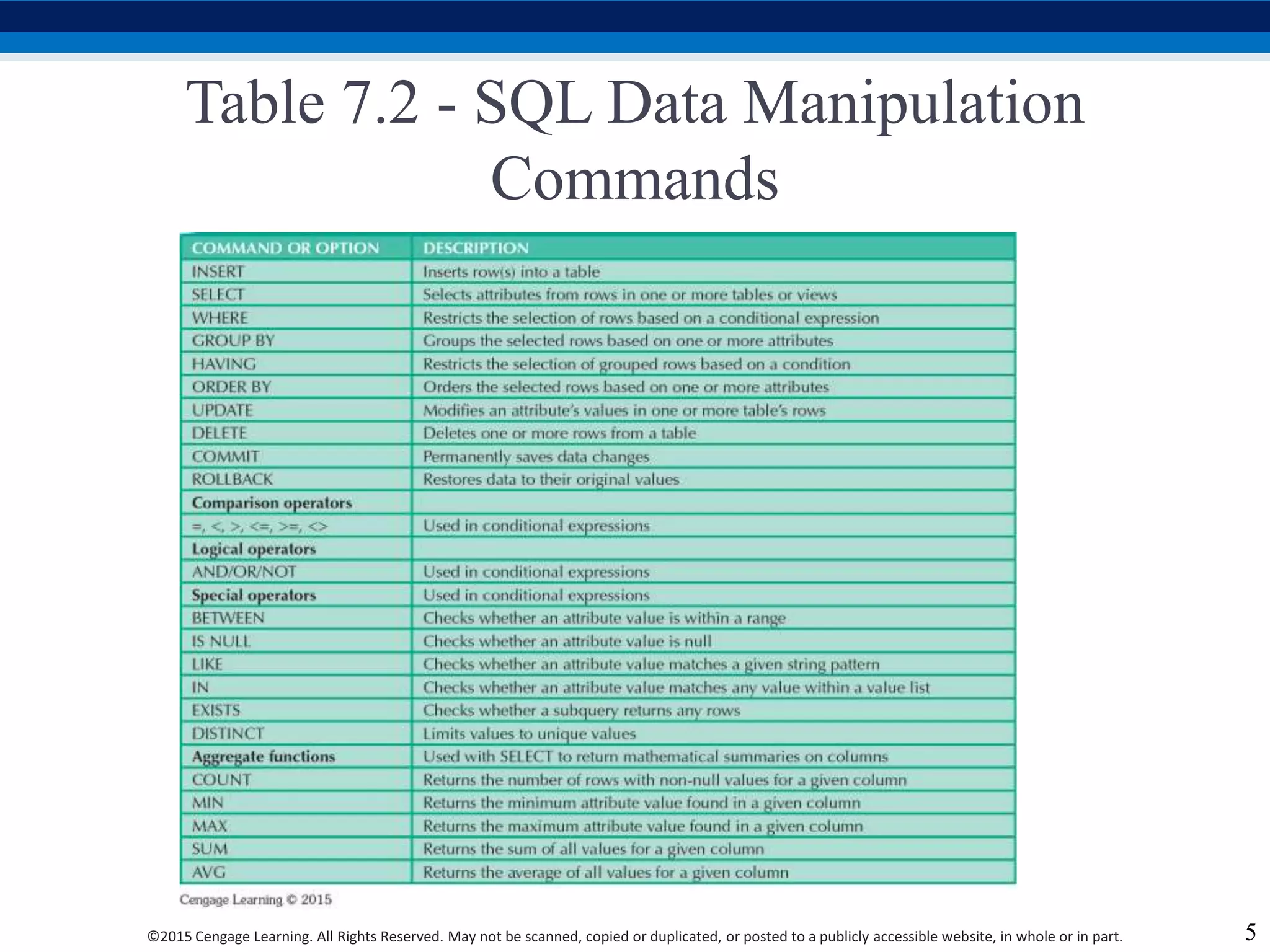
Table 7.2 - SQL Data Manipulation
Commands
5
©2015 Cengage Learning. All Rights Reserved. May not be scanned, copied or duplicated, or posted to a publicly accessible website, in whole or in part.
Figure 7.1 - The Database Model
6
©2015 Cengage Learning. All Rights Reserved. May not be scanned, copied or duplicated, or posted to a publicly accessible website, in whole or in part.
Tasks to be Completed Before Using a New
RDBMS
 Create database structure
 RDBMS creates physical files that will hold database
 Differs from one RDBMS to another
 Authentication: Process DBMS uses to verify that
only registered users access the data
 Required for the creation tables
 User should log on to RDBMS using user ID and
password created by database administrator
7
©2015 Cengage Learning. All Rights Reserved. May not be scanned, copied or duplicated, or posted to a publicly accessible website, in whole or in part.
The Database Schema
 Logical group of database objects related to each
other
 Command
 CREATE SCHEMAAUTHORIZATION {creator};
 Seldom used directly
8
©2015 Cengage Learning. All Rights Reserved. May not be scanned, copied or duplicated, or posted to a publicly accessible website, in whole or in part.
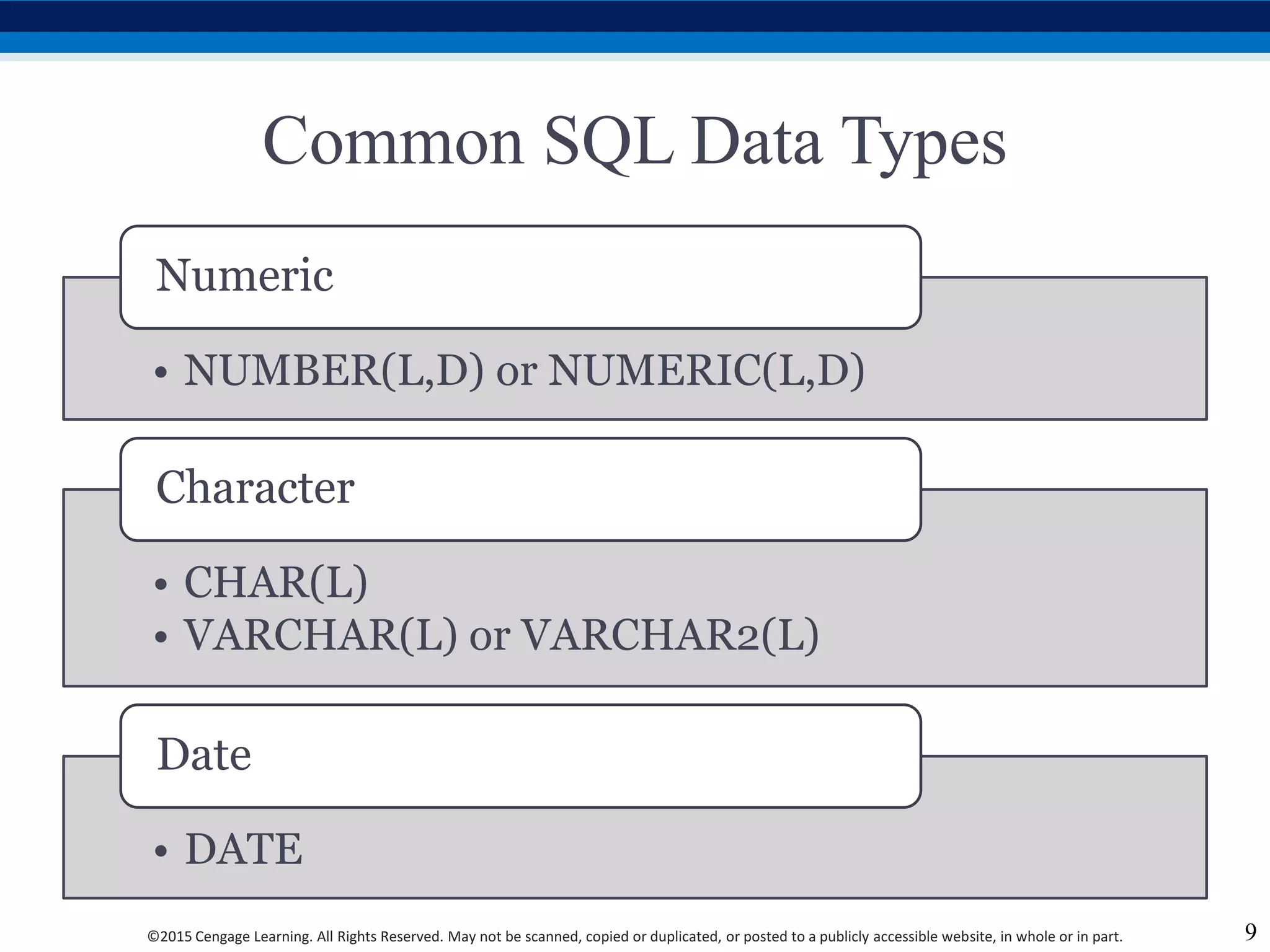
Common SQL Data Types
• NUMBER(L,D) or NUMERIC(L,D)
Numeric
• CHAR(L)
• VARCHAR(L) or VARCHAR2(L)
Character
• DATE
Date
9
©2015 Cengage Learning. All Rights Reserved. May not be scanned, copied or duplicated, or posted to a publicly accessible website, in whole or in part.
Creating Table Structures
 Use one line per column (attribute) definition
 Use spaces to line up attribute characteristics and
constraints
 Table and attribute names are capitalized
 Features of table creating command sequence
 NOT NULL specification
 UNIQUE specification
 Syntax to create table
 CREATE TABLE tablename();
10
©2015 Cengage Learning. All Rights Reserved. May not be scanned, copied or duplicated, or posted to a publicly accessible website, in whole or in part.
Primary Key and Foreign Key
 Primary key attributes contain both a NOT NULL
and a UNIQUE specification
 RDBMS will automatically enforce referential
integrity for foreign keys
 Command sequence ends with semicolon
 ANSI SQL allows use of following clauses to cover
CASCADE, SET NULL, or SET DEFAULT
 ON DELETE and ON UPDATE
11
©2015 Cengage Learning. All Rights Reserved. May not be scanned, copied or duplicated, or posted to a publicly accessible website, in whole or in part.
SQL Constraints
12
• Ensures that column does not accept nulls
NOT NULL
• Ensures that all values in column are unique
UNIQUE
• Assigns value to attribute when a new row is added to table
DEFAULT
• Validates data when attribute value is entered
CHECK
©2015 Cengage Learning. All Rights Reserved. May not be scanned, copied or duplicated, or posted to a publicly accessible website, in whole or in part.
SQL Indexes
 When primary key is declared, DBMS automatically
creates unique index
 Composite index:
 Is based on two or more attributes
 Prevents data duplication
 Syntax to create SQL indexes
 CREATE INDEX indexname ON tablename();
 Syntax to delete an index
 DROP INDEX indexname;
13
©2015 Cengage Learning. All Rights Reserved. May not be scanned, copied or duplicated, or posted to a publicly accessible website, in whole or in part.
Data Manipulation Commands
14
INSERT: Command to insert data into table
• Syntax - INSERT INTO tablename VALUES();
• Used to add table rows with NULL and NOT NULL
attributes
COMMIT: Command to save changes
• Syntax - COMMIT [WORK];
• Ensures database update integrity
©2015 Cengage Learning. All Rights Reserved. May not be scanned, copied or duplicated, or posted to a publicly accessible website, in whole or in part.
Data Manipulation Commands
SELECT: Command to list the contents
• Syntax - SELECT columnlist FROM tablename;
• Wildcard character(*): Substitute for other
characters/command
UPDATE: Command to modify data
• Syntax - UPDATE tablename SET columnname =
expression [, columnname = expression] [WHERE
conditionlist];
15
©2015 Cengage Learning. All Rights Reserved. May not be scanned, copied or duplicated, or posted to a publicly accessible website, in whole or in part.
Data Manipulation Commands
WHERE condition
• Specifies the rows to be selected
ROLLBACK: Command to restore the database
• Syntax - ROLLBACK;
• Undoes the changes since last COMMIT
command
DELETE: Command to delete
• Syntax - DELETE FROM tablename
• [WHERE conditionlist];
16
©2015 Cengage Learning. All Rights Reserved. May not be scanned, copied or duplicated, or posted to a publicly accessible website, in whole or in part.
Inserting Table Rows with a
SELECT Subquery
 Syntax
 INSERT INTO tablename SELECT columnlist FROM
tablename
 Used to add multiple rows using another table as
source
 SELECT command - Acts as a subquery and is
executed first
 Subquery: Query embedded/nested inside another
query
17
©2015 Cengage Learning. All Rights Reserved. May not be scanned, copied or duplicated, or posted to a publicly accessible website, in whole or in part.
Selecting Rows Using Conditional
Restrictions
 Following syntax enables to specify which rows to
select
 SELECT columnlist
 FROM tablelist
 [WHERE conditionlist];
 Used to select partial table contents by placing
restrictions on the rows
 Optional WHERE clause
 Adds conditional restrictions to the SELECT statement
18
©2015 Cengage Learning. All Rights Reserved. May not be scanned, copied or duplicated, or posted to a publicly accessible website, in whole or in part.
Comparison Operators
 Add conditional restrictions on selected table
contents
 Used on:
 Character attributes
 Dates
19
©2015 Cengage Learning. All Rights Reserved. May not be scanned, copied or duplicated, or posted to a publicly accessible website, in whole or in part.
Table 7.6 - Comparison Operators
20
©2015 Cengage Learning. All Rights Reserved. May not be scanned, copied or duplicated, or posted to a publicly accessible website, in whole or in part.
Comparison Operators: Computed
Columns and Column Aliases
 SQL accepts any valid expressions/formulas in the
computed columns
 Alias: Alternate name given to a column or table in
any SQL statement to improve the readability
 Computed column, an alias, and date arithmetic can
be used in a single query
21
©2015 Cengage Learning. All Rights Reserved. May not be scanned, copied or duplicated, or posted to a publicly accessible website, in whole or in part.
Arithmetic operators
 The Rule of Precedence: Establish the order in
which computations are completed
 Perform:
 Operations within parentheses
 Power operations
 Multiplications and divisions
 Additions and subtractions
22
©2015 Cengage Learning. All Rights Reserved. May not be scanned, copied or duplicated, or posted to a publicly accessible website, in whole or in part.
Table 7.7 - The Arithmetic Operators
23
©2015 Cengage Learning. All Rights Reserved. May not be scanned, copied or duplicated, or posted to a publicly accessible website, in whole or in part.
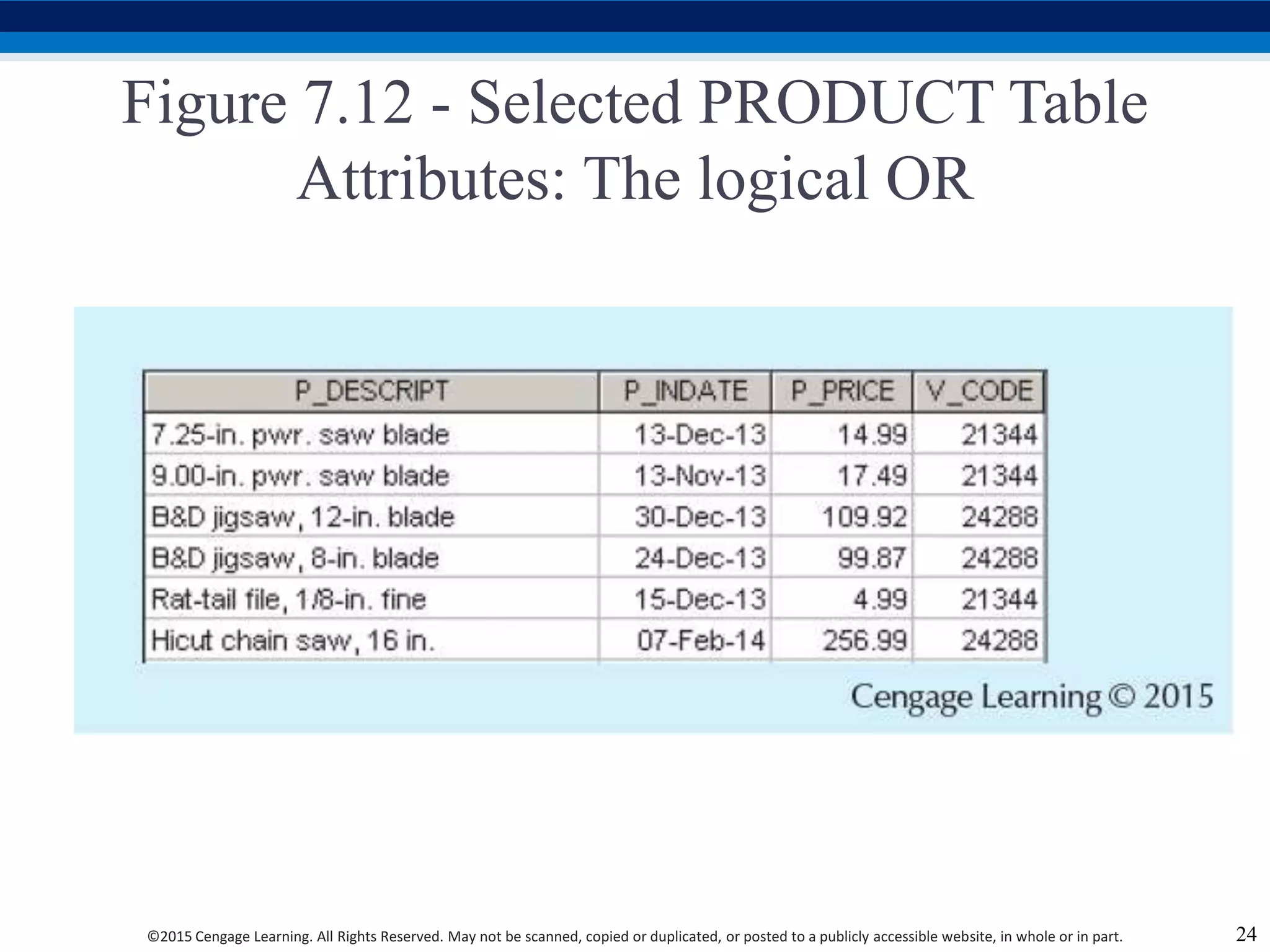
Figure 7.12 - Selected PRODUCT Table
Attributes: The logical OR
24
©2015 Cengage Learning. All Rights Reserved. May not be scanned, copied or duplicated, or posted to a publicly accessible website, in whole or in part.
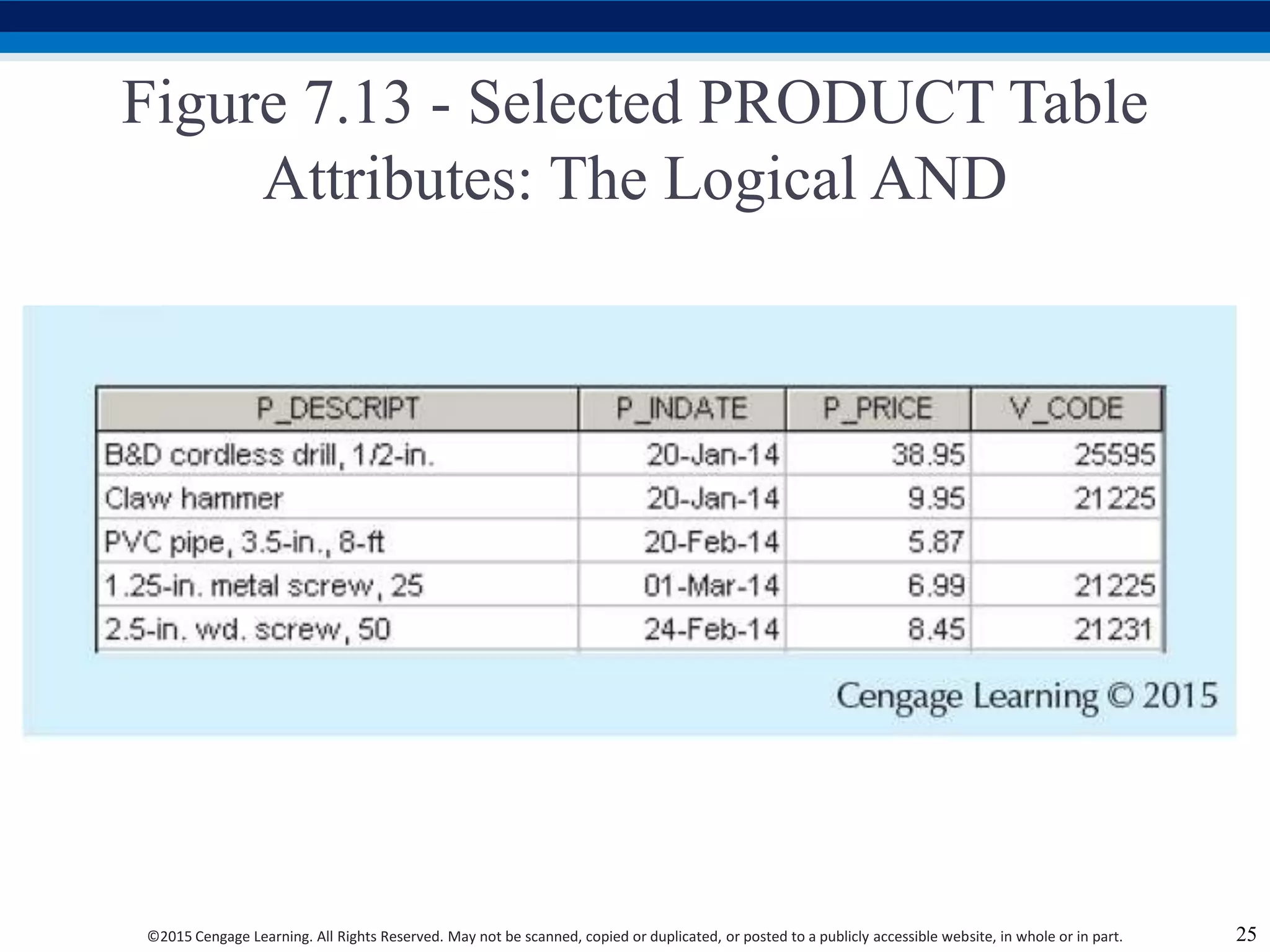
Figure 7.13 - Selected PRODUCT Table
Attributes: The Logical AND
25
©2015 Cengage Learning. All Rights Reserved. May not be scanned, copied or duplicated, or posted to a publicly accessible website, in whole or in part.
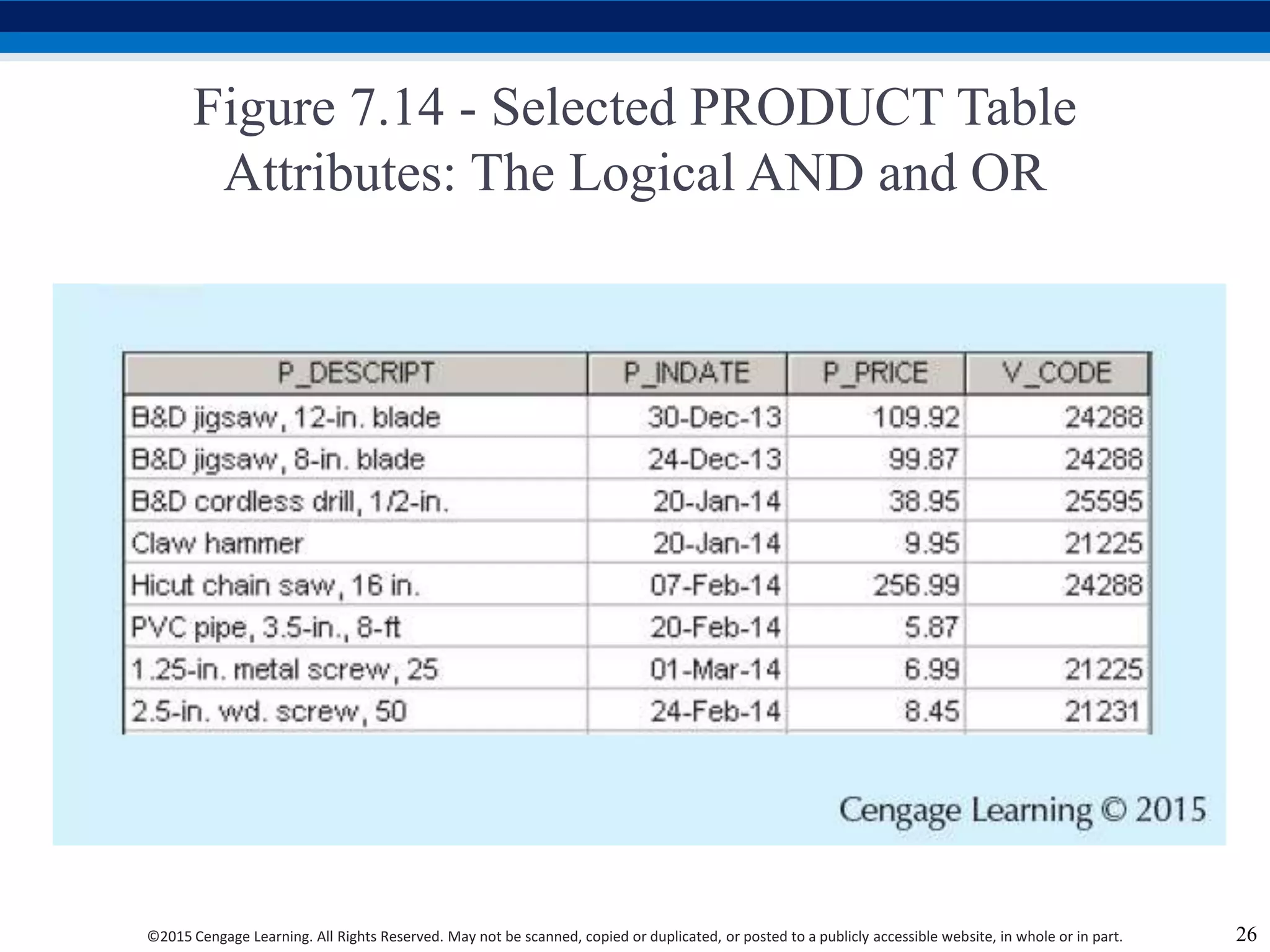
Figure 7.14 - Selected PRODUCT Table
Attributes: The Logical AND and OR
26
©2015 Cengage Learning. All Rights Reserved. May not be scanned, copied or duplicated, or posted to a publicly accessible website, in whole or in part.
Special Operators
27
BETWEEN
• Checks whether attribute value is within a range
IS NULL
• Checks whether attribute value is null
LIKE
• Checks whether attribute value matches given string pattern
IN
• Checks whether attribute value matches any value within a value list
EXISTS
• Checks if subquery returns any rows
©2015 Cengage Learning. All Rights Reserved. May not be scanned, copied or duplicated, or posted to a publicly accessible website, in whole or in part.
Advanced Data Definition Commands
 ALTER TABLE command: To make changes in the
table structure
 Keywords use with the command
 ADD - Adds a column
 MODIFY - Changes column characteristics
 DROP - Deletes a column
 Used to:
 Add table constraints
 Remove table constraints
28
©2015 Cengage Learning. All Rights Reserved. May not be scanned, copied or duplicated, or posted to a publicly accessible website, in whole or in part.
Changing Column’s Data Type
 ALTER can be used to change data type
 Some RDBMSs do not permit changes to data types
unless column is empty
 Syntax –
 ALTER TABLE tablename MODIFY
(columnname(datatype));
29
©2015 Cengage Learning. All Rights Reserved. May not be scanned, copied or duplicated, or posted to a publicly accessible website, in whole or in part.
Changing Column’s Data Characteristics
 Use ALTER to change data characteristics
 Changes in column’s characteristics are permitted if
changes do not alter the existing data type
 Syntax
 ALTER TABLE tablename MODIFY
(columnname(characterstic));
30
©2015 Cengage Learning. All Rights Reserved. May not be scanned, copied or duplicated, or posted to a publicly accessible website, in whole or in part.
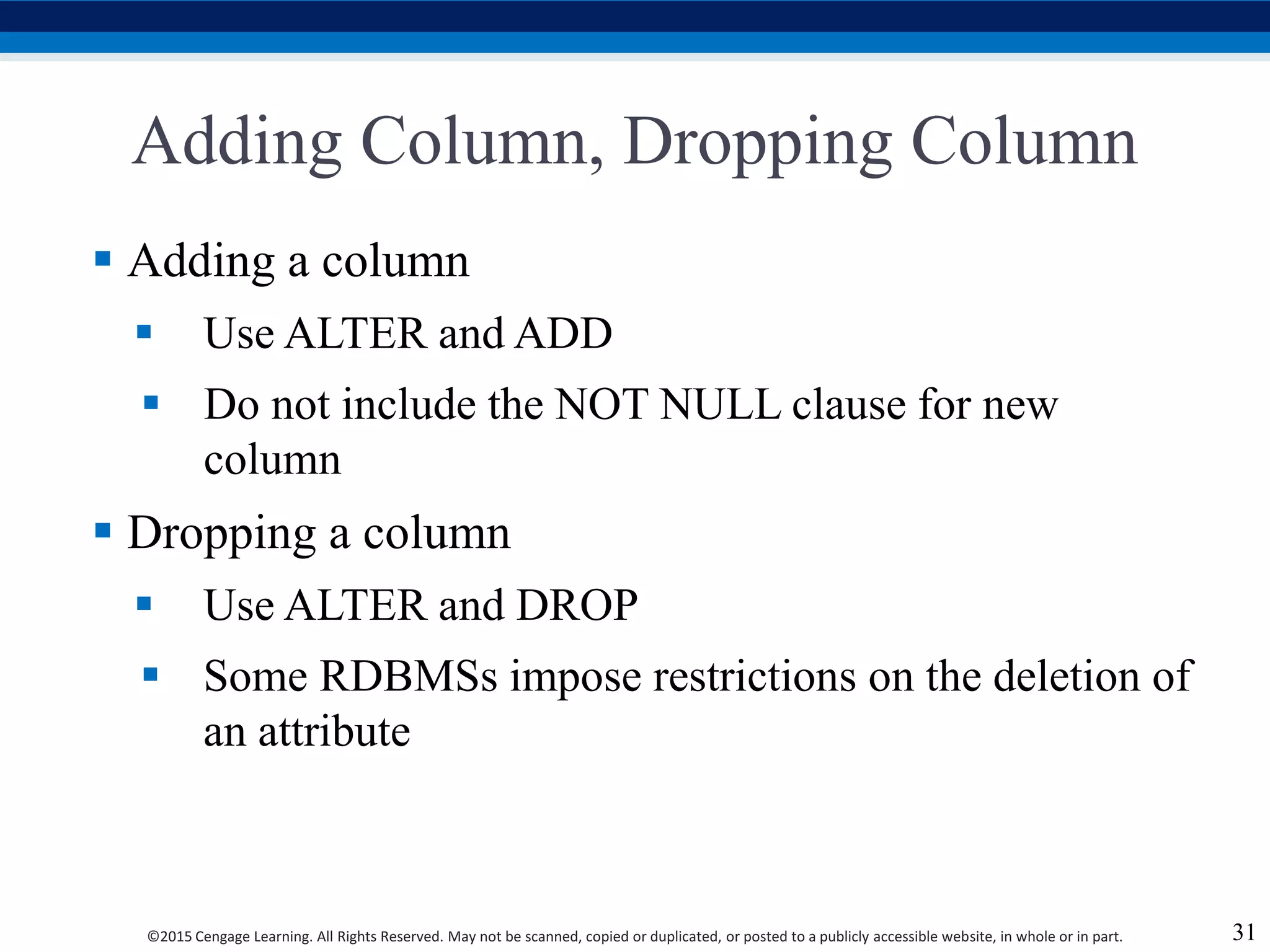
Adding Column, Dropping Column
 Adding a column
 Use ALTER and ADD
 Do not include the NOT NULL clause for new
column
 Dropping a column
 Use ALTER and DROP
 Some RDBMSs impose restrictions on the deletion of
an attribute
31
©2015 Cengage Learning. All Rights Reserved. May not be scanned, copied or duplicated, or posted to a publicly accessible website, in whole or in part.
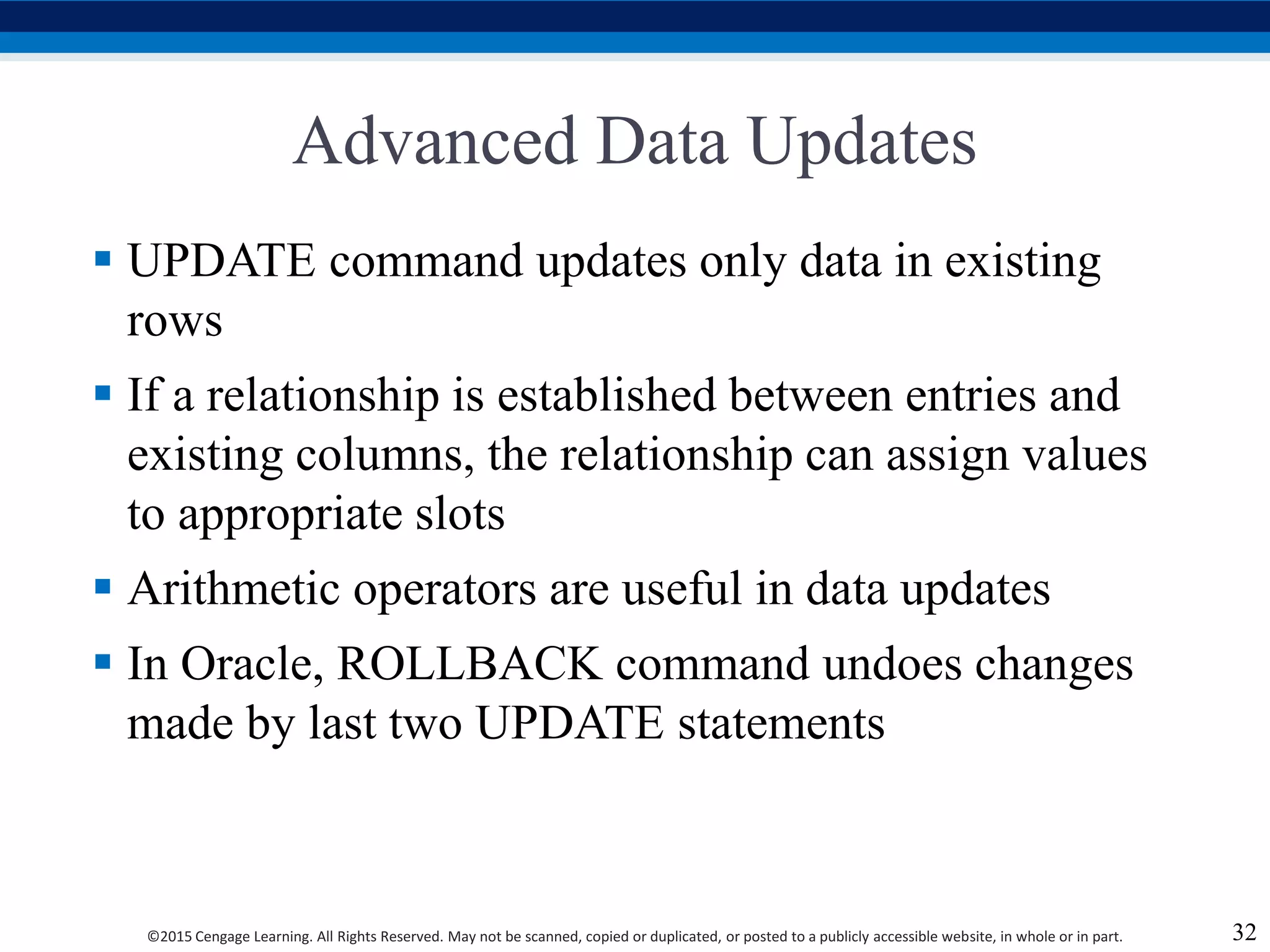
Advanced Data Updates
 UPDATE command updates only data in existing
rows
 If a relationship is established between entries and
existing columns, the relationship can assign values
to appropriate slots
 Arithmetic operators are useful in data updates
 In Oracle, ROLLBACK command undoes changes
made by last two UPDATE statements
32
©2015 Cengage Learning. All Rights Reserved. May not be scanned, copied or duplicated, or posted to a publicly accessible website, in whole or in part.
Copying Parts of Tables
 SQL permits copying contents of selected table
columns
 Data need not be reentered manually into newly created
table(s)
 Table structure is created
 Rows are added to new table using rows from another
table
33
©2015 Cengage Learning. All Rights Reserved. May not be scanned, copied or duplicated, or posted to a publicly accessible website, in whole or in part.
Adding Primary and Foreign Key
Designations
 ALTER TABLE command
 Followed by a keyword that produces the specific
change one wants to make
 Options include ADD, MODIFY, and DROP
 Syntax to add or modify columns
 ALTER TABLE tablename
 {ADD | MODIFY} ( columnname datatype [ {ADD |
MODIFY} columnname datatype] ) ;
 ALTER TABLE tablename
 ADD constraint [ ADD constraint ] ;
34
©2015 Cengage Learning. All Rights Reserved. May not be scanned, copied or duplicated, or posted to a publicly accessible website, in whole or in part.
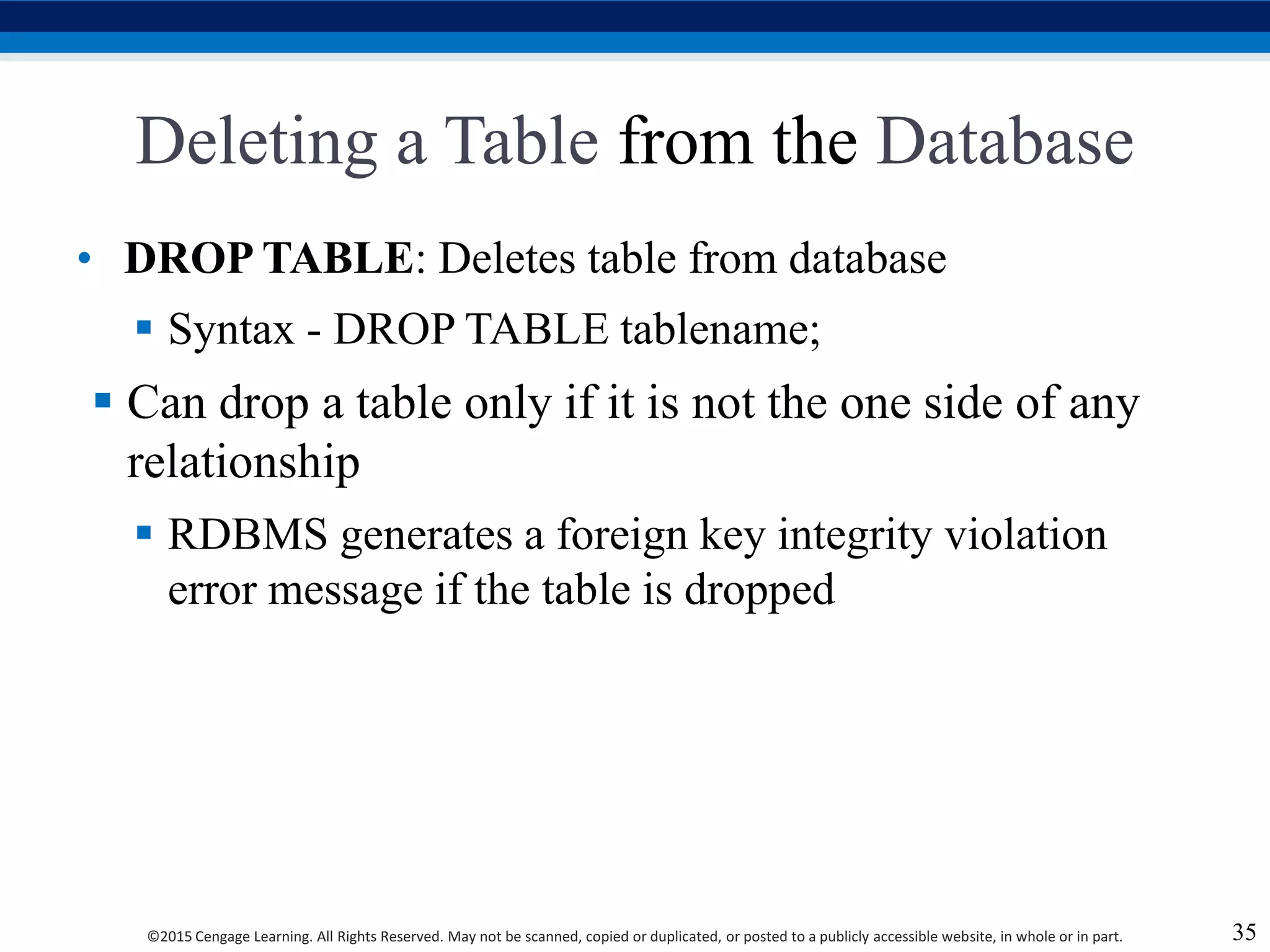
Deleting a Table from the Database
• DROP TABLE: Deletes table from database
 Syntax - DROP TABLE tablename;
 Can drop a table only if it is not the one side of any
relationship
 RDBMS generates a foreign key integrity violation
error message if the table is dropped
35
©2015 Cengage Learning. All Rights Reserved. May not be scanned, copied or duplicated, or posted to a publicly accessible website, in whole or in part.
Additional SELECT Query Keywords
 Logical operators work well in the query
environment
 SQL provides useful functions that:
 Counts
 Find minimum and maximum values
 Calculate averages
 SQL allows user to limit queries to entries:
 Having no duplicates
 Whose duplicates may be grouped
36
©2015 Cengage Learning. All Rights Reserved. May not be scanned, copied or duplicated, or posted to a publicly accessible website, in whole or in part.
Ordering a Listing
 ORDER BY clause is useful when listing order is
important
 Syntax - SELECT columnlist
FROM tablelist
[WHERE conditionlist]
[ORDER BY columnlist [ASC | DESC]];
 Cascading order sequence: Multilevel ordered
sequence
 Created by listing several attributes after the ORDER
BY clause
37
©2015 Cengage Learning. All Rights Reserved. May not be scanned, copied or duplicated, or posted to a publicly accessible website, in whole or in part.
Listing Unique Values
 DISTINCT clause: Produces list of values that are
unique
 Syntax - SELECT DISTINCT columnlist
FROM tablelist;
 Access places nulls at the top of the list
 Oracle places it at the bottom
 Placement of nulls does not affect list contents
38
©2015 Cengage Learning. All Rights Reserved. May not be scanned, copied or duplicated, or posted to a publicly accessible website, in whole or in part.
Table 7.8 - Some Basic SQL Aggerate
Functions
39
©2015 Cengage Learning. All Rights Reserved. May not be scanned, copied or duplicated, or posted to a publicly accessible website, in whole or in part.
Grouping Data
 Frequency distributions created by GROUP BY
clause within SELECT statement
 Syntax - SELECT columnlist
FROM tablelist
[WHERE conditionlist]
[GROUP BY columnlist]
[HAVING conditionlist]
[ORDER BY columnlist [ASC | DESC]];
40
©2015 Cengage Learning. All Rights Reserved. May not be scanned, copied or duplicated, or posted to a publicly accessible website, in whole or in part.
HAVING Clause
 Extension of GROUP BY feature
 Applied to output of GROUP BY operation
 Used in conjunction with GROUP BY clause in
second SQL command set
 Similar to WHERE clause in SELECT statement
41
©2015 Cengage Learning. All Rights Reserved. May not be scanned, copied or duplicated, or posted to a publicly accessible website, in whole or in part.
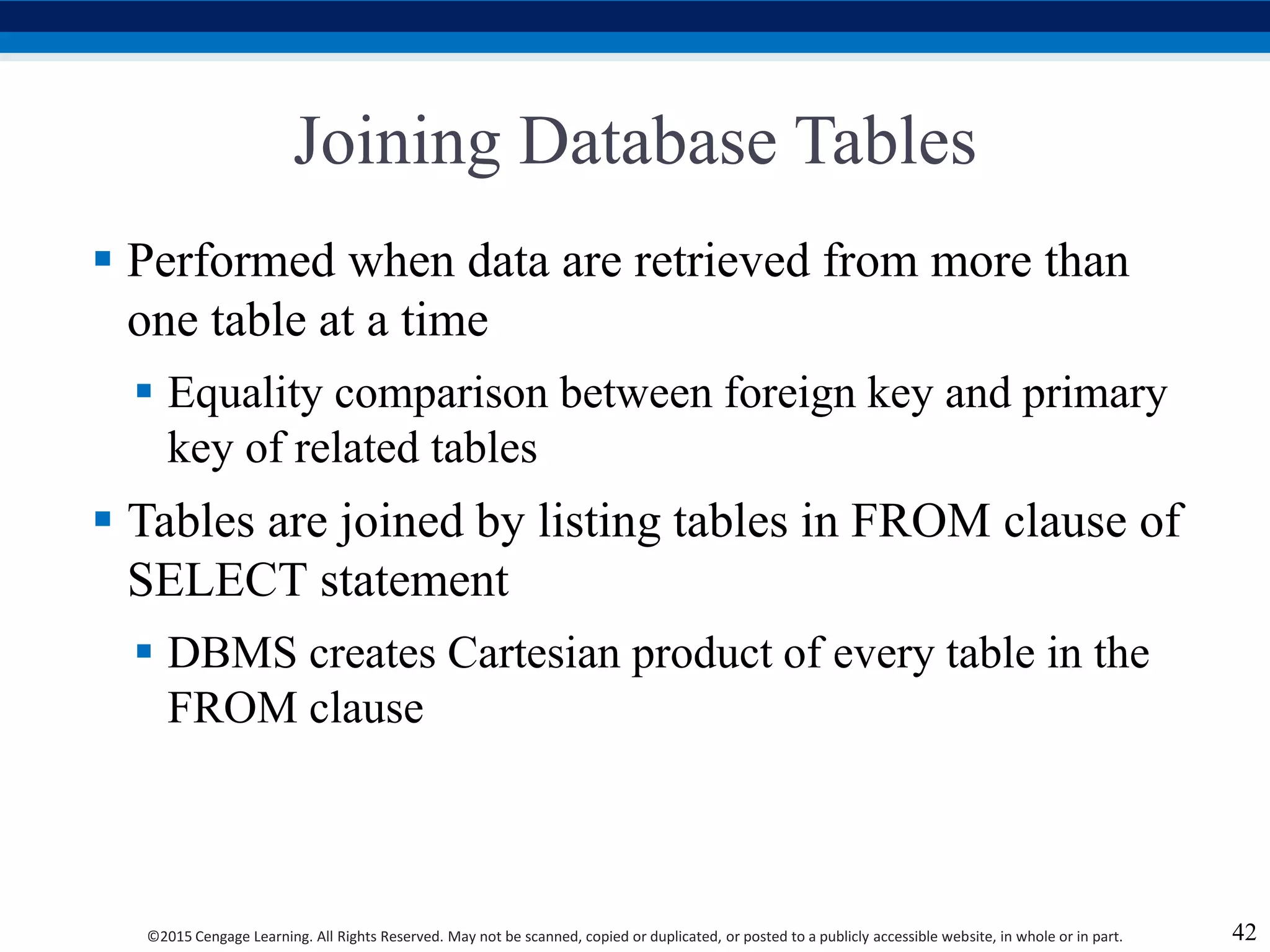
Joining Database Tables
 Performed when data are retrieved from more than
one table at a time
 Equality comparison between foreign key and primary
key of related tables
 Tables are joined by listing tables in FROM clause of
SELECT statement
 DBMS creates Cartesian product of every table in the
FROM clause
42
©2015 Cengage Learning. All Rights Reserved. May not be scanned, copied or duplicated, or posted to a publicly accessible website, in whole or in part.
Joining Tables With an Alias
 Alias identifies the source table from which data are
taken
 Any legal table name can be used as alias
 Add alias after table name in FROM clause
 FROM tablename alias
43
©2015 Cengage Learning. All Rights Reserved. May not be scanned, copied or duplicated, or posted to a publicly accessible website, in whole or in part.
Recursive Joins
 Recursive query: Table is joined to itself using alias
 Use aliases to differentiate the table from itself
44

Chapt7.ppt

  • 1.
    Database Systems Design, Implementation,and Management Coronel | Morris 11e ©2015 Cengage Learning. All Rights Reserved. May not be scanned, copied or duplicated, or posted to a publicly accessible website, in whole or in part. Chapter 7 Introduction to Structured Query Language (SQL)
  • 2.
    ©2015 Cengage Learning.All Rights Reserved. May not be scanned, copied or duplicated, or posted to a publicly accessible website, in whole or in part. Learning Objectives  In this chapter, you will learn:  The basic commands and functions of SQL  How to use SQL for data administration (to create tables and indexes)  How to use SQL for data manipulation (to add, modify, delete, and retrieve data)  How to use SQL to query a database for useful information 2
  • 3.
    ©2015 Cengage Learning.All Rights Reserved. May not be scanned, copied or duplicated, or posted to a publicly accessible website, in whole or in part. Structured Query Language (SQL)  Categories of SQL function  Data definition language (DDL)  Data manipulation language (DML)  Nonprocedural language with basic command vocabulary set of less than 100 words  Differences in SQL dialects are minor 3
  • 4.
    ©2015 Cengage Learning.All Rights Reserved. May not be scanned, copied or duplicated, or posted to a publicly accessible website, in whole or in part. Table 7.1 - SQL Data Definition Command 4
  • 5.
    ©2015 Cengage Learning.All Rights Reserved. May not be scanned, copied or duplicated, or posted to a publicly accessible website, in whole or in part. Table 7.2 - SQL Data Manipulation Commands 5
  • 6.
    ©2015 Cengage Learning.All Rights Reserved. May not be scanned, copied or duplicated, or posted to a publicly accessible website, in whole or in part. Figure 7.1 - The Database Model 6
  • 7.
    ©2015 Cengage Learning.All Rights Reserved. May not be scanned, copied or duplicated, or posted to a publicly accessible website, in whole or in part. Tasks to be Completed Before Using a New RDBMS  Create database structure  RDBMS creates physical files that will hold database  Differs from one RDBMS to another  Authentication: Process DBMS uses to verify that only registered users access the data  Required for the creation tables  User should log on to RDBMS using user ID and password created by database administrator 7
  • 8.
    ©2015 Cengage Learning.All Rights Reserved. May not be scanned, copied or duplicated, or posted to a publicly accessible website, in whole or in part. The Database Schema  Logical group of database objects related to each other  Command  CREATE SCHEMAAUTHORIZATION {creator};  Seldom used directly 8
  • 9.
    ©2015 Cengage Learning.All Rights Reserved. May not be scanned, copied or duplicated, or posted to a publicly accessible website, in whole or in part. Common SQL Data Types • NUMBER(L,D) or NUMERIC(L,D) Numeric • CHAR(L) • VARCHAR(L) or VARCHAR2(L) Character • DATE Date 9
  • 10.
    ©2015 Cengage Learning.All Rights Reserved. May not be scanned, copied or duplicated, or posted to a publicly accessible website, in whole or in part. Creating Table Structures  Use one line per column (attribute) definition  Use spaces to line up attribute characteristics and constraints  Table and attribute names are capitalized  Features of table creating command sequence  NOT NULL specification  UNIQUE specification  Syntax to create table  CREATE TABLE tablename(); 10
  • 11.
    ©2015 Cengage Learning.All Rights Reserved. May not be scanned, copied or duplicated, or posted to a publicly accessible website, in whole or in part. Primary Key and Foreign Key  Primary key attributes contain both a NOT NULL and a UNIQUE specification  RDBMS will automatically enforce referential integrity for foreign keys  Command sequence ends with semicolon  ANSI SQL allows use of following clauses to cover CASCADE, SET NULL, or SET DEFAULT  ON DELETE and ON UPDATE 11
  • 12.
    ©2015 Cengage Learning.All Rights Reserved. May not be scanned, copied or duplicated, or posted to a publicly accessible website, in whole or in part. SQL Constraints 12 • Ensures that column does not accept nulls NOT NULL • Ensures that all values in column are unique UNIQUE • Assigns value to attribute when a new row is added to table DEFAULT • Validates data when attribute value is entered CHECK
  • 13.
    ©2015 Cengage Learning.All Rights Reserved. May not be scanned, copied or duplicated, or posted to a publicly accessible website, in whole or in part. SQL Indexes  When primary key is declared, DBMS automatically creates unique index  Composite index:  Is based on two or more attributes  Prevents data duplication  Syntax to create SQL indexes  CREATE INDEX indexname ON tablename();  Syntax to delete an index  DROP INDEX indexname; 13
  • 14.
    ©2015 Cengage Learning.All Rights Reserved. May not be scanned, copied or duplicated, or posted to a publicly accessible website, in whole or in part. Data Manipulation Commands 14 INSERT: Command to insert data into table • Syntax - INSERT INTO tablename VALUES(); • Used to add table rows with NULL and NOT NULL attributes COMMIT: Command to save changes • Syntax - COMMIT [WORK]; • Ensures database update integrity
  • 15.
    ©2015 Cengage Learning.All Rights Reserved. May not be scanned, copied or duplicated, or posted to a publicly accessible website, in whole or in part. Data Manipulation Commands SELECT: Command to list the contents • Syntax - SELECT columnlist FROM tablename; • Wildcard character(*): Substitute for other characters/command UPDATE: Command to modify data • Syntax - UPDATE tablename SET columnname = expression [, columnname = expression] [WHERE conditionlist]; 15
  • 16.
    ©2015 Cengage Learning.All Rights Reserved. May not be scanned, copied or duplicated, or posted to a publicly accessible website, in whole or in part. Data Manipulation Commands WHERE condition • Specifies the rows to be selected ROLLBACK: Command to restore the database • Syntax - ROLLBACK; • Undoes the changes since last COMMIT command DELETE: Command to delete • Syntax - DELETE FROM tablename • [WHERE conditionlist]; 16
  • 17.
    ©2015 Cengage Learning.All Rights Reserved. May not be scanned, copied or duplicated, or posted to a publicly accessible website, in whole or in part. Inserting Table Rows with a SELECT Subquery  Syntax  INSERT INTO tablename SELECT columnlist FROM tablename  Used to add multiple rows using another table as source  SELECT command - Acts as a subquery and is executed first  Subquery: Query embedded/nested inside another query 17
  • 18.
    ©2015 Cengage Learning.All Rights Reserved. May not be scanned, copied or duplicated, or posted to a publicly accessible website, in whole or in part. Selecting Rows Using Conditional Restrictions  Following syntax enables to specify which rows to select  SELECT columnlist  FROM tablelist  [WHERE conditionlist];  Used to select partial table contents by placing restrictions on the rows  Optional WHERE clause  Adds conditional restrictions to the SELECT statement 18
  • 19.
    ©2015 Cengage Learning.All Rights Reserved. May not be scanned, copied or duplicated, or posted to a publicly accessible website, in whole or in part. Comparison Operators  Add conditional restrictions on selected table contents  Used on:  Character attributes  Dates 19
  • 20.
    ©2015 Cengage Learning.All Rights Reserved. May not be scanned, copied or duplicated, or posted to a publicly accessible website, in whole or in part. Table 7.6 - Comparison Operators 20
  • 21.
    ©2015 Cengage Learning.All Rights Reserved. May not be scanned, copied or duplicated, or posted to a publicly accessible website, in whole or in part. Comparison Operators: Computed Columns and Column Aliases  SQL accepts any valid expressions/formulas in the computed columns  Alias: Alternate name given to a column or table in any SQL statement to improve the readability  Computed column, an alias, and date arithmetic can be used in a single query 21
  • 22.
    ©2015 Cengage Learning.All Rights Reserved. May not be scanned, copied or duplicated, or posted to a publicly accessible website, in whole or in part. Arithmetic operators  The Rule of Precedence: Establish the order in which computations are completed  Perform:  Operations within parentheses  Power operations  Multiplications and divisions  Additions and subtractions 22
  • 23.
    ©2015 Cengage Learning.All Rights Reserved. May not be scanned, copied or duplicated, or posted to a publicly accessible website, in whole or in part. Table 7.7 - The Arithmetic Operators 23
  • 24.
    ©2015 Cengage Learning.All Rights Reserved. May not be scanned, copied or duplicated, or posted to a publicly accessible website, in whole or in part. Figure 7.12 - Selected PRODUCT Table Attributes: The logical OR 24
  • 25.
    ©2015 Cengage Learning.All Rights Reserved. May not be scanned, copied or duplicated, or posted to a publicly accessible website, in whole or in part. Figure 7.13 - Selected PRODUCT Table Attributes: The Logical AND 25
  • 26.
    ©2015 Cengage Learning.All Rights Reserved. May not be scanned, copied or duplicated, or posted to a publicly accessible website, in whole or in part. Figure 7.14 - Selected PRODUCT Table Attributes: The Logical AND and OR 26
  • 27.
    ©2015 Cengage Learning.All Rights Reserved. May not be scanned, copied or duplicated, or posted to a publicly accessible website, in whole or in part. Special Operators 27 BETWEEN • Checks whether attribute value is within a range IS NULL • Checks whether attribute value is null LIKE • Checks whether attribute value matches given string pattern IN • Checks whether attribute value matches any value within a value list EXISTS • Checks if subquery returns any rows
  • 28.
    ©2015 Cengage Learning.All Rights Reserved. May not be scanned, copied or duplicated, or posted to a publicly accessible website, in whole or in part. Advanced Data Definition Commands  ALTER TABLE command: To make changes in the table structure  Keywords use with the command  ADD - Adds a column  MODIFY - Changes column characteristics  DROP - Deletes a column  Used to:  Add table constraints  Remove table constraints 28
  • 29.
    ©2015 Cengage Learning.All Rights Reserved. May not be scanned, copied or duplicated, or posted to a publicly accessible website, in whole or in part. Changing Column’s Data Type  ALTER can be used to change data type  Some RDBMSs do not permit changes to data types unless column is empty  Syntax –  ALTER TABLE tablename MODIFY (columnname(datatype)); 29
  • 30.
    ©2015 Cengage Learning.All Rights Reserved. May not be scanned, copied or duplicated, or posted to a publicly accessible website, in whole or in part. Changing Column’s Data Characteristics  Use ALTER to change data characteristics  Changes in column’s characteristics are permitted if changes do not alter the existing data type  Syntax  ALTER TABLE tablename MODIFY (columnname(characterstic)); 30
  • 31.
    ©2015 Cengage Learning.All Rights Reserved. May not be scanned, copied or duplicated, or posted to a publicly accessible website, in whole or in part. Adding Column, Dropping Column  Adding a column  Use ALTER and ADD  Do not include the NOT NULL clause for new column  Dropping a column  Use ALTER and DROP  Some RDBMSs impose restrictions on the deletion of an attribute 31
  • 32.
    ©2015 Cengage Learning.All Rights Reserved. May not be scanned, copied or duplicated, or posted to a publicly accessible website, in whole or in part. Advanced Data Updates  UPDATE command updates only data in existing rows  If a relationship is established between entries and existing columns, the relationship can assign values to appropriate slots  Arithmetic operators are useful in data updates  In Oracle, ROLLBACK command undoes changes made by last two UPDATE statements 32
  • 33.
    ©2015 Cengage Learning.All Rights Reserved. May not be scanned, copied or duplicated, or posted to a publicly accessible website, in whole or in part. Copying Parts of Tables  SQL permits copying contents of selected table columns  Data need not be reentered manually into newly created table(s)  Table structure is created  Rows are added to new table using rows from another table 33
  • 34.
    ©2015 Cengage Learning.All Rights Reserved. May not be scanned, copied or duplicated, or posted to a publicly accessible website, in whole or in part. Adding Primary and Foreign Key Designations  ALTER TABLE command  Followed by a keyword that produces the specific change one wants to make  Options include ADD, MODIFY, and DROP  Syntax to add or modify columns  ALTER TABLE tablename  {ADD | MODIFY} ( columnname datatype [ {ADD | MODIFY} columnname datatype] ) ;  ALTER TABLE tablename  ADD constraint [ ADD constraint ] ; 34
  • 35.
    ©2015 Cengage Learning.All Rights Reserved. May not be scanned, copied or duplicated, or posted to a publicly accessible website, in whole or in part. Deleting a Table from the Database • DROP TABLE: Deletes table from database  Syntax - DROP TABLE tablename;  Can drop a table only if it is not the one side of any relationship  RDBMS generates a foreign key integrity violation error message if the table is dropped 35
  • 36.
    ©2015 Cengage Learning.All Rights Reserved. May not be scanned, copied or duplicated, or posted to a publicly accessible website, in whole or in part. Additional SELECT Query Keywords  Logical operators work well in the query environment  SQL provides useful functions that:  Counts  Find minimum and maximum values  Calculate averages  SQL allows user to limit queries to entries:  Having no duplicates  Whose duplicates may be grouped 36
  • 37.
    ©2015 Cengage Learning.All Rights Reserved. May not be scanned, copied or duplicated, or posted to a publicly accessible website, in whole or in part. Ordering a Listing  ORDER BY clause is useful when listing order is important  Syntax - SELECT columnlist FROM tablelist [WHERE conditionlist] [ORDER BY columnlist [ASC | DESC]];  Cascading order sequence: Multilevel ordered sequence  Created by listing several attributes after the ORDER BY clause 37
  • 38.
    ©2015 Cengage Learning.All Rights Reserved. May not be scanned, copied or duplicated, or posted to a publicly accessible website, in whole or in part. Listing Unique Values  DISTINCT clause: Produces list of values that are unique  Syntax - SELECT DISTINCT columnlist FROM tablelist;  Access places nulls at the top of the list  Oracle places it at the bottom  Placement of nulls does not affect list contents 38
  • 39.
    ©2015 Cengage Learning.All Rights Reserved. May not be scanned, copied or duplicated, or posted to a publicly accessible website, in whole or in part. Table 7.8 - Some Basic SQL Aggerate Functions 39
  • 40.
    ©2015 Cengage Learning.All Rights Reserved. May not be scanned, copied or duplicated, or posted to a publicly accessible website, in whole or in part. Grouping Data  Frequency distributions created by GROUP BY clause within SELECT statement  Syntax - SELECT columnlist FROM tablelist [WHERE conditionlist] [GROUP BY columnlist] [HAVING conditionlist] [ORDER BY columnlist [ASC | DESC]]; 40
  • 41.
    ©2015 Cengage Learning.All Rights Reserved. May not be scanned, copied or duplicated, or posted to a publicly accessible website, in whole or in part. HAVING Clause  Extension of GROUP BY feature  Applied to output of GROUP BY operation  Used in conjunction with GROUP BY clause in second SQL command set  Similar to WHERE clause in SELECT statement 41
  • 42.
    ©2015 Cengage Learning.All Rights Reserved. May not be scanned, copied or duplicated, or posted to a publicly accessible website, in whole or in part. Joining Database Tables  Performed when data are retrieved from more than one table at a time  Equality comparison between foreign key and primary key of related tables  Tables are joined by listing tables in FROM clause of SELECT statement  DBMS creates Cartesian product of every table in the FROM clause 42
  • 43.
    ©2015 Cengage Learning.All Rights Reserved. May not be scanned, copied or duplicated, or posted to a publicly accessible website, in whole or in part. Joining Tables With an Alias  Alias identifies the source table from which data are taken  Any legal table name can be used as alias  Add alias after table name in FROM clause  FROM tablename alias 43
  • 44.
    ©2015 Cengage Learning.All Rights Reserved. May not be scanned, copied or duplicated, or posted to a publicly accessible website, in whole or in part. Recursive Joins  Recursive query: Table is joined to itself using alias  Use aliases to differentiate the table from itself 44