Introduction to C
1
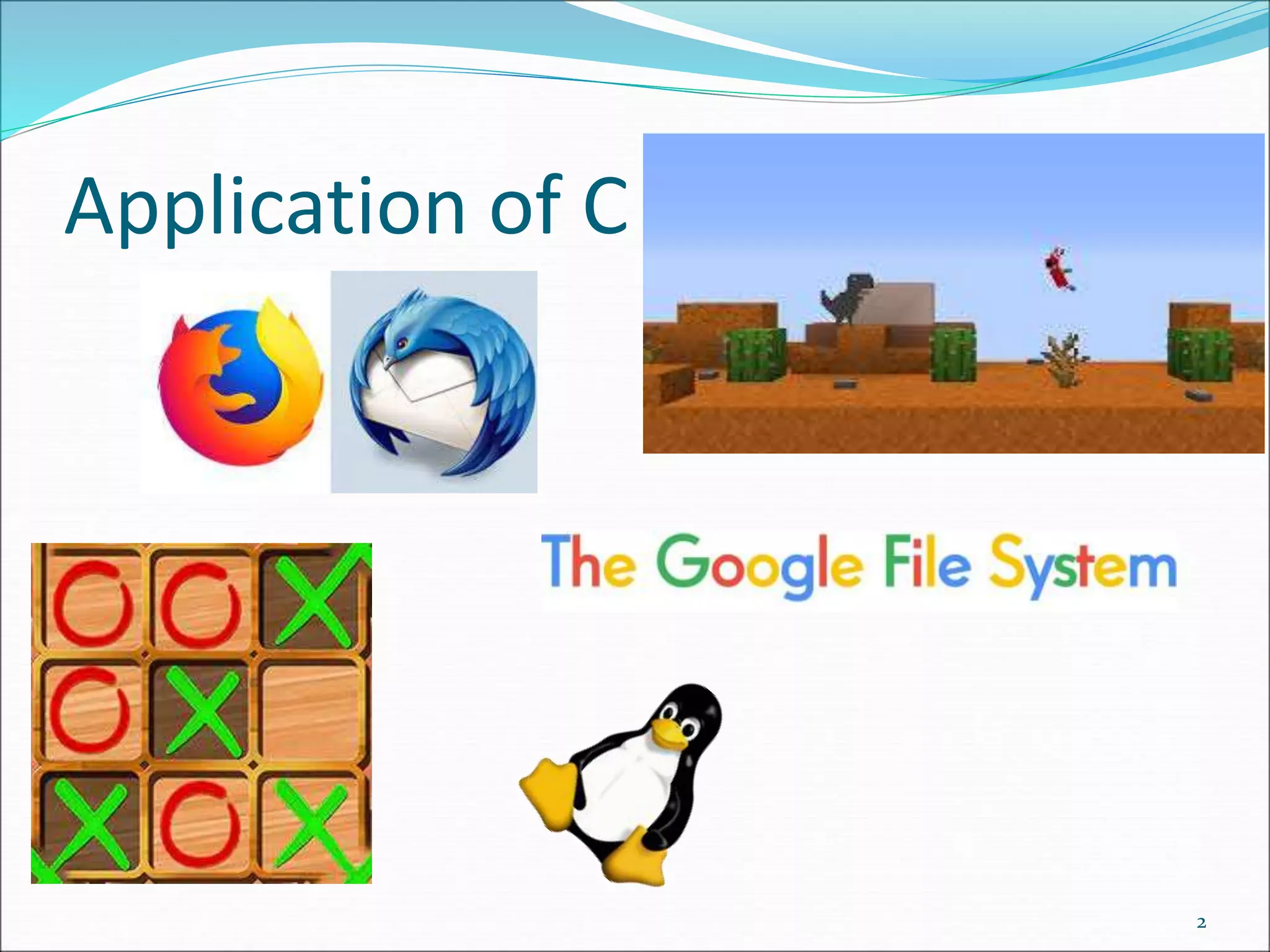
Application of C
2
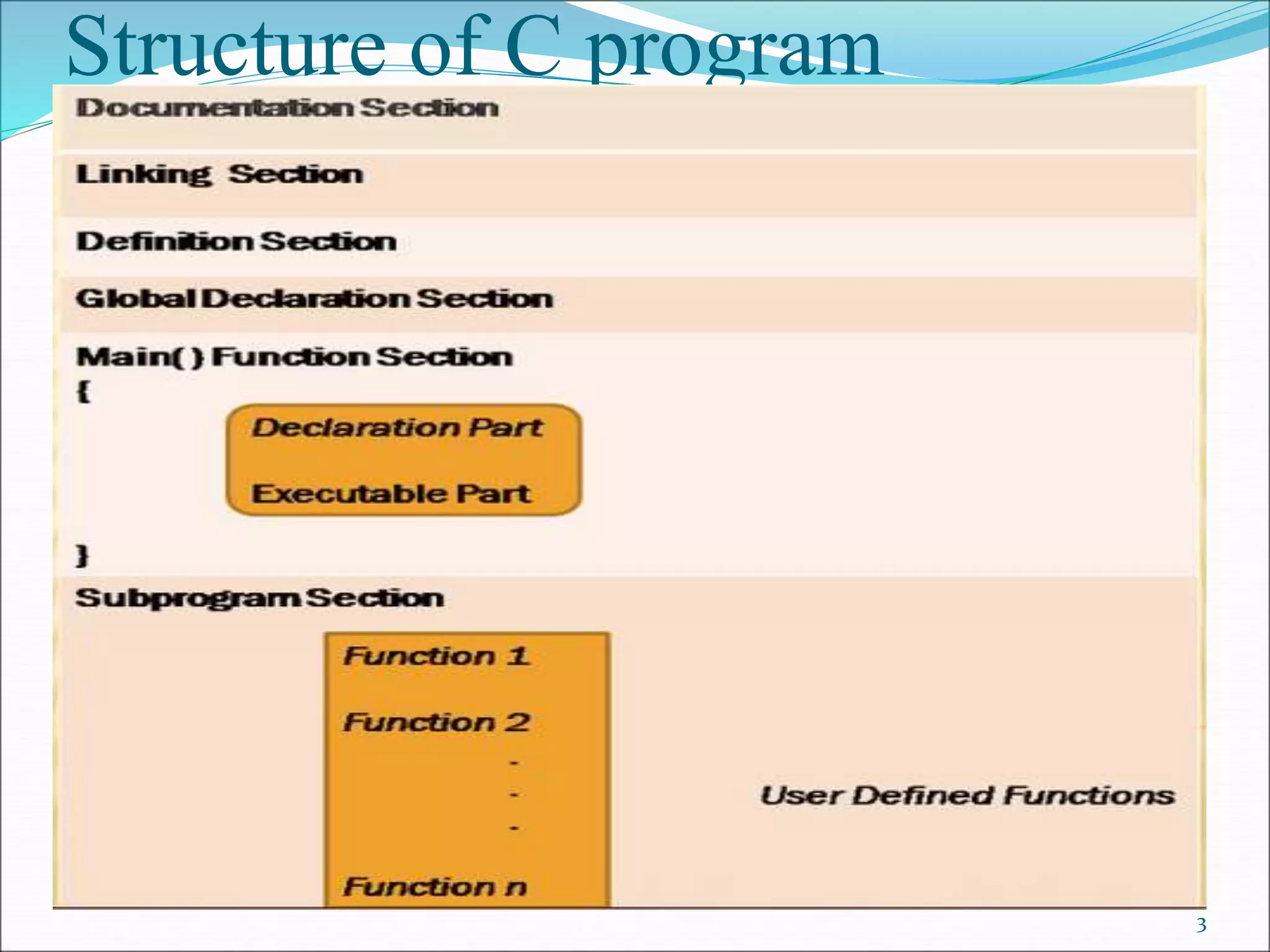
Structure of C program
3
Structure of C program
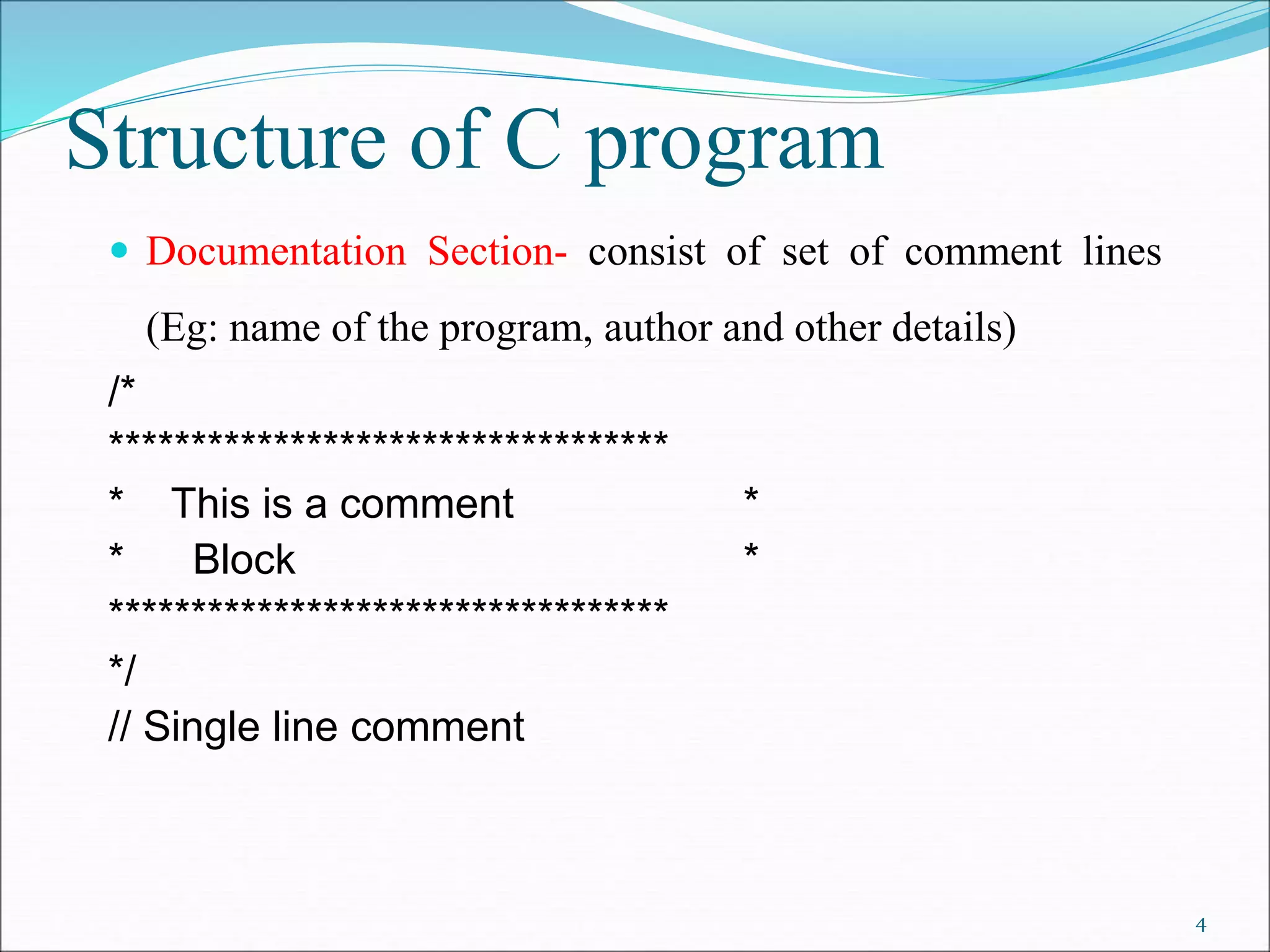
 Documentation Section- consist of set of comment lines
(Eg: name of the program, author and other details)
/*
**********************************
* This is a comment *
* Block *
**********************************
*/
// Single line comment
4
Structure of C program
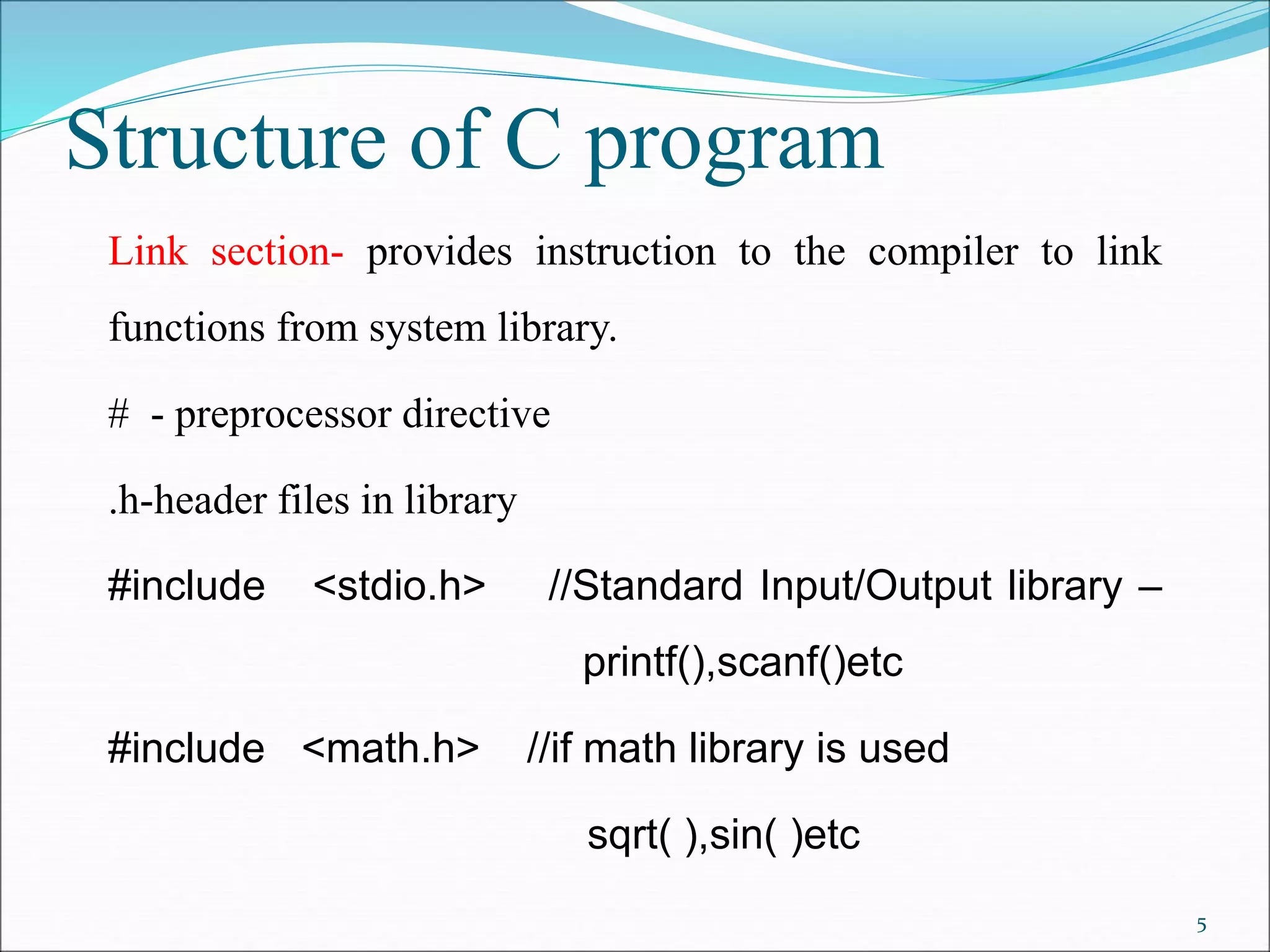
Link section- provides instruction to the compiler to link
functions from system library.
# - preprocessor directive
.h-header files in library
#include <stdio.h> //Standard Input/Output library –
printf(),scanf()etc
#include <math.h> //if math library is used
sqrt( ),sin( )etc
5
6
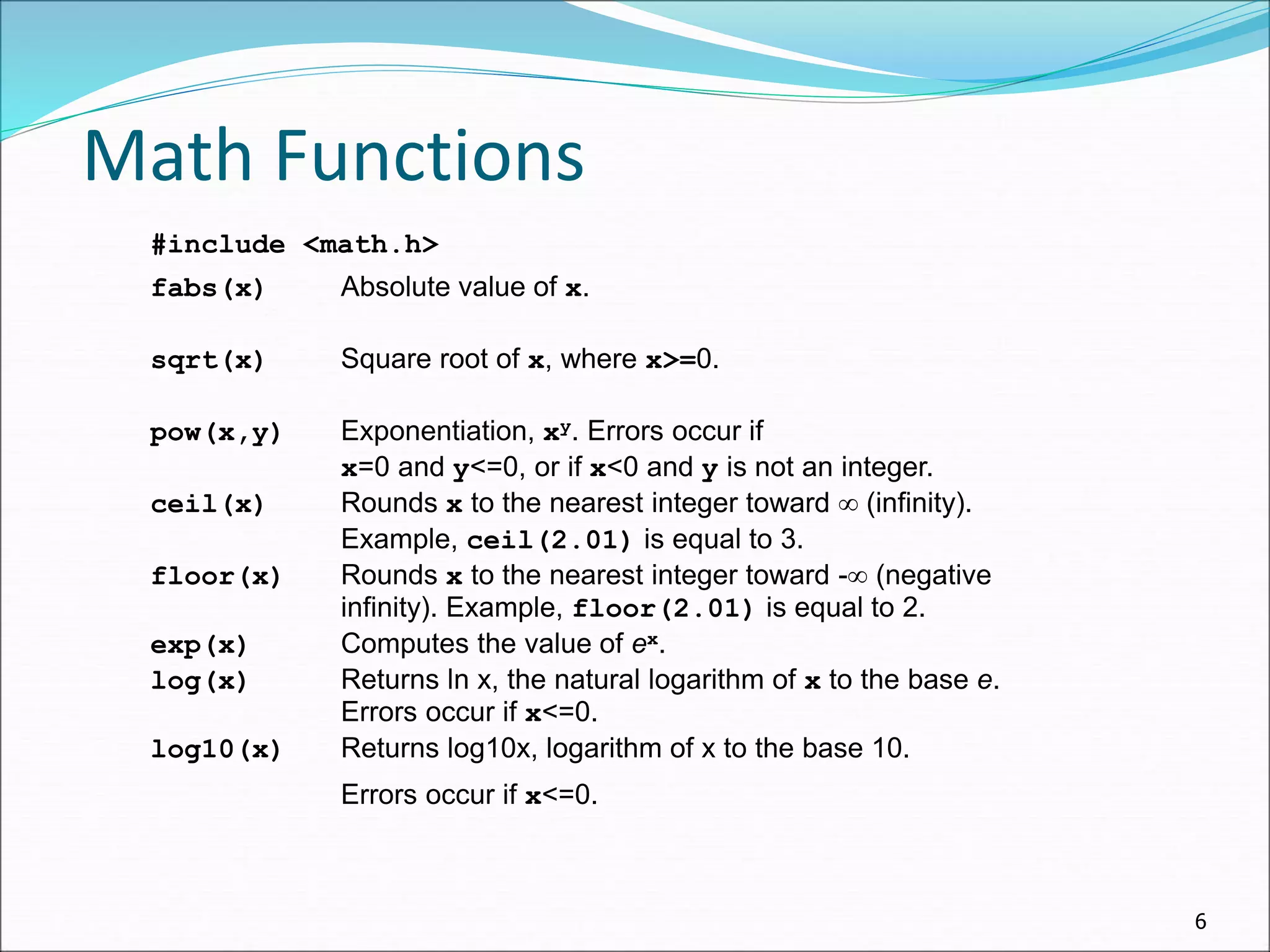
Math Functions
#include <math.h>
fabs(x) Absolute value of x.
sqrt(x) Square root of x, where x>=0.
pow(x,y) Exponentiation, xy. Errors occur if
x=0 and y<=0, or if x<0 and y is not an integer.
ceil(x) Rounds x to the nearest integer toward  (infinity).
Example, ceil(2.01) is equal to 3.
floor(x) Rounds x to the nearest integer toward - (negative
infinity). Example, floor(2.01) is equal to 2.
exp(x) Computes the value of ex.
log(x) Returns ln x, the natural logarithm of x to the base e.
Errors occur if x<=0.
log10(x) Returns log10x, logarithm of x to the base 10.
Errors occur if x<=0.
7
Trigonometric Functions
sin(x) Computes the sine of x, where x is in radians.
cos(x) Computes the cosine of x, where x is in radians
tan(x) Computes the tangent of x, where x is in radians.
asin(x) Computes the arcsine or inverse sine of x,
where x must be in the range [-1, 1].
Returns an angle in radians in the range [-/2,/2].
acos(x) Computes the arccosine or inverse cosine of x,
where x must be in the range [-1, 1].
Returns an angle in radians in the range [0, ].
atan(x) Computes the arctangent or inverse tangent of x. The
Returns an angle in radians in the range [-/2,/2].
atan2(y,x) Computes the arctangent or inverse tangent of the value
y/x. Returns an angle in radians in the range [-, ].
Structure of C program
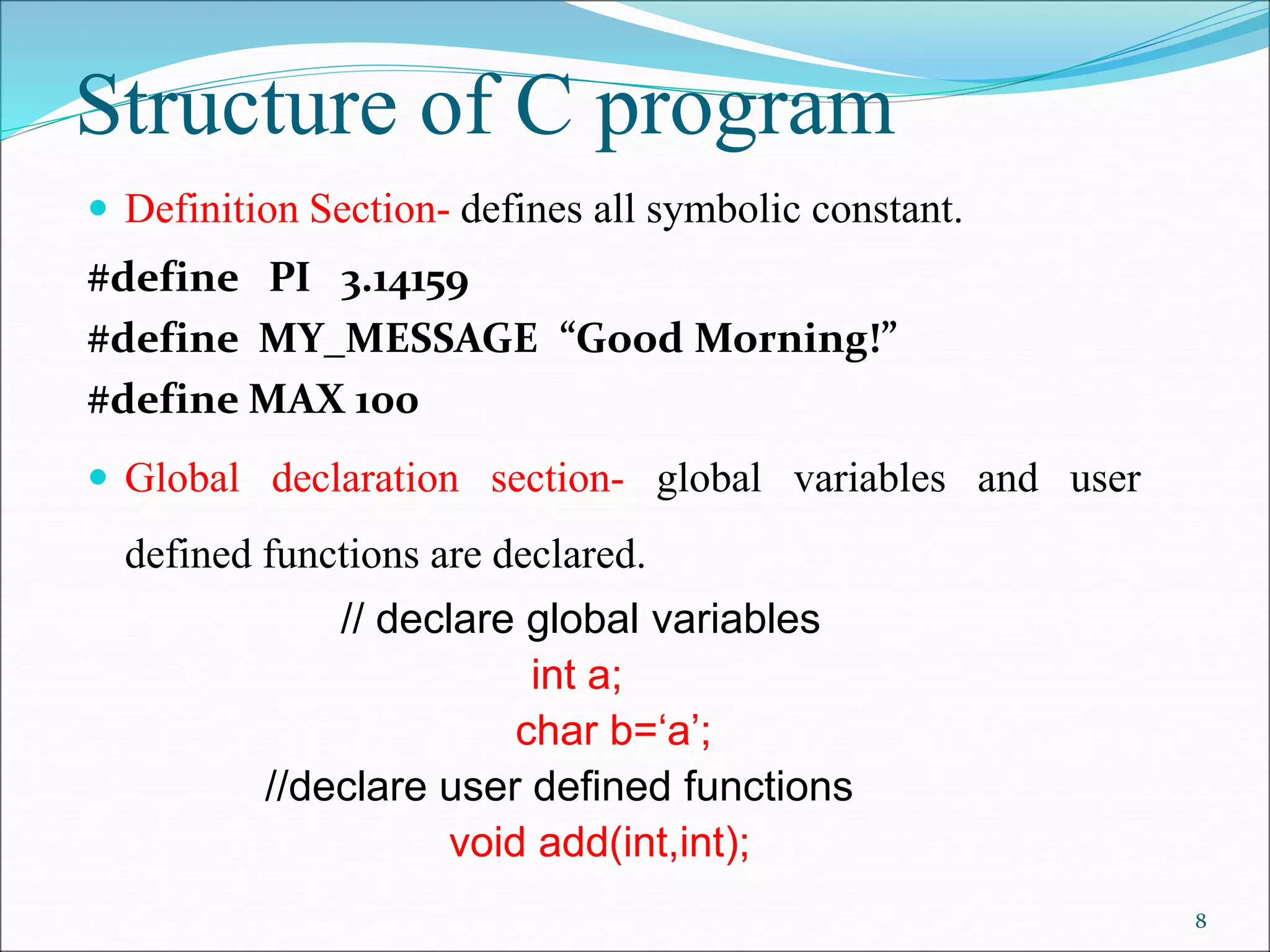
 Definition Section- defines all symbolic constant.
#define PI 3.14159
#define MY_MESSAGE “Good Morning!”
#define MAX 100
 Global declaration section- global variables and user
defined functions are declared.
// declare global variables
int a;
char b=‘a’;
//declare user defined functions
void add(int,int);
8
Step 1 : Edit
 The First Step is Creating and Editing Program.
 First Write C Program using Text Editor , such as
[ Borland C/C++ 3.0 , Notepad++,Notepad ,gedit]
 Save Program by using [.C] Extension.
 File Saved with [.C] extension is called “Source
Program“.
Step by Step Execution of C
Program
9
Step 2 : Compiling
 C Source code with [.C] Extension is given as input to
compiler and compiler convert it into Equivalent Machine
Instruction.
 Compiler Checks for errors . If source code is error-free
then Code is converted into Object File [.Obj ].
Step by Step Execution of C
Program
10
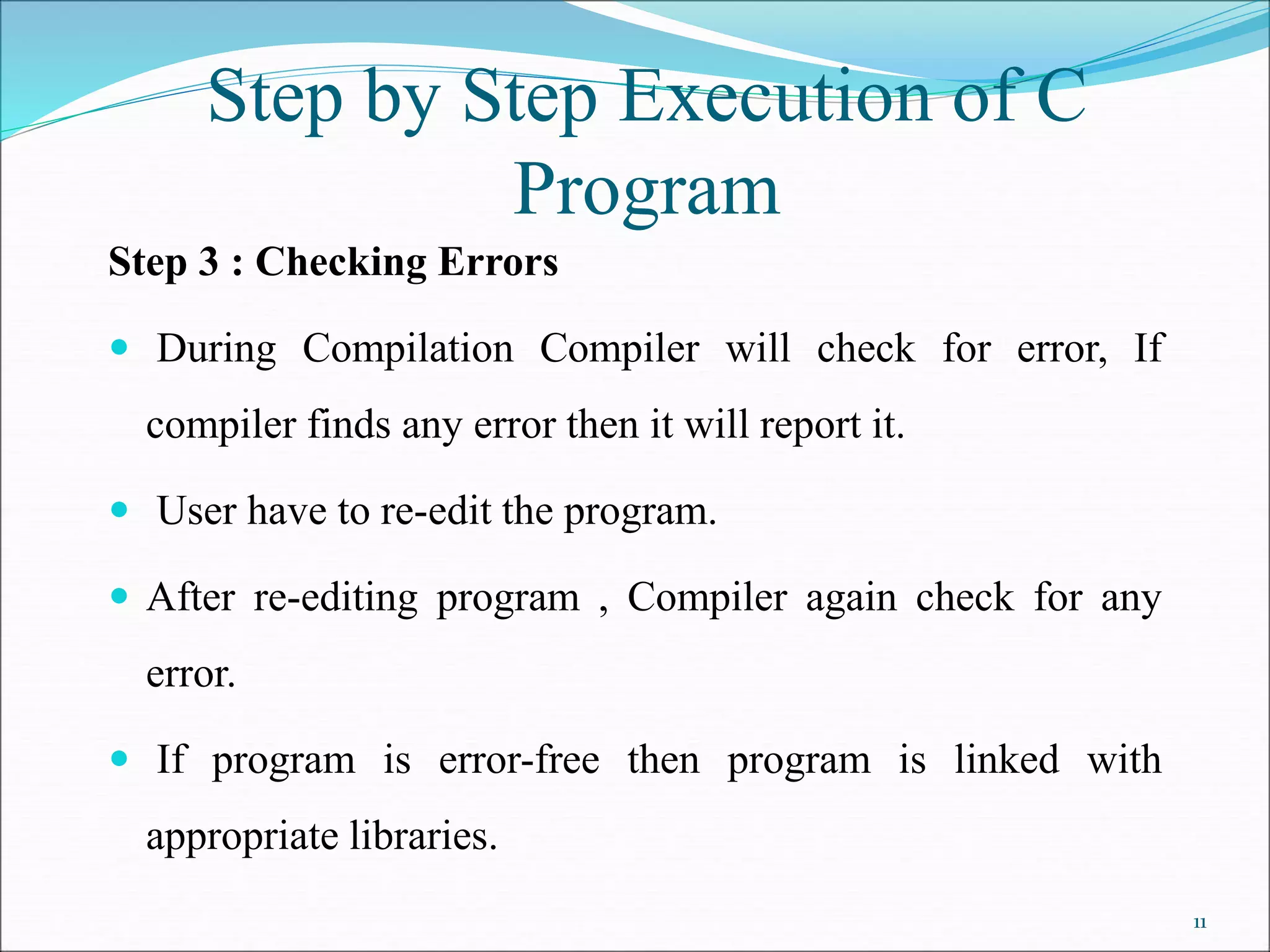
Step 3 : Checking Errors
 During Compilation Compiler will check for error, If
compiler finds any error then it will report it.
 User have to re-edit the program.
 After re-editing program , Compiler again check for any
error.
 If program is error-free then program is linked with
appropriate libraries.
Step by Step Execution of C
Program
11
Step by Step Execution of C
Program
Step 4 : Linking Libraries
 Program is linked with included header files.
 Program is linked with other libraries.
 This process is executed by Linker.
Step 5 : Error Checking
 If run time error occurs then “Run-time” errors are reported
to user.
 Again programmer have to review code and check for the
solution.
12
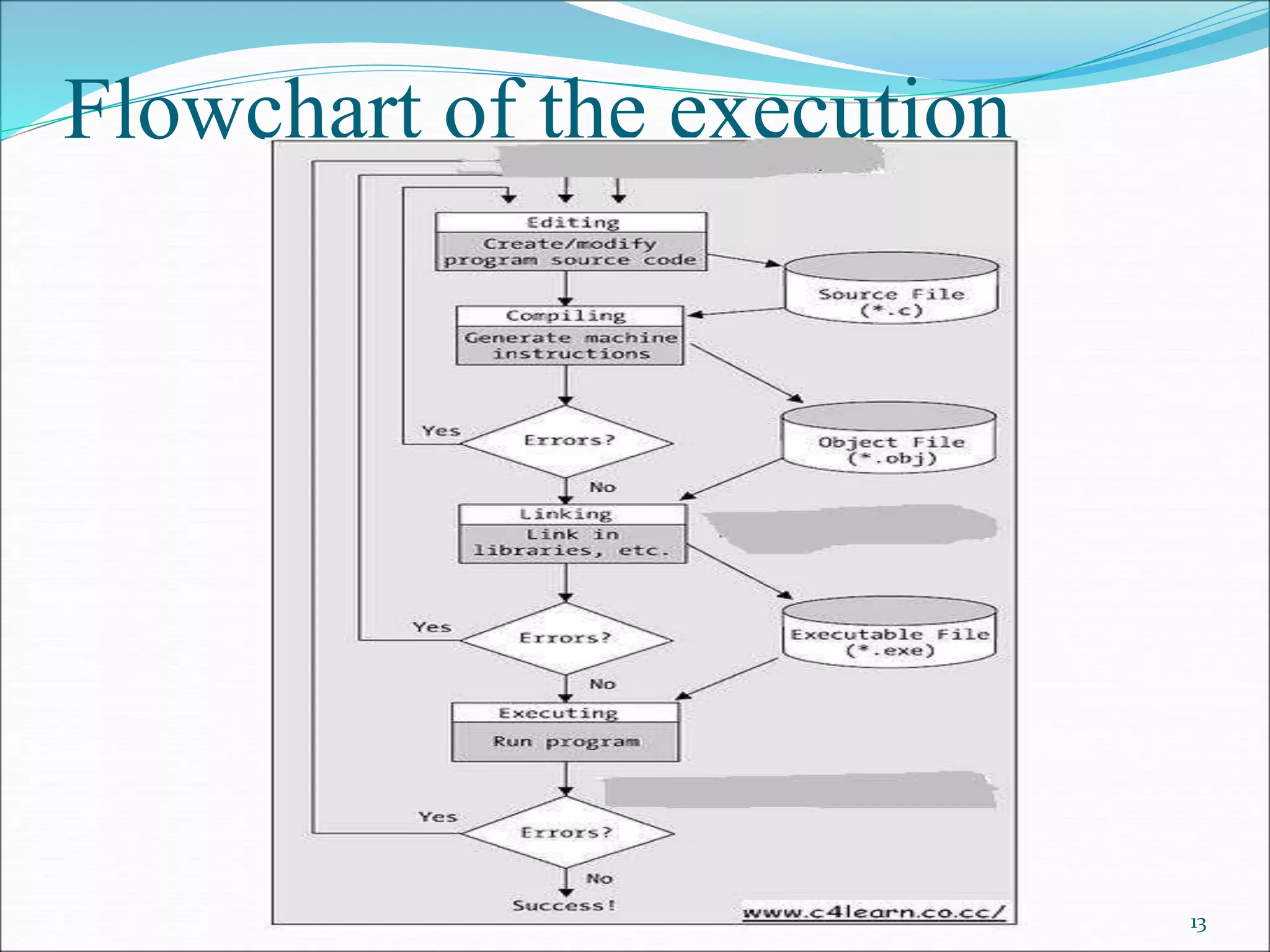
Flowchart of the execution
13
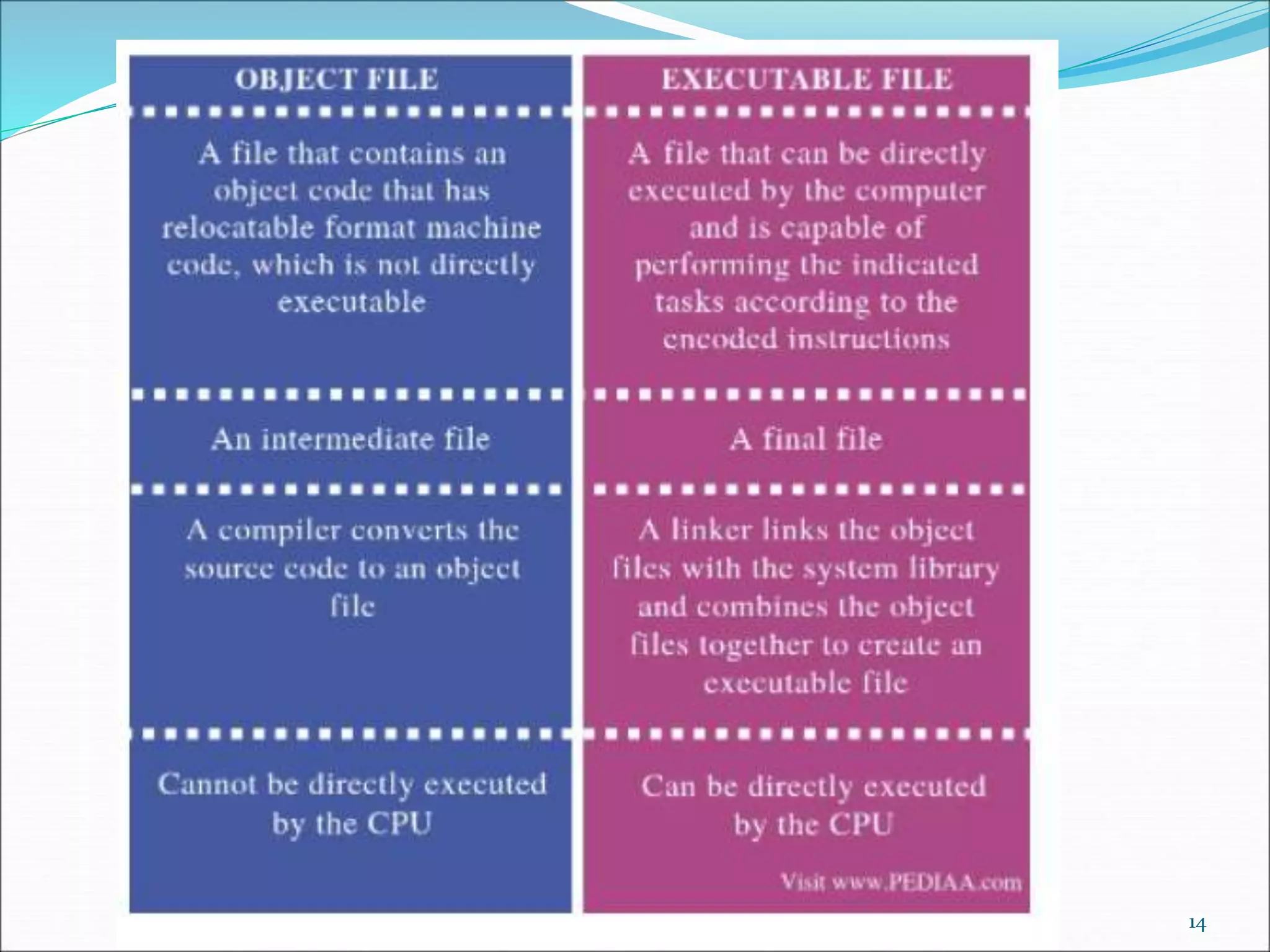
14
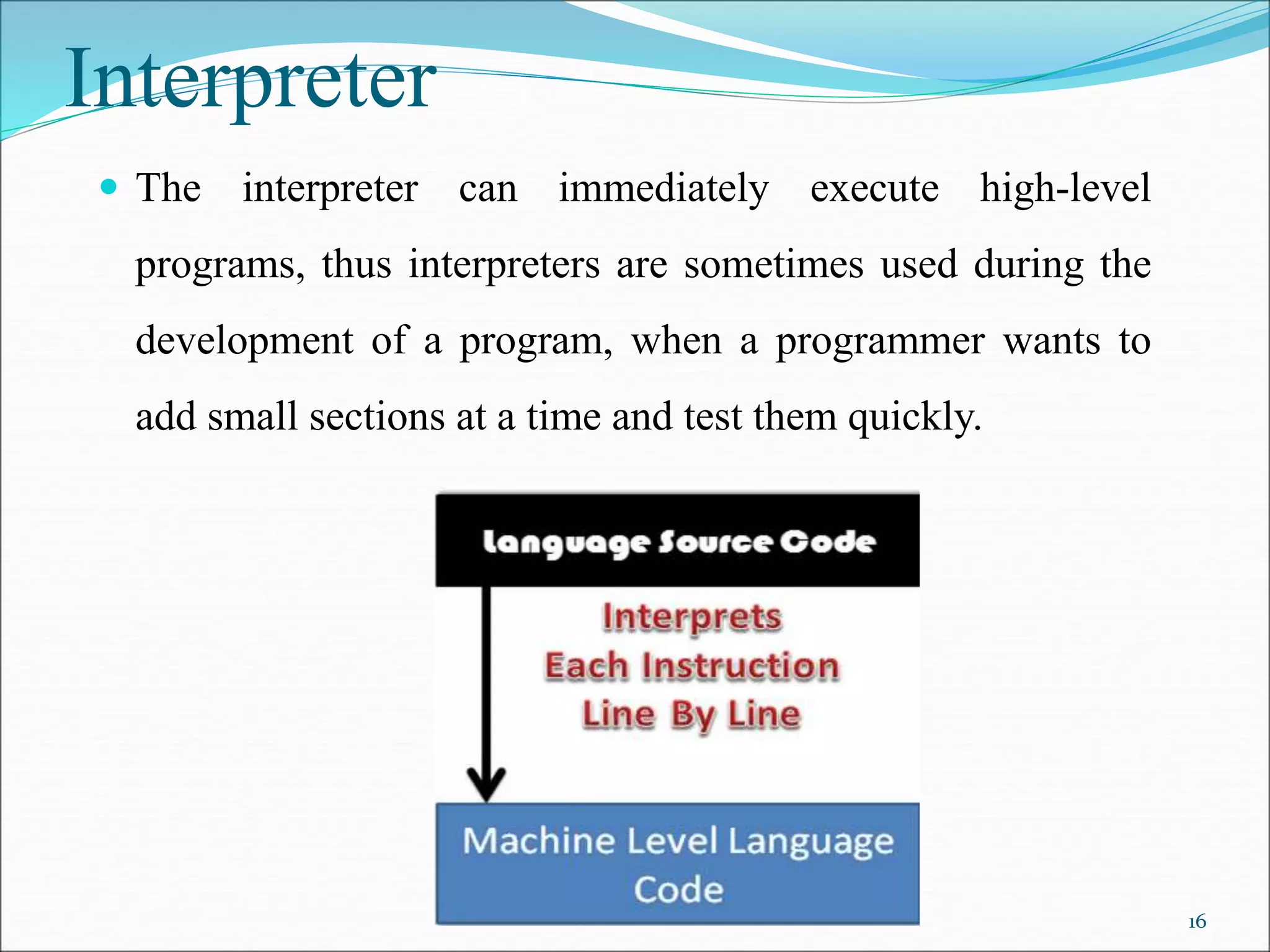
Interpreter
 Interpreter Takes Single instruction as input .
 No Intermediate Object Code is Generated
 Conditional Control Statements are Executes slower
 Memory Requirement is Less
 Every time higher level program is converted into lower
level program
 Errors are displayed for every instruction interpreted
15
Interpreter
 The interpreter can immediately execute high-level
programs, thus interpreters are sometimes used during the
development of a program, when a programmer wants to
add small sections at a time and test them quickly.
16
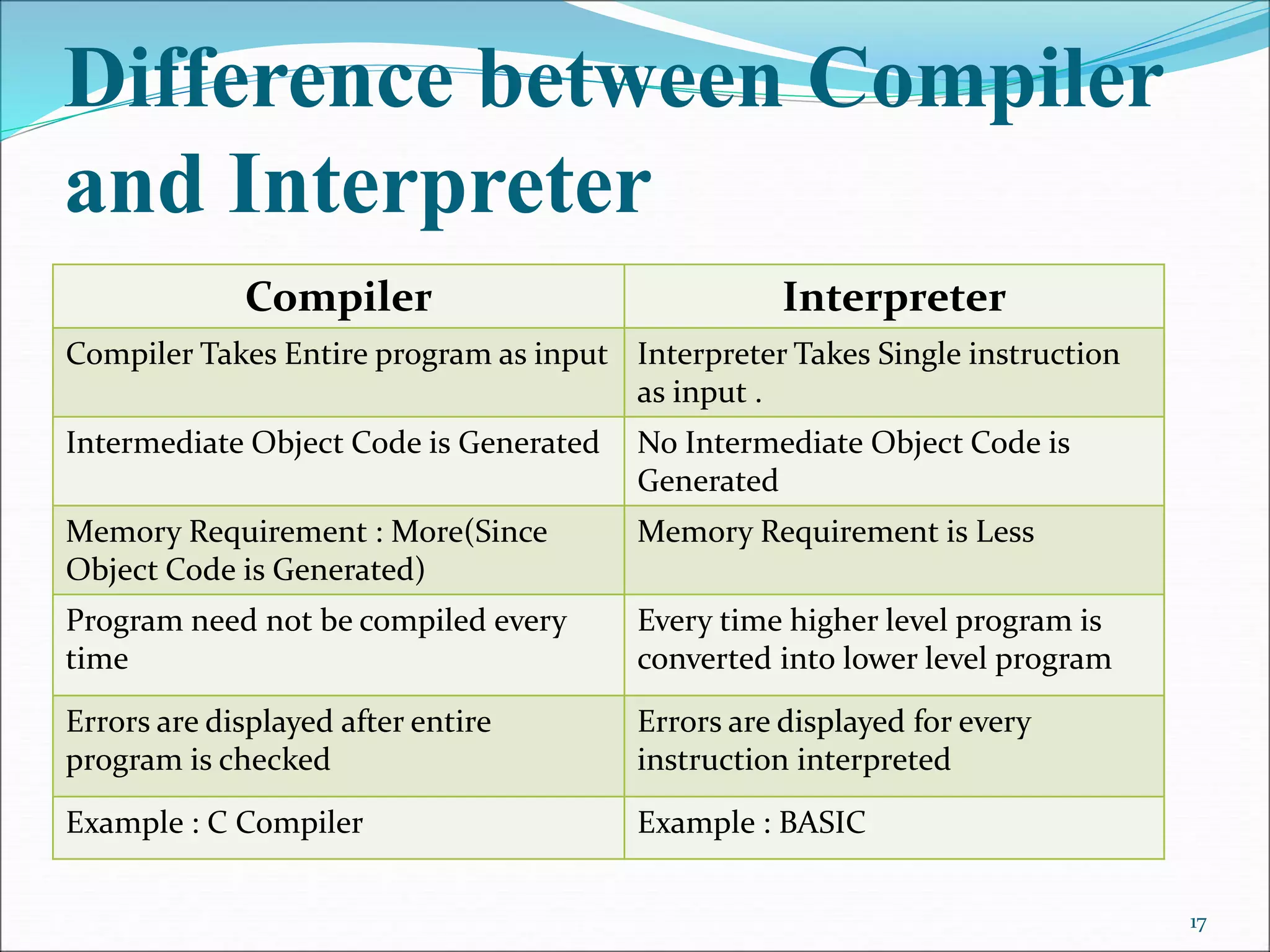
Difference between Compiler
and Interpreter
Compiler Interpreter
Compiler Takes Entire program as input Interpreter Takes Single instruction
as input .
Intermediate Object Code is Generated No Intermediate Object Code is
Generated
Memory Requirement : More(Since
Object Code is Generated)
Memory Requirement is Less
Program need not be compiled every
time
Every time higher level program is
converted into lower level program
Errors are displayed after entire
program is checked
Errors are displayed for every
instruction interpreted
Example : C Compiler Example : BASIC
17
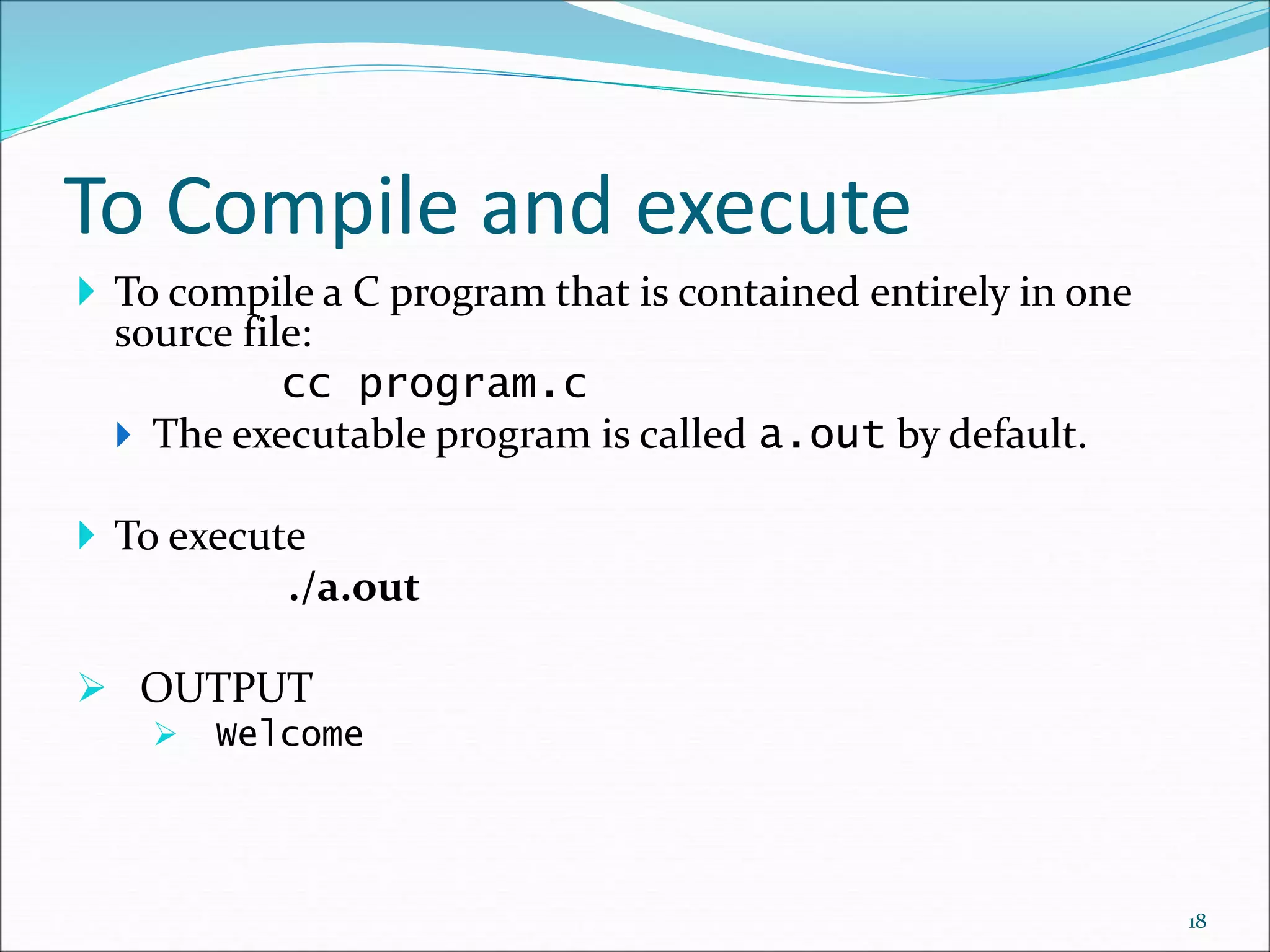
To Compile and execute
 To compile a C program that is contained entirely in one
source file:
cc program.c
 The executable program is called a.out by default.
 To execute
./a.out
 OUTPUT
 Welcome
18
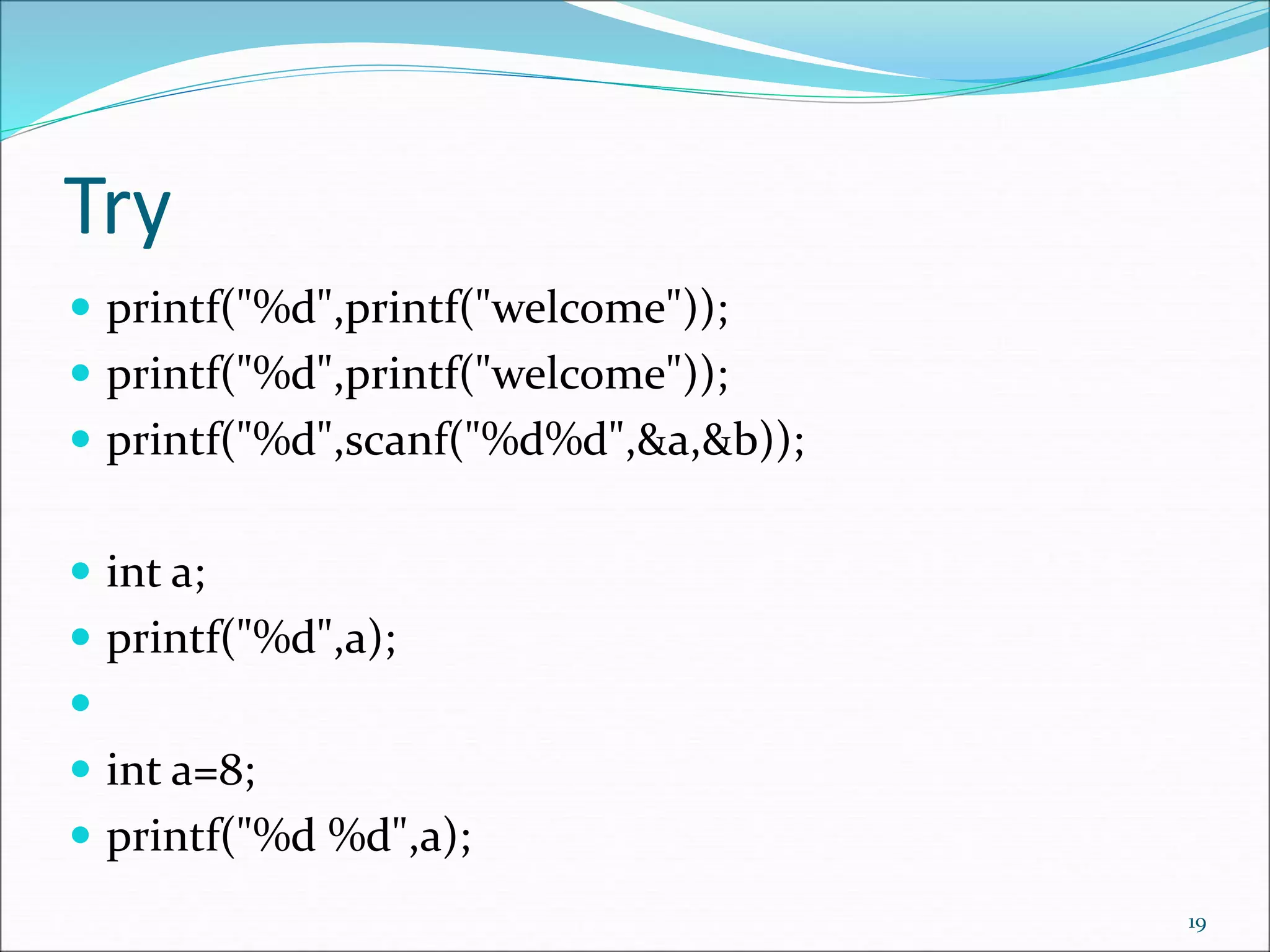
Try
 printf("%d",printf("welcome"));
 printf("%d",scanf("%d%d",&a,&b));
 int a;
 printf("%d",a);

 int a=8;
 printf("%d %d",a);
19
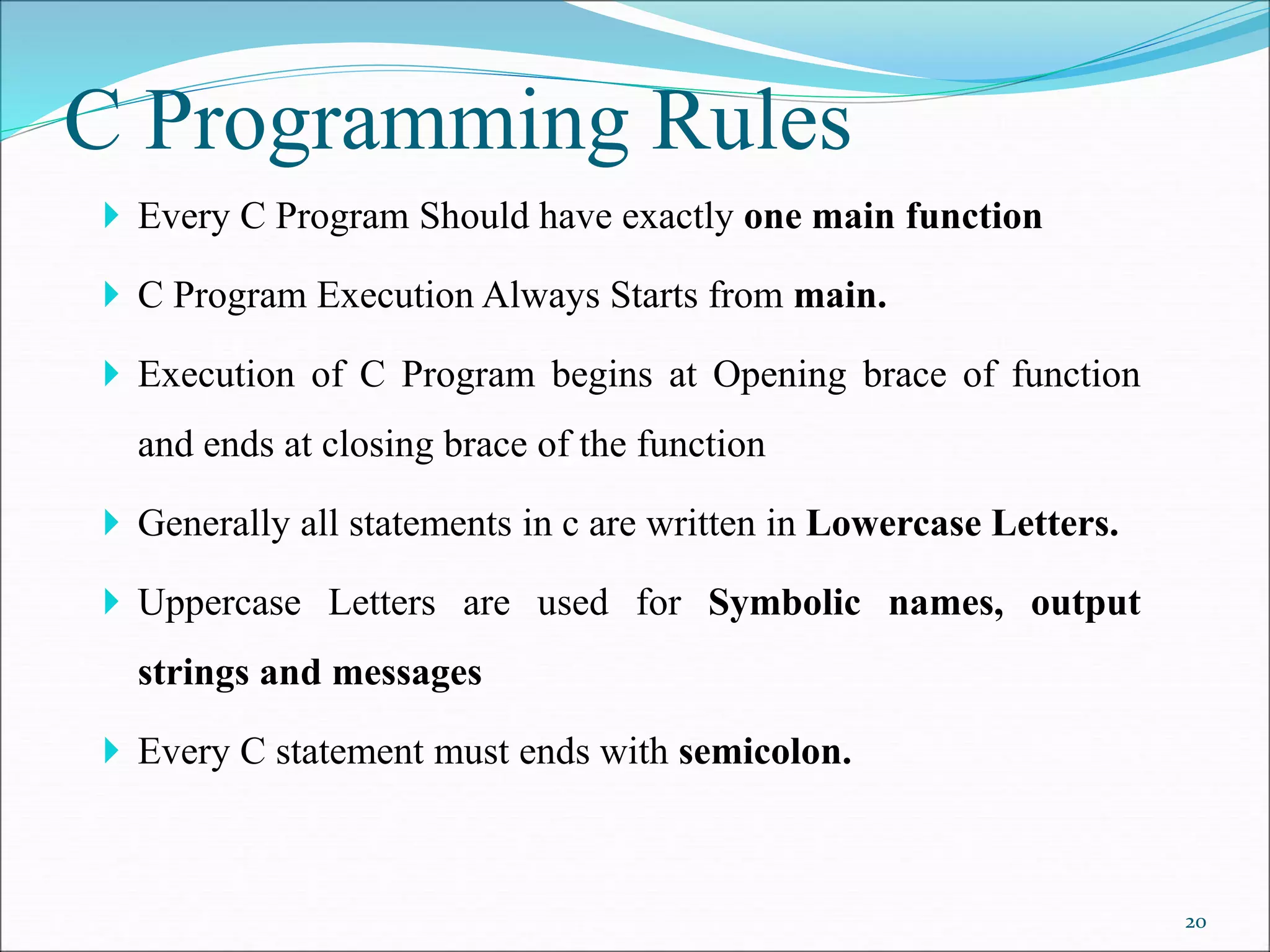
C Programming Rules
 Every C Program Should have exactly one main function
 C Program Execution Always Starts from main.
 Execution of C Program begins at Opening brace of function
and ends at closing brace of the function
 Generally all statements in c are written in Lowercase Letters.
 Uppercase Letters are used for Symbolic names, output
strings and messages
 Every C statement must ends with semicolon.
20
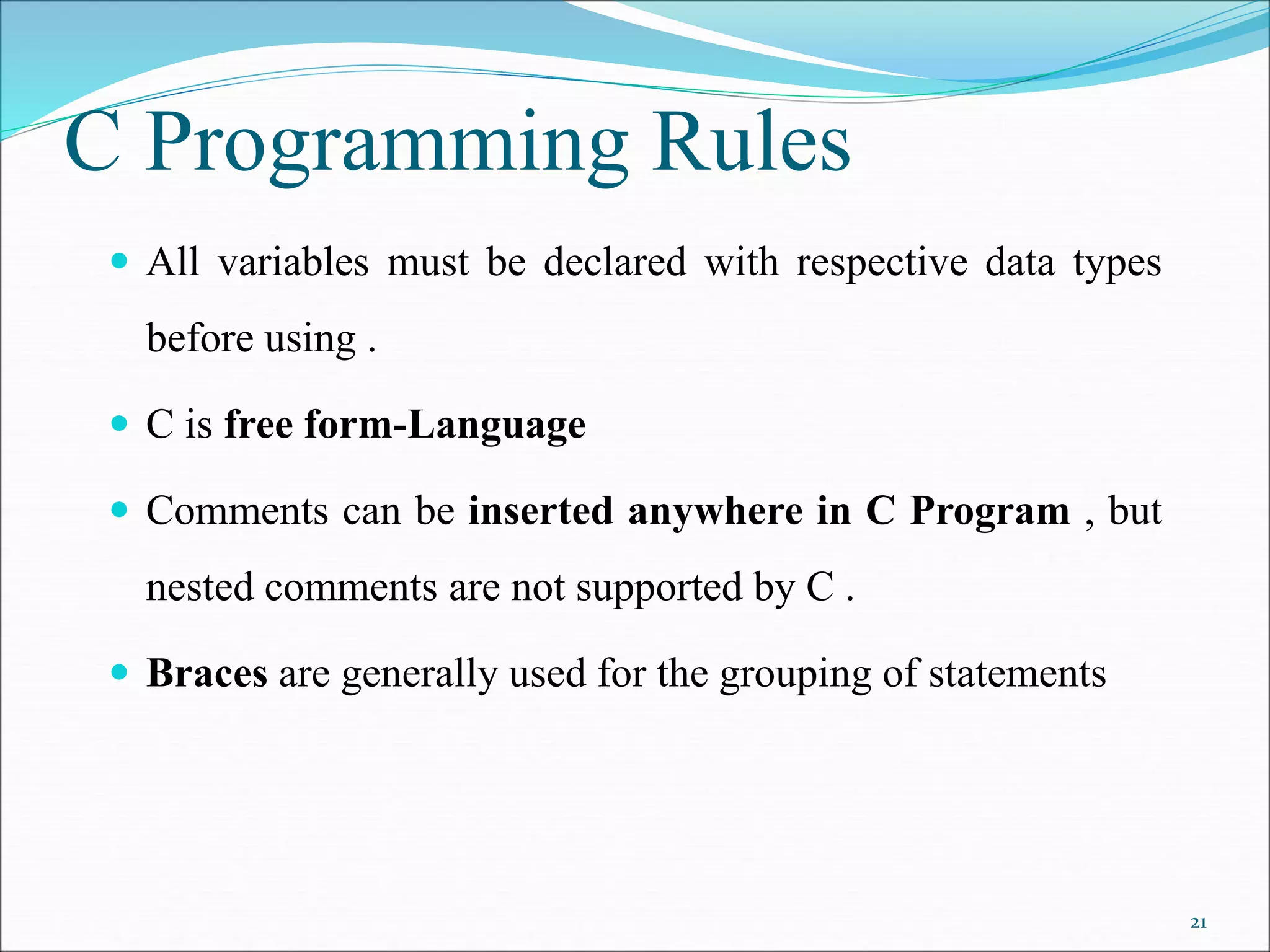
C Programming Rules
 All variables must be declared with respective data types
before using .
 C is free form-Language
 Comments can be inserted anywhere in C Program , but
nested comments are not supported by C .
 Braces are generally used for the grouping of statements
21
C Character set
 C language consist of some characters set, numbers and
some special symbols.
Lowercase letters
 a b c . . . z
Uppercase letters
 A B C . . . Z
Digits
 0 1 2 3 4 5 6 7 8 9
Other characters
 + - * / = ( ) { } [ ] < > ‘ “
 ! @ # $ % & _ ^ ~  . , ; : ?
White space characters
 blank, newline, tab, etc.
22
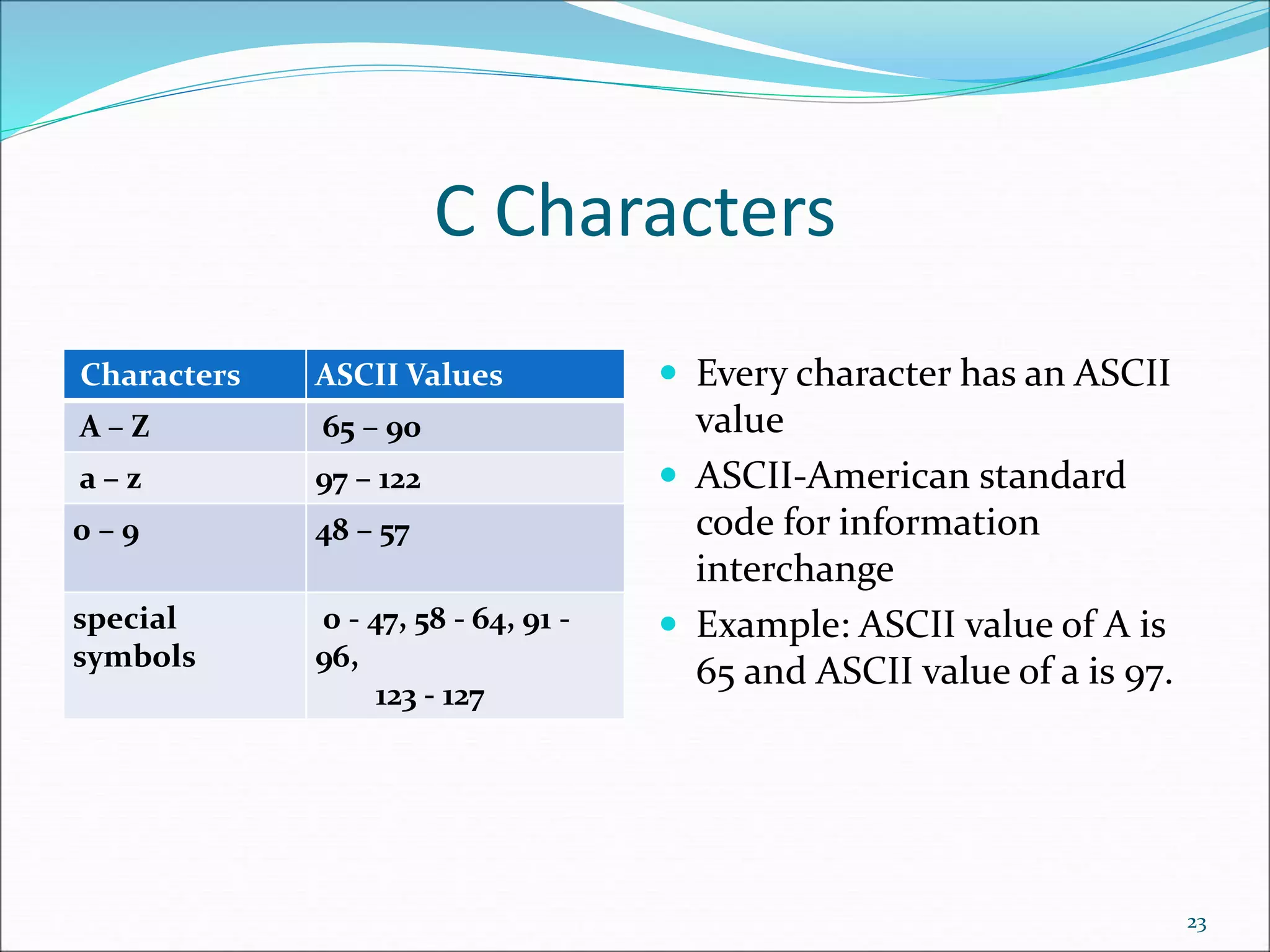
C Characters
Characters ASCII Values
A – Z 65 – 90
a – z 97 – 122
0 – 9 48 – 57
special
symbols
0 - 47, 58 - 64, 91 -
96,
123 - 127
 Every character has an ASCII
value
 ASCII-American standard
code for information
interchange
 Example: ASCII value of A is
65 and ASCII value of a is 97.
23
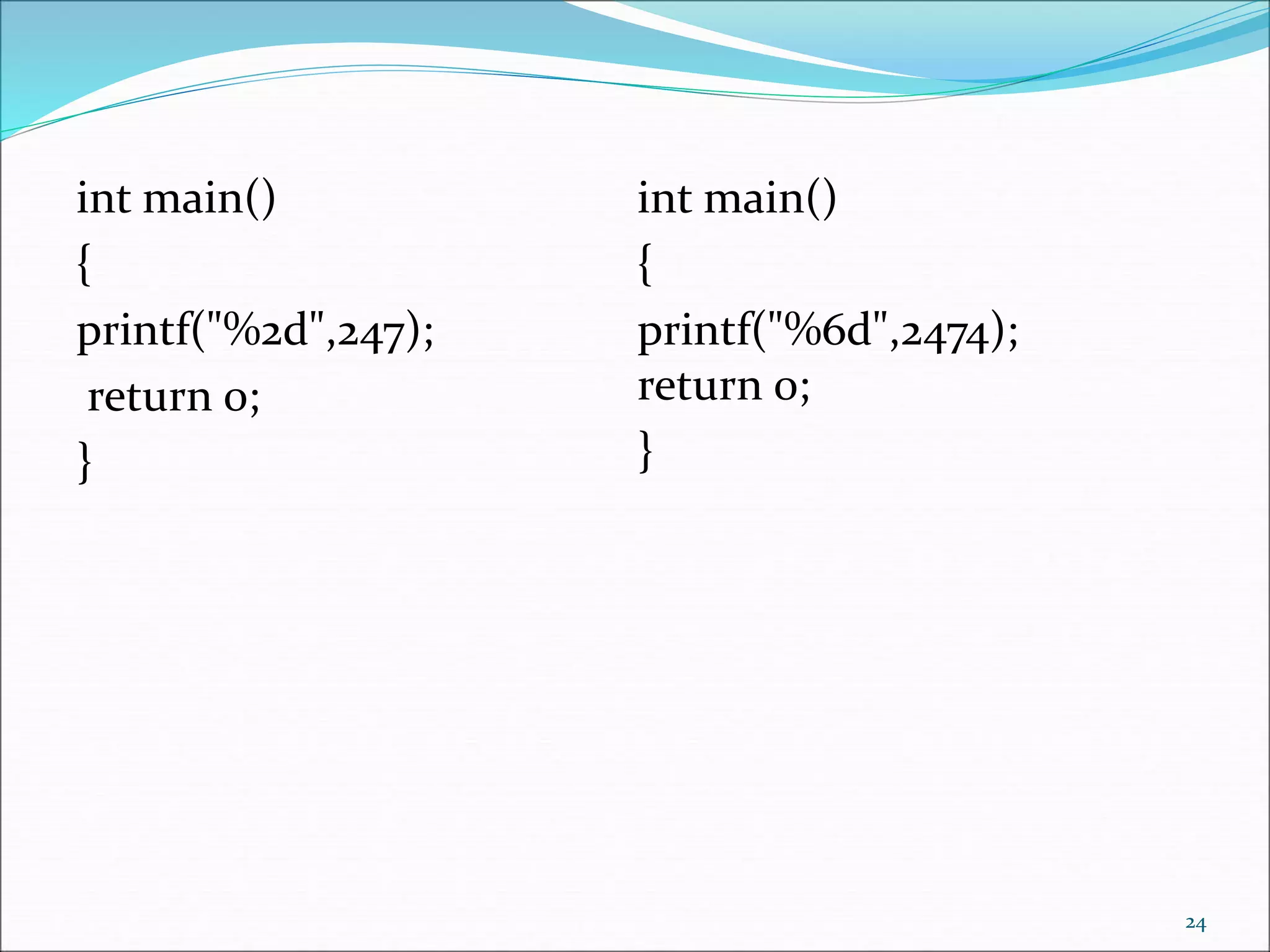
int main()
{
printf("%2d",247);
return 0;
}
24
int main()
{
printf("%6d",2474);
return 0;
}
Variables in C
 Declaring Variables
 Naming Variables
 Using Variables
 The Assignment Statement
25
Declaring Variables
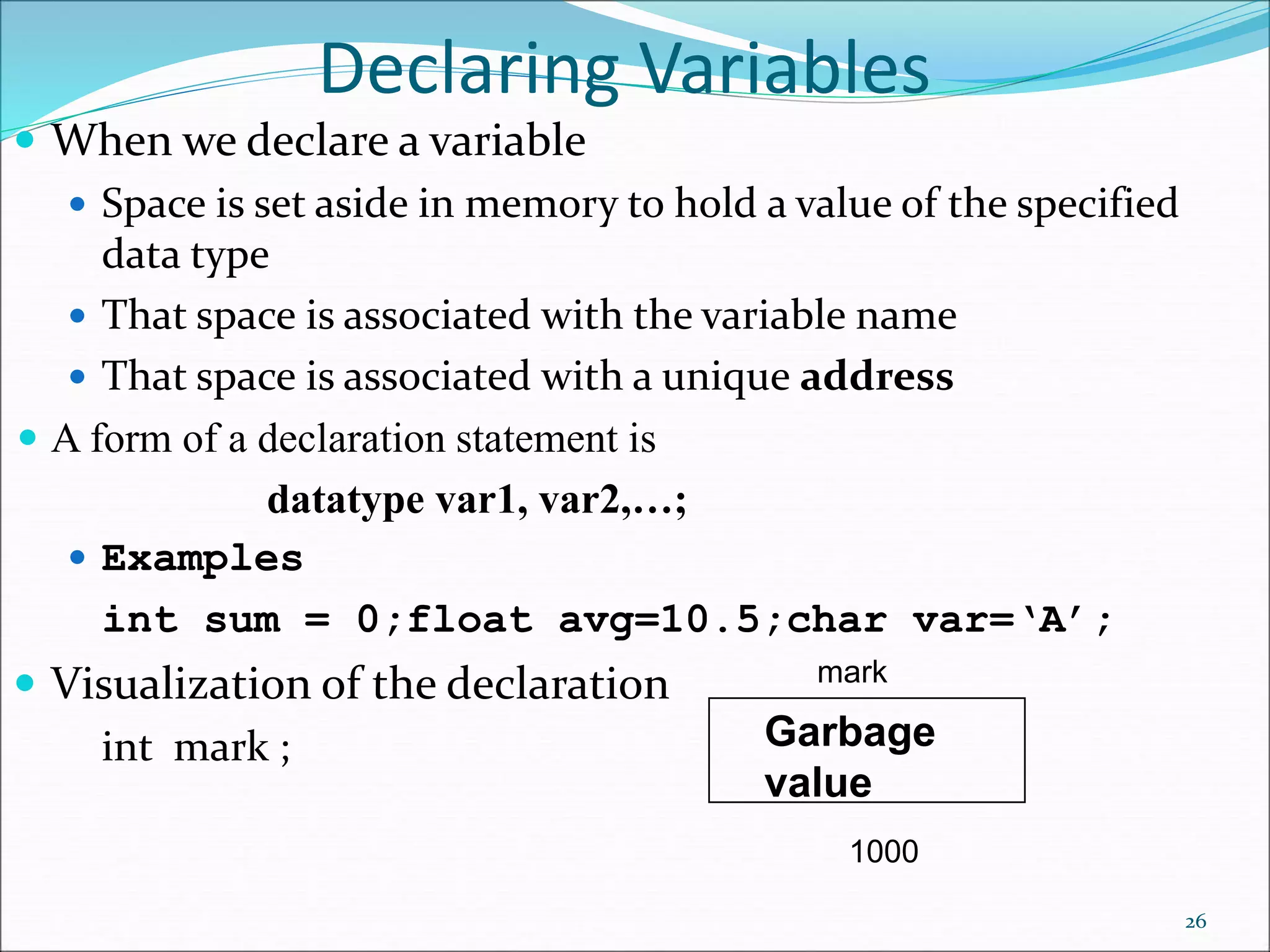
 When we declare a variable
 Space is set aside in memory to hold a value of the specified
data type
 That space is associated with the variable name
 That space is associated with a unique address
 A form of a declaration statement is
datatype var1, var2,…;
 Examples
int sum = 0;float avg=10.5;char var=‘A’;
 Visualization of the declaration
int mark ;
26
mark
1000
Garbage
value
Naming Variables
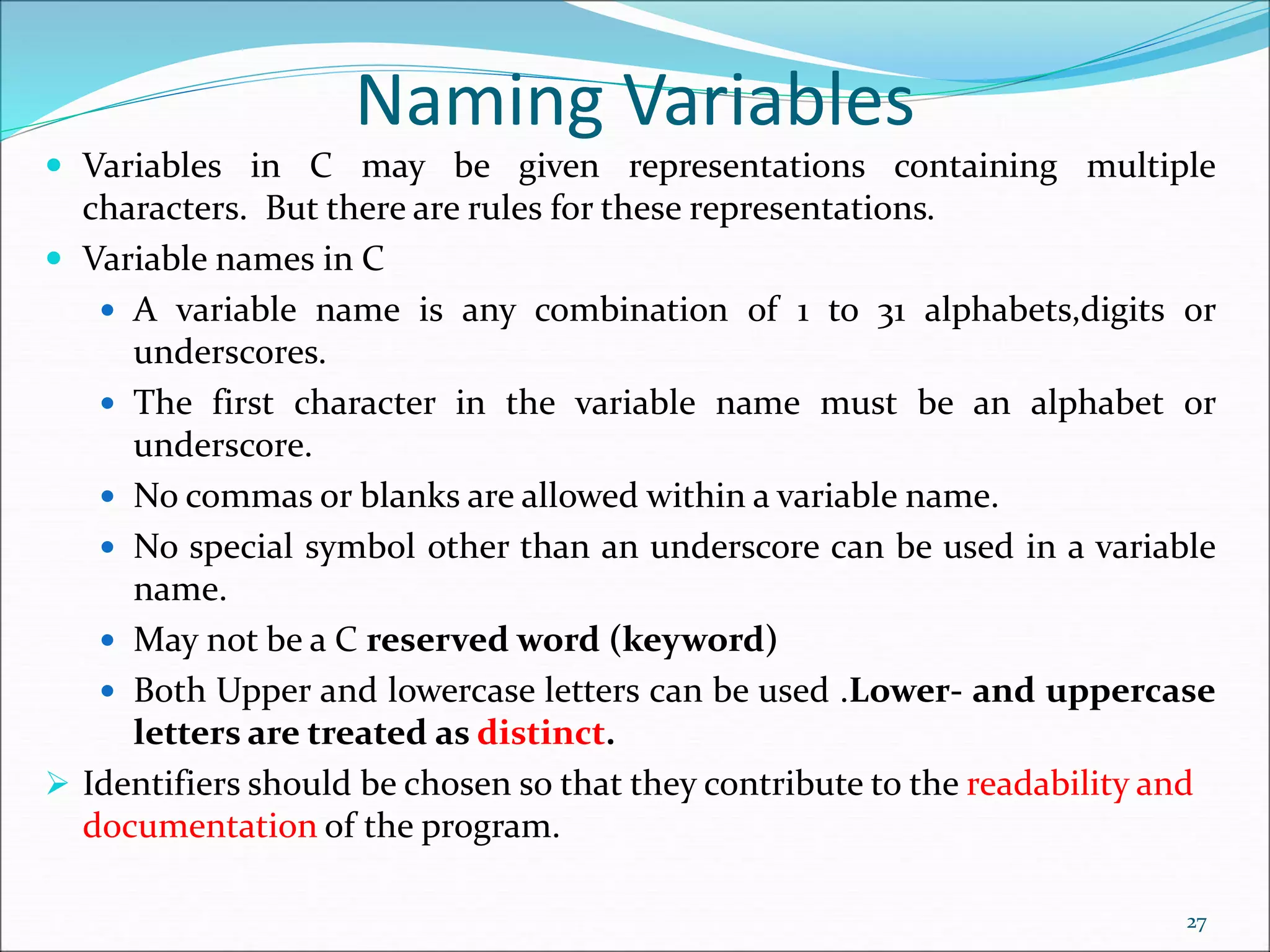
 Variables in C may be given representations containing multiple
characters. But there are rules for these representations.
 Variable names in C
 A variable name is any combination of 1 to 31 alphabets,digits or
underscores.
 The first character in the variable name must be an alphabet or
underscore.
 No commas or blanks are allowed within a variable name.
 No special symbol other than an underscore can be used in a variable
name.
 May not be a C reserved word (keyword)
 Both Upper and lowercase letters can be used .Lower- and uppercase
letters are treated as distinct.
 Identifiers should be chosen so that they contribute to the readability and
documentation of the program.
27
C Keywords
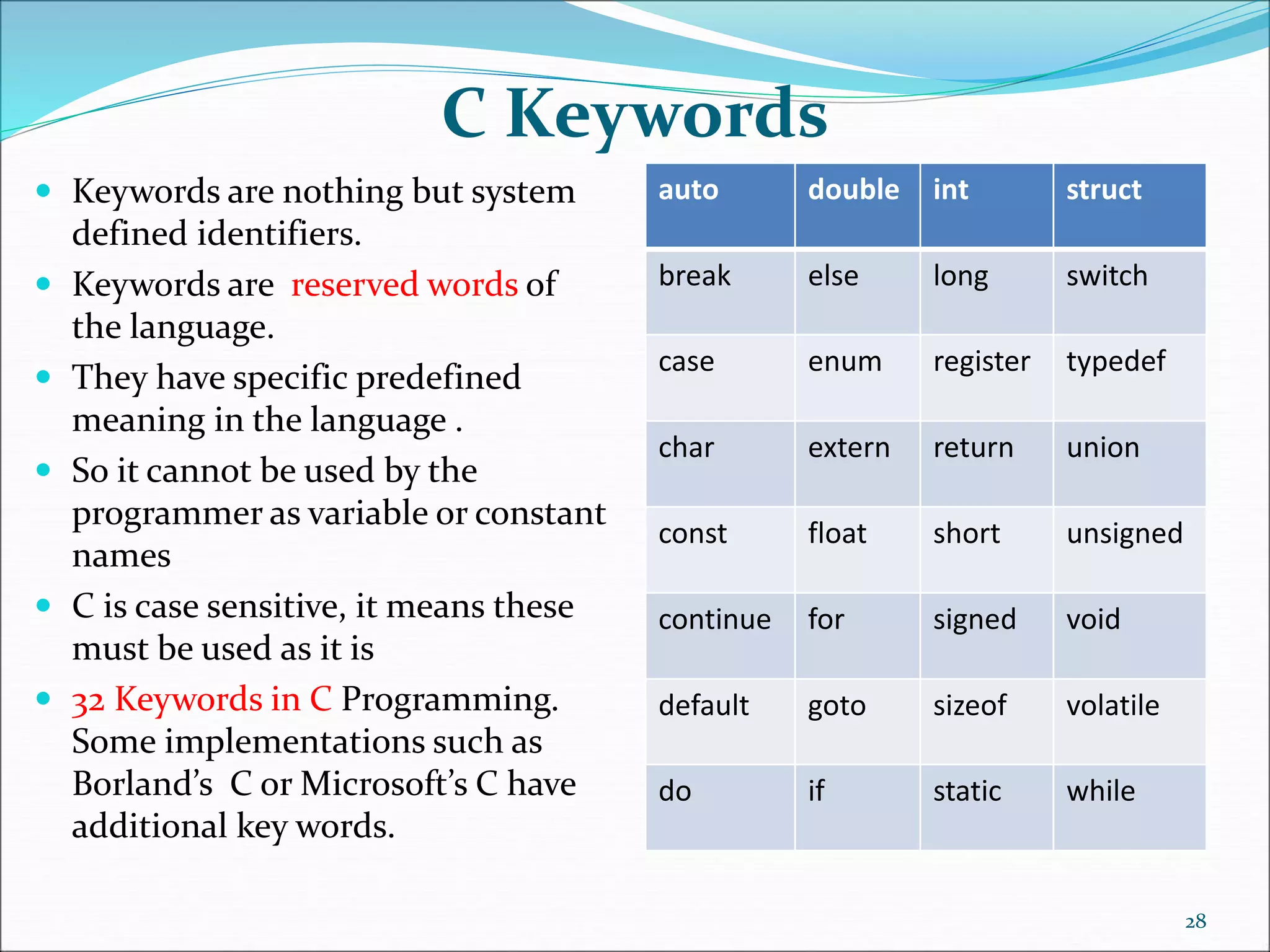
 Keywords are nothing but system
defined identifiers.
 Keywords are reserved words of
the language.
 They have specific predefined
meaning in the language .
 So it cannot be used by the
programmer as variable or constant
names
 C is case sensitive, it means these
must be used as it is
 32 Keywords in C Programming.
Some implementations such as
Borland’s C or Microsoft’s C have
additional key words.
auto double int struct
break else long switch
case enum register typedef
char extern return union
const float short unsigned
continue for signed void
default goto sizeof volatile
do if static while
28
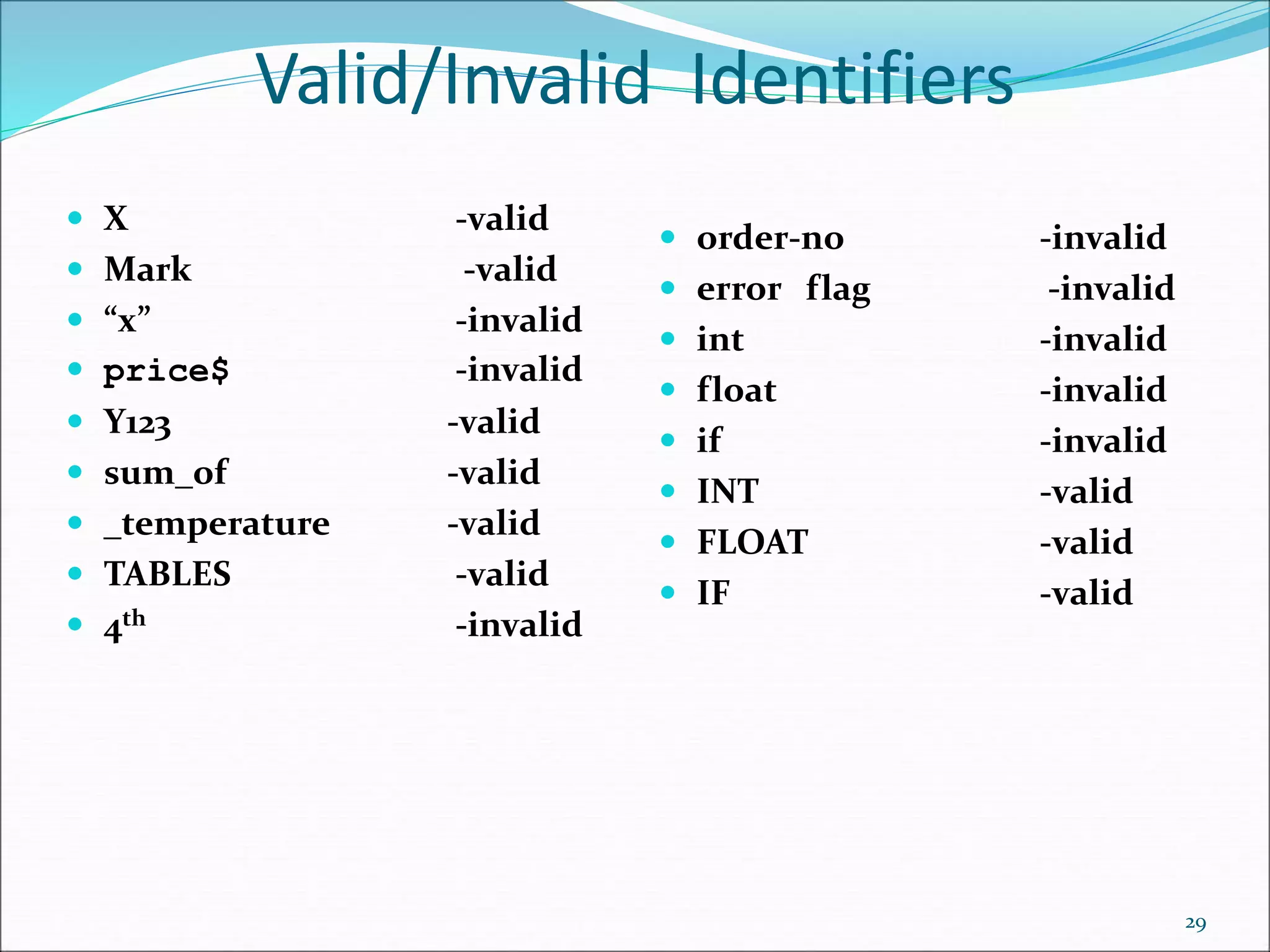
Valid/Invalid Identifiers
 X -valid
 Mark -valid
 “x” -invalid
 price$ -invalid
 Y123 -valid
 sum_of -valid
 _temperature -valid
 TABLES -valid
 4th -invalid
29
 order-no -invalid
 error flag -invalid
 int -invalid
 float -invalid
 if -invalid
 INT -valid
 FLOAT -valid
 IF -valid
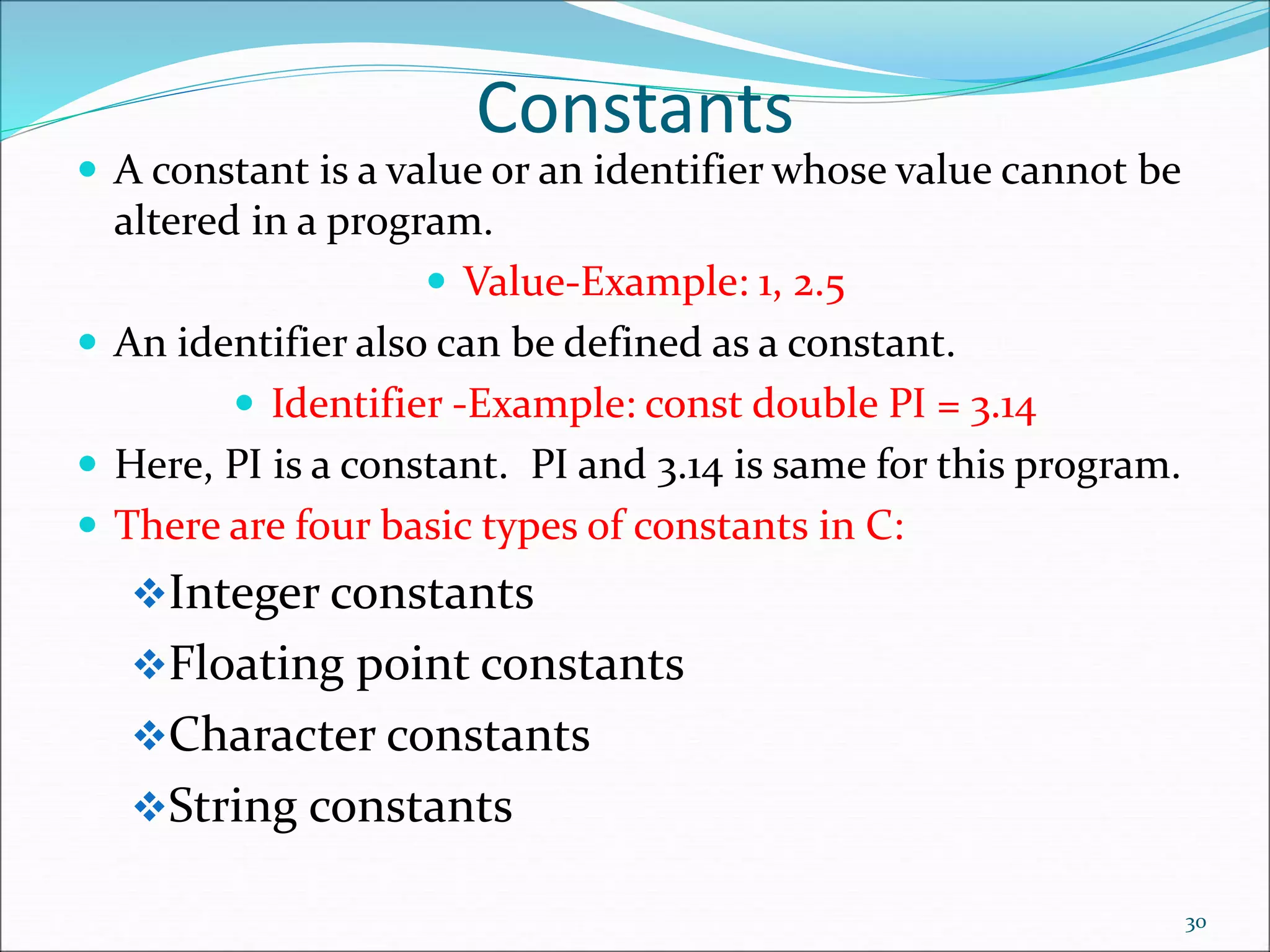
Constants
 A constant is a value or an identifier whose value cannot be
altered in a program.
 Value-Example: 1, 2.5
 An identifier also can be defined as a constant.
 Identifier -Example: const double PI = 3.14
 Here, PI is a constant. PI and 3.14 is same for this program.
 There are four basic types of constants in C:
Integer constants
Floating point constants
Character constants
String constants
30
Constants
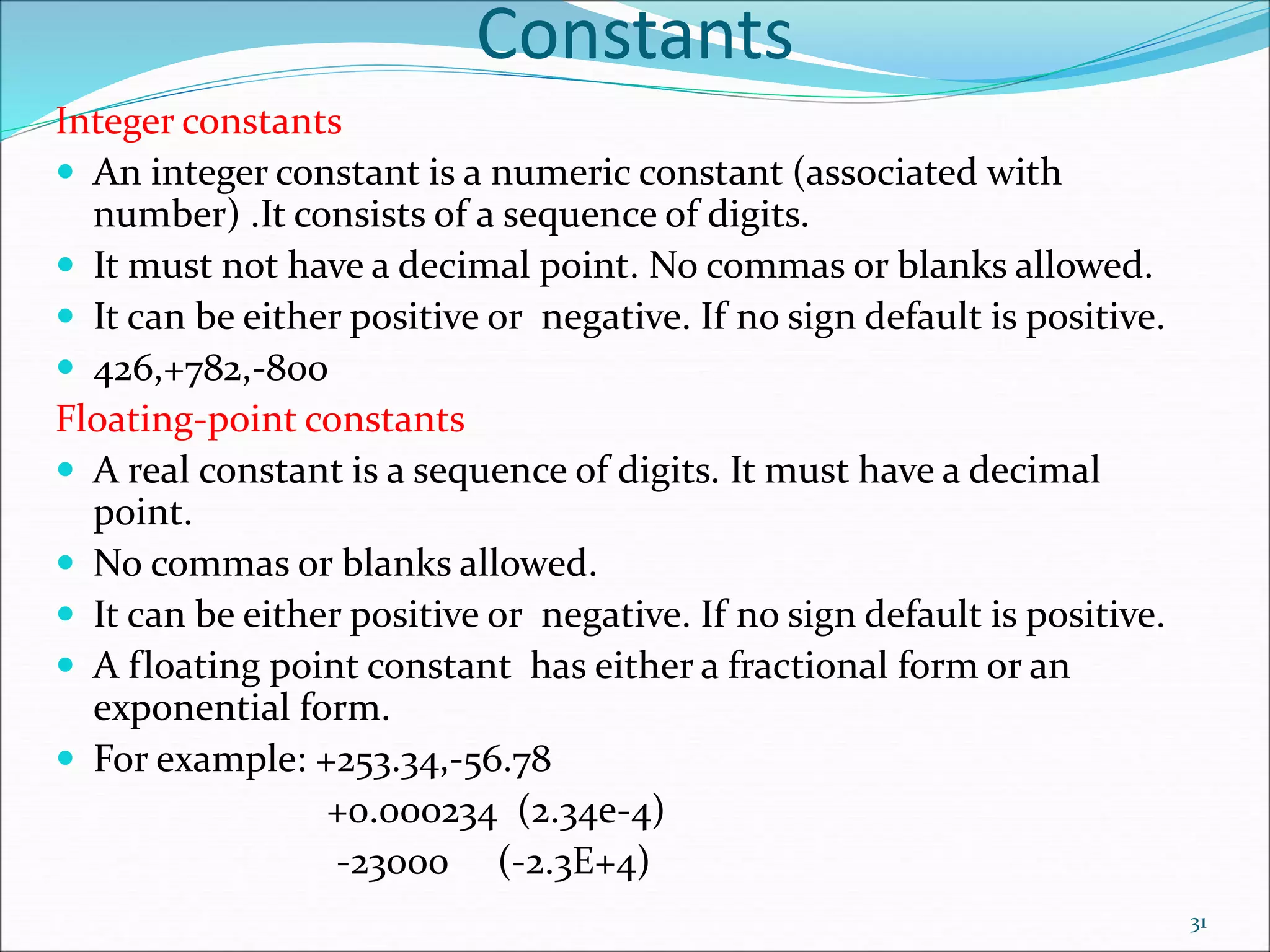
Integer constants
 An integer constant is a numeric constant (associated with
number) .It consists of a sequence of digits.
 It must not have a decimal point. No commas or blanks allowed.
 It can be either positive or negative. If no sign default is positive.
 426,+782,-800
Floating-point constants
 A real constant is a sequence of digits. It must have a decimal
point.
 No commas or blanks allowed.
 It can be either positive or negative. If no sign default is positive.
 A floating point constant has either a fractional form or an
exponential form.
 For example: +253.34,-56.78
+0.000234 (2.34e-4)
-23000 (-2.3E+4)
31
Constants
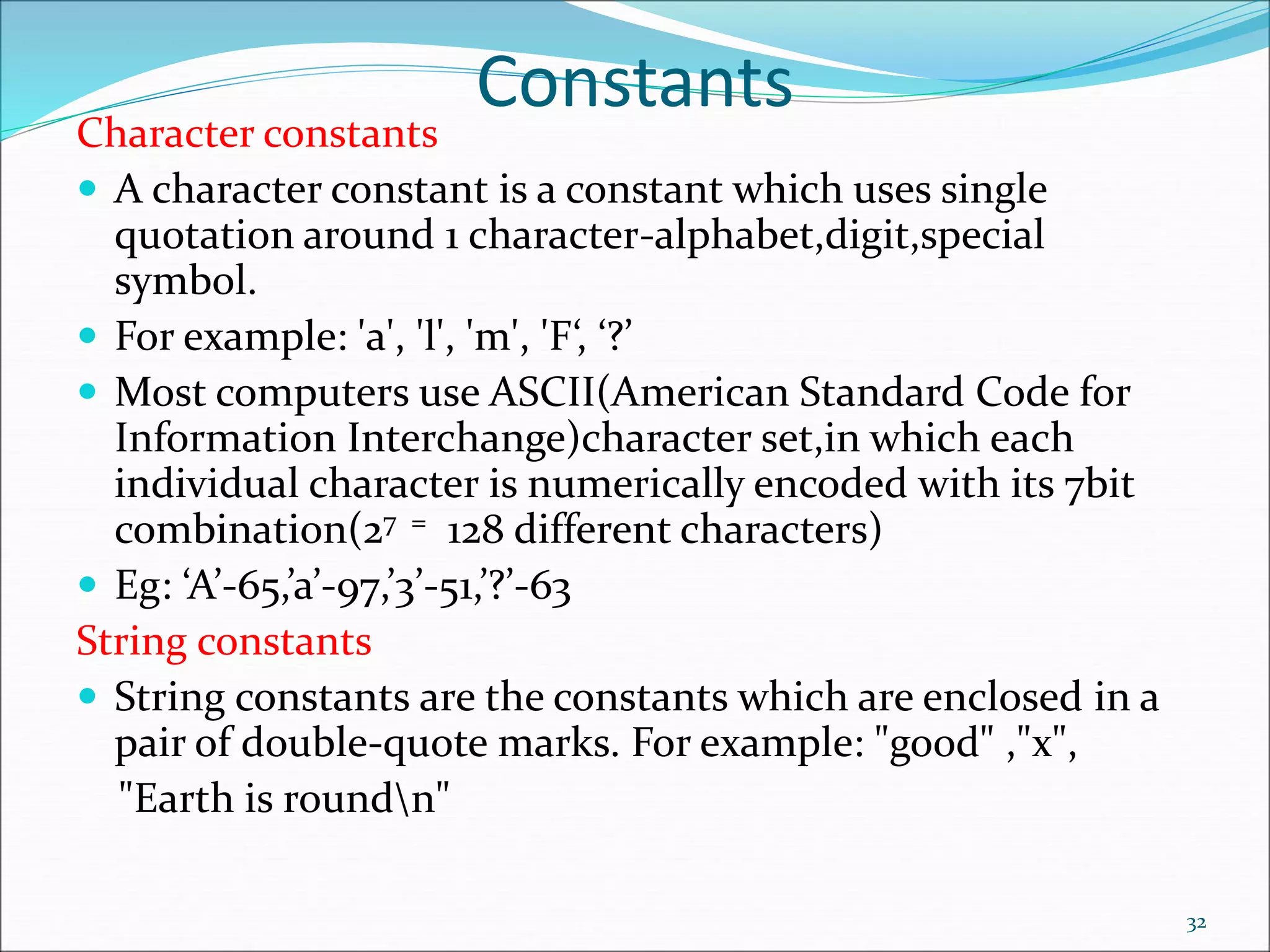
Character constants
 A character constant is a constant which uses single
quotation around 1 character-alphabet,digit,special
symbol.
 For example: 'a', 'l', 'm', 'F‘, ‘?’
 Most computers use ASCII(American Standard Code for
Information Interchange)character set,in which each
individual character is numerically encoded with its 7bit
combination(27 = 128 different characters)
 Eg: ‘A’-65,’a’-97,’3’-51,’?’-63
String constants
 String constants are the constants which are enclosed in a
pair of double-quote marks. For example: "good" ,"x",
"Earth is roundn"
32
Symbolic constants
 A symbolic constant is a name that substitutes for a sequence of
characters.
 The character may represent a numeric, character or string constant.
 When a program is compiled each occurrence of symbolic constant is
replaced by its corresponding character sequence.
 Use uppercase for symbolic constants.
 A symbolic constant is defined by # define name text(no semicolon)
 Examples:
#define PI 3.14159 #define TRUE 1 #define FALSE 0
#define FRIEND “Susan”
33
Special Character-Escape
 Sometimes, it is necessary to use characters which
cannot be typed or has special meaning in C
programming.
 The backslash is called the escape character.
 The backslash (  ) causes "escape" from the normal
way the characters are interpreted by the compiler.
 To use these characters, escape sequence is used.
 For example: n is used for newline.
 The newline character ‘n’ represents a single character called
newline.Think of n as “escaping” the usual meaning of n.
34
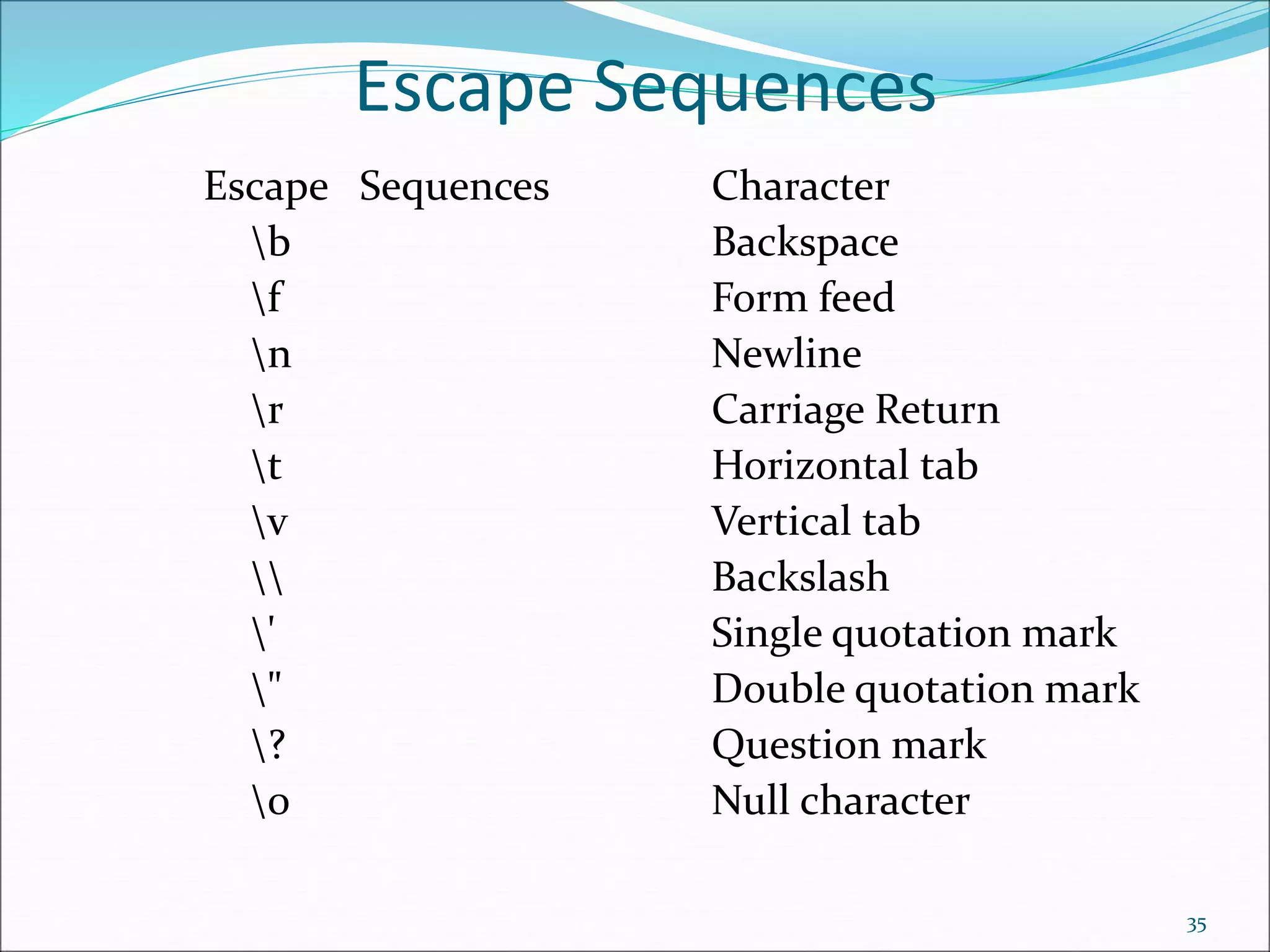
Escape Sequences
Escape Sequences Character
b Backspace
f Form feed
n Newline
r Carriage Return
t Horizontal tab
v Vertical tab
 Backslash
' Single quotation mark
" Double quotation mark
? Question mark
0 Null character
35
Declarations
 Declaration associates a group of variables with a
specific data type.
 All variables must be declared before they can appear
in an executable statements.
 A declaration consists of a data type followed by one
or more variable names ending with semicolon.
 Each array variable must be followed by a pair of
square brackets, containing a positive integer which
specifies the size(i.e the number of elements)of the
array.
36
Declarations-Examples
 short int a;
 short a;
 int a=12;
 long int p,r;
 long p,r;
 unsigned int a;
 float c=12.4;
 double root1,root2;
 char star=‘*’;
 char text[]=“california”
 char text[11]=“california”
37
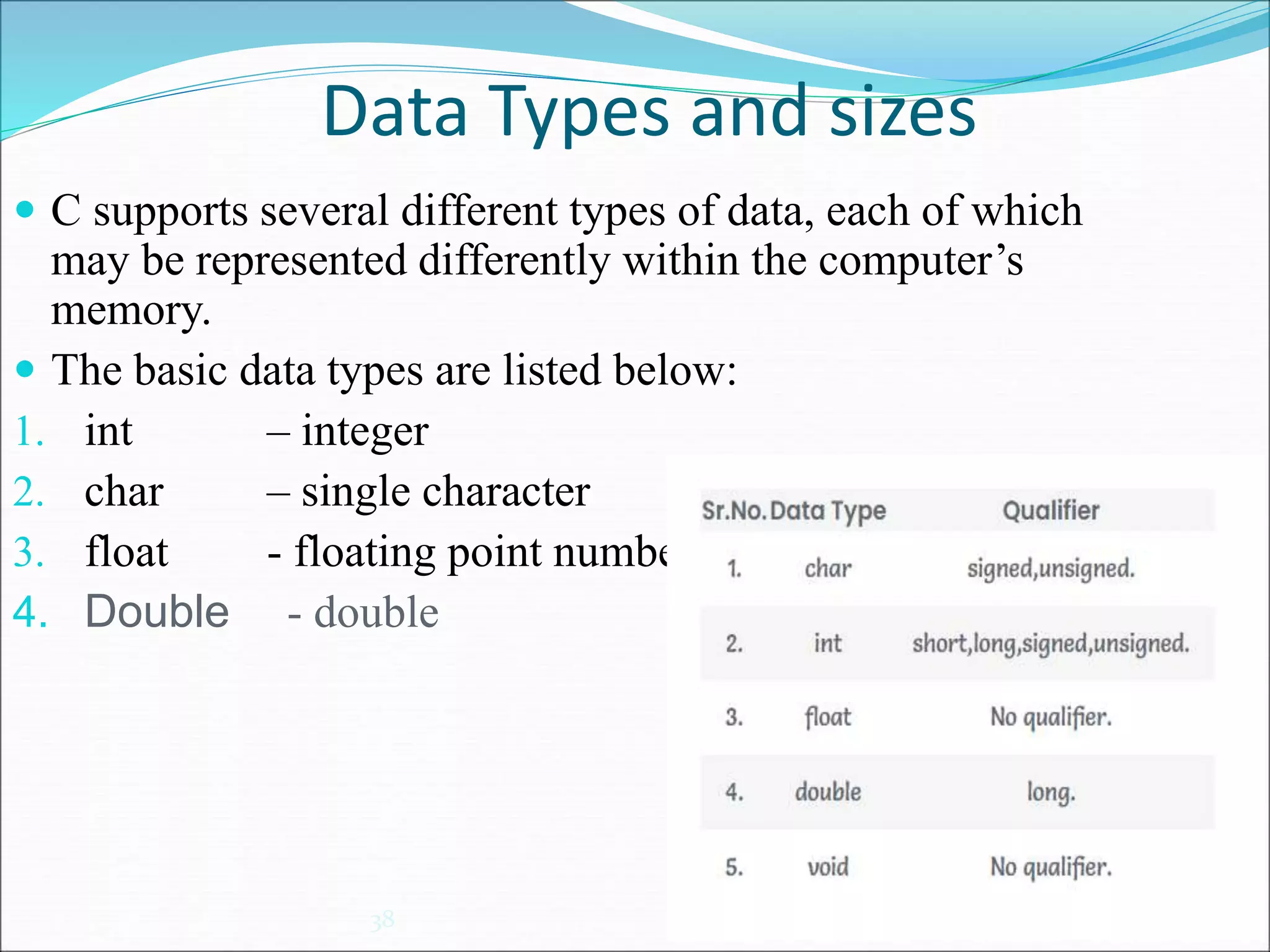
Data Types and sizes
38
 C supports several different types of data, each of which
may be represented differently within the computer’s
memory.
 The basic data types are listed below:
1. int – integer
2. char – single character
3. float - floating point number
4. Double - double
39
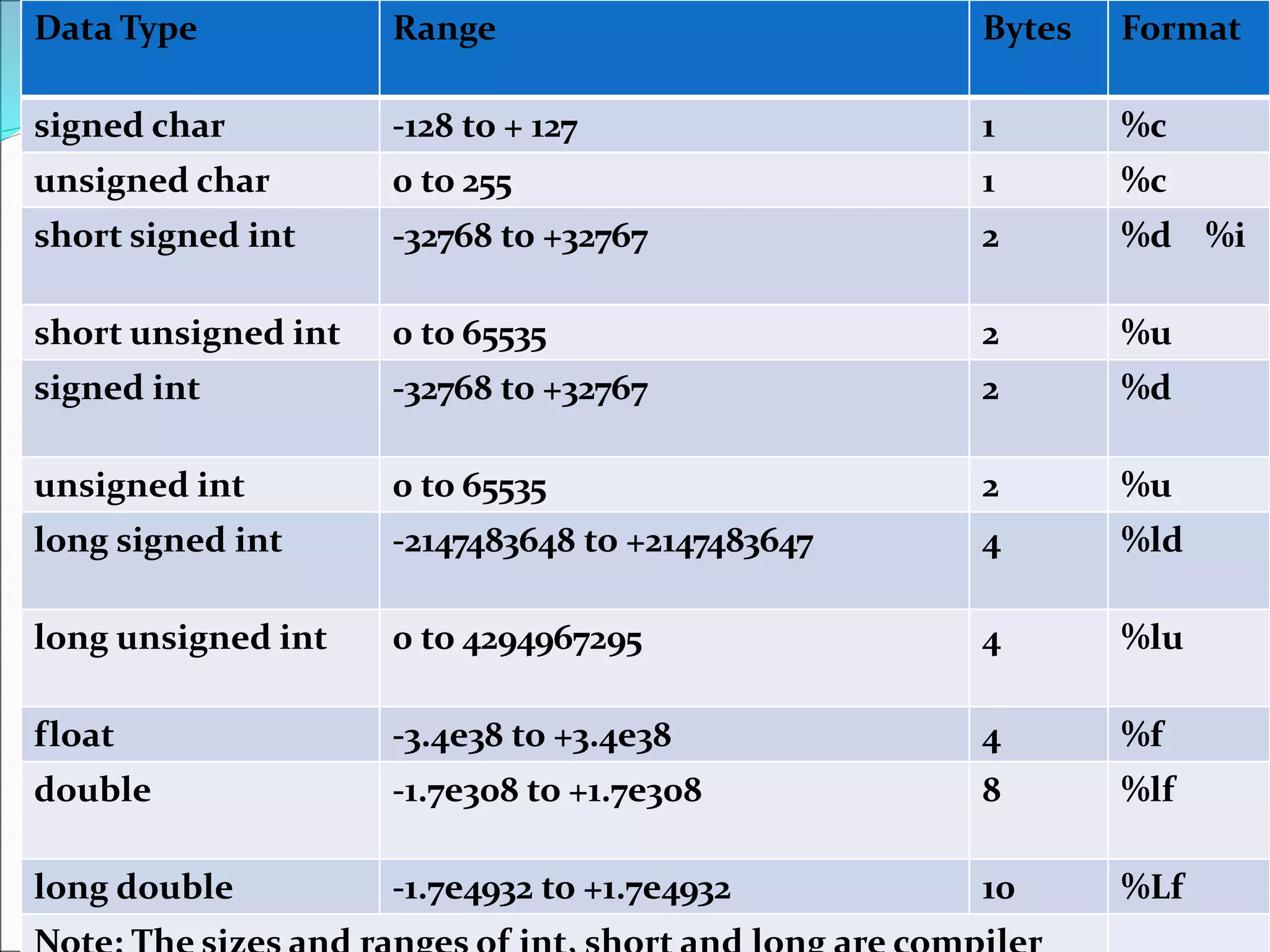
Data Type Range Bytes Format
signed char -128 to + 127 1 %c
unsigned char 0 to 255 1 %c
short signed int -32768 to +32767 2 %d %i
short unsigned int 0 to 65535 2 %u
signed int -32768 to +32767 2 %d
unsigned int 0 to 65535 2 %u
long signed int -2147483648 to +2147483647 4 %ld
long unsigned int 0 to 4294967295 4 %lu
float -3.4e38 to +3.4e38 4 %f
double -1.7e308 to +1.7e308 8 %lf
long double -1.7e4932 to +1.7e4932 10 %Lf

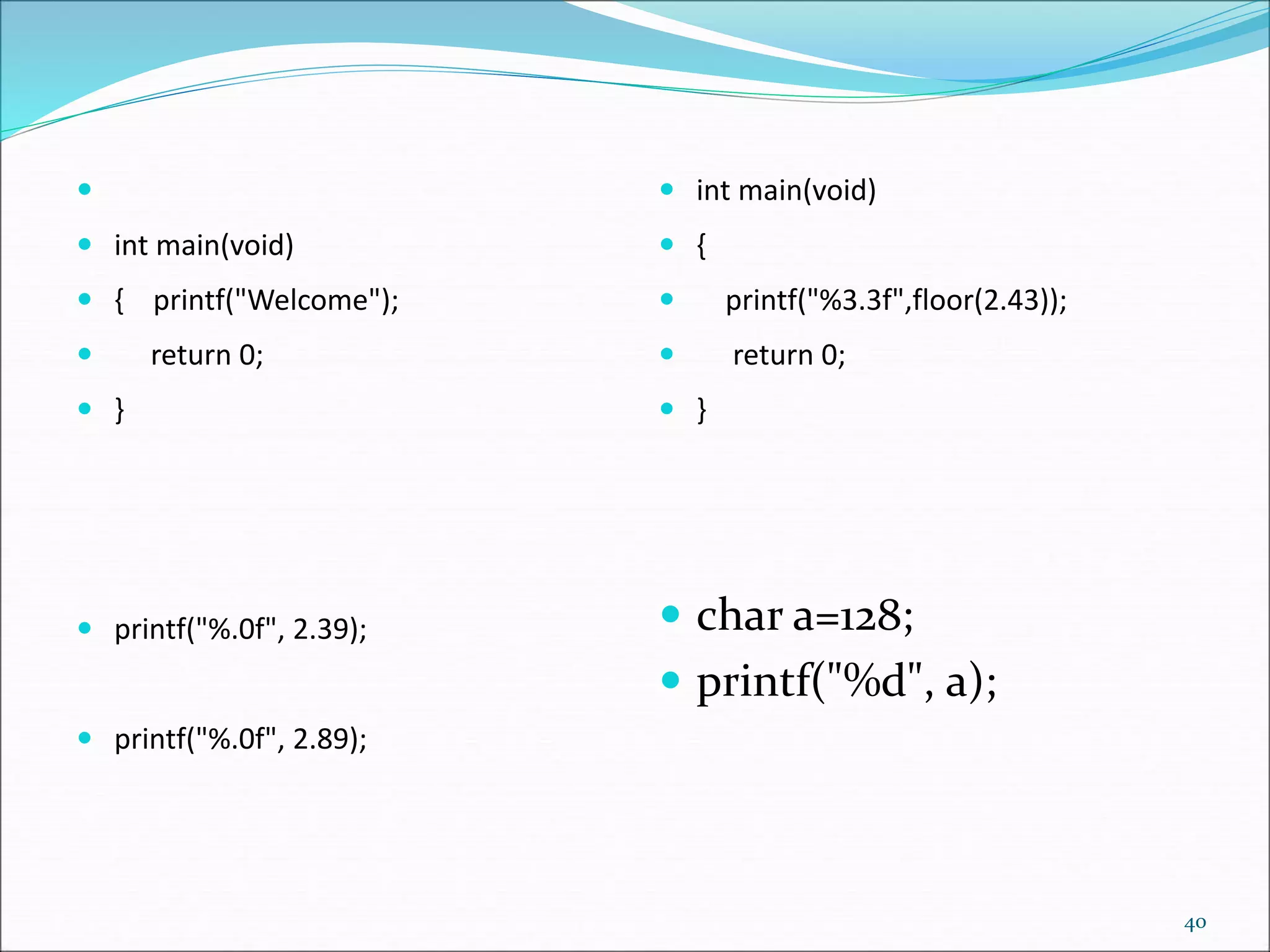
 int main(void)
 { printf("Welcome");
 return 0;
 }
 printf("%.0f", 2.39);
 printf("%.0f", 2.89);
 int main(void)
 {
 printf("%3.3f",floor(2.43));
 return 0;
 }
 char a=128;
 printf("%d", a);
40
41
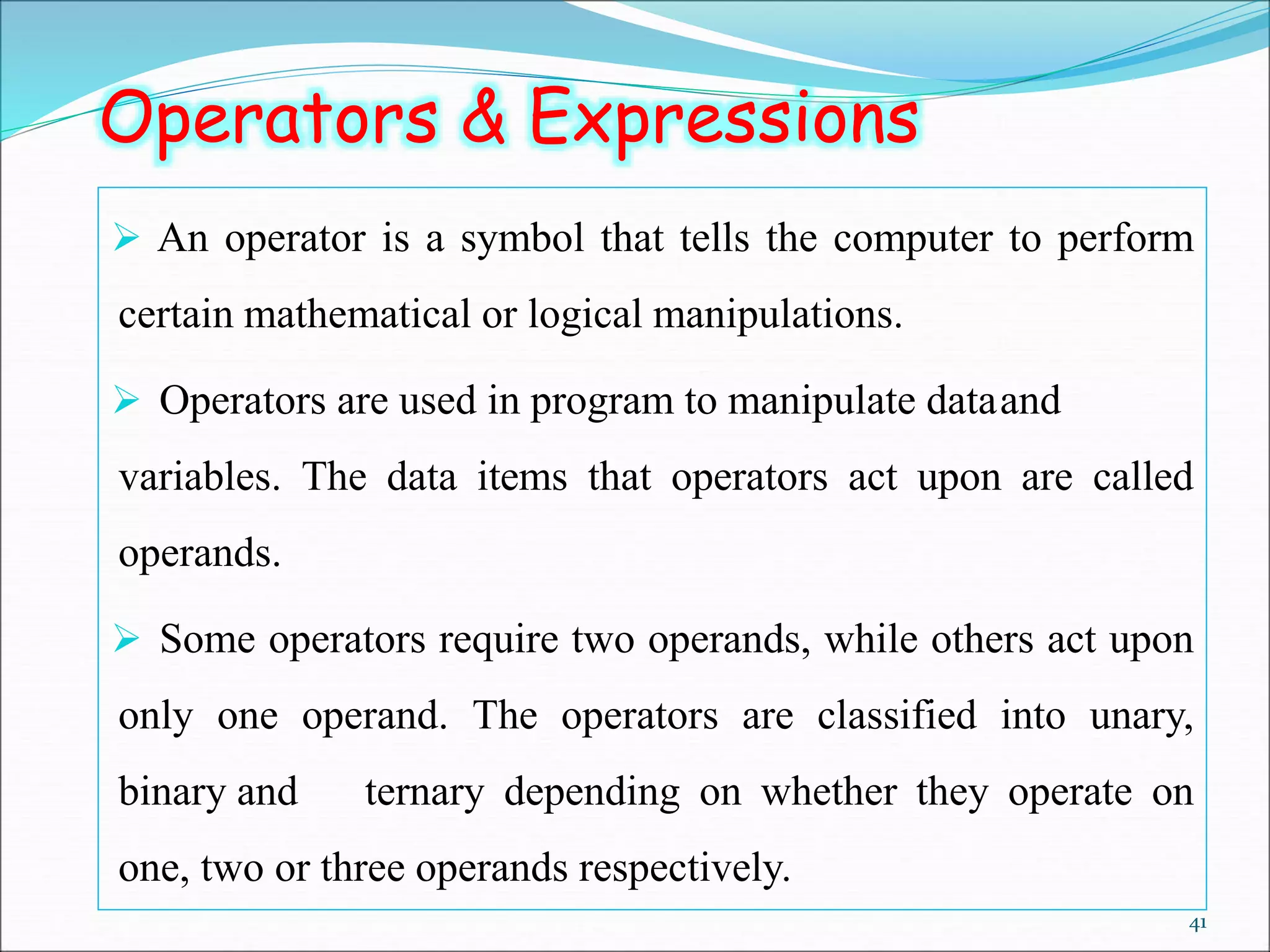
Operators & Expressions
 An operator is a symbol that tells the computer to perform
certain mathematical or logical manipulations.
 Operators are used in program to manipulate dataand
variables. The data items that operators act upon are called
operands.
 Some operators require two operands, while others act upon
only one operand. The operators are classified into unary,
binary and ternary depending on whether they operate on
one, two or three operands respectively.
42
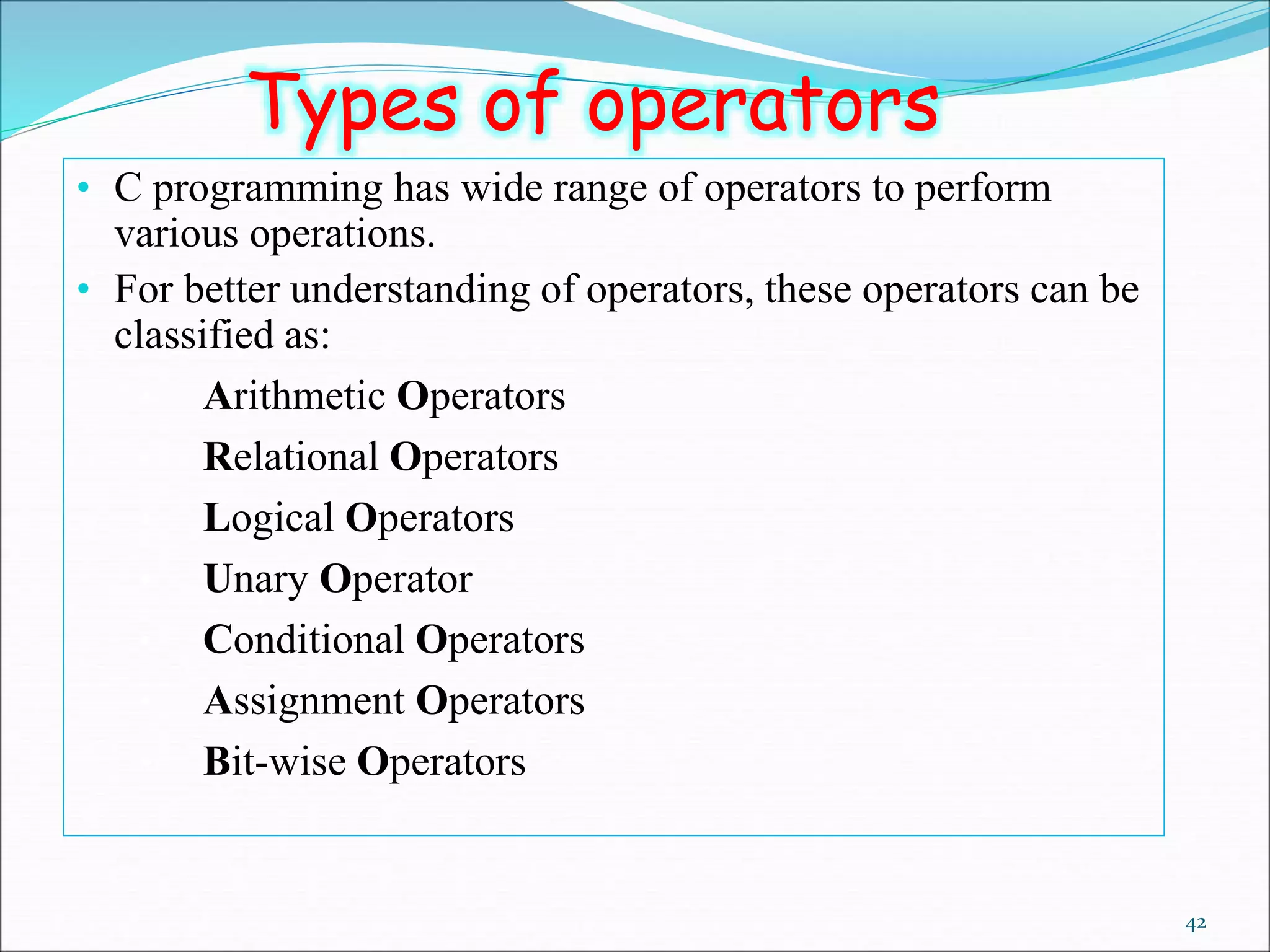
• C programming has wide range of operators to perform
various operations.
• For better understanding of operators, these operators can be
classified as:
• Arithmetic Operators
• Relational Operators
• Logical Operators
• Unary Operator
• Conditional Operators
• Assignment Operators
• Bit-wise Operators
Types of operators
43
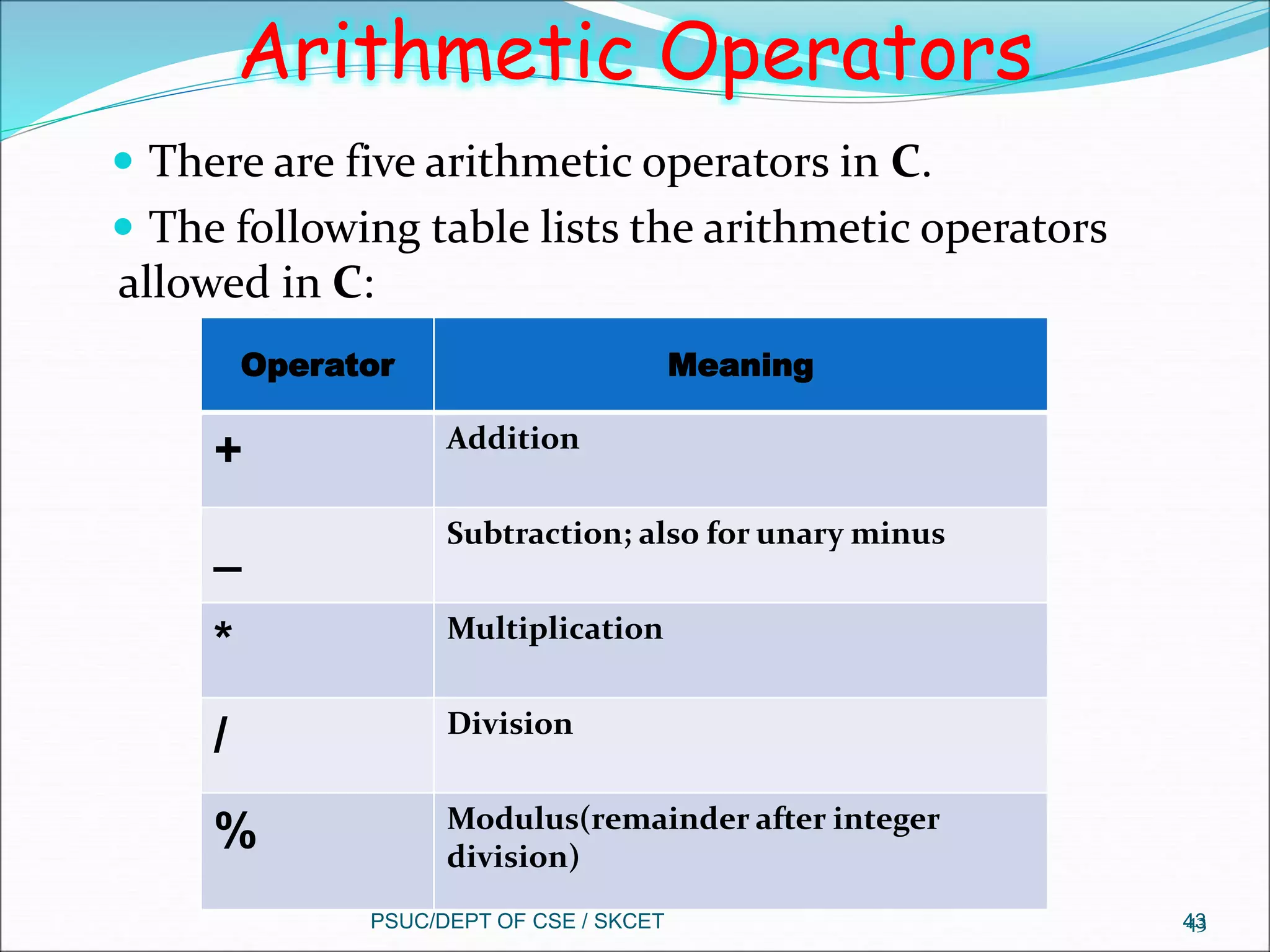
Arithmetic Operators
 There are five arithmetic operators in C.
 The following table lists the arithmetic operators
allowed in C:
PSUC/DEPT OF CSE / SKCET 43
Operator Meaning
+ Addition
_ Subtraction; also for unary minus
* Multiplication
/ Division
% Modulus(remainder after integer
division)
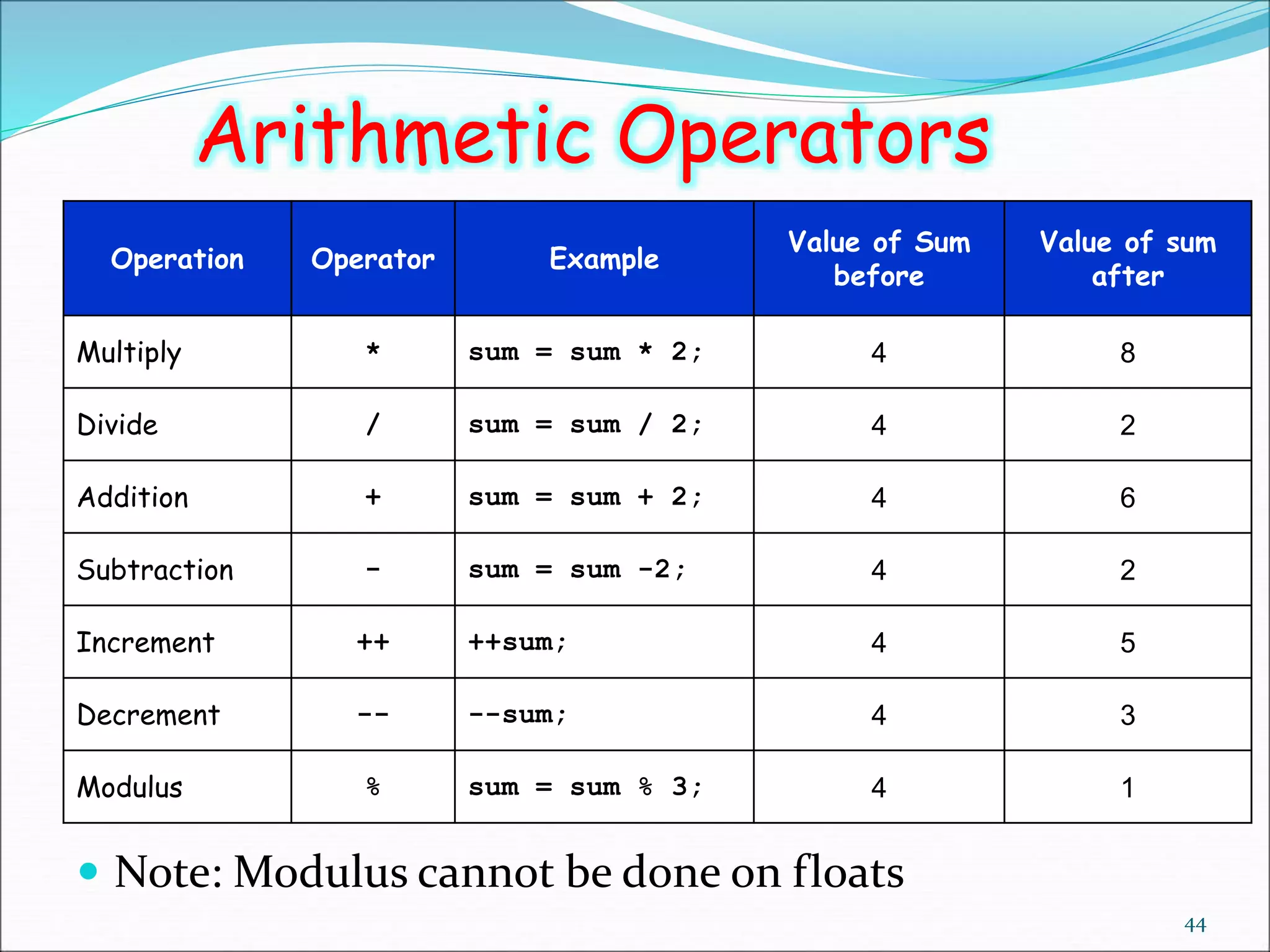
 Note: Modulus cannot be done on floats
44
Arithmetic Operators
Operation Operator Example
Value of Sum
before
Value of sum
after
Multiply * sum = sum * 2; 4 8
Divide / sum = sum / 2; 4 2
Addition + sum = sum + 2; 4 6
Subtraction - sum = sum -2; 4 2
Increment ++ ++sum; 4 5
Decrement -- --sum; 4 3
Modulus % sum = sum % 3; 4 1
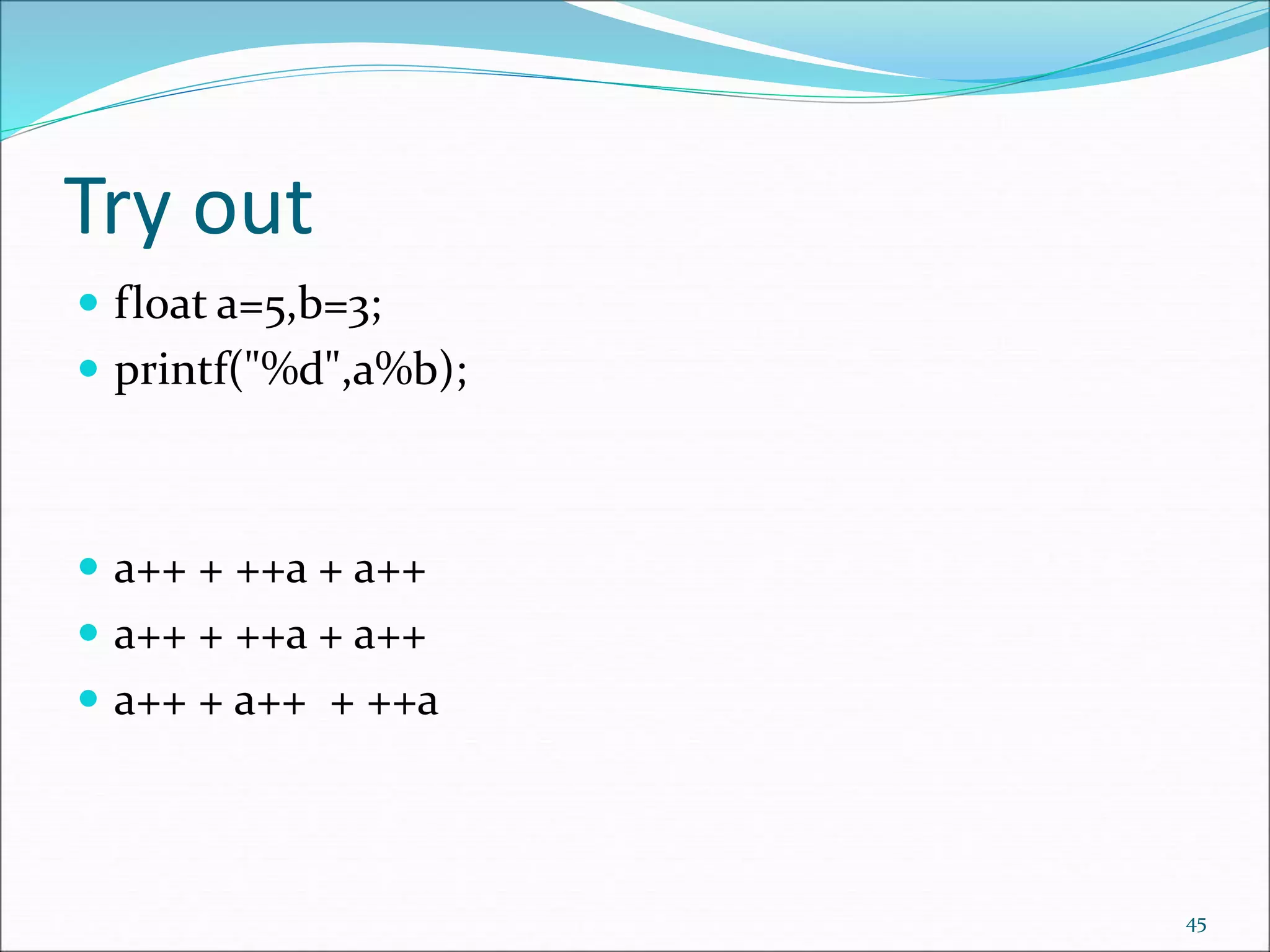
Try out
 float a=5,b=3;
 printf("%d",a%b);
 a++ + ++a + a++
 a++ + ++a + a++
 a++ + a++ + ++a
45
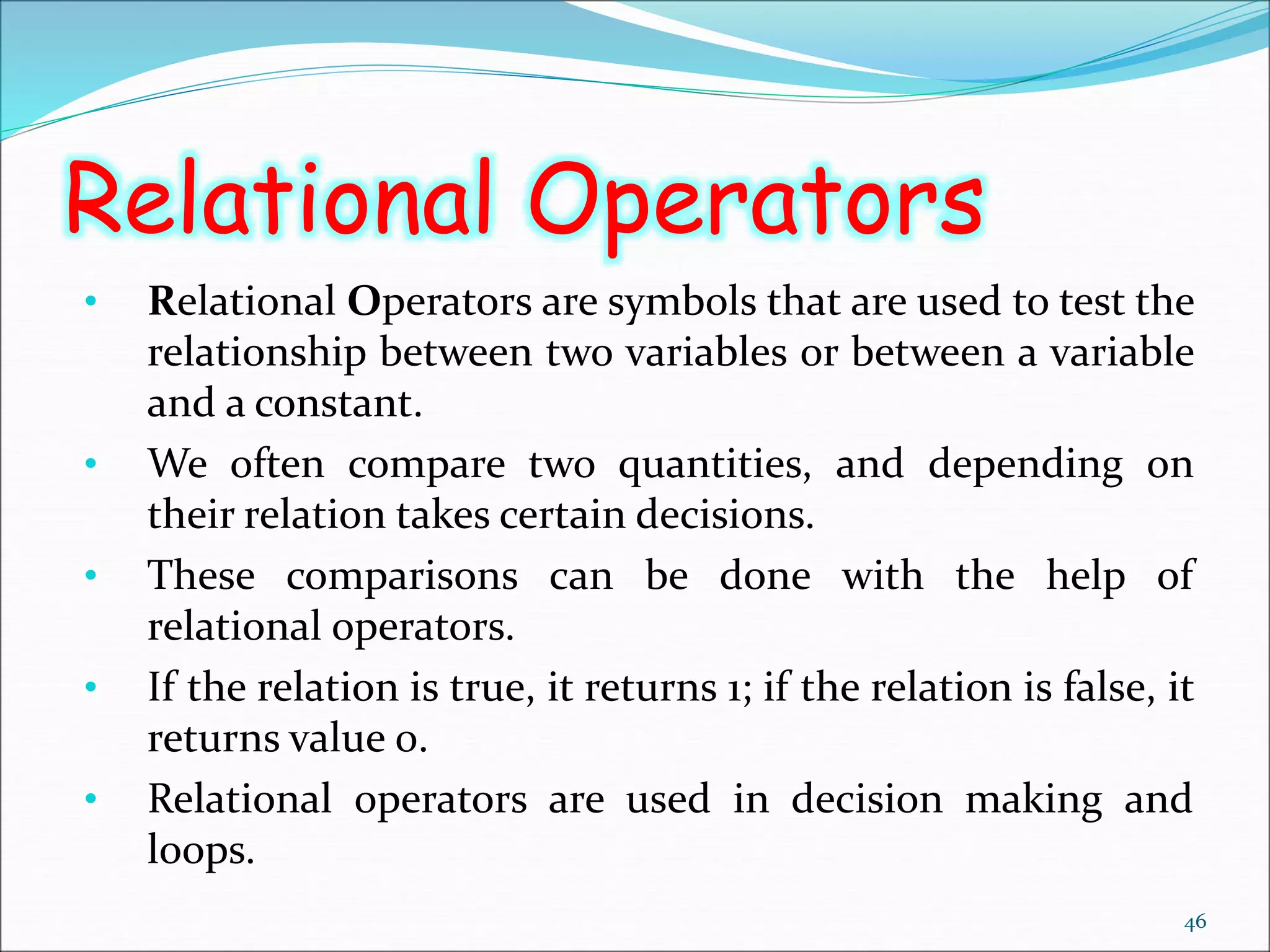
Relational Operators
• Relational Operators are symbols that are used to test the
relationship between two variables or between a variable
and a constant.
• We often compare two quantities, and depending on
their relation takes certain decisions.
• These comparisons can be done with the help of
relational operators.
• If the relation is true, it returns 1; if the relation is false, it
returns value 0.
• Relational operators are used in decision making and
loops.
46
47
Relational Operators
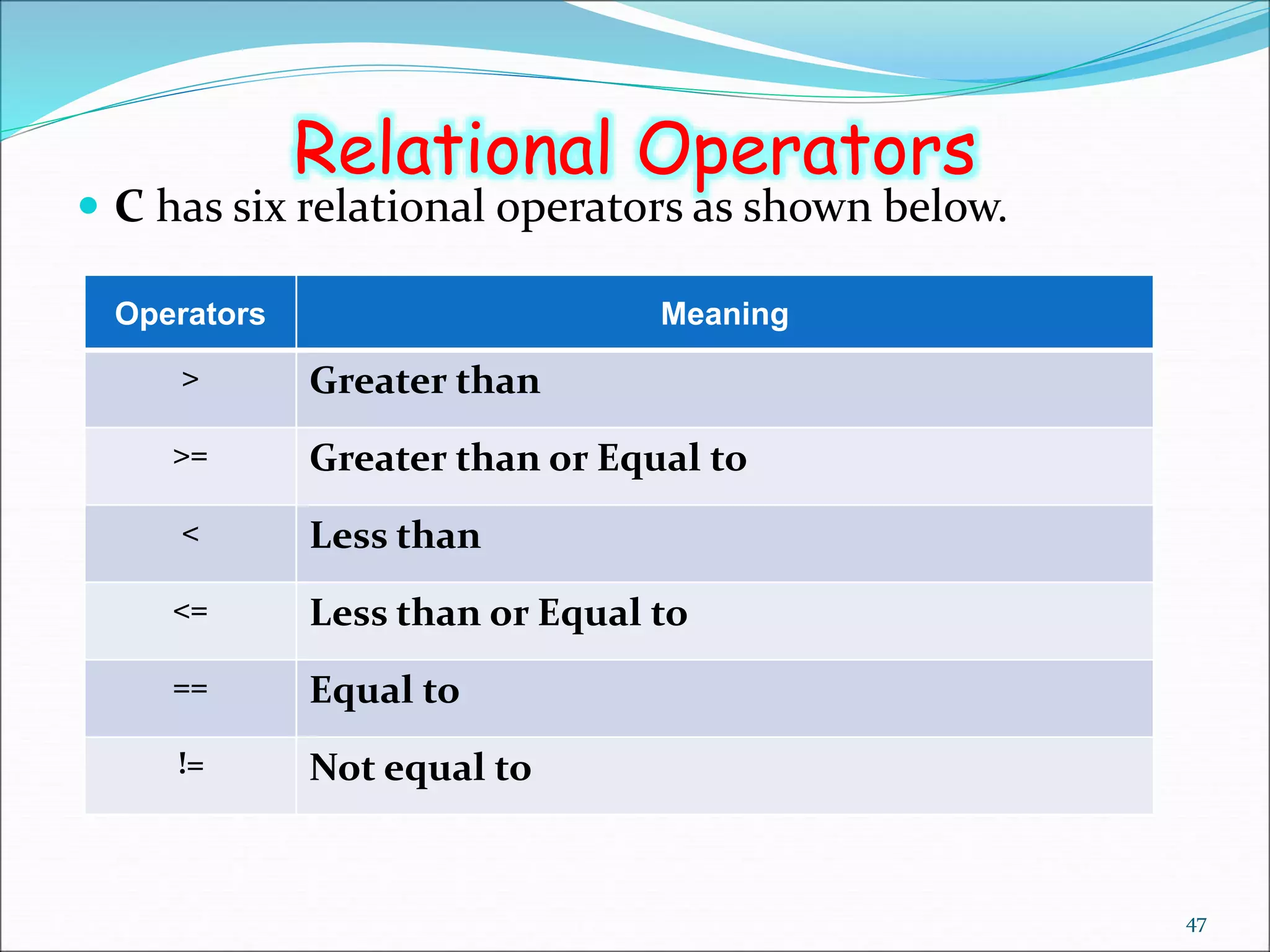
 C has six relational operators as shown below.
Operators Meaning
> Greater than
>= Greater than or Equal to
< Less than
<= Less than or Equal to
== Equal to
!= Not equal to
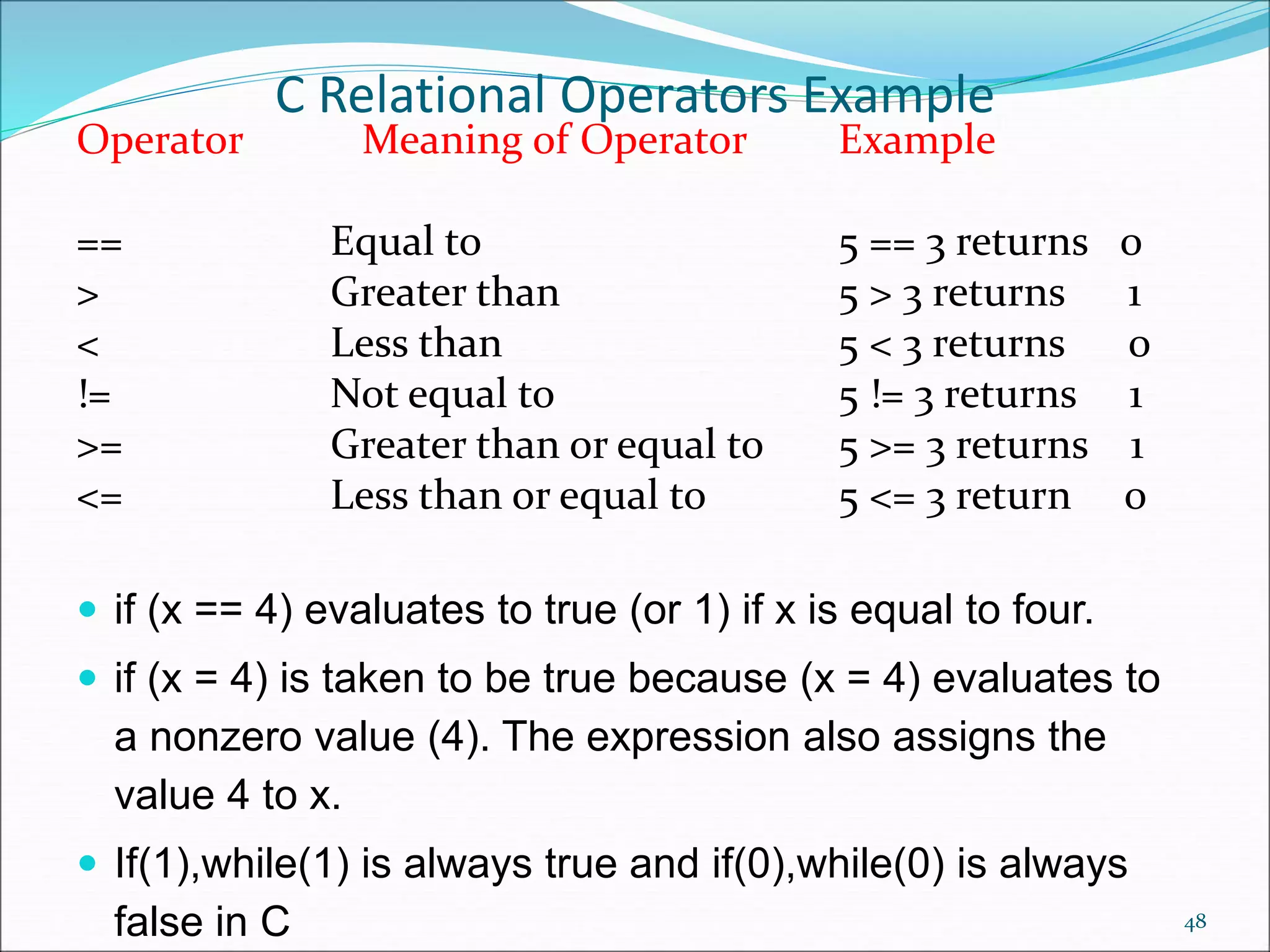
C Relational Operators Example
Operator Meaning of Operator Example
== Equal to 5 == 3 returns 0
> Greater than 5 > 3 returns 1
< Less than 5 < 3 returns 0
!= Not equal to 5 != 3 returns 1
>= Greater than or equal to 5 >= 3 returns 1
<= Less than or equal to 5 <= 3 return 0
 if (x == 4) evaluates to true (or 1) if x is equal to four.
 if (x = 4) is taken to be true because (x = 4) evaluates to
a nonzero value (4). The expression also assigns the
value 4 to x.
 If(1),while(1) is always true and if(0),while(0) is always
false in C 48
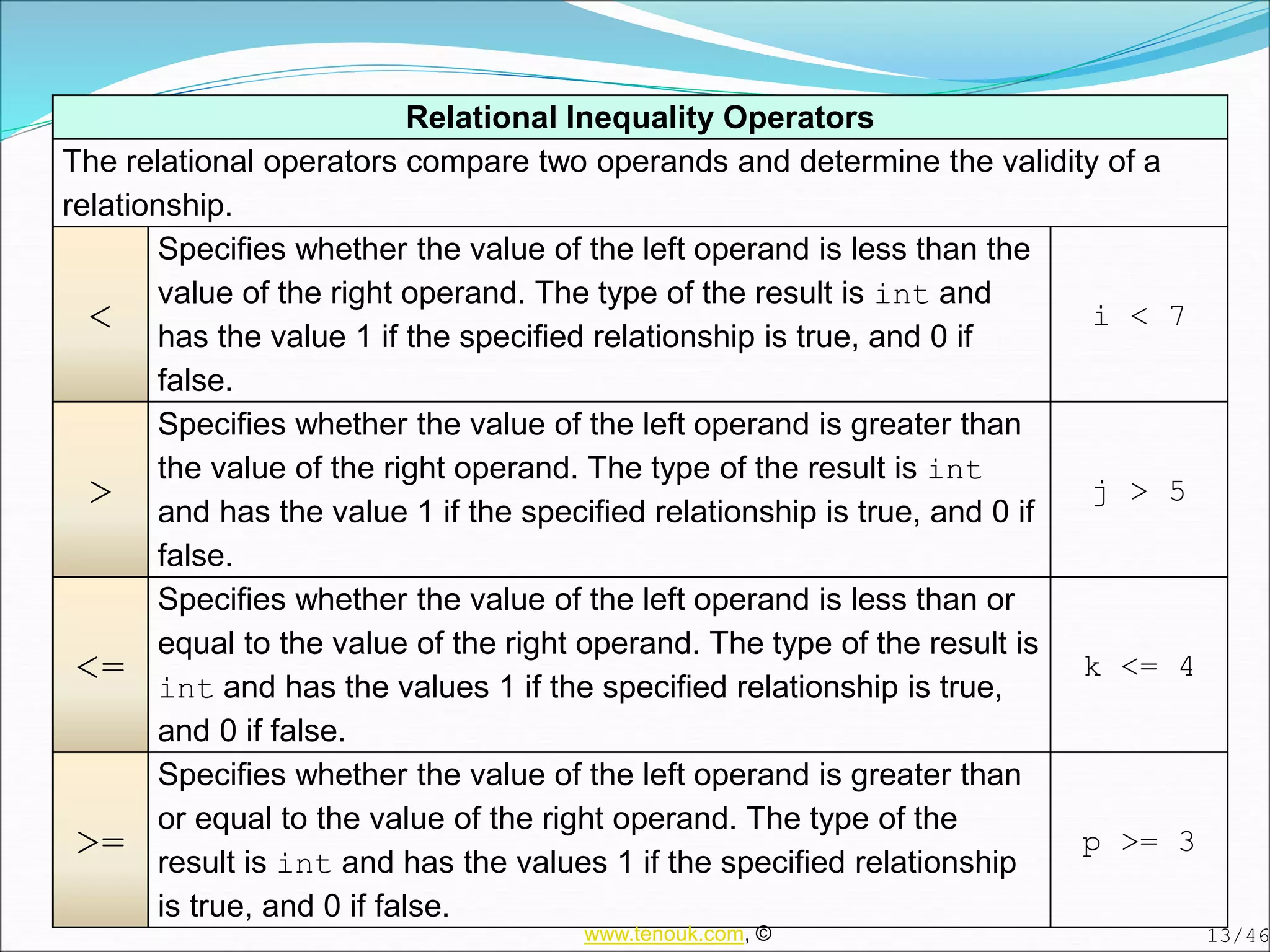
Relational Inequality Operators
The relational operators compare two operands and determine the validity of a
relationship.
<
Specifies whether the value of the left operand is less than the
value of the right operand. The type of the result is int and
has the value 1 if the specified relationship is true, and 0 if
false.
i < 7
>
Specifies whether the value of the left operand is greater than
the value of the right operand. The type of the result is int
and has the value 1 if the specified relationship is true, and 0 if
false.
j > 5
<=
Specifies whether the value of the left operand is less than or
equal to the value of the right operand. The type of the result is
int and has the values 1 if the specified relationship is true,
and 0 if false.
k <= 4
>=
Specifies whether the value of the left operand is greater than
or equal to the value of the right operand. The type of the
result is int and has the values 1 if the specified relationship
is true, and 0 if false.
p >= 3
13/46
www.tenouk.com, ©
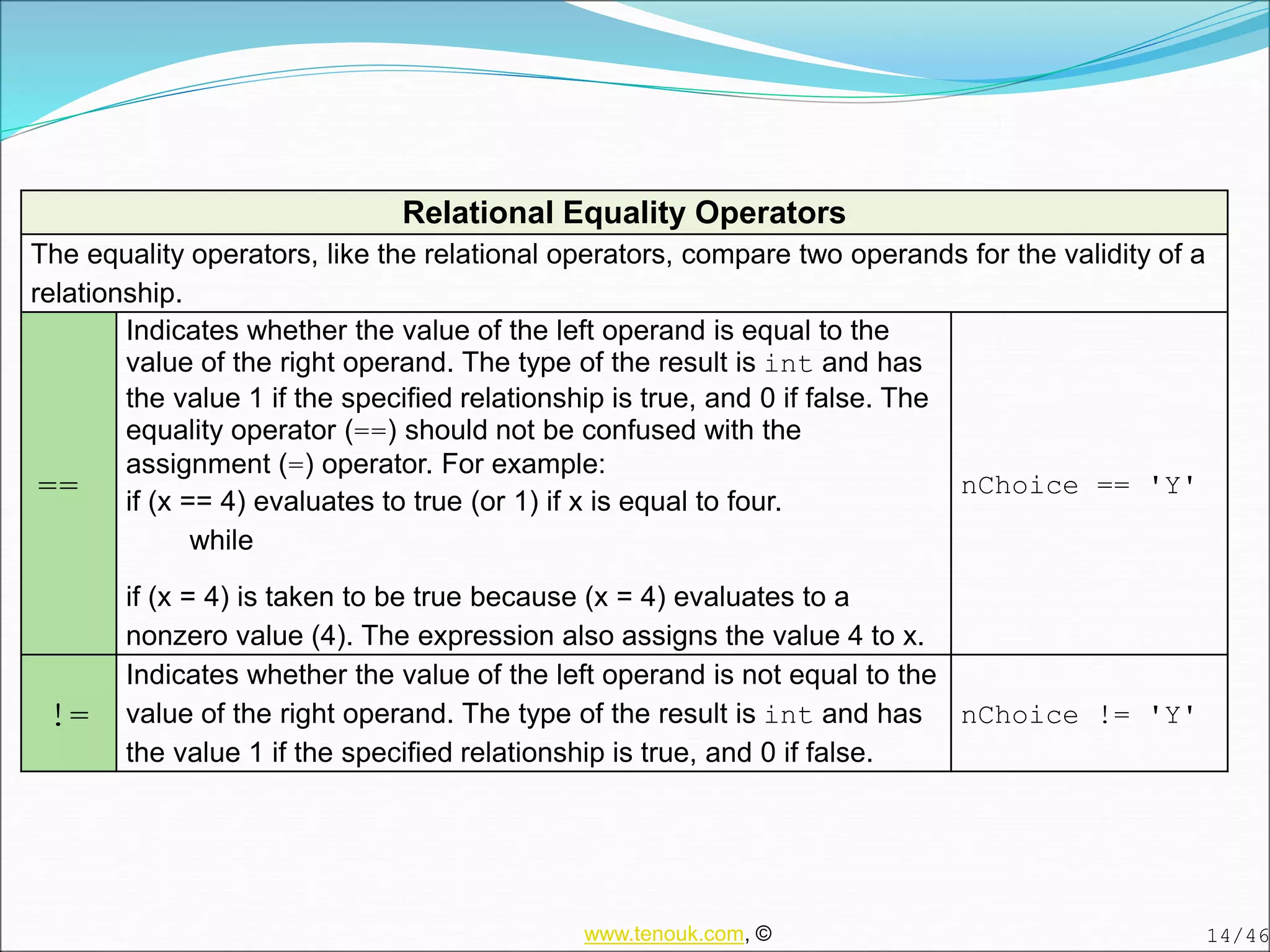
Relational Equality Operators
The equality operators, like the relational operators, compare two operands for the validity of a
relationship.
==
Indicates whether the value of the left operand is equal to the
value of the right operand. The type of the result is int and has
the value 1 if the specified relationship is true, and 0 if false. The
equality operator (==) should not be confused with the
assignment (=) operator. For example:
if (x == 4) evaluates to true (or 1) if x is equal to four.
while
if (x = 4) is taken to be true because (x = 4) evaluates to a
nonzero value (4). The expression also assigns the value 4 to x.
nChoice == 'Y'
!=
Indicates whether the value of the left operand is not equal to the
value of the right operand. The type of the result is int and has
the value 1 if the specified relationship is true, and 0 if false.
nChoice != 'Y'
14/46
www.tenouk.com, ©
Logical Operators
51
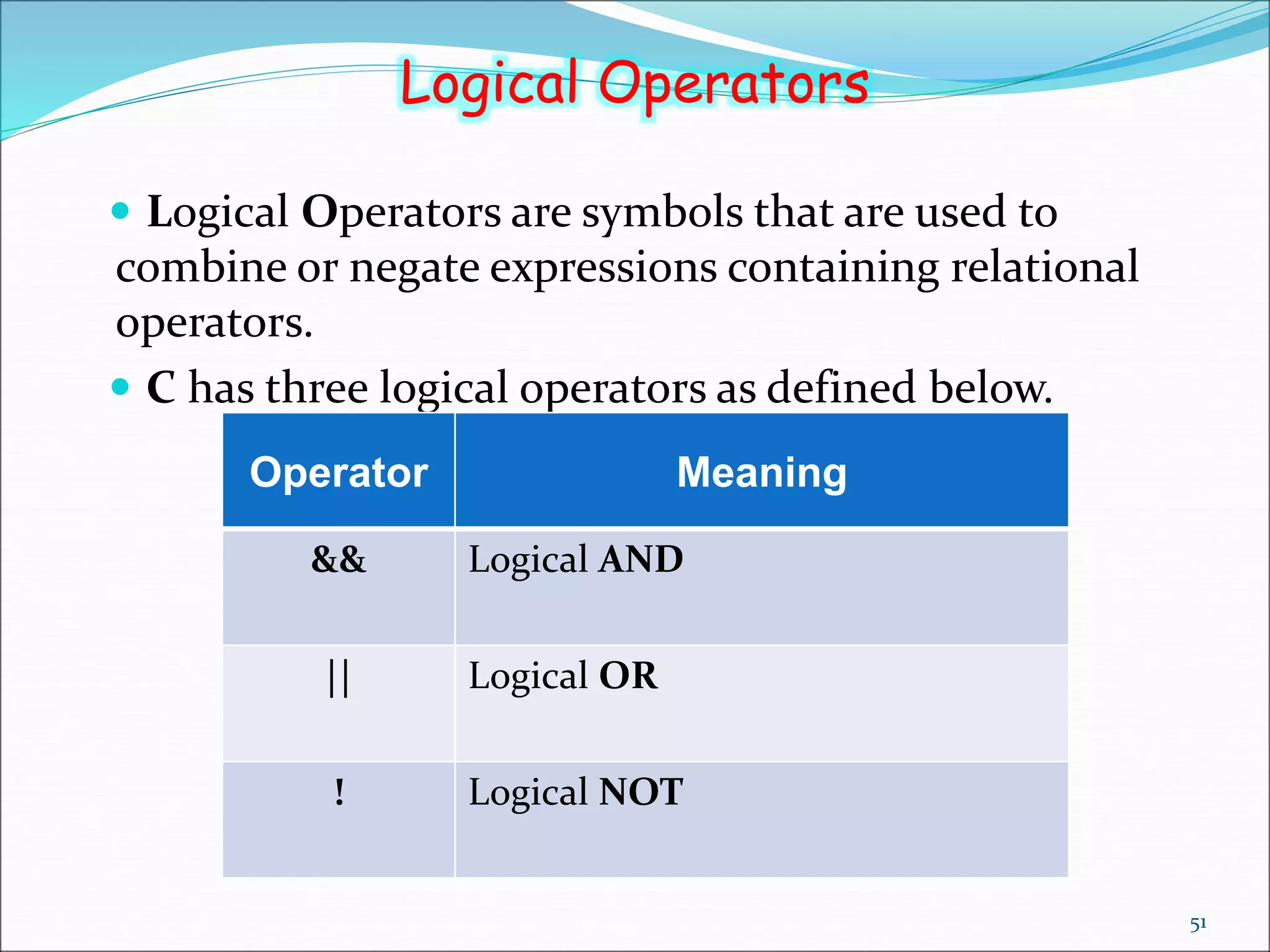
 Logical Operators are symbols that are used to
combine or negate expressions containing relational
operators.
 C has three logical operators as defined below.
Operator Meaning
&& Logical AND
|| Logical OR
! Logical NOT
Logical Operators
52
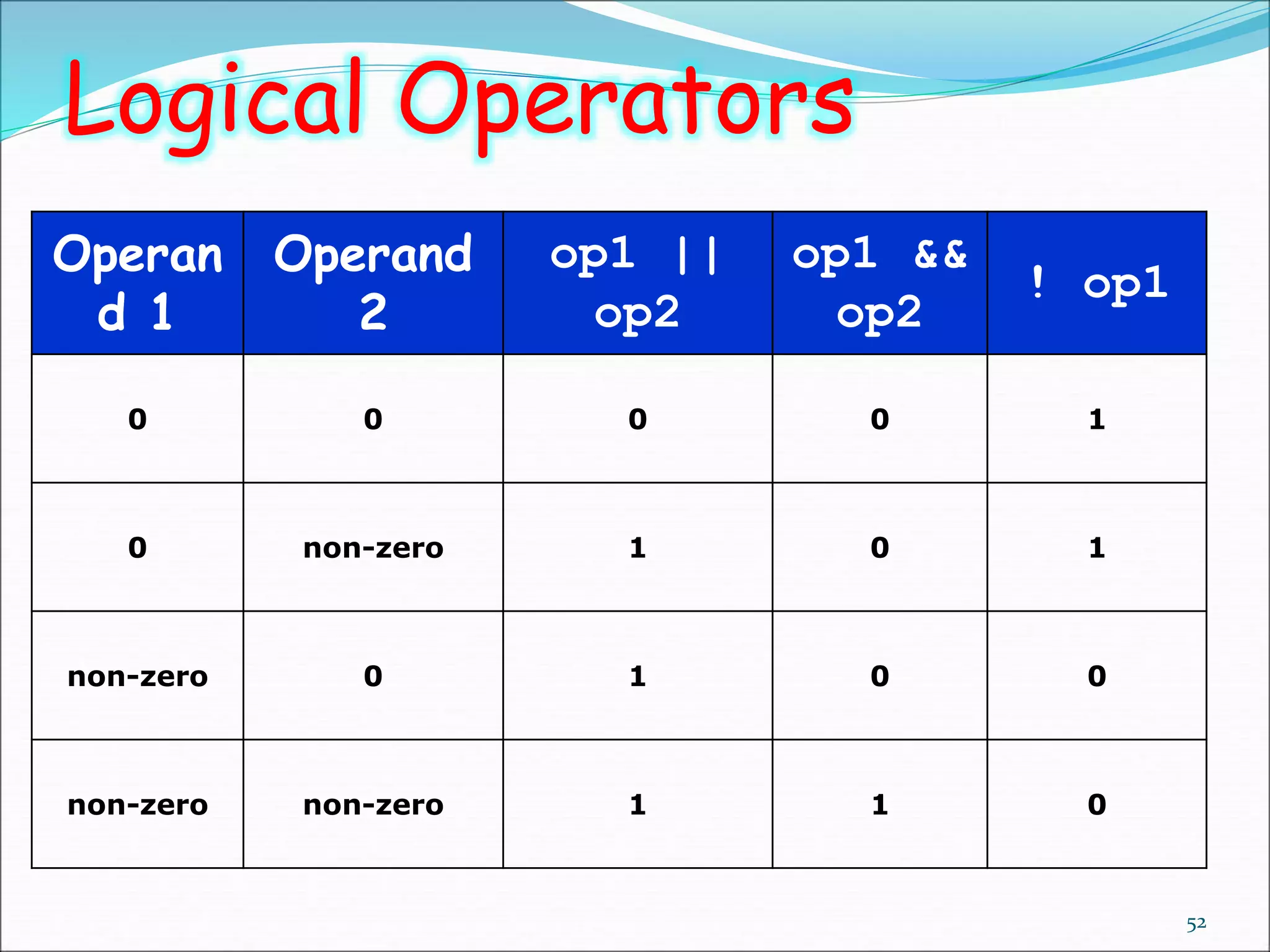
Operan
d 1
Operand
2
op1 ||
op2
op1 &&
op2
! op1
0 0 0 0 1
0 non-zero 1 0 1
non-zero 0 1 0 0
non-zero non-zero 1 1 0
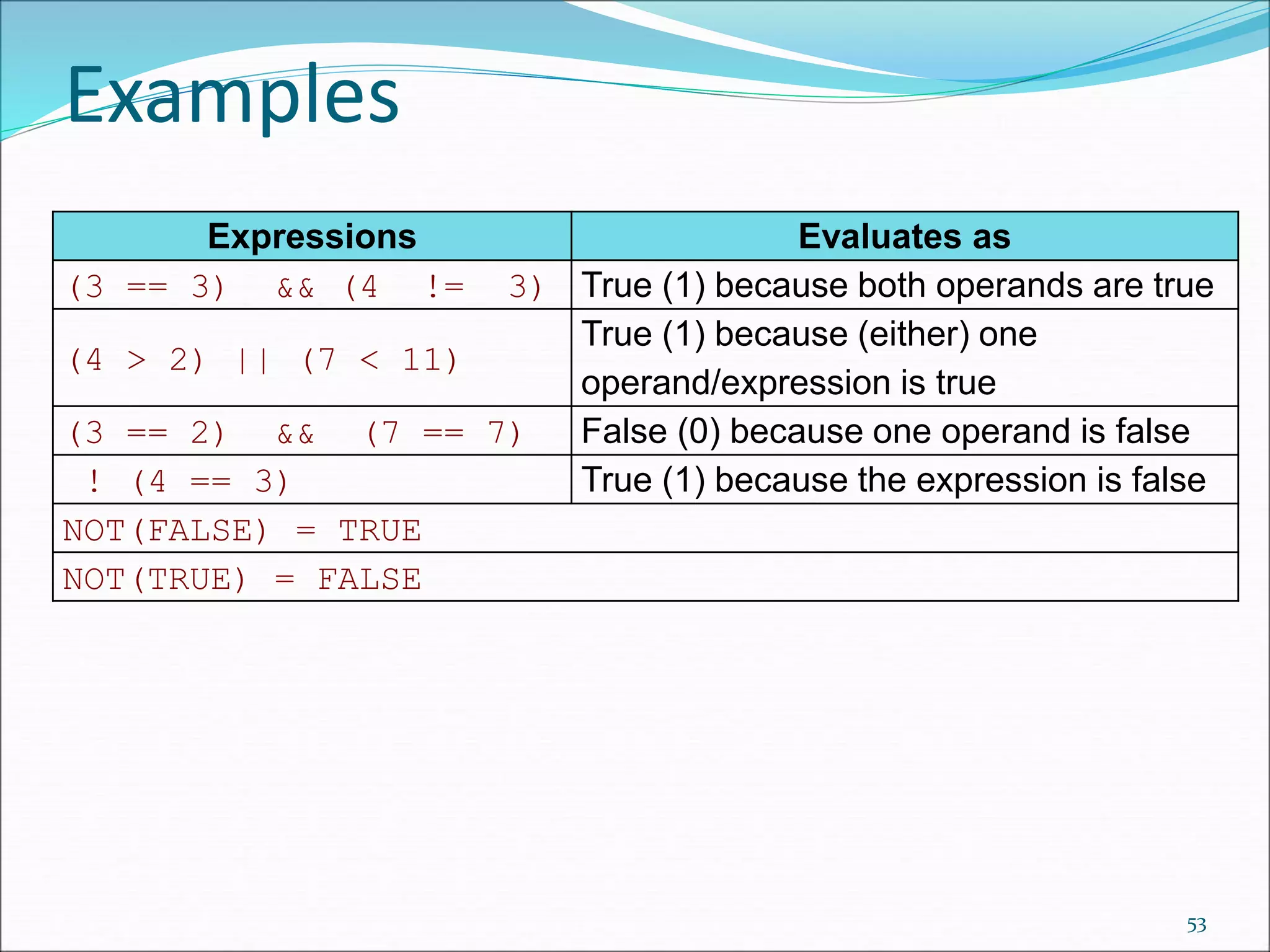
Expressions Evaluates as
(3 == 3) && (4 != 3) True (1) because both operands are true
(4 > 2) || (7 < 11)
True (1) because (either) one
operand/expression is true
(3 == 2) && (7 == 7) False (0) because one operand is false
! (4 == 3) True (1) because the expression is false
NOT(FALSE) = TRUE
NOT(TRUE) = FALSE
Examples
53
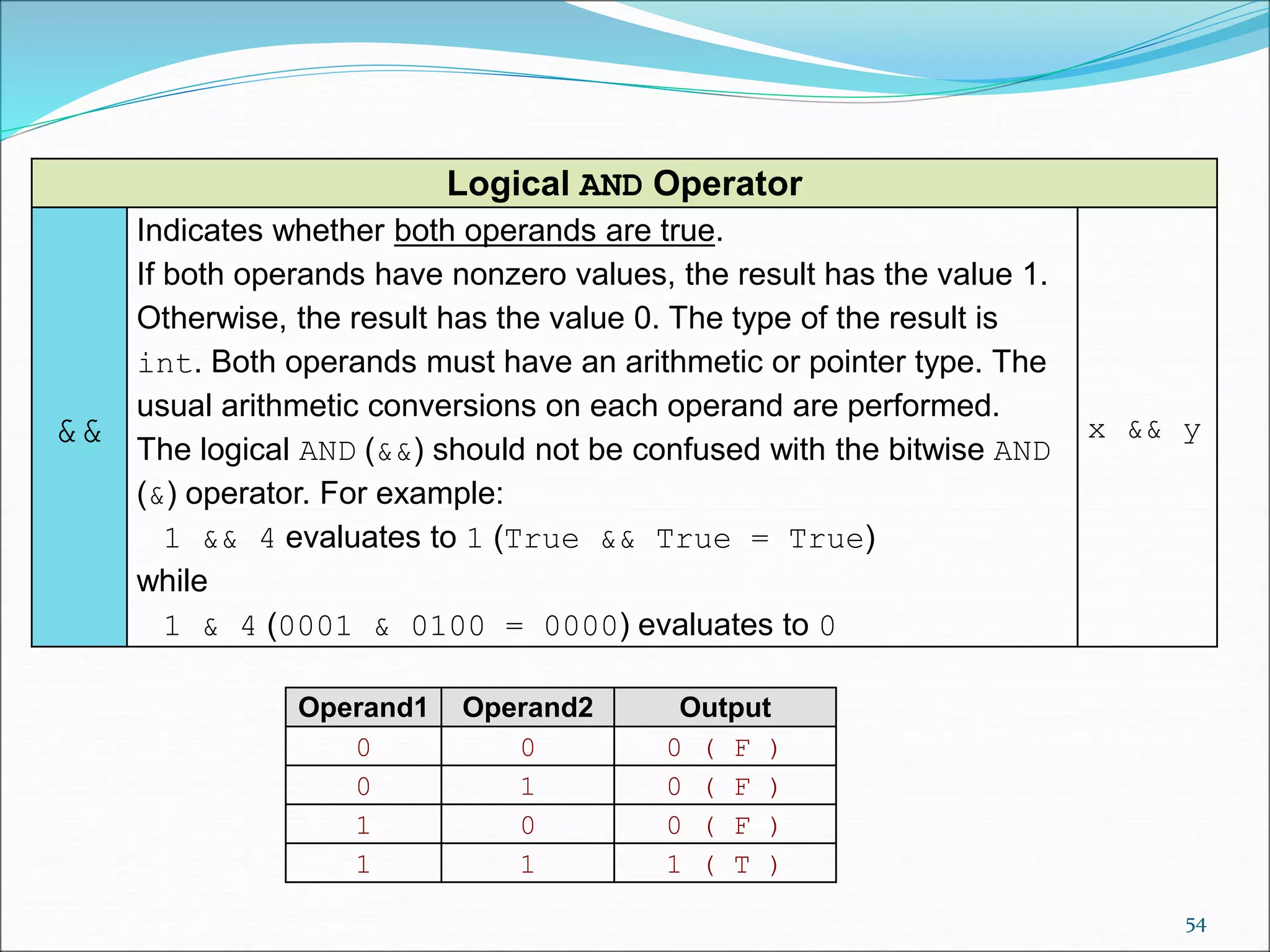
Logical AND Operator
&&
Indicates whether both operands are true.
If both operands have nonzero values, the result has the value 1.
Otherwise, the result has the value 0. The type of the result is
int. Both operands must have an arithmetic or pointer type. The
usual arithmetic conversions on each operand are performed.
The logical AND (&&) should not be confused with the bitwise AND
(&) operator. For example:
1 && 4 evaluates to 1 (True && True = True)
while
1 & 4 (0001 & 0100 = 0000) evaluates to 0
x && y
Operand1 Operand2 Output
0 0 0 ( F )
0 1 0 ( F )
1 0 0 ( F )
1 1 1 ( T )
54
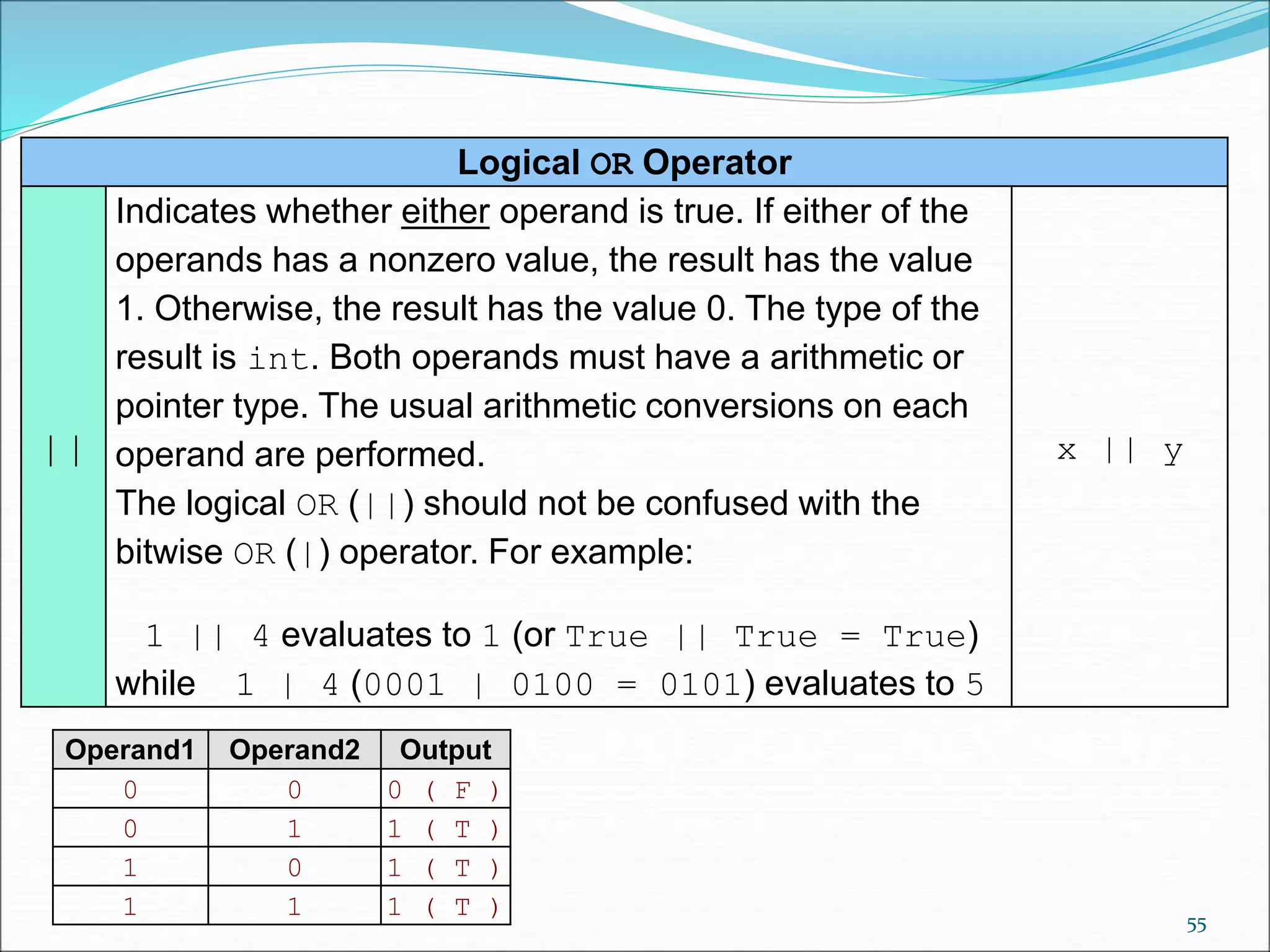
Logical OR Operator
||
Indicates whether either operand is true. If either of the
operands has a nonzero value, the result has the value
1. Otherwise, the result has the value 0. The type of the
result is int. Both operands must have a arithmetic or
pointer type. The usual arithmetic conversions on each
operand are performed.
The logical OR (||) should not be confused with the
bitwise OR (|) operator. For example:
1 || 4 evaluates to 1 (or True || True = True)
while 1 | 4 (0001 | 0100 = 0101) evaluates to 5
x || y
Operand1 Operand2 Output
0 0 0 ( F )
0 1 1 ( T )
1 0 1 ( T )
1 1 1 ( T ) 55
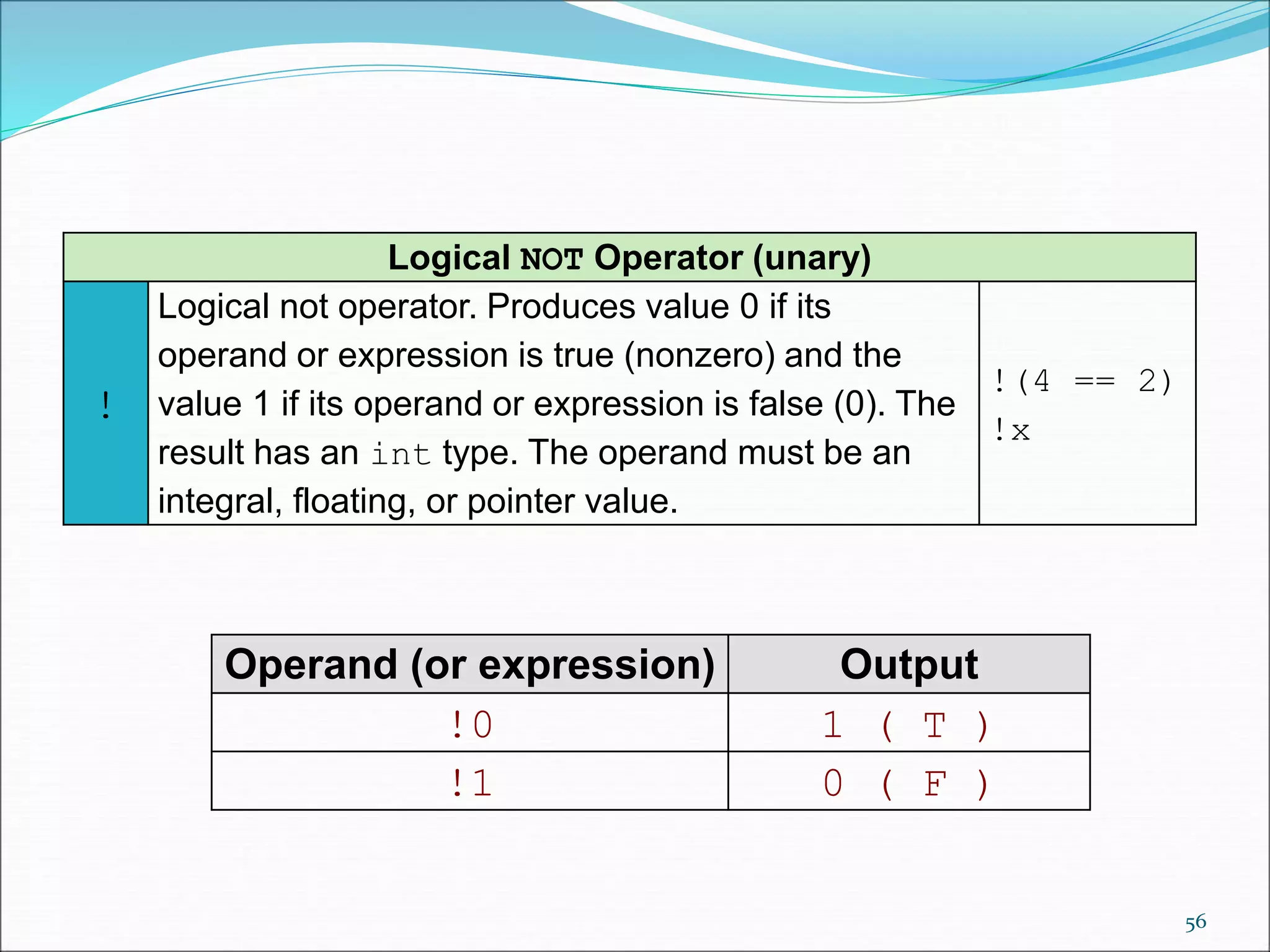
Logical NOT Operator (unary)
!
Logical not operator. Produces value 0 if its
operand or expression is true (nonzero) and the
value 1 if its operand or expression is false (0). The
result has an int type. The operand must be an
integral, floating, or pointer value.
!(4 == 2)
!x
Operand (or expression) Output
!0 1 ( T )
!1 0 ( F )
56
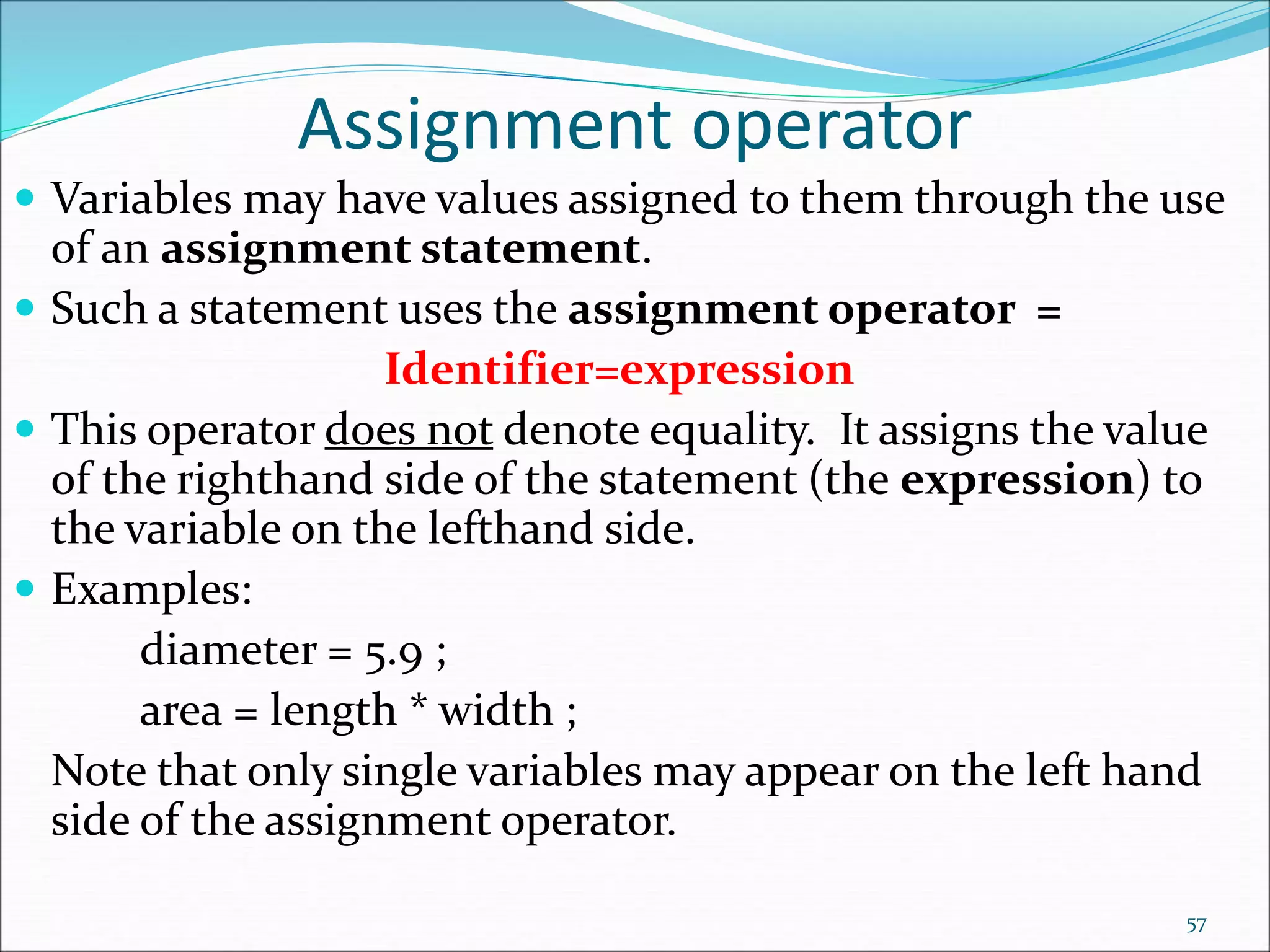
Assignment operator
 Variables may have values assigned to them through the use
of an assignment statement.
 Such a statement uses the assignment operator =
Identifier=expression
 This operator does not denote equality. It assigns the value
of the righthand side of the statement (the expression) to
the variable on the lefthand side.
 Examples:
diameter = 5.9 ;
area = length * width ;
Note that only single variables may appear on the left hand
side of the assignment operator.
57
58
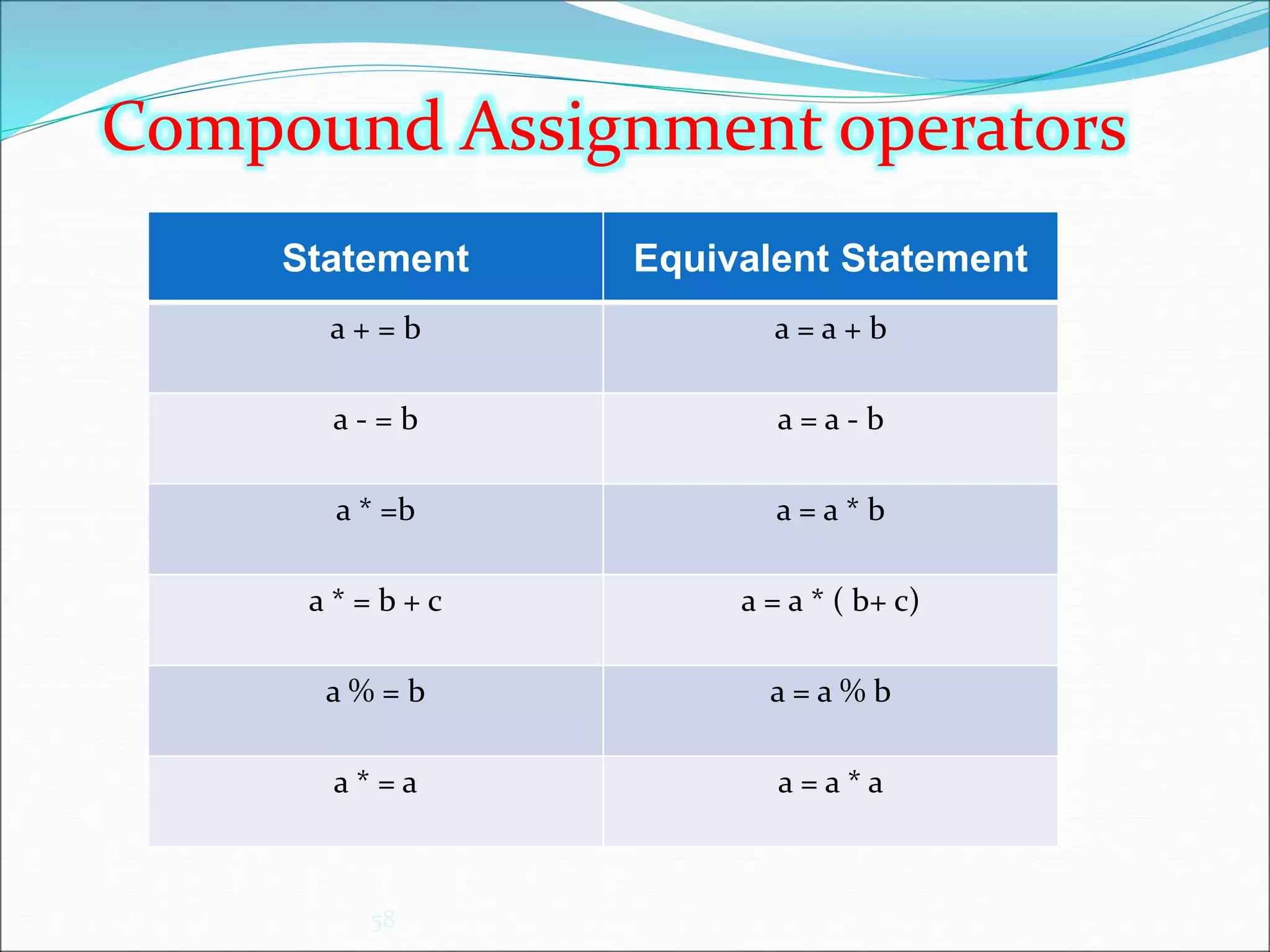
Statement Equivalent Statement
a + = b a = a + b
a - = b a = a - b
a * =b a = a * b
a * = b + c a = a * ( b+ c)
a % = b a = a % b
a * = a a = a * a
Compound Assignment operators
59
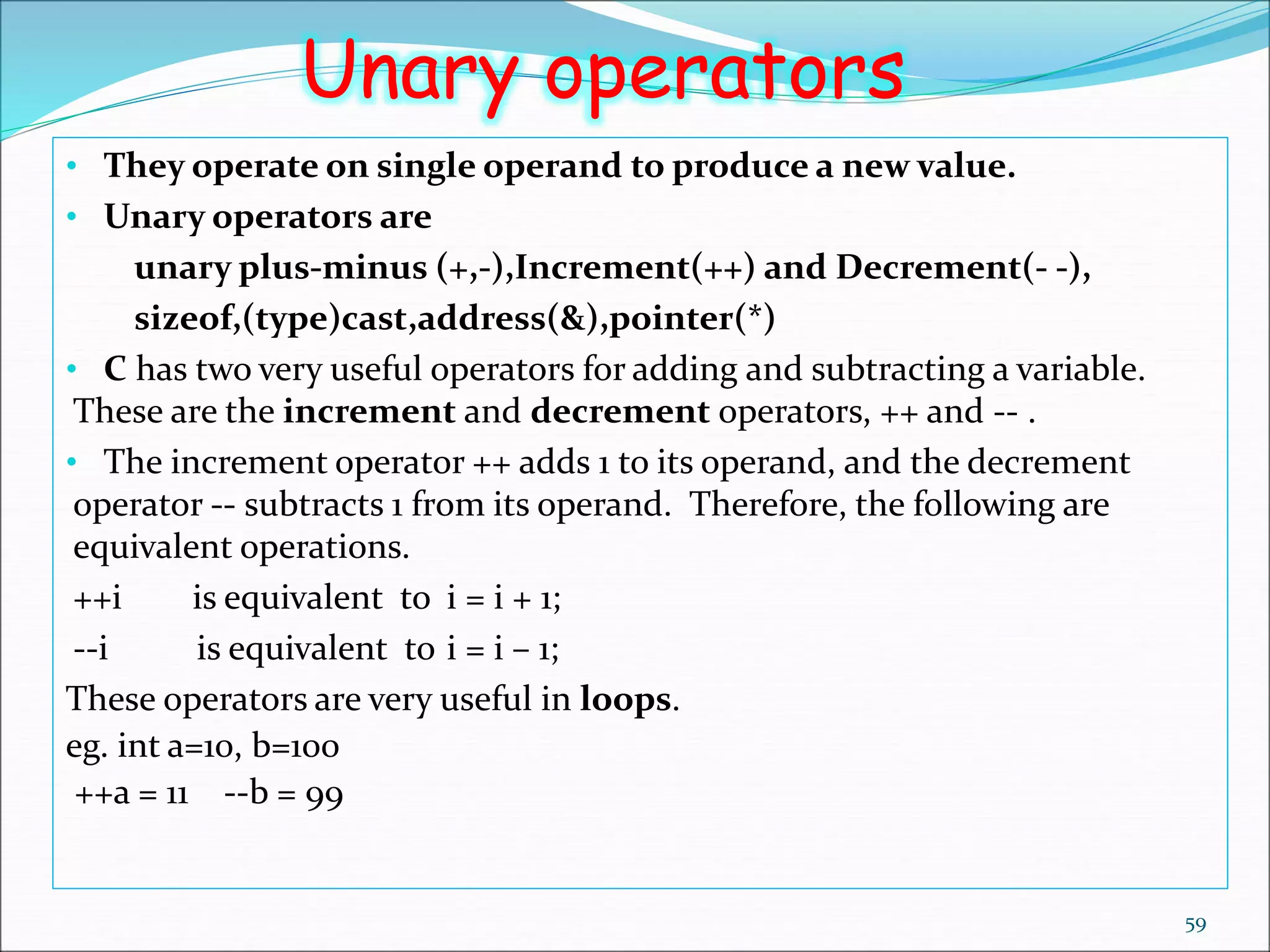
Unary operators
• They operate on single operand to produce a new value.
• Unary operators are
unary plus-minus (+,-),Increment(++) and Decrement(- -),
sizeof,(type)cast,address(&),pointer(*)
• C has two very useful operators for adding and subtracting a variable.
These are the increment and decrement operators, ++ and -- .
• The increment operator ++ adds 1 to its operand, and the decrement
operator -- subtracts 1 from its operand. Therefore, the following are
equivalent operations.
++i is equivalent to i = i + 1;
--i is equivalent to i = i – 1;
These operators are very useful in loops.
eg. int a=10, b=100
++a = 11 --b = 99
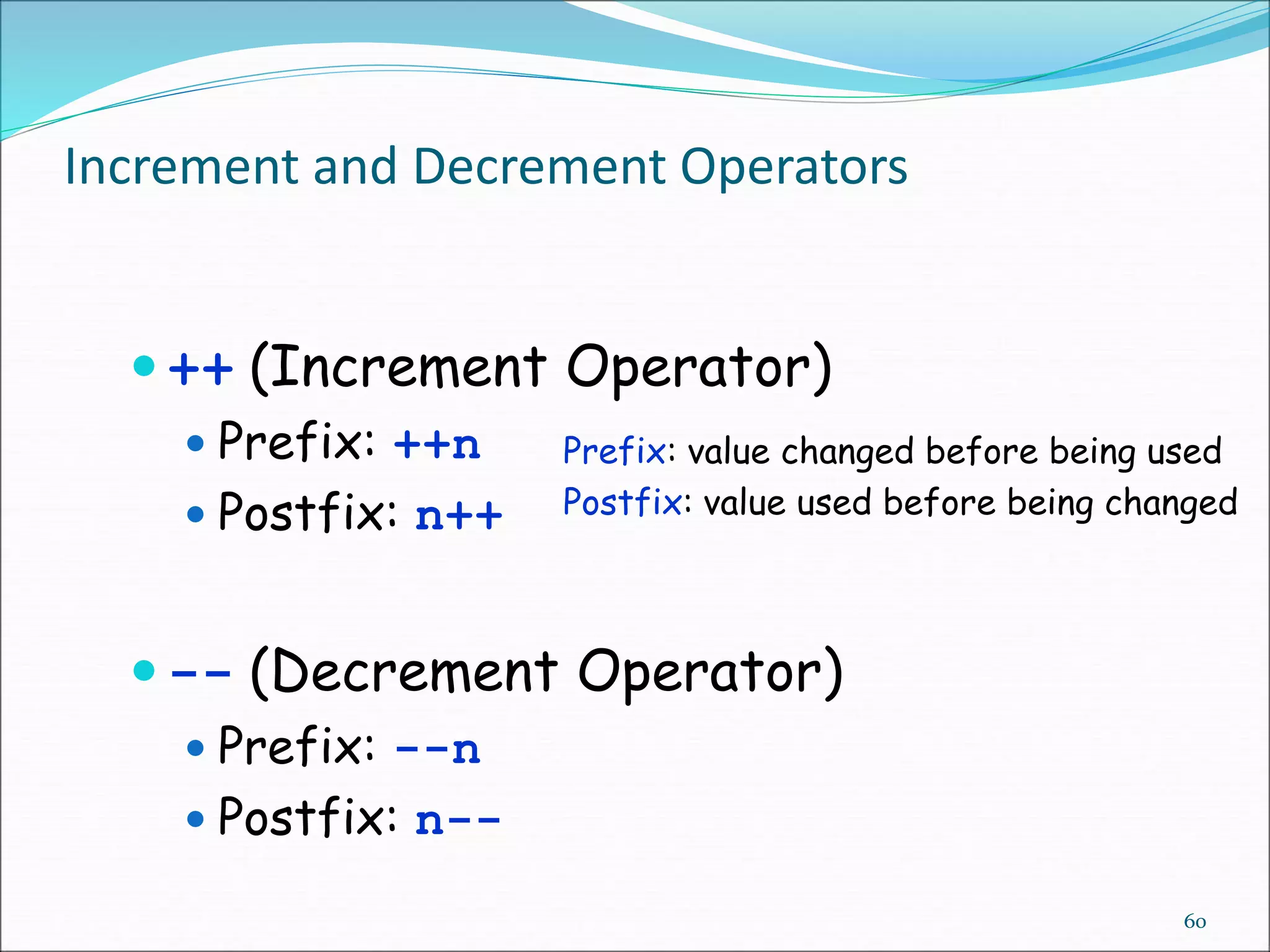
Increment and Decrement Operators
 ++ (Increment Operator)
 Prefix: ++n
 Postfix: n++
 -- (Decrement Operator)
 Prefix: --n
 Postfix: n--
60
Prefix: value changed before being used
Postfix: value used before being changed
Examples for ++ & -- operators
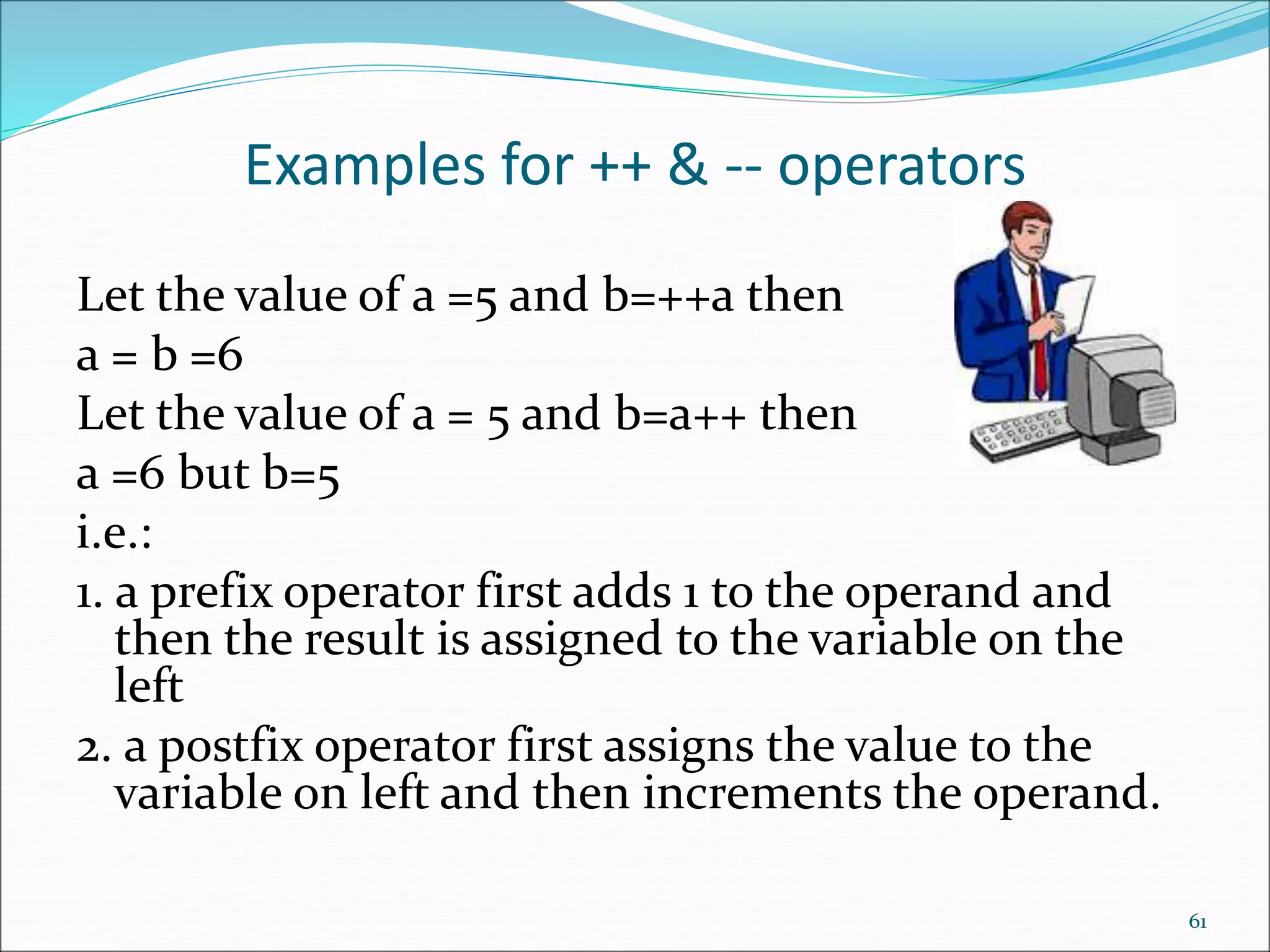
Let the value of a =5 and b=++a then
a = b =6
Let the value of a = 5 and b=a++ then
a =6 but b=5
i.e.:
1. a prefix operator first adds 1 to the operand and
then the result is assigned to the variable on the
left
2. a postfix operator first assigns the value to the
variable on left and then increments the operand.
61
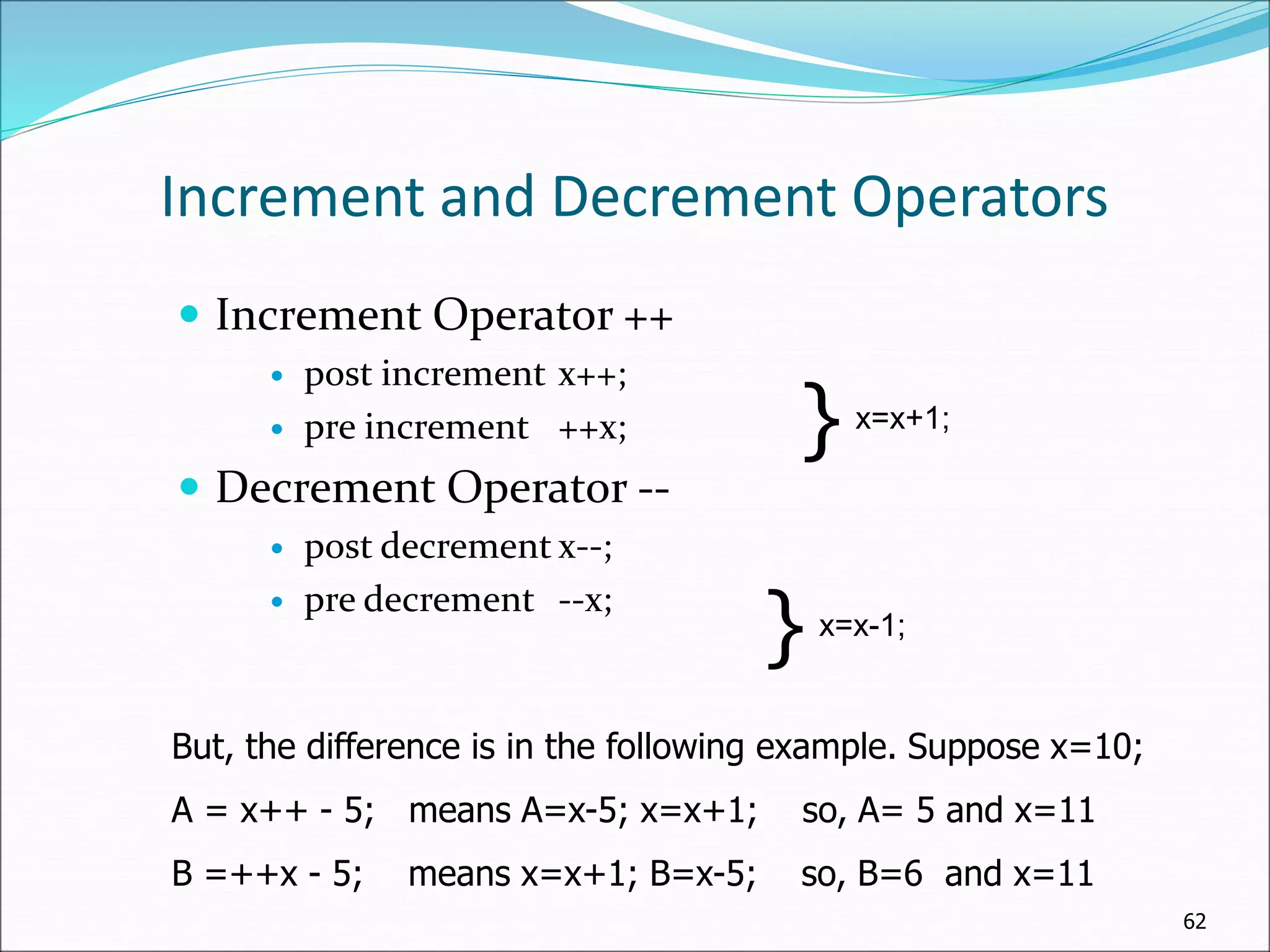
Increment and Decrement Operators
 Increment Operator ++
 post increment x++;
 pre increment ++x;
 Decrement Operator --
 post decrement x--;
 pre decrement --x;
62
} x=x+1;
} x=x-1;
But, the difference is in the following example. Suppose x=10;
A = x++ - 5; means A=x-5; x=x+1; so, A= 5 and x=11
B =++x - 5; means x=x+1; B=x-5; so, B=6 and x=11
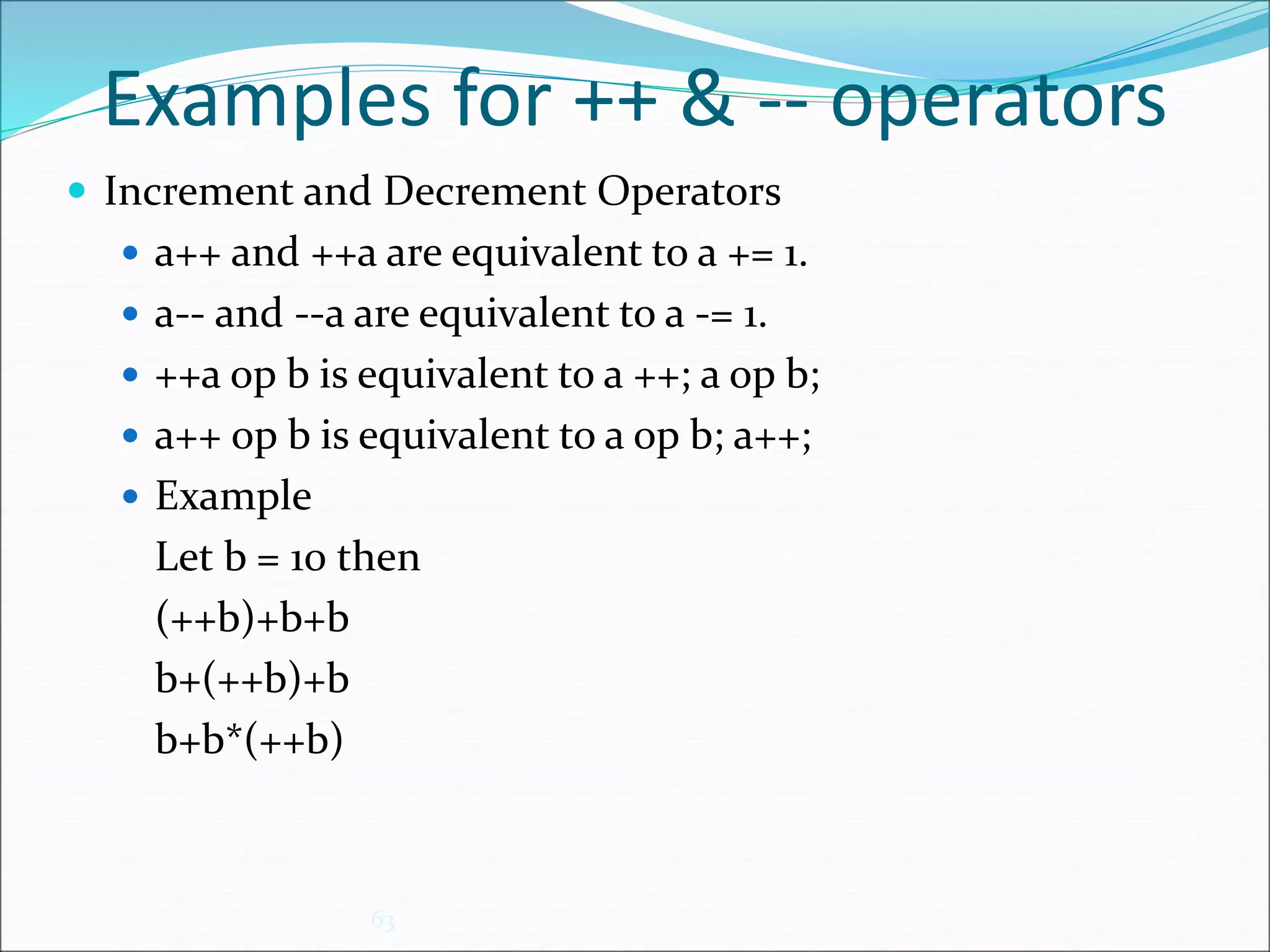
Examples for ++ & -- operators
 Increment and Decrement Operators
 a++ and ++a are equivalent to a += 1.
 a-- and --a are equivalent to a -= 1.
 ++a op b is equivalent to a ++; a op b;
 a++ op b is equivalent to a op b; a++;
 Example
Let b = 10 then
(++b)+b+b
b+(++b)+b
b+b*(++b)
63
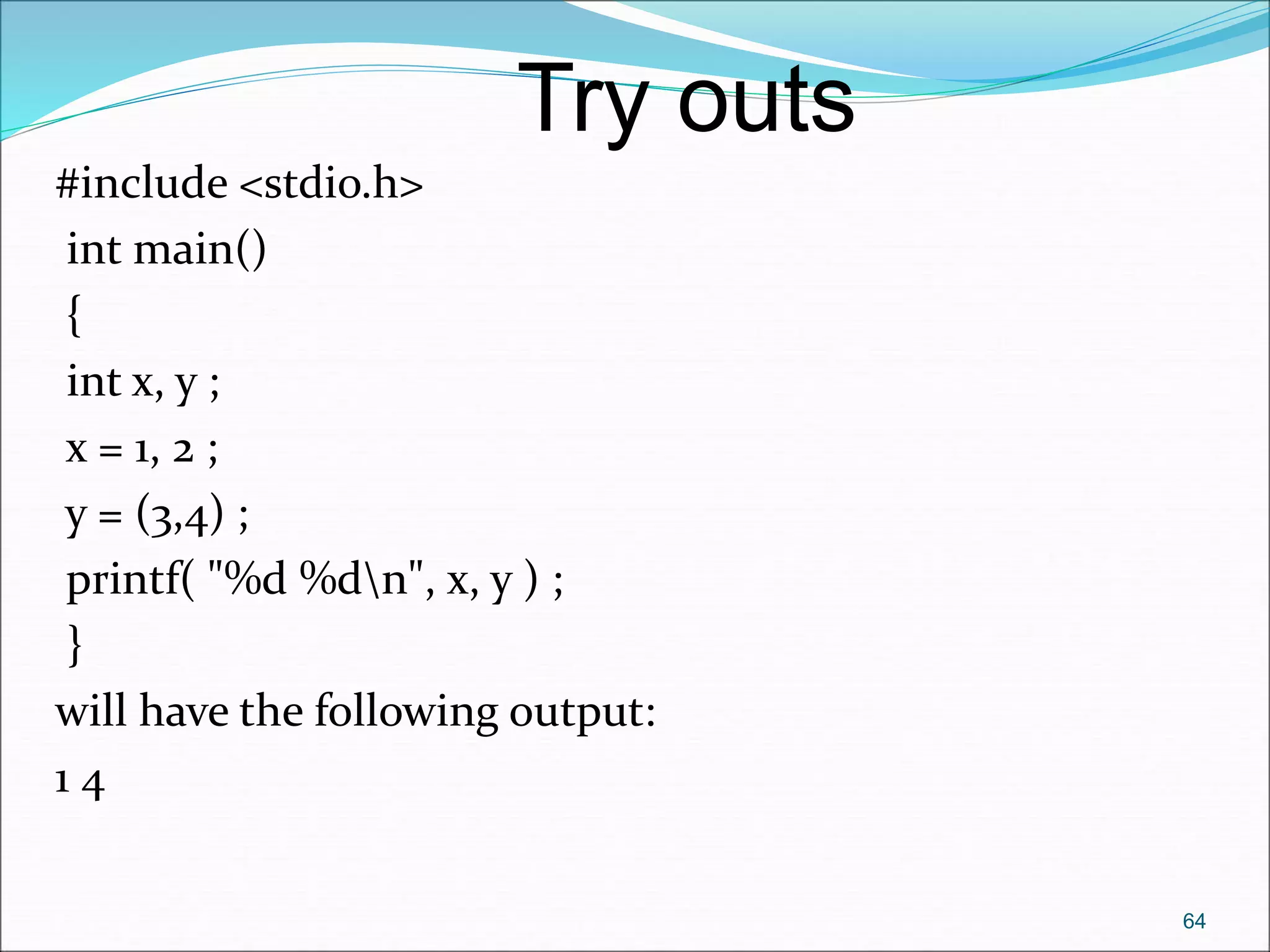
#include <stdio.h>
int main()
{
int x, y ;
x = 1, 2 ;
y = (3,4) ;
printf( "%d %dn", x, y ) ;
}
will have the following output:
1 4
64
Try outs
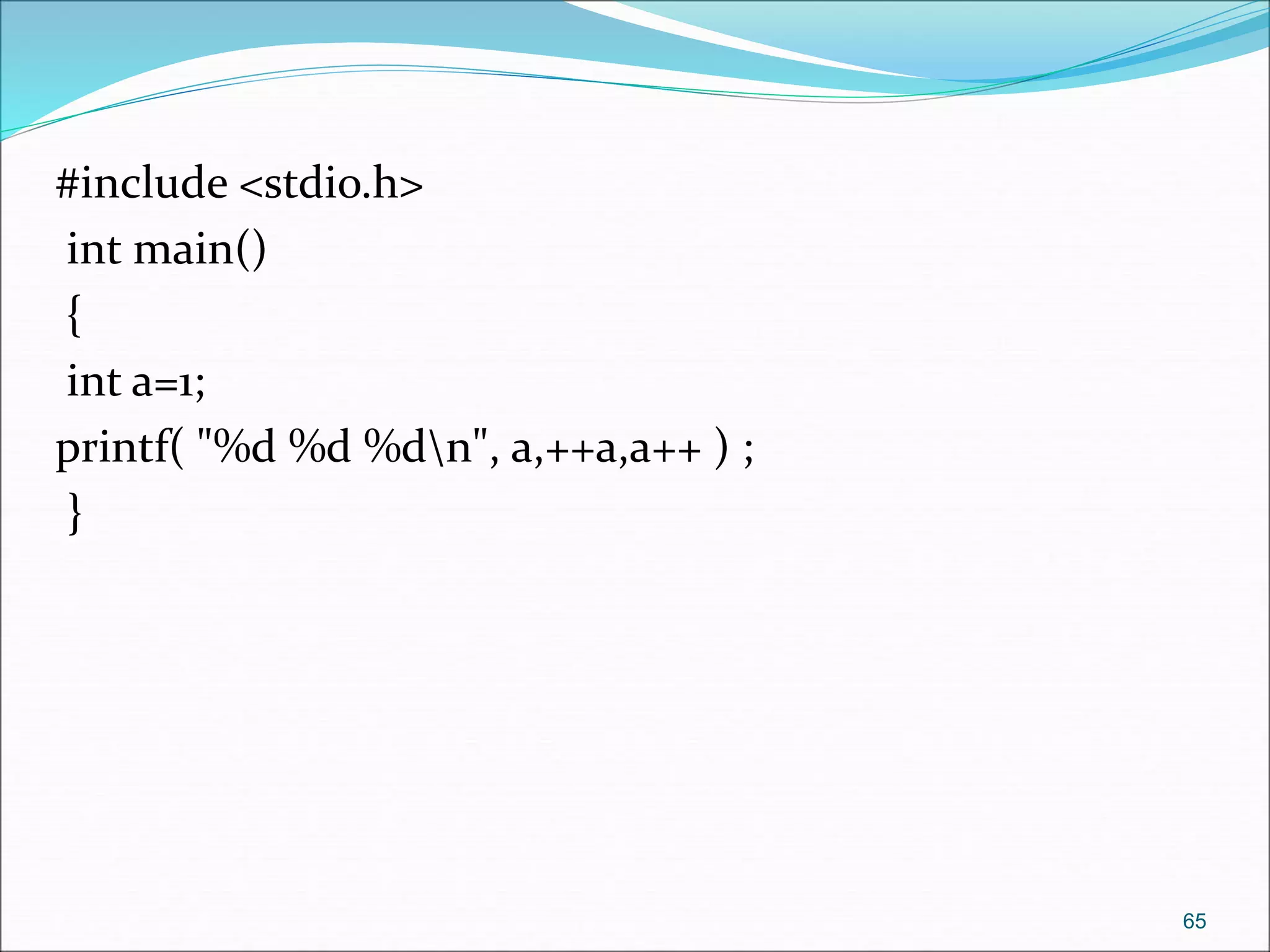
#include <stdio.h>
int main()
{
int a=1;
printf( "%d %d %dn", a,++a,a++ ) ;
}
65
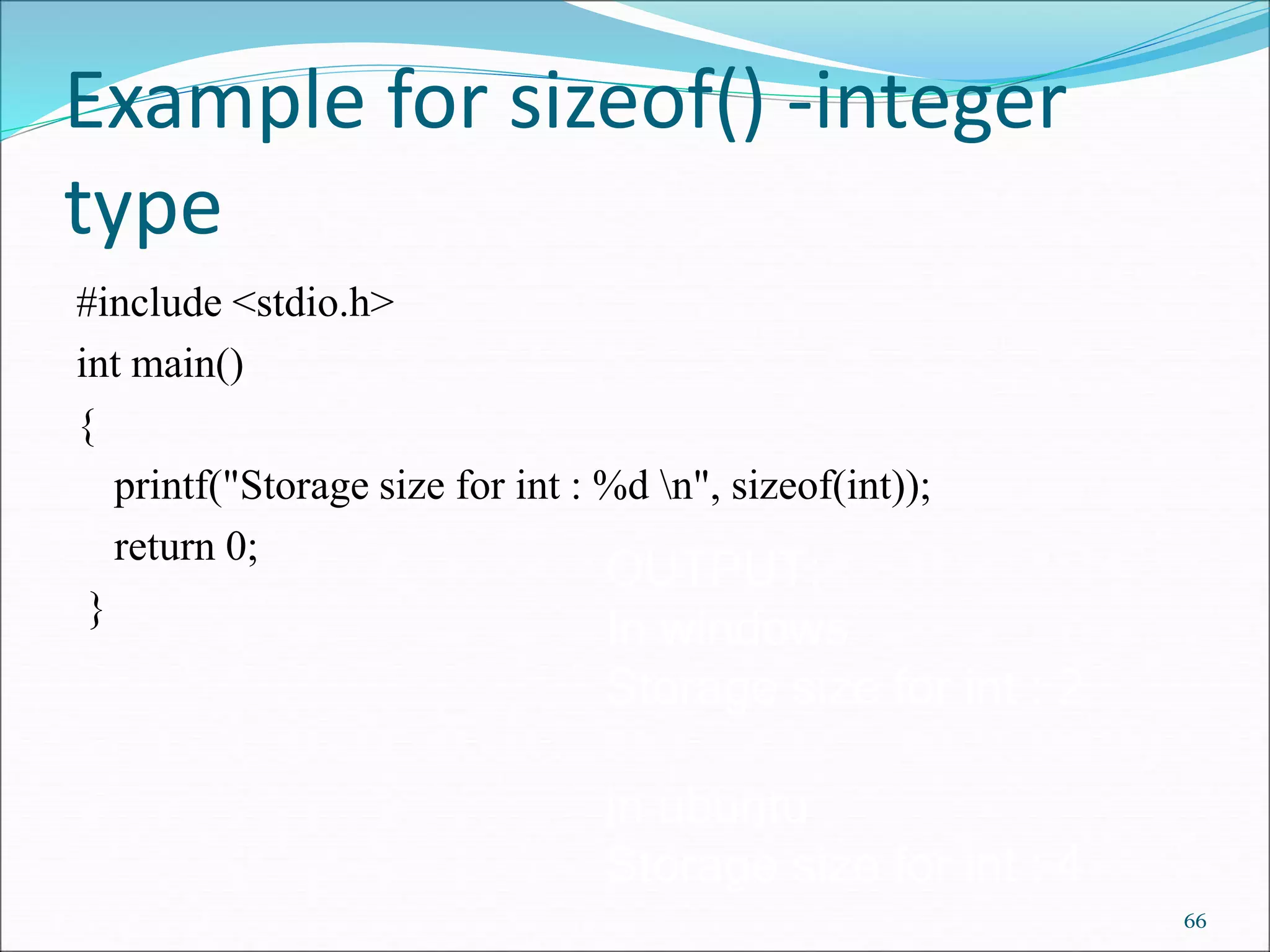
Example for sizeof() -integer
type
#include <stdio.h>
int main()
{
printf("Storage size for int : %d n", sizeof(int));
return 0;
}
66
OUTPUT:
In windows
Storage size for int : 2
in ubuntu
Storage size for int : 4
Type Conversions
67
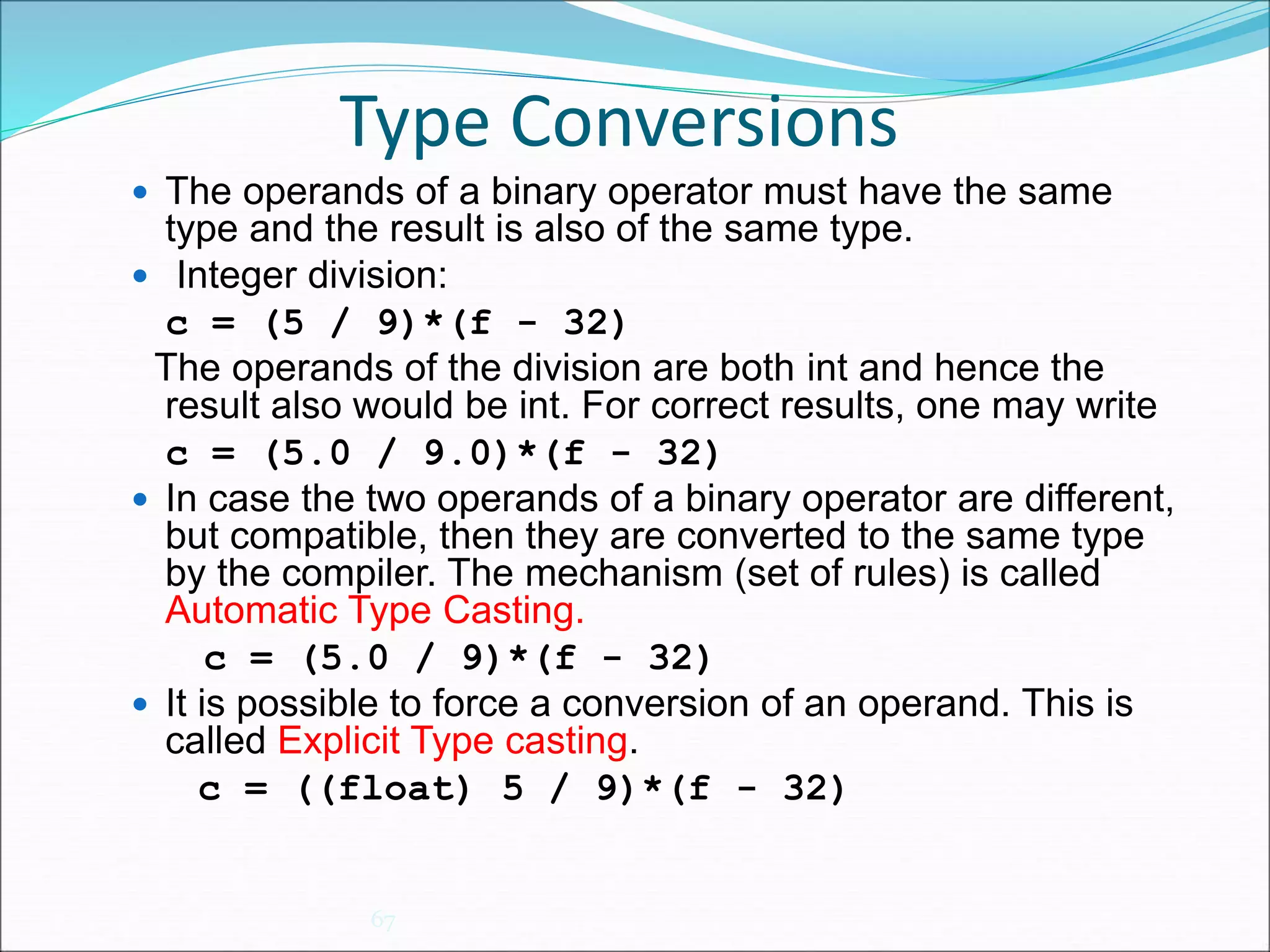
 The operands of a binary operator must have the same
type and the result is also of the same type.
 Integer division:
c = (5 / 9)*(f - 32)
The operands of the division are both int and hence the
result also would be int. For correct results, one may write
c = (5.0 / 9.0)*(f - 32)
 In case the two operands of a binary operator are different,
but compatible, then they are converted to the same type
by the compiler. The mechanism (set of rules) is called
Automatic Type Casting.
c = (5.0 / 9)*(f - 32)
 It is possible to force a conversion of an operand. This is
called Explicit Type casting.
c = ((float) 5 / 9)*(f - 32)
Automatic Type Casting
68
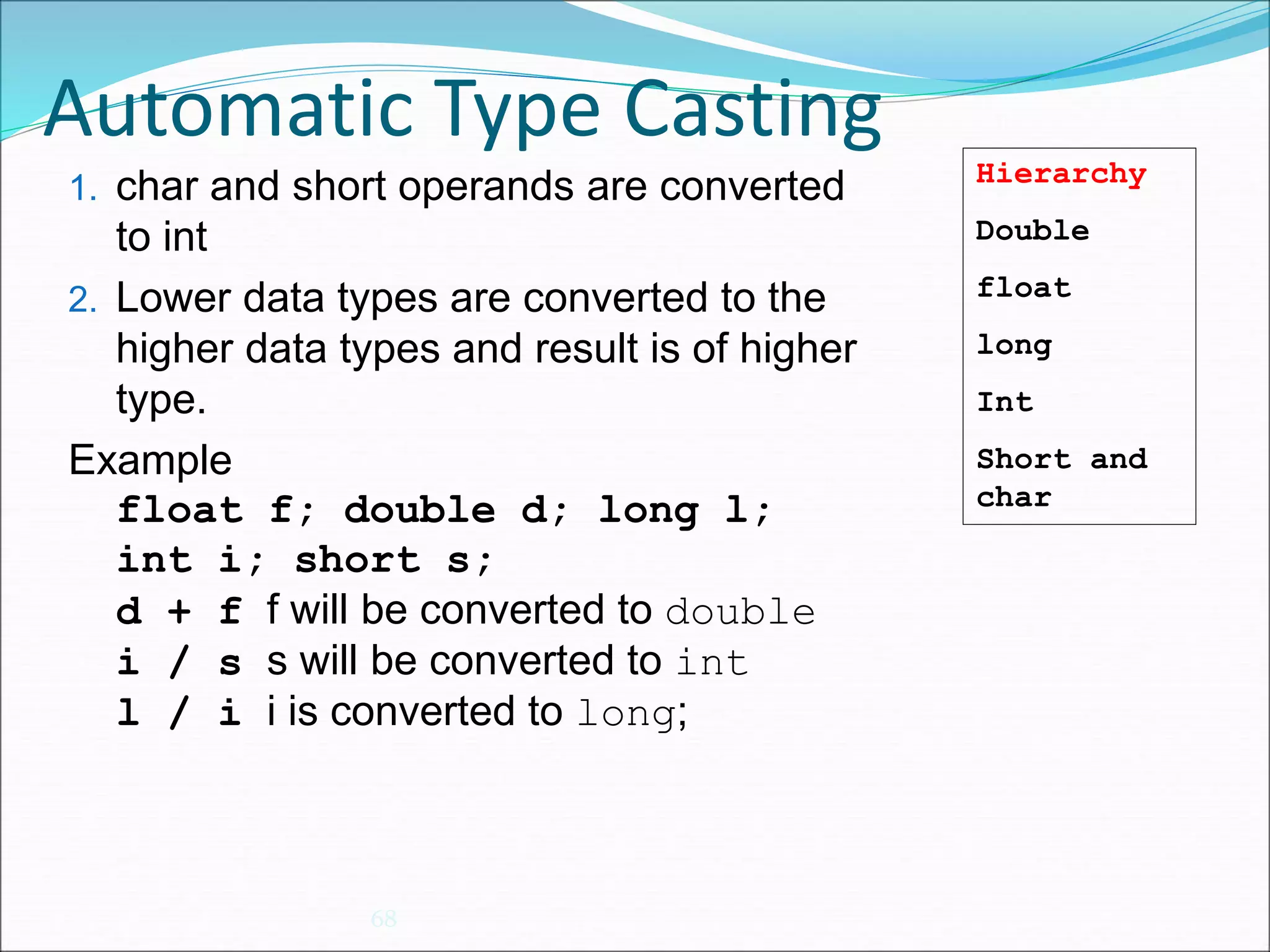
1. char and short operands are converted
to int
2. Lower data types are converted to the
higher data types and result is of higher
type.
Example
float f; double d; long l;
int i; short s;
d + f f will be converted to double
i / s s will be converted to int
l / i i is converted to long;
Hierarchy
Double
float
long
Int
Short and
char
Explicit Type Casting
69
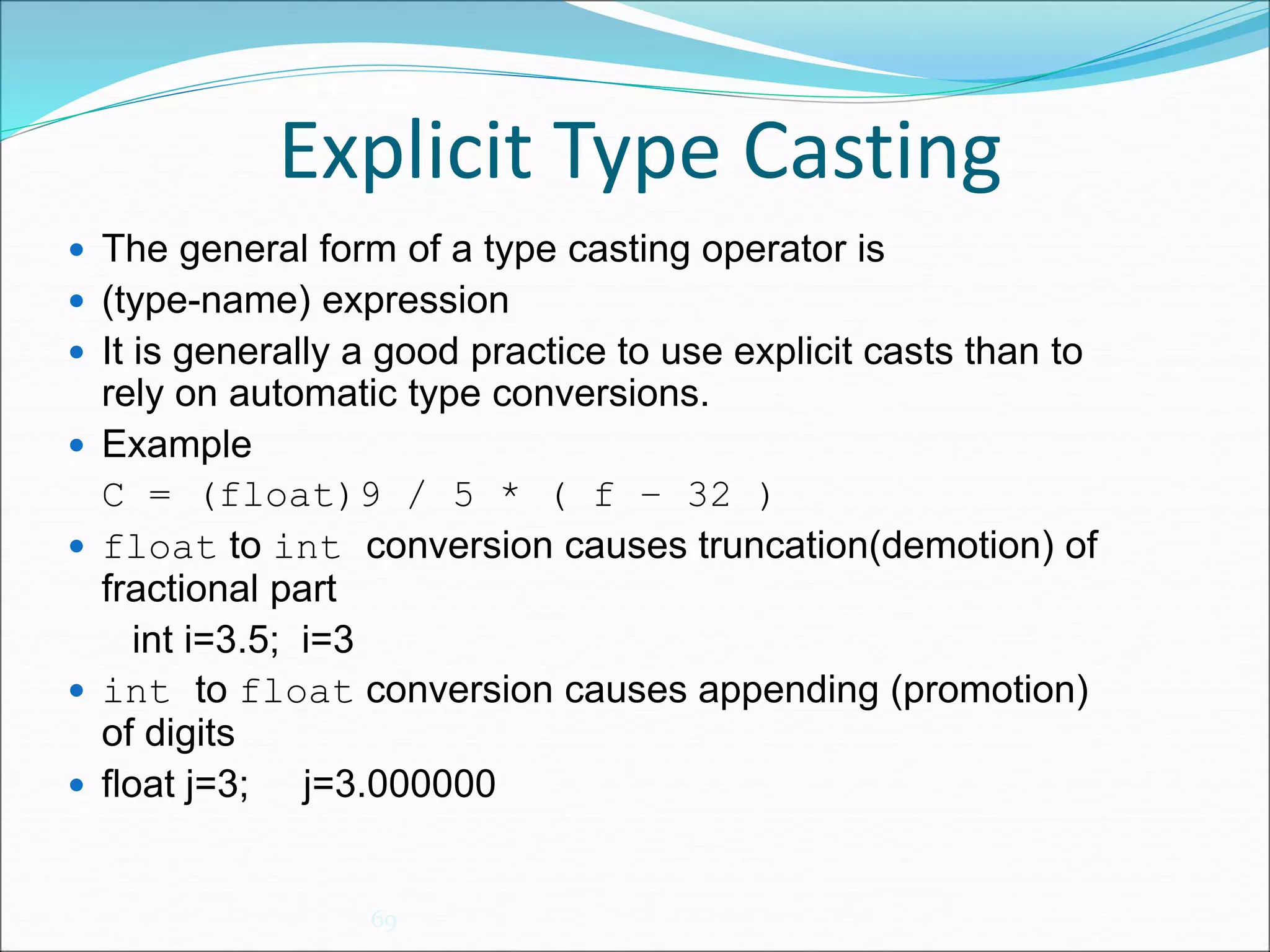
 The general form of a type casting operator is
 (type-name) expression
 It is generally a good practice to use explicit casts than to
rely on automatic type conversions.
 Example
C = (float)9 / 5 * ( f – 32 )
 float to int conversion causes truncation(demotion) of
fractional part
int i=3.5; i=3
 int to float conversion causes appending (promotion)
of digits
 float j=3; j=3.000000
Conditional Operator
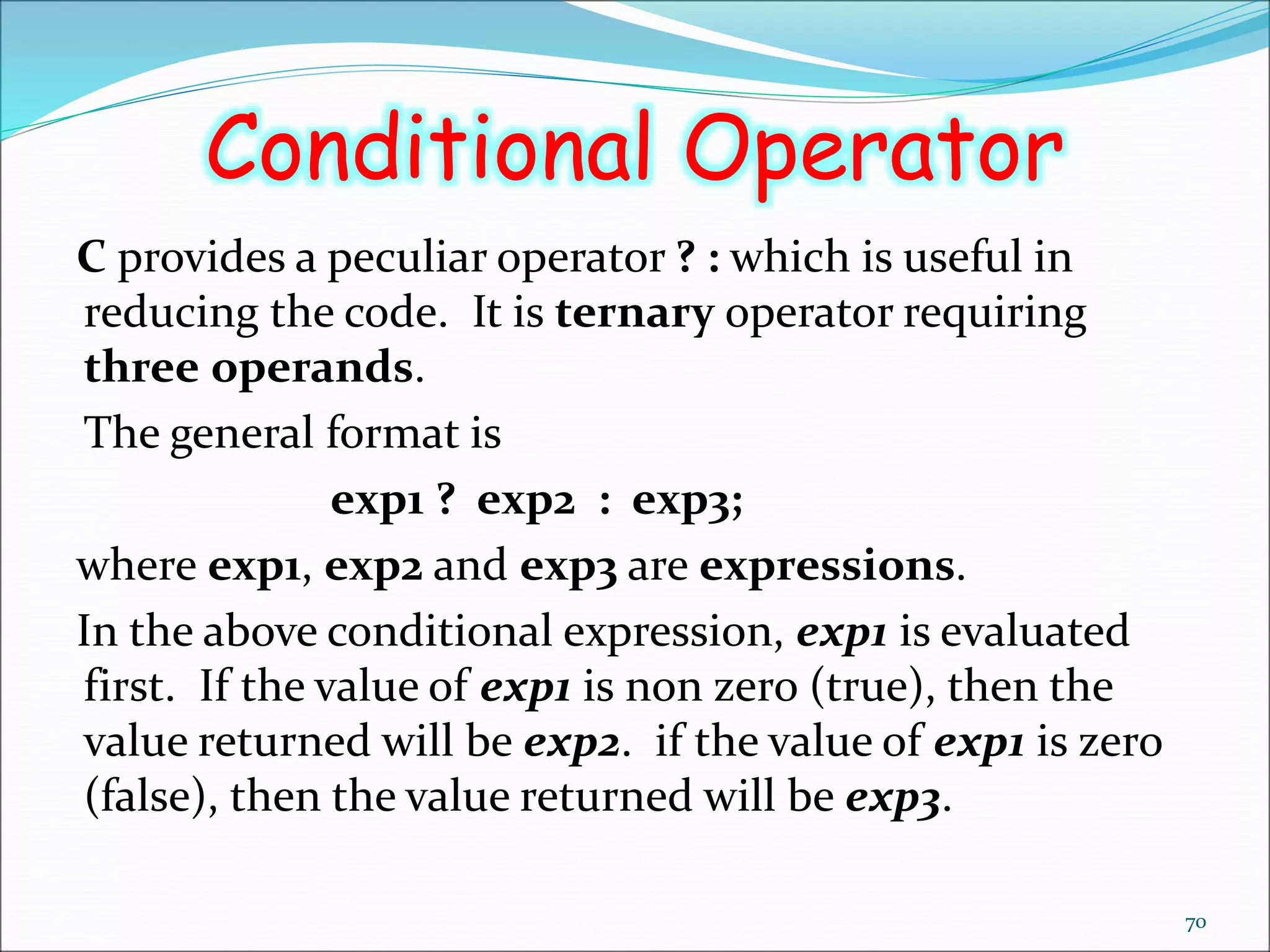
C provides a peculiar operator ? : which is useful in
reducing the code. It is ternary operator requiring
three operands.
The general format is
exp1 ? exp2 : exp3;
where exp1, exp2 and exp3 are expressions.
In the above conditional expression, exp1 is evaluated
first. If the value of exp1 is non zero (true), then the
value returned will be exp2. if the value of exp1 is zero
(false), then the value returned will be exp3.
70
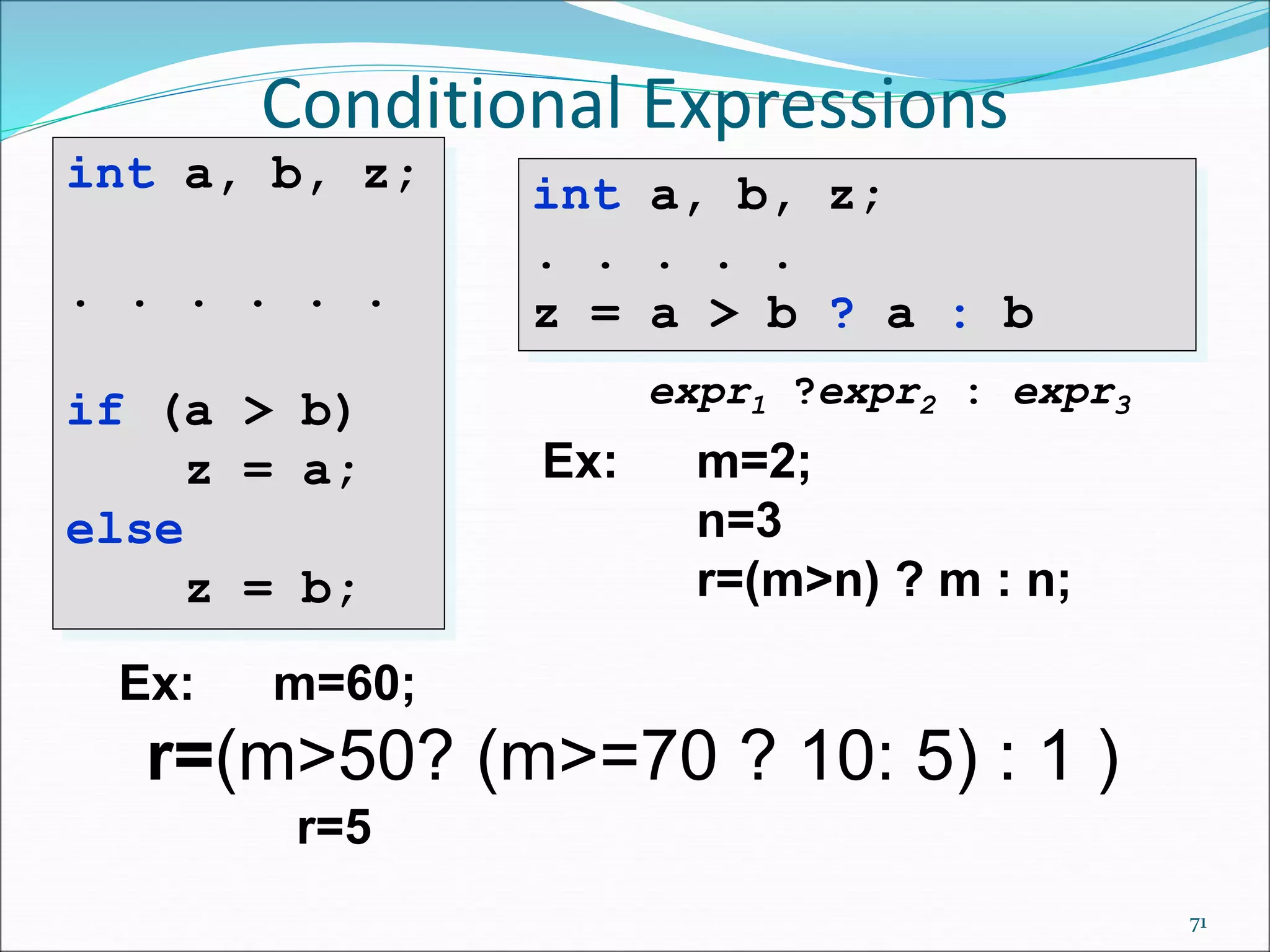
Conditional Expressions
71
int a, b, z;
. . . . . .
if (a > b)
z = a;
else
z = b;
int a, b, z;
. . . . .
z = a > b ? a : b
expr1 ?expr2 : expr3
Ex: m=2;
n=3
r=(m>n) ? m : n;
Ex: m=60;
r=(m>50? (m>=70 ? 10: 5) : 1 )
r=5
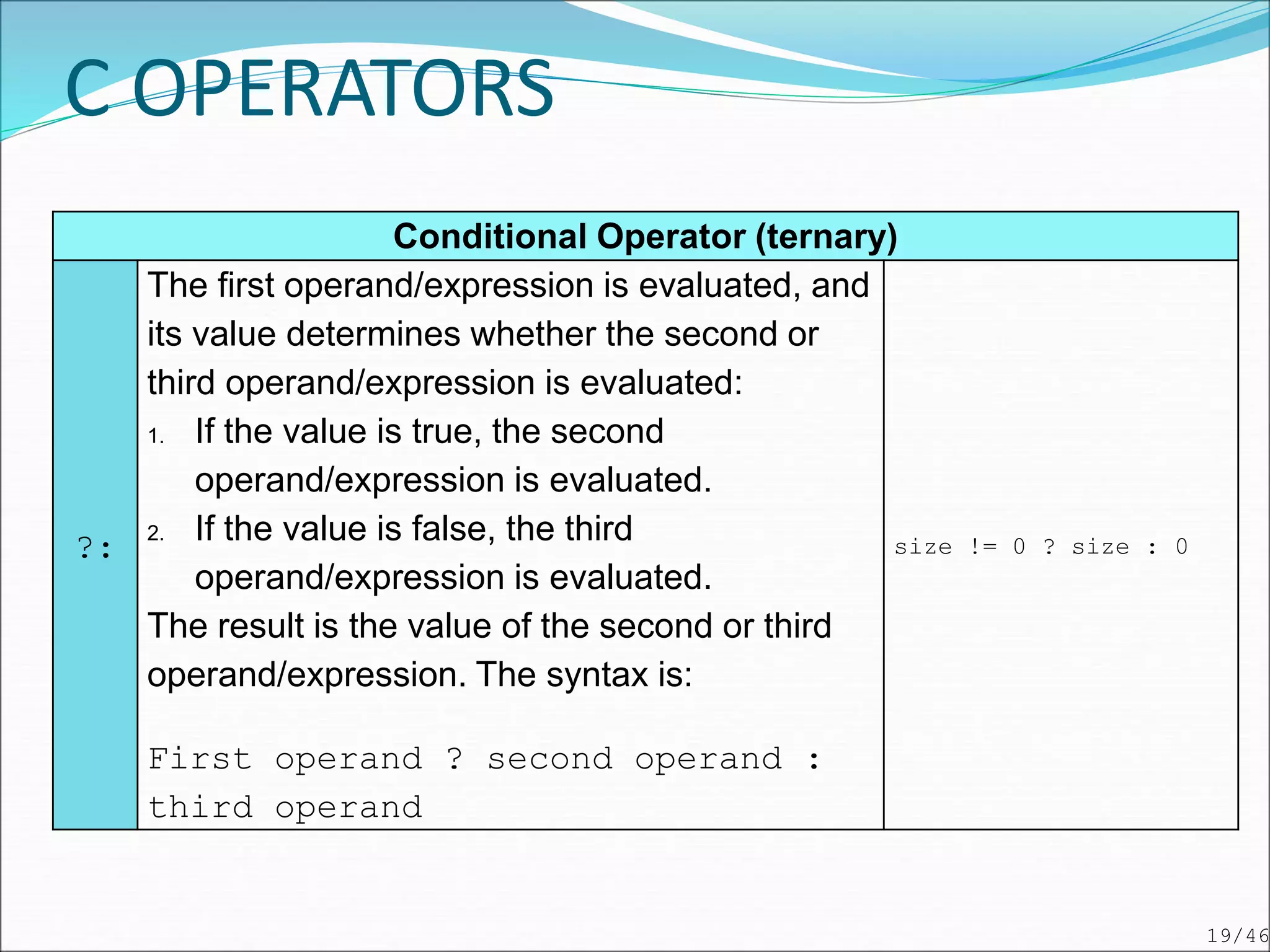
Conditional Operator (ternary)
?:
The first operand/expression is evaluated, and
its value determines whether the second or
third operand/expression is evaluated:
1. If the value is true, the second
operand/expression is evaluated.
2. If the value is false, the third
operand/expression is evaluated.
The result is the value of the second or third
operand/expression. The syntax is:
First operand ? second operand :
third operand
size != 0 ? size : 0
C OPERATORS
19/46
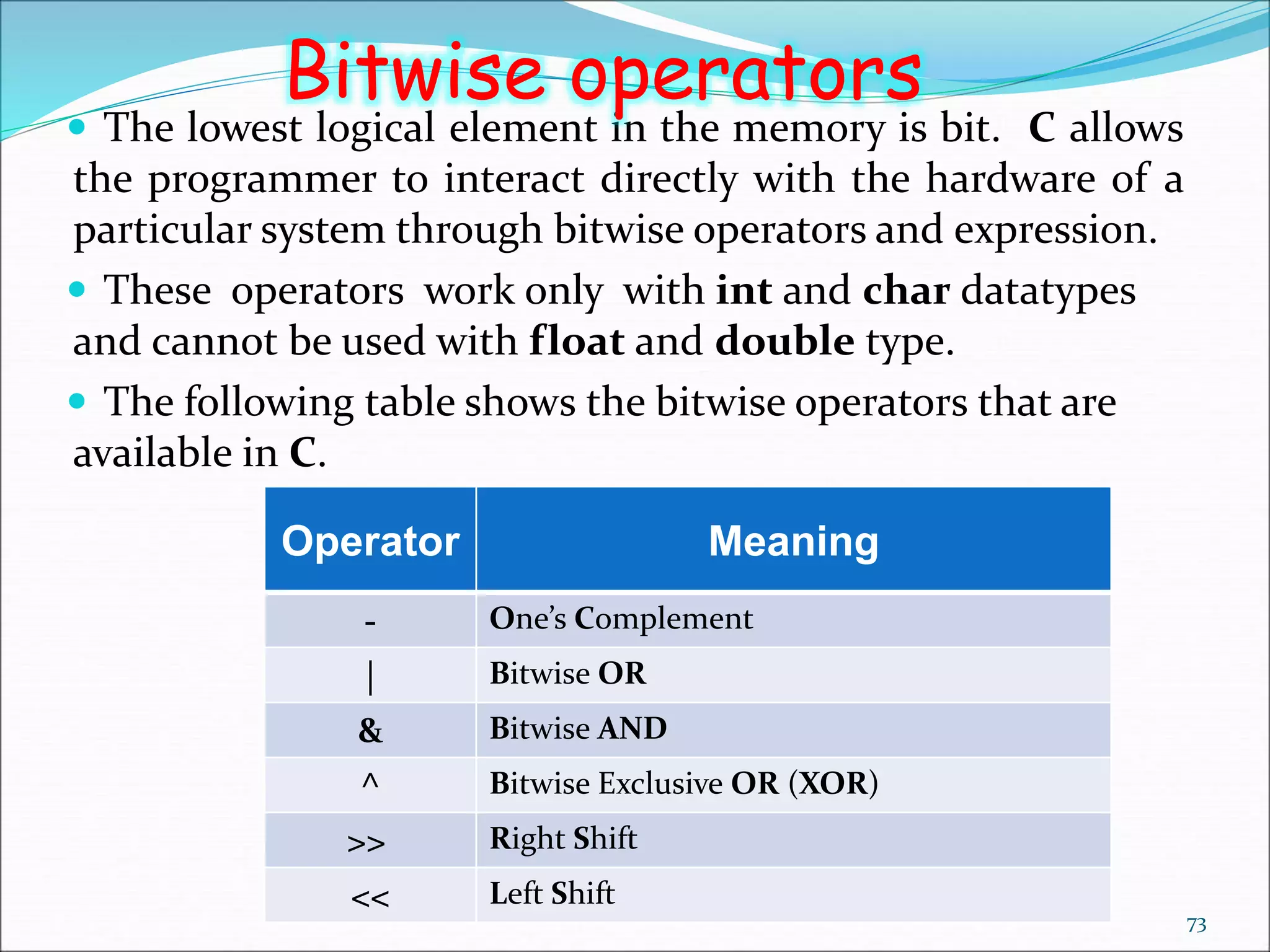
 The lowest logical element in the memory is bit. C allows
the programmer to interact directly with the hardware of a
particular system through bitwise operators and expression.
 These operators work only with int and char datatypes
and cannot be used with float and double type.
 The following table shows the bitwise operators that are
available in C.
73
Bitwise operators
Operator Meaning
- One’s Complement
| Bitwise OR
& Bitwise AND
^ Bitwise Exclusive OR (XOR)
>> Right Shift
<< Left Shift
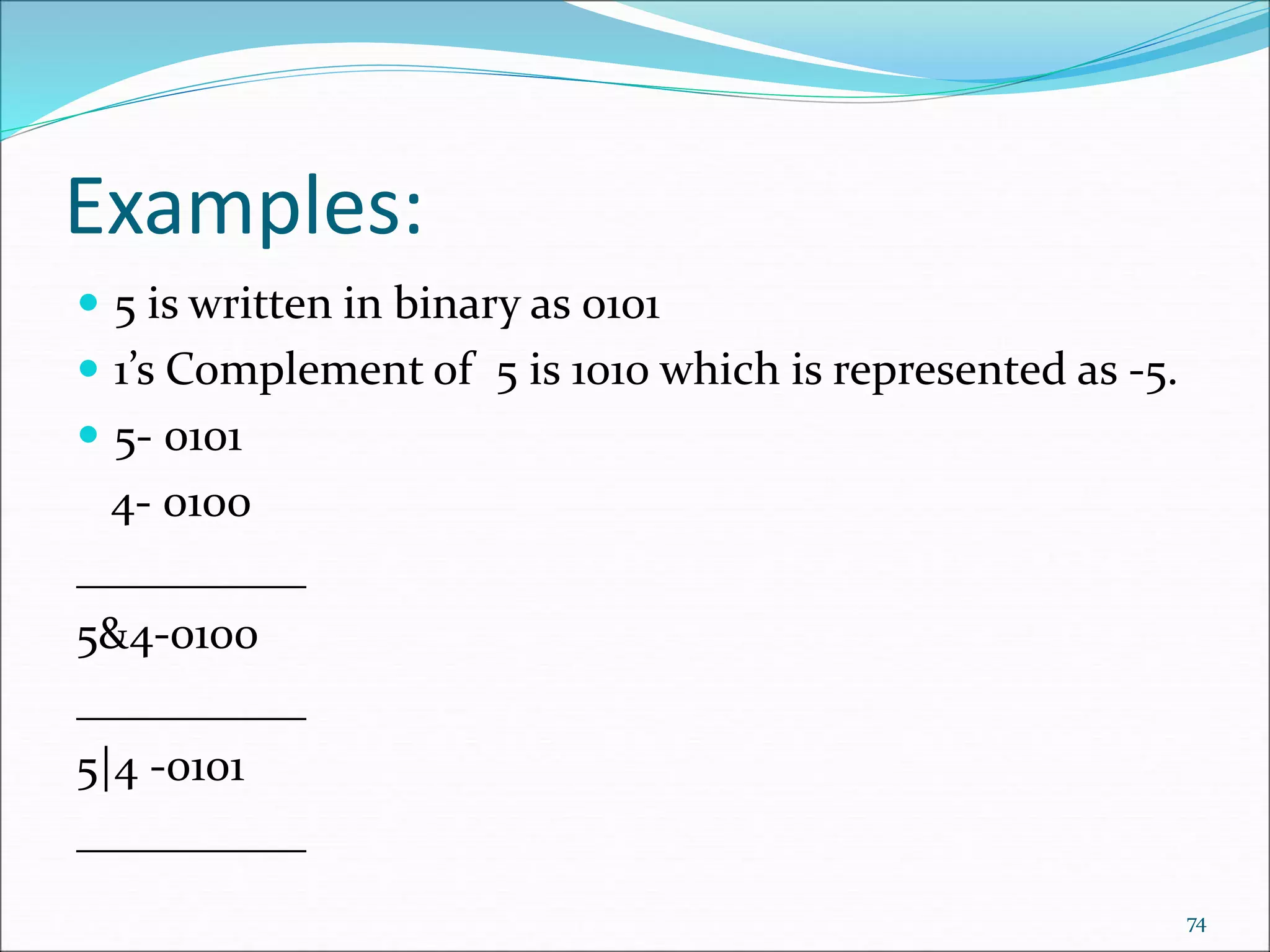
Examples:
 5 is written in binary as 0101
 1’s Complement of 5 is 1010 which is represented as -5.
 5- 0101
4- 0100
__________
5&4-0100
__________
5|4 -0101
__________
74
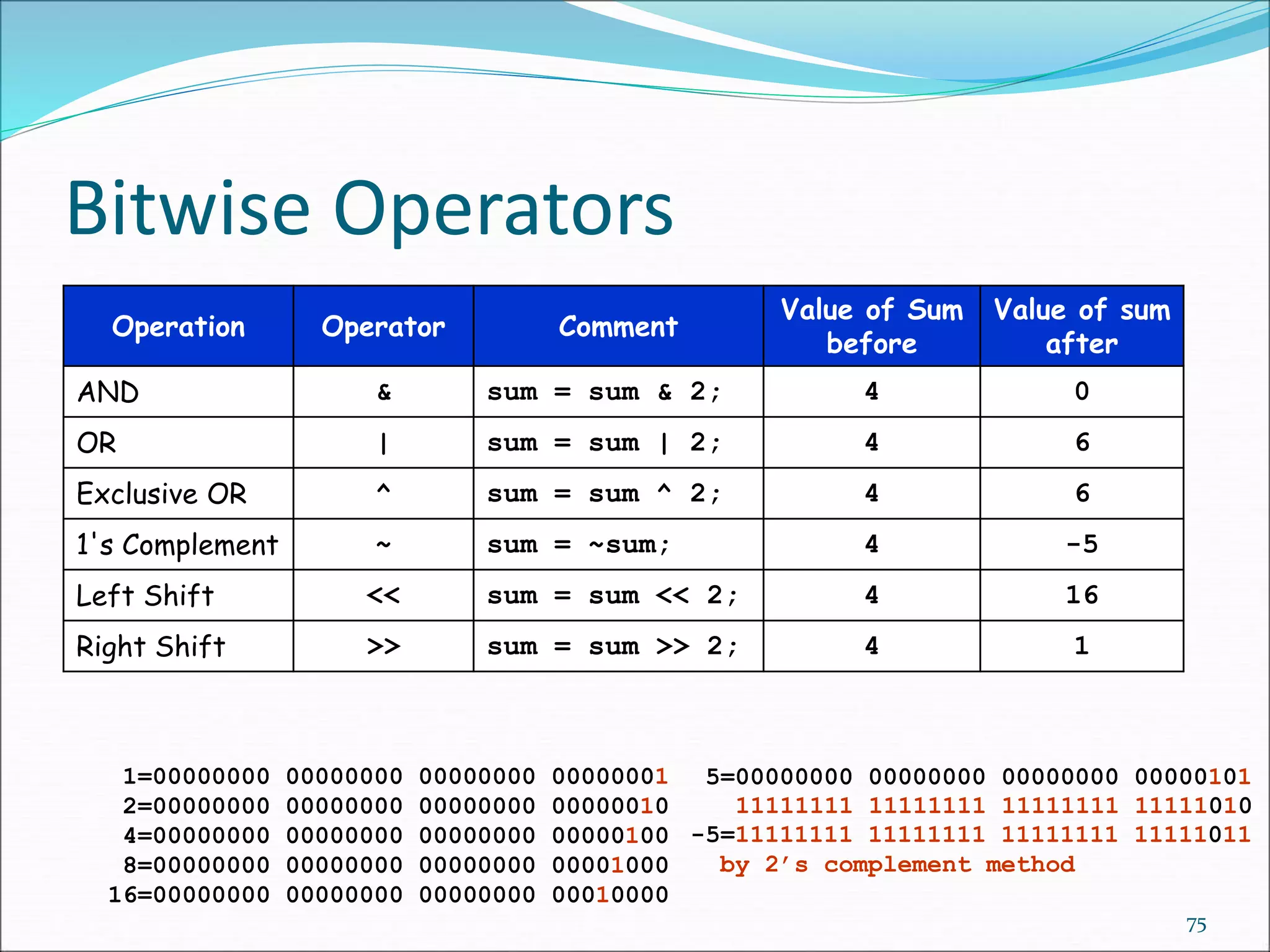
Bitwise Operators
75
Operation Operator Comment
Value of Sum
before
Value of sum
after
AND & sum = sum & 2; 4 0
OR | sum = sum | 2; 4 6
Exclusive OR ^ sum = sum ^ 2; 4 6
1's Complement ~ sum = ~sum; 4 -5
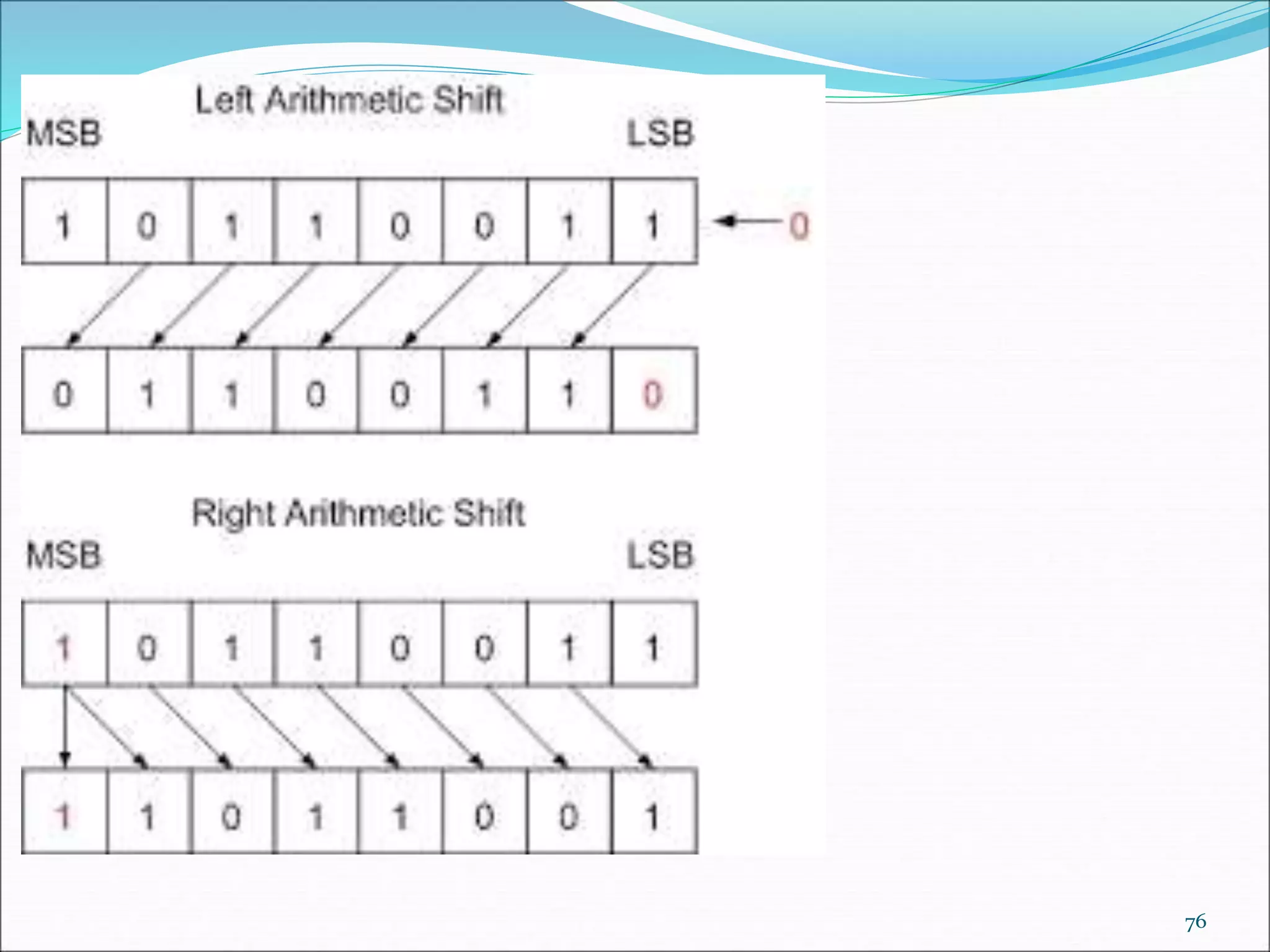
Left Shift << sum = sum << 2; 4 16
Right Shift >> sum = sum >> 2; 4 1
1=00000000 00000000 00000000 00000001
2=00000000 00000000 00000000 00000010
4=00000000 00000000 00000000 00000100
8=00000000 00000000 00000000 00001000
16=00000000 00000000 00000000 00010000
5=00000000 00000000 00000000 00000101
11111111 11111111 11111111 11111010
-5=11111111 11111111 11111111 11111011
by 2’s complement method
76
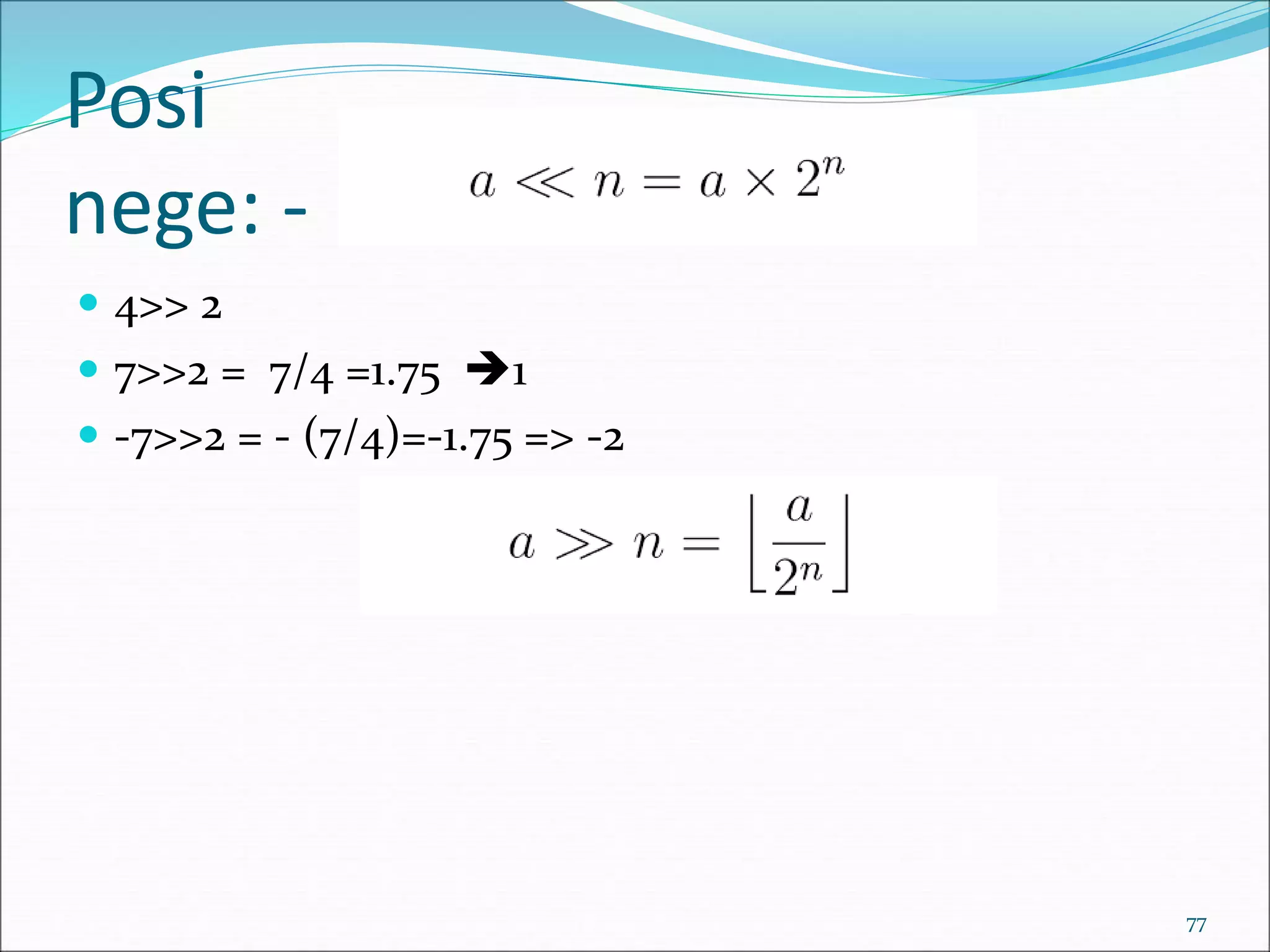
Posi
nege: -
 4>> 2
 7>>2 = 7/4 =1.75 1
 -7>>2 = - (7/4)=-1.75 => -2
77
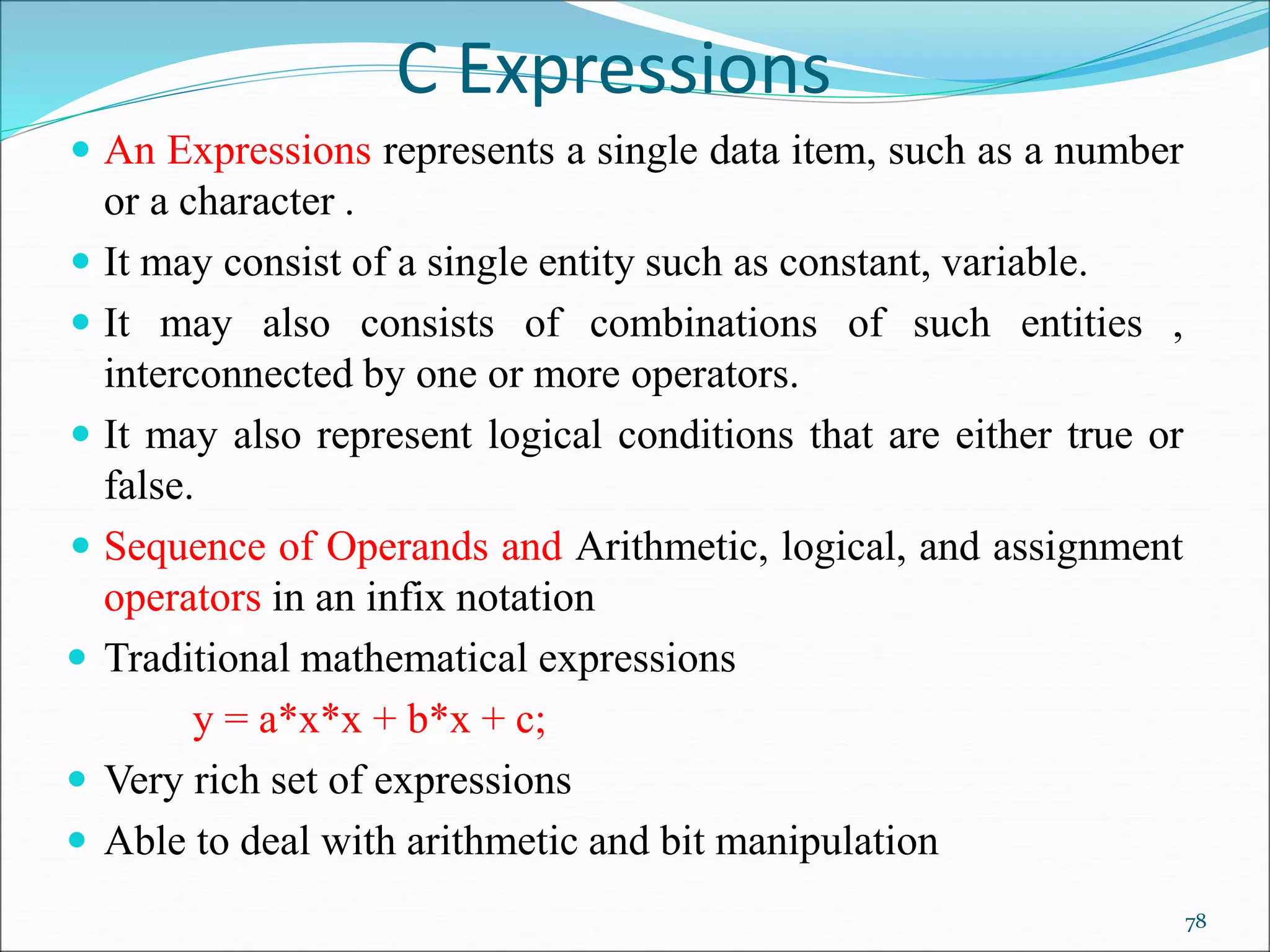
C Expressions
 An Expressions represents a single data item, such as a number
or a character .
 It may consist of a single entity such as constant, variable.
 It may also consists of combinations of such entities ,
interconnected by one or more operators.
 It may also represent logical conditions that are either true or
false.
 Sequence of Operands and Arithmetic, logical, and assignment
operators in an infix notation
 Traditional mathematical expressions
y = a*x*x + b*x + c;
 Very rich set of expressions
 Able to deal with arithmetic and bit manipulation
78
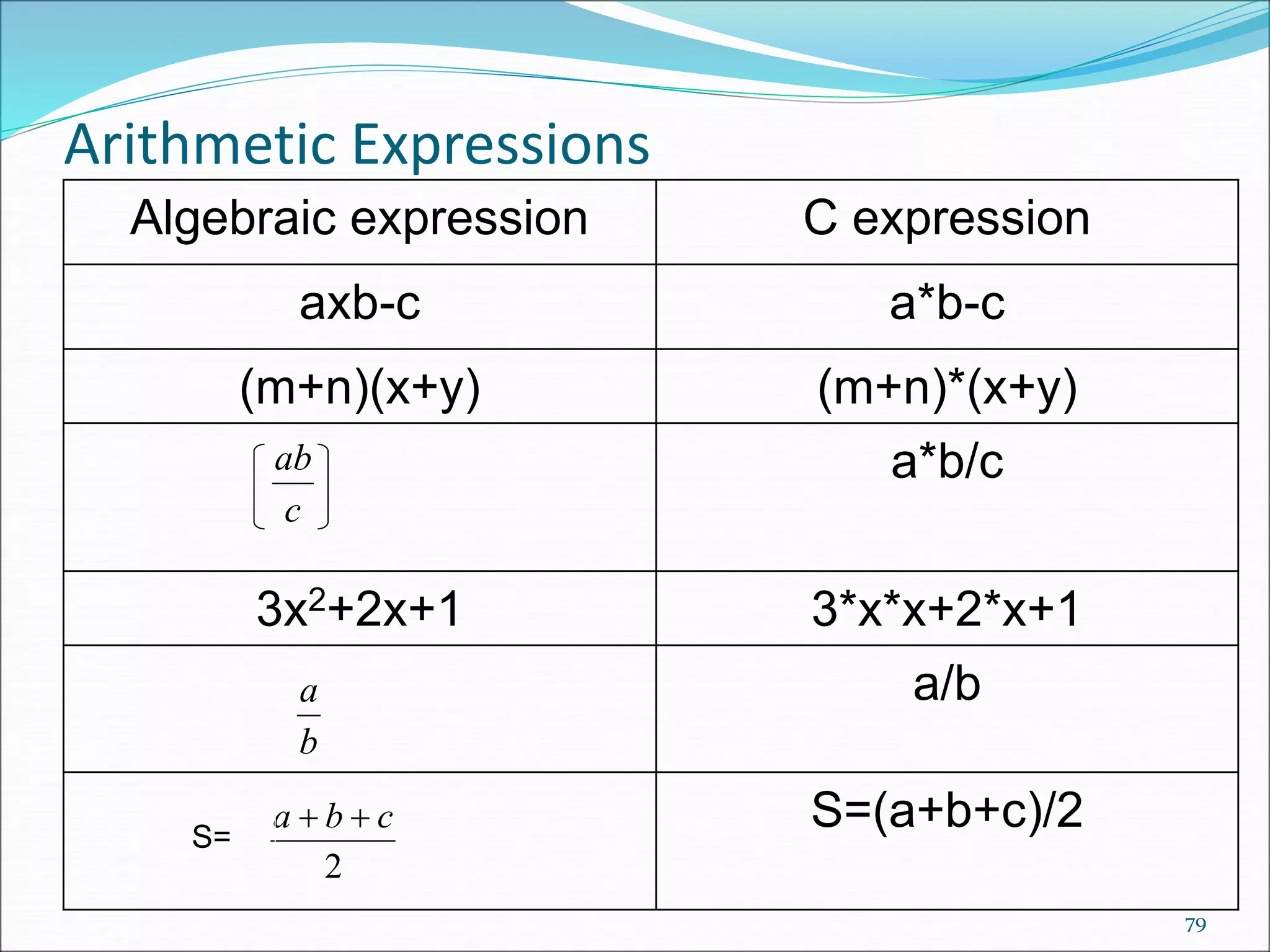
Arithmetic Expressions
79
Algebraic expression C expression
axb-c a*b-c
(m+n)(x+y) (m+n)*(x+y)
a*b/c
3x2+2x+1 3*x*x+2*x+1
a/b
S=(a+b+c)/2
c
ab
b
a
2
c
b
a 

S=
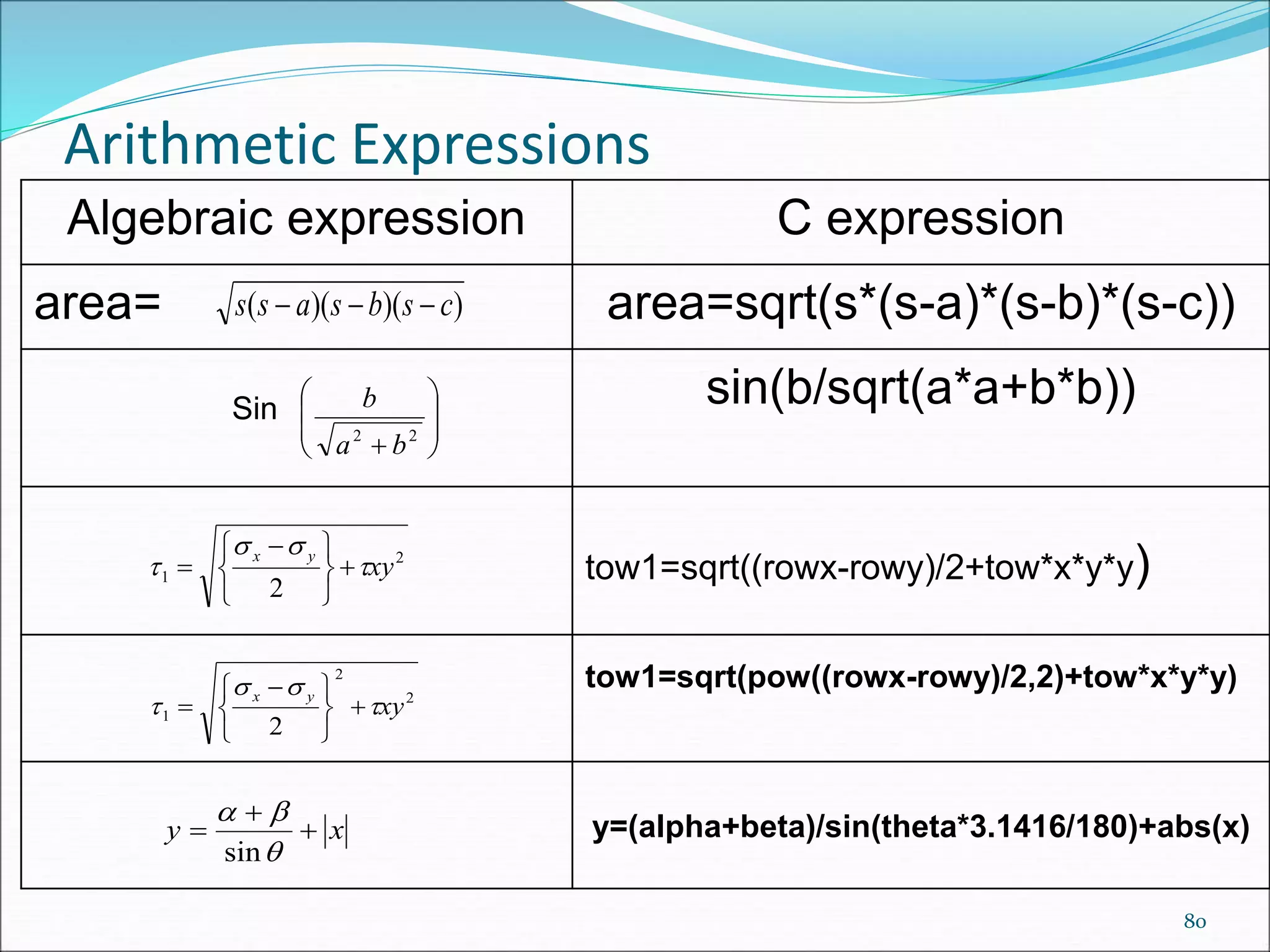
Arithmetic Expressions
80
Algebraic expression C expression
area= area=sqrt(s*(s-a)*(s-b)*(s-c))
sin(b/sqrt(a*a+b*b))
tow1=sqrt((rowx-rowy)/2+tow*x*y*y)
tow1=sqrt(pow((rowx-rowy)/2,2)+tow*x*y*y)
y=(alpha+beta)/sin(theta*3.1416/180)+abs(x)
)
)(
)(
( c
s
b
s
a
s
s 


Sin








 2
2
b
a
b
2
1
2
xy
y
x



 





 

2
2
1
2
xy
y
x



 





 

x
y 





sin
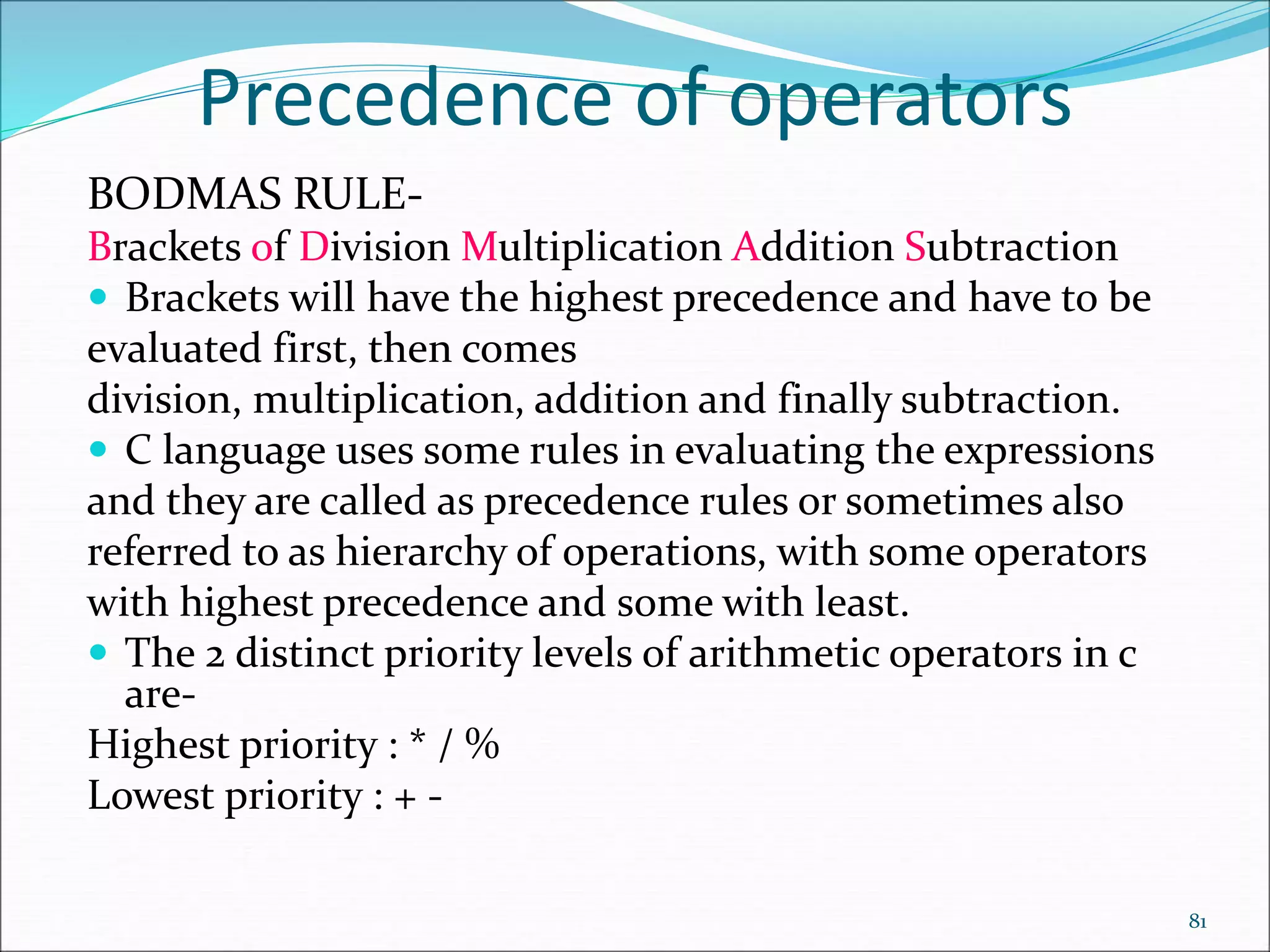
Precedence of operators
BODMAS RULE-
Brackets of Division Multiplication Addition Subtraction
 Brackets will have the highest precedence and have to be
evaluated first, then comes
division, multiplication, addition and finally subtraction.
 C language uses some rules in evaluating the expressions
and they are called as precedence rules or sometimes also
referred to as hierarchy of operations, with some operators
with highest precedence and some with least.
 The 2 distinct priority levels of arithmetic operators in c
are-
Highest priority : * / %
Lowest priority : + -
81
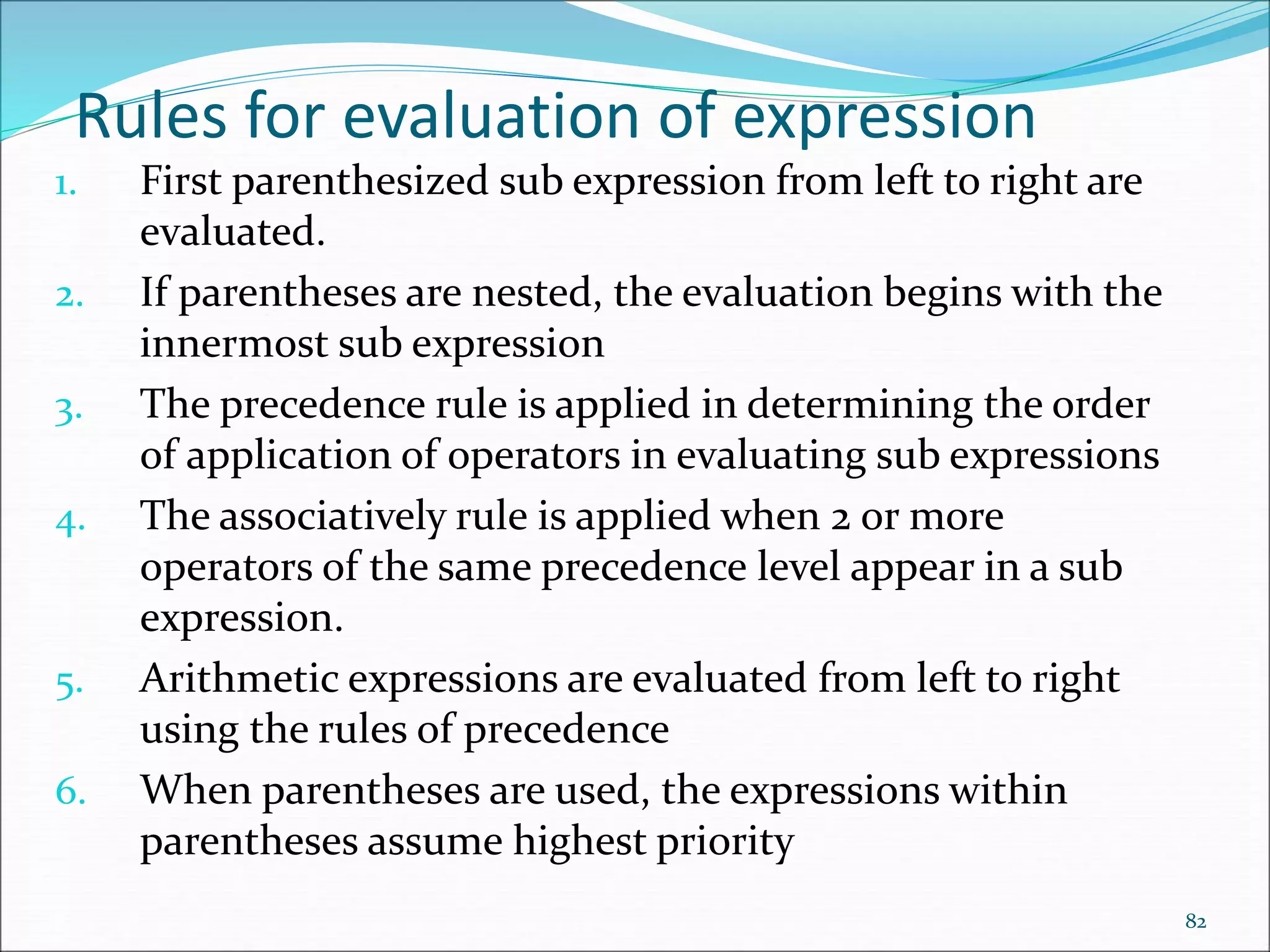
Rules for evaluation of expression
1. First parenthesized sub expression from left to right are
evaluated.
2. If parentheses are nested, the evaluation begins with the
innermost sub expression
3. The precedence rule is applied in determining the order
of application of operators in evaluating sub expressions
4. The associatively rule is applied when 2 or more
operators of the same precedence level appear in a sub
expression.
5. Arithmetic expressions are evaluated from left to right
using the rules of precedence
6. When parentheses are used, the expressions within
parentheses assume highest priority
82
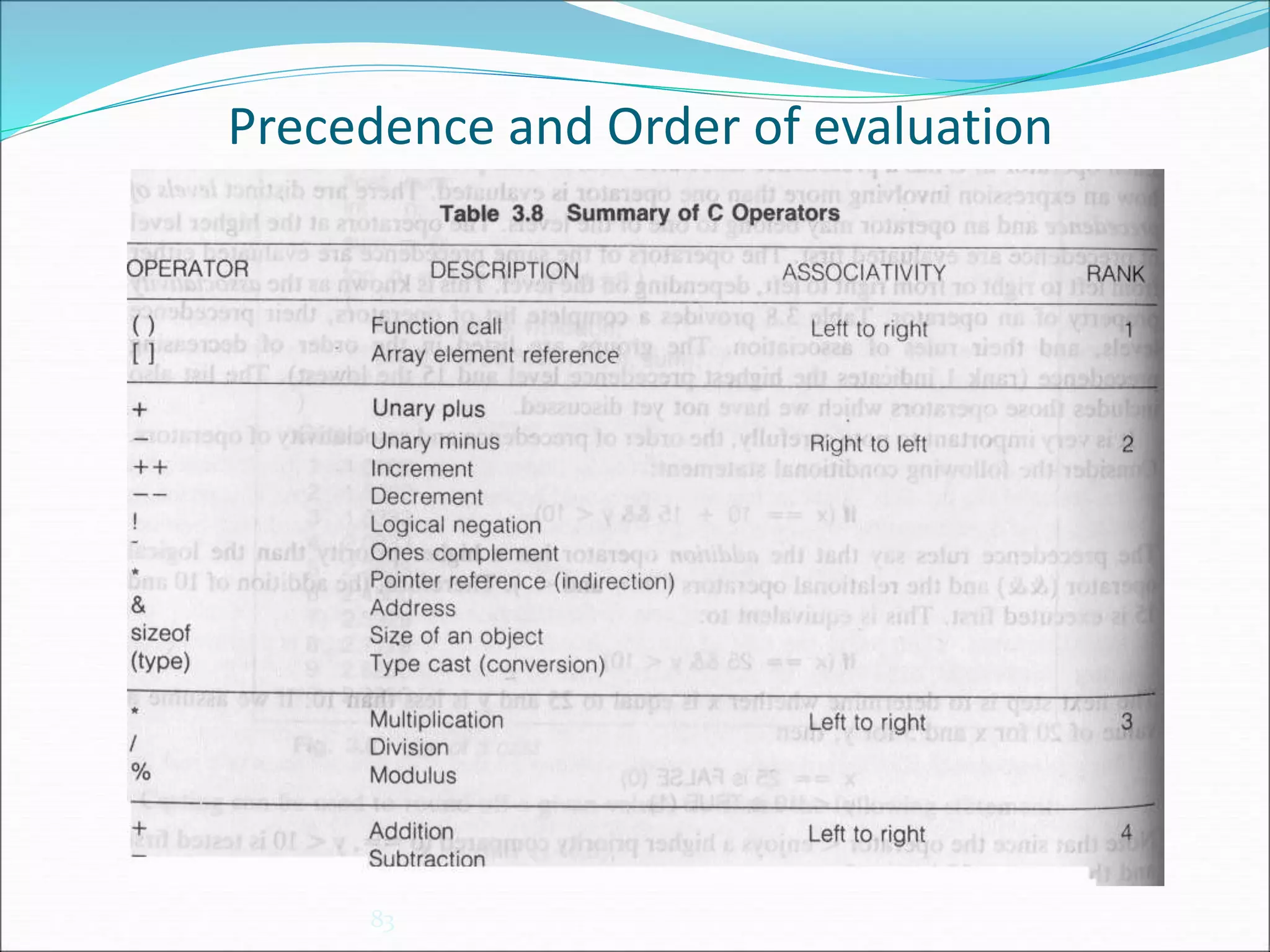
Precedence and Order of evaluation
83
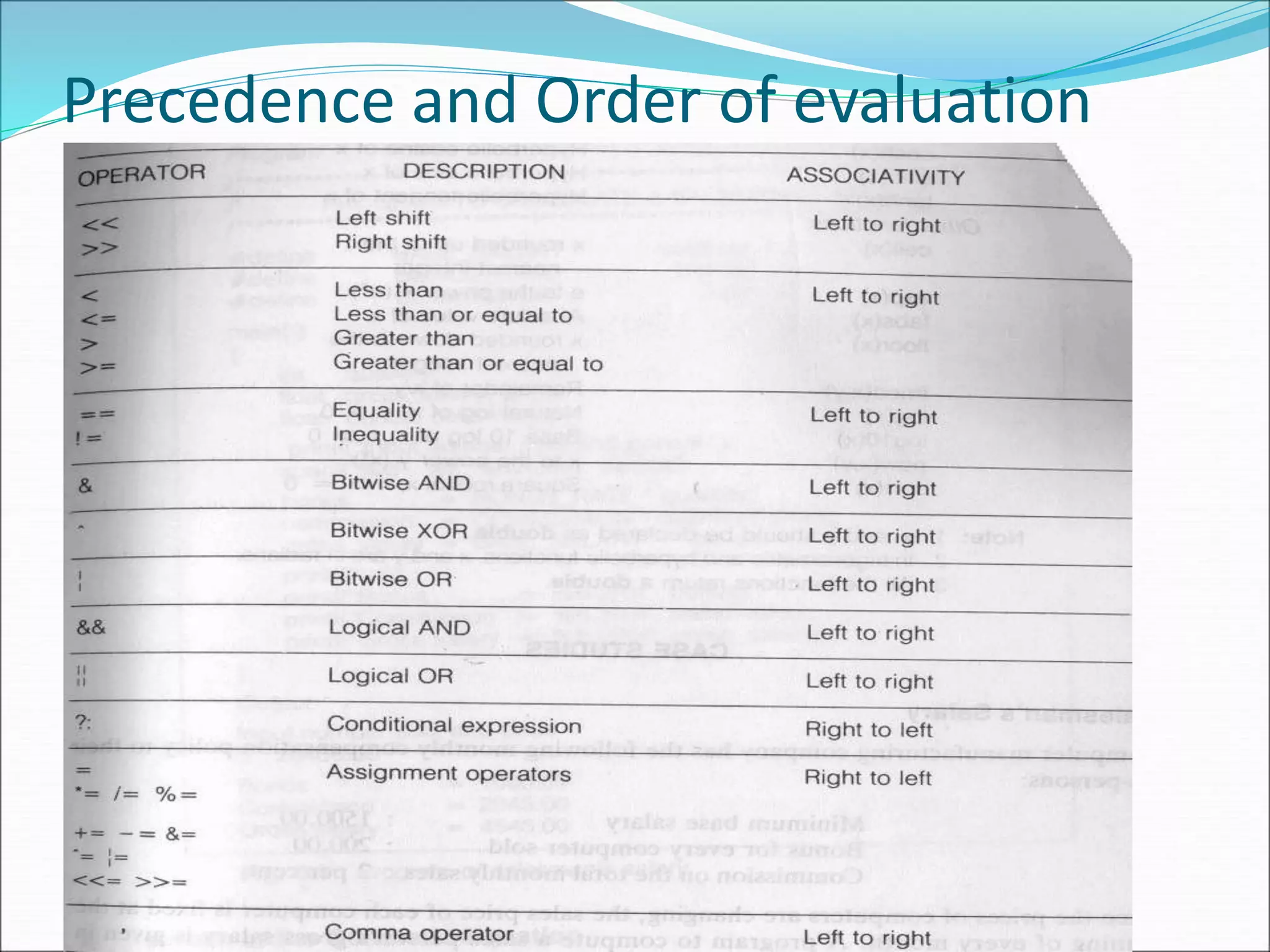
Precedence and Order of evaluation
84
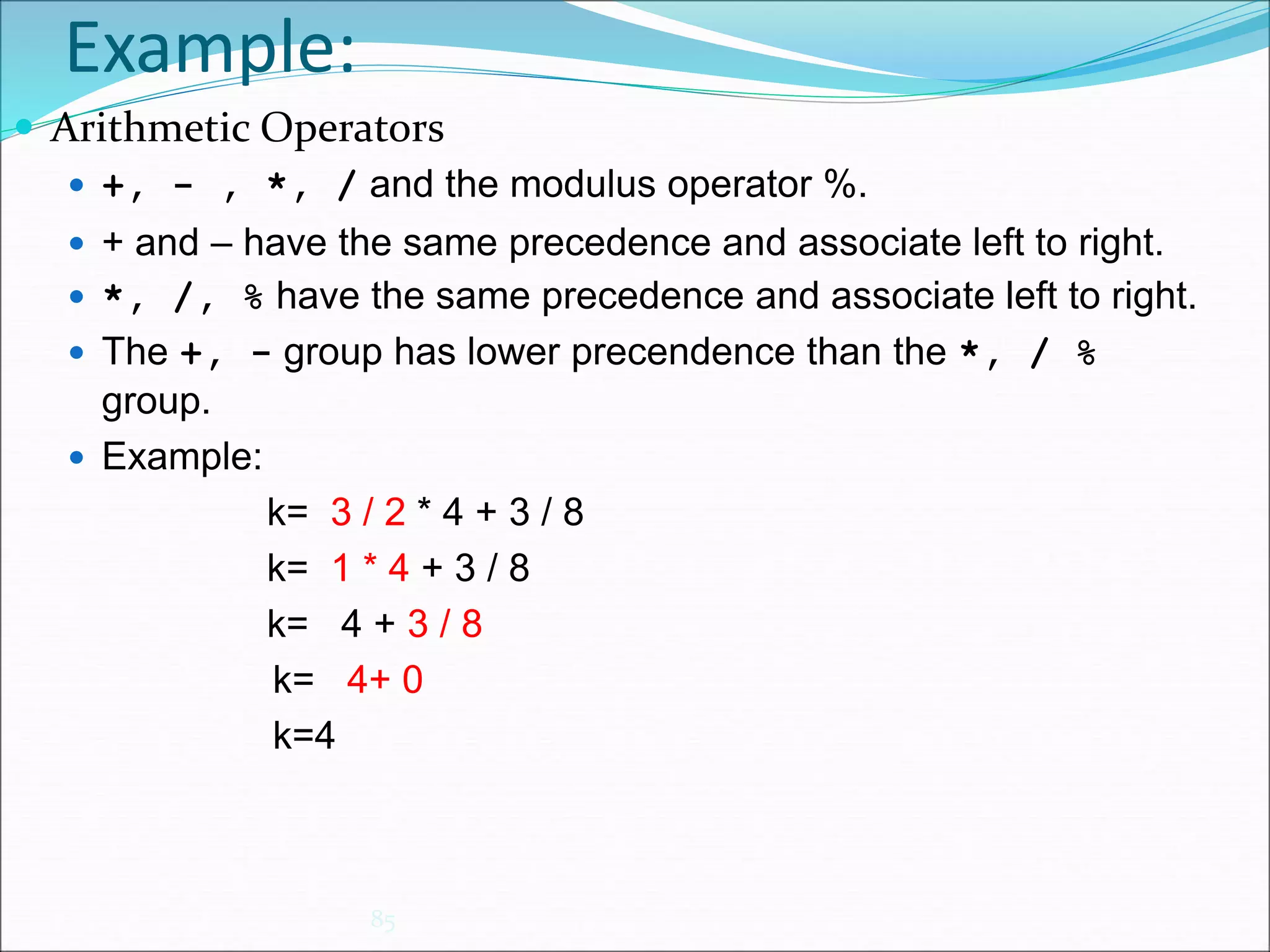
Example:
85
 Arithmetic Operators
 +, - , *, / and the modulus operator %.
 + and – have the same precedence and associate left to right.
 *, /, % have the same precedence and associate left to right.
 The +, - group has lower precendence than the *, / %
group.
 Example:
k= 3 / 2 * 4 + 3 / 8
k= 1 * 4 + 3 / 8
k= 4 + 3 / 8
k= 4+ 0
k=4
Example:
86
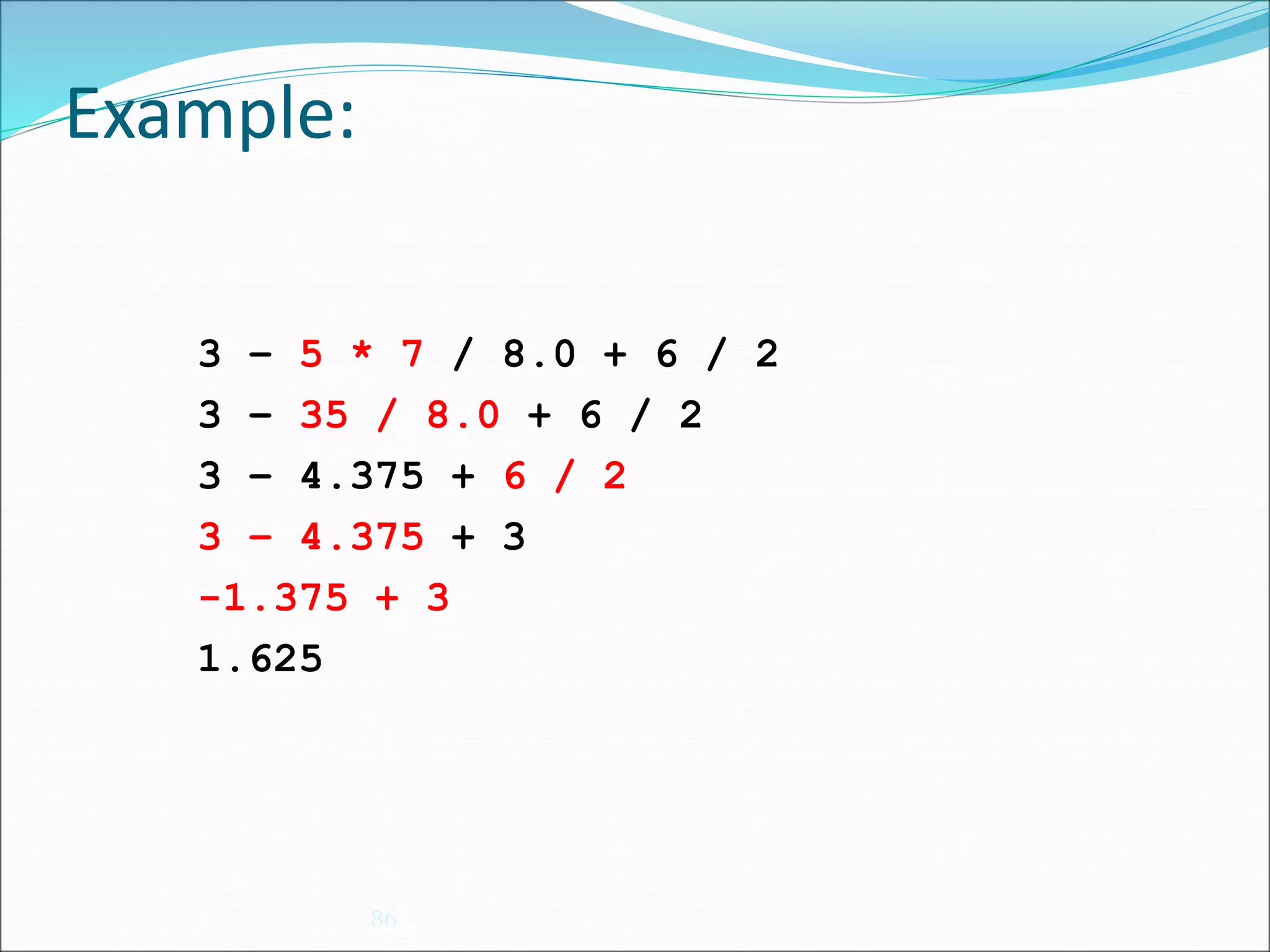
3 – 5 * 7 / 8.0 + 6 / 2
3 – 35 / 8.0 + 6 / 2
3 – 4.375 + 6 / 2
3 – 4.375 + 3
-1.375 + 3
1.625
Example:
87
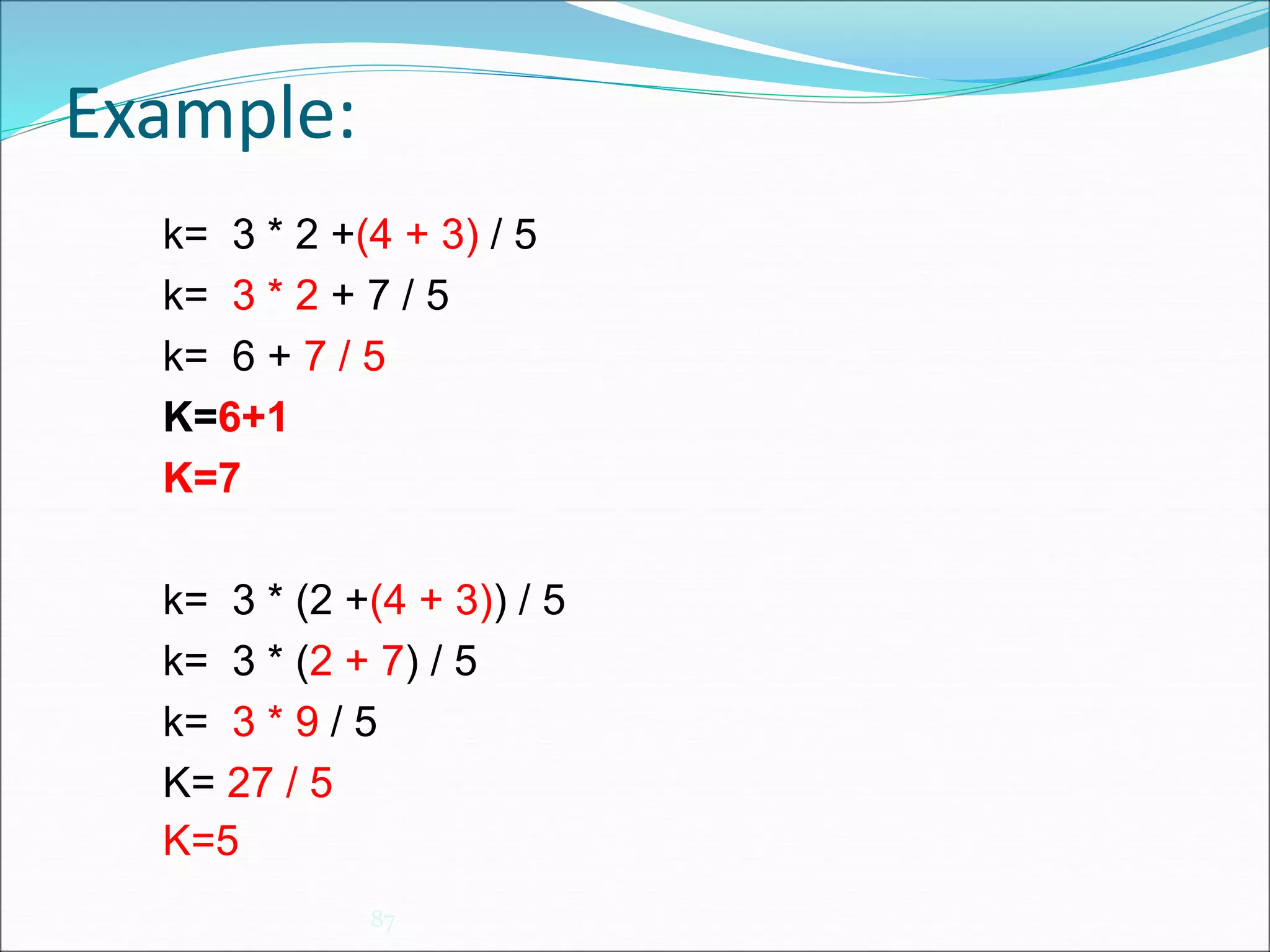
k= 3 * 2 +(4 + 3) / 5
k= 3 * 2 + 7 / 5
k= 6 + 7 / 5
K=6+1
K=7
k= 3 * (2 +(4 + 3)) / 5
k= 3 * (2 + 7) / 5
k= 3 * 9 / 5
K= 27 / 5
K=5
Step-by-step show how C will
perform the operations
c = 6 - -3 * (6 + 2 * 2) + (6 / 2 )* -3;
c = 6 - -3 * (6 + 4) + (6 / 2 )* -3
c = 6 - -3 *10 +(6/2)* -3
c = 6 - -3 *10 +3* -3
c = 6 - -30 +3* -3
c = 6 - -30 + -9
c = 36 + -9
c = 27
 output:
Value of c = 27
88
Evaluation of Expressions
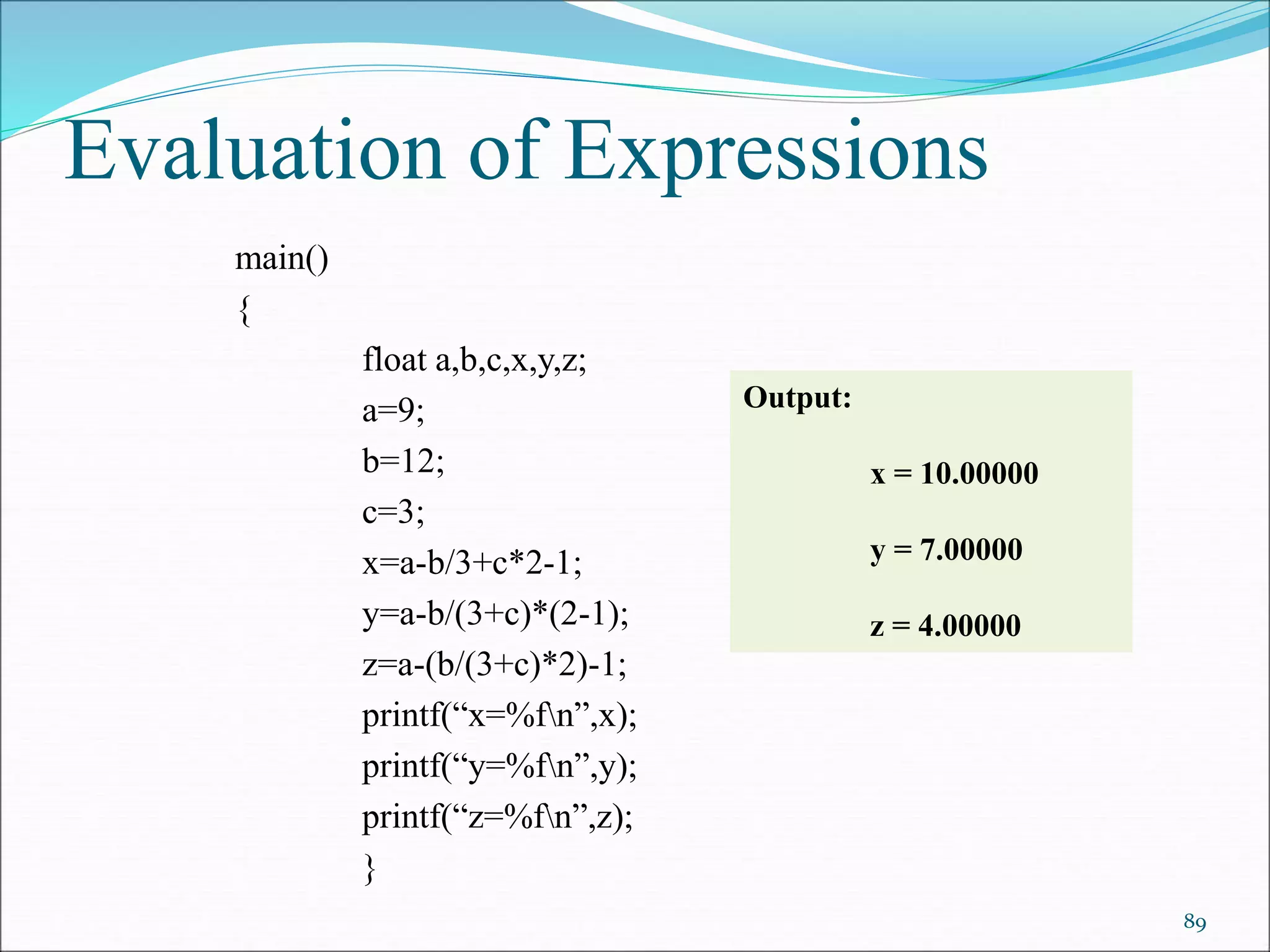
main()
{
float a,b,c,x,y,z;
a=9;
b=12;
c=3;
x=a-b/3+c*2-1;
y=a-b/(3+c)*(2-1);
z=a-(b/(3+c)*2)-1;
printf(“x=%fn”,x);
printf(“y=%fn”,y);
printf(“z=%fn”,z);
}
89
Output:
x = 10.00000
y = 7.00000
z = 4.00000
Example
Evaluate the expression when a=4
b=a- ++a
=a – 5
=5-5
=0
90
Evaluation of expression
a++ + ++a
A++ + a++
++A + ++a +a++
x=2 y=3 z=4
Evaluate x*(-2*(y+z)/3) -8 91
Formatted Input and Output
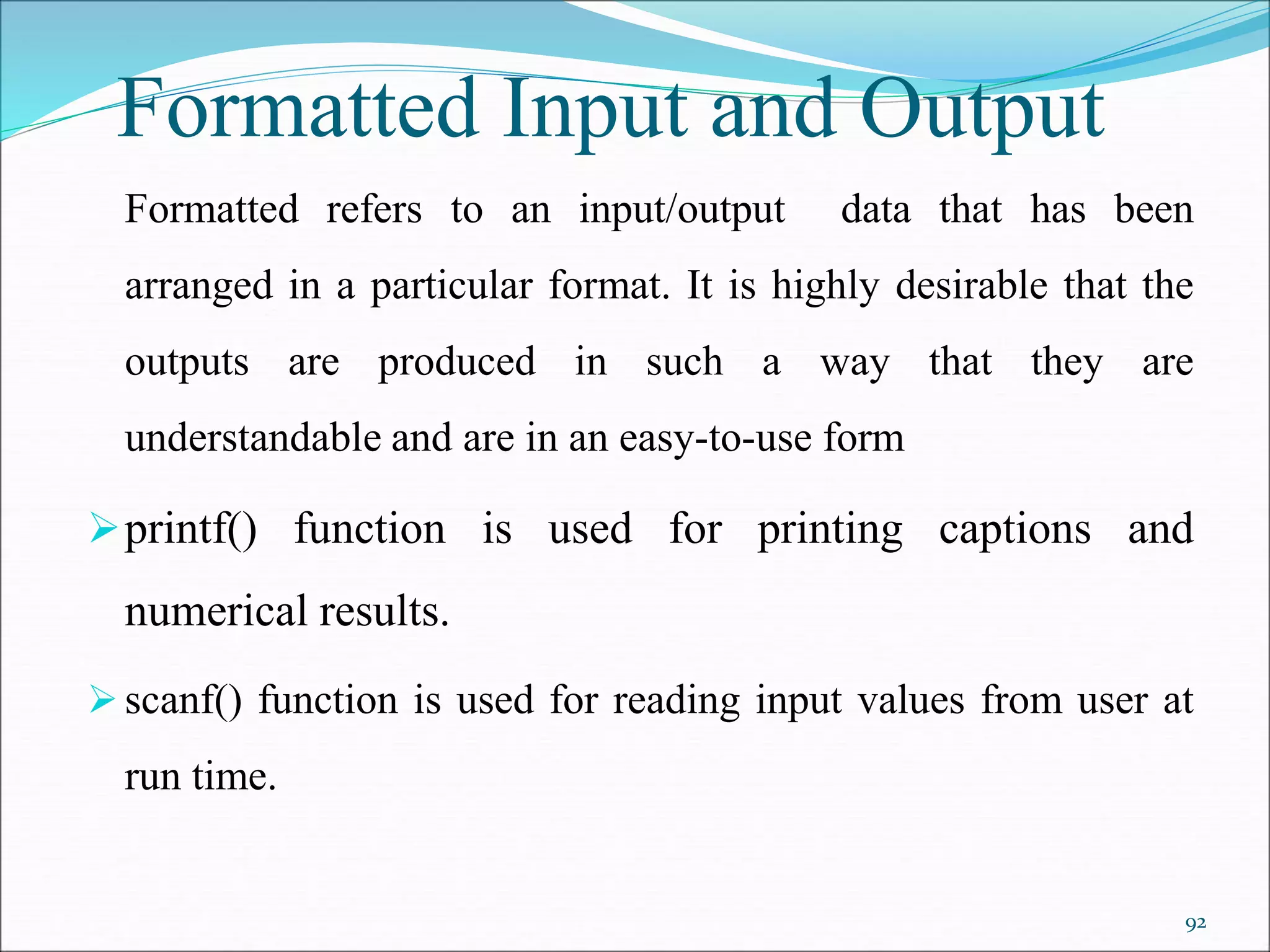
Formatted refers to an input/output data that has been
arranged in a particular format. It is highly desirable that the
outputs are produced in such a way that they are
understandable and are in an easy-to-use form
printf() function is used for printing captions and
numerical results.
scanf() function is used for reading input values from user at
run time.
92
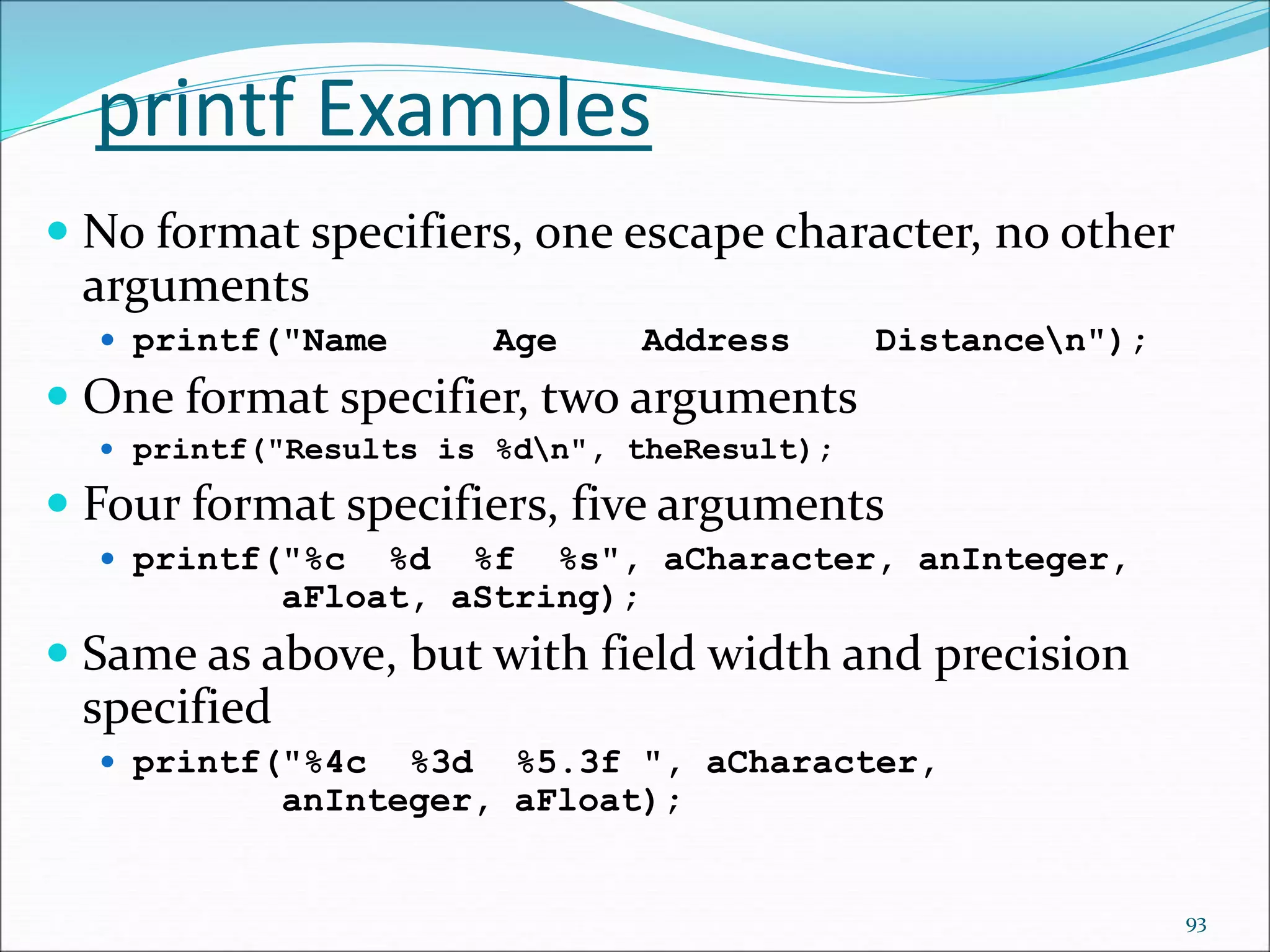
printf Examples
 No format specifiers, one escape character, no other
arguments
 printf("Name Age Address Distancen");
 One format specifier, two arguments
 printf("Results is %dn", theResult);
 Four format specifiers, five arguments
 printf("%c %d %f %s", aCharacter, anInteger,
aFloat, aString);
 Same as above, but with field width and precision
specified
 printf("%4c %3d %5.3f ", aCharacter,
anInteger, aFloat);
93
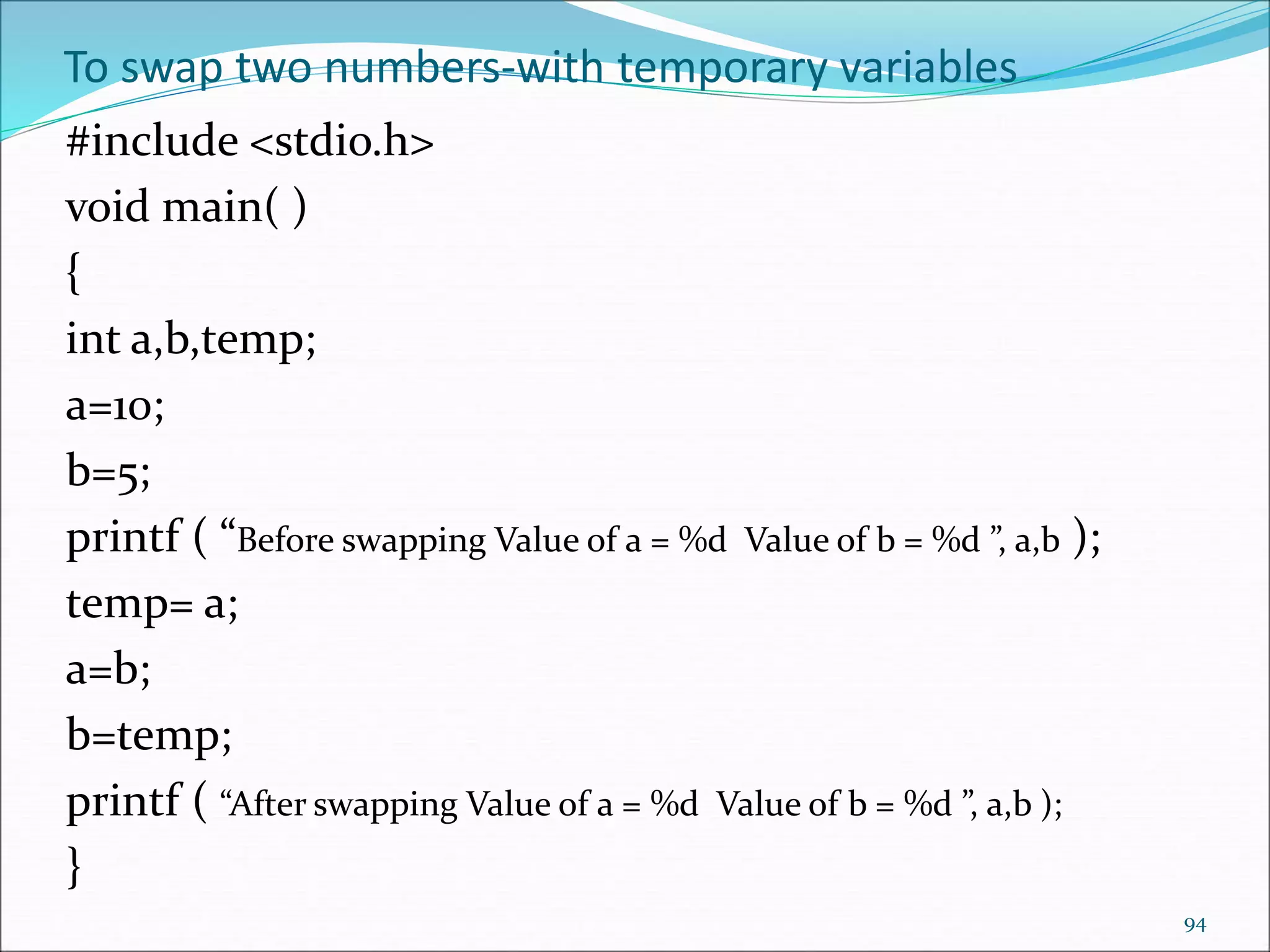
To swap two numbers-with temporary variables
#include <stdio.h>
void main( )
{
int a,b,temp;
a=10;
b=5;
printf ( “Before swapping Value of a = %d Value of b = %d ”, a,b );
temp= a;
a=b;
b=temp;
printf ( “After swapping Value of a = %d Value of b = %d ”, a,b );
}
94
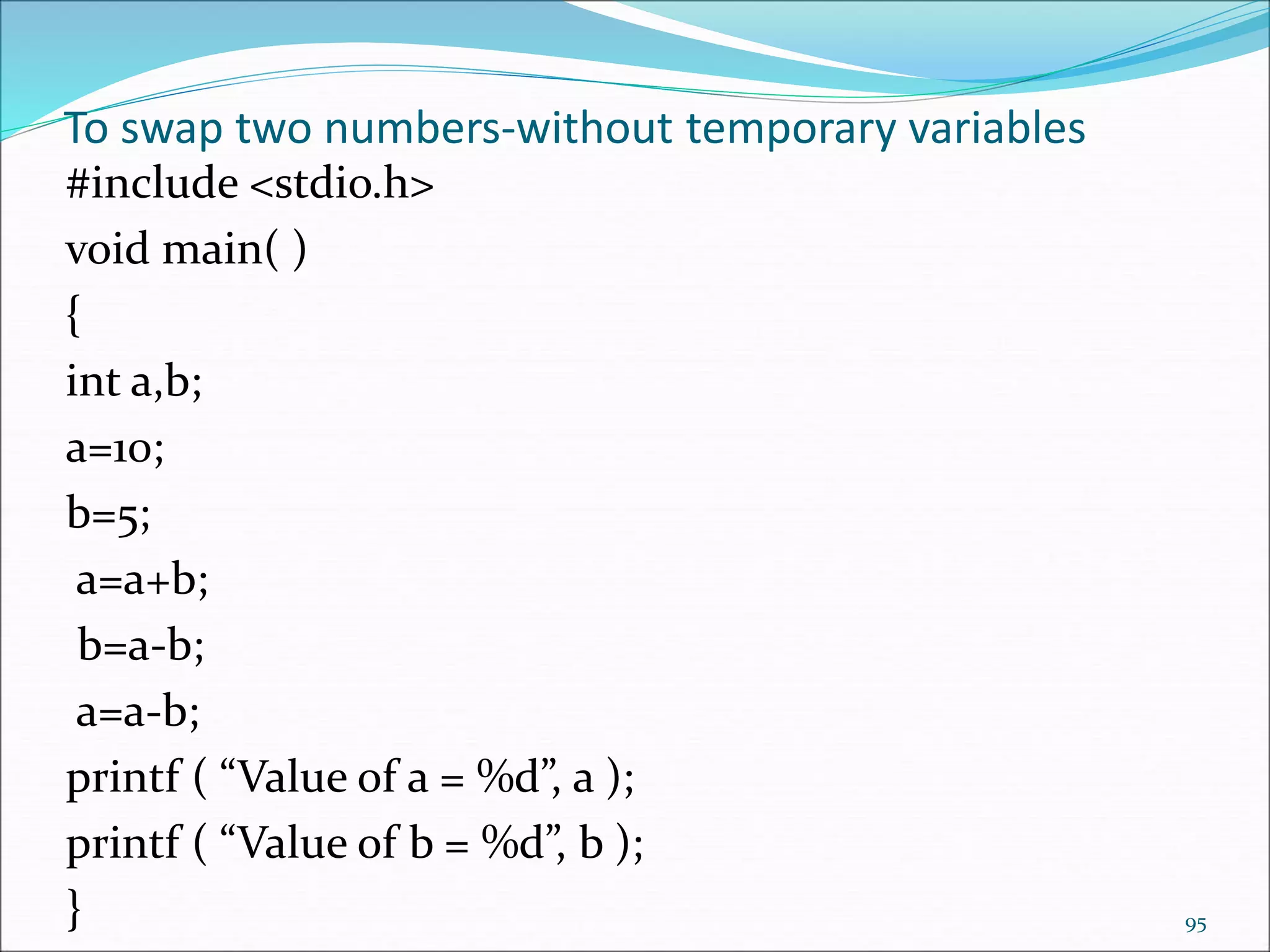
To swap two numbers-without temporary variables
#include <stdio.h>
void main( )
{
int a,b;
a=10;
b=5;
a=a+b;
b=a-b;
a=a-b;
printf ( “Value of a = %d”, a );
printf ( “Value of b = %d”, b );
} 95
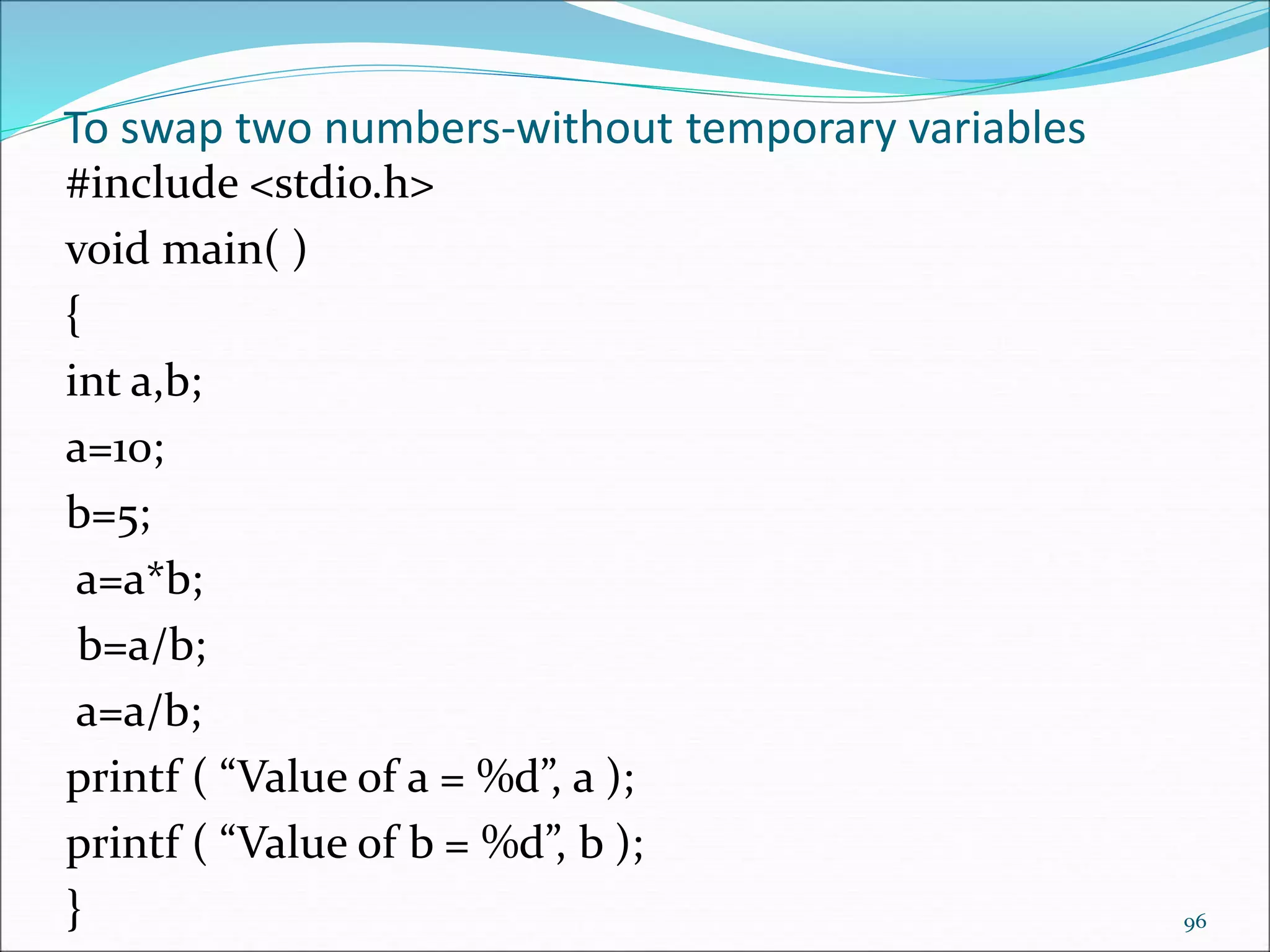
To swap two numbers-without temporary variables
#include <stdio.h>
void main( )
{
int a,b;
a=10;
b=5;
a=a*b;
b=a/b;
a=a/b;
printf ( “Value of a = %d”, a );
printf ( “Value of b = %d”, b );
} 96
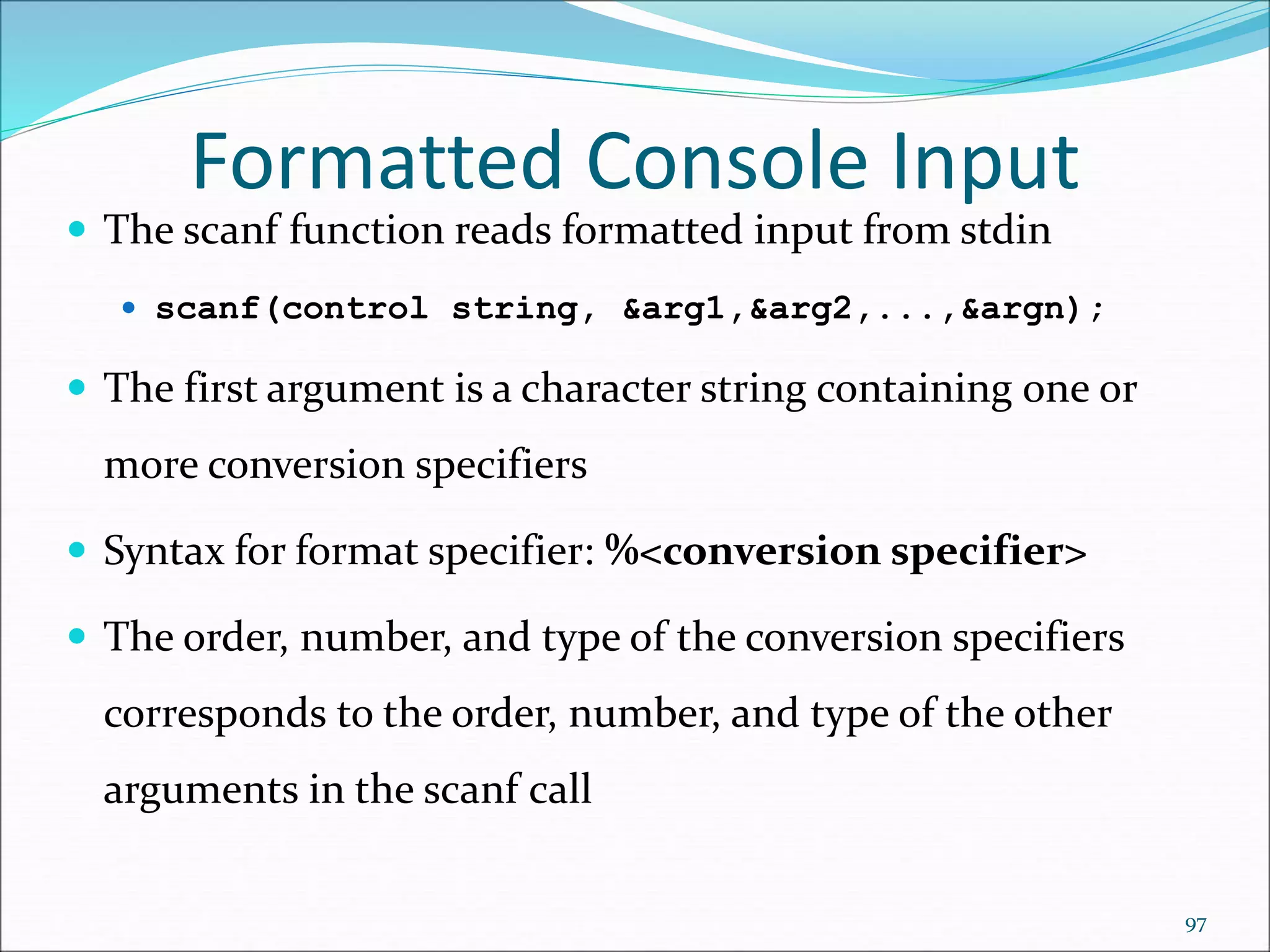
 The scanf function reads formatted input from stdin
 scanf(control string, &arg1,&arg2,...,&argn);
 The first argument is a character string containing one or
more conversion specifiers
 Syntax for format specifier: %<conversion specifier>
 The order, number, and type of the conversion specifiers
corresponds to the order, number, and type of the other
arguments in the scanf call
Formatted Console Input
97
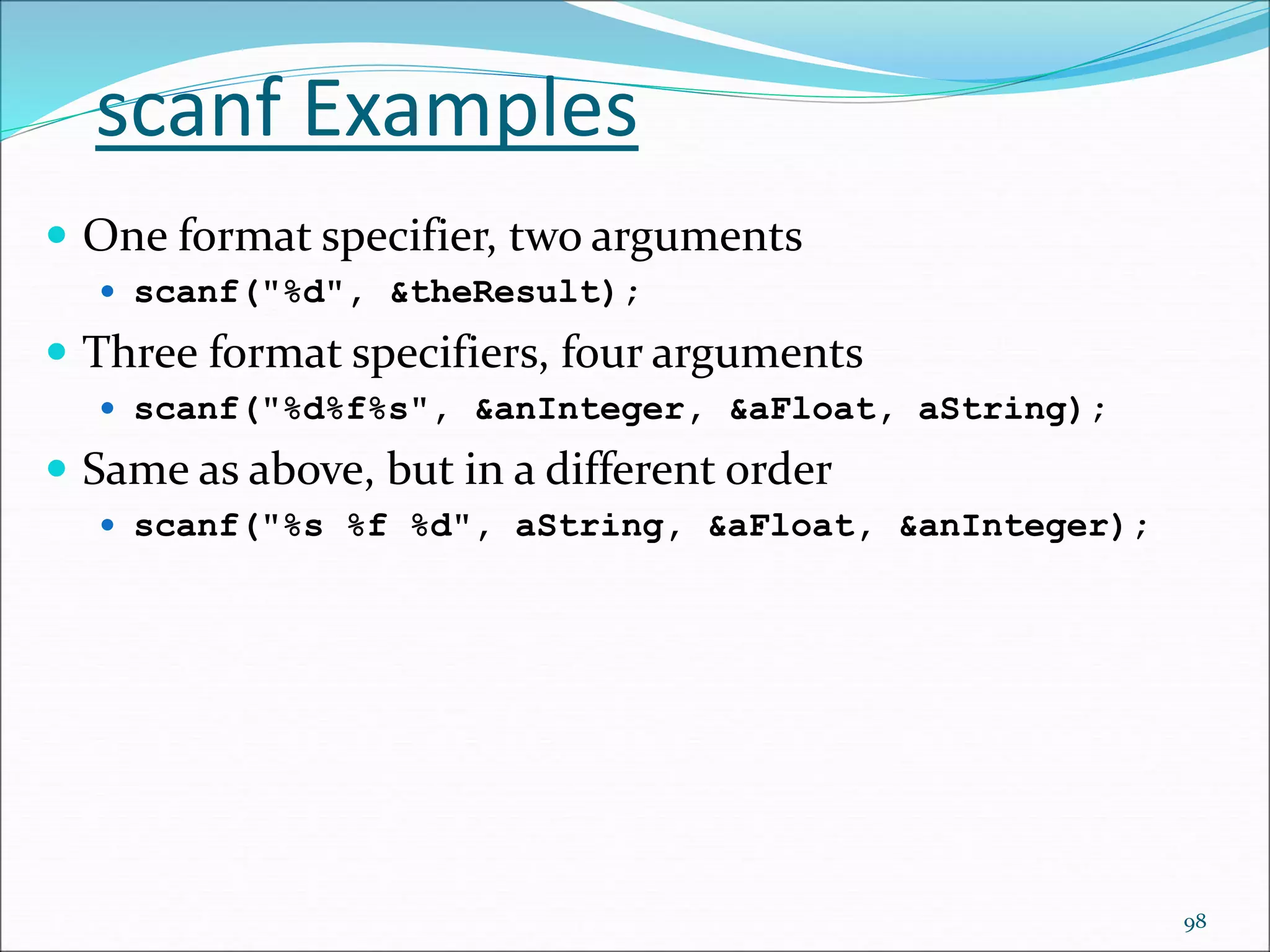
scanf Examples
 One format specifier, two arguments
 scanf("%d", &theResult);
 Three format specifiers, four arguments
 scanf("%d%f%s", &anInteger, &aFloat, aString);
 Same as above, but in a different order
 scanf("%s %f %d", aString, &aFloat, &anInteger);
98
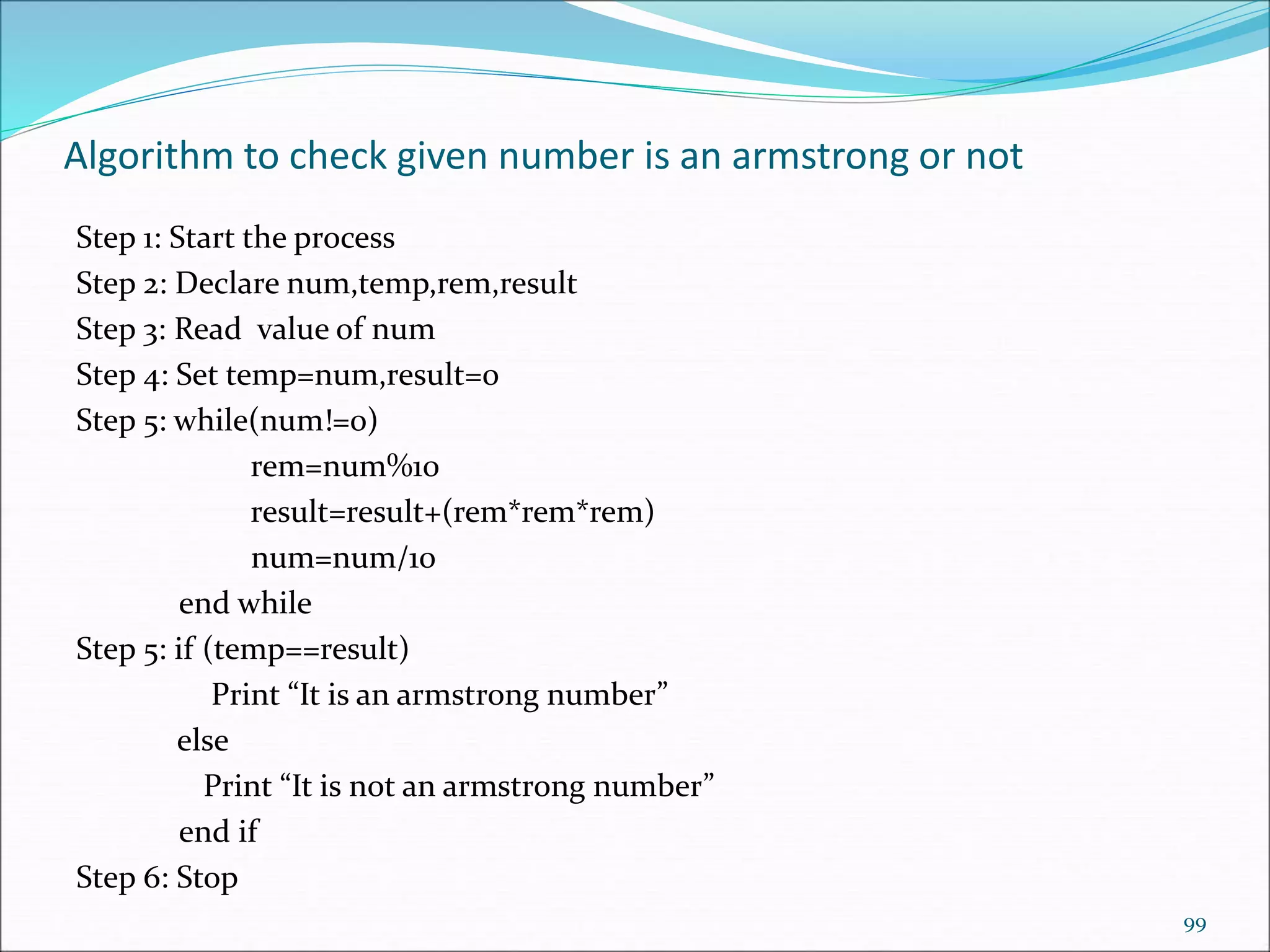
Algorithm to check given number is an armstrong or not
Step 1: Start the process
Step 2: Declare num,temp,rem,result
Step 3: Read value of num
Step 4: Set temp=num,result=0
Step 5: while(num!=0)
rem=num%10
result=result+(rem*rem*rem)
num=num/10
end while
Step 5: if (temp==result)
Print “It is an armstrong number”
else
Print “It is not an armstrong number”
end if
Step 6: Stop
99
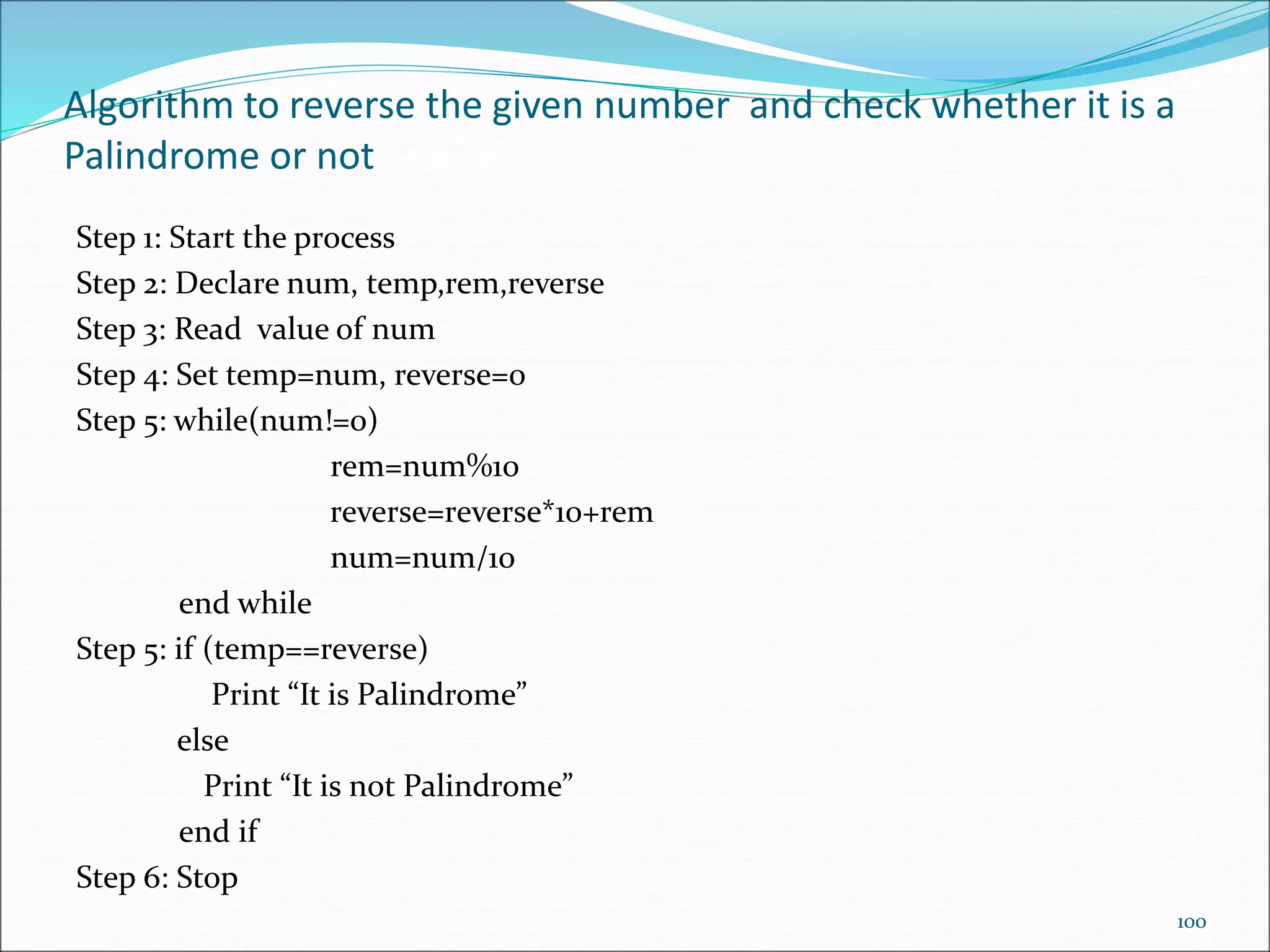
Algorithm to reverse the given number and check whether it is a
Palindrome or not
Step 1: Start the process
Step 2: Declare num, temp,rem,reverse
Step 3: Read value of num
Step 4: Set temp=num, reverse=0
Step 5: while(num!=0)
rem=num%10
reverse=reverse*10+rem
num=num/10
end while
Step 5: if (temp==reverse)
Print “It is Palindrome”
else
Print “It is not Palindrome”
end if
Step 6: Stop
100
101

Introduction%20C.pptx

  • 1.
  • 2.
  • 3.
    Structure of Cprogram 3
  • 4.
    Structure of Cprogram  Documentation Section- consist of set of comment lines (Eg: name of the program, author and other details) /* ********************************** * This is a comment * * Block * ********************************** */ // Single line comment 4
  • 5.
    Structure of Cprogram Link section- provides instruction to the compiler to link functions from system library. # - preprocessor directive .h-header files in library #include <stdio.h> //Standard Input/Output library – printf(),scanf()etc #include <math.h> //if math library is used sqrt( ),sin( )etc 5
  • 6.
    6 Math Functions #include <math.h> fabs(x)Absolute value of x. sqrt(x) Square root of x, where x>=0. pow(x,y) Exponentiation, xy. Errors occur if x=0 and y<=0, or if x<0 and y is not an integer. ceil(x) Rounds x to the nearest integer toward  (infinity). Example, ceil(2.01) is equal to 3. floor(x) Rounds x to the nearest integer toward - (negative infinity). Example, floor(2.01) is equal to 2. exp(x) Computes the value of ex. log(x) Returns ln x, the natural logarithm of x to the base e. Errors occur if x<=0. log10(x) Returns log10x, logarithm of x to the base 10. Errors occur if x<=0.
  • 7.
    7 Trigonometric Functions sin(x) Computesthe sine of x, where x is in radians. cos(x) Computes the cosine of x, where x is in radians tan(x) Computes the tangent of x, where x is in radians. asin(x) Computes the arcsine or inverse sine of x, where x must be in the range [-1, 1]. Returns an angle in radians in the range [-/2,/2]. acos(x) Computes the arccosine or inverse cosine of x, where x must be in the range [-1, 1]. Returns an angle in radians in the range [0, ]. atan(x) Computes the arctangent or inverse tangent of x. The Returns an angle in radians in the range [-/2,/2]. atan2(y,x) Computes the arctangent or inverse tangent of the value y/x. Returns an angle in radians in the range [-, ].
  • 8.
    Structure of Cprogram  Definition Section- defines all symbolic constant. #define PI 3.14159 #define MY_MESSAGE “Good Morning!” #define MAX 100  Global declaration section- global variables and user defined functions are declared. // declare global variables int a; char b=‘a’; //declare user defined functions void add(int,int); 8
  • 9.
    Step 1 :Edit  The First Step is Creating and Editing Program.  First Write C Program using Text Editor , such as [ Borland C/C++ 3.0 , Notepad++,Notepad ,gedit]  Save Program by using [.C] Extension.  File Saved with [.C] extension is called “Source Program“. Step by Step Execution of C Program 9
  • 10.
    Step 2 :Compiling  C Source code with [.C] Extension is given as input to compiler and compiler convert it into Equivalent Machine Instruction.  Compiler Checks for errors . If source code is error-free then Code is converted into Object File [.Obj ]. Step by Step Execution of C Program 10
  • 11.
    Step 3 :Checking Errors  During Compilation Compiler will check for error, If compiler finds any error then it will report it.  User have to re-edit the program.  After re-editing program , Compiler again check for any error.  If program is error-free then program is linked with appropriate libraries. Step by Step Execution of C Program 11
  • 12.
    Step by StepExecution of C Program Step 4 : Linking Libraries  Program is linked with included header files.  Program is linked with other libraries.  This process is executed by Linker. Step 5 : Error Checking  If run time error occurs then “Run-time” errors are reported to user.  Again programmer have to review code and check for the solution. 12
  • 13.
    Flowchart of theexecution 13
  • 14.
  • 15.
    Interpreter  Interpreter TakesSingle instruction as input .  No Intermediate Object Code is Generated  Conditional Control Statements are Executes slower  Memory Requirement is Less  Every time higher level program is converted into lower level program  Errors are displayed for every instruction interpreted 15
  • 16.
    Interpreter  The interpretercan immediately execute high-level programs, thus interpreters are sometimes used during the development of a program, when a programmer wants to add small sections at a time and test them quickly. 16
  • 17.
    Difference between Compiler andInterpreter Compiler Interpreter Compiler Takes Entire program as input Interpreter Takes Single instruction as input . Intermediate Object Code is Generated No Intermediate Object Code is Generated Memory Requirement : More(Since Object Code is Generated) Memory Requirement is Less Program need not be compiled every time Every time higher level program is converted into lower level program Errors are displayed after entire program is checked Errors are displayed for every instruction interpreted Example : C Compiler Example : BASIC 17
  • 18.
    To Compile andexecute  To compile a C program that is contained entirely in one source file: cc program.c  The executable program is called a.out by default.  To execute ./a.out  OUTPUT  Welcome 18
  • 19.
    Try  printf("%d",printf("welcome"));  printf("%d",printf("welcome")); printf("%d",scanf("%d%d",&a,&b));  int a;  printf("%d",a);   int a=8;  printf("%d %d",a); 19
  • 20.
    C Programming Rules Every C Program Should have exactly one main function  C Program Execution Always Starts from main.  Execution of C Program begins at Opening brace of function and ends at closing brace of the function  Generally all statements in c are written in Lowercase Letters.  Uppercase Letters are used for Symbolic names, output strings and messages  Every C statement must ends with semicolon. 20
  • 21.
    C Programming Rules All variables must be declared with respective data types before using .  C is free form-Language  Comments can be inserted anywhere in C Program , but nested comments are not supported by C .  Braces are generally used for the grouping of statements 21
  • 22.
    C Character set C language consist of some characters set, numbers and some special symbols. Lowercase letters  a b c . . . z Uppercase letters  A B C . . . Z Digits  0 1 2 3 4 5 6 7 8 9 Other characters  + - * / = ( ) { } [ ] < > ‘ “  ! @ # $ % & _ ^ ~ . , ; : ? White space characters  blank, newline, tab, etc. 22
  • 23.
    C Characters Characters ASCIIValues A – Z 65 – 90 a – z 97 – 122 0 – 9 48 – 57 special symbols 0 - 47, 58 - 64, 91 - 96, 123 - 127  Every character has an ASCII value  ASCII-American standard code for information interchange  Example: ASCII value of A is 65 and ASCII value of a is 97. 23
  • 24.
    int main() { printf("%2d",247); return 0; } 24 intmain() { printf("%6d",2474); return 0; }
  • 25.
    Variables in C Declaring Variables  Naming Variables  Using Variables  The Assignment Statement 25
  • 26.
    Declaring Variables  Whenwe declare a variable  Space is set aside in memory to hold a value of the specified data type  That space is associated with the variable name  That space is associated with a unique address  A form of a declaration statement is datatype var1, var2,…;  Examples int sum = 0;float avg=10.5;char var=‘A’;  Visualization of the declaration int mark ; 26 mark 1000 Garbage value
  • 27.
    Naming Variables  Variablesin C may be given representations containing multiple characters. But there are rules for these representations.  Variable names in C  A variable name is any combination of 1 to 31 alphabets,digits or underscores.  The first character in the variable name must be an alphabet or underscore.  No commas or blanks are allowed within a variable name.  No special symbol other than an underscore can be used in a variable name.  May not be a C reserved word (keyword)  Both Upper and lowercase letters can be used .Lower- and uppercase letters are treated as distinct.  Identifiers should be chosen so that they contribute to the readability and documentation of the program. 27
  • 28.
    C Keywords  Keywordsare nothing but system defined identifiers.  Keywords are reserved words of the language.  They have specific predefined meaning in the language .  So it cannot be used by the programmer as variable or constant names  C is case sensitive, it means these must be used as it is  32 Keywords in C Programming. Some implementations such as Borland’s C or Microsoft’s C have additional key words. auto double int struct break else long switch case enum register typedef char extern return union const float short unsigned continue for signed void default goto sizeof volatile do if static while 28
  • 29.
    Valid/Invalid Identifiers  X-valid  Mark -valid  “x” -invalid  price$ -invalid  Y123 -valid  sum_of -valid  _temperature -valid  TABLES -valid  4th -invalid 29  order-no -invalid  error flag -invalid  int -invalid  float -invalid  if -invalid  INT -valid  FLOAT -valid  IF -valid
  • 30.
    Constants  A constantis a value or an identifier whose value cannot be altered in a program.  Value-Example: 1, 2.5  An identifier also can be defined as a constant.  Identifier -Example: const double PI = 3.14  Here, PI is a constant. PI and 3.14 is same for this program.  There are four basic types of constants in C: Integer constants Floating point constants Character constants String constants 30
  • 31.
    Constants Integer constants  Aninteger constant is a numeric constant (associated with number) .It consists of a sequence of digits.  It must not have a decimal point. No commas or blanks allowed.  It can be either positive or negative. If no sign default is positive.  426,+782,-800 Floating-point constants  A real constant is a sequence of digits. It must have a decimal point.  No commas or blanks allowed.  It can be either positive or negative. If no sign default is positive.  A floating point constant has either a fractional form or an exponential form.  For example: +253.34,-56.78 +0.000234 (2.34e-4) -23000 (-2.3E+4) 31
  • 32.
    Constants Character constants  Acharacter constant is a constant which uses single quotation around 1 character-alphabet,digit,special symbol.  For example: 'a', 'l', 'm', 'F‘, ‘?’  Most computers use ASCII(American Standard Code for Information Interchange)character set,in which each individual character is numerically encoded with its 7bit combination(27 = 128 different characters)  Eg: ‘A’-65,’a’-97,’3’-51,’?’-63 String constants  String constants are the constants which are enclosed in a pair of double-quote marks. For example: "good" ,"x", "Earth is roundn" 32
  • 33.
    Symbolic constants  Asymbolic constant is a name that substitutes for a sequence of characters.  The character may represent a numeric, character or string constant.  When a program is compiled each occurrence of symbolic constant is replaced by its corresponding character sequence.  Use uppercase for symbolic constants.  A symbolic constant is defined by # define name text(no semicolon)  Examples: #define PI 3.14159 #define TRUE 1 #define FALSE 0 #define FRIEND “Susan” 33
  • 34.
    Special Character-Escape  Sometimes,it is necessary to use characters which cannot be typed or has special meaning in C programming.  The backslash is called the escape character.  The backslash ( ) causes "escape" from the normal way the characters are interpreted by the compiler.  To use these characters, escape sequence is used.  For example: n is used for newline.  The newline character ‘n’ represents a single character called newline.Think of n as “escaping” the usual meaning of n. 34
  • 35.
    Escape Sequences Escape SequencesCharacter b Backspace f Form feed n Newline r Carriage Return t Horizontal tab v Vertical tab Backslash ' Single quotation mark " Double quotation mark ? Question mark 0 Null character 35
  • 36.
    Declarations  Declaration associatesa group of variables with a specific data type.  All variables must be declared before they can appear in an executable statements.  A declaration consists of a data type followed by one or more variable names ending with semicolon.  Each array variable must be followed by a pair of square brackets, containing a positive integer which specifies the size(i.e the number of elements)of the array. 36
  • 37.
    Declarations-Examples  short inta;  short a;  int a=12;  long int p,r;  long p,r;  unsigned int a;  float c=12.4;  double root1,root2;  char star=‘*’;  char text[]=“california”  char text[11]=“california” 37
  • 38.
    Data Types andsizes 38  C supports several different types of data, each of which may be represented differently within the computer’s memory.  The basic data types are listed below: 1. int – integer 2. char – single character 3. float - floating point number 4. Double - double
  • 39.
    39 Data Type RangeBytes Format signed char -128 to + 127 1 %c unsigned char 0 to 255 1 %c short signed int -32768 to +32767 2 %d %i short unsigned int 0 to 65535 2 %u signed int -32768 to +32767 2 %d unsigned int 0 to 65535 2 %u long signed int -2147483648 to +2147483647 4 %ld long unsigned int 0 to 4294967295 4 %lu float -3.4e38 to +3.4e38 4 %f double -1.7e308 to +1.7e308 8 %lf long double -1.7e4932 to +1.7e4932 10 %Lf
  • 40.
      int main(void) { printf("Welcome");  return 0;  }  printf("%.0f", 2.39);  printf("%.0f", 2.89);  int main(void)  {  printf("%3.3f",floor(2.43));  return 0;  }  char a=128;  printf("%d", a); 40
  • 41.
    41 Operators & Expressions An operator is a symbol that tells the computer to perform certain mathematical or logical manipulations.  Operators are used in program to manipulate dataand variables. The data items that operators act upon are called operands.  Some operators require two operands, while others act upon only one operand. The operators are classified into unary, binary and ternary depending on whether they operate on one, two or three operands respectively.
  • 42.
    42 • C programminghas wide range of operators to perform various operations. • For better understanding of operators, these operators can be classified as: • Arithmetic Operators • Relational Operators • Logical Operators • Unary Operator • Conditional Operators • Assignment Operators • Bit-wise Operators Types of operators
  • 43.
    43 Arithmetic Operators  Thereare five arithmetic operators in C.  The following table lists the arithmetic operators allowed in C: PSUC/DEPT OF CSE / SKCET 43 Operator Meaning + Addition _ Subtraction; also for unary minus * Multiplication / Division % Modulus(remainder after integer division)
  • 44.
     Note: Moduluscannot be done on floats 44 Arithmetic Operators Operation Operator Example Value of Sum before Value of sum after Multiply * sum = sum * 2; 4 8 Divide / sum = sum / 2; 4 2 Addition + sum = sum + 2; 4 6 Subtraction - sum = sum -2; 4 2 Increment ++ ++sum; 4 5 Decrement -- --sum; 4 3 Modulus % sum = sum % 3; 4 1
  • 45.
    Try out  floata=5,b=3;  printf("%d",a%b);  a++ + ++a + a++  a++ + ++a + a++  a++ + a++ + ++a 45
  • 46.
    Relational Operators • RelationalOperators are symbols that are used to test the relationship between two variables or between a variable and a constant. • We often compare two quantities, and depending on their relation takes certain decisions. • These comparisons can be done with the help of relational operators. • If the relation is true, it returns 1; if the relation is false, it returns value 0. • Relational operators are used in decision making and loops. 46
  • 47.
    47 Relational Operators  Chas six relational operators as shown below. Operators Meaning > Greater than >= Greater than or Equal to < Less than <= Less than or Equal to == Equal to != Not equal to
  • 48.
    C Relational OperatorsExample Operator Meaning of Operator Example == Equal to 5 == 3 returns 0 > Greater than 5 > 3 returns 1 < Less than 5 < 3 returns 0 != Not equal to 5 != 3 returns 1 >= Greater than or equal to 5 >= 3 returns 1 <= Less than or equal to 5 <= 3 return 0  if (x == 4) evaluates to true (or 1) if x is equal to four.  if (x = 4) is taken to be true because (x = 4) evaluates to a nonzero value (4). The expression also assigns the value 4 to x.  If(1),while(1) is always true and if(0),while(0) is always false in C 48
  • 49.
    Relational Inequality Operators Therelational operators compare two operands and determine the validity of a relationship. < Specifies whether the value of the left operand is less than the value of the right operand. The type of the result is int and has the value 1 if the specified relationship is true, and 0 if false. i < 7 > Specifies whether the value of the left operand is greater than the value of the right operand. The type of the result is int and has the value 1 if the specified relationship is true, and 0 if false. j > 5 <= Specifies whether the value of the left operand is less than or equal to the value of the right operand. The type of the result is int and has the values 1 if the specified relationship is true, and 0 if false. k <= 4 >= Specifies whether the value of the left operand is greater than or equal to the value of the right operand. The type of the result is int and has the values 1 if the specified relationship is true, and 0 if false. p >= 3 13/46 www.tenouk.com, ©
  • 50.
    Relational Equality Operators Theequality operators, like the relational operators, compare two operands for the validity of a relationship. == Indicates whether the value of the left operand is equal to the value of the right operand. The type of the result is int and has the value 1 if the specified relationship is true, and 0 if false. The equality operator (==) should not be confused with the assignment (=) operator. For example: if (x == 4) evaluates to true (or 1) if x is equal to four. while if (x = 4) is taken to be true because (x = 4) evaluates to a nonzero value (4). The expression also assigns the value 4 to x. nChoice == 'Y' != Indicates whether the value of the left operand is not equal to the value of the right operand. The type of the result is int and has the value 1 if the specified relationship is true, and 0 if false. nChoice != 'Y' 14/46 www.tenouk.com, ©
  • 51.
    Logical Operators 51  LogicalOperators are symbols that are used to combine or negate expressions containing relational operators.  C has three logical operators as defined below. Operator Meaning && Logical AND || Logical OR ! Logical NOT
  • 52.
    Logical Operators 52 Operan d 1 Operand 2 op1|| op2 op1 && op2 ! op1 0 0 0 0 1 0 non-zero 1 0 1 non-zero 0 1 0 0 non-zero non-zero 1 1 0
  • 53.
    Expressions Evaluates as (3== 3) && (4 != 3) True (1) because both operands are true (4 > 2) || (7 < 11) True (1) because (either) one operand/expression is true (3 == 2) && (7 == 7) False (0) because one operand is false ! (4 == 3) True (1) because the expression is false NOT(FALSE) = TRUE NOT(TRUE) = FALSE Examples 53
  • 54.
    Logical AND Operator && Indicateswhether both operands are true. If both operands have nonzero values, the result has the value 1. Otherwise, the result has the value 0. The type of the result is int. Both operands must have an arithmetic or pointer type. The usual arithmetic conversions on each operand are performed. The logical AND (&&) should not be confused with the bitwise AND (&) operator. For example: 1 && 4 evaluates to 1 (True && True = True) while 1 & 4 (0001 & 0100 = 0000) evaluates to 0 x && y Operand1 Operand2 Output 0 0 0 ( F ) 0 1 0 ( F ) 1 0 0 ( F ) 1 1 1 ( T ) 54
  • 55.
    Logical OR Operator || Indicateswhether either operand is true. If either of the operands has a nonzero value, the result has the value 1. Otherwise, the result has the value 0. The type of the result is int. Both operands must have a arithmetic or pointer type. The usual arithmetic conversions on each operand are performed. The logical OR (||) should not be confused with the bitwise OR (|) operator. For example: 1 || 4 evaluates to 1 (or True || True = True) while 1 | 4 (0001 | 0100 = 0101) evaluates to 5 x || y Operand1 Operand2 Output 0 0 0 ( F ) 0 1 1 ( T ) 1 0 1 ( T ) 1 1 1 ( T ) 55
  • 56.
    Logical NOT Operator(unary) ! Logical not operator. Produces value 0 if its operand or expression is true (nonzero) and the value 1 if its operand or expression is false (0). The result has an int type. The operand must be an integral, floating, or pointer value. !(4 == 2) !x Operand (or expression) Output !0 1 ( T ) !1 0 ( F ) 56
  • 57.
    Assignment operator  Variablesmay have values assigned to them through the use of an assignment statement.  Such a statement uses the assignment operator = Identifier=expression  This operator does not denote equality. It assigns the value of the righthand side of the statement (the expression) to the variable on the lefthand side.  Examples: diameter = 5.9 ; area = length * width ; Note that only single variables may appear on the left hand side of the assignment operator. 57
  • 58.
    58 Statement Equivalent Statement a+ = b a = a + b a - = b a = a - b a * =b a = a * b a * = b + c a = a * ( b+ c) a % = b a = a % b a * = a a = a * a Compound Assignment operators
  • 59.
    59 Unary operators • Theyoperate on single operand to produce a new value. • Unary operators are unary plus-minus (+,-),Increment(++) and Decrement(- -), sizeof,(type)cast,address(&),pointer(*) • C has two very useful operators for adding and subtracting a variable. These are the increment and decrement operators, ++ and -- . • The increment operator ++ adds 1 to its operand, and the decrement operator -- subtracts 1 from its operand. Therefore, the following are equivalent operations. ++i is equivalent to i = i + 1; --i is equivalent to i = i – 1; These operators are very useful in loops. eg. int a=10, b=100 ++a = 11 --b = 99
  • 60.
    Increment and DecrementOperators  ++ (Increment Operator)  Prefix: ++n  Postfix: n++  -- (Decrement Operator)  Prefix: --n  Postfix: n-- 60 Prefix: value changed before being used Postfix: value used before being changed
  • 61.
    Examples for ++& -- operators Let the value of a =5 and b=++a then a = b =6 Let the value of a = 5 and b=a++ then a =6 but b=5 i.e.: 1. a prefix operator first adds 1 to the operand and then the result is assigned to the variable on the left 2. a postfix operator first assigns the value to the variable on left and then increments the operand. 61
  • 62.
    Increment and DecrementOperators  Increment Operator ++  post increment x++;  pre increment ++x;  Decrement Operator --  post decrement x--;  pre decrement --x; 62 } x=x+1; } x=x-1; But, the difference is in the following example. Suppose x=10; A = x++ - 5; means A=x-5; x=x+1; so, A= 5 and x=11 B =++x - 5; means x=x+1; B=x-5; so, B=6 and x=11
  • 63.
    Examples for ++& -- operators  Increment and Decrement Operators  a++ and ++a are equivalent to a += 1.  a-- and --a are equivalent to a -= 1.  ++a op b is equivalent to a ++; a op b;  a++ op b is equivalent to a op b; a++;  Example Let b = 10 then (++b)+b+b b+(++b)+b b+b*(++b) 63
  • 64.
    #include <stdio.h> int main() { intx, y ; x = 1, 2 ; y = (3,4) ; printf( "%d %dn", x, y ) ; } will have the following output: 1 4 64 Try outs
  • 65.
    #include <stdio.h> int main() { inta=1; printf( "%d %d %dn", a,++a,a++ ) ; } 65
  • 66.
    Example for sizeof()-integer type #include <stdio.h> int main() { printf("Storage size for int : %d n", sizeof(int)); return 0; } 66 OUTPUT: In windows Storage size for int : 2 in ubuntu Storage size for int : 4
  • 67.
    Type Conversions 67  Theoperands of a binary operator must have the same type and the result is also of the same type.  Integer division: c = (5 / 9)*(f - 32) The operands of the division are both int and hence the result also would be int. For correct results, one may write c = (5.0 / 9.0)*(f - 32)  In case the two operands of a binary operator are different, but compatible, then they are converted to the same type by the compiler. The mechanism (set of rules) is called Automatic Type Casting. c = (5.0 / 9)*(f - 32)  It is possible to force a conversion of an operand. This is called Explicit Type casting. c = ((float) 5 / 9)*(f - 32)
  • 68.
    Automatic Type Casting 68 1.char and short operands are converted to int 2. Lower data types are converted to the higher data types and result is of higher type. Example float f; double d; long l; int i; short s; d + f f will be converted to double i / s s will be converted to int l / i i is converted to long; Hierarchy Double float long Int Short and char
  • 69.
    Explicit Type Casting 69 The general form of a type casting operator is  (type-name) expression  It is generally a good practice to use explicit casts than to rely on automatic type conversions.  Example C = (float)9 / 5 * ( f – 32 )  float to int conversion causes truncation(demotion) of fractional part int i=3.5; i=3  int to float conversion causes appending (promotion) of digits  float j=3; j=3.000000
  • 70.
    Conditional Operator C providesa peculiar operator ? : which is useful in reducing the code. It is ternary operator requiring three operands. The general format is exp1 ? exp2 : exp3; where exp1, exp2 and exp3 are expressions. In the above conditional expression, exp1 is evaluated first. If the value of exp1 is non zero (true), then the value returned will be exp2. if the value of exp1 is zero (false), then the value returned will be exp3. 70
  • 71.
    Conditional Expressions 71 int a,b, z; . . . . . . if (a > b) z = a; else z = b; int a, b, z; . . . . . z = a > b ? a : b expr1 ?expr2 : expr3 Ex: m=2; n=3 r=(m>n) ? m : n; Ex: m=60; r=(m>50? (m>=70 ? 10: 5) : 1 ) r=5
  • 72.
    Conditional Operator (ternary) ?: Thefirst operand/expression is evaluated, and its value determines whether the second or third operand/expression is evaluated: 1. If the value is true, the second operand/expression is evaluated. 2. If the value is false, the third operand/expression is evaluated. The result is the value of the second or third operand/expression. The syntax is: First operand ? second operand : third operand size != 0 ? size : 0 C OPERATORS 19/46
  • 73.
     The lowestlogical element in the memory is bit. C allows the programmer to interact directly with the hardware of a particular system through bitwise operators and expression.  These operators work only with int and char datatypes and cannot be used with float and double type.  The following table shows the bitwise operators that are available in C. 73 Bitwise operators Operator Meaning - One’s Complement | Bitwise OR & Bitwise AND ^ Bitwise Exclusive OR (XOR) >> Right Shift << Left Shift
  • 74.
    Examples:  5 iswritten in binary as 0101  1’s Complement of 5 is 1010 which is represented as -5.  5- 0101 4- 0100 __________ 5&4-0100 __________ 5|4 -0101 __________ 74
  • 75.
    Bitwise Operators 75 Operation OperatorComment Value of Sum before Value of sum after AND & sum = sum & 2; 4 0 OR | sum = sum | 2; 4 6 Exclusive OR ^ sum = sum ^ 2; 4 6 1's Complement ~ sum = ~sum; 4 -5 Left Shift << sum = sum << 2; 4 16 Right Shift >> sum = sum >> 2; 4 1 1=00000000 00000000 00000000 00000001 2=00000000 00000000 00000000 00000010 4=00000000 00000000 00000000 00000100 8=00000000 00000000 00000000 00001000 16=00000000 00000000 00000000 00010000 5=00000000 00000000 00000000 00000101 11111111 11111111 11111111 11111010 -5=11111111 11111111 11111111 11111011 by 2’s complement method
  • 76.
  • 77.
    Posi nege: -  4>>2  7>>2 = 7/4 =1.75 1  -7>>2 = - (7/4)=-1.75 => -2 77
  • 78.
    C Expressions  AnExpressions represents a single data item, such as a number or a character .  It may consist of a single entity such as constant, variable.  It may also consists of combinations of such entities , interconnected by one or more operators.  It may also represent logical conditions that are either true or false.  Sequence of Operands and Arithmetic, logical, and assignment operators in an infix notation  Traditional mathematical expressions y = a*x*x + b*x + c;  Very rich set of expressions  Able to deal with arithmetic and bit manipulation 78
  • 79.
    Arithmetic Expressions 79 Algebraic expressionC expression axb-c a*b-c (m+n)(x+y) (m+n)*(x+y) a*b/c 3x2+2x+1 3*x*x+2*x+1 a/b S=(a+b+c)/2 c ab b a 2 c b a   S=
  • 80.
    Arithmetic Expressions 80 Algebraic expressionC expression area= area=sqrt(s*(s-a)*(s-b)*(s-c)) sin(b/sqrt(a*a+b*b)) tow1=sqrt((rowx-rowy)/2+tow*x*y*y) tow1=sqrt(pow((rowx-rowy)/2,2)+tow*x*y*y) y=(alpha+beta)/sin(theta*3.1416/180)+abs(x) ) )( )( ( c s b s a s s    Sin          2 2 b a b 2 1 2 xy y x              2 2 1 2 xy y x              x y       sin
  • 81.
    Precedence of operators BODMASRULE- Brackets of Division Multiplication Addition Subtraction  Brackets will have the highest precedence and have to be evaluated first, then comes division, multiplication, addition and finally subtraction.  C language uses some rules in evaluating the expressions and they are called as precedence rules or sometimes also referred to as hierarchy of operations, with some operators with highest precedence and some with least.  The 2 distinct priority levels of arithmetic operators in c are- Highest priority : * / % Lowest priority : + - 81
  • 82.
    Rules for evaluationof expression 1. First parenthesized sub expression from left to right are evaluated. 2. If parentheses are nested, the evaluation begins with the innermost sub expression 3. The precedence rule is applied in determining the order of application of operators in evaluating sub expressions 4. The associatively rule is applied when 2 or more operators of the same precedence level appear in a sub expression. 5. Arithmetic expressions are evaluated from left to right using the rules of precedence 6. When parentheses are used, the expressions within parentheses assume highest priority 82
  • 83.
    Precedence and Orderof evaluation 83
  • 84.
    Precedence and Orderof evaluation 84
  • 85.
    Example: 85  Arithmetic Operators +, - , *, / and the modulus operator %.  + and – have the same precedence and associate left to right.  *, /, % have the same precedence and associate left to right.  The +, - group has lower precendence than the *, / % group.  Example: k= 3 / 2 * 4 + 3 / 8 k= 1 * 4 + 3 / 8 k= 4 + 3 / 8 k= 4+ 0 k=4
  • 86.
    Example: 86 3 – 5* 7 / 8.0 + 6 / 2 3 – 35 / 8.0 + 6 / 2 3 – 4.375 + 6 / 2 3 – 4.375 + 3 -1.375 + 3 1.625
  • 87.
    Example: 87 k= 3 *2 +(4 + 3) / 5 k= 3 * 2 + 7 / 5 k= 6 + 7 / 5 K=6+1 K=7 k= 3 * (2 +(4 + 3)) / 5 k= 3 * (2 + 7) / 5 k= 3 * 9 / 5 K= 27 / 5 K=5
  • 88.
    Step-by-step show howC will perform the operations c = 6 - -3 * (6 + 2 * 2) + (6 / 2 )* -3; c = 6 - -3 * (6 + 4) + (6 / 2 )* -3 c = 6 - -3 *10 +(6/2)* -3 c = 6 - -3 *10 +3* -3 c = 6 - -30 +3* -3 c = 6 - -30 + -9 c = 36 + -9 c = 27  output: Value of c = 27 88
  • 89.
    Evaluation of Expressions main() { floata,b,c,x,y,z; a=9; b=12; c=3; x=a-b/3+c*2-1; y=a-b/(3+c)*(2-1); z=a-(b/(3+c)*2)-1; printf(“x=%fn”,x); printf(“y=%fn”,y); printf(“z=%fn”,z); } 89 Output: x = 10.00000 y = 7.00000 z = 4.00000
  • 90.
    Example Evaluate the expressionwhen a=4 b=a- ++a =a – 5 =5-5 =0 90
  • 91.
    Evaluation of expression a+++ ++a A++ + a++ ++A + ++a +a++ x=2 y=3 z=4 Evaluate x*(-2*(y+z)/3) -8 91
  • 92.
    Formatted Input andOutput Formatted refers to an input/output data that has been arranged in a particular format. It is highly desirable that the outputs are produced in such a way that they are understandable and are in an easy-to-use form printf() function is used for printing captions and numerical results. scanf() function is used for reading input values from user at run time. 92
  • 93.
    printf Examples  Noformat specifiers, one escape character, no other arguments  printf("Name Age Address Distancen");  One format specifier, two arguments  printf("Results is %dn", theResult);  Four format specifiers, five arguments  printf("%c %d %f %s", aCharacter, anInteger, aFloat, aString);  Same as above, but with field width and precision specified  printf("%4c %3d %5.3f ", aCharacter, anInteger, aFloat); 93
  • 94.
    To swap twonumbers-with temporary variables #include <stdio.h> void main( ) { int a,b,temp; a=10; b=5; printf ( “Before swapping Value of a = %d Value of b = %d ”, a,b ); temp= a; a=b; b=temp; printf ( “After swapping Value of a = %d Value of b = %d ”, a,b ); } 94
  • 95.
    To swap twonumbers-without temporary variables #include <stdio.h> void main( ) { int a,b; a=10; b=5; a=a+b; b=a-b; a=a-b; printf ( “Value of a = %d”, a ); printf ( “Value of b = %d”, b ); } 95
  • 96.
    To swap twonumbers-without temporary variables #include <stdio.h> void main( ) { int a,b; a=10; b=5; a=a*b; b=a/b; a=a/b; printf ( “Value of a = %d”, a ); printf ( “Value of b = %d”, b ); } 96
  • 97.
     The scanffunction reads formatted input from stdin  scanf(control string, &arg1,&arg2,...,&argn);  The first argument is a character string containing one or more conversion specifiers  Syntax for format specifier: %<conversion specifier>  The order, number, and type of the conversion specifiers corresponds to the order, number, and type of the other arguments in the scanf call Formatted Console Input 97
  • 98.
    scanf Examples  Oneformat specifier, two arguments  scanf("%d", &theResult);  Three format specifiers, four arguments  scanf("%d%f%s", &anInteger, &aFloat, aString);  Same as above, but in a different order  scanf("%s %f %d", aString, &aFloat, &anInteger); 98
  • 99.
    Algorithm to checkgiven number is an armstrong or not Step 1: Start the process Step 2: Declare num,temp,rem,result Step 3: Read value of num Step 4: Set temp=num,result=0 Step 5: while(num!=0) rem=num%10 result=result+(rem*rem*rem) num=num/10 end while Step 5: if (temp==result) Print “It is an armstrong number” else Print “It is not an armstrong number” end if Step 6: Stop 99
  • 100.
    Algorithm to reversethe given number and check whether it is a Palindrome or not Step 1: Start the process Step 2: Declare num, temp,rem,reverse Step 3: Read value of num Step 4: Set temp=num, reverse=0 Step 5: while(num!=0) rem=num%10 reverse=reverse*10+rem num=num/10 end while Step 5: if (temp==reverse) Print “It is Palindrome” else Print “It is not Palindrome” end if Step 6: Stop 100
  • 101.