Delivery Methods Ch. 10; p. 211-216
Delivery  On stage to your audience How you move How you speak  How you present your message
4 Methods of Delivery Used in Public Speaking Manuscript Speaking Memorized Speaking Extemporaneous Speaking Impromptu Speaking
Manuscript Speaking Read from a printed page Used with rigid time limits Exact wording – essential When delivering someone else’s speech Needs to be exact quoting Lacks vitality & spontaneity Uses less body actions, vocal variety, & visual directness
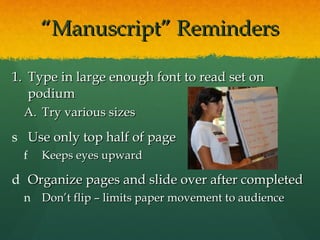
“ Manuscript” Reminders Type in large enough font to read set on podium Try various sizes Use only top half of page Keeps eyes upward Organize pages and slide over after completed Don’t flip – limits paper movement to audience
Memorized Speaking Keeps exact wording & time limits Allows for more bodily action & eye contact Usually formal speeches Disadvantages: 1) No allowances to adjust for audience response 2) Speaker forgets; unable to improvise
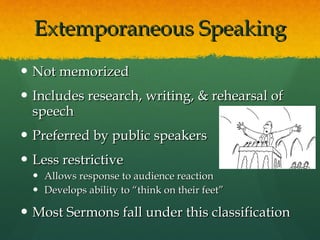
Extemporaneous Speaking Not memorized Includes research, writing, & rehearsal of speech Preferred by public speakers Less restrictive Allows response to audience reaction Develops ability to “think on their feet” Most Sermons fall under this classification
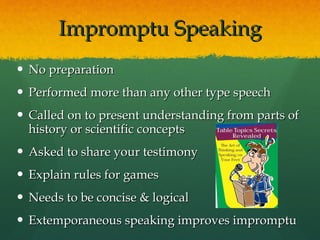
Impromptu Speaking No preparation Performed more than any other type speech Called on to present understanding from parts of history or scientific concepts Asked to share your testimony Explain rules for games Needs to be concise & logical Extemporaneous speaking improves impromptu
Delivery Difficulties Murphy’s Law – If it can happen, it will! Be prepared for the unexpected Notes drop, someone starts coughing uncontrollably Things demonstrating don’t work properly Potential problems can avoided or defused Don’t play the “What if…” game Prepare, prepare, prepare Do your BEST, and give God the rest
Philippians 4:6 Don't worry about anything; instead, pray about everything. Tell God what you need, and thank him for all he has done.
Dealing with the Unexpected Don’t panic! The audience is on your side. People want to see you succeed. Fix the situation  calmly . Rushing can cause more problems. If it can’t be fixed,  Ignore it; adjust speaking as needed Pause & wait –speaking over something can be more difficult and fruitless (plane overhead) Deal with the problem with grace; verbally sympathize, help the situation
Handling Hecklers Ignore Let audience deal with individual May need to stop speech & graciously confront at a time after the speech Never give added attention through verbal battles from the stage
Dealing With the Expected Plan and prepare ahead to defuse potential problems.
Plan the Best Way  to Prepare for  Using a podium or lectern Available for holding notes, visuals, or other aids Not a place to hide behind or use to grip Avoid temptation – don’t use or don’t hang onto it
Be Prepared  Using a microphone Attached to podium, relax hands and leave to your side. Avoid gripping attached stand or podium  Need to aim voice towards microphone Wireless microphones need to be fitted and tested Know how to use it Be comfortable with speaking
Enhance message Using visual aids Reinforces message Adds to explanation Especially demos Picture is worth 1000 words Necessary?
Visuals Can Detract Poorly prepared Sloppy Gives appearance of being unprepared Make sure they’re necessary
Guidelines for Using Visual Aids Neat & large enough to be seen by all Practice with visuals in the room Test for back row visibility Simple block style lettering at least 1-inch tall Use contrasting colors that show up well   No previews of visuals  Accentuate presentation,  NOT  the focus
Guidelines for Using Visual Aids Talk to your audience not the visual Use as a tool to enhance communication Rehearse times to present the visual Mark outline  With PowerPoint, overhead projector, or video:  Practice the use Murphy’s Law can strike at any moment! Be prepared
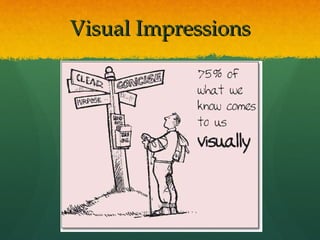
Visual Impressions
Make a Visual Impression Greatly affects your presentation Posture, eye contact, & poise approaching/leaving stage expresses volumes about you Maintain good posture & eye contact throughout to enhance communication Use adequate facial expression, effective gestures, & movement Sets you apart from the average speaker  *

Ch 10 p 211 216

  • 1.
    Delivery Methods Ch.10; p. 211-216
  • 2.
    Delivery Onstage to your audience How you move How you speak How you present your message
  • 3.
    4 Methods ofDelivery Used in Public Speaking Manuscript Speaking Memorized Speaking Extemporaneous Speaking Impromptu Speaking
  • 4.
    Manuscript Speaking Readfrom a printed page Used with rigid time limits Exact wording – essential When delivering someone else’s speech Needs to be exact quoting Lacks vitality & spontaneity Uses less body actions, vocal variety, & visual directness
  • 5.
    “ Manuscript” RemindersType in large enough font to read set on podium Try various sizes Use only top half of page Keeps eyes upward Organize pages and slide over after completed Don’t flip – limits paper movement to audience
  • 6.
    Memorized Speaking Keepsexact wording & time limits Allows for more bodily action & eye contact Usually formal speeches Disadvantages: 1) No allowances to adjust for audience response 2) Speaker forgets; unable to improvise
  • 7.
    Extemporaneous Speaking Notmemorized Includes research, writing, & rehearsal of speech Preferred by public speakers Less restrictive Allows response to audience reaction Develops ability to “think on their feet” Most Sermons fall under this classification
  • 8.
    Impromptu Speaking Nopreparation Performed more than any other type speech Called on to present understanding from parts of history or scientific concepts Asked to share your testimony Explain rules for games Needs to be concise & logical Extemporaneous speaking improves impromptu
  • 9.
    Delivery Difficulties Murphy’sLaw – If it can happen, it will! Be prepared for the unexpected Notes drop, someone starts coughing uncontrollably Things demonstrating don’t work properly Potential problems can avoided or defused Don’t play the “What if…” game Prepare, prepare, prepare Do your BEST, and give God the rest
  • 10.
    Philippians 4:6 Don'tworry about anything; instead, pray about everything. Tell God what you need, and thank him for all he has done.
  • 11.
    Dealing with theUnexpected Don’t panic! The audience is on your side. People want to see you succeed. Fix the situation calmly . Rushing can cause more problems. If it can’t be fixed, Ignore it; adjust speaking as needed Pause & wait –speaking over something can be more difficult and fruitless (plane overhead) Deal with the problem with grace; verbally sympathize, help the situation
  • 12.
    Handling Hecklers IgnoreLet audience deal with individual May need to stop speech & graciously confront at a time after the speech Never give added attention through verbal battles from the stage
  • 13.
    Dealing With theExpected Plan and prepare ahead to defuse potential problems.
  • 14.
    Plan the BestWay to Prepare for Using a podium or lectern Available for holding notes, visuals, or other aids Not a place to hide behind or use to grip Avoid temptation – don’t use or don’t hang onto it
  • 15.
    Be Prepared Using a microphone Attached to podium, relax hands and leave to your side. Avoid gripping attached stand or podium Need to aim voice towards microphone Wireless microphones need to be fitted and tested Know how to use it Be comfortable with speaking
  • 16.
    Enhance message Usingvisual aids Reinforces message Adds to explanation Especially demos Picture is worth 1000 words Necessary?
  • 17.
    Visuals Can DetractPoorly prepared Sloppy Gives appearance of being unprepared Make sure they’re necessary
  • 18.
    Guidelines for UsingVisual Aids Neat & large enough to be seen by all Practice with visuals in the room Test for back row visibility Simple block style lettering at least 1-inch tall Use contrasting colors that show up well No previews of visuals Accentuate presentation, NOT the focus
  • 19.
    Guidelines for UsingVisual Aids Talk to your audience not the visual Use as a tool to enhance communication Rehearse times to present the visual Mark outline With PowerPoint, overhead projector, or video: Practice the use Murphy’s Law can strike at any moment! Be prepared
  • 20.
  • 21.
    Make a VisualImpression Greatly affects your presentation Posture, eye contact, & poise approaching/leaving stage expresses volumes about you Maintain good posture & eye contact throughout to enhance communication Use adequate facial expression, effective gestures, & movement Sets you apart from the average speaker *

Editor's Notes

  • #12 #3 If the cougher remains in the room, you may need to speak louder or a more animated delivery.
  • #18 Refer to Page 215, Chart describing Posters, Charts & Graphics, Diagrams, Photos, & Models, Maps.