Cassandra
Data Modelling and
Queries with CQL3
By Markus Klems
(2013)
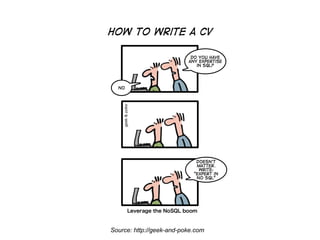
Source: http://geek-and-poke.com
Data Model
● Keyspace (Database)
● Column Family (Table)
● Keys and Columns
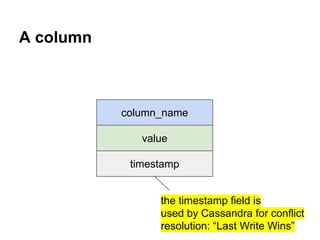
A column

column_name
value
timestamp
the timestamp field is
used by Cassandra for conflict
resolution: “Last Write Wins”
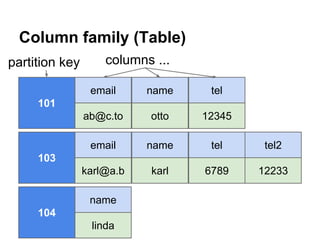
Column family (Table)
partition key

columns ...
email

name

tel

ab@c.to

otto

12345

email

name

tel

tel2

karl@a.b

karl

6789

12233

101

103

name
104
linda
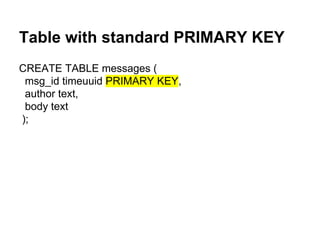
Table with standard PRIMARY KEY
CREATE TABLE messages (
msg_id timeuuid PRIMARY KEY,
author text,
body text
);
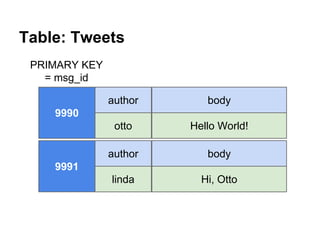
Table: Tweets
PRIMARY KEY
= msg_id
author

body

otto

Hello World!

author

body

linda

Hi, Otto

9990

9991
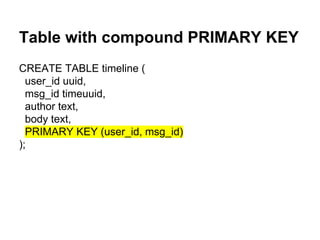
Table with compound PRIMARY KEY
CREATE TABLE timeline (
user_id uuid,
msg_id timeuuid,
author text,
body text,
PRIMARY KEY (user_id, msg_id)
);
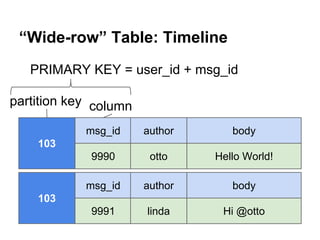
“Wide-row” Table: Timeline
PRIMARY KEY = user_id + msg_id
partition key column
msg_id

author

body

9990

otto

Hello World!

msg_id

author

body

9991

linda

Hi @otto

103

103
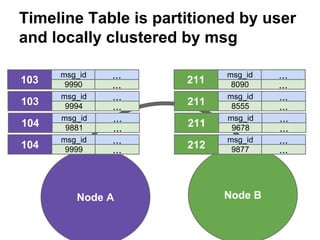
Timeline Table is partitioned by user
and locally clustered by msg
103
103
104
104

msg_id
9990
msg_id
9994
msg_id
9881
msg_id
9999

...
...
...
...
...
...
...
...

Node A

211
211
211
212

msg_id
8090
msg_id
8555
msg_id
9678
msg_id
9877

Node B

...
...
...
...
...
...
...
...
Comparison: RDBMS vs. Cassandra
RDBMS Data Design

Cassandra Data Design
Users Table

Users Table
user_id

name

email

user_id

name

email

101

otto

o@t.to

101

otto

o@t.to

Tweets Table
tweet_id author_id
9990

101

Followers Table
follows_
id
id
104
4321

Tweets Table
body
Hello!

tweet_id author_id
9990

101

Follows Table
followed
_id
101

name

body

otto

Hello!

Followed Table

user_id

follows_list

id

followed_list

104

[101,117]

101

[104,109]
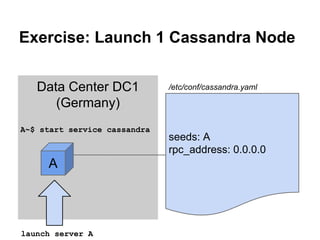
Exercise: Launch 1 Cassandra Node
Data Center DC1
(Germany)
A~$ start service cassandra

A

launch server A

/etc/conf/cassandra.yaml

seeds: A
rpc_address: 0.0.0.0
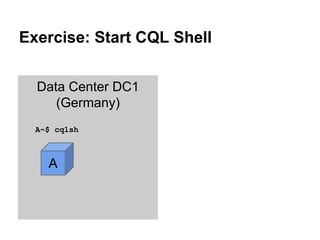
Exercise: Start CQL Shell
Data Center DC1
(Germany)
A~$ cqlsh

A
Intro: CLI, CQL2, CQL3
● CQL is “SQL for Cassandra”
● Cassandra CLI deprecated, CQL2 deprecated
● CQL3 is default since Cassandra 1.2
$ cqlsh
● Pipe scripts into cqlsh
$ cat cql_script | cqlsh

● Source files inside cqlsh
cqlsh> SOURCE '~/cassandra_training/cql3/
01_create_keyspaces';
CQL3
●
●
●
●
●
●
●
●
●
●
●
●
●
●
●

Create a keyspace
Create a column family
Insert data
Alter schema
Update data
Delete data
Apply batch operation
Read data
Secondary Index
Compound Primary Key
Collections
Consistency level
Time-To-Live (TTL)
Counter columns
sstable2json utility tool
Create a SimpleStrategy keyspace
● Create a keyspace with SimpleStrategy and
"replication_factor" option with value "3" like
this:
cqlsh> CREATE KEYSPACE <ksname>
WITH REPLICATION =
{'class':'SimpleStrategy',
'replication_factor':3};
Exercise: Create a SimpleStrategy
keyspace
● Create a keyspace "simpledb" with SimpleStrategy and
replication factor 1.
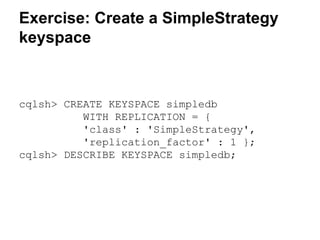
Exercise: Create a SimpleStrategy
keyspace

cqlsh> CREATE KEYSPACE simpledb
WITH REPLICATION = {
'class' : 'SimpleStrategy',
'replication_factor' : 1 };
cqlsh> DESCRIBE KEYSPACE simpledb;
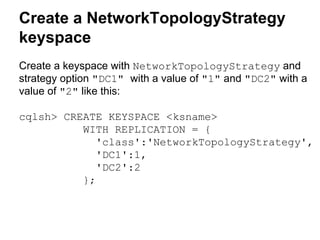
Create a NetworkTopologyStrategy
keyspace
Create a keyspace with NetworkTopologyStrategy and
strategy option "DC1" with a value of "1" and "DC2" with a
value of "2" like this:
cqlsh> CREATE KEYSPACE <ksname>
WITH REPLICATION = {
'class':'NetworkTopologyStrategy',
'DC1':1,
'DC2':2
};
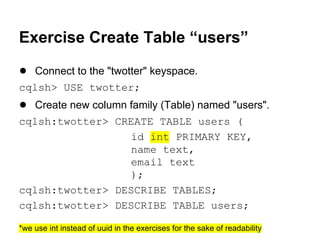
Exercise Create Table “users”
● Connect to the "twotter" keyspace.
cqlsh> USE twotter;

● Create new column family (Table) named "users".
cqlsh:twotter> CREATE TABLE users (
id int PRIMARY KEY,
name text,
email text
);
cqlsh:twotter> DESCRIBE TABLES;
cqlsh:twotter> DESCRIBE TABLE users;
*we use int instead of uuid in the exercises for the sake of readability
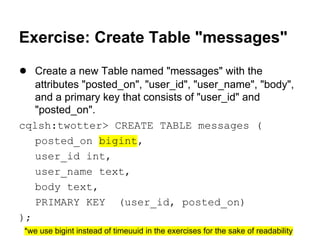
Exercise: Create Table "messages"
● Create a new Table named "messages" with the
attributes "posted_on", "user_id", "user_name", "body",
and a primary key that consists of "user_id" and
"posted_on".
cqlsh:twotter> CREATE TABLE messages (
posted_on bigint,
user_id int,
user_name text,
body text,
PRIMARY KEY (user_id, posted_on)
);
*we use bigint instead of timeuuid in the exercises for the sake of readability
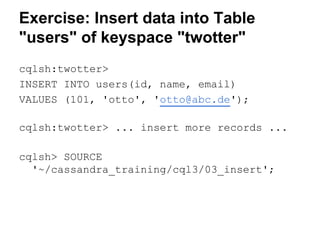
Exercise: Insert data into Table
"users" of keyspace "twotter"
cqlsh:twotter>
INSERT INTO users(id, name, email)
VALUES (101, 'otto', 'otto@abc.de');
cqlsh:twotter> ... insert more records ...
cqlsh> SOURCE
'~/cassandra_training/cql3/03_insert';
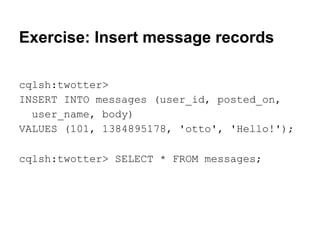
Exercise: Insert message records
cqlsh:twotter>
INSERT INTO messages (user_id, posted_on,
user_name, body)
VALUES (101, 1384895178, 'otto', 'Hello!');
cqlsh:twotter> SELECT * FROM messages;
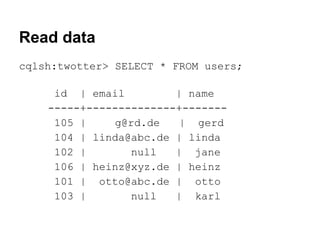
Read data
cqlsh:twotter> SELECT * FROM users;
id | email
| name
-----+--------------+------105 |
g@rd.de
| gerd
104 | linda@abc.de | linda
102 |
null
| jane
106 | heinz@xyz.de | heinz
101 | otto@abc.de | otto
103 |
null
| karl
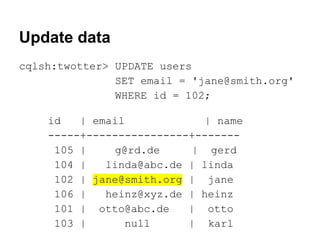
Update data
cqlsh:twotter> UPDATE users
SET email = 'jane@smith.org'
WHERE id = 102;
id
| email
| name
-----+----------------+------105 |
g@rd.de
| gerd
104 |
linda@abc.de | linda
102 | jane@smith.org | jane
106 |
heinz@xyz.de | heinz
101 | otto@abc.de
| otto
103 |
null
| karl
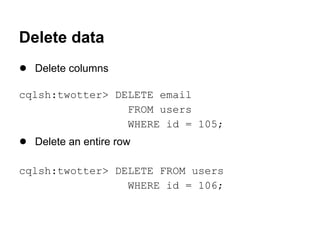
Delete data
● Delete columns
cqlsh:twotter> DELETE email
FROM users
WHERE id = 105;

● Delete an entire row
cqlsh:twotter> DELETE FROM users
WHERE id = 106;
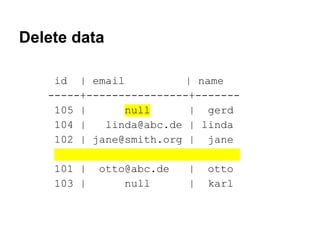
Delete data
id | email
| name
-----+----------------+------105 |
null
| gerd
104 |
linda@abc.de | linda
102 | jane@smith.org | jane
.
101 | otto@abc.de
| otto
103 |
null
| karl
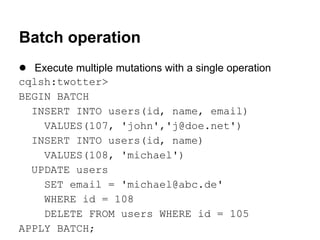
Batch operation
● Execute multiple mutations with a single operation
cqlsh:twotter>
BEGIN BATCH
INSERT INTO users(id, name, email)
VALUES(107, 'john','j@doe.net')
INSERT INTO users(id, name)
VALUES(108, 'michael')
UPDATE users
SET email = 'michael@abc.de'
WHERE id = 108
DELETE FROM users WHERE id = 105
APPLY BATCH;
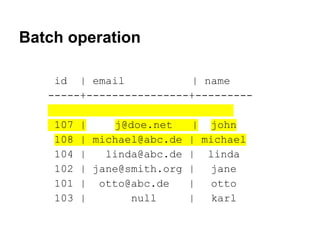
Batch operation
id | email
| name
-----+----------------+--------.
107 |
j@doe.net
| john
108 | michael@abc.de | michael
104 |
linda@abc.de | linda
102 | jane@smith.org | jane
101 | otto@abc.de
|
otto
103 |
null
| karl
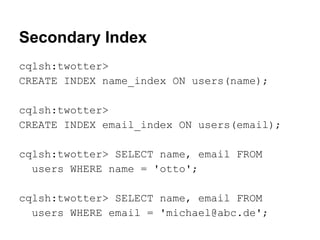
Secondary Index
cqlsh:twotter>
CREATE INDEX name_index ON users(name);
cqlsh:twotter>
CREATE INDEX email_index ON users(email);
cqlsh:twotter> SELECT name, email FROM
users WHERE name = 'otto';
cqlsh:twotter> SELECT name, email FROM
users WHERE email = 'michael@abc.de';
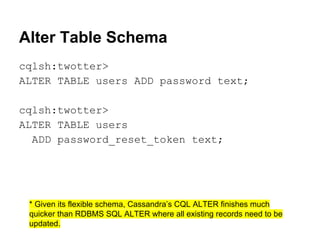
Alter Table Schema
cqlsh:twotter>
ALTER TABLE users ADD password text;
cqlsh:twotter>
ALTER TABLE users
ADD password_reset_token text;

* Given its flexible schema, Cassandra’s CQL ALTER finishes much
quicker than RDBMS SQL ALTER where all existing records need to be
updated.
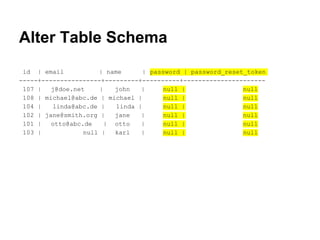
Alter Table Schema
id | email
| name
| password | password_reset_token
-----+----------------+---------+----------+---------------------107 |
j@doe.net
|
john
|
null |
null
108 | michael@abc.de | michael |
null |
null
104 |
linda@abc.de |
linda |
null |
null
102 | jane@smith.org |
jane
|
null |
null
101 |
otto@abc.de
| otto
|
null |
null
103 |
null |
karl
|
null |
null
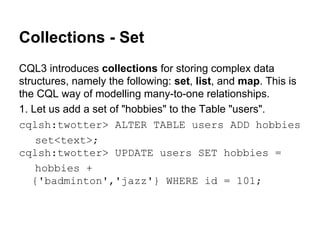
Collections - Set
CQL3 introduces collections for storing complex data
structures, namely the following: set, list, and map. This is
the CQL way of modelling many-to-one relationships.
1. Let us add a set of "hobbies" to the Table "users".
cqlsh:twotter> ALTER TABLE users ADD hobbies
set<text>;
cqlsh:twotter> UPDATE users SET hobbies =
hobbies +
{'badminton','jazz'} WHERE id = 101;
Collections - List
2. Now create a Table "followers" with a list of followers.
cqlsh:twotter> CREATE TABLE followers (
user_id int PRIMARY KEY,
followers list<text>);
cqlsh:twotter> INSERT INTO followers (
user_id, followers)
VALUES (101, ['willi','heinz']);
cqlsh:twotter> SELECT * FROM followers;
user_id | followers
---------+-------------------101
| ['willi', 'heinz']
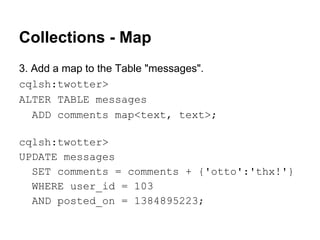
Collections - Map
3. Add a map to the Table "messages".
cqlsh:twotter>
ALTER TABLE messages
ADD comments map<text, text>;
cqlsh:twotter>
UPDATE messages
SET comments = comments + {'otto':'thx!'}
WHERE user_id = 103
AND posted_on = 1384895223;
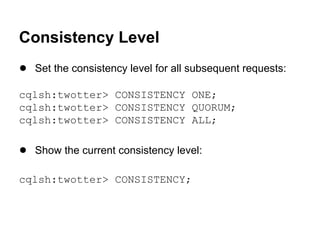
Consistency Level
● Set the consistency level for all subsequent requests:
cqlsh:twotter> CONSISTENCY ONE;
cqlsh:twotter> CONSISTENCY QUORUM;
cqlsh:twotter> CONSISTENCY ALL;

● Show the current consistency level:
cqlsh:twotter> CONSISTENCY;
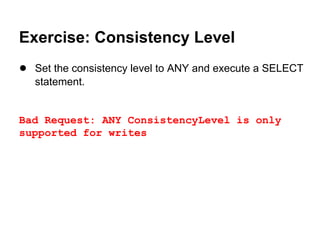
Exercise: Consistency Level
● Set the consistency level to ANY and execute a SELECT
statement.
Exercise: Consistency Level
● Set the consistency level to ANY and execute a SELECT
statement.

Bad Request: ANY ConsistencyLevel is only
supported for writes
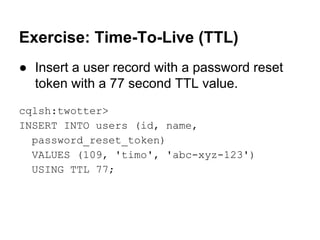
Exercise: Time-To-Live (TTL)
● Insert a user record with a password reset
token with a 77 second TTL value.
cqlsh:twotter>
INSERT INTO users (id, name,
password_reset_token)
VALUES (109, 'timo', 'abc-xyz-123')
USING TTL 77;
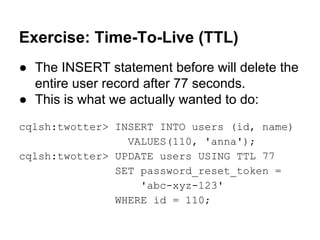
Exercise: Time-To-Live (TTL)
● The INSERT statement before will delete the
entire user record after 77 seconds.
● This is what we actually wanted to do:
cqlsh:twotter> INSERT INTO users (id, name)
VALUES(110, 'anna');
cqlsh:twotter> UPDATE users USING TTL 77
SET password_reset_token =
'abc-xyz-123'
WHERE id = 110;
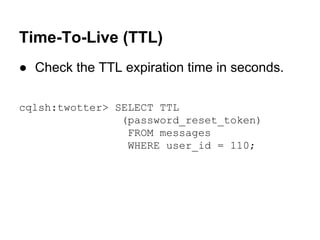
Time-To-Live (TTL)
● Check the TTL expiration time in seconds.
cqlsh:twotter> SELECT TTL
(password_reset_token)
FROM messages
WHERE user_id = 110;
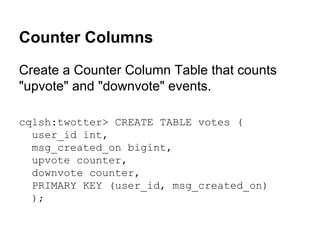
Counter Columns
Create a Counter Column Table that counts
"upvote" and "downvote" events.
cqlsh:twotter> CREATE TABLE votes (
user_id int,
msg_created_on bigint,
upvote counter,
downvote counter,
PRIMARY KEY (user_id, msg_created_on)
);
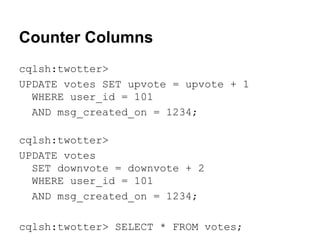
Counter Columns
cqlsh:twotter>
UPDATE votes SET upvote = upvote + 1
WHERE user_id = 101
AND msg_created_on = 1234;
cqlsh:twotter>
UPDATE votes
SET downvote = downvote + 2
WHERE user_id = 101
AND msg_created_on = 1234;
cqlsh:twotter> SELECT * FROM votes;
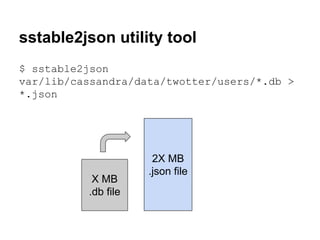
sstable2json utility tool
$ sstable2json
var/lib/cassandra/data/twotter/users/*.db >
*.json

X MB
.db file

2X MB
.json file
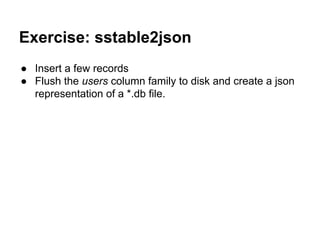
Exercise: sstable2json
● Insert a few records
● Flush the users column family to disk and create a json
representation of a *.db file.
Solution: sstable2json
$ nodetool flush twotter users
$ sstable2json
/var/lib/cassandra/data/twotter/users/twotte
r-users-jb-1-Data.db > twotter-users.json
$ cat twotter-users.json
[{"key": "00000069","columns": [["","",
1384963716697000], ["email","g@rd.de",
1384963716697000], ["name","gerd",
1384963716697000]]},
{"key": "00000068","columns": [["","",
1384963716685000], ...
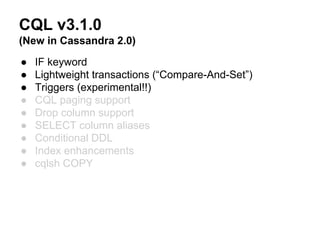
CQL v3.1.0
(New in Cassandra 2.0)
●
●
●
●
●
●
●
●
●

IF keyword
Lightweight transactions (“Compare-And-Set”)
Triggers (experimental!!)
CQL paging support
Drop column support
SELECT column aliases
Conditional DDL
Index enhancements
cqlsh COPY
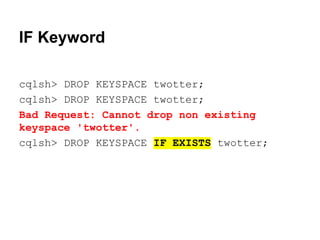
IF Keyword
cqlsh> DROP KEYSPACE twotter;
Bad Request: Cannot drop non existing
keyspace 'twotter'.
cqlsh> DROP KEYSPACE IF EXISTS twotter;
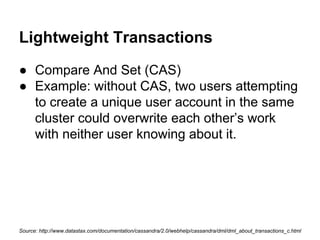
Lightweight Transactions
● Compare And Set (CAS)
● Example: without CAS, two users attempting
to create a unique user account in the same
cluster could overwrite each other’s work
with neither user knowing about it.

Source: http://www.datastax.com/documentation/cassandra/2.0/webhelp/cassandra/dml/dml_about_transactions_c.html
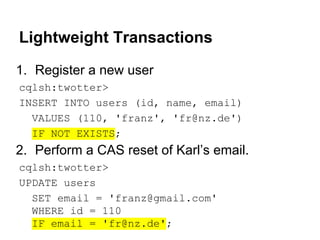
Lightweight Transactions
1. Register a new user
cqlsh:twotter>
INSERT INTO users (id, name, email)
VALUES (110, 'franz', 'fr@nz.de')
IF NOT EXISTS;

2. Perform a CAS reset of Karl’s email.
cqlsh:twotter>
UPDATE users
SET email = 'franz@gmail.com'
WHERE id = 110
IF email = 'fr@nz.de';
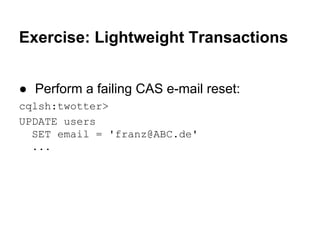
Exercise: Lightweight Transactions
● Perform a failing CAS e-mail reset:
cqlsh:twotter>
UPDATE users
SET email = 'franz@ABC.de'
...
Exercise: Lightweight Transactions
● Perform a failing CAS e-mail reset:
cqlsh:twotter>
UPDATE users
SET email = 'franz@ABC.de'
WHERE id = 110
IF email = 'fr@nz.de';
[applied] | email
-----------+------------False
| franz@gmail.com
Exercise: Lightweight Transactions
● Write a password reset method by using an
expiring password_reset_token column and
a CAS password update query.
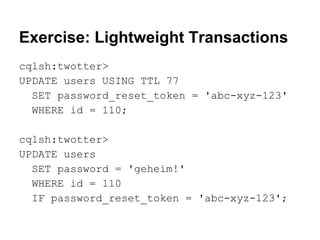
Exercise: Lightweight Transactions
cqlsh:twotter>
UPDATE users USING TTL 77
SET password_reset_token = 'abc-xyz-123'
WHERE id = 110;
cqlsh:twotter>
UPDATE users
SET password = 'geheim!'
WHERE id = 110
IF password_reset_token = 'abc-xyz-123';
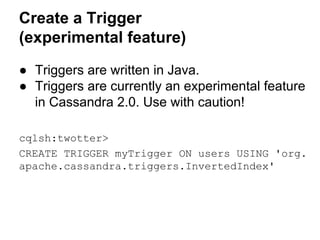
Create a Trigger
(experimental feature)
● Triggers are written in Java.
● Triggers are currently an experimental feature
in Cassandra 2.0. Use with caution!
cqlsh:twotter>
CREATE TRIGGER myTrigger ON users USING 'org.
apache.cassandra.triggers.InvertedIndex'

Apache Cassandra Lesson: Data Modelling and CQL3

  • 1.
    Cassandra Data Modelling and Querieswith CQL3 By Markus Klems (2013)
  • 2.
  • 3.
    Data Model ● Keyspace(Database) ● Column Family (Table) ● Keys and Columns
  • 4.
    A column column_name value timestamp the timestampfield is used by Cassandra for conflict resolution: “Last Write Wins”
  • 5.
    Column family (Table) partitionkey columns ... email name tel ab@c.to otto 12345 email name tel tel2 karl@a.b karl 6789 12233 101 103 name 104 linda
  • 6.
    Table with standardPRIMARY KEY CREATE TABLE messages ( msg_id timeuuid PRIMARY KEY, author text, body text );
  • 7.
    Table: Tweets PRIMARY KEY =msg_id author body otto Hello World! author body linda Hi, Otto 9990 9991
  • 8.
    Table with compoundPRIMARY KEY CREATE TABLE timeline ( user_id uuid, msg_id timeuuid, author text, body text, PRIMARY KEY (user_id, msg_id) );
  • 9.
    “Wide-row” Table: Timeline PRIMARYKEY = user_id + msg_id partition key column msg_id author body 9990 otto Hello World! msg_id author body 9991 linda Hi @otto 103 103
  • 10.
    Timeline Table ispartitioned by user and locally clustered by msg 103 103 104 104 msg_id 9990 msg_id 9994 msg_id 9881 msg_id 9999 ... ... ... ... ... ... ... ... Node A 211 211 211 212 msg_id 8090 msg_id 8555 msg_id 9678 msg_id 9877 Node B ... ... ... ... ... ... ... ...
  • 11.
    Comparison: RDBMS vs.Cassandra RDBMS Data Design Cassandra Data Design Users Table Users Table user_id name email user_id name email 101 otto o@t.to 101 otto o@t.to Tweets Table tweet_id author_id 9990 101 Followers Table follows_ id id 104 4321 Tweets Table body Hello! tweet_id author_id 9990 101 Follows Table followed _id 101 name body otto Hello! Followed Table user_id follows_list id followed_list 104 [101,117] 101 [104,109]
  • 12.
    Exercise: Launch 1Cassandra Node Data Center DC1 (Germany) A~$ start service cassandra A launch server A /etc/conf/cassandra.yaml seeds: A rpc_address: 0.0.0.0
  • 13.
    Exercise: Start CQLShell Data Center DC1 (Germany) A~$ cqlsh A
  • 14.
    Intro: CLI, CQL2,CQL3 ● CQL is “SQL for Cassandra” ● Cassandra CLI deprecated, CQL2 deprecated ● CQL3 is default since Cassandra 1.2 $ cqlsh ● Pipe scripts into cqlsh $ cat cql_script | cqlsh ● Source files inside cqlsh cqlsh> SOURCE '~/cassandra_training/cql3/ 01_create_keyspaces';
  • 15.
    CQL3 ● ● ● ● ● ● ● ● ● ● ● ● ● ● ● Create a keyspace Createa column family Insert data Alter schema Update data Delete data Apply batch operation Read data Secondary Index Compound Primary Key Collections Consistency level Time-To-Live (TTL) Counter columns sstable2json utility tool
  • 16.
    Create a SimpleStrategykeyspace ● Create a keyspace with SimpleStrategy and "replication_factor" option with value "3" like this: cqlsh> CREATE KEYSPACE <ksname> WITH REPLICATION = {'class':'SimpleStrategy', 'replication_factor':3};
  • 17.
    Exercise: Create aSimpleStrategy keyspace ● Create a keyspace "simpledb" with SimpleStrategy and replication factor 1.
  • 18.
    Exercise: Create aSimpleStrategy keyspace cqlsh> CREATE KEYSPACE simpledb WITH REPLICATION = { 'class' : 'SimpleStrategy', 'replication_factor' : 1 }; cqlsh> DESCRIBE KEYSPACE simpledb;
  • 19.
    Create a NetworkTopologyStrategy keyspace Createa keyspace with NetworkTopologyStrategy and strategy option "DC1" with a value of "1" and "DC2" with a value of "2" like this: cqlsh> CREATE KEYSPACE <ksname> WITH REPLICATION = { 'class':'NetworkTopologyStrategy', 'DC1':1, 'DC2':2 };
  • 20.
    Exercise Create Table“users” ● Connect to the "twotter" keyspace. cqlsh> USE twotter; ● Create new column family (Table) named "users". cqlsh:twotter> CREATE TABLE users ( id int PRIMARY KEY, name text, email text ); cqlsh:twotter> DESCRIBE TABLES; cqlsh:twotter> DESCRIBE TABLE users; *we use int instead of uuid in the exercises for the sake of readability
  • 21.
    Exercise: Create Table"messages" ● Create a new Table named "messages" with the attributes "posted_on", "user_id", "user_name", "body", and a primary key that consists of "user_id" and "posted_on". cqlsh:twotter> CREATE TABLE messages ( posted_on bigint, user_id int, user_name text, body text, PRIMARY KEY (user_id, posted_on) ); *we use bigint instead of timeuuid in the exercises for the sake of readability
  • 22.
    Exercise: Insert datainto Table "users" of keyspace "twotter" cqlsh:twotter> INSERT INTO users(id, name, email) VALUES (101, 'otto', 'otto@abc.de'); cqlsh:twotter> ... insert more records ... cqlsh> SOURCE '~/cassandra_training/cql3/03_insert';
  • 23.
    Exercise: Insert messagerecords cqlsh:twotter> INSERT INTO messages (user_id, posted_on, user_name, body) VALUES (101, 1384895178, 'otto', 'Hello!'); cqlsh:twotter> SELECT * FROM messages;
  • 24.
    Read data cqlsh:twotter> SELECT* FROM users; id | email | name -----+--------------+------105 | g@rd.de | gerd 104 | linda@abc.de | linda 102 | null | jane 106 | heinz@xyz.de | heinz 101 | otto@abc.de | otto 103 | null | karl
  • 25.
    Update data cqlsh:twotter> UPDATEusers SET email = 'jane@smith.org' WHERE id = 102; id | email | name -----+----------------+------105 | g@rd.de | gerd 104 | linda@abc.de | linda 102 | jane@smith.org | jane 106 | heinz@xyz.de | heinz 101 | otto@abc.de | otto 103 | null | karl
  • 26.
    Delete data ● Deletecolumns cqlsh:twotter> DELETE email FROM users WHERE id = 105; ● Delete an entire row cqlsh:twotter> DELETE FROM users WHERE id = 106;
  • 27.
    Delete data id |email | name -----+----------------+------105 | null | gerd 104 | linda@abc.de | linda 102 | jane@smith.org | jane . 101 | otto@abc.de | otto 103 | null | karl
  • 28.
    Batch operation ● Executemultiple mutations with a single operation cqlsh:twotter> BEGIN BATCH INSERT INTO users(id, name, email) VALUES(107, 'john','j@doe.net') INSERT INTO users(id, name) VALUES(108, 'michael') UPDATE users SET email = 'michael@abc.de' WHERE id = 108 DELETE FROM users WHERE id = 105 APPLY BATCH;
  • 29.
    Batch operation id |email | name -----+----------------+--------. 107 | j@doe.net | john 108 | michael@abc.de | michael 104 | linda@abc.de | linda 102 | jane@smith.org | jane 101 | otto@abc.de | otto 103 | null | karl
  • 30.
    Secondary Index cqlsh:twotter> CREATE INDEXname_index ON users(name); cqlsh:twotter> CREATE INDEX email_index ON users(email); cqlsh:twotter> SELECT name, email FROM users WHERE name = 'otto'; cqlsh:twotter> SELECT name, email FROM users WHERE email = 'michael@abc.de';
  • 31.
    Alter Table Schema cqlsh:twotter> ALTERTABLE users ADD password text; cqlsh:twotter> ALTER TABLE users ADD password_reset_token text; * Given its flexible schema, Cassandra’s CQL ALTER finishes much quicker than RDBMS SQL ALTER where all existing records need to be updated.
  • 32.
    Alter Table Schema id| email | name | password | password_reset_token -----+----------------+---------+----------+---------------------107 | j@doe.net | john | null | null 108 | michael@abc.de | michael | null | null 104 | linda@abc.de | linda | null | null 102 | jane@smith.org | jane | null | null 101 | otto@abc.de | otto | null | null 103 | null | karl | null | null
  • 33.
    Collections - Set CQL3introduces collections for storing complex data structures, namely the following: set, list, and map. This is the CQL way of modelling many-to-one relationships. 1. Let us add a set of "hobbies" to the Table "users". cqlsh:twotter> ALTER TABLE users ADD hobbies set<text>; cqlsh:twotter> UPDATE users SET hobbies = hobbies + {'badminton','jazz'} WHERE id = 101;
  • 34.
    Collections - List 2.Now create a Table "followers" with a list of followers. cqlsh:twotter> CREATE TABLE followers ( user_id int PRIMARY KEY, followers list<text>); cqlsh:twotter> INSERT INTO followers ( user_id, followers) VALUES (101, ['willi','heinz']); cqlsh:twotter> SELECT * FROM followers; user_id | followers ---------+-------------------101 | ['willi', 'heinz']
  • 35.
    Collections - Map 3.Add a map to the Table "messages". cqlsh:twotter> ALTER TABLE messages ADD comments map<text, text>; cqlsh:twotter> UPDATE messages SET comments = comments + {'otto':'thx!'} WHERE user_id = 103 AND posted_on = 1384895223;
  • 36.
    Consistency Level ● Setthe consistency level for all subsequent requests: cqlsh:twotter> CONSISTENCY ONE; cqlsh:twotter> CONSISTENCY QUORUM; cqlsh:twotter> CONSISTENCY ALL; ● Show the current consistency level: cqlsh:twotter> CONSISTENCY;
  • 37.
    Exercise: Consistency Level ●Set the consistency level to ANY and execute a SELECT statement.
  • 38.
    Exercise: Consistency Level ●Set the consistency level to ANY and execute a SELECT statement. Bad Request: ANY ConsistencyLevel is only supported for writes
  • 39.
    Exercise: Time-To-Live (TTL) ●Insert a user record with a password reset token with a 77 second TTL value. cqlsh:twotter> INSERT INTO users (id, name, password_reset_token) VALUES (109, 'timo', 'abc-xyz-123') USING TTL 77;
  • 40.
    Exercise: Time-To-Live (TTL) ●The INSERT statement before will delete the entire user record after 77 seconds. ● This is what we actually wanted to do: cqlsh:twotter> INSERT INTO users (id, name) VALUES(110, 'anna'); cqlsh:twotter> UPDATE users USING TTL 77 SET password_reset_token = 'abc-xyz-123' WHERE id = 110;
  • 41.
    Time-To-Live (TTL) ● Checkthe TTL expiration time in seconds. cqlsh:twotter> SELECT TTL (password_reset_token) FROM messages WHERE user_id = 110;
  • 42.
    Counter Columns Create aCounter Column Table that counts "upvote" and "downvote" events. cqlsh:twotter> CREATE TABLE votes ( user_id int, msg_created_on bigint, upvote counter, downvote counter, PRIMARY KEY (user_id, msg_created_on) );
  • 43.
    Counter Columns cqlsh:twotter> UPDATE votesSET upvote = upvote + 1 WHERE user_id = 101 AND msg_created_on = 1234; cqlsh:twotter> UPDATE votes SET downvote = downvote + 2 WHERE user_id = 101 AND msg_created_on = 1234; cqlsh:twotter> SELECT * FROM votes;
  • 44.
    sstable2json utility tool $sstable2json var/lib/cassandra/data/twotter/users/*.db > *.json X MB .db file 2X MB .json file
  • 45.
    Exercise: sstable2json ● Inserta few records ● Flush the users column family to disk and create a json representation of a *.db file.
  • 46.
    Solution: sstable2json $ nodetoolflush twotter users $ sstable2json /var/lib/cassandra/data/twotter/users/twotte r-users-jb-1-Data.db > twotter-users.json $ cat twotter-users.json [{"key": "00000069","columns": [["","", 1384963716697000], ["email","g@rd.de", 1384963716697000], ["name","gerd", 1384963716697000]]}, {"key": "00000068","columns": [["","", 1384963716685000], ...
  • 47.
    CQL v3.1.0 (New inCassandra 2.0) ● ● ● ● ● ● ● ● ● IF keyword Lightweight transactions (“Compare-And-Set”) Triggers (experimental!!) CQL paging support Drop column support SELECT column aliases Conditional DDL Index enhancements cqlsh COPY
  • 48.
    IF Keyword cqlsh> DROPKEYSPACE twotter; cqlsh> DROP KEYSPACE twotter; Bad Request: Cannot drop non existing keyspace 'twotter'. cqlsh> DROP KEYSPACE IF EXISTS twotter;
  • 49.
    Lightweight Transactions ● CompareAnd Set (CAS) ● Example: without CAS, two users attempting to create a unique user account in the same cluster could overwrite each other’s work with neither user knowing about it. Source: http://www.datastax.com/documentation/cassandra/2.0/webhelp/cassandra/dml/dml_about_transactions_c.html
  • 50.
    Lightweight Transactions 1. Registera new user cqlsh:twotter> INSERT INTO users (id, name, email) VALUES (110, 'franz', 'fr@nz.de') IF NOT EXISTS; 2. Perform a CAS reset of Karl’s email. cqlsh:twotter> UPDATE users SET email = 'franz@gmail.com' WHERE id = 110 IF email = 'fr@nz.de';
  • 51.
    Exercise: Lightweight Transactions ●Perform a failing CAS e-mail reset: cqlsh:twotter> UPDATE users SET email = 'franz@ABC.de' ...
  • 52.
    Exercise: Lightweight Transactions ●Perform a failing CAS e-mail reset: cqlsh:twotter> UPDATE users SET email = 'franz@ABC.de' WHERE id = 110 IF email = 'fr@nz.de'; [applied] | email -----------+------------False | franz@gmail.com
  • 53.
    Exercise: Lightweight Transactions ●Write a password reset method by using an expiring password_reset_token column and a CAS password update query.
  • 54.
    Exercise: Lightweight Transactions cqlsh:twotter> UPDATEusers USING TTL 77 SET password_reset_token = 'abc-xyz-123' WHERE id = 110; cqlsh:twotter> UPDATE users SET password = 'geheim!' WHERE id = 110 IF password_reset_token = 'abc-xyz-123';
  • 55.
    Create a Trigger (experimentalfeature) ● Triggers are written in Java. ● Triggers are currently an experimental feature in Cassandra 2.0. Use with caution! cqlsh:twotter> CREATE TRIGGER myTrigger ON users USING 'org. apache.cassandra.triggers.InvertedIndex'