Local –vs– Global Variables
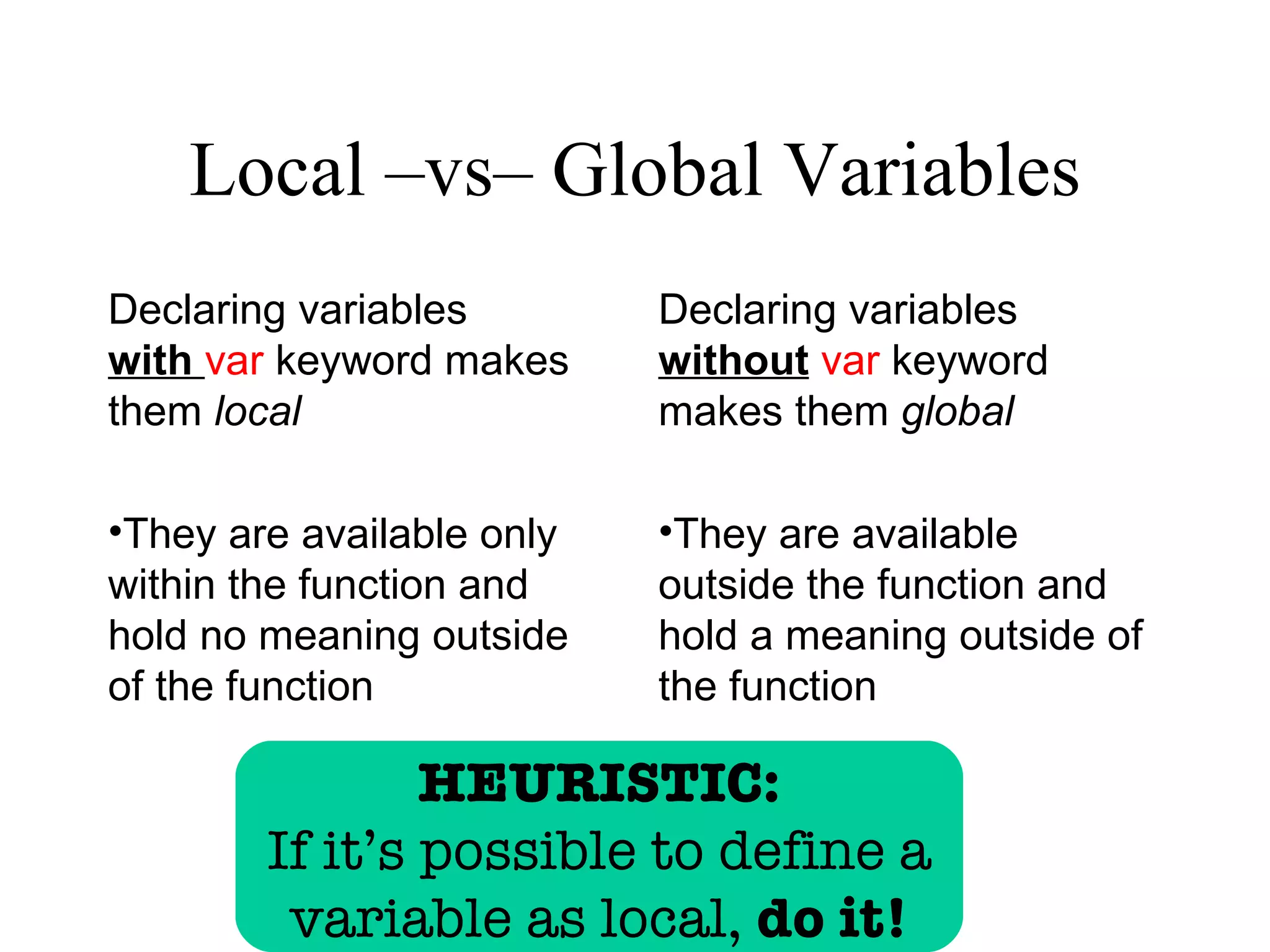
Declaring variables        Declaring variables
with var keyword makes     without var keyword
them local                 makes them global

•They are available only   •They are available
within the function and    outside the function and
hold no meaning outside    hold a meaning outside of
of the function            the function

                HEURISTIC:
        If it’s possible to define a
         variable as local, do it!
Local –vs– Global Variables
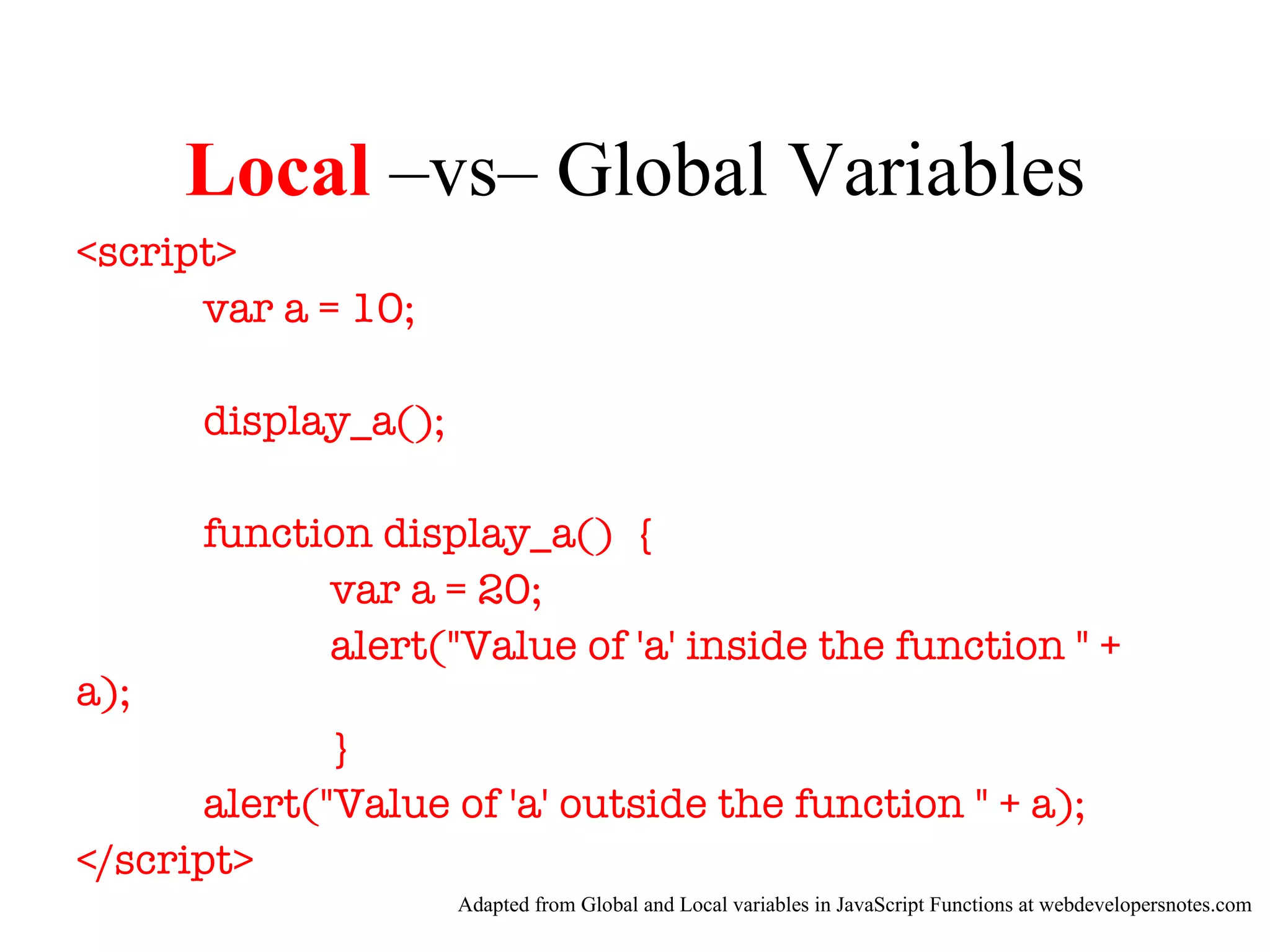
<script>
      var a = 10;

      display_a();

      function display_a() {
            var a = 20;
            alert("Value of 'a' inside the function " +
a);
              }
       alert("Value of 'a' outside the function " + a);
</script>
                     Adapted from Global and Local variables in JavaScript Functions at webdevelopersnotes.com
Local –vs– Global Variables

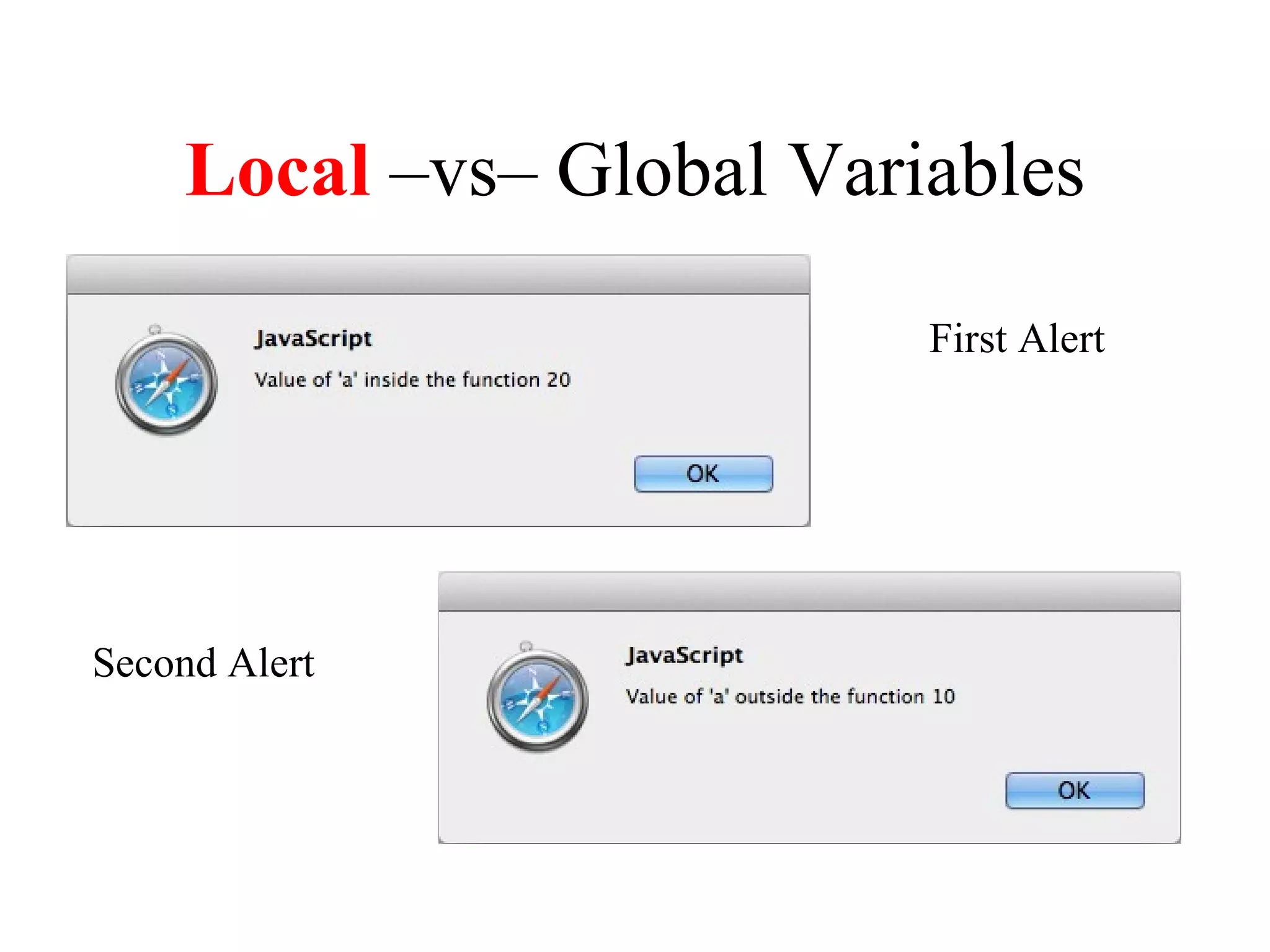
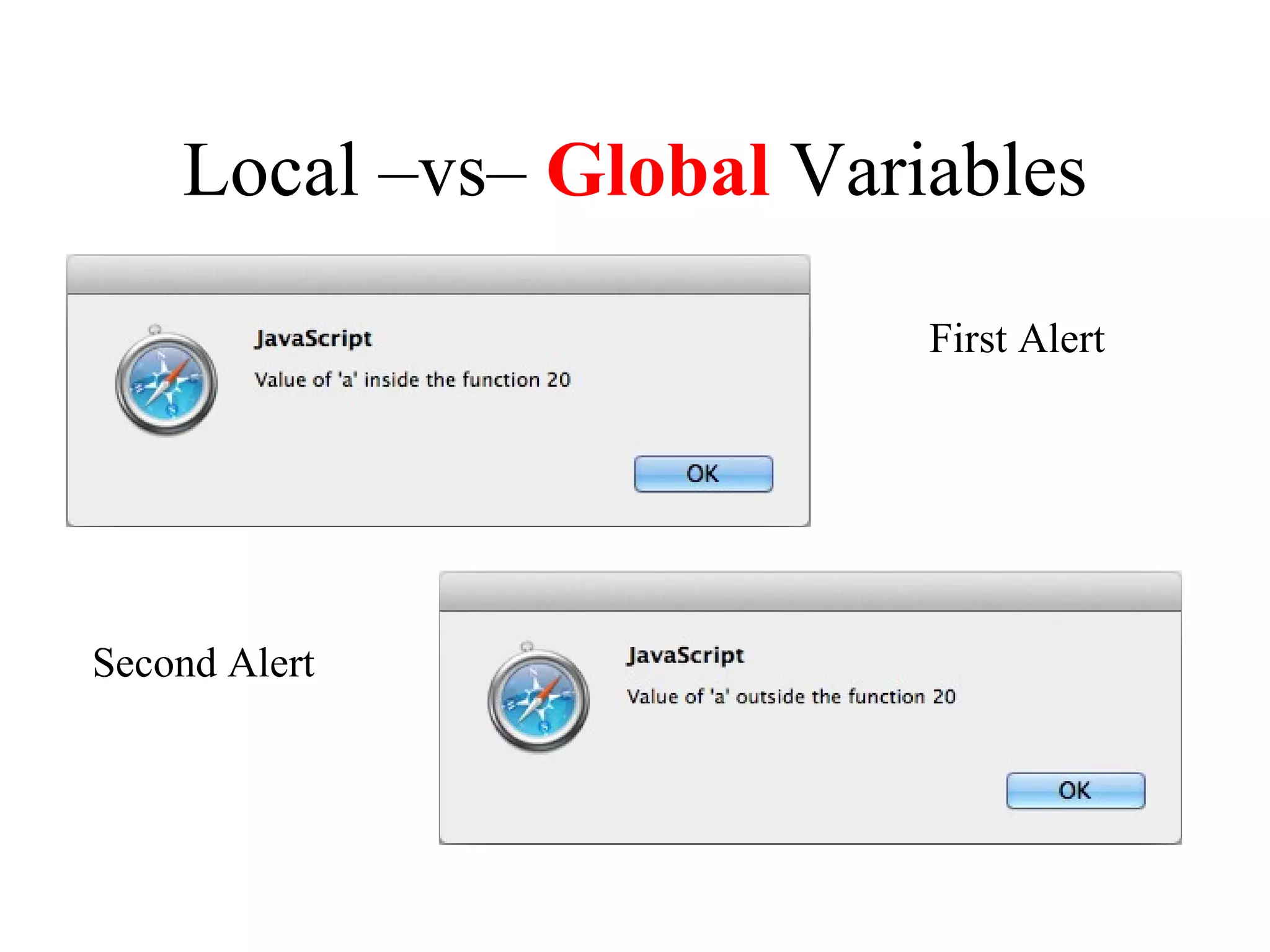
                          First Alert


Second Alert
Local –vs– Global Variables
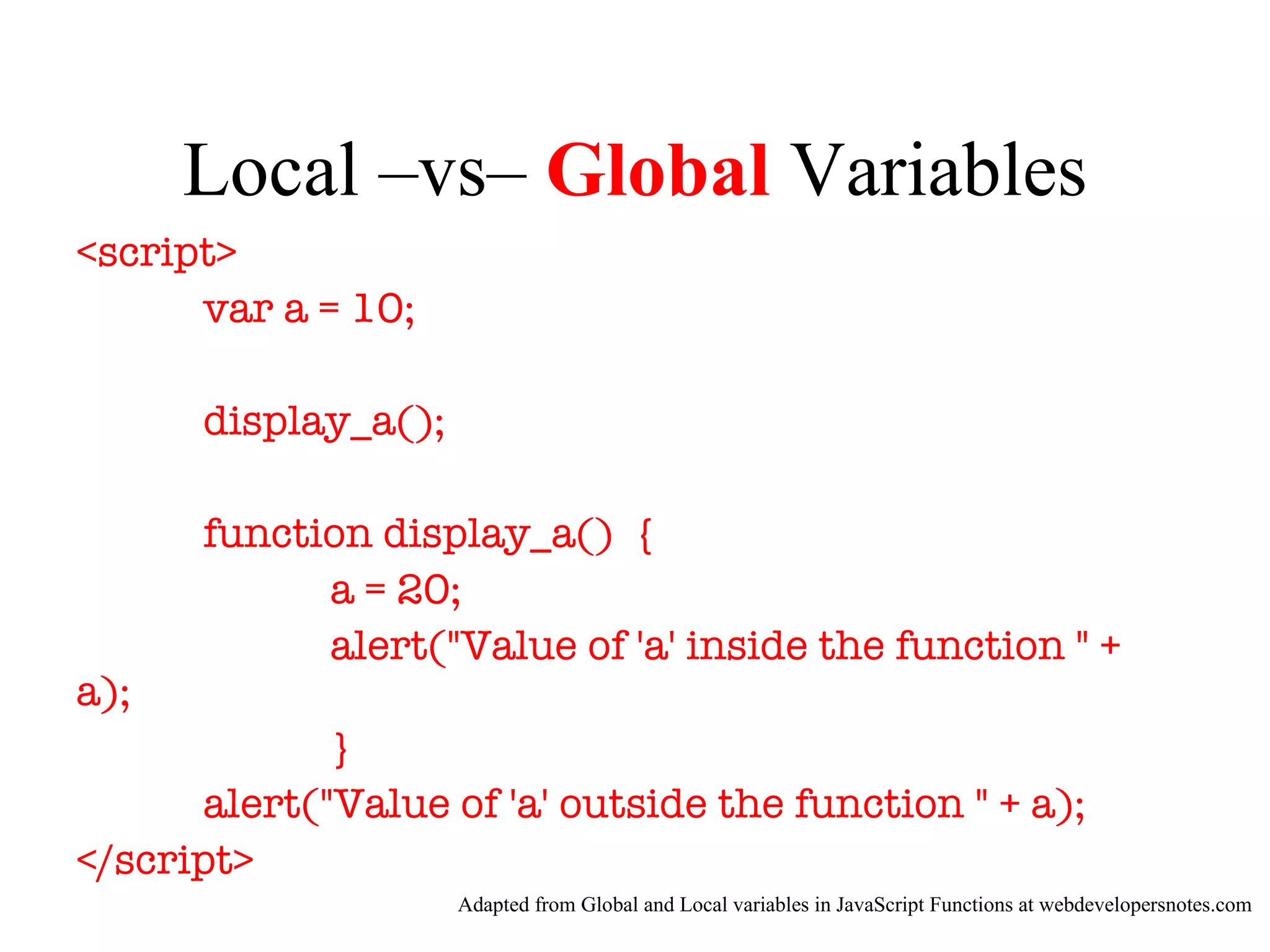
<script>
      var a = 10;

      display_a();

      function display_a() {
            a = 20;
            alert("Value of 'a' inside the function " +
a);
              }
       alert("Value of 'a' outside the function " + a);
</script>
                     Adapted from Global and Local variables in JavaScript Functions at webdevelopersnotes.com
Local –vs– Global Variables

                          First Alert


Second Alert
Chapter 6

             How to get input and
               display output


Murach’s JavaScript, C6   © 2009, Mike Murach & Associates, Inc.   Slide 7
More design by fiat
“Do me a favor, I’d like a few
more changes.”
Future Value user story

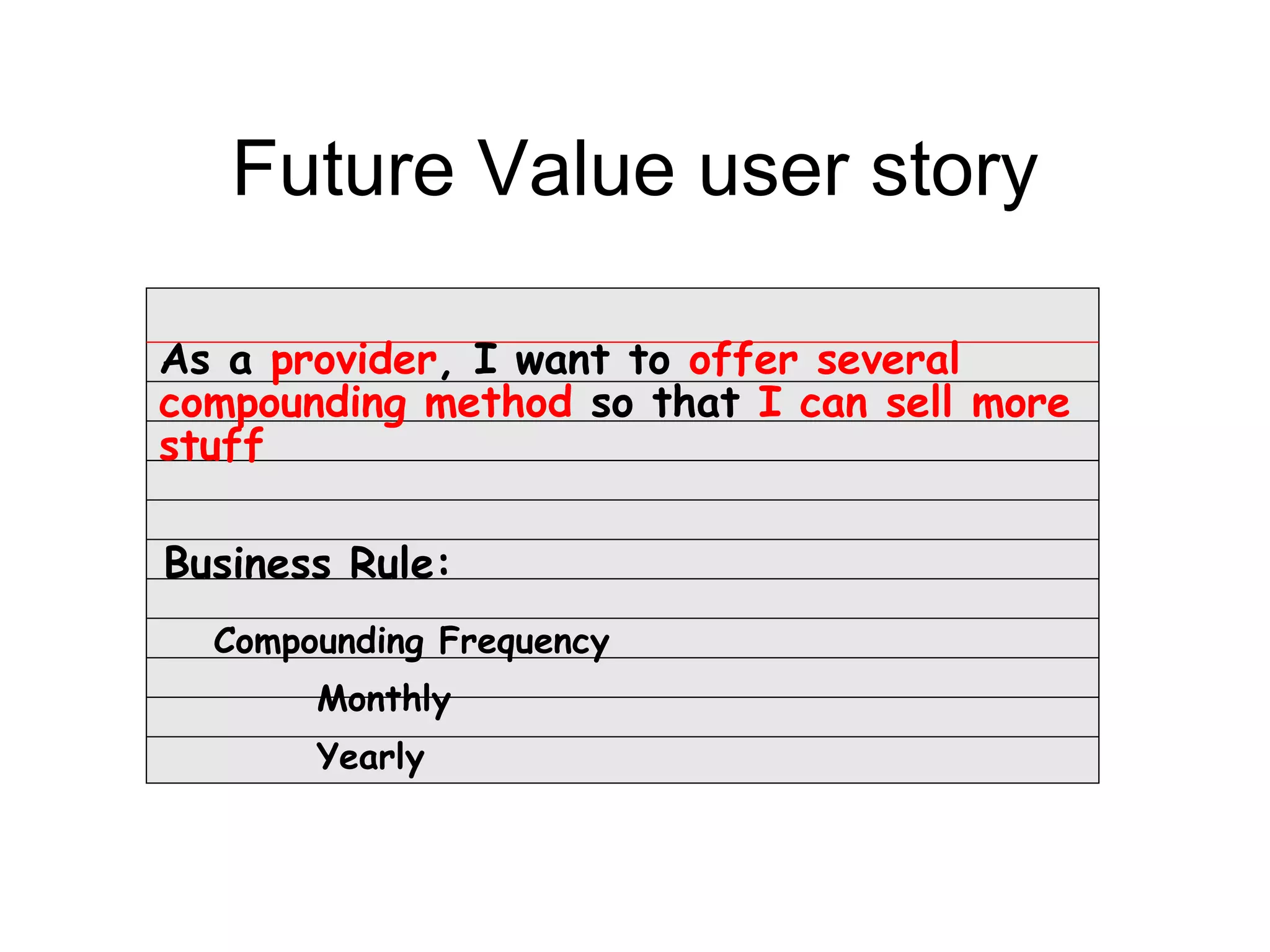
As a provider, I want to offer several
compounding method so that I can sell more
stuff

Business Rule:
  Compounding Frequency
       Monthly
       Yearly
Future Value user story

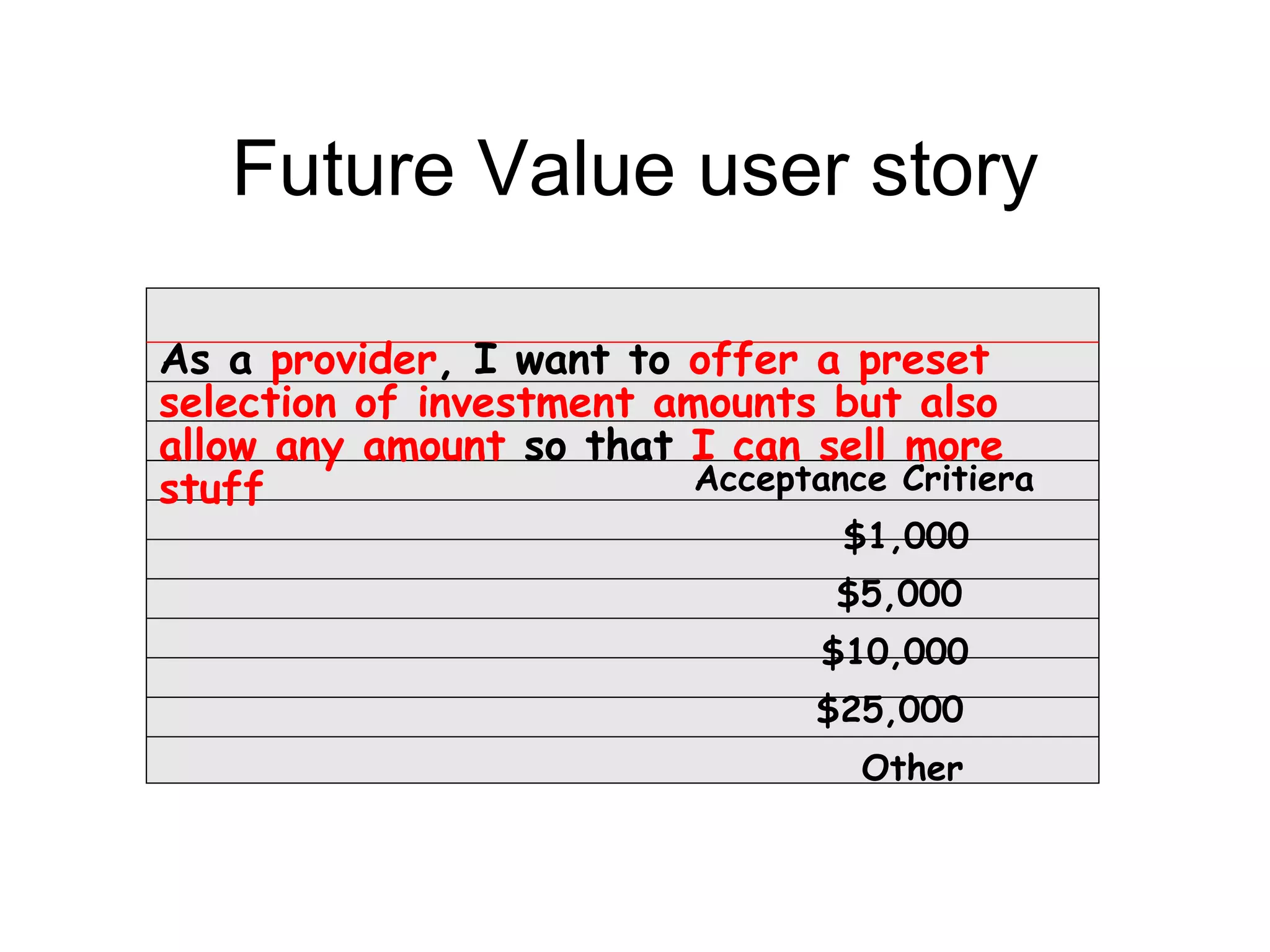
As a provider, I want to offer a preset
selection of investment amounts but also
allow any amount so that I can sell more
stuff                     Acceptance Critiera
                                   $1,000
                                  $5,000
                                  $10,000
                                 $25,000
                                    Other
Future Value user story

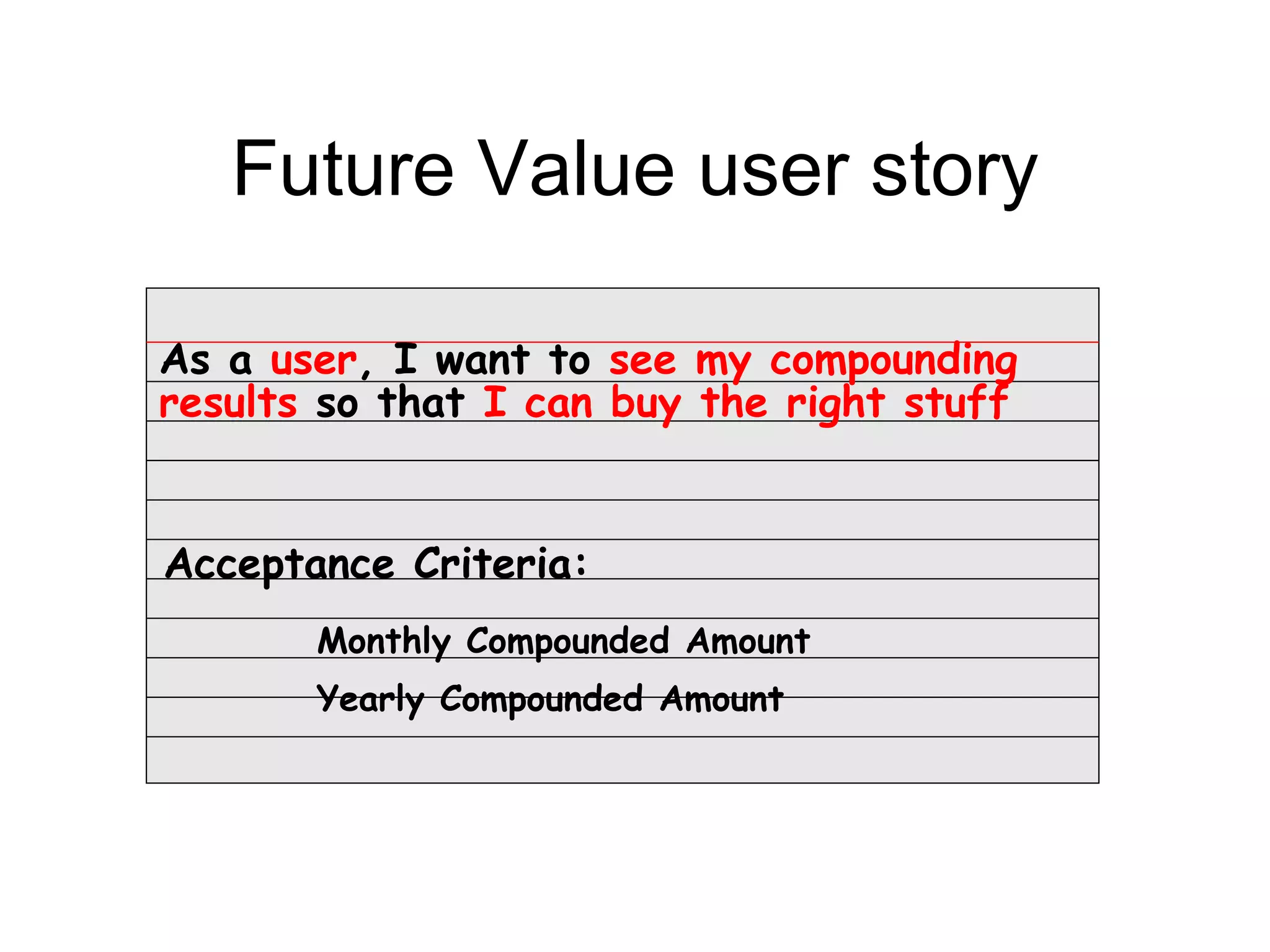
As a user, I want to see my compounding
results so that I can buy the right stuff


Acceptance Criteria:
       Monthly Compounded Amount
       Yearly Compounded Amount
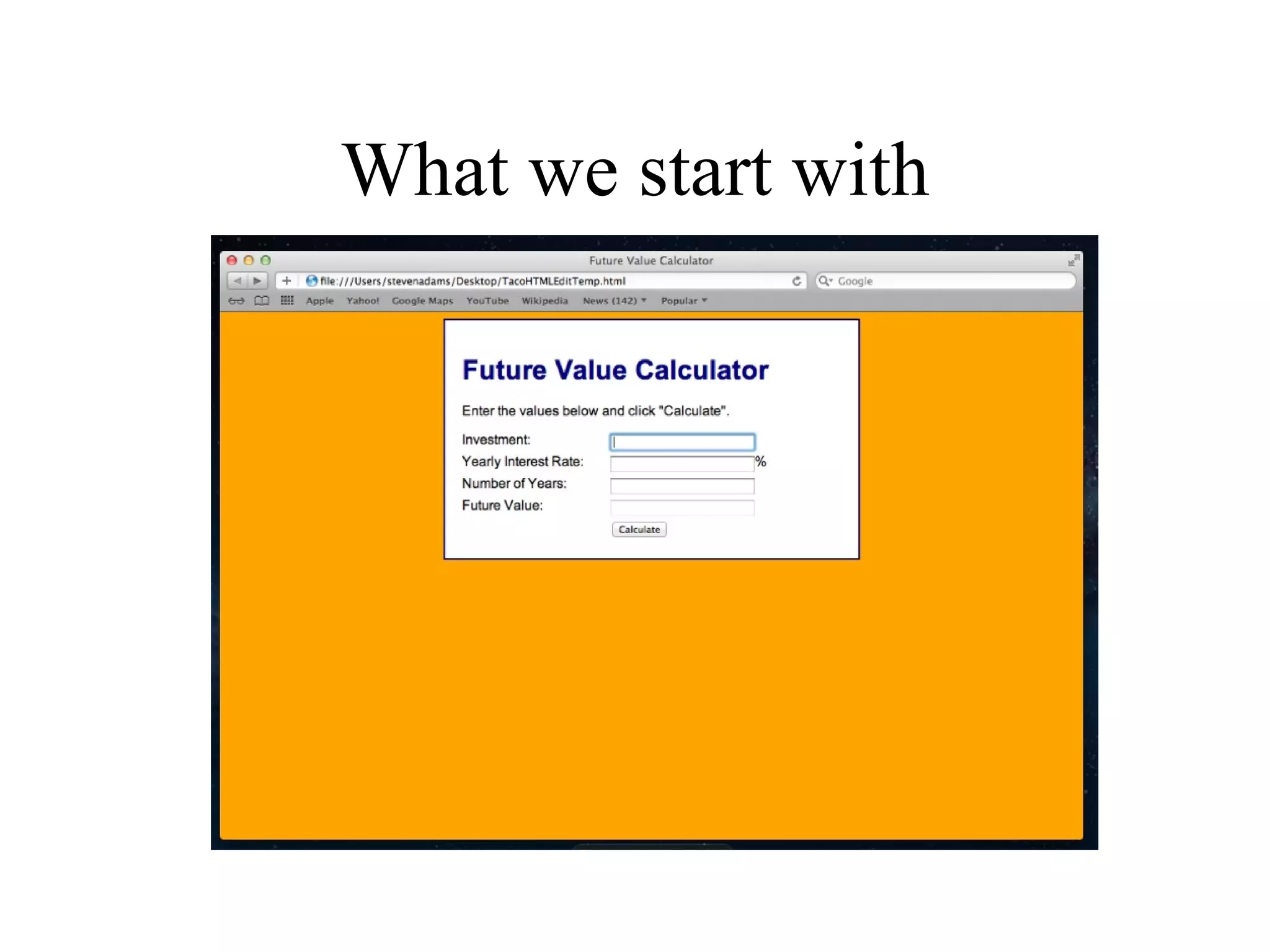
What we start with
Exercise #1
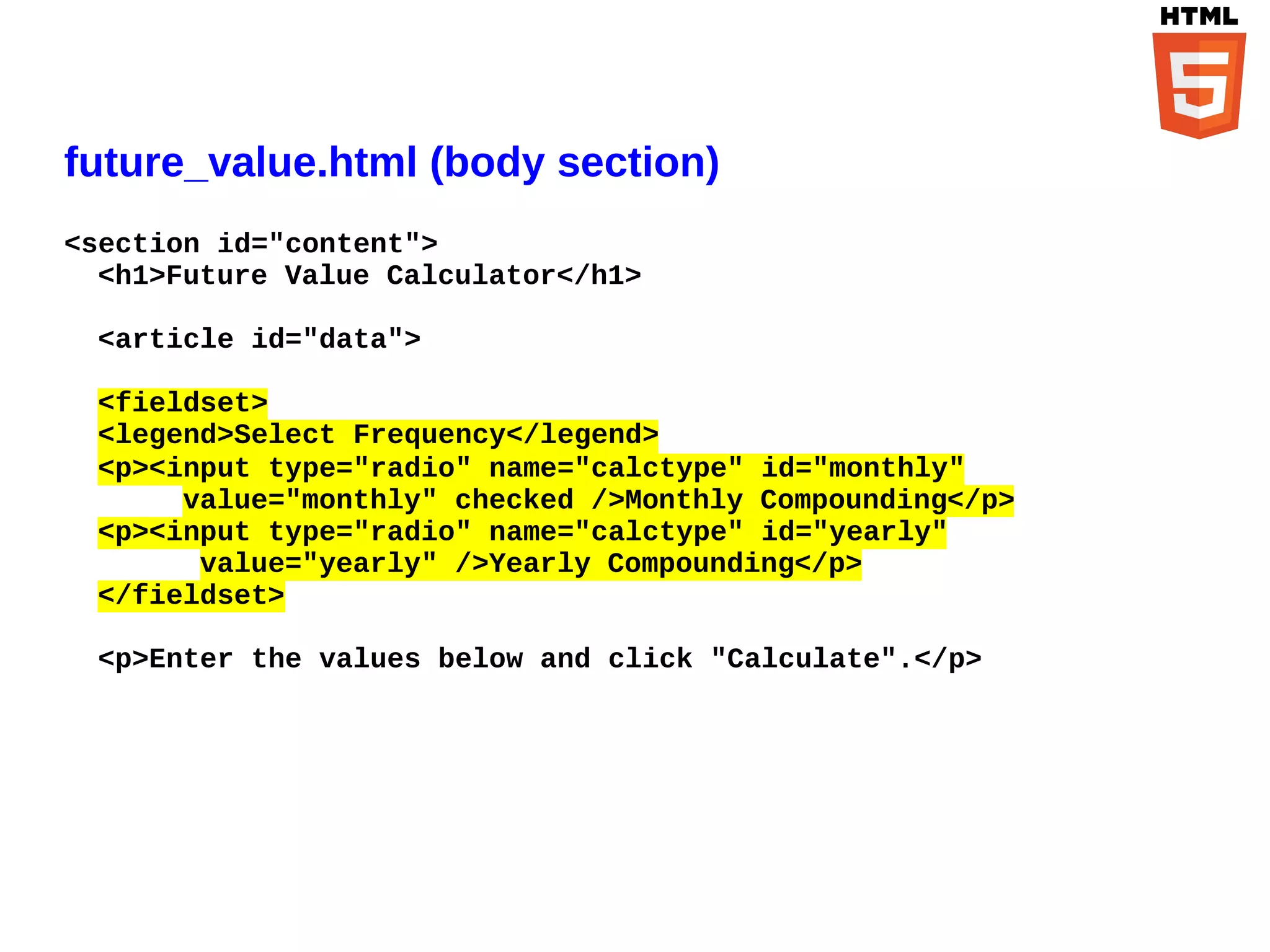
future_value.html (body section)
<section id="content">
  <h1>Future Value Calculator</h1>

 <article id="data">

 <fieldset>
 <legend>Select Frequency</legend>
 <p><input type="radio" name="calctype" id="monthly"
      value="monthly" checked />Monthly Compounding</p>
 <p><input type="radio" name="calctype" id="yearly"
       value="yearly" />Yearly Compounding</p>
 </fieldset>

 <p>Enter the values below and click "Calculate".</p>
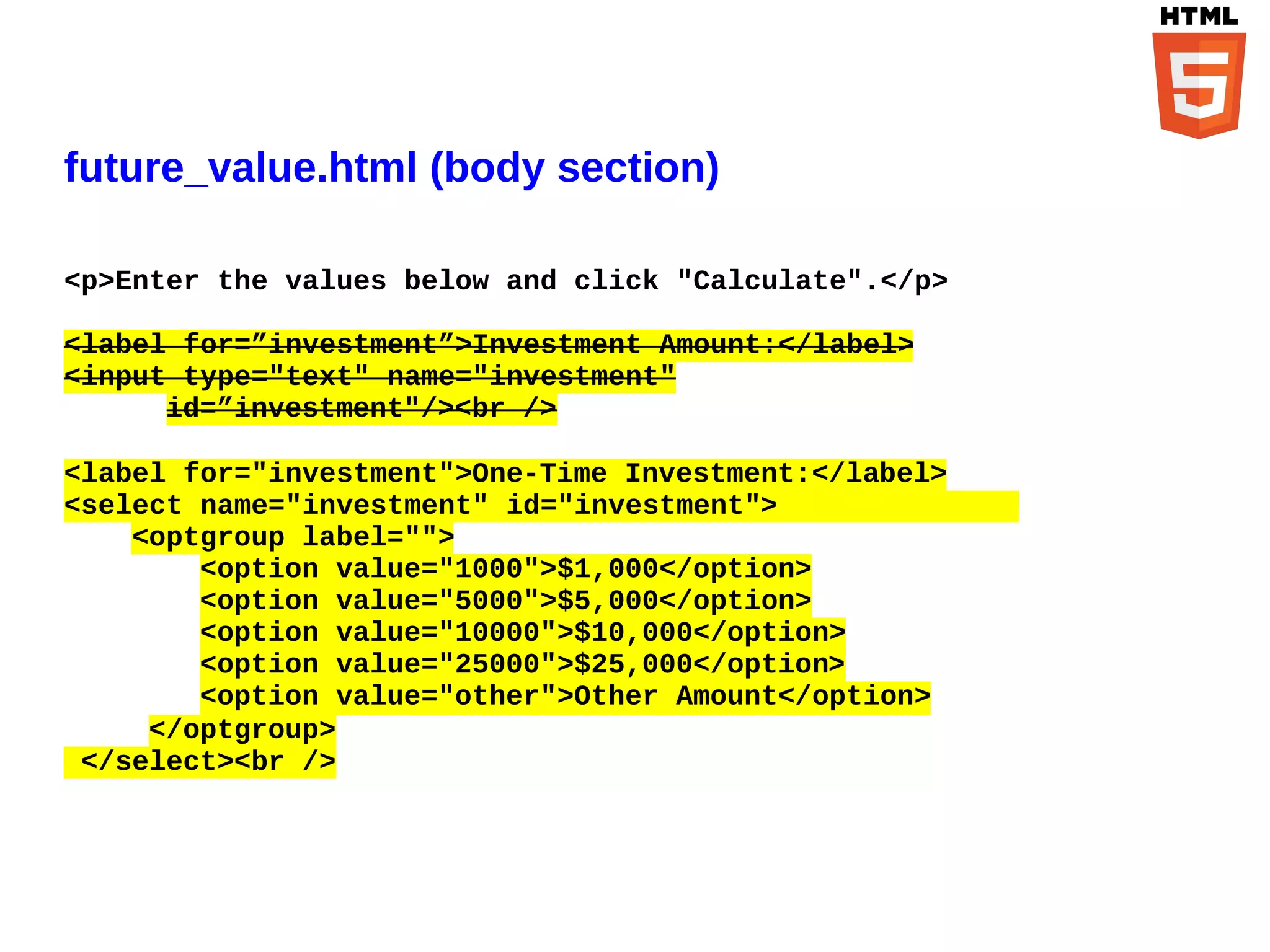
future_value.html (body section)

<p>Enter the values below and click "Calculate".</p>

<label for=”investment”>Investment Amount:</label>
<input type="text" name="investment"
      id=”investment"/><br />

<label for="investment">One-Time Investment:</label>
<select name="investment" id="investment">
    <optgroup label="">
        <option value="1000">$1,000</option>
        <option value="5000">$5,000</option>
        <option value="10000">$10,000</option>
        <option value="25000">$25,000</option>
        <option value="other">Other Amount</option>
     </optgroup>
 </select><br />
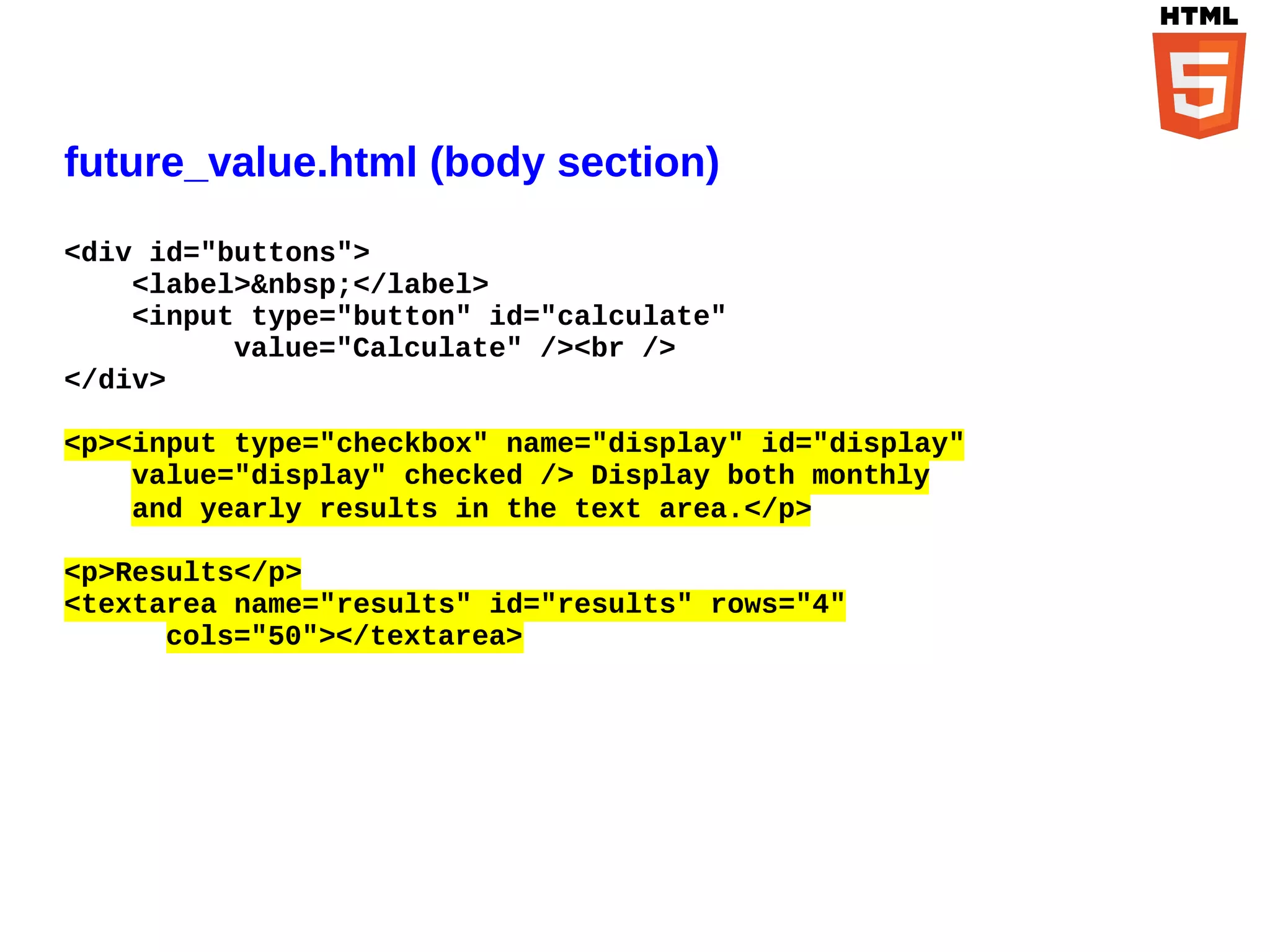
future_value.html (body section)
<div id="buttons">
    <label>&nbsp;</label>
    <input type="button" id="calculate"
          value="Calculate" /><br />
</div>

<p><input type="checkbox" name="display" id="display"
    value="display" checked /> Display both monthly
    and yearly results in the text area.</p>

<p>Results</p>
<textarea name="results" id="results" rows="4"
      cols="50"></textarea>
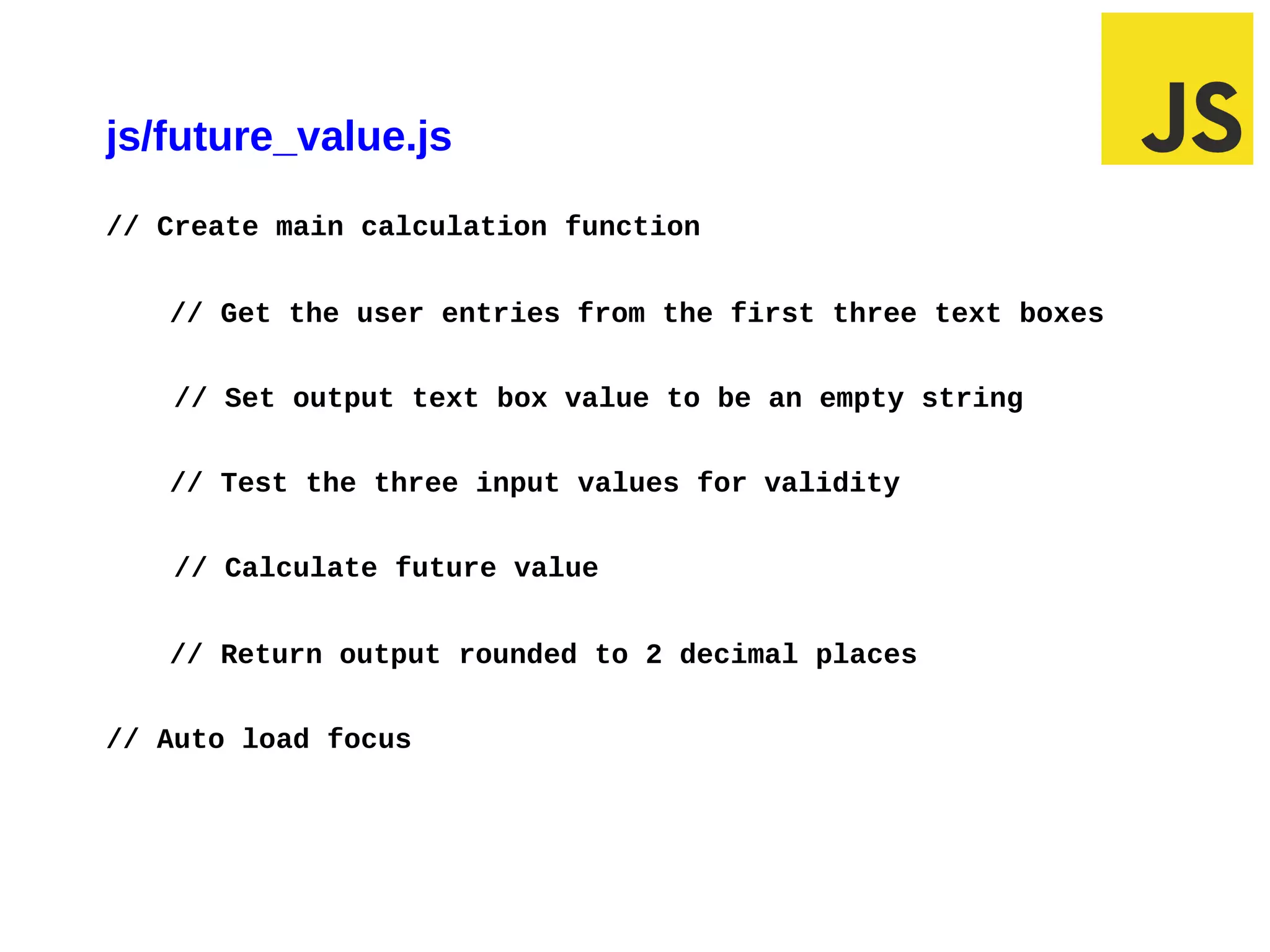
js/future_value.js
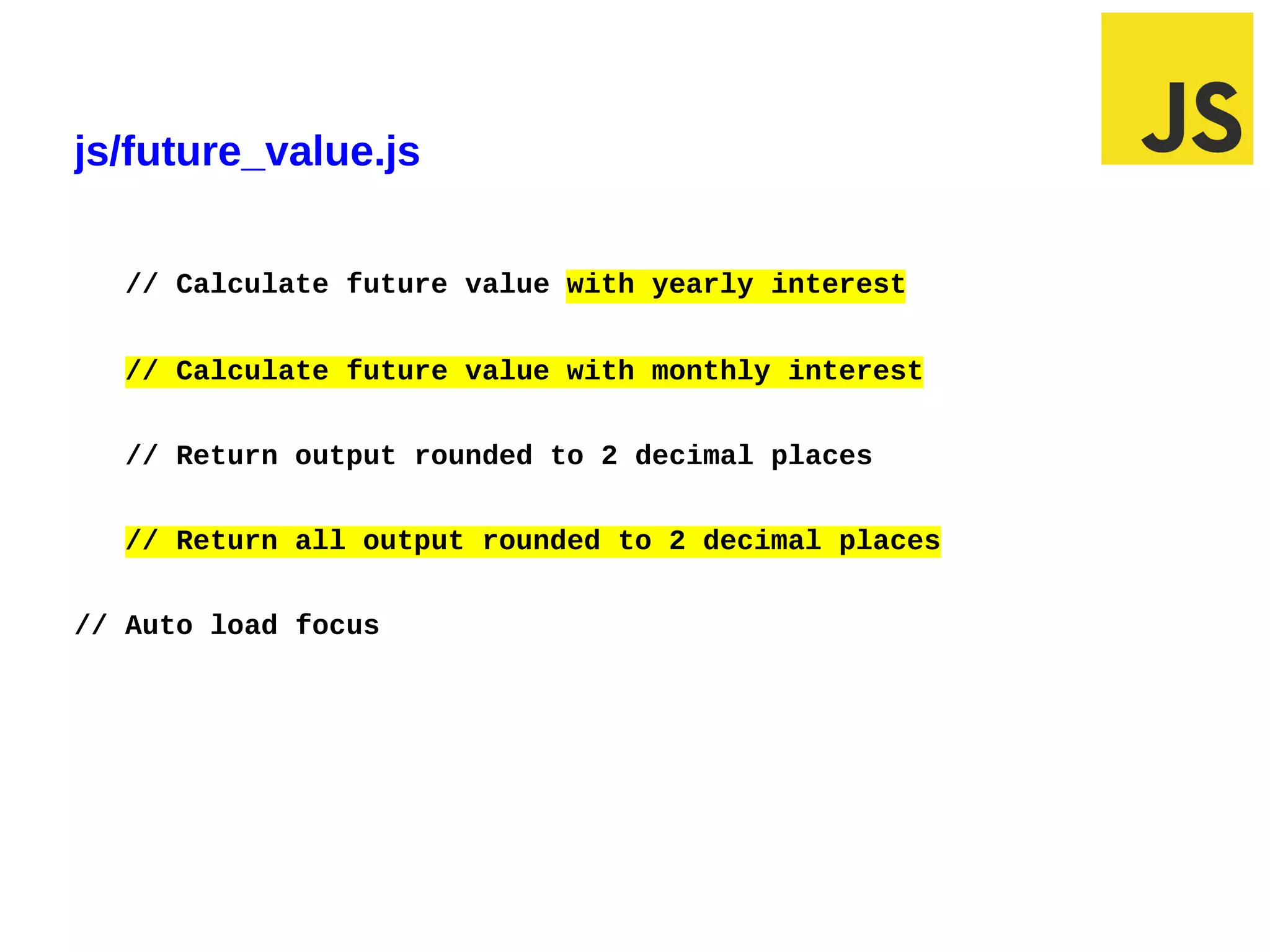
// Create main calculation function


   // Get the user entries from the first three text boxes


   // Set output text box value to be an empty string


   // Test the three input values for validity


   // Calculate future value


   // Return output rounded to 2 decimal places


// Auto load focus
js/future_value.js

  // Calculate future value with yearly interest


  // Calculate future value with monthly interest


  // Return output rounded to 2 decimal places


  // Return all output rounded to 2 decimal places


// Auto load focus
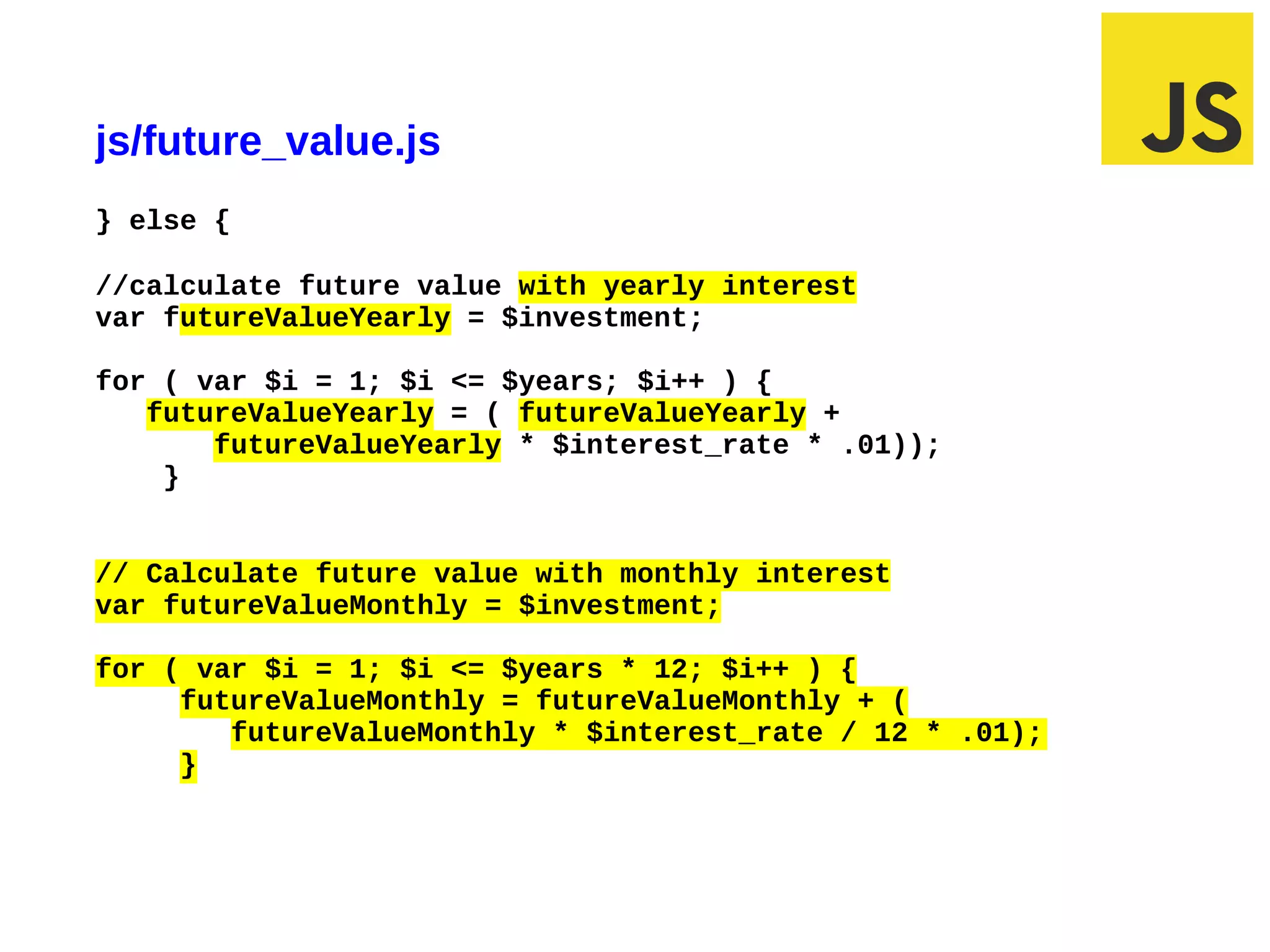
js/future_value.js
} else {

//calculate future value with yearly interest
var futureValueYearly = $investment;

for ( var $i = 1; $i <= $years; $i++ ) {
   futureValueYearly = ( futureValueYearly +
       futureValueYearly * $interest_rate * .01));
    }


// Calculate future value with monthly interest
var futureValueMonthly = $investment;

for ( var $i = 1; $i <= $years * 12; $i++ ) {
     futureValueMonthly = futureValueMonthly + (
        futureValueMonthly * $interest_rate / 12 * .01);
     }


03/10/12 9:42 AM                                           Slide 1
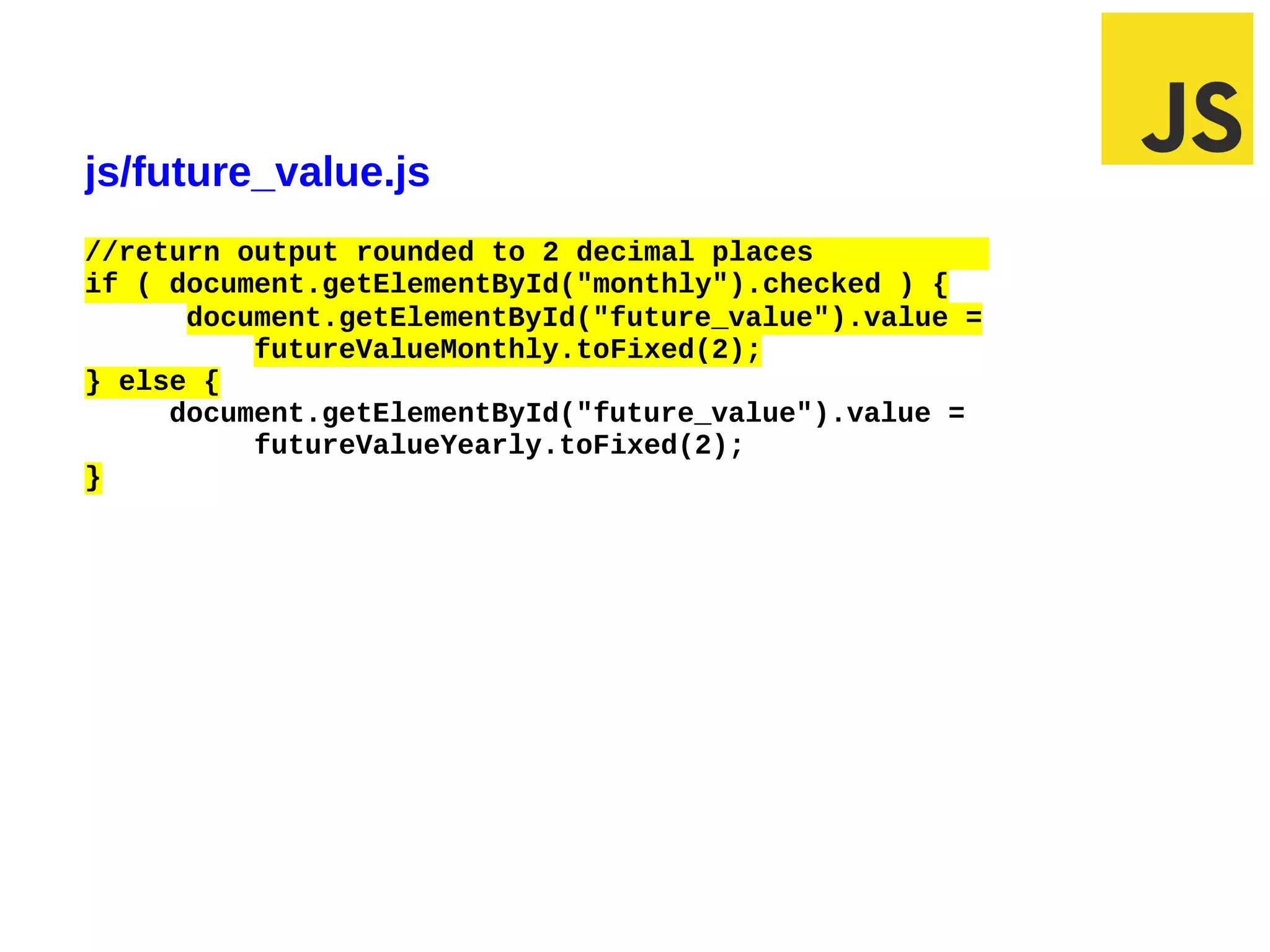
js/future_value.js
//return output rounded to 2 decimal places
if ( document.getElementById("monthly").checked ) {
      document.getElementById("future_value").value =
          futureValueMonthly.toFixed(2);
} else {
     document.getElementById("future_value").value =
          futureValueYearly.toFixed(2);
}


03/07/12 9:43 AM                                        Slide 1
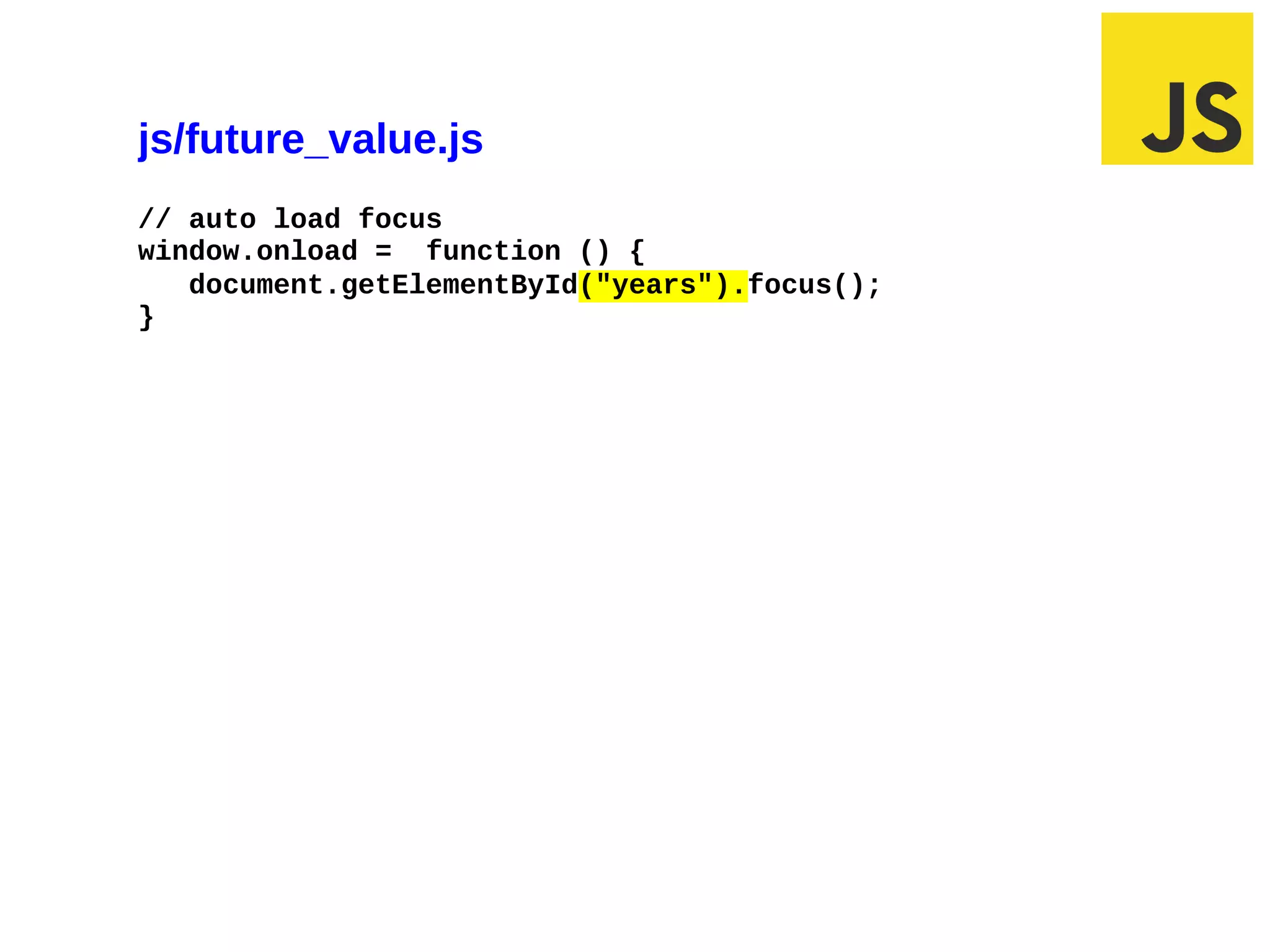
js/future_value.js
// auto load focus
window.onload = function () {
   document.getElementById("years").focus();
}


02/28/12 7:04 AM                               Slide 1
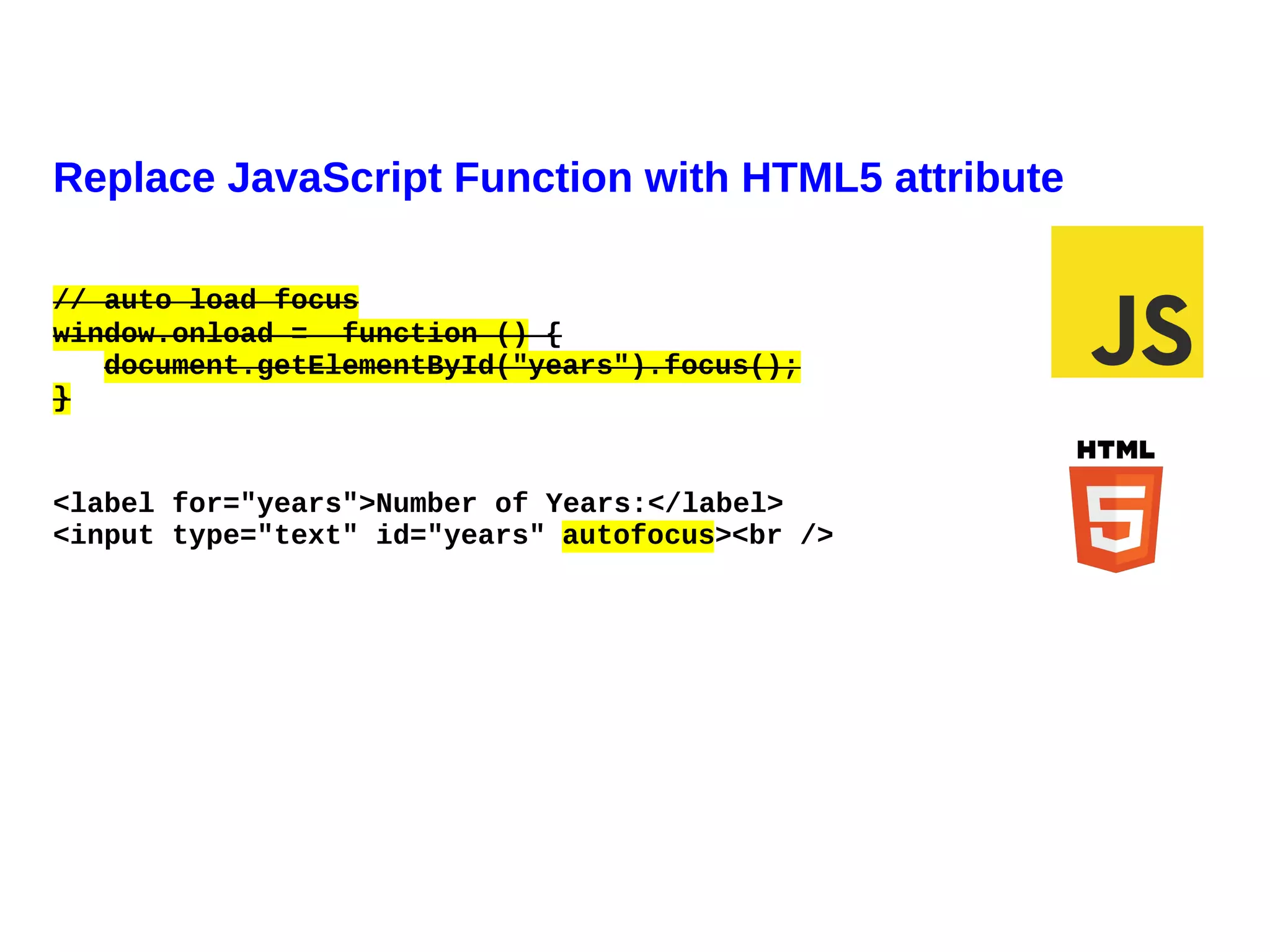
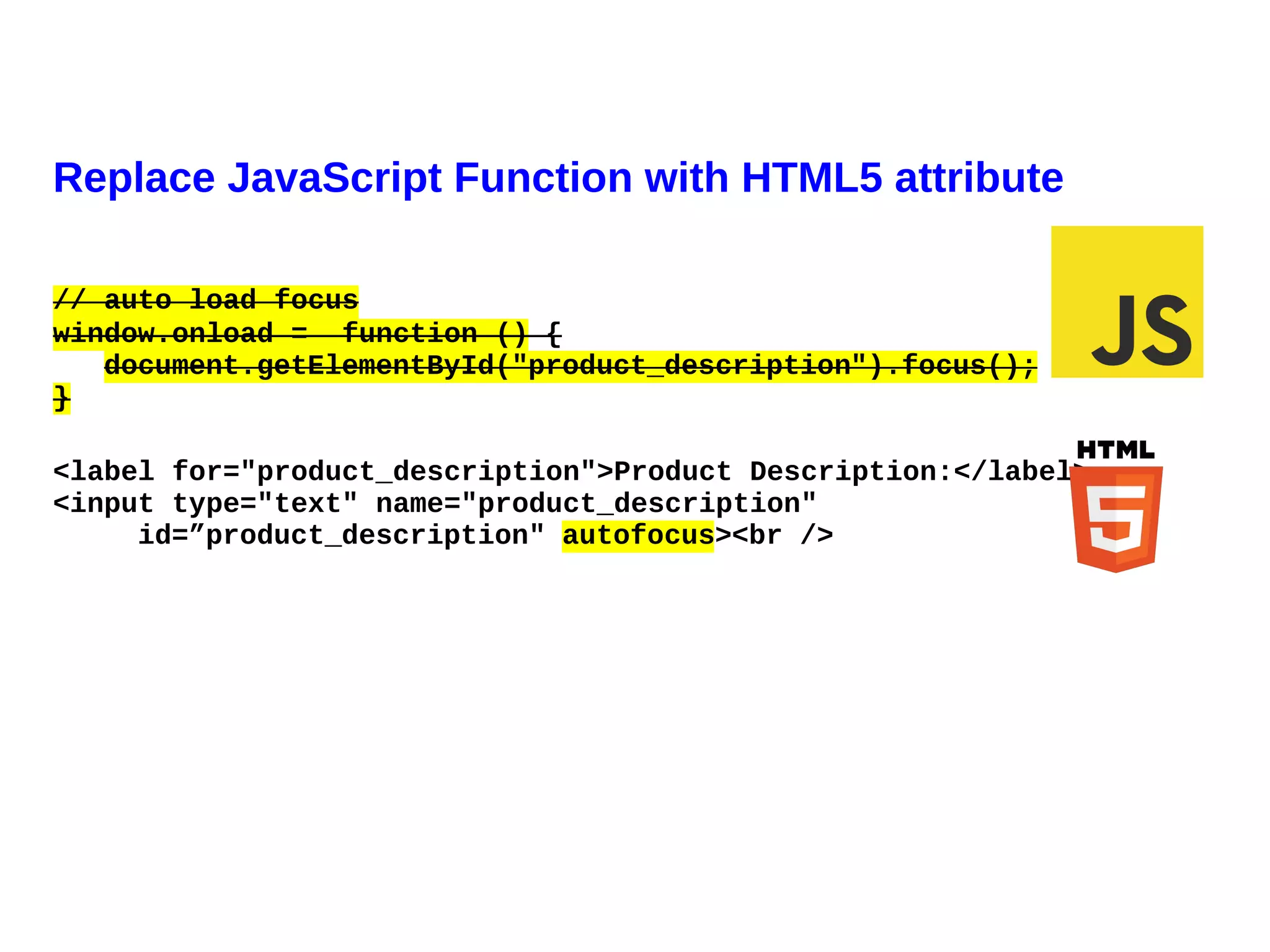
Replace JavaScript Function with HTML5 attribute

// auto load focus
window.onload = function () {
   document.getElementById("years").focus();
}


<label for="years">Number of Years:</label>
<input type="text" id="years" autofocus><br />
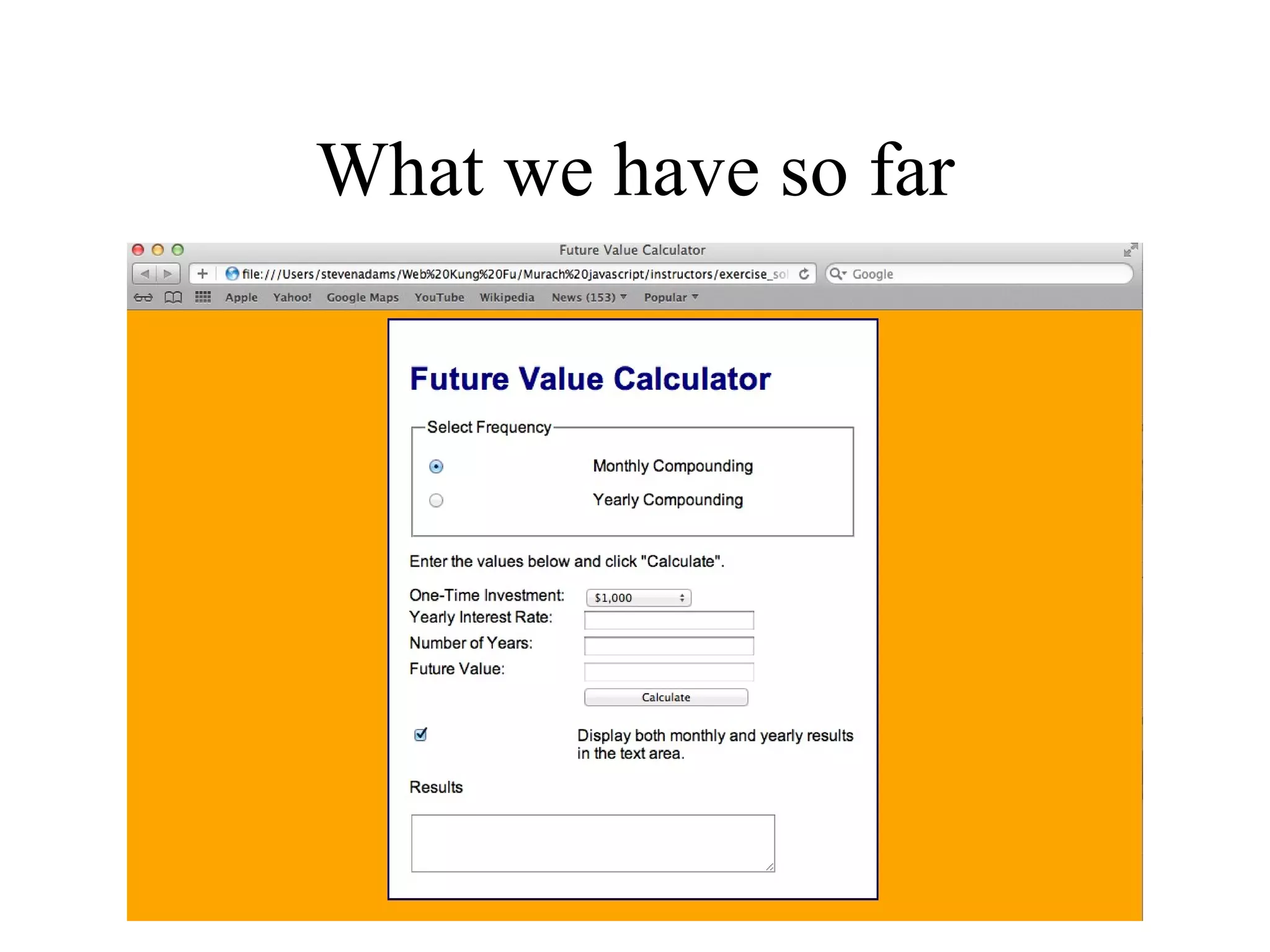
What we have so far
Agenda
• How to interact using Dialog boxes
• How to interact using Forms
• Common control methods and events
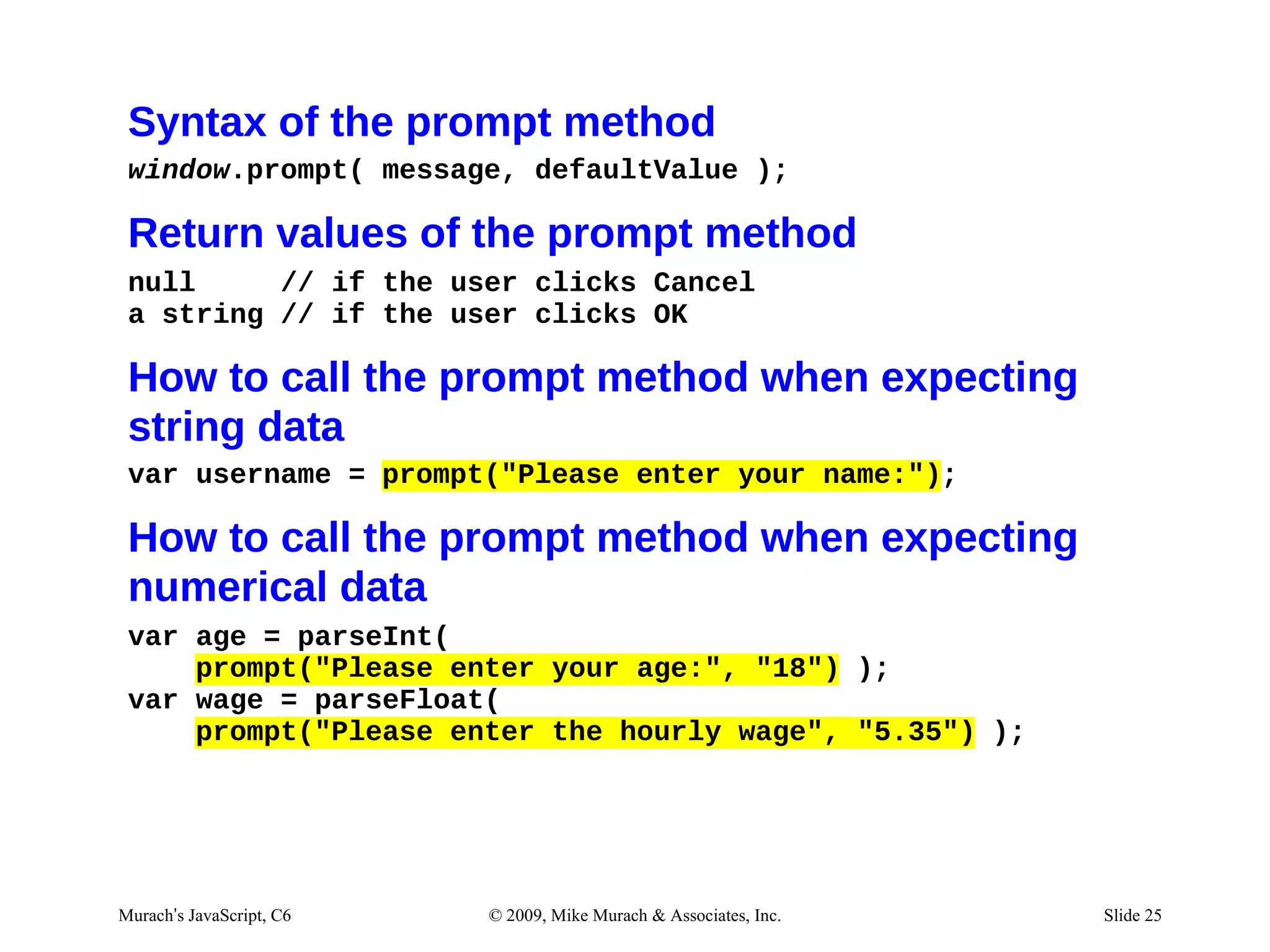
Syntax of the prompt method
 window.prompt( message, defaultValue );

 Return values of the prompt method
 null     // if the user clicks Cancel
 a string // if the user clicks OK

 How to call the prompt method when expecting
 string data
 var username = prompt("Please enter your name:");

 How to call the prompt method when expecting
 numerical data
 var age = parseInt(
     prompt("Please enter your age:", "18") );
 var wage = parseFloat(
     prompt("Please enter the hourly wage", "5.35") );


Murach’s JavaScript, C6   © 2009, Mike Murach & Associates, Inc.   Slide 25
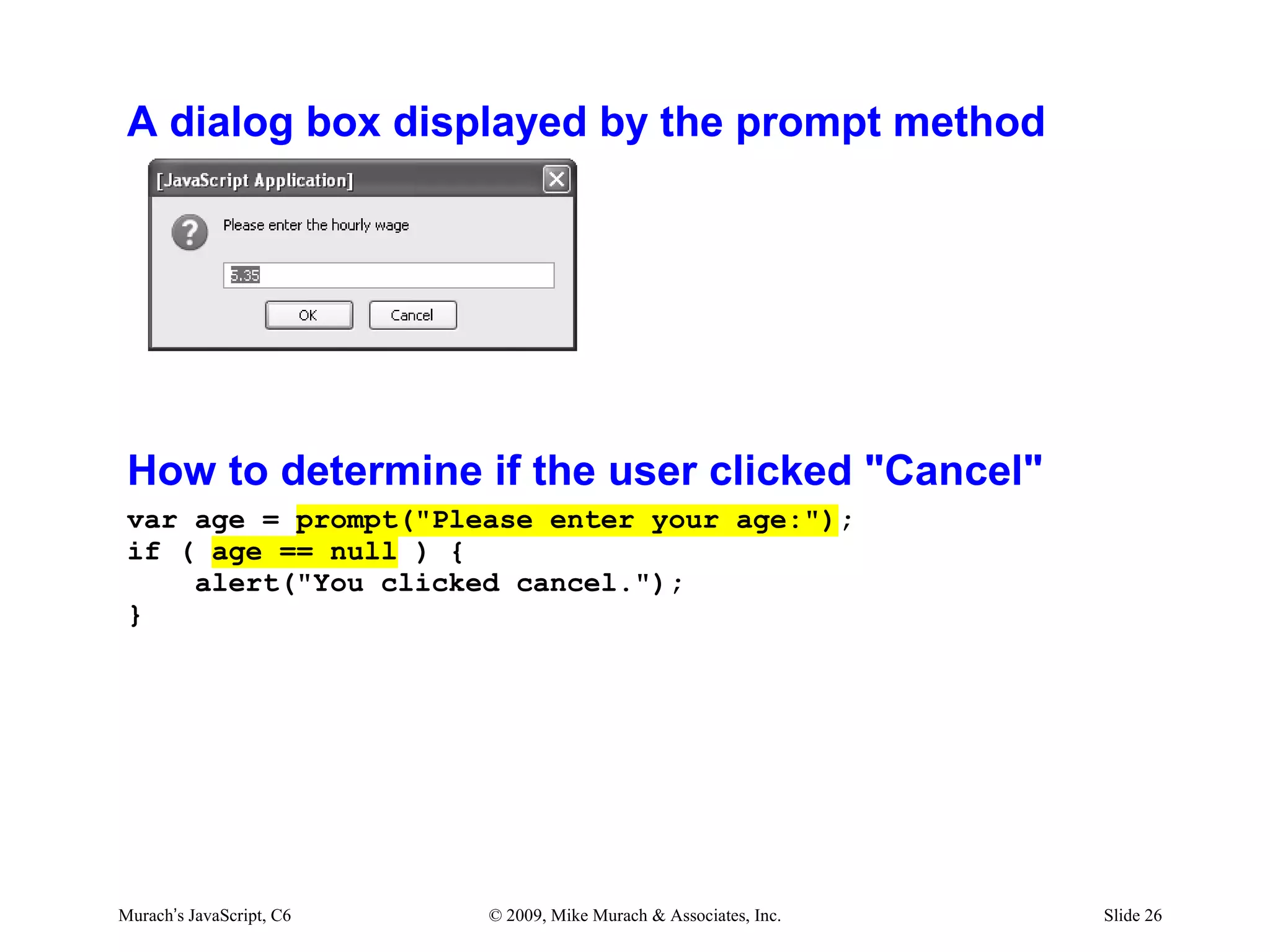
A dialog box displayed by the prompt method


 How to determine if the user clicked "Cancel"
 var age = prompt("Please enter your age:");
 if ( age == null ) {
     alert("You clicked cancel.");
 }


Murach’s JavaScript, C6   © 2009, Mike Murach & Associates, Inc.   Slide 26
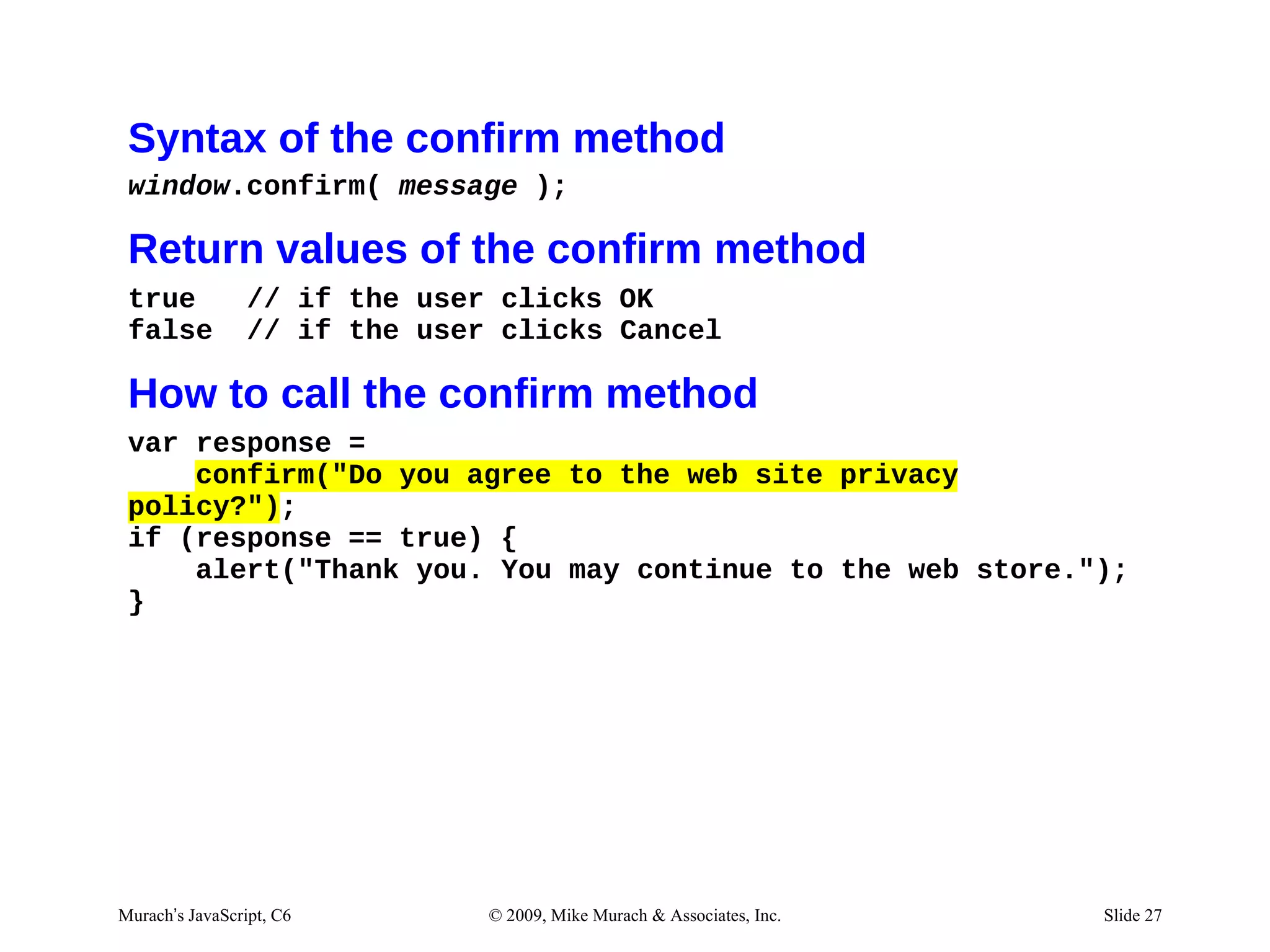
Syntax of the confirm method
 window.confirm( message );

 Return values of the confirm method
 true            // if the user clicks OK
 false           // if the user clicks Cancel

 How to call the confirm method
 var response =
     confirm("Do you agree to the web site privacy
 policy?");
 if (response == true) {
     alert("Thank you. You may continue to the web store.");
 }


Murach’s JavaScript, C6        © 2009, Mike Murach & Associates, Inc.   Slide 27
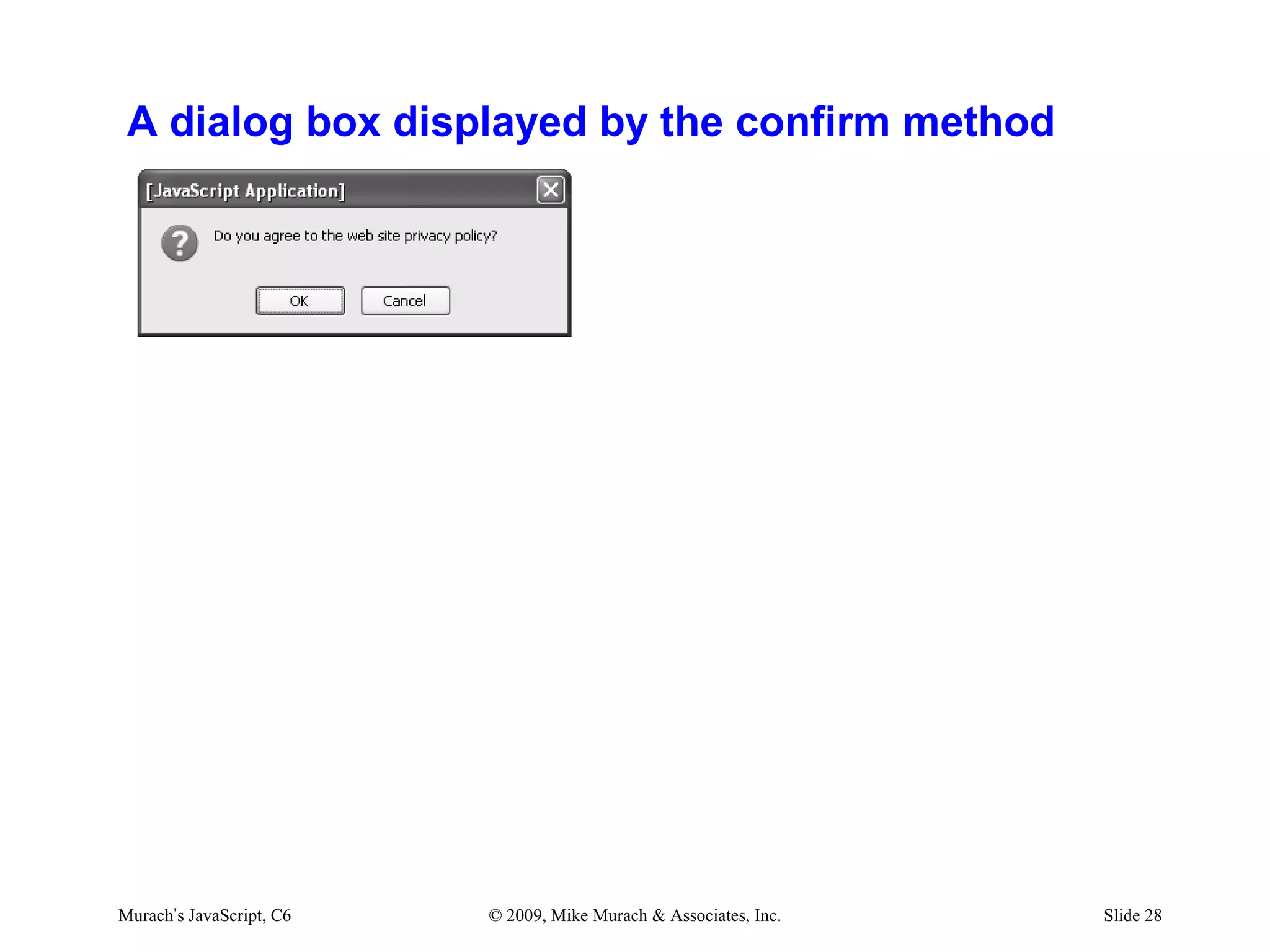
A dialog box displayed by the confirm method


Murach’s JavaScript, C6   © 2009, Mike Murach & Associates, Inc.   Slide 28
Exercise #2
js/future_value.js
// Get user input from the first three text boxes.
var $investment = parseFloat(
    document.getElementById("investment").value );

if ( isNaN($investment) ) {
    $investment = parseFloat(prompt ("Enter investment
         amount:"));
    }


03/07/12 10:13 AM                                        Slide 1
Agenda
• How to interact using Dialog boxes
• How to interact using Forms
• Common control methods and events
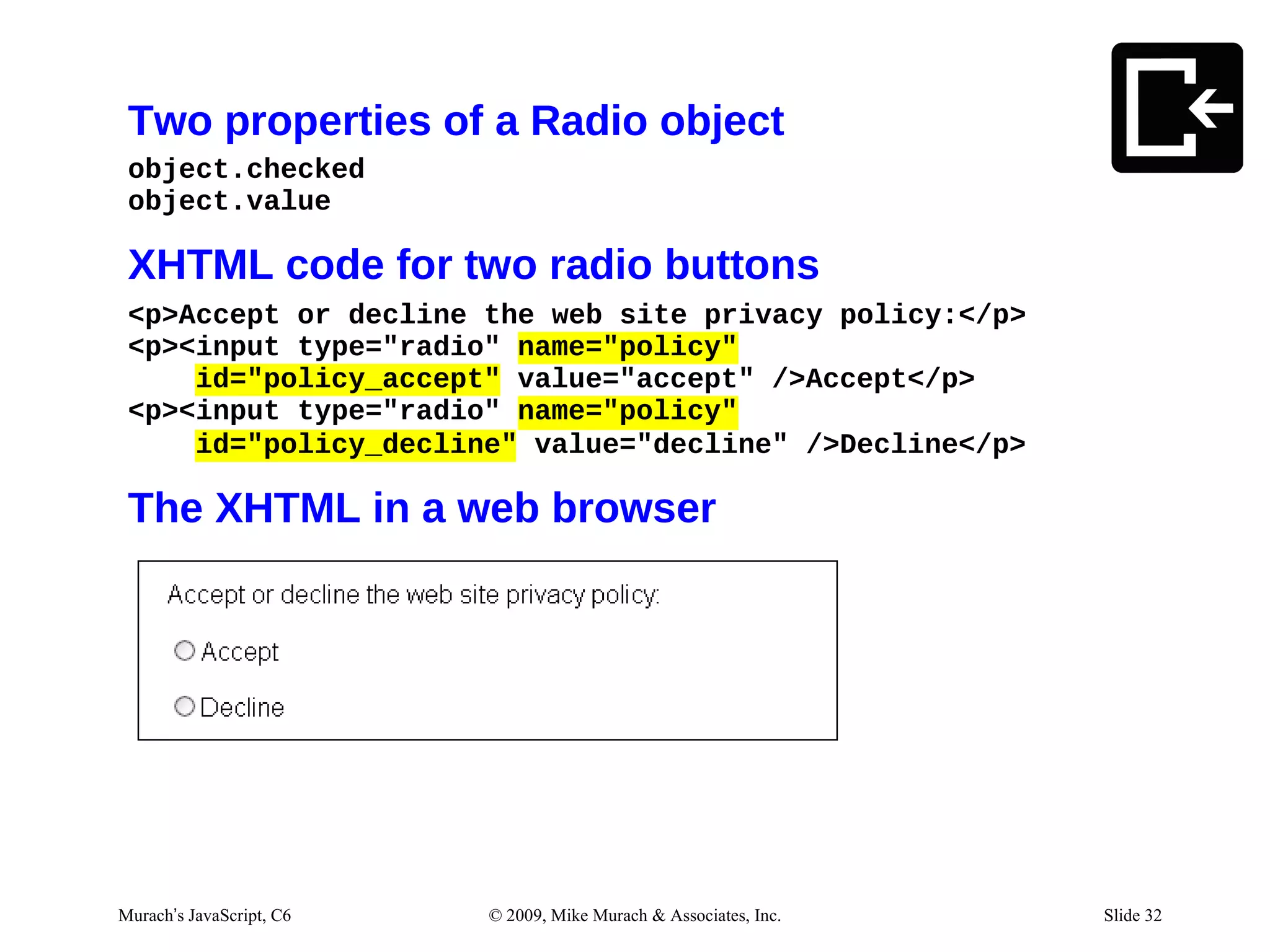
Two properties of a Radio object
 object.checked
 object.value

 XHTML code for two radio buttons
 <p>Accept or decline the web site privacy policy:</p>
 <p><input type="radio" name="policy"
     id="policy_accept" value="accept" />Accept</p>
 <p><input type="radio" name="policy"
     id="policy_decline" value="decline" />Decline</p>

 The XHTML in a web browser


Murach’s JavaScript, C6   © 2009, Mike Murach & Associates, Inc.   Slide 32
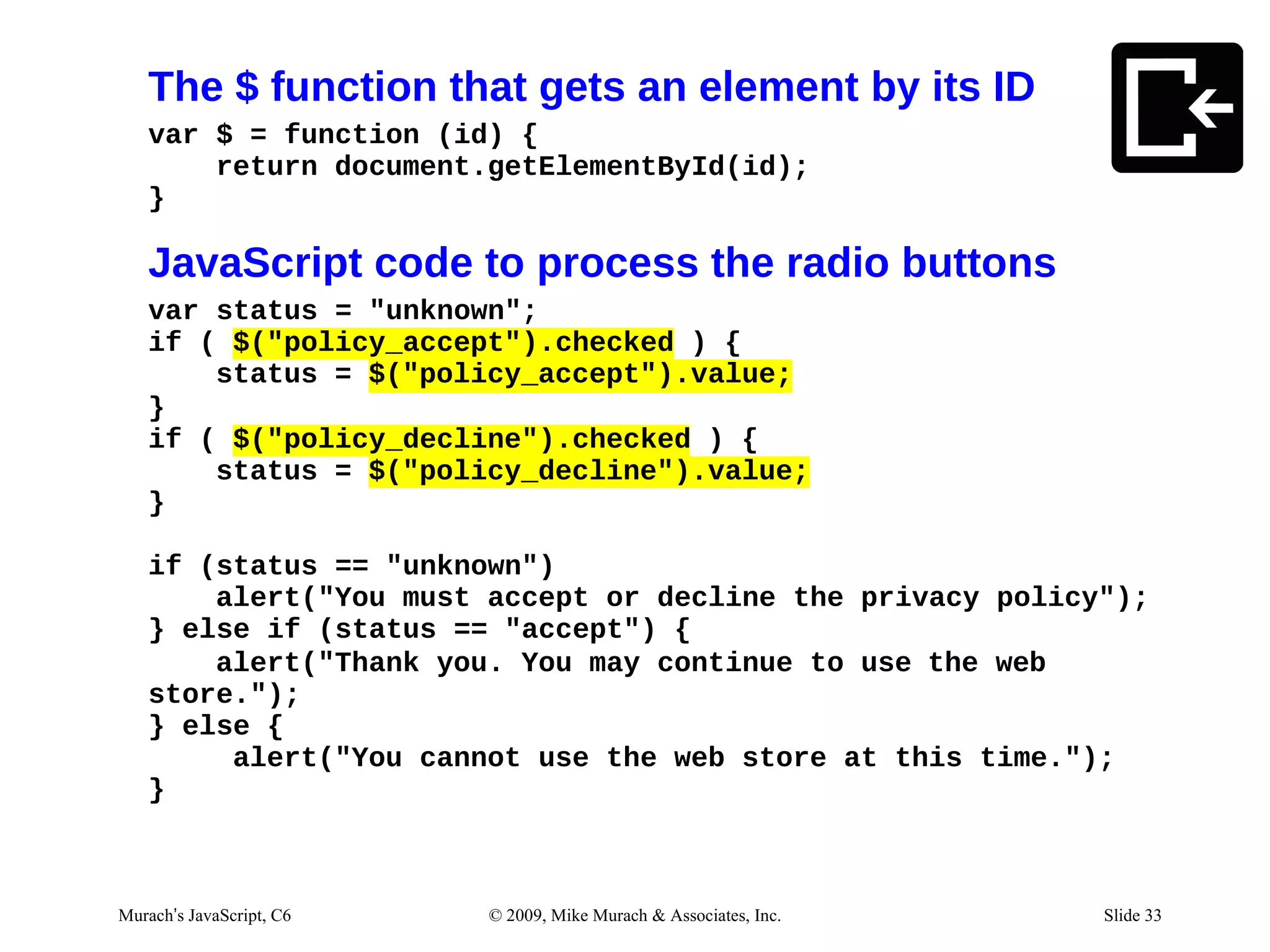
The $ function that gets an element by its ID
   var $ = function (id) {
       return document.getElementById(id);
   }

   JavaScript code to process the radio buttons
   var status = "unknown";
   if ( $("policy_accept").checked ) {
       status = $("policy_accept").value;
   }
   if ( $("policy_decline").checked ) {
       status = $("policy_decline").value;
   }

   if (status == "unknown")
       alert("You must accept or decline the privacy policy");
   } else if (status == "accept") {
       alert("Thank you. You may continue to use the web
   store.");
   } else {
        alert("You cannot use the web store at this time.");
   }


Murach’s JavaScript, C6   © 2009, Mike Murach & Associates, Inc.   Slide 33
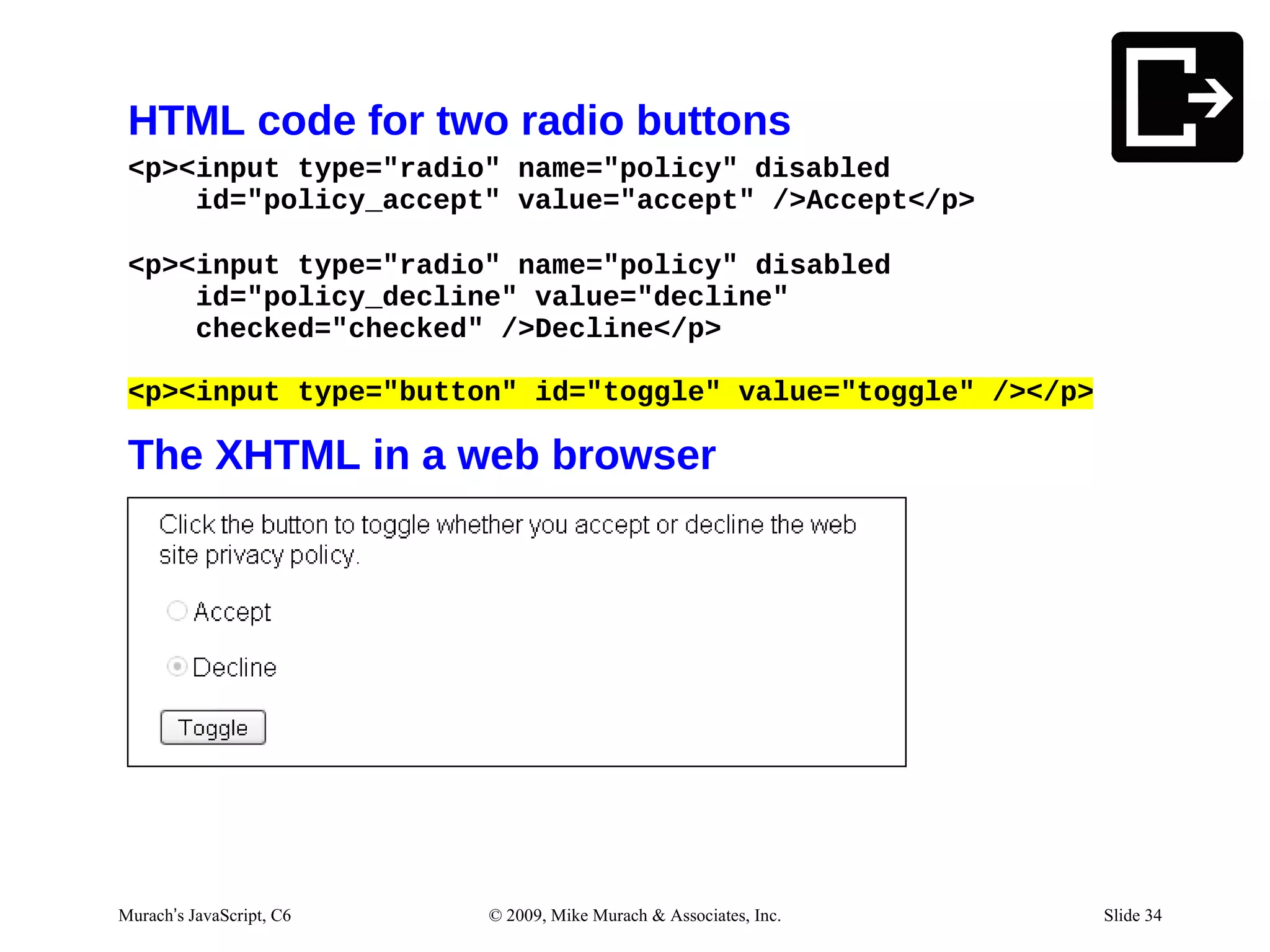
HTML code for two radio buttons
 <p><input type="radio" name="policy" disabled
     id="policy_accept" value="accept" />Accept</p>

 <p><input type="radio" name="policy" disabled
     id="policy_decline" value="decline"
     checked="checked" />Decline</p>

 <p><input type="button" id="toggle" value="toggle" /></p>

 The XHTML in a web browser


Murach’s JavaScript, C6   © 2009, Mike Murach & Associates, Inc.   Slide 34
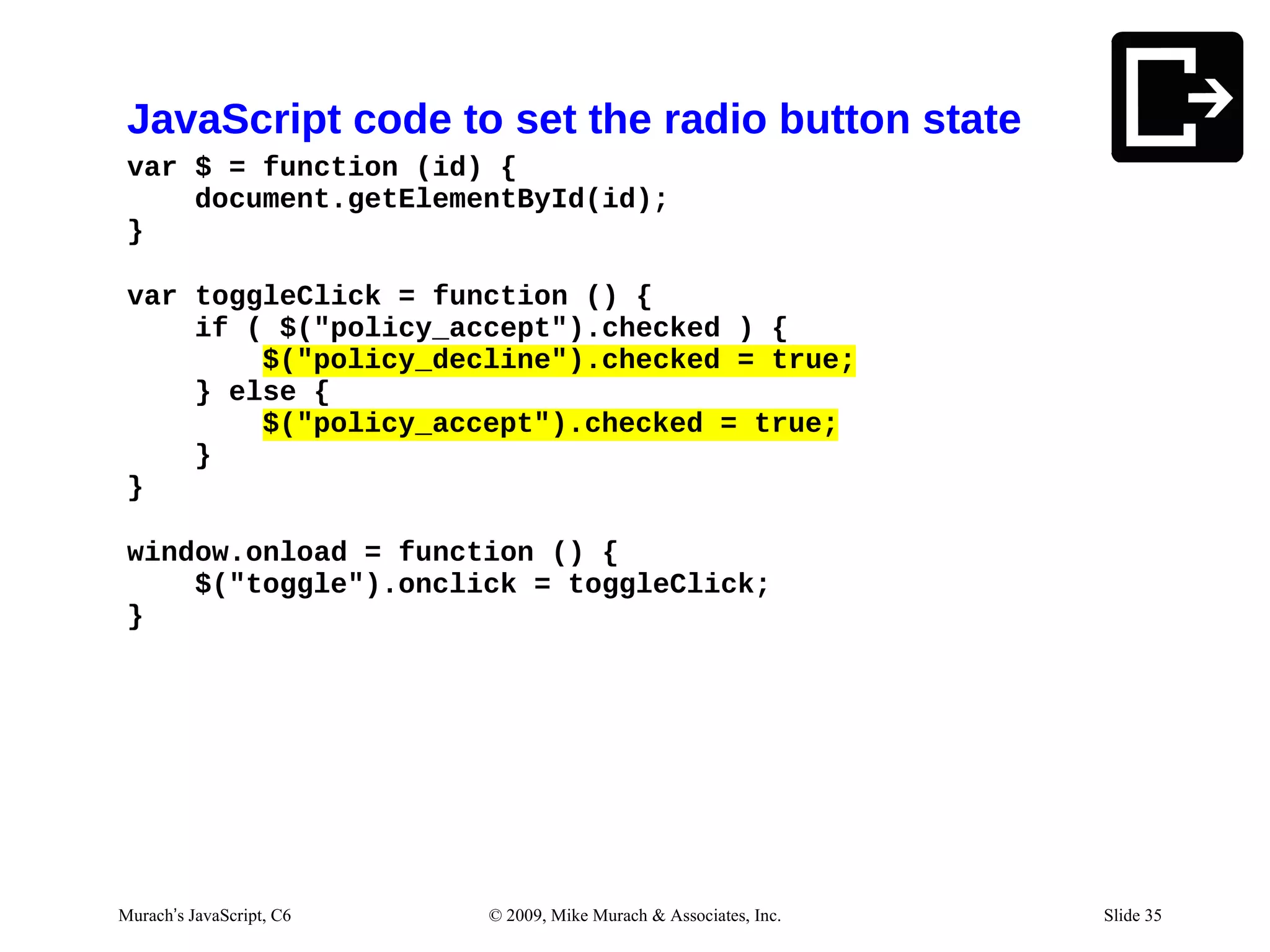
JavaScript code to set the radio button state
 var $ = function (id) {
     document.getElementById(id);
 }

 var toggleClick = function () {
     if ( $("policy_accept").checked ) {
         $("policy_decline").checked = true;
     } else {
         $("policy_accept").checked = true;
     }
 }

 window.onload = function () {
     $("toggle").onclick = toggleClick;
 }


Murach’s JavaScript, C6   © 2009, Mike Murach & Associates, Inc.   Slide 35
Two properties of a Checkbox object
 object.checked
 object.value

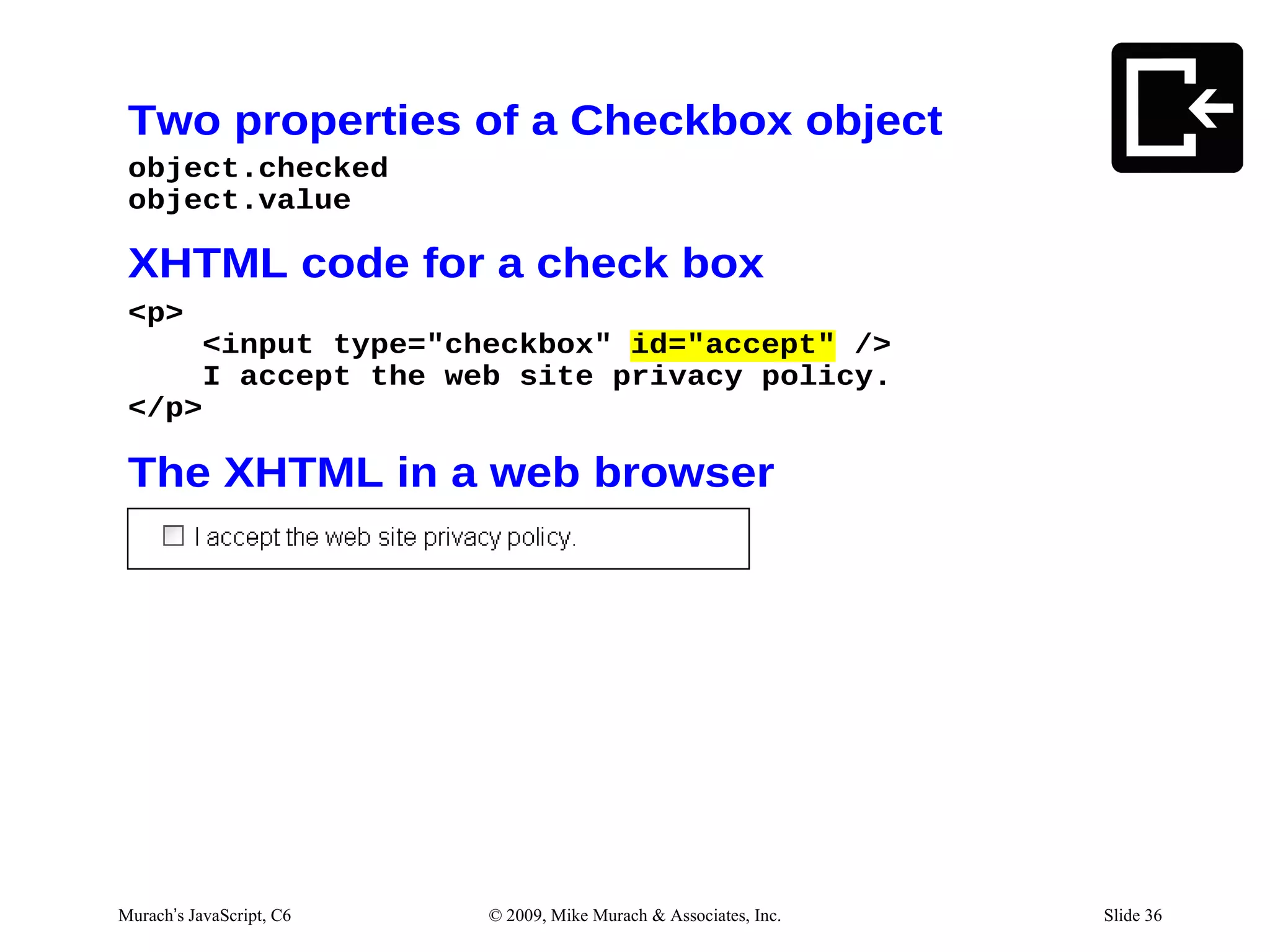
 XHTML code for a check box
 <p>
     <input type="checkbox" id="accept" />
     I accept the web site privacy policy.
 </p>

 The XHTML in a web browser


Murach’s JavaScript, C6   © 2009, Mike Murach & Associates, Inc.   Slide 36
JavaScript code to process the check box
   var $ = function (id) {
       document.getElementById(id);
   }

   var accept = $("accept").checked;
   if ( accept ) {
       alert("Thank you. You may continue to the web store.");
   } else {
       alert("You cannot use the web store at this time.");


Murach’s JavaScript, C6   © 2009, Mike Murach & Associates, Inc.   Slide 37
XHTML code for a check box
 <p><input type="checkbox" disabled="disabled"
     name="voteStatus" id="vote_status" />
     You can vote when checked.</p>

 The XHTML in a web browser


Murach’s JavaScript, C6   © 2009, Mike Murach & Associates, Inc.   Slide 38
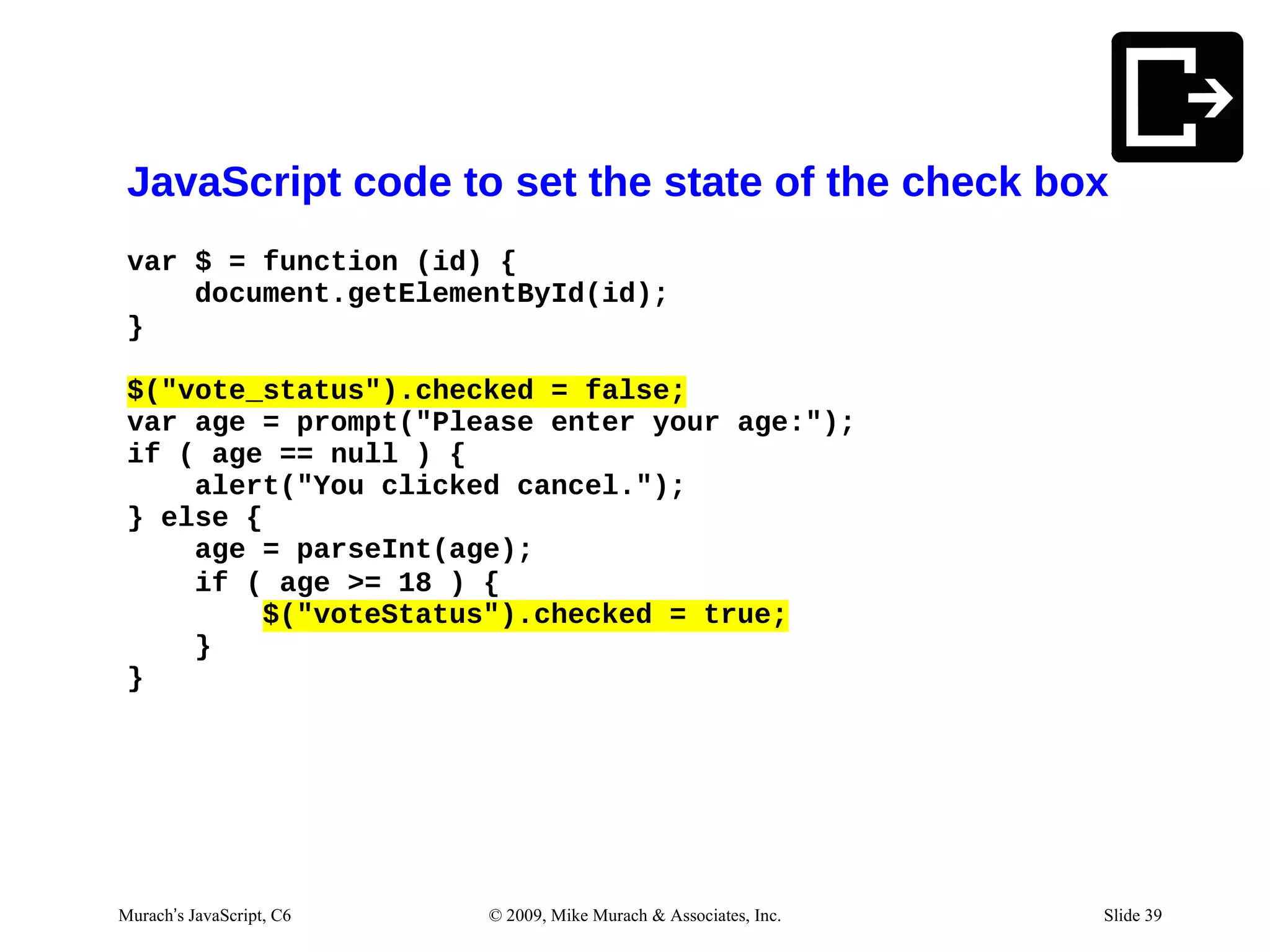
JavaScript code to set the state of the check box
 var $ = function (id) {
     document.getElementById(id);
 }

 $("vote_status").checked = false;
 var age = prompt("Please enter your age:");
 if ( age == null ) {
     alert("You clicked cancel.");
 } else {
     age = parseInt(age);
     if ( age >= 18 ) {
         $("voteStatus").checked = true;
     }
 }


Murach’s JavaScript, C6   © 2009, Mike Murach & Associates, Inc.   Slide 39
One property of a Select object
 object.value

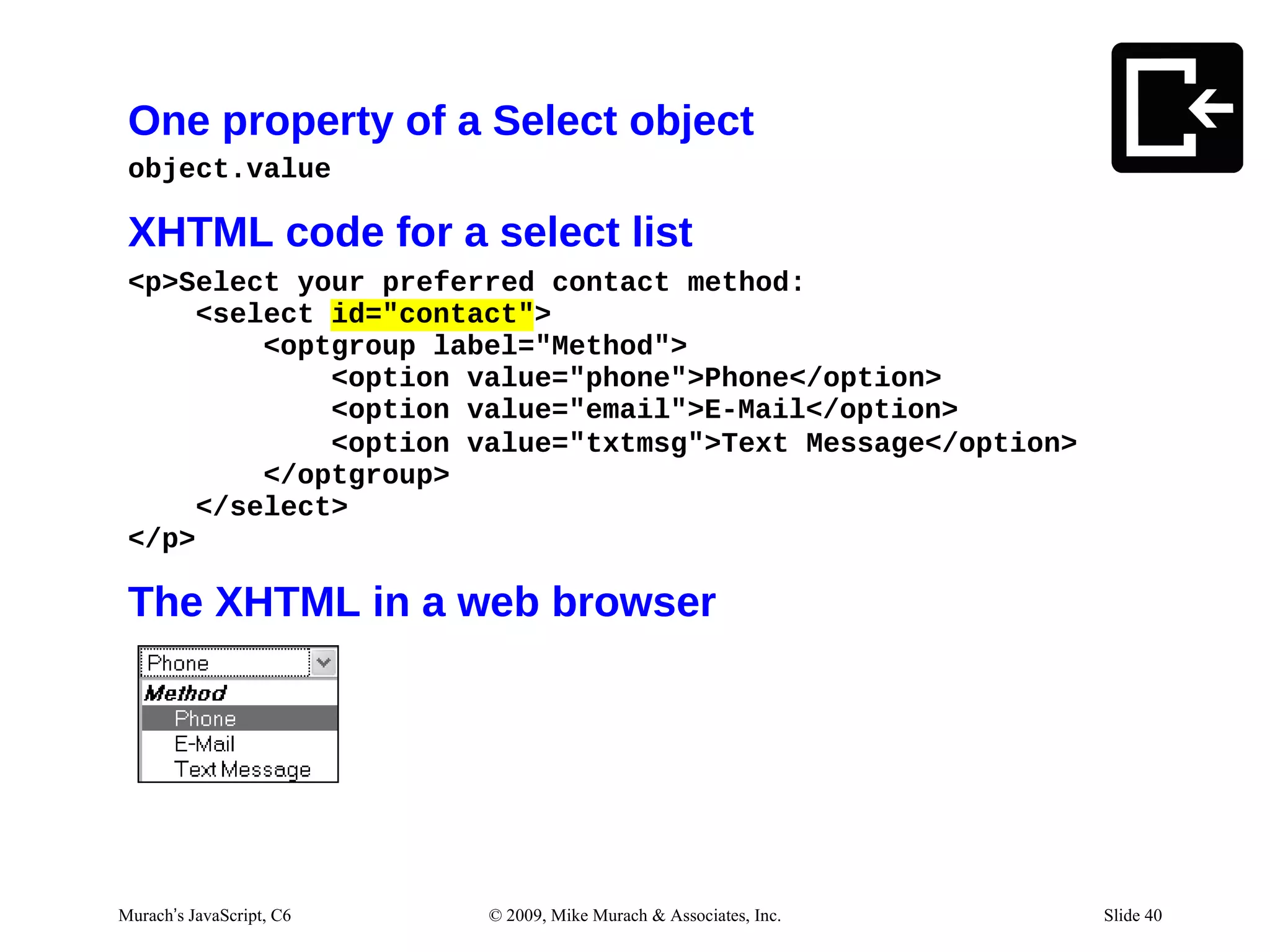
 XHTML code for a select list
 <p>Select your preferred contact method:
      <select id="contact">
          <optgroup label="Method">
              <option value="phone">Phone</option>
              <option value="email">E-Mail</option>
              <option value="txtmsg">Text Message</option>
          </optgroup>
      </select>
 </p>

 The XHTML in a web browser


Murach’s JavaScript, C6   © 2009, Mike Murach & Associates, Inc.   Slide 40
JavaScript code to process the list
 var $ = function (id) {
     document.getElementById(id);
 }

 var contact = $("contact").value;
 if ( contact == "phone" ) {
     alert("Preferred contact method:                       Phone");
 }
 else if ( contact == "email" ) {
     alert("Preferred contact method:                       E-mail");
 }
 else if ( contact == "txtmsg" ) {
     alert("Preferred contact method:                       Text Message");
 } else {
     alert("Error selecting Preferred                       contact method.");
 }


Murach’s JavaScript, C6   © 2009, Mike Murach & Associates, Inc.                 Slide 41
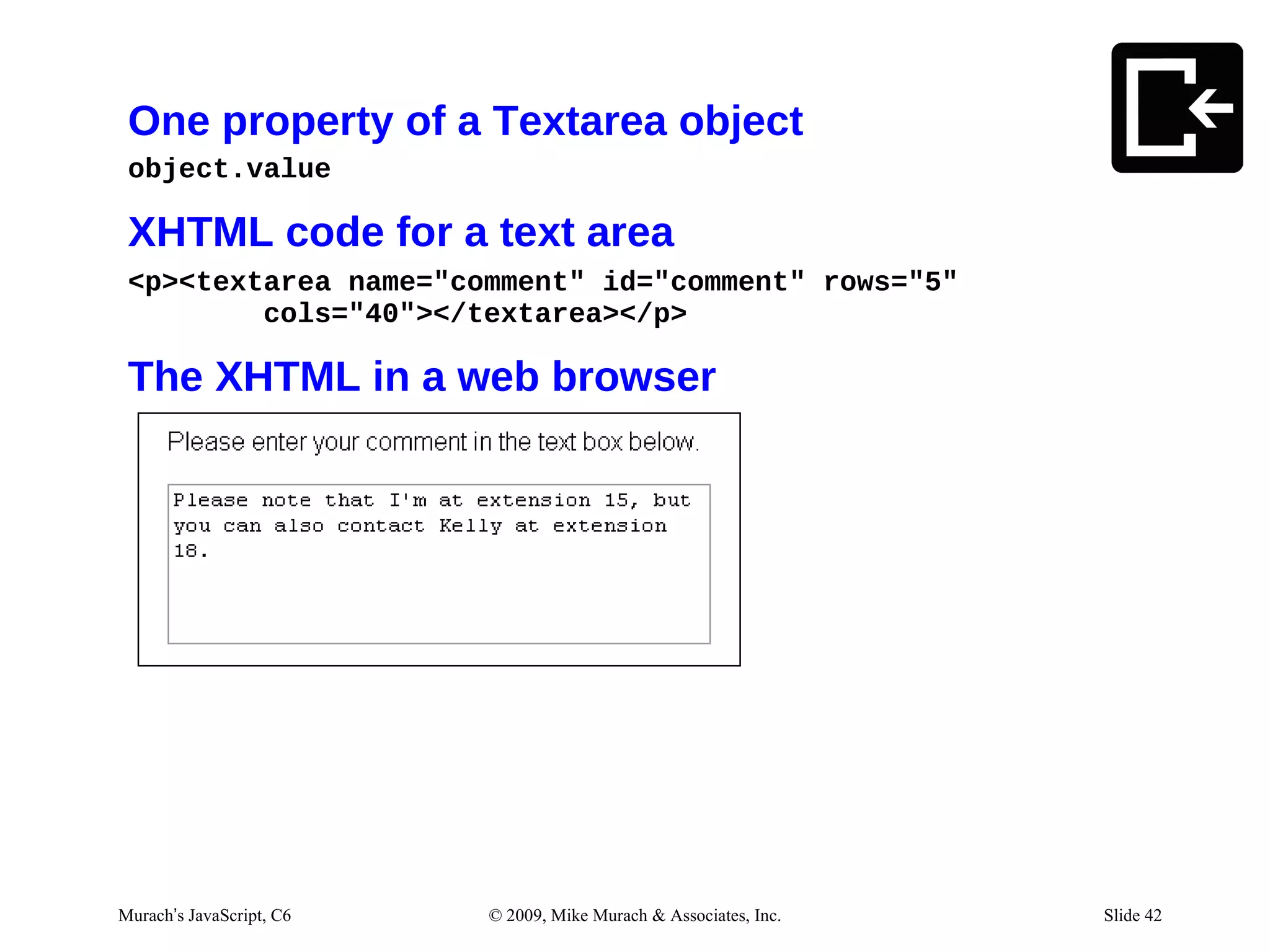
One property of a Textarea object
 object.value

 XHTML code for a text area
 <p><textarea name="comment" id="comment" rows="5"
         cols="40"></textarea></p>

 The XHTML in a web browser


Murach’s JavaScript, C6   © 2009, Mike Murach & Associates, Inc.   Slide 42
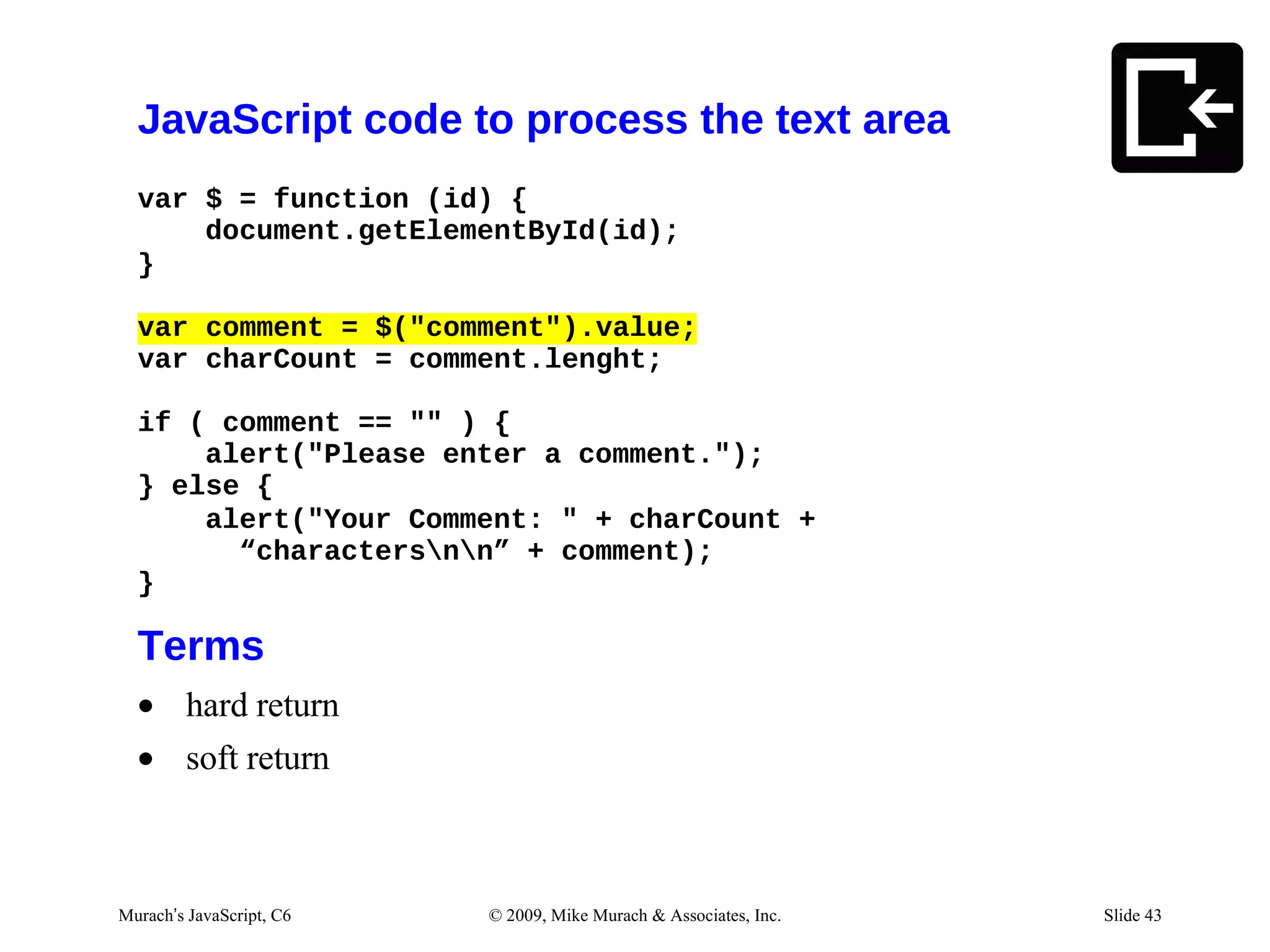
JavaScript code to process the text area
  var $ = function (id) {
      document.getElementById(id);
  }

  var comment = $("comment").value;
  var charCount = comment.lenght;

  if ( comment == "" ) {
      alert("Please enter a comment.");
  } else {
      alert("Your Comment: " + charCount +
        “charactersnn” + comment);
  }

  Terms
  • hard return
  • soft return


Murach’s JavaScript, C6   © 2009, Mike Murach & Associates, Inc.   Slide 43
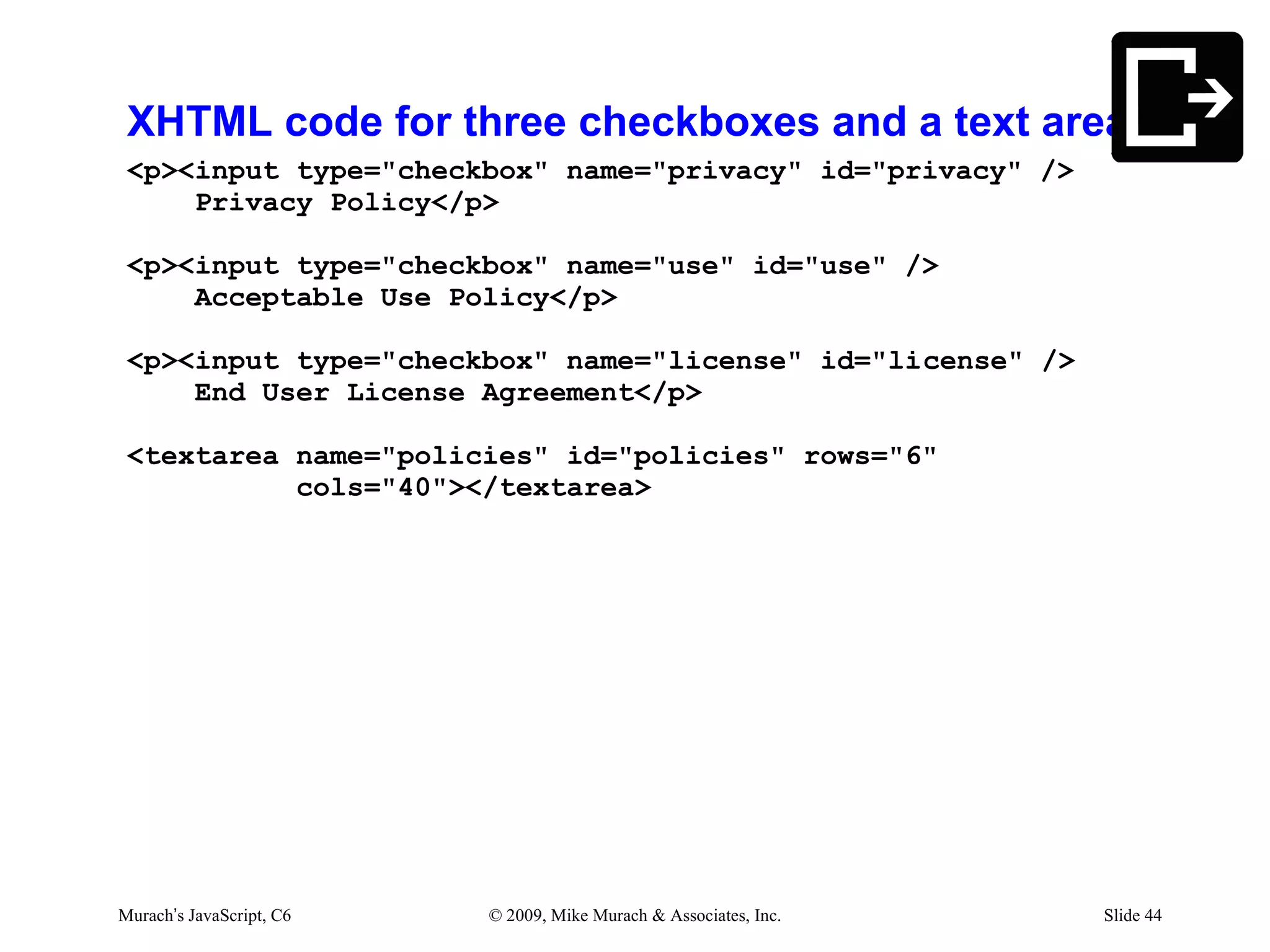
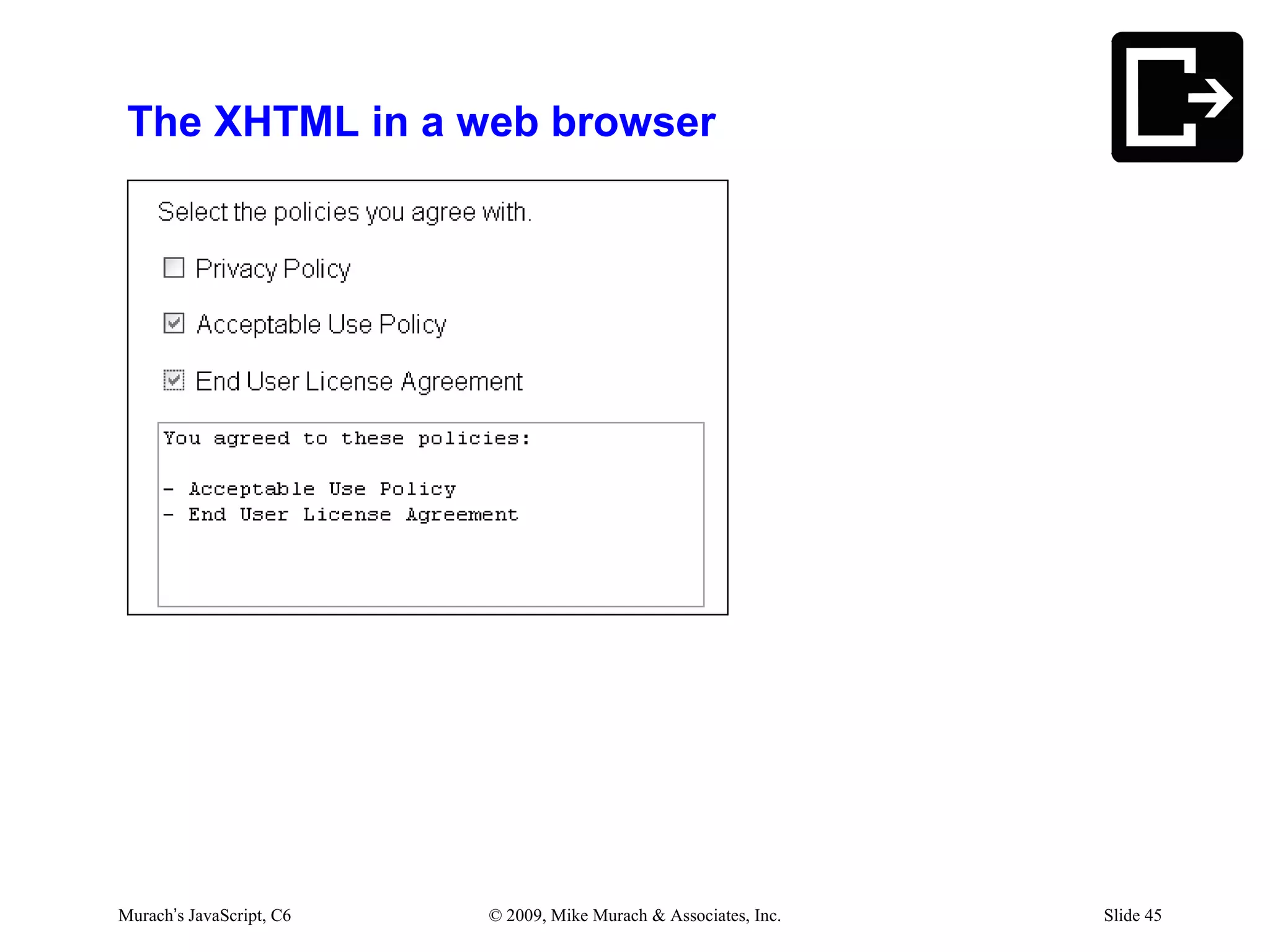
XHTML code for three checkboxes and a text area
 <p><input type="checkbox" name="privacy" id="privacy" />
     Privacy Policy</p>

 <p><input type="checkbox" name="use" id="use" />
     Acceptable Use Policy</p>

 <p><input type="checkbox" name="license" id="license" />
     End User License Agreement</p>

 <textarea name="policies" id="policies" rows="6"
           cols="40"></textarea>


Murach’s JavaScript, C6   © 2009, Mike Murach & Associates, Inc.   Slide 44
The XHTML in a web browser


Murach’s JavaScript, C6   © 2009, Mike Murach & Associates, Inc.   Slide 45
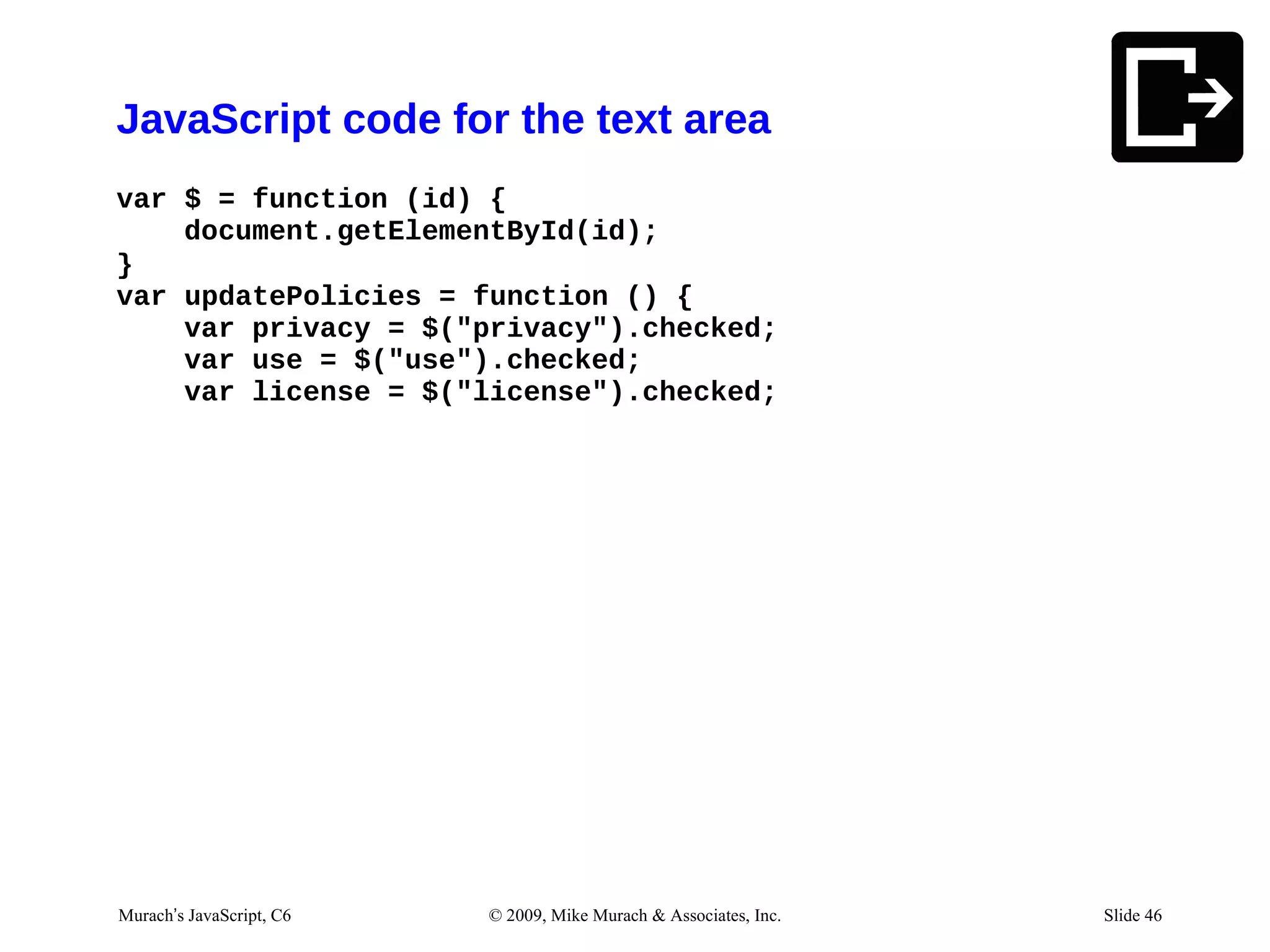
JavaScript code for the text area
var $ = function (id) {
    document.getElementById(id);
}
var updatePolicies = function () {
    var privacy = $("privacy").checked;
    var use = $("use").checked;
    var license = $("license").checked;


Murach’s JavaScript, C6   © 2009, Mike Murach & Associates, Inc.   Slide 46
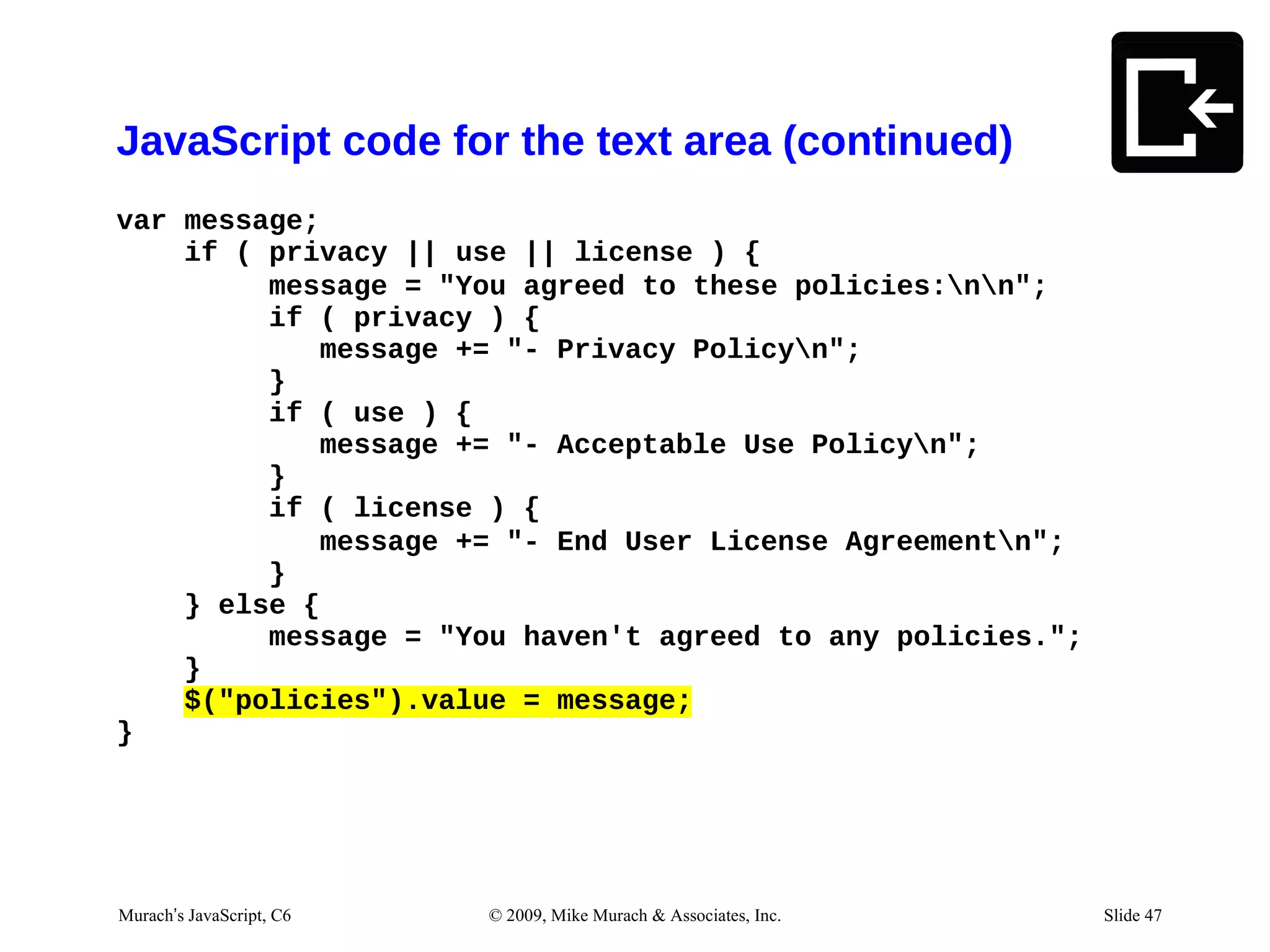
JavaScript code for the text area (continued)
var message;
    if ( privacy || use || license ) {
         message = "You agreed to these policies:nn";
         if ( privacy ) {
            message += "- Privacy Policyn";
         }
         if ( use ) {
            message += "- Acceptable Use Policyn";
         }
         if ( license ) {
            message += "- End User License Agreementn";
         }
    } else {
         message = "You haven't agreed to any policies.";
    }
    $("policies").value = message;
}


03/13/12 JavaScript, C6
Murach’s 7:02 AM          © 2009, Mike Murach & Associates, Inc.   Slide 1 47
                                                                      Slide
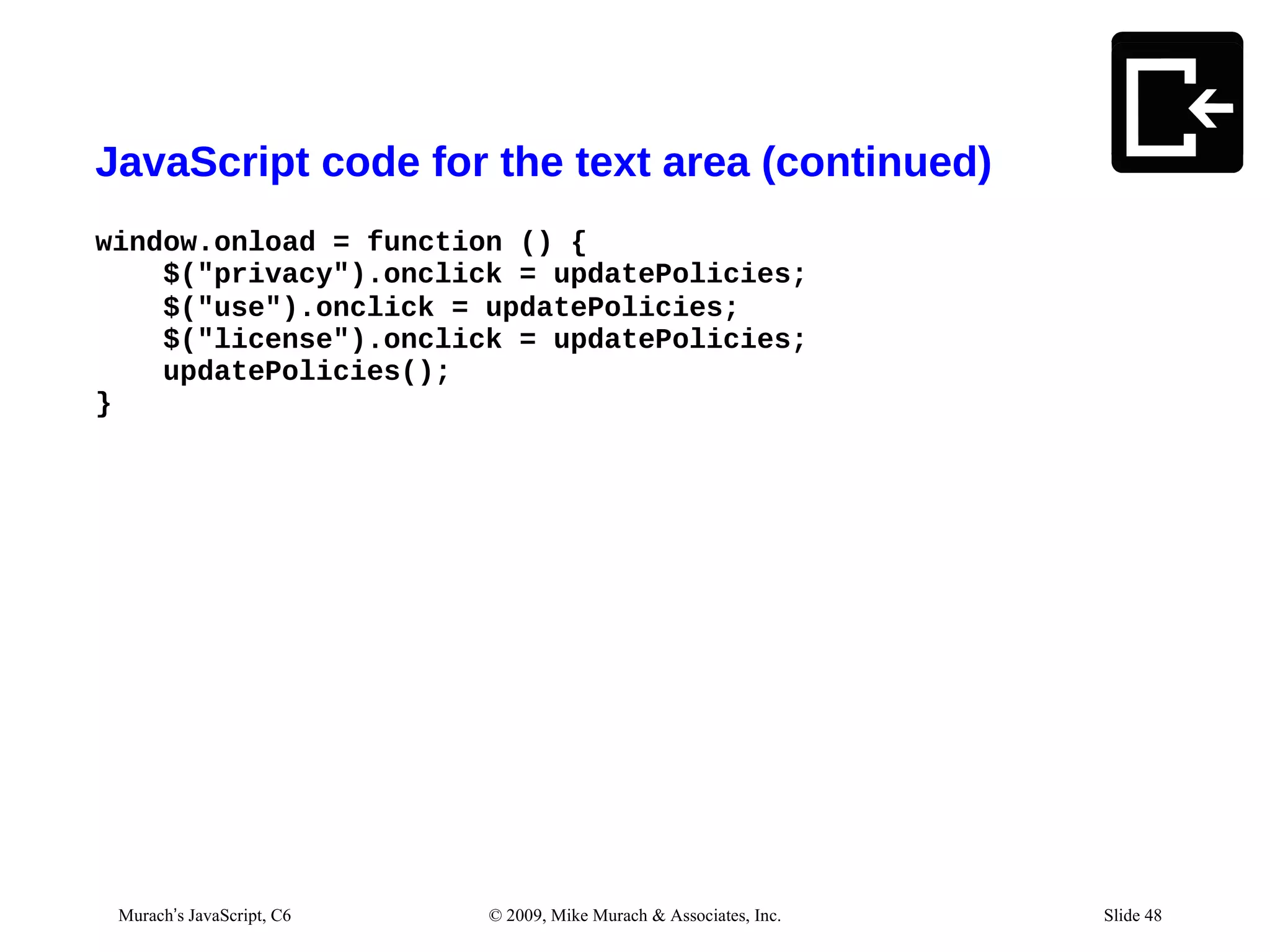
JavaScript code for the text area (continued)
window.onload = function () {
    $("privacy").onclick = updatePolicies;
    $("use").onclick = updatePolicies;
    $("license").onclick = updatePolicies;
    updatePolicies();
}


  Murach’s JavaScript, C6   © 2009, Mike Murach & Associates, Inc.        Slide 48
03/07/12 12:17 PM                                                    Slide 1
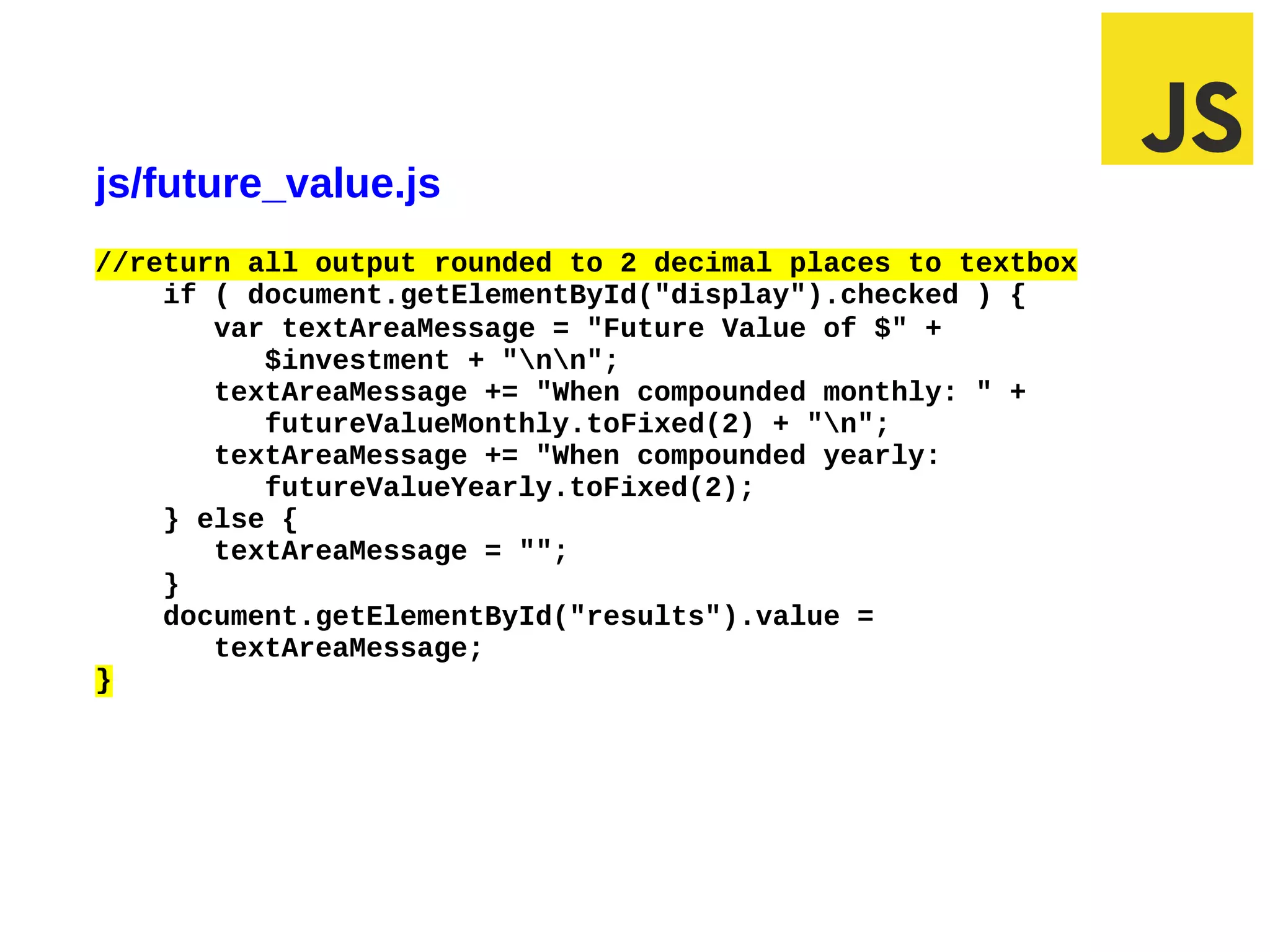
Exercise #3
js/future_value.js
//return all output rounded to 2 decimal places to textbox
    if ( document.getElementById("display").checked ) {
       var textAreaMessage = "Future Value of $" +
          $investment + "nn";
       textAreaMessage += "When compounded monthly: " +
          futureValueMonthly.toFixed(2) + "n";
       textAreaMessage += "When compounded yearly:
          futureValueYearly.toFixed(2);
    } else {
       textAreaMessage = "";
    }
    document.getElementById("results").value =
       textAreaMessage;
}
Agenda
• How to interact using Dialog boxes
• How to interact using Forms
• Common control methods and events
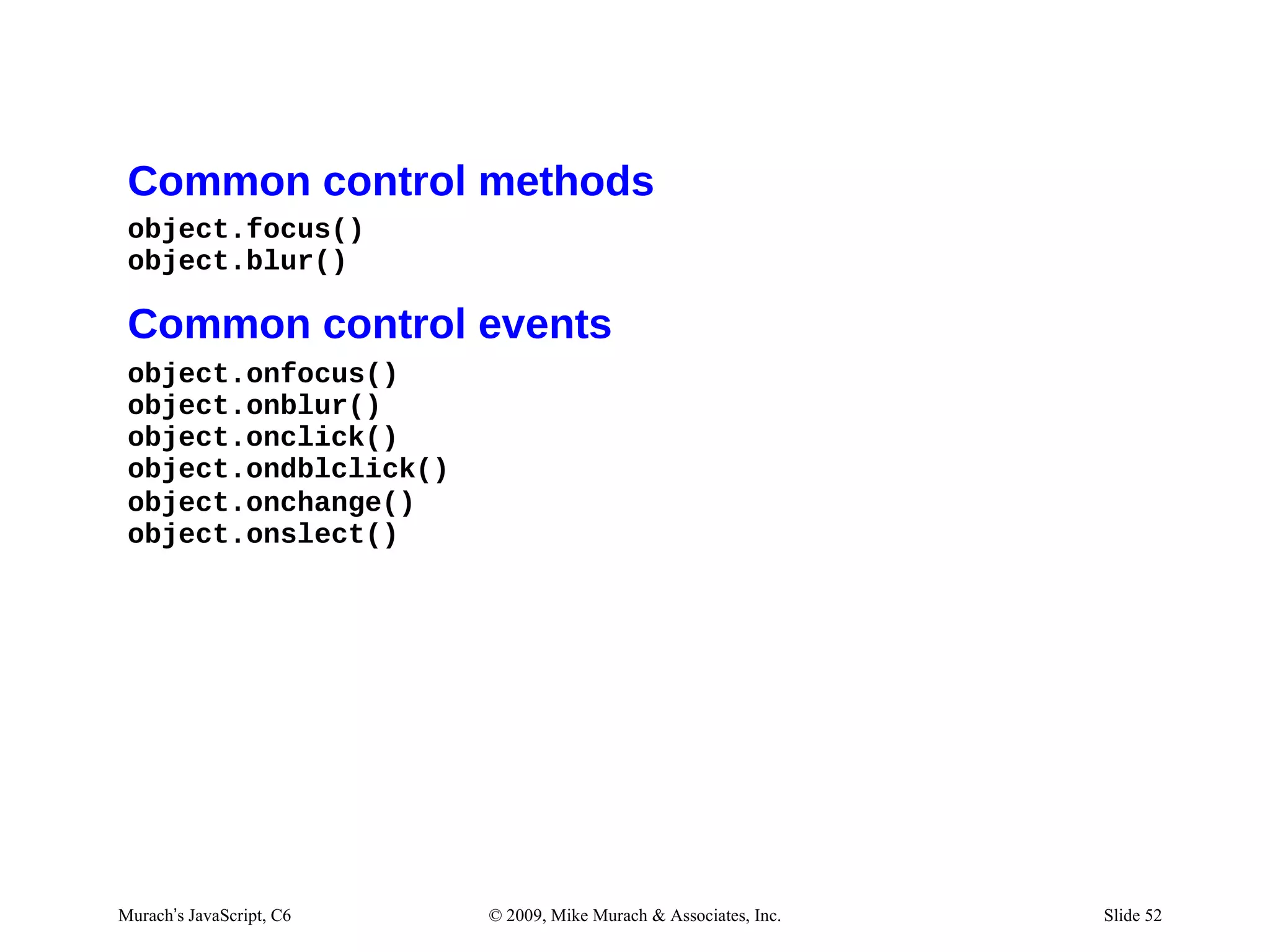
Common control methods
 object.focus()
 object.blur()

 Common control events
 object.onfocus()
 object.onblur()
 object.onclick()
 object.ondblclick()
 object.onchange()
 object.onslect()


Murach’s JavaScript, C6   © 2009, Mike Murach & Associates, Inc.   Slide 52
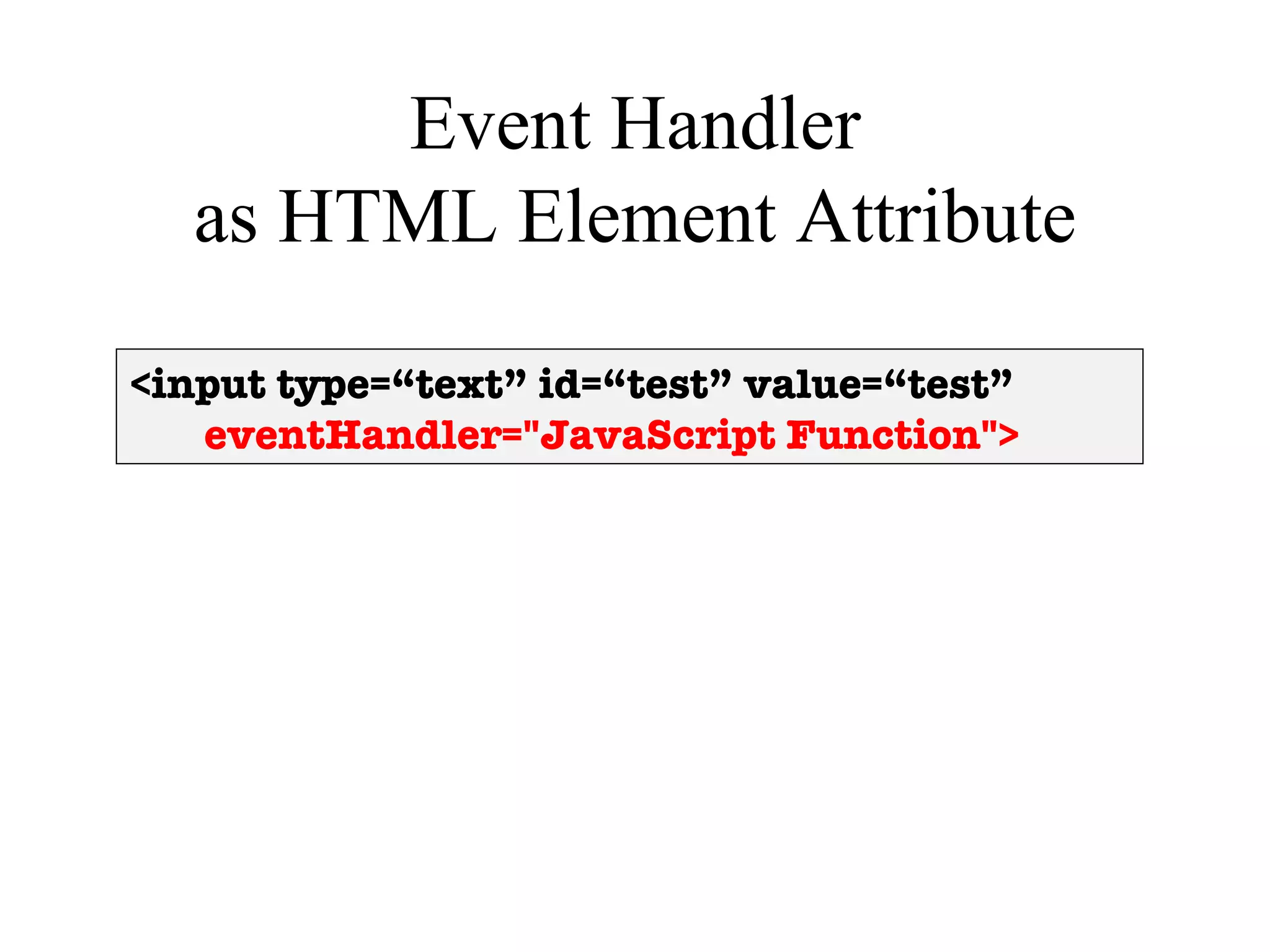
Event Handler
  as HTML Element Attribute

<input type=“text” id=“test” value=“test”
   eventHandler="JavaScript Function">
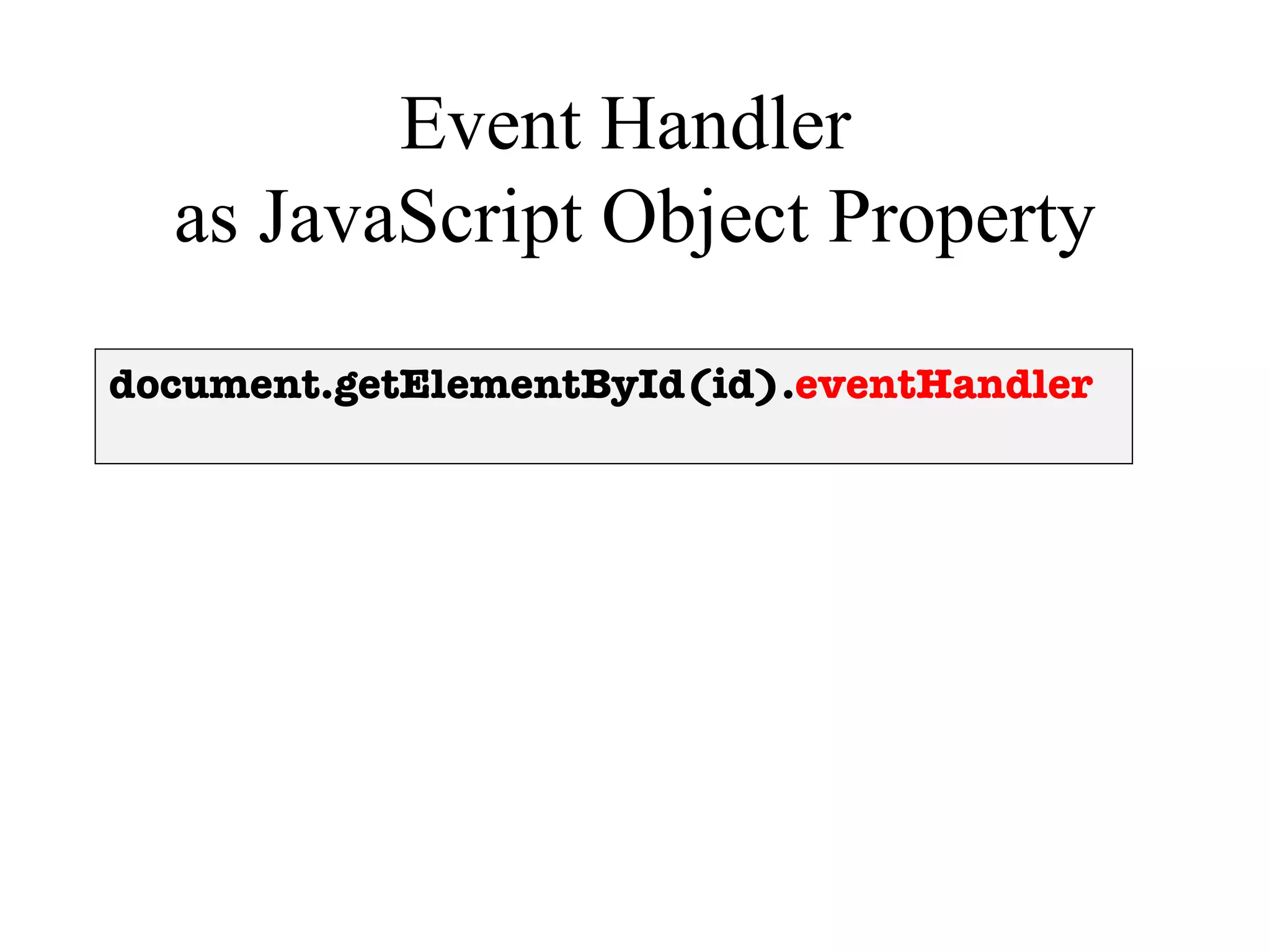
Event Handler
  as JavaScript Object Property

document.getElementById(id).eventHandler
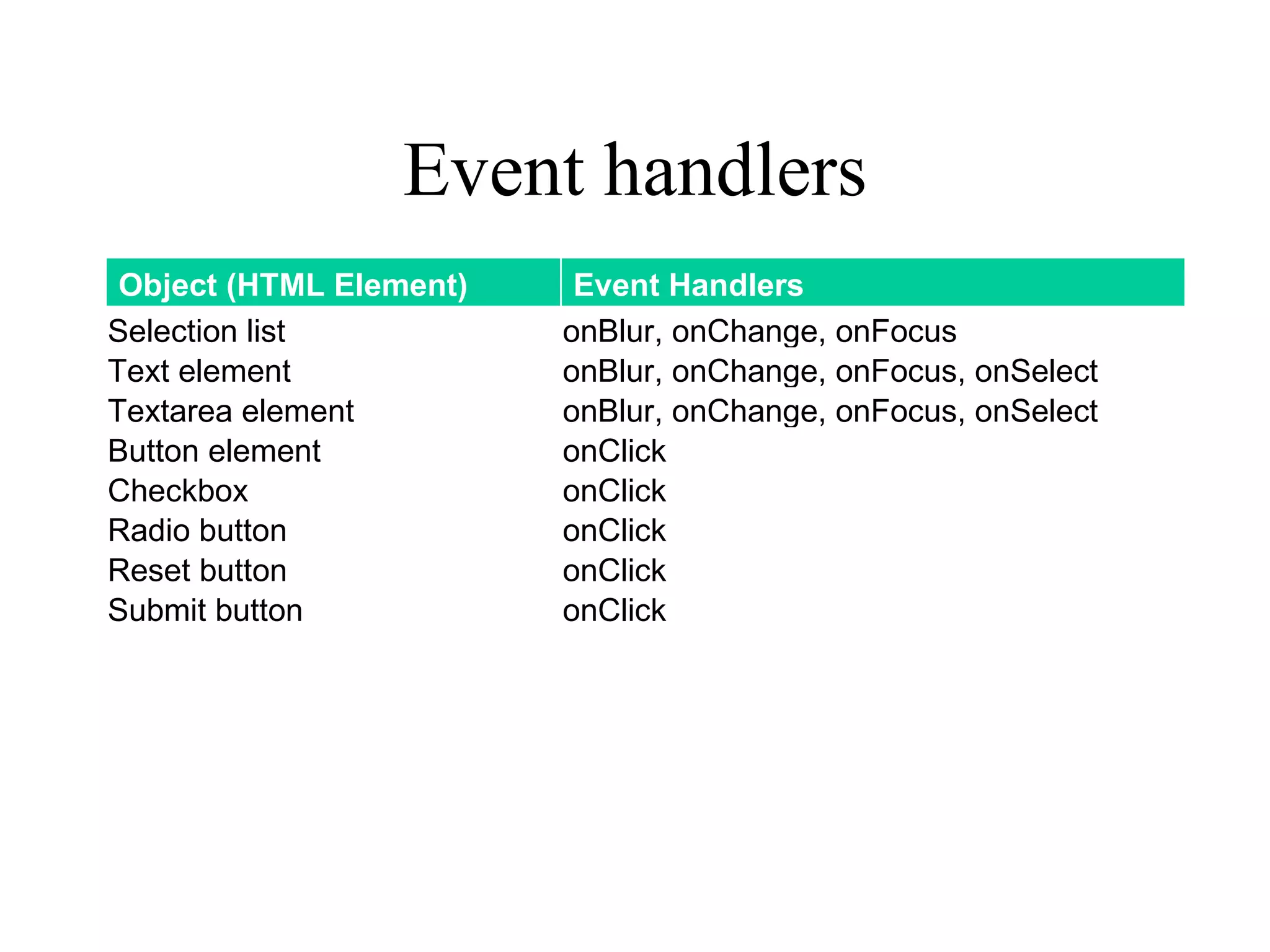
Event handlers
 Object (HTML Element)    Event Handlers
Selection list           onBlur, onChange, onFocus
Text element             onBlur, onChange, onFocus, onSelect
Textarea element         onBlur, onChange, onFocus, onSelect
Button element           onClick
Checkbox                 onClick
Radio button             onClick
Reset button             onClick
Submit button            onClick
Event Driven Programming
             Basics
1. Capture input via forms and dialog boxes using
   HTML and CSS
2. Identify what events that the app should respond to
   and their timing
3. Write a function for each event in JavaScript and
   connect to event handler in HTML
4. Generate output in HTML and CSS
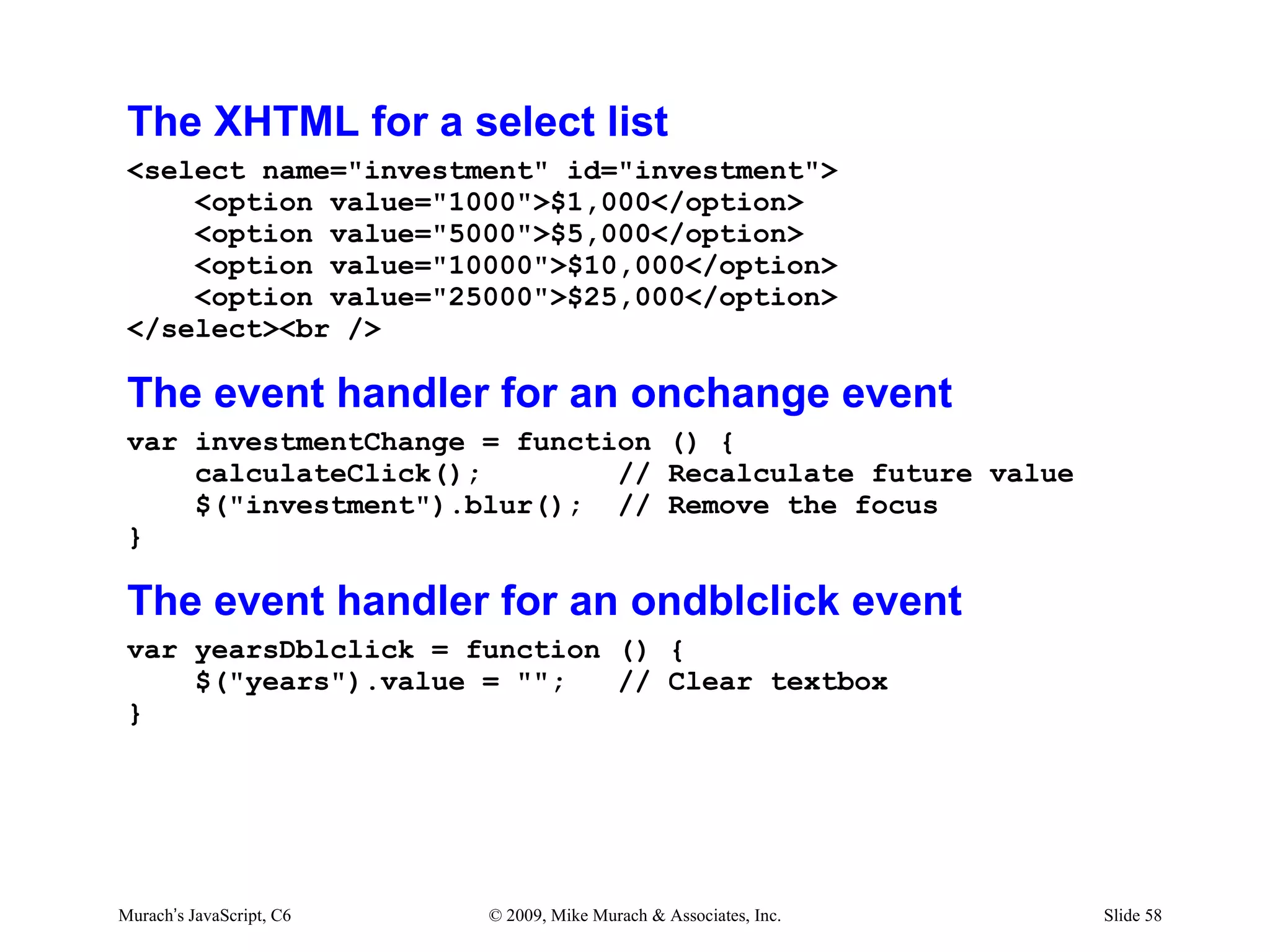
The XHTML for a select list
 <select name="investment" id="investment">
     <option value="1000">$1,000</option>
     <option value="5000">$5,000</option>
     <option value="10000">$10,000</option>
     <option value="25000">$25,000</option>
 </select><br />

 The event handler for an onchange event
 var investmentChange = function () {
     calculateClick();        // Recalculate future value
     $("investment").blur(); // Remove the focus
 }

 The event handler for an ondblclick event
 var yearsDblclick = function () {
     $("years").value = "";   // Clear textbox
 }


Murach’s JavaScript, C6   © 2009, Mike Murach & Associates, Inc.   Slide 58
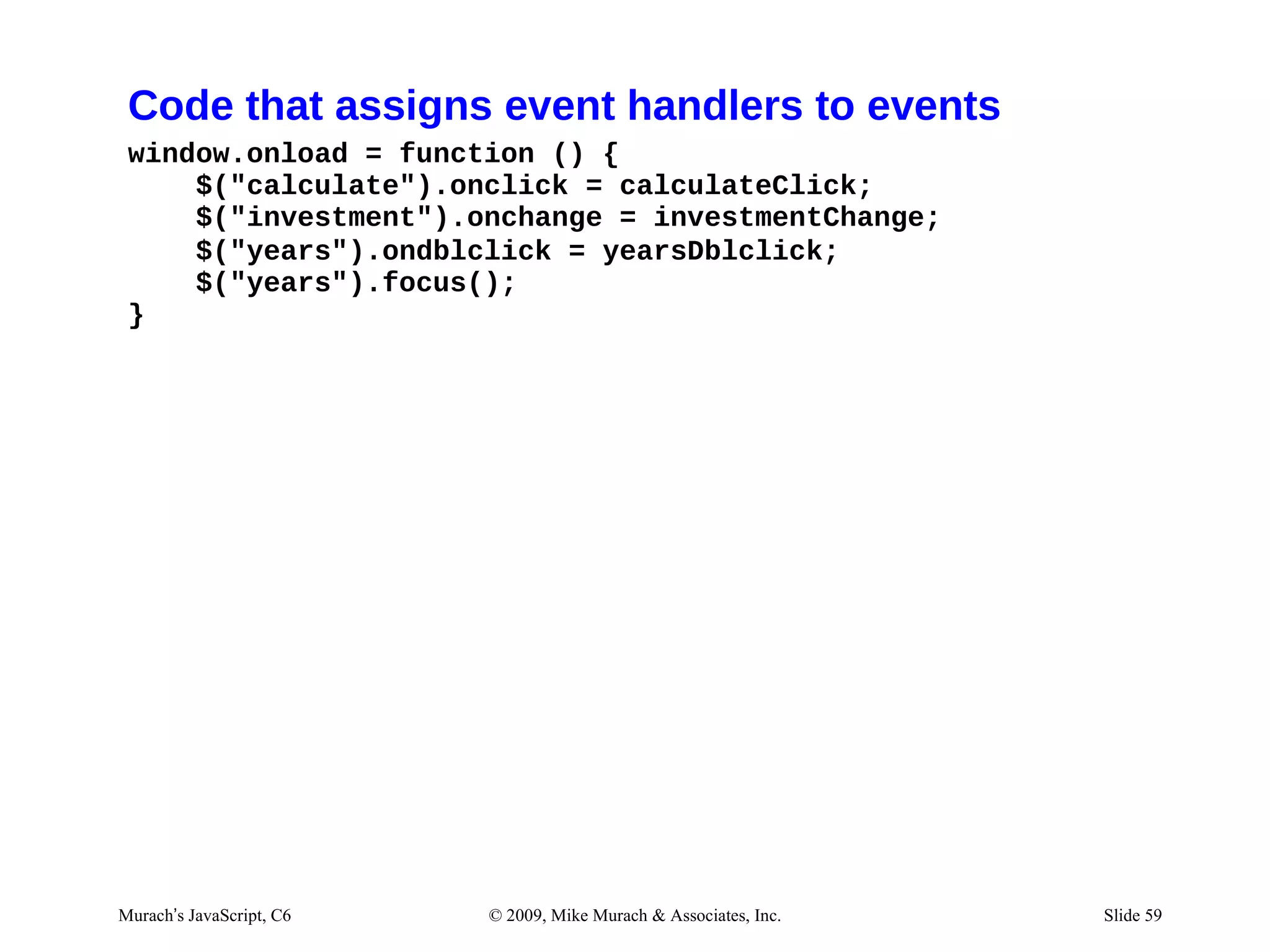
Code that assigns event handlers to events
 window.onload = function () {
     $("calculate").onclick = calculateClick;
     $("investment").onchange = investmentChange;
     $("years").ondblclick = yearsDblclick;
     $("years").focus();
 }


Murach’s JavaScript, C6   © 2009, Mike Murach & Associates, Inc.   Slide 59
Exercise #4
js/future_value.js
//auto recalc investment selection
function investmentChange () {
     calculate_click();
     document.getElementById("investment").blur();
}

//clear years input when doubleclicked
function yearsDoubleClick () {
      document.getElementById("years").value = "";
}

// auto load focus


02/28/12 7:08 AM                                     Slide 1
future_value.html (body section)
<label for="investment">One-Time Investment:</label>
<select name="investment" id="investment"
       onChange="investmentChange()">
<optgroup label="">


<label for="years">Number of Years:</label>
<input type="text" id="years" autofocus
     ondblclick="yearsDoubleClick()"/><br />
Chapter 7

                     How to work with
                     numbers, strings,
                        and dates


Murach’s JavaScript, C7   © 2009, Mike Murach & Associates, Inc.   Slide 63
Even more design by fiat
“It looks great. I’d like to add a
few more things.
Future Value user story

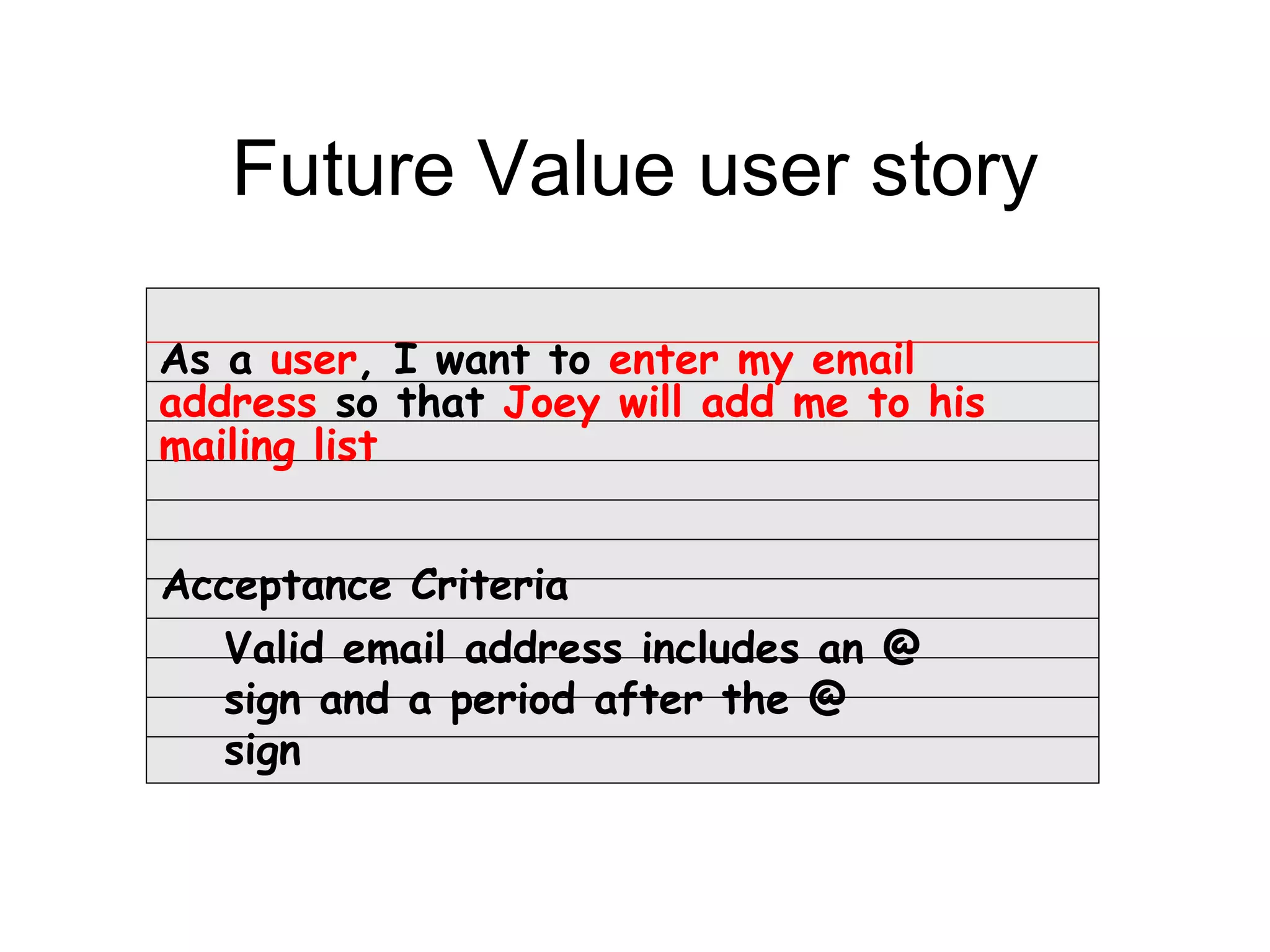
As a user, I want to enter my email
address so that Joey will add me to his
mailing list


Acceptance Criteria
  Valid email address includes an @
  sign and a period after the @
  sign
Future Value user story

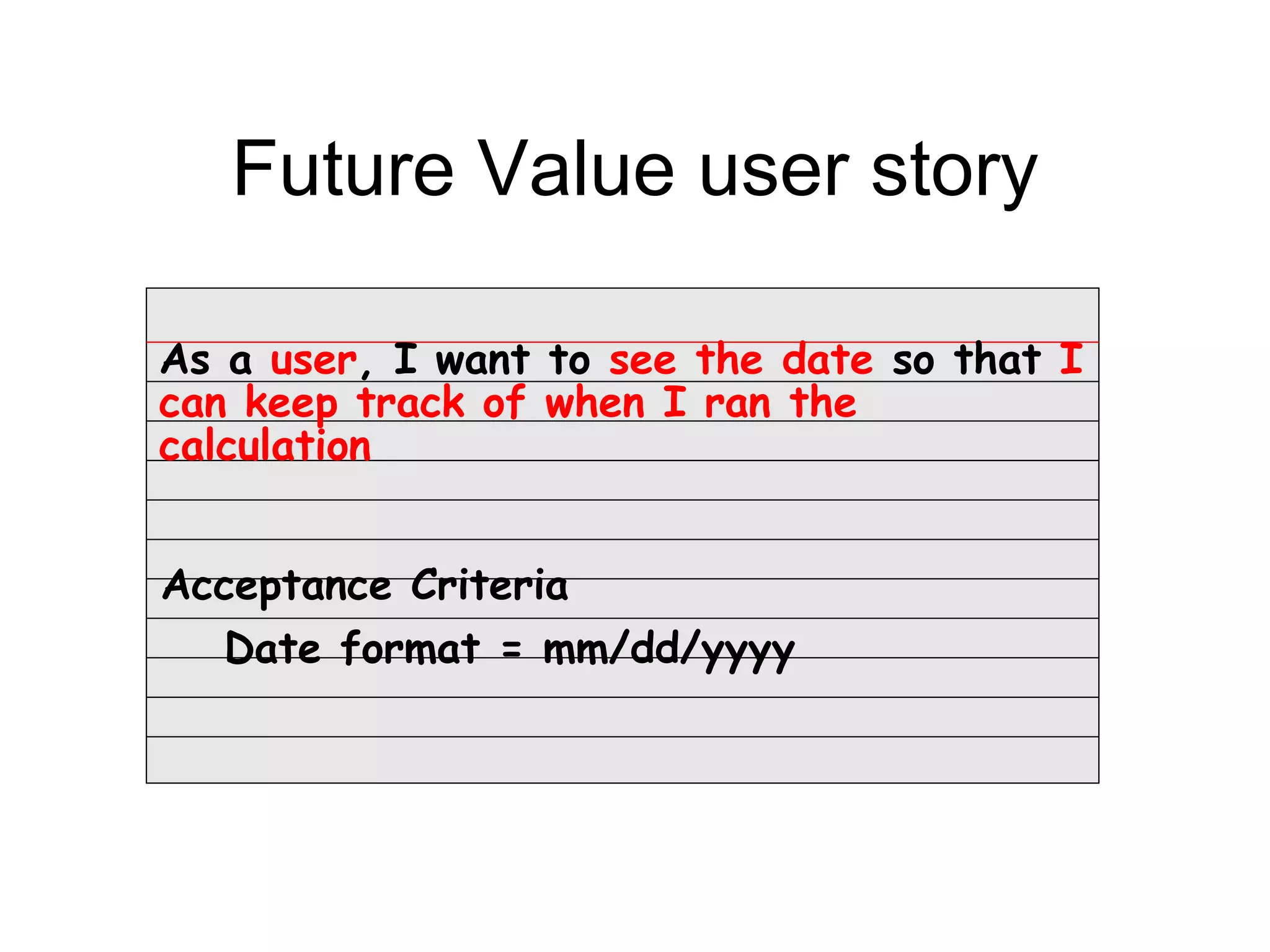
As a user, I want to see the date so that I
can keep track of when I ran the
calculation


Acceptance Criteria
  Date format = mm/dd/yyyy
Agenda
• How to work with numbers
• How to work with Math object
• How to work with strings
• How to work with date and time
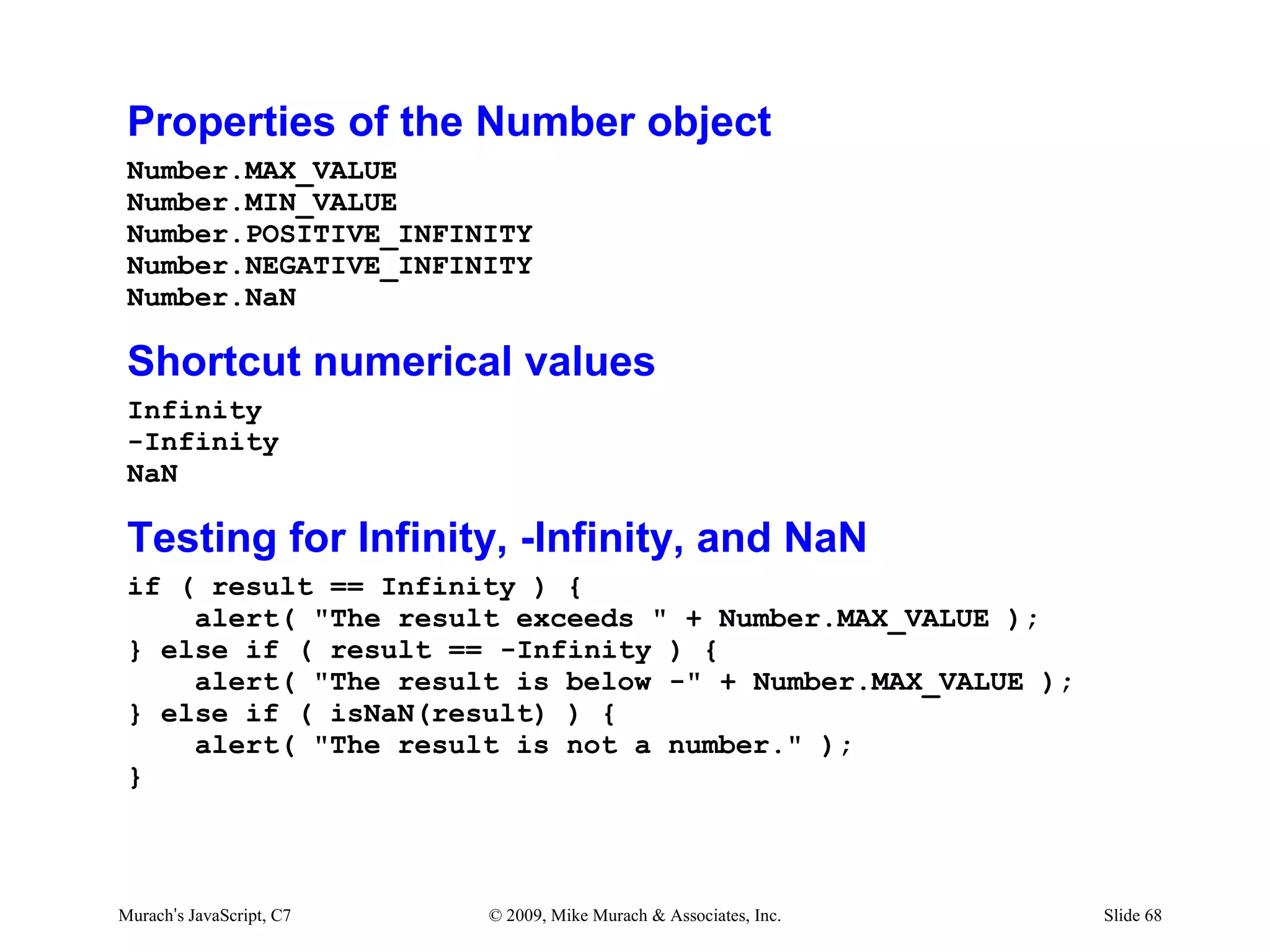
Properties of the Number object
 Number.MAX_VALUE
 Number.MIN_VALUE
 Number.POSITIVE_INFINITY
 Number.NEGATIVE_INFINITY
 Number.NaN

 Shortcut numerical values
 Infinity
 -Infinity
 NaN

 Testing for Infinity, -Infinity, and NaN
 if ( result == Infinity ) {
     alert( "The result exceeds " + Number.MAX_VALUE );
 } else if ( result == -Infinity ) {
     alert( "The result is below -" + Number.MAX_VALUE );
 } else if ( isNaN(result) ) {
     alert( "The result is not a number." );
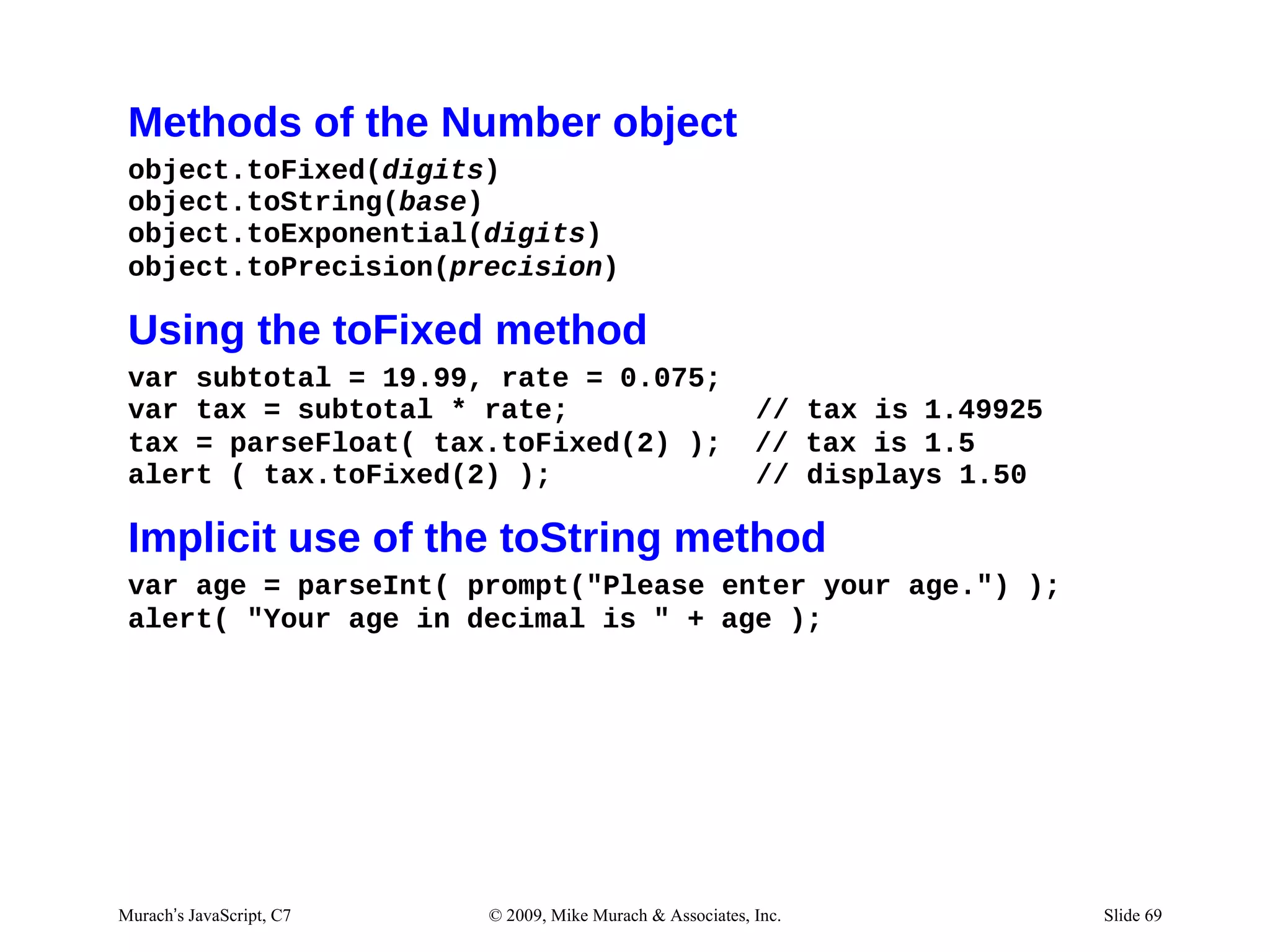
 }


Murach’s JavaScript, C7   © 2009, Mike Murach & Associates, Inc.   Slide 68
Methods of the Number object
 object.toFixed(digits)
 object.toString(base)
 object.toExponential(digits)
 object.toPrecision(precision)

 Using the toFixed method
 var subtotal = 19.99, rate = 0.075;
 var tax = subtotal * rate;                                 // tax is 1.49925
 tax = parseFloat( tax.toFixed(2) );                        // tax is 1.5
 alert ( tax.toFixed(2) );                                  // displays 1.50

 Implicit use of the toString method
 var age = parseInt( prompt("Please enter your age.") );
 alert( "Your age in decimal is " + age );


Murach’s JavaScript, C7   © 2009, Mike Murach & Associates, Inc.                Slide 69
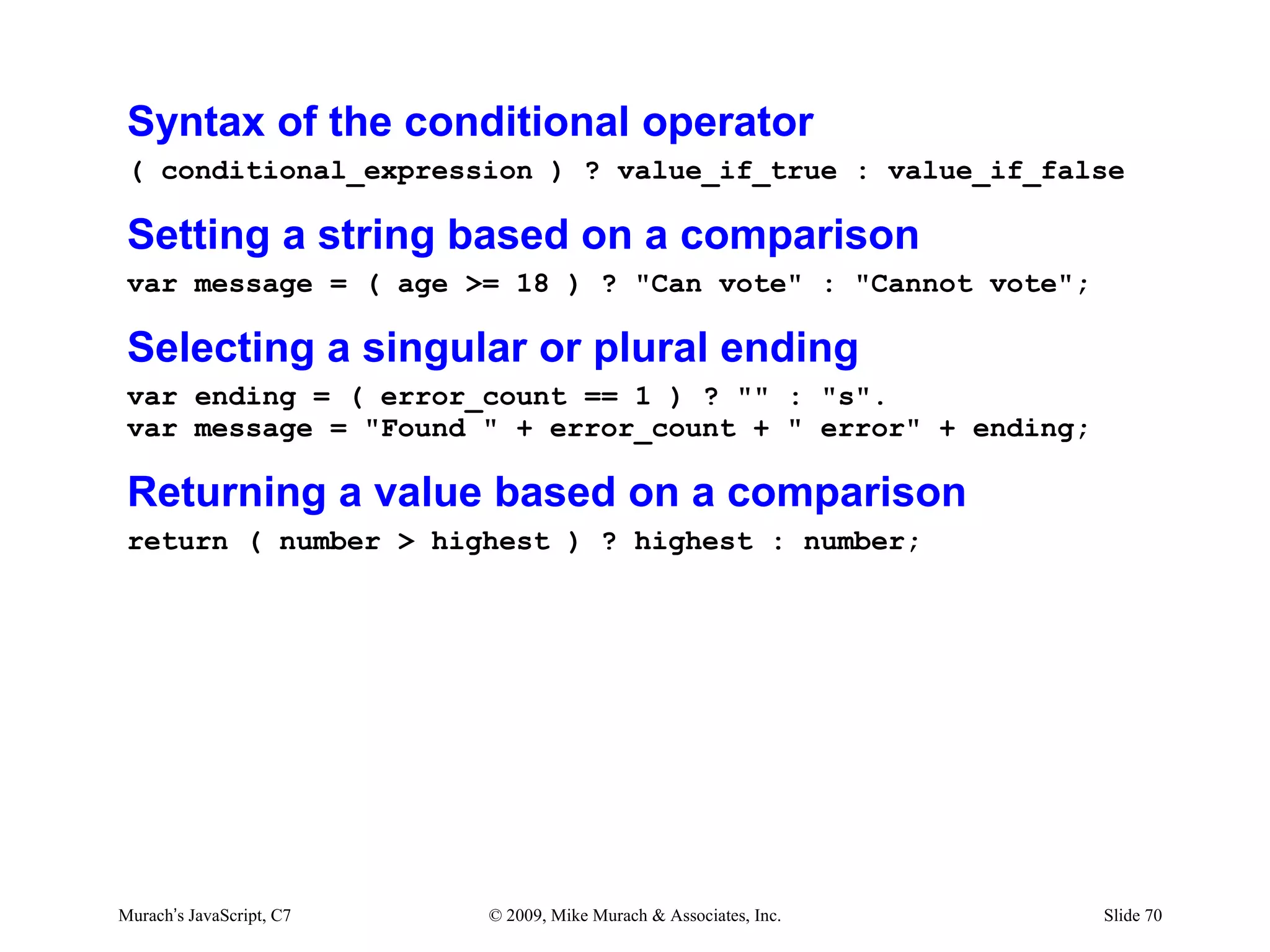
Syntax of the conditional operator
 ( conditional_expression ) ? value_if_true : value_if_false

 Setting a string based on a comparison
 var message = ( age >= 18 ) ? "Can vote" : "Cannot vote";

 Selecting a singular or plural ending
 var ending = ( error_count == 1 ) ? "" : "s".
 var message = "Found " + error_count + " error" + ending;

 Returning a value based on a comparison
 return ( number > highest ) ? highest : number;


Murach’s JavaScript, C7   © 2009, Mike Murach & Associates, Inc.   Slide 70
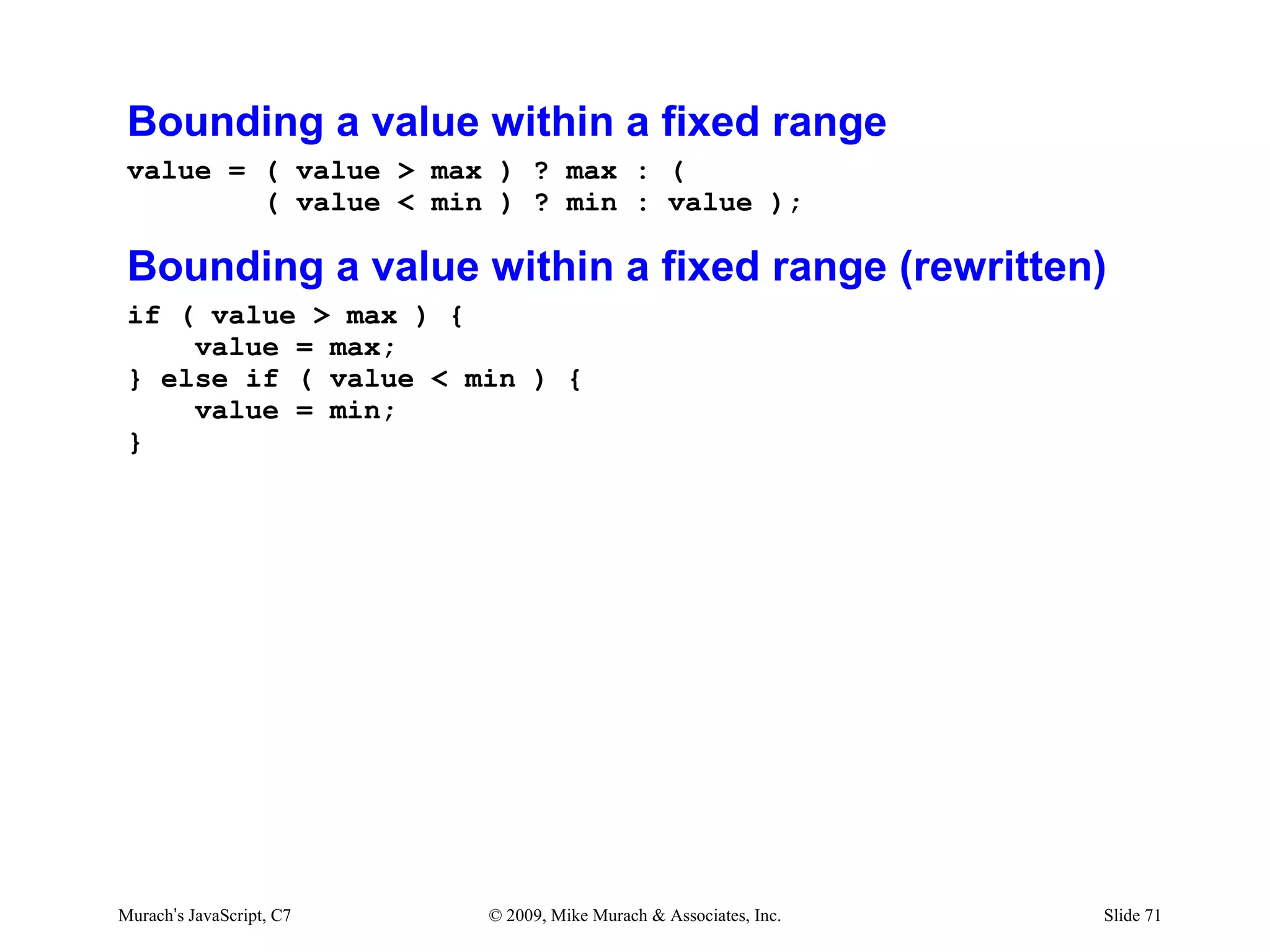
Bounding a value within a fixed range
 value = ( value > max ) ? max : (
         ( value < min ) ? min : value );

 Bounding a value within a fixed range (rewritten)
 if ( value > max ) {
     value = max;
 } else if ( value < min ) {
     value = min;
 }


Murach’s JavaScript, C7   © 2009, Mike Murach & Associates, Inc.   Slide 71
Agenda
• How to work with numbers
• How to work with Math object
• How to work with strings
• How to work with date and time
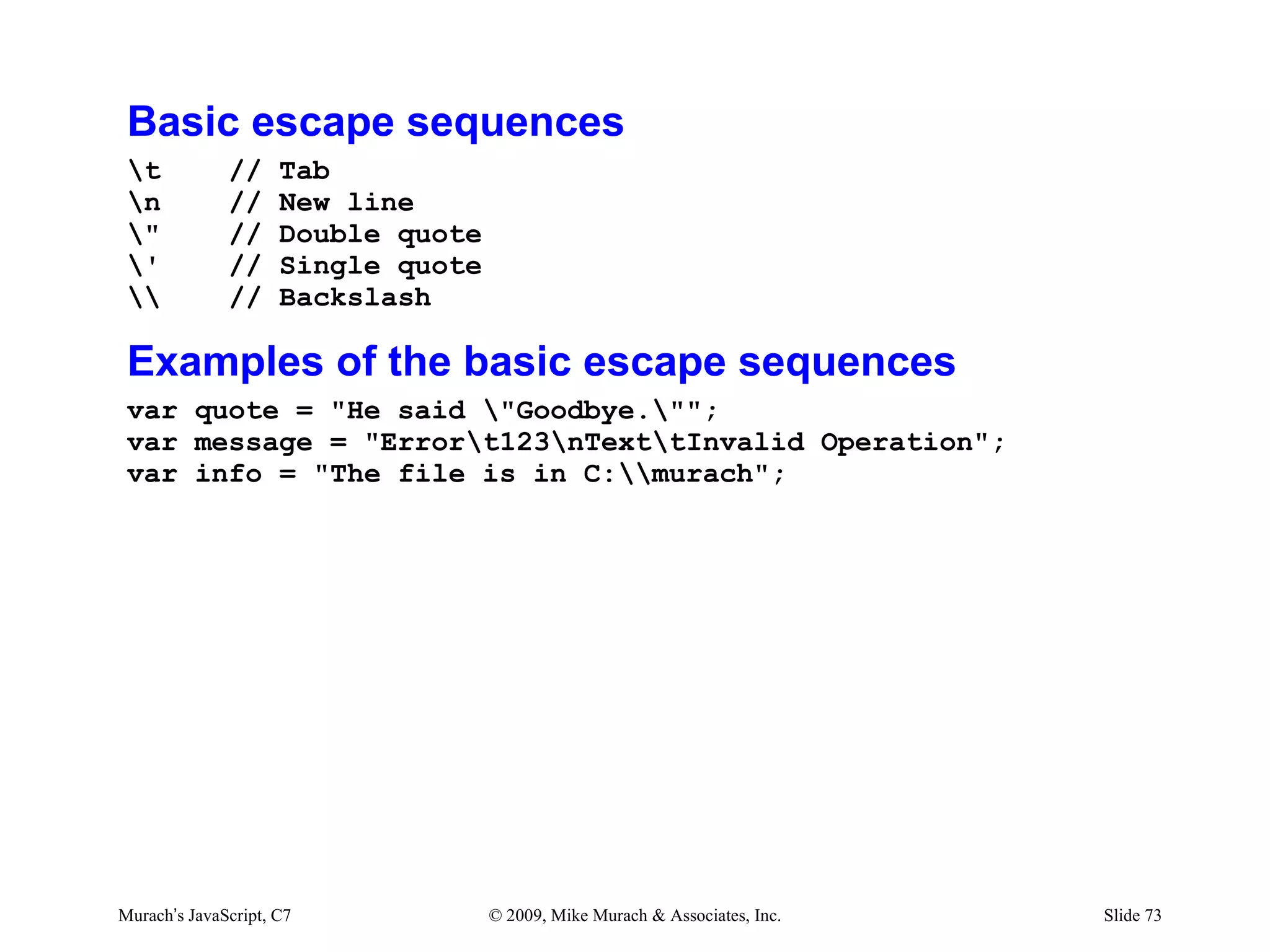
Basic escape sequences
 t           //     Tab
 n           //     New line
 "           //     Double quote
 '           //     Single quote
            //     Backslash

 Examples of the basic escape sequences
 var quote = "He said "Goodbye."";
 var message = "Errort123nTexttInvalid Operation";
 var info = "The file is in C:murach";


Murach’s JavaScript, C7             © 2009, Mike Murach & Associates, Inc.   Slide 73
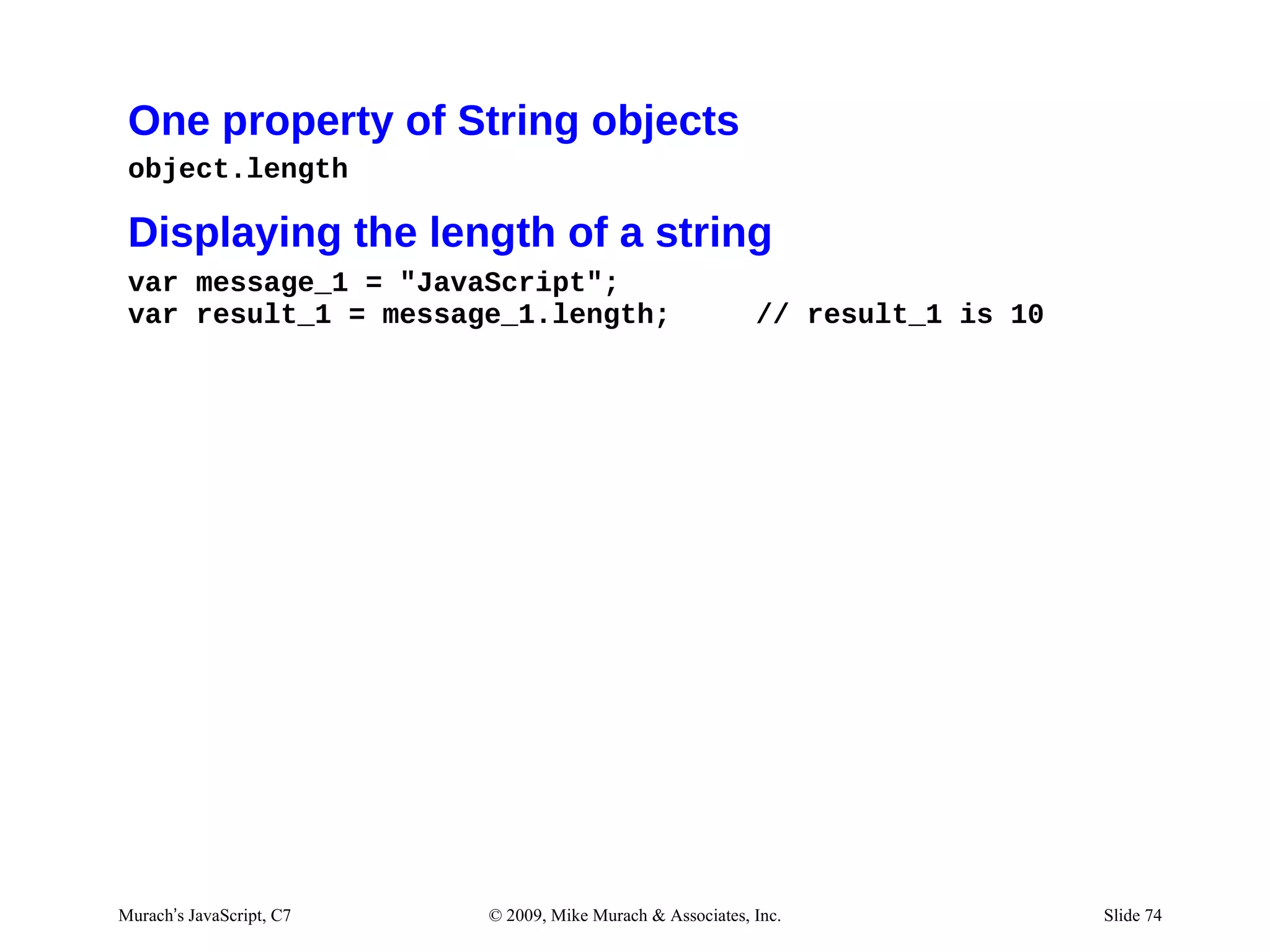
One property of String objects
 object.length

 Displaying the length of a string
 var message_1 = "JavaScript";
 var result_1 = message_1.length;                           // result_1 is 10


Murach’s JavaScript, C7   © 2009, Mike Murach & Associates, Inc.                Slide 74
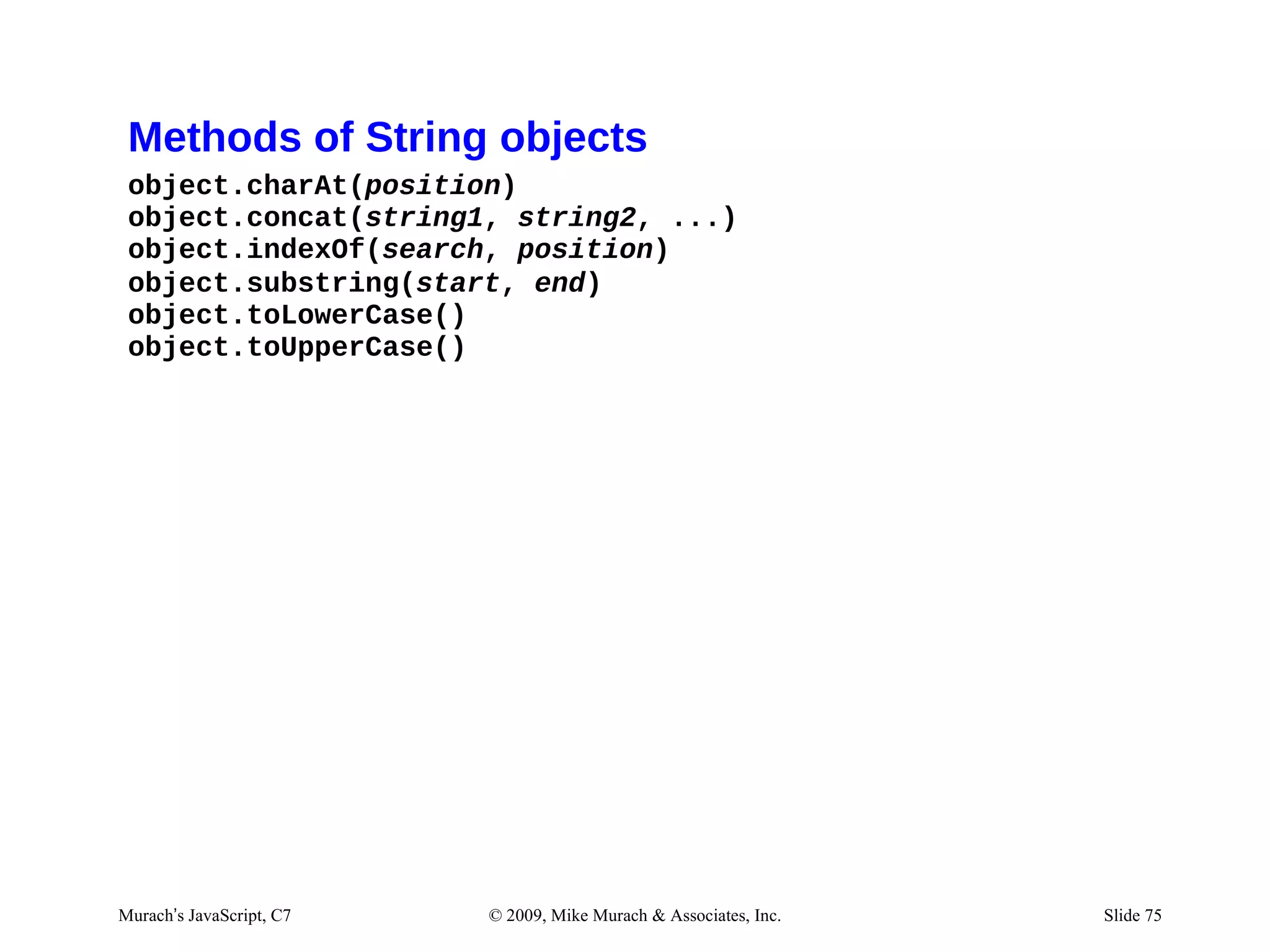
Methods of String objects
 object.charAt(position)
 object.concat(string1, string2, ...)
 object.indexOf(search, position)
 object.substring(start, end)
 object.toLowerCase()
 object.toUpperCase()


Murach’s JavaScript, C7   © 2009, Mike Murach & Associates, Inc.   Slide 75
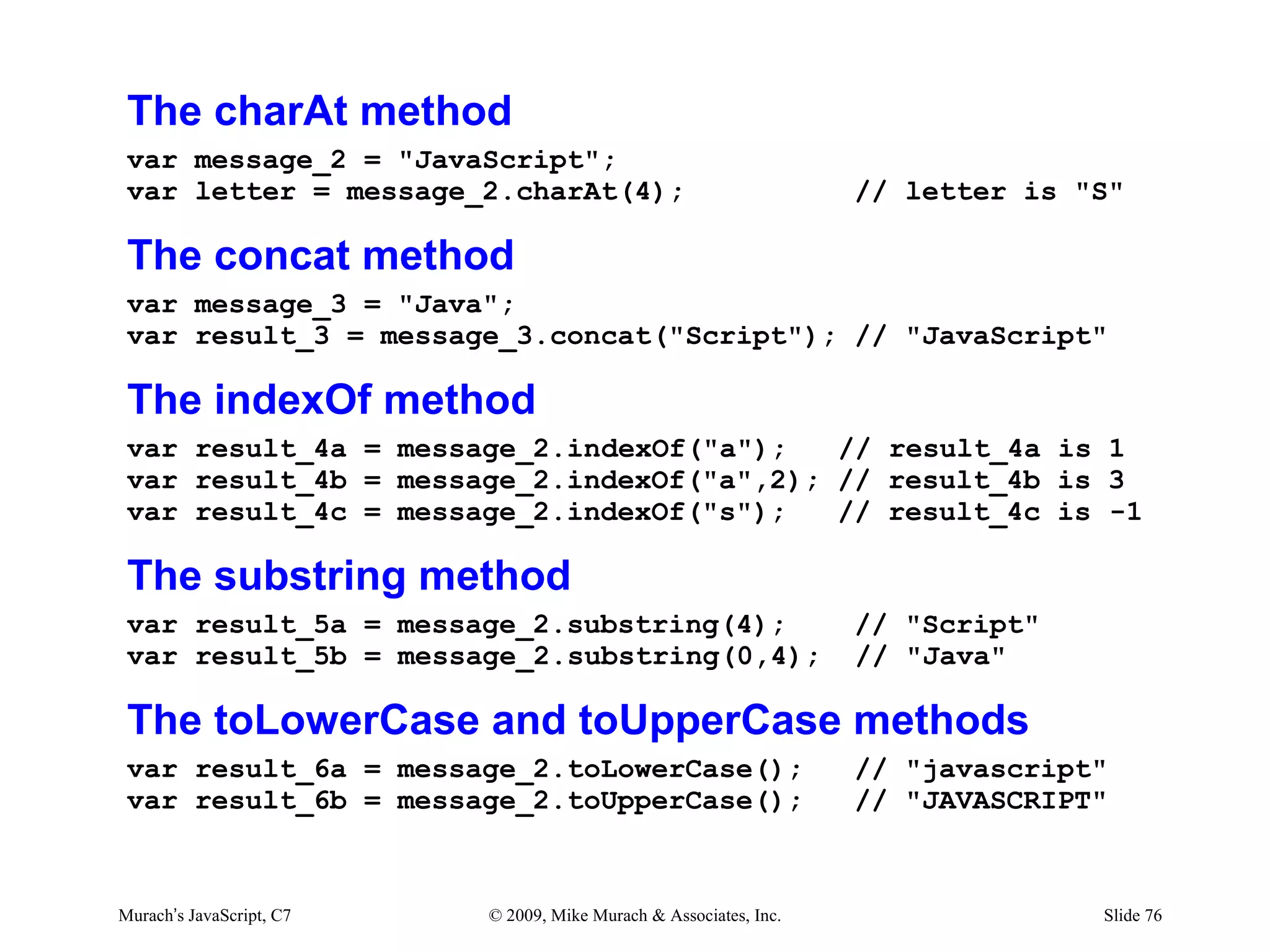
The charAt method
 var message_2 = "JavaScript";
 var letter = message_2.charAt(4);                                 // letter is "S"

 The concat method
 var message_3 = "Java";
 var result_3 = message_3.concat("Script"); // "JavaScript"

 The indexOf method
 var result_4a = message_2.indexOf("a");   // result_4a is 1
 var result_4b = message_2.indexOf("a",2); // result_4b is 3
 var result_4c = message_2.indexOf("s");   // result_4c is -1

 The substring method
 var result_5a = message_2.substring(4);                           // "Script"
 var result_5b = message_2.substring(0,4);                         // "Java"

 The toLowerCase and toUpperCase methods
 var result_6a = message_2.toLowerCase();                          // "javascript"
 var result_6b = message_2.toUpperCase();                          // "JAVASCRIPT"


Murach’s JavaScript, C7   © 2009, Mike Murach & Associates, Inc.                 Slide 76
Exercise #5
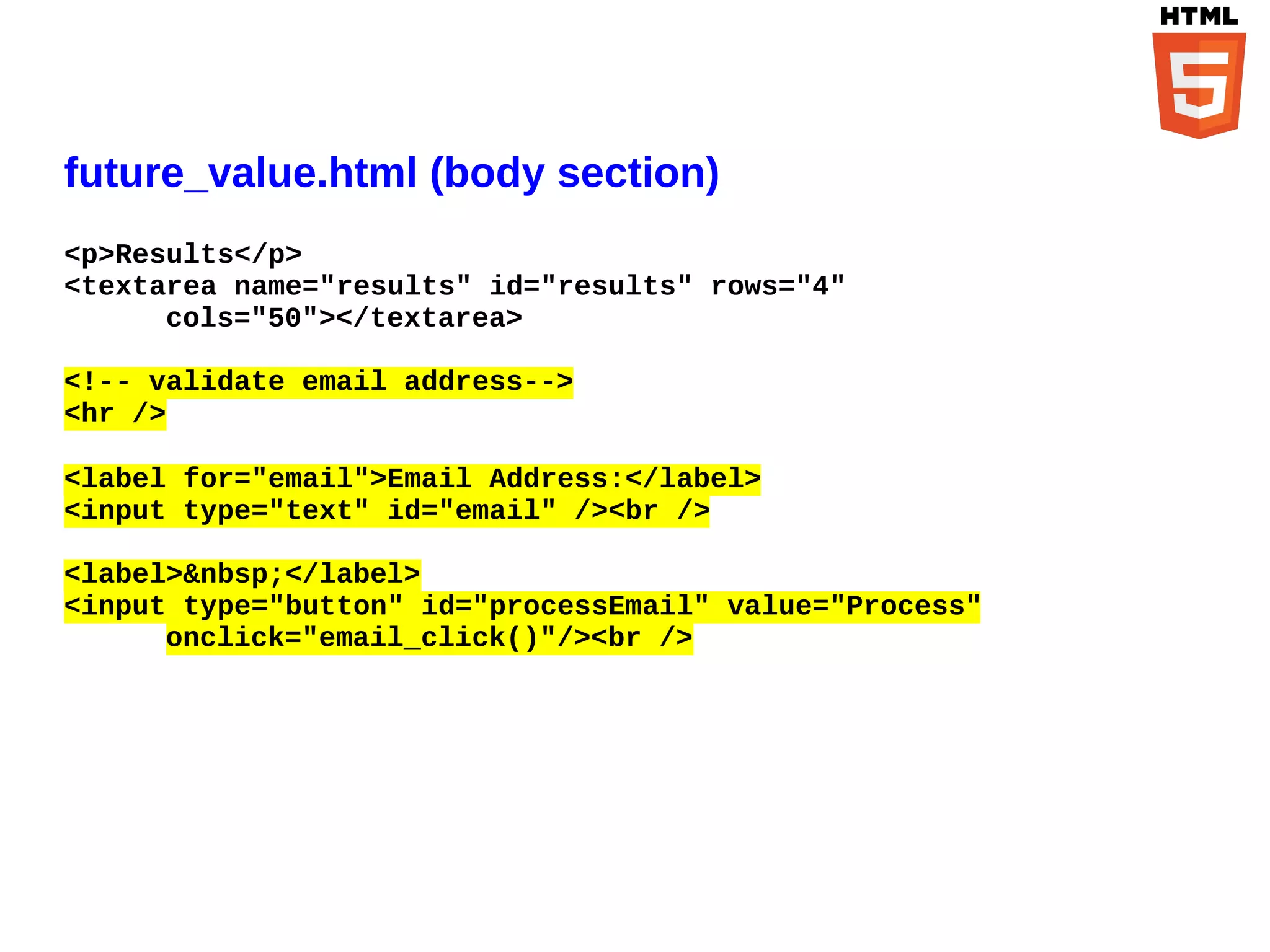
future_value.html (body section)
<p>Results</p>
<textarea name="results" id="results" rows="4"
      cols="50"></textarea>

<!-- validate email address-->
<hr />

<label for="email">Email Address:</label>
<input type="text" id="email" /><br />

<label>&nbsp;</label>
<input type="button" id="processEmail" value="Process"
      onclick="email_click()"/><br />
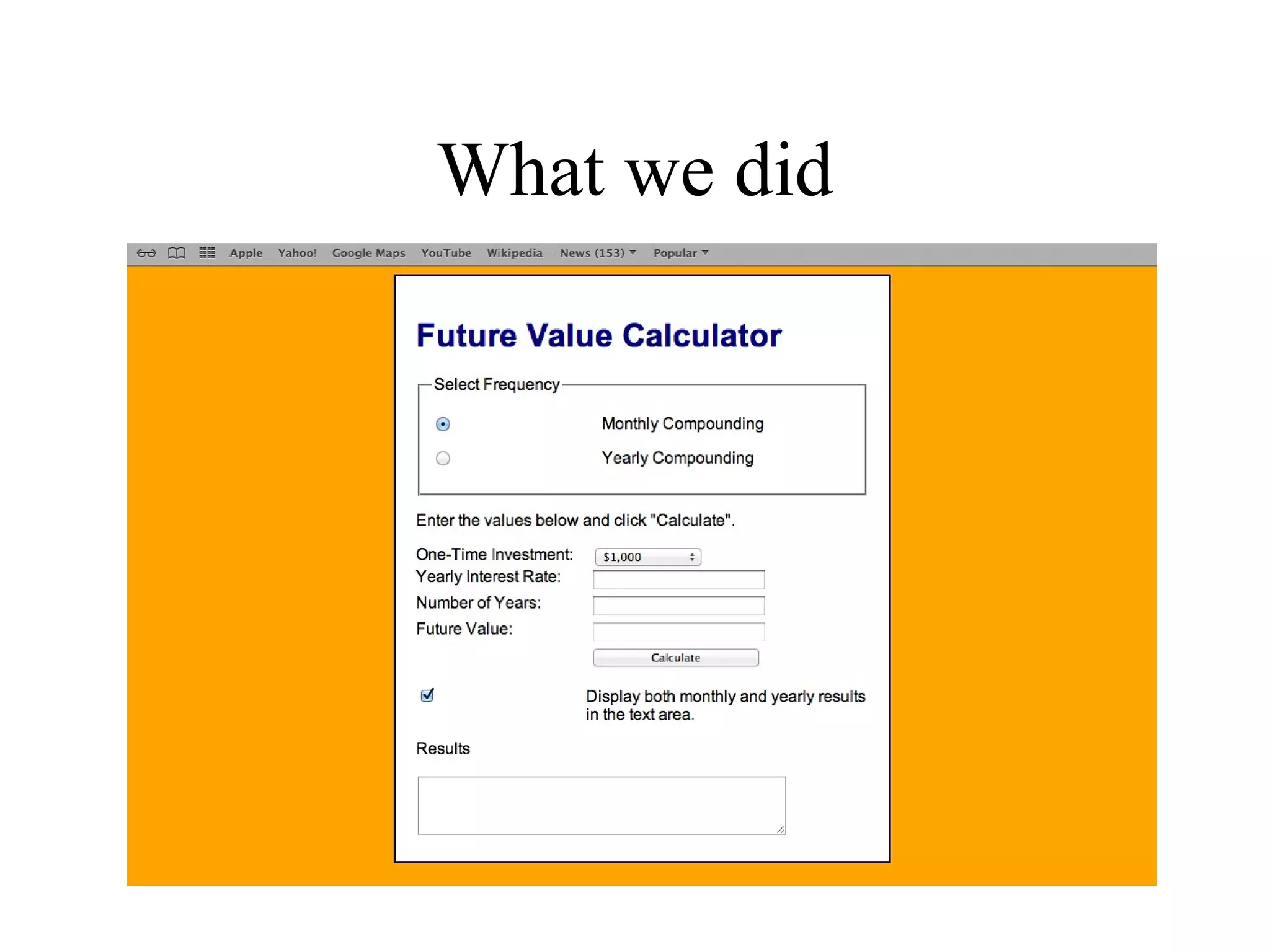
What we did
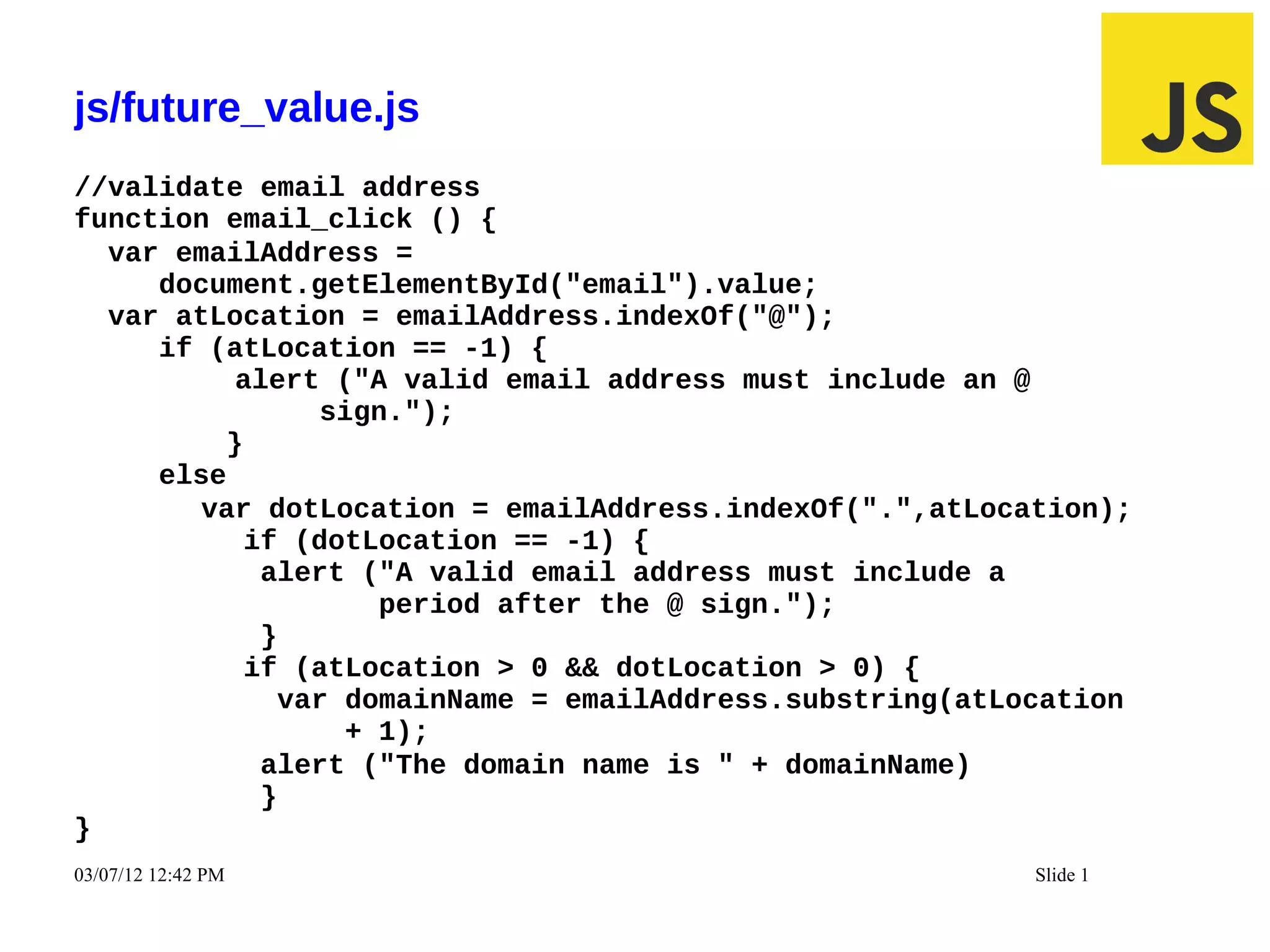
js/future_value.js
//validate email address
function email_click () {
  var emailAddress =
     document.getElementById("email").value;
  var atLocation = emailAddress.indexOf("@");
     if (atLocation == -1) {
          alert ("A valid email address must include an @
               sign.");
         }
     else
        var dotLocation = emailAddress.indexOf(".",atLocation);
           if (dotLocation == -1) {
            alert ("A valid email address must include a
                   period after the @ sign.");
            }
           if (atLocation > 0 && dotLocation > 0) {
             var domainName = emailAddress.substring(atLocation
                 + 1);
            alert ("The domain name is " + domainName)
            }
}
03/07/12 12:42 PM                                        Slide 1
Agenda
• How to work with numbers
• How to work with Math object
• How to work with strings
• How to work with date and time
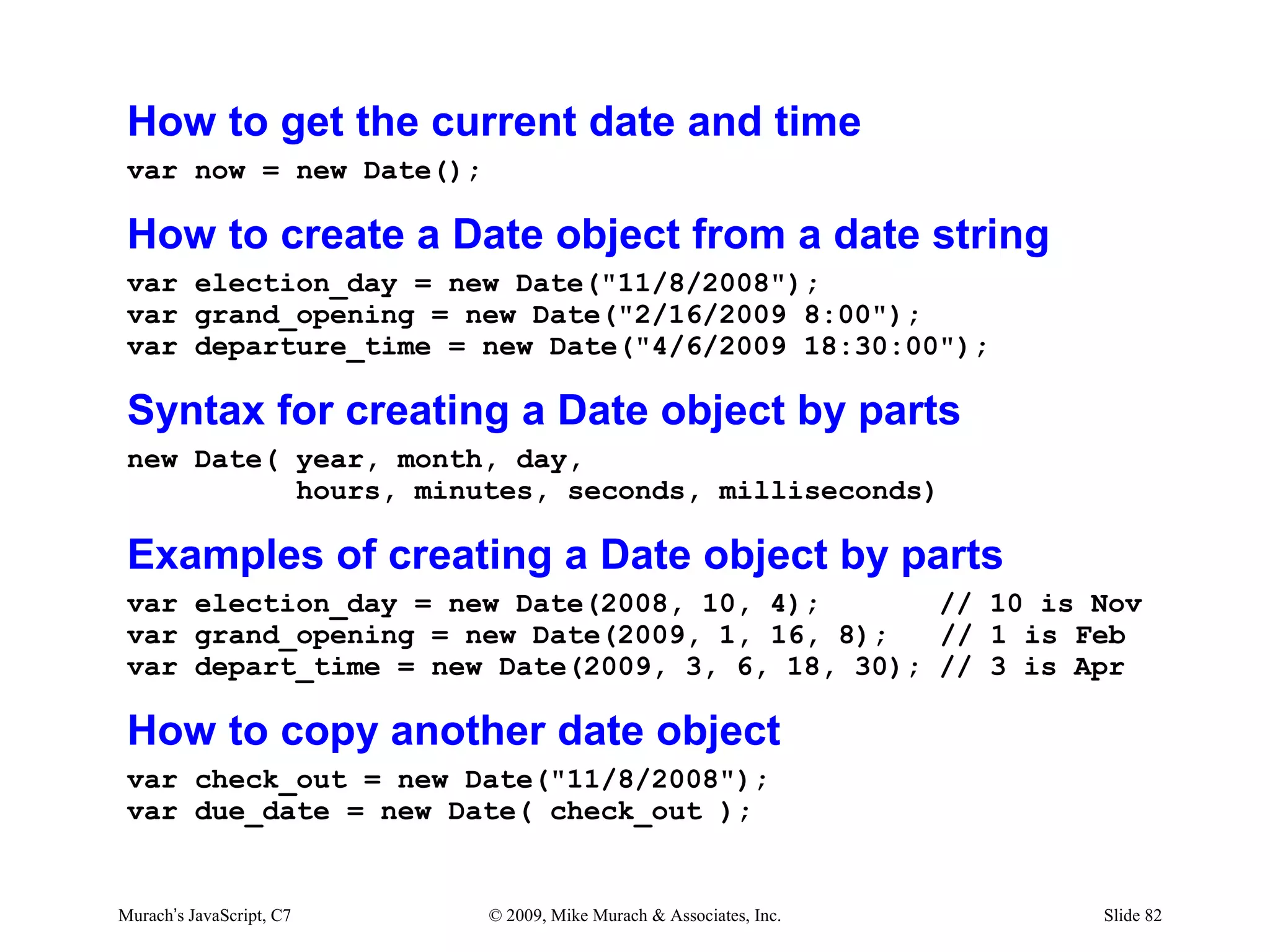
How to get the current date and time
 var now = new Date();

 How to create a Date object from a date string
 var election_day = new Date("11/8/2008");
 var grand_opening = new Date("2/16/2009 8:00");
 var departure_time = new Date("4/6/2009 18:30:00");

 Syntax for creating a Date object by parts
 new Date( year, month, day,
           hours, minutes, seconds, milliseconds)

 Examples of creating a Date object by parts
 var election_day = new Date(2008, 10, 4);       // 10 is Nov
 var grand_opening = new Date(2009, 1, 16, 8);   // 1 is Feb
 var depart_time = new Date(2009, 3, 6, 18, 30); // 3 is Apr

 How to copy another date object
 var check_out = new Date("11/8/2008");
 var due_date = new Date( check_out );


Murach’s JavaScript, C7   © 2009, Mike Murach & Associates, Inc.   Slide 82
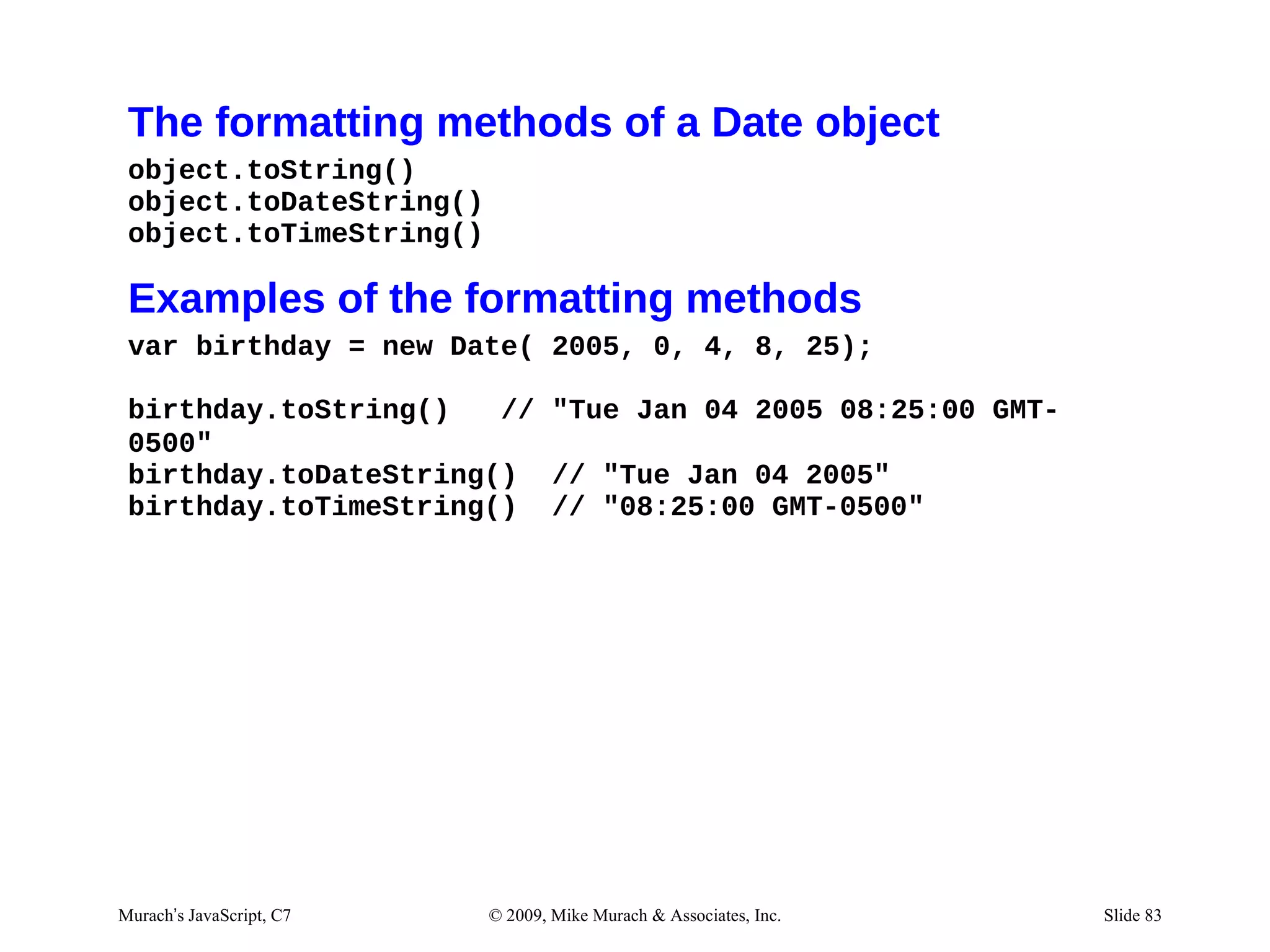
The formatting methods of a Date object
 object.toString()
 object.toDateString()
 object.toTimeString()

 Examples of the formatting methods
 var birthday = new Date( 2005, 0, 4, 8, 25);

 birthday.toString()   // "Tue Jan 04 2005 08:25:00 GMT-
 0500"
 birthday.toDateString() // "Tue Jan 04 2005"
 birthday.toTimeString() // "08:25:00 GMT-0500"


Murach’s JavaScript, C7   © 2009, Mike Murach & Associates, Inc.   Slide 83
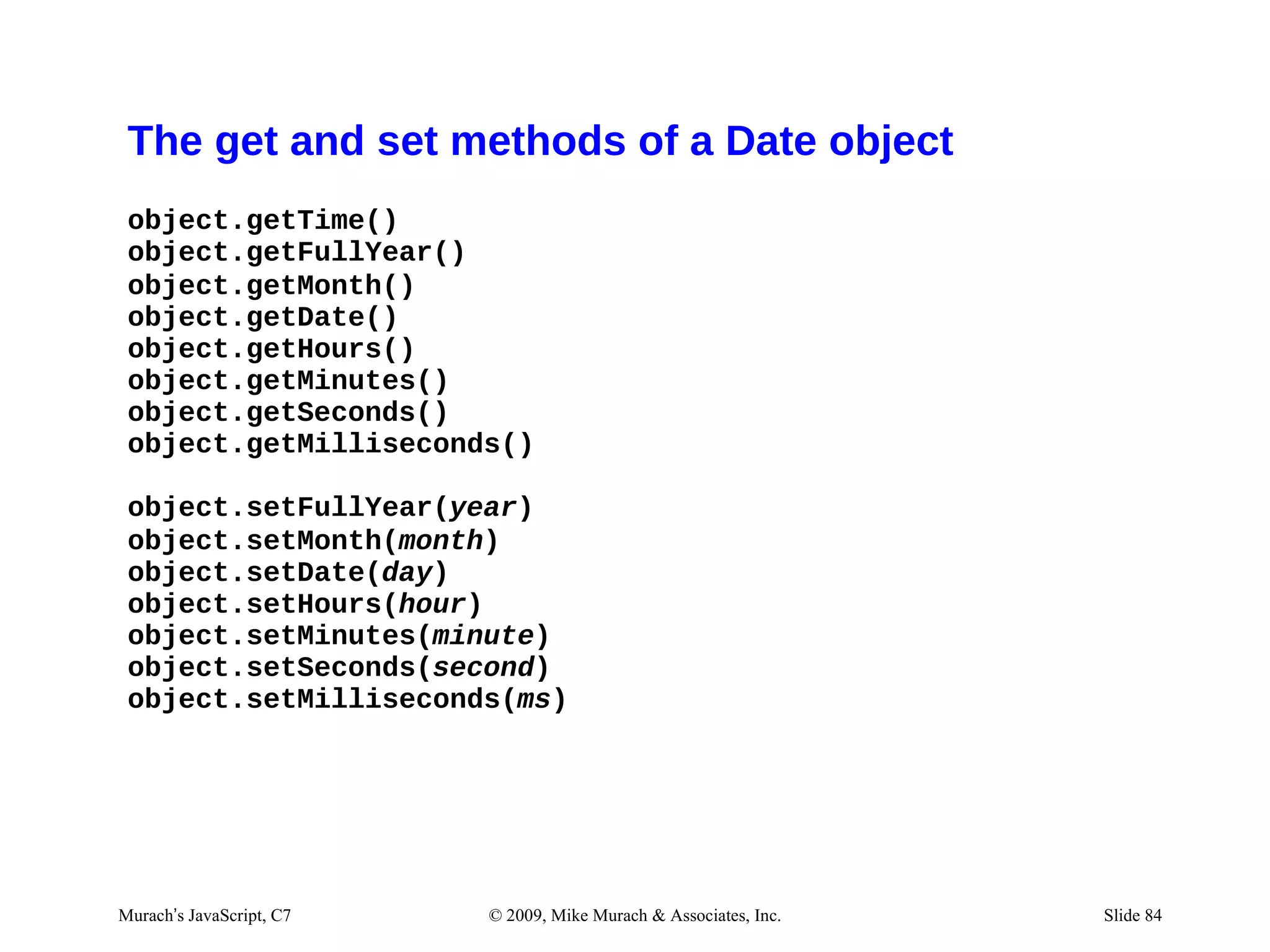
The get and set methods of a Date object
 object.getTime()
 object.getFullYear()
 object.getMonth()
 object.getDate()
 object.getHours()
 object.getMinutes()
 object.getSeconds()
 object.getMilliseconds()

 object.setFullYear(year)
 object.setMonth(month)
 object.setDate(day)
 object.setHours(hour)
 object.setMinutes(minute)
 object.setSeconds(second)
 object.setMilliseconds(ms)


Murach’s JavaScript, C7   © 2009, Mike Murach & Associates, Inc.   Slide 84
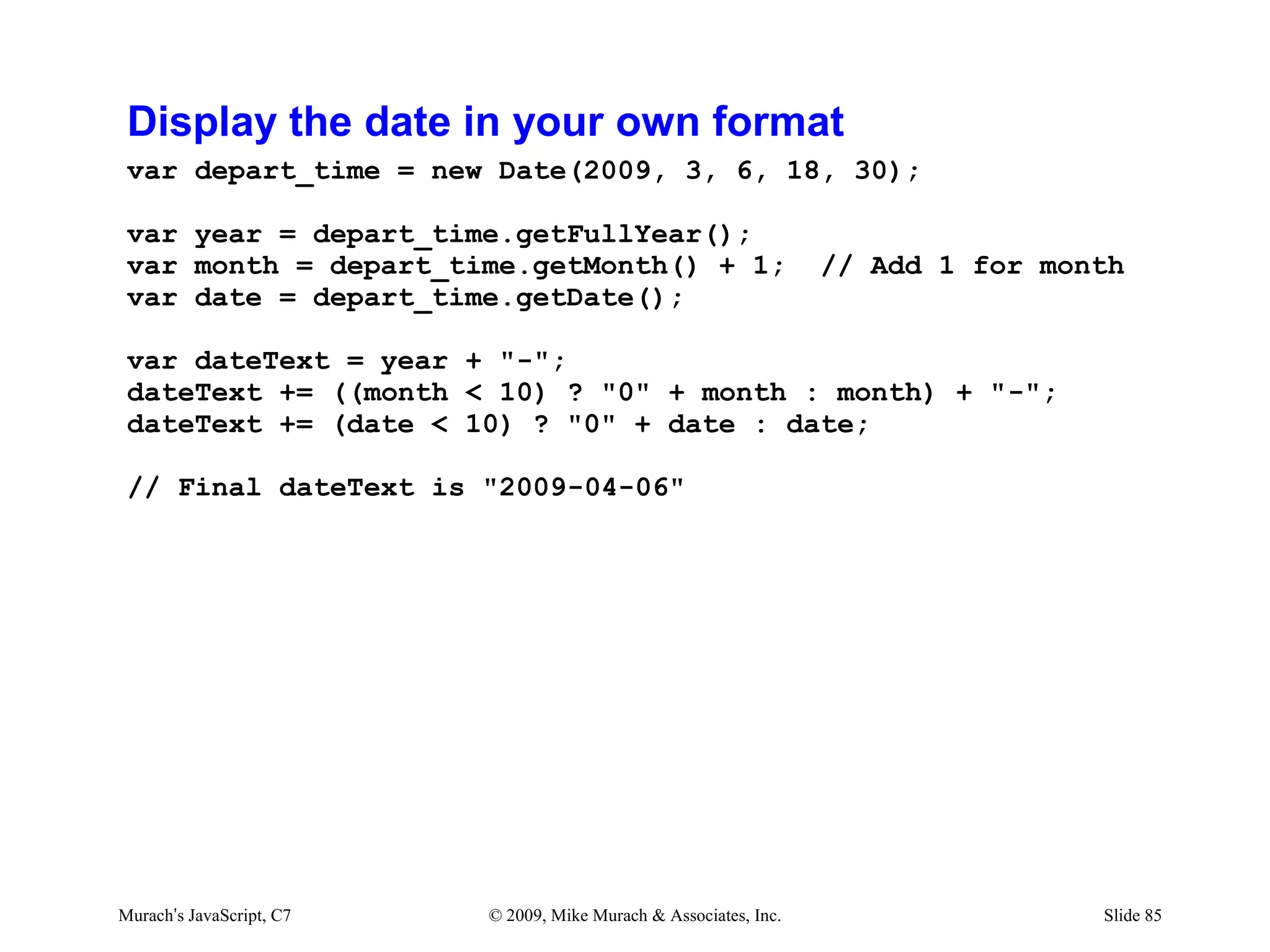
Display the date in your own format
 var depart_time = new Date(2009, 3, 6, 18, 30);

 var year = depart_time.getFullYear();
 var month = depart_time.getMonth() + 1;                           // Add 1 for month
 var date = depart_time.getDate();

 var dateText = year + "-";
 dateText += ((month < 10) ? "0" + month : month) + "-";
 dateText += (date < 10) ? "0" + date : date;

 // Final dateText is "2009-04-06"


Murach’s JavaScript, C7   © 2009, Mike Murach & Associates, Inc.                   Slide 85
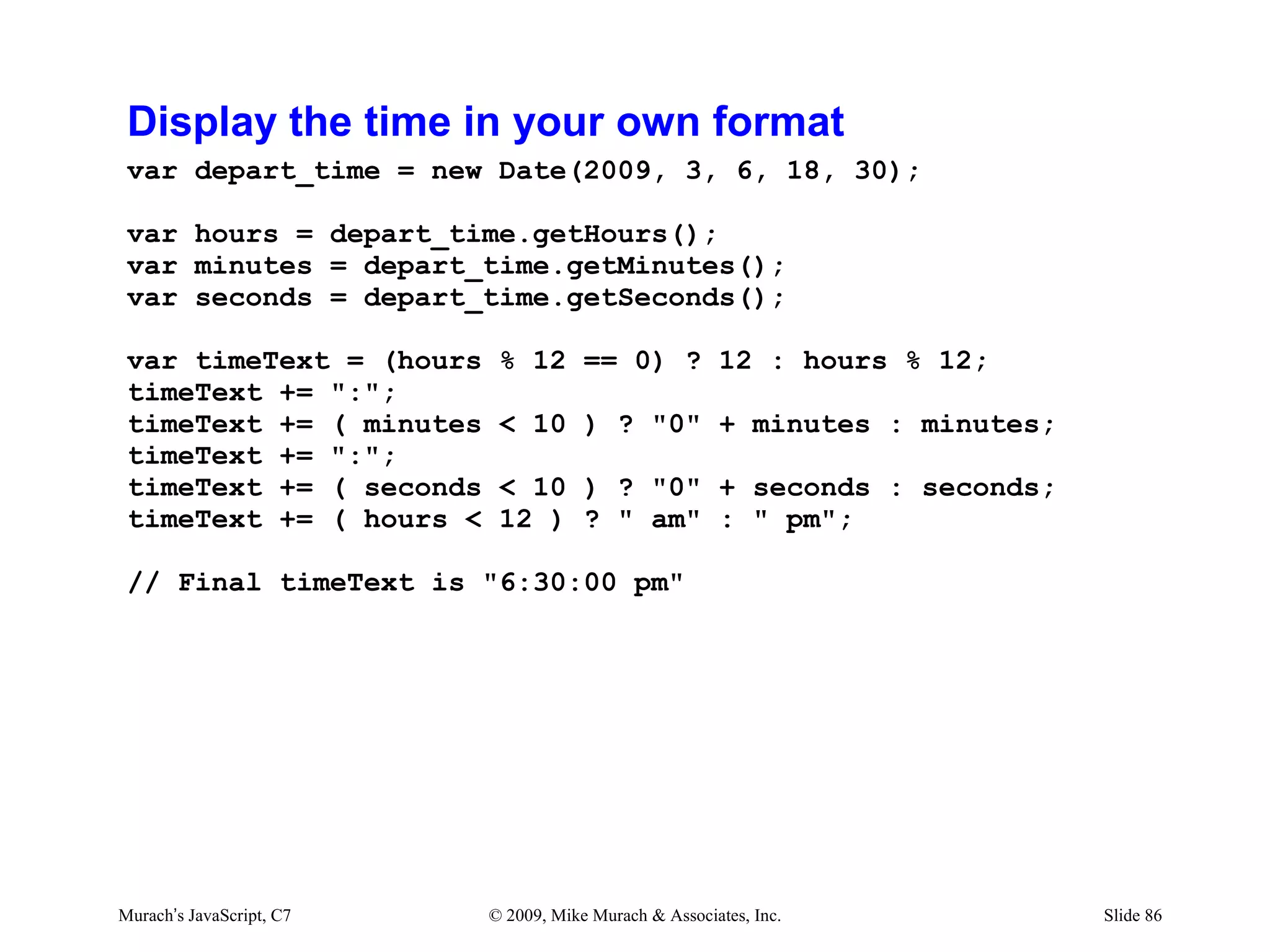
Display the time in your own format
 var depart_time = new Date(2009, 3, 6, 18, 30);

 var hours = depart_time.getHours();
 var minutes = depart_time.getMinutes();
 var seconds = depart_time.getSeconds();

 var timeText = (hours     % 12 == 0) ? 12 : hours % 12;
 timeText += ":";
 timeText += ( minutes     < 10 ) ? "0" + minutes : minutes;
 timeText += ":";
 timeText += ( seconds     < 10 ) ? "0" + seconds : seconds;
 timeText += ( hours <     12 ) ? " am" : " pm";

 // Final timeText is "6:30:00 pm"


Murach’s JavaScript, C7   © 2009, Mike Murach & Associates, Inc.   Slide 86
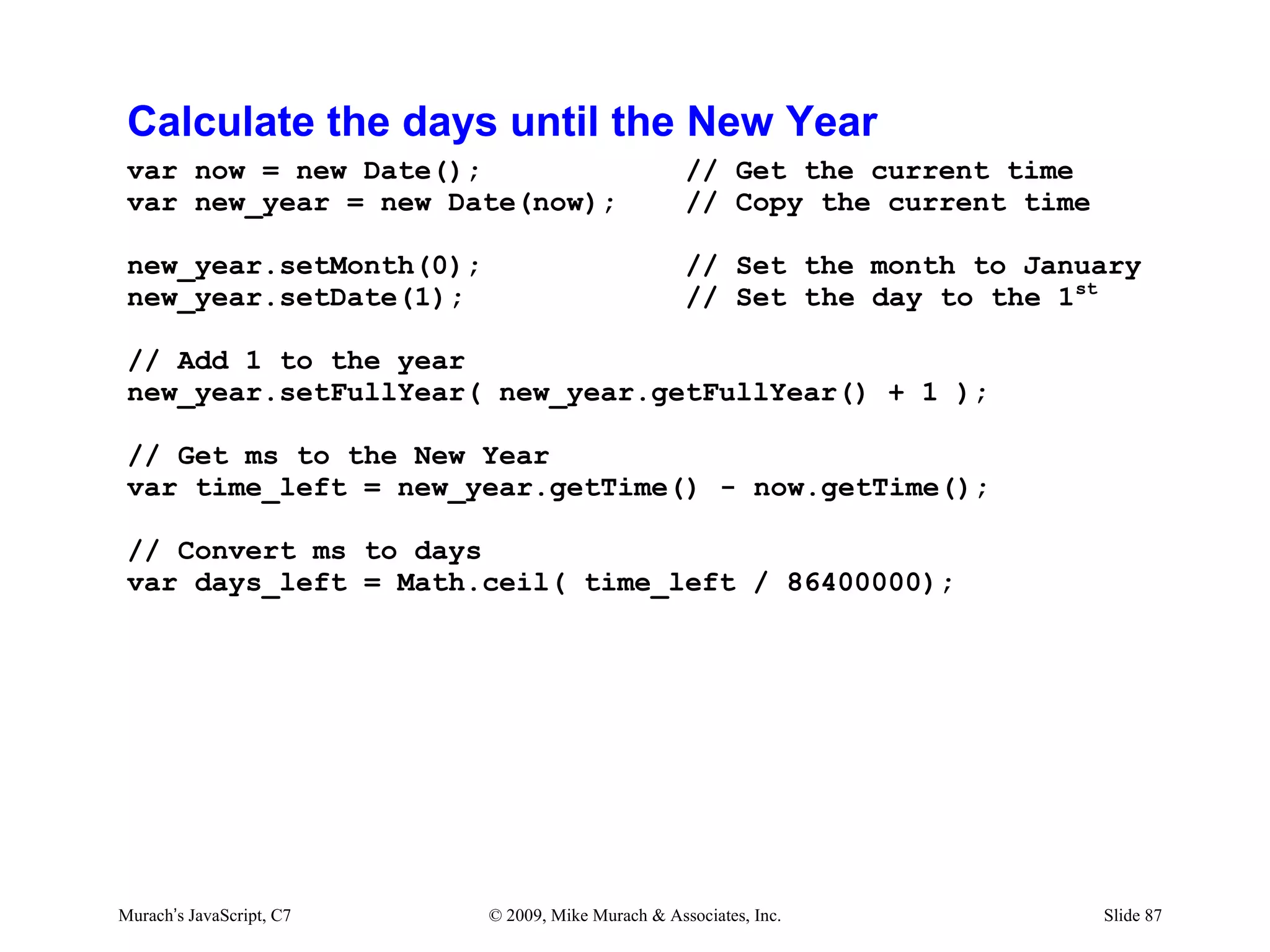
Calculate the days until the New Year
 var now = new Date();                             // Get the current time
 var new_year = new Date(now);                     // Copy the current time

 new_year.setMonth(0);                             // Set the month to January
 new_year.setDate(1);                              // Set the day to the 1st

 // Add 1 to the year
 new_year.setFullYear( new_year.getFullYear() + 1 );

 // Get ms to the New Year
 var time_left = new_year.getTime() - now.getTime();

 // Convert ms to days
 var days_left = Math.ceil( time_left / 86400000);


Murach’s JavaScript, C7   © 2009, Mike Murach & Associates, Inc.              Slide 87
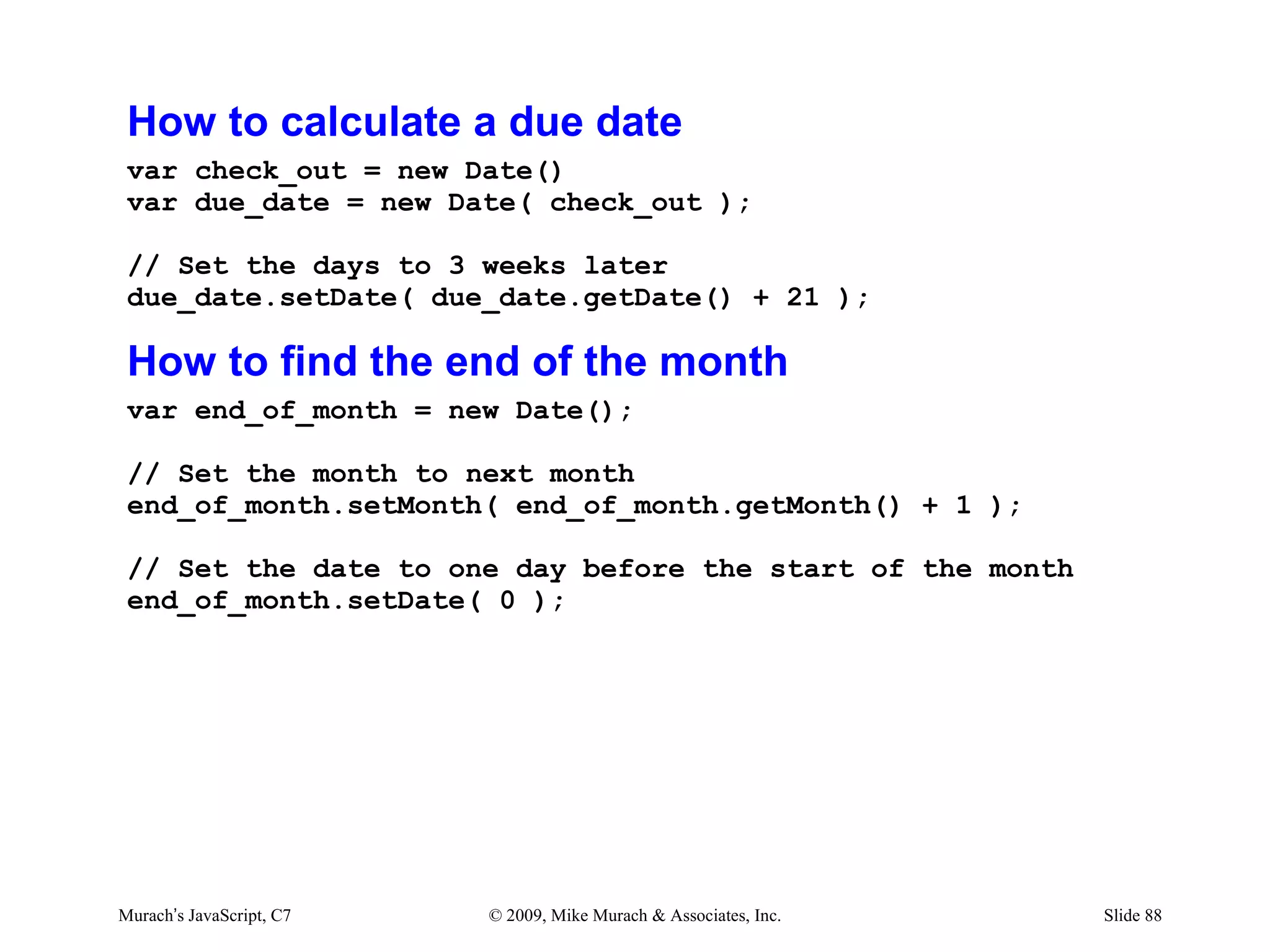
How to calculate a due date
 var check_out = new Date()
 var due_date = new Date( check_out );

 // Set the days to 3 weeks later
 due_date.setDate( due_date.getDate() + 21 );

 How to find the end of the month
 var end_of_month = new Date();

 // Set the month to next month
 end_of_month.setMonth( end_of_month.getMonth() + 1 );

 // Set the date to one day before the start of the month
 end_of_month.setDate( 0 );


Murach’s JavaScript, C7   © 2009, Mike Murach & Associates, Inc.   Slide 88
Exercise #6
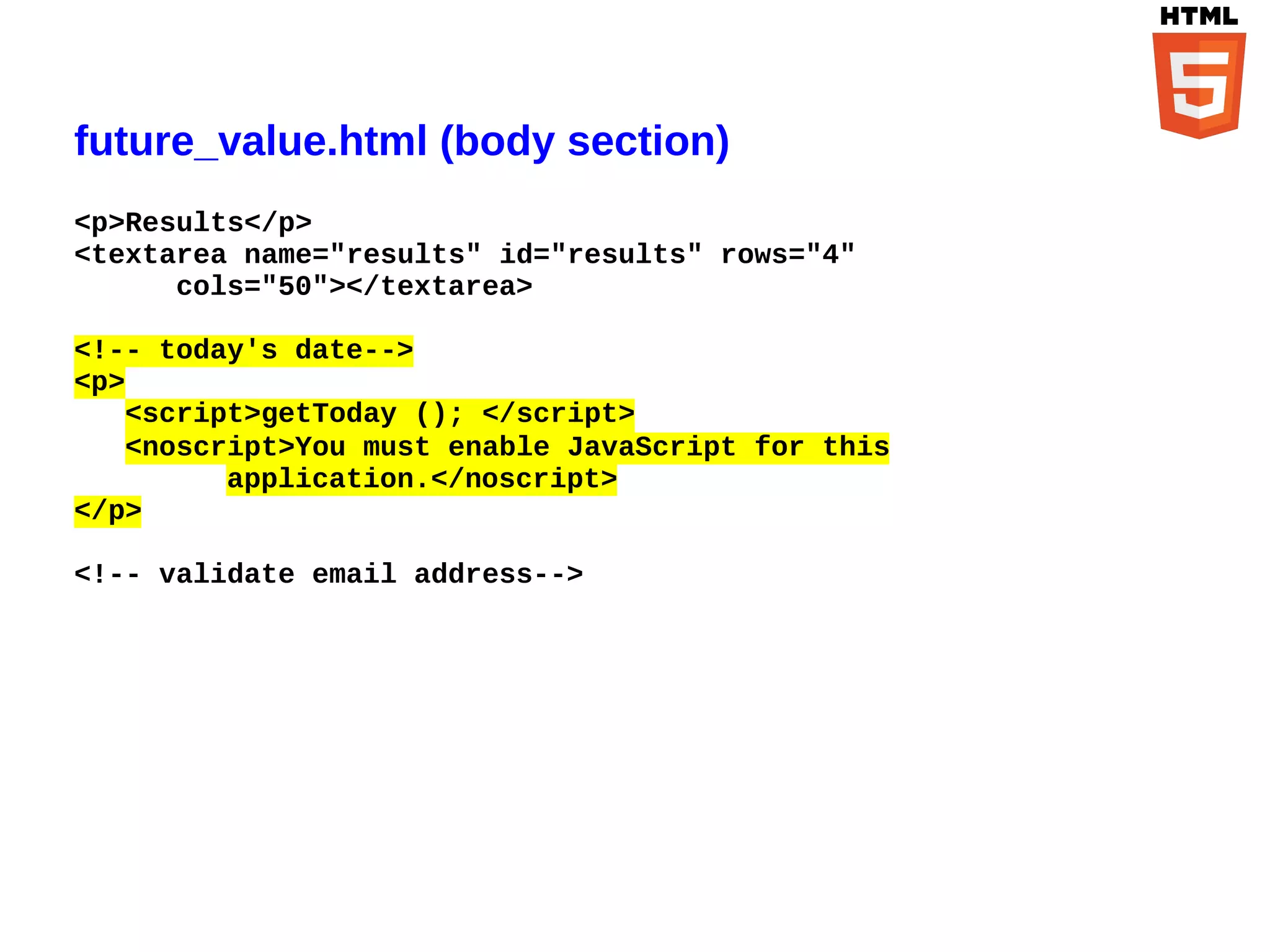
future_value.html (body section)
<p>Results</p>
<textarea name="results" id="results" rows="4"
      cols="50"></textarea>

<!-- today's date-->
<p>
   <script>getToday (); </script>
   <noscript>You must enable JavaScript for this
         application.</noscript>
</p>

<!-- validate email address-->
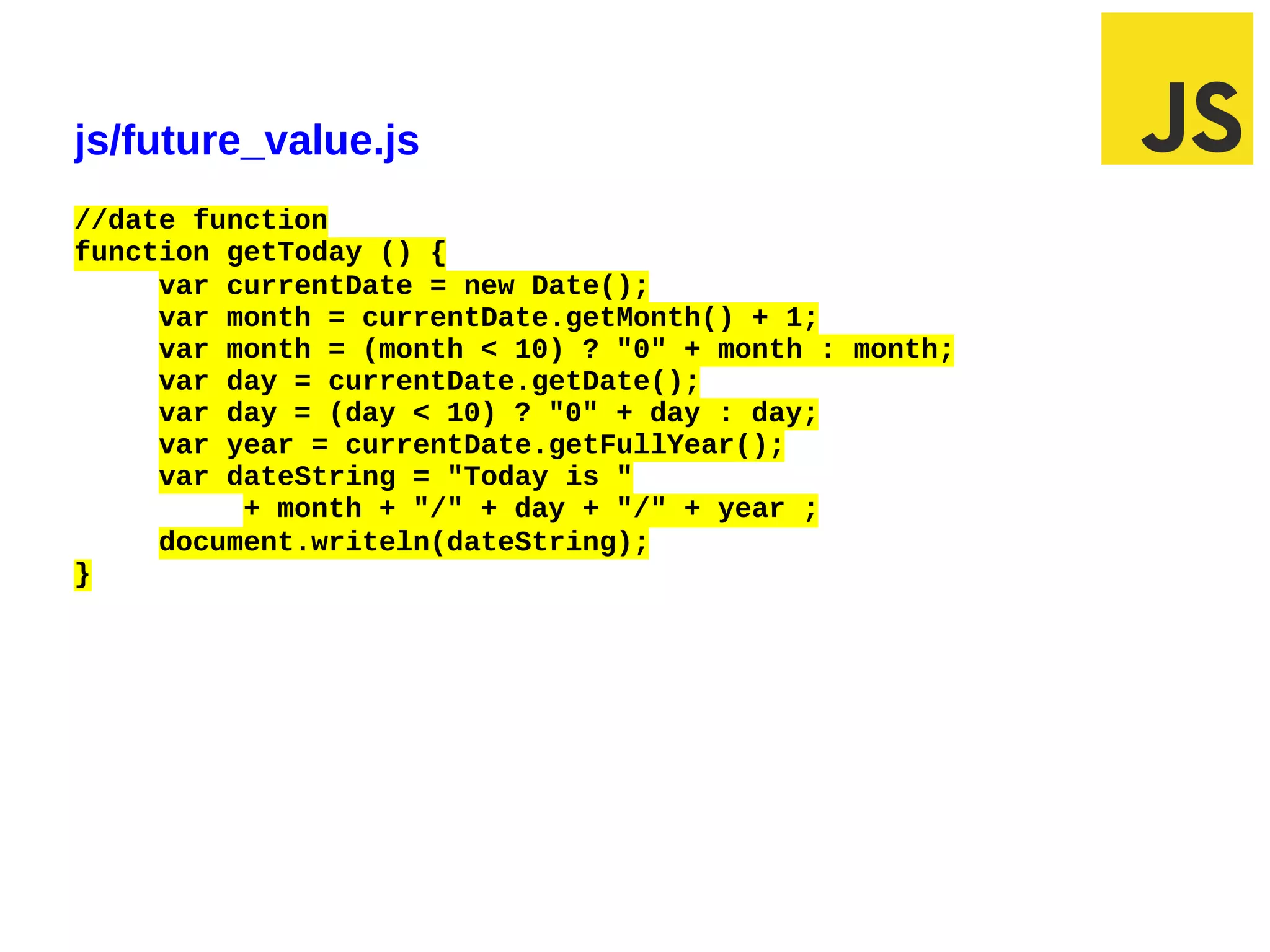
js/future_value.js
//date function
function getToday () {
     var currentDate = new Date();
     var month = currentDate.getMonth() + 1;
     var month = (month < 10) ? "0" + month : month;
     var day = currentDate.getDate();
     var day = (day < 10) ? "0" + day : day;
     var year = currentDate.getFullYear();
     var dateString = "Today is "
          + month + "/" + day + "/" + year ;
     document.writeln(dateString);
}


03/07/12 12:50 PM                                      Slide 1
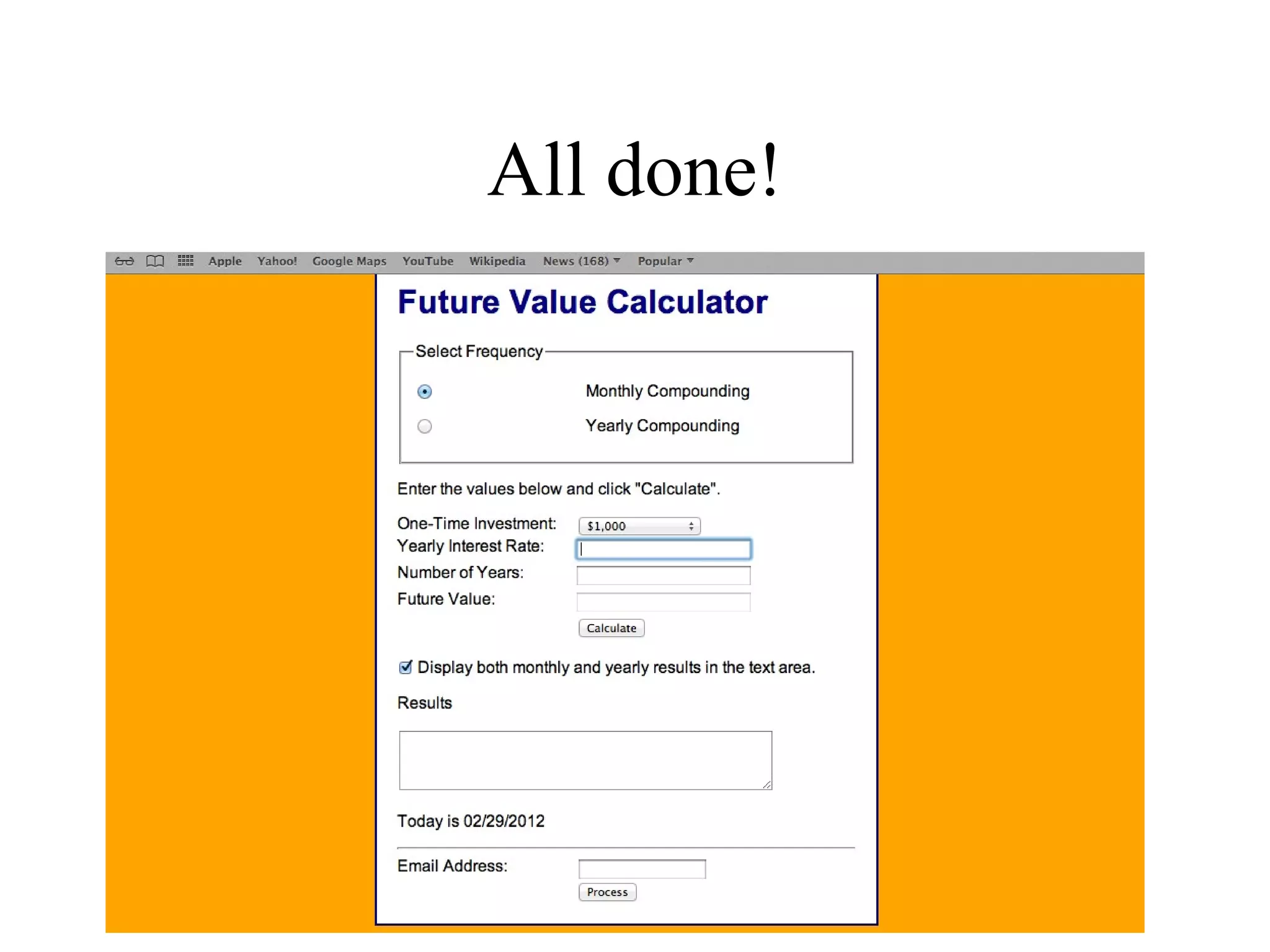
All done!
Chapter 8

              How to code control
                 statements


Murach’s JavaScript, C8   © 2009, Mike Murach & Associates, Inc.   Slide 93
Another gig
“Way to go team. You did so
well that I want you to fix the
product discount app using
JavaScript. Do me a favor, title
the app invoice total calculator
and make the background
orange”
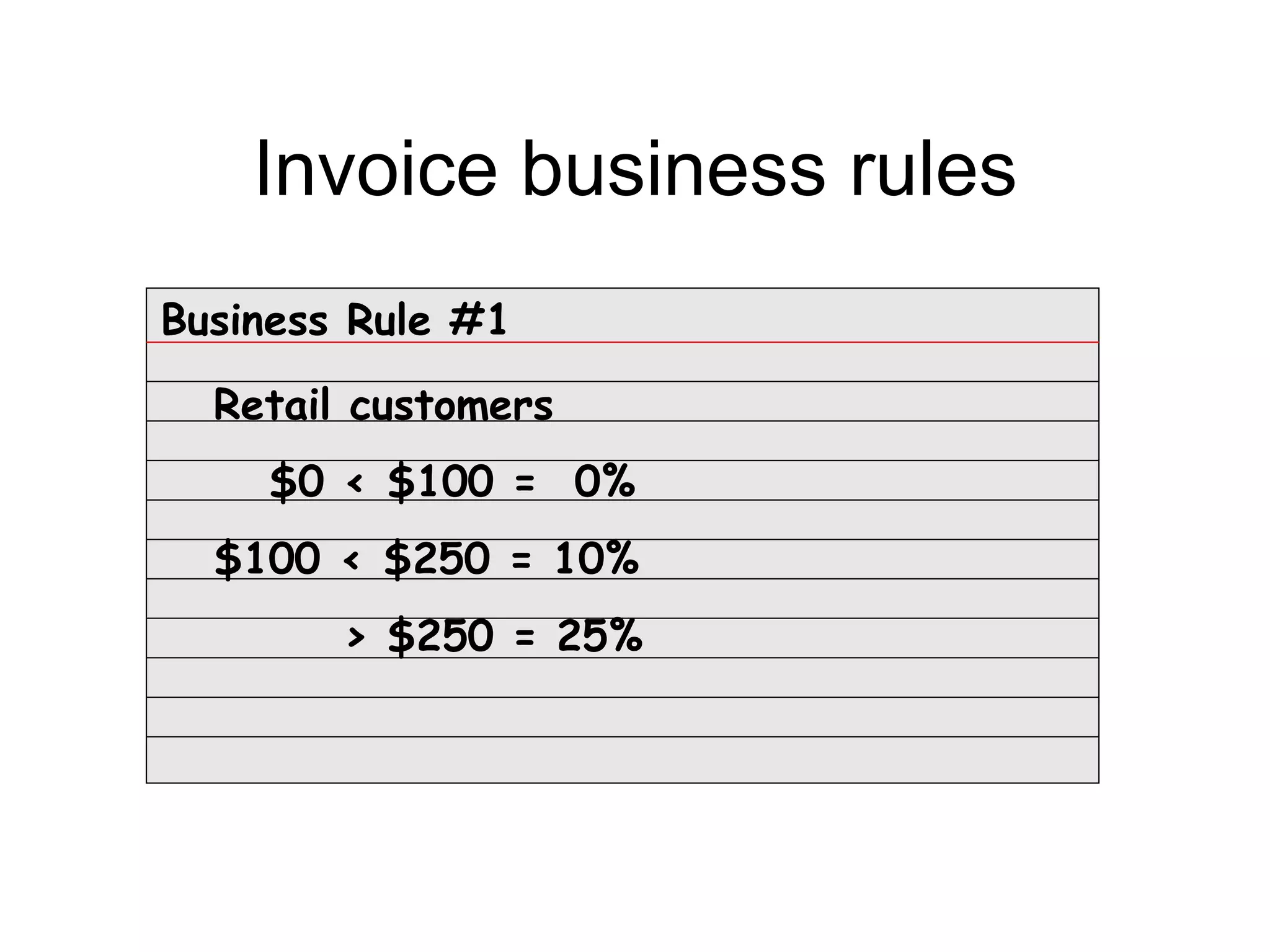
Invoice business rules
Business Rule #1

  Retail customers
    $0 < $100 = 0%
  $100 < $250 = 10%
        > $250 = 25%
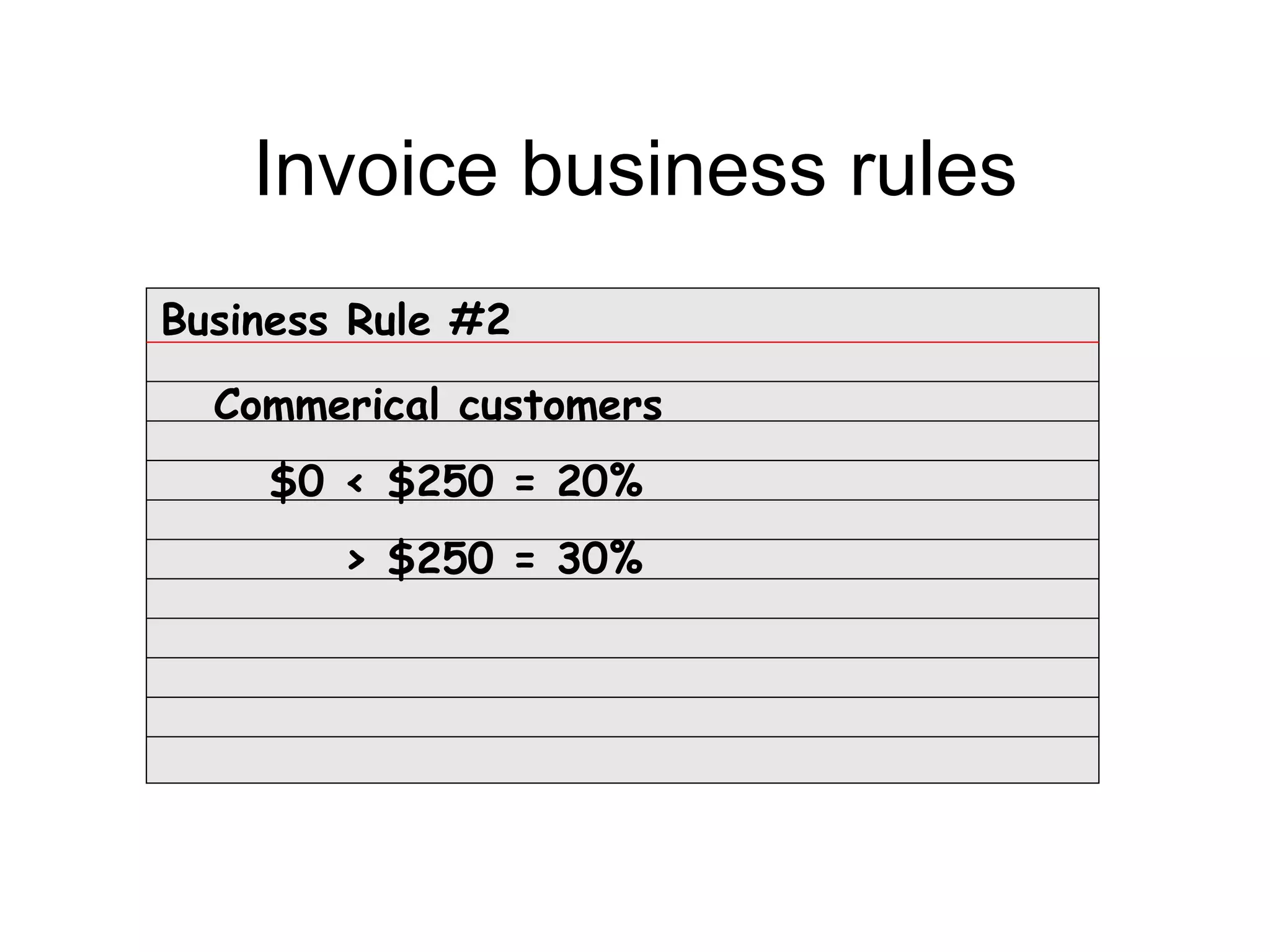
Invoice business rules
Business Rule #2
  Commerical customers
    $0 < $250 = 20%
        > $250 = 30%
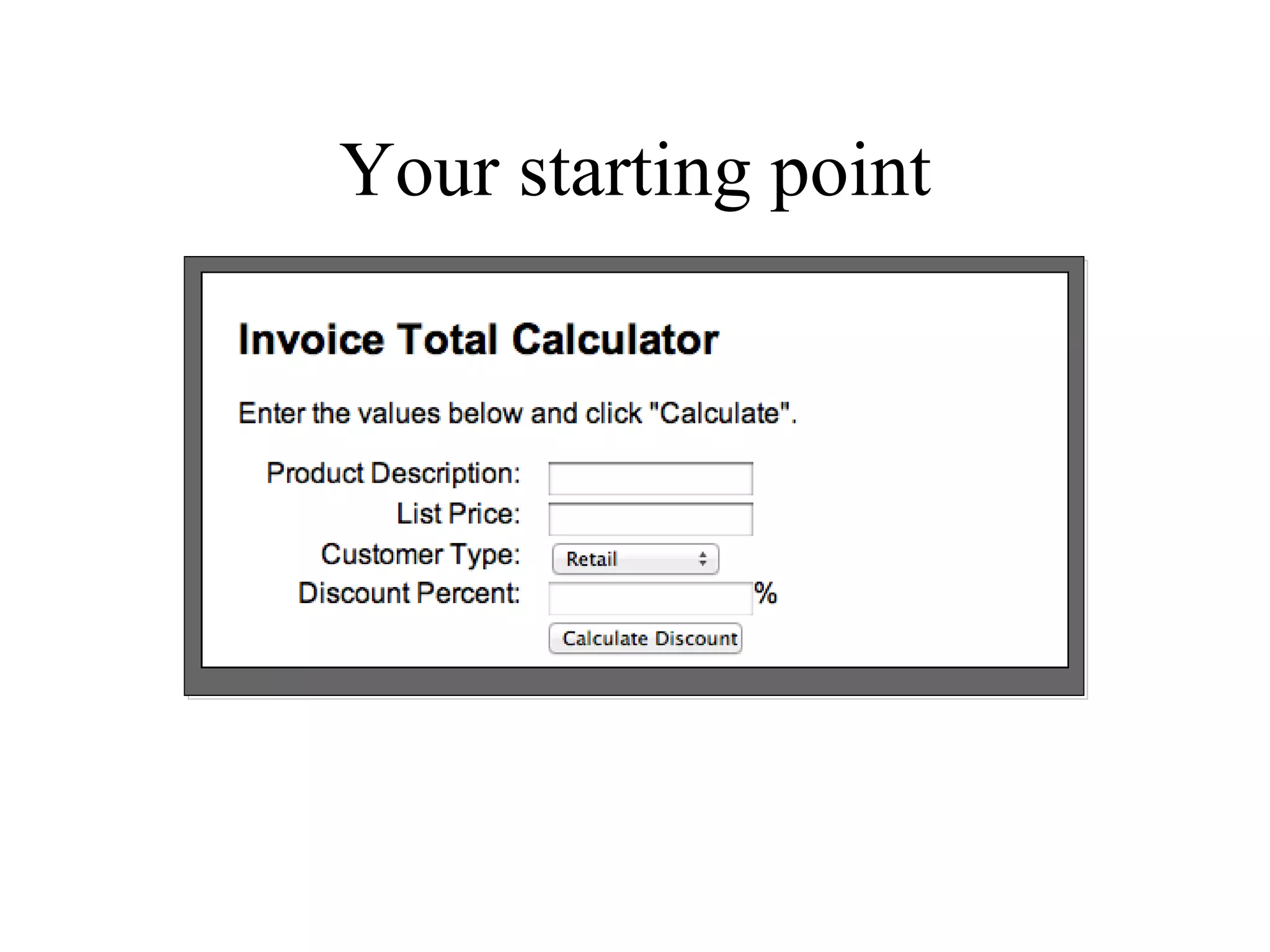
Your starting point
Chapter 1

                Introduction
            to web development
                  and PHP


Murach's PHP and MySQL, C2   © 2010, Mike Murach & Associates, Inc.   Slide 98
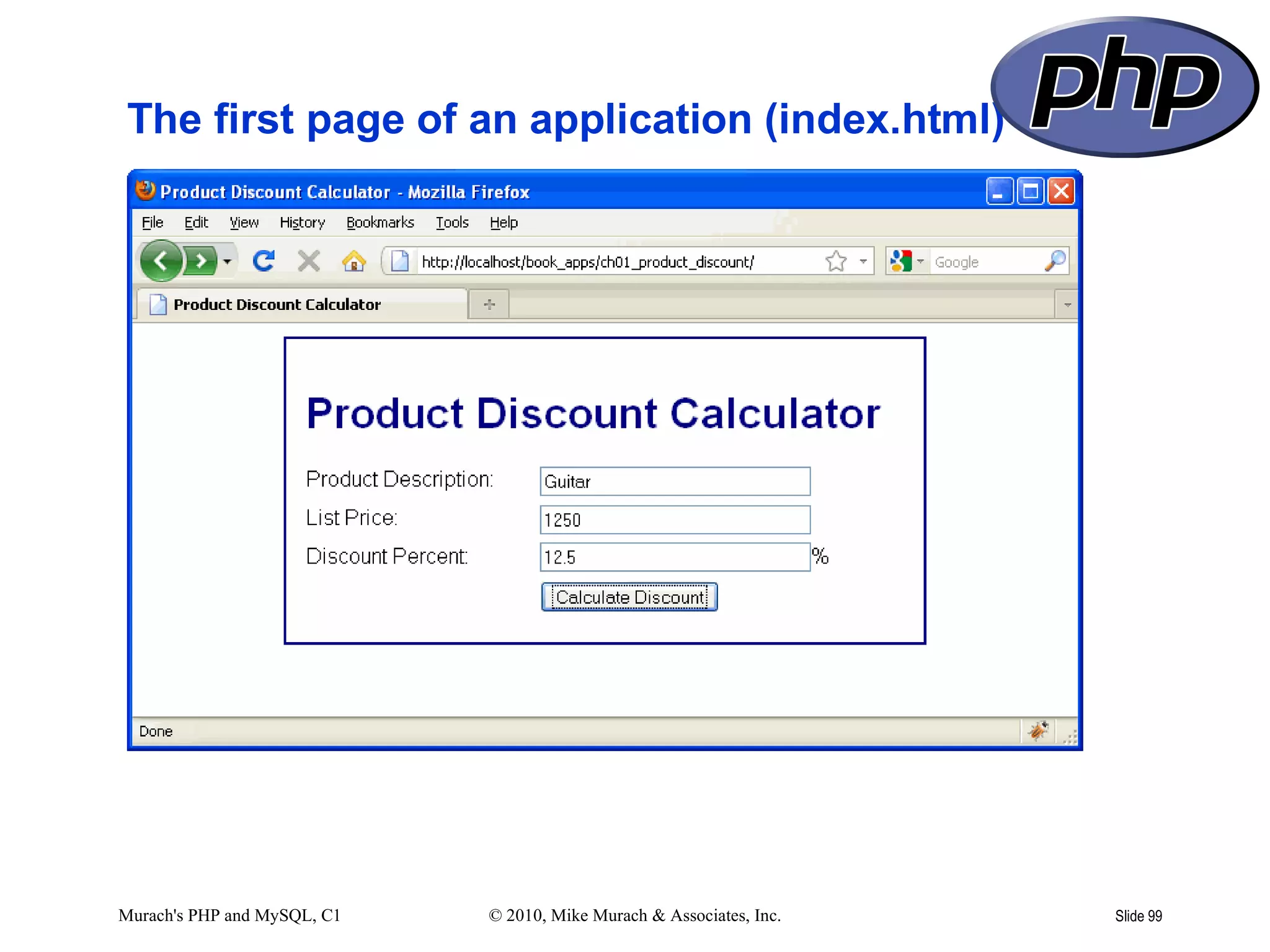
The first page of an application (index.html)


Murach's PHP and MySQL, C1   © 2010, Mike Murach & Associates, Inc.   Slide 99
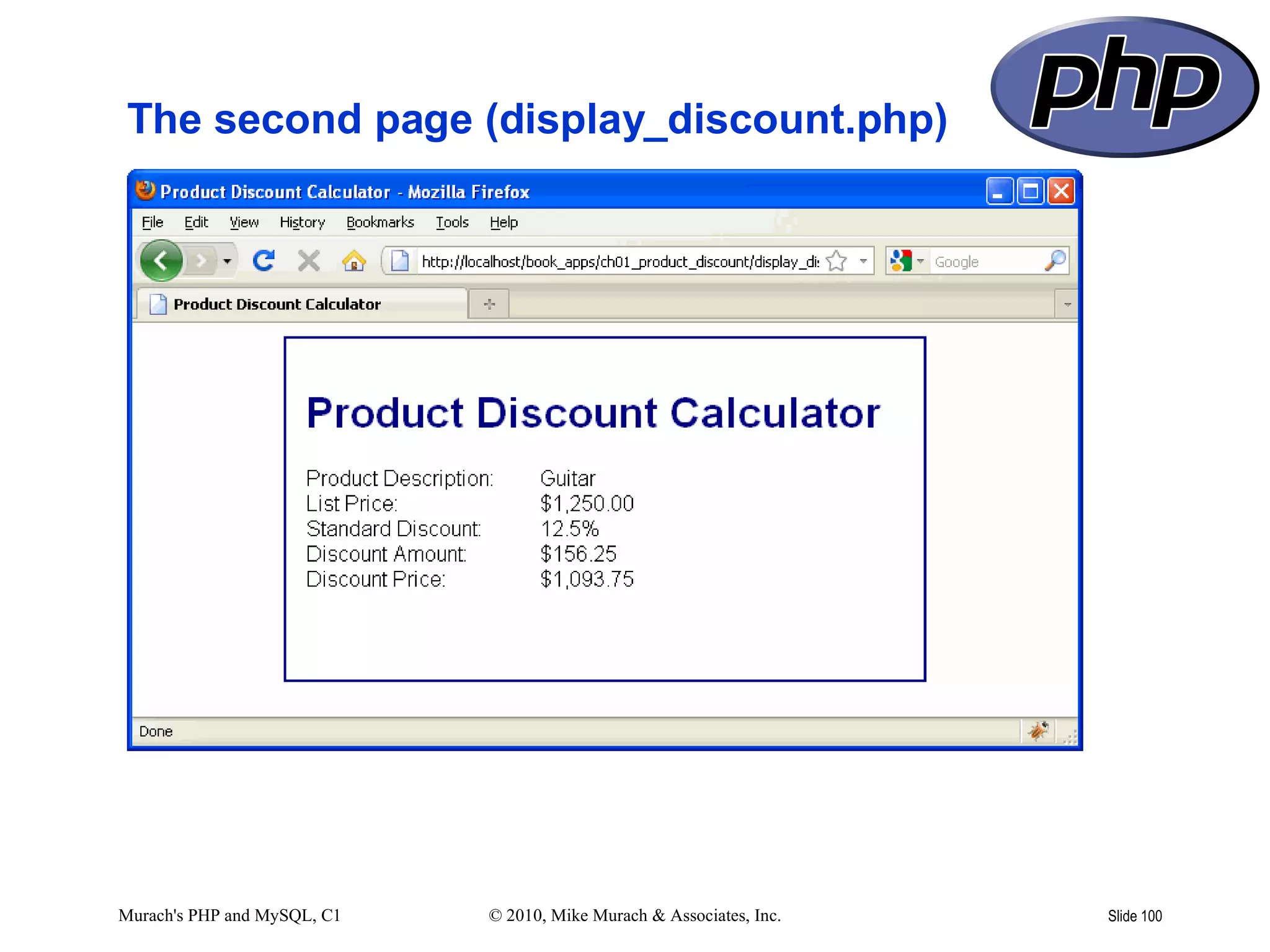
The second page (display_discount.php)


Murach's PHP and MySQL, C1   © 2010, Mike Murach & Associates, Inc.   Slide 100
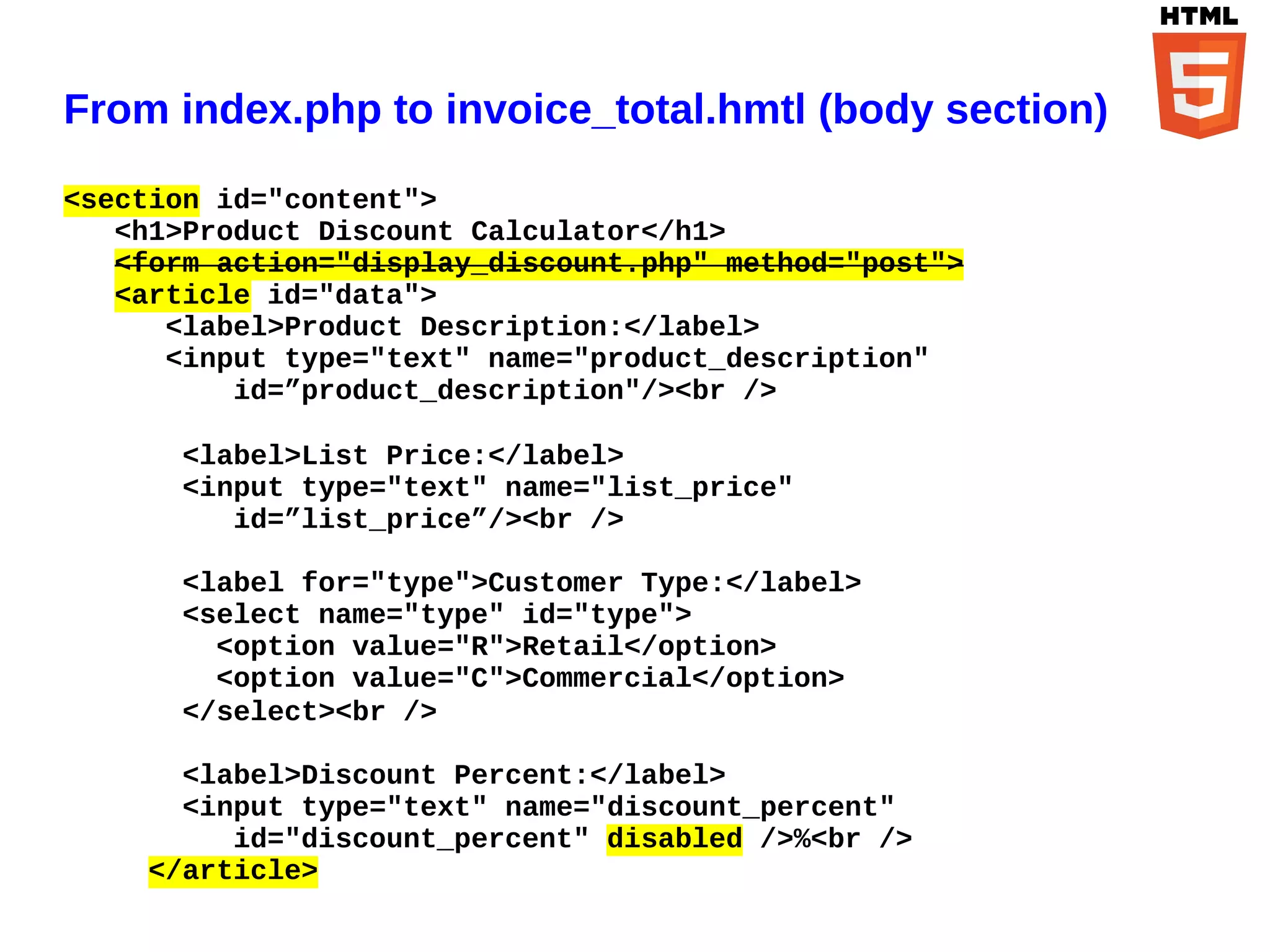
From index.php to invoice_total.hmtl (body section)

<section id="content">
   <h1>Product Discount Calculator</h1>
   <form action="display_discount.php" method="post">
   <article id="data">
      <label>Product Description:</label>
      <input type="text" name="product_description"
          id=”product_description"/><br />

      <label>List Price:</label>
      <input type="text" name="list_price"
         id=”list_price”/><br />

      <label for="type">Customer Type:</label>
      <select name="type" id="type">
        <option value="R">Retail</option>
        <option value="C">Commercial</option>
      </select><br />

      <label>Discount Percent:</label>
      <input type="text" name="discount_percent"
         id="discount_percent" disabled />%<br />
    </article>
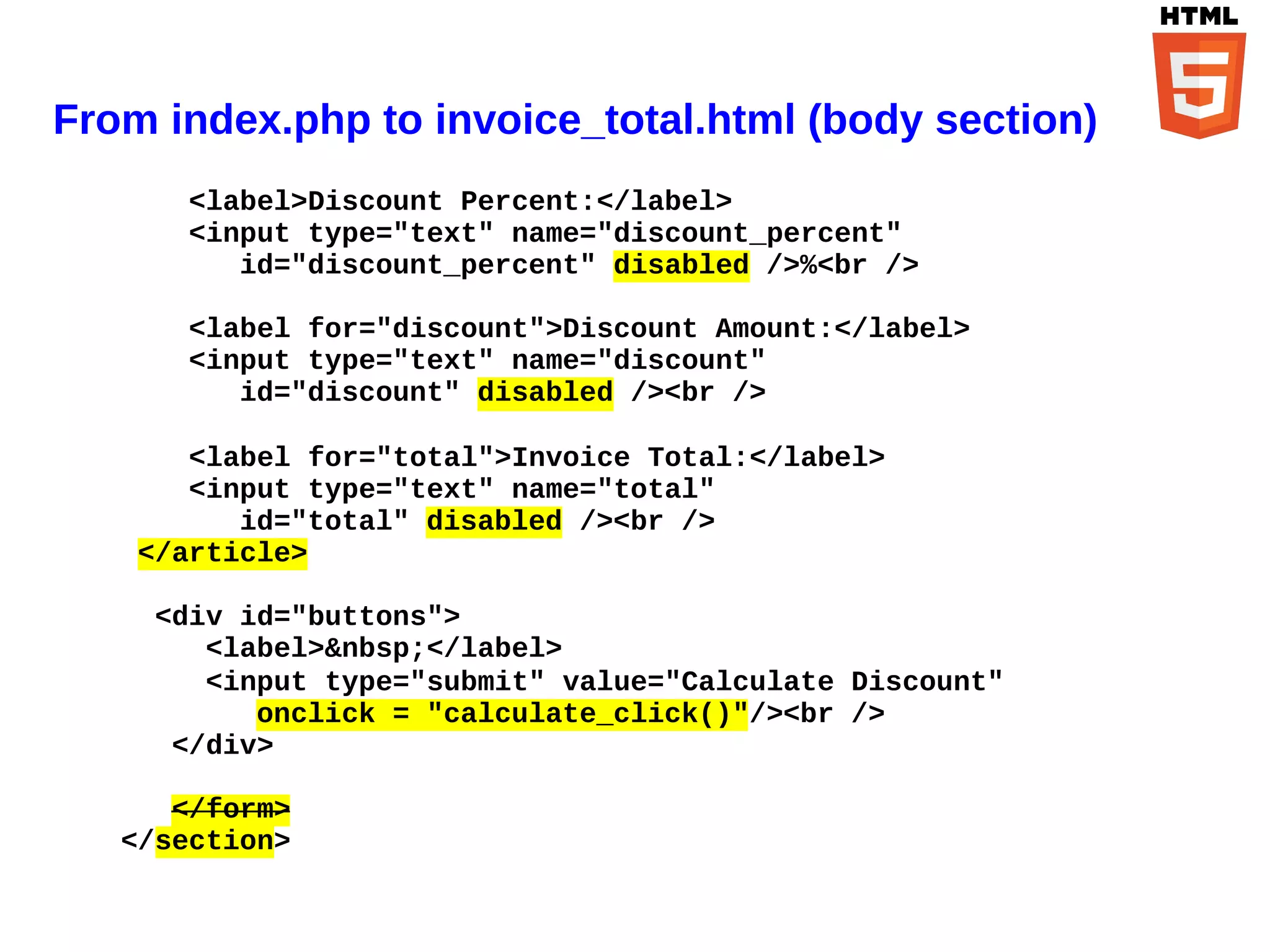
From index.php to invoice_total.html (body section)
       <label>Discount Percent:</label>
       <input type="text" name="discount_percent"
          id="discount_percent" disabled />%<br />

       <label for="discount">Discount Amount:</label>
       <input type="text" name="discount"
          id="discount" disabled /><br />

       <label for="total">Invoice Total:</label>
       <input type="text" name="total"
          id="total" disabled /><br />
    </article>

     <div id="buttons">
        <label>&nbsp;</label>
        <input type="submit" value="Calculate Discount"
           onclick = "calculate_click()"/><br />
      </div>

      </form>
   </section>
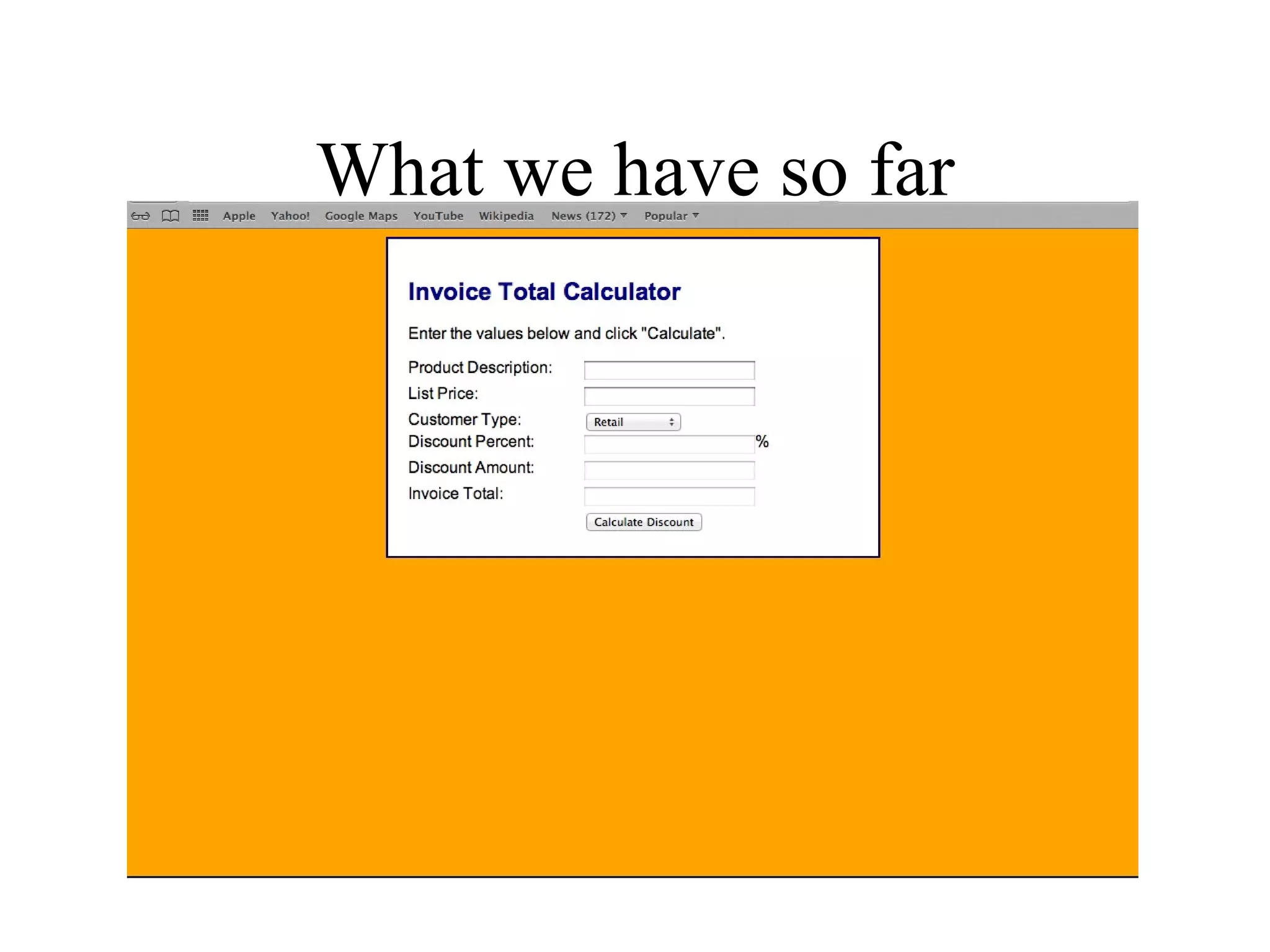
What we have so far
Behavior from display_discount.php
// get the data from the form
$product_description = $_POST['product_description'];
$list_price = $_POST['list_price'];
$discount_percent = $_POST['discount_percent'];

// calculate the discount
$discount = $list_price * $discount_percent * .01;
$discount_price = $list_price - $discount;
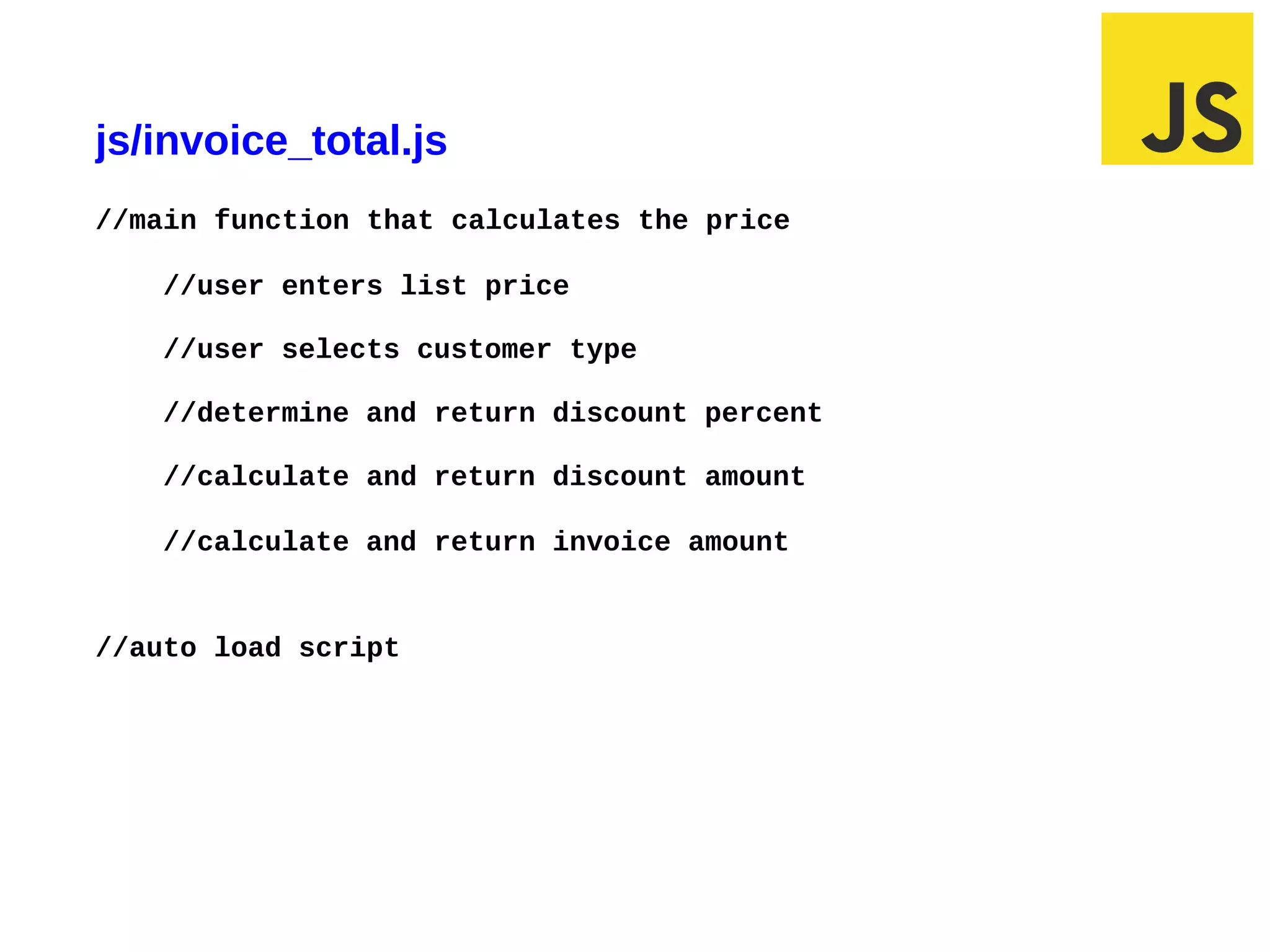
js/invoice_total.js
//main function that calculates the price

       //user enters list price

       //user selects customer type

       //determine and return discount percent

       //calculate and return discount amount

       //calculate and return invoice amount


//auto load script


03/10/12 6:53 AM                                 Slide 1
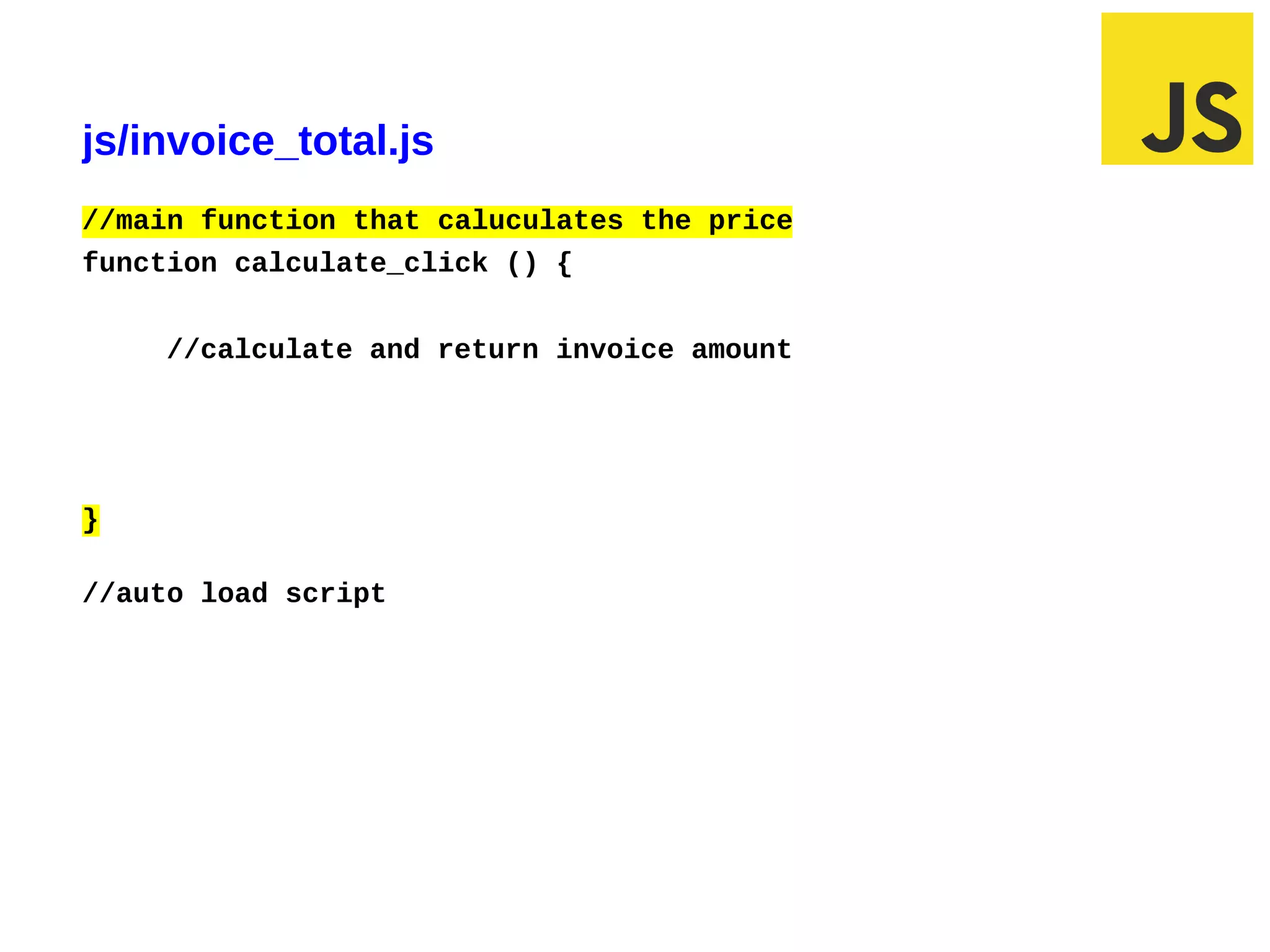
js/invoice_total.js
//main function that caluculates the price
function calculate_click () {


         //calculate and return invoice amount


}

//auto load script


02/29/12 6:30 PM                                 Slide 1
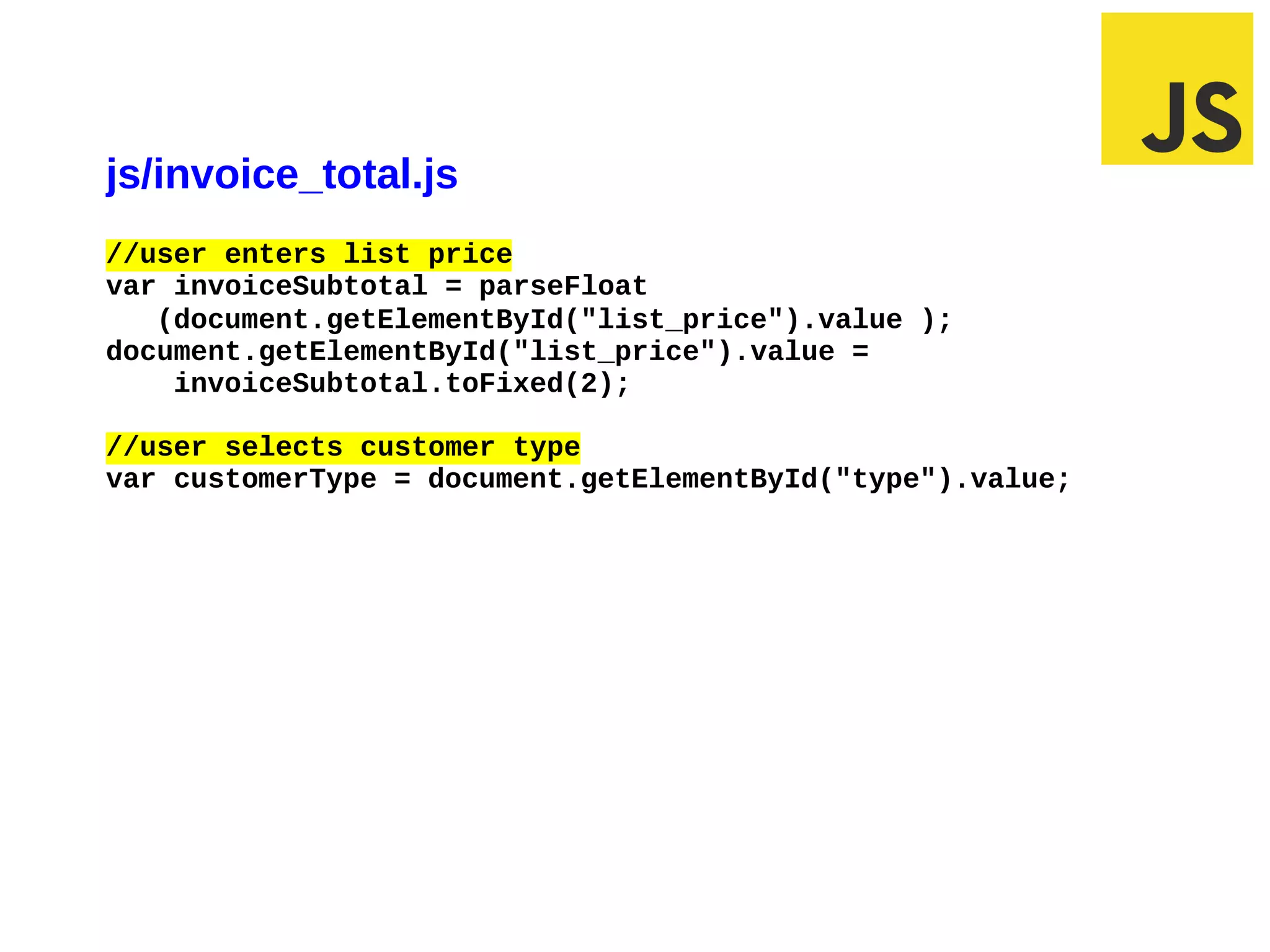
js/invoice_total.js
//user enters list price
var invoiceSubtotal = parseFloat
   (document.getElementById("list_price").value );
document.getElementById("list_price").value =
    invoiceSubtotal.toFixed(2);

//user selects customer type
var customerType = document.getElementById("type").value;


02/29/12 5:45 PM                                        Slide 1
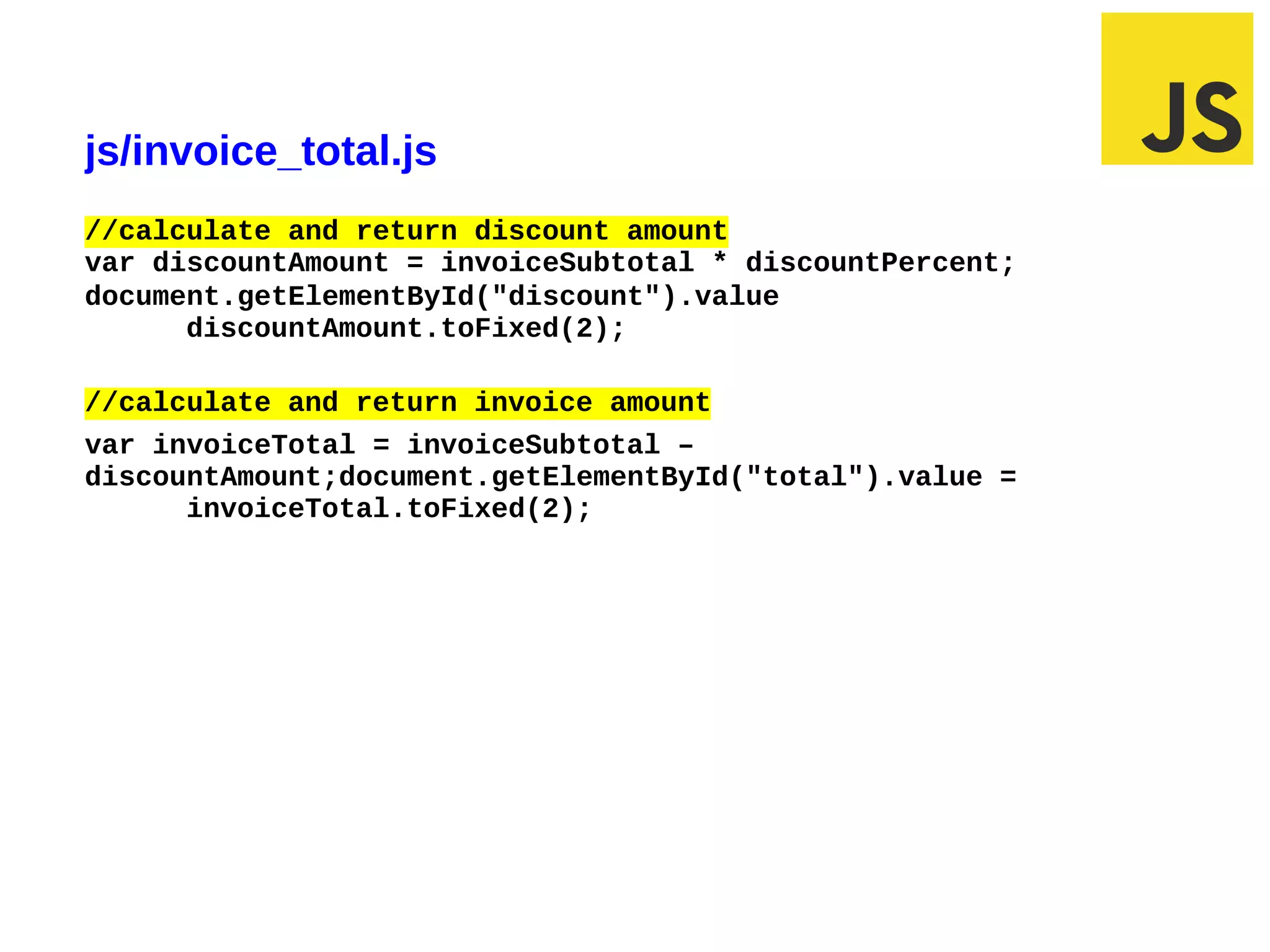
js/invoice_total.js
//calculate and return discount amount
var discountAmount = invoiceSubtotal * discountPercent;
document.getElementById("discount").value
      discountAmount.toFixed(2);

//calculate and return invoice amount
var invoiceTotal = invoiceSubtotal –
discountAmount;document.getElementById("total").value =
      invoiceTotal.toFixed(2);


02/29/12 6:31 PM                                          Slide 1
js/invoice_total.js
//auto loads script
window.onload = function () {
    document.getElementById("product_description").focus();
Replace JavaScript Function with HTML5 attribute

// auto load focus
window.onload = function () {
   document.getElementById("product_description").focus();
}

<label for="product_description">Product Description:</label>
<input type="text" name="product_description"
     id=”product_description" autofocus><br />
Agenda
• How to code conditional expressions
• How to code selection structures
• How to code iteration structures
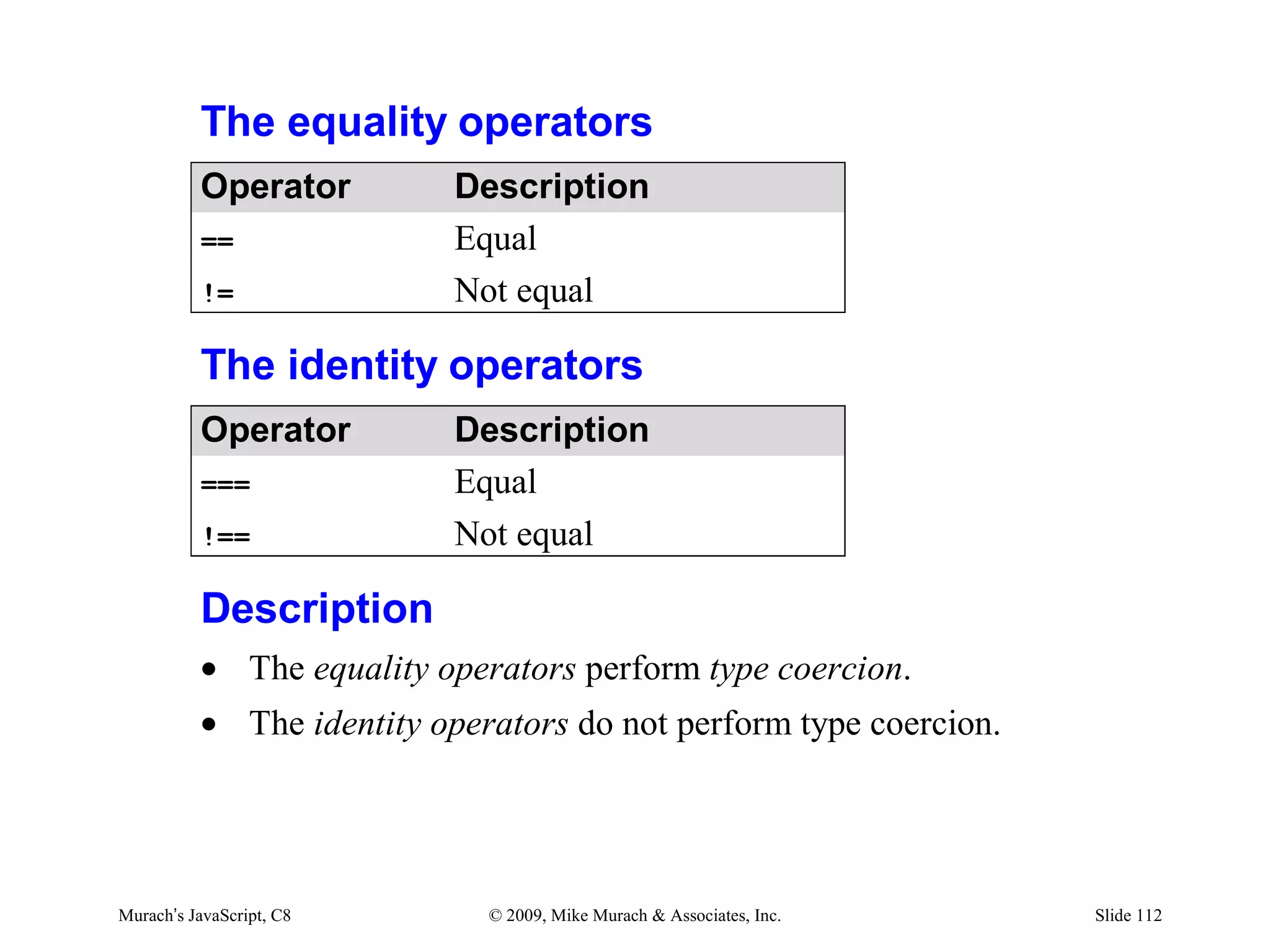
The equality operators
          Operator         Description
          ==               Equal
          !=               Not equal

          The identity operators
          Operator         Description
          ===              Equal
          !==              Not equal

          Description
          • The equality operators perform type coercion.
          • The identity operators do not perform type coercion.


Murach’s JavaScript, C8      © 2009, Mike Murach & Associates, Inc.   Slide 112
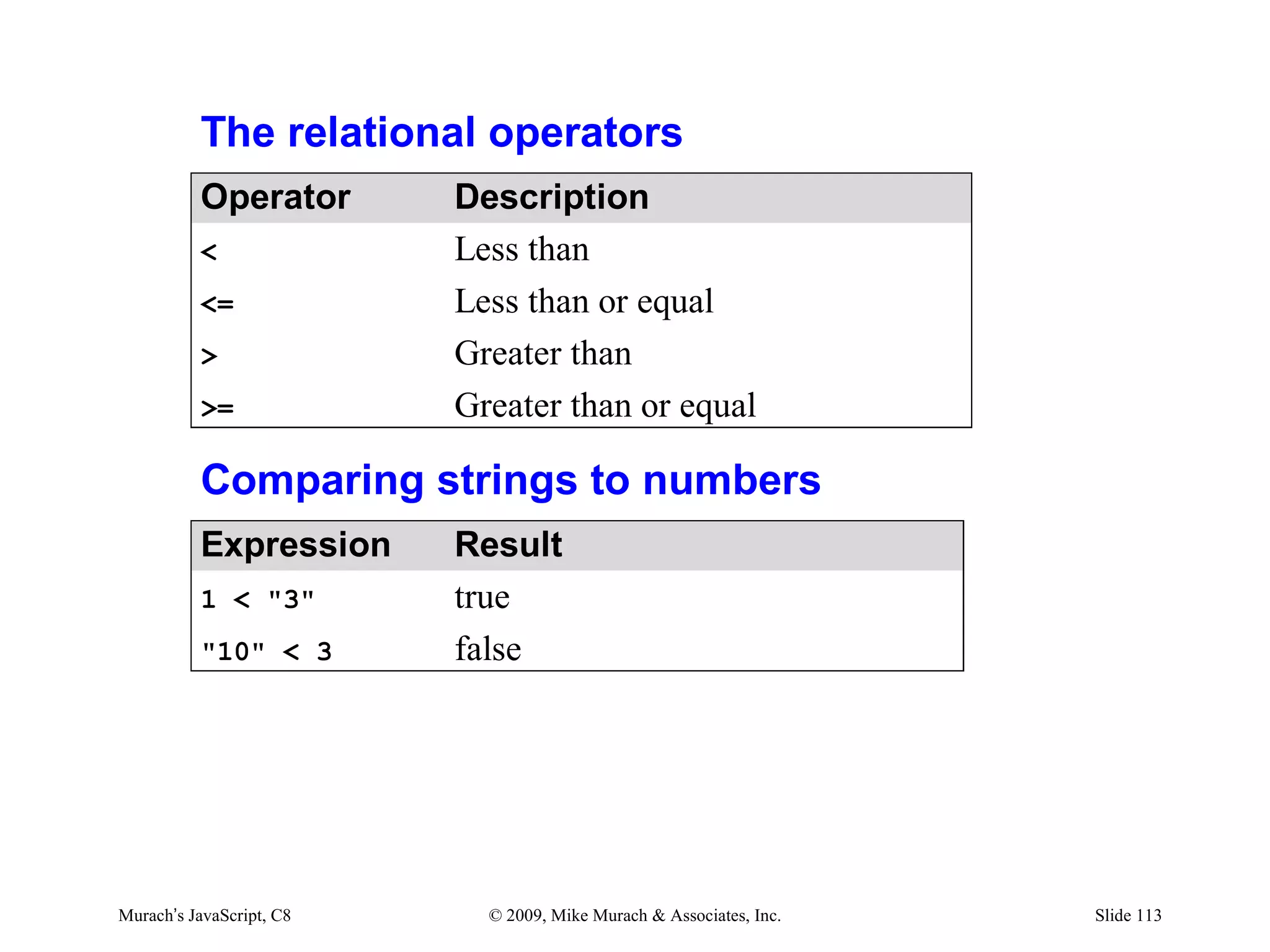
The relational operators
          Operator        Description
          <               Less than
          <=              Less than or equal
          >               Greater than
          >=              Greater than or equal

          Comparing strings to numbers
          Expression      Result
          1 < "3"         true
          "10" < 3        false


Murach’s JavaScript, C8     © 2009, Mike Murach & Associates, Inc.   Slide 113
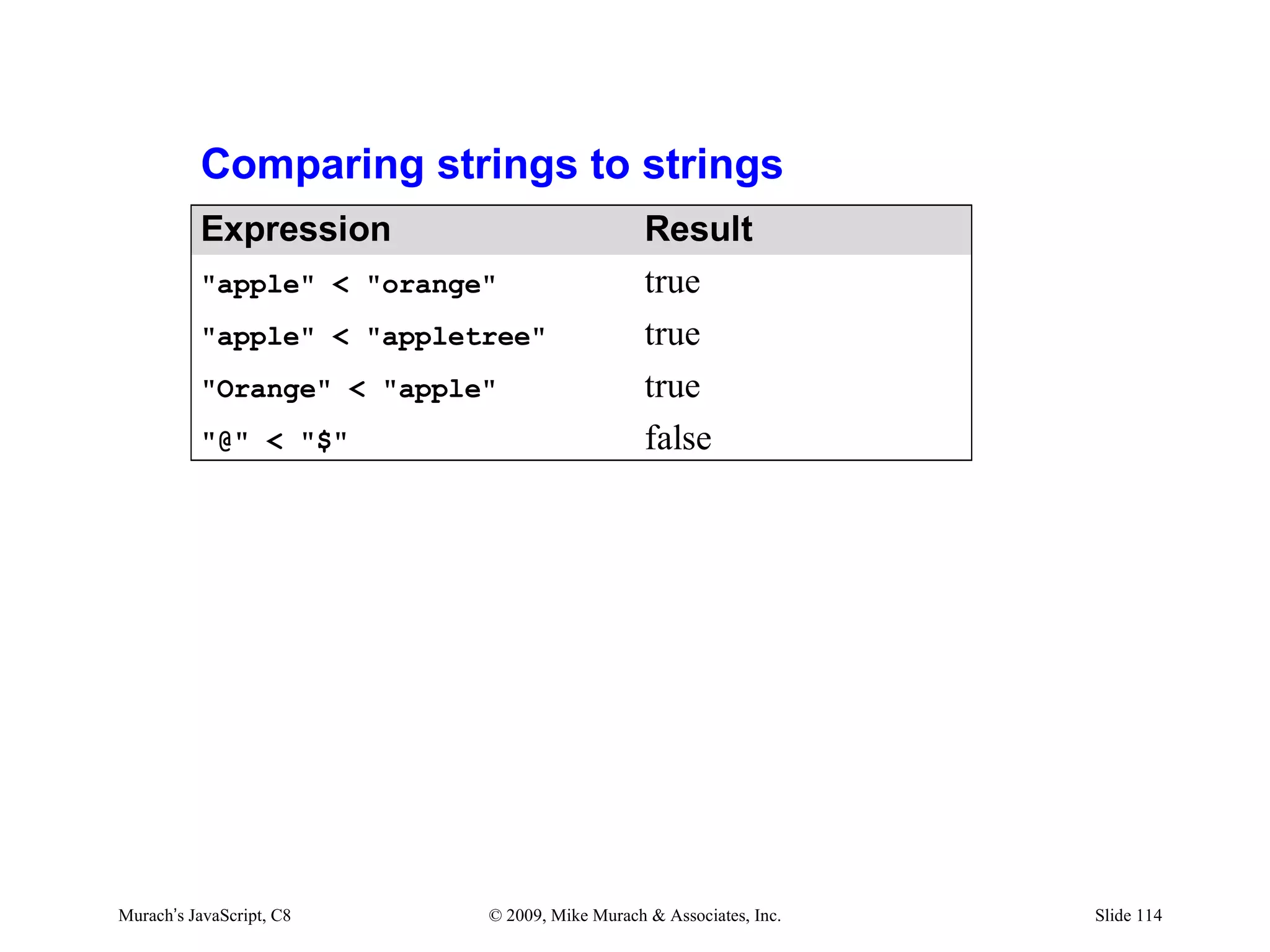
Comparing strings to strings
          Expression                           Result
          "apple" < "orange"                   true
          "apple" < "appletree"                true
          "Orange" < "apple"                   true
          "@" < "$"                            false


Murach’s JavaScript, C8    © 2009, Mike Murach & Associates, Inc.   Slide 114
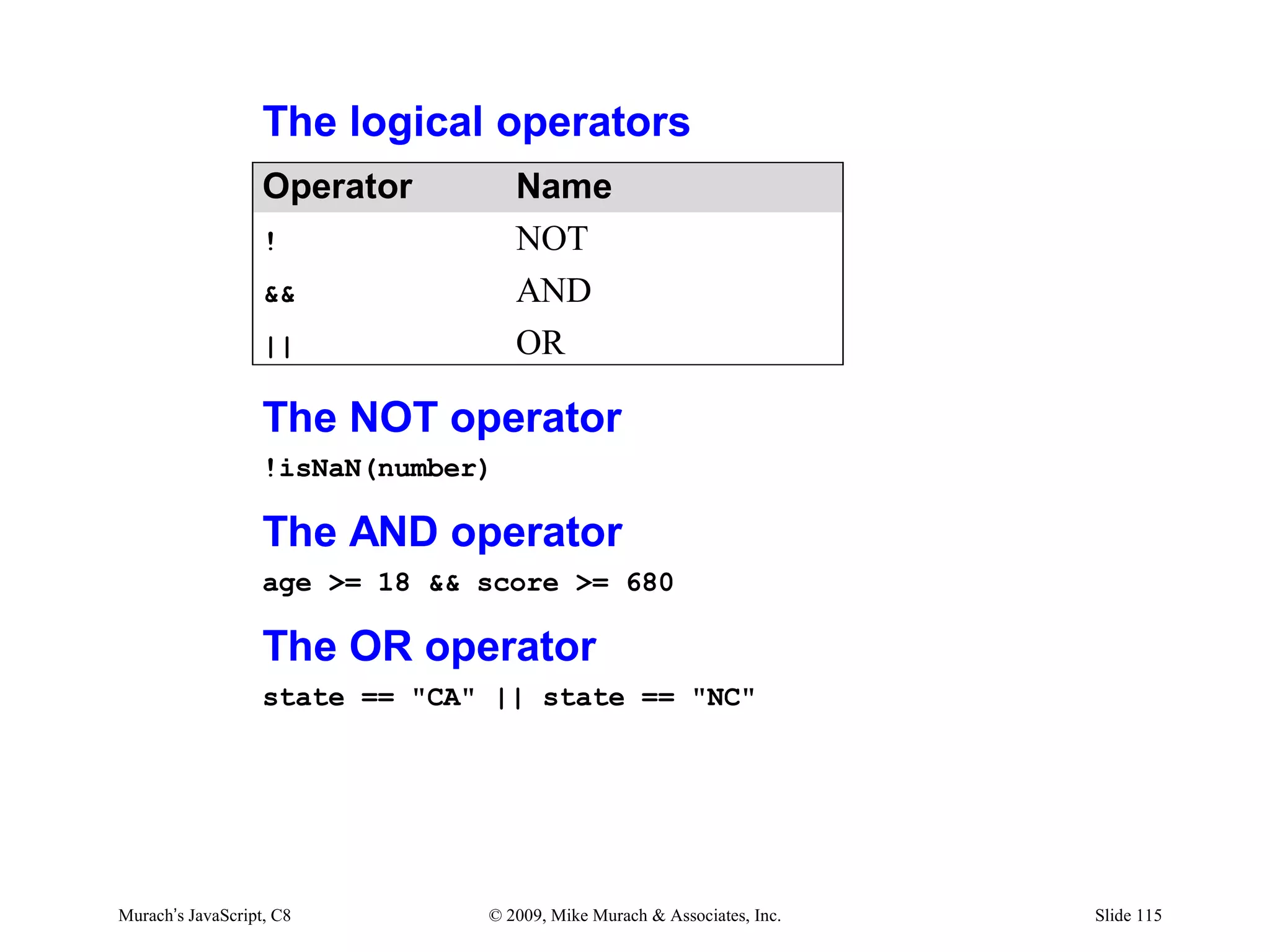
The logical operators
                   Operator         Name
                   !                NOT
                   &&               AND
                   ||               OR

                   The NOT operator
                   !isNaN(number)

                   The AND operator
                   age >= 18 && score >= 680

                   The OR operator
                   state == "CA" || state == "NC"


Murach’s JavaScript, C8         © 2009, Mike Murach & Associates, Inc.   Slide 115
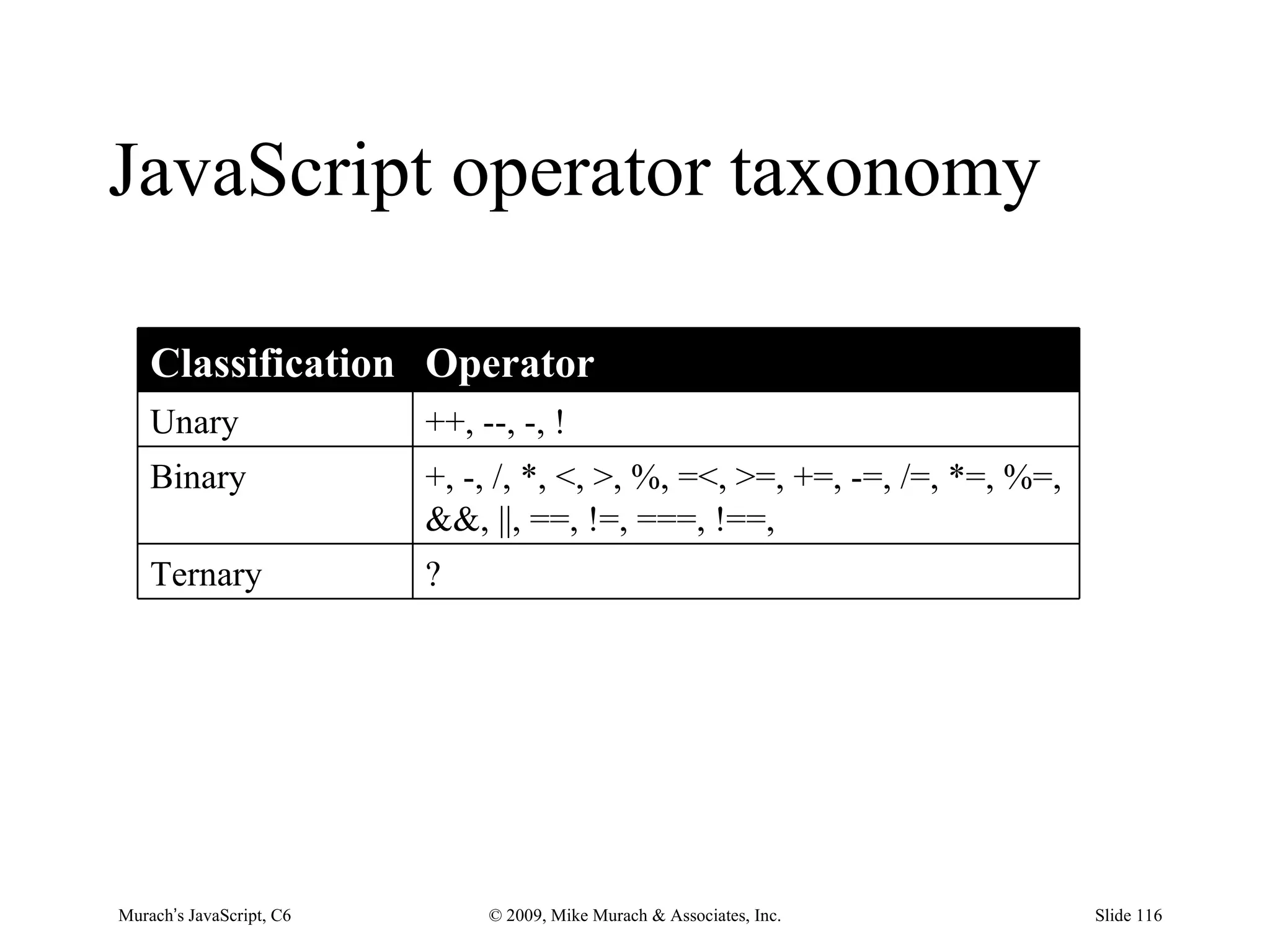
JavaScript operator taxonomy

    Classification Operator
    Unary                 ++, --, -, !
    Binary                +, -, /, *, <, >, %, =<, >=, +=, -=, /=, *=, %=,
                          &&, ||, ==, !=, ===, !==,
    Ternary               ?


Murach’s JavaScript, C6        © 2009, Mike Murach & Associates, Inc.        Slide 116
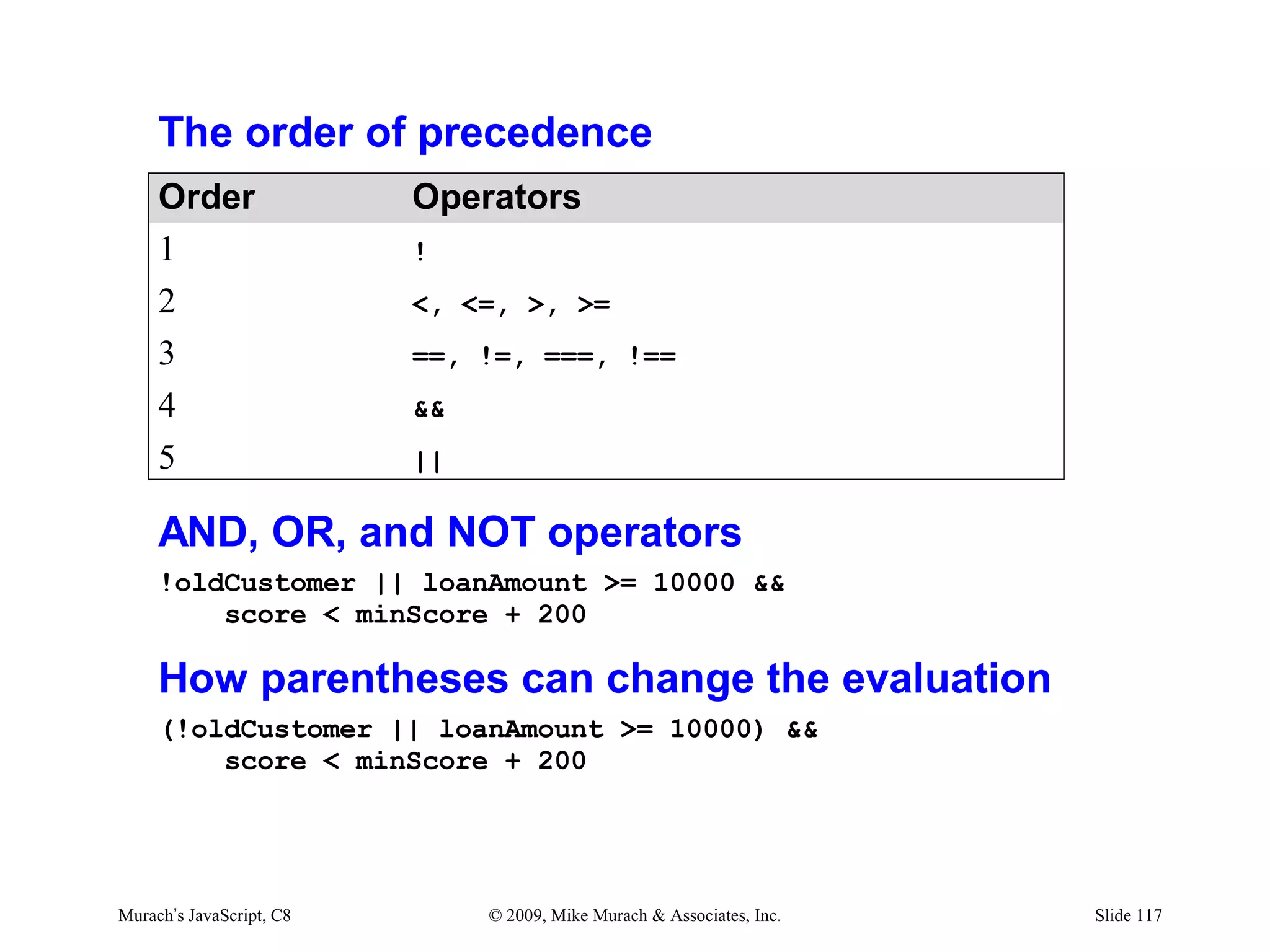
The order of precedence
     Order                Operators
     1                    !
     2                    <, <=, >, >=
     3                    ==, !=, ===, !==
     4                    &&
     5                    ||

     AND, OR, and NOT operators
     !oldCustomer || loanAmount >= 10000 &&
         score < minScore + 200

     How parentheses can change the evaluation
     (!oldCustomer || loanAmount >= 10000) &&
         score < minScore + 200


Murach’s JavaScript, C8        © 2009, Mike Murach & Associates, Inc.   Slide 117
Agenda
• How to code conditional expressions
• How to code selection structures
• How to code iteration structures
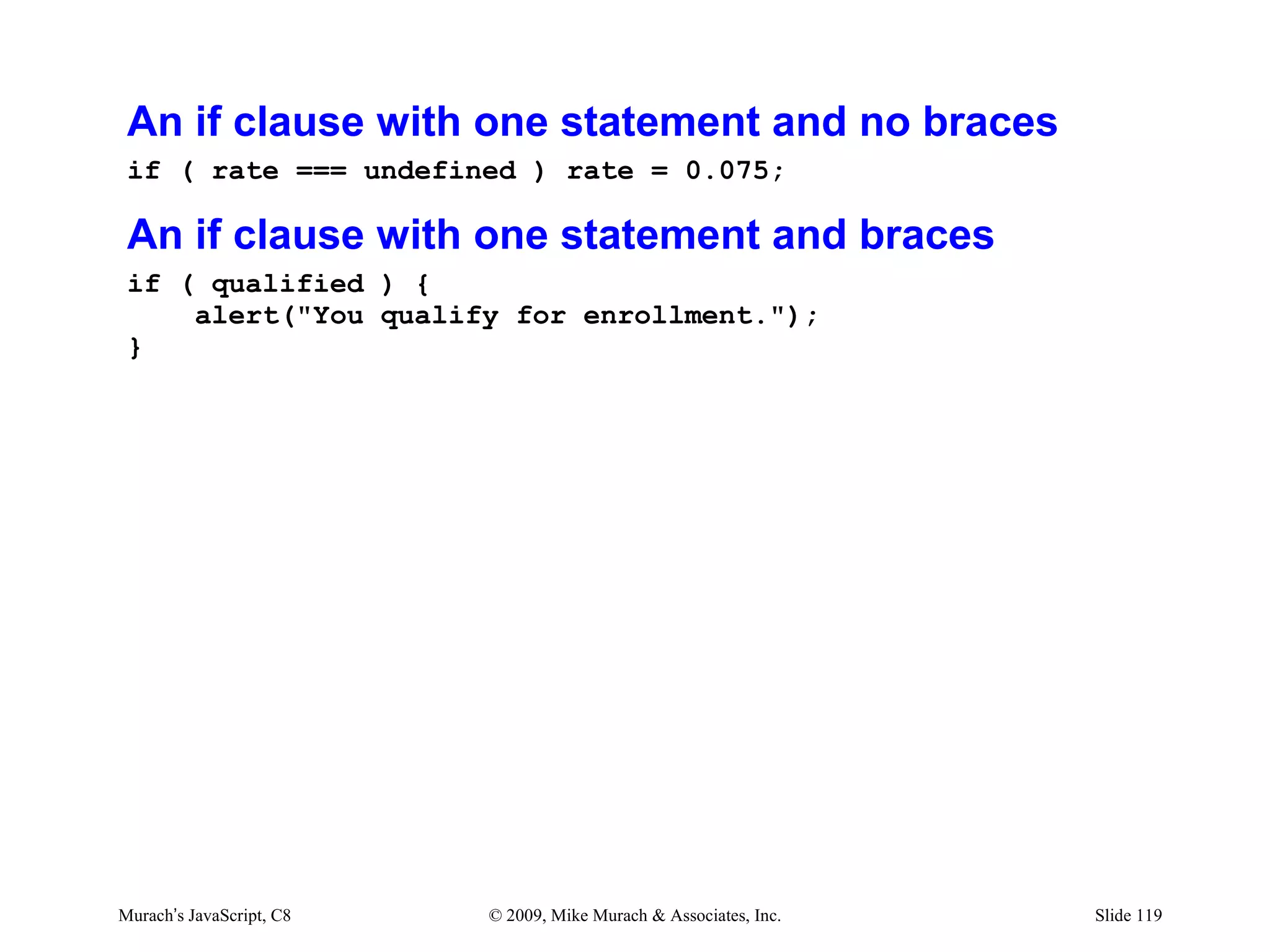
An if clause with one statement and no braces
 if ( rate === undefined ) rate = 0.075;

 An if clause with one statement and braces
 if ( qualified ) {
     alert("You qualify for enrollment.");
 }


Murach’s JavaScript, C8   © 2009, Mike Murach & Associates, Inc.   Slide 119
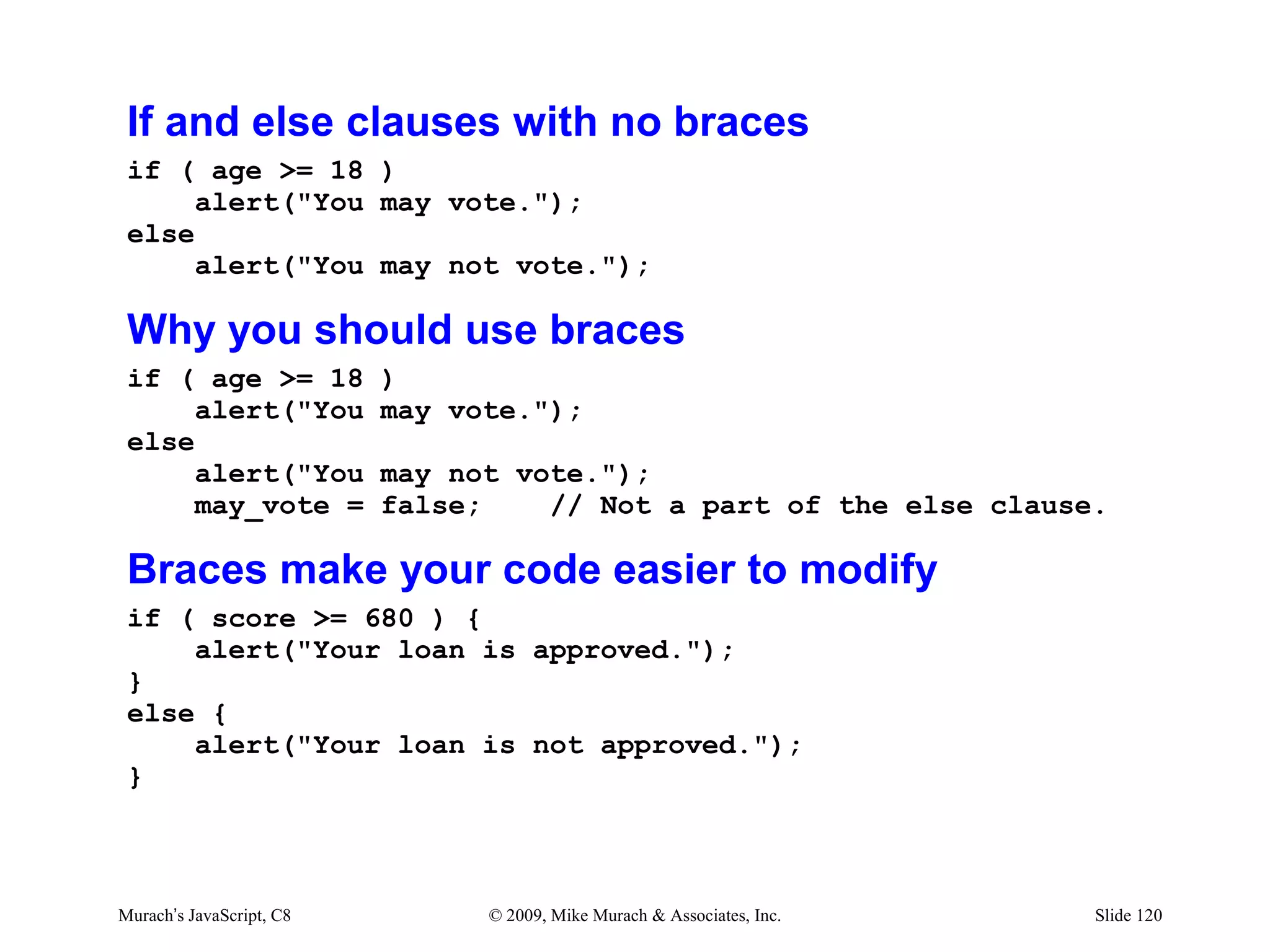
If and else clauses with no braces
 if ( age >= 18 )
      alert("You may vote.");
 else
      alert("You may not vote.");

 Why you should use braces
 if ( age >= 18           )
      alert("You          may vote.");
 else
      alert("You          may not vote.");
      may_vote =          false;    // Not a part of the else clause.

 Braces make your code easier to modify
 if ( score >= 680 ) {
     alert("Your loan is approved.");
 }
 else {
     alert("Your loan is not approved.");
 }


Murach’s JavaScript, C8         © 2009, Mike Murach & Associates, Inc.   Slide 120
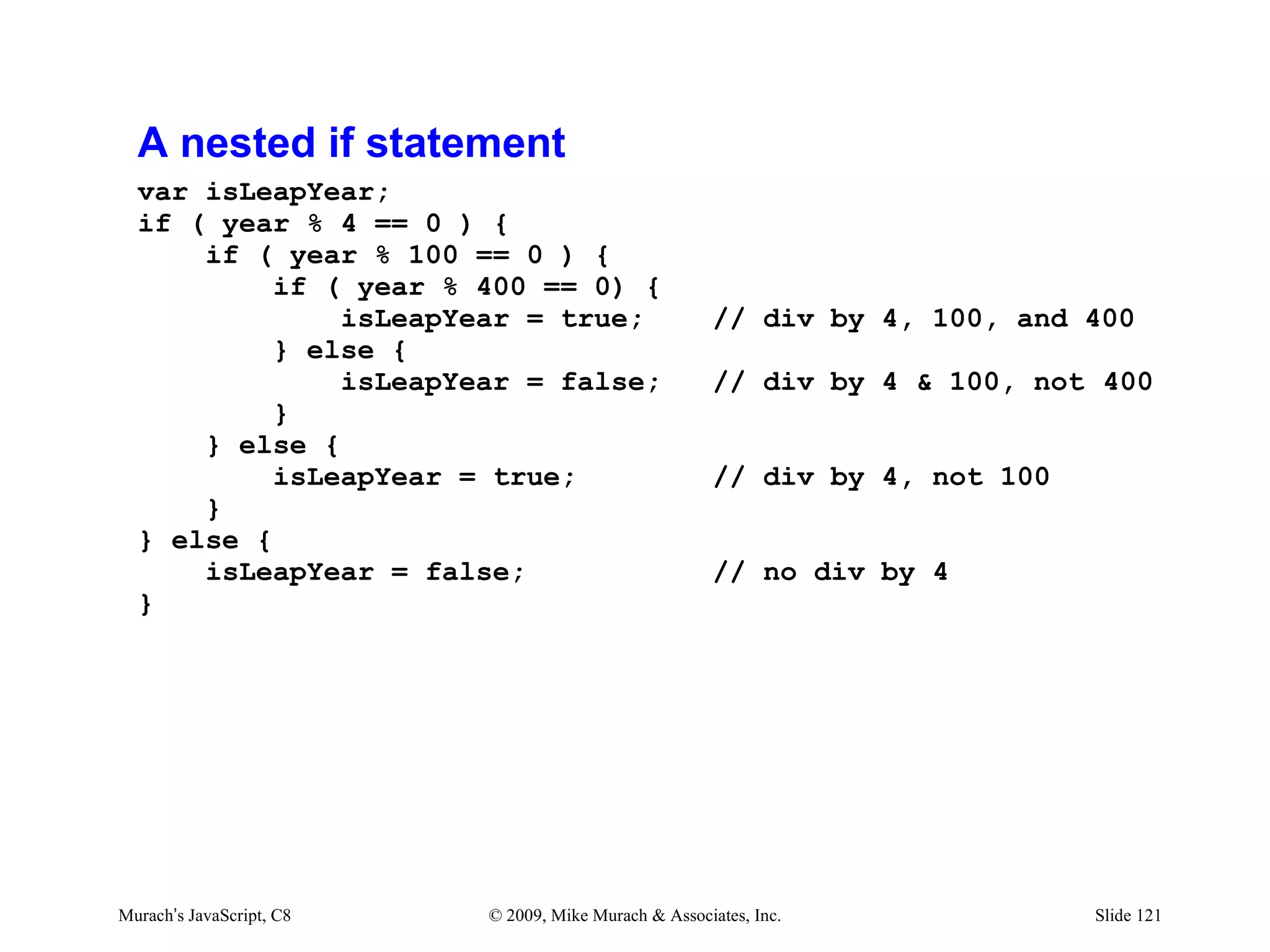
A nested if statement
  var isLeapYear;
  if ( year % 4 == 0 ) {
      if ( year % 100 == 0 ) {
           if ( year % 400 == 0) {
               isLeapYear = true;                      // div by 4, 100, and 400
           } else {
               isLeapYear = false;                     // div by 4 & 100, not 400
           }
      } else {
           isLeapYear = true;                          // div by 4, not 100
      }
  } else {
      isLeapYear = false;                              // no div by 4
  }


Murach’s JavaScript, C8   © 2009, Mike Murach & Associates, Inc.              Slide 121
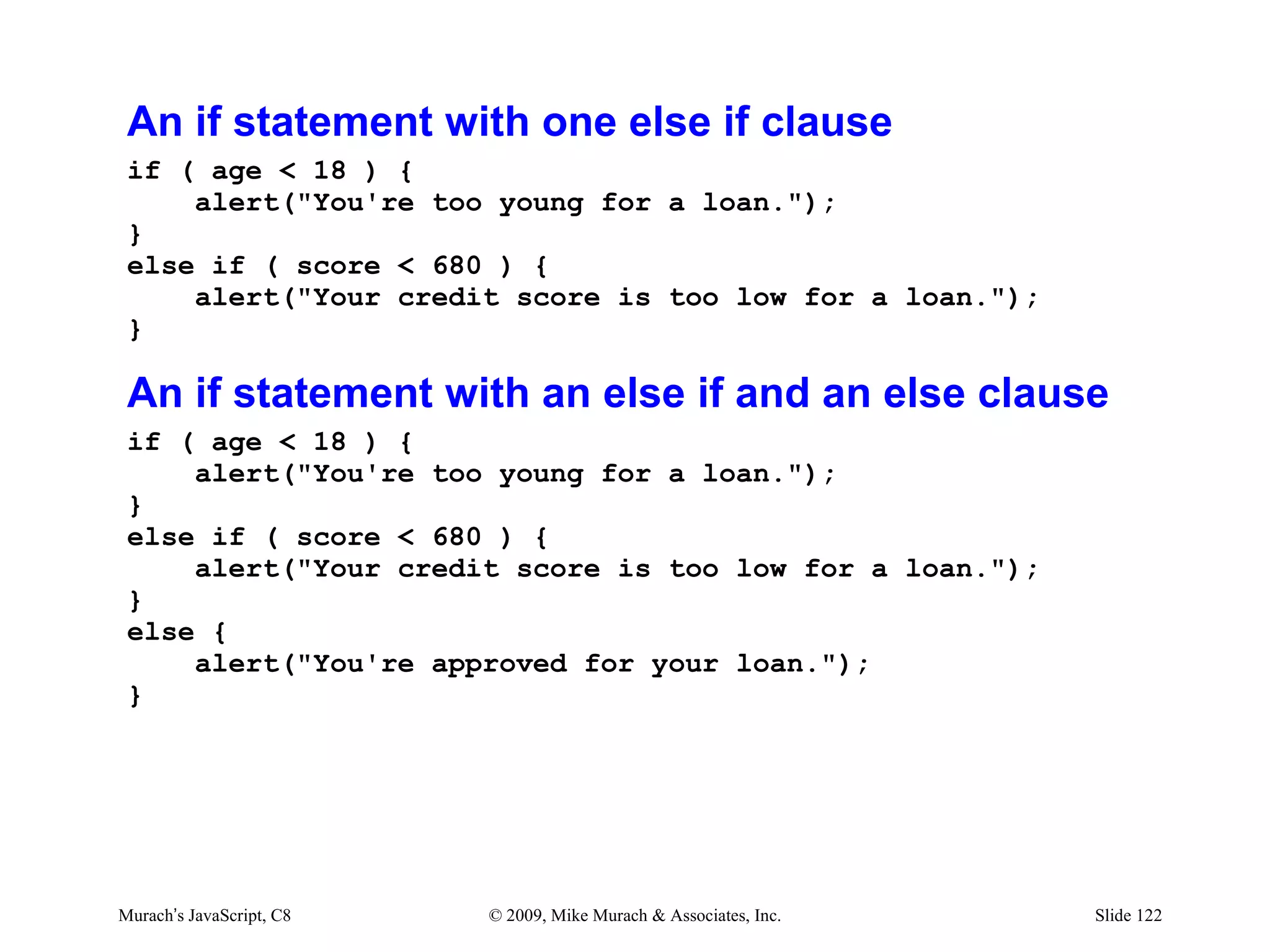
An if statement with one else if clause
 if ( age < 18 ) {
     alert("You're too young for a loan.");
 }
 else if ( score < 680 ) {
     alert("Your credit score is too low for a loan.");
 }

 An if statement with an else if and an else clause
 if ( age < 18 ) {
     alert("You're too young for a loan.");
 }
 else if ( score < 680 ) {
     alert("Your credit score is too low for a loan.");
 }
 else {
     alert("You're approved for your loan.");
 }


Murach’s JavaScript, C8   © 2009, Mike Murach & Associates, Inc.   Slide 122
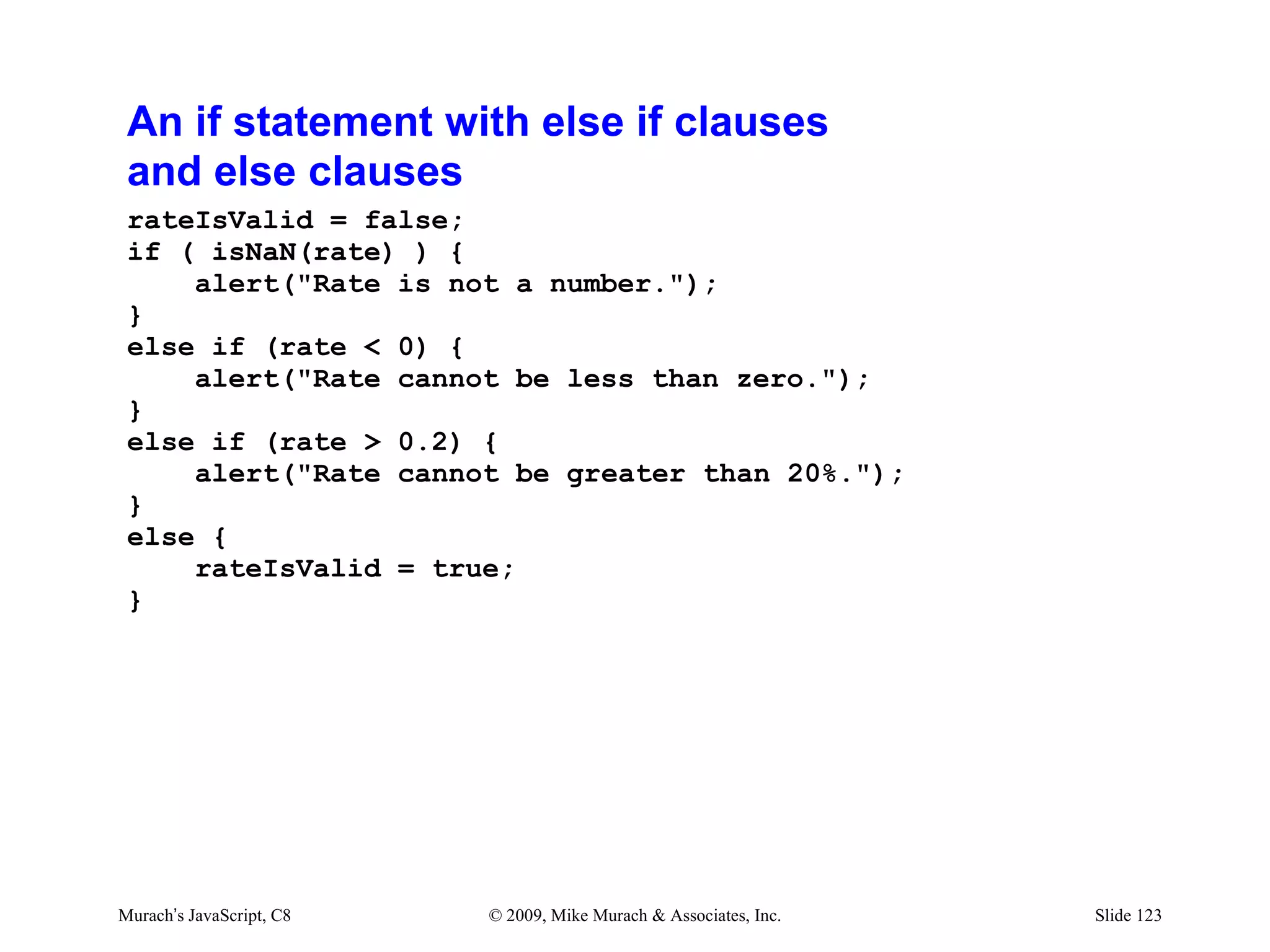
An if statement with else if clauses
 and else clauses
 rateIsValid = false;
 if ( isNaN(rate) ) {
     alert("Rate is not a number.");
 }
 else if (rate < 0) {
     alert("Rate cannot be less than zero.");
 }
 else if (rate > 0.2) {
     alert("Rate cannot be greater than 20%.");
 }
 else {
     rateIsValid = true;
 }


Murach’s JavaScript, C8   © 2009, Mike Murach & Associates, Inc.   Slide 123
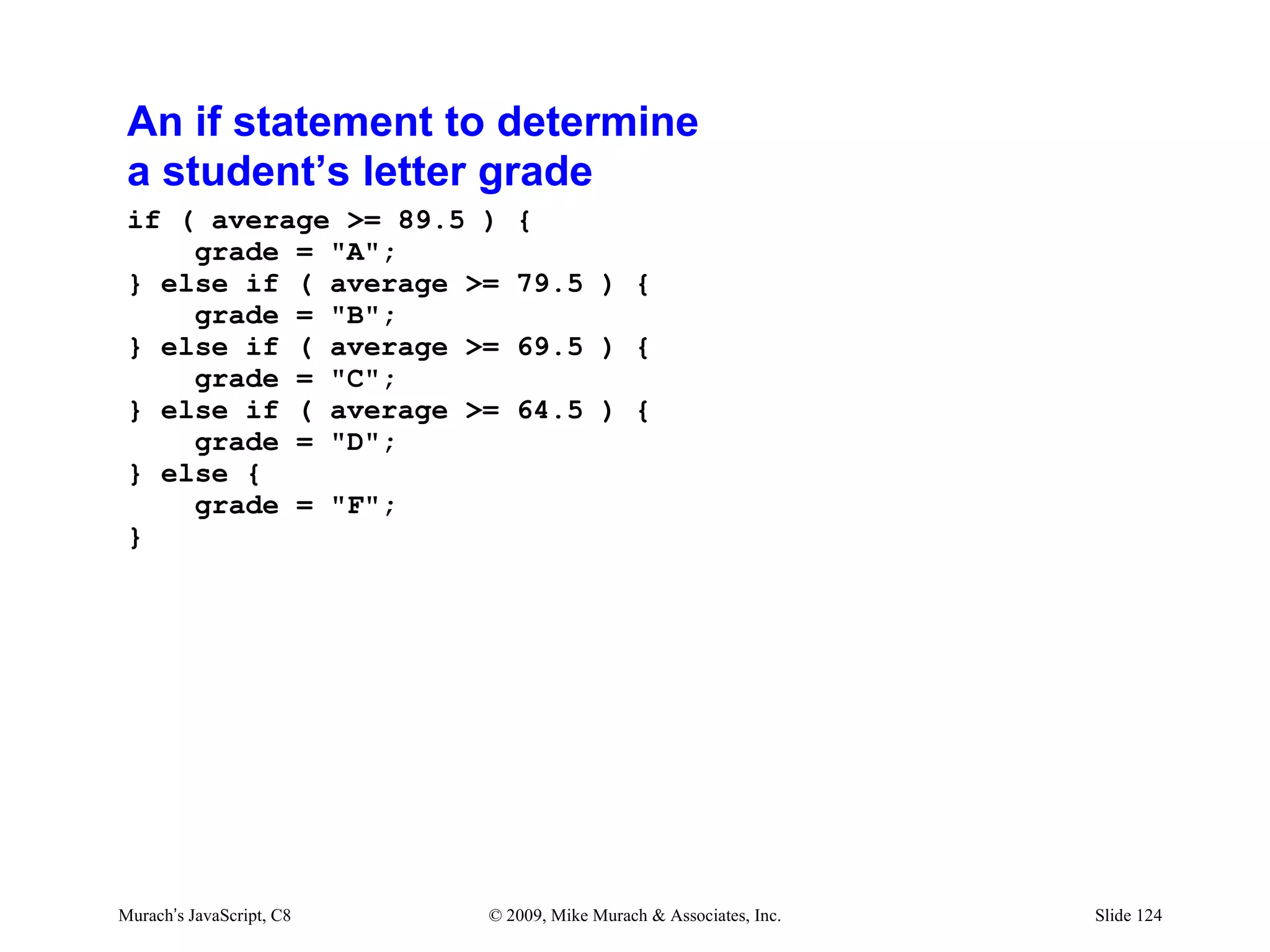
An if statement to determine
 a student’s letter grade
 if ( average >= 89.5 )      {
     grade = "A";
 } else if ( average >=      79.5 ) {
     grade = "B";
 } else if ( average >=      69.5 ) {
     grade = "C";
 } else if ( average >=      64.5 ) {
     grade = "D";
 } else {
     grade = "F";
 }


Murach’s JavaScript, C8   © 2009, Mike Murach & Associates, Inc.   Slide 124
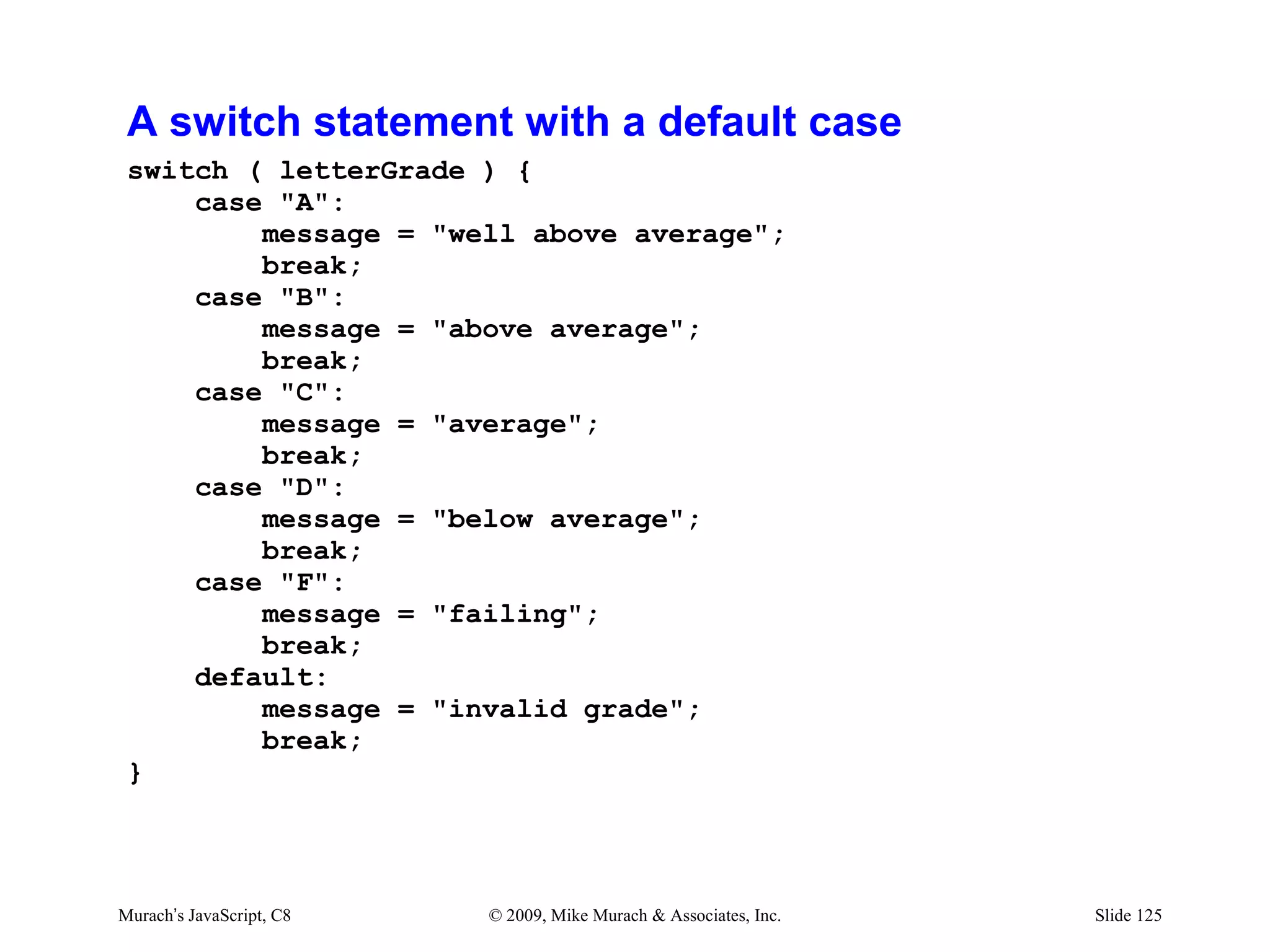
A switch statement with a default case
 switch ( letterGrade ) {
     case "A":
         message = "well above average";
         break;
     case "B":
         message = "above average";
         break;
     case "C":
         message = "average";
         break;
     case "D":
         message = "below average";
         break;
     case "F":
         message = "failing";
         break;
     default:
         message = "invalid grade";
         break;
 }


Murach’s JavaScript, C8   © 2009, Mike Murach & Associates, Inc.   Slide 125
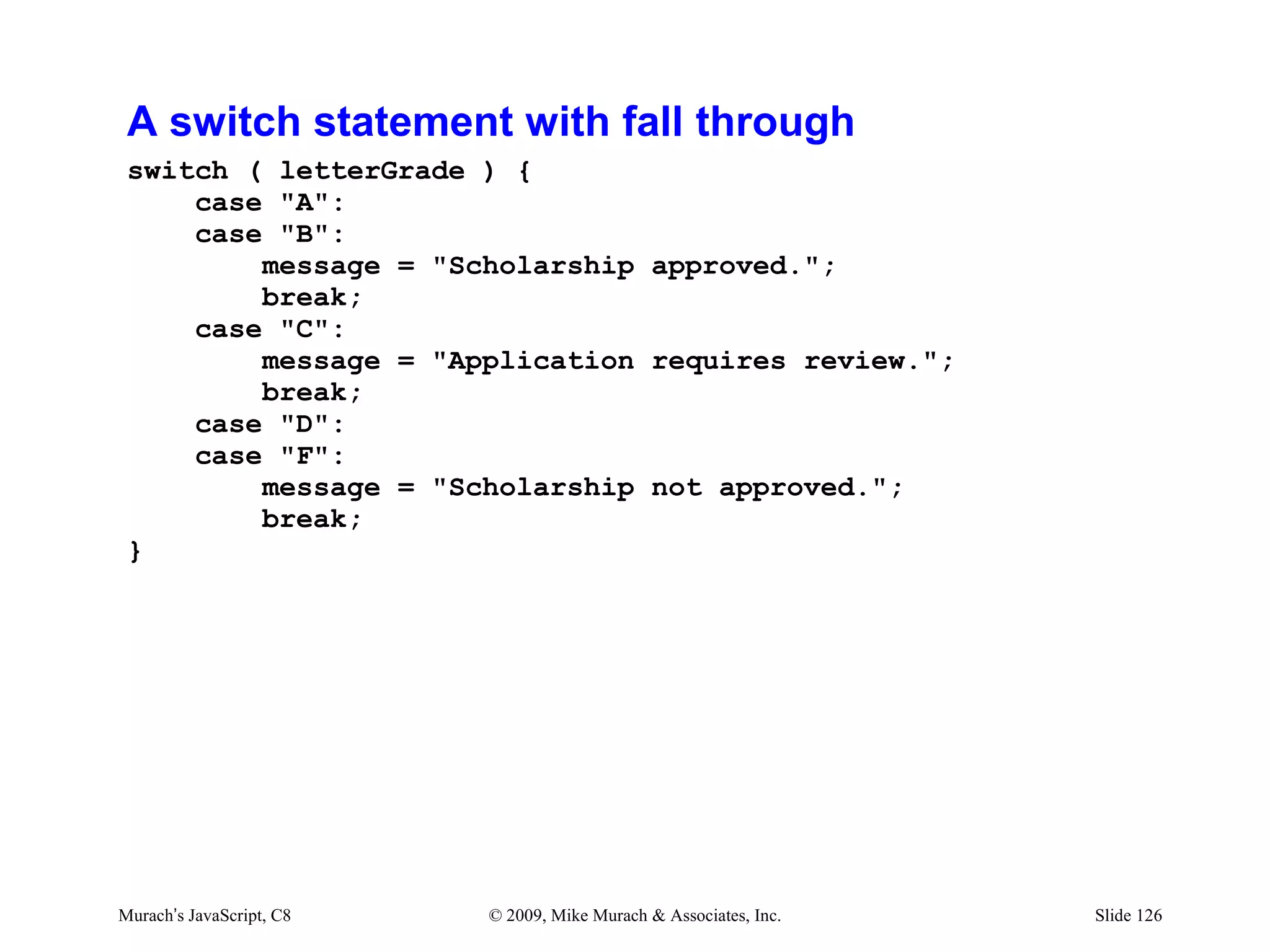
A switch statement with fall through
 switch ( letterGrade ) {
     case "A":
     case "B":
         message = "Scholarship approved.";
         break;
     case "C":
         message = "Application requires review.";
         break;
     case "D":
     case "F":
         message = "Scholarship not approved.";
         break;
 }


Murach’s JavaScript, C8   © 2009, Mike Murach & Associates, Inc.   Slide 126
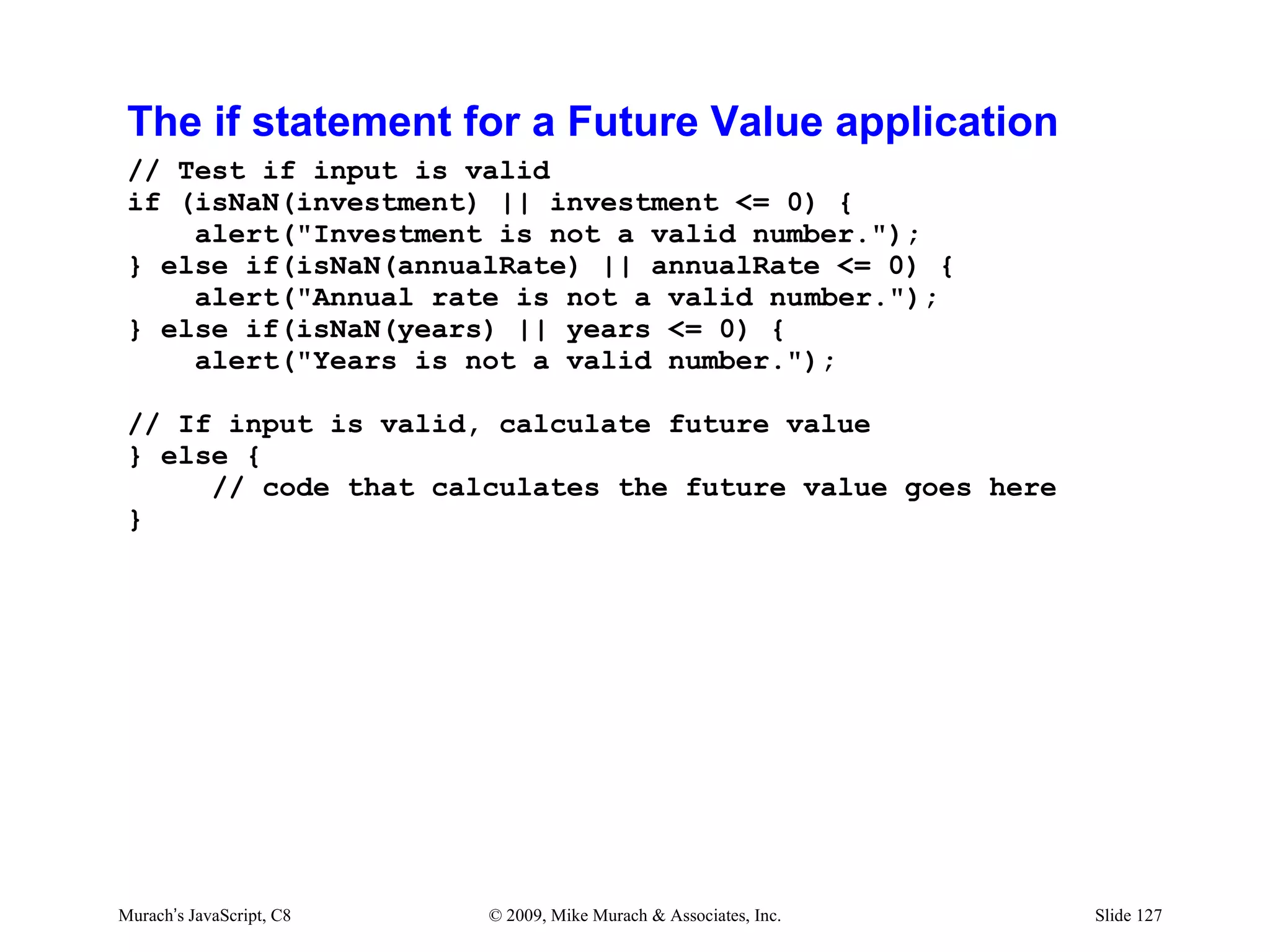
The if statement for a Future Value application
 // Test if input is valid
 if (isNaN(investment) || investment <= 0) {
     alert("Investment is not a valid number.");
 } else if(isNaN(annualRate) || annualRate <= 0) {
     alert("Annual rate is not a valid number.");
 } else if(isNaN(years) || years <= 0) {
     alert("Years is not a valid number.");

 // If input is valid, calculate future value
 } else {
      // code that calculates the future value goes here
 }


Murach’s JavaScript, C8   © 2009, Mike Murach & Associates, Inc.   Slide 127
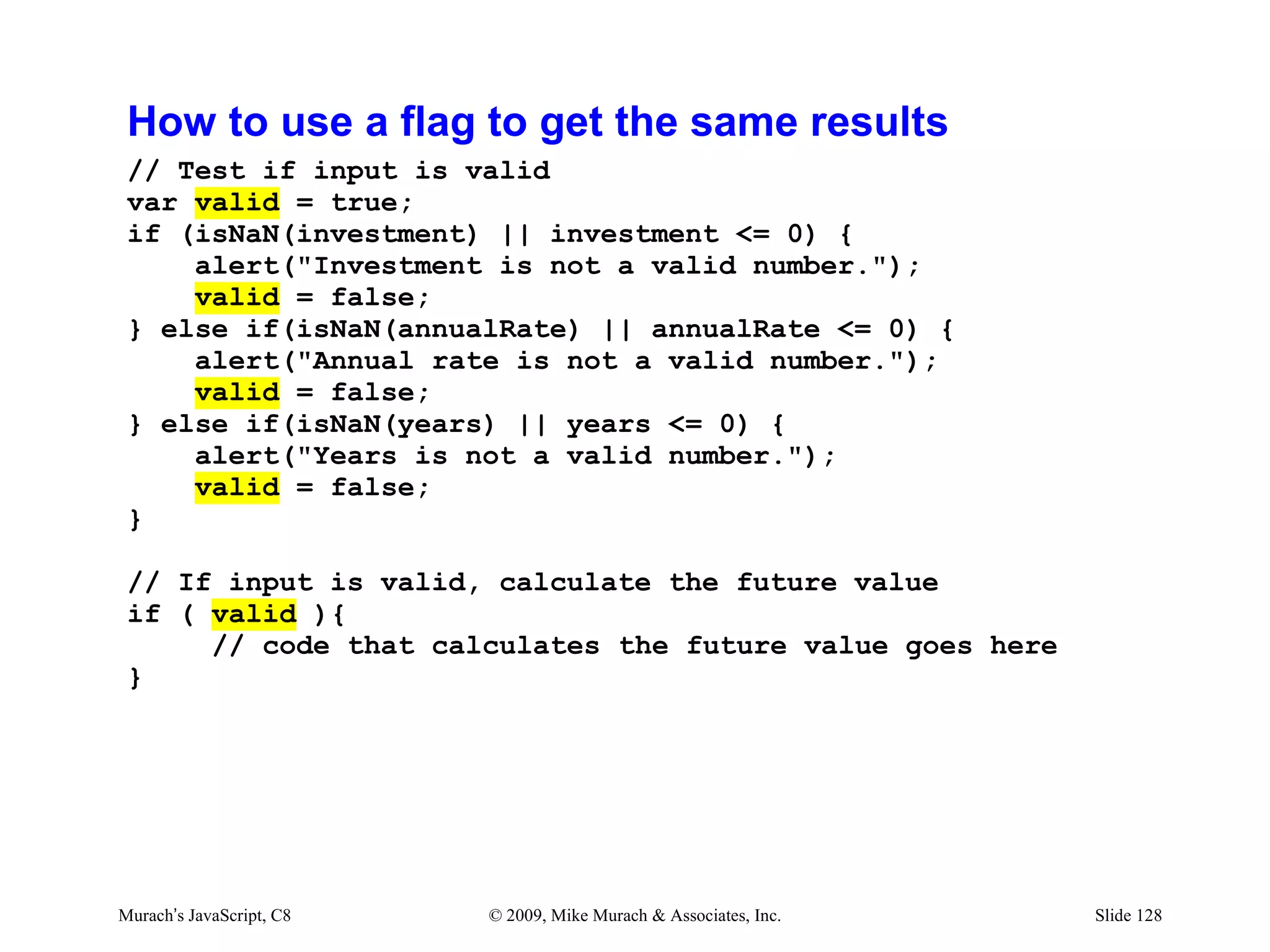
How to use a flag to get the same results
 // Test if input is valid
 var valid = true;
 if (isNaN(investment) || investment <= 0) {
     alert("Investment is not a valid number.");
     valid = false;
 } else if(isNaN(annualRate) || annualRate <= 0) {
     alert("Annual rate is not a valid number.");
     valid = false;
 } else if(isNaN(years) || years <= 0) {
     alert("Years is not a valid number.");
     valid = false;
 }

 // If input is valid, calculate the future value
 if ( valid ){
      // code that calculates the future value goes here
 }


Murach’s JavaScript, C8   © 2009, Mike Murach & Associates, Inc.   Slide 128
Agenda
• How to code conditional expressions
• How to code selection structures
• How to code iteration structures
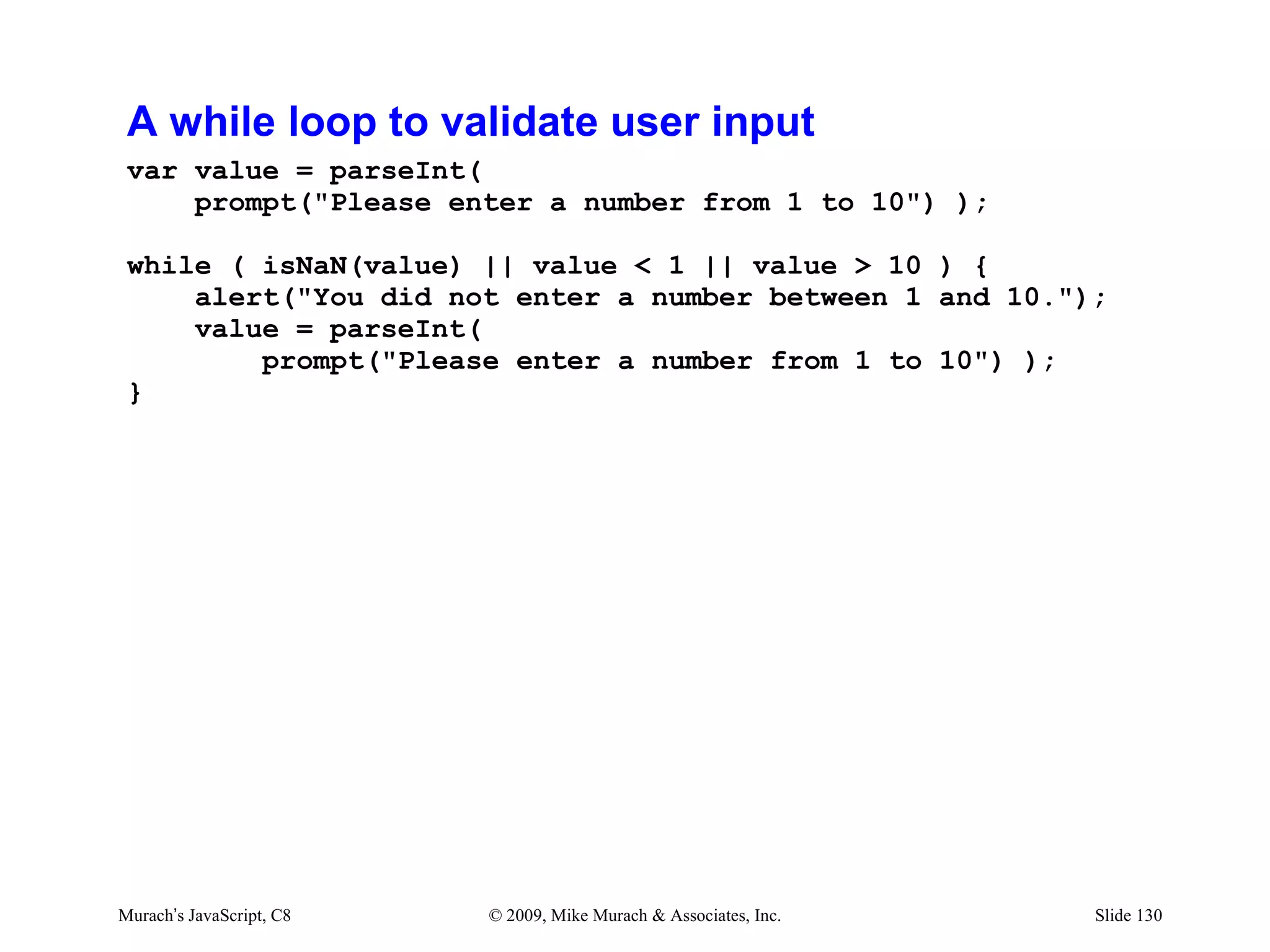
A while loop to validate user input
 var value = parseInt(
     prompt("Please enter a number from 1 to 10") );

 while ( isNaN(value) || value < 1 || value > 10 ) {
     alert("You did not enter a number between 1 and 10.");
     value = parseInt(
         prompt("Please enter a number from 1 to 10") );
 }


Murach’s JavaScript, C8   © 2009, Mike Murach & Associates, Inc.   Slide 130
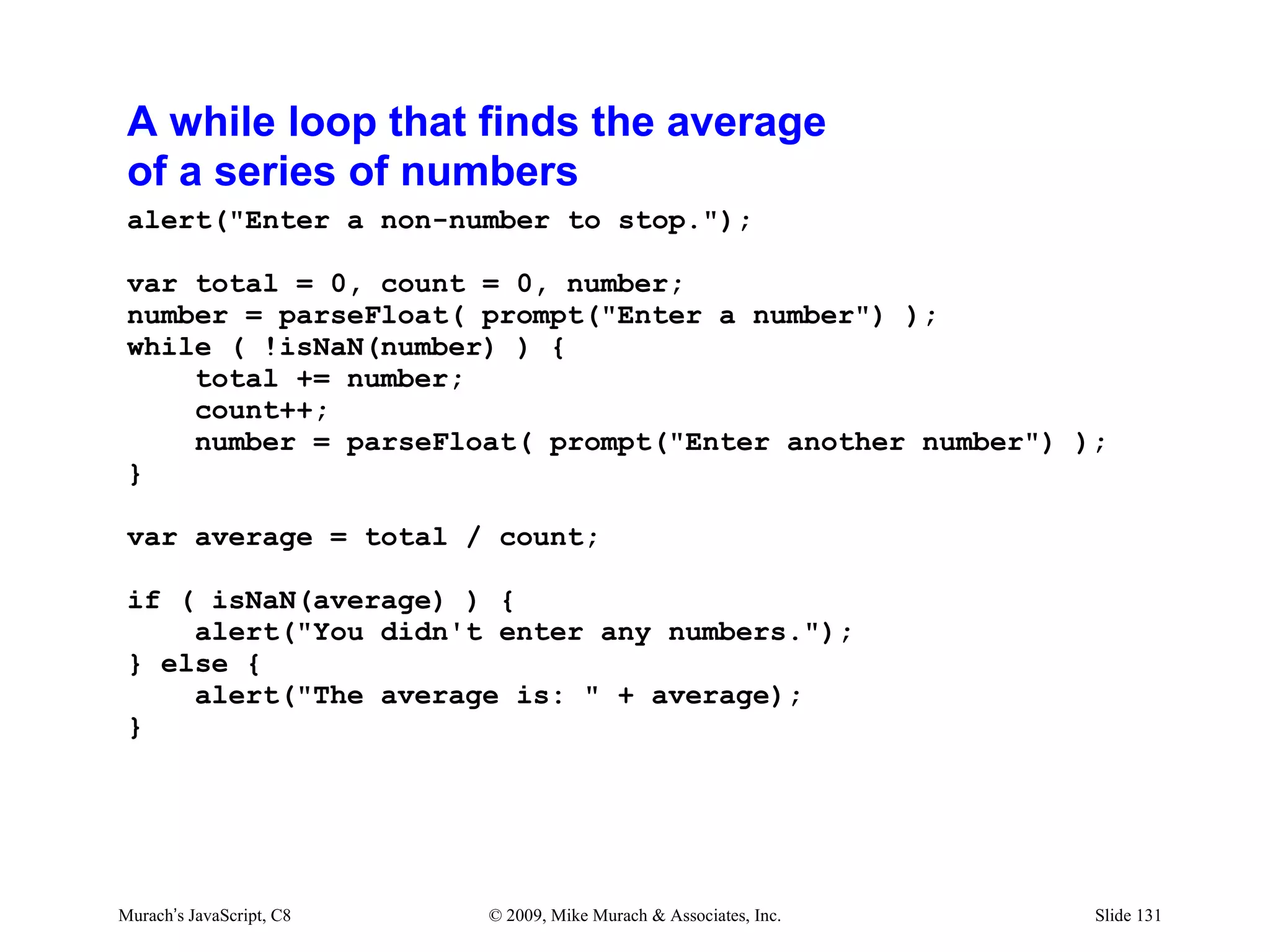
A while loop that finds the average
 of a series of numbers
 alert("Enter a non-number to stop.");

 var total = 0, count = 0, number;
 number = parseFloat( prompt("Enter a number") );
 while ( !isNaN(number) ) {
     total += number;
     count++;
     number = parseFloat( prompt("Enter another number") );
 }

 var average = total / count;

 if ( isNaN(average) ) {
     alert("You didn't enter any numbers.");
 } else {
     alert("The average is: " + average);
 }


Murach’s JavaScript, C8   © 2009, Mike Murach & Associates, Inc.   Slide 131
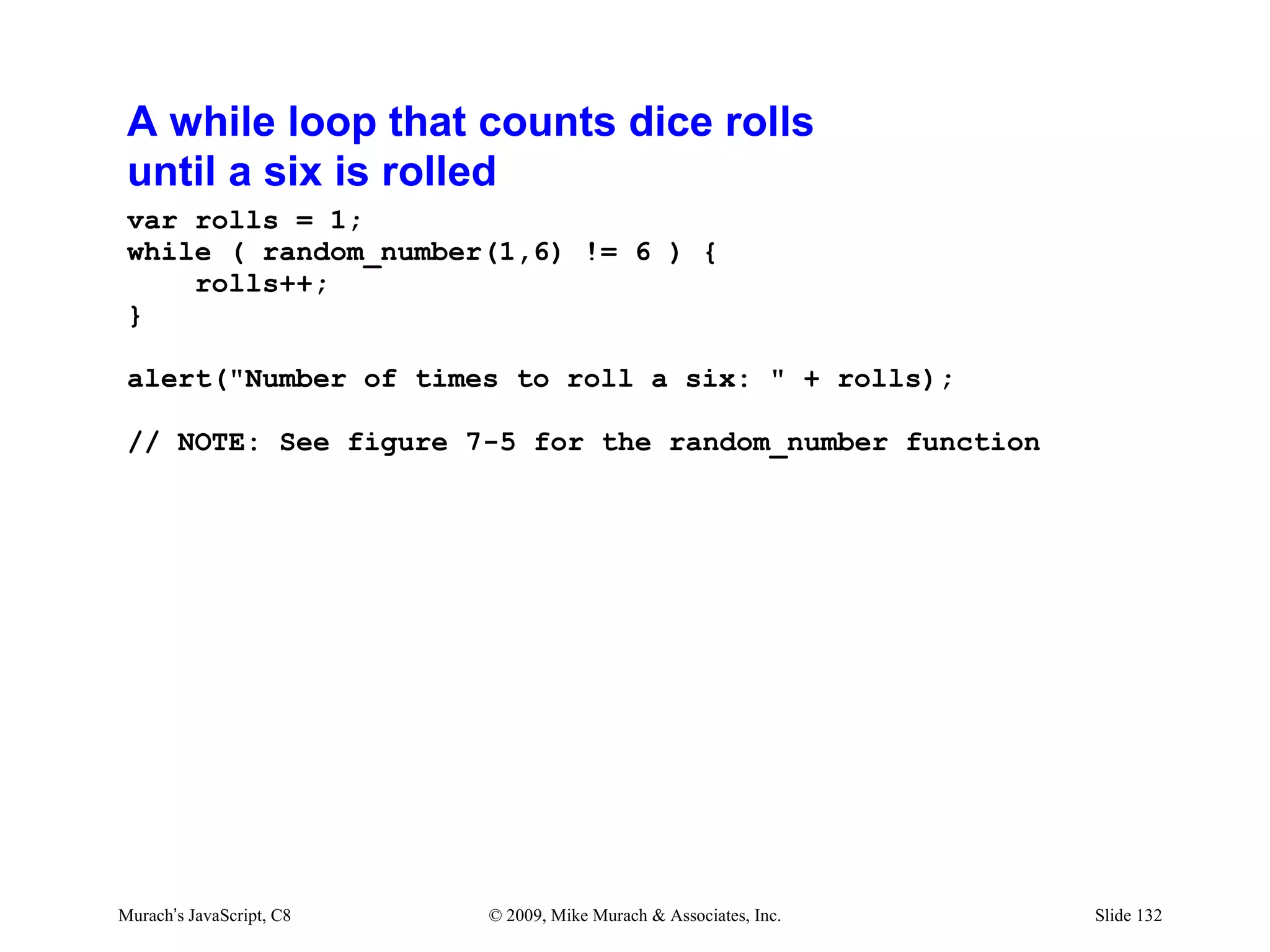
A while loop that counts dice rolls
 until a six is rolled
 var rolls = 1;
 while ( random_number(1,6) != 6 ) {
     rolls++;
 }

 alert("Number of times to roll a six: " + rolls);

 // NOTE: See figure 7-5 for the random_number function


Murach’s JavaScript, C8   © 2009, Mike Murach & Associates, Inc.   Slide 132
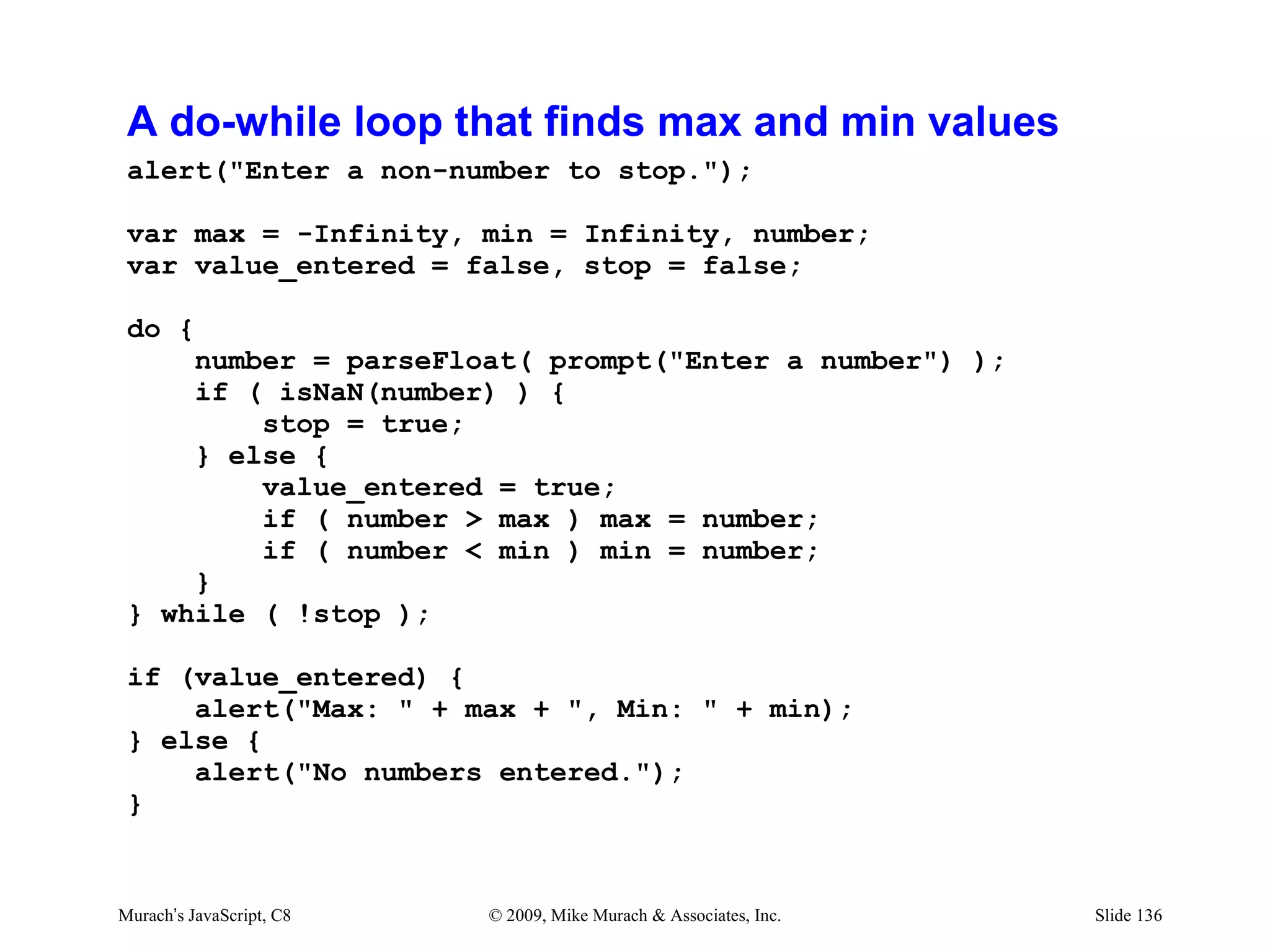
Nested while loops that find the average
 and max to roll a six
 var total = 0, count = 0, max = -Infinity;
 var rolls;

 while ( count < 10000 ) {
     rolls = 1;
     while ( random_number(1, 6) != 6 ) {
         rolls++;
     }
     total += rolls;
     count++;
     if ( rolls > max ) max = rolls;
 }

 var average = total / count;

 alert ("Average rolls: " + average);
 alert ("Max rolls: " + max);


Murach’s JavaScript, C8   © 2009, Mike Murach & Associates, Inc.   Slide 133
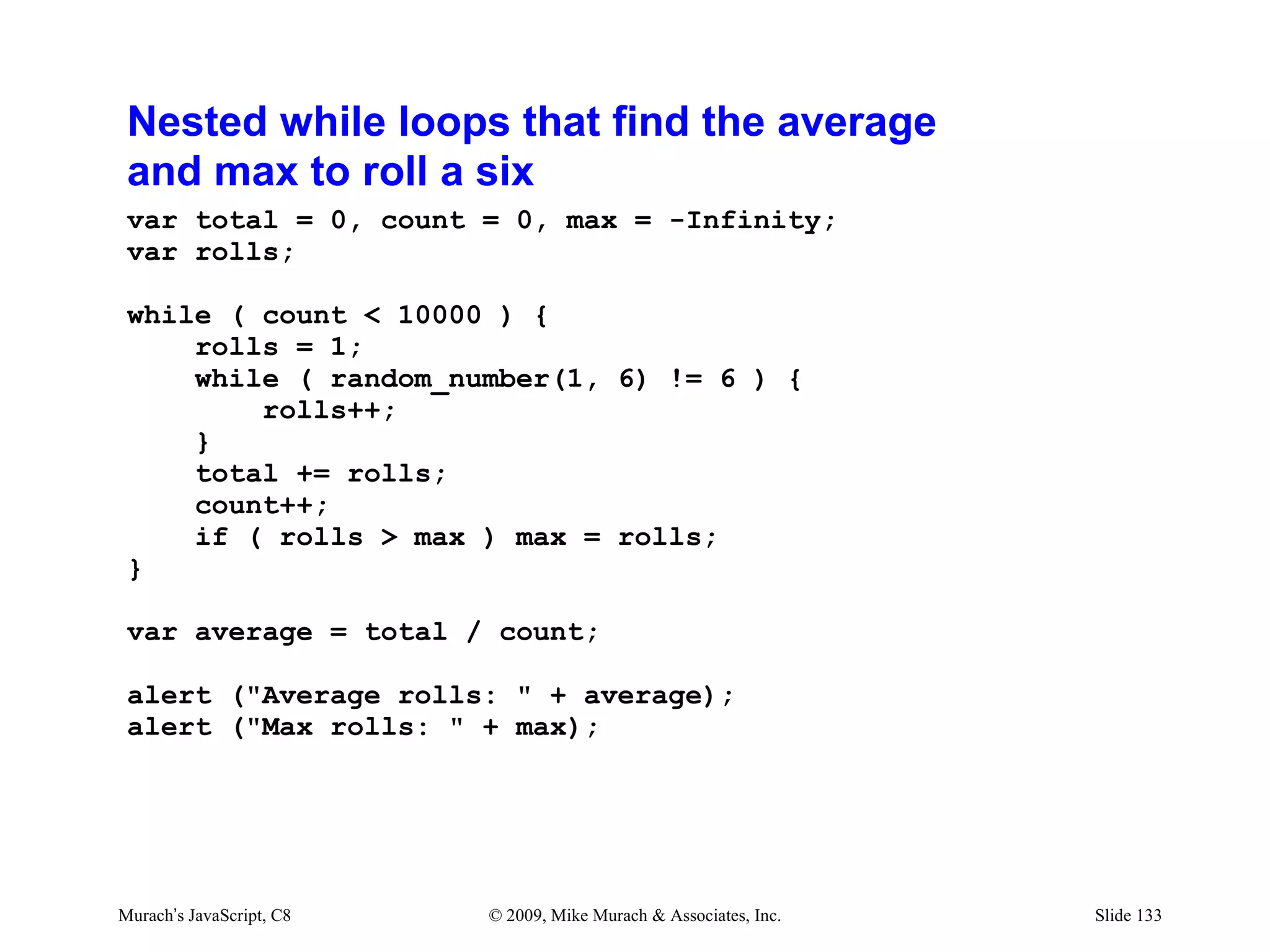
A do-while loop to validate user input
 var value, valid;
 do {
      value = parseInt(
          prompt("Enter a number between 1 and 10") );

     if (isNaN(value) || value < 1 || value > 10) {
         alert("You did not enter a valid number.");
         valid = false;
     } else {
         valid = true;
     }
 } while ( !valid );


Murach’s JavaScript, C8   © 2009, Mike Murach & Associates, Inc.   Slide 134
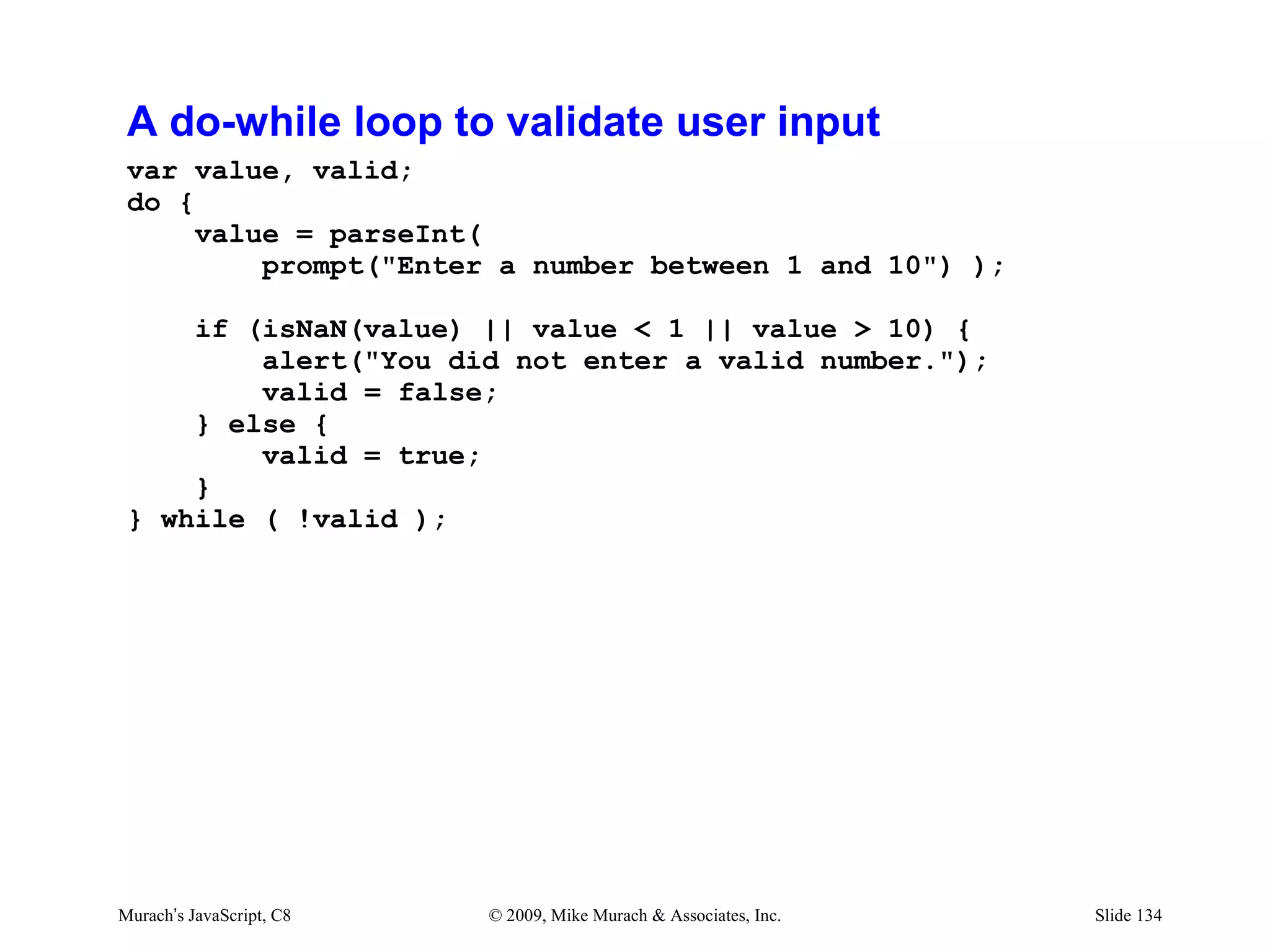
A do-while loop that counts dice rolls
 until a six is rolled
 var rolls = 0;
 do {
      rolls ++;
 } while ( random_number(1,6) != 6 );

 alert("Number of times to roll a six: " + rolls);

 // NOTE: See figure 7-5 for the random_number function


Murach’s JavaScript, C8   © 2009, Mike Murach & Associates, Inc.   Slide 135
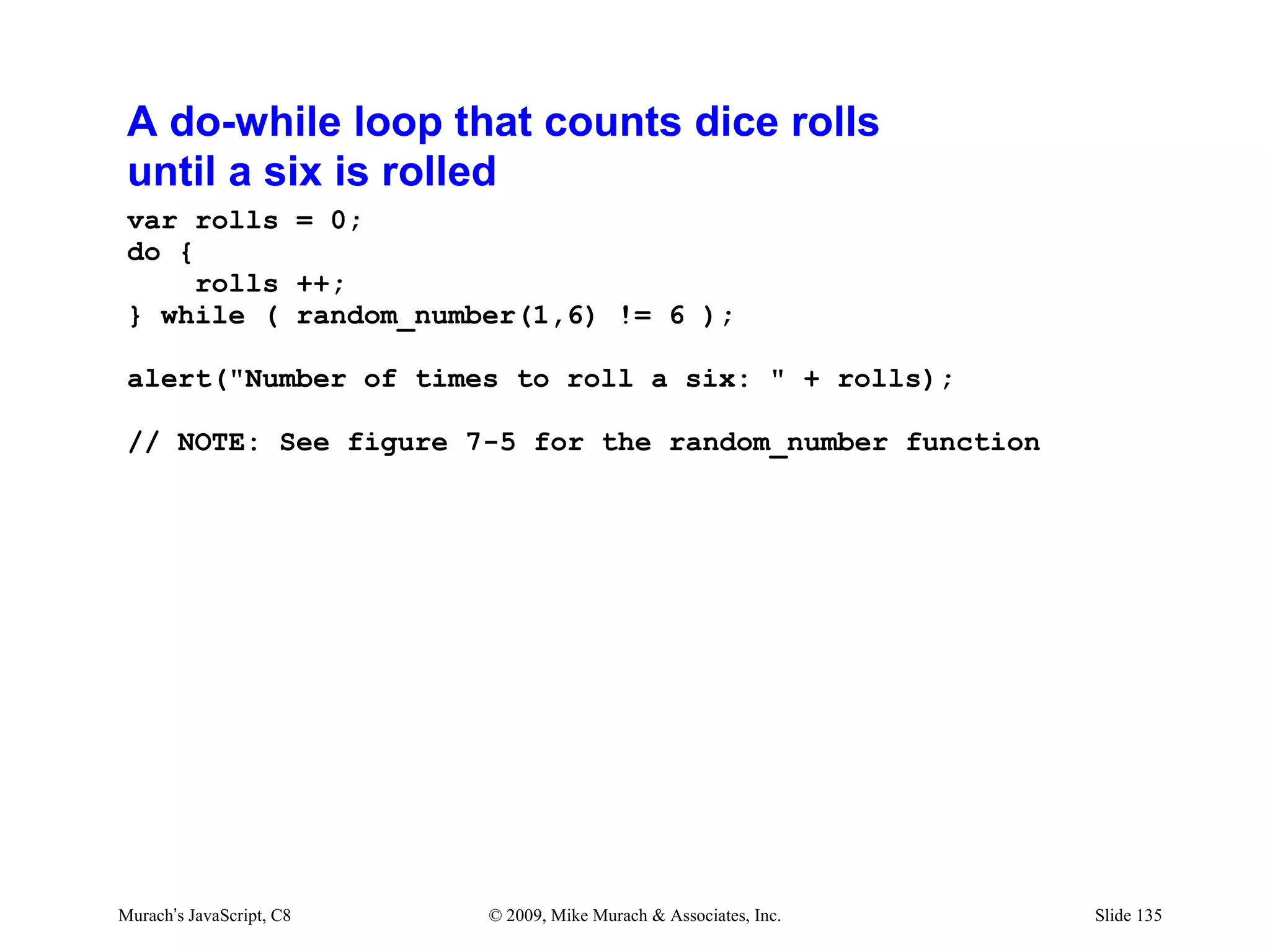
A do-while loop that finds max and min values
 alert("Enter a non-number to stop.");

 var max = -Infinity, min = Infinity, number;
 var value_entered = false, stop = false;

 do {
     number = parseFloat( prompt("Enter a number") );
     if ( isNaN(number) ) {
         stop = true;
     } else {
         value_entered = true;
         if ( number > max ) max = number;
         if ( number < min ) min = number;
     }
 } while ( !stop );

 if (value_entered) {
     alert("Max: " + max + ", Min: " + min);
 } else {
     alert("No numbers entered.");
 }


Murach’s JavaScript, C8   © 2009, Mike Murach & Associates, Inc.   Slide 136
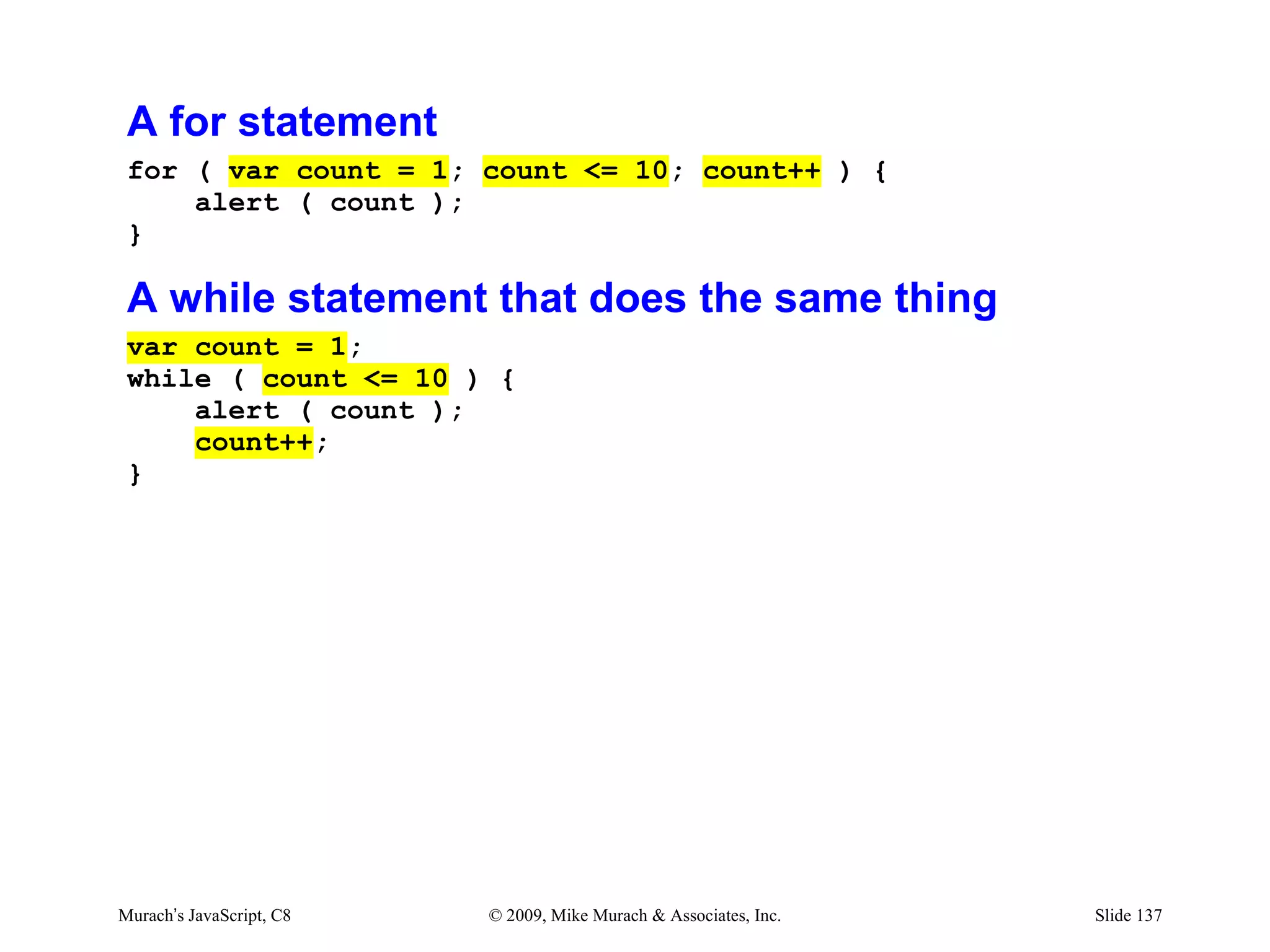
A for statement
 for ( var count = 1; count <= 10; count++ ) {
     alert ( count );
 }

 A while statement that does the same thing
 var count = 1;
 while ( count <= 10 ) {
     alert ( count );
     count++;
 }


Murach’s JavaScript, C8   © 2009, Mike Murach & Associates, Inc.   Slide 137
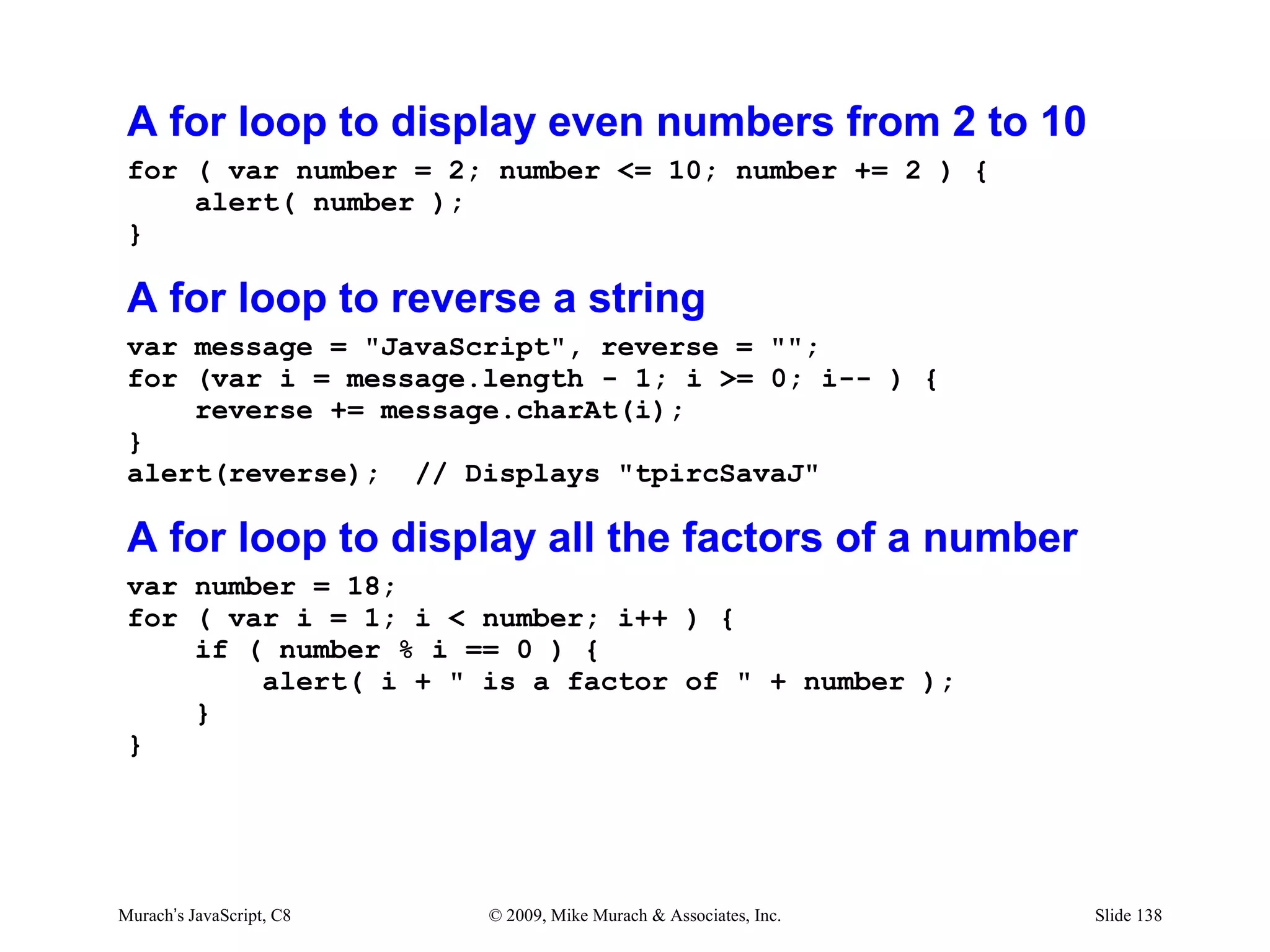
A for loop to display even numbers from 2 to 10
 for ( var number = 2; number <= 10; number += 2 ) {
     alert( number );
 }

 A for loop to reverse a string
 var message = "JavaScript", reverse = "";
 for (var i = message.length - 1; i >= 0; i-- ) {
     reverse += message.charAt(i);
 }
 alert(reverse); // Displays "tpircSavaJ"

 A for loop to display all the factors of a number
 var number = 18;
 for ( var i = 1; i < number; i++ ) {
     if ( number % i == 0 ) {
         alert( i + " is a factor of " + number );
     }
 }


Murach’s JavaScript, C8   © 2009, Mike Murach & Associates, Inc.   Slide 138
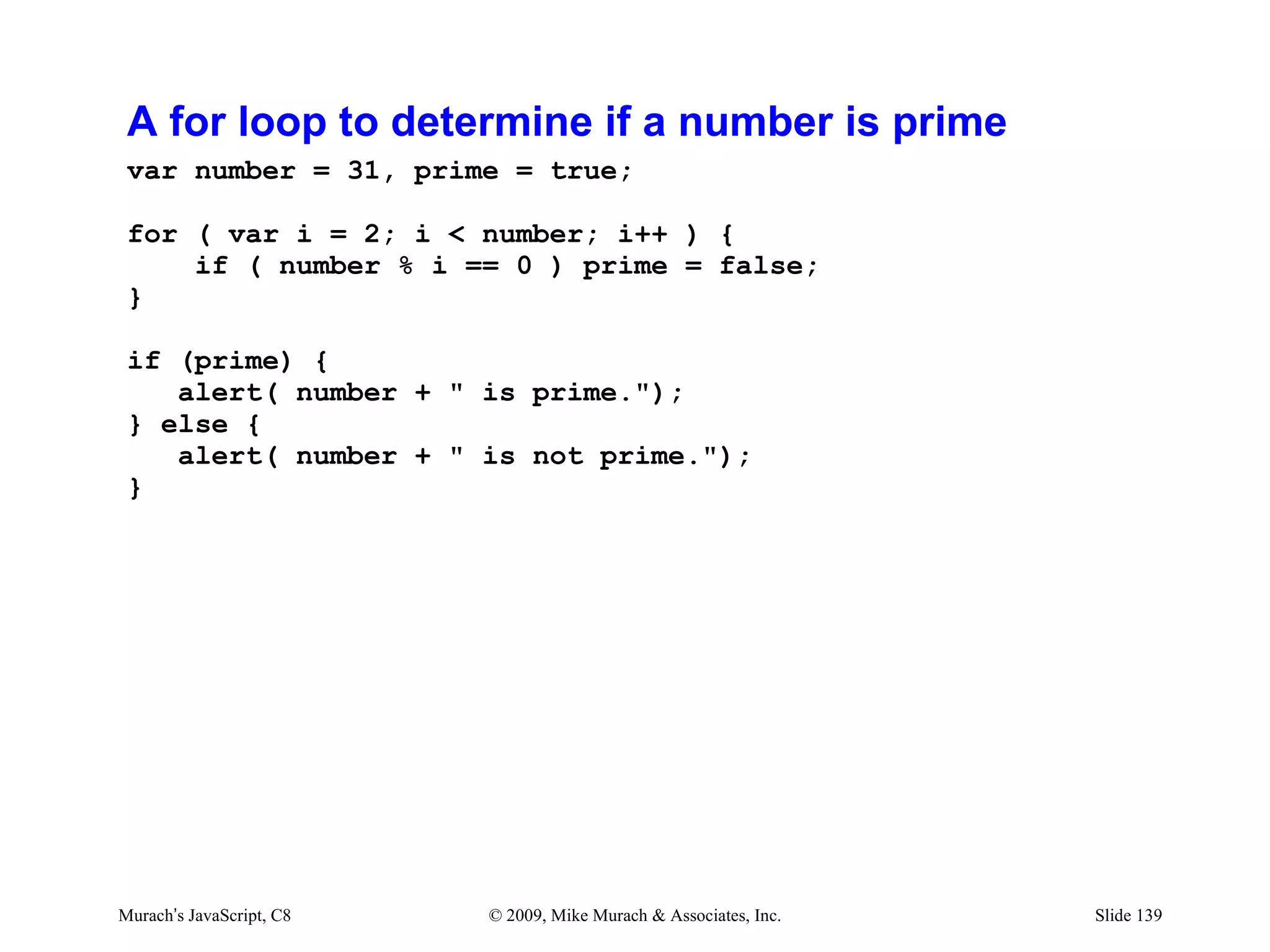
A for loop to determine if a number is prime
 var number = 31, prime = true;

 for ( var i = 2; i < number; i++ ) {
     if ( number % i == 0 ) prime = false;
 }

 if (prime) {
    alert( number + " is prime.");
 } else {
    alert( number + " is not prime.");
 }


Murach’s JavaScript, C8   © 2009, Mike Murach & Associates, Inc.   Slide 139
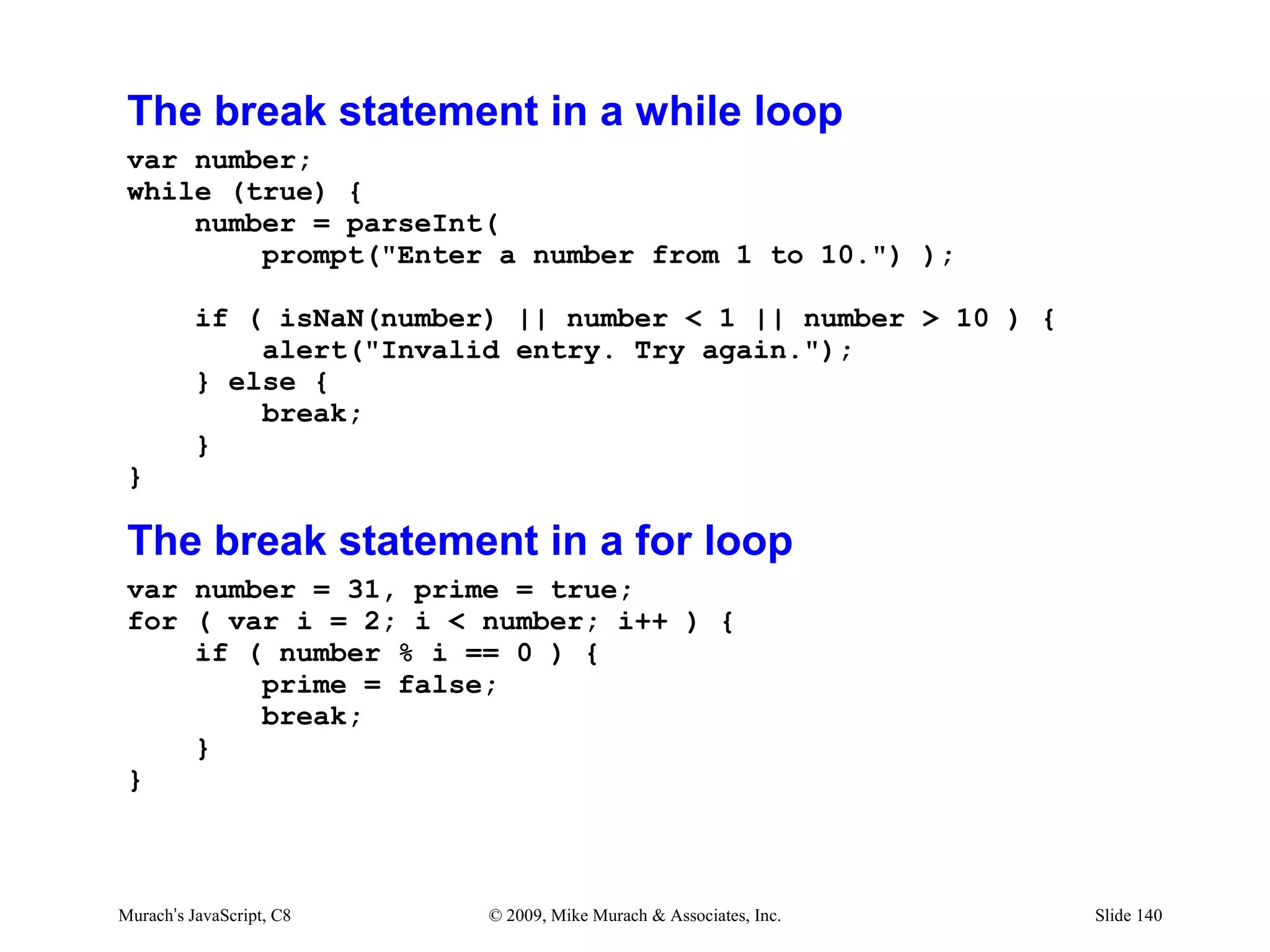
The break statement in a while loop
 var number;
 while (true) {
     number = parseInt(
         prompt("Enter a number from 1 to 10.") );

          if ( isNaN(number) || number < 1 || number > 10 ) {
              alert("Invalid entry. Try again.");
          } else {
              break;
          }
 }

 The break statement in a for loop
 var number = 31, prime = true;
 for ( var i = 2; i < number; i++ ) {
     if ( number % i == 0 ) {
         prime = false;
         break;
     }
 }


Murach’s JavaScript, C8    © 2009, Mike Murach & Associates, Inc.   Slide 140
The continue statement in a for loop
 for ( var number = 1; number <= 10; number++ ) {
     if ( number % 3 == 0 ) continue;
     alert(number);
 }
 // Only displays 1, 2, 4, 5, 7, 8, and 10

 The continue statement in a while loop
 var number = 1;
 while ( number <= 10 ) {
     if ( number % 3 == 0 ) {
         number++;
         continue;
     }
     alert(number);
     number++;
 }
 // Only displays 1, 2, 4, 5, 7, 8, and 10


Murach’s JavaScript, C8   © 2009, Mike Murach & Associates, Inc.   Slide 141
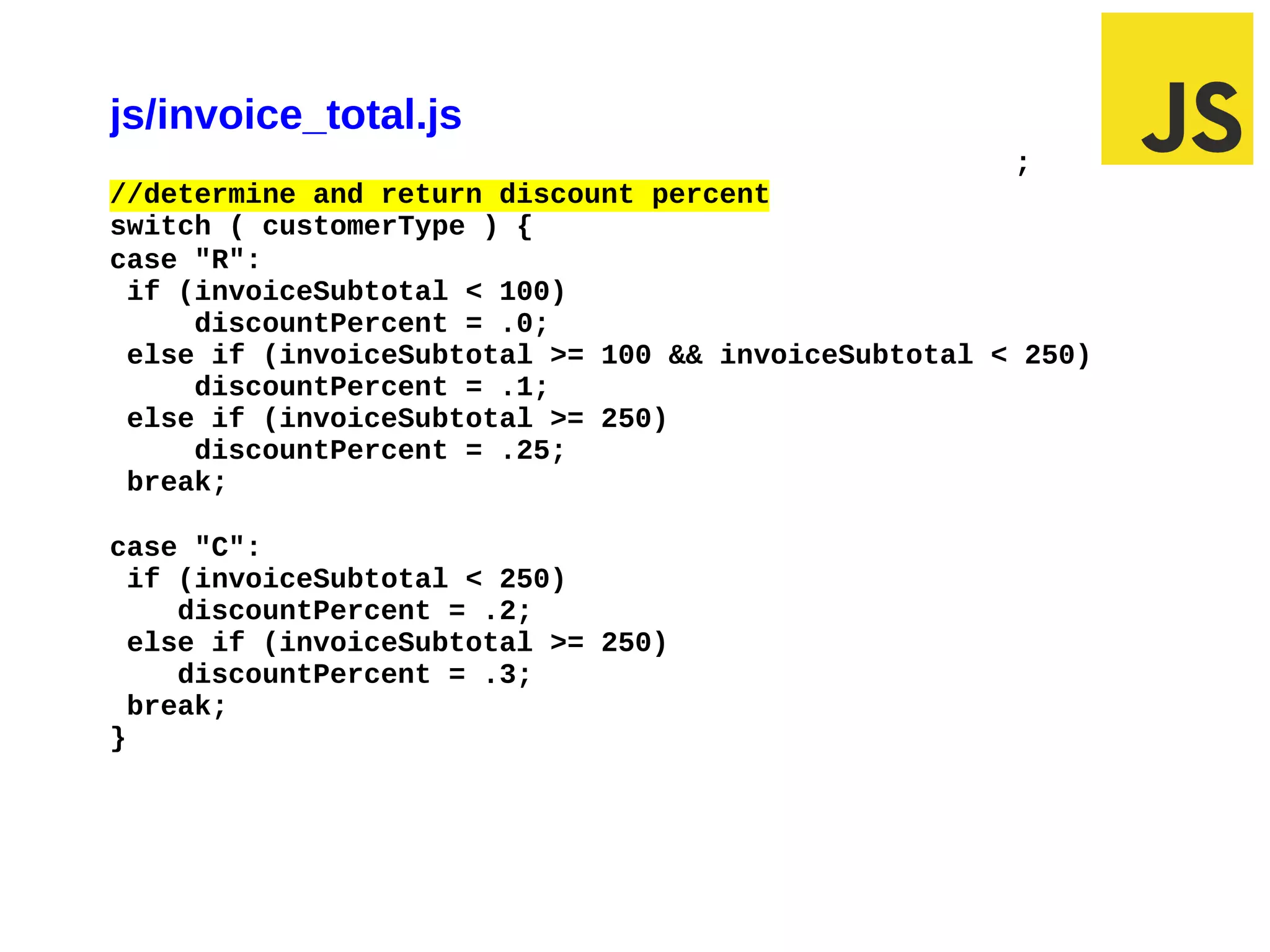
Exercise #6
js/invoice_total.js
                                                     ;
//determine and return discount percent
switch ( customerType ) {
case "R":
 if (invoiceSubtotal < 100)
     discountPercent = .0;
 else if (invoiceSubtotal >= 100 && invoiceSubtotal < 250)
     discountPercent = .1;
 else if (invoiceSubtotal >= 250)
     discountPercent = .25;
 break;

case "C":
  if (invoiceSubtotal < 250)
     discountPercent = .2;
  else if (invoiceSubtotal >= 250)
     discountPercent = .3;
  break;
}


03/10/12 11:18 AM                                        Slide 1

Week 8

  • 2.
    Local –vs– GlobalVariables Declaring variables Declaring variables with var keyword makes without var keyword them local makes them global •They are available only •They are available within the function and outside the function and hold no meaning outside hold a meaning outside of of the function the function HEURISTIC: If it’s possible to define a variable as local, do it!
  • 3.
    Local –vs– GlobalVariables <script> var a = 10; display_a(); function display_a() { var a = 20; alert("Value of 'a' inside the function " + a); } alert("Value of 'a' outside the function " + a); </script> Adapted from Global and Local variables in JavaScript Functions at webdevelopersnotes.com
  • 4.
    Local –vs– GlobalVariables First Alert Second Alert
  • 5.
    Local –vs– GlobalVariables <script> var a = 10; display_a(); function display_a() { a = 20; alert("Value of 'a' inside the function " + a); } alert("Value of 'a' outside the function " + a); </script> Adapted from Global and Local variables in JavaScript Functions at webdevelopersnotes.com
  • 6.
    Local –vs– GlobalVariables First Alert Second Alert
  • 7.
    Chapter 6 How to get input and display output Murach’s JavaScript, C6 © 2009, Mike Murach & Associates, Inc. Slide 7
  • 8.
    More design byfiat “Do me a favor, I’d like a few more changes.”
  • 9.
    Future Value userstory As a provider, I want to offer several compounding method so that I can sell more stuff Business Rule: Compounding Frequency Monthly Yearly
  • 10.
    Future Value userstory As a provider, I want to offer a preset selection of investment amounts but also allow any amount so that I can sell more stuff Acceptance Critiera $1,000 $5,000 $10,000 $25,000 Other
  • 11.
    Future Value userstory As a user, I want to see my compounding results so that I can buy the right stuff Acceptance Criteria: Monthly Compounded Amount Yearly Compounded Amount
  • 12.
  • 13.
  • 14.
    future_value.html (body section) <sectionid="content"> <h1>Future Value Calculator</h1> <article id="data"> <fieldset> <legend>Select Frequency</legend> <p><input type="radio" name="calctype" id="monthly" value="monthly" checked />Monthly Compounding</p> <p><input type="radio" name="calctype" id="yearly" value="yearly" />Yearly Compounding</p> </fieldset> <p>Enter the values below and click "Calculate".</p>
  • 15.
    future_value.html (body section) <p>Enterthe values below and click "Calculate".</p> <label for=”investment”>Investment Amount:</label> <input type="text" name="investment" id=”investment"/><br /> <label for="investment">One-Time Investment:</label> <select name="investment" id="investment"> <optgroup label=""> <option value="1000">$1,000</option> <option value="5000">$5,000</option> <option value="10000">$10,000</option> <option value="25000">$25,000</option> <option value="other">Other Amount</option> </optgroup> </select><br />
  • 16.
    future_value.html (body section) <divid="buttons"> <label>&nbsp;</label> <input type="button" id="calculate" value="Calculate" /><br /> </div> <p><input type="checkbox" name="display" id="display" value="display" checked /> Display both monthly and yearly results in the text area.</p> <p>Results</p> <textarea name="results" id="results" rows="4" cols="50"></textarea>
  • 17.
    js/future_value.js // Create maincalculation function // Get the user entries from the first three text boxes // Set output text box value to be an empty string // Test the three input values for validity // Calculate future value // Return output rounded to 2 decimal places // Auto load focus
  • 18.
    js/future_value.js //Calculate future value with yearly interest // Calculate future value with monthly interest // Return output rounded to 2 decimal places // Return all output rounded to 2 decimal places // Auto load focus
  • 19.
    js/future_value.js } else { //calculatefuture value with yearly interest var futureValueYearly = $investment; for ( var $i = 1; $i <= $years; $i++ ) { futureValueYearly = ( futureValueYearly + futureValueYearly * $interest_rate * .01)); } // Calculate future value with monthly interest var futureValueMonthly = $investment; for ( var $i = 1; $i <= $years * 12; $i++ ) { futureValueMonthly = futureValueMonthly + ( futureValueMonthly * $interest_rate / 12 * .01); } 03/10/12 9:42 AM Slide 1
  • 20.
    js/future_value.js //return output roundedto 2 decimal places if ( document.getElementById("monthly").checked ) { document.getElementById("future_value").value = futureValueMonthly.toFixed(2); } else { document.getElementById("future_value").value = futureValueYearly.toFixed(2); } 03/07/12 9:43 AM Slide 1
  • 21.
    js/future_value.js // auto loadfocus window.onload = function () { document.getElementById("years").focus(); } 02/28/12 7:04 AM Slide 1
  • 22.
    Replace JavaScript Functionwith HTML5 attribute // auto load focus window.onload = function () { document.getElementById("years").focus(); } <label for="years">Number of Years:</label> <input type="text" id="years" autofocus><br />
  • 23.
  • 24.
    Agenda • How tointeract using Dialog boxes • How to interact using Forms • Common control methods and events
  • 25.
    Syntax of theprompt method window.prompt( message, defaultValue ); Return values of the prompt method null // if the user clicks Cancel a string // if the user clicks OK How to call the prompt method when expecting string data var username = prompt("Please enter your name:"); How to call the prompt method when expecting numerical data var age = parseInt( prompt("Please enter your age:", "18") ); var wage = parseFloat( prompt("Please enter the hourly wage", "5.35") ); Murach’s JavaScript, C6 © 2009, Mike Murach & Associates, Inc. Slide 25
  • 26.
    A dialog boxdisplayed by the prompt method How to determine if the user clicked "Cancel" var age = prompt("Please enter your age:"); if ( age == null ) { alert("You clicked cancel."); } Murach’s JavaScript, C6 © 2009, Mike Murach & Associates, Inc. Slide 26
  • 27.
    Syntax of theconfirm method window.confirm( message ); Return values of the confirm method true // if the user clicks OK false // if the user clicks Cancel How to call the confirm method var response = confirm("Do you agree to the web site privacy policy?"); if (response == true) { alert("Thank you. You may continue to the web store."); } Murach’s JavaScript, C6 © 2009, Mike Murach & Associates, Inc. Slide 27
  • 28.
    A dialog boxdisplayed by the confirm method Murach’s JavaScript, C6 © 2009, Mike Murach & Associates, Inc. Slide 28
  • 29.
  • 30.
    js/future_value.js // Get userinput from the first three text boxes. var $investment = parseFloat( document.getElementById("investment").value ); if ( isNaN($investment) ) { $investment = parseFloat(prompt ("Enter investment amount:")); } 03/07/12 10:13 AM Slide 1
  • 31.
    Agenda • How tointeract using Dialog boxes • How to interact using Forms • Common control methods and events
  • 32.
    Two properties ofa Radio object object.checked object.value XHTML code for two radio buttons <p>Accept or decline the web site privacy policy:</p> <p><input type="radio" name="policy" id="policy_accept" value="accept" />Accept</p> <p><input type="radio" name="policy" id="policy_decline" value="decline" />Decline</p> The XHTML in a web browser Murach’s JavaScript, C6 © 2009, Mike Murach & Associates, Inc. Slide 32
  • 33.
    The $ functionthat gets an element by its ID var $ = function (id) { return document.getElementById(id); } JavaScript code to process the radio buttons var status = "unknown"; if ( $("policy_accept").checked ) { status = $("policy_accept").value; } if ( $("policy_decline").checked ) { status = $("policy_decline").value; } if (status == "unknown") alert("You must accept or decline the privacy policy"); } else if (status == "accept") { alert("Thank you. You may continue to use the web store."); } else { alert("You cannot use the web store at this time."); } Murach’s JavaScript, C6 © 2009, Mike Murach & Associates, Inc. Slide 33
  • 34.
    HTML code fortwo radio buttons <p><input type="radio" name="policy" disabled id="policy_accept" value="accept" />Accept</p> <p><input type="radio" name="policy" disabled id="policy_decline" value="decline" checked="checked" />Decline</p> <p><input type="button" id="toggle" value="toggle" /></p> The XHTML in a web browser Murach’s JavaScript, C6 © 2009, Mike Murach & Associates, Inc. Slide 34
  • 35.
    JavaScript code toset the radio button state var $ = function (id) { document.getElementById(id); } var toggleClick = function () { if ( $("policy_accept").checked ) { $("policy_decline").checked = true; } else { $("policy_accept").checked = true; } } window.onload = function () { $("toggle").onclick = toggleClick; } Murach’s JavaScript, C6 © 2009, Mike Murach & Associates, Inc. Slide 35
  • 36.
    Two properties ofa Checkbox object object.checked object.value XHTML code for a check box <p> <input type="checkbox" id="accept" /> I accept the web site privacy policy. </p> The XHTML in a web browser Murach’s JavaScript, C6 © 2009, Mike Murach & Associates, Inc. Slide 36
  • 37.
    JavaScript code toprocess the check box var $ = function (id) { document.getElementById(id); } var accept = $("accept").checked; if ( accept ) { alert("Thank you. You may continue to the web store."); } else { alert("You cannot use the web store at this time."); Murach’s JavaScript, C6 © 2009, Mike Murach & Associates, Inc. Slide 37
  • 38.
    XHTML code fora check box <p><input type="checkbox" disabled="disabled" name="voteStatus" id="vote_status" /> You can vote when checked.</p> The XHTML in a web browser Murach’s JavaScript, C6 © 2009, Mike Murach & Associates, Inc. Slide 38
  • 39.
    JavaScript code toset the state of the check box var $ = function (id) { document.getElementById(id); } $("vote_status").checked = false; var age = prompt("Please enter your age:"); if ( age == null ) { alert("You clicked cancel."); } else { age = parseInt(age); if ( age >= 18 ) { $("voteStatus").checked = true; } } Murach’s JavaScript, C6 © 2009, Mike Murach & Associates, Inc. Slide 39
  • 40.
    One property ofa Select object object.value XHTML code for a select list <p>Select your preferred contact method: <select id="contact"> <optgroup label="Method"> <option value="phone">Phone</option> <option value="email">E-Mail</option> <option value="txtmsg">Text Message</option> </optgroup> </select> </p> The XHTML in a web browser Murach’s JavaScript, C6 © 2009, Mike Murach & Associates, Inc. Slide 40
  • 41.
    JavaScript code toprocess the list var $ = function (id) { document.getElementById(id); } var contact = $("contact").value; if ( contact == "phone" ) { alert("Preferred contact method: Phone"); } else if ( contact == "email" ) { alert("Preferred contact method: E-mail"); } else if ( contact == "txtmsg" ) { alert("Preferred contact method: Text Message"); } else { alert("Error selecting Preferred contact method."); } Murach’s JavaScript, C6 © 2009, Mike Murach & Associates, Inc. Slide 41
  • 42.
    One property ofa Textarea object object.value XHTML code for a text area <p><textarea name="comment" id="comment" rows="5" cols="40"></textarea></p> The XHTML in a web browser Murach’s JavaScript, C6 © 2009, Mike Murach & Associates, Inc. Slide 42
  • 43.
    JavaScript code toprocess the text area var $ = function (id) { document.getElementById(id); } var comment = $("comment").value; var charCount = comment.lenght; if ( comment == "" ) { alert("Please enter a comment."); } else { alert("Your Comment: " + charCount + “charactersnn” + comment); } Terms • hard return • soft return Murach’s JavaScript, C6 © 2009, Mike Murach & Associates, Inc. Slide 43
  • 44.
    XHTML code forthree checkboxes and a text area <p><input type="checkbox" name="privacy" id="privacy" /> Privacy Policy</p> <p><input type="checkbox" name="use" id="use" /> Acceptable Use Policy</p> <p><input type="checkbox" name="license" id="license" /> End User License Agreement</p> <textarea name="policies" id="policies" rows="6" cols="40"></textarea> Murach’s JavaScript, C6 © 2009, Mike Murach & Associates, Inc. Slide 44
  • 45.
    The XHTML ina web browser Murach’s JavaScript, C6 © 2009, Mike Murach & Associates, Inc. Slide 45
  • 46.
    JavaScript code forthe text area var $ = function (id) { document.getElementById(id); } var updatePolicies = function () { var privacy = $("privacy").checked; var use = $("use").checked; var license = $("license").checked; Murach’s JavaScript, C6 © 2009, Mike Murach & Associates, Inc. Slide 46
  • 47.
    JavaScript code forthe text area (continued) var message; if ( privacy || use || license ) { message = "You agreed to these policies:nn"; if ( privacy ) { message += "- Privacy Policyn"; } if ( use ) { message += "- Acceptable Use Policyn"; } if ( license ) { message += "- End User License Agreementn"; } } else { message = "You haven't agreed to any policies."; } $("policies").value = message; } 03/13/12 JavaScript, C6 Murach’s 7:02 AM © 2009, Mike Murach & Associates, Inc. Slide 1 47 Slide
  • 48.
    JavaScript code forthe text area (continued) window.onload = function () { $("privacy").onclick = updatePolicies; $("use").onclick = updatePolicies; $("license").onclick = updatePolicies; updatePolicies(); } Murach’s JavaScript, C6 © 2009, Mike Murach & Associates, Inc. Slide 48 03/07/12 12:17 PM Slide 1
  • 49.
  • 50.
    js/future_value.js //return all outputrounded to 2 decimal places to textbox if ( document.getElementById("display").checked ) { var textAreaMessage = "Future Value of $" + $investment + "nn"; textAreaMessage += "When compounded monthly: " + futureValueMonthly.toFixed(2) + "n"; textAreaMessage += "When compounded yearly: futureValueYearly.toFixed(2); } else { textAreaMessage = ""; } document.getElementById("results").value = textAreaMessage; }
  • 51.
    Agenda • How tointeract using Dialog boxes • How to interact using Forms • Common control methods and events
  • 52.
    Common control methods object.focus() object.blur() Common control events object.onfocus() object.onblur() object.onclick() object.ondblclick() object.onchange() object.onslect() Murach’s JavaScript, C6 © 2009, Mike Murach & Associates, Inc. Slide 52
  • 54.
    Event Handler as HTML Element Attribute <input type=“text” id=“test” value=“test” eventHandler="JavaScript Function">
  • 55.
    Event Handler as JavaScript Object Property document.getElementById(id).eventHandler
  • 56.
    Event handlers Object(HTML Element) Event Handlers Selection list onBlur, onChange, onFocus Text element onBlur, onChange, onFocus, onSelect Textarea element onBlur, onChange, onFocus, onSelect Button element onClick Checkbox onClick Radio button onClick Reset button onClick Submit button onClick
  • 57.
    Event Driven Programming Basics 1. Capture input via forms and dialog boxes using HTML and CSS 2. Identify what events that the app should respond to and their timing 3. Write a function for each event in JavaScript and connect to event handler in HTML 4. Generate output in HTML and CSS
  • 58.
    The XHTML fora select list <select name="investment" id="investment"> <option value="1000">$1,000</option> <option value="5000">$5,000</option> <option value="10000">$10,000</option> <option value="25000">$25,000</option> </select><br /> The event handler for an onchange event var investmentChange = function () { calculateClick(); // Recalculate future value $("investment").blur(); // Remove the focus } The event handler for an ondblclick event var yearsDblclick = function () { $("years").value = ""; // Clear textbox } Murach’s JavaScript, C6 © 2009, Mike Murach & Associates, Inc. Slide 58
  • 59.
    Code that assignsevent handlers to events window.onload = function () { $("calculate").onclick = calculateClick; $("investment").onchange = investmentChange; $("years").ondblclick = yearsDblclick; $("years").focus(); } Murach’s JavaScript, C6 © 2009, Mike Murach & Associates, Inc. Slide 59
  • 60.
  • 61.
    js/future_value.js //auto recalc investmentselection function investmentChange () { calculate_click(); document.getElementById("investment").blur(); } //clear years input when doubleclicked function yearsDoubleClick () { document.getElementById("years").value = ""; } // auto load focus 02/28/12 7:08 AM Slide 1
  • 62.
    future_value.html (body section) <labelfor="investment">One-Time Investment:</label> <select name="investment" id="investment" onChange="investmentChange()"> <optgroup label=""> <label for="years">Number of Years:</label> <input type="text" id="years" autofocus ondblclick="yearsDoubleClick()"/><br />
  • 63.
    Chapter 7 How to work with numbers, strings, and dates Murach’s JavaScript, C7 © 2009, Mike Murach & Associates, Inc. Slide 63
  • 64.
    Even more designby fiat “It looks great. I’d like to add a few more things.
  • 65.
    Future Value userstory As a user, I want to enter my email address so that Joey will add me to his mailing list Acceptance Criteria Valid email address includes an @ sign and a period after the @ sign
  • 66.
    Future Value userstory As a user, I want to see the date so that I can keep track of when I ran the calculation Acceptance Criteria Date format = mm/dd/yyyy
  • 67.
    Agenda • How towork with numbers • How to work with Math object • How to work with strings • How to work with date and time
  • 68.
    Properties of theNumber object Number.MAX_VALUE Number.MIN_VALUE Number.POSITIVE_INFINITY Number.NEGATIVE_INFINITY Number.NaN Shortcut numerical values Infinity -Infinity NaN Testing for Infinity, -Infinity, and NaN if ( result == Infinity ) { alert( "The result exceeds " + Number.MAX_VALUE ); } else if ( result == -Infinity ) { alert( "The result is below -" + Number.MAX_VALUE ); } else if ( isNaN(result) ) { alert( "The result is not a number." ); } Murach’s JavaScript, C7 © 2009, Mike Murach & Associates, Inc. Slide 68
  • 69.
    Methods of theNumber object object.toFixed(digits) object.toString(base) object.toExponential(digits) object.toPrecision(precision) Using the toFixed method var subtotal = 19.99, rate = 0.075; var tax = subtotal * rate; // tax is 1.49925 tax = parseFloat( tax.toFixed(2) ); // tax is 1.5 alert ( tax.toFixed(2) ); // displays 1.50 Implicit use of the toString method var age = parseInt( prompt("Please enter your age.") ); alert( "Your age in decimal is " + age ); Murach’s JavaScript, C7 © 2009, Mike Murach & Associates, Inc. Slide 69
  • 70.
    Syntax of theconditional operator ( conditional_expression ) ? value_if_true : value_if_false Setting a string based on a comparison var message = ( age >= 18 ) ? "Can vote" : "Cannot vote"; Selecting a singular or plural ending var ending = ( error_count == 1 ) ? "" : "s". var message = "Found " + error_count + " error" + ending; Returning a value based on a comparison return ( number > highest ) ? highest : number; Murach’s JavaScript, C7 © 2009, Mike Murach & Associates, Inc. Slide 70
  • 71.
    Bounding a valuewithin a fixed range value = ( value > max ) ? max : ( ( value < min ) ? min : value ); Bounding a value within a fixed range (rewritten) if ( value > max ) { value = max; } else if ( value < min ) { value = min; } Murach’s JavaScript, C7 © 2009, Mike Murach & Associates, Inc. Slide 71
  • 72.
    Agenda • How towork with numbers • How to work with Math object • How to work with strings • How to work with date and time
  • 73.
    Basic escape sequences t // Tab n // New line " // Double quote ' // Single quote // Backslash Examples of the basic escape sequences var quote = "He said "Goodbye.""; var message = "Errort123nTexttInvalid Operation"; var info = "The file is in C:murach"; Murach’s JavaScript, C7 © 2009, Mike Murach & Associates, Inc. Slide 73
  • 74.
    One property ofString objects object.length Displaying the length of a string var message_1 = "JavaScript"; var result_1 = message_1.length; // result_1 is 10 Murach’s JavaScript, C7 © 2009, Mike Murach & Associates, Inc. Slide 74
  • 75.
    Methods of Stringobjects object.charAt(position) object.concat(string1, string2, ...) object.indexOf(search, position) object.substring(start, end) object.toLowerCase() object.toUpperCase() Murach’s JavaScript, C7 © 2009, Mike Murach & Associates, Inc. Slide 75
  • 76.
    The charAt method var message_2 = "JavaScript"; var letter = message_2.charAt(4); // letter is "S" The concat method var message_3 = "Java"; var result_3 = message_3.concat("Script"); // "JavaScript" The indexOf method var result_4a = message_2.indexOf("a"); // result_4a is 1 var result_4b = message_2.indexOf("a",2); // result_4b is 3 var result_4c = message_2.indexOf("s"); // result_4c is -1 The substring method var result_5a = message_2.substring(4); // "Script" var result_5b = message_2.substring(0,4); // "Java" The toLowerCase and toUpperCase methods var result_6a = message_2.toLowerCase(); // "javascript" var result_6b = message_2.toUpperCase(); // "JAVASCRIPT" Murach’s JavaScript, C7 © 2009, Mike Murach & Associates, Inc. Slide 76
  • 77.
  • 78.
    future_value.html (body section) <p>Results</p> <textareaname="results" id="results" rows="4" cols="50"></textarea> <!-- validate email address--> <hr /> <label for="email">Email Address:</label> <input type="text" id="email" /><br /> <label>&nbsp;</label> <input type="button" id="processEmail" value="Process" onclick="email_click()"/><br />
  • 79.
  • 80.
    js/future_value.js //validate email address functionemail_click () { var emailAddress = document.getElementById("email").value; var atLocation = emailAddress.indexOf("@"); if (atLocation == -1) { alert ("A valid email address must include an @ sign."); } else var dotLocation = emailAddress.indexOf(".",atLocation); if (dotLocation == -1) { alert ("A valid email address must include a period after the @ sign."); } if (atLocation > 0 && dotLocation > 0) { var domainName = emailAddress.substring(atLocation + 1); alert ("The domain name is " + domainName) } } 03/07/12 12:42 PM Slide 1
  • 81.
    Agenda • How towork with numbers • How to work with Math object • How to work with strings • How to work with date and time
  • 82.
    How to getthe current date and time var now = new Date(); How to create a Date object from a date string var election_day = new Date("11/8/2008"); var grand_opening = new Date("2/16/2009 8:00"); var departure_time = new Date("4/6/2009 18:30:00"); Syntax for creating a Date object by parts new Date( year, month, day, hours, minutes, seconds, milliseconds) Examples of creating a Date object by parts var election_day = new Date(2008, 10, 4); // 10 is Nov var grand_opening = new Date(2009, 1, 16, 8); // 1 is Feb var depart_time = new Date(2009, 3, 6, 18, 30); // 3 is Apr How to copy another date object var check_out = new Date("11/8/2008"); var due_date = new Date( check_out ); Murach’s JavaScript, C7 © 2009, Mike Murach & Associates, Inc. Slide 82
  • 83.
    The formatting methodsof a Date object object.toString() object.toDateString() object.toTimeString() Examples of the formatting methods var birthday = new Date( 2005, 0, 4, 8, 25); birthday.toString() // "Tue Jan 04 2005 08:25:00 GMT- 0500" birthday.toDateString() // "Tue Jan 04 2005" birthday.toTimeString() // "08:25:00 GMT-0500" Murach’s JavaScript, C7 © 2009, Mike Murach & Associates, Inc. Slide 83
  • 84.
    The get andset methods of a Date object object.getTime() object.getFullYear() object.getMonth() object.getDate() object.getHours() object.getMinutes() object.getSeconds() object.getMilliseconds() object.setFullYear(year) object.setMonth(month) object.setDate(day) object.setHours(hour) object.setMinutes(minute) object.setSeconds(second) object.setMilliseconds(ms) Murach’s JavaScript, C7 © 2009, Mike Murach & Associates, Inc. Slide 84
  • 85.
    Display the datein your own format var depart_time = new Date(2009, 3, 6, 18, 30); var year = depart_time.getFullYear(); var month = depart_time.getMonth() + 1; // Add 1 for month var date = depart_time.getDate(); var dateText = year + "-"; dateText += ((month < 10) ? "0" + month : month) + "-"; dateText += (date < 10) ? "0" + date : date; // Final dateText is "2009-04-06" Murach’s JavaScript, C7 © 2009, Mike Murach & Associates, Inc. Slide 85
  • 86.
    Display the timein your own format var depart_time = new Date(2009, 3, 6, 18, 30); var hours = depart_time.getHours(); var minutes = depart_time.getMinutes(); var seconds = depart_time.getSeconds(); var timeText = (hours % 12 == 0) ? 12 : hours % 12; timeText += ":"; timeText += ( minutes < 10 ) ? "0" + minutes : minutes; timeText += ":"; timeText += ( seconds < 10 ) ? "0" + seconds : seconds; timeText += ( hours < 12 ) ? " am" : " pm"; // Final timeText is "6:30:00 pm" Murach’s JavaScript, C7 © 2009, Mike Murach & Associates, Inc. Slide 86
  • 87.
    Calculate the daysuntil the New Year var now = new Date(); // Get the current time var new_year = new Date(now); // Copy the current time new_year.setMonth(0); // Set the month to January new_year.setDate(1); // Set the day to the 1st // Add 1 to the year new_year.setFullYear( new_year.getFullYear() + 1 ); // Get ms to the New Year var time_left = new_year.getTime() - now.getTime(); // Convert ms to days var days_left = Math.ceil( time_left / 86400000); Murach’s JavaScript, C7 © 2009, Mike Murach & Associates, Inc. Slide 87
  • 88.
    How to calculatea due date var check_out = new Date() var due_date = new Date( check_out ); // Set the days to 3 weeks later due_date.setDate( due_date.getDate() + 21 ); How to find the end of the month var end_of_month = new Date(); // Set the month to next month end_of_month.setMonth( end_of_month.getMonth() + 1 ); // Set the date to one day before the start of the month end_of_month.setDate( 0 ); Murach’s JavaScript, C7 © 2009, Mike Murach & Associates, Inc. Slide 88
  • 89.
  • 90.
    future_value.html (body section) <p>Results</p> <textareaname="results" id="results" rows="4" cols="50"></textarea> <!-- today's date--> <p> <script>getToday (); </script> <noscript>You must enable JavaScript for this application.</noscript> </p> <!-- validate email address-->
  • 91.
    js/future_value.js //date function function getToday() { var currentDate = new Date(); var month = currentDate.getMonth() + 1; var month = (month < 10) ? "0" + month : month; var day = currentDate.getDate(); var day = (day < 10) ? "0" + day : day; var year = currentDate.getFullYear(); var dateString = "Today is " + month + "/" + day + "/" + year ; document.writeln(dateString); } 03/07/12 12:50 PM Slide 1
  • 92.
  • 93.
    Chapter 8 How to code control statements Murach’s JavaScript, C8 © 2009, Mike Murach & Associates, Inc. Slide 93
  • 94.
    Another gig “Way togo team. You did so well that I want you to fix the product discount app using JavaScript. Do me a favor, title the app invoice total calculator and make the background orange”
  • 95.
    Invoice business rules BusinessRule #1 Retail customers $0 < $100 = 0% $100 < $250 = 10% > $250 = 25%
  • 96.
    Invoice business rules BusinessRule #2 Commerical customers $0 < $250 = 20% > $250 = 30%
  • 97.
  • 98.
    Chapter 1 Introduction to web development and PHP Murach's PHP and MySQL, C2 © 2010, Mike Murach & Associates, Inc. Slide 98
  • 99.
    The first pageof an application (index.html) Murach's PHP and MySQL, C1 © 2010, Mike Murach & Associates, Inc. Slide 99
  • 100.
    The second page(display_discount.php) Murach's PHP and MySQL, C1 © 2010, Mike Murach & Associates, Inc. Slide 100
  • 101.
    From index.php toinvoice_total.hmtl (body section) <section id="content"> <h1>Product Discount Calculator</h1> <form action="display_discount.php" method="post"> <article id="data"> <label>Product Description:</label> <input type="text" name="product_description" id=”product_description"/><br /> <label>List Price:</label> <input type="text" name="list_price" id=”list_price”/><br /> <label for="type">Customer Type:</label> <select name="type" id="type"> <option value="R">Retail</option> <option value="C">Commercial</option> </select><br /> <label>Discount Percent:</label> <input type="text" name="discount_percent" id="discount_percent" disabled />%<br /> </article>
  • 102.
    From index.php toinvoice_total.html (body section) <label>Discount Percent:</label> <input type="text" name="discount_percent" id="discount_percent" disabled />%<br /> <label for="discount">Discount Amount:</label> <input type="text" name="discount" id="discount" disabled /><br /> <label for="total">Invoice Total:</label> <input type="text" name="total" id="total" disabled /><br /> </article> <div id="buttons"> <label>&nbsp;</label> <input type="submit" value="Calculate Discount" onclick = "calculate_click()"/><br /> </div> </form> </section>
  • 103.
  • 104.
    Behavior from display_discount.php //get the data from the form $product_description = $_POST['product_description']; $list_price = $_POST['list_price']; $discount_percent = $_POST['discount_percent']; // calculate the discount $discount = $list_price * $discount_percent * .01; $discount_price = $list_price - $discount;
  • 105.
    js/invoice_total.js //main function thatcalculates the price //user enters list price //user selects customer type //determine and return discount percent //calculate and return discount amount //calculate and return invoice amount //auto load script 03/10/12 6:53 AM Slide 1
  • 106.
    js/invoice_total.js //main function thatcaluculates the price function calculate_click () { //calculate and return invoice amount } //auto load script 02/29/12 6:30 PM Slide 1
  • 107.
    js/invoice_total.js //user enters listprice var invoiceSubtotal = parseFloat (document.getElementById("list_price").value ); document.getElementById("list_price").value = invoiceSubtotal.toFixed(2); //user selects customer type var customerType = document.getElementById("type").value; 02/29/12 5:45 PM Slide 1
  • 108.
    js/invoice_total.js //calculate and returndiscount amount var discountAmount = invoiceSubtotal * discountPercent; document.getElementById("discount").value discountAmount.toFixed(2); //calculate and return invoice amount var invoiceTotal = invoiceSubtotal – discountAmount;document.getElementById("total").value = invoiceTotal.toFixed(2); 02/29/12 6:31 PM Slide 1
  • 109.
    js/invoice_total.js //auto loads script window.onload= function () { document.getElementById("product_description").focus();
  • 110.
    Replace JavaScript Functionwith HTML5 attribute // auto load focus window.onload = function () { document.getElementById("product_description").focus(); } <label for="product_description">Product Description:</label> <input type="text" name="product_description" id=”product_description" autofocus><br />
  • 111.
    Agenda • How tocode conditional expressions • How to code selection structures • How to code iteration structures
  • 112.
    The equality operators Operator Description == Equal != Not equal The identity operators Operator Description === Equal !== Not equal Description • The equality operators perform type coercion. • The identity operators do not perform type coercion. Murach’s JavaScript, C8 © 2009, Mike Murach & Associates, Inc. Slide 112
  • 113.
    The relational operators Operator Description < Less than <= Less than or equal > Greater than >= Greater than or equal Comparing strings to numbers Expression Result 1 < "3" true "10" < 3 false Murach’s JavaScript, C8 © 2009, Mike Murach & Associates, Inc. Slide 113
  • 114.
    Comparing strings tostrings Expression Result "apple" < "orange" true "apple" < "appletree" true "Orange" < "apple" true "@" < "$" false Murach’s JavaScript, C8 © 2009, Mike Murach & Associates, Inc. Slide 114
  • 115.
    The logical operators Operator Name ! NOT && AND || OR The NOT operator !isNaN(number) The AND operator age >= 18 && score >= 680 The OR operator state == "CA" || state == "NC" Murach’s JavaScript, C8 © 2009, Mike Murach & Associates, Inc. Slide 115
  • 116.
    JavaScript operator taxonomy Classification Operator Unary ++, --, -, ! Binary +, -, /, *, <, >, %, =<, >=, +=, -=, /=, *=, %=, &&, ||, ==, !=, ===, !==, Ternary ? Murach’s JavaScript, C6 © 2009, Mike Murach & Associates, Inc. Slide 116
  • 117.
    The order ofprecedence Order Operators 1 ! 2 <, <=, >, >= 3 ==, !=, ===, !== 4 && 5 || AND, OR, and NOT operators !oldCustomer || loanAmount >= 10000 && score < minScore + 200 How parentheses can change the evaluation (!oldCustomer || loanAmount >= 10000) && score < minScore + 200 Murach’s JavaScript, C8 © 2009, Mike Murach & Associates, Inc. Slide 117
  • 118.
    Agenda • How tocode conditional expressions • How to code selection structures • How to code iteration structures
  • 119.
    An if clausewith one statement and no braces if ( rate === undefined ) rate = 0.075; An if clause with one statement and braces if ( qualified ) { alert("You qualify for enrollment."); } Murach’s JavaScript, C8 © 2009, Mike Murach & Associates, Inc. Slide 119
  • 120.
    If and elseclauses with no braces if ( age >= 18 ) alert("You may vote."); else alert("You may not vote."); Why you should use braces if ( age >= 18 ) alert("You may vote."); else alert("You may not vote."); may_vote = false; // Not a part of the else clause. Braces make your code easier to modify if ( score >= 680 ) { alert("Your loan is approved."); } else { alert("Your loan is not approved."); } Murach’s JavaScript, C8 © 2009, Mike Murach & Associates, Inc. Slide 120
  • 121.
    A nested ifstatement var isLeapYear; if ( year % 4 == 0 ) { if ( year % 100 == 0 ) { if ( year % 400 == 0) { isLeapYear = true; // div by 4, 100, and 400 } else { isLeapYear = false; // div by 4 & 100, not 400 } } else { isLeapYear = true; // div by 4, not 100 } } else { isLeapYear = false; // no div by 4 } Murach’s JavaScript, C8 © 2009, Mike Murach & Associates, Inc. Slide 121
  • 122.
    An if statementwith one else if clause if ( age < 18 ) { alert("You're too young for a loan."); } else if ( score < 680 ) { alert("Your credit score is too low for a loan."); } An if statement with an else if and an else clause if ( age < 18 ) { alert("You're too young for a loan."); } else if ( score < 680 ) { alert("Your credit score is too low for a loan."); } else { alert("You're approved for your loan."); } Murach’s JavaScript, C8 © 2009, Mike Murach & Associates, Inc. Slide 122
  • 123.
    An if statementwith else if clauses and else clauses rateIsValid = false; if ( isNaN(rate) ) { alert("Rate is not a number."); } else if (rate < 0) { alert("Rate cannot be less than zero."); } else if (rate > 0.2) { alert("Rate cannot be greater than 20%."); } else { rateIsValid = true; } Murach’s JavaScript, C8 © 2009, Mike Murach & Associates, Inc. Slide 123
  • 124.
    An if statementto determine a student’s letter grade if ( average >= 89.5 ) { grade = "A"; } else if ( average >= 79.5 ) { grade = "B"; } else if ( average >= 69.5 ) { grade = "C"; } else if ( average >= 64.5 ) { grade = "D"; } else { grade = "F"; } Murach’s JavaScript, C8 © 2009, Mike Murach & Associates, Inc. Slide 124
  • 125.
    A switch statementwith a default case switch ( letterGrade ) { case "A": message = "well above average"; break; case "B": message = "above average"; break; case "C": message = "average"; break; case "D": message = "below average"; break; case "F": message = "failing"; break; default: message = "invalid grade"; break; } Murach’s JavaScript, C8 © 2009, Mike Murach & Associates, Inc. Slide 125
  • 126.
    A switch statementwith fall through switch ( letterGrade ) { case "A": case "B": message = "Scholarship approved."; break; case "C": message = "Application requires review."; break; case "D": case "F": message = "Scholarship not approved."; break; } Murach’s JavaScript, C8 © 2009, Mike Murach & Associates, Inc. Slide 126
  • 127.
    The if statementfor a Future Value application // Test if input is valid if (isNaN(investment) || investment <= 0) { alert("Investment is not a valid number."); } else if(isNaN(annualRate) || annualRate <= 0) { alert("Annual rate is not a valid number."); } else if(isNaN(years) || years <= 0) { alert("Years is not a valid number."); // If input is valid, calculate future value } else { // code that calculates the future value goes here } Murach’s JavaScript, C8 © 2009, Mike Murach & Associates, Inc. Slide 127
  • 128.
    How to usea flag to get the same results // Test if input is valid var valid = true; if (isNaN(investment) || investment <= 0) { alert("Investment is not a valid number."); valid = false; } else if(isNaN(annualRate) || annualRate <= 0) { alert("Annual rate is not a valid number."); valid = false; } else if(isNaN(years) || years <= 0) { alert("Years is not a valid number."); valid = false; } // If input is valid, calculate the future value if ( valid ){ // code that calculates the future value goes here } Murach’s JavaScript, C8 © 2009, Mike Murach & Associates, Inc. Slide 128
  • 129.
    Agenda • How tocode conditional expressions • How to code selection structures • How to code iteration structures
  • 130.
    A while loopto validate user input var value = parseInt( prompt("Please enter a number from 1 to 10") ); while ( isNaN(value) || value < 1 || value > 10 ) { alert("You did not enter a number between 1 and 10."); value = parseInt( prompt("Please enter a number from 1 to 10") ); } Murach’s JavaScript, C8 © 2009, Mike Murach & Associates, Inc. Slide 130
  • 131.
    A while loopthat finds the average of a series of numbers alert("Enter a non-number to stop."); var total = 0, count = 0, number; number = parseFloat( prompt("Enter a number") ); while ( !isNaN(number) ) { total += number; count++; number = parseFloat( prompt("Enter another number") ); } var average = total / count; if ( isNaN(average) ) { alert("You didn't enter any numbers."); } else { alert("The average is: " + average); } Murach’s JavaScript, C8 © 2009, Mike Murach & Associates, Inc. Slide 131
  • 132.
    A while loopthat counts dice rolls until a six is rolled var rolls = 1; while ( random_number(1,6) != 6 ) { rolls++; } alert("Number of times to roll a six: " + rolls); // NOTE: See figure 7-5 for the random_number function Murach’s JavaScript, C8 © 2009, Mike Murach & Associates, Inc. Slide 132
  • 133.
    Nested while loopsthat find the average and max to roll a six var total = 0, count = 0, max = -Infinity; var rolls; while ( count < 10000 ) { rolls = 1; while ( random_number(1, 6) != 6 ) { rolls++; } total += rolls; count++; if ( rolls > max ) max = rolls; } var average = total / count; alert ("Average rolls: " + average); alert ("Max rolls: " + max); Murach’s JavaScript, C8 © 2009, Mike Murach & Associates, Inc. Slide 133
  • 134.
    A do-while loopto validate user input var value, valid; do { value = parseInt( prompt("Enter a number between 1 and 10") ); if (isNaN(value) || value < 1 || value > 10) { alert("You did not enter a valid number."); valid = false; } else { valid = true; } } while ( !valid ); Murach’s JavaScript, C8 © 2009, Mike Murach & Associates, Inc. Slide 134
  • 135.
    A do-while loopthat counts dice rolls until a six is rolled var rolls = 0; do { rolls ++; } while ( random_number(1,6) != 6 ); alert("Number of times to roll a six: " + rolls); // NOTE: See figure 7-5 for the random_number function Murach’s JavaScript, C8 © 2009, Mike Murach & Associates, Inc. Slide 135
  • 136.
    A do-while loopthat finds max and min values alert("Enter a non-number to stop."); var max = -Infinity, min = Infinity, number; var value_entered = false, stop = false; do { number = parseFloat( prompt("Enter a number") ); if ( isNaN(number) ) { stop = true; } else { value_entered = true; if ( number > max ) max = number; if ( number < min ) min = number; } } while ( !stop ); if (value_entered) { alert("Max: " + max + ", Min: " + min); } else { alert("No numbers entered."); } Murach’s JavaScript, C8 © 2009, Mike Murach & Associates, Inc. Slide 136
  • 137.
    A for statement for ( var count = 1; count <= 10; count++ ) { alert ( count ); } A while statement that does the same thing var count = 1; while ( count <= 10 ) { alert ( count ); count++; } Murach’s JavaScript, C8 © 2009, Mike Murach & Associates, Inc. Slide 137
  • 138.
    A for loopto display even numbers from 2 to 10 for ( var number = 2; number <= 10; number += 2 ) { alert( number ); } A for loop to reverse a string var message = "JavaScript", reverse = ""; for (var i = message.length - 1; i >= 0; i-- ) { reverse += message.charAt(i); } alert(reverse); // Displays "tpircSavaJ" A for loop to display all the factors of a number var number = 18; for ( var i = 1; i < number; i++ ) { if ( number % i == 0 ) { alert( i + " is a factor of " + number ); } } Murach’s JavaScript, C8 © 2009, Mike Murach & Associates, Inc. Slide 138
  • 139.
    A for loopto determine if a number is prime var number = 31, prime = true; for ( var i = 2; i < number; i++ ) { if ( number % i == 0 ) prime = false; } if (prime) { alert( number + " is prime."); } else { alert( number + " is not prime."); } Murach’s JavaScript, C8 © 2009, Mike Murach & Associates, Inc. Slide 139
  • 140.
    The break statementin a while loop var number; while (true) { number = parseInt( prompt("Enter a number from 1 to 10.") ); if ( isNaN(number) || number < 1 || number > 10 ) { alert("Invalid entry. Try again."); } else { break; } } The break statement in a for loop var number = 31, prime = true; for ( var i = 2; i < number; i++ ) { if ( number % i == 0 ) { prime = false; break; } } Murach’s JavaScript, C8 © 2009, Mike Murach & Associates, Inc. Slide 140
  • 141.
    The continue statementin a for loop for ( var number = 1; number <= 10; number++ ) { if ( number % 3 == 0 ) continue; alert(number); } // Only displays 1, 2, 4, 5, 7, 8, and 10 The continue statement in a while loop var number = 1; while ( number <= 10 ) { if ( number % 3 == 0 ) { number++; continue; } alert(number); number++; } // Only displays 1, 2, 4, 5, 7, 8, and 10 Murach’s JavaScript, C8 © 2009, Mike Murach & Associates, Inc. Slide 141
  • 142.
  • 143.
    js/invoice_total.js ; //determine and return discount percent switch ( customerType ) { case "R": if (invoiceSubtotal < 100) discountPercent = .0; else if (invoiceSubtotal >= 100 && invoiceSubtotal < 250) discountPercent = .1; else if (invoiceSubtotal >= 250) discountPercent = .25; break; case "C": if (invoiceSubtotal < 250) discountPercent = .2; else if (invoiceSubtotal >= 250) discountPercent = .3; break; } 03/10/12 11:18 AM Slide 1