CSS is a style sheet language used to describe the
presentation semantics (the look and formatting) of a
document written in a markup language. Its most
common application is to style web pages written in
HTML and XHTML, but the language can also be applied
to any kind of XML document, including SVG and XUL.
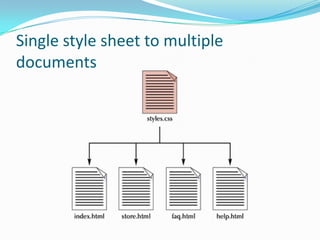
Single style sheet to multiple
documents
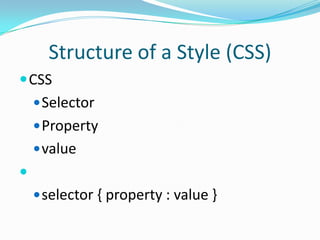
Structure of a Style (CSS)
 CSS
     Selector
     Property
     value

     selector { property : value }
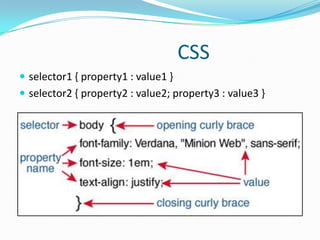
CSS
 selector1 { property1 : value1 }
 selector2 { property2 : value2; property3 : value3 }
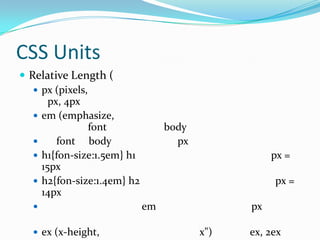
CSS Units
 Relative Length (
    px (pixels,
       px, 4px
    em (emphasize,
                 font             body
        font body                  px
    h1{fon-size:1.5em} h1                          px =
     15px
    h2{fon-size:1.4em} h2                          px =
     14px
                            em                px

   ex (x-height,                        x")   ex, 2ex
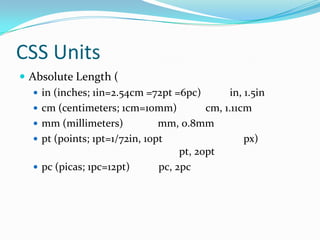
CSS Units
 Absolute Length (
    in (inches; 1in=2.54cm =72pt =6pc)          in, 1.5in
    cm (centimeters; 1cm=10mm)            cm, 1.11cm
    mm (millimeters)           mm, 0.8mm
    pt (points; 1pt=1/72in, 10pt                    px)
                                     pt, 20pt
    pc (picas; 1pc=12pt)       pc, 2pc
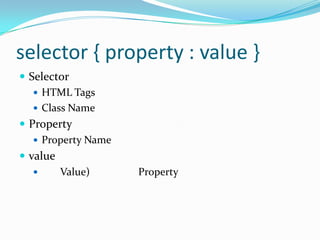
selector { property : value }
 Selector
    HTML Tags
    Class Name
 Property
    Property Name
 value
        Value)      Property
Selector
 Selector
    HTML Tags
    Class Name
Example
[HTML Tags:Style] H2{ background-color : #191970 }
[HTML Tags:Style] P{ text-indent: 3em }
[Class Name:Style] .note { font-size : small }
[Class Name:Style] .normal{ color : blue }
[Class Name:Style] .special{ color : red }
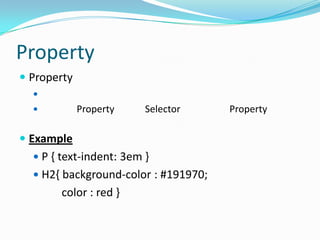
Property
 Property
  
            Property    Selector     Property

 Example
   P { text-indent: 3em }
   H2{ background-color : #191970;
       color : red }
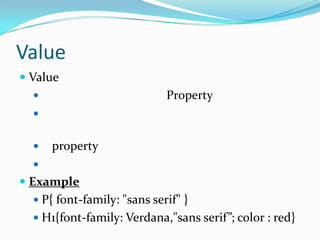
Value
 Value
                            Property
  


     property
  
 Example
   P{ font-family: "sans serif" }
   H1{font-family: Verdana,"sans serif”; color : red}
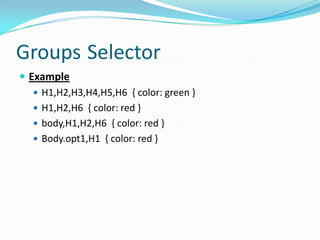
Groups Selector
 Example
    H1,H2,H3,H4,H5,H6 { color: green }
    H1,H2,H6 { color: red }
    body,H1,H2,H6 { color: red }
    Body.opt1,H1 { color: red }
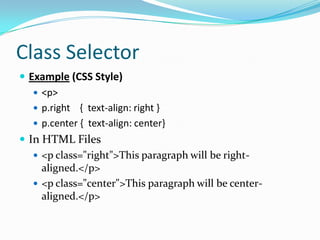
Class Selector
 Example (CSS Style)
    <p>
    p.right { text-align: right }
    p.center { text-align: center}
 In HTML Files
    <p class="right">This paragraph will be right-
     aligned.</p>
    <p class="center">This paragraph will be center-
     aligned.</p>
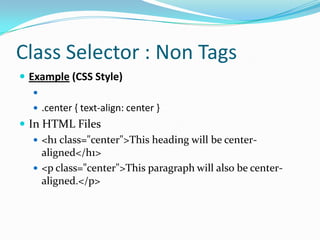
Class Selector : Non Tags
 Example (CSS Style)
   
    .center { text-align: center }
 In HTML Files
    <h1 class="center">This heading will be center-
     aligned</h1>
    <p class="center">This paragraph will also be center-
     aligned.</p>
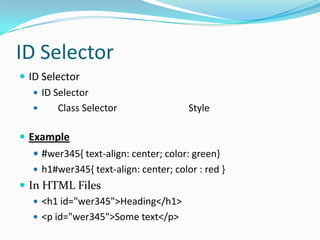
ID Selector
 ID Selector
    ID Selector
        Class Selector                 Style

 Example
    #wer345{ text-align: center; color: green}
    h1#wer345{ text-align: center; color : red }
 In HTML Files
    <h1 id="wer345">Heading</h1>
    <p id="wer345">Some text</p>
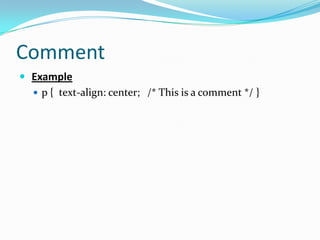
Comment
 Example
   p { text-align: center; /* This is a comment */ }
Style: Style Sheet
Style: Style Sheet
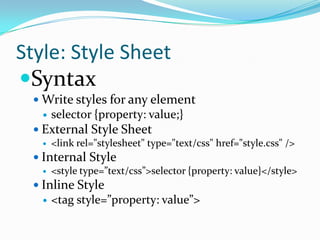
Syntax
  Write styles for any element
      selector {property: value;}
  External Style Sheet
      <link rel="stylesheet" type="text/css" href="style.css" />
  Internal Style
      <style type=”text/css”>selector {property: value}</style>
  Inline Style
      <tag style=”property: value”>
Style: Style Sheet
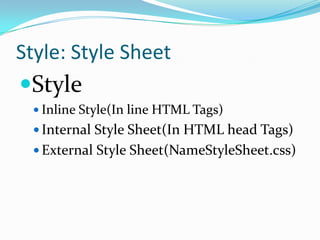
Style
  Inline Style(In line HTML Tags)
  Internal Style Sheet(In HTML head Tags)
  External Style Sheet(NameStyleSheet.css)
Inline Style
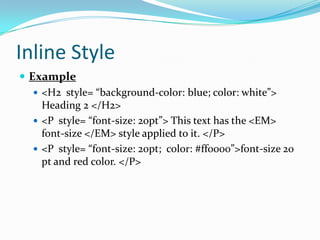
 Example
    <H2 style= “background-color: blue; color: white”>
     Heading 2 </H2>
    <P style= “font-size: 20pt”> This text has the <EM>
     font-size </EM> style applied to it. </P>
    <P style= “font-size: 20pt; color: #ff0000”>font-size 20
     pt and red color. </P>
Internal Style
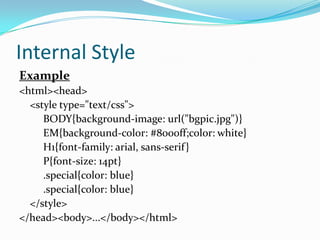
Example
<html><head>
  <style type="text/css">
     BODY{background-image: url("bgpic.jpg")}
     EM{background-color: #8000ff;color: white}
     H1{font-family: arial, sans-serif }
     P{font-size: 14pt}
     .special{color: blue}
     .special{color: blue}
  </style>
</head><body>...</body></html>
Internal Style
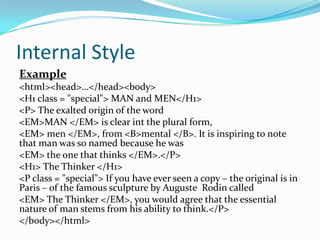
Example
<html><head>…</head><body>
<H1 class = "special"> MAN and MEN</H1>
<P> The exalted origin of the word
<EM>MAN </EM> is clear int the plural form,
<EM> men </EM>, from <B>mental </B>. It is inspiring to note
that man was so named because he was
<EM> the one that thinks </EM>.</P>
<H1> The Thinker </H1>
<P class = "special"> If you have ever seen a copy – the original is in
Paris – of the famous sculpture by Auguste Rodin called
<EM> The Thinker </EM>, you would agree that the essential
nature of man stems from his ability to think.</P>
</body></html>
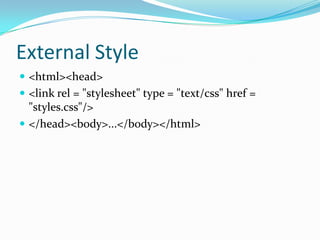
External Style
 <html><head>
 <link rel = "stylesheet" type = "text/css" href =
  "styles.css"/>
 </head><body>...</body></html>
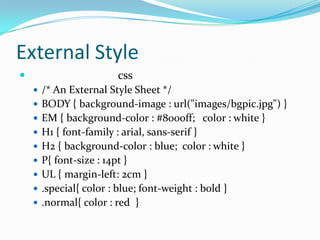
External Style
                       css
     /* An External Style Sheet */
     BODY { background-image : url("images/bgpic.jpg") }
     EM { background-color : #8000ff; color : white }
     H1 { font-family : arial, sans-serif }
     H2 { background-color : blue; color : white }
     P{ font-size : 14pt }
     UL { margin-left: 2cm }
     .special{ color : blue; font-weight : bold }
     .normal{ color : red }
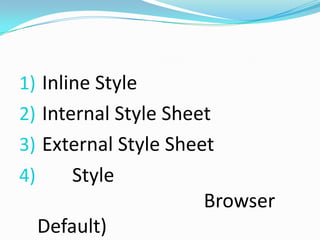
1) Inline Style
2) Internal Style Sheet
3) External Style Sheet
4)       Style
                      Browser
     Default)
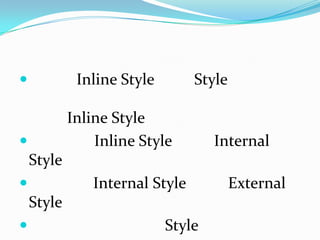
            Inline Style       Style

            Inline Style
               Inline Style        Internal
    Style
              Internal Style           External
    Style
                           Style
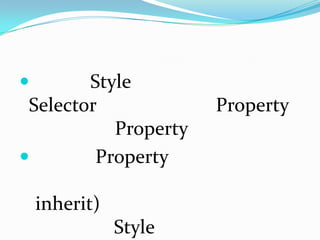
       Style
 Selector              Property
           Property
        Property

    inherit)
               Style
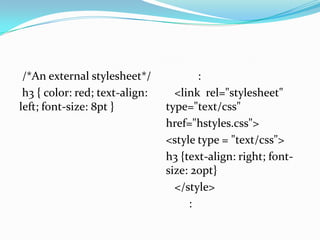
/*An external stylesheet*/            :
 h3 { color: red; text-align:     <link rel="stylesheet"
left; font-size: 8pt }          type="text/css"
                                href="hstyles.css">
                                <style type = "text/css">
                                h3 {text-align: right; font-
                                size: 20pt}
                                  </style>
                                     :
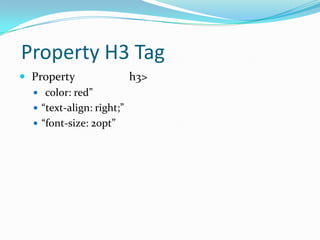
Property H3 Tag
 Property               h3>
   color: red”
   “text-align: right;”
   “font-size: 20pt”
CSS
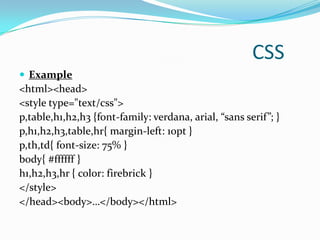
 Example
<html><head>
<style type="text/css">
p,table,h1,h2,h3 {font-family: verdana, arial, “sans serif”; }
p,h1,h2,h3,table,hr{ margin-left: 10pt }
p,th,td{ font-size: 75% }
body{ #ffffff }
h1,h2,h3,hr { color: firebrick }
</style>
</head><body>…</body></html>
CSS
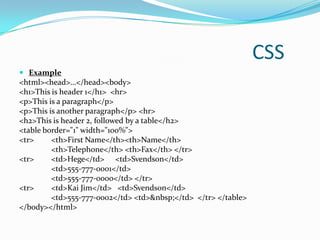
 Example
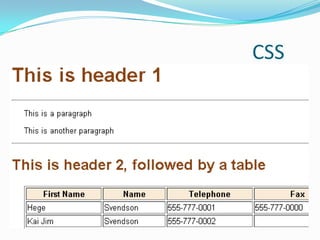
<html><head>…</head><body>
<h1>This is header 1</h1> <hr>
<p>This is a paragraph</p>
<p>This is another paragraph</p> <hr>
<h2>This is header 2, followed by a table</h2>
<table border="1" width="100%">
<tr>     <th>First Name</th><th>Name</th>
         <th>Telephone</th> <th>Fax</th> </tr>
<tr>     <td>Hege</td> <td>Svendson</td>
         <td>555-777-0001</td>
         <td>555-777-0000</td> </tr>
<tr>     <td>Kai Jim</td> <td>Svendson</td>
         <td>555-777-0002</td> <td>&nbsp;</td> </tr> </table>
</body></html>
CSS
CSS
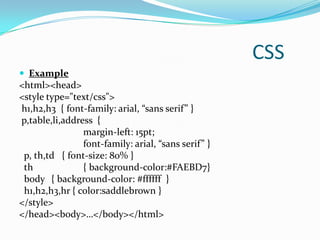
 Example
<html><head>
<style type="text/css">
h1,h2,h3 { font-family: arial, “sans serif” }
p,table,li,address {
                margin-left: 15pt;
                font-family: arial, “sans serif” }
 p, th,td { font-size: 80% }
 th             { background-color:#FAEBD7}
 body { background-color: #ffffff }
 h1,h2,h3,hr { color:saddlebrown }
</style>
</head><body>…</body></html>
CSS
Formatting Hypertext Links
To remove the style of underlining hypertext,
use:
 A {text-decoration:none}
Formatting Hypertext Links
4 types of hyperlinks can be modified:
 A:visited {styles for previously visited links}
 A:link {styles for links that have never
  visited}
 A:active {styles for links that are currently
  being clicked}
 A:hover {styles when the mouse cursor is
  hovering over the link}
Ref.
 http://www.w3.org/
 http://www.w3shcools.com/
 http://www.westciv.com/style_master/academy/css_t
  utorial/
 H.M Deitel, P.J. Deitel, T.R. Nieto, (2002), Internet &
  World Wide Web How to Program, Prentice Hall.

html

  • 1.
    CSS is astyle sheet language used to describe the presentation semantics (the look and formatting) of a document written in a markup language. Its most common application is to style web pages written in HTML and XHTML, but the language can also be applied to any kind of XML document, including SVG and XUL.
  • 2.
    Single style sheetto multiple documents
  • 4.
    Structure of aStyle (CSS)  CSS  Selector  Property  value   selector { property : value }
  • 5.
    CSS  selector1 {property1 : value1 }  selector2 { property2 : value2; property3 : value3 }
  • 6.
    CSS Units  RelativeLength (  px (pixels, px, 4px  em (emphasize, font body  font body px  h1{fon-size:1.5em} h1 px = 15px  h2{fon-size:1.4em} h2 px = 14px  em px  ex (x-height, x") ex, 2ex
  • 7.
    CSS Units  AbsoluteLength (  in (inches; 1in=2.54cm =72pt =6pc) in, 1.5in  cm (centimeters; 1cm=10mm) cm, 1.11cm  mm (millimeters) mm, 0.8mm  pt (points; 1pt=1/72in, 10pt px) pt, 20pt  pc (picas; 1pc=12pt) pc, 2pc
  • 8.
    selector { property: value }  Selector  HTML Tags  Class Name  Property  Property Name  value  Value) Property
  • 9.
    Selector  Selector  HTML Tags  Class Name Example [HTML Tags:Style] H2{ background-color : #191970 } [HTML Tags:Style] P{ text-indent: 3em } [Class Name:Style] .note { font-size : small } [Class Name:Style] .normal{ color : blue } [Class Name:Style] .special{ color : red }
  • 10.
    Property  Property   Property Selector Property  Example  P { text-indent: 3em }  H2{ background-color : #191970; color : red }
  • 11.
    Value  Value  Property   property   Example  P{ font-family: "sans serif" }  H1{font-family: Verdana,"sans serif”; color : red}
  • 12.
    Groups Selector  Example  H1,H2,H3,H4,H5,H6 { color: green }  H1,H2,H6 { color: red }  body,H1,H2,H6 { color: red }  Body.opt1,H1 { color: red }
  • 13.
    Class Selector  Example(CSS Style)  <p>  p.right { text-align: right }  p.center { text-align: center}  In HTML Files  <p class="right">This paragraph will be right- aligned.</p>  <p class="center">This paragraph will be center- aligned.</p>
  • 14.
    Class Selector :Non Tags  Example (CSS Style)   .center { text-align: center }  In HTML Files  <h1 class="center">This heading will be center- aligned</h1>  <p class="center">This paragraph will also be center- aligned.</p>
  • 15.
    ID Selector  IDSelector  ID Selector  Class Selector Style  Example  #wer345{ text-align: center; color: green}  h1#wer345{ text-align: center; color : red }  In HTML Files  <h1 id="wer345">Heading</h1>  <p id="wer345">Some text</p>
  • 16.
    Comment  Example  p { text-align: center; /* This is a comment */ }
  • 17.
  • 18.
    Style: Style Sheet Syntax  Write styles for any element  selector {property: value;}  External Style Sheet  <link rel="stylesheet" type="text/css" href="style.css" />  Internal Style  <style type=”text/css”>selector {property: value}</style>  Inline Style  <tag style=”property: value”>
  • 19.
    Style: Style Sheet Style  Inline Style(In line HTML Tags)  Internal Style Sheet(In HTML head Tags)  External Style Sheet(NameStyleSheet.css)
  • 20.
    Inline Style  Example  <H2 style= “background-color: blue; color: white”> Heading 2 </H2>  <P style= “font-size: 20pt”> This text has the <EM> font-size </EM> style applied to it. </P>  <P style= “font-size: 20pt; color: #ff0000”>font-size 20 pt and red color. </P>
  • 21.
    Internal Style Example <html><head> <style type="text/css"> BODY{background-image: url("bgpic.jpg")} EM{background-color: #8000ff;color: white} H1{font-family: arial, sans-serif } P{font-size: 14pt} .special{color: blue} .special{color: blue} </style> </head><body>...</body></html>
  • 22.
    Internal Style Example <html><head>…</head><body> <H1 class= "special"> MAN and MEN</H1> <P> The exalted origin of the word <EM>MAN </EM> is clear int the plural form, <EM> men </EM>, from <B>mental </B>. It is inspiring to note that man was so named because he was <EM> the one that thinks </EM>.</P> <H1> The Thinker </H1> <P class = "special"> If you have ever seen a copy – the original is in Paris – of the famous sculpture by Auguste Rodin called <EM> The Thinker </EM>, you would agree that the essential nature of man stems from his ability to think.</P> </body></html>
  • 23.
    External Style  <html><head> <link rel = "stylesheet" type = "text/css" href = "styles.css"/>  </head><body>...</body></html>
  • 24.
    External Style  css  /* An External Style Sheet */  BODY { background-image : url("images/bgpic.jpg") }  EM { background-color : #8000ff; color : white }  H1 { font-family : arial, sans-serif }  H2 { background-color : blue; color : white }  P{ font-size : 14pt }  UL { margin-left: 2cm }  .special{ color : blue; font-weight : bold }  .normal{ color : red }
  • 26.
    1) Inline Style 2)Internal Style Sheet 3) External Style Sheet 4) Style Browser Default)
  • 27.
    Inline Style Style Inline Style  Inline Style Internal Style  Internal Style External Style  Style
  • 28.
    Style Selector Property Property  Property inherit) Style
  • 29.
    /*An external stylesheet*/ : h3 { color: red; text-align: <link rel="stylesheet" left; font-size: 8pt } type="text/css" href="hstyles.css"> <style type = "text/css"> h3 {text-align: right; font- size: 20pt} </style> :
  • 30.
    Property H3 Tag Property h3>  color: red”  “text-align: right;”  “font-size: 20pt”
  • 32.
    CSS  Example <html><head> <style type="text/css"> p,table,h1,h2,h3{font-family: verdana, arial, “sans serif”; } p,h1,h2,h3,table,hr{ margin-left: 10pt } p,th,td{ font-size: 75% } body{ #ffffff } h1,h2,h3,hr { color: firebrick } </style> </head><body>…</body></html>
  • 33.
    CSS  Example <html><head>…</head><body> <h1>This isheader 1</h1> <hr> <p>This is a paragraph</p> <p>This is another paragraph</p> <hr> <h2>This is header 2, followed by a table</h2> <table border="1" width="100%"> <tr> <th>First Name</th><th>Name</th> <th>Telephone</th> <th>Fax</th> </tr> <tr> <td>Hege</td> <td>Svendson</td> <td>555-777-0001</td> <td>555-777-0000</td> </tr> <tr> <td>Kai Jim</td> <td>Svendson</td> <td>555-777-0002</td> <td>&nbsp;</td> </tr> </table> </body></html>
  • 34.
  • 35.
    CSS  Example <html><head> <style type="text/css"> h1,h2,h3{ font-family: arial, “sans serif” } p,table,li,address { margin-left: 15pt; font-family: arial, “sans serif” } p, th,td { font-size: 80% } th { background-color:#FAEBD7} body { background-color: #ffffff } h1,h2,h3,hr { color:saddlebrown } </style> </head><body>…</body></html>
  • 36.
  • 38.
    Formatting Hypertext Links Toremove the style of underlining hypertext, use:  A {text-decoration:none}
  • 39.
    Formatting Hypertext Links 4types of hyperlinks can be modified:  A:visited {styles for previously visited links}  A:link {styles for links that have never visited}  A:active {styles for links that are currently being clicked}  A:hover {styles when the mouse cursor is hovering over the link}
  • 40.
    Ref.  http://www.w3.org/  http://www.w3shcools.com/ http://www.westciv.com/style_master/academy/css_t utorial/  H.M Deitel, P.J. Deitel, T.R. Nieto, (2002), Internet & World Wide Web How to Program, Prentice Hall.