zc.buildout
ricardo newbery
ric@ncryptedcloud.com
a presentation given in november 2013
Donetsk, Ukraine

Sunday, January 5, 14
the problem
• Need a process to build the application
stack, including all dependencies.

• Requirements:
• repeatable and possible to automate
• concise and easy to understand/modify
• not just Python!
Sunday, January 5, 14
alternatives
• app-get, yum, homebrew, etc.
• make, rake, paver, minitage, etc.
• puppet, chef, ansible salt, etc.
• virtualenv
• pip install -r requirements.txt
• fabric
Sunday, January 5, 14
what is buildout?
The Buildout project (zc.buildout) provides support for creating
applications. It provides tools for assembling applications from
multiple parts, Python or otherwise. An application may actually
contain multiple programs, processes, and configuration settings.
The word "buildout" refers to a description of a set of parts and the
software to create and assemble them. It is often used informally to
refer to an installed system based on a buildout definition.
For example, if we are creating an application named "Foo", then
"the Foo buildout" is the collection of configuration and applicationspecific software that allows an instance of the application to be
created. We may refer to such an instance of the application
informally as "a Foo buildout"

Sunday, January 5, 14
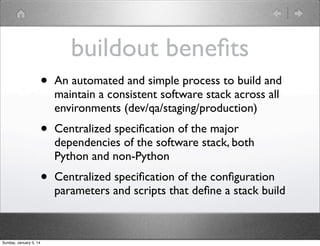
buildout benefits
•
•

Centralized specification of the major
dependencies of the software stack, both
Python and non-Python

•

Sunday, January 5, 14

An automated and simple process to build and
maintain a consistent software stack across all
environments (dev/qa/staging/production)

Centralized specification of the configuration
parameters and scripts that define a stack build
a barebones buildout
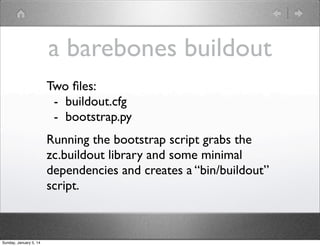
Two files:
- buildout.cfg
- bootstrap.py
Running the bootstrap script grabs the
zc.buildout library and some minimal
dependencies and creates a “bin/buildout”
script.

Sunday, January 5, 14
buildout.cfg
[buildout]
parts = mydjango
[mydjango]
recipe = zc.recipe.egg
egg = Django

Sunday, January 5, 14
variable interpolation
[buildout]
parts = mydjango
eggs = django
[mydjango]
recipe = zc.recipe.egg
egg = ${buildout:eggs}

Sunday, January 5, 14
extends
(buildout.cfg)

(varnish.cfg)

[buildout]
extends = varnish.cfg
parts += mydjango
eggs =
Django
Pillow

[buildout]
parts = myvarnish

[mydjango]
recipe = zc.recipe.egg
egg = ${buildout:eggs}

Sunday, January 5, 14

[myvarnish]
recipe = zc.recipe.varnish
url = http://...varnish.tar.gz
basic recipes
•
•

collective.recipe.template
Generate a text file from a template
http://pypi.python.org/pypi/collective.recipe.template

•

collective.recipe.cmd
Execute a command line
http://pypi.python.org/pypi/collective.recipe.cmd

•

zc.recipe.cmmi
hexagonit.recipe.cmmi
Two different recipes to download and build a package using configure/make/make-install
http://pypi.python.org/pypi/zc.recipe.cmmi
http://pypi.python.org/pypi/hexagonit.recipe.cmmi

•

Sunday, January 5, 14

zc.recipe.egg
Install Python package distributions as eggs
http://pypi.python.org/pypi/zc.recipe.egg

mr.scripty
Use python to write configuration
http://pypi.python.org/pypi/mr.scripty
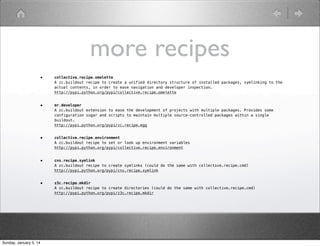
more recipes
•

•

mr.developer
A zc.buildout extension to ease the development of projects with multiple packages. Provides some
configuration sugar and scripts to maintain multiple source-controlled packages within a single
buildout.
http://pypi.python.org/pypi/zc.recipe.egg

•

collective.recipe.environment
A zc.buildout recipe to set or look up environment variables
http://pypi.python.org/pypi/collective.recipe.environment

•

cns.recipe.symlink
A zc.buildout recipe to create symlinks (could do the same with collective.recipe.cmd)
http://pypi.python.org/pypi/cns.recipe.symlink

•

Sunday, January 5, 14

collective.recipe.omelette
A zc.buildout recipe to create a unified directory structure of installed packages, symlinking to the
actual contents, in order to ease navigation and developer inspection.
http://pypi.python.org/pypi/collective.recipe.omelette

z3c.recipe.mkdir
A zc.buildout recipe to create directories (could do the same with collective.recipe.cmd)
http://pypi.python.org/pypi/z3c.recipe.mkdir
keep it simple
There are too many buildout recipes out there (850+ on pypi alone!)
Avoid the temptation to create yet another recipe when you can do the same operation by just stringing together
a few of the basic recipes.
For example, these two are functionally equivalent but the one on the right avoids adding yet another abstraction
layer between the semantics of the buildout configuration and the varnish configuration:
[varnish]
recipe = zc.recipe.cmmi
url = ${urls:varnish}

[varnish]
recipe = zc.recipe.cmmi
url = ${urls:varnish}

[varnish-recipe]
recipe = plone.recipe.varnish
daemon = ${varnish:location}/sbin/varnishd
bind = 127.0.0.1:8000
backends = 127.0.0.1:8080
cache-size = 256M

[varnish-config]
recipe = collective.recipe.template
path = etc/varnish.vcl
input = templates/${:path}.in
output = ${buildout:directory}/${:path}
[varnish-runner]
recipe = collective.recipe.template
input = inline:
#!/bin/sh
exec ${varnish:location}/sbin/varnishd 
-f "${varnish-config:output}" 
-P "${buildout:directory}/var/varnish.pid" 
-a 0.0.0.0:${global:varnish-port} 
-s file,"${buildout:directory}/var/
varnish_storage",1G "$@"
output = ${buildout:directory}/bin/varnishd
mode = 755

Sunday, January 5, 14
more...
• http://en.wikipedia.org/wiki/Buildout
• http://pypi.python.org/pypi/zc.buildout
• http://www.buildout.org/

Sunday, January 5, 14

Introduction to zc.buildout

  • 1.
    zc.buildout ricardo newbery ric@ncryptedcloud.com a presentationgiven in november 2013 Donetsk, Ukraine Sunday, January 5, 14
  • 2.
    the problem • Needa process to build the application stack, including all dependencies. • Requirements: • repeatable and possible to automate • concise and easy to understand/modify • not just Python! Sunday, January 5, 14
  • 3.
    alternatives • app-get, yum,homebrew, etc. • make, rake, paver, minitage, etc. • puppet, chef, ansible salt, etc. • virtualenv • pip install -r requirements.txt • fabric Sunday, January 5, 14
  • 4.
    what is buildout? TheBuildout project (zc.buildout) provides support for creating applications. It provides tools for assembling applications from multiple parts, Python or otherwise. An application may actually contain multiple programs, processes, and configuration settings. The word "buildout" refers to a description of a set of parts and the software to create and assemble them. It is often used informally to refer to an installed system based on a buildout definition. For example, if we are creating an application named "Foo", then "the Foo buildout" is the collection of configuration and applicationspecific software that allows an instance of the application to be created. We may refer to such an instance of the application informally as "a Foo buildout" Sunday, January 5, 14
  • 5.
    buildout benefits • • Centralized specificationof the major dependencies of the software stack, both Python and non-Python • Sunday, January 5, 14 An automated and simple process to build and maintain a consistent software stack across all environments (dev/qa/staging/production) Centralized specification of the configuration parameters and scripts that define a stack build
  • 6.
    a barebones buildout Twofiles: - buildout.cfg - bootstrap.py Running the bootstrap script grabs the zc.buildout library and some minimal dependencies and creates a “bin/buildout” script. Sunday, January 5, 14
  • 7.
    buildout.cfg [buildout] parts = mydjango [mydjango] recipe= zc.recipe.egg egg = Django Sunday, January 5, 14
  • 8.
    variable interpolation [buildout] parts =mydjango eggs = django [mydjango] recipe = zc.recipe.egg egg = ${buildout:eggs} Sunday, January 5, 14
  • 9.
    extends (buildout.cfg) (varnish.cfg) [buildout] extends = varnish.cfg parts+= mydjango eggs = Django Pillow [buildout] parts = myvarnish [mydjango] recipe = zc.recipe.egg egg = ${buildout:eggs} Sunday, January 5, 14 [myvarnish] recipe = zc.recipe.varnish url = http://...varnish.tar.gz
  • 10.
    basic recipes • • collective.recipe.template Generate atext file from a template http://pypi.python.org/pypi/collective.recipe.template • collective.recipe.cmd Execute a command line http://pypi.python.org/pypi/collective.recipe.cmd • zc.recipe.cmmi hexagonit.recipe.cmmi Two different recipes to download and build a package using configure/make/make-install http://pypi.python.org/pypi/zc.recipe.cmmi http://pypi.python.org/pypi/hexagonit.recipe.cmmi • Sunday, January 5, 14 zc.recipe.egg Install Python package distributions as eggs http://pypi.python.org/pypi/zc.recipe.egg mr.scripty Use python to write configuration http://pypi.python.org/pypi/mr.scripty
  • 11.
    more recipes • • mr.developer A zc.buildoutextension to ease the development of projects with multiple packages. Provides some configuration sugar and scripts to maintain multiple source-controlled packages within a single buildout. http://pypi.python.org/pypi/zc.recipe.egg • collective.recipe.environment A zc.buildout recipe to set or look up environment variables http://pypi.python.org/pypi/collective.recipe.environment • cns.recipe.symlink A zc.buildout recipe to create symlinks (could do the same with collective.recipe.cmd) http://pypi.python.org/pypi/cns.recipe.symlink • Sunday, January 5, 14 collective.recipe.omelette A zc.buildout recipe to create a unified directory structure of installed packages, symlinking to the actual contents, in order to ease navigation and developer inspection. http://pypi.python.org/pypi/collective.recipe.omelette z3c.recipe.mkdir A zc.buildout recipe to create directories (could do the same with collective.recipe.cmd) http://pypi.python.org/pypi/z3c.recipe.mkdir
  • 12.
    keep it simple Thereare too many buildout recipes out there (850+ on pypi alone!) Avoid the temptation to create yet another recipe when you can do the same operation by just stringing together a few of the basic recipes. For example, these two are functionally equivalent but the one on the right avoids adding yet another abstraction layer between the semantics of the buildout configuration and the varnish configuration: [varnish] recipe = zc.recipe.cmmi url = ${urls:varnish} [varnish] recipe = zc.recipe.cmmi url = ${urls:varnish} [varnish-recipe] recipe = plone.recipe.varnish daemon = ${varnish:location}/sbin/varnishd bind = 127.0.0.1:8000 backends = 127.0.0.1:8080 cache-size = 256M [varnish-config] recipe = collective.recipe.template path = etc/varnish.vcl input = templates/${:path}.in output = ${buildout:directory}/${:path} [varnish-runner] recipe = collective.recipe.template input = inline: #!/bin/sh exec ${varnish:location}/sbin/varnishd -f "${varnish-config:output}" -P "${buildout:directory}/var/varnish.pid" -a 0.0.0.0:${global:varnish-port} -s file,"${buildout:directory}/var/ varnish_storage",1G "$@" output = ${buildout:directory}/bin/varnishd mode = 755 Sunday, January 5, 14
  • 13.