Automation, Fabric and
      Django...
  ...or how to make our lives better
About me
eng. Ilian Iliev

●   Web Developer for 8 years
●   Python/Django fan for 3 years
●   Ubuntu user for 2 years
●   Part of Cybert Arts Web Team
●   iiliev@melontech.com
●   http://ilian.i-n-i.org
●   https://github.com/IlianIliev/
Repetition


"Repetition leads to boredom, boredom to
horrifying mistakes, horrifying mistakes to
 God-I-wish-I-was-still-bored" Will Larson
Automation


●   Daily tasks
●   Server setup
●   System update/maintenance tasks
●   New project creation
●   Deployment procedures

All of the above on multiple stations all around
                the world cloud
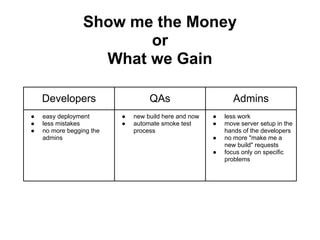
Show me the Money
                        or
                   What we Gain

    Developers                     QAs                        Admins
●   easy deployment       ●   new build here and now   ●   less work
●   less mistakes         ●   automate smoke test      ●   move server setup in the
●   no more begging the       process                      hands of the developers
    admins                                             ●   no more "make me a
                                                           new build" requests
                                                       ●   focus only on specific
                                                           problems
Fabric


Fabric is a Python (2.5 or higher) library and
command-line tool for streamlining the use of
SSH for application deployment or systems
administration tasks.
Why Fabric


●   It is Python(Python is awesome)
●   It is simple
●   It is light
●   It is quick
●   It is useful
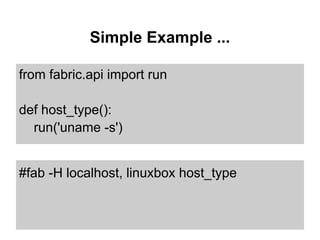
Simple Example ...

from fabric.api import run

def host_type():
  run('uname -s')


#fab -H localhost, linuxbox host_type
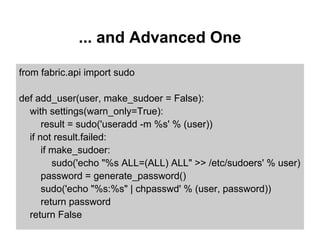
... and Advanced One

from fabric.api import sudo

def add_user(user, make_sudoer = False):
  with settings(warn_only=True):
      result = sudo('useradd -m %s' % (user))
  if not result.failed:
      if make_sudoer:
         sudo('echo "%s ALL=(ALL) ALL" >> /etc/sudoers' % user)
      password = generate_password()
      sudo('echo "%s:%s" | chpasswd' % (user, password))
      return password
  return False
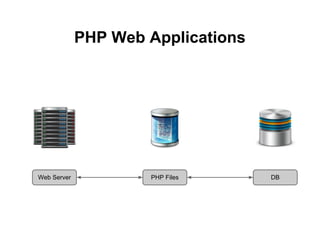
PHP Web Applications


Web Server           PHP Files      DB
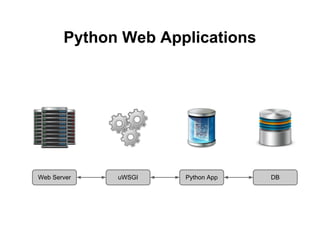
Python Web Applications


Web Server   uWSGI   Python App   DB
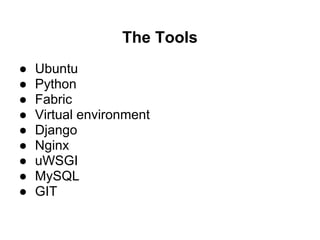
The Tools
●   Ubuntu
●   Python
●   Fabric
●   Virtual environment
●   Django
●   Nginx
●   uWSGI
●   MySQL
●   GIT
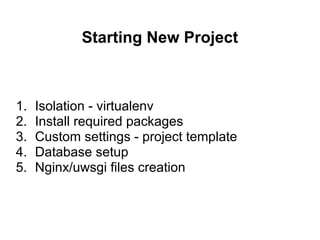
Starting New Project


1.   Isolation - virtualenv
2.   Install required packages
3.   Custom settings - project template
4.   Database setup
5.   Nginx/uwsgi files creation
Your Box(in the Cloud)


● VPS
● OS Image
● SSH
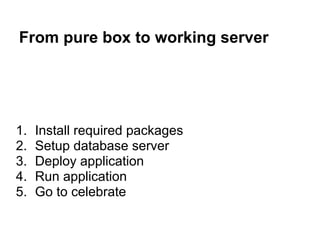
From pure box to working server


1.   Install required packages
2.   Setup database server
3.   Deploy application
4.   Run application
5.   Go to celebrate
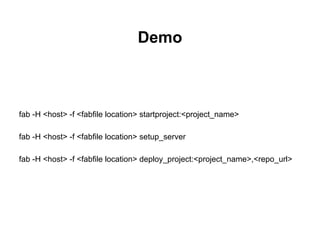
Demo


fab -H <host> -f <fabfile location> startproject:<project_name>

fab -H <host> -f <fabfile location> setup_server

fab -H <host> -f <fabfile location> deploy_project:<project_name>,<repo_url>
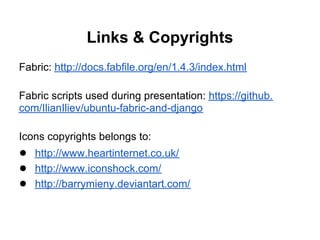
Links & Copyrights
Fabric: http://docs.fabfile.org/en/1.4.3/index.html

Fabric scripts used during presentation: https://github.
com/IlianIliev/ubuntu-fabric-and-django

Icons copyrights belongs to:
● http://www.heartinternet.co.uk/
● http://www.iconshock.com/
● http://barrymieny.deviantart.com/

Automation - fabric, django and more

  • 1.
    Automation, Fabric and Django... ...or how to make our lives better
  • 2.
    About me eng. IlianIliev ● Web Developer for 8 years ● Python/Django fan for 3 years ● Ubuntu user for 2 years ● Part of Cybert Arts Web Team ● iiliev@melontech.com ● http://ilian.i-n-i.org ● https://github.com/IlianIliev/
  • 3.
    Repetition "Repetition leads toboredom, boredom to horrifying mistakes, horrifying mistakes to God-I-wish-I-was-still-bored" Will Larson
  • 4.
    Automation ● Daily tasks ● Server setup ● System update/maintenance tasks ● New project creation ● Deployment procedures All of the above on multiple stations all around the world cloud
  • 5.
    Show me theMoney or What we Gain Developers QAs Admins ● easy deployment ● new build here and now ● less work ● less mistakes ● automate smoke test ● move server setup in the ● no more begging the process hands of the developers admins ● no more "make me a new build" requests ● focus only on specific problems
  • 6.
    Fabric Fabric is aPython (2.5 or higher) library and command-line tool for streamlining the use of SSH for application deployment or systems administration tasks.
  • 7.
    Why Fabric ● It is Python(Python is awesome) ● It is simple ● It is light ● It is quick ● It is useful
  • 8.
    Simple Example ... fromfabric.api import run def host_type(): run('uname -s') #fab -H localhost, linuxbox host_type
  • 9.
    ... and AdvancedOne from fabric.api import sudo def add_user(user, make_sudoer = False): with settings(warn_only=True): result = sudo('useradd -m %s' % (user)) if not result.failed: if make_sudoer: sudo('echo "%s ALL=(ALL) ALL" >> /etc/sudoers' % user) password = generate_password() sudo('echo "%s:%s" | chpasswd' % (user, password)) return password return False
  • 10.
    PHP Web Applications WebServer PHP Files DB
  • 11.
    Python Web Applications WebServer uWSGI Python App DB
  • 12.
    The Tools ● Ubuntu ● Python ● Fabric ● Virtual environment ● Django ● Nginx ● uWSGI ● MySQL ● GIT
  • 13.
    Starting New Project 1. Isolation - virtualenv 2. Install required packages 3. Custom settings - project template 4. Database setup 5. Nginx/uwsgi files creation
  • 14.
    Your Box(in theCloud) ● VPS ● OS Image ● SSH
  • 15.
    From pure boxto working server 1. Install required packages 2. Setup database server 3. Deploy application 4. Run application 5. Go to celebrate
  • 16.
    Demo fab -H <host>-f <fabfile location> startproject:<project_name> fab -H <host> -f <fabfile location> setup_server fab -H <host> -f <fabfile location> deploy_project:<project_name>,<repo_url>
  • 17.
    Links & Copyrights Fabric:http://docs.fabfile.org/en/1.4.3/index.html Fabric scripts used during presentation: https://github. com/IlianIliev/ubuntu-fabric-and-django Icons copyrights belongs to: ● http://www.heartinternet.co.uk/ ● http://www.iconshock.com/ ● http://barrymieny.deviantart.com/