
TUTORIAL AND HANDS ON SESSION
*
Christoph Oelmüller
Christoph.oelmueller@epost-dev.de
*
*why configuration management?
*puppet DSL - declarative resources instead of
procedural code
*writing Puppet manifests
*anatomy of a Puppet run
*using Puppet without/with a master
*nice2knows
*master of Puppets (hands on)
*nice2know cont.
*Q & A
*
Lazy admins, DevOps and Managers
*
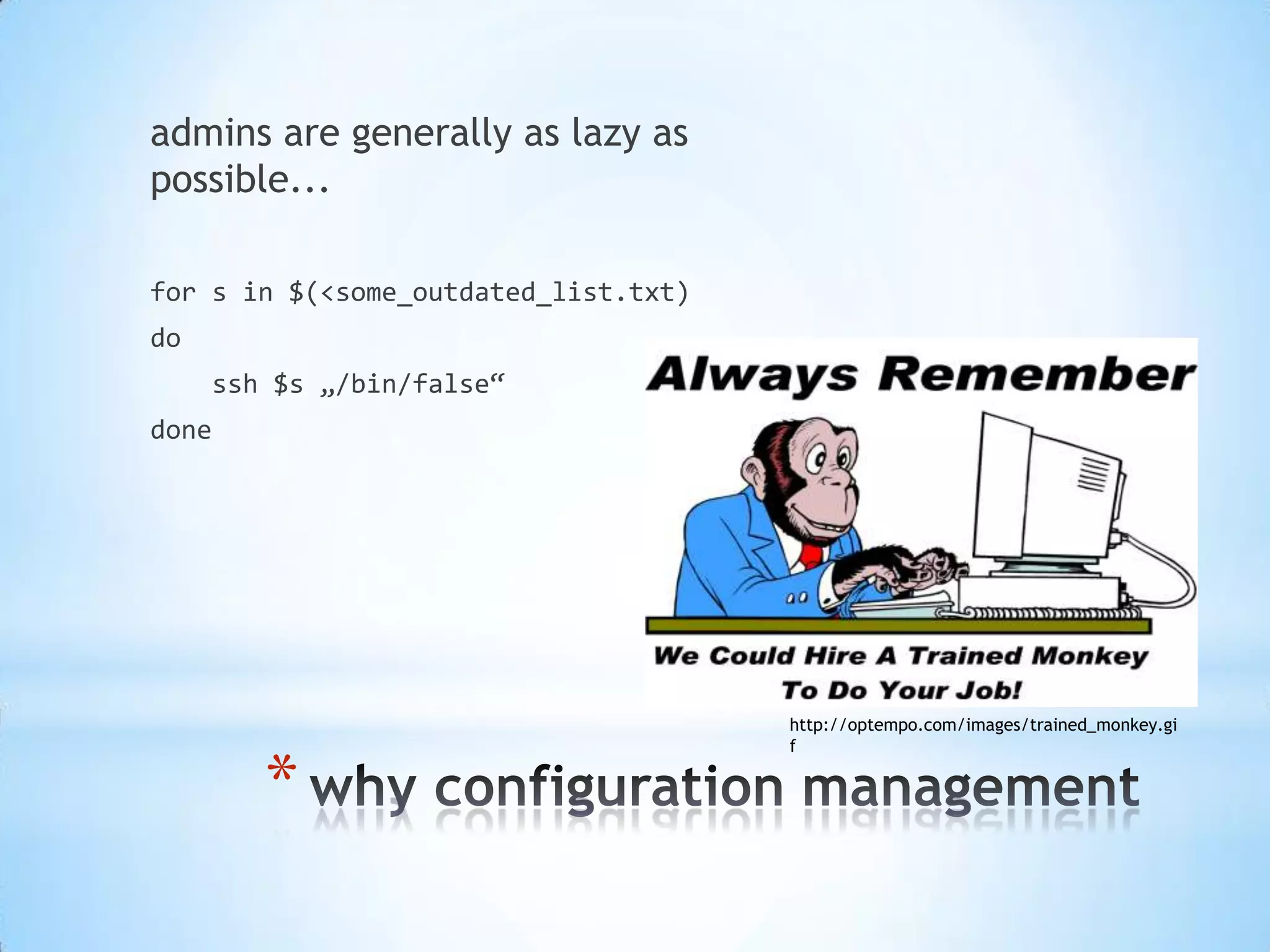
admins are generally as lazy as
possible...
for s in $(<some_outdated_list.txt)
do
ssh $s „/bin/false“
done
http://optempo.com/images/trained_monkey.gi
f
*
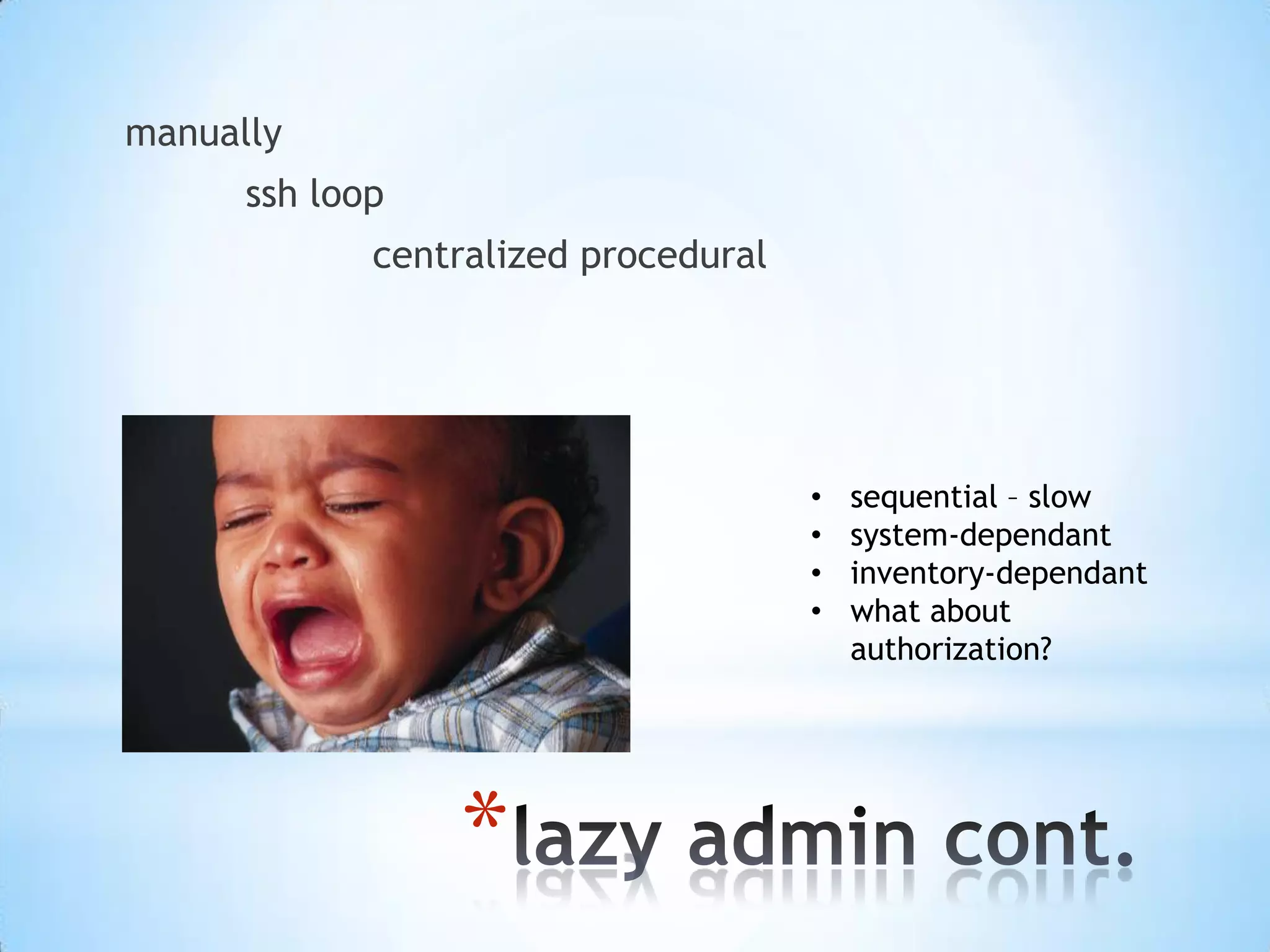
manually
ssh loop
centralized procedural
• sequential – slow
• system-dependant
• inventory-dependant
• what about
authorization?
*
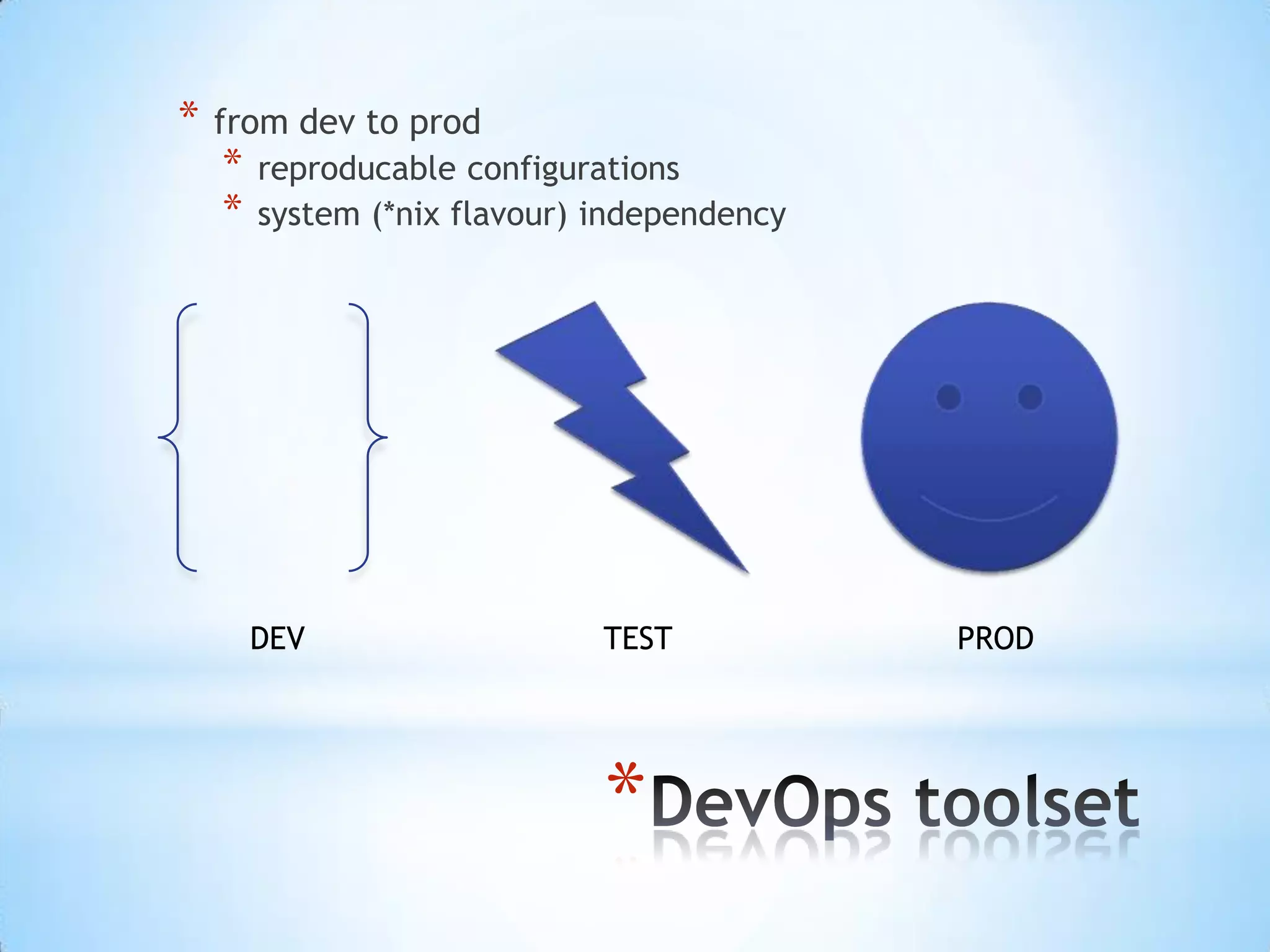
* from dev to prod
* reproducable configurations
* system (*nix flavour) independency
DEV TEST PROD
*
* managed „things“ can...
* ...be compliant
* ...be reported
* ...fullfill security requirements
*
http://wikipedia.org
http://www.business-cloud.de/cloudstorage-ja-aber-bitte-sicher/
*
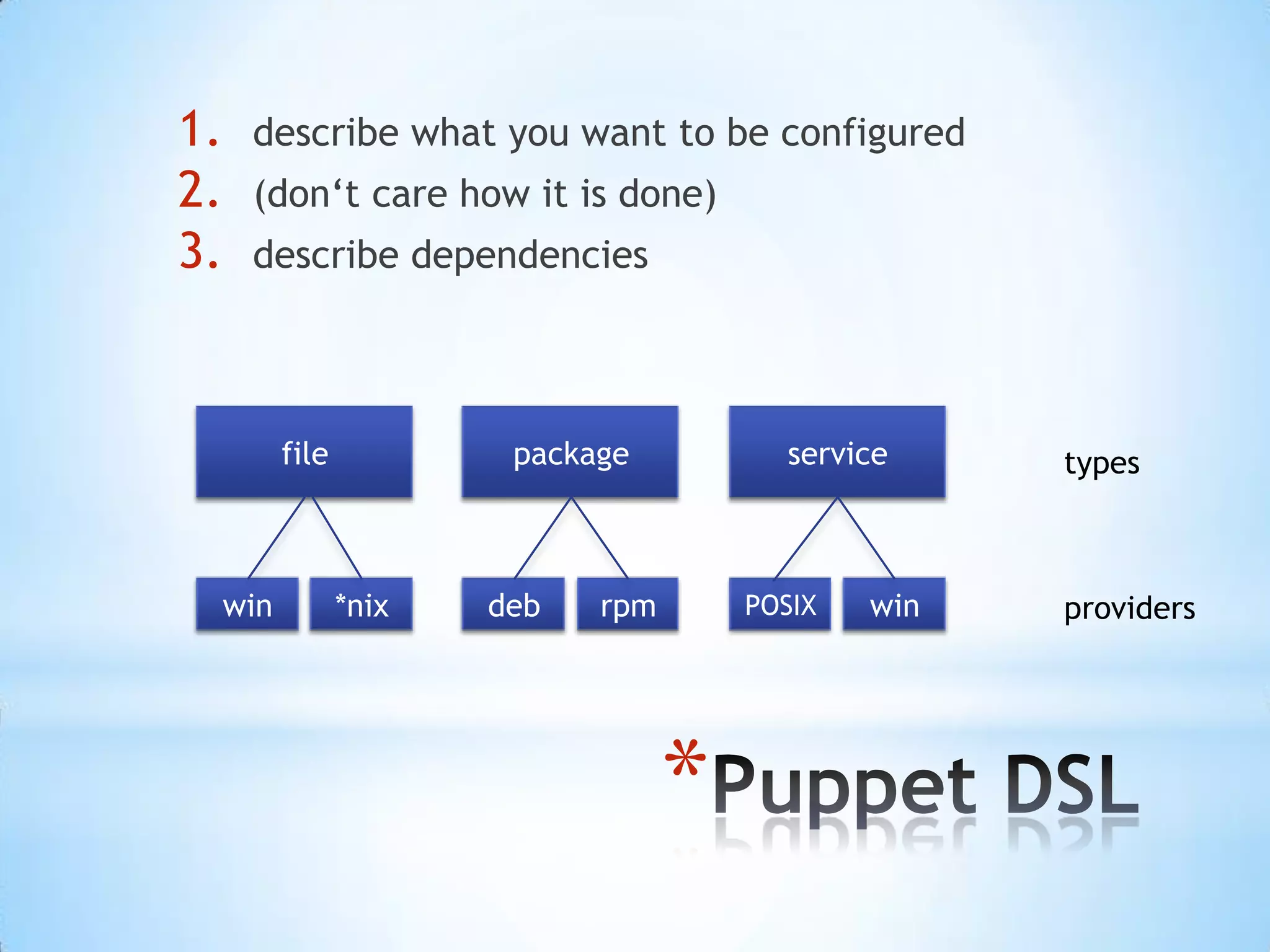
declarative resources instead of procedural code
*
1. describe what you want to be configured
2. (don‘t care how it is done)
3. describe dependencies
file package service types
win *nix deb rpm POSIX win providers
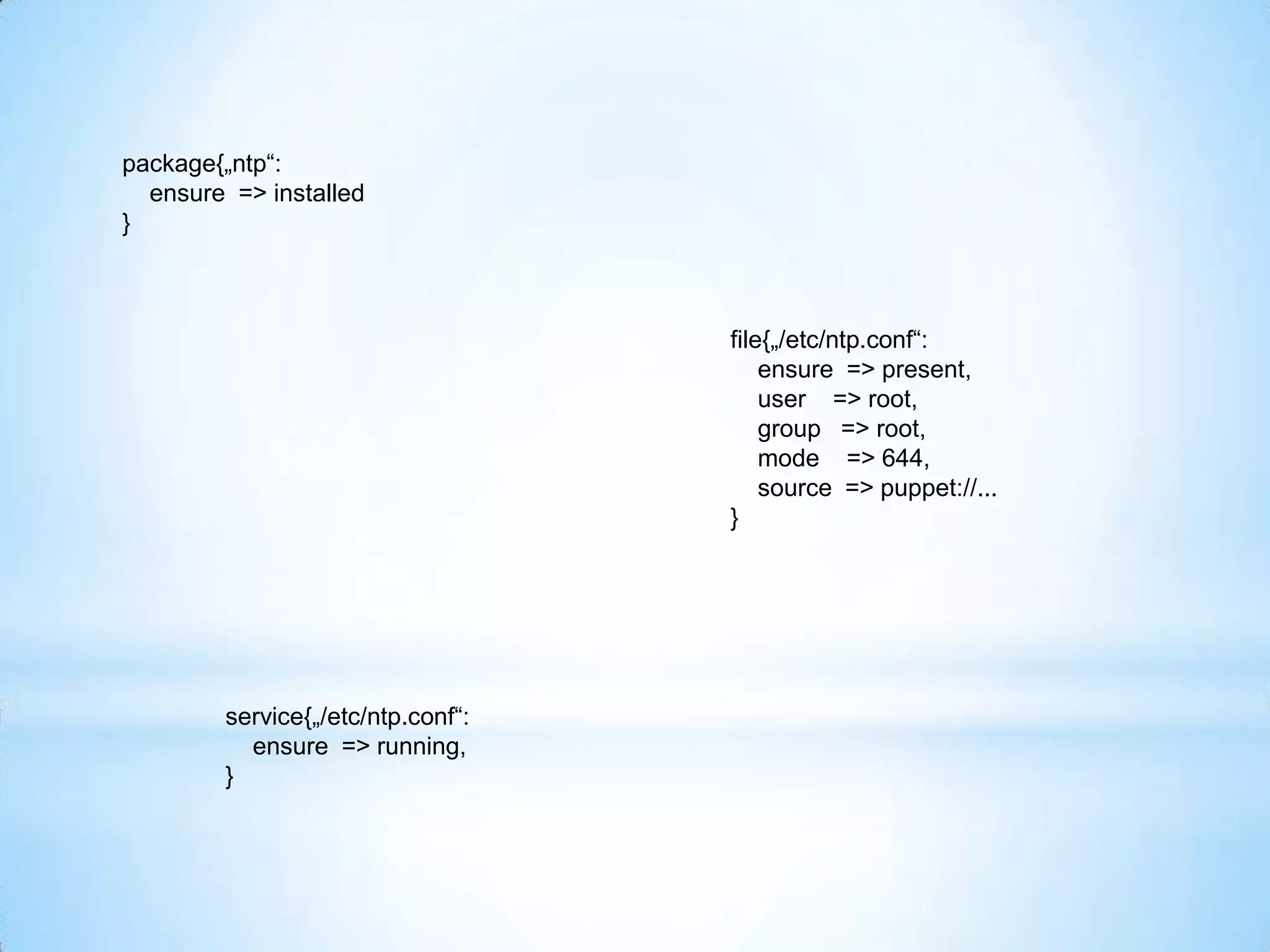
package{„ntp“:
ensure => installed
}
file{„/etc/ntp.conf“:
ensure => present,
user => root,
group => root,
mode => 644,
source => puppet://...
}
service{„/etc/ntp.conf“:
ensure => running,
}
package{„ntp“:
ensure => installed
}
file{„/etc/ntp.conf“:
ensure => present,
user => root,
group => root,
mode => 644,
source => puppet://...,
require => Package[‚ntp‘]
}
service{„ntpd“:
ensure => running,
require => File[‚/etc/ntp.conf‘]
}
*
before after
without refresh before => Resource[‚name‘] require => Resource[‚name‘]
with refresh notify => Resource[‚name‘] subscribe => Resource[‚name‘]
in our resources
chaining syntax
Resource[‚‘] -> Resource[‚name‘] ~> Resource[‚name‘]
*
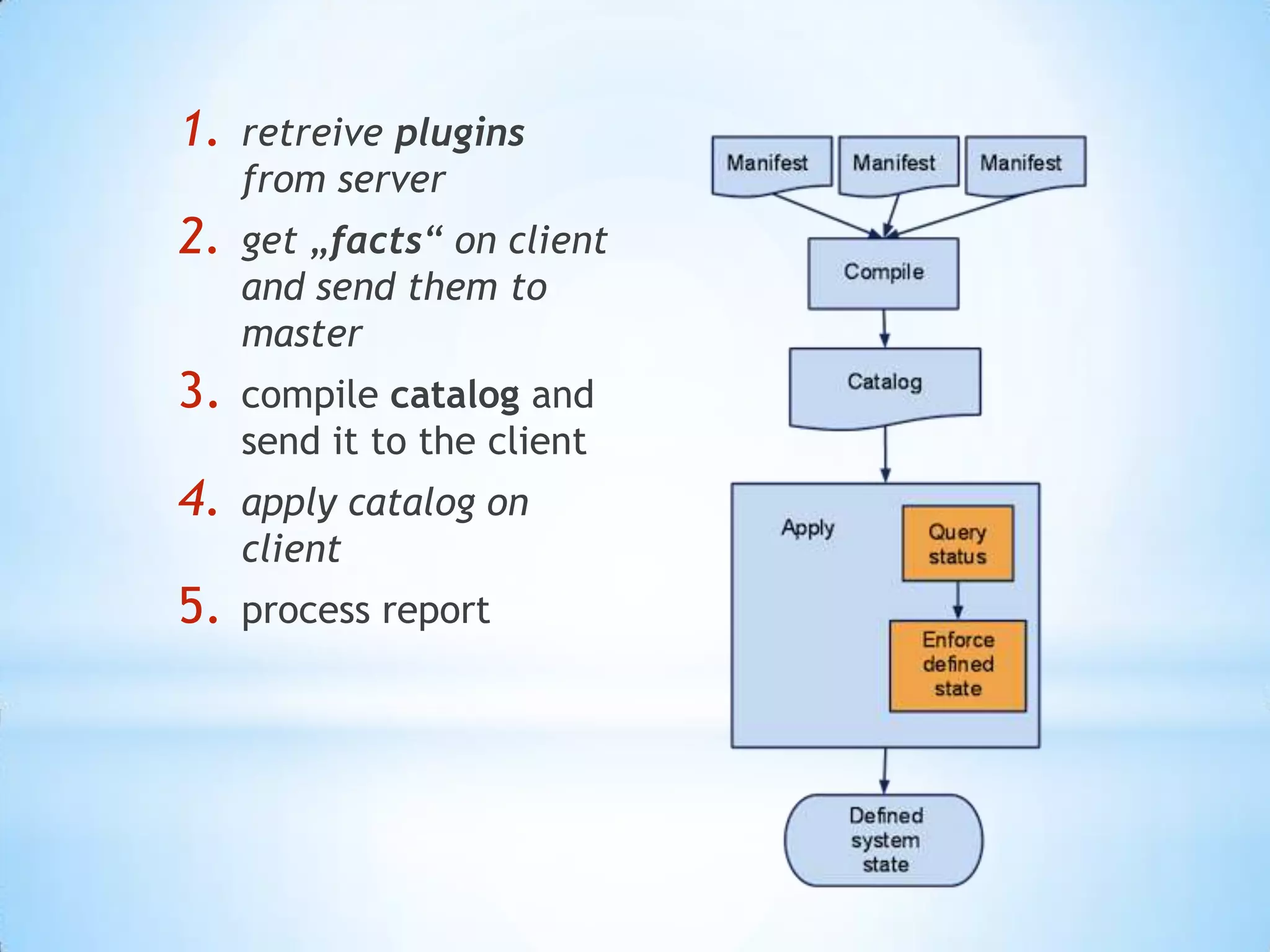
1. retreive plugins
from server
2. get „facts“ on client
and send them to
master
3. compile catalog and
send it to the client
4. apply catalog on
client
5. process report
*
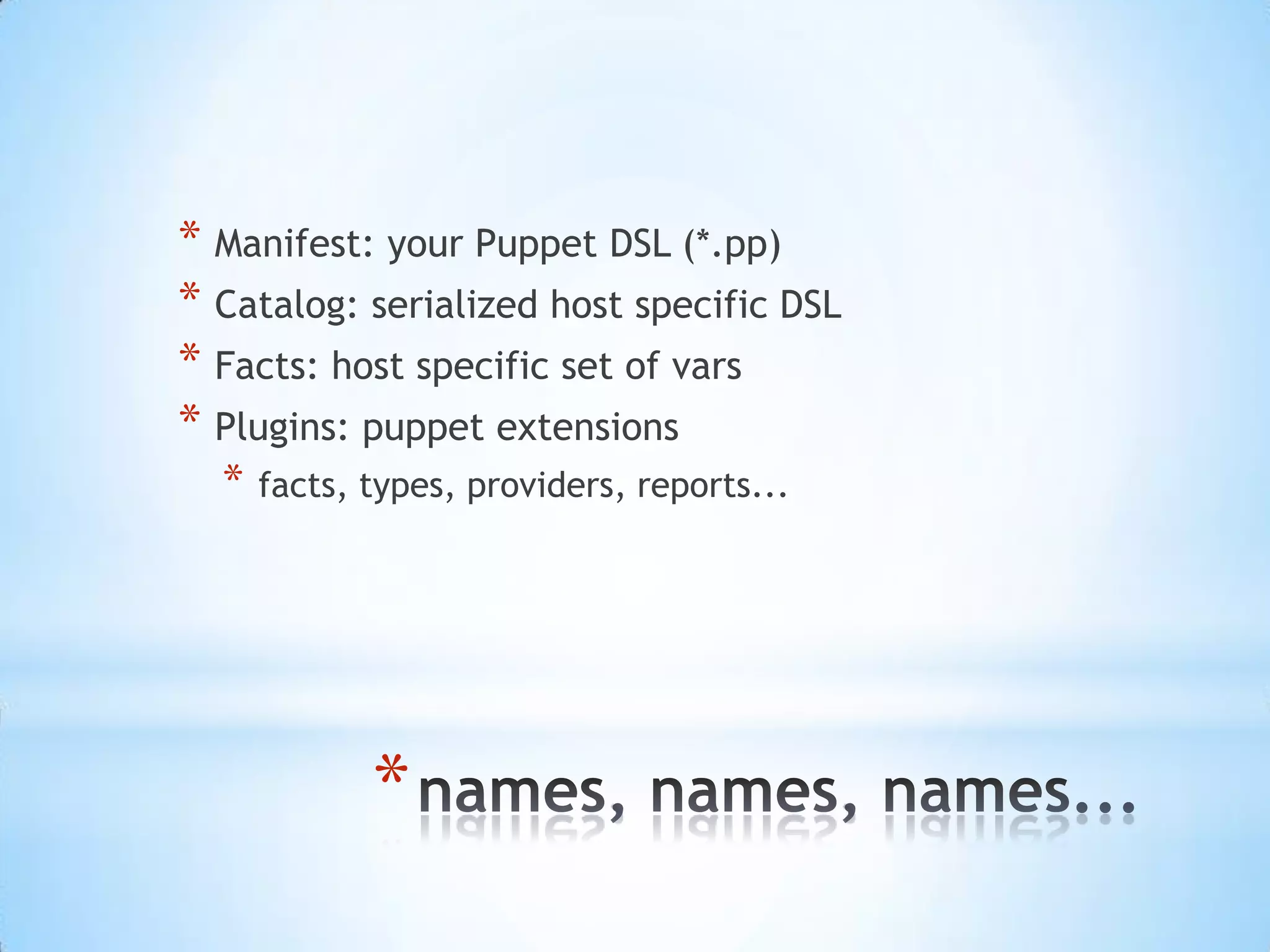
* Manifest: your Puppet DSL (*.pp)
* Catalog: serialized host specific DSL
* Facts: host specific set of vars
* Plugins: puppet extensions
* facts, types, providers, reports...
*
[root@puppet ~]# facter
architecture => x86_64
augeasversion => 0.9.0
bios_release_date => 12/01/2006
bios_vendor => innotek GmbH
bios_version => VirtualBox
blockdevice_sda_model => VBOX HARDDISK
blockdevice_sda_size => 214748364800
blockdevice_sda_vendor => ATA
domain => example.com
facterversion => 1.7.2
filesystems => ext4,iso9660
fqdn => puppet.example.com
hardwareisa => x86_64
hardwaremodel => x86_64
hostname => puppet
id => root
interfaces => eth0,lo
ipaddress => 10.0.2.15
ipaddress_eth0 => 10.0.2.15
ipaddress_lo => 127.0.0.1
is_virtual => true
kernel => Linux
*
node definitions & modules & delivering content
*
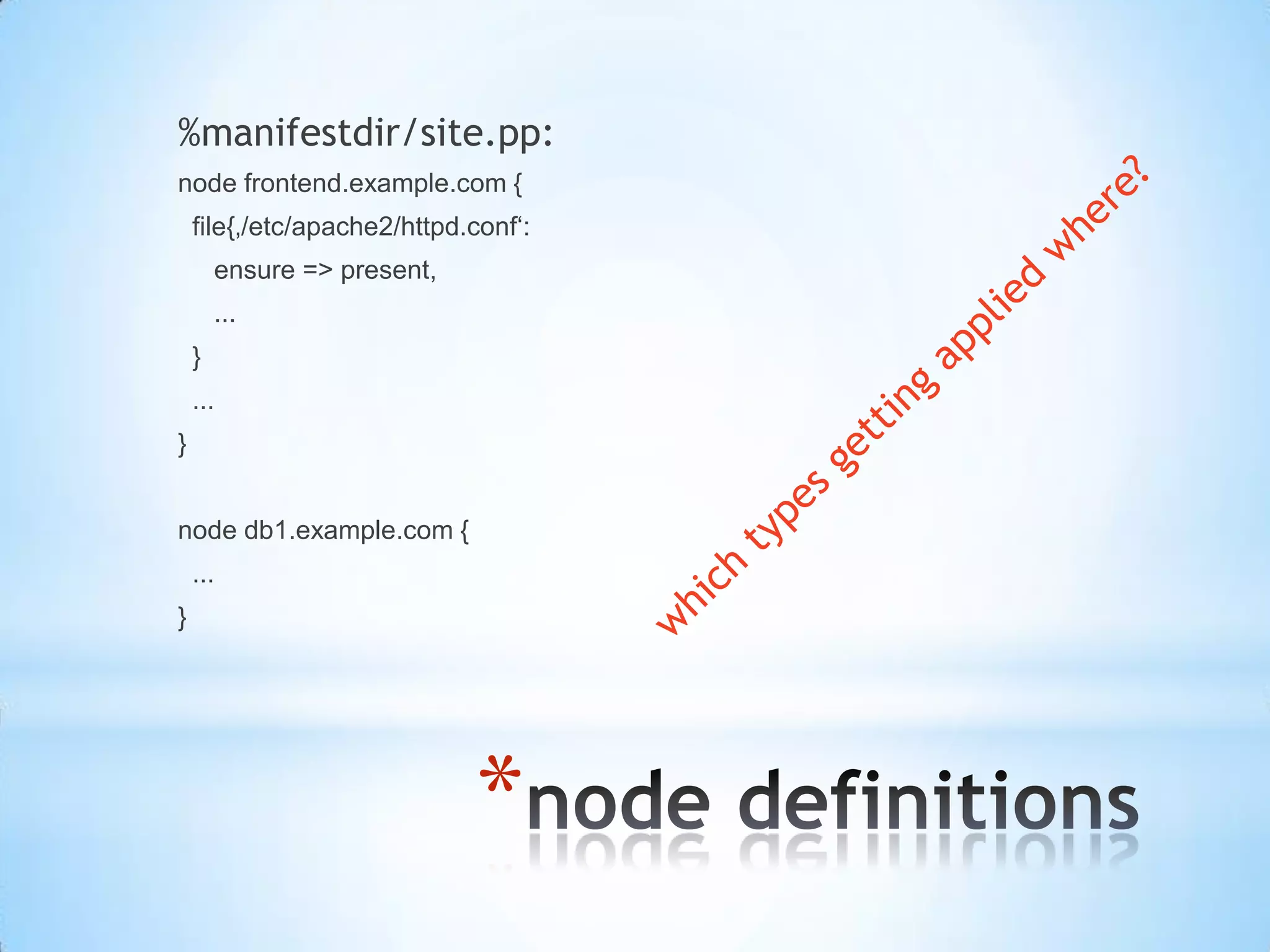
%manifestdir/site.pp:
node frontend.example.com {
file{‚/etc/apache2/httpd.conf‘:
ensure => present,
...
}
...
}
node db1.example.com {
...
}
*
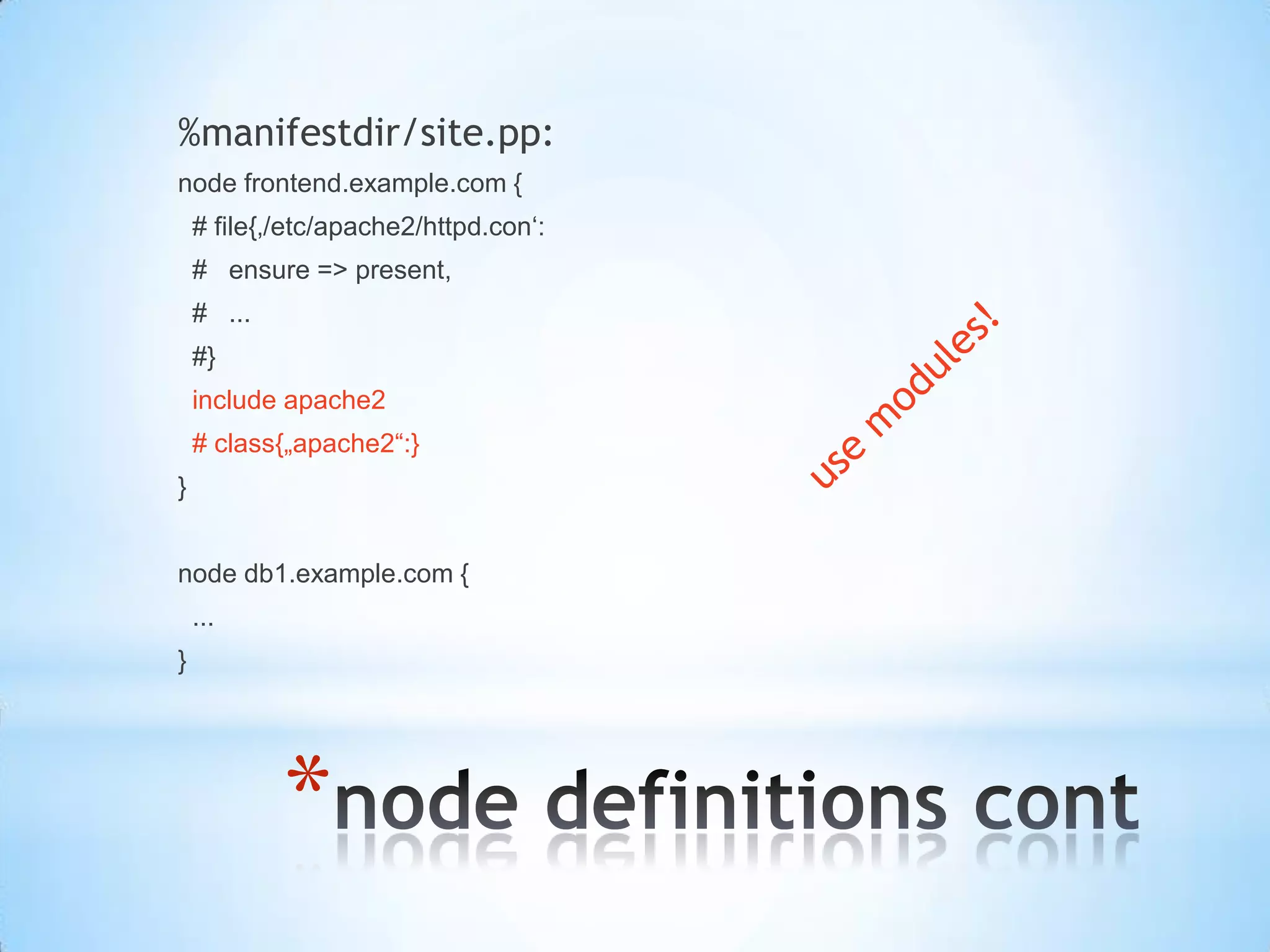
%manifestdir/site.pp:
node frontend.example.com {
# file{‚/etc/apache2/httpd.con‘:
# ensure => present,
# ...
#}
include apache2
# class{„apache2“:}
}
node db1.example.com {
...
}
*
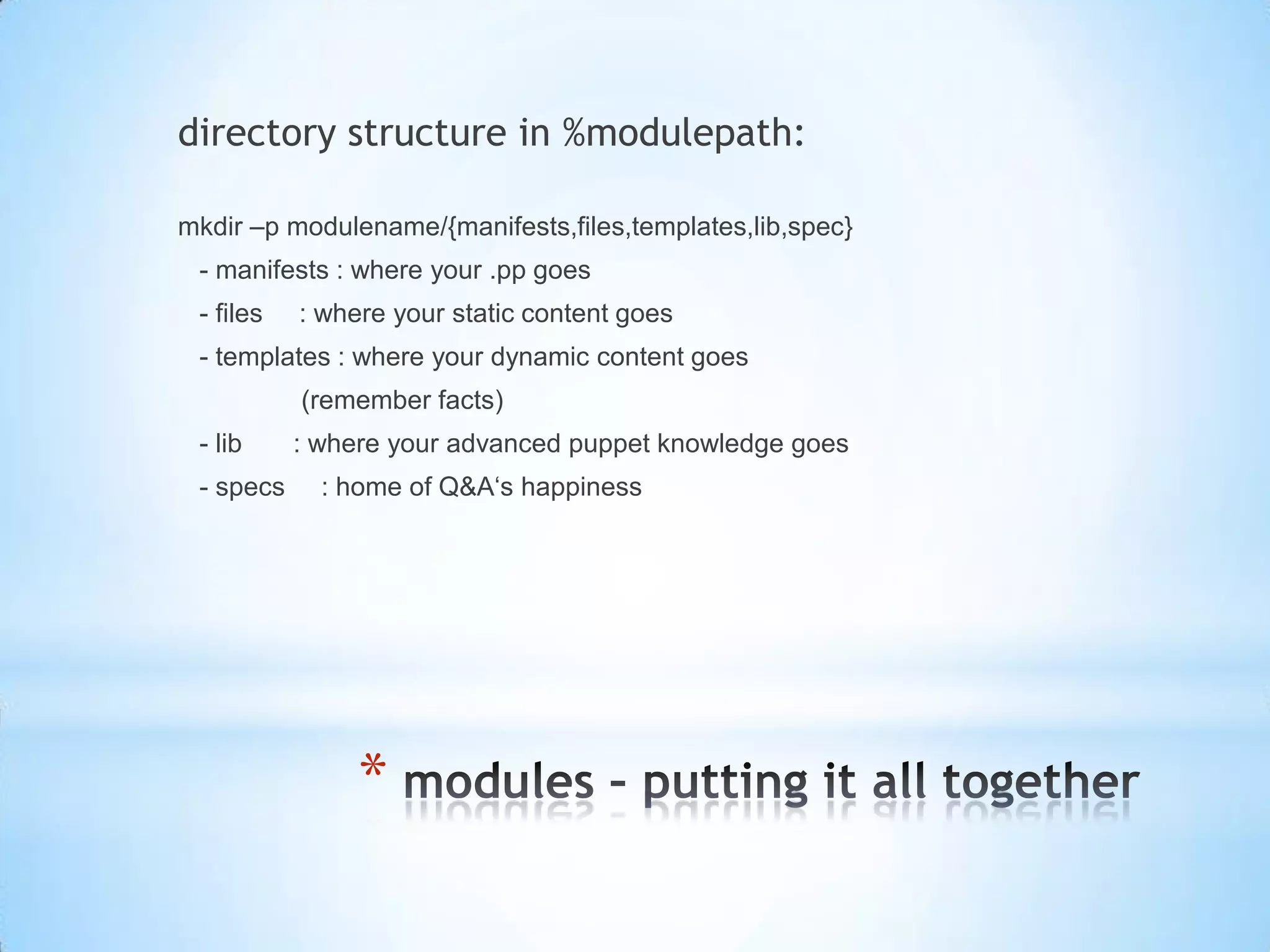
directory structure in %modulepath:
mkdir –p modulename/{manifests,files,templates,lib,spec}
- manifests : where your .pp goes
- files : where your static content goes
- templates : where your dynamic content goes
(remember facts)
- lib : where your advanced puppet knowledge goes
- specs : home of Q&A‘s happiness
*
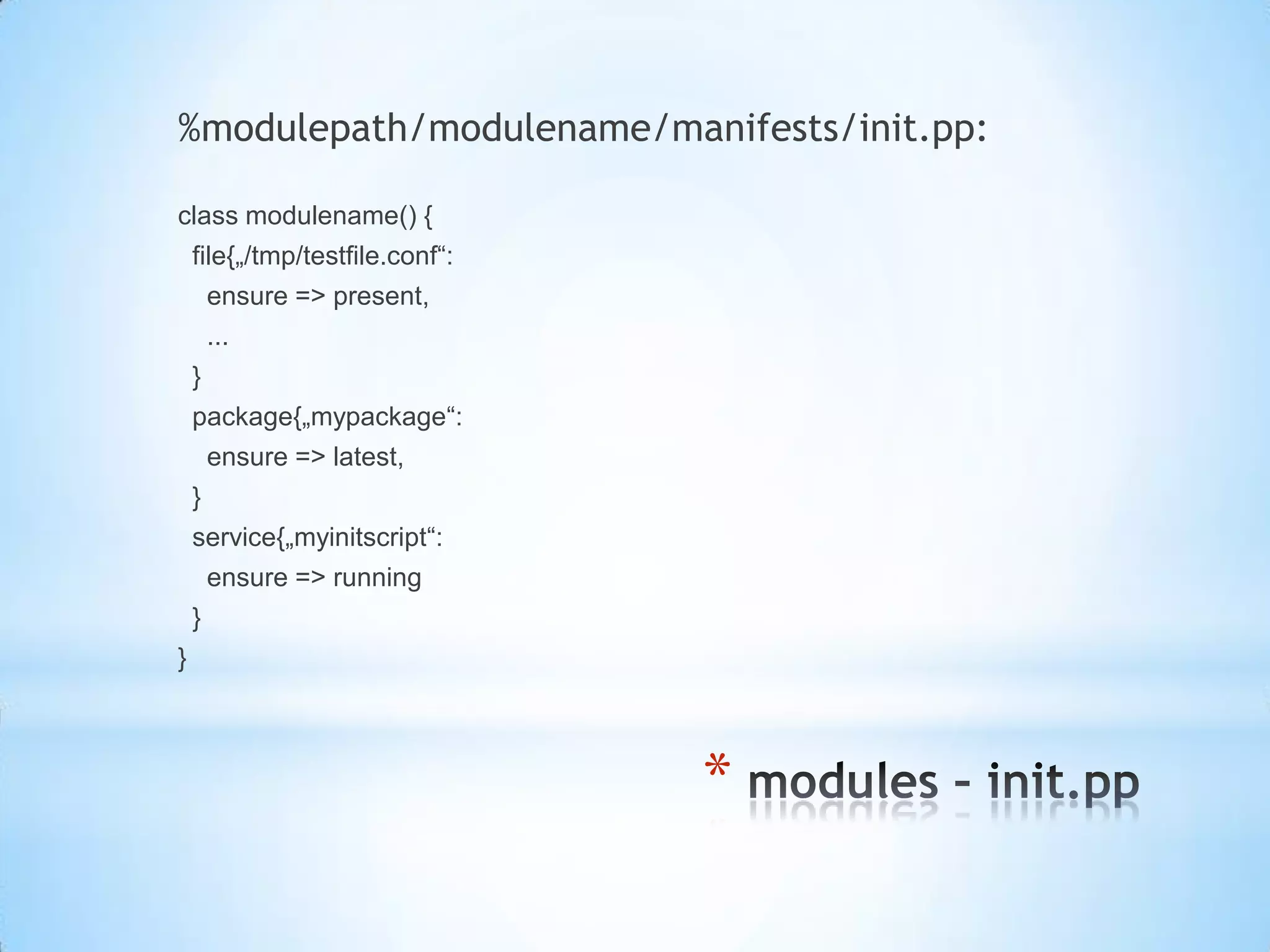
%modulepath/modulename/manifests/init.pp:
class modulename() {
file{„/tmp/testfile.conf“:
ensure => present,
...
}
package{„mypackage“:
ensure => latest,
}
service{„myinitscript“:
ensure => running
}
}
*
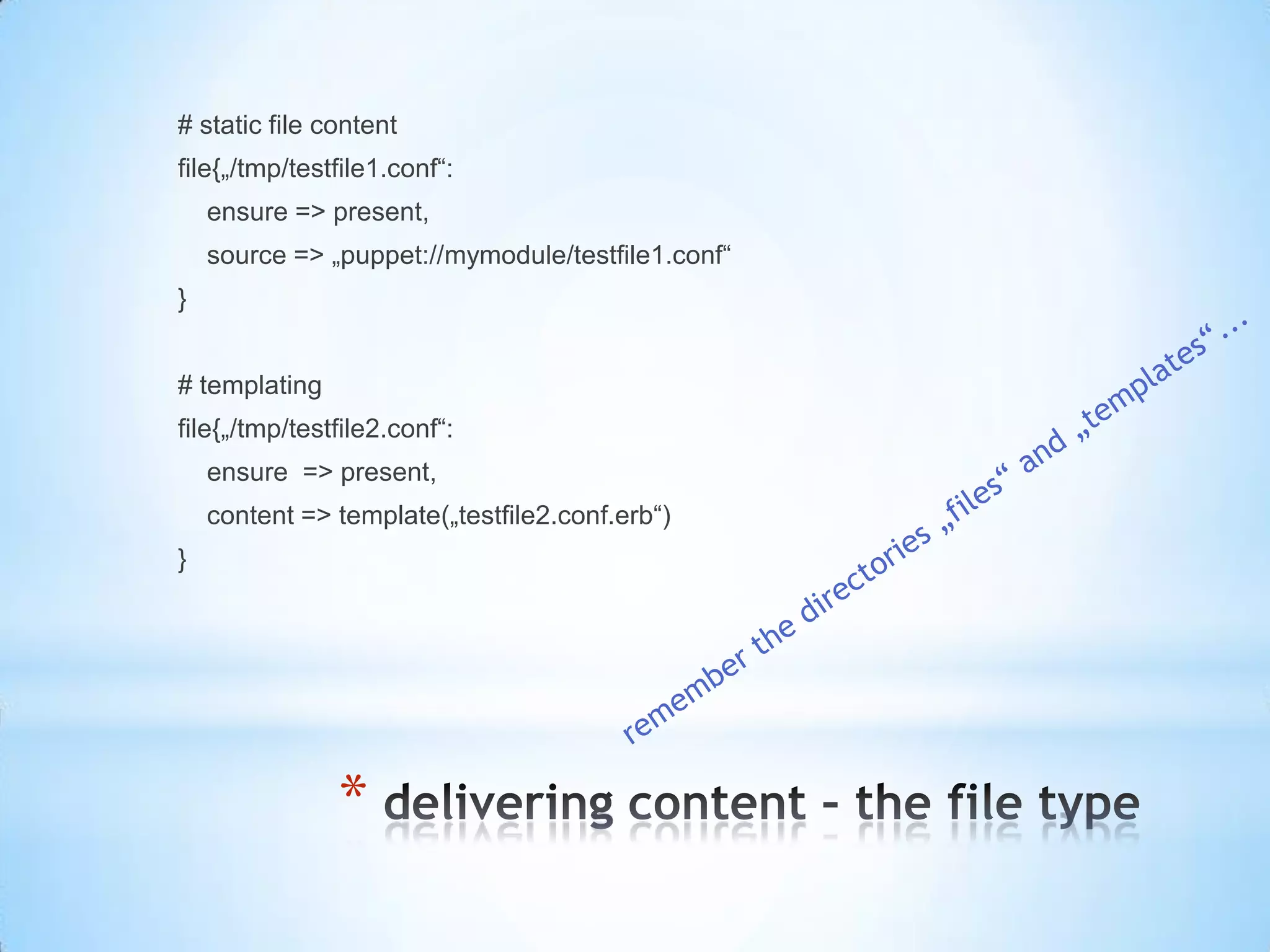
# static file content
file{„/tmp/testfile1.conf“:
ensure => present,
source => „puppet://mymodule/testfile1.conf“
}
# templating
file{„/tmp/testfile2.conf“:
ensure => present,
content => template(„testfile2.conf.erb“)
}
*
one binary to rule them all - faces
[root@puppet ~]# puppet help
Usage: puppet <subcommand> [options] <action> [options]
Available subcommands:
agent The puppet agent daemon
apply Apply Puppet manifests locally
cert Manage certificates and requests
master The puppet master daemon
module Creates, installs and searches for modules on the Puppet Forge.
parser Interact directly with the parser.
puppet apply:
• apply manifests locally
• no master needed
• no centralized fileserver
• test
• headless puppet
• no SSL-communication allowed
[root@puppet ~]# puppet help
Usage: puppet <subcommand> [options] <action> [options]
Available subcommands:
agent The puppet agent daemon
apply Apply Puppet manifests locally
cert Manage certificates and requests
master The puppet master daemon
module Creates, installs and searches for modules on the Puppet Forge.
parser Interact directly with the parser.
puppet master:
• starts https service
• TCP/8140
• internal webserver (ruby)
• scalable (mod_passenger)
puppet agent:
• manages puppet runs on client
• regularly
• one-time
[root@puppet ~]# puppet help
Usage: puppet <subcommand> [options] <action> [options]
Available subcommands:
agent The puppet agent daemon
apply Apply Puppet manifests locally
cert Manage certificates and requests
master The puppet master daemon
module Creates, installs and searches for modules on the Puppet Forge.
parser Interact directly with the parser.
puppet module:
• interacts with puppetlabs module repository
puppet parser validate:
• syntax check manifests
*
pre-Hands-On...
*
* find puppets configuration:
* puppet config print
* puppet.conf (PE vs. OSE)
* debugging puppet:
* puppet parser validate <file.pp>
* puppet agent/apply –-noop (use it!!!)
* running agent in „test“ mode
* includes one-time
* includes verbose
* doesn‘t include noop!!!
*
Hands-On
*
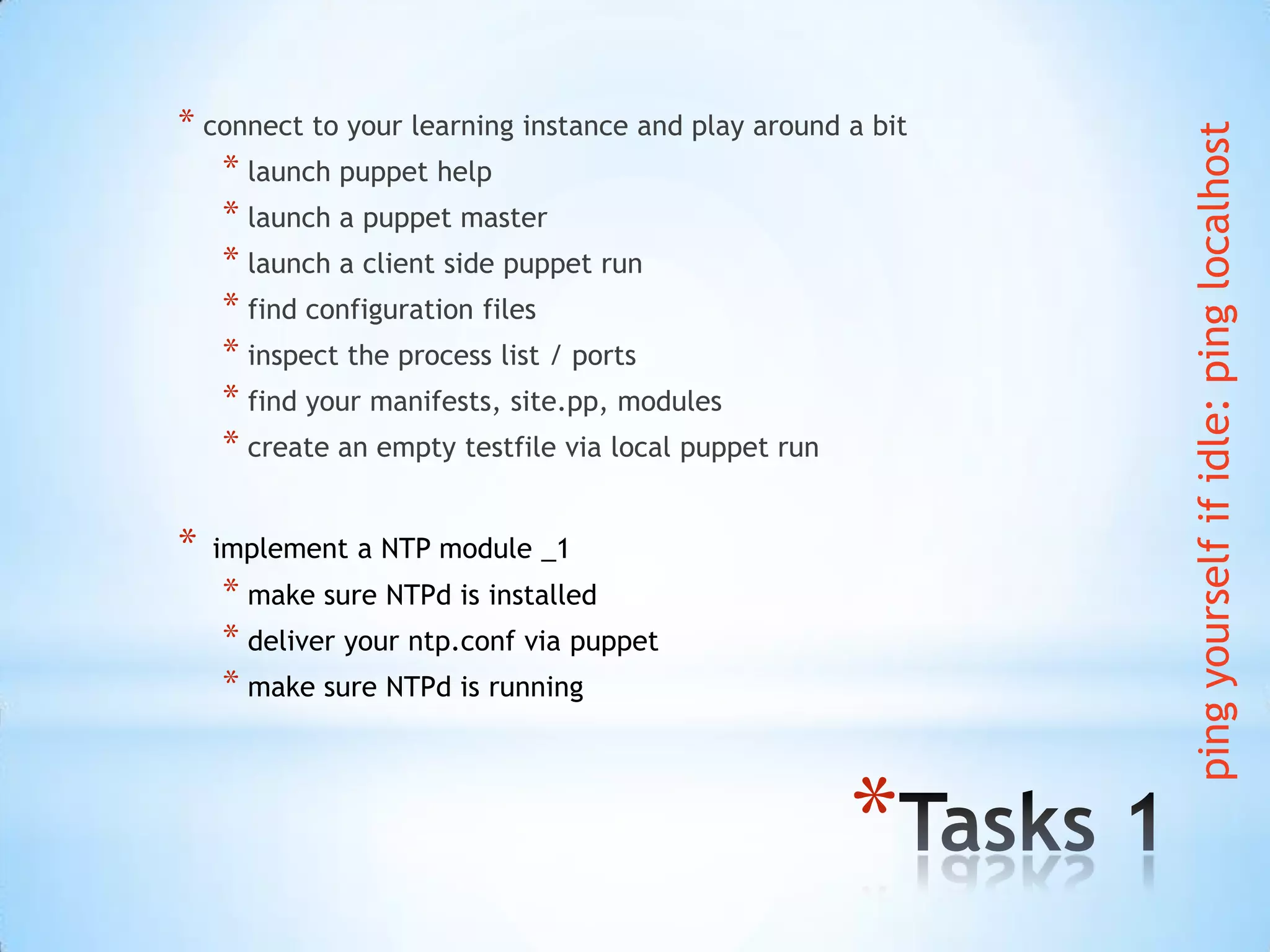
* connect to your learning instance and play around a bit
* launch puppet help
* launch a puppet master
* launch a client side puppet run
* find configuration files
* inspect the process list / ports
* find your manifests, site.pp, modules
* create an empty testfile via local puppet run
* implement a NTP module _1
* make sure NTPd is installed
* deliver your ntp.conf via puppet
* make sure NTPd is running
pingyourselfifidle:pinglocalhost
*
* implement a NTP module _2
* make sure NTPd is installed
* deliver your ntp.conf via puppet – dynamic content
* make sure NTPd is running
pingyourselfifidle:pinglocalhost
*
* implement a NTP module _3
* make sure NTPd is installed
* deliver your ntp.conf via puppet
* dynamic file content
* make sure NTPd is running
* first install NTPd, then configure it, then handle the service
* restart the service, if configuration file has been changed
pingyourselfifidle:pinglocalhost
*
post-Hands-On...
*
* puppets internal CA
* on master: puppet cert --list --all
* on client: NIL
* rm –rf /var/lib/puppet/ssl
* don‘t repeat others
* forge.puppetlabs.com – puppet module
* ask others:
*ask.puppetlabs.com
*
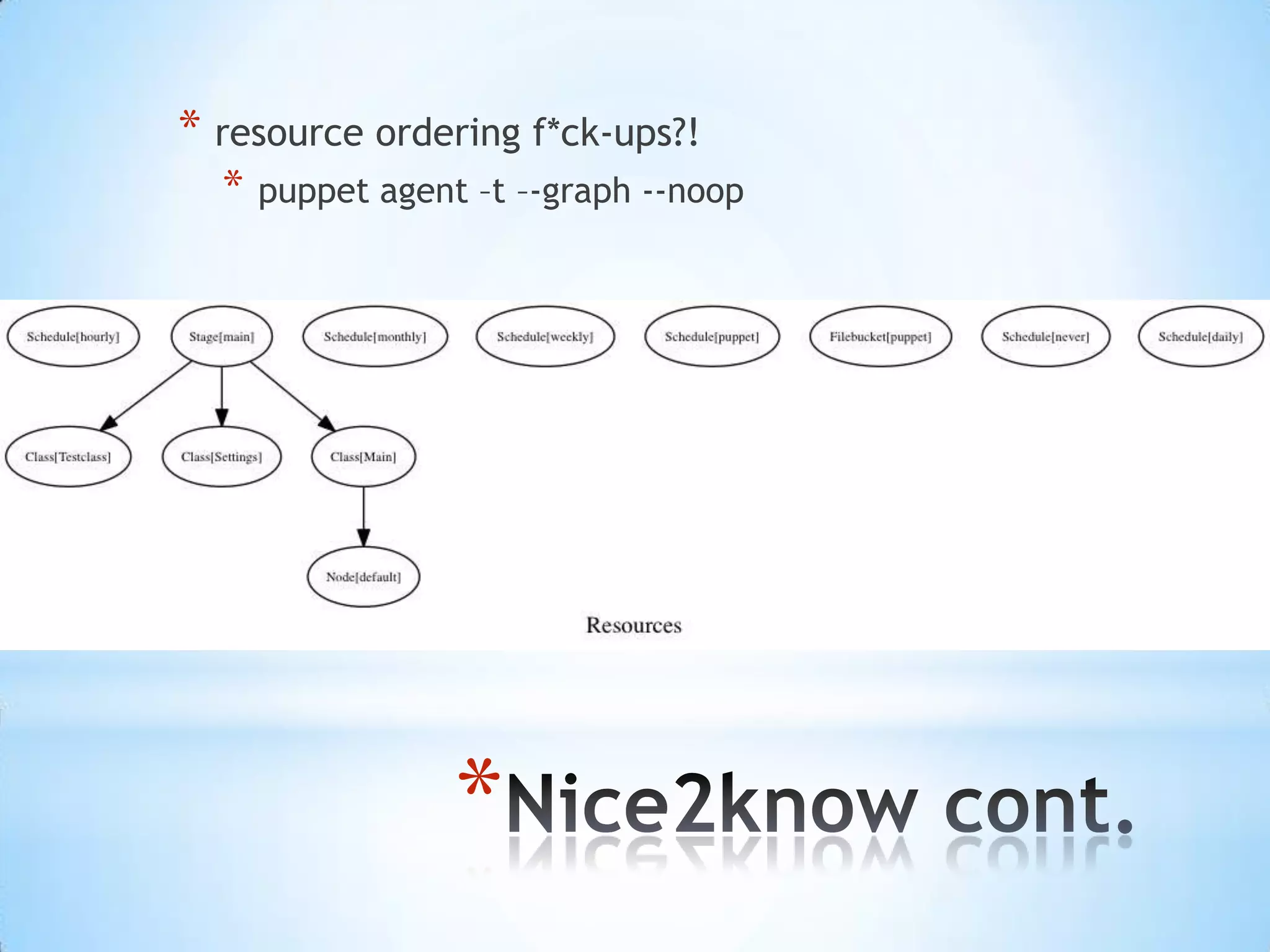
* resource ordering f*ck-ups?!
* puppet agent –t –-graph --noop
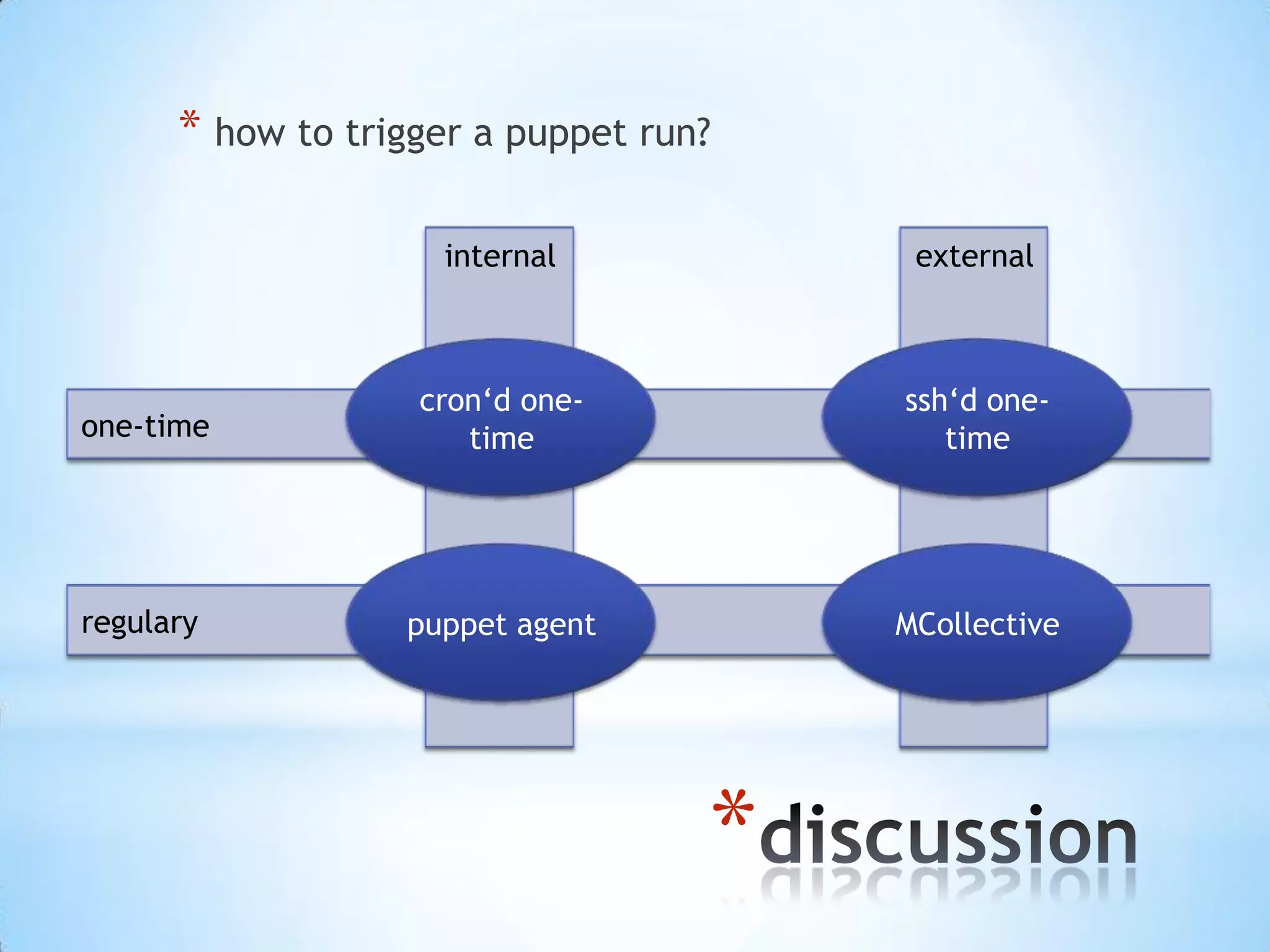
externalinternal
regulary
one-time
*
* how to trigger a puppet run?
puppet agent
cron‘d one-
time
ssh‘d one-
time
MCollective
*
got questions?
*
vagrant & puppet

Introduction to puppet - Hands on Session at HPI Potsdam

  • 1.
    TUTORIAL AND HANDSON SESSION * Christoph Oelmüller Christoph.oelmueller@epost-dev.de
  • 2.
    * *why configuration management? *puppetDSL - declarative resources instead of procedural code *writing Puppet manifests *anatomy of a Puppet run *using Puppet without/with a master *nice2knows *master of Puppets (hands on) *nice2know cont. *Q & A
  • 3.
  • 4.
    * admins are generallyas lazy as possible... for s in $(<some_outdated_list.txt) do ssh $s „/bin/false“ done http://optempo.com/images/trained_monkey.gi f
  • 5.
    * manually ssh loop centralized procedural •sequential – slow • system-dependant • inventory-dependant • what about authorization?
  • 6.
    * * from devto prod * reproducable configurations * system (*nix flavour) independency DEV TEST PROD
  • 7.
    * * managed „things“can... * ...be compliant * ...be reported * ...fullfill security requirements
  • 8.
  • 9.
  • 10.
    * 1. describe whatyou want to be configured 2. (don‘t care how it is done) 3. describe dependencies file package service types win *nix deb rpm POSIX win providers
  • 11.
    package{„ntp“: ensure => installed } file{„/etc/ntp.conf“: ensure=> present, user => root, group => root, mode => 644, source => puppet://... } service{„/etc/ntp.conf“: ensure => running, }
  • 12.
    package{„ntp“: ensure => installed } file{„/etc/ntp.conf“: ensure=> present, user => root, group => root, mode => 644, source => puppet://..., require => Package[‚ntp‘] } service{„ntpd“: ensure => running, require => File[‚/etc/ntp.conf‘] }
  • 13.
    * before after without refreshbefore => Resource[‚name‘] require => Resource[‚name‘] with refresh notify => Resource[‚name‘] subscribe => Resource[‚name‘] in our resources chaining syntax Resource[‚‘] -> Resource[‚name‘] ~> Resource[‚name‘]
  • 14.
  • 15.
    1. retreive plugins fromserver 2. get „facts“ on client and send them to master 3. compile catalog and send it to the client 4. apply catalog on client 5. process report
  • 16.
    * * Manifest: yourPuppet DSL (*.pp) * Catalog: serialized host specific DSL * Facts: host specific set of vars * Plugins: puppet extensions * facts, types, providers, reports...
  • 17.
    * [root@puppet ~]# facter architecture=> x86_64 augeasversion => 0.9.0 bios_release_date => 12/01/2006 bios_vendor => innotek GmbH bios_version => VirtualBox blockdevice_sda_model => VBOX HARDDISK blockdevice_sda_size => 214748364800 blockdevice_sda_vendor => ATA domain => example.com facterversion => 1.7.2 filesystems => ext4,iso9660 fqdn => puppet.example.com hardwareisa => x86_64 hardwaremodel => x86_64 hostname => puppet id => root interfaces => eth0,lo ipaddress => 10.0.2.15 ipaddress_eth0 => 10.0.2.15 ipaddress_lo => 127.0.0.1 is_virtual => true kernel => Linux
  • 18.
    * node definitions &modules & delivering content
  • 19.
  • 20.
    * %manifestdir/site.pp: node frontend.example.com { #file{‚/etc/apache2/httpd.con‘: # ensure => present, # ... #} include apache2 # class{„apache2“:} } node db1.example.com { ... }
  • 21.
    * directory structure in%modulepath: mkdir –p modulename/{manifests,files,templates,lib,spec} - manifests : where your .pp goes - files : where your static content goes - templates : where your dynamic content goes (remember facts) - lib : where your advanced puppet knowledge goes - specs : home of Q&A‘s happiness
  • 22.
    * %modulepath/modulename/manifests/init.pp: class modulename() { file{„/tmp/testfile.conf“: ensure=> present, ... } package{„mypackage“: ensure => latest, } service{„myinitscript“: ensure => running } }
  • 23.
    * # static filecontent file{„/tmp/testfile1.conf“: ensure => present, source => „puppet://mymodule/testfile1.conf“ } # templating file{„/tmp/testfile2.conf“: ensure => present, content => template(„testfile2.conf.erb“) }
  • 24.
    * one binary torule them all - faces
  • 25.
    [root@puppet ~]# puppethelp Usage: puppet <subcommand> [options] <action> [options] Available subcommands: agent The puppet agent daemon apply Apply Puppet manifests locally cert Manage certificates and requests master The puppet master daemon module Creates, installs and searches for modules on the Puppet Forge. parser Interact directly with the parser. puppet apply: • apply manifests locally • no master needed • no centralized fileserver • test • headless puppet • no SSL-communication allowed
  • 26.
    [root@puppet ~]# puppethelp Usage: puppet <subcommand> [options] <action> [options] Available subcommands: agent The puppet agent daemon apply Apply Puppet manifests locally cert Manage certificates and requests master The puppet master daemon module Creates, installs and searches for modules on the Puppet Forge. parser Interact directly with the parser. puppet master: • starts https service • TCP/8140 • internal webserver (ruby) • scalable (mod_passenger) puppet agent: • manages puppet runs on client • regularly • one-time
  • 27.
    [root@puppet ~]# puppethelp Usage: puppet <subcommand> [options] <action> [options] Available subcommands: agent The puppet agent daemon apply Apply Puppet manifests locally cert Manage certificates and requests master The puppet master daemon module Creates, installs and searches for modules on the Puppet Forge. parser Interact directly with the parser. puppet module: • interacts with puppetlabs module repository puppet parser validate: • syntax check manifests
  • 28.
  • 29.
    * * find puppetsconfiguration: * puppet config print * puppet.conf (PE vs. OSE) * debugging puppet: * puppet parser validate <file.pp> * puppet agent/apply –-noop (use it!!!) * running agent in „test“ mode * includes one-time * includes verbose * doesn‘t include noop!!!
  • 30.
  • 31.
    * * connect toyour learning instance and play around a bit * launch puppet help * launch a puppet master * launch a client side puppet run * find configuration files * inspect the process list / ports * find your manifests, site.pp, modules * create an empty testfile via local puppet run * implement a NTP module _1 * make sure NTPd is installed * deliver your ntp.conf via puppet * make sure NTPd is running pingyourselfifidle:pinglocalhost
  • 32.
    * * implement aNTP module _2 * make sure NTPd is installed * deliver your ntp.conf via puppet – dynamic content * make sure NTPd is running pingyourselfifidle:pinglocalhost
  • 33.
    * * implement aNTP module _3 * make sure NTPd is installed * deliver your ntp.conf via puppet * dynamic file content * make sure NTPd is running * first install NTPd, then configure it, then handle the service * restart the service, if configuration file has been changed pingyourselfifidle:pinglocalhost
  • 34.
  • 35.
    * * puppets internalCA * on master: puppet cert --list --all * on client: NIL * rm –rf /var/lib/puppet/ssl * don‘t repeat others * forge.puppetlabs.com – puppet module * ask others: *ask.puppetlabs.com
  • 36.
    * * resource orderingf*ck-ups?! * puppet agent –t –-graph --noop
  • 37.
    externalinternal regulary one-time * * how totrigger a puppet run? puppet agent cron‘d one- time ssh‘d one- time MCollective
  • 38.
  • 39.