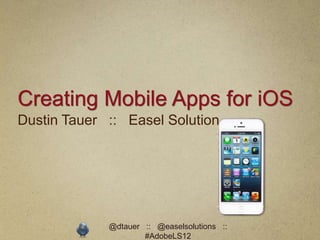
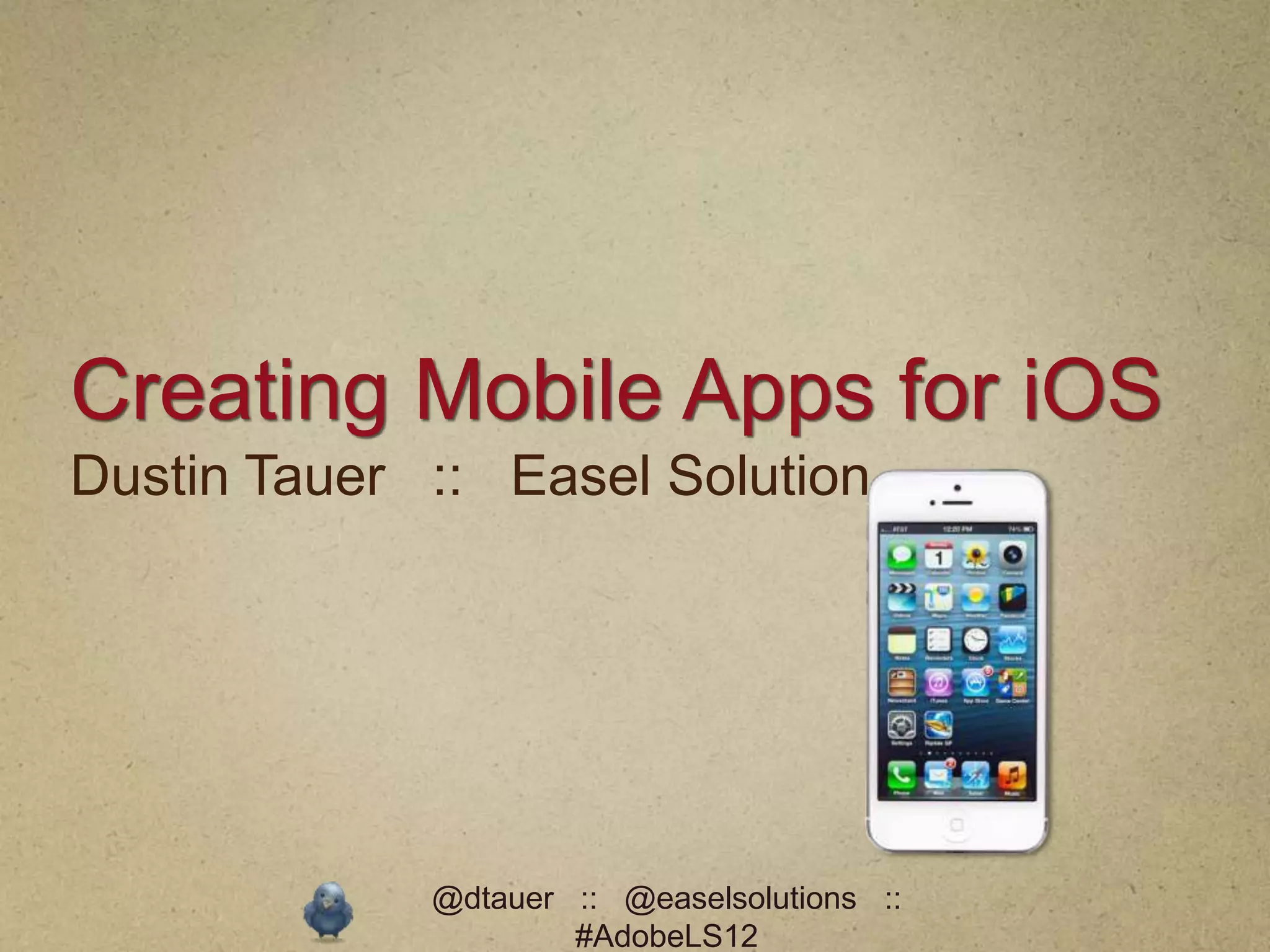
Creating Mobile Apps for iOS
Dustin Tauer :: Easel Solution


             @dtauer :: @easelsolutions ::
                     #AdobeLS12
Dustin Tauer

Developer (11 years)
 Instructor (7 years)

 Web :: Mobile ::
   eLearning


              @dtauer :: @easelsolutions ::
                      #AdobeLS12
Easel Solutions
   Remote/On-Site Training
    • Adobe Training Partner
    • Design, Web, Mobile, eLearning, Str
      ategy, Social, etc.
   Consulting
    • Don’t have time to learn? We’ll do it
      for you
   Adobe Connect Reseller


                     @dtauer :: @easelsolutions ::
                             #AdobeLS12
Slides :: Files ::
Resources
http://blog.easelsolutions.com


              @dtauer :: @easelsolutions ::
                      #AdobeLS12
mLearning
eLearning gone mobile


           @dtauer :: @easelsolutions ::
                   #AdobeLS12
The Problem
Users want eLearning on a mobile
device


           @dtauer :: @easelsolutions ::
                   #AdobeLS12
The Real Problem
Users want eLearning on a mobile device
that
does not support Flash


             @dtauer :: @easelsolutions ::
                     #AdobeLS12
@dtauer :: @easelsolutions ::
        #AdobeLS12
Flash and eLearning
eLearning is heavily reliant on Flash.


             @dtauer :: @easelsolutions ::
                     #AdobeLS12
Flash and mLearning
Do we have to learn new tools?
                           No!*
Abandon our existing courses?
                           No!


             @dtauer :: @easelsolutions ::
                     #AdobeLS12
mLearning
Create content that fits     the user.
Don’t ask the users to fit the content.


              @dtauer :: @easelsolutions ::
                      #AdobeLS12
Solution One
Publish content targeting a specific
device or platform


             @dtauer :: @easelsolutions ::
                     #AdobeLS12
Solution Two
Publish content that works everywhere


            @dtauer :: @easelsolutions ::
                    #AdobeLS12
HTML5
The elephant in the room


             @dtauer :: @easelsolutions ::
                     #AdobeLS12
“Just build it in HTML5”

             ( Sigh )


       @dtauer :: @easelsolutions ::
               #AdobeLS12
HTML5 does not equal Mobile
HTML5 is a set of features added to HTML
that give websites additional/consistent
functionality.

HTML5 = HTML + CSS + JavaScript

             @dtauer :: @easelsolutions ::
                     #AdobeLS12
HTML5 does not equal Mobile
Mobile browser evolve faster than
desktop browser and support more HTML5
features. It’s still a work     in progress.

               @dtauer :: @easelsolutions ::
                       #AdobeLS12
Mobile is hard
Picking the right tool is the key to success


               @dtauer :: @easelsolutions ::
                       #AdobeLS12
Developing for iOS
Choose your own adventure

    Web :: Shell App :: Native App


            @dtauer :: @easelsolutions ::
                    #AdobeLS12
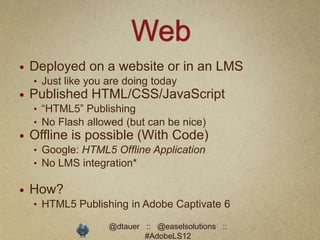
Web
   Deployed on a website or in an LMS
    • Just like you are doing today
   Published HTML/CSS/JavaScript
    • “HTML5” Publishing
    • No Flash allowed (but can be nice)
   Offline is possible (With Code)
    • Google: HTML5 Offline Application
    • No LMS integration*

   How?
    • HTML5 Publishing in Adobe Captivate 6

                    @dtauer :: @easelsolutions ::
                            #AdobeLS12
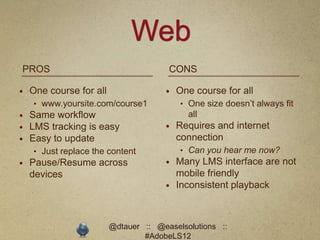
Web
PROS                                   CONS

   One course for all                   One course for all
    • www.yoursite.com/course1            • One size doesn’t always fit
   Same workflow                           all
   LMS tracking is easy                 Requires and internet
   Easy to update                        connection
    • Just replace the content            • Can you hear me now?
   Pause/Resume across                  Many LMS interface are not
    devices                               mobile friendly
                                         Inconsistent playback


                         @dtauer :: @easelsolutions ::
                                 #AdobeLS12
Demo
Web-based Course


           @dtauer :: @easelsolutions ::
                   #AdobeLS12
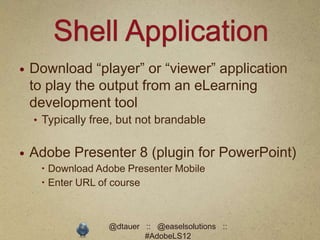
Shell Application
   Download “player” or “viewer” application
    to play the output from an eLearning
    development tool
    • Typically free, but not brandable


   Adobe Presenter 8 (plugin for PowerPoint)
      Download Adobe Presenter Mobile
      Enter URL of course


                   @dtauer :: @easelsolutions ::
                           #AdobeLS12
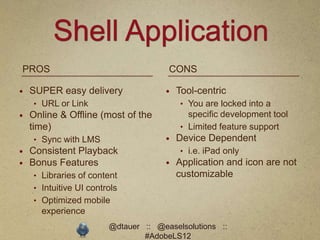
Shell Application
PROS                                  CONS

   SUPER easy delivery                 Tool-centric
    • URL or Link                        • You are locked into a
   Online & Offline (most of the          specific development tool
    time)                                • Limited feature support
    • Sync with LMS                     Device Dependent
   Consistent Playback                  • i.e. iPad only
   Bonus Features                      Application and icon are not
    • Libraries of content               customizable
    • Intuitive UI controls
    • Optimized mobile
      experience
                        @dtauer :: @easelsolutions ::
                                #AdobeLS12
Demo
Shell Application


              @dtauer :: @easelsolutions ::
                      #AdobeLS12
Native Application
Like Angry Birds or Instagram


              @dtauer :: @easelsolutions ::
                      #AdobeLS12
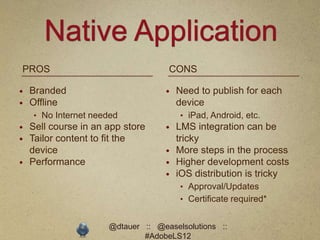
Native Application
PROS                                CONS

   Branded                           Need to publish for each
   Offline                            device
    • No Internet needed               • iPad, Android, etc.
   Sell course in an app store       LMS integration can be
   Tailor content to fit the          tricky
    device                            More steps in the process
   Performance                       Higher development costs
                                      iOS distribution is tricky
                                       • Approval/Updates
                                       • Certificate required*


                      @dtauer :: @easelsolutions ::
                              #AdobeLS12
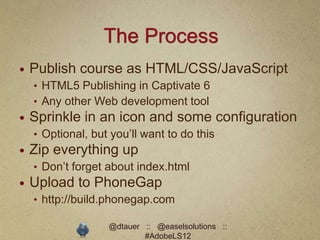
The Process
   Publish course as HTML/CSS/JavaScript
    • HTML5 Publishing in Captivate 6
    • Any other Web development tool
   Sprinkle in an icon and some configuration
    • Optional, but you’ll want to do this
   Zip everything up
    • Don’t forget about index.html
   Upload to PhoneGap
    • http://build.phonegap.com

                   @dtauer :: @easelsolutions ::
                           #AdobeLS12
You now have a Native
App
iOS :: Android :: Windows :: Blackberry
:: etc.


             @dtauer :: @easelsolutions ::
                     #AdobeLS12
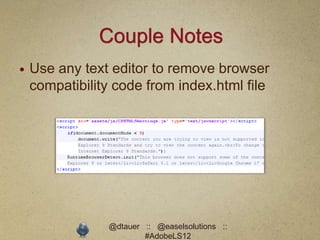
Couple Notes
   Use any text editor to remove browser
    compatibility code from index.html file


                @dtauer :: @easelsolutions ::
                        #AdobeLS12
Couple Notes
   PhoneGap Build has a 9.5MB limit
   Download PhoneGap for larger project
    sizes


               @dtauer :: @easelsolutions ::
                       #AdobeLS12
Let’s talk iOS
Status: It’s Complicated


              @dtauer :: @easelsolutions ::
                      #AdobeLS12
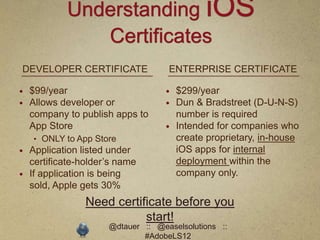
Understanding iOS
               Certificates
DEVELOPER CERTIFICATE               ENTERPRISE CERTIFICATE

   $99/year                          $299/year
   Allows developer or               Dun & Bradstreet (D-U-N-S)
    company to publish apps to         number is required
    App Store                         Intended for companies who
    • ONLY to App Store                create proprietary, in-house
   Application listed under           iOS apps for internal
    certificate-holder’s name          deployment within the
   If application is being            company only.
    sold, Apple gets 30%
                 Need certificate before you
                            start!
                      @dtauer :: @easelsolutions ::
                              #AdobeLS12
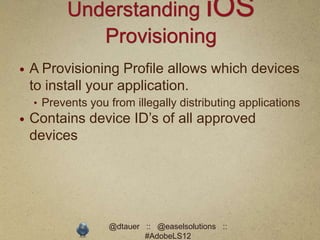
Understanding iOS
             Provisioning
   A Provisioning Profile allows which devices
    to install your application.
    • Prevents you from illegally distributing applications
   Contains device ID’s of all approved
    devices


                   @dtauer :: @easelsolutions ::
                           #AdobeLS12
The iOS setup process sucks
You only have to do it once


              @dtauer :: @easelsolutions ::
                      #AdobeLS12
iOS Development Resources
   http://developer.apple.com
    • Certificates and Provisioning
   http://www.testflightapp.com
    • Acquire device ID’s and manage “testers”


   Video
    • http://blog.easelsolutions.com/videos/?p=f_XpBm
      66dQI
    • Updated version coming soon

                   @dtauer :: @easelsolutions ::
                           #AdobeLS12
Demo
Native Application


              @dtauer :: @easelsolutions ::
                      #AdobeLS12
Designing mLearning
Graphical, not instructional


               @dtauer :: @easelsolutions ::
                       #AdobeLS12
Design Considerations for
             Mobile UI
   Design for immediate access
   Fingers, not mice
    • No roll-overs
    • Careful with “try-me” courses
   Touch feedback is key
    • Down-states
   Keep gestures smart and simple
    • Or just stick to the tap (click)
   Design for real hand sizes
                      @dtauer :: @easelsolutions ::
                              #AdobeLS12
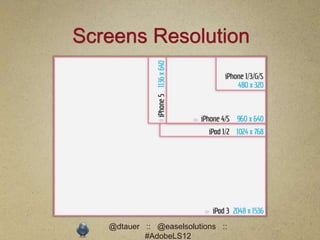
Screens Resolution


   @dtauer :: @easelsolutions ::
           #AdobeLS12
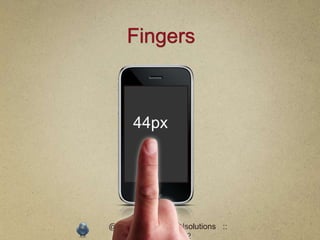
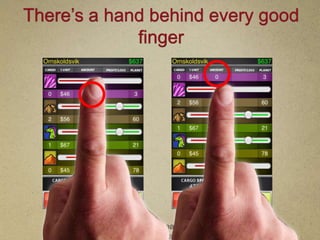
Fingers


     44px


@dtauer :: @easelsolutions ::
        #AdobeLS12
There’s a hand behind every good
             finger


         @dtauer :: @easelsolutions ::
                 #AdobeLS12
Tablets
Same as laptops as long as you
recognize the design considerations
of touch-input


             @dtauer :: @easelsolutions ::
                     #AdobeLS12
Best way to approach
mLearning?
test, try, seek, attempt, prove, evaluate, jud
ge, decide, sample, probe, examine


               @dtauer :: @easelsolutions ::
                       #AdobeLS12
Thanks!
http://blog.easelsolutions.com
Slides, Session Files, Resources


                  @dtauer :: @easelsolutions ::
                          #AdobeLS12

Building iOS apps with eLearning Tools

  • 1.
    Creating Mobile Appsfor iOS Dustin Tauer :: Easel Solution @dtauer :: @easelsolutions :: #AdobeLS12
  • 2.
    Dustin Tauer Developer (11years) Instructor (7 years) Web :: Mobile :: eLearning @dtauer :: @easelsolutions :: #AdobeLS12
  • 3.
    Easel Solutions  Remote/On-Site Training • Adobe Training Partner • Design, Web, Mobile, eLearning, Str ategy, Social, etc.  Consulting • Don’t have time to learn? We’ll do it for you  Adobe Connect Reseller @dtauer :: @easelsolutions :: #AdobeLS12
  • 4.
    Slides :: Files:: Resources http://blog.easelsolutions.com @dtauer :: @easelsolutions :: #AdobeLS12
  • 5.
    mLearning eLearning gone mobile @dtauer :: @easelsolutions :: #AdobeLS12
  • 6.
    The Problem Users wanteLearning on a mobile device @dtauer :: @easelsolutions :: #AdobeLS12
  • 7.
    The Real Problem Userswant eLearning on a mobile device that does not support Flash @dtauer :: @easelsolutions :: #AdobeLS12
  • 8.
  • 9.
    Flash and eLearning eLearningis heavily reliant on Flash. @dtauer :: @easelsolutions :: #AdobeLS12
  • 10.
    Flash and mLearning Dowe have to learn new tools? No!* Abandon our existing courses? No! @dtauer :: @easelsolutions :: #AdobeLS12
  • 11.
    mLearning Create content thatfits the user. Don’t ask the users to fit the content. @dtauer :: @easelsolutions :: #AdobeLS12
  • 12.
    Solution One Publish contenttargeting a specific device or platform @dtauer :: @easelsolutions :: #AdobeLS12
  • 13.
    Solution Two Publish contentthat works everywhere @dtauer :: @easelsolutions :: #AdobeLS12
  • 14.
    HTML5 The elephant inthe room @dtauer :: @easelsolutions :: #AdobeLS12
  • 15.
    “Just build itin HTML5” ( Sigh ) @dtauer :: @easelsolutions :: #AdobeLS12
  • 16.
    HTML5 does notequal Mobile HTML5 is a set of features added to HTML that give websites additional/consistent functionality. HTML5 = HTML + CSS + JavaScript @dtauer :: @easelsolutions :: #AdobeLS12
  • 17.
    HTML5 does notequal Mobile Mobile browser evolve faster than desktop browser and support more HTML5 features. It’s still a work in progress. @dtauer :: @easelsolutions :: #AdobeLS12
  • 18.
    Mobile is hard Pickingthe right tool is the key to success @dtauer :: @easelsolutions :: #AdobeLS12
  • 19.
    Developing for iOS Chooseyour own adventure Web :: Shell App :: Native App @dtauer :: @easelsolutions :: #AdobeLS12
  • 20.
    Web  Deployed on a website or in an LMS • Just like you are doing today  Published HTML/CSS/JavaScript • “HTML5” Publishing • No Flash allowed (but can be nice)  Offline is possible (With Code) • Google: HTML5 Offline Application • No LMS integration*  How? • HTML5 Publishing in Adobe Captivate 6 @dtauer :: @easelsolutions :: #AdobeLS12
  • 21.
    Web PROS CONS  One course for all  One course for all • www.yoursite.com/course1 • One size doesn’t always fit  Same workflow all  LMS tracking is easy  Requires and internet  Easy to update connection • Just replace the content • Can you hear me now?  Pause/Resume across  Many LMS interface are not devices mobile friendly  Inconsistent playback @dtauer :: @easelsolutions :: #AdobeLS12
  • 22.
    Demo Web-based Course @dtauer :: @easelsolutions :: #AdobeLS12
  • 23.
    Shell Application  Download “player” or “viewer” application to play the output from an eLearning development tool • Typically free, but not brandable  Adobe Presenter 8 (plugin for PowerPoint)  Download Adobe Presenter Mobile  Enter URL of course @dtauer :: @easelsolutions :: #AdobeLS12
  • 24.
    Shell Application PROS CONS  SUPER easy delivery  Tool-centric • URL or Link • You are locked into a  Online & Offline (most of the specific development tool time) • Limited feature support • Sync with LMS  Device Dependent  Consistent Playback • i.e. iPad only  Bonus Features  Application and icon are not • Libraries of content customizable • Intuitive UI controls • Optimized mobile experience @dtauer :: @easelsolutions :: #AdobeLS12
  • 25.
    Demo Shell Application @dtauer :: @easelsolutions :: #AdobeLS12
  • 26.
    Native Application Like AngryBirds or Instagram @dtauer :: @easelsolutions :: #AdobeLS12
  • 27.
    Native Application PROS CONS  Branded  Need to publish for each  Offline device • No Internet needed • iPad, Android, etc.  Sell course in an app store  LMS integration can be  Tailor content to fit the tricky device  More steps in the process  Performance  Higher development costs  iOS distribution is tricky • Approval/Updates • Certificate required* @dtauer :: @easelsolutions :: #AdobeLS12
  • 28.
    The Process  Publish course as HTML/CSS/JavaScript • HTML5 Publishing in Captivate 6 • Any other Web development tool  Sprinkle in an icon and some configuration • Optional, but you’ll want to do this  Zip everything up • Don’t forget about index.html  Upload to PhoneGap • http://build.phonegap.com @dtauer :: @easelsolutions :: #AdobeLS12
  • 29.
    You now havea Native App iOS :: Android :: Windows :: Blackberry :: etc. @dtauer :: @easelsolutions :: #AdobeLS12
  • 30.
    Couple Notes  Use any text editor to remove browser compatibility code from index.html file @dtauer :: @easelsolutions :: #AdobeLS12
  • 31.
    Couple Notes  PhoneGap Build has a 9.5MB limit  Download PhoneGap for larger project sizes @dtauer :: @easelsolutions :: #AdobeLS12
  • 32.
    Let’s talk iOS Status:It’s Complicated @dtauer :: @easelsolutions :: #AdobeLS12
  • 33.
    Understanding iOS Certificates DEVELOPER CERTIFICATE ENTERPRISE CERTIFICATE  $99/year  $299/year  Allows developer or  Dun & Bradstreet (D-U-N-S) company to publish apps to number is required App Store  Intended for companies who • ONLY to App Store create proprietary, in-house  Application listed under iOS apps for internal certificate-holder’s name deployment within the  If application is being company only. sold, Apple gets 30% Need certificate before you start! @dtauer :: @easelsolutions :: #AdobeLS12
  • 34.
    Understanding iOS Provisioning  A Provisioning Profile allows which devices to install your application. • Prevents you from illegally distributing applications  Contains device ID’s of all approved devices @dtauer :: @easelsolutions :: #AdobeLS12
  • 35.
    The iOS setupprocess sucks You only have to do it once @dtauer :: @easelsolutions :: #AdobeLS12
  • 36.
    iOS Development Resources  http://developer.apple.com • Certificates and Provisioning  http://www.testflightapp.com • Acquire device ID’s and manage “testers”  Video • http://blog.easelsolutions.com/videos/?p=f_XpBm 66dQI • Updated version coming soon @dtauer :: @easelsolutions :: #AdobeLS12
  • 37.
    Demo Native Application @dtauer :: @easelsolutions :: #AdobeLS12
  • 38.
    Designing mLearning Graphical, notinstructional @dtauer :: @easelsolutions :: #AdobeLS12
  • 39.
    Design Considerations for Mobile UI  Design for immediate access  Fingers, not mice • No roll-overs • Careful with “try-me” courses  Touch feedback is key • Down-states  Keep gestures smart and simple • Or just stick to the tap (click)  Design for real hand sizes @dtauer :: @easelsolutions :: #AdobeLS12
  • 40.
    Screens Resolution @dtauer :: @easelsolutions :: #AdobeLS12
  • 41.
    Fingers 44px @dtauer :: @easelsolutions :: #AdobeLS12
  • 42.
    There’s a handbehind every good finger @dtauer :: @easelsolutions :: #AdobeLS12
  • 43.
    Tablets Same as laptopsas long as you recognize the design considerations of touch-input @dtauer :: @easelsolutions :: #AdobeLS12
  • 44.
    Best way toapproach mLearning? test, try, seek, attempt, prove, evaluate, jud ge, decide, sample, probe, examine @dtauer :: @easelsolutions :: #AdobeLS12
  • 45.
    Thanks! http://blog.easelsolutions.com Slides, Session Files,Resources @dtauer :: @easelsolutions :: #AdobeLS12