Building a Hybrid SharePoint Information Governance Plan
Bruce Tuncertan
July, 2016
Thank You
EVENT Sponsors
We appreciated you supporting the
New York SharePoint Community!
• Diamond, Platinum, Gold, & Silver have tables
scattered throughout
• Please visit them and inquire about their products
& services
• To be eligible for prizes make sure to get your bingo
card stamped by ALL sponsors
• Raffle at the end of the day and you must be
present to win!
Conference Materials
• Slides / Demo will be posted on Lanyrd.com
• http://lanyrd.com/2016/spsnyc
• Photos posted to our Facebook page
• https://www.facebook.com/sharepointsaturdaynyc
• Tweet Us - @SPSNYC or #SPSNYC
• Sign Up for our NO SPAM mailing list for all
conference news & announcements
• http://goo.gl/7WzmPW
• Problems / Questions / Complaints / Suggestions
• Info@SPSNYMetro.com
• Visit ExtaCloud’s booth for wrist bands!
Scallywag's Irish Pub
508 9th Ave, between 38th & 39th.
[6 minutes walk]
Scallywags also serves food.
http://www.scallywagsnyc.com/
Agenda
• Hybrid Cloud Considerations and
Business Drivers
• How to govern Hybrid Architecture
and Infrastructure
• Hybrid SharePoint Workloads
• Collaboration & RM
• BI
• Extranets
• Search
Cloud Considerations and Business Drivers
What – Why – How?
Hybrid Cloud Considerations and Business Drivers
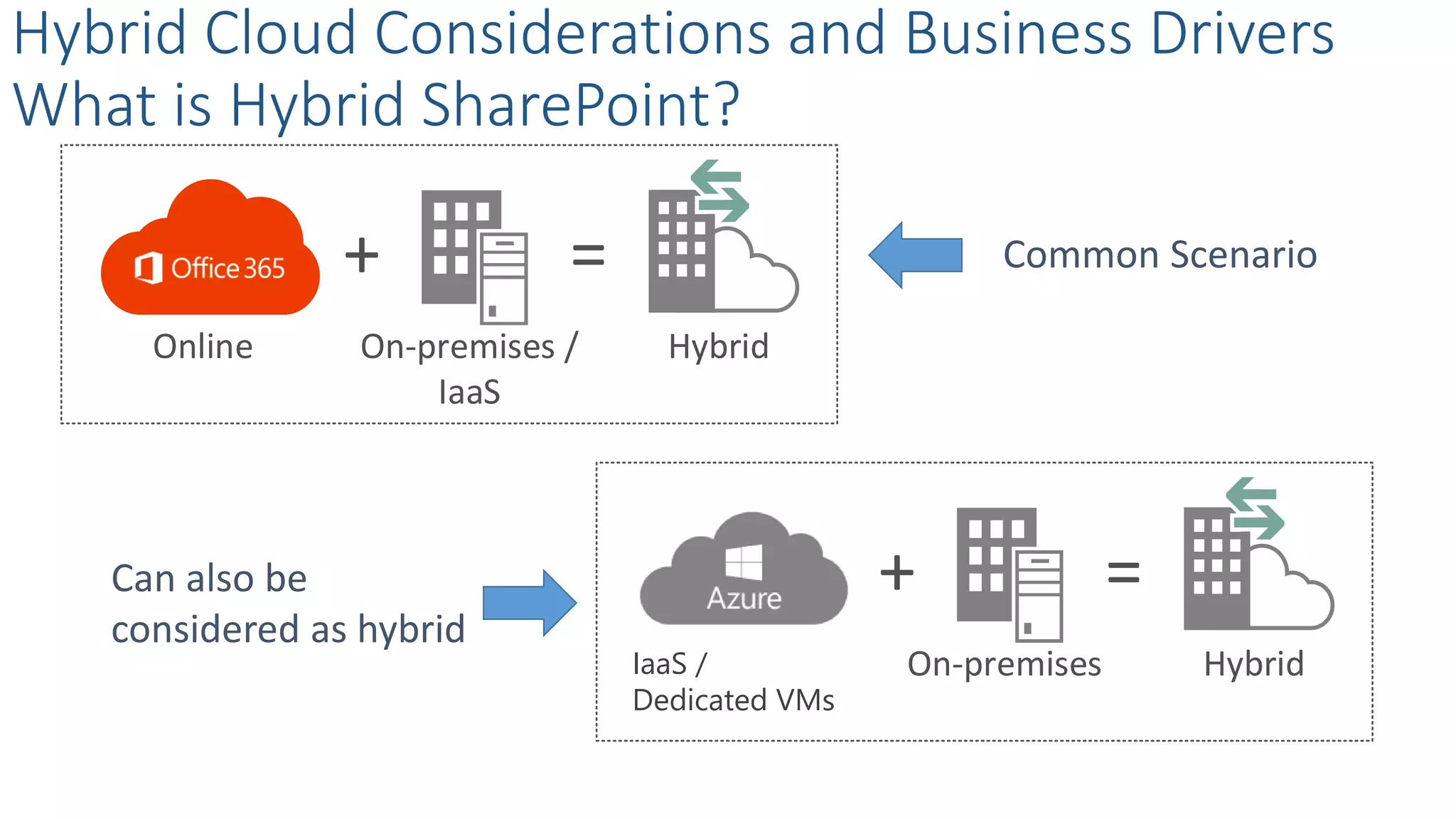
What is Hybrid SharePoint?
Common Scenario
Can also be
considered as hybrid
+ =
HybridOnline On-premises /
IaaS
+ =
HybridOn-premisesOn-premises /
IaaS
ddddd
IaaS /
Dedicated VMs
Hybrid Cloud Considerations and Business Drivers
Why Hybrid?
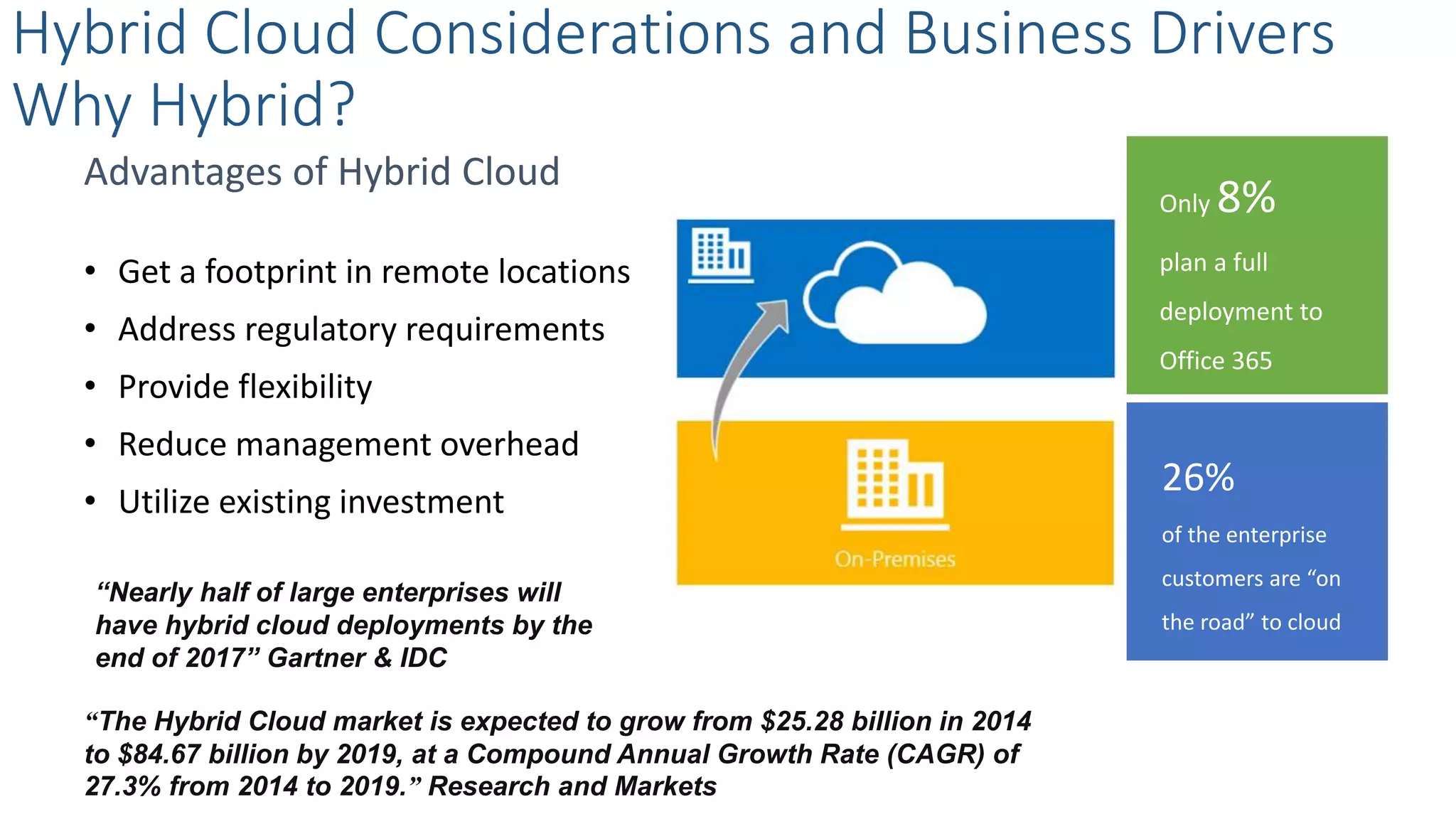
26%
of the enterprise
customers are “on
the road” to cloud
Only 8%
plan a full
deployment to
Office 365
Advantages of Hybrid Cloud
• Get a footprint in remote locations
• Address regulatory requirements
• Provide flexibility
• Reduce management overhead
• Utilize existing investment
“Nearly half of large enterprises will
have hybrid cloud deployments by the
end of 2017” Gartner & IDC
“The Hybrid Cloud market is expected to grow from $25.28 billion in 2014
to $84.67 billion by 2019, at a Compound Annual Growth Rate (CAGR) of
27.3% from 2014 to 2019.” Research and Markets
Hybrid Cloud Considerations and Business Drivers
How to define Hybrid?
Splitting WorkloadsSplitting Users
Two ways to define the hybrid cloud
• By Users
• By Workloads
SAMPLE
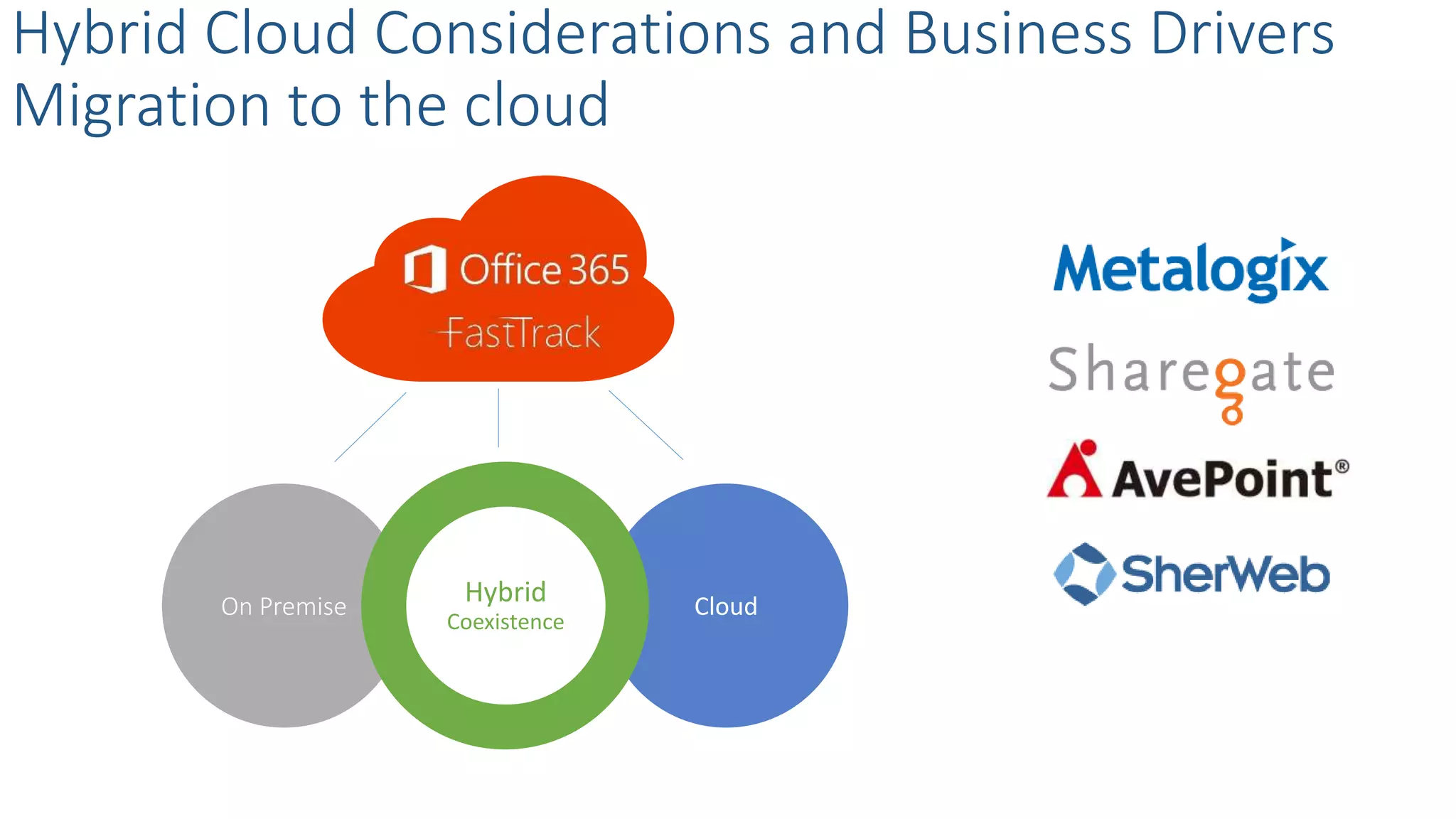
CloudOn Premise Hybrid
Coexistence
Hybrid Cloud Considerations and Business Drivers
Migration to the cloud
Hybrid Cloud Considerations and Business Drivers
Key considerations on maintaining hybrid scenarios
Availability, DR, Backup & Restore
Investment
Performance
Manageability
Regulatory
Change Management
SAMPLE
Hybrid Cloud Architecture and Infrastructure
SharePoint
Online
On Premise Hybrid
Coexistence
Hybrid Cloud Architecture and Infrastructure
How do Cloud and On-premise coexist?
Security Token
Service (STS) on-
premises
Infrastructure
Active Directory Synchronization
Server-to-server Trust
Hybrid Cloud Architecture and Infrastructure
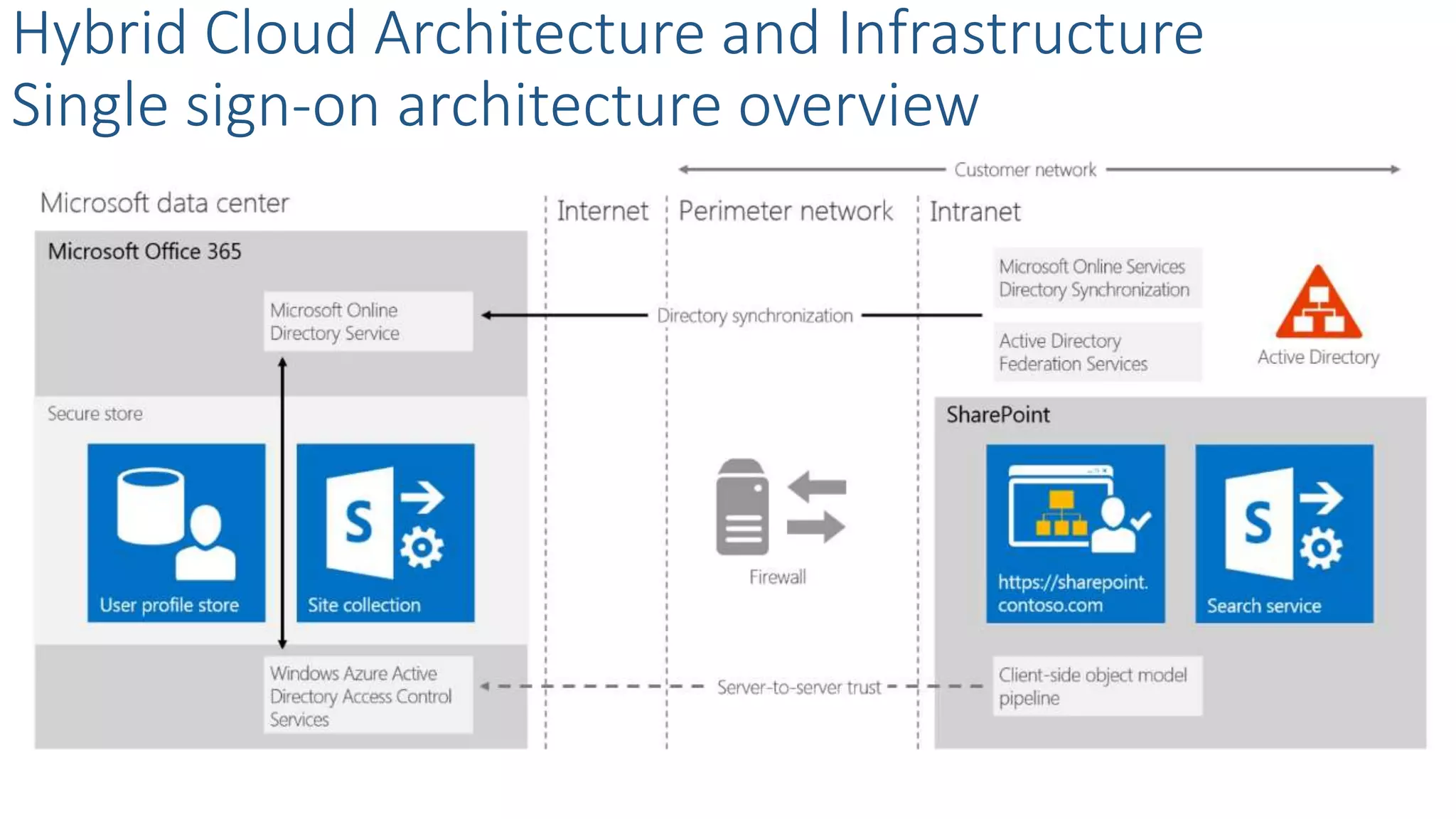
Single sign-on requirements
Hybrid Cloud Architecture and Infrastructure
Single sign-on architecture overview
What is…
Hybrid Cloud Architecture and Infrastructure
Directory synchronization overview
Directory Synchronization
Directory
Synchronization
with SSO
How …
Directory
Synchronization
Tool
What is…
Hybrid Cloud Architecture and Infrastructure
Directory synchronization overview
Directory Synchronization
Directory
Synchronization
with SSO
How …
Directory
Synchronization
Tool
Azure Active
Directory
Connect Tool
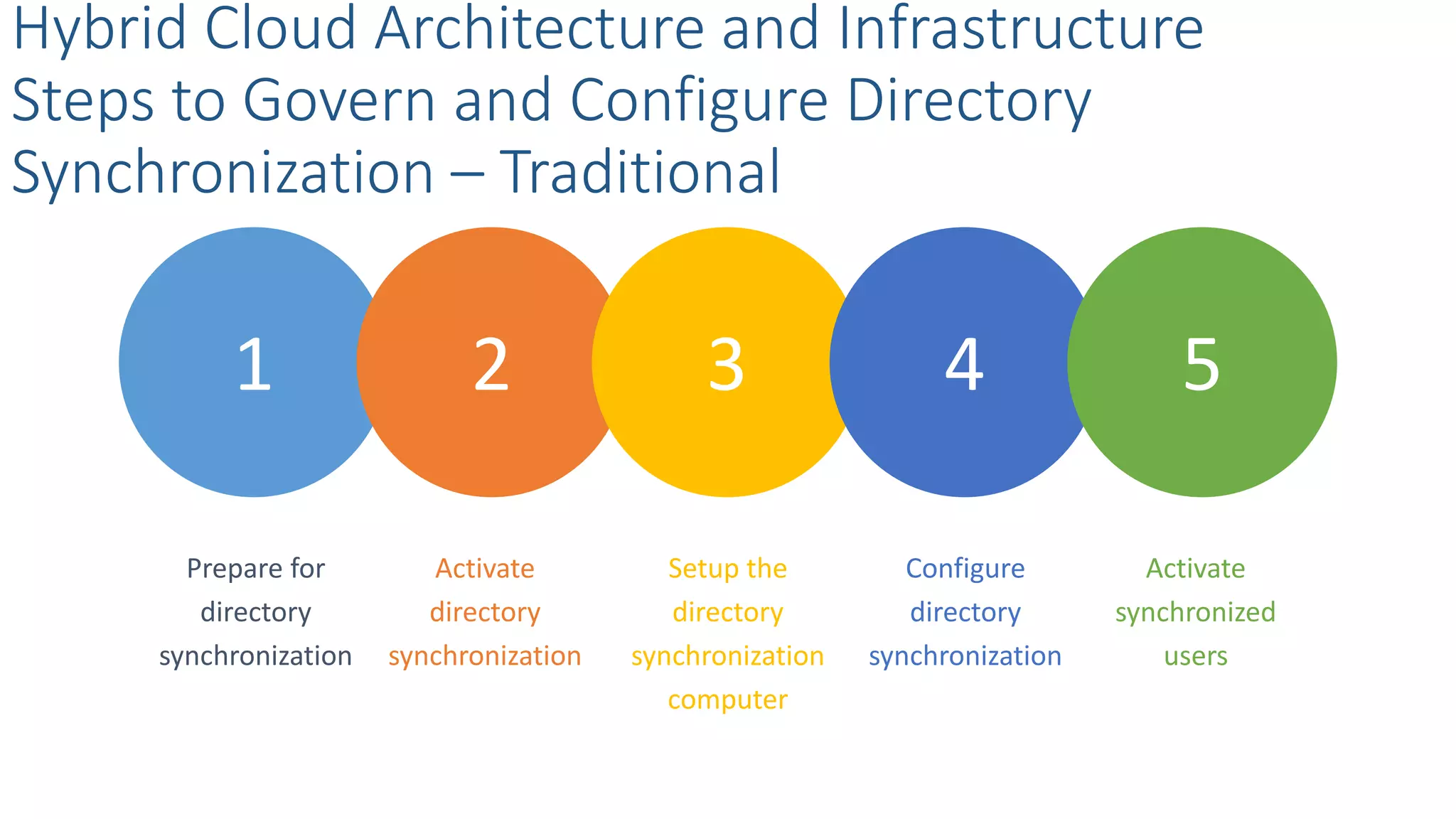
1 2 3 4 5
Hybrid Cloud Architecture and Infrastructure
Steps to Govern and Configure Directory
Synchronization – Traditional
Activate
directory
synchronization
Prepare for
directory
synchronization
Configure
directory
synchronization
Setup the
directory
synchronization
computer
Activate
synchronized
users
1 2,3,4 5
Hybrid Cloud Architecture and Infrastructure
Steps to Govern and Configure Directory
Synchronization – AD Connect
Prepare for
directory
synchronization
Install and run
the new Azure
AD Connect Tool
Activate
synchronized
users
One-way
outbound
Hybrid Cloud Architecture and Infrastructure
Authentication topologies
One-way
inbound
Two-way
bidirectional
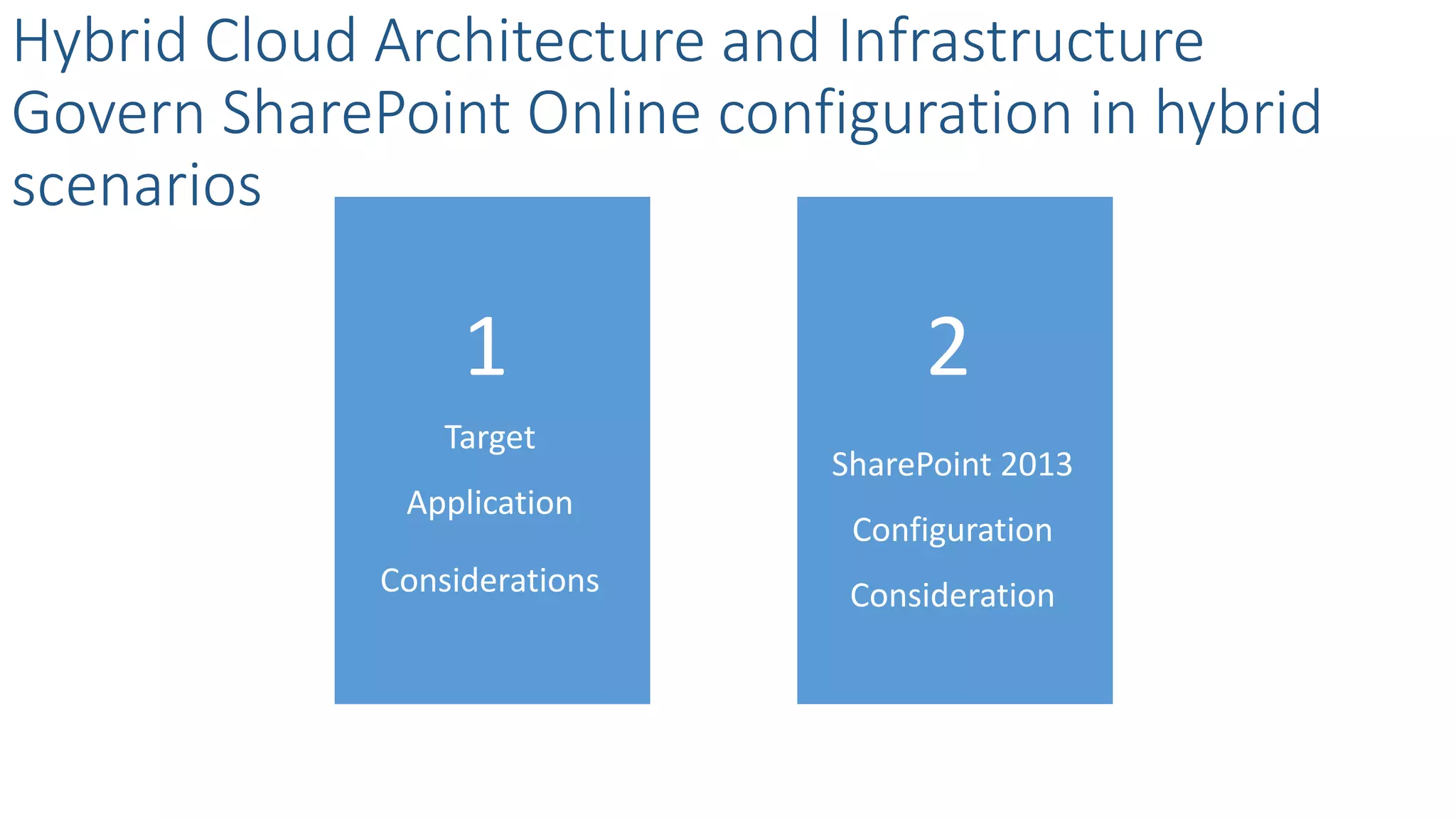
Target
Application
Considerations
Hybrid Cloud Architecture and Infrastructure
Govern SharePoint Online configuration in hybrid
scenarios
SharePoint 2013
Configuration
Consideration
1 2
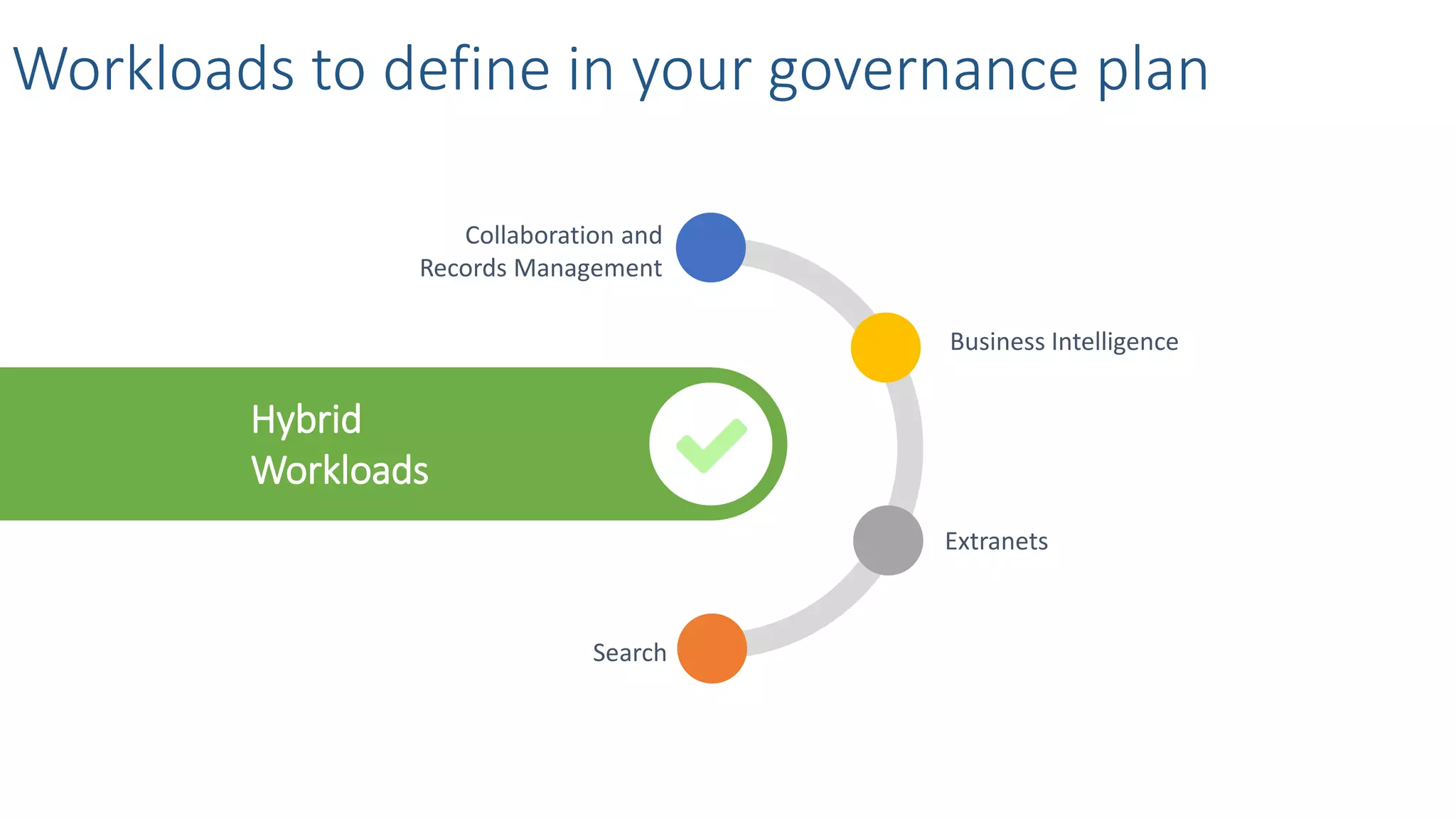
Hybrid Workloads
Hybrid
Workloads
Workloads to define in your governance plan
Collaboration and
Records Management
Business Intelligence
Extranets
Search
Content
Management
Hybrid Workloads - Collaboration and Records
Management Overview
Governance Plan
Records
Management &
Retention
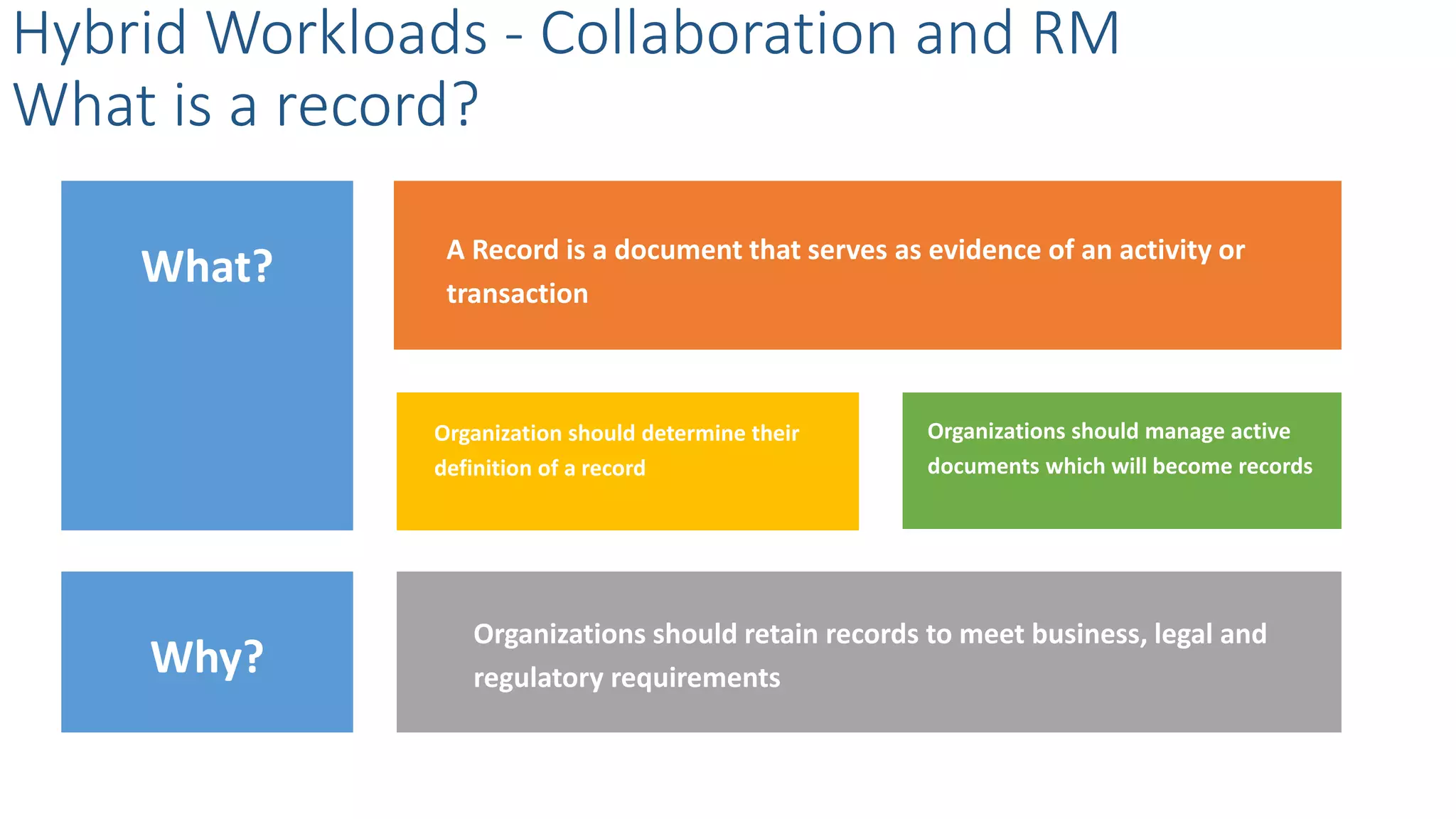
What?
Organization should determine their
definition of a record
Organizations should manage active
documents which will become records
A Record is a document that serves as evidence of an activity or
transaction
Organizations should retain records to meet business, legal and
regulatory requirements
Hybrid Workloads - Collaboration and RM
What is a record?
Why?
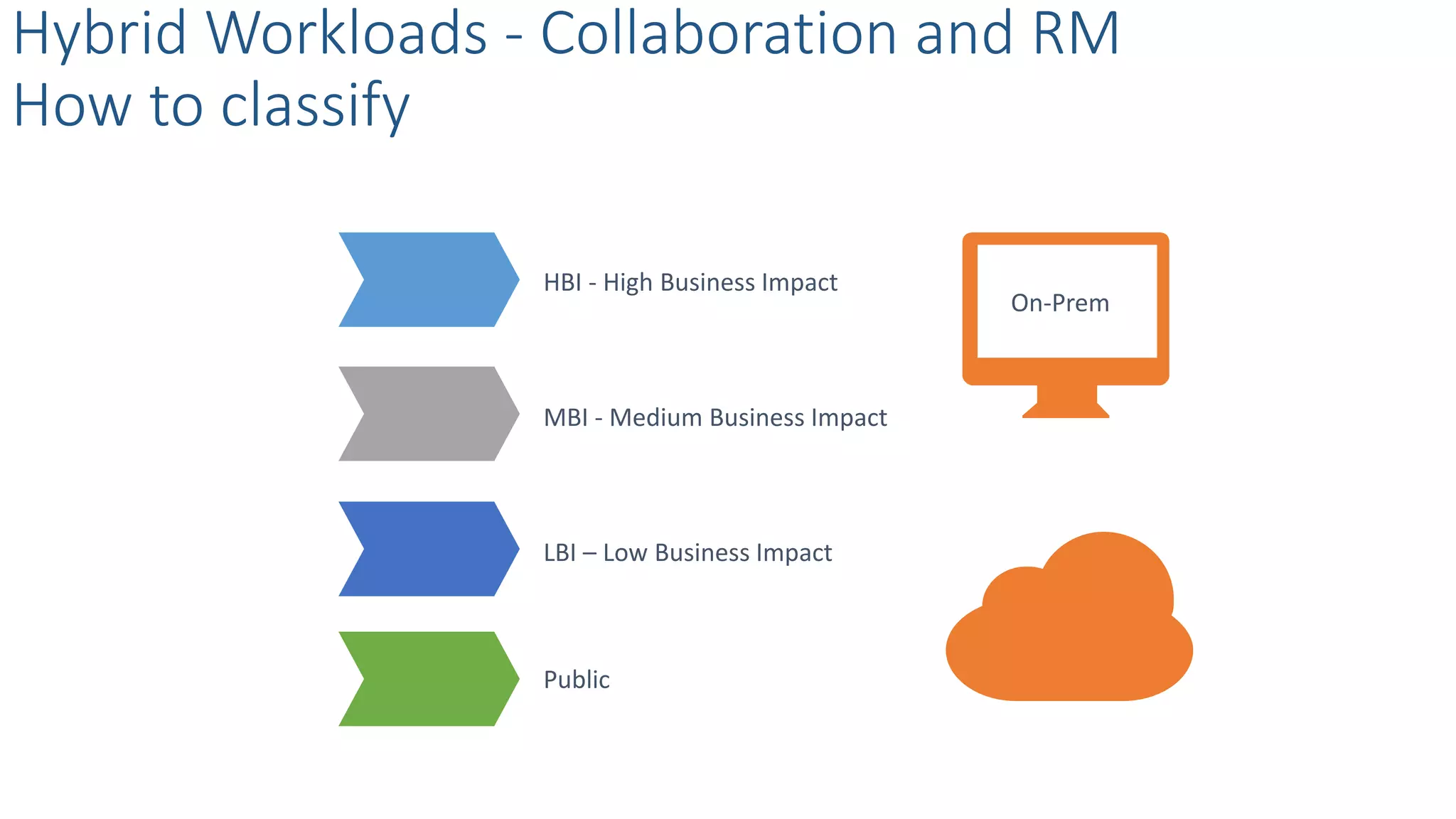
Hybrid Workloads - Collaboration and RM
How to classify
HBI - High Business Impact
MBI - Medium Business Impact
LBI – Low Business Impact
Public
On-Prem
Archive them in
the Records
Center
Hybrid Workloads - Collaboration and RM
Where should we store the records?
Manage records
in-place
Consider a
hybrid approach
Compliance
Does separate record
required by
regulations?
Governance
How do you govern the
collaboration site?
Frequency
How often records
needs to be accessed?
Duration
What is the lifetime of
the collaboration site?
Management
Who will be managing
records and record
centres?
Hybrid Workloads - Collaboration and RM
Record management consideration for SP 2013
SAMPLE
What is
available?
Federated users to gain access on-prem data
Two-way authentication topology
Users publish on-prem data to SharePoint Online
Through Odata
Hybrid Workloads - Business Intelligence
Overview
How?
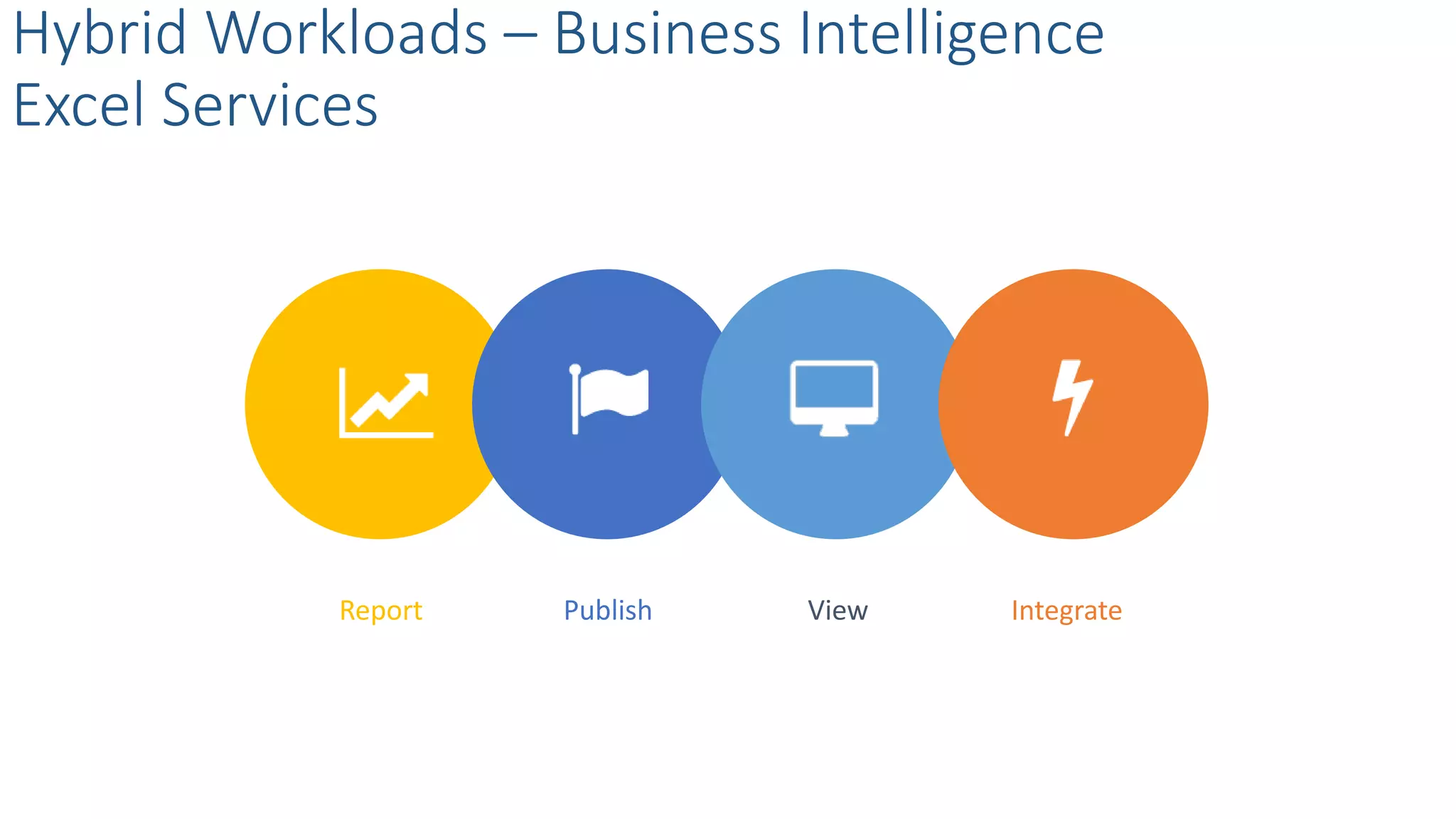
Hybrid Workloads – Business Intelligence
Excel Services
Report Publish View Integrate
Hybrid Workloads – Business Intelligence
Hybrid BI & Office Web Apps Considerations
Seamless Office 365 Web Apps experience
Install OWA Server on-prem
Configure SharePoint on-prem server to interact
with Data Models or PowerView views.
Enable SSL for hybrid
What
• Share internal data
• Provide unified source
• Extend data processing
• An extended network
• Secure external access
• Isolate internal access
• Isolate external users
Hybrid Workloads - Extranets - Overview
Considerations
Why
Hybrid Workloads - Extranets
SharePoint 2013 Extranet Architecture
Hybrid Workloads - Extranets
SharePoint 2013 Extranet Options
VPN LDAP
One-way trust SAML
Hybrid Workloads - Extranets
SharePoint Online External Sharing
What is external sharing?
How to provision a guest access?
What is an external user?
How does external sharing work?
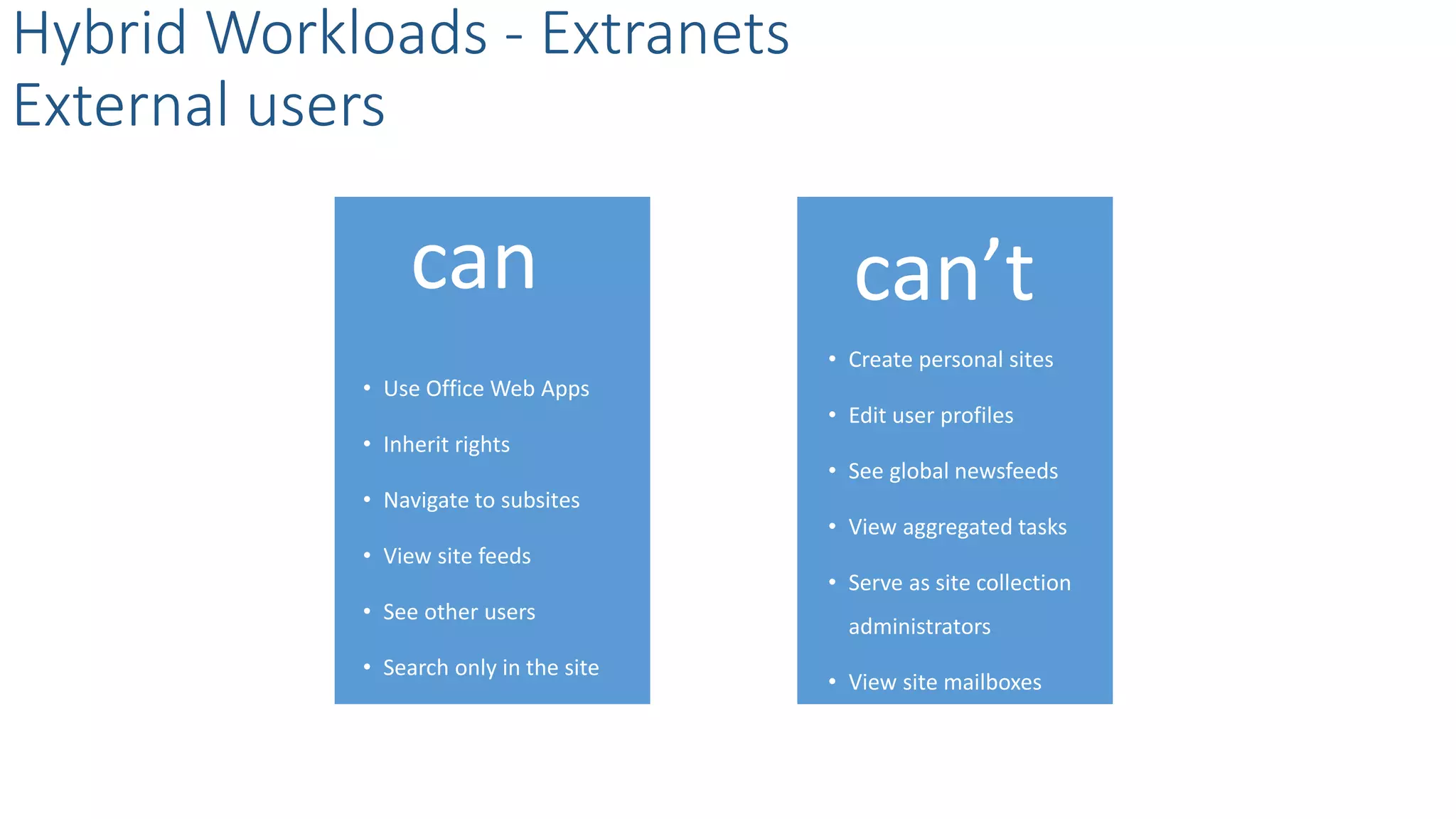
• Use Office Web Apps
• Inherit rights
• Navigate to subsites
• View site feeds
• See other users
• Search only in the site
Hybrid Workloads - Extranets
External users
can can’t
• Create personal sites
• Edit user profiles
• See global newsfeeds
• View aggregated tasks
• Serve as site collection
administrators
• View site mailboxes
Hybrid Workloads - Extranets
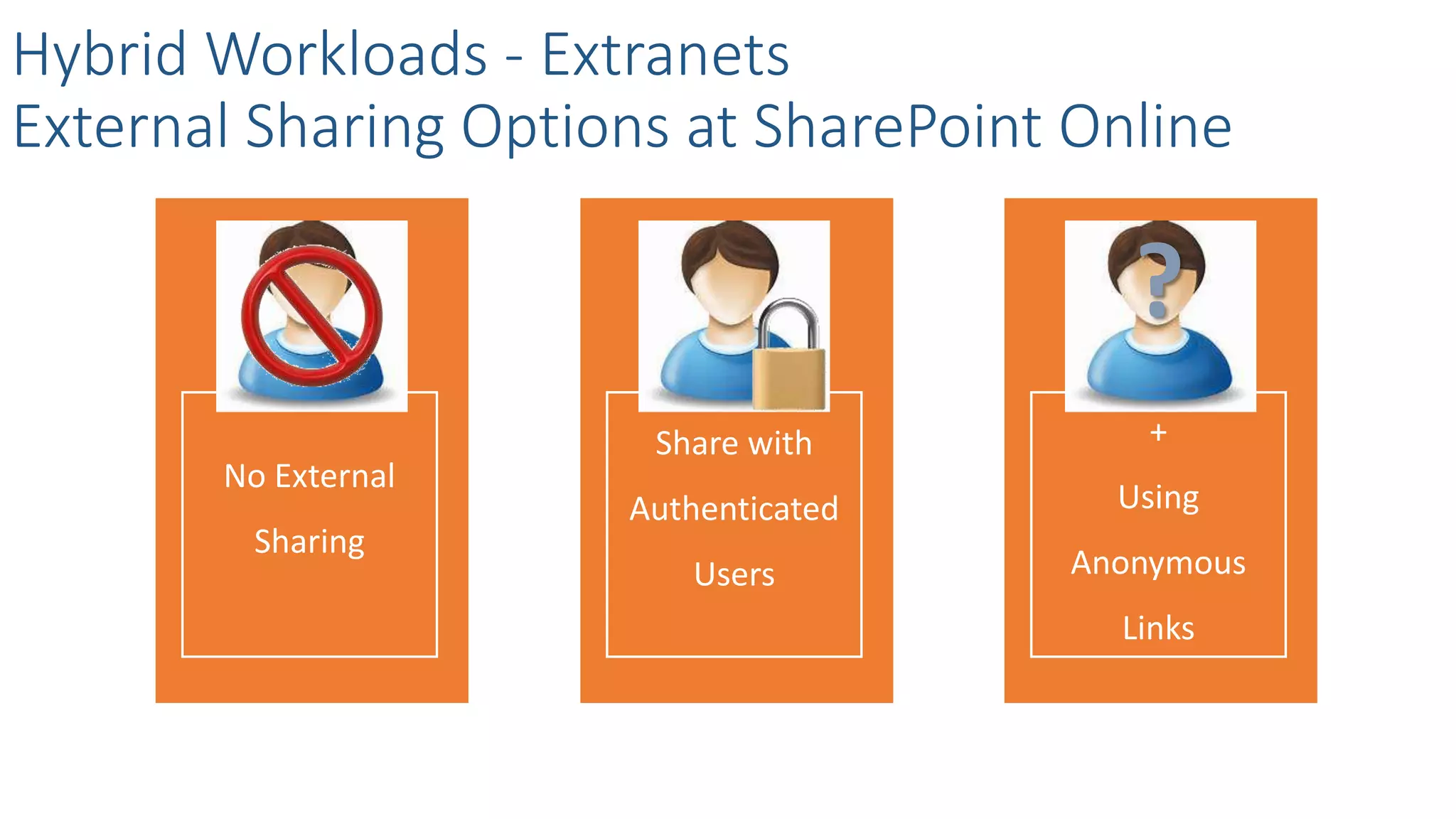
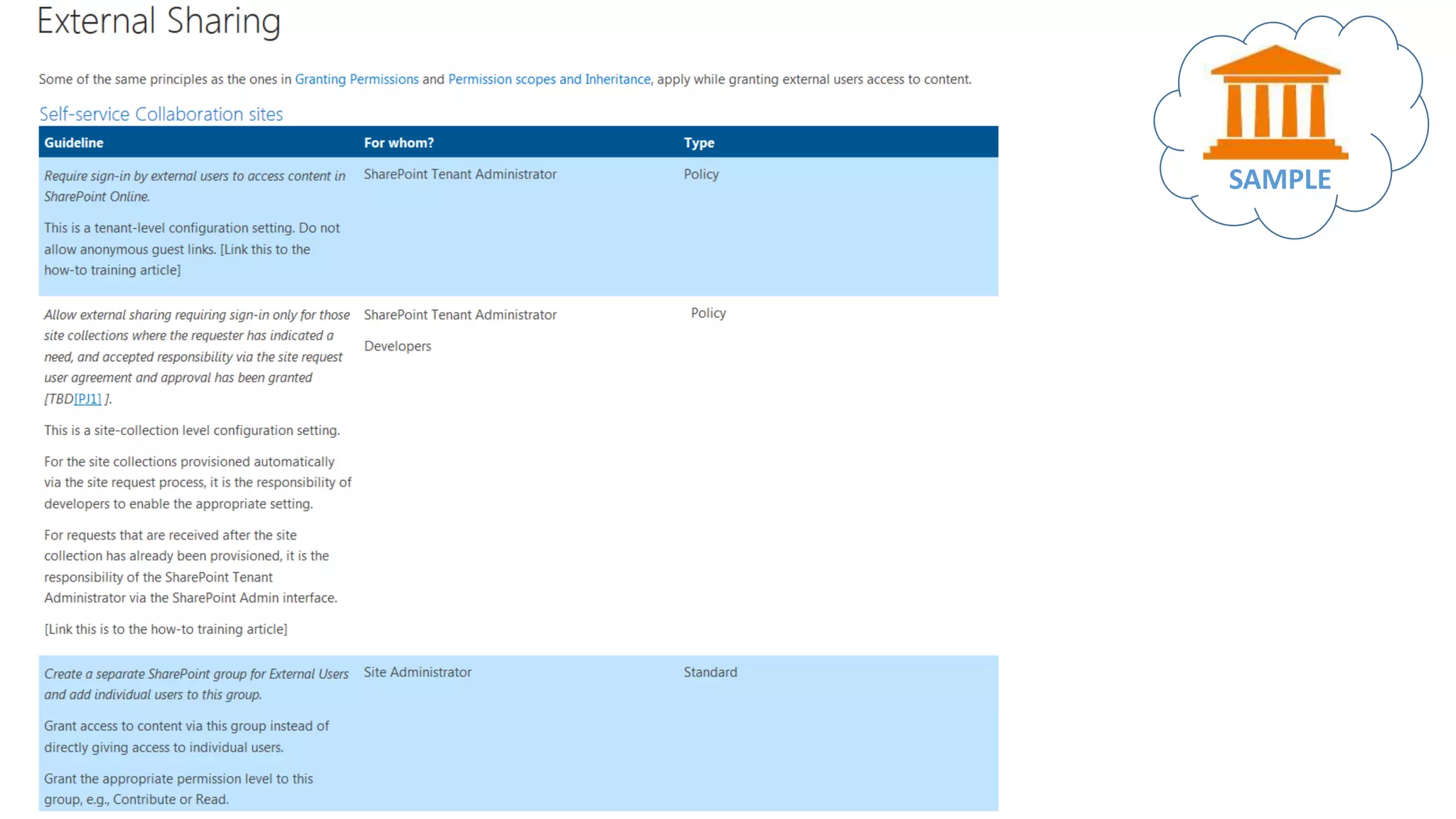
External Sharing Options at SharePoint Online
No External
Sharing
Share with
Authenticated
Users
+
Using
Anonymous
Links
?
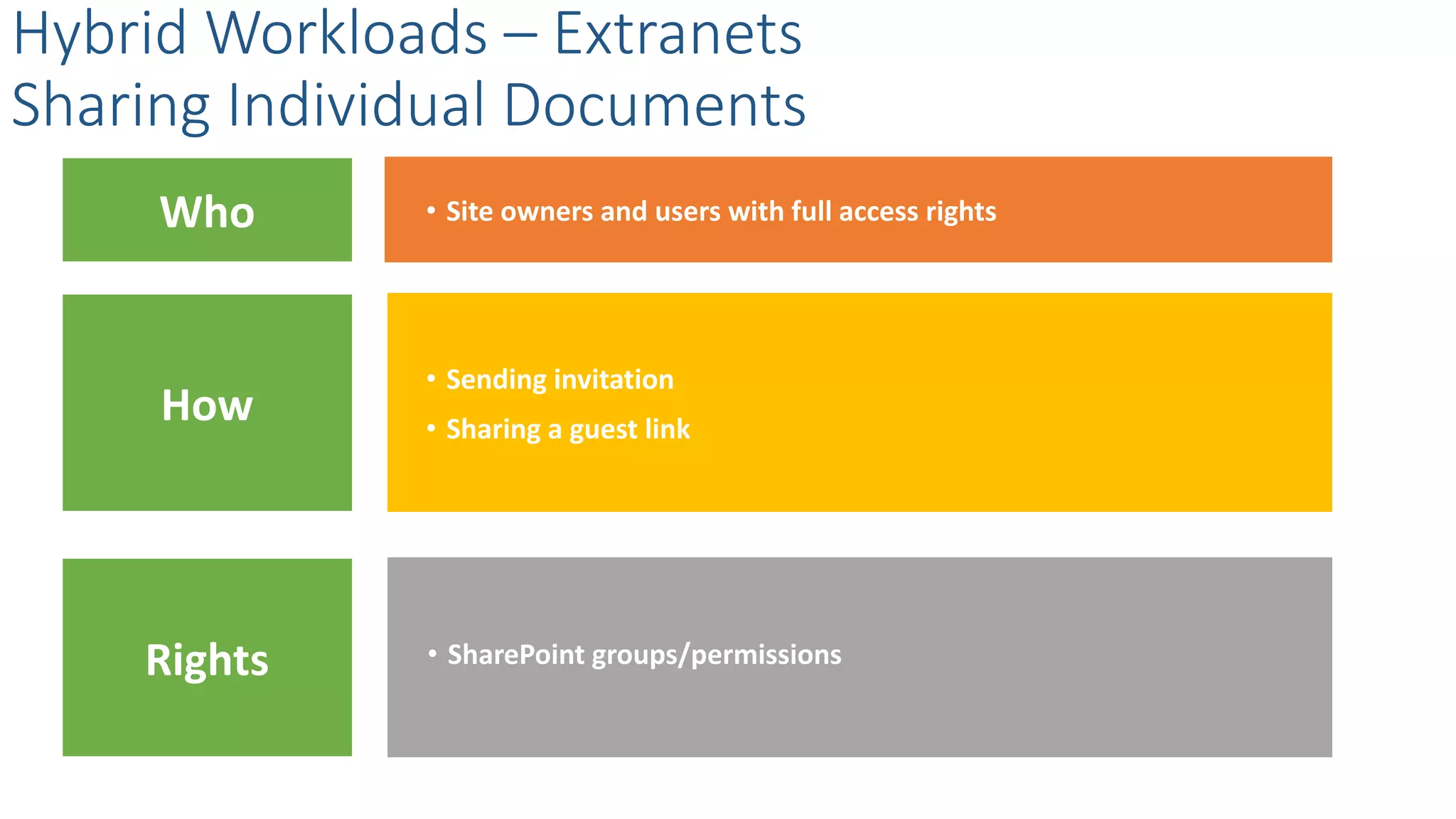
Who
• Sending invitation
• Site owners and users with full access rights
Hybrid Workloads – Extranets
Sharing Content at Site Level
Rights
How
• SharePoint groups/permissions
Who
• Sending invitation
• Sharing a guest link
• Site owners and users with full access rights
Hybrid Workloads – Extranets
Sharing Individual Documents
Rights
How
• SharePoint groups/permissions
Hybrid Workloads - Extranets
Ways to avoid oversharing
Break Inheritance
Minimize Range
Control Rights
Hybrid Workloads – Extranets
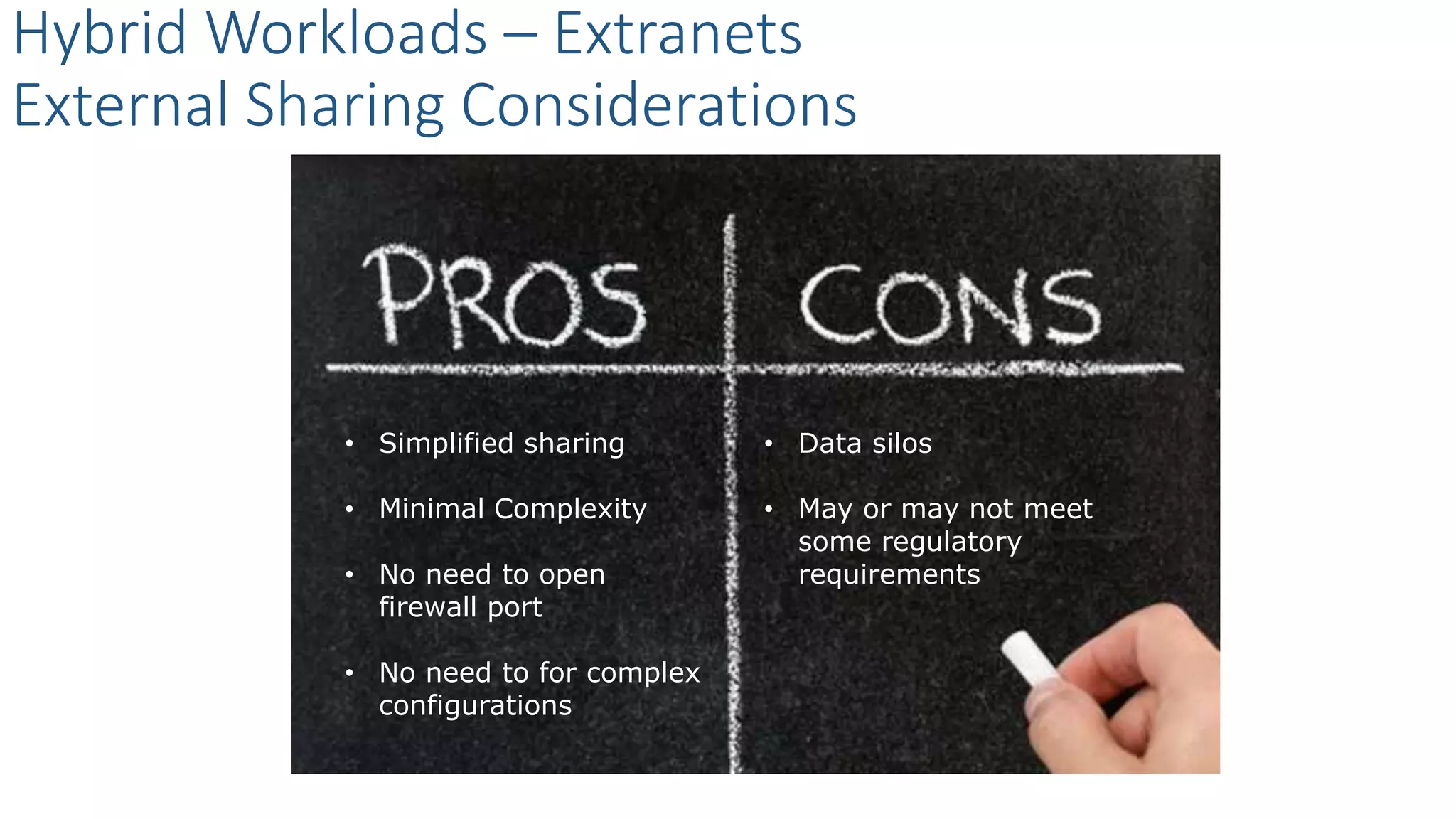
External Sharing Considerations
• Simplified sharing
• Minimal Complexity
• No need to open
firewall port
• No need to for complex
configurations
• Data silos
• May or may not meet
some regulatory
requirements
SAMPLE
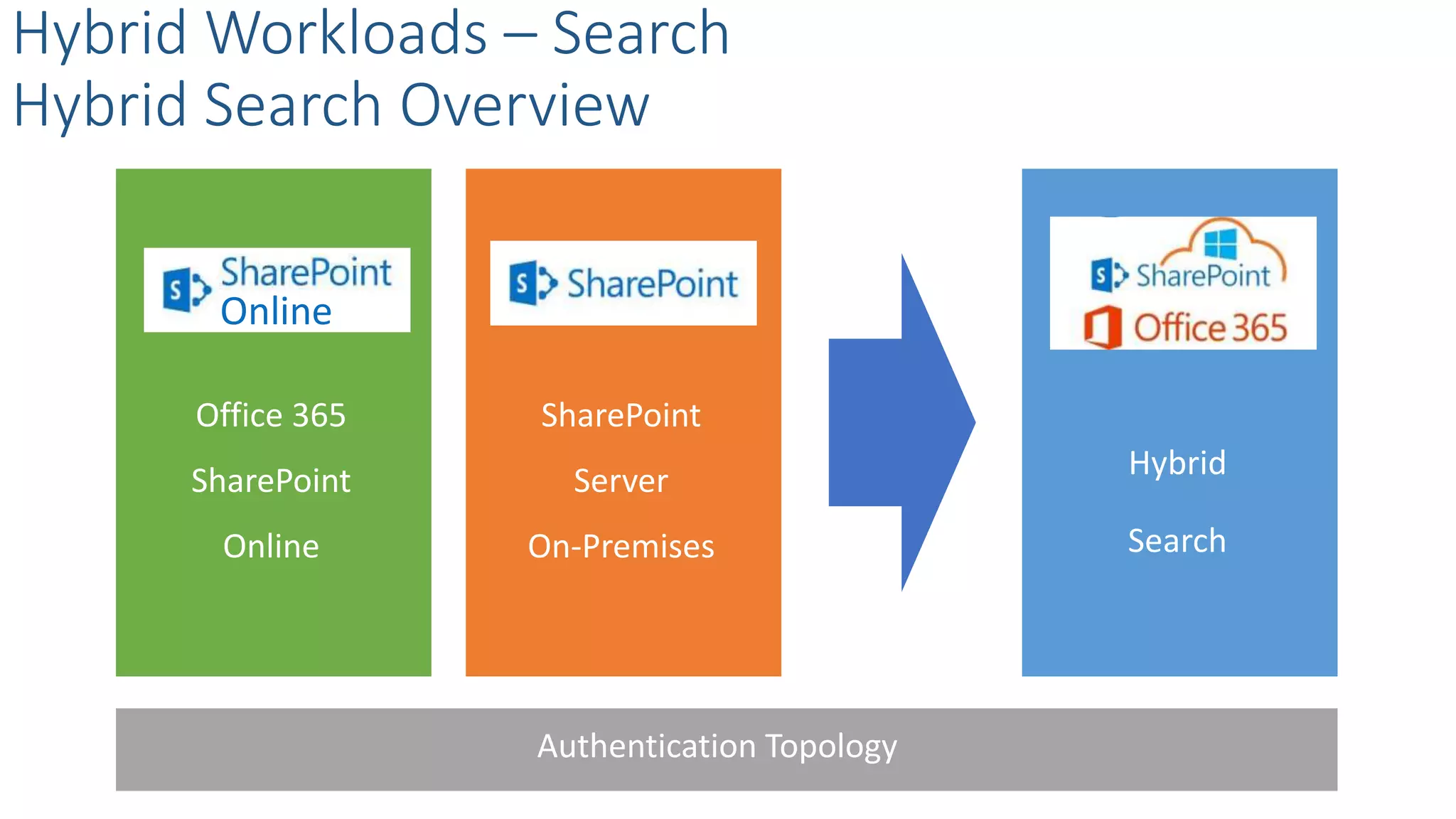
Office 365
SharePoint
Online
Hybrid Workloads – Search
Hybrid Search Overview
SharePoint
Server
On-Premises
Hybrid
Search
Online
Authentication Topology
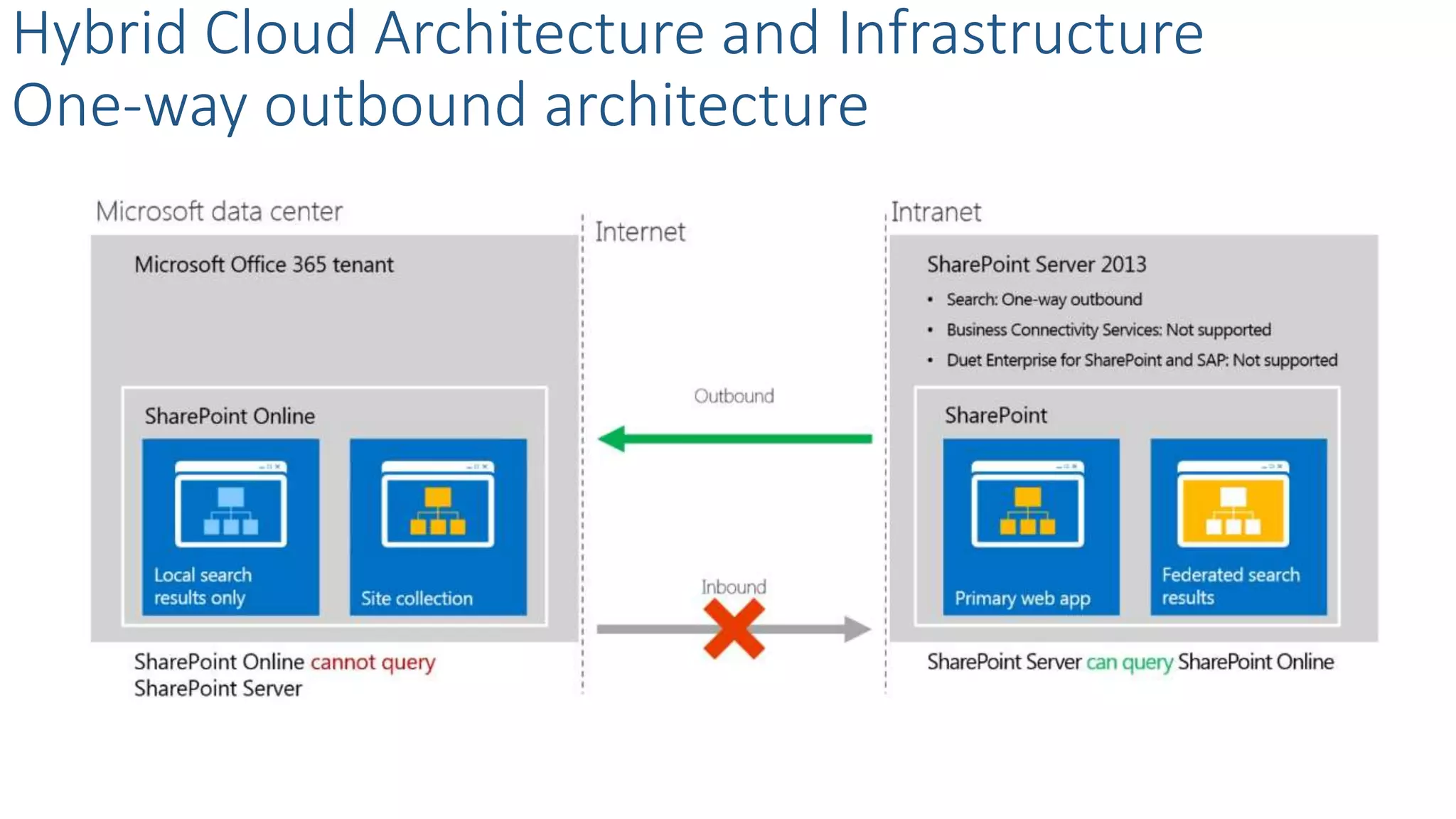
Hybrid Cloud Architecture and Infrastructure
One-way outbound architecture
Hybrid Cloud Architecture and Infrastructure
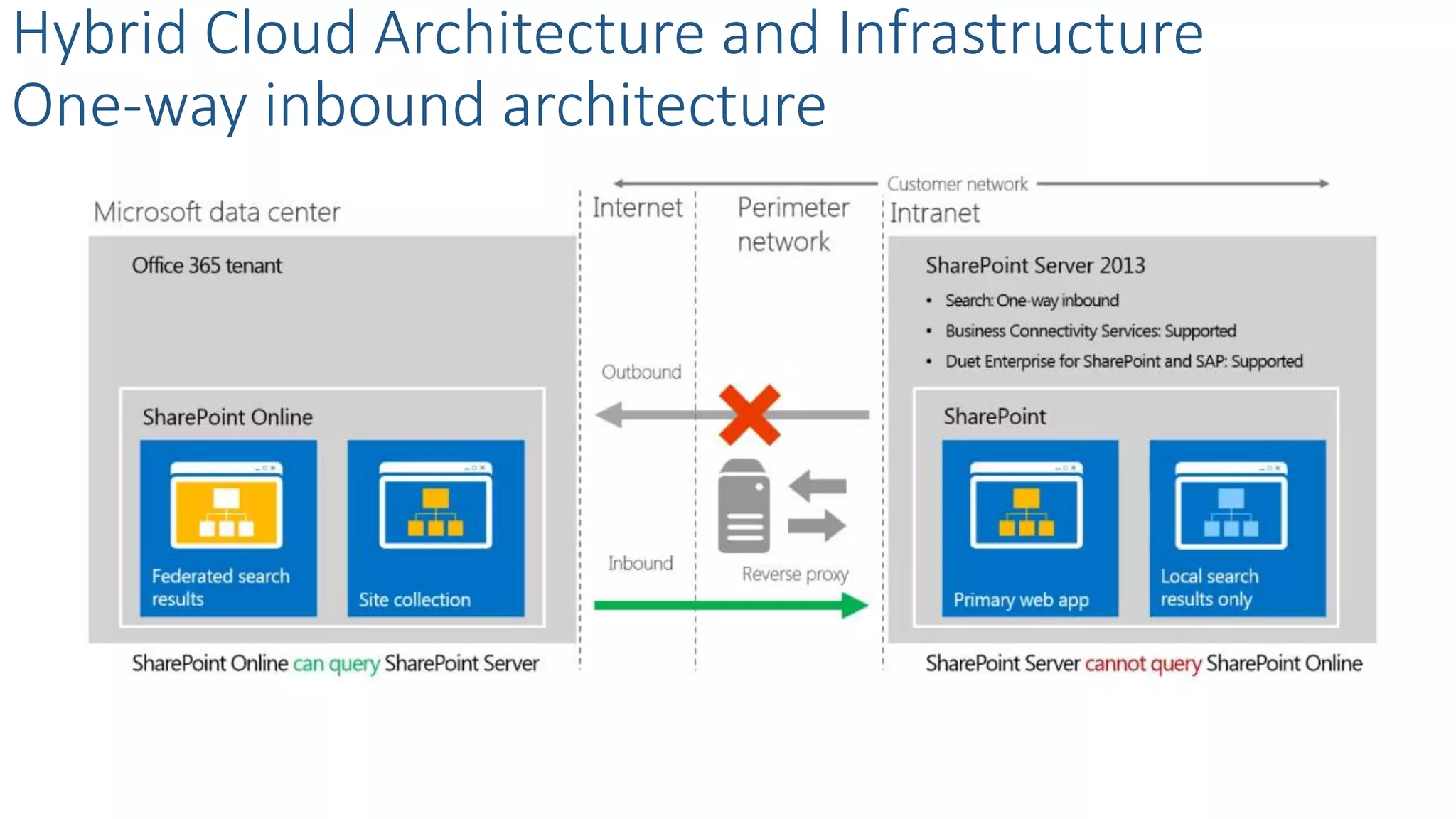
One-way inbound architecture
Hybrid Cloud Architecture and Infrastructure
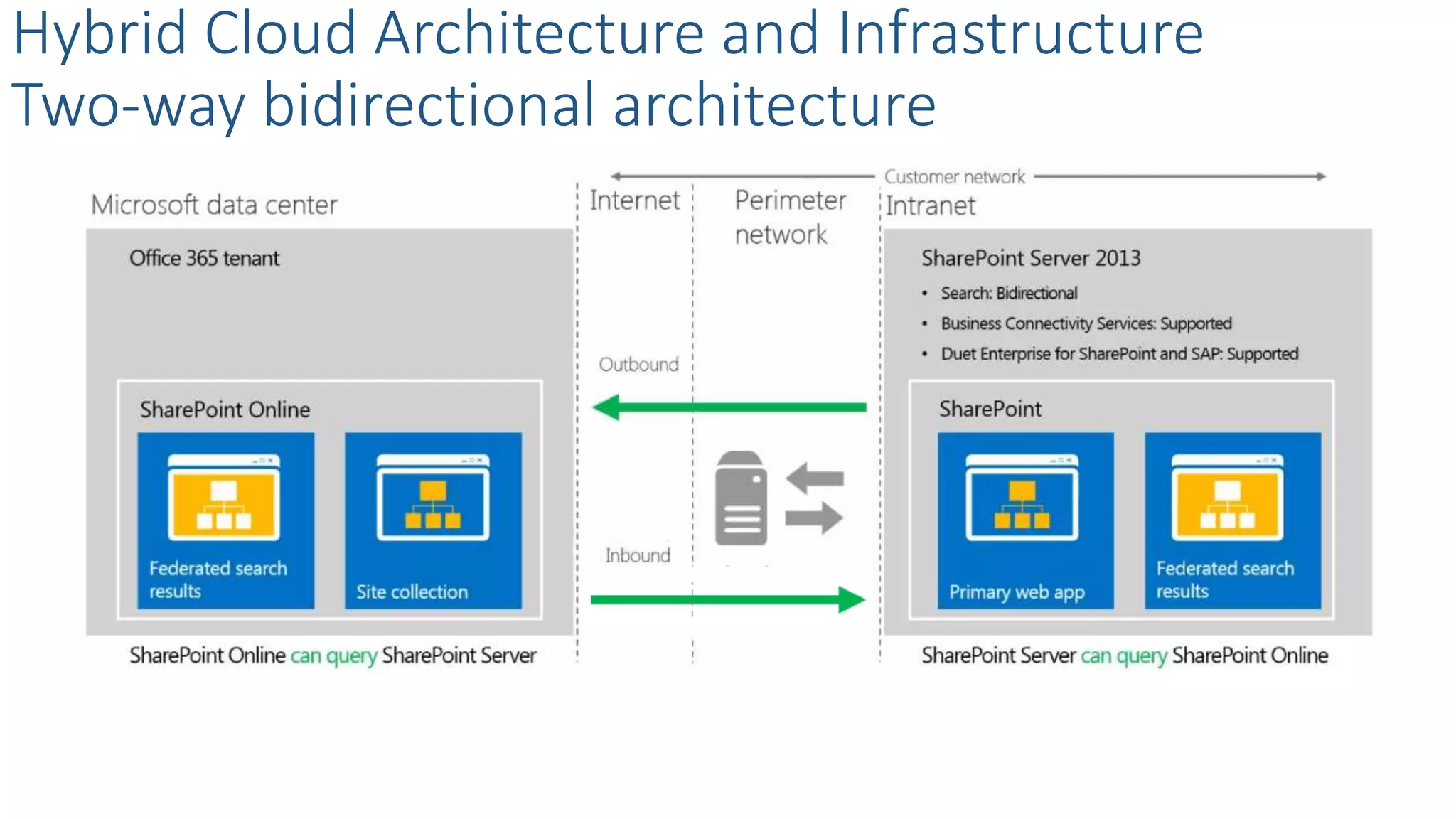
Two-way bidirectional architecture
Hybrid Workloads – Search
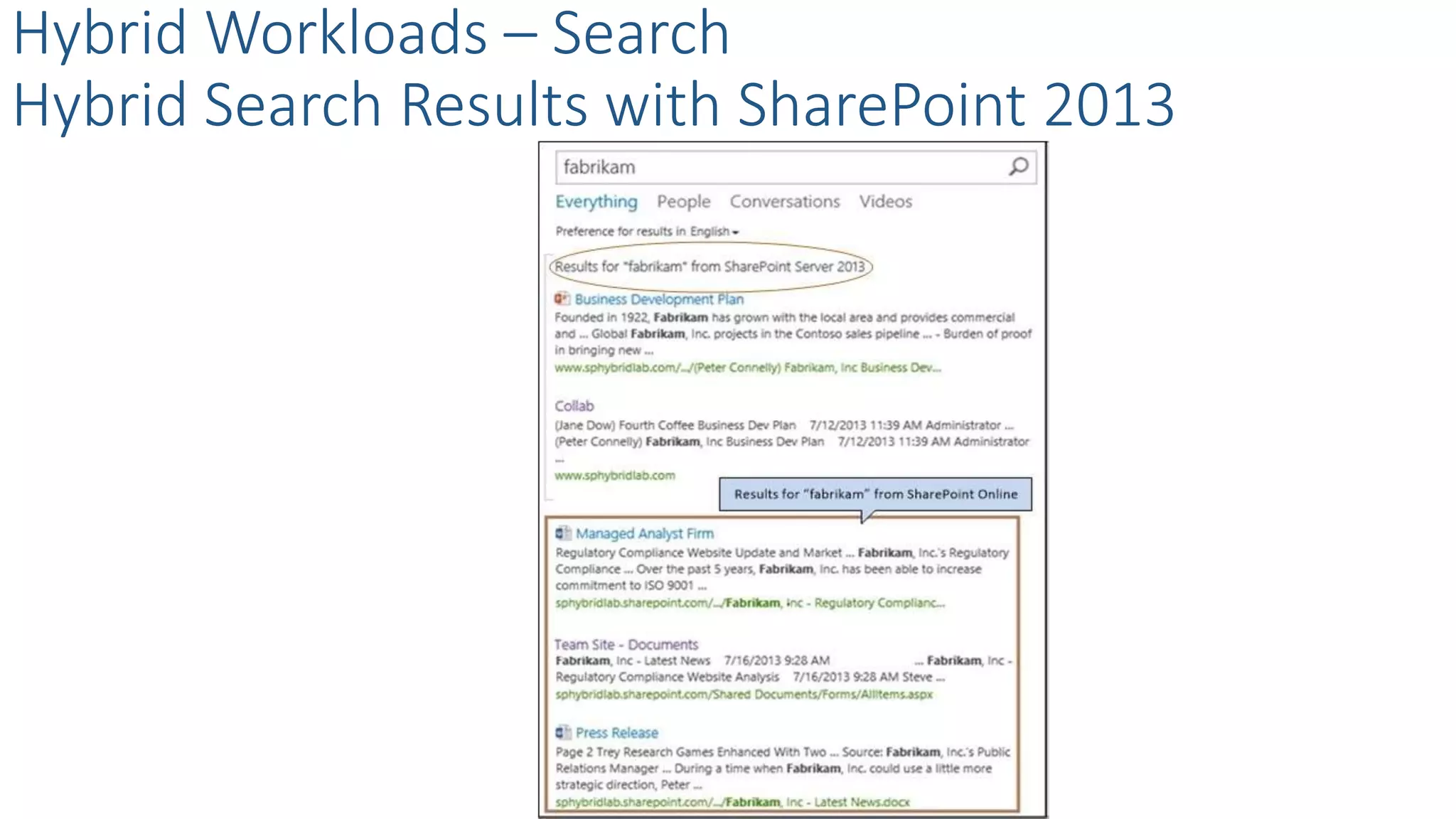
Hybrid Search Results with SharePoint 2013
Hybrid Workloads – Search
Hybrid Search Results with SharePoint 2016
SAMPLE
Thank You
Bruce Tuncertan - brucetuncertan@sierrasystems.com
@tuncertan
• Visit ExtaCloud’s booth for wrist bands!
Scallywag's Irish Pub
508 9th Ave, between 38th & 39th.
[6 minutes walk]
Scallywags also serves food.
http://www.scallywagsnyc.com/

Building a hybrid share point information governance plan

  • 1.
    Building a HybridSharePoint Information Governance Plan Bruce Tuncertan July, 2016
  • 2.
    Thank You EVENT Sponsors Weappreciated you supporting the New York SharePoint Community! • Diamond, Platinum, Gold, & Silver have tables scattered throughout • Please visit them and inquire about their products & services • To be eligible for prizes make sure to get your bingo card stamped by ALL sponsors • Raffle at the end of the day and you must be present to win!
  • 3.
    Conference Materials • Slides/ Demo will be posted on Lanyrd.com • http://lanyrd.com/2016/spsnyc • Photos posted to our Facebook page • https://www.facebook.com/sharepointsaturdaynyc • Tweet Us - @SPSNYC or #SPSNYC • Sign Up for our NO SPAM mailing list for all conference news & announcements • http://goo.gl/7WzmPW • Problems / Questions / Complaints / Suggestions • Info@SPSNYMetro.com
  • 4.
    • Visit ExtaCloud’sbooth for wrist bands! Scallywag's Irish Pub 508 9th Ave, between 38th & 39th. [6 minutes walk] Scallywags also serves food. http://www.scallywagsnyc.com/
  • 5.
    Agenda • Hybrid CloudConsiderations and Business Drivers • How to govern Hybrid Architecture and Infrastructure • Hybrid SharePoint Workloads • Collaboration & RM • BI • Extranets • Search
  • 6.
    Cloud Considerations andBusiness Drivers What – Why – How?
  • 7.
    Hybrid Cloud Considerationsand Business Drivers What is Hybrid SharePoint? Common Scenario Can also be considered as hybrid + = HybridOnline On-premises / IaaS + = HybridOn-premisesOn-premises / IaaS ddddd IaaS / Dedicated VMs
  • 8.
    Hybrid Cloud Considerationsand Business Drivers Why Hybrid? 26% of the enterprise customers are “on the road” to cloud Only 8% plan a full deployment to Office 365 Advantages of Hybrid Cloud • Get a footprint in remote locations • Address regulatory requirements • Provide flexibility • Reduce management overhead • Utilize existing investment “Nearly half of large enterprises will have hybrid cloud deployments by the end of 2017” Gartner & IDC “The Hybrid Cloud market is expected to grow from $25.28 billion in 2014 to $84.67 billion by 2019, at a Compound Annual Growth Rate (CAGR) of 27.3% from 2014 to 2019.” Research and Markets
  • 9.
    Hybrid Cloud Considerationsand Business Drivers How to define Hybrid? Splitting WorkloadsSplitting Users Two ways to define the hybrid cloud • By Users • By Workloads
  • 10.
  • 11.
    CloudOn Premise Hybrid Coexistence HybridCloud Considerations and Business Drivers Migration to the cloud
  • 12.
    Hybrid Cloud Considerationsand Business Drivers Key considerations on maintaining hybrid scenarios Availability, DR, Backup & Restore Investment Performance Manageability Regulatory Change Management
  • 13.
  • 14.
    Hybrid Cloud Architectureand Infrastructure
  • 15.
    SharePoint Online On Premise Hybrid Coexistence HybridCloud Architecture and Infrastructure How do Cloud and On-premise coexist?
  • 16.
    Security Token Service (STS)on- premises Infrastructure Active Directory Synchronization Server-to-server Trust Hybrid Cloud Architecture and Infrastructure Single sign-on requirements
  • 17.
    Hybrid Cloud Architectureand Infrastructure Single sign-on architecture overview
  • 18.
    What is… Hybrid CloudArchitecture and Infrastructure Directory synchronization overview Directory Synchronization Directory Synchronization with SSO How … Directory Synchronization Tool
  • 19.
    What is… Hybrid CloudArchitecture and Infrastructure Directory synchronization overview Directory Synchronization Directory Synchronization with SSO How … Directory Synchronization Tool Azure Active Directory Connect Tool
  • 20.
    1 2 34 5 Hybrid Cloud Architecture and Infrastructure Steps to Govern and Configure Directory Synchronization – Traditional Activate directory synchronization Prepare for directory synchronization Configure directory synchronization Setup the directory synchronization computer Activate synchronized users
  • 21.
    1 2,3,4 5 HybridCloud Architecture and Infrastructure Steps to Govern and Configure Directory Synchronization – AD Connect Prepare for directory synchronization Install and run the new Azure AD Connect Tool Activate synchronized users
  • 22.
    One-way outbound Hybrid Cloud Architectureand Infrastructure Authentication topologies One-way inbound Two-way bidirectional
  • 23.
    Target Application Considerations Hybrid Cloud Architectureand Infrastructure Govern SharePoint Online configuration in hybrid scenarios SharePoint 2013 Configuration Consideration 1 2
  • 24.
  • 25.
    Hybrid Workloads Workloads to definein your governance plan Collaboration and Records Management Business Intelligence Extranets Search
  • 26.
    Content Management Hybrid Workloads -Collaboration and Records Management Overview Governance Plan Records Management & Retention
  • 27.
    What? Organization should determinetheir definition of a record Organizations should manage active documents which will become records A Record is a document that serves as evidence of an activity or transaction Organizations should retain records to meet business, legal and regulatory requirements Hybrid Workloads - Collaboration and RM What is a record? Why?
  • 28.
    Hybrid Workloads -Collaboration and RM How to classify HBI - High Business Impact MBI - Medium Business Impact LBI – Low Business Impact Public On-Prem
  • 29.
    Archive them in theRecords Center Hybrid Workloads - Collaboration and RM Where should we store the records? Manage records in-place Consider a hybrid approach
  • 30.
    Compliance Does separate record requiredby regulations? Governance How do you govern the collaboration site? Frequency How often records needs to be accessed? Duration What is the lifetime of the collaboration site? Management Who will be managing records and record centres? Hybrid Workloads - Collaboration and RM Record management consideration for SP 2013
  • 31.
  • 32.
    What is available? Federated usersto gain access on-prem data Two-way authentication topology Users publish on-prem data to SharePoint Online Through Odata Hybrid Workloads - Business Intelligence Overview How?
  • 33.
    Hybrid Workloads –Business Intelligence Excel Services Report Publish View Integrate
  • 34.
    Hybrid Workloads –Business Intelligence Hybrid BI & Office Web Apps Considerations Seamless Office 365 Web Apps experience Install OWA Server on-prem Configure SharePoint on-prem server to interact with Data Models or PowerView views. Enable SSL for hybrid
  • 35.
    What • Share internaldata • Provide unified source • Extend data processing • An extended network • Secure external access • Isolate internal access • Isolate external users Hybrid Workloads - Extranets - Overview Considerations Why
  • 36.
    Hybrid Workloads -Extranets SharePoint 2013 Extranet Architecture
  • 37.
    Hybrid Workloads -Extranets SharePoint 2013 Extranet Options VPN LDAP One-way trust SAML
  • 38.
    Hybrid Workloads -Extranets SharePoint Online External Sharing What is external sharing? How to provision a guest access? What is an external user? How does external sharing work?
  • 39.
    • Use OfficeWeb Apps • Inherit rights • Navigate to subsites • View site feeds • See other users • Search only in the site Hybrid Workloads - Extranets External users can can’t • Create personal sites • Edit user profiles • See global newsfeeds • View aggregated tasks • Serve as site collection administrators • View site mailboxes
  • 40.
    Hybrid Workloads -Extranets External Sharing Options at SharePoint Online No External Sharing Share with Authenticated Users + Using Anonymous Links ?
  • 41.
    Who • Sending invitation •Site owners and users with full access rights Hybrid Workloads – Extranets Sharing Content at Site Level Rights How • SharePoint groups/permissions
  • 42.
    Who • Sending invitation •Sharing a guest link • Site owners and users with full access rights Hybrid Workloads – Extranets Sharing Individual Documents Rights How • SharePoint groups/permissions
  • 43.
    Hybrid Workloads -Extranets Ways to avoid oversharing Break Inheritance Minimize Range Control Rights
  • 44.
    Hybrid Workloads –Extranets External Sharing Considerations • Simplified sharing • Minimal Complexity • No need to open firewall port • No need to for complex configurations • Data silos • May or may not meet some regulatory requirements
  • 45.
  • 46.
    Office 365 SharePoint Online Hybrid Workloads– Search Hybrid Search Overview SharePoint Server On-Premises Hybrid Search Online Authentication Topology
  • 47.
    Hybrid Cloud Architectureand Infrastructure One-way outbound architecture
  • 48.
    Hybrid Cloud Architectureand Infrastructure One-way inbound architecture
  • 49.
    Hybrid Cloud Architectureand Infrastructure Two-way bidirectional architecture
  • 50.
    Hybrid Workloads –Search Hybrid Search Results with SharePoint 2013
  • 51.
    Hybrid Workloads –Search Hybrid Search Results with SharePoint 2016
  • 52.
  • 53.
    Thank You Bruce Tuncertan- brucetuncertan@sierrasystems.com @tuncertan
  • 54.
    • Visit ExtaCloud’sbooth for wrist bands! Scallywag's Irish Pub 508 9th Ave, between 38th & 39th. [6 minutes walk] Scallywags also serves food. http://www.scallywagsnyc.com/