Building
Management
System
An Overview to BMS
2 File Number
What is BMS?
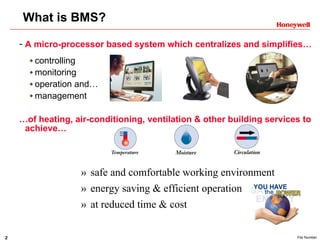
- A micro-processor based system which centralizes and simplifies…
controlling
monitoring
operation and…
management
…of heating, air-conditioning, ventilation & other building services to
achieve…
» safe and comfortable working environment
» energy saving & efficient operation
» at reduced time & cost
3 File Number
BMS provides…
Comfortable & safe environment
for your building
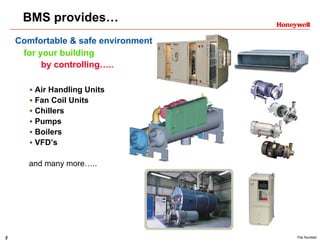
by controlling…..
Air Handling Units
Fan Coil Units
Chillers
Pumps
Boilers
VFD’s
and many more…..
4 File Number
Components of BMS
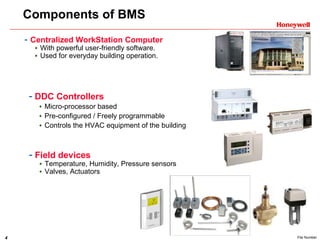
- Centralized WorkStation Computer
With powerful user-friendly software.
Used for everyday building operation.
- Field devices
Temperature, Humidity, Pressure sensors
Valves, Actuators
- DDC Controllers
Micro-processor based
Pre-configured / Freely programmable
Controls the HVAC equipment of the building
5 File Number
LOG-IN
BMS Features….
• Man / Machine Interface
- interact with the connected
technical building equipment.
- user friendly
- for operators…
- engineers….
- and building managers
• System Security
- To prevent unauthorized use
- Password protection
- Operator specific access
- Operator log summary
6 File Number
BMS Features….
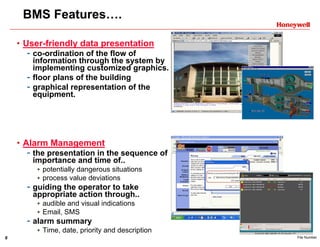
• User-friendly data presentation
- co-ordination of the flow of
information through the system by
implementing customized graphics.
- floor plans of the building
- graphical representation of the
equipment.
• Alarm Management
- the presentation in the sequence of
importance and time of..
potentially dangerous situations
process value deviations
- guiding the operator to take
appropriate action through..
audible and visual indications
Email, SMS
- alarm summary
Time, date, priority and description
7 File Number
BMS Features….
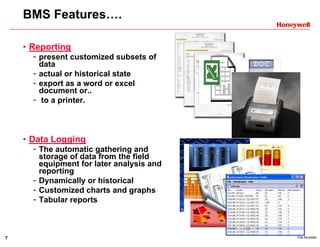
• Reporting
- present customized subsets of
data
- actual or historical state
- export as a word or excel
document or..
- to a printer.
• Data Logging
- The automatic gathering and
storage of data from the field
equipment for later analysis and
reporting
- Dynamically or historical
- Customized charts and graphs
- Tabular reports
8 File Number
BMS Features….
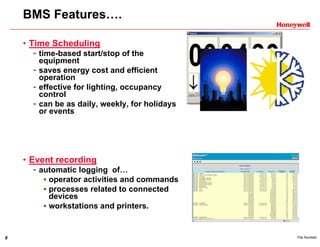
• Time Scheduling
- time-based start/stop of the
equipment
- saves energy cost and efficient
operation
- effective for lighting, occupancy
control
- can be as daily, weekly, for holidays
or events
• Event recording
- automatic logging of…
operator activities and commands
processes related to connected
devices
workstations and printers.
9 File Number
BMS Features….
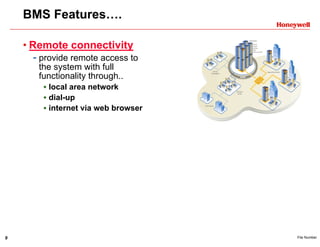
• Remote connectivity
- provide remote access to
the system with full
functionality through..
local area network
dial-up
internet via web browser
10 File Number
BMS Benefits….
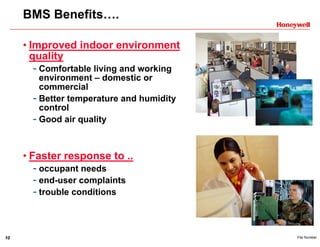
• Improved indoor environment
quality
- Comfortable living and working
environment – domestic or
commercial
- Better temperature and humidity
control
- Good air quality
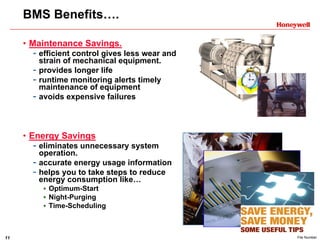
• Faster response to ..
- occupant needs
- end-user complaints
- trouble conditions
11 File Number
BMS Benefits….
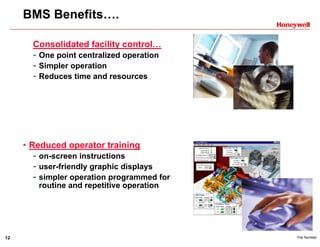
• Maintenance Savings.
- efficient control gives less wear and
strain of mechanical equipment.
- provides longer life
- runtime monitoring alerts timely
maintenance of equipment
- avoids expensive failures
• Energy Savings
- eliminates unnecessary system
operation.
- accurate energy usage information
- helps you to take steps to reduce
energy consumption like…
Optimum-Start
Night-Purging
Time-Scheduling
12 File Number
BMS Benefits….
Consolidated facility control…
- One point centralized operation
- Simpler operation
- Reduces time and resources
• Reduced operator training
- on-screen instructions
- user-friendly graphic displays
- simpler operation programmed for
routine and repetitive operation
13 File Number
BMS Benefits….
• Improved management reporting
- Provides valuable real-time data
- Creates reports, charts…
- Critical information immediately sent
to printers, emailed
- or sent via SMS
• Timely and effective control
- alerts your employees when your
facility is not operating correctly
- reduce troubleshooting and down
time.
- Remote access connectivity without
site visits.
14 File Number
BMS Benefits….
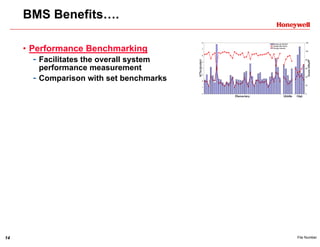
• Performance Benchmarking
- Facilitates the overall system
performance measurement
- Comparison with set benchmarks
15 File Number
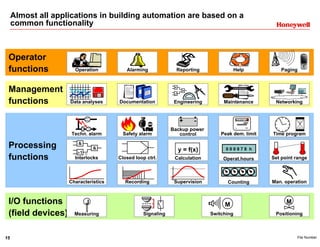
Almost all applications in building automation are based on a
common functionality
I/O functions
(field devices)
Processing
functions
Management
functions
Operator
functions PagingHelpOperation
Set point rangeCalculation
y = f(x)
Closed loop ctrl.
Recording Supervision
Networking
Alarming
Operat.hours
0 0 0 9 7 8 h
Backup power
control
CountingCharacteristics
Measuring
J
Time programTechn. alarm
MaintenanceEngineering
Interlocks
Peak dem. limit
kWh
s
0 0 2 9 7 3 8
Safety alarm
Data analyses
Man. operation
Positioning
M
Reporting
+ -
Signaling Switching
M
Documentation

Bms overview

  • 1.
  • 2.
    2 File Number Whatis BMS? - A micro-processor based system which centralizes and simplifies… controlling monitoring operation and… management …of heating, air-conditioning, ventilation & other building services to achieve… » safe and comfortable working environment » energy saving & efficient operation » at reduced time & cost
  • 3.
    3 File Number BMSprovides… Comfortable & safe environment for your building by controlling….. Air Handling Units Fan Coil Units Chillers Pumps Boilers VFD’s and many more…..
  • 4.
    4 File Number Componentsof BMS - Centralized WorkStation Computer With powerful user-friendly software. Used for everyday building operation. - Field devices Temperature, Humidity, Pressure sensors Valves, Actuators - DDC Controllers Micro-processor based Pre-configured / Freely programmable Controls the HVAC equipment of the building
  • 5.
    5 File Number LOG-IN BMSFeatures…. • Man / Machine Interface - interact with the connected technical building equipment. - user friendly - for operators… - engineers…. - and building managers • System Security - To prevent unauthorized use - Password protection - Operator specific access - Operator log summary
  • 6.
    6 File Number BMSFeatures…. • User-friendly data presentation - co-ordination of the flow of information through the system by implementing customized graphics. - floor plans of the building - graphical representation of the equipment. • Alarm Management - the presentation in the sequence of importance and time of.. potentially dangerous situations process value deviations - guiding the operator to take appropriate action through.. audible and visual indications Email, SMS - alarm summary Time, date, priority and description
  • 7.
    7 File Number BMSFeatures…. • Reporting - present customized subsets of data - actual or historical state - export as a word or excel document or.. - to a printer. • Data Logging - The automatic gathering and storage of data from the field equipment for later analysis and reporting - Dynamically or historical - Customized charts and graphs - Tabular reports
  • 8.
    8 File Number BMSFeatures…. • Time Scheduling - time-based start/stop of the equipment - saves energy cost and efficient operation - effective for lighting, occupancy control - can be as daily, weekly, for holidays or events • Event recording - automatic logging of… operator activities and commands processes related to connected devices workstations and printers.
  • 9.
    9 File Number BMSFeatures…. • Remote connectivity - provide remote access to the system with full functionality through.. local area network dial-up internet via web browser
  • 10.
    10 File Number BMSBenefits…. • Improved indoor environment quality - Comfortable living and working environment – domestic or commercial - Better temperature and humidity control - Good air quality • Faster response to .. - occupant needs - end-user complaints - trouble conditions
  • 11.
    11 File Number BMSBenefits…. • Maintenance Savings. - efficient control gives less wear and strain of mechanical equipment. - provides longer life - runtime monitoring alerts timely maintenance of equipment - avoids expensive failures • Energy Savings - eliminates unnecessary system operation. - accurate energy usage information - helps you to take steps to reduce energy consumption like… Optimum-Start Night-Purging Time-Scheduling
  • 12.
    12 File Number BMSBenefits…. Consolidated facility control… - One point centralized operation - Simpler operation - Reduces time and resources • Reduced operator training - on-screen instructions - user-friendly graphic displays - simpler operation programmed for routine and repetitive operation
  • 13.
    13 File Number BMSBenefits…. • Improved management reporting - Provides valuable real-time data - Creates reports, charts… - Critical information immediately sent to printers, emailed - or sent via SMS • Timely and effective control - alerts your employees when your facility is not operating correctly - reduce troubleshooting and down time. - Remote access connectivity without site visits.
  • 14.
    14 File Number BMSBenefits…. • Performance Benchmarking - Facilitates the overall system performance measurement - Comparison with set benchmarks
  • 15.
    15 File Number Almostall applications in building automation are based on a common functionality I/O functions (field devices) Processing functions Management functions Operator functions PagingHelpOperation Set point rangeCalculation y = f(x) Closed loop ctrl. Recording Supervision Networking Alarming Operat.hours 0 0 0 9 7 8 h Backup power control CountingCharacteristics Measuring J Time programTechn. alarm MaintenanceEngineering Interlocks Peak dem. limit kWh s 0 0 2 9 7 3 8 Safety alarm Data analyses Man. operation Positioning M Reporting + - Signaling Switching M Documentation