Lauren Blumberg
Special Effects
 Avoid using too many animations and transitions
 Can distract your audience from the information
 Too many lowers the level of professionalism
 Keep it simple

NO!
Using
Images
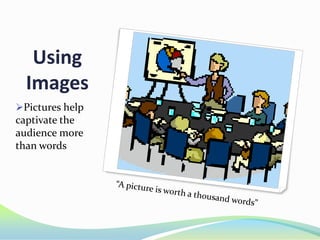
Pictures help

captivate the
audience more
than words
Charts
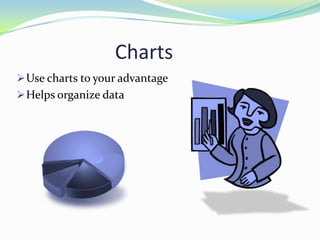
 Use charts to your advantage
 Helps organize data
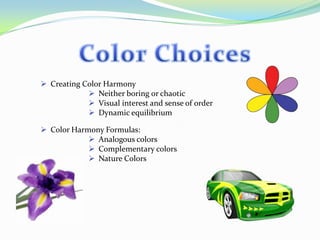
 Creating Color Harmony
 Neither boring or chaotic
 Visual interest and sense of order
 Dynamic equilibrium
 Color Harmony Formulas:
 Analogous colors
 Complementary colors
 Nature Colors
Format
 Chose from one to two fonts that are easy to

read, unlike cursive
 Example:

Like this vs. Like that

 Use a large enough font size so the whole audience can

see, whether it be in a classroom or auditorium
 To show emphasis on a particular word make use of a
larger size font as well as using Bold or Underline
Summary:
 Keep animations and transitions simply
 Make fonts large enough to read
 Use colors that compliment your power point and can

easily be seen
 Incorporate pictures to help your audience stay
focused on your discussion
Resources:
 TechRepublic. (2013) 10 Slide Design Tips for Producing Powerful and









Effective Presentations. Retrieved from
http://www.techrepublic.com/article/10-slide-design-tips-for-producingpowerful-and-effective-presentations/
Presentation Magazine (2012) Effective Presentation Techniques.
Retrieved from http://www.presentationmagazine.com/effectivepresentation-techniques-the-top-10-149.htm
Reynolds, G. (2013) Top Ten Slide Tips. Retrieved from
http://www.garrreynolds.com/preso-tips/design/
Bates Information & Library Services (2011) PowerPoint: Presentation
Tips. Retrieved from http://www.bates.edu/ils/2011/how-doi/software/powerpoint-presentation-tips/
Color Matters (2012) Basic Color Theory. Retrieved from
http://www.colormatters.com/color-and-design/basic-color-theory
Satria, D. (2009) Color wheel. Retrieved from
http://commons.wikimedia.org/wiki/File:Color_wheel.svg
Hardman, D. (2009) Multilated Checkerboard. Retrieved from
http://commons.wikimedia.org/wiki/File:Mutilated_checkerboard_3.jpg

Blumberg effective presentations

  • 1.
  • 2.
    Special Effects  Avoidusing too many animations and transitions  Can distract your audience from the information  Too many lowers the level of professionalism  Keep it simple NO!
  • 3.
  • 4.
    Charts  Use chartsto your advantage  Helps organize data
  • 5.
     Creating ColorHarmony  Neither boring or chaotic  Visual interest and sense of order  Dynamic equilibrium  Color Harmony Formulas:  Analogous colors  Complementary colors  Nature Colors
  • 6.
    Format  Chose fromone to two fonts that are easy to read, unlike cursive  Example: Like this vs. Like that  Use a large enough font size so the whole audience can see, whether it be in a classroom or auditorium  To show emphasis on a particular word make use of a larger size font as well as using Bold or Underline
  • 7.
    Summary:  Keep animationsand transitions simply  Make fonts large enough to read  Use colors that compliment your power point and can easily be seen  Incorporate pictures to help your audience stay focused on your discussion
  • 8.
    Resources:  TechRepublic. (2013)10 Slide Design Tips for Producing Powerful and       Effective Presentations. Retrieved from http://www.techrepublic.com/article/10-slide-design-tips-for-producingpowerful-and-effective-presentations/ Presentation Magazine (2012) Effective Presentation Techniques. Retrieved from http://www.presentationmagazine.com/effectivepresentation-techniques-the-top-10-149.htm Reynolds, G. (2013) Top Ten Slide Tips. Retrieved from http://www.garrreynolds.com/preso-tips/design/ Bates Information & Library Services (2011) PowerPoint: Presentation Tips. Retrieved from http://www.bates.edu/ils/2011/how-doi/software/powerpoint-presentation-tips/ Color Matters (2012) Basic Color Theory. Retrieved from http://www.colormatters.com/color-and-design/basic-color-theory Satria, D. (2009) Color wheel. Retrieved from http://commons.wikimedia.org/wiki/File:Color_wheel.svg Hardman, D. (2009) Multilated Checkerboard. Retrieved from http://commons.wikimedia.org/wiki/File:Mutilated_checkerboard_3.jpg