By: Vishal Kanhaiya
By Vishal Kanhaiya 1
 Wireless technology
 Created by Ericsson in 1994, Bluetooth wireless
 technology was originally conceived as a wireless alternative to RS-232 data
cables
 Exchanges data over short distances(using short-wavelength UHF radio
waves in the ISM band from 2.4 to 2.485 GHz)from fixed and mobile devices,
and the building personal area networks(PANs).
By Vishal Kanhaiya 2
 The word “Bluetooth” is derived from the surname of King Harald
Bluetooth – a 10th century Danish monarch who famously united
Denmark and Norway into one kingdom.
 The idea of this name was proposed in 1997 by Jim Kardach who
developed a system that would allow mobile phones to communicate
with computers.
By Vishal Kanhaiya 3
LOGO
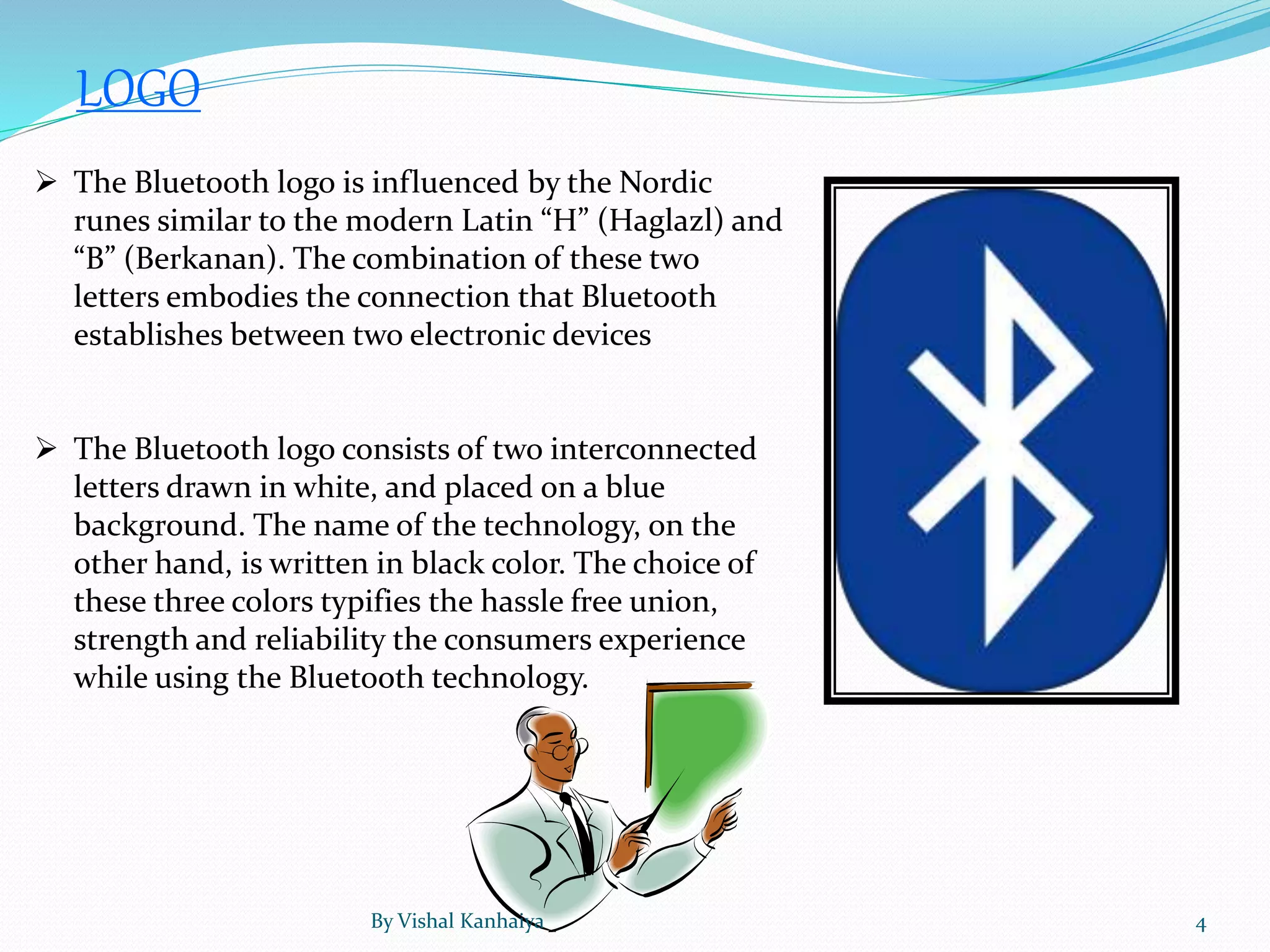
 The Bluetooth logo is influenced by the Nordic
runes similar to the modern Latin “H” (Haglazl) and
“B” (Berkanan). The combination of these two
letters embodies the connection that Bluetooth
establishes between two electronic devices
 The Bluetooth logo consists of two interconnected
letters drawn in white, and placed on a blue
background. The name of the technology, on the
other hand, is written in black color. The choice of
these three colors typifies the hassle free union,
strength and reliability the consumers experience
while using the Bluetooth technology.
By Vishal Kanhaiya 4
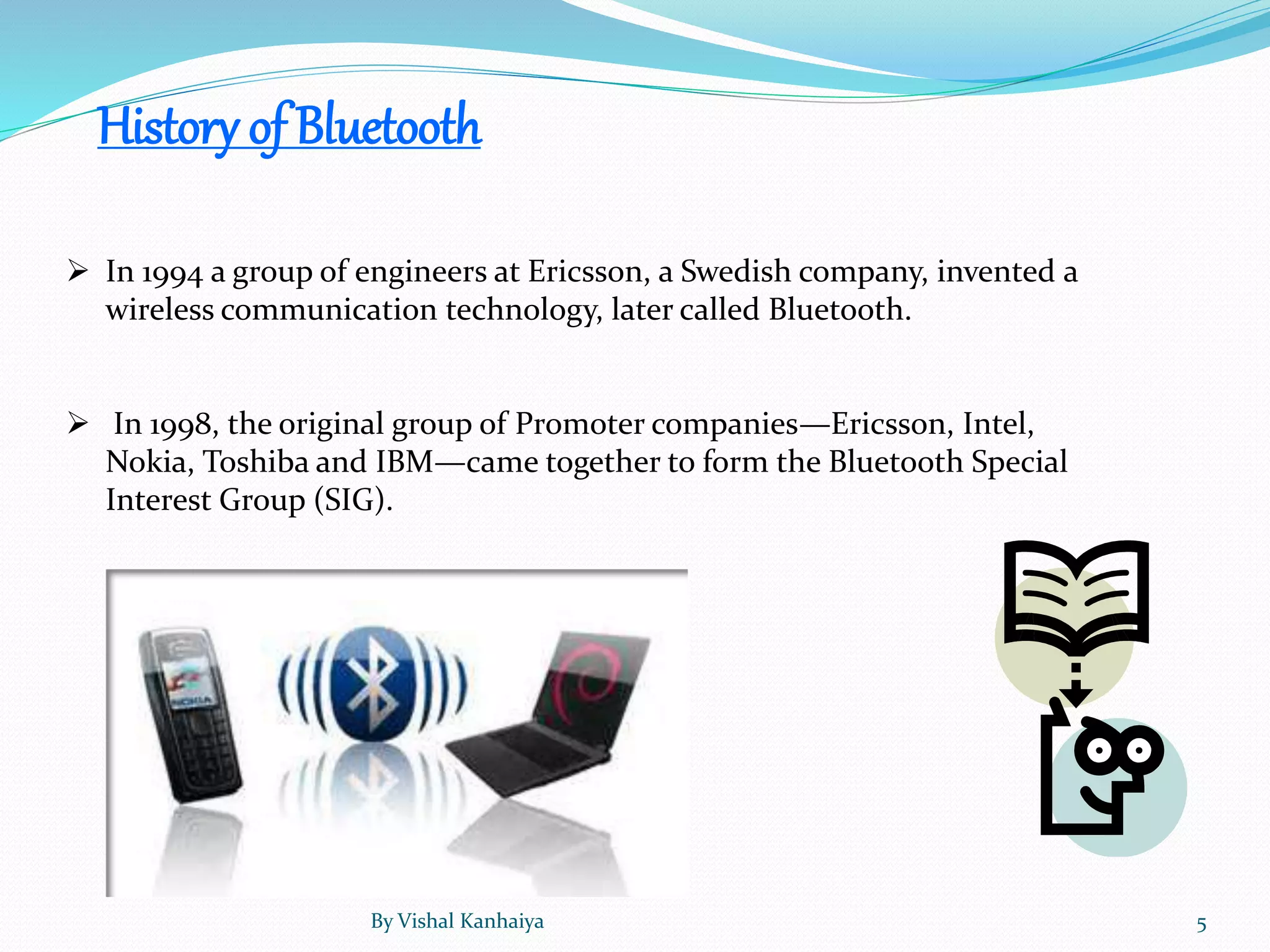
History of Bluetooth
 In 1994 a group of engineers at Ericsson, a Swedish company, invented a
wireless communication technology, later called Bluetooth.
 In 1998, the original group of Promoter companies—Ericsson, Intel,
Nokia, Toshiba and IBM—came together to form the Bluetooth Special
Interest Group (SIG).
By Vishal Kanhaiya 5
Fact
 King Harald's actual name was King Harald Batand. It is said he
was given the nickname "Bluetooth" because of his love of eating
teeth-staining blueberries.
 In 1994 a group of engineers at Ericsson, a Swedish company,
invented a wireless communication technology, later called
Bluetooth. In 1998, the original group of Promoter companies—
Ericsson, Intel, Nokia, Toshiba and IBM—came together to form
the Bluetooth Special Interest Group (SIG). Since no single
company owns the technology, the SIG member companies work
together to preserve, educate, and further Bluetooth technology as
a means to bring devices into the connected world.
By Vishal Kanhaiya 6
Versions
Bluetooth v1.1
 Ratified as IEEE Standard 802.15.1–2002
 Many errors found in the 1.0B
specifications were fixed.
 Added possibility of non-encrypted
channels.
 Received Signal Strength Indicator
Bluetooth v1.2
Major enhancements include the following:
 Faster Connection and Discovery
 Adaptive frequency-hopping spread spectrum (AFH), which improves resistance to
radio frequency interference by avoiding the use of crowded frequencies in the
hopping sequence.
 Higher transmission speeds in practice, up to 721 kbit/s, than in v1.1.
 Extended Synchronous Connections (eSCO), which improve voice quality of audio
links by allowing retransmissions of corrupted packets, and may optionally increase
audio latency to provide better concurrent data transfer.
 Host Controller Interface (HCI) operation with three-wire UART.
 Ratified as IEEE Standard 802.15.1–2005
 Introduced Flow Control and Retransmission Modes for L2CAP.By Vishal Kanhaiya 7
Bluetooth v2.1 + EDR
 Bluetooth Core Specification Version 2.1 + EDR was adopted by the Bluetooth SIG on 26
July 2007.
 The headline feature of 2.1 is secure simple pairing (SSP): this improves the pairing
experience for Bluetooth devices, while increasing the use and strength of security. See
the section on Pairing below for more details.
 2.1 allows various other improvements, including "Extended inquiry response" (EIR),
which provides more information during the inquiry procedure to allow better filtering
of devices before connection; and sniff sub rating, which reduces the power
consumption in low-power mode.
Bluetooth Smart (v4.0 & 4.1)
 Cost-reduced single-mode chips, which enable highly integrated and compact devices,
feature a lightweight Link Layer providing ultra-low power idle mode operation, simple
device discovery, and reliable point-to-multipoint data transfer with advanced power-
save and secure encrypted connections at the lowest possible cost.
 General improvements in version 4.0 include the changes necessary to facilitate BLE
modes, as well the Generic Attribute Profile (GATT) and Security Manager (SM) services
with AES Encryption.
 Core Specification Addendum 2 was unveiled in December 2011; it contains
improvements to the audio Host Controller Interface and to the High Speed (802.11)
Protocol Adaptation Layer.
 Core Specification Addendum 3 revision 2 has an adoption date of July 24, 2012.
 Core Specification Addendum 4 has an adoption date of February 12, 2013.By Vishal Kanhaiya 8
Bluetooth v3.0+HS
 The v3.0 + HS enhancement to the Core Specification provides consumers with
powerful, wireless connections that are more robust and reliable than ever before.
Features include:
 Power Optimization - By using the high speed radio only when you need it, Bluetooth
high speed reduces power consumption, which means a longer battery life for your
devices.
 Improved Security - The Generic Alternate MAC/PHY in Bluetooth high speed enables
the radio to discover other high speed devices only when they are needed to transfer your
music, pictures or other data. Not only does this optimize power, but it also aids in the
security of the radios.
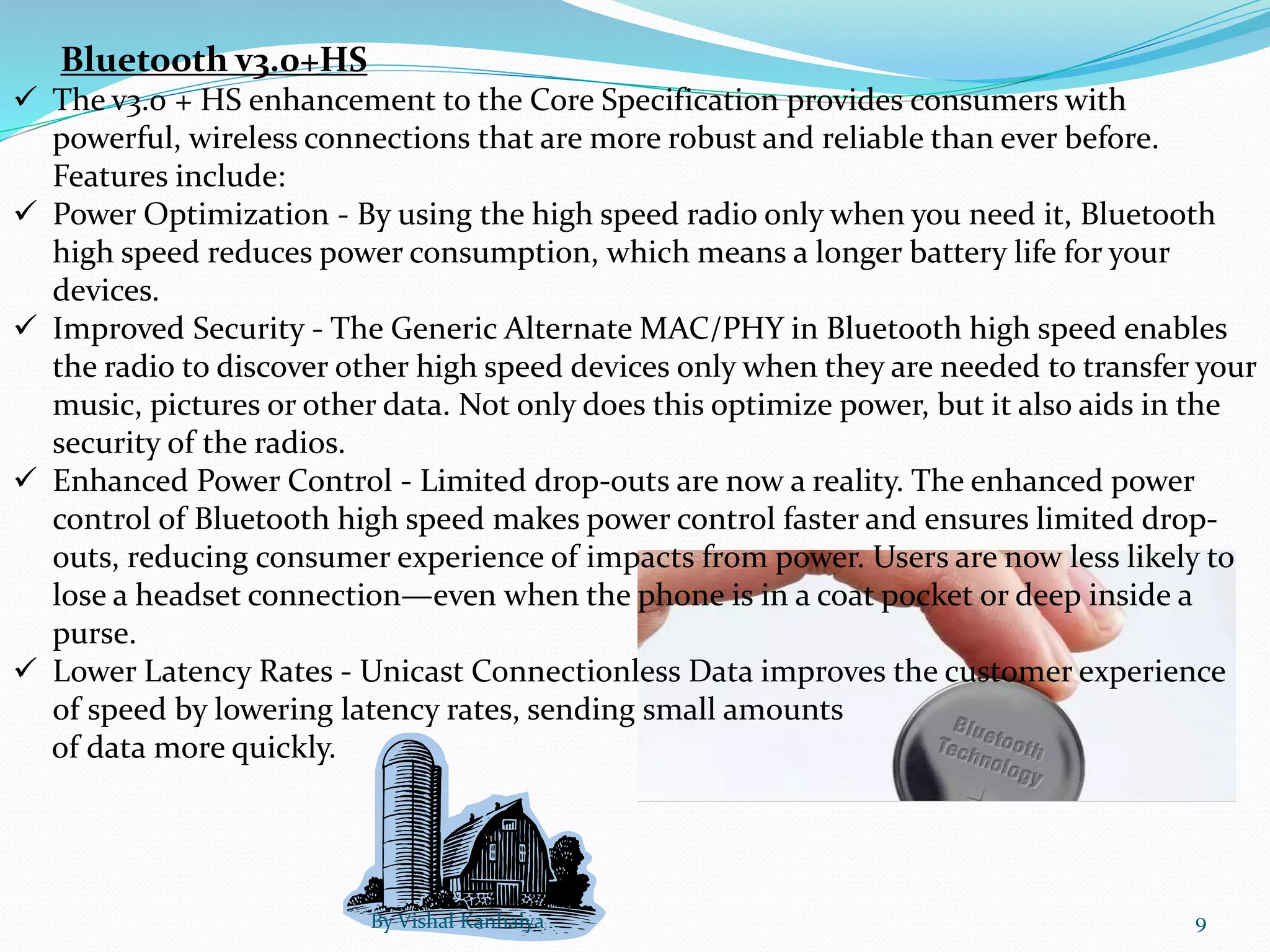
 Enhanced Power Control - Limited drop-outs are now a reality. The enhanced power
control of Bluetooth high speed makes power control faster and ensures limited drop-
outs, reducing consumer experience of impacts from power. Users are now less likely to
lose a headset connection—even when the phone is in a coat pocket or deep inside a
purse.
 Lower Latency Rates - Unicast Connectionless Data improves the customer experience
of speed by lowering latency rates, sending small amounts
of data more quickly.
By Vishal Kanhaiya 9
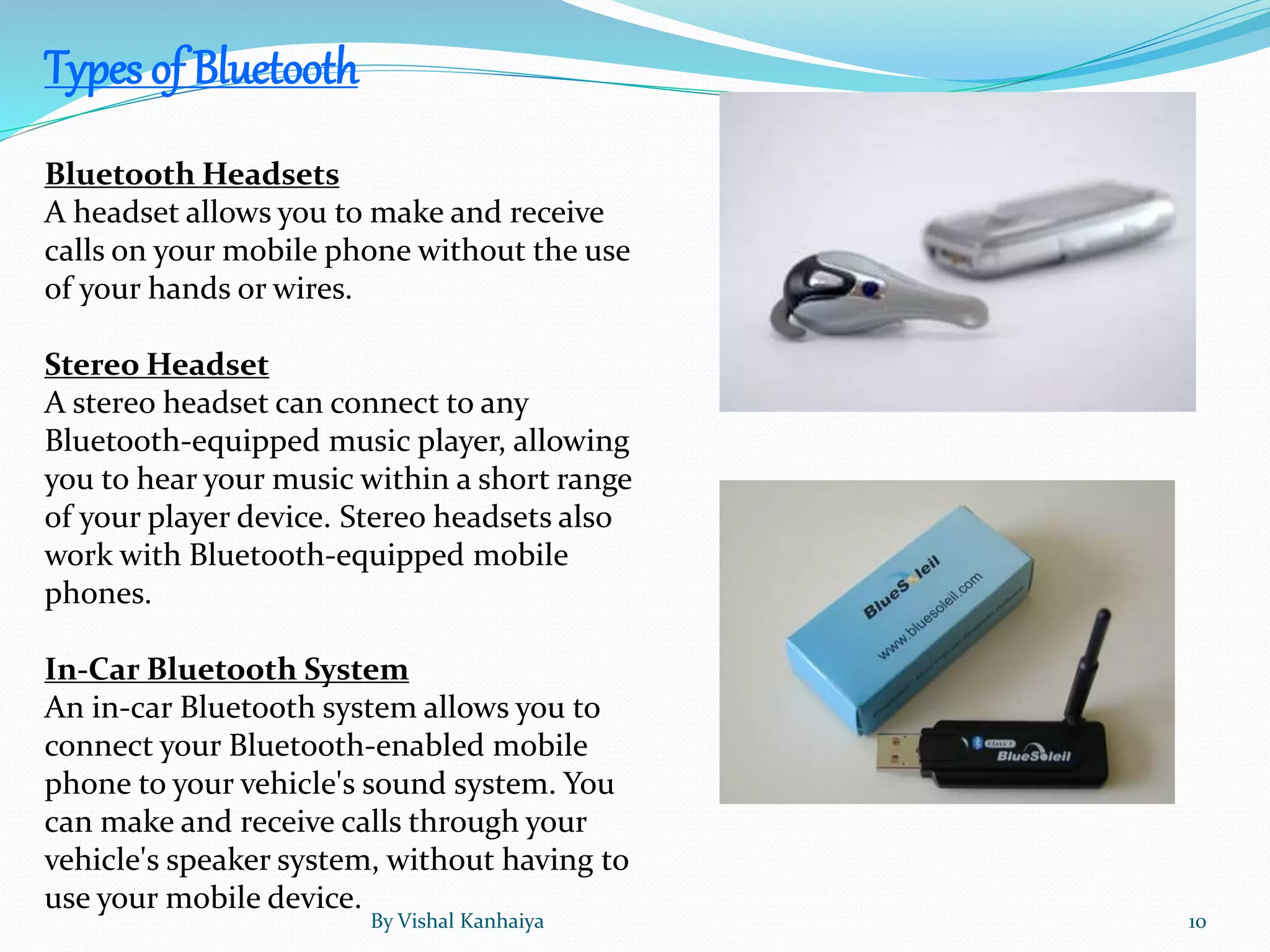
Bluetooth Headsets
A headset allows you to make and receive
calls on your mobile phone without the use
of your hands or wires.
Stereo Headset
A stereo headset can connect to any
Bluetooth-equipped music player, allowing
you to hear your music within a short range
of your player device. Stereo headsets also
work with Bluetooth-equipped mobile
phones.
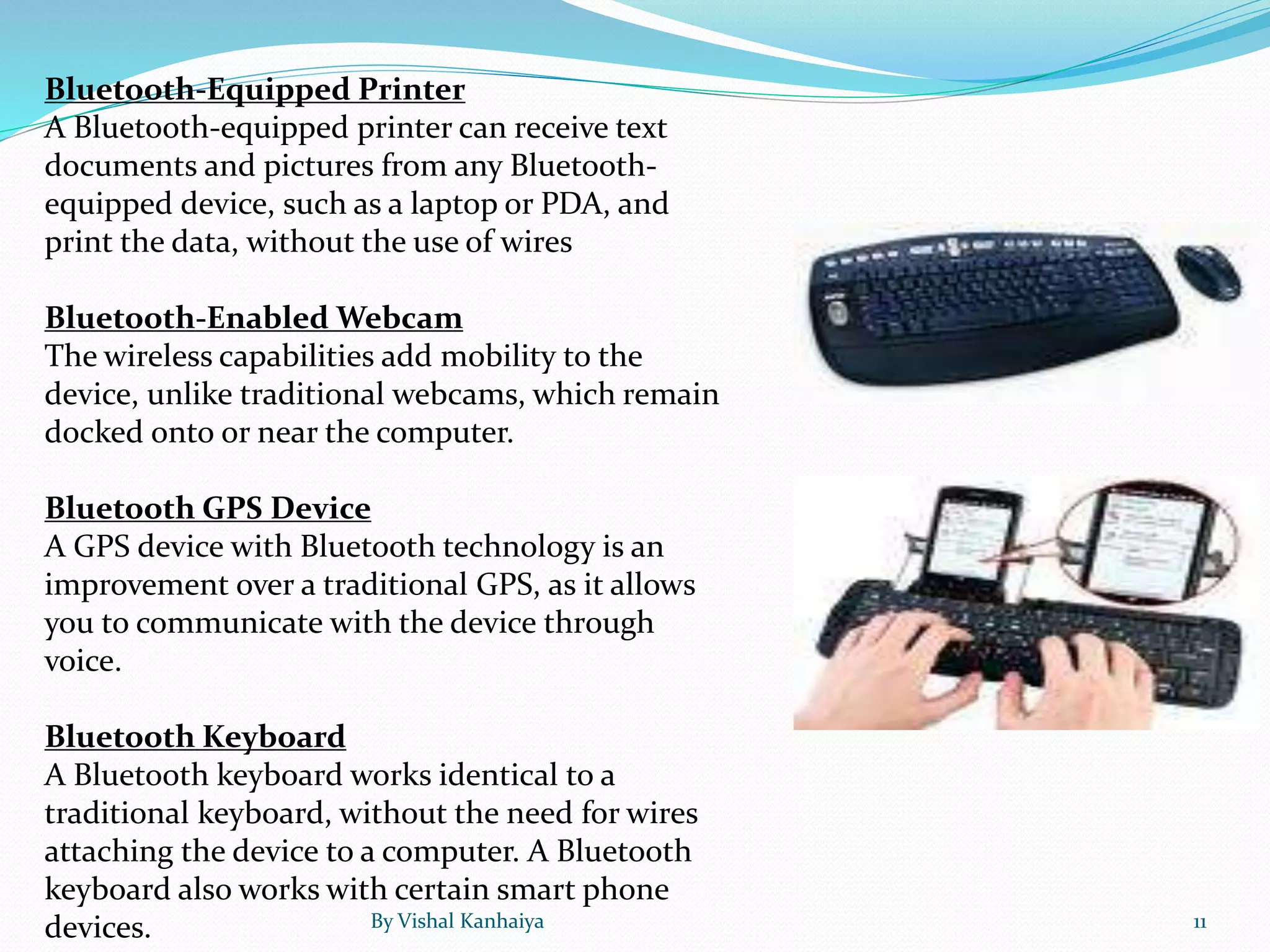
In-Car Bluetooth System
An in-car Bluetooth system allows you to
connect your Bluetooth-enabled mobile
phone to your vehicle's sound system. You
can make and receive calls through your
vehicle's speaker system, without having to
use your mobile device.
Types of Bluetooth
By Vishal Kanhaiya 10
Bluetooth-Equipped Printer
A Bluetooth-equipped printer can receive text
documents and pictures from any Bluetooth-
equipped device, such as a laptop or PDA, and
print the data, without the use of wires
Bluetooth-Enabled Webcam
The wireless capabilities add mobility to the
device, unlike traditional webcams, which remain
docked onto or near the computer.
Bluetooth GPS Device
A GPS device with Bluetooth technology is an
improvement over a traditional GPS, as it allows
you to communicate with the device through
voice.
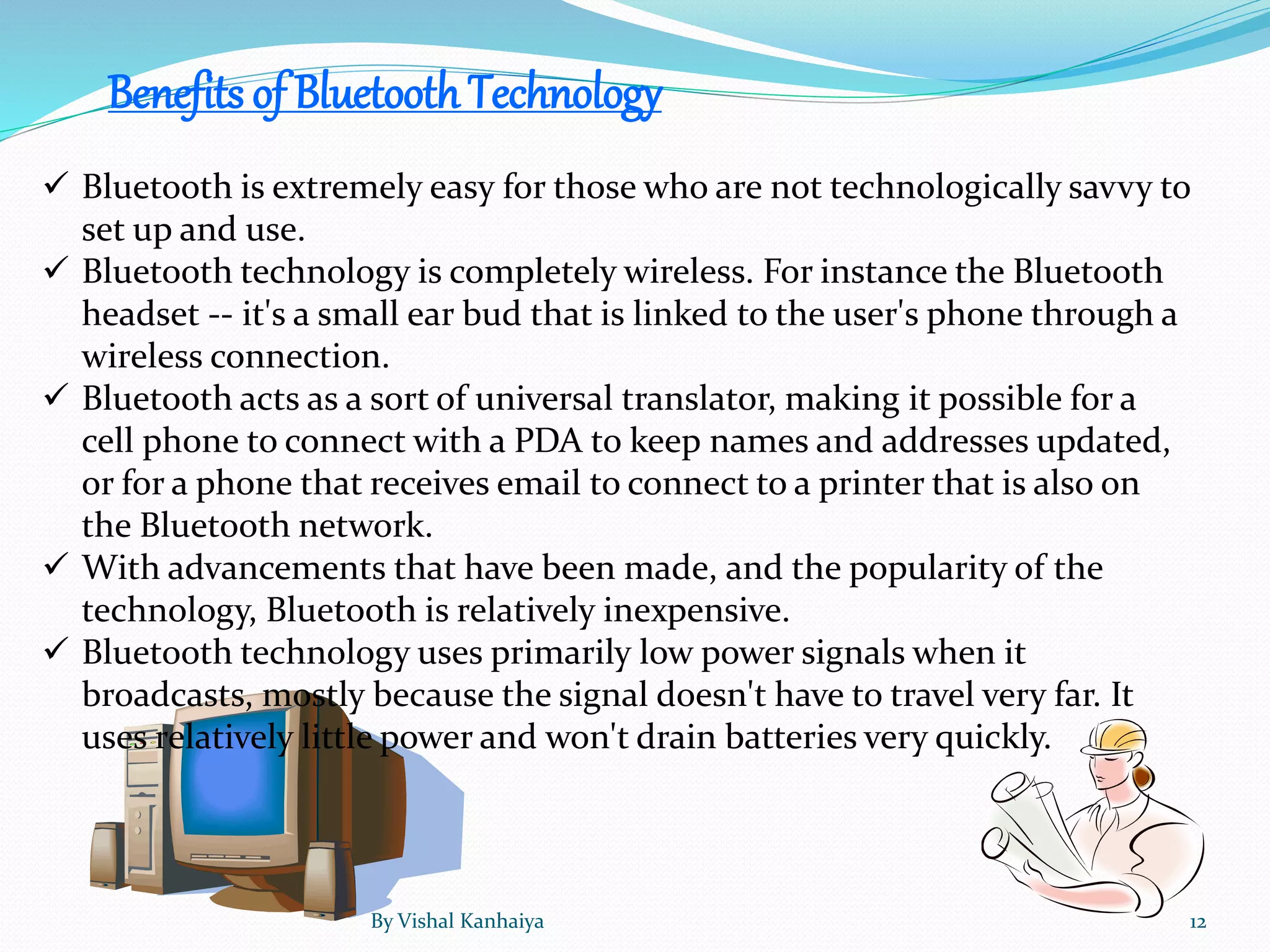
Bluetooth Keyboard
A Bluetooth keyboard works identical to a
traditional keyboard, without the need for wires
attaching the device to a computer. A Bluetooth
keyboard also works with certain smart phone
devices. By Vishal Kanhaiya 11
Benefits of BluetoothTechnology
 Bluetooth is extremely easy for those who are not technologically savvy to
set up and use.
 Bluetooth technology is completely wireless. For instance the Bluetooth
headset -- it's a small ear bud that is linked to the user's phone through a
wireless connection.
 Bluetooth acts as a sort of universal translator, making it possible for a
cell phone to connect with a PDA to keep names and addresses updated,
or for a phone that receives email to connect to a printer that is also on
the Bluetooth network.
 With advancements that have been made, and the popularity of the
technology, Bluetooth is relatively inexpensive.
 Bluetooth technology uses primarily low power signals when it
broadcasts, mostly because the signal doesn't have to travel very far. It
uses relatively little power and won't drain batteries very quickly.
By Vishal Kanhaiya 12
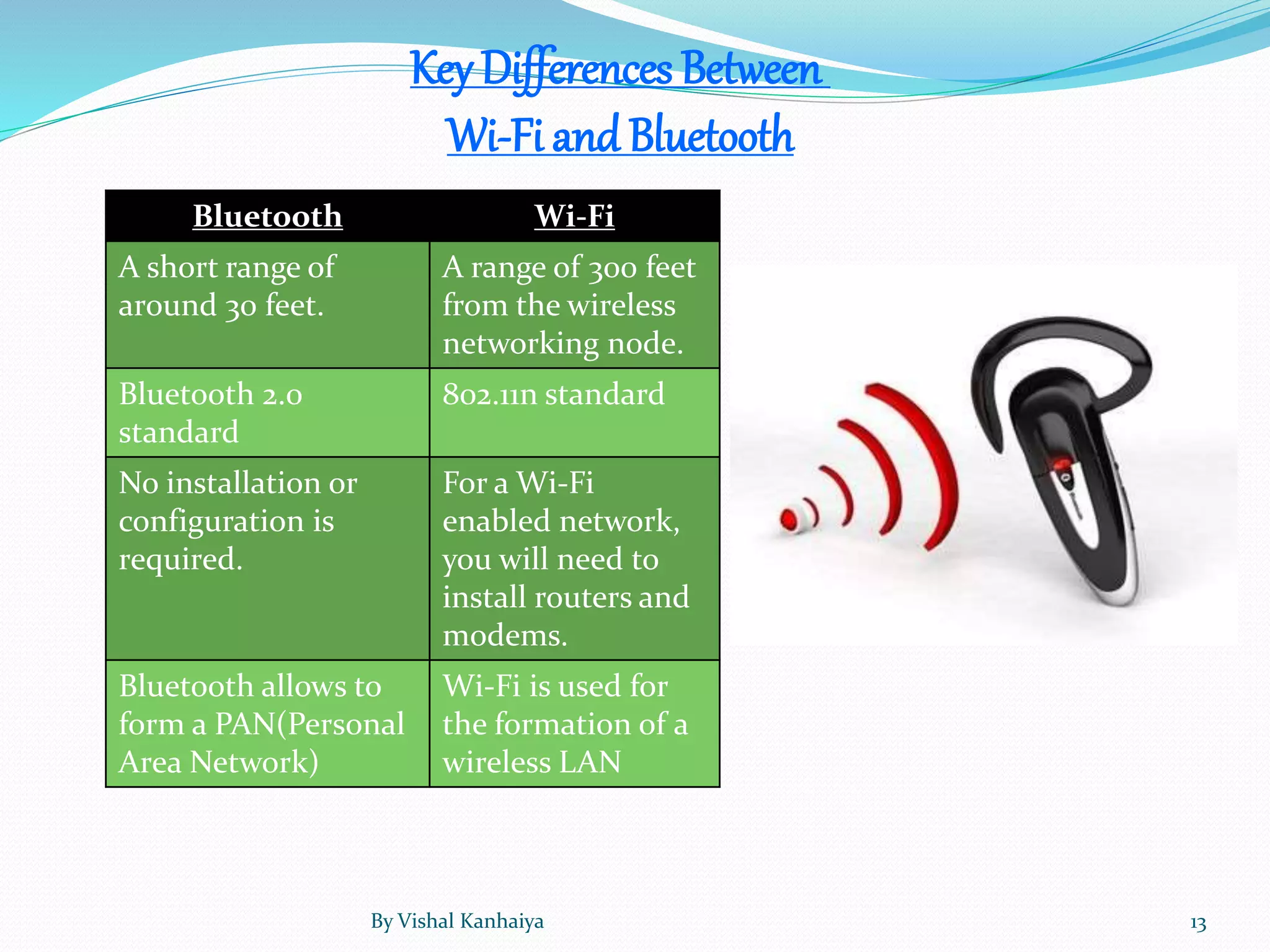
KeyDifferences Between
Wi-Fi and Bluetooth
Bluetooth Wi-Fi
A short range of
around 30 feet.
A range of 300 feet
from the wireless
networking node.
Bluetooth 2.0
standard
802.11n standard
No installation or
configuration is
required.
For a Wi-Fi
enabled network,
you will need to
install routers and
modems.
Bluetooth allows to
form a PAN(Personal
Area Network)
Wi-Fi is used for
the formation of a
wireless LAN
By Vishal Kanhaiya 13
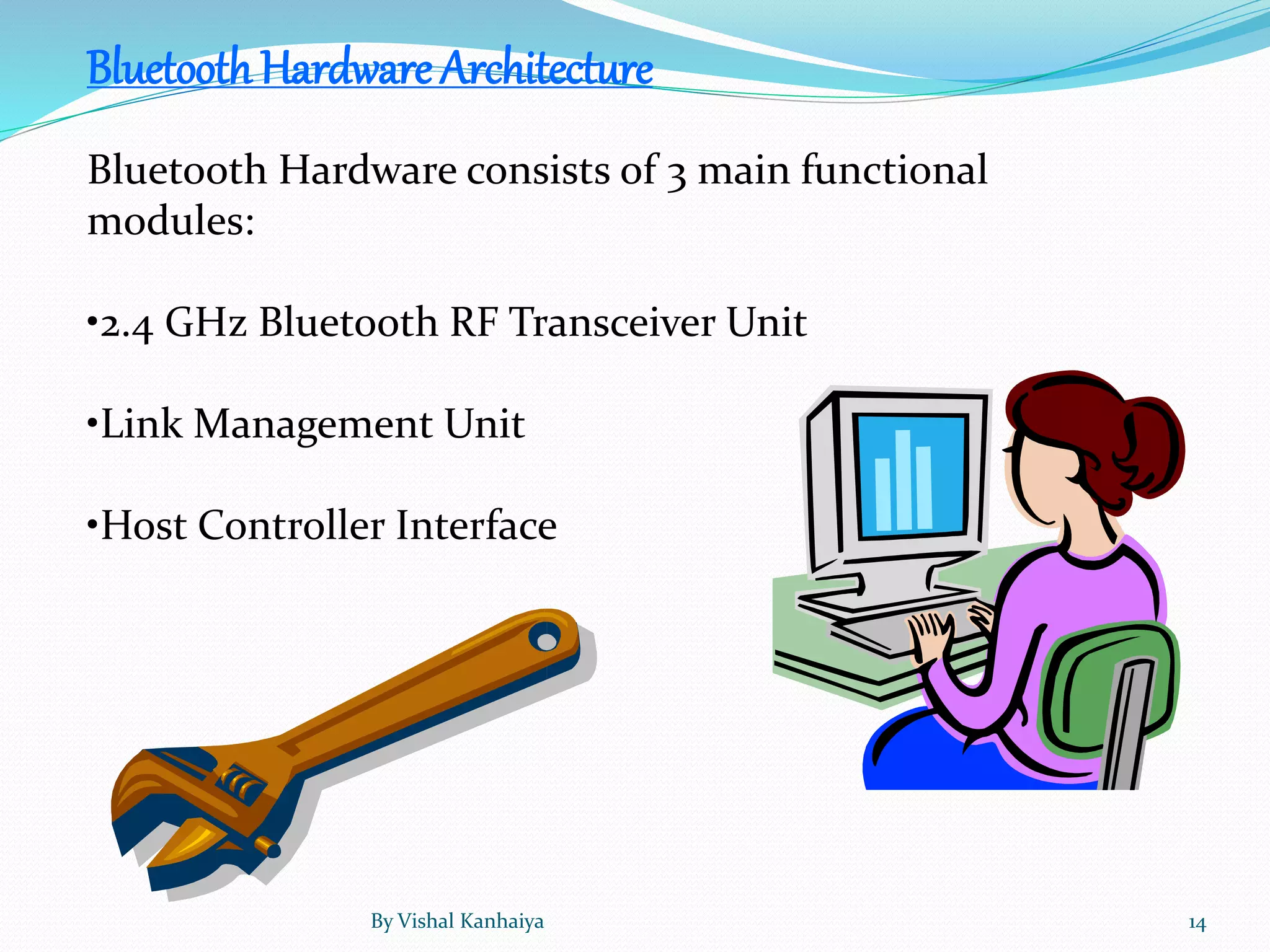
BluetoothHardware Architecture
Bluetooth Hardware consists of 3 main functional
modules:
•2.4 GHz Bluetooth RF Transceiver Unit
•Link Management Unit
•Host Controller Interface
By Vishal Kanhaiya 14
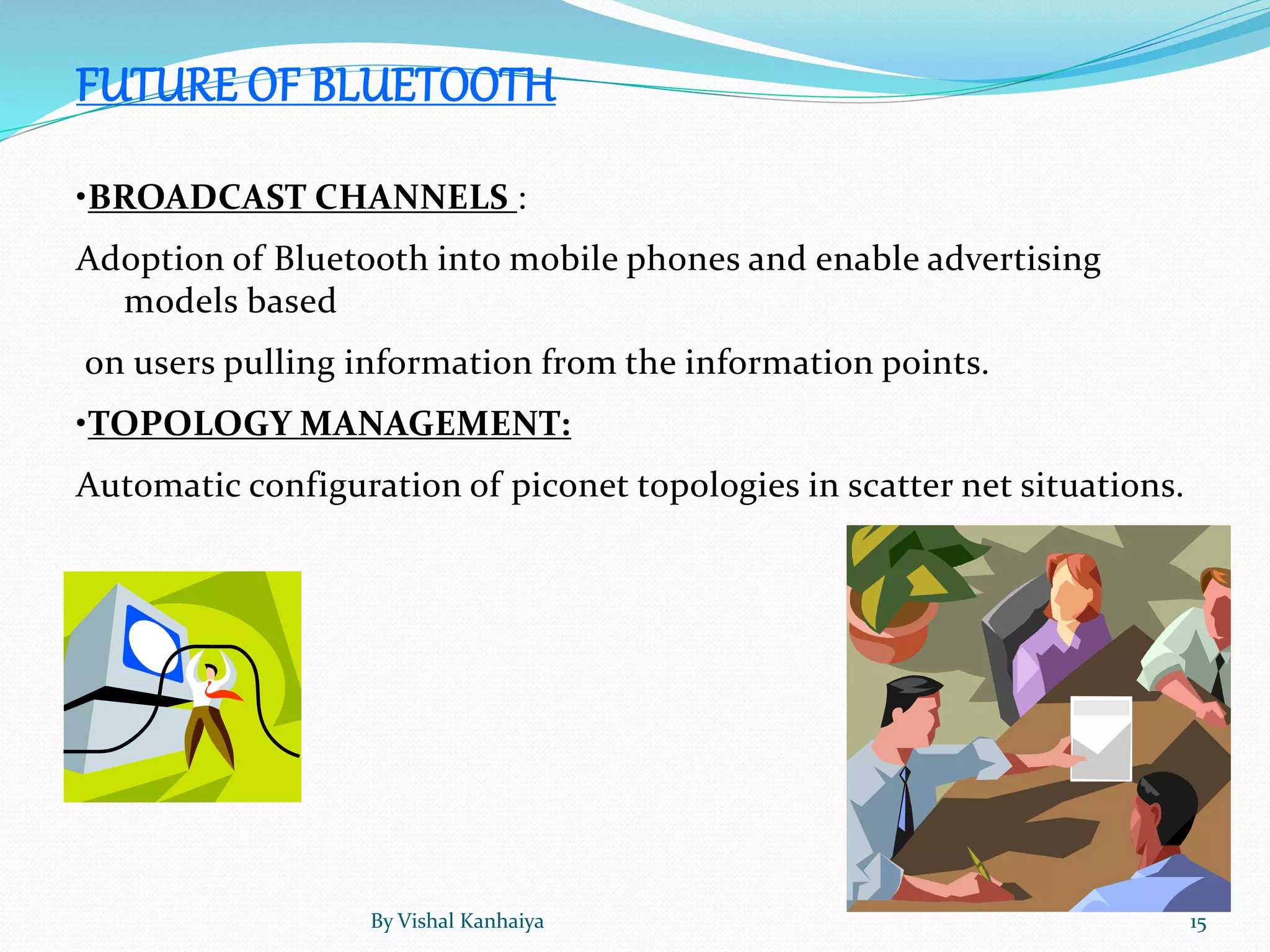
FUTURE OF BLUETOOTH
•BROADCAST CHANNELS :
Adoption of Bluetooth into mobile phones and enable advertising
models based
on users pulling information from the information points.
•TOPOLOGY MANAGEMENT:
Automatic configuration of piconet topologies in scatter net situations.
By Vishal Kanhaiya 15
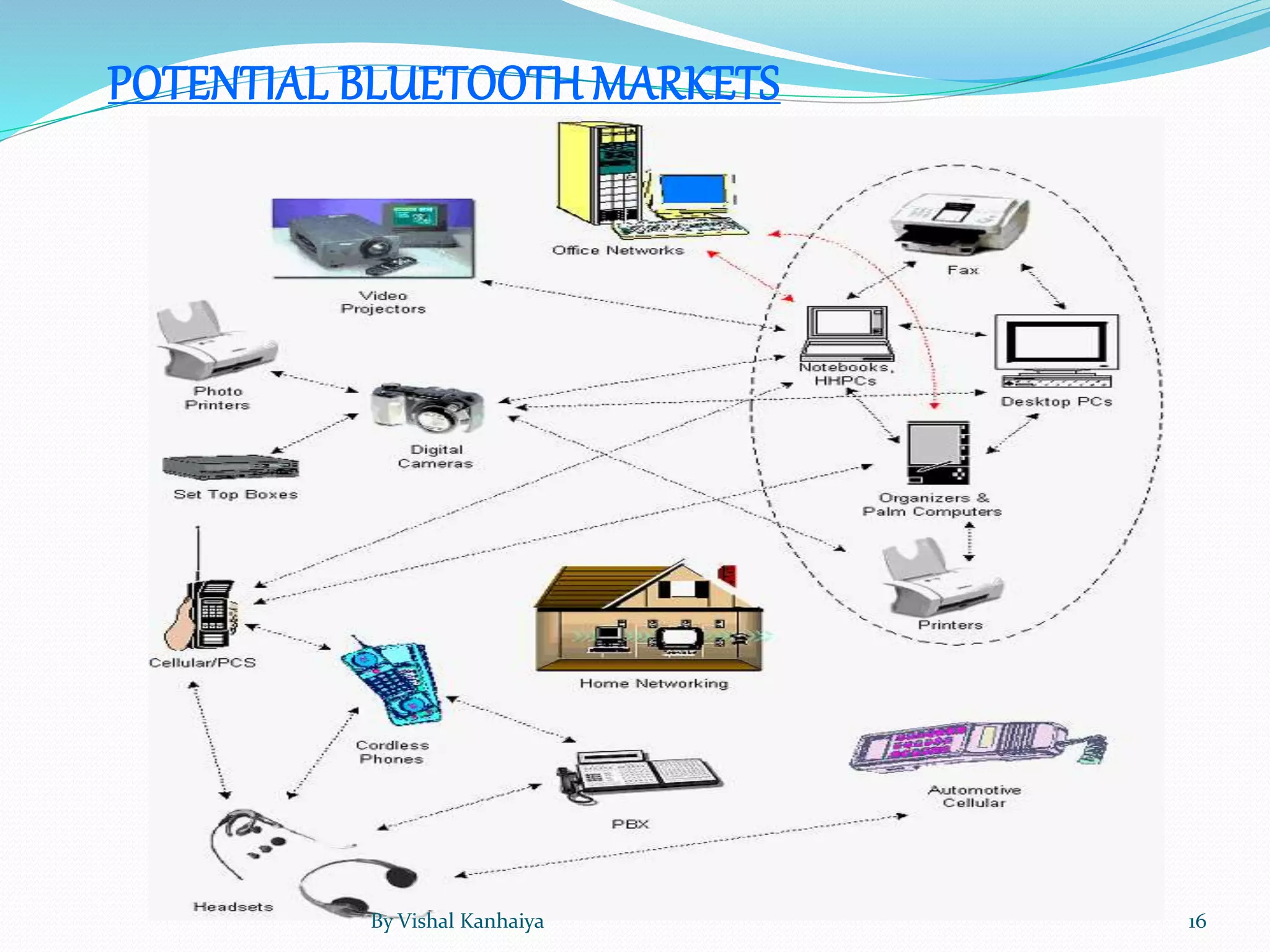
POTENTIAL BLUETOOTH MARKETS
By Vishal Kanhaiya 16
 It does not require a clear line of sight between the synced
devices.
 Requires no cables and wires .
 The maximum range that it offers is 100 meters.
 Requires no charges to be paid to any service provider.
 The chances of other wireless networks interfering with yours are very low. This is
because of the low powered wireless signals that the technology adopts, and also because
of something known as frequency hopping.
The Advantages of Bluetooth
By Vishal Kanhaiya 17
 Though the transfer speeds are
impressive at around 1 Mbps, certain
other technologies like Infrared can offer
speeds up to 4 Mbps. This is an area that
can be improved on in the near future.
 Even though the security is good, it is
even better on Infrared as hacking is easy.
 Battery usage is more.
The Disadvantages of Bluetooth
By Vishal Kanhaiya 18
By Vishal Kanhaiya 19

Bluetooth by vk

  • 1.
    By: Vishal Kanhaiya ByVishal Kanhaiya 1
  • 2.
     Wireless technology Created by Ericsson in 1994, Bluetooth wireless  technology was originally conceived as a wireless alternative to RS-232 data cables  Exchanges data over short distances(using short-wavelength UHF radio waves in the ISM band from 2.4 to 2.485 GHz)from fixed and mobile devices, and the building personal area networks(PANs). By Vishal Kanhaiya 2
  • 3.
     The word“Bluetooth” is derived from the surname of King Harald Bluetooth – a 10th century Danish monarch who famously united Denmark and Norway into one kingdom.  The idea of this name was proposed in 1997 by Jim Kardach who developed a system that would allow mobile phones to communicate with computers. By Vishal Kanhaiya 3
  • 4.
    LOGO  The Bluetoothlogo is influenced by the Nordic runes similar to the modern Latin “H” (Haglazl) and “B” (Berkanan). The combination of these two letters embodies the connection that Bluetooth establishes between two electronic devices  The Bluetooth logo consists of two interconnected letters drawn in white, and placed on a blue background. The name of the technology, on the other hand, is written in black color. The choice of these three colors typifies the hassle free union, strength and reliability the consumers experience while using the Bluetooth technology. By Vishal Kanhaiya 4
  • 5.
    History of Bluetooth In 1994 a group of engineers at Ericsson, a Swedish company, invented a wireless communication technology, later called Bluetooth.  In 1998, the original group of Promoter companies—Ericsson, Intel, Nokia, Toshiba and IBM—came together to form the Bluetooth Special Interest Group (SIG). By Vishal Kanhaiya 5
  • 6.
    Fact  King Harald'sactual name was King Harald Batand. It is said he was given the nickname "Bluetooth" because of his love of eating teeth-staining blueberries.  In 1994 a group of engineers at Ericsson, a Swedish company, invented a wireless communication technology, later called Bluetooth. In 1998, the original group of Promoter companies— Ericsson, Intel, Nokia, Toshiba and IBM—came together to form the Bluetooth Special Interest Group (SIG). Since no single company owns the technology, the SIG member companies work together to preserve, educate, and further Bluetooth technology as a means to bring devices into the connected world. By Vishal Kanhaiya 6
  • 7.
    Versions Bluetooth v1.1  Ratifiedas IEEE Standard 802.15.1–2002  Many errors found in the 1.0B specifications were fixed.  Added possibility of non-encrypted channels.  Received Signal Strength Indicator Bluetooth v1.2 Major enhancements include the following:  Faster Connection and Discovery  Adaptive frequency-hopping spread spectrum (AFH), which improves resistance to radio frequency interference by avoiding the use of crowded frequencies in the hopping sequence.  Higher transmission speeds in practice, up to 721 kbit/s, than in v1.1.  Extended Synchronous Connections (eSCO), which improve voice quality of audio links by allowing retransmissions of corrupted packets, and may optionally increase audio latency to provide better concurrent data transfer.  Host Controller Interface (HCI) operation with three-wire UART.  Ratified as IEEE Standard 802.15.1–2005  Introduced Flow Control and Retransmission Modes for L2CAP.By Vishal Kanhaiya 7
  • 8.
    Bluetooth v2.1 +EDR  Bluetooth Core Specification Version 2.1 + EDR was adopted by the Bluetooth SIG on 26 July 2007.  The headline feature of 2.1 is secure simple pairing (SSP): this improves the pairing experience for Bluetooth devices, while increasing the use and strength of security. See the section on Pairing below for more details.  2.1 allows various other improvements, including "Extended inquiry response" (EIR), which provides more information during the inquiry procedure to allow better filtering of devices before connection; and sniff sub rating, which reduces the power consumption in low-power mode. Bluetooth Smart (v4.0 & 4.1)  Cost-reduced single-mode chips, which enable highly integrated and compact devices, feature a lightweight Link Layer providing ultra-low power idle mode operation, simple device discovery, and reliable point-to-multipoint data transfer with advanced power- save and secure encrypted connections at the lowest possible cost.  General improvements in version 4.0 include the changes necessary to facilitate BLE modes, as well the Generic Attribute Profile (GATT) and Security Manager (SM) services with AES Encryption.  Core Specification Addendum 2 was unveiled in December 2011; it contains improvements to the audio Host Controller Interface and to the High Speed (802.11) Protocol Adaptation Layer.  Core Specification Addendum 3 revision 2 has an adoption date of July 24, 2012.  Core Specification Addendum 4 has an adoption date of February 12, 2013.By Vishal Kanhaiya 8
  • 9.
    Bluetooth v3.0+HS  Thev3.0 + HS enhancement to the Core Specification provides consumers with powerful, wireless connections that are more robust and reliable than ever before. Features include:  Power Optimization - By using the high speed radio only when you need it, Bluetooth high speed reduces power consumption, which means a longer battery life for your devices.  Improved Security - The Generic Alternate MAC/PHY in Bluetooth high speed enables the radio to discover other high speed devices only when they are needed to transfer your music, pictures or other data. Not only does this optimize power, but it also aids in the security of the radios.  Enhanced Power Control - Limited drop-outs are now a reality. The enhanced power control of Bluetooth high speed makes power control faster and ensures limited drop- outs, reducing consumer experience of impacts from power. Users are now less likely to lose a headset connection—even when the phone is in a coat pocket or deep inside a purse.  Lower Latency Rates - Unicast Connectionless Data improves the customer experience of speed by lowering latency rates, sending small amounts of data more quickly. By Vishal Kanhaiya 9
  • 10.
    Bluetooth Headsets A headsetallows you to make and receive calls on your mobile phone without the use of your hands or wires. Stereo Headset A stereo headset can connect to any Bluetooth-equipped music player, allowing you to hear your music within a short range of your player device. Stereo headsets also work with Bluetooth-equipped mobile phones. In-Car Bluetooth System An in-car Bluetooth system allows you to connect your Bluetooth-enabled mobile phone to your vehicle's sound system. You can make and receive calls through your vehicle's speaker system, without having to use your mobile device. Types of Bluetooth By Vishal Kanhaiya 10
  • 11.
    Bluetooth-Equipped Printer A Bluetooth-equippedprinter can receive text documents and pictures from any Bluetooth- equipped device, such as a laptop or PDA, and print the data, without the use of wires Bluetooth-Enabled Webcam The wireless capabilities add mobility to the device, unlike traditional webcams, which remain docked onto or near the computer. Bluetooth GPS Device A GPS device with Bluetooth technology is an improvement over a traditional GPS, as it allows you to communicate with the device through voice. Bluetooth Keyboard A Bluetooth keyboard works identical to a traditional keyboard, without the need for wires attaching the device to a computer. A Bluetooth keyboard also works with certain smart phone devices. By Vishal Kanhaiya 11
  • 12.
    Benefits of BluetoothTechnology Bluetooth is extremely easy for those who are not technologically savvy to set up and use.  Bluetooth technology is completely wireless. For instance the Bluetooth headset -- it's a small ear bud that is linked to the user's phone through a wireless connection.  Bluetooth acts as a sort of universal translator, making it possible for a cell phone to connect with a PDA to keep names and addresses updated, or for a phone that receives email to connect to a printer that is also on the Bluetooth network.  With advancements that have been made, and the popularity of the technology, Bluetooth is relatively inexpensive.  Bluetooth technology uses primarily low power signals when it broadcasts, mostly because the signal doesn't have to travel very far. It uses relatively little power and won't drain batteries very quickly. By Vishal Kanhaiya 12
  • 13.
    KeyDifferences Between Wi-Fi andBluetooth Bluetooth Wi-Fi A short range of around 30 feet. A range of 300 feet from the wireless networking node. Bluetooth 2.0 standard 802.11n standard No installation or configuration is required. For a Wi-Fi enabled network, you will need to install routers and modems. Bluetooth allows to form a PAN(Personal Area Network) Wi-Fi is used for the formation of a wireless LAN By Vishal Kanhaiya 13
  • 14.
    BluetoothHardware Architecture Bluetooth Hardwareconsists of 3 main functional modules: •2.4 GHz Bluetooth RF Transceiver Unit •Link Management Unit •Host Controller Interface By Vishal Kanhaiya 14
  • 15.
    FUTURE OF BLUETOOTH •BROADCASTCHANNELS : Adoption of Bluetooth into mobile phones and enable advertising models based on users pulling information from the information points. •TOPOLOGY MANAGEMENT: Automatic configuration of piconet topologies in scatter net situations. By Vishal Kanhaiya 15
  • 16.
  • 17.
     It doesnot require a clear line of sight between the synced devices.  Requires no cables and wires .  The maximum range that it offers is 100 meters.  Requires no charges to be paid to any service provider.  The chances of other wireless networks interfering with yours are very low. This is because of the low powered wireless signals that the technology adopts, and also because of something known as frequency hopping. The Advantages of Bluetooth By Vishal Kanhaiya 17
  • 18.
     Though thetransfer speeds are impressive at around 1 Mbps, certain other technologies like Infrared can offer speeds up to 4 Mbps. This is an area that can be improved on in the near future.  Even though the security is good, it is even better on Infrared as hacking is easy.  Battery usage is more. The Disadvantages of Bluetooth By Vishal Kanhaiya 18
  • 19.