

Configuring the Classifier
on IBM Bluemix
craigtrim@gmail.com
QUESTION TYPE CLASSIFICATION
DATA PREPARATION ...
Part 1
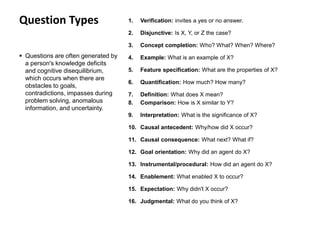
1. Verification: invites a yes or no answer.
2. Disjunctive: Is X, Y, or Z the case?
3. Concept completion: Who? What? When? Where?
4. Example: What is an example of X?
5. Feature specification: What are the properties of X?
6. Quantification: How much? How many?
7. Definition: What does X mean?
8. Comparison: How is X similar to Y?
9. Interpretation: What is the significance of X?
10. Causal antecedent: Why/how did X occur?
11. Causal consequence: What next? What if?
12. Goal orientation: Why did an agent do X?
13. Instrumental/procedural: How did an agent do X?
14. Enablement: What enabled X to occur?
15. Expectation: Why didn't X occur?
16. Judgmental: What do you think of X?
 Questions are often generated by
a person's knowledge deficits
and cognitive disequilibrium,
which occurs when there are
obstacles to goals,
contradictions, impasses during
problem solving, anomalous
information, and uncertainty.
Question Types
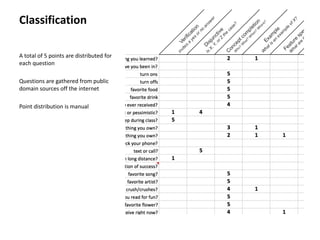
A total of 5 points are distributed for
each question
Questions are gathered from public
domain sources off the internet
Point distribution is manual
Classification
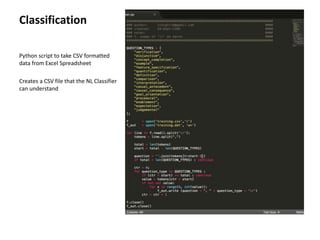
Python script to take CSV formatted
data from Excel Spreadsheet
Creates a CSV file that the NL Classifier
can understand
Classification
DEPLOYING TO BLUEMIX
IN 5 SIMPLE STEPS ...
Part 2
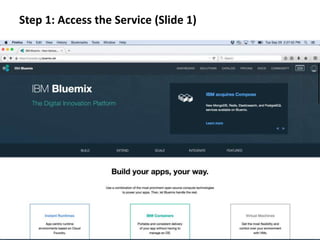
Step 1: Access the Service (Slide 1)
IBM Bluemix Homepage
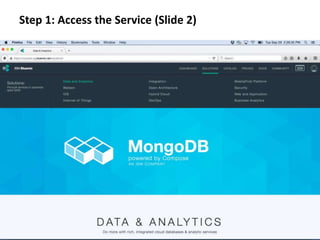
Step 1: Access the Service (Slide 2)
IBM Bluemix Homepage
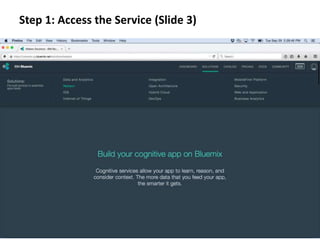
Step 1: Access the Service (Slide 3)
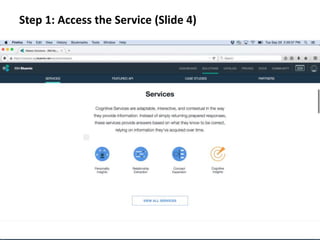
Step 1: Access the Service (Slide 4)
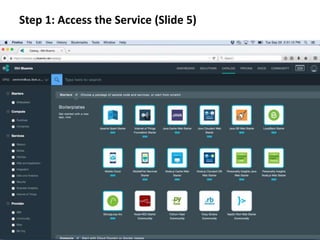
Step 1: Access the Service (Slide 5)
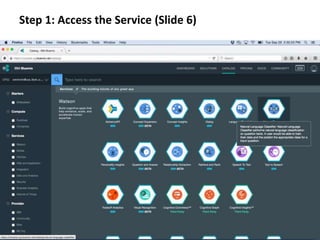
Step 1: Access the Service (Slide 6)
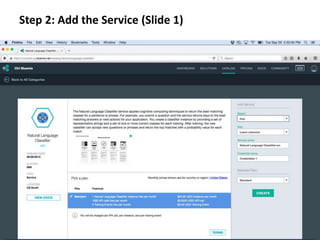
Step 2: Add the Service (Slide 1)
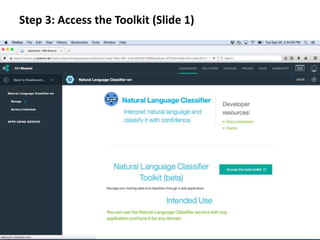
Step 3: Access the Toolkit (Slide 1)
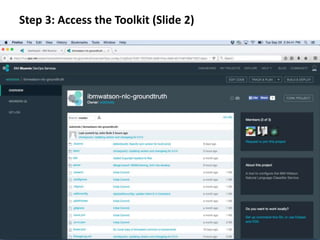
Step 3: Access the Toolkit (Slide 2)
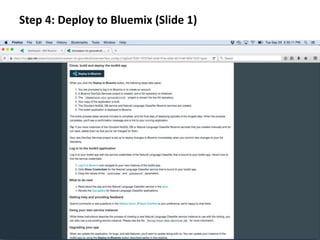
Step 4: Deploy to Bluemix (Slide 1)
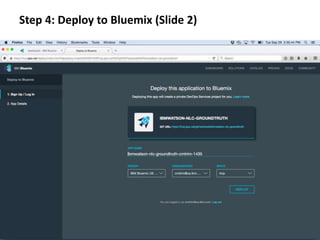
Step 4: Deploy to Bluemix (Slide 2)
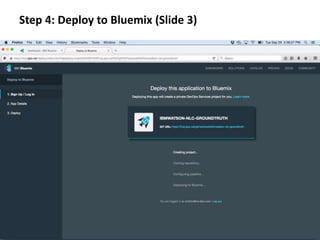
Step 4: Deploy to Bluemix (Slide 3)
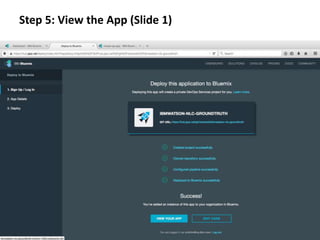
Step 5: View the App (Slide 1)
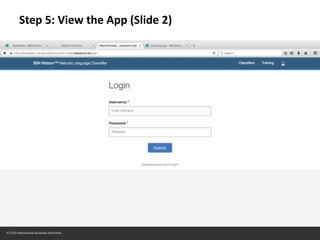
Step 5: View the App (Slide 2)
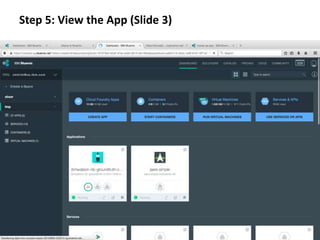
Step 5: View the App (Slide 3)
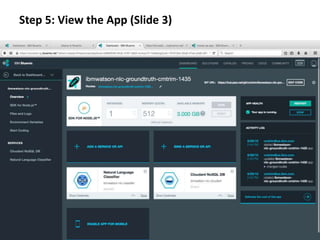
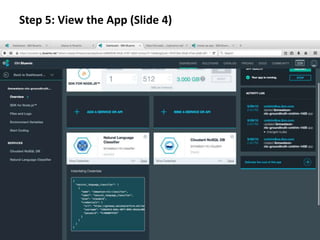
Step 5: View the App (Slide 4)
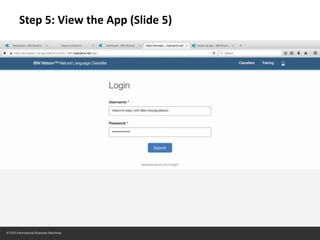
Step 5: View the App (Slide 5)
TRAINING A CLASSIFIER
IN 5 SIMPLE STEPS ...
Part 3
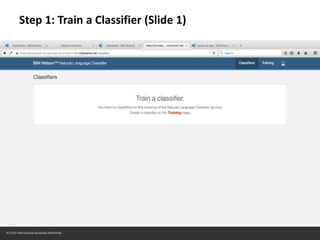
Step 1: Train a Classifier (Slide 1)
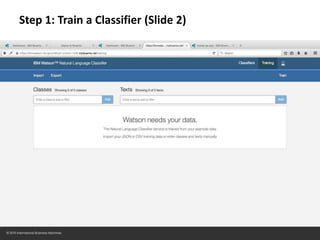
Step 1: Train a Classifier (Slide 2)
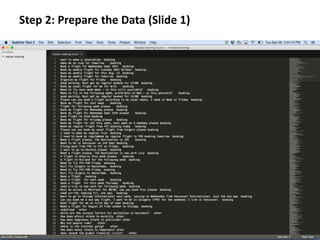
Step 2: Prepare the Data (Slide 1)
Format
• The data format is:
text,class
• The text is the actual question
or user statement; some real
world example
• The class is the classification of
this real world example
– Only [A-Za-z0-9] are permitted
– Use “myClassName” rather than
“my_class_name”
• The text and the class are
comma separated, with the
text occurring first
Example
what is the difference between being
alive and truly living?,comparison
"when is it time to stop calculating
risk and rewards and just go ahead
and do what you know is
right?”,conceptCompletion
"when is it time to stop calculating
risk and rewards and just go ahead
and do what you know is
right?”,interpretation
"if we learn from our mistakes why
are we always so afraid to make a
mistake?”,enablement
Step 2: Prepare the
Data (Slide 2)
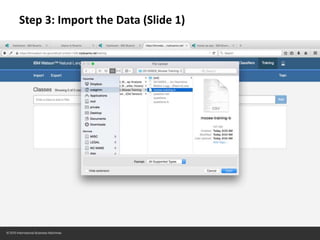
Step 3: Import the Data (Slide 1)
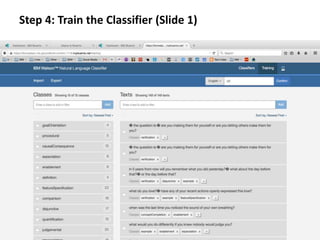
Step 4: Train the Classifier (Slide 1)
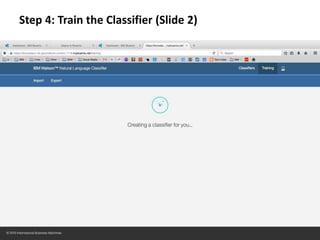
Step 4: Train the Classifier (Slide 2)
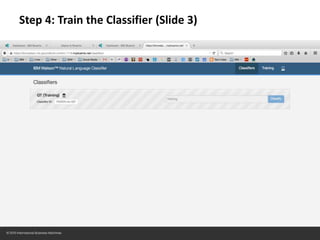
Step 4: Train the Classifier (Slide 3)
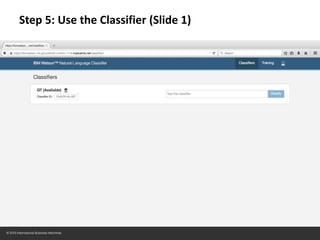
Step 5: Use the Classifier (Slide 1)
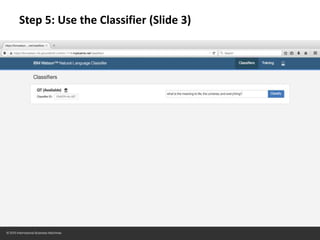
Step 5: Use the Classifier (Slide 3)
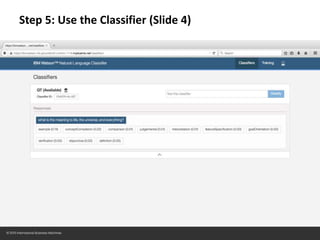
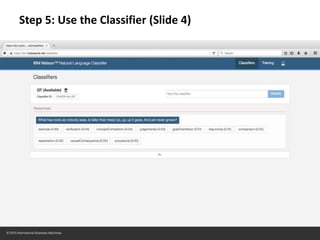
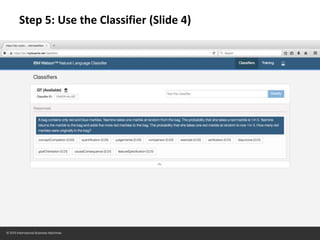
Step 5: Use the Classifier (Slide 4)
ACCESSIBILITY
ACCESS AND GET/POST
Part 4
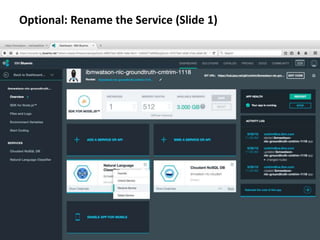
Optional: Rename the Service (Slide 1)
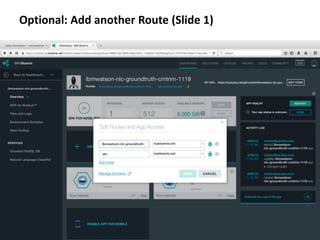
Optional: Add another Route (Slide 1)
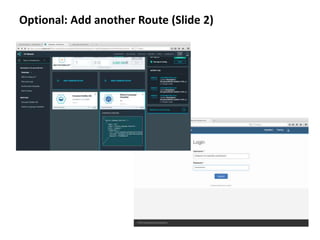
Optional: Add another Route (Slide 2)
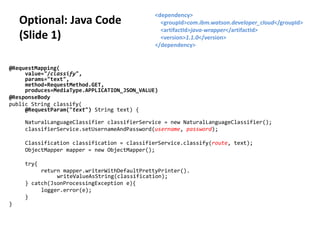
@RequestMapping(
value="/classify",
params="text",
method=RequestMethod.GET,
produces=MediaType.APPLICATION_JSON_VALUE)
@ResponseBody
public String classify(
@RequestParam("text") String text) {
NaturalLanguageClassifier classifierService = new NaturalLanguageClassifier();
classifierService.setUsernameAndPassword(username, password);
Classification classification = classifierService.classify(route, text);
ObjectMapper mapper = new ObjectMapper();
try{
return mapper.writerWithDefaultPrettyPrinter().
writeValueAsString(classification);
} catch(JsonProcessingException e){
logger.error(e);
}
}
Optional: Java Code
(Slide 1)
<dependency>
<groupId>com.ibm.watson.developer_cloud</groupId>
<artifactId>java-wrapper</artifactId>
<version>1.1.0</version>
</dependency>

Bluemix NL Classifier Tutorial

  • 1.
    Configuring the Classifier onIBM Bluemix craigtrim@gmail.com
  • 2.
    QUESTION TYPE CLASSIFICATION DATAPREPARATION ... Part 1
  • 3.
    1. Verification: invitesa yes or no answer. 2. Disjunctive: Is X, Y, or Z the case? 3. Concept completion: Who? What? When? Where? 4. Example: What is an example of X? 5. Feature specification: What are the properties of X? 6. Quantification: How much? How many? 7. Definition: What does X mean? 8. Comparison: How is X similar to Y? 9. Interpretation: What is the significance of X? 10. Causal antecedent: Why/how did X occur? 11. Causal consequence: What next? What if? 12. Goal orientation: Why did an agent do X? 13. Instrumental/procedural: How did an agent do X? 14. Enablement: What enabled X to occur? 15. Expectation: Why didn't X occur? 16. Judgmental: What do you think of X?  Questions are often generated by a person's knowledge deficits and cognitive disequilibrium, which occurs when there are obstacles to goals, contradictions, impasses during problem solving, anomalous information, and uncertainty. Question Types
  • 4.
    A total of5 points are distributed for each question Questions are gathered from public domain sources off the internet Point distribution is manual Classification
  • 5.
    Python script totake CSV formatted data from Excel Spreadsheet Creates a CSV file that the NL Classifier can understand Classification
  • 6.
    DEPLOYING TO BLUEMIX IN5 SIMPLE STEPS ... Part 2
  • 7.
    Step 1: Accessthe Service (Slide 1) IBM Bluemix Homepage
  • 8.
    Step 1: Accessthe Service (Slide 2) IBM Bluemix Homepage
  • 9.
    Step 1: Accessthe Service (Slide 3)
  • 10.
    Step 1: Accessthe Service (Slide 4)
  • 11.
    Step 1: Accessthe Service (Slide 5)
  • 12.
    Step 1: Accessthe Service (Slide 6)
  • 13.
    Step 2: Addthe Service (Slide 1)
  • 14.
    Step 3: Accessthe Toolkit (Slide 1)
  • 15.
    Step 3: Accessthe Toolkit (Slide 2)
  • 16.
    Step 4: Deployto Bluemix (Slide 1)
  • 17.
    Step 4: Deployto Bluemix (Slide 2)
  • 18.
    Step 4: Deployto Bluemix (Slide 3)
  • 19.
    Step 5: Viewthe App (Slide 1)
  • 20.
    Step 5: Viewthe App (Slide 2)
  • 21.
    Step 5: Viewthe App (Slide 3)
  • 22.
    Step 5: Viewthe App (Slide 3)
  • 23.
    Step 5: Viewthe App (Slide 4)
  • 24.
    Step 5: Viewthe App (Slide 5)
  • 25.
    TRAINING A CLASSIFIER IN5 SIMPLE STEPS ... Part 3
  • 26.
    Step 1: Traina Classifier (Slide 1)
  • 27.
    Step 1: Traina Classifier (Slide 2)
  • 28.
    Step 2: Preparethe Data (Slide 1)
  • 29.
    Format • The dataformat is: text,class • The text is the actual question or user statement; some real world example • The class is the classification of this real world example – Only [A-Za-z0-9] are permitted – Use “myClassName” rather than “my_class_name” • The text and the class are comma separated, with the text occurring first Example what is the difference between being alive and truly living?,comparison "when is it time to stop calculating risk and rewards and just go ahead and do what you know is right?”,conceptCompletion "when is it time to stop calculating risk and rewards and just go ahead and do what you know is right?”,interpretation "if we learn from our mistakes why are we always so afraid to make a mistake?”,enablement Step 2: Prepare the Data (Slide 2)
  • 30.
    Step 3: Importthe Data (Slide 1)
  • 31.
    Step 4: Trainthe Classifier (Slide 1)
  • 32.
    Step 4: Trainthe Classifier (Slide 2)
  • 33.
    Step 4: Trainthe Classifier (Slide 3)
  • 34.
    Step 5: Usethe Classifier (Slide 1)
  • 35.
    Step 5: Usethe Classifier (Slide 3)
  • 36.
    Step 5: Usethe Classifier (Slide 4)
  • 37.
    Step 5: Usethe Classifier (Slide 4)
  • 38.
    Step 5: Usethe Classifier (Slide 4)
  • 39.
  • 40.
    Optional: Rename theService (Slide 1)
  • 41.
    Optional: Add anotherRoute (Slide 1)
  • 42.
    Optional: Add anotherRoute (Slide 2)
  • 43.
    @RequestMapping( value="/classify", params="text", method=RequestMethod.GET, produces=MediaType.APPLICATION_JSON_VALUE) @ResponseBody public String classify( @RequestParam("text")String text) { NaturalLanguageClassifier classifierService = new NaturalLanguageClassifier(); classifierService.setUsernameAndPassword(username, password); Classification classification = classifierService.classify(route, text); ObjectMapper mapper = new ObjectMapper(); try{ return mapper.writerWithDefaultPrettyPrinter(). writeValueAsString(classification); } catch(JsonProcessingException e){ logger.error(e); } } Optional: Java Code (Slide 1) <dependency> <groupId>com.ibm.watson.developer_cloud</groupId> <artifactId>java-wrapper</artifactId> <version>1.1.0</version> </dependency>

Editor's Notes