ICT for Learning - Nightcliff Technology Precinct


                   Blogs & Wikis
                        Presented by Shane Pilkie


DEPARTMENT OF EDUCATION AND TRAINING                www.det.nt.gov.au
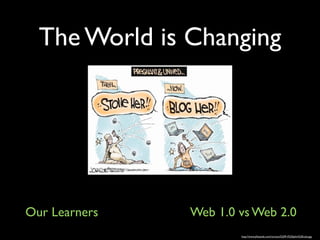
The World is Changing


Our Learners   Web 1.0 vs Web 2.0
                       http://www.jillstanek.com/cartoon%209-4%20john%20cole.jpg
The Read/Write Web

• Users are active
• Shared meaning
• Collaborative
• Create & Publish content          Image: 'SOL 2010'
                                    http://www.flickr.com/photos/11043643@N05/4535531098


• Content flows in many directions
• No HTML knowledge needed
Activity


What single word describes Web 2.0?
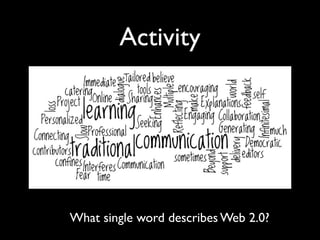
Activity


What single word describes Web 2.0?
Web 2.0 Pedagogy
• Learning becomes more personalised
• Encourages group & individual activity
• Fosters collaboration
• Enables sharing and exchange of
  information
• Students actively involved in content
  creation
Blogging Basics
                                         Web log - blog
From Wikipedia
A blog is a type of website...
...updated with new content from time to time.
Entries are commonly displayed in reverse chronological order


                          Good blogs are interactive.
                          Visitors can comment.
Common Features

• Most blogs share a common format
• Articles / Posts listed chronologically
• WYSIWYG editing
• Readers can comment on posts
• Links to related sites
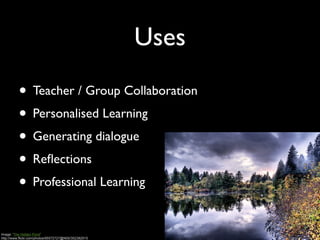
Uses

          • Teacher / Group Collaboration
          • Personalised Learning
          • Generating dialogue
          • Reflections
          • Professional Learning

Image: 'The Hidden Pond'
http://www.flickr.com/photos/95572727@N00/352382915
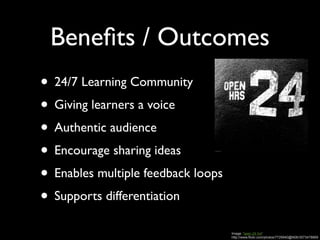
Benefits / Outcomes
• 24/7 Learning Community
• Giving learners a voice
• Authentic audience
• Encourage sharing ideas
• Enables multiple feedback loops
• Supports differentiation
                                    Image: 'open 24 hrs'
                                    http://www.flickr.com/photos/7729940@N06/3573478869
Image: 'road to hana'
http://www.flickr.com/photos/99771506@N00/5567411233


                                                       About Wikis


                                                       http://www.youtube.com/watch?v=9OoTGuM6Dus&feature=related
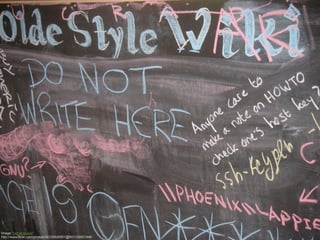
About Wikis


Image: 'old style wiki'
http://www.flickr.com/photos/36330826951@N01/29921948
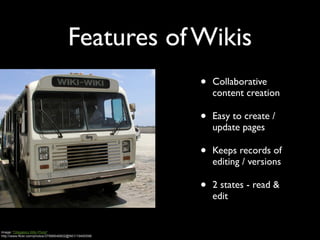
Features of Wikis
                                                        •   Collaborative
                                                            content creation

                                                        •   Easy to create /
                                                            update pages

                                                        •   Keeps records of
                                                            editing / versions

                                                        •   2 states - read &
                                                            edit


Image: 'Obligatory WIki Photo'
http://www.flickr.com/photos/37996646802@N01/19490596
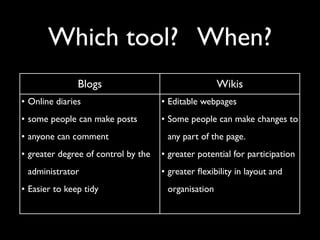
Which tool? When?
               Blogs                                 Wikis
• Online diaries                     • Editable webpages
• some people can make posts         • Some people can make changes to
• anyone can comment                  any part of the page.
• greater degree of control by the   • greater potential for participation
 administrator                       • greater flexibility in layout and
• Easier to keep tidy                 organisation
Planning Your Blog or Wiki
• What is the purpose?
• What will you / your students write about?
• How often?
• Audience - who? why would they read it?
• Who will comment?
• Who will post?
                        Image: 'Where I Teach'
                        http://www.flickr.com/photos/47325272@N00/2541408630
Take

                       the

             plunge!

Image: 'No Going Back'
http://www.flickr.com/photos/20522147@N00/3649056265
Stay Connected
            ‣ Email us: ictforlearning.det@nt.gov.au


            ‣ Join the NT DET EdTech Facebook Community


            ‣ Follow ICT for Learning on Twitter
                  ‣ www.twitter.com/ICT4L


            ‣ Access today’s resources from our wiki
                  ‣ http://techprecinct.wikispaces.com
DEPARTMENT OF EDUCATION AND TRAINING                     www.det.nt.gov.au

Blogs and Wikis

  • 1.
    ICT for Learning- Nightcliff Technology Precinct Blogs & Wikis Presented by Shane Pilkie DEPARTMENT OF EDUCATION AND TRAINING www.det.nt.gov.au
  • 3.
    The World isChanging Our Learners Web 1.0 vs Web 2.0 http://www.jillstanek.com/cartoon%209-4%20john%20cole.jpg
  • 4.
    The Read/Write Web •Users are active • Shared meaning • Collaborative • Create & Publish content Image: 'SOL 2010' http://www.flickr.com/photos/11043643@N05/4535531098 • Content flows in many directions • No HTML knowledge needed
  • 5.
    Activity What single worddescribes Web 2.0?
  • 6.
    Activity What single worddescribes Web 2.0?
  • 7.
    Web 2.0 Pedagogy •Learning becomes more personalised • Encourages group & individual activity • Fosters collaboration • Enables sharing and exchange of information • Students actively involved in content creation
  • 8.
    Blogging Basics Web log - blog From Wikipedia A blog is a type of website... ...updated with new content from time to time. Entries are commonly displayed in reverse chronological order Good blogs are interactive. Visitors can comment.
  • 9.
    Common Features • Mostblogs share a common format • Articles / Posts listed chronologically • WYSIWYG editing • Readers can comment on posts • Links to related sites
  • 10.
    Uses • Teacher / Group Collaboration • Personalised Learning • Generating dialogue • Reflections • Professional Learning Image: 'The Hidden Pond' http://www.flickr.com/photos/95572727@N00/352382915
  • 11.
    Benefits / Outcomes •24/7 Learning Community • Giving learners a voice • Authentic audience • Encourage sharing ideas • Enables multiple feedback loops • Supports differentiation Image: 'open 24 hrs' http://www.flickr.com/photos/7729940@N06/3573478869
  • 12.
    Image: 'road tohana' http://www.flickr.com/photos/99771506@N00/5567411233 About Wikis http://www.youtube.com/watch?v=9OoTGuM6Dus&feature=related
  • 13.
    About Wikis Image: 'oldstyle wiki' http://www.flickr.com/photos/36330826951@N01/29921948
  • 14.
    Features of Wikis • Collaborative content creation • Easy to create / update pages • Keeps records of editing / versions • 2 states - read & edit Image: 'Obligatory WIki Photo' http://www.flickr.com/photos/37996646802@N01/19490596
  • 15.
    Which tool? When? Blogs Wikis • Online diaries • Editable webpages • some people can make posts • Some people can make changes to • anyone can comment any part of the page. • greater degree of control by the • greater potential for participation administrator • greater flexibility in layout and • Easier to keep tidy organisation
  • 16.
    Planning Your Blogor Wiki • What is the purpose? • What will you / your students write about? • How often? • Audience - who? why would they read it? • Who will comment? • Who will post? Image: 'Where I Teach' http://www.flickr.com/photos/47325272@N00/2541408630
  • 17.
    Take the plunge! Image: 'No Going Back' http://www.flickr.com/photos/20522147@N00/3649056265
  • 18.
    Stay Connected ‣ Email us: ictforlearning.det@nt.gov.au ‣ Join the NT DET EdTech Facebook Community ‣ Follow ICT for Learning on Twitter ‣ www.twitter.com/ICT4L ‣ Access today’s resources from our wiki ‣ http://techprecinct.wikispaces.com DEPARTMENT OF EDUCATION AND TRAINING www.det.nt.gov.au