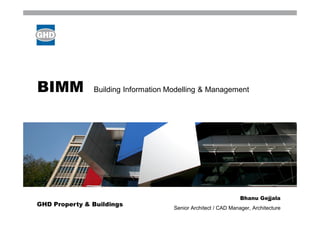
BIMM           Building Information Modelling & Management


                                                                Bhanu Gejjala
GHD Property & Buildings
                                     Senior Architect / CAD Manager, Architecture
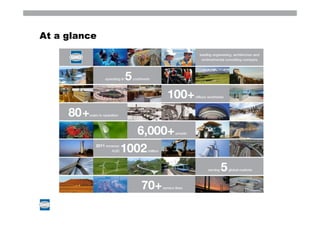
At a glance
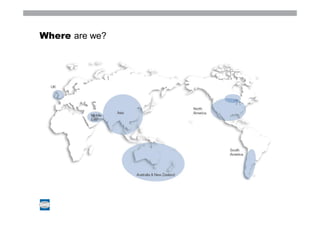
Where are we?
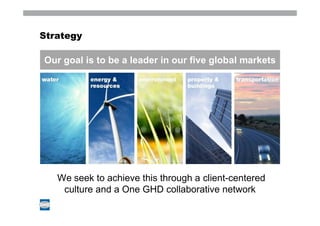
Strategy

Our goal is to be a leader in our five global markets


  We seek to achieve this through a client-centered
    culture and a One GHD collaborative network
BIM Commitment


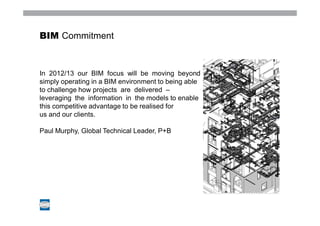
In 2012/13 our BIM focus will be moving beyond
simply operating in a BIM environment to being able
to challenge how projects are delivered –
leveraging the information in the models to enable
this competitive advantage to be realised for
us and our clients.

Paul Murphy, Global Technical Leader, P+B             Image place holder
BIM Process


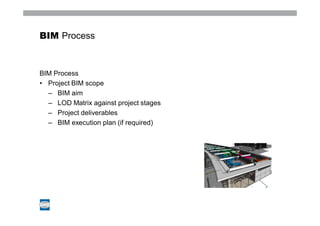
BIM Process
• Project BIM scope
  – BIM aim
  – LOD Matrix against project stages
  – Project deliverables
  – BIM execution plan (if required)
BIM Scope


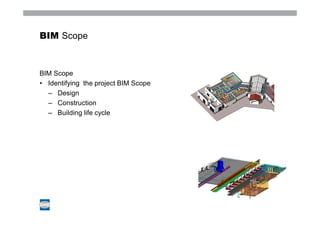
BIM Scope
• Identifying the project BIM Scope
  – Design
  – Construction
  – Building life cycle
BIM Scope


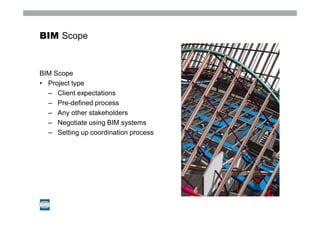
BIM Scope
• Project type
  – Client expectations
  – Pre-defined process
  – Any other stakeholders
  – Negotiate using BIM systems
  – Setting up coordination process
BIM Challenges


BIM Challenges
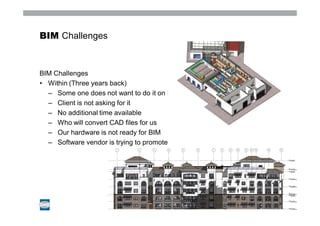
• Within (Three years back)
  – Some one does not want to do it on BIM
  – Client is not asking for it
  – No additional time available
  – Who will convert CAD files for us
  – Our hardware is not ready for BIM
  – Software vendor is trying to promote
BIM Challenges


BIM Challenges
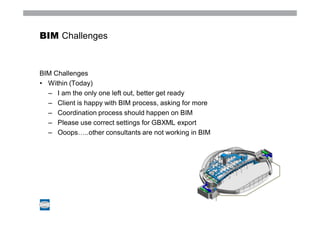
• Within (Today)
  – I am the only one left out, better get ready
  – Client is happy with BIM process, asking for more
  – Coordination process should happen on BIM
  – Please use correct settings for GBXML export
  – Ooops…..other consultants are not working in BIM
BIM Challenges


BIM Moving forward….
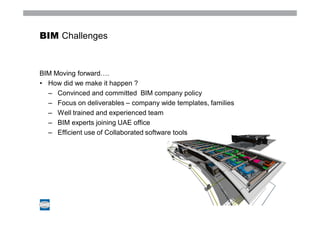
• How did we make it happen ?
  – Convinced and committed BIM company policy
  – Focus on deliverables – company wide templates, families
  – Well trained and experienced team
  – BIM experts joining UAE office
  – Efficient use of Collaborated software tools
BIM Collaboration software


What to expect ?
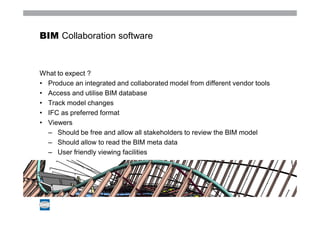
• Produce an integrated and collaborated model from different vendor tools
• Access and utilise BIM database
• Track model changes
• IFC as preferred format
• Viewers
  – Should be free and allow all stakeholders to review the BIM model
  – Should allow to read the BIM meta data
  – User friendly viewing facilities
BIM Collaboration software


Collaboration – Authoring tools
• Few vendor products
   –Deep explorer
   –Tekla BIMsight
   –Solibri model checker / viewer
   –Vico software
   –Navisworks


  Image place holder   Image place holder   Image place holder
BIM Collaboration software


Deep Explorer / Deep view
      Real good 3d software explorer
      Works with most of native file formats – export is hardly necessary
      Reduces the native file format to a manageable viewing
      Keeps the BIM data
      3D pdf output is the key feature
      BIM Guru and expert user of DE among us
      Some examples …..
BIM Collaboration software


Tekla 's BIMsight (with my limited exploration)
        Authoring and viewing collaborative tool
        Major industry breakthrough – free license for commercial use
        Accepts IFC
        Clash detection
        64bit
BIM Collaboration software


Solibri Model checker / Model Viewer
        Model checker require commercial license – not explored much
        Model viewer is free
           I found very interesting display configuration
           Quick in opening IFC files
           Not explored beyond this
BIM Collaboration software


Vico software (with my limited exploration)
       Construction focused BIM collaboration and data base tool
       Direct export from ArchiCAD, Revit
        Powerful features
           Keeps track of model updates
           Cost, clash detection, 4D
           RFI generation, tracking
           Offers solutions for whole construction cycle
BIM Collaboration software


Navisworks manage / simulate / Freedom
      Direct export from Revit
      IFC , Sketchup and dwg
      Powerful clash detection and can generate Clash detection reports
      4D
BIM Collaboration software


Navisworks
      NWF – File set
      NWC – Exports from BIM software
           Dwg, Sketchup, IFC
      NWD – Viewing file format for Navisworks freedom
BIM Collaboration software


Navisworks – NWF creation
      Append NWC / dwg / Sketchup / IFC files
      Create custom selection sets
      Override visibility – Colour & Transparency
      Prepare for clash detection …..demo
www.ghd.com

Bim pres 120319

  • 1.
    BIMM Building Information Modelling & Management Bhanu Gejjala GHD Property & Buildings Senior Architect / CAD Manager, Architecture
  • 2.
  • 3.
  • 4.
    Strategy Our goal isto be a leader in our five global markets We seek to achieve this through a client-centered culture and a One GHD collaborative network
  • 5.
    BIM Commitment In 2012/13our BIM focus will be moving beyond simply operating in a BIM environment to being able to challenge how projects are delivered – leveraging the information in the models to enable this competitive advantage to be realised for us and our clients. Paul Murphy, Global Technical Leader, P+B Image place holder
  • 6.
    BIM Process BIM Process •Project BIM scope – BIM aim – LOD Matrix against project stages – Project deliverables – BIM execution plan (if required)
  • 7.
    BIM Scope BIM Scope •Identifying the project BIM Scope – Design – Construction – Building life cycle
  • 8.
    BIM Scope BIM Scope •Project type – Client expectations – Pre-defined process – Any other stakeholders – Negotiate using BIM systems – Setting up coordination process
  • 9.
    BIM Challenges BIM Challenges •Within (Three years back) – Some one does not want to do it on BIM – Client is not asking for it – No additional time available – Who will convert CAD files for us – Our hardware is not ready for BIM – Software vendor is trying to promote
  • 10.
    BIM Challenges BIM Challenges •Within (Today) – I am the only one left out, better get ready – Client is happy with BIM process, asking for more – Coordination process should happen on BIM – Please use correct settings for GBXML export – Ooops…..other consultants are not working in BIM
  • 11.
    BIM Challenges BIM Movingforward…. • How did we make it happen ? – Convinced and committed BIM company policy – Focus on deliverables – company wide templates, families – Well trained and experienced team – BIM experts joining UAE office – Efficient use of Collaborated software tools
  • 12.
    BIM Collaboration software Whatto expect ? • Produce an integrated and collaborated model from different vendor tools • Access and utilise BIM database • Track model changes • IFC as preferred format • Viewers – Should be free and allow all stakeholders to review the BIM model – Should allow to read the BIM meta data – User friendly viewing facilities
  • 13.
    BIM Collaboration software Collaboration– Authoring tools • Few vendor products –Deep explorer –Tekla BIMsight –Solibri model checker / viewer –Vico software –Navisworks Image place holder Image place holder Image place holder
  • 14.
    BIM Collaboration software DeepExplorer / Deep view Real good 3d software explorer Works with most of native file formats – export is hardly necessary Reduces the native file format to a manageable viewing Keeps the BIM data 3D pdf output is the key feature BIM Guru and expert user of DE among us Some examples …..
  • 15.
    BIM Collaboration software Tekla's BIMsight (with my limited exploration) Authoring and viewing collaborative tool Major industry breakthrough – free license for commercial use Accepts IFC Clash detection 64bit
  • 16.
    BIM Collaboration software SolibriModel checker / Model Viewer Model checker require commercial license – not explored much Model viewer is free I found very interesting display configuration Quick in opening IFC files Not explored beyond this
  • 17.
    BIM Collaboration software Vicosoftware (with my limited exploration) Construction focused BIM collaboration and data base tool Direct export from ArchiCAD, Revit Powerful features Keeps track of model updates Cost, clash detection, 4D RFI generation, tracking Offers solutions for whole construction cycle
  • 18.
    BIM Collaboration software Navisworksmanage / simulate / Freedom Direct export from Revit IFC , Sketchup and dwg Powerful clash detection and can generate Clash detection reports 4D
  • 19.
    BIM Collaboration software Navisworks NWF – File set NWC – Exports from BIM software Dwg, Sketchup, IFC NWD – Viewing file format for Navisworks freedom
  • 20.
    BIM Collaboration software Navisworks– NWF creation Append NWC / dwg / Sketchup / IFC files Create custom selection sets Override visibility – Colour & Transparency Prepare for clash detection …..demo
  • 21.