Beyond Bullets
Creating presentations that engage
Beyond Bullets
Creating Presentations That Engage
Goals today
• Learn strategies related to data presentation
• Learn about resources for images
• Learn about ideas to consider while creating
presentations
• Learn basic tips for good presentation design
Speaking of design
• Presentation design and interior design
• Rules
• Personal expression
Mid-Century Modern
English Cottage
Contemporary Style
Bullets aren’t bad…
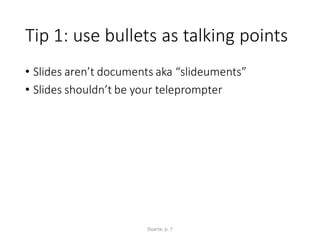
Tip 1: use bullets as talking points
• Slides aren’t documents aka “slideuments”
• Slides shouldn’t be your teleprompter
Duarte, p. 7
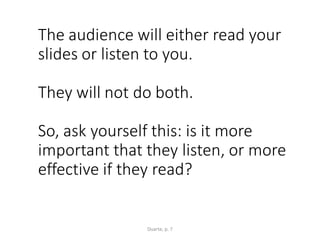
The audience will either read your
slides or listen to you.
They will not do both.
So, ask yourself this: is it more
important that they listen, or more
effective if they read?
Duarte, p. 7
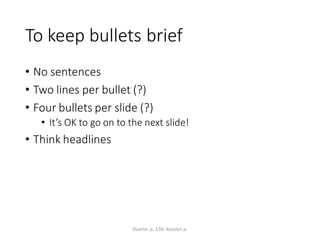
To keep bullets brief
• No sentences
• Two lines per bullet (?)
• Four bullets per slide (?)
• It’s OK to go on to the next slide!
• Think headlines
Duarte, p. 150; Kosslyn p.
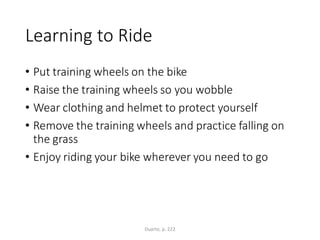
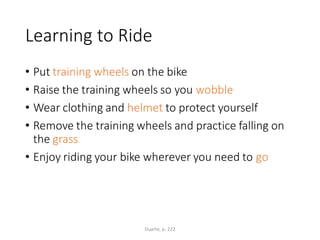
Learning to Ride
• Put training wheels on the bike
• Raise the training wheels so you wobble
• Wear clothing and helmet to protect yourself
• Remove the training wheels and practice falling on
the grass
• Enjoy riding your bike wherever you need to go
Duarte, p. 222
Learning to Ride
• Put training wheels on the bike
• Raise the training wheels so you wobble
• Wear clothing and helmet to protect yourself
• Remove the training wheels and practice falling on
the grass
• Enjoy riding your bike wherever you need to go
Duarte, p. 222
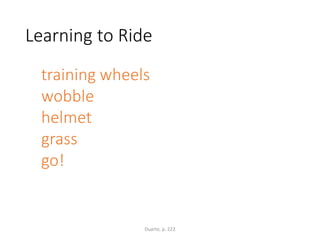
Learning to Ride
training wheels
wobble
helmet
grass
go!
Duarte, p. 222
Kosslyn
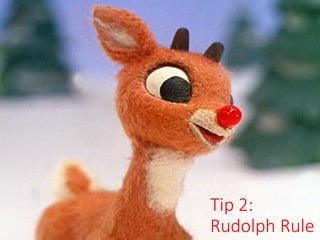
Tip 2:
Rudolph Rule
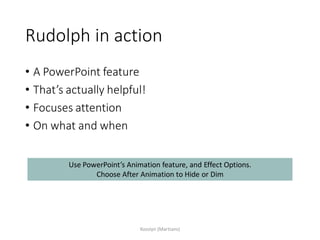
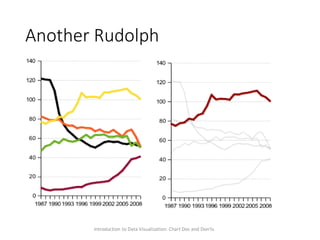
Rudolph in action
• A PowerPoint feature
• That’s actually helpful!
• Focuses attention
• On what and when
Kosslyn (Martians)
Use PowerPoint’s Animation feature, and Effect Options.
Choose After Animation to Hide or Dim
Another Rudolph
Introduction to Data Visualization: Chart Dos and Don'ts
Imagery & Color:
Considerations
Think critically about images
• Do they convey:
• concrete ideas
• relevant moods
• metaphors
• What messages do they convey?
• cultural
Designing with images
• One large, striking image
• Patterned backgrounds- consider the font
• Contrast & transparency scales
• Please: no cheez
Imagery
• Include:
• Relevant
• Striking
• Mood-setting
• Avoid:
• Poor quality
• Confusing
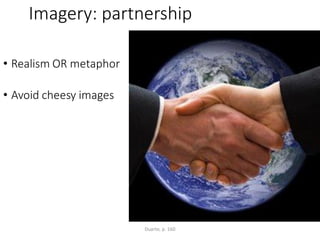
Imagery: partnership
• Realism OR metaphor
• Avoid cheesy images
Duarte, p. 160
Imagery: partnership
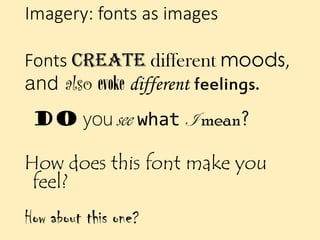
Imagery: fonts as images
Fonts create different moods,
and also evoke different feelings.
Do you see what I mean?
How does this font make you
feel?
How about this one?
Color
• Consider choosing a color palette
• Unifies
• Conveys mood
Duarte, p. 7
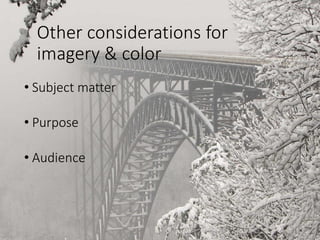
Other considerations for
imagery & color
• Subject matter
• Purpose
• Audience
Important consideration:
audience
• Who are they?
• Why are they attending?
• What do they need?
Displaying your data
Data slides…
• Aren’t really about the data
• They are about the meaning of the data
Duarte, p. 64
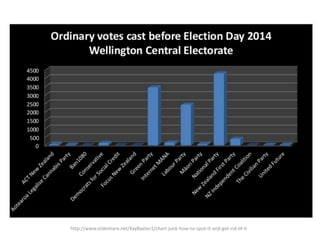
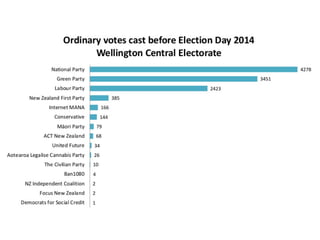
Tip 1: avoid chart junk
http://www.slideshare.net/KayBaxter1/chart-junk-how-to-spot-it-and-get-rid-of-it
Tip 2: choose the right chart and
design
42%
20%
14%
24%
Library Visits by Season
Winter
Spring
Summer
Fall
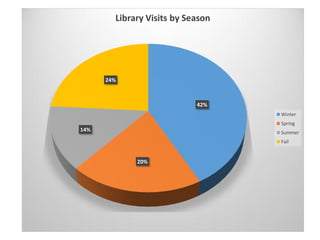
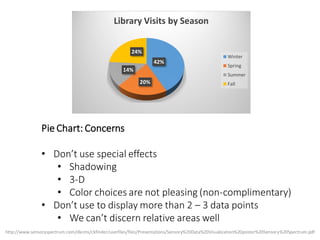
Pie Chart: Concerns
• Don’t use special effects
• Shadowing
• 3-D
• Color choices are not pleasing (non-complimentary)
• Don’t use to display more than 2 – 3 data points
• We can’t discern relative areas well
http://www.sensoryspectrum.com/dkcms/ckfinder/userfiles/files/Presentations/Sensory%20Data%20Visualization%20poster%20Sensory%20Spectrum.pdf
42%
20%
14%
24%
Library Visits by Season
Winter
Spring
Summer
Fall
[CELLRANGE]
[CELLRANGE]
[CELLRANGE]
[CELLRANGE]
Winter Spring Summer Fall
Library Visits by Season
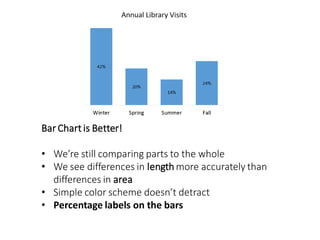
Bar Chartis Better!
• We’re still comparing parts to the whole
• We see differences in length more accurately than
differences in area
• Simple color scheme doesn’t detract
• Percentage labels on the bars
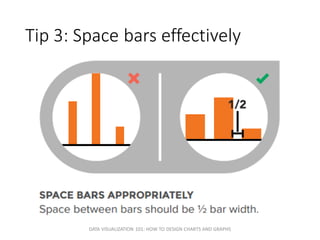
Tip 3: Space bars effectively
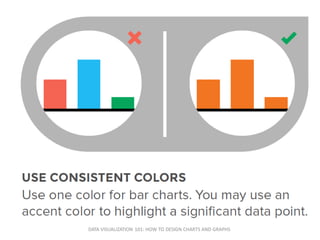
DATA VISUALIZATION 101: HOW TO DESIGN CHARTS AND GRAPHS
[CELLRANGE]
[CELLRANGE]
[CELLRANGE]
[CELLRANGE]
Winter Spring Summer Fall
Library Visits by Season
Tip 4: Use color effectively
DATA VISUALIZATION 101: HOW TO DESIGN CHARTS AND GRAPHS
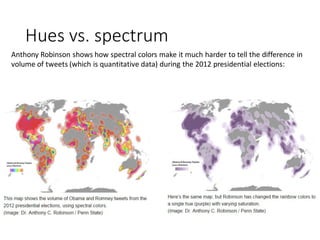
Hues vs. spectrum
Anthony Robinson shows how spectral colors make it much harder to tell the difference in
volume of tweets (which is quantitative data) during the 2012 presidential elections:
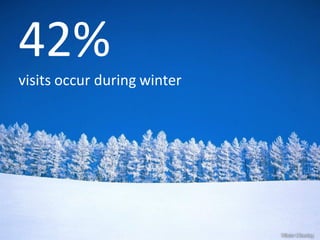
42%
visits occur during winter
Other considerations
• Online vs. in person
• Animation
• Examples
In conclusion…
•Know your audience and its needs
•Maintain consistency; use inconsistency
for emphasis
•Edit, edit, edit
Kimberley Barker
Kimberley@virginia.edu
Andrea Denton
Andrea@virginia.edu
Ask Us
Resources
• Data Visualization 101: how to design charts and graphs
https://visage.co/content/data-visualization-101/
• Duarte, Nancy. Slide:ology : the art and science of creating great
presentations. Sebastopol, CA: O'Reilly Media, 2008.

http://search.lib.virginia.edu/catalog/u4824098
• Kosslyn SM, Kievit RA, Russell AG, Shephard JM. PowerPoint(®)
Presentation Flaws and Failures: A Psychological Analysis. Front
Psychol. 2012 Jul 17;3:230. doi: 10.3389/fpsyg.2012.00230.
eCollection 2012.
http://www.ncbi.nlm.nih.gov/pubmed/22822402
• Kosslyn, SM. PowerPoint for Martians?
http://blog.oup.com/2007/08/powerpoint/
• Rowh, Mark. Power up your PowerPoint: seven research-backed
tips for effective presentations.

www.apa.org/gradpsych/2012/01/presentationas.aspx
Additional Readings
• Duke University Libraries Introduction to Data
Visualization: Chart Dos and Don'ts
Beyond Bullets: Creating Presentations That Engage

Beyond Bullets: Creating Presentations That Engage