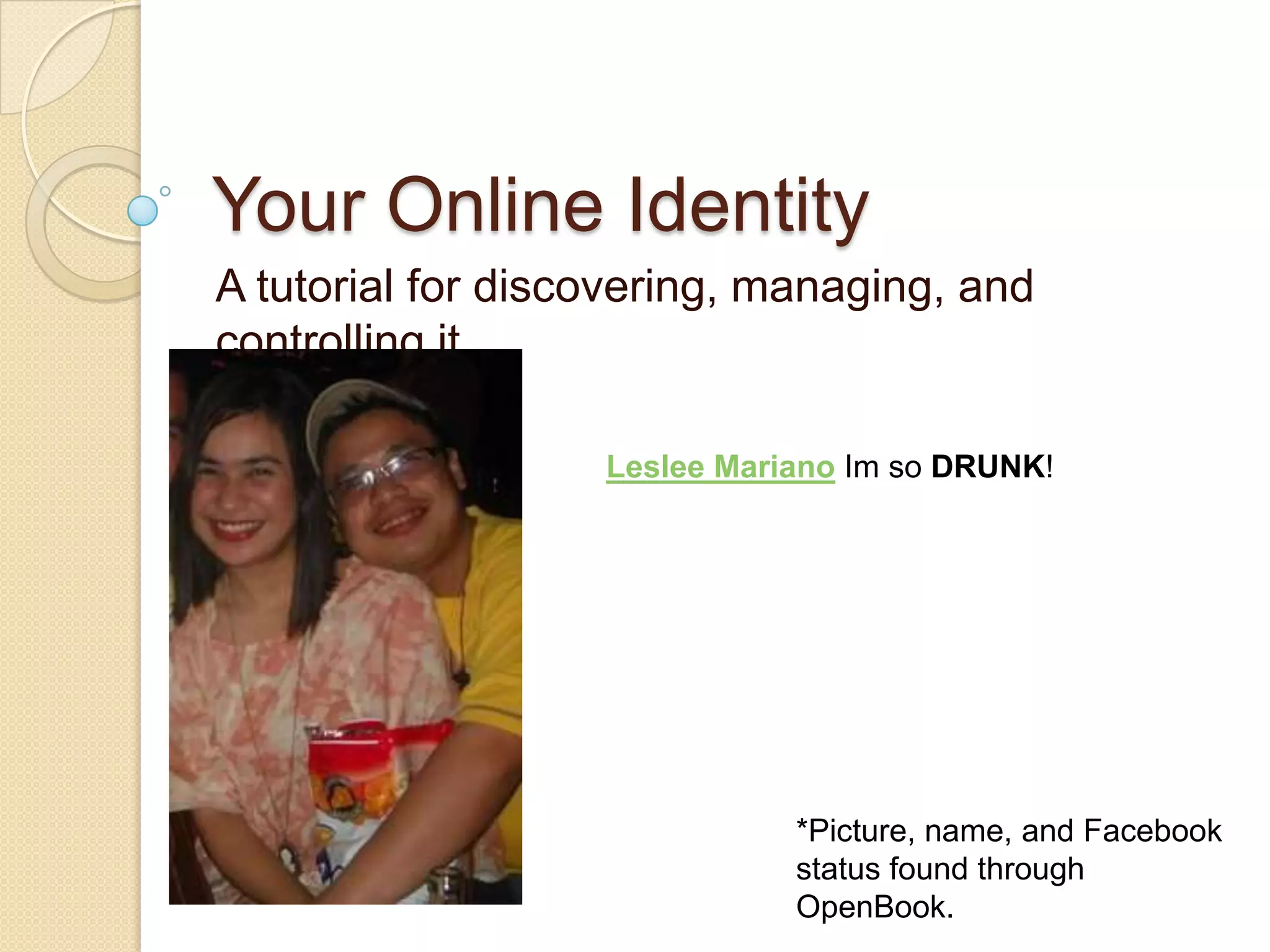
Your Online IdentityA tutorial for discovering, managing, and controlling itLeslee MarianoIm so DRUNK! *Picture, name, and Facebook status found through OpenBook.
Step 1: DiscoveryFind out what information about you is just a search away: search the “deep web”The“deep web”“World Wide Web content that is not part of the Surface Web, which is indexed by standard search engines.”– Wikipedia
Assignment #1	Read the “deep web” article on Wikipedia: http://en.wikipedia.org/wiki/Deep_web	Don’t worry if you don’t understand everything in the article. Just read it and let it sit in your brain 
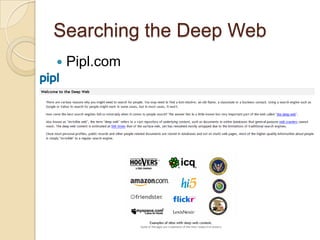
Characteristics of the Deep WebInformation is buried in unlinked sites, so cannot be found with regular search engines (which depend on hyperlinks)Site categoriesDynamicUnlinkedPrivateContextualLimited accessScriptedNon-HTMLVast- in 2000, the size of the deep web was estimated at 7,500 terabytes & 550 billion documentsSearching the Deep Web	Pipl.com
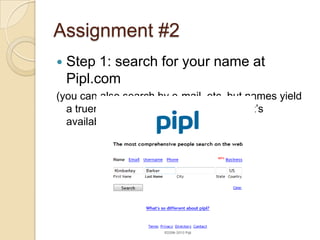
Assignment #2	Step 1: search for your name at Pipl.com(you can also search by e-mail, etc, but names yield a truer picture of the data about you that’s available)
Assignment #2Step 2: scroll through the results until you find yourself
Assignment #2Step 3- click on your name and look at the info about yourself
Assignment #2Step 4- Repeat steps 3 & 4 until your curiosity is satisfied Step 5- Think about the 2 most surprising things that you found about yourself (don’t be specific: something like, “I found a newspaper article that mentioned me” is sufficient.)
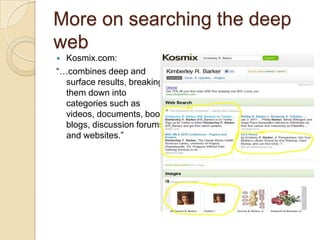
More on searching the deep webKosmix.com: “…combines deep and surface results, breaking them down into categories such as videos, documents, books, blogs, discussion forums, and websites.”
Now that you know what’s out there…Are you concerned? You probably didn’t find anything damaging, but were you shocked at how much information was out there- just a search away?Do you want to know how to reclaim some privacy?
Assignment #3Watch these two short tutorials in order to learn how to adjust your privacy settings on Facebook: http://www.butterscotch.com/tutorial/Facebook-Privacy-Settings-Pt-1http://www.butterscotch.com/tutorial/Facebook-Privacy-Settings-Pt-2
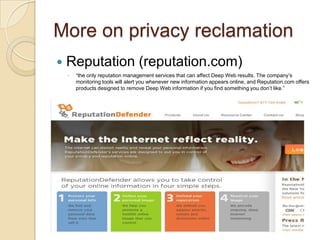
More on privacy reclamationReputation (reputation.com)“the only reputation management services that can affect Deep Web results. The company’s monitoring tools will alert you whenever new information appears online, and Reputation.com offers products designed to remove Deep Web information if you find something you don’t like.”
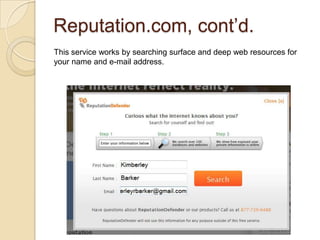
Reputation.com, cont’d.This service works by searching surface and deep web resources for your name and e-mail address.
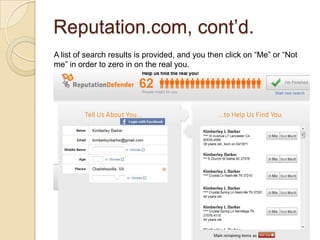
Reputation.com, cont’d.A list of search results is provided, and you then click on “Me” or “Not me” in order to zero in on the real you.
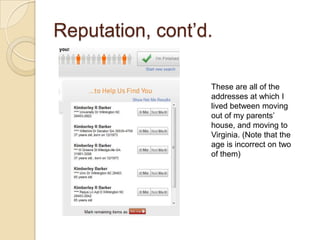
Reputation, cont’d.These are all of the addresses at which I lived between moving out of my parents’ house, and moving to Virginia. (Note that the age is incorrect on two of them)
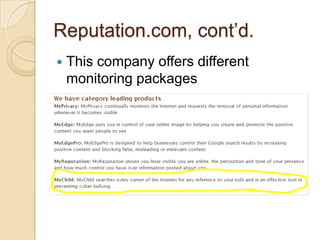
Reputation.com, cont’d.This company offers different monitoring packages
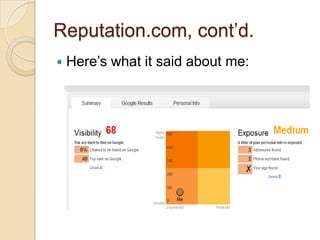
Reputation.com, cont’d.Here’s what it said about me:
Assignment #4	Go to Reputation.com and see what it can find about you.
Do you want to remove your information?Below is a list of companies who make your info available. To have your information removed, follow the links and follow the directions.Public Records Now http://bit.ly/fIF1yZAmeridexhttp://bit.ly/hszkFlInteliushttp://bit.ly/cNyMW5Piplhttp://bit.ly/frflWhFor a more exhaustive list: http://bit.ly/hNlnEb
Assignment #5Take a few minutes to reflect on the information you’ve discovered, both in this tutorial and in the assignments. Were you surprised by what you found?Are you comfortable with the information that deep web searches returned about you being publicly-available?Will you manage your online identity differently? If yes, how?
Thanks!I hope that you found this helpful. If you have any questions, or just want to discuss, let me know Kimberley
Online identity tutorial

Online identity tutorial

  • 1.
    Your Online IdentityAtutorial for discovering, managing, and controlling itLeslee MarianoIm so DRUNK! *Picture, name, and Facebook status found through OpenBook.
  • 2.
    Step 1: DiscoveryFindout what information about you is just a search away: search the “deep web”The“deep web”“World Wide Web content that is not part of the Surface Web, which is indexed by standard search engines.”– Wikipedia
  • 3.
    Assignment #1 Read the“deep web” article on Wikipedia: http://en.wikipedia.org/wiki/Deep_web Don’t worry if you don’t understand everything in the article. Just read it and let it sit in your brain 
  • 4.
    Characteristics of theDeep WebInformation is buried in unlinked sites, so cannot be found with regular search engines (which depend on hyperlinks)Site categoriesDynamicUnlinkedPrivateContextualLimited accessScriptedNon-HTMLVast- in 2000, the size of the deep web was estimated at 7,500 terabytes & 550 billion documentsSearching the Deep Web Pipl.com
  • 5.
    Assignment #2 Step 1:search for your name at Pipl.com(you can also search by e-mail, etc, but names yield a truer picture of the data about you that’s available)
  • 6.
    Assignment #2Step 2:scroll through the results until you find yourself
  • 7.
    Assignment #2Step 3-click on your name and look at the info about yourself
  • 8.
    Assignment #2Step 4-Repeat steps 3 & 4 until your curiosity is satisfied Step 5- Think about the 2 most surprising things that you found about yourself (don’t be specific: something like, “I found a newspaper article that mentioned me” is sufficient.)
  • 9.
    More on searchingthe deep webKosmix.com: “…combines deep and surface results, breaking them down into categories such as videos, documents, books, blogs, discussion forums, and websites.”
  • 10.
    Now that youknow what’s out there…Are you concerned? You probably didn’t find anything damaging, but were you shocked at how much information was out there- just a search away?Do you want to know how to reclaim some privacy?
  • 11.
    Assignment #3Watch thesetwo short tutorials in order to learn how to adjust your privacy settings on Facebook: http://www.butterscotch.com/tutorial/Facebook-Privacy-Settings-Pt-1http://www.butterscotch.com/tutorial/Facebook-Privacy-Settings-Pt-2
  • 12.
    More on privacyreclamationReputation (reputation.com)“the only reputation management services that can affect Deep Web results. The company’s monitoring tools will alert you whenever new information appears online, and Reputation.com offers products designed to remove Deep Web information if you find something you don’t like.”
  • 13.
    Reputation.com, cont’d.This serviceworks by searching surface and deep web resources for your name and e-mail address.
  • 14.
    Reputation.com, cont’d.A listof search results is provided, and you then click on “Me” or “Not me” in order to zero in on the real you.
  • 15.
    Reputation, cont’d.These areall of the addresses at which I lived between moving out of my parents’ house, and moving to Virginia. (Note that the age is incorrect on two of them)
  • 16.
    Reputation.com, cont’d.This companyoffers different monitoring packages
  • 17.
  • 18.
    Assignment #4 Go toReputation.com and see what it can find about you.
  • 19.
    Do you wantto remove your information?Below is a list of companies who make your info available. To have your information removed, follow the links and follow the directions.Public Records Now http://bit.ly/fIF1yZAmeridexhttp://bit.ly/hszkFlInteliushttp://bit.ly/cNyMW5Piplhttp://bit.ly/frflWhFor a more exhaustive list: http://bit.ly/hNlnEb
  • 20.
    Assignment #5Take afew minutes to reflect on the information you’ve discovered, both in this tutorial and in the assignments. Were you surprised by what you found?Are you comfortable with the information that deep web searches returned about you being publicly-available?Will you manage your online identity differently? If yes, how?
  • 21.
    Thanks!I hope thatyou found this helpful. If you have any questions, or just want to discuss, let me know Kimberley