
20/04/2012                 1


  HOW TO USE
  GOOGLE+
  Going round in circles
20/04/2012   2
20/04/2012   3
20/04/2012   4
20/04/2012   5
20/04/2012   6
20/04/2012   7
20/04/2012                                           8


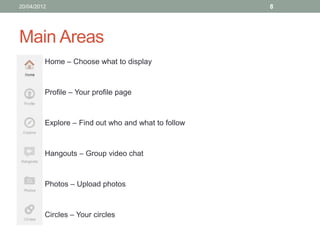
Main Areas
       • Home – Choose what to display


       • Profile – Your profile page


       • Explore – Find out who and what to follow


       • Hangouts – Group video chat


       • Photos – Upload photos


       • Circles – Your circles
20/04/2012                                        9


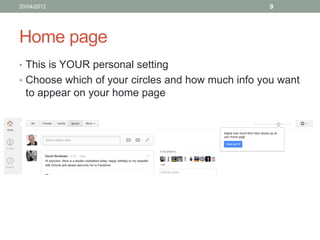
Home page
• This is YOUR personal setting
• Choose which of your circles and how much info you want
  to appear on your home page


• Have Google Chrome open up this as your home page
20/04/2012                                             10


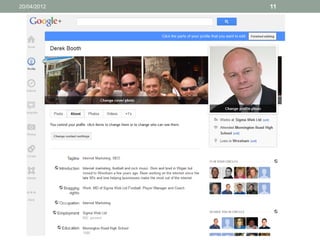
Profile
• When you first set up your account, only basic info is
  requested
• Edit your profile and fill in as much as possible to help
  promote yourself
• People will be more likely to add you if they can see who
  you are
20/04/2012   11
20/04/2012   12


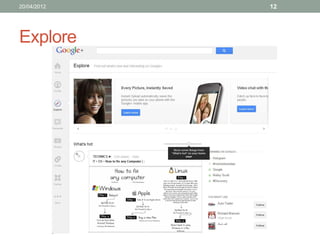
Explore
20/04/2012                                         13


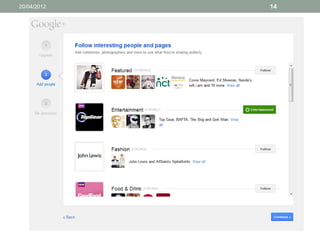
Explore – Find people
• Search for people you know
• Look at who they know
• Follow them
• Add them to your Circles (remember to categorise them)
• Use ‘who to follow’ for predetermined sets
20/04/2012   14
20/04/2012                       15


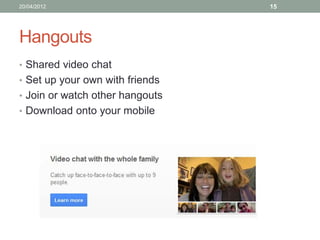
Hangouts
• Shared video chat
• Set up your own with friends
• Join or watch other hangouts
• Download onto your mobile
20/04/2012                             16


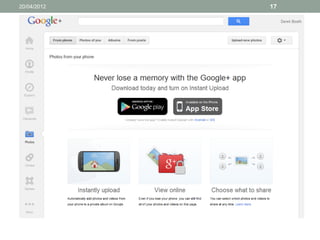
Photos
• Upload from computer or phone
• Decide who to share with (circles)
• Set tagging options
• Share and comment
20/04/2012   17
20/04/2012                                            18


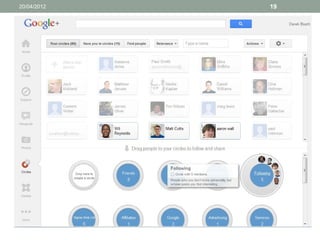
Circles
• Important to keep your contacts organised
• You can get feeds from posts by other users
• Decide if you want personal or work or sector based posts
• Use the drag and drop for speed and ease
• Look at others’ circles and check the people in there
20/04/2012   19
20/04/2012                                        20


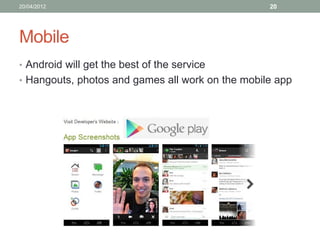
Mobile
• Android will get the best of the service
• Hangouts, photos and games all work on the mobile app
20/04/2012                     21


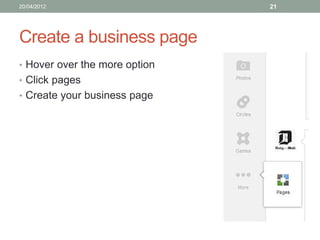
Create a business page
• Hover over the more option
• Click pages
• Create your business page
20/04/2012                                                  22


Set up complete
Now that you are set up and have begun using Google+,
here are some tips to help you get a little more from the
social network.

Google has put a lot of effort into this service, it isn’t likely
to disappear like other apps have in the past.
20/04/2012                                           23


Tips (1 – 2)
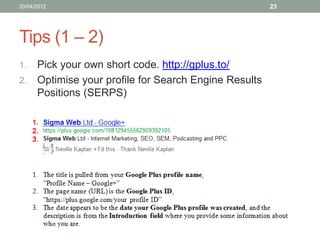
1. Pick your own short code. http://gplus.to/
2. Optimise your profile for Search Engine Results
   Positions (SERPS)
20/04/2012                                        24


Tips (3 – 5)
3. Think about your circles. What do you want to use them
   for and how do you want to categorise? Real friends,
   work colleagues, clients, services etc.
4. Share posts with the most appropriate circles
5. When you add someone to your circles you are
   effectively saying ‘I want to see your stream updates’
20/04/2012                                            25


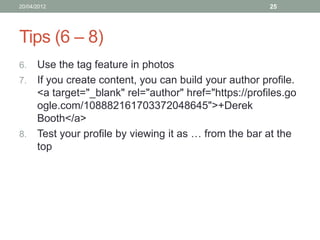
Tips (6 – 8)
6. Use the tag feature in photos
7. If you create content, you can build your author profile.
   <a target="_blank" rel="author" href="https://profiles.go
   ogle.com/108882161703372048645">+Derek
   Booth</a>
8. Test your profile by viewing it as … from the bar at the
   top
20/04/2012                                            26


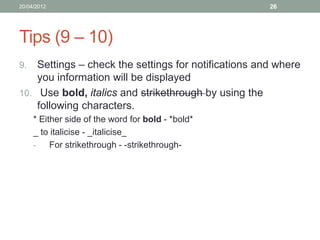
Tips (9 – 10)
9.  Settings – check the settings for notifications and where
    you information will be displayed
10. Use bold, italics and strikethrough by using the
    following characters.
     * Either side of the word for bold - *bold*
     _ to italicise - _italicise_
     -    For strikethrough - -strikethrough-
20/04/2012                                       27


Join me
• Once you have set up on Google+, why not add me and
  Sigma Web to your circles.
• http://gplus.to/sigmaweb
• http://gplus.to/sigmawebltd
20/04/2012                                                                                 28


                        Thank you for listening
             Please follow us for further insights and tips
                      http://gplus.to/sigmaweb
                     http://gplus.to/sigmawebltd
                  https://twitter.com/#!/sigma_web
                     http://www.sigmaweb.co.uk

                         Email: info@sigmaweb.co.uk Tel: 01978 720170
              Sigma Web Ltd. Windsor House, 19 High Street, Coedpoeth, Wrexham, LL11 3RY
                                      Company Number 06656808

Beginners guide to using google+

  • 1.
    20/04/2012 1 HOW TO USE GOOGLE+ Going round in circles
  • 2.
  • 3.
  • 4.
  • 5.
  • 6.
  • 7.
  • 8.
    20/04/2012 8 Main Areas • Home – Choose what to display • Profile – Your profile page • Explore – Find out who and what to follow • Hangouts – Group video chat • Photos – Upload photos • Circles – Your circles
  • 9.
    20/04/2012 9 Home page • This is YOUR personal setting • Choose which of your circles and how much info you want to appear on your home page • Have Google Chrome open up this as your home page
  • 10.
    20/04/2012 10 Profile • When you first set up your account, only basic info is requested • Edit your profile and fill in as much as possible to help promote yourself • People will be more likely to add you if they can see who you are
  • 11.
  • 12.
    20/04/2012 12 Explore
  • 13.
    20/04/2012 13 Explore – Find people • Search for people you know • Look at who they know • Follow them • Add them to your Circles (remember to categorise them) • Use ‘who to follow’ for predetermined sets
  • 14.
  • 15.
    20/04/2012 15 Hangouts • Shared video chat • Set up your own with friends • Join or watch other hangouts • Download onto your mobile
  • 16.
    20/04/2012 16 Photos • Upload from computer or phone • Decide who to share with (circles) • Set tagging options • Share and comment
  • 17.
  • 18.
    20/04/2012 18 Circles • Important to keep your contacts organised • You can get feeds from posts by other users • Decide if you want personal or work or sector based posts • Use the drag and drop for speed and ease • Look at others’ circles and check the people in there
  • 19.
  • 20.
    20/04/2012 20 Mobile • Android will get the best of the service • Hangouts, photos and games all work on the mobile app
  • 21.
    20/04/2012 21 Create a business page • Hover over the more option • Click pages • Create your business page
  • 22.
    20/04/2012 22 Set up complete Now that you are set up and have begun using Google+, here are some tips to help you get a little more from the social network. Google has put a lot of effort into this service, it isn’t likely to disappear like other apps have in the past.
  • 23.
    20/04/2012 23 Tips (1 – 2) 1. Pick your own short code. http://gplus.to/ 2. Optimise your profile for Search Engine Results Positions (SERPS)
  • 24.
    20/04/2012 24 Tips (3 – 5) 3. Think about your circles. What do you want to use them for and how do you want to categorise? Real friends, work colleagues, clients, services etc. 4. Share posts with the most appropriate circles 5. When you add someone to your circles you are effectively saying ‘I want to see your stream updates’
  • 25.
    20/04/2012 25 Tips (6 – 8) 6. Use the tag feature in photos 7. If you create content, you can build your author profile. <a target="_blank" rel="author" href="https://profiles.go ogle.com/108882161703372048645">+Derek Booth</a> 8. Test your profile by viewing it as … from the bar at the top
  • 26.
    20/04/2012 26 Tips (9 – 10) 9. Settings – check the settings for notifications and where you information will be displayed 10. Use bold, italics and strikethrough by using the following characters. * Either side of the word for bold - *bold* _ to italicise - _italicise_ - For strikethrough - -strikethrough-
  • 27.
    20/04/2012 27 Join me • Once you have set up on Google+, why not add me and Sigma Web to your circles. • http://gplus.to/sigmaweb • http://gplus.to/sigmawebltd
  • 28.
    20/04/2012 28 Thank you for listening Please follow us for further insights and tips http://gplus.to/sigmaweb http://gplus.to/sigmawebltd https://twitter.com/#!/sigma_web http://www.sigmaweb.co.uk Email: info@sigmaweb.co.uk Tel: 01978 720170 Sigma Web Ltd. Windsor House, 19 High Street, Coedpoeth, Wrexham, LL11 3RY Company Number 06656808