by
Aureliano Bombarely Gomez
Boyce Thompson Institute for Plant
Research
Tower Road
Ithaca, New York 14853-1801
U.S.A.
Graphs With R
Graphs with R:
1. Introduction to R
1.1. R Software and documentation
1.2. Basic R variables
2. Gallery of R Graphs and Popular Packages
2.1. Basic graphs
2.2. Gplots and ggplot2 (expanding graphs)
2.3. Corrplot (correlation matrices)
2.4. Ape (phylogenies)
3. Steps and Functions.
4. Examples
Graphs with R:
1. Introduction to R
1.1. R Software and documentation
1.2. Basic R variables
2. Gallery of R Graphs and Popular Packages
2.1. Basic graphs
2.2. Gplots and ggplot2 (expanding graphs)
2.3. Corrplot (correlation matrices)
2.4. Ape (phylogenies)
3. Steps and Functions.
4. Examples
1. Introduction to R
R is a language and environment for statistical
computing and graphics..
Graphs with R:
1. Introduction to R
1.1. R Software and documentation
1.2. Basic R variables
2. Gallery of R Graphs and Popular Packages
2.1. Basic graphs
2.2. Gplots and ggplot2 (expanding graphs)
2.3. Corrplot (correlation matrices)
2.4. Ape (phylogenies)
3. Steps and Functions.
4. Examples
1.1 R Software and documentation
https://www.rstudio.com/
RStudio IDE is a powerful and productive user interface for R.
R STUDIO:
1.1 R Software and documentation
1 - Menu
2 - File viewer
3 - Console
4a - Variable list
4b - History
5a - File browser
5b - Plots
5c - Packages
5d - Manuals
1.1 R Software and documentation
WEB:
OFICIAL WEB: http://www.r-project.org/index.html
QUICK-R: http://www.statmethods.net/index.html
BOOKS:
• Introductory Statistics with R (Statistics and Computing), P.
Dalgaard [available as manual at R project web]
• The R Book, MJ. Crawley
R itself: help() and example()
Graphs with R:
1. Introduction to R
1.1. R Software and documentation
1.2. Basic R variables
2. Gallery of R Graphs and Popular Packages
2.1. Basic graphs
2.2. Gplots and ggplot2 (expanding graphs)
2.3. Corrplot (correlation matrices)
2.4. Ape (phylogenies)
3. Steps and Functions.
4. Examples
Basic RVariables:
★ Vectors.
★ Matrices and arrays.
★ Dataframes and list.
1.2 Basic R variables
Basic RVariables:
★ Vectors.
1.2 Basic R variables
Most simple 'data structure' in R. Ordered collection
of data values.
To create a vector use command: c()
Examples:
count = c(1, 2, 3, 4, 5, 6)
plants = c(“tomato”, “potato”, “soybean”)
Basic RVariables:
★ Vectors.
1.2 Basic R variables
Operation with vectors:
• Addition: x + y
• Substraction: x - y
• Division: x / y
• Exponentation: x ^ y
• Square root: sqrt(x)
• Absolute value: abs(x)
• Mean and median: mean(x) and median(x).
Basic RVariables:
★ Matrices and arrays.
1.2 Basic R variables
A matrix is a two dimension vector with positive values.
To create a matrix use command: matrix(c(), ncol, nrow)
Examples:
mtx1 = matrix(c(1, 4, 8, 9, 5, 6, 2, 1, 1), ncol=3, nrow=3)
1 4 8
9 5 6
2 1 1
Basic RVariables:
★ Matrices and arrays.
1.2 Basic R variables
Matrices have index and they can be replaced by
names
[ ,1] [ ,2] [ ,3]
[1, ] 1 4 8
[2, ] 9 5 6
[3, ] 2 1 1
mtx1[1,3] 8
mtx1[2,] c(9,5,6)
Basic RVariables:
★ Matrices and arrays.
1.2 Basic R variables
An array is a vector with N dimensions
To create an array use command: array(c(), dim=c())
Examples:
array1 = matrix(c(1, 4, 8, 9, 5, 6, 2, 1), dim=c(2,2,2))
1 4
8 9
5 6
2 1
Basic RVariables:
★ Matrices and arrays.
1.2 Basic R variables
Arrays also have indexes
array1[1,2,1] 4
array1[2,2] c(9,1)
1 4
8 9
5 6
2 1
array1[2,] matrix(1,4,8,9)
Basic RVariables:
★ List and dataframes.
1.2 Basic R variables
A list is an object object consisting of an ordered collection of
other objects as its components
Example:
test = list(c(1, 4, 8, 9, 5, 6, 2, 1), c(“red”, “blue”), mtx1)
To create a list use command: list()
Basic RVariables:
★ List and dataframes.
1.2 Basic R variables
A dataframe is a list con 4 specific features:
To create a data frame use command: data.frame()
1.The components must be vectors (numeric, character, or logical), factors,
numeric matrices, lists, or other data frames.
2.Matrices, lists, and data frames provide as many variables to the new data frame
as they have columns, elements, or variables, respectively.
3.Numeric vectors, logicals and factors are included as is, and character vectors are
coerced to be factors, whose levels are the unique values appearing in the vector.
4.Vector structures appearing as variables of the data frame must all have the
same length, and matrix structures must all have the same row size.
Basic RVariables:
★ List and dataframes.
1.2 Basic R variables
A dataframe can be imported/exported to/from R using:
read.table(file)
write.table(data.frame, file)
Graphs with R:
1. Introduction to R
1.1. R Software and documentation
1.2. Basic R variables
2. Gallery of R Graphs and Popular Packages
2.1. Basic graphs
2.2. Gplots and ggplot2 (expanding graphs)
2.3. Corrplot (correlation matrices)
2.4. Ape (phylogenies)
3. Steps and Functions.
4. Examples
2. Gallery of R Graphs and Popular Packages
Graphs are R functions that produce a graphical output.
R functions: Objects with a set of instructions to process
some data or to produce a graphical output.
name(arguments)
2. Gallery of R Graphs and Popular Packages
library("maps")
http://rgraphgallery.blogspot.com/
Graphs with R:
1. Introduction to R
1.1. R Software and documentation
1.2. Basic R variables
2. Gallery of R Graphs and Popular Packages
2.1. Basic graphs
2.2. Gplots and ggplot2 (expanding graphs)
2.3. Corrplot (correlation matrices)
2.4. Ape (phylogenies)
3. Steps and Functions.
4. Examples
Depends of the package:
+ Basic package functions:
plot() simple plots
hist() density plots
dotchart() simple dotplots
barplot() simple bar graphs
pie() simple pie graphs
boxplot() boxplot graphs
2.1 Basic Graphs
2.1 Basic Graphs
Data for these examples: http://data.kew.org/cvalues/ Solanaceae
file: data001_genome_size.csv
0 20 40 60 80 100
0500010000150002000025000
Genome Size for Solanaceae
chromosome number
genomesize(Mb)
plot() simple plots
2.1 Basic Graphs
plot(plant_genome_sizes$chromosome_number, plant_genome_sizes$genome_size, pch=19, xlab="chromosome number",
ylab="genome size (Mb)", xlim=c(0,100), main="Genome Size for Solanaceae")
Histogram for Solanaceae Plant Genome Size
genome size
Frequency
0 5000 10000 15000 20000 25000
05101520253035
hist() density plots
2.1 Basic Graphs
hist(plant_genome_sizes$genome_size, breaks=c(100), col=c("black"), xlab="genome size", main="Histogram for
Solanaceae Plant Genome Size")
parviflora
inflata
violacea
altiplana
integrifolia
occidentalis
axillaris
reitzii
saxicola
bonjardinensis
kleinii
scheideana
helianthemoides
variabilis
pubescens
alpicola
bajeensis
interior
littoralis
riograndensis
parodii
guarapuavensis
mantiqueirensis
exserta
hybrida
500 1000 1500 2000
Petunia species genome size
Genome Size (Mb)
dotchart() simple dotplots
2.1 Basic Graphs
petunia_sizes = plant_genome_sizes[plant_genome_sizes$genus == "Petunia",]
dotchart(petunia_sizes$genome_size, labels=petunia_sizes$species, xlab="Genome Size (Mb)", xlim=c(500,2000),
main="Petunia species genome size")
Atropa
Calibrachoa
Capsicum
Cyphomandra
Datura
Hyoscyamus
Lycium
Lycopersicon
Nicotiana
Petunia
Solanum
Withania
Solanaceae genome sizes by Genus
0
2000
4000
6000
8000
10000
barplot() simple bar graphs
2.1 Basic Graphs
genome_size_by_genus = aggregate(plant_genome_sizes$genome_size, by=list(plant_genome_sizes$genus), FUN=mean)
barplot(genome_size_by_genus$x, names.arg=genome_size_by_genus$Group.1, las=2, cex.names=0.5, col="black",
main="Solanaceae genome sizes by Genus")
Atropa
Calibrachoa
Capsicum
Cyphomandra
Datura
Hyoscyamus
Lycium
Lycopersicon
Nicotiana
Petunia
Solanum
Withania
Species Percentage by Genus
pie() simple pie graphs
2.1 Basic Graphs
species_count = table(plant_genome_sizes$genus)
pie(species_count, radius=1, init.angle=90, col=rainbow(12), main="Species Percentage by Genus")
Atropa
Calibrachoa
Capsicum
Cyphomandra
Datura
Hyoscyamus
Lycium
Lycopersicon
Nicotiana
Petunia
Solanum
Withania
0
5000
10000
15000
20000
25000
Genome Size distribution by Genus
boxplot() boxplot graphs
2.1 Basic Graphs
by_genus = split(plant_genome_sizes$genome_size, plant_genome_sizes$genus)
boxplot(by_genus, las=2, main="Genome Size distribution by Genus", col=c("red", "green", "green", "green", "green", "blue",
"blue", "green", "blue", "green", "red", "blue"), cex.axis=0.6)
Graphs with R:
1. Introduction to R
1.1. R Software and documentation
1.2. Basic R variables
2. Gallery of R Graphs and Popular Packages
2.1. Basic graphs
2.2. Gplots and ggplot2 (expanding graphs)
2.3. Corrplot (correlation matrices)
2.4. Ape (phylogenies)
3. Steps and Functions.
4. Examples
2.2 Gplots and ggplot2
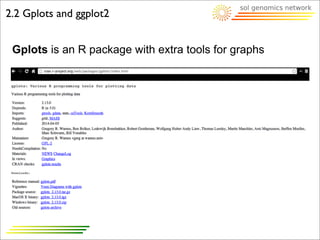
Gplots is an R package with extra tools for graphs
Atropa
Calibrachoa
Capsicum
Cyphomandra
Datura
Hyoscyamus
Lycium
Lycopersicon
Nicotiana
Petunia
Solanum
Withania
0
5000
10000
15000
20000
25000
Genome Size distribution by Genus
n=1 n=18 n=12 n=11 n=4 n=3 n=4 n=9 n=55 n=25 n=39 n=1
2.2 Gplots and ggplot2
Gplots is an R package with extra tools for graphs:
• balloonplot()
• bandplot()
• barplot2() and boxplot2()
• hist2d()
• overplot()
...
boxplot2(by_genus, las=2, main="Genome Size distribution by Genus",
col=c("red", "green", "green", "green", "green", "blue", "blue", "green",
"blue", "green", "red", "blue"), cex.axis=0.6, top=T)
2.2 Gplots and ggplot2
Gplots is an R package with extra tools for graphs:
• balloonplot()
• bandplot()
• barplot2() and boxplot2()
• hist2d()
• overplot()
...
genome_size_by_genus_sd = aggregate(plant_genome_sizes
$genome_size, by=list(plant_genome_sizes$genus), FUN=sd)
barplot2(genome_size_by_genus$x, names.arg=genome_size_by_genus
$Group.1, las=2, cex.names=0.5, col="black", main="Solanaceae genome
sizes by Genus", ci.l=genome_size_by_genus$x -
genome_size_by_genus_sd$x, ci.u=genome_size_by_genus$x +
genome_size_by_genus_sd$x, plot.ci=T, ylim=c(0,20000))
Atropa
Calibrachoa
Capsicum
Cyphomandra
Datura
Hyoscyamus
Lycium
Lycopersicon
Nicotiana
Petunia
Solanum
Withania
Solanaceae genome sizes by Genus
0
5000
10000
15000
20000
2.2 Gplots and ggplot2
Ggplot2 is an R package with grammar tools for graphs
0e+00
2e−04
4e−04
6e−04
0 5000 10000 15000 20000 25000
genome size
density
poly
Diploid
Tetraploid
Hexaploid
Genome Size density for Solanaceae
2.2 Gplots and ggplot2
Ggplot2 is an R package with grammar tools for graphs
plant_genome_sizes$poly = factor(plant_genome_sizes$polyploidy,
levels=c(2,4,6), labels=c("Diploid", "Tetraploid", "Hexaploid"))
qplot(plant_genome_sizes$genome_size, data=plant_genome_sizes,
geom="density", main="Genome Size density for Solanaceae", fill=poly,
alpha=I(.5), xlab="genome size")
Graphs with R:
1. Introduction to R
1.1. R Software and documentation
1.2. Basic R variables
2. Gallery of R Graphs and Popular Packages
2.1. Basic graphs
2.2. Gplots and ggplot2 (expanding graphs)
2.3. Corrplot (correlation matrices)
2.4. Ape (phylogenies)
3. Steps and Functions.
4. Examples
2.3 Corrplot
corrplot is an R package for visualization of correlation
matrix
Graphs with R:
1. Introduction to R
1.1. R Software and documentation
1.2. Basic R variables
2. Gallery of R Graphs and Popular Packages
2.1. Basic graphs
2.2. Gplots and ggplot2 (expanding graphs)
2.3. Corrplot (correlation matrices)
2.4. Ape (phylogenies)
3. Steps and Functions.
4. Examples
2.4 Ape
ape is an R package for analysis of phylogenetic and
evolution
http://www.r-phylo.org/wiki/Main_Page
2.4 Ape
phylog is an R package for tree manipulation
Graphs with R:
1. Introduction to R
1.1. R Software and documentation
1.2. Basic R variables
2. Gallery of R Graphs and Popular Packages
2.1. Basic graphs
2.2. Gplots and ggplot2 (expanding graphs)
2.3. Corrplot (correlation matrices)
2.4. Ape (phylogenies)
3. Steps and Functions.
4. Examples
Graphical procedures step by step:
1) Enable Graphical Device
(X11/QuartzWindows/ by default)
2) Global graphical parameters for the graphical device
3) High level plot function
4) Low level plot function
3. Steps and functions
Graphical procedures step by step:
1) Enable Graphical Device
bmp(), tiff(), jpeg(), png(), postscript(), pdf().
2) Global graphical parameters for the graphical device
par()
3) High level plot function
plot(), hist(), dotchart(), barplot(), pie()...
4) Low level plot function
legend(), points(), axis(), text(), mtext()...
3. Steps and functions
2) Global graphical parameters for the graphical device
par()
3. Steps and functions
Text and
Symbol Size
Plotting
Symbols
Lines Colors
Fonts
Margins and
Graph Size
http://www.statmethods.net/advgraphs/parameters.html
2) Global graphical parameters for the graphical device
par()
3. Steps and functions
Margins and Graph Size
http://rgraphics.limnology.wisc.edu/rmargins_sf.php
Margins:
par(mar=c(b,l,t,r))
Outer margins:
par(omar=c(b,l,t,r))
b = bottom
l = left
t = top
r = right
2) Global graphical parameters for the graphical device
par()
3. Steps and functions
Multiple graphs
http://rgraphics.limnology.wisc.edu/rmargins_mfcol.php
Multiple plots:
par(mfcol=(x,y))
x = x_columns
y = y_rows
4) Low level plot function
legend(), points(), axis(), text(), mtext()...
3. Steps and functions
http://www.statmethods.net/advgraphs/axes.html
Titles
Text
Annotations
Axes Legend
Reference
Lines
Points
Atropa
Calibrachoa
Capsicum
Cyphomandra
Datura
Hyoscyamus
Lycium
Lycopersicon
Nicotiana
Petunia
Solanum
Withania
0
5000
10000
15000
20000
25000
Genome Size distribution by Genus
Atropa
Calibrachoa
Capsicum
Cyphomandra
Datura
Hyoscyamus
Lycium
Lycopersicon
Nicotiana
Petunia
Solanum
Withania
0
5000
10000
15000
20000
25000
Genome Size distribution by Genus
Only Diploids
Diploids and Tetraploids
From Diploids to Hexaploids
4) Low level plot function
legend()
3. Steps and functions
Atropa
Calibrachoa
Capsicum
Cyphomandra
Datura
Hyoscyamus
Lycium
Lycopersicon
Nicotiana
Petunia
Solanum
Withania
0
5000
10000
15000
20000
25000
Genome Size distribution by Genus
legend(8,23000, legend=c("Only
Diploids", "Diploids and Tetraploids",
"From Diploids to Hexaploids"),
fill=c("green", "blue", "red"))
Graphs with R:
1. Introduction to R
1.1. R Software and documentation
1.2. Basic R variables
2. Gallery of R Graphs and Popular Packages
2.1. Basic graphs
2.2. Gplots and ggplot2 (expanding graphs)
2.3. Corrplot (correlation matrices)
2.4. Ape (phylogenies)
3. Steps and Functions.
4. Examples
NbC25469554g0001
NbC25730842g0001
NbC26298068g0003
NbS00000194g0006
NbS00000341g0006
NbS00000565g0004
NbS00001525g0108
NbS00001801g0009
NbS00002670g0014
NbS00002765g0028
Gene Expression
0
2
4
6
8
10
12
14
EV10
EV21
TS10
TS21
Example I: Gene expression
File: data002_gene_expression.tab
4. Examples
Example I: Gene expression
>data002_gene_expression <= read.delim("~/
Desktop/R_Class_Exercises/
data002_gene_expression.tab")
>gene_exp =
as.matrix(data002_gene_expression[,2:5])
4. Examples
0) Data load and preparation
data.frame
matrix
Example I: Gene expression
>data002_gene_expression <= read.delim("~/
Desktop/R_Class_Exercises/
data002_gene_expression.tab")
>gene_exp =
as.matrix(data002_gene_expression[,2:5])
>barplot(gene_exp)
4. Examples
1) first plot
Problem:
Grouped by conditions, no by gene.
Example I: Gene expression
>data002_gene_expression <= read.delim("~/
Desktop/R_Class_Exercises/
data002_gene_expression.tab")
>gene_exp =
as.matrix(data002_gene_expression[,2:5])
>barplot(t(gene_exp))
4. Examples
1) first plot
Problem:
Grouped by conditions, no by gene.
Solution:
transpose the matrix with t()
Example I: Gene expression
>data002_gene_expression <= read.delim("~/
Desktop/R_Class_Exercises/
data002_gene_expression.tab")
>gene_exp =
as.matrix(data002_gene_expression[,2:5])
>barplot(t(gene_exp))
4. Examples
2) second plot
Problem:
Gene expression is stack.
Problem:
Gene expression is stack.
Example I: Gene expression
>data002_gene_expression <= read.delim("~/
Desktop/R_Class_Exercises/
data002_gene_expression.tab")
>gene_exp =
as.matrix(data002_gene_expression[,2:5])
>barplot(t(gene_exp), beside=T)
4. Examples
Solution:
use beside=T argument in the
barplot() function
2) second plot
Example I: Gene expression
>data002_gene_expression <= read.delim("~/
Desktop/R_Class_Exercises/
data002_gene_expression.tab")
>gene_exp =
as.matrix(data002_gene_expression[,2:5])
>barplot(t(gene_exp), beside=T)
4. Examples
3) third plot
Problem:
Wrong limits for the y axis.
Problem:
Wrong limits for the y axis.
Example I: Gene expression
>data002_gene_expression <= read.delim("~/
Desktop/R_Class_Exercises/
data002_gene_expression.tab")
>gene_exp =
as.matrix(data002_gene_expression[,2:5])
>barplot(t(gene_exp), beside=T, ylim=c(0,15))
4. Examples
Solution:
use ylim=c(0,15) argument in the
barplot() function
3) third plot
Example I: Gene expression
>data002_gene_expression <= read.delim("~/
Desktop/R_Class_Exercises/
data002_gene_expression.tab")
>gene_exp =
as.matrix(data002_gene_expression[,2:5])
>barplot(t(gene_exp), beside=T)
4. Examples
4) forth plot
Problem:
No labels for any axis.
Problem:
No labels for any axis.
Example I: Gene expression
>data002_gene_expression <= read.delim("~/
Desktop/R_Class_Exercises/
data002_gene_expression.tab")
>gene_exp =
as.matrix(data002_gene_expression[,2:5])
>barplot(t(gene_exp), beside=T, ylim=c(0,15),
ylab="Expression (FPKM)",
names.arg=data002_gene_expression
$gene_short_name, xlab="Gene Name")
4. Examples
Solution:
use ylab=”Expression (FPKM)”,
names.arg=data002_gene_express
ion$gene_short_name and
xlab=”Gene Names”, arguments in
the barplot() function
4) forth plot
Example I: Gene expression
>data002_gene_expression <= read.delim("~/
Desktop/R_Class_Exercises/
data002_gene_expression.tab")
>gene_exp =
as.matrix(data002_gene_expression[,2:5])
>barplot(t(gene_exp), beside=T, ylim=c(0,15),
ylab="Expression (FPKM)",
names.arg=data002_gene_expression
$gene_short_name, xlab="Gene Name")
4. Examples
5) fifth plot
Problem:
Names in the x axis are too big.
Problem:
Names in the x axis are too big.
Example I: Gene expression
>data002_gene_expression <= read.delim("~/
Desktop/R_Class_Exercises/
data002_gene_expression.tab")
>gene_exp =
as.matrix(data002_gene_expression[,2:5])
>barplot(t(gene_exp), beside=T, ylim=c(0,15),
ylab="Expression (FPKM)",
names.arg=data002_gene_expression
$gene_short_name, xlab="Gene Name",
las=2)
4. Examples
Solution:
use las=2, argument in the barplot()
function
5) fifth plot
Example I: Gene expression
>data002_gene_expression <= read.delim("~/
Desktop/R_Class_Exercises/
data002_gene_expression.tab")
>gene_exp =
as.matrix(data002_gene_expression[,2:5])
>barplot(t(gene_exp), beside=T, ylim=c(0,15),
ylab="Expression (FPKM)",
names.arg=data002_gene_expression
$gene_short_name, xlab="Gene Name",
las=2)
4. Examples
6) sixth plot
Problem:
Names are incomplete (margin).
Problem:
Names are incomplete (margin).
Example I: Gene expression
>data002_gene_expression <= read.delim("~/
Desktop/R_Class_Exercises/
data002_gene_expression.tab")
>gene_exp =
as.matrix(data002_gene_expression[,2:5])
>par(oma=c(8,0,0,0))
>barplot(t(gene_exp), beside=T, ylim=c(0,15),
ylab="Expression (FPKM)",
names.arg=data002_gene_expression
$gene_short_name, xlab="Gene Name",
las=2)
4. Examples
Solution:
change margins with
par(oma=c(8,0,0,0)
6) sixth plot
Example I: Gene expression
>data002_gene_expression <= read.delim("~/
Desktop/R_Class_Exercises/
data002_gene_expression.tab")
>gene_exp =
as.matrix(data002_gene_expression[,2:5])
>par(oma=c(8,0,0,0))
>barplot(t(gene_exp), beside=T, ylim=c(0,15),
ylab="Expression (FPKM)",
names.arg=data002_gene_expression
$gene_short_name, xlab="Gene Name",
las=2)
4. Examples
7) seventh plot
Problem:
Gene name label is missplaced.
Problem:
Gene name label is missplaced.
Example I: Gene expression
>data002_gene_expression <= read.delim("~/
Desktop/R_Class_Exercises/
data002_gene_expression.tab")
>gene_exp =
as.matrix(data002_gene_expression[,2:5])
>par(oma=c(8,0,0,0))
>barplot(t(gene_exp), beside=T, ylim=c(0,15),
ylab="Expression (FPKM)",
names.arg=data002_gene_expression
$gene_short_name, las=2)
>mtext("Gene Name", 1, 10)
4. Examples
Solution:
Don’t use xlab= argument. Use
mtext() function instead placing the
label in the outer margin
7) seventh plot
Example I: Gene expression
>data002_gene_expression <= read.delim("~/
Desktop/R_Class_Exercises/
data002_gene_expression.tab")
>gene_exp =
as.matrix(data002_gene_expression[,2:5])
>par(oma=c(8,0,0,0))
>barplot(t(gene_exp), beside=T, ylim=c(0,15),
ylab="Expression (FPKM)",
names.arg=data002_gene_expression
$gene_short_name, las=2)
>mtext("Gene Name", 1, 10)
4. Examples
8) eighth plot
Problem:
No colors, no title
Problem:
No colors, no title
Example I: Gene expression
>data002_gene_expression <= read.delim("~/
Desktop/R_Class_Exercises/
data002_gene_expression.tab")
>gene_exp =
as.matrix(data002_gene_expression[,2:5])
>par(oma=c(8,0,0,0))
>barplot(t(gene_exp), beside=T, ylim=c(0,15),
ylab="Expression (FPKM)",
names.arg=data002_gene_expression
$gene_short_name, las=2, col=c("green",
"lightgreen", "blue", "lightblue"), main="Gene
Expression for TS treatment")
>mtext("Gene Name", 1, 10)
4. Examples
Solution:
use col= and main= arguments to
set up a color and a title
8) eighth plot
Example I: Gene expression
>data002_gene_expression <= read.delim("~/
Desktop/R_Class_Exercises/
data002_gene_expression.tab")
>gene_exp =
as.matrix(data002_gene_expression[,2:5])
>par(oma=c(8,0,0,0))
>barplot(t(gene_exp), beside=T, ylim=c(0,15),
ylab="Expression (FPKM)",
names.arg=data002_gene_expression
$gene_short_name, las=2, col=c("green",
"lightgreen", "blue", "lightblue"), main="Gene
Expression for TS treatment")
>mtext("Gene Name", 1, 10)
4. Examples
9) ninth plot
Problem:
No legend
Problem:
No legend
Example I: Gene expression
>data002_gene_expression <= read.delim("~/
Desktop/R_Class_Exercises/
data002_gene_expression.tab")
>gene_exp =
as.matrix(data002_gene_expression[,2:5])
>par(oma=c(8,0,0,0))
>barplot(t(gene_exp), beside=T, ylim=c(0,15),
ylab="Expression (FPKM)",
names.arg=data002_gene_expression
$gene_short_name, las=2, col=c("green",
"lightgreen", "blue", "lightblue"), main="Gene
Expression for TS treatment")
>mtext("Gene Name", 1, 10)
>legend(40,13,legend=c("EV10", "EV21",
"TS10", "TS21"), fill=c("green", "lightgreen",
"blue", "lightblue"))
4. Examples
Solution:
use legend() function
9) ninth plot
Example I: Gene expression
>data002_gene_expression <= read.delim("~/
Desktop/R_Class_Exercises/
data002_gene_expression.tab")
>gene_exp =
as.matrix(data002_gene_expression[,2:5])
>par(oma=c(8,0,0,0))
>barplot(t(gene_exp), beside=T, ylim=c(0,15),
ylab="Expression (FPKM)",
names.arg=data002_gene_expression
$gene_short_name, las=2, col=c("green",
"lightgreen", "blue", "lightblue"), main="Gene
Expression for TS treatment")
>mtext("Gene Name", 1, 10)
>legend(40,13,legend=c("EV10", "EV21",
"TS10", "TS21"), fill=c("green", "lightgreen",
"blue", "lightblue"))
4. Examples
10) tenth plot
1) ENABLE GRAPHICAL DEVICE
2) GLOBAL GRAPHICAL PARAMS.
3) HIGH-LEVEL PLOTTING COMMAND
4) LOW-LEVEL PLOTTING COMMAND
4. Examples
>data002_gene_expression <= read.delim("~/
Desktop/R_Class_Exercises/
data002_gene_expression.tab")
>gene_exp =
as.matrix(data002_gene_expression[,2:5])
## Default graphical device
>par(oma=c(8,0,0,0))
>barplot(t(gene_exp), beside=T, ylim=c(0,15),
ylab="Expression (FPKM)",
names.arg=data002_gene_expression
$gene_short_name, las=2, col=c("green",
"lightgreen", "blue", "lightblue"), main="Gene
Expression for TS treatment")
>mtext("Gene Name", 1, 10)
>legend(40,13,legend=c("EV10", "EV21",
"TS10", "TS21"), fill=c("green", "lightgreen",
"blue", "lightblue"))
Example I: Gene expression
Example II:Multiple graphs
File: data001_genome_size.csv
4. Examples
Example II:Multiple graphs
File: data001_genome_size.csv
4. Examples
>par(oma=c(2,2,0,0), mar=c(6,5,6,2))
>layout(matrix(c(1,2,3,3), 2, 2, byrow = TRUE))
>plant_genome_sizes <- read.delim("~/Desktop/R_Class_Exercises/data001_genome_size.csv")
>genome_size_by_genus = aggregate(plant_genome_sizes$genome_size, by=list(plant_genome_sizes$genus),
FUN=mean)
>barplot(genome_size_by_genus$x, names.arg=genome_size_by_genus$Group.1, las=2, cex.names=1,
col="black", main="Solanaceae genome sizes by Genus")
>mtext("Genome Size (Mb)", 2, 4)
species_count = table(plant_genome_sizes$genus)
>pie(species_count, radius=1, init.angle=90, col=rainbow(12), main="Species Percentage by Genus")
>library("gplots")
>by_genus = split(plant_genome_sizes$genome_size, plant_genome_sizes$genus)
>boxplot2(by_genus, las=2, main="Genome Size distribution by Genus", col=c("red", "green", "green", "green",
"green", "blue", "blue", "green", "blue", "green", "red", "blue"), cex.axis=1, top=T)
>legend(8,23000, legend=c("Only Diploids", "Diploids and Tetraploids", "From Diploids to Hexaploids"),
fill=c("green", "blue", "red"))
>mtext("Genome Size (Mb)", 2, 4)
Example II:Multiple graphs
File: data001_genome_size.csv
4. Examples

BasicGraphsWithR

  • 1.
    by Aureliano Bombarely Gomez BoyceThompson Institute for Plant Research Tower Road Ithaca, New York 14853-1801 U.S.A. Graphs With R
  • 2.
    Graphs with R: 1.Introduction to R 1.1. R Software and documentation 1.2. Basic R variables 2. Gallery of R Graphs and Popular Packages 2.1. Basic graphs 2.2. Gplots and ggplot2 (expanding graphs) 2.3. Corrplot (correlation matrices) 2.4. Ape (phylogenies) 3. Steps and Functions. 4. Examples
  • 3.
    Graphs with R: 1.Introduction to R 1.1. R Software and documentation 1.2. Basic R variables 2. Gallery of R Graphs and Popular Packages 2.1. Basic graphs 2.2. Gplots and ggplot2 (expanding graphs) 2.3. Corrplot (correlation matrices) 2.4. Ape (phylogenies) 3. Steps and Functions. 4. Examples
  • 4.
    1. Introduction toR R is a language and environment for statistical computing and graphics..
  • 5.
    Graphs with R: 1.Introduction to R 1.1. R Software and documentation 1.2. Basic R variables 2. Gallery of R Graphs and Popular Packages 2.1. Basic graphs 2.2. Gplots and ggplot2 (expanding graphs) 2.3. Corrplot (correlation matrices) 2.4. Ape (phylogenies) 3. Steps and Functions. 4. Examples
  • 6.
    1.1 R Softwareand documentation https://www.rstudio.com/ RStudio IDE is a powerful and productive user interface for R. R STUDIO:
  • 7.
    1.1 R Softwareand documentation 1 - Menu 2 - File viewer 3 - Console 4a - Variable list 4b - History 5a - File browser 5b - Plots 5c - Packages 5d - Manuals
  • 8.
    1.1 R Softwareand documentation WEB: OFICIAL WEB: http://www.r-project.org/index.html QUICK-R: http://www.statmethods.net/index.html BOOKS: • Introductory Statistics with R (Statistics and Computing), P. Dalgaard [available as manual at R project web] • The R Book, MJ. Crawley R itself: help() and example()
  • 9.
    Graphs with R: 1.Introduction to R 1.1. R Software and documentation 1.2. Basic R variables 2. Gallery of R Graphs and Popular Packages 2.1. Basic graphs 2.2. Gplots and ggplot2 (expanding graphs) 2.3. Corrplot (correlation matrices) 2.4. Ape (phylogenies) 3. Steps and Functions. 4. Examples
  • 10.
    Basic RVariables: ★ Vectors. ★Matrices and arrays. ★ Dataframes and list. 1.2 Basic R variables
  • 11.
    Basic RVariables: ★ Vectors. 1.2Basic R variables Most simple 'data structure' in R. Ordered collection of data values. To create a vector use command: c() Examples: count = c(1, 2, 3, 4, 5, 6) plants = c(“tomato”, “potato”, “soybean”)
  • 12.
    Basic RVariables: ★ Vectors. 1.2Basic R variables Operation with vectors: • Addition: x + y • Substraction: x - y • Division: x / y • Exponentation: x ^ y • Square root: sqrt(x) • Absolute value: abs(x) • Mean and median: mean(x) and median(x).
  • 13.
    Basic RVariables: ★ Matricesand arrays. 1.2 Basic R variables A matrix is a two dimension vector with positive values. To create a matrix use command: matrix(c(), ncol, nrow) Examples: mtx1 = matrix(c(1, 4, 8, 9, 5, 6, 2, 1, 1), ncol=3, nrow=3) 1 4 8 9 5 6 2 1 1
  • 14.
    Basic RVariables: ★ Matricesand arrays. 1.2 Basic R variables Matrices have index and they can be replaced by names [ ,1] [ ,2] [ ,3] [1, ] 1 4 8 [2, ] 9 5 6 [3, ] 2 1 1 mtx1[1,3] 8 mtx1[2,] c(9,5,6)
  • 15.
    Basic RVariables: ★ Matricesand arrays. 1.2 Basic R variables An array is a vector with N dimensions To create an array use command: array(c(), dim=c()) Examples: array1 = matrix(c(1, 4, 8, 9, 5, 6, 2, 1), dim=c(2,2,2)) 1 4 8 9 5 6 2 1
  • 16.
    Basic RVariables: ★ Matricesand arrays. 1.2 Basic R variables Arrays also have indexes array1[1,2,1] 4 array1[2,2] c(9,1) 1 4 8 9 5 6 2 1 array1[2,] matrix(1,4,8,9)
  • 17.
    Basic RVariables: ★ Listand dataframes. 1.2 Basic R variables A list is an object object consisting of an ordered collection of other objects as its components Example: test = list(c(1, 4, 8, 9, 5, 6, 2, 1), c(“red”, “blue”), mtx1) To create a list use command: list()
  • 18.
    Basic RVariables: ★ Listand dataframes. 1.2 Basic R variables A dataframe is a list con 4 specific features: To create a data frame use command: data.frame() 1.The components must be vectors (numeric, character, or logical), factors, numeric matrices, lists, or other data frames. 2.Matrices, lists, and data frames provide as many variables to the new data frame as they have columns, elements, or variables, respectively. 3.Numeric vectors, logicals and factors are included as is, and character vectors are coerced to be factors, whose levels are the unique values appearing in the vector. 4.Vector structures appearing as variables of the data frame must all have the same length, and matrix structures must all have the same row size.
  • 19.
    Basic RVariables: ★ Listand dataframes. 1.2 Basic R variables A dataframe can be imported/exported to/from R using: read.table(file) write.table(data.frame, file)
  • 20.
    Graphs with R: 1.Introduction to R 1.1. R Software and documentation 1.2. Basic R variables 2. Gallery of R Graphs and Popular Packages 2.1. Basic graphs 2.2. Gplots and ggplot2 (expanding graphs) 2.3. Corrplot (correlation matrices) 2.4. Ape (phylogenies) 3. Steps and Functions. 4. Examples
  • 21.
    2. Gallery ofR Graphs and Popular Packages Graphs are R functions that produce a graphical output. R functions: Objects with a set of instructions to process some data or to produce a graphical output. name(arguments)
  • 22.
    2. Gallery ofR Graphs and Popular Packages library("maps") http://rgraphgallery.blogspot.com/
  • 23.
    Graphs with R: 1.Introduction to R 1.1. R Software and documentation 1.2. Basic R variables 2. Gallery of R Graphs and Popular Packages 2.1. Basic graphs 2.2. Gplots and ggplot2 (expanding graphs) 2.3. Corrplot (correlation matrices) 2.4. Ape (phylogenies) 3. Steps and Functions. 4. Examples
  • 24.
    Depends of thepackage: + Basic package functions: plot() simple plots hist() density plots dotchart() simple dotplots barplot() simple bar graphs pie() simple pie graphs boxplot() boxplot graphs 2.1 Basic Graphs
  • 25.
    2.1 Basic Graphs Datafor these examples: http://data.kew.org/cvalues/ Solanaceae file: data001_genome_size.csv
  • 26.
    0 20 4060 80 100 0500010000150002000025000 Genome Size for Solanaceae chromosome number genomesize(Mb) plot() simple plots 2.1 Basic Graphs plot(plant_genome_sizes$chromosome_number, plant_genome_sizes$genome_size, pch=19, xlab="chromosome number", ylab="genome size (Mb)", xlim=c(0,100), main="Genome Size for Solanaceae")
  • 27.
    Histogram for SolanaceaePlant Genome Size genome size Frequency 0 5000 10000 15000 20000 25000 05101520253035 hist() density plots 2.1 Basic Graphs hist(plant_genome_sizes$genome_size, breaks=c(100), col=c("black"), xlab="genome size", main="Histogram for Solanaceae Plant Genome Size")
  • 28.
    parviflora inflata violacea altiplana integrifolia occidentalis axillaris reitzii saxicola bonjardinensis kleinii scheideana helianthemoides variabilis pubescens alpicola bajeensis interior littoralis riograndensis parodii guarapuavensis mantiqueirensis exserta hybrida 500 1000 15002000 Petunia species genome size Genome Size (Mb) dotchart() simple dotplots 2.1 Basic Graphs petunia_sizes = plant_genome_sizes[plant_genome_sizes$genus == "Petunia",] dotchart(petunia_sizes$genome_size, labels=petunia_sizes$species, xlab="Genome Size (Mb)", xlim=c(500,2000), main="Petunia species genome size")
  • 29.
    Atropa Calibrachoa Capsicum Cyphomandra Datura Hyoscyamus Lycium Lycopersicon Nicotiana Petunia Solanum Withania Solanaceae genome sizesby Genus 0 2000 4000 6000 8000 10000 barplot() simple bar graphs 2.1 Basic Graphs genome_size_by_genus = aggregate(plant_genome_sizes$genome_size, by=list(plant_genome_sizes$genus), FUN=mean) barplot(genome_size_by_genus$x, names.arg=genome_size_by_genus$Group.1, las=2, cex.names=0.5, col="black", main="Solanaceae genome sizes by Genus")
  • 30.
    Atropa Calibrachoa Capsicum Cyphomandra Datura Hyoscyamus Lycium Lycopersicon Nicotiana Petunia Solanum Withania Species Percentage byGenus pie() simple pie graphs 2.1 Basic Graphs species_count = table(plant_genome_sizes$genus) pie(species_count, radius=1, init.angle=90, col=rainbow(12), main="Species Percentage by Genus")
  • 31.
    Atropa Calibrachoa Capsicum Cyphomandra Datura Hyoscyamus Lycium Lycopersicon Nicotiana Petunia Solanum Withania 0 5000 10000 15000 20000 25000 Genome Size distributionby Genus boxplot() boxplot graphs 2.1 Basic Graphs by_genus = split(plant_genome_sizes$genome_size, plant_genome_sizes$genus) boxplot(by_genus, las=2, main="Genome Size distribution by Genus", col=c("red", "green", "green", "green", "green", "blue", "blue", "green", "blue", "green", "red", "blue"), cex.axis=0.6)
  • 32.
    Graphs with R: 1.Introduction to R 1.1. R Software and documentation 1.2. Basic R variables 2. Gallery of R Graphs and Popular Packages 2.1. Basic graphs 2.2. Gplots and ggplot2 (expanding graphs) 2.3. Corrplot (correlation matrices) 2.4. Ape (phylogenies) 3. Steps and Functions. 4. Examples
  • 33.
    2.2 Gplots andggplot2 Gplots is an R package with extra tools for graphs
  • 34.
    Atropa Calibrachoa Capsicum Cyphomandra Datura Hyoscyamus Lycium Lycopersicon Nicotiana Petunia Solanum Withania 0 5000 10000 15000 20000 25000 Genome Size distributionby Genus n=1 n=18 n=12 n=11 n=4 n=3 n=4 n=9 n=55 n=25 n=39 n=1 2.2 Gplots and ggplot2 Gplots is an R package with extra tools for graphs: • balloonplot() • bandplot() • barplot2() and boxplot2() • hist2d() • overplot() ... boxplot2(by_genus, las=2, main="Genome Size distribution by Genus", col=c("red", "green", "green", "green", "green", "blue", "blue", "green", "blue", "green", "red", "blue"), cex.axis=0.6, top=T)
  • 35.
    2.2 Gplots andggplot2 Gplots is an R package with extra tools for graphs: • balloonplot() • bandplot() • barplot2() and boxplot2() • hist2d() • overplot() ... genome_size_by_genus_sd = aggregate(plant_genome_sizes $genome_size, by=list(plant_genome_sizes$genus), FUN=sd) barplot2(genome_size_by_genus$x, names.arg=genome_size_by_genus $Group.1, las=2, cex.names=0.5, col="black", main="Solanaceae genome sizes by Genus", ci.l=genome_size_by_genus$x - genome_size_by_genus_sd$x, ci.u=genome_size_by_genus$x + genome_size_by_genus_sd$x, plot.ci=T, ylim=c(0,20000)) Atropa Calibrachoa Capsicum Cyphomandra Datura Hyoscyamus Lycium Lycopersicon Nicotiana Petunia Solanum Withania Solanaceae genome sizes by Genus 0 5000 10000 15000 20000
  • 36.
    2.2 Gplots andggplot2 Ggplot2 is an R package with grammar tools for graphs
  • 37.
    0e+00 2e−04 4e−04 6e−04 0 5000 1000015000 20000 25000 genome size density poly Diploid Tetraploid Hexaploid Genome Size density for Solanaceae 2.2 Gplots and ggplot2 Ggplot2 is an R package with grammar tools for graphs plant_genome_sizes$poly = factor(plant_genome_sizes$polyploidy, levels=c(2,4,6), labels=c("Diploid", "Tetraploid", "Hexaploid")) qplot(plant_genome_sizes$genome_size, data=plant_genome_sizes, geom="density", main="Genome Size density for Solanaceae", fill=poly, alpha=I(.5), xlab="genome size")
  • 38.
    Graphs with R: 1.Introduction to R 1.1. R Software and documentation 1.2. Basic R variables 2. Gallery of R Graphs and Popular Packages 2.1. Basic graphs 2.2. Gplots and ggplot2 (expanding graphs) 2.3. Corrplot (correlation matrices) 2.4. Ape (phylogenies) 3. Steps and Functions. 4. Examples
  • 39.
    2.3 Corrplot corrplot isan R package for visualization of correlation matrix
  • 40.
    Graphs with R: 1.Introduction to R 1.1. R Software and documentation 1.2. Basic R variables 2. Gallery of R Graphs and Popular Packages 2.1. Basic graphs 2.2. Gplots and ggplot2 (expanding graphs) 2.3. Corrplot (correlation matrices) 2.4. Ape (phylogenies) 3. Steps and Functions. 4. Examples
  • 41.
    2.4 Ape ape isan R package for analysis of phylogenetic and evolution http://www.r-phylo.org/wiki/Main_Page
  • 42.
    2.4 Ape phylog isan R package for tree manipulation
  • 43.
    Graphs with R: 1.Introduction to R 1.1. R Software and documentation 1.2. Basic R variables 2. Gallery of R Graphs and Popular Packages 2.1. Basic graphs 2.2. Gplots and ggplot2 (expanding graphs) 2.3. Corrplot (correlation matrices) 2.4. Ape (phylogenies) 3. Steps and Functions. 4. Examples
  • 44.
    Graphical procedures stepby step: 1) Enable Graphical Device (X11/QuartzWindows/ by default) 2) Global graphical parameters for the graphical device 3) High level plot function 4) Low level plot function 3. Steps and functions
  • 45.
    Graphical procedures stepby step: 1) Enable Graphical Device bmp(), tiff(), jpeg(), png(), postscript(), pdf(). 2) Global graphical parameters for the graphical device par() 3) High level plot function plot(), hist(), dotchart(), barplot(), pie()... 4) Low level plot function legend(), points(), axis(), text(), mtext()... 3. Steps and functions
  • 46.
    2) Global graphicalparameters for the graphical device par() 3. Steps and functions Text and Symbol Size Plotting Symbols Lines Colors Fonts Margins and Graph Size http://www.statmethods.net/advgraphs/parameters.html
  • 47.
    2) Global graphicalparameters for the graphical device par() 3. Steps and functions Margins and Graph Size http://rgraphics.limnology.wisc.edu/rmargins_sf.php Margins: par(mar=c(b,l,t,r)) Outer margins: par(omar=c(b,l,t,r)) b = bottom l = left t = top r = right
  • 48.
    2) Global graphicalparameters for the graphical device par() 3. Steps and functions Multiple graphs http://rgraphics.limnology.wisc.edu/rmargins_mfcol.php Multiple plots: par(mfcol=(x,y)) x = x_columns y = y_rows
  • 49.
    4) Low levelplot function legend(), points(), axis(), text(), mtext()... 3. Steps and functions http://www.statmethods.net/advgraphs/axes.html Titles Text Annotations Axes Legend Reference Lines Points Atropa Calibrachoa Capsicum Cyphomandra Datura Hyoscyamus Lycium Lycopersicon Nicotiana Petunia Solanum Withania 0 5000 10000 15000 20000 25000 Genome Size distribution by Genus
  • 50.
    Atropa Calibrachoa Capsicum Cyphomandra Datura Hyoscyamus Lycium Lycopersicon Nicotiana Petunia Solanum Withania 0 5000 10000 15000 20000 25000 Genome Size distributionby Genus Only Diploids Diploids and Tetraploids From Diploids to Hexaploids 4) Low level plot function legend() 3. Steps and functions Atropa Calibrachoa Capsicum Cyphomandra Datura Hyoscyamus Lycium Lycopersicon Nicotiana Petunia Solanum Withania 0 5000 10000 15000 20000 25000 Genome Size distribution by Genus legend(8,23000, legend=c("Only Diploids", "Diploids and Tetraploids", "From Diploids to Hexaploids"), fill=c("green", "blue", "red"))
  • 51.
    Graphs with R: 1.Introduction to R 1.1. R Software and documentation 1.2. Basic R variables 2. Gallery of R Graphs and Popular Packages 2.1. Basic graphs 2.2. Gplots and ggplot2 (expanding graphs) 2.3. Corrplot (correlation matrices) 2.4. Ape (phylogenies) 3. Steps and Functions. 4. Examples
  • 52.
  • 53.
    Example I: Geneexpression >data002_gene_expression <= read.delim("~/ Desktop/R_Class_Exercises/ data002_gene_expression.tab") >gene_exp = as.matrix(data002_gene_expression[,2:5]) 4. Examples 0) Data load and preparation data.frame matrix
  • 54.
    Example I: Geneexpression >data002_gene_expression <= read.delim("~/ Desktop/R_Class_Exercises/ data002_gene_expression.tab") >gene_exp = as.matrix(data002_gene_expression[,2:5]) >barplot(gene_exp) 4. Examples 1) first plot Problem: Grouped by conditions, no by gene.
  • 55.
    Example I: Geneexpression >data002_gene_expression <= read.delim("~/ Desktop/R_Class_Exercises/ data002_gene_expression.tab") >gene_exp = as.matrix(data002_gene_expression[,2:5]) >barplot(t(gene_exp)) 4. Examples 1) first plot Problem: Grouped by conditions, no by gene. Solution: transpose the matrix with t()
  • 56.
    Example I: Geneexpression >data002_gene_expression <= read.delim("~/ Desktop/R_Class_Exercises/ data002_gene_expression.tab") >gene_exp = as.matrix(data002_gene_expression[,2:5]) >barplot(t(gene_exp)) 4. Examples 2) second plot Problem: Gene expression is stack.
  • 57.
    Problem: Gene expression isstack. Example I: Gene expression >data002_gene_expression <= read.delim("~/ Desktop/R_Class_Exercises/ data002_gene_expression.tab") >gene_exp = as.matrix(data002_gene_expression[,2:5]) >barplot(t(gene_exp), beside=T) 4. Examples Solution: use beside=T argument in the barplot() function 2) second plot
  • 58.
    Example I: Geneexpression >data002_gene_expression <= read.delim("~/ Desktop/R_Class_Exercises/ data002_gene_expression.tab") >gene_exp = as.matrix(data002_gene_expression[,2:5]) >barplot(t(gene_exp), beside=T) 4. Examples 3) third plot Problem: Wrong limits for the y axis.
  • 59.
    Problem: Wrong limits forthe y axis. Example I: Gene expression >data002_gene_expression <= read.delim("~/ Desktop/R_Class_Exercises/ data002_gene_expression.tab") >gene_exp = as.matrix(data002_gene_expression[,2:5]) >barplot(t(gene_exp), beside=T, ylim=c(0,15)) 4. Examples Solution: use ylim=c(0,15) argument in the barplot() function 3) third plot
  • 60.
    Example I: Geneexpression >data002_gene_expression <= read.delim("~/ Desktop/R_Class_Exercises/ data002_gene_expression.tab") >gene_exp = as.matrix(data002_gene_expression[,2:5]) >barplot(t(gene_exp), beside=T) 4. Examples 4) forth plot Problem: No labels for any axis.
  • 61.
    Problem: No labels forany axis. Example I: Gene expression >data002_gene_expression <= read.delim("~/ Desktop/R_Class_Exercises/ data002_gene_expression.tab") >gene_exp = as.matrix(data002_gene_expression[,2:5]) >barplot(t(gene_exp), beside=T, ylim=c(0,15), ylab="Expression (FPKM)", names.arg=data002_gene_expression $gene_short_name, xlab="Gene Name") 4. Examples Solution: use ylab=”Expression (FPKM)”, names.arg=data002_gene_express ion$gene_short_name and xlab=”Gene Names”, arguments in the barplot() function 4) forth plot
  • 62.
    Example I: Geneexpression >data002_gene_expression <= read.delim("~/ Desktop/R_Class_Exercises/ data002_gene_expression.tab") >gene_exp = as.matrix(data002_gene_expression[,2:5]) >barplot(t(gene_exp), beside=T, ylim=c(0,15), ylab="Expression (FPKM)", names.arg=data002_gene_expression $gene_short_name, xlab="Gene Name") 4. Examples 5) fifth plot Problem: Names in the x axis are too big.
  • 63.
    Problem: Names in thex axis are too big. Example I: Gene expression >data002_gene_expression <= read.delim("~/ Desktop/R_Class_Exercises/ data002_gene_expression.tab") >gene_exp = as.matrix(data002_gene_expression[,2:5]) >barplot(t(gene_exp), beside=T, ylim=c(0,15), ylab="Expression (FPKM)", names.arg=data002_gene_expression $gene_short_name, xlab="Gene Name", las=2) 4. Examples Solution: use las=2, argument in the barplot() function 5) fifth plot
  • 64.
    Example I: Geneexpression >data002_gene_expression <= read.delim("~/ Desktop/R_Class_Exercises/ data002_gene_expression.tab") >gene_exp = as.matrix(data002_gene_expression[,2:5]) >barplot(t(gene_exp), beside=T, ylim=c(0,15), ylab="Expression (FPKM)", names.arg=data002_gene_expression $gene_short_name, xlab="Gene Name", las=2) 4. Examples 6) sixth plot Problem: Names are incomplete (margin).
  • 65.
    Problem: Names are incomplete(margin). Example I: Gene expression >data002_gene_expression <= read.delim("~/ Desktop/R_Class_Exercises/ data002_gene_expression.tab") >gene_exp = as.matrix(data002_gene_expression[,2:5]) >par(oma=c(8,0,0,0)) >barplot(t(gene_exp), beside=T, ylim=c(0,15), ylab="Expression (FPKM)", names.arg=data002_gene_expression $gene_short_name, xlab="Gene Name", las=2) 4. Examples Solution: change margins with par(oma=c(8,0,0,0) 6) sixth plot
  • 66.
    Example I: Geneexpression >data002_gene_expression <= read.delim("~/ Desktop/R_Class_Exercises/ data002_gene_expression.tab") >gene_exp = as.matrix(data002_gene_expression[,2:5]) >par(oma=c(8,0,0,0)) >barplot(t(gene_exp), beside=T, ylim=c(0,15), ylab="Expression (FPKM)", names.arg=data002_gene_expression $gene_short_name, xlab="Gene Name", las=2) 4. Examples 7) seventh plot Problem: Gene name label is missplaced.
  • 67.
    Problem: Gene name labelis missplaced. Example I: Gene expression >data002_gene_expression <= read.delim("~/ Desktop/R_Class_Exercises/ data002_gene_expression.tab") >gene_exp = as.matrix(data002_gene_expression[,2:5]) >par(oma=c(8,0,0,0)) >barplot(t(gene_exp), beside=T, ylim=c(0,15), ylab="Expression (FPKM)", names.arg=data002_gene_expression $gene_short_name, las=2) >mtext("Gene Name", 1, 10) 4. Examples Solution: Don’t use xlab= argument. Use mtext() function instead placing the label in the outer margin 7) seventh plot
  • 68.
    Example I: Geneexpression >data002_gene_expression <= read.delim("~/ Desktop/R_Class_Exercises/ data002_gene_expression.tab") >gene_exp = as.matrix(data002_gene_expression[,2:5]) >par(oma=c(8,0,0,0)) >barplot(t(gene_exp), beside=T, ylim=c(0,15), ylab="Expression (FPKM)", names.arg=data002_gene_expression $gene_short_name, las=2) >mtext("Gene Name", 1, 10) 4. Examples 8) eighth plot Problem: No colors, no title
  • 69.
    Problem: No colors, notitle Example I: Gene expression >data002_gene_expression <= read.delim("~/ Desktop/R_Class_Exercises/ data002_gene_expression.tab") >gene_exp = as.matrix(data002_gene_expression[,2:5]) >par(oma=c(8,0,0,0)) >barplot(t(gene_exp), beside=T, ylim=c(0,15), ylab="Expression (FPKM)", names.arg=data002_gene_expression $gene_short_name, las=2, col=c("green", "lightgreen", "blue", "lightblue"), main="Gene Expression for TS treatment") >mtext("Gene Name", 1, 10) 4. Examples Solution: use col= and main= arguments to set up a color and a title 8) eighth plot
  • 70.
    Example I: Geneexpression >data002_gene_expression <= read.delim("~/ Desktop/R_Class_Exercises/ data002_gene_expression.tab") >gene_exp = as.matrix(data002_gene_expression[,2:5]) >par(oma=c(8,0,0,0)) >barplot(t(gene_exp), beside=T, ylim=c(0,15), ylab="Expression (FPKM)", names.arg=data002_gene_expression $gene_short_name, las=2, col=c("green", "lightgreen", "blue", "lightblue"), main="Gene Expression for TS treatment") >mtext("Gene Name", 1, 10) 4. Examples 9) ninth plot Problem: No legend
  • 71.
    Problem: No legend Example I:Gene expression >data002_gene_expression <= read.delim("~/ Desktop/R_Class_Exercises/ data002_gene_expression.tab") >gene_exp = as.matrix(data002_gene_expression[,2:5]) >par(oma=c(8,0,0,0)) >barplot(t(gene_exp), beside=T, ylim=c(0,15), ylab="Expression (FPKM)", names.arg=data002_gene_expression $gene_short_name, las=2, col=c("green", "lightgreen", "blue", "lightblue"), main="Gene Expression for TS treatment") >mtext("Gene Name", 1, 10) >legend(40,13,legend=c("EV10", "EV21", "TS10", "TS21"), fill=c("green", "lightgreen", "blue", "lightblue")) 4. Examples Solution: use legend() function 9) ninth plot
  • 72.
    Example I: Geneexpression >data002_gene_expression <= read.delim("~/ Desktop/R_Class_Exercises/ data002_gene_expression.tab") >gene_exp = as.matrix(data002_gene_expression[,2:5]) >par(oma=c(8,0,0,0)) >barplot(t(gene_exp), beside=T, ylim=c(0,15), ylab="Expression (FPKM)", names.arg=data002_gene_expression $gene_short_name, las=2, col=c("green", "lightgreen", "blue", "lightblue"), main="Gene Expression for TS treatment") >mtext("Gene Name", 1, 10) >legend(40,13,legend=c("EV10", "EV21", "TS10", "TS21"), fill=c("green", "lightgreen", "blue", "lightblue")) 4. Examples 10) tenth plot
  • 73.
    1) ENABLE GRAPHICALDEVICE 2) GLOBAL GRAPHICAL PARAMS. 3) HIGH-LEVEL PLOTTING COMMAND 4) LOW-LEVEL PLOTTING COMMAND 4. Examples >data002_gene_expression <= read.delim("~/ Desktop/R_Class_Exercises/ data002_gene_expression.tab") >gene_exp = as.matrix(data002_gene_expression[,2:5]) ## Default graphical device >par(oma=c(8,0,0,0)) >barplot(t(gene_exp), beside=T, ylim=c(0,15), ylab="Expression (FPKM)", names.arg=data002_gene_expression $gene_short_name, las=2, col=c("green", "lightgreen", "blue", "lightblue"), main="Gene Expression for TS treatment") >mtext("Gene Name", 1, 10) >legend(40,13,legend=c("EV10", "EV21", "TS10", "TS21"), fill=c("green", "lightgreen", "blue", "lightblue")) Example I: Gene expression
  • 74.
    Example II:Multiple graphs File:data001_genome_size.csv 4. Examples
  • 75.
    Example II:Multiple graphs File:data001_genome_size.csv 4. Examples
  • 76.
    >par(oma=c(2,2,0,0), mar=c(6,5,6,2)) >layout(matrix(c(1,2,3,3), 2,2, byrow = TRUE)) >plant_genome_sizes <- read.delim("~/Desktop/R_Class_Exercises/data001_genome_size.csv") >genome_size_by_genus = aggregate(plant_genome_sizes$genome_size, by=list(plant_genome_sizes$genus), FUN=mean) >barplot(genome_size_by_genus$x, names.arg=genome_size_by_genus$Group.1, las=2, cex.names=1, col="black", main="Solanaceae genome sizes by Genus") >mtext("Genome Size (Mb)", 2, 4) species_count = table(plant_genome_sizes$genus) >pie(species_count, radius=1, init.angle=90, col=rainbow(12), main="Species Percentage by Genus") >library("gplots") >by_genus = split(plant_genome_sizes$genome_size, plant_genome_sizes$genus) >boxplot2(by_genus, las=2, main="Genome Size distribution by Genus", col=c("red", "green", "green", "green", "green", "blue", "blue", "green", "blue", "green", "red", "blue"), cex.axis=1, top=T) >legend(8,23000, legend=c("Only Diploids", "Diploids and Tetraploids", "From Diploids to Hexaploids"), fill=c("green", "blue", "red")) >mtext("Genome Size (Mb)", 2, 4) Example II:Multiple graphs File: data001_genome_size.csv 4. Examples