Axicon Auto ID Ltd.
William van Benthum

www.axicon.com
Greetings from the Netherlands

www.axicon.com
Holfeld Graphics
Rory Connaughton
Our partner in Ireland

www.axicon.com
Barcode Verification
Why and how

www.axicon.com
What’s the difference?

Barcode scanners
vs.
Barcode verifiers

www.axicon.com
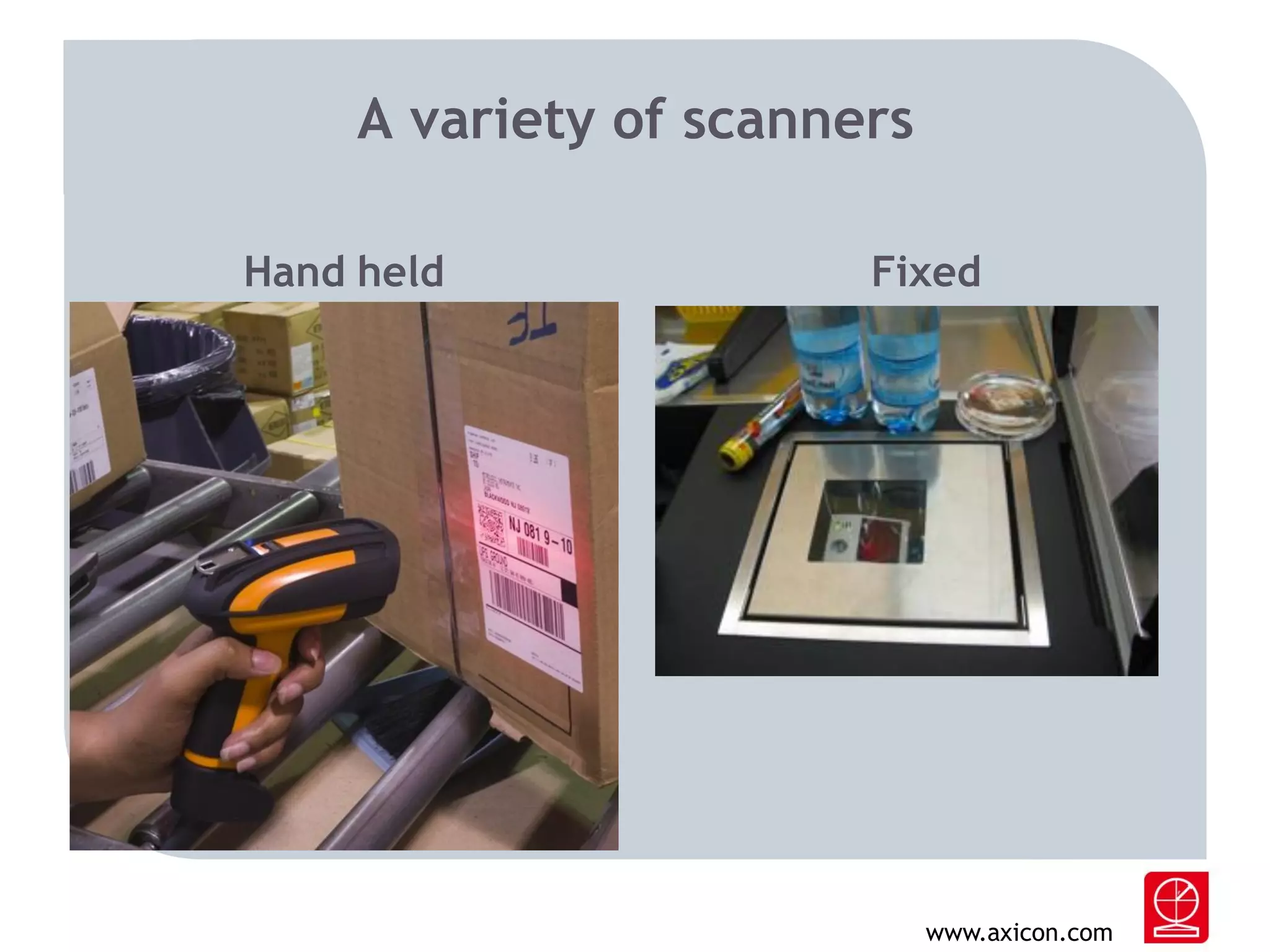
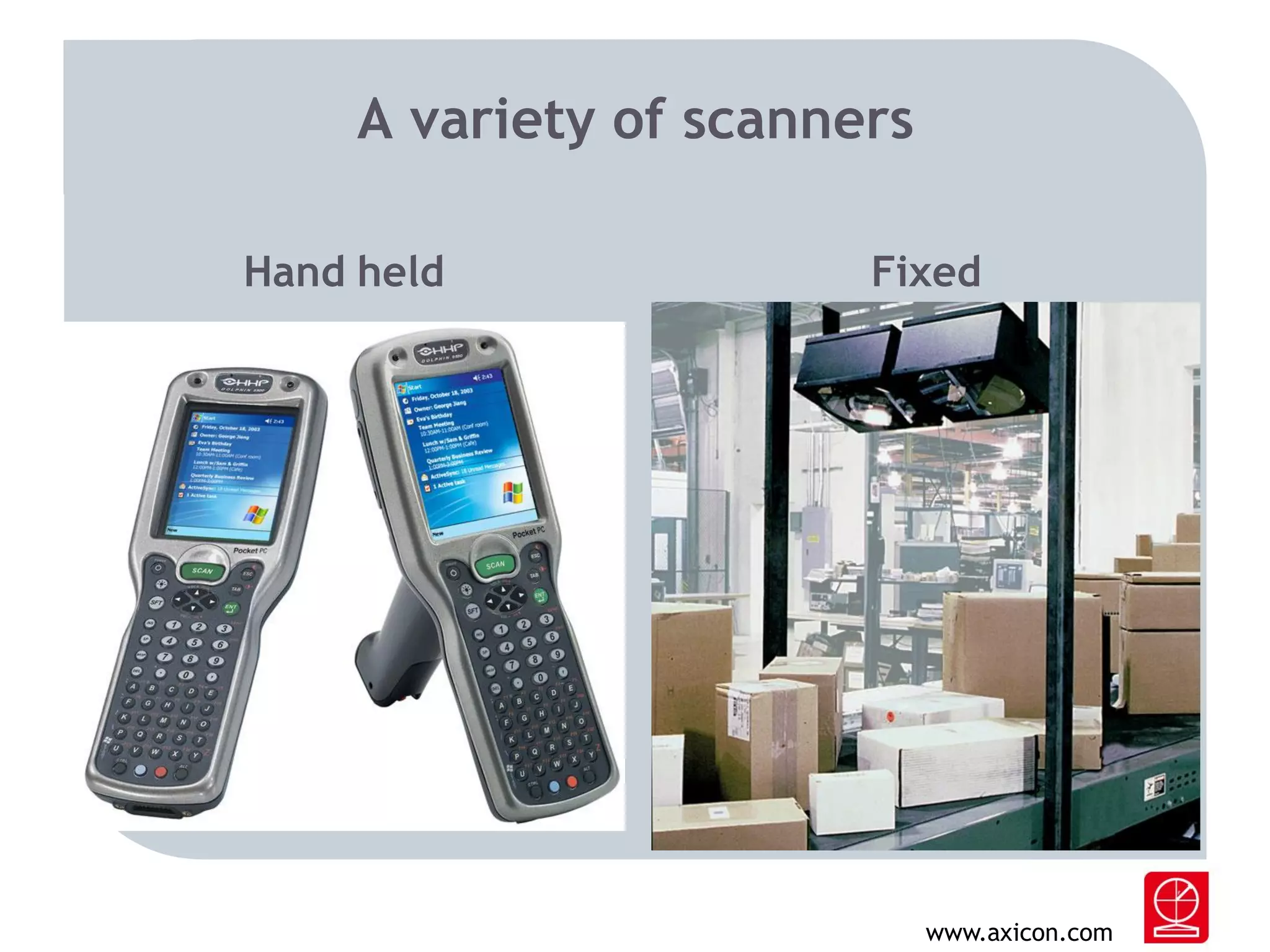
Barcode scanners
- Designed to capture barcode data content.
- Forward the decoded data to a system being used in
a certain application.
-

Such as…
a Point Of Sale cash register.
a baggage handling system.
various sorts of logistic environments.

www.axicon.com
A variety of scanners
Hand held

Fixed

www.axicon.com
A variety of scanners
Hand held

Fixed

www.axicon.com
What’s a Barcode Verifier?

- It is a measuring or quality inspection device.
- Examines, analyses and reports the quality, and
therefore scanability of the (printed) barcode.
- It is not a scanner.

www.axicon.com
Verifiers are about standards
- It compares the results of the measurements against
international industry standards and specifications.
- The ISO/IEC standard for print quality of linear codes
is 15416. For 2D Matrix codes it is 15415.
- The most well known application standard is the one
from GS1.
-Oh, and a verifier is NOT a scanner.

www.axicon.com
Grading your barcode
- A verifier grades the barcode for quality.
- Grade A(4), B(3), C(2), D(1) or F(0).
- For most applications (such as the GS1 standard) a
grade 2.5 or higher is acceptable.

Did I tell you a verifier is NOT a scanner?

www.axicon.com
Why verify?
- Verification makes sure that the printed barcode will
be read by the scanners in the various applications, by
various scanners in various places.
- If not, it can e.g. kill automated logistic processes.
- Non readable barcodes will cause loss of time, loads
of extra costs, goodwill, lost luggage, headaches, etc.
etc.

www.axicon.com
Who verifies?
- Designers, Printers, Packaging.
- Manufacturers (food, non-food, pharmaceutical,
automotive, aerospace etc. etc.)
- Publishers
- Retail

www.axicon.com
What can go wrong?
- Wrong data encoded
- Too little contrast
- Bars (and/or spaces) too wide or too narrow
- Insufficient light margins/quiet zones
- Defects caused by e.g. dust in print heads, wrinkled
ribbons, blocked (inkjet) nozzles etc. etc.
- Barcode is too small or too large (magnification)
- Code is truncated

www.axicon.com
What can go wrong 2?
- Missing (or split) bars because of faulty print heads
- Using transparent substrates (plastic/glass)
- Placing barcodes too close to vertical corners or
even wrapping around corners.
- Barcodes on film distorted because of shrink wrap
- Using uncovered metal surfaces as a background for
the bars of a symbol
- Messing up the rules for using Application Identifiers
in GS1-128 for traded unit symbols

www.axicon.com
Analysis
- A verifier analyses the problem area (if any) and
gives the user information how to correct the mistake
and/or improve the quality in order to achieve a
better grade.

www.axicon.com
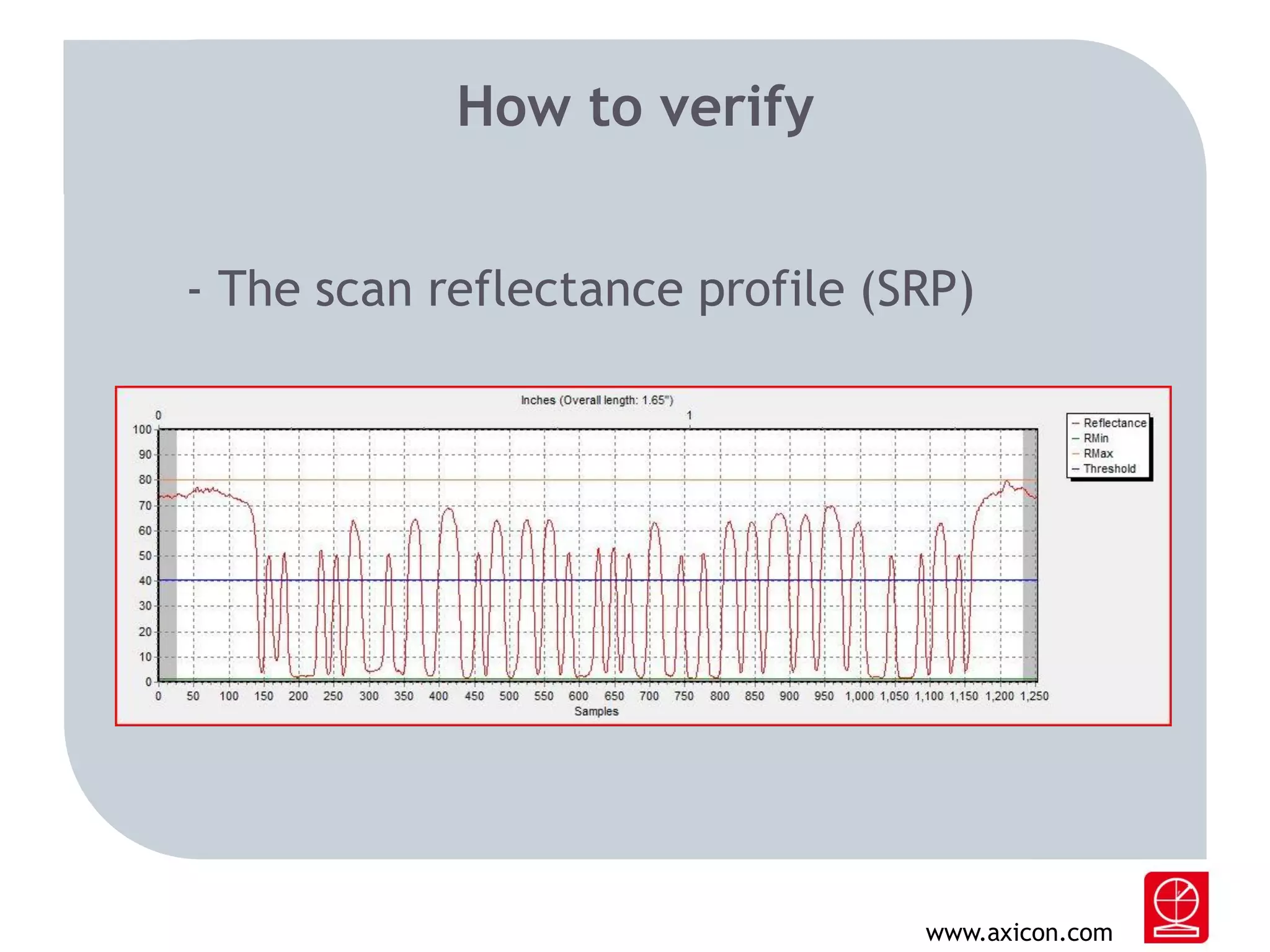
How to verify
- The scan reflectance profile (SRP)

www.axicon.com
Parameters of quality
-

Edge Determination
Minimum Reflectance
Symbol Contrast
Minimum Edge Contrast
Modulation
Defects
Decode
Decodability

www.axicon.com
A typical grading according to 15416

2.8/06/660
- Where 2.8 (or B) is the achieved grade.
-‘06’ is for 6 mil/150 microns. The size of the aperture
applied for the measurement.

- ‘660’ is for 660 nanometers, the wavelength of the
light source being used to illuminate the barcode.

www.axicon.com
Are you still with me?

www.axicon.com
Types of verification
- linear
- 2D
- all-in-one
- PC system
- Portable system
- off-line (>95%)
- in-line

www.axicon.com
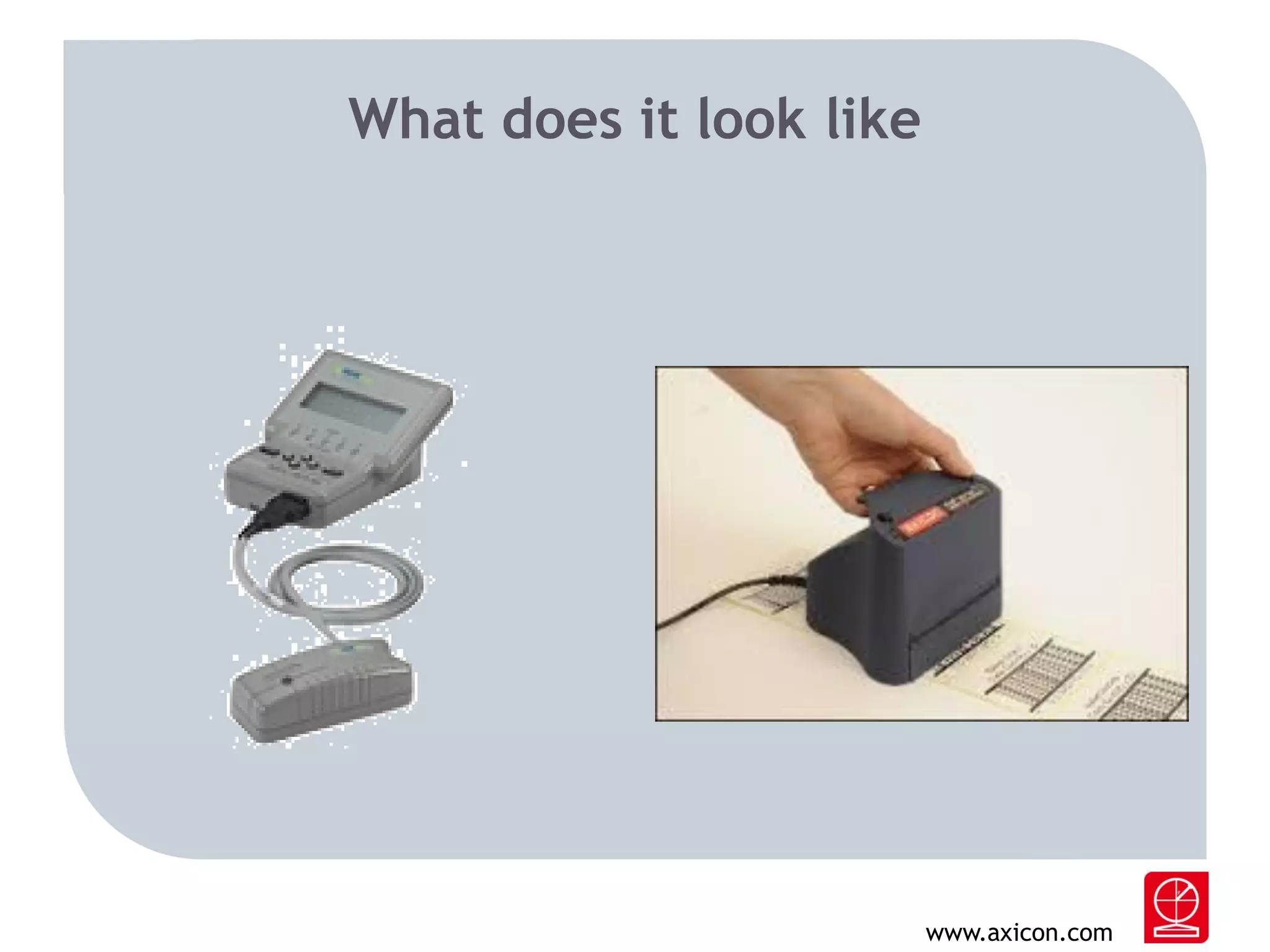
What does it look like

www.axicon.com
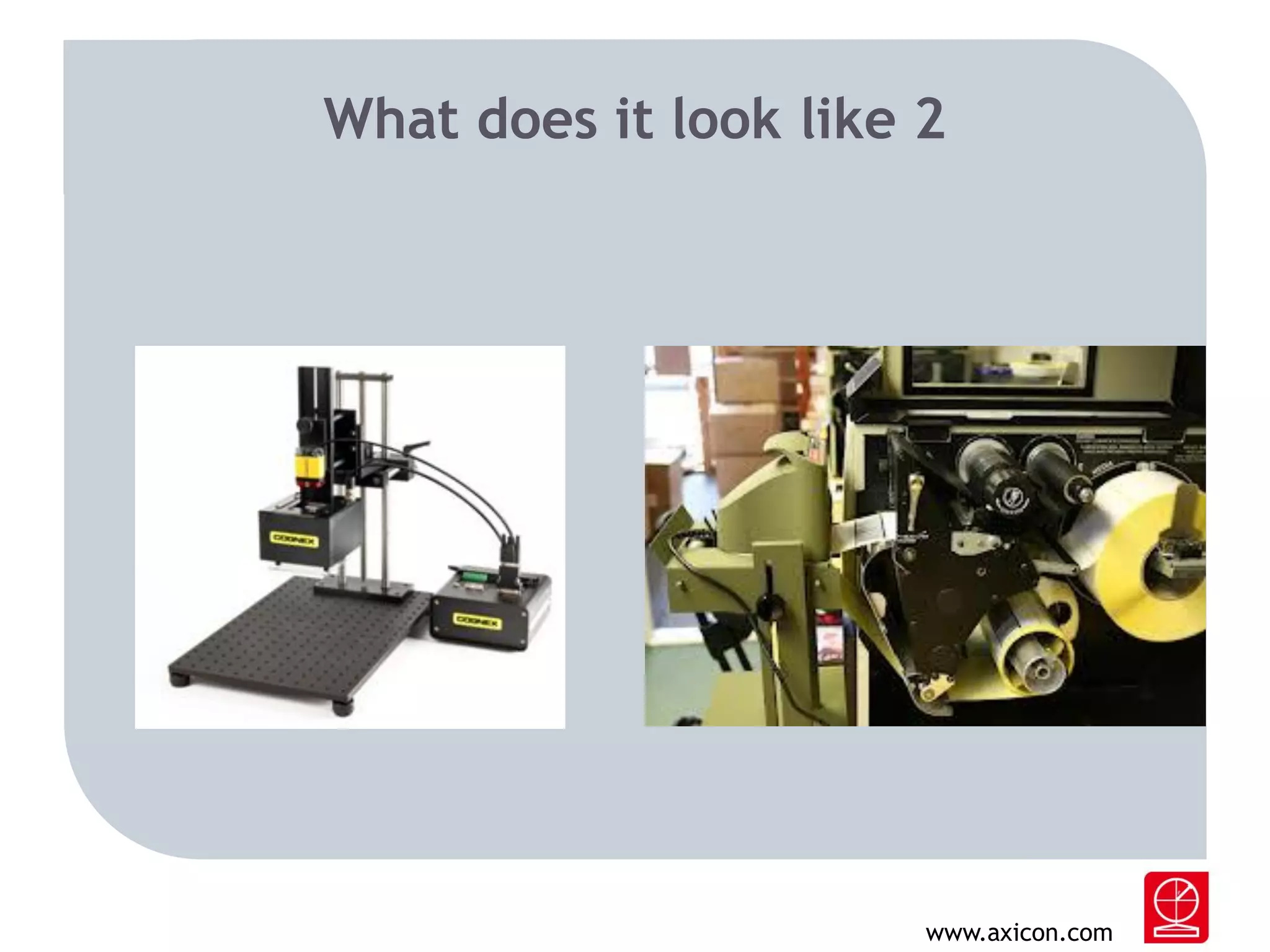
What does it look like 2

www.axicon.com
In-Line verification
- All codes are verified
- All results can be stored and kept as proof of ISO
compliance
- Will usually also do data content checking (AI check,
sequential numbering etc.)

www.axicon.com
However…

- In-line verification requires a fixed distance from
verifier to barcode within small tolerances.
- It also requires a fixed angle of illumination to
comply with ISO/IEC standards

www.axicon.com
In-Line verification
- Requires stable web printing
- Mind your speed!
- Barcode orientation is important
- What action should be taken when faulty barcodes
are detected?
- Can the printer/system be paused by an external
device?
www.axicon.com
Thank you!

www.axicon.com

Barcode Verification - how and why?

  • 1.
    Axicon Auto IDLtd. William van Benthum www.axicon.com
  • 2.
    Greetings from theNetherlands www.axicon.com
  • 3.
    Holfeld Graphics Rory Connaughton Ourpartner in Ireland www.axicon.com
  • 4.
    Barcode Verification Why andhow www.axicon.com
  • 5.
    What’s the difference? Barcodescanners vs. Barcode verifiers www.axicon.com
  • 6.
    Barcode scanners - Designedto capture barcode data content. - Forward the decoded data to a system being used in a certain application. - Such as… a Point Of Sale cash register. a baggage handling system. various sorts of logistic environments. www.axicon.com
  • 7.
    A variety ofscanners Hand held Fixed www.axicon.com
  • 8.
    A variety ofscanners Hand held Fixed www.axicon.com
  • 9.
    What’s a BarcodeVerifier? - It is a measuring or quality inspection device. - Examines, analyses and reports the quality, and therefore scanability of the (printed) barcode. - It is not a scanner. www.axicon.com
  • 10.
    Verifiers are aboutstandards - It compares the results of the measurements against international industry standards and specifications. - The ISO/IEC standard for print quality of linear codes is 15416. For 2D Matrix codes it is 15415. - The most well known application standard is the one from GS1. -Oh, and a verifier is NOT a scanner. www.axicon.com
  • 11.
    Grading your barcode -A verifier grades the barcode for quality. - Grade A(4), B(3), C(2), D(1) or F(0). - For most applications (such as the GS1 standard) a grade 2.5 or higher is acceptable. Did I tell you a verifier is NOT a scanner? www.axicon.com
  • 12.
    Why verify? - Verificationmakes sure that the printed barcode will be read by the scanners in the various applications, by various scanners in various places. - If not, it can e.g. kill automated logistic processes. - Non readable barcodes will cause loss of time, loads of extra costs, goodwill, lost luggage, headaches, etc. etc. www.axicon.com
  • 13.
    Who verifies? - Designers,Printers, Packaging. - Manufacturers (food, non-food, pharmaceutical, automotive, aerospace etc. etc.) - Publishers - Retail www.axicon.com
  • 14.
    What can gowrong? - Wrong data encoded - Too little contrast - Bars (and/or spaces) too wide or too narrow - Insufficient light margins/quiet zones - Defects caused by e.g. dust in print heads, wrinkled ribbons, blocked (inkjet) nozzles etc. etc. - Barcode is too small or too large (magnification) - Code is truncated www.axicon.com
  • 15.
    What can gowrong 2? - Missing (or split) bars because of faulty print heads - Using transparent substrates (plastic/glass) - Placing barcodes too close to vertical corners or even wrapping around corners. - Barcodes on film distorted because of shrink wrap - Using uncovered metal surfaces as a background for the bars of a symbol - Messing up the rules for using Application Identifiers in GS1-128 for traded unit symbols www.axicon.com
  • 16.
    Analysis - A verifieranalyses the problem area (if any) and gives the user information how to correct the mistake and/or improve the quality in order to achieve a better grade. www.axicon.com
  • 17.
    How to verify -The scan reflectance profile (SRP) www.axicon.com
  • 18.
    Parameters of quality - EdgeDetermination Minimum Reflectance Symbol Contrast Minimum Edge Contrast Modulation Defects Decode Decodability www.axicon.com
  • 19.
    A typical gradingaccording to 15416 2.8/06/660 - Where 2.8 (or B) is the achieved grade. -‘06’ is for 6 mil/150 microns. The size of the aperture applied for the measurement. - ‘660’ is for 660 nanometers, the wavelength of the light source being used to illuminate the barcode. www.axicon.com
  • 20.
    Are you stillwith me? www.axicon.com
  • 21.
    Types of verification -linear - 2D - all-in-one - PC system - Portable system - off-line (>95%) - in-line www.axicon.com
  • 22.
    What does itlook like www.axicon.com
  • 23.
    What does itlook like 2 www.axicon.com
  • 24.
    In-Line verification - Allcodes are verified - All results can be stored and kept as proof of ISO compliance - Will usually also do data content checking (AI check, sequential numbering etc.) www.axicon.com
  • 25.
    However… - In-line verificationrequires a fixed distance from verifier to barcode within small tolerances. - It also requires a fixed angle of illumination to comply with ISO/IEC standards www.axicon.com
  • 26.
    In-Line verification - Requiresstable web printing - Mind your speed! - Barcode orientation is important - What action should be taken when faulty barcodes are detected? - Can the printer/system be paused by an external device? www.axicon.com
  • 27.