What’s in the BA Toolkit?


    Marie Halsey Consulting Inc.
    September 2010
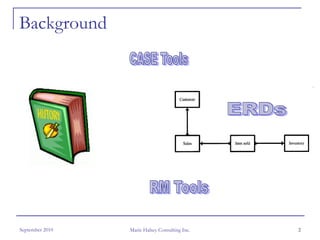
Background


September 2010   Marie Halsey Consulting Inc.   2
One day …


September 2010   Marie Halsey Consulting Inc.   3
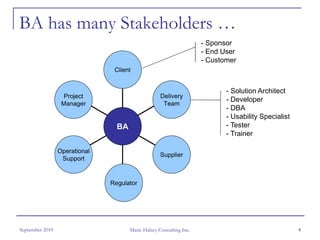
BA has many Stakeholders …
                                                                     - Sponsor
                                                                     - End User
                                                                     - Customer
                                Client


                                                                            - Solution Architect
                  Project                           Delivery
                                                                            - Developer
                  Manager                            Team
                                                                            - DBA
                                                                            - Usability Specialist
                                 BA                                         - Tester
                                                                            - Trainer

                 Operational
                                                    Supplier
                  Support


                               Regulator


September 2010                        Marie Halsey Consulting Inc.                                   4
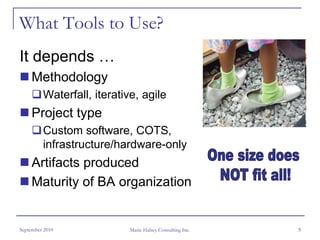
What Tools to Use?
It depends …
     Methodology
         Waterfall, iterative, agile
     Project type
         Custom software, COTS,
         infrastructure/hardware-only
     Artifacts produced
     Maturity of BA organization


September 2010              Marie Halsey Consulting Inc.   5
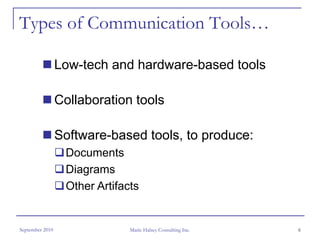
Types of Communication Tools…

                 Low-tech and hardware-based tools

                 Collaboration tools

                 Software-based tools, to produce:
                  Documents
                  Diagrams
                  Other Artifacts


September 2010                 Marie Halsey Consulting Inc.   6
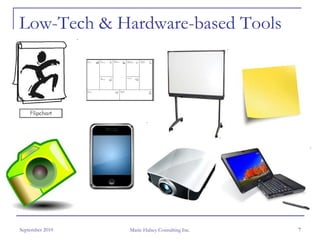
Low-Tech & Hardware-based Tools


September 2010   Marie Halsey Consulting Inc.   7
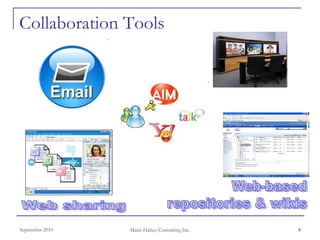
Collaboration Tools


September 2010   Marie Halsey Consulting Inc.   8
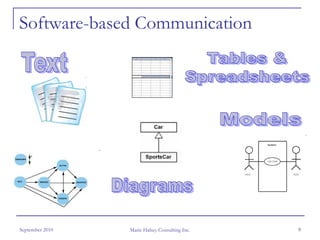
Software-based Communication


September 2010   Marie Halsey Consulting Inc.   9
Software-based Tools

  Let’s look at:
    the various types of software-based
    communication tools
    which artifacts are best suited to each type


                   Software Tool
                     Categories


September 2010       Marie Halsey Consulting Inc.   10
Issues with Office-type Tools?
       No supporting database
       No associations, traceability is difficult
       Re-use is difficult
       No support for meta-data
       No integration between diagram & elements
       Requirements management is very difficult
       Reporting is WYSIWYG, no automated
       ‘packaging’

September 2010        Marie Halsey Consulting Inc.   11
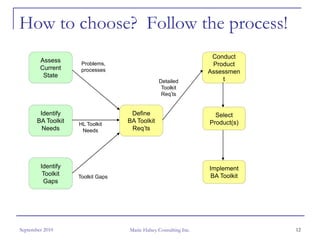
How to choose? Follow the process!
                                                                   Conduct
        Assess       Problems,                                     Product
        Current      processes                                    Assessmen
         State
                                                Detailed              t
                                                 Toolkit
                                                 Req’ts


        Identify                    Define                          Select
       BA Toolkit   HL Toolkit
                                   BA Toolkit                     Product(s)
         Needs       Needs          Req’ts


        Identify                                                  Implement
         Toolkit    Toolkit Gaps                                   BA Toolkit
         Gaps


September 2010                     Marie Halsey Consulting Inc.                 12
Document Your Requirements


September 2010   Marie Halsey Consulting Inc.   13
Functional Requirements – Usability

     Easy to use; intuitive, consistent interface
     Easy to learn; online help, tutorials
     Supports fast data capture & diagramming
         ‘Drag and drop’ existing elements onto diagram


September 2010           Marie Halsey Consulting Inc.     14
Functional Requirements
– Requirements Capture and Presentation
     Tree view
         Parent-child hierarchy
         Expand/collapse
     Table/spreadsheet view
         List of attributes
         Parent-child structure maintained
     Traceability
         Matrix view
         Tree view

September 2010            Marie Halsey Consulting Inc.   15
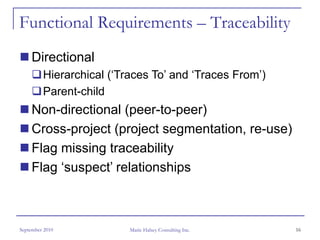
Functional Requirements – Traceability
     Directional
         Hierarchical (‘Traces To’ and ‘Traces From’)
         Parent-child
     Non-directional (peer-to-peer)
     Cross-project (project segmentation, re-use)
     Flag missing traceability
     Flag ‘suspect’ relationships


September 2010            Marie Halsey Consulting Inc.   16
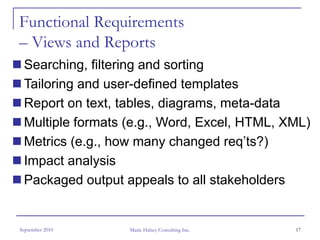
Functional Requirements
– Views and Reports
 Searching, filtering and sorting
 Tailoring and user-defined templates
 Report on text, tables, diagrams, meta-data
 Multiple formats (e.g., Word, Excel, HTML, XML)
 Metrics (e.g., how many changed req’ts?)
 Impact analysis
 Packaged output appeals to all stakeholders


September 2010    Marie Halsey Consulting Inc.   17
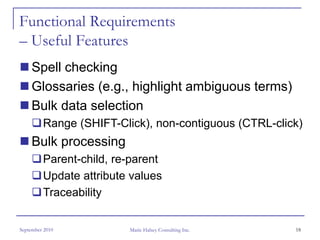
Functional Requirements
– Useful Features
     Spell checking
     Glossaries (e.g., highlight ambiguous terms)
     Bulk data selection
         Range (SHIFT-Click), non-contiguous (CTRL-click)
     Bulk processing
         Parent-child, re-parent
         Update attribute values
         Traceability


September 2010           Marie Halsey Consulting Inc.   18
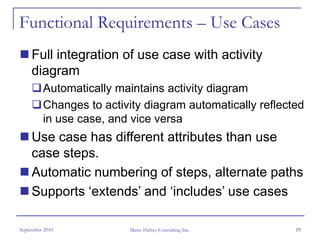
Functional Requirements – Use Cases
     Full integration of use case with activity
     diagram
         Automatically maintains activity diagram
         Changes to activity diagram automatically reflected
         in use case, and vice versa
     Use case has different attributes than use
     case steps.
     Automatic numbering of steps, alternate paths
     Supports ‘extends’ and ‘includes’ use cases

September 2010           Marie Halsey Consulting Inc.     19
Functional Requirements
– User Interface Prototyping
     Sketches, mockups & wireframes (low fidelity)
     Simulations and prototypes (high fidelity)
     Templates and branding
     ‘Look and feel’ widgets, banners, controls
     Images and snapshots of current UI
     Site maps and screen transitions/flow
     User comments
     Associate data model elements

September 2010       Marie Halsey Consulting Inc.   20
Functional Requirements
– Requirements Management
     Change Management / Change control
         Revision history
         Compare versions; shows revision marks!
         Notification of changes
     Configuration Management
         Baselines and versioning
         Release management (multi-release support)
         ‘Living’ Master Requirements List
         Re-use

September 2010          Marie Halsey Consulting Inc.   21
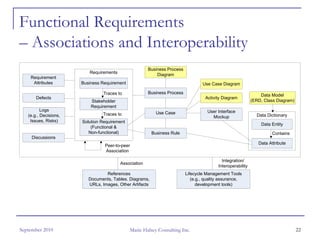
Functional Requirements
– Associations and Interoperability
                                                        Business Process
                          Requirements
                                                            Diagram
    Requirement
     Attributes        Business Requirement                                        Use Case Diagram

                                 Traces to              Business Process
                                                                                                                  Data Model
       Defects                                                                      Activity Diagram
                           Stakeholder                                                                        (ERD, Class Diagram)
                           Requirement
          Logs                                                                       User Interface
                                Traces to                   Use Case
   (e.g., Decisions,                                                                   Mockup                   Data Dictionary
    Issues, Risks)     Solution Requirement
                                                                                                                  Data Entity
                           (Functional &
                          Non-functional)                 Business Rule                                                 Contains
     Discussions
                                                                                                                 Data Attribute
                                 Peer-to-peer
                                 Association

                                                                                             Integration/
                                         Association
                                                                                           Interoperability
                                  References                               Lifecycle Management Tools
                          Documents, Tables. Diagrams,                        (e.g., quality assurance,
                          URLs, Images, Other Artifacts                          development tools)


September 2010                                  Marie Halsey Consulting Inc.                                                         22
Functional Requirements - Integration

     Associate diagram elements with meta-data
     Associate requirements artifacts with
     reference material (e.g., documents, images
     and diagrams, URLs)
     Import from Word and Excel
     Package requirements, using all formats of
     artifacts


September 2010       Marie Halsey Consulting Inc.   23
Document Your Requirements


September 2010   Marie Halsey Consulting Inc.   24
Non-Functional Requirements
     Work offline?
     Co-located or distributed team?
         Client-side or web-based?
     Team size?
         Concurrent or ‘named’ licenses?
         Multi-user support?
     Project size? How many requirements?
     Data security and user management?
     Scalable for future growth?
September 2010           Marie Halsey Consulting Inc.   25
Non-Functional Requirements
– Tool Administration
     User-defined requirement types
     Different attributes for each requirement type
     Attribute formats (text, $, date/time, URL, etc.)
     Attribute validation – single- and multi-valued
     lists, range of values
     Project templates


September 2010        Marie Halsey Consulting Inc.   26
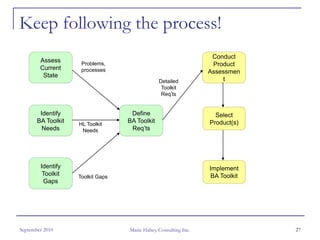
Keep following the process!
                                                                   Conduct
        Assess       Problems,                                     Product
        Current      processes                                    Assessmen
         State
                                                Detailed              t
                                                 Toolkit
                                                 Req’ts


        Identify                    Define                          Select
       BA Toolkit   HL Toolkit
                                   BA Toolkit                     Product(s)
         Needs       Needs          Req’ts


        Identify                                                  Implement
         Toolkit    Toolkit Gaps                                   BA Toolkit
         Gaps


September 2010                     Marie Halsey Consulting Inc.                 27
Prepare for Product Assessment
     Weight / prioritize requirements
     Prepare list of candidate vendors
         Check the internet, web reviews
         Talk to peers, associations
         Gartner reports, Forrester surveys
         Consider open source software
     Conduct survey based on high-level
     requirements, to short-list 3-5 vendors,
     Arrange for demos, training & support

September 2010           Marie Halsey Consulting Inc.   28
And then … Caveat emptor !


September 2010   Marie Halsey Consulting Inc.   29
Known Toolkit Challenges
     Baselining, versioning, release management
     Comparing versions
     Integration of requirements elements
     Packaging / reporting, esp. non-text and
     associated elements
     Ease of capturing and reporting traceability
     Support for re-use


September 2010       Marie Halsey Consulting Inc.   30
Conduct Product Assessment
     Assess product compliance against detailed
     requirements
         1 – Compliant, with ease
         2 – Compliant, with challenges
         3 – Partially compliant, with workaround
         4 – Partially compliant, no workaround
         5 – Non-compliant
         Write notes for items 2-5 (for later reference)
     Determine workarounds to tool gaps
         Are they worth the cost & effort?

September 2010            Marie Halsey Consulting Inc.     31
Select Product(s)
Consider cost of ownership vs. functionality
 Migration and training
 Licensing, vendor support, maintenance
 BA support (e.g., tool administrator(s), in-
 house trainers, customized user
 documentation)
 Integration / interoperability of multi-vendor
 toolkit
 Hardware (e.g., server, database license)

September 2010     Marie Halsey Consulting Inc.   32
Implement BA Toolkit
     Develop training, guidelines, best practices,
     pre-defined templates or reports
     Conduct pilot to test new toolkit, including
     testing of the training and documentation
     Consider phased deployment to reduce
     project impact, esp. with multi-vendor toolkit
     Provide toolkit support
     Implement feedback mechanism


September 2010        Marie Halsey Consulting Inc.    33
One Final Thought …


September 2010   Marie Halsey Consulting Inc.   34
Questions?


                                     Thank you!


                                     Marie Halsey
                                     mhalsey@magma.ca


September 2010   Marie Halsey Consulting Inc.           35

What is in your Business Analysis Toolkit?

  • 1.
    What’s in theBA Toolkit? Marie Halsey Consulting Inc. September 2010
  • 2.
    Background September 2010 Marie Halsey Consulting Inc. 2
  • 3.
    One day … September2010 Marie Halsey Consulting Inc. 3
  • 4.
    BA has manyStakeholders … - Sponsor - End User - Customer Client - Solution Architect Project Delivery - Developer Manager Team - DBA - Usability Specialist BA - Tester - Trainer Operational Supplier Support Regulator September 2010 Marie Halsey Consulting Inc. 4
  • 5.
    What Tools toUse? It depends … Methodology Waterfall, iterative, agile Project type Custom software, COTS, infrastructure/hardware-only Artifacts produced Maturity of BA organization September 2010 Marie Halsey Consulting Inc. 5
  • 6.
    Types of CommunicationTools… Low-tech and hardware-based tools Collaboration tools Software-based tools, to produce: Documents Diagrams Other Artifacts September 2010 Marie Halsey Consulting Inc. 6
  • 7.
    Low-Tech & Hardware-basedTools September 2010 Marie Halsey Consulting Inc. 7
  • 8.
    Collaboration Tools September 2010 Marie Halsey Consulting Inc. 8
  • 9.
    Software-based Communication September 2010 Marie Halsey Consulting Inc. 9
  • 10.
    Software-based Tools Let’s look at: the various types of software-based communication tools which artifacts are best suited to each type Software Tool Categories September 2010 Marie Halsey Consulting Inc. 10
  • 11.
    Issues with Office-typeTools? No supporting database No associations, traceability is difficult Re-use is difficult No support for meta-data No integration between diagram & elements Requirements management is very difficult Reporting is WYSIWYG, no automated ‘packaging’ September 2010 Marie Halsey Consulting Inc. 11
  • 12.
    How to choose?Follow the process! Conduct Assess Problems, Product Current processes Assessmen State Detailed t Toolkit Req’ts Identify Define Select BA Toolkit HL Toolkit BA Toolkit Product(s) Needs Needs Req’ts Identify Implement Toolkit Toolkit Gaps BA Toolkit Gaps September 2010 Marie Halsey Consulting Inc. 12
  • 13.
    Document Your Requirements September2010 Marie Halsey Consulting Inc. 13
  • 14.
    Functional Requirements –Usability Easy to use; intuitive, consistent interface Easy to learn; online help, tutorials Supports fast data capture & diagramming ‘Drag and drop’ existing elements onto diagram September 2010 Marie Halsey Consulting Inc. 14
  • 15.
    Functional Requirements – RequirementsCapture and Presentation Tree view Parent-child hierarchy Expand/collapse Table/spreadsheet view List of attributes Parent-child structure maintained Traceability Matrix view Tree view September 2010 Marie Halsey Consulting Inc. 15
  • 16.
    Functional Requirements –Traceability Directional Hierarchical (‘Traces To’ and ‘Traces From’) Parent-child Non-directional (peer-to-peer) Cross-project (project segmentation, re-use) Flag missing traceability Flag ‘suspect’ relationships September 2010 Marie Halsey Consulting Inc. 16
  • 17.
    Functional Requirements – Viewsand Reports Searching, filtering and sorting Tailoring and user-defined templates Report on text, tables, diagrams, meta-data Multiple formats (e.g., Word, Excel, HTML, XML) Metrics (e.g., how many changed req’ts?) Impact analysis Packaged output appeals to all stakeholders September 2010 Marie Halsey Consulting Inc. 17
  • 18.
    Functional Requirements – UsefulFeatures Spell checking Glossaries (e.g., highlight ambiguous terms) Bulk data selection Range (SHIFT-Click), non-contiguous (CTRL-click) Bulk processing Parent-child, re-parent Update attribute values Traceability September 2010 Marie Halsey Consulting Inc. 18
  • 19.
    Functional Requirements –Use Cases Full integration of use case with activity diagram Automatically maintains activity diagram Changes to activity diagram automatically reflected in use case, and vice versa Use case has different attributes than use case steps. Automatic numbering of steps, alternate paths Supports ‘extends’ and ‘includes’ use cases September 2010 Marie Halsey Consulting Inc. 19
  • 20.
    Functional Requirements – UserInterface Prototyping Sketches, mockups & wireframes (low fidelity) Simulations and prototypes (high fidelity) Templates and branding ‘Look and feel’ widgets, banners, controls Images and snapshots of current UI Site maps and screen transitions/flow User comments Associate data model elements September 2010 Marie Halsey Consulting Inc. 20
  • 21.
    Functional Requirements – RequirementsManagement Change Management / Change control Revision history Compare versions; shows revision marks! Notification of changes Configuration Management Baselines and versioning Release management (multi-release support) ‘Living’ Master Requirements List Re-use September 2010 Marie Halsey Consulting Inc. 21
  • 22.
    Functional Requirements – Associationsand Interoperability Business Process Requirements Diagram Requirement Attributes Business Requirement Use Case Diagram Traces to Business Process Data Model Defects Activity Diagram Stakeholder (ERD, Class Diagram) Requirement Logs User Interface Traces to Use Case (e.g., Decisions, Mockup Data Dictionary Issues, Risks) Solution Requirement Data Entity (Functional & Non-functional) Business Rule Contains Discussions Data Attribute Peer-to-peer Association Integration/ Association Interoperability References Lifecycle Management Tools Documents, Tables. Diagrams, (e.g., quality assurance, URLs, Images, Other Artifacts development tools) September 2010 Marie Halsey Consulting Inc. 22
  • 23.
    Functional Requirements -Integration Associate diagram elements with meta-data Associate requirements artifacts with reference material (e.g., documents, images and diagrams, URLs) Import from Word and Excel Package requirements, using all formats of artifacts September 2010 Marie Halsey Consulting Inc. 23
  • 24.
    Document Your Requirements September2010 Marie Halsey Consulting Inc. 24
  • 25.
    Non-Functional Requirements Work offline? Co-located or distributed team? Client-side or web-based? Team size? Concurrent or ‘named’ licenses? Multi-user support? Project size? How many requirements? Data security and user management? Scalable for future growth? September 2010 Marie Halsey Consulting Inc. 25
  • 26.
    Non-Functional Requirements – ToolAdministration User-defined requirement types Different attributes for each requirement type Attribute formats (text, $, date/time, URL, etc.) Attribute validation – single- and multi-valued lists, range of values Project templates September 2010 Marie Halsey Consulting Inc. 26
  • 27.
    Keep following theprocess! Conduct Assess Problems, Product Current processes Assessmen State Detailed t Toolkit Req’ts Identify Define Select BA Toolkit HL Toolkit BA Toolkit Product(s) Needs Needs Req’ts Identify Implement Toolkit Toolkit Gaps BA Toolkit Gaps September 2010 Marie Halsey Consulting Inc. 27
  • 28.
    Prepare for ProductAssessment Weight / prioritize requirements Prepare list of candidate vendors Check the internet, web reviews Talk to peers, associations Gartner reports, Forrester surveys Consider open source software Conduct survey based on high-level requirements, to short-list 3-5 vendors, Arrange for demos, training & support September 2010 Marie Halsey Consulting Inc. 28
  • 29.
    And then …Caveat emptor ! September 2010 Marie Halsey Consulting Inc. 29
  • 30.
    Known Toolkit Challenges Baselining, versioning, release management Comparing versions Integration of requirements elements Packaging / reporting, esp. non-text and associated elements Ease of capturing and reporting traceability Support for re-use September 2010 Marie Halsey Consulting Inc. 30
  • 31.
    Conduct Product Assessment Assess product compliance against detailed requirements 1 – Compliant, with ease 2 – Compliant, with challenges 3 – Partially compliant, with workaround 4 – Partially compliant, no workaround 5 – Non-compliant Write notes for items 2-5 (for later reference) Determine workarounds to tool gaps Are they worth the cost & effort? September 2010 Marie Halsey Consulting Inc. 31
  • 32.
    Select Product(s) Consider costof ownership vs. functionality Migration and training Licensing, vendor support, maintenance BA support (e.g., tool administrator(s), in- house trainers, customized user documentation) Integration / interoperability of multi-vendor toolkit Hardware (e.g., server, database license) September 2010 Marie Halsey Consulting Inc. 32
  • 33.
    Implement BA Toolkit Develop training, guidelines, best practices, pre-defined templates or reports Conduct pilot to test new toolkit, including testing of the training and documentation Consider phased deployment to reduce project impact, esp. with multi-vendor toolkit Provide toolkit support Implement feedback mechanism September 2010 Marie Halsey Consulting Inc. 33
  • 34.
    One Final Thought… September 2010 Marie Halsey Consulting Inc. 34
  • 35.
    Questions? Thank you! Marie Halsey mhalsey@magma.ca September 2010 Marie Halsey Consulting Inc. 35