About the
AZ-900 exam
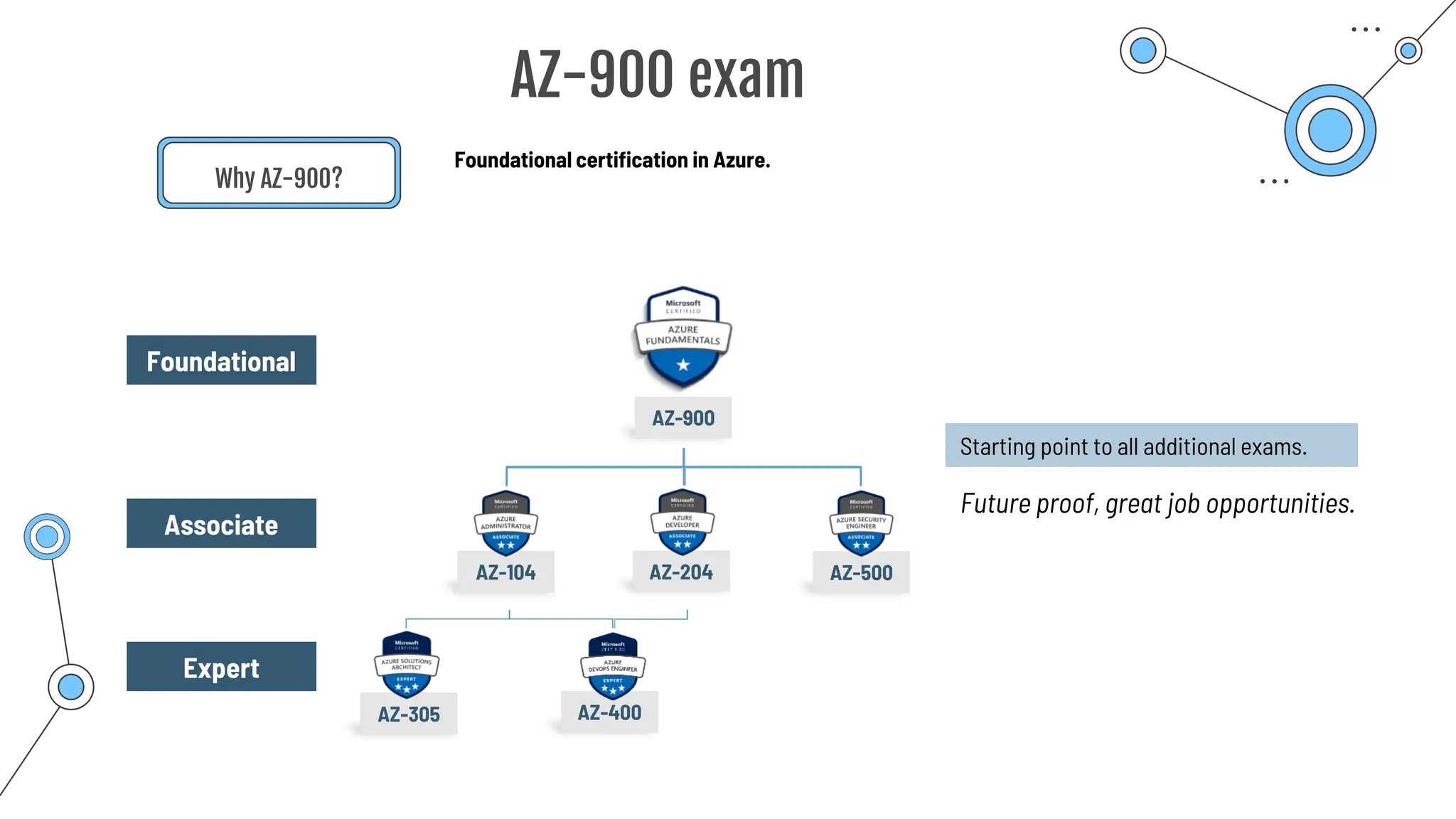
AZ-400
AZ-305
AZ-900
AZ-900 exam
Why AZ-900?
Foundational certification in Azure.
Starting point to all additional exams.
Future proof, great job opportunities.
AZ-104 AZ-204 AZ-500
Foundational
Associate
Expert
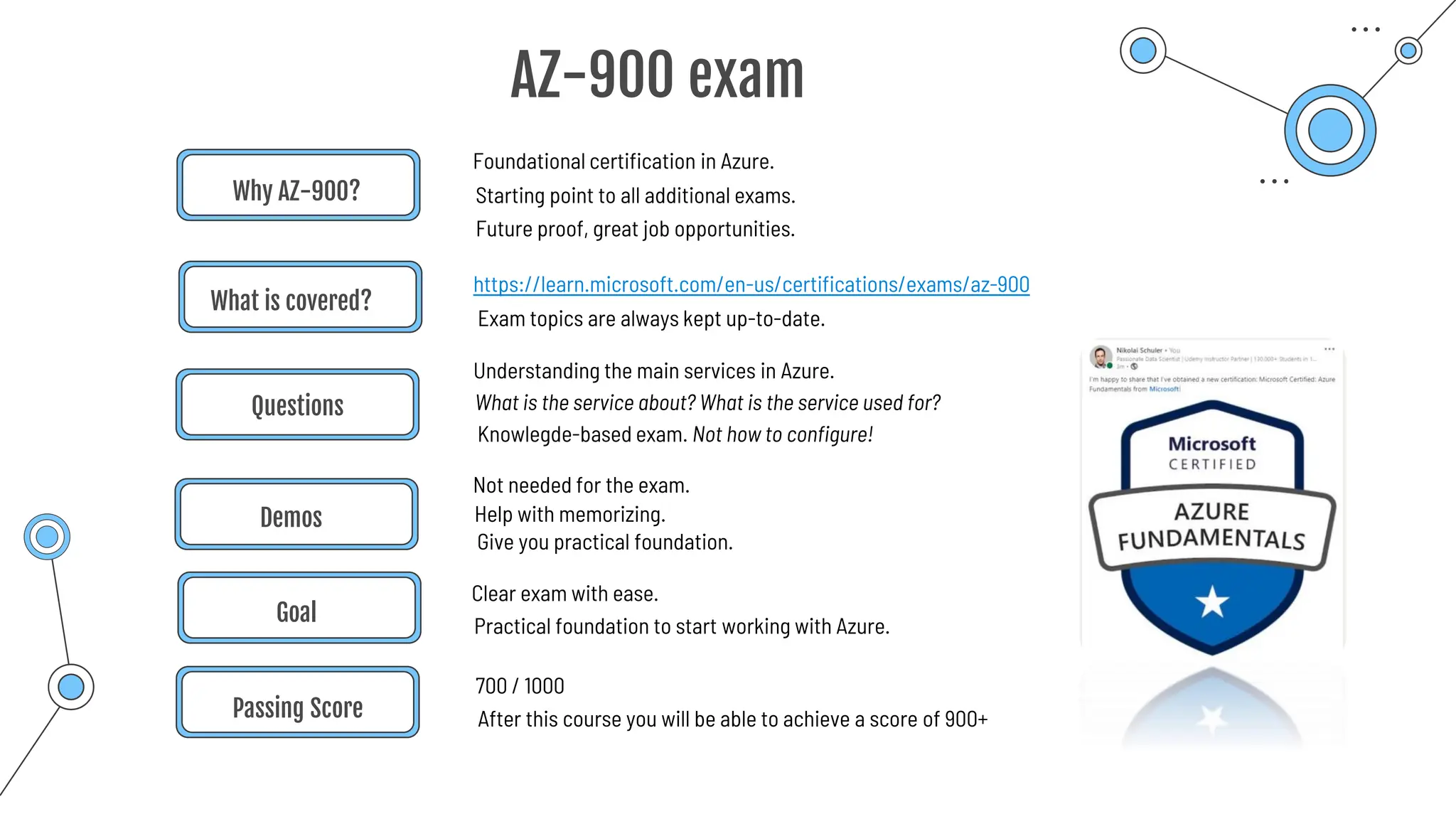
Why AZ-900?
Foundational certification in Azure.
https://learn.microsoft.com/en-us/certifications/exams/az-900
What is covered?
Exam topics are always kept up-to-date.
Questions
Demos
Not needed for the exam.
Passing Score
700 / 1000
Goal
Clear exam with ease.
Starting point to all additional exams.
Future proof, great job opportunities.
Understanding the main services in Azure.
What is the service about? What is the service used for?
Knowlegde-based exam. Not how to configure!
Help with memorizing.
Give you practical foundation.
After this course you will be able to achieve a score of 900+
Practical foundation to start working with Azure.
AZ-900 exam
How to
Master the exam
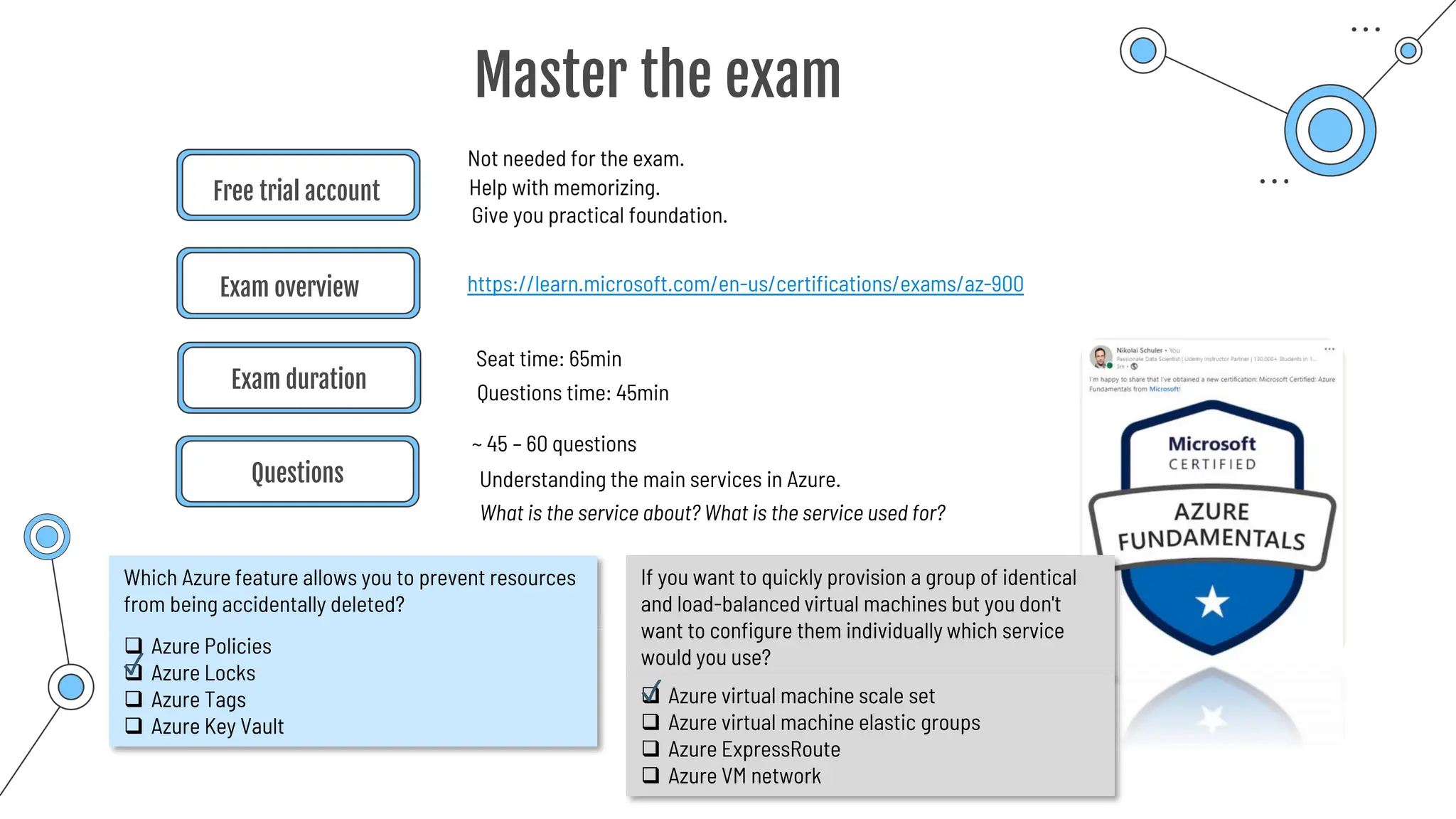
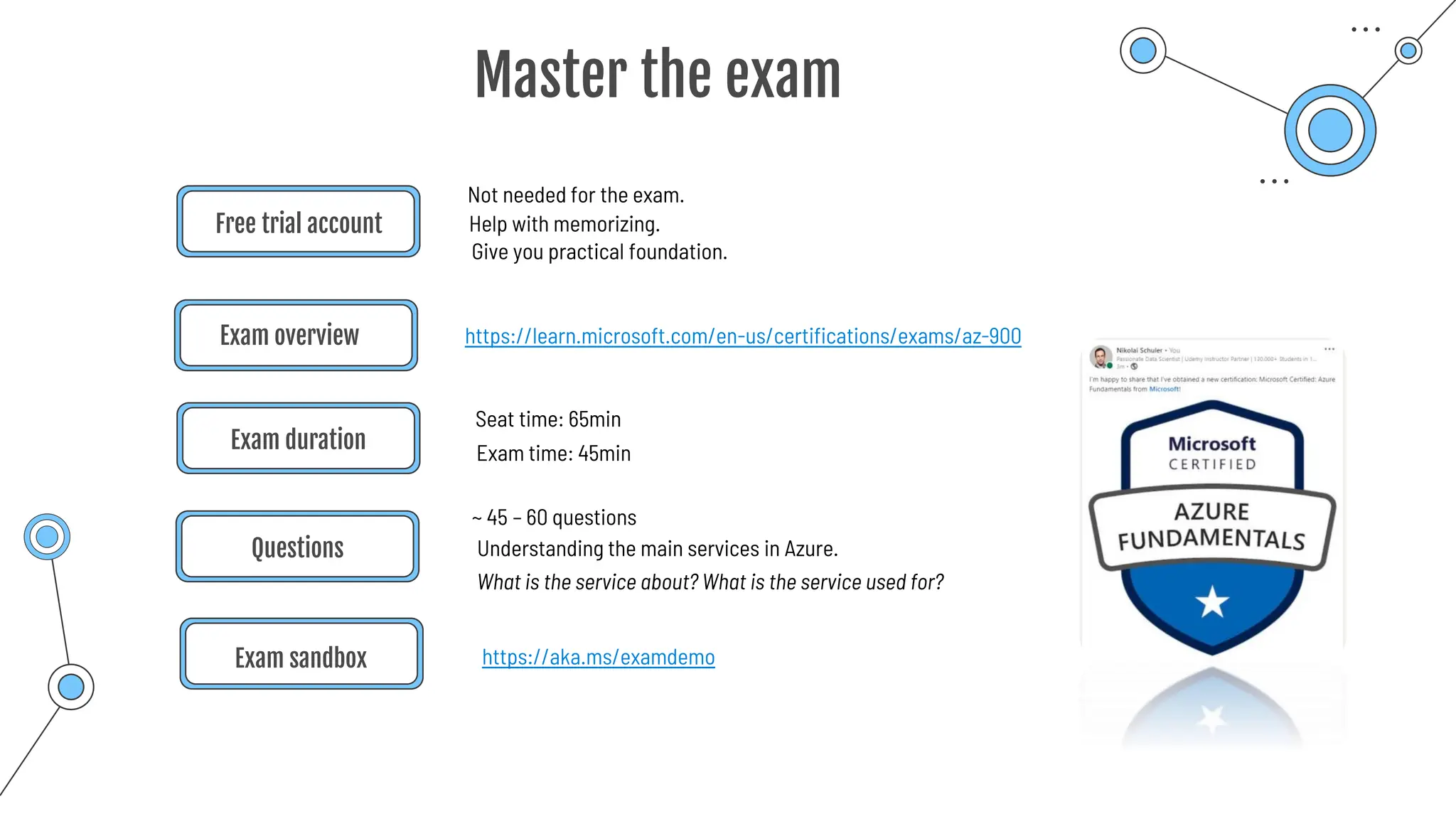
Free trial account
https://learn.microsoft.com/en-us/certifications/exams/az-900
Exam overview
Questions
Not needed for the exam.
Understanding the main services in Azure.
Help with memorizing.
Give you practical foundation.
Master the exam
Exam duration
Seat time: 65min
What is the service about? What is the service used for?
Questions time: 45min
~ 45 – 60 questions
Which Azure feature allows you to prevent resources
from being accidentally deleted?
❑ Azure Policies
❑ Azure Locks
❑ Azure Tags
❑ Azure Key Vault
If you want to quickly provision a group of identical
and load-balanced virtual machines but you don't
want to configure them individually which service
would you use?
❑ Azure virtual machine scale set
❑ Azure virtual machine elastic groups
❑ Azure ExpressRoute
❑ Azure VM network
✓
✓
Free trial account
https://learn.microsoft.com/en-us/certifications/exams/az-900
Exam overview
Questions
Exam sandbox
Not needed for the exam.
Understanding the main services in Azure.
Help with memorizing.
Give you practical foundation.
Master the exam
Exam duration
Seat time: 65min
What is the service about? What is the service used for?
Exam time: 45min
~ 45 – 60 questions
https://aka.ms/examdemo
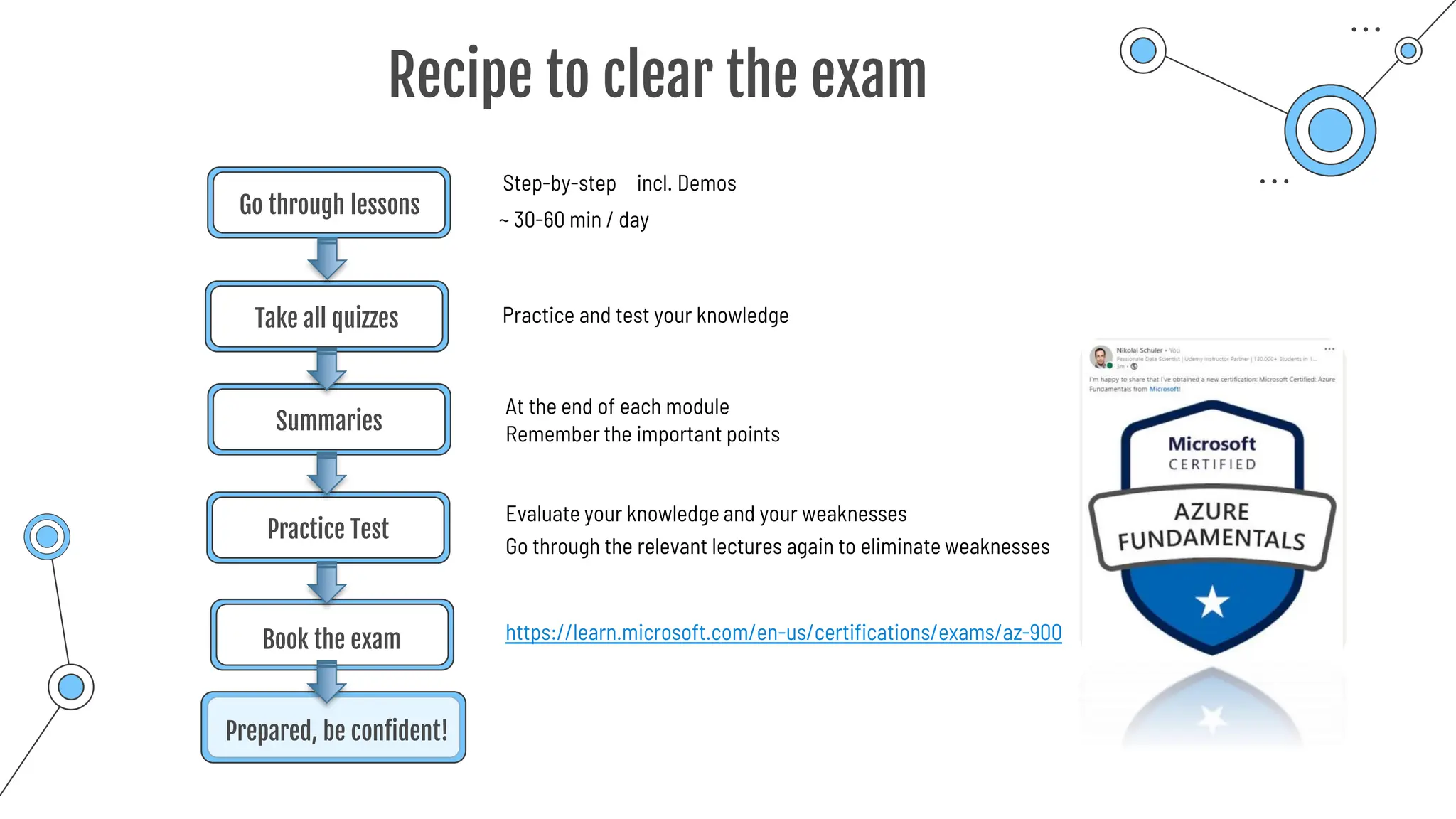
Go through lessons
Take all quizzes
Practice Test
Book the exam
Step-by-step
Evaluate your knowledge and your weaknesses
~ 30-60 min / day
Practice and test your knowledge
Recipe to clear the exam
Summaries
At the end of each module
Go through the relevant lectures again to eliminate weaknesses
Remember the important points
Prepared, be confident!
incl. Demos
https://learn.microsoft.com/en-us/certifications/exams/az-900
What is
Cloud
Computing?
Azure Cloud Computing
o Azure is Cloud Computing Platform
o Offer SERVICES
o Compute services
o Storage services
o Database services
o Software services
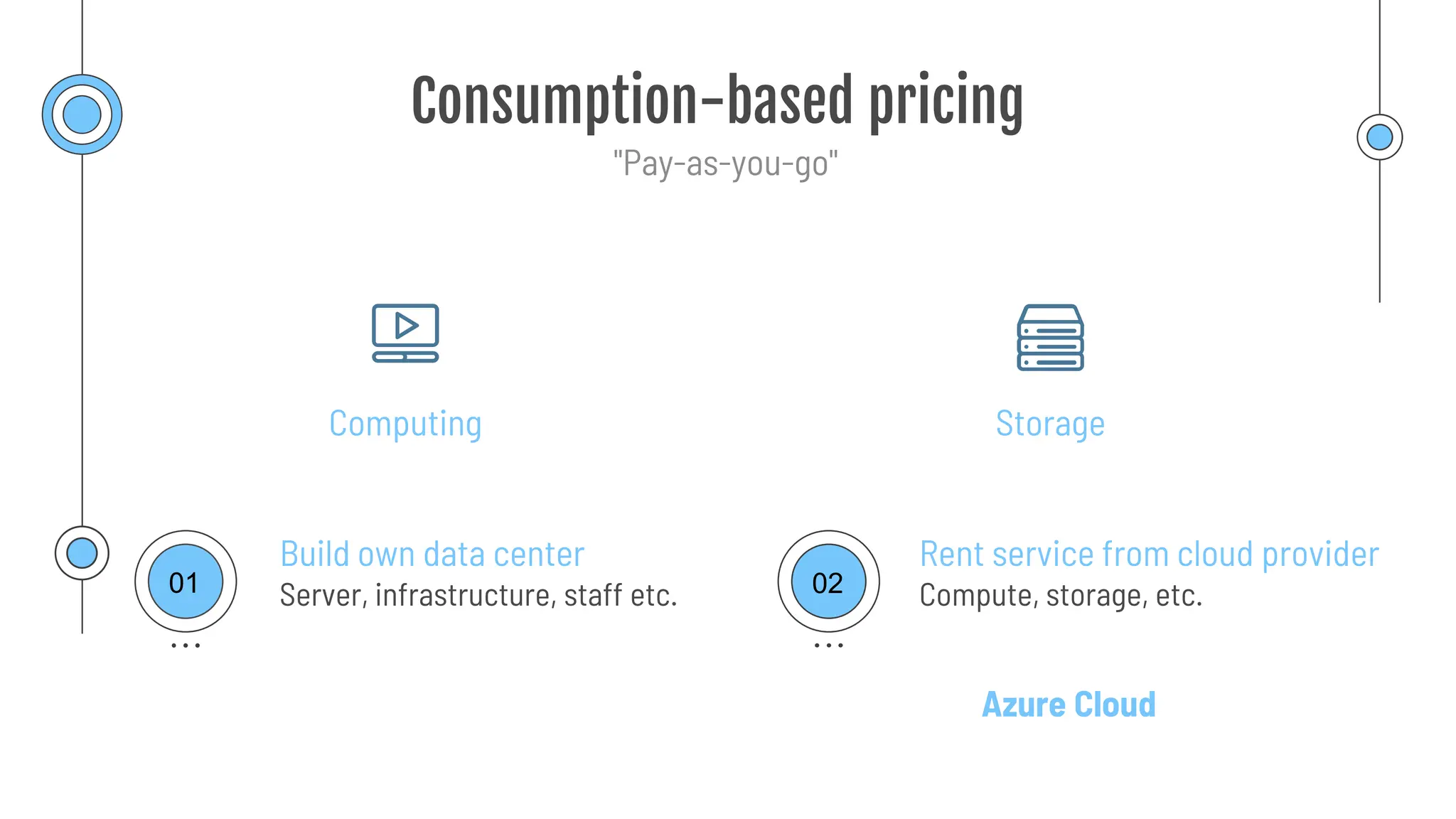
Consumption-based pricing
Computing Storage
"Pay-as-you-go"
Server, infrastructure, staff etc.
Build own data center
Compute, storage, etc.
Rent service from cloud provider
Azure Cloud
01 02
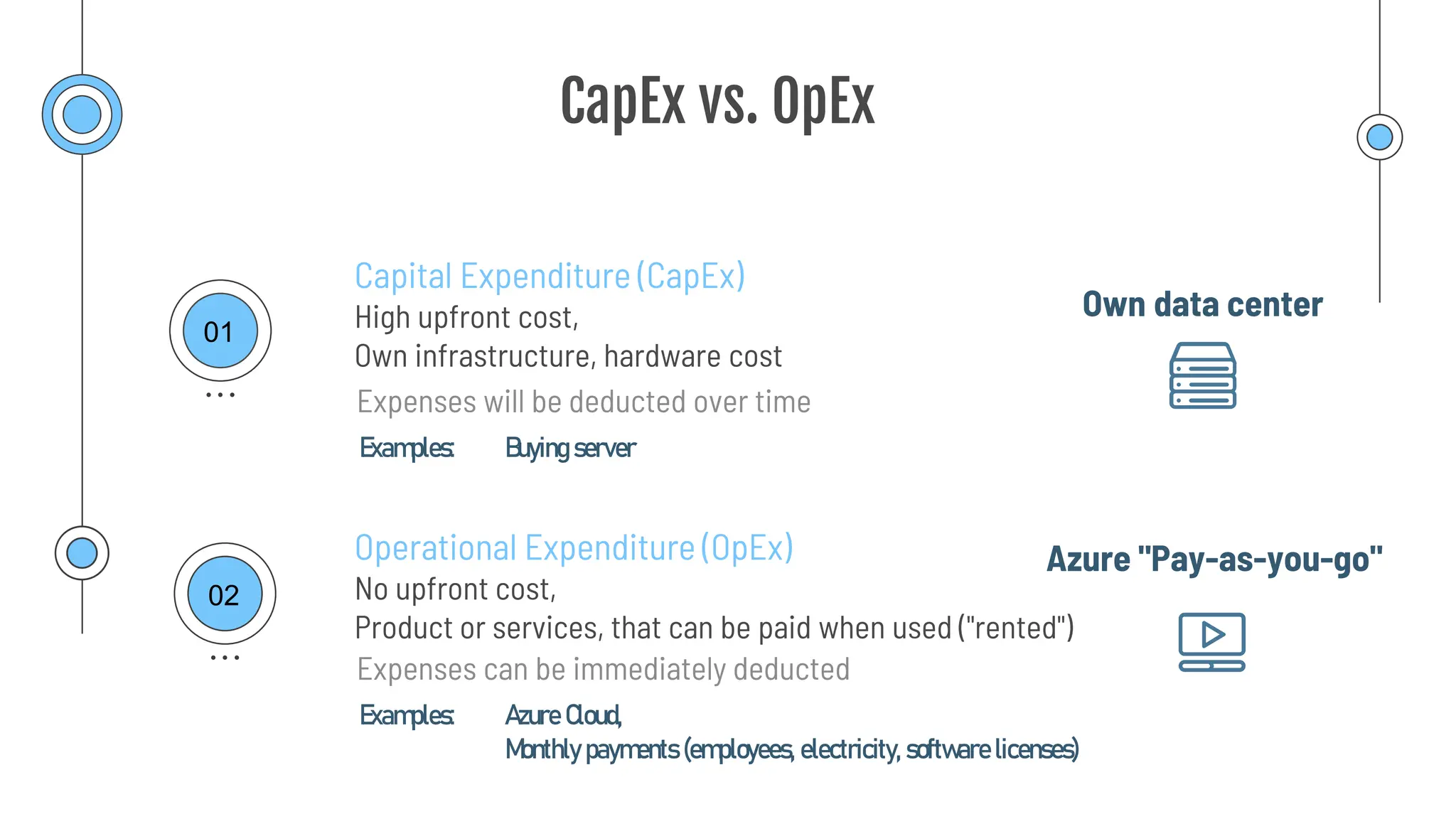
CapEx vs. OpEx
High upfront cost,
Own infrastructure, hardware cost
Capital Expenditure (CapEx)
Operational Expenditure (OpEx)
No upfront cost,
Product or services, that can be paid when used ("rented")
Expenses will be deducted over time
Expenses can be immediately deducted
01
02
Own data center
Azure "Pay-as-you-go"
Examples: Buying server
Examples: Azure Cloud,
Monthly payments (employees, electricity, software licenses)
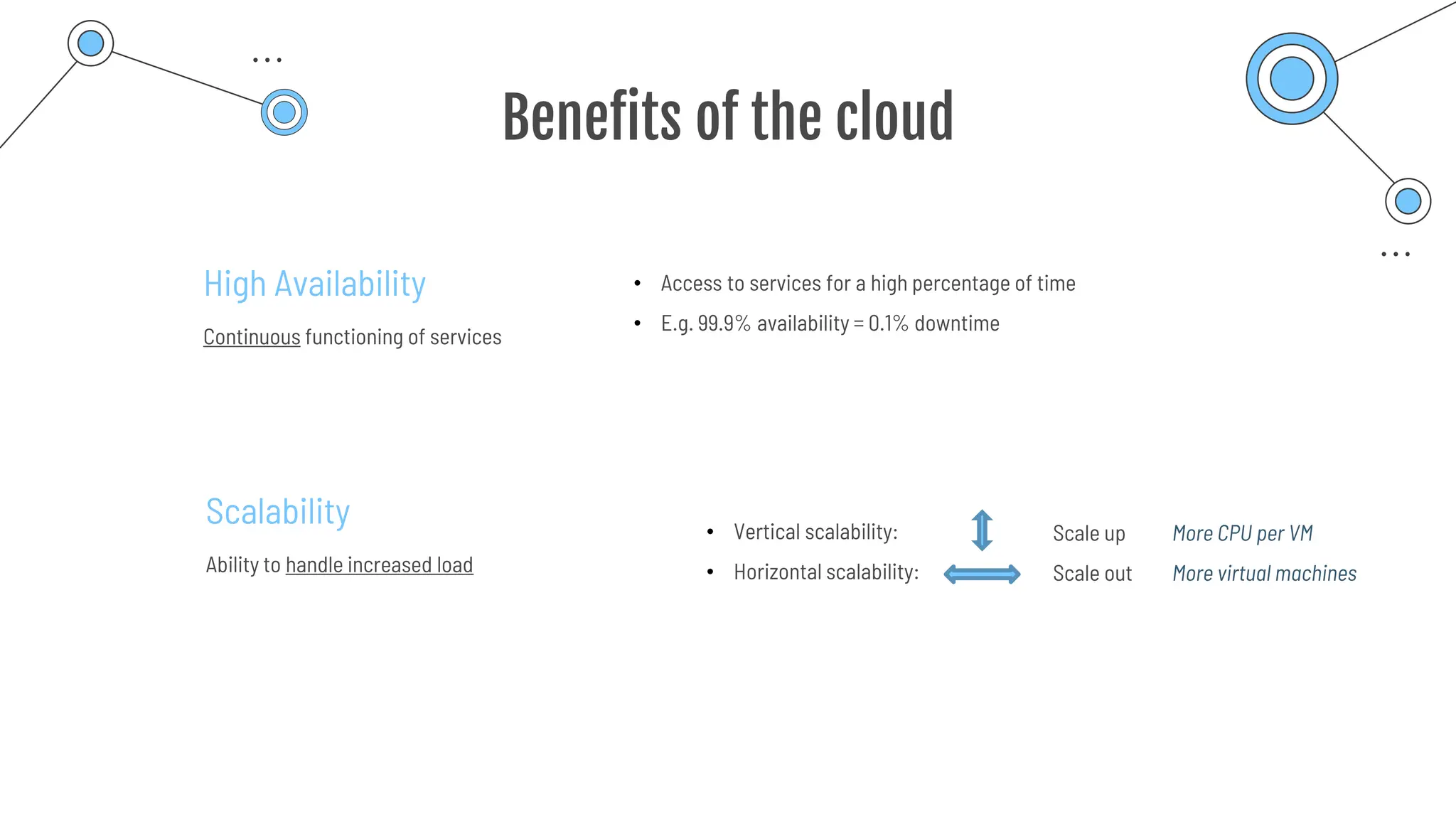
Benefits of the cloud
Scalability
Ability to handle increased load
• Vertical scalability:
• Horizontal scalability:
Scale up
Scale out
More CPU per VM
More virtual machines
High Availability
Continuous functioning of services
• Access to services for a high percentage of time
• E.g. 99.9% availability = 0.1% downtime
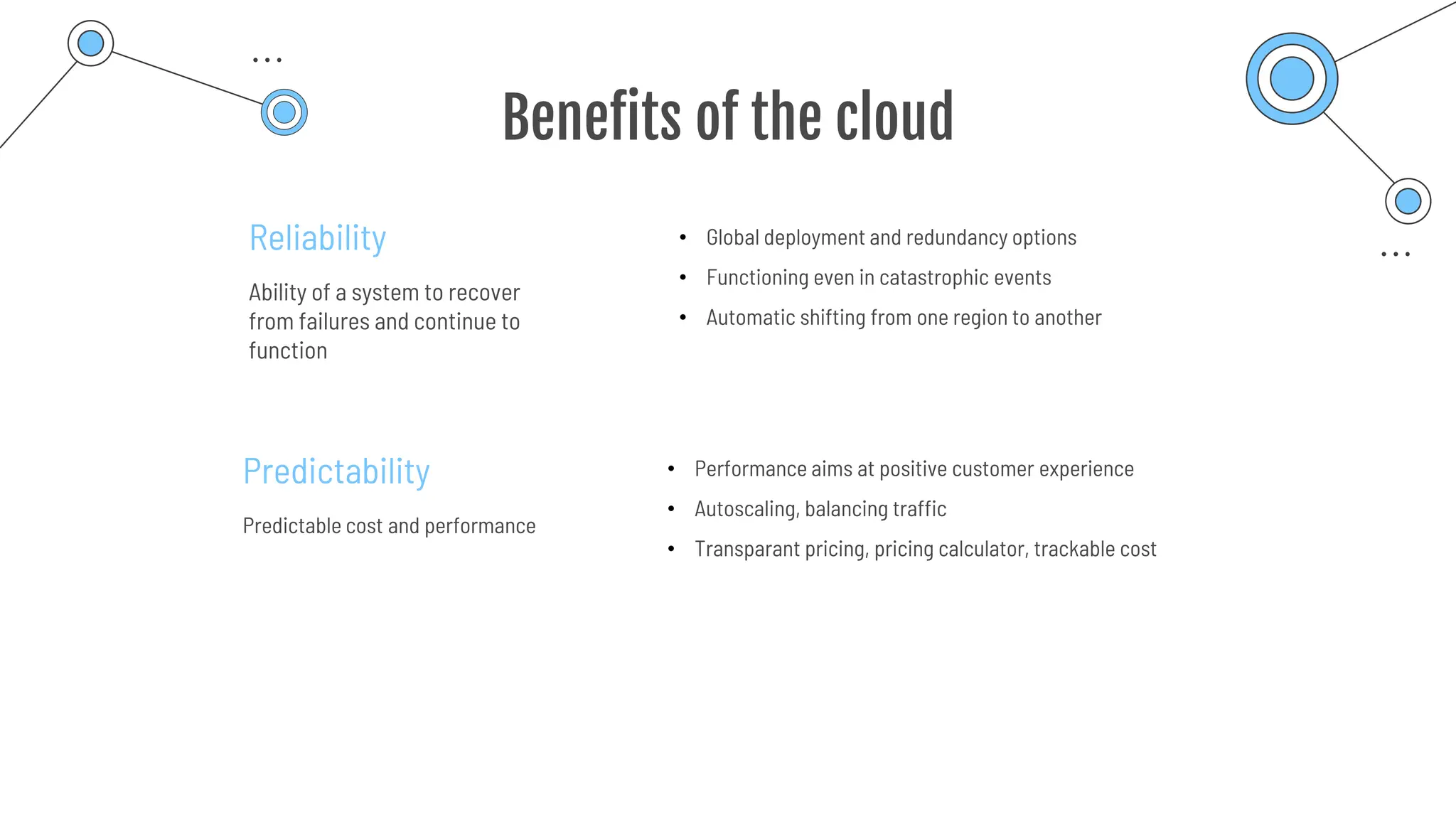
Benefits of the cloud
Reliability
Ability of a system to recover
from failures and continue to
function
Predictability
Predictable cost and performance
• Global deployment and redundancy options
• Functioning even in catastrophic events
• Automatic shifting from one region to another
• Performance aims at positive customer experience
• Autoscaling, balancing traffic
• Transparant pricing, pricing calculator, trackable cost
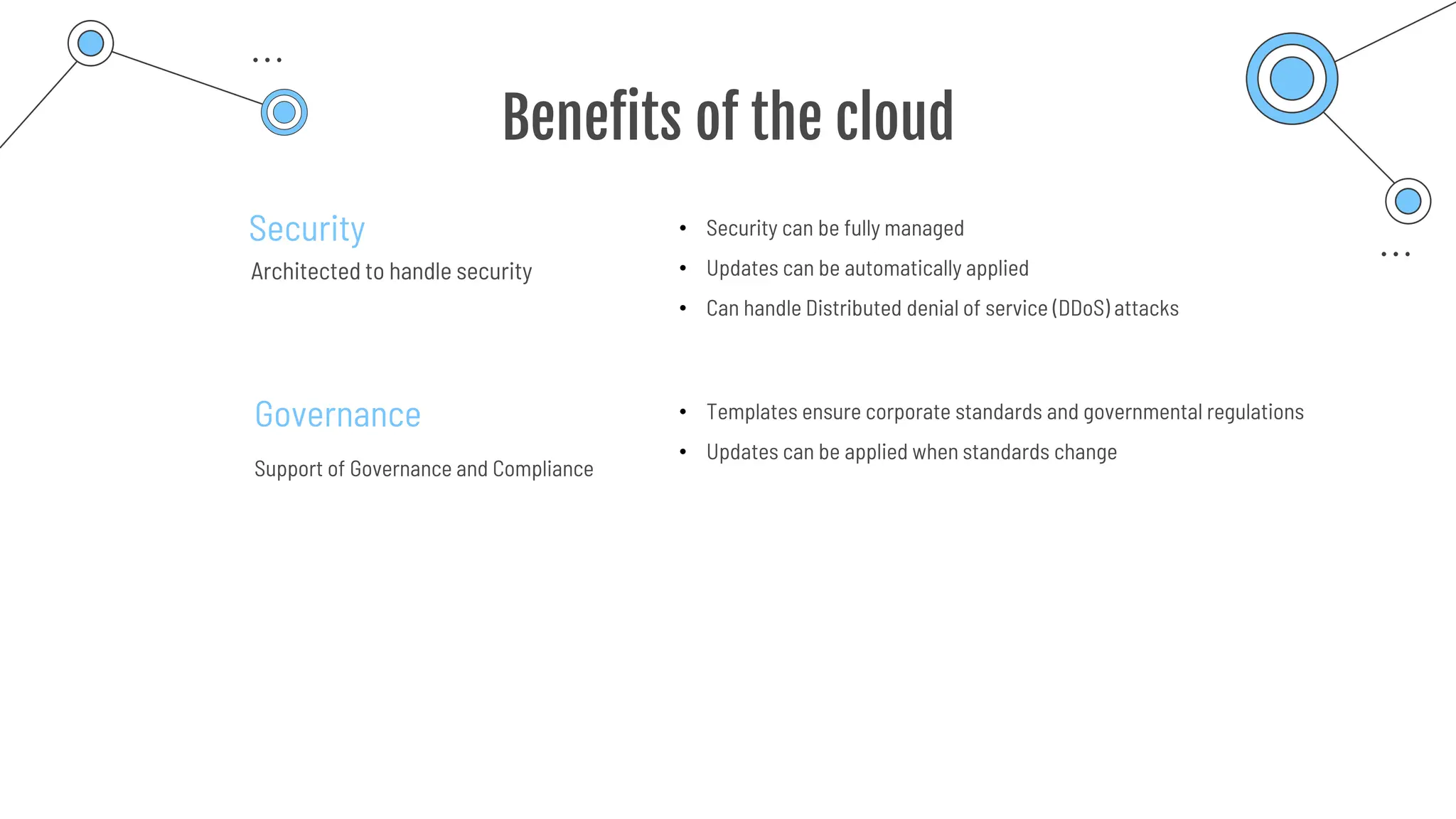
Benefits of the cloud
Security
Architected to handle security
Governance
Support of Governance and Compliance
• Security can be fully managed
• Updates can be automatically applied
• Can handle Distributed denial of service (DDoS) attacks
• Templates ensure corporate standards and governmental regulations
• Updates can be applied when standards change
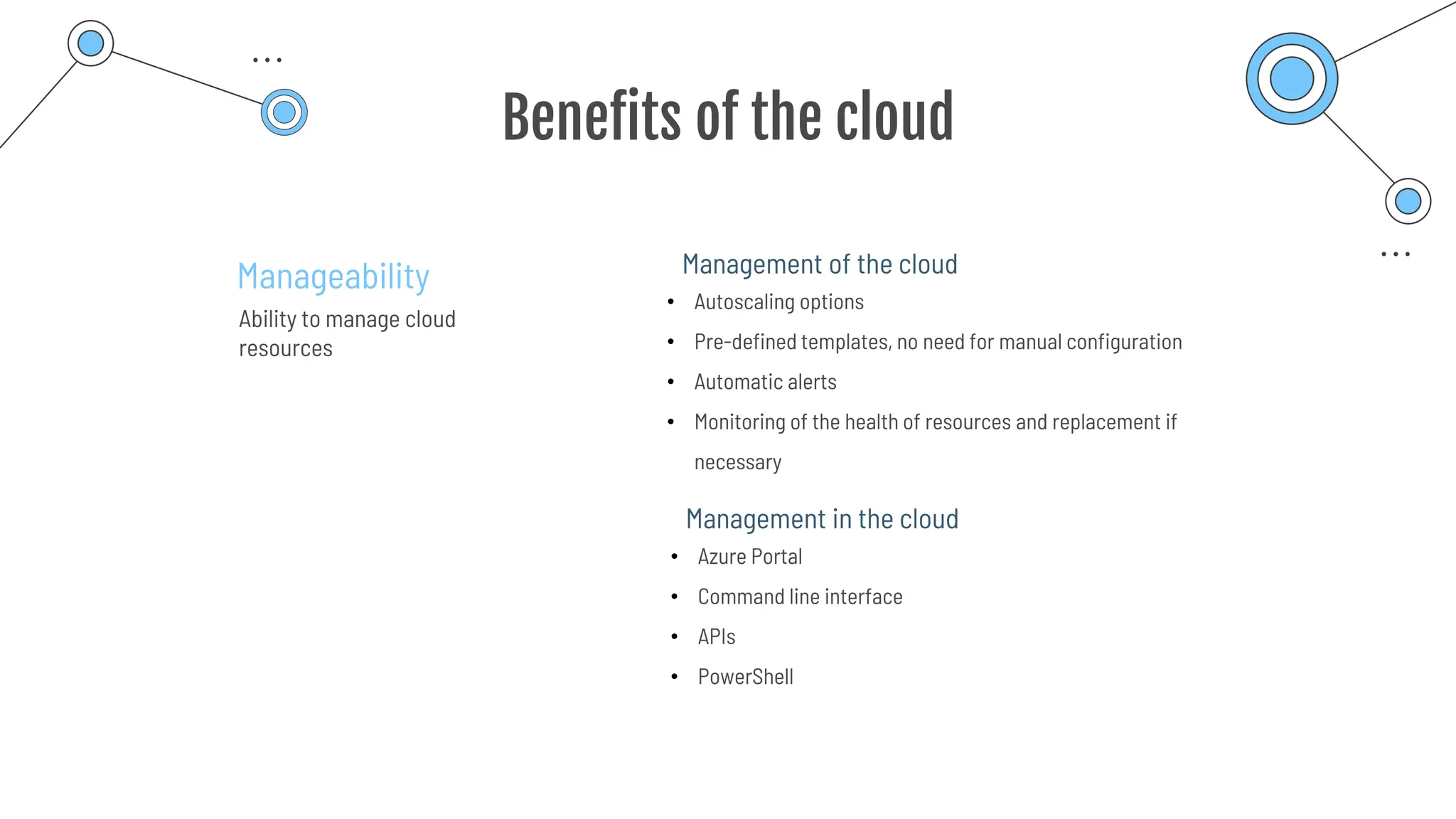
Benefits of the cloud
Manageability
Ability to manage cloud
resources
• Autoscaling options
• Pre-defined templates, no need for manual configuration
• Automatic alerts
• Monitoring of the health of resources and replacement if
necessary
Management of the cloud
• Azure Portal
• Command line interface
• APIs
• PowerShell
Management in the cloud
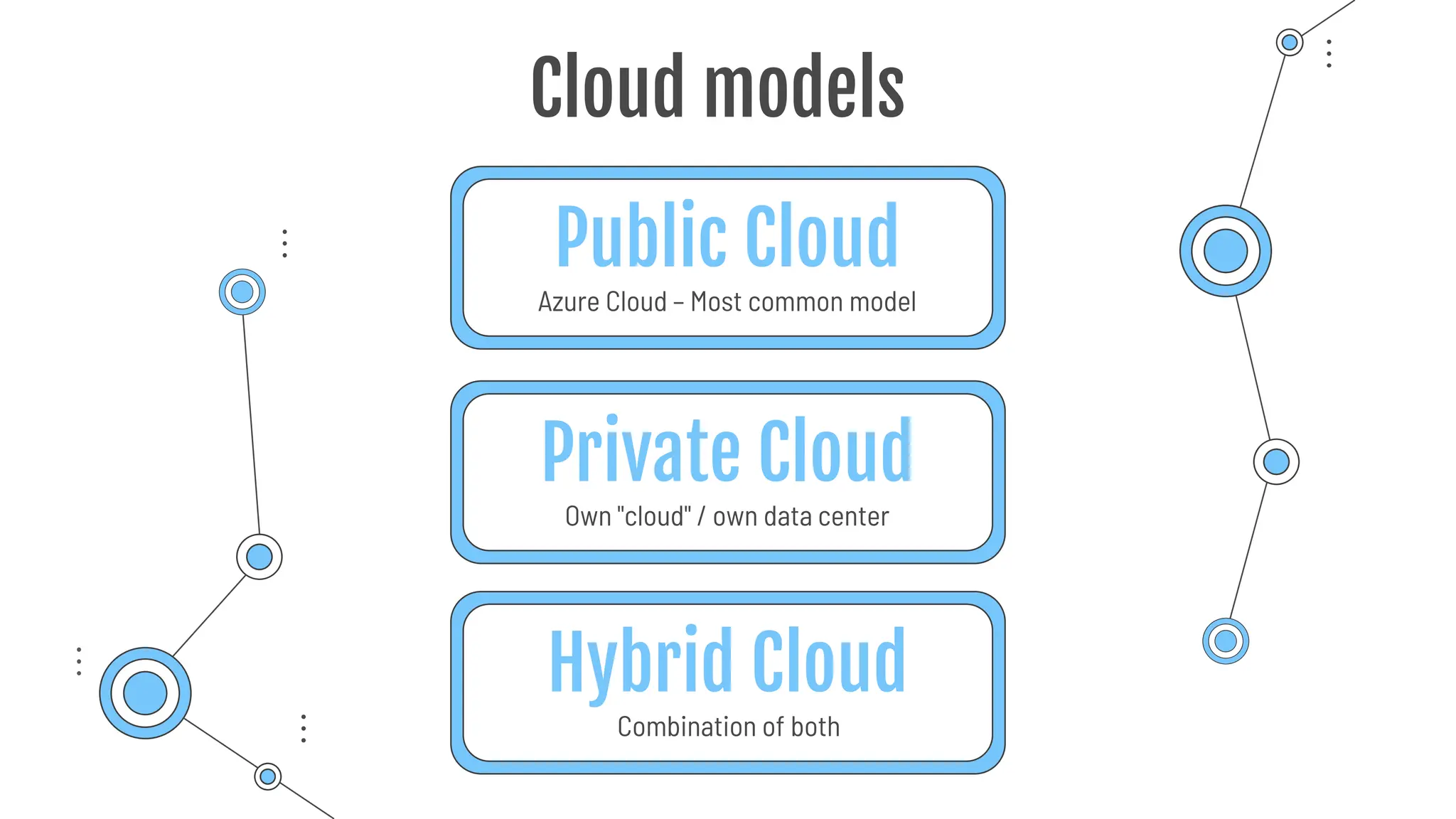
Own "cloud" / own data center
Public Cloud
Azure Cloud – Most common model
Private Cloud
Hybrid Cloud
Combination of both
Cloud models
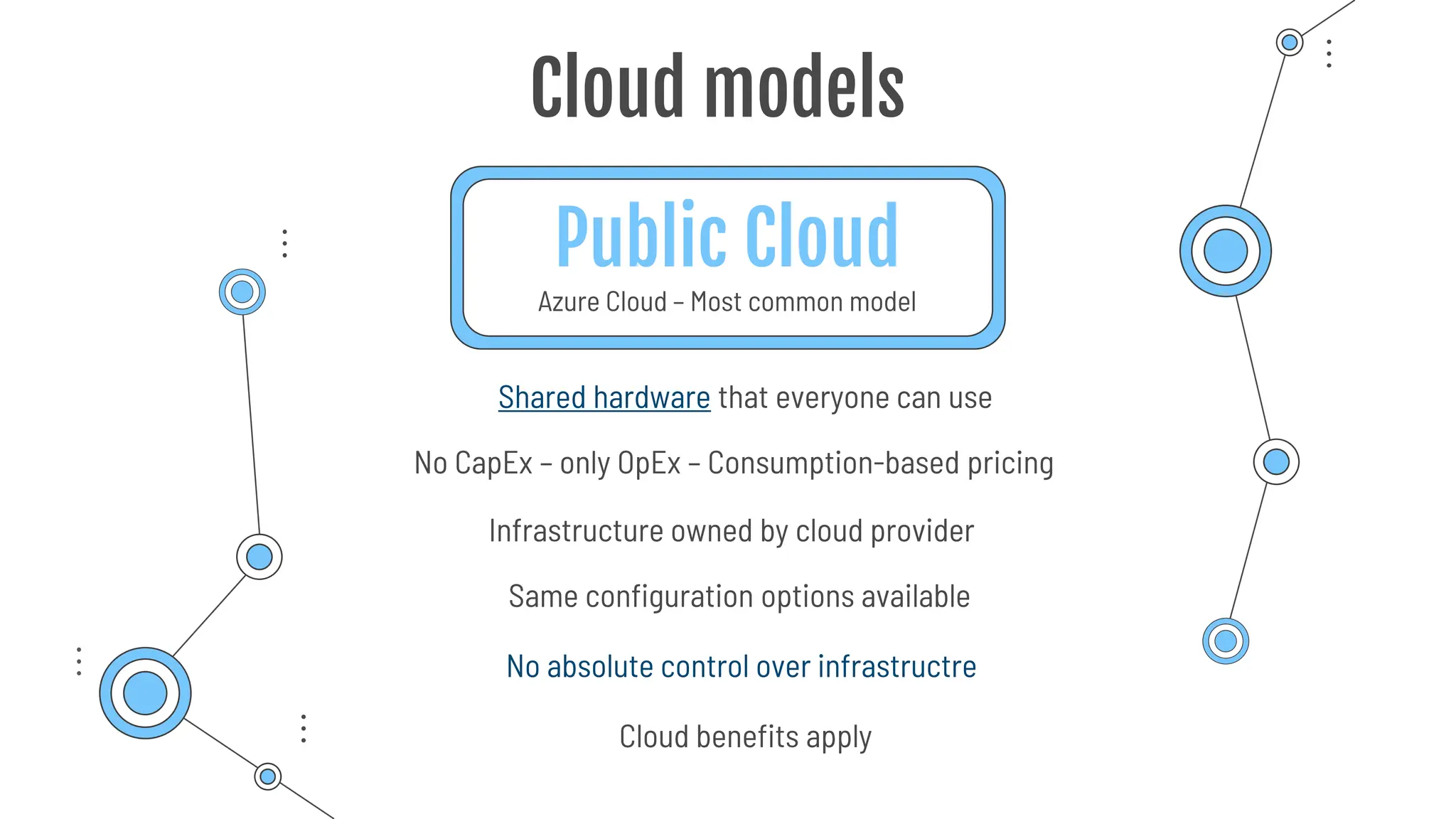
Public Cloud
Cloud models
No CapEx – only OpEx – Consumption-based pricing
Infrastructure owned by cloud provider
Shared hardware that everyone can use
Cloud benefits apply
Azure Cloud – Most common model
Same configuration options available
No absolute control over infrastructre
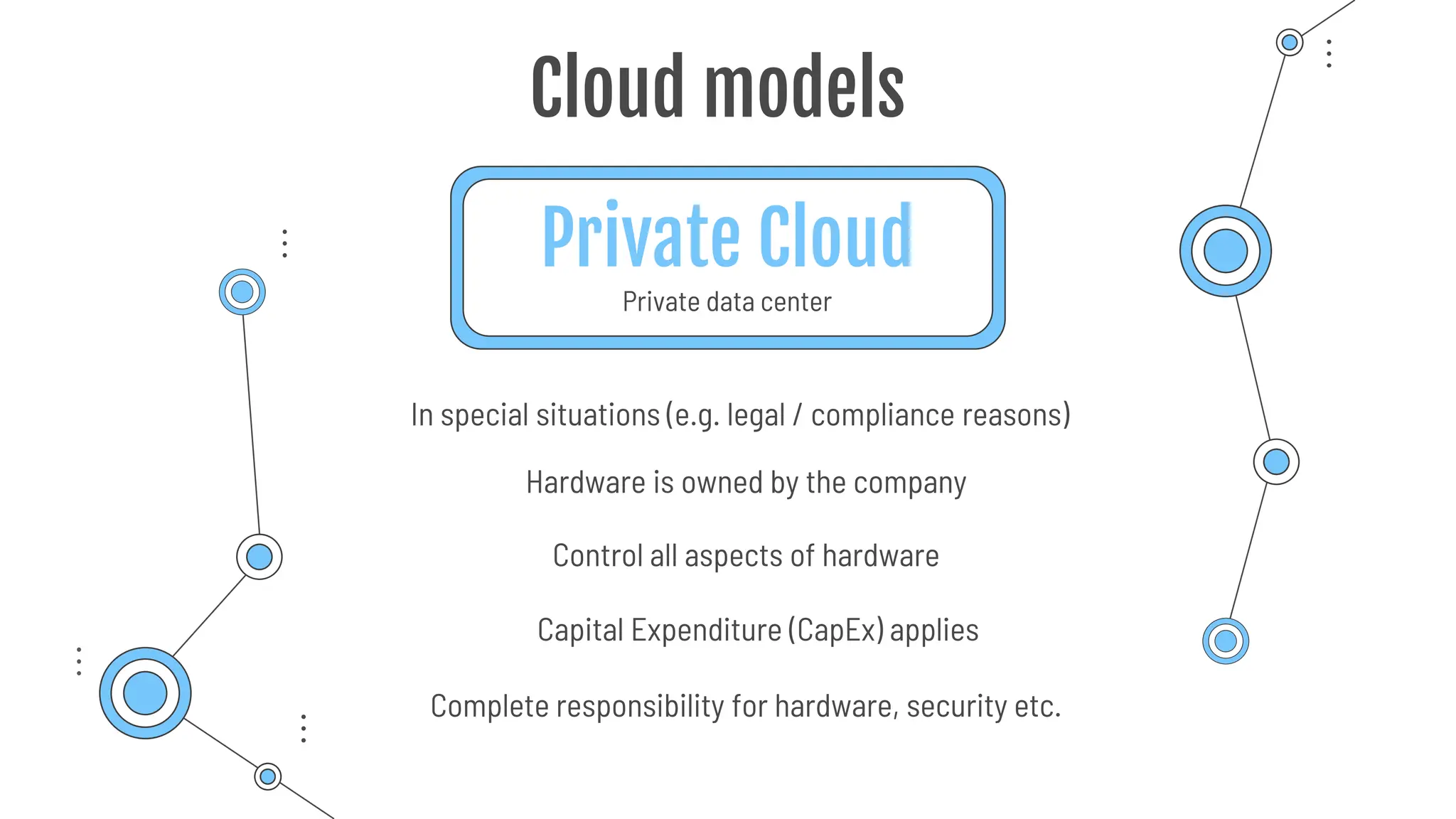
Private Cloud
Private data center
Cloud models
Hardware is owned by the company
Complete responsibility for hardware, security etc.
In special situations (e.g. legal / compliance reasons)
Capital Expenditure (CapEx) applies
Control all aspects of hardware
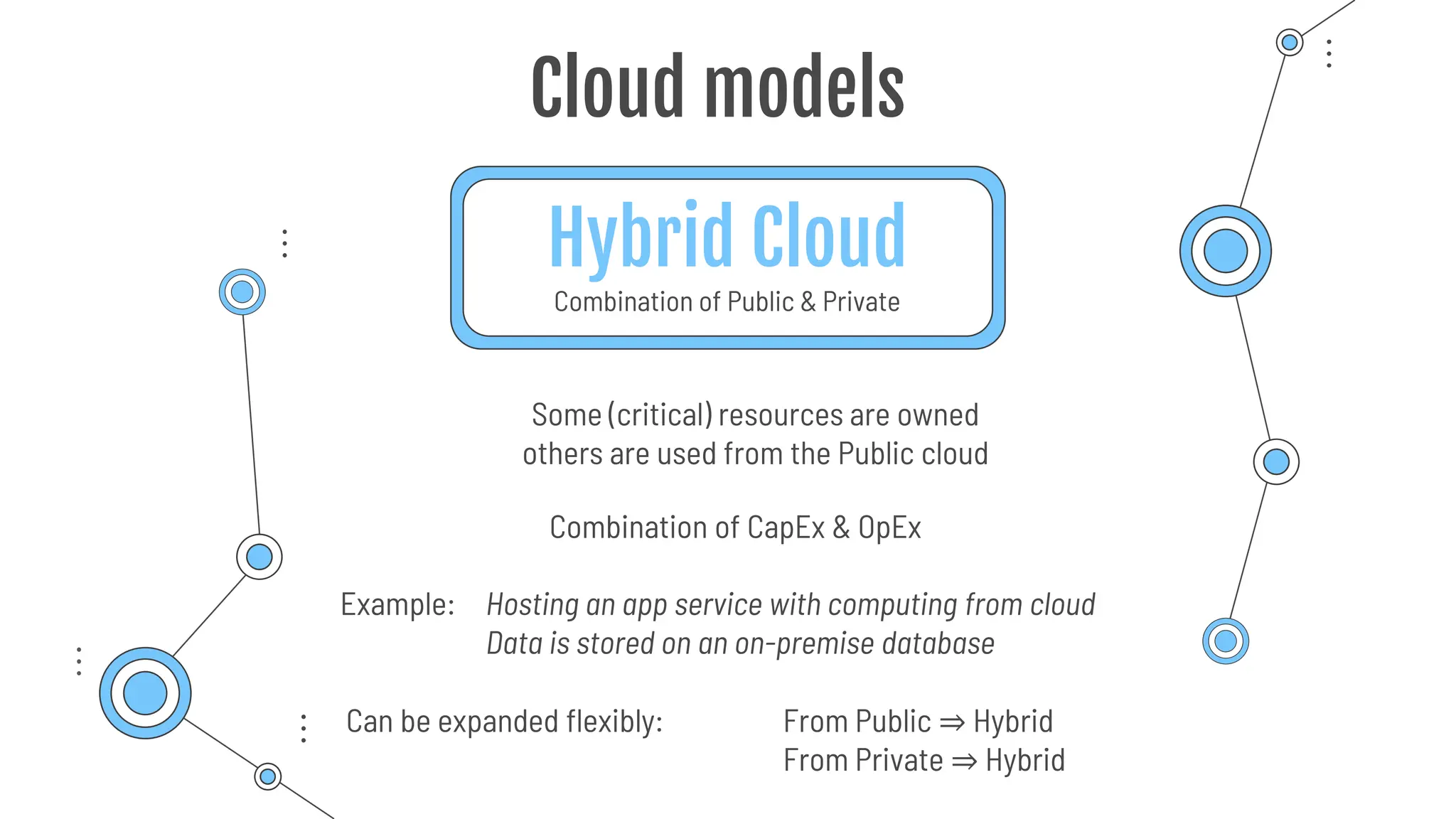
Hybrid Cloud
Combination of Public & Private
Cloud models
Example: Hosting an app service with computing from cloud
Data is stored on an on-premise database
Combination of CapEx & OpEx
Can be expanded flexibly: From Public ⇒ Hybrid
From Private ⇒ Hybrid
Some (critical) resources are owned
others are used from the Public cloud
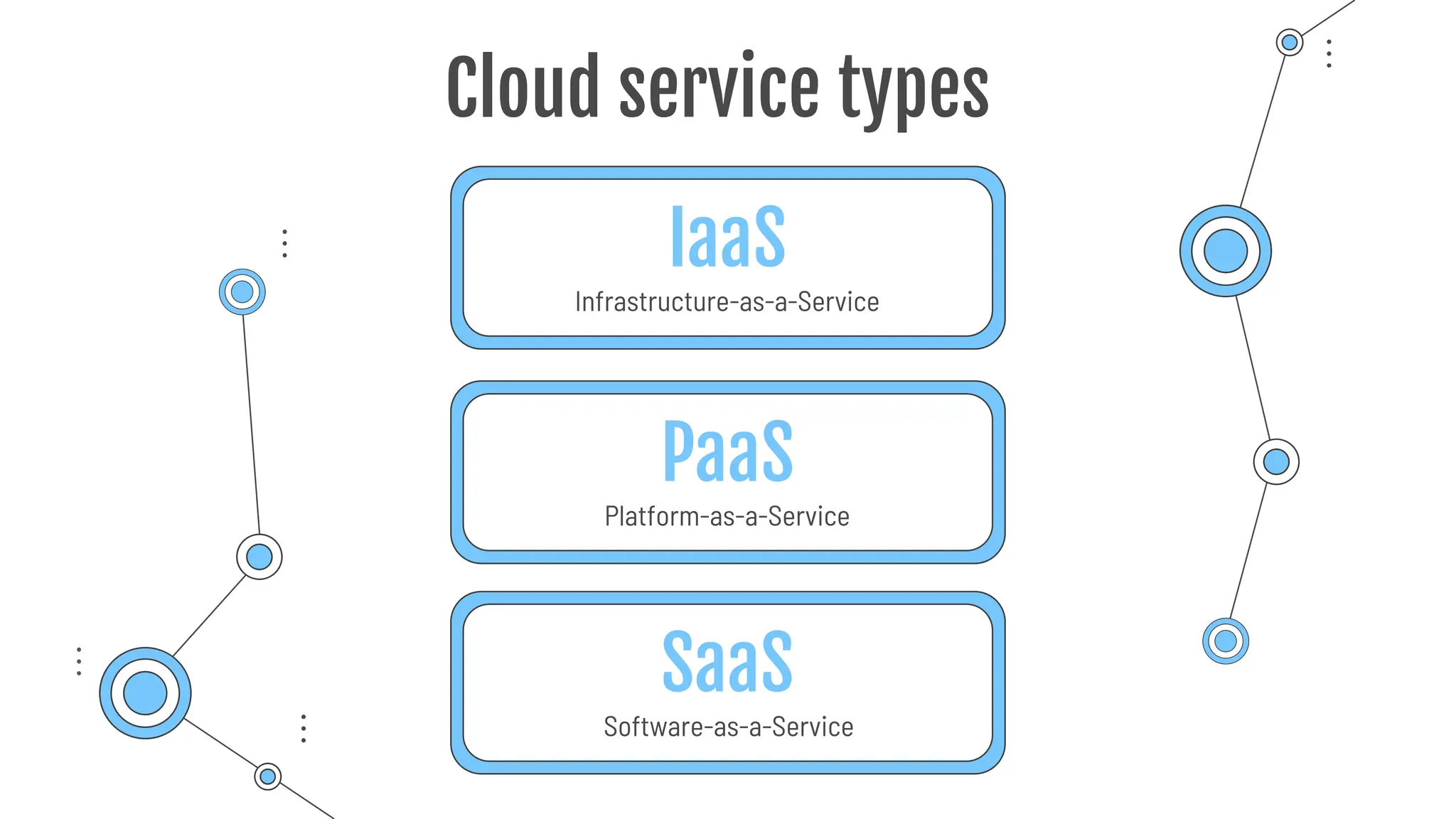
Platform-as-a-Service
IaaS
Infrastructure-as-a-Service
PaaS
SaaS
Software-as-a-Service
Cloud service types
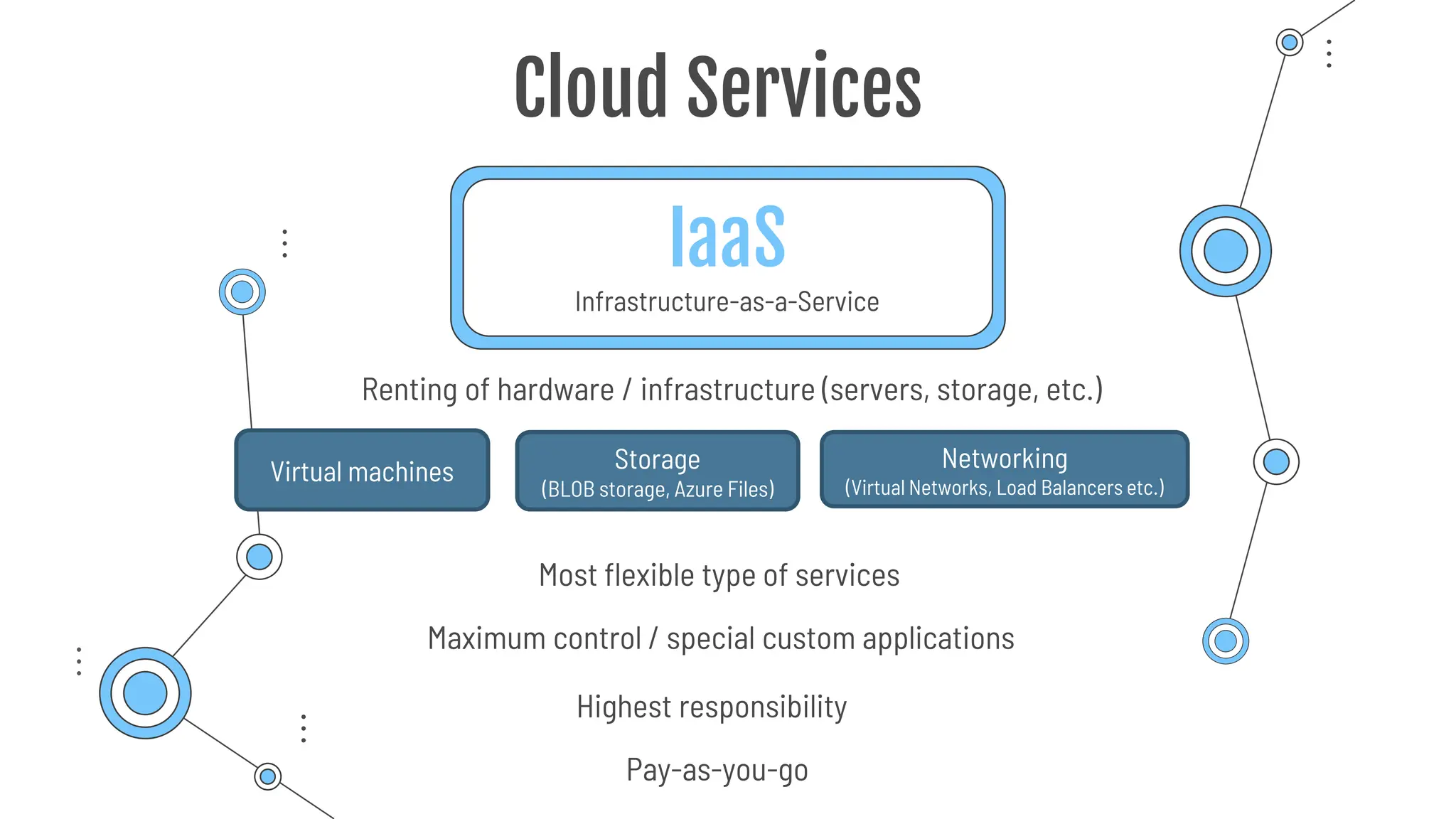
IaaS
Infrastructure-as-a-Service
Cloud Services
Most flexible type of services
Renting of hardware / infrastructure (servers, storage, etc.)
Pay-as-you-go
Maximum control / special custom applications
Virtual machines Storage
(BLOB storage, Azure Files)
Networking
(Virtual Networks, Load Balancers etc.)
Highest responsibility
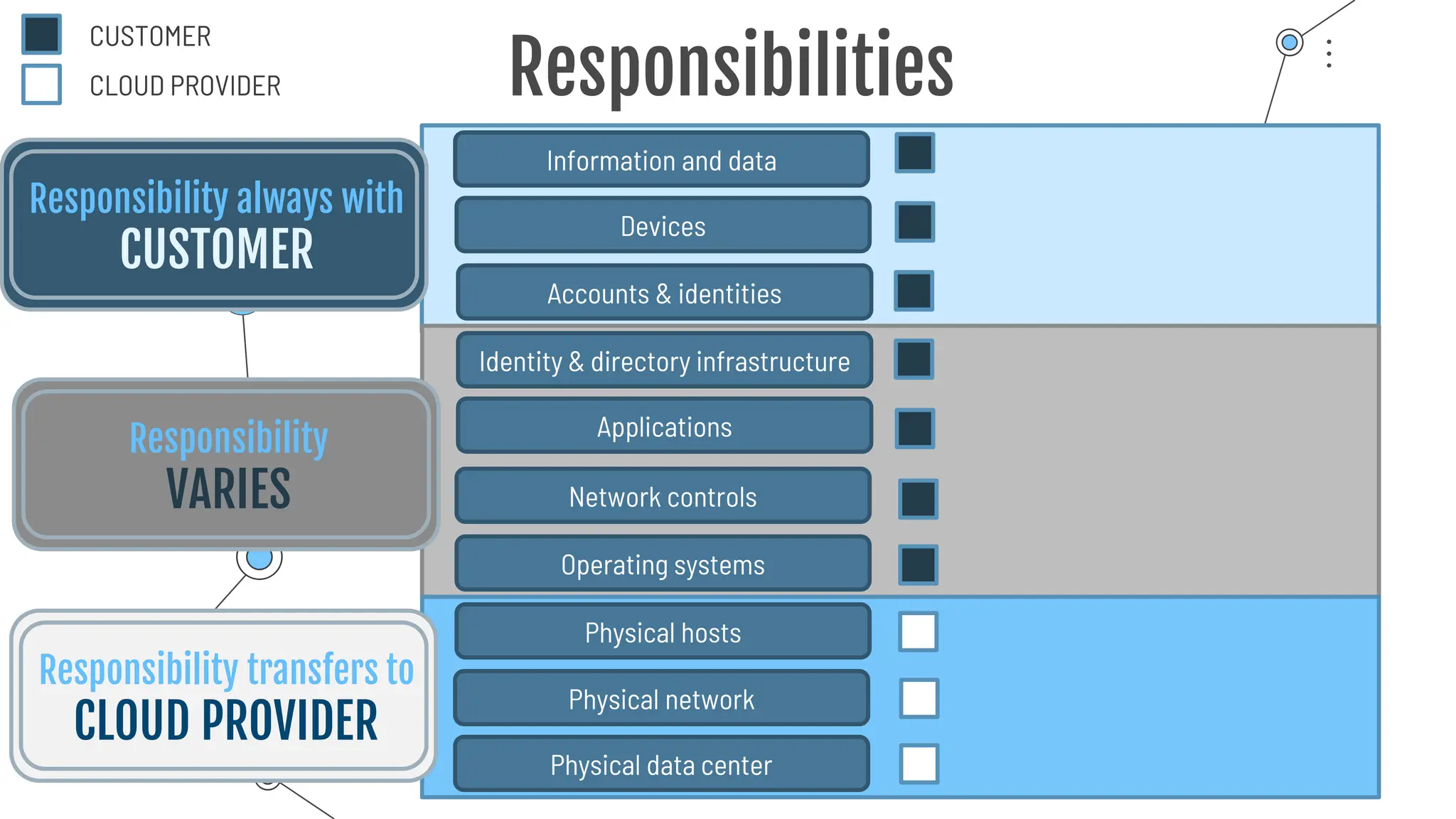
Information and data
Devices
Accounts & identities
Identity & directory infrastructure
Applications
Network controls
Operating systems
Physical hosts
Physical network
Physical data center
Responsibility always with
CUSTOMER
Responsibilities
Responsibility
VARIES
Responsibility transfers to
CLOUD PROVIDER
CUSTOMER
CLOUD PROVIDER
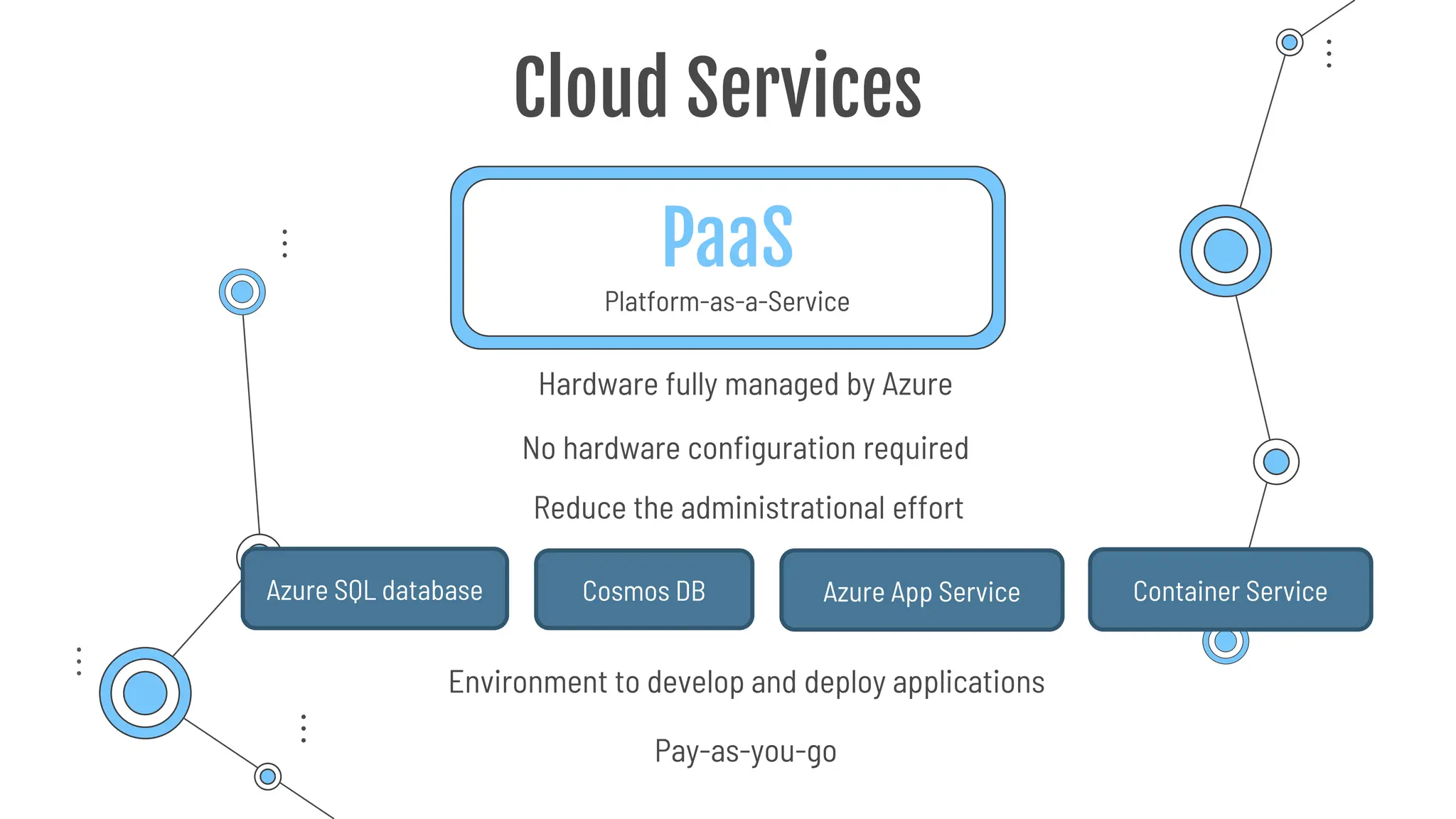
PaaS
Platform-as-a-Service
Cloud Services
Environment to develop and deploy applications
No hardware configuration required
Pay-as-you-go
Reduce the administrational effort
Hardware fully managed by Azure
Azure SQL database Cosmos DB Azure App Service Container Service
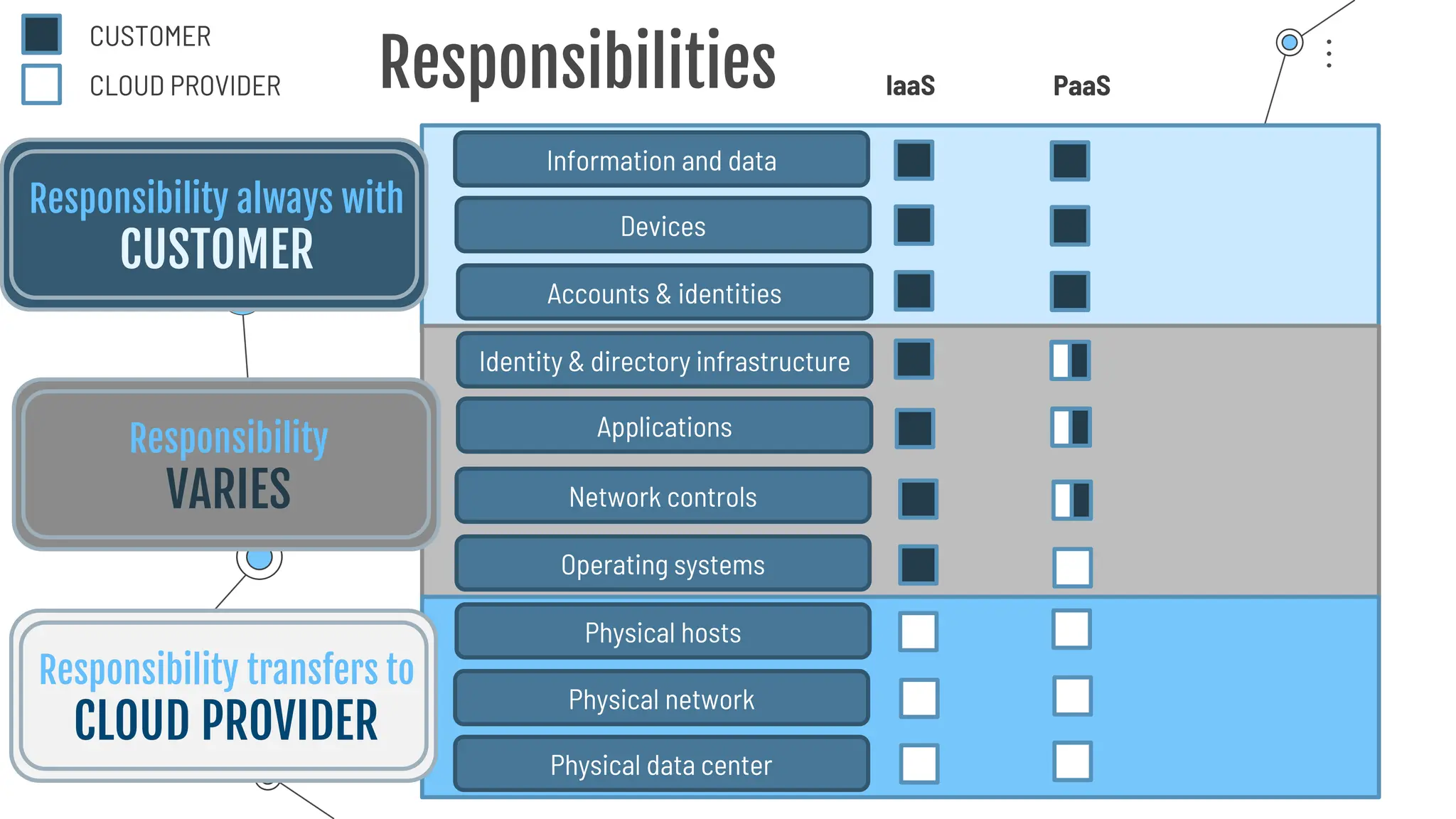
Information and data
Devices
Accounts & identities
Identity & directory infrastructure
Applications
Network controls
Operating systems
Physical hosts
Physical network
Physical data center
Responsibility always with
CUSTOMER
Responsibilities
Responsibility
VARIES
Responsibility transfers to
CLOUD PROVIDER
CUSTOMER
CLOUD PROVIDER IaaS PaaS
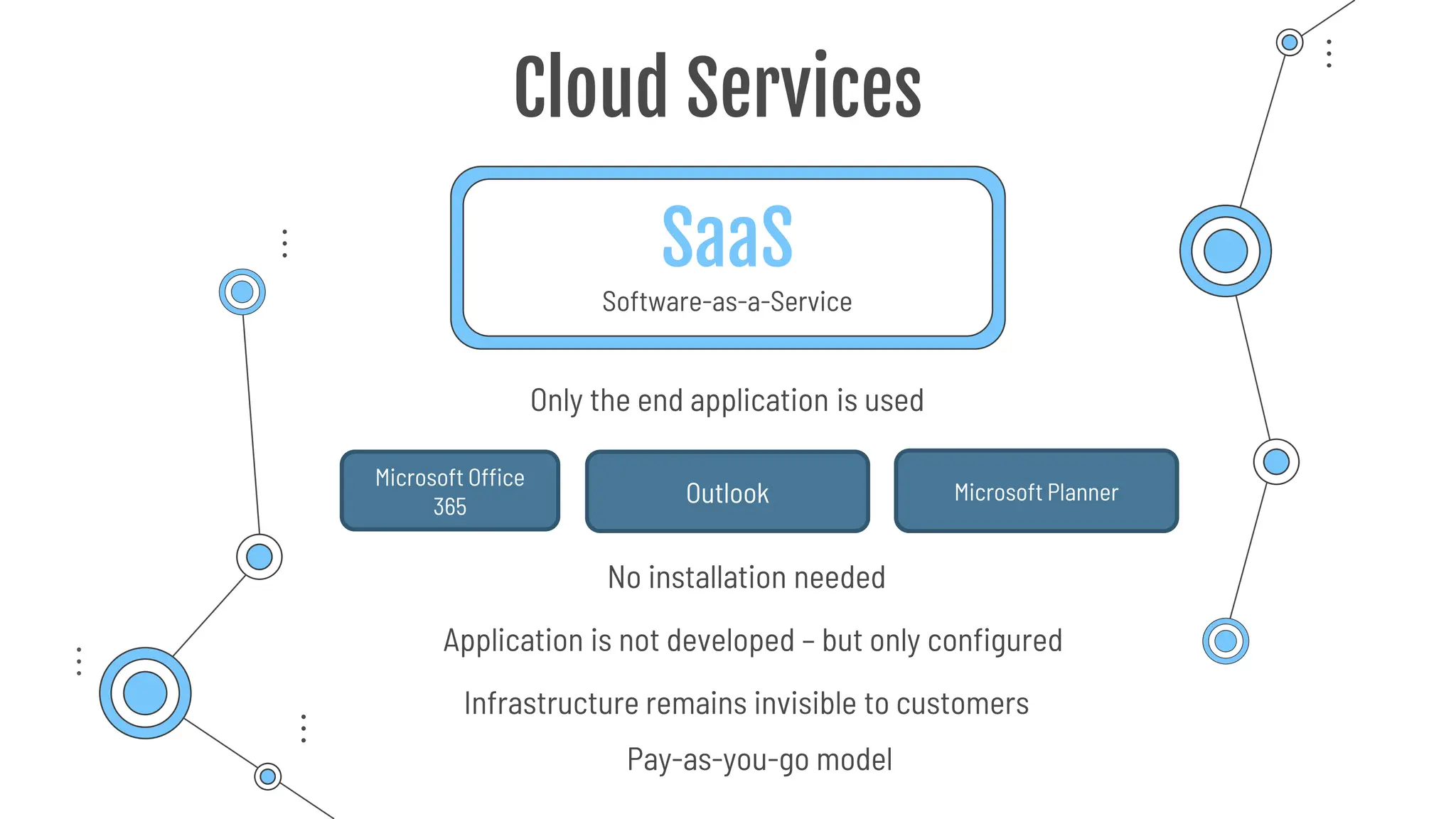
SaaS
Software-as-a-Service
Cloud Services
Only the end application is used
Application is not developed – but only configured
Infrastructure remains invisible to customers
Pay-as-you-go model
Microsoft Office
365 Outlook Microsoft Planner
No installation needed
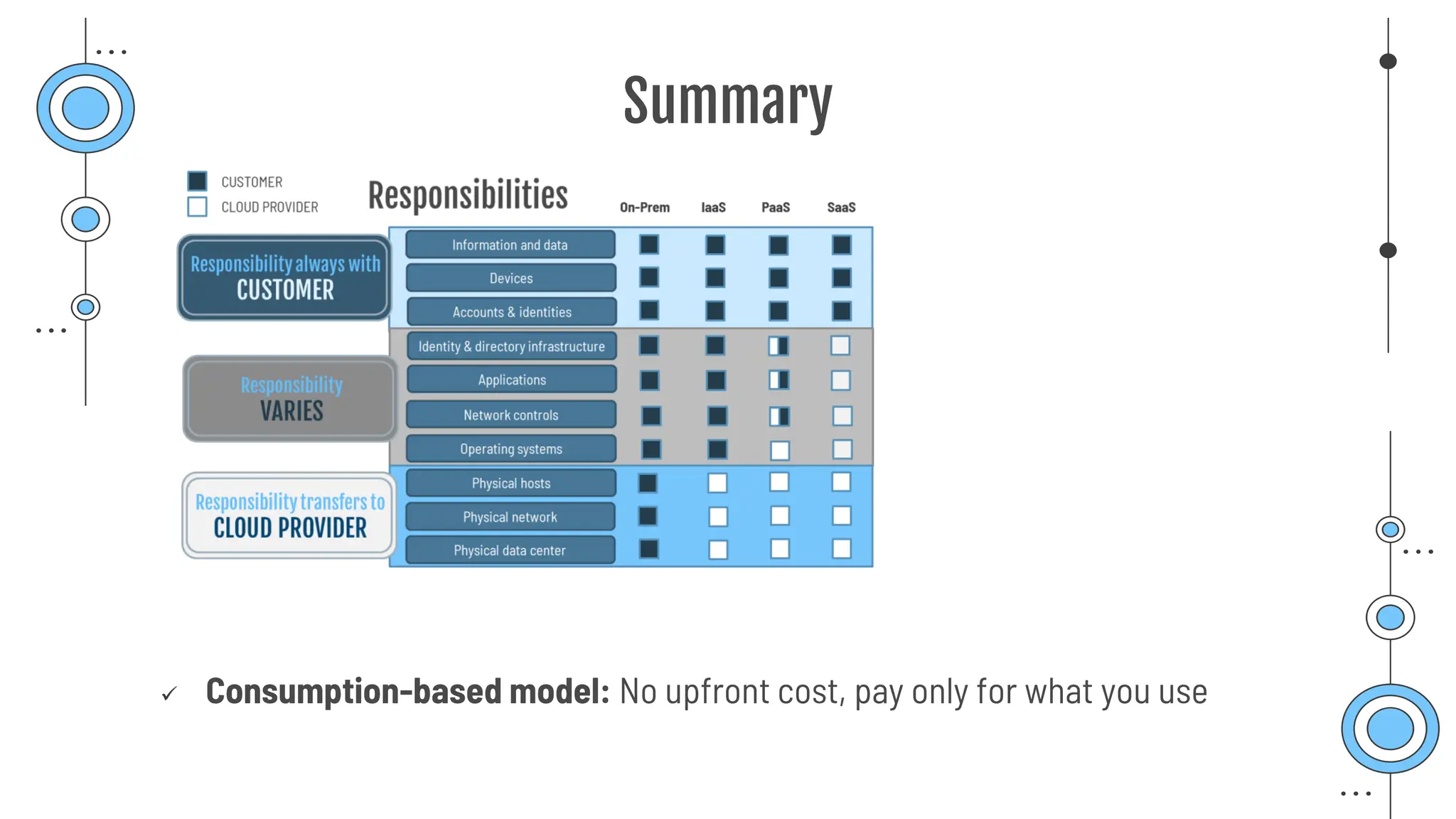
Information and data
Devices
Accounts & identities
Identity & directory infrastructure
Applications
Network controls
Operating systems
Physical hosts
Physical network
Physical data center
Responsibility always with
CUSTOMER
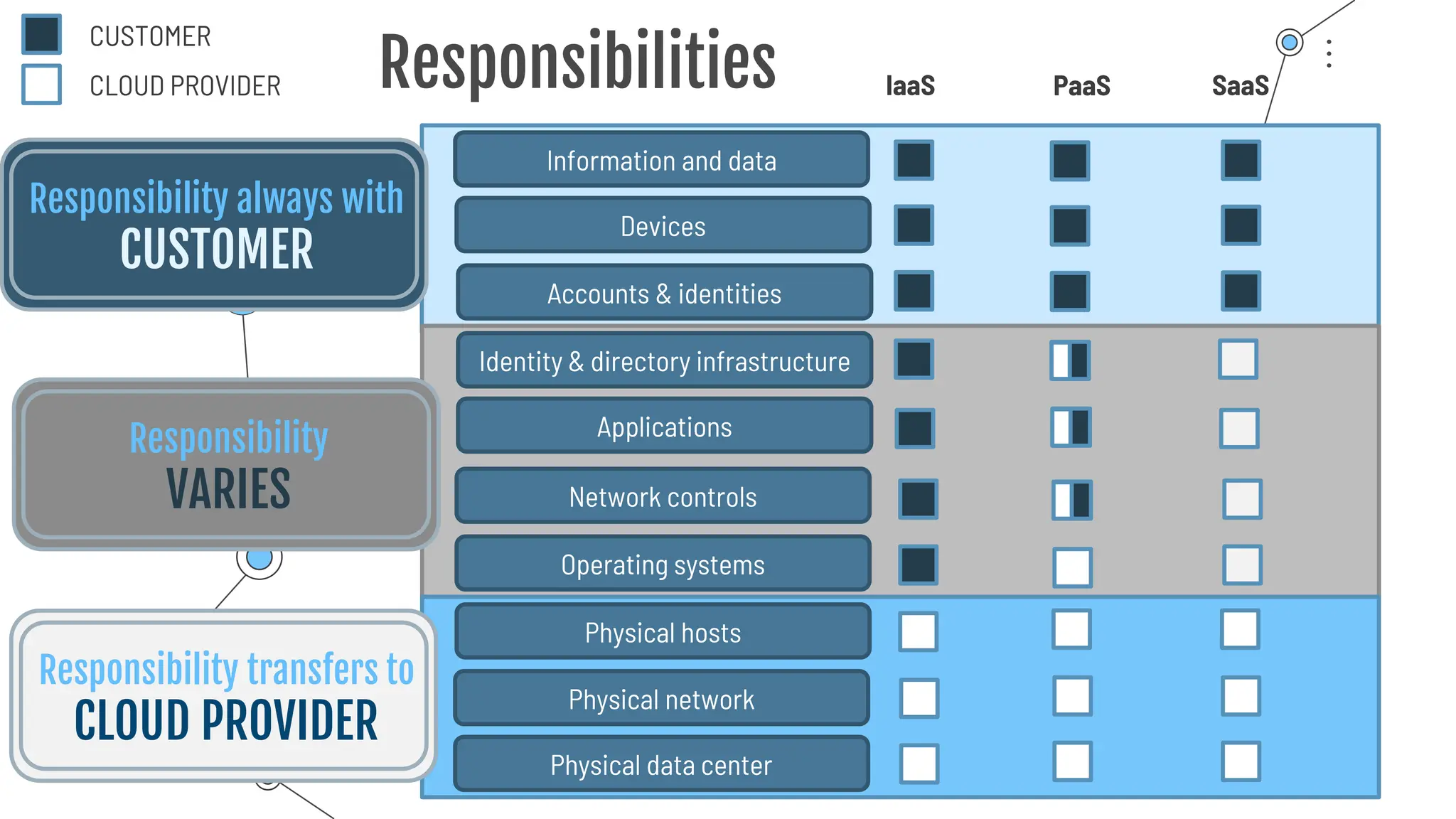
Responsibilities
Responsibility
VARIES
Responsibility transfers to
CLOUD PROVIDER
CUSTOMER
CLOUD PROVIDER IaaS PaaS SaaS
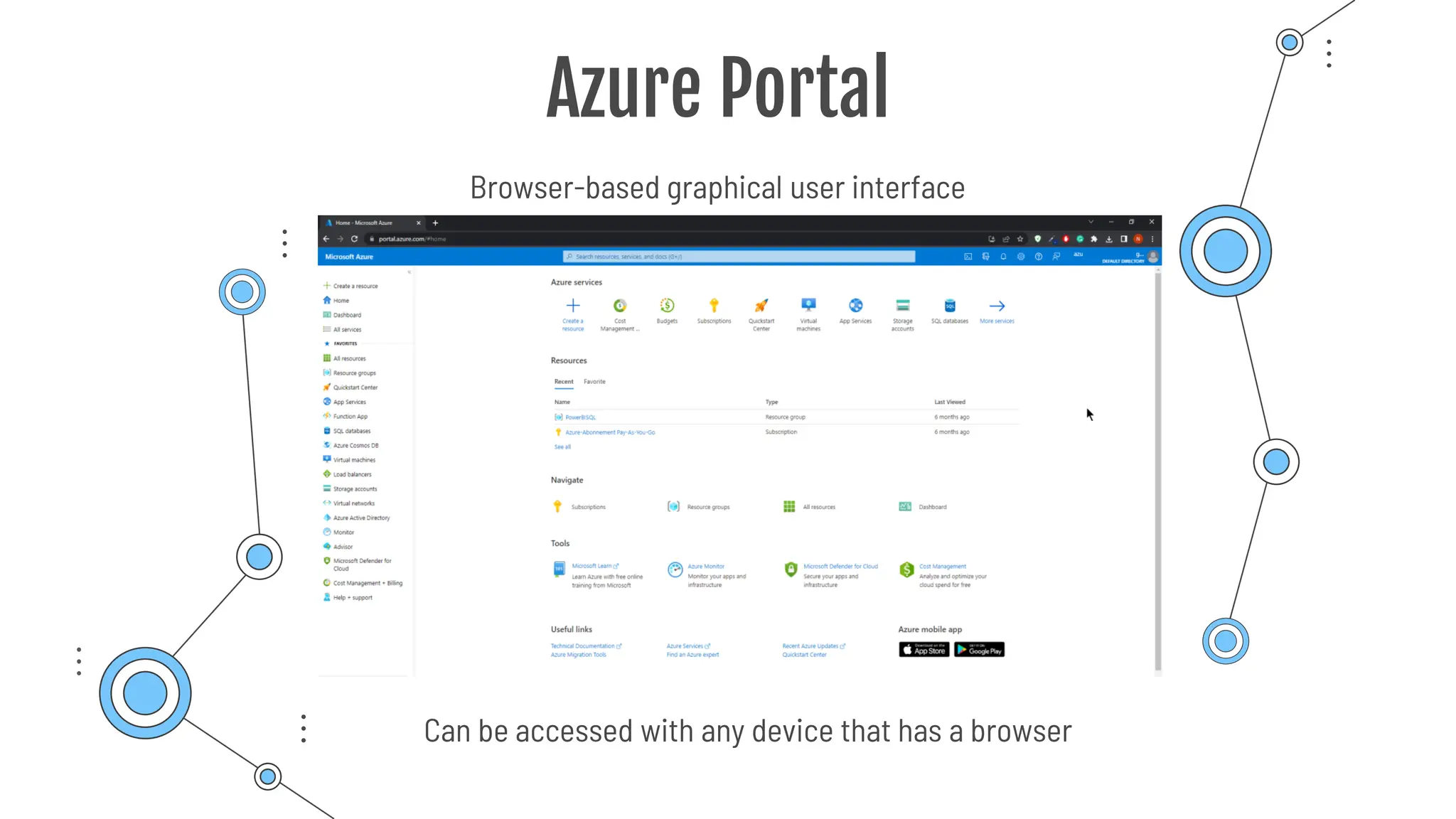
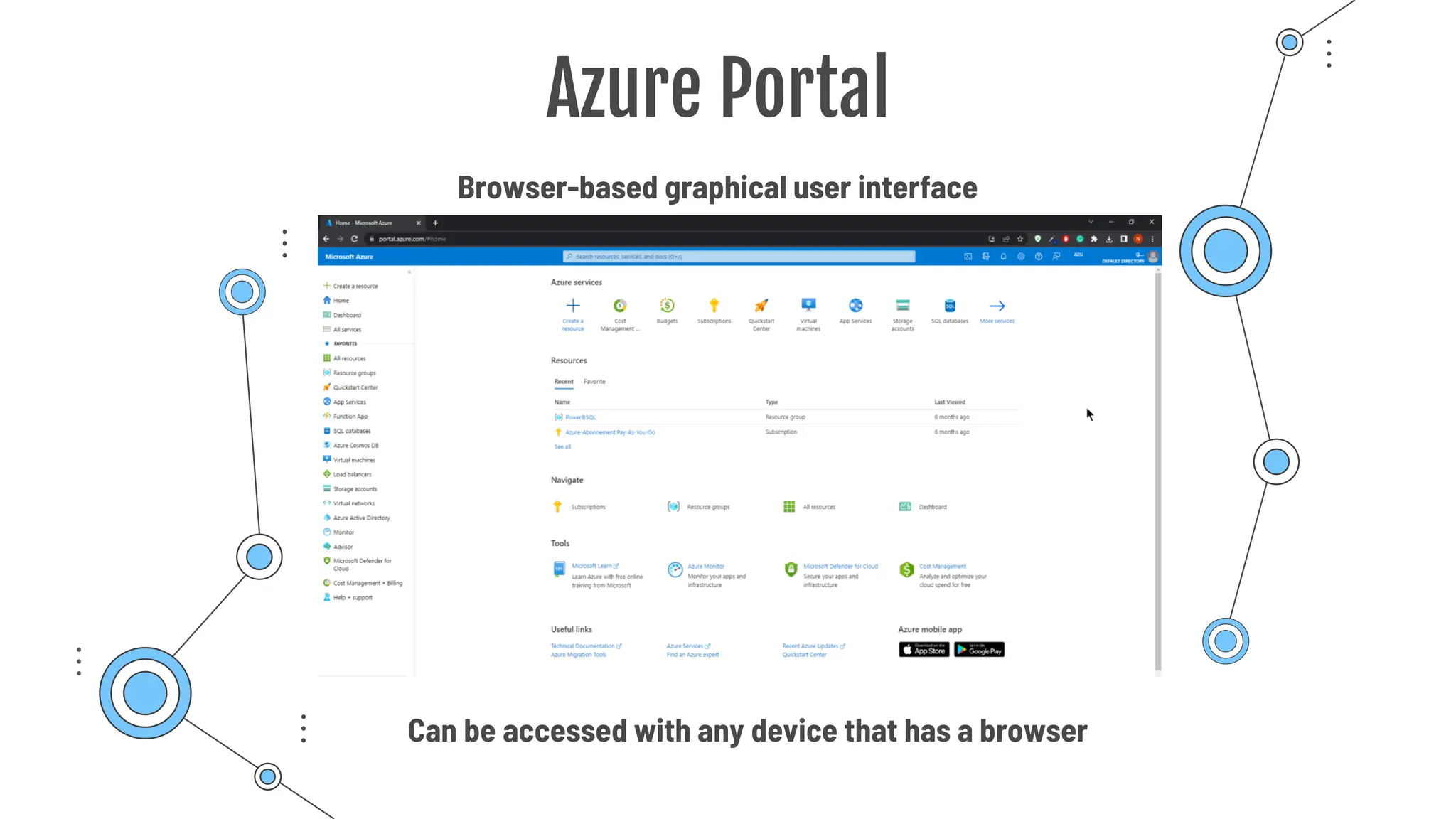
Azure Portal
Browser-based graphical user interface
Can be accessed with any device that has a browser
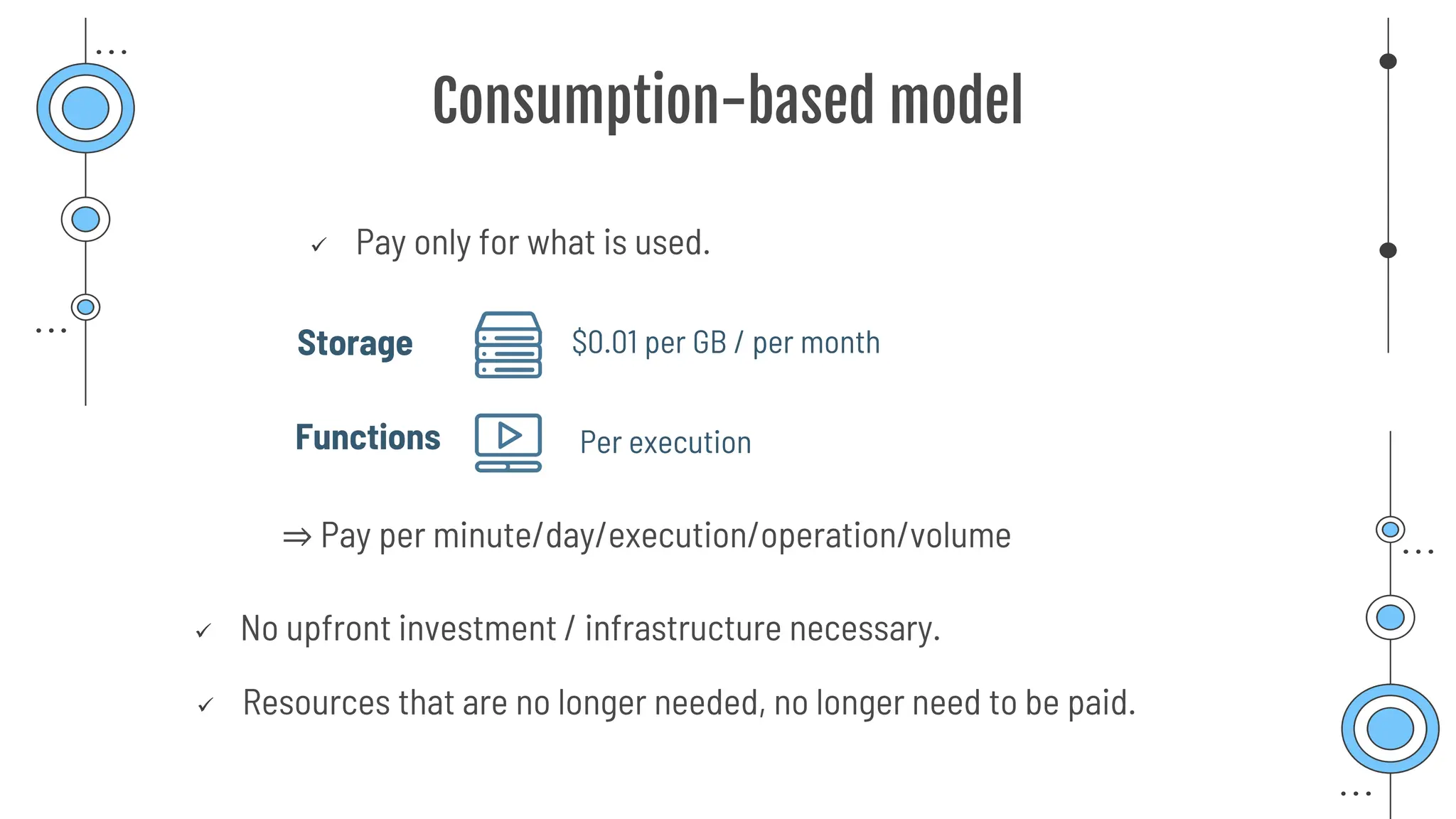
Consumption-based model
✓ Pay only for what is used.
✓ No upfront investment / infrastructure necessary.
⇒ Pay per minute/day/execution/operation/volume
Storage
Functions
$0.01 per GB / per month
✓ Resources that are no longer needed, no longer need to be paid.
Per execution
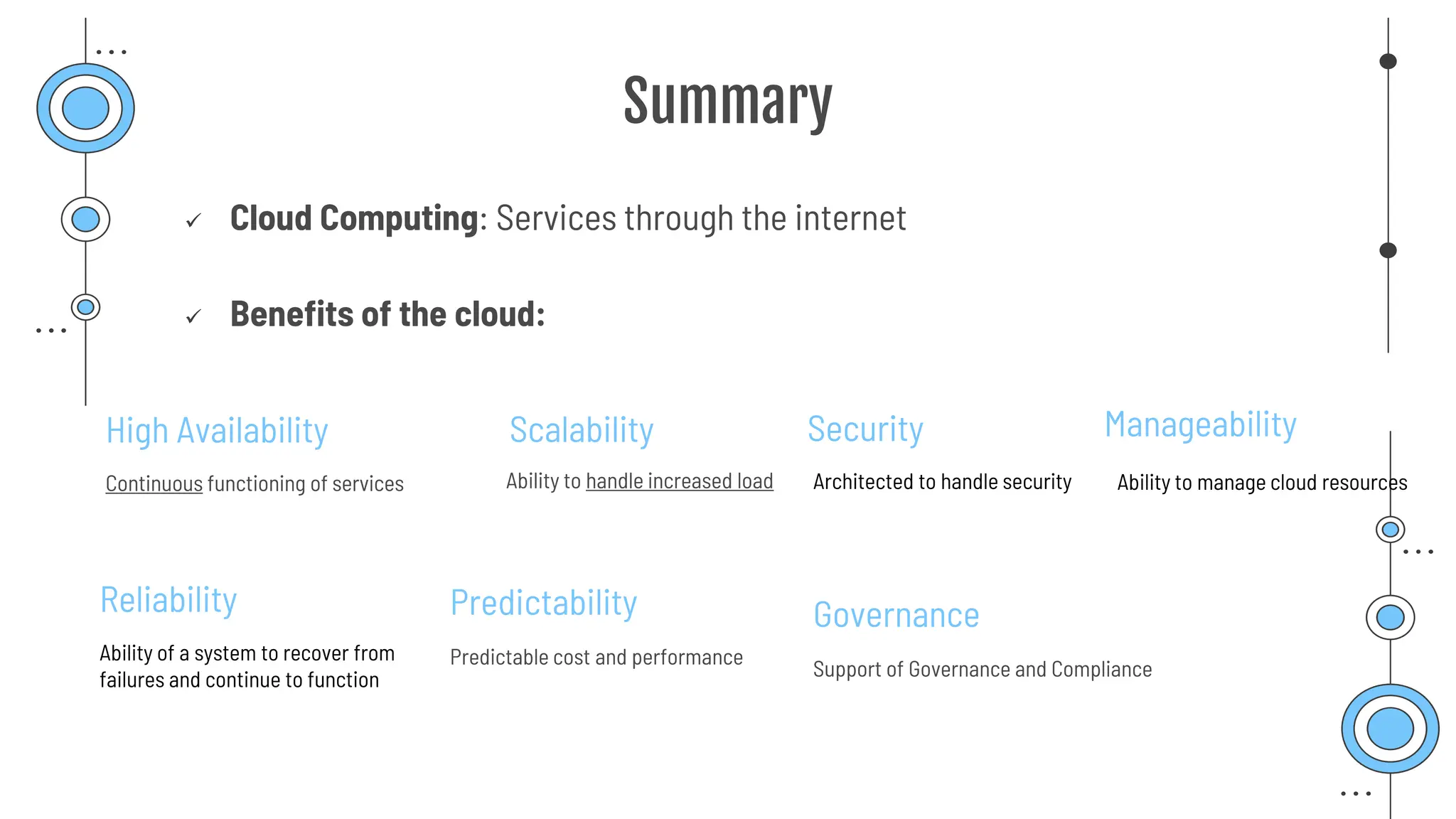
Summary
✓ Cloud Computing: Services through the internet
✓ Benefits of the cloud:
High Availability
Continuous functioning of services
Scalability
Ability to handle increased load
Reliability
Ability of a system to recover from
failures and continue to function
Predictability
Predictable cost and performance
Security
Architected to handle security
Governance
Support of Governance and Compliance
Manageability
Ability to manage cloud resources
Summary
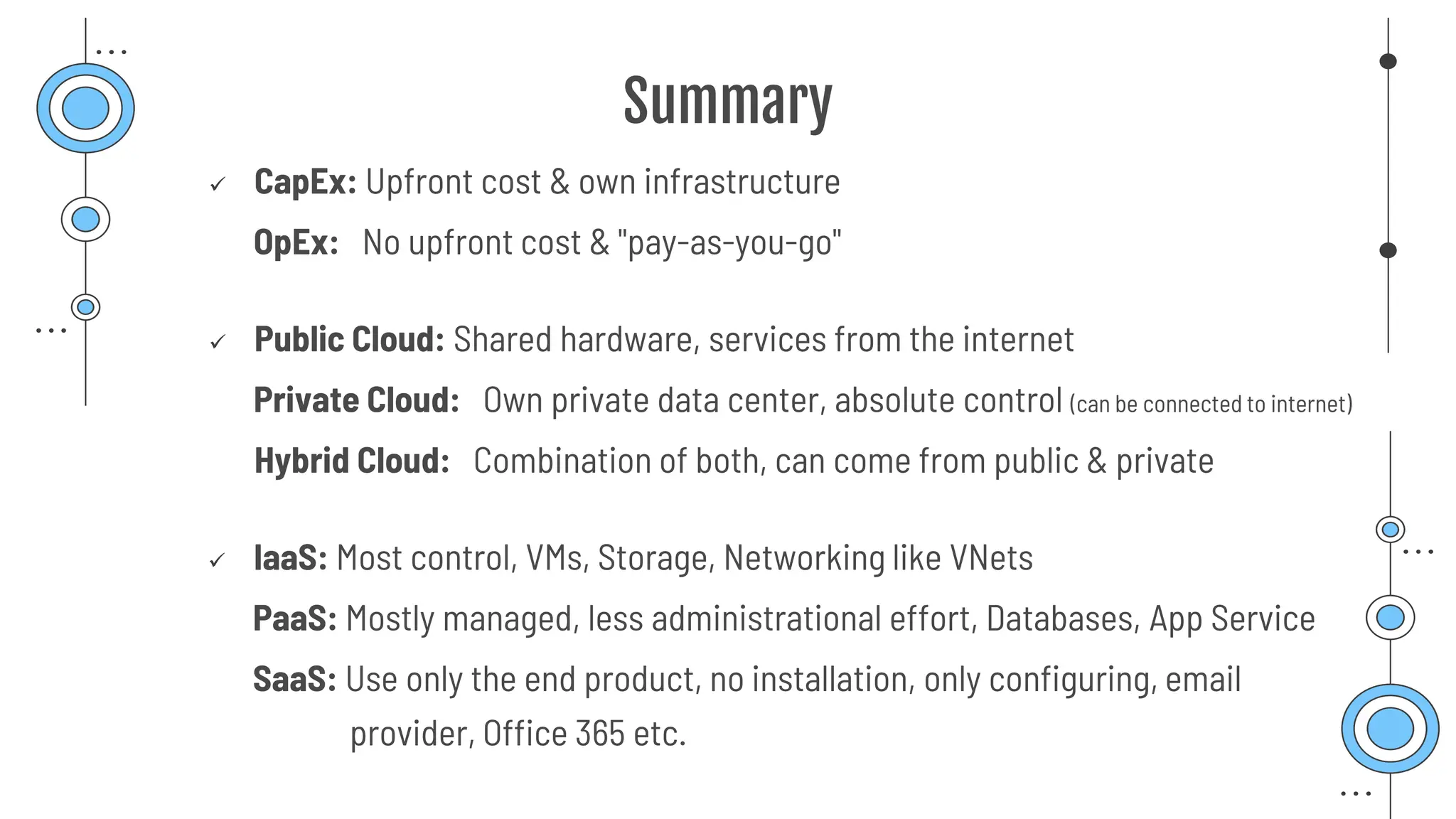
✓ CapEx: Upfront cost & own infrastructure
OpEx: No upfront cost & "pay-as-you-go"
✓ Public Cloud: Shared hardware, services from the internet
Private Cloud: Own private data center, absolute control (can be connected to internet)
Hybrid Cloud: Combination of both, can come from public & private
✓ IaaS: Most control, VMs, Storage, Networking like VNets
PaaS: Mostly managed, less administrational effort, Databases, App Service
SaaS: Use only the end product, no installation, only configuring, email
provider, Office 365 etc.
Summary
✓ Consumption-based model: No upfront cost, pay only for what you use
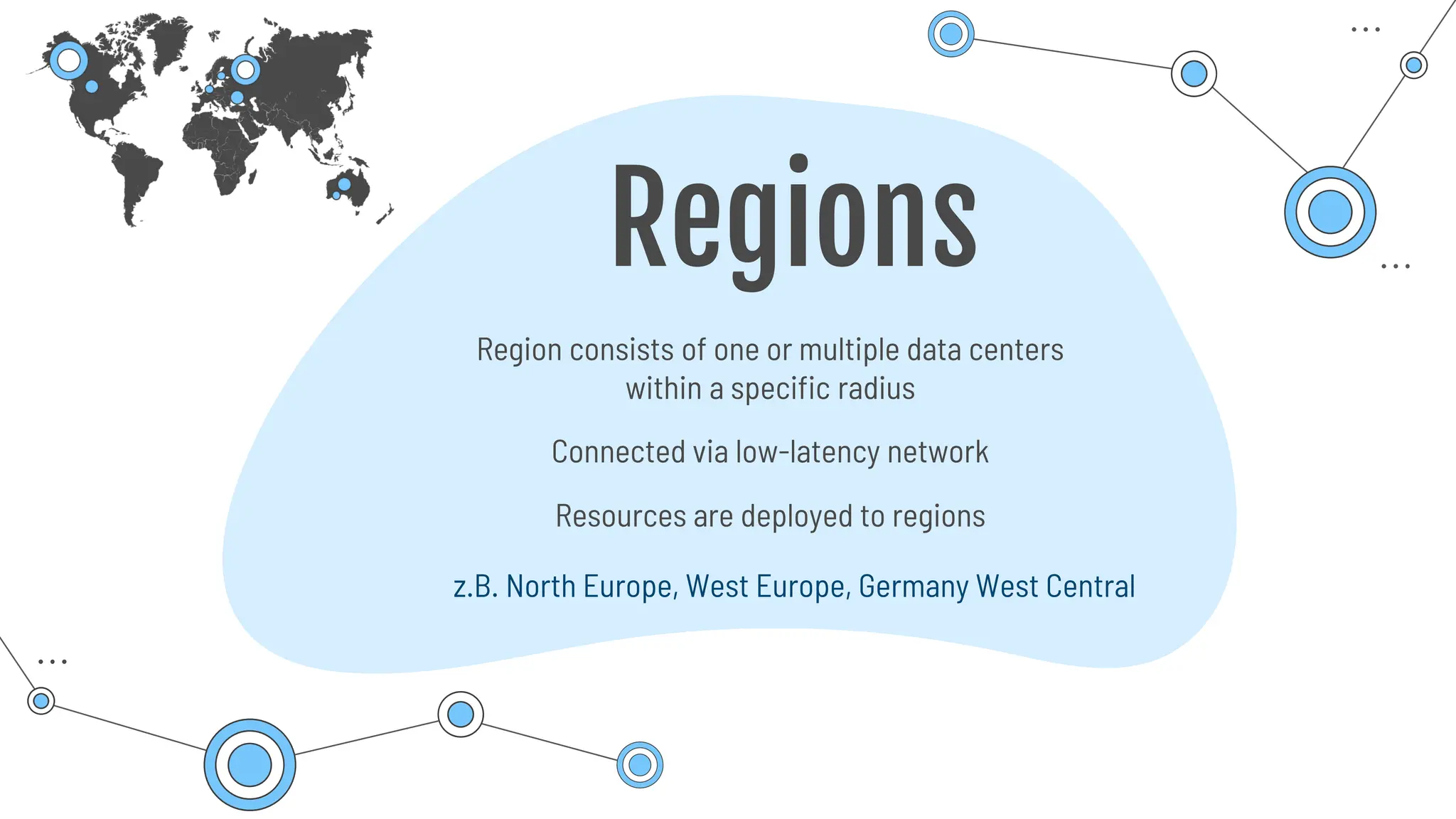
Regions
Region consists of one or multiple data centers
within a specific radius
z.B. North Europe, West Europe, Germany West Central
Connected via low-latency network
Resources are deployed to regions
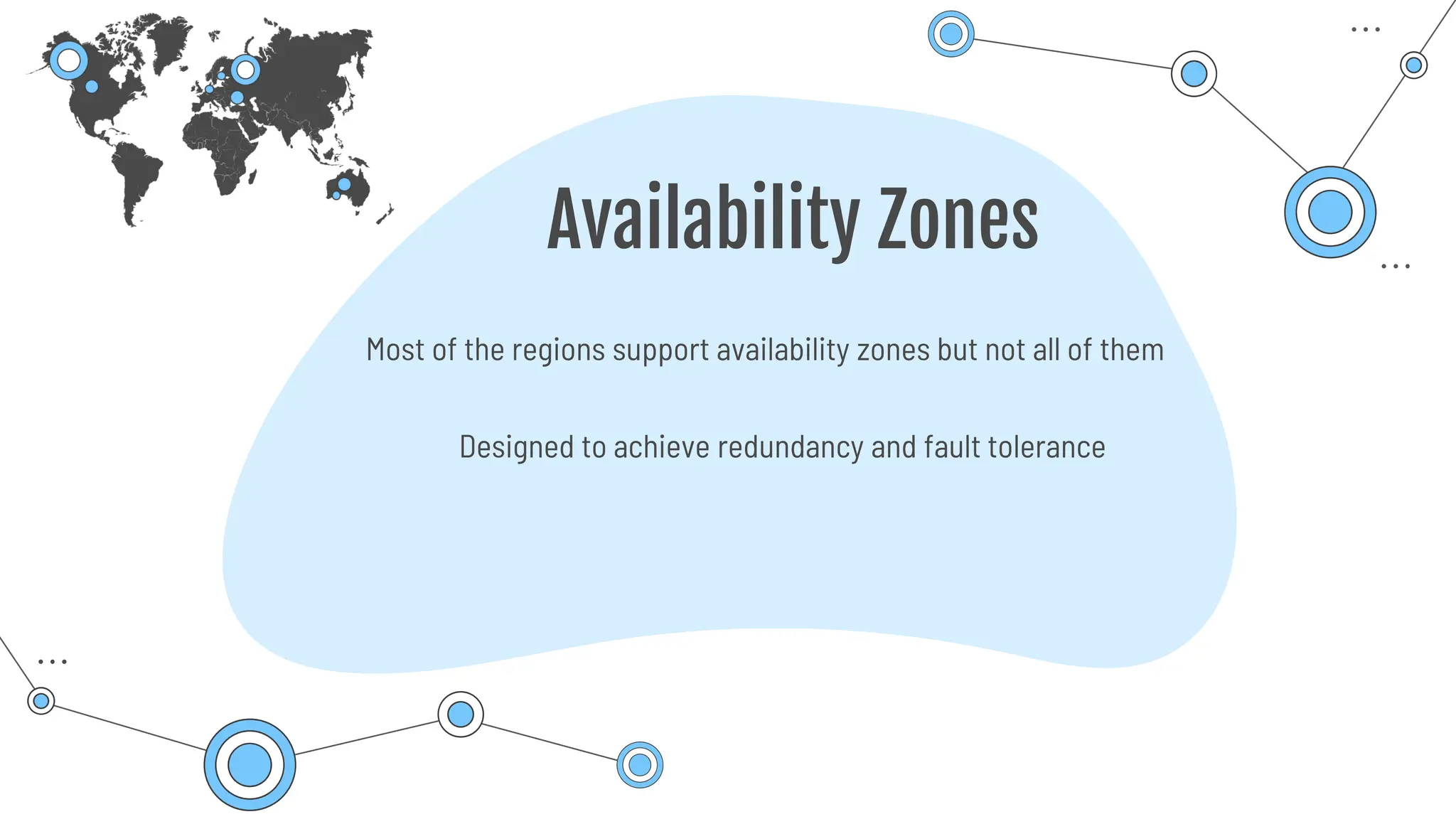
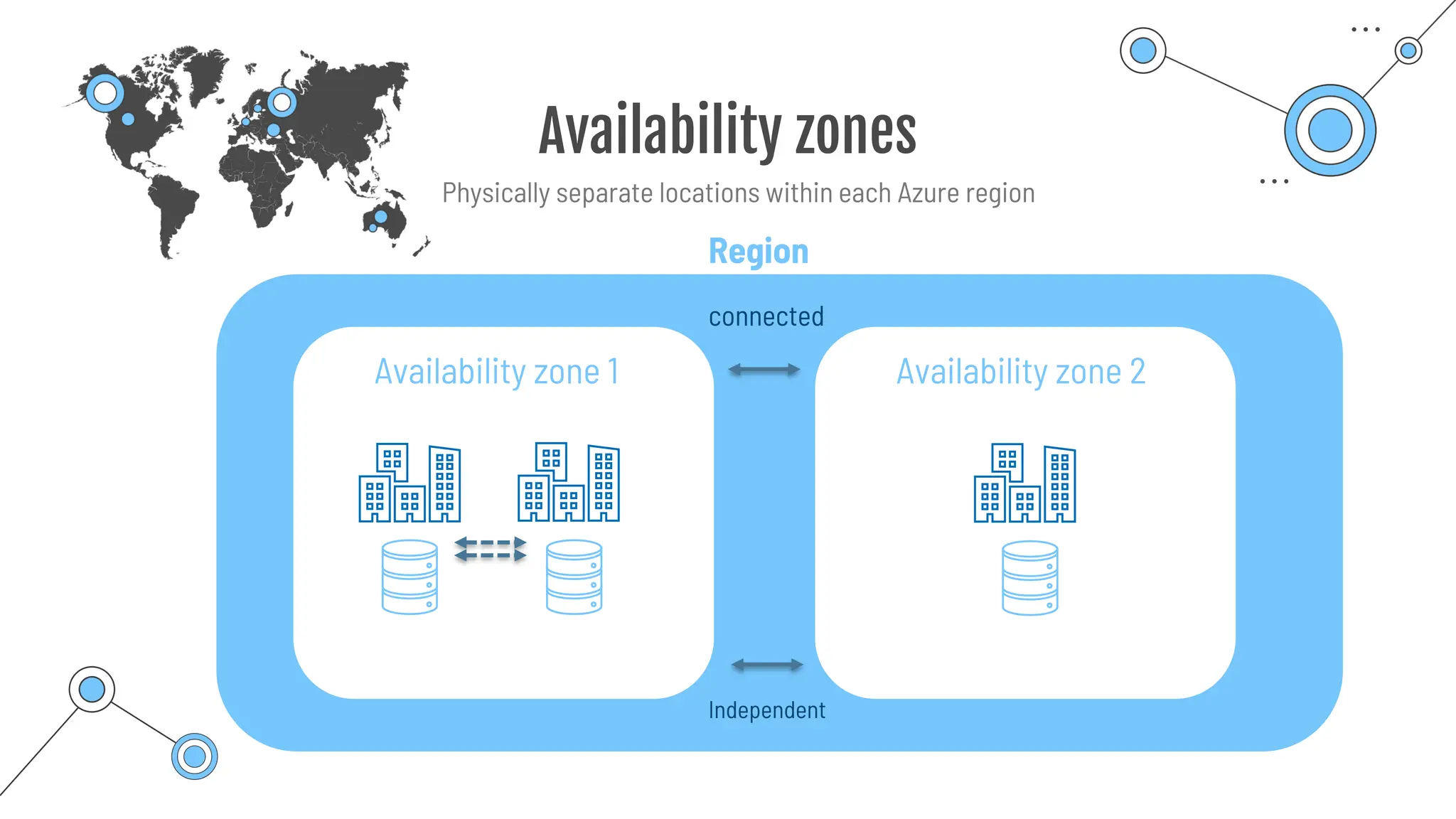
Availability Zones
Designed to achieve redundancy and fault tolerance
Most of the regions support availability zones but not all of them
Availability zones
Availability zone 1 Availability zone 2
connected
Independent
Region
Physically separate locations within each Azure region
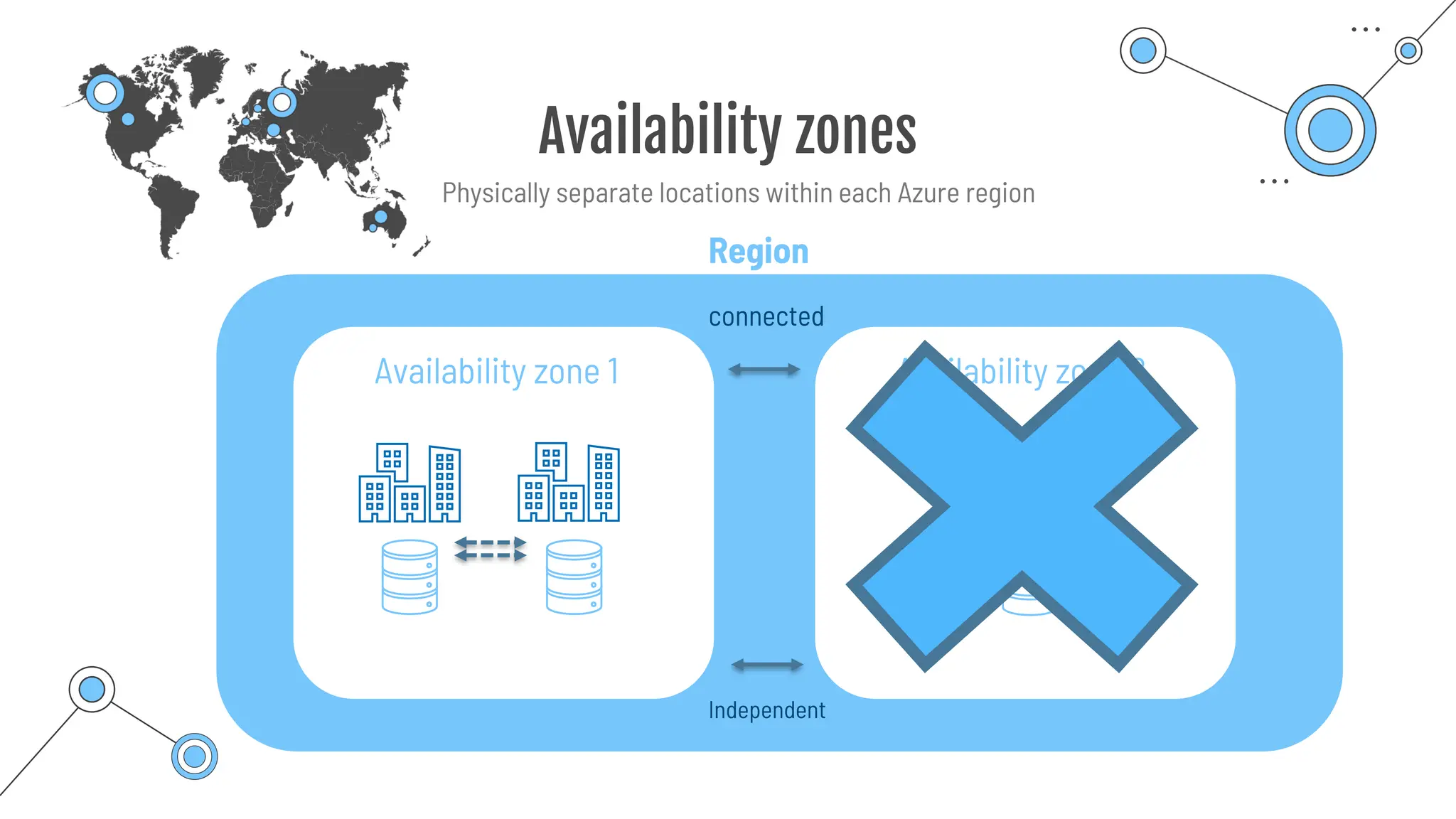
Availability zones
Availability zone 1 Availability zone 2
connected
Independent
Region
Physically separate locations within each Azure region
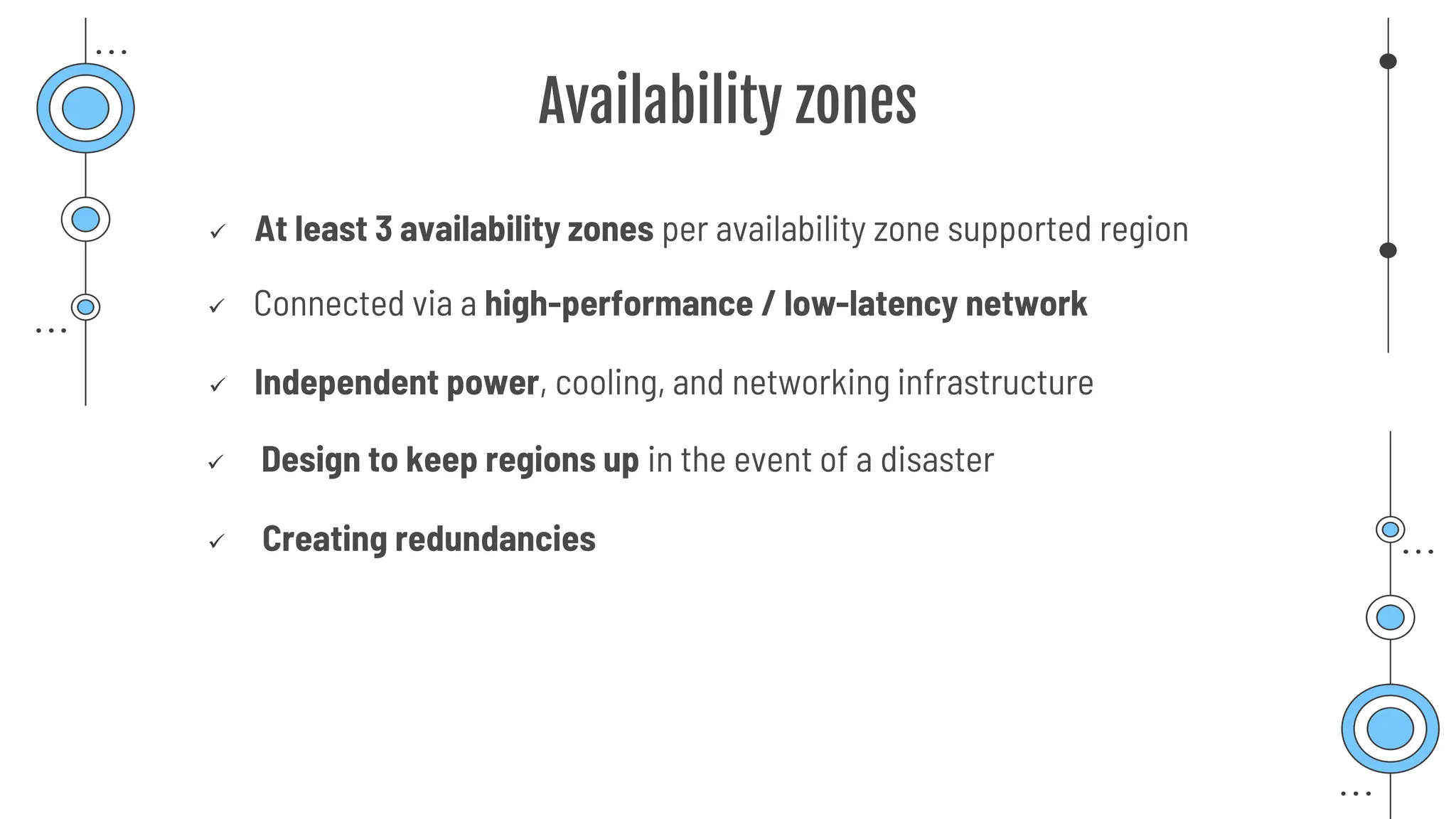
Availability zones
✓ At least 3 availability zones per availability zone supported region
✓ Connected via a high-performance / low-latency network
✓ Independent power, cooling, and networking infrastructure
✓ Design to keep regions up in the event of a disaster
✓ Creating redundancies
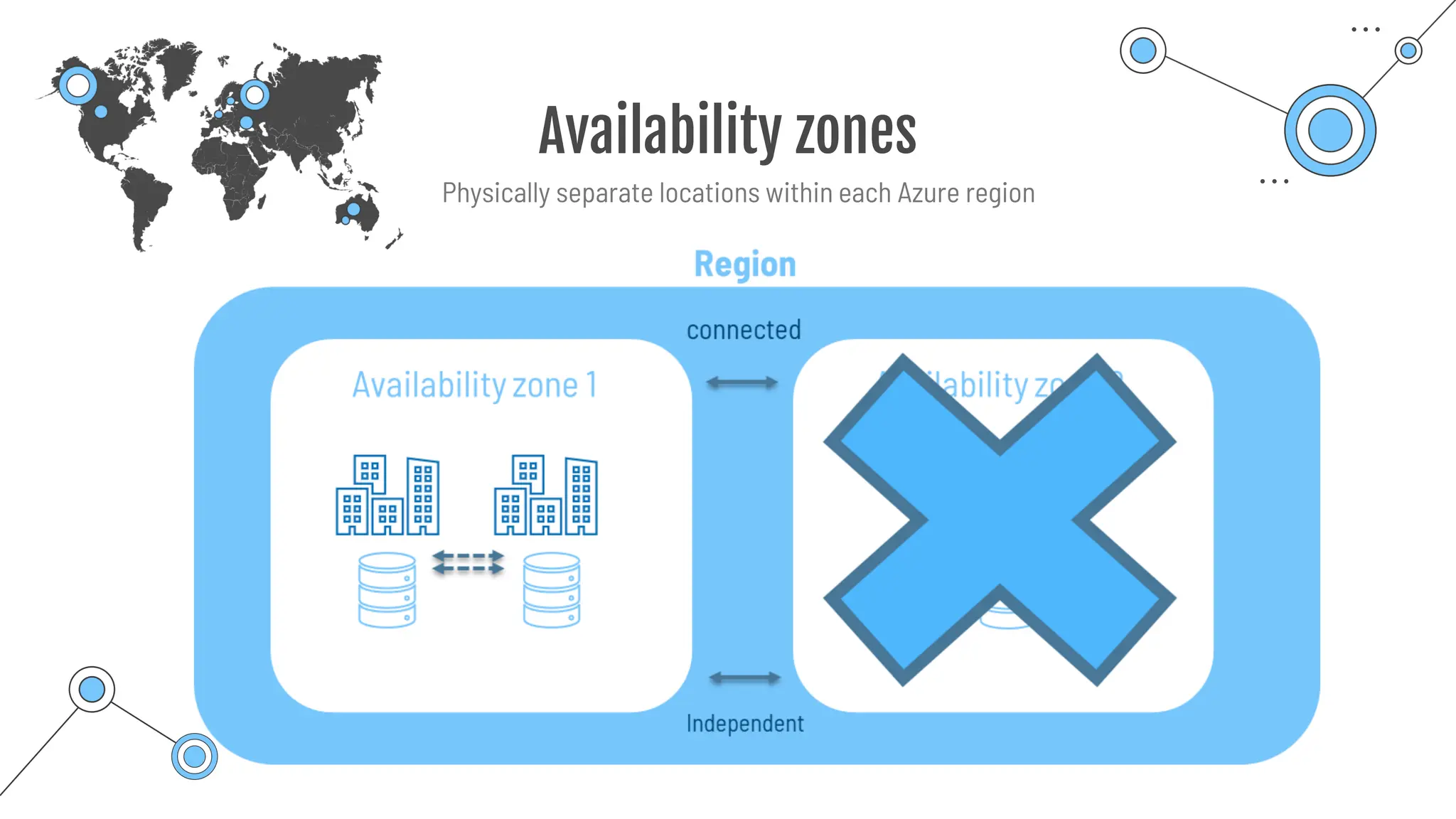
Availability zones
Physically separate locations within each Azure region
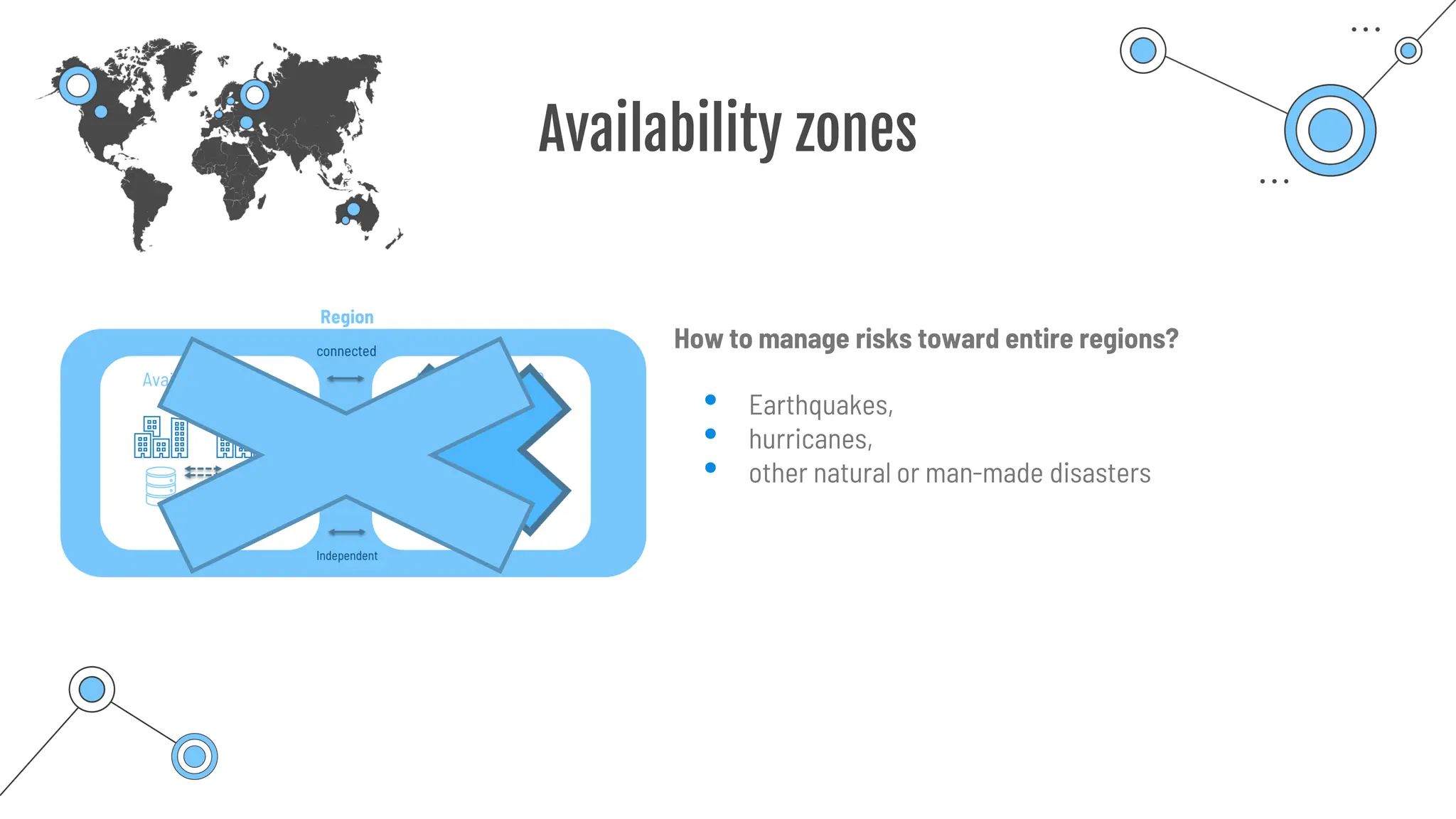
Availability zones
• Earthquakes,
• hurricanes,
• other natural or man-made disasters
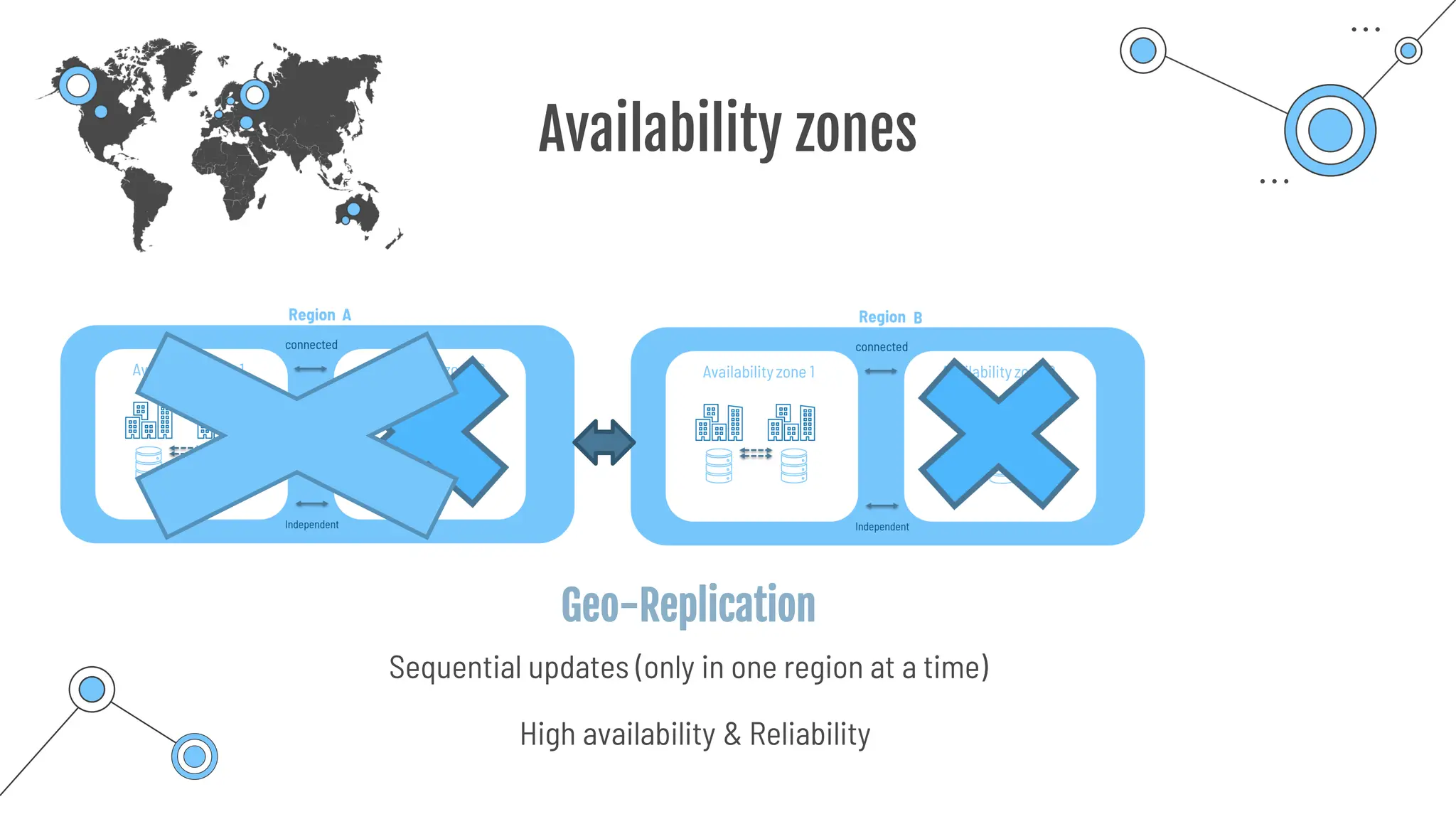
How to manage risks toward entire regions?
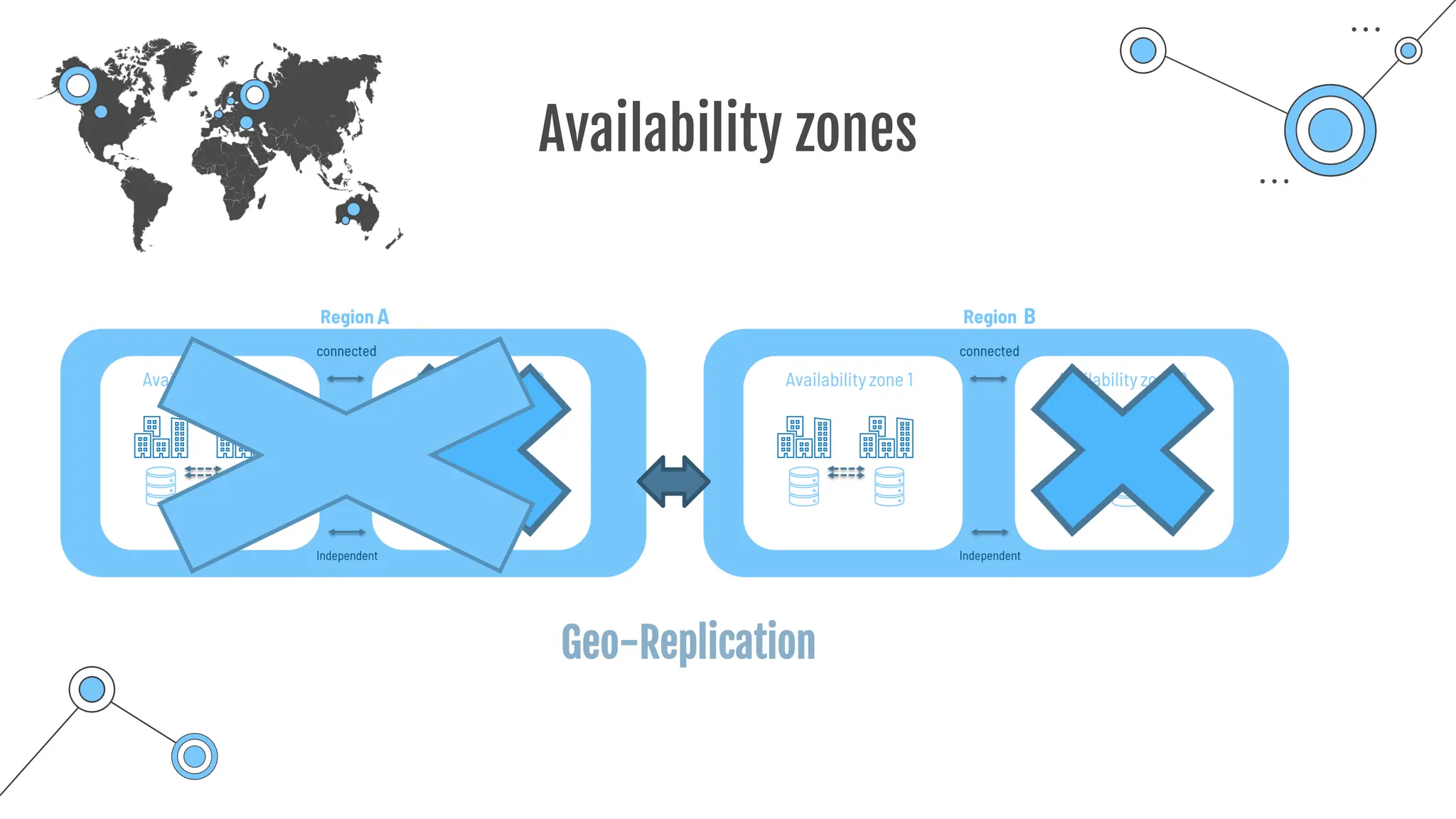
Availability zones
A B
Geo-Replication
Availability zones
A B
Geo-Replication
Sequential updates (only in one region at a time)
High availability & Reliability
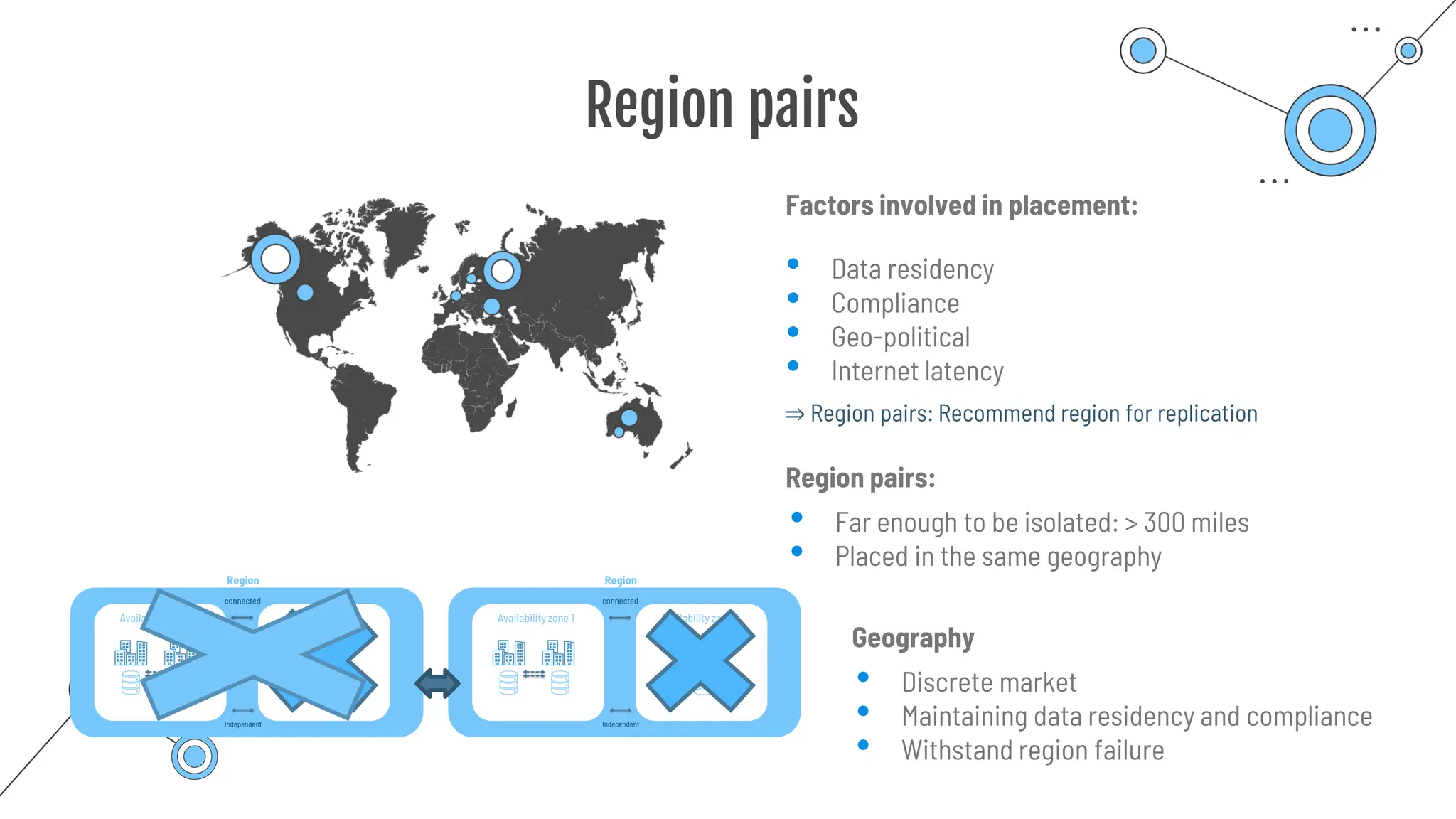
Region pairs
Factors involved in placement:
• Data residency
• Compliance
• Geo-political
• Internet latency
Region pairs:
• Far enough to be isolated: > 300 miles
• Placed in the same geography
⇒ Region pairs: Recommend region for replication
Geography
• Discrete market
• Maintaining data residency and compliance
• Withstand region failure
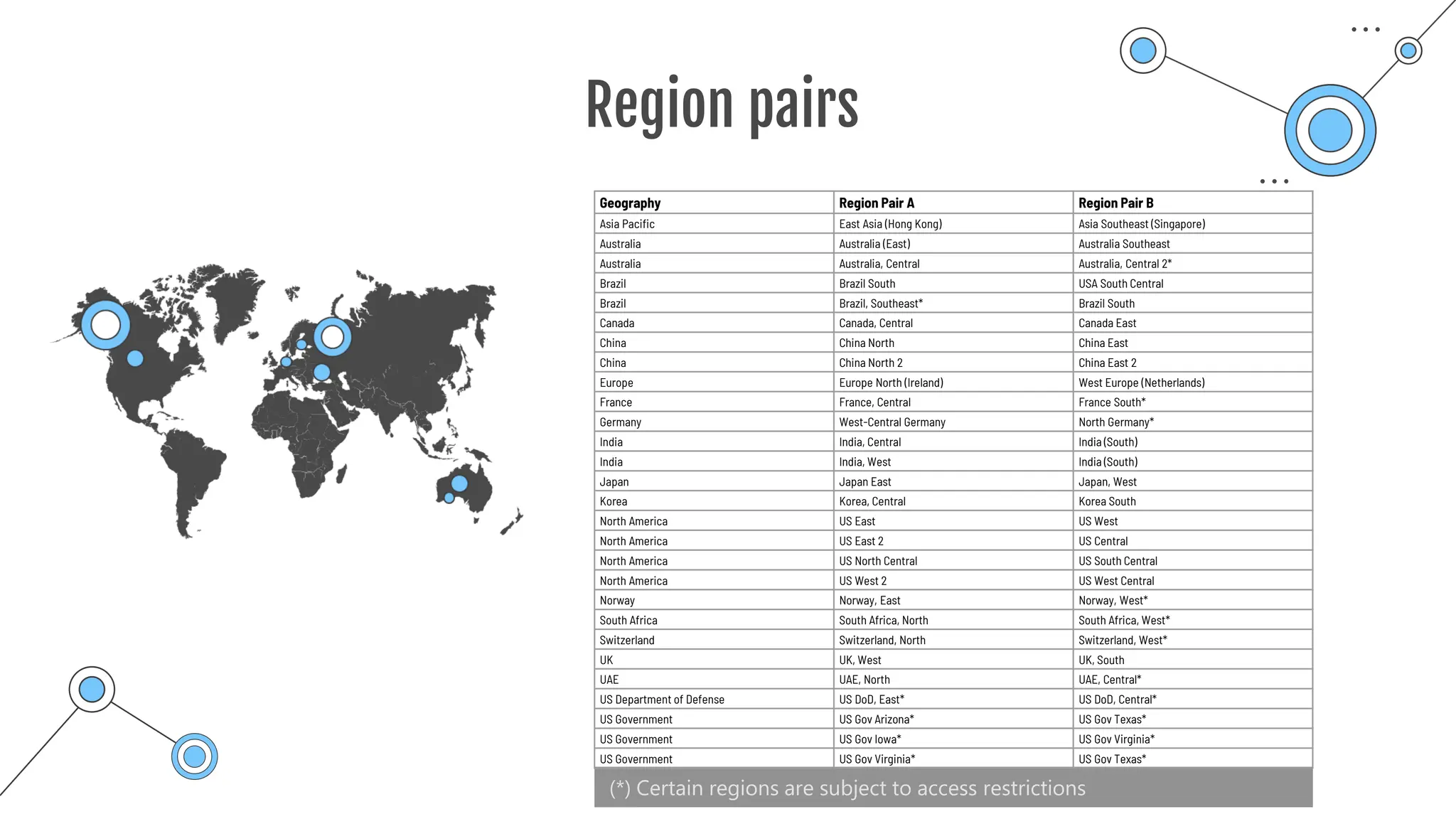
Region pairs
(*) Certain regions are subject to access restrictions
Geography Region Pair A Region Pair B
Asia Pacific East Asia (Hong Kong) Asia Southeast (Singapore)
Australia Australia (East) Australia Southeast
Australia Australia, Central Australia, Central 2*
Brazil Brazil South USA South Central
Brazil Brazil, Southeast* Brazil South
Canada Canada, Central Canada East
China China North China East
China China North 2 China East 2
Europe Europe North (Ireland) West Europe (Netherlands)
France France, Central France South*
Germany West-Central Germany North Germany*
India India, Central India (South)
India India, West India (South)
Japan Japan East Japan, West
Korea Korea, Central Korea South
North America US East US West
North America US East 2 US Central
North America US North Central US South Central
North America US West 2 US West Central
Norway Norway, East Norway, West*
South Africa South Africa, North South Africa, West*
Switzerland Switzerland, North Switzerland, West*
UK UK, West UK, South
UAE UAE, North UAE, Central*
US Department of Defense US DoD, East* US DoD, Central*
US Government US Gov Arizona* US Gov Texas*
US Government US Gov Iowa* US Gov Virginia*
US Government US Gov Virginia* US Gov Texas*
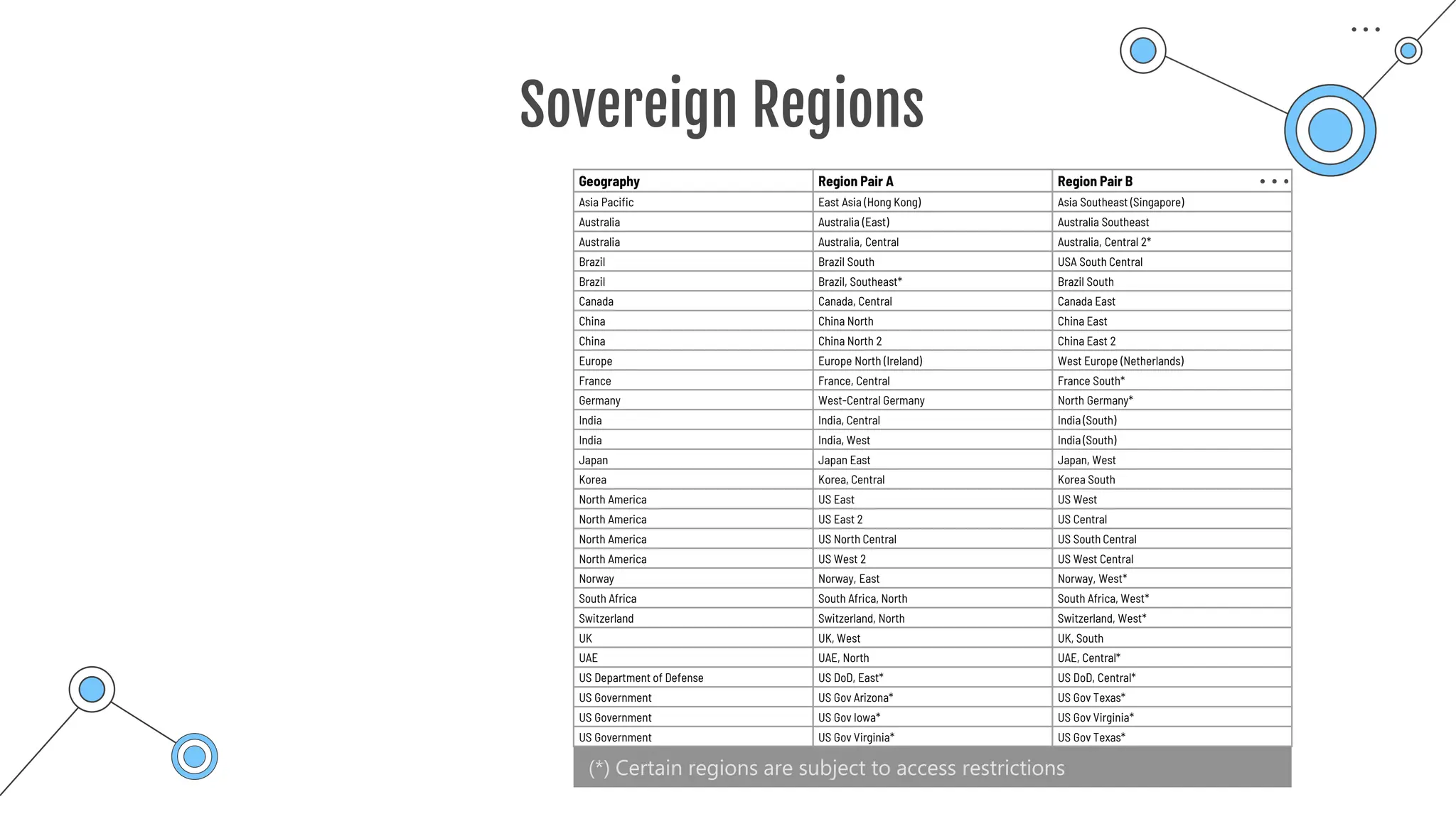
Sovereign Regions
(*) Certain regions are subject to access restrictions
Geography Region Pair A Region Pair B
Asia Pacific East Asia (Hong Kong) Asia Southeast (Singapore)
Australia Australia (East) Australia Southeast
Australia Australia, Central Australia, Central 2*
Brazil Brazil South USA South Central
Brazil Brazil, Southeast* Brazil South
Canada Canada, Central Canada East
China China North China East
China China North 2 China East 2
Europe Europe North (Ireland) West Europe (Netherlands)
France France, Central France South*
Germany West-Central Germany North Germany*
India India, Central India (South)
India India, West India (South)
Japan Japan East Japan, West
Korea Korea, Central Korea South
North America US East US West
North America US East 2 US Central
North America US North Central US South Central
North America US West 2 US West Central
Norway Norway, East Norway, West*
South Africa South Africa, North South Africa, West*
Switzerland Switzerland, North Switzerland, West*
UK UK, West UK, South
UAE UAE, North UAE, Central*
US Department of Defense US DoD, East* US DoD, Central*
US Government US Gov Arizona* US Gov Texas*
US Government US Gov Iowa* US Gov Virginia*
US Government US Gov Virginia* US Gov Texas*
Sovereign Regions
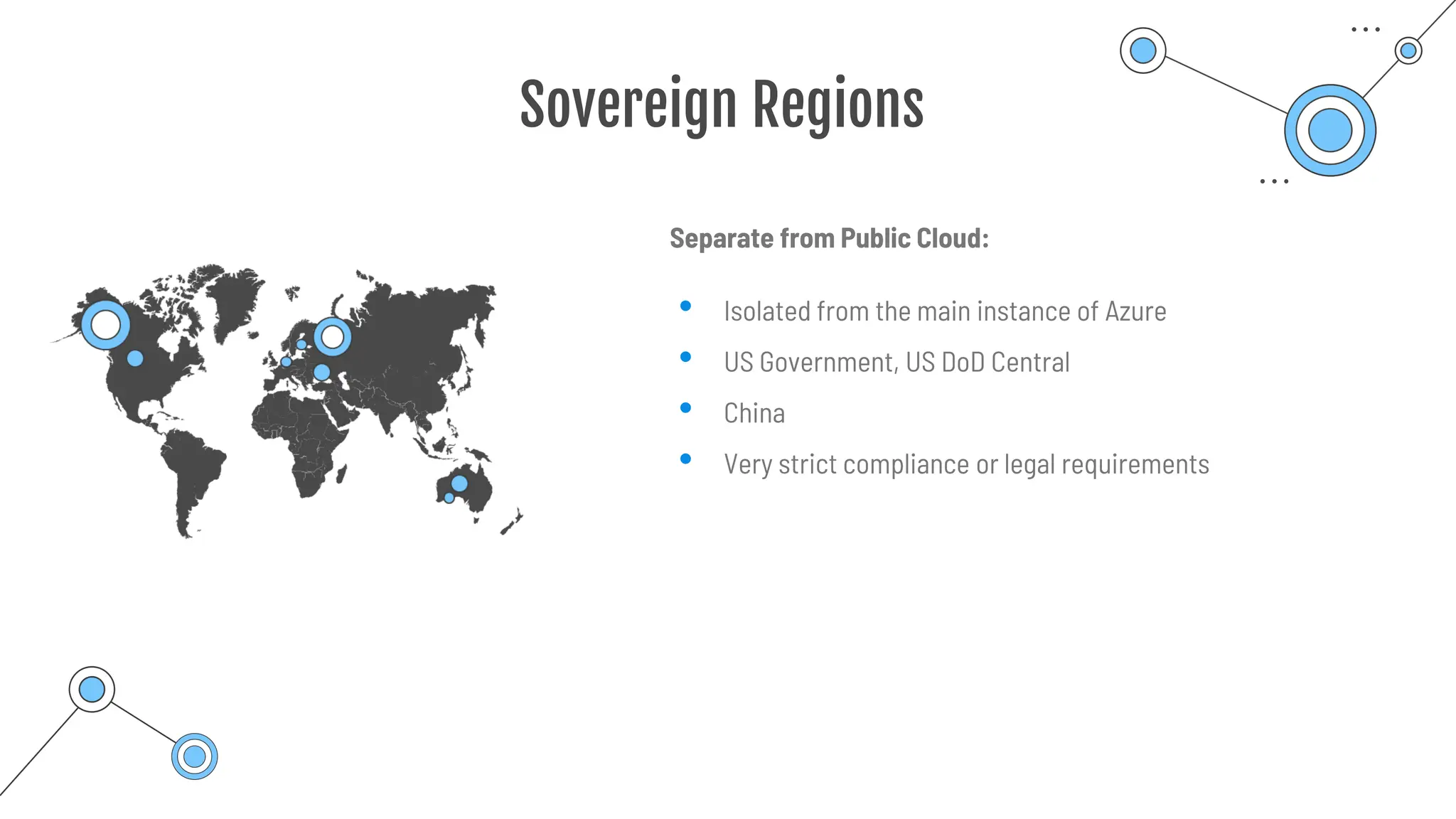
Separate from Public Cloud:
• Isolated from the main instance of Azure
• US Government, US DoD Central
• China
• Very strict compliance or legal requirements
Sovereign Regions
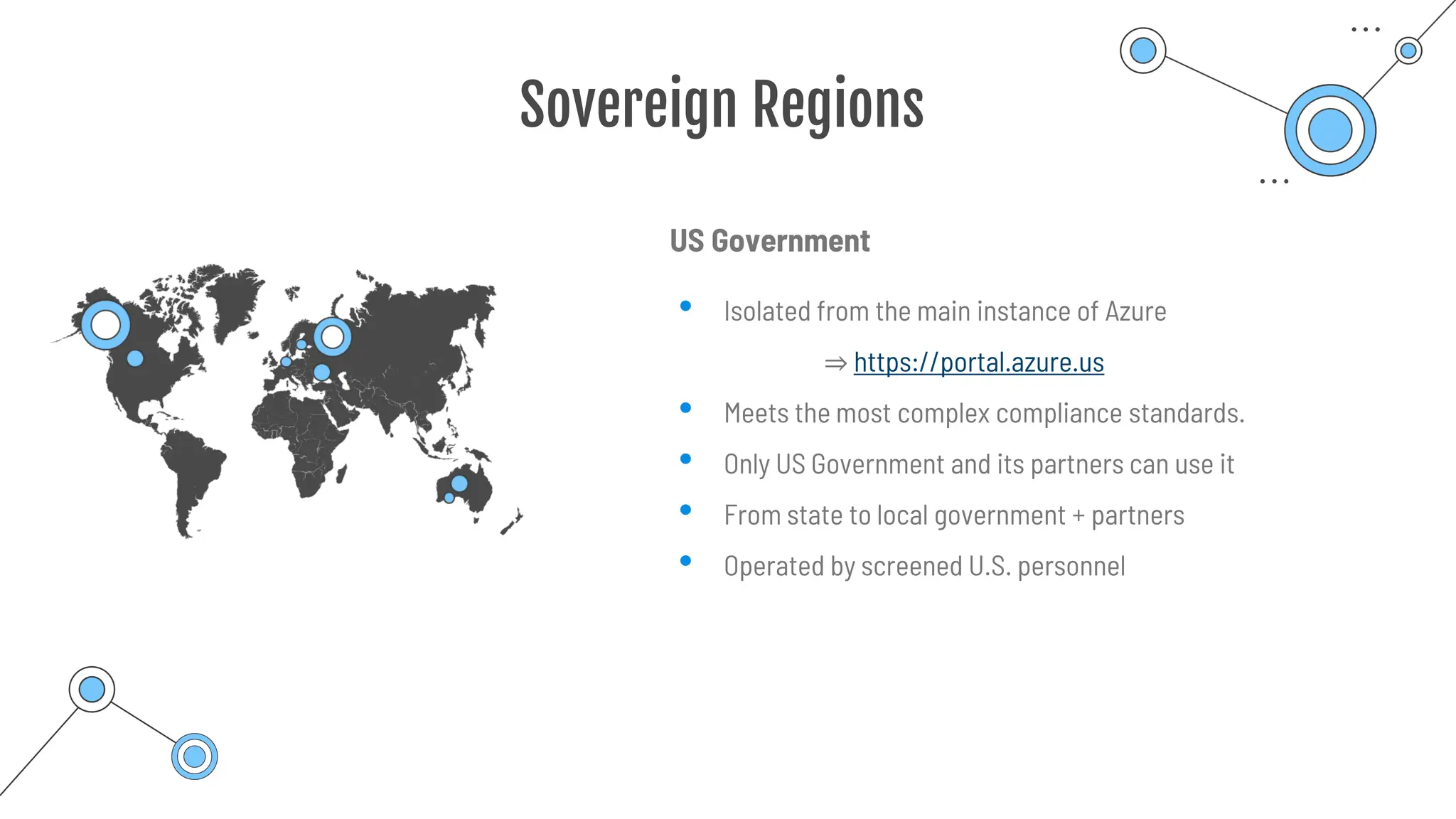
US Government
• Isolated from the main instance of Azure
⇒ https://portal.azure.us
• Meets the most complex compliance standards.
• Only US Government and its partners can use it
• From state to local government + partners
• Operated by screened U.S. personnel
Sovereign Regions
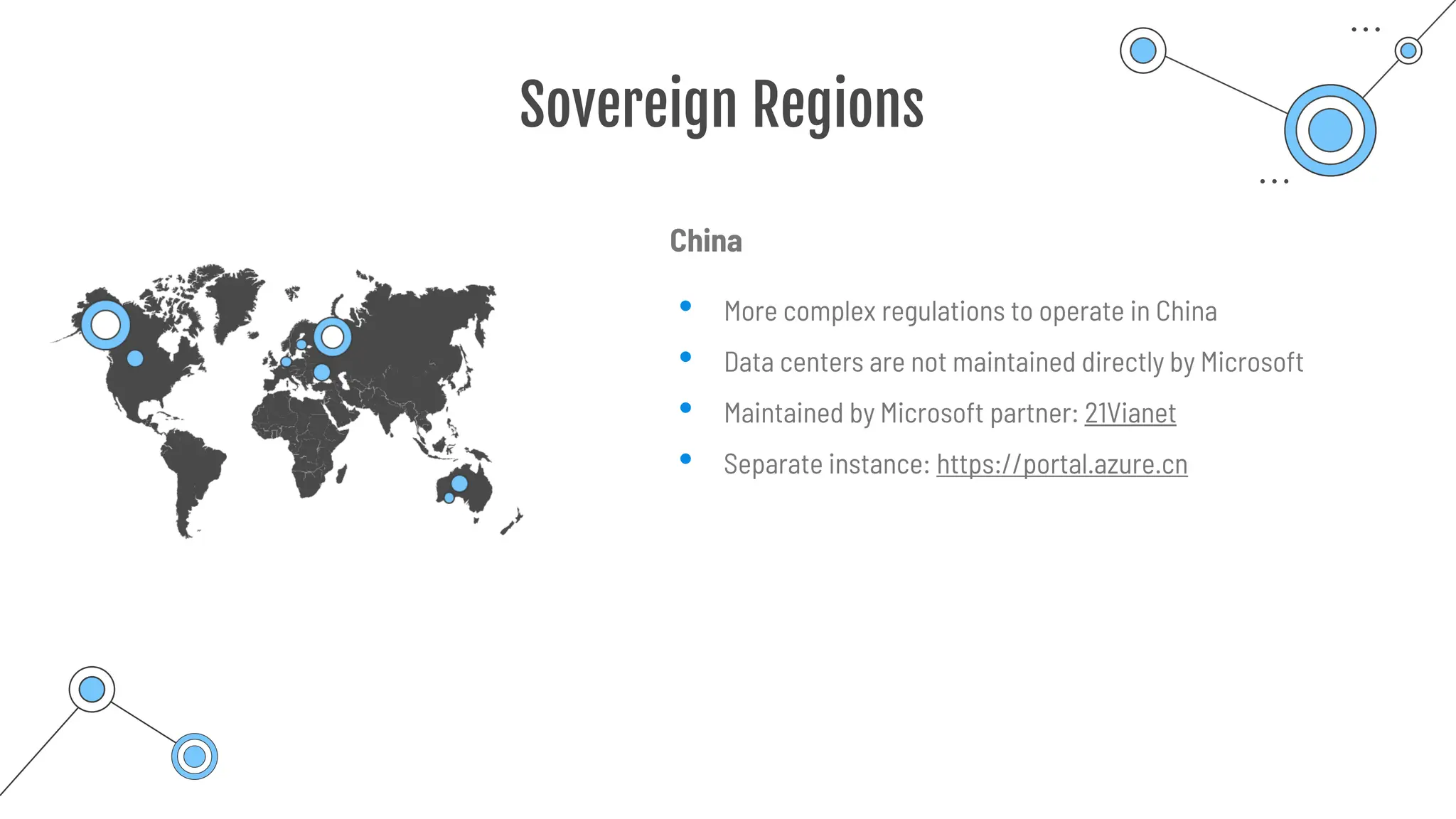
China
• More complex regulations to operate in China
• Data centers are not maintained directly by Microsoft
• Maintained by Microsoft partner: 21Vianet
• Separate instance: https://portal.azure.cn
Region pairs
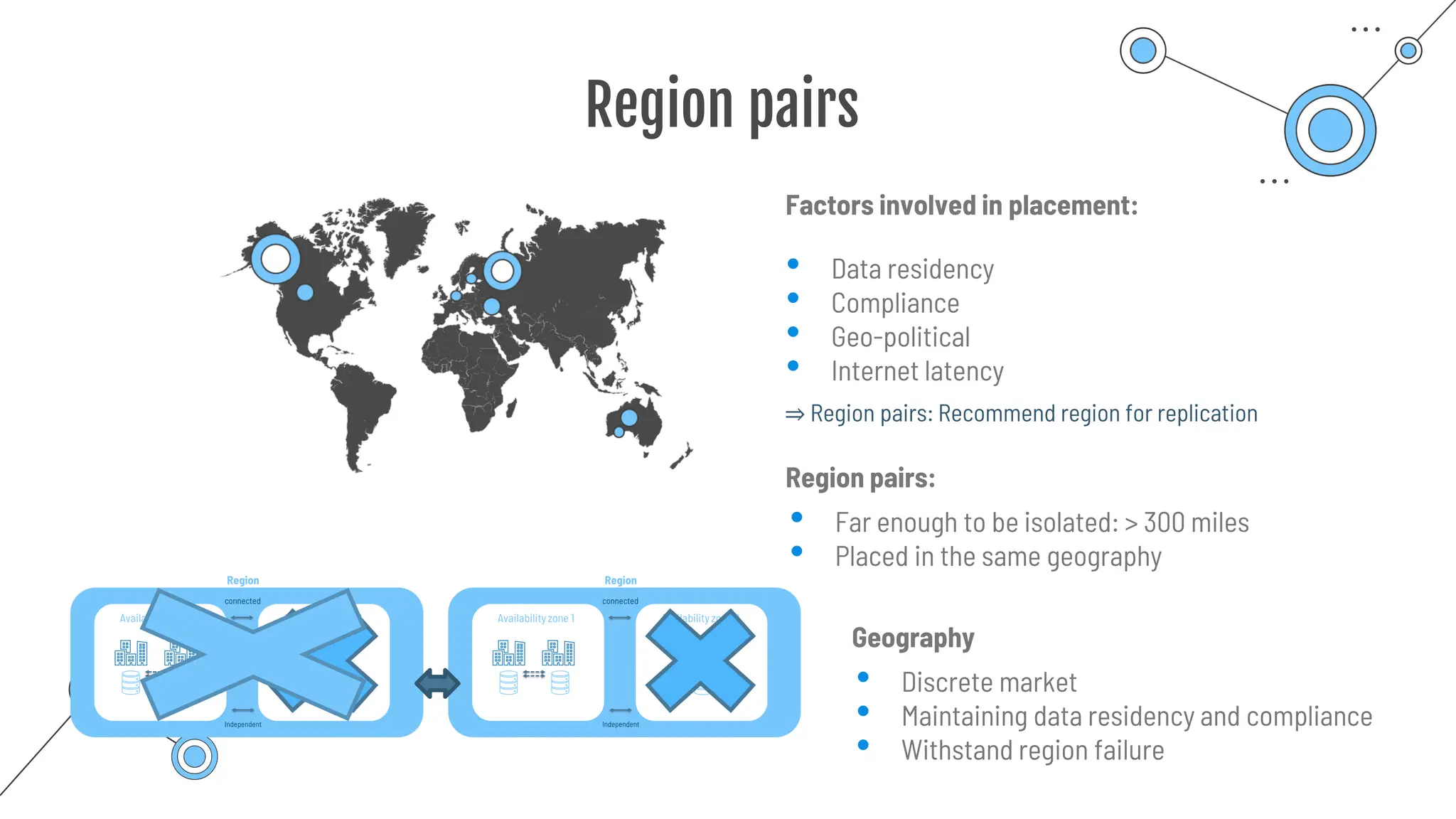
Factors involved in placement:
• Data residency
• Compliance
• Geo-political
• Internet latency
Region pairs:
• Far enough to be isolated: > 300 miles
• Placed in the same geography
⇒ Region pairs: Recommend region for replication
Geography
• Discrete market
• Maintaining data residency and compliance
• Withstand region failure
Resources &
Resource groups
Resources & Resource groups
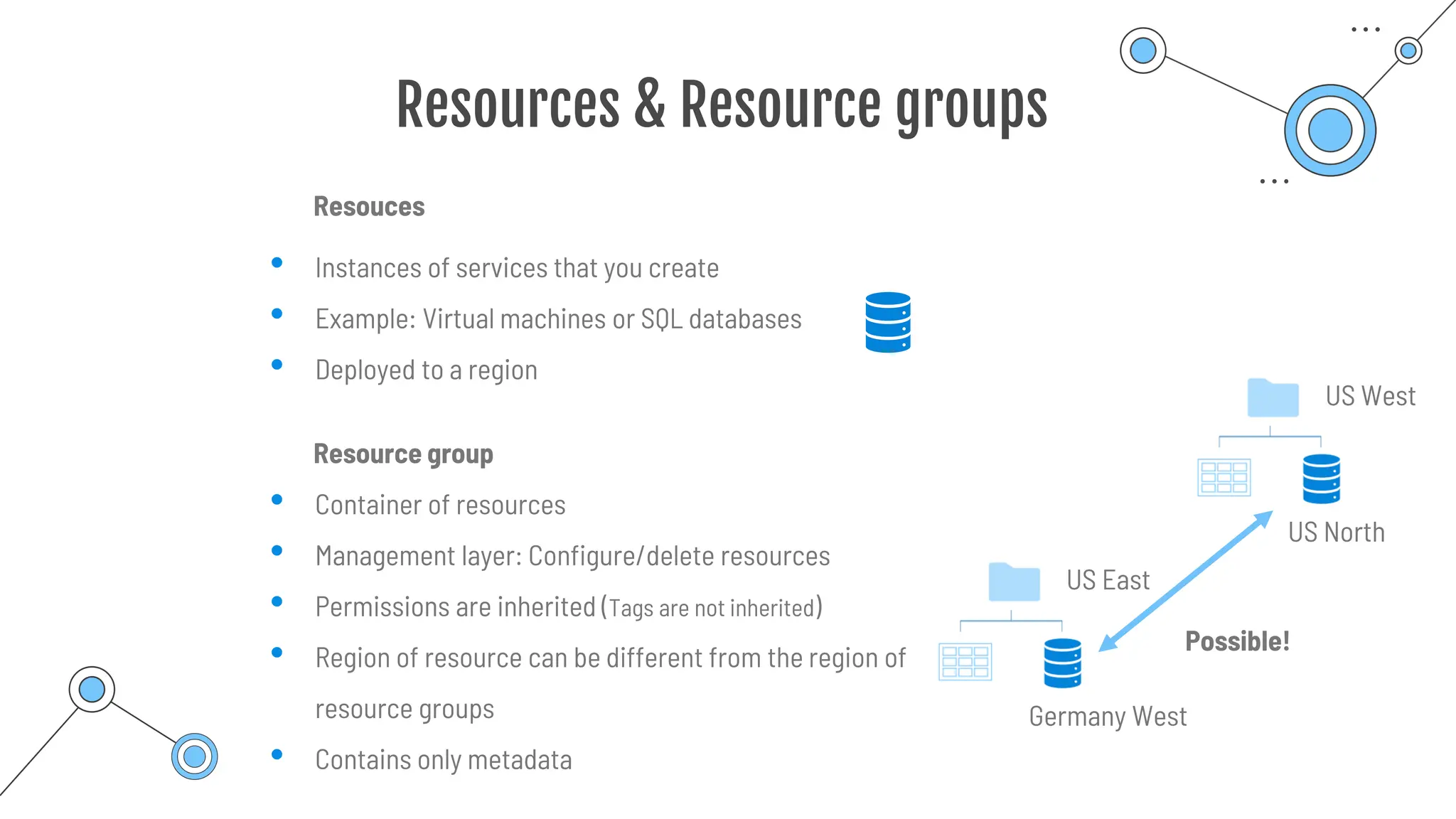
Resouces
Resource group
• Instances of services that you create
• Example: Virtual machines or SQL databases
• Deployed to a region
• Container of resources
• Management layer: Configure/delete resources
• Permissions are inherited (Tags are not inherited)
• Region of resource can be different from the region of
resource groups
• Contains only metadata
US East
Germany West
Possible!
US West
US North
Resources & Resource groups
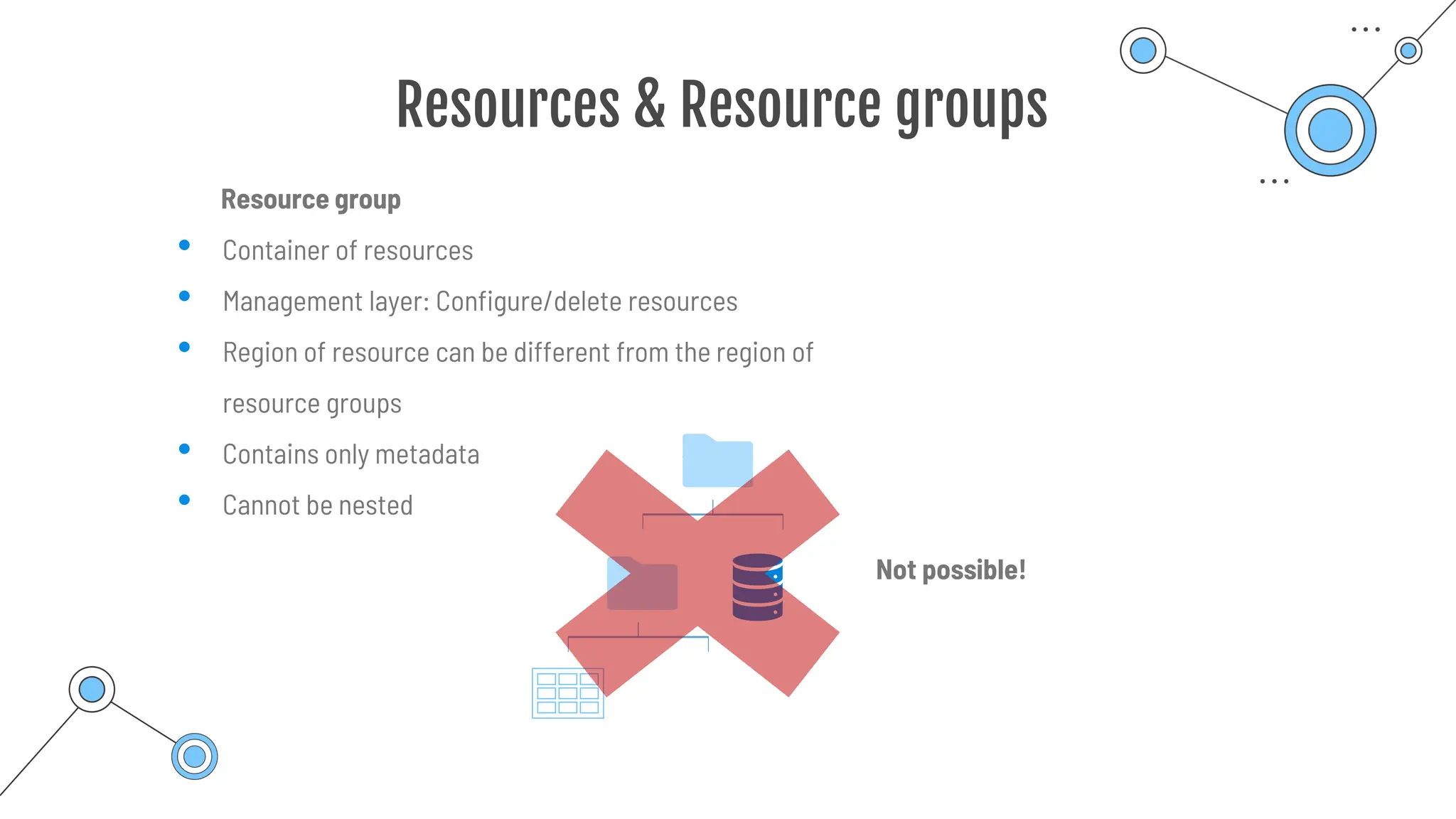
Resource group
• Container of resources
• Management layer: Configure/delete resources
• Region of resource can be different from the region of
resource groups
• Contains only metadata
• Cannot be nested
Not possible!
Resources & Resource groups
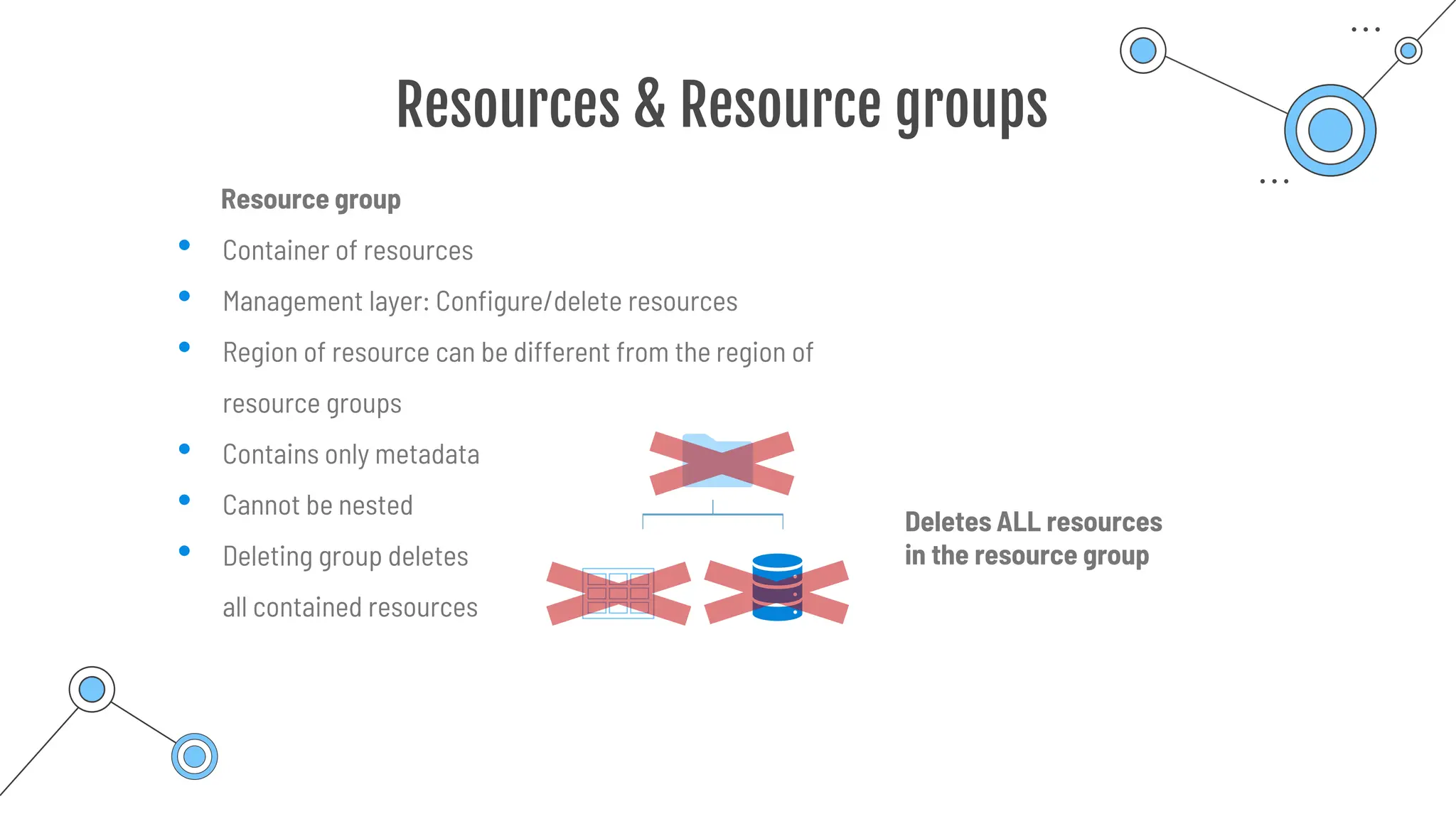
Resource group
• Container of resources
• Management layer: Configure/delete resources
• Region of resource can be different from the region of
resource groups
• Contains only metadata
• Cannot be nested
• Deleting group deletes
all contained resources
Deletes ALL resources
in the resource group
Subscription and
management groups
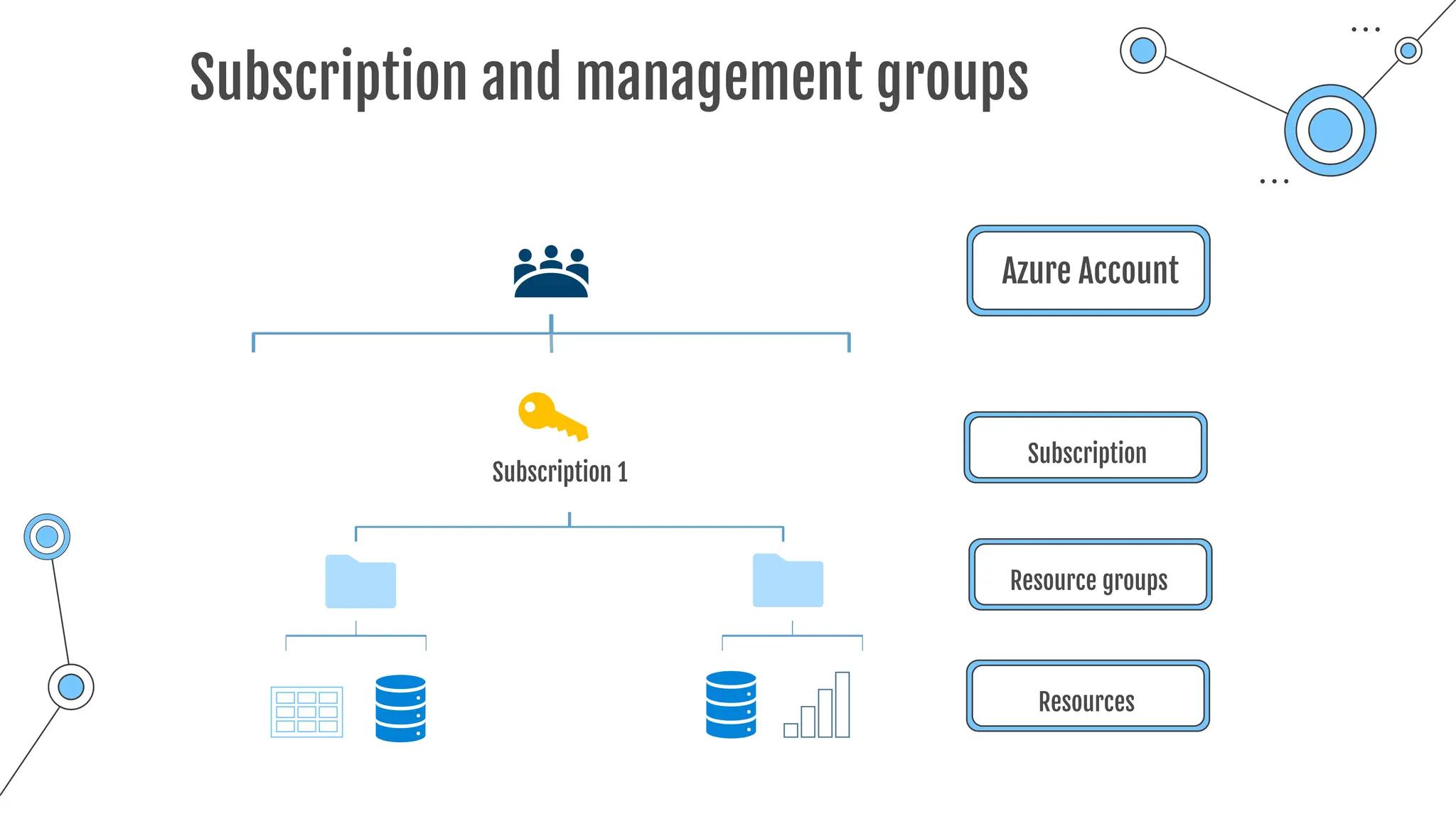
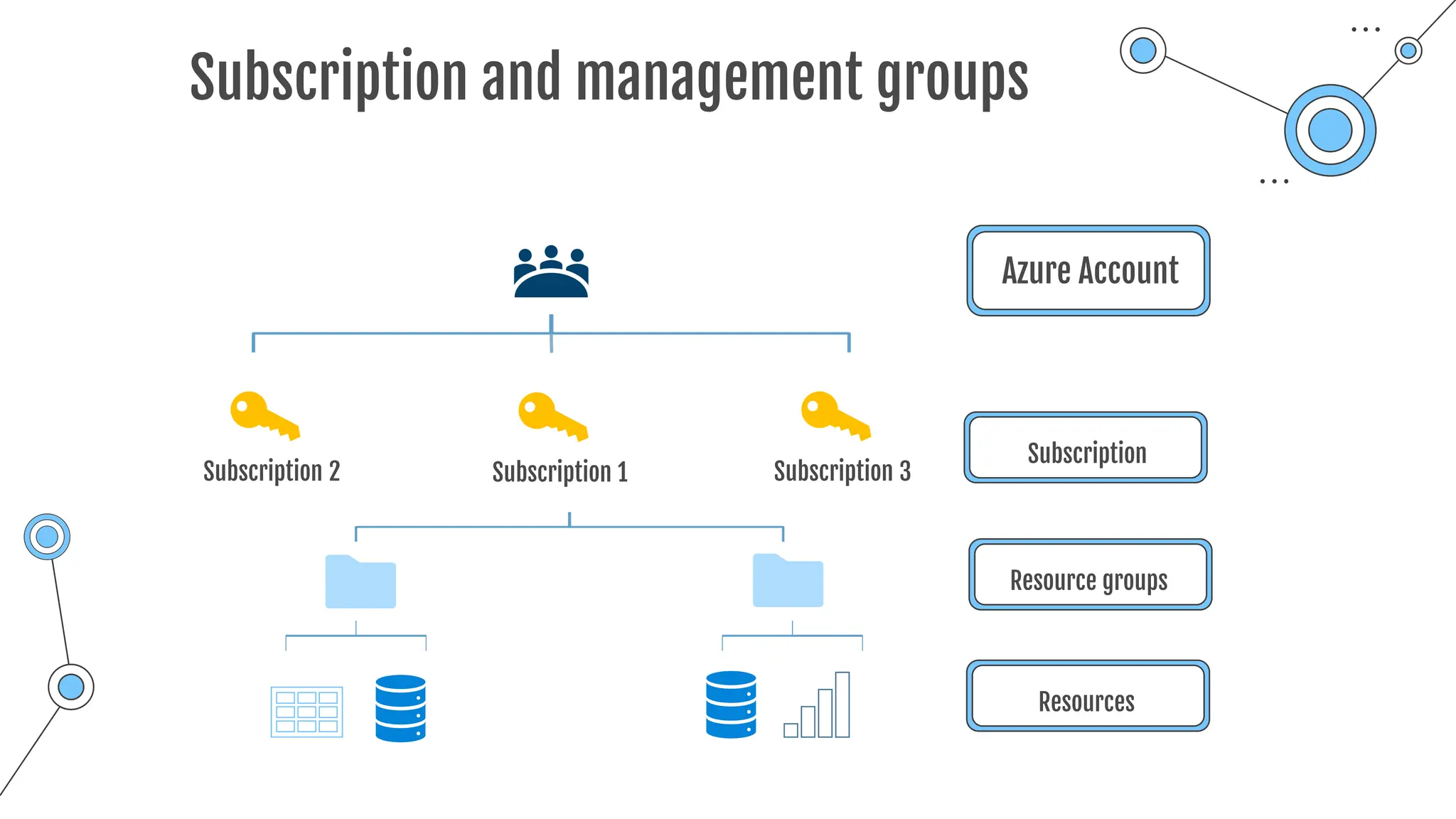
Subscription and management groups
Azure Account
Subscription 1
Subscription
Resource groups
Resources
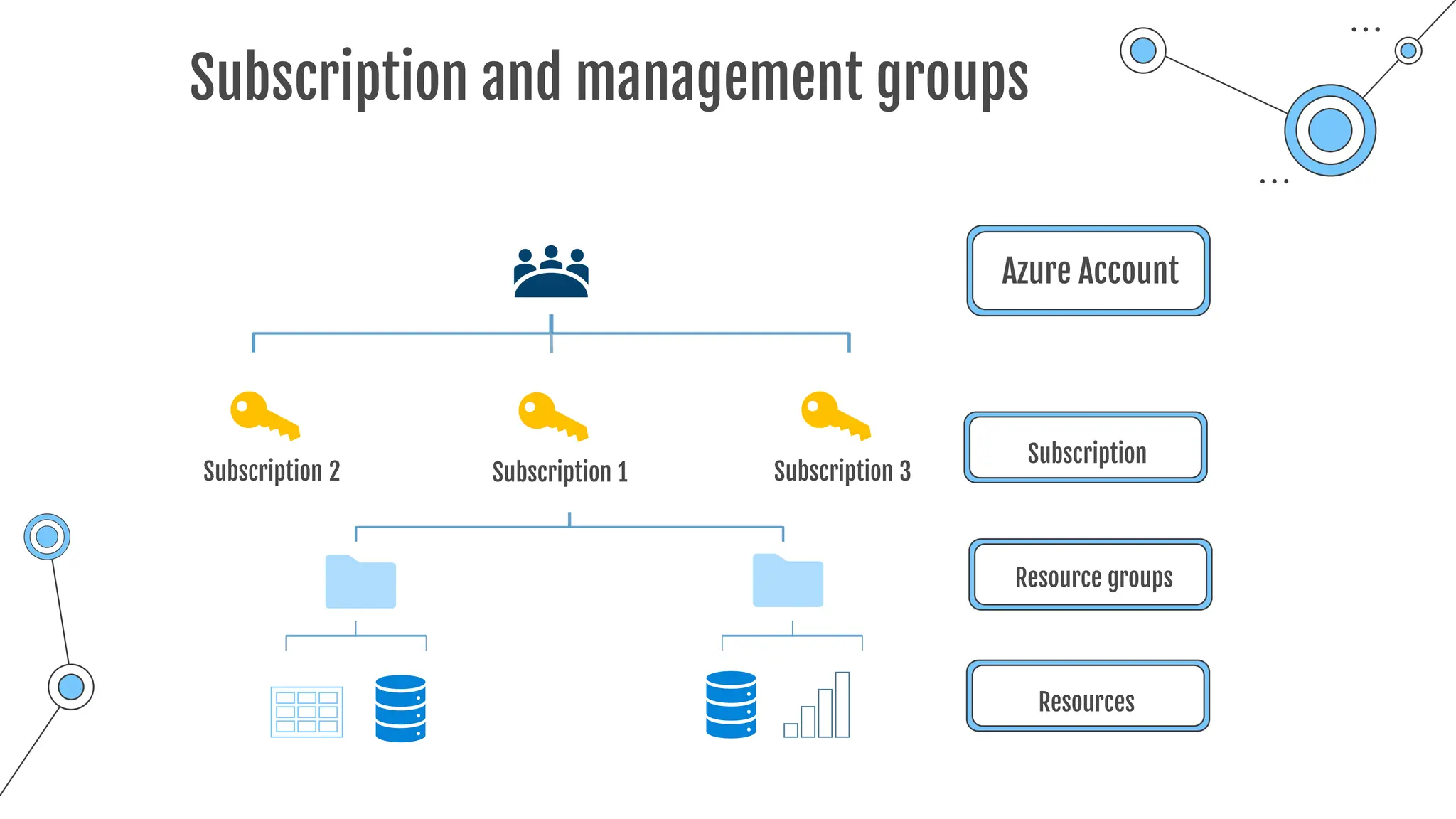
Subscription and management groups
Azure Account
Subscription
Subscription 1
Subscription 2 Subscription 3
Resource groups
Resources
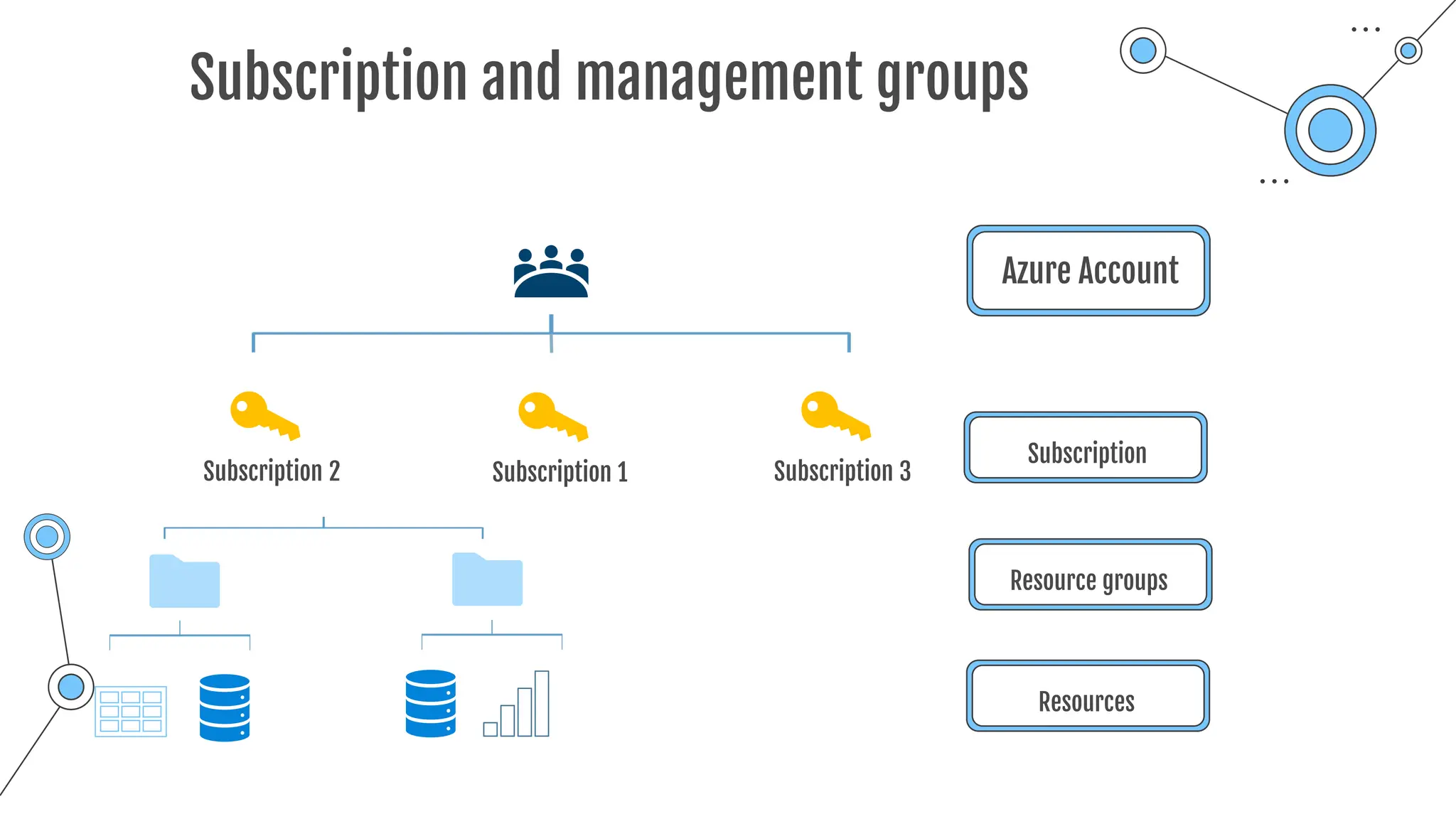
Subscription and management groups
Azure Account
Subscription
Subscription 1
Subscription 2 Subscription 3
Resource groups
Resources
Subscription and management groups
Azure Account
Subscription
Subscription 1
Subscription 2 Subscription 3
Resource groups
Resources
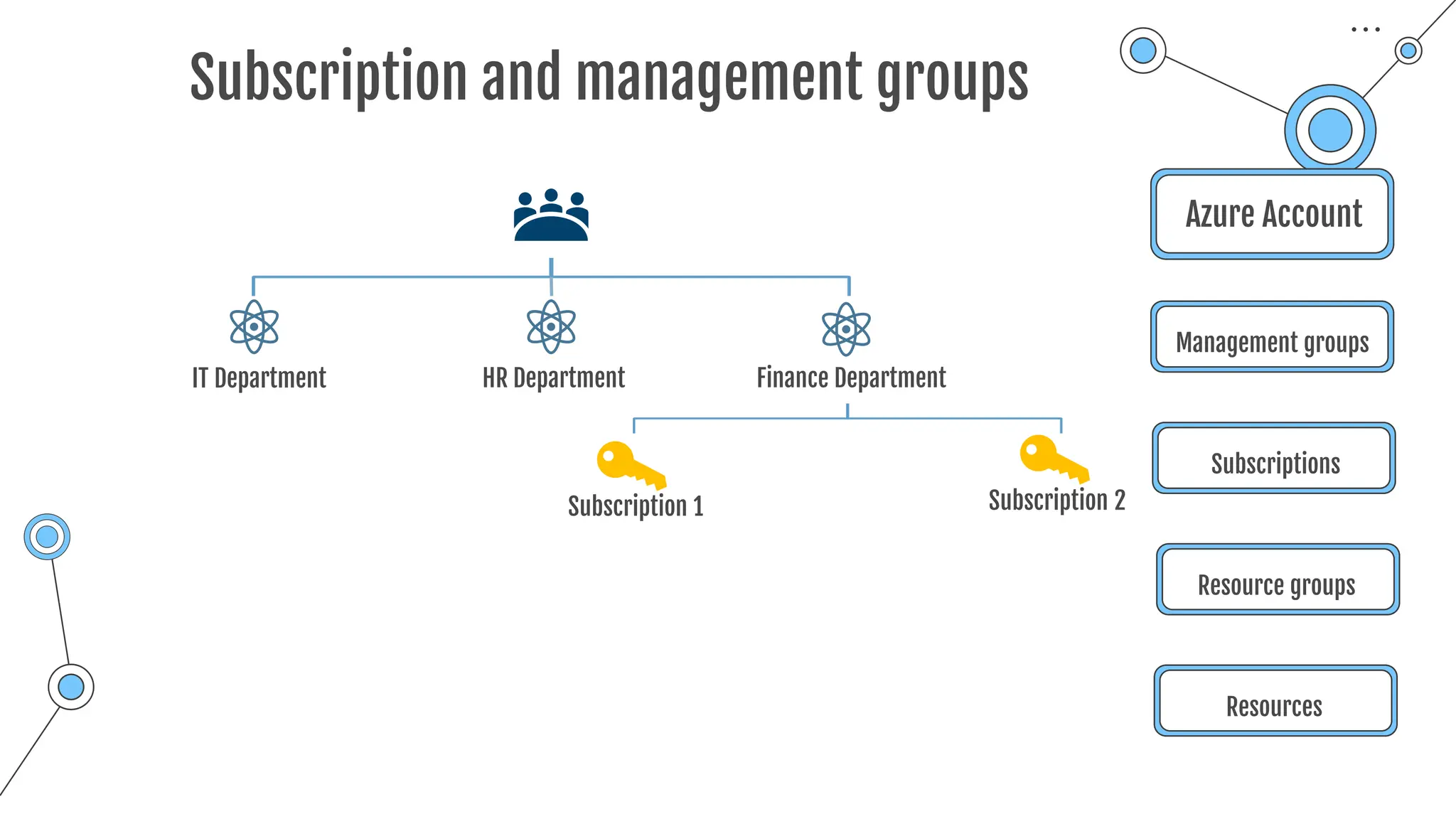
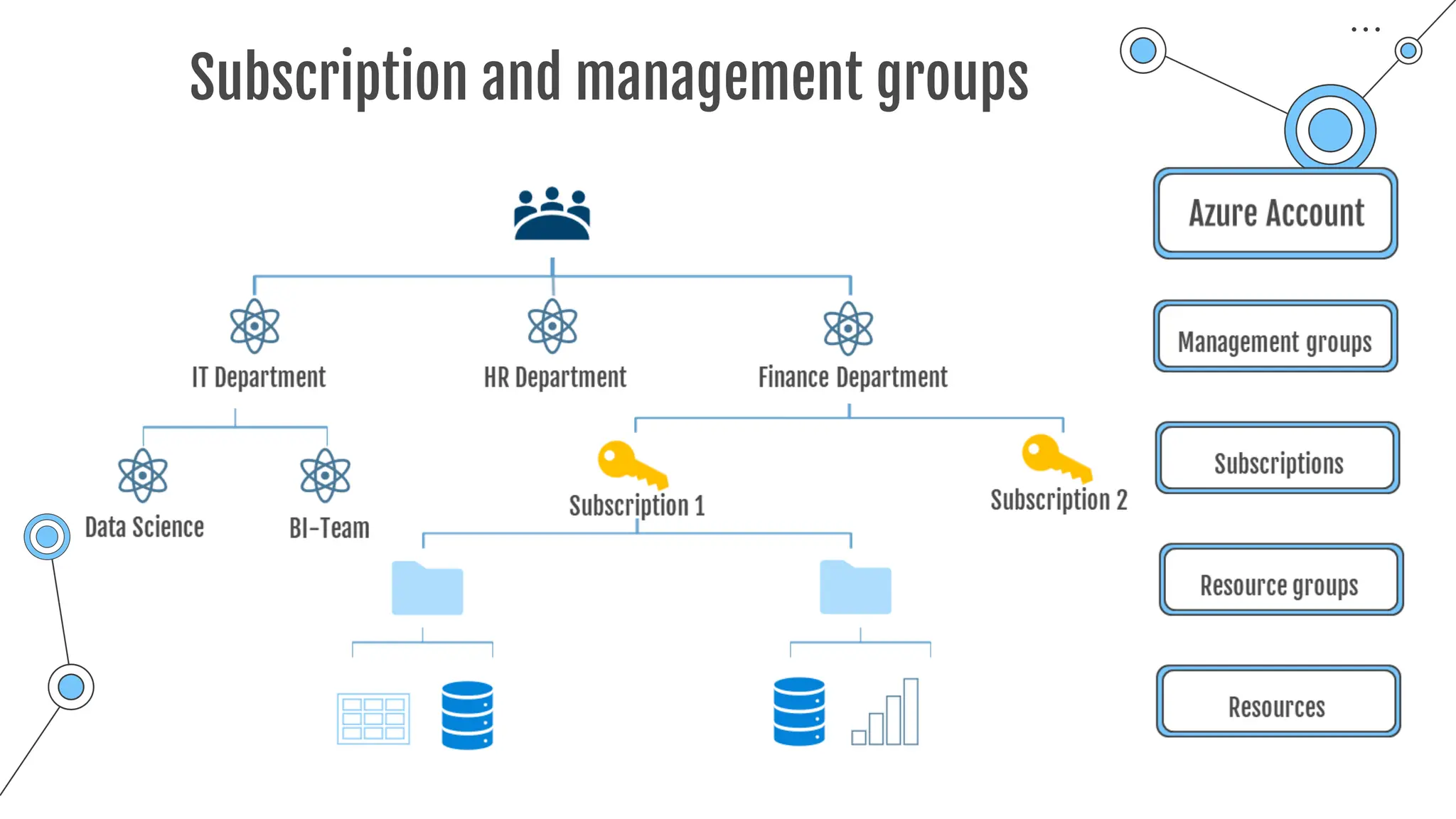
Subscription and management groups
Azure Account
Management groups
Subscriptions
Resource groups
Resources
IT Department HR Department
Subscription 1 Subscription 2
Finance Department
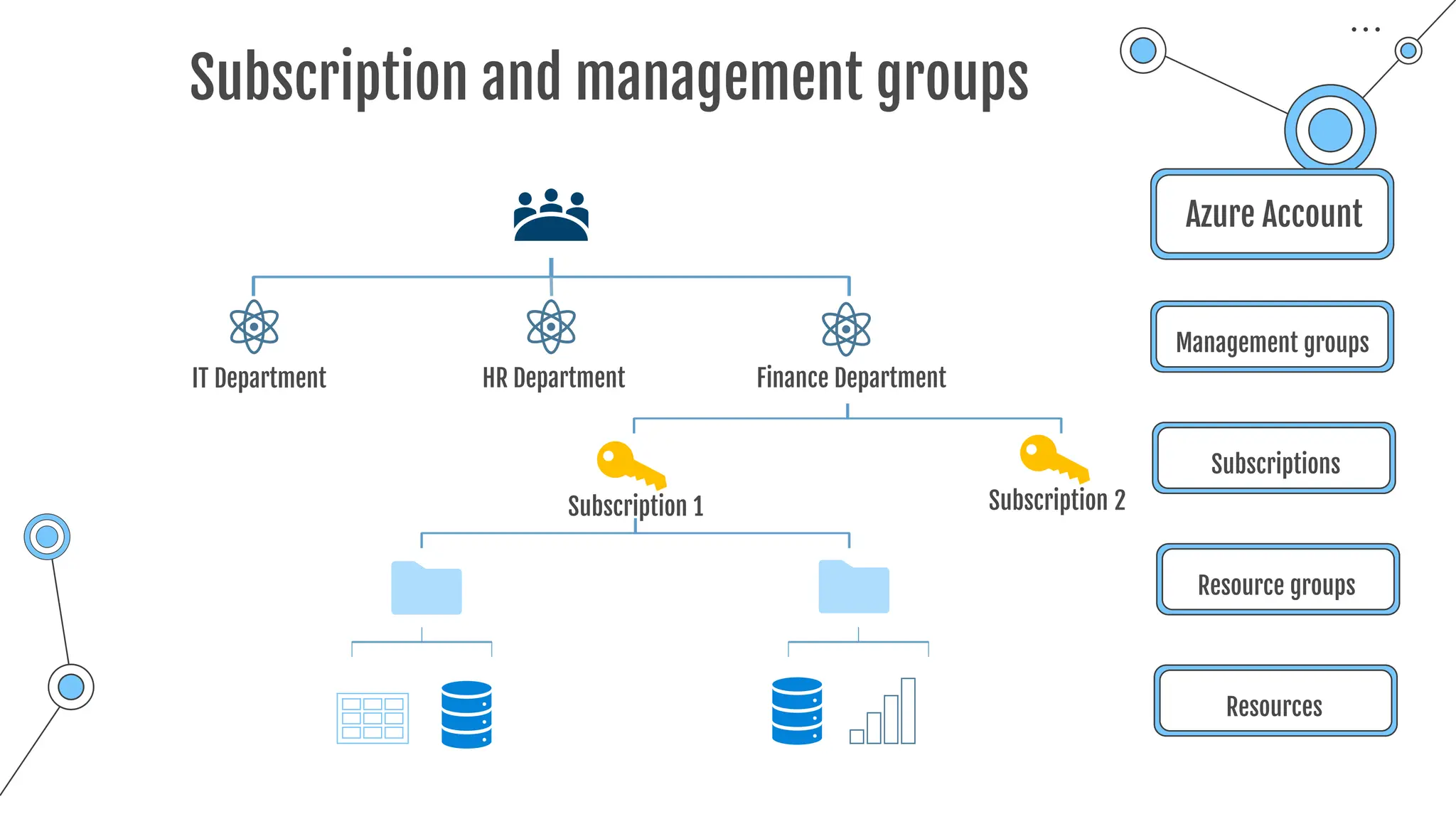
Subscription and management groups
Azure Account
Management groups
Subscriptions
Resource groups
Resources
IT Department HR Department
Subscription 1 Subscription 2
Finance Department
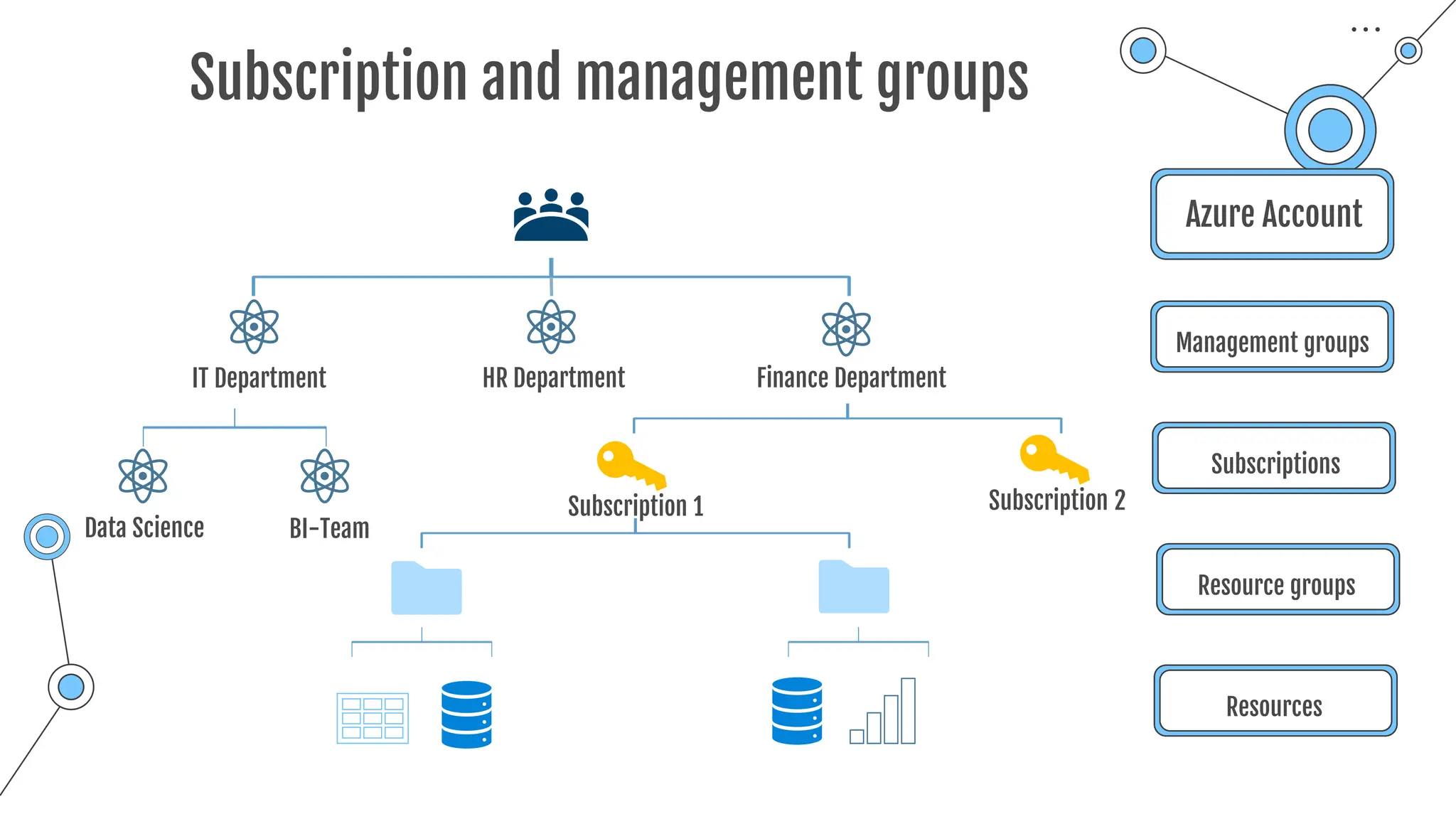
Subscription and management groups
Azure Account
Management groups
Subscriptions
Resource groups
Resources
IT Department HR Department
Subscription 1 Subscription 2
Finance Department
BI-Team
Data Science
Subscription and management groups
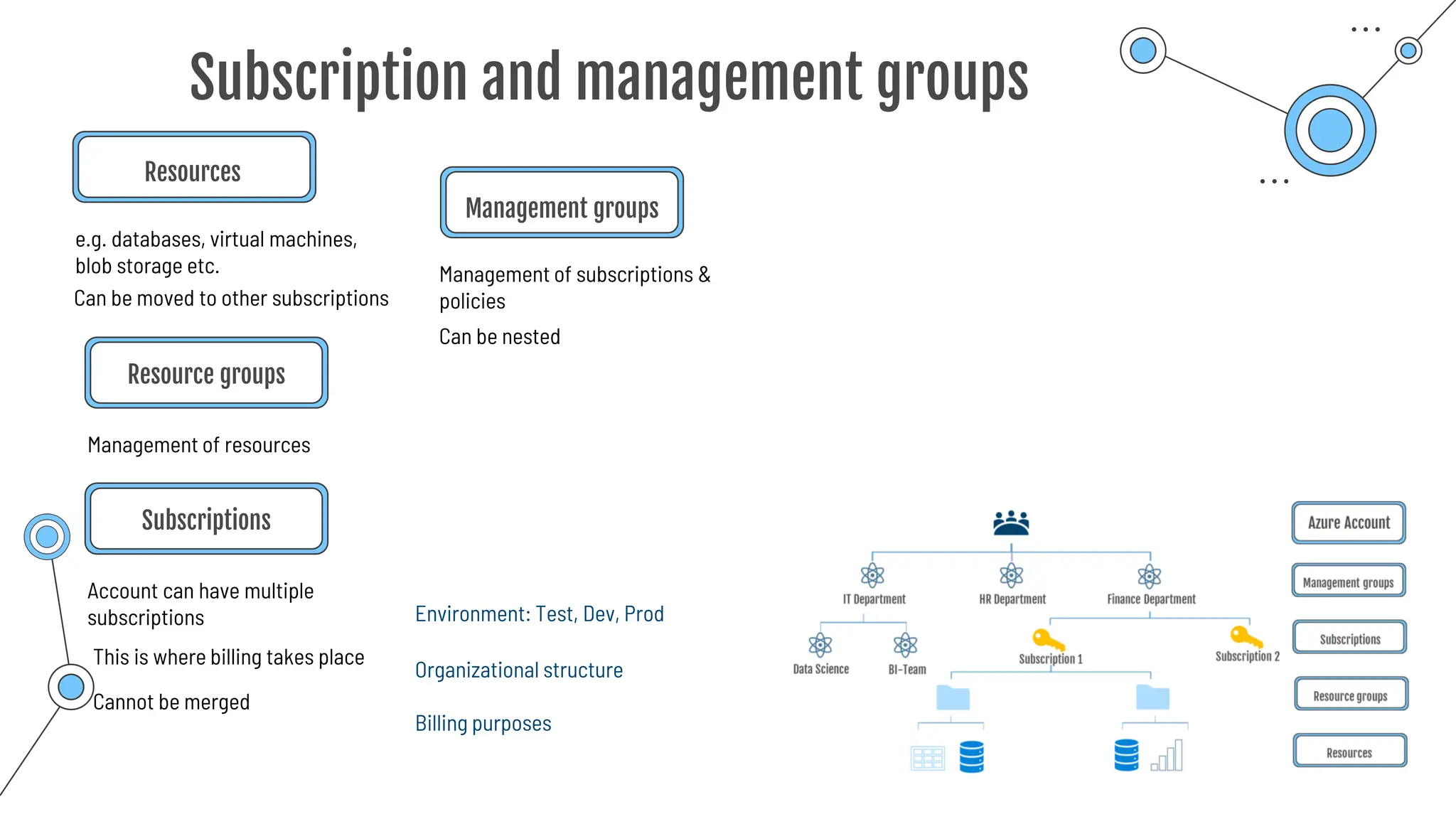
Resources
e.g. databases, virtual machines,
blob storage etc.
Management of resources
Resource groups
Account can have multiple
subscriptions
Subscriptions
This is where billing takes place
Cannot be merged
Environment: Test, Dev, Prod
Organizational structure
Billing purposes
Management groups
Management of subscriptions &
policies
Can be moved to other subscriptions
Can be nested
Summary
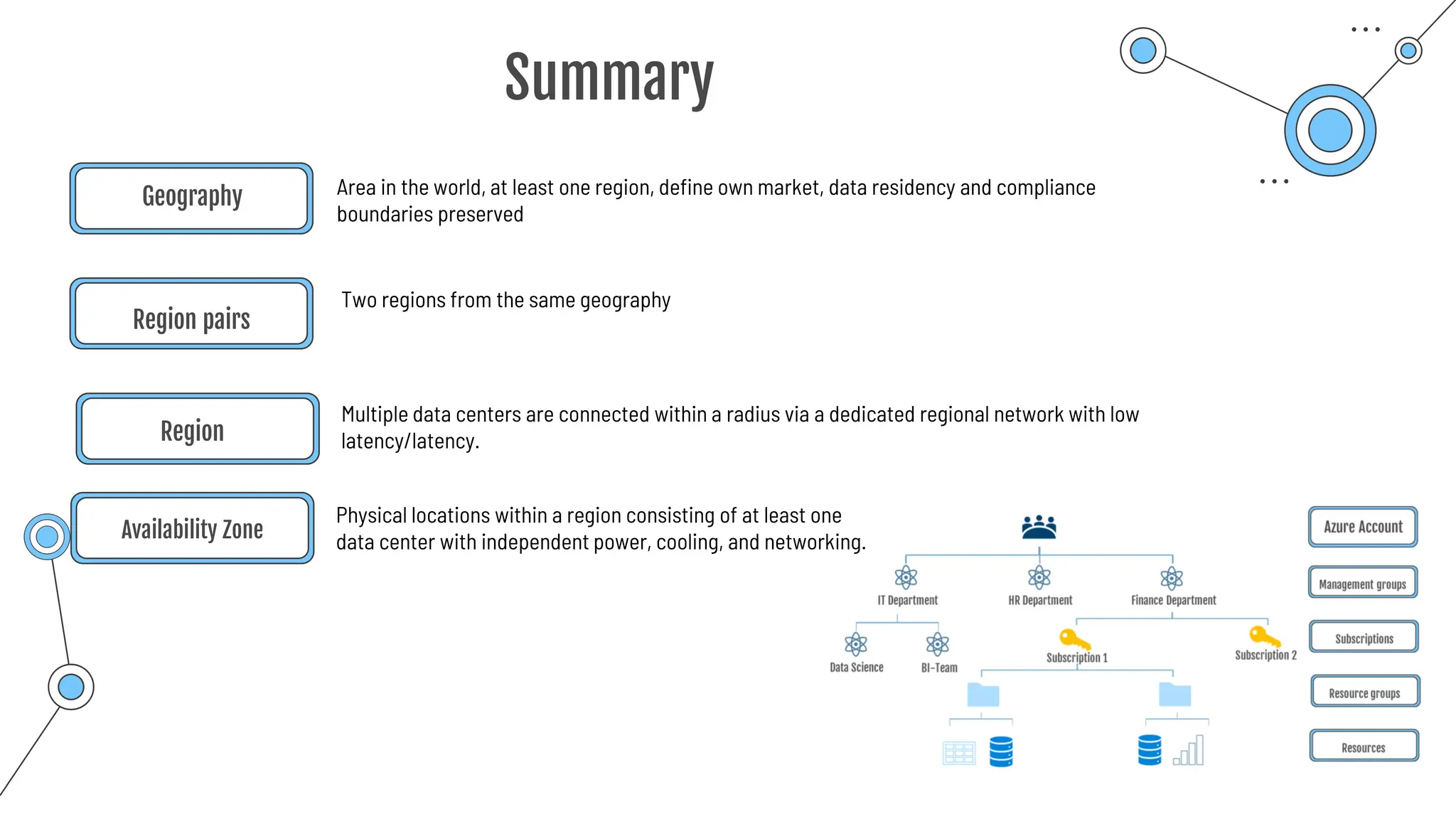
Region
Multiple data centers are connected within a radius via a dedicated regional network with low
latency/latency.
Area in the world, at least one region, define own market, data residency and compliance
boundaries preserved
Geography
Physical locations within a region consisting of at least one
data center with independent power, cooling, and networking.
Availability Zone
Region pairs
Two regions from the same geography
Summary
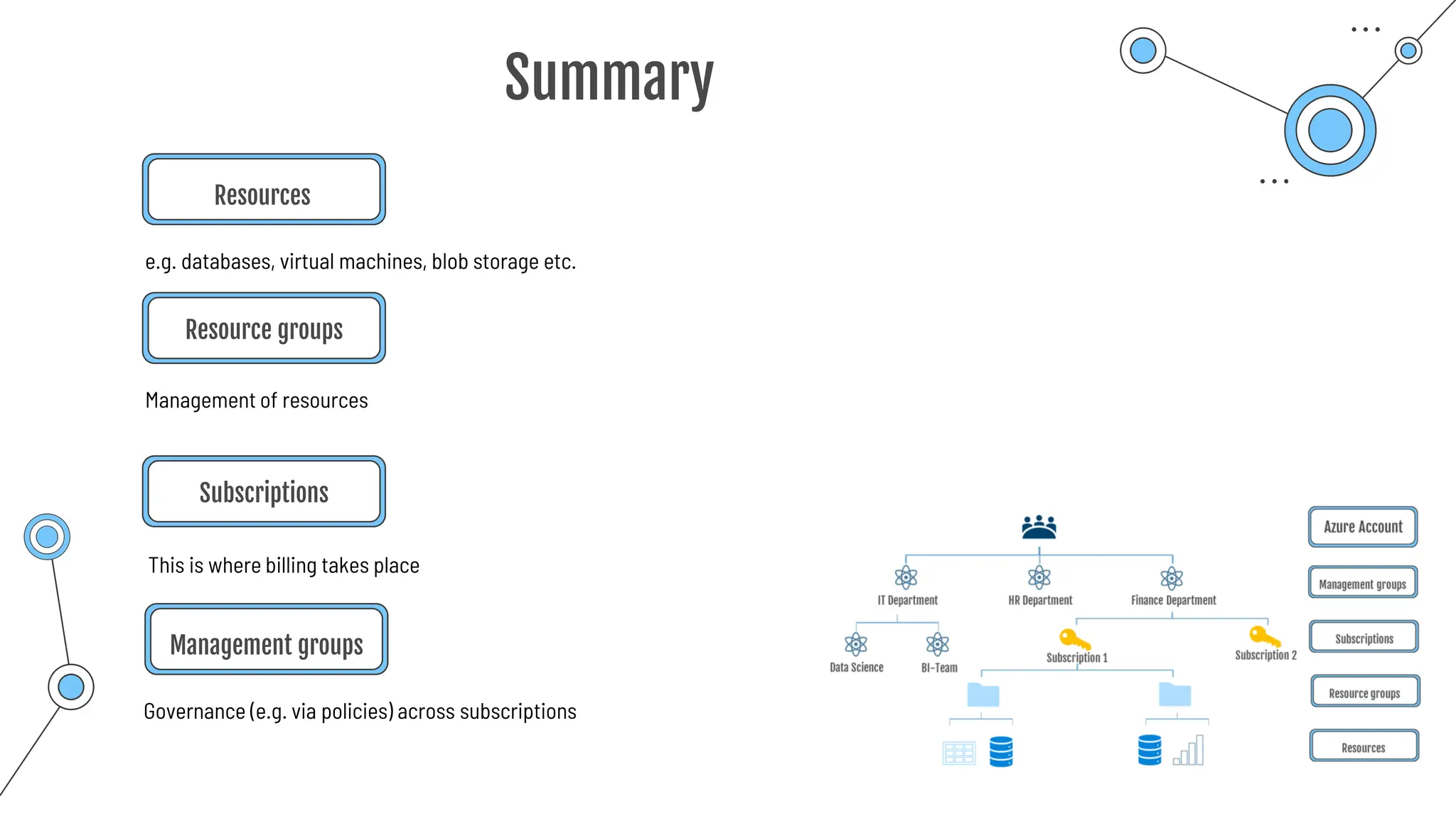
Resources
e.g. databases, virtual machines, blob storage etc.
Management of resources
Resource groups
Subscriptions
This is where billing takes place
Management groups
Governance (e.g. via policies) across subscriptions
Compute
Service
Compute Services
Provision of computing power on demand
o Azure VMs + Scale Sets + Availability Sets
o DevTest Labs
o Azure Virtual Desktop
o Azure Container Instances
o Azure App Service
o Azure Functions + Azure Logic Apps (or serverless computing)
Computing power to run applications/code in the cloud
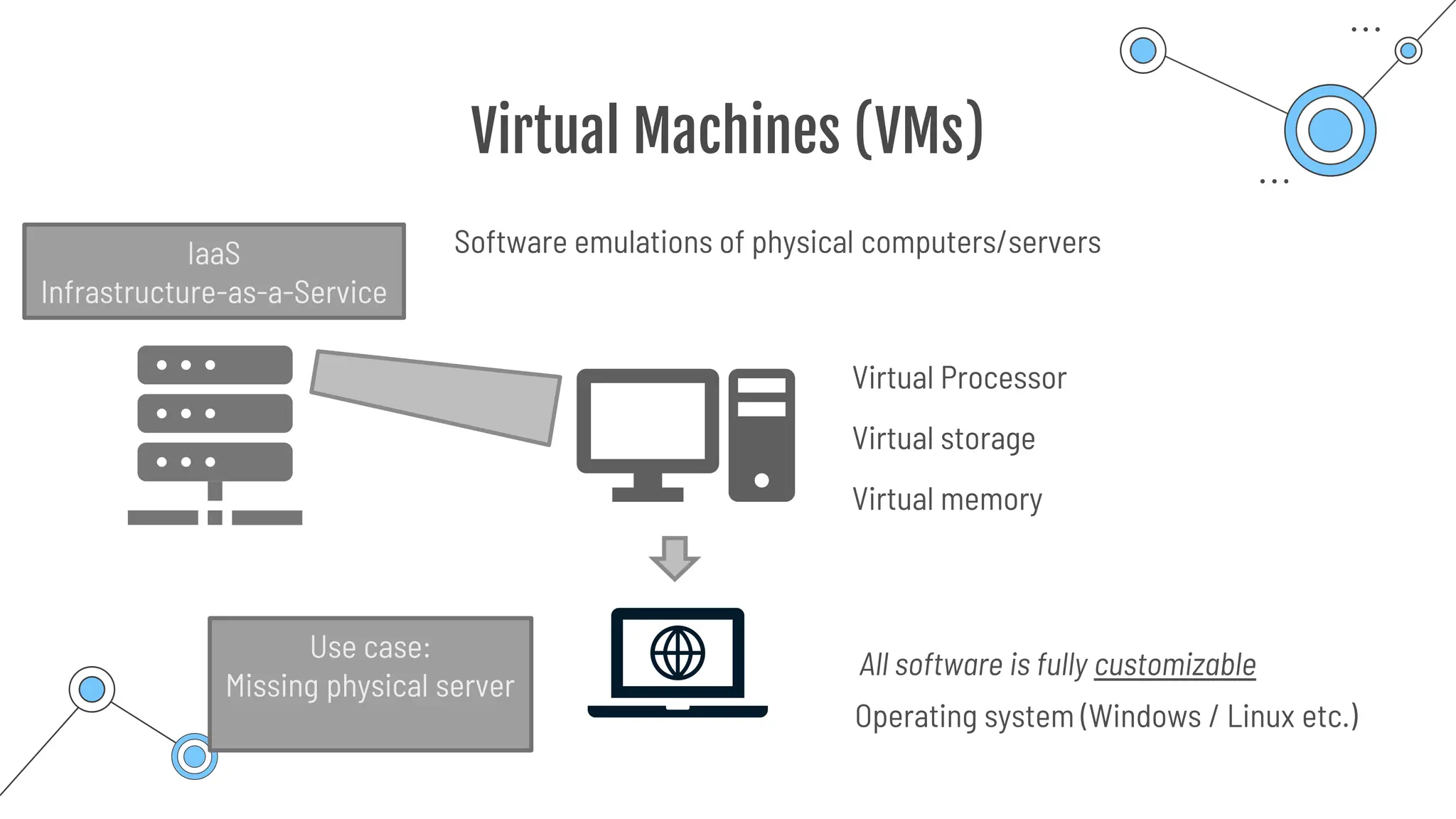
Virtual Machines (VMs)
Software emulations of physical computers/servers
Virtual Processor
Virtual storage
Virtual memory
Operating system (Windows / Linux etc.)
IaaS
Infrastructure-as-a-Service
All software is fully customizable
Use case:
Missing physical server
Virtual Machines (VMs)
• Control of operating system
• No need of buying hardware
• Possibility to run custom applications
Benefits
⇒ It is necessary to configure, update, and maintain all software that runs on the VM
✓ Create and use images: Template with preconfigure OS and software
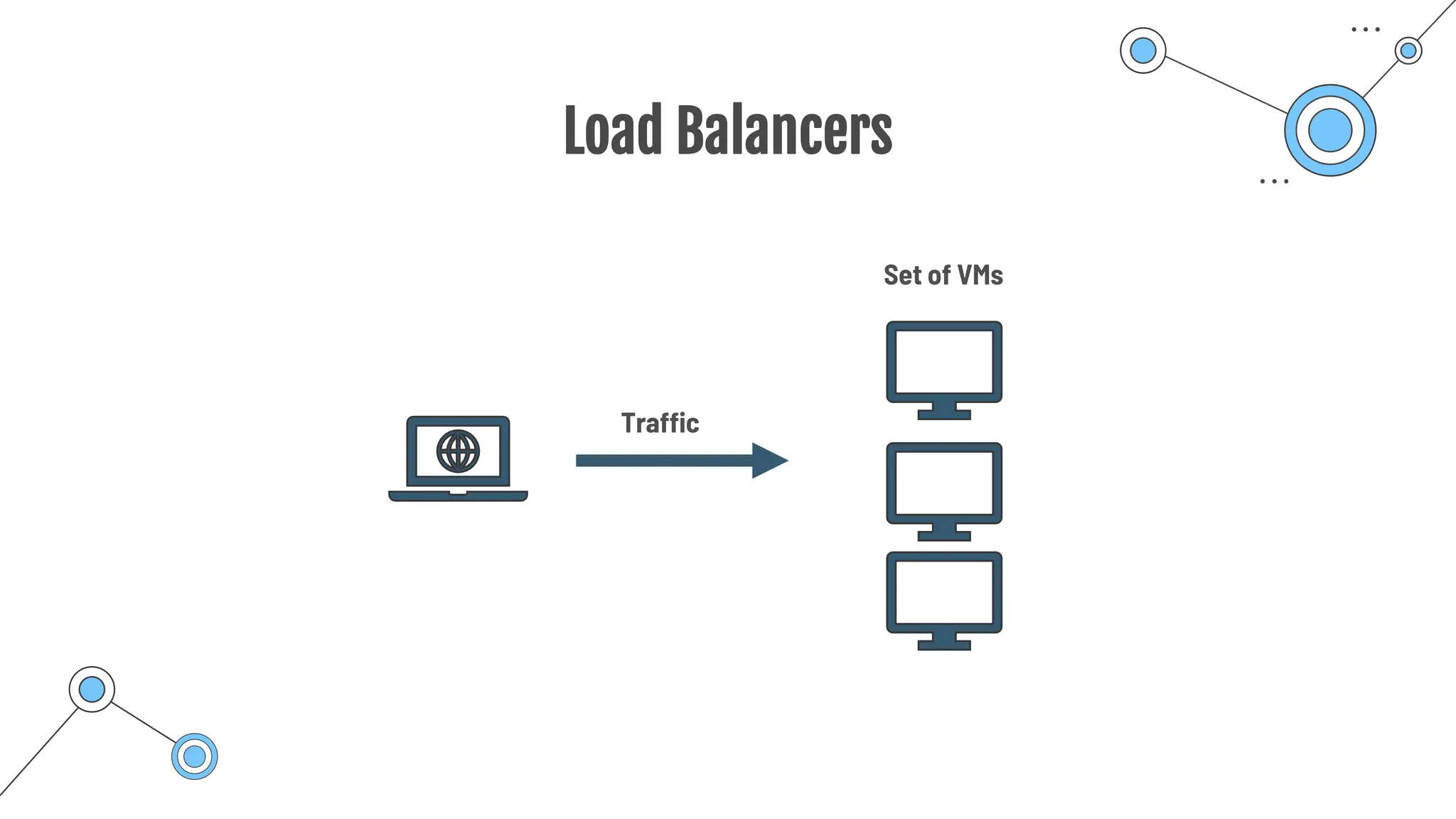
Load Balancers
Set of VMs
Traffic
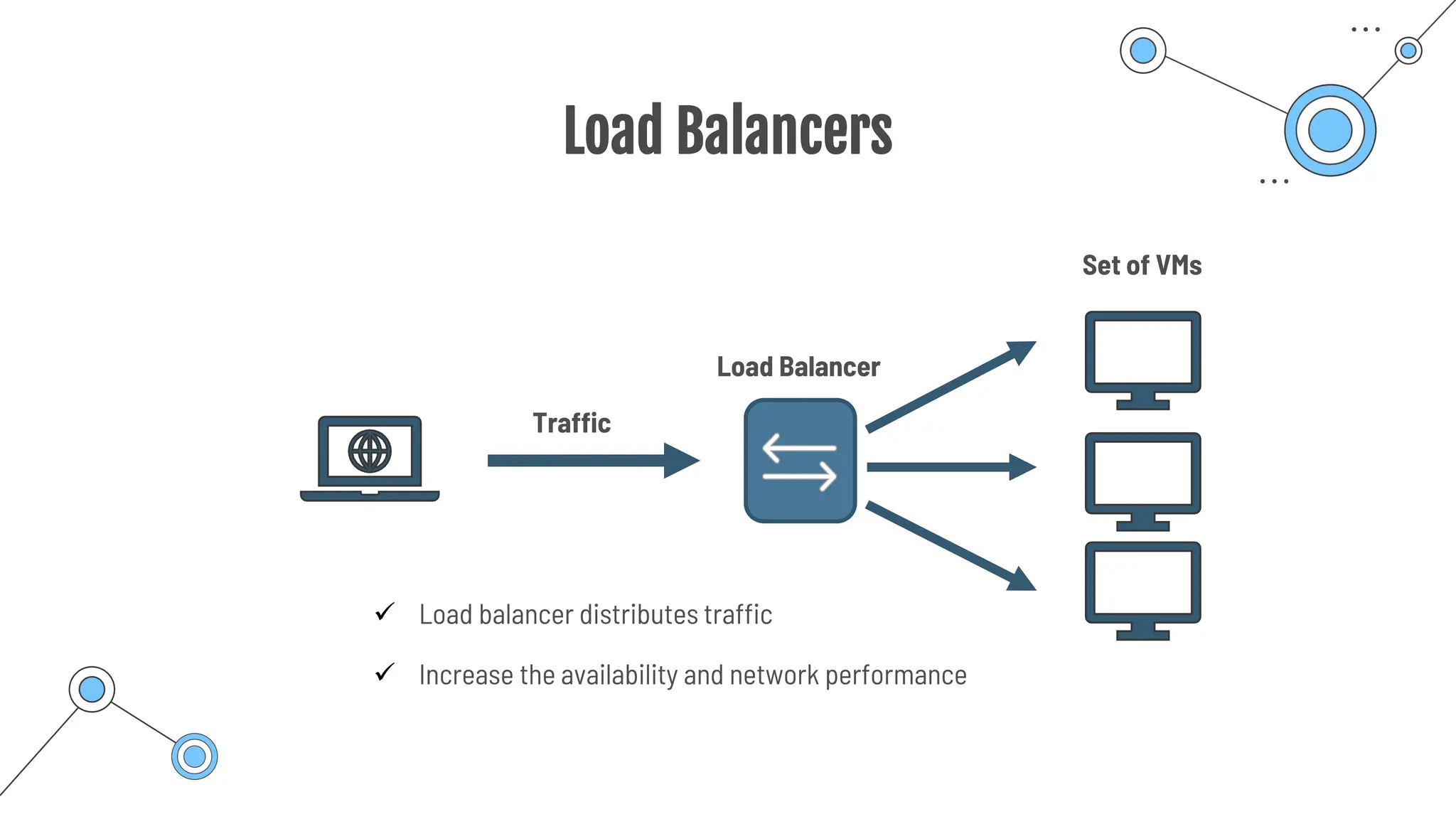
Load Balancers
Load Balancer
Set of VMs
Traffic
✓ Load balancer distributes traffic
✓ Increase the availability and network performance
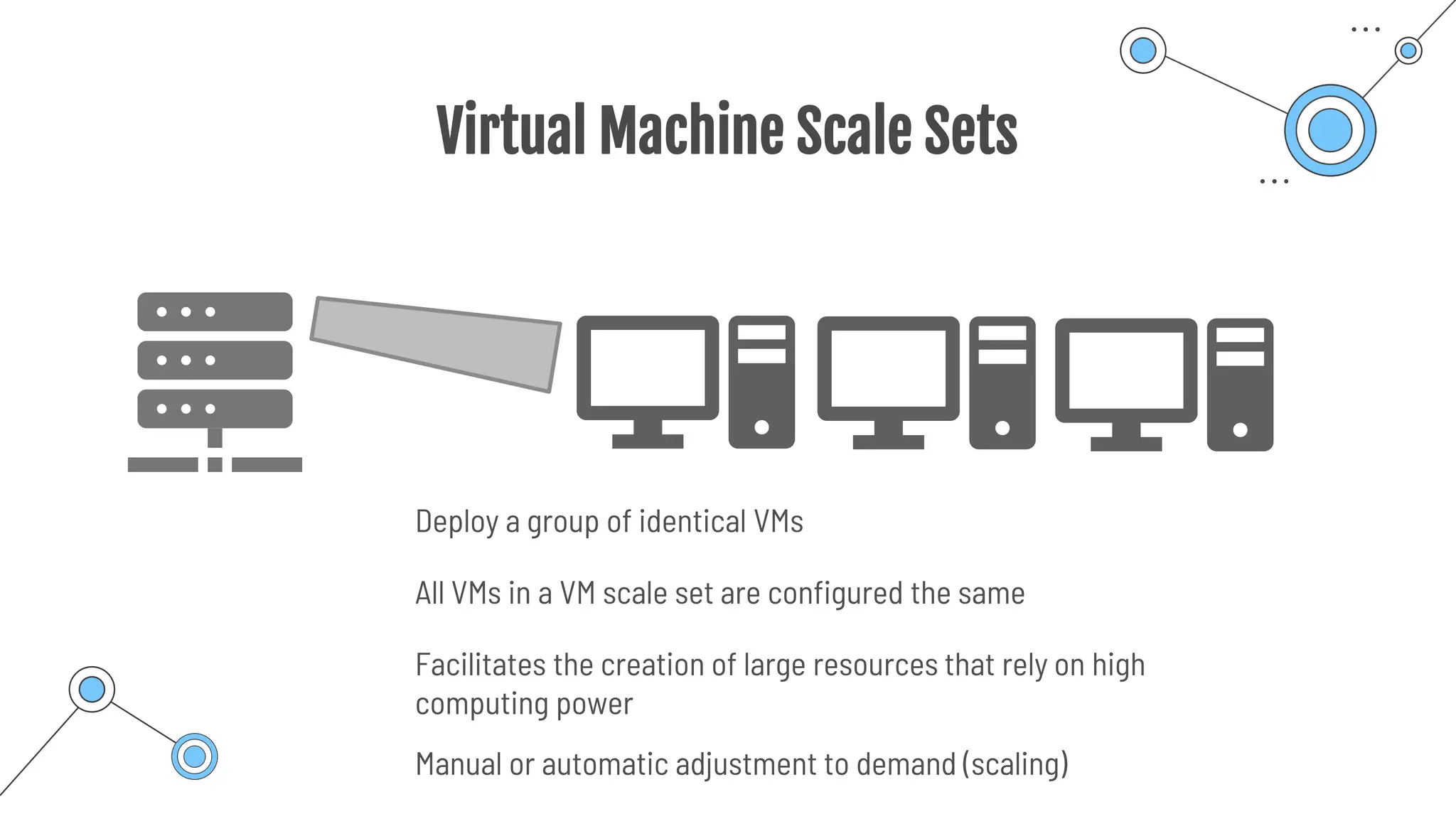
Virtual Machine Scale Sets
Deploy a group of identical VMs
All VMs in a VM scale set are configured the same
Facilitates the creation of large resources that rely on high
computing power
Manual or automatic adjustment to demand (scaling)
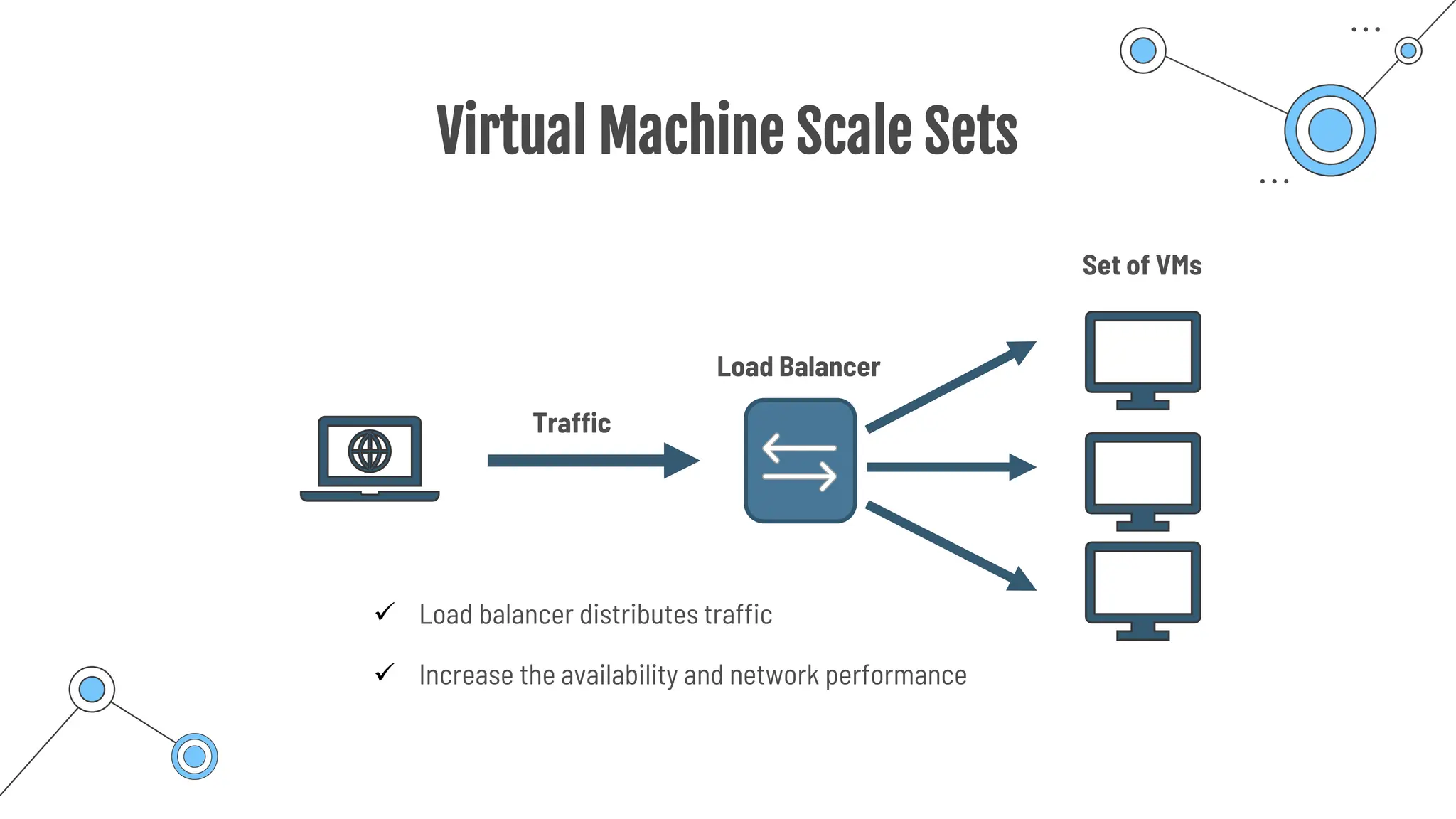
Virtual Machine Scale Sets
Load Balancer
Set of VMs
Traffic
✓ Load balancer distributes traffic
✓ Increase the availability and network performance
Virtual Machine Scale Sets
Load Balancer
Set of VMs
Traffic
✓ Load balancer distributes traffic
✓ Increase the availability and network performance
Virtual Machine Scale Sets
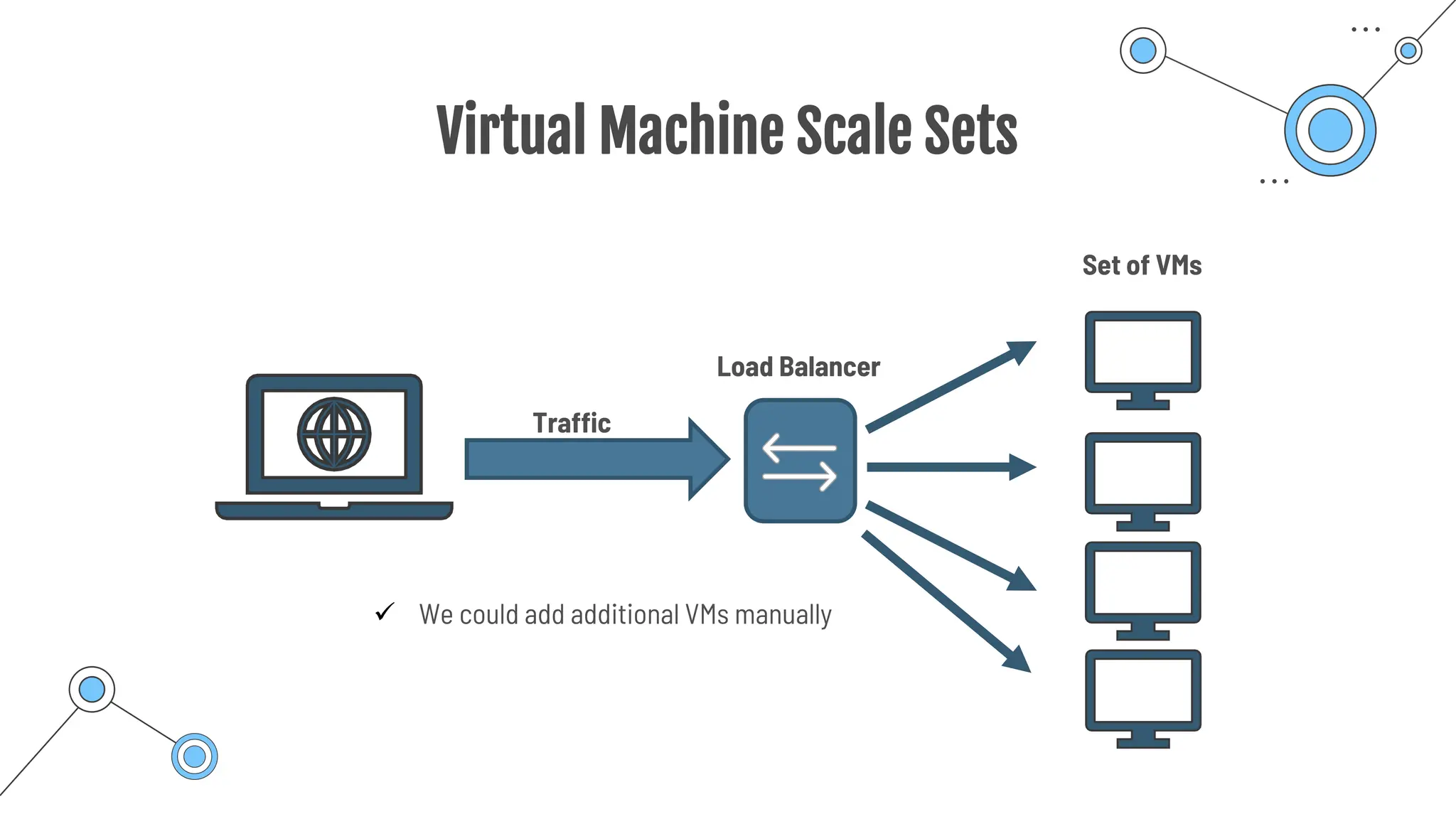
Load Balancer
Set of VMs
Traffic
✓ We could add additional VMs manually
Virtual Machine Scale Sets
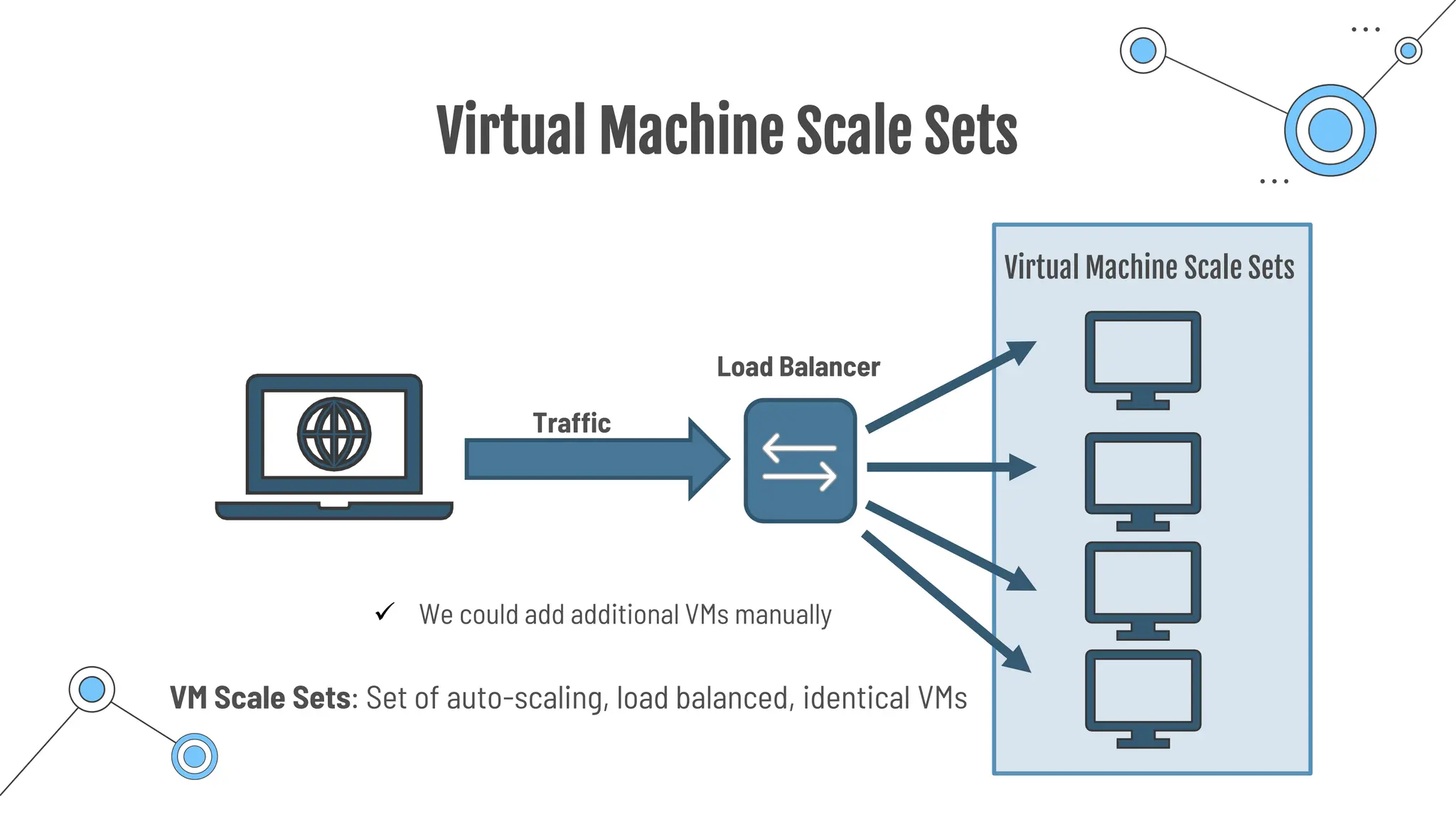
Load Balancer
Virtual Machine Scale Sets
Traffic
✓ We could add additional VMs manually
VM Scale Sets: Set of auto-scaling, load balanced, identical VMs
Availability Sets
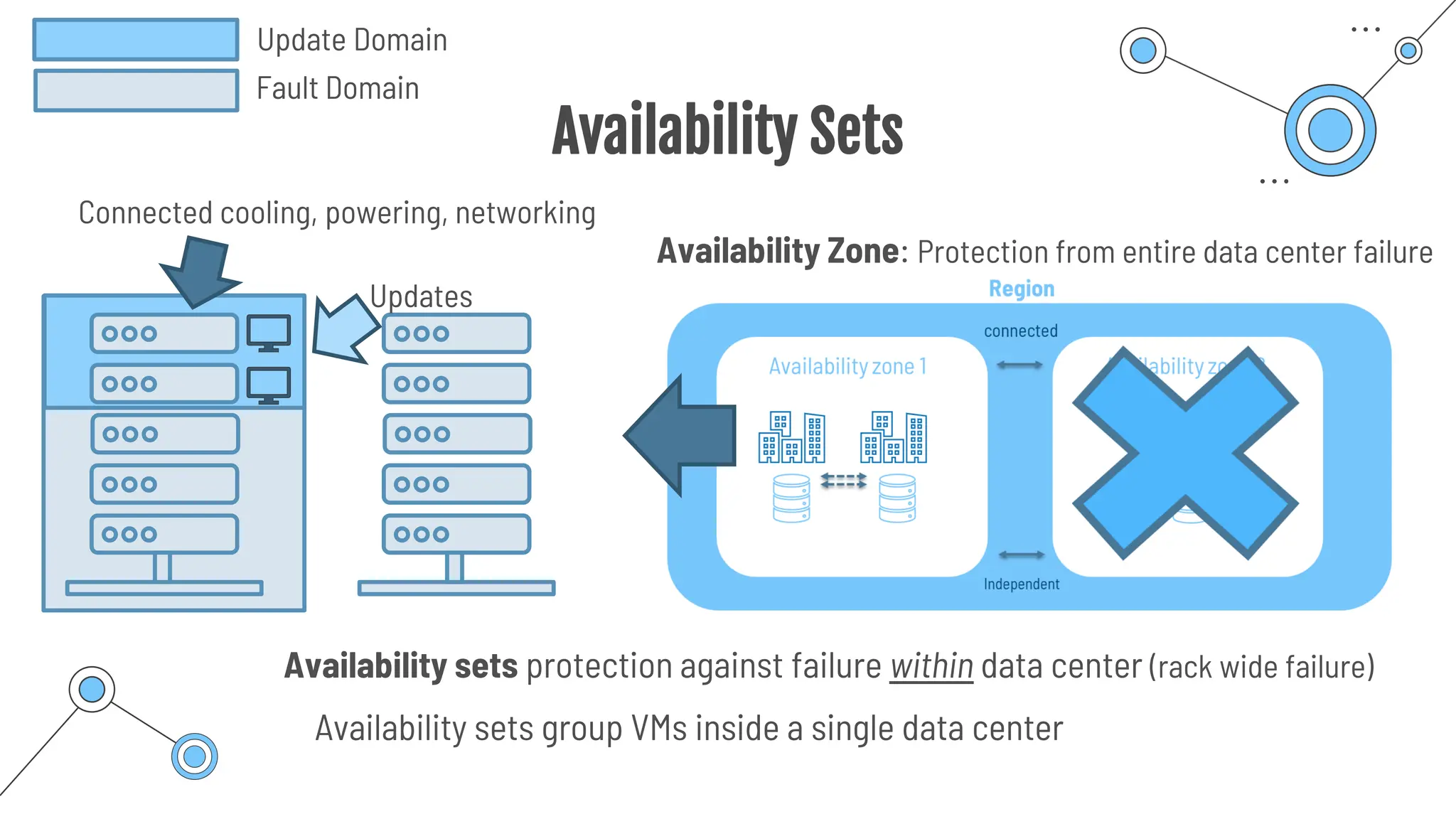
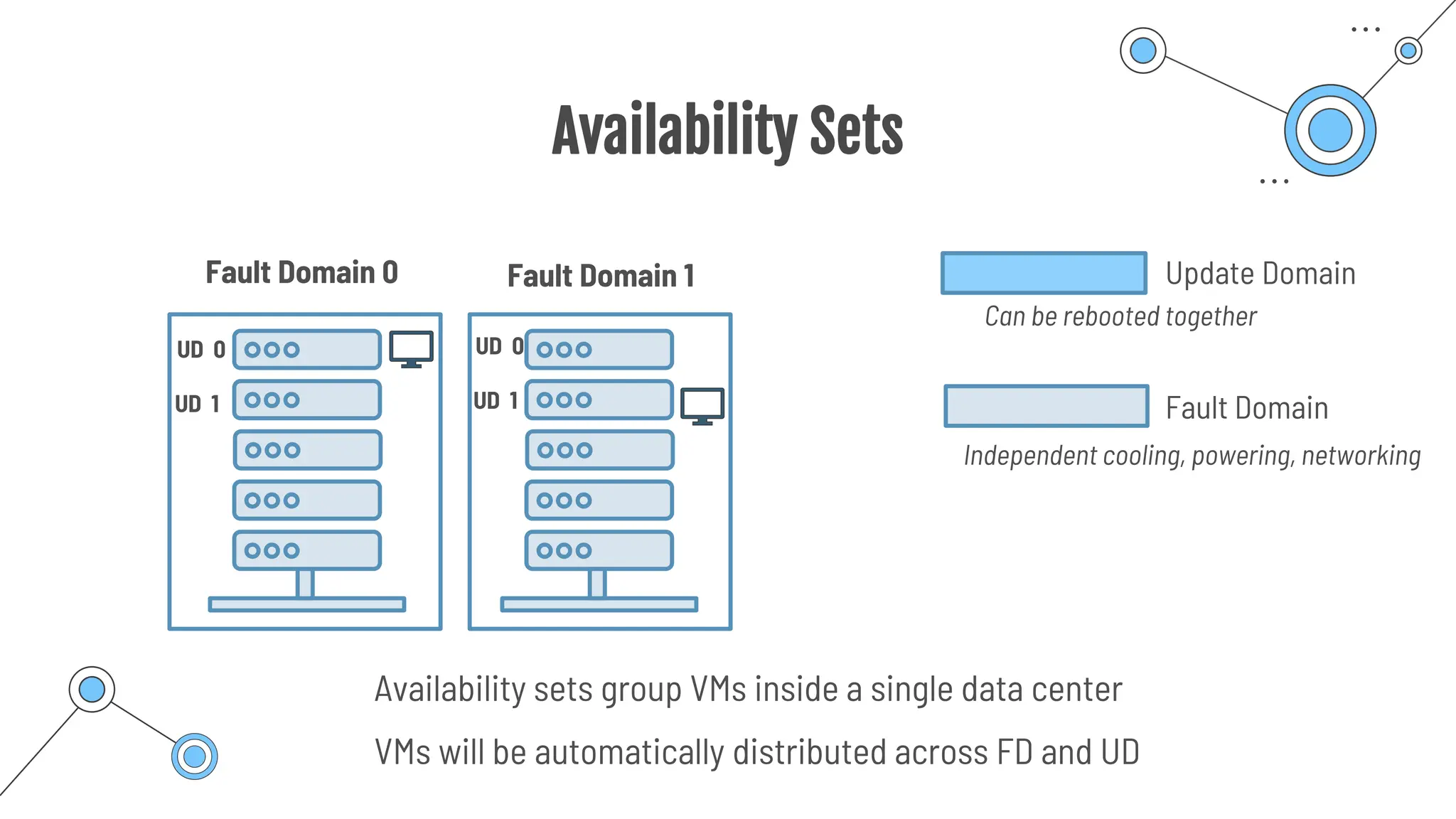
Availability sets group VMs inside a single data center
Connected cooling, powering, networking
Updates
Update Domain
Fault Domain
Availability Zone: Protection from entire data center failure
Availability sets protection against failure within data center (rack wide failure)
Availability Sets
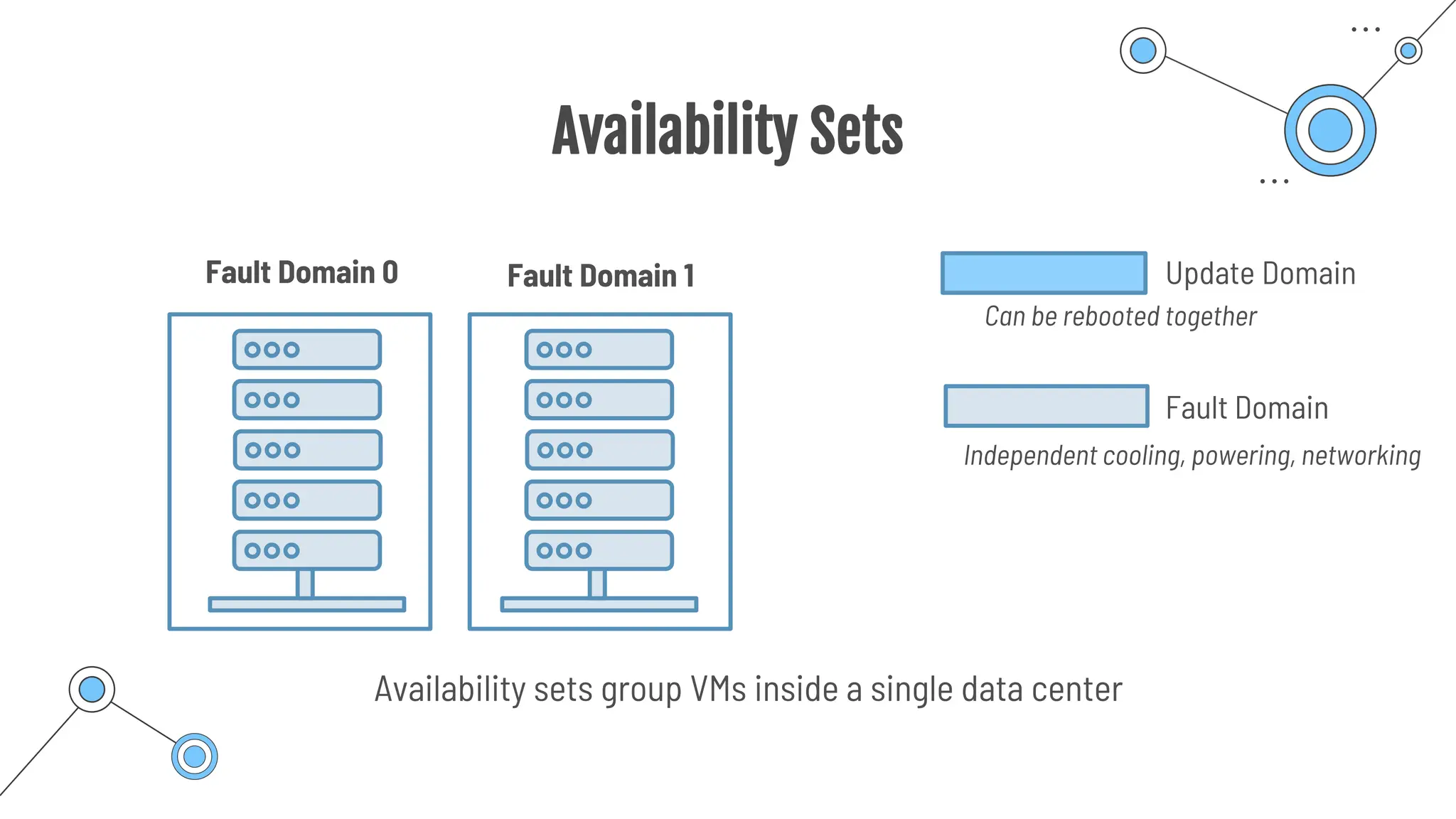
Availability sets group VMs inside a single data center
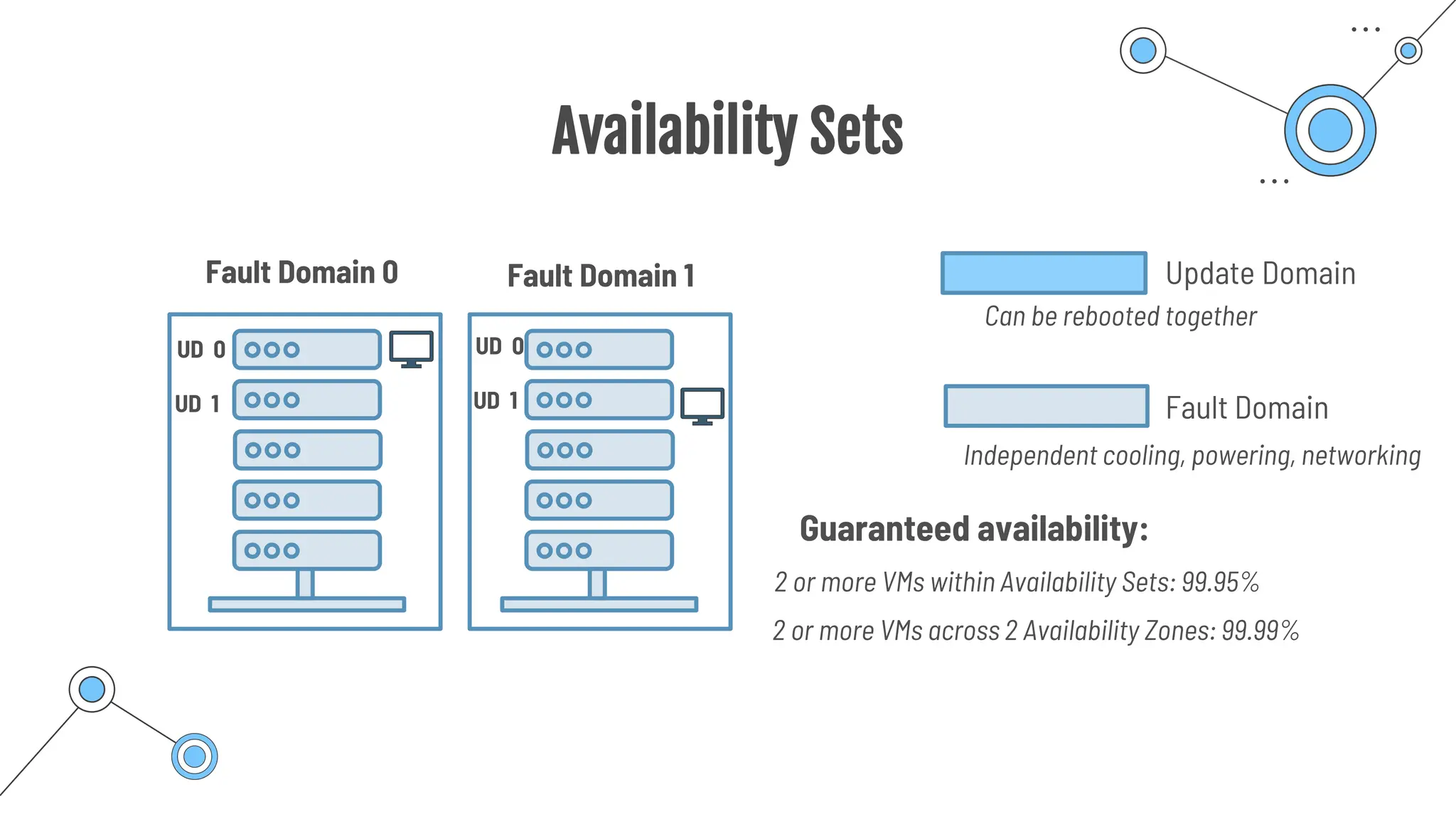
Update Domain
Fault Domain
Can be rebooted together
Independent cooling, powering, networking
Fault Domain 0 Fault Domain 1
Availability Sets
Availability sets group VMs inside a single data center
Update Domain
Fault Domain
Can be rebooted together
Independent cooling, powering, networking
Fault Domain 0 Fault Domain 1
UD 0
UD 1
UD 0
UD 1
VMs will be automatically distributed across FD and UD
Availability Sets
Guaranteed availability:
Update Domain
Fault Domain
Can be rebooted together
Independent cooling, powering, networking
2 or more VMs within Availability Sets: 99.95%
2 or more VMs across 2 Availability Zones: 99.99%
Fault Domain 0 Fault Domain 1
UD 0
UD 1
UD 0
UD 1
DevTest Labs
DevTest Labs
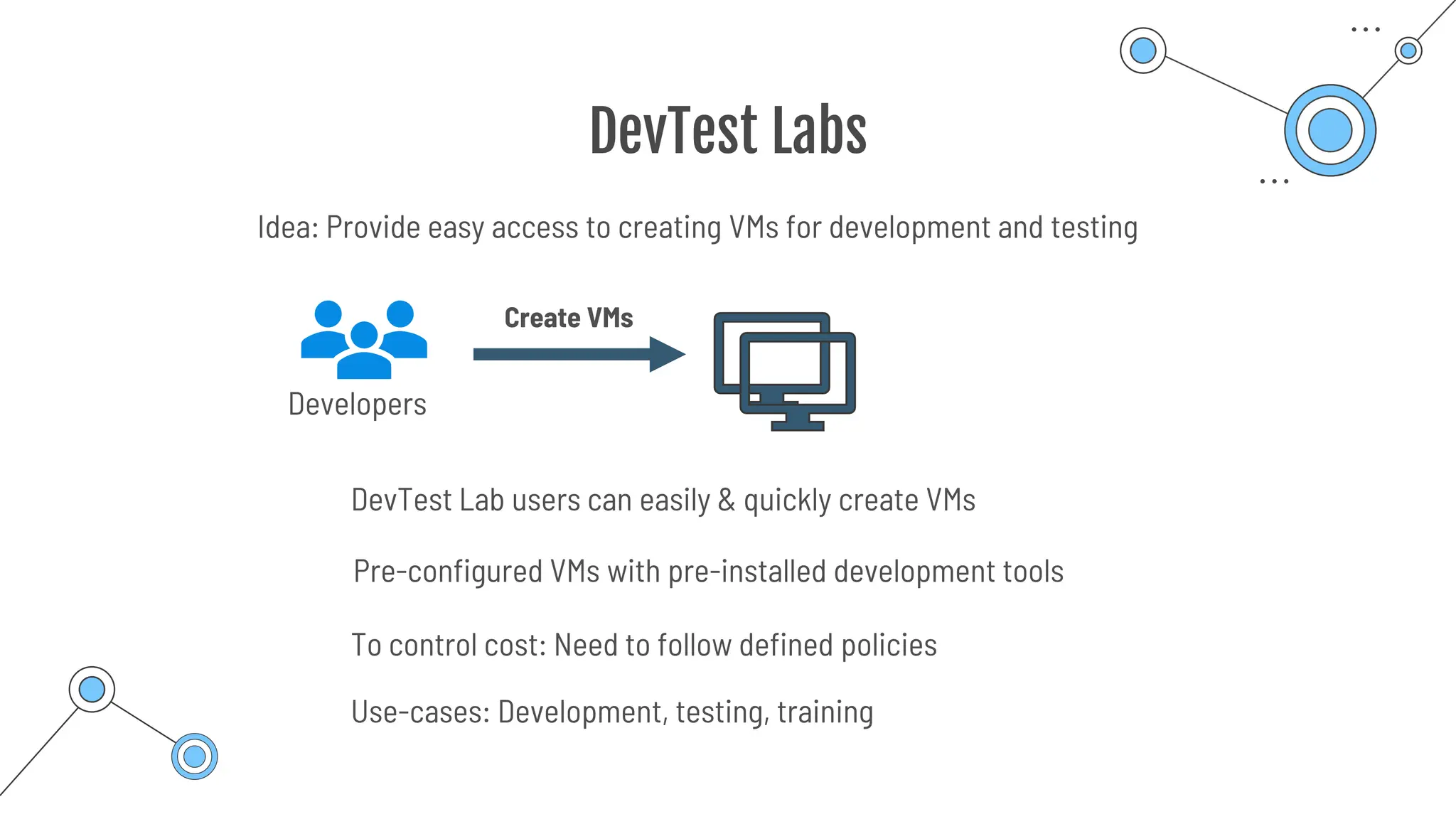
Pre-configured VMs with pre-installed development tools
DevTest Lab users can easily & quickly create VMs
Use-cases: Development, testing, training
Idea: Provide easy access to creating VMs for development and testing
Developers
Create VMs
To control cost: Need to follow defined policies
Azure Virtual Desktop
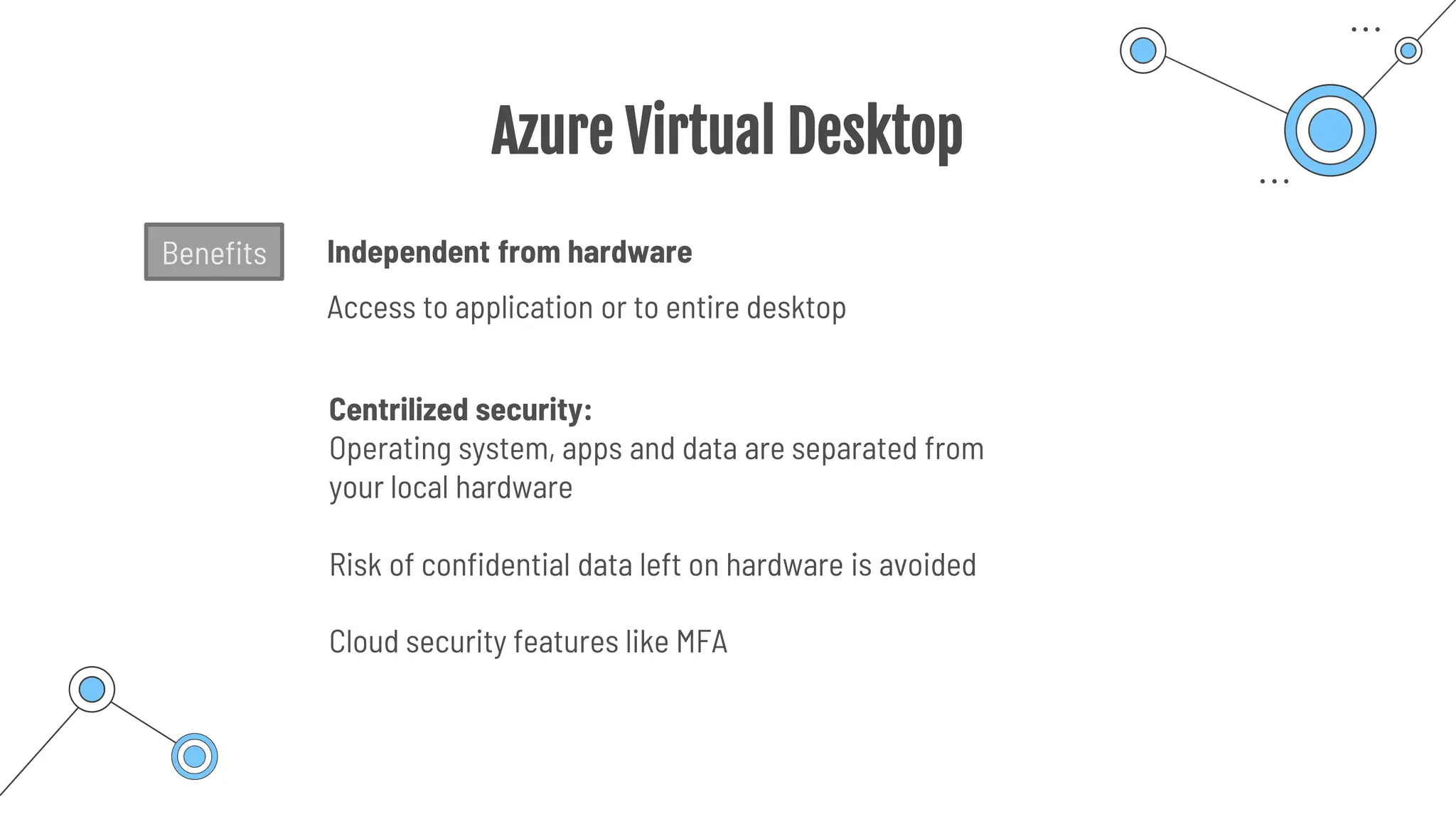
Centrilized security:
Operating system, apps and data are separated from
your local hardware
Risk of confidential data left on hardware is avoided
Independent from hardware
Access to application or to entire desktop
Cloud security features like MFA
Benefits
Azure Virtual
Desktop
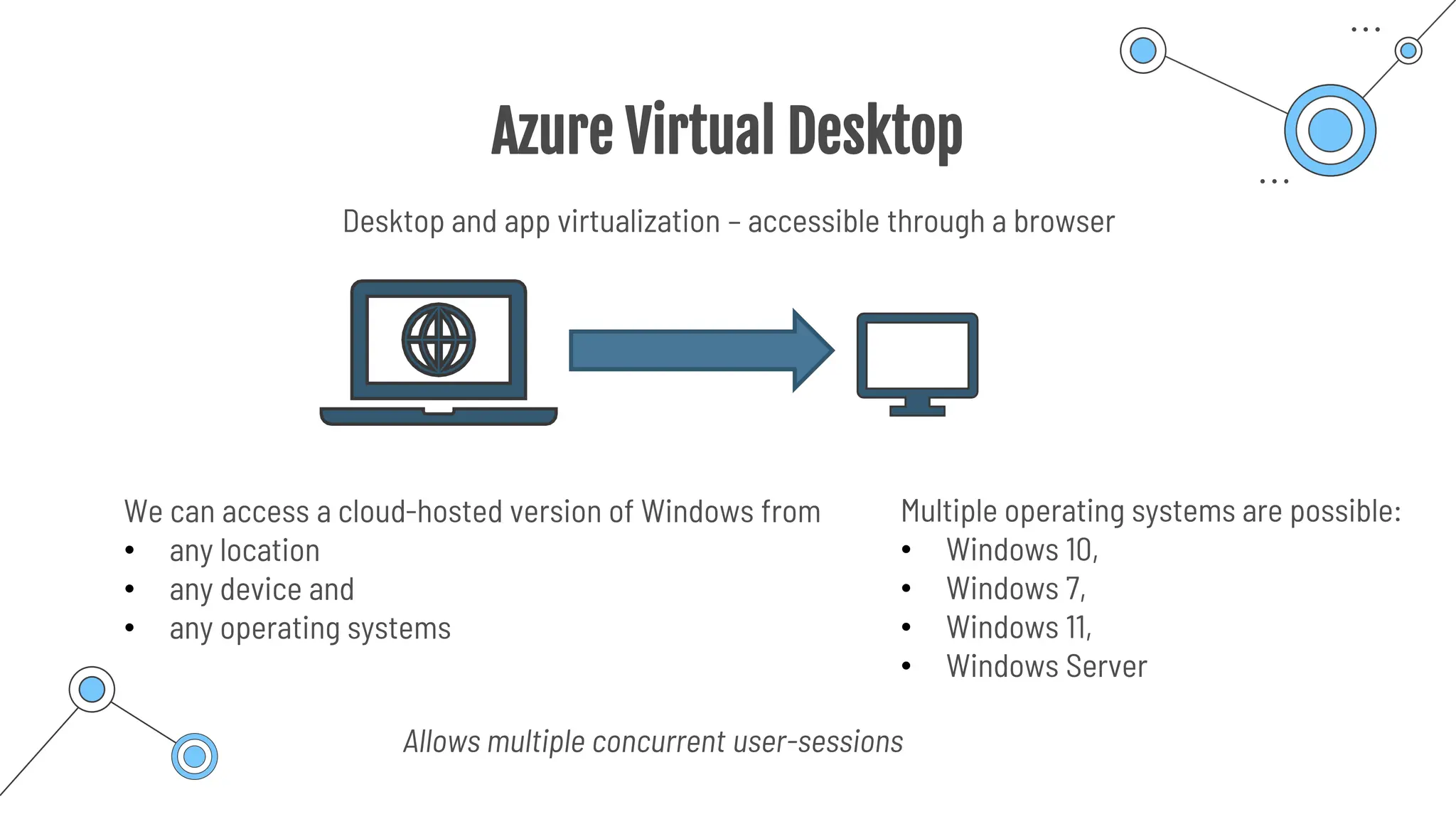
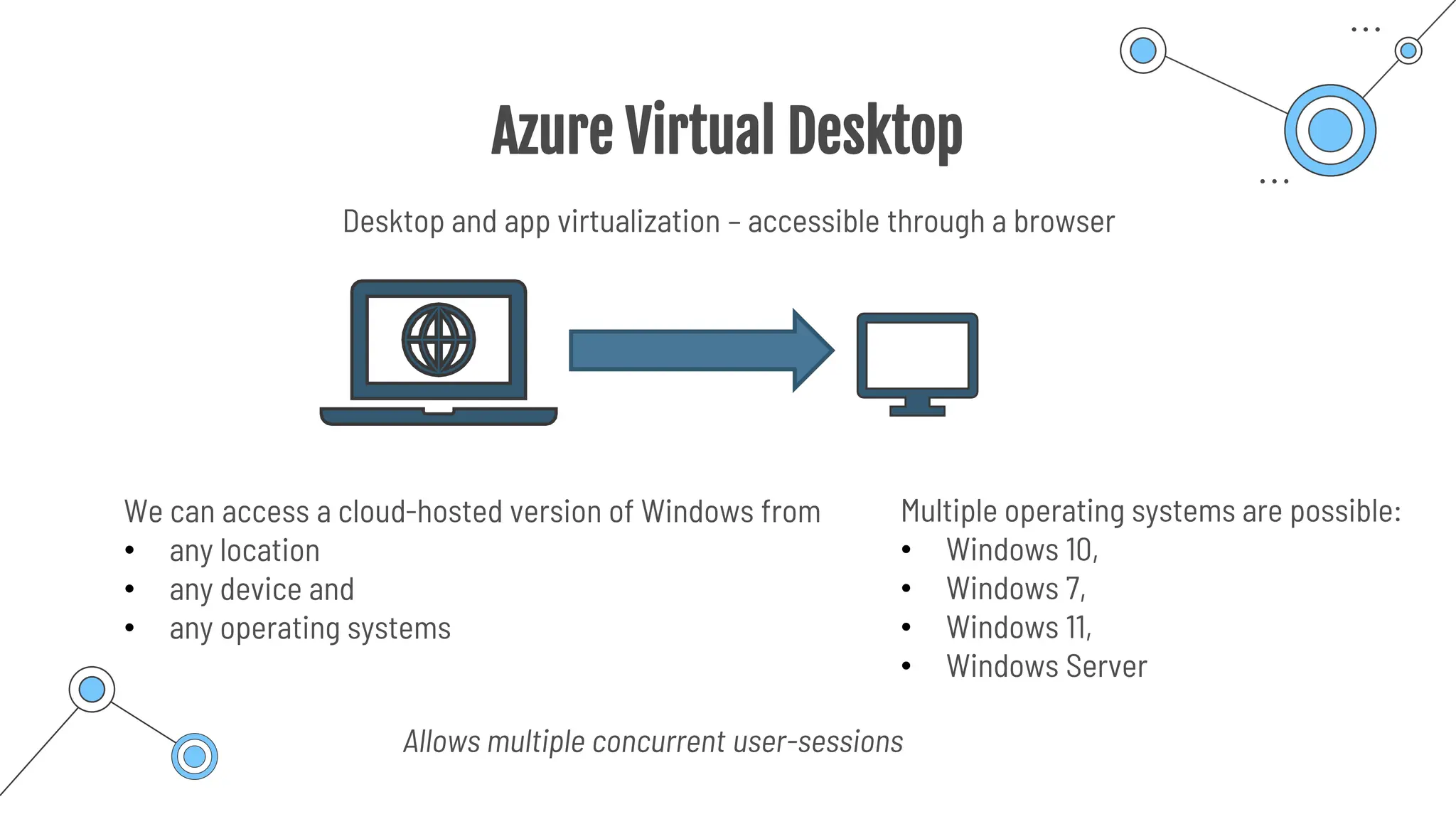
Azure Virtual Desktop
We can access a cloud-hosted version of Windows from
• any location
• any device and
• any operating systems
Desktop and app virtualization – accessible through a browser
Multiple operating systems are possible:
• Windows 10,
• Windows 7,
• Windows 11,
• Windows Server
Allows multiple concurrent user-sessions
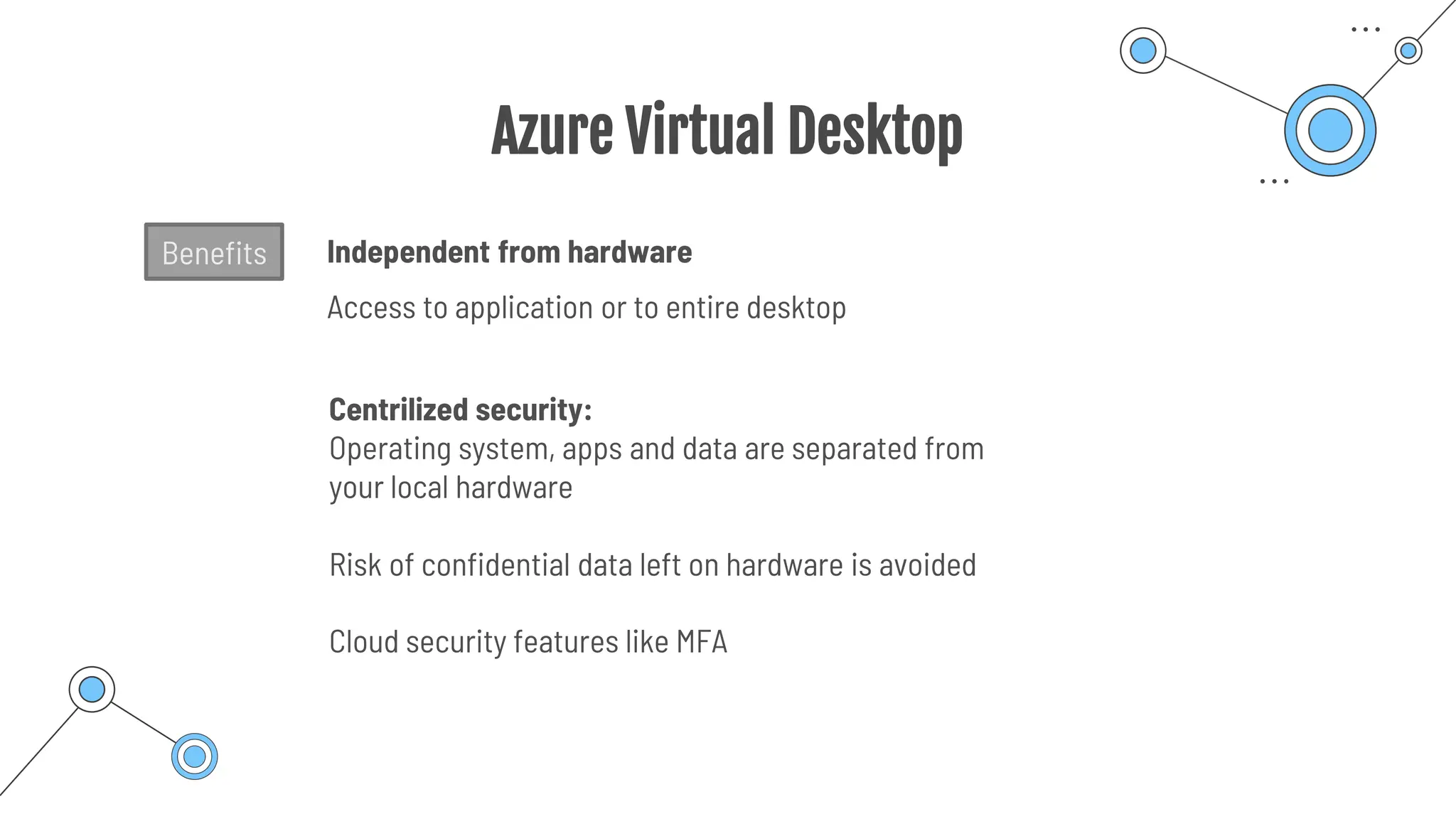
Azure Virtual Desktop
Centrilized security:
Operating system, apps and data are separated from
your local hardware
Risk of confidential data left on hardware is avoided
Independent from hardware
Access to application or to entire desktop
Cloud security features like MFA
Benefits
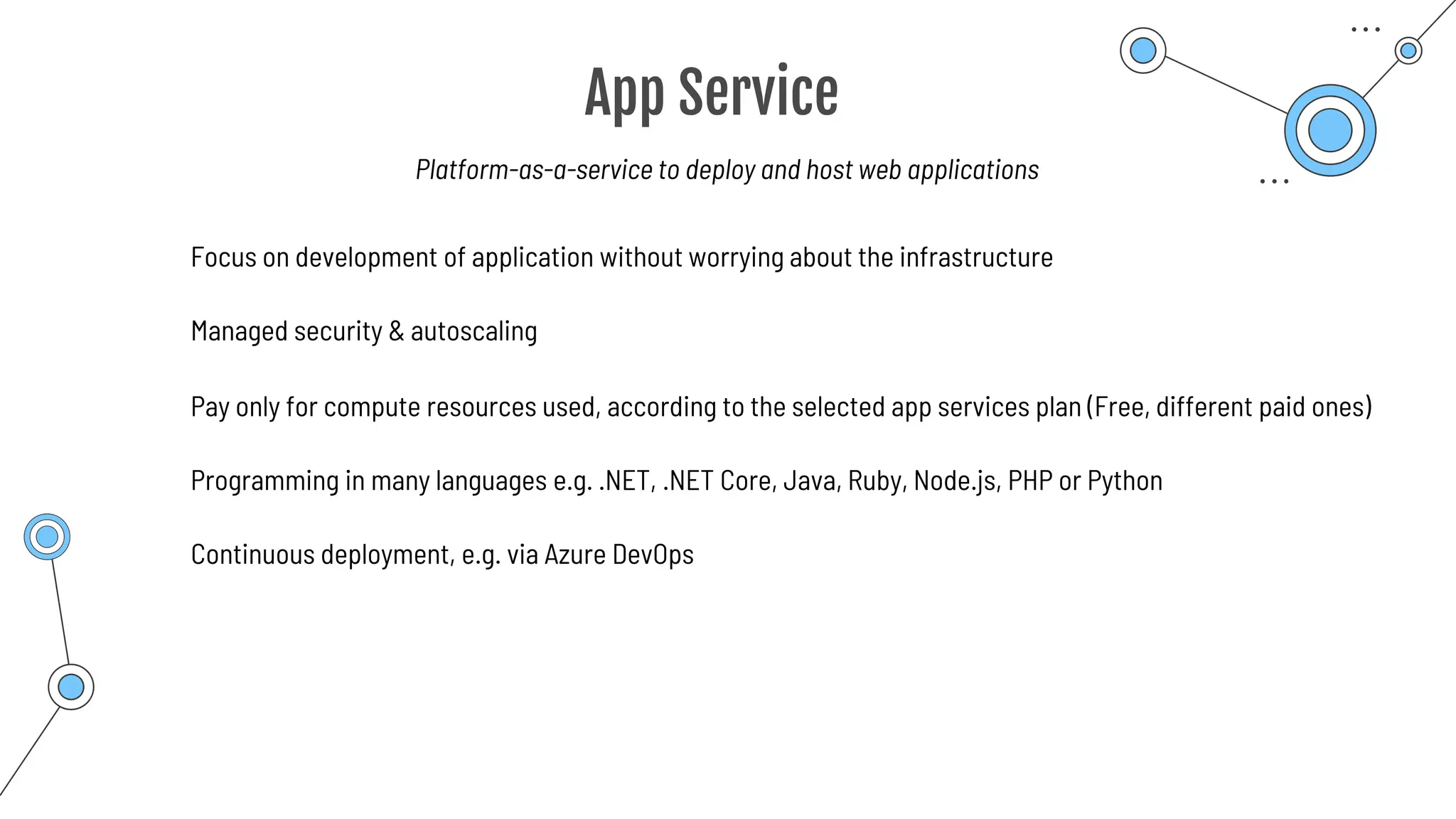
App Service
App Service
Programming in many languages e.g. .NET, .NET Core, Java, Ruby, Node.js, PHP or Python
Focus on development of application without worrying about the infrastructure
Managed security & autoscaling
Pay only for compute resources used, according to the selected app services plan (Free, different paid ones)
Continuous deployment, e.g. via Azure DevOps
Platform-as-a-service to deploy and host web applications
Container
Services
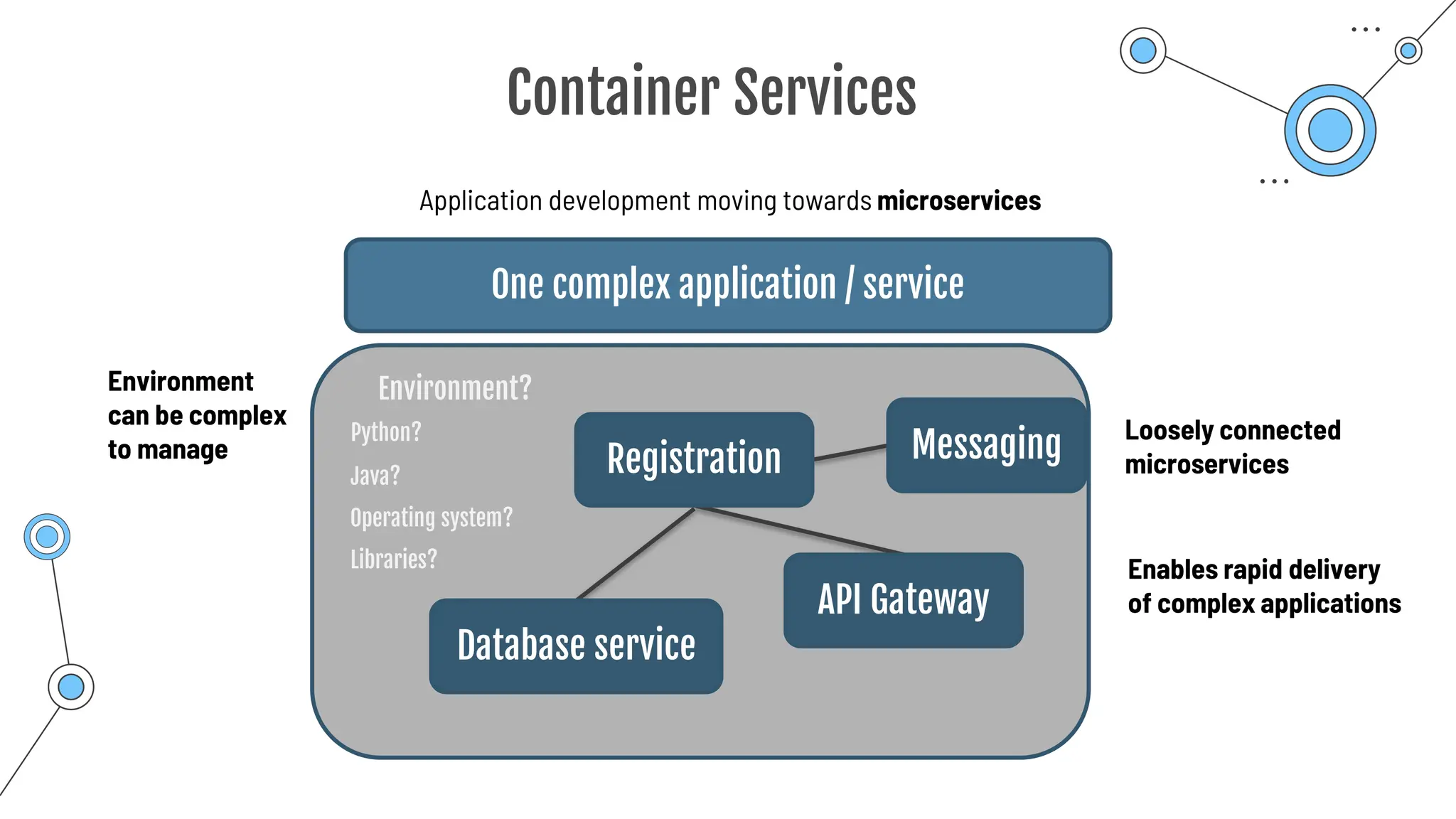
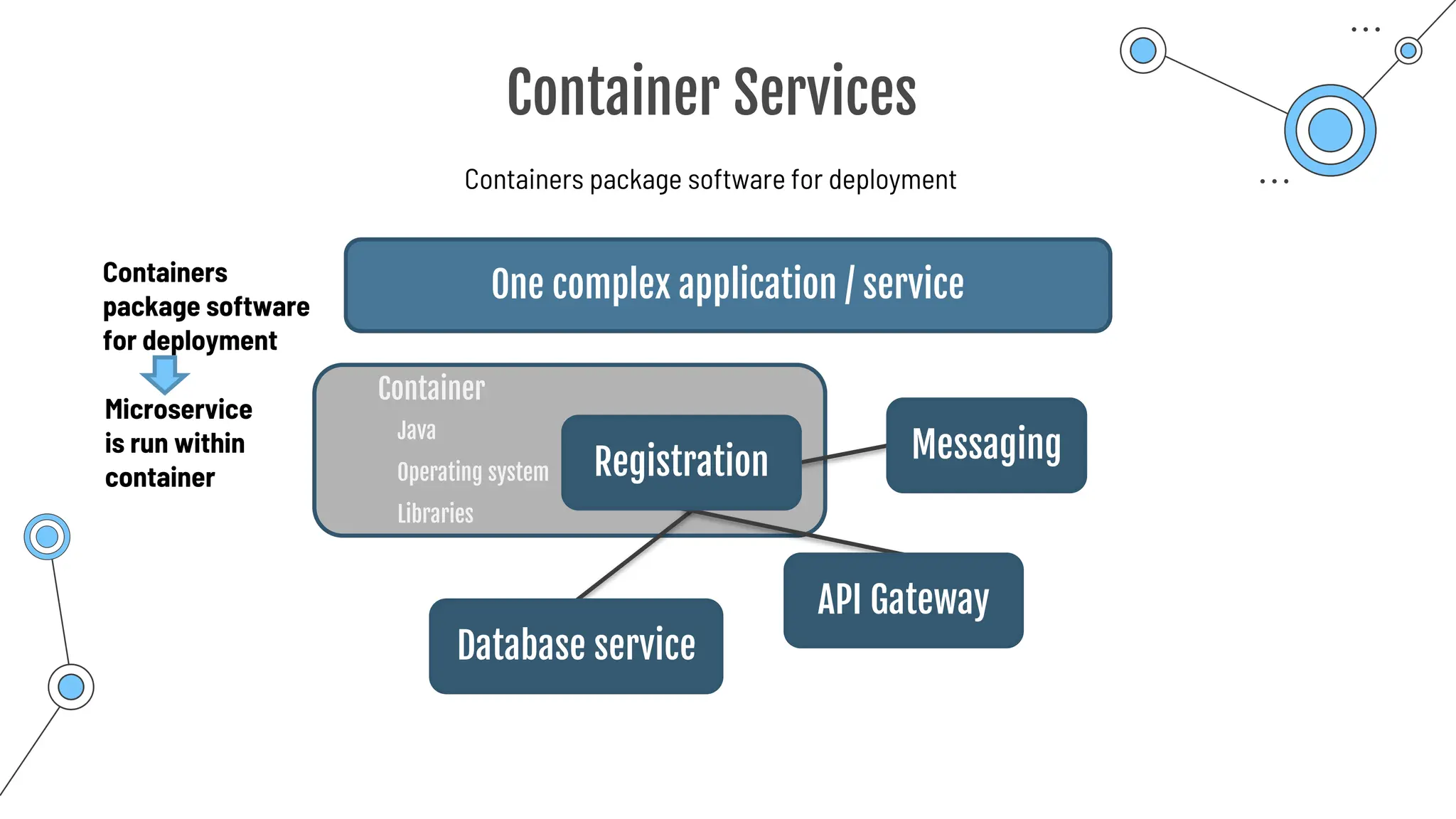
Container Services
Application development moving towards microservices
One complex application / service
Messaging
Registration
API Gateway
Database service
Loosely connected
microservices
Environment?
Enables rapid delivery
of complex applications
Python?
Java?
Operating system?
Libraries?
Environment
can be complex
to manage
Container Services
Containers package software for deployment
One complex application / service
Messaging
Registration
API Gateway
Database service
Microservice
is run within
container
Container
Java
Operating system
Libraries
Containers
package software
for deployment
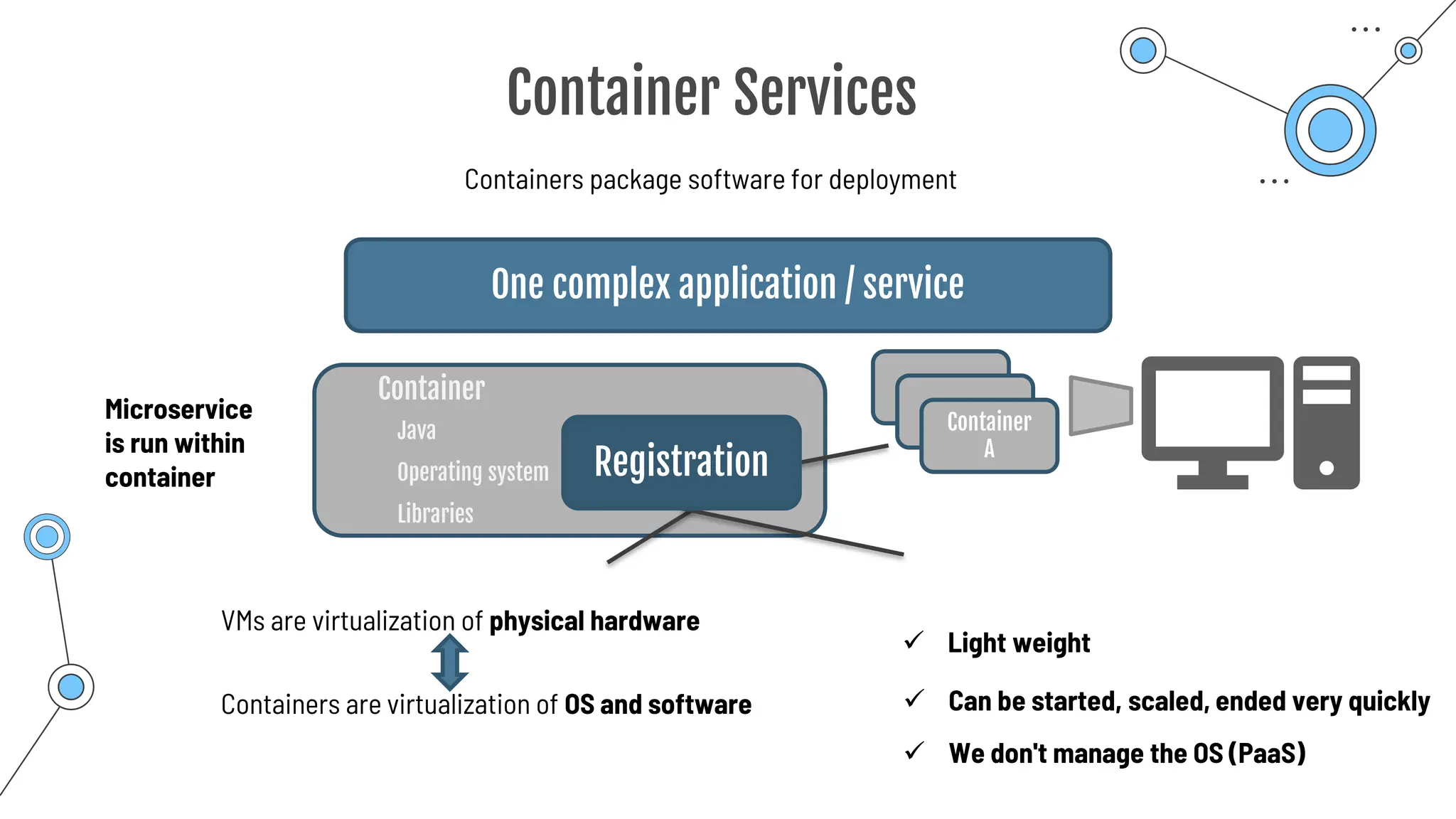
Container Services
Containers package software for deployment
One complex application / service
Registration
Microservice
is run within
container
Container
Java
Operating system
Libraries
VMs are virtualization of physical hardware
Containers are virtualization of OS and software
✓ Light weight
✓ Can be started, scaled, ended very quickly
Container
A
✓ We don't manage the OS (PaaS)
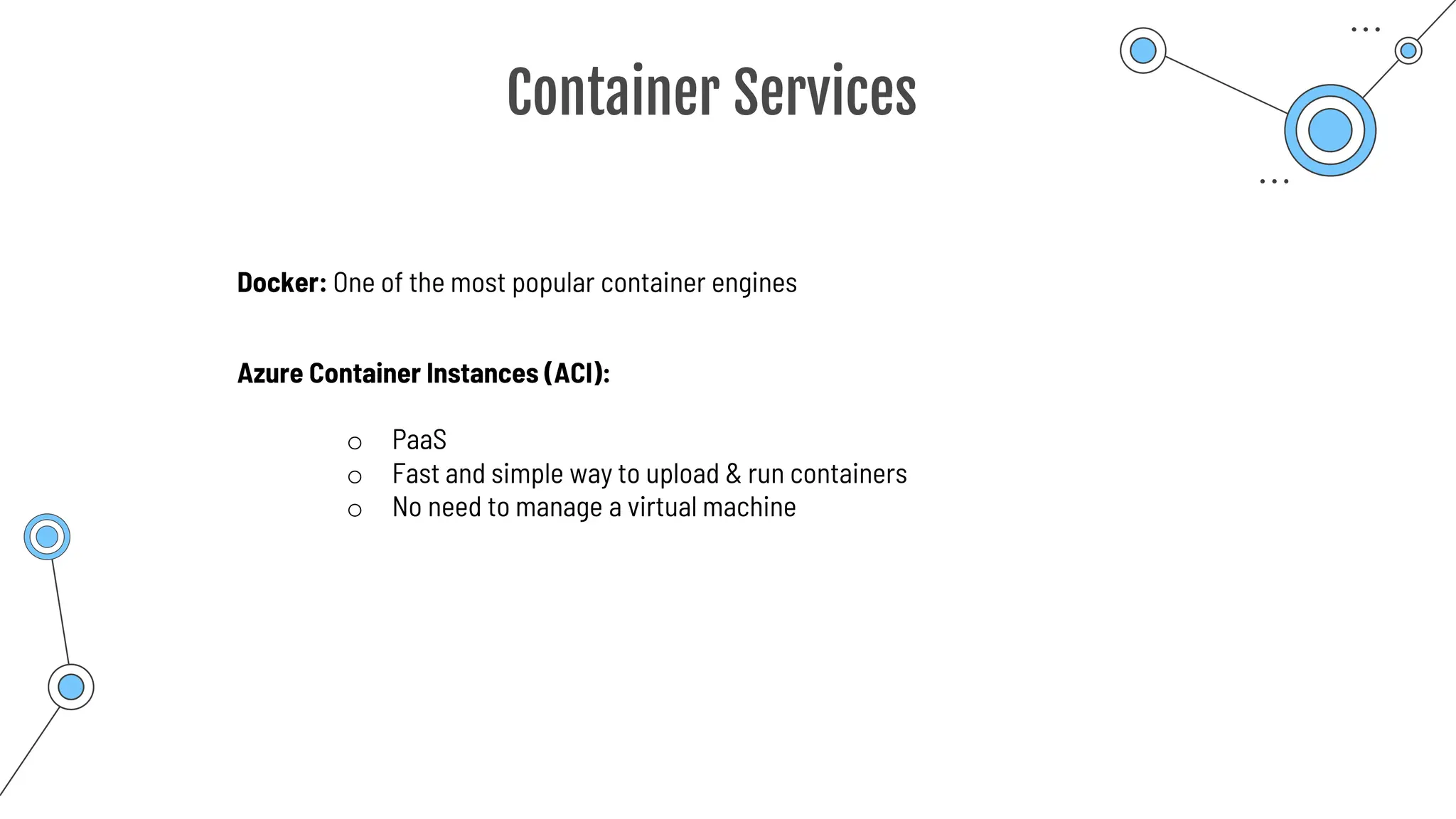
Container Services
Docker: One of the most popular container engines
Azure Container Instances (ACI):
o PaaS
o Fast and simple way to upload & run containers
o No need to manage a virtual machine
Azure
Kubernetes
Service
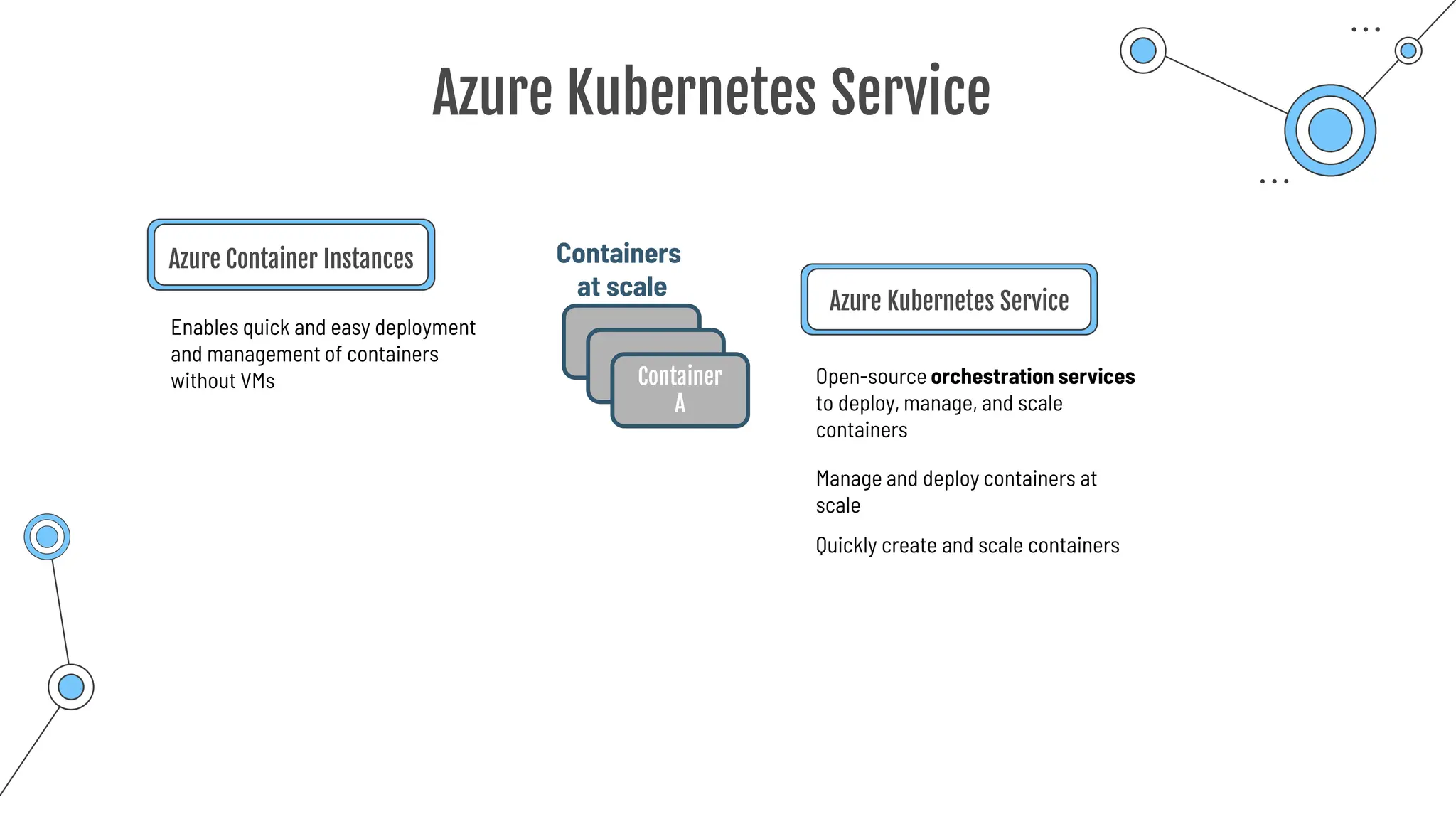
Azure Kubernetes Service
Azure Container Instances
Enables quick and easy deployment
and management of containers
without VMs
Azure Kubernetes Service
Manage and deploy containers at
scale
Open-source orchestration services
to deploy, manage, and scale
containers
Quickly create and scale containers
Container
A
Containers
at scale
Azure Virtual Desktop
We can access a cloud-hosted version of Windows from
• any location
• any device and
• any operating systems
Desktop and app virtualization – accessible through a browser
Multiple operating systems are possible:
• Windows 10,
• Windows 7,
• Windows 11,
• Windows Server
Allows multiple concurrent user-sessions
Azure Virtual Desktop
Centrilized security:
Operating system, apps and data are separated from
your local hardware
Risk of confidential data left on hardware is avoided
Independent from hardware
Access to application or to entire desktop
Cloud security features like MFA
Benefits
Summary
Summary
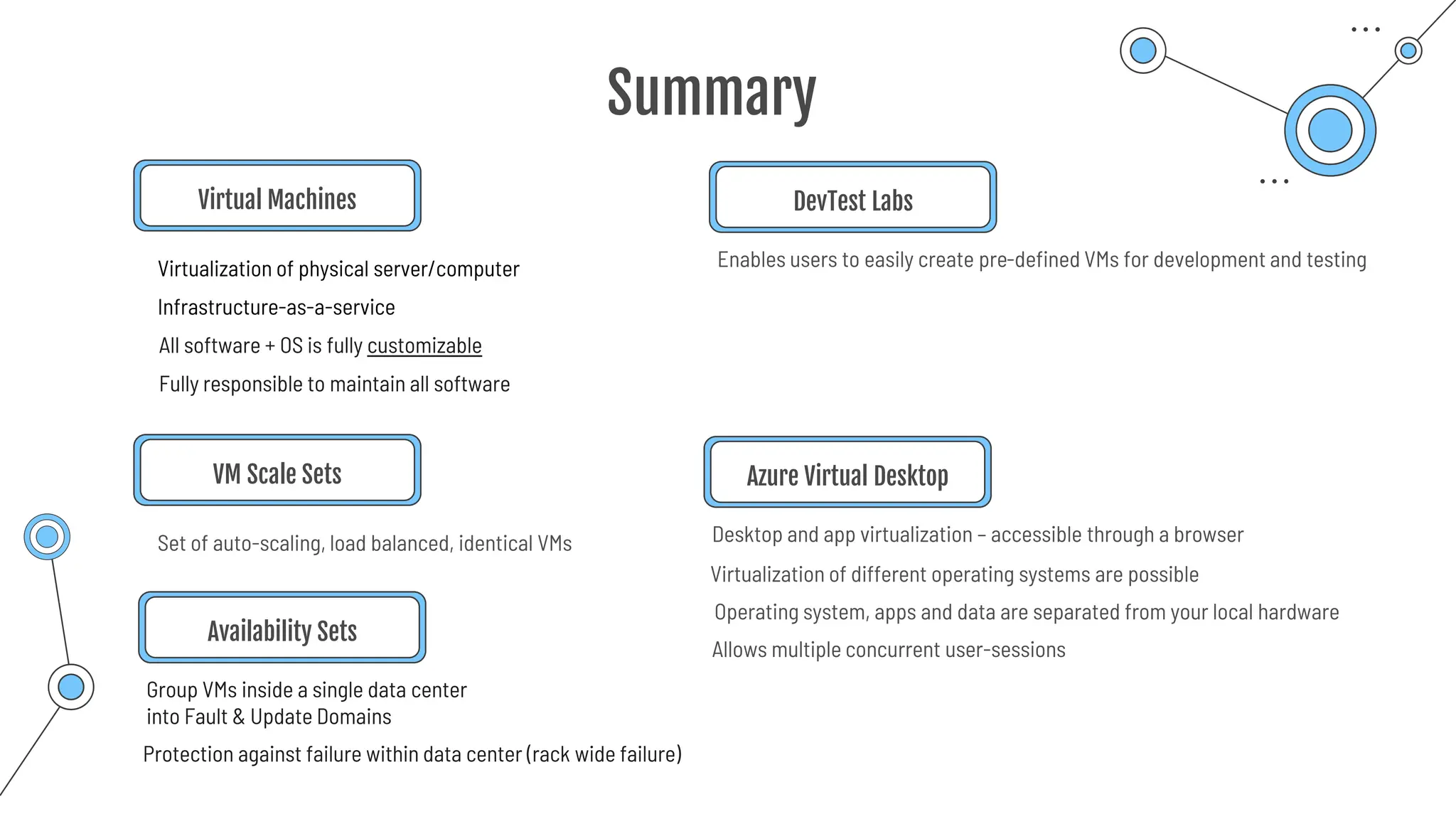
Virtual Machines
Virtualization of physical server/computer
Infrastructure-as-a-service
All software + OS is fully customizable
Fully responsible to maintain all software
VM Scale Sets
Set of auto-scaling, load balanced, identical VMs
Group VMs inside a single data center
into Fault & Update Domains
Availability Sets
Protection against failure within data center (rack wide failure)
Enables users to easily create pre-defined VMs for development and testing
DevTest Labs
Allows multiple concurrent user-sessions
Desktop and app virtualization – accessible through a browser
Azure Virtual Desktop
Operating system, apps and data are separated from your local hardware
Virtualization of different operating systems are possible
Summary
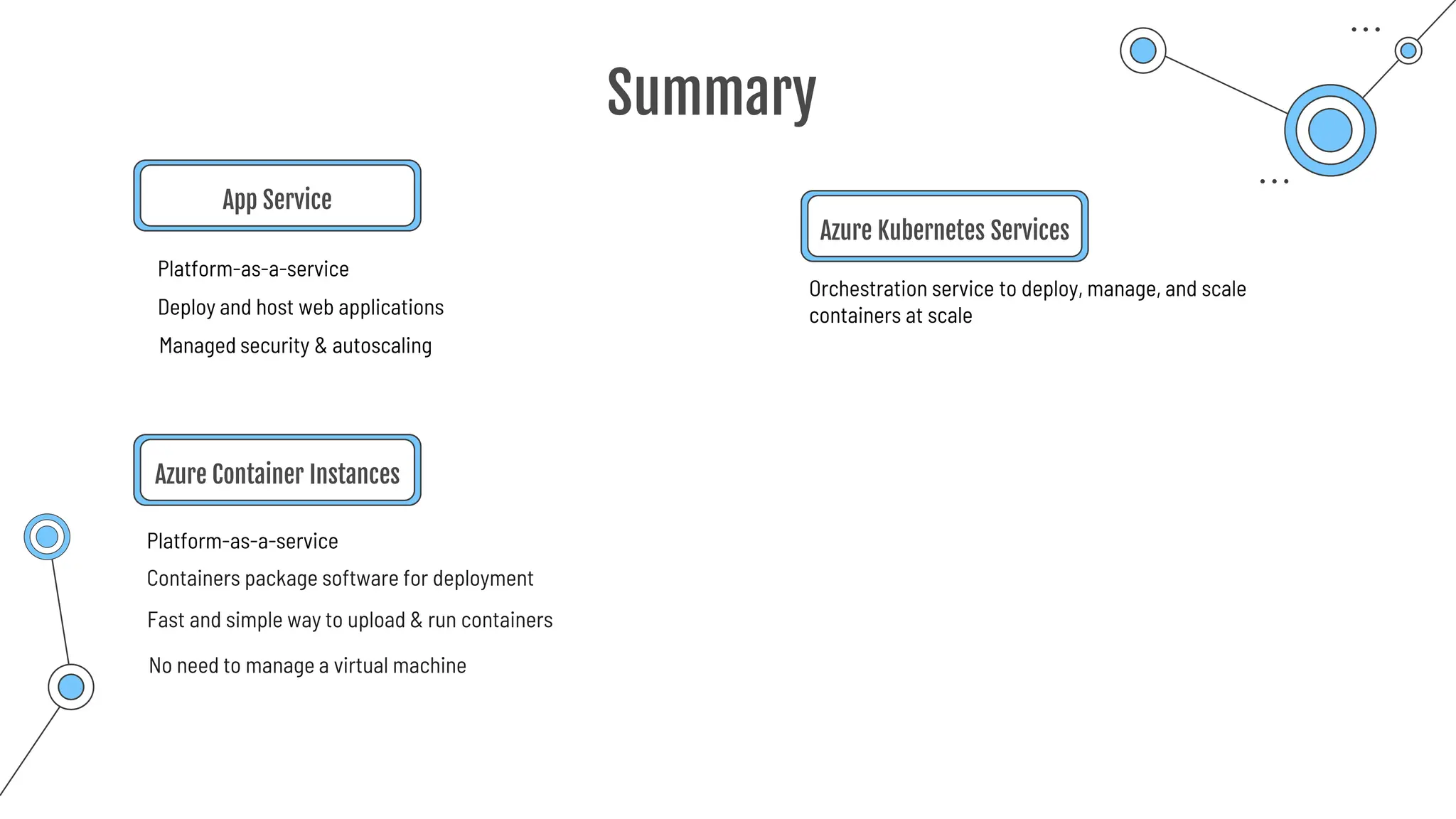
App Service
Platform-as-a-service
Deploy and host web applications
Managed security & autoscaling
Azure Container Instances
Containers package software for deployment
Orchestration service to deploy, manage, and scale
containers at scale
Azure Kubernetes Services
Platform-as-a-service
Fast and simple way to upload & run containers
No need to manage a virtual machine
Serverless
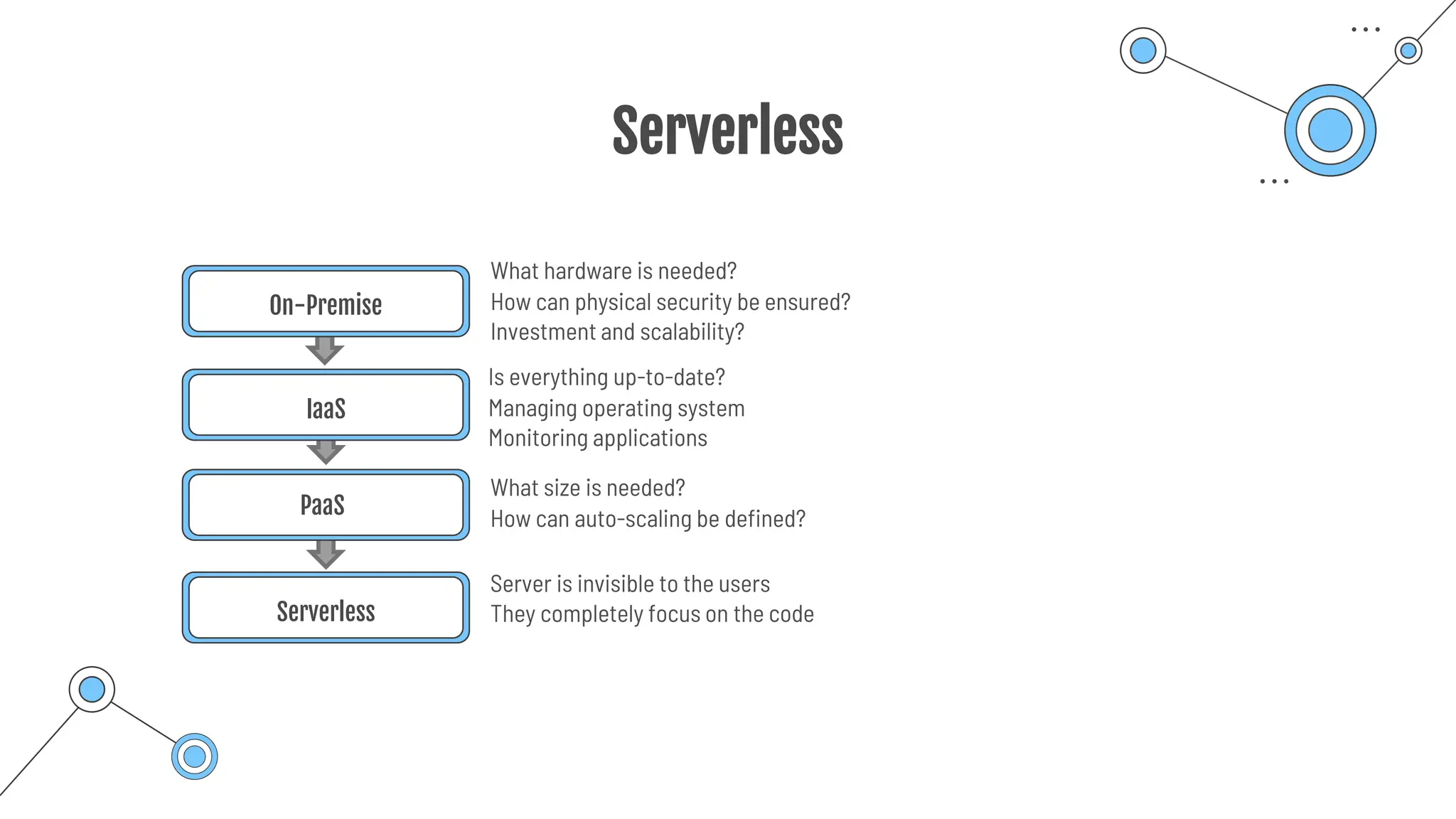
Serverless
On-Premise
IaaS
PaaS
Serverless
What hardware is needed?
How can physical security be ensured?
Investment and scalability?
Is everything up-to-date?
Managing operating system
Monitoring applications
What size is needed?
How can auto-scaling be defined?
Server is invisible to the users
They completely focus on the code
Serverless
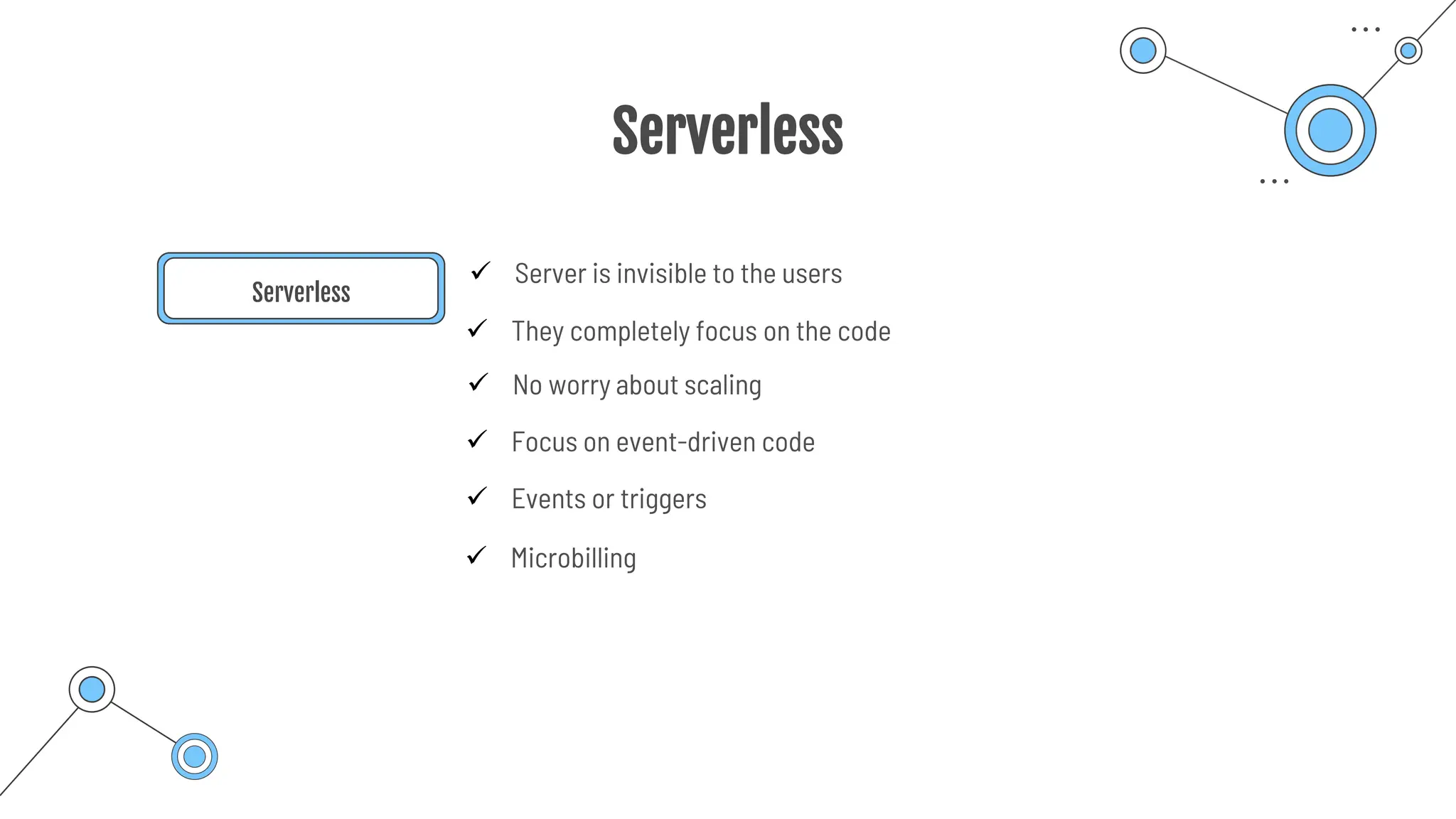
Serverless
✓ Server is invisible to the users
✓ They completely focus on the code
✓ Focus on event-driven code
✓ Events or triggers
✓ Microbilling
✓ No worry about scaling
Azure Functions
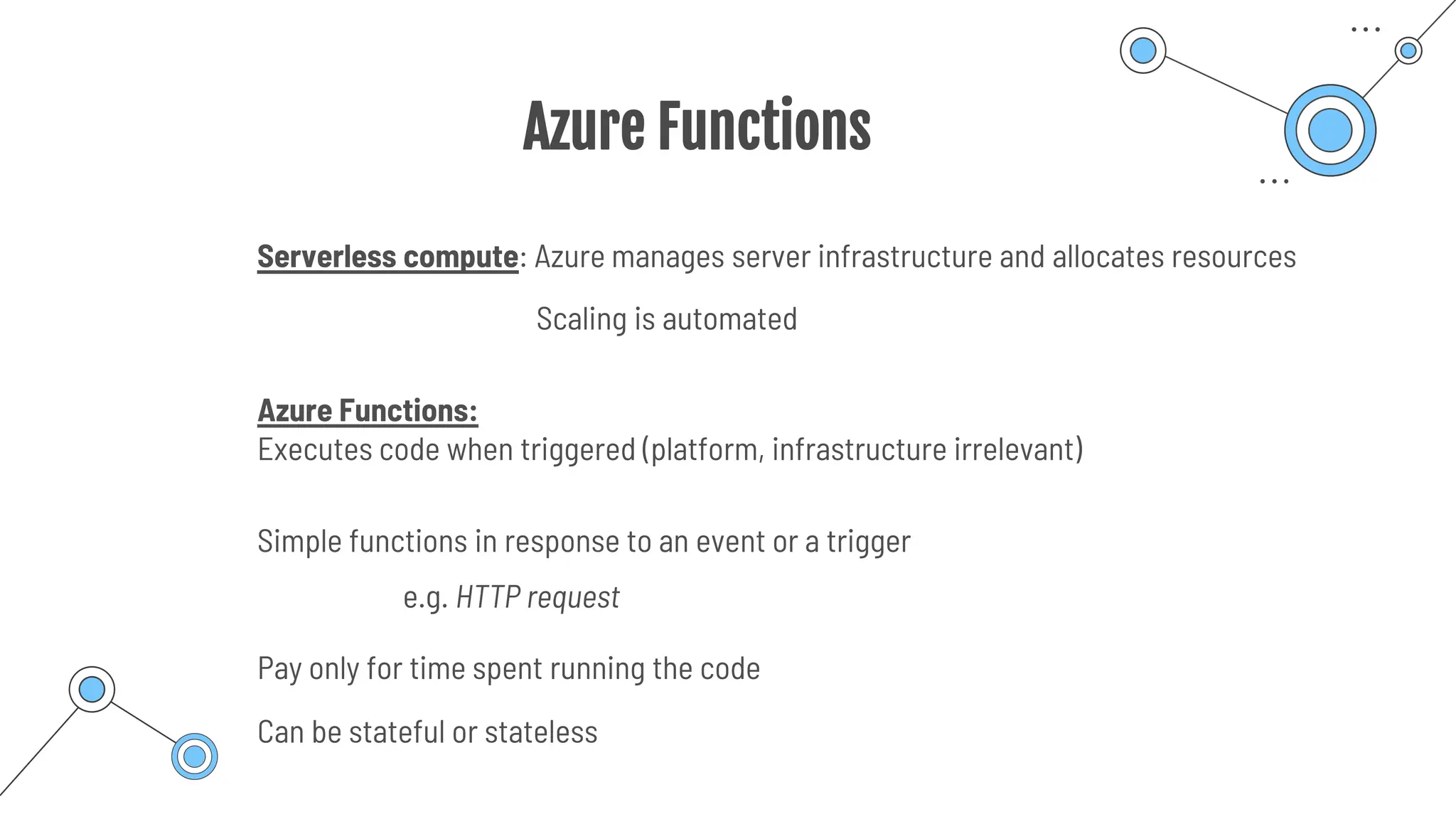
Serverless compute: Azure manages server infrastructure and allocates resources
Scaling is automated
Azure Functions:
Executes code when triggered (platform, infrastructure irrelevant)
Simple functions in response to an event or a trigger
Pay only for time spent running the code
e.g. HTTP request
Can be stateful or stateless
Use cases
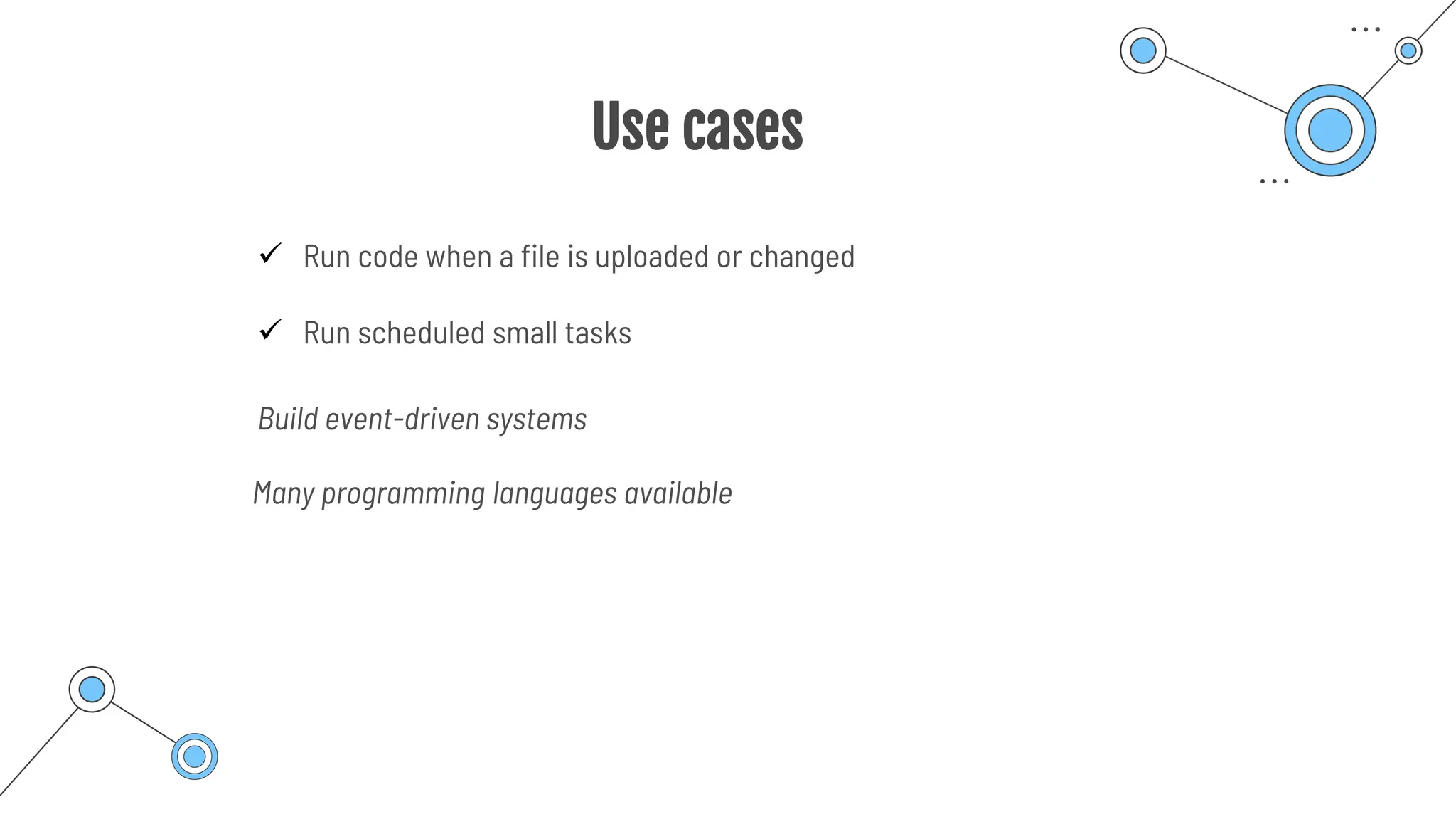
✓ Run code when a file is uploaded or changed
✓ Run scheduled small tasks
Build event-driven systems
Many programming languages available
Logic App
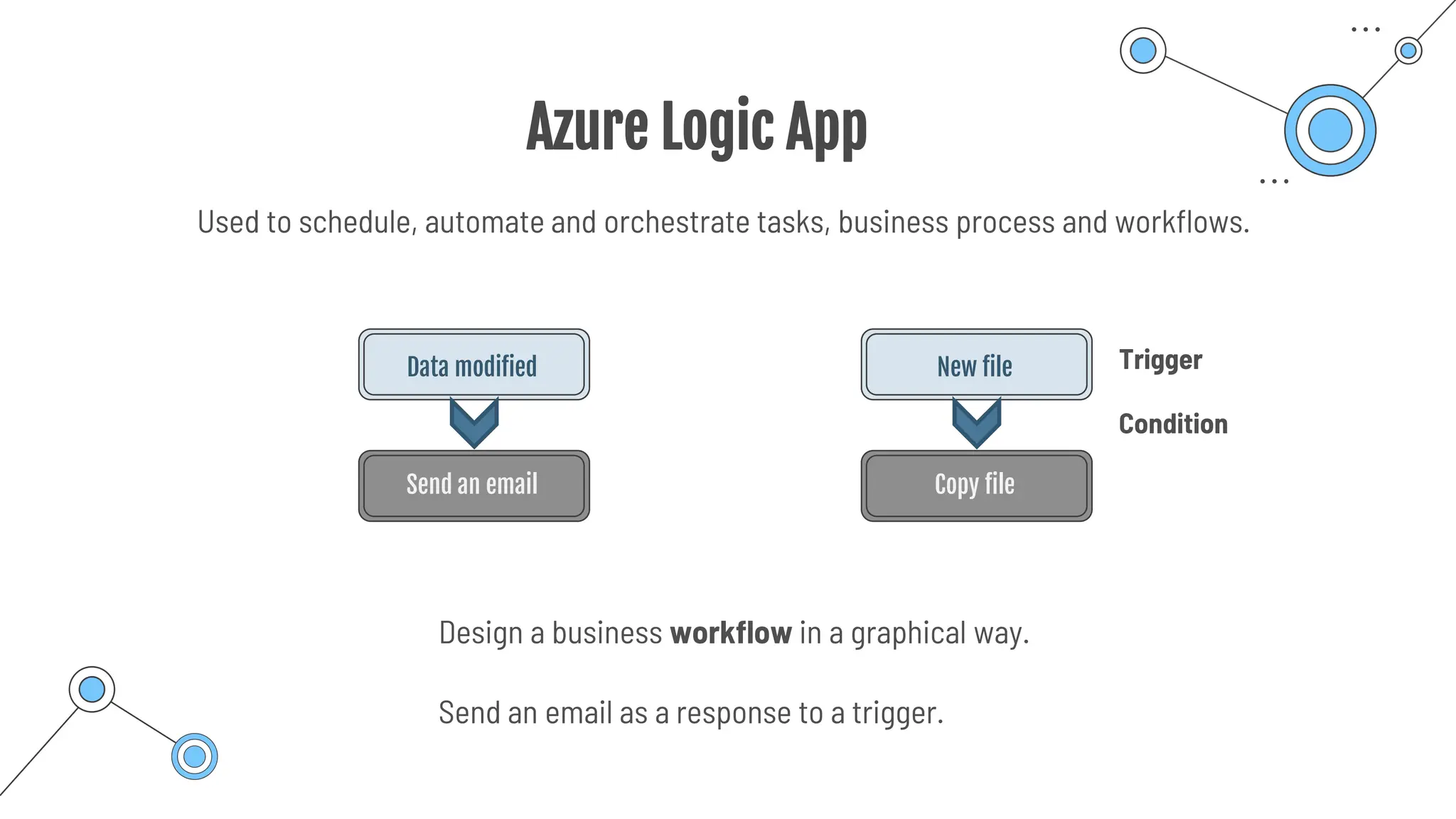
Azure Logic App
Data modified
Send an email
New file
Copy file
Design a business workflow in a graphical way.
Used to schedule, automate and orchestrate tasks, business process and workflows.
Trigger
Condition
Send an email as a response to a trigger.
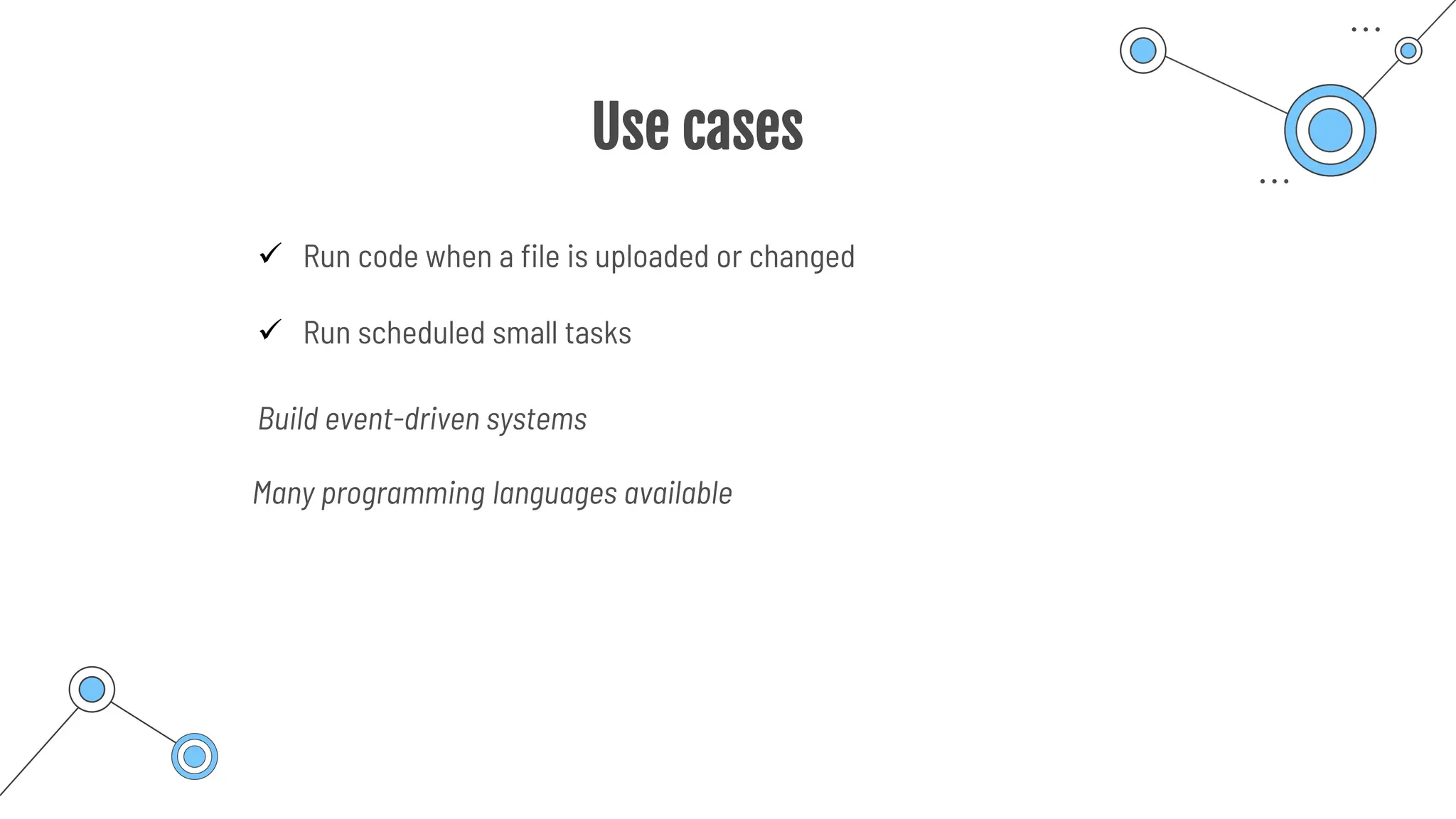
Use cases
✓ Run code when a file is uploaded or changed
✓ Run scheduled small tasks
Build event-driven systems
Many programming languages available
Virtual
Networks
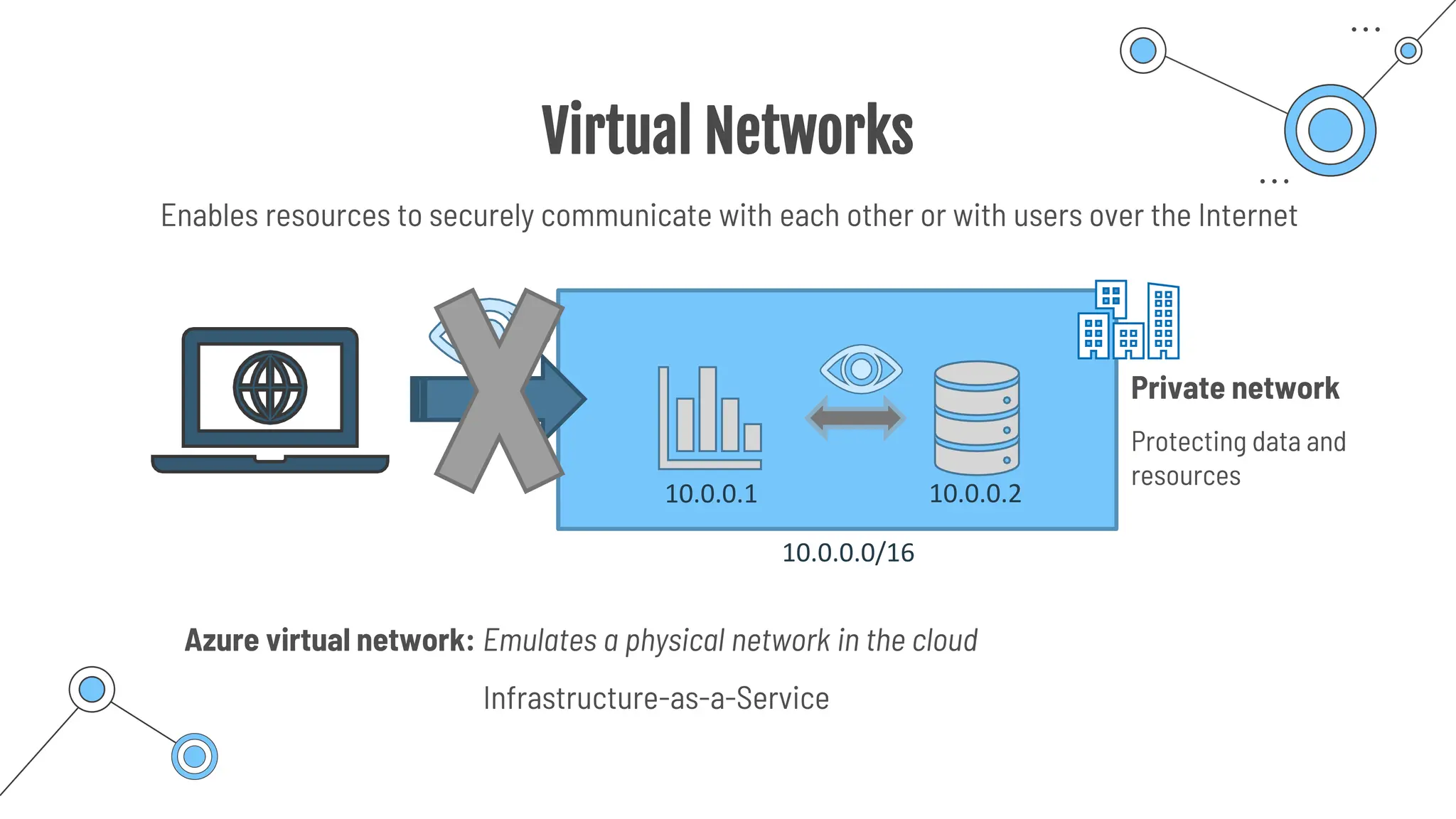
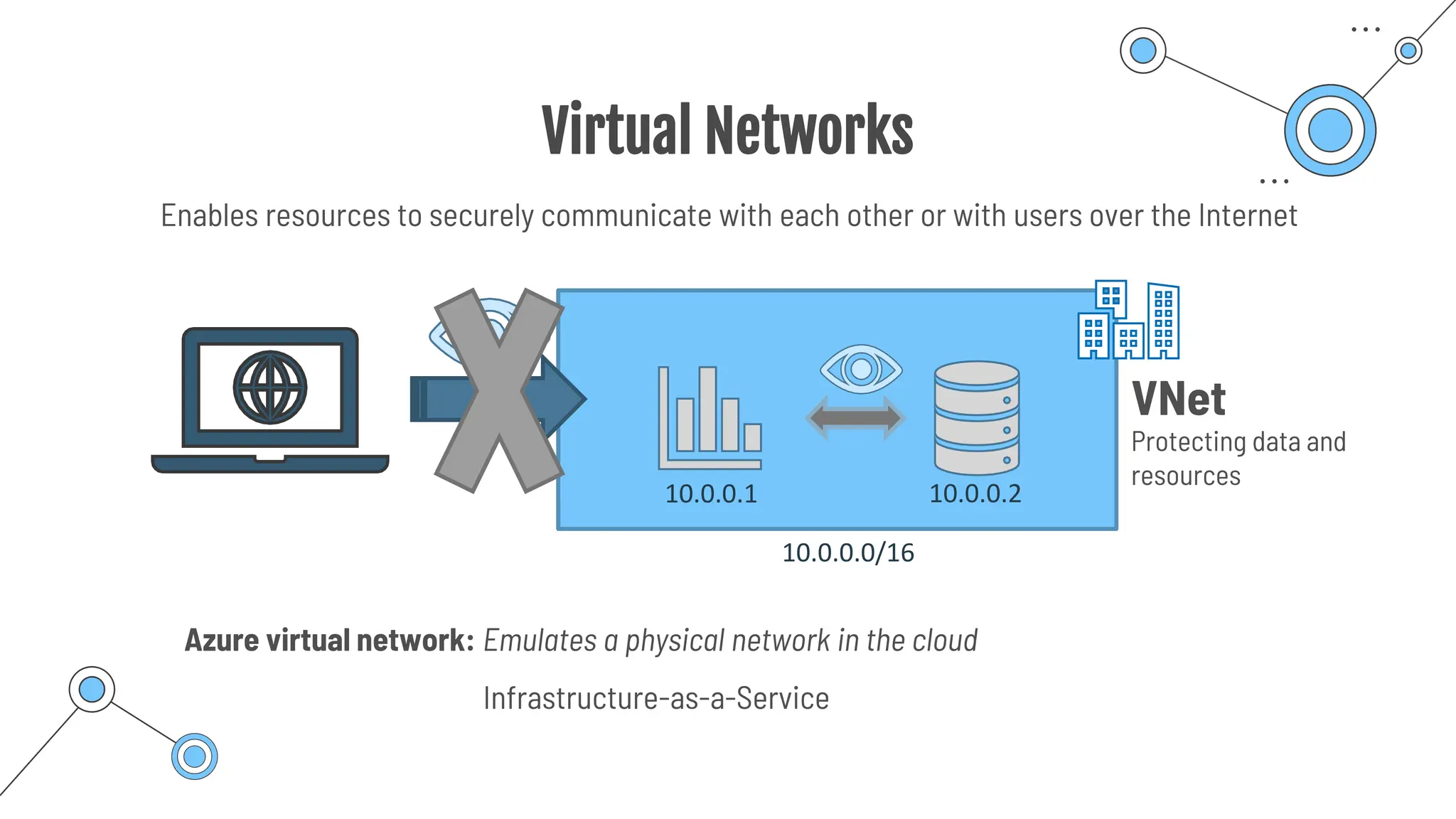
Virtual Networks
Infrastructure-as-a-Service
Enables resources to securely communicate with each other or with users over the Internet
Private network
Protecting data and
resources
10.0.0.1 10.0.0.2
10.0.0.0/16
Azure virtual network: Emulates a physical network in the cloud
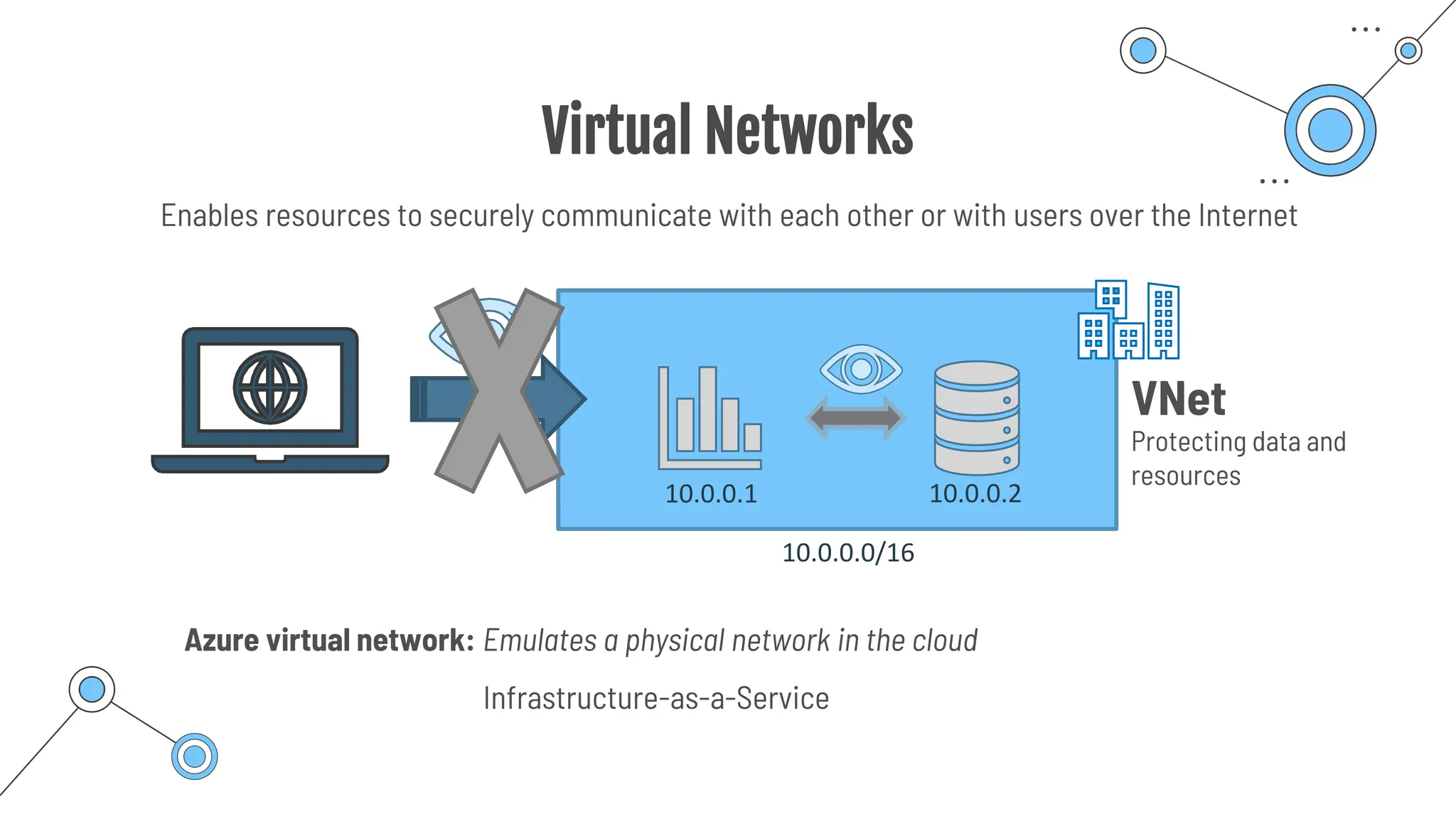
Virtual Networks
Infrastructure-as-a-Service
Enables resources to securely communicate with each other or with users over the Internet
VNet
Protecting data and
resources
10.0.0.1 10.0.0.2
10.0.0.0/16
Azure virtual network: Emulates a physical network in the cloud
Virtual Networks
o Network traffic is isolated and segmented
o Defining a Private IP address space
o Every resource gets an IP address
o Communication with the Internet
o Communication between Azure resources
o Communication with local resources (cloud & on-premise coverage)
Virtual
Subnets
Virtual Subnets
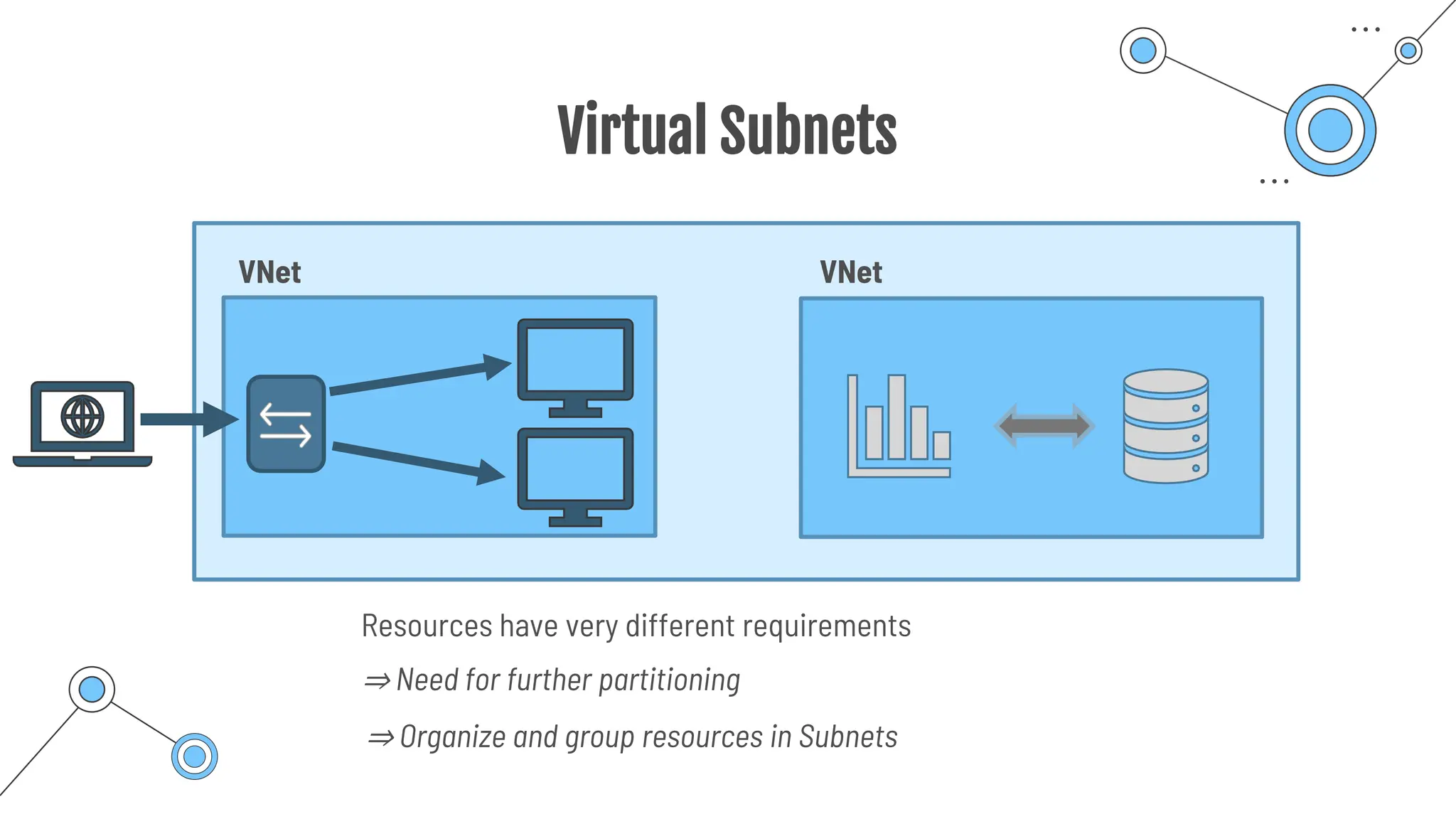
VNet
VNet
Resources have very different requirements
⇒ Need for further partitioning
⇒ Organize and group resources in Subnets
Virtual Subnets
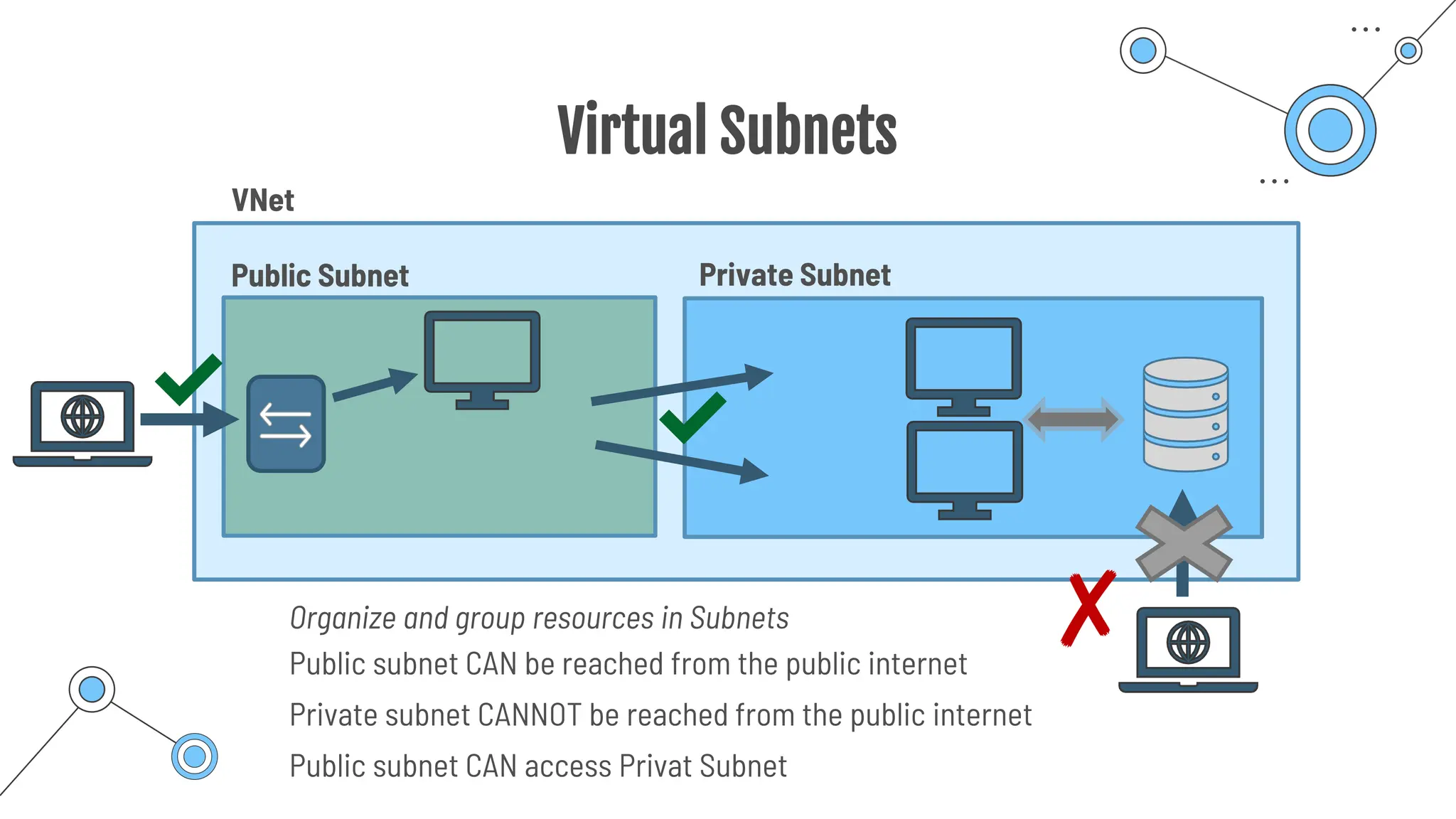
Private Subnet
VNet
Organize and group resources in Subnets
Public Subnet
Public subnet CAN access Privat Subnet
✘
✔
✔
Public subnet CAN be reached from the public internet
Private subnet CANNOT be reached from the public internet
Virtual Networks
o Network traffic is isolated and segmented
o Defining a Private IP address space
o Every resource gets an IP address
o Communication with the Internet
o Communication between Azure resources
o Communication with local resources (cloud & on-premise coverage)
VPN Gateway
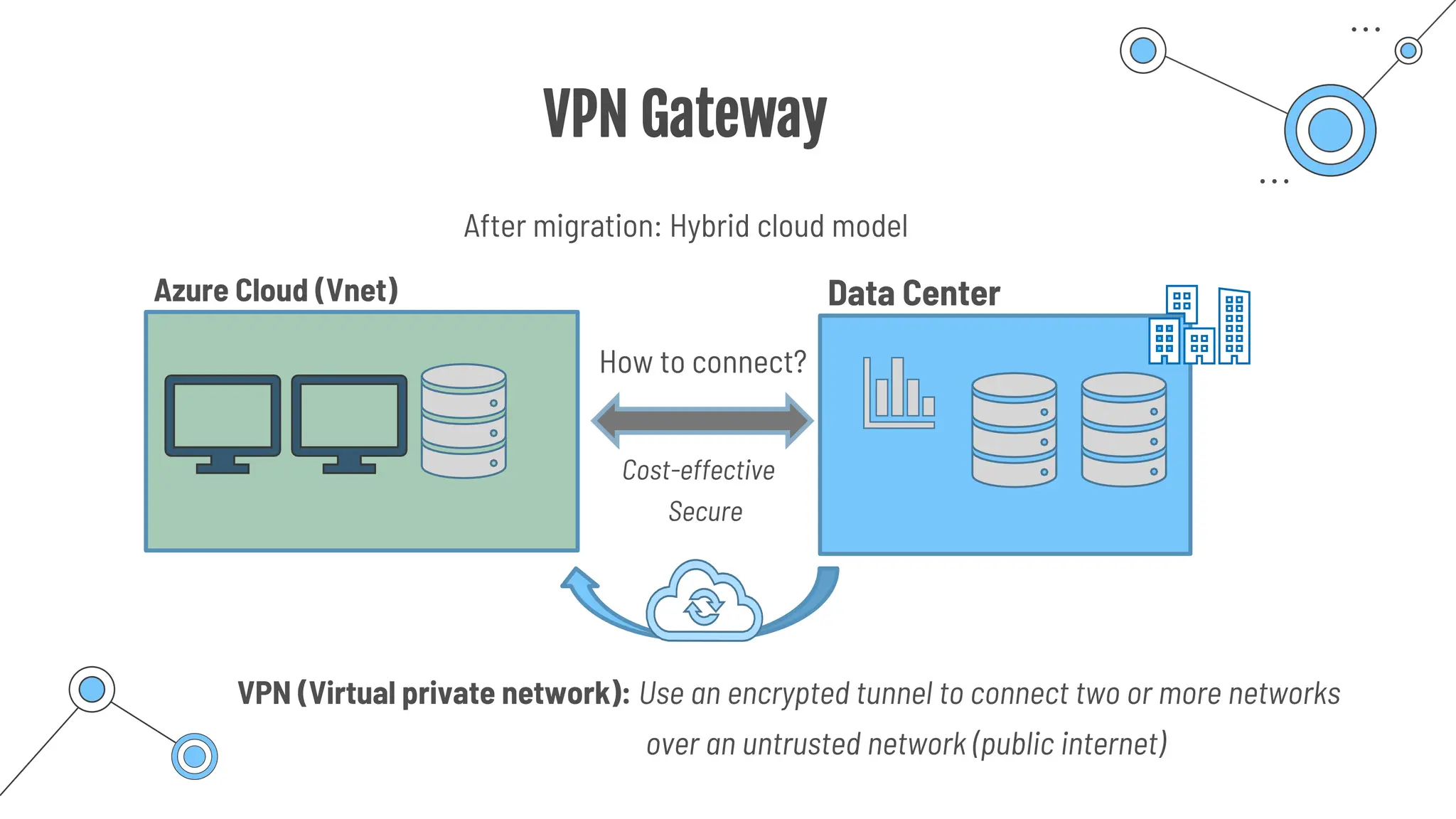
VPN Gateway
How to connect?
After migration: Hybrid cloud model
Data Center
VPN (Virtual private network): Use an encrypted tunnel to connect two or more networks
Azure Cloud (Vnet)
Cost-effective
Secure
over an untrusted network (public internet)
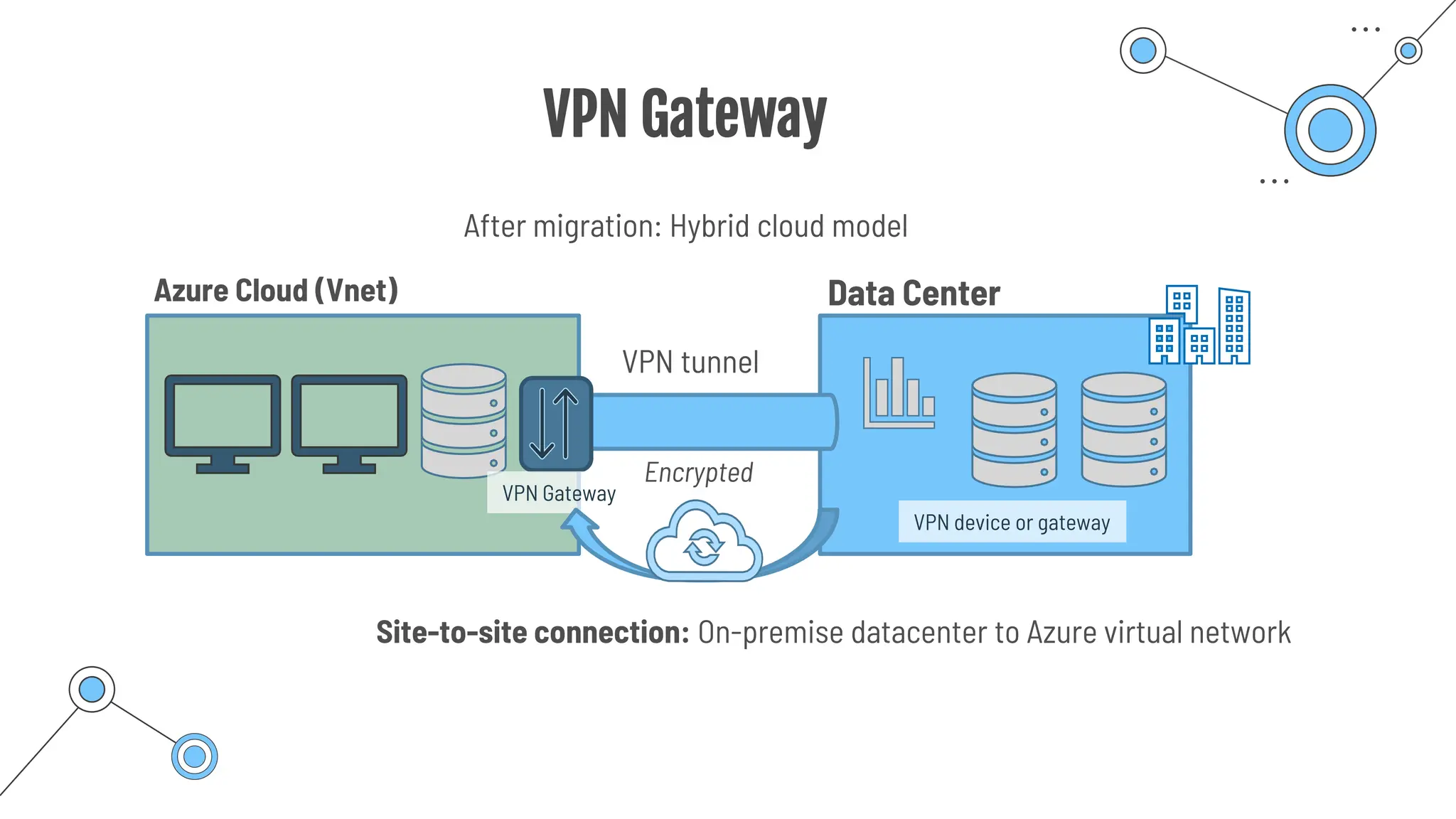
VPN Gateway
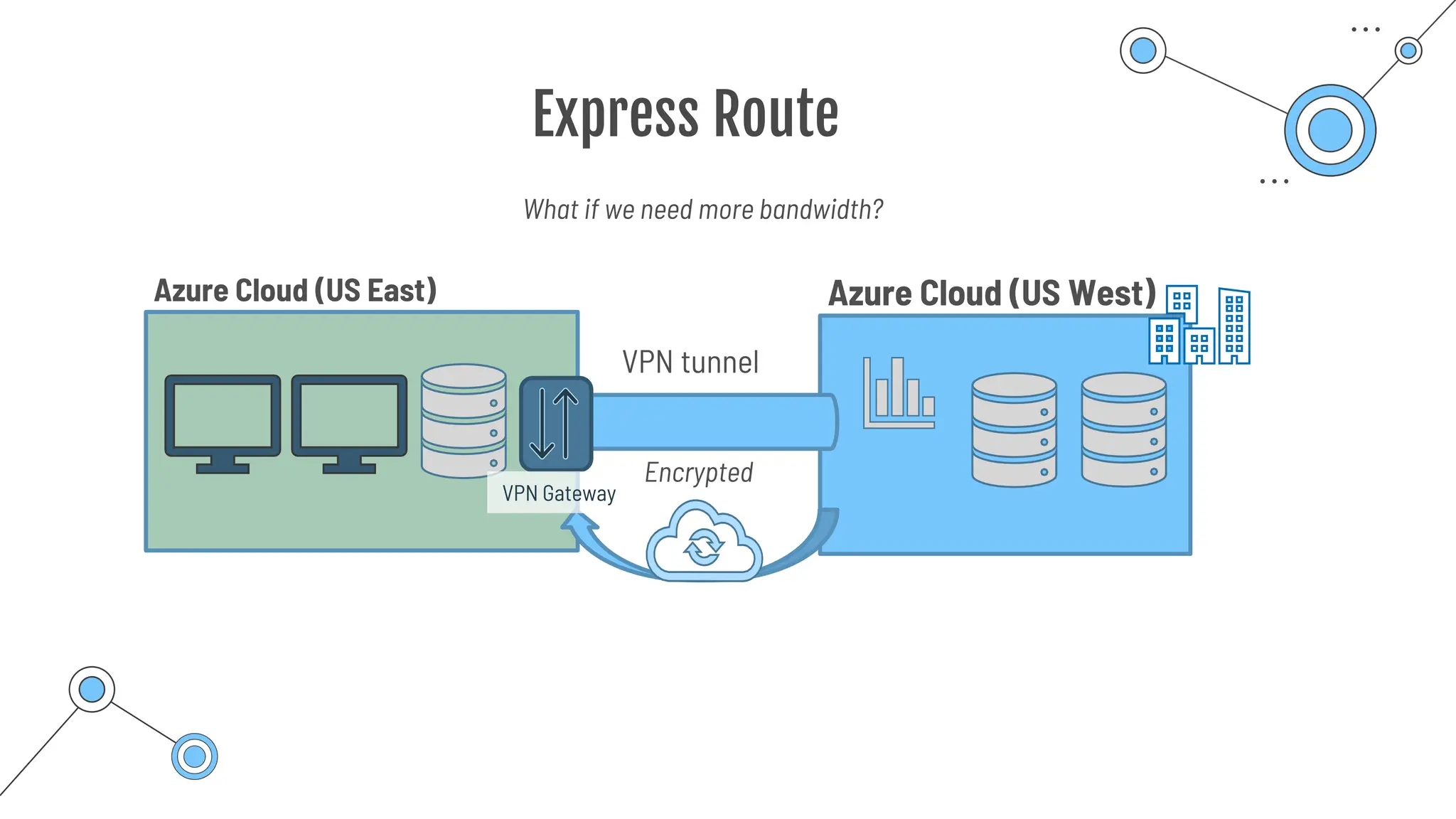
VPN tunnel
After migration: Hybrid cloud model
Data Center
Azure Cloud (Vnet)
Encrypted
Site-to-site connection: On-premise datacenter to Azure virtual network
VPN Gateway
VPN device or gateway
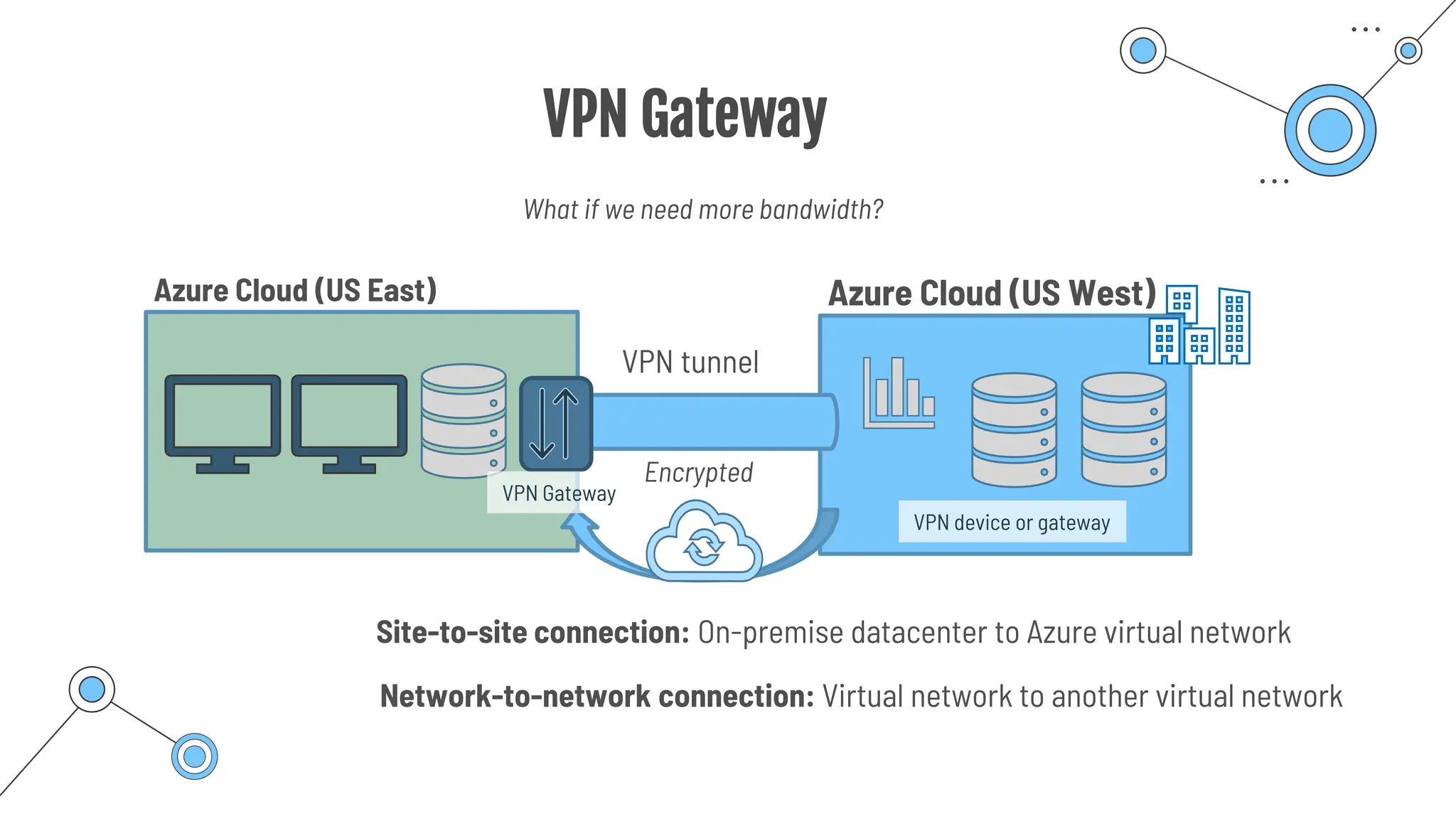
VPN Gateway
VPN tunnel
Azure Cloud (US West)
Azure Cloud (US East)
Encrypted
Site-to-site connection: On-premise datacenter to Azure virtual network
Network-to-network connection: Virtual network to another virtual network
VPN Gateway
VPN device or gateway
What if we need more bandwidth?
Express Route
Express Route
VPN tunnel
Azure Cloud (US West)
Azure Cloud (US East)
Encrypted
VPN Gateway
What if we need more bandwidth?
Express Route
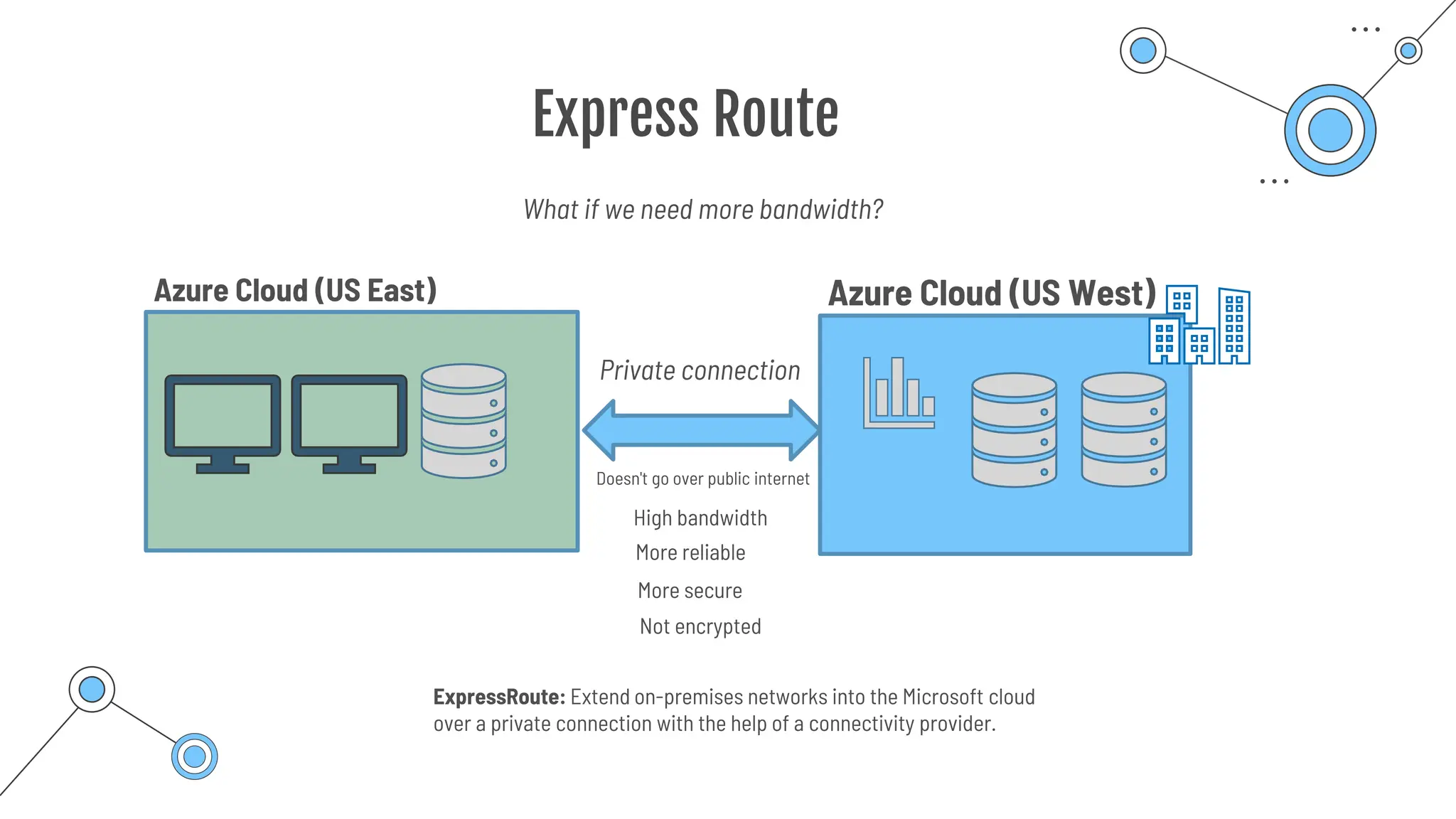
High bandwidth
Azure Cloud (US West)
Azure Cloud (US East)
Private connection
What if we need more bandwidth?
Doesn't go over public internet
More reliable
More secure
Not encrypted
ExpressRoute: Extend on-premises networks into the Microsoft cloud
over a private connection with the help of a connectivity provider.
Private & public
endpoints
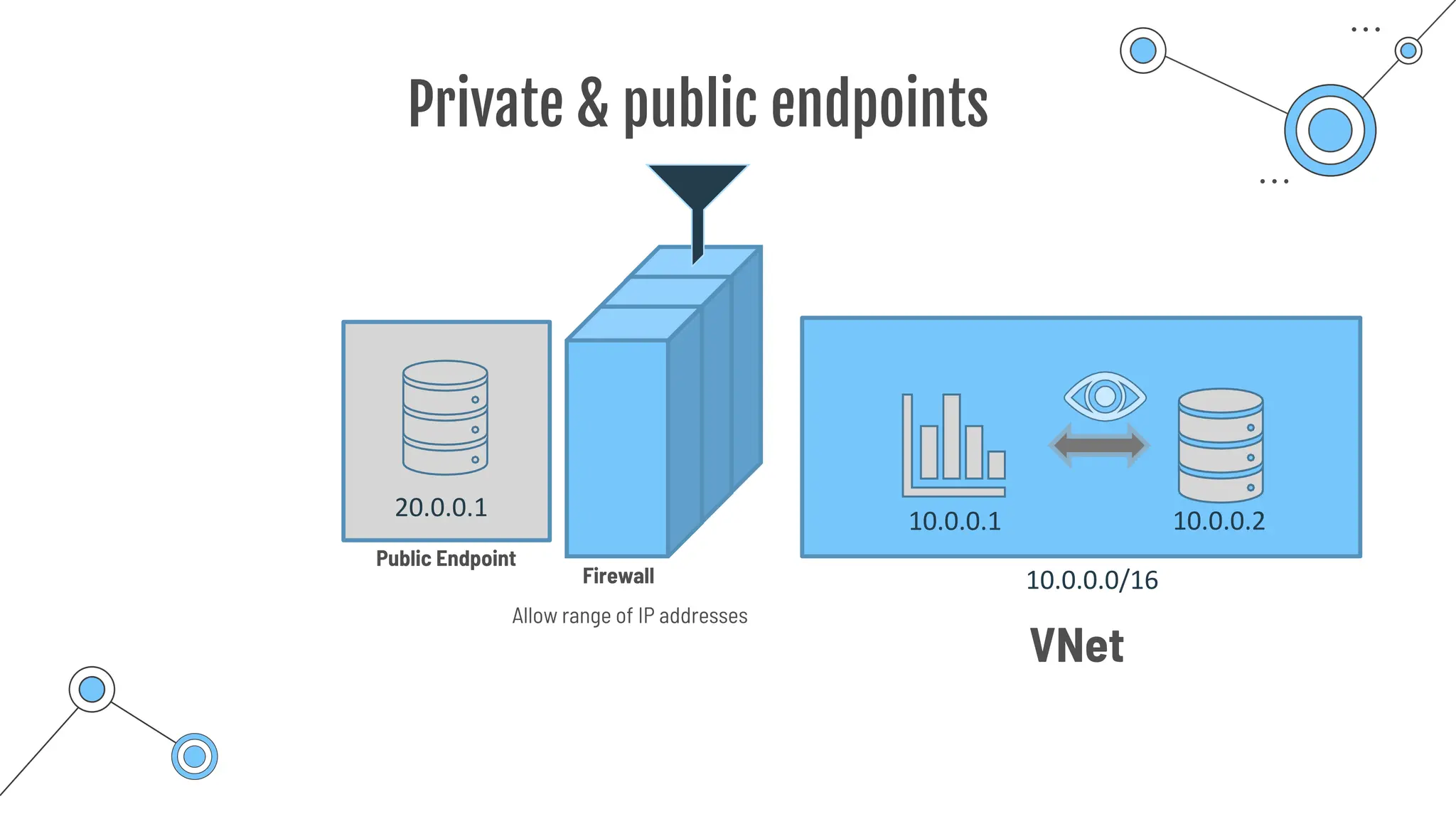
Private & public endpoints
20.0.0.1
VNet
10.0.0.1 10.0.0.2
10.0.0.0/16
Firewall
Public Endpoint
Allow range of IP addresses
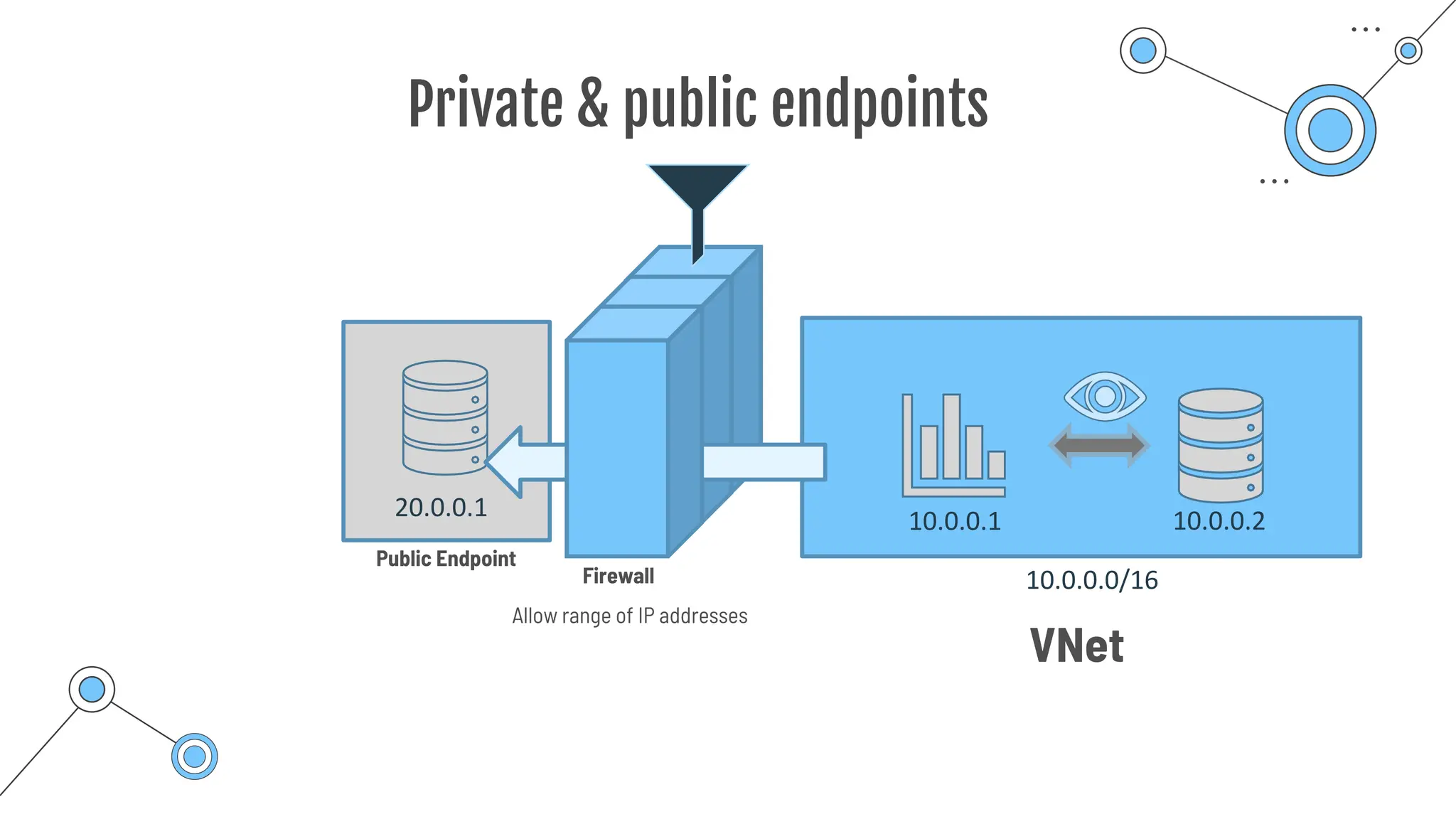
Private & public endpoints
20.0.0.1
Firewall
VNet
10.0.0.1 10.0.0.2
10.0.0.0/16
Public Endpoint
Allow range of IP addresses
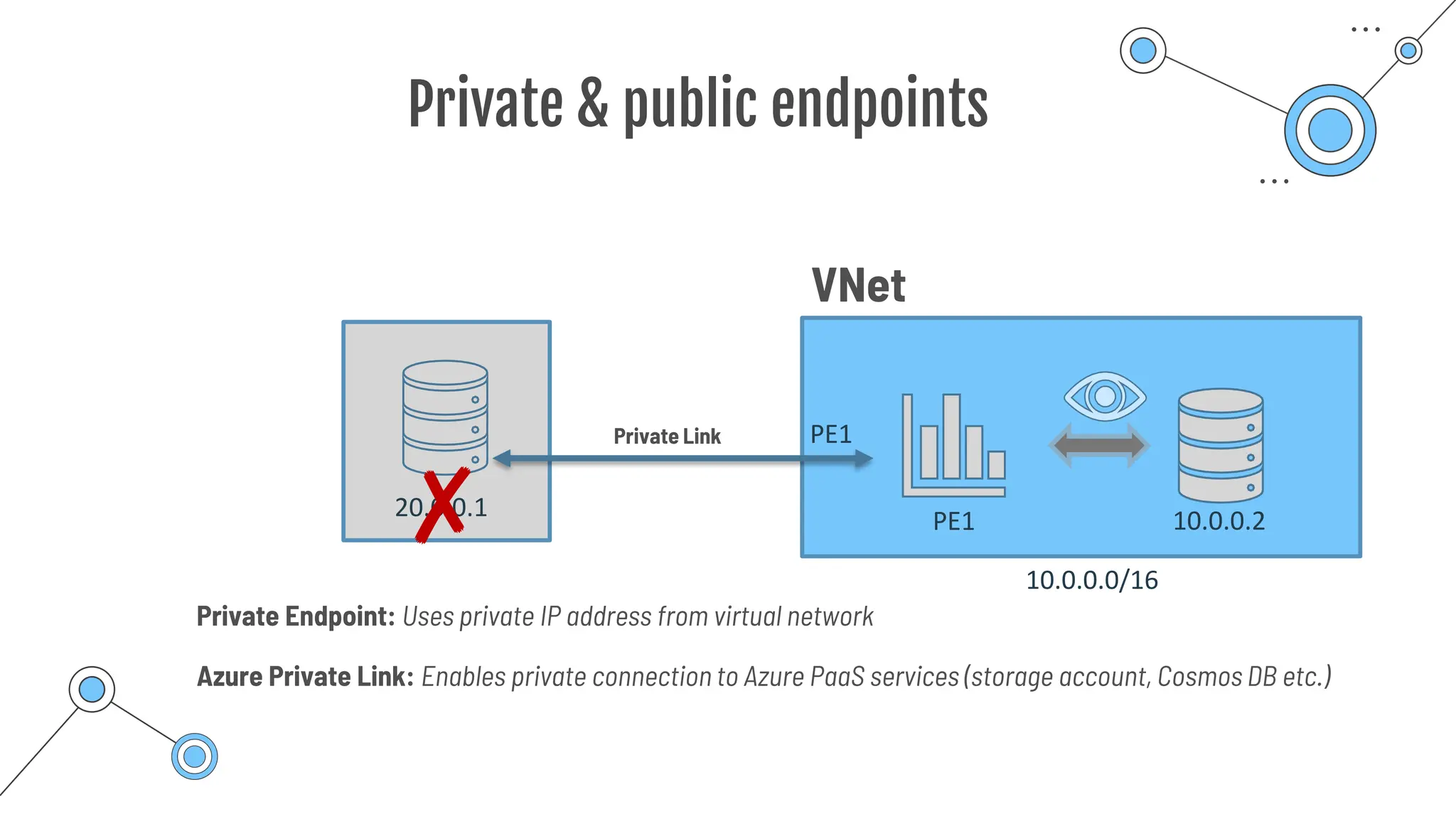
Private & public endpoints
VNet
PE1 10.0.0.2
10.0.0.0/16
PE1
20.0.0.1
✘
Private Link
Azure Private Link: Enables private connection to Azure PaaS services (storage account, Cosmos DB etc.)
Private Endpoint: Uses private IP address from virtual network
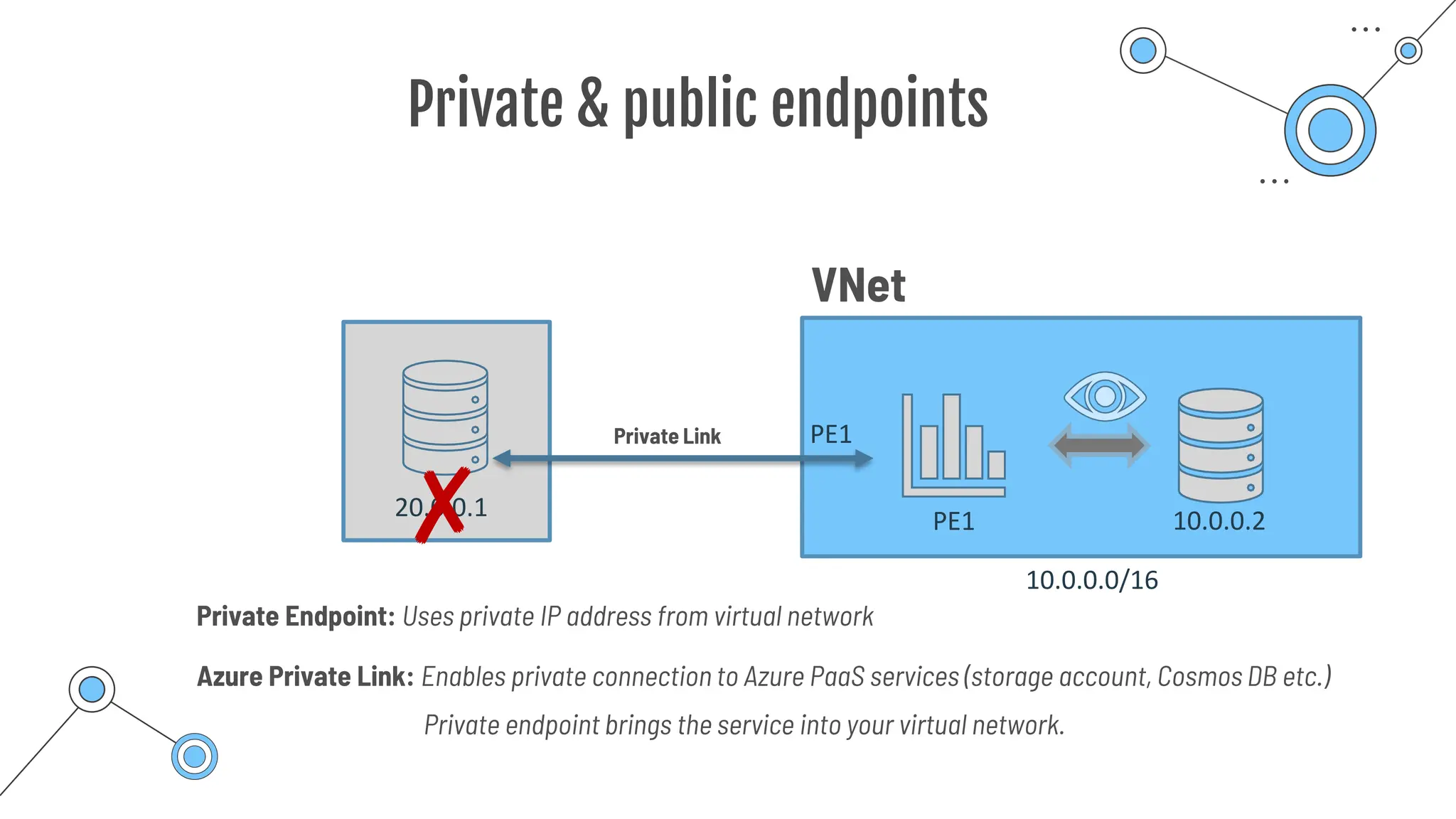
Private & public endpoints
VNet
PE1 10.0.0.2
10.0.0.0/16
PE1
20.0.0.1
✘
Private Link
Azure Private Link: Enables private connection to Azure PaaS services (storage account, Cosmos DB etc.)
Private Endpoint: Uses private IP address from virtual network
Private endpoint brings the service into your virtual network.
Virtual Networks
Infrastructure-as-a-Service
Enables resources to securely communicate with each other or with users over the Internet
VNet
Protecting data and
resources
10.0.0.1 10.0.0.2
10.0.0.0/16
Azure virtual network: Emulates a physical network in the cloud
Azure DNS
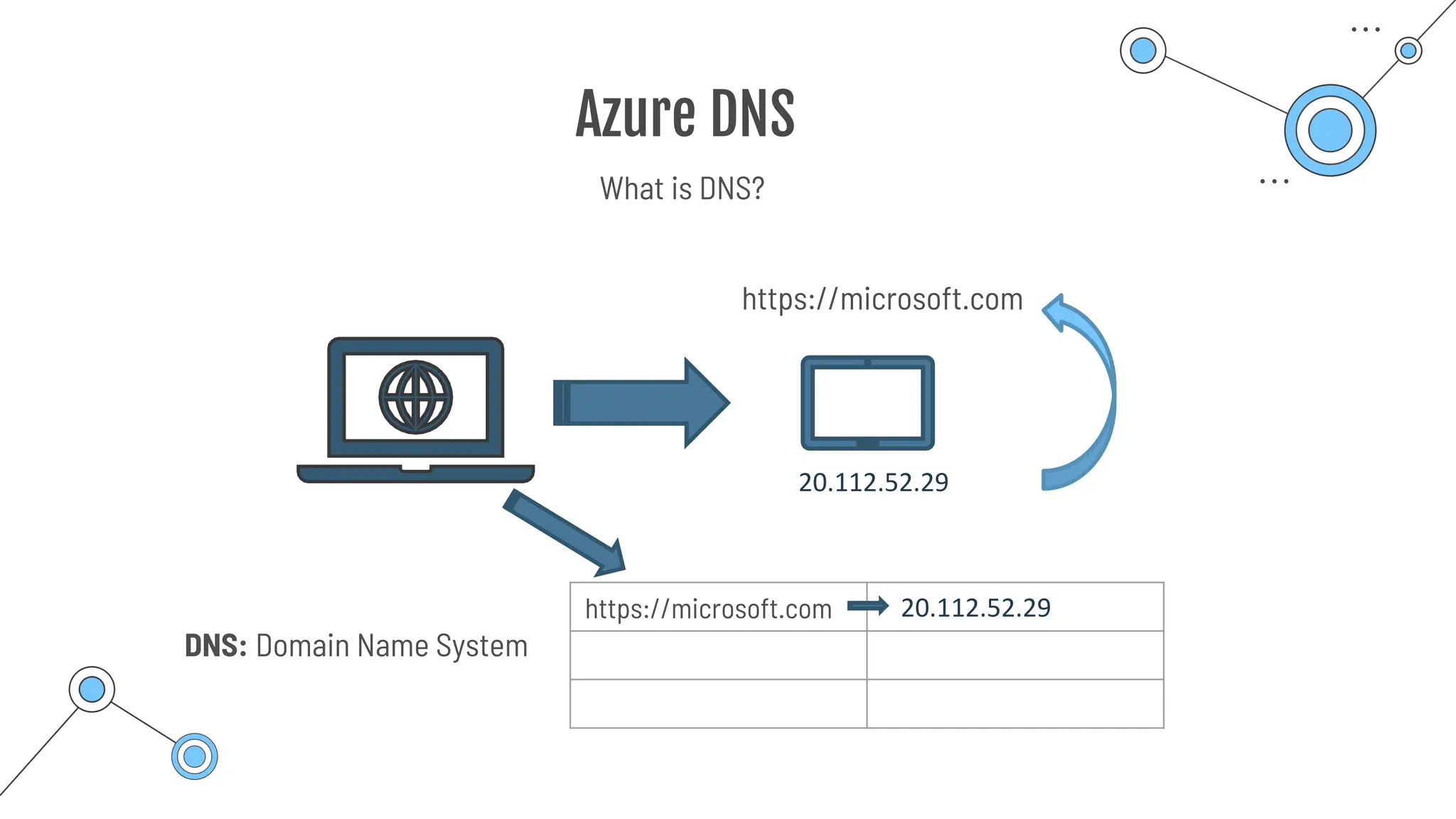
Azure DNS
https://microsoft.com
20.112.52.29
https://microsoft.com 20.112.52.29
DNS: Domain Name System
What is DNS?
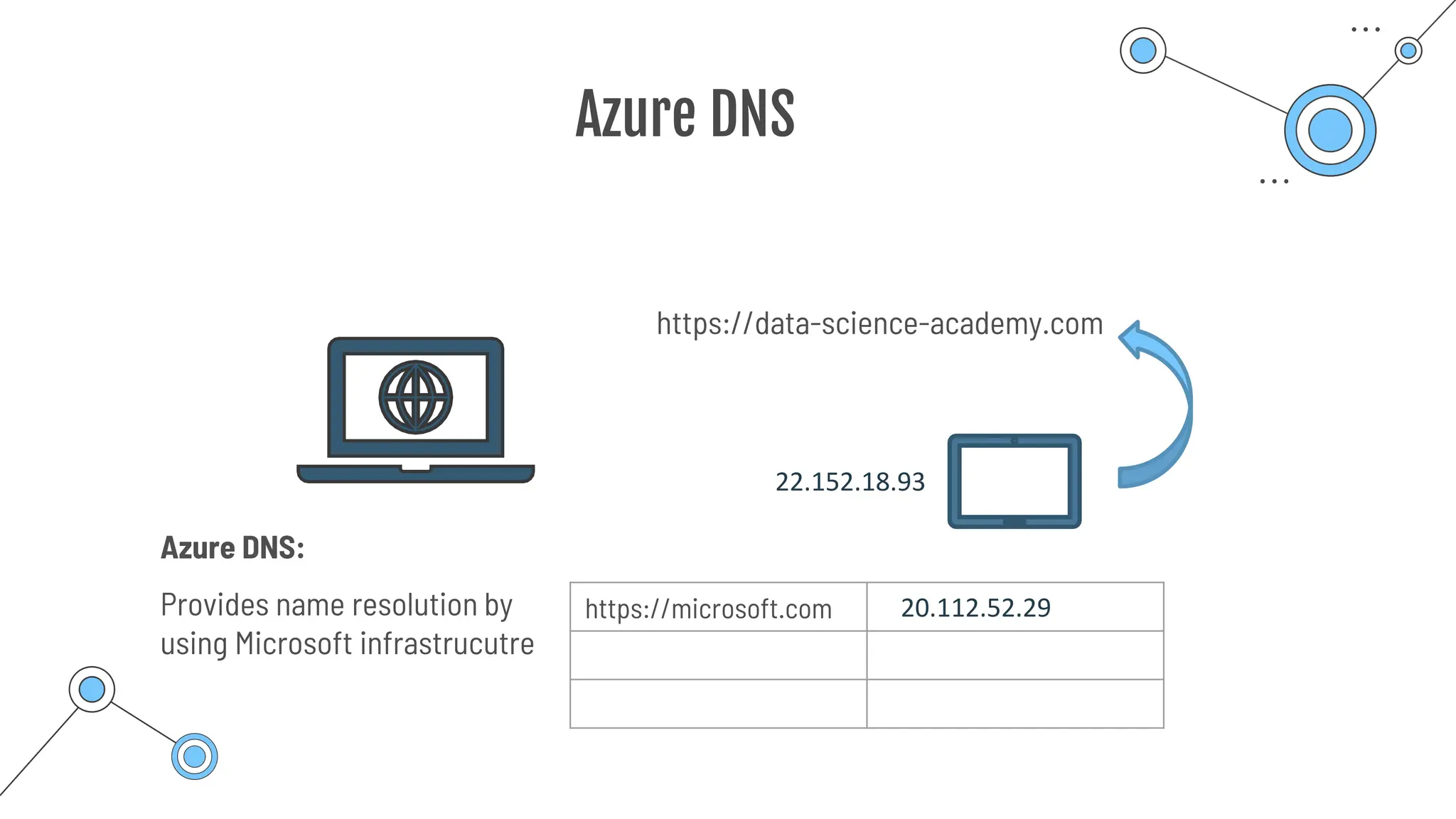
Azure DNS
https://data-science-academy.com
22.152.18.93
https://microsoft.com 20.112.52.29
Azure DNS:
Provides name resolution by
using Microsoft infrastrucutre
Content delivery
network
(CND)
Content delivery network (CND)
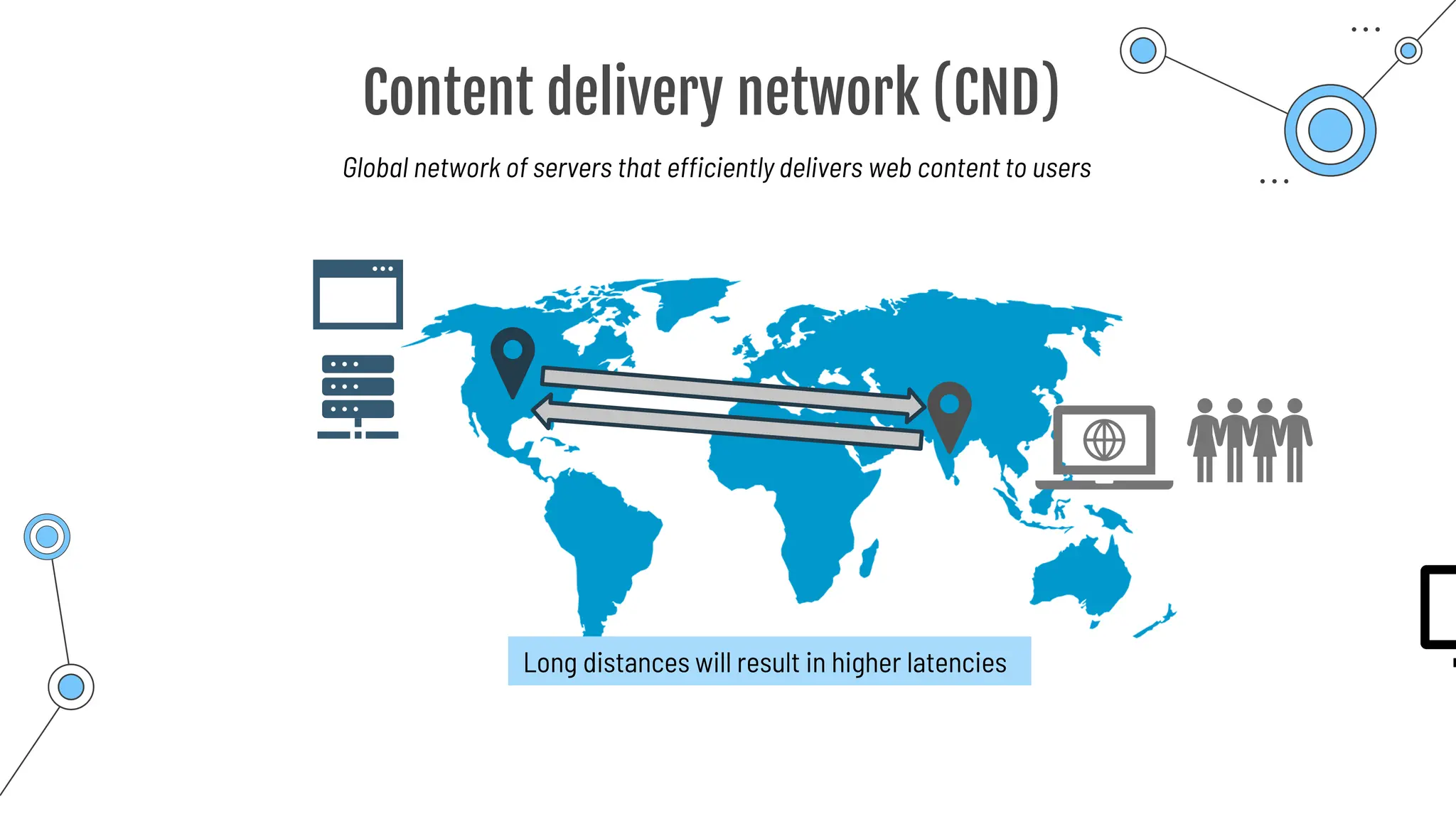
Global network of servers that efficiently delivers web content to users
Long distances will result in higher latencies
Content delivery network (CND)
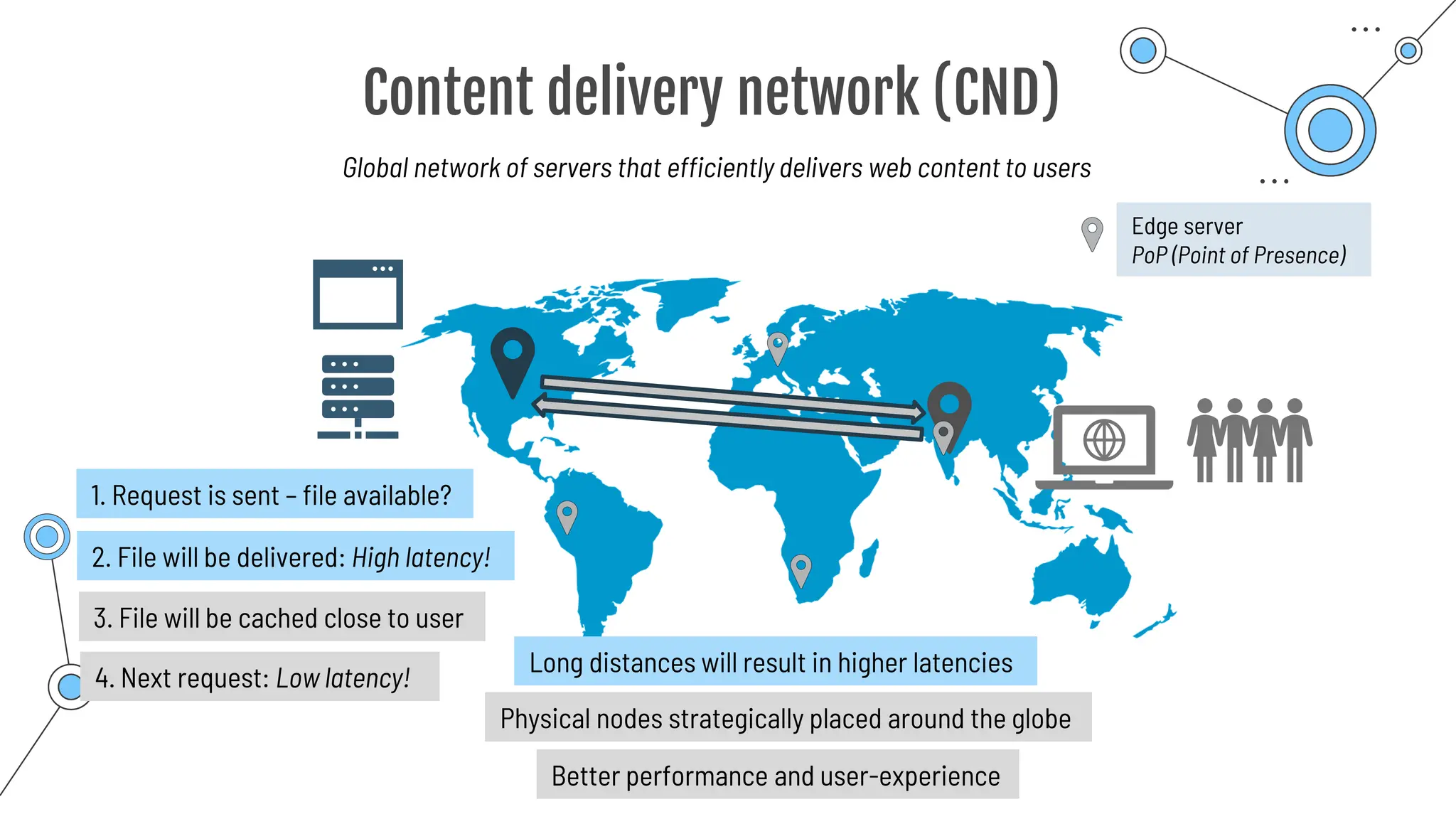
Global network of servers that efficiently delivers web content to users
Long distances will result in higher latencies
Physical nodes strategically placed around the globe
1. Request is sent – file available?
2. File will be delivered: High latency!
3. File will be cached close to user
4. Next request: Low latency!
Better performance and user-experience
Edge server
PoP (Point of Presence)
Summary
Summary
Virtual Networks
Emulates a physical network
Traffic is isolated and segmented
Secure communication of resources
Cloud resources + local resources
Virtual Subnet
Further segmentation
Public subnet CAN be reached from
the public internet
Public subnet CAN access Privat Subnet
Connects an Azure virtual network with an on-premise device or network
(Site-to-Site)
VPN Gateway
More bandwidth, more secure, and more reliable
ExpressRoute
Private subnet CANNOT be reached from the public internet
Use an encrypted tunnel to connect two or more networks over an untrusted
network (public internet)
Cost-effective solution
Extends on-premises networks into the Microsoft cloud.
Over a private connection with the help of a connectivity provider.
Summary
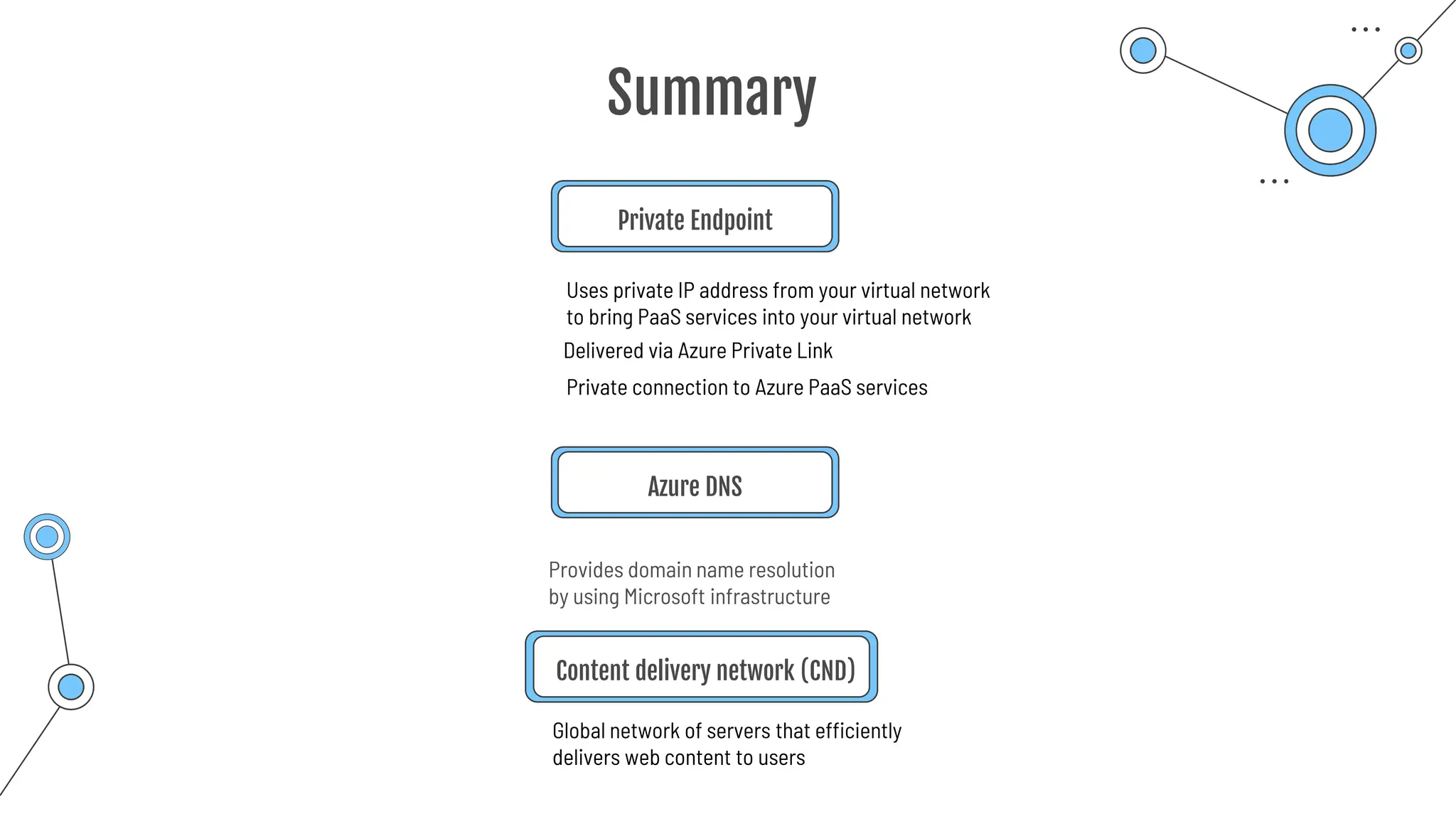
Private Endpoint
Uses private IP address from your virtual network
to bring PaaS services into your virtual network
Delivered via Azure Private Link
Private connection to Azure PaaS services
Azure DNS
Global network of servers that efficiently
delivers web content to users
Content delivery network (CND)
Provides domain name resolution
by using Microsoft infrastructure
Storage
account
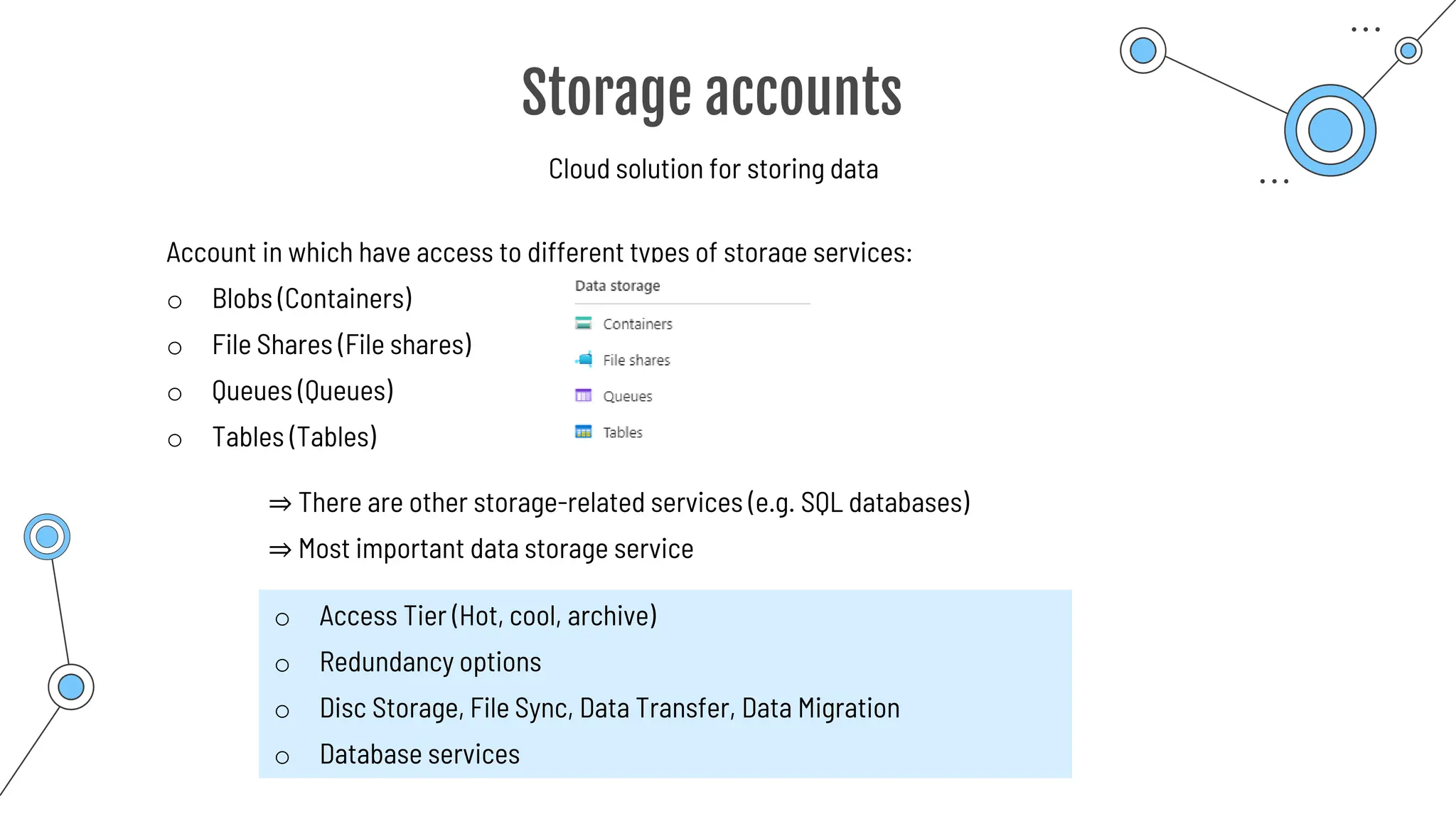
Storage accounts
Cloud solution for storing data
Account in which have access to different types of storage services:
o Blobs (Containers)
o File Shares (File shares)
o Queues (Queues)
o Tables (Tables)
⇒ There are other storage-related services (e.g. SQL databases)
⇒ Most important data storage service
o Access Tier (Hot, cool, archive)
o Redundancy options
o Disc Storage, File Sync, Data Transfer, Data Migration
o Database services
Redundancy
Options
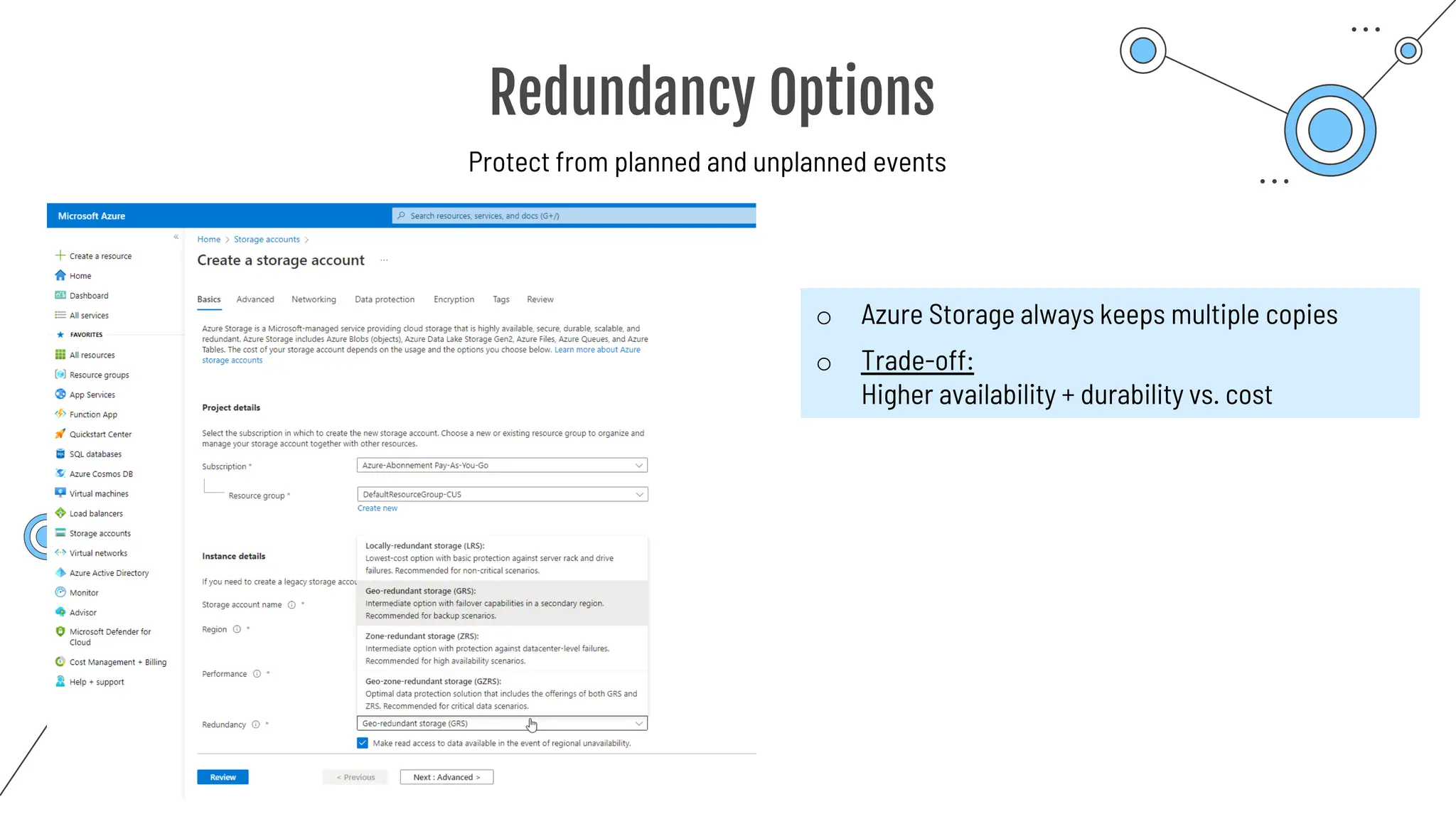
Redundancy Options
Protect from planned and unplanned events
o Azure Storage always keeps multiple copies
o Trade-off:
Higher availability + durability vs. cost
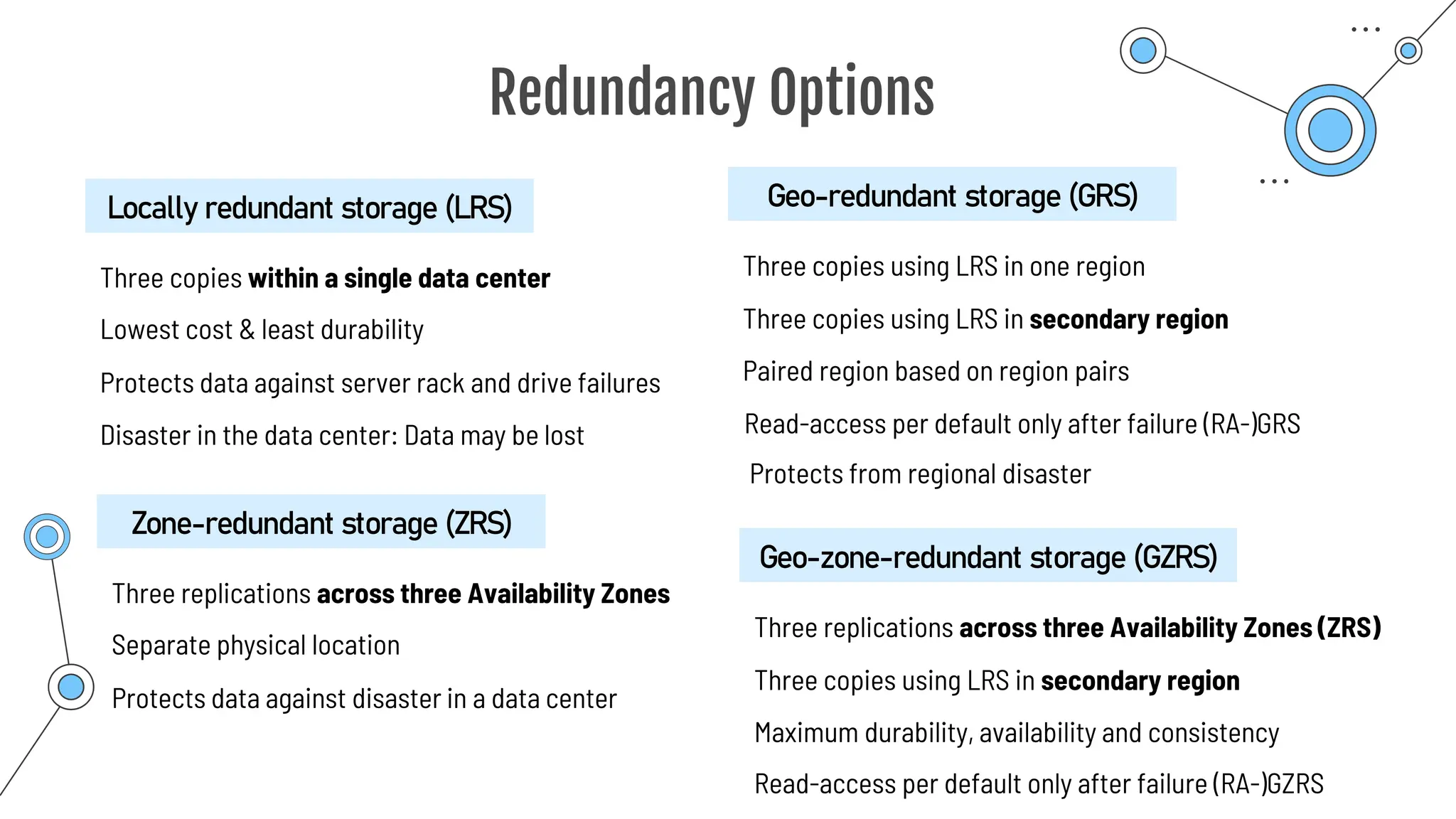
Redundancy Options
Three copies within a single data center
Locally redundant storage (LRS)
Lowest cost & least durability
Protects data against server rack and drive failures
Disaster in the data center: Data may be lost
Three replications across three Availability Zones
Zone-redundant storage (ZRS)
Separate physical location
Protects data against disaster in a data center
Three copies using LRS in one region
Geo-redundant storage (GRS)
Paired region based on region pairs
Three copies using LRS in secondary region
Three replications across three Availability Zones (ZRS)
Geo-zone-redundant storage (GZRS)
Maximum durability, availability and consistency
Three copies using LRS in secondary region
Read-access per default only after failure (RA-)GRS
Protects from regional disaster
Read-access per default only after failure (RA-)GZRS
Blob Storage
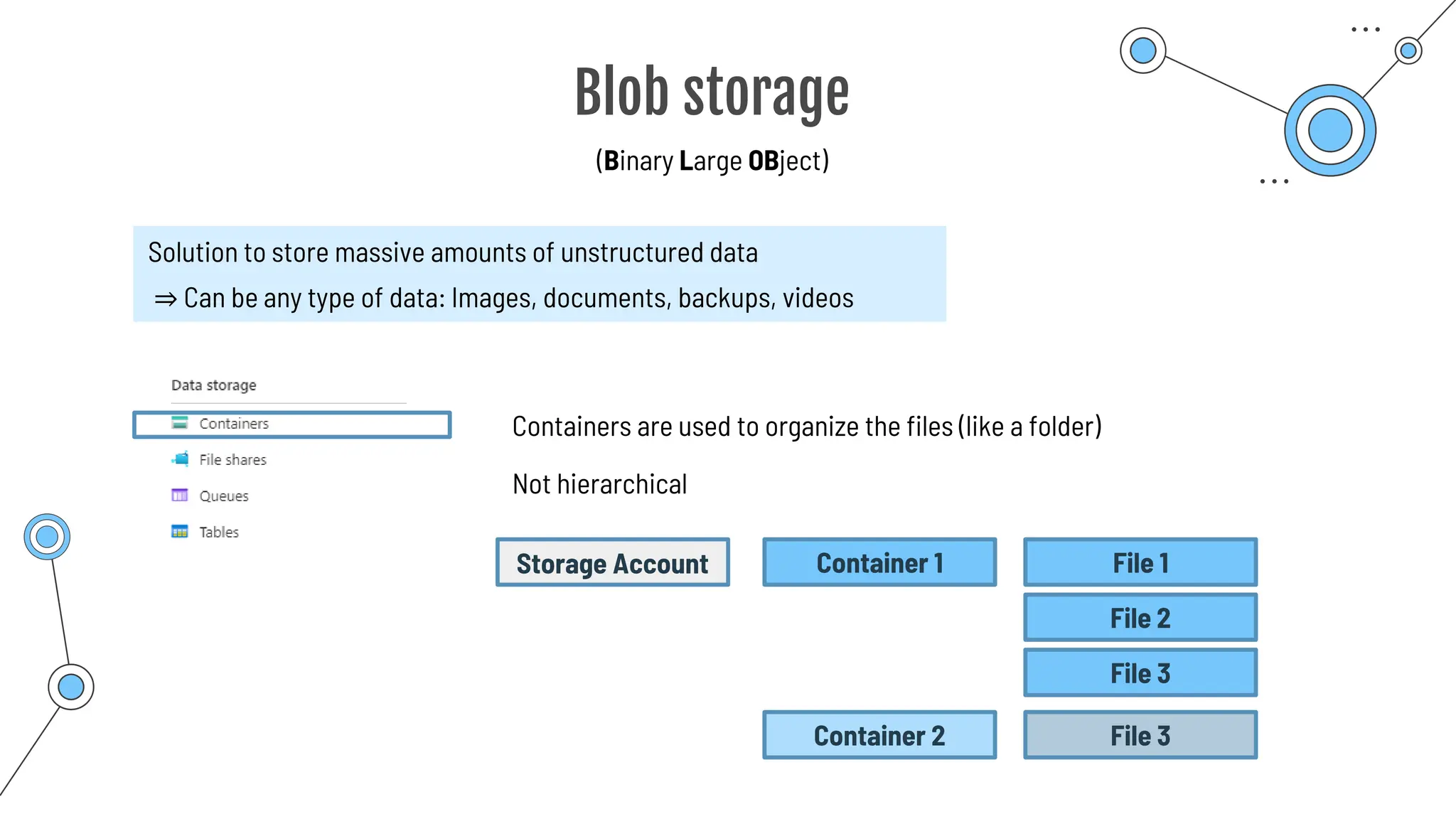
Blob storage
(Binary Large OBject)
Solution to store massive amounts of unstructured data
⇒ Can be any type of data: Images, documents, backups, videos
Containers are used to organize the files (like a folder)
Not hierarchical
Storage Account Container 1 File 1
File 2
File 3
Container 2 File 3
Access Tiers
Access Tiers
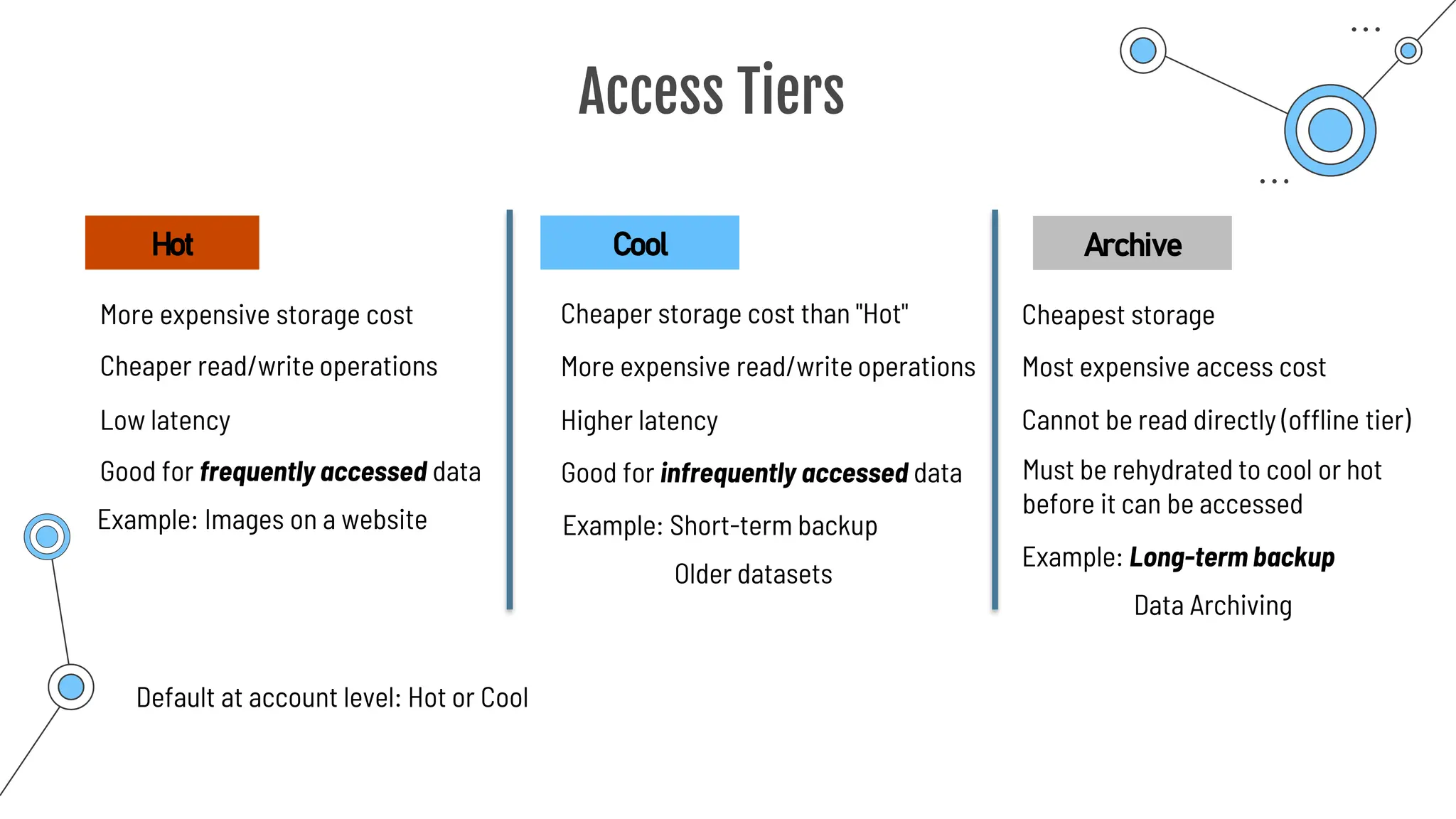
More expensive storage cost
Hot
Cheaper read/write operations
Good for frequently accessed data
Example: Images on a website
Cheaper storage cost than "Hot"
Cool
Good for infrequently accessed data
More expensive read/write operations
Cheapest storage
Cannot be read directly (offline tier)
Most expensive access cost
Example: Short-term backup
Older datasets
Must be rehydrated to cool or hot
before it can be accessed
Archive
Low latency Higher latency
Example: Long-term backup
Data Archiving
Default at account level: Hot or Cool
Queue storage
Queue storage
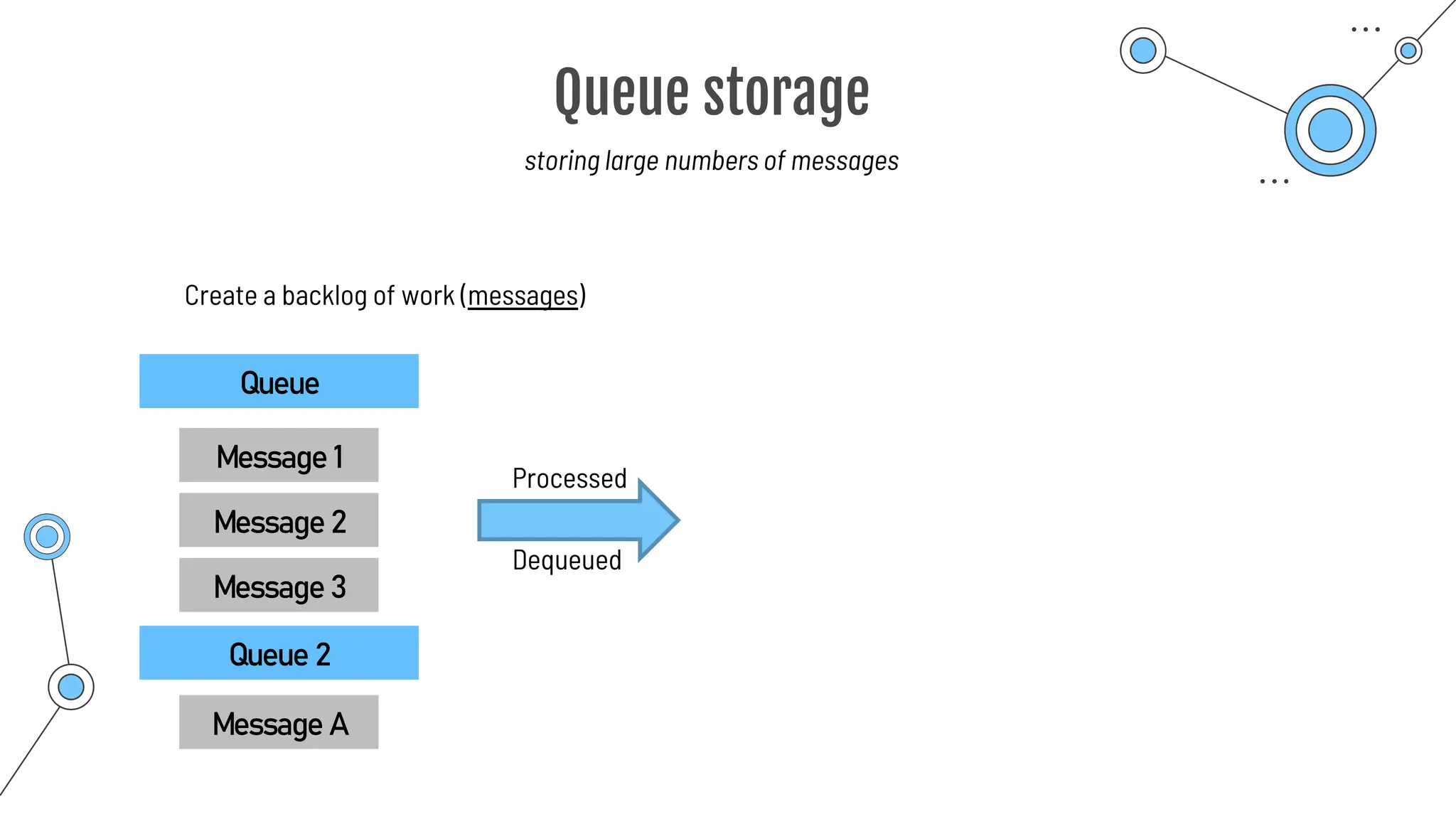
storing large numbers of messages
Create a backlog of work (messages)
Queue
Message 1
Message 2
Message 3
Processed
Dequeued
Queue 2
Message A
Azure Files
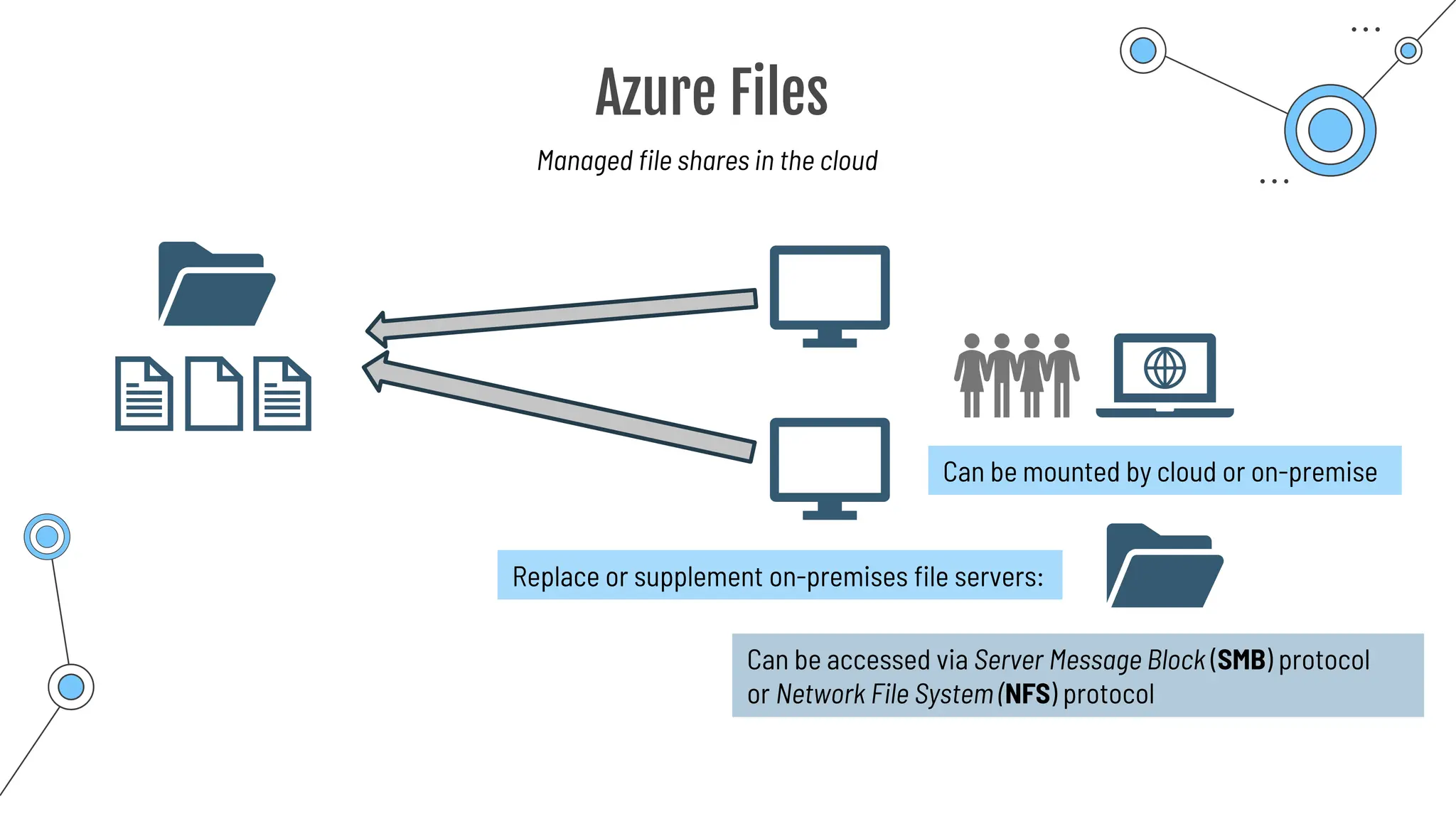
Azure Files
Managed file shares in the cloud
Can be mounted by cloud or on-premise
Can be accessed via Server Message Block (SMB) protocol
or Network File System (NFS) protocol
Replace or supplement on-premises file servers:
File Sync
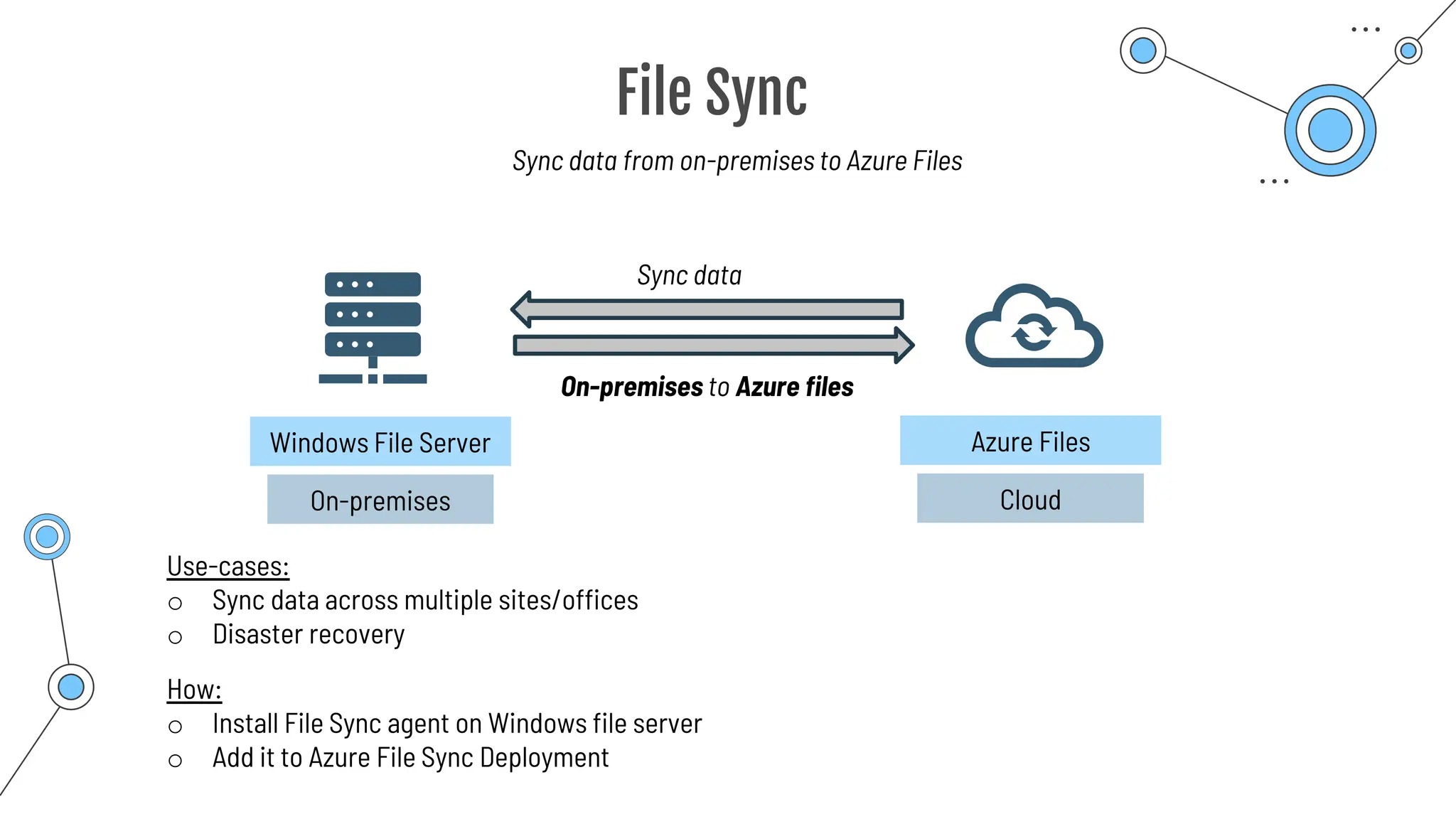
File Sync
Sync data from on-premises to Azure Files
On-premises
Windows File Server
Cloud
Azure Files
Sync data
On-premises to Azure files
How:
o Install File Sync agent on Windows file server
o Add it to Azure File Sync Deployment
Use-cases:
o Sync data across multiple sites/offices
o Disaster recovery
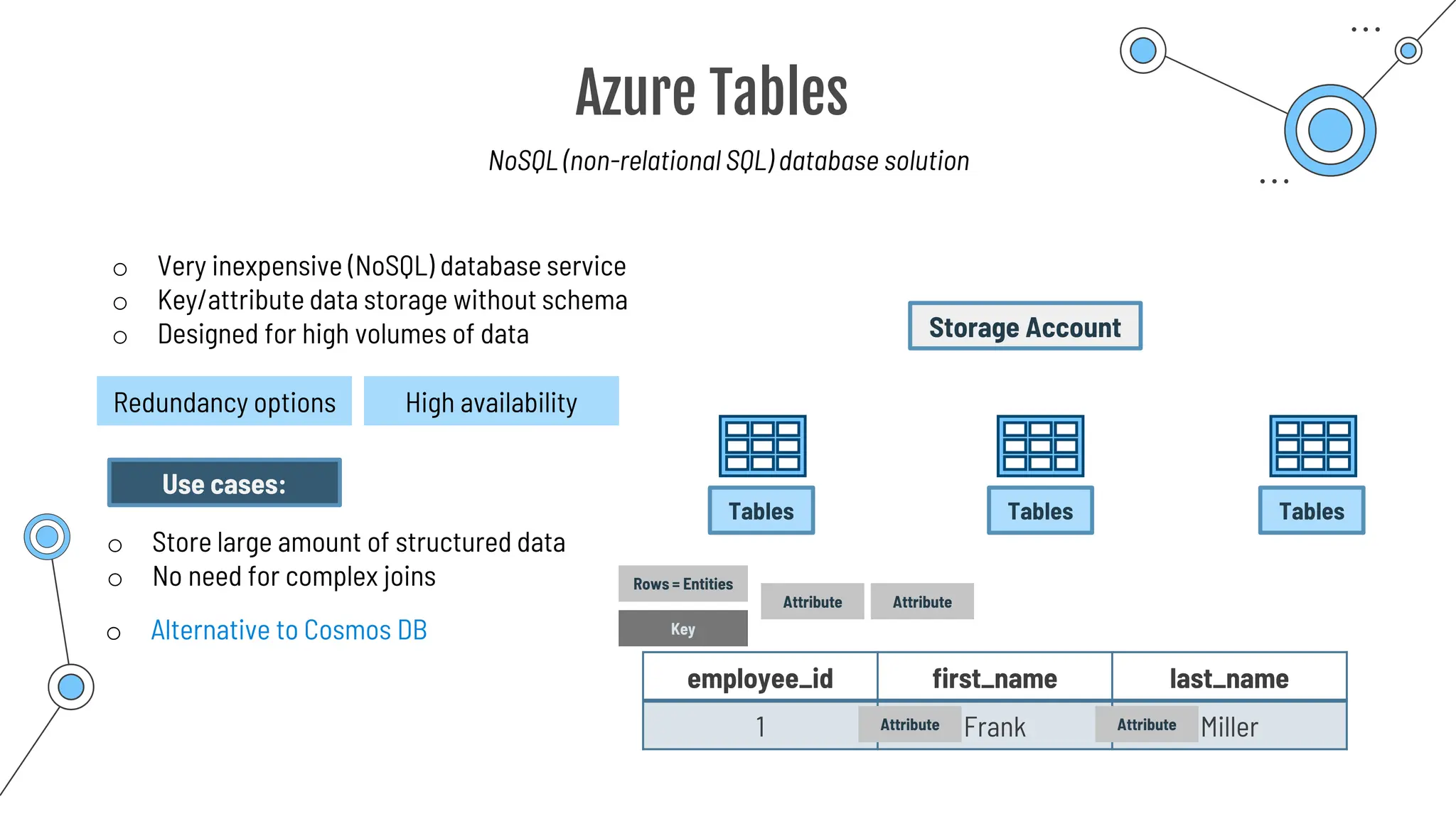
Azure Tables
Azure Tables
NoSQL (non-relational SQL) database solution
o Very inexpensive (NoSQL) database service
o Key/attribute data storage without schema
o Designed for high volumes of data
Redundancy options High availability
Storage Account
Tables Tables Tables
Rows = Entities
Attribute
Key
Attribute
employee_id first_name last_name
1 Frank Miller
Attribute Attribute
Use cases:
o Store large amount of structured data
o No need for complex joins
o Alternative to Cosmos DB
Disk storage
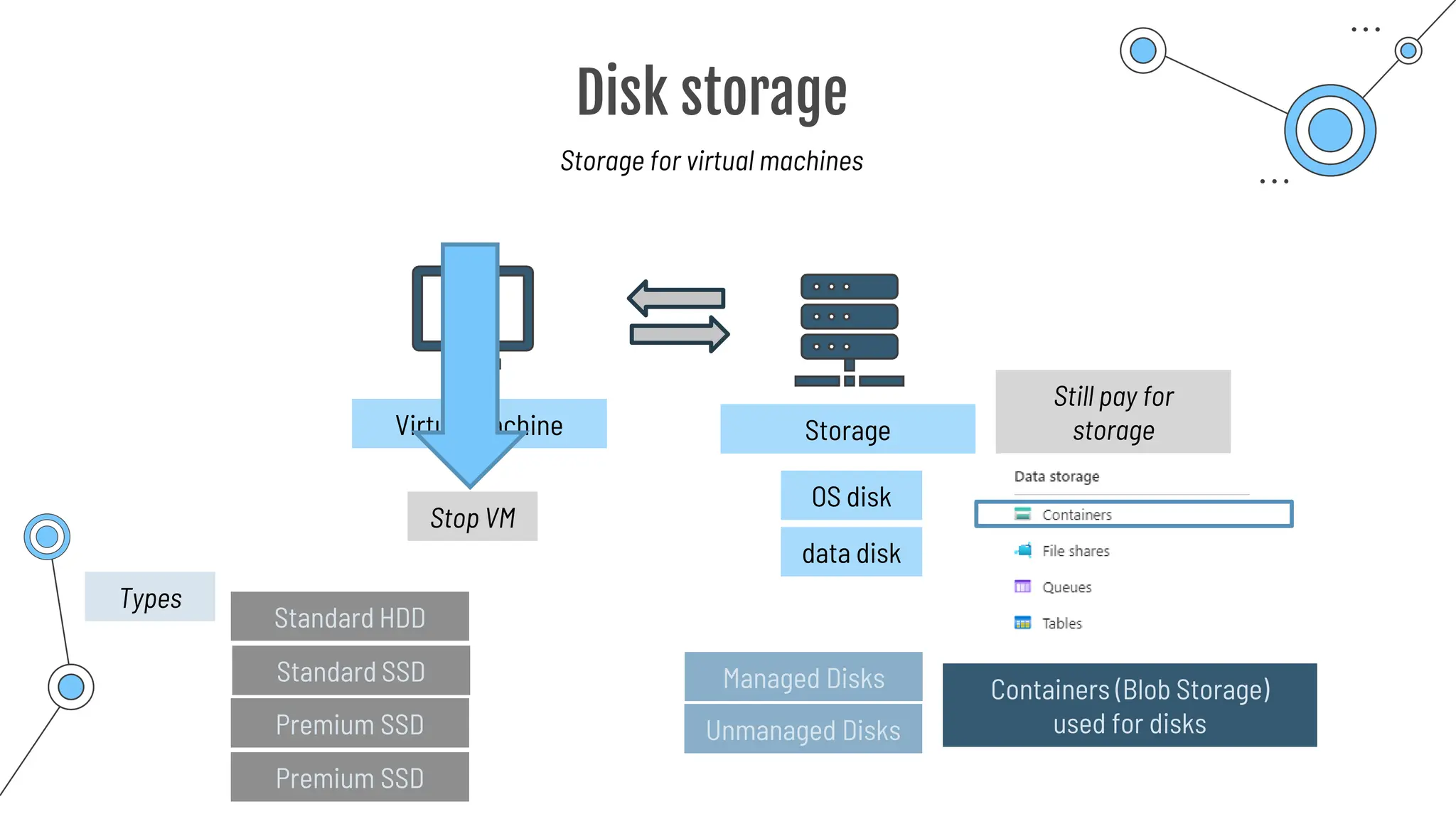
Disk storage
Storage for virtual machines
Virtual Machine Storage
OS disk
data disk
Stop VM
Still pay for
storage
Containers (Blob Storage)
used for disks
Managed Disks
Unmanaged Disks
Standard HDD
Standard SSD
Premium SSD
Premium SSD
Types
AzCopy
AzCopy
Command-line tool to copy data to and from storage accounts
o Can be downloaded to Windows or Linux
o Used within Azure Cloud Shell
o Upload, download, sync or transfer files and blobs
Command Description
azcopy copy Copies source data to a destination location
azcopy list Lists the entities in a given resource.
azcopy remove Delete blobs or files from an Azure storage account.
azcopy make Creates a container or file share.
azcopy [command] [arguments] --[flag-name]=[flag-value]
azcopy copy 'file-link-with-sas-key''container-link-with-sas-key'
Azure
Migrate
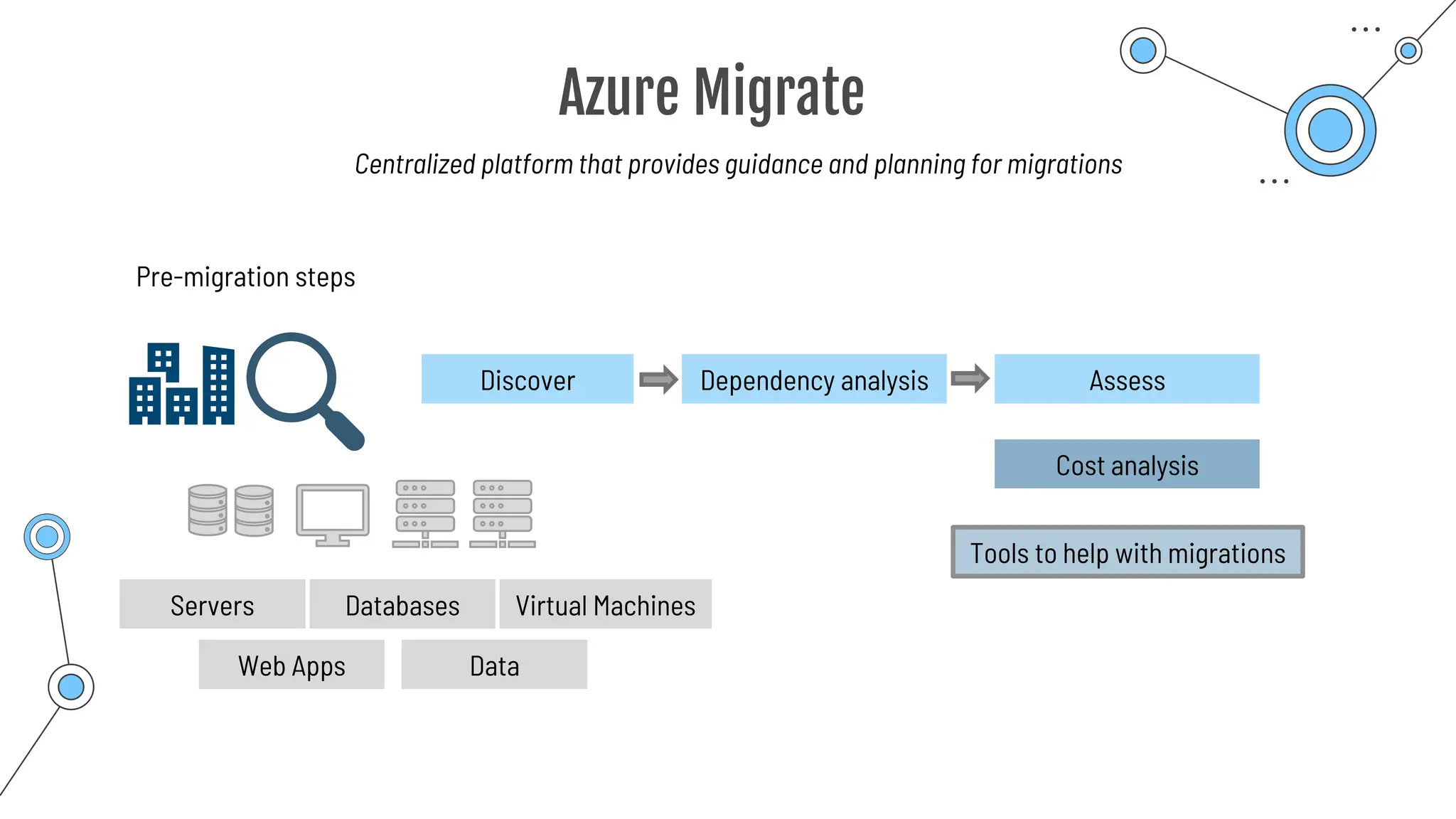
Azure Migrate
Centralized platform that provides guidance and planning for migrations
Pre-migration steps
Discover
Servers Databases Virtual Machines
Web Apps Data
Assess
Dependency analysis
Tools to help with migrations
Cost analysis
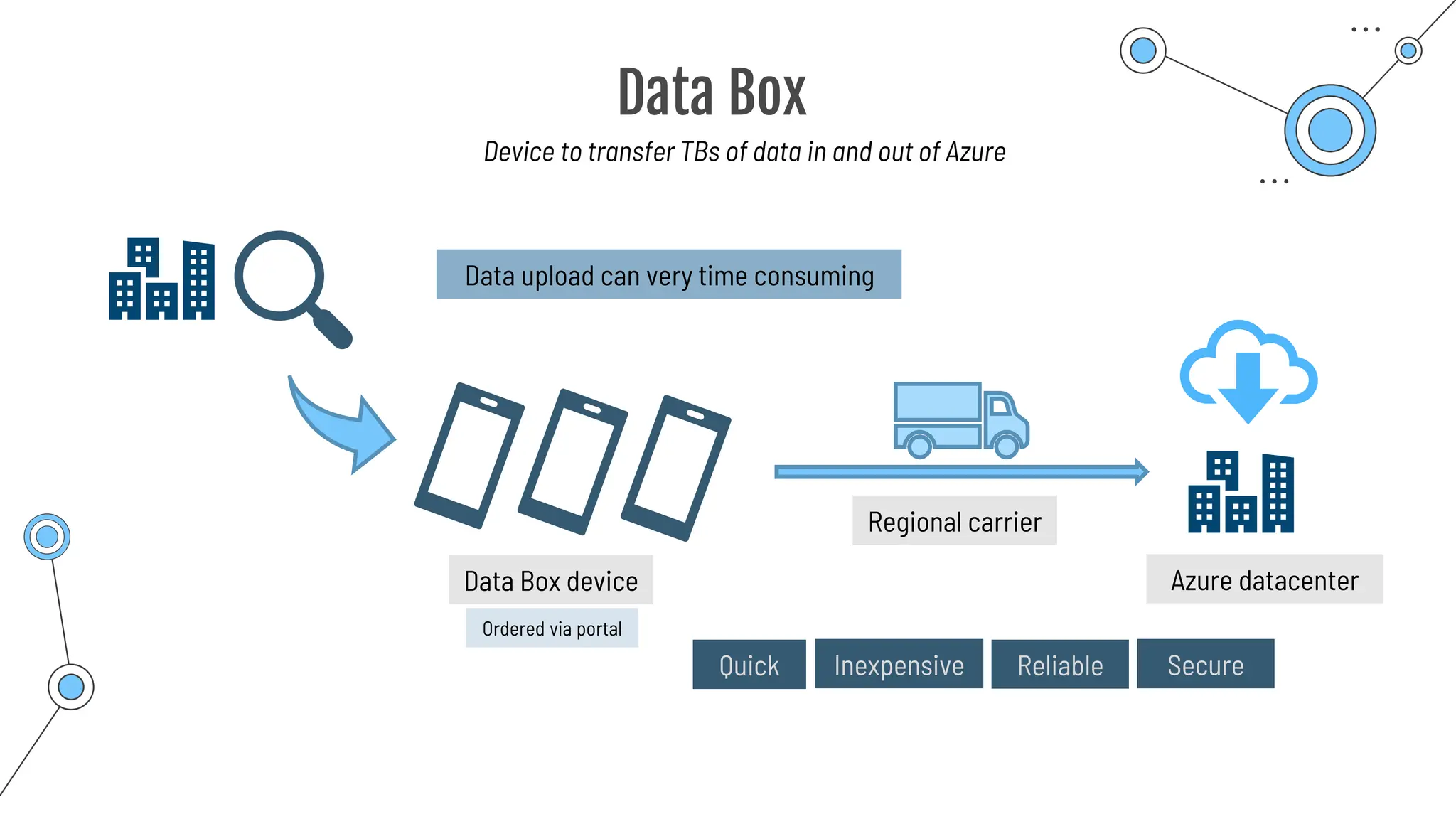
Data Box
Data Box
Device to transfer TBs of data in and out of Azure
Data upload can very time consuming
Quick Inexpensive Reliable Secure
Data Box device
Regional carrier
Azure datacenter
Ordered via portal
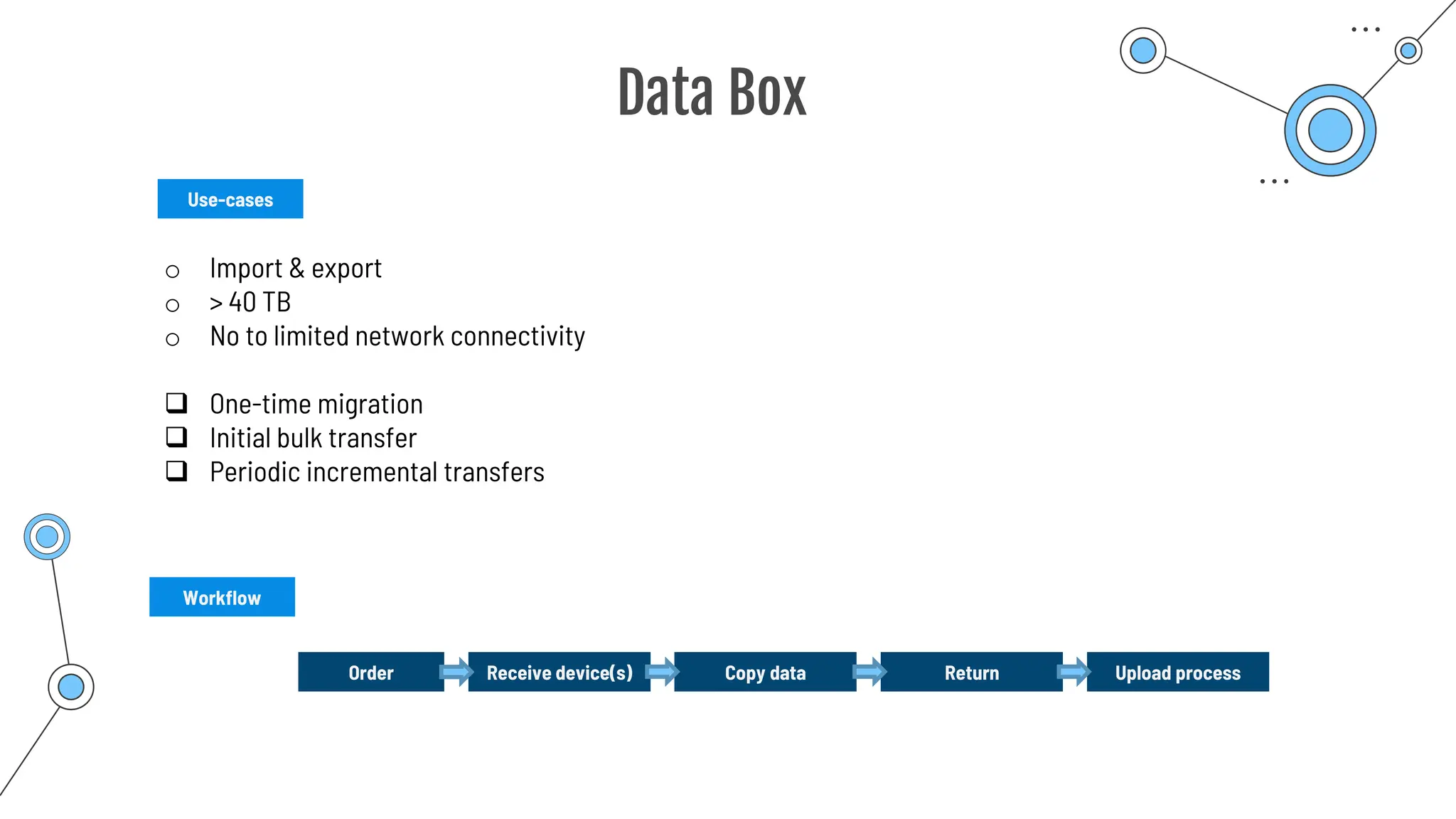
Data Box
Use-cases
Order Receive device(s) Copy data Return Upload process
Workflow
o Import & export
o > 40 TB
o No to limited network connectivity
❑ One-time migration
❑ Initial bulk transfer
❑ Periodic incremental transfers
Azure
Marketplace
Azure Marketplace
o Third-party companies offer additional applications and services
o Accessed from within Azure portal
o Everything has been certified
Summary
Summary
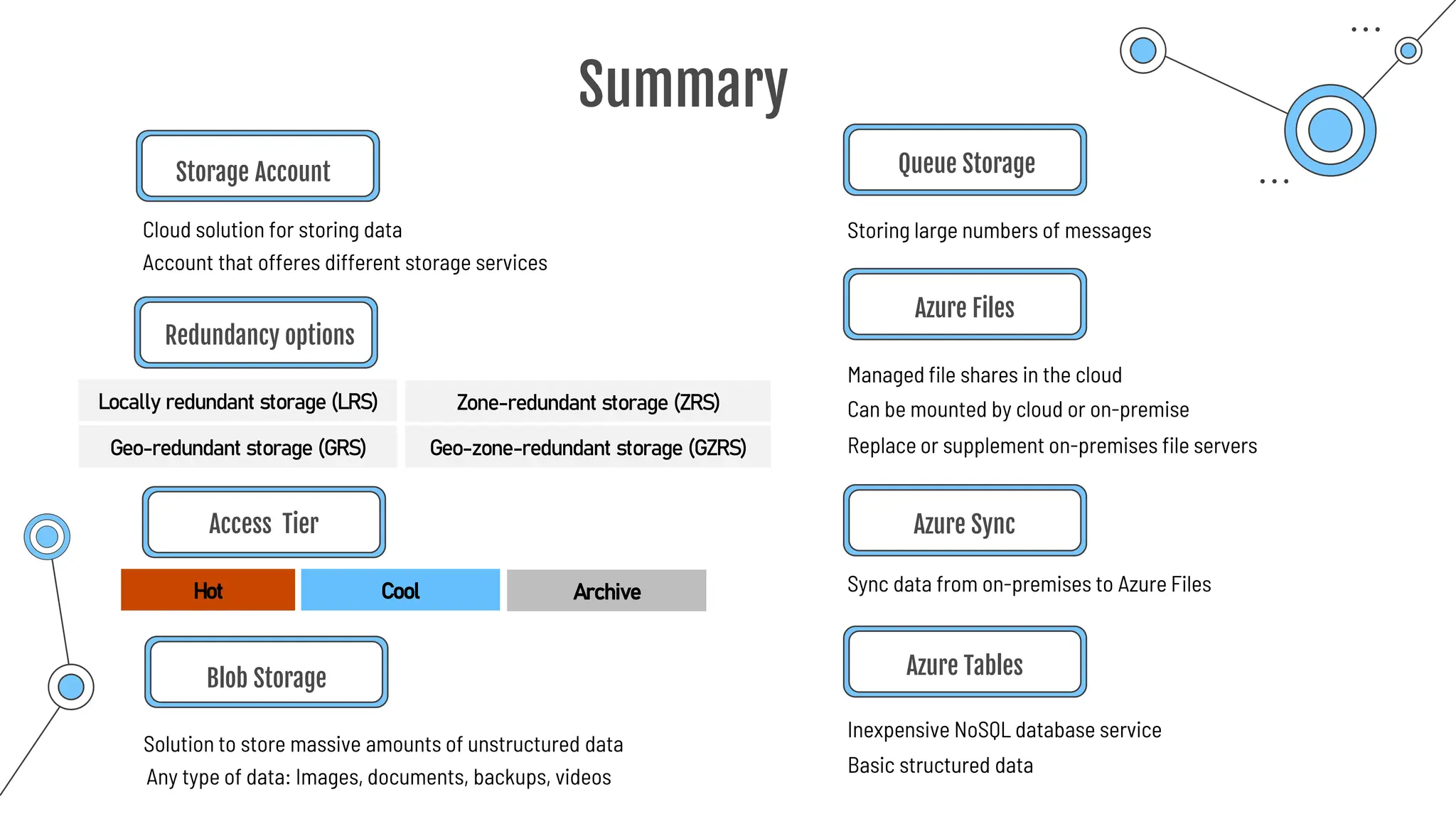
Storage Account
Cloud solution for storing data
Redundancy options
Access Tier
Blob Storage
Solution to store massive amounts of unstructured data
Locally redundant storage (LRS) Zone-redundant storage (ZRS)
Geo-redundant storage (GRS) Geo-zone-redundant storage (GZRS)
Account that offeres different storage services
Hot Cool Archive
Any type of data: Images, documents, backups, videos
Queue Storage
Storing large numbers of messages
Sync data from on-premises to Azure Files
Managed file shares in the cloud
Can be mounted by cloud or on-premise
Replace or supplement on-premises file servers
Azure Files
Azure Sync
Inexpensive NoSQL database service
Azure Tables
Basic structured data
Summary
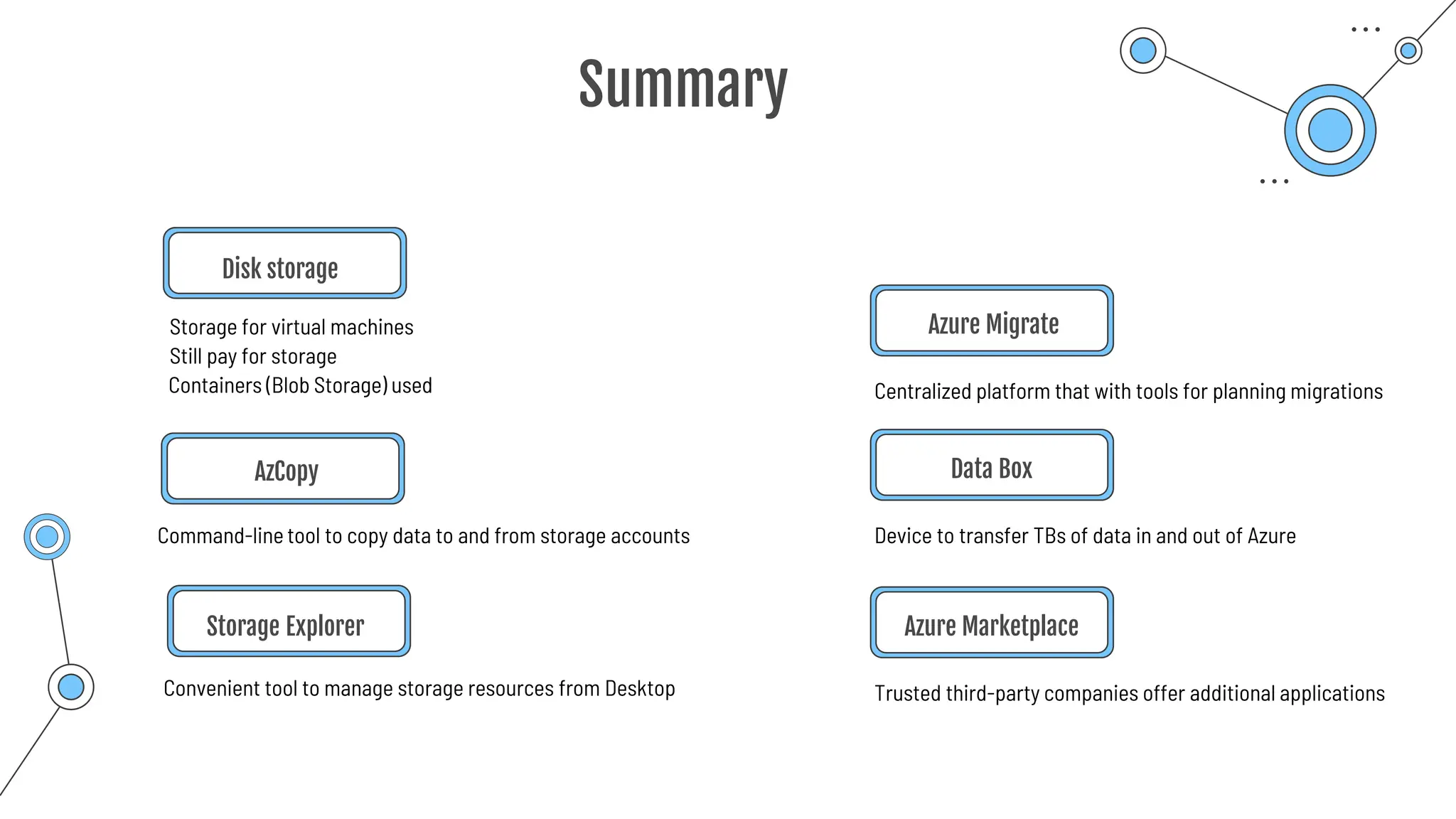
Disk storage
Storage for virtual machines
AzCopy
Azure Migrate
Centralized platform that with tools for planning migrations
Device to transfer TBs of data in and out of Azure
Data Box
Command-line tool to copy data to and from storage accounts
Still pay for storage
Containers (Blob Storage) used
Convenient tool to manage storage resources from Desktop
Storage Explorer
Trusted third-party companies offer additional applications
Azure Marketplace
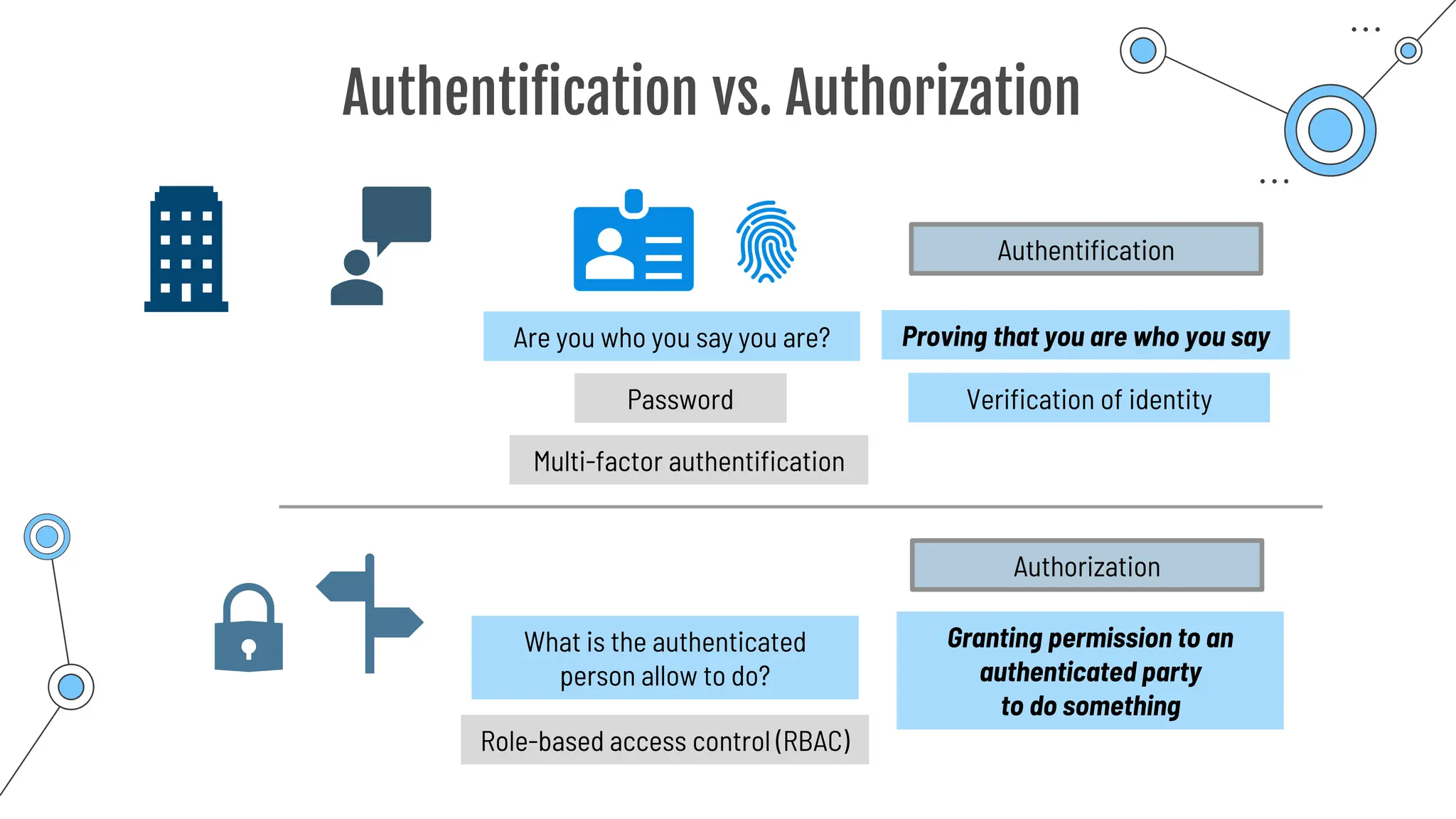
Authentification
vs.
Authorization
Authentification vs. Authorization
Are you who you say you are?
Password
Proving that you are who you say
Authentification
Verification of identity
Multi-factor authentification
Granting permission to an
authenticated party
to do something
Authorization
Role-based access control (RBAC)
What is the authenticated
person allow to do?
Azure
Active Directory
(Azure AD)
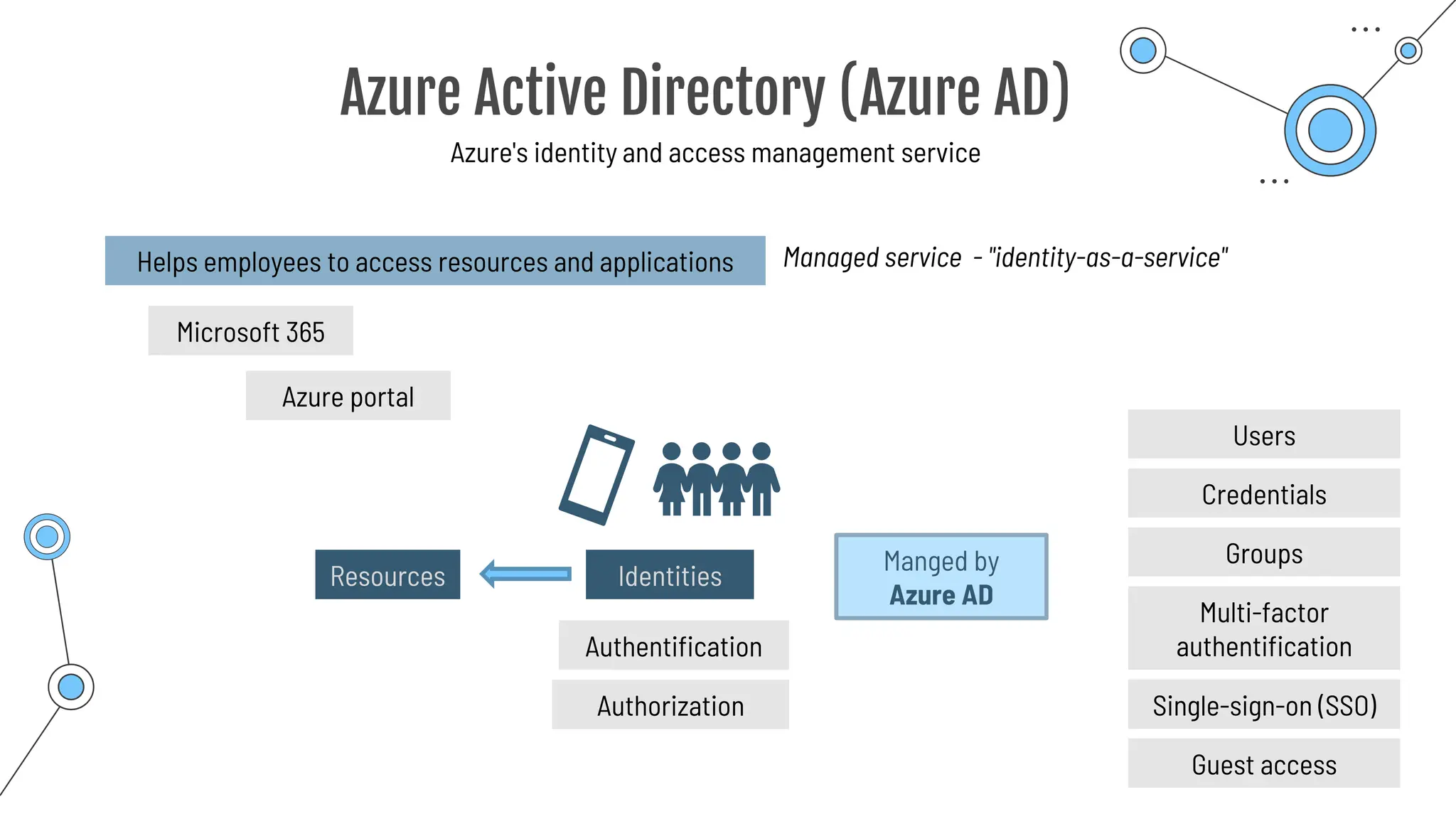
Azure Active Directory (Azure AD)
Azure's identity and access management service
Helps employees to access resources and applications
Resources Identities
Manged by
Azure AD
Microsoft 365
Authentification
Authorization
Azure portal
Users
Credentials
Groups
Multi-factor
authentification
Single-sign-on (SSO)
Guest access
Managed service - "identity-as-a-service"
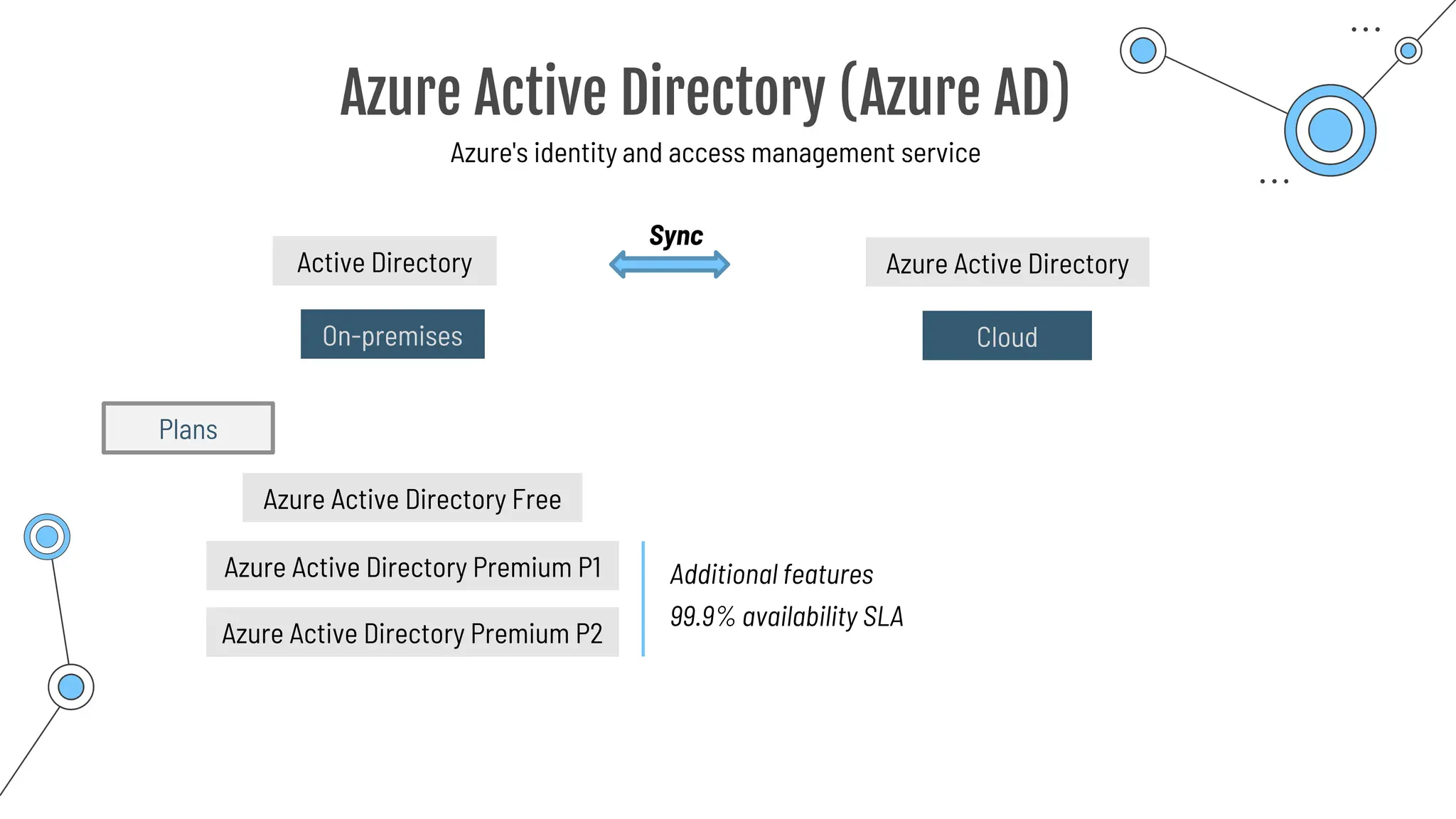
Azure Active Directory (Azure AD)
Azure's identity and access management service
On-premises
Active Directory Azure Active Directory
Cloud
Sync
Azure Active Directory Free
Azure Active Directory Premium P1
Azure Active Directory Premium P2
Additional features
99.9% availability SLA
Plans
Azure Active Directory (Azure AD)
Azure's identity and access management service
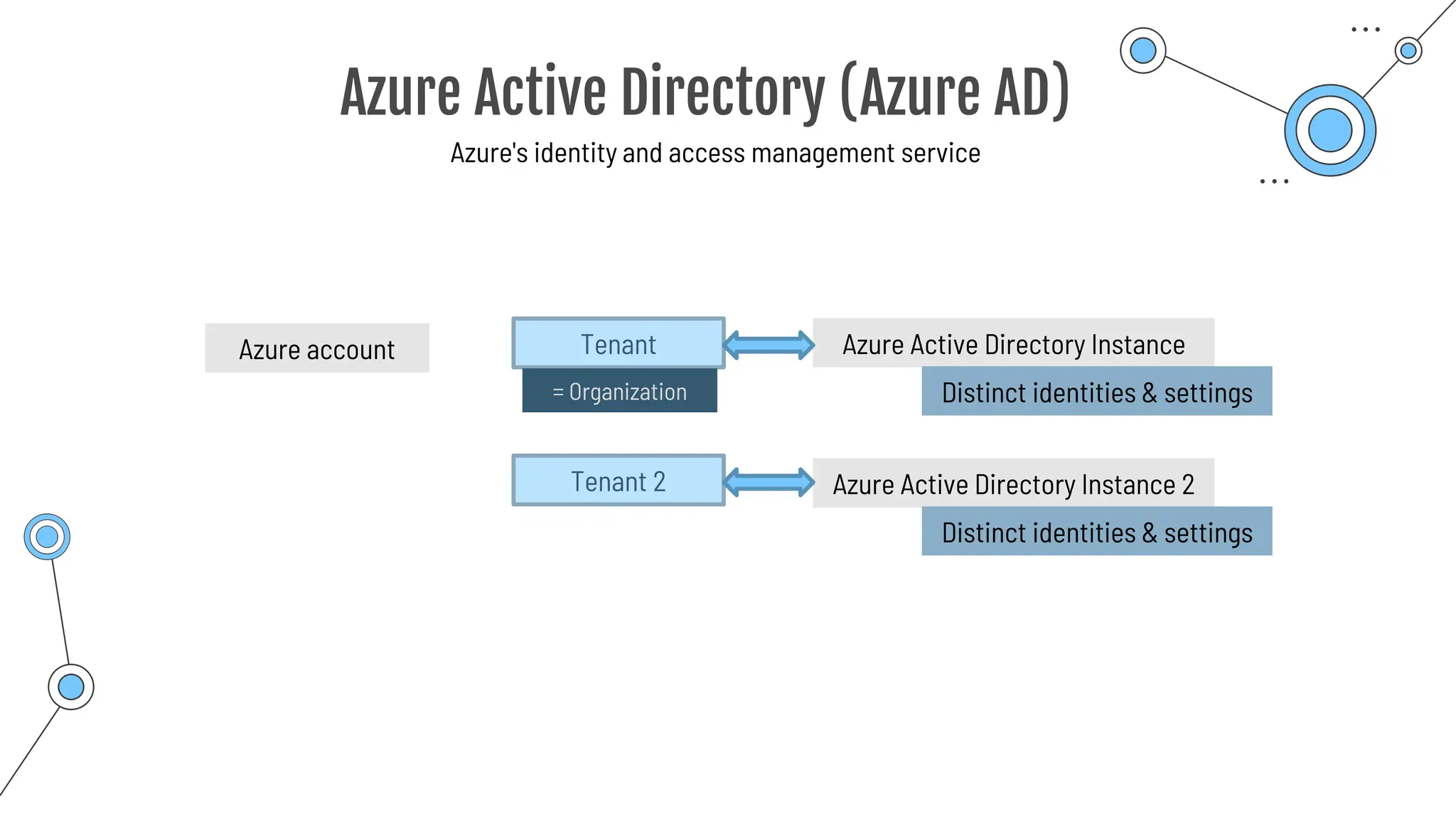
Tenant
Azure account Azure Active Directory Instance
= Organization Distinct identities & settings
Azure Active Directory Instance 2
Distinct identities & settings
Tenant 2
Single sign-on
(SSO)
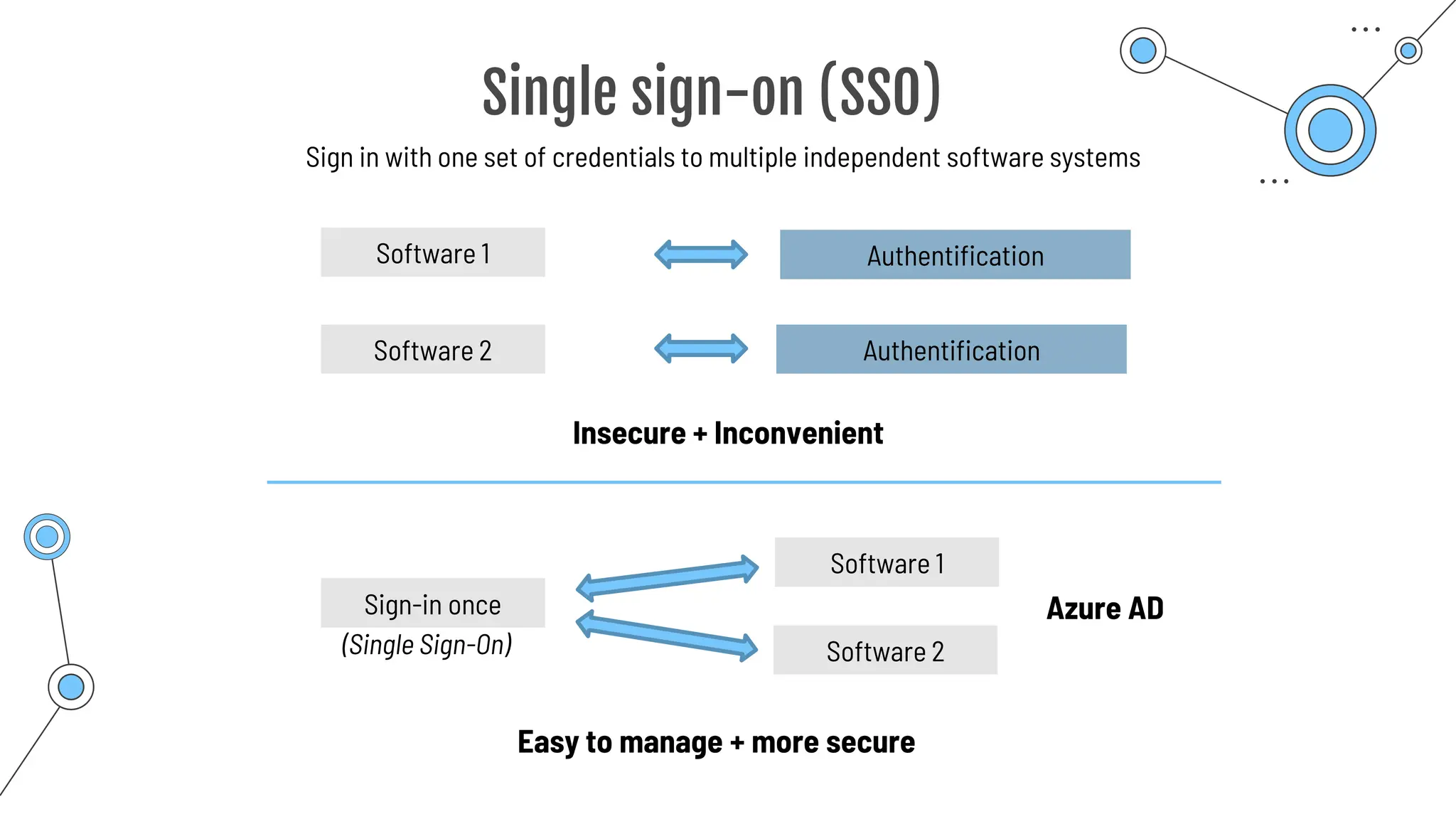
Single sign-on (SSO)
Sign in with one set of credentials to multiple independent software systems
Software 1 Authentification
Authentification
Software 2
Insecure + Inconvenient
Sign-in once
Software 1
Software 2
Azure AD
Easy to manage + more secure
(Single Sign-On)
Multi-Factor
Authentication
Multi-Factor Authentication
Additional method of authentication
nikolai.schuler@[...].com
Authentication
**********
Password can get found out!
Username:
Password:
2nd authentication factor
… Know
… Have
**********
Password:
… Are
Something you …
One way:
Conditional Access
Passwordless
authentication
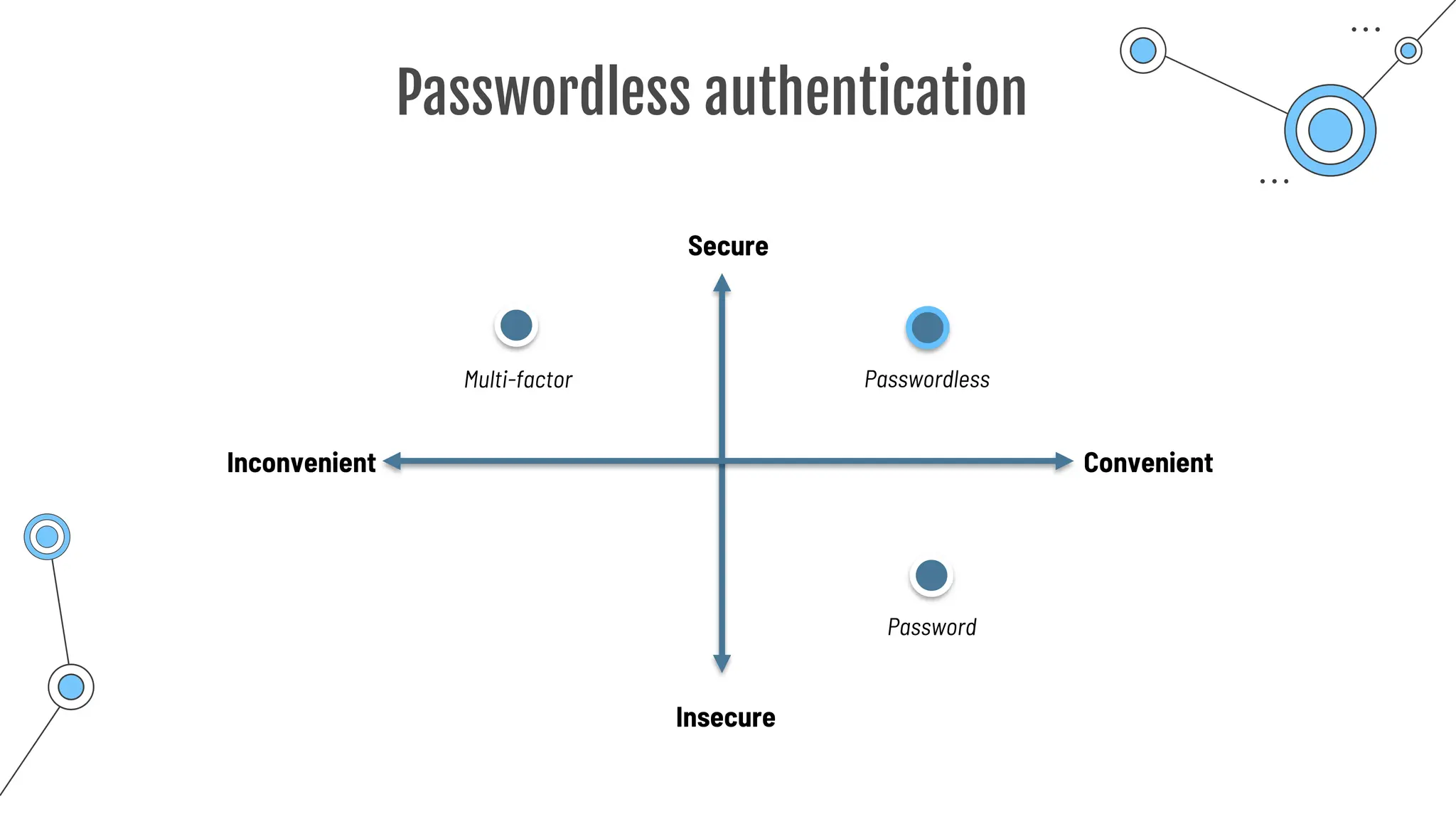
Passwordless authentication
Convenient
Inconvenient
Insecure
Secure
Password
Multi-factor Passwordless
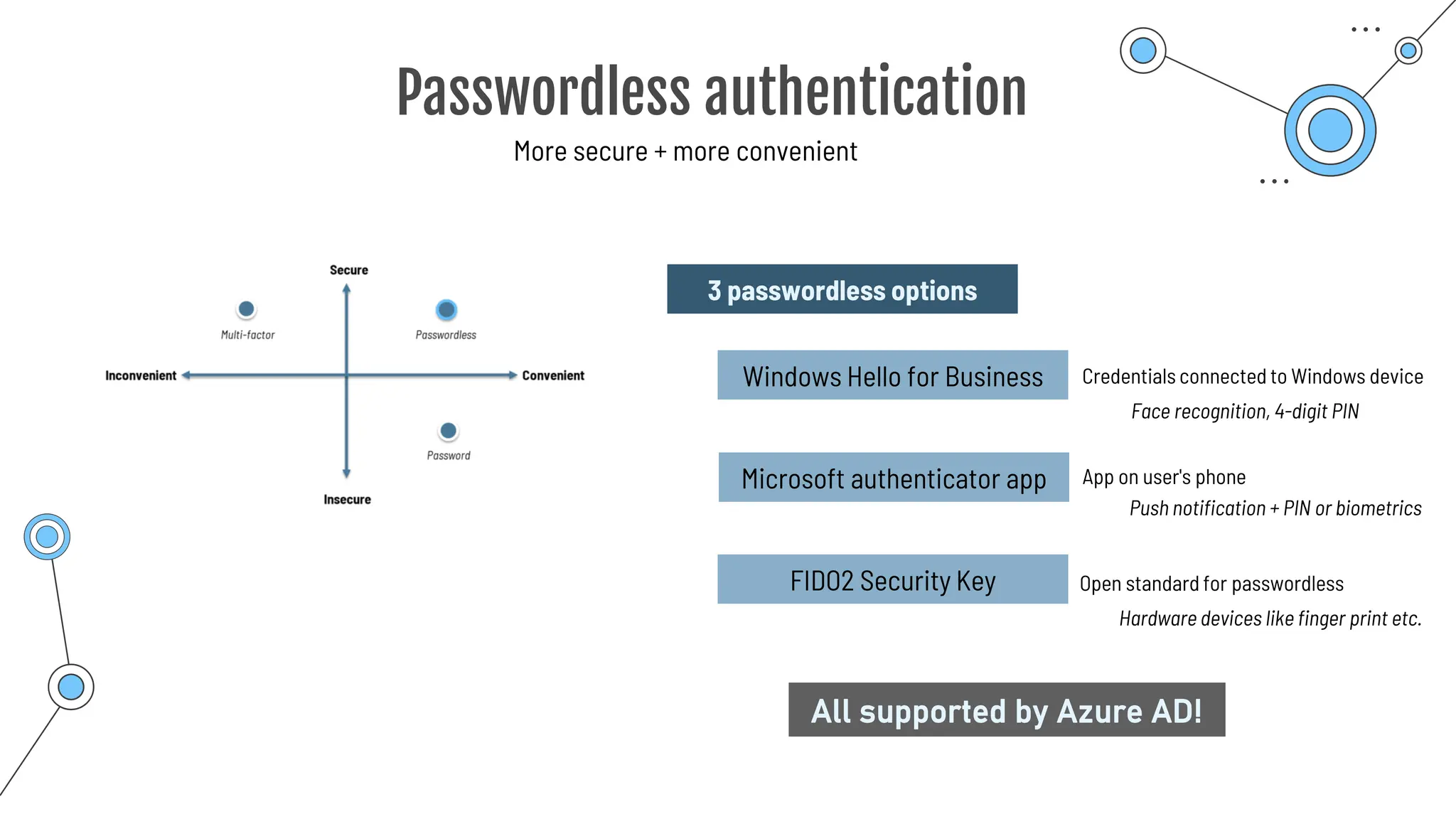
Passwordless authentication
More secure + more convenient
3 passwordless options
Windows Hello for Business
Microsoft authenticator app
Credentials connected to Windows device
App on user's phone
FIDO2 Security Key Open standard for passwordless
Face recognition, 4-digit PIN
Push notification + PIN or biometrics
Hardware devices like finger print etc.
All supported by Azure AD!
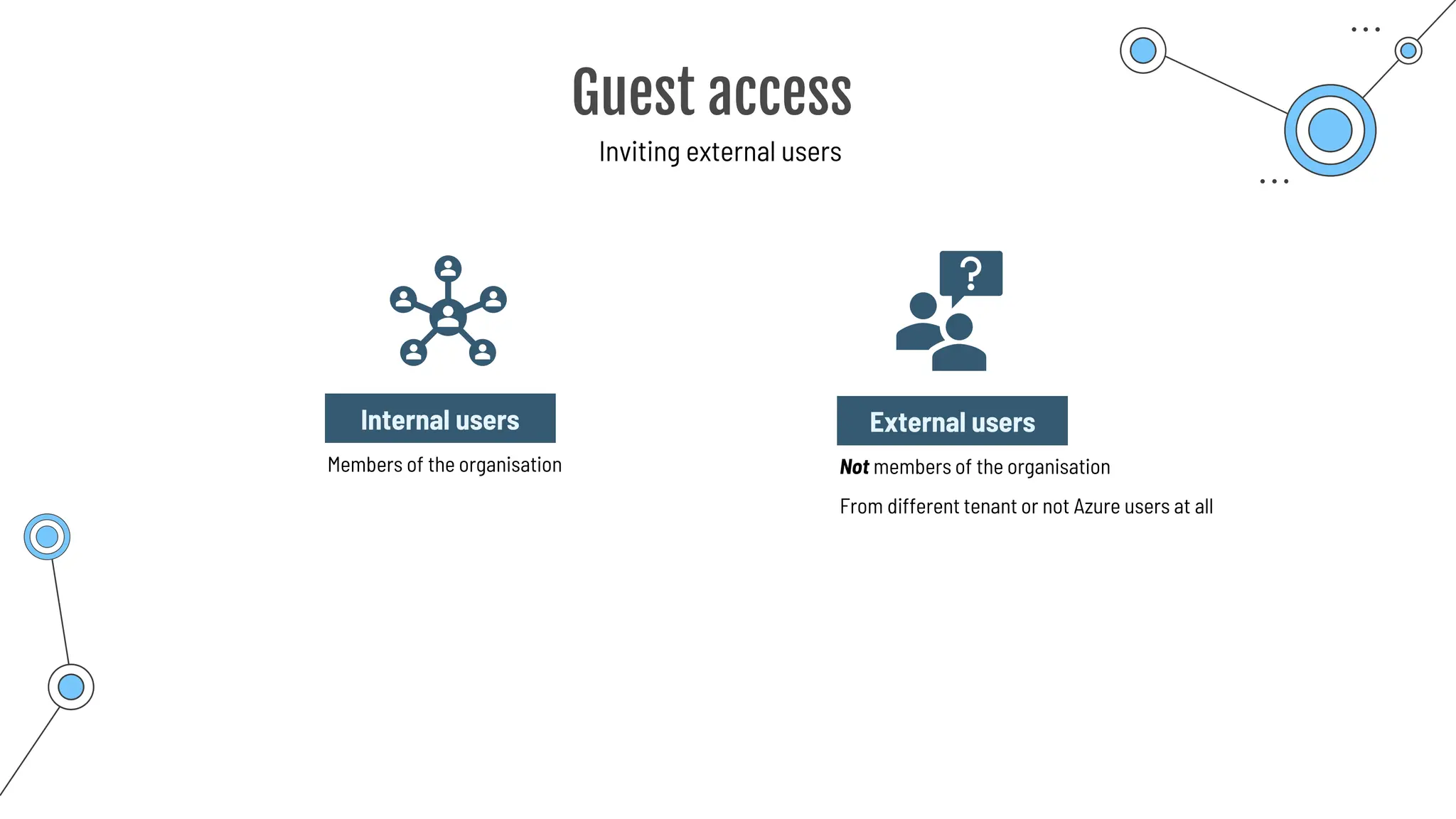
Guest access
Guest access
Inviting external users
Internal users
Members of the organisation
External users
Not members of the organisation
From different tenant or not Azure users at all
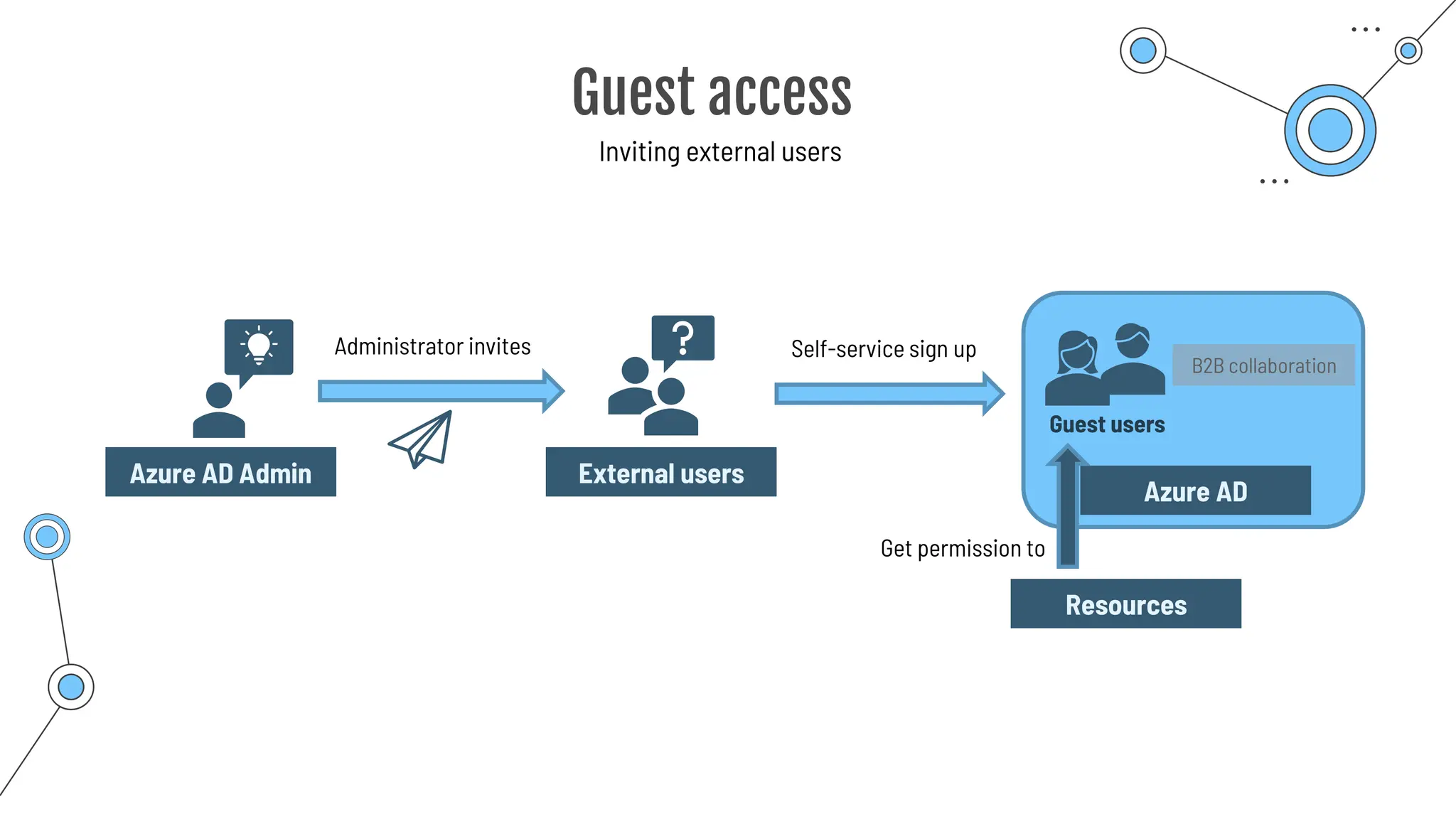
Guest access
Inviting external users
External users
Administrator invites
Azure AD Admin
Self-service sign up
Guest users
Azure AD
Get permission to
Resources
B2B collaboration
Conditional
access
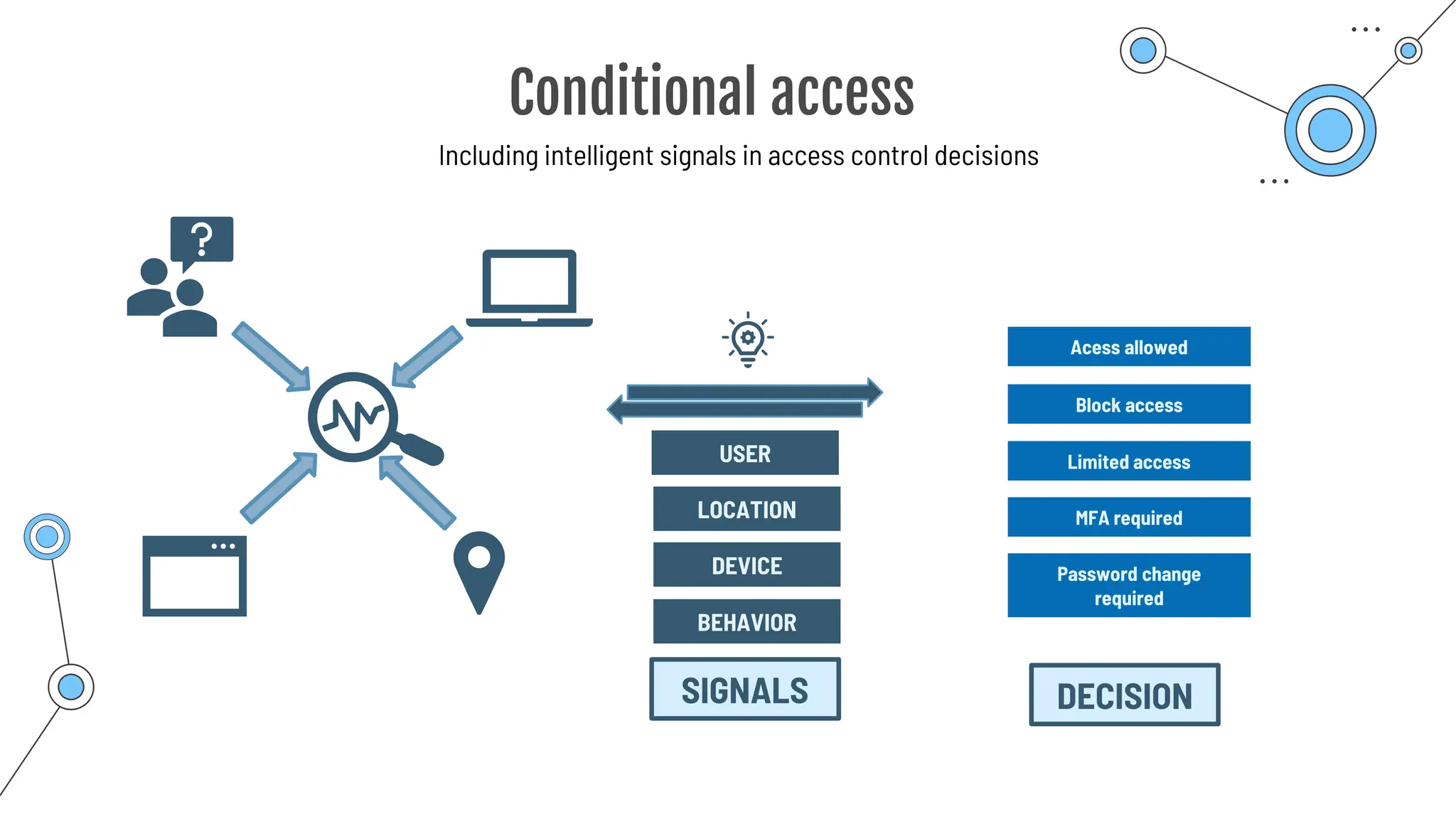
Conditional access
Including intelligent signals in access control decisions
USER
LOCATION
DEVICE
Acess allowed
Block access
Limited access
MFA required
Password change
required
SIGNALS DECISION
BEHAVIOR
Conditional access
Including intelligent signals in access control decisions
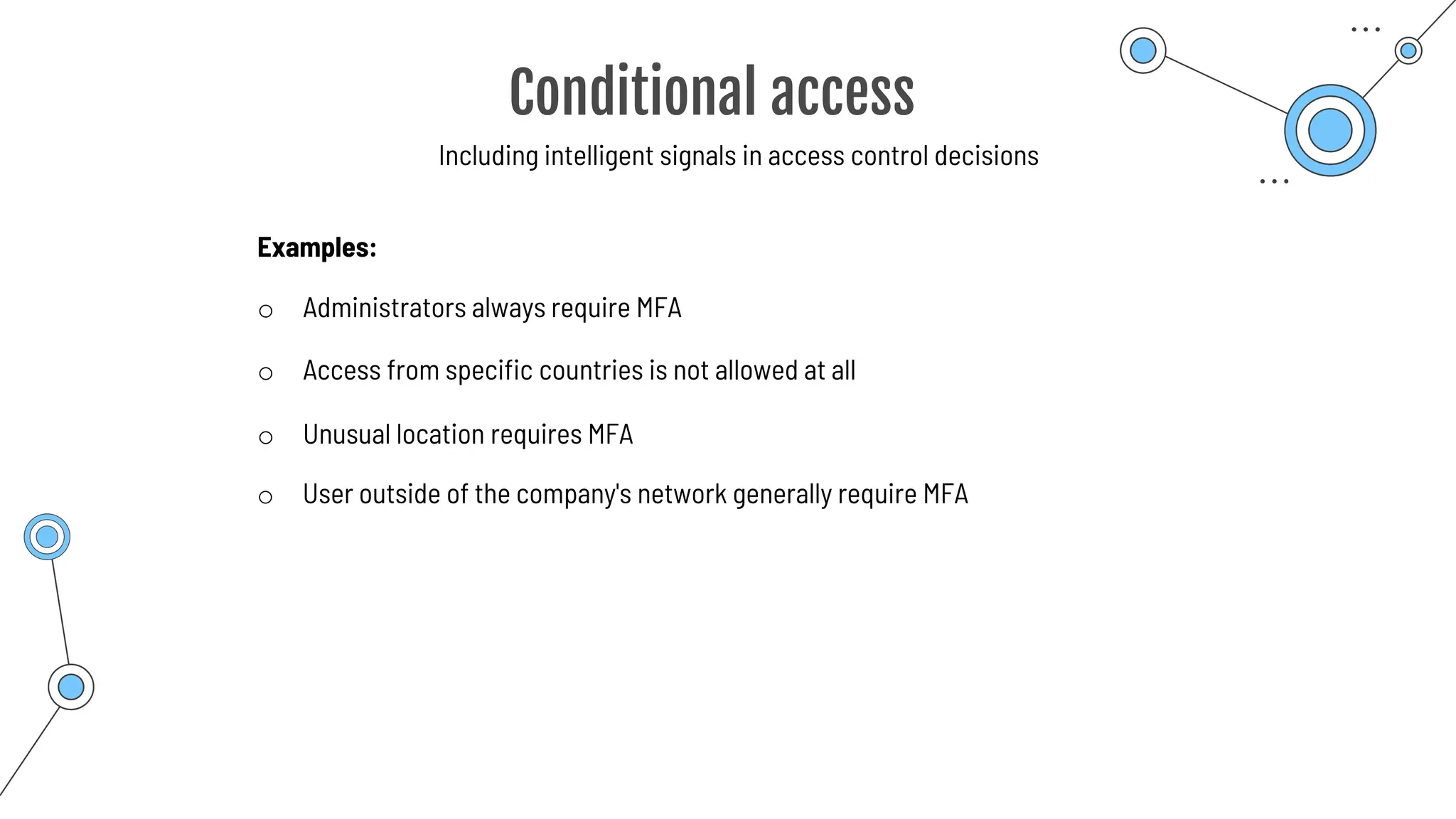
o Administrators always require MFA
Examples:
o Unusual location requires MFA
o User outside of the company's network generally require MFA
o Access from specific countries is not allowed at all
Role-based
access control
(RBAC)
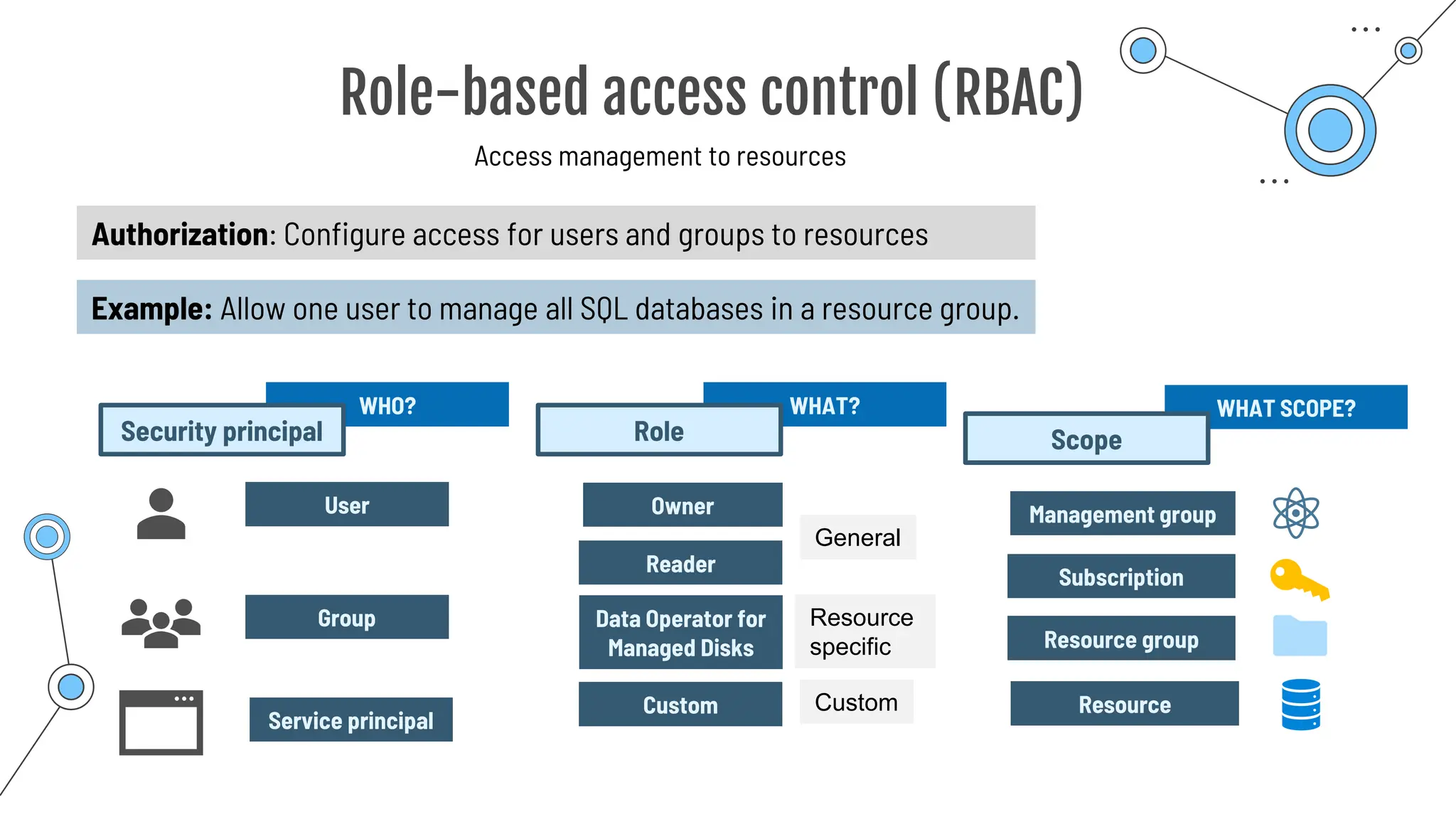
Role-based access control (RBAC)
Access management to resources
User
Group
WHO?
Security principal
Service principal
Authorization: Configure access for users and groups to resources
Example: Allow one user to manage all SQL databases in a resource group.
Owner
Reader
WHAT?
Role
Data Operator for
Managed Disks
Custom
General
Resource
specific
Custom
Management group
Subscription
WHAT SCOPE?
Scope
Resource group
Resource
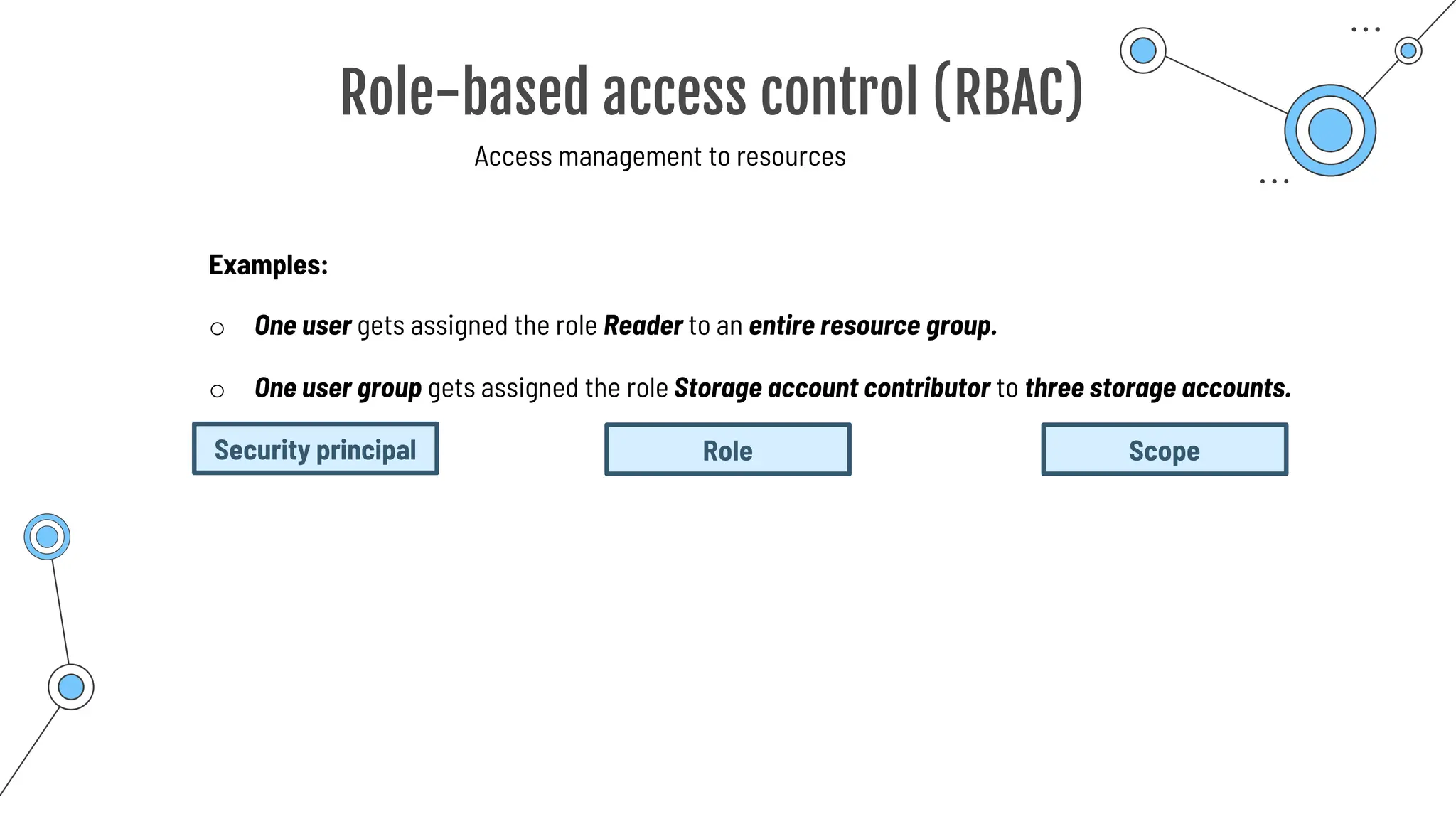
o One user gets assigned the role Reader to an entire resource group.
Examples:
o One user group gets assigned the role Storage account contributor to three storage accounts.
Role-based access control (RBAC)
Access management to resources
Security principal Role Scope
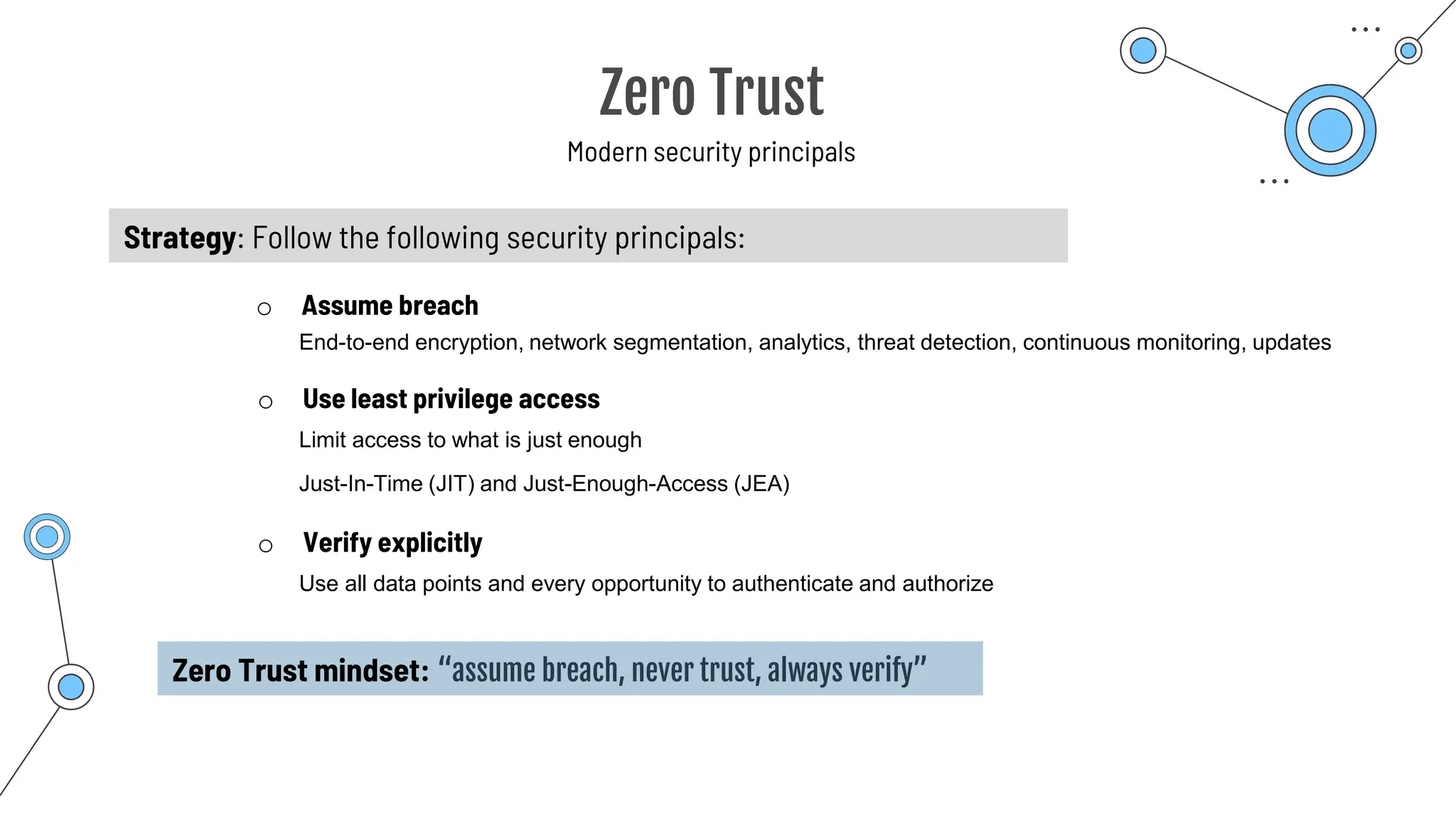
Zero Trust
Zero Trust
Modern security principals
o Verify explicitly
o Assume breach
o Use least privilege access
Strategy: Follow the following security principals:
Zero Trust mindset: “assume breach, never trust, always verify”
Use all data points and every opportunity to authenticate and authorize
Just-In-Time (JIT) and Just-Enough-Access (JEA)
Limit access to what is just enough
End-to-end encryption, network segmentation, analytics, threat detection, continuous monitoring, updates
Defense in depth
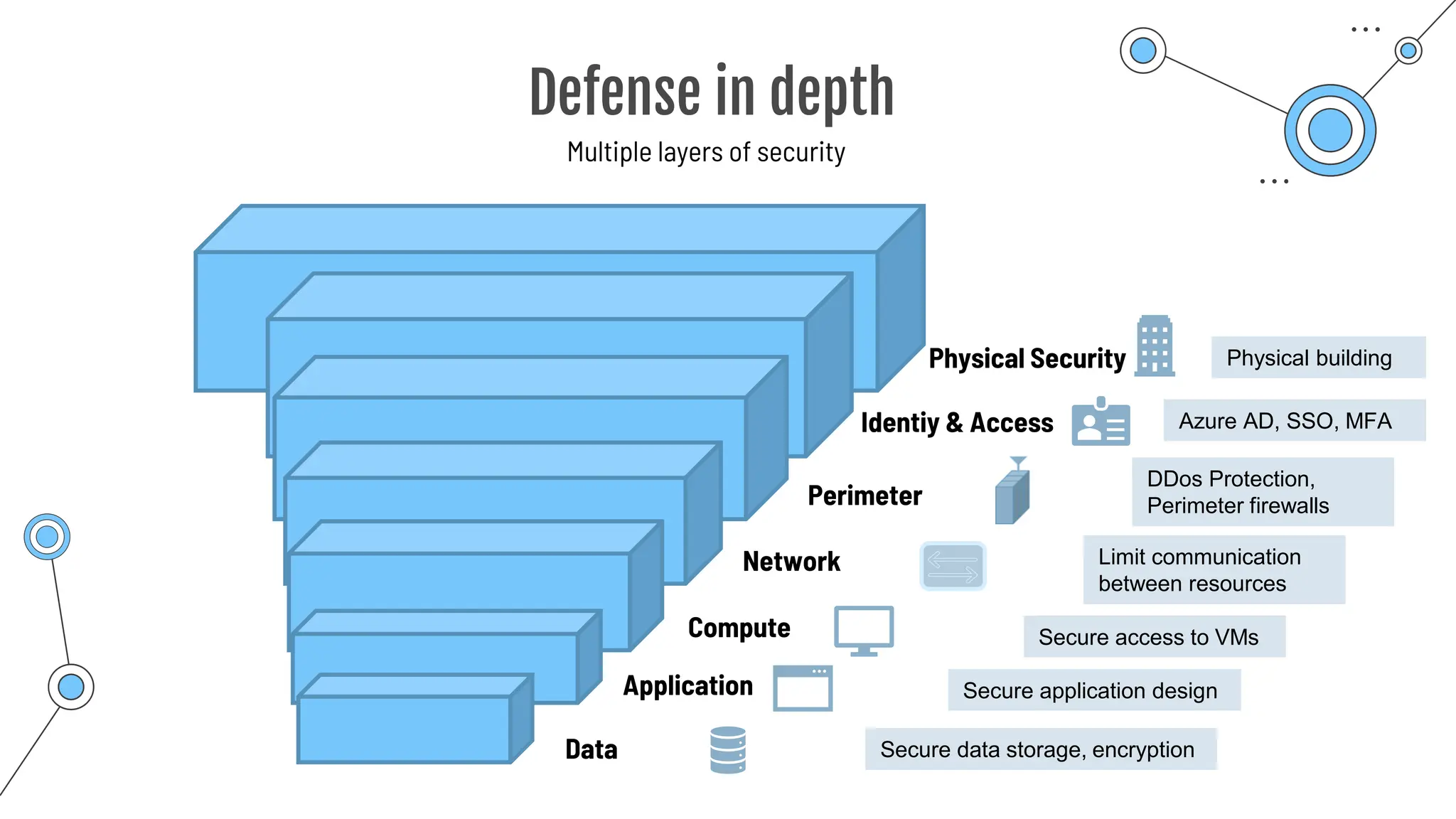
Defense in depth
Multiple layers of security
Physical building
Physical Security
Identiy & Access
Perimeter
Network
Compute
Application
Data
Azure AD, SSO, MFA
DDos Protection,
Perimeter firewalls
Limit communication
between resources
Secure access to VMs
Secure application design
Secure data storage, encryption
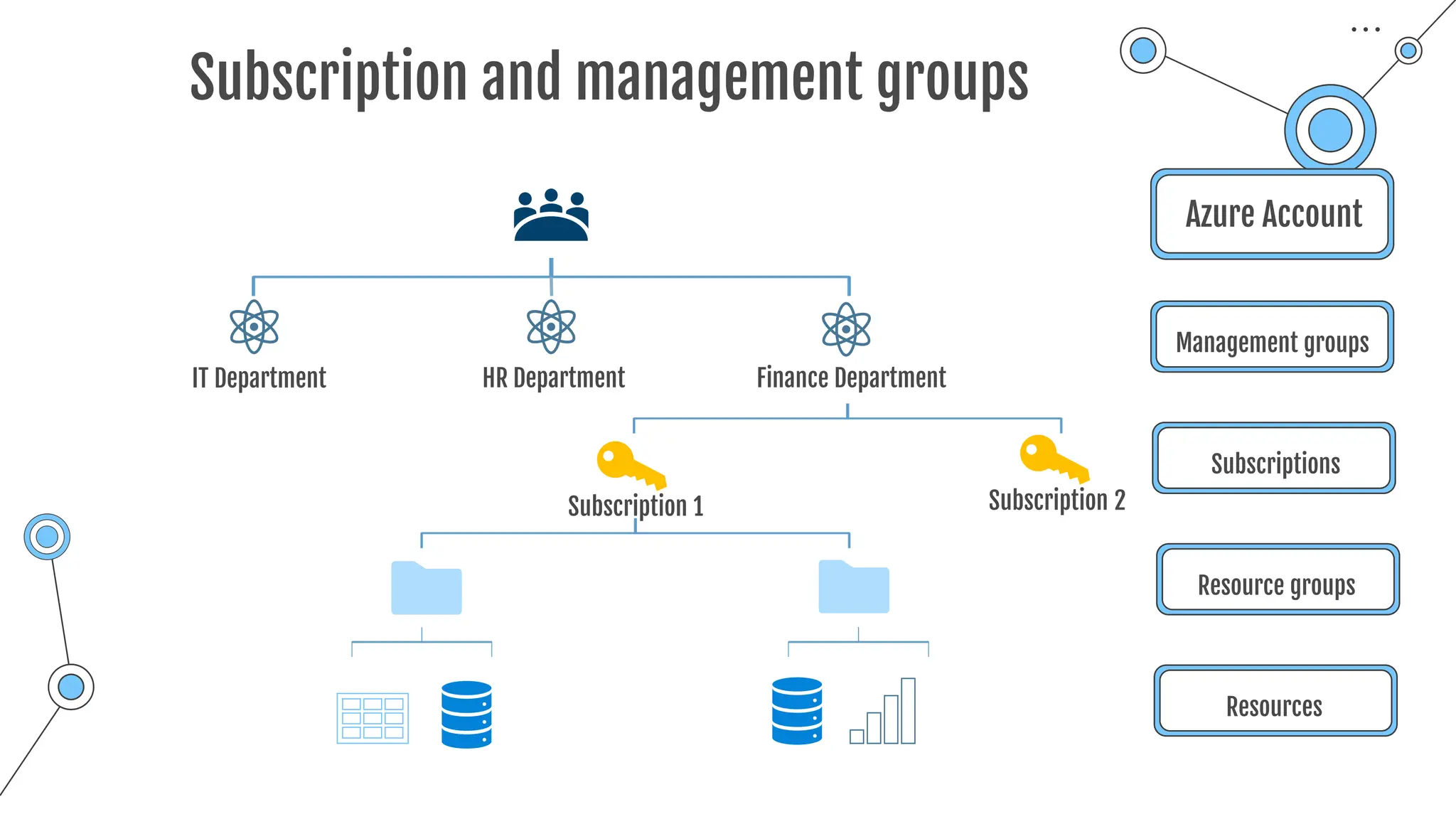
Subscription and management groups
Azure Account
Management groups
Subscriptions
Resource groups
Resources
IT Department HR Department
Subscription 1 Subscription 2
Finance Department
Microsoft Defender
for Cloud
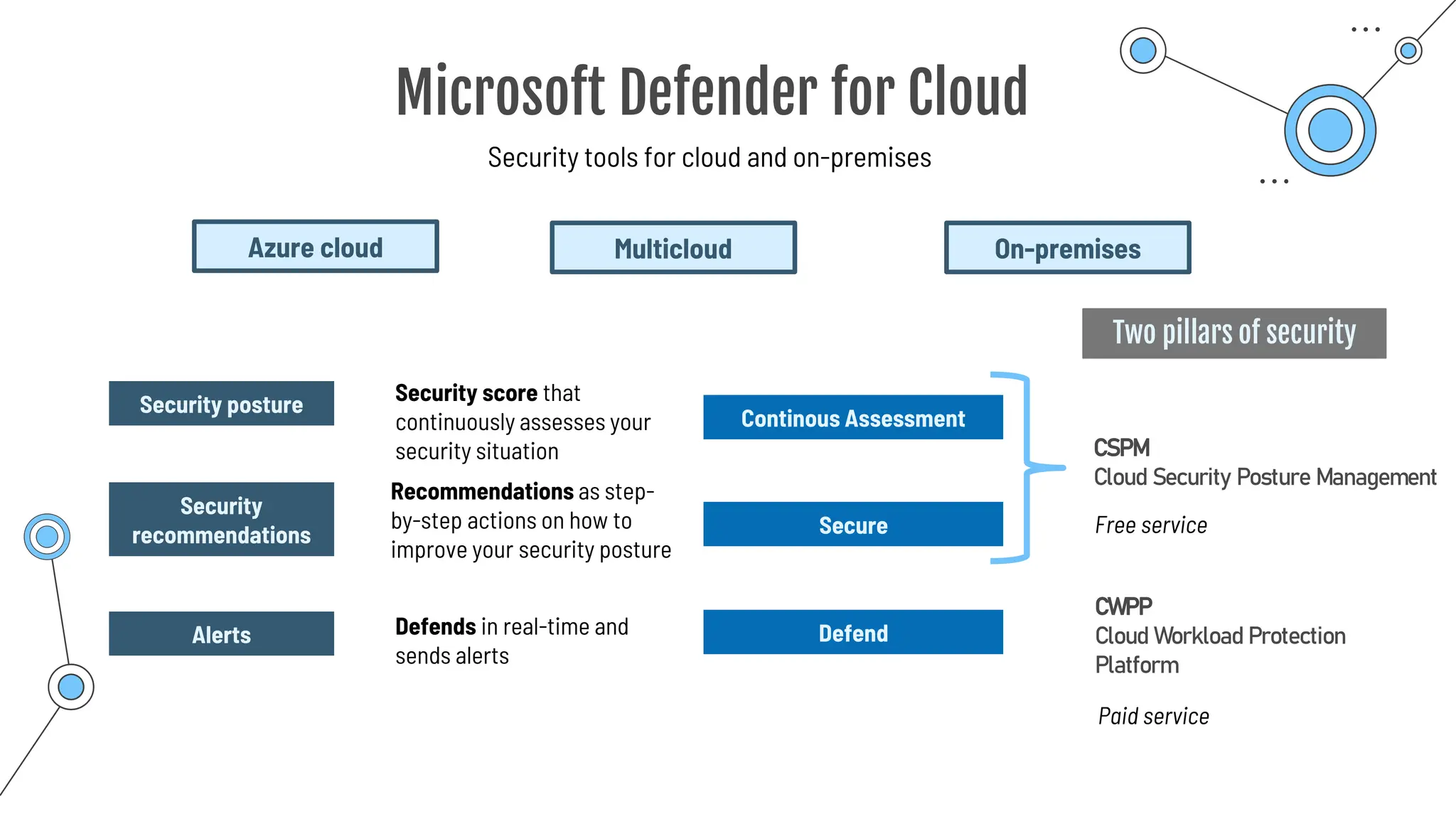
Microsoft Defender for Cloud
Security tools for cloud and on-premises
Security score that
continuously assesses your
security situation
Azure cloud Multicloud
Security
recommendations
On-premises
Security posture
Recommendations as step-
by-step actions on how to
improve your security posture
Alerts
Continous Assessment
Secure
Defend
Defends in real-time and
sends alerts
CSPM
Cloud Security Posture Management
CWPP
Cloud Workload Protection
Platform
Paid service
Free service
Two pillars of security
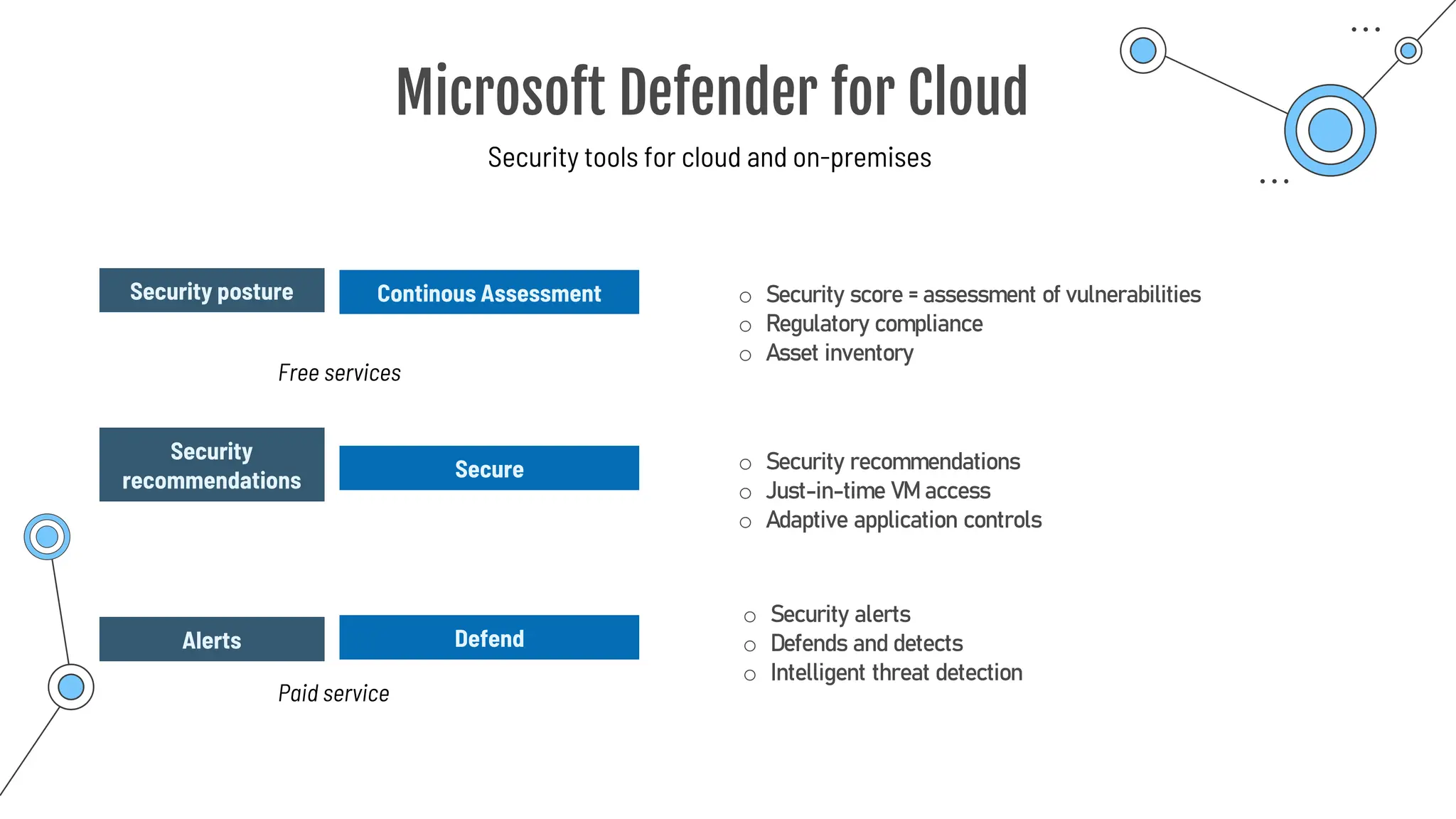
Microsoft Defender for Cloud
Security tools for cloud and on-premises
Security
recommendations
Security posture
Alerts
Continous Assessment
Secure
Defend
o Security score = assessment of vulnerabilities
o Regulatory compliance
o Asset inventory
Paid service
Free services
o Security recommendations
o Just-in-time VM access
o Adaptive application controls
o Security alerts
o Defends and detects
o Intelligent threat detection
Summary
Summary
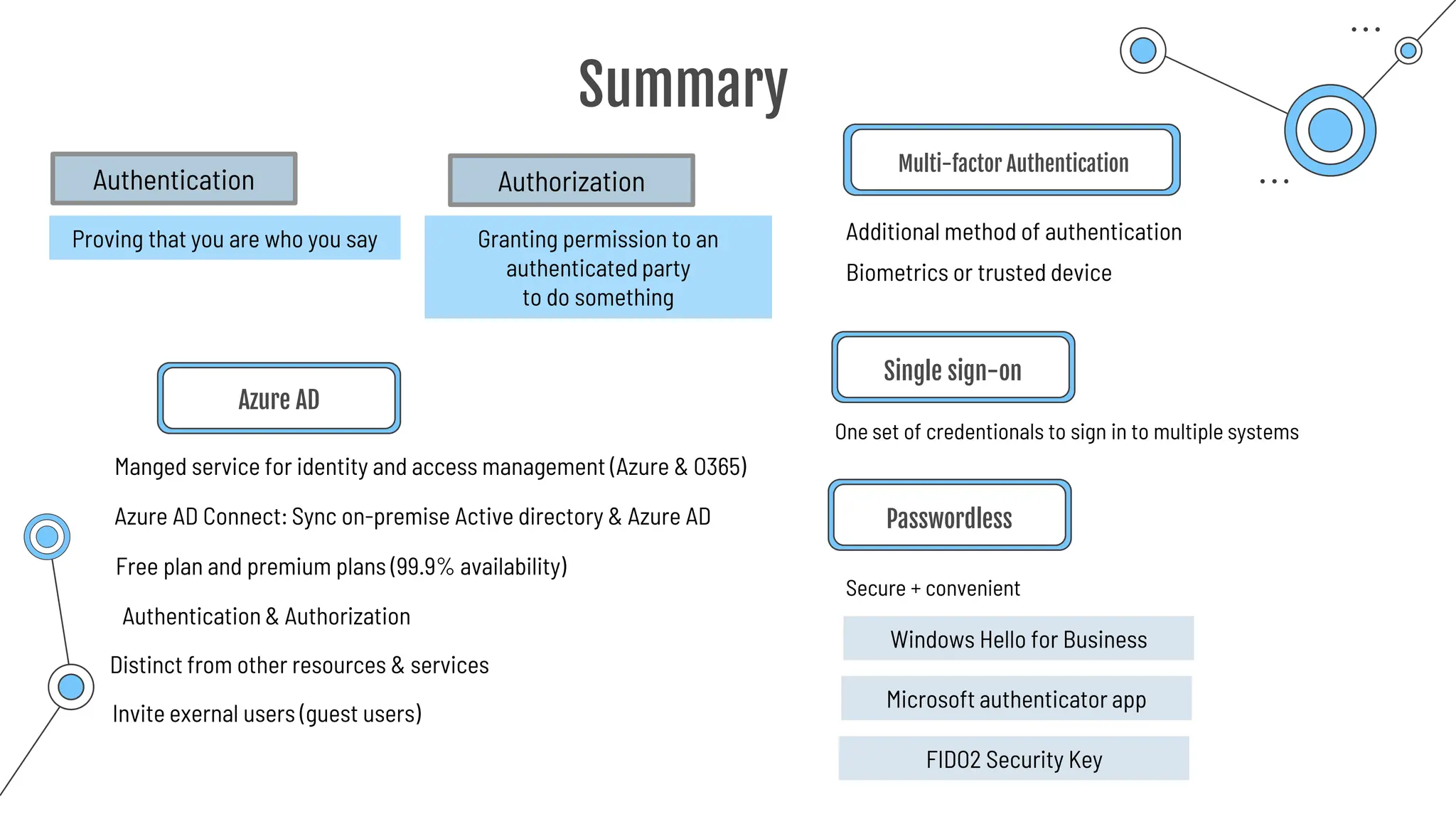
Azure AD
Multi-factor Authentication
Additional method of authentication
Secure + convenient
One set of credentionals to sign in to multiple systems
Single sign-on
Passwordless
Proving that you are who you say
Authentication
Granting permission to an
authenticated party
to do something
Authorization
Free plan and premium plans (99.9% availability)
Manged service for identity and access management (Azure & O365)
Azure AD Connect: Sync on-premise Active directory & Azure AD
Authentication & Authorization
Distinct from other resources & services
Biometrics or trusted device
Windows Hello for Business
Microsoft authenticator app
FIDO2 Security Key
Invite exernal users (guest users)
Summary
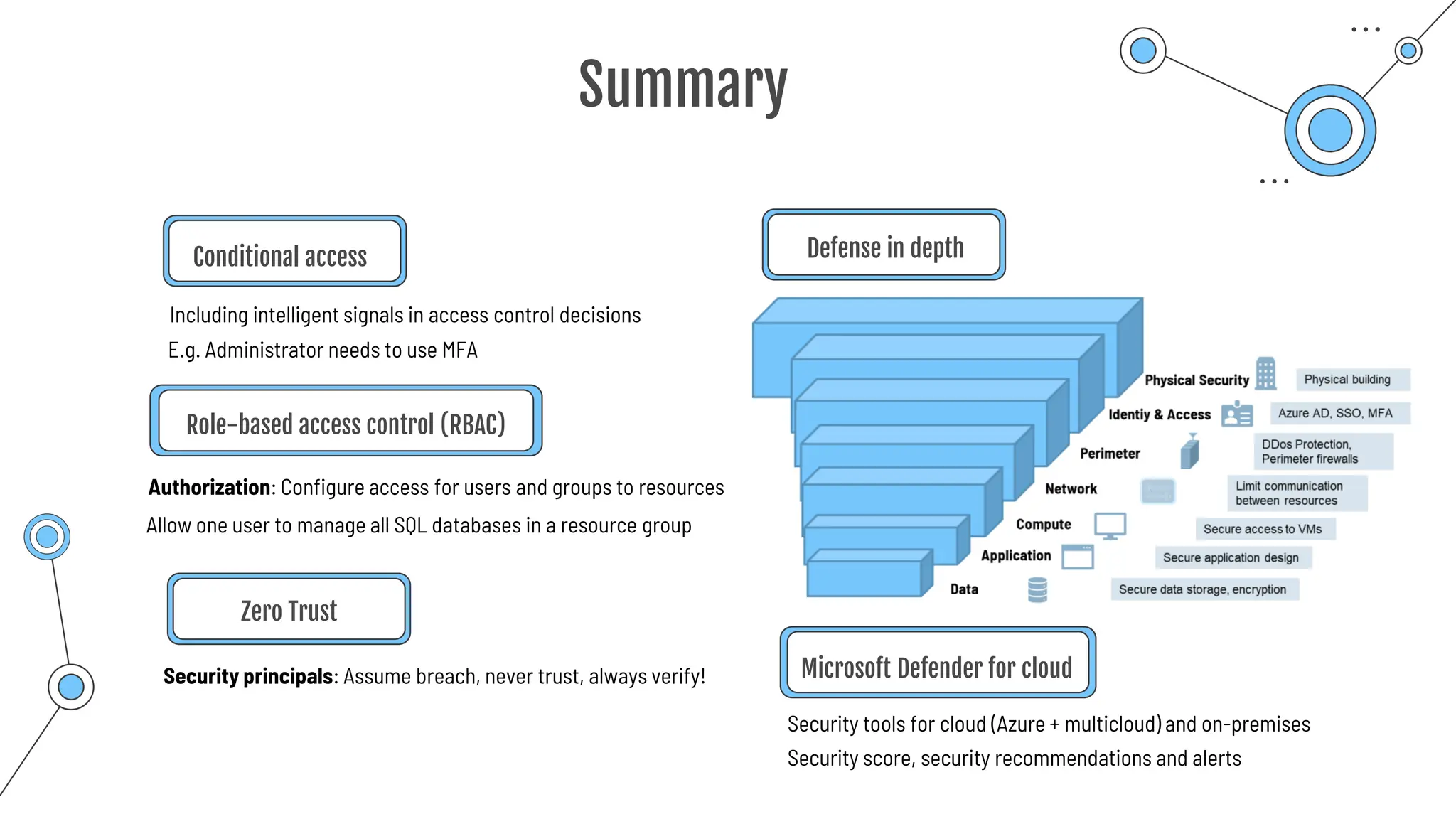
Conditional access
Including intelligent signals in access control decisions
Role-based access control (RBAC)
Defense in depth
Authorization: Configure access for users and groups to resources
E.g. Administrator needs to use MFA
Security principals: Assume breach, never trust, always verify!
Zero Trust
Allow one user to manage all SQL databases in a resource group
Microsoft Defender for cloud
Security tools for cloud (Azure + multicloud) and on-premises
Security score, security recommendations and alerts
Cost affecting
factors
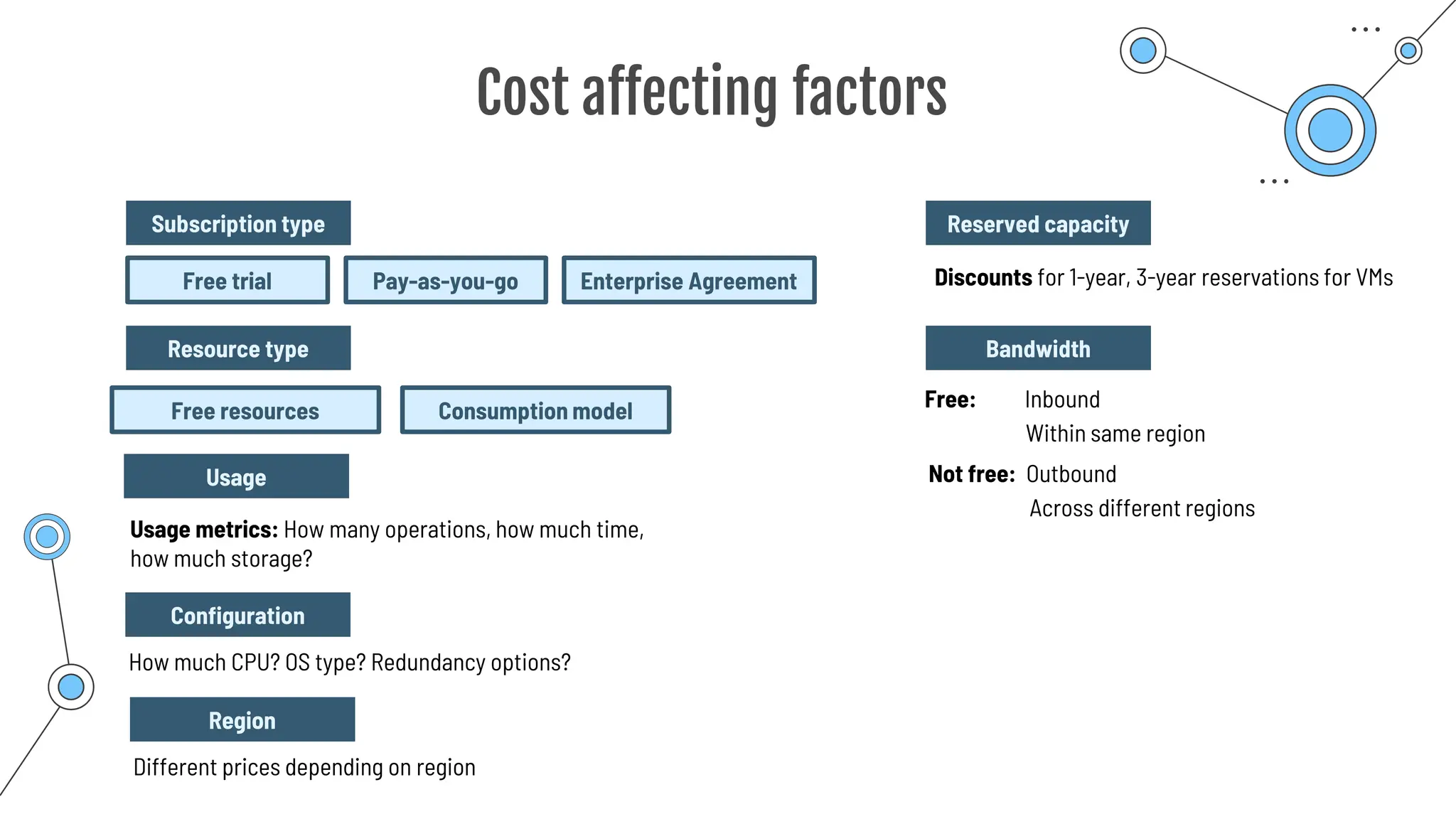
Cost affecting factors
Usage metrics: How many operations, how much time,
how much storage?
Free resources Consumption model
Configuration
Resource type
How much CPU? OS type? Redundancy options?
Subscription type
Free trial Pay-as-you-go Enterprise Agreement
Usage
Region
Different prices depending on region
Reserved capacity
Discounts for 1-year, 3-year reservations for VMs
Bandwidth
Free: Inbound
Within same region
Not free: Outbound
Across different regions
Pricing
calculator
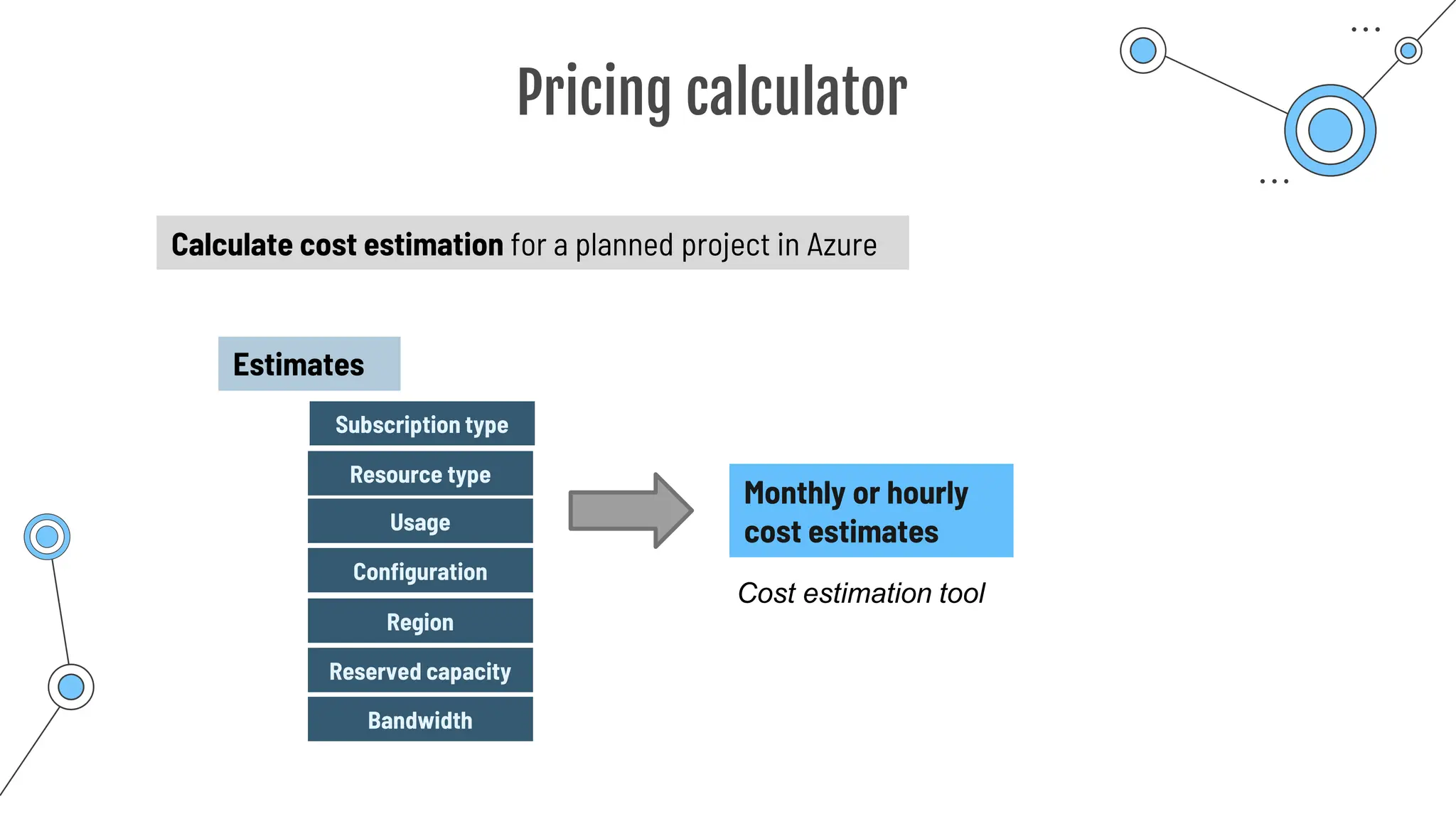
Pricing calculator
Calculate cost estimation for a planned project in Azure
Estimates
Configuration
Resource type
Subscription type
Usage
Region
Monthly or hourly
cost estimates
Cost estimation tool
Reserved capacity
Bandwidth
Total cost of
ownership
calculator
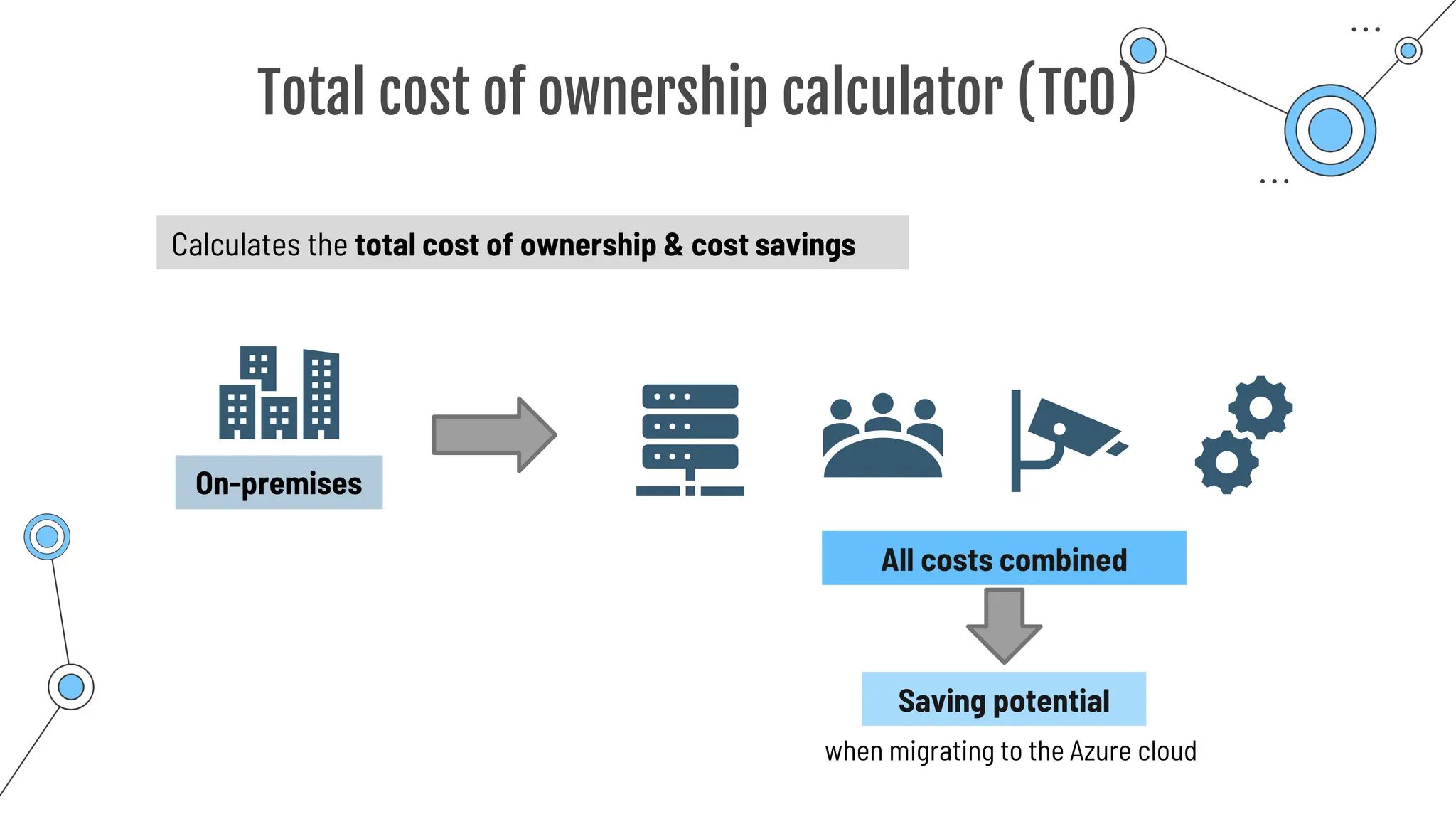
Total cost of ownership calculator (TCO)
Calculates the total cost of ownership & cost savings
On-premises
All costs combined
Saving potential
when migrating to the Azure cloud
Cost Management
and Billing
tool
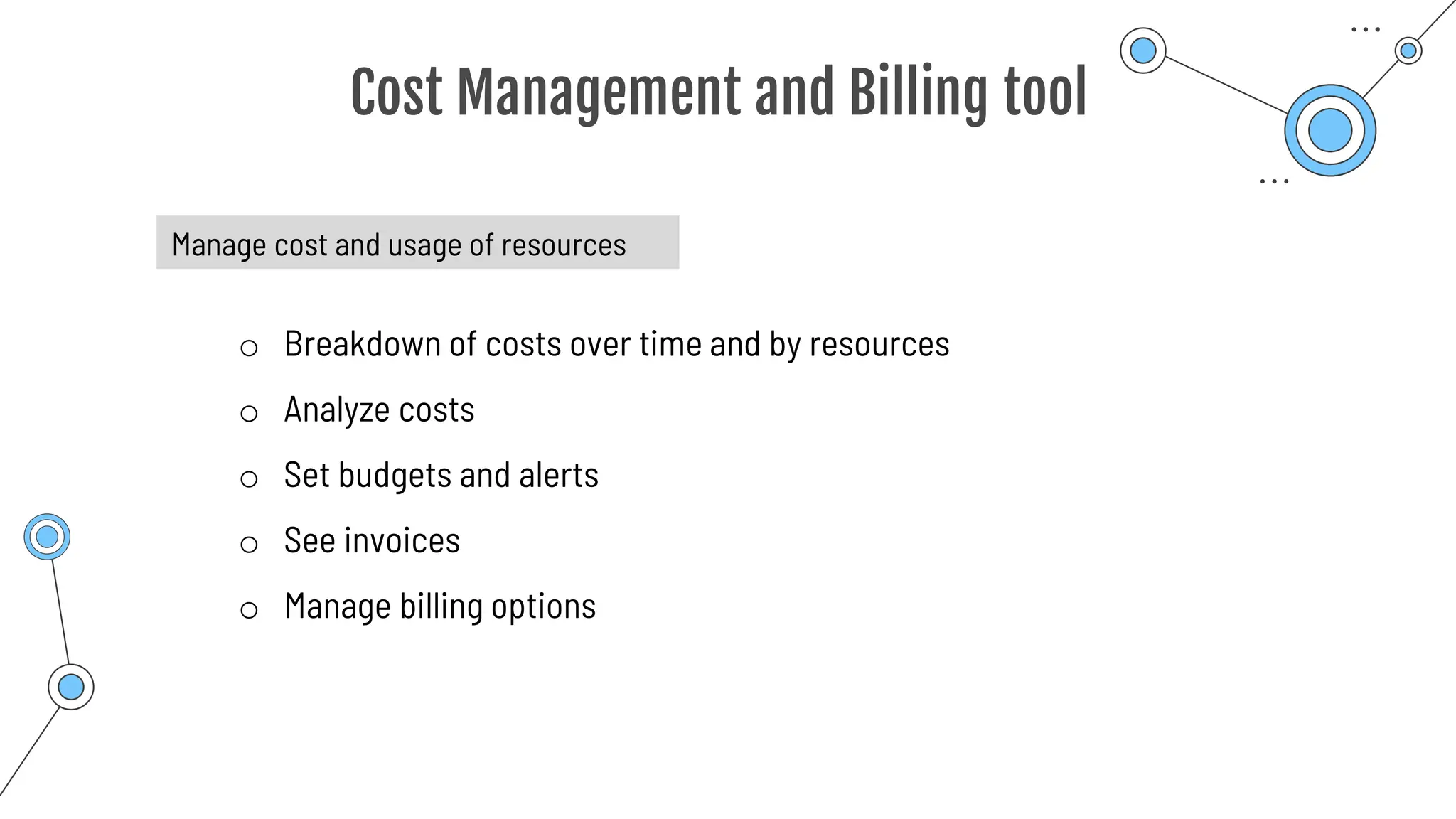
Cost Management and Billing tool
Manage cost and usage of resources
o Breakdown of costs over time and by resources
o Analyze costs
o Set budgets and alerts
o See invoices
o Manage billing options
Reducing costs
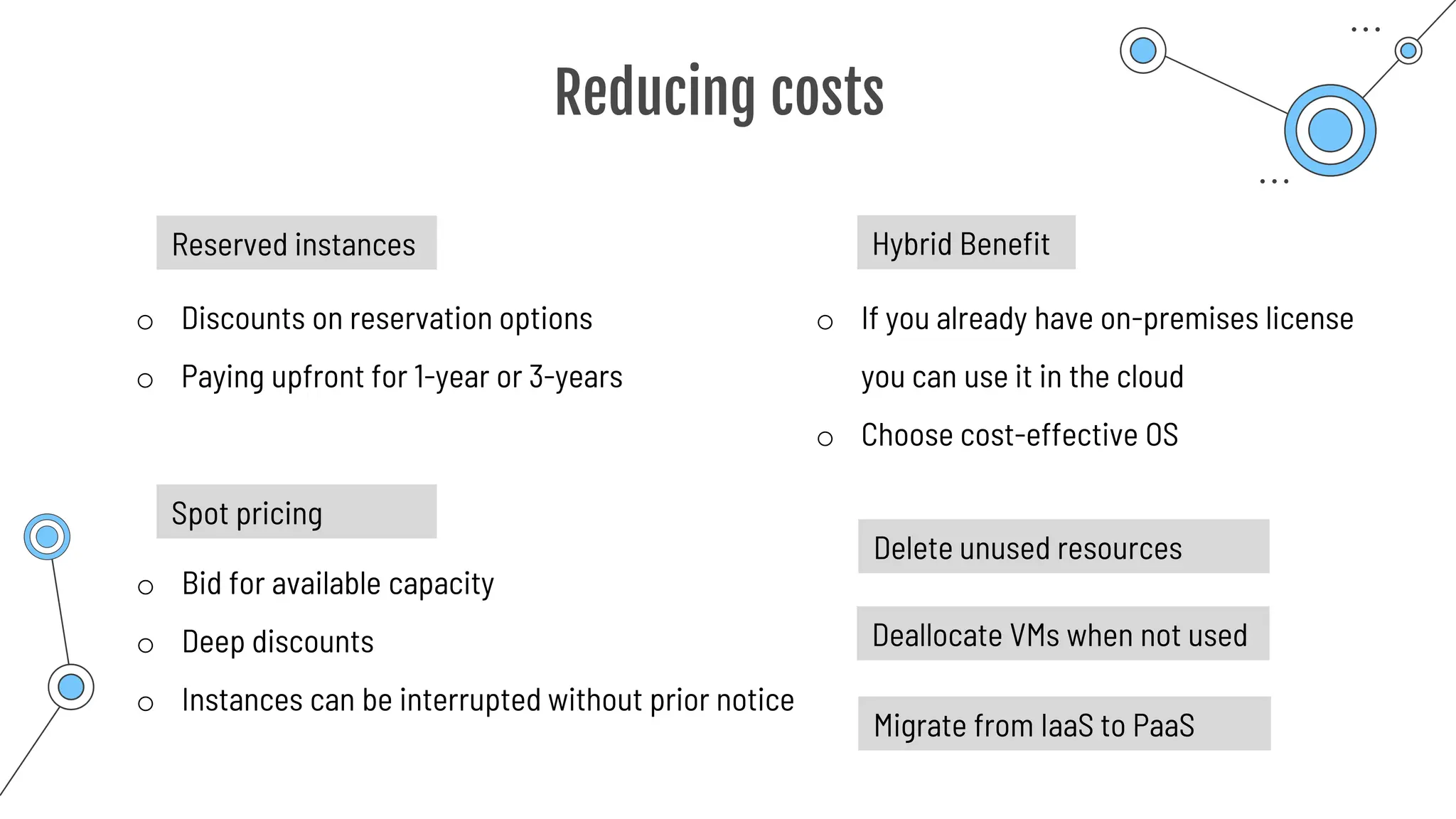
Reducing costs
Reserved instances
o Discounts on reservation options
o Paying upfront for 1-year or 3-years
o Bid for available capacity
o Deep discounts
o Instances can be interrupted without prior notice
Spot pricing
Hybrid Benefit
o If you already have on-premises license
you can use it in the cloud
o Choose cost-effective OS
Delete unused resources
Deallocate VMs when not used
Migrate from IaaS to PaaS
Tags
Tags
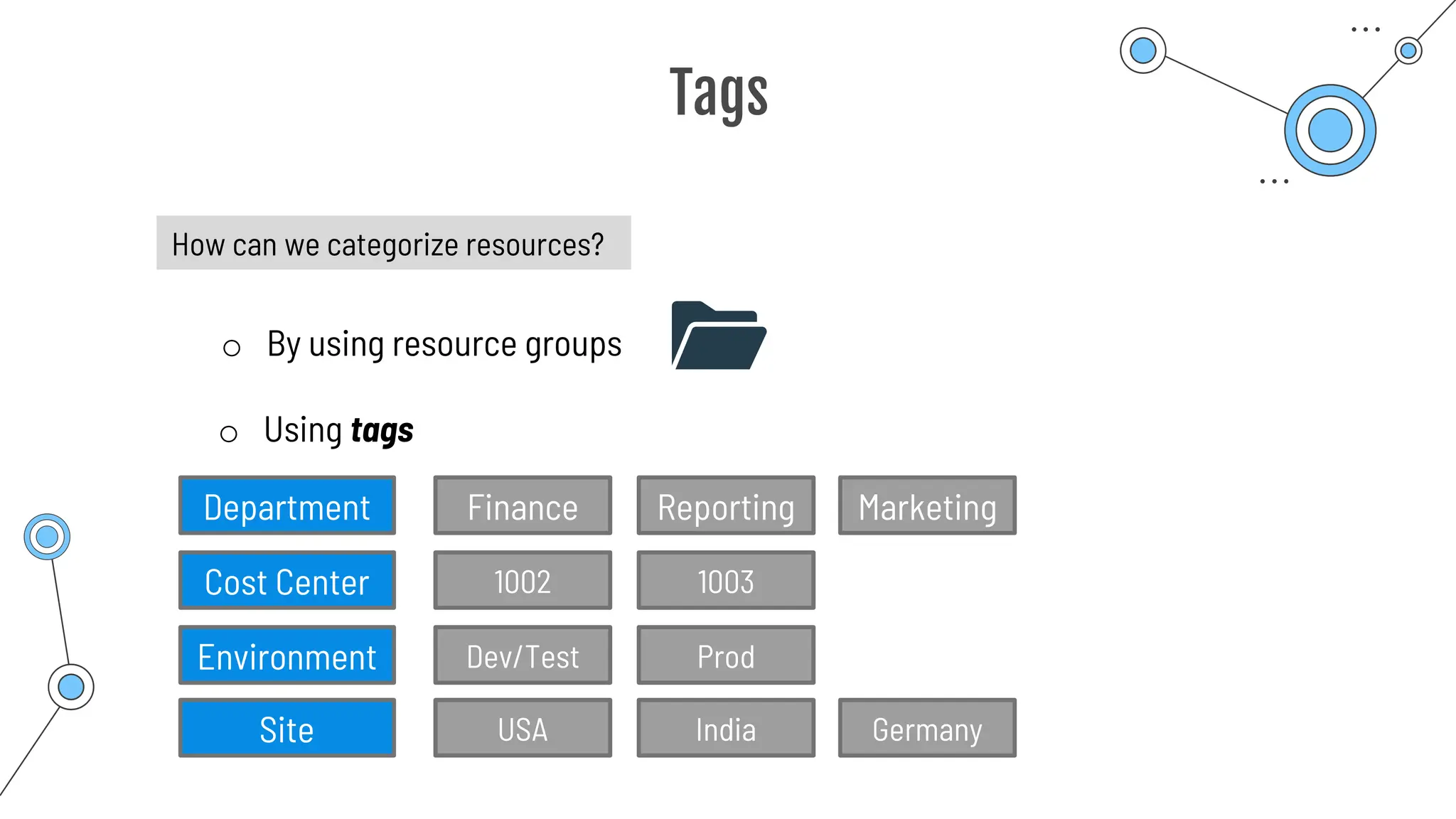
How can we categorize resources?
o By using resource groups
o Using tags
Finance Reporting Marketing
Dev/Test Prod
USA India Germany
Department
Environment
Site
1002 1003
Cost Center
Tags
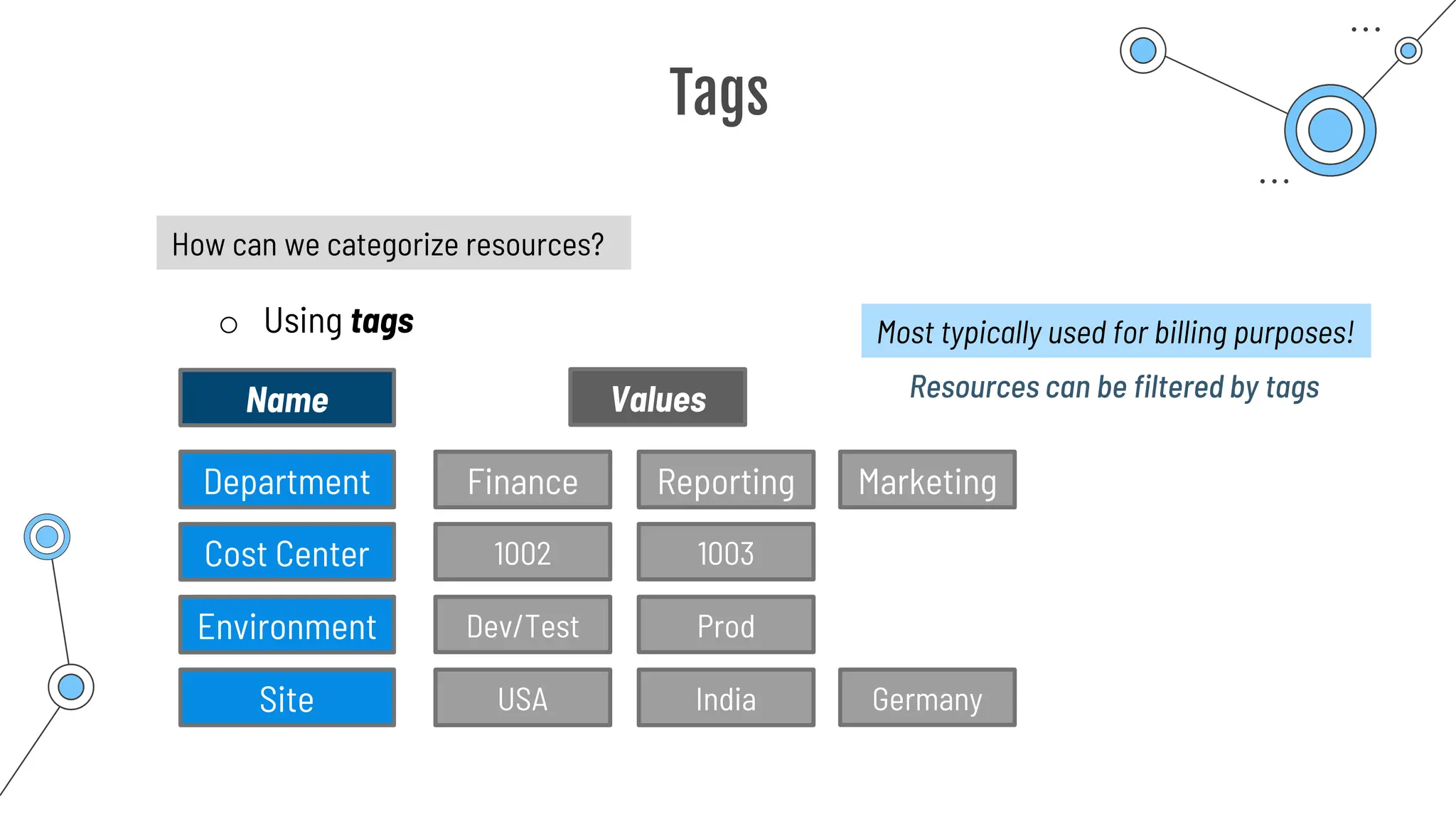
How can we categorize resources?
o Using tags
Finance Reporting Marketing
1002 1003
Dev/Test Prod
USA India Germany
Department
Cost Center
Environment
Site
Name Values
Most typically used for billing purposes!
Resources can be filtered by tags
Tags
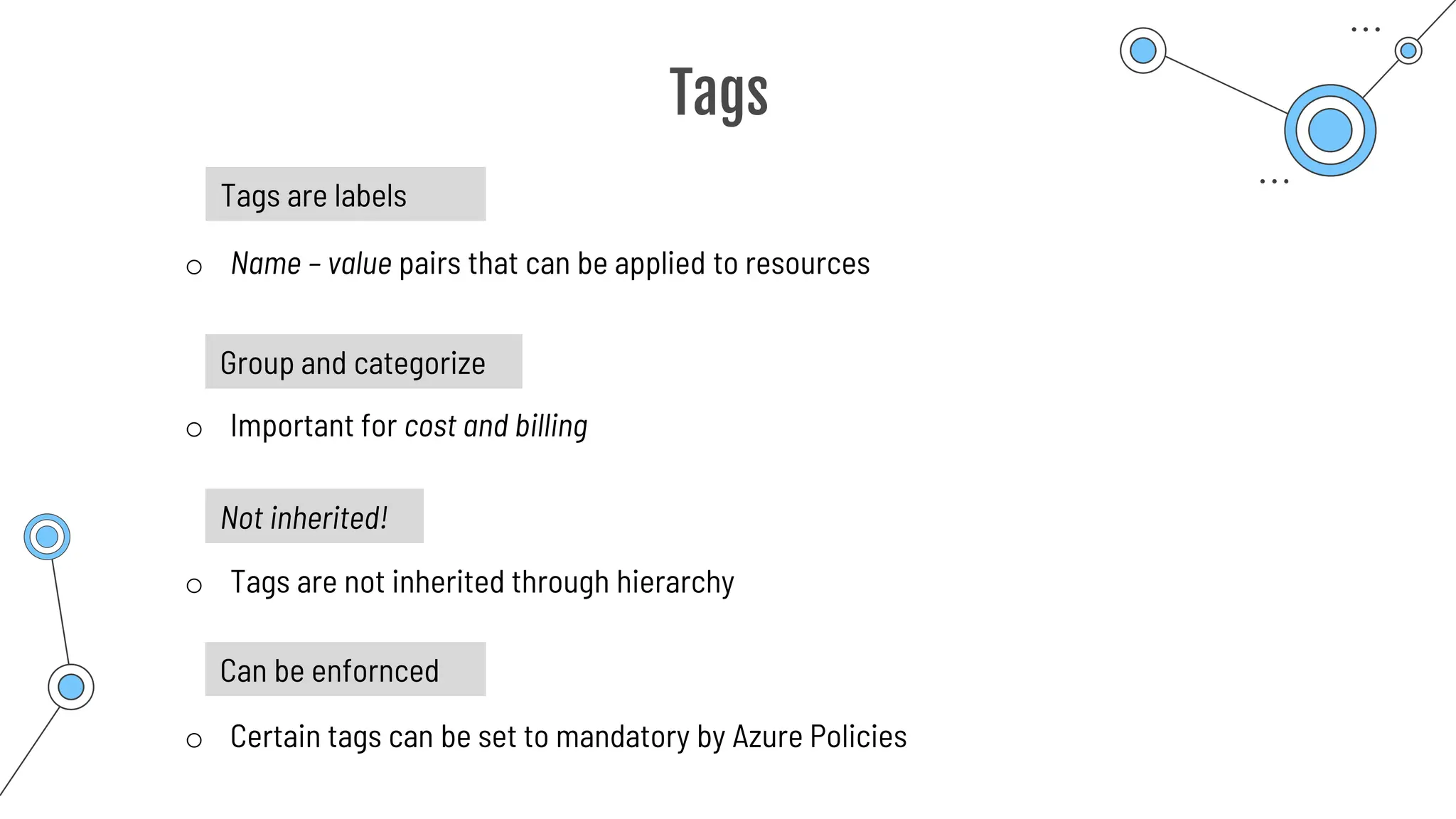
Tags are labels
o Name – value pairs that can be applied to resources
o Important for cost and billing
Group and categorize
Not inherited!
o Tags are not inherited through hierarchy
Can be enfornced
o Certain tags can be set to mandatory by Azure Policies
Summary
Summary
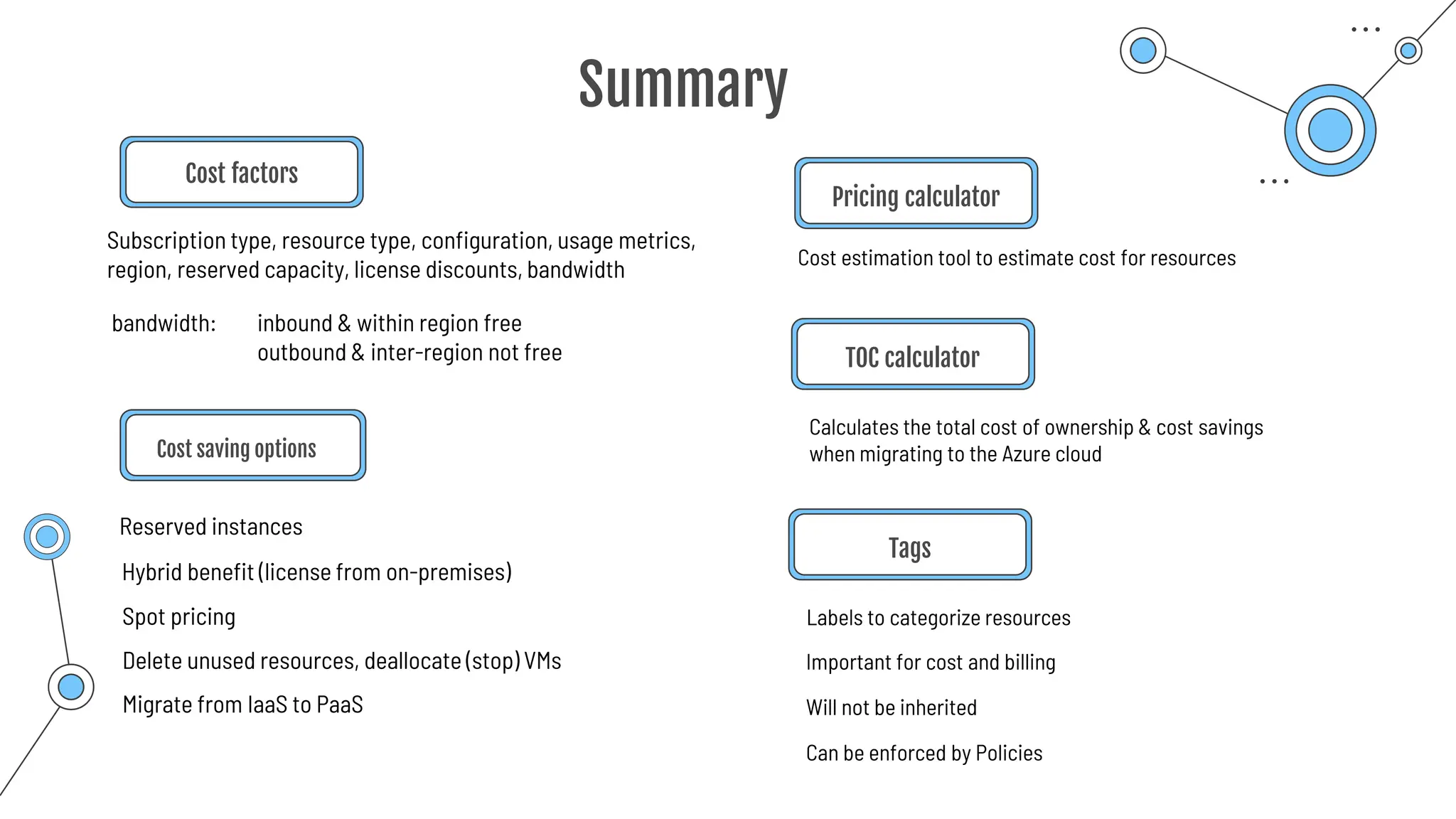
Cost factors
Cost saving options
Reserved instances
Calculates the total cost of ownership & cost savings
when migrating to the Azure cloud
Cost estimation tool to estimate cost for resources
Pricing calculator
TOC calculator
Subscription type, resource type, configuration, usage metrics,
region, reserved capacity, license discounts, bandwidth
bandwidth: inbound & within region free
outbound & inter-region not free
Hybrid benefit (license from on-premises)
Spot pricing
Delete unused resources, deallocate (stop) VMs
Migrate from IaaS to PaaS
Labels to categorize resources
Tags
Important for cost and billing
Will not be inherited
Can be enforced by Policies
Azure Policies
Azure Policies
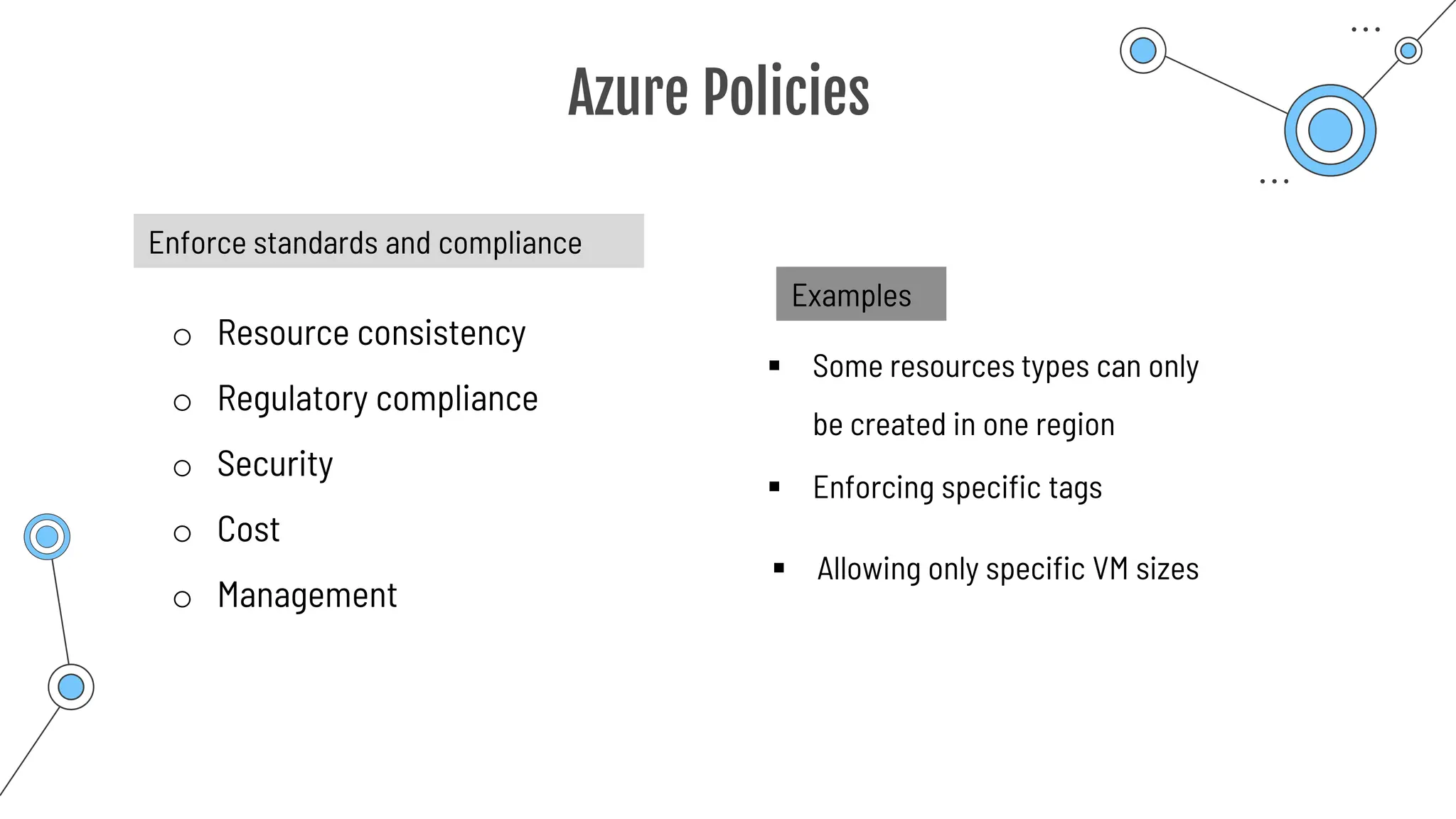
Enforce standards and compliance
o Resource consistency
o Regulatory compliance
o Security
o Cost
o Management
Examples
▪ Some resources types can only
be created in one region
▪ Enforcing specific tags
▪ Allowing only specific VM sizes
Azure Policies
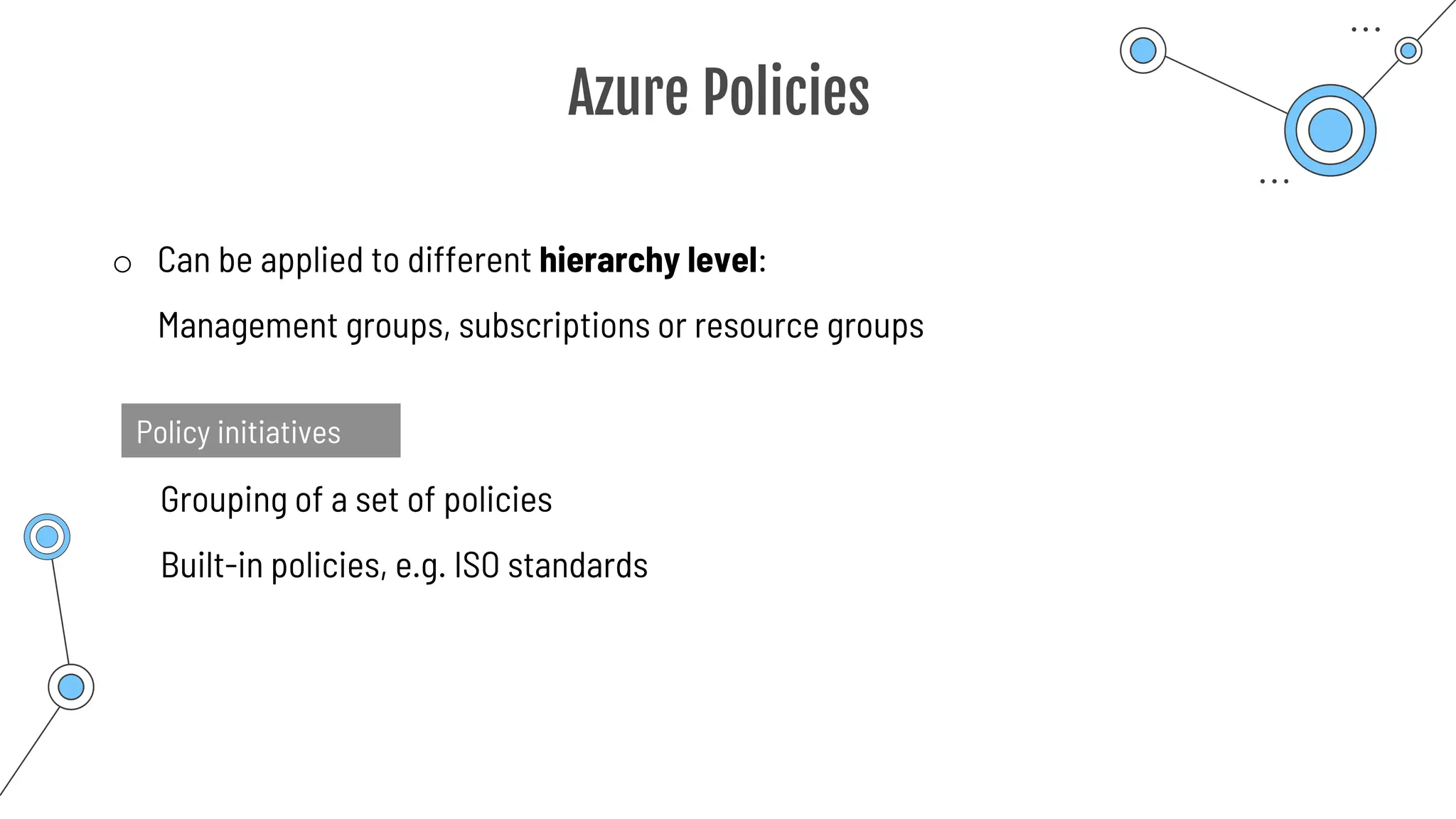
o Can be applied to different hierarchy level:
Management groups, subscriptions or resource groups
Policy initiatives
Grouping of a set of policies
Built-in policies, e.g. ISO standards
Azure Policies
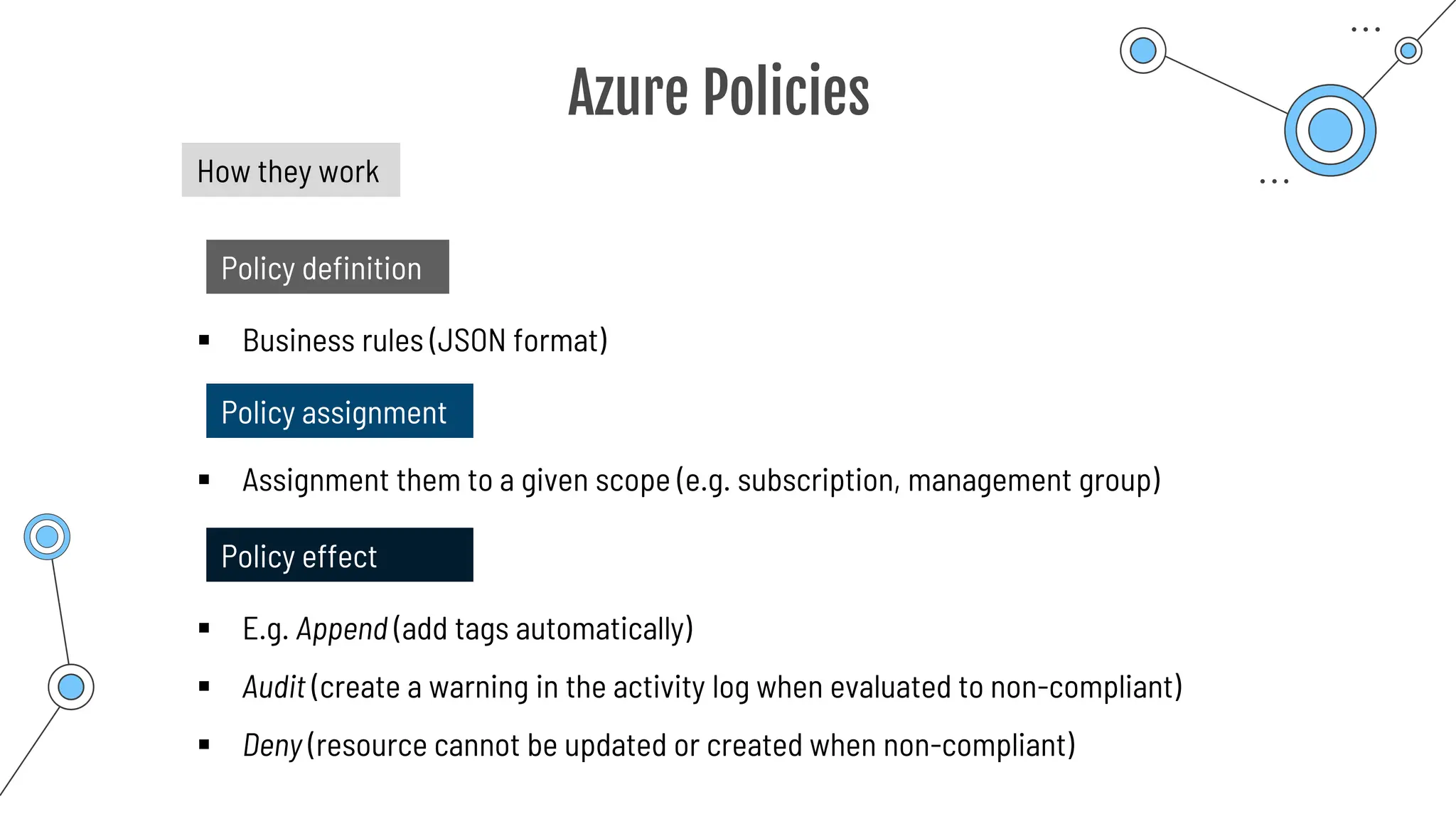
How they work
Policy definition
▪ Business rules (JSON format)
Policy assignment
▪ Assignment them to a given scope (e.g. subscription, management group)
Policy effect
▪ E.g. Append (add tags automatically)
▪ Audit (create a warning in the activity log when evaluated to non-compliant)
▪ Deny (resource cannot be updated or created when non-compliant)
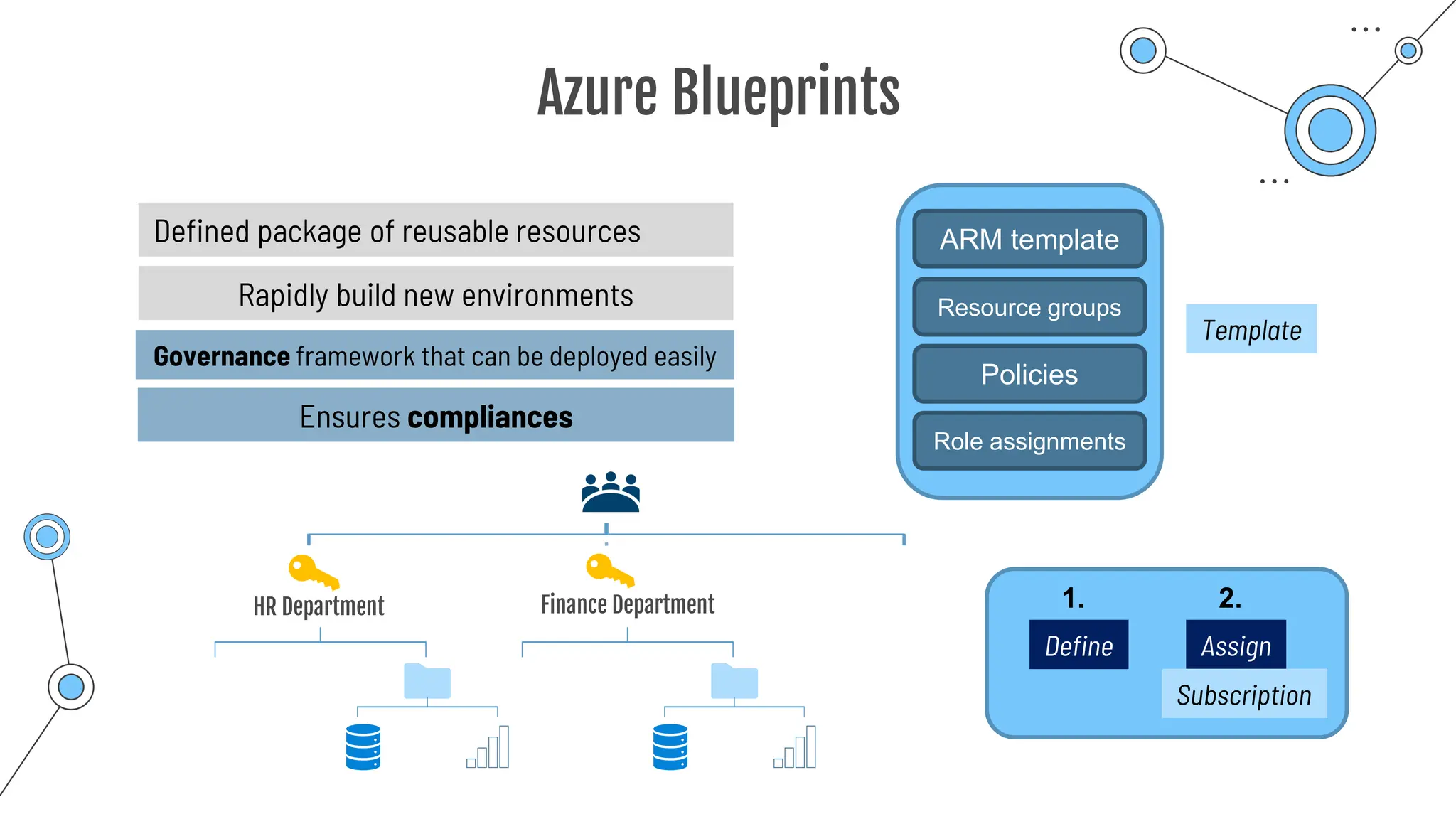
Azure Blueprints
Azure Blueprints
Defined package of reusable resources ARM template
Policies
Role assignments
Rapidly build new environments
HR Department Finance Department
Template
Governance framework that can be deployed easily
Ensures compliances
Resource groups
Define Assign
1. 2.
Subscription
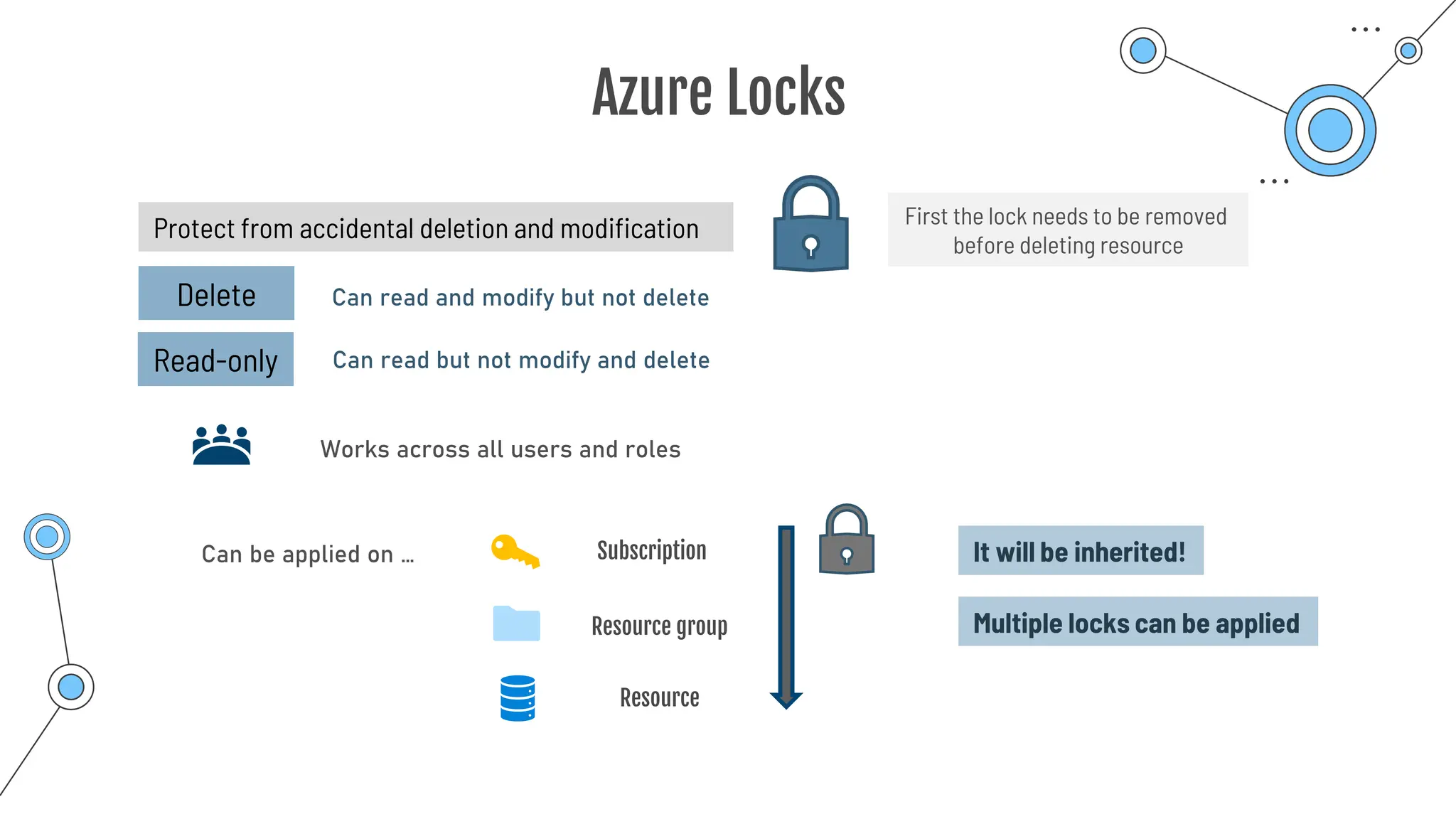
Azure Locks
Azure Locks
Protect from accidental deletion and modification
Delete
Read-only
Can read and modify but not delete
Can read but not modify and delete
Works across all users and roles
Can be applied on … Subscription
Resource group
Resource
It will be inherited!
First the lock needs to be removed
before deleting resource
Multiple locks can be applied
Service Trust
Portal
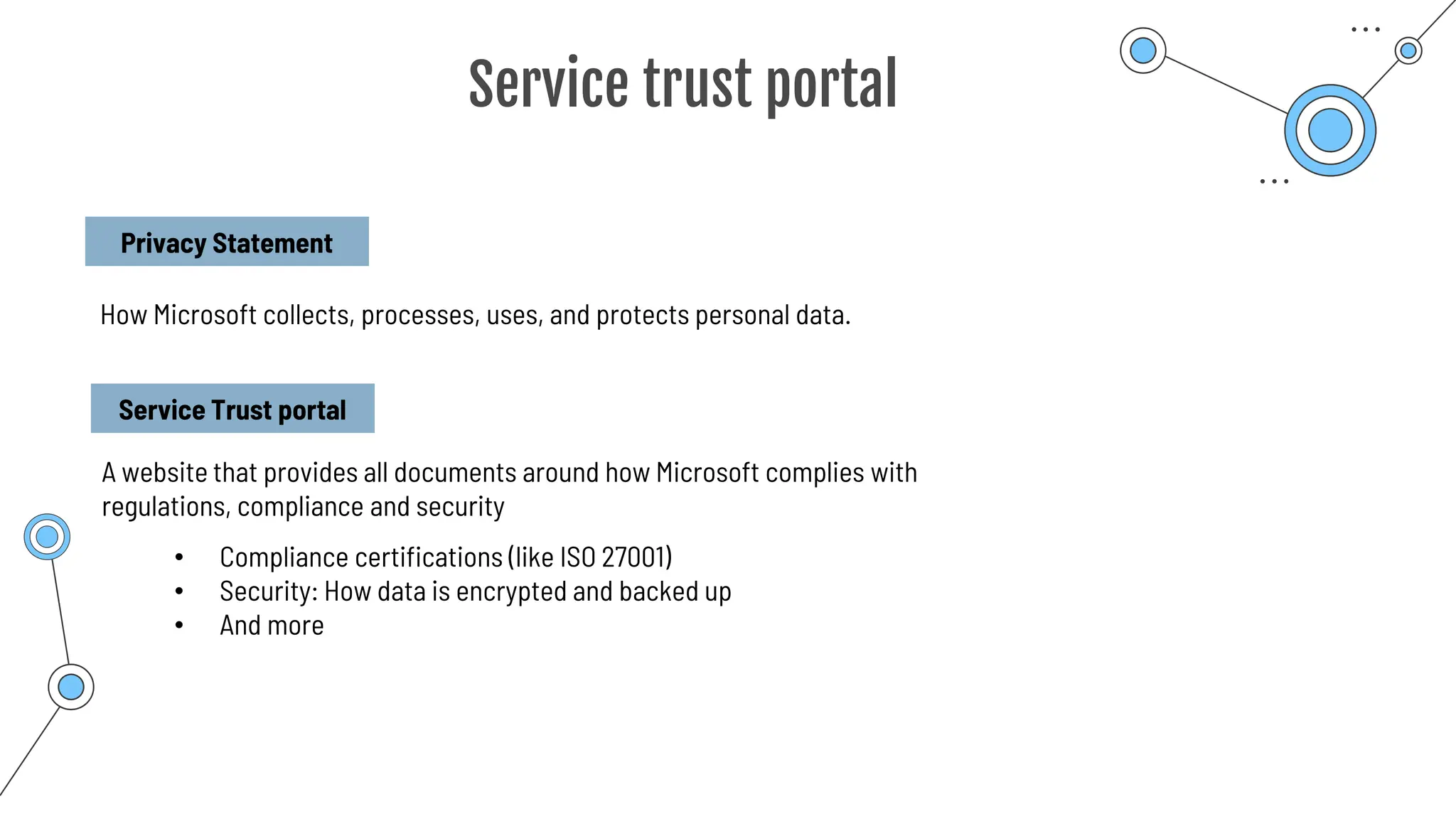
Service trust portal
Privacy Statement
How Microsoft collects, processes, uses, and protects personal data.
Service Trust portal
A website that provides all documents around how Microsoft complies with
regulations, compliance and security
• Compliance certifications (like ISO 27001)
• Security: How data is encrypted and backed up
• And more
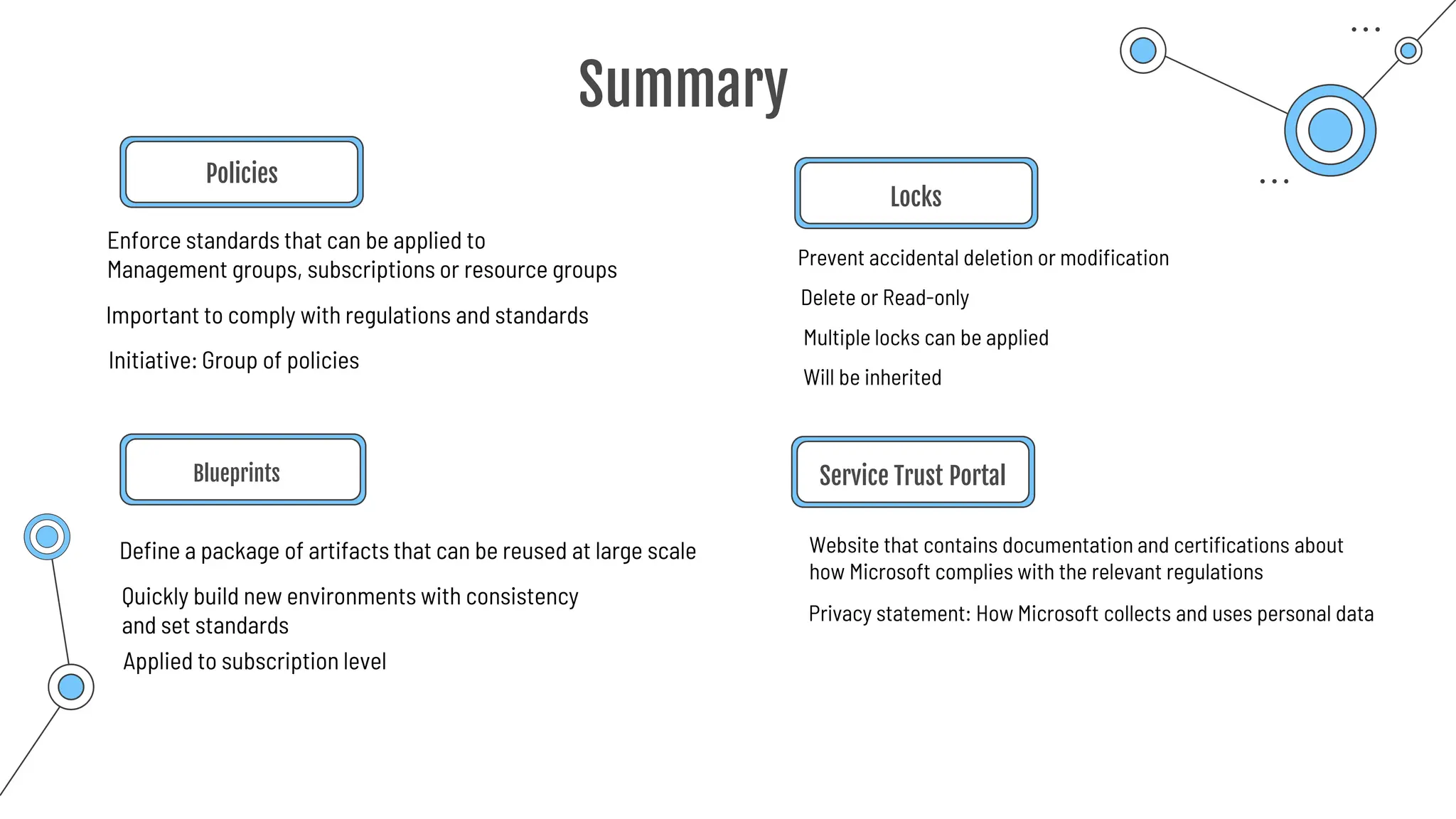
Summary
Summary
Policies
Blueprints
Define a package of artifacts that can be reused at large scale Website that contains documentation and certifications about
how Microsoft complies with the relevant regulations
Prevent accidental deletion or modification
Locks
Service Trust Portal
Enforce standards that can be applied to
Management groups, subscriptions or resource groups
Important to comply with regulations and standards
Quickly build new environments with consistency
and set standards
Initiative: Group of policies
Applied to subscription level
Delete or Read-only
Multiple locks can be applied
Will be inherited
Privacy statement: How Microsoft collects and uses personal data
Azure Portal
Browser-based graphical user interface
Can be accessed with any device that has a browser
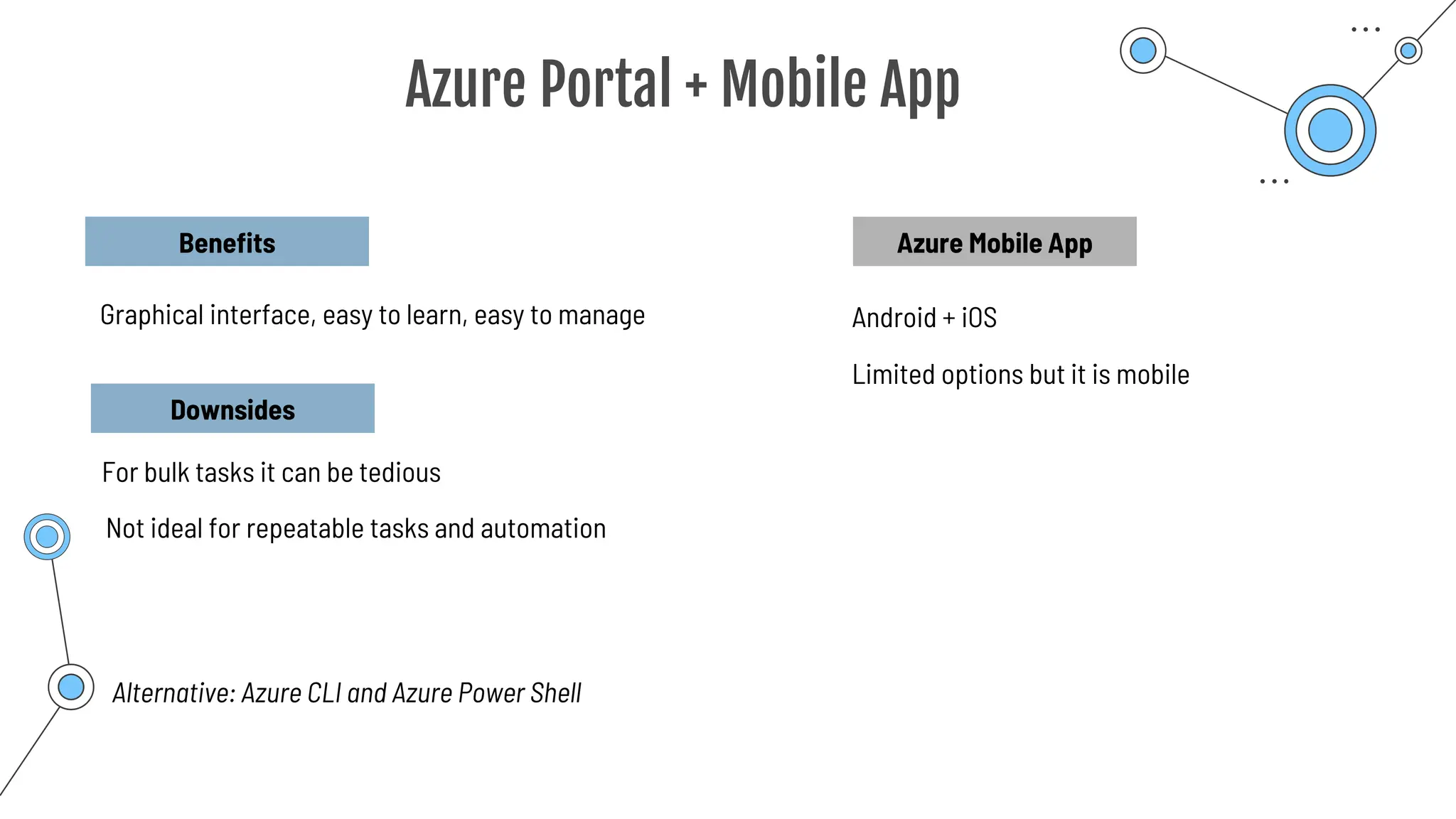
Azure Portal + Mobile App
Benefits
Graphical interface, easy to learn, easy to manage
Downsides
For bulk tasks it can be tedious
Not ideal for repeatable tasks and automation
Alternative: Azure CLI and Azure Power Shell
Azure Mobile App
Android + iOS
Limited options but it is mobile
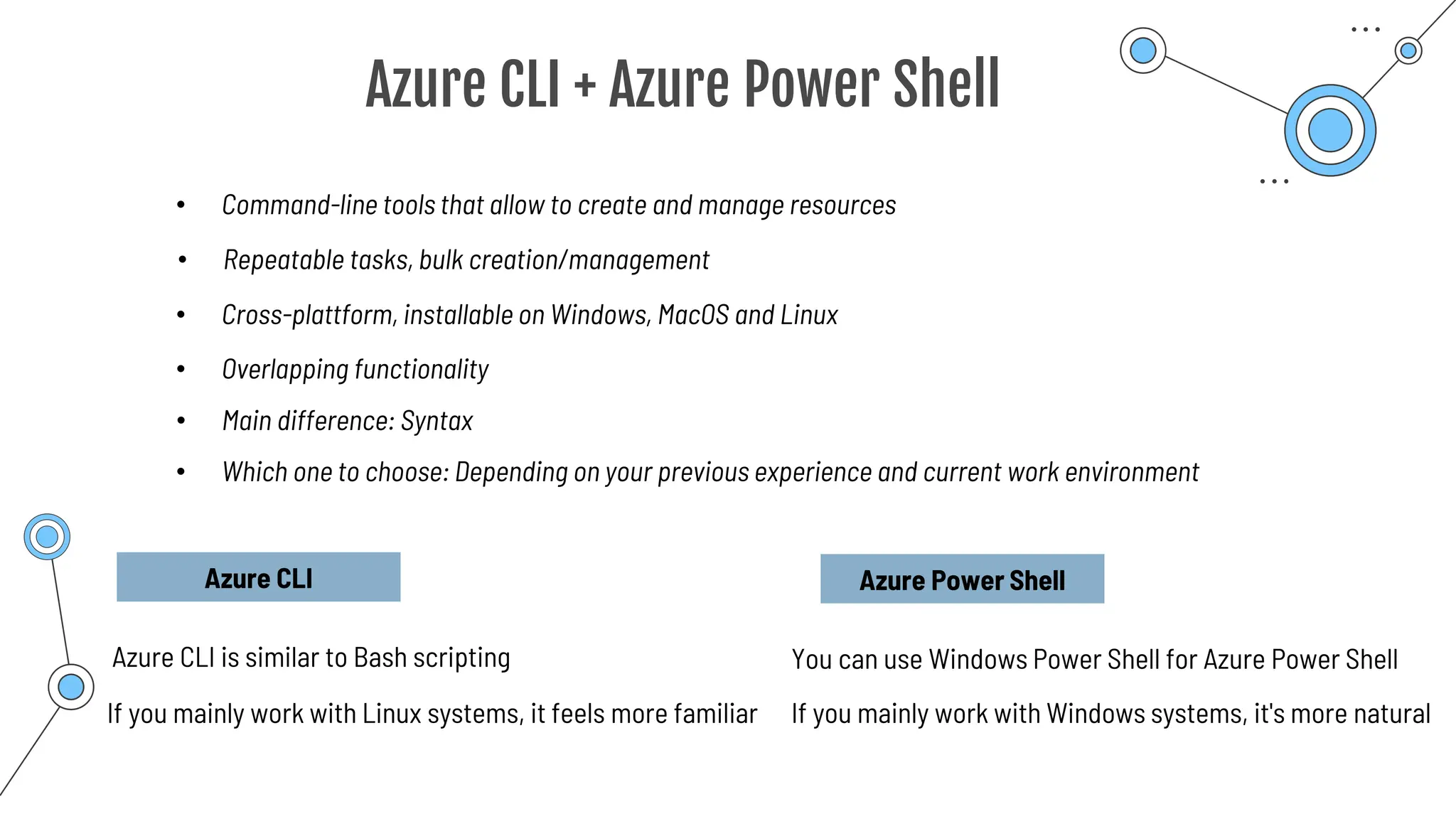
Azure CLI + Azure Power Shell
• Command-line tools that allow to create and manage resources
• Cross-plattform, installable on Windows, MacOS and Linux
• Overlapping functionality
• Which one to choose: Depending on your previous experience and current work environment
Azure CLI
Azure CLI is similar to Bash scripting
If you mainly work with Linux systems, it feels more familiar
Azure Power Shell
If you mainly work with Windows systems, it's more natural
• Main difference: Syntax
You can use Windows Power Shell for Azure Power Shell
• Repeatable tasks, bulk creation/management
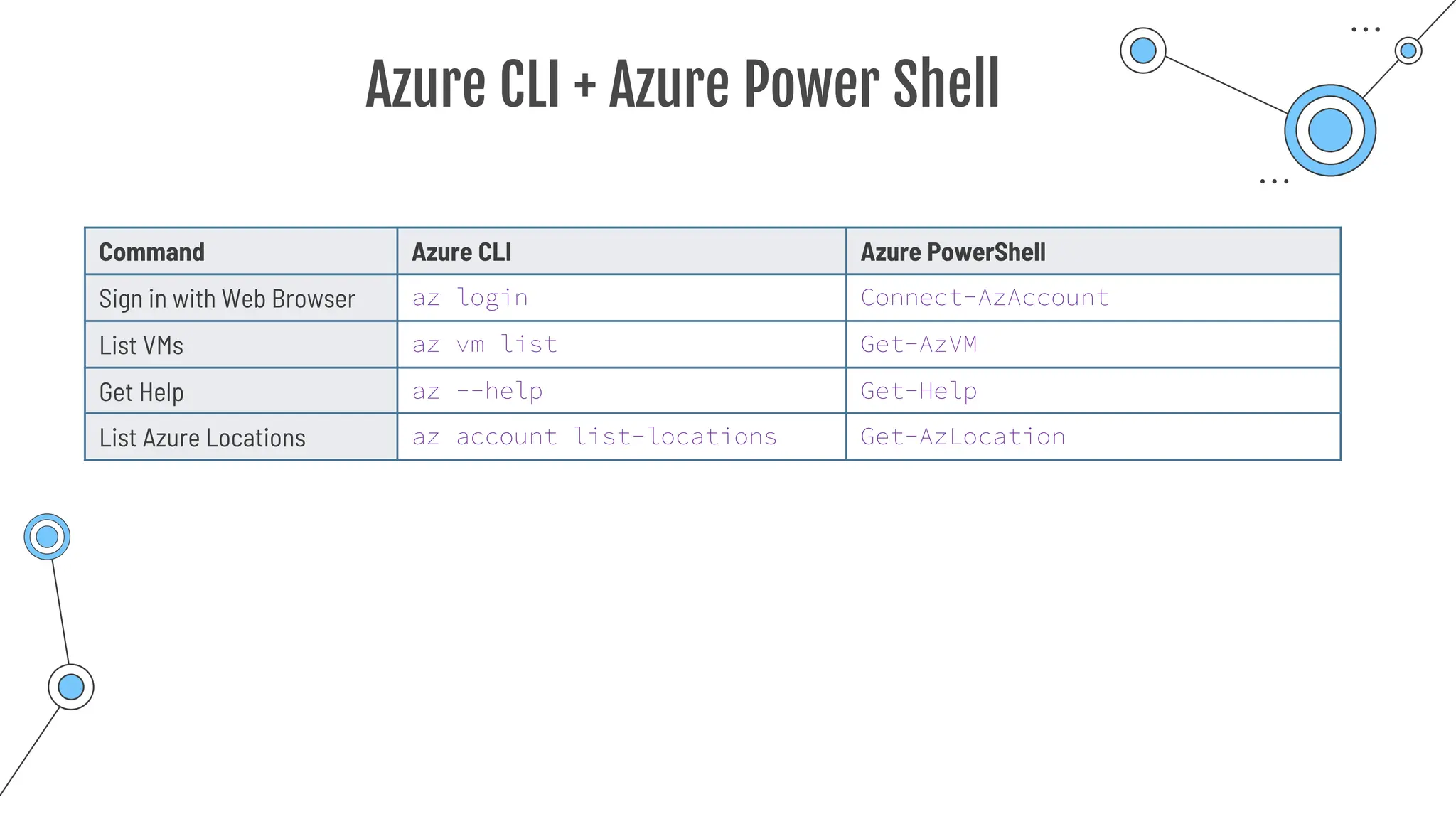
Azure CLI + Azure Power Shell
Command Azure CLI Azure PowerShell
Sign in with Web Browser az login Connect-AzAccount
List VMs az vm list Get-AzVM
Get Help az --help Get-Help
List Azure Locations az account list-locations Get-AzLocation
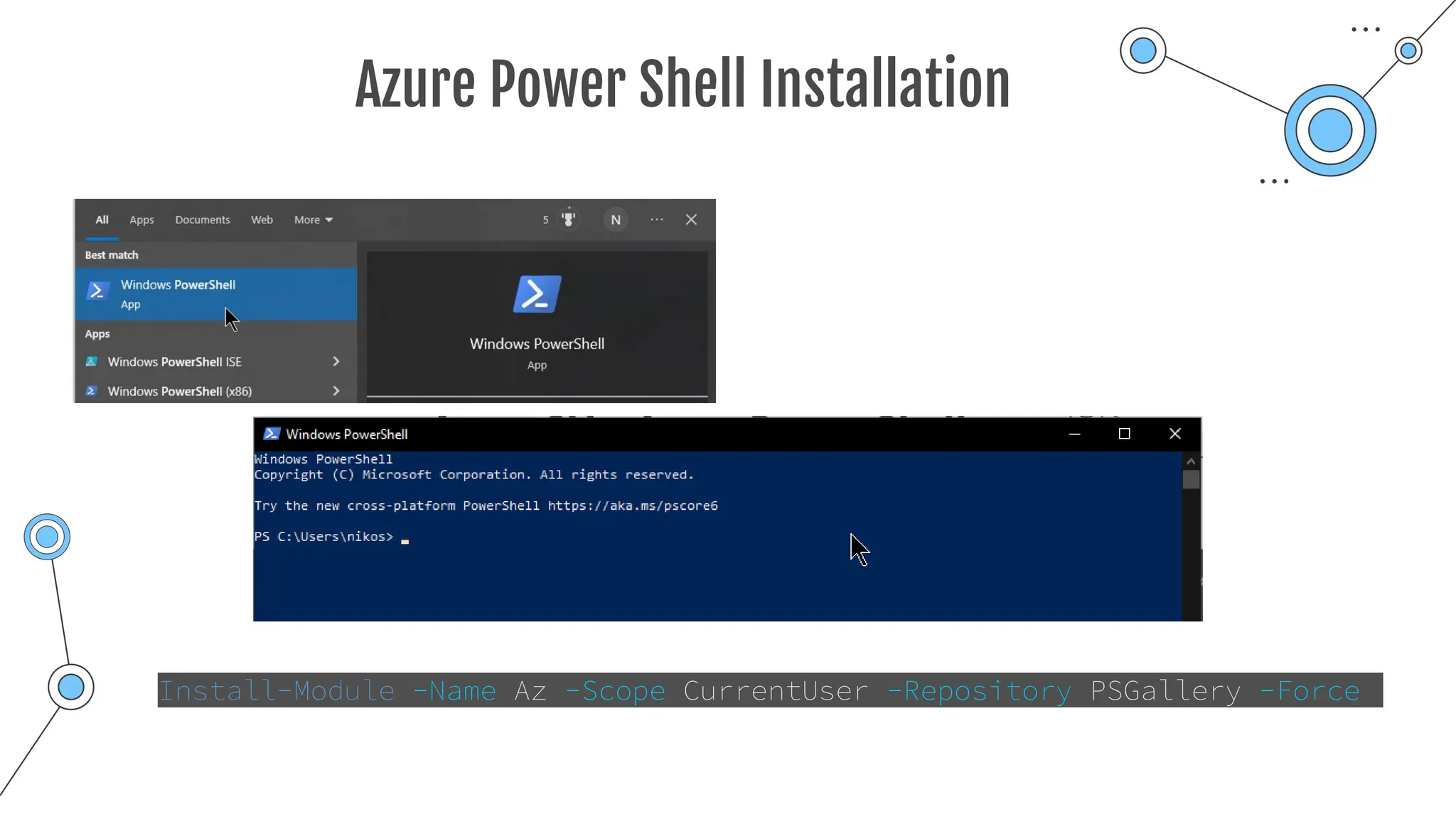
Azure Power Shell Installation
Install-Module -Name Az -Scope CurrentUser -Repository PSGallery -Force
Azure CLI Installation
Can be installed and run from Windows Command Promt or PowerShell
Uses az commands
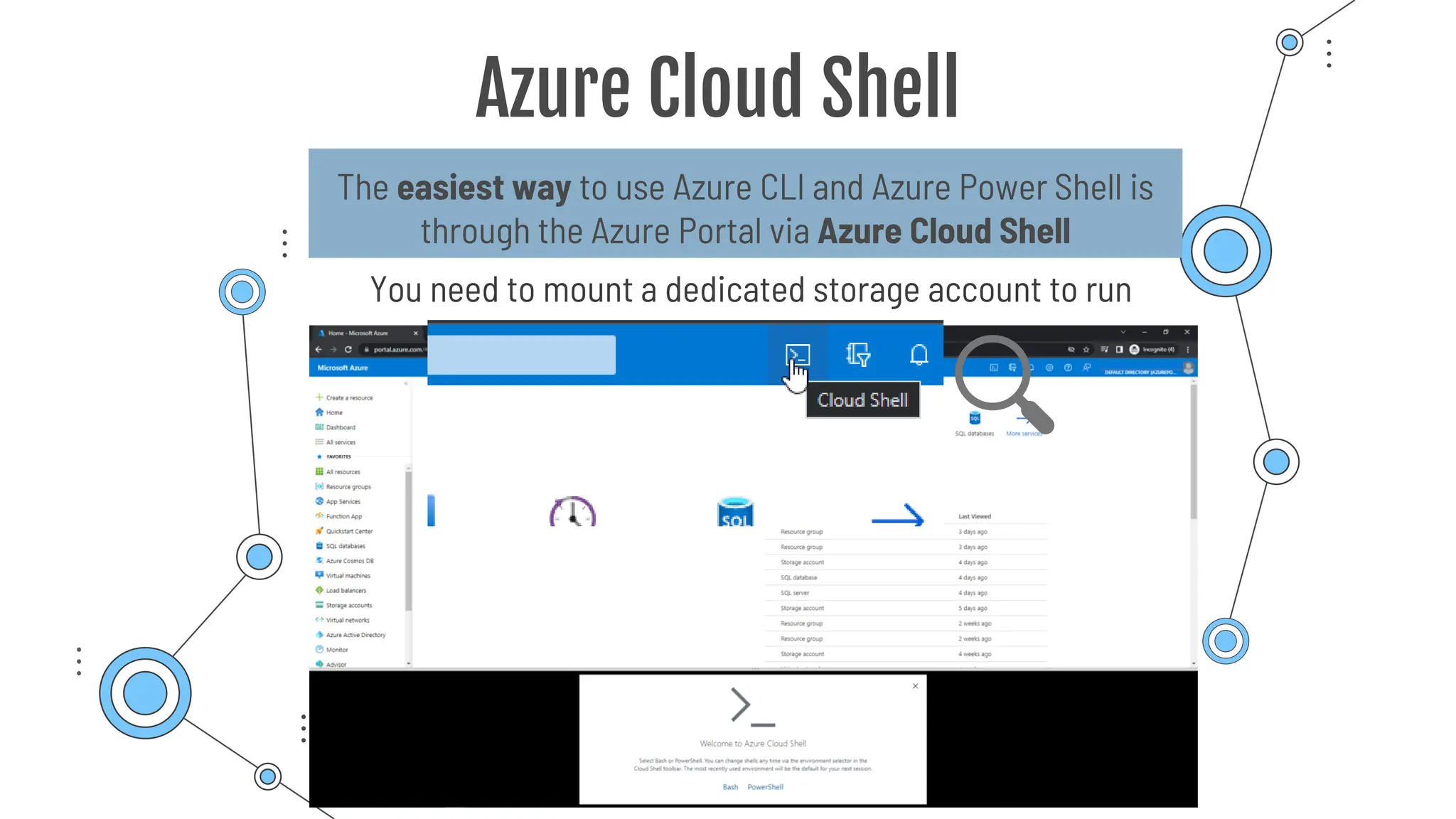
Azure Cloud Shell
The easiest way to use Azure CLI and Azure Power Shell is
through the Azure Portal via Azure Cloud Shell
You need to mount a dedicated storage account to run
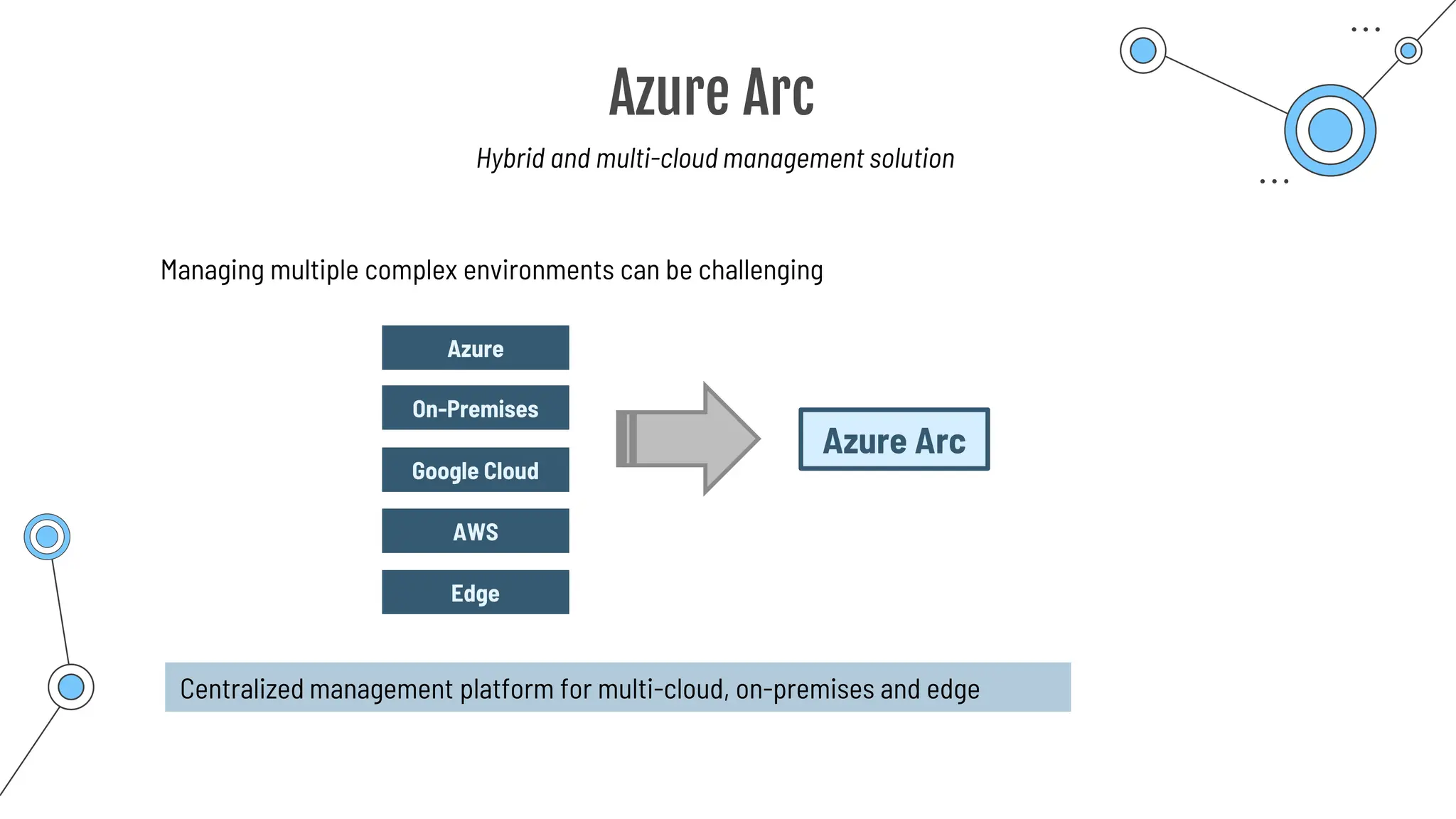
Azure Arc
Azure Arc
Hybrid and multi-cloud management solution
Azure
On-Premises
Google Cloud
Azure Arc
AWS
Edge
Managing multiple complex environments can be challenging
Centralized management platform for multi-cloud, on-premises and edge
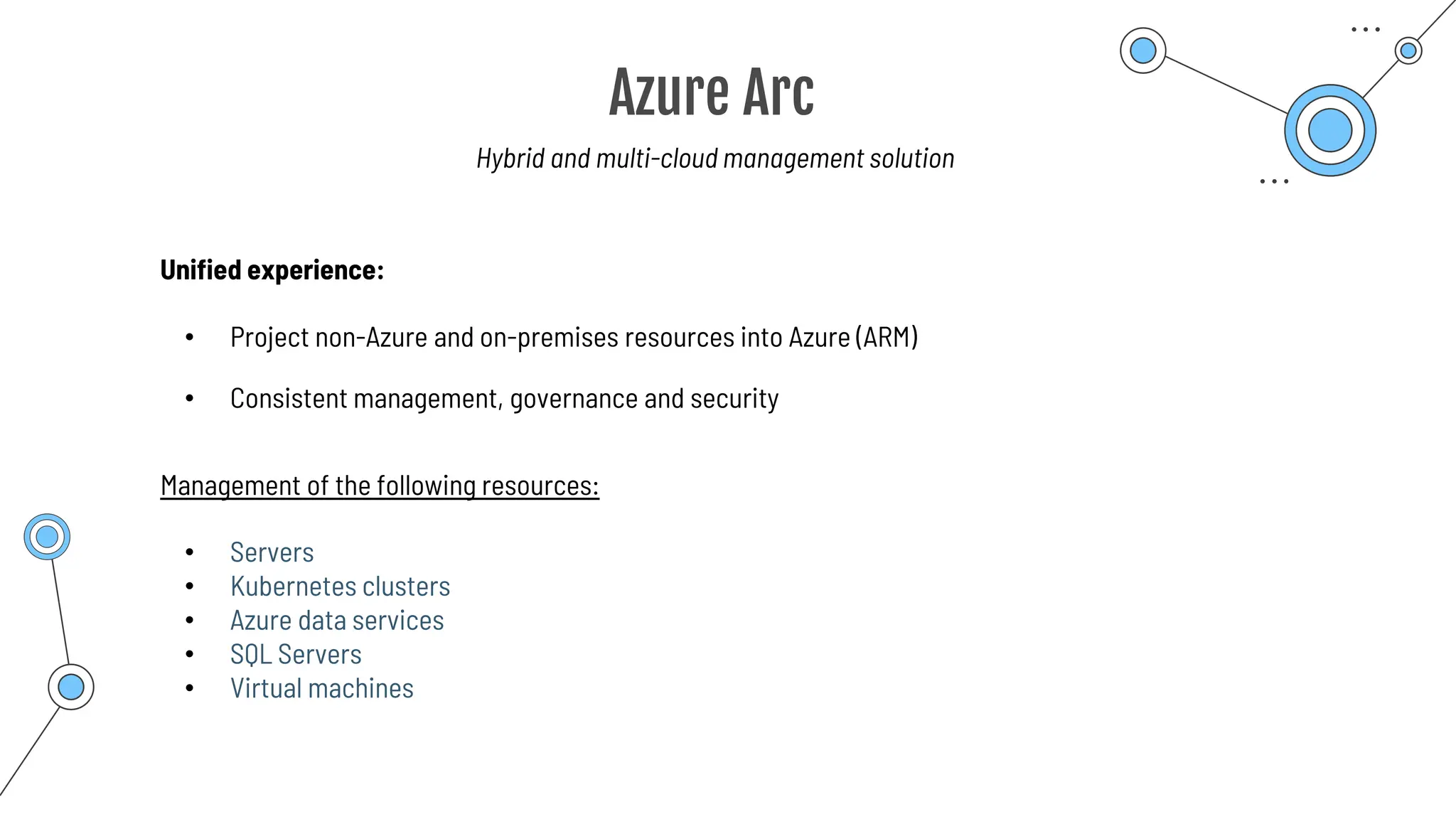
Azure Arc
Hybrid and multi-cloud management solution
Unified experience:
• Project non-Azure and on-premises resources into Azure (ARM)
Management of the following resources:
• Consistent management, governance and security
• Servers
• Kubernetes clusters
• Azure data services
• SQL Servers
• Virtual machines
Azure Resource
Manager
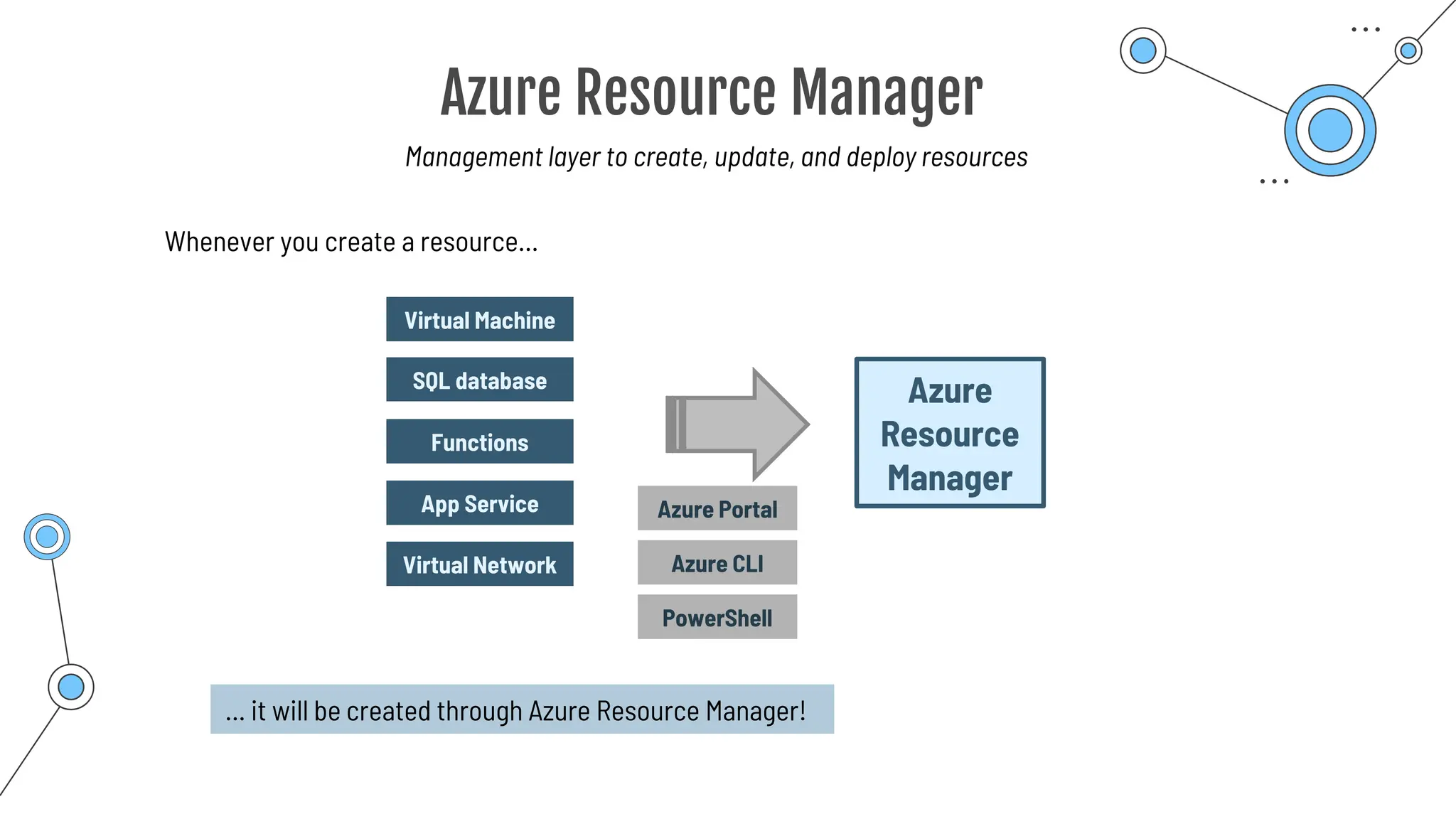
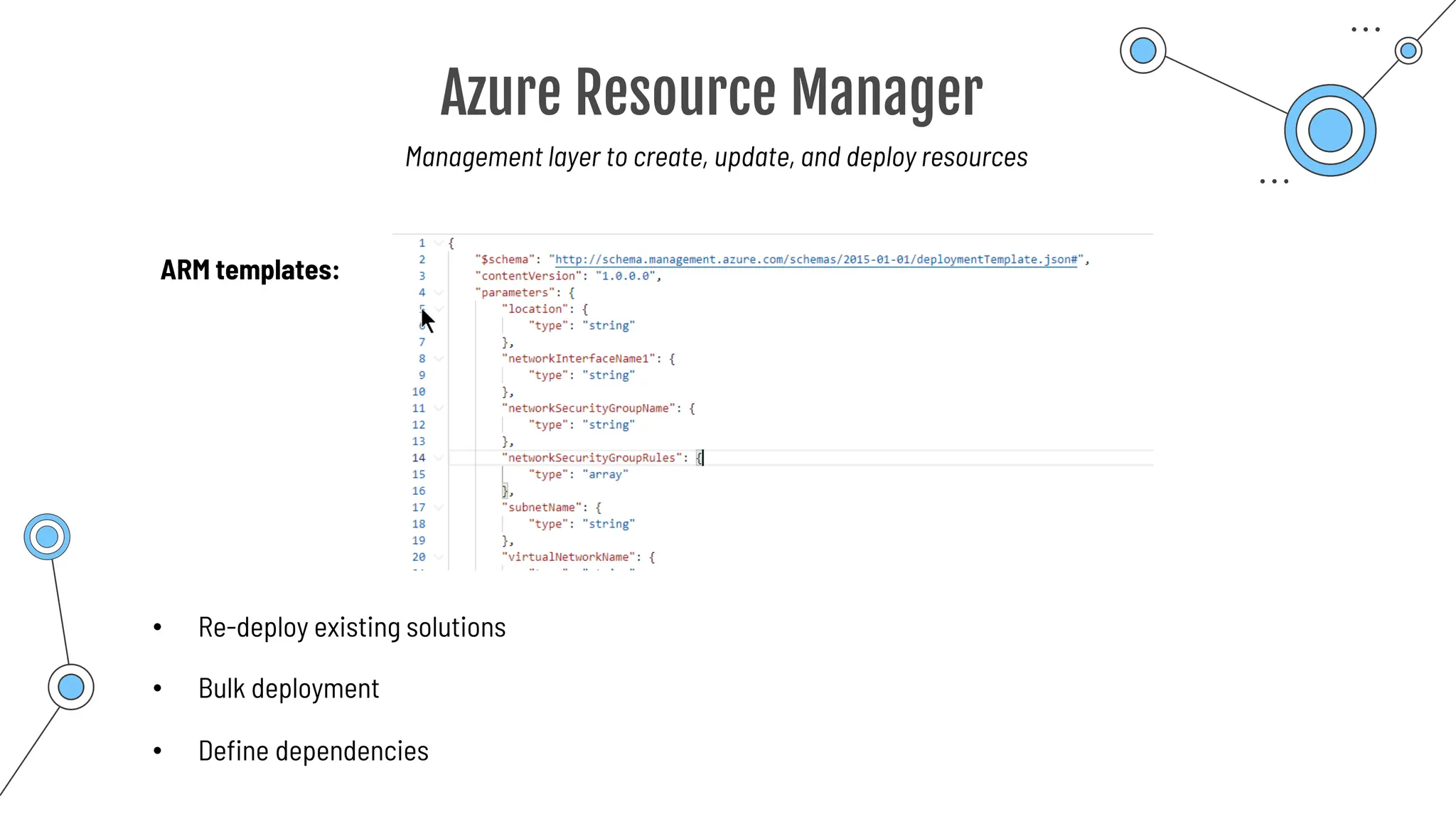
Azure Resource Manager
Management layer to create, update, and deploy resources
Virtual Machine
SQL database
Functions
Azure
Resource
Manager
App Service
Virtual Network
Whenever you create a resource…
… it will be created through Azure Resource Manager!
Azure Portal
Azure CLI
PowerShell
Azure Resource Manager
ARM templates:
• Re-deploy existing solutions
• Bulk deployment
Management layer to create, update, and deploy resources
• Define dependencies
Summary
Summary
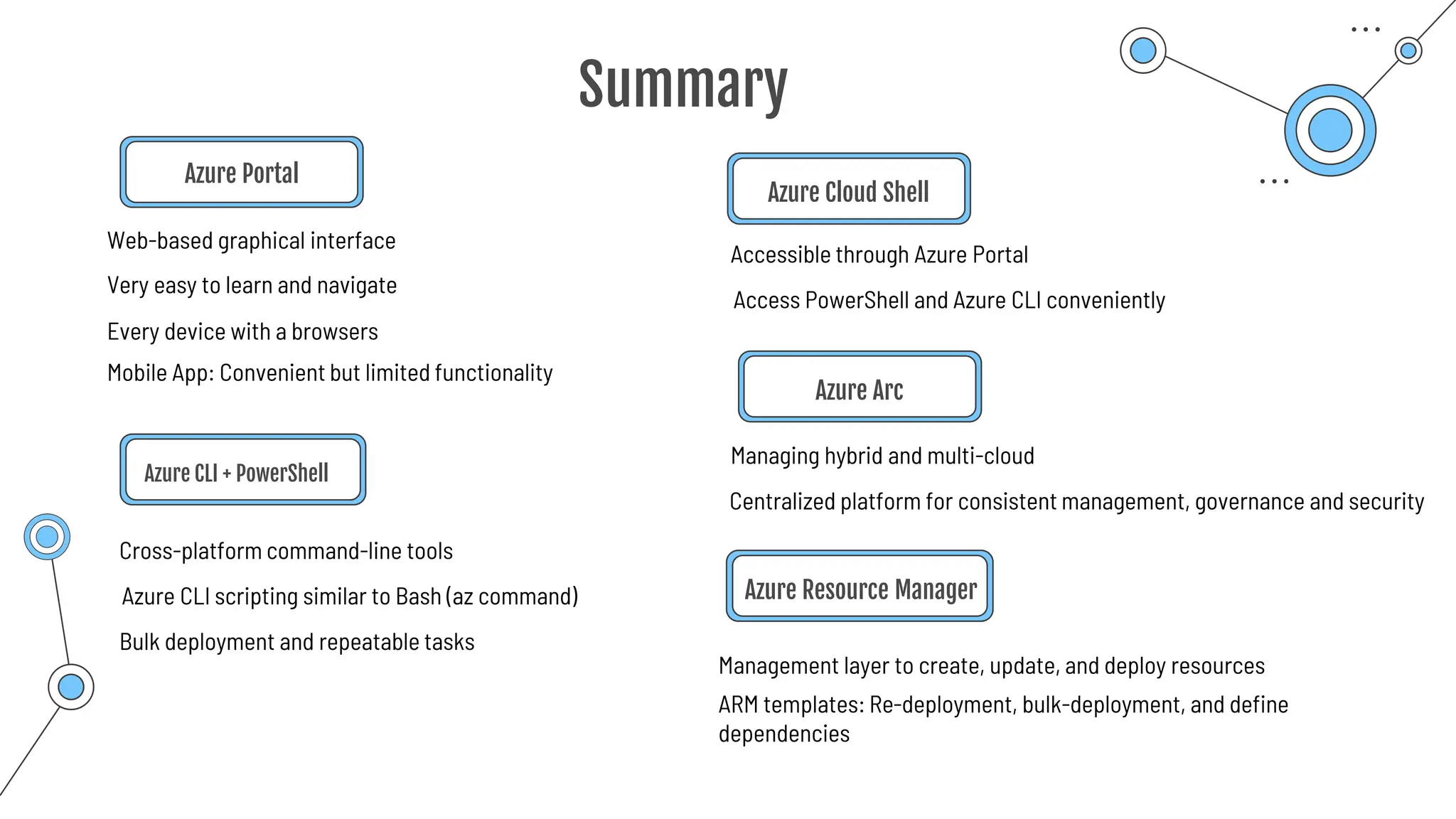
Azure Portal
Azure CLI + PowerShell
Cross-platform command-line tools
Managing hybrid and multi-cloud
Accessible through Azure Portal
Azure Cloud Shell
Azure Arc
Web-based graphical interface
Very easy to learn and navigate
Azure CLI scripting similar to Bash (az command)
Every device with a browsers
Bulk deployment and repeatable tasks
Access PowerShell and Azure CLI conveniently
Centralized platform for consistent management, governance and security
Mobile App: Convenient but limited functionality
Management layer to create, update, and deploy resources
Azure Resource Manager
ARM templates: Re-deployment, bulk-deployment, and define
dependencies
Azure Advisor
Azure Advisor
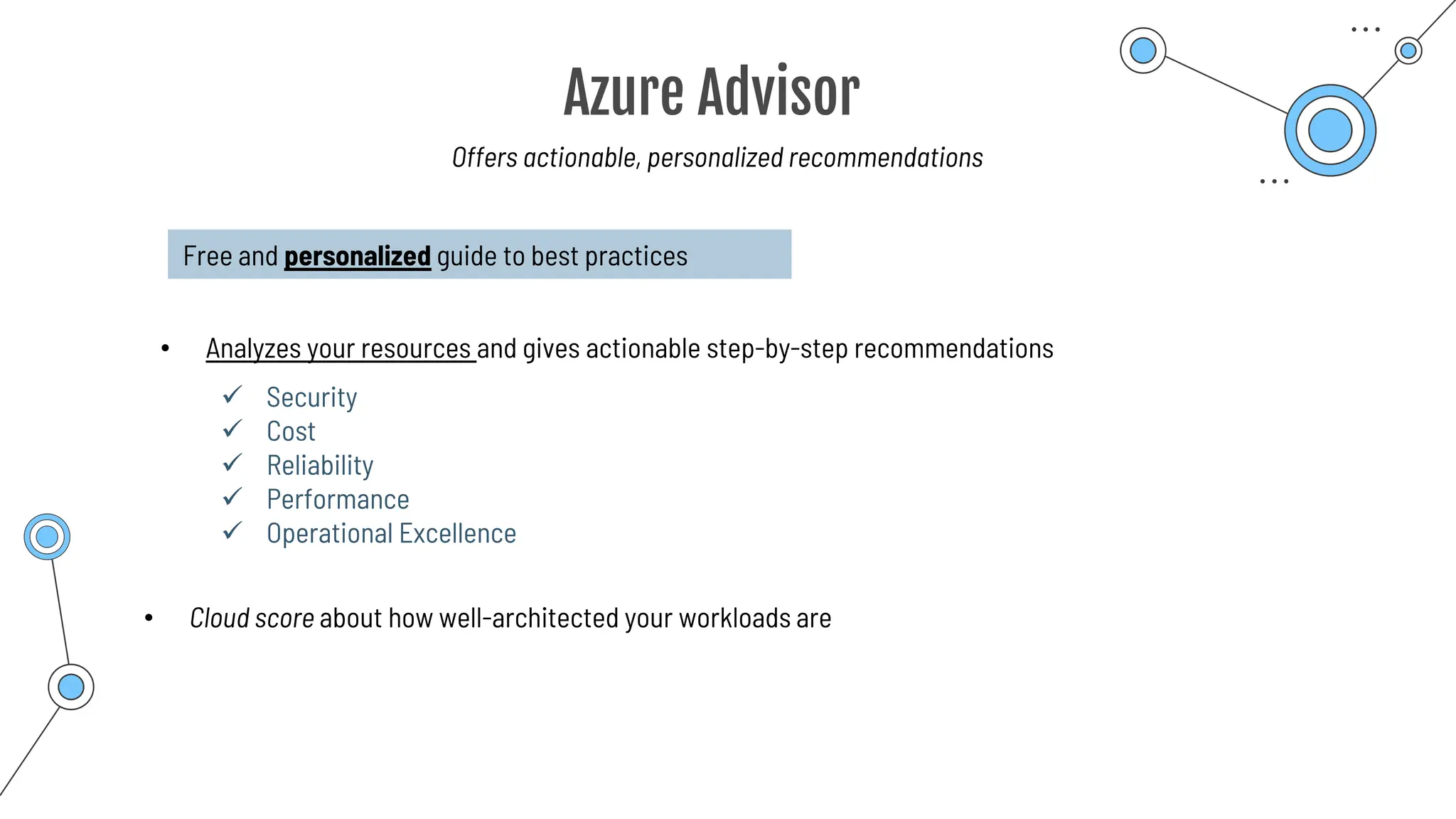
Offers actionable, personalized recommendations
Free and personalized guide to best practices
• Analyzes your resources and gives actionable step-by-step recommendations
✓ Security
✓ Cost
✓ Reliability
✓ Performance
✓ Operational Excellence
• Cloud score about how well-architected your workloads are
Azure Resource Manager
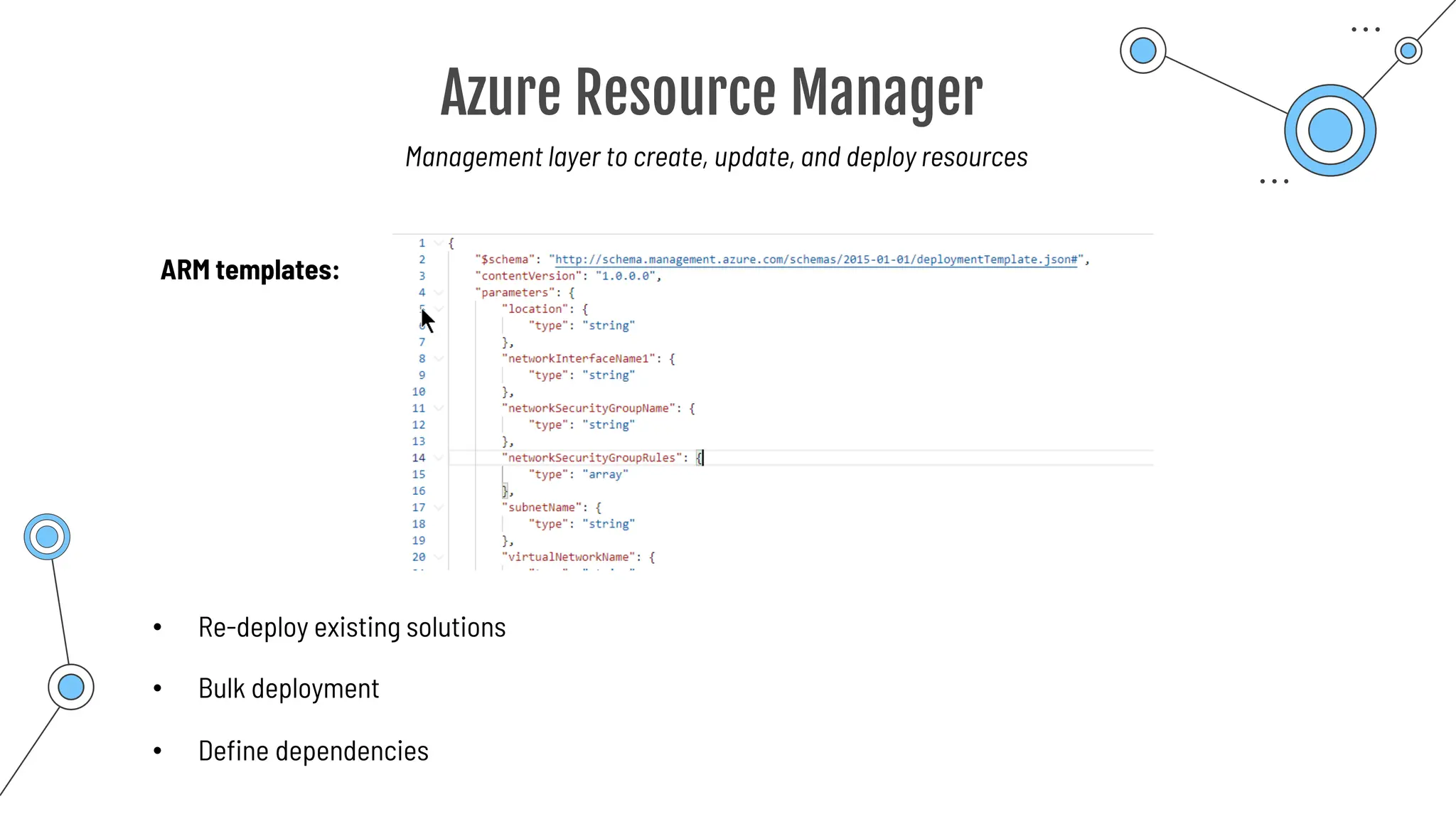
ARM templates:
• Re-deploy existing solutions
• Bulk deployment
Management layer to create, update, and deploy resources
• Define dependencies
Azure Service
Health
Azure Service Health
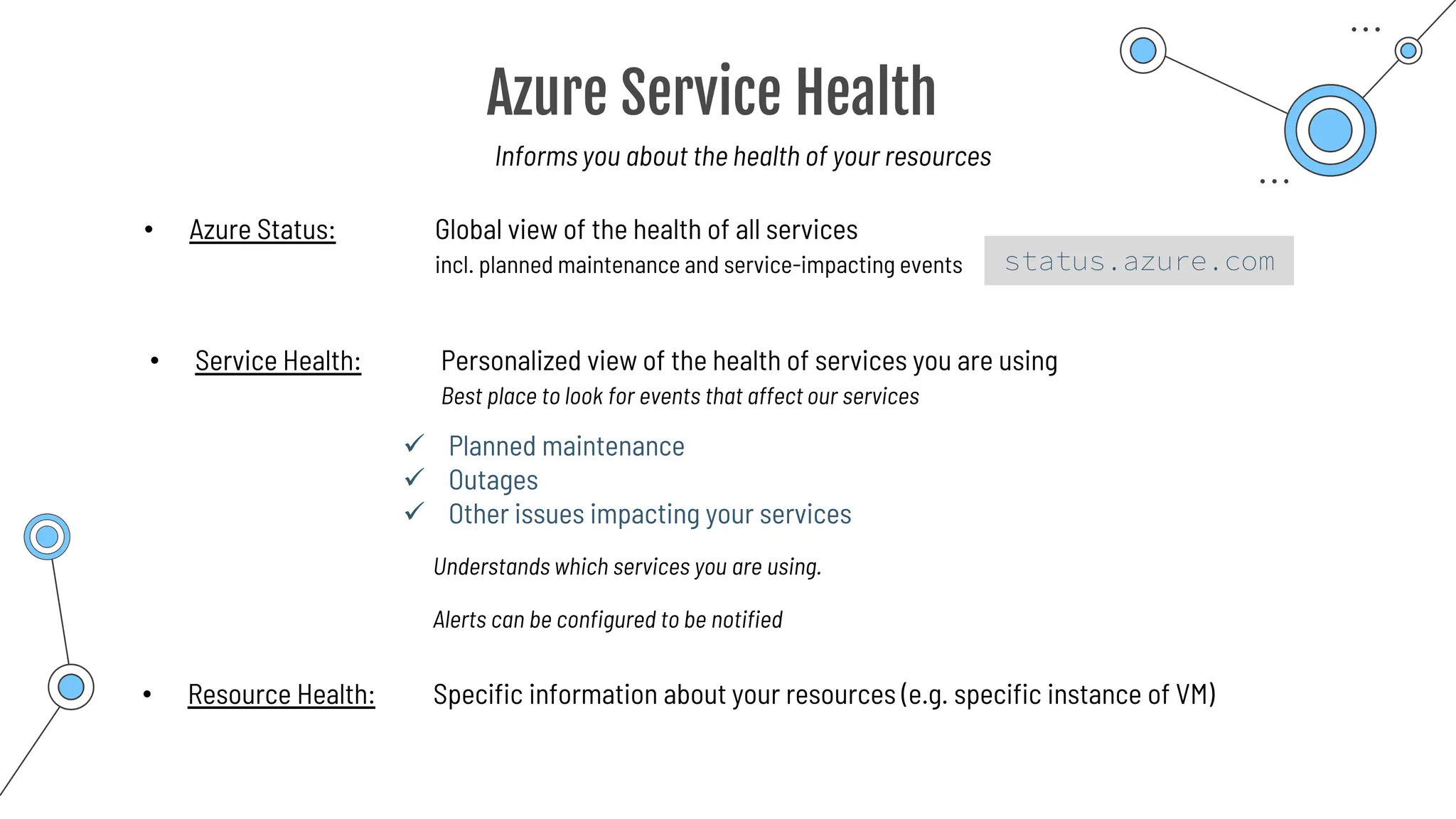
Informs you about the health of your resources
• Azure Status: Global view of the health of all services
incl. planned maintenance and service-impacting events
✓ Planned maintenance
✓ Outages
✓ Other issues impacting your services
• Service Health: Personalized view of the health of services you are using
Best place to look for events that affect our services
Understands which services you are using.
• Resource Health: Specific information about your resources (e.g. specific instance of VM)
Alerts can be configured to be notified
status.azure.com
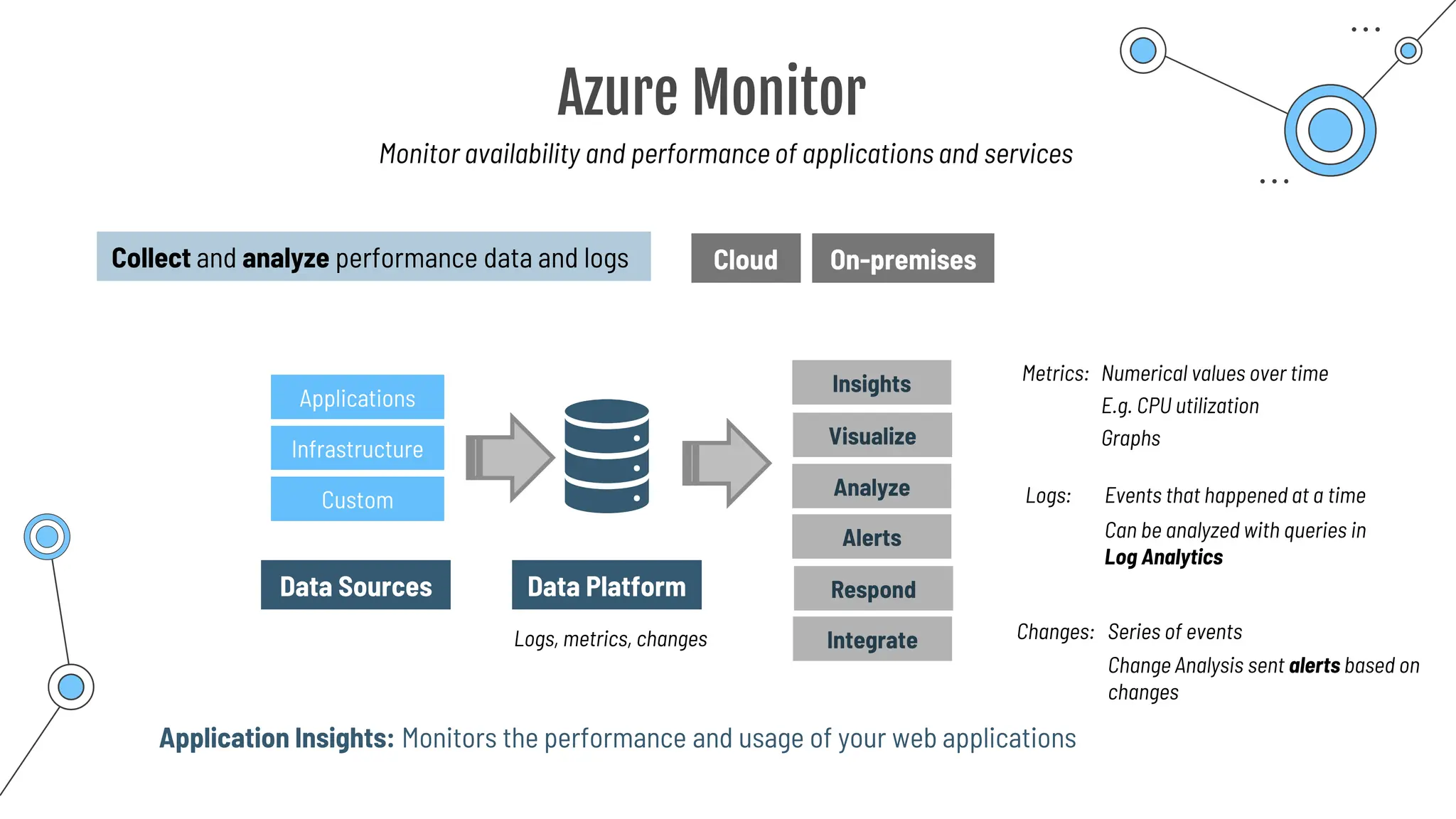
Azure Monitor
Azure Monitor
Monitor availability and performance of applications and services
Collect and analyze performance data and logs Cloud On-premises
Data Platform
Logs, metrics, changes
Data Sources
Applications
Infrastructure
Custom
Insights
Visualize
Analyze
Respond
Integrate
Alerts
Metrics: Numerical values over time
E.g. CPU utilization
Logs: Events that happened at a time
Changes: Series of events
Graphs
Can be analyzed with queries in
Log Analytics
Change Analysis sent alerts based on
changes
Application Insights: Monitors the performance and usage of your web applications
Summary
Summary
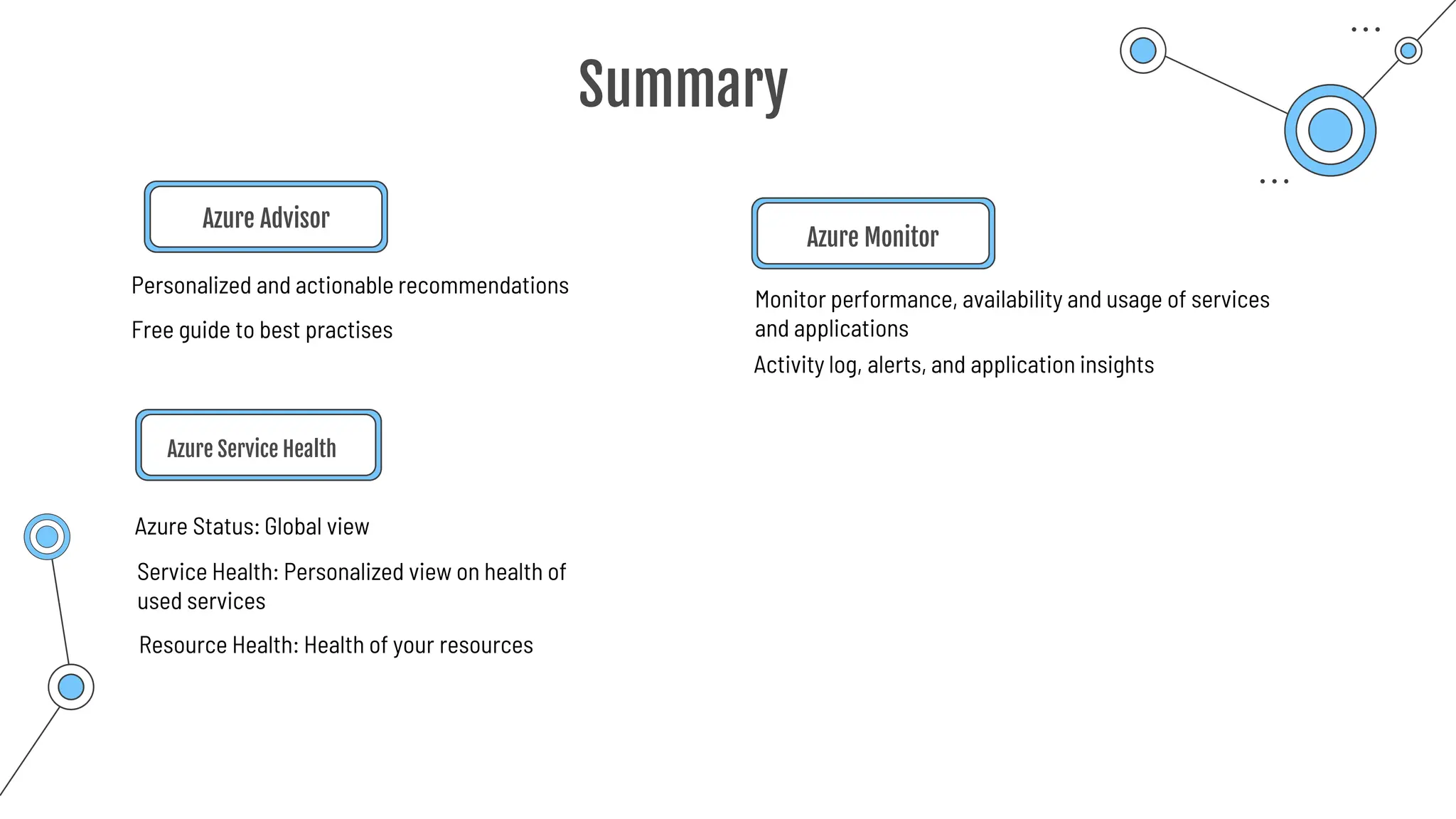
Azure Advisor
Azure Service Health
Azure Status: Global view
Monitor performance, availability and usage of services
and applications
Azure Monitor
Personalized and actionable recommendations
Free guide to best practises
Service Health: Personalized view on health of
used services
Resource Health: Health of your resources
Activity log, alerts, and application insights
Final tips &
booking the exam
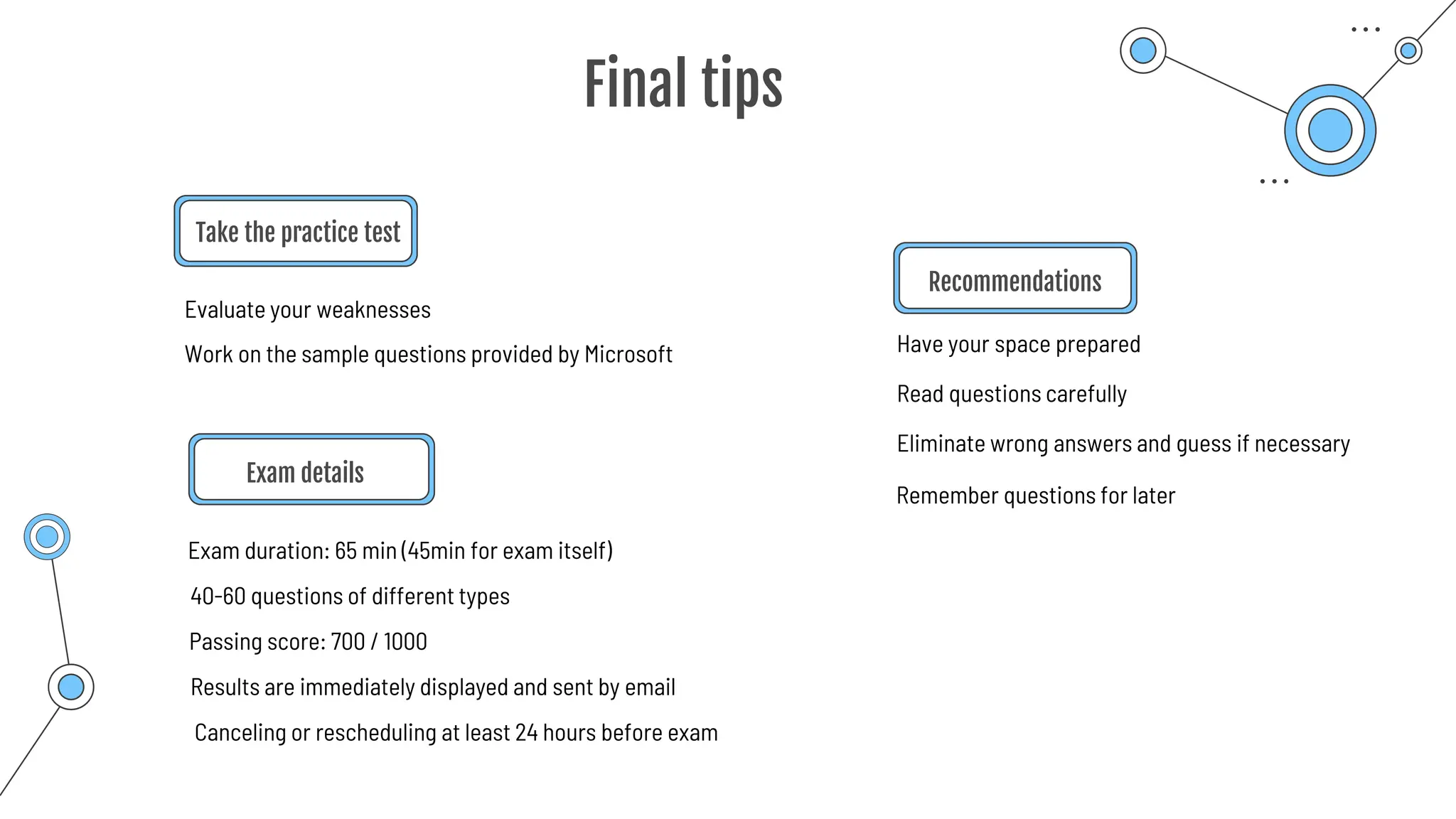
Final tips
Take the practice test
Exam details
Exam duration: 65 min (45min for exam itself)
Have your space prepared
Recommendations
Evaluate your weaknesses
Work on the sample questions provided by Microsoft
40-60 questions of different types
Passing score: 700 / 1000
Read questions carefully
Results are immediately displayed and sent by email
Canceling or rescheduling at least 24 hours before exam
Eliminate wrong answers and guess if necessary
Remember questions for later

AZ 900 preparation slides for microsoft certification

  • 1.
  • 2.
    AZ-400 AZ-305 AZ-900 AZ-900 exam Why AZ-900? Foundationalcertification in Azure. Starting point to all additional exams. Future proof, great job opportunities. AZ-104 AZ-204 AZ-500 Foundational Associate Expert
  • 3.
    Why AZ-900? Foundational certificationin Azure. https://learn.microsoft.com/en-us/certifications/exams/az-900 What is covered? Exam topics are always kept up-to-date. Questions Demos Not needed for the exam. Passing Score 700 / 1000 Goal Clear exam with ease. Starting point to all additional exams. Future proof, great job opportunities. Understanding the main services in Azure. What is the service about? What is the service used for? Knowlegde-based exam. Not how to configure! Help with memorizing. Give you practical foundation. After this course you will be able to achieve a score of 900+ Practical foundation to start working with Azure. AZ-900 exam
  • 4.
  • 5.
    Free trial account https://learn.microsoft.com/en-us/certifications/exams/az-900 Examoverview Questions Not needed for the exam. Understanding the main services in Azure. Help with memorizing. Give you practical foundation. Master the exam Exam duration Seat time: 65min What is the service about? What is the service used for? Questions time: 45min ~ 45 – 60 questions Which Azure feature allows you to prevent resources from being accidentally deleted? ❑ Azure Policies ❑ Azure Locks ❑ Azure Tags ❑ Azure Key Vault If you want to quickly provision a group of identical and load-balanced virtual machines but you don't want to configure them individually which service would you use? ❑ Azure virtual machine scale set ❑ Azure virtual machine elastic groups ❑ Azure ExpressRoute ❑ Azure VM network ✓ ✓
  • 6.
    Free trial account https://learn.microsoft.com/en-us/certifications/exams/az-900 Examoverview Questions Exam sandbox Not needed for the exam. Understanding the main services in Azure. Help with memorizing. Give you practical foundation. Master the exam Exam duration Seat time: 65min What is the service about? What is the service used for? Exam time: 45min ~ 45 – 60 questions https://aka.ms/examdemo
  • 7.
    Go through lessons Takeall quizzes Practice Test Book the exam Step-by-step Evaluate your knowledge and your weaknesses ~ 30-60 min / day Practice and test your knowledge Recipe to clear the exam Summaries At the end of each module Go through the relevant lectures again to eliminate weaknesses Remember the important points Prepared, be confident! incl. Demos https://learn.microsoft.com/en-us/certifications/exams/az-900
  • 8.
  • 9.
    Azure Cloud Computing oAzure is Cloud Computing Platform o Offer SERVICES o Compute services o Storage services o Database services o Software services
  • 10.
    Consumption-based pricing Computing Storage "Pay-as-you-go" Server,infrastructure, staff etc. Build own data center Compute, storage, etc. Rent service from cloud provider Azure Cloud 01 02
  • 11.
    CapEx vs. OpEx Highupfront cost, Own infrastructure, hardware cost Capital Expenditure (CapEx) Operational Expenditure (OpEx) No upfront cost, Product or services, that can be paid when used ("rented") Expenses will be deducted over time Expenses can be immediately deducted 01 02 Own data center Azure "Pay-as-you-go" Examples: Buying server Examples: Azure Cloud, Monthly payments (employees, electricity, software licenses)
  • 12.
    Benefits of thecloud Scalability Ability to handle increased load • Vertical scalability: • Horizontal scalability: Scale up Scale out More CPU per VM More virtual machines High Availability Continuous functioning of services • Access to services for a high percentage of time • E.g. 99.9% availability = 0.1% downtime
  • 13.
    Benefits of thecloud Reliability Ability of a system to recover from failures and continue to function Predictability Predictable cost and performance • Global deployment and redundancy options • Functioning even in catastrophic events • Automatic shifting from one region to another • Performance aims at positive customer experience • Autoscaling, balancing traffic • Transparant pricing, pricing calculator, trackable cost
  • 14.
    Benefits of thecloud Security Architected to handle security Governance Support of Governance and Compliance • Security can be fully managed • Updates can be automatically applied • Can handle Distributed denial of service (DDoS) attacks • Templates ensure corporate standards and governmental regulations • Updates can be applied when standards change
  • 15.
    Benefits of thecloud Manageability Ability to manage cloud resources • Autoscaling options • Pre-defined templates, no need for manual configuration • Automatic alerts • Monitoring of the health of resources and replacement if necessary Management of the cloud • Azure Portal • Command line interface • APIs • PowerShell Management in the cloud
  • 16.
    Own "cloud" /own data center Public Cloud Azure Cloud – Most common model Private Cloud Hybrid Cloud Combination of both Cloud models
  • 17.
    Public Cloud Cloud models NoCapEx – only OpEx – Consumption-based pricing Infrastructure owned by cloud provider Shared hardware that everyone can use Cloud benefits apply Azure Cloud – Most common model Same configuration options available No absolute control over infrastructre
  • 18.
    Private Cloud Private datacenter Cloud models Hardware is owned by the company Complete responsibility for hardware, security etc. In special situations (e.g. legal / compliance reasons) Capital Expenditure (CapEx) applies Control all aspects of hardware
  • 19.
    Hybrid Cloud Combination ofPublic & Private Cloud models Example: Hosting an app service with computing from cloud Data is stored on an on-premise database Combination of CapEx & OpEx Can be expanded flexibly: From Public ⇒ Hybrid From Private ⇒ Hybrid Some (critical) resources are owned others are used from the Public cloud
  • 20.
  • 21.
    IaaS Infrastructure-as-a-Service Cloud Services Most flexibletype of services Renting of hardware / infrastructure (servers, storage, etc.) Pay-as-you-go Maximum control / special custom applications Virtual machines Storage (BLOB storage, Azure Files) Networking (Virtual Networks, Load Balancers etc.) Highest responsibility
  • 22.
    Information and data Devices Accounts& identities Identity & directory infrastructure Applications Network controls Operating systems Physical hosts Physical network Physical data center Responsibility always with CUSTOMER Responsibilities Responsibility VARIES Responsibility transfers to CLOUD PROVIDER CUSTOMER CLOUD PROVIDER
  • 23.
    PaaS Platform-as-a-Service Cloud Services Environment todevelop and deploy applications No hardware configuration required Pay-as-you-go Reduce the administrational effort Hardware fully managed by Azure Azure SQL database Cosmos DB Azure App Service Container Service
  • 24.
    Information and data Devices Accounts& identities Identity & directory infrastructure Applications Network controls Operating systems Physical hosts Physical network Physical data center Responsibility always with CUSTOMER Responsibilities Responsibility VARIES Responsibility transfers to CLOUD PROVIDER CUSTOMER CLOUD PROVIDER IaaS PaaS
  • 25.
    SaaS Software-as-a-Service Cloud Services Only theend application is used Application is not developed – but only configured Infrastructure remains invisible to customers Pay-as-you-go model Microsoft Office 365 Outlook Microsoft Planner No installation needed
  • 26.
    Information and data Devices Accounts& identities Identity & directory infrastructure Applications Network controls Operating systems Physical hosts Physical network Physical data center Responsibility always with CUSTOMER Responsibilities Responsibility VARIES Responsibility transfers to CLOUD PROVIDER CUSTOMER CLOUD PROVIDER IaaS PaaS SaaS
  • 27.
    Azure Portal Browser-based graphicaluser interface Can be accessed with any device that has a browser
  • 28.
    Consumption-based model ✓ Payonly for what is used. ✓ No upfront investment / infrastructure necessary. ⇒ Pay per minute/day/execution/operation/volume Storage Functions $0.01 per GB / per month ✓ Resources that are no longer needed, no longer need to be paid. Per execution
  • 29.
    Summary ✓ Cloud Computing:Services through the internet ✓ Benefits of the cloud: High Availability Continuous functioning of services Scalability Ability to handle increased load Reliability Ability of a system to recover from failures and continue to function Predictability Predictable cost and performance Security Architected to handle security Governance Support of Governance and Compliance Manageability Ability to manage cloud resources
  • 30.
    Summary ✓ CapEx: Upfrontcost & own infrastructure OpEx: No upfront cost & "pay-as-you-go" ✓ Public Cloud: Shared hardware, services from the internet Private Cloud: Own private data center, absolute control (can be connected to internet) Hybrid Cloud: Combination of both, can come from public & private ✓ IaaS: Most control, VMs, Storage, Networking like VNets PaaS: Mostly managed, less administrational effort, Databases, App Service SaaS: Use only the end product, no installation, only configuring, email provider, Office 365 etc.
  • 31.
    Summary ✓ Consumption-based model:No upfront cost, pay only for what you use
  • 32.
    Regions Region consists ofone or multiple data centers within a specific radius z.B. North Europe, West Europe, Germany West Central Connected via low-latency network Resources are deployed to regions
  • 33.
    Availability Zones Designed toachieve redundancy and fault tolerance Most of the regions support availability zones but not all of them
  • 34.
    Availability zones Availability zone1 Availability zone 2 connected Independent Region Physically separate locations within each Azure region
  • 35.
    Availability zones Availability zone1 Availability zone 2 connected Independent Region Physically separate locations within each Azure region
  • 36.
    Availability zones ✓ Atleast 3 availability zones per availability zone supported region ✓ Connected via a high-performance / low-latency network ✓ Independent power, cooling, and networking infrastructure ✓ Design to keep regions up in the event of a disaster ✓ Creating redundancies
  • 37.
    Availability zones Physically separatelocations within each Azure region
  • 38.
    Availability zones • Earthquakes, •hurricanes, • other natural or man-made disasters How to manage risks toward entire regions?
  • 39.
  • 40.
    Availability zones A B Geo-Replication Sequentialupdates (only in one region at a time) High availability & Reliability
  • 41.
    Region pairs Factors involvedin placement: • Data residency • Compliance • Geo-political • Internet latency Region pairs: • Far enough to be isolated: > 300 miles • Placed in the same geography ⇒ Region pairs: Recommend region for replication Geography • Discrete market • Maintaining data residency and compliance • Withstand region failure
  • 42.
    Region pairs (*) Certainregions are subject to access restrictions Geography Region Pair A Region Pair B Asia Pacific East Asia (Hong Kong) Asia Southeast (Singapore) Australia Australia (East) Australia Southeast Australia Australia, Central Australia, Central 2* Brazil Brazil South USA South Central Brazil Brazil, Southeast* Brazil South Canada Canada, Central Canada East China China North China East China China North 2 China East 2 Europe Europe North (Ireland) West Europe (Netherlands) France France, Central France South* Germany West-Central Germany North Germany* India India, Central India (South) India India, West India (South) Japan Japan East Japan, West Korea Korea, Central Korea South North America US East US West North America US East 2 US Central North America US North Central US South Central North America US West 2 US West Central Norway Norway, East Norway, West* South Africa South Africa, North South Africa, West* Switzerland Switzerland, North Switzerland, West* UK UK, West UK, South UAE UAE, North UAE, Central* US Department of Defense US DoD, East* US DoD, Central* US Government US Gov Arizona* US Gov Texas* US Government US Gov Iowa* US Gov Virginia* US Government US Gov Virginia* US Gov Texas*
  • 43.
    Sovereign Regions (*) Certainregions are subject to access restrictions Geography Region Pair A Region Pair B Asia Pacific East Asia (Hong Kong) Asia Southeast (Singapore) Australia Australia (East) Australia Southeast Australia Australia, Central Australia, Central 2* Brazil Brazil South USA South Central Brazil Brazil, Southeast* Brazil South Canada Canada, Central Canada East China China North China East China China North 2 China East 2 Europe Europe North (Ireland) West Europe (Netherlands) France France, Central France South* Germany West-Central Germany North Germany* India India, Central India (South) India India, West India (South) Japan Japan East Japan, West Korea Korea, Central Korea South North America US East US West North America US East 2 US Central North America US North Central US South Central North America US West 2 US West Central Norway Norway, East Norway, West* South Africa South Africa, North South Africa, West* Switzerland Switzerland, North Switzerland, West* UK UK, West UK, South UAE UAE, North UAE, Central* US Department of Defense US DoD, East* US DoD, Central* US Government US Gov Arizona* US Gov Texas* US Government US Gov Iowa* US Gov Virginia* US Government US Gov Virginia* US Gov Texas*
  • 44.
    Sovereign Regions Separate fromPublic Cloud: • Isolated from the main instance of Azure • US Government, US DoD Central • China • Very strict compliance or legal requirements
  • 45.
    Sovereign Regions US Government •Isolated from the main instance of Azure ⇒ https://portal.azure.us • Meets the most complex compliance standards. • Only US Government and its partners can use it • From state to local government + partners • Operated by screened U.S. personnel
  • 46.
    Sovereign Regions China • Morecomplex regulations to operate in China • Data centers are not maintained directly by Microsoft • Maintained by Microsoft partner: 21Vianet • Separate instance: https://portal.azure.cn
  • 47.
    Region pairs Factors involvedin placement: • Data residency • Compliance • Geo-political • Internet latency Region pairs: • Far enough to be isolated: > 300 miles • Placed in the same geography ⇒ Region pairs: Recommend region for replication Geography • Discrete market • Maintaining data residency and compliance • Withstand region failure
  • 48.
  • 49.
    Resources & Resourcegroups Resouces Resource group • Instances of services that you create • Example: Virtual machines or SQL databases • Deployed to a region • Container of resources • Management layer: Configure/delete resources • Permissions are inherited (Tags are not inherited) • Region of resource can be different from the region of resource groups • Contains only metadata US East Germany West Possible! US West US North
  • 50.
    Resources & Resourcegroups Resource group • Container of resources • Management layer: Configure/delete resources • Region of resource can be different from the region of resource groups • Contains only metadata • Cannot be nested Not possible!
  • 51.
    Resources & Resourcegroups Resource group • Container of resources • Management layer: Configure/delete resources • Region of resource can be different from the region of resource groups • Contains only metadata • Cannot be nested • Deleting group deletes all contained resources Deletes ALL resources in the resource group
  • 52.
  • 53.
    Subscription and managementgroups Azure Account Subscription 1 Subscription Resource groups Resources
  • 54.
    Subscription and managementgroups Azure Account Subscription Subscription 1 Subscription 2 Subscription 3 Resource groups Resources
  • 55.
    Subscription and managementgroups Azure Account Subscription Subscription 1 Subscription 2 Subscription 3 Resource groups Resources
  • 56.
    Subscription and managementgroups Azure Account Subscription Subscription 1 Subscription 2 Subscription 3 Resource groups Resources
  • 57.
    Subscription and managementgroups Azure Account Management groups Subscriptions Resource groups Resources IT Department HR Department Subscription 1 Subscription 2 Finance Department
  • 58.
    Subscription and managementgroups Azure Account Management groups Subscriptions Resource groups Resources IT Department HR Department Subscription 1 Subscription 2 Finance Department
  • 59.
    Subscription and managementgroups Azure Account Management groups Subscriptions Resource groups Resources IT Department HR Department Subscription 1 Subscription 2 Finance Department BI-Team Data Science
  • 60.
  • 61.
    Subscription and managementgroups Resources e.g. databases, virtual machines, blob storage etc. Management of resources Resource groups Account can have multiple subscriptions Subscriptions This is where billing takes place Cannot be merged Environment: Test, Dev, Prod Organizational structure Billing purposes Management groups Management of subscriptions & policies Can be moved to other subscriptions Can be nested
  • 62.
    Summary Region Multiple data centersare connected within a radius via a dedicated regional network with low latency/latency. Area in the world, at least one region, define own market, data residency and compliance boundaries preserved Geography Physical locations within a region consisting of at least one data center with independent power, cooling, and networking. Availability Zone Region pairs Two regions from the same geography
  • 63.
    Summary Resources e.g. databases, virtualmachines, blob storage etc. Management of resources Resource groups Subscriptions This is where billing takes place Management groups Governance (e.g. via policies) across subscriptions
  • 64.
  • 65.
    Compute Services Provision ofcomputing power on demand o Azure VMs + Scale Sets + Availability Sets o DevTest Labs o Azure Virtual Desktop o Azure Container Instances o Azure App Service o Azure Functions + Azure Logic Apps (or serverless computing) Computing power to run applications/code in the cloud
  • 66.
    Virtual Machines (VMs) Softwareemulations of physical computers/servers Virtual Processor Virtual storage Virtual memory Operating system (Windows / Linux etc.) IaaS Infrastructure-as-a-Service All software is fully customizable Use case: Missing physical server
  • 67.
    Virtual Machines (VMs) •Control of operating system • No need of buying hardware • Possibility to run custom applications Benefits ⇒ It is necessary to configure, update, and maintain all software that runs on the VM ✓ Create and use images: Template with preconfigure OS and software
  • 68.
  • 69.
    Load Balancers Load Balancer Setof VMs Traffic ✓ Load balancer distributes traffic ✓ Increase the availability and network performance
  • 70.
    Virtual Machine ScaleSets Deploy a group of identical VMs All VMs in a VM scale set are configured the same Facilitates the creation of large resources that rely on high computing power Manual or automatic adjustment to demand (scaling)
  • 71.
    Virtual Machine ScaleSets Load Balancer Set of VMs Traffic ✓ Load balancer distributes traffic ✓ Increase the availability and network performance
  • 72.
    Virtual Machine ScaleSets Load Balancer Set of VMs Traffic ✓ Load balancer distributes traffic ✓ Increase the availability and network performance
  • 73.
    Virtual Machine ScaleSets Load Balancer Set of VMs Traffic ✓ We could add additional VMs manually
  • 74.
    Virtual Machine ScaleSets Load Balancer Virtual Machine Scale Sets Traffic ✓ We could add additional VMs manually VM Scale Sets: Set of auto-scaling, load balanced, identical VMs
  • 75.
    Availability Sets Availability setsgroup VMs inside a single data center Connected cooling, powering, networking Updates Update Domain Fault Domain Availability Zone: Protection from entire data center failure Availability sets protection against failure within data center (rack wide failure)
  • 76.
    Availability Sets Availability setsgroup VMs inside a single data center Update Domain Fault Domain Can be rebooted together Independent cooling, powering, networking Fault Domain 0 Fault Domain 1
  • 77.
    Availability Sets Availability setsgroup VMs inside a single data center Update Domain Fault Domain Can be rebooted together Independent cooling, powering, networking Fault Domain 0 Fault Domain 1 UD 0 UD 1 UD 0 UD 1 VMs will be automatically distributed across FD and UD
  • 78.
    Availability Sets Guaranteed availability: UpdateDomain Fault Domain Can be rebooted together Independent cooling, powering, networking 2 or more VMs within Availability Sets: 99.95% 2 or more VMs across 2 Availability Zones: 99.99% Fault Domain 0 Fault Domain 1 UD 0 UD 1 UD 0 UD 1
  • 79.
  • 80.
    DevTest Labs Pre-configured VMswith pre-installed development tools DevTest Lab users can easily & quickly create VMs Use-cases: Development, testing, training Idea: Provide easy access to creating VMs for development and testing Developers Create VMs To control cost: Need to follow defined policies
  • 81.
    Azure Virtual Desktop Centrilizedsecurity: Operating system, apps and data are separated from your local hardware Risk of confidential data left on hardware is avoided Independent from hardware Access to application or to entire desktop Cloud security features like MFA Benefits
  • 82.
  • 83.
    Azure Virtual Desktop Wecan access a cloud-hosted version of Windows from • any location • any device and • any operating systems Desktop and app virtualization – accessible through a browser Multiple operating systems are possible: • Windows 10, • Windows 7, • Windows 11, • Windows Server Allows multiple concurrent user-sessions
  • 84.
    Azure Virtual Desktop Centrilizedsecurity: Operating system, apps and data are separated from your local hardware Risk of confidential data left on hardware is avoided Independent from hardware Access to application or to entire desktop Cloud security features like MFA Benefits
  • 85.
  • 86.
    App Service Programming inmany languages e.g. .NET, .NET Core, Java, Ruby, Node.js, PHP or Python Focus on development of application without worrying about the infrastructure Managed security & autoscaling Pay only for compute resources used, according to the selected app services plan (Free, different paid ones) Continuous deployment, e.g. via Azure DevOps Platform-as-a-service to deploy and host web applications
  • 87.
  • 88.
    Container Services Application developmentmoving towards microservices One complex application / service Messaging Registration API Gateway Database service Loosely connected microservices Environment? Enables rapid delivery of complex applications Python? Java? Operating system? Libraries? Environment can be complex to manage
  • 89.
    Container Services Containers packagesoftware for deployment One complex application / service Messaging Registration API Gateway Database service Microservice is run within container Container Java Operating system Libraries Containers package software for deployment
  • 90.
    Container Services Containers packagesoftware for deployment One complex application / service Registration Microservice is run within container Container Java Operating system Libraries VMs are virtualization of physical hardware Containers are virtualization of OS and software ✓ Light weight ✓ Can be started, scaled, ended very quickly Container A ✓ We don't manage the OS (PaaS)
  • 91.
    Container Services Docker: Oneof the most popular container engines Azure Container Instances (ACI): o PaaS o Fast and simple way to upload & run containers o No need to manage a virtual machine
  • 92.
  • 93.
    Azure Kubernetes Service AzureContainer Instances Enables quick and easy deployment and management of containers without VMs Azure Kubernetes Service Manage and deploy containers at scale Open-source orchestration services to deploy, manage, and scale containers Quickly create and scale containers Container A Containers at scale
  • 94.
    Azure Virtual Desktop Wecan access a cloud-hosted version of Windows from • any location • any device and • any operating systems Desktop and app virtualization – accessible through a browser Multiple operating systems are possible: • Windows 10, • Windows 7, • Windows 11, • Windows Server Allows multiple concurrent user-sessions
  • 95.
    Azure Virtual Desktop Centrilizedsecurity: Operating system, apps and data are separated from your local hardware Risk of confidential data left on hardware is avoided Independent from hardware Access to application or to entire desktop Cloud security features like MFA Benefits
  • 96.
  • 97.
    Summary Virtual Machines Virtualization ofphysical server/computer Infrastructure-as-a-service All software + OS is fully customizable Fully responsible to maintain all software VM Scale Sets Set of auto-scaling, load balanced, identical VMs Group VMs inside a single data center into Fault & Update Domains Availability Sets Protection against failure within data center (rack wide failure) Enables users to easily create pre-defined VMs for development and testing DevTest Labs Allows multiple concurrent user-sessions Desktop and app virtualization – accessible through a browser Azure Virtual Desktop Operating system, apps and data are separated from your local hardware Virtualization of different operating systems are possible
  • 98.
    Summary App Service Platform-as-a-service Deploy andhost web applications Managed security & autoscaling Azure Container Instances Containers package software for deployment Orchestration service to deploy, manage, and scale containers at scale Azure Kubernetes Services Platform-as-a-service Fast and simple way to upload & run containers No need to manage a virtual machine
  • 99.
  • 100.
    Serverless On-Premise IaaS PaaS Serverless What hardware isneeded? How can physical security be ensured? Investment and scalability? Is everything up-to-date? Managing operating system Monitoring applications What size is needed? How can auto-scaling be defined? Server is invisible to the users They completely focus on the code
  • 101.
    Serverless Serverless ✓ Server isinvisible to the users ✓ They completely focus on the code ✓ Focus on event-driven code ✓ Events or triggers ✓ Microbilling ✓ No worry about scaling
  • 102.
    Azure Functions Serverless compute:Azure manages server infrastructure and allocates resources Scaling is automated Azure Functions: Executes code when triggered (platform, infrastructure irrelevant) Simple functions in response to an event or a trigger Pay only for time spent running the code e.g. HTTP request Can be stateful or stateless
  • 103.
    Use cases ✓ Runcode when a file is uploaded or changed ✓ Run scheduled small tasks Build event-driven systems Many programming languages available
  • 104.
  • 105.
    Azure Logic App Datamodified Send an email New file Copy file Design a business workflow in a graphical way. Used to schedule, automate and orchestrate tasks, business process and workflows. Trigger Condition Send an email as a response to a trigger.
  • 106.
    Use cases ✓ Runcode when a file is uploaded or changed ✓ Run scheduled small tasks Build event-driven systems Many programming languages available
  • 107.
  • 108.
    Virtual Networks Infrastructure-as-a-Service Enables resourcesto securely communicate with each other or with users over the Internet Private network Protecting data and resources 10.0.0.1 10.0.0.2 10.0.0.0/16 Azure virtual network: Emulates a physical network in the cloud
  • 109.
    Virtual Networks Infrastructure-as-a-Service Enables resourcesto securely communicate with each other or with users over the Internet VNet Protecting data and resources 10.0.0.1 10.0.0.2 10.0.0.0/16 Azure virtual network: Emulates a physical network in the cloud
  • 110.
    Virtual Networks o Networktraffic is isolated and segmented o Defining a Private IP address space o Every resource gets an IP address o Communication with the Internet o Communication between Azure resources o Communication with local resources (cloud & on-premise coverage)
  • 111.
  • 112.
    Virtual Subnets VNet VNet Resources havevery different requirements ⇒ Need for further partitioning ⇒ Organize and group resources in Subnets
  • 113.
    Virtual Subnets Private Subnet VNet Organizeand group resources in Subnets Public Subnet Public subnet CAN access Privat Subnet ✘ ✔ ✔ Public subnet CAN be reached from the public internet Private subnet CANNOT be reached from the public internet
  • 114.
    Virtual Networks o Networktraffic is isolated and segmented o Defining a Private IP address space o Every resource gets an IP address o Communication with the Internet o Communication between Azure resources o Communication with local resources (cloud & on-premise coverage)
  • 115.
  • 116.
    VPN Gateway How toconnect? After migration: Hybrid cloud model Data Center VPN (Virtual private network): Use an encrypted tunnel to connect two or more networks Azure Cloud (Vnet) Cost-effective Secure over an untrusted network (public internet)
  • 117.
    VPN Gateway VPN tunnel Aftermigration: Hybrid cloud model Data Center Azure Cloud (Vnet) Encrypted Site-to-site connection: On-premise datacenter to Azure virtual network VPN Gateway VPN device or gateway
  • 118.
    VPN Gateway VPN tunnel AzureCloud (US West) Azure Cloud (US East) Encrypted Site-to-site connection: On-premise datacenter to Azure virtual network Network-to-network connection: Virtual network to another virtual network VPN Gateway VPN device or gateway What if we need more bandwidth?
  • 119.
  • 120.
    Express Route VPN tunnel AzureCloud (US West) Azure Cloud (US East) Encrypted VPN Gateway What if we need more bandwidth?
  • 121.
    Express Route High bandwidth AzureCloud (US West) Azure Cloud (US East) Private connection What if we need more bandwidth? Doesn't go over public internet More reliable More secure Not encrypted ExpressRoute: Extend on-premises networks into the Microsoft cloud over a private connection with the help of a connectivity provider.
  • 122.
  • 123.
    Private & publicendpoints 20.0.0.1 VNet 10.0.0.1 10.0.0.2 10.0.0.0/16 Firewall Public Endpoint Allow range of IP addresses
  • 124.
    Private & publicendpoints 20.0.0.1 Firewall VNet 10.0.0.1 10.0.0.2 10.0.0.0/16 Public Endpoint Allow range of IP addresses
  • 125.
    Private & publicendpoints VNet PE1 10.0.0.2 10.0.0.0/16 PE1 20.0.0.1 ✘ Private Link Azure Private Link: Enables private connection to Azure PaaS services (storage account, Cosmos DB etc.) Private Endpoint: Uses private IP address from virtual network
  • 126.
    Private & publicendpoints VNet PE1 10.0.0.2 10.0.0.0/16 PE1 20.0.0.1 ✘ Private Link Azure Private Link: Enables private connection to Azure PaaS services (storage account, Cosmos DB etc.) Private Endpoint: Uses private IP address from virtual network Private endpoint brings the service into your virtual network.
  • 127.
    Virtual Networks Infrastructure-as-a-Service Enables resourcesto securely communicate with each other or with users over the Internet VNet Protecting data and resources 10.0.0.1 10.0.0.2 10.0.0.0/16 Azure virtual network: Emulates a physical network in the cloud
  • 128.
  • 129.
  • 130.
    Azure DNS https://data-science-academy.com 22.152.18.93 https://microsoft.com 20.112.52.29 AzureDNS: Provides name resolution by using Microsoft infrastrucutre
  • 131.
  • 132.
    Content delivery network(CND) Global network of servers that efficiently delivers web content to users Long distances will result in higher latencies
  • 133.
    Content delivery network(CND) Global network of servers that efficiently delivers web content to users Long distances will result in higher latencies Physical nodes strategically placed around the globe 1. Request is sent – file available? 2. File will be delivered: High latency! 3. File will be cached close to user 4. Next request: Low latency! Better performance and user-experience Edge server PoP (Point of Presence)
  • 134.
  • 135.
    Summary Virtual Networks Emulates aphysical network Traffic is isolated and segmented Secure communication of resources Cloud resources + local resources Virtual Subnet Further segmentation Public subnet CAN be reached from the public internet Public subnet CAN access Privat Subnet Connects an Azure virtual network with an on-premise device or network (Site-to-Site) VPN Gateway More bandwidth, more secure, and more reliable ExpressRoute Private subnet CANNOT be reached from the public internet Use an encrypted tunnel to connect two or more networks over an untrusted network (public internet) Cost-effective solution Extends on-premises networks into the Microsoft cloud. Over a private connection with the help of a connectivity provider.
  • 136.
    Summary Private Endpoint Uses privateIP address from your virtual network to bring PaaS services into your virtual network Delivered via Azure Private Link Private connection to Azure PaaS services Azure DNS Global network of servers that efficiently delivers web content to users Content delivery network (CND) Provides domain name resolution by using Microsoft infrastructure
  • 137.
  • 138.
    Storage accounts Cloud solutionfor storing data Account in which have access to different types of storage services: o Blobs (Containers) o File Shares (File shares) o Queues (Queues) o Tables (Tables) ⇒ There are other storage-related services (e.g. SQL databases) ⇒ Most important data storage service o Access Tier (Hot, cool, archive) o Redundancy options o Disc Storage, File Sync, Data Transfer, Data Migration o Database services
  • 139.
  • 140.
    Redundancy Options Protect fromplanned and unplanned events o Azure Storage always keeps multiple copies o Trade-off: Higher availability + durability vs. cost
  • 141.
    Redundancy Options Three copieswithin a single data center Locally redundant storage (LRS) Lowest cost & least durability Protects data against server rack and drive failures Disaster in the data center: Data may be lost Three replications across three Availability Zones Zone-redundant storage (ZRS) Separate physical location Protects data against disaster in a data center Three copies using LRS in one region Geo-redundant storage (GRS) Paired region based on region pairs Three copies using LRS in secondary region Three replications across three Availability Zones (ZRS) Geo-zone-redundant storage (GZRS) Maximum durability, availability and consistency Three copies using LRS in secondary region Read-access per default only after failure (RA-)GRS Protects from regional disaster Read-access per default only after failure (RA-)GZRS
  • 142.
  • 143.
    Blob storage (Binary LargeOBject) Solution to store massive amounts of unstructured data ⇒ Can be any type of data: Images, documents, backups, videos Containers are used to organize the files (like a folder) Not hierarchical Storage Account Container 1 File 1 File 2 File 3 Container 2 File 3
  • 144.
  • 145.
    Access Tiers More expensivestorage cost Hot Cheaper read/write operations Good for frequently accessed data Example: Images on a website Cheaper storage cost than "Hot" Cool Good for infrequently accessed data More expensive read/write operations Cheapest storage Cannot be read directly (offline tier) Most expensive access cost Example: Short-term backup Older datasets Must be rehydrated to cool or hot before it can be accessed Archive Low latency Higher latency Example: Long-term backup Data Archiving Default at account level: Hot or Cool
  • 146.
  • 147.
    Queue storage storing largenumbers of messages Create a backlog of work (messages) Queue Message 1 Message 2 Message 3 Processed Dequeued Queue 2 Message A
  • 148.
  • 149.
    Azure Files Managed fileshares in the cloud Can be mounted by cloud or on-premise Can be accessed via Server Message Block (SMB) protocol or Network File System (NFS) protocol Replace or supplement on-premises file servers:
  • 150.
  • 151.
    File Sync Sync datafrom on-premises to Azure Files On-premises Windows File Server Cloud Azure Files Sync data On-premises to Azure files How: o Install File Sync agent on Windows file server o Add it to Azure File Sync Deployment Use-cases: o Sync data across multiple sites/offices o Disaster recovery
  • 152.
  • 153.
    Azure Tables NoSQL (non-relationalSQL) database solution o Very inexpensive (NoSQL) database service o Key/attribute data storage without schema o Designed for high volumes of data Redundancy options High availability Storage Account Tables Tables Tables Rows = Entities Attribute Key Attribute employee_id first_name last_name 1 Frank Miller Attribute Attribute Use cases: o Store large amount of structured data o No need for complex joins o Alternative to Cosmos DB
  • 154.
  • 155.
    Disk storage Storage forvirtual machines Virtual Machine Storage OS disk data disk Stop VM Still pay for storage Containers (Blob Storage) used for disks Managed Disks Unmanaged Disks Standard HDD Standard SSD Premium SSD Premium SSD Types
  • 156.
  • 157.
    AzCopy Command-line tool tocopy data to and from storage accounts o Can be downloaded to Windows or Linux o Used within Azure Cloud Shell o Upload, download, sync or transfer files and blobs Command Description azcopy copy Copies source data to a destination location azcopy list Lists the entities in a given resource. azcopy remove Delete blobs or files from an Azure storage account. azcopy make Creates a container or file share. azcopy [command] [arguments] --[flag-name]=[flag-value] azcopy copy 'file-link-with-sas-key''container-link-with-sas-key'
  • 158.
  • 159.
    Azure Migrate Centralized platformthat provides guidance and planning for migrations Pre-migration steps Discover Servers Databases Virtual Machines Web Apps Data Assess Dependency analysis Tools to help with migrations Cost analysis
  • 160.
  • 161.
    Data Box Device totransfer TBs of data in and out of Azure Data upload can very time consuming Quick Inexpensive Reliable Secure Data Box device Regional carrier Azure datacenter Ordered via portal
  • 162.
    Data Box Use-cases Order Receivedevice(s) Copy data Return Upload process Workflow o Import & export o > 40 TB o No to limited network connectivity ❑ One-time migration ❑ Initial bulk transfer ❑ Periodic incremental transfers
  • 163.
  • 164.
    Azure Marketplace o Third-partycompanies offer additional applications and services o Accessed from within Azure portal o Everything has been certified
  • 165.
  • 166.
    Summary Storage Account Cloud solutionfor storing data Redundancy options Access Tier Blob Storage Solution to store massive amounts of unstructured data Locally redundant storage (LRS) Zone-redundant storage (ZRS) Geo-redundant storage (GRS) Geo-zone-redundant storage (GZRS) Account that offeres different storage services Hot Cool Archive Any type of data: Images, documents, backups, videos Queue Storage Storing large numbers of messages Sync data from on-premises to Azure Files Managed file shares in the cloud Can be mounted by cloud or on-premise Replace or supplement on-premises file servers Azure Files Azure Sync Inexpensive NoSQL database service Azure Tables Basic structured data
  • 167.
    Summary Disk storage Storage forvirtual machines AzCopy Azure Migrate Centralized platform that with tools for planning migrations Device to transfer TBs of data in and out of Azure Data Box Command-line tool to copy data to and from storage accounts Still pay for storage Containers (Blob Storage) used Convenient tool to manage storage resources from Desktop Storage Explorer Trusted third-party companies offer additional applications Azure Marketplace
  • 168.
  • 169.
    Authentification vs. Authorization Areyou who you say you are? Password Proving that you are who you say Authentification Verification of identity Multi-factor authentification Granting permission to an authenticated party to do something Authorization Role-based access control (RBAC) What is the authenticated person allow to do?
  • 170.
  • 171.
    Azure Active Directory(Azure AD) Azure's identity and access management service Helps employees to access resources and applications Resources Identities Manged by Azure AD Microsoft 365 Authentification Authorization Azure portal Users Credentials Groups Multi-factor authentification Single-sign-on (SSO) Guest access Managed service - "identity-as-a-service"
  • 172.
    Azure Active Directory(Azure AD) Azure's identity and access management service On-premises Active Directory Azure Active Directory Cloud Sync Azure Active Directory Free Azure Active Directory Premium P1 Azure Active Directory Premium P2 Additional features 99.9% availability SLA Plans
  • 173.
    Azure Active Directory(Azure AD) Azure's identity and access management service Tenant Azure account Azure Active Directory Instance = Organization Distinct identities & settings Azure Active Directory Instance 2 Distinct identities & settings Tenant 2
  • 174.
  • 175.
    Single sign-on (SSO) Signin with one set of credentials to multiple independent software systems Software 1 Authentification Authentification Software 2 Insecure + Inconvenient Sign-in once Software 1 Software 2 Azure AD Easy to manage + more secure (Single Sign-On)
  • 176.
  • 177.
    Multi-Factor Authentication Additional methodof authentication nikolai.schuler@[...].com Authentication ********** Password can get found out! Username: Password: 2nd authentication factor … Know … Have ********** Password: … Are Something you … One way: Conditional Access
  • 178.
  • 179.
  • 180.
    Passwordless authentication More secure+ more convenient 3 passwordless options Windows Hello for Business Microsoft authenticator app Credentials connected to Windows device App on user's phone FIDO2 Security Key Open standard for passwordless Face recognition, 4-digit PIN Push notification + PIN or biometrics Hardware devices like finger print etc. All supported by Azure AD!
  • 181.
  • 182.
    Guest access Inviting externalusers Internal users Members of the organisation External users Not members of the organisation From different tenant or not Azure users at all
  • 183.
    Guest access Inviting externalusers External users Administrator invites Azure AD Admin Self-service sign up Guest users Azure AD Get permission to Resources B2B collaboration
  • 184.
  • 185.
    Conditional access Including intelligentsignals in access control decisions USER LOCATION DEVICE Acess allowed Block access Limited access MFA required Password change required SIGNALS DECISION BEHAVIOR
  • 186.
    Conditional access Including intelligentsignals in access control decisions o Administrators always require MFA Examples: o Unusual location requires MFA o User outside of the company's network generally require MFA o Access from specific countries is not allowed at all
  • 187.
  • 188.
    Role-based access control(RBAC) Access management to resources User Group WHO? Security principal Service principal Authorization: Configure access for users and groups to resources Example: Allow one user to manage all SQL databases in a resource group. Owner Reader WHAT? Role Data Operator for Managed Disks Custom General Resource specific Custom Management group Subscription WHAT SCOPE? Scope Resource group Resource
  • 189.
    o One usergets assigned the role Reader to an entire resource group. Examples: o One user group gets assigned the role Storage account contributor to three storage accounts. Role-based access control (RBAC) Access management to resources Security principal Role Scope
  • 190.
  • 191.
    Zero Trust Modern securityprincipals o Verify explicitly o Assume breach o Use least privilege access Strategy: Follow the following security principals: Zero Trust mindset: “assume breach, never trust, always verify” Use all data points and every opportunity to authenticate and authorize Just-In-Time (JIT) and Just-Enough-Access (JEA) Limit access to what is just enough End-to-end encryption, network segmentation, analytics, threat detection, continuous monitoring, updates
  • 192.
  • 193.
    Defense in depth Multiplelayers of security Physical building Physical Security Identiy & Access Perimeter Network Compute Application Data Azure AD, SSO, MFA DDos Protection, Perimeter firewalls Limit communication between resources Secure access to VMs Secure application design Secure data storage, encryption
  • 194.
    Subscription and managementgroups Azure Account Management groups Subscriptions Resource groups Resources IT Department HR Department Subscription 1 Subscription 2 Finance Department
  • 195.
  • 196.
    Microsoft Defender forCloud Security tools for cloud and on-premises Security score that continuously assesses your security situation Azure cloud Multicloud Security recommendations On-premises Security posture Recommendations as step- by-step actions on how to improve your security posture Alerts Continous Assessment Secure Defend Defends in real-time and sends alerts CSPM Cloud Security Posture Management CWPP Cloud Workload Protection Platform Paid service Free service Two pillars of security
  • 197.
    Microsoft Defender forCloud Security tools for cloud and on-premises Security recommendations Security posture Alerts Continous Assessment Secure Defend o Security score = assessment of vulnerabilities o Regulatory compliance o Asset inventory Paid service Free services o Security recommendations o Just-in-time VM access o Adaptive application controls o Security alerts o Defends and detects o Intelligent threat detection
  • 198.
  • 199.
    Summary Azure AD Multi-factor Authentication Additionalmethod of authentication Secure + convenient One set of credentionals to sign in to multiple systems Single sign-on Passwordless Proving that you are who you say Authentication Granting permission to an authenticated party to do something Authorization Free plan and premium plans (99.9% availability) Manged service for identity and access management (Azure & O365) Azure AD Connect: Sync on-premise Active directory & Azure AD Authentication & Authorization Distinct from other resources & services Biometrics or trusted device Windows Hello for Business Microsoft authenticator app FIDO2 Security Key Invite exernal users (guest users)
  • 200.
    Summary Conditional access Including intelligentsignals in access control decisions Role-based access control (RBAC) Defense in depth Authorization: Configure access for users and groups to resources E.g. Administrator needs to use MFA Security principals: Assume breach, never trust, always verify! Zero Trust Allow one user to manage all SQL databases in a resource group Microsoft Defender for cloud Security tools for cloud (Azure + multicloud) and on-premises Security score, security recommendations and alerts
  • 201.
  • 202.
    Cost affecting factors Usagemetrics: How many operations, how much time, how much storage? Free resources Consumption model Configuration Resource type How much CPU? OS type? Redundancy options? Subscription type Free trial Pay-as-you-go Enterprise Agreement Usage Region Different prices depending on region Reserved capacity Discounts for 1-year, 3-year reservations for VMs Bandwidth Free: Inbound Within same region Not free: Outbound Across different regions
  • 203.
  • 204.
    Pricing calculator Calculate costestimation for a planned project in Azure Estimates Configuration Resource type Subscription type Usage Region Monthly or hourly cost estimates Cost estimation tool Reserved capacity Bandwidth
  • 205.
  • 206.
    Total cost ofownership calculator (TCO) Calculates the total cost of ownership & cost savings On-premises All costs combined Saving potential when migrating to the Azure cloud
  • 207.
  • 208.
    Cost Management andBilling tool Manage cost and usage of resources o Breakdown of costs over time and by resources o Analyze costs o Set budgets and alerts o See invoices o Manage billing options
  • 209.
  • 210.
    Reducing costs Reserved instances oDiscounts on reservation options o Paying upfront for 1-year or 3-years o Bid for available capacity o Deep discounts o Instances can be interrupted without prior notice Spot pricing Hybrid Benefit o If you already have on-premises license you can use it in the cloud o Choose cost-effective OS Delete unused resources Deallocate VMs when not used Migrate from IaaS to PaaS
  • 211.
  • 212.
    Tags How can wecategorize resources? o By using resource groups o Using tags Finance Reporting Marketing Dev/Test Prod USA India Germany Department Environment Site 1002 1003 Cost Center
  • 213.
    Tags How can wecategorize resources? o Using tags Finance Reporting Marketing 1002 1003 Dev/Test Prod USA India Germany Department Cost Center Environment Site Name Values Most typically used for billing purposes! Resources can be filtered by tags
  • 214.
    Tags Tags are labels oName – value pairs that can be applied to resources o Important for cost and billing Group and categorize Not inherited! o Tags are not inherited through hierarchy Can be enfornced o Certain tags can be set to mandatory by Azure Policies
  • 215.
  • 216.
    Summary Cost factors Cost savingoptions Reserved instances Calculates the total cost of ownership & cost savings when migrating to the Azure cloud Cost estimation tool to estimate cost for resources Pricing calculator TOC calculator Subscription type, resource type, configuration, usage metrics, region, reserved capacity, license discounts, bandwidth bandwidth: inbound & within region free outbound & inter-region not free Hybrid benefit (license from on-premises) Spot pricing Delete unused resources, deallocate (stop) VMs Migrate from IaaS to PaaS Labels to categorize resources Tags Important for cost and billing Will not be inherited Can be enforced by Policies
  • 217.
  • 218.
    Azure Policies Enforce standardsand compliance o Resource consistency o Regulatory compliance o Security o Cost o Management Examples ▪ Some resources types can only be created in one region ▪ Enforcing specific tags ▪ Allowing only specific VM sizes
  • 219.
    Azure Policies o Canbe applied to different hierarchy level: Management groups, subscriptions or resource groups Policy initiatives Grouping of a set of policies Built-in policies, e.g. ISO standards
  • 220.
    Azure Policies How theywork Policy definition ▪ Business rules (JSON format) Policy assignment ▪ Assignment them to a given scope (e.g. subscription, management group) Policy effect ▪ E.g. Append (add tags automatically) ▪ Audit (create a warning in the activity log when evaluated to non-compliant) ▪ Deny (resource cannot be updated or created when non-compliant)
  • 221.
  • 222.
    Azure Blueprints Defined packageof reusable resources ARM template Policies Role assignments Rapidly build new environments HR Department Finance Department Template Governance framework that can be deployed easily Ensures compliances Resource groups Define Assign 1. 2. Subscription
  • 223.
  • 224.
    Azure Locks Protect fromaccidental deletion and modification Delete Read-only Can read and modify but not delete Can read but not modify and delete Works across all users and roles Can be applied on … Subscription Resource group Resource It will be inherited! First the lock needs to be removed before deleting resource Multiple locks can be applied
  • 225.
  • 226.
    Service trust portal PrivacyStatement How Microsoft collects, processes, uses, and protects personal data. Service Trust portal A website that provides all documents around how Microsoft complies with regulations, compliance and security • Compliance certifications (like ISO 27001) • Security: How data is encrypted and backed up • And more
  • 227.
  • 228.
    Summary Policies Blueprints Define a packageof artifacts that can be reused at large scale Website that contains documentation and certifications about how Microsoft complies with the relevant regulations Prevent accidental deletion or modification Locks Service Trust Portal Enforce standards that can be applied to Management groups, subscriptions or resource groups Important to comply with regulations and standards Quickly build new environments with consistency and set standards Initiative: Group of policies Applied to subscription level Delete or Read-only Multiple locks can be applied Will be inherited Privacy statement: How Microsoft collects and uses personal data
  • 229.
    Azure Portal Browser-based graphicaluser interface Can be accessed with any device that has a browser
  • 230.
    Azure Portal +Mobile App Benefits Graphical interface, easy to learn, easy to manage Downsides For bulk tasks it can be tedious Not ideal for repeatable tasks and automation Alternative: Azure CLI and Azure Power Shell Azure Mobile App Android + iOS Limited options but it is mobile
  • 231.
    Azure CLI +Azure Power Shell • Command-line tools that allow to create and manage resources • Cross-plattform, installable on Windows, MacOS and Linux • Overlapping functionality • Which one to choose: Depending on your previous experience and current work environment Azure CLI Azure CLI is similar to Bash scripting If you mainly work with Linux systems, it feels more familiar Azure Power Shell If you mainly work with Windows systems, it's more natural • Main difference: Syntax You can use Windows Power Shell for Azure Power Shell • Repeatable tasks, bulk creation/management
  • 232.
    Azure CLI +Azure Power Shell Command Azure CLI Azure PowerShell Sign in with Web Browser az login Connect-AzAccount List VMs az vm list Get-AzVM Get Help az --help Get-Help List Azure Locations az account list-locations Get-AzLocation
  • 233.
    Azure Power ShellInstallation Install-Module -Name Az -Scope CurrentUser -Repository PSGallery -Force
  • 234.
    Azure CLI Installation Canbe installed and run from Windows Command Promt or PowerShell Uses az commands
  • 235.
    Azure Cloud Shell Theeasiest way to use Azure CLI and Azure Power Shell is through the Azure Portal via Azure Cloud Shell You need to mount a dedicated storage account to run
  • 236.
  • 237.
    Azure Arc Hybrid andmulti-cloud management solution Azure On-Premises Google Cloud Azure Arc AWS Edge Managing multiple complex environments can be challenging Centralized management platform for multi-cloud, on-premises and edge
  • 238.
    Azure Arc Hybrid andmulti-cloud management solution Unified experience: • Project non-Azure and on-premises resources into Azure (ARM) Management of the following resources: • Consistent management, governance and security • Servers • Kubernetes clusters • Azure data services • SQL Servers • Virtual machines
  • 239.
  • 240.
    Azure Resource Manager Managementlayer to create, update, and deploy resources Virtual Machine SQL database Functions Azure Resource Manager App Service Virtual Network Whenever you create a resource… … it will be created through Azure Resource Manager! Azure Portal Azure CLI PowerShell
  • 241.
    Azure Resource Manager ARMtemplates: • Re-deploy existing solutions • Bulk deployment Management layer to create, update, and deploy resources • Define dependencies
  • 242.
  • 243.
    Summary Azure Portal Azure CLI+ PowerShell Cross-platform command-line tools Managing hybrid and multi-cloud Accessible through Azure Portal Azure Cloud Shell Azure Arc Web-based graphical interface Very easy to learn and navigate Azure CLI scripting similar to Bash (az command) Every device with a browsers Bulk deployment and repeatable tasks Access PowerShell and Azure CLI conveniently Centralized platform for consistent management, governance and security Mobile App: Convenient but limited functionality Management layer to create, update, and deploy resources Azure Resource Manager ARM templates: Re-deployment, bulk-deployment, and define dependencies
  • 244.
  • 245.
    Azure Advisor Offers actionable,personalized recommendations Free and personalized guide to best practices • Analyzes your resources and gives actionable step-by-step recommendations ✓ Security ✓ Cost ✓ Reliability ✓ Performance ✓ Operational Excellence • Cloud score about how well-architected your workloads are
  • 246.
    Azure Resource Manager ARMtemplates: • Re-deploy existing solutions • Bulk deployment Management layer to create, update, and deploy resources • Define dependencies
  • 247.
  • 248.
    Azure Service Health Informsyou about the health of your resources • Azure Status: Global view of the health of all services incl. planned maintenance and service-impacting events ✓ Planned maintenance ✓ Outages ✓ Other issues impacting your services • Service Health: Personalized view of the health of services you are using Best place to look for events that affect our services Understands which services you are using. • Resource Health: Specific information about your resources (e.g. specific instance of VM) Alerts can be configured to be notified status.azure.com
  • 249.
  • 250.
    Azure Monitor Monitor availabilityand performance of applications and services Collect and analyze performance data and logs Cloud On-premises Data Platform Logs, metrics, changes Data Sources Applications Infrastructure Custom Insights Visualize Analyze Respond Integrate Alerts Metrics: Numerical values over time E.g. CPU utilization Logs: Events that happened at a time Changes: Series of events Graphs Can be analyzed with queries in Log Analytics Change Analysis sent alerts based on changes Application Insights: Monitors the performance and usage of your web applications
  • 251.
  • 252.
    Summary Azure Advisor Azure ServiceHealth Azure Status: Global view Monitor performance, availability and usage of services and applications Azure Monitor Personalized and actionable recommendations Free guide to best practises Service Health: Personalized view on health of used services Resource Health: Health of your resources Activity log, alerts, and application insights
  • 253.
  • 254.
    Final tips Take thepractice test Exam details Exam duration: 65 min (45min for exam itself) Have your space prepared Recommendations Evaluate your weaknesses Work on the sample questions provided by Microsoft 40-60 questions of different types Passing score: 700 / 1000 Read questions carefully Results are immediately displayed and sent by email Canceling or rescheduling at least 24 hours before exam Eliminate wrong answers and guess if necessary Remember questions for later