5 Steps to
Building
A World-Class
Boardroom
avnetwork.com|July/august2014|vol.7no.6
The Tao of Poe: Power over eTherneT Promises av wiThouT a Plug. so, whaT’s The caTch?
T h e A V r e s o u r c e f o r T e c h n o l o g y M A n A g e r s A n d u s e r s
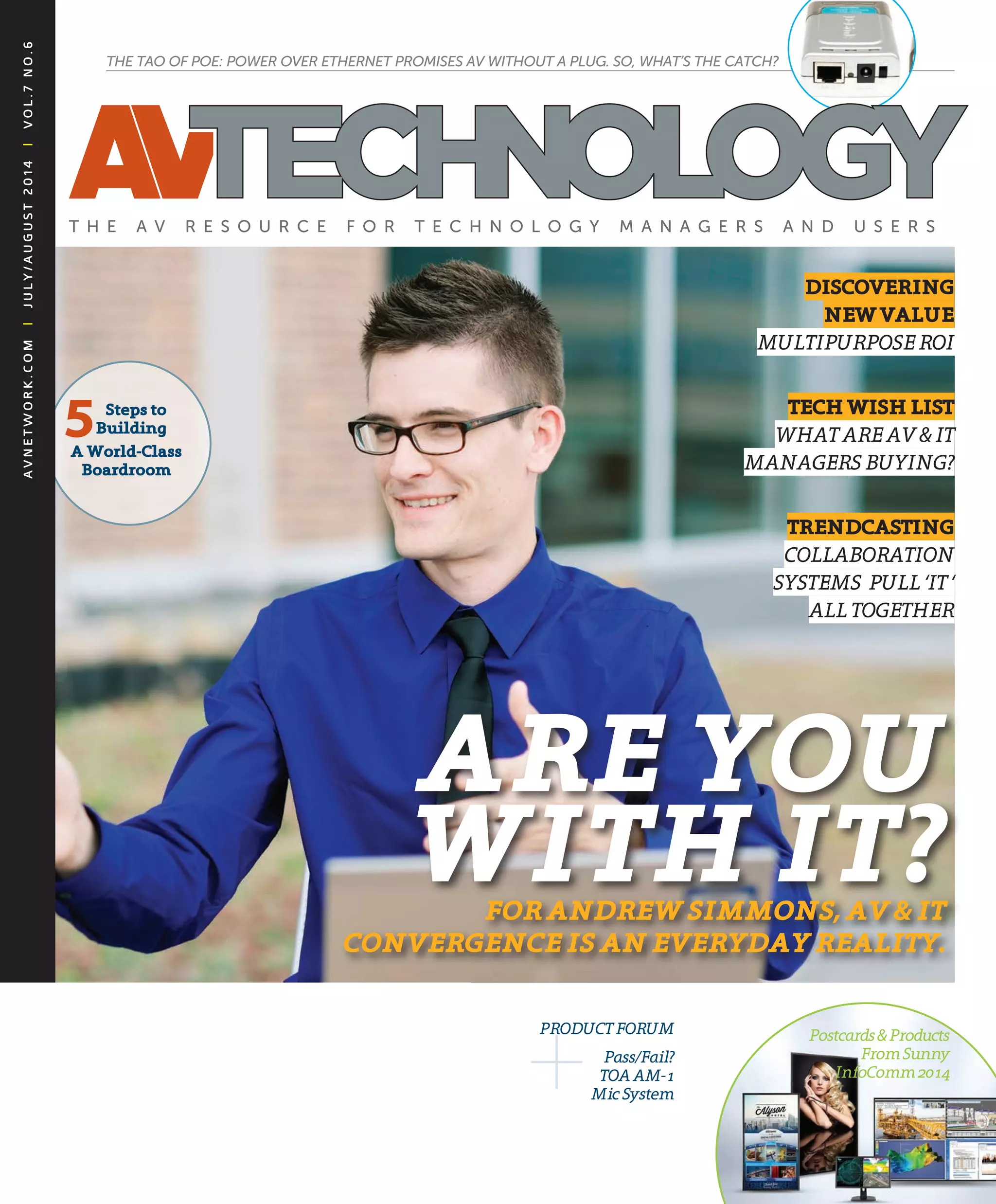
Are You
With it?for AndreW SimmonS, AV & it
conVergence iS An eVerYdAY reAlitY.
diSCovering
neWvAlue
MULTIPURPOSEROI
teChWiShliSt
whaTaREav&IT
ManagERS bUyIng?
trendCASting
cOLLabORaTIOn
SySTEMS PULL ‘IT‘
aLLTOgEThER
+Pass/Fail?
TOaaM-1
MicSystem
PROdUcTFORUM Postcards&Products
FromSunny
Infocomm2014
Capture the detail...
...when knowledge is key
Datapath’s family of HD and SD video capture cards
digitise uncompressed, whole data sources in outstanding full
frame resolution in amazing real time – ensuring you capture
the detail you need. Visit our website for an inspiring visual
experience www.datapath.co.uk
Tel: +44 (0)1332 294 441 Web: www.datapath.co.uk
All brand names, product names and trademarks are the property of their respective owners. Certain trademarks, registered trademarks, and trade names may be used to refer to either the entities claiming the marks and names
or their products. Crestron disclaims any proprietary interest in the marks and names of others. Crestron is not responsible for errors in typography or photography. ©2014 Crestron Electronics, Inc. AD2014_05
Crestron DigitalMedia is the only end-to-end 4K certified solution.
Visit crestron.com/4K to learn more.
Avoid awkward situations like this by switching to 4K.
The problem is that today’s devices are higher resolution than your old switcher can deal with. For example, a 13-inch
MacBook Pro®
with Retina®
has a native resolution of 2560x1600 – well beyond 1080p. (BTW the daughter says, HD
is “so totally 5 years ago.”) DigitalMedia™
4K switchers can display anything up to 4096x2160, enough to make sure
your boss’s presentation at the big meeting looks as OMG, over-the-top, amazingly awesome as it’s supposed to.
TheContents
J u ly / A u g u s t 2 0 1 4 | avnetwork.com4
6 Collaboration is the new blaCk
THE FEED
8 top 10 e-Mailed news stories
Blog Bits and AVTweets
10 analyzing infoCoMM
Get Smart: Educational offerings
Big Ideas
12 ask professor phil
Does RTP really matter for network video?
13 the edge in ed teCh
Debating private cloud vs. public cloud servers in
higher education.
14 who’s Viewing who?
Executives are demanding deeper analytics on
webcasting efforts.
THE DRILL DOWN
16 J2k CoMpression in eduCation
MEET YOUR MANAGER
30 Q&a with tiM daVis, JaCobs Media
32 Q&a with andrew siMMons, raVen
industries
Awards
40 infoCoMM 2014 best of show awards
PRODUCT FORUM
53 hands-on reView: toa aM-1 MiC systeM
Guide
55 / A1 guide to Multipurpose spaCes
AV IN ACTION
34 engaging history
36 historiC upgrade
38 new teCh, new energy
THE GOODS
71 new protean produCts
HOW IT’S DONE
73 san Vs. nas: point/Counterpoint
74 how to Manage edid More effiCiently
Features
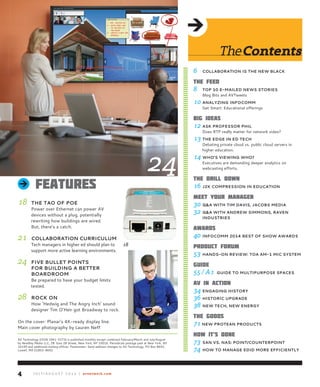
18 the tao of poe
Power over Ethernet can power AV
devices without a plug, potentially
rewriting how buildings are wired.
But, there’s a catch.
21 Collaboration CurriCuluM
Tech managers in higher ed should plan to
support more active learning environments.
24 fiVe bullet points
for building a better
boardrooM
Be prepared to have your budget limits
tested.
28 roCk on
How ‘Hedwig and The Angry Inch’ sound
designer Tim O’Heir got Broadway to rock.
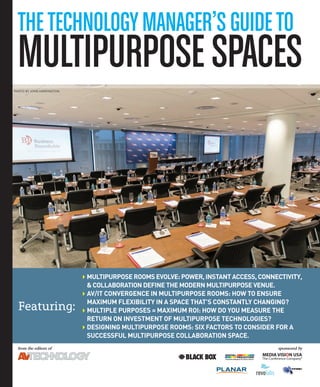
On the cover: Planar’s 4K-ready display line.
Main cover photography by Lauren Neff 32
18
24
AV Technology (ISSN 1941-5273) is published monthly except combined February/March and July/August
by NewBay Media LLC, 28 East 28 Street, New York, NY 10016. Periodicals postage paid at New York, NY
10199 and additional mailing offices. Postmaster: Send address changes to AV Technology, PO Box 8692,
Lowell, MA 01853-8692
J u ly / A u g u s t 2 0 1 4 | avnetwork.com6
Perspective
Collaboration
isthenewblaCkIn commercial facilities, technology managers play a cen-
tral role in how people collaborate—a role that is far from
straightforward as technologies evolve, user profiles change,
and disciplines merge.
On the positive side, a new solution like a videoconferenc-
ing bridge can help navigate competing formats and complex
controls.
On the negative side, tech managers must now worry
about much more than mics, displays, and peripherals. They
must ensure adequate network bandwidth, not just for the
conference room or lecture hall, but all remote participants in far-flung zip codes. And they
must understand how a new technology in the mix might impact unified communications,
including video on the network and related functions. This, in turn, requires coordination
between AV and IT staff for tasks that were previously outside the scope of traditional audio or
video operations. Simply put, in 2014, technology
pros are wearing more hats than ever.
In this month’s issue, we go straight to the source
for collaboration trends and IT/AV convergence in
our cover story, “Meet Your Manager” (page 32), a
Q&A with Andrew Simmons, a senior IT technician
at Raven Industries in South Dakota. In this insight-
ful interview, Andrew shares his experience as both
an AV manager and senior IT decision-maker.
Our feature “Collaboration Curriculum” (page 21) explores how to tech managers in higher
education must be prepared to support more active learning environments. We asked our
sources: How are collaboration and active learning defined in your organization?
In “Five Bullet Points for Building a Better Boardroom” (page 24), Bates College tech man-
ager Gary Russell states that to create the boardroom that meets everyone’s needs, get ready to
have your budget limit tested.
On page 18 we get Zen with the “Tao of POE” (Power over Ethernet). Writer Brian Nadel
drills down into this category to outline the specs and quirks of Power over Ethernet in com-
mercial facilities. POE can power AV devices without a plug, but there are limitations.
We love hearing your feedback on our columns, features, and system profiles. We invite you
to snap a picture of your AV in action or your hybrid AV/IT department. Tag us on Twitter or
Facebook to share your collaboration story.
FOLLOW ME ONLINE
mdouaihy@nbmedia.com
avnetwork.com
avnetwork.tumblr.com
twitter.com/AVTechnologyMag
/pub/av-technology-magazine/27/753/2a4
avnetwork
July/August 2014 vol. 7 no. 6
Editorial
Margot Douaihy Editorial director
MDouaihy@nbmedia.com
Tim Kridel Contributing Editor
James Careless, Phil Hippensteel, Carolyn Heinze, Brian
Nadel, Gary Russell, Adam Stern, Steve Vonder Haar,
David Zuckerman
Contributors
Joey D’Angelo, Gary L. Hall,
Phil Hippensteel, Jan Ozer, Paul Parrie,
Joe Schuch, Ronnie Anne Spang, Steve Vonder Haar
aV technology advisory Board
SalES & MarkEting
Sue Horwitz Publisher
323-933-9485, sue@audientmarketing.com
Stan Kashine national Sales Manager
516-626-2813, skashine@optonline.net
art & ProdUCtion
Nicole Cobban Senior art director
Walter Makarucha, Jr. associate art director
Farrah Aponte Production director
FAponte@nbmedia.com
CirCUlation
Meg Estevez group director, audience development
Michele Fonville associate Circulation Manager
Telephone: 888-266-5828
(u.S.A. only, 8:30 a.m. - 5 p.m. est)
978-667-0352 (outside the u.S.) Fax: 978-671-0460
E-mail: newbay@computerfulfillment.com
Web: MyAVTechmag.com
Subscriptions: AV Technology
P.O. Box 8692, Lowell, MA 01853
nEwBay MEdia CorPoratE
Steve Palm President & CEo
Paul Mastronardi Chief Financial officer
Bill Amstutz VP of Production & Manufacturing
Robert Ames VP of digital Strategy & operations
Denise Robbins VP of audience development
Anthony Savona VP of Content & Marketing
Ray Vollmer VP of Human resources
Jack Liedke Controller
Anthony Verbanac it director
nEwBay aV/ConSUMEr ElECtroniCS groUP
Adam Goldstein Executive VP/group Publisher
Rob Granger online Production Manager
Ragan Whiteside web director
Tom Dinneny web Production Specialist
Published by NewBay Media L.L.C.
28 East 28th Street, 12th Floor
New York, NY 10016
Tel: 212-378-0400
LiST RENTAL: 914-925-2449,
danny.grubert@lakegroupmedia.com
REPRiNTS: 877-652-5295, newbay@wrightsmedia.com
PRiNTED iN THE uSA.
2 Color - Pantone 1797 / Black
1 Color - 100 Black / 40 Black 1 Color - 100 Black
“In 2014,
technology pros
are wearing more
hats than ever.”
© 2014 Christie Digital Systems USA, Inc. All rights reserved.
Deliver it all
Christie®
Velvet™
LED tiles are simply brilliant. Combining
stunning image quality, efficient operation and long life
with a modular design that’s flexible enough to build
spectacular display walls of any size or shape, they are
sure to make a lasting impression.
christiedigital.com/led
Christie Velvet LED tiles
Thefeed10. Weighing in: david labuskes responds to the “Booth Babe”
dilemma
InfoComm president David Labuskes denounced the use of “booth babes,”
adding that the practice “creates an environment that is unwelcome for some
[and] that perpetuates ‘old school thinking.’”
9. 100-Strong: the hdBaset Alliance hits Member Milestone
The cross-industry group tasked with promoting and advancing HDBaseT
technology now has more than 100 members, including Sony, Philips,
Christie Digital Systems, Panasonic, Polycom, Kanexpro, & Aten.
8. train on: Biamp Systems expands training Program
Offered through the Biamp Education Experience, new in-person certifica-
tion courses are available, as well as YouTube and webinar courses that
include a series of “Audio 101” courses.
7. Across the Pond: datapath Strengthens north American Presence
Datapath, the uK-based maker of computer graphics, video capture, & video
wall display technology, has increased their North American presence. Their
growth is due to a multi-part strategy: a new Datapath office in Philadelphia;
increased sales of the flexible Datapath x4 display controller; appointment of
a new sales member, Brian Gremminger; and new additions to their distribu-
tor portfolio—MCA and TMB in America, and IAVI in Canada.
6. Buy in: Whitlock Acquires Business ops of Xerox Av
Whitlock has acquired select business operations of Xerox Audio Visual
Solutions from Global Imaging Systems, a wholly owned subsidiary of Xerox.
Read more about the deal on www.avnetwork.com.
5. google it: Why is google Courting Av Professionals?
The presence of Google at InfoComm had flown under the radar as the tech
giant made a last minute push to send a representatives to Vegas. But they
weren’t there to sell their technology; Google was there to mine for talent.
4. new leadership: nanolumens Appoints new executive vP
Gary Feather, former Senior Vice President of LED Lighting at Sharp
Electronics, has joined NanoLumens as executive VP of operations.
3. on the road: live with newBay’s nYC rental roadshow
The July 23rd Rental Staging Roadshow in New York featured new pre-
sentations on live event safety and the latest 3D projection mapping, from
the industry’s top players including Moment Factory, Worldstage, and more.
2. in Memoriam: 9/11 Memorial uses Av to Share loss & legacy
The long-anticipated National September 11 Memorial & Museum has
opened in the footprints of the World Trade Center in NYC. Electrosonic
provided extensive AV systems for the museum, which is primarily located
about 70-feet below ground and offers an emotional visitor experience.
1. how ‘Casual Sexism’ hurts the Av industry
For all of the women in the industry, the use of “booth babes” sends a mes-
sage: that they remain outsiders.
BLOG BITS / AVTWEETS / JOB BOARD
“Since returning from
InfoComm 2014,
I’ve read a lot about
#AVSelfies, booth babes,
absentee exhibitors, and
the ‘problems with 4K’.
But I’ve seen little written
about the success or
failure of the show from
an audio visual business
perspective and I think
its time someone talked
about why many of us
were there. We flew ten
people to Las Vegas this
year; fed and housed them,
paid for their courses, and
the astonishing number
of taxi chits accumulated
crisscrossing the Strip
to the many ‘free’ vendor
events. Was it a lot of
money? Sure. But not
nearly as much as it cost
the company in lost billable
hours and productivity
during one of the busiest
months of an integrator’s
year.”
—Brock McGinnis
“Both Jan Sandri and
Cory Schaeffer have
demonstrated extraordinary
levels of professional
knowledge, while taking
time to improve the
industry and better the
lives of others. InfoComm
is pleased to celebrate Cory
and Jan’s achievements.”
—David Labuskes
BLOG
BITS
@aVtechnologyMag
What if all municipal
building codes required
loudspeakers in every room?
“State of the Possible” by
Joey D’Angelo
@goCertify
What are you waiting for?
CompTIA is offering new
CertMaster training tools
http://ow.ly/ywWK7
@aVtechnologyMag
Read why IT distributor
SYNNEX won ‘2014
Americas Distributor of the
Year’ at the Lifesize Americas
Partner Summit
eduwire.com Jobs
Board for tech
managers & technicians
Join the aV technology
Magazine eduwire.com
Jobs board for all the
latest it & aV career
posts. here are available
jobs.
• Online AV Multimedia
developer, university of
san francisco
• Unified Communications
sales specialist, london,
united kingdom
• District Director,
information technology,
Coast Community
College district, Costa
Mesa, Ca
AV
TWEETS
Visit avnetwork.com for all the breaking
news that tech managers need to know.
EMAILED NEWS STORIESy
Top10
J u ly / A u g u s t 2 0 1 4 | avnetwork.com8
Infinite Ways to Collaborate
© 2014 Kramer Electronics, Ltd. All Rights reserved.
Reproduction in whole or in part without written permission is prohibited.
CONNECT COLLABORATE ENGAGE
N O W T H E R E ’ S A W A Y T O M E E T S M A R T E R
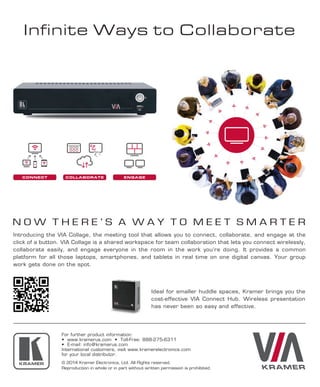
Introducing the VIA Collage, the meeting tool that allows you to connect, collaborate, and engage at the
click of a button. VIA Collage is a shared workspace for team collaboration that lets you connect wirelessly,
collaborate easily, and engage everyone in the room in the work you’re doing. It provides a common
platform for all those laptops, smartphones, and tablets in real time on one digital canvas. Your group
work gets done on the spot.
Ideal for smaller huddle spaces, Kramer brings you the
cost-effective VIA Connect Hub. Wireless presentation
has never been so easy and effective.
For further product information:
• www.kramerus.com • Toll-Free: 888-275-6311
• E-mail: info@kramerus.com
International customers, visit www.kramerelectronics.com
for your local distributor.
TheFeed
news analysis / get smart
J u ly / A u g u s t 2 0 1 4 | avnetwork.com10
News Analysis
Highlights & Trends from
InfoComm 2014
By Alex Mayo
Editor’s Note—Our colleagues at
NewBay’s SCN provided insightful cover-
age of InfoComm 2014. This analysis was
written by Alex Mayo of Shen Milsom &
Wilke. Read Alex’s full report in SCN’s
July edition and www.avnetwork.com.
More Robust Data Reporting and Analysis
with “internet of things” headlines abound, it’s encouraging to see the industry make
strides in workplace management through software and hardware solutions. it puts
aV in an interesting space as manufacturers develop new solutions to compile com-
plex reports from singular data points gathered from the operation of an aV system.
as a consultant, this means we can now guide our clients in experimenting with
different aV solutions and receiving real-time feedback from as far as multiple sites,
or as close as neighboring rooms in the same building. we’ll see a much tighter feed-
back loop, from an occupant’s use habits to human resources and space planning
departments within technology-driven companies.
Collaboration Sheds Its Buzzword Status
Using evidence from the same sort of data analysis above, the rise in smaller huddle
space rooms in commercial architecture is more apparent. this year infoComm hosted
a larger collection of small collaborative solutions.
Designers might be threatened by the lack of space for traditionally sized aV
equipment in these smaller rooms. still, here are a few products that i’m interested in
testing out for their use in small room conferencing and collaboration:
n the audix m3 tri-element ceiling mic.
n as trends point to smaller rooms, the physical footprint of each piece of vis-
ible equipment becomes even more important in creating a well-designed room. with
this in mind, i was impressed with Vaddio’s roboshot Conference & Broadcast PtZ
cameras.
n amX’s addition of conferencing to enzo, proves they are aware of these trends;
a point echoed in their offering of rms enterprise solutions. their DVX line of pre-
sentation switchers received a smaller sibling in the 4x2 format, which in my opinion
is a smart pivot for a device-line that is becoming less essential in smaller rooms.
HDBaseT & IP Based Transport
i expected this show to be a war between HDBaset and the plethora of iP-based video
and audio solutions being offered. after spending considerable time with the thought of
these two ideologies being in competition, i can now see a balance of the two in future
designs as they begin to more clearly reveal their strengths and weaknesses.
as many manufacturers begin to show comfort with the Valens chipset — enough
to begin pushing it to 4K resolution — HDBaset can be seen as a clear transport of
choice in contained room systems, while delivering an exceptional quality of digital
audio and video.
Digital Video Expo
September, 2014
los angeles, Ca
www.dvexpo.com
156th SMPTE Annual
Technical Conference &
Exhibition
October 20-23, 2014
loews Hollywood Hotel
Hollywood, Ca
www.smpte.org/atc2014
InfoComm Connections
October 22-23, 2014
Philadelphia, Pa
www.infocomm.org
2014 DPAA Digital Media
Summit
October, 2014
new york Hilton
www.dp-aa.org
Integrated Systems Russia
October 29-31, 2014
moscow, russia
www.isrussia.ru/en/isrussia/
index.php
get
SMART
www.dvigear.com • 1.888.463.9927 • sales@dvigear.comDigital Connectivity Solutions
Total End-to-End Solution with a wide range
of copper, CAT-X and optical endpoints
Scalable from 8x8 up to 80x80 with over 60
types of available I/O cards
Supports 4K (UHD) and all 3D signal formats
Supports HDCP, HDMI, DVI, SDI, HD-SDI,
3G-SDI, VGA and Component Video inputs
Analog and digital audio crosspoint switching
and embedding per I/O port
Advanced EDID Management with powerful
EDID Editor software
Today’s audiovisual systems must
support a wide range of analog and
digital signal formats. Switching and
distributing these diverse signals can
be a nightmare for system designers.
DVIGear’s MXP Series gives you the
power you need to unify your AV world.
Our routing engines effortlessly switch
and distribute up to 80 sources to 80
displays and offer an unprecedented
array of features. Best of all, they’re
available today. Call us for details.
Dear Professor Phil,
We use IPTV in our school to deliver
video obtained from feed provided by
our cable company. A technician from
that company and I began discussing
the format of the transmitted informa-
tion; he told me that they don’t use RTP
(Real Time Protocol) in the core of their
network like we do in our school. He
said it just adds unnecessary overhead.
I thought the RTP carried the timing
information. Is he right? Is it possible to
eliminate the use of the RTP?
—Ben, Chicago, IL
Ben,
Yes, it is. I assume you are talking about
the use of the mpeg transport structure
which is common in nearly all IPTV
deployments. Here’s a quick review of
that mechanism.
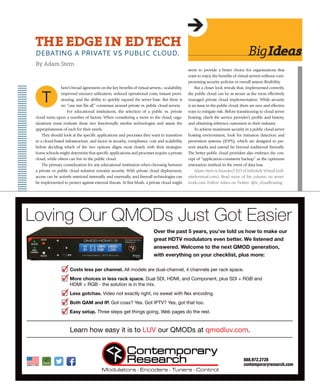
In the simplest case, three inputs feed
the transmitted stream: audio, video and
stream metadata. Figure 1 shows this.
Each input is segmented into 184 byte
blocks to which a four byte header is attached. In the case
of audio and video, this header contains
•	 a byte to indicate the beginning of the header
•	 a PID (program ID)
•	 a continuity counter
•	 an optional adaption field
The program ID binds the audio and video to each
other and shows their relative position in a stream that
may represent many channels. The continuity counter
is simply a number that sequentially increments from 0
to 15 and then repeats. This will be of some help if the
packets get out of order. It’s the adaption header that
contains the time stamp called the PCR (program clock
reference). This optional field must be transmitted at
least ten times per second. Keeping in mind that it will
usually take thousands of 184 mpeg blocks to decode
a single frame representing 1/30 of a second, the PCR
adds very little overhead. The other information carried
within the adaption field is the PAT (program allocation
table) and the PMT (program map table). These are lists
of the current programs and corresponding PIDs. That
is, the PAT contains a table saying program x is on PID
nnn, program y is on PID mmm, and so forth. Then the
decoder looks for the corresponding program map table
and that PMT shows how the audio and video are identi-
fied. As an example, Channel 2 from the cable company
might be listed in the PAT as using PID 00800. Typically,
the corresponding PMT might show the video to be
using PID 00801, left channel audio using PID 00802
and right channel audio using PID 00803.
Phil Hippensteel, PhD, teaches at Penn State
Harrisburg and regularly contributes to AV Technology.
Email your tech questions to pjh15@psu.edu.
bigideas
J u ly / A u g u s t 2 0 1 4 | avnetwork.com12
ASk
ProfeSSorPhil
DOES RTP REALLY MATTER FOR
NETWORK VIDEO?
By Phil Hippensteel
Video
Encoder
184 184 184184184 184
…
MPEG
header 184
MPEG
header 184
MPEG
header 184
…
Audio
Encoder
MPEG
header 184
MPEG
header 184
184 184 184
MPEG
header 184 MPEG
header 184
……
Transmitted Stream
Figure 1: The MPEG
Transport Structure
here’s broad agreement on the key benefits of virtual servers—scalability,
improved resource utilization, reduced operational costs, instant provi-
sioning, and the ability to quickly expand the server base. But there is
no “one size fits all” consensus around private vs. public cloud servers.
For educational institutions, the selection of a public vs. private
cloud turns upon a number of factors. When considering a move to the cloud, orga-
nizations must evaluate these two functionally similar technologies and assess the
appropriateness of each for their needs.
They should look at the specific applications and processes they want to transition
to a cloud-based infrastructure, and factor in security, compliance, cost and scalability
before deciding which of the two options aligns most closely with their strategies.
Some schools might determine that specific applications and processes require a private
cloud, while others can live in the public cloud.
The primary consideration for any educational institution when choosing between
a private or public cloud solution remains security. With private cloud deployment,
access can be actively restricted internally and externally, and firewall technologies can
be implemented to protect against external threats. At first blush, a private cloud might
seem to provide a better choice for organizations that
want to enjoy the benefits of virtual servers without com-
promising security policies or overall system flexibility.
But a closer look reveals that, implemented correctly,
the public cloud can be as secure as the most effectively
managed private cloud implementation. While security
is an issue in the public cloud, there are new and effective
ways to mitigate risk. Before transitioning to cloud server
hosting, check the service provider’s profile and history,
and obtaining reference customers in their industry.
To achieve maximum security in a public cloud server
hosting environment, look for intrusion detection and
prevention systems (IDPS), which are designed to pre-
vent attacks and extend far beyond traditional firewalls.
The better public cloud providers also embrace the con-
cept of “application-consistent backup” as the optimum
restoration method in the event of data loss.
Adam Stern is founder/CEO of Infinitely Virtual (infi-
nitelyvirtual.com). Read more of his column on avnet-
work.com. Follow Adam on Twitter: @iv_cloudhosting
bigideas
theedgeinedteCh
DEBATING A PRIVATE VS PuBLIC CLOuD.
By Adam Stern
T
ielsen ratings are so yes-
terday.
At least, that’s the
case in the corporate
video market, where audience analyt-
ics goes far beyond counting the num-
ber of eyeballs tuning into an event.
Such a metric may mean everything
in the world of television, where aggre-
gate audience totals compiled by The
Nielsen Co. dictate the fees charged to
companies seeking to place advertis-
ing. But they only scratch the surface
of describing the impact that online
video can have in day-to-day business
communications.
Executives not only want to know
the size of their audience. They want to
know more about exactly who is tun-
ing into their videos, as well, according
to a survey of 1,007 executives con-
ducted by Wainhouse Research in the
fourth quarter of 2013.
At organizations that spend more
than $50,000 a year on
streaming and webcasting
technologies, 13% say that
they absolutely, positively
will not deploy stream-
ing solutions that do not
“track who views video” The
percentage of respondents in
this group describing viewer-
ship analytics as “very impor-
tant” topped 50%. Combined,
that makes for almost two-thirds of
organizations with substantial budgets
describing analytics as a “must have”
or “very important” in the streaming
purchase decision.
So, it’s safe to say that viewer-
ship analytics are a big deal. Now
the question we should be asking
ourselves is what type of analytics
capabilities should we be looking for
from a streaming solution. Here’s a
partial list of the viewership informa-
tion that your organization should
be collecting—and analyzing—from
your webcasting efforts:
•	 Registration	 Information: Web
video platforms allow you to start
with the basics. Ask for a viewer’s
name and contact information before showing
them the content they requested. Once the iden-
tifying information is collected, the doors open
wide for more advanced analytics options. On
streaming platforms deployed behind the cor-
porate firewall, recognize that user information
also can be obtained and logged by capturing
data from the corporate directory.
•	 Viewership	by	Geography: Even if one doesn’t
collect viewer ID information up-front, methods
still exist for learning a bit more about your
audience. Data embedded in users’ IP addresses,
for instance, can be used to determine the gen-
eral location from which they are watching. This
information can be aggregated to provide hints
on how a presentation is playing to viewers in
the Midwest, for instance, compared with those
on the West Coast.
•	 Identify	the	Video	Point	of	No	Return: Viewers
can teach us lessons by voting with their eyeballs.
Use viewership tracking tools to identify the exact
point where individuals stop watching your video.
Such data can help you figure out the elements of
your event that are boring to viewers – input that
can help you create more engaging presentations
on your next attempt.
•	 What’s	 on	 Viewers’	 Minds?	 Most streaming
platforms make it possible for viewers to submit
text-based questions during a live event. These
platforms also will track who asked a specific
question and when they posed the query. A post-
event report can link these text questions with
registration information provided by viewers
up-front, making it possible for presenters to
follow-up with viewers after the end of the
event to address questions not handled during
a live presentation. For organizations leverag-
ing webcasts as lead-generation opportunities,
the ability to answer viewer questions provides
bigideas
14
But, take the deeper analytics to heart and put
them to use, and then you’ll be ready to answer
the question the chief invariably will ask a
couple months after the cameras shut off: “did
the webcast make us any money?”
Who’S vieWing
Who?
EXECuTIVES ARE DEMANDING DEEPER
ANALYTICS ON WEBCASTING EFFORTS.
By Steve Vonder Haar
J u ly / A u g u s t 2 0 1 4 | avnetwork.com
N
ANDREY POPOV/ISTOCK/THINKSTOCK
J u ly / A u g u s t 2 0 1 4 | avnetwork.com 15
a legitimate avenue that sales representatives can use to engage
prospects in further dialogue.
•	 Data	 for	 Marketing	 Integration:	 Perhaps the holiest of grails for
online video marketers is to be able to take the data collected during a
webcast event and weave it together with information already collect-
ed on an existing prospect or customer. As a result, significant value
is created when webcast analytics can be fed into existing customer
relationship management software solutions, such as Salesforce.com
or Marketo. When a prospect attends a corporate webcast, sticks
around for an entire presentation and even asks questions during the
event, all that information
can be noted in their CRM
profile. That data can then
be used to better “rank”
prospective customers in
terms of their interest in
a product, allowing orga-
nizations to focus selling
efforts on those customers
most likely to buy.
Even with all this information at your fingertips, you should always
be ready to answer the first question that will come out of your boss’s
mouth at the end of an online event: “How many people attended?”
That is human nature. We all love to hear about the Nielsen ratings.
But, take the deeper analytics to heart and put them to use, and then
you’ll be ready to answer the question the chief invariably will ask a
couple months after the cameras shut off: “Did the webcast make us
any money?”
Steve Vonder Haar is a senior analyst with Wainhouse Research and
can be reached at svonder@wainhouse.com.
New HSA
Pricing
Released
the what: New, confidential
pricing was announced by hsa
“the rolltop people” and is im-
mediately available in pdf or
print form to hsa dealers.
the what else: this new
price guide was reformatted to
place hsa’s well-known audio/
Video control desks into “fami-
lies” of desk styles and dimen-
sions. hsa’s Chief of operations
& designer, alan oglesby stated:
“our dealer’s begin with the price
sheet, and its new visual format
helps guide them through an
easier, more straight-forward
core design or starting point,
whether it’s a single desk or
a large, multi-desk and rack
system aV production center”.
email: hsainfo@hsarolltops.com
714.641.6607www.hallresearch.comA New Wave in Connectivity
CELEBRATING 30 YEARS OF INNOVATION
12 input Switcher
4x HDMI, 4xVGA, 2x CV, 1x S-Video, 1x YPbPr
3 Simultaneously Active Outputs
VGA, HDMI, and HDBaseT™
Scaler with User Settable Output Resolution
User friendly and intuitive front panel design
SC-12BT
MULTI-FORMATSCALERSWITCH
OUTPUTWITH
s universities and K-12 schools look to optimize the educa-
tional experience through sharing audio and video content
across campuses and remote facilities, high-quality media
transport is essential. However, transporting live video con-
tent comes with significant cost and technical challenges.
The price to lease connectivity or build a private network capable of trans-
porting uncompressed video between remote sites is prohibitive except
in the case of direct fiber. The solution is to compress the video prior to
transport which requires significantly less bandwidth on a given network.
This comes with a few technical challenges, including configuring and sup-
porting complex compression equipment and the resulting latency or delay
that can make interactive communications difficult.
Until recently, most organizations relied upon MPEG standards for
video compression. This includes MPEG-2, MPEG-4, AVC, and H.264.
While MPEG is advantageous for many applications, J2K (JPEG 2000)
compression has become the ideal solution when high quality and low
latency are important considerations. This article covers the benefits J2K
provides to the education market, and reviews the wide range of applica-
tions it supports.
what is J2k?
J2K is a well- eveloped and deployed standard released in 2000 by the Joint
Photographic Experts Group. Through the use of discrete wavelet trans-
form, J2K achieves very high image fidelity when used at low compression
ratios of less than 15 to 1(i.e. large compressed file sizes) or about 100Mb/s
for an HD-SDI signal.
J2K is different than MPEG compression in many ways, including the
fact that it provides independent compression of each frame versus Group
of Pictures (GoPs), has the ability to produce both lossless and visually loss-
less compressed video signals, responds better to poorer quality networks
or fault tolerance, and simplifies editing of the video.
lower latenCy and fault toleranCe
J2K uses standard frame-by-frame compression (also called Intra-frame
only) which helps to minimize the end-to-end delay in transporting
audio and video. Since each frame is individually encoded versus groups
of frames there is no need to buffer multiple frames in either the
encoder or the decoder, as a result end-to-end latency is less than
three frames.
On occasion, errors or lost packets occur in transmission of
video over a network. How the decoder reacts to these uncorrected
errors can significantly affect video quality. MPEG is a block-based
compression system and displays errors localized to specific areas
of the video image. These errors often appear as rectangular blocks
of distorted or missing picture data, a phenomenon called “macro
blocking.” J2K wavelet-based compression displays errors as an
overall softening of an image, with high-contrast edges within the
image becoming somewhat blurry. For severe degradations, where
most or all of the compressed image data is missing from a bit
stream, advanced J2K decoders simply repeat the last valid frame
of video, thereby effectively concealing the lost frame. The result is
robust fault tolerance and a much more user-friendly masking of
transmission errors.
The ramifications for schools and colleges utilizing J2K in
delivering high-definition video for synchronous virtual classrooms
are huge; eliminating delays and degradation improves instructors’
effectiveness and increases student attentiveness and interactive
participation, and with little to no delay, the interaction between
professors or teachers and their students becomes more natural.
high Quality iMages and sound
J2K provides outstanding video image quality bit rates between
80 to 150 Mbps range for HD video. This is due in large part to
the properties of wavelet compression, as well as to the use of
theBenefitS
&SPeCSofJ2k
CoMPreSSion
ineduCAtion
APPliCAtionS
By Richard Dellacanonica
A
J u ly / A u g u s t 2 0 1 4 | avnetwork.com16
Thedrilldown
At the University of Cincinnati’s College of Design, Architecture, Art &
Planning, Dan Dugan, the University’s equipment applications specialist,
manages a diverse AV setup for the department’s most popular 200-seat
auditorium. Here, faculty and graduates needed to display a variety of
images, everything from a 4 x 6 printed photograph or a video segment on
an historical piece of architecture, to the teacher’s personal laptop displaying
the latest graphic arts software. Featured technology in this application are
AMC control solutions and the Pointmaker collaboration tool.
J u ly / A u g u s t 2 0 1 4 | avnetwork.com 17
4:2:2 color sampling and 10-bit color resolution.
Together these factors deliver a visually lossless
signal that is comparable to the original camera
output signal. In addition, all of the embedded
audio signals are transported without compres-
sion, delivering perfect fidelity to the audio
source signal. Utilizing J2K educational institu-
tions can maintain a superior video and audio
quality essential to keeping individuals, class-
rooms, and other distant audiences captivated.
“its ease of use and sup-
port make J2K ideal for
environments where
rapid deployment
and redeployment are
required by non-com-
pression experts.”
ease of iMpleMentation
Implementing a J2K solution is relatively easy. All
a facility needs to do is supplement their existing
MPEG solutions with J2K systems, as both use
DVB-ASI and SMPTE 2022 standards for trans-
porting the compressed signals. The J2K signal is
just another video stream in an existing transport
infrastructure. In addition, the recently released
Video Services Forum TR-1 for J2K Interoperability
makes J2K an even more attractive alternative to
MPEG compression.
ease of use
J2K encoders and decoders are surprisingly sim-
ple and flexible to configure for use. Typical
systems offer just a few options for device con-
figuration, from compression size to number of
audio channels, making training, installing, and
maintaining equipment much easier. J2K-based
video transport systems are ideal in educational
environments where oftentimes installers and
support personnel do not have extensive experi-
ence with video and audio.
editing/post produCtion
Another key J2K benefit is that its use of stan-
dard frame-by-frame compression makes edit-
ing straightforward. This is in sharp contrast to
MPEG which uses GoPs that complicate edit-
ing and switching by limiting them to only
the intra-coded frames that include a complete
picture. Frame-by-frame editing and switching
is particularly valuable for live events such as
commencements or sports games where multiple
cameras may be used to focus on key individuals,
teams, or audiences to provide a more dynamic
broadcast.
Cost-effeCtiVe
J2K equipment is a cost-competitive solution for
high-quality contribution quality media trans-
port. J2K encoders and decoders are very afford-
able, and usually a simple plug-in to media trans-
port chassis. This is in contract to MPEG solu-
tions where complex, high-quality 10bit 4:2:2
MPEG encoders are very expensive and decoders
are slightly less. Factoring the two together, a J2K
solution is considerably less expensive than con-
tribution quality MPEG solutions for one-to-one
encode/decode applications. In addition, J2K is
easily transported over inexpensive IP networks
using the new generation of MPLS.
Richard Dellacanonica is the president of Artel
Video Systems (www.artel.com). Read more of his
work on www. avnetwork.com.
Extend 4K (UHD) video up to 250 ft. over one CAT-X
cable using our HDMI and DVI TPS Extenders.
HDMI, DVI and HDCP compliant
Resolutions up to 4096x2160 / 24p, 30p
Extends 1080p up to 600 ft. and 4K up to 250 ft.
HDMI, RS-232, IR, Ethernet and Remote Power all
over a single CAT-X cable
Get future-ready with our full range of 4K signal routing
products. Best of all, they’re available today.
Call us to learn more.
1.888.463.9927 • www.dvigear.com • sales@dvigear.com
Extend 4K
Over One CAT Cable
J u ly / A u g u s t 2 0 1 4 | avnetwork.com18
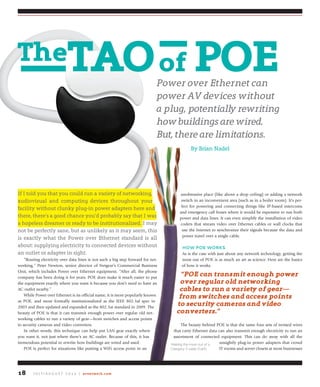
If I told you that you could run a variety of networking,
audiovisual and computing devices throughout your
facility without clunky plug-in power adapters here and
there, there’s a good chance you’d probably say that I was
a hopeless dreamer or ready to be institutionalized. I may
not be perfectly sane, but as unlikely as it may seem, this
is exactly what the Power over Ethernet standard is all
about: supplying electricity to connected devices without
an outlet or adapter in sight.
“Routing electricity over data lines is not such a big step forward for net-
working,” Peter Newton, senior director of Netgear’s Commercial Business
Unit, which includes Power over Ethernet equipment. “After all, the phone
company has been doing it for years. POE does make it much easier to put
the equipment exactly where you want it because you don’t need to have an
AC outlet nearby.”
While Power over Ethernet is its official name, it is more popularly known
as POE, and more formally institutionalized as the IEEE 802.3af spec in
2003 and then updated and expanded as the 802.3at standard in 2009. The
beauty of POE is that it can transmit enough power over regular old net-
working cables to run a variety of gear—from switches and access points
to security cameras and video converters.
In other words, this technique can help put LAN gear exactly where
you want it, not just where there’s an AC outlet. Because of this, it has
tremendous potential to rewrite how buildings are wired and used.
POE is perfect for situations like putting a WiFi access point in an
unobtrusive place (like above a drop ceiling) or adding a network
switch in an inconvenient area (such as in a boiler room). It’s per-
fect for powering and connecting things like IP-based intercoms
and emergency call boxes where it would be expensive to run both
power and data lines. It can even simplify the installation of video
coders that stream video over Ethernet cables or wall clocks that
use the Internet to synchronize their signals because the data and
power travel over a single cable.
how poe works
As is the case with just about any network technology, getting the
most out of POE is as much an art as science. Here are the basics
of how it works.
The beauty behind POE is that the same four sets of twisted wires
that carry Ethernet data can also transmit enough electricity to run an
assortment of connected equipment. This can do away with all the
unsightly plug-in power adapters that crowd
IT rooms and server closets at most businesses
thetAoof PoePower over Ethernet can
power av devices without
a plug, potentially rewriting
how buildings are wired.
but, there are limitations.
By Brian Nadel
“Poe can transmit enough power
over regular old networking
cables to run a variety of gear—
from switches and access points
to security cameras and video
converters.”
Making the most out of a
Category 5 cable (Cat5)
J u ly / A u g u s t 2 0 1 4 | avnetwork.com 19
and schools.
Standard POE set ups use four of the cable’s eight wires to move the power
as well as data. While the way wires 1 through 3 and 6 work are unchanged,
wires 4 and 5 carry the positive portion and pins 7 and 8 carry the negative
portion of POE’s electrical flow.
It is able to deliver direct current power at a maxi-
mum of 57-volts that maxes out at 15.4 watts for the
802.3af spec while the newer 802.3at variant can supply
up to 25.5 watts. That’s more than enough for an access
point, VOIP phone, remote LAN switch or other gear.
While POE is a good way to power remotely located
gear in a facility, it has its limitations; that’s where pro-
prietary power formats come in. For instance Cisco’s in-
house power spec can break through the 25.5-watt power
barrier to deliver more power to where it’s needed.
Be warned, though, this and other proprietary set ups
aren’t standard and aren’t compatible with each other
or 802.3 af or at based POE equipment. For instance, Cisco’s 6000 family of
network switches routes power over the 1, 2, 3 and 6 Ethernet lines, which
doesn’t conform to the 802.3 af and at standards. In other words, the gear
won’t work with a standard POE network.
The beauty is that if they’ve been designed to the 802.3 af/at spec and
installed properly, the POE equipment should be interoperable, mean-
ing that you can mix and match products from a variety of companies.
For instance, instead of an all-Cisco show, you can select best of breed
by mating a POE Axis Switch with a surveillance camera from D-Link,
or vice versa.
Regardless of whether you use a proprietary standard, the af or at
spec, the technique is sensitive to the type of cabling used. For example,
it works best with recent Cat-5 or -6 cables, although lower power devices
can be accommodated over existing runs of Cat-3 cabling but at lower power.
This spec can literally put power for these devices out of sight. This is
particularly the case for VoIP phones, where you don’t want to have to use a
power adapter to run the phone and with IP surveillance cameras, where
it can be more easily hidden if there’s no extra cord coming out of the
device that needs to be plugged in.
On the downside, the POE equipment is slightly more expensive
compared to off-the-shelf Ethernet gear. It has a big pay-off, though,
when used in a new or retrofitted facility. That’s because installation of
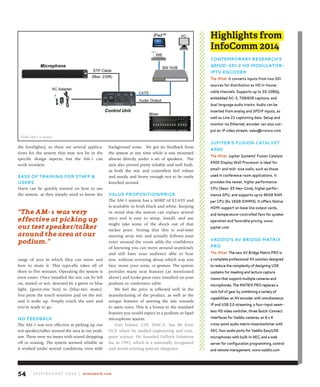
gear is simplified by the one-cable approach to power and data delivery.
You can also often reduce the number of AC outlets you have to design
into a building because the facility’s networking cables can carry some
of the power distribution burden.
In other words, fewer outlets can translate into a smaller building or
renovation budget. “This can actually cut construction costs,” added Netgear’s
Newton. “It’s being built into every new construction project.”
power in, power out
To add power to an Ethernet device, first off, you need to have what’s called a
Power Sourcing Device (PSD). More commonly known
as an injector, a PSD is a simple device that connects the
Ethernet line to an AC electrical outlet and sends the
necessary power through the cabling.
The PSD end of the power equation comes in two
types. It can be built into a network switch or be a
separate module that plugs into a wall outlet and the
network.
If you go the integrated switch route, this means that
you can have a POE network without really doing any
extra heavy-duty network design work. For example,
Netgear’s family of ProSafe switches can add power to
any network. “Using a switch as a way to inject power into a network can
simplify setting up Power over Ethernet,” according to Newton of Netgear.
Once you have mixed power and data in your LAN, there are some extra
benefits that accrue. For instance, Netgear’s ProSafe switches can automati-
“While Poe is a
good way to power
remotely located
gear in a facility, it
has its limitations;
that’s where
proprietary power
formats come in.”
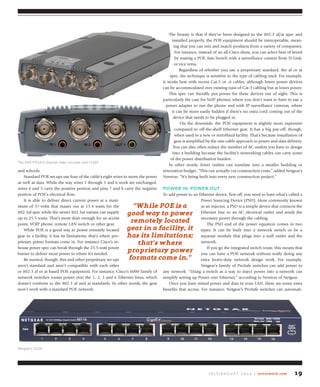
Netgear’s GS116
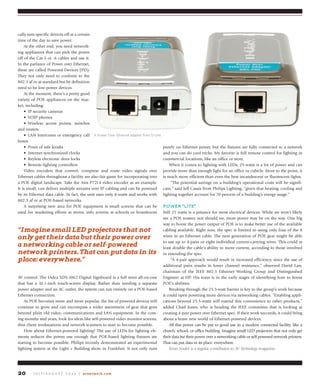
The AXIS P7214 4-channel video encoder with H.264
J u ly / A u g u s t 2 0 1 4 | avnetwork.com20
cally turn specific devices off at a certain
time of the day to save power.
At the other end, you need network-
ing appliances that can pick the power
off of the Cat-5 or -6 cables and use it.
In the parlance of Power over Ethernet,
these are called Powered Devices (PD).
They not only need to conform to the
802.3 af or at standard but by definition
need to be low-power devices.
At the moment, there’s a pretty good
variety of POE appliances on the mar-
ket, including:
•	 IP	security	cameras
•	 VOIP	phones
•	 Wireless	 access	 points,	 switches	
and routers
•	 LAN	Intercoms	or	emergency	call	
boxes
•	 Point	of	sale	kiosks
•	 Internet	synchronized	clocks
•	 Keyless	electronic	door	locks
•	 Remote	lighting	controllers
Video encoders that convert, compress and route video signals over
Ethernet cables throughout a facility are also fair game for incorporating into
a POE digital landscape. Take the Axis P7214 video encoder as an example.
It is small, can deliver multiple streams over IP cabling and can be powered
by its Ethernet data cable. In fact, the unit uses only 8-watts and works with
802.3 af or at POE-based networks.
A surprising new area for POE equipment is small screens that can be
used for marketing efforts at stores, info screens at schools or boardroom
AV control. The IAdea XDS-1062 Digital Signboard is a full mini all-on-one
that has a 10.1-inch touch-screen display. Rather than needing a separate
power adapter and an AC outlet, the system can run entirely on a POE-based
Ethernet connection.
As POE becomes more and more popular, the list of powered devices will
continue to grow and can encompass a wider assortment of gear that goes
beyond plain old video, communications and LAN equipment. In the com-
ing months and years, look for ideas like self-powered video monitor screens,
thin client workstations and network scanners to start to become possible.
How about Ethernet-powered lighting? The use of LEDs for lighting ele-
ments reduces the power use enough that POE-based lighting fixtures are
starting to become possible. Philips recently demonstrated an experimental
lighting system at the Light + Building show in Frankfurt. It not only runs
purely on Ethernet power, but the fixtures are fully connected to a network
and you can do cool tricks. My favorite is full remote control for lighting in
commercial locations, like an office or store.
When it comes to lighting with LEDs, 25-watts is a lot of power and can
provide more than enough light for an office or cubicle. More to the point, it
is much more efficient than even the best incandescent or fluorescent lights.
“The potential savings on a building’s operational costs will be signifi-
cant,” said Jeff Cassis from Philips Lighting, “given that heating, cooling and
lighting together account for 70-percent of a building’s energy usage.”
power “lite”
Still 25 watts is a pittance for most electrical devices. While we won’t likely
see a POE toaster, nor should we, more power may be on the way. One big
way to boost the power output of POE is to make better use of the available
cabling available. Right now, the spec is limited to using only four of the 8
wires in an Ethernet cable. The next generation of POE gear might be able
to use up to 4-pairs or eight individual current-carrying wires. This could at
least double the cable’s ability to move current, according to those involved
in extending the spec.
“A 4-pair approach would result in increased efficiency, since the use of
additional pairs results in lower channel resistance,” observed David Law,
chairman of the IEEE 802.3 Ethernet Working Group and Distinguished
Engineer at HP. His team is in the early stages of identifying how to boost
POE’s abilities.
Breaking through the 25.5-watt barrier is key to the group’s work because
it could open powering more devices via networking cables. “Enabling appli-
cations beyond 25.5-watts will extend this convenience to other products,”
added Chad Jones, who is heading the IEEE committee that is looking at
creating 4-pair power over Ethernet spec. If their work succeeds, it could bring
about a brave new world of Ethernet-powered devices.
All this power can be put to good use in a modern connected facility, like a
church, school, or office building. Imagine small LED projectors that not only get
their data but their power over a networking cable or self-powered network printers.
That can put data in its place: everywhere.
Brian Nadel is a regular contributor to AV Technology magazine.
“imagine small led projectors that not
only get their data but their power over
a networking cable or self-powered
network printers. that can put data in its
place: everywhere.”
A Power Over Ethernet adapter from D-Link
J u ly / A u g u s t 2 0 1 4 | avnetwork.com 21
“It’s not only that folks are coming to
campus with BYOD; now it’s Bring You
Own Everything, really,” said Malcolm
Brown, director of the EDUCAUSE
Learning Initiative, a community of
institutions working to advance higher
education through technology. “The
challenge is herding all of these cats,
because now you have a proliferation
of platforms and capabilities, and also:
how do you take advantage of this in
the teaching and learning space?” He
urges colleges and universities to focus
less on the negative effects of BYOD—
students checking their email during
lectures, for example—and more on
the benefits it has to offer. “You can’t
keep the network out of the classroom
and you can’t keep these devices off
campus. What you can do, obviously,
is you can say, ‘for certain critical things
we can support these sorts of devices
and not those,’ and things like that.
It is a bit of a challenge, but there are
Collaboration
Curriculum
Tech managers in higher education should plan to support more
active learning environments.
By Carolyn Heinze
A recent study conducted by EDUCAUSE found that a majority of undergraduates own two to three Internet-enabled
devices, and the more of these devices they own, the more they’re inclined to see the advantages of applying technol-
ogy to their education. For those tech managers that are still gunning against BYOD, this suggests—strongly—that
they’re fighting a losing battle.
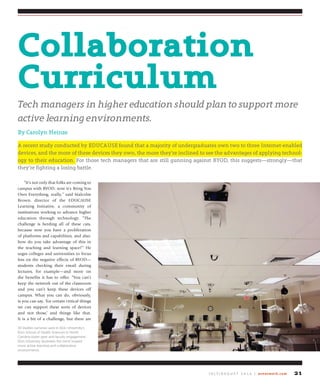
30 Vaddio cameras used in Elon University’s
Elon School of Health Sciences in North
Carolina foster peer and faculty engagement.
Elon University illustrates the trend toward
more active learning and collaborative
environments.
J u ly / A u g u s t 2 0 1 4 | avnetwork.com22
opportunities there, too, in terms
of these devices as enablers and not
just impediments.”
This is an especially important
point for colleges and universities
that are exploring active learning,
which the University of Minnesota’s
Center for Teaching and Learning
defines as students engaging in their
studies “through reading, writing,
talking, listening, and reflecting,”
rather than more traditional forms
of instruction, where the prof is the
one who does most of the talking.
Last summer, the EDUCAUSE Learning Initiative
launched a beta version of its Learning Space
Rating System, which is made up of close to 50
criteria upon which classroom design can be
assessed for its readiness for active learning. The
system is comparable to the U.S. Green Building
Council’s LEED model, which is used to rate the
level of sustainability and environmental friend-
liness in the construction process.
“The recognition that active learning is better
for learning than a more passive learning mode—
we’ve seen that begin to inform classroom design
and classroom outfitting,” Brown said. “We’re
seeing designs that are trying to anticipate, or
build into them, active learning engagements.”
He points to the increasing interest in mobile
projection, which enables anyone with a capable
device to project content to the entire class,
as an example. “[It makes] the class more par-
ticipatory—in a sense, more democratic—and is
something, I think, that is representative of the
direction in which things are going.”
Along the same lines, Gina Sansivero, director
of FSR Inc., a manufacturer of collaboration tools,
switchers, and control products headquartered in
Woodland Park, N.J., has noticed a definite shift
away from interactive learning through the use
of interactive whiteboards, toward collaborative
learning, which allows for increased participa-
tion. “Where you have some sort of interactivity
with an interactive whiteboard, you generally,
more often than not, have one or two users up at
that screen,” she said. “With collaboration, you
have four, five, 10 users at a time able to work on
a single project and then sharing that work with
the other students, either within a classroom or
on different parts of the continent, or the world
in some cases, depending on how their distance
East Meets West
A fully equipped teaching and production facility for both students and the community at large, the newly
opened 120,000 square foot Emerson College Los Angeles features a screening room, an audio/video
mixing suite, classrooms, faculty offices, and a residence hall. Waveguide Consulting’s Los Angeles of-
fice headed up the design for the audiovisual and structured cabling systems. David Gales, principal and
director of California Operations at the firm, explains that the concept of the “connected classroom” was
relatively new to Emerson, which previously only had to contend with communications between the build-
ings on its main campus in Boston, MA. “Now that they’ve moved in and are operating here, they have their
videoconferencing and distance learning classroom, and they use that to link to Boston,” he said. “They
also do a lot of videoconferencing between Boston and L.A. on an administrative and operational level––
because their administrative and operational activities have been elevated to a much bigger scale, they use
the connection for that.”
“You can’t keep the
network out of the
classroom and you can’t
keep these devices off
campus.”
“With
collaboration, you
have four, five, 10
users at a time able
to work on a single
project and then
sharing that work
with the other
students.”
When GateWay Community College in Phoenix, AZ, decided to build a new Integrated Education Building and remodel its Maricopa Skill
Center campus, one of the goals was to equip classrooms with new technology that would allow students and faculty access to digital AV
and HDCP content in a simple-to-use configuration. Kramer Electronics products were used widely in the deployments.
J u ly / A u g u s t 2 0 1 4 | avnetwork.com 23
learning is set up. Collaborative learning has
really become a punch list item for those higher
ed. institutions; it’s something that they know
they need if they don’t have it already.”
While David Gales, principal and director of
California Operations at Waveguide Consulting
Inc., an audiovisual and communication technol-
ogy consulting group headquartered in Decatur,
Ga., concedes that students expect technology
to be part of the instruction and learning pro-
cess—and that technologically advanced
facilities will have a competitive advan-
tage—he also believes that there will still
be room for more traditional models.
“There are some who say the physical
campus is going to go away, or it will
become greatly diminished. I really don’t
see that happening,” he said. “I think
these technologies that can educate peo-
ple online without the physical campus
or the physical presence of an
instructor are valuable for a
certain segment of the market,
but not for everybody.” He cites
a recent visioning project that
he and his team conducted for a
community college, which included
interviews with students: “Quite a few
students said, ‘Look, I don’t want all of this
online, remote, flipped classroom stuff. I want
to come to a class and I want a
structured environment with a
teacher teaching me.’ So there is
a student population out there
that needs the structure, that
needs the social connections, that
needs the resources of a physical
campus, and I don’t think that’s going
to go away.”
Carolyn Heinze is a freelance writer/editor.
Capital
Conundrum
while technology generally needs to be
upgraded every three to five years, the
budgeting models that many colleges and
universities apply don’t always accommo-
date this––especially when funding for these
systems come from capital improvement
projects, which are sometimes as long as 25
years apart.
“what happens is the technology gets old
and starts to fail, and it becomes challeng-
ing to keep it up to date,” said david gales,
principal and director of California opera-
tions at waveguide Consulting inc. what’s
more, there is often a big difference between
how advanced the technology is in one
building on campus, versus the building next
door. “and now you have this huge disparity
between what was done five years ago and
never updated, and what’s new in the latest
building. the funding systems and the legacy
organizations have not really evolved in a lot
of institutions to keep up with what the new
model needs to be.”
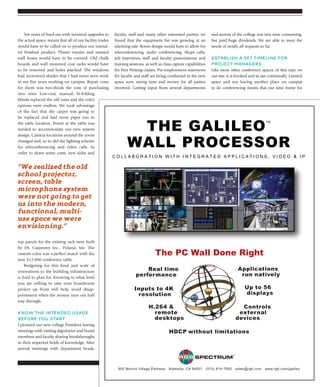
AUDIO AND CONTROL DATA AT THE START OF THE SIGNAL PATH.
Audio-Technica’s new Network Microphones put you in control. The integrated, program-
mable user switch lets you trigger a video camera’s pan/tilt, a room’s lighting preset or any
other function of a compatible Dante-enabled device. And, of course, you still get the clear,
articulate sound you expect from A-T.
Introducing Network Microphones
with Direct Dante™
Protocol
Dante™
is a trademark
of Audinate Pty Ltd.
eduCause
www.educause.edu
fsr inC.
www.fsrinc.com
waVeguide
Consulting inC.
www.waveguide.com
info
J u ly / A u g u s t 2 0 1 4 | avnetwork.com24
5tips for Building a
Better Boardroom
be prepared to have your budget limits tested.
By Gary Russell
As a veteran AV integrator and tech manager in higher education, I can usually prepare a room for upgrades and over-
hauls without taking too much time or sweat working out the details. When tasked with working with our designer
and brainstorming ideas for renovating our executive boardroom, we realized the old school projector, screen, table
microphone system were not going to get us into the modern, functional, multi-use space we were envisioning.
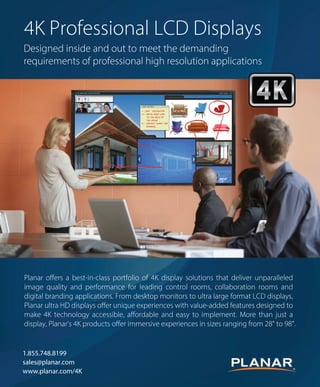
Oregon-based Planar Systems has expanded its 4K product offerings with new displays ranging
in size from 28-inches to 98-inches. The new Ultra HD resolution Planar EP-Series LCD
displays come standard with the features required for commercial-grade applications., such
as boardrooms. Also available in touch versions, Ultra HD Planar EP-Series displays bring
interactivity to the 4K immersive experience.
J u ly / A u g u s t 2 0 1 4 | avnetwork.com 25
Ten years of hard use with minimal upgrades to
the actual space, meant that all of our facility trades
would have to be called on to produce our intend-
ed finished product. Plaster repairs and unused
wall boxes would have to be covered. Old chalk
boards and wall mounted coat racks would have
to be removed and holes patched. The windows
had motorized shades that I had never seen work
in my five years working on campus. Repair costs
for them was two-thirds the cost of purchasing
new ones. Low-cost, manual, bi-folding
blinds replaced the old ones and the color
options were endless. We took advantage
of the fact that the carpet was going to
be replaced and had more pipes run to
the table location. Power at the table was
needed to accommodate our new system
design. Camera locations around the room
changed and, so to did the lighting scheme
for teleconferencing and video calls. In
order to shave some costs, new sides and
top panels for the existing rack were built
by DL Carpentry Inc., Poland, Me. The
custom color was a perfect match with the
new $12,000 conference table.
Budgeting for this kind and scale of
renovations to the building infrastructure
is hard to plan for. Knowing to what level
you are willing to take your boardroom
project up front will help avoid disap-
pointment when the money runs out half
way through.
know the intended usage
before you start
I pictured our new college President having
meetings with visiting dignitaries and board
members and faculty sharing breakthroughs
in their respected fields of knowledge. After
several meetings with department heads,
faculty, staff and many other interested parties, we
found that the equipment list was growing at an
alarming rate. Room design would have to allow for
teleconferencing, audio conferencing, Skype calls,
job interviews, staff and faculty presentations and
training sessions, as well as class capture capabilities
for Peer Writing classes. Pre-employment interviews
for faculty and staff are being conducted in the new
space now, saving time and money for all parties
involved. Getting input from several departments
and sectors of the college was very time consuming,
but paid huge dividends. We are able to meet the
needs of nearly all requests so far.
establish a set tiMeline for
proJeCt Managers
Like most other conference spaces of this type on
our site, it is booked and in use continually. Limited
space and not having another place on campus
to do conferencing meant that our time frame for
“We realized the old
school projector,
screen, table
microphone system
were not going to get
us into the modern,
functional, multi-
use space we were
envisioning.”
J u ly / A u g u s t 2 0 1 4 | avnetwork.com26
completion was very tight. Project management and
facilities work crews had to be held to a strict time
line that could keep the project moving forward. AV
personnel explained in detail, the expected results
and passed on important information regarding
wiring changes, cameras, monitors, speaker and
lighting locations. Electrical and data requirements
had to be met to allow for wall patching and paint-
ing. Until the lighting for the conferencing aspect of
the job was in place, all the finished, repaired sheet
rock work passed inspection.
ADDRESS ANY UNEXPECTED ISSUES
ASAP
Unfortunately, once the walls were lit, imperfec-
tions in the wall repairs were apparent; more
sanding and painting was needed. These are the
type of things that can’t be predicted, but must
be addressed. That particular wall was behind the
head of table and on camera all the time. This is
when “good enough” just isn’t good enough.
HAVE YOUR DESIGN PLAN AND
EQUIPMENT LIST
A completed design plan and equipment list will
help mentally place equipment in the system and
help locate where pieces and parts will reside. The
documentation should give equipment brands
and locations for mounting and installation.
Integrators will also need distances and dimen-
sions to locate monitor mounts, cameras, speakers
and any other associated equipment.
Equipment for the new boardroom will more
than likely have to reside in the space, due to users
needing access to things like the computers disc
drive, DVD player and capture devices USB ports.
Rack design and layout is critical unless you want
to have a big, cumbersome standalone rack. Racks
of this type do not often work well with board-
room furniture and conference tables. Think small
and plan wisely. Transmitters for AUX inputs and
keyboard/mouse combos can be tucked away in
table legs to help hide wire and save rack spaces.
BE PREPARED & EXPECT CHANGES
After building our new boardroom at Bates College,
we found that there were users who were in need of
a camera facing the front of the room. They wanted
to practice interviewing and record the results to
critique themselves. Another camera was added
to the system. When the room was in the Skype
or teleconferencing mode, lighting was harsh and
caused the camera video levels to be to high. The
previous lighting layout was not setup for a table
of this size and had to be repositioned. Most of the
presets in the lighting controller were also reset. The
Crestron V15 control panel was used at the head of
table location for complete system control and also
doubled as the computer monitor, saving space
and clutter on the table. We have Crestron Capture
HD and DMPS-300, Sony EVI-D100 cameras, the
Vaddio Conferencing Bridge, and LG monitors.
It was at this time that we realized the program-
Bates Boardroom
At a Glance
Crestron Capture HD
Crestron DMPS-300
Crestron V15 control panel
LG monitors
Motorized shades
Sony EVI-D100 cameras
Vaddio AV Conferencing Bridge
Wishsome
day YOU
WILL
your stuff used
SONIC SHOCK
alarmsanti-theft
our
stuff
122db
117db
SONIC
SHOCK
alarms
anti-theft
www.sonicshock.com
J u ly / A u g u s t 2 0 1 4 | avnetwork.com 27
ming for the system needed major changes to keep
up with the modifications done to the system.
Separate pages were added for picture-in-picture
(PIP) window size and position. A page was added
for the two cameras and their presets. A lighting
page with presets for conferencing, Skype, capture
recording and streaming, and several meeting and
function presets. A monitor page was also added to
allow tech savvy users to route signal to the three
monitors. A Skype button, teleconferencing button,
audio conference button, Peer Writing button and
Meeting button all reside on the initial start up page
that automates room functions. For example, the
Skype button turns on all of the monitors giving a
view of the far end in the large, center monitor. The
left monitor shows what the far end is going to see
and the right monitor has the computer image for
notes or to be used as a poor mans teleprompter.
Lighting presets are initiated and audio levels go
to predetermined presets. For most situations, one
button push gets the ball rolling for even the most
technology challenged people on campus.
When thinking about building a better board-
room, take the time to ask questions and get input
from varied groups and stake holders. Be sure
everyone is aware of your time line and expecta-
tions of the system when it is done. Don’t get
discouraged if, in two months, you are back in
the room kicking up a little dust and driving your
programmer crazy.
Gary Russell is an AV engineer for Bates College
in Lewiston, Maine. He has more than 30 years of
experience in varied AV related trades, including
installation, mobile production, bench repair,
Airbourne Video Specialist USAF. He has his CTS,
CTS-I, and Crestron DMC (T.E.D.) certifications.
Middle Atlantic Products is expanding its C5 Series Credenza to address new trends in commercial interior design, such
as executive boardroom design. The Credenza’s Frame to Furniture design complements the installation workflow with
foundational frames that are in stock. The frame is paired with a custom furniture finishing kit that is manufactured to order
and shipped separately to the jobsite.
J u ly / A u g u s t 2 0 1 4 | avnetwork.com28
It’s a remarkable achievement, but then O’Heir
was made for the gig. An off Broadway hit and then
a cult classic film before coming to  Broadway this
year,  Hedwig  tells its story—about a transgendered
singer who suffered a botched sex change opera-
tion—entirely through rock songs. And while O’Heir
is a Broadway rookie, he has serious rock bona
fides. He began his career at Boston’s legendary Fort
Apache Studio recording bands like Sebadoh, Come,
and Superdrag before moving on to bigger-budget
projects like the platinum-selling debut from All-
American Rejects, and more recently film scores and
soundtracks.
O’Heir’s involvement with Hedwig actually dates
to 1999, when the show’s composer, Stephen Trask,
hired him to engineer the film  soundtrack. O’Heir
and Trask would continue to work together on
film projects, and when a long-discussed Hedwig
revival finally became a reality, Trask again called on
O’Heir. Although “there were conversations” among
the show’s financial backers about O’Heir’s lack of
theater experience, a non-Broadway perspective was
exactly what Trask required.
“Stephen wanted me in,” O’Heir says, because the
composer wanted “to get away from the Broadway
sound.”
translating roCk to the stage
The songs themselves do some of the heavy lifting,
with musical director Justin Craig’s arrangements
drawing on influences like ‘70s and ‘80s  glam and
punk rock. Still, with Hedwig’s backing band, The
Angry Inch, on stage throughout and performing
every note live, it was essential
to Trask and O’Heir that the audi-
ence experience the sound as they
would at a rock show, without a
slick Broadway polish.
At the same time, O’Heir says,
“we didn’t want to scare anyone
away.” That meant applying a level of control you’d
never find at a club. The result is akin to a live-in-the-
studio recording: a performance with the raw energy
of a rock show but the precision engineering “that you
need on Broadway.”
Achieving the sound required O’Heir to bridge the
aural gaps between rock and Broadway. For example,
he says, “on Broadway, the EQ is like a smiley face.
They pull all those mids out, so it sounds pleasant.
But Hedwig needed to sound like a rock show—we
needed it to rip, so we needed those mids in there.”
The vocal mix presented another challenge. In
O’Heir’s world, guitars eat up sonic space, and “the
vocals sit right in the mix the whole time.” Lyrics are
frequently indecipherable, and that’s okay.
“In a rock mix, it’s not so much about the intel-
ligibility of the lyric as it is about the delivery and the
emotion,” he says. Not so on Broadway. Because the
lyrics have a narrative function, intelligibility is para-
mount. Broadway mixes treat the music as a bed with
the vocals riding on top—not very rock ‘n’ roll.
“I had to get the vocal sitting right there in the
mix,” O’Heir says, “not way above the music, which it
is in most Broadway shows, but still have the articula-
tion and the intelligibility.”
Setdesignmadethetasksimple.Because Hedwig is
staged like a rock show, the vocals are mostly sung
through wired, handheld mics. (O’Heir used relatively
affordable Sennheiser 903s, because of the physical
nature of the performance.) Needing only a few vocal
effects, O’Heir had a clean signal running right to the
desk.
“Less is more here,” he says. “Everything is very
direct. We’re not using omni lavs and that takes a lot
of the room sound out of the way so that we have a
direct line to the mic pres.”
CleVer stageCraft
Getting the right guitar sound, on the other hand,
required clever stagecraft. In keeping with the rock
show set design, the guitar players use onstage amps—
two Vox AC30s and one Vox Blackstar. Getting  the
right tones meant cranking the amps to full volume.
To avoid blowing the doors off the theater, O’Heir’s
team removed the speakers from the amp cabinets
and placed them in custom-built isolation  boxes,
then mic’d them. This allowed O’Heir to harness the
full power of the amps with studio-level control.
“[The amps] are being mic’d like you would in
the studio. I’m using Neumann KM184s and Royer
122s—proper, professional studio mics.”
Meanwhile, the cabs themselves were retrofitted
rockon
how ‘hedwig and The angry Inch’
sound designer Tim O’heir got
broadway to rock.
By Dave Zuckerman
Tim O’Heir couldn’t have asked for a better start to his theater
career. The veteran producer/engineer earned a Tony nomination
for his sound design on the acclaimed revival of hedwig and the
angry Inch despite having never worked on Broadway before.
In the Tony-award winning Broadway production, Lena Hall (left) stars as Yitzhak
and Neil Patrick Harris (right) stars as Hedwig in Hedwig and The Angry Inch.
PHOTOBYJOANMARCuS
J u ly / A u g u s t 2 0 1 4 | avnetwork.com 29
with monitor speakers playing back the mixed guitar
tones, so the audience hears only treated sound com-
ing from the amps onstage. 
Though he was never short on confidence, O’Heir
knew enough to build a team of more-experienced
Broadway hands. Established sound design-
er Kai Harada, house  mixer Bob Etter, and
production sound engineer Phil Lojo boast
decades of cumulative experience and resumes
that include hits like The Lion King, Wicked,
and Rock of Ages.
learning curve
While he’s quick to sing their praises, O’Heir
admits it wasn’t always easy to convince sea-
soned Broadway vets to do things his way. For
one thing, O’Heir favors an active, hands-on
approach to mixing that isn’t common on
Broadway. Adding to the difficulty, O’Heir
had, on the advice of a friend, opted to use
Midas Pro series consoles for the  FOH and
monitor mix, rather than the Avid and DiGiCo
set-ups popular on Broadway. O’Heir chose Midas for
their mic pre amps, digital models of classic analog
pres. But the gear was unfamiliar to his crew, and, he
acknowledges, the desks “aren’t built for these kinds
of shows.” All in all, “the learning curve was steep.”
But O’Heir contends you can’t argue with results.
“The most important thing was the sound of the
board, not the ergonomics. And it sounds fantastic.”
O’Heir also insisted on an unmitigated drum
sound. That meant absolutely no gates in the mix, a
stance met with disbelief by his new colleagues.
“I wanted the drums to be fresh and live, warts
and all. And this is something where I was looked at
like I had three heads.”
As it happened, the circa-1907 Belasco Theater’s
pre-amplification acoustics carried the drum sound
so well, O’Heir had to cut the drums from
the speakers feeding the balcony. In fact, the
123-speaker  array, threatened to overwhelm
the space once the band began rehearsing there
in earnest.
“For the first week or so I was constantly
running around—upstairs and downstairs,
mezzanine, balcony and orchestra—to make
sure the balance was happening,” O’Heir says.
But thanks to Harada’s expert work on the ini-
tial design, making the necessary adjustments
was easy.
Ultimately, O’Heir and crew delivered the
sound he and Trask had sought from the
beginning.
“And as far as I’m concerned,” O’Heir says,
“we didn’t compromise one bit. It’s exactly
what we wanted.”
Brooklyn-based Dave Zuckerman is a regular con-
tributor to AV Technology magazine.
The Connectrac® In-Carpet Wireway provides a proven power and IT alternative to
expensive and disruptive core drilling for retrofitting conference rooms for AV.
Our modular wireway is durable and flexible for long term use and future renovations,
and most installations can be completed in hours.
1.877.480.5637 www.connectrac.com
®
CO
N
N E C T R A
C
W
A R R A N
T
Y
The ConnectraThe Connectra
expensive and disruptive core drilling for retrofitting conference rooms for AV.expensive and disruptive core drilling for retrofitting conference rooms for AV.
Our modular wireway is durable and flexible for long term use and future renovations,Our modular wireway is durable and flexible for long term use and future renovations,
and most installations can be completed in hours.and most installations can be completed in hours.
11 877877 484800 56375637
5
CO
N
N E C T R A
C
W
A R R A N
T
Y
T
555
O
NN
5
O
5
NN
5
Sound designer Tim O’Heir photographed at Mission Sound where the
cast recording of Hedwig was conducted.
PhotobyLaurahanifin,2014
AV Technology Editor: What is your knowledge of AV technology and
operations?
Tim Davis: In terms of video, we do a lot with AV for presentations
and research (both gathering data and in presenting it). We use pro-
sumer level HD cameras and microphones for ethnographic research.
We’ve done a number of large projects where we essentially “live with”
study participants for hours on end. As such, we lean towards smaller,
less intrusive cameras.
We utilize Adobe Premiere Pro for in-house video production (occa-
sionally Final Cut), and typically present via PowerPoint with embedded
HD video.
In terms of streaming media, we utilize various services for our
own materials, notably Vimeo, for streaming video/audio. At our
scale, the cost and quality is quite satisfactory.
In terms of audio, we work with many broadcasters who provide
audio streams, and with some pure-plays that are streaming only. We
consult with them on stream quality, embedded features (such as artist/
title, rating songs and audio and visual advertising). We are acquainted
with a significant number of CDNs we’ve worked with and evaluated
in order to make suggestions for our clients relative to their situations.
Do you manage AV systems in your facility/facilities?
Our in-house AV is fairly simple — a projector, large TV screens and
laptops. The majority of Jacobs Media’s presentations are on the road,
so we are reliant on client and facility AV equipment. As such, we carry
quite a few adapters, cords, cables, etc. in order to be able to match
up to a host’s setup.
Are you planning on buying new AV equipment?
At present, we aren’t looking at equipment beyond upgrading laptops
and computers. We do stay current on the software side, however,
by keeping up to date with the latest versions of non-linear
editing packages.
How familiar are you with AV/IT convergence; i.e., are you
familiar with AV over IP systems? Does this interest you?
Although we do quite a bit of our presentations on the
road, we do a fair amount of remote desktop presenting. We
engage with Citrix and utilize GoToMeeting, GoToWebinar and
GoToTraining for online presentations and workshops. 
The cost and time savings for travel is considerable, and the
ability to bring different groups together at the same time for
larger industry-focused presentations is a big plus. We’ve tried
various platforms, and continuously evaluate the various services.
The growth of these platforms in terms of servicing more
than just slides and documents is encouraging. The growth in
their ability to support AV material has blossomed over the last
year, and with the increased quality of presentation of video,
specifically, it’s opening new doors and creating some cost
savings. It’s not perfect yet, but it’s improving almost monthly.
What technology trends are you most interested in this year? 
AV over IP is a fascinating area. For small businesses without full-
scale CDN platforms or dedicated bandwidth for sharing content
online — especially HD material — this has been a problem area. 
I’m hopeful that it will continue to grow and improve to
the point that it can essentially replicate “being there in
person” soon. What Citrix, WebEx and some others
are doing is impressive for smaller organizations.
File sharing with services like DropBox has
also created new opportunities. It’s a very flex-
ible platform and in some ways always us to use
FIRST-PERSON PERSPECTIVES
FROM LEADING TECH MANAGERS
tiMdAviS
DIRECTOR OF DIGITAL OPERATIONS, JACOBS MEDIA,
BINGHAM FARMS, MI
J u ly / A u g u s t 2 0 1 4 | avnetwork.com30
Meetyourmanager
www.jacobs
media.com
www.jacapps.
com
info
J u ly / A u g u s t 2 0 1 4 | avnetwork.com 31
them as a CDN for certain projects. Collaboration
with streaming media is a powerful tool. And while
some of the things we use these services for may not
be what they had in mind initially, being creative
with them is the key to discovering new ways of
delivering AV over IP.
The other areas of great interest for us, since
one of our larger areas of focus is on radio broad-
casters, is the digital dash in cars and mobile apps.
Ensuring that radio stations maintain their place
in the center stack of cars is critical, and Jacobs
Media has been leading the charge into this area
with our DASH Conference (www.dashconfer-
ence.com) which brings leaders in automotive
together with broadcasters.
Additionally, Jacobs Media created jacAPPS,
our app development arm that has created over
850 apps for a variety of clients, but has done a
tremendous job with radio apps. Mobile devices
are a tremendous growth area for interaction
between customers and clients. It’s also a key
area for online presentations that we take into
consideration. With participants now attending
on smartphones and tablets, being aware of the
limitations with these devices is the key having
presentations work seamlessly for all attendees.
More info
InfoComm 2014 Product Highlights
altineX Muse: a gaMe Changer?
the what: Altinex is offering its Muse HDMI+Power+IR Transmitter and Receiver with the abil-
ity to power a display with up to 150 watts of power and carry hdMi, rs-232, and ir control
signals up to 300 feet over a single, low-voltage, unshielded Cat-6 cable. Muse essentially
enables aV pros to eliminate the worry of electrical outlet placement. Muse consists of the
Mu400-111 transmitter and the Mu500-112 receiver. the output of the Mu400-111 trans-
mitter is monitored for power consumption and when power is exceeded, the output is turned
off to protect the system. Muse is designed to withstand direct shorts both on the low-voltage
side and high-voltage side. www.altinex.com
dVigear’s hdMi and dVi tps eXtenders
support 4k & More
the what: dVigear’s new hdMi and dVi tps extenders enable extension of 4k (uhd) signals
up to 330 ft. and 1080p signals up to 600 ft. over a single Cat-X cable. these extenders sup-
port multiple signal connections over a single Cat-X cable, including: hdMi or dVi, rs-232, ir
and ethernet. they can be remotely powered from either the transmitter or receiver, or from
dVigear’s MXp series digital matrix routing switchers. www.dvigear.com
J u ly / A u g u s t 2 0 1 4 | avnetwork.com32
AV Technology Editor: What is your knowledge of AV technology and
operations?
Andrew Simmons: I have served the AV industry for more than 10 years
and the IT industry for six years. It’s been amazing to see how fast these
two industries are quickly merging together.
As a senior-level IT Technician, I am responsible for the success of
our AV technologies.
More and more companies are discovering the benefit of technol-
ogy—which has led to a rise in frustration for those very same
users. Those who wouldn’t dare touch a conference room in
years past are now frustrated that the conference room can’t do
more for them.
That’s a great problem to have, but it also presents challeng-
es for IT departments as they try to meet budgets and utilize
network resources efficiently.
Do you manage AV systems in your facility/facilities?
Andrew Simmons: Yes, I currently manage and oversee our
Audio/Video systems at our headquarters, located in Sioux
Falls, SD. I also support our many satellite offices located
throughout the United States that also have AV equipment.
The satellite locations do a great job at self-supporting their
equipment, but we step in for any critical issues or projects that
may arise.
Are you planning on buying new AV equipment? If so, what?
Andrew Simmons: I am always looking at new technology
FIRST-PERSON PERSPECTIVES
FROM LEADING TECH MANAGERS
AndreW
SiMMonS
SENIOR IT TECHNICIAN, RAVEN INDuSTRIES,
SIOuX FALLS, SD
Meetyourmanager
LAuRENNEFF
that can be implemented into our system.
Looking ahead to the future, I do expect to
purchase additional equipment to support
our needs.
Our biggest need is an affordable “on-
prem” videoconferencing solution that allows
us to monitor traffic to our satellite locations,
adjust bandwidth as needed, and offer our
customers the best possible experience when
collaborating with our satellite locations.
There are many cloud solutions out there
that offer some amazing opportunities, but we
have quickly reached a crossroads in enterprise
video in which senior and executive manage-
ment are demanding more quality and better
reliability. I look forward to where the industry
is going and what equipment will become
available in the next 12-24 months.
How familiar are you with AV/IT convergence?
Andrew Simmons: AV/IT convergence is some-
thing that I experience on a daily basis.
When I started at Raven Industries a few
years ago, AV and IT couldn’t have been further
apart. In a few short years, our IT department
has been tasked with supporting almost every
audio and video solution that has been pre-
sented to us.
Many enterprise level businesses are most
likely hitting the same challenges that we face
—where does AV support fit within the IT.
Department? Is it a dedicated AV professional
with knowledge of basic IT systems and trou-
bleshooting? Do more companies outsource
to local AV vendors for their work?
There is a fine balance between IT and AV,
and the companies that are prepared to han-
dle both will be better positioned for success.
I have been able to adapt my original role as
an IT Technician to a senior level position that
manages all AV needs, as well as larger IT proj-
ects. By having this role, we are better able to
support our Networking/Infrastructure group
and provide better service to our employees
and customers.
What technology trends are you most inter-
ested in this year?
Wireless display is taking the industry by
storm, and I feel that the providers that are
first to market will have incredible success.
There are many studies that suggest that by
the year 2015, mobile use will surpass desktop
use. Employees and customers are demanding
to be connected everywhere they go regardless
of what business they walk into.
The biggest roadblocks are very simple tasks
such as connecting a mobile device wirelessly
to a conference room display or TV. The recent
announcement of Apple’s Airplay service could
be a huge game changer by providing a peer-
to-peer connection without reliance on the
corporate network.
Bad video is not acceptable anymore—and
companies are quickly making decisions based
on these factors. We must develop better video
solutions that optimize bandwidth and can
cross the WAN without interruption.
Netbiscuits.com predicted that 2014 will be
the year that “Poor experiences will be pun-
ished by customers.” I couldn’t agree more;
our managers and engineers are challenging us
daily to provide better tools and more effective
ways to collaborate in the workplace.
I still see the trend of traditional room sys-
tems being able to integrate with cloud-based
solutions to allow for maximum communica-
tion. Cisco has done an incredible job with
this in the marketplace. They have been able to
seamlessly provide integration between their
Tandberg system and their cloud-based solu-
tion, Webex.
This is absolutely the trend; more providers
need to offer better solutions. We must be able
to connect the traditional conference rooms
that are still being used every day to the mobile
workforce that continues to grow.
Andrew Simmons is a senior IT technician
with Raven Industries in Sioux Falls, SD. If you
would like to nominate an outstanding IT or
AV candidate for the Meet Your Manager sec-
tion, email mdouaihy@nbmedia.com.
“this is absolutely the
trend; more providers
need to offer better
solutions. We must
be able to connect the
traditional conference
rooms that are still
being used every day to
the mobile workforce
that continues to grow.”
he U.S. National Archives and Records Administration
(NARA) is the nation’s record keeper. It has implemented
touch-table and video wall technology in the new Records
of Rights exhibit at the National Archives Museum to give
visitors access to hundreds of documents, images, and videos from NARA’s
holdings so Americans can learn about the evolution of, and the struggles
for, rights and freedoms in the United States.
The touch table technology at NARA is a powerful communication and
educational tool driven by Planar’s Clarity™ Matrix LCD Video Wall System.
This same technology is used in a growing number of museums and
libraries throughout the U.S. Among these are The Lyndon Baines Johnson
Presidential Library in Austin, Texas, The George W. Bush Presidential
Center in Dallas, Texas, and The World of Little League’s Peter J. McGovern
Museum in Williamsport, Pennsylvania. The NARA implementation exem-
plifies the benefits and capabilities now enjoyed by visitors to each of these
important institutions and the ways these technologies make each library
or museum more appealing, more operationally efficient, and more able to
achieve visitor-attraction goals and objectives.
uniQue teChnologies enable
reCords aCCess and sharing
While the touch table in the Records of Rights
exhibit at NARA is unique in its own right,
the experience is heightened by its integra-
tion with the Planar Mosaic Architectural
Video Wall, a display solution pioneered by
Planar that provides a dynamic new way to
deliver art and information. In NARA’s case,
Planar Mosaic is a vertical electronic canvas
that depicts large-scale versions of content
that visitors have selected at the touch table,
which is formed from an array of Clarity
Matrix (MX55HD) displays. “Clarity Matrix
and Planar Mosaic are a powerful combi-
nation,” says Daniel Falk, Exhibits Project
Manager, National Archives and Records
Administration. “They allow more people to
simultaneously access and share information in ways that are not
possible with a physical exhibit. Also, these are robust, commercial-
grade displays that can function reliably 365 days a year and stand
the test of use by the million or so visitors that will come through
the gallery throughout the year.”
engaging interaCtiVity and inforMation
display
With the guidance and assistance of systems integration partner,
Design and Production, Inc. (D&P) of Lorton, Virginia, NARA
selected the Clarity Matrix displays as the platform for the interac-
tive touch table in the David M. Rubenstein Gallery. The six-wide-
by-one-deep (two 3 x 1) arrays of displays makes up the 15-ft. long
table, whose custom, multi-touch capability allows visitors to select
from a rich digital library of records. Visitors can explore the records
using touch, swipe and other familiar gestures, and then push the
record to the Planar Mosaic displays on the walls near the table.
“The interactivity of the table creates interest, especially among
students and younger visitors, which is heightened when they can
move it to the Planar Mosaic displays. Once on the display walls, the
record can be seen by everyone nearby for the purpose of sharing,
discussing, or just further exploration and enjoyment,” Falk says.
features that deliVer powerful, praCtiCal
benefits
In selecting Clarity Matrix and Planar Mosaic, D&P points to key
features that cemented the decision. Among the most important
is the off-board electronics design of both products. With this
unique Planar capability, components such as power supplies and
avinAction
engAging
hiStorY
NATIONAL ARCHIVES AND
RECORDS ADMINISTRATION RELIES
ON TOuCH TECHNOLOGY TO BRING
VIEWERS INTO THE EXPERIENCE.
By AV Technology Staff
T
J u ly / A u g u s t 2 0 1 4 | avnetwork.com34
Second Story, part of SapientNitro, NARA
J u ly / A u g u s t 2 0 1 4 | avnetwork.com 35
controllers are located away from the table and
video wall, thus removing heat-inducing elements.
“This inherently provides important benefits,” says
D&P’s Dale Panning, Senior Systems Engineer.
“The design reduces noise which enhances the
visitor experience and precludes the need for
additional cooling. It also makes both the Clarity
Matrix table and Planar Mosaic video wall really
reliable, which translates into higher uptime and
lower maintenance and service issues and costs.”
A second important feature has to do with
the alignment of displays in both the table and
video wall. The Clarity Matrix MX55HD displays
in the table have a tiled bezel width of just 3.7
mm, which creates a virtually seamless image that
is unlike any other in the industry in both thin-
ness and image quality (brightness is 800 nits and
resolution is 1920 x 1080). “And even with bezels
this thin, we could still install almost invisible
spacers between each display to support a custom-
made 3/8” glass panel that covers the entire table.
This glass protects the displays but still affords the
interactive experience,” Panning adds.
In the case of the Planar Mosaic, each of
the two arrays includes
two 22” square tiles
(AD22 - Salvador)
and four 46” rectangle
tiles (AD46 - Pablo).
“These displays are
mounted in a primarily
vertically-staggered arrange-
ment that is both architecturally
appealing and interesting for the visitor,” Panning
says. “Further, while content selected at the touch
table currently is shown on the full six-panel array,
Planar Mosaic is designed such that individual
pieces of content can be assigned to any desired
display, a feature the museum expects to take
advantage of in the near future.” Lastly, Planar
delivered on support and service. “Unlike most
manufacturers, who might get to you in sev-
eral days or more if you have a problem, Planar
is always immediately available on the phone,
and they offer guaranteed two-day delivery of any
display should there be a failure, but we haven’t
had any,” Panning says. “In terms of support to the
integrator and the end user, Planar is heads above
anybody else in the industry.”
Uncompromised
Quality
Full Compass offers a wide range of video cameras
and accessories from leading manufacturers
VIDEO CAMERAS • SWITCHERS • PROJECTORS • TRIPODS • LENSES • TELEPROMPTERS • CAMERAS
Call a
Sales Pro
Today! Request your FREE
540-page catalog
VIDEO CAMERAS • SWITCHERS • PROJECTORS • TRIPODS • LENSES • TELEPROMPTERS • CAMERAS
Call a
Sales Pro
Today!
Follow Us
Call 800-356-5844
or shop fullcompass.com
Leading The Industry For Over 35 Years
planar
systeMs
www.planar.
com
info
The World of Little League’s Peter J. McGovern Museum in Williamsport, Pennsylvania. Courtesy of Cambridge
Seven Associates, Inc. as Architect/ Exhibit Designer and Kwesi Budu-Arthur, Photographer.
rown Brothers Harriman & Co. (BBH), the oldest privately
held financial institution in the U.S., recently consolidated
their three Boston offices into an historic building in
Boston’s Financial District. While a desire to commit to their
Boston roots was a key motivator, a transformative building renovation that
began in 2011 convinced the company to take a long-term stake in the his-
toric building. A spacious segment of the Brown Brothers Harriman (BBH)
tower’s 7th floor has provided the
company with a versatile new space
in which custom video content can
captivate and inform both BBH asso-
ciates and clients.
The BBH portion of the Post
Office Square building saw a mul-
titude of bold architectural and
interior upgrades during the renova-
tion. In fact, Dyer Brown Architects
and Habjan Architecture & Interior
Design, the architectural firms
responsible for the new structural
and environmental design, won an
IIDA New England Interior Design
Award in the “Best Office Over
80,000 SF” category for their work.
The impetus for transforming the
7th floor atrium into a collabora-
tive workspace came from BBH’s
desire to bring together the many
different BBH teams that were now
consolidated within the new head-
quarters. “BBH’s previous locations
were spread out and disjointed,”
explained Michael Dow, SVP at BBH.
Dow continued, “The atrium space
creates the opportunity to bring the
majority of the firm together for
discussions, celebrations, and other
avinAction
hiStoriC
uPgrAde
BOSTON COMPANY WANTED TO
INTEGRATE FORWARD-THINKING
TECHNOLOGY WHILE HONORING
ITS ART DECO ROOTS.
By AV Technology Staff
B
J u ly / A u g u s t 2 0 1 4 | avnetwork.com36
Supporting collaboration and balancing
high-tech needs with nuanced Art Deco
design were critical in the BBH renovation. A
DPI TITAN 1080p Quad 3D was selected to
illuminate a 10- x 17-foot custom screen by
Stewart Filmscreen. Content is managed
by a Crestron 16x16 Digital Media switcher.
J u ly / A u g u s t 2 0 1 4 | avnetwork.com 37
events in a very functional, inviting
setting.”
In addition to a bold new
layout and interior, BBH knew
they needed a scalable, sus-
tainable communications
and AV infrastructure to suit
thenewfacility.Massachusetts-
based Communications Design
Associates (CDA), respected con-
sultants in the audiovisual, data, and
telecommunications markets, were con-
tracted to design and orchestrate the many tech-
nological upgrades within BBH’s new corporate
offices, including forty conference rooms, various
other meeting spaces and two large group assem-
bly areas. The aforementioned two-story atrium
presented an opportunity to create a space that
would facilitate exchange between the different
groups within the company, as well as engage
visiting clients.
Specialists in enlisting advanced AV to help
enrich company communications, the CDA team
proposed a demonstrative visual centerpiece to
help achieve these goals. Working directly with
DPI’s application support team, CDA
concluded that the high ambient
light in the space would need
to be overcome with a high-
lumen projector solution. A
DPI TITAN 1080p Quad 3D
was chosen to illuminate an
enormous 10- x 17-foot cus-
tom screen manufactured by
Stewart Filmscreen. Aside from
the 16,000-lumen light output, the
TITAN was chosen by CDA’s design team
for, “its performance, size, price, and outstanding
technical support.”
The primary purposes for this two-piece pro-
jection masterpiece are large group presentations,
‘state of the company’ briefings and client recep-
tions. Content varies based on the application,
and is managed by a Crestron 16x16 Digital
Media switcher. Content can also be streamed
to offices within the building, including a 12th
floor corporate video studio and corporate CATV
system.
Finding a way to incorporate bold new AV
solutions into historic buildings can be challeng-
ing, and the 7th floor space was no exception.
Michael Maynard, CTS-D, Project Design Manager
of CDA explained, “The projector is installed
on a custom lift that recesses into a metal perfo-
rated ceiling. Sight lines were very challenging, and
mounting locations were limited.” With so many
restrictions to consider, the TITAN’s precise vertical
and horizontal lens shift, combined with DPI’s
application support team double-checking the
sight line feasibility each step of the way helped to
ensure that the installation was a big success.
Positive feedback has led to the space being
used even more than was previously anticipated.
“Collaboration is a key aspect of the BBH culture,”
shared Dow, “and the multi-functional, casual
workspace perfectly fosters this spirit.” A recent
example includes a large reception that was held
in the space, bringing together hundreds of attend-
ees to recognize the new headquarters.  Having
attracted so much positive attention in such a
short amount of time, the space has seen con-
tinual upgrades to further enhance its capabilities,
including the addition of a production intercom
and additional connectivity to and from the in-
house video studio. 
Pro Audio
Video
Lighting
A/V
fdwcorp.com
800-828-0509
Fast and easy online dealer application!
Everything You Need For Pro A/V
Same-Day Shipping • $15 Million of Inventory • Over 500 Brands
brown
brothers
harriMan & Co.
bbh.com
Crestron
crestron.com
digital
proJeCtion
digitalprojection.com
STEWART
FILMSCREEN
stewartfilmscreen.
com
info
TV’s Lorraine is a popular weekday morning news, life-
style, and entertainment show for ITV Studios, one of
Britain’s largest production studios. Presented by the
popular personality Lorraine Kelly, the show airs on
Monday to Friday from 08:30 until 09:25, following Good Morning
Britain. Previously, the Lorraine show shared the use of an 8 x 3 video
wall arranged in a traditional straight array, but the
thinking was different for the new look set.
Part of a new look for the Lorraine program
centers on a seven-screen video wall that leverages
the benefits of two x4 display wall controllers from
Datapath, the multi-screen graphics technology com-
pany.
“We had an exciting chance in April to give the
Lorraine programme a fresh new look,” explains
Richard Jack, studio director for the Lorraine show.
“As a result we sat down with our set design team
and started to generate ideas. We wanted a look that
felt comfortable, stylish and homely. One of the sug-
gestions was to have a selection of photo frames on
the wall housing pictures of Lorraine’s family, friends
and special moments. It was then that we had the
idea of ‘mirroring’ the photo frames on another wall
with seven plasma screens which could be used to
show features and for Lorraine to interview
guests.”
“We could have used the same
configuration but the original
video wall was designed to be
‘newsy’, so it lacked the homely
feel we wanted for the redesign,”
Jack explained. “The new video
wall had to appear more organic
and natural, and less corporate.”
The final design was a seven-screen
plasma array arranged as though they
were photo frames on the wall, in various
sizes and orientations. To turn the idea into reality, however,
required a little more research into display wall controllers than
Richard initially bargained for.
“Although it’s probably beyond my usual level of detail, I
found a number of potential solutions on the internet, includ-
ing the Datapath x4, which looked ideal for our application,”
he said. “Other ideas and products were proposed, but when
we drilled down they weren’t quite right. As a result, I sought
assurance from Datapath that the x4 was the way to go…and
so it proved.”
For the new Lorraine video wall, Richard wanted to run any
live source through the screens. Rather than simple video play-
back, this meant the system needed to interpret other studio
sources straight to the plasma screens in real time. Acting as “a
live processor” the selected technology would need to take the
feed, split it, and convey it to the relevant screens.
“Although there are seven screens we didn’t have seven
avinAction
neWteCh,neW
look,neWenergY
uNIquE DESIGN INCLuDING
DISPLAY WALL CONTROLLERS HELP
REINVENT A MORNING TV SHOW.
By AV Technology Staff
I
J u ly / A u g u s t 2 0 1 4 | avnetwork.com38
The video wall started out as just a sketch; it wasn’t initially in the new set design budget.
datapath
www.datapath.co.uk
dataVideo
www.datavideo.us
kraMer
www.kramer
electronics.com
itV
www.itvstudios.com/
info
playback mechanisms—we had to drive from a
single source,” Jack added.
Having decided to acquire two Datapath
x4 display wall controllers, the AV installa-
tion company set about configuring the sys-
tem. As a process, the system is fed from the
studio with 1080i (interlaced) signal before
conversion to 1080p (progressive) using a
DataVideo DAC-70 up/down/cross converter.
This in turn is converted via a Kramer FC-332
into HDMI format before being output as two
identical feeds into the two x4 display wall
controllers.
“We have seven images in one frame—
which we call the ‘polyframe’ — with the x4
controllers programmed to take relevant parts
of the image and send them to the screens
in the Lorraine studio. To the naked eye it’s
not ultra-high resolution, but when we put a
camera on it we only get 1920 x 1080 pixels
anyhow, so it looks fine.”
Ultimately the project has proved highly
successful with the new video wall used exten-
sively since Lorraine’s new set was first broad-
cast to the viewing millions in April 2014.
Moreover, the project is also a huge triumph
from a budget perspective.
“The video wall started out as just a sketch
and was never in the budget for the new set
design,” Jack noted. “As a result, it had to
be created for as little as possible. We are
extremely pleased to say that we managed to
acquire all the screens and video processing
technology for an amazingly low total cost.
The Datapath x4 controllers have therefore
proved an extremely cost effective solution for
what we consider to be a quality outcome.”
J u ly / A u g u s t 2 0 1 4 | avnetwork.com 39
Lorraine’s Key
Tech Specs
• datapath x4 display wall controllers
• 1080i (interlaced) signal before conver-
sion to 1080p (progressive)
• dataVideo daC-70 up/down/cross
converter
• kramer fC-332
Central to the new look of ITV’s program is a seven-screen
video wall that leverages the creative benefits of two
x4 display wall controllers.
J u ly / A u g u s t 2 0 1 4 | avnetwork.com40
innovAtionS
reCognizedin
infoCoMM2014“BeSt
ofShoW”AWArdS
AV Technology magazine, published by NewBay Media, announced
its Best of Show Award winners at InfoComm 2014 in Las Vegas,
NV.
NewBay Media’s “Best of Show” Awards were judged by a
panel of AV/IT technology managers, AV systems integrators, and
industry experts from submitted nominations. Criteria included
ease of installation, ease of maintenance, anticipated reliable per-
formance, richness of the feature set, relevance in the marketplace,
value proposition/ROI, network friendliness, and versatility.
“With thousands of new product introductions at
InfoComm,  more than  37,000 attendees, 218 new exhibitors,
nearly 200 award nominations, our Best in Show Awards help
recognize technological excellence,” said Margot Douaihy, editor,
AV Technology & EDUwire. “We congratulate the winners and their
commitment to the needs of tech managers and end-users.”
The IHSE USA offers the new VariCage 2100 for up to
21 HDMI, Dual-Link DVI or Dual-Head extenders in
a 4RU enclosure. The Draco VariCage 2100 is a rack-
mountable, 21 slot enclosure that supports a wide
range of fiber optic and cat-x KVM transmitter and
receiver boards in only 4RU. Providing an efficient
way to power and mount multiple transmitters and
receivers, the VariCage 2100 simplifies integration
where rack space is at a premium. It also features an
optional redundant power supply where mission
critical 24/7 operations is essential.
The hot-swappable, modular design allows for
replacing or upgrading boards in the field at any time,
without having to power down the system.
Primary plug-in cards are available for HDMI,
DVI Dual-Link, DVI Dual-Head- each available with
USB-HID and optional digital audio, analog audio
and RS-232. The 4RU enclosure provides exceptional
thermal management for effective air flow to each
board for optimal cooling and increased reliability.
Each plug-in board includes real-time status indica-
tors for instant feedback
on power, communica-
tions and alarm for each
of the 21 slots. Setup and
card management for each
board is accomplished
through an OSD (on screen
display).
When combined with a matrix switch, addi-
tional control features are accessible via a Matrix Grid
Manager or browser-based java application.
AnoptionalSNMPplug-inmodulecanbeinstalled
to support network management systems. Each slot in
the VariCage 2100 operates independently to allow
any combination of fiber or cat-x within the enclo-
sure.
Additionally the VariCage 2100 can be populated
with a variety of transmitters and/or receivers making
it ideal for systems needing both sources and destina-
tions in the same work area. This space saving design
streamlines installation and eliminates individual
power supplies for each
transmitter or receiver.
Additional transmitter
and receiver boards may
be added at any time for
quick and easy upgrading
or expansion. The VariCage
2100 can accept any plug-in card from
the Vario or Compact series of extender
offerings. Engineered for reliability and exceptional
high-resolution image performance, these all digital
technology plug-in cards deliver perfect video images
and near zero latency. Additionally, add-on boards
are available to include extra USB 2.0, Digital Audio,
Analog Audio and RS-232 as part of the primary plug-
in cards. The compact and high efficiency design
offers maximum flexibility, scalability and improved
reliability for system configurations needing multiple
extenders in a space-limited environment. Multiple
AC outlet strips are eliminated when only one AC
power plug is required for 21 units.
ihSeuSAdrACoveriCAge2100
SPACE-SAVING AND POWER EFFICIENT
A D V E R t O R I A l
J u ly / A u g u s t 2 0 1 4 | avnetwork.com 41
the2014BeStofShoWWinnerSAre
(inAlPhABetiCAlorder):
n aMX enzo Content sharing platform
n arthur holm dynamic 3 talk
n audio-technica atnd971 network Microphone with direct dante
n barco f50 panorama projector
n benQ Mw853ust ultra short throw projector
n biamp systems tesirafortÉ
n black box MediaCento ipX Controller
n blackmagic design blackmagic studio Camera
n Casio america lampfree ultra short throw XJ-ut310wn
n Crestron dM (digitalMedia)
n dataton ab dataton watChnet
n Draper Profile
n epson america epson brightlink pro 1430wi
n FreeAxez 40 low-profile access floor system
n fsr huddleVu dugout
n gefen hd kVM over ip
n green hippo par4keet
n ihse Varicage 2100
n Innovative Office Products Bild
n kramer electronics Via Collage
n legrand integreat series
n listen technologies isdp rf receiver
n Media Vision / taiden hCs-8338 series
n Mersive solstice
n Multitouch ltd. Multitaction iwall
n neC ops-drd digital Media player
n prysm Cascade Collaboration solutions
n QsC Q-sys enterprise Cores with Q-sys designer V4.0
n rgb spectrum galileo processor
n siliconCore technology Magnolia 1.5mm led
n Vaddio aV bridge Matrix pro
n stiCk.tV platform
n Video furniture international electric lift Collaboration and Video table
n westinghouse digital 84-inch interactive whiteboard
n Vdo360 the Compass hd usb ptz Camera
n sony Vpl-fhz700l 3lCd laser light source projector
J u ly / A u g u s t 2 0 1 4 | avnetwork.com42
SonYvPl-fhz700l7000luMen
INNOVATIVE 3LCD LASER LIGHT SOuRCE PROJECTOR
Building on the success of the world’s first 3LCD laser light source projector, the
VPL-FHZ55, Sony’s laser projector technology continues to evolve with a new
model — the VPL-FHZ700L. With 7,000 lumens of color brightness, the new
FHZ700L is designed for large venue commercial spaces in education, corporate,
theme park and museum applications. The FHZ55, on the market for nearly a
year, is already widely used in smaller rooms, with 4,000 lumens color brightness.
Both models pack all the benefits of laser — plus all the benefits of 3LCD — in
a single chassis. The True Laser light engine means there’s no lamp that needs to
slowly warm up or cool down, no lamp to limit tilt angle and no lamp to burn
out. The 3LCD design means you’re not forced to choose between high brightness
and high resolution.
Both models also deliver WUXGA resolution (1920 x 1200), instant on/off,
tilt-angle-free design, edge blending, wide range vertical/horizontal lens shift,
advanced geometric correction, and up to 20,000 hours of maintenance-free
operation. Virtually zero maintenance requirements and a range of energy-saving
features reduces total lifetime ownership costs compared to conventional UHP
projectors.
In addition, the VPL-FHZ700L offers integration flexibility with multiple inter-
faces, and seven optional lenses:
•	 Basic Light Output Modes
•	 High mode: Outputs 7,000 lumens
•	 Standard mode: Outputs 5,600 lumens with less power consumption than
high mode
•	 Auto mode: This varies brightness according to the needs of each scene,
going darker when the picture goes darker, for example. The system dynami-
cally adjusts color balance to maintain picture quality.
•	 Custom mode: This allows users to set the brightness level as preferred, with
a maximum light output of 7,000 lumens
energy-saVing adVanCed settings
Constant brightness: This maintains the light output throughout the expected
life by driving the projector at reduced output.
Auto light dimming: In the event the projector detects static signal input for 10
seconds, the light output gradually reduces by approximately 15%. Then, after a
user preset time of 5, 10, 15 or 20 minutes with the static signal, the second stage
of light dimming kicks in and reduces the light output down to 5% of the original
brightness.
near instantaneous power on/off
The VPL-FHZ700L only requires 6 seconds for the brightness to ramp up after
turning on. There is also a “quick reboot” mode available which allows users to
reboot the projector in just 1 second, during user preset time of 10 minutes or 30
minutes after turning off the projector. This is a useful feature for facilities where
there are presentation intervals between classes and meetings.
eXtreMe range lens shift
The VPL-FHZ700L has a powered lens shift function which shifts the projected
image optically up to; vertically +/- 113% and horizontally +/-63% (range varies
by the selected optional lens). With this extreme lens shift range, the projector can
be installed in challenging environments, for example keeping audiences’ site lines
by installing the projector high above the screen, or horizontally avoiding HVAC
ducts on the ceiling.
wide Variety of optional lenses
The VPL-FHZ700L ships without a lens, so it can be combined with wide vari-
ety of optional lenses most suitable for an installation. Available optional lenses
include short throw and super tele-zoom.
360° tilt angle free design
Conventional high-pressure mercury cooling systems only function across a
limited range of installation angles. Sony’s True Laser System provides complete tilt
angle freedom. Roll the projector 360° clockwise or counterclockwise, including
portrait or landscape orientation. Or “pitch” the projector 360° forward or back.
edge blending / Color MatChing
This built-in feature enables the installation of multiple projectors to create one
large seamless and uniformed image. Create stunning super-size displays for retail,
corporate and live event applications.
siMple hdbaset installation (optional)
An optional slot-in HDBaseT board is available for the VPL-FHZ700L, enabling
easier connectivity and reducing total system costs by using fewer cables, signal
extenders and receiver boxes and decreasing the risk of failure points.
for More inforMation Visit www.sony.CoM/laser.
A D V E R t O R I A l
Laser and so much more.
Now an even brighter star joins the world’s first 3LCD laser
light source projector. The 7000 lumen VPL-FHZ700L delivers
exquisite 3LCD pictures for an even wider range of conference
rooms, lecture halls and exhibits, with no costly lamps to replace.
It’s time to expect more from your projector.
Discover why 3LCD laser is right for you at sony.com/laser.
© 2014 Sony Electronics Inc. All rights reserved. Reproduction in whole or in part without written permission is prohibited.
Features and specifications are subject to change without notice. Sony and the Sony logo are trademarks of Sony.
VIVIDCOLOR 3LCD
INSTALLATIONTILT ANGLE
FREEDOM
TRUELASER
LIGHT
ENGINE
UPTO
20000HOURS
MAINTENANCE
FREE
INTERCHANGEABLE LENSES
7 000LUMENSCOLOR BRIGHTNESS,WUXGA 1920 X 1200 RESOLUTION
EXTREME
LENS SHIFTRANGE
,
J u ly / A u g u s t 2 0 1 4 | avnetwork.com44
BlACkBoXMediACento
iPXController
DIGITAL TECHNOLOGY MAKES IT EASY TO DISTRIBuTE
HIGH-quALITY AV SIGNALS OVER YOuR LAN.
By Erik Indresøvde
Analog video distribution systems have several vulnerabilities regarding quality
and distance, not least of which is that analog technology is being phased out in
favor of higher quality digital equipment. With the emergence of AV-over-IP, it is
possible to break free from these limitations. Black Box offers IP-based video solu-
tions that are not only scalable and flexible, but also maintain signal quality while
being secured to the LAN.
sCalability and fleXibility
One of the biggest challenges with traditional video distribution solutions is
that the number of displays supported is limited based on how many ports the
splitter has. Additionally, extenders might be required to reach out to remote
displays.
Using an IP-based video distribution platform provides a whole new level of
scalability compared to existing proprietary and coax systems. Distribution and
extension of the video signals are achieved by sending packetized video through
standard local area network (LAN) equipment with existing CAT5e or CAT6 net-
work cabling. Any number of displays located anywhere in the building can receive
video content through connection to the LAN.
Furthermore, an IP-based solution has no distance limitations. Although stan-
dard Ethernet segments are limited to 330 feet, switches or repeaters can be added
to get additional distance. For very long runs, runs between buildings, or in instal-
lations in industrial environments with high levels of electrical interference (EMI),
standard Ethernet media converters can be used with the system to convert the
electrical signals into optical signals for transport over fiber cable. This could also
be very useful in hospitals and medical environments requiring optical isolation
between the source and the displays. 
iMage Quality
MPEG compression works well to deliver low- to medium-quality images
over very limited bandwidth (Kbps to Mbps), but is not suitable for high-quality
computer graphics. Using efficient compression algorithms and higher bandwidth
(100–150 Mbps) makes it possible to run full HD, real-time video over the local
network without loss of video quality.
easy installation
A standard PoE-compliant network switch is able to distribute the video signals
and power any transmitter or receiver unit connected to the switch. This greatly
reduces the time required for installation. A PoE-based solution also provides
improved reliability since low-cost external power supplies are proven to be the
first thing that fails in most AV installations. The MediaCento™ IPX enables easy
out-of-the-box installation with the optional use of an adjustable channel selector.
A technician can easily deploy a network of MediaCento IPX devices using just a
screwdriver to select a matching pair of addresses; the devices will automatically
find each other to establish a connection. More advanced users still have the option
to manually configure all the IP settings if desired.
seCurity
Depending on the installation, an HDMI cable can be accidentally or inten-
tionally dislodged from a device, or come loose due to vibration of surrounding
objects. The MediaCento IPX supports lockable HDMI cables, including a pigtail
to DVI, for a secure video connection. Additionally, the dedicated power connector
is lockable. Black Box GigaTrue®3 lockable patch cables allow the Ethernet cable
to be locked to secure the data connection and power if PoE is being used. With a
complete set of lockable ports—video, power, and network—the MediaCento IPX
can be used in a wide range of environments, including publicly accessible spaces.
MatriX switChing and Video wall Control
The introduction of the new, award-winning MediaCento IPX Controller
enables full control over the MediaCento IPX transmitters and receivers and turns
the system into an IP-based matrix switch and video wall controller. Switch from
any source to any display, create presets and combine multiple receivers into a
video wall, and switch video wall zones remotely. The system also has mobile sup-
port to easily access and activate presets from a phone or tablet device.
Use AV-over-IP for a variety of LAN-based applications including:
•	Hospitality	and	retail
•	Digital	signage
•	Event	centers
•	Conference	rooms
•	Smart	home	AV	distribution
Sending high-quality images and video over a LAN has never been easier or
more advantageous. It’s cost-effective, easy to implement, flexible and scaleable,
and has no distance limitations. With the addition of locking cables, it’s also
secure! What are you waiting for?
A complete range of ProAV solutions and educational resources are available
in The AV, Multimedia, and Digital Signage Design and Sourcing Guide published
by Black Box.
To get the free guide in print or electronic format visit blackbox.com/
ProAVGuideAVT
Erik Indresovde is Global Product Manager for ProAV products at Black Box
(blackbox.com), a leading provider of AV and IT equipment. Black Box offers free
application engineering and lifetime 24/7 technical support at 724-746-5500.
A D V E R t O R I A l
IP-Based Video Walls
Connect any source to any screen
Networked AV
To learn more, visit www.blackbox.com/AVT16
HDMI extension
to multiple screens
Video walls
up to 8 x 8
724-746-5500 • blackbox.com
J u ly / A u g u s t 2 0 1 4 | avnetwork.com46
drAPer’SProfile:
MAkingABoldStAteMent
THIN-BEZEL SCREEN OFFERS FLAT PANEL STYLE IN A PROJECTION SCREEN
Let’s face it: dollar-for-dollar,
when you want a really big
image, projection screens offer
real advantages over flat panel
displays. Many people, though,
would rather not see a two- to
four-inch border all the way
around the screen, and prefer the clean, high-tech look offered by flat panels.
There have been several answers to providing a solution to address this prefer-
ence. Frames have been made prettier and smaller, and alternatives such as ceiling-
recessed models have been offered as a substitute.
a new solution
Draper’s new Profile fixed projection screen tackles the frame preference issue
head-on, by getting rid of most of the visible frame for a more stylish, flat panel
look. The sleek, mitered cut frame has a slim 3/8” (1 cm) wide bezel, in an attrac-
tive, deep black to frame the image and draw your eye in towards the amazing
picture, making a bold statement in your home, office or classroom. The face of the
frame is less than 1¾” (4.5 cm) away from the wall, with a beveled back giving the
screen the appearance of floating in front of the wall. It is also big enough to get
the job done, coming in standard sizes in HDTV (16:9), 16:10 and CinemaScope
2.35:1 aspect ratios, plus custom sizes and aspect ratios, up to 156” (396 cm) wide.
Although great looks and style helped the Profile win a Best of Show InfoComm
award from AV Technology, that only scratches the surface. The Profile is more than
just another pretty face: Beneath the good looks, this screen has real substance.
under the hood
One of the challenges of developing a screen with such a small visible frame
involved being able to properly tension the viewing surface to remain perfectly flat.
Draper solved this issue by using some of the patented technology that goes into
our most popular fixed screens, the Clarion and the Onyx. In fact, the structural
frame behind the Profile’s viewing surface is as wide and as strong as the Onyx’s
beefy 4” frame--it won’t bow or warp. The Profile also utilizes Draper’s proprietary
snapless tensioning system, which allows the installer to initially apply tension
where the surface most needs it. The patented fabric retention system even allows
for adjustments in various sections of the screen.
neVer Mind the fraMe—how about the iMage?
Having the preferred look around the image is only part of the solution,
however. The real work goes on between the thin edges of the frame. The Profile
can fit into any room or projection solution, and is available with a variety of
Draper’s OptiFlex front projection viewing surfaces, as well as our premium
ambient light rejecting High Performance XS850E and Draper’s revolutionary
new TecVision™ viewing surfaces. With a few simple tools such as a light meter
and tape measure, you can use Draper’s Surface Selector Pro to find the perfect
Profile for your need.
teCVision
Although Draper offers many viewing surfaces, TecVision gives us the greatest
ability to fine-tune a projection screen to the room. Available in six exclusive for-
mulations for now, TecVision features white surfaces with gains ranging from 1.0
to 1.9 over remarkably wide viewing cones, and grey surfaces with excellent perfor-
mance under higher room light levels. TecVision is 4K ready, and five of the new
surfaces are certified by the Imaging Science Foundation for excellent color repro-
duction and fidelity. Rather than using “mass-production” methods in order to
minimize costs, TecVision screens are individually formulated and programmed,
and manufactured with multiple checks for quality, consistency and uniformity
from start to finish. TecVision gives Draper the ability to build a screen specification
around the room or situation. Thus, a screen that combines the best of different
surface attributes can be formulated, allowing the ultimate in “fine-tuning.”
To learn more about Draper’s Profile, go to www.draperinc.com/go/profile.
htm. For more information on specifying a screen unique to your situation, visit
www.draperinc.com/DraperPro/login.asp and register to use our Pro Surface
Calculator. For more information on TecVision Engineered Screen Technology, visit
www.draperinc.com/go/TecVision.htm.
A D V E R t O R I A l
by
www.draperinc.com/go/TecVision.htm
ForfullinformationaboutTecVisionEngineeredScreenTechnology,visit:
Today’s presenters and audiences need top performance from a
projection system. You may need wide viewing cones, bright images,
control of ambient light, or all three. Draper TecVision premium
screen surfaces and online tools help you fine-tune a projection
system to fit your environment and your users’ needs.
Draper offers several powerful online tools and calculators, including
our popular Surface Selector Pro. With the Surface Selector Pro, you
can input specific variables about your projection system and receive
recommendations for the right viewing surfaces, including Draper’s
new TecVision™ Engineered Screen Technology. The TecVision™
range of surfaces include five that are certified by the Imaging
Science Foundation (ISF) for accurate color reproduction.
Learn more about Draper’s online tools by registering for the Draper
Pro Portal, where you can find all of our screen selection calculators
in one convenient place. Registration is open to anyone by visiting us
at draperinc.com/DraperPro.
AV Technology magazine has recognized TecVision Engineered
Screen Technology with a Best of InfoComm award! Winners
of this award are selected by panels of professional users and
editors at InfoComm 2014 and reflect outstanding new products
exhibited at the show.
XT1300XWHITEXT1000XWHITE
XH900XGREY MS1000XGREY
XT1600XWHITE XT1800XWHITE
J u ly / A u g u s t 2 0 1 4 | avnetwork.com48
greenhiPPo’SPAr4keet
A REAL-TIME VIDEO PIONEER
As the AV world continues to focus heavily on 4K resolution and unconven-
tional display configurations Green Hippo is bringing AViary Video Tools to
market.
Green Hippo has been a pioneer in real-time video for over a decade
specialising in design and manufacture of hardware and software for realtime
manipulation of video in the live event industry.
By basing our Hippotizer Media Server range on real-world experience
we have a true understanding of working with video in all kinds of environ-
ments. This approach has garnered strong respect from key industry players
and our products are regularly employed on shows such as the Academy
Awards, the Super Bowl Halftime Show and Eurovision along with touring
experience with top flight artists such as Beyoncé and Lady Gaga to name
but two.
The newly launched AViary Video
Tools range is built on the prov-
en core-technology of Hippotizer,
bringing a fresh approach to dis-
playing high-pixel count media
within corporate AV and installation
markets via this range of innovative
video players.
The focus for Aviary is not purely
the challenges of playing back con-
tent up to and beyond 4K resolution,
but also, in the case of Par4Keet, the
playback of 4K+ resolution media. Whilst 4K content is limited by a fixed
aspect ratio and resolution, Green Hippo’s 4K+ format enables video design-
ers and integrators to match their pixel layout to their concept rather than
conforming to a fixed standard. 4K+ allows the playback and routing of any
media resolution or aspect ratio, enabling super widescreen content to be
spread over, say, 4 projectors just as easily as driving a creative portrait shaped
video wall — anything up to 12 MegaPixels is possible.
Additionally, we understand that users need the ability to adjust content
in realtime and that display frameworks for parameters such as aspect ratio,
screen positioning and rotation have moved on since the days of a single
16:9 screen. Users want to be creative without limitations and mix and match
displays at will. To this end we have built into every AViary product the ability
to take video playback and output mapping to new levels without compro-
mising usability and quality.
Par4Keet is the first video player to allow playback at 4K resolutions and
beyond over standard display cabling from Display Port, DVI or HDMI out-
puts. This removes the need for additional video wall controllers or process-
ing devices. Furthermore, all these features are fully controllable remotely
from any PC via AViary’s own proprietary control software. Features such
as VideoMapper, RegionMapper and PixelMapper provide solutions for all
eventualities when it comes to projection mapping, unusual screen configu-
rations or LED display wall installations. And all with up to 4K+ resolution
media playback!
With its jog shuttle, touch screen and comprehensive media transport
buttons Par4Keet makes real-time changes such as brightness and contrast,
adjustments to size, position and aspect ratio of content a breeze. Users can
control the system remotely using a tablet, or via control protocols including
DMX, TCP/IP, OSC or MIDI.
Par4Keet’s sibling, the 2Kan player, sports a similar array of tools to Par4Keet
in the same chassis but with one output of up to 3 megapixels for applications
requiring full functionality and control but at lower video resolutions.
The third product in the AViary Video Tools range is magpi. For installa-
tion professionals who need up to 4 independent streams of HD video or up
to 6 streams of standard definition media, magpi is a playback device that
provides highly configurable media feeds, realtime correction and trimming
of clips along with a host of tools to tackle the most challenging display
setups.
magpi also delivers realtime control for parameters such as speed, in and
out points and geometry along with colour and contrast correction for each
of its multiple players individually. All changes can be stored inside the
timeline controller with the option to trigger playback and configurations via
external protocols such as TCP/IP, OSC, DMX or MIDI.
Similar to Par4Keet and 2Kan, magpi sports a comprehensive array of
output mapping options built directly into the on-board software to warp
all outputs on to non linear surfaces, map onto LED walls or soft-edge blend
onto multiple projectors making it the perfect tool for any museum or theme
park installation.
see the aViary Video tools range at
www.aViary-Videotools.CoM.
A D V E R t O R I A l
J u ly / A u g u s t 2 0 1 4 | avnetwork.com50
gefen’ShdkvMoveriP
THE uNION OF AV AND IT GETS REAL.
The HD KVM over IP integrates into a Gigabit Local Area
Network to provide flexible, scalable access to computers
and AV sources within a Local Area Network. It  utilizes
Internet Protocol (IP) to extend  workstations anywhere
on the LAN. Typically a KVM (keyboard, video monitor
and mouse) are connected directly to a computer or lap-
top. By connecting KVM through Gefen’s HD KVM over
IP extender, you can access your KVM workstation from
anywhere  on your network. By tapping into Video over
IP technology, Gefen expands its KVM  solutions — the
cornerstone of its product line — to a new audience of
IT professionals.
The Gefen HD KVM over IP system provides the build-
ing blocks to create a virtual matrix that can support up
to 256  senders and just over 65,000 receiver units on
the same Local Area Network. It can create virtually infi-
nite  workstation management scenarios for any system
using an existing LAN. With support for high definition
video in the HDMI format, HDCP-compliance and  an
extension distance of 100 meters on both sender and receiver sides, this solution provides
one of the most advantageous methods of integrating and distributing high definition
video today. USB 2.0  peripherals, RS-232  control signals and bi-directional IR are all
routed and extended over the LAN using the same CAT-5 cable as HDMI audio and video.
Typical KVM extenders need their own dedicated cabling, requiring large and redun-
dant wiring infrastructures apart from the existing LAN. With the HD KVM over IP solu-
tion from Gefen, you can use the existing  LAN, eliminating the need
for costly rewiring. This can be beneficial for accessing multiple remote
servers from a desktop (such as in command centers), multiple worksta-
tions accessing the same server (such as in retail establishments or hos-
pitals), or when relocating servers and workstations to reduce exposure
to heat or noise, or electromagnetic interference (such as in recording or
post-production studios). Users can gain remote access to server rooms,
terminals,  shipping/receiving workstations, security stations, hospital
room data entry stations and more.
Gefen provides four additional models,  supporting HDMI, DVI
and VGA formats with our without USB extension, which can be
integrated seamlessly with the HD KVM over IP on the same network
to extend select USB 2.0 devices, two-way analog audio, RS-232, and
IR, in addition to video. Video formats such as VGA, DVI and HDMI
can all be interchanged among various sender and receiver units over
the same  network, allowing an easy method of  multi-format system
integration.  
Ideal for highly demanding facilities, Gefen’s HD KVM over IP can help
improve performance, increase productivity and streamline equipment.
A D V E R t O R I A l
key eleMents / / / FOR THE END uSER
Extend, switch and distribute HDMI, uSB, RS-232, IR, and 2-way audio over a
Local Area Network.
Create a scalable virtual KVM matrix using any combination of HDMI, DVI, and
VGA Senders and Receivers that can support up to 256 sources and just over
65,000 total units on the same LAN.
The Gefen EXT-HDKVM-LAN delivers 1080p Full HD with key HDMI features
such as HDCP.
All brand names, product names, and trademarks are the property of their respective owners. Certain trademarks, registered trademarks, and trade
names may be used in this document to refer to either the entities claiming the marks and names or their products. Crestron disclaims any proprietary
interest in the marks and names of others. Crestron is not responsible for errors in typography or photography. ©2014 Crestron Electronics, Inc.
➊ 4K Input
Even if you don’t have 4K content yet, you still need
4K technology to distribute the native resolutions
of today’s high-resolution devices, such as
2880x1800 output from Apple®
notebooks.
➋ Cross-platform wIreless Input
for BYoD (BrIng Your own DevICe)
As more and more meeting attendees bring their own
devices, it’s imperative to be able to display presentations
wirelessly from any tablet, phone, or laptop. This
eliminates the need for clumsy dongles and adapters.
Crestron provides this capability with AirMedia™
.
➌ Zero-latenCY wIreD
ConneCtIons for BYoD
While wireless and streaming inputs provide unprecedented
flexibility, there’s still no replacement for a wired
connection for familiarity and zero latency performance.
➍ streamIng H.264 sourCes
Today, more and more video sources are actually streaming
devices. For example, streaming IP cameras. Your AV
distribution system must be able to accept a signal from
these devices natively, and convert it to HDMI®
and other
outputs so it can be routed like any other AV signal.
➎ DIreCt poInt-to-poInt 4K
output over twIsteD paIr
The brilliance of 4K video is best enjoyed uncompressed and
without latency. That requires a point-to-point connection.
Only Crestron can distribute 4K video 100 meters without errors.
learn more at crestron.com/dm
Crestron DigitalMedia™
Delivers the
Ten Must-Haves of AV Distribution
➏ DownsCalIng of 4K
Content to HD DIsplaY
Between existing displays, smaller monitors, and touch
screen preview, AV distribution systems will include a
combination of 4K and HD displays for some time to come.
➐ wIreless streamIng
output for BYoD
Picture a scenario in which an attendee’s view is obstructed or
they’re in a room other than the one in which the presentation
is taking place. Repurposing their tablet as a presentation
monitor using existing Wi-Fi®
infrastructure is simple if the
AV distribution system provides streaming video output.
➑ worlDwIDe streamIng
to otHer loCatIons
Today’s global organizations conduct meetings that
span multiple rooms, buildings, cities, and countries.
Linking two Crestron DigitalMedia systems via
Ethernet is as simple as routing a DMC-STRO output
from one to the DMC-STR input on another.
➒ vIDeo wall CapaBIlItY
Configuring a video wall using multiple flat panel displays
is a popular option for sports bars, control centers,
lobbies, and other venues. Your AV distribution system
should be able to provide video wall processing without
the need for an expensive dedicated processor.
➓ prevIew on touCH sCreen
For confidence monitoring, annotation, and source
preview, it’s vital to be able to provide a video feed from
any source on the touch screen with room controls.
Today’s AV distribution systems are expected to handle a wide variety of sources
and outputs. There many solutions that have select products or capabilities,
such as a 4K extender or a streaming switcher. Crestron DigitalMedia is the
only single, scalable platform that can handle all ten “must-haves” of AV
distribution, and seamlessly route any input type to any output type.
A D V E R t O R I A l
he TOA AM-1 Mic is a system designed to
replace one or more gooseneck or podium
mics, which a speaker/presenter must talk
towards, or lavalier mics a speaker/presenter
must wear. The system is called a Real Time Steering Array
Microphone system which detects and tracks sounds and
voices up to three meters away in a 180-degree-arc. Basically,
the system forms a narrow (50-degree) beam that it listens to,
within the 180-degree-arc, based on the voice and sounds in
the room and follows that voice through the full 180-degree-
arc. This eliminates the need to talk into the microphone or
wear a lapel mic on your suit. It’s much less cumbersome
than the speaker wearing a mic; they are free to roam around
the podium and speak more freely, make gestures and turn
towards the audience, while still maintaining pickup.
the basiCs
The kit is primarily made up of two main components; the
mic set (AM-1) and the control unit (AM-1C), plus a 24V
power supply. The mic is designed to sit on a flat surface and
measures 19- wide x 2.3- deep by .78-inches tall, so wide yet
slim and unobtrusive; it sits nicely on most podiums. The mic
comes with an XLR cable (max 230 ft) and the Control Unit is
simple and easy to setup. The mic is powered via the control
unit, so only the one XLR cable connection is needed for the
mic, eliminating power concerns and issues with lapel mics.
The control unit is a typical black box unit size around 3- x
6- x 2-inches and has mic input, AES/EBU and Analog out, all
XLR 3P-1. It has a network connection, which adds a lot of
power to the system.
Setup is easy; simply place the mic on the podium, run your
cabling to hide it, place your controller near your amp/audio
system and plug that in. Then power it up. It is pretty much
plug-n-play (not a huge fan of that term), but you can make
several adjustments once installed. You can use the volume
on the controller as well as a +4dBu/-10dBV/-50dBu switch to
tune your audio before the amp. The system includes a power
light and mute light on the controller and one small LED bar
on the MIC shows mute state, next to a touch sensitive plate to
manually mute, on the mic itself.
intuitiVe
Once the controller is connected to your network, you can use a
PC or an iPad to watch the tracking live and make adjustments
that are pretty intuitive. The iPad app is free from iTunes and
the interface is very
simple and intuitive.
It shows a radar type
180-degree-arc, then
highlights where it is
tracking via an orange
cone, similar to most
radar screen images
you’ve seen. With the iPad we could make several adjustments
including tracking distance/range (horizontal angle and dis-
tance), sensitivity and speed (tracking speed),gain compensa-
tion, on/off, distance adjustment threshold, duration (time
monitoring of sound source footprint), disable the Mute switch
function on mic, output gain level adjustment and muting the
system. You can tune the system in and out of specific ranges
which makes masking a close audience a little easier.
ease of set-up
We found this system is actually very easy to setup and use.
It can also replace ceiling mics in certain instances, depend-
ing on layout. We found that it worked relatively well for
our videoconferencing, though it is not stated it is designed
for that. However, after speaking with others, we found this
system is being specified for conference table and courtroom
applications and also for use in theatrical productions (such
as pick-up of several people on a stage by being placed near
ProductforumHANDS-ON REVIEW
toAAM-1MiC
SYSteM
By Dan Fulmer
T
J u ly / A u g u s t 2 0 1 4 | avnetwork.com 53
The TOA AM-1 Mic System
“it has a network
connection, which
adds a lot of power
to the system.”
J u ly / A u g u s t 2 0 1 4 | avnetwork.com54
the footlights), so there are several applica-
tions for the system that may not be in the
specific design aspects, but the AM-1 can
work wonders.
ease of training for staff &
users
Users can be quickly trained on how to use
the system, as they simply need to know the
range of area in which they can move and
how to mute it. This typically takes all of
three to five minutes. Operating the system is
even easier. Once installed the mic can be left
on, muted or not, denoted by a green or blue
light, (green-mic hot) to (blue-mic mute).
You press the touch sensitive pad on the mic
and it woke up. Simply touch the unit and
you’re ready to go.
no feedbaCk
The AM-1 was very effective at picking up our
test speaker/talker around the area at our podi-
um. There were no issues with sound dropping
off or waning. The system seemed reliable as
it worked under several conditions, even with
background noise. We got no feedback from
the system at any time while it was mounted
almost directly under a set of speakers. The
unit also proved pretty reliable and well built,
as both the mic and controllers feel robust
and sturdy and heavy enough not to be easily
knocked around.
Value proposition/priCe
The AM-1 system has a MSRP of $2,699 and
is available in both black and white. Keeping
in mind that the system can replace several
mics and is easy to setup, install, and use
might take some of the shock out of that
sticker price. Noting that this is real-time
steering array mic and actually follows your
voice around the room adds the confidence
of knowing you can move around seamlessly
and still have your audience able to hear
you, without worrying about which way you
face, move your arms, or gesture. The system
provides many neat features (as mentioned
above) and looks great once installed on your
podium or conference table.
We feel the price is reflected well in the
manufacturing of the product, as well as the
unique features of steering the mic towards
to users voice. This is a bonus to the standard
features you would expect in a podium or lapel
microphone system.
Dan Fulmer, CTS, DMC-E, has BS from
UCF, where he studied engineering and com-
puter science. He founded FulTech Solutions
Inc in 1995, which is a nationally recognized
and award-winning systems integrator.
“the Am-1 was very
effective at picking up
our test speaker/talker
around the area at our
podium.”
TOA’s AM-1 in action
Highlights from
InfoComm 2014
ConteMporary researCh’s
QMod-sdi 2 hd Modulator-
iptV enCoder
the what: it converts inputs from two sdi
sources for distribution as hd in-house
cable channels. supports up to 3g 1080p,
embedded aC-3, 708/608 captions, and
dual language audio tracks. audio can be
inserted from analog and spdif inputs, as
well as line 21 captioning data. setup and
monitor via ethernet; encoder can also out-
put an ip video stream. sales@crwww.com
Jupiter’s fusion Catalyst
4500
the what: Jupiter systems’ fusion Catalyst
4500 display wall processor is ideal for
small- and mid- size walls, such as those
used in conference room applications. it
provides the newer, higher performance
Cpu (Xeon e5 hex-Core), higher perfor-
mance gpu, and supports up to 96gb raM
per CPU (6x 16GB DIMMS). It offers Native
hdMi support on base line output cards,
and temperature-controlled fans for quieter
operation and favorable pricing. www.
jupiter.com
Vaddio’s aV bridge MatriX
pro
the what: the new aV bridge Matrix pro is
a complete professional aV solution designed
to reduce the complexity of designing usb
systems for meeting and lecture capture
rooms that support multiple cameras and
microphones. the MatriX pro replaces a
rack full of gear by combining a variety of
capabilities: an aV encoder with simultaneous
ip and usb 2.0 streaming, a four-input seam-
less hd video switcher, three Quick-Connect
interfaces for Vaddio cameras, an 8 x 4
cross-point audio matrix mixer/switcher with
aeC, four audio ports for Vaddio easyusb
microphones with built-in aeC, and a web
server for configuration programming, control
and remote management. www.vaddio.com
TheTechnologyManager’sguideTo
MulTipurposespaces
from	the	editors	of
Featuring:
sponsored	by
4Multipurpose rooMs evolve: power, instant access, connectivity,
& collaboration define the Modern Multipurpose venue.
4av/it convergence in Multipurpose rooMs: how to ensure
MaxiMuM flexibility in a space that’s constantly changing?
4Multiple purposes = MaxiMuM roi: how do you Measure the
return on investMent of Multipurpose technologies?
4designing Multipurpose rooMs: six factors to consider for a
successful Multipurpose collaboration space.
PHOTO BY JOHN HARRINGTON
A2 J u ly / A u g u s t 2 0 1 4 | avnetwork.com | The Technology Manager’s Guide to Multipurpose Spaces
MultipurposeSpaces
Multipurpose
rooms evolve
Power, instant access, connectivity, & collaboration define
modern multipurpose spaces.
By Tim Kridel
From colleges to houses of worship to enterprises, organizations are putting one-trick ponies such as telepresence suites
out to pasture as they look to get a bigger return on their AV investments. One reason is because a lot of expensive gear
goes unused in single-purpose rooms, such as because employees are intimidated by complexity or because systems no
longer fit the way they collaborate.
A recent AV project installed by Sensory Technologies
The Wireless
that Works:
Even in
Manhattan
No interference guaranteed
Improve the audio during your conference calls.
Using digital infrared wireless technology, you are guaranteed superb, secure
and consistent audio performance with no interference from mobile phones,Wi-Fi
networks or other RF systems.
A perfect solution for flexible meeting spaces and VTC boardrooms. Our wireless
system offers multi-room configuration and can easily connect to third-party video
conferencing systems for distance communication.
To learn more visit www.media-vision.com
Contact us at info@media-vision.com to request a demonstration.
Global Offices:Paris | Geneva | Brussels | London | Copenhagen | San Francisco |Washington DC | NewYork |Toronto
A4 J u ly / A u g u s t 2 0 1 4 | avnetwork.com | The Technology Manager’s Guide to Multipurpose Spaces
MultipurposeSpaces
“The amortization of the room and all the
technology in it needed to be fulfilled based upon
eight hours per day of utilization, and rarely that
was the case,” said David Moss, ClearOne vice
president of media collaboration.  “For example,
the room might be booked eight hours per day,
but the expensive videoconferencing system might
only be used three hours per week.  Not a good
ROI model. 
“Additionally, the room being booked for
general meeting then prohibited another meeting
which may have required the use of the videocon-
ferencing system but it became unavailable.”
Multipurpose rooms help maximize ROI by
spreading AV and IT technology around a facility
to maximize usage. Here are few tips to con-
sider when coming up with multipurpose-room
strategy.
bring eVeryone to the table
early on
During the design stage, get input from every type
of employee to see how they’re collaborating—and
how they want to but currently can’t. What types
of devices do they prefer? Tablets feeding projec-
tors? Interactive whiteboards? Videoconferencing?
Are most meetings an executive holding forth, or
is there a lot of back and forth?
“It’s important to consider the demographic of
the people that will be using the space,” said Tim
Troast, Middle Atlantic Products director of prod-
uct development. “Power, connectivity and col-
laboration tools ideal for education settings will
vary from those that would work well for corpo-
rate because of the users. Education applications
focus more heavily on mobile devices, whereas
commercial [applications focus] on laptop PCs.”
If you’ll be using outside parties such as archi-
tects and AV integrators, include all of them as
early as possible to avoid expensive change orders
later.
“All the time, architects are in first. They’ll
dictate what that room looks like,” said George
Meglio, regional sales director at IVCi, a New
York-based integrator. “You want to put projectors
in, and the architect says, ‘I’ve got these beautiful
pendulant lights.’”
One common pitfall is putting meeting rooms
on exterior walls to take in views. That design
floods the room with light that often washes out
displays and projectors, to the point that another
$10,000 has to be found to pay for shades. Walls
of windows also can produce temperature swings
that force the HVAC system to run at a high rate,
creating ambient noise that affects the mics’ ability
to pick up speech.
“It’s common for AV to be brought in when
drawing sets are about 80 percent,” Meglio said.
“At that point, the general contractor has its pric-
ing done. The key is to get in early and have these
discussions.”
furniture and Cables
Multipurpose rooms frequently have furniture
and AV gear that can be moved around to support
a variety of collaboration types, from lunch-and-
learns to board meetings to all-hands sessions.
So look for furniture that’s designed to provide
flexibility, including for huddle rooms: small
spaces designed for impromptu, Starbucks-style
collaboration.
“We work closely with some of the key enter-
prise furniture manufacturers,” such as Steelcase,”
said Randy Riebe, Polycom director of AV inte-
grator business development. “They’re creating
furniture specifically for these small meeting and
huddle spaces.”
Although WiFi and other wireless technologies
have cut a lot of cords, plenty remain, such as for
power. Getting everyone’s input about how they
FSR’s HuddleVU allows for multiple users to share and view laptops, tablets, and smart phone screens on one display.
“multipurpose rooms frequently have furniture
and AV gear that can be moved around to support
a variety of collaboration types, from lunch-and-
learns to board meetings to all-hands sessions.
So look for furniture that’s designed to provide
flexibility, including for huddle rooms: small
spaces designed for impromptu, Starbucks-style
collaboration.”
877-877-2269 | blackbox.com
Request your FREE guide at blackbox.com/AVT15
The Essential Resource for ProAV
and Digital Signage Solutions
• AV-over-IP.
• Video extension and distribution.
FREE
Guide
• Video signal scaling, switching,
splitting, and conversion.
• Wireless video presentation.
• Digital signage solutions.
A6 J u ly / A u g u s t 2 0 1 4 | avnetwork.com | The Technology Manager’s Guide to Multipurpose Spaces
MultipurposeSpaces
want to connect to AV systems ensures that the
finished rooms don’t wind up with cables that are
unsightly and trip hazards.
“Don’t underestimate the value of cable
management,” said Tim Troast, Middle Atlantic
Products director of product development. “Plan
for accommodations to make connections con-
venient: table boxes add power and connectivity
to the work surface for easy access, [and] cable
retractors manage the cables and reduce the
clutter.”
Cart it in?
Some multipurpose rooms have all of their AV
gear permanently installed. Others have only
basics such as a few mics or even just network
connectivity in the right spots, with displays,
cameras and everything else wheeled in as
needed. Often the choice comes down to bud-
gets and use cases.
“At a lot of colleges and universities, there
used to be one or technology-intensive rooms,”
said Rob Sheeley, Vaddio president and CEO.
“Now they want to have technology available for
all kinds of things, [such as] a lecture they want
to stream or a guest lecture they want to bring in
via video.”
At North Hennepin Community College, for
example, “they prewire the room with all of the
cabling necessary to get back to the headend,”
said Sheeley, a member of the college’s board.
“They’ll move the cart with cameras from room
to room.”
Vendor portfolios reflect that preference.
“Our new FlexView Display Cart was designed
with rugged casters that enable seamless maneu-
verability, even when wheeling over door thresh-
olds,” said Middle Atlantic’s Troast.  “It’s a vid-
eoconferencing and collaboration solution that
can mount displays up to 90 inches and can be
relocated and powered up with a few plugs.”
Could you repeat that?
Microphones are key for effective collaboration in
larger rooms, as well as smaller ones with remote
participants. The better everyone can hear, the
longer it takes for conferencing fatigue to set it.
But when it comes to the type of mic, there’s
no consensus.
“Avoid ceiling mics,” said Jonathan McGarry,
Revolabs field sales engineer for the Eastern U.S.
region. “They’re very tempting because they’re
up and out of the way, and users don’t have to
manage them. But these rooms are large, so they
typically have a much more aggressive HVAC
system, which can create a lot of ambient noise.”
But others say that new audio technologies,
such as beamforming, enable today’s ceiling mics
to overcome limitations of just a generation ago.
“Polycom and ClearOne, with their DSPs,
make very high quality mics,” said IVCi’s Meglio.
“Today’s there’s no hesitation for me to put in
ceiling mics. Five, six years ago, you would have
to fight me as a client to get me to do that for
you.”
Another type of noise is interference from
other wireless mics, whether they’re in adjacent
rooms—such as when a multipurpose room is
divisible via moveable walls—or from tenants
in a multi-company building. One solution is
to use a product, such as Revolabs’ Executive
Elite, with has a built-in scanner that sniffs the
airwaves to see what else is using that block of
spectrum.
“You can go into the management interface to
scan and pull a report to give you an idea about
what the environment looks like,” said Tim Root,
Revolabs CTO.
Distributed antennas, such as those in Executive
Elite, also minimize interference—and thus maxi-
mize the number of available channels—by keep-
ing signals where they need to be.
“You can dial down the transmission dis-
tance,” McGarry said. “You don’t have to go
through walls.
Another option is to use infrared mics, such
as Media Vision’s TAIDEN HCS-5300 series. “That
product makes up that one-third of our revenue in
multipurpose spaces,” said Patrick Herlihy, Media
Vision director of sales for North America.
Regardless of the type of technology they use,
wireless mics are worth considering because that’s
one fewer set of wires to be a trip hazard or eye-
sore when a room is reconfigured. Years down the
road, they also provide flexibility for accommo-
dating meeting styles that weren’t envision when
the space was designed.
“Multidivisible and reconfigurable rooms are
ideal for wireless mics,” Root said. “It’s a big per-
centage of our business, those rooms.”
Multipurpose rooms often are more challeng-
ing from a design standpoint simply because they
have to accommodate so many work styles and
devices—including ones that haven’t been envi-
sioned yet. But that doesn’t mean big tradeoffs are
necessary.
“Sometimes there may be a tendency to say,
‘It’s a multipurpose room, which means all uses
are going to be somewhat compromised, so I’m
not going to work as hard at getting it right,’” said
Justin O’Connor, Biamp Systems audio product
manager.
“I’ve spoken to designers who get excited
about a multipurpose room because they see it as
a challenge: ‘How can I make it perfect for every
situation and anticipate what that organization
will need in 18 months?’ A multipurpose room is
where you can really practice your art.”
Tim Kridel is a regular contributor to AV
Technology magazine.
The E Ink Nameplate on the back of the TAIDEN New
Generation Multimedia Terminals
Ideal for multi-use spaces, the AMX Enzo offers users the unique ability to access documents and presentation content
in mere seconds rather than having to go through the obstacle course of powering up a PC, logging in, accessing the
network, etc. And when your meeting is over, with Enzo, there’s no logging out, no system updating to wait on. All files are
instantly purged, so there’s no chance of them being left on the machine or accessible to someone else.
A8 J u ly / A u g u s t 2 0 1 4 | avnetwork.com | The Technology Manager’s Guide to Multipurpose Spaces
MultipurposeSpaces
A good selection of physical connectors—such
as HDMI, DisplayPort and even VGA—is one
way to accommodate laptops, tablets and smart-
phones, as well as devices such as Apple TV and
Chromecast. Some AV integrators say they’re see-
ing a trend toward using USB as the backbone for
a room. In those situations, employees and visi-
tors would plug in, say, a laptop and have access to
PTZ cameras, PA and other AV systems.
“It’s just one cable, and they’re using all of the
technology that’s on their laptop,” said Blaine
Brown, Sensory Technologies director of technol-
ogy. “It doesn’t matter who the vendor is. It could
be GoToMeeting, Skype, JOIN, whatever it may be.”
The more plug-and-play a room is, the less like-
ly that an organization will have to send a tech to
Av/itConvergencein
Multipurposerooms
how to ensure maximum flexibility in a space that’s constantly
changing?
By Tim Kridel
Multipurpose rooms are case studies for why and how AV/IT convergence is playing out in enterprises, schools and other
organizations. For example, multipurpose rooms are ultimately about maximum flexibility in terms of how people can
collaborate. That means those rooms’ AV systems have to support whatever IT devices users prefer.
Marshall
Electronics
& MXL Offer
Teleconferencing
Bundle
the what: Marshall electronics and MXl
recently debuted a multi-camera production
system that brings together hd mini cameras,
seamless camera switcher, web conferenc-
ing microphones, and new hdsdi to usb 3.0
converters into one comprehensive aV solution.
this meeting production package is designed to
work with Microsoft lync, go to Meeting, blue
Jeans, google hangout, and other popular web
conferencing services. More info is available at
www.mxlmics.com.Marian University in Indiana is outfitted with the latest control, video, and audio technology. This collaborative space is also
equipped for multiple uses.
A10 J u ly / A u g u s t 2 0 1 4 | avnetwork.com | The Technology Manager’s Guide to Multipurpose Spaces
MultipurposeSpaces
each room to set up for meetings or staff up its
help desk to field calls. So
to maximize ROI, look
for AV/IT solutions that
are intuitive and flex-
ible. That’s the goal of
products such as Kramer Electronics’ digi-
tal presentation scaler switchers.
“No matter who walks in there
with what device they want to pres-
ent from, they can connect to this
box, which is telling the display
at the other side: ‘I know what
you are. I know what you want.
I’m going to take what comes
in and make sure you get
the best possible signal,’” said
Clint Hoffman, Kramer Electronics vice
president of marketing. “The box is smart enough
to make the connection with the display and then
negotiate with the source to make sure it outputs
the best possible signal.”
Multipurpose rooms spread AV systems around
a facility to maximize usage; it’s important to
make sure ahead of time that the AV and IT back-
bones can handle the increase in traffic. “The
network requirements increase dramatically,” said
Randy Riebe, Polycom director of AV integrator
business development.
Security is worth considering during the traffic
assessment. For example, if the forecast says the
IT network can handle the additional AV traffic,
consider partitioning the network using a VLAN.
That architecture can be particularly valuable if visi-
tors will be frequent users of multipurpose rooms
because the VLAN means they can’t accidentally
or intentionally access, say, the server with payroll
information.
Listen Up! Assistive listening solutions in multipurpose venues.
The What: Listen Technologies is offering a Stationary RF system designed as a solution for AV and IT pros working with venues seeking assistive listening—for ei-
ther legislative compliance or to meet the personal listening needs of their customers. The new systems are available in a range of configurations, offer a competitive
price point and quality sound (with 20 dB less hiss than competitive products from other brands), and are backed by a warranty and Listen Technologies’ customer
service/support.
The What Else: Other features include: SQ Super Quiet Companding Switch (SQ can be disabled for compatibility with other assistive listening equipment); 57 channels
offering maximum flexibility, with capabilities for language interpretation and assurance in finding a clear channel; look & Listen display on select receivers (Premier and Ul-
timate systems), allowing intuitive use, managing and programming; options for applications ranging from simple use in smaller venues to professional installation in larger
venues and longer range of up to 3,000 ft. Visit www.listentech.com for more info.
(Above) Revolabs FLX UC 500 USB conferencing
system supports PC communication
applications for on-site & online collaboration.
It provides echo cancellation for all of its
microphones “in the box”. (Below) TAIDEN HCS-
8338 New Generation Paperless Multimedia
Conference System
This drawing shows
the Loudoun County
(VA) Public Schools
Boardroom, including
a large, three-room
divisible space.
Installation was done
by CMS AudioVisual
Consultants (cmsav.
com), including
technology from
Media Vision.
+1 800.326.1088
info@revolabs.com
www.revolabs.com/elite
Training today, board meeting tomorrow. Each
has its own audio demands. Using Revolabs
Executive Elite conferencing systems means
never having to compromise excellent audio...
even in challenging spaces. Our wireless
microphones are place-and-play meaning you’ll
spend more time moving chairs than configuring
your audio. Don’t miss a sound with Revolabs.
Reconfigure Your Space…
Not Your Audio
A12 J u ly / A u g u s t 2 0 1 4 | avnetwork.com | The Technology Manager’s Guide to Multipurpose Spaces
MultipurposeSpaces
One way that businesses, colleges and houses of
worship are responding is by scrutinizing their AV
facilities for opportunities to maximize their return
on investment (ROI). Often their focus is videocon-
ferencing suites and other rooms whose designs limit
their ability to be used for more than a single applica-
tion. Unless those rooms are used all day, every day,
they’re not wringing all of the ROI out of that real
estate —or the five, six or seven figures’
worth of AV gear in them.
“Nobody wants to do the dedicated
conference suite anymore if they don’t
have to,” said Justin O’Connor, Biamp
Systems audio product manager.
The ROI scrutiny isn’t limited to
high-cost markets, either.
“Real estate may be less expensive
in the Midwest, but it doesn’t change
the fact that coming out of a tough
economy of the past five years, every-
body is taking a look at everything,”
said Derek Paquin, principal at Sensory
Technologies, an integrator with offices
in Illinois, Indiana and Ohio. “This is
one area: ‘Let’s utilize [what we have]
as much as possible before we look to
increase space.’”
Sometimes the strategy includes a shift away from
permanently installed gear toward equipment that
can be shared among multiple rooms. For example,
the U.S. Council of Catholic Bishops’ headquarters
has a 64-seat boardroom that’s used only four times
a year. It has several other meeting rooms that are
used more regularly, but they don’t have microphone
systems.
Media Vision recommended putting a wireless
system in the boardroom so those 64 mics could be
used elsewhere the rest of the time. “It turned out
to be a cost savings for them and gave them a lot of
additional functionality,” said Patrick Herlihy, Media
Vision director of sales for North America.
That’s one example of a more specific trend within
the broader multipurpose trend.
“We are seeing trends within this overall embrace
of multipurpose spaces, including one where budgets
for one larger C-suite space are being reallocated to a
few smaller meeting spaces,” said Tim Troast, Middle
Atlantic Products director of product development.
“The benefit is more areas that are accessible for group
collaboration, and outfitted to accommodate any
meeting need.”
Ease of use also directly affects ROI. For example,
imagine a large conference room with moveable walls
that can partition it into three smaller meeting spaces.
The control system must have a graphical user inter-
face that’s intuitive enough for rank-and-file employ-
ees to configure sources and outputs in each space.
If it’s complicated, then at least three ROI-busting
things can happen.
The company has to
budget for a tech to configure that room before every
meeting. If that’s not an option, then employees get
intimidate to the point that they avoid using AV in
their meetings. Or befuddled employees inundate the
help desk, so that staff’s productivity drops because it
has to spend so much time holding hands.
Control system presets are an
ideal way to avoid those three prob-
lems. For example, in a dividable
room, the moveable walls could
have electrical contacts that auto-
matically adjust the PA and pro-
jectors based on whether they’re
open or closed. In a fixed or divid-
able space, the control panel presets
could be as simple as “classroom”
or “boardroom,” or icons based on
how the furniture is arranged.
“In multipurpose rooms, the
programming is the No. 1 most
complicated aspect,” said George
Meglio, IVCi regional sales direc-
tor. “If the receptionist can come in
the room and fire it up, we’ve suc-
ceeded. If it’s not easy to use, there will be no ROI.”
To maximize ease of use and ROI, consider work-
ing with an AV integrator or consultant. Their vendor
relationships give them advance insights into how
technology is evolving, which affects what’s possible
in multipurpose rooms.
“AV technology evolves at light speed,” said Jim
Ridgway, director of event services at the Georgia
World Congress Center, which has dozens of multi-
purpose rooms. “More and more buildings are bring-
ing in an outside AV company to help manage that
process for them.”
Multipurposes roi?
how to measure the value of multipurpose technologies.
By Tim Kridel
The economy is flickering back to life, and in many cities, that’s reflected in the cost of com-
mercial real estate. Downtown Manhattan rents, for example, increased 17 percent over just
the past year, with trophy addresses such as Madison and Fifth averaging $127 per square foot,
according to Cushman & Wakefield’s annual study.
Mersive’s Solstice 2.0 collaboration system in action
CushMan
wakefield
www.cushman
wakefield.com
Media Vision
usa
www.media-
vision.com
info
| Unbeatable Cost of Ownership
| Long-life, Solid State Illumination
| No Lamp Replacements
Ownership
Visit
www.digitalprojection.com/laser
AWARD-WINNING
A14 J u ly / A u g u s t 2 0 1 4 | avnetwork.com | The Technology Manager’s Guide to Multipurpose Spaces
MultipurposeSpaces
Six factors to
consider for
a successful
multipurpose
collaboration space.
By Mark R. Mayfield
One of the first steps toward achiev-
ing effective communication in
a multipurpose room is to think of
the room as a “collaboration space.”
Collaboration implies two-way com-
munication, working together to
share information. This distinguishes
the space’s business purpose beyond
one-way “presentation,” which can
be a secondary function of any space.
This simple shift in thinking can lead to dramatic
insights for how we design collaboration spaces and
use them. The overall goal must be to design a space
that effectively allows for the human exchange of
information, both locally and participants who are
joining via technology. Here are some critical factors
to consider for a successful multi-purpose collabora-
tion space:
1design for teChnology.
Most collaboration spaces are designed as
rooms in which technology will be added—
instead of fundamentally technology-enabled
rooms. Technology providers need to be repre-
sented at the design stage of new building plan-
ning and construction. Cable pathways, room
layout, and location within a building relative to
designingMultipurpose
rooms
A15The Technology Manager’s Guide to Multipurpose Spaces | J u ly / A u g u s t 2 0 1 4 | avnetwork.com
MultipurposeSpaces
noisy HVAC units are only a few of the issues that
are more easily (and less expensively) addressed
during this stage. Location and installation of
display technology—which provides the visual
representation of remote participants—is not the
same as putting a television in the room. Instead,
the display should be large enough and oriented
to give approximately the same perspective as if
the remote participant were actually in the space.
2design for fleXibility.
In commercial buildings, room designs dedi-
cated for just one purpose are on their way out.
Different types of meetings require different types
of furnishings, fixtures, and equipment.
3Make sure the rooM is also
ConduCiVe to in-rooM Col-
laboration.
If a space has acoustical or visibility problems
for in-room participants, they will be multi-
plied for far-end participants. Conversely, if the
space works for local, in-room collaboration, it’s
more likely to translate accurately to the far-end.
Effective in-room collaboration requires attention
to factors beyond obvious physical comfort. Is the
room highly reverberant? Although it’s possible
to achieve reasonable speech intelligibility even
in reverberant spaces, the extra cognitive “process-
ing” can be fatiguing for in-room attendees, and
even more so for remote participants. Are there
seating locations where sunlight or direct lighting
makes it difficult to see other participants or
meeting materials? While such conditions can
be tolerated at the near-end, they can destroy
the experience at the far-end since a camera
iris doesn’t have the advantage of the human
brain to compensate for lighting artifacts.
4reMeMber that Multipur-
pose Means Multi-user.
Even rooms dedicated to a single type of
activity (a gymnasium, classroom, conference
room) must be designed to accommodate
many different types of non-technical users.
The challenge is even greater when the room
itself must serve many functions. Consider
the different “personas” who will be using the
room and the AV technology within it. Make
sure that any user interfaces are designed with
an understanding of their different levels of
comfort with technology.
5proVide aCCess to shared
Content.
Network connectivity—wireless or wired—is a
requirement for all participants in any collabora-
tion, since relevant “paperless” documents and
other information are often stored on servers and
external drives. Also, web access can be important
in many collaborative efforts, perhaps for the
quick visit to a website for missing critical infor-
mation. With the increasing use of mobile devices,
wireless network access is assumed, as tablets,
smartphones and other “bring your own device”
(BYOD) endpoints show up in the collaboration
space.
6plan to aCCoMModate new
teChnologies. (yes, teChnol-
ogies that don’t eXist yet.)
Technologies are evolving at an ever-increasing
rate, but no organization can afford to constantly
update their collaboration spaces. And, as tech-
nologies are perceived to be out-of-date, they’re
less likely to be used. Don’t invest too heavily
in “permanent” hardware-based and hardware-
bound collaboration solutions. Endpoint devices
like displays, cameras, microphones, speakers are
necessarily hardware-based, but fortunately these
technologies are more mature and less likely to
require replacement in the short term. But hard-
ware-based infrastructure devices can constrain
scalability. Software solutions and cloud-based
infrastructure offers more options for meeting
future scalability and collaboration needs.
(Main image) TAIDEN HCS-5300 Digital IR
Wireless Conference System in a divisible
multipurpose room at Business Roundtable
headquarters in Washington, DC. (Right
image) Rose’s CrystalView Micro LT compact
extender for transmitting DVI video up to
4920 ft over fiber cabling.
Thegoods
J u ly / A u g u s t 2 0 1 4 | avnetwork.com70
5 hAll reSeArCh deButS SCAler
The Hall Research SC-12BT is a 12 input, 3 output
HD Scaler Switch that supports 4 HDMI, 4 VGA,
2 CV, 1 S-Video and 1 YPbPr inputs. It has three
selectable outputs (VGA/HDMI/HDBaseT). Inputs
are selected by using front panel push-buttons,
RS-232, or IP. The selected source is scaled to a
fixed user-settable resolution and simultaneously
output as: VGA, HDMI, and HDBaseT. The HDMI
audio is extracted, VGA and AV inputs have separate
audio inputs.
4 leCtroSoniCS introduCeS dSW
Ideal for use in environments where privacy is of
paramount concern, the DSW system consists of
the DR digital wireless receiver frame, the individual
DRM digital receiver modules, and the DB digital
wireless beltpack transmitter.
3 drAPer SCriBe CutS the glAre
Draper’s Scribe Interactive Screen is a rigid front
projection screen for use with ultra-short throw
projectors. The strong protective coating allows
you to write directly onto the screen with a dry
erase marker.
2 hitAChi unveilS CP-Wu13k dlP
ProJeCtor
The Hitachi CP-Wu13K projector offers 13,000
lumens brightness plus advanced functionality and
flexible installation features.
1 AurorA MultiMediA’S hPX And
JPX SerieS
Aurora Multimedia’s HPX and JPX series adds
H.264 and JPEG2000 Steaming Media Over IP
Products. The HPX Series is a high performance
H.264 streaming media Encoder/Decoder solution
for high definition signal delivery over IP networks.
Series consists of HPX-TX1/TX2 encoders
and HPX-RX-SM/RX-VW decoders to provide
complete end-to-end streaming media system
as well as Video Wall and multi-view modes. It
features HDMI and VGA inputs with loop-thru, and
much more.
http://meyersound.com/
multimedia/#195
www.infocommconnections.
org/Education_1572.asp
www.listentech.com/
personal-listening/
ProteanProducts
forProblem-Solving
techmanagersy EMAILED PRODuCT STORIES
Top5
Crestron tst-902 wireless touCh
sCreen
The	 What:	 The Crestron TST-902 Advanced Wireless
Touch Screen delivers enhanced wireless control, voice
command recognition, and web browsing all in a thin
and stylish design. Primary touch screen functionality
is supported via Crestron ER wireless communica-
tions, lessening or eliminating the need for WiFi.
www.crestron.com
eXtron tli pro 101 touChlink
interfaCe
The What: Extron Electronics is shipping the TLI
Pro 101 TouchLink Interface. This new interface
allows a third-party touchscreen display to be
used as a point of control with Extron Pro Series
control systems. The TLI Pro 101 includes a scaled
HDCP-compliant HDMI input for video preview. The scaled output supports displays
from 800x600 to 1920x1200, as well as HDTV 1080p/60 and 2K. www.extron.com/
tlipronsvideo	
relaMpit’s reCyCling & proJeCtor
laMp replaCeMent serViCes
The What: RelampIt provides re-lamping services for the projection display industry using
OEM components at a reduced cost without compromising reliability or performance.
RelampIt’s eco-friendly lamp replacement options are available for more than 95% of
the industry’s projector models. A no-charge projector lamp recycling service focuses on
reducing waste and mercury contamination from projector lamps. www.relampit.com
noW See thiS
Sites worth watching
Christie VelVet leD tiles
The What: The Christie Velvet line consists of built-to-order, high-
resolution indoor LED panels. Features include: Quick budgetary
design and quote; trusted pre/post sales service and support; certified
solid-state illumination LEDs available in 1.875 mm, 2.5 mm, 3 mm
and 4 mm pixel pitches; 1200Hz refresh rate, 1000 nits brightness; front
serviceable design; wide-viewing angles; darker blacks; high color fidel-
ity; and much more. www.christiedigital.com
samsung 4K uhD Displays
The What: Samsung Electronics America has unveiled the QMD Series, a new lineup of 4K UHD
commercial displays that enable businesses to deliver greater visual impact, inform and inspire
their audience with a smarter digital signage experience. www.samsung.com
auDix m3 tri-element Ceiling miC
The What: The M3 ceiling mic is the only multi-element design available with fully bal-
anced circuits below the ceiling and a UL rated plenum box solution above the ceiling
tile. The low impedance design of the M3 system allows for extremely long cable runs (if
required) without cross talk or interference. www.audixusa.com
rgB speCtrum’s galileo
The What: RGB Spectrum’s Galileo Display Processor adds the benefits of PC-based systems such
as IP inputs and the ability to run applications natively on the processor. The modular design
allows it to support a full range of input and output types (IP, analog, DVI/HDMI, 3G/HD-SDI)
with resolutions up to 3840x2160 (4K). It can also deliver HDCP protected content to up to 56
displays, while other PC-based systems either do not support HDCP at all or impose severe limita-
tions on wall size. The Galileo supports H.264 and allows low-latency control over remote systems
and equipment via LAN or WAN. www.rgbspectrum.com
Cambridge Sound’s COVER financing program
The What: Cambridge Sound Management (CSM),
provider of sound masking solutions, is offering
COVER, a new financing program that will help
facility managers, office managers, and other
decision-makers budget sound masking installa-
tion projects over time. The COVER financing program was built around a
common sense approval process and offers multiple payment options for
end customers. The installation partner is paid in full immediately after
the sound masking installation is completed. COVER is available nation-
wide, includes same-day or next day approvals, and allows decision-mak-
ers to preserve their credit lines and yearly budget allocations.
The Why: “COVER minimizes our installers risk while giving end cus-
tomers in our region a lot more flexibility with their budget – it’s a win-
win for everyone,” says John Cardone, of the CSM Manufacturer Rep firm
Cardone, Solomon, and Associates. “Plus, CSM handles all of the paper-
work, which makes the whole process easy.”
The Details: csmqt.com/cover
Rethink.
Resource.
Recycle.
RelampIt.
www.relampit.com
Rethink the
way you replace
projector lamps.
631 244 0051 tel
631 244 0053 fax
Your one stop Resource for replacement
projector lamps
50 Orville Drive | Suite 3
Bohemia, NY 11716
J u ly / A u g u s t 2 0 1 4 | avnetwork.com72
Classifieds
“the Rolltop People”
tm
Beautiful Rolltop Desks
& Presentation Furniture
Beautiful Rolltop Desks
& Presentation Furniture
for all your Audio-Video Equipmentfor all your Audio-Video Equipment
(574) 255-6100
www.hsarolltops.com or requests@hsarolltops.com
Fine Wood Furnishings for
Your Next System Design
Fine Wood Furnishings for
Your Next System Design
Titan Articulating Arm
Dual Plasma Cart
The industry’s first truly mobile
Dual Plasma Media Cart with its
unique Articulating Plasma
Mounting System:
+ Folds up for transportation
+ Fits in standard elevators
+ Fits through standard doors
+ Arms angle for optimal viewing
800-707-6994
clearone.com/mediacarts
acoustical products
furniture
Acoustics First
®
sound and noise Control Materials
Toll-Free
Number: 888-765-2900
Web Site www.acousticsfirst.com
Altinex, Inc. 33
altinex.com
AMX 76
amx.com
Audio Technica Us Inc. 3
audiotechnica.com
Aurora Multimedia Corp 31
auroramm.com
Black Box 44-45 & A5
blackbox.com
Christie Digital Systems 7
christiedigital.com
Connectrac 29
connectrac.com
Contemporary Research 13
contemporaryresearch.com
Crestron 3 & 52
crestron.com
Datapath, LTD 2
datapath.co.uk
Digital Projection A13
digitalprojection.com
Draper Inc. 46-47
draperinc.com/linked/infocomm
DVI Gear Inc 11 & 17
dvigear.com
FDW-Corporation 37
fdwcorp.com
Full Compass 35
fullcompass.com
Gefen Systems 50-51
gefen.com
Green Hippo 48-49
aviary-videotools.com
Hall Research Technologies 15
hallresearch.com
IHSEusa, LLC 41
ihseusa.com
Kramer Electronics USA Inc. 9
kramerus.com
Marshall Electronics 27
mxlmics.com
Media Vision/Conference Rental A3
media-vision.com
Planar Systems Inc A7
planar.com
RELAMP IT 71
relampit.com
Revolabs, Inc. A11
revolabs.com
Rgb Spectrum 25
rgb.com
Rose Electronics 75
rose.com
Sonic Shock Corporation 26
sonicshock.com
Sony Electronics 42-43
sony.com/laser
Starin A9
starin.biz
Vaddio 5
vaddio.com
adindex
To adverTise in
classifieds
contact Zahra Majma at 212.378.0400
x517 or zmajma@nbmedia.com
For the latest industry news and information,
visit us online at avnetwork.com
he transition to digital interfac-
ing has created some interesting
“hiccups” for conference and
meeting room AV staff. One in
particular is matching the resolution of note-
book computers to the available displays in a
presentation space.
Video cards in notebooks can output a
wide range of display resolutions, and an
increasing number of them now support deep
color modes. Those output settings are toggled
automatically by reading the extended display
identification data (EDID) provided from the
room’s monitors or projectors.
the probleM: MatChing
resolutions
But what happens if multiple notebook com-
puters are connected to the system? Even with
a presentation switcher/scaler, getting the best
pixel match to the room display can be prob-
lematic. Until now, the conventional approach
is for the presentation switcher/scaler to reflect
one “common” resolution back to every device
connected to its input, and then set the scaler
output to match the monitor or projector.
While this system is acceptable, the “com-
mon” resolution that is selected may not
be optimal for the connected computer. For
example, 1280x720p/60 is a popular scaler
resolution, and all notebook computers sup-
port it. Yet, today’s notebook computers can
output resolutions as high as Wide UXGA
(1920x1200 pixels).
The	Solution:	Custom EDID at Every Input
There’s a better way, and that is to set
the optimal resolution at every EDID com-
patible scaler/switcher input. Next-generation
presentation switcher/scalers are configured
with multiple computer and video display
resolutions and refresh rates to match the lat-
est displays. Each of the switcher’s digital video
inputs can be programmed separately to one
of these resolutions, and the settings are saved
in non-volatile memory.
As each notebook is connected to a digital
input on the switcher, it immediately reads a
pre-set EDID and automatically adjusts the
display settings on its internal video card. The
result is a quick, clean switch from one com-
puter to the next with no image sizing, position,
or aspect ratio issues, just as if each computer
was connected directly to the room’s displays.
the probleM: eXtended Color
settings
Custom EDID configurations also solve anoth-
er problem. More and more computers now
support 10-bit and 12-bit color resolution and
will automatically activate this mode if they
detect support for it in the display’s EDID. (All
current model televisions support extended
color modes through their HDMI inputs.)
But extended color modes can create a
signal bottleneck, as existing switchers and
category wire extenders may not have enough
bandwidth to pass these higher clock rate
signals. Unfortunately, extended color modes
can’t be disabled on many models of note-
book computers.
The	Solution:	Set Color Modes in EDID
Next-generation presentation switcher/
scalers can also set color resolution for each
separate input. If all displays, interfaces, and
extenders can pass the signal, then 12-bit
color mode is selected in the custom EDID.
But if there is a bandwidth restriction, then
8-bit color is selected. This ensures that imag-
es from all notebook computers pass to all
displays.
—Tom Kopin, Engineer, Kramer
J u ly / A u g u s t 2 0 1 4 | avnetwork.com73
BetterMAnAgeMent
ofedidWith
PreSentAtion
SWitCher/SCAlerS
By Tom Kopin
T
howIt’sdone
New Solutions to Consider
kramer’s Vp-773aMp (www.kramerelectronics.com)
the what: Kramer’s VP-773AMP offers the ability to set an EDID for each input of the unit, ensur-
ing connected sources will send the best signal possible to match the display. the Vp-773aMp
also includes an emergency alert feature that will allow any video screen connected to a Vp-
773aMp to instantly display an alert message.
the what else: the Vp-773aMp also has enhanced scaling quality, ultra-fast glitch-free switch-
ing, and eight inputs including 4 hdMi, 1 displayport, 2 computer graphics video and 1 composite
video and 3 simultaneously active outputs, 2 hdMi along with 1 hdbaset.
gefen syner-g (www.gefen.com)
the what: gefen’s syner-g software introduces system management features, enabling a level of
performance and control not typically found on standard video distribution systems.
the what else: syner-g software lets users discover and see all gefen products on the ip net-
work, no matter how the network is configured. Remote management, configuration, monitoring,
updating and troubleshooting are also intuitive and quick for the in-house tech staff.
re you wondering, “Would this
media production workflow be
better supported with a stor-
age area network (SAN stor-
age) or an Ethernet network (NAS storage)?”
Perhaps you are a long-time media engineer
or facility manager and are considering 10
gigabit Ethernet now that it is widely available.
Perhaps you are an IT manager, and this is new
territory for you. Whatever your perspective,
the topology issues can appear complex, and
the trade-offs are not black and white.
At NetApp, we deploy petabytes of both
SAN and NAS storage into media workflows.
While either will work in most situations,
there is usually one route that is more efficient
and appropriate for a given installation. You
can spend a lot of incremental money and
additional deployment time if you choose
the wrong protocol for the problem, so we’ve
devised a rather straightforward decision tree
to help organizations choose the best infra-
structure.
first, hone in on the probleM.
Divide the possible solutions into three catego-
ries: use cases that definitely can be addressed
by NAS, those that definitely require SAN, and
those that could be addressed by either SAN or
NAS. Simply put, the criteria for each possibil-
ity look like this:
1. Definitely SAN — Maximum required
bandwidth to individual production clients
exceeds 640 megabits per second (Mb/s). For
example, ProRes220 multistream editing or
any uncompressed HD, 2K, or 4K editing.
2. Definitely NAS — Maximum required
bandwidth to individual production clients
does not exceed 300 Mb/s, or there are more
than 30 clients in the workflow; required
capacity exceeds 100 terabytes for every 500
megabytes per second of required aggregate
bandwidth; or integration to larger corporate
or enterprise IT is desirable. For example,
broadcast news and sports highlights edited in
a compressed video format such as XDCAM 35
or XDCAM 50 fit well into this category.
3. Could be SAN or NAS — This includes
everything in between.
then Consider these issues:
1. Application performance
a. Smooth edit timeline playback
b. Network protocol overhead and switch
expense
2. Client connectivity expense and integra-
tion effort
a. Bandwidth
b. Maximum bandwidth required to each
edit workstation
c. Total aggregate bandwidth needs across
the workflow
d. Storage bandwidth as a function of cost
Application performance matters; produc-
tion applications in which editors must be able
to see smooth video playback do much better
with a deterministic SAN protocol. So while
NAS might look like it has the bandwidth for
such an application on paper, the proof is in
whether the editors are happy with the video
playback.
Another major consideration in deciding
between SAN and NAS is the cost and effort of
completing the network infrastructure, includ-
ing switches, cables, and client connectivity
(small form-factor pluggable transceivers and
host bus adapters). This topic could be its own
article, but in our experience, it boils down
to this: gigabit Ethernet is the least expen-
sive and simplest; eight- and then 16-gigabit
Fibre Channel are the next least expensive;
and 10-gigabit Ethernet is the most expensive
and complex. In fact, for media production
workgroups, 10-gigabit Ethernet is not a good
option. It provides no bandwidth differentia-
tion over Fibre Channel, and it is more costly
and cumbersome to deploy.
When considering bandwidth require-
ments, think about whether gigabit Ethernet
can address the maximum client bandwidth
necessary. What gigabit Ethernet can provide
varies from vendor to vendor, but if you sim-
ply look at the wire speed of gigabit Ethernet
(roughly 800 Mb/s), and then derate it by 20
percent (to 640 Mb/s) to ensure smooth video
playback, then you’ll find a hard barrier that’s
difficult to cross. That barrier makes SAN a bet-
ter choice in those situations.
finally, ask these Questions:
1. What is the maximum video bandwidth
that an individual production workstation is
going to need?
2. How many clients will be reading and
writing to the storage?
3. Is your overall workgroup bandwidth-
intensive or capacity-intensive?
Jason Danielson leads media and enter-
tainment solutions, product and solution mar-
keting at NetApp (www.netapp.com).
J u ly / A u g u s t 2 0 1 4 | avnetwork.com74
SAnvS.nAS:Point/
CounterPoint
ESSENTIAL FACTORS FOR YOuR
WORKFLOW STORAGE.
By Jason Danielson
A
howIt’sdone
WWW.ROSE.COM sales@rose.com (800) 333-9343
Rose USA (281) 933-7673 Rose Europe +49 (0) 2454 969442 Rose Asia +65 6324 2322 Rose Australia +61 (0) 421 247083
Rose Electronics 10707 Stancliff Road Houston, Texas 77099
RackViewTM
High Resolution
LCD Rack Drawer with High Resolution Monitor
1U rackmount drawer with 17" high resolution LCD.
High-quality video up to 1920 x 1200.
VGA and DVI video interface.
Touchpad mouse and separate
numeric keypad.
Rear panel: VGA, DVI, and
USB connectors.
On-Screen Menu for easy
adjustments.
Optional single or multiple
user KVM switch.
RackViewTM
Standard
LCD Rack Drawer
1U models with 17", 19" or 20” LCD monitor.
Resolution up to 1600 x 1200.
VGA and DVI video interface.
Touchpad mouse and separate numeric keypad.
RackviewTM
Dual Rail
LCD Rack Drawer with Dual Rail Feature
1U models with 15", 17", or 19" LCD monitor.
Dual rail system for independent keyboard and
monitor adjustments.
Touchpad mouse and separate numeric keypad.
Rear panel VGA, PS/2, and USB connectors.
RackviewTM
Wide Screen
LCD Rack Drawer with Wide-Screen LCD
1U rackmount drawer with 17" or 19" Widescreen LCD.
Resolution up to 1920 x 1080.
Touchpad mouse and separate numeric keypad.
VGA, DVI, or HDMI video interface.
RackViewTM
Panel Mount
Panel Mounted LCD Display
Mounts vertically in a standard 19" rack.
Resolution up to 1920 x 1200.
Easy access, front panel controls.
19" and 20" models support VGA, DVI, or S-video.
RackViewTM
Keyboard
Rack Mounted Full Size Keyboard
1U - Full size keyboard.
Separate numeric keypad.
PS/2 or USB connectors.
Touchpad mouse.
Solutions for Data Centers, Digital Signage, Command and Control, Broadcast,
Security, Entertainment, Mission Critical, Financial, Transportation, Military
roseelectronicsrackviews.trust.
automate
innovation
savvy
collaboration
sophistication
genius
Bring your team together with
technology. Introducing Enzo,
the simplest and fastest way to
present and share information
in any meeting space. Use
screen mirroring to show content from a
laptop, tablet or smartphone. Or instantly
access content on the web, in the cloud, or
via USB. Because collaboration is all about
easily sharing ideas, information and content.
Check us out.
www.amx.com/enzo© 2014 AMX

AVTechnology August Issue

  • 1.
    5 Steps to Building AWorld-Class Boardroom avnetwork.com|July/august2014|vol.7no.6 The Tao of Poe: Power over eTherneT Promises av wiThouT a Plug. so, whaT’s The caTch? T h e A V r e s o u r c e f o r T e c h n o l o g y M A n A g e r s A n d u s e r s Are You With it?for AndreW SimmonS, AV & it conVergence iS An eVerYdAY reAlitY. diSCovering neWvAlue MULTIPURPOSEROI teChWiShliSt whaTaREav&IT ManagERS bUyIng? trendCASting cOLLabORaTIOn SySTEMS PULL ‘IT‘ aLLTOgEThER +Pass/Fail? TOaaM-1 MicSystem PROdUcTFORUM Postcards&Products FromSunny Infocomm2014
  • 2.
    Capture the detail... ...whenknowledge is key Datapath’s family of HD and SD video capture cards digitise uncompressed, whole data sources in outstanding full frame resolution in amazing real time – ensuring you capture the detail you need. Visit our website for an inspiring visual experience www.datapath.co.uk Tel: +44 (0)1332 294 441 Web: www.datapath.co.uk
  • 3.
    All brand names,product names and trademarks are the property of their respective owners. Certain trademarks, registered trademarks, and trade names may be used to refer to either the entities claiming the marks and names or their products. Crestron disclaims any proprietary interest in the marks and names of others. Crestron is not responsible for errors in typography or photography. ©2014 Crestron Electronics, Inc. AD2014_05 Crestron DigitalMedia is the only end-to-end 4K certified solution. Visit crestron.com/4K to learn more. Avoid awkward situations like this by switching to 4K. The problem is that today’s devices are higher resolution than your old switcher can deal with. For example, a 13-inch MacBook Pro® with Retina® has a native resolution of 2560x1600 – well beyond 1080p. (BTW the daughter says, HD is “so totally 5 years ago.”) DigitalMedia™ 4K switchers can display anything up to 4096x2160, enough to make sure your boss’s presentation at the big meeting looks as OMG, over-the-top, amazingly awesome as it’s supposed to.
  • 4.
    TheContents J u ly/ A u g u s t 2 0 1 4 | avnetwork.com4 6 Collaboration is the new blaCk THE FEED 8 top 10 e-Mailed news stories Blog Bits and AVTweets 10 analyzing infoCoMM Get Smart: Educational offerings Big Ideas 12 ask professor phil Does RTP really matter for network video? 13 the edge in ed teCh Debating private cloud vs. public cloud servers in higher education. 14 who’s Viewing who? Executives are demanding deeper analytics on webcasting efforts. THE DRILL DOWN 16 J2k CoMpression in eduCation MEET YOUR MANAGER 30 Q&a with tiM daVis, JaCobs Media 32 Q&a with andrew siMMons, raVen industries Awards 40 infoCoMM 2014 best of show awards PRODUCT FORUM 53 hands-on reView: toa aM-1 MiC systeM Guide 55 / A1 guide to Multipurpose spaCes AV IN ACTION 34 engaging history 36 historiC upgrade 38 new teCh, new energy THE GOODS 71 new protean produCts HOW IT’S DONE 73 san Vs. nas: point/Counterpoint 74 how to Manage edid More effiCiently Features 18 the tao of poe Power over Ethernet can power AV devices without a plug, potentially rewriting how buildings are wired. But, there’s a catch. 21 Collaboration CurriCuluM Tech managers in higher ed should plan to support more active learning environments. 24 fiVe bullet points for building a better boardrooM Be prepared to have your budget limits tested. 28 roCk on How ‘Hedwig and The Angry Inch’ sound designer Tim O’Heir got Broadway to rock. On the cover: Planar’s 4K-ready display line. Main cover photography by Lauren Neff 32 18 24 AV Technology (ISSN 1941-5273) is published monthly except combined February/March and July/August by NewBay Media LLC, 28 East 28 Street, New York, NY 10016. Periodicals postage paid at New York, NY 10199 and additional mailing offices. Postmaster: Send address changes to AV Technology, PO Box 8692, Lowell, MA 01853-8692
  • 6.
    J u ly/ A u g u s t 2 0 1 4 | avnetwork.com6 Perspective Collaboration isthenewblaCkIn commercial facilities, technology managers play a cen- tral role in how people collaborate—a role that is far from straightforward as technologies evolve, user profiles change, and disciplines merge. On the positive side, a new solution like a videoconferenc- ing bridge can help navigate competing formats and complex controls. On the negative side, tech managers must now worry about much more than mics, displays, and peripherals. They must ensure adequate network bandwidth, not just for the conference room or lecture hall, but all remote participants in far-flung zip codes. And they must understand how a new technology in the mix might impact unified communications, including video on the network and related functions. This, in turn, requires coordination between AV and IT staff for tasks that were previously outside the scope of traditional audio or video operations. Simply put, in 2014, technology pros are wearing more hats than ever. In this month’s issue, we go straight to the source for collaboration trends and IT/AV convergence in our cover story, “Meet Your Manager” (page 32), a Q&A with Andrew Simmons, a senior IT technician at Raven Industries in South Dakota. In this insight- ful interview, Andrew shares his experience as both an AV manager and senior IT decision-maker. Our feature “Collaboration Curriculum” (page 21) explores how to tech managers in higher education must be prepared to support more active learning environments. We asked our sources: How are collaboration and active learning defined in your organization? In “Five Bullet Points for Building a Better Boardroom” (page 24), Bates College tech man- ager Gary Russell states that to create the boardroom that meets everyone’s needs, get ready to have your budget limit tested. On page 18 we get Zen with the “Tao of POE” (Power over Ethernet). Writer Brian Nadel drills down into this category to outline the specs and quirks of Power over Ethernet in com- mercial facilities. POE can power AV devices without a plug, but there are limitations. We love hearing your feedback on our columns, features, and system profiles. We invite you to snap a picture of your AV in action or your hybrid AV/IT department. Tag us on Twitter or Facebook to share your collaboration story. FOLLOW ME ONLINE mdouaihy@nbmedia.com avnetwork.com avnetwork.tumblr.com twitter.com/AVTechnologyMag /pub/av-technology-magazine/27/753/2a4 avnetwork July/August 2014 vol. 7 no. 6 Editorial Margot Douaihy Editorial director MDouaihy@nbmedia.com Tim Kridel Contributing Editor James Careless, Phil Hippensteel, Carolyn Heinze, Brian Nadel, Gary Russell, Adam Stern, Steve Vonder Haar, David Zuckerman Contributors Joey D’Angelo, Gary L. Hall, Phil Hippensteel, Jan Ozer, Paul Parrie, Joe Schuch, Ronnie Anne Spang, Steve Vonder Haar aV technology advisory Board SalES & MarkEting Sue Horwitz Publisher 323-933-9485, sue@audientmarketing.com Stan Kashine national Sales Manager 516-626-2813, skashine@optonline.net art & ProdUCtion Nicole Cobban Senior art director Walter Makarucha, Jr. associate art director Farrah Aponte Production director FAponte@nbmedia.com CirCUlation Meg Estevez group director, audience development Michele Fonville associate Circulation Manager Telephone: 888-266-5828 (u.S.A. only, 8:30 a.m. - 5 p.m. est) 978-667-0352 (outside the u.S.) Fax: 978-671-0460 E-mail: newbay@computerfulfillment.com Web: MyAVTechmag.com Subscriptions: AV Technology P.O. Box 8692, Lowell, MA 01853 nEwBay MEdia CorPoratE Steve Palm President & CEo Paul Mastronardi Chief Financial officer Bill Amstutz VP of Production & Manufacturing Robert Ames VP of digital Strategy & operations Denise Robbins VP of audience development Anthony Savona VP of Content & Marketing Ray Vollmer VP of Human resources Jack Liedke Controller Anthony Verbanac it director nEwBay aV/ConSUMEr ElECtroniCS groUP Adam Goldstein Executive VP/group Publisher Rob Granger online Production Manager Ragan Whiteside web director Tom Dinneny web Production Specialist Published by NewBay Media L.L.C. 28 East 28th Street, 12th Floor New York, NY 10016 Tel: 212-378-0400 LiST RENTAL: 914-925-2449, danny.grubert@lakegroupmedia.com REPRiNTS: 877-652-5295, newbay@wrightsmedia.com PRiNTED iN THE uSA. 2 Color - Pantone 1797 / Black 1 Color - 100 Black / 40 Black 1 Color - 100 Black “In 2014, technology pros are wearing more hats than ever.”
  • 7.
    © 2014 ChristieDigital Systems USA, Inc. All rights reserved. Deliver it all Christie® Velvet™ LED tiles are simply brilliant. Combining stunning image quality, efficient operation and long life with a modular design that’s flexible enough to build spectacular display walls of any size or shape, they are sure to make a lasting impression. christiedigital.com/led Christie Velvet LED tiles
  • 8.
    Thefeed10. Weighing in:david labuskes responds to the “Booth Babe” dilemma InfoComm president David Labuskes denounced the use of “booth babes,” adding that the practice “creates an environment that is unwelcome for some [and] that perpetuates ‘old school thinking.’” 9. 100-Strong: the hdBaset Alliance hits Member Milestone The cross-industry group tasked with promoting and advancing HDBaseT technology now has more than 100 members, including Sony, Philips, Christie Digital Systems, Panasonic, Polycom, Kanexpro, & Aten. 8. train on: Biamp Systems expands training Program Offered through the Biamp Education Experience, new in-person certifica- tion courses are available, as well as YouTube and webinar courses that include a series of “Audio 101” courses. 7. Across the Pond: datapath Strengthens north American Presence Datapath, the uK-based maker of computer graphics, video capture, & video wall display technology, has increased their North American presence. Their growth is due to a multi-part strategy: a new Datapath office in Philadelphia; increased sales of the flexible Datapath x4 display controller; appointment of a new sales member, Brian Gremminger; and new additions to their distribu- tor portfolio—MCA and TMB in America, and IAVI in Canada. 6. Buy in: Whitlock Acquires Business ops of Xerox Av Whitlock has acquired select business operations of Xerox Audio Visual Solutions from Global Imaging Systems, a wholly owned subsidiary of Xerox. Read more about the deal on www.avnetwork.com. 5. google it: Why is google Courting Av Professionals? The presence of Google at InfoComm had flown under the radar as the tech giant made a last minute push to send a representatives to Vegas. But they weren’t there to sell their technology; Google was there to mine for talent. 4. new leadership: nanolumens Appoints new executive vP Gary Feather, former Senior Vice President of LED Lighting at Sharp Electronics, has joined NanoLumens as executive VP of operations. 3. on the road: live with newBay’s nYC rental roadshow The July 23rd Rental Staging Roadshow in New York featured new pre- sentations on live event safety and the latest 3D projection mapping, from the industry’s top players including Moment Factory, Worldstage, and more. 2. in Memoriam: 9/11 Memorial uses Av to Share loss & legacy The long-anticipated National September 11 Memorial & Museum has opened in the footprints of the World Trade Center in NYC. Electrosonic provided extensive AV systems for the museum, which is primarily located about 70-feet below ground and offers an emotional visitor experience. 1. how ‘Casual Sexism’ hurts the Av industry For all of the women in the industry, the use of “booth babes” sends a mes- sage: that they remain outsiders. BLOG BITS / AVTWEETS / JOB BOARD “Since returning from InfoComm 2014, I’ve read a lot about #AVSelfies, booth babes, absentee exhibitors, and the ‘problems with 4K’. But I’ve seen little written about the success or failure of the show from an audio visual business perspective and I think its time someone talked about why many of us were there. We flew ten people to Las Vegas this year; fed and housed them, paid for their courses, and the astonishing number of taxi chits accumulated crisscrossing the Strip to the many ‘free’ vendor events. Was it a lot of money? Sure. But not nearly as much as it cost the company in lost billable hours and productivity during one of the busiest months of an integrator’s year.” —Brock McGinnis “Both Jan Sandri and Cory Schaeffer have demonstrated extraordinary levels of professional knowledge, while taking time to improve the industry and better the lives of others. InfoComm is pleased to celebrate Cory and Jan’s achievements.” —David Labuskes BLOG BITS @aVtechnologyMag What if all municipal building codes required loudspeakers in every room? “State of the Possible” by Joey D’Angelo @goCertify What are you waiting for? CompTIA is offering new CertMaster training tools http://ow.ly/ywWK7 @aVtechnologyMag Read why IT distributor SYNNEX won ‘2014 Americas Distributor of the Year’ at the Lifesize Americas Partner Summit eduwire.com Jobs Board for tech managers & technicians Join the aV technology Magazine eduwire.com Jobs board for all the latest it & aV career posts. here are available jobs. • Online AV Multimedia developer, university of san francisco • Unified Communications sales specialist, london, united kingdom • District Director, information technology, Coast Community College district, Costa Mesa, Ca AV TWEETS Visit avnetwork.com for all the breaking news that tech managers need to know. EMAILED NEWS STORIESy Top10 J u ly / A u g u s t 2 0 1 4 | avnetwork.com8
  • 9.
    Infinite Ways toCollaborate © 2014 Kramer Electronics, Ltd. All Rights reserved. Reproduction in whole or in part without written permission is prohibited. CONNECT COLLABORATE ENGAGE N O W T H E R E ’ S A W A Y T O M E E T S M A R T E R Introducing the VIA Collage, the meeting tool that allows you to connect, collaborate, and engage at the click of a button. VIA Collage is a shared workspace for team collaboration that lets you connect wirelessly, collaborate easily, and engage everyone in the room in the work you’re doing. It provides a common platform for all those laptops, smartphones, and tablets in real time on one digital canvas. Your group work gets done on the spot. Ideal for smaller huddle spaces, Kramer brings you the cost-effective VIA Connect Hub. Wireless presentation has never been so easy and effective. For further product information: • www.kramerus.com • Toll-Free: 888-275-6311 • E-mail: info@kramerus.com International customers, visit www.kramerelectronics.com for your local distributor.
  • 10.
    TheFeed news analysis /get smart J u ly / A u g u s t 2 0 1 4 | avnetwork.com10 News Analysis Highlights & Trends from InfoComm 2014 By Alex Mayo Editor’s Note—Our colleagues at NewBay’s SCN provided insightful cover- age of InfoComm 2014. This analysis was written by Alex Mayo of Shen Milsom & Wilke. Read Alex’s full report in SCN’s July edition and www.avnetwork.com. More Robust Data Reporting and Analysis with “internet of things” headlines abound, it’s encouraging to see the industry make strides in workplace management through software and hardware solutions. it puts aV in an interesting space as manufacturers develop new solutions to compile com- plex reports from singular data points gathered from the operation of an aV system. as a consultant, this means we can now guide our clients in experimenting with different aV solutions and receiving real-time feedback from as far as multiple sites, or as close as neighboring rooms in the same building. we’ll see a much tighter feed- back loop, from an occupant’s use habits to human resources and space planning departments within technology-driven companies. Collaboration Sheds Its Buzzword Status Using evidence from the same sort of data analysis above, the rise in smaller huddle space rooms in commercial architecture is more apparent. this year infoComm hosted a larger collection of small collaborative solutions. Designers might be threatened by the lack of space for traditionally sized aV equipment in these smaller rooms. still, here are a few products that i’m interested in testing out for their use in small room conferencing and collaboration: n the audix m3 tri-element ceiling mic. n as trends point to smaller rooms, the physical footprint of each piece of vis- ible equipment becomes even more important in creating a well-designed room. with this in mind, i was impressed with Vaddio’s roboshot Conference & Broadcast PtZ cameras. n amX’s addition of conferencing to enzo, proves they are aware of these trends; a point echoed in their offering of rms enterprise solutions. their DVX line of pre- sentation switchers received a smaller sibling in the 4x2 format, which in my opinion is a smart pivot for a device-line that is becoming less essential in smaller rooms. HDBaseT & IP Based Transport i expected this show to be a war between HDBaset and the plethora of iP-based video and audio solutions being offered. after spending considerable time with the thought of these two ideologies being in competition, i can now see a balance of the two in future designs as they begin to more clearly reveal their strengths and weaknesses. as many manufacturers begin to show comfort with the Valens chipset — enough to begin pushing it to 4K resolution — HDBaset can be seen as a clear transport of choice in contained room systems, while delivering an exceptional quality of digital audio and video. Digital Video Expo September, 2014 los angeles, Ca www.dvexpo.com 156th SMPTE Annual Technical Conference & Exhibition October 20-23, 2014 loews Hollywood Hotel Hollywood, Ca www.smpte.org/atc2014 InfoComm Connections October 22-23, 2014 Philadelphia, Pa www.infocomm.org 2014 DPAA Digital Media Summit October, 2014 new york Hilton www.dp-aa.org Integrated Systems Russia October 29-31, 2014 moscow, russia www.isrussia.ru/en/isrussia/ index.php get SMART
  • 11.
    www.dvigear.com • 1.888.463.9927• sales@dvigear.comDigital Connectivity Solutions Total End-to-End Solution with a wide range of copper, CAT-X and optical endpoints Scalable from 8x8 up to 80x80 with over 60 types of available I/O cards Supports 4K (UHD) and all 3D signal formats Supports HDCP, HDMI, DVI, SDI, HD-SDI, 3G-SDI, VGA and Component Video inputs Analog and digital audio crosspoint switching and embedding per I/O port Advanced EDID Management with powerful EDID Editor software Today’s audiovisual systems must support a wide range of analog and digital signal formats. Switching and distributing these diverse signals can be a nightmare for system designers. DVIGear’s MXP Series gives you the power you need to unify your AV world. Our routing engines effortlessly switch and distribute up to 80 sources to 80 displays and offer an unprecedented array of features. Best of all, they’re available today. Call us for details.
  • 12.
    Dear Professor Phil, Weuse IPTV in our school to deliver video obtained from feed provided by our cable company. A technician from that company and I began discussing the format of the transmitted informa- tion; he told me that they don’t use RTP (Real Time Protocol) in the core of their network like we do in our school. He said it just adds unnecessary overhead. I thought the RTP carried the timing information. Is he right? Is it possible to eliminate the use of the RTP? —Ben, Chicago, IL Ben, Yes, it is. I assume you are talking about the use of the mpeg transport structure which is common in nearly all IPTV deployments. Here’s a quick review of that mechanism. In the simplest case, three inputs feed the transmitted stream: audio, video and stream metadata. Figure 1 shows this. Each input is segmented into 184 byte blocks to which a four byte header is attached. In the case of audio and video, this header contains • a byte to indicate the beginning of the header • a PID (program ID) • a continuity counter • an optional adaption field The program ID binds the audio and video to each other and shows their relative position in a stream that may represent many channels. The continuity counter is simply a number that sequentially increments from 0 to 15 and then repeats. This will be of some help if the packets get out of order. It’s the adaption header that contains the time stamp called the PCR (program clock reference). This optional field must be transmitted at least ten times per second. Keeping in mind that it will usually take thousands of 184 mpeg blocks to decode a single frame representing 1/30 of a second, the PCR adds very little overhead. The other information carried within the adaption field is the PAT (program allocation table) and the PMT (program map table). These are lists of the current programs and corresponding PIDs. That is, the PAT contains a table saying program x is on PID nnn, program y is on PID mmm, and so forth. Then the decoder looks for the corresponding program map table and that PMT shows how the audio and video are identi- fied. As an example, Channel 2 from the cable company might be listed in the PAT as using PID 00800. Typically, the corresponding PMT might show the video to be using PID 00801, left channel audio using PID 00802 and right channel audio using PID 00803. Phil Hippensteel, PhD, teaches at Penn State Harrisburg and regularly contributes to AV Technology. Email your tech questions to pjh15@psu.edu. bigideas J u ly / A u g u s t 2 0 1 4 | avnetwork.com12 ASk ProfeSSorPhil DOES RTP REALLY MATTER FOR NETWORK VIDEO? By Phil Hippensteel Video Encoder 184 184 184184184 184 … MPEG header 184 MPEG header 184 MPEG header 184 … Audio Encoder MPEG header 184 MPEG header 184 184 184 184 MPEG header 184 MPEG header 184 …… Transmitted Stream Figure 1: The MPEG Transport Structure
  • 13.
    here’s broad agreementon the key benefits of virtual servers—scalability, improved resource utilization, reduced operational costs, instant provi- sioning, and the ability to quickly expand the server base. But there is no “one size fits all” consensus around private vs. public cloud servers. For educational institutions, the selection of a public vs. private cloud turns upon a number of factors. When considering a move to the cloud, orga- nizations must evaluate these two functionally similar technologies and assess the appropriateness of each for their needs. They should look at the specific applications and processes they want to transition to a cloud-based infrastructure, and factor in security, compliance, cost and scalability before deciding which of the two options aligns most closely with their strategies. Some schools might determine that specific applications and processes require a private cloud, while others can live in the public cloud. The primary consideration for any educational institution when choosing between a private or public cloud solution remains security. With private cloud deployment, access can be actively restricted internally and externally, and firewall technologies can be implemented to protect against external threats. At first blush, a private cloud might seem to provide a better choice for organizations that want to enjoy the benefits of virtual servers without com- promising security policies or overall system flexibility. But a closer look reveals that, implemented correctly, the public cloud can be as secure as the most effectively managed private cloud implementation. While security is an issue in the public cloud, there are new and effective ways to mitigate risk. Before transitioning to cloud server hosting, check the service provider’s profile and history, and obtaining reference customers in their industry. To achieve maximum security in a public cloud server hosting environment, look for intrusion detection and prevention systems (IDPS), which are designed to pre- vent attacks and extend far beyond traditional firewalls. The better public cloud providers also embrace the con- cept of “application-consistent backup” as the optimum restoration method in the event of data loss. Adam Stern is founder/CEO of Infinitely Virtual (infi- nitelyvirtual.com). Read more of his column on avnet- work.com. Follow Adam on Twitter: @iv_cloudhosting bigideas theedgeinedteCh DEBATING A PRIVATE VS PuBLIC CLOuD. By Adam Stern T
  • 14.
    ielsen ratings areso yes- terday. At least, that’s the case in the corporate video market, where audience analyt- ics goes far beyond counting the num- ber of eyeballs tuning into an event. Such a metric may mean everything in the world of television, where aggre- gate audience totals compiled by The Nielsen Co. dictate the fees charged to companies seeking to place advertis- ing. But they only scratch the surface of describing the impact that online video can have in day-to-day business communications. Executives not only want to know the size of their audience. They want to know more about exactly who is tun- ing into their videos, as well, according to a survey of 1,007 executives con- ducted by Wainhouse Research in the fourth quarter of 2013. At organizations that spend more than $50,000 a year on streaming and webcasting technologies, 13% say that they absolutely, positively will not deploy stream- ing solutions that do not “track who views video” The percentage of respondents in this group describing viewer- ship analytics as “very impor- tant” topped 50%. Combined, that makes for almost two-thirds of organizations with substantial budgets describing analytics as a “must have” or “very important” in the streaming purchase decision. So, it’s safe to say that viewer- ship analytics are a big deal. Now the question we should be asking ourselves is what type of analytics capabilities should we be looking for from a streaming solution. Here’s a partial list of the viewership informa- tion that your organization should be collecting—and analyzing—from your webcasting efforts: • Registration Information: Web video platforms allow you to start with the basics. Ask for a viewer’s name and contact information before showing them the content they requested. Once the iden- tifying information is collected, the doors open wide for more advanced analytics options. On streaming platforms deployed behind the cor- porate firewall, recognize that user information also can be obtained and logged by capturing data from the corporate directory. • Viewership by Geography: Even if one doesn’t collect viewer ID information up-front, methods still exist for learning a bit more about your audience. Data embedded in users’ IP addresses, for instance, can be used to determine the gen- eral location from which they are watching. This information can be aggregated to provide hints on how a presentation is playing to viewers in the Midwest, for instance, compared with those on the West Coast. • Identify the Video Point of No Return: Viewers can teach us lessons by voting with their eyeballs. Use viewership tracking tools to identify the exact point where individuals stop watching your video. Such data can help you figure out the elements of your event that are boring to viewers – input that can help you create more engaging presentations on your next attempt. • What’s on Viewers’ Minds? Most streaming platforms make it possible for viewers to submit text-based questions during a live event. These platforms also will track who asked a specific question and when they posed the query. A post- event report can link these text questions with registration information provided by viewers up-front, making it possible for presenters to follow-up with viewers after the end of the event to address questions not handled during a live presentation. For organizations leverag- ing webcasts as lead-generation opportunities, the ability to answer viewer questions provides bigideas 14 But, take the deeper analytics to heart and put them to use, and then you’ll be ready to answer the question the chief invariably will ask a couple months after the cameras shut off: “did the webcast make us any money?” Who’S vieWing Who? EXECuTIVES ARE DEMANDING DEEPER ANALYTICS ON WEBCASTING EFFORTS. By Steve Vonder Haar J u ly / A u g u s t 2 0 1 4 | avnetwork.com N ANDREY POPOV/ISTOCK/THINKSTOCK
  • 15.
    J u ly/ A u g u s t 2 0 1 4 | avnetwork.com 15 a legitimate avenue that sales representatives can use to engage prospects in further dialogue. • Data for Marketing Integration: Perhaps the holiest of grails for online video marketers is to be able to take the data collected during a webcast event and weave it together with information already collect- ed on an existing prospect or customer. As a result, significant value is created when webcast analytics can be fed into existing customer relationship management software solutions, such as Salesforce.com or Marketo. When a prospect attends a corporate webcast, sticks around for an entire presentation and even asks questions during the event, all that information can be noted in their CRM profile. That data can then be used to better “rank” prospective customers in terms of their interest in a product, allowing orga- nizations to focus selling efforts on those customers most likely to buy. Even with all this information at your fingertips, you should always be ready to answer the first question that will come out of your boss’s mouth at the end of an online event: “How many people attended?” That is human nature. We all love to hear about the Nielsen ratings. But, take the deeper analytics to heart and put them to use, and then you’ll be ready to answer the question the chief invariably will ask a couple months after the cameras shut off: “Did the webcast make us any money?” Steve Vonder Haar is a senior analyst with Wainhouse Research and can be reached at svonder@wainhouse.com. New HSA Pricing Released the what: New, confidential pricing was announced by hsa “the rolltop people” and is im- mediately available in pdf or print form to hsa dealers. the what else: this new price guide was reformatted to place hsa’s well-known audio/ Video control desks into “fami- lies” of desk styles and dimen- sions. hsa’s Chief of operations & designer, alan oglesby stated: “our dealer’s begin with the price sheet, and its new visual format helps guide them through an easier, more straight-forward core design or starting point, whether it’s a single desk or a large, multi-desk and rack system aV production center”. email: hsainfo@hsarolltops.com 714.641.6607www.hallresearch.comA New Wave in Connectivity CELEBRATING 30 YEARS OF INNOVATION 12 input Switcher 4x HDMI, 4xVGA, 2x CV, 1x S-Video, 1x YPbPr 3 Simultaneously Active Outputs VGA, HDMI, and HDBaseT™ Scaler with User Settable Output Resolution User friendly and intuitive front panel design SC-12BT MULTI-FORMATSCALERSWITCH OUTPUTWITH
  • 16.
    s universities andK-12 schools look to optimize the educa- tional experience through sharing audio and video content across campuses and remote facilities, high-quality media transport is essential. However, transporting live video con- tent comes with significant cost and technical challenges. The price to lease connectivity or build a private network capable of trans- porting uncompressed video between remote sites is prohibitive except in the case of direct fiber. The solution is to compress the video prior to transport which requires significantly less bandwidth on a given network. This comes with a few technical challenges, including configuring and sup- porting complex compression equipment and the resulting latency or delay that can make interactive communications difficult. Until recently, most organizations relied upon MPEG standards for video compression. This includes MPEG-2, MPEG-4, AVC, and H.264. While MPEG is advantageous for many applications, J2K (JPEG 2000) compression has become the ideal solution when high quality and low latency are important considerations. This article covers the benefits J2K provides to the education market, and reviews the wide range of applica- tions it supports. what is J2k? J2K is a well- eveloped and deployed standard released in 2000 by the Joint Photographic Experts Group. Through the use of discrete wavelet trans- form, J2K achieves very high image fidelity when used at low compression ratios of less than 15 to 1(i.e. large compressed file sizes) or about 100Mb/s for an HD-SDI signal. J2K is different than MPEG compression in many ways, including the fact that it provides independent compression of each frame versus Group of Pictures (GoPs), has the ability to produce both lossless and visually loss- less compressed video signals, responds better to poorer quality networks or fault tolerance, and simplifies editing of the video. lower latenCy and fault toleranCe J2K uses standard frame-by-frame compression (also called Intra-frame only) which helps to minimize the end-to-end delay in transporting audio and video. Since each frame is individually encoded versus groups of frames there is no need to buffer multiple frames in either the encoder or the decoder, as a result end-to-end latency is less than three frames. On occasion, errors or lost packets occur in transmission of video over a network. How the decoder reacts to these uncorrected errors can significantly affect video quality. MPEG is a block-based compression system and displays errors localized to specific areas of the video image. These errors often appear as rectangular blocks of distorted or missing picture data, a phenomenon called “macro blocking.” J2K wavelet-based compression displays errors as an overall softening of an image, with high-contrast edges within the image becoming somewhat blurry. For severe degradations, where most or all of the compressed image data is missing from a bit stream, advanced J2K decoders simply repeat the last valid frame of video, thereby effectively concealing the lost frame. The result is robust fault tolerance and a much more user-friendly masking of transmission errors. The ramifications for schools and colleges utilizing J2K in delivering high-definition video for synchronous virtual classrooms are huge; eliminating delays and degradation improves instructors’ effectiveness and increases student attentiveness and interactive participation, and with little to no delay, the interaction between professors or teachers and their students becomes more natural. high Quality iMages and sound J2K provides outstanding video image quality bit rates between 80 to 150 Mbps range for HD video. This is due in large part to the properties of wavelet compression, as well as to the use of theBenefitS &SPeCSofJ2k CoMPreSSion ineduCAtion APPliCAtionS By Richard Dellacanonica A J u ly / A u g u s t 2 0 1 4 | avnetwork.com16 Thedrilldown At the University of Cincinnati’s College of Design, Architecture, Art & Planning, Dan Dugan, the University’s equipment applications specialist, manages a diverse AV setup for the department’s most popular 200-seat auditorium. Here, faculty and graduates needed to display a variety of images, everything from a 4 x 6 printed photograph or a video segment on an historical piece of architecture, to the teacher’s personal laptop displaying the latest graphic arts software. Featured technology in this application are AMC control solutions and the Pointmaker collaboration tool.
  • 17.
    J u ly/ A u g u s t 2 0 1 4 | avnetwork.com 17 4:2:2 color sampling and 10-bit color resolution. Together these factors deliver a visually lossless signal that is comparable to the original camera output signal. In addition, all of the embedded audio signals are transported without compres- sion, delivering perfect fidelity to the audio source signal. Utilizing J2K educational institu- tions can maintain a superior video and audio quality essential to keeping individuals, class- rooms, and other distant audiences captivated. “its ease of use and sup- port make J2K ideal for environments where rapid deployment and redeployment are required by non-com- pression experts.” ease of iMpleMentation Implementing a J2K solution is relatively easy. All a facility needs to do is supplement their existing MPEG solutions with J2K systems, as both use DVB-ASI and SMPTE 2022 standards for trans- porting the compressed signals. The J2K signal is just another video stream in an existing transport infrastructure. In addition, the recently released Video Services Forum TR-1 for J2K Interoperability makes J2K an even more attractive alternative to MPEG compression. ease of use J2K encoders and decoders are surprisingly sim- ple and flexible to configure for use. Typical systems offer just a few options for device con- figuration, from compression size to number of audio channels, making training, installing, and maintaining equipment much easier. J2K-based video transport systems are ideal in educational environments where oftentimes installers and support personnel do not have extensive experi- ence with video and audio. editing/post produCtion Another key J2K benefit is that its use of stan- dard frame-by-frame compression makes edit- ing straightforward. This is in sharp contrast to MPEG which uses GoPs that complicate edit- ing and switching by limiting them to only the intra-coded frames that include a complete picture. Frame-by-frame editing and switching is particularly valuable for live events such as commencements or sports games where multiple cameras may be used to focus on key individuals, teams, or audiences to provide a more dynamic broadcast. Cost-effeCtiVe J2K equipment is a cost-competitive solution for high-quality contribution quality media trans- port. J2K encoders and decoders are very afford- able, and usually a simple plug-in to media trans- port chassis. This is in contract to MPEG solu- tions where complex, high-quality 10bit 4:2:2 MPEG encoders are very expensive and decoders are slightly less. Factoring the two together, a J2K solution is considerably less expensive than con- tribution quality MPEG solutions for one-to-one encode/decode applications. In addition, J2K is easily transported over inexpensive IP networks using the new generation of MPLS. Richard Dellacanonica is the president of Artel Video Systems (www.artel.com). Read more of his work on www. avnetwork.com. Extend 4K (UHD) video up to 250 ft. over one CAT-X cable using our HDMI and DVI TPS Extenders. HDMI, DVI and HDCP compliant Resolutions up to 4096x2160 / 24p, 30p Extends 1080p up to 600 ft. and 4K up to 250 ft. HDMI, RS-232, IR, Ethernet and Remote Power all over a single CAT-X cable Get future-ready with our full range of 4K signal routing products. Best of all, they’re available today. Call us to learn more. 1.888.463.9927 • www.dvigear.com • sales@dvigear.com Extend 4K Over One CAT Cable
  • 18.
    J u ly/ A u g u s t 2 0 1 4 | avnetwork.com18 If I told you that you could run a variety of networking, audiovisual and computing devices throughout your facility without clunky plug-in power adapters here and there, there’s a good chance you’d probably say that I was a hopeless dreamer or ready to be institutionalized. I may not be perfectly sane, but as unlikely as it may seem, this is exactly what the Power over Ethernet standard is all about: supplying electricity to connected devices without an outlet or adapter in sight. “Routing electricity over data lines is not such a big step forward for net- working,” Peter Newton, senior director of Netgear’s Commercial Business Unit, which includes Power over Ethernet equipment. “After all, the phone company has been doing it for years. POE does make it much easier to put the equipment exactly where you want it because you don’t need to have an AC outlet nearby.” While Power over Ethernet is its official name, it is more popularly known as POE, and more formally institutionalized as the IEEE 802.3af spec in 2003 and then updated and expanded as the 802.3at standard in 2009. The beauty of POE is that it can transmit enough power over regular old net- working cables to run a variety of gear—from switches and access points to security cameras and video converters. In other words, this technique can help put LAN gear exactly where you want it, not just where there’s an AC outlet. Because of this, it has tremendous potential to rewrite how buildings are wired and used. POE is perfect for situations like putting a WiFi access point in an unobtrusive place (like above a drop ceiling) or adding a network switch in an inconvenient area (such as in a boiler room). It’s per- fect for powering and connecting things like IP-based intercoms and emergency call boxes where it would be expensive to run both power and data lines. It can even simplify the installation of video coders that stream video over Ethernet cables or wall clocks that use the Internet to synchronize their signals because the data and power travel over a single cable. how poe works As is the case with just about any network technology, getting the most out of POE is as much an art as science. Here are the basics of how it works. The beauty behind POE is that the same four sets of twisted wires that carry Ethernet data can also transmit enough electricity to run an assortment of connected equipment. This can do away with all the unsightly plug-in power adapters that crowd IT rooms and server closets at most businesses thetAoof PoePower over Ethernet can power av devices without a plug, potentially rewriting how buildings are wired. but, there are limitations. By Brian Nadel “Poe can transmit enough power over regular old networking cables to run a variety of gear— from switches and access points to security cameras and video converters.” Making the most out of a Category 5 cable (Cat5)
  • 19.
    J u ly/ A u g u s t 2 0 1 4 | avnetwork.com 19 and schools. Standard POE set ups use four of the cable’s eight wires to move the power as well as data. While the way wires 1 through 3 and 6 work are unchanged, wires 4 and 5 carry the positive portion and pins 7 and 8 carry the negative portion of POE’s electrical flow. It is able to deliver direct current power at a maxi- mum of 57-volts that maxes out at 15.4 watts for the 802.3af spec while the newer 802.3at variant can supply up to 25.5 watts. That’s more than enough for an access point, VOIP phone, remote LAN switch or other gear. While POE is a good way to power remotely located gear in a facility, it has its limitations; that’s where pro- prietary power formats come in. For instance Cisco’s in- house power spec can break through the 25.5-watt power barrier to deliver more power to where it’s needed. Be warned, though, this and other proprietary set ups aren’t standard and aren’t compatible with each other or 802.3 af or at based POE equipment. For instance, Cisco’s 6000 family of network switches routes power over the 1, 2, 3 and 6 Ethernet lines, which doesn’t conform to the 802.3 af and at standards. In other words, the gear won’t work with a standard POE network. The beauty is that if they’ve been designed to the 802.3 af/at spec and installed properly, the POE equipment should be interoperable, mean- ing that you can mix and match products from a variety of companies. For instance, instead of an all-Cisco show, you can select best of breed by mating a POE Axis Switch with a surveillance camera from D-Link, or vice versa. Regardless of whether you use a proprietary standard, the af or at spec, the technique is sensitive to the type of cabling used. For example, it works best with recent Cat-5 or -6 cables, although lower power devices can be accommodated over existing runs of Cat-3 cabling but at lower power. This spec can literally put power for these devices out of sight. This is particularly the case for VoIP phones, where you don’t want to have to use a power adapter to run the phone and with IP surveillance cameras, where it can be more easily hidden if there’s no extra cord coming out of the device that needs to be plugged in. On the downside, the POE equipment is slightly more expensive compared to off-the-shelf Ethernet gear. It has a big pay-off, though, when used in a new or retrofitted facility. That’s because installation of gear is simplified by the one-cable approach to power and data delivery. You can also often reduce the number of AC outlets you have to design into a building because the facility’s networking cables can carry some of the power distribution burden. In other words, fewer outlets can translate into a smaller building or renovation budget. “This can actually cut construction costs,” added Netgear’s Newton. “It’s being built into every new construction project.” power in, power out To add power to an Ethernet device, first off, you need to have what’s called a Power Sourcing Device (PSD). More commonly known as an injector, a PSD is a simple device that connects the Ethernet line to an AC electrical outlet and sends the necessary power through the cabling. The PSD end of the power equation comes in two types. It can be built into a network switch or be a separate module that plugs into a wall outlet and the network. If you go the integrated switch route, this means that you can have a POE network without really doing any extra heavy-duty network design work. For example, Netgear’s family of ProSafe switches can add power to any network. “Using a switch as a way to inject power into a network can simplify setting up Power over Ethernet,” according to Newton of Netgear. Once you have mixed power and data in your LAN, there are some extra benefits that accrue. For instance, Netgear’s ProSafe switches can automati- “While Poe is a good way to power remotely located gear in a facility, it has its limitations; that’s where proprietary power formats come in.” Netgear’s GS116 The AXIS P7214 4-channel video encoder with H.264
  • 20.
    J u ly/ A u g u s t 2 0 1 4 | avnetwork.com20 cally turn specific devices off at a certain time of the day to save power. At the other end, you need network- ing appliances that can pick the power off of the Cat-5 or -6 cables and use it. In the parlance of Power over Ethernet, these are called Powered Devices (PD). They not only need to conform to the 802.3 af or at standard but by definition need to be low-power devices. At the moment, there’s a pretty good variety of POE appliances on the mar- ket, including: • IP security cameras • VOIP phones • Wireless access points, switches and routers • LAN Intercoms or emergency call boxes • Point of sale kiosks • Internet synchronized clocks • Keyless electronic door locks • Remote lighting controllers Video encoders that convert, compress and route video signals over Ethernet cables throughout a facility are also fair game for incorporating into a POE digital landscape. Take the Axis P7214 video encoder as an example. It is small, can deliver multiple streams over IP cabling and can be powered by its Ethernet data cable. In fact, the unit uses only 8-watts and works with 802.3 af or at POE-based networks. A surprising new area for POE equipment is small screens that can be used for marketing efforts at stores, info screens at schools or boardroom AV control. The IAdea XDS-1062 Digital Signboard is a full mini all-on-one that has a 10.1-inch touch-screen display. Rather than needing a separate power adapter and an AC outlet, the system can run entirely on a POE-based Ethernet connection. As POE becomes more and more popular, the list of powered devices will continue to grow and can encompass a wider assortment of gear that goes beyond plain old video, communications and LAN equipment. In the com- ing months and years, look for ideas like self-powered video monitor screens, thin client workstations and network scanners to start to become possible. How about Ethernet-powered lighting? The use of LEDs for lighting ele- ments reduces the power use enough that POE-based lighting fixtures are starting to become possible. Philips recently demonstrated an experimental lighting system at the Light + Building show in Frankfurt. It not only runs purely on Ethernet power, but the fixtures are fully connected to a network and you can do cool tricks. My favorite is full remote control for lighting in commercial locations, like an office or store. When it comes to lighting with LEDs, 25-watts is a lot of power and can provide more than enough light for an office or cubicle. More to the point, it is much more efficient than even the best incandescent or fluorescent lights. “The potential savings on a building’s operational costs will be signifi- cant,” said Jeff Cassis from Philips Lighting, “given that heating, cooling and lighting together account for 70-percent of a building’s energy usage.” power “lite” Still 25 watts is a pittance for most electrical devices. While we won’t likely see a POE toaster, nor should we, more power may be on the way. One big way to boost the power output of POE is to make better use of the available cabling available. Right now, the spec is limited to using only four of the 8 wires in an Ethernet cable. The next generation of POE gear might be able to use up to 4-pairs or eight individual current-carrying wires. This could at least double the cable’s ability to move current, according to those involved in extending the spec. “A 4-pair approach would result in increased efficiency, since the use of additional pairs results in lower channel resistance,” observed David Law, chairman of the IEEE 802.3 Ethernet Working Group and Distinguished Engineer at HP. His team is in the early stages of identifying how to boost POE’s abilities. Breaking through the 25.5-watt barrier is key to the group’s work because it could open powering more devices via networking cables. “Enabling appli- cations beyond 25.5-watts will extend this convenience to other products,” added Chad Jones, who is heading the IEEE committee that is looking at creating 4-pair power over Ethernet spec. If their work succeeds, it could bring about a brave new world of Ethernet-powered devices. All this power can be put to good use in a modern connected facility, like a church, school, or office building. Imagine small LED projectors that not only get their data but their power over a networking cable or self-powered network printers. That can put data in its place: everywhere. Brian Nadel is a regular contributor to AV Technology magazine. “imagine small led projectors that not only get their data but their power over a networking cable or self-powered network printers. that can put data in its place: everywhere.” A Power Over Ethernet adapter from D-Link
  • 21.
    J u ly/ A u g u s t 2 0 1 4 | avnetwork.com 21 “It’s not only that folks are coming to campus with BYOD; now it’s Bring You Own Everything, really,” said Malcolm Brown, director of the EDUCAUSE Learning Initiative, a community of institutions working to advance higher education through technology. “The challenge is herding all of these cats, because now you have a proliferation of platforms and capabilities, and also: how do you take advantage of this in the teaching and learning space?” He urges colleges and universities to focus less on the negative effects of BYOD— students checking their email during lectures, for example—and more on the benefits it has to offer. “You can’t keep the network out of the classroom and you can’t keep these devices off campus. What you can do, obviously, is you can say, ‘for certain critical things we can support these sorts of devices and not those,’ and things like that. It is a bit of a challenge, but there are Collaboration Curriculum Tech managers in higher education should plan to support more active learning environments. By Carolyn Heinze A recent study conducted by EDUCAUSE found that a majority of undergraduates own two to three Internet-enabled devices, and the more of these devices they own, the more they’re inclined to see the advantages of applying technol- ogy to their education. For those tech managers that are still gunning against BYOD, this suggests—strongly—that they’re fighting a losing battle. 30 Vaddio cameras used in Elon University’s Elon School of Health Sciences in North Carolina foster peer and faculty engagement. Elon University illustrates the trend toward more active learning and collaborative environments.
  • 22.
    J u ly/ A u g u s t 2 0 1 4 | avnetwork.com22 opportunities there, too, in terms of these devices as enablers and not just impediments.” This is an especially important point for colleges and universities that are exploring active learning, which the University of Minnesota’s Center for Teaching and Learning defines as students engaging in their studies “through reading, writing, talking, listening, and reflecting,” rather than more traditional forms of instruction, where the prof is the one who does most of the talking. Last summer, the EDUCAUSE Learning Initiative launched a beta version of its Learning Space Rating System, which is made up of close to 50 criteria upon which classroom design can be assessed for its readiness for active learning. The system is comparable to the U.S. Green Building Council’s LEED model, which is used to rate the level of sustainability and environmental friend- liness in the construction process. “The recognition that active learning is better for learning than a more passive learning mode— we’ve seen that begin to inform classroom design and classroom outfitting,” Brown said. “We’re seeing designs that are trying to anticipate, or build into them, active learning engagements.” He points to the increasing interest in mobile projection, which enables anyone with a capable device to project content to the entire class, as an example. “[It makes] the class more par- ticipatory—in a sense, more democratic—and is something, I think, that is representative of the direction in which things are going.” Along the same lines, Gina Sansivero, director of FSR Inc., a manufacturer of collaboration tools, switchers, and control products headquartered in Woodland Park, N.J., has noticed a definite shift away from interactive learning through the use of interactive whiteboards, toward collaborative learning, which allows for increased participa- tion. “Where you have some sort of interactivity with an interactive whiteboard, you generally, more often than not, have one or two users up at that screen,” she said. “With collaboration, you have four, five, 10 users at a time able to work on a single project and then sharing that work with the other students, either within a classroom or on different parts of the continent, or the world in some cases, depending on how their distance East Meets West A fully equipped teaching and production facility for both students and the community at large, the newly opened 120,000 square foot Emerson College Los Angeles features a screening room, an audio/video mixing suite, classrooms, faculty offices, and a residence hall. Waveguide Consulting’s Los Angeles of- fice headed up the design for the audiovisual and structured cabling systems. David Gales, principal and director of California Operations at the firm, explains that the concept of the “connected classroom” was relatively new to Emerson, which previously only had to contend with communications between the build- ings on its main campus in Boston, MA. “Now that they’ve moved in and are operating here, they have their videoconferencing and distance learning classroom, and they use that to link to Boston,” he said. “They also do a lot of videoconferencing between Boston and L.A. on an administrative and operational level–– because their administrative and operational activities have been elevated to a much bigger scale, they use the connection for that.” “You can’t keep the network out of the classroom and you can’t keep these devices off campus.” “With collaboration, you have four, five, 10 users at a time able to work on a single project and then sharing that work with the other students.” When GateWay Community College in Phoenix, AZ, decided to build a new Integrated Education Building and remodel its Maricopa Skill Center campus, one of the goals was to equip classrooms with new technology that would allow students and faculty access to digital AV and HDCP content in a simple-to-use configuration. Kramer Electronics products were used widely in the deployments.
  • 23.
    J u ly/ A u g u s t 2 0 1 4 | avnetwork.com 23 learning is set up. Collaborative learning has really become a punch list item for those higher ed. institutions; it’s something that they know they need if they don’t have it already.” While David Gales, principal and director of California Operations at Waveguide Consulting Inc., an audiovisual and communication technol- ogy consulting group headquartered in Decatur, Ga., concedes that students expect technology to be part of the instruction and learning pro- cess—and that technologically advanced facilities will have a competitive advan- tage—he also believes that there will still be room for more traditional models. “There are some who say the physical campus is going to go away, or it will become greatly diminished. I really don’t see that happening,” he said. “I think these technologies that can educate peo- ple online without the physical campus or the physical presence of an instructor are valuable for a certain segment of the market, but not for everybody.” He cites a recent visioning project that he and his team conducted for a community college, which included interviews with students: “Quite a few students said, ‘Look, I don’t want all of this online, remote, flipped classroom stuff. I want to come to a class and I want a structured environment with a teacher teaching me.’ So there is a student population out there that needs the structure, that needs the social connections, that needs the resources of a physical campus, and I don’t think that’s going to go away.” Carolyn Heinze is a freelance writer/editor. Capital Conundrum while technology generally needs to be upgraded every three to five years, the budgeting models that many colleges and universities apply don’t always accommo- date this––especially when funding for these systems come from capital improvement projects, which are sometimes as long as 25 years apart. “what happens is the technology gets old and starts to fail, and it becomes challeng- ing to keep it up to date,” said david gales, principal and director of California opera- tions at waveguide Consulting inc. what’s more, there is often a big difference between how advanced the technology is in one building on campus, versus the building next door. “and now you have this huge disparity between what was done five years ago and never updated, and what’s new in the latest building. the funding systems and the legacy organizations have not really evolved in a lot of institutions to keep up with what the new model needs to be.” AUDIO AND CONTROL DATA AT THE START OF THE SIGNAL PATH. Audio-Technica’s new Network Microphones put you in control. The integrated, program- mable user switch lets you trigger a video camera’s pan/tilt, a room’s lighting preset or any other function of a compatible Dante-enabled device. And, of course, you still get the clear, articulate sound you expect from A-T. Introducing Network Microphones with Direct Dante™ Protocol Dante™ is a trademark of Audinate Pty Ltd. eduCause www.educause.edu fsr inC. www.fsrinc.com waVeguide Consulting inC. www.waveguide.com info
  • 24.
    J u ly/ A u g u s t 2 0 1 4 | avnetwork.com24 5tips for Building a Better Boardroom be prepared to have your budget limits tested. By Gary Russell As a veteran AV integrator and tech manager in higher education, I can usually prepare a room for upgrades and over- hauls without taking too much time or sweat working out the details. When tasked with working with our designer and brainstorming ideas for renovating our executive boardroom, we realized the old school projector, screen, table microphone system were not going to get us into the modern, functional, multi-use space we were envisioning. Oregon-based Planar Systems has expanded its 4K product offerings with new displays ranging in size from 28-inches to 98-inches. The new Ultra HD resolution Planar EP-Series LCD displays come standard with the features required for commercial-grade applications., such as boardrooms. Also available in touch versions, Ultra HD Planar EP-Series displays bring interactivity to the 4K immersive experience.
  • 25.
    J u ly/ A u g u s t 2 0 1 4 | avnetwork.com 25 Ten years of hard use with minimal upgrades to the actual space, meant that all of our facility trades would have to be called on to produce our intend- ed finished product. Plaster repairs and unused wall boxes would have to be covered. Old chalk boards and wall mounted coat racks would have to be removed and holes patched. The windows had motorized shades that I had never seen work in my five years working on campus. Repair costs for them was two-thirds the cost of purchasing new ones. Low-cost, manual, bi-folding blinds replaced the old ones and the color options were endless. We took advantage of the fact that the carpet was going to be replaced and had more pipes run to the table location. Power at the table was needed to accommodate our new system design. Camera locations around the room changed and, so to did the lighting scheme for teleconferencing and video calls. In order to shave some costs, new sides and top panels for the existing rack were built by DL Carpentry Inc., Poland, Me. The custom color was a perfect match with the new $12,000 conference table. Budgeting for this kind and scale of renovations to the building infrastructure is hard to plan for. Knowing to what level you are willing to take your boardroom project up front will help avoid disap- pointment when the money runs out half way through. know the intended usage before you start I pictured our new college President having meetings with visiting dignitaries and board members and faculty sharing breakthroughs in their respected fields of knowledge. After several meetings with department heads, faculty, staff and many other interested parties, we found that the equipment list was growing at an alarming rate. Room design would have to allow for teleconferencing, audio conferencing, Skype calls, job interviews, staff and faculty presentations and training sessions, as well as class capture capabilities for Peer Writing classes. Pre-employment interviews for faculty and staff are being conducted in the new space now, saving time and money for all parties involved. Getting input from several departments and sectors of the college was very time consuming, but paid huge dividends. We are able to meet the needs of nearly all requests so far. establish a set tiMeline for proJeCt Managers Like most other conference spaces of this type on our site, it is booked and in use continually. Limited space and not having another place on campus to do conferencing meant that our time frame for “We realized the old school projector, screen, table microphone system were not going to get us into the modern, functional, multi- use space we were envisioning.”
  • 26.
    J u ly/ A u g u s t 2 0 1 4 | avnetwork.com26 completion was very tight. Project management and facilities work crews had to be held to a strict time line that could keep the project moving forward. AV personnel explained in detail, the expected results and passed on important information regarding wiring changes, cameras, monitors, speaker and lighting locations. Electrical and data requirements had to be met to allow for wall patching and paint- ing. Until the lighting for the conferencing aspect of the job was in place, all the finished, repaired sheet rock work passed inspection. ADDRESS ANY UNEXPECTED ISSUES ASAP Unfortunately, once the walls were lit, imperfec- tions in the wall repairs were apparent; more sanding and painting was needed. These are the type of things that can’t be predicted, but must be addressed. That particular wall was behind the head of table and on camera all the time. This is when “good enough” just isn’t good enough. HAVE YOUR DESIGN PLAN AND EQUIPMENT LIST A completed design plan and equipment list will help mentally place equipment in the system and help locate where pieces and parts will reside. The documentation should give equipment brands and locations for mounting and installation. Integrators will also need distances and dimen- sions to locate monitor mounts, cameras, speakers and any other associated equipment. Equipment for the new boardroom will more than likely have to reside in the space, due to users needing access to things like the computers disc drive, DVD player and capture devices USB ports. Rack design and layout is critical unless you want to have a big, cumbersome standalone rack. Racks of this type do not often work well with board- room furniture and conference tables. Think small and plan wisely. Transmitters for AUX inputs and keyboard/mouse combos can be tucked away in table legs to help hide wire and save rack spaces. BE PREPARED & EXPECT CHANGES After building our new boardroom at Bates College, we found that there were users who were in need of a camera facing the front of the room. They wanted to practice interviewing and record the results to critique themselves. Another camera was added to the system. When the room was in the Skype or teleconferencing mode, lighting was harsh and caused the camera video levels to be to high. The previous lighting layout was not setup for a table of this size and had to be repositioned. Most of the presets in the lighting controller were also reset. The Crestron V15 control panel was used at the head of table location for complete system control and also doubled as the computer monitor, saving space and clutter on the table. We have Crestron Capture HD and DMPS-300, Sony EVI-D100 cameras, the Vaddio Conferencing Bridge, and LG monitors. It was at this time that we realized the program- Bates Boardroom At a Glance Crestron Capture HD Crestron DMPS-300 Crestron V15 control panel LG monitors Motorized shades Sony EVI-D100 cameras Vaddio AV Conferencing Bridge Wishsome day YOU WILL your stuff used SONIC SHOCK alarmsanti-theft our stuff 122db 117db SONIC SHOCK alarms anti-theft www.sonicshock.com
  • 27.
    J u ly/ A u g u s t 2 0 1 4 | avnetwork.com 27 ming for the system needed major changes to keep up with the modifications done to the system. Separate pages were added for picture-in-picture (PIP) window size and position. A page was added for the two cameras and their presets. A lighting page with presets for conferencing, Skype, capture recording and streaming, and several meeting and function presets. A monitor page was also added to allow tech savvy users to route signal to the three monitors. A Skype button, teleconferencing button, audio conference button, Peer Writing button and Meeting button all reside on the initial start up page that automates room functions. For example, the Skype button turns on all of the monitors giving a view of the far end in the large, center monitor. The left monitor shows what the far end is going to see and the right monitor has the computer image for notes or to be used as a poor mans teleprompter. Lighting presets are initiated and audio levels go to predetermined presets. For most situations, one button push gets the ball rolling for even the most technology challenged people on campus. When thinking about building a better board- room, take the time to ask questions and get input from varied groups and stake holders. Be sure everyone is aware of your time line and expecta- tions of the system when it is done. Don’t get discouraged if, in two months, you are back in the room kicking up a little dust and driving your programmer crazy. Gary Russell is an AV engineer for Bates College in Lewiston, Maine. He has more than 30 years of experience in varied AV related trades, including installation, mobile production, bench repair, Airbourne Video Specialist USAF. He has his CTS, CTS-I, and Crestron DMC (T.E.D.) certifications. Middle Atlantic Products is expanding its C5 Series Credenza to address new trends in commercial interior design, such as executive boardroom design. The Credenza’s Frame to Furniture design complements the installation workflow with foundational frames that are in stock. The frame is paired with a custom furniture finishing kit that is manufactured to order and shipped separately to the jobsite.
  • 28.
    J u ly/ A u g u s t 2 0 1 4 | avnetwork.com28 It’s a remarkable achievement, but then O’Heir was made for the gig. An off Broadway hit and then a cult classic film before coming to  Broadway this year,  Hedwig  tells its story—about a transgendered singer who suffered a botched sex change opera- tion—entirely through rock songs. And while O’Heir is a Broadway rookie, he has serious rock bona fides. He began his career at Boston’s legendary Fort Apache Studio recording bands like Sebadoh, Come, and Superdrag before moving on to bigger-budget projects like the platinum-selling debut from All- American Rejects, and more recently film scores and soundtracks. O’Heir’s involvement with Hedwig actually dates to 1999, when the show’s composer, Stephen Trask, hired him to engineer the film  soundtrack. O’Heir and Trask would continue to work together on film projects, and when a long-discussed Hedwig revival finally became a reality, Trask again called on O’Heir. Although “there were conversations” among the show’s financial backers about O’Heir’s lack of theater experience, a non-Broadway perspective was exactly what Trask required. “Stephen wanted me in,” O’Heir says, because the composer wanted “to get away from the Broadway sound.” translating roCk to the stage The songs themselves do some of the heavy lifting, with musical director Justin Craig’s arrangements drawing on influences like ‘70s and ‘80s  glam and punk rock. Still, with Hedwig’s backing band, The Angry Inch, on stage throughout and performing every note live, it was essential to Trask and O’Heir that the audi- ence experience the sound as they would at a rock show, without a slick Broadway polish. At the same time, O’Heir says, “we didn’t want to scare anyone away.” That meant applying a level of control you’d never find at a club. The result is akin to a live-in-the- studio recording: a performance with the raw energy of a rock show but the precision engineering “that you need on Broadway.” Achieving the sound required O’Heir to bridge the aural gaps between rock and Broadway. For example, he says, “on Broadway, the EQ is like a smiley face. They pull all those mids out, so it sounds pleasant. But Hedwig needed to sound like a rock show—we needed it to rip, so we needed those mids in there.” The vocal mix presented another challenge. In O’Heir’s world, guitars eat up sonic space, and “the vocals sit right in the mix the whole time.” Lyrics are frequently indecipherable, and that’s okay. “In a rock mix, it’s not so much about the intel- ligibility of the lyric as it is about the delivery and the emotion,” he says. Not so on Broadway. Because the lyrics have a narrative function, intelligibility is para- mount. Broadway mixes treat the music as a bed with the vocals riding on top—not very rock ‘n’ roll. “I had to get the vocal sitting right there in the mix,” O’Heir says, “not way above the music, which it is in most Broadway shows, but still have the articula- tion and the intelligibility.” Setdesignmadethetasksimple.Because Hedwig is staged like a rock show, the vocals are mostly sung through wired, handheld mics. (O’Heir used relatively affordable Sennheiser 903s, because of the physical nature of the performance.) Needing only a few vocal effects, O’Heir had a clean signal running right to the desk. “Less is more here,” he says. “Everything is very direct. We’re not using omni lavs and that takes a lot of the room sound out of the way so that we have a direct line to the mic pres.” CleVer stageCraft Getting the right guitar sound, on the other hand, required clever stagecraft. In keeping with the rock show set design, the guitar players use onstage amps— two Vox AC30s and one Vox Blackstar. Getting  the right tones meant cranking the amps to full volume. To avoid blowing the doors off the theater, O’Heir’s team removed the speakers from the amp cabinets and placed them in custom-built isolation  boxes, then mic’d them. This allowed O’Heir to harness the full power of the amps with studio-level control. “[The amps] are being mic’d like you would in the studio. I’m using Neumann KM184s and Royer 122s—proper, professional studio mics.” Meanwhile, the cabs themselves were retrofitted rockon how ‘hedwig and The angry Inch’ sound designer Tim O’heir got broadway to rock. By Dave Zuckerman Tim O’Heir couldn’t have asked for a better start to his theater career. The veteran producer/engineer earned a Tony nomination for his sound design on the acclaimed revival of hedwig and the angry Inch despite having never worked on Broadway before. In the Tony-award winning Broadway production, Lena Hall (left) stars as Yitzhak and Neil Patrick Harris (right) stars as Hedwig in Hedwig and The Angry Inch. PHOTOBYJOANMARCuS
  • 29.
    J u ly/ A u g u s t 2 0 1 4 | avnetwork.com 29 with monitor speakers playing back the mixed guitar tones, so the audience hears only treated sound com- ing from the amps onstage.  Though he was never short on confidence, O’Heir knew enough to build a team of more-experienced Broadway hands. Established sound design- er Kai Harada, house  mixer Bob Etter, and production sound engineer Phil Lojo boast decades of cumulative experience and resumes that include hits like The Lion King, Wicked, and Rock of Ages. learning curve While he’s quick to sing their praises, O’Heir admits it wasn’t always easy to convince sea- soned Broadway vets to do things his way. For one thing, O’Heir favors an active, hands-on approach to mixing that isn’t common on Broadway. Adding to the difficulty, O’Heir had, on the advice of a friend, opted to use Midas Pro series consoles for the  FOH and monitor mix, rather than the Avid and DiGiCo set-ups popular on Broadway. O’Heir chose Midas for their mic pre amps, digital models of classic analog pres. But the gear was unfamiliar to his crew, and, he acknowledges, the desks “aren’t built for these kinds of shows.” All in all, “the learning curve was steep.” But O’Heir contends you can’t argue with results. “The most important thing was the sound of the board, not the ergonomics. And it sounds fantastic.” O’Heir also insisted on an unmitigated drum sound. That meant absolutely no gates in the mix, a stance met with disbelief by his new colleagues. “I wanted the drums to be fresh and live, warts and all. And this is something where I was looked at like I had three heads.” As it happened, the circa-1907 Belasco Theater’s pre-amplification acoustics carried the drum sound so well, O’Heir had to cut the drums from the speakers feeding the balcony. In fact, the 123-speaker  array, threatened to overwhelm the space once the band began rehearsing there in earnest. “For the first week or so I was constantly running around—upstairs and downstairs, mezzanine, balcony and orchestra—to make sure the balance was happening,” O’Heir says. But thanks to Harada’s expert work on the ini- tial design, making the necessary adjustments was easy. Ultimately, O’Heir and crew delivered the sound he and Trask had sought from the beginning. “And as far as I’m concerned,” O’Heir says, “we didn’t compromise one bit. It’s exactly what we wanted.” Brooklyn-based Dave Zuckerman is a regular con- tributor to AV Technology magazine. The Connectrac® In-Carpet Wireway provides a proven power and IT alternative to expensive and disruptive core drilling for retrofitting conference rooms for AV. Our modular wireway is durable and flexible for long term use and future renovations, and most installations can be completed in hours. 1.877.480.5637 www.connectrac.com ® CO N N E C T R A C W A R R A N T Y The ConnectraThe Connectra expensive and disruptive core drilling for retrofitting conference rooms for AV.expensive and disruptive core drilling for retrofitting conference rooms for AV. Our modular wireway is durable and flexible for long term use and future renovations,Our modular wireway is durable and flexible for long term use and future renovations, and most installations can be completed in hours.and most installations can be completed in hours. 11 877877 484800 56375637 5 CO N N E C T R A C W A R R A N T Y T 555 O NN 5 O 5 NN 5 Sound designer Tim O’Heir photographed at Mission Sound where the cast recording of Hedwig was conducted. PhotobyLaurahanifin,2014
  • 30.
    AV Technology Editor:What is your knowledge of AV technology and operations? Tim Davis: In terms of video, we do a lot with AV for presentations and research (both gathering data and in presenting it). We use pro- sumer level HD cameras and microphones for ethnographic research. We’ve done a number of large projects where we essentially “live with” study participants for hours on end. As such, we lean towards smaller, less intrusive cameras. We utilize Adobe Premiere Pro for in-house video production (occa- sionally Final Cut), and typically present via PowerPoint with embedded HD video. In terms of streaming media, we utilize various services for our own materials, notably Vimeo, for streaming video/audio. At our scale, the cost and quality is quite satisfactory. In terms of audio, we work with many broadcasters who provide audio streams, and with some pure-plays that are streaming only. We consult with them on stream quality, embedded features (such as artist/ title, rating songs and audio and visual advertising). We are acquainted with a significant number of CDNs we’ve worked with and evaluated in order to make suggestions for our clients relative to their situations. Do you manage AV systems in your facility/facilities? Our in-house AV is fairly simple — a projector, large TV screens and laptops. The majority of Jacobs Media’s presentations are on the road, so we are reliant on client and facility AV equipment. As such, we carry quite a few adapters, cords, cables, etc. in order to be able to match up to a host’s setup. Are you planning on buying new AV equipment? At present, we aren’t looking at equipment beyond upgrading laptops and computers. We do stay current on the software side, however, by keeping up to date with the latest versions of non-linear editing packages. How familiar are you with AV/IT convergence; i.e., are you familiar with AV over IP systems? Does this interest you? Although we do quite a bit of our presentations on the road, we do a fair amount of remote desktop presenting. We engage with Citrix and utilize GoToMeeting, GoToWebinar and GoToTraining for online presentations and workshops.  The cost and time savings for travel is considerable, and the ability to bring different groups together at the same time for larger industry-focused presentations is a big plus. We’ve tried various platforms, and continuously evaluate the various services. The growth of these platforms in terms of servicing more than just slides and documents is encouraging. The growth in their ability to support AV material has blossomed over the last year, and with the increased quality of presentation of video, specifically, it’s opening new doors and creating some cost savings. It’s not perfect yet, but it’s improving almost monthly. What technology trends are you most interested in this year?  AV over IP is a fascinating area. For small businesses without full- scale CDN platforms or dedicated bandwidth for sharing content online — especially HD material — this has been a problem area.  I’m hopeful that it will continue to grow and improve to the point that it can essentially replicate “being there in person” soon. What Citrix, WebEx and some others are doing is impressive for smaller organizations. File sharing with services like DropBox has also created new opportunities. It’s a very flex- ible platform and in some ways always us to use FIRST-PERSON PERSPECTIVES FROM LEADING TECH MANAGERS tiMdAviS DIRECTOR OF DIGITAL OPERATIONS, JACOBS MEDIA, BINGHAM FARMS, MI J u ly / A u g u s t 2 0 1 4 | avnetwork.com30 Meetyourmanager www.jacobs media.com www.jacapps. com info
  • 31.
    J u ly/ A u g u s t 2 0 1 4 | avnetwork.com 31 them as a CDN for certain projects. Collaboration with streaming media is a powerful tool. And while some of the things we use these services for may not be what they had in mind initially, being creative with them is the key to discovering new ways of delivering AV over IP. The other areas of great interest for us, since one of our larger areas of focus is on radio broad- casters, is the digital dash in cars and mobile apps. Ensuring that radio stations maintain their place in the center stack of cars is critical, and Jacobs Media has been leading the charge into this area with our DASH Conference (www.dashconfer- ence.com) which brings leaders in automotive together with broadcasters. Additionally, Jacobs Media created jacAPPS, our app development arm that has created over 850 apps for a variety of clients, but has done a tremendous job with radio apps. Mobile devices are a tremendous growth area for interaction between customers and clients. It’s also a key area for online presentations that we take into consideration. With participants now attending on smartphones and tablets, being aware of the limitations with these devices is the key having presentations work seamlessly for all attendees. More info InfoComm 2014 Product Highlights altineX Muse: a gaMe Changer? the what: Altinex is offering its Muse HDMI+Power+IR Transmitter and Receiver with the abil- ity to power a display with up to 150 watts of power and carry hdMi, rs-232, and ir control signals up to 300 feet over a single, low-voltage, unshielded Cat-6 cable. Muse essentially enables aV pros to eliminate the worry of electrical outlet placement. Muse consists of the Mu400-111 transmitter and the Mu500-112 receiver. the output of the Mu400-111 trans- mitter is monitored for power consumption and when power is exceeded, the output is turned off to protect the system. Muse is designed to withstand direct shorts both on the low-voltage side and high-voltage side. www.altinex.com dVigear’s hdMi and dVi tps eXtenders support 4k & More the what: dVigear’s new hdMi and dVi tps extenders enable extension of 4k (uhd) signals up to 330 ft. and 1080p signals up to 600 ft. over a single Cat-X cable. these extenders sup- port multiple signal connections over a single Cat-X cable, including: hdMi or dVi, rs-232, ir and ethernet. they can be remotely powered from either the transmitter or receiver, or from dVigear’s MXp series digital matrix routing switchers. www.dvigear.com
  • 32.
    J u ly/ A u g u s t 2 0 1 4 | avnetwork.com32 AV Technology Editor: What is your knowledge of AV technology and operations? Andrew Simmons: I have served the AV industry for more than 10 years and the IT industry for six years. It’s been amazing to see how fast these two industries are quickly merging together. As a senior-level IT Technician, I am responsible for the success of our AV technologies. More and more companies are discovering the benefit of technol- ogy—which has led to a rise in frustration for those very same users. Those who wouldn’t dare touch a conference room in years past are now frustrated that the conference room can’t do more for them. That’s a great problem to have, but it also presents challeng- es for IT departments as they try to meet budgets and utilize network resources efficiently. Do you manage AV systems in your facility/facilities? Andrew Simmons: Yes, I currently manage and oversee our Audio/Video systems at our headquarters, located in Sioux Falls, SD. I also support our many satellite offices located throughout the United States that also have AV equipment. The satellite locations do a great job at self-supporting their equipment, but we step in for any critical issues or projects that may arise. Are you planning on buying new AV equipment? If so, what? Andrew Simmons: I am always looking at new technology FIRST-PERSON PERSPECTIVES FROM LEADING TECH MANAGERS AndreW SiMMonS SENIOR IT TECHNICIAN, RAVEN INDuSTRIES, SIOuX FALLS, SD Meetyourmanager LAuRENNEFF
  • 33.
    that can beimplemented into our system. Looking ahead to the future, I do expect to purchase additional equipment to support our needs. Our biggest need is an affordable “on- prem” videoconferencing solution that allows us to monitor traffic to our satellite locations, adjust bandwidth as needed, and offer our customers the best possible experience when collaborating with our satellite locations. There are many cloud solutions out there that offer some amazing opportunities, but we have quickly reached a crossroads in enterprise video in which senior and executive manage- ment are demanding more quality and better reliability. I look forward to where the industry is going and what equipment will become available in the next 12-24 months. How familiar are you with AV/IT convergence? Andrew Simmons: AV/IT convergence is some- thing that I experience on a daily basis. When I started at Raven Industries a few years ago, AV and IT couldn’t have been further apart. In a few short years, our IT department has been tasked with supporting almost every audio and video solution that has been pre- sented to us. Many enterprise level businesses are most likely hitting the same challenges that we face —where does AV support fit within the IT. Department? Is it a dedicated AV professional with knowledge of basic IT systems and trou- bleshooting? Do more companies outsource to local AV vendors for their work? There is a fine balance between IT and AV, and the companies that are prepared to han- dle both will be better positioned for success. I have been able to adapt my original role as an IT Technician to a senior level position that manages all AV needs, as well as larger IT proj- ects. By having this role, we are better able to support our Networking/Infrastructure group and provide better service to our employees and customers. What technology trends are you most inter- ested in this year? Wireless display is taking the industry by storm, and I feel that the providers that are first to market will have incredible success. There are many studies that suggest that by the year 2015, mobile use will surpass desktop use. Employees and customers are demanding to be connected everywhere they go regardless of what business they walk into. The biggest roadblocks are very simple tasks such as connecting a mobile device wirelessly to a conference room display or TV. The recent announcement of Apple’s Airplay service could be a huge game changer by providing a peer- to-peer connection without reliance on the corporate network. Bad video is not acceptable anymore—and companies are quickly making decisions based on these factors. We must develop better video solutions that optimize bandwidth and can cross the WAN without interruption. Netbiscuits.com predicted that 2014 will be the year that “Poor experiences will be pun- ished by customers.” I couldn’t agree more; our managers and engineers are challenging us daily to provide better tools and more effective ways to collaborate in the workplace. I still see the trend of traditional room sys- tems being able to integrate with cloud-based solutions to allow for maximum communica- tion. Cisco has done an incredible job with this in the marketplace. They have been able to seamlessly provide integration between their Tandberg system and their cloud-based solu- tion, Webex. This is absolutely the trend; more providers need to offer better solutions. We must be able to connect the traditional conference rooms that are still being used every day to the mobile workforce that continues to grow. Andrew Simmons is a senior IT technician with Raven Industries in Sioux Falls, SD. If you would like to nominate an outstanding IT or AV candidate for the Meet Your Manager sec- tion, email mdouaihy@nbmedia.com. “this is absolutely the trend; more providers need to offer better solutions. We must be able to connect the traditional conference rooms that are still being used every day to the mobile workforce that continues to grow.”
  • 34.
    he U.S. NationalArchives and Records Administration (NARA) is the nation’s record keeper. It has implemented touch-table and video wall technology in the new Records of Rights exhibit at the National Archives Museum to give visitors access to hundreds of documents, images, and videos from NARA’s holdings so Americans can learn about the evolution of, and the struggles for, rights and freedoms in the United States. The touch table technology at NARA is a powerful communication and educational tool driven by Planar’s Clarity™ Matrix LCD Video Wall System. This same technology is used in a growing number of museums and libraries throughout the U.S. Among these are The Lyndon Baines Johnson Presidential Library in Austin, Texas, The George W. Bush Presidential Center in Dallas, Texas, and The World of Little League’s Peter J. McGovern Museum in Williamsport, Pennsylvania. The NARA implementation exem- plifies the benefits and capabilities now enjoyed by visitors to each of these important institutions and the ways these technologies make each library or museum more appealing, more operationally efficient, and more able to achieve visitor-attraction goals and objectives. uniQue teChnologies enable reCords aCCess and sharing While the touch table in the Records of Rights exhibit at NARA is unique in its own right, the experience is heightened by its integra- tion with the Planar Mosaic Architectural Video Wall, a display solution pioneered by Planar that provides a dynamic new way to deliver art and information. In NARA’s case, Planar Mosaic is a vertical electronic canvas that depicts large-scale versions of content that visitors have selected at the touch table, which is formed from an array of Clarity Matrix (MX55HD) displays. “Clarity Matrix and Planar Mosaic are a powerful combi- nation,” says Daniel Falk, Exhibits Project Manager, National Archives and Records Administration. “They allow more people to simultaneously access and share information in ways that are not possible with a physical exhibit. Also, these are robust, commercial- grade displays that can function reliably 365 days a year and stand the test of use by the million or so visitors that will come through the gallery throughout the year.” engaging interaCtiVity and inforMation display With the guidance and assistance of systems integration partner, Design and Production, Inc. (D&P) of Lorton, Virginia, NARA selected the Clarity Matrix displays as the platform for the interac- tive touch table in the David M. Rubenstein Gallery. The six-wide- by-one-deep (two 3 x 1) arrays of displays makes up the 15-ft. long table, whose custom, multi-touch capability allows visitors to select from a rich digital library of records. Visitors can explore the records using touch, swipe and other familiar gestures, and then push the record to the Planar Mosaic displays on the walls near the table. “The interactivity of the table creates interest, especially among students and younger visitors, which is heightened when they can move it to the Planar Mosaic displays. Once on the display walls, the record can be seen by everyone nearby for the purpose of sharing, discussing, or just further exploration and enjoyment,” Falk says. features that deliVer powerful, praCtiCal benefits In selecting Clarity Matrix and Planar Mosaic, D&P points to key features that cemented the decision. Among the most important is the off-board electronics design of both products. With this unique Planar capability, components such as power supplies and avinAction engAging hiStorY NATIONAL ARCHIVES AND RECORDS ADMINISTRATION RELIES ON TOuCH TECHNOLOGY TO BRING VIEWERS INTO THE EXPERIENCE. By AV Technology Staff T J u ly / A u g u s t 2 0 1 4 | avnetwork.com34 Second Story, part of SapientNitro, NARA
  • 35.
    J u ly/ A u g u s t 2 0 1 4 | avnetwork.com 35 controllers are located away from the table and video wall, thus removing heat-inducing elements. “This inherently provides important benefits,” says D&P’s Dale Panning, Senior Systems Engineer. “The design reduces noise which enhances the visitor experience and precludes the need for additional cooling. It also makes both the Clarity Matrix table and Planar Mosaic video wall really reliable, which translates into higher uptime and lower maintenance and service issues and costs.” A second important feature has to do with the alignment of displays in both the table and video wall. The Clarity Matrix MX55HD displays in the table have a tiled bezel width of just 3.7 mm, which creates a virtually seamless image that is unlike any other in the industry in both thin- ness and image quality (brightness is 800 nits and resolution is 1920 x 1080). “And even with bezels this thin, we could still install almost invisible spacers between each display to support a custom- made 3/8” glass panel that covers the entire table. This glass protects the displays but still affords the interactive experience,” Panning adds. In the case of the Planar Mosaic, each of the two arrays includes two 22” square tiles (AD22 - Salvador) and four 46” rectangle tiles (AD46 - Pablo). “These displays are mounted in a primarily vertically-staggered arrange- ment that is both architecturally appealing and interesting for the visitor,” Panning says. “Further, while content selected at the touch table currently is shown on the full six-panel array, Planar Mosaic is designed such that individual pieces of content can be assigned to any desired display, a feature the museum expects to take advantage of in the near future.” Lastly, Planar delivered on support and service. “Unlike most manufacturers, who might get to you in sev- eral days or more if you have a problem, Planar is always immediately available on the phone, and they offer guaranteed two-day delivery of any display should there be a failure, but we haven’t had any,” Panning says. “In terms of support to the integrator and the end user, Planar is heads above anybody else in the industry.” Uncompromised Quality Full Compass offers a wide range of video cameras and accessories from leading manufacturers VIDEO CAMERAS • SWITCHERS • PROJECTORS • TRIPODS • LENSES • TELEPROMPTERS • CAMERAS Call a Sales Pro Today! Request your FREE 540-page catalog VIDEO CAMERAS • SWITCHERS • PROJECTORS • TRIPODS • LENSES • TELEPROMPTERS • CAMERAS Call a Sales Pro Today! Follow Us Call 800-356-5844 or shop fullcompass.com Leading The Industry For Over 35 Years planar systeMs www.planar. com info The World of Little League’s Peter J. McGovern Museum in Williamsport, Pennsylvania. Courtesy of Cambridge Seven Associates, Inc. as Architect/ Exhibit Designer and Kwesi Budu-Arthur, Photographer.
  • 36.
    rown Brothers Harriman& Co. (BBH), the oldest privately held financial institution in the U.S., recently consolidated their three Boston offices into an historic building in Boston’s Financial District. While a desire to commit to their Boston roots was a key motivator, a transformative building renovation that began in 2011 convinced the company to take a long-term stake in the his- toric building. A spacious segment of the Brown Brothers Harriman (BBH) tower’s 7th floor has provided the company with a versatile new space in which custom video content can captivate and inform both BBH asso- ciates and clients. The BBH portion of the Post Office Square building saw a mul- titude of bold architectural and interior upgrades during the renova- tion. In fact, Dyer Brown Architects and Habjan Architecture & Interior Design, the architectural firms responsible for the new structural and environmental design, won an IIDA New England Interior Design Award in the “Best Office Over 80,000 SF” category for their work. The impetus for transforming the 7th floor atrium into a collabora- tive workspace came from BBH’s desire to bring together the many different BBH teams that were now consolidated within the new head- quarters. “BBH’s previous locations were spread out and disjointed,” explained Michael Dow, SVP at BBH. Dow continued, “The atrium space creates the opportunity to bring the majority of the firm together for discussions, celebrations, and other avinAction hiStoriC uPgrAde BOSTON COMPANY WANTED TO INTEGRATE FORWARD-THINKING TECHNOLOGY WHILE HONORING ITS ART DECO ROOTS. By AV Technology Staff B J u ly / A u g u s t 2 0 1 4 | avnetwork.com36 Supporting collaboration and balancing high-tech needs with nuanced Art Deco design were critical in the BBH renovation. A DPI TITAN 1080p Quad 3D was selected to illuminate a 10- x 17-foot custom screen by Stewart Filmscreen. Content is managed by a Crestron 16x16 Digital Media switcher.
  • 37.
    J u ly/ A u g u s t 2 0 1 4 | avnetwork.com 37 events in a very functional, inviting setting.” In addition to a bold new layout and interior, BBH knew they needed a scalable, sus- tainable communications and AV infrastructure to suit thenewfacility.Massachusetts- based Communications Design Associates (CDA), respected con- sultants in the audiovisual, data, and telecommunications markets, were con- tracted to design and orchestrate the many tech- nological upgrades within BBH’s new corporate offices, including forty conference rooms, various other meeting spaces and two large group assem- bly areas. The aforementioned two-story atrium presented an opportunity to create a space that would facilitate exchange between the different groups within the company, as well as engage visiting clients. Specialists in enlisting advanced AV to help enrich company communications, the CDA team proposed a demonstrative visual centerpiece to help achieve these goals. Working directly with DPI’s application support team, CDA concluded that the high ambient light in the space would need to be overcome with a high- lumen projector solution. A DPI TITAN 1080p Quad 3D was chosen to illuminate an enormous 10- x 17-foot cus- tom screen manufactured by Stewart Filmscreen. Aside from the 16,000-lumen light output, the TITAN was chosen by CDA’s design team for, “its performance, size, price, and outstanding technical support.” The primary purposes for this two-piece pro- jection masterpiece are large group presentations, ‘state of the company’ briefings and client recep- tions. Content varies based on the application, and is managed by a Crestron 16x16 Digital Media switcher. Content can also be streamed to offices within the building, including a 12th floor corporate video studio and corporate CATV system. Finding a way to incorporate bold new AV solutions into historic buildings can be challeng- ing, and the 7th floor space was no exception. Michael Maynard, CTS-D, Project Design Manager of CDA explained, “The projector is installed on a custom lift that recesses into a metal perfo- rated ceiling. Sight lines were very challenging, and mounting locations were limited.” With so many restrictions to consider, the TITAN’s precise vertical and horizontal lens shift, combined with DPI’s application support team double-checking the sight line feasibility each step of the way helped to ensure that the installation was a big success. Positive feedback has led to the space being used even more than was previously anticipated. “Collaboration is a key aspect of the BBH culture,” shared Dow, “and the multi-functional, casual workspace perfectly fosters this spirit.” A recent example includes a large reception that was held in the space, bringing together hundreds of attend- ees to recognize the new headquarters.  Having attracted so much positive attention in such a short amount of time, the space has seen con- tinual upgrades to further enhance its capabilities, including the addition of a production intercom and additional connectivity to and from the in- house video studio.  Pro Audio Video Lighting A/V fdwcorp.com 800-828-0509 Fast and easy online dealer application! Everything You Need For Pro A/V Same-Day Shipping • $15 Million of Inventory • Over 500 Brands brown brothers harriMan & Co. bbh.com Crestron crestron.com digital proJeCtion digitalprojection.com STEWART FILMSCREEN stewartfilmscreen. com info
  • 38.
    TV’s Lorraine isa popular weekday morning news, life- style, and entertainment show for ITV Studios, one of Britain’s largest production studios. Presented by the popular personality Lorraine Kelly, the show airs on Monday to Friday from 08:30 until 09:25, following Good Morning Britain. Previously, the Lorraine show shared the use of an 8 x 3 video wall arranged in a traditional straight array, but the thinking was different for the new look set. Part of a new look for the Lorraine program centers on a seven-screen video wall that leverages the benefits of two x4 display wall controllers from Datapath, the multi-screen graphics technology com- pany. “We had an exciting chance in April to give the Lorraine programme a fresh new look,” explains Richard Jack, studio director for the Lorraine show. “As a result we sat down with our set design team and started to generate ideas. We wanted a look that felt comfortable, stylish and homely. One of the sug- gestions was to have a selection of photo frames on the wall housing pictures of Lorraine’s family, friends and special moments. It was then that we had the idea of ‘mirroring’ the photo frames on another wall with seven plasma screens which could be used to show features and for Lorraine to interview guests.” “We could have used the same configuration but the original video wall was designed to be ‘newsy’, so it lacked the homely feel we wanted for the redesign,” Jack explained. “The new video wall had to appear more organic and natural, and less corporate.” The final design was a seven-screen plasma array arranged as though they were photo frames on the wall, in various sizes and orientations. To turn the idea into reality, however, required a little more research into display wall controllers than Richard initially bargained for. “Although it’s probably beyond my usual level of detail, I found a number of potential solutions on the internet, includ- ing the Datapath x4, which looked ideal for our application,” he said. “Other ideas and products were proposed, but when we drilled down they weren’t quite right. As a result, I sought assurance from Datapath that the x4 was the way to go…and so it proved.” For the new Lorraine video wall, Richard wanted to run any live source through the screens. Rather than simple video play- back, this meant the system needed to interpret other studio sources straight to the plasma screens in real time. Acting as “a live processor” the selected technology would need to take the feed, split it, and convey it to the relevant screens. “Although there are seven screens we didn’t have seven avinAction neWteCh,neW look,neWenergY uNIquE DESIGN INCLuDING DISPLAY WALL CONTROLLERS HELP REINVENT A MORNING TV SHOW. By AV Technology Staff I J u ly / A u g u s t 2 0 1 4 | avnetwork.com38 The video wall started out as just a sketch; it wasn’t initially in the new set design budget. datapath www.datapath.co.uk dataVideo www.datavideo.us kraMer www.kramer electronics.com itV www.itvstudios.com/ info
  • 39.
    playback mechanisms—we hadto drive from a single source,” Jack added. Having decided to acquire two Datapath x4 display wall controllers, the AV installa- tion company set about configuring the sys- tem. As a process, the system is fed from the studio with 1080i (interlaced) signal before conversion to 1080p (progressive) using a DataVideo DAC-70 up/down/cross converter. This in turn is converted via a Kramer FC-332 into HDMI format before being output as two identical feeds into the two x4 display wall controllers. “We have seven images in one frame— which we call the ‘polyframe’ — with the x4 controllers programmed to take relevant parts of the image and send them to the screens in the Lorraine studio. To the naked eye it’s not ultra-high resolution, but when we put a camera on it we only get 1920 x 1080 pixels anyhow, so it looks fine.” Ultimately the project has proved highly successful with the new video wall used exten- sively since Lorraine’s new set was first broad- cast to the viewing millions in April 2014. Moreover, the project is also a huge triumph from a budget perspective. “The video wall started out as just a sketch and was never in the budget for the new set design,” Jack noted. “As a result, it had to be created for as little as possible. We are extremely pleased to say that we managed to acquire all the screens and video processing technology for an amazingly low total cost. The Datapath x4 controllers have therefore proved an extremely cost effective solution for what we consider to be a quality outcome.” J u ly / A u g u s t 2 0 1 4 | avnetwork.com 39 Lorraine’s Key Tech Specs • datapath x4 display wall controllers • 1080i (interlaced) signal before conver- sion to 1080p (progressive) • dataVideo daC-70 up/down/cross converter • kramer fC-332 Central to the new look of ITV’s program is a seven-screen video wall that leverages the creative benefits of two x4 display wall controllers.
  • 40.
    J u ly/ A u g u s t 2 0 1 4 | avnetwork.com40 innovAtionS reCognizedin infoCoMM2014“BeSt ofShoW”AWArdS AV Technology magazine, published by NewBay Media, announced its Best of Show Award winners at InfoComm 2014 in Las Vegas, NV. NewBay Media’s “Best of Show” Awards were judged by a panel of AV/IT technology managers, AV systems integrators, and industry experts from submitted nominations. Criteria included ease of installation, ease of maintenance, anticipated reliable per- formance, richness of the feature set, relevance in the marketplace, value proposition/ROI, network friendliness, and versatility. “With thousands of new product introductions at InfoComm,  more than  37,000 attendees, 218 new exhibitors, nearly 200 award nominations, our Best in Show Awards help recognize technological excellence,” said Margot Douaihy, editor, AV Technology & EDUwire. “We congratulate the winners and their commitment to the needs of tech managers and end-users.” The IHSE USA offers the new VariCage 2100 for up to 21 HDMI, Dual-Link DVI or Dual-Head extenders in a 4RU enclosure. The Draco VariCage 2100 is a rack- mountable, 21 slot enclosure that supports a wide range of fiber optic and cat-x KVM transmitter and receiver boards in only 4RU. Providing an efficient way to power and mount multiple transmitters and receivers, the VariCage 2100 simplifies integration where rack space is at a premium. It also features an optional redundant power supply where mission critical 24/7 operations is essential. The hot-swappable, modular design allows for replacing or upgrading boards in the field at any time, without having to power down the system. Primary plug-in cards are available for HDMI, DVI Dual-Link, DVI Dual-Head- each available with USB-HID and optional digital audio, analog audio and RS-232. The 4RU enclosure provides exceptional thermal management for effective air flow to each board for optimal cooling and increased reliability. Each plug-in board includes real-time status indica- tors for instant feedback on power, communica- tions and alarm for each of the 21 slots. Setup and card management for each board is accomplished through an OSD (on screen display). When combined with a matrix switch, addi- tional control features are accessible via a Matrix Grid Manager or browser-based java application. AnoptionalSNMPplug-inmodulecanbeinstalled to support network management systems. Each slot in the VariCage 2100 operates independently to allow any combination of fiber or cat-x within the enclo- sure. Additionally the VariCage 2100 can be populated with a variety of transmitters and/or receivers making it ideal for systems needing both sources and destina- tions in the same work area. This space saving design streamlines installation and eliminates individual power supplies for each transmitter or receiver. Additional transmitter and receiver boards may be added at any time for quick and easy upgrading or expansion. The VariCage 2100 can accept any plug-in card from the Vario or Compact series of extender offerings. Engineered for reliability and exceptional high-resolution image performance, these all digital technology plug-in cards deliver perfect video images and near zero latency. Additionally, add-on boards are available to include extra USB 2.0, Digital Audio, Analog Audio and RS-232 as part of the primary plug- in cards. The compact and high efficiency design offers maximum flexibility, scalability and improved reliability for system configurations needing multiple extenders in a space-limited environment. Multiple AC outlet strips are eliminated when only one AC power plug is required for 21 units. ihSeuSAdrACoveriCAge2100 SPACE-SAVING AND POWER EFFICIENT A D V E R t O R I A l
  • 41.
    J u ly/ A u g u s t 2 0 1 4 | avnetwork.com 41 the2014BeStofShoWWinnerSAre (inAlPhABetiCAlorder): n aMX enzo Content sharing platform n arthur holm dynamic 3 talk n audio-technica atnd971 network Microphone with direct dante n barco f50 panorama projector n benQ Mw853ust ultra short throw projector n biamp systems tesirafortÉ n black box MediaCento ipX Controller n blackmagic design blackmagic studio Camera n Casio america lampfree ultra short throw XJ-ut310wn n Crestron dM (digitalMedia) n dataton ab dataton watChnet n Draper Profile n epson america epson brightlink pro 1430wi n FreeAxez 40 low-profile access floor system n fsr huddleVu dugout n gefen hd kVM over ip n green hippo par4keet n ihse Varicage 2100 n Innovative Office Products Bild n kramer electronics Via Collage n legrand integreat series n listen technologies isdp rf receiver n Media Vision / taiden hCs-8338 series n Mersive solstice n Multitouch ltd. Multitaction iwall n neC ops-drd digital Media player n prysm Cascade Collaboration solutions n QsC Q-sys enterprise Cores with Q-sys designer V4.0 n rgb spectrum galileo processor n siliconCore technology Magnolia 1.5mm led n Vaddio aV bridge Matrix pro n stiCk.tV platform n Video furniture international electric lift Collaboration and Video table n westinghouse digital 84-inch interactive whiteboard n Vdo360 the Compass hd usb ptz Camera n sony Vpl-fhz700l 3lCd laser light source projector
  • 42.
    J u ly/ A u g u s t 2 0 1 4 | avnetwork.com42 SonYvPl-fhz700l7000luMen INNOVATIVE 3LCD LASER LIGHT SOuRCE PROJECTOR Building on the success of the world’s first 3LCD laser light source projector, the VPL-FHZ55, Sony’s laser projector technology continues to evolve with a new model — the VPL-FHZ700L. With 7,000 lumens of color brightness, the new FHZ700L is designed for large venue commercial spaces in education, corporate, theme park and museum applications. The FHZ55, on the market for nearly a year, is already widely used in smaller rooms, with 4,000 lumens color brightness. Both models pack all the benefits of laser — plus all the benefits of 3LCD — in a single chassis. The True Laser light engine means there’s no lamp that needs to slowly warm up or cool down, no lamp to limit tilt angle and no lamp to burn out. The 3LCD design means you’re not forced to choose between high brightness and high resolution. Both models also deliver WUXGA resolution (1920 x 1200), instant on/off, tilt-angle-free design, edge blending, wide range vertical/horizontal lens shift, advanced geometric correction, and up to 20,000 hours of maintenance-free operation. Virtually zero maintenance requirements and a range of energy-saving features reduces total lifetime ownership costs compared to conventional UHP projectors. In addition, the VPL-FHZ700L offers integration flexibility with multiple inter- faces, and seven optional lenses: • Basic Light Output Modes • High mode: Outputs 7,000 lumens • Standard mode: Outputs 5,600 lumens with less power consumption than high mode • Auto mode: This varies brightness according to the needs of each scene, going darker when the picture goes darker, for example. The system dynami- cally adjusts color balance to maintain picture quality. • Custom mode: This allows users to set the brightness level as preferred, with a maximum light output of 7,000 lumens energy-saVing adVanCed settings Constant brightness: This maintains the light output throughout the expected life by driving the projector at reduced output. Auto light dimming: In the event the projector detects static signal input for 10 seconds, the light output gradually reduces by approximately 15%. Then, after a user preset time of 5, 10, 15 or 20 minutes with the static signal, the second stage of light dimming kicks in and reduces the light output down to 5% of the original brightness. near instantaneous power on/off The VPL-FHZ700L only requires 6 seconds for the brightness to ramp up after turning on. There is also a “quick reboot” mode available which allows users to reboot the projector in just 1 second, during user preset time of 10 minutes or 30 minutes after turning off the projector. This is a useful feature for facilities where there are presentation intervals between classes and meetings. eXtreMe range lens shift The VPL-FHZ700L has a powered lens shift function which shifts the projected image optically up to; vertically +/- 113% and horizontally +/-63% (range varies by the selected optional lens). With this extreme lens shift range, the projector can be installed in challenging environments, for example keeping audiences’ site lines by installing the projector high above the screen, or horizontally avoiding HVAC ducts on the ceiling. wide Variety of optional lenses The VPL-FHZ700L ships without a lens, so it can be combined with wide vari- ety of optional lenses most suitable for an installation. Available optional lenses include short throw and super tele-zoom. 360° tilt angle free design Conventional high-pressure mercury cooling systems only function across a limited range of installation angles. Sony’s True Laser System provides complete tilt angle freedom. Roll the projector 360° clockwise or counterclockwise, including portrait or landscape orientation. Or “pitch” the projector 360° forward or back. edge blending / Color MatChing This built-in feature enables the installation of multiple projectors to create one large seamless and uniformed image. Create stunning super-size displays for retail, corporate and live event applications. siMple hdbaset installation (optional) An optional slot-in HDBaseT board is available for the VPL-FHZ700L, enabling easier connectivity and reducing total system costs by using fewer cables, signal extenders and receiver boxes and decreasing the risk of failure points. for More inforMation Visit www.sony.CoM/laser. A D V E R t O R I A l
  • 43.
    Laser and somuch more. Now an even brighter star joins the world’s first 3LCD laser light source projector. The 7000 lumen VPL-FHZ700L delivers exquisite 3LCD pictures for an even wider range of conference rooms, lecture halls and exhibits, with no costly lamps to replace. It’s time to expect more from your projector. Discover why 3LCD laser is right for you at sony.com/laser. © 2014 Sony Electronics Inc. All rights reserved. Reproduction in whole or in part without written permission is prohibited. Features and specifications are subject to change without notice. Sony and the Sony logo are trademarks of Sony. VIVIDCOLOR 3LCD INSTALLATIONTILT ANGLE FREEDOM TRUELASER LIGHT ENGINE UPTO 20000HOURS MAINTENANCE FREE INTERCHANGEABLE LENSES 7 000LUMENSCOLOR BRIGHTNESS,WUXGA 1920 X 1200 RESOLUTION EXTREME LENS SHIFTRANGE ,
  • 44.
    J u ly/ A u g u s t 2 0 1 4 | avnetwork.com44 BlACkBoXMediACento iPXController DIGITAL TECHNOLOGY MAKES IT EASY TO DISTRIBuTE HIGH-quALITY AV SIGNALS OVER YOuR LAN. By Erik Indresøvde Analog video distribution systems have several vulnerabilities regarding quality and distance, not least of which is that analog technology is being phased out in favor of higher quality digital equipment. With the emergence of AV-over-IP, it is possible to break free from these limitations. Black Box offers IP-based video solu- tions that are not only scalable and flexible, but also maintain signal quality while being secured to the LAN. sCalability and fleXibility One of the biggest challenges with traditional video distribution solutions is that the number of displays supported is limited based on how many ports the splitter has. Additionally, extenders might be required to reach out to remote displays. Using an IP-based video distribution platform provides a whole new level of scalability compared to existing proprietary and coax systems. Distribution and extension of the video signals are achieved by sending packetized video through standard local area network (LAN) equipment with existing CAT5e or CAT6 net- work cabling. Any number of displays located anywhere in the building can receive video content through connection to the LAN. Furthermore, an IP-based solution has no distance limitations. Although stan- dard Ethernet segments are limited to 330 feet, switches or repeaters can be added to get additional distance. For very long runs, runs between buildings, or in instal- lations in industrial environments with high levels of electrical interference (EMI), standard Ethernet media converters can be used with the system to convert the electrical signals into optical signals for transport over fiber cable. This could also be very useful in hospitals and medical environments requiring optical isolation between the source and the displays.  iMage Quality MPEG compression works well to deliver low- to medium-quality images over very limited bandwidth (Kbps to Mbps), but is not suitable for high-quality computer graphics. Using efficient compression algorithms and higher bandwidth (100–150 Mbps) makes it possible to run full HD, real-time video over the local network without loss of video quality. easy installation A standard PoE-compliant network switch is able to distribute the video signals and power any transmitter or receiver unit connected to the switch. This greatly reduces the time required for installation. A PoE-based solution also provides improved reliability since low-cost external power supplies are proven to be the first thing that fails in most AV installations. The MediaCento™ IPX enables easy out-of-the-box installation with the optional use of an adjustable channel selector. A technician can easily deploy a network of MediaCento IPX devices using just a screwdriver to select a matching pair of addresses; the devices will automatically find each other to establish a connection. More advanced users still have the option to manually configure all the IP settings if desired. seCurity Depending on the installation, an HDMI cable can be accidentally or inten- tionally dislodged from a device, or come loose due to vibration of surrounding objects. The MediaCento IPX supports lockable HDMI cables, including a pigtail to DVI, for a secure video connection. Additionally, the dedicated power connector is lockable. Black Box GigaTrue®3 lockable patch cables allow the Ethernet cable to be locked to secure the data connection and power if PoE is being used. With a complete set of lockable ports—video, power, and network—the MediaCento IPX can be used in a wide range of environments, including publicly accessible spaces. MatriX switChing and Video wall Control The introduction of the new, award-winning MediaCento IPX Controller enables full control over the MediaCento IPX transmitters and receivers and turns the system into an IP-based matrix switch and video wall controller. Switch from any source to any display, create presets and combine multiple receivers into a video wall, and switch video wall zones remotely. The system also has mobile sup- port to easily access and activate presets from a phone or tablet device. Use AV-over-IP for a variety of LAN-based applications including: • Hospitality and retail • Digital signage • Event centers • Conference rooms • Smart home AV distribution Sending high-quality images and video over a LAN has never been easier or more advantageous. It’s cost-effective, easy to implement, flexible and scaleable, and has no distance limitations. With the addition of locking cables, it’s also secure! What are you waiting for? A complete range of ProAV solutions and educational resources are available in The AV, Multimedia, and Digital Signage Design and Sourcing Guide published by Black Box. To get the free guide in print or electronic format visit blackbox.com/ ProAVGuideAVT Erik Indresovde is Global Product Manager for ProAV products at Black Box (blackbox.com), a leading provider of AV and IT equipment. Black Box offers free application engineering and lifetime 24/7 technical support at 724-746-5500. A D V E R t O R I A l
  • 45.
    IP-Based Video Walls Connectany source to any screen Networked AV To learn more, visit www.blackbox.com/AVT16 HDMI extension to multiple screens Video walls up to 8 x 8 724-746-5500 • blackbox.com
  • 46.
    J u ly/ A u g u s t 2 0 1 4 | avnetwork.com46 drAPer’SProfile: MAkingABoldStAteMent THIN-BEZEL SCREEN OFFERS FLAT PANEL STYLE IN A PROJECTION SCREEN Let’s face it: dollar-for-dollar, when you want a really big image, projection screens offer real advantages over flat panel displays. Many people, though, would rather not see a two- to four-inch border all the way around the screen, and prefer the clean, high-tech look offered by flat panels. There have been several answers to providing a solution to address this prefer- ence. Frames have been made prettier and smaller, and alternatives such as ceiling- recessed models have been offered as a substitute. a new solution Draper’s new Profile fixed projection screen tackles the frame preference issue head-on, by getting rid of most of the visible frame for a more stylish, flat panel look. The sleek, mitered cut frame has a slim 3/8” (1 cm) wide bezel, in an attrac- tive, deep black to frame the image and draw your eye in towards the amazing picture, making a bold statement in your home, office or classroom. The face of the frame is less than 1¾” (4.5 cm) away from the wall, with a beveled back giving the screen the appearance of floating in front of the wall. It is also big enough to get the job done, coming in standard sizes in HDTV (16:9), 16:10 and CinemaScope 2.35:1 aspect ratios, plus custom sizes and aspect ratios, up to 156” (396 cm) wide. Although great looks and style helped the Profile win a Best of Show InfoComm award from AV Technology, that only scratches the surface. The Profile is more than just another pretty face: Beneath the good looks, this screen has real substance. under the hood One of the challenges of developing a screen with such a small visible frame involved being able to properly tension the viewing surface to remain perfectly flat. Draper solved this issue by using some of the patented technology that goes into our most popular fixed screens, the Clarion and the Onyx. In fact, the structural frame behind the Profile’s viewing surface is as wide and as strong as the Onyx’s beefy 4” frame--it won’t bow or warp. The Profile also utilizes Draper’s proprietary snapless tensioning system, which allows the installer to initially apply tension where the surface most needs it. The patented fabric retention system even allows for adjustments in various sections of the screen. neVer Mind the fraMe—how about the iMage? Having the preferred look around the image is only part of the solution, however. The real work goes on between the thin edges of the frame. The Profile can fit into any room or projection solution, and is available with a variety of Draper’s OptiFlex front projection viewing surfaces, as well as our premium ambient light rejecting High Performance XS850E and Draper’s revolutionary new TecVision™ viewing surfaces. With a few simple tools such as a light meter and tape measure, you can use Draper’s Surface Selector Pro to find the perfect Profile for your need. teCVision Although Draper offers many viewing surfaces, TecVision gives us the greatest ability to fine-tune a projection screen to the room. Available in six exclusive for- mulations for now, TecVision features white surfaces with gains ranging from 1.0 to 1.9 over remarkably wide viewing cones, and grey surfaces with excellent perfor- mance under higher room light levels. TecVision is 4K ready, and five of the new surfaces are certified by the Imaging Science Foundation for excellent color repro- duction and fidelity. Rather than using “mass-production” methods in order to minimize costs, TecVision screens are individually formulated and programmed, and manufactured with multiple checks for quality, consistency and uniformity from start to finish. TecVision gives Draper the ability to build a screen specification around the room or situation. Thus, a screen that combines the best of different surface attributes can be formulated, allowing the ultimate in “fine-tuning.” To learn more about Draper’s Profile, go to www.draperinc.com/go/profile. htm. For more information on specifying a screen unique to your situation, visit www.draperinc.com/DraperPro/login.asp and register to use our Pro Surface Calculator. For more information on TecVision Engineered Screen Technology, visit www.draperinc.com/go/TecVision.htm. A D V E R t O R I A l
  • 47.
    by www.draperinc.com/go/TecVision.htm ForfullinformationaboutTecVisionEngineeredScreenTechnology,visit: Today’s presenters andaudiences need top performance from a projection system. You may need wide viewing cones, bright images, control of ambient light, or all three. Draper TecVision premium screen surfaces and online tools help you fine-tune a projection system to fit your environment and your users’ needs. Draper offers several powerful online tools and calculators, including our popular Surface Selector Pro. With the Surface Selector Pro, you can input specific variables about your projection system and receive recommendations for the right viewing surfaces, including Draper’s new TecVision™ Engineered Screen Technology. The TecVision™ range of surfaces include five that are certified by the Imaging Science Foundation (ISF) for accurate color reproduction. Learn more about Draper’s online tools by registering for the Draper Pro Portal, where you can find all of our screen selection calculators in one convenient place. Registration is open to anyone by visiting us at draperinc.com/DraperPro. AV Technology magazine has recognized TecVision Engineered Screen Technology with a Best of InfoComm award! Winners of this award are selected by panels of professional users and editors at InfoComm 2014 and reflect outstanding new products exhibited at the show. XT1300XWHITEXT1000XWHITE XH900XGREY MS1000XGREY XT1600XWHITE XT1800XWHITE
  • 48.
    J u ly/ A u g u s t 2 0 1 4 | avnetwork.com48 greenhiPPo’SPAr4keet A REAL-TIME VIDEO PIONEER As the AV world continues to focus heavily on 4K resolution and unconven- tional display configurations Green Hippo is bringing AViary Video Tools to market. Green Hippo has been a pioneer in real-time video for over a decade specialising in design and manufacture of hardware and software for realtime manipulation of video in the live event industry. By basing our Hippotizer Media Server range on real-world experience we have a true understanding of working with video in all kinds of environ- ments. This approach has garnered strong respect from key industry players and our products are regularly employed on shows such as the Academy Awards, the Super Bowl Halftime Show and Eurovision along with touring experience with top flight artists such as Beyoncé and Lady Gaga to name but two. The newly launched AViary Video Tools range is built on the prov- en core-technology of Hippotizer, bringing a fresh approach to dis- playing high-pixel count media within corporate AV and installation markets via this range of innovative video players. The focus for Aviary is not purely the challenges of playing back con- tent up to and beyond 4K resolution, but also, in the case of Par4Keet, the playback of 4K+ resolution media. Whilst 4K content is limited by a fixed aspect ratio and resolution, Green Hippo’s 4K+ format enables video design- ers and integrators to match their pixel layout to their concept rather than conforming to a fixed standard. 4K+ allows the playback and routing of any media resolution or aspect ratio, enabling super widescreen content to be spread over, say, 4 projectors just as easily as driving a creative portrait shaped video wall — anything up to 12 MegaPixels is possible. Additionally, we understand that users need the ability to adjust content in realtime and that display frameworks for parameters such as aspect ratio, screen positioning and rotation have moved on since the days of a single 16:9 screen. Users want to be creative without limitations and mix and match displays at will. To this end we have built into every AViary product the ability to take video playback and output mapping to new levels without compro- mising usability and quality. Par4Keet is the first video player to allow playback at 4K resolutions and beyond over standard display cabling from Display Port, DVI or HDMI out- puts. This removes the need for additional video wall controllers or process- ing devices. Furthermore, all these features are fully controllable remotely from any PC via AViary’s own proprietary control software. Features such as VideoMapper, RegionMapper and PixelMapper provide solutions for all eventualities when it comes to projection mapping, unusual screen configu- rations or LED display wall installations. And all with up to 4K+ resolution media playback! With its jog shuttle, touch screen and comprehensive media transport buttons Par4Keet makes real-time changes such as brightness and contrast, adjustments to size, position and aspect ratio of content a breeze. Users can control the system remotely using a tablet, or via control protocols including DMX, TCP/IP, OSC or MIDI. Par4Keet’s sibling, the 2Kan player, sports a similar array of tools to Par4Keet in the same chassis but with one output of up to 3 megapixels for applications requiring full functionality and control but at lower video resolutions. The third product in the AViary Video Tools range is magpi. For installa- tion professionals who need up to 4 independent streams of HD video or up to 6 streams of standard definition media, magpi is a playback device that provides highly configurable media feeds, realtime correction and trimming of clips along with a host of tools to tackle the most challenging display setups. magpi also delivers realtime control for parameters such as speed, in and out points and geometry along with colour and contrast correction for each of its multiple players individually. All changes can be stored inside the timeline controller with the option to trigger playback and configurations via external protocols such as TCP/IP, OSC, DMX or MIDI. Similar to Par4Keet and 2Kan, magpi sports a comprehensive array of output mapping options built directly into the on-board software to warp all outputs on to non linear surfaces, map onto LED walls or soft-edge blend onto multiple projectors making it the perfect tool for any museum or theme park installation. see the aViary Video tools range at www.aViary-Videotools.CoM. A D V E R t O R I A l
  • 50.
    J u ly/ A u g u s t 2 0 1 4 | avnetwork.com50 gefen’ShdkvMoveriP THE uNION OF AV AND IT GETS REAL. The HD KVM over IP integrates into a Gigabit Local Area Network to provide flexible, scalable access to computers and AV sources within a Local Area Network. It  utilizes Internet Protocol (IP) to extend  workstations anywhere on the LAN. Typically a KVM (keyboard, video monitor and mouse) are connected directly to a computer or lap- top. By connecting KVM through Gefen’s HD KVM over IP extender, you can access your KVM workstation from anywhere  on your network. By tapping into Video over IP technology, Gefen expands its KVM  solutions — the cornerstone of its product line — to a new audience of IT professionals. The Gefen HD KVM over IP system provides the build- ing blocks to create a virtual matrix that can support up to 256  senders and just over 65,000 receiver units on the same Local Area Network. It can create virtually infi- nite  workstation management scenarios for any system using an existing LAN. With support for high definition video in the HDMI format, HDCP-compliance and  an extension distance of 100 meters on both sender and receiver sides, this solution provides one of the most advantageous methods of integrating and distributing high definition video today. USB 2.0  peripherals, RS-232  control signals and bi-directional IR are all routed and extended over the LAN using the same CAT-5 cable as HDMI audio and video. Typical KVM extenders need their own dedicated cabling, requiring large and redun- dant wiring infrastructures apart from the existing LAN. With the HD KVM over IP solu- tion from Gefen, you can use the existing  LAN, eliminating the need for costly rewiring. This can be beneficial for accessing multiple remote servers from a desktop (such as in command centers), multiple worksta- tions accessing the same server (such as in retail establishments or hos- pitals), or when relocating servers and workstations to reduce exposure to heat or noise, or electromagnetic interference (such as in recording or post-production studios). Users can gain remote access to server rooms, terminals,  shipping/receiving workstations, security stations, hospital room data entry stations and more. Gefen provides four additional models,  supporting HDMI, DVI and VGA formats with our without USB extension, which can be integrated seamlessly with the HD KVM over IP on the same network to extend select USB 2.0 devices, two-way analog audio, RS-232, and IR, in addition to video. Video formats such as VGA, DVI and HDMI can all be interchanged among various sender and receiver units over the same  network, allowing an easy method of  multi-format system integration.   Ideal for highly demanding facilities, Gefen’s HD KVM over IP can help improve performance, increase productivity and streamline equipment. A D V E R t O R I A l key eleMents / / / FOR THE END uSER Extend, switch and distribute HDMI, uSB, RS-232, IR, and 2-way audio over a Local Area Network. Create a scalable virtual KVM matrix using any combination of HDMI, DVI, and VGA Senders and Receivers that can support up to 256 sources and just over 65,000 total units on the same LAN. The Gefen EXT-HDKVM-LAN delivers 1080p Full HD with key HDMI features such as HDCP.
  • 52.
    All brand names,product names, and trademarks are the property of their respective owners. Certain trademarks, registered trademarks, and trade names may be used in this document to refer to either the entities claiming the marks and names or their products. Crestron disclaims any proprietary interest in the marks and names of others. Crestron is not responsible for errors in typography or photography. ©2014 Crestron Electronics, Inc. ➊ 4K Input Even if you don’t have 4K content yet, you still need 4K technology to distribute the native resolutions of today’s high-resolution devices, such as 2880x1800 output from Apple® notebooks. ➋ Cross-platform wIreless Input for BYoD (BrIng Your own DevICe) As more and more meeting attendees bring their own devices, it’s imperative to be able to display presentations wirelessly from any tablet, phone, or laptop. This eliminates the need for clumsy dongles and adapters. Crestron provides this capability with AirMedia™ . ➌ Zero-latenCY wIreD ConneCtIons for BYoD While wireless and streaming inputs provide unprecedented flexibility, there’s still no replacement for a wired connection for familiarity and zero latency performance. ➍ streamIng H.264 sourCes Today, more and more video sources are actually streaming devices. For example, streaming IP cameras. Your AV distribution system must be able to accept a signal from these devices natively, and convert it to HDMI® and other outputs so it can be routed like any other AV signal. ➎ DIreCt poInt-to-poInt 4K output over twIsteD paIr The brilliance of 4K video is best enjoyed uncompressed and without latency. That requires a point-to-point connection. Only Crestron can distribute 4K video 100 meters without errors. learn more at crestron.com/dm Crestron DigitalMedia™ Delivers the Ten Must-Haves of AV Distribution ➏ DownsCalIng of 4K Content to HD DIsplaY Between existing displays, smaller monitors, and touch screen preview, AV distribution systems will include a combination of 4K and HD displays for some time to come. ➐ wIreless streamIng output for BYoD Picture a scenario in which an attendee’s view is obstructed or they’re in a room other than the one in which the presentation is taking place. Repurposing their tablet as a presentation monitor using existing Wi-Fi® infrastructure is simple if the AV distribution system provides streaming video output. ➑ worlDwIDe streamIng to otHer loCatIons Today’s global organizations conduct meetings that span multiple rooms, buildings, cities, and countries. Linking two Crestron DigitalMedia systems via Ethernet is as simple as routing a DMC-STRO output from one to the DMC-STR input on another. ➒ vIDeo wall CapaBIlItY Configuring a video wall using multiple flat panel displays is a popular option for sports bars, control centers, lobbies, and other venues. Your AV distribution system should be able to provide video wall processing without the need for an expensive dedicated processor. ➓ prevIew on touCH sCreen For confidence monitoring, annotation, and source preview, it’s vital to be able to provide a video feed from any source on the touch screen with room controls. Today’s AV distribution systems are expected to handle a wide variety of sources and outputs. There many solutions that have select products or capabilities, such as a 4K extender or a streaming switcher. Crestron DigitalMedia is the only single, scalable platform that can handle all ten “must-haves” of AV distribution, and seamlessly route any input type to any output type. A D V E R t O R I A l
  • 53.
    he TOA AM-1Mic is a system designed to replace one or more gooseneck or podium mics, which a speaker/presenter must talk towards, or lavalier mics a speaker/presenter must wear. The system is called a Real Time Steering Array Microphone system which detects and tracks sounds and voices up to three meters away in a 180-degree-arc. Basically, the system forms a narrow (50-degree) beam that it listens to, within the 180-degree-arc, based on the voice and sounds in the room and follows that voice through the full 180-degree- arc. This eliminates the need to talk into the microphone or wear a lapel mic on your suit. It’s much less cumbersome than the speaker wearing a mic; they are free to roam around the podium and speak more freely, make gestures and turn towards the audience, while still maintaining pickup. the basiCs The kit is primarily made up of two main components; the mic set (AM-1) and the control unit (AM-1C), plus a 24V power supply. The mic is designed to sit on a flat surface and measures 19- wide x 2.3- deep by .78-inches tall, so wide yet slim and unobtrusive; it sits nicely on most podiums. The mic comes with an XLR cable (max 230 ft) and the Control Unit is simple and easy to setup. The mic is powered via the control unit, so only the one XLR cable connection is needed for the mic, eliminating power concerns and issues with lapel mics. The control unit is a typical black box unit size around 3- x 6- x 2-inches and has mic input, AES/EBU and Analog out, all XLR 3P-1. It has a network connection, which adds a lot of power to the system. Setup is easy; simply place the mic on the podium, run your cabling to hide it, place your controller near your amp/audio system and plug that in. Then power it up. It is pretty much plug-n-play (not a huge fan of that term), but you can make several adjustments once installed. You can use the volume on the controller as well as a +4dBu/-10dBV/-50dBu switch to tune your audio before the amp. The system includes a power light and mute light on the controller and one small LED bar on the MIC shows mute state, next to a touch sensitive plate to manually mute, on the mic itself. intuitiVe Once the controller is connected to your network, you can use a PC or an iPad to watch the tracking live and make adjustments that are pretty intuitive. The iPad app is free from iTunes and the interface is very simple and intuitive. It shows a radar type 180-degree-arc, then highlights where it is tracking via an orange cone, similar to most radar screen images you’ve seen. With the iPad we could make several adjustments including tracking distance/range (horizontal angle and dis- tance), sensitivity and speed (tracking speed),gain compensa- tion, on/off, distance adjustment threshold, duration (time monitoring of sound source footprint), disable the Mute switch function on mic, output gain level adjustment and muting the system. You can tune the system in and out of specific ranges which makes masking a close audience a little easier. ease of set-up We found this system is actually very easy to setup and use. It can also replace ceiling mics in certain instances, depend- ing on layout. We found that it worked relatively well for our videoconferencing, though it is not stated it is designed for that. However, after speaking with others, we found this system is being specified for conference table and courtroom applications and also for use in theatrical productions (such as pick-up of several people on a stage by being placed near ProductforumHANDS-ON REVIEW toAAM-1MiC SYSteM By Dan Fulmer T J u ly / A u g u s t 2 0 1 4 | avnetwork.com 53 The TOA AM-1 Mic System “it has a network connection, which adds a lot of power to the system.”
  • 54.
    J u ly/ A u g u s t 2 0 1 4 | avnetwork.com54 the footlights), so there are several applica- tions for the system that may not be in the specific design aspects, but the AM-1 can work wonders. ease of training for staff & users Users can be quickly trained on how to use the system, as they simply need to know the range of area in which they can move and how to mute it. This typically takes all of three to five minutes. Operating the system is even easier. Once installed the mic can be left on, muted or not, denoted by a green or blue light, (green-mic hot) to (blue-mic mute). You press the touch sensitive pad on the mic and it woke up. Simply touch the unit and you’re ready to go. no feedbaCk The AM-1 was very effective at picking up our test speaker/talker around the area at our podi- um. There were no issues with sound dropping off or waning. The system seemed reliable as it worked under several conditions, even with background noise. We got no feedback from the system at any time while it was mounted almost directly under a set of speakers. The unit also proved pretty reliable and well built, as both the mic and controllers feel robust and sturdy and heavy enough not to be easily knocked around. Value proposition/priCe The AM-1 system has a MSRP of $2,699 and is available in both black and white. Keeping in mind that the system can replace several mics and is easy to setup, install, and use might take some of the shock out of that sticker price. Noting that this is real-time steering array mic and actually follows your voice around the room adds the confidence of knowing you can move around seamlessly and still have your audience able to hear you, without worrying about which way you face, move your arms, or gesture. The system provides many neat features (as mentioned above) and looks great once installed on your podium or conference table. We feel the price is reflected well in the manufacturing of the product, as well as the unique features of steering the mic towards to users voice. This is a bonus to the standard features you would expect in a podium or lapel microphone system. Dan Fulmer, CTS, DMC-E, has BS from UCF, where he studied engineering and com- puter science. He founded FulTech Solutions Inc in 1995, which is a nationally recognized and award-winning systems integrator. “the Am-1 was very effective at picking up our test speaker/talker around the area at our podium.” TOA’s AM-1 in action Highlights from InfoComm 2014 ConteMporary researCh’s QMod-sdi 2 hd Modulator- iptV enCoder the what: it converts inputs from two sdi sources for distribution as hd in-house cable channels. supports up to 3g 1080p, embedded aC-3, 708/608 captions, and dual language audio tracks. audio can be inserted from analog and spdif inputs, as well as line 21 captioning data. setup and monitor via ethernet; encoder can also out- put an ip video stream. sales@crwww.com Jupiter’s fusion Catalyst 4500 the what: Jupiter systems’ fusion Catalyst 4500 display wall processor is ideal for small- and mid- size walls, such as those used in conference room applications. it provides the newer, higher performance Cpu (Xeon e5 hex-Core), higher perfor- mance gpu, and supports up to 96gb raM per CPU (6x 16GB DIMMS). It offers Native hdMi support on base line output cards, and temperature-controlled fans for quieter operation and favorable pricing. www. jupiter.com Vaddio’s aV bridge MatriX pro the what: the new aV bridge Matrix pro is a complete professional aV solution designed to reduce the complexity of designing usb systems for meeting and lecture capture rooms that support multiple cameras and microphones. the MatriX pro replaces a rack full of gear by combining a variety of capabilities: an aV encoder with simultaneous ip and usb 2.0 streaming, a four-input seam- less hd video switcher, three Quick-Connect interfaces for Vaddio cameras, an 8 x 4 cross-point audio matrix mixer/switcher with aeC, four audio ports for Vaddio easyusb microphones with built-in aeC, and a web server for configuration programming, control and remote management. www.vaddio.com
  • 55.
    TheTechnologyManager’sguideTo MulTipurposespaces from the editors of Featuring: sponsored by 4Multipurpose rooMs evolve:power, instant access, connectivity, & collaboration define the Modern Multipurpose venue. 4av/it convergence in Multipurpose rooMs: how to ensure MaxiMuM flexibility in a space that’s constantly changing? 4Multiple purposes = MaxiMuM roi: how do you Measure the return on investMent of Multipurpose technologies? 4designing Multipurpose rooMs: six factors to consider for a successful Multipurpose collaboration space. PHOTO BY JOHN HARRINGTON
  • 56.
    A2 J uly / A u g u s t 2 0 1 4 | avnetwork.com | The Technology Manager’s Guide to Multipurpose Spaces MultipurposeSpaces Multipurpose rooms evolve Power, instant access, connectivity, & collaboration define modern multipurpose spaces. By Tim Kridel From colleges to houses of worship to enterprises, organizations are putting one-trick ponies such as telepresence suites out to pasture as they look to get a bigger return on their AV investments. One reason is because a lot of expensive gear goes unused in single-purpose rooms, such as because employees are intimidated by complexity or because systems no longer fit the way they collaborate. A recent AV project installed by Sensory Technologies
  • 57.
    The Wireless that Works: Evenin Manhattan No interference guaranteed Improve the audio during your conference calls. Using digital infrared wireless technology, you are guaranteed superb, secure and consistent audio performance with no interference from mobile phones,Wi-Fi networks or other RF systems. A perfect solution for flexible meeting spaces and VTC boardrooms. Our wireless system offers multi-room configuration and can easily connect to third-party video conferencing systems for distance communication. To learn more visit www.media-vision.com Contact us at info@media-vision.com to request a demonstration. Global Offices:Paris | Geneva | Brussels | London | Copenhagen | San Francisco |Washington DC | NewYork |Toronto
  • 58.
    A4 J uly / A u g u s t 2 0 1 4 | avnetwork.com | The Technology Manager’s Guide to Multipurpose Spaces MultipurposeSpaces “The amortization of the room and all the technology in it needed to be fulfilled based upon eight hours per day of utilization, and rarely that was the case,” said David Moss, ClearOne vice president of media collaboration.  “For example, the room might be booked eight hours per day, but the expensive videoconferencing system might only be used three hours per week.  Not a good ROI model.  “Additionally, the room being booked for general meeting then prohibited another meeting which may have required the use of the videocon- ferencing system but it became unavailable.” Multipurpose rooms help maximize ROI by spreading AV and IT technology around a facility to maximize usage. Here are few tips to con- sider when coming up with multipurpose-room strategy. bring eVeryone to the table early on During the design stage, get input from every type of employee to see how they’re collaborating—and how they want to but currently can’t. What types of devices do they prefer? Tablets feeding projec- tors? Interactive whiteboards? Videoconferencing? Are most meetings an executive holding forth, or is there a lot of back and forth? “It’s important to consider the demographic of the people that will be using the space,” said Tim Troast, Middle Atlantic Products director of prod- uct development. “Power, connectivity and col- laboration tools ideal for education settings will vary from those that would work well for corpo- rate because of the users. Education applications focus more heavily on mobile devices, whereas commercial [applications focus] on laptop PCs.” If you’ll be using outside parties such as archi- tects and AV integrators, include all of them as early as possible to avoid expensive change orders later. “All the time, architects are in first. They’ll dictate what that room looks like,” said George Meglio, regional sales director at IVCi, a New York-based integrator. “You want to put projectors in, and the architect says, ‘I’ve got these beautiful pendulant lights.’” One common pitfall is putting meeting rooms on exterior walls to take in views. That design floods the room with light that often washes out displays and projectors, to the point that another $10,000 has to be found to pay for shades. Walls of windows also can produce temperature swings that force the HVAC system to run at a high rate, creating ambient noise that affects the mics’ ability to pick up speech. “It’s common for AV to be brought in when drawing sets are about 80 percent,” Meglio said. “At that point, the general contractor has its pric- ing done. The key is to get in early and have these discussions.” furniture and Cables Multipurpose rooms frequently have furniture and AV gear that can be moved around to support a variety of collaboration types, from lunch-and- learns to board meetings to all-hands sessions. So look for furniture that’s designed to provide flexibility, including for huddle rooms: small spaces designed for impromptu, Starbucks-style collaboration. “We work closely with some of the key enter- prise furniture manufacturers,” such as Steelcase,” said Randy Riebe, Polycom director of AV inte- grator business development. “They’re creating furniture specifically for these small meeting and huddle spaces.” Although WiFi and other wireless technologies have cut a lot of cords, plenty remain, such as for power. Getting everyone’s input about how they FSR’s HuddleVU allows for multiple users to share and view laptops, tablets, and smart phone screens on one display. “multipurpose rooms frequently have furniture and AV gear that can be moved around to support a variety of collaboration types, from lunch-and- learns to board meetings to all-hands sessions. So look for furniture that’s designed to provide flexibility, including for huddle rooms: small spaces designed for impromptu, Starbucks-style collaboration.”
  • 59.
    877-877-2269 | blackbox.com Requestyour FREE guide at blackbox.com/AVT15 The Essential Resource for ProAV and Digital Signage Solutions • AV-over-IP. • Video extension and distribution. FREE Guide • Video signal scaling, switching, splitting, and conversion. • Wireless video presentation. • Digital signage solutions.
  • 60.
    A6 J uly / A u g u s t 2 0 1 4 | avnetwork.com | The Technology Manager’s Guide to Multipurpose Spaces MultipurposeSpaces want to connect to AV systems ensures that the finished rooms don’t wind up with cables that are unsightly and trip hazards. “Don’t underestimate the value of cable management,” said Tim Troast, Middle Atlantic Products director of product development. “Plan for accommodations to make connections con- venient: table boxes add power and connectivity to the work surface for easy access, [and] cable retractors manage the cables and reduce the clutter.” Cart it in? Some multipurpose rooms have all of their AV gear permanently installed. Others have only basics such as a few mics or even just network connectivity in the right spots, with displays, cameras and everything else wheeled in as needed. Often the choice comes down to bud- gets and use cases. “At a lot of colleges and universities, there used to be one or technology-intensive rooms,” said Rob Sheeley, Vaddio president and CEO. “Now they want to have technology available for all kinds of things, [such as] a lecture they want to stream or a guest lecture they want to bring in via video.” At North Hennepin Community College, for example, “they prewire the room with all of the cabling necessary to get back to the headend,” said Sheeley, a member of the college’s board. “They’ll move the cart with cameras from room to room.” Vendor portfolios reflect that preference. “Our new FlexView Display Cart was designed with rugged casters that enable seamless maneu- verability, even when wheeling over door thresh- olds,” said Middle Atlantic’s Troast.  “It’s a vid- eoconferencing and collaboration solution that can mount displays up to 90 inches and can be relocated and powered up with a few plugs.” Could you repeat that? Microphones are key for effective collaboration in larger rooms, as well as smaller ones with remote participants. The better everyone can hear, the longer it takes for conferencing fatigue to set it. But when it comes to the type of mic, there’s no consensus. “Avoid ceiling mics,” said Jonathan McGarry, Revolabs field sales engineer for the Eastern U.S. region. “They’re very tempting because they’re up and out of the way, and users don’t have to manage them. But these rooms are large, so they typically have a much more aggressive HVAC system, which can create a lot of ambient noise.” But others say that new audio technologies, such as beamforming, enable today’s ceiling mics to overcome limitations of just a generation ago. “Polycom and ClearOne, with their DSPs, make very high quality mics,” said IVCi’s Meglio. “Today’s there’s no hesitation for me to put in ceiling mics. Five, six years ago, you would have to fight me as a client to get me to do that for you.” Another type of noise is interference from other wireless mics, whether they’re in adjacent rooms—such as when a multipurpose room is divisible via moveable walls—or from tenants in a multi-company building. One solution is to use a product, such as Revolabs’ Executive Elite, with has a built-in scanner that sniffs the airwaves to see what else is using that block of spectrum. “You can go into the management interface to scan and pull a report to give you an idea about what the environment looks like,” said Tim Root, Revolabs CTO. Distributed antennas, such as those in Executive Elite, also minimize interference—and thus maxi- mize the number of available channels—by keep- ing signals where they need to be. “You can dial down the transmission dis- tance,” McGarry said. “You don’t have to go through walls. Another option is to use infrared mics, such as Media Vision’s TAIDEN HCS-5300 series. “That product makes up that one-third of our revenue in multipurpose spaces,” said Patrick Herlihy, Media Vision director of sales for North America. Regardless of the type of technology they use, wireless mics are worth considering because that’s one fewer set of wires to be a trip hazard or eye- sore when a room is reconfigured. Years down the road, they also provide flexibility for accommo- dating meeting styles that weren’t envision when the space was designed. “Multidivisible and reconfigurable rooms are ideal for wireless mics,” Root said. “It’s a big per- centage of our business, those rooms.” Multipurpose rooms often are more challeng- ing from a design standpoint simply because they have to accommodate so many work styles and devices—including ones that haven’t been envi- sioned yet. But that doesn’t mean big tradeoffs are necessary. “Sometimes there may be a tendency to say, ‘It’s a multipurpose room, which means all uses are going to be somewhat compromised, so I’m not going to work as hard at getting it right,’” said Justin O’Connor, Biamp Systems audio product manager. “I’ve spoken to designers who get excited about a multipurpose room because they see it as a challenge: ‘How can I make it perfect for every situation and anticipate what that organization will need in 18 months?’ A multipurpose room is where you can really practice your art.” Tim Kridel is a regular contributor to AV Technology magazine. The E Ink Nameplate on the back of the TAIDEN New Generation Multimedia Terminals Ideal for multi-use spaces, the AMX Enzo offers users the unique ability to access documents and presentation content in mere seconds rather than having to go through the obstacle course of powering up a PC, logging in, accessing the network, etc. And when your meeting is over, with Enzo, there’s no logging out, no system updating to wait on. All files are instantly purged, so there’s no chance of them being left on the machine or accessible to someone else.
  • 62.
    A8 J uly / A u g u s t 2 0 1 4 | avnetwork.com | The Technology Manager’s Guide to Multipurpose Spaces MultipurposeSpaces A good selection of physical connectors—such as HDMI, DisplayPort and even VGA—is one way to accommodate laptops, tablets and smart- phones, as well as devices such as Apple TV and Chromecast. Some AV integrators say they’re see- ing a trend toward using USB as the backbone for a room. In those situations, employees and visi- tors would plug in, say, a laptop and have access to PTZ cameras, PA and other AV systems. “It’s just one cable, and they’re using all of the technology that’s on their laptop,” said Blaine Brown, Sensory Technologies director of technol- ogy. “It doesn’t matter who the vendor is. It could be GoToMeeting, Skype, JOIN, whatever it may be.” The more plug-and-play a room is, the less like- ly that an organization will have to send a tech to Av/itConvergencein Multipurposerooms how to ensure maximum flexibility in a space that’s constantly changing? By Tim Kridel Multipurpose rooms are case studies for why and how AV/IT convergence is playing out in enterprises, schools and other organizations. For example, multipurpose rooms are ultimately about maximum flexibility in terms of how people can collaborate. That means those rooms’ AV systems have to support whatever IT devices users prefer. Marshall Electronics & MXL Offer Teleconferencing Bundle the what: Marshall electronics and MXl recently debuted a multi-camera production system that brings together hd mini cameras, seamless camera switcher, web conferenc- ing microphones, and new hdsdi to usb 3.0 converters into one comprehensive aV solution. this meeting production package is designed to work with Microsoft lync, go to Meeting, blue Jeans, google hangout, and other popular web conferencing services. More info is available at www.mxlmics.com.Marian University in Indiana is outfitted with the latest control, video, and audio technology. This collaborative space is also equipped for multiple uses.
  • 64.
    A10 J uly / A u g u s t 2 0 1 4 | avnetwork.com | The Technology Manager’s Guide to Multipurpose Spaces MultipurposeSpaces each room to set up for meetings or staff up its help desk to field calls. So to maximize ROI, look for AV/IT solutions that are intuitive and flex- ible. That’s the goal of products such as Kramer Electronics’ digi- tal presentation scaler switchers. “No matter who walks in there with what device they want to pres- ent from, they can connect to this box, which is telling the display at the other side: ‘I know what you are. I know what you want. I’m going to take what comes in and make sure you get the best possible signal,’” said Clint Hoffman, Kramer Electronics vice president of marketing. “The box is smart enough to make the connection with the display and then negotiate with the source to make sure it outputs the best possible signal.” Multipurpose rooms spread AV systems around a facility to maximize usage; it’s important to make sure ahead of time that the AV and IT back- bones can handle the increase in traffic. “The network requirements increase dramatically,” said Randy Riebe, Polycom director of AV integrator business development. Security is worth considering during the traffic assessment. For example, if the forecast says the IT network can handle the additional AV traffic, consider partitioning the network using a VLAN. That architecture can be particularly valuable if visi- tors will be frequent users of multipurpose rooms because the VLAN means they can’t accidentally or intentionally access, say, the server with payroll information. Listen Up! Assistive listening solutions in multipurpose venues. The What: Listen Technologies is offering a Stationary RF system designed as a solution for AV and IT pros working with venues seeking assistive listening—for ei- ther legislative compliance or to meet the personal listening needs of their customers. The new systems are available in a range of configurations, offer a competitive price point and quality sound (with 20 dB less hiss than competitive products from other brands), and are backed by a warranty and Listen Technologies’ customer service/support. The What Else: Other features include: SQ Super Quiet Companding Switch (SQ can be disabled for compatibility with other assistive listening equipment); 57 channels offering maximum flexibility, with capabilities for language interpretation and assurance in finding a clear channel; look & Listen display on select receivers (Premier and Ul- timate systems), allowing intuitive use, managing and programming; options for applications ranging from simple use in smaller venues to professional installation in larger venues and longer range of up to 3,000 ft. Visit www.listentech.com for more info. (Above) Revolabs FLX UC 500 USB conferencing system supports PC communication applications for on-site & online collaboration. It provides echo cancellation for all of its microphones “in the box”. (Below) TAIDEN HCS- 8338 New Generation Paperless Multimedia Conference System This drawing shows the Loudoun County (VA) Public Schools Boardroom, including a large, three-room divisible space. Installation was done by CMS AudioVisual Consultants (cmsav. com), including technology from Media Vision.
  • 65.
    +1 800.326.1088 info@revolabs.com www.revolabs.com/elite Training today,board meeting tomorrow. Each has its own audio demands. Using Revolabs Executive Elite conferencing systems means never having to compromise excellent audio... even in challenging spaces. Our wireless microphones are place-and-play meaning you’ll spend more time moving chairs than configuring your audio. Don’t miss a sound with Revolabs. Reconfigure Your Space… Not Your Audio
  • 66.
    A12 J uly / A u g u s t 2 0 1 4 | avnetwork.com | The Technology Manager’s Guide to Multipurpose Spaces MultipurposeSpaces One way that businesses, colleges and houses of worship are responding is by scrutinizing their AV facilities for opportunities to maximize their return on investment (ROI). Often their focus is videocon- ferencing suites and other rooms whose designs limit their ability to be used for more than a single applica- tion. Unless those rooms are used all day, every day, they’re not wringing all of the ROI out of that real estate —or the five, six or seven figures’ worth of AV gear in them. “Nobody wants to do the dedicated conference suite anymore if they don’t have to,” said Justin O’Connor, Biamp Systems audio product manager. The ROI scrutiny isn’t limited to high-cost markets, either. “Real estate may be less expensive in the Midwest, but it doesn’t change the fact that coming out of a tough economy of the past five years, every- body is taking a look at everything,” said Derek Paquin, principal at Sensory Technologies, an integrator with offices in Illinois, Indiana and Ohio. “This is one area: ‘Let’s utilize [what we have] as much as possible before we look to increase space.’” Sometimes the strategy includes a shift away from permanently installed gear toward equipment that can be shared among multiple rooms. For example, the U.S. Council of Catholic Bishops’ headquarters has a 64-seat boardroom that’s used only four times a year. It has several other meeting rooms that are used more regularly, but they don’t have microphone systems. Media Vision recommended putting a wireless system in the boardroom so those 64 mics could be used elsewhere the rest of the time. “It turned out to be a cost savings for them and gave them a lot of additional functionality,” said Patrick Herlihy, Media Vision director of sales for North America. That’s one example of a more specific trend within the broader multipurpose trend. “We are seeing trends within this overall embrace of multipurpose spaces, including one where budgets for one larger C-suite space are being reallocated to a few smaller meeting spaces,” said Tim Troast, Middle Atlantic Products director of product development. “The benefit is more areas that are accessible for group collaboration, and outfitted to accommodate any meeting need.” Ease of use also directly affects ROI. For example, imagine a large conference room with moveable walls that can partition it into three smaller meeting spaces. The control system must have a graphical user inter- face that’s intuitive enough for rank-and-file employ- ees to configure sources and outputs in each space. If it’s complicated, then at least three ROI-busting things can happen. The company has to budget for a tech to configure that room before every meeting. If that’s not an option, then employees get intimidate to the point that they avoid using AV in their meetings. Or befuddled employees inundate the help desk, so that staff’s productivity drops because it has to spend so much time holding hands. Control system presets are an ideal way to avoid those three prob- lems. For example, in a dividable room, the moveable walls could have electrical contacts that auto- matically adjust the PA and pro- jectors based on whether they’re open or closed. In a fixed or divid- able space, the control panel presets could be as simple as “classroom” or “boardroom,” or icons based on how the furniture is arranged. “In multipurpose rooms, the programming is the No. 1 most complicated aspect,” said George Meglio, IVCi regional sales direc- tor. “If the receptionist can come in the room and fire it up, we’ve suc- ceeded. If it’s not easy to use, there will be no ROI.” To maximize ease of use and ROI, consider work- ing with an AV integrator or consultant. Their vendor relationships give them advance insights into how technology is evolving, which affects what’s possible in multipurpose rooms. “AV technology evolves at light speed,” said Jim Ridgway, director of event services at the Georgia World Congress Center, which has dozens of multi- purpose rooms. “More and more buildings are bring- ing in an outside AV company to help manage that process for them.” Multipurposes roi? how to measure the value of multipurpose technologies. By Tim Kridel The economy is flickering back to life, and in many cities, that’s reflected in the cost of com- mercial real estate. Downtown Manhattan rents, for example, increased 17 percent over just the past year, with trophy addresses such as Madison and Fifth averaging $127 per square foot, according to Cushman & Wakefield’s annual study. Mersive’s Solstice 2.0 collaboration system in action CushMan wakefield www.cushman wakefield.com Media Vision usa www.media- vision.com info
  • 67.
    | Unbeatable Costof Ownership | Long-life, Solid State Illumination | No Lamp Replacements Ownership Visit www.digitalprojection.com/laser AWARD-WINNING
  • 68.
    A14 J uly / A u g u s t 2 0 1 4 | avnetwork.com | The Technology Manager’s Guide to Multipurpose Spaces MultipurposeSpaces Six factors to consider for a successful multipurpose collaboration space. By Mark R. Mayfield One of the first steps toward achiev- ing effective communication in a multipurpose room is to think of the room as a “collaboration space.” Collaboration implies two-way com- munication, working together to share information. This distinguishes the space’s business purpose beyond one-way “presentation,” which can be a secondary function of any space. This simple shift in thinking can lead to dramatic insights for how we design collaboration spaces and use them. The overall goal must be to design a space that effectively allows for the human exchange of information, both locally and participants who are joining via technology. Here are some critical factors to consider for a successful multi-purpose collabora- tion space: 1design for teChnology. Most collaboration spaces are designed as rooms in which technology will be added— instead of fundamentally technology-enabled rooms. Technology providers need to be repre- sented at the design stage of new building plan- ning and construction. Cable pathways, room layout, and location within a building relative to designingMultipurpose rooms
  • 69.
    A15The Technology Manager’sGuide to Multipurpose Spaces | J u ly / A u g u s t 2 0 1 4 | avnetwork.com MultipurposeSpaces noisy HVAC units are only a few of the issues that are more easily (and less expensively) addressed during this stage. Location and installation of display technology—which provides the visual representation of remote participants—is not the same as putting a television in the room. Instead, the display should be large enough and oriented to give approximately the same perspective as if the remote participant were actually in the space. 2design for fleXibility. In commercial buildings, room designs dedi- cated for just one purpose are on their way out. Different types of meetings require different types of furnishings, fixtures, and equipment. 3Make sure the rooM is also ConduCiVe to in-rooM Col- laboration. If a space has acoustical or visibility problems for in-room participants, they will be multi- plied for far-end participants. Conversely, if the space works for local, in-room collaboration, it’s more likely to translate accurately to the far-end. Effective in-room collaboration requires attention to factors beyond obvious physical comfort. Is the room highly reverberant? Although it’s possible to achieve reasonable speech intelligibility even in reverberant spaces, the extra cognitive “process- ing” can be fatiguing for in-room attendees, and even more so for remote participants. Are there seating locations where sunlight or direct lighting makes it difficult to see other participants or meeting materials? While such conditions can be tolerated at the near-end, they can destroy the experience at the far-end since a camera iris doesn’t have the advantage of the human brain to compensate for lighting artifacts. 4reMeMber that Multipur- pose Means Multi-user. Even rooms dedicated to a single type of activity (a gymnasium, classroom, conference room) must be designed to accommodate many different types of non-technical users. The challenge is even greater when the room itself must serve many functions. Consider the different “personas” who will be using the room and the AV technology within it. Make sure that any user interfaces are designed with an understanding of their different levels of comfort with technology. 5proVide aCCess to shared Content. Network connectivity—wireless or wired—is a requirement for all participants in any collabora- tion, since relevant “paperless” documents and other information are often stored on servers and external drives. Also, web access can be important in many collaborative efforts, perhaps for the quick visit to a website for missing critical infor- mation. With the increasing use of mobile devices, wireless network access is assumed, as tablets, smartphones and other “bring your own device” (BYOD) endpoints show up in the collaboration space. 6plan to aCCoMModate new teChnologies. (yes, teChnol- ogies that don’t eXist yet.) Technologies are evolving at an ever-increasing rate, but no organization can afford to constantly update their collaboration spaces. And, as tech- nologies are perceived to be out-of-date, they’re less likely to be used. Don’t invest too heavily in “permanent” hardware-based and hardware- bound collaboration solutions. Endpoint devices like displays, cameras, microphones, speakers are necessarily hardware-based, but fortunately these technologies are more mature and less likely to require replacement in the short term. But hard- ware-based infrastructure devices can constrain scalability. Software solutions and cloud-based infrastructure offers more options for meeting future scalability and collaboration needs. (Main image) TAIDEN HCS-5300 Digital IR Wireless Conference System in a divisible multipurpose room at Business Roundtable headquarters in Washington, DC. (Right image) Rose’s CrystalView Micro LT compact extender for transmitting DVI video up to 4920 ft over fiber cabling.
  • 70.
    Thegoods J u ly/ A u g u s t 2 0 1 4 | avnetwork.com70 5 hAll reSeArCh deButS SCAler The Hall Research SC-12BT is a 12 input, 3 output HD Scaler Switch that supports 4 HDMI, 4 VGA, 2 CV, 1 S-Video and 1 YPbPr inputs. It has three selectable outputs (VGA/HDMI/HDBaseT). Inputs are selected by using front panel push-buttons, RS-232, or IP. The selected source is scaled to a fixed user-settable resolution and simultaneously output as: VGA, HDMI, and HDBaseT. The HDMI audio is extracted, VGA and AV inputs have separate audio inputs. 4 leCtroSoniCS introduCeS dSW Ideal for use in environments where privacy is of paramount concern, the DSW system consists of the DR digital wireless receiver frame, the individual DRM digital receiver modules, and the DB digital wireless beltpack transmitter. 3 drAPer SCriBe CutS the glAre Draper’s Scribe Interactive Screen is a rigid front projection screen for use with ultra-short throw projectors. The strong protective coating allows you to write directly onto the screen with a dry erase marker. 2 hitAChi unveilS CP-Wu13k dlP ProJeCtor The Hitachi CP-Wu13K projector offers 13,000 lumens brightness plus advanced functionality and flexible installation features. 1 AurorA MultiMediA’S hPX And JPX SerieS Aurora Multimedia’s HPX and JPX series adds H.264 and JPEG2000 Steaming Media Over IP Products. The HPX Series is a high performance H.264 streaming media Encoder/Decoder solution for high definition signal delivery over IP networks. Series consists of HPX-TX1/TX2 encoders and HPX-RX-SM/RX-VW decoders to provide complete end-to-end streaming media system as well as Video Wall and multi-view modes. It features HDMI and VGA inputs with loop-thru, and much more. http://meyersound.com/ multimedia/#195 www.infocommconnections. org/Education_1572.asp www.listentech.com/ personal-listening/ ProteanProducts forProblem-Solving techmanagersy EMAILED PRODuCT STORIES Top5 Crestron tst-902 wireless touCh sCreen The What: The Crestron TST-902 Advanced Wireless Touch Screen delivers enhanced wireless control, voice command recognition, and web browsing all in a thin and stylish design. Primary touch screen functionality is supported via Crestron ER wireless communica- tions, lessening or eliminating the need for WiFi. www.crestron.com eXtron tli pro 101 touChlink interfaCe The What: Extron Electronics is shipping the TLI Pro 101 TouchLink Interface. This new interface allows a third-party touchscreen display to be used as a point of control with Extron Pro Series control systems. The TLI Pro 101 includes a scaled HDCP-compliant HDMI input for video preview. The scaled output supports displays from 800x600 to 1920x1200, as well as HDTV 1080p/60 and 2K. www.extron.com/ tlipronsvideo relaMpit’s reCyCling & proJeCtor laMp replaCeMent serViCes The What: RelampIt provides re-lamping services for the projection display industry using OEM components at a reduced cost without compromising reliability or performance. RelampIt’s eco-friendly lamp replacement options are available for more than 95% of the industry’s projector models. A no-charge projector lamp recycling service focuses on reducing waste and mercury contamination from projector lamps. www.relampit.com noW See thiS Sites worth watching
  • 71.
    Christie VelVet leDtiles The What: The Christie Velvet line consists of built-to-order, high- resolution indoor LED panels. Features include: Quick budgetary design and quote; trusted pre/post sales service and support; certified solid-state illumination LEDs available in 1.875 mm, 2.5 mm, 3 mm and 4 mm pixel pitches; 1200Hz refresh rate, 1000 nits brightness; front serviceable design; wide-viewing angles; darker blacks; high color fidel- ity; and much more. www.christiedigital.com samsung 4K uhD Displays The What: Samsung Electronics America has unveiled the QMD Series, a new lineup of 4K UHD commercial displays that enable businesses to deliver greater visual impact, inform and inspire their audience with a smarter digital signage experience. www.samsung.com auDix m3 tri-element Ceiling miC The What: The M3 ceiling mic is the only multi-element design available with fully bal- anced circuits below the ceiling and a UL rated plenum box solution above the ceiling tile. The low impedance design of the M3 system allows for extremely long cable runs (if required) without cross talk or interference. www.audixusa.com rgB speCtrum’s galileo The What: RGB Spectrum’s Galileo Display Processor adds the benefits of PC-based systems such as IP inputs and the ability to run applications natively on the processor. The modular design allows it to support a full range of input and output types (IP, analog, DVI/HDMI, 3G/HD-SDI) with resolutions up to 3840x2160 (4K). It can also deliver HDCP protected content to up to 56 displays, while other PC-based systems either do not support HDCP at all or impose severe limita- tions on wall size. The Galileo supports H.264 and allows low-latency control over remote systems and equipment via LAN or WAN. www.rgbspectrum.com Cambridge Sound’s COVER financing program The What: Cambridge Sound Management (CSM), provider of sound masking solutions, is offering COVER, a new financing program that will help facility managers, office managers, and other decision-makers budget sound masking installa- tion projects over time. The COVER financing program was built around a common sense approval process and offers multiple payment options for end customers. The installation partner is paid in full immediately after the sound masking installation is completed. COVER is available nation- wide, includes same-day or next day approvals, and allows decision-mak- ers to preserve their credit lines and yearly budget allocations. The Why: “COVER minimizes our installers risk while giving end cus- tomers in our region a lot more flexibility with their budget – it’s a win- win for everyone,” says John Cardone, of the CSM Manufacturer Rep firm Cardone, Solomon, and Associates. “Plus, CSM handles all of the paper- work, which makes the whole process easy.” The Details: csmqt.com/cover Rethink. Resource. Recycle. RelampIt. www.relampit.com Rethink the way you replace projector lamps. 631 244 0051 tel 631 244 0053 fax Your one stop Resource for replacement projector lamps 50 Orville Drive | Suite 3 Bohemia, NY 11716
  • 72.
    J u ly/ A u g u s t 2 0 1 4 | avnetwork.com72 Classifieds “the Rolltop People” tm Beautiful Rolltop Desks & Presentation Furniture Beautiful Rolltop Desks & Presentation Furniture for all your Audio-Video Equipmentfor all your Audio-Video Equipment (574) 255-6100 www.hsarolltops.com or requests@hsarolltops.com Fine Wood Furnishings for Your Next System Design Fine Wood Furnishings for Your Next System Design Titan Articulating Arm Dual Plasma Cart The industry’s first truly mobile Dual Plasma Media Cart with its unique Articulating Plasma Mounting System: + Folds up for transportation + Fits in standard elevators + Fits through standard doors + Arms angle for optimal viewing 800-707-6994 clearone.com/mediacarts acoustical products furniture Acoustics First ® sound and noise Control Materials Toll-Free Number: 888-765-2900 Web Site www.acousticsfirst.com Altinex, Inc. 33 altinex.com AMX 76 amx.com Audio Technica Us Inc. 3 audiotechnica.com Aurora Multimedia Corp 31 auroramm.com Black Box 44-45 & A5 blackbox.com Christie Digital Systems 7 christiedigital.com Connectrac 29 connectrac.com Contemporary Research 13 contemporaryresearch.com Crestron 3 & 52 crestron.com Datapath, LTD 2 datapath.co.uk Digital Projection A13 digitalprojection.com Draper Inc. 46-47 draperinc.com/linked/infocomm DVI Gear Inc 11 & 17 dvigear.com FDW-Corporation 37 fdwcorp.com Full Compass 35 fullcompass.com Gefen Systems 50-51 gefen.com Green Hippo 48-49 aviary-videotools.com Hall Research Technologies 15 hallresearch.com IHSEusa, LLC 41 ihseusa.com Kramer Electronics USA Inc. 9 kramerus.com Marshall Electronics 27 mxlmics.com Media Vision/Conference Rental A3 media-vision.com Planar Systems Inc A7 planar.com RELAMP IT 71 relampit.com Revolabs, Inc. A11 revolabs.com Rgb Spectrum 25 rgb.com Rose Electronics 75 rose.com Sonic Shock Corporation 26 sonicshock.com Sony Electronics 42-43 sony.com/laser Starin A9 starin.biz Vaddio 5 vaddio.com adindex To adverTise in classifieds contact Zahra Majma at 212.378.0400 x517 or zmajma@nbmedia.com For the latest industry news and information, visit us online at avnetwork.com
  • 73.
    he transition todigital interfac- ing has created some interesting “hiccups” for conference and meeting room AV staff. One in particular is matching the resolution of note- book computers to the available displays in a presentation space. Video cards in notebooks can output a wide range of display resolutions, and an increasing number of them now support deep color modes. Those output settings are toggled automatically by reading the extended display identification data (EDID) provided from the room’s monitors or projectors. the probleM: MatChing resolutions But what happens if multiple notebook com- puters are connected to the system? Even with a presentation switcher/scaler, getting the best pixel match to the room display can be prob- lematic. Until now, the conventional approach is for the presentation switcher/scaler to reflect one “common” resolution back to every device connected to its input, and then set the scaler output to match the monitor or projector. While this system is acceptable, the “com- mon” resolution that is selected may not be optimal for the connected computer. For example, 1280x720p/60 is a popular scaler resolution, and all notebook computers sup- port it. Yet, today’s notebook computers can output resolutions as high as Wide UXGA (1920x1200 pixels). The Solution: Custom EDID at Every Input There’s a better way, and that is to set the optimal resolution at every EDID com- patible scaler/switcher input. Next-generation presentation switcher/scalers are configured with multiple computer and video display resolutions and refresh rates to match the lat- est displays. Each of the switcher’s digital video inputs can be programmed separately to one of these resolutions, and the settings are saved in non-volatile memory. As each notebook is connected to a digital input on the switcher, it immediately reads a pre-set EDID and automatically adjusts the display settings on its internal video card. The result is a quick, clean switch from one com- puter to the next with no image sizing, position, or aspect ratio issues, just as if each computer was connected directly to the room’s displays. the probleM: eXtended Color settings Custom EDID configurations also solve anoth- er problem. More and more computers now support 10-bit and 12-bit color resolution and will automatically activate this mode if they detect support for it in the display’s EDID. (All current model televisions support extended color modes through their HDMI inputs.) But extended color modes can create a signal bottleneck, as existing switchers and category wire extenders may not have enough bandwidth to pass these higher clock rate signals. Unfortunately, extended color modes can’t be disabled on many models of note- book computers. The Solution: Set Color Modes in EDID Next-generation presentation switcher/ scalers can also set color resolution for each separate input. If all displays, interfaces, and extenders can pass the signal, then 12-bit color mode is selected in the custom EDID. But if there is a bandwidth restriction, then 8-bit color is selected. This ensures that imag- es from all notebook computers pass to all displays. —Tom Kopin, Engineer, Kramer J u ly / A u g u s t 2 0 1 4 | avnetwork.com73 BetterMAnAgeMent ofedidWith PreSentAtion SWitCher/SCAlerS By Tom Kopin T howIt’sdone New Solutions to Consider kramer’s Vp-773aMp (www.kramerelectronics.com) the what: Kramer’s VP-773AMP offers the ability to set an EDID for each input of the unit, ensur- ing connected sources will send the best signal possible to match the display. the Vp-773aMp also includes an emergency alert feature that will allow any video screen connected to a Vp- 773aMp to instantly display an alert message. the what else: the Vp-773aMp also has enhanced scaling quality, ultra-fast glitch-free switch- ing, and eight inputs including 4 hdMi, 1 displayport, 2 computer graphics video and 1 composite video and 3 simultaneously active outputs, 2 hdMi along with 1 hdbaset. gefen syner-g (www.gefen.com) the what: gefen’s syner-g software introduces system management features, enabling a level of performance and control not typically found on standard video distribution systems. the what else: syner-g software lets users discover and see all gefen products on the ip net- work, no matter how the network is configured. Remote management, configuration, monitoring, updating and troubleshooting are also intuitive and quick for the in-house tech staff.
  • 74.
    re you wondering,“Would this media production workflow be better supported with a stor- age area network (SAN stor- age) or an Ethernet network (NAS storage)?” Perhaps you are a long-time media engineer or facility manager and are considering 10 gigabit Ethernet now that it is widely available. Perhaps you are an IT manager, and this is new territory for you. Whatever your perspective, the topology issues can appear complex, and the trade-offs are not black and white. At NetApp, we deploy petabytes of both SAN and NAS storage into media workflows. While either will work in most situations, there is usually one route that is more efficient and appropriate for a given installation. You can spend a lot of incremental money and additional deployment time if you choose the wrong protocol for the problem, so we’ve devised a rather straightforward decision tree to help organizations choose the best infra- structure. first, hone in on the probleM. Divide the possible solutions into three catego- ries: use cases that definitely can be addressed by NAS, those that definitely require SAN, and those that could be addressed by either SAN or NAS. Simply put, the criteria for each possibil- ity look like this: 1. Definitely SAN — Maximum required bandwidth to individual production clients exceeds 640 megabits per second (Mb/s). For example, ProRes220 multistream editing or any uncompressed HD, 2K, or 4K editing. 2. Definitely NAS — Maximum required bandwidth to individual production clients does not exceed 300 Mb/s, or there are more than 30 clients in the workflow; required capacity exceeds 100 terabytes for every 500 megabytes per second of required aggregate bandwidth; or integration to larger corporate or enterprise IT is desirable. For example, broadcast news and sports highlights edited in a compressed video format such as XDCAM 35 or XDCAM 50 fit well into this category. 3. Could be SAN or NAS — This includes everything in between. then Consider these issues: 1. Application performance a. Smooth edit timeline playback b. Network protocol overhead and switch expense 2. Client connectivity expense and integra- tion effort a. Bandwidth b. Maximum bandwidth required to each edit workstation c. Total aggregate bandwidth needs across the workflow d. Storage bandwidth as a function of cost Application performance matters; produc- tion applications in which editors must be able to see smooth video playback do much better with a deterministic SAN protocol. So while NAS might look like it has the bandwidth for such an application on paper, the proof is in whether the editors are happy with the video playback. Another major consideration in deciding between SAN and NAS is the cost and effort of completing the network infrastructure, includ- ing switches, cables, and client connectivity (small form-factor pluggable transceivers and host bus adapters). This topic could be its own article, but in our experience, it boils down to this: gigabit Ethernet is the least expen- sive and simplest; eight- and then 16-gigabit Fibre Channel are the next least expensive; and 10-gigabit Ethernet is the most expensive and complex. In fact, for media production workgroups, 10-gigabit Ethernet is not a good option. It provides no bandwidth differentia- tion over Fibre Channel, and it is more costly and cumbersome to deploy. When considering bandwidth require- ments, think about whether gigabit Ethernet can address the maximum client bandwidth necessary. What gigabit Ethernet can provide varies from vendor to vendor, but if you sim- ply look at the wire speed of gigabit Ethernet (roughly 800 Mb/s), and then derate it by 20 percent (to 640 Mb/s) to ensure smooth video playback, then you’ll find a hard barrier that’s difficult to cross. That barrier makes SAN a bet- ter choice in those situations. finally, ask these Questions: 1. What is the maximum video bandwidth that an individual production workstation is going to need? 2. How many clients will be reading and writing to the storage? 3. Is your overall workgroup bandwidth- intensive or capacity-intensive? Jason Danielson leads media and enter- tainment solutions, product and solution mar- keting at NetApp (www.netapp.com). J u ly / A u g u s t 2 0 1 4 | avnetwork.com74 SAnvS.nAS:Point/ CounterPoint ESSENTIAL FACTORS FOR YOuR WORKFLOW STORAGE. By Jason Danielson A howIt’sdone
  • 75.
    WWW.ROSE.COM sales@rose.com (800)333-9343 Rose USA (281) 933-7673 Rose Europe +49 (0) 2454 969442 Rose Asia +65 6324 2322 Rose Australia +61 (0) 421 247083 Rose Electronics 10707 Stancliff Road Houston, Texas 77099 RackViewTM High Resolution LCD Rack Drawer with High Resolution Monitor 1U rackmount drawer with 17" high resolution LCD. High-quality video up to 1920 x 1200. VGA and DVI video interface. Touchpad mouse and separate numeric keypad. Rear panel: VGA, DVI, and USB connectors. On-Screen Menu for easy adjustments. Optional single or multiple user KVM switch. RackViewTM Standard LCD Rack Drawer 1U models with 17", 19" or 20” LCD monitor. Resolution up to 1600 x 1200. VGA and DVI video interface. Touchpad mouse and separate numeric keypad. RackviewTM Dual Rail LCD Rack Drawer with Dual Rail Feature 1U models with 15", 17", or 19" LCD monitor. Dual rail system for independent keyboard and monitor adjustments. Touchpad mouse and separate numeric keypad. Rear panel VGA, PS/2, and USB connectors. RackviewTM Wide Screen LCD Rack Drawer with Wide-Screen LCD 1U rackmount drawer with 17" or 19" Widescreen LCD. Resolution up to 1920 x 1080. Touchpad mouse and separate numeric keypad. VGA, DVI, or HDMI video interface. RackViewTM Panel Mount Panel Mounted LCD Display Mounts vertically in a standard 19" rack. Resolution up to 1920 x 1200. Easy access, front panel controls. 19" and 20" models support VGA, DVI, or S-video. RackViewTM Keyboard Rack Mounted Full Size Keyboard 1U - Full size keyboard. Separate numeric keypad. PS/2 or USB connectors. Touchpad mouse. Solutions for Data Centers, Digital Signage, Command and Control, Broadcast, Security, Entertainment, Mission Critical, Financial, Transportation, Military roseelectronicsrackviews.trust.
  • 76.
    automate innovation savvy collaboration sophistication genius Bring your teamtogether with technology. Introducing Enzo, the simplest and fastest way to present and share information in any meeting space. Use screen mirroring to show content from a laptop, tablet or smartphone. Or instantly access content on the web, in the cloud, or via USB. Because collaboration is all about easily sharing ideas, information and content. Check us out. www.amx.com/enzo© 2014 AMX