RAC, ASM and Linux Forum, October 12, 2010 Avi Apelbaum DBA & System engineer  Valinor
Agenda Upgrading 10g cluster to 11gR2 grid Moving ASM to extended RAC Questions
Upgrading 10g cluster to 11gR2 GI Technique 1 :  Creating a new cluster.
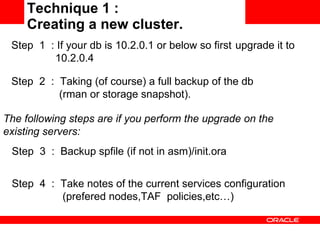
Technique 1 :  Creating a new cluster. Step  4  :  Take notes of the current services configuration  (prefered nodes,TAF  policies,etc…)  Step  1  : If your db is 10.2.0.1 or below so first  upgrade it to    10.2.0.4 Step  2  :  Taking (of course) a full backup of the db  (rman or storage snapshot). The following steps are if you perform the upgrade on the existing servers: Step  3  :  Backup spfile (if not in asm)/init.ora
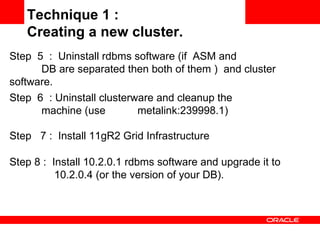
Step 8 :  Install 10.2.0.1 rdbms software and upgrade it to  10.2.0.4 (or the version of your DB). Technique 1 :  Creating a new cluster. Step  5  :  Uninstall rdbms software (if  ASM and  DB are separated then both of them )  and cluster  software.  Step  6  : Uninstall clusterware and cleanup the  machine (use  metalink:239998.1) Step  7 :  Install 11gR2 Grid Infrastructure
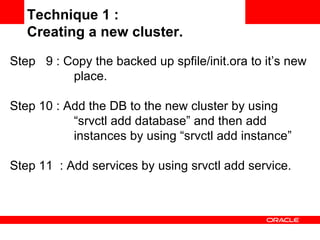
Step  9 : Copy the backed up spfile/init.ora to it’s new  place. Step 10 : Add the DB to the new cluster by using  “srvctl add database” and then add  instances by using “srvctl add instance” Step 11  : Add services by using srvctl add service. Technique 1 :  Creating a new cluster.
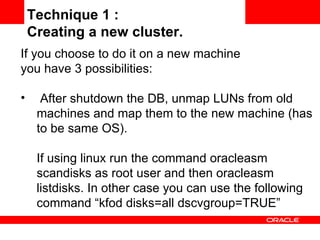
If you choose to do it on a new machine  you have 3 possibilities: After shutdown the DB, unmap LUNs from old machines and map them to the new machine (has to be same OS).  If using linux run the command oracleasm scandisks as root user and then oracleasm listdisks. In other case you can use the following command “kfod disks=all dscvgroup=TRUE” Technique 1 :  Creating a new cluster.
Export the data and then import it into a newly created database. Using Transportable database to move it to a new machine. In this case the DB can me moved between platforms (look at oracle documentation for limitations). Technique 1 :  Creating a new cluster.
Upgrading 10g cluster to 11gR2 GI Technique 2 :  Upgrading the existing cluster.
Technique 2 :  Upgrading the existing cluster. This technique is well documented in oracle but I’ve choose to build a new one due the following reasons/issues: When beginning the upgrade we had only 1 votedisk. After running rootUpgrade.sh on the first node this node changed/upgraded the only votedisk available and the second node upgrade (of course) failed.
Technique 2 :  Upgrading the existing cluster. After a second retry, which succeeded, at the final step we’ve made a restart to the cluster but it failed to start because for some unknown reason the interconnect and public interface configuration were changed in such a way the cluster was not able to start anymore and it was unable to get to a state were the reconfiguration was possible (using oifcfg ).
Upgrading 10g cluster to 11gR2 GI Using ASM for Extended RAC.
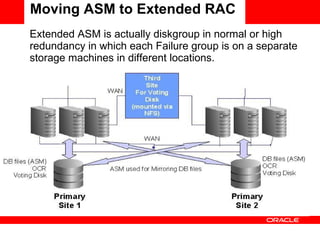
Moving ASM to Extended RAC Extended ASM is actually diskgroup in normal or high redundancy in which each Failure group is on a separate storage machines in different locations.
Moving ASM to Extended RAC I used the following main steps to migrate our 11gR2 asm  to extended RAC: Step 1 : Map new volumes from both storage machines to  all the cluster nodes. The same number and size of volume should be use in both storages. Step 2 :Create a new Diskgroup/s with normal redundancy when each failgroup is on a different storage.
Step 2a: Create a normal redundancy diskgroup with at least 3 disks  for the votedisks and  OCR.   Step 3 Move votedisks to new DG (“crsctl replace votedisk +<NEW DG NAME>”) Step 4 Move ocr disks (ocrconfig) Step 5 Move controlfiles to new DG’s Moving ASM to Extended RAC
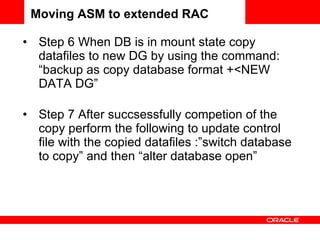
Step 6 When DB is in mount state copy datafiles to new DG by using the command: “backup as copy database format +<NEW DATA DG” Step 7 After succsessfully competion of the copy perform the following to update control file with the copied datafiles :”switch database to copy” and then “alter database open” Moving ASM to extended RAC
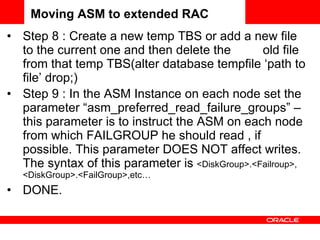
Step 8 : Create a new temp TBS or add a new file to the current one and then delete the  old file from that temp TBS(alter database tempfile ‘path to file’ drop;) Step 9 : In the ASM Instance on each node set the parameter “asm_preferred_read_failure_groups” – this parameter is to instruct the ASM on each node from which FAILGROUP he should read , if possible. This parameter DOES NOT affect writes. The syntax of this parameter is  <DiskGroup>.<Failroup>, <DiskGroup>.<FailGroup>,etc… DONE. Moving ASM to extended RAC
Q&A Upgrading 10g cluster to 11gR2 GI
[email_address] Upgrading 10g cluster to 11gR2 GI
 

Avi Apelbaum - RAC

  • 1.
    RAC, ASM andLinux Forum, October 12, 2010 Avi Apelbaum DBA & System engineer Valinor
  • 2.
    Agenda Upgrading 10gcluster to 11gR2 grid Moving ASM to extended RAC Questions
  • 3.
    Upgrading 10g clusterto 11gR2 GI Technique 1 : Creating a new cluster.
  • 4.
    Technique 1 : Creating a new cluster. Step 4 : Take notes of the current services configuration (prefered nodes,TAF policies,etc…) Step 1 : If your db is 10.2.0.1 or below so first upgrade it to 10.2.0.4 Step 2 : Taking (of course) a full backup of the db (rman or storage snapshot). The following steps are if you perform the upgrade on the existing servers: Step 3 : Backup spfile (if not in asm)/init.ora
  • 5.
    Step 8 : Install 10.2.0.1 rdbms software and upgrade it to 10.2.0.4 (or the version of your DB). Technique 1 : Creating a new cluster. Step 5 : Uninstall rdbms software (if ASM and DB are separated then both of them ) and cluster software. Step 6 : Uninstall clusterware and cleanup the machine (use metalink:239998.1) Step 7 : Install 11gR2 Grid Infrastructure
  • 6.
    Step 9: Copy the backed up spfile/init.ora to it’s new place. Step 10 : Add the DB to the new cluster by using “srvctl add database” and then add instances by using “srvctl add instance” Step 11 : Add services by using srvctl add service. Technique 1 : Creating a new cluster.
  • 7.
    If you chooseto do it on a new machine you have 3 possibilities: After shutdown the DB, unmap LUNs from old machines and map them to the new machine (has to be same OS). If using linux run the command oracleasm scandisks as root user and then oracleasm listdisks. In other case you can use the following command “kfod disks=all dscvgroup=TRUE” Technique 1 : Creating a new cluster.
  • 8.
    Export the dataand then import it into a newly created database. Using Transportable database to move it to a new machine. In this case the DB can me moved between platforms (look at oracle documentation for limitations). Technique 1 : Creating a new cluster.
  • 9.
    Upgrading 10g clusterto 11gR2 GI Technique 2 : Upgrading the existing cluster.
  • 10.
    Technique 2 : Upgrading the existing cluster. This technique is well documented in oracle but I’ve choose to build a new one due the following reasons/issues: When beginning the upgrade we had only 1 votedisk. After running rootUpgrade.sh on the first node this node changed/upgraded the only votedisk available and the second node upgrade (of course) failed.
  • 11.
    Technique 2 : Upgrading the existing cluster. After a second retry, which succeeded, at the final step we’ve made a restart to the cluster but it failed to start because for some unknown reason the interconnect and public interface configuration were changed in such a way the cluster was not able to start anymore and it was unable to get to a state were the reconfiguration was possible (using oifcfg ).
  • 12.
    Upgrading 10g clusterto 11gR2 GI Using ASM for Extended RAC.
  • 13.
    Moving ASM toExtended RAC Extended ASM is actually diskgroup in normal or high redundancy in which each Failure group is on a separate storage machines in different locations.
  • 14.
    Moving ASM toExtended RAC I used the following main steps to migrate our 11gR2 asm to extended RAC: Step 1 : Map new volumes from both storage machines to all the cluster nodes. The same number and size of volume should be use in both storages. Step 2 :Create a new Diskgroup/s with normal redundancy when each failgroup is on a different storage.
  • 15.
    Step 2a: Createa normal redundancy diskgroup with at least 3 disks for the votedisks and OCR. Step 3 Move votedisks to new DG (“crsctl replace votedisk +<NEW DG NAME>”) Step 4 Move ocr disks (ocrconfig) Step 5 Move controlfiles to new DG’s Moving ASM to Extended RAC
  • 16.
    Step 6 WhenDB is in mount state copy datafiles to new DG by using the command: “backup as copy database format +<NEW DATA DG” Step 7 After succsessfully competion of the copy perform the following to update control file with the copied datafiles :”switch database to copy” and then “alter database open” Moving ASM to extended RAC
  • 17.
    Step 8 :Create a new temp TBS or add a new file to the current one and then delete the old file from that temp TBS(alter database tempfile ‘path to file’ drop;) Step 9 : In the ASM Instance on each node set the parameter “asm_preferred_read_failure_groups” – this parameter is to instruct the ASM on each node from which FAILGROUP he should read , if possible. This parameter DOES NOT affect writes. The syntax of this parameter is <DiskGroup>.<Failroup>, <DiskGroup>.<FailGroup>,etc… DONE. Moving ASM to extended RAC
  • 18.
    Q&A Upgrading 10gcluster to 11gR2 GI
  • 19.
    [email_address] Upgrading 10gcluster to 11gR2 GI
  • 20.