The web framework for perfectionists with deadlines


James Casey
2nd October 2009
What’s Django?
“Django is a high-level Python Web framework that
encourages rapid development and clean, pragmatic
design.”


from http://djangoproject.org/
Whence Django ?
‣ Internal project of newspaper in 2003
  ‣ Lawrence Journal-World
‣ Should help journalist meet faster deadlines
‣ Should not stand in the way of journalists
‣ Named after the famous guitarist Django
  Reinhardt
Django in the news

     ‣ http://mps-expenses.guardian.co.uk/
     ‣ MP expense scandal
        ‣ crowdsourcing the review of 500K
          documents
        ‣ 7 days from proof-of-concept to launch


http://simonwillison.net/2009/talks/europython-crowdsourcing/
Django won a pulitzer

     ‣ http://polifact.com/
        ‣ Fact checking in 2008 US presidental
          election
     ‣ Lead developer was former journalist
        ‣ It was his first django application


http://www.mattwaite.com/posts/2007/aug/22/announcing-politifact/
Overview
Principles
‣ DRY (Don’t Repeat Yourself)
‣ Write less code
‣ Make CRUD easy
‣ DB neutral
 ‣ Oracle, MySQL, PostgreSQL, SQLlite
‣ Deployment platform neutral
 ‣ mod_python, WSGI, ...
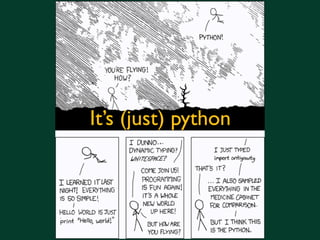
It’s (just) python
Features
‣ Object-relational mapping (ORM)
‣ Automatic admin interface
‣ Elegant URL design
‣ Template system
‣ Caching
‣ i18n
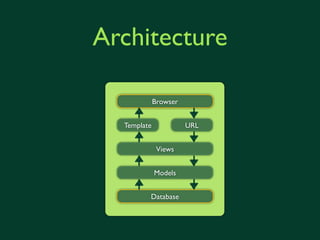
Architecture

             Browser


  Template             URL


              Views


             Models


         Database
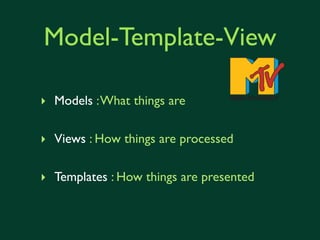
Model-Template-View

‣ Models : What things are

‣ Views : How things are processed

‣ Templates : How things are presented
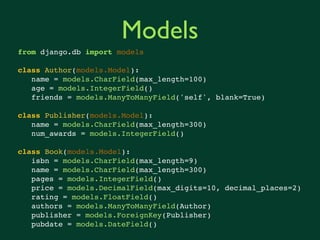
Models
from django.db import models

class Author(models.Model):
   name = models.CharField(max_length=100)
   age = models.IntegerField()
   friends = models.ManyToManyField('self', blank=True)

class Publisher(models.Model):
   name = models.CharField(max_length=300)
   num_awards = models.IntegerField()

class Book(models.Model):
   isbn = models.CharField(max_length=9)
   name = models.CharField(max_length=300)
   pages = models.IntegerField()
   price = models.DecimalField(max_digits=10, decimal_places=2)
   rating = models.FloatField()
   authors = models.ManyToManyField(Author)
   publisher = models.ForeignKey(Publisher)
   pubdate = models.DateField()
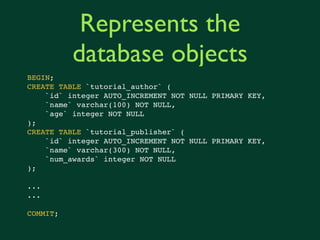
Represents the
          database objects
BEGIN;
CREATE TABLE `tutorial_author` (
    `id` integer AUTO_INCREMENT NOT NULL PRIMARY KEY,
    `name` varchar(100) NOT NULL,
    `age` integer NOT NULL
);
CREATE TABLE `tutorial_publisher` (
    `id` integer AUTO_INCREMENT NOT NULL PRIMARY KEY,
    `name` varchar(300) NOT NULL,
    `num_awards` integer NOT NULL
);

...
...

COMMIT;
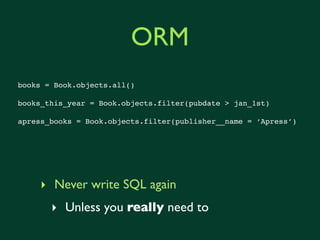
ORM
books = Book.objects.all()

books_this_year = Book.objects.filter(pubdate__gt = jan_1st)

apress_books = Book.objects.filter(publisher__name = ‘Apress’)


     ‣ Never write SQL again
       ‣ Unless you really need to
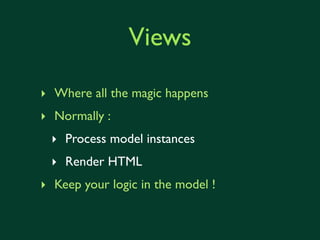
Views
‣ Where all the magic happens
‣ Normally :
 ‣ Process model instances
 ‣ Render HTML
‣ Keep your logic in the model !
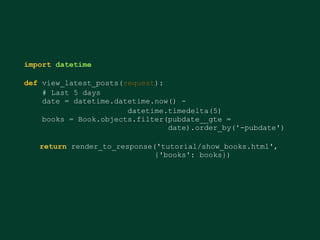
import datetime

def view_latest_books(request):
    # Last 5 days
    date = datetime.datetime.now() -
                       datetime.timedelta(5)
    books = Book.objects.filter(pubdate__gte =
                                date).order_by('-pubdate')

   return render_to_response('tutorial/show_books.html',
                             {'books': books})
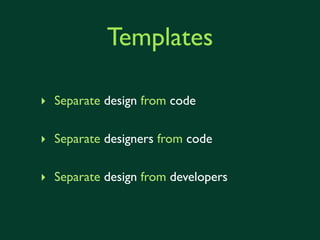
Templates

‣ Separate design from code

‣ Separate designers from code

‣ Separate design from developers
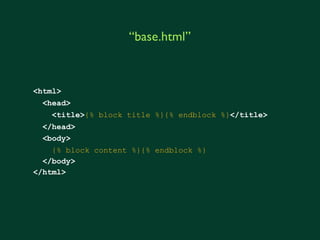
“base.html”


<html>
  <head>
    <title>{% block title %}{% endblock %}</title>
  </head>
  <body>
    {% block content %}{% endblock %}
  </body>
</html>
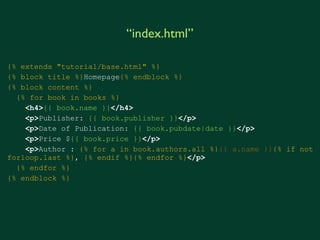
“index.html”

{% extends "tutorial/base.html" %}
{% block title %}Homepage{% endblock %}
{% block content %}
  {% for book in books %}
    <h4>{{ book.name }}</h4>
    <p>Publisher: {{ book.publisher }}</p>
    <p>Date of Publication: {{ book.pubdate|date }}</p>
    <p>Price ${{ book.price }}</p>
    <p>Author : {% for a in book.authors.all %}{{ a.name }}{% if not
forloop.last %}, {% endif %}{% endfor %}</p>
  {% endfor %}
{% endblock %}
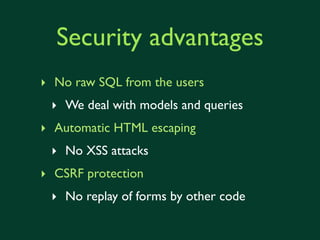
Security advantages
‣ No raw SQL from the users
 ‣ We deal with models and queries
‣ Automatic HTML escaping
 ‣ No XSS attacks
‣ CSRF protection
 ‣ No replay of forms by other code
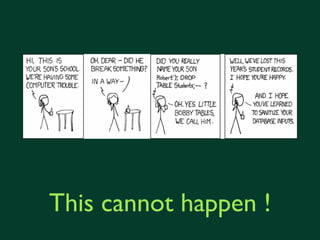
This cannot happen !
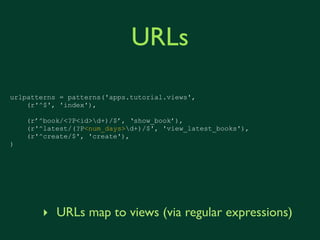
URLs

urlpatterns = patterns('apps.tutorial.views',
    (r'^$', 'index'),

    (r’^book/<?P<id>d+)/$’, ‘show_book’),
    (r'^latest/(?P<num_days>d+)/$', 'view_latest_books'),
    (r'^create/$', 'create'),
)


       ‣ URLs map to views (via regular expressions)
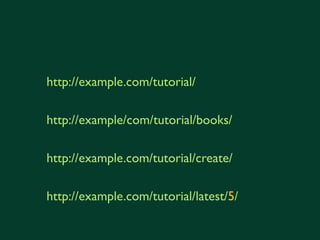
http://example.com/tutorial/

http://example/com/tutorial/books/

http://example.com/tutorial/create/

http://example.com/tutorial/latest/5/
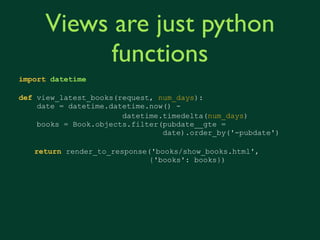
Views are just python
          functions
import datetime

def view_latest_books(request, num_days):
    date = datetime.datetime.now() -
                       datetime.timedelta(int(num_days))
    books = Book.objects.filter(pubdate__gte =
                                date).order_by('-pubdate')

   return render_to_response('books/show_books.html',
                             {'books': books})
Aggregation
      ‣ When you need to summarise a collection
        of objects
         ‣ Leveraging the DB where possible

  > q = Book.objects.annotate(num_authors=Count('authors'))
  > [b.num_authors for b in q]
  [2, 3, 1]
  > Store.objects.aggregate(min_price=Min('books__price'),
                            max_price=Max('books__price'))
  {‘min_price’ : 2.99, ‘max_price’ : 29.99}


http://docs.djangoproject.com/en/dev/topics/db/aggregation/
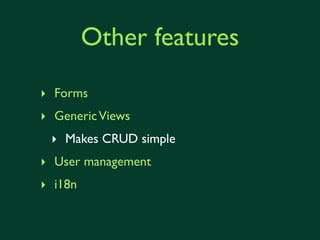
Other features
‣ Forms
‣ Generic Views
 ‣ Makes CRUD simple
‣ User management
‣ i18n
My first django project
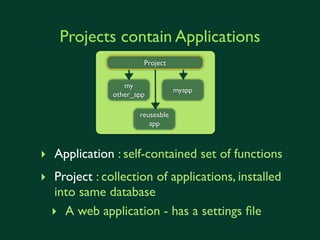
Projects contain Applications
                       Project


                  my
                                  myapp
               other_app

                      reuseable
                         app


‣ Application : self-contained set of functions
‣ Project : collection of applications, installed
  into same database
  ‣ roughly project == a web application - has a
    settings file
Getting started
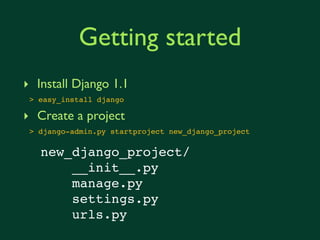
‣ Install Django 1.1
 > easy_install django

‣ Create a project
 > django-admin.py startproject new_django_project

   new_django_project/
       __init__.py
       manage.py
       settings.py
       urls.py
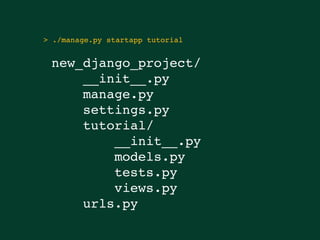
> ./manage.py startapp tutorial


 new_django_project/
     __init__.py
     manage.py
     settings.py
     tutorial/
         __init__.py
         models.py
         tests.py
         views.py
     urls.py
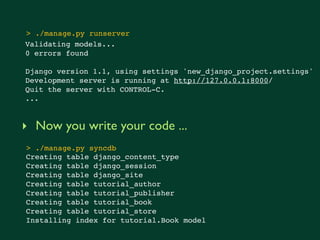
> ./manage.py runserver
Validating models...
0 errors found

Django version 1.1, using settings 'new_django_project.settings'
Development server is running at http://127.0.0.1:8000/
Quit the server with CONTROL-C.
...


‣ Now you write your code ...
> ./manage.py syncdb
Creating table django_content_type
Creating table django_session
Creating table django_site
Creating table tutorial_author
Creating table tutorial_publisher
Creating table tutorial_book
Creating table tutorial_store
Installing index for tutorial.Book model
automatic admin interface


   http://localhost:8000/admin/tutorial/
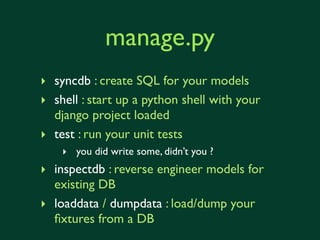
manage.py
‣ syncdb : create SQL for your models
‣ shell : start up a python shell with your
  django project loaded
‣ test : run your unit tests
    ‣ you did write some, didn’t you ?
‣ inspectdb : reverse engineer models for
  existing DB
‣ loaddata / dumpdata : load/dump your
  fixtures from a DB
Tools to make you
 more productive
   all just an easy_install away
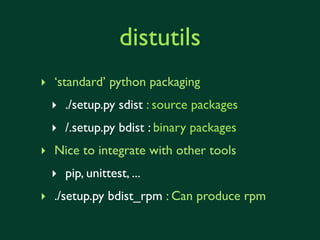
distutils
‣ ‘standard’ python packaging
  ‣ ./setup.py sdist : source packages
  ‣ /.setup.py bdist : binary packages
‣ Nice to integrate with other tools
  ‣ pip, unittest, ...
‣ ./setup.py bdist_rpm : Can produce rpm
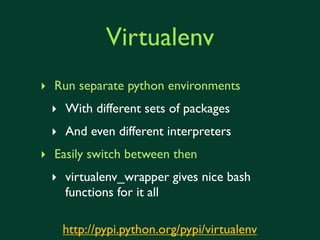
Virtualenv
‣ Run separate python environments
 ‣ With different sets of packages
 ‣ And even different interpreters
‣ Easily switch between then
 ‣ virtualenv_wrapper gives nice bash
   functions for it all

   http://pypi.python.org/pypi/virtualenv
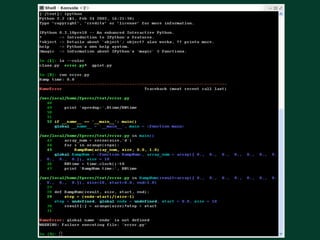
ipython
‣ python with CLI hotness
 ‣ TAB autocomplete
 ‣ code coloring
 ‣ nicer pdb integration
 ‣ ...


         http://ipython.scipy.org/moin/
PIP
‣ Better installation manager
  ‣ ‘easy_install’ with dependency ordering
  ‣ Integrated with virtualenv
  ‣ Allow to ‘freeze’ a set of packages
    ‣ and re-install to the same level


       http://pypi.python.org/pypi/pip
django-debug-toolbar


  http://localhost:8000/tutorial/
django-command-extensions

 ‣ Extra manage.py commands
  ‣ shell_plus : a better python shell
  ‣ runserver_plus : a better debugging
    server (werkzeug)
  ‣ show_urls : dump the url map of your
    site
Werkzeug


http://localhost:8000/tutorial/latest/5
and of course, unittest
‣ Django supports :
 ‣ doctest : useful for simple model validation
 ‣ unittest : you did write some, didn’t you ?
 ‣ test client : acts a dummy web browser
   ‣ Test your views
 ‣ fixture loading : have a set of complex test data
   ‣ generated from your production database
reusable apps
if it’s useful, it’s probably been done before...
south

‣ Schema migration
 ‣ Change models over time
 ‣ Write upgrade routines
   ‣ just python functions with access
     to .objects and .old_objects
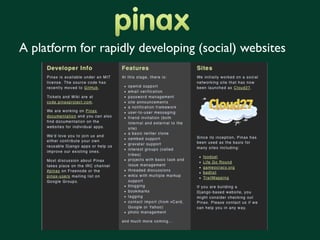
A platform for rapidly developing (social) websites
code.google.com

‣ just search for django-<WHATEVER> :)
‣ It’s probably there...
  ‣ If it’s not there, write it and put it there
Future
beyond django 1.1
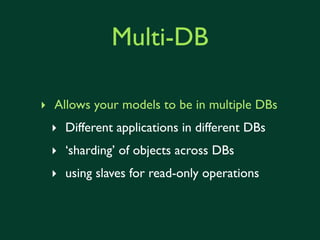
Multi-DB

‣ Allows your models to be in multiple DBs
 ‣ Different applications in different DBs
 ‣ ‘sharding’ of objects across DBs
 ‣ using slaves for read-only operations
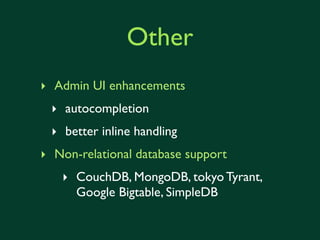
Other
‣ Admin UI enhancements
 ‣ autocompletion
 ‣ better inline handling
‣ Non-relational database support
   ‣ CouchDB, MongoDB, tokyo Tyrant,
     Google Bigtable, SimpleDB
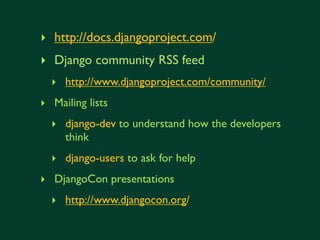
want more ?
‣ http://docs.djangoproject.com/
‣ Django community RSS feed
  ‣ http://www.djangoproject.com/community/
‣ Mailing lists
  ‣ django-dev to understand how the developers
    think
  ‣ django-users to ask for help
‣ DjangoCon presentations
  ‣ http://www.djangocon.org/
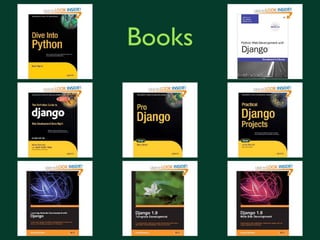
Books
django-users@cern.ch
Thank you
Credits
‣ XKCD for cartoons
‣ Amazon.com for book pictures
‣ Initial inspiration for slides and examples
  from Joaquim Rocha, Abe Estrada
  ‣   http://www.slideshare.net/j_rocha/django-intro

  ‣   http://www.slideshare.net/AbeEstrada/django-web-framework-presentation-822177


‣ http://www.djangoproject.com/

Introduction to Django

  • 1.
    The web frameworkfor perfectionists with deadlines James Casey 2nd October 2009
  • 2.
    What’s Django? “Django isa high-level Python Web framework that encourages rapid development and clean, pragmatic design.” from http://djangoproject.org/
  • 3.
    Whence Django ? ‣Internal project of newspaper in 2003 ‣ Lawrence Journal-World ‣ Should help journalist meet faster deadlines ‣ Should not stand in the way of journalists ‣ Named after the famous guitarist Django Reinhardt
  • 4.
    Django in thenews ‣ http://mps-expenses.guardian.co.uk/ ‣ MP expense scandal ‣ crowdsourcing the review of 500K documents ‣ 7 days from proof-of-concept to launch http://simonwillison.net/2009/talks/europython-crowdsourcing/
  • 5.
    Django won apulitzer ‣ http://polifact.com/ ‣ Fact checking in 2008 US presidental election ‣ Lead developer was former journalist ‣ It was his first django application http://www.mattwaite.com/posts/2007/aug/22/announcing-politifact/
  • 6.
  • 7.
    Principles ‣ DRY (Don’tRepeat Yourself) ‣ Write less code ‣ Make CRUD easy ‣ DB neutral ‣ Oracle, MySQL, PostgreSQL, SQLlite ‣ Deployment platform neutral ‣ mod_python, WSGI, ...
  • 8.
  • 9.
    Features ‣ Object-relational mapping(ORM) ‣ Automatic admin interface ‣ Elegant URL design ‣ Template system ‣ Caching ‣ i18n
  • 10.
    Architecture Browser Template URL Views Models Database
  • 11.
    Model-Template-View ‣ Models :What things are ‣ Views : How things are processed ‣ Templates : How things are presented
  • 12.
    Models from django.db importmodels class Author(models.Model): name = models.CharField(max_length=100) age = models.IntegerField() friends = models.ManyToManyField('self', blank=True) class Publisher(models.Model): name = models.CharField(max_length=300) num_awards = models.IntegerField() class Book(models.Model): isbn = models.CharField(max_length=9) name = models.CharField(max_length=300) pages = models.IntegerField() price = models.DecimalField(max_digits=10, decimal_places=2) rating = models.FloatField() authors = models.ManyToManyField(Author) publisher = models.ForeignKey(Publisher) pubdate = models.DateField()
  • 13.
    Represents the database objects BEGIN; CREATE TABLE `tutorial_author` ( `id` integer AUTO_INCREMENT NOT NULL PRIMARY KEY, `name` varchar(100) NOT NULL, `age` integer NOT NULL ); CREATE TABLE `tutorial_publisher` ( `id` integer AUTO_INCREMENT NOT NULL PRIMARY KEY, `name` varchar(300) NOT NULL, `num_awards` integer NOT NULL ); ... ... COMMIT;
  • 14.
    ORM books = Book.objects.all() books_this_year= Book.objects.filter(pubdate__gt = jan_1st) apress_books = Book.objects.filter(publisher__name = ‘Apress’) ‣ Never write SQL again ‣ Unless you really need to
  • 15.
    Views ‣ Where allthe magic happens ‣ Normally : ‣ Process model instances ‣ Render HTML ‣ Keep your logic in the model !
  • 16.
    import datetime def view_latest_books(request): # Last 5 days date = datetime.datetime.now() - datetime.timedelta(5) books = Book.objects.filter(pubdate__gte = date).order_by('-pubdate') return render_to_response('tutorial/show_books.html', {'books': books})
  • 17.
    Templates ‣ Separate designfrom code ‣ Separate designers from code ‣ Separate design from developers
  • 18.
    “base.html” <html> <head> <title>{% block title %}{% endblock %}</title> </head> <body> {% block content %}{% endblock %} </body> </html>
  • 19.
    “index.html” {% extends "tutorial/base.html"%} {% block title %}Homepage{% endblock %} {% block content %} {% for book in books %} <h4>{{ book.name }}</h4> <p>Publisher: {{ book.publisher }}</p> <p>Date of Publication: {{ book.pubdate|date }}</p> <p>Price ${{ book.price }}</p> <p>Author : {% for a in book.authors.all %}{{ a.name }}{% if not forloop.last %}, {% endif %}{% endfor %}</p> {% endfor %} {% endblock %}
  • 20.
    Security advantages ‣ Noraw SQL from the users ‣ We deal with models and queries ‣ Automatic HTML escaping ‣ No XSS attacks ‣ CSRF protection ‣ No replay of forms by other code
  • 21.
  • 22.
    URLs urlpatterns = patterns('apps.tutorial.views', (r'^$', 'index'), (r’^book/<?P<id>d+)/$’, ‘show_book’), (r'^latest/(?P<num_days>d+)/$', 'view_latest_books'), (r'^create/$', 'create'), ) ‣ URLs map to views (via regular expressions)
  • 23.
  • 24.
    Views are justpython functions import datetime def view_latest_books(request, num_days): date = datetime.datetime.now() - datetime.timedelta(int(num_days)) books = Book.objects.filter(pubdate__gte = date).order_by('-pubdate') return render_to_response('books/show_books.html', {'books': books})
  • 25.
    Aggregation ‣ When you need to summarise a collection of objects ‣ Leveraging the DB where possible > q = Book.objects.annotate(num_authors=Count('authors')) > [b.num_authors for b in q] [2, 3, 1] > Store.objects.aggregate(min_price=Min('books__price'), max_price=Max('books__price')) {‘min_price’ : 2.99, ‘max_price’ : 29.99} http://docs.djangoproject.com/en/dev/topics/db/aggregation/
  • 26.
    Other features ‣ Forms ‣Generic Views ‣ Makes CRUD simple ‣ User management ‣ i18n
  • 27.
  • 28.
    Projects contain Applications Project my myapp other_app reuseable app ‣ Application : self-contained set of functions ‣ Project : collection of applications, installed into same database ‣ roughly project == a web application - has a settings file
  • 29.
    Getting started ‣ InstallDjango 1.1 > easy_install django ‣ Create a project > django-admin.py startproject new_django_project new_django_project/ __init__.py manage.py settings.py urls.py
  • 30.
    > ./manage.py startapptutorial new_django_project/ __init__.py manage.py settings.py tutorial/ __init__.py models.py tests.py views.py urls.py
  • 31.
    > ./manage.py runserver Validatingmodels... 0 errors found Django version 1.1, using settings 'new_django_project.settings' Development server is running at http://127.0.0.1:8000/ Quit the server with CONTROL-C. ... ‣ Now you write your code ... > ./manage.py syncdb Creating table django_content_type Creating table django_session Creating table django_site Creating table tutorial_author Creating table tutorial_publisher Creating table tutorial_book Creating table tutorial_store Installing index for tutorial.Book model
  • 32.
    automatic admin interface http://localhost:8000/admin/tutorial/
  • 33.
    manage.py ‣ syncdb :create SQL for your models ‣ shell : start up a python shell with your django project loaded ‣ test : run your unit tests ‣ you did write some, didn’t you ? ‣ inspectdb : reverse engineer models for existing DB ‣ loaddata / dumpdata : load/dump your fixtures from a DB
  • 34.
    Tools to makeyou more productive all just an easy_install away
  • 35.
    distutils ‣ ‘standard’ pythonpackaging ‣ ./setup.py sdist : source packages ‣ /.setup.py bdist : binary packages ‣ Nice to integrate with other tools ‣ pip, unittest, ... ‣ ./setup.py bdist_rpm : Can produce rpm
  • 36.
    Virtualenv ‣ Run separatepython environments ‣ With different sets of packages ‣ And even different interpreters ‣ Easily switch between then ‣ virtualenv_wrapper gives nice bash functions for it all http://pypi.python.org/pypi/virtualenv
  • 37.
    ipython ‣ python withCLI hotness ‣ TAB autocomplete ‣ code coloring ‣ nicer pdb integration ‣ ... http://ipython.scipy.org/moin/
  • 39.
    PIP ‣ Better installationmanager ‣ ‘easy_install’ with dependency ordering ‣ Integrated with virtualenv ‣ Allow to ‘freeze’ a set of packages ‣ and re-install to the same level http://pypi.python.org/pypi/pip
  • 40.
  • 41.
    django-command-extensions ‣ Extramanage.py commands ‣ shell_plus : a better python shell ‣ runserver_plus : a better debugging server (werkzeug) ‣ show_urls : dump the url map of your site
  • 42.
  • 43.
    and of course,unittest ‣ Django supports : ‣ doctest : useful for simple model validation ‣ unittest : you did write some, didn’t you ? ‣ test client : acts a dummy web browser ‣ Test your views ‣ fixture loading : have a set of complex test data ‣ generated from your production database
  • 44.
    reusable apps if it’suseful, it’s probably been done before...
  • 45.
    south ‣ Schema migration ‣ Change models over time ‣ Write upgrade routines ‣ just python functions with access to .objects and .old_objects
  • 46.
    A platform forrapidly developing (social) websites
  • 47.
    code.google.com ‣ just searchfor django-<WHATEVER> :) ‣ It’s probably there... ‣ If it’s not there, write it and put it there
  • 48.
  • 49.
    Multi-DB ‣ Allows yourmodels to be in multiple DBs ‣ Different applications in different DBs ‣ ‘sharding’ of objects across DBs ‣ using slaves for read-only operations
  • 50.
    Other ‣ Admin UIenhancements ‣ autocompletion ‣ better inline handling ‣ Non-relational database support ‣ CouchDB, MongoDB, tokyo Tyrant, Google Bigtable, SimpleDB
  • 51.
  • 52.
    ‣ http://docs.djangoproject.com/ ‣ Djangocommunity RSS feed ‣ http://www.djangoproject.com/community/ ‣ Mailing lists ‣ django-dev to understand how the developers think ‣ django-users to ask for help ‣ DjangoCon presentations ‣ http://www.djangocon.org/
  • 53.
  • 54.
  • 55.
  • 56.
    Credits ‣ XKCD forcartoons ‣ Amazon.com for book pictures ‣ Initial inspiration for slides and examples from Joaquim Rocha, Abe Estrada ‣ http://www.slideshare.net/j_rocha/django-intro ‣ http://www.slideshare.net/AbeEstrada/django-web-framework-presentation-822177 ‣ http://www.djangoproject.com/