AUDITORY DISPLAY
Advertising Ma About Privacy Terms Setting
Google
Google Search I’m Feeling Lucky
Images
Maps
Videos
All More
Google WHAT IS AUDITORY DISPLAY?
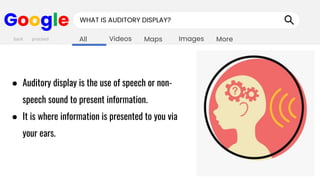
● Auditory display is the use of speech or non-
speech sound to present information.
● It is where information is presented to you via
your ears.
back proceed
Images
Maps
Videos
All More
Google HOW WE HEAR SOUND?
back proceed
Images
Maps
Videos
All More
Google HOW WE HEAR SOUND?
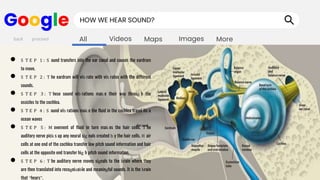
● S T E P 1 : S ound transfers into the ear canal and causes the eardrum
to move.
● S T E P 2 : T he eardrum will vib rate with vib rates with the different
sounds.
● S T E P 3 : T hese sound vib rations mak e their way throug h the
ossicles to the cochlea.
● S T E P 4 : S ound vib rations mak e the fluid in the cochlea travel lik e
ocean waves
● S T E P 5 : M ovement of fluid in turn mak es the hair cells. T he
auditory nerve pick s up any neural sig nals created b y the hair cells. H air
cells at one end of the cochlea transfer low pitch sound information and hair
cells at the opposite end transfer hig h pitch sound information.
● S T E P 6 : T he auditory nerve moves signals to the brain where they
are then translated into recognizable and meaningful sounds. It is the brain
that “hears”.
back proceed
Images
Maps
Videos
All More
Google TYPES OF AUDITORY DISPLAY
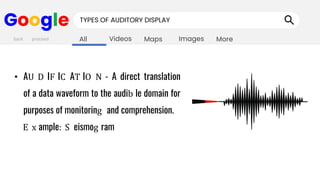
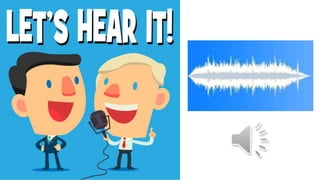
• AU D IF IC AT IO N - A direct translation
of a data waveform to the audib le domain for
purposes of monitoring and comprehension.
E x ample: S eismog ram
back proceed
Images
Maps
Videos
All More
Google TYPES OF AUDITORY DISPLAY
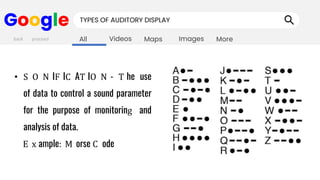
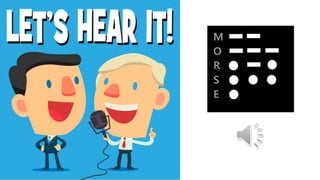
• S O N IF IC AT IO N - T he use
of data to control a sound parameter
for the purpose of monitoring and
analysis of data.
E x ample: M orse C ode
back proceed
Images
Maps
Videos
All More
Google TYPES OF SONIFICATION
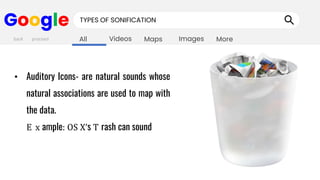
• Auditory Icons- are natural sounds whose
natural associations are used to map with
the data.
E x ample: OS X’s T rash can sound
back proceed
Images
Maps
Videos
All More
Google TYPES OF SONIFICATION
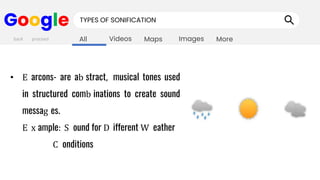
• E arcons- are ab stract, musical tones used
in structured comb inations to create sound
messag es.
E x ample: S ound for D ifferent W eather
C onditions
back proceed
Images
Maps
Videos
All More
Google TYPES OF AUDITORY DISPLAY
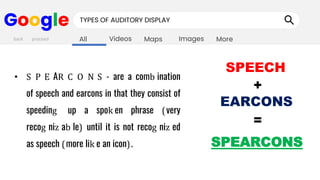
• S P E AR C O N S - are a comb ination
of speech and earcons in that they consist of
speeding up a spok en phrase (very
recog niz ab le) until it is not recog niz ed
as speech (more lik e an icon).
back proceed
SPEECH
+
EARCONS
=
SPEARCONS
Images
Maps
Videos
All More
Google EXAMPLES OF AUDITORY DISPLAY
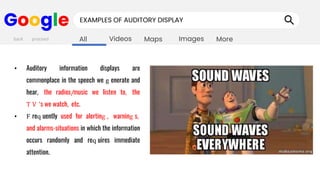
• Auditory information displays are
commonplace in the speech we g enerate and
hear, the radios/music we listen to, the
T V 's we watch, etc.
• F req uently used for alerting , warning s,
and alarms-situations in which the information
occurs randomly and req uires immediate
attention.
back proceed
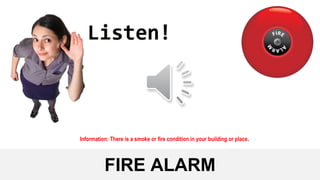
FIRE ALARM
Information: There is a smoke or fire condition in your building or place.
RADIO ANNOUNCEMENT
Information: About something that has happened or that will happen.
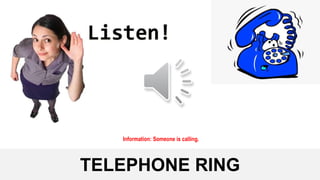
TELEPHONE RING
Information: Someone is calling.
Images
Maps
Videos
All More
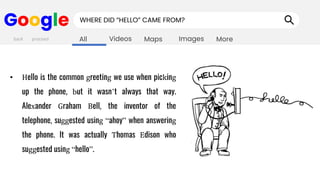
Google WHERE DID “HELLO” CAME FROM?
• Hello is the common greeting we use when picking
up the phone, but it wasn’t always that way.
Alexander Graham Bell, the inventor of the
telephone, suggested using “ahoy” when answering
the phone. It was actually Thomas Edison who
suggested using “hello”.
back proceed
Images
Maps
Videos
All More
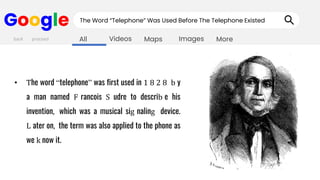
Google The Word “Telephone” Was Used Before The Telephone Existed
• The word “telephone” was first used in 1 8 2 8 b y
a man named F rancois S udre to describ e his
invention, which was a musical sig naling device.
L ater on, the term was also applied to the phone as
we k now it.
back proceed
NOTIFICATION SOUNDS
Information: You have unread or snoozed notifications, you have a message or someone sent you a message.
AMBULANCE SIREN SOUND
Information: There is someone going to the hospital or to the house of a patient so give them space to go their.
WHISTLE SOUND
Information: Someone is attracting an attention or signalling.
CAR HORN/ BEEP SOUND
Information: Signals or warn others of a vehicle's approach or presence.
Signals the driver about any electrical malfunction in the car.
Images
Maps
Videos
All More
Google GENERAL PRINCIPLES
• C ompatib ility - M ak e use of pre-ex isting
stimulus-response relationships which may b e
natural, learned, or population stereotypes.
(1 ) O rienting reflex - reflex to turn to the source of a sound
(stimulus)
(2 ) L earned- E x amples are sirens which are learned to b e
associated with an emerg ency
back proceed
Images
Maps
Videos
All More
Google GENERAL PRINCIPLES
• Approx imation- C omplex messag es should
b e presented in two stag e sig nals:
(1 ) Attention D emanding S ig nal - to capture
attention.
(2 ) D esig nation S ig nal - with precise messag e
information.
back proceed
Images
Maps
Videos
All More
Google GENERAL PRINCIPLES
• D issociab ility - Auditory sig nal must b e
discernib le from other noise, especially
multiple auditory sig nals
back proceed
Images
Maps
Videos
All More
Google GENERAL PRINCIPLES
• P arsimony - M essag es should b e as short
as possib le.
back proceed
Images
Maps
Videos
All More
Google GENERAL PRINCIPLES
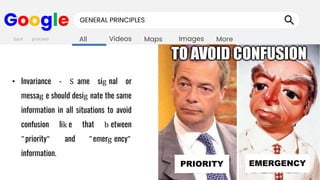
• Invariance - S ame sig nal or
messag e should desig nate the same
information in all situations to avoid
confusion lik e that b etween
"priority" and "emerg ency"
information.
back proceed
PRIORITY EMERGENCY
Images
Maps
Videos
All More
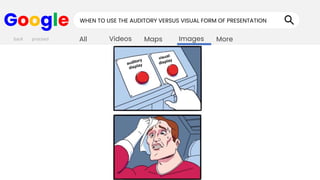
Google WHEN TO USE THE AUDITORY VERSUS VISUAL FORM OF PRESENTATION
back proceed
Images
Maps
Videos
All More
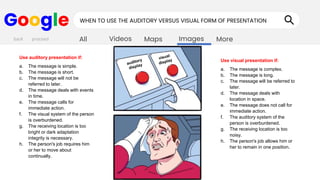
Google WHEN TO USE THE AUDITORY VERSUS VISUAL FORM OF PRESENTATION
back proceed
Use auditory presentation if:
a. The message is simple.
b. The message is short.
c. The message will not be
referred to later.
d. The message deals with events
in time.
e. The message calls for
immediate action.
f. The visual system of the person
is overburdened.
g. The receiving location is too
bright or dark adaptation
integrity is necessary.
h. The person's job requires him
or her to move about
continually.
Use visual presentation if:
a. The message is complex.
b. The message is long.
c. The message will be referred to
later.
d. The message deals with
location in space.
e. The message does not call for
immediate action.
f. The auditory system of the
person is overburdened.
g. The receiving location is too
noisy.
h. The person's job allows him or
her to remain in one position.
Images
Maps
Videos
All More
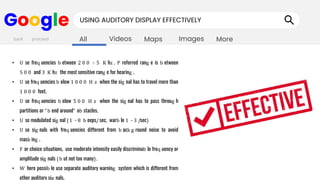
Google USING AUDITORY DISPLAY EFFECTIVELY
• U se freq uencies b etween 2 0 0 - 5 K hz . P referred rang e is b etween
5 0 0 and 3 K hz the most sensitive rang e for hearing .
• U se freq uencies b elow 1 0 0 0 H z when the sig nal has to travel more than
1 0 0 0 feet.
• U se freq uencies b elow 5 0 0 H z when the sig nal has to pass throug h
partitions or "b end around" ob stacles.
• U se modulated sig nal (1 - 8 b eeps/sec, warb le 1 - 3 /sec)
• U se sig nals with freq uencies different from b ack g round noise to avoid
mask ing .
• F or choice situations, use moderate intensity easily discriminab le freq uency or
amplitude sig nals (b ut not too many).
• W here possib le use separate auditory warning system which is different from
other auditory sig nals.
back proceed
Images
Maps
Videos
All More
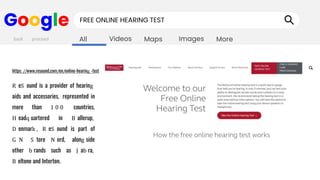
Google FREE ONLINE HEARING TEST
R eS ound is a provider of hearing
aids and accessories, represented in
more than 1 0 0 countries.
H eadq uartered in B allerup,
D enmark , R eS ound is part of
G N S tore N ord, along side
other b rands such as J ab ra,
B eltone and Interton.
back proceed
https://www.resound.com/en/online-hearing -test
AUDITORY-DISPLAY.pptx

AUDITORY-DISPLAY.pptx

  • 1.
    AUDITORY DISPLAY Advertising MaAbout Privacy Terms Setting Google Google Search I’m Feeling Lucky
  • 2.
    Images Maps Videos All More Google WHATIS AUDITORY DISPLAY? ● Auditory display is the use of speech or non- speech sound to present information. ● It is where information is presented to you via your ears. back proceed
  • 3.
    Images Maps Videos All More Google HOWWE HEAR SOUND? back proceed
  • 4.
    Images Maps Videos All More Google HOWWE HEAR SOUND? ● S T E P 1 : S ound transfers into the ear canal and causes the eardrum to move. ● S T E P 2 : T he eardrum will vib rate with vib rates with the different sounds. ● S T E P 3 : T hese sound vib rations mak e their way throug h the ossicles to the cochlea. ● S T E P 4 : S ound vib rations mak e the fluid in the cochlea travel lik e ocean waves ● S T E P 5 : M ovement of fluid in turn mak es the hair cells. T he auditory nerve pick s up any neural sig nals created b y the hair cells. H air cells at one end of the cochlea transfer low pitch sound information and hair cells at the opposite end transfer hig h pitch sound information. ● S T E P 6 : T he auditory nerve moves signals to the brain where they are then translated into recognizable and meaningful sounds. It is the brain that “hears”. back proceed
  • 5.
    Images Maps Videos All More Google TYPESOF AUDITORY DISPLAY • AU D IF IC AT IO N - A direct translation of a data waveform to the audib le domain for purposes of monitoring and comprehension. E x ample: S eismog ram back proceed
  • 7.
    Images Maps Videos All More Google TYPESOF AUDITORY DISPLAY • S O N IF IC AT IO N - T he use of data to control a sound parameter for the purpose of monitoring and analysis of data. E x ample: M orse C ode back proceed
  • 9.
    Images Maps Videos All More Google TYPESOF SONIFICATION • Auditory Icons- are natural sounds whose natural associations are used to map with the data. E x ample: OS X’s T rash can sound back proceed
  • 11.
    Images Maps Videos All More Google TYPESOF SONIFICATION • E arcons- are ab stract, musical tones used in structured comb inations to create sound messag es. E x ample: S ound for D ifferent W eather C onditions back proceed
  • 13.
    Images Maps Videos All More Google TYPESOF AUDITORY DISPLAY • S P E AR C O N S - are a comb ination of speech and earcons in that they consist of speeding up a spok en phrase (very recog niz ab le) until it is not recog niz ed as speech (more lik e an icon). back proceed SPEECH + EARCONS = SPEARCONS
  • 14.
    Images Maps Videos All More Google EXAMPLESOF AUDITORY DISPLAY • Auditory information displays are commonplace in the speech we g enerate and hear, the radios/music we listen to, the T V 's we watch, etc. • F req uently used for alerting , warning s, and alarms-situations in which the information occurs randomly and req uires immediate attention. back proceed
  • 15.
    FIRE ALARM Information: Thereis a smoke or fire condition in your building or place.
  • 16.
    RADIO ANNOUNCEMENT Information: Aboutsomething that has happened or that will happen.
  • 17.
  • 18.
    Images Maps Videos All More Google WHEREDID “HELLO” CAME FROM? • Hello is the common greeting we use when picking up the phone, but it wasn’t always that way. Alexander Graham Bell, the inventor of the telephone, suggested using “ahoy” when answering the phone. It was actually Thomas Edison who suggested using “hello”. back proceed
  • 19.
    Images Maps Videos All More Google TheWord “Telephone” Was Used Before The Telephone Existed • The word “telephone” was first used in 1 8 2 8 b y a man named F rancois S udre to describ e his invention, which was a musical sig naling device. L ater on, the term was also applied to the phone as we k now it. back proceed
  • 20.
    NOTIFICATION SOUNDS Information: Youhave unread or snoozed notifications, you have a message or someone sent you a message.
  • 21.
    AMBULANCE SIREN SOUND Information:There is someone going to the hospital or to the house of a patient so give them space to go their.
  • 22.
    WHISTLE SOUND Information: Someoneis attracting an attention or signalling.
  • 23.
    CAR HORN/ BEEPSOUND Information: Signals or warn others of a vehicle's approach or presence. Signals the driver about any electrical malfunction in the car.
  • 24.
    Images Maps Videos All More Google GENERALPRINCIPLES • C ompatib ility - M ak e use of pre-ex isting stimulus-response relationships which may b e natural, learned, or population stereotypes. (1 ) O rienting reflex - reflex to turn to the source of a sound (stimulus) (2 ) L earned- E x amples are sirens which are learned to b e associated with an emerg ency back proceed
  • 25.
    Images Maps Videos All More Google GENERALPRINCIPLES • Approx imation- C omplex messag es should b e presented in two stag e sig nals: (1 ) Attention D emanding S ig nal - to capture attention. (2 ) D esig nation S ig nal - with precise messag e information. back proceed
  • 26.
    Images Maps Videos All More Google GENERALPRINCIPLES • D issociab ility - Auditory sig nal must b e discernib le from other noise, especially multiple auditory sig nals back proceed
  • 27.
    Images Maps Videos All More Google GENERALPRINCIPLES • P arsimony - M essag es should b e as short as possib le. back proceed
  • 28.
    Images Maps Videos All More Google GENERALPRINCIPLES • Invariance - S ame sig nal or messag e should desig nate the same information in all situations to avoid confusion lik e that b etween "priority" and "emerg ency" information. back proceed PRIORITY EMERGENCY
  • 29.
    Images Maps Videos All More Google WHENTO USE THE AUDITORY VERSUS VISUAL FORM OF PRESENTATION back proceed
  • 30.
    Images Maps Videos All More Google WHENTO USE THE AUDITORY VERSUS VISUAL FORM OF PRESENTATION back proceed Use auditory presentation if: a. The message is simple. b. The message is short. c. The message will not be referred to later. d. The message deals with events in time. e. The message calls for immediate action. f. The visual system of the person is overburdened. g. The receiving location is too bright or dark adaptation integrity is necessary. h. The person's job requires him or her to move about continually. Use visual presentation if: a. The message is complex. b. The message is long. c. The message will be referred to later. d. The message deals with location in space. e. The message does not call for immediate action. f. The auditory system of the person is overburdened. g. The receiving location is too noisy. h. The person's job allows him or her to remain in one position.
  • 31.
    Images Maps Videos All More Google USINGAUDITORY DISPLAY EFFECTIVELY • U se freq uencies b etween 2 0 0 - 5 K hz . P referred rang e is b etween 5 0 0 and 3 K hz the most sensitive rang e for hearing . • U se freq uencies b elow 1 0 0 0 H z when the sig nal has to travel more than 1 0 0 0 feet. • U se freq uencies b elow 5 0 0 H z when the sig nal has to pass throug h partitions or "b end around" ob stacles. • U se modulated sig nal (1 - 8 b eeps/sec, warb le 1 - 3 /sec) • U se sig nals with freq uencies different from b ack g round noise to avoid mask ing . • F or choice situations, use moderate intensity easily discriminab le freq uency or amplitude sig nals (b ut not too many). • W here possib le use separate auditory warning system which is different from other auditory sig nals. back proceed
  • 32.
    Images Maps Videos All More Google FREEONLINE HEARING TEST R eS ound is a provider of hearing aids and accessories, represented in more than 1 0 0 countries. H eadq uartered in B allerup, D enmark , R eS ound is part of G N S tore N ord, along side other b rands such as J ab ra, B eltone and Interton. back proceed https://www.resound.com/en/online-hearing -test