Download to read offline
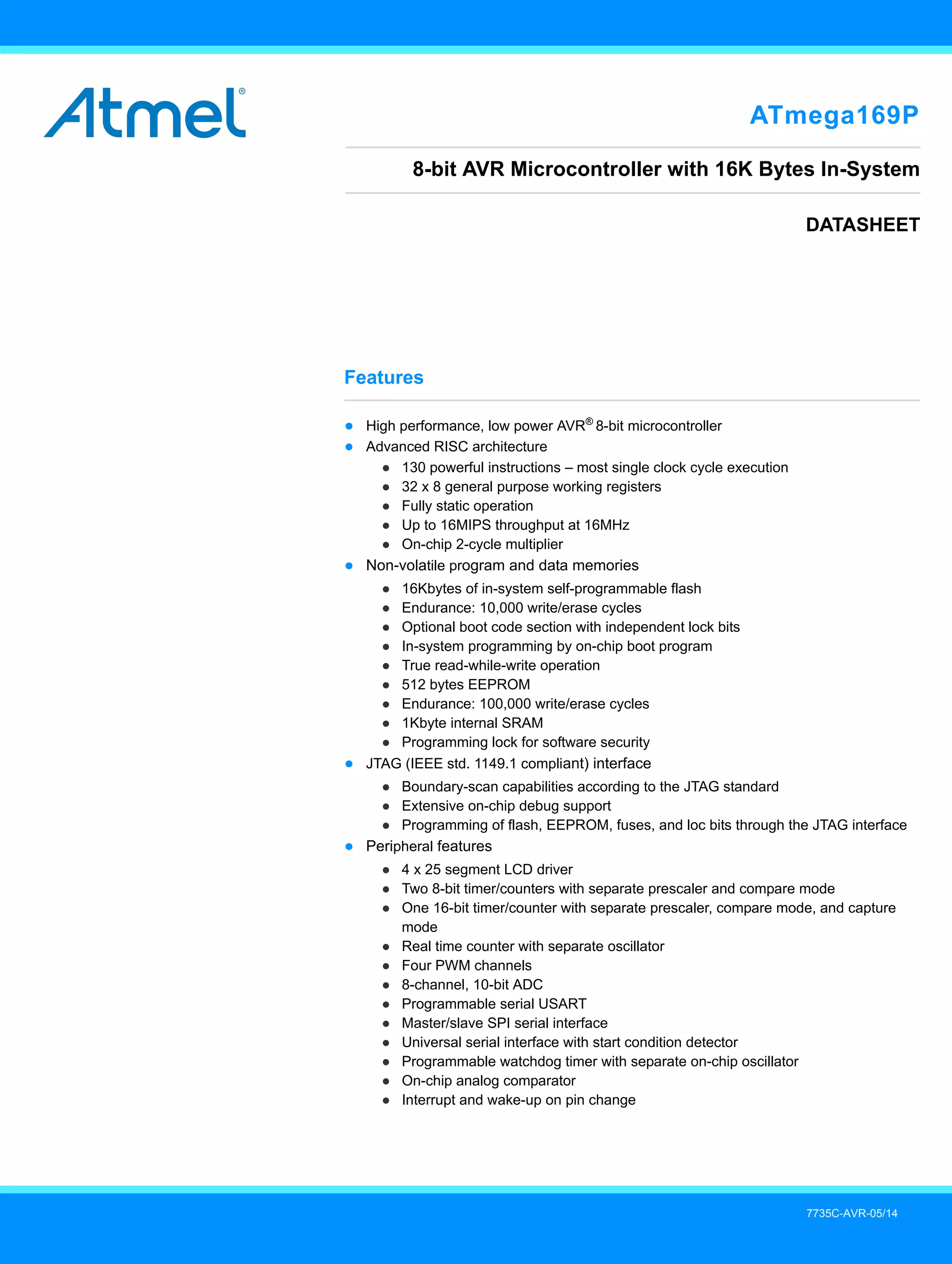
![ATmega169P [DATASHEET]
7735C–AVR–05/14
2
● Special microcontroller features
● Power-on reset and programmable brown-out detection
● Internal calibrated oscillator
● External and internal interrupt sources
● Five sleep modes: idle, ADC noise reduction, power-save, power-down, and standby
● I/O and packages
● 54 programmable I/O lines
● 64-pad TQFP
● Speed grade:
● ATmega169P: 0 - 8MHz at 2.7 - 5.5V, 0 - 16MHz at 4.5 - 5.5V
● Temperature range:
● –40°C to +85°C automotive
● Ultra-low power consumption
● Active mode:
● 4MHz, 3.0V: 2.5mA (typical value)
● 8MHz, 5.0V: 8mA (typical value)
● Power-down Mode:
● 0.4µA at 5.0V](https://image.slidesharecdn.com/atmel-7735-automotive-microcontrollers-atmega169p-968165-220408024300/75/Atmel-7735-Automotive-Microcontrollers-ATmega169P_-968165-pdf-2-2048.jpg)
![3
ATmega169P[DATASHEET]
7735C–AVR–05/14
1. Pin Configurations
Figure 1-1. Pinout ATmega169P
1.1 Disclaimer
Typical values contained in this datasheet are based on simulations and characterization of other AVR®
microcontrollers
manufactured on the same process technology. Min and max values will be available after the device is characterized.
LCDCAP PA3 (COM3)
Index Corner
PA4 (SEG0)
PA5 (SEG1)
PA6 (SEG2)
PA7 (SEG3)
PG2 (SEG4)
PC7 (SEG5)
PC6 (SEG6)
PC5 (SEG7)
PC4 (SEG8)
PC3 (SEG9)
PC2 (SEG10)
PC1 (SEG11)
PC0 (SEG12)
PG1 (SEG13)
PG0 (SEG14)
(AIN1/PCINT3) PE3
(USCK/SCL/PCINT4) PE4
(DI/SDA/PCINT5) PE5
(DO/PCINT6) PE6
(SCK/PCINT9) PB1
(MOSI/PCINT10) PB2
(MISO/PCINT11) PB3
(OC0A/PCINT12) PB4
(OC1A/PCINT13) PB5
(OC1B/PCINT14) PB6
(SS/PCINT8) PB0
(CLKO/PCINT7) PE7
(RXD/PCINT0) PE0
(TXD/PCINT1) PE1
(XCK/AIN0/PCINT2) PE2
64
1
2
3
4
5
6
7
8
9
10
11
12
13
14
15
16
48
47
46
45
44
43
42
41
40
39
38
37
36
35
34
33
63 62 61 60 59 58 57 56 55 54 53 52 51 50 49
17 18 19 20 21 22 23 24 25 26 27 28 29 30 31 32
AVCC
(OC2A/PCINT15)
PB7
(T1/SEG24)
PG3
(T0/SEG23)
PG4
(TOSC2)
XTAL2
(TOSC1)
XTAL1
(ICP1/SEG22)
PD0
(INT0/SEG21)
PD1
(SEG20)
PD2
(SEG19)
PD3
(SEG18)
PD4
(SEG17)
PD5
(SEG16)
PD6
(SEG15)
PD7
(RESET)
PG5
VCC
GND
GND
AREF
PF0
(ADC0)
PF1
(ADC1)
PF2
(ADC2)
PF3
(ADC3)
PF4
(ADC4/TCK)
PF5
(ADC5/TMS)
PF6
(ADC6/TDO)
PF7
(ADC7/TDI)
GND
VCC
PA0
(COM0)
PA1
(COM1)
PA2
(COM2)](https://image.slidesharecdn.com/atmel-7735-automotive-microcontrollers-atmega169p-968165-220408024300/75/Atmel-7735-Automotive-Microcontrollers-ATmega169P_-968165-pdf-3-2048.jpg)
![ATmega169P [DATASHEET]
7735C–AVR–05/14
4
2. Overview
The Atmel®
ATmega169P is a low-power CMOS 8-bit microcontroller based on the AVR enhanced RISC architecture. By
executing powerful instructions in a single clock cycle, the ATmega169P achieves throughputs approaching 1MIPS per MHz
allowing the system designer to optimize power consumption versus processing speed.
2.1 Block Diagram
Figure 2-1. Block Diagram
Stack
Pointer
Watchdog
Timer Timing and
Control
Calib.
Oscillator
Internal
Oscillator
MCU Control
Register
LCD
Controller/
Driver
Status
Register
Universal
Serial Interface
Program
Counter
Program
Flash
On-chip
debug
Instruction
Register
Timer
Counters
Instruction
Decoder
Interrupt
Unit
Boundary
Scan
Programming
Logic
ADC
PF0 to PF7
PE0 to PE7 PB0 to PB7
PA0 to PA7 PC0 to PC7
EEPROM
RESET
USART
Analog
Comparator
XTAL1
XTAL2
SPI
Control
Lines
VCC
GND
AVCC
AREF
JTAG TAP
SRAM
Oscillator
Data Register
Port F
Port F Drivers
ALU
AVR CPU
X
Y
Z
General
Purpose
Registers
Data Dir. Register
Port F
Data Register
Port A
Port A Drivers
Data Dir. Register
Port A
Data Register
Port C
Port C Drivers
Port E Drivers
+ -
Port B Drivers Port D Drivers
Data Dir. Register
Port C
Data Register
Port E
Data Dir. Register
Port E
Data Register
Port B
Data Dir. Register
Port B
Data Register
Port D
Data Dir. Register
Port D
Port G Drivers
Data Register
Port G
Data Dir. Register
Port G
PD0 to PD7 PG0 to PG4
8-bit Data Bus](https://image.slidesharecdn.com/atmel-7735-automotive-microcontrollers-atmega169p-968165-220408024300/75/Atmel-7735-Automotive-Microcontrollers-ATmega169P_-968165-pdf-4-2048.jpg)
![5
ATmega169P[DATASHEET]
7735C–AVR–05/14
The AVR®
core combines a rich instruction set with 32 general purpose working registers. All the 32 registers are directly
connected to the arithmetic logic unit (ALU), allowing two independent registers to be accessed in one single instruction
executed in one clock cycle. The resulting architecture is more code efficient while achieving throughputs up to ten times
faster than conventional CISC microcontrollers.
The Atmel®
ATmega169P provides the following features: 16Kbytes of in-system programmable flash with read-while-write
capabilities, 512 bytes EEPROM, 1Kbyte SRAM, 53 general purpose I/O lines, 32 general purpose working registers, a
JTAG interface for boundary-scan, on-chip debugging support and programming, a complete on-chip LCD controller with
internal step-up voltage, three flexible Timer/Counters with compare modes, internal and external interrupts, a serial
programmable USART, universal serial interface with start condition detector, an 8-channel, 10-bit ADC, a programmable
watchdog timer with internal oscillator, an SPI serial port, and five software selectable power saving modes. The idle mode
stops the CPU while allowing the SRAM, timer/counters, SPI port, and interrupt system to continue functioning. The power-
down mode saves the register contents but freezes the oscillator, disabling all other chip functions until the next interrupt or
hardware reset. In power-save mode, the asynchronous timer and the LCD controller continues to run, allowing the user to
maintain a timer base and operate the LCD display while the rest of the device is sleeping. The ADC noise reduction mode
stops the CPU and all I/O modules except asynchronous timer, LCD controller and ADC, to minimize switching noise during
ADC conversions. In standby mode, the crystal/resonator oscillator is running while the rest of the device is sleeping. This
allows very fast start-up combined with low-power consumption.
The device is manufactured using Atmel high density non-volatile memory technology. The on-chip ISP flash allows the
program memory to be reprogrammed in-system through an SPI serial interface, by a conventional non-volatile memory
programmer, or by an on-chip boot program running on the AVR core. The boot program can use any interface to download
the application program in the application flash memory. Software in the boot flash section will continue to run while the
application flash section is updated, providing true read-while-write operation. By combining an 8-bit RISC CPU with
in-system self-programmable flash on a monolithic chip, the Atmel ATmega169P is a powerful microcontroller that provides
a highly flexible and cost effective solution to many embedded control applications.
The ATmega169P AVR is supported with a full suite of program and system development tools including: C Compilers,
macro assemblers, program debugger/simulators, in-circuit emulators, and evaluation kits.
2.2 Automotive Quality Grade
The Atmel ATmega169P have been developed and manufactured according to the most stringent requirements of the
international standard ISO-TS-16949. This data sheet contains limit values extracted from the results of extensive
characterization (temperature and voltage). The quality and reliability of the ATmega169P have been verified during regular
product qualification as per AEC-Q100 grade 3.
As indicated in the ordering information paragraph, the products are available in industrial temperature grades, but with
equivalent automotive quality and reliability objectives. Different temperature identifiers have been defined as listed in
Table 2-1.
Table 2-1. Temperature Grade Identification for Automotive Products
Temperature
Temperature
Identifier Comments
–40 to +85°C T Similar to industrial temperature grade but with automotive quality](https://image.slidesharecdn.com/atmel-7735-automotive-microcontrollers-atmega169p-968165-220408024300/75/Atmel-7735-Automotive-Microcontrollers-ATmega169P_-968165-pdf-5-2048.jpg)
![ATmega169P [DATASHEET]
7735C–AVR–05/14
6
2.3 Pin Descriptions
2.3.1 VCC
Digital supply voltage.
2.3.2 GND
Ground.
2.3.3 Port A (PA7:PA0)
Port A is an 8-bit bi-directional I/O port with internal pull-up resistors (selected for each bit). The port A output buffers have
symmetrical drive characteristics with both high sink and source capability. As inputs, port A pins that are externally pulled
low will source current if the pull-up resistors are activated. The port A pins are tri-stated when a reset condition becomes
active, even if the clock is not running.
Port A also serves the functions of various special features of the ATmega169P as listed on
Section 12.3.1 “Alternate Functions of Port A” on page 61.
2.3.4 Port B (PB7:PB0)
Port B is an 8-bit bi-directional I/O port with internal pull-up resistors (selected for each bit). The port B output buffers have
symmetrical drive characteristics with both high sink and source capability. As inputs, port B pins that are externally pulled
low will source current if the pull-up resistors are activated. The port B pins are tri-stated when a reset condition becomes
active, even if the clock is not running.
Port B has better driving capabilities than the other ports.
Port B also serves the functions of various special features of the ATmega169P as listed on
Section 12.3.2 “Alternate Functions of Port B” on page 62.
2.3.5 Port C (PC7:PC0)
Port C is an 8-bit bi-directional I/O port with internal pull-up resistors (selected for each bit). The port C output buffers have
symmetrical drive characteristics with both high sink and source capability. As inputs, port C pins that are externally pulled
low will source current if the pull-up resistors are activated. The port C pins are tri-stated when a reset condition becomes
active, even if the clock is not running.
Port C also serves the functions of special features of the ATmega169P as listed on
Section 12.3.3 “Alternate Functions of Port C” on page 65.
2.3.6 Port D (PD7:PD0)
Port D is an 8-bit bi-directional I/O port with internal pull-up resistors (selected for each bit). The port D output buffers have
symmetrical drive characteristics with both high sink and source capability. As inputs, port D pins that are externally pulled
low will source current if the pull-up resistors are activated. The port D pins are tri-stated when a reset condition becomes
active, even if the clock is not running.
Port D also serves the functions of various special features of the ATmega169P as listed on
Section 12.3.4 “Alternate Functions of Port D” on page 66.
2.3.7 Port E (PE7:PE0)
Port E is an 8-bit bi-directional I/O port with internal pull-up resistors (selected for each bit). The port E output buffers have
symmetrical drive characteristics with both high sink and source capability. As inputs, port E pins that are externally pulled
low will source current if the pull-up resistors are activated. The port E pins are tri-stated when a reset condition becomes
active, even if the clock is not running.
Port E also serves the functions of various special features of the ATmega169P as listed on
Section 12.3.5 “Alternate Functions of Port E” on page 67.](https://image.slidesharecdn.com/atmel-7735-automotive-microcontrollers-atmega169p-968165-220408024300/75/Atmel-7735-Automotive-Microcontrollers-ATmega169P_-968165-pdf-6-2048.jpg)
![7
ATmega169P[DATASHEET]
7735C–AVR–05/14
2.3.8 Port F (PF7:PF0)
Port F serves as the analog inputs to the A/D converter.
Port F also serves as an 8-bit bi-directional I/O port, if the A/D converter is not used. Port pins can provide internal pull-up
resistors (selected for each bit). The port F output buffers have symmetrical drive characteristics with both high sink and
source capability. As inputs, port F pins that are externally pulled low will source current if the pull-up resistors are activated.
The port F pins are tri-stated when a reset condition becomes active, even if the clock is not running. If the JTAG interface is
enabled, the pull-up resistors on pins PF7(TDI), PF5(TMS), and PF4(TCK) will be activated even if a reset occurs.
Port F also serves the functions of the JTAG interface, see Section 12.3.6 “Alternate Functions of Port F” on page 70
2.3.9 Port G (PG5:PG0)
Port G is a 6-bit bi-directional I/O port with internal pull-up resistors (selected for each bit). The port G output buffers have
symmetrical drive characteristics with both high sink and source capability. As inputs, port G pins that are externally pulled
low will source current if the pull-up resistors are activated. The port G pins are tri-stated when a reset condition becomes
active, even if the clock is not running.
Port G also serves the functions of various special features of the ATmega169P as listed on page 72.
2.3.10 RESET
Reset input. A low level on this pin for longer than the minimum pulse length will generate a reset, even if the clock is not
running. The minimum pulse length is given in Table 27-3 on page 284. Shorter pulses are not guaranteed to generate a
reset.
2.3.11 XTAL1
Input to the inverting oscillator amplifier and input to the internal clock operating circuit.
2.3.12 XTAL2
Output from the inverting oscillator amplifier.
2.3.13 AVCC
AVCC is the supply voltage pin for port F and the A/D converter. It should be externally connected to VCC, even if the ADC is
not used. If the ADC is used, it should be connected to VCC through a low-pass filter.
2.3.14 AREF
This is the analog reference pin for the A/D converter.
2.3.15 LCDCAP
An external capacitor (typical > 470nF) must be connected to the LCDCAP pin as shown in Figure 22-2 on page 199. This
capacitor acts as a reservoir for LCD power (VLCD). A large capacitance reduces ripple on VLCD but increases the time until
VLCD reaches its target value.](https://image.slidesharecdn.com/atmel-7735-automotive-microcontrollers-atmega169p-968165-220408024300/75/Atmel-7735-Automotive-Microcontrollers-ATmega169P_-968165-pdf-7-2048.jpg)
![ATmega169P [DATASHEET]
7735C–AVR–05/14
8
3. Resources
A comprehensive set of development tools, application notes and datasheets are available for download on
http://www.atmel.com/avr.
4. About Code Examples
This documentation contains simple code examples that briefly show how to use various parts of the device. Be aware that
not all C compiler vendors include bit definitions in the header files and interrupt handling in C is compiler dependent. Please
confirm with the C compiler documentation for more details.
These code examples assume that the part specific header file is included before compilation. For I/O registers located in
extended I/O map, “IN”, “OUT”, “SBIS”, “SBIC”, “CBI”, and “SBI” instructions must be replaced with instructions that allow
access to extended I/O. Typically “LDS” and “STS” combined with “SBRS”, “SBRC”, “SBR”, and “CBR”.](https://image.slidesharecdn.com/atmel-7735-automotive-microcontrollers-atmega169p-968165-220408024300/75/Atmel-7735-Automotive-Microcontrollers-ATmega169P_-968165-pdf-8-2048.jpg)
![9
ATmega169P[DATASHEET]
7735C–AVR–05/14
5. AVR CPU Core
5.1 Introduction
This section discusses the AVR®
core architecture in general. The main function of the CPU core is to ensure correct
program execution. The CPU must therefore be able to access memories, perform calculations, control peripherals, and
handle interrupts.
5.2 Architectural Overview
Figure 5-1. Block Diagram of the AVR Architecture
In order to maximize performance and parallelism, the AVR®
uses a harvard architecture – with separate memories and
buses for program and data. Instructions in the program memory are executed with a single level pipelining. While one
instruction is being executed, the next instruction is pre-fetched from the program memory. This concept enables instructions
to be executed in every clock cycle. The program memory is in-system reprogrammable flash memory.
The fast-access register file contains 32 x 8-bit general purpose working registers with a single clock cycle access time. This
allows single-cycle arithmetic logic unit (ALU) operation. In a typical ALU operation, two operands are output from the
register file, the operation is executed, and the result is stored back in the register file – in one clock cycle.
Six of the 32 registers can be used as three 16-bit indirect address register pointers for data space addressing – enabling
efficient address calculations. One of the these address pointers can also be used as an address pointer for look up tables in
flash program memory. These added function registers are the 16-bit X-, Y-, and Z-register, described later in this section.
The ALU supports arithmetic and logic operations between registers or between a constant and a register. Single register
operations can also be executed in the ALU. After an arithmetic operation, the status register is updated to reflect
information about the result of the operation.
Status and
Control
Interrupt
Unit
32 x 8
General
Purpose
Registers
ALU
Data Bus 8-bit
Data
SRAM
SPI
Unit
Instruction
Register
Instruction
Decoder Watchdog
Timer
Analog
Comparator
EEPROM
I/O Lines
I/O Module n
Control Lines
Direct
Addressing
Indirect
Addressing
I/O Module 2
I/O Module 1
Program
Counter
Flash
Program
Memory](https://image.slidesharecdn.com/atmel-7735-automotive-microcontrollers-atmega169p-968165-220408024300/75/Atmel-7735-Automotive-Microcontrollers-ATmega169P_-968165-pdf-9-2048.jpg)
![ATmega169P [DATASHEET]
7735C–AVR–05/14
10
Program flow is provided by conditional and unconditional jump and call instructions, able to directly address the whole
address space. Most AVR®
instructions have a single 16-bit word format. Every program memory address contains a 16- or
32-bit instruction.
Program flash memory space is divided in two sections, the boot program section and the application program section. Both
sections have dedicated lock bits for write and read/write protection. The SPM instruction that writes into the application flash
memory section must reside in the boot program section.
During interrupts and subroutine calls, the return address program counter (PC) is stored on the stack. The stack is
effectively allocated in the general data SRAM, and consequently the stack size is only limited by the total SRAM size and
the usage of the SRAM. All user programs must initialize the SP in the reset routine (before subroutines or interrupts are
executed). The stack pointer (SP) is read/write accessible in the I/O space. The data SRAM can easily be accessed through
the five different addressing modes supported in the AVR architecture.
The memory spaces in the AVR architecture are all linear and regular memory maps.
A flexible interrupt module has its control registers in the I/O space with an additional global interrupt enable bit in the status
register. All interrupts have a separate interrupt vector in the interrupt vector table. The interrupts have priority in accordance
with their interrupt vector position. The lower the interrupt vector address, the higher the priority.
The I/O memory space contains 64 addresses for CPU peripheral functions as control registers, SPI, and other I/O functions.
The I/O memory can be accessed directly, or as the data space locations following those of the register file, 0x20 - 0x5F. In
addition, the ATmega169P has extended I/O space from 0x60 - 0xFF in SRAM where only the ST/STS/STD and
LD/LDS/LDD instructions can be used.
5.3 ALU – Arithmetic Logic Unit
The high-performance AVR ALU operates in direct connection with all the 32 general purpose working registers. Within a
single clock cycle, arithmetic operations between general purpose registers or between a register and an immediate are
executed. The ALU operations are divided into three main categories – arithmetic, logical, and bit-functions. Some
implementations of the architecture also provide a powerful multiplier supporting both signed/unsigned multiplication and
fractional format. See Section 30. “Instruction Set Summary” on page 312 for a detailed description.
5.4 Status Register
The status register contains information about the result of the most recently executed arithmetic instruction. This
information can be used for altering program flow in order to perform conditional operations. Note that the status register is
updated after all ALU operations, as specified in the instruction set reference. This will in many cases remove the need for
using the dedicated compare instructions, resulting in faster and more compact code.
The status register is not automatically stored when entering an interrupt routine and restored when returning from an
interrupt. This must be handled by software.
5.4.1 SREG – AVR Status Register
The SREG is defined as:
• Bit 7 – I: Global Interrupt Enable
The global interrupt enable bit must be set for the interrupts to be enabled. The individual interrupt enable control is then
performed in separate control registers. If the global interrupt enable register is cleared, none of the interrupts are enabled
independent of the individual interrupt enable settings. The I-bit is cleared by hardware after an interrupt has occurred, and is
set by the RETI instruction to enable subsequent interrupts. The I-bit can also be set and cleared by the application with the
SEI and CLI instructions, as described in the instruction set reference.
Bit 7 6 5 4 3 2 1 0
0x3F (0x5F) I T H S V N Z C SREG
Read/Write R/W R/W R/W R/W R/W R/W R/W R/W
Initial Value 0 0 0 0 0 0 0 0](https://image.slidesharecdn.com/atmel-7735-automotive-microcontrollers-atmega169p-968165-220408024300/75/Atmel-7735-Automotive-Microcontrollers-ATmega169P_-968165-pdf-10-2048.jpg)
![11
ATmega169P[DATASHEET]
7735C–AVR–05/14
• Bit 6 – T: Bit Copy Storage
The bit copy instructions BLD (Bit LoaD) and BST (Bit STore) use the T-bit as source or destination for the operated bit. A bit
from a register in the register file can be copied into T by the BST instruction, and a bit in T can be copied into a bit in a
register in the register file by the BLD instruction.
• Bit 5 – H: Half Carry Flag
The half carry flag H indicates a half carry in some arithmetic operations. Half carry Is useful in BCD arithmetic.
See Section 30. “Instruction Set Summary” on page 312 for detailed information.
• Bit 4 – S: Sign Bit, S = N V
The S-bit is always an exclusive or between the negative flag N and the two’s complement overflow flag V.
See Section 30. “Instruction Set Summary” on page 312 for detailed information.
• Bit 3 – V: Two’s Complement Overflow Flag
The two’s complement overflow flag V supports two’s complement arithmetic.
See Section 30. “Instruction Set Summary” on page 312 for detailed information.
• Bit 2 – N: Negative Flag
The negative flag N indicates a negative result in an arithmetic or logic operation.
See Section 30. “Instruction Set Summary” on page 312 for detailed information.
• Bit 1 – Z: Zero Flag
The zero flag Z indicates a zero result in an arithmetic or logic operation.
See Section 30. “Instruction Set Summary” on page 312 for detailed information.
• Bit 0 – C: Carry Flag
The carry flag C indicates a carry in an arithmetic or logic operation. See Section 30. “Instruction Set Summary” on page 312
for detailed information.](https://image.slidesharecdn.com/atmel-7735-automotive-microcontrollers-atmega169p-968165-220408024300/75/Atmel-7735-Automotive-Microcontrollers-ATmega169P_-968165-pdf-11-2048.jpg)
![ATmega169P [DATASHEET]
7735C–AVR–05/14
12
5.5 General Purpose Register File
The register file is optimized for the AVR®
enhanced RISC instruction set. In order to achieve the required performance and
flexibility, the following input/output schemes are supported by the register file:
● One 8-bit output operand and one 8-bit result input
● Two 8-bit output operands and one 8-bit result input
● Two 8-bit output operands and one 16-bit result input
● One 16-bit output operand and one 16-bit result input
Figure 5-2 shows the structure of the 32 general purpose working registers in the CPU.
Figure 5-2. AVR CPU General Purpose Working Registers
Most of the instructions operating on the register file have direct access to all registers, and most of them are single cycle
instructions.
As shown in Figure 5-2, each register is also assigned a data memory address, mapping them directly into the first 32
locations of the user data space. Although not being physically implemented as SRAM locations, this memory organization
provides great flexibility in access of the registers, as the X-, Y- and Z-pointer registers can be set to index any register in the
file.
7 0 Addr.
R0 0x00
R1 0x01
R2 0x02
…
R13 0x0D
General R14 0x0E
Purpose R15 0x0F
Working R16 0x10
Registers R17 0x11
…
R26 0x1A X-register Low Byte
R27 0x1B X-register High Byte
R28 0x1C Y-register Low Byte
R29 0x1D Y-register High Byte
R30 0x1E Z-register Low Byte
R31 0x1F Z-register High Byte](https://image.slidesharecdn.com/atmel-7735-automotive-microcontrollers-atmega169p-968165-220408024300/75/Atmel-7735-Automotive-Microcontrollers-ATmega169P_-968165-pdf-12-2048.jpg)
![13
ATmega169P[DATASHEET]
7735C–AVR–05/14
5.5.1 The X-register, Y-register, and Z-register
The registers R26.R31 have some added functions to their general purpose usage. These registers are 16-bit address
pointers for indirect addressing of the data space. The three indirect address registers X, Y, and Z are defined as described
in Figure 5-3.
Figure 5-3. The X-, Y-, and Z-registers
In the different addressing modes these address registers have functions as fixed displacement, automatic increment, and
automatic decrement (see Section 30. “Instruction Set Summary” on page 312.
5.6 Stack Pointer
The stack is mainly used for storing temporary data, for storing local variables and for storing return addresses after
interrupts and subroutine calls. The stack pointer register always points to the top of the stack. Note that the stack is
implemented as growing from higher memory locations to lower memory locations. This implies that a stack PUSH command
decreases the stack pointer.
The stack pointer points to the data SRAM stack area where the subroutine and interrupt stacks are located. This stack
space in the data SRAM must be defined by the program before any subroutine calls are executed or interrupts are enabled.
The stack pointer must be set to point above 0xFF. The stack pointer is decremented by one when data is pushed onto the
stack with the PUSH instruction, and it is decremented by two when the return address is pushed onto the stack with
subroutine call or interrupt. The stack pointer is incremented by one when data is popped from the stack with the POP
instruction, and it is incremented by two when data is popped from the stack with return from subroutine RET or return from
interrupt RETI.
The AVR®
stack pointer is implemented as two 8-bit registers in the I/O space. The number of bits actually used is
implementation dependent. Note that the data space in some implementations of the AVR architecture is so small that only
SPL is needed. In this case, the SPH register will not be present.
5.6.1 SPH and SPL – Stack Pointer
15 XH XL 0
X-register 7 0 7 0
R27 (0x1B) R26 (0x1A)
15 YH YL 0
Y-register 7 0 7 0
R29 (0x1D) R28 (0x1C)
15 ZH ZL 0
Z-register 7 0 7 0
R31 (0x1F) R30 (0x1E)
Bit 15 14 13 12 11 10 9 8
0x3E (0x5E) – – – – – SP10 SP9 SP8 SPH
0x3D (0x5D) SP7 SP6 SP5 SP4 SP3 SP2 SP1 SP0 SPL
7 6 5 4 3 2 1 0
Read/Write R/W R/W R/W R/W R/W R/W R/W R/W
R/W R/W R/W R/W R/W R/W R/W R/W
Initial Value 0 0 0 0 0 0 0 0
0 0 0 0 0 0 0 0](https://image.slidesharecdn.com/atmel-7735-automotive-microcontrollers-atmega169p-968165-220408024300/75/Atmel-7735-Automotive-Microcontrollers-ATmega169P_-968165-pdf-13-2048.jpg)
![ATmega169P [DATASHEET]
7735C–AVR–05/14
14
5.7 Instruction Execution Timing
This section describes the general access timing concepts for instruction execution. The AVR CPU is driven by the CPU
clock clkCPU, directly generated from the selected clock source for the chip. No internal clock division is used.
Figure 5-4 shows the parallel instruction fetches and instruction executions enabled by the Harvard architecture and the fast-
access register file concept. This is the basic pipelining concept to obtain up to 1MIPS per MHz with the corresponding
unique results for functions per cost, functions per clocks, and functions per power-unit.
Figure 5-4. The Parallel Instruction Fetches and Instruction Executions
Figure 5-5 shows the internal timing concept for the register file. In a single clock cycle an ALU operation using two register
operands is executed, and the result is stored back to the destination register.
Figure 5-5. Single Cycle ALU Operation
clkCPU
1st Instruction Fetch
1st Instruction Execute
2nd Instruction Fetch
T1 T2 T3 T4
2nd Instruction Execute
3rd Instruction Fetch
3rd Instruction Execute
4th Instruction Fetch
clkCPU
T1
Register Operands Fetch
Result Write Back
ALU Operation Execute
Total Execution Time
T2 T3 T4](https://image.slidesharecdn.com/atmel-7735-automotive-microcontrollers-atmega169p-968165-220408024300/75/Atmel-7735-Automotive-Microcontrollers-ATmega169P_-968165-pdf-14-2048.jpg)
![15
ATmega169P[DATASHEET]
7735C–AVR–05/14
5.8 Reset and Interrupt Handling
The AVR®
provides several different interrupt sources. These interrupts and the separate reset vector each have a separate
program vector in the program memory space. All interrupts are assigned individual enable bits which must be written logic
one together with the global interrupt enable bit in the status register in order to enable the interrupt. Depending on the
program counter value, interrupts may be automatically disabled when boot lock bits BLB02 or BLB12 are programmed. This
feature improves software security. See Section 26. “Memory Programming” on page 250 for details.
The lowest addresses in the program memory space are by default defined as the reset and interrupt vectors. The complete
list of vectors is shown in Section 10. “Interrupts” on page 47. The list also determines the priority levels of the different
interrupts. The lower the address the higher is the priority level. RESET has the highest priority, and next is INT0 – the
external interrupt request 0. The interrupt vectors can be moved to the start of the boot flash section by setting the IVSEL bit
in the MCU control register (MCUCR). Refer to Section 10. “Interrupts” on page 47 for more information. The reset vector
can also be moved to the start of the boot flash section by programming the BOOTRST fuse,
see Section 25. “Boot Loader Support – Read-While-Write Self-Programming” on page 237.
When an interrupt occurs, the global interrupt enable I-bit is cleared and all interrupts are disabled. The user software can
write logic one to the I-bit to enable nested interrupts. All enabled interrupts can then interrupt the current interrupt routine.
The I-bit is automatically set when a return from interrupt instruction – RETI – is executed.
There are basically two types of interrupts. The first type is triggered by an event that sets the interrupt flag. For these
interrupts, the program counter is vectored to the actual interrupt vector in order to execute the interrupt handling routine,
and hardware clears the corresponding interrupt flag. interrupt flags can also be cleared by writing a logic one to the flag bit
position(s) to be cleared. If an interrupt condition occurs while the corresponding interrupt enable bit is cleared, the interrupt
flag will be set and remembered until the interrupt is enabled, or the flag is cleared by software. Similarly, if one or more
interrupt conditions occur while the global interrupt enable bit is cleared, the corresponding interrupt flag(s) will be set and
remembered until the global interrupt enable bit is set, and will then be executed by order of priority.
The second type of interrupts will trigger as long as the interrupt condition is present. These interrupts do not necessarily
have interrupt flags. If the interrupt condition disappears before the interrupt is enabled, the interrupt will not be triggered.
When the AVR exits from an interrupt, it will always return to the main program and execute one more instruction before any
pending interrupt is served.
Note that the status register is not automatically stored when entering an interrupt routine, nor restored when returning from
an interrupt routine. This must be handled by software.
When using the CLI instruction to disable interrupts, the interrupts will be immediately disabled. No interrupt will be executed
after the CLI instruction, even if it occurs simultaneously with the CLI instruction. The following example shows how this can
be used to avoid interrupts during the timed EEPROM write sequence.
Assembly Code Example
in r16, SREG ; store SREG value
cli ; disable interrupts during timed sequence
sbi EECR, EEMWE ; start EEPROM write
sbi EECR, EEWE
out SREG, r16 ; restore SREG value (I-bit)
C Code Example
char cSREG;
cSREG = SREG; /* store SREG value */
/* disable interrupts during timed sequence */
__disable_interrupt();
EECR |= (1<<EEMWE); /* start EEPROM write */
EECR |= (1<<EEWE);
SREG = cSREG; /* restore SREG value (I-bit) */](https://image.slidesharecdn.com/atmel-7735-automotive-microcontrollers-atmega169p-968165-220408024300/75/Atmel-7735-Automotive-Microcontrollers-ATmega169P_-968165-pdf-15-2048.jpg)
![ATmega169P [DATASHEET]
7735C–AVR–05/14
16
When using the SEI instruction to enable interrupts, the instruction following SEI will be executed before any pending
interrupts, as shown in this example.
5.8.1 Interrupt Response Time
The interrupt execution response for all the enabled AVR®
interrupts is four clock cycles minimum. After four clock cycles the
program vector address for the actual interrupt handling routine is executed. During this four clock cycle period, the program
counter is pushed onto the stack. The vector is normally a jump to the interrupt routine, and this jump takes three clock
cycles. If an interrupt occurs during execution of a multi-cycle instruction, this instruction is completed before the interrupt is
served. If an interrupt occurs when the MCU is in sleep mode, the interrupt execution response time is increased by four
clock cycles. This increase comes in addition to the start-up time from the selected sleep mode.
A return from an interrupt handling routine takes four clock cycles. During these four clock cycles, the program counter (two
bytes) is popped back from the stack, the stack pointer is incremented by two, and the I-bit in SREG is set.
Assembly Code Example
sei ; set Global Interrupt Enable
sleep ; enter sleep, waiting for interrupt
; note: will enter sleep before any pending
; interrupt(s)
C Code Example
__enable_interrupt(); /* set Global Interrupt Enable */
__sleep(); /* enter sleep, waiting for interrupt */
/* note: will enter sleep before any pending interrupt(s) */](https://image.slidesharecdn.com/atmel-7735-automotive-microcontrollers-atmega169p-968165-220408024300/75/Atmel-7735-Automotive-Microcontrollers-ATmega169P_-968165-pdf-16-2048.jpg)
![17
ATmega169P[DATASHEET]
7735C–AVR–05/14
6. AVR Memories
This section describes the different memories in the Atmel®
ATmega169P. The AVR®
architecture has two main memory
spaces, the data ,emory and the program memory space. In addition, the Atmel ATmega169P features an EEPROM
memory for data storage. All three memory spaces are linear and regular.
6.1 In-System Reprogrammable Flash Program Memory
The Atmel ATmega169P contains 16Kbytes on-chip in-system reprogrammable flash memory for program storage. Since all
AVR instructions are 16 or 32 bits wide, the flash is organized as 8K x 16. For software security, the flash program memory
space is divided into two sections, boot program section and application program section.
The flash memory has an endurance of at least 10,000 write/erase cycles. The Atmel ATmega169P program counter (PC) is
13 bits wide, thus addressing the 8K program memory locations. The operation of boot program section and associated boot
lock bits for software protection are described in detail in
Section 25. “Boot Loader Support – Read-While-Write Self-Programming” on page 237.
Section 26. “Memory Programming” on page 250 contains a detailed description on flash data serial downloading using the
SPI pins or the JTAG interface.
Constant tables can be allocated within the entire program memory address space (see the LPM – Load Program Memory
instruction description).
Timing diagrams for instruction fetch and execution are presented in Section 5.7 “Instruction Execution Timing” on page 14.
Figure 6-1. Program Memory Map
0x0000
0x1FFF
Program Memory
Application Flash Section
Boot Flash Section](https://image.slidesharecdn.com/atmel-7735-automotive-microcontrollers-atmega169p-968165-220408024300/75/Atmel-7735-Automotive-Microcontrollers-ATmega169P_-968165-pdf-17-2048.jpg)
![ATmega169P [DATASHEET]
7735C–AVR–05/14
18
6.2 SRAM Data Memory
Figure 6-2 shows how the Atmel®
ATmega169P SRAM memory is organized.
The Atmel ATmega169P is a complex microcontroller with more peripheral units than can be supported within the 64
locations reserved in the opcode for the IN and OUT instructions. For the extended I/O space from 0x60 - 0xFF in SRAM,
only the ST/STS/STD and LD/LDS/LDD instructions can be used.
The lower 1,280 data memory locations address both the register file, the I/O memory, extended I/O memory, and the
internal data SRAM. The first 32 locations address the register file, the next 64 location the standard I/O memory, then 160
locations of extended I/O memory, and the next 1024 locations address the internal data SRAM.
The five different addressing modes for the data memory cover: Direct, indirect with displacement, indirect, indirect with
pre-decrement, and indirect with post-increment. In the register file, registers R26 to R31 feature the indirect addressing
pointer registers.
The direct addressing reaches the entire data space.
The indirect with displacement mode reaches 63 address locations from the base address given by the Y- or Z-register.
When using register indirect addressing modes with automatic pre-decrement and post-increment, the address registers X,
Y, and Z are decremented or incremented.
The 32 general purpose working registers, 64 I/O registers, 160 extended I/O registers, and the 1,024 bytes of internal data
SRAM in the Atmel ATmega169P are all accessible through all these addressing modes. The register file is described in
Section 5.5 “General Purpose Register File” on page 12.
Figure 6-2. Data Memory Map
6.2.1 Data Memory Access Times
This section describes the general access timing concepts for internal memory access. The internal data SRAM access is
performed in two clkCPU cycles as described in Figure 6-3.
Figure 6-3. On-chip Data SRAM Access Cycles
32 Registers
Data Memory
0x0000 - 0x001F
0x0020 - 0x005F
0x0060 - 0x00FF
0x0100
0x04FF
64 I/O Registers
160 Ext I/O Registers
Internal SRAM
(1024 x 8)
clkCPU
T1
Data
Data
RD
WR
Address valid
Compute Address
Next Instruction
Write
Read
Memory Access Instruction
Address
T2 T3](https://image.slidesharecdn.com/atmel-7735-automotive-microcontrollers-atmega169p-968165-220408024300/75/Atmel-7735-Automotive-Microcontrollers-ATmega169P_-968165-pdf-18-2048.jpg)
![19
ATmega169P[DATASHEET]
7735C–AVR–05/14
6.3 EEPROM Data Memory
The Atmel®
ATmega169P contains 512 bytes of data EEPROM memory. It is organized as a separate data space, in which
single bytes can be read and written. The EEPROM has an endurance of at least 100,000 write/erase cycles. This section
describes the access between the EEPROM and the CPU, specifying the EEPROM address registers, the EEPROM data
register, and the EEPROM control register.
For a detailed description of SPI, JTAG and parallel data downloading to the EEPROM,
see Section 26.8 “Serial Downloading” on page 264, Section 26.9 “Programming via the JTAG Interface” on page 268, and
Section 26.6 “Parallel Programming Parameters, Pin Mapping, and Commands” on page 253 respectively.
6.3.1 EEPROM Read/Write Access
The EEPROM access registers are accessible in the I/O space.
The write access time for the EEPROM is given in Table 6-1 on page 19. A self-timing function, however, lets the user
software detect when the next byte can be written. If the user code contains instructions that write the EEPROM, some
precautions must be taken. In heavily filtered power supplies, VCC is likely to rise or fall slowly on power-up/down. This
causes the device for some period of time to run at a voltage lower than specified as minimum for the clock frequency used.
See Section 6.3.3 “Preventing EEPROM Corruption” on page 21 for details on how to avoid problems in these situations.
In order to prevent unintentional EEPROM writes, a specific write procedure must be followed.
When the EEPROM is read, the CPU is halted for four clock cycles before the next instruction is executed. When the
EEPROM is written, the CPU is halted for two clock cycles before the next instruction is executed.
The following procedure should be followed when writing the EEPROM (the order of steps 3 and 4 is not essential). See
Section 6.4 “EEPROM Register Description” on page 22 for supplementary description for each register bit:
1. Wait until EEWE becomes zero.
2. Wait until SPMEN in SPMCSR becomes zero.
3. Write new EEPROM address to EEAR (optional).
4. Write new EEPROM data to EEDR (optional).
5. Write a logical one to the EEMWE bit while writing a zero to EEWE in EECR.
6. Within four clock cycles after setting EEMWE, write a logical one to EEWE.
The EEPROM can not be programmed during a CPU write to the flash memory. The software must check that the flash
programming is completed before initiating a new EEPROM write. Step 2 is only relevant if the software contains a boot
loader allowing the CPU to program the flash. If the flash is never being updated by the CPU, step 2 can be omitted. See
Section 25. “Boot Loader Support – Read-While-Write Self-Programming” on page 237 for details about boot programming.
Caution: An interrupt between step 5 and step 6 will make the write cycle fail, since the EEPROM master write enable
will time-out. If an interrupt routine accessing the EEPROM is interrupting another EEPROM access, the EEAR
or EEDR register will be modified, causing the interrupted EEPROM access to fail. It is recommended to have
the global interrupt flag cleared during all the steps to avoid these problems.
When the write access time has elapsed, the EEWE bit is cleared by hardware. The user software can poll this bit and wait
for a zero before writing the next byte. When EEWE has been set, the CPU is halted for two cycles before the next
instruction is executed.
The user should poll the EEWE bit before starting the read operation. If a write operation is in progress, it is neither possible
to read the EEPROM, nor to change the EEAR register.
The calibrated oscillator is used to time the EEPROM accesses. Table 6-1 lists the typical programming time for EEPROM
access from the CPU.
Table 6-1. EEPROM Programming Time
Symbol
Number of Calibrated
RC Oscillator Cycles Typical Programming Time
EEPROM write (from CPU) 27 072 3.3ms](https://image.slidesharecdn.com/atmel-7735-automotive-microcontrollers-atmega169p-968165-220408024300/75/Atmel-7735-Automotive-Microcontrollers-ATmega169P_-968165-pdf-19-2048.jpg)
![ATmega169P [DATASHEET]
7735C–AVR–05/14
20
The following code examples show one assembly and one C function for writing to the EEPROM. To avoid that interrupts will
occur during execution of these functions, the examples assume that interrupts are controlled (e.g. by disabling interrupts
globally). The examples also assume that no flash boot loader is present in the software. If such code is present, the
EEPROM write function must also wait for any ongoing SPM command to finish.
Assembly Code Example
EEPROM_write:
; Wait for completion of previous write
sbic EECR,EEWE
rjmp EEPROM_write
; Set up address (r18:r17) in address register
out EEARH, r18
out EEARL, r17
; Write data (r16) to Data Register
out EEDR,r16
; Write logical one to EEMWE
sbi EECR,EEMWE
; Start eeprom write by setting EEWE
sbi EECR,EEWE
ret
C Code Example
void EEPROM_write(unsigned int uiAddress, unsigned char ucData)
{
/* Wait for completion of previous write */
while(EECR & (1<<EEWE))
;
/* Set up address and Data Registers */
EEAR = uiAddress;
EEDR = ucData;
/* Write logical one to EEMWE */
EECR |= (1<<EEMWE);
/* Start eeprom write by setting EEWE */
EECR |= (1<<EEWE);
}](https://image.slidesharecdn.com/atmel-7735-automotive-microcontrollers-atmega169p-968165-220408024300/75/Atmel-7735-Automotive-Microcontrollers-ATmega169P_-968165-pdf-20-2048.jpg)
![21
ATmega169P[DATASHEET]
7735C–AVR–05/14
The next code examples show assembly and C functions for reading the EEPROM. The examples assume that interrupts
are controlled so that no interrupts will occur during execution of these functions.
6.3.2 EEPROM Write During Power-down Sleep Mode
When entering power-down sleep mode while an EEPROM write operation is active, the EEPROM write operation will
continue, and will complete before the write access time has passed. However, when the write operation is completed, the
clock continues running, and as a consequence, the device does not enter power-down entirely. It is therefore
recommended to verify that the EEPROM write operation is completed before entering power-down.
6.3.3 Preventing EEPROM Corruption
During periods of low VCC, the EEPROM data can be corrupted because the supply voltage is too low for the CPU and the
EEPROM to operate properly. These issues are the same as for board level systems using EEPROM, and the same design
solutions should be applied.
An EEPROM data corruption can be caused by two situations when the voltage is too low. First, a regular write sequence to
the EEPROM requires a minimum voltage to operate correctly. Secondly, the CPU itself can execute instructions incorrectly,
if the supply voltage is too low.
EEPROM data corruption can easily be avoided by following this design recommendation:
Keep the AVR®
RESET active (low) during periods of insufficient power supply voltage. This can be done by enabling the
internal brown-out detector (BOD). If the detection level of the internal BOD does not match the needed detection level, an
external low VCC reset protection circuit can be used. If a reset occurs while a write operation is in progress, the write
operation will be completed provided that the power supply voltage is sufficient.
Assembly Code Example
EEPROM_read:
; Wait for completion of previous write
sbic EECR,EEWE
rjmp EEPROM_read
; Set up address (r18:r17) in address register
out EEARH, r18
out EEARL, r17
; Start eeprom read by writing EERE
sbi EECR,EERE
; Read data from Data Register
in r16,EEDR
ret
C Code Example
unsigned char EEPROM_read(unsigned int uiAddress)
{
/* Wait for completion of previous write */
while(EECR & (1<<EEWE))
;
/* Set up address register */
EEAR = uiAddress;
/* Start eeprom read by writing EERE */
EECR |= (1<<EERE);
/* Return data from Data Register */
return EEDR;
}](https://image.slidesharecdn.com/atmel-7735-automotive-microcontrollers-atmega169p-968165-220408024300/75/Atmel-7735-Automotive-Microcontrollers-ATmega169P_-968165-pdf-21-2048.jpg)
![ATmega169P [DATASHEET]
7735C–AVR–05/14
22
6.4 EEPROM Register Description
6.4.1 EEARH and EEARL – EEPROM Address Register
• Bits 15:9 – Res: Reserved Bits
These bits are reserved and will always read as zero.
• Bits 8:0 – EEAR8:0: EEPROM Address
The EEPROM address registers – EEARH and EEARL specify the EEPROM address in the 512 bytes EEPROM space. The
EEPROM data bytes are addressed linearly between 0 and 511. The initial value of EEAR is undefined. A proper value must
be written before the EEPROM may be accessed.
6.4.2 EEDR – EEPROM Data Register
• Bits 7:0 – EEDR7:0: EEPROM Data
For the EEPROM write operation, the EEDR register contains the data to be written to the EEPROM in the address given by
the EEAR register. For the EEPROM read operation, the EEDR contains the data read out from the EEPROM at the address
given by EEAR.
6.4.3 EECR – EEPROM Control Register
• Bits 7..4 – Res: Reserved Bits
These bits are reserved and will always read as zero.
• Bit 3 – EERIE: EEPROM Ready Interrupt Enable
Writing EERIE to one enables the EEPROM ready interrupt if the I bit in SREG is set. Writing EERIE to zero disables the
interrupt. The EEPROM ready interrupt generates a constant interrupt when EEWE is cleared.
• Bit 2 – EEMWE: EEPROM Master Write Enable
The EEMWE bit determines whether setting EEWE to one causes the EEPROM to be written. When EEMWE is set, setting
EEWE within four clock cycles will write data to the EEPROM at the selected address. If EEMWE is zero, setting EEWE will
have no effect. When EEMWE has been written to one by software, hardware clears the bit to zero after four clock cycles.
See the description of the EEWE bit for an EEPROM write procedure.
• Bit 1 – EEWE: EEPROM Write Enable
Bit 15 14 13 12 11 10 9 8
0x22 (0x42) – – – – – – – EEAR8 EEARH
0x21 (0x41) EEAR7 EEAR6 EEAR5 EEAR4 EEAR3 EEAR2 EEAR1 EEAR0 EEARL
7 6 5 4 3 2 1 0
Read/Write R R R R R R R R/W
R/W R/W R/W R/W R/W R/W R/W R/W
Initial Value 0 0 0 0 0 0 0 X
X X X X X X X X
Bit 7 6 5 4 3 2 1 0
0x20 (0x40) MSB LSB EEDR
Read/Write R/W R/W R/W R/W R/W R/W R/W R/W
Initial Value 0 0 0 0 0 0 0 0
Bit 7 6 5 4 3 2 1 0
0x1F (0x3F) – – – – EERIE EEMWE EEWE EERE EECR
Read/Write R R R R R/W R/W R/W R/W
Initial Value 0 0 0 0 0 0 X 0](https://image.slidesharecdn.com/atmel-7735-automotive-microcontrollers-atmega169p-968165-220408024300/75/Atmel-7735-Automotive-Microcontrollers-ATmega169P_-968165-pdf-22-2048.jpg)
![23
ATmega169P[DATASHEET]
7735C–AVR–05/14
The EEPROM write enable signal EEWE is the write strobe to the EEPROM. When address and data are correctly set up,
the EEWE bit must be written to one to write the value into the EEPROM. The EEMWE bit must be written to one before a
logical one is written to EEWE, otherwise no EEPROM write takes place.
• Bit 0 – EERE: EEPROM Read Enable
The EEPROM read enable signal EERE is the read strobe to the EEPROM. When the correct address is set up in the EEAR
register, the EERE bit must be written to a logic one to trigger the EEPROM read. The EEPROM read access takes one
instruction, and the requested data is available immediately. When the EEPROM is read, the CPU is halted for four cycles
before the next instruction is executed.
6.5 I/O Memory
The I/O space definition of the Atmel®
ATmega169P is shown in Section 29. “Register Summary” on page 305.
All Atmel ATmega169P I/Os and peripherals are placed in the I/O space. All I/O locations may be accessed by the
LD/LDS/LDD and ST/STS/STD instructions, transferring data between the 32 general purpose working registers and the I/O
space. I/O registers within the address range 0x00 - 0x1F are directly bit-accessible using the SBI and CBI instructions. In
these registers, the value of single bits can be checked by using the SBIS and SBIC instructions. Refer to the instruction set
section for more details. When using the I/O specific commands IN and OUT, the I/O addresses 0x00 - 0x3F must be used.
When addressing I/O registers as data space using LD and ST instructions, 0x20 must be added to these addresses. The
Atmel ATmega169P is a complex microcontroller with more peripheral units than can be supported within the 64 location
reserved in opcode for the IN and OUT instructions. For the extended I/O space from 0x60 - 0xFF in SRAM, only the
ST/STS/STD and LD/LDS/LDD instructions can be used.
For compatibility with future devices, reserved bits should be written to zero if accessed. Reserved I/O memory addresses
should never be written.
Some of the status flags are cleared by writing a logical one to them. Note that, unlike most other AVR®
, the CBI and SBI
instructions will only operate on the specified bit, and can therefore be used on registers containing such status flags. The
CBI and SBI instructions work with registers 0x00 to 0x1F only.
The I/O and peripherals control registers are explained in later sections.
6.6 General Purpose I/O Registers
The Atmel ATmega169P contains three general purpose I/O registers. These registers can be used for storing any
information, and they are particularly useful for storing global variables and status flags. General purpose I/O registers within
the address range 0x00 - 0x1F are directly bit-accessible using the SBI, CBI, SBIS, and SBIC instructions.
6.6.1 GPIOR2 – General Purpose I/O Register 2
Bit 7 6 5 4 3 2 1 0
0x2B (0x4B) MSB LSB GPIOR2
Read/Write R/W R/W R/W R/W R/W R/W R/W R/W
Initial Value 0 0 0 0 0 0 0 0](https://image.slidesharecdn.com/atmel-7735-automotive-microcontrollers-atmega169p-968165-220408024300/75/Atmel-7735-Automotive-Microcontrollers-ATmega169P_-968165-pdf-23-2048.jpg)
![ATmega169P [DATASHEET]
7735C–AVR–05/14
24
6.6.2 GPIOR1 – General Purpose I/O Register 1
6.6.3 GPIOR0 – General Purpose I/O Register 0
Bit 7 6 5 4 3 2 1 0
0x2A (0x4A) MSB LSB GPIOR1
Read/Write R/W R/W R/W R/W R/W R/W R/W R/W
Initial Value 0 0 0 0 0 0 0 0
Bit 7 6 5 4 3 2 1 0
0x1E (0x3E) MSB LSB GPIOR0
Read/Write R/W R/W R/W R/W R/W R/W R/W R/W
Initial Value 0 0 0 0 0 0 0 0](https://image.slidesharecdn.com/atmel-7735-automotive-microcontrollers-atmega169p-968165-220408024300/75/Atmel-7735-Automotive-Microcontrollers-ATmega169P_-968165-pdf-24-2048.jpg)
![25
ATmega169P[DATASHEET]
7735C–AVR–05/14
7. System Clock and Clock Options
7.1 Clock Systems and their Distribution
Figure 7-1 presents the principal clock systems in the AVR®
and their distribution. All of the clocks need not be active at a
given time. In order to reduce power consumption, the clocks to modules not being used can be halted by using different
sleep modes, as described in Section 8. “Power Management and Sleep Modes” on page 34. The clock systems are detailed
below.
Figure 7-1. Clock Distribution
7.1.1 CPU Clock – clkCPU
The CPU clock is routed to parts of the system concerned with operation of the AVR core. Examples of such modules are
the general purpose register file, the status register and the data memory holding the stack pointer. Halting the CPU clock
inhibits the core from performing general operations and calculations.
7.1.2 I/O Clock – clkI/O
The I/O clock is used by the majority of the I/O modules, like timer/counters, SPI, and USART. The I/O clock is also used by
the external interrupt module, but note that some external interrupts are detected by asynchronous logic, allowing such
interrupts to be detected even if the I/O clock is halted. Also note that start condition detection in the USI module is carried
out asynchronously when clkI/O is halted, enabling USI start condition detection in all sleep modes.
7.1.3 Flash Clock – clkFLASH
The flash clock controls operation of the flash interface. The flash clock is usually active simultaneously with the CPU clock.
Asynchronous
Timer/Counter
Flash and
EEPROM
Timer/Counter
Oscillator
Calibrated RC
Oscillator
Low-frequency
Crystal Oscillator
Crystal
Oscillator
Watchdog
Oscillator
System Clock
Prescaler
General I/O
Modules
AVR Clock
Control Unit
LCD Controller
External Clock
CPU Core
Source clock Watchdog clock
RAM
Reset Logic Watchdog Timer
clkI/O
clkASY
clkCPU
clkFLASH
Clock
Multiplexer](https://image.slidesharecdn.com/atmel-7735-automotive-microcontrollers-atmega169p-968165-220408024300/75/Atmel-7735-Automotive-Microcontrollers-ATmega169P_-968165-pdf-25-2048.jpg)
![ATmega169P [DATASHEET]
7735C–AVR–05/14
26
7.1.4 Asynchronous Timer Clock – clkASY
The asynchronous timer clock allows the asynchronous timer/counter and the LCD controller to be clocked directly from an
external clock or an external 32kHz clock crystal. The dedicated clock domain allows using this timer/counter as a real-time
counter even when the device is in sleep mode. It also allows the LCD controller output to continue while the rest of the
device is in sleep mode.
7.1.5 ADC Clock – clkADC
The ADC is provided with a dedicated clock domain. This allows halting the CPU and I/O clocks in order to reduce noise
generated by digital circuitry. This gives more accurate ADC conversion results.
7.2 Clock Sources
The device has the following clock source options, selectable by flash fuse bits as shown below. The clock from the selected
source is input to the AVR®
clock generator, and routed to the appropriate modules.
The various choices for each clocking option is given in the following sections. When the CPU wakes up from power-down or
power-save, the selected clock source is used to time the start-up, ensuring stable oscillator operation before instruction
execution starts. When the CPU starts from reset, there is an additional delay allowing the power to reach a stable level
before commencing normal operation. The watchdog oscillator is used for timing this real-time part of the start-up time. The
number of WDT oscillator cycles used for each time-out is shown in Table 7-2. The frequency of the watchdog oscillator is
voltage dependent as shown in Section 28. “Typical Characteristics” on page 287.
7.3 Default Clock Source
The device is shipped with CKSEL = “0010”, SUT = “10”, and CKDIV8 programmed. The default clock source setting is the
internal RC oscillator with longest start-up time and an initial system clock prescaling of 8. This default setting ensures that
all users can make their desired clock source setting using an in-system or parallel programmer.
Table 7-1. Device Clocking Options Select(1)
Device Clocking Option CKSEL3:0
External crystal/ceramic resonator 1111 - 1000
External low-frequency crystal 0111 - 0110
Calibrated internal RC oscillator 0010
External clock 0000
Reserved 0011, 0001, 0101, 0100
Note: 1. For all fuses “1” means unprogrammed while “0” means programmed.
Table 7-2. Number of Watchdog Oscillator Cycles
Typ Time-out (VCC = 5.0V) Typ Time-out (VCC = 3.0V) Number of Cycles
4.1ms 4.3ms 4K (4,096)
65ms 69ms 64K (65,536)](https://image.slidesharecdn.com/atmel-7735-automotive-microcontrollers-atmega169p-968165-220408024300/75/Atmel-7735-Automotive-Microcontrollers-ATmega169P_-968165-pdf-26-2048.jpg)
![27
ATmega169P[DATASHEET]
7735C–AVR–05/14
7.4 Calibrated Internal RC Oscillator
By default, the internal RC oscillator provides an approximate 8MHz clock. Though voltage and temperature dependent, this
clock can be very accurately calibrated by the user. See Table 27-1 on page 283 and
Section 28.11 “Internal Oscillator Speed” on page 299 for more deatils. The device is shipped with the CKDIV8 fuse
programmed. See Section 7.10 “System Clock Prescaler” on page 32 for more details.
This clock may be selected as the system clock by programming the CKSEL fuses as shown in Table 7-3. If selected, it will
operate with no external components. During reset, hardware loads the pre-programmed calibration value into the OSCCAL
register and thereby automatically calibrates the RC oscillator. The accuracy of this calibration is shown as factory calibration
in Table 27-1 on page 283.
By changing the OSCCAL register from SW, see Section 7.11.1 “OSCCAL – Oscillator Calibration Register” on page 32, it is
possible to get a higher calibration accuracy than by using the factory calibration. The accuracy of this calibration is shown
as user calibration in Table 27-1 on page 283.
When this oscillator is used as the chip clock, the watchdog oscillator will still be used for the watchdog timer and for the
reset time-out. For more information on the pre-programmed calibration value, see the
Section 26.4 “Calibration Byte” on page 253.
When this oscillator is selected, start-up times are determined by the SUT fuses as shown in Table 7-4.
Table 7-3. Internal Calibrated RC Oscillator Operating Modes(1)(2)
Frequency Range (MHz) CKSEL3:0
7.3 - 8.1 0010
Notes: 1. The device is shipped with this option selected.
2. If 8MHz frequency exceeds the specification of the device (depends on VCC), the CKDIV8 fuse can be pro-
grammed in order to divide the internal frequency by 8.
Table 7-4. Start-up Times for the Internal Calibrated RC Oscillator Clock Selection
Power Conditions
Start-up Time from Power-down and
Power-save
Additional Delay from Reset
(VCC = 5.0V) SUT1:0
BOD enabled 6 CK 14CK 00
Fast rising power 6 CK 14CK + 4.1ms 01
Slowly rising power 6 CK 14CK + 65ms(1)
10
Reserved 11
Note: 1. The device is shipped with this option selected.](https://image.slidesharecdn.com/atmel-7735-automotive-microcontrollers-atmega169p-968165-220408024300/75/Atmel-7735-Automotive-Microcontrollers-ATmega169P_-968165-pdf-27-2048.jpg)
![ATmega169P [DATASHEET]
7735C–AVR–05/14
28
7.5 Crystal Oscillator
XTAL1 and XTAL2 are input and output, respectively, of an inverting amplifier which can be configured for use as an on-chip
oscillator, as shown in Figure 7-2. Either a quartz crystal or a ceramic resonator may be used.
C1 and C2 should always be equal for both crystals and resonators. The optimal value of the capacitors depends on the
crystal or resonator in use, the amount of stray capacitance, and the electromagnetic noise of the environment. Some initial
guidelines for choosing capacitors for use with crystals are given in Table 7-5. For ceramic resonators, the capacitor values
given by the manufacturer should be used.
Figure 7-2. Crystal Oscillator Connections
The oscillator can operate in three different modes, each optimized for a specific frequency range. The operating mode is
selected by the fuses CKSEL3:1 as shown in Table 7-5.
Table 7-5. Crystal Oscillator Operating Modes
CKSEL3:1 Frequency Range (MHz)
Recommended Range for Capacitors C1 and C2 for Use
with Crystals (pF)
100(1)
0.4 - 0.9 –
101 0.9 - 3.0 12 - 22
110 3.0 - 8.0 12 - 22
111 8.0 - 12 - 22
Notes: 1. This option should not be used with crystals, only with ceramic resonators.
C2
XTAL2 (TOSC2)
XTAL1 (TOSC1)
GND
C1](https://image.slidesharecdn.com/atmel-7735-automotive-microcontrollers-atmega169p-968165-220408024300/75/Atmel-7735-Automotive-Microcontrollers-ATmega169P_-968165-pdf-28-2048.jpg)
![29
ATmega169P[DATASHEET]
7735C–AVR–05/14
The CKSEL0 fuse together with the SUT1..0 fuses select the start-up times as shown in Table 7-6.
7.6 Low-frequency Crystal Oscillator
The low-frequency crystal oscillator is optimized for use with a 32.768kHz watch crystal. When selecting crystals, load
capasitance and crystal’s equivalent series resistance, ESR must be taken into consideration. Both values are specified by
the crystal vendor.Atmel®
ATmega169P oscillator is optimized for very low power consumption, and thus when selecting
crystals, see Table 7-7 for maximum ESR recommendations on 9pF and 6.5pF crystals
Table 7-6. Start-up Times for the Crystal Oscillator Clock Selection
CKSEL0 SUT1:0
Start-up Time from Power-
down and Power-save
Additional Delay from
Reset
(VCC = 5.0V) Recommended Usage
0 00 258 CK(1)
14CK + 4.1ms
Ceramic resonator, fast rising
power
0 01 258 CK(1)
14CK + 65ms
Ceramic resonator, slowly rising
power
0 10 1K CK(2)
14CK
Ceramic resonator, BOD
enabled
0 11 1K CK(2)
14CK + 4.1ms
Ceramic resonator, fast rising
power
1 00 1K CK(2)
14CK + 65ms
Ceramic resonator, slowly rising
power
1 01 16K CK 14CK Crystal oscillator, BOD enabled
1 10 16K CK 14CK + 4.1ms
Crystal oscillator, fast rising
power
1 11 16K CK 14CK + 65ms
Crystal oscillator, slowly rising
power
Notes: 1. These options should only be used when not operating close to the maximum frequency of the device, and
only if frequency stability at start-up is not important for the application. These options are not suitable for
crystals.
2. These options are intended for use with ceramic resonators and will ensure frequency stability at start-up.
They can also be used with crystals when not operating close to the maximum frequency of the device, and if
frequency stability at start-up is not important for the application.
Table 7-7. Maximum ESR Recommendation for 32.768 kHz Watch Crystal
Crystal CL (pF) Max ESR [k](1)
6.5 60
9 35
Note: 1. Maximum ESR is typical value based on characterization](https://image.slidesharecdn.com/atmel-7735-automotive-microcontrollers-atmega169p-968165-220408024300/75/Atmel-7735-Automotive-Microcontrollers-ATmega169P_-968165-pdf-29-2048.jpg)
![ATmega169P [DATASHEET]
7735C–AVR–05/14
30
The low-frequency crystal oscillator provides an internal load capacitance of typical 6.5pF. Crystals with recommended
6.5pF load capacitance can be without external capacitors as shown in Figure 7-3.
Figure 7-3. Crystal Oscillator Connections
Crystals specifying load capacitance (CL) higher than 6.5pF, require external capacitors applied as described in
Figure 7-2 on page 28.
To find suitable load capacitance for a 32.768kHz crystal, please consult the crystal datasheet.
The ow-frequency crystal oscillator must be selected by setting the CKSEL fuses to “0110” or “0111” as shown in Table 7-10.
Start-up times are determined by the SUT fuses as shown in Table 7-9.
Table 7-8. Low-frequency Crystal Oscillator Internal load Capacitance
Typ. (pF)
6.5
Table 7-9. Start-up Times for the Low-frequency Crystal Oscillator Clock Selection
SUT1..0 Additional Delay from Reset (VCC = 5.0V) Recommended Usage
00 14 CK Fast rising power or BOD enabled
01 14 CK + 4ms Slowly rising power
10 14 CK + 65ms Stable frequency at start-up
11 Reserved
Table 7-10. Start-up Times for the Low-frequency Crystal Oscillator Clock Selection
CKSEL3..0
Start-up Time from
Power-down and Power-save Recommended Usage
0110(1)
1K CK
0111 32K CK Stable frequency at start-up
Note: 1. This option should only be used if frequency stability at start-up is not important for the application
XTAL2 (TOSC2)
XTAL1 (TOSC1)](https://image.slidesharecdn.com/atmel-7735-automotive-microcontrollers-atmega169p-968165-220408024300/75/Atmel-7735-Automotive-Microcontrollers-ATmega169P_-968165-pdf-30-2048.jpg)
![31
ATmega169P[DATASHEET]
7735C–AVR–05/14
7.7 External Clock
To drive the device from an external clock source, XTAL1 should be driven as shown in Figure 7-4. To run the device on an
external clock, the CKSEL fuses must be programmed to “0000”.
Figure 7-4. External Clock Drive Configuration
When this clock source is selected, start-up times are determined by the SUT fuses as shown in Table 7-12.
When applying an external clock, it is required to avoid sudden changes in the applied clock frequency to ensure stable
operation of the MCU. A variation in frequency of more than 2% from one clock cycle to the next can lead to unpredictable
behavior. It is required to ensure that the MCU is kept in reset during such changes in the clock frequency.
Note that the system clock prescaler can be used to implement run-time changes of the internal clock frequency while still
ensuring stable operation. Refer to Section 7.10 “System Clock Prescaler” on page 32 for details.
7.8 Timer/Counter Oscillator
Atmel®
ATmega169P uses the same crystal oscillator for low-frequency oscillator and timer/counter oscillator.
See Section 7.6 “Low-frequency Crystal Oscillator” on page 29 for details on the oscillator and crystal requirements.
Atmel ATmega169P share the timer/counter oscillator pins (TOSC1 and TOSC2) with XTAL1 and XTAL2. When using the
timer/counter oscillator, the system clock needs to be four times the oscillator frequency. Due to this and the pin sharing, the
timer/counter oscillator can only be used when the calibrated internal RC oscillator is selected as system clock source.
Applying an external clock source to TOSC1 can be done if EXTCLK in the ASSR register is written to logic one. See Section
16.8 “Asynchronous Operation of the Timer/Counter” on page 129 for further description on selecting external clock as input
instead of a 32.768kHz watch crystal.
Table 7-11. Crystal Oscillator Clock Frequency
CKSEL3..0 Frequency Range
0000 0 - 16MHz
Table 7-12. Start-up Times for the External Clock Selection
SUT1..0
Start-up Time from Power-down and
Power-save
Additional Delay from Reset
(VCC = 5.0V) Recommended Usage
00 6 CK 14CK BOD enabled
01 6 CK 14CK + 4.1ms Fast rising power
10 6 CK 14CK + 65ms Slowly rising power
11 Reserved
XTAL2
XTAL1
GND
NC
External
Clock
Signal](https://image.slidesharecdn.com/atmel-7735-automotive-microcontrollers-atmega169p-968165-220408024300/75/Atmel-7735-Automotive-Microcontrollers-ATmega169P_-968165-pdf-31-2048.jpg)
![ATmega169P [DATASHEET]
7735C–AVR–05/14
32
7.9 Clock Output Buffer
When the CKOUT fuse is programmed, the system clock will be output on CLKO. This mode is suitable when chip clock is
used to drive other circuits on the system. The clock will be output also during reset and the normal operation of I/O pin will
be overridden when the fuse is programmed. Any clock source, including internal RC oscillator, can be selected when CLKO
serves as clock output. If the system clock prescaler is used, it is the divided system clock that is output when the CKOUT
fuse is programmed.
7.10 System Clock Prescaler
The Atmel®
ATmega169P system clock can be divided by setting the
Section 7.11.2 “CLKPR – Clock Prescale Register” on page 33. This feature can be used to decrease the system clock
frequency and power consumption when the requirement for processing power is low. This can be used with all clock source
options, and it will affect the clock frequency of the CPU and all synchronous peripherals. clkI/O, clkADC, clkCPU, and clkFLASH
are divided by a factor as shown in Table 7-13.
When switching between prescaler settings, the system clock prescaler ensures that no glitches occur in the clock system
and that no intermediate frequency is higher than neither the clock frequency corresponding to the previous setting, nor the
clock frequency corresponding to the new setting.
The ripple counter that implements the prescaler runs at the frequency of the undivided clock, which may be faster than the
CPU’s clock frequency. Hence, it is not possible to determine the state of the prescaler – even if it were readable, and the
exact time it takes to switch from one clock division to another cannot be exactly predicted. From the time the CLKPS values
are written, it takes between T1 + T2 and T1 + 2*T2 before the new clock frequency is active. In this interval, 2 active clock
edges are produced. Here, T1 is the previous clock period, and T2 is the period corresponding to the new prescaler setting.
To avoid unintentional changes of clock frequency, a special write procedure must be followed to change the CLKPS bits:
1. Write the clock prescaler change enable (CLKPCE) bit to one and all other bits in CLKPR to zero.
2. Within four cycles, write the desired value to CLKPS while writing a zero to CLKPCE.
Interrupts must be disabled when changing prescaler setting to make sure the write procedure is not interrupted.
7.11 Register Description
7.11.1 OSCCAL – Oscillator Calibration Register
• Bits 7:0 – CAL7:0: Oscillator Calibration Value
The oscillator calibration register is used to trim the calibrated internal RC oscillator to remove process variations from the
oscillator frequency. A pre-programmed calibration value is automatically written to this register during chip reset, giving the
factory calibrated frequency as specified in Table 27-1 on page 283. The application software can write this register to
change the oscillator frequency. The oscillator can be calibrated to frequencies as specified in Table 27-1 on page 283.
Calibration outside that range is not guaranteed.
Note that this oscillator is used to time EEPROM and flash write accesses, and these write times will be affected accordingly.
If the EEPROM or flash are written, do not calibrate to more than 8.8MHz. Otherwise, the EEPROM or flash write may fail.
The CAL7 bit determines the range of operation for the oscillator. Setting this bit to 0 gives the lowest frequency range,
setting this bit to 1 gives the highest frequency range. The two frequency ranges are overlapping, in other words a setting of
OSCCAL = 0x7F gives a higher frequency than OSCCAL = 0x80.
The CAL6..0 bits are used to tune the frequency within the selected range. A setting of 0x00 gives the lowest frequency in
that range, and a setting of 0x7F gives the highest frequency in the range.
Bit 7 6 5 4 3 2 1 0
(0x66) CAL7 CAL6 CAL5 CAL4 CAL3 CAL2 CAL1 CAL0 OSCCAL
Read/Write R/W R/W R/W R/W R/W R/W R/W R/W
Initial Value Device Specific Calibration Value](https://image.slidesharecdn.com/atmel-7735-automotive-microcontrollers-atmega169p-968165-220408024300/75/Atmel-7735-Automotive-Microcontrollers-ATmega169P_-968165-pdf-32-2048.jpg)
![33
ATmega169P[DATASHEET]
7735C–AVR–05/14
7.11.2 CLKPR – Clock Prescale Register
• Bit 7 – CLKPCE: Clock Prescaler Change Enable
The CLKPCE bit must be written to logic one to enable change of the CLKPS bits. The CLKPCE bit is only updated when the
other bits in CLKPR are simultaneously written to zero. CLKPCE is cleared by hardware four cycles after it is written or when
CLKPS bits are written. Rewriting the CLKPCE bit within this time-out period does neither extend the time-out period, nor
clear the CLKPCE bit.
• Bits 3:0 – CLKPS3:0: Clock Prescaler Select Bits 3 - 0
These bits define the division factor between the selected clock source and the internal system clock. These bits can be
written run-time to vary the clock frequency to suit the application requirements. As the divider divides the master clock input
to the MCU, the speed of all synchronous peripherals is reduced when a division factor is used. The division factors are
given in Table 7-13.
The CKDIV8 fuse determines the initial value of the CLKPS bits. If CKDIV8 is unprogrammed, the CLKPS bits will be reset to
“0000”. If CKDIV8 is programmed, CLKPS bits are reset to “0011”, giving a division factor of 8 at start up. This feature should
be used if the selected clock source has a higher frequency than the maximum frequency of the device at the present
operating conditions. Note that any value can be written to the CLKPS bits regardless of the CKDIV8 fuse setting. The
application software must ensure that a sufficient division factor is chosen if the selected clock source has a higher
frequency than the maximum frequency of the device at the present operating conditions. The device is shipped with the
CKDIV8 Fuse programmed.
Bit 7 6 5 4 3 2 1 0
(0x61) CLKPCE – – – CLKPS3 CLKPS2 CLKPS1 CLKPS0 CLKPR
Read/Write R/W R R R R/W R/W R/W R/W
Initial Value 0 0 0 0 See Bit Description
Table 7-13. Clock Prescaler Select
CLKPS3 CLKPS2 CLKPS1 CLKPS0 Clock Division Factor
0 0 0 0 1
0 0 0 1 2
0 0 1 0 4
0 0 1 1 8
0 1 0 0 16
0 1 0 1 32
0 1 1 0 64
0 1 1 1 128
1 0 0 0 256
1 0 0 1 Reserved
1 0 1 0 Reserved
1 0 1 1 Reserved
1 1 0 0 Reserved
1 1 0 1 Reserved
1 1 1 0 Reserved
1 1 1 1 Reserved](https://image.slidesharecdn.com/atmel-7735-automotive-microcontrollers-atmega169p-968165-220408024300/75/Atmel-7735-Automotive-Microcontrollers-ATmega169P_-968165-pdf-33-2048.jpg)
![ATmega169P [DATASHEET]
7735C–AVR–05/14
34
8. Power Management and Sleep Modes
Sleep modes enable the application to shut down unused modules in the MCU, thereby saving power. The AVR®
provides
various sleep modes allowing the user to tailor the power consumption to the application’s requirements.
8.1 Sleep Modes
Figure 7-1 on page 25 presents the different clock systems in the Atmel®
ATmega169P, and their distribution. The figure is
helpful in selecting an appropriate sleep mode. Table 8-1 shows the different sleep modes and their wake up sources.
To enter any of the sleep modes, the SE bit in SMCR must be written to logic one and a SLEEP instruction must be
executed. The SM2, SM1, and SM0 bits in the SMCR register select which sleep mode will be activated by the SLEEP
instruction. See Table 8-2 on page 37 for a summary.
If an enabled interrupt occurs while the MCU is in a sleep mode, the MCU wakes up. The MCU is then halted for four cycles
in addition to the start-up time, executes the interrupt routine, and resumes execution from the instruction following SLEEP.
The contents of the register file and SRAM are unaltered when the device wakes up from sleep. If a reset occurs during
sleep mode, the MCU wakes up and executes from the reset vector.
8.2 Idle Mode
When the SM2..0 bits are written to 000, the SLEEP instruction makes the MCU enter idle mode, stopping the CPU but
allowing LCD controller, the SPI, USART, analog comparator, ADC, USI, timer/counters, watchdog, and the interrupt system
to continue operating. This sleep mode basically halts clkCPU and clkFLASH, while allowing the other clocks to run.
Idle mode enables the MCU to wake up from external triggered interrupts as well as internal ones like the timer overflow and
USART transmit complete interrupts. If wake-up from the analog comparator interrupt is not required, the analog comparator
can be powered down by setting the ACD bit in the analog comparator control and status register – ACSR. This will reduce
power consumption in Idle mode. If the ADC is enabled, a conversion starts automatically when this mode is entered.
Table 8-1. Active Clock Domains and Wake-up Sources in the Different Sleep Modes.
Active Clock Domains Oscillators Wake-up Sources
Sleep
Mode
clk
CPU
clk
FLASH
clk
IO
clk
ADC
clk
ASY
Main
Clock
Source
Enabled
Timer
Osc
Enabled
INT0
and
Pin
Change
USI
Start
Condition
LCD
Controller
Timer2
SPM/
EEPROM
Ready
ADC
Other
I/O
Idle X X X X X(2)
X X X X X X X
ADC NRM X X X X(2)
X(3)
X X(2)
X(2)
X X
Power-
down
X(3)
X
Power-
save
X X X(3)
X X X
Standby(1)
X X(3)
X
Note: 1. Only recommended with external crystal or resonator selected as clock source.
2. If either LCD controller or timer/counter2 is running in asynchronous mode.
3. For INT0, only level interrupt.](https://image.slidesharecdn.com/atmel-7735-automotive-microcontrollers-atmega169p-968165-220408024300/75/Atmel-7735-Automotive-Microcontrollers-ATmega169P_-968165-pdf-34-2048.jpg)
![35
ATmega169P[DATASHEET]
7735C–AVR–05/14
8.3 ADC Noise Reduction Mode
When the SM2..0 bits are written to 001, the SLEEP instruction makes the MCU enter ADC Noise Reduction mode, stopping
the CPU but allowing the ADC, the external interrupts, the USI start condition detection, timer/counter2, LCD controller, and
the watchdog to continue operating (if enabled). This sleep mode basically halts clkI/O, clkCPU, and clkFLASH, while allowing
the other clocks to run.
This improves the noise environment for the ADC, enabling higher resolution measurements. If the ADC is enabled, a
conversion starts automatically when this mode is entered. Apart form the ADC conversion complete interrupt, only an
external reset, a watchdog reset, a brown-out reset, an LCD controller interrupt, USI start condition interrupt, a
timer/counter2 interrupt, an SPM/EEPROM ready interrupt, an external level interrupt on INT0 or a pin change interrupt can
wake up the MCU from ADC noise reduction mode.
8.4 Power-down Mode
When the SM2..0 bits are written to 010, the SLEEP instruction makes the MCU enter power-down mode. In this mode, the
external oscillator is stopped, while the external interrupts, the USI start condition detection, and the watchdog continue
operating (if enabled). Only an external reset, a watchdog reset, a brown-out reset, USI start condition interrupt, an external
level interrupt on INT0, or a pin change interrupt can wake up the MCU. This sleep mode basically halts all generated clocks,
allowing operation of asynchronous modules only.
Note that if a level triggered interrupt is used for wake-up from power-down mode, the changed level must be held for some
time to wake up the MCU. Refer to Section 11. “External Interrupts” on page 52 for details.
When waking up from power-down mode, there is a delay from the wake-up condition occurs until the wake-up becomes
effective. This allows the clock to restart and become stable after having been stopped. The wake-up period is defined by the
same CKSEL fuses that define the reset time-out period, as described in Section 7.2 “Clock Sources” on page 26.
8.5 Power-save Mode
When the SM2..0 bits are written to 011, the SLEEP instruction makes the MCU enter power-save mode. This mode is
identical to power-down, with one exception:
If timer/counter2 and/or the LCD controller are enabled, they will keep running during sleep. The device can wake up from
either timer overflow or output compare event from timer/counter2 if the corresponding timer/counter2 interrupt enable bits
are set in TIMSK2, and the global interrupt enable bit in SREG is set. It can also wake up from an LCD controller interrupt.
If neither timer/counter2 nor the LCD controller is running, power-down mode is recommended instead of power-save mode.
The LCD controller and timer/counter2 can be clocked both synchronously and asynchronously in power-save mode. The
clock source for the two modules can be selected independent of each other. If neither the LCD controller nor the
timer/counter2 is using the asynchronous clock, the timer/counter oscillator is stopped during sleep. If neither the LCD
controller nor the timer/counter2 is using the synchronous clock, the clock source is stopped during sleep. Note that even if
the synchronous clock is running in power-save, this clock is only available for the LCD controller and timer/counter2.
8.6 Standby Mode
When the SM2..0 bits are 110 and an external crystal/resonator clock option is selected, the SLEEP instruction makes the
MCU enter standby mode. This mode is identical to power-down with the exception that the oscillator is kept running. From
standby mode, the device wakes up in six clock cycles.
8.7 Power Reduction Register
The power reduction register (PRR), see Section 8.9.2 “PRR – Power Reduction Register” on page 38, provides a method to
stop the clock to individual peripherals to reduce power consumption. The current state of the peripheral is frozen and the I/O
registers can not be read or written. Resources used by the peripheral when stopping the clock will remain occupied, hence
the peripheral should in most cases be disabled before stopping the clock. Waking up a module, which is done by clearing
the bit in PRR, puts the module in the same state as before shutdown.
Module shutdown can be used in idle mode and active mode to significantly reduce the overall power consumption. See
Section 28.3 “Supply Current of I/O Modules” on page 290 for examples. In all other sleep modes, the clock is already
stopped.](https://image.slidesharecdn.com/atmel-7735-automotive-microcontrollers-atmega169p-968165-220408024300/75/Atmel-7735-Automotive-Microcontrollers-ATmega169P_-968165-pdf-35-2048.jpg)
![ATmega169P [DATASHEET]
7735C–AVR–05/14
36
8.8 Minimizing Power Consumption
There are several issues to consider when trying to minimize the power consumption in an AVR®
controlled system. In
general, sleep modes should be used as much as possible, and the sleep mode should be selected so that as few as
possible of the device’s functions are operating. All functions not needed should be disabled. In particular, the following
modules may need special consideration when trying to achieve the lowest possible power consumption.
8.8.1 Analog to Digital Converter
If enabled, the ADC will be enabled in all sleep modes. To save power, the ADC should be disabled before entering any
sleep mode. When the ADC is turned off and on again, the next conversion will be an extended conversion.
Refer to Section 21. “ADC - Analog to Digital Converter” on page 181 for details on ADC operation.
8.8.2 Analog Comparator
When entering idle mode, the analog comparator should be disabled if not used. When entering ADC noise reduction mode,
the analog comparator should be disabled. In other sleep modes, the analog comparator is automatically disabled. However,
if the analog comparator is set up to use the internal voltage reference as input, the analog comparator should be disabled in
all sleep modes. Otherwise, the internal voltage reference will be enabled, independent of sleep mode.
Refer to Section 20. “AC - Analog Comparator” on page 178 for details on how to configure the analog comparator.
8.8.3 Brown-out Detector
If the brown-out detector is not needed by the application, this module should be turned off. If the brown-out detector is
enabled by the BODLEVEL fuses, it will be enabled in all sleep modes, and hence, always consume power. In the deeper
sleep modes, this will contribute significantly to the total current consumption.
Refer to Section 9.2.3 “Brown-out Detection” on page 42 for details on how to configure the brown-out detector.
8.8.4 Internal Voltage Reference
The internal voltage reference will be enabled when needed by the brown-out detection, the analog comparator or the ADC.
If these modules are disabled as described in the sections above, the internal voltage reference will be disabled and it will
not be consuming power. When turned on again, the user must allow the reference to start up before the output is used. If
the reference is kept on in sleep mode, the output can be used immediately.
Refer to Section 9.3 “Internal Voltage Reference” on page 43 for details on the start-up time.
8.8.5 Watchdog Timer
If the watchdog timer is not needed in the application, the module should be turned off. If the watchdog timer is enabled, it
will be enabled in all sleep modes, and hence, always consume power. In the deeper sleep modes, this will contribute
significantly to the total current consumption. Refer to Section 9.4 “Watchdog Timer” on page 43 for details on how to
configure the watchdog timer.
8.8.6 Port Pins
When entering a sleep mode, all port pins should be configured to use minimum power. The most important is then to ensure
that no pins drive resistive loads. In sleep modes where both the I/O clock (clkI/O) and the ADC clock (clkADC) are stopped,
the input buffers of the device will be disabled. This ensures that no power is consumed by the input logic when not needed.
In some cases, the input logic is needed for detecting wake-up conditions, and it will then be enabled.
Refer to Section 12.2.5 “Digital Input Enable and Sleep Modes” on page 59 for details on which pins are enabled. If the input
buffer is enabled and the input signal is left floating or have an analog signal level close to VCC/2, the input buffer will use
excessive power.
For analog input pins, the digital input buffer should be disabled at all times. An analog signal level close to VCC/2 on an input
pin can cause significant current even in active mode. Digital input buffers can be disabled by writing to the digital input
disable registers (DIDR1 and DIDR0). Refer to Section 20.2.3 “DIDR1 – Digital Input Disable Register 1” on page 180 and
Section 21.9.5 “DIDR0 – Digital Input Disable Register 0” on page 196 for details.](https://image.slidesharecdn.com/atmel-7735-automotive-microcontrollers-atmega169p-968165-220408024300/75/Atmel-7735-Automotive-Microcontrollers-ATmega169P_-968165-pdf-36-2048.jpg)
![37
ATmega169P[DATASHEET]
7735C–AVR–05/14
8.8.7 JTAG Interface and On-chip Debug System
If the on-chip debug system is enabled by the OCDEN fuse and the chip enter power down or power save sleep mode, the
main clock source remains enabled. In these sleep modes, this will contribute significantly to the total current consumption.
There are three alternative ways to avoid this:
● Disable OCDEN fuse.
● Disable JTAGEN fuse.
● Write one to the JTD bit in MCUCSR.
The TDO pin is left floating when the JTAG interface is enabled while the JTAG TAP controller is not shifting data. If the
hardware connected to the TDO pin does not pull up the logic level, power consumption will increase. Note that the TDI pin
for the next device in the scan chain contains a pull-up that avoids this problem. Writing the JTD bit in the MCUCSR register
to one or leaving the JTAG fuse unprogrammed disables the JTAG interface.
8.9 Register Description
8.9.1 SMCR – Sleep Mode Control Register
The sleep mode control register contains control bits for power management.
• Bits 3, 2, 1 – SM2:0: Sleep Mode Select Bits 2, 1, and 0
These bits select between the five available sleep modes as shown in Table 8-2.
• Bit 1 – SE: Sleep Enable
The SE bit must be written to logic one to make the MCU enter the sleep mode when the SLEEP instruction is executed. To
avoid the MCU entering the sleep mode unless it is the programmer’s purpose, it is recommended to write the sleep enable
(SE) bit to one just before the execution of the SLEEP instruction and to clear it immediately after waking up.
Bit 7 6 5 4 3 2 1 0
0x33 (0x53) – – – – SM2 SM1 SM0 SE SMCR
Read/Write R R R R R/W R/W R/W R/W
Initial Value 0 0 0 0 0 0 0 0
Table 8-2. Sleep Mode Select
SM2 SM1 SM0 Sleep Mode
0 0 0 Idle
0 0 1 ADC noise reduction
0 1 0 Power-down
0 1 1 Power-save
1 0 0 Reserved
1 0 1 Reserved
1 1 0 Standby(1)
1 1 1 Reserved
Note: 1. Standby mode is only recommended for use with external crystals or resonators.](https://image.slidesharecdn.com/atmel-7735-automotive-microcontrollers-atmega169p-968165-220408024300/75/Atmel-7735-Automotive-Microcontrollers-ATmega169P_-968165-pdf-37-2048.jpg)
![ATmega169P [DATASHEET]
7735C–AVR–05/14
38
8.9.2 PRR – Power Reduction Register
• Bit 7:5 - Res: Reserved bits
These bits are reserved and will always read as zero.
• Bit 4 - PRLCD: Power Reduction LCD
Writing logic one to this bit shuts down the LCD controller. The LCD controller must be disabled and the display discharged
before shut down. See “disabling the LCD” on page 217 for details on how to disable the LCD controller.
• Bit 3 - PRTIM1: Power Reduction Timer/Counter1
Writing a logic one to this bit shuts down the timer/counter1 module. When the timer/counter1 is enabled, operation will
continue like before the shutdown.
• Bit 2 - PRSPI: Power Reduction Serial Peripheral Interface
Writing a logic one to this bit shuts down the serial peripheral interface by stopping the clock to the module. When waking up
the SPI again, the SPI should be re initialized to ensure proper operation.
• Bit 1 - PRUSART0: Power Reduction USART0
Writing a logic one to this bit shuts down the USART by stopping the clock to the module. When waking up the USART
again, the USART should be re initialized to ensure proper operation.
• Bit 0 - PRADC: Power Reduction ADC
Writing a logic one to this bit shuts down the ADC. The ADC must be disabled before shut down. The analog comparator
cannot use the ADC input MUX when the ADC is shut down.
Note: The analog comparator is disabled using the ACD-bit in the
Section 20.2.2 “ACSR – Analog Comparator Control and Status Register” on page 179.
Bit 7 6 5 4 3 2 1 0
(0x64) – – – PRLCD PRTIM1 PRSPI PRUSART0 PRADC PRR
Read/Write R R R R/W R/W R/W R/W R/W
Initial Value 0 0 0 0 0 0 0 0](https://image.slidesharecdn.com/atmel-7735-automotive-microcontrollers-atmega169p-968165-220408024300/75/Atmel-7735-Automotive-Microcontrollers-ATmega169P_-968165-pdf-38-2048.jpg)
![39
ATmega169P[DATASHEET]
7735C–AVR–05/14
9. System Control and Reset
9.1 Resetting the AVR
During reset, all I/O registers are set to their initial values, and the program starts execution from the reset vector. The
instruction placed at the reset vector must be a JMP – absolute jump – instruction to the reset handling routine. If the
program never enables an interrupt source, the interrupt vectors are not used, and regular program code can be placed at
these locations. This is also the case if the reset vector is in the application section while the interrupt vectors are in the boot
section or vice versa. The circuit diagram in Figure 9-1 on page 40 shows the reset logic. Table 27-3 on page 284 defines the
electrical parameters of the reset circuitry.
The I/O ports of the AVR®
are immediately reset to their initial state when a reset source goes active. This does not require
any clock source to be running.
After all reset sources have gone inactive, a delay counter is invoked, stretching the internal reset. This allows the power to
reach a stable level before normal operation starts. The time-out period of the delay counter is defined by the user through
the SUT and CKSEL fuses. The different selections for the delay period are presented in
Section 7.2 “Clock Sources” on page 26.
9.2 Reset Sources
The Atmel®
ATmega169P has five sources of reset:
● Power-on reset. The MCU is reset when the supply voltage is below the power-on reset threshold (VPOT).
● External reset. The MCU is reset when a low level is present on the RESET pin for longer than the minimum pulse
length.
● Watchdog reset. The MCU is reset when the watchdog timer period expires and the watchdog is enabled.
● Brown-out reset. The MCU is reset when the supply voltage VCC is below the brown-out reset threshold (VBOT) and the
brown-out detector is enabled.
● JTAG AVR reset. The MCU is reset as long as there is a logic one in the reset register, one of the scan chains of the
JTAG system. Refer to Section 24. “IEEE 1149.1 (JTAG) Boundary-scan” on page 218 for details.](https://image.slidesharecdn.com/atmel-7735-automotive-microcontrollers-atmega169p-968165-220408024300/75/Atmel-7735-Automotive-Microcontrollers-ATmega169P_-968165-pdf-39-2048.jpg)
![ATmega169P [DATASHEET]
7735C–AVR–05/14
40
Figure 9-1. Reset Logic
9.2.1 Power-on Reset
A power-on reset (POR) pulse is generated by an on-chip detection circuit. The detection level is defined in
Section 27.5 “System and Reset Characteristics” on page 284. The POR is activated whenever VCC is below the detection
level. The POR circuit can be used to trigger the start-up reset, as well as to detect a failure in supply voltage.
A power-on reset (POR) circuit ensures that the device is reset from power-on. Reaching the power-on reset threshold
voltage invokes the delay counter, which determines how long the device is kept in RESET after VCC rise. The RESET signal
is activated again, without any delay, when VCC decreases below the detection level.
Figure 9-2. MCU Start-up, RESET Tied to VCC
Power-on Reset
Circuit
Brown-out
Reset Circuit
MCU Status
Register (MCUSR)
Reset Circuit
Pull-up Resistor
BODLEVEL[2..0]
S
Q
R
DATA BUS
CK
SUT[1:0]
CKSEL[3:0]
Counter
Reset
Internal
Reset
TIMEOUT
SPIKE
FILTER
RESET
VCC
Delay Counters
Watchdog
Timer
JTAG Reset
Register
Watchdog
Oscillator
Clock
Generator
PORF
BORF
WDRF
JTRF
EXTRF
VPOT
VRST
VCC
RESET
Internal
Reset
Time-out
tTOUT](https://image.slidesharecdn.com/atmel-7735-automotive-microcontrollers-atmega169p-968165-220408024300/75/Atmel-7735-Automotive-Microcontrollers-ATmega169P_-968165-pdf-40-2048.jpg)
![41
ATmega169P[DATASHEET]
7735C–AVR–05/14
Figure 9-3. MCU Start-up, RESET Extended Externally
9.2.2 External Reset
An external reset is generated by a low level on the RESET pin. Reset pulses longer than the minimum pulse width (see
Section 27.5 “System and Reset Characteristics” on page 284) will generate a reset, even if the clock is not running. Shorter
pulses are not guaranteed to generate a reset. When the applied signal reaches the reset threshold voltage – VRST – on its
positive edge, the delay counter starts the MCU after the time-out period – tTOUT – has expired.
Figure 9-4. External Reset During Operation
Table 9-1. Power On Reset Specifications
Symbol Parameter Min Typ Max Units
VPOT
Power-on reset threshold voltage (rising) 1.1 1.4 1.7 V
Power-on reset threshold voltage (falling)(1)
0.8 1.3 1.6 V
VPORMAX
VCC Max. start voltage to ensure internal power-on reset
signal
0.4 V
VPORMIN
VCC Min. start voltage to ensure internal power-on reset
signal
–0.1 V
VCCRR VCC rise rate to ensure power-on reset 0.01 V/ms
Note: 1. Before rising, the supply has to be between VPORMIN and VPORMAX to ensure a reset.
VCC
RESET
Internal
Reset
Time-out
VRST
tTOUT
VPOT
tTOUT
RESET
VCC
Internal
Reset
Time-out
VRST](https://image.slidesharecdn.com/atmel-7735-automotive-microcontrollers-atmega169p-968165-220408024300/75/Atmel-7735-Automotive-Microcontrollers-ATmega169P_-968165-pdf-41-2048.jpg)
![ATmega169P [DATASHEET]
7735C–AVR–05/14
42
9.2.3 Brown-out Detection
Atmel®
ATmega169P has an on-chip brown-out detection (BOD) circuit for monitoring the VCC level during operation by
comparing it to a fixed trigger level. The trigger level for the BOD can be selected by the BODLEVEL fuses. The trigger level
has a hysteresis to ensure spike free brown-out detection. The hysteresis on the detection level should be interpreted as
VBOT+ = VBOT + VHYST/2 and VBOT- = VBOT - VHYST/2.When the BOD is enabled, and VCC decreases to a value below the
trigger level (VBOT- in Figure 9-5), the brown-out reset is immediately activated. When VCC increases above the trigger level
(VBOT+ in Figure 9-5), the delay counter starts the MCU after the time-out period tTOUT has expired.
The BOD circuit will only detect a drop in VCC if the voltage stays below the trigger level for longer than tBOD given in
Section 27.5 “System and Reset Characteristics” on page 284.
Figure 9-5. Brown-out Reset During Operation
9.2.4 Watchdog Reset
When the watchdog times out, it will generate a short reset pulse of one CK cycle duration. On the falling edge of this pulse,
the delay timer starts counting the time-out period tTOUT. Refer to page 43 for details on operation of the watchdog timer.
Figure 9-6. Watchdog Reset During Operation
VBOT-
VBOT+
tTOUT
VCC
RESET
Internal
Reset
Time-out
1 CK Cycle
VCC
RESET
Internal
Reset
RESET
Time-out
WDT
Time-out
tTOUT](https://image.slidesharecdn.com/atmel-7735-automotive-microcontrollers-atmega169p-968165-220408024300/75/Atmel-7735-Automotive-Microcontrollers-ATmega169P_-968165-pdf-42-2048.jpg)
![43
ATmega169P[DATASHEET]
7735C–AVR–05/14
9.3 Internal Voltage Reference
Atmel®
ATmega169P features an internal bandgap reference. This reference is used for brown-out detection, and it can be
used as an input to the analog comparator or the ADC.
9.3.1 Voltage Reference Enable Signals and Start-up Time
The voltage reference has a start-up time that may influence the way it should be used. The start-up time is given
in Section 27.5 “System and Reset Characteristics” on page 284. To save power, the reference is not always turned on. The
reference is on during the following situations:
1. When the BOD is enabled (by programming the BODLEVEL [2..0] fuse).
2. When the bandgap reference is connected to the Analog Comparator (by setting the ACBG bit in ACSR).
3. When the ADC is enabled.
Thus, when the BOD is not enabled, after setting the ACBG bit or enabling the ADC, the user must always allow the
reference to start up before the output from the analog comparator or ADC is used. To reduce power consumption in power-
down mode, the user can avoid the three conditions above to ensure that the reference is turned off before entering power-
down mode.
9.4 Watchdog Timer
The watchdog timer is clocked from a separate on-chip oscillator which runs at 1MHz. This is the typical value at VCC = 5V.
See characterization data for typical values at other VCC levels. By controlling the watchdog timer prescaler, the watchdog
reset interval can be adjusted as shown in Table 9-3 on page 46. The WDR – watchdog reset – instruction resets the
watchdog timer. The watchdog timer is also reset when it is disabled and when a chip reset occurs. Eight different clock
cycle periods can be selected to determine the reset period. If the reset period expires without another watchdog reset, the
Atmel ATmega169P resets and executes from the reset vector. For timing details on the watchdog reset, refer to
Table 9-3 on page 46.
To prevent unintentional disabling of the watchdog or unintentional change of time-out period, two different safety levels are
selected by the fuse WDTON as shown in Table 9-2.
Refer to Section 9.4.1 “Timed Sequences for Changing the Configuration of the Watchdog Timer” on page 44 for details.
Figure 9-7. Watchdog Timer
Table 9-2. WDT Configuration as a Function of the Fuse Settings of WDTON
WDTON Safety Level WDT Initial State How to Disable the WDT How to Change Time-out
Unprogrammed 1 Disabled Timed sequence Timed sequence
Programmed 2 Enabled Always enabled Timed sequence
OSC/16K
OSC/32K
OSC/64K
OSC/128K
OSC/256K
OSC/512K
OSC/1024K
OSC/2048K
Watchdog
Prescaler
MCU Reset
WDP0
Watchdog
Reset
WDP1
WDP2
WDP3
WDE
Watchdog
Oscillator
MUX](https://image.slidesharecdn.com/atmel-7735-automotive-microcontrollers-atmega169p-968165-220408024300/75/Atmel-7735-Automotive-Microcontrollers-ATmega169P_-968165-pdf-43-2048.jpg)
![ATmega169P [DATASHEET]
7735C–AVR–05/14
44
9.4.1 Timed Sequences for Changing the Configuration of the Watchdog Timer
The sequence for changing configuration differs slightly between the two safety levels. Separate procedures are described
for each level.
9.4.1.1 Safety Level 1
In this mode, the watchdog timer is initially disabled, but can be enabled by writing the WDE bit to 1 without any restriction. A
timed sequence is needed when changing the watchdog time-out period or disabling an enabled watchdog timer. To disable
an enabled watchdog timer, and/or changing the watchdog time-out, the following procedure must be followed:
1. In the same operation, write a logic one to WDCE and WDE. A logic one must be written to WDE regardless of the
previous value of the WDE bit.
2. Within the next four clock cycles, in the same operation, write the WDE and WDP bits as desired, but with the
WDCE bit cleared.
9.4.1.2 Safety Level 2
In this mode, the watchdog timer is always enabled, and the WDE bit will always read as one. A timed sequence is needed
when changing the watchdog time-out period. To change the watchdog time-out, the following procedure must be followed:
1. In the same operation, write a logical one to WDCE and WDE. Even though the WDE always is set, the WDE must
be written to one to start the timed sequence.
Within the next four clock cycles, in the same operation, write the WDP bits as desired, but with the WDCE bit cleared. The
value written to the WDE bit is irrelevant.
Note: 1. See Section 4. “About Code Examples” on page 8.
Assembly Code Example(1)
WDT_off:
; Reset WDT
wdr
; Write logical one to WDCE and WDE
in r16, WDTCR
ori r16, (1<<WDCE)|(1<<WDE)
out WDTCR, r16
; Turn off WDT
ldi r16, (0<<WDE)
out WDTCR, r16
ret
C Code Example(1)
void WDT_off(void)
{
/* Reset WDT */
__watchdog_reset();
/* Write logical one to WDCE and WDE */
WDTCR |= (1<<WDCE) | (1<<WDE);
/* Turn off WDT */
WDTCR = 0x00;
}](https://image.slidesharecdn.com/atmel-7735-automotive-microcontrollers-atmega169p-968165-220408024300/75/Atmel-7735-Automotive-Microcontrollers-ATmega169P_-968165-pdf-44-2048.jpg)
![45
ATmega169P[DATASHEET]
7735C–AVR–05/14
9.5 Register Description
9.5.1 MCUSR – MCU Status Register
The MCU status register provides information on which reset source caused an MCU reset.
• Bit 4 – JTRF: JTAG Reset Flag
This bit is set if a reset is being caused by a logic one in the JTAG reset register selected by the JTAG instruction
AVR_RESET. This bit is reset by a power-on reset, or by writing a logic zero to the flag.
• Bit 3 – WDRF: Watchdog Reset Flag
This bit is set if a watchdog reset occurs. The bit is reset by a power-on reset, or by writing a logic zero to the flag.
• Bit 2 – BORF: Brown-out Reset Flag
This bit is set if a brown-out reset occurs. The bit is reset by a power-on reset, or by writing a logic zero to the flag.
• Bit 1 – EXTRF: External Reset Flag
This bit is set if an external reset occurs. The bit is reset by a power-on reset, or by writing a logic zero to the flag.
• Bit 0 – PORF: Power-on Reset Flag
This bit is set if a power-on reset occurs. The bit is reset only by writing a logic zero to the flag.
To make use of the reset flags to identify a reset condition, the user should read and then reset the MCUSR as early as
possible in the program. If the register is cleared before another reset occurs, the source of the reset can be found by
examining the reset flags.
9.5.2 WDTCR – Watchdog Timer Control Register
• Bits 7:5 – Res: Reserved Bits
These bits are reserved and will always read as zero.
• Bit 4 – WDCE: Watchdog Change Enable
This bit must be set when the WDE bit is written to logic zero. Otherwise, the watchdog will not be disabled. Once written to
one, hardware will clear this bit after four clock cycles. Refer to the description of the WDE bit for a watchdog disable
procedure. This bit must also be set when changing the prescaler bits.
See Section 9.4.1 “Timed Sequences for Changing the Configuration of the Watchdog Timer” on page 44
Bit 7 6 5 4 3 2 1 0
0x35 (0x55) – – – JTRF WDRF BORF EXTRF PORF MCUSR
Read/Write R R R R/W R/W R/W R/W R/W
Initial Value 0 0 0 See Bit Description
Bit 7 6 5 4 3 2 1 0
(0x60) – – – WDCE WDE WDP2 WDP1 WDP0 WDTCR
Read/Write R R R R/W R/W R/W R/W R/W
Initial Value 0 0 0 0 0 0 0 0](https://image.slidesharecdn.com/atmel-7735-automotive-microcontrollers-atmega169p-968165-220408024300/75/Atmel-7735-Automotive-Microcontrollers-ATmega169P_-968165-pdf-45-2048.jpg)
![ATmega169P [DATASHEET]
7735C–AVR–05/14
46
• Bit 3 – WDE: Watchdog Enable
When the WDE is written to logic one, the watchdog timer is enabled, and if the WDE is written to logic zero, the watchdog
timer function is disabled. WDE can only be cleared if the WDCE bit has logic level one. To disable an enabled watchdog
timer, the following procedure must be followed:
1. In the same operation, write a logic one to WDCE and WDE. A logic one must be written to WDE even though it is
set to one before the disable operation starts.
2. Within the next four clock cycles, write a logic 0 to WDE. This disables the watchdog.
In safety level 2, it is not possible to disable the watchdog timer, even with the algorithm described above.
See Section 9.4.1 “Timed Sequences for Changing the Configuration of the Watchdog Timer” on page 44
• Bits 2:0 – WDP2, WDP1, WDP0: Watchdog Timer Prescaler 2, 1, and 0
The WDP2, WDP1, and WDP0 bits determine the watchdog timer prescaling when the watchdog timer is enabled. The
different prescaling values and their corresponding time out periods are shown in Table 9-3.
The following code example shows one assembly and one C function for turning off the WDT. The example assumes that
interrupts are controlled (e.g. by disabling interrupts globally) so that no interrupts will occur during execution of these
functions.
Table 9-3. Watchdog Timer Prescale Select
WDP2 WDP1 WDP0
Number of WDT Oscillator
Cycles
Typical Time-out at
VCC = 3.0V
Typical Time-out at
VCC = 5.0V
0 0 0 16Kcycles 15.4ms 14.7ms
0 0 1 32Kcycles 30.8ms 29.3ms
0 1 0 64Kcycles 61.6ms 58.7ms
0 1 1 128Kcycles 0.12s 0.12s
1 0 0 256Kcycles 0.25s 0.23s
1 0 1 512Kcycles 0.49s 0.47s
1 1 0 1,024Kcycles 1.0s 0.9s
1 1 1 2,048Kcycles 2.0s 1.9
Note: Also see Figure 28-33 on page 299.](https://image.slidesharecdn.com/atmel-7735-automotive-microcontrollers-atmega169p-968165-220408024300/75/Atmel-7735-Automotive-Microcontrollers-ATmega169P_-968165-pdf-46-2048.jpg)
![47
ATmega169P[DATASHEET]
7735C–AVR–05/14
10. Interrupts
This section describes the specifics of the interrupt handling as performed in Atmel®
ATmega169P. For a general
explanation of the AVR®
interrupt handling, refer to Section 5.8 “Reset and Interrupt Handling” on page 15.
10.1 Interrupt Vectors in ATmega169P
Table 10-1. Reset and Interrupt Vectors
Vector
No.
Program
Address(2)
Source Interrupt Definition
1 0x0000(1)
RESET
External pin, power-on reset, brown-out reset, watchdog reset,
and JTAG AVR reset
2 0x0002 INT0 External interrupt request 0
3 0x0004 PCINT0 Pin change interrupt request 0
4 0x0006 PCINT1 Pin change interrupt request 1
5 0x0008 TIMER2 COMP Timer/counter2 compare match
6 0x000A TIMER2 OVF Timer/counter2 overflow
7 0x000C TIMER1 CAPT Timer/counter1 capture event
8 0x000E TIMER1 COMPA Timer/counter1 compare match A
9 0x0010 TIMER1 COMPB Timer/counter1 compare match B
10 0x0012 TIMER1 OVF Timer/counter1 overflow
11 0x0014 TIMER0 COMP Timer/counter0 compare match
12 0x0016 TIMER0 OVF Timer/counter0 overflow
13 0x0018 SPI, STC SPI serial transfer complete
14 0x001A USART, RX USART0, Rx complete
15 0x001C USART, UDREn USART0 data register empty
16 0x001E USART, TX USART0, Tx complete
17 0x0020 USI START USI start condition
18 0x0022 USI OVERFLOW USI overflow
19 0x0024 ANALOG COMP Analog comparator
20 0x0026 ADC ADC conversion complete
21 0x0028 EE READY EEPROM ready
22 0x002A SPM READY Store program memory ready
23 0x002C LCD LCD start of frame
Notes: 1. When the BOOTRST Fuse is programmed, the device will jump to the boot loader address at reset,
see Section 25. “Boot Loader Support – Read-While-Write Self-Programming” on page 237.
2. When the IVSEL bit in MCUCR is set, interrupt Vectors will be moved to the start of the boot flash section. The
address of each interrupt vector will then be the address in this table added to the start address of the boot
flash section.](https://image.slidesharecdn.com/atmel-7735-automotive-microcontrollers-atmega169p-968165-220408024300/75/Atmel-7735-Automotive-Microcontrollers-ATmega169P_-968165-pdf-47-2048.jpg)
![ATmega169P [DATASHEET]
7735C–AVR–05/14
48
Table 10-2 on page 48 shows reset and interrupt vectors placement for the various combinations of BOOTRST and IVSEL
settings. If the program never enables an interrupt source, the Interrupt Vectors are not used, and regular program code can
be placed at these locations. This is also the case if the reset vector is in the application section while the interrupt vectors
are in the boot section or vice versa.
The most typical and general program setup for the reset and interrupt vector addresses in Atmel®
ATmega169P is:
Address Labels Code Comments
0x0000 jmp RESET ; Reset Handler
0x0002 jmp EXT_INT0 ; IRQ0 Handler
0x0004 jmp PCINT0 ; PCINT0 Handler
0x0006 jmp PCINT1 ; PCINT0 Handler
0x0008 jmp TIM2_COMP ; Timer2 Compare Handler
0x000A jmp TIM2_OVF ; Timer2 Overflow Handler
0x000C jmp TIM1_CAPT ; Timer1 Capture Handler
0x000E jmp TIM1_COMPA ; Timer1 CompareA Handler
0x0010 jmp TIM1_COMPB ; Timer1 CompareB Handler
0x0012 jmp TIM1_OVF ; Timer1 Overflow Handler
0x0014 jmp TIM0_COMP ; Timer0 Compare Handler
0x0016 jmp TIM0_OVF ; Timer0 Overflow Handler
0x0018 jmp SPI_STC ; SPI Transfer Complete Handler
0x001A jmp USART_RXCn ; USART0 RX Complete Handler
0x001C jmp USART_DRE ; USART0,UDRn Empty Handler
0x001E jmp USART_TXCn ; USART0 TX Complete Handler
0x0020 jmp USI_STRT ; USI Start Condition Handler
0x0022 jmp USI_OVFL ; USI Overflow Handler
0x0024 jmp ANA_COMP ; Analog Comparator Handler
0x0026 jmp ADC ; ADC Conversion Complete Handler
0x0028 jmp EE_RDY ; EEPROM Ready Handler
0x002A jmp SPM_RDY ; SPM Ready Handler
0x002C jmp LCD_SOF ; LCD Start of Frame Handler
;
0x002E RESET: ldi r16, high(RAMEND); Main program start
0x002F out SPH,r16 ; Set Stack Pointer to top of RAM
0x0030 ldi r16, low(RAMEND)
0x0031 out SPL,r16
0x0032 sei ; Enable interrupts
0x0033 <instr> xxx
... ... ... ...
Table 10-2. Reset and Interrupt Vectors Placement(1)
BOOTRST IVSEL Reset Address Interrupt Vectors Start Address
1 0 0x0000 0x0002
1 1 0x0000 Boot Reset Address + 0x0002
0 0 Boot Reset Address 0x0002
0 1 Boot Reset Address Boot Reset Address + 0x0002
Note: 1. The boot reset address is shown in Table 25-6 on page 247. For the BOOTRST fuse “1” means unpro-
grammed while “0” means programmed.](https://image.slidesharecdn.com/atmel-7735-automotive-microcontrollers-atmega169p-968165-220408024300/75/Atmel-7735-Automotive-Microcontrollers-ATmega169P_-968165-pdf-48-2048.jpg)
![49
ATmega169P[DATASHEET]
7735C–AVR–05/14
When the BOOTRST fuse is unprogrammed, the boot section size set to 2Kbytes and the IVSEL bit in the MCUCR register
is set before any interrupts are enabled, the most typical and general program setup for the reset and interrupt vector
addresses is:
Address Labels Code Comments
0x0000 RESET: ldi r16,high(RAMEND); Main program start
0x0001 out SPH,r16 ; Set Stack Pointer to top of RAM
0x0002 ldi r16,low(RAMEND)
0x0003 out SPL,r16
0x0004 sei ; Enable interrupts
0x0005 <instr> xxx
;
.org 0x1C02
0x1C02 jmp EXT_INT0 ; IRQ0 Handler
0x1C04 jmp PCINT0 ; PCINT0 Handler
... ... ... ;
0x1C2C jmp SPM_RDY ; Store Program Memory Ready Handler
When the BOOTRST fuse is programmed and the boot section size set to 2Kbytes, the most typical and general program
setup for the reset and interrupt vector addresses is:
Address Labels Code Comments
.org 0x0002
0x0002 jmp EXT_INT0 ; IRQ0 Handler
0x0004 jmp PCINT0 ; PCINT0 Handler
... ... ... ;
0x002C jmp SPM_RDY ; Store Program Memory Ready Handler
;
.org 0x1C00
0x1C00 RESET: ldi r16,high(RAMEND); Main program start
0x1C01 out SPH,r16 ; Set Stack Pointer to top of RAM
0x1C02 ldi r16,low(RAMEND)
0x1C03 out SPL,r16
0x1C04 sei ; Enable interrupts
0x1C05 <instr> xxx
When the BOOTRST fuse is programmed, the boot section size set to 2Kbytes and the IVSEL bit in the MCUCR register is
set before any interrupts are enabled, the most typical and general program setup for the reset and interrupt vector
addresses is:
Address Labels Code Comments
;
.org 0x1C00
0x1C00 jmp RESET ; Reset handler
0x1C02 jmp EXT_INT0 ; IRQ0 Handler
0x1C04 jmp PCINT0 ; PCINT0 Handler
... ... ... ;
0x1C2C jmp SPM_RDY ; Store Program Memory Ready Handler
;
0x1C2E RESET: ldi r16,high(RAMEND); Main program start
0x1C2F out SPH,r16 ; Set Stack Pointer to top of RAM
0x1C30 ldi r16,low(RAMEND)
0x1C31 out SPL,r16
0x1C32 sei ; Enable interrupts
0x1C33 <instr> xxx](https://image.slidesharecdn.com/atmel-7735-automotive-microcontrollers-atmega169p-968165-220408024300/75/Atmel-7735-Automotive-Microcontrollers-ATmega169P_-968165-pdf-49-2048.jpg)
![ATmega169P [DATASHEET]
7735C–AVR–05/14
50
10.2 Moving Interrupts Between Application and Boot Space
The general interrupt control register controls the placement of the interrupt vector table,
see Section 10.2.1 “MCUCR – MCU Control Register” on page 51.
To avoid unintentional changes of interrupt vector tables, a special write procedure must be followed to change the IVSEL
bit:
a. Write the interrupt vector change enable (IVCE) bit to one.
b. Within four cycles, write the desired value to IVSEL while writing a zero to IVCE.
Interrupts will automatically be disabled while this sequence is executed. Interrupts are disabled in the cycle IVCE is set, and
they remain disabled until after the instruction following the write to IVSEL. If IVSEL is not written, interrupts remain disabled
for four cycles. The I-bit in the status register is unaffected by the automatic disabling.
Note: If interrupt vectors are placed in the boot loader section and boot lock bit BLB02 is programmed, interrupts are
disabled while executing from the application section. If interrupt vectors are placed in the application section
and boot lock bit BLB12 is programed, interrupts are disabled while executing from the boot loader section.
Refer to the Section 25. “Boot Loader Support – Read-While-Write Self-Programming” on page 237 for details
on boot lock bits.
The following example shows how interrupts are moved.
Assembly Code Example
Move_interrupts:
; Get MCUCR
in r16, MCUCR
mov r17, r16
; Enable change of Interrupt Vectors
ori r16, (1<<IVCE)
out MCUCR, r16
; Move interrupts to Boot Flash section
ori r17, (1<<IVSEL)
out MCUCR, r17
ret
C Code Example
void Move_interrupts(void)
{
uchar temp;
/* Get MCUCR*/
temp = MCUCR;
/* Enable change of Interrupt Vectors */
MCUCR = temp | (1<<IVCE);
/* Move interrupts to Boot Flash section
*/ MCUCR = temp | (1<<IVSEL);
}](https://image.slidesharecdn.com/atmel-7735-automotive-microcontrollers-atmega169p-968165-220408024300/75/Atmel-7735-Automotive-Microcontrollers-ATmega169P_-968165-pdf-50-2048.jpg)
![51
ATmega169P[DATASHEET]
7735C–AVR–05/14
10.2.1 MCUCR – MCU Control Register
• Bit 1 – IVSEL: Interrupt Vector Select
When the IVSEL bit is cleared (zero), the interrupt vectors are placed at the start of the flash memory. When this bit is set
(one), the interrupt vectors are moved to the beginning of the boot loader section of the flash. The actual address of the start
of the boot flash section is determined by the BOOTSZ fuses.
Refer to the Section 25. “Boot Loader Support – Read-While-Write Self-Programming” on page 237 for details.
• Bit 0 – IVCE: Interrupt Vector Change Enable
The IVCE bit must be written to logic one to enable change of the IVSEL bit. IVCE is cleared by hardware four cycles after it
is written or when IVSEL is written. Setting the IVCE bit will disable interrupts, as explained in the description in
Section 10.2 “Moving Interrupts Between Application and Boot Space” on page 50. See code example.
Bit 7 6 5 4 3 2 1 0
0x35 (0x55) JTD - - PUD – – IVSEL IVCE MCUCR
Read/Write R/W R R R/W R R R/W R/W
Initial Value 0 0 0 0 0 0 0 0](https://image.slidesharecdn.com/atmel-7735-automotive-microcontrollers-atmega169p-968165-220408024300/75/Atmel-7735-Automotive-Microcontrollers-ATmega169P_-968165-pdf-51-2048.jpg)
![ATmega169P [DATASHEET]
7735C–AVR–05/14
52
11. External Interrupts
The external interrupts are triggered by the INT0 pin or any of the PCINT15..0 pins. Observe that, if enabled, the interrupts
will trigger even if the INT0 or PCINT15..0 pins are configured as outputs. This feature provides a way of generating a
software interrupt. The pin change interrupt PCI1 will trigger if any enabled PCINT15..8 pin toggles. Pin change interrupts
PCI0 will trigger if any enabled PCINT7..0 pin toggles. The PCMSK1 and PCMSK0 registers control which pins contribute to
the pin change interrupts. Pin change interrupts on PCINT15..0 are detected asynchronously. This implies that these
interrupts can be used for waking the part also from sleep modes other than Idle mode.
The INT0 interrupts can be triggered by a falling or rising edge or a low level. This is set up as indicated in the specification
for the external interrupt control register A – EICRA. When the INT0 interrupt is enabled and is configured as level triggered,
the interrupt will trigger as long as the pin is held low. Note that recognition of falling or rising edge interrupts on INT0
requires the presence of an I/O clock, described in Section 7.1 “Clock Systems and their Distribution” on page 25. Low level
interrupt on INT0 is detected asynchronously. This implies that this interrupt can be used for waking the part also from sleep
modes other than idle mode. The I/O clock is halted in all sleep modes except idle mode.
Note that if a level triggered interrupt is used for wake-up from power-down, the required level must be held long enough for
the MCU to complete the wake-up to trigger the level interrupt. If the level disappears before the end of the start-up time, the
MCU will still wake up, but no interrupt will be generated. The start-up time is defined by the SUT and CKSEL fuses as
described in Section 7. “System Clock and Clock Options” on page 25.
11.1 Pin Change Interrupt Timing
An example of timing of a pin change interrupt is shown in Figure 11-1
Figure 11-1. Pin Change Interrupt
clk
pin_lat
pin_sync
PCINT(n)
pcint_in_(n)
pcint_syn
pcint_setflag
PCIF
pin_lat pin_sync pcint_sync
x
0
clk
pcint_setflag
PCINT(0) in PCMSK(x)
PCINT(0)
PCIF
pcint_in_(0)
D Q
LE
D Q](https://image.slidesharecdn.com/atmel-7735-automotive-microcontrollers-atmega169p-968165-220408024300/75/Atmel-7735-Automotive-Microcontrollers-ATmega169P_-968165-pdf-52-2048.jpg)
![53
ATmega169P[DATASHEET]
7735C–AVR–05/14
11.2 Register Description
11.2.1 EICRA – External Interrupt Control Register A
The external interrupt control register A contains control bits for interrupt sense control.
• Bit 1, 0 – ISC01, ISC00: Interrupt Sense Control 0 Bit 1 and Bit 0
The external interrupt 0 is activated by the external pin INT0 if the SREG I-flag and the corresponding interrupt mask are set.
The level and edges on the external INT0 pin that activate the interrupt are defined in Table 11-1. The value on the INT0 pin
is sampled before detecting edges. If edge or toggle interrupt is selected, pulses that last longer than one clock period will
generate an interrupt. Shorter pulses are not guaranteed to generate an interrupt. If low level interrupt is selected, the low
level must be held until the completion of the currently executing instruction to generate an interrupt.
11.2.2 EIMSK – External Interrupt Mask Register
• Bit 7 – PCIE1: Pin Change Interrupt Enable 1
When the PCIE1 bit is set (one) and the I-bit in the status register (SREG) is set (one), pin change interrupt 1 is enabled. Any
change on any enabled PCINT15..8 pin will cause an interrupt. The corresponding interrupt of pin change interrupt request is
executed from the PCI1 interrupt vector. PCINT15:8 pins are enabled individually by the PCMSK1 register.
• Bit 6 – PCIE0: Pin Change Interrupt Enable 0
When the PCIE0 bit is set (one) and the I-bit in the status register (SREG) is set (one), pin change interrupt 0 is enabled. Any
change on any enabled PCINT7..0 pin will cause an interrupt. The corresponding interrupt of pin change interrupt request is
executed from the PCI0 interrupt vector. PCINT7:0 pins are enabled individually by the PCMSK0 register.
• Bit 0 – INT0: External Interrupt Request 0 Enable
When the INT0 bit is set (one) and the I-bit in the status register (SREG) is set (one), the external pin interrupt is enabled.
The interrupt sense control0 bits 1/0 (ISC01 and ISC00) in the external interrupt control register A (EICRA) define whether
the external interrupt is activated on rising and/or falling edge of the INT0 pin or level sensed. Activity on the pin will cause an
interrupt request even if INT0 is configured as an output. The corresponding interrupt of external interrupt request 0 is
executed from the INT0 interrupt vector.
Bit 7 6 5 4 3 2 1 0
(0x69) – – – – – – ISC01 ISC00 EICRA
Read/Write R R R R R R R/W R/W
Initial Value 0 0 0 0 0 0 0 0
Table 11-1. Interrupt 0 Sense Control
ISC01 ISC00 Description
0 0 The low level of INT0 generates an interrupt request.
0 1 Any logical change on INT0 generates an interrupt request.
1 0 The falling edge of INT0 generates an interrupt request.
1 1 The rising edge of INT0 generates an interrupt request.
Bit 7 6 5 4 3 2 1 0
0x1D (0x3D) PCIE1 PCIE0 – – – – – INT0 EIMSK
Read/Write R/W R/W R R R R R R/W
Initial Value 0 0 0 0 0 0 0 0](https://image.slidesharecdn.com/atmel-7735-automotive-microcontrollers-atmega169p-968165-220408024300/75/Atmel-7735-Automotive-Microcontrollers-ATmega169P_-968165-pdf-53-2048.jpg)
![ATmega169P [DATASHEET]
7735C–AVR–05/14
54
11.2.3 EIFR – External Interrupt Flag Register
• Bit 7 – PCIF1: Pin Change Interrupt Flag 1
When a logic change on any PCINT15..8 pin triggers an interrupt request, PCIF1 becomes set (one). If the I-bit in SREG and
the PCIE1 bit in EIMSK are set (one), the MCU will jump to the corresponding interrupt vector. The flag is cleared when the
interrupt routine is executed. Alternatively, the flag can be cleared by writing a logical one to it.
• Bit 6 – PCIF0: Pin Change Interrupt Flag 0
When a logic change on any PCINT7:0 pin triggers an interrupt request, PCIF0 becomes set (one). If the I-bit in SREG and
the PCIE0 bit in EIMSK are set (one), the MCU will jump to the corresponding interrupt vector. The flag is cleared when the
interrupt routine is executed. Alternatively, the flag can be cleared by writing a logical one to it.
• Bit 0 – INTF0: External Interrupt Flag 0
When an edge or logic change on the INT0 pin triggers an interrupt request, INTF0 becomes set (one). If the I-bit in SREG
and the INT0 bit in EIMSK are set (one), the MCU will jump to the corresponding interrupt vector. The flag is cleared when
the interrupt routine is executed. Alternatively, the flag can be cleared by writing a logical one to it. This flag is always cleared
when INT0 is configured as a level interrupt.
11.2.4 PCMSK1 – Pin Change Mask Register 1
• Bit 7:0 – PCINT15:8: Pin Change Enable Mask 15..8
Each PCINT15:8-bit selects whether pin change interrupt is enabled on the corresponding I/O pin. If PCINT15:8 is set and
the PCIE1 bit in EIMSK is set, pin change interrupt is enabled on the corresponding I/O pin. If PCINT15..8 is cleared, pin
change interrupt on the corresponding I/O pin is disabled.
11.2.5 PCMSK0 – Pin Change Mask Register 0
• Bit 7:0 – PCINT7:0: Pin Change Enable Mask 7:0
Each PCINT7:0 bit selects whether pin change interrupt is enabled on the corresponding I/O pin. If PCINT7:0 is set and the
PCIE0 bit in EIMSK is set, pin change interrupt is enabled on the corresponding I/O pin. If PCINT7:0 is cleared, pin change
interrupt on the corresponding I/O pin is disabled.
Bit 7 6 5 4 3 2 1 0
0x1C (0x3C) PCIF1 PCIF0 – – – – – INTF0 EIFR
Read/Write R/W R/W R R R R R R/W
Initial Value 0 0 0 0 0 0 0 0
Bit 7 6 5 4 3 2 1 0
(0x6C) PCINT15 PCINT14 PCINT13 PCINT12 PCINT11 PCINT10 PCINT9 PCINT8 PCMSK1
Read/Write R/W R/W R/W R/W R/W R/W R/W R/W
Initial Value 0 0 0 0 0 0 0 0
Bit 7 6 5 4 3 2 1 0
(0x6B) PCINT7 PCINT6 PCINT5 PCINT4 PCINT3 PCINT2 PCINT1 PCINT0 PCMSK0
Read/Write R/W R/W R/W R/W R/W R/W R/W R/W
Initial Value 0 0 0 0 0 0 0 0](https://image.slidesharecdn.com/atmel-7735-automotive-microcontrollers-atmega169p-968165-220408024300/75/Atmel-7735-Automotive-Microcontrollers-ATmega169P_-968165-pdf-54-2048.jpg)
![55
ATmega169P[DATASHEET]
7735C–AVR–05/14
12. I/O-Ports
12.1 Overview
All AVR®
ports have true read-modify-write functionality when used as general digital I/O ports. This means that the direction
of one port pin can be changed without unintentionally changing the direction of any other pin with the SBI and CBI
instructions. The same applies when changing drive value (if configured as output) or enabling/disabling of pull-up resistors
(if configured as input). Each output buffer has symmetrical drive characteristics with both high sink and source capability.
The pin driver is strong enough to drive LED displays directly. All port pins have individually selectable pull-up resistors with
a supply-voltage invariant resistance. All I/O pins have protection diodes to both VCC and ground as indicated in Figure 12-1.
Refer to Section 27. “Electrical Characteristics” on page 281 for a complete list of parameters.
Figure 12-1. I/O Pin Equivalent Schematic
All registers and bit references in this section are written in general form. A lower case “x” represents the numbering letter for
the port, and a lower case “n” represents the bit number. However, when using the register or bit defines in a program, the
precise form must be used. For example, PORTB3 for bit no. 3 in Port B, here documented generally as PORTxn. The
physical I/O registers and bit locations are listed in Section 12.4 “Register Description for I/O-Ports” on page 74.
Three I/O memory address locations are allocated for each port, one each for the data register – PORTx, data direction
register – DDRx, and the port input pins – PINx. The port input pins I/O location is read only, while the data register and the
data direction register are read/write. However, writing a logic one to a bit in the PINx register, will result in a toggle in the
corresponding bit in the data register. In addition, the pull-up disable – PUD bit in MCUCR disables the pull-up function for all
pins in all ports when set.
Using the I/O port as general digital I/O is described in Section 12.2 “Ports as General Digital I/O” on page 56. Most port pins
are multiplexed with alternate functions for the peripheral features on the device. How each alternate function interferes with
the port pin is described in Section 12.3 “Alternate Port Functions” on page 60. Refer to the individual module sections for a
full description of the alternate functions.
Note that enabling the alternate function of some of the port pins does not affect the use of the other pins in the port as
general digital I/O.
Cpin
Rpu
Pxn
Logic
See Figure
”General Digital I/O”
for Details](https://image.slidesharecdn.com/atmel-7735-automotive-microcontrollers-atmega169p-968165-220408024300/75/Atmel-7735-Automotive-Microcontrollers-ATmega169P_-968165-pdf-55-2048.jpg)
![ATmega169P [DATASHEET]
7735C–AVR–05/14
56
12.2 Ports as General Digital I/O
The ports are bi-directional I/O ports with optional internal pull-ups. Figure 12-2 shows a functional description of one I/O-
port pin, here generically called Pxn.
Figure 12-2. General Digital I/O(1)
Note: 1. WRx, WPx, WDx, RRx, RPx, and RDx are common to all pins within the same port. clkI/O, SLEEP, and PUD
are common to all ports.
12.2.1 Configuring the Pin
Each port pin consists of three register bits: DDxn, PORTxn, and PINxn. As shown in
Section 12.4 “Register Description for I/O-Ports” on page 74, the DDxn bits are accessed at the DDRx I/O address, the
PORTxn bits at the PORTx I/O address, and the PINxn bits at the PINx I/O address.
The DDxn bit in the DDRx register selects the direction of this pin. If DDxn is written logic one, Pxn is configured as an output
pin. If DDxn is written logic zero, Pxn is configured as an input pin.
If PORTxn is written logic one when the pin is configured as an input pin, the pull-up resistor is activated. To switch the pull-
up resistor off, PORTxn has to be written logic zero or the pin has to be configured as an output pin. The port pins are tri-
stated when reset condition becomes active, even if no clocks are running.
If PORTxn is written logic one when the pin is configured as an output pin, the port pin is driven high (one). If PORTxn is
written logic zero when the pin is configured as an output pin, the port pin is driven low (zero).
D
0
1
Q
WRx
RRx
WPx
Pxn
CLR
RESET
Synchronizer
DATA
BUS
PORTxn
Q
Q
L
D
Q
Q
D
Q
PINxn
RESET
RPx
WDx: WRITE DDRx
WRx:
WPx:
RPx:
RRx: READ PORTx REGISTER
READ PORTx PIN
WRITE PINx REGISTER
RDx:
WRITE PORTx
READ DDRx
PUD: PULLUP DISABLE
CLKI/O:
SLEEP:
I/O CLOCK
SLEEP CONTROL
RDx
CLKI/O
PUD
WDx
SLEEP
D
Q
CLR
DDxn
Q](https://image.slidesharecdn.com/atmel-7735-automotive-microcontrollers-atmega169p-968165-220408024300/75/Atmel-7735-Automotive-Microcontrollers-ATmega169P_-968165-pdf-56-2048.jpg)
![57
ATmega169P[DATASHEET]
7735C–AVR–05/14
12.2.2 Toggling the Pin
Writing a logic one to PINxn toggles the value of PORTxn, independent on the value of DDRxn. Note that the SBI instruction
can be used to toggle one single bit in a port.
12.2.3 Switching Between Input and Output
When switching between tri-state ({DDxn, PORTxn} = 0b00) and output high ({DDxn, PORTxn} = 0b11), an intermediate
state with either pull-up enabled {DDxn, PORTxn} = 0b01) or output low ({DDxn, PORTxn} = 0b10) must occur. Normally, the
pull-up enabled state is fully acceptable, as a high-impedant environment will not notice the difference between a strong high
driver and a pull-up. If this is not the case, the PUD bit in the MCUCR register can be set to disable all pull-ups in all ports.
Switching between input with pull-up and output low generates the same problem. The user must use either the tri-state
({DDxn, PORTxn} = 0b00) or the output high state ({DDxn, PORTxn} = 0b11) as an intermediate step.
Table 12-1 summarizes the control signals for the pin value.
12.2.4 Reading the Pin Value
Independent of the setting of data direction bit DDxn, the port pin can be read through the PINxn register bit. As shown in
Figure 12-2 on page 56, the PINxn r00 register bit and the preceding latch constitute a synchronizer. This is needed to avoid
metastability if the physical pin changes value near the edge of the internal clock, but it also introduces a delay. Figure 12-3
shows a timing diagram of the synchronization when reading an externally applied pin value. The maximum and minimum
propagation delays are denoted tpd,max and tpd,min respectively.
Figure 12-3. Synchronization when Reading an Externally Applied Pin Value
Consider the clock period starting shortly after the first falling edge of the system clock. The latch is closed when the clock is
low, and goes transparent when the clock is high, as indicated by the shaded region of the “SYNC LATCH” signal. The signal
value is latched when the system clock goes low. It is clocked into the PINxn register at the succeeding positive clock edge.
As indicated by the two arrows tpd,max and tpd,min, a single signal transition on the pin will be delayed between ½ and 1½
system clock period depending upon the time of assertion.
Table 12-1. Port Pin Configurations
DDxn PORTxn
PUD
(in MCUCR) I/O Pull-up Comment
0 0 X Input No Tri-state (Hi-Z)
0 1 0 Input Yes Pxn will source current if ext. pulled low.
0 1 1 Input No Tri-state (Hi-Z)
1 0 X Output No Output low (sink)
1 1 X Output No Output high (source)
System CLK
Instructions
SYNC Latch
PINxn
r17
XXX XXX
0x00 0xFF
in r17, PINx
tpd, max
tpd, min](https://image.slidesharecdn.com/atmel-7735-automotive-microcontrollers-atmega169p-968165-220408024300/75/Atmel-7735-Automotive-Microcontrollers-ATmega169P_-968165-pdf-57-2048.jpg)
![ATmega169P [DATASHEET]
7735C–AVR–05/14
58
When reading back a software assigned pin value, a nop instruction must be inserted as indicated in Figure 12-4. The out
instruction sets the “SYNC LATCH” signal at the positive edge of the clock. In this case, the delay tpd through the
synchronizer is 1 system clock period.
Figure 12-4. Synchronization when Reading a Software Assigned Pin Value
The following code example shows how to set port B pins 0 and 1 high, 2 and 3 low, and define the port pins from 4 to 7 as
input with pull-ups assigned to port pins 6 and 7. The resulting pin values are read back again, but as previously discussed,
a nop instruction is included to be able to read back the value recently assigned to some of the pins.
Note: 1. For the assembly program, two temporary registers are used to minimize the time from pull-ups are set on pins
0, 1, 6, and 7, until the direction bits are correctly set, defining bit 2 and 3 as low and redefining bits 0 and 1 as
strong high drivers.
Assembly Code Example(1)
...
; Define pull-ups and set outputs high
; Define directions for port pins
ldi r16,(1<<PB7)|(1<<PB6)|(1<<PB1)|(1<<PB0)
ldi r17,(1<<DDB3)|(1<<DDB2)|(1<<DDB1)|(1<<DDB0)
out PORTB,r16
out DDRB,r17
; Insert nop for synchronization
nop
; Read port pins
in r16,PINB
...
C Code Example
unsigned char i;
...
/* Define pull-ups and set outputs high */
/* Define directions for port pins */
PORTB = (1<<PB7)|(1<<PB6)|(1<<PB1)|(1<<PB0);
DDRB = (1<<DDB3)|(1<<DDB2)|(1<<DDB1)|(1<<DDB0);
/* Insert nop for synchronization*/
__no_operation();
/* Read port pins */
i = PINB;
...
System CLK
Instructions
SYNC Latch
PINxn
r16
r17
out PORTx, r16 nop
0x00 0xFF
0xFF
in r17, PINx
tpd](https://image.slidesharecdn.com/atmel-7735-automotive-microcontrollers-atmega169p-968165-220408024300/75/Atmel-7735-Automotive-Microcontrollers-ATmega169P_-968165-pdf-58-2048.jpg)
![59
ATmega169P[DATASHEET]
7735C–AVR–05/14
12.2.5 Digital Input Enable and Sleep Modes
As shown in Figure 12-2 on page 56, the digital input signal can be clamped to ground at the input of the schmitt trigger. The
signal denoted SLEEP in the figure, is set by the MCU sleep controller in power-down mode, power-save mode, and standby
mode to avoid high power consumption if some input signals are left floating, or have an analog signal level close to VCC/2.
SLEEP is overridden for port pins enabled as external interrupt pins. If the external interrupt request is not enabled, SLEEP
is active also for these pins. SLEEP is also overridden by various other alternate functions as described
in Section 12.3 “Alternate Port Functions” on page 60.
If a logic high level (“one”) is present on an asynchronous external interrupt pin configured as “interrupt on rising edge, falling
edge, or any logic change on pin” while the external interrupt is not enabled, the corresponding external interrupt flag will be
set when resuming from the above mentioned sleep mode, as the clamping in these sleep mode produces the requested
logic change.
12.2.6 Unconnected Pins
If some pins are unused, it is recommended to ensure that these pins have a defined level. Even though most of the digital
inputs are disabled in the deep sleep modes as described above, floating inputs should be avoided to reduce current
consumption in all other modes where the digital inputs are enabled (reset, active mode and idle mode).
The simplest method to ensure a defined level of an unused pin, is to enable the internal pull-up. In this case, the pull-up will
be disabled during reset. If low power consumption during reset is important, it is recommended to use an external pull-up or
pull-down. Connecting unused pins directly to VCC or GND is not recommended, since this may cause excessive currents if
the pin is accidentally configured as an output.](https://image.slidesharecdn.com/atmel-7735-automotive-microcontrollers-atmega169p-968165-220408024300/75/Atmel-7735-Automotive-Microcontrollers-ATmega169P_-968165-pdf-59-2048.jpg)
![ATmega169P [DATASHEET]
7735C–AVR–05/14
60
12.3 Alternate Port Functions
Most port pins have alternate functions in addition to being general digital I/Os. Figure 12-5 on page 60 shows how the port
pin control signals from the simplified Figure 12-2 on page 56 can be overridden by alternate functions. The overriding
signals may not be present in all port pins, but the figure serves as a generic description applicable to all port pins in the AVR
microcontroller family.
Figure 12-5. Alternate Port Functions(1)
Note: 1. WRx, WPx, WDx, RRx, RPx, and RDx are common to all pins within the same port. clkI/O, SLEEP, and PUD
are common to all ports. All other signals are unique for each pin.
D
0
1
Q
WRx
RRx
WPx
PTOExn
Pxn
CLR
RESET
Synchronizer
DATA
BUS
PORTxn
Q
0
1
Q
L
D SET
CLR CLR
Q
Q
D
Q
PINxn
0
1
RESET
RPx
Pxn PULL-UP OVERRIDE ENABLE
Pxn PULL-UP OVERRIDE VALUE
PUD: PULL-UP DISABLE
PUOExn:
Pxn PORT VALUE OVERRIDE VALUE
PVOVxn:
Pxn PORT VALUE OVERRIDE ENABLE
PVOExn:
Pxn DATA DIRECTION OVERRIDE ENABLE
Pxn DATA DIRECTION OVERRIDE VALUE
DDOExn:
DDOVxn:
SLEEP CONTROL
SLEEP:
Pxn, PORT TOGGLE OVERRIDE ENABLE
PTOExn:
Pxn DIGITAL INPUT ENABLE OVERRIDE VALUE
DIEOVxn:
Pxn DIGITAL INPUT ENABLE OVERRIDE ENABLE
DIEOExn:
I/O CLOCK
RDx:
RPx:
WRITE PINx
WRx:
ANALOG INPUT/OUTPUT PIN n ON PORTx
DIGITAL INPUT PIN n ON PORTx
RRx: READ PORTx REGISTER
WPx:
WRITE PORTx
AIOxn:
DIxn:
READ PORTx PIN
WDx:
READ DDRx
WRITE DDRx
PUOVxn:
RDx
CLKI/O
DIxn
AIOxn
CLK:I/O
DIEOVxn
DIEOExn
PVOExn
DDOVxn
PVOVxn
0
1
PUOExn
PUOVxn
0
1
DDOExn
SLEEP
PUD
WDx
D
Q
CLR
DDxn
Q](https://image.slidesharecdn.com/atmel-7735-automotive-microcontrollers-atmega169p-968165-220408024300/75/Atmel-7735-Automotive-Microcontrollers-ATmega169P_-968165-pdf-60-2048.jpg)
![61
ATmega169P[DATASHEET]
7735C–AVR–05/14
Table 12-2 summarizes the function of the overriding signals. The pin and port indexes from Figure 12-5 on page 60 are not
shown in the succeeding tables. The overriding signals are generated internally in the modules having the alternate function.
The following subsections shortly describe the alternate functions for each port, and relate the overriding signals to the
alternate function. Refer to the alternate function description for further details.
12.3.1 Alternate Functions of Port A
The port A has an alternate function as COM0:3 and SEG0:3 for the LCD controller.
Table 12-2. Generic Description of Overriding Signals for Alternate Functions
Signal Name Full Name Description
PUOE Pull-up override enable
If this signal is set, the pull-up enable is controlled by the PUOV signal. If
this signal is cleared, the pull-up is enabled when
{DDxn, PORTxn, PUD} = 0b010.
PUOV Pull-up override value
If PUOE is set, the pull-up is enabled/disabled when PUOV is set/cleared,
regardless of the setting of the DDxn, PORTxn, and PUD register bits.
DDOE
Data direction override
Enable
If this signal is set, the output driver enable is controlled by the DDOV
signal. If this signal is cleared, the output driver is enabled by the DDxn
register bit.
DDOV
Data direction override
Value
If DDOE is set, the output driver is enabled/disabled when DDOV is
set/cleared, regardless of the setting of the DDxn register bit.
PVOE
Port value override
Enable
If this signal is set and the output driver is enabled, the port value is
controlled by the PVOV signal. If PVOE is cleared, and the output driver is
enabled, the port value is controlled by the PORTxn register bit.
PVOV
Port value override
Value
If PVOE is set, the port value is set to PVOV, regardless of the setting of the
PORTxn register bit.
PTOE
Port toggle override
enable
If PTOE is set, the PORTxn register bit is inverted.
DIEOE
Digital input enable
Override enable
If this bit is set, the digital input enable is controlled by the DIEOV signal. If
this signal is cleared, the digital input enable is determined by MCU state
(normal mode, sleep mode).
DIEOV
Digital input enable
Override value
If DIEOE is set, the digital input is enabled/disabled when DIEOV is
set/cleared, regardless of the MCU state (normal mode, sleep mode).
DI Digital input
This is the digital input to alternate functions. In the figure, the signal is
connected to the output of the schmitt trigger but before the synchronizer.
Unless the digital input is used as a clock source, the module with the
alternate function will use its own synchronizer.
AIO Analog input/output
This is the analog input/output to/from alternate functions. The signal is
connected directly to the pad, and can be used bi-directionally.
Table 12-3. Port A Pins Alternate Functions
Port Pin Alternate Function
PA7 SEG3 (LCD Front Plane 3)
PA6 SEG2 (LCD Front Plane 2)
PA5 SEG1 (LCD Front Plane 1)
PA4 SEG0 (LCD Front Plane 0)
PA3 COM3 (LCD Back Plane 3)
PA2 COM2 (LCD Back Plane 2)
PA1 COM1 (LCD Back Plane 1)
PA0 COM0 (LCD Back Plane 0)](https://image.slidesharecdn.com/atmel-7735-automotive-microcontrollers-atmega169p-968165-220408024300/75/Atmel-7735-Automotive-Microcontrollers-ATmega169P_-968165-pdf-61-2048.jpg)
![ATmega169P [DATASHEET]
7735C–AVR–05/14
62
Table 12-4 and Table 12-5 relates the alternate functions of port A to the overriding signals shown in Figure 12-5.
12.3.2 Alternate Functions of Port B
The port B pins with alternate functions are shown in Table 12-6.
Table 12-4. Overriding Signals for Alternate Functions in PA7..PA4
Signal Name PA7/SEG3 PA6/SEG2 PA5/SEG1 PA4/SEG0
PUOE LCDEN LCDEN LCDEN LCDEN
PUOV 0 0 0 0
DDOE LCDEN LCDEN LCDEN LCDEN
DDOV 0 0 0 0
PVOE 0 0 0 0
PVOV 0 0 0 0
PTOE – – – –
DIEOE LCDEN LCDEN LCDEN LCDEN
DIEOV 0 0 0 0
DI – – – –
AIO SEG3 SEG2 SEG1 SEG0
Table 12-5. Overriding Signals for Alternate Functions in PA3..PA0
Signal Name PA3/COM3 PA2/COM2 PA1/COM1 PA0/COM0
PUOE LCDEN • (LCDMUX>2) LCDEN • (LCDMUX>1) LCDEN • (LCDMUX>0) LCDEN
PUOV 0 0 0 0
DDOE LCDEN • (LCDMUX>2) LCDEN • (LCDMUX>1) LCDEN • (LCDMUX>0) LCDEN
DDOV 0 0 0 0
PVOE 0 0 0 0
PVOV 0 0 0 0
PTOE – – – –
DIEOE LCDEN • (LCDMUX>2) LCDEN • (LCDMUX>1) LCDEN • (LCDMUX>0) LCDEN
DIEOV 0 0 0 0
DI – – – –
AIO COM3 COM2 COM1 COM0
Table 12-6. Port B Pins Alternate Functions
Port Pin Alternate Functions
PB7 OC2A/PCINT15 (output compare and PWM output A for timer/counter2 or pin change interrupt15).
PB6 OC1B/PCINT14 (output compare and PWM output B for timer/counter1 or pin change interrupt14).
PB5 OC1A/PCINT13 (output compare and PWM output A for timer/counter1 or pin change interrupt13).
PB4 OC0A/PCINT12 (output compare and PWM output A for timer/counter0 or pin change interrupt12).
PB3 MISO/PCINT11 (SPI bus master input/slave output or pin change interrupt11).
PB2 MOSI/PCINT10 (SPI bus master output/slave input or pin change interrupt10).
PB1 SCK/PCINT9 (SPI bus serial clock or pin change interrupt9).
PB0 SS/PCINT8 (SPI slave select input or pin change interrupt8).](https://image.slidesharecdn.com/atmel-7735-automotive-microcontrollers-atmega169p-968165-220408024300/75/Atmel-7735-Automotive-Microcontrollers-ATmega169P_-968165-pdf-62-2048.jpg)
![63
ATmega169P[DATASHEET]
7735C–AVR–05/14
The alternate pin configuration is as follows:
• OC2A/PCINT15, Bit 7
OC2, output compare match A output: The PB7 pin can serve as an external output for the timer/counter2 output compare A.
The pin has to be configured as an output (DDB7 set (one)) to serve this function. The OC2A pin is also the output pin for the
PWM mode timer function.
PCINT15, pin change interrupt source 15: The PB7 pin can serve as an external interrupt source.
• OC1B/PCINT14, Bit 6
OC1B, output compare match B output: The PB6 pin can serve as an external output for the timer/counter1 output compare
B. The pin has to be configured as an output (DDB6 set (one)) to serve this function. The OC1B pin is also the output pin for
the PWM mode timer function.
PCINT14, pin change interrupt source 14: The PB6 pin can serve as an external interrupt source.
• OC1A/PCINT13, Bit 5
OC1A, output compare match A output: The PB5 pin can serve as an external output for the timer/counter1 output compare
A. The pin has to be configured as an output (DDB5 set (one)) to serve this function. The OC1A pin is also the output pin for
the PWM mode timer function.
PCINT13, pin change interrupt source 13: The PB5 pin can serve as an external interrupt source.
• OC0A/PCINT12, Bit 4
OC0A, output compare match A output: The PB4 pin can serve as an external output for the timer/counter0 output compare
A. The pin has to be configured as an output (DDB4 set (one)) to serve this function. The OC0A pin is also the output pin for
the PWM mode timer function.
PCINT12, pin change interrupt source 12: The PB4 pin can serve as an external interrupt source.
• MISO/PCINT11 – Port B, Bit 3
MISO: master data input, slave data output pin for SPI. When the SPI is enabled as a master, this pin is configured as an
input regardless of the setting of DDB3. When the SPI is enabled as a slave, the data direction of this pin is controlled by
DDB3. When the pin is forced to be an input, the pull-up can still be controlled by the PORTB3 bit.
PCINT11, pin change interrupt source 11: The PB3 pin can serve as an external interrupt source.
• MOSI/PCINT10 – Port B, Bit 2
MOSI: SPI master data output, slave data input for SPI. When the SPI is enabled as a slave, this pin is configured as an
input regardless of the setting of DDB2. When the SPI is enabled as a master, the data direction of this pin is controlled by
DDB2. When the pin is forced to be an input, the pull-up can still be controlled by the PORTB2 bit.
PCINT10, pin change interrupt source 10: The PB2 pin can serve as an external interrupt source.
• SCK/PCINT9 – Port B, Bit 1
SCK: master clock output, slave clock input pin for SPI. When the SPI is enabled as a slave, this pin is configured as an input
regardless of the setting of DDB1. When the SPI is enabled as a master, the data direction of this pin is controlled by DDB1.
When the pin is forced to be an input, the pull-up can still be controlled by the PORTB1 bit.
PCINT9, pin change interrupt source 9: The PB1 pin can serve as an external interrupt source.
• SS/PCINT8 – Port B, Bit 0
SS: slave port select input. When the SPI is enabled as a slave, this pin is configured as an input regardless of the setting of
DDB0. As a slave, the SPI is activated when this pin is driven low. When the SPI is enabled as a master, the data direction
of this pin is controlled by DDB0. When the pin is forced to be an input, the pull-up can still be controlled by the PORTB0 bit
PCINT8, pin change interrupt source 8: The PB0 pin can serve as an external interrupt source.](https://image.slidesharecdn.com/atmel-7735-automotive-microcontrollers-atmega169p-968165-220408024300/75/Atmel-7735-Automotive-Microcontrollers-ATmega169P_-968165-pdf-63-2048.jpg)
![ATmega169P [DATASHEET]
7735C–AVR–05/14
64
Table 12-7 and Table 12-8 relate the alternate functions of Port B to the overriding signals shown in Figure 12-5 on page 60.
SPI MSTR INPUT and SPI SLAVE OUTPUT constitute the MISO signal, while MOSI is divided into SPI MSTR OUTPUT and
SPI SLAVE INPUT.
Table 12-7. Overriding Signals for Alternate Functions in PB7..PB4
Signal
Name
PB7/OC2A/
PCINT15
PB6/OC1B/
PCINT14
PB5/OC1A/
PCINT13
PB4/OC0A/
PCINT12
PUOE 0 0 0 0
PUOV 0 0 0 0
DDOE 0 0 0 0
DDOV 0 0 0 0
PVOE OC2A ENABLE OC1B ENABLE OC1A ENABLE OC0A ENABLE
PVOV OC2A OC1B OC1A OC0A
PTOE – – – –
DIEOE PCINT15 PCIE1 PCINT14 PCIE1 PCINT13 PCIE1 PCINT12 PCIE1
DIEOV 1 1 1 1
DI PCINT15 INPUT PCINT14 INPUT PCINT13 INPUT PCINT12 INPUT
AIO – – – –
Table 12-8. Overriding Signals for Alternate Functions in PB3..PB0
Signal
Name
PB3/MISO/
PCINT11
PB2/MOSI/
PCINT10
PB1/SCK/
PCINT9
PB0/SS/
PCINT8
PUOE SPE MSTR SPE MSTR SPE MSTR SPE MSTR
PUOV PORTB3 PUD PORTB2 PUD PORTB1 PUD PORTB0 PUD
DDOE SPE MSTR SPE MSTR SPE MSTR SPE MSTR
DDOV 0 0 0 0
PVOE SPE MSTR SPE MSTR SPE MSTR 0
PVOV SPI SLAVE OUTPUT SPI MSTR OUTPUT SCK OUTPUT 0
PTOE – – – –
DIEOE PCINT11 PCIE1 PCINT10 PCIE1 PCINT9 PCIE1 PCINT8 PCIE1
DIEOV 1 1 1 1
DI
PCINT11 INPUT
SPI MSTR INPUT
PCINT10 INPUT
SPI SLAVE INPUT
PCINT9 INPUT
SCK INPUT
PCINT8 INPUT
SPI SS
AIO – – – –](https://image.slidesharecdn.com/atmel-7735-automotive-microcontrollers-atmega169p-968165-220408024300/75/Atmel-7735-Automotive-Microcontrollers-ATmega169P_-968165-pdf-64-2048.jpg)
![65
ATmega169P[DATASHEET]
7735C–AVR–05/14
12.3.3 Alternate Functions of Port C
The port C has an alternate function as the SEG5:12 for the LCD controller
Table 12-10 and Table 12-11 on page 66 relate the alternate functions of port C to the overriding signals shown
in Figure 12-5 on page 60.
Table 12-9. Port C Pins Alternate Functions
Port Pin Alternate Function
PC7 SEG5 (LCD front plane 5)
PC6 SEG6 (LCD front plane 6)
PC5 SEG7 (LCD front plane 7)
PC4 SEG8 (LCD front plane 8)
PC3 SEG9 (LCD front plane 9)
PC2 SEG10 (LCD front plane 10)
PC1 SEG11 (LCD front plane 11)
PC0 SEG12 (LCD front plane 12)
Table 12-10. Overriding Signals for Alternate Functions in PC7..PC4
Signal
Name PC7/SEG5 PC6/SEG6 PC5/SEG7 PC4/SEG8
PUOE LCDEN LCDEN LCDEN LCDEN
PUOV 0 0 0 0
DDOE LCDEN LCDEN LCDEN LCDEN
DDOV 0 0 0 0
PVOE 0 0 0 0
PVOV 0 0 0 0
PTOE – – – –
DIEOE LCDEN LCDEN LCDEN LCDEN
DIEOV 0 0 0 0
DI – – – –
AIO SEG5 SEG6 SEG7 SEG8](https://image.slidesharecdn.com/atmel-7735-automotive-microcontrollers-atmega169p-968165-220408024300/75/Atmel-7735-Automotive-Microcontrollers-ATmega169P_-968165-pdf-65-2048.jpg)
![ATmega169P [DATASHEET]
7735C–AVR–05/14
66
12.3.4 Alternate Functions of Port D
The port D pins with alternate functions are shown in Table 12-12.
The alternate pin configuration is as follows:
• SEG15 - SEG20 – Port D, Bit 7:2
SEG15-SEG20, LCD front plane 15-20.
• INT0/SEG21 – Port D, Bit 1
INT0, external interrupt source 0. The PD1 pin can serve as an external interrupt source to the MCU.
SEG21, LCD front plane 21.
• ICP1/SEG22 – Port D, Bit 0
ICP1 – input capture pin1: The PD0 pin can act as an input capture pin for timer/counter1.
SEG22, LCD front plane 22
Table 12-13 and Table 12-14 on page 67 relates the alternate functions of port D to the overriding signals shown
in Figure 12-5 on page 60.
Table 12-11. Overriding Signals for Alternate Functions in PC3..PC0
Signal
Name PC3/SEG9 PC2/SEG10 PC1/SEG11 PC0/SEG12
PUOE LCDEN LCDEN LCDEN LCDEN
PUOV 0 0 0 0
DDOE LCDEN LCDEN LCDEN LCDEN
DDOV 0 0 0 0
PVOE 0 0 0 0
PVOV 0 0 0 0
PTOE – – – –
DIEOE LCDEN LCDEN LCDEN LCDEN
DIEOV 0 0 0 0
DI – – – –
AIO SEG9 SEG10 SEG11 SEG12
Table 12-12. Port D Pins Alternate Functions
Port Pin Alternate Function
PD7 SEG15 (LCD front plane 15)
PD6 SEG16 (LCD front plane 16)
PD5 SEG17 (LCD front plane 17)
PD4 SEG18 (LCD front plane 18)
PD3 SEG19 (LCD front plane 19)
PD2 SEG20 (LCD front plane 20)
PD1 INT0/SEG21 (External Interrupt0 Input or LCD front plane 21)
PD0 ICP1/SEG22 (Timer/Counter1 Input Capture pin or LCD front plane 22)](https://image.slidesharecdn.com/atmel-7735-automotive-microcontrollers-atmega169p-968165-220408024300/75/Atmel-7735-Automotive-Microcontrollers-ATmega169P_-968165-pdf-66-2048.jpg)
![67
ATmega169P[DATASHEET]
7735C–AVR–05/14
12.3.5 Alternate Functions of Port E
The port E pins with alternate functions are shown in Table 12-15.
Table 12-13. Overriding Signals for Alternate Functions PD7..PD4
Signal
Name PD7/SEG15 PD6/SEG16 PD5/SEG17 PD4/SEG18
PUOE LCDEN (LCDPM>1) LCDEN (LCDPM>1) LCDEN (LCDPM>2) LCDEN (LCDPM>2)
PUOV 0 0 0 0
DDOE LCDEN (LCDPM>1) LCDEN (LCDPM>1) LCDEN (LCDPM>2) LCDEN (LCDPM>2)
DDOV 0 0 0 0
PVOE 0 0 0 0
PVOV 0 0 0 0
PTOE – – – –
DIEOE LCDEN (LCDPM>1) LCDEN (LCDPM>1) LCDEN (LCDPM>2) LCDEN (LCDPM>2)
DIEOV 0 0 0 0
DI – – – –
AIO SEG15 SEG16 SEG17 SEG18
Table 12-14. Overriding Signals for Alternate Functions in PD3..PD0
Signal
Name PD3/SEG19 PD2/SEG20 PD1/INT0/SEG21 PD0/ICP1/SEG22
PUOE LCDEN (LCDPM>3) LCDEN (LCDPM>3) LCDEN (LCDPM>4) LCDEN (LCDPM>4)
PUOV 0 0 0 0
DDOE LCDEN (LCDPM>3) LCDEN (LCDPM>3) LCDEN (LCDPM>4) LCDEN (LCDPM>4)
DDOV 0 0 0 0
PVOE 0 0 0 0
PVOV 0 0 0 0
PTOE – – – –
DIEOE LCDEN (LCDPM>3) LCDEN (LCDPM>3) LCDEN + (INT0 ENABLE) LCDEN (LCDPM>4)
DIEOV 0 0 LCDEN (INT0 ENABLE) 0
DI – – INT0 INPUT ICP1 INPUT
AIO – –
Table 12-15. Port E Pins Alternate Functions
Port Pin Alternate Function
PE7
PCINT7 (pin change interrupt7)
CLKO (divided system clock)
PE6 DO/PCINT6 (USI data output or pin change interrupt6)
PE5 DI/SDA/PCINT5 (USI data input or TWI serial data or pin change interrupt5)
PE4 USCK/SCL/PCINT4 (USART external clock input/output or TWI serial clock or pin change interrupt4)
PE3 AIN1/PCINT3 (analog comparator negative input or pin change interrupt3)
PE2 XCK/AIN0/ PCINT2 (USART external clock or analog comparator positive input or pin change interrupt2)
PE1 TXD/PCINT1 (USART transmit pin or pin change interrupt1)
PE0 RXD/PCINT0 (USART receive pin or pin change interrupt0)](https://image.slidesharecdn.com/atmel-7735-automotive-microcontrollers-atmega169p-968165-220408024300/75/Atmel-7735-Automotive-Microcontrollers-ATmega169P_-968165-pdf-67-2048.jpg)
![ATmega169P [DATASHEET]
7735C–AVR–05/14
68
• PCINT7 – Port E, Bit 7
PCINT7, pin change interrupt source 7: The PE7 pin can serve as an external interrupt source.
CLKO, divided system clock: The divided system clock can be output on the PE7 pin. The divided system clock will be output
if the CKOUT fuse is programmed, regardless of the PORTE7 and DDE7 settings. It will also be output during reset.
• DO/PCINT6 – Port E, Bit 6
DO, universal serial interface data output.
PCINT6, pin change interrupt source 6: The PE6 pin can serve as an external interrupt source.
• DI/SDA/PCINT5 – Port E, Bit 5
DI, universal serial interface data input.
SDA, two-wire serial interface data:
PCINT5, pin change interrupt source 5: The PE5 pin can serve as an external interrupt source.
• USCK/SCL/PCINT4 – Port E, Bit 4
USCK, universal serial interface clock.
SCL, two-wire serial interface clock.
PCINT4, pin change interrupt source 4: The PE4 pin can serve as an external interrupt source.
• AIN1/PCINT3 – Port E, Bit 3
AIN1 – analog comparator negative input. This pin is directly connected to the negative input of the analog comparator.
PCINT3, pin change interrupt source 3: The PE3 pin can serve as an external interrupt source.
• XCK/AIN0/PCINT2 – Port E, Bit 2
XCK, USART external clock. The data direction register (DDE2) controls whether the clock is output (DDE2 set) or input
(DDE2 cleared). The XCK pin is active only when the USART operates in synchronous mode.
AIN0 – analog comparator positive input. This pin is directly connected to the positive input of the analog comparator.
PCINT2, pin change interrupt source 2: The PE2 pin can serve as an external interrupt source.
• TXD/PCINT1 – Port E, Bit 1
TXD0, UART0 transmit pin.
PCINT1, pin change interrupt source 1: The PE1 pin can serve as an external interrupt source.
• RXD/PCINT0 – Port E, Bit 0
RXD, USART receive pin. Receive data ( data input pin for the USART). When the USART receiver is enabled this pin is
configured as an input regardless of the value of DDE0. When the USART forces this pin to be an input, a logical one in
PORTE0 will turn on the internal pull-up.
PCINT0, pin change interrupt source 0: The PE0 pin can serve as an external interrupt source.](https://image.slidesharecdn.com/atmel-7735-automotive-microcontrollers-atmega169p-968165-220408024300/75/Atmel-7735-Automotive-Microcontrollers-ATmega169P_-968165-pdf-68-2048.jpg)
![69
ATmega169P[DATASHEET]
7735C–AVR–05/14
Table 12-16 and Table 12-17 on page 69 relates the alternate functions of port E to the overriding signals shown
in Figure 12-5 on page 60.
Table 12-16. Overriding Signals for Alternate Functions PE7:PE4
Signal
Name PE7/PCINT7
PE6/DO/
PCINT6
PE5/DI/SDA/
PCINT5
PE4/USCK/SCL/
PCINT4
PUOE 0 0 USI_TWO-WIRE USI_TWO-WIRE
PUOV 0 0 0 0
DDOE CKOUT(1)
0 USI_TWO-WIRE USI_TWO-WIRE
DDOV 1 0 (SDA + PORTE5) DDE5
(USI_SCL_HOLD PORTE4) +
DDE4
PVOE CKOUT(1)
USI_THREE-WIRE USI_TWO-WIRE DDE5 USI_TWO-WIRE DDE4
PVOV clkI/O DO 0 0
PTOE – – 0 USITC
DIEOE PCINT7 PCIE0 PCINT6 PCIE0
(PCINT5 PCIE0) +
USISIE
(PCINT4 PCIE0) + USISIE
DIEOV 1 1 1 1
DI PCINT7 INPUT PCINT6 INPUT
DI/SDA INPUT
PCINT5 INPUT
USCKL/SCL INPUT
PCINT4 INPUT
AIO – – – –
Note: 1. CKOUT is one if the CKOUT fuse is programmed
Table 12-17. Overriding Signals for Alternate Functions in PE3:PE0
Signal
Name
PE3/AIN1/
PCINT3
PE2/XCK/AIN0/
PCINT2
PE1/TXD/
PCINT1 PE0/RXD/PCINT0
PUOE 0 0 TXENn RXENn
PUOV 0 0 0 PORTE0 PUD
DDOE 0 0 TXENn RXENn
DDOV 0 0 1 0
PVOE 0 XCK OUTPUT ENABLE TXENn 0
PVOV 0 XCK TXD 0
PTOE – – – –
DIEOE
(PCINT3 PCIE0) +
AIN1D(1) (PCINT2 PCIE0) + AIN0D(1)
PCINT1 PCIE0 PCINT0 PCIE0
DIEOV PCINT3 PCIE0 PCINT2 PCIE0 1 1
DI PCINT3 INPUT XCK/PCINT2 INPUT PCINT1 INPUT RXD/PCINT0 INPUT
AIO AIN1 INPUT AIN0 INPUT – –
Note: 1. AIN0D and AIN1D is described in Section 20.2.3 “DIDR1 – Digital Input Disable Register 1” on page 180.](https://image.slidesharecdn.com/atmel-7735-automotive-microcontrollers-atmega169p-968165-220408024300/75/Atmel-7735-Automotive-Microcontrollers-ATmega169P_-968165-pdf-69-2048.jpg)
![ATmega169P [DATASHEET]
7735C–AVR–05/14
70
12.3.6 Alternate Functions of Port F
The port F has an alternate function as analog input for the ADC as shown in Table 12-18. If some port F pins are configured
as outputs, it is essential that these do not switch when a conversion is in progress. This might corrupt the result of the
conversion. If the JTAG interface is enabled, the pull-up resistors on pins PF7(TDI), PF5(TMS) and PF4(TCK) will be
activated even if a reset occurs.
• TDI, ADC7 – Port F, Bit 7
ADC7, analog to digital converter, channel 7.
TDI, JTAG test data in: serial input data to be shifted in to the instruction register or data register (scan chains). When the
JTAG interface is enabled, this pin can not be used as an I/O pin.
• TDO, ADC6 – Port F, Bit 6
ADC6, analog to digital converter, channel 6.
TDO, JTAG test data out: serial output data from instruction register or data register. When the JTAG interface is enabled,
this pin can not be used as an I/O pin. In TAP states that shift out data, the TDO pin drives actively. In other states the pin is
pulled high.
• TMS, ADC5 – Port F, Bit 5
ADC5, analog to digital converter, channel 5.
TMS, JTAG test mode select: This pin is used for navigating through the TAP-controller state machine. When the JTAG
interface is enabled, this pin can not be used as an I/O pin.
• TCK, ADC4 – Port F, Bit 4
ADC4, analog to digital converter, channel 4.
TCK, JTAG test clock: JTAG operation is synchronous to TCK. When the JTAG interface is enabled, this pin can not be used
as an I/O pin.
• ADC3 - ADC0 – Port F, Bit 3:0
analog to digital converter, channel 3-0.
Table 12-18. Port F Pins Alternate Functions
Port Pin Alternate Function
PF7 ADC7/TDI (ADC input channel 7 or JTAG Test Data Input)
PF6 ADC6/TDO (ADC input channel 6 or JTAG Test Data Output)
PF5 ADC5/TMS (ADC input channel 5 or JTAG Test mode Select)
PF4 ADC4/TCK (ADC input channel 4 or JTAG Test ClocK)
PF3 ADC3 (ADC input channel 3)
PF2 ADC2 (ADC input channel 2)
PF1 ADC1 (ADC input channel 1)
PF0 ADC0 (ADC input channel 0)](https://image.slidesharecdn.com/atmel-7735-automotive-microcontrollers-atmega169p-968165-220408024300/75/Atmel-7735-Automotive-Microcontrollers-ATmega169P_-968165-pdf-70-2048.jpg)
![71
ATmega169P[DATASHEET]
7735C–AVR–05/14
Table 12-19. Overriding Signals for Alternate Functions in PF7:PF4
Signal
Name PF7/ADC7/TDI PF6/ADC6/TDO PF5/ADC5/TMS PF4/ADC4/TCK
PUOE JTAGEN JTAGEN JTAGEN JTAGEN
PUOV 1 1 1 1
DDOE JTAGEN JTAGEN JTAGEN JTAGEN
DDOV 0 SHIFT_IR + SHIFT_DR 0 0
PVOE 0 JTAGEN 0 0
PVOV 0 TDO 0 0
PTOE – – – –
DIEOE JTAGEN JTAGEN JTAGEN JTAGEN
DIEOV 0 0 0 1
DI – – – –
AIO
TDI
ADC7 INPUT
ADC6 INPUT
TMS
ADC5 INPUT
TCK
ADC4 INPUT
Table 12-20. Overriding Signals for Alternate Functions in PF3:PF0
Signal
Name PF3/ADC3 PF2/ADC2 PF1/ADC1 PF0/ADC0
PUOE 0 0 0 0
PUOV 0 0 0 0
DDOE 0 0 0 0
DDOV 0 0 0 0
PVOE 0 0 0 0
PVOV 0 0 0 0
PTOE – – – –
DIEOE 0 0 0 0
DIEOV 0 0 0 0
DI – – – –
AIO ADC3 INPUT ADC2 INPUT ADC1 INPUT ADC0 INPUT](https://image.slidesharecdn.com/atmel-7735-automotive-microcontrollers-atmega169p-968165-220408024300/75/Atmel-7735-Automotive-Microcontrollers-ATmega169P_-968165-pdf-71-2048.jpg)
![ATmega169P [DATASHEET]
7735C–AVR–05/14
72
12.3.7 Alternate Functions of Port G
The alternate pin configuration is as follows:
The alternate pin configuration is as follows:
• RESET – Port G, Bit 5
RESET: external reset input. When the RSTDISBL fuse is programmed (‘0’), PG5 will function as input with pull-up always
on.
• T0/SEG23 – Port G, Bit 4
T0, timer/counter0 counter source.
SEG23, LCD front plane 23
• T1/SEG24 – Port G, Bit 3
T1, timer/counter1 counter source.
SEG24, LCD front plane 24
• SEG4 – Port G, Bit 2
SEG4, LCD front plane 4
• SEG13 – Port G, Bit 1
SEG13, segment driver 13
• SEG14 – Port G, Bit 0
SEG14, LCD front plane 14
Table 12-21. Port G Pins Alternate Functions(1)
Port Pin Alternate Function
PG5 RESET
PG4 T0/SEG23 (timer/counter0 clock input or LCD front plane 23)
PG3 T1/SEG24 (timer/counter1 clock input or LCD front plane 24)
PG2 SEG4 (LCD front plane 4)
PG1 SEG13 (LCD front plane 13)
PG0 SEG14 (LCD front plane 14)
Note: 1. Port G, PG5 is input only. Pull-up is always on. See Table 26-3 on page 251 for RSTDISBL fuse.](https://image.slidesharecdn.com/atmel-7735-automotive-microcontrollers-atmega169p-968165-220408024300/75/Atmel-7735-Automotive-Microcontrollers-ATmega169P_-968165-pdf-72-2048.jpg)
![73
ATmega169P[DATASHEET]
7735C–AVR–05/14
Table 12-21 on page 72 and Table 12-22 relates the alternate functions of port G to the overriding signals shown
in Figure 12-5 on page 60.
Table 12-22. Overriding Signals for Alternate Functions in PG4
Signal
Name PG4/T0/SEG23
PUOE LCDEN (LCDPM>5)
PUOV 0
DDOE LCDEN(LCDPM>5)
DDOV 1
PVOE 0
PVOV 0
PTOE – – – –
DIEOE LCDEN (LCDPM>5)
DIEOV 0
DI T0 INPUT
AIO SEG23
Table 12-23. Overriding Signals for Alternate Functions in PG3:0
Signal
Name PG3/T1/SEG24 PG2/SEG4 PG1/SEG13 PG0/SEG14
PUOE LCDEN (LCDPM>6) LCDEN LCDEN (LCDPM>0) LCDEN (LCDPM>0)
PUOV 0 0 0 0
DDOE LCDEN (LCDPM>6) LCDEN LCDEN (LCDPM>0) LCDEN (LCDPM>0)
DDOV 0 0 0 0
PVOE 0 0 0 0
PVOV 0 0 0 0
PTOE – – – –
DIEOE LCDEN (LCDPM>6) LCDEN LCDEN (LCDPM>0) LCDEN (LCDPM>0)
DIEOV 0 0 0 0
DI T1 INPUT – – –
AIO SEG24 SEG4 SEG13 SEG14](https://image.slidesharecdn.com/atmel-7735-automotive-microcontrollers-atmega169p-968165-220408024300/75/Atmel-7735-Automotive-Microcontrollers-ATmega169P_-968165-pdf-73-2048.jpg)
![ATmega169P [DATASHEET]
7735C–AVR–05/14
74
12.4 Register Description for I/O-Ports
12.4.1 MCUCR – MCU Control Register
• Bit 4 – PUD: Pull-up Disable
When this bit is written to one, the pull-ups in the I/O ports are disabled even if the DDxn and PORTxn registers are
configured to enable the pull-ups ({DDxn, PORTxn} = 0b01). See Section 12.2.1 “Configuring the Pin” on page 56 for more
details about this feature.
12.4.2 PORTA – Port A Data Register
12.4.3 DDRA – Port A Data Direction Register
12.4.4 PINA – Port A Input Pins Address
12.4.5 PORTB – Port B Data Register
12.4.6 DDRB – Port B Data Direction Register
Bit 7 6 5 4 3 2 1 0
0x35 (0x55) JTD - - PUD – – IVSEL IVCE MCUCR
Read/Write R/W R R R/W R R R/W R/W
Initial Value 0 0 0 0 0 0 0 0
Bit 7 6 5 4 3 2 1 0
0x02 (0x22) PORTA7 PORTA6 PORTA5 PORTA4 PORTA3 PORTA2 PORTA1 PORTA0 PORTA
Read/Write R/W R/W R/W R/W R/W R/W R/W R/W
Initial Value 0 0 0 0 0 0 0 0
Bit 7 6 5 4 3 2 1 0
0x01 (0x21) DDA7 DDA6 DDA5 DDA4 DDA3 DDA2 DDA1 DDA0 DDRA
Read/Write R/W R/W R/W R/W R/W R/W R/W R/W
Initial Value 0 0 0 0 0 0 0 0
Bit 7 6 5 4 3 2 1 0
0x00 (0x20) PINA7 PINA6 PINA5 PINA4 PINA3 PINA2 PINA1 PINA0 PINA
Read/Write R/W R/W R/W R/W R/W R/W R/W R/W
Initial Value N/A N/A N/A N/A N/A N/A N/A N/A
Bit 7 6 5 4 3 2 1 0
0x05 (0x25) PORTB7 PORTB6 PORTB5 PORTB4 PORTB3 PORTB2 PORTB1 PORTB0 PORTB
Read/Write R/W R/W R/W R/W R/W R/W R/W R/W
Initial Value 0 0 0 0 0 0 0 0
Bit 7 6 5 4 3 2 1 0
0x04 (0x24) DDB7 DDB6 DDB5 DDB4 DDB3 DDB2 DDB1 DDB0 DDRB
Read/Write R/W R/W R/W R/W R/W R/W R/W R/W
Initial Value 0 0 0 0 0 0 0 0](https://image.slidesharecdn.com/atmel-7735-automotive-microcontrollers-atmega169p-968165-220408024300/75/Atmel-7735-Automotive-Microcontrollers-ATmega169P_-968165-pdf-74-2048.jpg)
![75
ATmega169P[DATASHEET]
7735C–AVR–05/14
12.4.7 PINB – Port B Input Pins Address
12.4.8 PORTC – Port C Data Register
12.4.9 DDRC – Port C Data Direction Register
12.4.10 PINC – Port C Input Pins Address
12.4.11 PORTD – Port D Data Register
12.4.12 DDRD – Port D Data Direction Register
12.4.13 PIND – Port D Input Pins Address
Bit 7 6 5 4 3 2 1 0
0x03 (0x23) PINB7 PINB6 PINB5 PINB4 PINB3 PINB2 PINB1 PINB0 PINB
Read/Write R/W R/W R/W R/W R/W R/W R/W R/W
Initial Value N/A N/A N/A N/A N/A N/A N/A N/A
Bit 7 6 5 4 3 2 1 0
0x08 (0x28) PORTC7 PORTC6 PORTC5 PORTC4 PORTC3 PORTC2 PORTC1 PORTC0 PORTC
Read/Write R/W R/W R/W R/W R/W R/W R/W R/W
Initial Value 0 0 0 0 0 0 0 0
Bit 7 6 5 4 3 2 1 0
0x07 (0x27) DDC7 DDC6 DDC5 DDC4 DDC3 DDC2 DDC1 DDC0 DDRC
Read/Write R/W R/W R/W R/W R/W R/W R/W R/W
Initial Value 0 0 0 0 0 0 0 0
Bit 7 6 5 4 3 2 1 0
0x06 (0x26) PINC7 PINC6 PINC5 PINC4 PINC3 PINC2 PINC1 PINC0 PINC
Read/Write R/W R/W R/W R/W R/W R/W R/W R/W
Initial Value N/A N/A N/A N/A N/A N/A N/A N/A
Bit 7 6 5 4 3 2 1 0
0x0B (0x2B) PORTD7 PORTD6 PORTD5 PORTD4 PORTD3 PORTD2 PORTD1 PORTD0 PORTD
Read/Write R/W R/W R/W R/W R/W R/W R/W R/W
Initial Value 0 0 0 0 0 0 0 0
Bit 7 6 5 4 3 2 1 0
0x0A (0x2A) DDD7 DDD6 DDD5 DDD4 DDD3 DDD2 DDD1 DDD0 DDRD
Read/Write R/W R/W R/W R/W R/W R/W R/W R/W
Initial Value 0 0 0 0 0 0 0 0
Bit 7 6 5 4 3 2 1 0
0x09 (0x29) PIND7 PIND6 PIND5 PIND4 PIND3 PIND2 PIND1 PIND0 PIND
Read/Write R/W R/W R/W R/W R/W R/W R/W R/W
Initial Value N/A N/A N/A N/A N/A N/A N/A N/A](https://image.slidesharecdn.com/atmel-7735-automotive-microcontrollers-atmega169p-968165-220408024300/75/Atmel-7735-Automotive-Microcontrollers-ATmega169P_-968165-pdf-75-2048.jpg)
![ATmega169P [DATASHEET]
7735C–AVR–05/14
76
12.4.14 PORTE – Port E Data Register
12.4.15 DDRE – Port E Data Direction Register
12.4.16 PINE – Port E Input Pins Address
12.4.17 PORTF – Port F Data Register
12.4.18 DDRF – Port F Data Direction Register
12.4.19 PINF – Port F Input Pins Address
12.4.20 PORTG – Port G Data Register
Bit 7 6 5 4 3 2 1 0
0x0E (0x2E) PORTE7 PORTE6 PORTE5 PORTE4 PORTE3 PORTE2 PORTE1 PORTE0 PORTE
Read/Write R/W R/W R/W R/W R/W R/W R/W R/W
Initial Value 0 0 0 0 0 0 0 0
Bit 7 6 5 4 3 2 1 0
0x0D (0x2D) DDE7 DDE6 DDE5 DDE4 DDE3 DDE2 DDE1 DDE0 DDRE
Read/Write R/W R/W R/W R/W R/W R/W R/W R/W
Initial Value 0 0 0 0 0 0 0 0
Bit 7 6 5 4 3 2 1 0
0x0C (0x2C) PINE7 PINE6 PINE5 PINE4 PINE3 PINE2 PINE1 PINE0 PINE
Read/Write R/W R/W R/W R/W R/W R/W R/W R/W
Initial Value N/A N/A N/A N/A N/A N/A N/A N/A
Bit 7 6 5 4 3 2 1 0
0x11 (0x31) PORTF7 PORTF6 PORTF5 PORTF4 PORTF3 PORTF2 PORTF1 PORTF0 PORTF
Read/Write R/W R/W R/W R/W R/W R/W R/W R/W
Initial Value 0 0 0 0 0 0 0 0
Bit 7 6 5 4 3 2 1 0
0x10 (0x30) DDF7 DDF6 DDF5 DDF4 DDF3 DDF2 DDF1 DDF0 DDRF
Read/Write R/W R/W R/W R/W R/W R/W R/W R/W
Initial Value 0 0 0 0 0 0 0 0
Bit 7 6 5 4 3 2 1 0
0x0F (0x2F) PINF7 PINF6 PINF5 PINF4 PINF3 PINF2 PINF1 PINF0 PINF
Read/Write R/W R/W R/W R/W R/W R/W R/W R/W
Initial Value N/A N/A N/A N/A N/A N/A N/A N/A
Bit 7 6 5 4 3 2 1 0
0x14 (0x34) – – PORTG4 PORTG4 PORTG3 PORTG2 PORTG1 PORTG0 PORTG
Read/Write R R R R/W R/W R/W R/W R/W
Initial Value 0 0 0 0 0 0 0 0](https://image.slidesharecdn.com/atmel-7735-automotive-microcontrollers-atmega169p-968165-220408024300/75/Atmel-7735-Automotive-Microcontrollers-ATmega169P_-968165-pdf-76-2048.jpg)
![77
ATmega169P[DATASHEET]
7735C–AVR–05/14
12.4.21 DDRG – Port G Data Direction Register
12.4.22 PING – Port G Input Pins Address
Bit 7 6 5 4 3 2 1 0
0x13 (0x33) – – DDG5 DDG4 DDG3 DDG2 DDG1 DDG0 DDRG
Read/Write R R R R/W R/W R/W R/W R/W
Initial Value 0 0 0 0 0 0 0 0
Bit 7 6 5 4 3 2 1 0
0x12 (0x32) – – PING5 PING4 PING3 PING2 PING1 PING0 PING
Read/Write R R R R/W R/W R/W R/W R/W
Initial Value 0 0 0 N/A N/A N/A N/A N/A](https://image.slidesharecdn.com/atmel-7735-automotive-microcontrollers-atmega169p-968165-220408024300/75/Atmel-7735-Automotive-Microcontrollers-ATmega169P_-968165-pdf-77-2048.jpg)
![ATmega169P [DATASHEET]
7735C–AVR–05/14
78
13. 8-bit Timer/Counter0 with PWM
13.1 Features
● Single compare unit counter
● Clear timer on compare match (auto reload)
● Glitch-free, phase correct pulse width modulator (PWM)
● Frequency generator
● External event counter
● 10-bit clock prescaler
● Overflow and compare match interrupt sources (TOV0 and OCF0A)
13.2 Overview
Timer/counter0 is a general purpose, single compare unit, 8-bit timer/counter module. A simplified block diagram is shown in
Figure 13-1. For the actual placement of I/O pins, refer to Section 1-1 “Pinout ATmega169P” on page 3. CPU accessible I/O
registers, including I/O bits and I/O pins, are shown in bold. The device-specific I/O register and bit locations are listed in the
Section 13.9 “8-bit Timer/Counter Register Description” on page 87.
Figure 13-1. 8-bit Timer/Counter Block Diagram
13.2.1 Registers
The timer/counter (TCNT0) and output compare register (OCR0A) are 8-bit registers. Interrupt request (abbreviated to
int.req. in the figure) signals are all visible in the timer interrupt flag register (TIFR0). All interrupts are individually masked
with the timer interrupt mask register (TIMSK0). TIFR0 and TIMSK0 are not shown in the figure.
The timer/counter can be clocked internally, via the prescaler, or by an external clock source on the T0 pin. The clock select
logic block controls which clock source and edge the Timer/Counter uses to increment (or decrement) its value. The
timer/counter is inactive when no clock source is selected. The output from the clock select logic is referred to as the timer
clock (clkT0).
Control Logic
TCNTn
Timer/Counter
count
clear
direction
clkTn
TCCRn
OCRn
=
Edge
Detector
(from Prescaler)
Clock Select
TOP
BOTTOM
TOVn
(Int. Req.)
OCn
(Int. Req.)
Tn
Waveform
Generation
DATA
BUS
= 0 = 0xFF
OCn](https://image.slidesharecdn.com/atmel-7735-automotive-microcontrollers-atmega169p-968165-220408024300/75/Atmel-7735-Automotive-Microcontrollers-ATmega169P_-968165-pdf-78-2048.jpg)
![79
ATmega169P[DATASHEET]
7735C–AVR–05/14
The double buffered output compare register (OCR0A) is compared with the timer/counter value at all times. The result of
the compare can be used by the waveform generator to generate a PWM or variable frequency output on the output
compare pin (OC0A). See Section 13.5 “Output Compare Unit” on page 80 for details. The compare match event will also set
the compare flag (OCF0A) which can be used to generate an output compare interrupt request.
13.2.2 Definitions
Many register and bit references in this section are written in general form. A lower case “n” replaces the timer/counter
number, in this case 0. A lower case “x” replaces the output compare unit number, in this case unit A. However, when using
the register or bit defines in a program, the precise form must be used, i.e., TCNT0 for accessing timer/counter0 counter
value and so on.
The definitions in Table 13-1 are also used extensively throughout the document.
13.3 Timer/Counter Clock Sources
The timer/counter can be clocked by an internal or an external clock source. The clock source is selected by the clock select
logic which is controlled by the clock select (CS02:0) bits located in the timer/counter control register (TCCR0A). For details
on clock sources and prescaler, see Section 15. “Timer/Counter0 and Timer/Counter1 Prescalers” on page 117.
13.4 Counter Unit
The main part of the 8-bit timer/counter is the programmable bi-directional counter unit. Figure 13-2 shows a block diagram
of the counter and its surroundings.
Figure 13-2. Counter Unit Block Diagram
Signal description (internal signals):
count Increment or decrement TCNT0 by 1.
direction Select between increment and decrement.
clear Clear TCNT0 (set all bits to zero).
clkTn Timer/counter clock, referred to as clkT0 in the following.
top Signalize that TCNT0 has reached maximum value.
bottom Signalize that TCNT0 has reached minimum value (zero).
Table 13-1. Timer/Counter Definitions
Parameter Definition
BOTTOM The counter reaches the BOTTOM when it becomes 0x00.
MAX The counter reaches its MAXimum when it becomes 0xFF (decimal 255).
TOP
The counter reaches the TOP when it becomes equal to the highest value in the count sequence. The
TOP value can be assigned to be the fixed value 0xFF (MAX) or the value stored in the OCR0A register.
The assignment is dependent on the mode of operation.
top
bottom
TOVn
(Int. Req.)
DATA BUS
Control Logic
TCNTn
clkTn
clear
count
direction
Edge
Detector
(from Prescaler)
Clock Select
Tn](https://image.slidesharecdn.com/atmel-7735-automotive-microcontrollers-atmega169p-968165-220408024300/75/Atmel-7735-Automotive-Microcontrollers-ATmega169P_-968165-pdf-79-2048.jpg)
![ATmega169P [DATASHEET]
7735C–AVR–05/14
80
Depending of the mode of operation used, the counter is cleared, incremented, or decremented at each timer clock (clkT0).
clkT0 can be generated from an external or internal clock source, selected by the clock select bits (CS02:0). When no clock
source is selected (CS02:0 = 0) the timer is stopped. However, the TCNT0 value can be accessed by the CPU, regardless of
whether clkT0 is present or not. A CPU write overrides (has priority over) all counter clear or count operations.
The counting sequence is determined by the setting of the WGM01 and WGM00 bits located in the timer/counter control
register (TCCR0A). There are close connections between how the counter behaves (counts) and how waveforms are
generated on the output compare output OC0A. For more details about advanced counting sequences and waveform
generation, see Section 13.7 “Modes of Operation” on page 82.
The timer/counter overflow flag (TOV0) is set according to the mode of operation selected by the WGM01:0 bits. TOV0 can
be used for generating a CPU interrupt.
13.5 Output Compare Unit
The 8-bit comparator continuously compares TCNT0 with the output compare register (OCR0A). Whenever TCNT0 equals
OCR0A, the comparator signals a match. A match will set the output compare flag (OCF0A) at the next timer clock cycle. If
enabled (OCIE0A = 1 and global interrupt flag in SREG is set), the output compare flag generates an output compare
interrupt. The OCF0A flag is automatically cleared when the interrupt is executed. Alternatively, the OCF0A flag can be
cleared by software by writing a logical one to its I/O bit location. The waveform generator uses the match signal to generate
an output according to operating mode set by the WGM01:0 bits and compare output mode (COM0A1:0) bits. The max and
bottom signals are used by the waveform generator for handling the special cases of the extreme values in some modes of
operation see (Section 13.7 “Modes of Operation” on page 82).
Figure 13-3 shows a block diagram of the output compare unit.
Figure 13-3. Output Compare Unit, Block Diagram
The OCR0A register is double buffered when using any of the pulse width modulation (PWM) modes. For the normal and
clear timer on compare (CTC) modes of operation, the double buffering is disabled. The double buffering synchronizes the
update of the OCR0 compare register to either top or bottom of the counting sequence. The synchronization prevents the
occurrence of odd-length, non-symmetrical PWM pulses, thereby making the output glitch-free.
The OCR0A register access may seem complex, but this is not case. When the double buffering is enabled, the CPU has
access to the OCR0A buffer register, and if double buffering is disabled the CPU will access the OCR0A directly.
13.5.1 Force Output Compare
In non-PWM waveform generation modes, the match output of the comparator can be forced by writing a one to the force
output compare (FOC0A) bit. Forcing compare match will not set the OCF0A flag or reload/clear the timer, but the OC0A pin
will be updated as if a real compare match had occurred (the COM0A1:0 bits settings define whether the OC0A pin is set,
cleared or toggled).
OCFnx (Int. Req.)
= (8-bit Comparator)
OCRnx
Waveform Generator
TCNTn
OCnx
top
bottom
FOCn
WGMn1:0 COMnx1:0
DATA BUS](https://image.slidesharecdn.com/atmel-7735-automotive-microcontrollers-atmega169p-968165-220408024300/75/Atmel-7735-Automotive-Microcontrollers-ATmega169P_-968165-pdf-80-2048.jpg)
![81
ATmega169P[DATASHEET]
7735C–AVR–05/14
13.5.2 Compare Match Blocking by TCNT0 Write
All CPU write operations to the TCNT0 register will block any compare match that occur in the next timer clock cycle, even
when the timer is stopped. This feature allows OCR0A to be initialized to the same value as TCNT0 without triggering an
interrupt when the timer/counter clock is enabled.
13.5.3 Using the Output Compare Unit
Since writing TCNT0 in any mode of operation will block all compare matches for one timer clock cycle, there are risks
involved when changing TCNT0 when using the output compare unit, independently of whether the timer/counter is running
or not. If the value written to TCNT0 equals the OCR0A value, the compare match will be missed, resulting in incorrect
waveform generation. Similarly, do not write the TCNT0 value equal to BOTTOM when the counter is down counting.
The setup of the OC0A should be performed before setting the data direction register for the port pin to output. The easiest
way of setting the OC0A value is to use the force output compare (FOC0A) strobe bits in normal mode. The OC0A register
keeps its value even when changing between waveform generation modes.
Be aware that the COM0A1:0 bits are not double buffered together with the compare value. Changing the COM0A1:0 bits
will take effect immediately.
13.6 Compare Match Output Unit
The compare output mode (COM0A1:0) bits have two functions. The waveform generator uses the COM0A1:0 bits for
defining the output compare (OC0A) state at the next compare match. Also, the COM0A1:0 bits control the OC0A pin output
source. Figure 13-4 shows a simplified schematic of the logic affected by the COM0A1:0 bit setting. The I/O registers, I/O
bits, and I/O pins in the figure are shown in bold. Only the parts of the general I/O port control registers (DDR and PORT)
that are affected by the COM0A1:0 bits are shown. When referring to the OC0A state, the reference is for the internal OC0A
register, not the OC0A pin. If a system reset occur, the OC0A register is reset to “0”.
Figure 13-4. Compare Match Output Unit, Schematic
DATA
BUS
0
1
Q
D
COMnx1
COMnx0
FOCn
OCnx
Waveform
Generator
Q
D
PORT
Q
D
DDR
OCn
Pin
clkI/O](https://image.slidesharecdn.com/atmel-7735-automotive-microcontrollers-atmega169p-968165-220408024300/75/Atmel-7735-Automotive-Microcontrollers-ATmega169P_-968165-pdf-81-2048.jpg)
![ATmega169P [DATASHEET]
7735C–AVR–05/14
82
The general I/O port function is overridden by the output compare (OC0A) from the waveform generator if either of the
COM0A1:0 bits are set. However, the OC0A pin direction (input or output) is still controlled by the data direction register
(DDR) for the port pin. The data Direction register bit for the OC0A pin (DDR_OC0A) must be set as output before the OC0A
value is visible on the pin. The port override function is independent of the waveform generation mode.
The design of the output compare pin logic allows initialization of the OC0A state before the output is enabled. Note that
some COM0A1:0 bit settings are reserved for certain modes of operation.
See Section 13.9 “8-bit Timer/Counter Register Description” on page 87
13.6.1 Compare Output Mode and Waveform Generation
The waveform generator uses the COM0A1:0 bits differently in normal, CTC, and PWM modes. For all modes, setting the
COM0A1:0 = 0 tells the waveform generator that no action on the OC0A register is to be performed on the next compare
match. For compare output actions in the non-PWM modes refer to Table 13-3 on page 88. For fast PWM mode, refer to
Table 13-4 on page 88, and for phase correct PWM refer to Table 13-5 on page 89.
A change of the COM0A1:0 bits state will have effect at the first compare match after the bits are written. For non-PWM
modes, the action can be forced to have immediate effect by using the FOC0A strobe bits.
13.7 Modes of Operation
The mode of operation, i.e., the behavior of the timer/counter and the output compare pins, is defined by the combination of
the waveform generation mode (WGM01:0) and compare output mode (COM0A1:0) bits. The compare output mode bits do
not affect the counting sequence, while the waveform generation mode bits do. The COM0A1:0 bits control whether the
PWM output generated should be inverted or not (inverted or non-inverted PWM). For non-PWM modes the COM0A1:0 bits
control whether the output should be set, cleared, or toggled at a compare
match (Section 13.6 “Compare Match Output Unit” on page 81).
For detailed timing information refer to Figure 13-8 on page 86, Figure 13-9 on page 86, Figure 13-10 on page 87
and Figure 13-11 on page 87 in Section 13.8 “Timer/Counter Timing Diagrams” on page 86.
13.7.1 Normal Mode
The simplest mode of operation is the Normal mode (WGM01:0 = 0). In this mode the counting direction is always up
(incrementing), and no counter clear is performed. The counter simply overruns when it passes its maximum 8-bit value
(TOP = 0xFF) and then restarts from the bottom (0x00). In normal operation the timer/counter overflow flag (TOV0) will be
set in the same timer clock cycle as the TCNT0 becomes zero. The TOV0 Flag in this case behaves like a ninth bit, except
that it is only set, not cleared. However, combined with the timer overflow interrupt that automatically clears the TOV0 flag,
the timer resolution can be increased by software. There are no special cases to consider in the normal mode, a new counter
value can be written anytime.
The output compare unit can be used to generate interrupts at some given time. Using the output compare to generate
waveforms in normal mode is not recommended, since this will occupy too much of the CPU time.
13.7.2 Clear Timer on Compare Match (CTC) Mode
In clear timer on compare or CTC mode (WGM01:0 = 2), the OCR0A register is used to manipulate the counter resolution. In
CTC mode the counter is cleared to zero when the counter value (TCNT0) matches the OCR0A. The OCR0A defines the top
value for the counter, hence also its resolution. This mode allows greater control of the compare match output frequency. It
also simplifies the operation of counting external events.
The timing diagram for the CTC mode is shown in Figure 13-5 on page 83. The counter value (TCNT0) increases until a
compare match occurs between TCNT0 and OCR0A, and then counter (TCNT0) is cleared.](https://image.slidesharecdn.com/atmel-7735-automotive-microcontrollers-atmega169p-968165-220408024300/75/Atmel-7735-Automotive-Microcontrollers-ATmega169P_-968165-pdf-82-2048.jpg)
![83
ATmega169P[DATASHEET]
7735C–AVR–05/14
Figure 13-5. CTC Mode, Timing Diagram
An interrupt can be generated each time the counter value reaches the TOP value by using the OCF0A flag. If the interrupt
is enabled, the interrupt handler routine can be used for updating the TOP value. However, changing TOP to a value close to
BOTTOM when the counter is running with none or a low prescaler value must be done with care since the CTC mode does
not have the double buffering feature. If the new value written to OCR0A is lower than the current value of TCNT0, the
counter will miss the compare match. The counter will then have to count to its maximum value (0xFF) and wrap around
starting at 0x00 before the compare match can occur.
For generating a waveform output in CTC mode, the OC0A output can be set to toggle its logical level on each compare
match by setting the compare output mode bits to toggle mode (COM0A1:0 = 1). The OC0A value will not be visible on the
port pin unless the data direction for the pin is set to output. The waveform generated will have a maximum frequency
of fOC0 = fclk_I/O/2 when OCR0A is set to zero (0x00). The waveform frequency is defined by the following equation:
r
The N variable represents the prescale factor (1, 8, 64, 256, or 1024).
As for the normal mode of operation, the TOV0 flag is set in the same timer clock cycle that the counter counts
from MAX to 0x00.
13.7.3 Fast PWM Mode
The fast pulse width modulation or fast PWM mode (WGM01:0 = 3) provides a high frequency PWM waveform generation
option. The fast PWM differs from the other PWM option by its single-slope operation. The counter counts from BOTTOM to
MAX then restarts from BOTTOM. In non-inverting compare output mode, the output compare (OC0A) is cleared on the
compare match between TCNT0 and OCR0A, and set at BOTTOM. In inverting compare output mode, the output is set on
compare match and cleared at BOTTOM. Due to the single-slope operation, the operating frequency of the fast PWM mode
can be twice as high as the phase correct PWM mode that use dual-slope operation. This high frequency makes the fast
PWM mode well suited for power regulation, rectification, and DAC applications. High frequency allows physically small
sized external components (coils, capacitors), and therefore reduces total system cost.
In fast PWM mode, the counter is incremented until the counter value matches the MAX value. The counter is then cleared
at the following timer clock cycle. The timing diagram for the fast PWM mode is shown in Figure 13-6 on page 84. The
TCNT0 value is in the timing diagram shown as a histogram for illustrating the single-slope operation. The diagram includes
non-inverted and inverted PWM outputs. The small horizontal line marks on the TCNT0 slopes represent compare matches
between OCR0A and TCNT0.
1 2
TCNTn
(COMnx1:0 = 1)
OCn
(Toggle)
Period
3
OCnx Interrupt Flag Set
4
fOCnx
fclk_I/O
2 N 1 OCRnx
+
------------------------------------------------
-
=](https://image.slidesharecdn.com/atmel-7735-automotive-microcontrollers-atmega169p-968165-220408024300/75/Atmel-7735-Automotive-Microcontrollers-ATmega169P_-968165-pdf-83-2048.jpg)
![ATmega169P [DATASHEET]
7735C–AVR–05/14
84
Figure 13-6. Fast PWM Mode, Timing Diagram
The timer/counter overflow flag (TOV0) is set each time the counter reaches MAX. If the interrupt is enabled, the interrupt
handler routine can be used for updating the compare value.
In fast PWM mode, the compare unit allows generation of PWM waveforms on the OC0A pin. Setting the COM0A1:0 bits to
two will produce a non-inverted PWM and an inverted PWM output can be generated by setting the COM0A1:0 to three (See
Table 13-4 on page 88). The actual OC0A value will only be visible on the port pin if the data direction for the port pin is set
as output. The PWM waveform is generated by setting (or clearing) the OC0A register at the compare match between
OCR0A and TCNT0, and clearing (or setting) the OC0A register at the timer clock cycle the counter is cleared (changes from
MAX to BOTTOM).
The PWM frequency for the output can be calculated by the following equation
:
The N variable represents the prescale factor (1, 8, 64, 256, or 1024).
The extreme values for the OCR0A register represents special cases when generating a PWM waveform output in the fast
PWM mode. If the OCR0A is set equal to BOTTOM, the output will be a narrow spike for each MAX+1 timer clock cycle.
Setting the OCR0A equal to MAX will result in a constantly high or low output (depending on the polarity of the output set by
the COM0A1:0 bits.)
A frequency (with 50% duty cycle) waveform output in fast PWM mode can be achieved by setting OC0A to toggle its logical
level on each compare match (COM0A1:0 = 1). The waveform generated will have a maximum frequency of fOC0 = fclk_I/O/2
when OCR0A is set to zero. This feature is similar to the OC0A toggle in CTC mode, except the double buffer feature of the
output compare unit is enabled in the fast PWM mode.
1 2 3 4 5 6 7
TCNTn
(COMnx1:0 = 2)
(COMnx1:0 = 3)
OCnx
OCnx
Period
OCRnx Update and
TOVn Interrupt Flag Set
OCRnx Interrupt
Flag Set
fOCnxPWM
fclk_I/O
N 256
----------------
-
=](https://image.slidesharecdn.com/atmel-7735-automotive-microcontrollers-atmega169p-968165-220408024300/75/Atmel-7735-Automotive-Microcontrollers-ATmega169P_-968165-pdf-84-2048.jpg)
![85
ATmega169P[DATASHEET]
7735C–AVR–05/14
13.7.4 Phase Correct PWM Mode
The phase correct PWM mode (WGM01:0 = 1) provides a high resolution phase correct PWM waveform generation option.
The phase correct PWM mode is based on a dual-slope operation. The counter counts repeatedly from BOTTOM to MAX
and then from MAX to BOTTOM. In non-inverting compare output mode, the output compare (OC0A) is cleared on the
compare match between TCNT0 and OCR0A while upcounting, and set on the compare match while downcounting. In
inverting output compare mode, the operation is inverted. The dual-slope operation has lower maximum operation frequency
than single slope operation. However, due to the symmetric feature of the dual-slope PWM modes, these modes are
preferred for motor control applications.
The PWM resolution for the phase correct PWM mode is fixed to eight bits. In phase correct PWM mode the counter is
incremented until the counter value matches MAX. When the counter reaches MAX, it changes the count direction. The
TCNT0 value will be equal to MAX for one timer clock cycle. The timing diagram for the phase correct PWM mode is shown
on Figure 13-7. The TCNT0 value is in the timing diagram shown as a histogram for illustrating the dual-slope operation. The
diagram includes non-inverted and inverted PWM outputs. The small horizontal line marks on the TCNT0 slopes represent
compare matches between OCR0A and TCNT0.
Figure 13-7. Phase Correct PWM Mode, Timing Diagram
The timer/counter overflow flag (TOV0) is set each time the counter reaches BOTTOM. The interrupt flag can be used to
generate an interrupt each time the counter reaches the BOTTOM value.
In phase correct PWM mode, the compare unit allows generation of PWM waveforms on the OC0A pin. Setting the
COM0A1:0 bits to two will produce a non-inverted PWM. An inverted PWM output can be generated by setting the
COM0A1:0 to three (See Table 13-5 on page 89). The actual OC0A value will only be visible on the port pin if the data
direction for the port pin is set as output. The PWM waveform is generated by clearing (or setting) the OC0A register at the
compare match between OCR0A and TCNT0 when the counter increments, and setting (or clearing) the OC0A register at
compare match between OCR0A and TCNT0 when the counter decrements. The PWM frequency for the output when using
phase correct PWM can be calculated by the following equation:
The N variable represents the prescale factor (1, 8, 64, 256, or 1024).
1 2 3
TCNTn
(COMnx1:0 = 2)
(COMnx1:0 = 3)
OCnx
OCnx
Period
TOVn Interrupt
Flag Set
OCRnx Update
OCnx Interrupt
Flag Set
fOCnxPCPWM
fclk_I/O
N 510
----------------
-
=](https://image.slidesharecdn.com/atmel-7735-automotive-microcontrollers-atmega169p-968165-220408024300/75/Atmel-7735-Automotive-Microcontrollers-ATmega169P_-968165-pdf-85-2048.jpg)
![ATmega169P [DATASHEET]
7735C–AVR–05/14
86
The extreme values for the OCR0A register represent special cases when generating a PWM waveform output in the phase
correct PWM mode. If the OCR0A is set equal to BOTTOM, the output will be continuously low and if set equal to MAX the
output will be continuously high for non-inverted PWM mode. For inverted PWM the output will have the opposite logic
values.
At the very start of period 2 in Figure 13-7 on page 85 OCn has a transition from high to low even though there is no compare
match. The point of this transition is to guarantee symmetry around BOTTOM. There are two cases that give a transition
without compare match.
● OCR0A changes its value from MAX, like in Figure 13-7 on page 85. When the OCR0A value is MAX the OCn pin
value is the same as the result of a down-counting compare match. To ensure symmetry around BOTTOM the OCn
value at MAX must correspond to the result of an up-counting compare match.
● The timer starts counting from a value higher than the one in OCR0A, and for that reason misses the compare match
and hence the OCn change that would have happened on the way up.
13.8 Timer/Counter Timing Diagrams
The timer/counter is a synchronous design and the timer clock (clkT0) is therefore shown as a clock enable signal in the
following figures. The figures include information on when interrupt flags are set. Figure 13-8 contains timing data for basic
timer/counter operation. The figure shows the count sequence close to the MAX value in all modes other than phase correct
PWM mode.
Figure 13-8. Timer/Counter Timing Diagram, no Prescaling
Figure 13-9 shows the same timing data, but with the prescaler enabled.
Figure 13-9. Timer/Counter Timing Diagram, with Prescaler (fclk_I/O/8)
MAX - 1
clkI/O
(clkI/O/1)
TCNTn
TOVn
clkTn
MAX BOTTOM BOTTOM + 1
MAX - 1
clkI/O
(clkI/O/8)
TCNTn
TOVn
clkTn
MAX BOTTOM BOTTOM + 1](https://image.slidesharecdn.com/atmel-7735-automotive-microcontrollers-atmega169p-968165-220408024300/75/Atmel-7735-Automotive-Microcontrollers-ATmega169P_-968165-pdf-86-2048.jpg)
![87
ATmega169P[DATASHEET]
7735C–AVR–05/14
Figure 13-10 shows the setting of OCF0A in all modes except CTC mode.
Figure 13-10.Timer/Counter Timing Diagram, Setting of OCF0A, with Prescaler (fclk_I/O/8)
Figure 13-11 shows the setting of OCF0A and the clearing of TCNT0 in CTC mode.
Figure 13-11.Timer/Counter Timing Diagram, Clear Timer on Compare Match mode, with Prescaler (fclk_I/O/8)
13.9 8-bit Timer/Counter Register Description
13.9.1 TCCR0A – Timer/Counter Control Register A
• Bit 7 – FOC0A: Force Output Compare A
The FOC0A bit is only active when the WGM00 bit specifies a non-PWM mode. However, for ensuring compatibility with
future devices, this bit must be set to zero when TCCR0A is written when operating in PWM mode. When writing a logical
one to the FOC0A bit, an immediate compare match is forced on the waveform generation unit. The OC0A output is changed
according to its COM0A1:0 bits setting. Note that the FOC0A bit is implemented as a strobe. Therefore it is the value present
in the COM0A1:0 bits that determines the effect of the forced compare.
A FOC0A strobe will not generate any interrupt, nor will it clear the timer in CTC mode using OCR0A as TOP.
The FOC0A bit is always read as zero.
OCRnx - 1
clkI/O
(clkI/O/8)
TCNTn
OCRnx
OCFnx
clkTn
OCRnx OCRnx + 1
OCRnx Value
OCRnx + 2
TOP - 1
clkI/O
(clkI/O/8)
TCNTn
(CTC)
OCRnx
OCFnx
clkTn
TOP BOTTOM
TOP
BOTTOM + 1
Bit 7 6 5 4 3 2 1 0
0x24 (0x44) FOC0A WGM00 COM0A1 COM0A0 WGM01 CS02 CS01 CS00 TCCR0A
Read/Write W R/W R/W R/W R/W R/W R/W R/W
Initial Value 0 0 0 0 0 0 0 0](https://image.slidesharecdn.com/atmel-7735-automotive-microcontrollers-atmega169p-968165-220408024300/75/Atmel-7735-Automotive-Microcontrollers-ATmega169P_-968165-pdf-87-2048.jpg)
![ATmega169P [DATASHEET]
7735C–AVR–05/14
88
• Bit 6, 3 – WGM01:0: Waveform Generation Mode
These bits control the counting sequence of the counter, the source for the maximum (TOP) counter value, and what type of
waveform generation to be used. Modes of operation supported by the timer/counter unit are: normal mode, clear timer on
compare match (CTC) mode, and two types of pulse width modulation (PWM) modes. See Table 13-2 and
Section 13.7 “Modes of Operation” on page 82.
• Bit 5:4 – COM0A1:0: Compare Match Output Mode
These bits control the output compare pin (OC0A) behavior. If one or both of the COM0A1:0 bits are set, the OC0A output
overrides the normal port functionality of the I/O pin it is connected to. However, note that the data direction register (DDR)
bit corresponding to the OC0A pin must be set in order to enable the output driver.
When OC0A is connected to the pin, the function of the COM0A1:0 bits depends on the WGM01:0 bit setting. Table 13-3
shows the COM0A1:0 bit functionality when the WGM01:0 bits are set to a normal or CTC mode (non-PWM).
Table 13-4 shows the COM0A1:0 bit functionality when the WGM01:0 bits are set to fast PWM mode.
Table 13-2. Waveform Generation Mode Bit Description(1)
Mode
WGM01
(CTC0)
WGM00
(PWM0)
Timer/Counter Mode of
Operation TOP
Update of
OCR0A at TOV0 Flag Set on
0 0 0 Normal 0xFF Immediate MAX
1 0 1 PWM, phase correct 0xFF TOP BOTTOM
2 1 0 CTC OCR0A Immediate MAX
3 1 1 Fast PWM 0xFF BOTTOM MAX
Note: 1. The CTC0 and PWM0 bit definition names are now obsolete. Use the WGM01:0 definitions.
However, the functionality and location of these bits are compatible with previous versions of the timer.
Table 13-3. Compare Output Mode, non-PWM Mode
COM0A1 COM0A0 Description
0 0 Normal port operation, OC0A disconnected.
0 1 Toggle OC0A on compare match
1 0 Clear OC0A on compare match
1 1 Set OC0A on compare match
Table 13-4. Compare Output Mode, Fast PWM Mode(1)
COM0A1 COM0A0 Description
0 0 Normal port operation, OC0A disconnected.
0 1 Reserved
1 0
Clear OC0A on compare match, set OC0A at BOTTOM
(non-inverting mode)
1 1
Set OC0A on compare match, clear OC0A at BOTTOM
(inverting mode)
Note: 1. A special case occurs when OCR0A equals TOP and COM0A1 is set. In this case, the compare match is
ignored, but the set or clear is done at BOTTOM. See Section 13.7.3 “Fast PWM Mode” on page 83 for more
details.](https://image.slidesharecdn.com/atmel-7735-automotive-microcontrollers-atmega169p-968165-220408024300/75/Atmel-7735-Automotive-Microcontrollers-ATmega169P_-968165-pdf-88-2048.jpg)
![89
ATmega169P[DATASHEET]
7735C–AVR–05/14
Table 13-5 shows the COM0A1:0 bit functionality when the WGM01:0 bits are set to phase correct PWM mode.
• Bit 2:0 – CS02:0: Clock Select
The three clock select bits select the clock source to be used by the timer/counter.
If external pin modes are used for the timer/counter0, transitions on the T0 pin will clock the counter even if the pin is
configured as an output. This feature allows software control of the counting.
13.9.2 TCNT0 – Timer/Counter Register
The timer/counter register gives direct access, both for read and write operations, to the timer/counter unit 8-bit counter.
Writing to the TCNT0 register blocks (removes) the compare match on the following timer clock. Modifying the counter
(TCNT0) while the counter is running, introduces a risk of missing a compare match between TCNT0 and the OCR0A
register.
Table 13-5. Compare Output Mode, Phase Correct PWM Mode(1)
COM0A1 COM0A0 Description
0 0 Normal port operation, OC0A disconnected.
0 1 Reserved
1 0
Clear OC0A on compare match when up-counting. Set OC0A on compare match when
downcounting.
1 1
Set OC0A on compare match when up-counting. Clear OC0A on compare match when
downcounting.
Note: 1. A special case occurs when OCR0A equals TOP and COM0A1 is set. In this case, the compare match is
ignored, but the set or clear is done at TOP. See Section 13.7.4 “Phase Correct PWM Mode” on page 85 for
more details.
Table 13-6. Clock Select Bit Description
CS02 CS01 CS00 Description
0 0 0 No clock source (timer/counter stopped)
0 0 1 clkI/O/(no prescaling)
0 1 0 clkI/O/8 (from prescaler)
0 1 1 clkI/O/64 (from prescaler)
1 0 0 clkI/O/256 (from prescaler)
1 0 1 clkI/O/1024 (from prescaler)
1 1 0 External clock source on T0 pin. Clock on falling edge.
1 1 1 External clock source on T0 pin. Clock on rising edge.
Bit 7 6 5 4 3 2 1 0
0x26 (0x46) TCNT0[7:0] TCNT0
Read/Write R/W R/W R/W R/W R/W R/W R/W R/W
Initial Value 0 0 0 0 0 0 0 0](https://image.slidesharecdn.com/atmel-7735-automotive-microcontrollers-atmega169p-968165-220408024300/75/Atmel-7735-Automotive-Microcontrollers-ATmega169P_-968165-pdf-89-2048.jpg)
![ATmega169P [DATASHEET]
7735C–AVR–05/14
90
13.9.3 OCR0A – Output Compare Register A
The output compare register A contains an 8-bit value that is continuously compared with the counter value (TCNT0). A
match can be used to generate an output compare interrupt, or to generate a waveform output on the OC0A pin.
13.9.4 TIMSK0 – Timer/Counter 0 Interrupt Mask Register
• Bit 1 – OCIE0A: Timer/Counter0 Output Compare Match A Interrupt Enable
When the OCIE0A bit is written to one, and the I-bit in the status register is set (one), the timer/counter0 compare match A
interrupt is enabled. The corresponding interrupt is executed if a compare match in timer/counter0 occurs, i.e., when the
OCF0A bit is set in the timer/counter 0 interrupt flag register – TIFR0.
• Bit 0 – TOIE0: Timer/Counter0 Overflow Interrupt Enable
When the TOIE0 bit is written to one, and the I-bit in the status register is set (one), the timer/counter0 overflow interrupt is
enabled. The corresponding interrupt is executed if an overflow in timer/counter0 occurs, i.e., when the TOV0 bit is set in the
timer/counter 0 interrupt flag register – TIFR0.
13.9.5 TIFR0 – Timer/Counter 0 Interrupt Flag Register
• Bit 1 – OCF0A: Output Compare Flag 0 A
The OCF0A bit is set (one) when a compare match occurs between the timer/counter0 and the data in OCR0A – output
compare register0. OCF0A is cleared by hardware when executing the corresponding interrupt handling vector.
Alternatively, OCF0A is cleared by writing a logic one to the flag. When the I-bit in SREG, OCIE0A (timer/counter0 compare
match interrupt enable), and OCF0A are set (one), the timer/counter0 compare match interrupt is executed.
• Bit 0 – TOV0: Timer/Counter0 Overflow Flag
The bit TOV0 is set (one) when an overflow occurs in timer/counter0. TOV0 is cleared by hardware when executing the
corresponding interrupt handling vector. Alternatively, TOV0 is cleared by writing a logic one to the flag. When the SREG I-
bit, TOIE0 (timer/counter0 overflow interrupt enable), and TOV0 are set (one), the timer/counter0 overflow interrupt is
executed. In phase correct PWM mode, this bit is set when timer/counter0 changes counting direction at 0x00.
Bit 7 6 5 4 3 2 1 0
0x27 (0x47) OCR0A[7:0] OCR0A
Read/Write R/W R/W R/W R/W R/W R/W R/W R/W
Initial Value 0 0 0 0 0 0 0 0
Bit 7 6 5 4 3 2 1 0
(0x6E) – – – – – – OCIE0A TOIE0 TIMSK0
Read/Write R R R R R R R/W R/W
Initial Value 0 0 0 0 0 0 0 0
Bit 7 6 5 4 3 2 1 0
0x15 (0x35) – – – – – – OCF0A TOV0 TIFR0
Read/Write R R R R R R R/W R/W
Initial Value 0 0 0 0 0 0 0 0](https://image.slidesharecdn.com/atmel-7735-automotive-microcontrollers-atmega169p-968165-220408024300/75/Atmel-7735-Automotive-Microcontrollers-ATmega169P_-968165-pdf-90-2048.jpg)
![91
ATmega169P[DATASHEET]
7735C–AVR–05/14
14. 16-bit Timer/Counter1
14.1 Features
● True 16-bit design (i.e., Allows 16-bit PWM)
● Two independent output compare units
● Double buffered output compare registers
● One input capture unit
● Input capture noise canceler
● Clear timer on compare match (auto reload)
● Glitch-free, phase correct pulse width modulator (PWM)
● Variable PWM period
● Frequency generator
● External event counter
● Four independent interrupt sources (TOV1, OCF1A, OCF1B, and ICF1)
14.2 Overview
The 16-bit timer/counter unit allows accurate program execution timing (event management), wave generation, and signal
timing measurement. Most register and bit references in this section are written in general form. A lower case “n” replaces
the timer/counter number, and a lower case “x” replaces the output compare unit number. However, when using the register
or bit defines in a program, the precise form must be used, i.e., TCNT1 for accessing timer/counter1 counter value and so
on.
A simplified block diagram of the 16-bit timer/counter is shown in Figure 14-1 on page 92. For the actual placement of I/O
pins, refer to Section 1-1 “Pinout ATmega169P” on page 3. CPU accessible I/O registers, including I/O bits and I/O pins, are
shown in bold. The device-specific I/O register and bit locations are listed
in the Section 14.11 “16-bit Timer/Counter Register Description” on page 111.
The PRTIM1 bit in Section 8.9.2 “PRR – Power Reduction Register” on page 38 must be written to zero to enable
timer/counter1 module](https://image.slidesharecdn.com/atmel-7735-automotive-microcontrollers-atmega169p-968165-220408024300/75/Atmel-7735-Automotive-Microcontrollers-ATmega169P_-968165-pdf-91-2048.jpg)
![ATmega169P [DATASHEET]
7735C–AVR–05/14
92
Figure 14-1. 16-bit Timer/Counter Block Diagram(1)
Note: 1. Refer to Figure 1-1 on page 3, Table 12-5 on page 62, and Table 12-11 on page 66 for timer/counter1 pin
placement and description.
Control Logic
TCNTn
Timer/Counter
Count
Clear
Direction
clkTn
OCRnA
OCRnB
ICRn
TCCRnA TCCRnB
=
Edge
Detector
(from Prescaler)
Clock Select
TOP BOTTOM
TOVn (Int. Req.)
OCnA (Int. Req.)
Tn
Waveform
Generation
Fixed
TOP
Values
DATA
BUS
=
= = 0
OCnA
OCnB (Int. Req.)
Waveform
Generation
Noise
Canceler
OCnB
(From Analog
Comparator Output)
ICFn (Int. Req.)
Edge
Detector
ICPn](https://image.slidesharecdn.com/atmel-7735-automotive-microcontrollers-atmega169p-968165-220408024300/75/Atmel-7735-Automotive-Microcontrollers-ATmega169P_-968165-pdf-92-2048.jpg)
![93
ATmega169P[DATASHEET]
7735C–AVR–05/14
14.2.1 Registers
The timer/counter (TCNT1), output compare registers (OCR1A/B), and input capture register (ICR1) are all 16-bit registers.
Special procedures must be followed when accessing the 16-bit registers. These procedures are described in
Section 14.3 “Accessing 16-bit Registers” on page 94. The timer/counter control registers (TCCR1A/B) are 8-bit registers
and have no CPU access restrictions. Interrupt requests (abbreviated to Int.Req. in the figure) signals are all visible in the
timer interrupt flag register (TIFR1). All interrupts are individually masked with the timer interrupt mask register (TIMSK1).
TIFR1 and TIMSK1 are not shown in the figure.
The timer/counter can be clocked internally, via the prescaler, or by an external clock source on the T1 pin. The clock select
logic block controls which clock source and edge the timer/counter uses to increment (or decrement) its value. The
timer/counter is inactive when no clock source is selected. The output from the clock select logic is referred to as the timer
clock (clkT1).
The double buffered output compare registers (OCR1A/B) are compared with the timer/counter value at all time. The result
of the compare can be used by the waveform generator to generate a PWM or variable frequency output on the output
compare pin (OC1A/B). See Section 14.7 “Output Compare Units” on page 100. The compare match event will also set the
compare match flag (OCF1A/B) which can be used to generate an output compare interrupt request.
The input capture register can capture the timer/counter value at a given external (edge triggered) event on either the input
capture pin (ICP1) or on the analog comparator pins (Section 20. “AC - Analog Comparator” on page 178) The input capture
unit includes a digital filtering unit (noise canceler) for reducing the chance of capturing noise spikes.
The TOP value, or maximum timer/counter value, can in some modes of operation be defined by either the OCR1A register,
the ICR1 register, or by a set of fixed values. When using OCR1A as TOP value in a PWM mode, the OCR1A register can
not be used for generating a PWM output. However, the TOP value will in this case be double buffered allowing the TOP
value to be changed in run time. If a fixed TOP value is required, the ICR1 register can be used as an alternative, freeing the
OCR1A to be used as PWM output.
14.2.2 Definitions
The following definitions are used extensively throughout the section:
14.2.3 Compatibility
The 16-bit timer/counter has been updated and improved from previous versions of the 16-bit AVR®
timer/counter.
This 16-bit timer/counter is fully compatible with the earlier version regarding:
● All 16-bit timer/counter related I/O register address locations, including timer interrupt registers.
● Bit locations inside all 16-bit timer/counter registers, including timer interrupt registers.
● Interrupt vectors.
The following control bits have changed name, but have same functionality and register location:
● PWM10 is changed to WGM10.
● PWM11 is changed to WGM11.
● CTC1 is changed to WGM12.
The following bits are added to the 16-bit timer/counter control registers:
● FOC1A and FOC1B are added to TCCR1C.
● WGM13 is added to TCCR1B.
The 16-bit timer/counter has improvements that will affect the compatibility in some special cases.
Table 14-1. Definitions
Parameter Definitions
BOTTOM The counter reaches the BOTTOM when it becomes 0x0000.
MAX The counter reaches its MAXimum when it becomes 0xFFFF (decimal 65535).
TOP
The counter reaches the TOP when it becomes equal to the highest value in the count sequence. The TOP
value can be assigned to be one of the fixed values: 0x00FF, 0x01FF, or 0x03FF, or to the value stored in
the OCR1A or ICR1 register. The assignment is dependent of the mode of operation.](https://image.slidesharecdn.com/atmel-7735-automotive-microcontrollers-atmega169p-968165-220408024300/75/Atmel-7735-Automotive-Microcontrollers-ATmega169P_-968165-pdf-93-2048.jpg)
![ATmega169P [DATASHEET]
7735C–AVR–05/14
94
14.3 Accessing 16-bit Registers
The TCNT1, OCR1A/B, and ICR1 are 16-bit registers that can be accessed by the AVR CPU via the 8-bit data bus.
The 16-bit register must be byte accessed using two read or write operations. Each 16-bit timer has a single 8-bit register for
temporary storing of the high byte of the 16-bit access. The same temporary register is shared between all 16-bit registers
within each 16-bit timer. Accessing the low byte triggers the 16-bit read or write operation. When the low byte of a 16-bit
register is written by the CPU, the high byte stored in the temporary register, and the low byte written are both copied into the
16-bit register in the same clock cycle. When the low byte of a 16-bit register is read by the CPU, the high byte of the 16-bit
register is copied into the temporary register in the same clock cycle as the low byte is read.
Not all 16-bit accesses uses the temporary register for the high byte. Reading the OCR1A/B 16-bit registers does not involve
using the temporary register.
To do a 16-bit write, the high byte must be written before the low byte. For a 16-bit read, the low byte must be read before the
high byte.
The following code examples show how to access the 16-bit timer registers assuming that no interrupts updates the
temporary register. The same principle can be used directly for accessing the OCR1A/B and ICR1 registers. Note that when
using “C”, the compiler handles the 16-bit access.
Note: 1. See Section 4. “About Code Examples” on page 8.
The assembly code example returns the TCNT1 value in the r17:r16 register pair.
It is important to notice that accessing 16-bit registers are atomic operations. If an interrupt occurs between the two
instructions accessing the 16-bit register, and the interrupt code updates the temporary register by accessing the same or
any other of the 16-bit timer registers, then the result of the access outside the interrupt will be corrupted. Therefore, when
both the main code and the interrupt code update the temporary register, the main code must disable the interrupts during
the 16-bit access.
Assembly Code Examples(1)
...
; Set TCNT1 to 0x01FF
ldi r17,0x01
ldi r16,0xFF
out TCNT1H,r17
out TCNT1L,r16
; Read TCNT1 into r17:r16
in r16,TCNT1L
in r17,TCNT1H
...
C Code Examples(1)
unsigned int i;
...
/* Set TCNT1 to 0x01FF */
TCNT1 = 0x1FF;
/* Read TCNT1 into i */
i = TCNT1;
...](https://image.slidesharecdn.com/atmel-7735-automotive-microcontrollers-atmega169p-968165-220408024300/75/Atmel-7735-Automotive-Microcontrollers-ATmega169P_-968165-pdf-94-2048.jpg)
![95
ATmega169P[DATASHEET]
7735C–AVR–05/14
The following code examples show how to do an atomic read of the TCNT1 register contents. Reading any of the OCR1A/B
or ICR1 registers can be done by using the same principle.
Note: 1. See Section 4. “About Code Examples” on page 8.
Assembly Code Example(1)
TIM16_ReadTCNT1:
; Save global interrupt flag
in r18,SREG
; Disable interrupts
cli
; Read TCNT1 into r17:r16
in r16,TCNT1L
in r17,TCNT1H
; Restore global interrupt flag
out SREG,r18
ret
C Code Example(1)
unsigned int TIM16_ReadTCNT1( void )
{
unsigned char sreg;
unsigned int i;
/* Save global interrupt flag */
sreg = SREG;
/* Disable interrupts */
__disable_interrupt();
/* Read TCNT1 into i */
i = TCNT1;
/* Restore global interrupt flag */
SREG = sreg;
return i;
}](https://image.slidesharecdn.com/atmel-7735-automotive-microcontrollers-atmega169p-968165-220408024300/75/Atmel-7735-Automotive-Microcontrollers-ATmega169P_-968165-pdf-95-2048.jpg)
![ATmega169P [DATASHEET]
7735C–AVR–05/14
96
The assembly code example returns the TCNT1 value in the r17:r16 register pair.
The following code examples show how to do an atomic write of the TCNT1 register contents. Writing any of the OCR1A/B
or ICR1 registers can be done by using the same principle.
Note: 1. Section 4. “About Code Examples” on page 8
The assembly code example requires that the r17:r16 register pair contains the value to be written to TCNT1.
14.3.1 Reusing the Temporary High Byte Register
If writing to more than one 16-bit register where the high byte is the same for all registers written, then the high byte only
needs to be written once. However, note that the same rule of atomic operation described previously also applies in this
case.
14.4 Timer/Counter Clock Sources
The timer/counter can be clocked by an internal or an external clock source. The clock source is selected by the clock select
logic which is controlled by the clock select (CS12:0) bits located in the timer/counter control register B (TCCR1B). For
details on clock sources and prescaler, see Section 15. “Timer/Counter0 and Timer/Counter1 Prescalers” on page 117.
Assembly Code Example(1)
TIM16_WriteTCNT1:
; Save global interrupt flag
in r18,SREG
; Disable interrupts
cli
; Set TCNT1 to r17:r16
out TCNT1H,r17
out TCNT1L,r16
; Restore global interrupt flag
out SREG,r18
ret
C Code Example(1)
void TIM16_WriteTCNT1( unsigned int i )
{
unsigned char sreg;
unsigned int i;
/* Save global interrupt flag */
sreg = SREG;
/* Disable interrupts */
__disable_interrupt();
/* Set TCNT1 to i */
TCNT1 = i;
/* Restore global interrupt flag */
SREG = sreg;
}](https://image.slidesharecdn.com/atmel-7735-automotive-microcontrollers-atmega169p-968165-220408024300/75/Atmel-7735-Automotive-Microcontrollers-ATmega169P_-968165-pdf-96-2048.jpg)
![97
ATmega169P[DATASHEET]
7735C–AVR–05/14
14.5 Counter Unit
The main part of the 16-bit timer/counter is the programmable 16-bit bi-directional counter unit. Figure 14-2 shows a block
diagram of the counter and its surroundings.
Figure 14-2. Counter Unit Block Diagram
Signal description (internal signals):
Count Increment or decrement TCNT1 by 1.
Direction Select between increment and decrement.
Clear Clear TCNT1 (set all bits to zero).
clkT1 Timer/counter clock.
TOP Signalize that TCNT1 has reached maximum value.
BOTTOM Signalize that TCNT1 has reached minimum value (zero).
The 16-bit counter is mapped into two 8-bit I/O memory locations: counter high (TCNT1H) containing the upper eight bits of
the counter, and counter low (TCNT1L) containing the lower eight bits. The TCNT1H register can only be indirectly accessed
by the CPU. When the CPU does an access to the TCNT1H I/O location, the CPU accesses the high byte temporary register
(TEMP). The temporary register is updated with the TCNT1H value when the TCNT1L is read, and TCNT1H is updated with
the temporary register value when TCNT1L is written. This allows the CPU to read or write the entire 16-bit counter value
within one clock cycle via the 8-bit data bus. It is important to notice that there are special cases of writing to the TCNT1
register when the counter is counting that will give unpredictable results. The special cases are described in the sections
where they are of importance.
Depending on the mode of operation used, the counter is cleared, incremented, or decremented at each timer clock (clkT1).
The clkT1 can be generated from an external or internal clock source, selected by the clock select bits (CS12:0). When no
clock source is selected (CS12:0 = 0) the timer is stopped. However, the TCNT1 value can be accessed by the CPU,
independent of whether clkT1 is present or not. A CPU write overrides (has priority over) all counter clear or count
operations.
The counting sequence is determined by the setting of the waveform generation mode bits (WGM13:0) located in the
timer/counter control registers A and B (TCCR1A and TCCR1B). There are close connections between how the counter
behaves (counts) and how waveforms are generated on the output compare outputs OC1x. For more details about
advanced counting sequences and waveform generation, see Section 14.9 “Modes of Operation” on page 102.
The timer/counter overflow flag (TOV1) is set according to the mode of operation selected by the WGM13:0 bits. TOV1 can
be used for generating a CPU interrupt.
BOTTOM
TOP
TOVn
(Int. Req.)
DATA BUS (8-bit)
Control Logic
TCNTnH (8-bit)
TCNTn (16-bit Counter)
TCNTnL (8-bit)
TEMP (8-bit)
clkTn
Clear
Count
Direction
Edge
Detector
(from Prescaler)
Clock Select
Tn](https://image.slidesharecdn.com/atmel-7735-automotive-microcontrollers-atmega169p-968165-220408024300/75/Atmel-7735-Automotive-Microcontrollers-ATmega169P_-968165-pdf-97-2048.jpg)
![ATmega169P [DATASHEET]
7735C–AVR–05/14
98
14.6 Input Capture Unit
The timer/counter incorporates an input capture unit that can capture external events and give them a time-stamp indicating
time of occurrence. The external signal indicating an event, or multiple events, can be applied via the ICP1 pin or
alternatively, via the analog-comparator unit. The time-stamps can then be used to calculate frequency, duty-cycle, and
other features of the signal applied. Alternatively the time-stamps can be used for creating a log of the events.
The input capture unit is illustrated by the block diagram shown in Figure 14-3. The elements of the block diagram that are
not directly a part of the input capture unit are gray shaded. The small “n” in register and bit names indicates the
timer/counter number.
Figure 14-3. Input Capture Unit Block Diagram
When a change of the logic level (an event) occurs on the input capture pin (ICP1), alternatively on the analog comparator
output (ACO), and this change confirms to the setting of the edge detector, a capture will be triggered. When a capture is
triggered, the 16-bit value of the counter (TCNT1) is written to the input capture register (ICR1). The input capture flag (ICF1)
is set at the same system clock as the TCNT1 value is copied into ICR1 register. If enabled (ICIE1 = 1), the input capture flag
generates an input capture interrupt. The ICF1 flag is automatically cleared when the interrupt is executed. Alternatively the
ICF1 flag can be cleared by software by writing a logical one to its I/O bit location.
Reading the 16-bit value in the input capture register (ICR1) is done by first reading the low byte (ICR1L) and then the high
byte (ICR1H). When the low byte is read the high byte is copied into the high byte temporary register (TEMP). When the
CPU reads the ICR1H I/O location it will access the TEMP register.
The ICR1 register can only be written when using a waveform generation mode that utilizes the ICR1 register for defining the
counter’s TOP value. In these cases the waveform generation mode (WGM13:0) bits must be set before the TOP value can
be written to the ICR1 register. When writing the ICR1 register the high byte must be written to the ICR1H I/O location before
the low byte is written to ICR1L.
For more information on how to access the 16-bit registers refer to Section 14.3 “Accessing 16-bit Registers” on page 94.
ICFn (Int. Req.)
ICRnL (8-bit)
ICRnH (8-bit)
ICRn (16-bit Register)
TEMP (8-bit)
TCNTnL (8-bit)
TCNTnH (8-bit)
TCNTn (16-bit Counter)
DATA BUS (8-bit)
Noise
Canceler
Analog
Comparator
Edge
Detector
ICNC
ACIC*
ACO*
WRITE
+
-
ICES
ICPn](https://image.slidesharecdn.com/atmel-7735-automotive-microcontrollers-atmega169p-968165-220408024300/75/Atmel-7735-Automotive-Microcontrollers-ATmega169P_-968165-pdf-98-2048.jpg)
![99
ATmega169P[DATASHEET]
7735C–AVR–05/14
14.6.1 Input Capture Trigger Source
The main trigger source for the input capture unit is the input capture pin (ICP1). Timer/counter1 can alternatively use the
analog comparator output as trigger source for the input capture unit. The analog comparator is selected as trigger source by
setting the analog comparator input capture (ACIC) bit in the analog comparator control and status register (ACSR). Be
aware that changing trigger source can trigger a capture. The input capture flag must therefore be cleared after the change.
Both the input capture pin (ICP1) and the analog comparator output (ACO) inputs are sampled using the same technique as
for the T1 pin (Figure 15-1 on page 117). The edge detector is also identical. However, when the noise canceler is enabled,
additional logic is inserted before the edge detector, which increases the delay by four system clock cycles. Note that the
input of the noise canceler and edge detector is always enabled unless the timer/counter is set in a waveform generation
mode that uses ICR1 to define TOP.
An input capture can be triggered by software by controlling the port of the ICP1 pin.
14.6.2 Noise Canceler
The noise canceler improves noise immunity by using a simple digital filtering scheme. The noise canceler input is monitored
over four samples, and all four must be equal for changing the output that in turn is used by the edge detector.
The noise canceler is enabled by setting the input capture noise canceler (ICNC1) bit in timer/counter control register B
(TCCR1B). When enabled the noise canceler introduces additional four system clock cycles of delay from a change applied
to the input, to the update of the ICR1 register. The noise canceler uses the system clock and is therefore not affected by the
prescaler.
14.6.3 Using the Input Capture Unit
The main challenge when using the input capture unit is to assign enough processor capacity for handling the incoming
events. The time between two events is critical. If the processor has not read the captured value in the ICR1 register before
the next event occurs, the ICR1 will be overwritten with a new value. In this case the result of the capture will be incorrect.
When using the input capture interrupt, the ICR1 register should be read as early in the interrupt handler routine as possible.
Even though the input capture interrupt has relatively high priority, the maximum interrupt response time is dependent on the
maximum number of clock cycles it takes to handle any of the other interrupt requests.
Using the input capture unit in any mode of operation when the TOP value (resolution) is actively changed during operation,
is not recommended.
Measurement of an external signal’s duty cycle requires that the trigger edge is changed after each capture. Changing the
edge sensing must be done as early as possible after the ICR1 register has been read. After a change of the edge, the input
capture flag (ICF1) must be cleared by software (writing a logical one to the I/O bit location). For measuring frequency only,
the clearing of the ICF1 flag is not required (if an interrupt handler is used).](https://image.slidesharecdn.com/atmel-7735-automotive-microcontrollers-atmega169p-968165-220408024300/75/Atmel-7735-Automotive-Microcontrollers-ATmega169P_-968165-pdf-99-2048.jpg)
![ATmega169P [DATASHEET]
7735C–AVR–05/14
100
14.7 Output Compare Units
The 16-bit comparator continuously compares TCNT1 with the output compare register (OCR1x). If TCNT equals OCR1x
the comparator signals a match. A match will set the output compare flag (OCF1x) at the next timer clock cycle. If enabled
(OCIE1x = 1), the output compare flag generates an output compare interrupt. The OCF1x flag is automatically cleared
when the interrupt is executed. Alternatively the OCF1x flag can be cleared by software by writing a logical one to its I/O bit
location. The waveform generator uses the match signal to generate an output according to operating mode set by the
waveform generation mode (WGM13:0) bits and compare output mode (COM1x1:0) bits. The TOP and BOTTOM signals
are used by the waveform generator for handling the special cases of the extreme values in some modes of operation
(see Section 14.9 “Modes of Operation” on page 102)
A special feature of output compare unit A allows it to define the timer/counter TOP value (i.e., counter resolution). In
addition to the counter resolution, the TOP value defines the period time for waveforms generated by the waveform
generator.
Figure 14-4 shows a block diagram of the output compare unit. The small “n” in the register and bit names indicates the
device number (n = 1 for timer/counter 1), and the “x” indicates output compare unit (A/B). The elements of the block
diagram that are not directly a part of the output compare unit are gray shaded.
Figure 14-4. Output Compare Unit, Block Diagram
The OCR1x register is double buffered when using any of the twelve pulse width modulation (PWM) modes. For the normal
and clear timer on compare (CTC) modes of operation, the double buffering is disabled. The double buffering synchronizes
the update of the OCR1x compare register to either TOP or BOTTOM of the counting sequence. The synchronization
prevents the occurrence of odd-length, non-symmetrical PWM pulses, thereby making the output glitch-free.
OCRnxL Buf. (8-bit)
OCRnxH Buf. (8-bit)
OCRnx Buffer (16-bit Register)
TEMP (8-bit)
OCRnxL (8-bit)
OCFnx (Int. Req.)
OCRnxH (8-bit)
OCRnx (16-bit Register)
= (16-bit Comparator)
WGMn3:0 COMnx1:0
Waveform Generator
TCNTnL (8-bit)
TCNTnH (8-bit)
TCNTn (16-bit Counter)
DATA BUS (8-bit)
OCnx
TOP
BOTTOM](https://image.slidesharecdn.com/atmel-7735-automotive-microcontrollers-atmega169p-968165-220408024300/75/Atmel-7735-Automotive-Microcontrollers-ATmega169P_-968165-pdf-100-2048.jpg)
![101
ATmega169P[DATASHEET]
7735C–AVR–05/14
The OCR1x register access may seem complex, but this is not case. When the double buffering is enabled, the CPU has
access to the OCR1x buffer register, and if double buffering is disabled the CPU will access the OCR1x directly. The content
of the OCR1x (buffer or compare) register is only changed by a write operation (the timer/counter does not update this
register automatically as the TCNT1 and ICR1 register). Therefore OCR1x is not read via the high byte temporary register
(TEMP). However, it is a good practice to read the low byte first as when accessing other 16-bit registers. Writing the OCR1x
registers must be done via the TEMP register since the compare of all 16 bits is done continuously. The high byte (OCR1xH)
has to be written first. When the high byte I/O location is written by the CPU, the TEMP register will be updated by the value
written. Then when the low byte (OCR1xL) is written to the lower eight bits, the high byte will be copied into the upper 8-bits
of either the OCR1x buffer or OCR1x compare register in the same system clock cycle.
For more information of how to access the 16-bit registers refer to Section 14.3 “Accessing 16-bit Registers” on page 94.
14.7.1 Force Output Compare
In non-PWM waveform generation modes, the match output of the comparator can be forced by writing a one to the force
output compare (FOC1x) bit. Forcing compare match will not set the OCF1x flag or reload/clear the timer, but the OC1x pin
will be updated as if a real compare match had occurred (the COMx1:0 bits settings define whether the OC1x pin is set,
cleared or toggled).
14.7.2 Compare Match Blocking by TCNT1 Write
All CPU writes to the TCNT1 register will block any compare match that occurs in the next timer clock cycle, even when the
timer is stopped. This feature allows OCR1x to be initialized to the same value as TCNT1 without triggering an interrupt
when the timer/counter clock is enabled.
14.7.3 Using the Output Compare Unit
Since writing TCNT1 in any mode of operation will block all compare matches for one timer clock cycle, there are risks
involved when changing TCNT1 when using any of the output compare units, independent of whether the timer/counter is
running or not. If the value written to TCNT1 equals the OCR1x value, the compare match will be missed, resulting in
incorrect waveform generation. Do not write the TCNT1 equal to TOP in PWM modes with variable TOP values. The
compare match for the TOP will be ignored and the counter will continue to 0xFFFF. Similarly, do not write the TCNT1 value
equal to BOTTOM when the counter is downcounting.
The setup of the OC1x should be performed before setting the data direction register for the port pin to output. The easiest
way of setting the OC1x value is to use the force output compare (FOC1x) strobe bits in normal mode. The OC1x register
keeps its value even when changing between waveform generation modes.
Be aware that the COM1x1:0 bits are not double buffered together with the compare value. Changing the COM1x1:0 bits will
take effect immediately.
14.8 Compare Match Output Unit
The compare output mode (COM1x1:0) bits have two functions. The waveform generator uses the COM1x1:0 bits for
defining the output compare (OC1x) state at the next compare match. Secondly the COM1x1:0 bits control the OC1x pin
output source. Figure 14-5 on page 102 shows a simplified schematic of the logic affected by the COM1x1:0 bit setting. The
I/O registers, I/O bits, and I/O pins in the figure are shown in bold. Only the parts of the general I/O port control registers
(DDR and PORT) that are affected by the COM1x1:0 bits are shown. When referring to the OC1x state, the reference is for
the internal OC1x register, not the OC1x pin. If a system reset occur, the OC1x register is reset to “0”.](https://image.slidesharecdn.com/atmel-7735-automotive-microcontrollers-atmega169p-968165-220408024300/75/Atmel-7735-Automotive-Microcontrollers-ATmega169P_-968165-pdf-101-2048.jpg)
![ATmega169P [DATASHEET]
7735C–AVR–05/14
102
Figure 14-5. Compare Match Output Unit, Schematic
The general I/O port function is overridden by the output compare (OC1x) from the waveform generator if either of the
COM1x1:0 bits are set. However, the OC1x pin direction (input or output) is still controlled by the data direction register
(DDR) for the port pin. The data direction register bit for the OC1x pin (DDR_OC1x) must be set as output before the OC1x
value is visible on the pin. The port override function is generally independent of the waveform generation mode, but there
are some exceptions. Refer to Table 14-2 on page 111, Table 14-3 on page 111 and Table 14-4 on page 112 for details.
The design of the output compare pin logic allows initialization of the OC1x state before the output is enabled. Note that
some COM1x1:0 bit settings are reserved for certain modes of operation.
See Section 14.11 “16-bit Timer/Counter Register Description” on page 111
The COM1x1:0 bits have no effect on the input capture unit.
14.8.1 Compare Output Mode and Waveform Generation
The waveform generator uses the COM1x1:0 bits differently in normal, CTC, and PWM modes. For all modes, setting the
COM1x1:0 = 0 tells the waveform generator that no action on the OC1x register is to be performed on the next compare
match. For compare output actions in the non-PWM modes refer to Table 14-2 on page 111. For fast PWM mode refer to
Table 14-3 on page 111, and for phase correct and phase and frequency correct PWM refer to Table 14-4 on page 112.
A change of the COM1x1:0 bits state will have effect at the first compare match after the bits are written. For non-PWM
modes, the action can be forced to have immediate effect by using the FOC1x strobe bits.
14.9 Modes of Operation
The mode of operation, i.e., the behavior of the timer/counter and the output compare pins, is defined by the combination of
the waveform generation mode (WGM13:0) and compare output mode (COM1x1:0) bits. The compare output mode bits do
not affect the counting sequence, while the waveform generation mode bits do. The COM1x1:0 bits control whether the
PWM output generated should be inverted or not (inverted or non-inverted PWM). For non-PWM modes the COM1x1:0 bits
control whether the output should be set, cleared or toggle at a compare match
(see Section 14.8 “Compare Match Output Unit” on page 101).
For detailed timing information refer to Section 14.10 “Timer/Counter Timing Diagrams” on page 109.
DATA
BUS
0
1
Q
D
COMnx1
COMnx0
FOCn
OCnx
Waveform
Generator
Q
D
PORT
Q
D
DDR
OCnx
Pin
clkI/O](https://image.slidesharecdn.com/atmel-7735-automotive-microcontrollers-atmega169p-968165-220408024300/75/Atmel-7735-Automotive-Microcontrollers-ATmega169P_-968165-pdf-102-2048.jpg)
![103
ATmega169P[DATASHEET]
7735C–AVR–05/14
14.9.1 Normal Mode
The simplest mode of operation is the normal mode (WGM13:0 = 0). In this mode the counting direction is always up
(incrementing), and no counter clear is performed. The counter simply overruns when it passes its maximum 16-bit value
(MAX = 0xFFFF) and then restarts from the BOTTOM (0x0000). In normal operation the timer/counter overflow flag (TOV1)
will be set in the same timer clock cycle as the TCNT1 becomes zero. The TOV1 flag in this case behaves like a 17th bit,
except that it is only set, not cleared. However, combined with the timer overflow interrupt that automatically clears the TOV1
flag, the timer resolution can be increased by software. There are no special cases to consider in the normal mode, a new
counter value can be written anytime.
The input capture unit is easy to use in normal mode. However, observe that the maximum interval between the external
events must not exceed the resolution of the counter. If the interval between events are too long, the timer overflow interrupt
or the prescaler must be used to extend the resolution for the capture unit.
The output compare units can be used to generate interrupts at some given time. Using the output compare to generate
waveforms in normal mode is not recommended, since this will occupy too much of the CPU time.
14.9.2 Clear Timer on Compare Match (CTC) Mode
In clear timer on compare or CTC mode (WGM13:0 = 4 or 12), the OCR1A or ICR1 register are used to manipulate the
counter resolution. In CTC mode the counter is cleared to zero when the counter value (TCNT1) matches either the OCR1A
(WGM13:0 = 4) or the ICR1 (WGM13:0 = 12). The OCR1A or ICR1 define the top value for the counter, hence also its
resolution. This mode allows greater control of the compare match output frequency. It also simplifies the operation of
counting external events.
The timing diagram for the CTC mode is shown in Figure 14-6. The counter value (TCNT1) increases until a compare match
occurs with either OCR1A or ICR1, and then counter (TCNT1) is cleared.
Figure 14-6. CTC Mode, Timing Diagram
An interrupt can be generated at each time the counter value reaches the TOP value by either using the OCF1A or ICF1 flag
according to the register used to define the TOP value. If the interrupt is enabled, the interrupt handler routine can be used
for updating the TOP value. However, changing the TOP to a value close to BOTTOM when the counter is running with none
or a low prescaler value must be done with care since the CTC mode does not have the double buffering feature. If the new
value written to OCR1A or ICR1 is lower than the current value of TCNT1, the counter will miss the compare match. The
counter will then have to count to its maximum value (0xFFFF) and wrap around starting at 0x0000 before the compare
match can occur. In many cases this feature is not desirable. An alternative will then be to use the fast PWM mode using
OCR1A for defining TOP (WGM13:0 = 15) since the OCR1A then will be double buffered.
1 2
TCNTn
(COMnA1:0 = 1)
OCnA
(Toggle)
Period
3
OCnA Interrupt Flag Set
or ICFn Interrupt Flag Set
(Interrupt on TOP)
4](https://image.slidesharecdn.com/atmel-7735-automotive-microcontrollers-atmega169p-968165-220408024300/75/Atmel-7735-Automotive-Microcontrollers-ATmega169P_-968165-pdf-103-2048.jpg)
![ATmega169P [DATASHEET]
7735C–AVR–05/14
104
For generating a waveform output in CTC mode, the OC1A output can be set to toggle its logical level on each compare
match by setting the compare output mode bits to toggle mode (COM1A1:0 = 1). The OC1A value will not be visible on the
port pin unless the data direction for the pin is set to output (DDR_OC1A = 1). The waveform generated will have a
maximum frequency of fOC1A = fclk_I/O/2 when OCR1A is set to zero (0x0000). The waveform frequency is defined by the
following equation:
The N variable represents the prescaler factor (1, 8, 64, 256, or 1024).
As for the normal mode of operation, the TOV1 flag is set in the same timer clock cycle that the counter counts from MAX to
0x0000.
14.9.3 Fast PWM Mode
The fast pulse width modulation or fast PWM mode (WGM13:0 = 5, 6, 7, 14, or 15) provides a high frequency PWM
waveform generation option. The fast PWM differs from the other PWM options by its single-slope operation. The counter
counts from BOTTOM to TOP then restarts from BOTTOM. In non-inverting compare output mode, the output compare
(OC1x) is cleared on the compare match between TCNT1 and OCR1x, and set at BOTTOM. In inverting compare output
mode output is set on compare match and cleared at BOTTOM. Due to the single-slope operation, the operating frequency
of the fast PWM mode can be twice as high as the phase correct and phase and frequency correct PWM modes that use
dual-slope operation. This high frequency makes the fast PWM mode well suited for power regulation, rectification, and DAC
applications. High frequency allows physically small sized external components (coils, capacitors), hence reduces total
system cost.
The PWM resolution for fast PWM can be fixed to 8-, 9-, or 10-bit, or defined by either ICR1 or OCR1A. The minimum
resolution allowed is 2-bit (ICR1 or OCR1A set to 0x0003), and the maximum resolution is 16-bit (ICR1 or OCR1A set to
MAX). The PWM resolution in bits can be calculated by using the following equation:
In fast PWM mode the counter is incremented until the counter value matches either one of the fixed values 0x00FF,
0x01FF, or 0x03FF (WGM13:0 = 5, 6, or 7), the value in ICR1 (WGM13:0 = 14), or the value in OCR1A (WGM13:0 = 15).
The counter is then cleared at the following timer clock cycle. The timing diagram for the fast PWM mode is shown in
Figure 14-7. The figure shows fast PWM mode when OCR1A or ICR1 is used to define TOP. The TCNT1 value is in the
timing diagram shown as a histogram for illustrating the single-slope operation. The diagram includes non-inverted and
inverted PWM outputs. The small horizontal line marks on the TCNT1 slopes represent compare matches between OCR1x
and TCNT1. The OC1x interrupt flag will be set when a compare match occurs.
Figure 14-7. Fast PWM Mode, Timing Diagram
fOCnA
fclk_I/O
2 N 1 OCRnA
+
-------------------------------------------------
-
=
RFPWM
TOP 1
+
log
2
log
---------------------------------
-
=
1 2 3 4 5
TCNTn
(COMnx1:0 = 2)
OCnx
OCnx
Period
OCRnx/ TOP Update and
TOVn Interrupt Flag Set and
OCnA Interrupt Flag Set
or ICFn Interrupt Flag Set
(Interrupt on TOP)
6 7 8
(COMnx1:0 = 3)](https://image.slidesharecdn.com/atmel-7735-automotive-microcontrollers-atmega169p-968165-220408024300/75/Atmel-7735-Automotive-Microcontrollers-ATmega169P_-968165-pdf-104-2048.jpg)
![105
ATmega169P[DATASHEET]
7735C–AVR–05/14
The timer/counter overflow flag (TOV1) is set each time the counter reaches TOP. In addition the OC1A or ICF1 flag is set at
the same timer clock cycle as TOV1 is set when either OCR1A or ICR1 is used for defining the TOP value. If one of the
interrupts are enabled, the interrupt handler routine can be used for updating the TOP and compare values.
When changing the TOP value the program must ensure that the new TOP value is higher or equal to the value of all of the
compare registers. If the TOP value is lower than any of the compare registers, a compare match will never occur between
the TCNT1 and the OCR1x. Note that when using fixed TOP values the unused bits are masked to zero when any of the
OCR1x registers are written.
The procedure for updating ICR1 differs from updating OCR1A when used for defining the TOP value. The ICR1 register is
not double buffered. This means that if ICR1 is changed to a low value when the counter is running with none or a low
prescaler value, there is a risk that the new ICR1 value written is lower than the current value of TCNT1. The result will then
be that the counter will miss the compare match at the TOP value. The counter will then have to count to the MAX value
(0xFFFF) and wrap around starting at 0x0000 before the compare match can occur. The OCR1A register however, is double
buffered. This feature allows the OCR1A I/O location to be written anytime. When the OCR1A I/O location is written the
value written will be put into the OCR1A buffer register. The OCR1A compare register will then be updated with the value in
the buffer register at the next timer clock cycle the TCNT1 matches TOP. The update is done at the same timer clock cycle
as the TCNT1 is cleared and the TOV1 flag is set.
Using the ICR1 register for defining TOP works well when using fixed TOP values. By using ICR1, the OCR1A register is
free to be used for generating a PWM output on OC1A. However, if the base PWM frequency is actively changed (by
changing the TOP value), using the OCR1A as TOP is clearly a better choice due to its double buffer feature.
In fast PWM mode, the compare units allow generation of PWM waveforms on the OC1x pins. Setting the COM1x1:0 bits to
two will produce a non-inverted PWM and an inverted PWM output can be generated by setting the COM1x1:0 to three
(see Table on page 111). The actual OC1x value will only be visible on the port pin if the data direction for the port pin is set
as output (DDR_OC1x). The PWM waveform is generated by setting (or clearing) the OC1x register at the compare match
between OCR1x and TCNT1, and clearing (or setting) the OC1x register at the timer clock cycle the counter is cleared
(changes from TOP to BOTTOM).
The PWM frequency for the output can be calculated by the following equation:
The N variable represents the prescaler divider (1, 8, 64, 256, or 1024).
The extreme values for the OCR1x register represents special cases when generating a PWM waveform output in the fast
PWM mode. If the OCR1x is set equal to BOTTOM (0x0000) the output will be a narrow spike for each TOP+1 timer clock
cycle. Setting the OCR1x equal to TOP will result in a constant high or low output (depending on the polarity of the output set
by the COM1x1:0 bits.)
A frequency (with 50% duty cycle) waveform output in fast PWM mode can be achieved by setting OC1A to toggle its logical
level on each compare match (COM1A1:0 = 1). This applies only if OCR1A is used to define
the TOP value (WGM13:0 = 15). The waveform generated will have a maximum frequency of fOC1A = fclk_I/O/2 when OCR1A
is set to zero (0x0000). This feature is similar to the OC1A toggle in CTC mode, except the double buffer feature of the
output compare unit is enabled in the fast PWM mode.
fOCnxPWM
fclk_I/O
N 1 TOP
+
----------------------------------
=](https://image.slidesharecdn.com/atmel-7735-automotive-microcontrollers-atmega169p-968165-220408024300/75/Atmel-7735-Automotive-Microcontrollers-ATmega169P_-968165-pdf-105-2048.jpg)
![ATmega169P [DATASHEET]
7735C–AVR–05/14
106
14.9.4 Phase Correct PWM Mode
The phase correct pulse width modulation or phase correct PWM mode (WGM13:0 = 1, 2, 3, 10, or 11) provides a high
resolution phase correct PWM waveform generation option. The phase correct PWM mode is, like the phase and frequency
correct PWM mode, based on a dual-slope operation. The counter counts repeatedly from BOTTOM (0x0000) to TOP and
then from TOP to BOTTOM. In non-inverting compare output mode, the output compare (OC1x) is cleared on the compare
match between TCNT1 and OCR1x while upcounting, and set on the compare match while downcounting. In inverting output
compare mode, the operation is inverted. The dual-slope operation has lower maximum operation frequency than single
slope operation. However, due to the symmetric feature of the dual-slope PWM modes, these modes are preferred for motor
control applications.
The PWM resolution for the phase correct PWM mode can be fixed to 8-, 9-, or 10-bit, or defined by either ICR1 or OCR1A.
The minimum resolution allowed is 2-bit (ICR1 or OCR1A set to 0x0003), and the maximum resolution is
16-bit (ICR1 or OCR1A set to MAX). The PWM resolution in bits can be calculated by using the following equation:
In phase correct PWM mode the counter is incremented until the counter value matches either one of the fixed values
0x00FF, 0x01FF, or 0x03FF (WGM13:0 = 1, 2, or 3), the value in ICR1 (WGM13:0 = 10), or the value
in OCR1A (WGM13:0 = 11). The counter has then reached the TOP and changes the count direction. The TCNT1 value will
be equal to TOP for one timer clock cycle. The timing diagram for the phase correct PWM mode is shown on Figure 14-8.
The figure shows phase correct PWM mode when OCR1A or ICR1 is used to define TOP. The TCNT1 value is in the timing
diagram shown as a histogram for illustrating the dual-slope operation. The diagram includes non-inverted and inverted
PWM outputs. The small horizontal line marks on the TCNT1 slopes represent compare matches between OCR1x and
TCNT1. The OC1x interrupt flag will be set when a compare match occurs.
Figure 14-8. Phase Correct PWM Mode, Timing Diagram
The timer/counter overflow flag (TOV1) is set each time the counter reaches BOTTOM. When either OCR1A or ICR1 is used
for defining the TOP value, the OC1A or ICF1 Flag is set accordingly at the same timer clock cycle as the OCR1x registers
are updated with the double buffer value (at TOP). The interrupt flags can be used to generate an interrupt each time the
counter reaches the TOP or BOTTOM value.
RPCPWM
TOP 1
+
log
2
log
---------------------------------
-
=
1 2 3 4
TCNTn
(COMnx1:0 = 2)
(COMnx1:0 = 3)
OCnx
OCnx
Period
TOVn Interrupt Flag Set
(Interrupt on Bottom)
OCRnx/ TOP Update and
OCnA Interrupt Flag Set
or ICFn Interrupt Flag Set
(Interrupt on TOP)](https://image.slidesharecdn.com/atmel-7735-automotive-microcontrollers-atmega169p-968165-220408024300/75/Atmel-7735-Automotive-Microcontrollers-ATmega169P_-968165-pdf-106-2048.jpg)
![107
ATmega169P[DATASHEET]
7735C–AVR–05/14
When changing the TOP value the program must ensure that the new TOP value is higher or equal to the value of all of the
compare registers. If the TOP value is lower than any of the compare registers, a compare match will never occur between
the TCNT1 and the OCR1x. Note that when using fixed TOP values, the unused bits are masked to zero when any of the
OCR1x registers are written. As the third period shown in Figure 14-8 on page 106 illustrates, changing the TOP actively
while the timer/counter is running in the phase correct mode can result in an unsymmetrical output. The reason for this can
be found in the time of update of the OCR1x register. Since the OCR1x update occurs at TOP, the PWM period starts and
ends at TOP. This implies that the length of the falling slope is determined by the previous TOP value, while the length of the
rising slope is determined by the new TOP value. When these two values differ the two slopes of the period will differ in
length. The difference in length gives the unsymmetrical result on the output.
It is recommended to use the phase and frequency correct mode instead of the phase correct mode when changing the TOP
value while the timer/counter is running. When using a static TOP value there are practically no differences between the two
modes of operation.
In phase correct PWM mode, the compare units allow generation of PWM waveforms on the OC1x pins. Setting the
COM1x1:0 bits to two will produce a non-inverted PWM and an inverted PWM output can be generated by setting the
COM1x1:0 to three (See Table 14-4 on page 112). The actual OC1x value will only be visible on the port pin if the data
direction for the port pin is set as output (DDR_OC1x). The PWM waveform is generated by setting (or clearing) the OC1x
register at the compare match between OCR1x and TCNT1 when the counter increments, and clearing (or setting) the OC1x
register at compare match between OCR1x and TCNT1 when the counter decrements. The PWM frequency for the output
when using phase correct PWM can be calculated by the following equation:
The N variable represents the prescaler divider (1, 8, 64, 256, or 1024).
The extreme values for the OCR1x register represent special cases when generating a PWM waveform output in the phase
correct PWM mode. If the OCR1x is set equal to BOTTOM the output will be continuously low and if set equal to TOP the
output will be continuously high for non-inverted PWM mode. For inverted PWM the output will have the opposite logic
values. If OCR1A is used to define the TOP value (WGM13:0 = 11) and COM1A1:0 = 1, the OC1A output will toggle with a
50% duty cycle.
14.9.5 Phase and Frequency Correct PWM Mode
The phase and frequency correct Pulse Width Modulation, or phase and frequency correct PWM mode (WGM13:0 = 8 or 9)
provides a high resolution phase and frequency correct PWM waveform generation option. The phase and frequency correct
PWM mode is, like the phase correct PWM mode, based on a dual-slope operation. The counter counts repeatedly from
BOTTOM (0x0000) to TOP and then from TOP to BOTTOM. In non-inverting compare output mode, the output compare
(OC1x) is cleared on the compare match between TCNT1 and OCR1x while upcounting, and set on the compare match
while downcounting. In inverting compare output mode, the operation is inverted. The dual-slope operation gives a lower
maximum operation frequency compared to the single-slope operation. However, due to the symmetric feature of the dual-
slope PWM modes, these modes are preferred for motor control applications.
The main difference between the phase correct, and the phase and frequency correct PWM mode is the time the OCR1x
register is updated by the OCR1x buffer register, (see Figure 14-8 on page 106 and Figure 14-9 on page 108).
The PWM resolution for the phase and frequency correct PWM mode can be defined by either ICR1 or OCR1A. The
minimum resolution allowed is 2-bit (ICR1 or OCR1A set to 0x0003), and the maximum resolution is 16-bit (ICR1 or OCR1A
set to MAX). The PWM resolution in bits can be calculated using the following equation:
fOCnxPCPWM
fclk_I/O
2 N TOP
---------------------------
-
=
RPFCPWM
TOP 1
+
log
2
log
---------------------------------
-
=](https://image.slidesharecdn.com/atmel-7735-automotive-microcontrollers-atmega169p-968165-220408024300/75/Atmel-7735-Automotive-Microcontrollers-ATmega169P_-968165-pdf-107-2048.jpg)
![ATmega169P [DATASHEET]
7735C–AVR–05/14
108
In phase and frequency correct PWM mode the counter is incremented until the counter value matches either the value in
ICR1 (WGM13:0 = 8), or the value in OCR1A (WGM13:0 = 9). The counter has then reached the TOP and changes the
count direction. The TCNT1 value will be equal to TOP for one timer clock cycle. The timing diagram for the phase correct
and frequency correct PWM mode is shown on Figure 14-9. The figure shows phase and frequency correct PWM mode
when OCR1A or ICR1 is used to define TOP. The TCNT1 value is in the timing diagram shown as a histogram for illustrating
the dual-slope operation. The diagram includes non-inverted and inverted PWM outputs. The small horizontal line marks on
the TCNT1 slopes represent compare matches between OCR1x and TCNT1. The OC1x interrupt flag will be set when a
compare match occurs.
Figure 14-9. Phase and Frequency Correct PWM Mode, Timing Diagram
The timer/counter overflow flag (TOV1) is set at the same timer clock cycle as the OCR1x registers are updated with the
double buffer value (at BOTTOM). When either OCR1A or ICR1 is used for defining the TOP value, the OC1A or ICF1 flag
set when TCNT1 has reached TOP. The interrupt flags can then be used to generate an interrupt each time the counter
reaches the TOP or BOTTOM value.
When changing the TOP value the program must ensure that the new TOP value is higher or equal to the value of all of the
compare registers. If the TOP value is lower than any of the compare registers, a compare match will never occur between
the TCNT1 and the OCR1x.
As Figure 14-9 shows the output generated is, in contrast to the phase correct mode, symmetrical in all periods. Since the
OCR1x registers are updated at BOTTOM, the length of the rising and the falling slopes will always be equal. This gives
symmetrical output pulses and is therefore frequency correct.
Using the ICR1 register for defining TOP works well when using fixed TOP values. By using ICR1, the OCR1A register is
free to be used for generating a PWM output on OC1A. However, if the base PWM frequency is actively changed by
changing the TOP value, using the OCR1A as TOP is clearly a better choice due to its double buffer feature.
In phase and frequency correct PWM mode, the compare units allow generation of PWM waveforms on the OC1x pins.
Setting the COM1x1:0 bits to two will produce a non-inverted PWM and an inverted PWM output can be generated by setting
the COM1x1:0 to three (See Table 14-4 on page 112). The actual OC1x value will only be visible on the port pin if the data
direction for the port pin is set as output (DDR_OC1x). The PWM waveform is generated by setting (or clearing) the OC1x
Register at the compare match between OCR1x and TCNT1 when the counter increments, and clearing (or setting) the
OC1x register at compare match between OCR1x and TCNT1 when the counter decrements. The PWM frequency for the
output when using phase and frequency correct PWM can be calculated by the following equation:
The N variable represents the prescaler divider (1, 8, 64, 256, or 1024).
1 2 3 4
TCNTn
(COMnx1:0 = 2)
(COMnx1:0 = 3)
OCnx
OCnx
Period
OCnA Interrupt Flag Set
or ICFn Interrupt Flag Set
(Interrupt on TOP)
OCRnx/ TOP Update and
TOVn Interrupt Flag Set
(Interrupt on Bottom)
fOCnxPFCPWM
fclk_I/O
2 N TOP
---------------------------
-
=](https://image.slidesharecdn.com/atmel-7735-automotive-microcontrollers-atmega169p-968165-220408024300/75/Atmel-7735-Automotive-Microcontrollers-ATmega169P_-968165-pdf-108-2048.jpg)
![109
ATmega169P[DATASHEET]
7735C–AVR–05/14
The extreme values for the OCR1x register represents special cases when generating a PWM waveform output in the phase
and frequency correct PWM mode. If the OCR1x is set equal to BOTTOM the output will be continuously low and if set equal
to TOP the output will be set to high for non-inverted PWM mode. For inverted PWM the output will have the opposite logic
values. If OCR1A is used to define the TOP value (WGM13:0 = 9) and COM1A1:0 = 1, the OC1A output will toggle with a
50% duty cycle.
14.10 Timer/Counter Timing Diagrams
The timer/counter is a synchronous design and the timer clock (clkT1) is therefore shown as a clock enable signal in the
following figures. The figures include information on when interrupt flags are set, and when the OCR1x register is updated
with the OCR1x buffer value (only for modes utilizing double buffering). Figure 14-10 shows a timing diagram for the setting
of OCF1x.
Figure 14-10.Timer/Counter Timing Diagram, Setting of OCF1x, no Prescaling
Figure 14-11 shows the same timing data, but with the prescaler enabled.
Figure 14-11.Timer/Counter Timing Diagram, Setting of OCF1x, with Prescaler (fclk_I/O/8)
OCRnx - 1
clkI/O
(clkI/O/1)
TCNTn
OCRnx
OCFnx
clkTn
OCRnx
OCRnx Value
OCRnx + 1 OCRnx + 2
OCRnx - 1
clkI/O
(clkI/O/8)
TCNTn
OCRnx
OCFnx
clkTn
OCRnx OCRnx + 1
OCRnx Value
OCRnx + 2](https://image.slidesharecdn.com/atmel-7735-automotive-microcontrollers-atmega169p-968165-220408024300/75/Atmel-7735-Automotive-Microcontrollers-ATmega169P_-968165-pdf-109-2048.jpg)
![ATmega169P [DATASHEET]
7735C–AVR–05/14
110
Figure 14-12 shows the count sequence close to TOP in various modes. When using phase and frequency correct PWM
mode the OCR1x register is updated at BOTTOM. The timing diagrams will be the same, but TOP should be replaced by
BOTTOM, TOP-1 by BOTTOM+1 and so on. The same renaming applies for modes that set the TOV1 flag at BOTTOM.
Figure 14-12.Timer/Counter Timing Diagram, no Prescaling
Figure 14-13 shows the same timing data, but with the prescaler enabled.
Figure 14-13.Timer/Counter Timing Diagram, with Prescaler (fclk_I/O/8)
TOP - 1
clkI/O
(clkI/O/1)
TCNTn
(CTC and FPWM)
OCRnx
(Update at TOP)
TCNTn
(PC and PFC PWM)
TOVn (FPWM)
and ICFn
(if used as TOP)
clkTn
TOP
Old OCRnx Value New OCRnx Value
BOTTOM BOTTOM + 1
TOP - 1 TOP TOP - 1 TOP - 2
TOP - 1 TOP BOTTOM BOTTOM + 1
TOP - 1 TOP TOP - 1 TOP - 2
clkI/O
(clkI/O/8)
TCNTn
(CTC and FPWM)
OCRnx
(Update at TOP)
TCNTn
(PC and PFC PWM)
TOVn (FPWM)
and ICFn
(if used as TOP)
clkTn
Old OCRnx Value New OCRnx Value](https://image.slidesharecdn.com/atmel-7735-automotive-microcontrollers-atmega169p-968165-220408024300/75/Atmel-7735-Automotive-Microcontrollers-ATmega169P_-968165-pdf-110-2048.jpg)
![111
ATmega169P[DATASHEET]
7735C–AVR–05/14
14.11 16-bit Timer/Counter Register Description
14.11.1 TCCR1A – Timer/Counter1 Control Register A
• Bit 7:6 – COM1A1:0: Compare Output Mode for Unit A
• Bit 5:4 – COM1B1:0: Compare Output Mode for Unit B
The COM1A1:0 and COM1B1:0 control the output compare pins (OC1A and OC1B respectively) behavior. If one or both of
the COM1A1:0 bits are written to one, the OC1A output overrides the normal port functionality of the I/O pin it is connected
to. If one or both of the COM1B1:0 bit are written to one, the OC1B output overrides the normal port functionality of the I/O
pin it is connected to. However, note that the data direction register (DDR) bit corresponding to the OC1A or OC1B pin must
be set in order to enable the output driver.
When the OC1A or OC1B is connected to the pin, the function of the COM1x1:0 bits is dependent of the WGM13:0 bits
setting. Table 14-2 shows the COM1x1:0 bit functionality when the WGM13:0 bits are set to a normal or a CTC mode (non-
PWM).
Table 14-3 shows the COM1x1:0 bit functionality when the WGM13:0 bits are set to the fast PWM mode.
Bit 7 6 5 4 3 2 1 0
(0x80) COM1A1 COM1A0 COM1B1 COM1B0 – – WGM11 WGM10 TCCR1A
Read/Write R/W R/W R/W R/W R R R/W R/W
Initial Value 0 0 0 0 0 0 0 0
Table 14-2. Compare Output Mode, non-PWM
COM1A1/COM1B1 COM1A0/COM1B0 Description
0 0 Normal port operation, OC1A/OC1B disconnected.
0 1 Toggle OC1A/OC1B on compare match.
1 0 Clear OC1A/OC1B on compare match (set output to low level).
1 1 Set OC1A/OC1B on compare match (set output to high level).
Table 14-3. Compare Output Mode, Fast PWM(1)
COM1A1/COM1B1 COM1A0/COM1B0 Description
0 0 Normal port operation, OC1A/OC1B disconnected.
0 1
WGM13:0 = 14 or 15: toggle OC1A on compare match, OC1B
disconnected (normal port operation). For all other WGM1
settings, normal port operation, OC1A/OC1B disconnected.
1 0
Clear OC1A/OC1B on compare match, set OC1A/OC1B at
BOTTOM (non-inverting mode)
1 1
Set OC1A/OC1B on compare match, clear OC1A/OC1B at
BOTTOM (inverting mode)
Note: 1. A special case occurs when OCR1A/OCR1B equals TOP and COM1A1/COM1B1 is set. In this case the com-
pare match is ignored, but the set or clear is done at TOP. See Section 14.9.3 “Fast PWM Mode” on page 104
for more details.](https://image.slidesharecdn.com/atmel-7735-automotive-microcontrollers-atmega169p-968165-220408024300/75/Atmel-7735-Automotive-Microcontrollers-ATmega169P_-968165-pdf-111-2048.jpg)
![ATmega169P [DATASHEET]
7735C–AVR–05/14
112
Table 14-4 shows the COM1x1:0 bit functionality when the WGM13:0 bits are set to the phase correct or the phase and
frequency correct, PWM mode.
• Bit 1:0 – WGM11:0: Waveform Generation Mode
Combined with the WGM13:2 bits found in the TCCR1B register, these bits control the counting sequence of the counter, the
source for maximum (TOP) counter value, and what type of waveform generation to be used, see Table 14-5. Modes of
operation supported by the timer/counter unit are: normal mode (counter), clear timer on compare match (CTC) mode, and
three types of pulse width modulation (PWM) modes. (Section 14.9 “Modes of Operation” on page 102).
Table 14-4. Compare Output Mode, Phase Correct and Phase and Frequency Correct PWM(1)
COM1A1/COM1B1 COM1A0/COM1B0 Description
0 0 Normal port operation, OC1A/OC1B disconnected.
0 1
WGM13:0 = 9 or 11: toggle OC1A on compare match, OC1B
disconnected (normal port operation). For all other WGM1
settings, normal port operation, OC1A/OC1B disconnected.
1 0
Clear OC1A/OC1B on compare match when up-counting. Set
OC1A/OC1B on compare match when downcounting.
1 1
Set OC1A/OC1B on compare match when up-counting. Clear
OC1A/OC1B on compare match when downcounting.
Note: 1. A special case occurs when OCR1A/OCR1B equals TOP and COM1A1/COM1B1 is set.
See Section 14.9.4 “Phase Correct PWM Mode” on page 106 for more details.
Table 14-5. Waveform Generation Mode Bit Description(1)
Mode WGM13
WGM12
(CTC1)
WGM11
(PWM11)
WGM10
(PWM10)
Timer/Counter Mode of
Operation TOP
Update of
OCR1x at
TOV1 Flag
Set on
0 0 0 0 0 Normal 0xFFFF Immediate MAX
1 0 0 0 1 PWM, phase correct, 8-bit 0x00FF TOP BOTTOM
2 0 0 1 0 PWM, phase correct, 9-bit 0x01FF TOP BOTTOM
3 0 0 1 1 PWM, phase correct,10-bit 0x03FF TOP BOTTOM
4 0 1 0 0 CTC OCR1A Immediate MAX
5 0 1 0 1 Fast PWM, 8-bit 0x00FF BOTTOM TOP
6 0 1 1 0 Fast PWM, 9-bit 0x01FF BOTTOM TOP
7 0 1 1 1 Fast PWM, 10-bit 0x03FF BOTTOM TOP
8 1 0 0 0
PWM, phase and frequency
Correct
ICR1 BOTTOM BOTTOM
9 1 0 0 1
PWM, phase and frequency
Correct
OCR1A BOTTOM BOTTOM
10 1 0 1 0 PWM, phase correct ICR1 TOP BOTTOM
11 1 0 1 1 PWM, phase correct OCR1A TOP BOTTOM
12 1 1 0 0 CTC ICR1 Immediate MAX
13 1 1 0 1 (Reserved) – – –
14 1 1 1 0 Fast PWM ICR1 BOTTOM TOP
15 1 1 1 1 Fast PWM OCR1A BOTTOM TOP
Notes: 1. The CTC1 and PWM11:0 bit definition names are obsolete. Use the WGM12:0 definitions. However, the
functionality and location of these bits are compatible with previous versions of the timer.](https://image.slidesharecdn.com/atmel-7735-automotive-microcontrollers-atmega169p-968165-220408024300/75/Atmel-7735-Automotive-Microcontrollers-ATmega169P_-968165-pdf-112-2048.jpg)
![113
ATmega169P[DATASHEET]
7735C–AVR–05/14
14.11.2 TCCR1B – Timer/Counter1 Control Register B
• Bit 7 – ICNC1: Input Capture Noise Canceler
Setting this bit (to one) activates the input capture noise canceler. When the noise canceler is activated, the input from the
input capture pin (ICP1) is filtered. The filter function requires four successive equal valued samples of the ICP1 pin for
changing its output. The input capture is therefore delayed by four oscillator cycles when the noise canceler is enabled.
• Bit 6 – ICES1: Input Capture Edge Select
This bit selects which edge on the input capture pin (ICP1) that is used to trigger a capture event. When the ICES1 bit is
written to zero, a falling (negative) edge is used as trigger, and when the ICES1 bit is written to one, a rising (positive) edge
will trigger the capture.
When a capture is triggered according to the ICES1 setting, the counter value is copied into the input capture register
(ICR1). The event will also set the input capture flag (ICF1), and this can be used to cause an input capture interrupt, if this
interrupt is enabled.
When the ICR1 is used as TOP value (see description of the WGM13:0 bits located in the TCCR1A and the TCCR1B
register), the ICP1 is disconnected and consequently the input capture function is disabled.
• Bit 5 – Reserved Bit
This bit is reserved for future use. For ensuring compatibility with future devices, this bit must be written to zero when
TCCR1B is written.
• Bit 4:3 – WGM13:2: Waveform Generation Mode
See TCCR1A register description.
• Bit 2:0 – CS12:0: Clock Select
The three clock select bits select the clock source to be used by the timer/counter, see Figure 14-10 on page 109
and Figure 14-11 on page 109.
If external pin modes are used for the timer/counter1, transitions on the T1 pin will clock the counter even if the pin is
configured as an output. This feature allows software control of the counting.
Bit 7 6 5 4 3 2 1 0
(0x81) ICNC1 ICES1 – WGM13 WGM12 CS12 CS11 CS10 TCCR1B
Read/Write R/W R/W R R/W R/W R/W R/W R/W
Initial Value 0 0 0 0 0 0 0 0
Table 14-6. Clock Select Bit Description
CS12 CS11 CS10 Description
0 0 0 No clock source (timer/counter stopped).
0 0 1 clkI/O/1 (no prescaling)
0 1 0 clkI/O/8 (from prescaler)
0 1 1 clkI/O/64 (from prescaler)
1 0 0 clkI/O/256 (from prescaler)
1 0 1 clkI/O/1024 (from prescaler)
1 1 0 External clock source on T1 pin. Clock on falling edge.
1 1 1 External clock source on T1 pin. Clock on rising edge.](https://image.slidesharecdn.com/atmel-7735-automotive-microcontrollers-atmega169p-968165-220408024300/75/Atmel-7735-Automotive-Microcontrollers-ATmega169P_-968165-pdf-113-2048.jpg)
![ATmega169P [DATASHEET]
7735C–AVR–05/14
114
14.11.3 TCCR1C – Timer/Counter1 Control Register C
• Bit 7 – FOC1A: Force Output Compare for Unit A
• Bit 6 – FOC1B: Force Output Compare for Unit B
The FOC1A/FOC1B bits are only active when the WGM13:0 bits specifies a non-PWM mode. However, for ensuring
compatibility with future devices, these bits must be set to zero when TCCR1A is written when operating in a PWM mode.
When writing a logical one to the FOC1A/FOC1B bit, an immediate compare match is forced on the waveform generation
unit. The OC1A/OC1B output is changed according to its COM1x1:0 bits setting. Note that the FOC1A/FOC1B bits are
implemented as strobes. Therefore it is the value present in the COM1x1:0 bits that determine the effect of the forced
compare.
A FOC1A/FOC1B strobe will not generate any interrupt nor will it clear the timer in clear timer on compare match (CTC)
mode using OCR1A as TOP.
The FOC1A/FOC1B bits are always read as zero.
14.11.4 TCNT1H and TCNT1L – Timer/Counter1
The two timer/counter I/O locations (TCNT1H and TCNT1L, combined TCNT1) give direct access, both for read and for write
operations, to the timer/counter unit 16-bit counter. To ensure that both the high and low bytes are read and written
simultaneously when the CPU accesses these registers, the access is performed using an 8-bit temporary high byte register
(TEMP). This temporary register is shared by all the other 16-bit registers.
See Section 14.3 “Accessing 16-bit Registers” on page 94
Modifying the counter (TCNT1) while the counter is running introduces a risk of missing a compare match between TCNT1
and one of the OCR1x registers.
Writing to the TCNT1 register blocks (removes) the compare match on the following timer clock for all compare units.
14.11.5 OCR1AH and OCR1AL – Output Compare Register 1 A
Bit 7 6 5 4 3 2 1 0
(0x82) FOC1A FOC1B – – – – – – TCCR1C
Read/Write R/W R/W R R R R R R
Initial Value 0 0 0 0 0 0 0 0
Bit 7 6 5 4 3 2 1 0
(0x85) TCNT1[15:8] TCNT1H
(0x84) TCNT1[7:0] TCNT1L
Read/Write R/W R/W R/W R/W R/W R/W R/W R/W
Initial Value 0 0 0 0 0 0 0 0
Bit 7 6 5 4 3 2 1 0
(0x89) OCR1A[15:8] OCR1AH
(0x88) OCR1A[7:0] OCR1AL
Read/Write R/W R/W R/W R/W R/W R/W R/W R/W
Initial Value 0 0 0 0 0 0 0 0](https://image.slidesharecdn.com/atmel-7735-automotive-microcontrollers-atmega169p-968165-220408024300/75/Atmel-7735-Automotive-Microcontrollers-ATmega169P_-968165-pdf-114-2048.jpg)
![115
ATmega169P[DATASHEET]
7735C–AVR–05/14
14.11.6 OCR1BH and OCR1BL – Output Compare Register 1 B
The output compare registers contain a 16-bit value that is continuously compared with the counter value (TCNT1). A match
can be used to generate an output compare interrupt, or to generate a waveform output on the OC1x pin.
The output compare registers are 16-bit in size. To ensure that both the high and low bytes are written simultaneously when
the CPU writes to these registers, the access is performed using an 8-bit temporary high byte register (TEMP). This
temporary register is shared by all the other 16-bit registers. Section 14.3 “Accessing 16-bit Registers” on page 94
14.11.7 ICR1H and ICR1L – Input Capture Register 1
The input capture is updated with the counter (TCNT1) value each time an event occurs on the ICP1 pin (or optionally on the
analog comparator output for timer/counter1). The input capture can be used for defining the counter TOP value.
The input capture register is 16-bit in size. To ensure that both the high and low bytes are read simultaneously when the
CPU accesses these registers, the access is performed using an 8-bit temporary high byte register (TEMP). This temporary
register is shared by all the other 16-bit registers. Section 14.3 “Accessing 16-bit Registers” on page 94
14.11.8 TIMSK1 – Timer/Counter1 Interrupt Mask Register
• Bit 5 – ICIE1: Timer/Counter1, Input Capture Interrupt Enable
When this bit is written to one, and the I-flag in the status register is set (interrupts globally enabled), the timer/counter1 input
capture interrupt is enabled. The corresponding interrupt vector (see Section 10. “Interrupts” on page 47) is executed when
the ICF1 flag, located in TIFR1, is set.
• Bit 2 – OCIE1B: Timer/Counter1, Output Compare B Match Interrupt Enable
When this bit is written to one, and the I-flag in the status register is set (interrupts globally enabled), the timer/counter1
output compare B match interrupt is enabled. The corresponding interrupt vector (Section 10. “Interrupts” on page 47) is
executed when the OCF1B flag, located in TIFR1, is set.
• Bit 1 – OCIE1A: Timer/Counter1, Output Compare A Match Interrupt Enable
When this bit is written to one, and the I-flag in the status register is set (interrupts globally enabled), the timer/counter1
output compare A match interrupt is enabled. The corresponding interrupt vector (Section 10. “Interrupts” on page 47) is
executed when the OCF1A flag, located in TIFR1, is set.
• Bit 0 – TOIE1: Timer/Counter1, Overflow Interrupt Enable
When this bit is written to one, and the I-flag in the status register is set (interrupts globally enabled), the timer/counter1
overflow interrupt is enabled. The corresponding interrupt vector (Section 10. “Interrupts” on page 47) is executed when the
TOV1 flag, located in TIFR1, is set.
Bit 7 6 5 4 3 2 1 0
(0x8B) OCR1B[15:8] OCR1BH
(0x8A) OCR1B[7:0] OCR1BL
Read/Write R/W R/W R/W R/W R/W R/W R/W R/W
Initial Value 0 0 0 0 0 0 0 0
Bit 7 6 5 4 3 2 1 0
(0x87) ICR1[15:8] ICR1H
(0x86) ICR1[7:0] ICR1L
Read/Write R/W R/W R/W R/W R/W R/W R/W R/W
Initial Value 0 0 0 0 0 0 0 0
Bit 7 6 5 4 3 2 1 0
(0x6F) – – ICIE1 – – OCIE1B OCIE1A TOIE1 TIMSK1
Read/Write R R R/W R R R/W R/W R/W
Initial Value 0 0 0 0 0 0 0 0](https://image.slidesharecdn.com/atmel-7735-automotive-microcontrollers-atmega169p-968165-220408024300/75/Atmel-7735-Automotive-Microcontrollers-ATmega169P_-968165-pdf-115-2048.jpg)
![ATmega169P [DATASHEET]
7735C–AVR–05/14
116
14.11.9 TIFR1 – Timer/Counter1 Interrupt Flag Register
• Bit 5 – ICF1: Timer/Counter1, Input Capture Flag
This flag is set when a capture event occurs on the ICP1 pin. When the input capture register (ICR1) is set by the WGM13:0
to be used as the TOP value, the ICF1 flag is set when the counter reaches the TOP value.
ICF1 is automatically cleared when the input capture interrupt vector is executed. Alternatively, ICF1 can be cleared by
writing a logic one to its bit location.
• Bit 2 – OCF1B: Timer/Counter1, Output Compare B Match Flag
This flag is set in the timer clock cycle after the counter (TCNT1) value matches the output compare register B (OCR1B).
Note that a forced output compare (FOC1B) strobe will not set the OCF1B flag.
OCF1B is automatically cleared when the output compare match B interrupt vector is executed. Alternatively, OCF1B can be
cleared by writing a logic one to its bit location.
• Bit 1 – OCF1A: Timer/Counter1, Output Compare A Match Flag
This flag is set in the timer clock cycle after the counter (TCNT1) value matches the output compare register A (OCR1A).
Note that a forced output compare (FOC1A) strobe will not set the OCF1A flag.
OCF1A is automatically cleared when the output compare match A interrupt vector is executed. Alternatively, OCF1A can be
cleared by writing a logic one to its bit location.
• Bit 0 – TOV1: Timer/Counter1, Overflow Flag
The setting of this flag is dependent of the WGM13:0 bits setting. In normal and CTC modes, the TOV1 flag is set when the
timer overflows. Refer to Table 14-5 on page 112 for the TOV1 flag behavior when using another WGM13:0 bit setting.
TOV1 is automatically cleared when the timer/counter1 overflow interrupt vector is executed. Alternatively, TOV1 can be
cleared by writing a logic one to its bit location.
Bit 7 6 5 4 3 2 1 0
0x16 (0x36) – – ICF1 – – OCF1B OCF1A TOV1 TIFR1
Read/Write R R R/W R R R/W R/W R/W
Initial Value 0 0 0 0 0 0 0 0](https://image.slidesharecdn.com/atmel-7735-automotive-microcontrollers-atmega169p-968165-220408024300/75/Atmel-7735-Automotive-Microcontrollers-ATmega169P_-968165-pdf-116-2048.jpg)
![117
ATmega169P[DATASHEET]
7735C–AVR–05/14
15. Timer/Counter0 and Timer/Counter1 Prescalers
Timer/counter1 and timer/counter0 share the same prescaler module, but the timer/counters can have different prescaler
settings. The description below applies to both timer/counter1 and timer/counter0.
15.1 Prescaler Reset
The prescaler is free running, i.e., operates independently of the clock select logic of the timer/counter, and it is shared by
timer/counter1 and timer/counter0. Since the prescaler is not affected by the timer/counter’s clock select, the state of the
prescaler will have implications for situations where a prescaled clock is used. One example of prescaling artifacts occurs
when the timer is enabled and clocked by the prescaler (6 > CSn2:0 > 1). The number of system clock cycles from when the
timer is enabled to the first count occurs can be from 1 to N+1 system clock cycles, where N equals the prescaler
divisor (8, 64, 256, or 1024).
It is possible to use the prescaler reset for synchronizing the timer/counter to program execution. However, care must be
taken if the other timer/counter that shares the same prescaler also uses prescaling. A prescaler reset will affect the
prescaler period for all timer/counters it is connected to.
15.2 Internal Clock Source
The timer/counter can be clocked directly by the system clock (by setting the CSn2:0 = 1). This provides the fastest
operation, with a maximum timer/counter clock frequency equal to system clock frequency (fCLK_I/O). Alternatively, one of four
taps from the prescaler can be used as a clock source. The prescaled clock has a frequency of either fCLK_I/O/8, fCLK_I/O/64,
fCLK_I/O/256, or fCLK_I/O/1024.
15.3 External Clock Source
An external clock source applied to the T1/T0 pin can be used as timer/counter clock (clkT1/clkT0). The T1/T0 pin is sampled
once every system clock cycle by the pin synchronization logic. The synchronized (sampled) signal is then passed through
the edge detector. Figure 15-1 shows a functional equivalent block diagram of the T1/T0 synchronization and edge detector
logic. The registers are clocked at the positive edge of the internal system clock (clkI/O). The latch is transparent in the high
period of the internal system clock.
The edge detector generates one clkT1/clkT0 pulse for each positive (CSn2:0 = 7) or negative (CSn2:0 = 6) edge it detects.
Figure 15-1. T1/T0 Pin Sampling
The synchronization and edge detector logic introduces a delay of 2.5 to 3.5 system clock cycles from an edge has been
applied to the T1/T0 pin to the counter is updated.
Enabling and disabling of the clock input must be done when T1/T0 has been stable for at least one system clock cycle,
otherwise it is a risk that a false timer/counter clock pulse is generated.
Each half period of the external clock applied must be longer than one system clock cycle to ensure correct sampling. The
external clock must be guaranteed to have less than half the system clock frequency (fExtClk < fclk_I/O/2) given a 50/50% duty
cycle. Since the edge detector uses sampling, the maximum frequency of an external clock it can detect is half the sampling
frequency (Nyquist sampling theorem). However, due to variation of the system clock frequency and duty cycle caused by
oscillator source (crystal, resonator, and capacitors) tolerances, it is recommended that maximum frequency of an external
clock source is less than fclk_I/O/2.5.
An external clock source can not be prescaled.
Tn
Synchronization Edge Detector
Tn_sync
(to Clock
Select Logic)
Q
LE
D Q
D Q
D
clkI/O](https://image.slidesharecdn.com/atmel-7735-automotive-microcontrollers-atmega169p-968165-220408024300/75/Atmel-7735-Automotive-Microcontrollers-ATmega169P_-968165-pdf-117-2048.jpg)
![ATmega169P [DATASHEET]
7735C–AVR–05/14
118
Figure 15-2. Prescaler for Timer/Counter0 and Timer/Counter1(1)
Note: 1. The synchronization logic on the input pins (T1/T0) is shown in Figure 15-1 on page 117.
15.4 Register Description
15.4.1 GTCCR – General Timer/Counter Control Register
• Bit 7 – TSM: Timer/Counter Synchronization Mode
Writing the TSM bit to one activates the timer/counter synchronization mode. In this mode, the value that is written to the
PSR2 and PSR10 bits is kept, hence keeping the corresponding prescaler reset signals asserted. This ensures that the
corresponding timer/counters are halted and can be configured to the same value without the risk of one of them advancing
during configuration. When the TSM bit is written to zero, the PSR2 and PSR10 bits are cleared by hardware, and the
timer/counters start counting simultaneously.
• Bit 0 – PSR10: Prescaler Reset Timer/Counter1 and Timer/Counter0
When this bit is one, timer/counter1 and timer/counter0 prescaler will be reset. This bit is normally cleared immediately by
hardware, except if the TSM bit is set. Note that timer/counter1 and timer/counter0 share the same prescaler and a reset of
this prescaler will affect both timers.
Timer/Counter1 Clock Source
clkT1
clkI/O
PSR10
T0
10-bit T/C Prescaler
0
CS10
CK/8
CK/64
CK/256
CK/1024
CS11
CS12
Synchronization
Clear
T1 Synchronization
Timer/Counter0 Clock Source
clkT0
0
CS00
CS01
CS02
Bit 7 6 5 4 3 2 1 0
0x23 (0x43) TSM – – – – – PSR2 PSR10 GTCCR
Read/Write R/W R R R R R R/W R/W
Initial Value 0 0 0 0 0 0 0 0](https://image.slidesharecdn.com/atmel-7735-automotive-microcontrollers-atmega169p-968165-220408024300/75/Atmel-7735-Automotive-Microcontrollers-ATmega169P_-968165-pdf-118-2048.jpg)
![119
ATmega169P[DATASHEET]
7735C–AVR–05/14
16. 8-bit Timer/Counter2 with PWM and Asynchronous Operation
Timer/counter2 is a general purpose, single compare unit, 8-bit timer/counter module. The main features are:
● Single compare unit counter
● Clear timer on compare match (auto reload)
● Glitch-free, phase correct pulse width modulator (PWM)
● Frequency generator
● 10-bit clock prescaler
● Overflow and compare match interrupt sources (TOV2 and OCF2A)
● Allows clocking from external 32kHz watch crystal independent of the I/O clock
16.1 Overview
A simplified block diagram of the 8-bit timer/counter is shown in Figure 16-1. For the actual placement of I/O pins, refer to
Section 1-1 “Pinout ATmega169P” on page 3. CPU accessible I/O registers, including I/O bits and I/O pins, are shown in
bold. The device-specific I/O register and bit locations are listed
in the Section 16.10 “8-bit Timer/Counter Register Description” on page 131.
Figure 16-1. 8-bit Timer/Counter Block Diagram
Control Logic
TCNTn
Timer/Counter
Prescaler
count
clear
direction
clkTn
clkI/O
clkI/O
clkASY
TCCRn
OCRn
ASSRn
Synchronized Status flags
Status flags
asynchronous mode
select (ASn)
Synchronization Unit
=
TOP
BOTTOM
TOVn
(Int. Req.)
OCnx
(Int. Req.)
Waveform
Generation
T/C
Oscillator
DATA
BUS
= 0 = 0xFF
TOSC1
TOSC2
OCnx](https://image.slidesharecdn.com/atmel-7735-automotive-microcontrollers-atmega169p-968165-220408024300/75/Atmel-7735-Automotive-Microcontrollers-ATmega169P_-968165-pdf-119-2048.jpg)
![ATmega169P [DATASHEET]
7735C–AVR–05/14
120
16.1.1 Registers
The timer/counter (TCNT2) and output compare register (OCR2A) are 8-bit registers. Interrupt request (shorten as Int.Req.)
signals are all visible in the timer interrupt flag register (TIFR2). All interrupts are individually masked with the timer interrupt
mask register (TIMSK2). TIFR2 and TIMSK2 are not shown in the figure.
The timer/counter can be clocked internally, via the prescaler, or asynchronously clocked from the TOSC1/2 pins, as
detailed later in this section. The asynchronous operation is controlled by the Asynchronous status register (ASSR). The
clock select logic block controls which clock source the timer/counter uses to increment (or decrement) its value. The
timer/counter is inactive when no clock source is selected. The output from the clock select logic is referred to as the timer
clock (clkT2).
The double buffered output compare register (OCR2A) is compared with the timer/counter value at all times. The result of
the compare can be used by the waveform generator to generate a PWM or variable frequency output on the output
compare pin (OC2A). See Section 16.4 “Output Compare Unit” on page 122 for details. The compare match event will also
set the compare flag (OCF2A) which can be used to generate an output compare interrupt request.
16.1.2 Definitions
Many register and bit references in this document are written in general form. A lower case “n” replaces the timer/counter
number, in this case 2. However, when using the register or bit defines in a program, the precise form must be used, i.e.,
TCNT2 for accessing timer/counter2 counter value and so on.
The definitions in Table 16-1 are also used extensively throughout the section.
16.2 Timer/Counter Clock Sources
The timer/counter can be clocked by an internal synchronous or an external asynchronous clock source. The clock source
clkT2 is by default equal to the MCU clock, clkI/O. When the AS2 bit in the ASSR register is written to logic one, the clock
source is taken from the timer/counter oscillator connected to TOSC1 and TOSC2. For details on asynchronous operation,
see Section 16.10.6 “ASSR – Asynchronous Status Register” on page 135. For details on clock sources and prescaler, see
Section 16.9 “Timer/Counter Prescaler” on page 131.
Table 16-1. Timer/Counter Definitions
Parameter Definition
BOTTOM The counter reaches the BOTTOM when it becomes zero (0x00).
MAX The counter reaches its MAXimum when it becomes 0xFF (decimal 255).
TOP
The counter reaches the TOP when it becomes equal to the highest value in the count sequence. The
TOP value can be assigned to be the fixed value 0xFF (MAX) or the value stored in the OCR2A register.
The assignment is dependent on the mode of operation.](https://image.slidesharecdn.com/atmel-7735-automotive-microcontrollers-atmega169p-968165-220408024300/75/Atmel-7735-Automotive-Microcontrollers-ATmega169P_-968165-pdf-120-2048.jpg)
![121
ATmega169P[DATASHEET]
7735C–AVR–05/14
16.3 Counter Unit
The main part of the 8-bit timer/counter is the programmable bi-directional counter unit. Figure 16-2 shows a block diagram
of the counter and its surrounding environment.
Figure 16-2. Counter Unit Block Diagram
Signal description (internal signals):
count Increment or decrement TCNT2 by 1.
direction Selects between increment and decrement.
clear Clear TCNT2 (set all bits to zero).
clkT2 Timer/counter clock.
top Signalizes that TCNT2 has reached maximum value.
bottom Signalizes that TCNT2 has reached minimum value (zero).
Depending on the mode of operation used, the counter is cleared, incremented, or decremented at each timer clock (clkT2).
clkT2 can be generated from an external or internal clock source, selected by the clock select bits (CS22:0). When no clock
source is selected (CS22:0 = 0) the timer is stopped. However, the TCNT2 value can be accessed by the CPU, regardless of
whether clkT2 is present or not. A CPU write overrides (has priority over) all counter clear or count operations.
The counting sequence is determined by the setting of the WGM21 and WGM20 bits located in the timer/counter control
register (TCCR2A). There are close connections between how the counter behaves (counts) and how waveforms are
generated on the output compare output OC2A. For more details about advanced counting sequences and waveform
generation, see Section 16.6 “Modes of Operation” on page 124.
The timer/counter overflow flag (TOV2) is set according to the mode of operation selected by the WGM21:0 bits. TOV2 can
be used for generating a CPU interrupt.
top
bottom
TOVn
(Int. Req.)
DATA BUS
Control Logic
TCNTn
clkTn
clear
count
direction
clkI/O
Prescaler
T/C
Oscillator
TOSC1
TOSC2](https://image.slidesharecdn.com/atmel-7735-automotive-microcontrollers-atmega169p-968165-220408024300/75/Atmel-7735-Automotive-Microcontrollers-ATmega169P_-968165-pdf-121-2048.jpg)
![ATmega169P [DATASHEET]
7735C–AVR–05/14
122
16.4 Output Compare Unit
The 8-bit comparator continuously compares TCNT2 with the output compare register (OCR2A). Whenever TCNT2 equals
OCR2A, the comparator signals a match. A match will set the output compare flag (OCF2A) at the next timer clock cycle. If
enabled (OCIE2A = 1), the output compare flag generates an output compare interrupt. The OCF2A Flag is automatically
cleared when the interrupt is executed. Alternatively, the OCF2A flag can be cleared by software by writing a logical one to
its I/O bit location. The waveform generator uses the match signal to generate an output according to operating mode set by
the WGM21:0 bits and compare output mode (COM2A1:0) bits. The max and bottom signals are used by the waveform
generator for handling the special cases of the extreme values in some modes
of operation (Section 16.6 “Modes of Operation” on page 124).
Figure 16-3 shows a block diagram of the Output Compare unit.
Figure 16-3. Output Compare Unit, Block Diagram
The OCR2A register is double buffered when using any of the pulse width modulation (PWM) modes. For the normal and
clear timer on compare (CTC) modes of operation, the double buffering is disabled. The double buffering synchronizes the
update of the OCR2A compare register to either top or bottom of the counting sequence. The synchronization prevents the
occurrence of odd-length, non-symmetrical PWM pulses, thereby making the output glitch-free.
The OCR2A register access may seem complex, but this is not case. When the double buffering is enabled, the CPU has
access to the OCR2A buffer register, and if double buffering is disabled the CPU will access the OCR2A directly.
16.4.1 Force Output Compare
In non-PWM waveform generation modes, the match output of the comparator can be forced by writing a one to the force
output compare (FOC2A) bit. Forcing compare match will not set the OCF2A flag or reload/clear the timer, but the OC2A pin
will be updated as if a real compare match had occurred (the COM2A1:0 bits settings define whether the OC2A pin is set,
cleared or toggled).
16.4.2 Compare Match Blocking by TCNT2 Write
All CPU write operations to the TCNT2 register will block any compare match that occurs in the next timer clock cycle, even
when the timer is stopped. This feature allows OCR2A to be initialized to the same value as TCNT2 without triggering an
interrupt when the timer/counter clock is enabled.
OCFnx (Int. Req.)
= (8-bit Comparator)
OCRnx
Waveform Generator
TCNTn
OCnx
top
bottom
FOCn
WGMn1:0 COMnX1:0
DATA BUS](https://image.slidesharecdn.com/atmel-7735-automotive-microcontrollers-atmega169p-968165-220408024300/75/Atmel-7735-Automotive-Microcontrollers-ATmega169P_-968165-pdf-122-2048.jpg)
![123
ATmega169P[DATASHEET]
7735C–AVR–05/14
16.4.3 Using the Output Compare Unit
Since writing TCNT2 in any mode of operation will block all compare matches for one timer clock cycle, there are risks
involved when changing TCNT2 when using the output compare unit, independently of whether the timer/counter is running
or not. If the value written to TCNT2 equals the OCR2A value, the compare match will be missed, resulting in incorrect
waveform generation. Similarly, do not write the TCNT2 value equal to BOTTOM when the counter is downcounting.
The setup of the OC2A should be performed before setting the data direction register for the port pin to output. The easiest
way of setting the OC2A value is to use the force output compare (FOC2A) strobe bit in normal mode. The OC2A register
keeps its value even when changing between waveform generation modes.
Be aware that the COM2A1:0 bits are not double buffered together with the compare value. Changing the COM2A1:0 bits
will take effect immediately.
16.5 Compare Match Output Unit
The compare output mode (COM2A1:0) bits have two functions. The waveform generator uses the COM2A1:0 bits for
defining the output compare (OC2A) state at the next compare match. Also, the COM2A1:0 bits control the OC2A pin output
source. Figure 16-4 shows a simplified schematic of the logic affected by the COM2A1:0 bit setting. The I/O registers, I/O
bits, and I/O pins in the figure are shown in bold. Only the parts of the general I/O port control registers (DDR and PORT)
that are affected by the COM2A1:0 bits are shown. When referring to the OC2A state, the reference is for the internal OC2A
register, not the OC2A pin.
Figure 16-4. Compare Match Output Unit, Schematic
The general I/O port function is overridden by the output compare (OC2A) from the waveform generator if either of the
COM2A1:0 bits are set. However, the OC2A pin direction (input or output) is still controlled by the data direction register
(DDR) for the port pin. The data direction register bit for the OC2A pin (DDR_OC2A) must be set as output before the OC2A
value is visible on the pin. The port override function is independent of the waveform generation mode.
The design of the output compare pin logic allows initialization of the OC2A state before the output is enabled. Note that
some COM2A1:0 bit settings are reserved for certain modes of operation.
See Section 16.10 “8-bit Timer/Counter Register Description” on page 131
DATA
BUS
0
1
Q
D
COMnx1
COMnx0
FOCnx
OCnx
Waveform
Generator
Q
D
PORT
Q
D
DDR
OCnx
Pin
clkI/O](https://image.slidesharecdn.com/atmel-7735-automotive-microcontrollers-atmega169p-968165-220408024300/75/Atmel-7735-Automotive-Microcontrollers-ATmega169P_-968165-pdf-123-2048.jpg)
![ATmega169P [DATASHEET]
7735C–AVR–05/14
124
16.5.1 Compare Output Mode and Waveform Generation
The waveform generator uses the COM2A1:0 bits differently in normal, CTC, and PWM modes. For all modes, setting the
COM2A1:0 = 0 tells the waveform generator that no action on the OC2A register is to be performed on the next compare
match. For compare output actions in the non-PWM modes refer to Table 16-3 on page 132. For fast PWM mode, refer to
Table 16-4 on page 132, and for phase correct PWM refer to Table 16-5 on page 133.
A change of the COM2A1:0 bits state will have effect at the first compare match after the bits are written. For non-PWM
modes, the action can be forced to have immediate effect by using the FOC2A strobe bits.
16.6 Modes of Operation
The mode of operation, i.e., the behavior of the timer/counter and the output compare pins, is defined by the combination of
the waveform generation mode (WGM21:0) and compare output mode (COM2A1:0) bits. The compare output mode bits do
not affect the counting sequence, while the waveform generation mode bits do. The COM2A1:0 bits control whether the
PWM output generated should be inverted or not (inverted or non-inverted PWM). For non-PWM modes the COM2A1:0 bits
control whether the output should be set, cleared, or toggled at a compare match (see Section 16.5 “Compare Match Output
Unit” on page 123).
For detailed timing information refer to Section 16.7 “Timer/Counter Timing Diagrams” on page 128.
16.6.1 Normal Mode
The simplest mode of operation is the normal mode (WGM21:0 = 0). In this mode the counting direction is always up
(incrementing), and no counter clear is performed. The counter simply overruns when it passes its maximum 8-bit value
(TOP = 0xFF) and then restarts from the bottom (0x00). In normal operation the timer/counter overflow flag (TOV2) will be
set in the same timer clock cycle as the TCNT2 becomes zero. The TOV2 flag in this case behaves like a ninth bit, except
that it is only set, not cleared. However, combined with the timer overflow interrupt that automatically clears the TOV2 flag,
the timer resolution can be increased by software. There are no special cases to consider in the normal mode, a new counter
value can be written anytime.
The output compare unit can be used to generate interrupts at some given time. Using the output compare to generate
waveforms in normal mode is not recommended, since this will occupy too much of the CPU time.
16.6.2 Clear Timer on Compare Match (CTC) Mode
In clear timer on compare or CTC mode (WGM21:0 = 2), the OCR2A register is used to manipulate the counter resolution. In
CTC mode the counter is cleared to zero when the counter value (TCNT2) matches the OCR2A. The OCR2A defines the top
value for the counter, hence also its resolution. This mode allows greater control of the compare match output frequency. It
also simplifies the operation of counting external events.
The timing diagram for the CTC mode is shown in Figure 16-5. The counter value (TCNT2) increases until a compare match
occurs between TCNT2 and OCR2A, and then counter (TCNT2) is cleared.
Figure 16-5. CTC Mode, Timing Diagram
1 2
TCNTn
(COMnA1:0 = 1)
OCn
(Toggle)
Period
3
OCnx Interrupt Flag Set
4](https://image.slidesharecdn.com/atmel-7735-automotive-microcontrollers-atmega169p-968165-220408024300/75/Atmel-7735-Automotive-Microcontrollers-ATmega169P_-968165-pdf-124-2048.jpg)
![125
ATmega169P[DATASHEET]
7735C–AVR–05/14
An interrupt can be generated each time the counter value reaches the TOP value by using the OCF2A flag. If the interrupt
is enabled, the interrupt handler routine can be used for updating the TOP value. However, changing the TOP to a value
close to BOTTOM when the counter is running with none or a low prescaler value must be done with care since the CTC
mode does not have the double buffering feature. If the new value written to OCR2A is lower than the current value of
TCNT2, the counter will miss the compare match. The counter will then have to count to its maximum value (0xFF) and wrap
around starting at 0x00 before the compare match can occur.
For generating a waveform output in CTC mode, the OC2A output can be set to toggle its logical level on each compare
match by setting the compare output mode bits to toggle mode (COM2A1:0 = 1). The OC2A value will not be visible on the
port pin unless the data direction for the pin is set to output. The waveform generated will have a maximum frequency of
fOC2A = fclk_I/O/2 when OCR2A is set to zero (0x00). The waveform frequency is defined by the following equation:
The N variable represents the prescale factor (1, 8, 32, 64, 128, 256, or 1024).
As for the normal mode of operation, the TOV2 flag is set in the same timer clock cycle that the counter counts from
MAX to 0x00.
16.6.3 Fast PWM Mode
The fast pulse width modulation or fast PWM mode (WGM21:0 = 3) provides a high frequency PWM waveform generation
option. The fast PWM differs from the other PWM option by its single-slope operation. The counter counts from BOTTOM to
MAX then restarts from BOTTOM. In non-inverting compare output mode, the output compare (OC2A) is cleared on the
compare match between TCNT2 and OCR2A, and set at BOTTOM. In inverting compare output mode, the output is set on
compare match and cleared at BOTTOM. Due to the single-slope operation, the operating frequency of the fast PWM mode
can be twice as high as the phase correct PWM mode that uses dual-slope operation. This high frequency makes the fast
PWM mode well suited for power regulation, rectification, and DAC applications. High frequency allows physically small
sized external components (coils, capacitors), and therefore reduces total system cost.
In fast PWM mode, the counter is incremented until the counter value matches the MAX value. The counter is then cleared
at the following timer clock cycle. The timing diagram for the fast PWM mode is shown in Figure 16-6. The TCNT2 value is in
the timing diagram shown as a histogram for illustrating the single-slope operation. The diagram includes non-inverted and
inverted PWM outputs. The small horizontal line marks on the TCNT2 slopes represent compare matches
between OCR2A and TCNT2.
Figure 16-6. Fast PWM Mode, Timing Diagram
fOCnx
fclk_I/O
2 N 1 OCRnx
+
------------------------------------------------
-
=
1 2 3 4 5 6 7
TCNTn
(COMnx1:0 = 2)
(COMnx1:0 = 3)
OCnx
OCnx
Period
OCRnx Update and
TOVn Interrupt Flag Set
OCRnx Interrupt
Flag Set](https://image.slidesharecdn.com/atmel-7735-automotive-microcontrollers-atmega169p-968165-220408024300/75/Atmel-7735-Automotive-Microcontrollers-ATmega169P_-968165-pdf-125-2048.jpg)
![ATmega169P [DATASHEET]
7735C–AVR–05/14
126
The timer/counter overflow flag (TOV2) is set each time the counter reaches MAX. If the interrupt is enabled, the interrupt
handler routine can be used for updating the compare value.
In fast PWM mode, the compare unit allows generation of PWM waveforms on the OC2A pin. Setting the COM2A1:0 bits to
two will produce a non-inverted PWM and an inverted PWM output can be generated by setting the COM2A1:0 to three (See
Table 16-4 on page 132). The actual OC2A value will only be visible on the port pin if the data direction for the port pin is set
as output. The PWM waveform is generated by setting (or clearing) the OC2A register at the compare match between
OCR2A and TCNT2, and clearing (or setting) the OC2A register at the timer clock cycle the counter is cleared (changes from
MAX to BOTTOM).
The PWM frequency for the output can be calculated by the following equation:
The N variable represents the prescale factor (1, 8, 32, 64, 128, 256, or 1024).
The extreme values for the OCR2A register represent special cases when generating a PWM waveform output in the fast
PWM mode. If the OCR2A is set equal to BOTTOM, the output will be a narrow spike for each MAX+1 timer clock cycle.
Setting the OCR2A equal to MAX will result in a constantly high or low output (depending on the polarity of the output set by
the COM2A1:0 bits.)
A frequency (with 50% duty cycle) waveform output in fast PWM mode can be achieved by setting OC2A to toggle its logical
level on each compare match (COM2A1:0 = 1). The waveform generated will have a maximum frequency of foc2 = fclk_I/O/2
when OCR2A is set to zero. This feature is similar to the OC2A toggle in CTC mode, except the double buffer feature of the
output compare unit is enabled in the fast PWM mode.
16.6.4 Phase Correct PWM Mode
The phase correct PWM mode (WGM21:0 = 1) provides a high resolution phase correct PWM waveform generation option.
The phase correct PWM mode is based on a dual-slope operation. The counter counts repeatedly from BOTTOM to MAX
and then from MAX to BOTTOM. In non-inverting compare output mode, the output compare (OC2A) is cleared on the
compare match between TCNT2 and OCR2A while upcounting, and set on the compare match while downcounting. In
inverting output compare mode, the operation is inverted. The dual-slope operation has lower maximum operation frequency
than single slope operation. However, due to the symmetric feature of the dual-slope PWM modes, these modes are
preferred for motor control applications.
The PWM resolution for the phase correct PWM mode is fixed to eight bits. In phase correct PWM mode the counter is
incremented until the counter value matches MAX. When the counter reaches MAX, it changes the count direction. The
TCNT2 value will be equal to MAX for one timer clock cycle. The timing diagram for the phase correct PWM mode is shown
on Figure 16-7 on page 127. The TCNT2 value is in the timing diagram shown as a histogram for illustrating the dual-slope
operation. The diagram includes non-inverted and inverted PWM outputs. The small horizontal line marks on the TCNT2
slopes represent compare matches between OCR2A and TCNT2.
fOCnxPWM
fclk_I/O
N 256
----------------
-
=](https://image.slidesharecdn.com/atmel-7735-automotive-microcontrollers-atmega169p-968165-220408024300/75/Atmel-7735-Automotive-Microcontrollers-ATmega169P_-968165-pdf-126-2048.jpg)
![127
ATmega169P[DATASHEET]
7735C–AVR–05/14
Figure 16-7. Phase Correct PWM Mode, Timing Diagram
The timer/counter overflow flag (TOV2) is set each time the counter reaches BOTTOM. The interrupt flag can be used to
generate an interrupt each time the counter reaches the BOTTOM value.
In phase correct PWM mode, the compare unit allows generation of PWM waveforms on the OC2A pin. Setting the
COM2A1:0 bits to two will produce a non-inverted PWM. An inverted PWM output can be generated by setting the
COM2A1:0 to three (See Table 16-5 on page 133). The actual OC2A value will only be visible on the port pin if the data
direction for the port pin is set as output. The PWM waveform is generated by clearing (or setting) the OC2A register at the
compare match between OCR2A and TCNT2 when the counter increments, and setting (or clearing) the OC2A register at
compare match between OCR2A and TCNT2 when the counter decrements. The PWM frequency for the output when using
phase correct PWM can be calculated by the following equation:
The N variable represents the prescale factor (1, 8, 32, 64, 128, 256, or 1024).
The extreme values for the OCR2A register represent special cases when generating a PWM waveform output in the phase
correct PWM mode. If the OCR2A is set equal to BOTTOM, the output will be continuously low and if set equal to MAX the
output will be continuously high for non-inverted PWM mode. For inverted PWM the output will have the opposite logic
values.
At the very start of period 2 in Figure 16-7 OCn has a transition from high to low even though there is no compare match.
The point of this transition is to guarantee symmetry around BOTTOM. There are two cases that give a transition without
compare match.
● OCR2A changes its value from MAX, like in Figure 16-7. When the OCR2A value is MAX the OCn pin value is the
same as the result of a down-counting compare match. To ensure symmetry around BOTTOM the OCn value at MAX
must correspond to the result of an up-counting compare match.
● The timer starts counting from a value higher than the one in OCR2A, and for that reason misses the compare match
and hence the OCn change that would have happened on the way up.
1 2 3
TCNTn
(COMnx1:0 = 2)
(COMnx1:0 = 3)
OCnx
OCnx
Period
TOVn Interrupt
Flag Set
OCRnx Update
OCnx Interrupt
Flag Set
fOCnxPCPWM
fclk_I/O
N 510
----------------
-
=](https://image.slidesharecdn.com/atmel-7735-automotive-microcontrollers-atmega169p-968165-220408024300/75/Atmel-7735-Automotive-Microcontrollers-ATmega169P_-968165-pdf-127-2048.jpg)
![ATmega169P [DATASHEET]
7735C–AVR–05/14
128
16.7 Timer/Counter Timing Diagrams
The following figures show the timer/counter in synchronous mode, and the timer clock (clkT2) is therefore shown as a clock
enable signal. In asynchronous mode, clkI/O should be replaced by the timer/counter oscillator clock. The figures include
information on when interrupt flags are set. Figure 16-8 contains timing data for basic timer/counter operation. The figure
shows the count sequence close to the MAX value in all modes other than phase correct PWM mode.
Figure 16-8. Timer/Counter Timing Diagram, no Prescaling
Figure 16-9 shows the same timing data, but with the prescaler enabled.
Figure 16-9. Timer/Counter Timing Diagram, with Prescaler (fclk_I/O/8)
Figure 16-10 shows the setting of OCF2A in all modes except CTC mode.
Figure 16-10.Timer/Counter Timing Diagram, Setting of OCF2A, with Prescaler (fclk_I/O/8)
MAX - 1
clkI/O
(clkI/O/1)
TCNTn
TOVn
clkTn
MAX BOTTOM BOTTOM + 1
MAX - 1
clkI/O
(clkI/O/8)
TCNTn
TOVn
clkTn
MAX BOTTOM BOTTOM + 1
OCRnx - 1
clkI/O
(clkI/O/8)
TCNTn
OCRnx
OCFnx
clkTn
OCRnx OCRnx + 1
OCRnx Value
OCRnx + 2](https://image.slidesharecdn.com/atmel-7735-automotive-microcontrollers-atmega169p-968165-220408024300/75/Atmel-7735-Automotive-Microcontrollers-ATmega169P_-968165-pdf-128-2048.jpg)
![129
ATmega169P[DATASHEET]
7735C–AVR–05/14
Figure 16-11 shows the setting of OCF2A and the clearing of TCNT2 in CTC mode.
Figure 16-11.Timer/Counter Timing Diagram, Clear Timer on Compare Match mode, with Prescaler (fclk_I/O/8)
16.8 Asynchronous Operation of the Timer/Counter
16.8.1 Asynchronous Operation of Timer/Counter2
When timer/counter2 operates asynchronously, some considerations must be taken.
Warning: When switching between asynchronous and synchronous clocking of timer/counter2, the timer registers
TCNT2, OCR2A, and TCCR2A might be corrupted. A safe procedure for switching clock source is:
a. Disable the timer/counter2 interrupts by clearing OCIE2A and TOIE2.
b. Select clock source by setting AS2 as appropriate.
c. Write new values to TCNT2, OCR2A, and TCCR2A.
d. To switch to asynchronous operation: Wait for TCN2UB, OCR2UB, and TCR2UB.
e. Clear the timer/counter2 interrupt flags.
f. Enable interrupts, if needed.
● The CPU main clock frequency must be more than four times the oscillator frequency.
● When writing to one of the registers TCNT2, OCR2A, or TCCR2A, the value is transferred to a temporary register,
and latched after two positive edges on TOSC1. The user should not write a new value before the contents of the
temporary register have been transferred to its destination. Each of the three mentioned registers have their individual
temporary register, which means that e.g. writing to TCNT2 does not disturb an OCR2A write in progress. To detect
that a transfer to the destination register has taken place, the asynchronous status register – ASSR has been
implemented.
● When entering power-save or ADC noise reduction mode after having written to TCNT2, OCR2A, or TCCR2A, the
user must wait until the written register has been updated if timer/counter2 is used to wake up the device. Otherwise,
the MCU will enter sleep mode before the changes are effective. This is particularly important if the output compare2
interrupt is used to wake up the device, since the output compare function is disabled during writing to OCR2A or
TCNT2. If the write cycle is not finished, and the MCU enters sleep mode before the OCR2UB bit returns to zero, the
device will never receive a compare match interrupt, and the MCU will not wake up.
TOP - 1
clkI/O
(clkI/O/8)
TCNTn
(CTC)
OCRnx
OCFnx
clkTn
TOP BOTTOM
TOP
BOTTOM + 1](https://image.slidesharecdn.com/atmel-7735-automotive-microcontrollers-atmega169p-968165-220408024300/75/Atmel-7735-Automotive-Microcontrollers-ATmega169P_-968165-pdf-129-2048.jpg)
![ATmega169P [DATASHEET]
7735C–AVR–05/14
130
● If timer/counter2 is used to wake the device up from power-save or ADC noise reduction mode, precautions must be
taken if the user wants to re-enter one of these modes: The interrupt logic needs one TOSC1 cycle to be reset. If the
time between wake-up and re-entering sleep mode is less than one TOSC1 cycle, the interrupt will not occur, and the
device will fail to wake up. If the user is in doubt whether the time before re-entering power-save or ADC noise
reduction mode is sufficient, the following algorithm can be used to ensure that one TOSC1 cycle has elapsed:
a. Write a value to TCCR2A, TCNT2, or OCR2A.
b. Wait until the corresponding update busy flag in ASSR returns to zero.
c. Enter power-save or ADC noise reduction mode.
● When the asynchronous operation is selected, the 32.768kHz oscillator for timer/counter2 is always running, except
in power-down and standby modes. After a power-up reset or wake-up from power-down or standby mode, the user
should be aware of the fact that this oscillator might take as long as one second to stabilize. The user is advised to
wait for at least one second before using timer/counter2 after power-up or wake-up from power-down or standby
mode. The contents of all timer/counter2 registers must be considered lost after a wake-up from power-down or
standby mode due to unstable clock signal upon start-up, no matter whether the oscillator is in use or a clock signal is
applied to the TOSC1 pin.
● Description of wake up from power-save or ADC noise reduction mode when the timer is clocked asynchronously:
When the interrupt condition is met, the wake up process is started on the following cycle of the timer clock, that is,
the timer is always advanced by at least one before the processor can read the counter value. After wake-up, the
MCU is halted for four cycles, it executes the interrupt routine, and resumes execution from the instruction following
SLEEP.
● Reading of the TCNT2 register shortly after wake-up from power-save may give an incorrect result. Since TCNT2 is
clocked on the asynchronous TOSC clock, reading TCNT2 must be done through a register synchronized to the
internal I/O clock domain. Synchronization takes place for every rising TOSC1 edge. When waking up from power-
save mode, and the I/O clock (clkI/O) again becomes active, TCNT2 will read as the previous value (before entering
sleep) until the next rising TOSC1 edge. The phase of the TOSC clock after waking up from power-save mode is
essentially unpredictable, as it depends on the wake-up time. The recommended procedure for reading TCNT2 is
thus as follows:
a. Write any value to either of the registers OCR2A or TCCR2A.
b. Wait for the corresponding update busy flag to be cleared.
c. Read TCNT2.
● During asynchronous operation, the synchronization of the interrupt flags for the asynchronous timer takes
3 processor cycles plus one timer cycle. The timer is therefore advanced by at least one before the processor can
read the timer value causing the setting of the Interrupt flag. The output compare pin is changed on the timer clock
and is not synchronized to the processor clock.](https://image.slidesharecdn.com/atmel-7735-automotive-microcontrollers-atmega169p-968165-220408024300/75/Atmel-7735-Automotive-Microcontrollers-ATmega169P_-968165-pdf-130-2048.jpg)
![131
ATmega169P[DATASHEET]
7735C–AVR–05/14
16.9 Timer/Counter Prescaler
Figure 16-12.Prescaler for Timer/Counter2
The clock source for timer/counter2 is named clkT2S. clkT2S is by default connected to the main system I/O clock clkIO. By
setting the AS2 bit in ASSR, timer/counter2 is asynchronously clocked from the TOSC1 pin. This enables use of
timer/counter2 as a real time counter (RTC). When AS2 is set, pins TOSC1 and TOSC2 are disconnected from port C. A
crystal can then be connected between the TOSC1 and TOSC2 pins to serve as an independent clock source for
timer/counter2. The oscillator is optimized for use with a 32.768kHz crystal. If applying an external clock on TOSC1, the
EXCLK bit in ASSR must be set.
For timer/counter2, the possible prescaled selections are: clkT2S/8, clkT2S/32, clkT2S/64, clkT2S/128, clkT2S/256, and
clkT2S/1024. Additionally, clkT2S as well as 0 (stop) may be selected. Setting the PSR2 bit in GTCCR resets the prescaler.
This allows the user to operate with a predictable prescaler.
16.10 8-bit Timer/Counter Register Description
16.10.1 TCCR2A – Timer/Counter Control Register A
• Bit 7 – FOC2A: Force Output Compare A
The FOC2A bit is only active when the WGM bits specify a non-PWM mode. However, for ensuring compatibility with future
devices, this bit must be set to zero when TCCR2A is written when operating in PWM mode. When writing a logical one to
the FOC2A bit, an immediate compare match is forced on the waveform generation unit. The OC2A output is changed
according to its COM2A1:0 bits setting. Note that the FOC2A bit is implemented as a strobe. Therefore it is the value present
in the COM2A1:0 bits that determines the effect of the forced compare.
A FOC2A strobe will not generate any interrupt, nor will it clear the timer in CTC mode using OCR2A as TOP.
The FOC2A bit is always read as zero.
Timer/Counter2 Clock Source
clkT2
clk
T2S
/8
clk
T2S
/32
clk
T2S
/64
clk
T2S
/128
clk
T2S
/256
clk
T2S
/1024
clkI/O
TOSC1
AS2
PSR2
clkT2S
10-bit T/C Prescaler
0
Clear
CS20
CS21
CS22
Bit 7 6 5 4 3 2 1 0
(0xB0) FOC2A WGM20 COM2A1 COM2A0 WGM21 CS22 CS21 CS20 TCCR2A
Read/Write W R/W R/W R/W R/W R/W R/W R/W
Initial Value 0 0 0 0 0 0 0 0](https://image.slidesharecdn.com/atmel-7735-automotive-microcontrollers-atmega169p-968165-220408024300/75/Atmel-7735-Automotive-Microcontrollers-ATmega169P_-968165-pdf-131-2048.jpg)
![ATmega169P [DATASHEET]
7735C–AVR–05/14
132
• Bit 6, 3 – WGM21:0: Waveform Generation Mode
These bits control the counting sequence of the counter, the source for the maximum (TOP) counter value, and what type of
waveform generation to be used. Modes of operation supported by the timer/counter unit are: normal mode, clear timer on
compare match (CTC) mode, and two types of pulse width modulation (PWM) modes.
See Table 16-2 and Section 16.6 “Modes of Operation” on page 124.
• Bit 5:4 – COM2A1:0: Compare Match Output Mode A
These bits control the output compare pin (OC2A) behavior. If one or both of the COM2A1:0 bits are set, the OC2A output
overrides the normal port functionality of the I/O pin it is connected to. However, note that the data direction register (DDR)
bit corresponding to OC2A pin must be set in order to enable the output driver.
When OC2A is connected to the pin, the function of the COM2A1:0 bits depends on the WGM21:0 bit setting. Table 16-3
shows the COM2A1:0 bit functionality when the WGM21:0 bits are set to a normal or CTC mode (non-PWM).
Table 16-4 shows the COM2A1:0 bit functionality when the WGM21:0 bits are set to fast PWM mode.
Table 16-2. Waveform Generation Mode Bit Description(1)
Mode
WGM21
(CTC2)
WGM20
(PWM2)
Timer/Counter Mode of
Operation TOP
Update of
OCR2A at
TOV2 Flag
Set on
0 0 0 Normal 0xFF Immediate MAX
1 0 1 PWM, phase correct 0xFF TOP BOTTOM
2 1 0 CTC OCR2A Immediate MAX
3 1 1 Fast PWM 0xFF BOTTOM MAX
Note: 1. The CTC2 and PWM2 bit definition names are now obsolete. Use the WGM21:0 definitions. However, the
functionality and location of these bits are compatible with previous versions of the timer.
Table 16-3. Compare Output Mode, non-PWM Mode
COM2A1 COM2A0 Description
0 0 Normal port operation, OC2A disconnected.
0 1 Toggle OC2A on compare match.
1 0 Clear OC2A on compare match.
1 1 Set OC2A on compare match.
Table 16-4. Compare Output Mode, Fast PWM Mode(1)
COM2A1 COM2A0 Description
0 0 Normal port operation, OC2A disconnected.
0 1 Reserved
1 0
Clear OC2A on compare match, set OC2A at BOTTOM
(non-inverting mode).
1 1
Set OC2A on compare match, clear OC2A at BOTTOM
(inverting mode).
Note: 1. A special case occurs when OCR2A equals TOP and COM2A1 is set. In this case, the compare match is
ignored, but the set or clear is done at TOP. See Section 16.6.3 “Fast PWM Mode” on page 125 for more
details.](https://image.slidesharecdn.com/atmel-7735-automotive-microcontrollers-atmega169p-968165-220408024300/75/Atmel-7735-Automotive-Microcontrollers-ATmega169P_-968165-pdf-132-2048.jpg)
![133
ATmega169P[DATASHEET]
7735C–AVR–05/14
Table 16-5 shows the COM2A1:0 bit functionality when the WGM21:0 bits are set to phase correct PWM mode.
• Bit 2:0 – CS22:0: Clock Select
The three clock select bits select the clock source to be used by the timer/counter, see Table 16-6.
16.10.2 TCNT2 – Timer/Counter Register
The timer/counter Register gives direct access, both for read and write operations, to the Timer/Counter unit 8-bit counter.
Writing to the TCNT2 register blocks (removes) the compare match on the following timer clock. Modifying the counter
(TCNT2) while the counter is running, introduces a risk of missing a compare match between TCNT2 and the OCR2A
register.
Table 16-5. Compare Output Mode, Phase Correct PWM Mode(1)
COM2A1 COM2A0 Description
0 0 Normal port operation, OC2A disconnected.
0 1 Reserved
1 0
Clear OC2A on compare match when up-counting. Set OC2A on compare match
when downcounting.
1 1
Set OC2A on compare match when up-counting. Clear OC2A on compare match
when downcounting.
Note: 1. A special case occurs when OCR2A equals TOP and COM2A1 is set. In this case, the compare match is
ignored, but the set or clear is done at TOP. See Section 16.6.4 “Phase Correct PWM Mode” on page 126 for
more details.
Table 16-6. Clock Select Bit Description
CS22 CS21 CS20 Description
0 0 0 No clock source (timer/counter stopped).
0 0 1 clkT2S/(no prescaling)
0 1 0 clkT2S/8 (from prescaler)
0 1 1 clkT2S/32 (from prescaler)
1 0 0 clkT2S/64 (from prescaler)
1 0 1 clkT2S/128 (from prescaler)
1 1 0 clkT2S/256 (from prescaler)
1 1 1 clkT2S/1024 (from prescaler)
Bit 7 6 5 4 3 2 1 0
(0xB2) TCNT2[7:0] TCNT2
Read/Write R/W R/W R/W R/W R/W R/W R/W R/W
Initial Value 0 0 0 0 0 0 0 0](https://image.slidesharecdn.com/atmel-7735-automotive-microcontrollers-atmega169p-968165-220408024300/75/Atmel-7735-Automotive-Microcontrollers-ATmega169P_-968165-pdf-133-2048.jpg)
![ATmega169P [DATASHEET]
7735C–AVR–05/14
134
16.10.3 OCR2A – Output Compare Register A
The output compare register A contains an 8-bit value that is continuously compared with the counter value (TCNT2). A
match can be used to generate an output compare interrupt, or to generate a waveform output on the OC2A pin.
16.10.4 TIMSK2 – Timer/Counter2 Interrupt Mask Register
• Bit 1 – OCIE2A: Timer/Counter2 Output Compare Match A Interrupt Enable
When the OCIE2A bit is written to one and the I-bit in the status register is set (one), the timer/counter2 compare match A
interrupt is enabled. The corresponding interrupt is executed if a compare match in timer/counter2 occurs, i.e., when the
OCF2A bit is set in the timer/counter 2 interrupt flag register – TIFR2.
• Bit 0 – TOIE2: Timer/Counter2 Overflow Interrupt Enable
When the TOIE2 bit is written to one and the I-bit in the status register is set (one), the timer/counter2 overflow interrupt is
enabled. The corresponding interrupt is executed if an overflow in timer/counter2 occurs, i.e., when the TOV2 bit is set in the
timer/counter2 interrupt flag register – TIFR2.
16.10.5 TIFR2 – Timer/Counter2 Interrupt Flag Register
• Bit 1 – OCF2A: Output Compare Flag 2 A
The OCF2A bit is set (one) when a compare match occurs between the timer/counter2 and the data in OCR2A – output
compare register2. OCF2A is cleared by hardware when executing the corresponding interrupt handling vector.
Alternatively, OCF2A is cleared by writing a logic one to the flag. When the I-bit in SREG, OCIE2A (timer/counter2 compare
match interrupt enable), and OCF2A are set (one), the timer/counter2 compare match interrupt is executed.
• Bit 0 – TOV2: Timer/Counter2 Overflow Flag
The TOV2 bit is set (one) when an overflow occurs in timer/counter2. TOV2 is cleared by hardware when executing the
corresponding interrupt handling vector. Alternatively, TOV2 is cleared by writing a logic one to the flag. When the SREG I-
bit, TOIE2A (timer/counter2 overflow interrupt enable), and TOV2 are set (one), the timer/counter2 overflow interrupt is
executed. In PWM mode, this bit is set when timer/counter2 changes counting direction at 0x00.
Bit 7 6 5 4 3 2 1 0
(0xB3) OCR2A[7:0] OCR2A
Read/Write R/W R/W R/W R/W R/W R/W R/W R/W
Initial Value 0 0 0 0 0 0 0 0
Bit 7 6 5 4 3 2 1 0
(0x70) – – – – – – OCIE2A TOIE2 TIMSK2
Read/Write R R R R R R R/W R/W
Initial Value 0 0 0 0 0 0 0 0
Bit 7 6 5 4 3 2 1 0
0x17 (0x37) – – – – – – OCF2A TOV2 TIFR2
Read/Write R R R R R R R/W R/W
Initial Value 0 0 0 0 0 0 0 0](https://image.slidesharecdn.com/atmel-7735-automotive-microcontrollers-atmega169p-968165-220408024300/75/Atmel-7735-Automotive-Microcontrollers-ATmega169P_-968165-pdf-134-2048.jpg)
![135
ATmega169P[DATASHEET]
7735C–AVR–05/14
16.10.6 ASSR – Asynchronous Status Register
• Bit 4 – EXCLK: Enable External Clock Input
When EXCLK is written to one, and asynchronous clock is selected, the external clock input buffer is enabled and an
external clock can be input on timer oscillator 1 (TOSC1) pin instead of a 32kHz crystal. Writing to EXCLK should be done
before asynchronous operation is selected. Note that the crystal oscillator will only run when this bit is zero.
• Bit 3 – AS2: Asynchronous Timer/Counter2
When AS2 is written to zero, timer/counter2 is clocked from the I/O clock, clkI/O. When AS2 is written to one, timer/counter2
is clocked from a crystal oscillator connected to the timer oscillator 1 (TOSC1) pin. When the value of AS2 is changed, the
contents of TCNT2, OCR2A, and TCCR2A might be corrupted.
• Bit 2 – TCN2UB: Timer/Counter2 Update Busy
When timer/counter2 operates asynchronously and TCNT2 is written, this bit becomes set. When TCNT2 has been updated
from the temporary storage register, this bit is cleared by hardware. A logical zero in this bit indicates that TCNT2 is ready to
be updated with a new value.
• Bit 1 – OCR2UB: Output Compare Register2 Update Busy
When timer/counter2 operates asynchronously and OCR2A is written, this bit becomes set. When OCR2A has been
updated from the temporary storage register, this bit is cleared by hardware. A logical zero in this bit indicates that OCR2A is
ready to be updated with a new value.
• Bit 0 – TCR2UB: Timer/Counter Control Register2 Update Busy
When timer/counter2 operates asynchronously and TCCR2A is written, this bit becomes set. When TCCR2A has been
updated from the temporary storage register, this bit is cleared by hardware. A logical zero in this bit indicates that TCCR2A
is ready to be updated with a new value.
If a write is performed to any of the three timer/counter2 registers while its update busy flag is set, the updated value might
get corrupted and cause an unintentional interrupt to occur.
The mechanisms for reading TCNT2, OCR2A, and TCCR2A are different. When reading TCNT2, the actual timer value is
read. When reading OCR2A or TCCR2A, the value in the temporary storage register is read.
16.10.7 GTCCR – General Timer/Counter Control Register
• Bit 1 – PSR2: Prescaler Reset Timer/Counter2
When this bit is one, the timer/counter2 prescaler will be reset. This bit is normally cleared immediately by hardware. If the bit
is written when timer/counter2 is operating in asynchronous mode, the bit will remain one until the prescaler has been reset.
The bit will not be cleared by hardware if the TSM bit is set.
Refer to the description of the Section • “Bit 7 – TSM: Timer/Counter Synchronization Mode” on page 118 for a description of
the timer/counter synchronization mode.
Bit 7 6 5 4 3 2 1 0
(0xB6) – – – EXCLK AS2 TCN2UB OCR2UB TCR2UB ASSR
Read/Write R R R R/W R/W R R R
Initial Value 0 0 0 0 0 0 0 0
Bit 7 6 5 4 3 2 1 0
0x23 (0x43) TSM – – – – – PSR2 PSR10 GTCCR
Read/Write R/W R R R R R R/W R/W
Initial Value 0 0 0 0 0 0 0 0](https://image.slidesharecdn.com/atmel-7735-automotive-microcontrollers-atmega169p-968165-220408024300/75/Atmel-7735-Automotive-Microcontrollers-ATmega169P_-968165-pdf-135-2048.jpg)
![ATmega169P [DATASHEET]
7735C–AVR–05/14
136
17. SPI – Serial Peripheral Interface
17.1 Features
● Full-duplex, three-wire synchronous data transfer
● Master or slave operation
● LSB first or MSB first data transfer
● Seven programmable bit rates
● End of transmission interrupt flag
● Write collision flag protection
● Wake-up from idle mode
● Double speed (CK/2) master SPI mode
17.2 Overview
The serial peripheral interface (SPI) allows high-speed synchronous data transfer between the Atmel®
ATmega169P and
peripheral devices or between several AVR®
devices.
The PRSPI bit in Section 8.9.2 “PRR – Power Reduction Register” on page 38 must be written to zero to enable SPI module.
Figure 17-1. SPI Block Diagram(1)
Note: 1. Refer to Figure 1-1 on page 3, and Table 12-6 on page 62 for SPI pin placement.
8-bit Shift Register
Read Data Buffer
SPI Control Register
SPI Status Register
MSTR
SPI Clock (Master)
SPE
SPI Control
SPI Interrupt
Request
Select Clock
Logic
MISO
Clock
8
8 8
S
M
S
M
M
S
MSB LSB
SPIE
SPE
WCOL
SPIF
SPI2X
SPI2X
SPR1
MSTR
SPE
DORD
SPR0
DORD
MSTR
CPOL
CPHA
SPR1
SPR0
MOSI
SCK
SS
Divider
/2/4/8/16/32/64/128
XTAL
Internal
Data Bus
Pin
Control
Logic](https://image.slidesharecdn.com/atmel-7735-automotive-microcontrollers-atmega169p-968165-220408024300/75/Atmel-7735-Automotive-Microcontrollers-ATmega169P_-968165-pdf-136-2048.jpg)
![137
ATmega169P[DATASHEET]
7735C–AVR–05/14
The interconnection between master and slave CPUs with SPI is shown in Figure 17-2. The system consists of two shift
registers, and a master clock generator. The SPI master initiates the communication cycle when pulling low the slave select
SS pin of the desired slave. master and slave prepare the data to be sent in their respective shift registers, and the master
generates the required clock pulses on the SCK line to interchange data. Data is always shifted from master to slave on the
master out – slave in, MOSI, line, and from slave to master on the master in – slave out, MISO, line. After each data packet,
the master will synchronize the slave by pulling high the slave select, SS, line.
When configured as a master, the SPI interface has no automatic control of the SS line. This must be handled by user
software before communication can start. When this is done, writing a byte to the SPI data register starts the SPI clock
generator, and the hardware shifts the eight bits into the slave. After shifting one byte, the SPI clock generator stops, setting
the end of transmission flag (SPIF). If the SPI interrupt enable bit (SPIE) in the SPCR register is set, an interrupt is
requested. The master may continue to shift the next byte by writing it into SPDR, or signal the end of packet by pulling high
the slave select, SS line. The last incoming byte will be kept in the buffer register for later use.
When configured as a slave, the SPI interface will remain sleeping with MISO tri-stated as long as the SS pin is driven high.
In this state, software may update the contents of the SPI data register, SPDR, but the data will not be shifted out by
incoming clock pulses on the SCK pin until the SS pin is driven low. As one byte has been completely shifted, the end of
transmission flag, SPIF is set. If the SPI interrupt enable bit, SPIE, in the SPCR register is set, an interrupt is requested. The
slave may continue to place new data to be sent into SPDR before reading the incoming data. The last incoming byte will be
kept in the buffer register for later use.
Figure 17-2. SPI Master-slave Interconnection
The system is single buffered in the transmit direction and double buffered in the receive direction. This means that bytes to
be transmitted cannot be written to the SPI data register before the entire shift cycle is completed. When receiving data,
however, a received character must be read from the SPI data register before the next character has been completely
shifted in. Otherwise, the first byte is lost.
In SPI slave mode, the control logic will sample the incoming signal of the SCK pin. To ensure correct sampling of the clock
signal, the minimum low and high periods should be:
Low period: longer than 2 CPU clock cycles
High period: longer than 2 CPU clock cycles.
When the SPI is enabled, the data direction of the MOSI, MISO, SCK, and SS pins is overridden according to Table 17-1. For
more details on automatic port overrides, refer to Section 12.3 “Alternate Port Functions” on page 60.
Table 17-1. SPI Pin Overrides(1)
Pin Direction, Master SPI Direction, Slave SPI
MOSI User defined Input
MISO Input User defined
SCK User defined Input
SS User defined Input
Note: 1. See Section 12.3.2 “Alternate Functions of Port B” on page 62 for a detailed description of how to define the
direction of the user defined SPI pins.
LSB
SLAVE
MSB
8 Bit Shift Register
LSB
Shift
Enable
MASTER
MSB
SS
SCK
SS
SCK
MOSI
MOSI
MISO
MISO
8 Bit Shift Register
SPI
Clock Generator](https://image.slidesharecdn.com/atmel-7735-automotive-microcontrollers-atmega169p-968165-220408024300/75/Atmel-7735-Automotive-Microcontrollers-ATmega169P_-968165-pdf-137-2048.jpg)
![ATmega169P [DATASHEET]
7735C–AVR–05/14
138
The following code examples show how to initialize the SPI as a master and how to perform a simple transmission.
DDR_SPI in the examples must be replaced by the actual data direction register controlling the SPI pins. DD_MOSI,
DD_MISO and DD_SCK must be replaced by the actual data direction bits for these pins. E.g. if MOSI is placed on pin PB5,
replace DD_MOSI with DDB5 and DDR_SPI with DDRB.
Note: 1. See Section 4. “About Code Examples” on page 8.
Assembly Code Example(1)
SPI_MasterInit:
; Set MOSI and SCK output, all others input
ldi r17,(1<<DD_MOSI)|(1<<DD_SCK)
out DDR_SPI,r17
; Enable SPI, Master, set clock rate fck/16
ldi r17,(1<<SPE)|(1<<MSTR)|(1<<SPR0)
out SPCR,r17
ret
SPI_MasterTransmit:
; Start transmission of data (r16)
out SPDR,r16
Wait_Transmit:
; Wait for transmission complete
sbis SPSR,SPIF
rjmp Wait_Transmit
ret
C Code Example(1)
void SPI_MasterInit(void)
{
/* Set MOSI and SCK output, all others input */
DDR_SPI = (1<<DD_MOSI)|(1<<DD_SCK);
/* Enable SPI, Master, set clock rate fck/16 */
SPCR = (1<<SPE)|(1<<MSTR)|(1<<SPR0);
}
void SPI_MasterTransmit(char cData)
{
/* Start transmission */
SPDR = cData;
/* Wait for transmission complete */
while(!(SPSR & (1<<SPIF)))
;
}](https://image.slidesharecdn.com/atmel-7735-automotive-microcontrollers-atmega169p-968165-220408024300/75/Atmel-7735-Automotive-Microcontrollers-ATmega169P_-968165-pdf-138-2048.jpg)
![139
ATmega169P[DATASHEET]
7735C–AVR–05/14
The following code examples show how to initialize the SPI as a slave and how to perform a simple reception.
Note: 1. See Section 4. “About Code Examples” on page 8.
Assembly Code Example(1)
SPI_SlaveInit:
; Set MISO output, all others input
ldi r17,(1<<DD_MISO)
out DDR_SPI,r17
; Enable SPI
ldi r17,(1<<SPE)
out SPCR,r17
ret
SPI_SlaveReceive:
; Wait for reception complete
sbis SPSR,SPIF
rjmp SPI_SlaveReceive
; Read received data and return
in r16,SPDR
ret
C Code Example(1)
void SPI_SlaveInit(void)
{
/* Set MISO output, all others input */
DDR_SPI = (1<<DD_MISO);
/* Enable SPI */
SPCR = (1<<SPE);
}
char SPI_SlaveReceive(void)
{
/* Wait for reception complete */
while(!(SPSR & (1<<SPIF)))
;
/* Return Data Register */
return SPDR;
}](https://image.slidesharecdn.com/atmel-7735-automotive-microcontrollers-atmega169p-968165-220408024300/75/Atmel-7735-Automotive-Microcontrollers-ATmega169P_-968165-pdf-139-2048.jpg)
![ATmega169P [DATASHEET]
7735C–AVR–05/14
140
17.3 SS Pin Functionality
17.3.1 Slave Mode
When the SPI is configured as a slave, the slave select (SS) pin is always input. When SS is held low, the SPI is activated,
and MISO becomes an output if configured so by the user. All other pins are inputs. When SS is driven high, all pins are
inputs, and the SPI is passive, which means that it will not receive incoming data. Note that the SPI logic will be reset once
the SS pin is driven high.
The SS pin is useful for packet/byte synchronization to keep the slave bit counter synchronous with the master clock
generator. When the SS pin is driven high, the SPI slave will immediately reset the send and receive logic, and drop any
partially received data in the shift register.
17.3.2 Master Mode
When the SPI is configured as a master (MSTR in SPCR is set), the user can determine the direction of the SS pin.
If SS is configured as an output, the pin is a general output pin which does not affect the SPI system. Typically, the pin will be
driving the SS pin of the SPI slave.
If SS is configured as an input, it must be held high to ensure master SPI operation. If the SS pin is driven low by peripheral
circuitry when the SPI is configured as a master with the SS pin defined as an input, the SPI system interprets this as
another master selecting the SPI as a slave and starting to send data to it. To avoid bus contention, the SPI system takes the
following actions:
1. The MSTR bit in SPCR is cleared and the SPI system becomes a slave. As a result of the SPI becoming a slave,
the MOSI and SCK pins become inputs.
2. The SPIF flag in SPSR is set, and if the SPI interrupt is enabled, and the I-bit in SREG is set, the interrupt routine
will be executed.
Thus, when interrupt-driven SPI transmission is used in master mode, and there exists a possibility that SS is driven low, the
interrupt should always check that the MSTR bit is still set. If the MSTR bit has been cleared by a slave select, it must be set
by the user to re-enable SPI master mode.](https://image.slidesharecdn.com/atmel-7735-automotive-microcontrollers-atmega169p-968165-220408024300/75/Atmel-7735-Automotive-Microcontrollers-ATmega169P_-968165-pdf-140-2048.jpg)
![141
ATmega169P[DATASHEET]
7735C–AVR–05/14
17.4 Data Modes
There are four combinations of SCK phase and polarity with respect to serial data, which are determined by control bits
CPHA and CPOL. The SPI data transfer formats are shown in Figure 17-3 and Figure 17-4. Data bits are shifted out and
latched in on opposite edges of the SCK signal, ensuring sufficient time for data signals to stabilize. This is clearly seen by
summarizing Table 17-3 and Table 17-4, as done below:
Figure 17-3. SPI Transfer Format with CPHA = 0
Figure 17-4. SPI Transfer Format with CPHA = 1
Table 17-2. CPOL Functionality
Leading Edge Trailing eDge SPI Mode
CPOL=0, CPHA=0 Sample (rising) Setup (falling) 0
CPOL=0, CPHA=1 Setup (rising) Sample (falling) 1
CPOL=1, CPHA=0 Sample (falling) Setup (rising) 2
CPOL=1, CPHA=1 Setup (falling) Sample (rising) 3
LSB
MSB
Bit 1
Bit 6
Bit 2
Bit 5
Bit 3
Bit 4
Bit 4
Bit 3
Bit 5
Bit 2
Bit 6
Bit 1
MSB
LSB
MSB first (DORD = 0)
LSB first (DORD =1)
SCK (CPOL = 0)
mode 0
SCK (CPOL = 1)
mode 2
SS
SAMPLE I
MOSI/MISO
CHANGE 0
MOSI PIN
CHANGE 0
MISO PIN
LSB
MSB
Bit 1
Bit 6
Bit 2
Bit 5
Bit 3
Bit 4
Bit 4
Bit 3
Bit 5
Bit 2
Bit 6
Bit 1
MSB
LSB
MSB first (DORD = 0)
LSB first (DORD =1)
SCK (CPOL = 0)
mode 1
SCK (CPOL = 1)
mode 3
SS
SAMPLE I
MOSI/MISO
CHANGE 0
MOSI PIN
CHANGE 0
MISO PIN](https://image.slidesharecdn.com/atmel-7735-automotive-microcontrollers-atmega169p-968165-220408024300/75/Atmel-7735-Automotive-Microcontrollers-ATmega169P_-968165-pdf-141-2048.jpg)
![ATmega169P [DATASHEET]
7735C–AVR–05/14
142
17.5 Register Description
17.5.1 SPCR – SPI Control Register
• Bit 7 – SPIE: SPI Interrupt Enable
This bit causes the SPI interrupt to be executed if SPIF bit in the SPSR register is set and the if the global interrupt enable bit
in SREG is set.
• Bit 6 – SPE: SPI Enable
When the SPE bit is written to one, the SPI is enabled. This bit must be set to enable any SPI operations.
• Bit 5 – DORD: Data Order
When the DORD bit is written to one, the LSB of the data word is transmitted first.
When the DORD bit is written to zero, the MSB of the data word is transmitted first.
• Bit 4 – MSTR: Master/Slave Select
This bit selects master SPI mode when written to one, and slave SPI mode when written logic zero. If SS is configured as an
input and is driven low while MSTR is set, MSTR will be cleared, and SPIF in SPSR will become set. The user will then have
to set MSTR to re-enable SPI master mode.
• Bit 3 – CPOL: Clock Polarity
When this bit is written to one, SCK is high when idle. When CPOL is written to zero, SCK is low when idle.
Refer to Figure 17-3 and Figure 17-4 for an example. The CPOL functionality is summarized below:
• Bit 2 – CPHA: Clock Phase
The settings of the clock phase bit (CPHA) determine if data is sampled on the leading (first) or trailing (last) edge of SCK.
Refer to Figure 17-3 and Figure 17-4 on page 141 for an example. The CPOL functionality is summarized below:
• Bits 1, 0 – SPR1, SPR0: SPI Clock Rate Select 1 and 0
These two bits control the SCK rate of the device configured as a master. SPR1 and SPR0 have no effect on the slave. The
relationship between SCK and the oscillator clock frequency fosc is shown in the following table:
Bit 7 6 5 4 3 2 1 0
0x2C (0x4C) SPIE SPE DORD MSTR CPOL CPHA SPR1 SPR0 SPCR
Read/Write R/W R/W R/W R/W R/W R/W R/W R/W
Initial Value 0 0 0 0 0 0 0 0
Table 17-3. CPOL Functionality
CPOL Leading Edge Trailing Edge
0 Rising Falling
1 Falling Rising
Table 17-4. CPHA Functionality
CPHA Leading Edge Trailing Edge
0 Sample Setup
1 Setup Sample](https://image.slidesharecdn.com/atmel-7735-automotive-microcontrollers-atmega169p-968165-220408024300/75/Atmel-7735-Automotive-Microcontrollers-ATmega169P_-968165-pdf-142-2048.jpg)
![143
ATmega169P[DATASHEET]
7735C–AVR–05/14
17.5.2 SPSR – SPI Status Register
• Bit 7 – SPIF: SPI Interrupt Flag
When a serial transfer is complete, the SPIF flag is set. An interrupt is generated if SPIE in SPCR is set and global interrupts
are enabled. If SS is an input and is driven low when the SPI is in master mode, this will also set the SPIF flag. SPIF is
cleared by hardware when executing the corresponding interrupt handling vector. Alternatively, the SPIF bit is cleared by
first reading the SPI status register with SPIF set, then accessing the SPI data register (SPDR).
• Bit 6 – WCOL: Write COLlision Flag
The WCOL bit is set if the SPI data register (SPDR) is written during a data transfer. The WCOL bit (and the SPIF bit) are
cleared by first reading the SPI status register with WCOL set, and then accessing the SPI data register.
• Bit 5..1 – Res: Reserved Bits
These bits are reserved and will always read as zero.
• Bit 0 – SPI2X: Double SPI Speed Bit
When this bit is written logic one the SPI speed (SCK frequency) will be doubled when the SPI is in master mode
(see Table 17-5). This means that the minimum SCK period will be two CPU clock periods. When the SPI is configured as
slave, the SPI is only guaranteed to work at fosc/4 or lower.
The SPI interface on the Atmel®
ATmega169P is also used for program memory and EEPROM downloading or uploading.
See Section 26.8 “Serial Downloading” on page 264 for serial programming and verification.
17.5.3 SPDR – SPI Data Register
The SPI data register is a read/write register used for data transfer between the register file and the SPI shift register. Writing
to the register initiates data transmission. Reading the register causes the shift register receive buffer to be read.
Table 17-5. Relationship Between SCK and the Oscillator Frequency
SPI2X SPR1 SPR0 SCK Frequency
0 0 0 fosc/4
0 0 1 fosc/16
0 1 0 fosc/64
0 1 1 fosc/128
1 0 0 fosc/2
1 0 1 fosc/8
1 1 0 fosc/32
1 1 1 fosc/64
Bit 7 6 5 4 3 2 1 0
0x2D (0x4D) SPIF WCOL – – – – – SPI2X SPSR
Read/Write R R R R R R R R/W
Initial Value 0 0 0 0 0 0 0 0
Bit 7 6 5 4 3 2 1 0
0x2E (0x4E) MSB LSB SPDR
Read/Write R/W R/W R/W R/W R/W R/W R/W R/W
Initial Value X X X X X X X X Undefined](https://image.slidesharecdn.com/atmel-7735-automotive-microcontrollers-atmega169p-968165-220408024300/75/Atmel-7735-Automotive-Microcontrollers-ATmega169P_-968165-pdf-143-2048.jpg)
![ATmega169P [DATASHEET]
7735C–AVR–05/14
144
18. USART
18.1 Features
● Full duplex operation (independent serial receive and transmit registers)
● Asynchronous or synchronous operation
● Master or slave clocked synchronous operation
● High resolution baud rate generator
● Supports serial frames with 5, 6, 7, 8, or 9 data bits and 1 or 2 stop bits
● Odd or even parity generation and parity check supported by hardware
● Data overRun detection
● Framing error detection
● Noise filtering includes false start bit detection and digital low pass filter
● Three separate interrupts on TX complete, TX data register empty and RX complete
● Multi-processor communication mode
● Double speed asynchronous communication mode
18.2 Overview
The universal synchronous and asynchronous serial receiver and transmitter (USART) is a highly flexible serial
communication device.
The PRUSART0 bit in Section 8.9.2 “PRR – Power Reduction Register” on page 38 must be written to zero to enable
USART0 module.
A simplified block diagram of the USART transmitter is shown in Figure 18-1 on page 145. CPU accessible I/O registers and
I/O pins are shown in bold.](https://image.slidesharecdn.com/atmel-7735-automotive-microcontrollers-atmega169p-968165-220408024300/75/Atmel-7735-Automotive-Microcontrollers-ATmega169P_-968165-pdf-144-2048.jpg)
![145
ATmega169P[DATASHEET]
7735C–AVR–05/14
Figure 18-1. USART Block Diagram(1)
Note: 1. Refer to Figure 1-1 on page 3, Table 12-13 on page 67, and Table 12-7 on page 64 for USART pin placement.
The dashed boxes in the block diagram separate the three main parts of the USART (listed from the top): clock generator,
transmitter and receiver. Control registers are shared by all units. The clock generation logic consists of synchronization
logic for external clock input used by synchronous slave operation, and the baud rate generator. The XCK (transfer clock)
pin is only used by synchronous transfer mode. The transmitter consists of a single write buffer, a serial shift register, parity
Generator and Control logic for handling different serial frame formats. The write buffer allows a continuous transfer of data
without any delay between frames. The receiver is the most complex part of the USART module due to its clock and data
recovery units. The recovery units are used for asynchronous data reception. In addition to the recovery units, the receiver
includes a parity checker, control logic, a shift register and a two level receive buffer (UDRn). The receiver supports the
same frame formats as the transmitter, and can detect frame error, data overrun and parity errors.
Transmit Shift Register
Receive Shift Register
Data
Recovery
Clock
Recovery
Parity
Checker
Parity
Generator
Pin
Control
TX
Control
Pin
Control
Pin
Control
RX
Control
UDR (Transmit)
Transmitter
Clock Generator
Receiver
UCSRA UCSRC
UCSRB
Sync Logic
OSC
UDRn (Receive)
DATA
BUS
Baud Rate Generator
UBRR[H:L]
XCK
RxD
TxD](https://image.slidesharecdn.com/atmel-7735-automotive-microcontrollers-atmega169p-968165-220408024300/75/Atmel-7735-Automotive-Microcontrollers-ATmega169P_-968165-pdf-145-2048.jpg)
![ATmega169P [DATASHEET]
7735C–AVR–05/14
146
18.2.1 AVR USART versus AVR UART – Compatibility
The USART is fully compatible with the AVR UART regarding:
● Bit locations inside all USART registers.
● Baud rate generation.
● Transmitter operation.
● Transmit buffer functionality.
● Receiver operation.
However, the receive buffering has two improvements that will affect the compatibility in some special cases:
● A second buffer register has been added. The two buffer registers operate as a circular FIFO buffer. Therefore the
UDRn must only be read once for each incoming data! more important is the fact that the error flags (FEn and DORn)
and the ninth data bit (RXB8n) are buffered with the data in the receive buffer. Therefore the status bits must always
be read before the UDRn register is read. Otherwise the error status will be lost since the buffer state is lost.
● The receiver shift register can now act as a third buffer level. This is done by allowing the received data to remain in
the serial shift register (see Figure 18-1) if the buffer registers are full, until a new start bit is detected. The USART is
therefore more resistant to data overrun (DORn) error conditions.
The following control bits have changed name, but have same functionality and register location:
● CHR9 is changed to UCSZn2.
● OR is changed to DORn.
18.3 Clock Generation
The clock generation logic generates the base clock for the transmitter and receiver. The USART supports four modes of
clock operation: normal asynchronous, double speed asynchronous, master synchronous and slave synchronous mode.
The UMSELn bit in USART control and status register C (UCSRnC) selects between asynchronous and synchronous
operation. Double speed (asynchronous mode only) is controlled by the U2Xn found in the UCSRnA register. When using
synchronous mode (UMSELn = 1), the data direction register for the XCK pin (DDR_XCK) controls whether the clock source
is internal (master mode) or external (slave mode). The XCK pin is only active when using synchronous mode.
Figure 18-2 shows a block diagram of the clock generation logic.
Figure 18-2. Clock Generation Logic, Block Diagram
Signal description:
txclk Transmitter clock (internal signal).
rxclk Receiver base clock (internal signal).
xcki Input from XCK pin (internal signal). Used for synchronous slave operation.
xcko Clock output to XCK pin (internal signal). Used for synchronous master operation.
fosc XTAL pin frequency (system clock).
Sync
Register
Edge
Detector
Prescaling
Down-counter /2
XCK
Pin
/4
0
0
1
1
0
1
0
1
/2
UBRR
DDR_XCK UCPOL
U2X
DDR_XCK
UBRR+1
txclk
rxclk
UMSEL
fosc
OSC
xcki
xcko](https://image.slidesharecdn.com/atmel-7735-automotive-microcontrollers-atmega169p-968165-220408024300/75/Atmel-7735-Automotive-Microcontrollers-ATmega169P_-968165-pdf-146-2048.jpg)
![147
ATmega169P[DATASHEET]
7735C–AVR–05/14
18.3.1 Internal Clock Generation – The Baud Rate Generator
Internal clock generation is used for the asynchronous and the synchronous master modes of operation. The description in
this section refers to Figure 18-2 on page 146.
The USART baud rate register (UBRRn) and the down-counter connected to it function as a programmable prescaler or
baud rate generator. The down-counter, running at system clock (fosc), is loaded with the UBRRn value each time the
counter has counted down to zero or when the UBRRLn register is written. A clock is generated each time the counter
reaches zero. This clock is the baud rate generator clock output (= fosc/(UBRRn+1)). The transmitter divides the baud rate
generator clock output by 2, 8 or 16 depending on mode. The baud rate generator output is used directly by the receiver’s
clock and data recovery units. However, the recovery units use a state machine that uses 2, 8 or 16 states depending on
mode set by the state of the UMSELn, U2Xn and DDR_XCK bits.
Table 18-1 contains equations for calculating the baud rate (in bits per second) and for calculating the UBRRn value for each
mode of operation using an internally generated clock source.
BAUD Baud rate (in bits per second, bps)
fOSC System oscillator clock frequency
UBRRn Contents of the UBRRHn and UBRRLn registers, (0-4095)
Some examples of UBRRn values for some system clock frequencies are found in Table 18-9 on page 165.
18.3.2 Double Speed Operation (U2Xn)
The transfer rate can be doubled by setting the U2Xn bit in UCSRnA. Setting this bit only has effect for the asynchronous
operation. Set this bit to zero when using synchronous operation.
Setting this bit will reduce the divisor of the baud rate divider from 16 to 8, effectively doubling the transfer rate for
asynchronous communication. Note however that the receiver will in this case only use half the number of samples (reduced
from 16 to 8) for data sampling and clock recovery, and therefore a more accurate baud rate setting and system clock are
required when this mode is used. For the transmitter, there are no downsides.
18.3.3 External Clock
External clocking is used by the synchronous slave modes of operation. The description in this section
refers to Figure 18-2 on page 146 for details.
External clock input from the XCK pin is sampled by a synchronization register to minimize the chance of meta-stability. The
output from the synchronization register must then pass through an edge detector before it can be used by the transmitter
and receiver. This process introduces a two CPU clock period delay and therefore the maximum external XCK clock
frequency is limited by the following equation:
Note that fosc depends on the stability of the system clock source. It is therefore recommended to add some margin to avoid
possible loss of data due to frequency variations.
Table 18-1. Equations for Calculating Baud Rate Register Setting
Operating Mode Equation for Calculating Baud Rate(1)
Equation for Calculating UBRRn Value
Asynchronous normal mode
(U2Xn = 0)
Asynchronous double speed
mode (U2Xn = 1)
Synchronous master mode
Note: 1. The baud rate is defined to be the transfer rate in bit per second (bps)
BAUD
fOSC
16 UBRRn 1
+
----------------------------------------
-
= UBRRn
fOSC
16BAUD
----------------------
- 1
–
=
BAUD
fOSC
8 UBRRn 1
+
-------------------------------------
-
= UBRRn
fOSC
8BAUD
-------------------
- 1
–
=
BAUD
fOSC
2 UBRRn 1
+
-------------------------------------
-
= UBRRn
fOSC
2BAUD
-------------------
- 1
–
=
fXCK
fOSC
4
----------
-
](https://image.slidesharecdn.com/atmel-7735-automotive-microcontrollers-atmega169p-968165-220408024300/75/Atmel-7735-Automotive-Microcontrollers-ATmega169P_-968165-pdf-147-2048.jpg)
![ATmega169P [DATASHEET]
7735C–AVR–05/14
148
18.3.4 Synchronous Clock Operation
When synchronous mode is used (UMSELn = 1), the XCK pin will be used as either clock input (slave) or clock output
(master). The dependency between the clock edges and data sampling or data change is the same. The basic principle is
that data input (on RxD) is sampled at the opposite XCK clock edge of the edge the data output (TxD) is changed.
Figure 18-3. Synchronous Mode XCK Timing
The UCPOLn bit UCRSC selects which XCK clock edge is used for data sampling and which is used for data change. As
Figure 18-3 shows, when UCPOLn is zero the data will be changed at rising XCK edge and sampled at falling XCK edge. If
UCPOLn is set, the data will be changed at falling XCK edge and sampled at rising XCK edge.
18.4 Frame Formats
A serial frame is defined to be one character of data bits with synchronization bits (start and stop bits), and optionally a parity
bit for error checking. The USART accepts all 30 combinations of the following as valid frame formats:
● 1 start bit
● 5, 6, 7, 8, or 9 data bits
● no, even or odd parity bit
● 1 or 2 stop bits
A frame starts with the start bit followed by the least significant data bit. Then the next data bits, up to a total of nine, are
succeeding, ending with the most significant bit. If enabled, the parity bit is inserted after the data bits, before the stop bits.
When a complete frame is transmitted, it can be directly followed by a new frame, or the communication line can be set to an
idle (high) state. Figure 18-4 illustrates the possible combinations of the frame formats. Bits inside brackets are optional.
Figure 18-4. Frame Formats
St Start bit, always low.
(n) Data bits (0 to 8).
P Parity bit. Can be odd or even.
Sp Stop bit, always high.
IDLE No transfers on the communication line (RxD or TxD). An IDLE line must be high.
XCK
RxD/TxD
XCK
UCPOL = 1
UCPOL = 0
RxD/TxD
Sample
Sample
ST 0 1 2 3 4 [5] [6] [7] [8] (St/ IDLE)
(IDLE)
FRAME
[P] Sp1 [Sp2]](https://image.slidesharecdn.com/atmel-7735-automotive-microcontrollers-atmega169p-968165-220408024300/75/Atmel-7735-Automotive-Microcontrollers-ATmega169P_-968165-pdf-148-2048.jpg)
![149
ATmega169P[DATASHEET]
7735C–AVR–05/14
The frame format used by the USART is set by the UCSZn2:0, UPM1n:0 and USBSn bits in UCSRnB and UCSRnC. The
receiver and transmitter use the same setting. Note that changing the setting of any of these bits will corrupt all ongoing
communication for both the receiver and transmitter.
The USART character size (UCSZn2:0) bits select the number of data bits in the frame. The USART parity mode (UPM1n:0)
bits enable and set the type of parity bit. The selection between one or two stop bits is done by the USART stop bit select
(USBSn) bit. The receiver ignores the second stop bit. An FEn (frame error FEn) will therefore only be detected in the cases
where the first stop bit is zero.
18.4.1 Parity Bit Calculation
The parity bit is calculated by doing an exclusive-or of all the data bits. If odd parity is used, the result of the exclusive or is
inverted. The relation between the parity bit and data bits is as follows:
Peven Parity bit using even parity
Podd
Parity bit using odd parity
dn Data bit n of the character
If used, the parity bit is located between the last data bit and first stop bit of a serial frame.
18.5 USART Initialization
The USART has to be initialized before any communication can take place. The initialization process normally consists of
setting the baud rate, setting frame format and enabling the transmitter or the receiver depending on the usage. For interrupt
driven USART operation, the global interrupt flag should be cleared (and interrupts globally disabled) when doing the
initialization.
Before doing a re-initialization with changed baud rate or frame format, be sure that there are no ongoing transmissions
during the period the registers are changed. The TXCn flag can be used to check that the transmitter has completed all
transfers, and the RXCn flag can be used to check that there are no unread data in the receive buffer. Note that the TXCn
flag must be cleared before each transmission (before UDRn is written) if it is used for this purpose.
The following simple USART initialization code examples show one assembly and one C function that are equal in
functionality. The examples assume asynchronous operation using polling (no interrupts enabled) and a fixed frame format.
The baud rate is given as a function parameter. For the assembly code, the baud rate parameter is assumed to be stored in
the r17:r16 registers.
Peven dn 1
– d3 d2 d1 d0 0
Podd
dn 1
– d3 d2 d1 d0 1
=
=](https://image.slidesharecdn.com/atmel-7735-automotive-microcontrollers-atmega169p-968165-220408024300/75/Atmel-7735-Automotive-Microcontrollers-ATmega169P_-968165-pdf-149-2048.jpg)
![ATmega169P [DATASHEET]
7735C–AVR–05/14
150
Note: 1. See Section 4. “About Code Examples” on page 8.
More advanced initialization routines can be made that include frame format as parameters, disable interrupts and so on.
However, many applications use a fixed setting of the baud and control registers, and for these types of applications the
initialization code can be placed directly in the main routine, or be combined with initialization code for other I/O modules.
Assembly Code Example(1)
USART_Init:
; Set baud rate
sts UBRRH0, r17
sts UBRRL0, r16
; Enable receiver and transmitter
ldi r16, (1<<RXEN0)|(1<<TXEN0)
sts UCSR0B,r16
; Set frame format: 8data, 2stop bit
ldi r16, (1<<USBS0)|(3<<UCSZ00)
sts UCSR0C,r16
ret
C Code Example(1)
#define FOSC 1843200// Clock Speed
#define BAUD 9600
#define MYUBRR FOSC/16/BAUD-1
void main( void )
{
...
USART_Init (MYUBRR);
...
}
void USART_Init(unsigned int ubrr)
{
/* Set baud rate */
UBRRH0 = (unsigned char)(ubrr>>8);
UBRRL0 = (unsigned char)ubrr;
/* Enable receiver and transmitter */
UCSR0B = (1<<RXEN0)|(1<<TXEN0);
/* Set frame format: 8data, 2stop bit */
UCSRnC = (1<<USBS0)|(3<<UCSZ00);
}](https://image.slidesharecdn.com/atmel-7735-automotive-microcontrollers-atmega169p-968165-220408024300/75/Atmel-7735-Automotive-Microcontrollers-ATmega169P_-968165-pdf-150-2048.jpg)
![151
ATmega169P[DATASHEET]
7735C–AVR–05/14
18.6 Data Transmission – The USART Transmitter
The USART transmitter is enabled by setting the transmit enable (TXENn) bit in the UCSRnB register. When the transmitter
is enabled, the normal port operation of the TxD pin is overridden by the USART and given the function as the transmitter’s
serial output. The baud rate, mode of operation and frame format must be set up once before doing any transmissions. If
synchronous operation is used, the clock on the XCK pin will be overridden and used as transmission clock.
18.6.1 Sending Frames with 5 to 8 Data Bit
A data transmission is initiated by loading the transmit buffer with the data to be transmitted. The CPU can load the transmit
buffer by writing to the UDRn I/O location. The buffered data in the transmit buffer will be moved to the shift register when the
shift register is ready to send a new frame. The shift register is loaded with new data if it is in idle state (no ongoing
transmission) or immediately after the last stop bit of the previous frame is transmitted. When the shift register is loaded with
new data, it will transfer one complete frame at the rate given by the baud register, U2Xn bit or by XCK depending on mode
of operation.
The following code examples show a simple USART transmit function based on polling of the data register empty (UDREn)
flag. When using frames with less than eight bits, the most significant bits written to the UDRn are ignored. The USART has
to be initialized before the function can be used. For the assembly code, the data to be sent is assumed to be stored in
register R16
Note: 1. See Section 4. “About Code Examples” on page 8.
The function simply waits for the transmit buffer to be empty by checking the UDREn flag, before loading it with new data to
be transmitted. If the data register empty interrupt is utilized, the interrupt routine writes the data into the buffer.
Assembly Code Example(1)
USART_Transmit:
; Wait for empty transmit buffer
sbis UCSR0A,UDREn
rjmp USART_Transmit
; Put data (r16) into buffer, sends the data
sts UDR0,r16
ret
C Code Example(1)
void USART_Transmit(unsigned char data)
{
/* Wait for empty transmit buffer */
while (!(UCSR0A & (1<<UDRE0)))
;
/* Put data into buffer, sends the data */
UDR0 = data;
}](https://image.slidesharecdn.com/atmel-7735-automotive-microcontrollers-atmega169p-968165-220408024300/75/Atmel-7735-Automotive-Microcontrollers-ATmega169P_-968165-pdf-151-2048.jpg)
![ATmega169P [DATASHEET]
7735C–AVR–05/14
152
18.6.2 Sending Frames with 9 Data Bit
If 9-bit characters are used (UCSZ = 7), the ninth bit must be written to the TXB8n bit in UCSRnB before the low byte of the
character is written to UDRn. The following code examples show a transmit function that handles 9-bit characters. For the
assembly code, the data to be sent is assumed to be stored in registers R17:R16.
Notes: 1. These transmit functions are written to be general functions. They can be optimized if the contents of the
UCSRnB is static. For example, only the TXB8n bit of the UCSRnB register is used after initialization.
2. See Section 4. “About Code Examples” on page 8.
The ninth bit can be used for indicating an address frame when using multi processor communication mode or for other
protocol handling as for example synchronization.
Assembly Code Example(1)(2)
USART_Transmit:
; Wait for empty transmit buffer
sbis UCSR0A,UDRE0
rjmp USART_Transmit
; Copy 9th bit from r17 to TXB80
cbi UCSR0B,TXB80
sbrc r17,0
sbi UCSR0B,TXB80
; Put LSB data (r16) into buffer, sends the data
sts UDR0,r16
ret
C Code Example(1)(2)
void USART_Transmit(unsigned int data)
{
/* Wait for empty transmit buffer */
while (!(UCSR0A & (1<<UDRE0))))
;
/* Copy 9th bit to TXB8n */
UCSR0B &= ~(1<<TXB80);
if (data & 0x0100)
UCSR0B |= (1<<TXB80);
/* Put data into buffer, sends the data */
UDR0 = data;
}](https://image.slidesharecdn.com/atmel-7735-automotive-microcontrollers-atmega169p-968165-220408024300/75/Atmel-7735-Automotive-Microcontrollers-ATmega169P_-968165-pdf-152-2048.jpg)
![153
ATmega169P[DATASHEET]
7735C–AVR–05/14
18.6.3 Transmitter Flags and Interrupts
The USART transmitter has two flags that indicate its state: USART data register empty (UDREn) and transmit complete
(TXCn). Both flags can be used for generating interrupts.
The data register empty (UDREn) flag indicates whether the transmit buffer is ready to receive new data. This bit is set when
the transmit buffer is empty, and cleared when the transmit buffer contains data to be transmitted that has not yet been
moved into the shift register. For compatibility with future devices, always write this bit to zero when writing the UCSRnA
register.
When the data register empty interrupt enable (UDRIEn) bit in UCSRnB is written to one, the USART data register empty
interrupt will be executed as long as UDREn is set (provided that global interrupts are enabled). UDREn is cleared by writing
UDRn. When interrupt-driven data transmission is used, the data register empty interrupt routine must either write new data
to UDRn in order to clear UDREn or disable the data register empty interrupt, otherwise a new interrupt will occur once the
interrupt routine terminates.
The transmit complete (TXCn) flag bit is set one when the entire frame in the transmit shift register has been shifted out and
there are no new data currently present in the transmit buffer. The TXCn flag bit is automatically cleared when a transmit
complete interrupt is executed, or it can be cleared by writing a one to its bit location. The TXCn flag is useful in half-duplex
communication interfaces (like the RS-485 standard), where a transmitting application must enter receive mode and free the
communication bus immediately after completing the transmission.
When the transmit compete interrupt enable (TXCIEn) bit in UCSRnB is set, the USART transmit complete interrupt will be
executed when the TXCn flag becomes set (provided that global interrupts are enabled). When the transmit complete
interrupt is used, the interrupt handling routine does not have to clear the TXCn flag, this is done automatically when the
interrupt is executed.
18.6.4 Parity Generator
The parity generator calculates the parity bit for the serial frame data. When parity bit is enabled (UPM1n = 1), the
transmitter control logic inserts the parity bit between the last data bit and the first stop bit of the frame that is sent.
18.6.5 Disabling the Transmitter
The disabling of the transmitter (setting the TXENn to zero) will not become effective until ongoing and pending
transmissions are completed, i.e., when the transmit shift register and transmit buffer register do not contain data to be
transmitted. When disabled, the transmitter will no longer override the TxD pin.](https://image.slidesharecdn.com/atmel-7735-automotive-microcontrollers-atmega169p-968165-220408024300/75/Atmel-7735-Automotive-Microcontrollers-ATmega169P_-968165-pdf-153-2048.jpg)
![ATmega169P [DATASHEET]
7735C–AVR–05/14
154
18.7 Data Reception – The USART Receiver
The USART receiver is enabled by writing the receive enable (RXENn) bit in the UCSRnB register to one. When the receiver
is enabled, the normal pin operation of the RxD pin is overridden by the USART and given the function as the receiver’s
serial input. The baud rate, mode of operation and frame format must be set up once before any serial reception can be
done. If synchronous operation is used, the clock on the XCK pin will be used as transfer clock.
18.7.1 Receiving Frames with 5 to 8 Data Bits
The receiver starts data reception when it detects a valid start bit. Each bit that follows the start bit will be sampled at the
baud rate or XCK clock, and shifted into the receive shift register until the first stop bit of a frame is received. A second stop
bit will be ignored by the receiver. When the first stop bit is received, i.e., a complete serial frame is present in the receive
shift register, the contents of the shift register will be moved into the receive buffer. The receive buffer can then be read by
reading the UDRn I/O location.
The following code example shows a simple USART receive function based on polling of the receive complete (RXCn) flag.
When using frames with less than eight bits the most significant bits of the data read from the UDRn will be masked to zero.
The USART has to be initialized before the function can be used.
Note: 1. See Section 4. “About Code Examples” on page 8.
The function simply waits for data to be present in the receive buffer by checking the RXCn flag, before reading the buffer
and returning the value.
Assembly Code Example(1)
USART_Receive:
; Wait for data to be received
sbis UCSR0A, RXC0
rjmp USART_Receive
; Get and return received data from buffer
in r16, UDR0
ret
C Code Example(1)
unsigned char USART_Receive(void)
{
/* Wait for data to be received */
while (!(UCSR0A & (1<<RXC0)))
;
/* Get and return received data from buffer */
return UDR0;
}](https://image.slidesharecdn.com/atmel-7735-automotive-microcontrollers-atmega169p-968165-220408024300/75/Atmel-7735-Automotive-Microcontrollers-ATmega169P_-968165-pdf-154-2048.jpg)
![155
ATmega169P[DATASHEET]
7735C–AVR–05/14
18.7.2 Receiving Frames with 9 Data Bits
If 9-bit characters are used (UCSZ=7) the ninth bit must be read from the RXB8n bit in UCSRnB before reading the low bits
from the UDRn. This rule applies to the FEn, DORn and UPEn Status flags as well. read status from UCSRnA, then data
from UDRn. Reading the UDRn I/O location will change the state of the receive buffer FIFO and consequently the TXB8n,
FEn, DORn and UPEn bits, which all are stored in the FIFO, will change.
The following code example shows a simple USART receive function that handles both nine bit characters and the status
bits.
Note: 1. See Section 4. “About Code Examples” on page 8.
The receive function example reads all the I/O registers into the register file before any computation is done. This gives an
optimal receive buffer utilization since the buffer location read will be free to accept new data as early as possible.
Assembly Code Example(1)
USART_Receive:
; Wait for data to be received
sbis UCSR0A, RXC0
rjmp USART_Receive
; Get status and 9th bit, then data from buffer
in r18, UCSR0A
in r17, UCSR0B
in r16, UDR0
; If error, return -1
andi r18,(1<<FE0)|(1<<DOR0)|(1<<UPE0)
breq USART_ReceiveNoError
ldi r17, HIGH(-1)
ldi r16, LOW(-1)
USART_ReceiveNoError:
; Filter the 9th bit, then return
lsr r17
andi r17, 0x01
ret
C Code Example(1)
unsigned int USART_Receive(void)
{
unsigned char status, resh, resl;
/* Wait for data to be received */
while (!(UCSRnA & (1<<RXCn)))
;
/* Get status and 9th bit, then data */
/* from buffer */
status = UCSR0A;
resh = UCSR0B;
resl = UDR0;
/* If error, return -1 */
if (status & (1<<FE0)|(1<<DOR0)|(1<<UPE0))
return -1;
/* Filter the 9th bit, then return */
resh = (resh >> 1) & 0x01;
return ((resh << 8) | resl);
}](https://image.slidesharecdn.com/atmel-7735-automotive-microcontrollers-atmega169p-968165-220408024300/75/Atmel-7735-Automotive-Microcontrollers-ATmega169P_-968165-pdf-155-2048.jpg)
![ATmega169P [DATASHEET]
7735C–AVR–05/14
156
18.7.3 Receive Compete Flag and Interrupt
The USART receiver has one flag that indicates the receiver state.
The receive complete (RXCn) flag indicates if there are unread data present in the receive buffer. This flag is one when
unread data exist in the receive buffer, and zero when the receive buffer is empty (i.e., does not contain any unread data). If
the receiver is disabled (RXENn = 0), the receive buffer will be flushed and consequently the RXCn bit will become zero.
When the receive complete interrupt enable (RXCIEn) in UCSRnB is set, the USART receive complete interrupt will be
executed as long as the RXCn flag is set (provided that global interrupts are enabled). When interrupt-driven data reception
is used, the receive complete routine must read the received data from UDRn in order to clear the RXCn flag, otherwise a
new interrupt will occur once the interrupt routine terminates.
18.7.4 Receiver Error Flags
The USART receiver has three error flags: frame error (FEn), data overrun (DORn) and parity error (UPEn). All can be
accessed by reading UCSRnA. Common for the error flags is that they are located in the receive buffer together with the
frame for which they indicate the error status. Due to the buffering of the error flags, the UCSRnA must be read before the
receive buffer (UDRn), since reading the UDRn I/O location changes the buffer read location. Another equality for the error
flags is that they can not be altered by software doing a write to the flag location. However, all flags must be set to zero when
the UCSRnA is written for upward compatibility of future USART implementations. None of the error flags can generate
interrupts.
The frame error (FEn) flag indicates the state of the first stop bit of the next readable frame stored in the receive buffer. The
FEn flag is zero when the stop bit was correctly read (as one), and the FEn flag will be one when the stop bit was incorrect
(zero). This flag can be used for detecting out-of-sync conditions, detecting break conditions and protocol handling. The FEn
flag is not affected by the setting of the USBSn bit in UCSRnC since the receiver ignores all, except for the first, stop bits. For
compatibility with future devices, always set this bit to zero when writing to UCSRnA.
The data overrun (DORn) flag indicates data loss due to a receiver buffer full condition. A data overrun occurs when the
receive buffer is full (two characters), it is a new character waiting in the receive shift register, and a new start bit is detected.
If the DORn flag is set there was one or more serial frame lost between the frame last read from UDRn, and the next frame
read from UDRn. For compatibility with future devices, always write this bit to zero when writing to UCSRnA. The DORn flag
is cleared when the frame received was successfully moved from the shift register to the receive buffer.
The parity error (UPEn) flag indicates that the next frame in the receive buffer had a parity error when received. If parity
check is not enabled the UPEn bit will always be read zero. For compatibility with future devices, always set this bit to zero
when writing to UCSRnA. For more details see Section 18.4.1 “Parity Bit Calculation” on page 149
and Section 18.7.5 “Parity Checker” on page 156.
18.7.5 Parity Checker
The parity checker is active when the high USART parity mode (UPM1n) bit is set. Type of parity check to be performed (odd
or even) is selected by the UPM0n bit. When enabled, the parity checker calculates the parity of the data bits in incoming
frames and compares the result with the parity bit from the serial frame. The result of the check is stored in the receive buffer
together with the received data and stop bits. The parity error (UPEn) flag can then be read by software to check if the frame
had a parity error.
The UPEn bit is set if the next character that can be read from the receive buffer had a parity error when received and the
parity checking was enabled at that point (UPM1n = 1). This bit is valid until the receive buffer (UDRn) is read.
18.7.6 Disabling the Receiver
In contrast to the transmitter, disabling of the receiver will be immediate. Data from ongoing receptions will therefore be lost.
When disabled (i.e., the RXENn is set to zero) the receiver will no longer override the normal function of the RxD port pin.
The receiver buffer FIFO will be flushed when the receiver is disabled. remaining data in the buffer will be lost](https://image.slidesharecdn.com/atmel-7735-automotive-microcontrollers-atmega169p-968165-220408024300/75/Atmel-7735-Automotive-Microcontrollers-ATmega169P_-968165-pdf-156-2048.jpg)
![157
ATmega169P[DATASHEET]
7735C–AVR–05/14
18.7.7 Flushing the Receive Buffer
The receiver buffer FIFO will be flushed when the receiver is disabled, i.e., the buffer will be emptied of its contents. Unread
data will be lost. If the buffer has to be flushed during normal operation, due to for instance an error condition, read the UDRn
I/O location until the RXCn flag is cleared. The following code example shows how to flush the receive buffer.
Note: 1. See Section 4. “About Code Examples” on page 8.
18.8 Asynchronous Data Reception
The USART includes a clock recovery and a data recovery unit for handling asynchronous data reception. The clock
recovery logic is used for synchronizing the internally generated baud rate clock to the incoming asynchronous serial frames
at the RxD pin. The data recovery logic samples and low pass filters each incoming bit, thereby improving the noise
immunity of the receiver. The asynchronous reception operational range depends on the accuracy of the internal baud rate
clock, the rate of the incoming frames, and the frame size in number of bits.
18.8.1 Asynchronous Clock Recovery
The clock recovery logic synchronizes internal clock to the incoming serial frames. Figure 18-5 illustrates the sampling
process of the start bit of an incoming frame. The sample rate is 16 times the baud rate for normal mode, and eight times the
baud rate for double speed mode. The horizontal arrows illustrate the synchronization variation due to the sampling process.
Note the larger time variation when using the double speed mode (U2Xn = 1) of operation. Samples denoted zero are
samples done when the RxD line is idle (i.e., no communication activity).
Figure 18-5. Start Bit Sampling
When the clock recovery logic detects a high (idle) to low (start) transition on the RxD line, the start bit detection sequence is
initiated. Let sample 1 denote the first zero-sample as shown in the figure. The clock recovery logic then uses samples 8, 9,
and 10 for normal mode, and samples 4, 5, and 6 for double speed mode (indicated with sample numbers inside boxes on
the figure), to decide if a valid start bit is received. If two or more of these three samples have logical high levels (the majority
wins), the start bit is rejected as a noise spike and the receiver starts looking for the next high to low-transition. If however, a
valid start bit is detected, the clock recovery logic is synchronized and the data recovery can begin. The synchronization
process is repeated for each start bit.
Assembly Code Example(1)
USART_Flush:
sbis UCSR0A, RXC0
ret
in r16, UDR0
rjmp USART_Flush
C Code Example(1)
void USART_Flush(void)
{
unsigned char dummy;
while (UCSR0A & (1<<RXC0)) dummy = UDR0;
}
0
IDLE
RxD
Sample
(U2X = 0)
Sample
(U2X = 1)
START BIT 0
0 1 2 3 4 5 6 7 8 1 2
0 1 2 3 4 5 6 7 8 9 10 11 12 13 14 15 16 1 2 3](https://image.slidesharecdn.com/atmel-7735-automotive-microcontrollers-atmega169p-968165-220408024300/75/Atmel-7735-Automotive-Microcontrollers-ATmega169P_-968165-pdf-157-2048.jpg)
![ATmega169P [DATASHEET]
7735C–AVR–05/14
158
18.8.2 Asynchronous Data Recovery
When the receiver clock is synchronized to the start bit, the data recovery can begin. The data recovery unit uses a state
machine that has 16 states for each bit in Normal mode and eight states for each bit in double speed mode.
Figure 18-6 shows the sampling of the data bits and the parity bit. Each of the samples is given a number that is equal to the
state of the recovery unit.
Figure 18-6. Sampling of Data and Parity Bit
The decision of the logic level of the received bit is taken by doing a majority voting of the logic value to the three samples in
the center of the received bit. The center samples are emphasized on the figure by having the sample number inside boxes.
The majority voting process is done as follows: If two or all three samples have high levels, the received bit is registered to
be a logic 1. If two or all three samples have low levels, the received bit is registered to be a logic 0. This majority voting
process acts as a low pass filter for the incoming signal on the RxD pin. The recovery process is then repeated until a
complete frame is received. Including the first stop bit. Note that the receiver only uses the first stop bit of a frame.
Figure 18-7 shows the sampling of the stop bit and the earliest possible beginning of the start bit of the next frame.
Figure 18-7. Stop Bit Sampling and Next Start Bit Sampling
The same majority voting is done to the stop bit as done for the other bits in the frame. If the stop bit is registered to have a
logic 0 value, the frame error (FEn) flag will be set.
A new high to low transition indicating the start bit of a new frame can come right after the last of the bits used for majority
voting. For normal speed mode, the first low level sample can be at point marked (A) in Figure 18-7. For double speed mode
the first low level must be delayed to (B). (C) marks a stop bit of full length. The early start bit detection influences the
operational range of the receiver.
RxD
Sample
(U2X = 0)
Sample
(U2X = 1)
Bit n
1 2 3 4 5 6 7 8 1
1 2 3 4 5 6 7 8 9 10 11 12 13 14 15 16 1
RxD
Sample
(U2X = 0)
Sample
(U2X = 1)
STOP 1
1 2 3 4 5 6 0/1
1 2 3 4 5 6 7 8 9 10 0/1 0/1 0/1
(A) (B) (C)](https://image.slidesharecdn.com/atmel-7735-automotive-microcontrollers-atmega169p-968165-220408024300/75/Atmel-7735-Automotive-Microcontrollers-ATmega169P_-968165-pdf-158-2048.jpg)
![159
ATmega169P[DATASHEET]
7735C–AVR–05/14
18.8.3 Asynchronous Operational Range
The operational range of the receiver is dependent on the mismatch between the received bit rate and the internally
generated baud rate. If the transmitter is sending frames at too fast or too slow bit rates, or the internally generated baud rate
of the receiver does not have a similar (see Table 18-2) base frequency, the receiver will not be able to synchronize the
frames to the start bit.
The following equations can be used to calculate the ratio of the incoming data rate and internal receiver baud rate.
D Sum of character size and parity size (D = 5 to 10 bit)
S Samples per bit. S = 16 for normal speed mode and S = 8 for double speed
mode.
SF First sample number used for majority voting. SF = 8 for normal speed and SF = 4
for double speed mode.
SM Middle sample number used for majority voting. SM = 9 for normal speed and
SM = 5 for double speed mode.
Rslow is the ratio of the slowest incoming data rate that can be accepted in relation to the
receiver baud rate. Rfast is the ratio of the fastest incoming data rate that can be
accepted in relation to the receiver baud rate.
Table 18-2 and Table 18-3 list the maximum receiver baud rate error that can be tolerated. Note that Normal Speed mode
has higher toleration of baud rate variations.
Table 18-2. Recommended Maximum Receiver Baud Rate Error for Normal Speed Mode (U2Xn = 0)
D
# (Data+Parity Bit) Rslow (%) Rfast (%) Max Total Error (%)
Recommended Max Receiver
Error (%)
5 93.20 106.67 +6.67/–6.8 ±3.0
6 94.12 105.79 +5.79/–5.88 ±2.5
7 94.81 105.11 +5.11/–5.19 ±2.0
8 95.36 104.58 +4.58/–4.54 ±2.0
9 95.81 104.14 +4.14/–4.19 ±1.5
10 96.17 103.78 +3.78/–3.83 ±1.5
Table 18-3. Recommended Maximum Receiver Baud Rate Error for Double Speed Mode (U2Xn = 1)
D
# (Data+Parity Bit) Rslow (%) Rfast (%) Max Total Error (%)
Recommended Max Receiver
Error (%)
5 94.12 105.66 +5.66/–5.88 ±2.5
6 94.92 104.92 +4.92/–5.08 ±2.0
7 95.52 104,35 +4.35/–4.48 ±1.5
8 96.00 103.90 +3.90/–4.00 ±1.5
9 96.39 103.53 +3.53/–3.61 ±1.5
10 96.70 103.23 +3.23/–3.30 ±1.0
Rslow
D 1
+
S
S 1
– D S
SF
+ +
------------------------------------------
= Rfast
D 2
+
S
D 1
+
S SM
+
----------------------------------
-
=](https://image.slidesharecdn.com/atmel-7735-automotive-microcontrollers-atmega169p-968165-220408024300/75/Atmel-7735-Automotive-Microcontrollers-ATmega169P_-968165-pdf-159-2048.jpg)
![ATmega169P [DATASHEET]
7735C–AVR–05/14
160
The recommendations of the maximum receiver baud rate error was made under the assumption that the receiver and
transmitter equally divides the maximum total error.
There are two possible sources for the receivers baud rate error. The receiver’s system clock (XTAL) will always have some
minor instability over the supply voltage range and the temperature range. When using a crystal to generate the system
clock, this is rarely a problem, but for a resonator the system clock may differ more than 2% depending of the resonators
tolerance. The second source for the error is more controllable. The baud rate generator can not always do an exact division
of the system frequency to get the baud rate wanted. In this case an UBRRn value that gives an acceptable low error can be
used if possible.
18.9 Multi-processor Communication Mode
Setting the multi-processor communication mode (MPCMn) bit in UCSRnA enables a filtering function of incoming frames
received by the USART receiver. Frames that do not contain address information will be ignored and not put into the receive
buffer. This effectively reduces the number of incoming frames that has to be handled by the CPU, in a system with multiple
MCUs that communicate via the same serial bus. The transmitter is unaffected by the MPCMn setting, but has to be used
differently when it is a part of a system utilizing the multi-processor communication mode.
If the receiver is set up to receive frames that contain 5 to 8 data bits, then the first stop bit indicates if the frame contains
data or address information. If the receiver is set up for frames with nine data bits, then the ninth bit (RXB8n) is used for
identifying address and data frames. When the frame type bit (the first stop or the ninth bit) is one, the frame contains an
address. When the frame type bit is zero the frame is a data frame.
The multi-processor communication mode enables several slave MCUs to receive data from a master MCU. This is done by
first decoding an address frame to find out which MCU has been addressed. If a particular slave MCU has been addressed,
it will receive the following data frames as normal, while the other slave MCUs will ignore the received frames until another
address frame is received.
18.9.1 Using MPCMn
For an MCU to act as a master MCU, it can use a 9-bit character frame format (UCSZ = 7). The ninth bit (TXB8n) must be set
when an address frame (TXB8n = 1) or cleared when a data frame (TXB = 0) is being transmitted. The slave MCUs must in
this case be set to use a 9-bit character frame format.
The following procedure should be used to exchange data in multi-processor communication mode:
1. All slave MCUs are in multi-processor communication mode (MPCMn in UCSRnA is set).
2. The master MCU sends an address frame, and all slaves receive and read this frame. In the slave MCUs, the
RXCn flag in UCSRnA will be set as normal.
3. Each slave MCU reads the UDRn register and determines if it has been selected. If so, it clears the MPCMn bit in
UCSRnA, otherwise it waits for the next address byte and keeps the MPCMn setting.
4. The addressed MCU will receive all data frames until a new address frame is received. The other slave MCUs,
which still have the MPCMn bit set, will ignore the data frames.
5. When the last data frame is received by the addressed MCU, the addressed MCU sets the MPCMn bit and waits
for a new address frame from master. The process then repeats from 2.
Using any of the 5- to 8-bit character frame formats is possible, but impractical since the receiver must change between
using n and n+1 character frame formats. This makes full-duplex operation difficult since the transmitter and receiver uses
the same character size setting. If 5- to 8-bit character frames are used, the transmitter must be set to use two stop bit
(USBSn = 1) since the first stop bit is used for indicating the frame type.
Do not use read-modify-write instructions (SBI and CBI) to set or clear the MPCMn bit. The MPCMn bit shares the same I/O
location as the TXCn flag and this might accidentally be cleared when using SBI or CBI instructions.](https://image.slidesharecdn.com/atmel-7735-automotive-microcontrollers-atmega169p-968165-220408024300/75/Atmel-7735-Automotive-Microcontrollers-ATmega169P_-968165-pdf-160-2048.jpg)
![161
ATmega169P[DATASHEET]
7735C–AVR–05/14
18.10 USART Register Description
18.10.1 UDRn – USART I/O Data Register
The USART transmit data buffer register and USART Receive data buffer registers share the same I/O address referred to
as USART data register or UDRn. The transmit data buffer register (TXB) will be the destination for data written to the UDRn
register location. Reading the UDRn register location will return the contents of the receive data buffer register (RXB).
For 5-, 6-, or 7-bit characters the upper unused bits will be ignored by the transmitter and set to zero by the receiver.
The transmit buffer can only be written when the UDREn flag in the UCSRnA register is set. Data written to UDRn when the
UDREn flag is not set, will be ignored by the USART transmitter. When data is written to the transmit buffer, and the
transmitter is enabled, the transmitter will load the data into the transmit shift register when the shift register is empty. Then
the data will be serially transmitted on the TxD pin.
The receive buffer consists of a two level FIFO. The FIFO will change its state whenever the receive buffer is accessed. Due
to this behavior of the receive buffer, do not use read-modify-write instructions (SBI and CBI) on this location. Be careful
when using bit test instructions (SBIC and SBIS), since these also will change the state of the FIFO.
18.10.2 UCSRnA – USART Control and Status Register A
• Bit 7 – RXCn: USART Receive Complete n
This flag bit is set when there are unread data in the receive buffer and cleared when the receive buffer is empty (i.e., does
not contain any unread data). If the receiver is disabled, the receive buffer will be flushed and consequently the RXCn bit will
become zero. The RXCn flag can be used to generate a receive complete interrupt (see description of the RXCIEn bit).
• Bit 6 – TXCn: USART Transmit Complete n
This flag bit is set when the entire frame in the transmit shift register has been shifted out and there are no new data currently
present in the transmit buffer (UDRn). The TXC flag bit is automatically cleared when a transmit complete interrupt is
executed, or it can be cleared by writing a one to its bit location. The TXC flag can generate a transmit complete interrupt
(see description of the TXCIE bit).
• Bit 5 – UDREn: USART Data Register Empty n
The UDREn flag indicates if the transmit buffer (UDRn) is ready to receive new data. If UDREn is one, the buffer is empty,
and therefore ready to be written. The UDREn flag can generate a data register empty interrupt (see description of the
UDRIEn bit).
UDREn is set after a reset to indicate that the transmitter is ready.
• Bit 4 – FEn: Frame Error n
This bit is set if the next character in the receive buffer had a frame error when received. I.e., when the first stop bit of the
next character in the receive buffer is zero. This bit is valid until the receive buffer (UDRn) is read. The FEn bit is zero when
the stop bit of received data is one. Always set this bit to zero when writing to UCSRnA.
Bit 7 6 5 4 3 2 1 0
(0xC6)
RXB[7:0] UDRn (Read)
TXB[7:0] UDRn (Write)
Read/Write R/W R/W R/W R/W R/W R/W R/W R/W
Initial Value 0 0 0 0 0 0 0 0
Bit 7 6 5 4 3 2 1 0
(0xC0) RXCn TXCn UDREn FEn DORn UPEn U2Xn MPCMn UCSRnA
Read/Write R R/W R R R R R/W R/W
Initial Value 0 0 1 0 0 0 0 0](https://image.slidesharecdn.com/atmel-7735-automotive-microcontrollers-atmega169p-968165-220408024300/75/Atmel-7735-Automotive-Microcontrollers-ATmega169P_-968165-pdf-161-2048.jpg)
![ATmega169P [DATASHEET]
7735C–AVR–05/14
162
• Bit 3 – DORn: Data OverRun n
This bit is set if a data overrun condition is detected. A data overrun occurs when the receive buffer is full (two characters), it
is a new character waiting in the receive shift register, and a new start bit is detected. This bit is valid until the receive buffer
(UDRn) is read. Always set this bit to zero when writing to UCSRnA.
• Bit 2 – UPEn: USART Parity Error n
This bit is set if the next character in the receive buffer had a parity error when received and the parity checking was enabled
at that point (UPM1n = 1). This bit is valid until the receive buffer (UDRn) is read. Always set this bit to zero when writing to
UCSRnA.
• Bit 1 – U2Xn: Double the USART Transmission Speed n
This bit only has effect for the asynchronous operation. Write this bit to zero when using synchronous operation.
Writing this bit to one will reduce the divisor of the baud rate divider from 16 to 8 effectively doubling the transfer rate for
asynchronous communication.
• Bit 0 – MPCMn: Multi-processor Communication Mode n
This bit enables the multi-processor communication mode. When the MPCMn bit is written to one, all the incoming frames
received by the USART receiver that do not contain address information will be ignored. The transmitter is unaffected by the
MPCMn setting. For more detailed information see Section 18.9 “Multi-processor Communication Mode” on page 160.
18.10.3 UCSRnB – USART Control and Status Register n B
• Bit 7 – RXCIEn: RX Complete Interrupt Enable n
Writing this bit to one enables interrupt on the RXC flag. A USART receive complete interrupt will be generated only if the
RXCIE bit is written to one, the global interrupt flag in SREG is written to one and the RXC bit in UCSRnA is set.
• Bit 6 – TXCIEn: TX Complete Interrupt Enable n
Writing this bit to one enables interrupt on the TXCn flag. A USART transmit complete interrupt will be generated only if the
TXCIEn bit is written to one, the global interrupt flag in SREG is written to one and the TXCn bit in UCSRnA is set.
• Bit 5 – UDRIEn: USART Data Register Empty Interrupt Enable
Writing this bit to one enables interrupt on the UDREn flag. A data register empty interrupt will be generated only if the
UDRIEn bit is written to one, the global interrupt flag in SREG is written to one and the UDREn bit in UCSRnA is set.
• Bit 4 – RXENn: Receiver Enable n
Writing this bit to one enables the USART receiver. The receiver will override normal port operation for the RxD pin when
enabled. Disabling the receiver will flush the receive buffer invalidating the FEn, DORn, and UPEn flags.
• Bit 3 – TXENn: Transmitter Enable n
Writing this bit to one enables the USART transmitter. The transmitter will override normal port operation for the TxD pin
when enabled. The disabling of the transmitter (writing TXENn to zero) will not become effective until ongoing and pending
transmissions are completed, i.e., when the transmit shift register and transmit buffer register do not contain data to be
transmitted. When disabled, the transmitter will no longer override the TxD port.
• Bit 2 – UCSZn2: Character Size n
The UCSZn2 bits combined with the UCSZ1n:0 bit in UCSRnC sets the number of data bits (character SiZe) in a frame the
receiver and transmitter use.
Bit 7 6 5 4 3 2 1 0
(0xC1) RXCIEn TXCIEn UDRIEn RXENn TXENn UCSZn2 RXB8n TXB8n UCSRBn
Read/Write R/W R/W R/W R/W R/W R/W R R/W
Initial Value 0 0 0 0 0 0 0 0](https://image.slidesharecdn.com/atmel-7735-automotive-microcontrollers-atmega169p-968165-220408024300/75/Atmel-7735-Automotive-Microcontrollers-ATmega169P_-968165-pdf-162-2048.jpg)
![163
ATmega169P[DATASHEET]
7735C–AVR–05/14
• Bit 1 – RXB8n: Receive Data Bit 8 n
RXB8n is the ninth data bit of the received character when operating with serial frames with nine data bits. Must be read
before reading the low bits from UDRn.
• Bit 0 – TXB8n: Transmit Data Bit 8 n
TXB8n is the ninth data bit in the character to be transmitted when operating with serial frames with nine data bits. Must be
written before writing the low bits to UDRn.
18.10.4 UCSRnC – USART Control and Status Register n C
• Bit 6 – UMSELn: USART Mode Select n
This bit selects between asynchronous and synchronous mode of operation.
• Bit 5:4 – UPMn1:0: Parity Mode
These bits enable and set type of parity generation and check. If enabled, the transmitter will automatically generate and
send the parity of the transmitted data bits within each frame. The receiver will generate a parity value for the incoming data
and compare it to the UPM0n setting. If a mismatch is detected, the UPEn Flag in UCSRnA will be set.
• Bit 3 – USBSn: Stop Bit Select
This bit selects the number of stop bits to be inserted by the transmitter. The receiver ignores this setting.
Bit 7 6 5 4 3 2 1 0
(0xC2) – UMSELn UPMn1 UPMn0 USBSn UCSZn1 UCSZn0 UCPOLn UCSRnC
Read/Write R R/W R/W R/W R/W R/W R/W R/W
Initial Value 0 0 0 0 0 1 1 0
Table 18-4. UMSELn Bit Settings
UMSELn Mode
0 Asynchronous operation
1 Synchronous operation
Table 18-5. UPM Bits Settings
UPM1n UPM0n Parity Mode
0 0 Disabled
0 1 Reserved
1 0 Enabled, even parity
1 1 Enabled, odd parity
Table 18-6. USBSn Bit Settings
USBSn Stop Bit(s)
0 1-bit
1 2-bit](https://image.slidesharecdn.com/atmel-7735-automotive-microcontrollers-atmega169p-968165-220408024300/75/Atmel-7735-Automotive-Microcontrollers-ATmega169P_-968165-pdf-163-2048.jpg)
![ATmega169P [DATASHEET]
7735C–AVR–05/14
164
• Bit 2:1 – UCSZ1n:0: Character Size
The UCSZ1n:0 bits combined with the UCSZn2 bit in UCSRnB sets the number of data bits (character size) in a frame the
receiver and transmitter use.
• Bit 0 – UCPOLn: Clock Polarity
This bit is used for synchronous mode only. Write this bit to zero when asynchronous mode is used. The UCPOLn bit sets
the relationship between data output change and data input sample, and the synchronous clock (XCK).
18.10.5 UBRRLn and UBRRHn – USART Baud Rate Registers
• Bit 15:12 – Reserved Bits
These bits are reserved for future use. For compatibility with future devices, these bit must be written to zero when UBRRHn
is written.
• Bit 11:0 – UBRR11:0: USART Baud Rate Register
This is a 12-bit register which contains the USART baud rate. The UBRRHn contains the four most significant bits, and the
UBRRLn contains the eight least significant bits of the USART baud rate. Ongoing transmissions by the transmitter and
receiver will be corrupted if the baud rate is changed. Writing UBRRLn will trigger an immediate update of the baud rate
prescaler.
Table 18-7. UCSZ Bits Settings
UCSZn2 UCSZ1n UCSZ0n Character Size
0 0 0 5-bit
0 0 1 6-bit
0 1 0 7-bit
0 1 1 8-bit
1 0 0 Reserved
1 0 1 Reserved
1 1 0 Reserved
1 1 1 9-bit
Table 18-8. UCPOLn Bit Settings
UCPOLn
Transmitted Data Changed
(Output of TxD Pin) Received Data Sampled (Input on RxD Pin)
0 Rising XCK edge Falling XCK edge
1 Falling XCK edge Rising XCK edge
Bit 15 14 13 12 11 10 9 8
(0xC5) – – – – UBRRn[11:8] UBRRHn
(0xC4) UBRRn[7:0] UBRRLn
7 6 5 4 3 2 1 0
Read/Write
R R R R R/W R/W R/W R/W
R/W R/W R/W R/W R/W R/W R/W R/W
Initial Value
0 0 0 0 0 0 0 0
0 0 0 0 0 0 0 0](https://image.slidesharecdn.com/atmel-7735-automotive-microcontrollers-atmega169p-968165-220408024300/75/Atmel-7735-Automotive-Microcontrollers-ATmega169P_-968165-pdf-164-2048.jpg)
![165
ATmega169P[DATASHEET]
7735C–AVR–05/14
18.11 Examples of Baud Rate Setting
For standard crystal and resonator frequencies, the most commonly used baud rates for asynchronous operation can be
generated by using the UBRRn settings in Table 18-9. UBRRn values which yield an actual baud rate differing less than
0.5% from the target baud rate, are bold in the table. Higher error ratings are acceptable, but the receiver will have less noise
resistance when the error ratings are high, especially for large serial frames
(see Section 18.8.3 “Asynchronous Operational Range” on page 159). The error values are calculated using the following
equation:
Table 18-9. Examples of UBRRn Settings for Commonly Used Oscillator Frequencies
Baud
Rate
(bps)
fosc = 1.0000MHz fosc = 1.8432MHz fosc = 2.0000MHz
U2Xn = 0 U2Xn = 1 U2Xn = 0 U2Xn = 1 U2Xn = 0 U2Xn = 1
UBRRn Error UBRRn Error UBRRn Error UBRRn Error UBRRn Error UBRRn Error
2400 25 0.2% 51 0.2% 47 0.0% 95 0.0% 51 0.2% 103 0.2%
4800 12 0.2% 25 0.2% 23 0.0% 47 0.0% 25 0.2% 51 0.2%
9600 6 –7.0% 12 0.2% 11 0.0% 23 0.0% 12 0.2% 25 0.2%
14.4k 3 8.5% 8 –3.5% 7 0.0% 15 0.0% 8 –3.5% 16 2.1%
19.2k 2 8.5% 6 –7.0% 5 0.0% 11 0.0% 6 –7.0% 12 0.2%
28.8k 1 8.5% 3 8.5% 3 0.0% 7 0.0% 3 8.5% 8 –3.5%
38.4k 1 –18.6% 2 8.5% 2 0.0% 5 0.0% 2 8.5% 6 –7.0%
57.6k 0 8.5% 1 8.5% 1 0.0% 3 0.0% 1 8.5% 3 8.5%
76.8k – – 1 –18.6% 1 –25.0% 2 0.0% 1 –18.6% 2 8.5%
115.2k – – 0 8.5% 0 0.0% 1 0.0% 0 8.5% 1 8.5%
230.4k – – – – – – 0 0.0% – – – –
250k – – – – – – – – – – 0 0.0%
Max.(1)
62.5 kbps 125 kbps 115.2 kbps 230.4 kbps 125 kbps 250 kbps
Note: 1. UBRRn = 0, error = 0%.
Error[%]
BaudRateClosest Match
BaudRate
-------------------------------------------------
- 1
–
100%
=](https://image.slidesharecdn.com/atmel-7735-automotive-microcontrollers-atmega169p-968165-220408024300/75/Atmel-7735-Automotive-Microcontrollers-ATmega169P_-968165-pdf-165-2048.jpg)
![ATmega169P [DATASHEET]
7735C–AVR–05/14
166
Table 18-10. Examples of UBRRn Settings for Commonly Used Oscillator Frequencies
Baud
Rate
(bps)
fosc = 3.6864MHz fosc = 4.0000MHz fosc = 7.3728MHz
U2Xn = 0 U2Xn = 1 U2Xn = 0 U2Xn = 1 U2Xn = 0 U2Xn = 1
UBRRn Error UBRRn Error UBRRn Error UBRRn Error UBRRn Error UBRRn Error
2400 95 0.0% 191 0.0% 103 0.2% 207 0.2% 191 0.0% 383 0.0%
4800 47 0.0% 95 0.0% 51 0.2% 103 0.2% 95 0.0% 191 0.0%
9600 23 0.0% 47 0.0% 25 0.2% 51 0.2% 47 0.0% 95 0.0%
14.4k 15 0.0% 31 0.0% 16 2.1% 34 –0.8% 31 0.0% 63 0.0%
19.2k 11 0.0% 23 0.0% 12 0.2% 25 0.2% 23 0.0% 47 0.0%
28.8k 7 0.0% 15 0.0% 8 –3.5% 16 2.1% 15 0.0% 31 0.0%
38.4k 5 0.0% 11 0.0% 6 –7.0% 12 0.2% 11 0.0% 23 0.0%
57.6k 3 0.0% 7 0.0% 3 8.5% 8 –3.5% 7 0.0% 15 0.0%
76.8k 2 0.0% 5 0.0% 2 8.5% 6 –7.0% 5 0.0% 11 0.0%
115.2k 1 0.0% 3 0.0% 1 8.5% 3 8.5% 3 0.0% 7 0.0%
230.4k 0 0.0% 1 0.0% 0 8.5% 1 8.5% 1 0.0% 3 0.0%
250k 0 –7.8% 1 –7.8% 0 0.0% 1 0.0% 1 –7.8% 3 –7.8%
0.5M – – 0 –7.8% – – 0 0.0% 0 –7.8% 1 –7.8%
1M – – – – – – – – – – 0 –7.8%
Max.(1)
230.4 kbps 460.8 kbps 250 kbps 0.5 Mbps 460.8 kbps 921.6 kbps
Note: 1. UBRRn = 0, Error = 0.0%
Table 18-11. Examples of UBRRn Settings for Commonly Used Oscillator Frequencies (Continued)
Baud
Rate
(bps)
fosc = 8.0000MHz fosc = 11.0592MHz fosc = 14.7456MHz
U2Xn = 0 U2Xn = 1 U2Xn = 0 U2Xn = 1 U2Xn = 0 U2Xn = 1
UBRRn Error UBRRn Error UBRRn Error UBRRn Error UBRRn Error UBRRn Error
2400 207 0.2% 416 –0.1% 287 0.0% 575 0.0% 383 0.0% 767 0.0%
4800 103 0.2% 207 0.2% 143 0.0% 287 0.0% 191 0.0% 383 0.0%
9600 51 0.2% 103 0.2% 71 0.0% 143 0.0% 95 0.0% 191 0.0%
14.4k 34 –0.8% 68 0.6% 47 0.0% 95 0.0% 63 0.0% 127 0.0%
19.2k 25 0.2% 51 0.2% 35 0.0% 71 0.0% 47 0.0% 95 0.0%
28.8k 16 2.1% 34 –0.8% 23 0.0% 47 0.0% 31 0.0% 63 0.0%
38.4k 12 0.2% 25 0.2% 17 0.0% 35 0.0% 23 0.0% 47 0.0%
57.6k 8 –3.5% 16 2.1% 11 0.0% 23 0.0% 15 0.0% 31 0.0%
76.8k 6 –7.0% 12 0.2% 8 0.0% 17 0.0% 11 0.0% 23 0.0%
115.2k 3 8.5% 8 –3.5% 5 0.0% 11 0.0% 7 0.0% 15 0.0%
230.4k 1 8.5% 3 8.5% 2 0.0% 5 0.0% 3 0.0% 7 0.0%
250k 1 0.0% 3 0.0% 2 –7.8% 5 –7.8% 3 –7.8% 6 5.3%
0.5M 0 0.0% 1 0.0% – – 2 –7.8% 1 –7.8% 3 –7.8%
1M – – 0 0.0% – – – – 0 –7.8% 1 –7.8%
Max.(1)
0.5 Mbps 1 Mbps 691.2 kbps 1.3824 Mbps 921.6 kbps 1.8432 Mbps
Note: 1. UBRRn = 0, error = 0.0%](https://image.slidesharecdn.com/atmel-7735-automotive-microcontrollers-atmega169p-968165-220408024300/75/Atmel-7735-Automotive-Microcontrollers-ATmega169P_-968165-pdf-166-2048.jpg)
![167
ATmega169P[DATASHEET]
7735C–AVR–05/14
Table 18-12. Examples of UBRRn Settings for Commonly Used Oscillator Frequencies (Continued)
Baud Rate (bps)
fosc = 16.0000MHz
U2Xn = 0 U2Xn = 1
UBRRn Error UBRRn Error
2400 416 –0.1% 832 0.0%
4800 207 0.2% 416 –0.1%
9600 103 0.2% 207 0.2%
14.4k 68 0.6% 138 –0.1%
19.2k 51 0.2% 103 0.2%
28.8k 34 –0.8% 68 0.6%
38.4k 25 0.2% 51 0.2%
57.6k 16 2.1% 34 –0.8%
76.8k 12 0.2% 25 0.2%
115.2k 8 –3.5% 16 2.1%
230.4k 3 8.5% 8 –3.5%
250k 3 0.0% 7 0.0%
0.5M 1 0.0% 3 0.0%
1M 0 0.0% 1 0.0%
Max.(1)
1 Mbps 2 Mbps
Note: 1. UBRRn = 0, Error = 0.0%](https://image.slidesharecdn.com/atmel-7735-automotive-microcontrollers-atmega169p-968165-220408024300/75/Atmel-7735-Automotive-Microcontrollers-ATmega169P_-968165-pdf-167-2048.jpg)
![ATmega169P [DATASHEET]
7735C–AVR–05/14
168
19. USI – Universal Serial Interface
The universal serial interface, or USI, provides the basic hardware resources needed for serial communication. Combined
with a minimum of control software, the USI allows significantly higher transfer rates and uses less code space than
solutions based on software only. Interrupts are included to minimize the processor load. The main features of the USI are:
● Two-wire synchronous data transfer (master or slave)
● Three-wire synchronous data transfer (master or slave)
● Data received interrupt
● Wake-up from idle mode
● In two-wire mode: wake-up from all sleep modes, including power-down mode
● Two-wire start condition detector with interrupt capability
19.1 Overview
A simplified block diagram of the USI is shown on Figure 19-1. For the actual placement of I/O pins,
refer to Section 1-1 “Pinout ATmega169P” on page 3. CPU accessible I/O registers, including I/O bits and I/O pins, are
shown in bold. The device-specific I/O register and bit locations are
listed in the Section 19.4 “USI Register Descriptions” on page 174.
Figure 19-1. Universal Serial Interface, Block Diagram
The 8-bit shift register is directly accessible via the data bus and contains the incoming and outgoing data. The register has
no buffering so the data must be read as quickly as possible to ensure that no data is lost. The most significant bit is
connected to one of two output pins depending of the wire mode configuration. A transparent latch is inserted between the
serial register output and output pin, which delays the change of data output to the opposite clock edge of the data input
sampling. The serial input is always sampled from the data input (DI) pin independent of the configuration.
The 4-bit counter can be both read and written via the data bus, and can generate an overflow interrupt. Both the serial
register and the counter are clocked simultaneously by the same clock source. This allows the counter to count the number
of bits received or transmitted and generate an interrupt when the transfer is complete. Note that when an external clock
source is selected the counter counts both clock edges. In this case the counter counts the number of edges, and not the
number of bits. The clock can be selected from three different sources: The USCK pin, timer/counter0 compare match or
from software.
The two-wire clock control unit can generate an interrupt when a start condition is detected on the Two-wire bus. It can also
generate wait states by holding the clock pin low after a start condition is detected, or after the counter overflows.
Q
3
2
1
0
LE
2
USIDR
D
TIM0 COMP
USCK/SCL
Two-wire Clock
Control Unit
CLOCK
HOLD
[1]
Bit0
Bit7
USISIF
USIOIF
USIPF
USIDC
USISR
4-bit Counter
DI/SDA
DO (Output only)
(Input/ Open Drain))
(Input/ Open Drain))
3
2
1
0
1
0
USISIE
USIOIE
USIWM1
USIWM0
USICS1
USICS0
USICLK
USITC
USICR](https://image.slidesharecdn.com/atmel-7735-automotive-microcontrollers-atmega169p-968165-220408024300/75/Atmel-7735-Automotive-Microcontrollers-ATmega169P_-968165-pdf-168-2048.jpg)
![169
ATmega169P[DATASHEET]
7735C–AVR–05/14
19.2 Functional Descriptions
19.2.1 Three-wire Mode
The USI three-wire mode is compliant to the serial peripheral interface (SPI) mode 0 and 1, but does not have the slave
select (SS) pin functionality. However, this feature can be implemented in software if necessary. Pin names used by this
mode are: DI, DO, and USCK.
Figure 19-2. Three-wire Mode Operation, Simplified Diagram
Figure 19-2 shows two USI units operating in three-wire mode, one as master and one as slave. The two shift registers are
interconnected in such way that after eight USCK clocks, the data in each register are interchanged. The same clock also
increments the USI’s 4-bit counter. The counter overflow (interrupt) flag, or USIOIF, can therefore be used to determine
when a transfer is completed. The clock is generated by the master device software by toggling the USCK pin via the PORT
register or by writing a one to the USITC bit in USICR.
Figure 19-3. Three-wire Mode, Timing Diagram
Bit7 DI
USCK
USCK
DO
PORTxn
SLAVE
Bit6 Bit5 Bit4 Bit3 Bit2 Bit1 Bit0
Bit7 DI
DO
MASTER
Bit6 Bit5 Bit4 Bit3 Bit2 Bit1 Bit0
1 2
6
MSB 5 4 3 2 1 LSB
3 4 5 6 7 8
6
MSB
CYCLE (Reference)
USCK
USCK
5 4 3 2 1 LSB
A B C D E
DI
DO](https://image.slidesharecdn.com/atmel-7735-automotive-microcontrollers-atmega169p-968165-220408024300/75/Atmel-7735-Automotive-Microcontrollers-ATmega169P_-968165-pdf-169-2048.jpg)
![ATmega169P [DATASHEET]
7735C–AVR–05/14
170
The three-wire mode timing is shown in Figure 19-3 At the top of the figure is a USCK cycle reference. One bit is shifted into
the USI shift register (USIDR) for each of these cycles. The USCK timing is shown for both external clock modes. In external
clock mode 0 (USICS0 = 0), DI is sampled at positive edges, and DO is changed (data register is shifted by one) at negative
edges. external clock mode 1 (USICS0 = 1) uses the opposite edges versus mode 0, i.e., samples data at negative and
changes the output at positive edges. The USI clock modes corresponds to the SPI data mode 0 and 1.
Referring to the timing diagram (Figure 19-3), a bus transfer involves the following steps:
1. The slave device and master device sets up its data output and, depending on the protocol used, enables its out-
put driver (mark A and B). The output is set up by writing the data to be transmitted to the serial data register.
Enabling of the output is done by setting the corresponding bit in the port data direction register. Note that point A
and B does not have any specific order, but both must be at least one half USCK cycle before point C where the
data is sampled. This must be done to ensure that the data setup requirement is satisfied. The 4-bit counter is
reset to zero.
2. The master generates a clock pulse by software toggling the USCK line twice (C and D). The bit value on the
slave and master’s data input (DI) pin is sampled by the USI on the first edge (C), and the data output is changed
on the opposite edge (D). The 4-bit counter will count both edges.
3. Step 2. is repeated eight times for a complete register (byte) transfer.
4. After eight clock pulses (i.e., 16 clock edges) the counter will overflow and indicate that the transfer is completed.
The data bytes transferred must now be processed before a new transfer can be initiated. The overflow interrupt
will wake up the processor if it is set to idle mode. Depending of the protocol used the slave device can now set its
output to high impedance.
19.2.2 SPI Master Operation Example
The following code demonstrates how to use the USI module as a SPI master:
SPITransfer:
sts USIDR,r16
ldi r16,(1<<USIOIF)
sts USISR,r16
ldi r16,(1<<USIWM0)|(1<<USICS1)|(1<<USICLK)|(1<<USITC)
SPITransfer_loop:
sts USICR,r16
lds r16, USISR
sbrs r16, USIOIF
rjmp SPITransfer_loop
lds r16,USIDR
ret
The code is size optimized using only eight instructions (+ ret). The code example assumes that the DO and USCK pins are
enabled as output in the DDRE register. The value stored in register r16 prior to the function is called is transferred to the
slave device, and when the transfer is completed the data received from the slave is stored back into the r16 register.
The second and third instructions clears the USI counter overflow flag and the USI counter value. The fourth and fifth
instruction set three-wire mode, positive edge shift register clock, count at USITC strobe, and toggle USCK. The loop is
repeated 16 times.](https://image.slidesharecdn.com/atmel-7735-automotive-microcontrollers-atmega169p-968165-220408024300/75/Atmel-7735-Automotive-Microcontrollers-ATmega169P_-968165-pdf-170-2048.jpg)
![171
ATmega169P[DATASHEET]
7735C–AVR–05/14
The following code demonstrates how to use the USI module as a SPI master with maximum speed (fsck = fck/4):
SPITransfer_Fast:
sts USIDR,r16
ldi r16,(1<<USIWM0)|(0<<USICS0)|(1<<USITC)
ldi r17,(1<<USIWM0)|(0<<USICS0)|(1<<USITC)|(1<<USICLK)
sts USICR,r16 ; MSB
sts USICR,r17
sts USICR,r16
sts USICR,r17
sts USICR,r16
sts USICR,r17
sts USICR,r16
sts USICR,r17
sts USICR,r16
sts USICR,r17
sts USICR,r16
sts USICR,r17
sts USICR,r16
sts USICR,r17
sts USICR,r16 ; LSB
sts USICR,r17
lds r16,USIDR
ret
19.2.3 SPI Slave Operation Example
The following code demonstrates how to use the USI module as a SPI slave:
init:
ldi r16,(1<<USIWM0)|(1<<USICS1)
sts USICR,r16
...
SlaveSPITransfer:
sts USIDR,r16
ldi r16,(1<<USIOIF)
sts USISR,r16
SlaveSPITransfer_loop:
lds r16, USISR
sbrs r16, USIOIF
rjmp SlaveSPITransfer_loop
lds r16,USIDR
ret
The code is size optimized using only eight instructions (+ ret). The code example assumes that the DO is configured as
output and USCK pin is configured as input in the DDR register. The value stored in register r16 prior to the function is called
is transferred to the master device, and when the transfer is completed the data received from the master is stored back into
the r16 register.
Note that the first two instructions is for initialization only and needs only to be executed once.These instructions sets three-
wire mode and positive edge shift register clock. The loop is repeated until the USI counter overflow flag is set.](https://image.slidesharecdn.com/atmel-7735-automotive-microcontrollers-atmega169p-968165-220408024300/75/Atmel-7735-Automotive-Microcontrollers-ATmega169P_-968165-pdf-171-2048.jpg)
![ATmega169P [DATASHEET]
7735C–AVR–05/14
172
19.2.4 Two-wire Mode
The USI two-wire mode is compliant to the Inter IC (TWI) bus protocol, but without slew rate limiting on outputs and input
noise filtering. Pin names used by this mode are SCL and SDA.
Figure 19-4. Two-wire Mode Operation, Simplified Diagram
Figure 19-4 shows two USI units operating in two-wire mode, one as master and one as slave. It is only the physical layer
that is shown since the system operation is highly dependent of the communication scheme used. The main differences
between the master and slave operation at this level, is the serial clock generation which is always done by the master, and
only the slave uses the clock control unit. Clock generation must be implemented in software, but the shift operation is done
automatically by both devices. Note that only clocking on negative edge for shifting data is of practical use in this mode. The
slave can insert wait states at start or end of transfer by forcing the SCL clock low. This means that the master must always
check if the SCL line was actually released after it has generated a positive edge.
Since the clock also increments the counter, a counter overflow can be used to indicate that the transfer is completed. The
clock is generated by the master by toggling the USCK pin via the PORT register.
The data direction is not given by the physical layer. A protocol, like the one used by the TWI-bus, must be implemented to
control the data flow.
Figure 19-5. Two-wire Mode, Typical Timing Diagram
Bit7
SDA
SCL
HOLD
SCL
SLAVE
Bit6 Bit5 Bit4 Bit3 Bit2 Bit1 Bit0
Two-wire
Clock
Control Unit
VCC
Bit7
SDA
SCL
MASTER
Bit6 Bit5 Bit4 Bit3 Bit2 Bit1 Bit0
PORTxn
1 to 7 8
S ADDRESS R/W ACK DATA ACK ACK
DATA
1 to 8 9 1 to 8 9
9
A B C D E F
SDA
SCL
P](https://image.slidesharecdn.com/atmel-7735-automotive-microcontrollers-atmega169p-968165-220408024300/75/Atmel-7735-Automotive-Microcontrollers-ATmega169P_-968165-pdf-172-2048.jpg)
![173
ATmega169P[DATASHEET]
7735C–AVR–05/14
Referring to the timing diagram (Figure 19-5.), a bus transfer ivolves the following steps:
1. The a start condition is generated by the master by forcing the SDA low line while the SCL line is high (A). SDA
can be forced low either by writing a zero to bit 7 of the shift register, or by setting the corresponding bit in the
PORT register to zero. Note that the data direction register bit must be set to one for the output to be enabled. The
slave device’s start detector logic (Figure 19-6.) detects the start condition and sets the USISIF flag. The flag can
generate an interrupt if necessary.
2. In addition, the start detector will hold the SCL line low after the master has forced an negative edge on this line
(B). This allows the slave to wake up from sleep or complete its other tasks before setting up the shift register to
receive the address. This is done by clearing the start condition flag and reset the counter.
3. The master set the first bit to be transferred and releases the SCL line (C). The slave samples the data and shift it
into the serial register at the positive edge of the SCL clock.
4. After eight bits are transferred containing slave address and data direction (read or write), the slave counter over-
flows and the SCL line is forced low (D). If the slave is not the one the master has addressed, it releases the SCL
line and waits for a new start condition.
5. If the slave is addressed it holds the SDA line low during the acknowledgment cycle before holding the SCL line
low again (i.e., the counter register must be set to 14 before releasing SCL at (D)). Depending of the R/W bit the
master or slave enables its output. If the bit is set, a master read operation is in progress (i.e., the slave drives the
SDA line) The slave can hold the SCL line low after the acknowledge (E).
6. Multiple bytes can now be transmitted, all in same direction, until a stop condition is given by the master (F). Or a
new start condition is given.
If the slave is not able to receive more data it does not acknowledge the data byte it has last received. When the master does
a read operation it must terminate the operation by force the acknowledge bit low after the last byte transmitted.
Figure 19-6. Start Condition Detector, Logic Diagram
19.2.5 Start Condition Detector
The start condition detector is shown in Figure 19-6. The SDA line is delayed (in the range of 50 to 300 ns) to ensure valid
sampling of the SCL line. The start condition detector is only enabled in two-wire mode.
The start condition detector is working asynchronously and can therefore wake up the processor from the power-down sleep
mode. However, the protocol used might have restrictions on the SCL hold time. Therefore, when using this feature in this
case the oscillator start-up time set by the CKSEL fuses (see Section 7.1 “Clock Systems and their Distribution” on page 25)
must also be taken into the consideration. Refer to the USISIF bit description on page 175 for further details.
19.2.6 Clock speed considerations.
Maximum frequency for SCL and SCK is f_CK /4. This is also the maximum data transmit and receive rate in both two- and
three-wire mode. In two-wire slave mode the two-wire clock control unit will hold the SCL low until the slave is ready to
receive more data. This may reduce the actual data rate in two-wire mode.
Q
SDA
SCL
Write (USISIF)
D
CLR
Q
D
USISIF
CLOCK
HOLD
CLR](https://image.slidesharecdn.com/atmel-7735-automotive-microcontrollers-atmega169p-968165-220408024300/75/Atmel-7735-Automotive-Microcontrollers-ATmega169P_-968165-pdf-173-2048.jpg)
![ATmega169P [DATASHEET]
7735C–AVR–05/14
174
19.3 Alternative USI Usage
When the USI unit is not used for serial communication, it can be set up to do alternative tasks due to its flexible design.
19.3.1 Half-duplex Asynchronous Data Transfer
By utilizing the shift register in three-wire mode, it is possible to implement a more compact and higher performance UART
than by software only.
19.3.2 4-bit Counter
The 4-bit counter can be used as a stand-alone counter with overflow interrupt. Note that if the counter is clocked externally,
both clock edges will generate an increment.
19.3.3 12-bit Timer/Counter
Combining the USI 4-bit counter and timer/counter0 allows them to be used as a 12-bit counter.
19.3.4 Edge Triggered External Interrupt
By setting the counter to maximum value (F) it can function as an additional external interrupt. The overflow flag and interrupt
enable bit are then used for the external interrupt. This feature is selected by the USICS1 bit.
19.3.5 Software Interrupt
The counter overflow interrupt can be used as a software interrupt triggered by a clock strobe.
19.4 USI Register Descriptions
19.4.1 USIDR – USI Data Register
The USI uses no buffering of the serial register, i.e., when accessing the data register (USIDR) the serial register is
accessed directly. If a serial clock occurs at the same cycle the register is written, the register will contain the value written
and no shift is performed. A (left) shift operation is performed depending of the USICS1..0 bits setting. The shift operation
can be controlled by an external clock edge, by a timer/counter0 compare match, or directly by software using the USICLK
strobe bit. Note that even when no wire mode is selected (USIWM1..0 = 0) both the external data input (DI/SDA) and the
external clock input (USCK/SCL) can still be used by the shift register.
The output pin in use, DO or SDA depending on the wire mode, is connected via the output latch to the most significant bit
(bit 7) of the data register. The output latch is open (transparent) during the first half of a serial clock cycle when an external
clock source is selected (USICS1 = 1), and constantly open when an internal clock source is used (USICS1 = 0). The output
will be changed immediately when a new MSB written as long as the latch is open. The latch ensures that data input is
sampled and data output is changed on opposite clock edges.
Note that the corresponding data direction register to the pin must be set to one for enabling data output from the shift
register.
Bit 7 6 5 4 3 2 1 0
(0xBA) MSB LSB USIDR
Read/Write R/W R/W R/W R/W R/W R/W R/W R/W
Initial Value 0 0 0 0 0 0 0 0](https://image.slidesharecdn.com/atmel-7735-automotive-microcontrollers-atmega169p-968165-220408024300/75/Atmel-7735-Automotive-Microcontrollers-ATmega169P_-968165-pdf-174-2048.jpg)
![175
ATmega169P[DATASHEET]
7735C–AVR–05/14
19.4.2 USISR – USI Status Register
The status register contains interrupt flags, line status flags and the counter value.
• Bit 7 – USISIF: Start Condition Interrupt Flag
When two-wire mode is selected, the USISIF flag is set (to one) when a start condition is detected. When output disable
mode or three-wire mode is selected and (USICSx = 0b11 & USICLK = 0) or (USICS = 0b10 & USICLK = 0), any edge on the
SCK pin sets the flag.
An interrupt will be generated when the flag is set while the USISIE bit in USICR and the global interrupt enable flag are set.
The flag will only be cleared by writing a logical one to the USISIF bit. Clearing this bit will release the start detection hold of
USCL in two-wire mode.
A start condition interrupt will wakeup the processor from all sleep modes.
• Bit 6 – USIOIF: Counter Overflow Interrupt Flag
This flag is set (one) when the 4-bit counter overflows (i.e., at the transition from 15 to 0). An interrupt will be generated when
the flag is set while the USIOIE bit in USICR and the global interrupt enable flag are set. The flag will only be cleared if a one
is written to the USIOIF bit. Clearing this bit will release the counter overflow hold of SCL in two-wire mode.
A counter overflow interrupt will wakeup the processor from idle sleep mode.
• Bit 5 – USIPF: Stop Condition Flag
When two-wire mode is selected, the USIPF flag is set (one) when a stop condition is detected. The flag is cleared by writing
a one to this bit. Note that this is not an interrupt flag. This signal is useful when implementing two-wire bus master
arbitration.
• Bit 4 – USIDC: Data Output Collision
This bit is logical one when bit 7 in the shift register differs from the physical pin value. The flag is only valid when two-wire
mode is used. This signal is useful when implementing two-wire bus master arbitration.
• Bits 3..0 – USICNT3:0: Counter Value
These bits reflect the current 4-bit counter value. The 4-bit counter value can directly be read or written by the CPU.
The 4-bit counter increments by one for each clock generated either by the external clock edge detector, by a timer/counter0
compare match, or by software using USICLK or USITC strobe bits. The clock source depends of the setting of the
USICS1:0 bits. For external clock operation a special feature is added that allows the clock to be generated by writing to the
USITC strobe bit. This feature is enabled by write a one to the USICLK bit while setting an external
clock source (USICS1 = 1).
Note that even when no wire mode is selected (USIWM1:0 = 0) the external clock input (USCK/SCL) are can still be used by
the counter.
Bit 7 6 5 4 3 2 1 0
(0xB9) USISIF USIOIF USIPF USIDC USICNT3 USICNT2 USICNT1 USICNT0 USISR
Read/Write R/W R/W R/W R R/W R/W R/W R/W
Initial Value 0 0 0 0 0 0 0 0](https://image.slidesharecdn.com/atmel-7735-automotive-microcontrollers-atmega169p-968165-220408024300/75/Atmel-7735-Automotive-Microcontrollers-ATmega169P_-968165-pdf-175-2048.jpg)
![ATmega169P [DATASHEET]
7735C–AVR–05/14
176
19.4.3 USICR – USI Control Register
The control register includes interrupt enable control, wire mode setting, clock select setting, and clock strobe.
• Bit 7 – USISIE: Start Condition Interrupt Enable
Setting this bit to one enables the start condition detector interrupt. If there is a pending interrupt when the USISIE and the
global interrupt enable flag is set to one, this will immediately be executed. Refer to the USISIF bit description on page 175
for further details.
• Bit 6 – USIOIE: Counter Overflow Interrupt Enable
Setting this bit to one enables the counter overflow interrupt. If there is a pending interrupt when the USIOIE and the global
interrupt enable flag is set to one, this will immediately be executed. Refer to the USIOIF bit description on page 175 for
further details.
• Bit 5:4 – USIWM1:0: Wire Mode
These bits set the type of wire mode to be used. Basically only the function of the outputs are affected by these bits. Data
and clock inputs are not affected by the mode selected and will always have the same function. The counter and shift
register can therefore be clocked externally, and data input sampled, even when outputs are disabled. The relations
between USIWM1:0 and the USI operation is summarized in Table 19-1.
Bit 7 6 5 4 3 2 1 0
(0xB8) USISIE USIOIE USIWM1 USIWM0 USICS1 USICS0 USICLK USITC USICR
Read/Write R/W R/W R/W R/W R/W R/W W W
Initial Value 0 0 0 0 0 0 0 0
Table 19-1. Relations between USIWM1:0 and the USI Operation
USIWM1 USIWM0 Description
0 0 Outputs, clock hold, and start detector disabled. Port pins operates as normal.
0 1
Three-wire mode. Uses DO, DI, and USCK pins.
The data output (DO) pin overrides the corresponding bit in the PORT register in this mode.
However, the corresponding DDR bit still controls the data direction. When the port pin is set
as input the pins pull-up is controlled by the PORT bit.
The data input (DI) and serial clock (USCK) pins do not affect the normal port operation.
When operating as master, clock pulses are software generated by toggling the PORT
register, while the data direction is set to output. The USITC bit in the USICR register can be
used for this purpose.
1 0
Two-wire mode. Uses SDA (DI) and SCL (USCK) pins(1)
.
The serial data (SDA) and the serial clock (SCL) pins are bi-directional and uses open-
collector output drives. The output drivers are enabled by setting the corresponding bit for
SDA and SCL in the DDR register.
When the output driver is enabled for the SDA pin, the output driver will force the line SDA
low if the output of the shift register or the corresponding bit in the PORT register is zero.
Otherwise the SDA line will not be driven (i.e., it is released). When the SCL pin output driver
is enabled the SCL line will be forced low if the corresponding bit in the PORT register is
zero, or by the start detector. Otherwise the SCL line will not be driven.
The SCL line is held low when a start detector detects a start condition and the output is
enabled. Clearing the start condition flag (USISIF) releases the line. The SDA and SCL pin
inputs is not affected by enabling this mode. Pull-ups on the SDA and SCL port pin are
disabled in two-wire mode.
1 1
Two-wire mode. Uses SDA and SCL pins.
Same operation as for the two-wire mode described above, except that the SCL line is also
held low when a counter overflow occurs, and is held low until the counter overflow flag
(USIOIF) is cleared.
Note: 1. The DI and USCK pins are renamed to serial data (SDA) and serial clock (SCL) respectively to avoid
confusion between the modes of operation.](https://image.slidesharecdn.com/atmel-7735-automotive-microcontrollers-atmega169p-968165-220408024300/75/Atmel-7735-Automotive-Microcontrollers-ATmega169P_-968165-pdf-176-2048.jpg)
![177
ATmega169P[DATASHEET]
7735C–AVR–05/14
• Bit 3:2 – USICS1:0: Clock Source Select
These bits set the clock source for the shift register and counter. The data output latch ensures that the output is changed at
the opposite edge of the sampling of the data input (DI/SDA) when using external clock source (USCK/SCL). When software
strobe or timer/counter0 compare match clock option is selected, the output latch is transparent and therefore the output is
changed immediately. Clearing the USICS1..0 bits enables software strobe option. When using this option, writing a one to
the USICLK bit clocks both the shift register and the counter. For external clock source (USICS1 = 1), the USICLK bit is no
longer used as a strobe, but selects between external clocking and software clocking by the USITC strobe bit.
Table 19-2 shows the relationship between the USICS1:0 and USICLK setting and clock source used for the shift register
and the 4-bit counter.
• Bit 1 – USICLK: Clock Strobe
Writing a one to this bit location strobes the shift register to shift one step and the counter to increment by one, provided that
the USICS1..0 bits are set to zero and by doing so the software clock strobe option is selected. The output will change
immediately when the clock strobe is executed, i.e., in the same instruction cycle. The value shifted into the shift register is
sampled the previous instruction cycle. The bit will be read as zero.
When an external clock source is selected (USICS1 = 1), the USICLK function is changed from a clock strobe to a clock
select register. Setting the USICLK bit in this case will select the USITC strobe bit as clock source for the 4-bit counter (see
Table 19-2).
• Bit 0 – USITC: Toggle Clock Port Pin
Writing a one to this bit location toggles the USCK/SCL value either from 0 to 1, or from 1 to 0. The toggling is independent
of the setting in the data direction register, but if the PORT value is to be shown on the pin the DDRE4 must be set as output
(to one). This feature allows easy clock generation when implementing master devices. The bit will be read as zero.
When an external clock source is selected (USICS1 = 1) and the USICLK bit is set to one, writing to the USITC strobe bit will
directly clock the 4-bit counter. This allows an early detection of when the transfer is done when operating as a master
device.
Table 19-2. Relations between the USICS1:0 and USICLK Setting
USICS1 USICS0 USICLK Shift Register Clock Source 4-bit Counter Clock Source
0 0 0 No clock No clock
0 0 1 Software clock strobe (USICLK) Software clock strobe (USICLK)
0 1 X Timer/counter0 compare match Timer/counter0 compare match
1 0 0 External, positive edge External, both edges
1 1 0 External, negative edge External, both edges
1 0 1 External, positive edge Software clock strobe (USITC)
1 1 1 External, negative edge Software clock strobe (USITC)](https://image.slidesharecdn.com/atmel-7735-automotive-microcontrollers-atmega169p-968165-220408024300/75/Atmel-7735-Automotive-Microcontrollers-ATmega169P_-968165-pdf-177-2048.jpg)
![ATmega169P [DATASHEET]
7735C–AVR–05/14
178
20. AC - Analog Comparator
The analog comparator compares the input values on the positive pin AIN0 and negative pin AIN1. When the voltage on the
positive pin AIN0 is higher than the voltage on the negative pin AIN1, the analog comparator output, ACO, is set. The
comparator’s output can be set to trigger the timer/counter1 input capture function. In addition, the comparator can trigger a
separate interrupt, exclusive to the analog comparator. The user can select interrupt triggering on comparator output rise, fall
or toggle. A block diagram of the comparator and its surrounding logic is shown in Figure 20-1.
The power reduction ADC bit, PRADC, in Section 8.9.2 “PRR – Power Reduction Register” on page 38 must be disabled by
writing a logical zero to be able to use the ADC input MUX.
Figure 20-1. Analog Comparator Block Diagram(2)
Note: 1. See Section 20-1 “Analog Comparator Multiplexed Input” on page 178.
2. Refer to Figure 1-1 on page 3 and Table 12-5 on page 62 for analog comparator pin placement.
20.1 Analog Comparator Multiplexed Input
It is possible to select any of the ADC7:0 pins to replace the negative input to the analog comparator. The ADC multiplexer is
used to select this input, and consequently, the ADC must be switched off to utilize this feature. If the analog comparator
multiplexer enable bit (ACME in ADCSRB) is set and the ADC is switched off (ADEN in ADCSRA is zero), MUX2:0 in
ADMUX select the input pin to replace the negative input to the analog comparator, as shown in Table 20-1. If ACME is
cleared or ADEN is set, AIN1 is applied to the negative input to the analog comparator.
Bandgap
Reference
Interrupt
Select
AIN0
VCC
ACIS1
ADC Multiplexer
Output(1)
ACIS0 ACIC
ACO
ACIE
Analog
Comparator
IRQ
ACI
To T/C1 Capture
Trigger MUX
ACBG
ACME
ADEN
ACD
+
-
AIN1
Table 20-1. Analog Comparator Multiplexed Input
ACME ADEN MUX2:0 Analog Comparator Negative Input
0 x xxx AIN1
1 1 xxx AIN1
1 0 000 ADC0
1 0 001 ADC1
1 0 010 ADC2
1 0 011 ADC3
1 0 100 ADC4
1 0 101 ADC5
1 0 110 ADC6
1 0 111 ADC7](https://image.slidesharecdn.com/atmel-7735-automotive-microcontrollers-atmega169p-968165-220408024300/75/Atmel-7735-Automotive-Microcontrollers-ATmega169P_-968165-pdf-178-2048.jpg)
![179
ATmega169P[DATASHEET]
7735C–AVR–05/14
20.2 Analog Comparator Register Description
20.2.1 ADCSRB – ADC Control and Status Register B
• Bit 6 – ACME: Analog Comparator Multiplexer Enable
When this bit is written logic one and the ADC is switched off (ADEN in ADCSRA is zero), the ADC multiplexer selects the
negative input to the analog comparator. When this bit is written logic zero, AIN1 is applied to the negative input of the
analog comparator. For a detailed description of this bit, see Section 20.1 “Analog Comparator Multiplexed Input” on page
178.
20.2.2 ACSR – Analog Comparator Control and Status Register
• Bit 7 – ACD: Analog Comparator Disable
When this bit is written logic one, the power to the analog comparator is switched off. This bit can be set at any time to turn
off the analog comparator. This will reduce power consumption in Active and idle mode. When changing the ACD bit, the
analog comparator interrupt must be disabled by clearing the ACIE bit in ACSR. Otherwise an interrupt can occur when the
bit is changed.
• Bit 6 – ACBG: Analog Comparator Bandgap Select
When this bit is set, a fixed bandgap reference voltage replaces the positive input to the analog comparator. When this bit is
cleared, AIN0 is applied to the positive input of the analog comparator. See Section 9.3 “Internal Voltage Reference” on page
43.
• Bit 5 – ACO: Analog Comparator Output
The output of the analog comparator is synchronized and then directly connected to ACO. The synchronization introduces a
delay of 1 - 2 clock cycles.
• Bit 4 – ACI: Analog Comparator Interrupt Flag
This bit is set by hardware when a comparator output event triggers the interrupt mode defined by ACIS1 and ACIS0. The
analog comparator interrupt routine is executed if the ACIE bit is set and the I-bit in SREG is set. ACI is cleared by hardware
when executing the corresponding interrupt handling vector. Alternatively, ACI is cleared by writing a logic one to the flag.
• Bit 3 – ACIE: Analog Comparator Interrupt Enable
When the ACIE bit is written logic one and the I-bit in the status register is set, the analog comparator interrupt is activated.
When written logic zero, the interrupt is disabled.
• Bit 2 – ACIC: Analog Comparator Input Capture Enable
When written logic one, this bit enables the input capture function in timer/counter1 to be triggered by the analog
comparator. The comparator output is in this case directly connected to the input capture front-end logic, making the
comparator utilize the noise canceler and edge select features of the timer/counter1 input capture interrupt. When written
logic zero, no connection between the analog comparator and the input capture function exists. To make the comparator
trigger the timer/counter1 input capture interrupt, the ICIE1 bit in the timer interrupt mask register (TIMSK1) must be set.
Bit 7 6 5 4 3 2 1 0
(0x7B) – ACME – – – ADTS2 ADTS1 ADTS0 ADCSRB
Read/Write R R/W R R R R/W R/W R/W
Initial Value 0 0 0 0 0 0 0 0
Bit 7 6 5 4 3 2 1 0
0x30 (0x50) ACD ACBG ACO ACI ACIE ACIC ACIS1 ACIS0 ACSR
Read/Write R/W R/W R R/W R/W R/W R/W R/W
Initial Value 0 0 N/A 0 0 0 0 0](https://image.slidesharecdn.com/atmel-7735-automotive-microcontrollers-atmega169p-968165-220408024300/75/Atmel-7735-Automotive-Microcontrollers-ATmega169P_-968165-pdf-179-2048.jpg)
![ATmega169P [DATASHEET]
7735C–AVR–05/14
180
• Bits 1, 0 – ACIS1, ACIS0: Analog Comparator Interrupt Mode Select
These bits determine which comparator events that trigger the analog comparator interrupt. The different settings are shown
in Table 20-2.
When changing the ACIS1/ACIS0 bits, the analog comparator interrupt must be disabled by clearing its interrupt enable bit in
the ACSR register. Otherwise an interrupt can occur when the bits are changed.
20.2.3 DIDR1 – Digital Input Disable Register 1
• Bit 1, 0 – AIN1D, AIN0D: AIN1, AIN0 Digital Input Disable
When this bit is written logic one, the digital input buffer on the AIN1/0 pin is disabled. The corresponding PIN register bit will
always read as zero when this bit is set. When an analog signal is applied to the AIN1/0 pin and the digital input from this pin
is not needed, this bit should be written logic one to reduce power consumption in the digital input buffer.
Table 20-2. ACIS1/ACIS0 Settings
ACIS1 ACIS0 Interrupt Mode
0 0 Comparator interrupt on output toggle.
0 1 Reserved
1 0 Comparator interrupt on falling output edge.
1 1 Comparator interrupt on rising output edge.
Bit 7 6 5 4 3 2 1 0
(0x7F) – – – – – – AIN1D AIN0D DIDR1
Read/Write R R R R R R R/W R/W
Initial Value 0 0 0 0 0 0 0 0](https://image.slidesharecdn.com/atmel-7735-automotive-microcontrollers-atmega169p-968165-220408024300/75/Atmel-7735-Automotive-Microcontrollers-ATmega169P_-968165-pdf-180-2048.jpg)
![181
ATmega169P[DATASHEET]
7735C–AVR–05/14
21. ADC - Analog to Digital Converter
21.1 Features
● 10-bit resolution
● 0.5 LSB integral non-linearity
● ±2 LSB absolute accuracy
● 65µs - 260µs conversion time (50kHz to 200KHz ADC clock)
● Up to 15kSPS at maximum resolution (200kHz ADC clock)
● Eight multiplexed single ended input channels
● Optional left adjustment for ADC result readout
● 0 - VCC ADC input voltage range
● Selectable 1.1V ADC reference voltage
● Free running or single conversion mode
● ADC start conversion by auto triggering on interrupt sources
● Interrupt on ADC conversion complete
● Sleep mode noise canceler
21.2 Overview
The Atmel®
ATmega169P features a 10-bit successive approximation ADC. The ADC is connected to an 8-channel analog
multiplexer which allows eight single-ended voltage inputs constructed from the pins of Port F. The single-ended voltage
inputs refer to 0V (GND).
The ADC contains a sample and hold circuit which ensures that the input voltage to the ADC is held at a constant level
during conversion. A block diagram of the ADC is shown in Figure 21-1 on page 182.
The ADC has a separate analog supply voltage pin, AVCC. AVCC must not differ more than ± 0.3V from VCC. See the
paragraph Section 21.7 “ADC Noise Canceler” on page 188 on how to connect this pin.
Internal reference voltages of nominally 1.1V or AVCC are provided on-chip. The voltage reference may be externally
decoupled at the AREF pin by a capacitor for better noise performance.
The power reduction ADC bit, PRADC, in Section 8.9.2 “PRR – Power Reduction Register” on page 38 must be written to
zero to enable the ADC module.](https://image.slidesharecdn.com/atmel-7735-automotive-microcontrollers-atmega169p-968165-220408024300/75/Atmel-7735-Automotive-Microcontrollers-ATmega169P_-968165-pdf-181-2048.jpg)
![ATmega169P [DATASHEET]
7735C–AVR–05/14
182
Figure 21-1. Analog to Digital Converter Block Schematic
Prescaler
Start
-
+
15
ADTS[2:0]
Interrupt
Flags
0
ADC Multiplexer
Select (ADMUX)
Trigger
Select
MUX Decoder
AVCC
8-bit Data Bus
AREF
GND
ADC7
ADC6
ADC5
ADC4
ADC3
ADC2
ADC1
ADC0
10-bit DAC
POS
INPUT
MUX
NEG
INPUT
MUX
Sample and Hold
Comparator
Differential
Amplifier
Single Ended/ Differential Selection
Internal
Reference
Conversion Logic
ADC Conversion
Complete IRQ
ADC CTRL and Status
Register (ADCSRA)
ADC Data Register
(ADCH/ADCL)
ADIF
ADEN
REFS1
REFS0
ADLAR
MUX3
MUX4
MUX2
MUX1
MUX0
Channel
Selection
ADSC
ADIF
ADATE
ADPS2
ADPS1
ADPS0
ADIE
-
+
Bandgap
Reference
ADC[9:0]
ADC
Multiplexer
Output](https://image.slidesharecdn.com/atmel-7735-automotive-microcontrollers-atmega169p-968165-220408024300/75/Atmel-7735-Automotive-Microcontrollers-ATmega169P_-968165-pdf-182-2048.jpg)
![183
ATmega169P[DATASHEET]
7735C–AVR–05/14
21.3 Operation
The ADC converts an analog input voltage to a 10-bit digital value through successive approximation. The minimum value
represents GND and the maximum value represents the voltage on the AREF pin minus 1 LSB. Optionally, AVCC or an
internal 1.1V reference voltage may be connected to the AREF pin by writing to the REFSn bits in the ADMUX Register. The
internal voltage reference may thus be decoupled by an external capacitor at the AREF pin to improve noise immunity.
The analog input channel is selected by writing to the MUX bits in ADMUX. Any of the ADC input pins, as well as GND and a
fixed bandgap voltage reference, can be selected as single ended inputs to the ADC. The ADC is enabled by setting the
ADC enable bit, ADEN in ADCSRA. Voltage reference and input channel selections will not go into effect until ADEN is set.
The ADC does not consume power when ADEN is cleared, so it is recommended to switch off the ADC before entering
power saving sleep modes.
The ADC generates a 10-bit result which is presented in the ADC data registers, ADCH and ADCL. By default, the result is
presented right adjusted, but can optionally be presented left adjusted by setting the ADLAR bit in ADMUX.
If the result is left adjusted and no more than 8-bit precision is required, it is sufficient to read ADCH. Otherwise, ADCL must
be read first, then ADCH, to ensure that the content of the data registers belongs to the same conversion. Once ADCL is
read, ADC access to data registers is blocked. This means that if ADCL has been read, and a conversion completes before
ADCH is read, neither register is updated and the result from the conversion is lost. When ADCH is read, ADC access to the
ADCH and ADCL registers is re-enabled.
The ADC has its own interrupt which can be triggered when a conversion completes. When ADC access to the data registers
is prohibited between reading of ADCH and ADCL, the interrupt will trigger even if the result is lost.
21.4 Starting a Conversion
A single conversion is started by writing a logical one to the ADC start conversion bit, ADSC. This bit stays high as long as
the conversion is in progress and will be cleared by hardware when the conversion is completed. If a different data channel
is selected while a conversion is in progress, the ADC will finish the current conversion before performing the channel
change.
Alternatively, a conversion can be triggered automatically by various sources. Auto triggering is enabled by setting the ADC
auto trigger enable bit, ADATE in ADCSRA. The trigger source is selected by setting the ADC trigger select bits, ADTS in
ADCSRB (See description of the ADTS bits for a list of the trigger sources). When a positive edge occurs on the selected
trigger signal, the ADC prescaler is reset and a conversion is started. This provides a method of starting conversions at fixed
intervals. If the trigger signal still is set when the conversion completes, a new conversion will not be started. If another
positive edge occurs on the trigger signal during conversion, the edge will be ignored. Note that an interrupt flag will be set
even if the specific interrupt is disabled or the global interrupt enable bit in SREG is cleared. A conversion can thus be
triggered without causing an interrupt. However, the Interrupt flag must be cleared in order to trigger a new conversion at the
next interrupt event.
Figure 21-2. ADC Auto Trigger Logic
Edge
Detector
Conversion
Logic
Prescaler
ADIF
ADSC
ADATE
START CLKADC
ADTS[2:0]
.
.
.
.
SOURCE 1
SOURCE n](https://image.slidesharecdn.com/atmel-7735-automotive-microcontrollers-atmega169p-968165-220408024300/75/Atmel-7735-Automotive-Microcontrollers-ATmega169P_-968165-pdf-183-2048.jpg)
![ATmega169P [DATASHEET]
7735C–AVR–05/14
184
Using the ADC interrupt flag as a trigger source makes the ADC start a new conversion as soon as the ongoing conversion
has finished. The ADC then operates in free running mode, constantly sampling and updating the ADC data register. The
first conversion must be started by writing a logical one to the ADSC bit in ADCSRA. In this mode the ADC will perform
successive conversions independently of whether the ADC interrupt flag, ADIF is cleared or not.
If Auto Triggering is enabled, single conversions can be started by writing ADSC in ADCSRA to one. ADSC can also be used
to determine if a conversion is in progress. The ADSC bit will be read as one during a conversion, independently of how the
conversion was started.
21.5 Prescaling and Conversion Timing
Figure 21-3. ADC Prescaler
By default, the successive approximation circuitry requires an input clock frequency between 50kHz and 200kHz to get
maximum resolution. If a lower resolution than 10 bits is needed, the input clock frequency to the ADC can be higher than
200kHz to get a higher sample rate.
The ADC module contains a prescaler, which generates an acceptable ADC clock frequency from any CPU frequency above
100kHz. The prescaling is set by the ADPS bits in ADCSRA. The prescaler starts counting from the moment the ADC is
switched on by setting the ADEN bit in ADCSRA. The prescaler keeps running for as long as the ADEN bit is set, and is
continuously reset when ADEN is low.
When initiating a single ended conversion by setting the ADSC bit in ADCSRA, the conversion starts at the following rising
edge of the ADC clock cycle.
A normal conversion takes 13 ADC clock cycles. The first conversion after the ADC is switched on (ADEN in ADCSRA is set)
takes 25 ADC clock cycles in order to initialize the analog circuitry.
The actual sample-and-hold takes place 1.5 ADC clock cycles after the start of a normal conversion and 13.5 ADC clock
cycles after the start of an first conversion. When a conversion is complete, the result is written to the ADC data registers,
and ADIF is set. In single conversion mode, ADSC is cleared simultaneously. The software may then set ADSC again, and a
new conversion will be initiated on the first rising ADC clock edge.
When auto triggering is used, the prescaler is reset when the trigger event occurs. This assures a fixed delay from the trigger
event to the start of conversion. In this mode, the sample-and-hold takes place two ADC clock cycles after the rising edge on
the trigger source signal. Three additional CPU clock cycles are used for synchronization logic.
In free running mode, a new conversion will be started immediately after the conversion completes, while ADSC remains
high. For a summary of conversion times, see Table 21-1 on page 186.
7-bit ADC Prescaler
ADC Clock Source
ADEN
START
CK
ADPS0
ADPS1
ADPS2
Reset
CK/2
CK/4
CK/8
CK/16
CK/32
CK/64
CK/128](https://image.slidesharecdn.com/atmel-7735-automotive-microcontrollers-atmega169p-968165-220408024300/75/Atmel-7735-Automotive-Microcontrollers-ATmega169P_-968165-pdf-184-2048.jpg)
![185
ATmega169P[DATASHEET]
7735C–AVR–05/14
Figure 21-4. ADC Timing Diagram, First Conversion (Single Conversion Mode)
Figure 21-5. ADC Timing Diagram, Single Conversion
1 2 12 13 14 15 16 17 18 19 20 21 22 23 24 25 1 2 3
Cycle Number
First Conversion
Sign and MSB of Result
LSB of Result
Next
Conversion
MUX and REFS
Update
Conversion
Complete MUX and REFS
Update
ADC Clock
ADEN
ADSC
ADIF
ADCH
ADCL
Sample and Hold
1 2 3 4 5 6 7 8 9 10 11 12 13 1 2 3
Cycle Number
One Conversion
Sign and MSB of Result
LSB of Result
Next Conversion
MUX and REFS
Update
Conversion
Complete MUX and REFS
Update
ADC Clock
ADSC
ADIF
ADCH
ADCL
Sample and Hold](https://image.slidesharecdn.com/atmel-7735-automotive-microcontrollers-atmega169p-968165-220408024300/75/Atmel-7735-Automotive-Microcontrollers-ATmega169P_-968165-pdf-185-2048.jpg)
![ATmega169P [DATASHEET]
7735C–AVR–05/14
186
Figure 21-6. ADC Timing Diagram, Auto Triggered Conversion
Figure 21-7. ADC Timing Diagram, Free Running Conversion
Table 21-1. ADC Conversion Time
Condition
Sample and Hold (Cycles from Start of
Conversion) Conversion Time (Cycles)
First conversion 13.5 25
Normal conversions, single ended 1.5 13
Auto Triggered conversions 2 13.5
1 2 3 4 5 6 7 8 9 10 11 12 13 1 2
Cycle Number
One Conversion
Sign and MSB of Result
LSB of Result
Next Conversion
MUX and REFS
Update
Prescaler
Reset
Prescaler
Reset
Conversion
Complete
ADC Clock
Trigger
Source
ADIF
ADATE
ADCH
ADCL
Sample and Hold
11 12 13 1 2 3 4
Cycle Number
One Conversion
Sign and MSB of Result
LSB of Result
Next Conversion
MUX and REFS
Update
Conversion
Complete
ADC Clock
ADSC
ADIF
ADCH
ADCL
Sample and Hold](https://image.slidesharecdn.com/atmel-7735-automotive-microcontrollers-atmega169p-968165-220408024300/75/Atmel-7735-Automotive-Microcontrollers-ATmega169P_-968165-pdf-186-2048.jpg)
![187
ATmega169P[DATASHEET]
7735C–AVR–05/14
21.6 Changing Channel or Reference Selection
The MUXn and REFS1:0 bits in the ADMUX register are single buffered through a temporary register to which the CPU has
random access. This ensures that the channels and reference selection only takes place at a safe point during the
conversion. The channel and reference selection is continuously updated until a conversion is started. Once the conversion
starts, the channel and reference selection is locked to ensure a sufficient sampling time for the ADC. Continuous updating
resumes in the last ADC clock cycle before the conversion completes (ADIF in ADCSRA is set). Note that the conversion
starts on the following rising ADC clock edge after ADSC is written. The user is thus advised not to write new channel or
reference selection values to ADMUX until one ADC clock cycle after ADSC is written.
If auto triggering is used, the exact time of the triggering event can be indeterministic. Special care must be taken when
updating the ADMUX register, in order to control which conversion will be affected by the new settings.
If both ADATE and ADEN is written to one, an interrupt event can occur at any time. If the ADMUX register is changed in this
period, the user cannot tell if the next conversion is based on the old or the new settings. ADMUX can be safely updated in
the following ways:
a. When ADATE or ADEN is cleared.
b. During conversion, minimum one ADC clock cycle after the trigger event.
c. After a conversion, before the interrupt flag used as trigger source is cleared.
When updating ADMUX in one of these conditions, the new settings will affect the next ADC conversion.
21.6.1 ADC Input Channels
When changing channel selections, the user should observe the following guidelines to ensure that the correct channel is
selected:
In single conversion mode, always select the channel before starting the conversion. The channel selection may be changed
one ADC clock cycle after writing one to ADSC. However, the simplest method is to wait for the conversion to complete
before changing the channel selection.
In free running mode, always select the channel before starting the first conversion. The channel selection may be changed
one ADC clock cycle after writing one to ADSC. However, the simplest method is to wait for the first conversion to complete,
and then change the channel selection. Since the next conversion has already started automatically, the next result will
reflect the previous channel selection. Subsequent conversions will reflect the new channel selection.
21.6.2 ADC Voltage Reference
The reference voltage for the ADC (VREF) indicates the conversion range for the ADC. Single ended channels that exceed
VREF will result in codes close to 0x3FF. VREF can be selected as either AVCC, internal 1.1V reference, or external AREF pin.
AVCC is connected to the ADC through a passive switch. The internal 1.1V reference is generated from the internal
bandgap reference (VBG) through an internal buffer. In either case, the external AREF pin is directly connected to the ADC,
and the reference voltage can be made more immune to noise by connecting a capacitor between the AREF pin and ground.
VREF can also be measured at the AREF pin with a high impedant voltmeter. Note that VREF is a high impedant source, and
only a capacitive load should be connected in a system.
If the user has a fixed voltage source connected to the AREF pin, the user may not use the other reference voltage options
in the application, as they will be shorted to the external voltage. If no external voltage is applied to the AREF pin, the user
may switch between AVCC and 1.1V as reference selection. The first ADC conversion result after switching reference
voltage source may be inaccurate, and the user is advised to discard this result.](https://image.slidesharecdn.com/atmel-7735-automotive-microcontrollers-atmega169p-968165-220408024300/75/Atmel-7735-Automotive-Microcontrollers-ATmega169P_-968165-pdf-187-2048.jpg)
![ATmega169P [DATASHEET]
7735C–AVR–05/14
188
21.7 ADC Noise Canceler
The ADC features a noise canceler that enables conversion during sleep mode to reduce noise induced from the CPU core
and other I/O peripherals. The noise canceler can be used with ADC noise reduction and idle mode. To make use of this
feature, the following procedure should be used:
a. Make sure that the ADC is enabled and is not busy converting. Single conversion mode must be selected and the
ADC conversion complete interrupt must be enabled.
b. Enter ADC noise reduction mode (or idle mode). The ADC will start a conversion once the CPU has been halted.
c. If no other interrupts occur before the ADC conversion completes, the ADC interrupt will wake up the CPU and
execute the ADC conversion complete interrupt routine. If another interrupt wakes up the CPU before the ADC
conversion is complete, that interrupt will be executed, and an ADC conversion complete interrupt request will be
generated when the ADC conversion completes. The CPU will remain in active mode until a new sleep command
is executed.
Note that the ADC will not be automatically turned off when entering other sleep modes than Idle mode and ADC noise
reduction mode. The user is advised to write zero to ADEN before entering such sleep modes to avoid excessive power
consumption.
21.7.1 Analog Input Circuitry
The analog input circuitry for single ended channels is illustrated in Figure 21-8. An analog source applied to ADCn is
subjected to the pin capacitance and input leakage of that pin, regardless of whether that channel is selected as input for the
ADC. When the channel is selected, the source must drive the S/H capacitor through the series resistance (combined
resistance in the input path).
The ADC is optimized for analog signals with an output impedance of approximately 10k or less. If such a source is used,
the sampling time will be negligible. If a source with higher impedance is used, the sampling time will depend on how long
time the source needs to charge the S/H capacitor, with can vary widely. The user is recommended to only use low impedant
sources with slowly varying signals, since this minimizes the required charge transfer to the S/H capacitor.
Signal components higher than the nyquist frequency (fADC/2) should not be present for either kind of channels, to avoid
distortion from unpredictable signal convolution. The user is advised to remove high frequency components with a low-pass
filter before applying the signals as inputs to the ADC.
Figure 21-8. Analog Input Circuitry
IIL
VCC/2
CS/H = 14pF
IIH
ADCn
1 to 100kΩ](https://image.slidesharecdn.com/atmel-7735-automotive-microcontrollers-atmega169p-968165-220408024300/75/Atmel-7735-Automotive-Microcontrollers-ATmega169P_-968165-pdf-188-2048.jpg)
![189
ATmega169P[DATASHEET]
7735C–AVR–05/14
21.7.2 Analog Noise Canceling Techniques
Digital circuitry inside and outside the device generates EMI which might affect the accuracy of analog measurements. If
conversion accuracy is critical, the noise level can be reduced by applying the following techniques:
a. Keep analog signal paths as short as possible. Make sure analog tracks run over the analog ground plane, and
keep them well away from high-speed switching digital tracks.
b. The AVCC pin on the device should be connected to the digital VCC supply voltage via an LC network as shown in
Figure 21-9.
c. Use the ADC noise canceler function to reduce induced noise from the CPU.
d. If any ADC port pins are used as digital outputs, it is essential that these do not switch while a conversion is in
progress.
Figure 21-9. ADC Power Connections
PA0
VCC
AVCC
GND
GND
LCDCAP
(ADC7) PF7
(ADC6) PF6
(ADC5) PF5
(ADC4) PF4
(ADC3) PF3
(ADC2) PF2
(ADC1) PF1
(ADC0) PF0
AREF
Ground Plane
51
100nF
10μH
52
53
54
55
56
57
58
59
60
61
62
63
64
1](https://image.slidesharecdn.com/atmel-7735-automotive-microcontrollers-atmega169p-968165-220408024300/75/Atmel-7735-Automotive-Microcontrollers-ATmega169P_-968165-pdf-189-2048.jpg)
![ATmega169P [DATASHEET]
7735C–AVR–05/14
190
21.7.3 ADC Accuracy Definitions
An n-bit single-ended ADC converts a voltage linearly between GND and VREF in 2n
steps (LSBs). The lowest code is read
as 0, and the highest code is read as 2n
-1.
Several parameters describe the deviation from the ideal behavior:
● Offset: The deviation of the first transition (0x000 to 0x001) compared to the ideal transition (at 0.5 LSB).
Ideal value: 0 LSB.
Figure 21-10. Offset Error
● Gain Error: After adjusting for offset, the gain error is found as the deviation of the last transition (0x3FE to 0x3FF)
compared to the ideal transition (at 1.5 LSB below maximum). Ideal value: 0 LSB
Figure 21-11. Gain Error
Offset
Error
Output Code
Ideal ADC
Actual ADC
VREF Input Voltage
Output Code
Ideal ADC
Actual ADC
VREF Input Voltage
Gain
Error](https://image.slidesharecdn.com/atmel-7735-automotive-microcontrollers-atmega169p-968165-220408024300/75/Atmel-7735-Automotive-Microcontrollers-ATmega169P_-968165-pdf-190-2048.jpg)
![191
ATmega169P[DATASHEET]
7735C–AVR–05/14
● Integral non-linearity (INL): After adjusting for offset and gain error, the INL is the maximum deviation of an actual
transition compared to an ideal transition for any code. Ideal value: 0 LSB.
Figure 21-12. Integral Non-linearity (INL)
● Differential non-linearity (DNL): The maximum deviation of the actual code width (the interval between two adjacent
transitions) from the ideal code width (1 LSB). Ideal value: 0 LSB.
Figure 21-13. Differential Non-linearity (DNL)
● Quantization error: Due to the quantization of the input voltage into a finite number of codes, a range of input voltages
(1 LSB wide) will code to the same value. Always ± 0.5 LSB.
● Absolute accuracy: The maximum deviation of an actual (unadjusted) transition compared to an ideal transition for
any code. This is the compound effect of offset, gain error, differential error, non-linearity, and quantization error. Ideal
value: ± 0.5 LSB.
Output Code
Ideal ADC
INL
Actual ADC
VREF Input Voltage
Output Code
0x3FF
0x000
0
1 LSB
DNL
VREF Input Voltage](https://image.slidesharecdn.com/atmel-7735-automotive-microcontrollers-atmega169p-968165-220408024300/75/Atmel-7735-Automotive-Microcontrollers-ATmega169P_-968165-pdf-191-2048.jpg)
![ATmega169P [DATASHEET]
7735C–AVR–05/14
192
21.8 ADC Conversion Result
After the conversion is complete (ADIF is high), the conversion result can be found in the ADC result registers (ADCL,
ADCH).
For single ended conversion, the result is
where VIN is the voltage on the selected input pin and VREF the selected voltage reference (see Table 21-2 on page 192 and
Table 21-3 on page 193). 0x000 represents analog ground, and 0x3FF represents the selected reference voltage minus one
LSB.
21.9 ADC Register Description
21.9.1 ADMUX – ADC Multiplexer Selection Register
• Bit 7:6 – REFS1:0: Reference Selection Bits
These bits select the voltage reference for the ADC, as shown in Table 21-2. If these bits are changed during a conversion,
the change will not go in effect until this conversion is complete (ADIF in ADCSRA is set). The internal voltage reference
options may not be used if an external reference voltage is being applied to the AREF pin.
• Bit 5 – ADLAR: ADC Left Adjust Result
The ADLAR bit affects the presentation of the ADC conversion result in the ADC data register. Write one to ADLAR to left
adjust the result. Otherwise, the result is right adjusted. Changing the ADLAR bit will affect the ADC data Rrgister
immediately, regardless of any ongoing conversions. For a complete description of this bit,
see Section 21.9.3 “ADCL and ADCH – ADC Data Register” on page 195.
• Bits 4:0 – MUX4:0: Analog Channel Selection Bits
The value of these bits selects which combination of analog inputs are connected to the ADC. See Table 21-3 on page 193
for details. If these bits are changed during a conversion, the change will not go in effect until this conversion is complete
(ADIF in ADCSRA is set).
ADC
VIN 1024
VREF
------------------------
-
=
Bit 7 6 5 4 3 2 1 0
(0x7C) REFS1 REFS0 ADLAR MUX4 MUX3 MUX2 MUX1 MUX0 ADMUX
Read/Write R/W R/W R/W R/W R/W R/W R/W R/W
Initial Value 0 0 0 0 0 0 0 0
Table 21-2. Voltage Reference Selections for ADC
REFS1 REFS0 Voltage Reference Selection
0 0 AREF, internal Vref turned off
0 1 AVCC with external capacitor at AREF pin
1 0 Reserved
1 1 Internal 1.1V voltage reference with external capacitor at AREF pin](https://image.slidesharecdn.com/atmel-7735-automotive-microcontrollers-atmega169p-968165-220408024300/75/Atmel-7735-Automotive-Microcontrollers-ATmega169P_-968165-pdf-192-2048.jpg)
![193
ATmega169P[DATASHEET]
7735C–AVR–05/14
Table 21-3. Input Channel Selections
MUX4..0 Single Ended Input
00000 ADC0
00001 ADC1
00010 ADC2
00011 ADC3
00100 ADC4
00101 ADC5
00110 ADC6
00111 ADC7
01000
01001
01010
01011
01100
01101
01110
01111
10000
10001
10010
10011
10100
10101
10110
10111
11000
11001
11010
11011
11100
11101
11110 1.1V (VBG)
11111 0V (GND)](https://image.slidesharecdn.com/atmel-7735-automotive-microcontrollers-atmega169p-968165-220408024300/75/Atmel-7735-Automotive-Microcontrollers-ATmega169P_-968165-pdf-193-2048.jpg)
![ATmega169P [DATASHEET]
7735C–AVR–05/14
194
21.9.2 ADCSRA – ADC Control and Status Register A
• Bit 7 – ADEN: ADC Enable
Writing this bit to one enables the ADC. By writing it to zero, the ADC is turned off. Turning the ADC off while a conversion is
in progress, will terminate this conversion.
• Bit 6 – ADSC: ADC Start Conversion
In single conversion mode, write this bit to one to start each conversion. In free running mode, write this bit to one to start the
first conversion. The first conversion after ADSC has been written after the ADC has been enabled, or if ADSC is written at
the same time as the ADC is enabled, will take 25 ADC clock cycles instead of the normal 13. This first conversion performs
initialization of the ADC.
ADSC will read as one as long as a conversion is in progress. When the conversion is complete, it returns to zero. Writing
zero to this bit has no effect.
• Bit 5 – ADATE: ADC Auto Trigger Enable
When this bit is written to one, auto triggering of the ADC is enabled. The ADC will start a conversion on a positive edge of
the selected trigger signal. The trigger source is selected by setting the ADC trigger select bits, ADTS in ADCSRB.
• Bit 4 – ADIF: ADC Interrupt Flag
This bit is set when an ADC conversion completes and the data registers are updated. The ADC conversion complete
interrupt is executed if the ADIE bit and the I-bit in SREG are set. ADIF is cleared by hardware when executing the
corresponding interrupt handling vector. Alternatively, ADIF is cleared by writing a logical one to the flag. Beware that if
doing a read-modify-write on ADCSRA, a pending interrupt can be disabled. This also applies if the SBI and CBI instructions
are used.
• Bit 3 – ADIE: ADC Interrupt Enable
When this bit is written to one and the I-bit in SREG is set, the ADC conversion complete interrupt is activated.
• Bits 2:0 – ADPS2:0: ADC Prescaler Select Bits
These bits determine the division factor between the XTAL frequency and the input clock to the ADC.
Bit 7 6 5 4 3 2 1 0
(0x7A) ADEN ADSC ADATE ADIF ADIE ADPS2 ADPS1 ADPS0 ADCSRA
Read/Write R/W R/W R/W R/W R/W R/W R/W R/W
Initial Value 0 0 0 0 0 0 0 0
Table 21-4. ADC Prescaler Selections
ADPS2 ADPS1 ADPS0 Division Factor
0 0 0 2
0 0 1 2
0 1 0 4
0 1 1 8
1 0 0 16
1 0 1 32
1 1 0 64
1 1 1 128](https://image.slidesharecdn.com/atmel-7735-automotive-microcontrollers-atmega169p-968165-220408024300/75/Atmel-7735-Automotive-Microcontrollers-ATmega169P_-968165-pdf-194-2048.jpg)
![195
ATmega169P[DATASHEET]
7735C–AVR–05/14
21.9.3 ADCL and ADCH – ADC Data Register
21.9.3.1 ADLAR = 0
21.9.3.2 ADLAR = 1
When an ADC conversion is complete, the result is found in these two registers.When ADCL is read, the ADC data register
is not updated until ADCH is read. Consequently, if the result is left adjusted and no more than 8-bit precision is required, it
is sufficient to read ADCH. Otherwise, ADCL must be read first, then ADCH.
The ADLAR bit in ADMUX, and the MUXn bits in ADMUX affect the way the result is read from the registers. If ADLAR is set,
the result is left adjusted. If ADLAR is cleared (default), the result is right adjusted.
• ADC9:0: ADC Conversion Result
These bits represent the result from the conversion, as detailed in Section 21.8 “ADC Conversion Result” on page 192.
21.9.4 ADCSRB – ADC Control and Status Register B
• Bit 7 – Res: Reserved Bit
This bit is reserved for future use. To ensure compatibility with future devices, this bit must be written to zero when ADCSRB
is written.
• Bit 2:0 – ADTS2:0: ADC Auto Trigger Source
If ADATE in ADCSRA is written to one, the value of these bits selects which source will trigger an ADC conversion. If ADATE
is cleared, the ADTS2:0 settings will have no effect. A conversion will be triggered by the rising edge of the selected interrupt
flag. note that switching from a trigger source that is cleared to a trigger source that is set, will generate a positive edge on
the trigger signal. If ADEN in ADCSRA is set, this will start a conversion. Switching to free running mode (ADTS[2:0]=0) will
not cause a trigger event, even if the ADC interrupt flag is set.
Bit 15 14 13 12 11 10 9 8
(0x79) – – – – – – ADC9 ADC8 ADCH
(0x78) ADC7 ADC6 ADC5 ADC4 ADC3 ADC2 ADC1 ADC0 ADCL
7 6 5 4 3 2 1 0
Read/Write R R R R R R R R
R R R R R R R R
Initial Value 0 0 0 0 0 0 0 0
0 0 0 0 0 0 0 0
Bit 15 14 13 12 11 10 9 8
ADC9 ADC8 ADC7 ADC6 ADC5 ADC4 ADC3 ADC2 ADCH
ADC1 ADC0 – – – – – – ADCL
7 6 5 4 3 2 1 0
Read/Write R R R R R R R R
R R R R R R R R
Initial Value 0 0 0 0 0 0 0 0
0 0 0 0 0 0 0 0
Bit 7 6 5 4 3 2 1 0
(0x7B) – ACME – – – ADTS2 ADTS1 ADTS0 ADCSRB
Read/Write R R/W R R R R/W R/W R/W
Initial Value 0 0 0 0 0 0 0 0](https://image.slidesharecdn.com/atmel-7735-automotive-microcontrollers-atmega169p-968165-220408024300/75/Atmel-7735-Automotive-Microcontrollers-ATmega169P_-968165-pdf-195-2048.jpg)
![ATmega169P [DATASHEET]
7735C–AVR–05/14
196
21.9.5 DIDR0 – Digital Input Disable Register 0
• Bit 7:0 – ADC7D..ADC0D: ADC7:0 Digital Input Disable
When this bit is written logic one, the digital input buffer on the corresponding ADC pin is disabled. The corresponding PIN
register bit will always read as zero when this bit is set. When an analog signal is applied to the ADC7:0 pin and the digital
input from this pin is not needed, this bit should be written logic one to reduce power consumption in the digital input buffer.
Table 21-5. ADC Auto Trigger Source Selections
ADTS2 ADTS1 ADTS0 Trigger Source
0 0 0 Free running mode
0 0 1 Analog comparator
0 1 0 External interrupt request 0
0 1 1 Timer/counter0 compare match
1 0 0 Timer/counter0 overflow
1 0 1 Timer/counter compare match B
1 1 0 Timer/counter1 overflow
1 1 1 Timer/counter1 capture event
Bit 7 6 5 4 3 2 1 0
(0x7E) ADC7D ADC6D ADC5D ADC4D ADC3D ADC2D ADC1D ADC0D DIDR0
Read/Write R/W R/W R/W R/W R/W R/W R/W R/W
Initial Value 0 0 0 0 0 0 0 0](https://image.slidesharecdn.com/atmel-7735-automotive-microcontrollers-atmega169p-968165-220408024300/75/Atmel-7735-Automotive-Microcontrollers-ATmega169P_-968165-pdf-196-2048.jpg)
![197
ATmega169P[DATASHEET]
7735C–AVR–05/14
22. LCD Controller
22.1 Features
● Display capacity of 25 segments and four common terminals
● Support static, 1/2, 1/3 and 1/4 duty
● Support static, 1/2, 1/3 bias
● On-chip LCD power supply, only one external capacitor needed
● Display possible in power-save mode for low power consumption
● Software selectable low power waveform capability
● Flexible selection of frame frequency
● Software selection between system clock or an external asynchronous clock source
● Equal source and sink capability to maximize LCD life time
● LCD interrupt can be used for display data update or wake-up from sleep mode
● Segment and common pins not needed for driving the display Can be used as Ordinary I/O pins
● Latching of display data gives full freedom in register update
22.2 Overview
The LCD controller/driver is intended for monochrome passive liquid crystal display (LCD) with up to four common terminals
and up to 25 segment terminals.
A simplified block diagram of the LCD controller/driver is shown in Figure 22-1 on page 198. For the actual placement of I/O
pins, see Section 1-1 “Pinout ATmega169P” on page 3.
An LCD consists of several segments (pixels or complete symbols) which can be visible or non visible. A segment has two
electrodes with liquid crystal between them. When a voltage above a threshold voltage is applied across the liquid crystal,
the segment becomes visible.
The voltage must alternate to avoid an electrophoresis effect in the liquid crystal, which degrades the display. Hence the
waveform across a segment must not have a DC-component.
The PRLCD bit in Section 8.9.2 “PRR – Power Reduction Register” on page 38 must be written to zero to enable the LCD
module.
22.2.1 Definitions
Several terms are used when describing LCD. The definitions in Table 22-1 are used throughout this document.
Table 22-1. Definitions
LCD A Passive Display Panel with Terminals Leading Directly to a Segment
Segment The least viewing element (pixel) which can be on or off
Common Denotes how many segments are connected to a segment terminal
Duty 1/(Number of common terminals on a actual LCD display)
Bias 1/(Number of voltage levels used driving a LCD display -1)
Frame rate Number of times the LCD segments is energized per second.](https://image.slidesharecdn.com/atmel-7735-automotive-microcontrollers-atmega169p-968165-220408024300/75/Atmel-7735-Automotive-Microcontrollers-ATmega169P_-968165-pdf-197-2048.jpg)
![ATmega169P [DATASHEET]
7735C–AVR–05/14
198
Figure 22-1. LCD Module Block Diagram
22.2.2 LCD Clock Sources
The LCD controller can be clocked by an internal synchronous or an external asynchronous clock source. The clock source
clkLCD is by default equal to the system clock, clkI/O. When the LCDCS bit in the LCDCRB register is written to logic one, the
clock source is taken from the TOSC1 pin.
The clock source must be stable to obtain accurate LCD timing and hence minimize DC voltage offset across LCD
segments.
22.2.3 LCD Prescaler
The prescaler consist of a 12-bit ripple counter and a 1- to 8-clock divider. The LCDPS2:0 bits selects clkLCD
divided by 16, 64, 128, 256, 512, 1024, 2048, or 4096.
If a finer resolution rate is required, the LCDCD2:0 bits can be used to divide the clock further by 1 to 8.
Output from the clock divider clkLCD_PS is used as clock source for the LCD timing.
clk
LCD
/16
clkLCD_PS
clkLCD
clkI/O
TOSC
1/3 VLCD
1/2 VLCD
2/3 VLCD
VLCD
LCD_voltage_ok
Icdcc3:0
Icdps2:0
0
1
Icdcs
Icdcd2:0
clk
LCD
/64
clk
LCD
/128
clk
LCD
/256
clk
LCD
/512
clk
LCD
/1024
clk
LCD
/2048
clk
LCD
/4096
12-bit Prescaler
Clock
Multiplexer
LCDDR 18 to 15
LCDDR 13 to 10
LCDDR 8 to 5
LCDDR 3 to 0
SEG2
SEG1
SEG0
SEG3
SEG4
SEG5
SEG6
SEG7
SEG8
SEG9
SEG10
SEG11
SEG12
SEG13
SEG14
SEG15
SEG16
SEG17
SEG18
SEG19
SEG20
SEG21
SEG22
SEG23
SEG24
COM0
COM1
COM2
COM3
LCDCCR
LCDFRR
LCDCRA
LCDCRB
Divide by 1 to 8
LCD
Timing
LCD Output
Decoder
Analog
Switch
Array
DATA
BUS
Display
Configuration
LCD Buffer/
Driver
LCD
CAP
Contrast Controller/
Power Supply
Latch
array
25 x
4:1
MUX](https://image.slidesharecdn.com/atmel-7735-automotive-microcontrollers-atmega169p-968165-220408024300/75/Atmel-7735-Automotive-Microcontrollers-ATmega169P_-968165-pdf-198-2048.jpg)
![199
ATmega169P[DATASHEET]
7735C–AVR–05/14
22.2.4 LCD Memory
The display memory is available through I/O registers grouped for each common terminal. When a bit in the display memory
is written to one, the corresponding segment is energized (on), and non-energized when a bit in the display memory is
written to zero.
To energize a segment, an absolute voltage above a certain threshold must be applied. This is done by letting the output
voltage on corresponding COM pin and SEG pin have opposite phase. For display with more than one common,
one (1/2 bias) or two (1/3 bias) additional voltage levels must be applied. Otherwise, non-energized segments on COM0
would be energized for all non-selected common.
Addressing COM0 starts a frame by driving opposite phase with large amplitude out on COM0 compared to none addressed
COM lines. Non-energized segments are in phase with the addressed COM0, and energized segments have opposite phase
and large amplitude. For waveform figures refer to Section 22.3 “Mode of Operation” on page 200. Latched data from
LCDDR4 - LCDDR0 is multiplexed into the decoder. The decoder is controlled from the LCD timing and sets up signals
controlling the analog switches to produce an output waveform. Next, COM1 is addressed, and latched data from LCDDR9 -
LCDDR5 is input to decoder. Addressing continuous until all COM lines are addressed according to number of common
(duty). The display data are latched before a new frame start.
22.2.5 LCD Contrast Controller/Power Supply
The peak value (VLCD) on the output waveform determines the LCD contrast. VLCD is controlled by software from 2.6V to
3.35V independent of VCC. An internal signal inhibits output to the LCD until VLCD has reached its target value.
22.2.6 LCDCAP
An external capacitor (typical > 470 nF) must be connected to the LCDCAP pin as shown in Figure 22-2. This capacitor acts
as a reservoir for LCD power (VLCD). A large capacitance reduces ripple on VLCD but increases the time until VLCD reaches its
target value.
It is possible to use an external power supply. This power can be applied to LCDCAP before VCC. Externally applied VLCD
can be both above and below VCC. Maximum VLCD is 5.5V
Figure 22-2. LCDCAP Connection
22.2.7 LCD Buffer Driver
Intermediate voltage levels are generated from buffers/drivers. The buffers are active the amount of time specified by
LCDDC[2:0] in Section 22.5.4 “LCDCCR – LCD Contrast Control Register” on page 210. Then LCD output pins are tri-stated
and buffers are switched off. Shortening the drive time will reduce power consumption, but displays with high internal
resistance or capacitance may need longer drive time to achieve sufficient contrast.
62
63
64
1
LCDCAP 2 3
VLCD
(Optional)](https://image.slidesharecdn.com/atmel-7735-automotive-microcontrollers-atmega169p-968165-220408024300/75/Atmel-7735-Automotive-Microcontrollers-ATmega169P_-968165-pdf-199-2048.jpg)
![ATmega169P [DATASHEET]
7735C–AVR–05/14
200
22.3 Mode of Operation
22.3.1 Static Duty and Bias
If all segments on a LCD have one electrode common, then each segment must have a unique terminal.
This kind of display is driven with the waveform shown in Figure 22-3. SEG0 - COM0 is the voltage across a segment that is
on, and SEG1 - COM0 is the voltage across a segment that is off.
Figure 22-3. Driving a LCD with One Common Terminal
22.3.2 1/2 Duty and 1/2 Bias
For LCD with two common terminals (1/2 duty) a more complex waveform must be used to individually control segments.
Although 1/3 bias can be selected 1/2 bias is most common for these displays. Waveform is shown in Figure 22-4.
SEG0 - COM0 is the voltage across a segment that is on, and SEG0 - COM1 is the voltage across a segment that is off.
Figure 22-4. Driving a LCD with Two Common Terminals
Frame Frame
VLCD
VLCD
GND
SEG0
SEG0 - COM0
COM0
GND
GND
Frame Frame
VLCD
VLCD
GND
SEG1
SEG1 - COM0
COM0
GND
GND
VLCD
-VLCD
Frame Frame
VLCD
VLCD
GND
SEG0
SEG0 - COM0
COM0
GND
GND
Frame Frame
SEG0
SEG0 - COM1
COM1
VLCD
-VLCD
1/2VLCD
1/2VLCD
-1/2VLCD
VLCD
VLCD
GND
GND
GND
VLCD
-VLCD
1/2VLCD
1/2VLCD
-1/2VLCD](https://image.slidesharecdn.com/atmel-7735-automotive-microcontrollers-atmega169p-968165-220408024300/75/Atmel-7735-Automotive-Microcontrollers-ATmega169P_-968165-pdf-200-2048.jpg)
![201
ATmega169P[DATASHEET]
7735C–AVR–05/14
22.3.3 1/3 Duty and 1/3 Bias
1/3 bias is usually recommended for LCD with three common terminals (1/3 duty). Waveform is shown in Figure 22-5.
SEG0 - COM0 is the voltage across a segment that is on and SEG0-COM1 is the voltage across a segment that is off.
Figure 22-5. Driving a LCD with Three Common Terminals
22.3.4 1/4 Duty and 1/3 Bias
1/3 bias is optimal for LCD displays with four common terminals (1/4 duty). Waveform is shown in Figure 22-6. SEG0 -
COM0 is the voltage across a segment that is on and SEG0 - COM1 is the voltage across a segment that is off.
Figure 22-6. Driving a LCD with Four Common Terminals
Frame Frame
VLCD
SEG0
SEG0 - COM0
COM0
GND
2/3VLCD
1/3VLCD
VLCD
GND
2/3VLCD
1/3VLCD
VLCD
-VLCD
GND
2/3VLCD
1/3VLCD
-1/3VLCD
-2/3VLCD
VLCD
GND
2/3VLCD
1/3VLCD
VLCD
GND
2/3VLCD
1/3VLCD
VLCD
-VLCD
GND
2/3VLCD
1/3VLCD
-1/3VLCD
-2/3VLCD
Frame Frame
SEG0
SEG0 - COM1
COM1
Frame Frame
VLCD
SEG0
SEG0 - COM0
COM0
GND
2/3VLCD
1/3VLCD
VLCD
GND
2/3VLCD
1/3VLCD
VLCD
-VLCD
GND
2/3VLCD
1/3VLCD
-1/3VLCD
-2/3VLCD
Frame Frame
VLCD
SEG0
SEG0 - COM1
COM1
GND
2/3VLCD
1/3VLCD
VLCD
GND
2/3VLCD
1/3VLCD
VLCD
-VLCD
GND
2/3VLCD
1/3VLCD
-1/3VLCD
-2/3VLCD](https://image.slidesharecdn.com/atmel-7735-automotive-microcontrollers-atmega169p-968165-220408024300/75/Atmel-7735-Automotive-Microcontrollers-ATmega169P_-968165-pdf-201-2048.jpg)
![ATmega169P [DATASHEET]
7735C–AVR–05/14
202
22.3.5 Low Power Waveform
To reduce toggle activity and hence power consumption a low power waveform can be selected by writing LCDAB to one.
Low power waveform requires two subsequent frames with the same display data to obtain zero DC voltage. Consequently
data latching and interrupt flag is only set every second frame. Default and low power waveform is shown in Figure 22-7 for
1/3 duty and 1/3 bias. For other selections of duty and bias, the effect is similar.
Figure 22-7. Default and Low Power Waveform
22.3.6 Operation in Sleep Mode
When synchronous LCD clock is selected (LCDCS = 0) the LCD display will operate in idle mode and power-save mode with
any clock source.
An asynchronous clock from TOSC1 can be selected as LCD clock by writing the LCDCS bit to one when calibrated internal
RC oscillator is selected as system clock source. The LCD will then operate in idle mode, ADC noise reduction mode and
power-save mode.
When EXCLK in ASSR register is written to one, and asynchronous clock is selected, the external clock input buffer is
enabled and an external clock can be input on timer oscillator 1 (TOSC1) pin instead of a 32kHz crystal.
See Section 16.8 “Asynchronous Operation of the Timer/Counter” on page 129 for further details.
Before entering power-down mode, Standby mode or ADC noise reduction mode with synchronous LCD clock selected, the
user have to disable the LCD. Refer to Section 22.4.3 “Disabling the LCD” on page 206.
22.3.7 Display Blanking
When LCDBL is written to one, the LCD is blanked after completing the current frame. All segments and common pins are
connected to GND, discharging the LCD. Display memory is preserved. Display blanking should be used before disabling
the LCD to avoid DC voltage across segments, and a slowly fading image.
22.3.8 Port Mask
For LCD with less than 25 segment terminals, it is possible to mask some of the unused pins and use them as ordinary port
pins instead. Refer to Table 22-3 on page 208 for details. Unused common pins are automatically configured as port pins.
Frame Frame
VLCD
SEG0
SEG0 - COM0
COM0
GND
2/3VLCD
1/3VLCD
VLCD
GND
2/3VLCD
1/3VLCD
VLCD
-VLCD
GND
2/3VLCD
1/3VLCD
-1/3VLCD
-2/3VLCD
VLCD
GND
2/3VLCD
1/3VLCD
VLCD
GND
2/3VLCD
1/3VLCD
VLCD
-VLCD
GND
2/3VLCD
1/3VLCD
-1/3VLCD
-2/3VLCD
Frame Frame
SEG0
SEG0 - COM0
COM0](https://image.slidesharecdn.com/atmel-7735-automotive-microcontrollers-atmega169p-968165-220408024300/75/Atmel-7735-Automotive-Microcontrollers-ATmega169P_-968165-pdf-202-2048.jpg)
![203
ATmega169P[DATASHEET]
7735C–AVR–05/14
22.4 LCD Usage
The following section describes how to use the LCD.
22.4.1 LCD Initialization
Prior to enabling the LCD some initialization must be preformed. The initialization process normally consists of setting the
frame rate, duty, bias and port mask. LCD contrast is set initially, but can also be adjusted during operation.
Consider the following LCD as an example:
Figure 22-8. LCD Usage Example
Display: TN Positive, reflective
Number of common terminals: 3
Number of segment terminals: 21
Bias system: 1/3 Bias
Drive system: 1/3 Duty
Operating voltage: 3.0 ±0.3V
48
47
46
45
COM3
SEG2 2f 2g
SEG1 2c 2d 2e
SEG0 1b, 1c 2a 2a
COM0 COM1
Connection Table
COM2
..
COM0
COM1
COM2
SEG0
SEG1
SEG2
ATmega169
51 50 49
2a
LCD
2g
2d
1b 2f 2b
1c 2e 2c](https://image.slidesharecdn.com/atmel-7735-automotive-microcontrollers-atmega169p-968165-220408024300/75/Atmel-7735-Automotive-Microcontrollers-ATmega169P_-968165-pdf-203-2048.jpg)
![ATmega169P [DATASHEET]
7735C–AVR–05/14
204
Note: 1. See Section 4. “About Code Examples” on page 8.
Before a re-initialization is done, the LCD controller/driver should be disabled
Assembly Code Example(1)
LCD_Init:
; Use 32 kHz crystal oscillator
; 1/3 Bias and 1/3 duty, SEG21:SEG24 is used as port pins
ldi r16, (1<<LCDCS) | (1<<LCDMUX1)| (1<<LCDPM2)
sts LCDCRB, r16
; Using 16 as prescaler selection and 7 as LCD Clock Divide
; gives a frame rate of 49 Hz
ldi r16, (1<<LCDCD2) | (1<<LCDCD1)
sts LCDFRR, r16
; Set segment drive time to 125 µs and output voltage to 3.3 V
ldi r16, (1<<LCDDC1) | (1<<LCDCC3) | (1<<LCDCC2) | (1<<LCDCC1)
sts LCDCCR, r16
; Enable LCD, default waveform and no interrupt enabled
ldi r16, (1<<LCDEN)
sts LCDCRA, r16
ret
C Code Example(1)
Void LCD_Init(void);
{
/* Use 32 kHz crystal oscillator */
/* 1/3 Bias and 1/3 duty, SEG21:SEG24 is used as port pins */
LCDCRB = (1<<LCDCS) | (1<<LCDMUX1)| (1<<LCDPM2);
/* Using 16 as prescaler selection and 7 as LCD Clock Divide */
/* gives a frame rate of 49 Hz */
LCDFRR = (1<<LCDCD2) | (1<<LCDCD1);
/* Set segment drive time to 125 µs and output voltage to 3.3 V*/
LCDCCR = (1<<LCDDC1) | (1<<LCDCC3) | (1<<LCDCC2) | (1<<LCDCC1);
/* Enable LCD, default waveform and no interrupt enabled */
LCDCRA = (1<<LCDEN);
}](https://image.slidesharecdn.com/atmel-7735-automotive-microcontrollers-atmega169p-968165-220408024300/75/Atmel-7735-Automotive-Microcontrollers-ATmega169P_-968165-pdf-204-2048.jpg)
![205
ATmega169P[DATASHEET]
7735C–AVR–05/14
22.4.2 Updating the LCD
Display memory (LCDDR0, LCDDR1,.), LCD blanking (LCDBL), Low power waveform (LCDAB) and contrast control
(LCDCCR) are latched prior to every new frame. There are no restrictions on writing these LCD register locations, but an
LCD data update may be split between two frames if data are latched while an update is in progress. To avoid this, an
interrupt routine can be used to update display memory, LCD blanking, Low power waveform, and contrast control, just after
data are latched.
In the example below we assume SEG10 and COM1 and SEG4 in COM0 are the only segments changed from frame to
frame. Data are stored in r20 and r21 for simplicity.
Note: 1. See Section 4. “About Code Examples” on page 8.
Assembly Code Example(1)
LCD_update:
; LCD Blanking and Low power waveform are unchanged.
; Update Display memory.
sts LCDDR0, r20
sts LCDDR6, r21
ret
C Code Example(1)
Void LCD_update(unsigned char data1, data2);
{
/* LCD Blanking and Low power waveform are unchanged. */
/* Update Display memory. */
LCDDR0 = data1;
LCDDR6 = data2;
}](https://image.slidesharecdn.com/atmel-7735-automotive-microcontrollers-atmega169p-968165-220408024300/75/Atmel-7735-Automotive-Microcontrollers-ATmega169P_-968165-pdf-205-2048.jpg)
![ATmega169P [DATASHEET]
7735C–AVR–05/14
206
22.4.3 Disabling the LCD
In some application it may be necessary to disable the LCD. This is the case if the MCU enters power-down mode where no
clock source is present.
The LCD should be completely discharged before being disabled. No DC voltage should be left across any segment. The
best way to achieve this is to use the LCD blanking feature that drives all segment pins and common pins to GND.
When the LCD is disabled, port function is activated again. Therefore, the user must check that port pins connected to a LCD
terminal are either tri-state or output low (sink).
Note: 1. See Section 4. “About Code Examples” on page 8.
Assembly Code Example(1)
LCD_disable:
; Wait until a new frame is started.
Wait_1:
lds r16, LCDCRA
sbrs r16, LCDIF
rjmp Wait_1
; Set LCD Blanking and clear interrupt flag
; by writing a logical one to the flag.
ldi r16, (1<<LCDEN)|(1<<LCDIF)|(1<<LCDBL)
sts LCDCRA, r16
; Wait until LCD Blanking is effective.
Wait_2:
lds r16, LCDCRA
sbrs r16, LCDIF
rjmp Wait_2
; Disable LCD.
ldi r16, (0<<LCDEN)
sts LCDCRA, r16
ret
C Code Example(1)
Void LCD_disable(void);
{
/* Wait until a new frame is started. */
while (!(LCDCRA & (1<<LCDIF)))
;
/* Set LCD Blanking and clear interrupt flag */
/* by writing a logical one to the flag. */
LCDCRA = (1<<LCDEN)|(1<<LCDIF)|(1<<LCDBL);
/* Wait until LCD Blanking is effective. */
while (!(LCDCRA & (1<<LCDIF)))
;
/* Disable LCD */
LCDCRA = (0<<LCDEN);
}](https://image.slidesharecdn.com/atmel-7735-automotive-microcontrollers-atmega169p-968165-220408024300/75/Atmel-7735-Automotive-Microcontrollers-ATmega169P_-968165-pdf-206-2048.jpg)
![207
ATmega169P[DATASHEET]
7735C–AVR–05/14
22.5 LCD Register Description
22.5.1 LCDCRA – LCD Control and Status Register A
• Bit 7 – LCDEN: LCD Enable
Writing this bit to one enables the LCD controller/driver. By writing it to zero, the LCD is turned off immediately. Turning the
LCD controller/driver off while driving a display, enables ordinary port function, and DC voltage can be applied to the display
if ports are configured as output. It is recommended to drive output to ground if the LCD controller/driver is disabled to
discharge the display.
• Bit 6 – LCDAB: LCD Low Power Waveform
When LCDAB is written logic zero, the default waveform is output on the LCD pins. When LCDAB is written logic one, the
low power waveform is output on the LCD pins. If this bit is modified during display operation the change takes place at the
beginning of a new frame.
• Bit 5 – Res: Reserved Bit
This bit is reserved and will always read as zero.
• Bit 4 – LCDIF: LCD Interrupt Flag
This bit is set by hardware at the beginning of a new frame, at the same time as the display data is updated. The LCD start
of frame interrupt is executed if the LCDIE bit and the I-bit in SREG are set. LCDIF is cleared by hardware when executing
the corresponding interrupt handling vector. Alternatively, writing a logical one to the flag clears LCDIF. Beware that if doing
a read-modify-write on LCDCRA, a pending interrupt can be disabled. If low power waveform is selected the interrupt flag is
set every second frame.
• Bit 3 – LCDIE: LCD Interrupt Enable
When this bit is written to one and the I-bit in SREG is set, the LCD start of frame interrupt is enabled.
• Bit 2 – LCDBD: LCD Buffer Disable
The intermediate voltage levels in the LCD are generated by an internal resistive voltage divider and passed through buffer
to increase the current driving capability. By writing this bit to one the buffers are turned off and bypassed, resulting in
decreased power consumption. The total resistance of the voltage divider is nominally 400 k between LCDCAP and GND.
• Bit 1 – LCDCCD: LCD Contrast Control Disable
Writing this bit to one disables the internal power supply for the LCD driver. The desired voltage must be applied to the
LCDCAP pin from an external power supply. To avoid conflict between internal and external power supply, this bit must be
written as '1' prior to or simultaneously with writing '1' to the LCDEN bit.
• Bit 0 – LCDBL: LCD Blanking
When this bit is written to one, the display will be blanked after completion of a frame. All segment and common pins will be
driven to ground.
Bit 7 6 5 4 3 2 1 0
(0xE4) LCDEN LCDAB – LCDIF LCDIE LCDBD LCDCCD LCDBL LCDCRA
Read/Write R/W R/W R R/W R/W R/W R/W R/W
Initial Value 0 0 0 0 0 0 0 0](https://image.slidesharecdn.com/atmel-7735-automotive-microcontrollers-atmega169p-968165-220408024300/75/Atmel-7735-Automotive-Microcontrollers-ATmega169P_-968165-pdf-207-2048.jpg)
![ATmega169P [DATASHEET]
7735C–AVR–05/14
208
22.5.2 LCDCRB – LCD Control and Status Register B
• Bit 7 – LCDCS: LCD Clock Select
When this bit is written to zero, the system clock is used. When this bit is written to one, the external asynchronous clock
source is used. The asynchronous clock source is either timer/counter oscillator or external clock, depending on EXCLK in
ASSR. See Section 16.8 “Asynchronous Operation of the Timer/Counter” on page 129 for further details.
• Bit 6 – LCD2B: LCD 1/2 Bias Select
When this bit is written to zero, 1/3 bias is used. When this bit is written to one, ½ bias is used. Refer to the LCD manufacture
for recommended bias selection.
• Bit 5:4 – LCDMUX1:0: LCD Mux Select
The LCDMUX1:0 bits determine the duty cycle. Common pins that are not used are ordinary port pins. The different duty
selections are shown in Table 22-2.
• Bit 3 – Res: Reserved Bit
This bit is reserved and will always read as zero.
• Bits 2:0 – LCDPM2:0: LCD Port Mask
The LCDPM2:0 bits determine the number of port pins to be used as segment drivers. The different selections are shown in
Table 22-3. Unused pins can be used as ordinary port pins.
Bit 7 6 5 4 3 2 1 0
(0xE5) LCDCS LCD2B LCDMUX1 LCDMUX0 – LCDPM2 LCDPM1 LCDPM0 LCDCRB
Read/Write R/W R/W R/W R/W R R/W R/W R/W
Initial Value 0 0 0 0 0 0 0 0
Table 22-2. LCD Duty Select
LCDMUX1 LCDMUX0 Duty Bias COM Pin I/O Port Pin
0 0 Static Static COM0 COM1:3
0 1 1/2 1/2 or 1/3(1)
COM0:1 COM2:3
1 0 1/3 1/2 or 1/3(1)
COM0:2 COM3
1 1 1/4 1/2 or 1/3(1)
COM0:3 None
Note: 1. 1/2 bias when LCD2B is written to one and 1/3 otherwise.
Table 22-3. LCD Port Mask
LCDPM2 LCDPM1 LCDPM0 I/O Port in Use as Segment Driver
Maximum Number of
Segments
0 0 0 SEG0:12 13
0 0 1 SEG0:14 15
0 1 0 SEG0:16 17
0 1 1 SEG0:18 19
1 0 0 SEG0:20 21
1 0 1 SEG0:22 23
1 1 0 SEG0:23 24
1 1 1 SEG0:24 25](https://image.slidesharecdn.com/atmel-7735-automotive-microcontrollers-atmega169p-968165-220408024300/75/Atmel-7735-Automotive-Microcontrollers-ATmega169P_-968165-pdf-208-2048.jpg)
![209
ATmega169P[DATASHEET]
7735C–AVR–05/14
22.5.3 LCDFRR – LCD Frame Rate Register
• Bit 7 – Res: Reserved Bit
This bit is reserved and will always read as zero.
• Bits 6:4 – LCDPS2:0: LCD Prescaler Select
The LCDPS2:0 bits selects tap point from a prescaler. The prescaled output can be further divided by setting the clock divide
bits (LCDCD2:0). The different selections are shown in Table 22-4 on page 209. Together they determine the prescaled LCD
clock (clkLCD_PS), which is clocking the LCD module.
• Bit 3 – Res: Reserved Bit
This bit is reserved and will always read as zero.
• Bits 2:0 – LCDCD2:0: LCD Clock Divide 2, 1, and 0
The LCDCD2:0 bits determine division ratio in the clock divider. The various selections
are shown in Table 22-5 on page 209. This clock divider gives extra flexibility in frame rate selection.
Bit 7 6 5 4 3 2 1 0
(0xE6) – LCDPS2 LCDPS1 LCDPS0 – LCDCD2 LCDCD1 LCDCD0 LCDFRR
Read/Write R R/W R/W R/W R R/W R/W R/W
Initial Value 0 0 0 0 0 0 0 0
Table 22-4. LCD Prescaler Select
LCDPS2 LCDPS1 LCDPS0
Output from
Prescaler clkLCD/N
Applied Prescaled LCD Clock Frequency when
LCDCD2:0 = 0, Duty = 1/4, and Frame Rate = 64Hz
0 0 0 clkLCD/16 8.1kHz
0 0 1 clkLCD/64 33kHz
0 1 0 clkLCD/128 66kHz
0 1 1 clkLCD/256 130kHz
1 0 0 clkLCD/512 260kHz
1 0 1 clkLCD/1024 520kHz
1 1 0 clkLCD/2048 1MHz
1 1 1 clkLCD/4096 2MHz
Table 22-5. LCD Clock Divide
LCDCD2 LCDCD1 LCDCD0
Output from Prescaler divided
by (D):
clkLCD = 32.768 kHz, N = 16, and
Duty = 1/4, gives a frame rate of:
0 0 0 1 256Hz
0 0 1 2 128Hz
0 1 0 3 85.3Hz
0 1 1 4 64Hz
1 0 0 5 51.2Hz
1 0 1 6 42.7Hz
1 1 0 7 36.6Hz
1 1 1 8 32Hz](https://image.slidesharecdn.com/atmel-7735-automotive-microcontrollers-atmega169p-968165-220408024300/75/Atmel-7735-Automotive-Microcontrollers-ATmega169P_-968165-pdf-209-2048.jpg)
![ATmega169P [DATASHEET]
7735C–AVR–05/14
210
The frame frequency can be calculated by the following equation:
Where:
N = prescaler divider (16, 64, 128, 256, 512, 1024, 2048, or 4096).
K = 8 for duty = 1/4, 1/2, and static.
K = 6 for duty = 1/3.
D = Division factor (see Table 22-5 on page 209).
This is a very flexible scheme, and users are encouraged to calculate their own table to investigate the possible frame rates
from the formula above. Note when using 1/3 duty the frame rate is increased with 33% when frame rate register is constant.
Example of frame rate calculation is shown in Table 22-6.
22.5.4 LCDCCR – LCD Contrast Control Register
• Bits 7:5 – LCDDC2:0: LDC Display Configuration
The LCDDC2:0 bits determine the amount of time the LCD drivers are turned on for each voltage transition on segment and
common pins. A short drive time will lead to lower power consumption, but displays with high internal resistance may need
longer drive time to achieve satisfactory contrast. Note that the drive time will never be longer than one half prescaled LCD
clock period, even if the selected drive time is longer. When using static bias or blanking, drive time will always be one half
prescaled LCD clock period.
• Bit 4 – LCDMDT: LCD Maxium Drive Time
Writing this bit to one turns the LCD drivers on 100% on the time, regardless of the drive time configured by LCDDC2:0.
Table 22-6. Example of Frame Rate Calculation
clkLCD duty K N LCDCD2:0 D Frame Rate
4MHz 1/4 8 2048 011 4 4000000/(820484) = 61Hz
4MHz 1/3 6 2048 011 4 4000000/(620484) = 81Hz
32.768kHz Static 8 16 000 1 32768/(8161) = 256Hz
32.768kHz 1/2 8 16 100 5 32768/(8165) = 51Hz
fframe
fclkLCD
K N D
-------------------------
-
=
Bit 7 6 5 4 3 2 1 0
(0xE7) LCDDC2 LCDDC1 LCDDC0 LCDMDT LCDCC3 LCDCC2 LCDCC1 LCDCC0 LCDCCR
Read/Write R/W R/W R/W R/W R/W R/W R/W R/W
Initial Value 0 0 0 0 0 0 0 0
Table 22-7. LCD Display Configuration
LCDDC2 LCDDC1 LCDDC0 Nominal drive time
0 0 0 300µs
0 0 1 70µs
0 1 0 150µs
0 1 1 450µs
1 0 0 575µs
1 0 1 850µs
1 1 0 1150µs
1 1 1 50% of clkLCD_PS](https://image.slidesharecdn.com/atmel-7735-automotive-microcontrollers-atmega169p-968165-220408024300/75/Atmel-7735-Automotive-Microcontrollers-ATmega169P_-968165-pdf-210-2048.jpg)
![211
ATmega169P[DATASHEET]
7735C–AVR–05/14
• Bits 3:0 – LCDCC3:0: LCD Contrast Control
The LCDCC3:0 bits determine the maximum voltage VLCD on segment and common pins. The different selections are shown
in Table 22-8. New values take effect every beginning of a new frame.
22.5.5 LCD Memory Mapping
Write a LCD memory bit to one and the corresponding segment will be energized (visible). Unused LCD memory bits for the
actual display can be used freely as storage.
Table 22-8. LCD Contrast Control
LCDCC3 LCDCC2 LCDCC1 LCDCC0 Typical Voltage VLCD
0 0 0 0 2.60V
0 0 0 1 2.65V
0 0 1 0 2.70V
0 0 1 1 2.75V
0 1 0 0 2.80V
0 1 0 1 2.85V
0 1 1 0 2.90V
0 1 1 1 2.95V
1 0 0 0 3.00V
1 0 0 1 3.05V
1 0 1 0 3.10V
1 0 1 1 3.15V
1 1 0 0 3.20V
1 1 0 1 3.25V
1 1 1 0 3.30V
1 1 1 1 3.35V
Bit 7 6 5 4 3 2 1 0
– – – – – – – – LCDDR19
COM3 – – – – – – – SEG324 LCDDR18
COM3 SEG323 SEG322 SEG321 SEG320 SEG319 SEG318 SEG317 SEG316 LCDDR17
COM3 SEG315 SEG314 SEG313 SEG312 SEG311 SEG310 SEG309 SEG308 LCDDR16
COM3 SEG307 SEG306 SEG305 SEG304 SEG303 SEG302 SEG301 SEG300 LCDDR15
– – – – – – – – LCDDR14
COM2 – – – – – – – SEG224 LCDDR13
COM2 SEG223 SEG222 SEG221 SEG220 SEG219 SEG218 SEG217 SEG216 LCDDR12
COM2 SEG215 SEG214 SEG213 SEG212 SEG211 SEG210 SEG209 SEG208 LCDDR11
COM2 SEG207 SEG206 SEG205 SEG204 SEG203 SEG202 SEG201 SEG200 LCDDR10
– – – – – – – – LCDDR9
COM1 – – – – – – – SEG124 LCDDR8
COM1 SEG123 SEG122 SEG121 SEG120 SEG119 SEG118 SEG117 SEG116 LCDDR7
COM1 SEG115 SEG114 SEG113 SEG112 SEG111 SEG110 SEG109 SEG108 LCDDR6
COM1 SEG107 SEG106 SEG105 SEG104 SEG103 SEG102 SEG101 SEG100 LCDDR5
– – – – – – – – LCDDR4
COM0 – – – – – – – SEG024 LCDDR3
COM0 SEG023 SEG022 SEG021 SEG020 SEG019 SEG018 SEG017 SEG016 LCDDR2
COM0 SEG015 SEG014 SEG013 SEG012 SEG011 SEG010 SEG009 SEG008 LCDDR1
COM0 SEG007 SEG006 SEG005 SEG004 SEG003 SEG002 SEG001 SEG000 LCDDR0
Read/Write R/W R/W R/W R/W R/W R/W R/W R/W
Initial Value 0 0 0 0 0 0 0 0](https://image.slidesharecdn.com/atmel-7735-automotive-microcontrollers-atmega169p-968165-220408024300/75/Atmel-7735-Automotive-Microcontrollers-ATmega169P_-968165-pdf-211-2048.jpg)
![ATmega169P [DATASHEET]
7735C–AVR–05/14
212
23. JTAG Interface and On-chip Debug System
23.1 Features
● JTAG (IEEE std. 1149.1 compliant) interface
● Boundary-scan capabilities according to the IEEE std. 1149.1 (JTAG) standard
● Debugger access to:
● All internal peripheral units
● Internal and external RAM
● The internal register file
● Program counter
● EEPROM and flash memories
● Extensive on-chip debug support for break conditions, including
● AVR®
break instruction
● Break on change of program memory flow
● Single step break
● Program memory break points on single address or address range
● Data memory break points on single address or address range
● Programming of flash, EEPROM, fuses, and lock bits through the JTAG interface
● On-chip debugging supported by AVR Studio®
23.2 Overview
The AVR®
IEEE std. 1149.1 compliant JTAG interface can be used for
● Testing PCBs by using the JTAG boundary-scan capability
● Programming the non-volatile memories, fuses and lock bits
● On-chip debugging
A brief description is given in the following sections. Detailed descriptions for programming via the JTAG interface, and using
the boundary-scan chain can be found in the sections Section 26.9 “Programming via the JTAG Interface” on page 268 and
Section 24. “IEEE 1149.1 (JTAG) Boundary-scan” on page 218, respectively. The on-chip debug support is considered being
private JTAG instructions, and distributed within ATMEL and to selected third party vendors only.
Figure 23-1 on page 213 shows a block diagram of the JTAG interface and the on-chip debug system. The TAP controller is
a state machine controlled by the TCK and TMS signals. The TAP controller selects either the JTAG instruction register or
one of several data registers as the scan chain (shift register) between the TDI – input and TDO – output. The Instruction
register holds JTAG instructions controlling the behavior of a data register.
The ID-register, bypass register, and the boundary-scan chain are the data registers used for board-level testing. The JTAG
programming interface (actually consisting of several physical and virtual data registers) is used for serial programming via
the JTAG interface. The internal scan chain and break point scan chain are used for on-chip debugging only.](https://image.slidesharecdn.com/atmel-7735-automotive-microcontrollers-atmega169p-968165-220408024300/75/Atmel-7735-Automotive-Microcontrollers-ATmega169P_-968165-pdf-212-2048.jpg)
![213
ATmega169P[DATASHEET]
7735C–AVR–05/14
23.3 TAP – Test Access Port
The JTAG interface is accessed through four of the AVR®
pins. In JTAG terminology, these pins constitute the test access
port – TAP. These pins are:
● TMS: Test mode select. This pin is used for navigating through the TAP-controller state machine.
● TCK: Test clock. JTAG operation is synchronous to TCK.
● TDI: Test data In. Serial input data to be shifted in to the instruction register or data register (scan chains).
● TDO: Test data out. Serial output data from instruction register or data register.
The IEEE std. 1149.1 also specifies an optional TAP signal; TRST – Test ReSeT – which is not provided.
When the JTAGEN fuse is unprogrammed, these four TAP pins are normal port pins and the TAP controller is in reset. When
programmed and the JTD bit in MCUCSR is cleared, the TAP pins are internally pulled high and the JTAG is enabled for
Boundary-scan and programming. The device is shipped with this fuse programmed.
For the on-chip debug system, in addition to the JTAG interface pins, the RESET pin is monitored by the debugger to be able
to detect external reset sources. The debugger can also pull the RESET pin low to reset the whole system, assuming only
open collectors on the reset line are used in the application.
Figure 23-1. Block Diagram
Tap
Controller
AVR CPU
Boundary Scan Chain
Device Boundary
I/O PORT 0
TDI
TDO
TCK
TMS
I/O PORT n
M
U
X
Instruction
Register
ID
Register
Bypass
Register
JTAG Programming
Interface
Internal
Scan
Chain
Digital
Perpheral
Units
JTAG/ AVR Core
Communication
Interface
Analog
Peripheral
Units
Analog
inputs
Control and
Clock lines
Breakpoint
Unit
OCD Status
and Control
Flow Control
Unit
Flash
Memory
Address
Data
PC
Instruction
Breakpoint
Scan Chain
Address
Decoder](https://image.slidesharecdn.com/atmel-7735-automotive-microcontrollers-atmega169p-968165-220408024300/75/Atmel-7735-Automotive-Microcontrollers-ATmega169P_-968165-pdf-213-2048.jpg)
![ATmega169P [DATASHEET]
7735C–AVR–05/14
214
Figure 23-2. TAP Controller State Diagram
23.4 TAP Controller
The TAP controller is a 16-state finite state machine that controls the operation of the boundary-scan circuitry, JTAG
programming circuitry, or on-chip debug system. The state transitions depicted in Figure 23-2 depend on the signal present
on TMS (shown adjacent to each state transition) at the time of the rising edge at TCK. The initial state after a power-on
reset is test-logic-reset.
As a definition in this document, the LSB is shifted in and out first for all shift registers.
Assuming run-test/idle is the present state, a typical scenario for using the JTAG interface is:
● At the TMS input, apply the sequence 1, 1, 0, 0 at the rising edges of TCK to enter the
shift instruction register – shift-IR state. While in this state, shift the four bits of the JTAG instructions into the JTAG
instruction register from the TDI input at the rising edge of TCK. The TMS input must be held low during input
of the 3 LSBs in order to remain in the shift-IR state. The MSB of the instruction is shifted in when this state is left by
setting TMS high. While the instruction is shifted in from the TDI pin, the captured IR-state 0x01 is shifted out on the
TDO pin. The JTAG instruction selects a particular data register as path between TDI and TDO and controls the
circuitry surrounding the selected data register.
● Apply the TMS sequence 1, 1, 0 to re-enter the run-test/idle state. The instruction is latched onto the parallel output
from the shift register path in the update-IR state. The Exit-IR, pause-IR, and Exit2-IR states are only used for
navigating the state machine.
Test-logic reset
Run-test/Idle Select-DR Scan
Select-DR Scan
Capture-IR
Capture-DR
0
0 0
0 0
0 0
Shift-IR
Shift-DR
1 1
Exit1-IR
Exit1-DR
Exit2-IR
Exit2-DR
0 0
Pause-IR
Pause-DR
1 1
Update-IR
Update-DR
1
1 0 1 0
1
1
0 0
0
1
1
0
1
0
1 1
1 1](https://image.slidesharecdn.com/atmel-7735-automotive-microcontrollers-atmega169p-968165-220408024300/75/Atmel-7735-Automotive-Microcontrollers-ATmega169P_-968165-pdf-214-2048.jpg)
![215
ATmega169P[DATASHEET]
7735C–AVR–05/14
● At the TMS input, apply the sequence 1, 0, 0 at the rising edges of TCK to enter the shift data register – shift-DR state.
While in this state, upload the selected data register (selected by the present JTAG instruction in the JTAG instruction
register) from the TDI input at the rising edge of TCK. In order to remain in the shift-DR state, the TMS input must be
held low during input of all bits except the MSB. The MSB of the data is shifted in when this state is left by setting TMS
high. While the data register is shifted in from the TDI pin, the parallel inputs to the data register captured in the
capture-DR state is shifted out on the TDO pin.
● Apply the TMS sequence 1, 1, 0 to re-enter the run-test/idle state. If the selected data register has a latched parallel-
output, the latching takes place in the update-DR state. The exit-DR, pause-DR, and exit2-DR states are only used for
navigating the state machine.
As shown in the state diagram, the run-test/idle state need not be entered between selecting JTAG instruction and using
data registers, and some JTAG instructions may select certain functions to be performed in the run-test/idle, making it
unsuitable as an idle state.
Note: Independent of the initial state of the TAP controller, the test-logic-reset state can always be entered by holding
TMS high for five TCK clock periods.
For detailed information on the JTAG specification, refer to the literature listed in Section 23.10 “Bibliography” on page 217.
23.5 Using the Boundary-scan Chain
A complete description of the boundary-scan capabilities are given
in the Section 24. “IEEE 1149.1 (JTAG) Boundary-scan” on page 218.
23.6 Using the On-chip Debug System
As shown in Figure 23-1 on page 213, the hardware support for on-chip debugging consists mainly of
● A scan chain on the interface between the internal AVR CPU and the internal peripheral units.
● Break point unit.
● Communication interface between the CPU and JTAG system.
All read or modify/write operations needed for implementing the debugger are done by applying AVR®
instructions via the
internal AVR CPU scan chain. The CPU sends the result to an I/O memory mapped location which is part of the
communication interface between the CPU and the JTAG system.
The break point unit implements break on change of program flow, single step break, two program memory break points,
and two combined creak points. Together, the four break points can be configured as either:
● 4 single program memory break points.
● 3 Single program memory break point + 1 single data memory break point.
● 2 single program memory break points + 2 single data memory break points.
● 2 single program memory break points + 1 program memory break point with mask (“range break point”).
● 2 single program memory break points + 1 data memory break point with mask (“range break point”).
A debugger, like the AVR Studio®
, may however use one or more of these resources for its internal purpose, leaving less
flexibility to the end-user.
A list of the on-chip debug specific JTAG instructions is given
in Section 23.7 “On-chip Debug Specific JTAG Instructions” on page 216.
The JTAGEN fuse must be programmed to enable the JTAG test access port. In addition, the OCDEN fuse must be
programmed and no lock bits must be set for the on-chip debug system to work. As a security feature, the on-chip debug
system is disabled when either of the LB1 or LB2 lock bits are set. Otherwise, the on-chip debug system would have
provided a back-door into a secured device.
The AVR Studio enables the user to fully control execution of programs on an AVR device with on-chip debug capability,
AVR in-circuit emulator, or the built-in AVR instruction set simulator. AVR Studio supports source level execution of
assembly programs assembled with Atmel Corporation’s AVR assembler and C programs compiled with third party vendors’
compilers.
AVR Studio runs under Microsoft®
Windows®
95/98/2000, Windows NT®
and Windows XP®
.
For a full description of the AVR Studio, please refer to the AVR Studio user guide. Only highlights are presented in this
document.](https://image.slidesharecdn.com/atmel-7735-automotive-microcontrollers-atmega169p-968165-220408024300/75/Atmel-7735-Automotive-Microcontrollers-ATmega169P_-968165-pdf-215-2048.jpg)
![ATmega169P [DATASHEET]
7735C–AVR–05/14
216
All necessary execution commands are available in AVR Studio®
, both on source level and on disassembly level. The user
can execute the program, single step through the code either by tracing into or stepping over functions, step out of functions,
place the cursor on a statement and execute until the statement is reached, stop the execution, and reset the execution
target. In addition, the user can have an unlimited number of code break points (using the BREAK instruction) and up to two
data memory break points, alternatively combined as a mask (range) break point.
23.7 On-chip Debug Specific JTAG Instructions
The on-chip debug support is considered being private JTAG instructions, and distributed within ATMEL and to selected
third party vendors only. Instruction opcodes are listed for reference.
23.7.1 PRIVATE0; 0x8
Private JTAG instruction for accessing on-chip debug system.
23.7.2 PRIVATE1; 0x9
Private JTAG instruction for accessing on-chip debug system.
23.7.3 PRIVATE2; 0xA
Private JTAG instruction for accessing on-chip debug system.
23.7.4 PRIVATE3; 0xB
Private JTAG instruction for accessing on-chip debug system.
23.8 On-chip Debug Related Register in I/O Memory
23.8.1 OCDR – On-chip Debug Register
The OCDR register provides a communication channel from the running program in the microcontroller to the debugger. The
CPU can transfer a byte to the debugger by writing to this location. At the same time, an internal flag; I/O debug
register dirty – IDRD – is set to indicate to the debugger that the register has been written. When the CPU reads the OCDR
register the 7 LSB will be from the OCDR register, while the MSB is the IDRD bit. The debugger clears the IDRD bit when it
has read the information.
In some AVR®
devices, this register is shared with a standard I/O location. In this case, the OCDR register can only be
accessed if the OCDEN fuse is programmed, and the debugger enables access to the OCDR register. In all other cases, the
standard I/O location is accessed.
Refer to the debugger documentation for further information on how to use this register.
Bit 7 6 5 4 3 2 1 0
0x31 (0x51) MSB/IDRD LSB OCDR
Read/Write R/W R/W R/W R/W R/W R/W R/W R/W
Initial Value 0 0 0 0 0 0 0 0](https://image.slidesharecdn.com/atmel-7735-automotive-microcontrollers-atmega169p-968165-220408024300/75/Atmel-7735-Automotive-Microcontrollers-ATmega169P_-968165-pdf-216-2048.jpg)
![217
ATmega169P[DATASHEET]
7735C–AVR–05/14
23.9 Using the JTAG Programming Capabilities
Programming of AVR®
parts via JTAG is performed via the 4-pin JTAG port, TCK, TMS, TDI, and TDO. These are the only
pins that need to be controlled/observed to perform JTAG programming (in addition to power pins). It is not required to apply
12V externally. The JTAGEN Fuse must be programmed and the JTD bit in the MCUCR register must be cleared to enable
the JTAG test access port. See Section 24.8 “Boundary-scan Related Register in I/O Memory” on page 236.
The JTAG programming capability supports:
● Flash programming and verifying.
● EEPROM programming and verifying.
● Fuse programming and verifying.
● Lock bit programming and verifying.
The lock bit security is exactly as in parallel programming mode. If the lock bits LB1 or LB2 are programmed, the OCDEN
fuse cannot be programmed unless first doing a chip erase. This is a security feature that ensures no back-door exists for
reading out the content of a secured device.
The details on programming through the JTAG interface and programming specific JTAG instructions are given in the
section Section 26.9 “Programming via the JTAG Interface” on page 268.
23.10 Bibliography
For more information about general boundary-scan, the following literature can be consulted:
● IEEE: IEEE Std. 1149.1-1990. IEEE standard test access port and boundary-scan architecture, IEEE, 1993.
● Colin maunder: The board designers guide to testable logic circuits, addison-wesley, 1992.](https://image.slidesharecdn.com/atmel-7735-automotive-microcontrollers-atmega169p-968165-220408024300/75/Atmel-7735-Automotive-Microcontrollers-ATmega169P_-968165-pdf-217-2048.jpg)
![ATmega169P [DATASHEET]
7735C–AVR–05/14
218
24. IEEE 1149.1 (JTAG) Boundary-scan
24.1 Features
● JTAG (IEEE std. 1149.1 compliant) interface
● Boundary-scan capabilities according to the JTAG standard
● Full scan of all port functions as well as analog circuitry having off-chip connections
● Supports the optional IDCODE instruction
● Additional public AVR_RESET instruction to reset the AVR
24.2 System Overview
The boundary-scan chain has the capability of driving and observing the logic levels on the digital I/O pins, as well as the
boundary between digital and analog logic for analog circuitry having off-chip connections. At system level, all ICs having
JTAG capabilities are connected serially by the TDI/TDO signals to form a long shift register. An external controller sets up
the devices to drive values at their output pins, and observe the input values received from other devices. The controller
compares the received data with the expected result. In this way, boundary-scan provides a mechanism for testing
interconnections and integrity of components on printed circuits boards by using the four TAP signals only.
The four IEEE 1149.1 defined mandatory JTAG instructions IDCODE, BYPASS, SAMPLE/PRELOAD, and EXTEST, as well
as the AVR specific public JTAG instruction AVR_RESET can be used for testing the printed circuit board. Initial scanning of
the data register path will show the ID-code of the device, since IDCODE is the default JTAG instruction. It may be desirable
to have the AVR®
device in reset during test mode. If not reset, inputs to the device may be determined by the scan
operations, and the internal software may be in an undetermined state when exiting the test mode. Entering reset, the
outputs of any port pin will instantly enter the high impedance state, making the HIGHZ instruction redundant. If needed, the
BYPASS instruction can be issued to make the shortest possible scan chain through the device. The device can be set in the
reset state either by pulling the external RESET pin low, or issuing the AVR_RESET instruction with appropriate setting of
the reset data register.
The EXTEST instruction is used for sampling external pins and loading output pins with data. The data from the output latch
will be driven out on the pins as soon as the EXTEST instruction is loaded into the JTAG IR-register. Therefore, the
SAMPLE/PRELOAD should also be used for setting initial values to the scan ring, to avoid damaging the board when issuing
the EXTEST instruction for the first time. SAMPLE/PRELOAD can also be used for taking a snapshot of the external pins
during normal operation of the part.
The JTAGEN fuse must be programmed and the JTD bit in the I/O register MCUCR must be cleared to enable the JTAG test
access port.
When using the JTAG interface for boundary-scan, using a JTAG TCK clock frequency higher than the internal chip
frequency is possible. The chip clock is not required to run.
24.3 Data Registers
The data registers relevant for boundary-scan operations are:
● Bypass register
● Device identification register
● Reset register
● Boundary-scan chain
24.3.1 Bypass Register
The bypass register consists of a single Shift register stage. When the bypass register is selected as path between TDI and
TDO, the register is reset to 0 when leaving the capture-DR controller state. The bypass register can be used to shorten the
scan chain on a system when the other devices are to be tested.](https://image.slidesharecdn.com/atmel-7735-automotive-microcontrollers-atmega169p-968165-220408024300/75/Atmel-7735-Automotive-Microcontrollers-ATmega169P_-968165-pdf-218-2048.jpg)
![219
ATmega169P[DATASHEET]
7735C–AVR–05/14
24.3.2 Device Identification Register
Figure 24-1 shows the structure of the device identification register.
Figure 24-1. The Format of the Device Identification Register
24.3.2.1 Version
Version is a 4-bit number identifying the revision of the component. The JTAG version number follows the revision of the
device. Revision A is 0x0, revision B is 0x1 and so on.
24.3.2.2 Part Number
The part number is a 16-bit code identifying the component. The JTAG part number for Atmel®
ATmega169P is listed in
Table 26-6 on page 253.
24.3.2.3 Manufacturer ID
The manufacturer ID is a 11-bit code identifying the manufacturer. The JTAG manufacturer ID for ATMEL is listed
in Table 26-6 on page 253.
24.3.3 Reset Register
The reset register is a test data register used to reset the part. Since the AVR®
tri-states port pins when reset, the reset
register can also replace the function of the unimplemented optional JTAG instruction HIGHZ.
A high value in the reset register corresponds to pulling the external reset low. The part is reset as long as there is a high
value present in the reset register. Depending on the fuse settings for the clock options, the part will remain reset for a reset
time-out period (refer to Section 7.2 “Clock Sources” on page 26) after releasing the reset register. The output from this data
register is not latched, so the reset will take place immediately, as shown in Figure 24-2.
Figure 24-2. Reset Register
24.3.4 Boundary-scan Chain
The boundary-scan chain has the capability of driving and observing the logic levels on the digital I/O pins, as well as the
boundary between digital and analog logic for analog circuitry having off-chip connections.
See Section 24.5 “Boundary-scan Chain” on page 221 for a complete description.
MSB LSB
Bit 31 28 27 12 11 1 0
Device ID Version Part Number Manufacturer ID 1
4 bits 16 bits 11 bits 1-bit
Q
D
Internal Reset
From
TDI
Clock DR · AVR_RESET
To
TDO
From Other internal and
external Reset Sources](https://image.slidesharecdn.com/atmel-7735-automotive-microcontrollers-atmega169p-968165-220408024300/75/Atmel-7735-Automotive-Microcontrollers-ATmega169P_-968165-pdf-219-2048.jpg)
![ATmega169P [DATASHEET]
7735C–AVR–05/14
220
24.4 Boundary-scan Specific JTAG Instructions
The instruction register is 4-bit wide, supporting up to 16 instructions. Listed below are the JTAG instructions useful for
boundary-scan operation. Note that the optional HIGHZ instruction is not implemented, but all outputs with tri-state capability
can be set in high-impedant state by using the AVR®
_RESET instruction, since the initial state for all port pins is tri-state.
As a definition in this datasheet, the LSB is shifted in and out first for all shift registers.
The OPCODE for each instruction is shown behind the instruction name in hex format. The text describes which data
register is selected as path between TDI and TDO for each instruction.
24.4.1 EXTEST; 0x0
Mandatory JTAG instruction for selecting the boundary-scan chain as data register for testing circuitry external to the AVR®
package. For port-pins, pull-up disable, output control, output data, and input data are all accessible in the scan chain. For
analog circuits having off-chip connections, the interface between the analog and the digital logic is in the scan chain. The
contents of the latched outputs of the boundary-scan chain is driven out as soon as the JTAG IR-register is loaded with the
EXTEST instruction.
The active states are:
● Capture-DR: Data on the external pins are sampled into the boundary-scan chain.
● Shift-DR: The internal scan chain is shifted by the TCK input.
● Update-DR: Data from the scan chain is applied to output pins.
24.4.2 IDCODE; 0x1
Optional JTAG instruction selecting the 32 bit ID-register as data register. The ID-register consists of a version number, a
device number and the manufacturer code chosen by JEDEC. This is the default instruction after power-up.
The active states are:
● Capture-DR: Data in the IDCODE register is sampled into the boundary-scan chain.
● Shift-DR: The IDCODE scan chain is shifted by the TCK input.
24.4.3 SAMPLE_PRELOAD; 0x2
Mandatory JTAG instruction for pre-loading the output latches and taking a snap-shot of the input/output pins without
affecting the system operation. However, the output latches are not connected to the pins. The boundary-scan chain is
selected as data register.
The active states are:
● Capture-DR: Data on the external pins are sampled into the boundary-scan chain.
● Shift-DR: The boundary-scan chain is shifted by the TCK input.
● Update-DR: Data from the boundary-scan chain is applied to the output latches. However, the output latches are not
connected to the pins.
24.4.4 AVR_RESET; 0xC
The AVR®
specific public JTAG instruction for forcing the AVR device into the reset mode or releasing the JTAG reset
source. The TAP controller is not reset by this instruction. The one bit reset register is selected as data register. Note that the
reset will be active as long as there is a logic “one” in the reset chain. The output from this chain is not latched.
The active states are:
● Shift-DR: The reset register is shifted by the TCK input.
24.4.5 BYPASS; 0xF
Mandatory JTAG instruction selecting the bypass register for data register.
The active states are:
● Capture-DR: Loads a logic “0” into the bypass register.
● Shift-DR: The bypass register cell between TDI and TDO is shifted.](https://image.slidesharecdn.com/atmel-7735-automotive-microcontrollers-atmega169p-968165-220408024300/75/Atmel-7735-Automotive-Microcontrollers-ATmega169P_-968165-pdf-220-2048.jpg)
![221
ATmega169P[DATASHEET]
7735C–AVR–05/14
24.5 Boundary-scan Chain
The boundary-scan chain has the capability of driving and observing the logic levels on the digital I/O pins, as well as the
boundary between digital and analog logic for analog circuitry having off-chip connection.
24.5.1 Scanning the Digital Port Pins
Figure 24-3 shows the boundary-scan cell for a bi-directional port pin with pull-up function. The cell consists of a standard
boundary-scan cell for the pull-up enable – PUExn – function, and a bi-directional pin cell that combines the three signals
output control – OCxn, output data – ODxn, and input data – IDxn, into only a two-stage shift register. The port and pin
indexes are not used in the following description
The boundary-scan logic is not included in the figures in the datasheet. Figure 24-4 on page 222 shows a simple digital port
pin as described in the section Section 12. “I/O-Ports” on page 55. The boundary-scan details from Figure 24-3 replaces the
dashed box in Figure 24-4 on page 222.
When no alternate port function is present, the input data – ID – corresponds to the PINxn register value (but ID has no
synchronizer), output data corresponds to the PORT register, output control corresponds to the data direction – DD register,
and the pull-up enable – PUExn – corresponds to logic expression PUD · DDxn · PORTxn.
Digital alternate port functions are connected outside the dotted box in Figure 24-4 on page 222 to make the scan chain read
the actual pin value. For analog function, there is a direct connection from the external pin to the analog circuit, and a scan
chain is inserted on the interface between the digital logic and the analog circuitry.
Figure 24-3. Boundary-scan Cell for Bi-directional Port Pin with Pull-up Function
FF1
From last Cell ClockDR UpdateDR
Port Pin
(PXn)
ShiftDR
Pullup Enable (PUE)
Output Control (OC)
Output Data (OD)
Input Data (ID)
To next Cell EXTEST VCC
LD1
D
0
1
0
1
0
1
0
1
Q D
G
Q
0
1
0
1
FF2 LD2
D
0
1
Q D
G
Q
FF0 LD0
D Q D
G
Q](https://image.slidesharecdn.com/atmel-7735-automotive-microcontrollers-atmega169p-968165-220408024300/75/Atmel-7735-Automotive-Microcontrollers-ATmega169P_-968165-pdf-221-2048.jpg)
![ATmega169P [DATASHEET]
7735C–AVR–05/14
222
Figure 24-4. General Port Pin Schematic Diagram
D
0
1
Q
WRx
RRx
WPx
Pxn
CLR
RESET
Synchronizer
DATA
BUS
PORTxn
Q
Q
L
D
Q
Q
D
Q
PINxn
RESET
RPx
WDx: WRITE DDRx
WRx:
WPx:
RPx:
RRx: READ PORTx REGISTER
READ PORTx PIN
WRITE PINx REGISTER
CLKI/O: I/O CLOCK
RDx:
WRITE PORTx
READ DDRx
PUD: PULLUP DISABLE
OCxn: OUTPUT CONTROL for pin Pxn
ODxn: OUTPUT DATA to pin Pxn
IDxn: INPUT DATA from pin Pxn
SLEEP: SLEEP CONTROL
PUExn: PULLUP ENABLE for pin Pxn
RDx
CLKI/O
PUD
OCxn
IDxn
ODxn
PUExn
See Boundary-scan
Description for Details!
WDx
SLEEP
D
Q
CLR
DDxn
Q](https://image.slidesharecdn.com/atmel-7735-automotive-microcontrollers-atmega169p-968165-220408024300/75/Atmel-7735-Automotive-Microcontrollers-ATmega169P_-968165-pdf-222-2048.jpg)
![223
ATmega169P[DATASHEET]
7735C–AVR–05/14
24.5.2 Scanning the RESET Pin
The RESET pin accepts 5V active low logic for standard reset operation, and 12V active high logic for high voltage parallel
programming. An observe-only cell as shown in Figure 24-5 is inserted both for the 5V reset signal; RSTT, and the 12V reset
signal; RSTHV.
Figure 24-5. Observe-only Cell
24.5.3 Scanning the Clock Pins
The AVR®
devices have many clock options selectable by fuses. These are: Internal RC oscillator, external clock, (high
frequency) crystal oscillator, low-frequency crystal oscillator, and ceramic resonator.
Figure 24-6 shows how each oscillator with external connection is supported in the scan chain. The enable signal is
supported with a general boundary-scan cell, while the oscillator/clock output is attached to an observe-only cell. In addition
to the main clock, the timer oscillator is scanned in the same way. The output from the internal RC oscillator is not scanned,
as this oscillator does not have external connections.
Figure 24-6. Boundary-scan Cells for Oscillators and Clock Options
FF1
ShiftDR
From System Pin To System Logic
To next Cell
From Previous
Cell
ClockDR
D
0
1
Q
FF1
From
Digital
Logic
To
System
Logic
From
Previous
Cell
ClockDR UpdateDR
To next Cell
ShiftDr EXTEST
XTAL1/TOSC1 XTAL2/TOSC2
ENABLE OUTPUT
Oscillator
0
1
D
0
1
Q D
G
Q
From
Previous
Cell
ClockDR
To next Cell
ShiftDr
D
0
1
Q](https://image.slidesharecdn.com/atmel-7735-automotive-microcontrollers-atmega169p-968165-220408024300/75/Atmel-7735-Automotive-Microcontrollers-ATmega169P_-968165-pdf-223-2048.jpg)
![ATmega169P [DATASHEET]
7735C–AVR–05/14
224
Table 24-1 summarizes the scan registers for the external clock pin XTAL1, oscillators with XTAL1/XTAL2 connections as
well as 32kHz timer oscillator.
24.5.4 Scanning the Analog Comparator
The relevant comparator signals regarding boundary-scan are shown in Figure 24-7. The boundary-scan cell from
Figure 24-8 on page 225 is attached to each of these signals. The signals are described in Table 24-2 on page 225.
The comparator need not be used for pure connectivity testing, since all analog inputs are shared with a digital port pin as
well.
Figure 24-7. Analog Comparator
Table 24-1. Scan Signals for the Oscillator(1)(2)(3)
Enable Signal
Scanned
Clock Line Clock Option
Scanned Clock Line
when not Used
EXTCLKEN EXTCLK (XTAL1) External clock 0
OSCON OSCCK
External crystal
External ceramic resonator
1
OSC32EN OSC32CK Low freq. external crystal 1
Notes: 1. Do not enable more than one clock source as main clock at a time.
2. Scanning an oscillator output gives unpredictable results as there is a frequency drift between the internal
oscillator and the JTAG TCK clock. If possible, scanning an external clock is preferred.
3. The clock configuration is programmed by fuses. As a fuse is not changed run-time, the clock configuration is
considered fixed for a given application. The user is advised to scan the same clock option as to be used in
the final system. The enable signals are supported in the scan chain because the system logic can disable
clock options in sleep modes, thereby disconnecting the oscillator pins from the scan path if not provided.
Bandgap
Reference
AIN0
VCC
ADC Multiplexer
Output
ACBG
ACME
ADCEN
ACD
ACO
AC_IDLE
+
-
AIN1](https://image.slidesharecdn.com/atmel-7735-automotive-microcontrollers-atmega169p-968165-220408024300/75/Atmel-7735-Automotive-Microcontrollers-ATmega169P_-968165-pdf-224-2048.jpg)
![225
ATmega169P[DATASHEET]
7735C–AVR–05/14
Figure 24-8. General Boundary-scan cell Used for Signals for Comparator and ADC
Table 24-2. Boundary-scan Signals for the Analog Comparator
Signal
Name
Direction as Seen
from the
Comparator Description
Recommended Input
when Not in Use
Output Values when
Recommended Inputs are
Used
AC_IDLE input
Turns off analog
comparator when true
1
Depends upon µC code being
executed
ACO output Analog comparator output
Will become input to
µC code being
executed
0
ACME input
Uses output signal from
ADC mux when true
0
Depends upon µC code being
executed
ACBG input Bandgap reference enable 0
Depends upon µC code being
executed
From Digital Logic/
From Analog Circuitry To Analog Circuitry/
To Digital Logic
From
Previous
Cell
ClockDR UpdateDR
To next Cell
ShiftDr EXTEST
0
1
D
0
1
Q D
G
Q](https://image.slidesharecdn.com/atmel-7735-automotive-microcontrollers-atmega169p-968165-220408024300/75/Atmel-7735-Automotive-Microcontrollers-ATmega169P_-968165-pdf-225-2048.jpg)
![ATmega169P [DATASHEET]
7735C–AVR–05/14
226
24.5.5 Scanning the ADC
Figure 24-9 shows a block diagram of the ADC with all relevant control and observe signals. The boundary-scan cell from
Figure 24-5 on page 223 is attached to each of these signals. The ADC need not be used for pure connectivity testing, since
all analog inputs are shared with a digital port pin as well.
Figure 24-9. Analog to Digital Converter
MUXEN_7
To Comparator
ADC_7
MUXEN_6
ADC_6
MUXEN_5
ADC_5
MUXEN_4
ADC_4
EXTCH
1x
MUXEN_3
ADC_3
MUXEN_2
ADC_2
MUXEN_1
ADC_1
MUXEN_0
ADC_0
ST
SCTEST ADCBGEN
PASSEN
IREFEN
AREF
VCCREN
ACTEN
DAC_9..0
ADCEN
HOLD
PRECH PRECH AREF
COMP
COMP
DACOUT
AREF
10-bit DAC
GNDEN
ACLK
AMPEN
ADC_2
NEGSEL_2
ADC_1
NEGSEL_1
ADC_0
NEGSEL_0
+
-
+
-
1.22V
ref
1.11V
ref](https://image.slidesharecdn.com/atmel-7735-automotive-microcontrollers-atmega169p-968165-220408024300/75/Atmel-7735-Automotive-Microcontrollers-ATmega169P_-968165-pdf-226-2048.jpg)
![227
ATmega169P[DATASHEET]
7735C–AVR–05/14
The signals are described briefly in Table 24-3.
Table 24-3. Boundary-scan Signals for the ADC(1)
Signal
Name
Direction
as Seen
from the
ADC Description
Recommended
Input when not
in Use
Output Values when
Recommended Inputs are
Used, and CPU is not Using
the ADC
COMP Output Comparator output 0 0
ACLK Input
Clock signal to differential
amplifier implemented as
switch-cap filters
0 0
ACTEN Input
Enable path from differential
amplifier to the comparator
0 0
ADCBGEN Input
Enable band-gap reference as
negative input to comparator
0 0
ADCEN Input Power-on signal to the ADC 0 0
AMPEN Input
Power-on signal to the
differential amplifier
0 0
DAC_9 Input Bit 9 of digital value to DAC 1 1
DAC_8 Input Bit 8 of digital value to DAC 0 0
DAC_7 Input Bit 7 of digital value to DAC 0 0
DAC_6 Input Bit 6 of digital value to DAC 0 0
DAC_5 Input Bit 5 of digital value to DAC 0 0
DAC_4 Input Bit 4 of digital value to DAC 0 0
DAC_3 Input Bit 3 of digital value to DAC 0 0
DAC_2 Input Bit 2 of digital value to DAC 0 0
DAC_1 Input Bit 1 of digital value to DAC 0 0
DAC_0 Input Bit 0 of digital value to DAC 0 0
EXTCH Input
Connect ADC channels 0 - 3 to
by-pass path around differential
amplifier
1 1
GNDEN Input
Ground the negative input to
comparator when true
0 0
HOLD Input
Sample and hold signal.
Sample analog signal when
low. Hold signal when high. If
differential amplifier is used, this
signal must go active when
ACLK is high.
1 1
IREFEN Input
Enables band-gap reference as
AREF signal to DAC
0 0
MUXEN_7 Input Input Mux bit 7 0 0
MUXEN_6 Input Input Mux bit 6 0 0
MUXEN_5 Input Input Mux bit 5 0 0
MUXEN_4 Input Input Mux bit 4 0 0
MUXEN_3 Input Input Mux bit 3 0 0
Note: 1. Incorrect setting of the switches in Figure 24-9 will make signal contention and may damage the part. There
are several input choices to the S&H circuitry on the negative input of the output comparator in Figure 24-9.
Make sure only one path is selected from either one ADC pin, bandgap reference source, or ground.](https://image.slidesharecdn.com/atmel-7735-automotive-microcontrollers-atmega169p-968165-220408024300/75/Atmel-7735-Automotive-Microcontrollers-ATmega169P_-968165-pdf-227-2048.jpg)
![ATmega169P [DATASHEET]
7735C–AVR–05/14
228
If the ADC is not to be used during scan, the recommended input values from Table 24-3 should be used. The user is
recommended not to use the differential amplifier during scan. switch-cap based differential amplifier requires fast operation
and accurate timing which is difficult to obtain when used in a scan chain. Details concerning operations of the differential
amplifier is therefore not provided.
The AVR®
ADC is based on the analog circuitry shown in Figure 24-9 on page 226 with a successive approximation
algorithm implemented in the digital logic. When used in boundary-scan, the problem is usually to ensure that an applied
analog voltage is measured within some limits. This can easily be done without running a successive approximation
algorithm: apply the lower limit on the digital DAC[9:0] lines, make sure the output from the comparator is low, then apply the
upper limit on the digital DAC[9:0] lines, and verify the output from the comparator to be high.
The ADC need not be used for pure connectivity testing, since all analog inputs are shared with a digital port pin as well.
When using the ADC, remember the following
● The port pin for the ADC channel in use must be configured to be an input with pull-up disabled to avoid signal
contention.
● In normal mode, a dummy conversion (consisting of 10 comparisons) is performed when enabling the ADC. The user
is advised to wait at least 200ns after enabling the ADC before controlling/observing any ADC signal, or perform a
dummy conversion before using the first result.
● The DAC values must be stable at the midpoint value 0x200 when having the HOLD signal low (sample mode).
MUXEN_2 Input Input Mux bit 2 0 0
MUXEN_1 Input Input Mux bit 1 0 0
MUXEN_0 Input Input Mux bit 0 1 1
NEGSEL_2 Input
Input mux for negative input for
differential signal, bit 2
0 0
NEGSEL_1 Input
Input mux for negative input for
differential signal, bit 1
0 0
NEGSEL_0 Input
Input mux for negative input for
differential signal, bit 0
0 0
PASSEN Input
Enable pass-gate of differential
amplifier.
1 1
PRECH Input
Precharge output latch of
comparator. (active low)
1 1
SCTEST Input
Switch-cap TEST enable.
Output from differential
amplifier is sent out to port pin
having ADC_4
0 0
ST Input
Output of differential amplifier
will settle faster if this signal is
high first two ACLK periods
after AMPEN goes high.
0 0
VCCREN Input
Selects Vcc as the ACC
reference voltage.
0 0
Table 24-3. Boundary-scan Signals for the ADC(1)
(Continued)
Signal
Name
Direction
as Seen
from the
ADC Description
Recommended
Input when not
in Use
Output Values when
Recommended Inputs are
Used, and CPU is not Using
the ADC
Note: 1. Incorrect setting of the switches in Figure 24-9 will make signal contention and may damage the part. There
are several input choices to the S&H circuitry on the negative input of the output comparator in Figure 24-9.
Make sure only one path is selected from either one ADC pin, bandgap reference source, or ground.](https://image.slidesharecdn.com/atmel-7735-automotive-microcontrollers-atmega169p-968165-220408024300/75/Atmel-7735-Automotive-Microcontrollers-ATmega169P_-968165-pdf-228-2048.jpg)
![229
ATmega169P[DATASHEET]
7735C–AVR–05/14
As an example, consider the task of verifying a 1.5V ±5% input signal at ADC channel 3 when the power supply is 5.0V and
AREF is externally connected to VCC.
The lower limit is [1024 1.5V 0.95 / 5V] = 291 = 0x123
The upper limit is [1024 1.5V 1.05 / 5V] = 323 = 0x143
The recommended values from Table 24-3 on page 227 are used unless other values are given in the algorithm
in Table 24-4. Only the DAC and port pin values of the scan chain are shown. The column “actions” describes what JTAG
instruction to be used before filling the boundary-scan register with the succeeding columns. The verification should be done
on the data scanned out when scanning in the data on the same row in the table.
Using this algorithm, the timing constraint on the HOLD signal constrains the TCK clock frequency. As the algorithm keeps
HOLD high for five steps, the TCK clock frequency has to be at least five times the number of scan bits divided by the
maximum hold time, thold,max.
Table 24-4. Algorithm for Using the ADC
Step Actions ADCEN DAC MUXEN HOLD PRECH
PA3.
Data
PA3.
Control
PA3.
Pull-up_
Enable
1
SAMPLE_PRE
LOAD
1 0x200 0x08 1 1 0 0 0
2 EXTEST 1 0x200 0x08 0 1 0 0 0
3 1 0x200 0x08 1 1 0 0 0
4 1 0x123 0x08 1 1 0 0 0
5 1 0x123 0x08 1 0 0 0 0
6
Verify the
COMP bit
scanned out to
be 0
1 0x200 0x08 1 1 0 0 0
7 1 0x200 0x08 0 1 0 0 0
8 1 0x200 0x08 1 1 0 0 0
9 1 0x143 0x08 1 1 0 0 0
10 1 0x143 0x08 1 0 0 0 0
11
Verify the
COMP bit
scanned out to
be 1
1 0x200 0x08 1 1 0 0 0](https://image.slidesharecdn.com/atmel-7735-automotive-microcontrollers-atmega169p-968165-220408024300/75/Atmel-7735-Automotive-Microcontrollers-ATmega169P_-968165-pdf-229-2048.jpg)
![ATmega169P [DATASHEET]
7735C–AVR–05/14
230
24.6 Boundary-scan Order
Table 24-5 shows the scan order between TDI and TDO when the boundary-scan chain is selected as data path. Bit 0 is the
LSB; the first bit scanned in, and the first bit scanned out. The scan order follows the pin-out order as far as possible.
Therefore, the bits of port A is scanned in the opposite bit order of the other ports. Exceptions from the rules are the scan
chains for the analog circuits, which constitute the most significant bits of the scan chain regardless of which physical pin
they are connected to. In Figure 24-3 on page 221, PXn. data corresponds to FF0, PXn. Control corresponds to FF1, and
PXn. pull-up_enable corresponds to FF2. Bit 4, 5, 6, and 7of port F is not in the scan chain, since these pins constitute the
TAP pins when the JTAG is enabled.
Table 24-5. ATmega169P Boundary-scan Order
Bit Number Signal Name Module
197 AC_IDLE
Comparator
196 ACO
195 ACME
194 AINBG
193 COMP
ADC
192 ACLK
191 ACTEN
190 PRIVATE_SIGNAL1(1)
189 ADCBGEN
188 ADCEN
187 AMPEN
186 DAC_9
185 DAC_8
184 DAC_7
183 DAC_6
182 DAC_5
181 DAC_4
180 DAC_3
179 DAC_2
178 DAC_1
177 DAC_0
176 EXTCH
175 GNDEN
174 HOLD
173 IREFEN
172 MUXEN_7
171 MUXEN_6
170 MUXEN_5
169 MUXEN_4
Note: 1. PRIVATE_SIGNAL1 should always be scanned in as zero.](https://image.slidesharecdn.com/atmel-7735-automotive-microcontrollers-atmega169p-968165-220408024300/75/Atmel-7735-Automotive-Microcontrollers-ATmega169P_-968165-pdf-230-2048.jpg)
![231
ATmega169P[DATASHEET]
7735C–AVR–05/14
168 MUXEN_3
ADC
167 MUXEN_2
166 MUXEN_1
165 MUXEN_0
164 NEGSEL_2
163 NEGSEL_1
162 NEGSEL_0
161 PASSEN
160 PRECH
159 ST
158 VCCREN
157 PE0.Data
Port E
156 PE0.Control
155 PE0.Pull-up_Enable
154 PE1.Data
153 PE1.Control
152 PE1.Pull-up_Enable
151 PE2.Data
150 PE2.Control
149 PE2.Pull-up_Enable
148 PE3.Data
147 PE3.Control
146 PE3.Pull-up_Enable
145 PE4.Data
144 PE4.Control
143 PE4.Pull-up_Enable
142 PE5.Data
141 PE5.Control
140 PE5.Pull-up_Enable
139 PE6.Data
138 PE6.Control
137 PE6.Pull-up_Enable
136 PE7.Data
135 PE7.Control
134 PE7.Pull-up_Enable
Table 24-5. ATmega169P Boundary-scan Order (Continued)
Bit Number Signal Name Module
Note: 1. PRIVATE_SIGNAL1 should always be scanned in as zero.](https://image.slidesharecdn.com/atmel-7735-automotive-microcontrollers-atmega169p-968165-220408024300/75/Atmel-7735-Automotive-Microcontrollers-ATmega169P_-968165-pdf-231-2048.jpg)
![ATmega169P [DATASHEET]
7735C–AVR–05/14
232
133 PB0.Data
Port B
132 PB0.Control
131 PB0.Pull-up_Enable
130 PB1.Data
129 PB1.Control
128 PB1.Pull-up_Enable
127 PB2.Data
126 PB2.Control
125 PB2.Pull-up_Enable
124 PB3.Data
123 PB3.Control
122 PB3.Pull-up_Enable
121 PB4.Data
120 PB4.Control
119 PB4.Pull-up_Enable
118 PB5.Data
117 PB5.Control
116 PB5.Pull-up_Enable
115 PB6.Data
114 PB6.Control
113 PB6.Pull-up_Enable
112 PB7.Data
111 PB7.Control
110 PB7.Pull-up_Enable
109 PG3.Data
Port G
108 PG3.Control
107 PG3.Pull-up_Enable
106 PG4.Data
105 PG4.Control
104 PG4.Pull-up_Enable
103 PG5 (Observe Only)
102 RSTT Reset Logic
(Observe-only)
101 RSTHV
100 EXTCLKEN
Enable signals for main Clock/Oscillators
99 OSCON
98 RCOSCEN
97 OSC32EN
96 EXTCLK (XTAL1)
Clock input and Oscillators for the main clock
(Observe-only)
95 OSCCK
94 RCCK
93 OSC32CK
Table 24-5. ATmega169P Boundary-scan Order (Continued)
Bit Number Signal Name Module
Note: 1. PRIVATE_SIGNAL1 should always be scanned in as zero.](https://image.slidesharecdn.com/atmel-7735-automotive-microcontrollers-atmega169p-968165-220408024300/75/Atmel-7735-Automotive-Microcontrollers-ATmega169P_-968165-pdf-232-2048.jpg)
![233
ATmega169P[DATASHEET]
7735C–AVR–05/14
92 PD0.Data
Port D
91 PD0.Control
90 PD0.Pull-up_Enable
89 PD1.Data
88 PD1.Control
87 PD1.Pull-up_Enable
86 PD2.Data
85 PD2.Control
84 PD2.Pull-up_Enable
83 PD3.Data
82 PD3.Control
81 PD3.Pull-up_Enable
80 PD4.Data
79 PD4.Control
78 PD4.Pull-up_Enable
77 PD5.Data
76 PD5.Control
75 PD5.Pull-up_Enable
74 PD6.Data
73 PD6.Control
72 PD6.Pull-up_Enable
71 PD7.Data
70 PD7.Control
69 PD7.Pull-up_Enable
68 PG0.Data
Port G
67 PG0.Control
66 PG0.Pull-up_Enable
65 PG1.Data
64 PG1.Control
63 PG1.Pull-up_Enable
Table 24-5. ATmega169P Boundary-scan Order (Continued)
Bit Number Signal Name Module
Note: 1. PRIVATE_SIGNAL1 should always be scanned in as zero.](https://image.slidesharecdn.com/atmel-7735-automotive-microcontrollers-atmega169p-968165-220408024300/75/Atmel-7735-Automotive-Microcontrollers-ATmega169P_-968165-pdf-233-2048.jpg)
![ATmega169P [DATASHEET]
7735C–AVR–05/14
234
62 PC0.Data
Port C
61 PC0.Control
60 PC0.Pull-up_Enable
59 PC1.Data
58 PC1.Control
57 PC1.Pull-up_Enable
56 PC2.Data
55 PC2.Control
54 PC2.Pull-up_Enable
53 PC3.Data
52 PC3.Control
51 PC3.Pull-up_Enable
50 PC4.Data
49 PC4.Control
48 PC4.Pull-up_Enable
47 PC5.Data
46 PC5.Control
45 PC5.Pull-up_Enable
44 PC6.Data
43 PC6.Control
42 PC6.Pull-up_Enable
41 PC7.Data
40 PC7.Control
39 PC7.Pull-up_Enable
38 PG2.Data
Port G
37 PG2.Control
36 PG2.Pull-up_Enable
35 PA7.Data
Port A
34 PA7.Control
33 PA7.Pull-up_Enable
32 PA6.Data
31 PA6.Control
30 PA6.Pull-up_Enable
29 PA5.Data
28 PA5.Control
27 PA5.Pull-up_Enable
26 PA4.Data
25 PA4.Control
Table 24-5. ATmega169P Boundary-scan Order (Continued)
Bit Number Signal Name Module
Note: 1. PRIVATE_SIGNAL1 should always be scanned in as zero.](https://image.slidesharecdn.com/atmel-7735-automotive-microcontrollers-atmega169p-968165-220408024300/75/Atmel-7735-Automotive-Microcontrollers-ATmega169P_-968165-pdf-234-2048.jpg)
![235
ATmega169P[DATASHEET]
7735C–AVR–05/14
24.7 Boundary-scan Description Language Files
Boundary-scan description language (BSDL) files describe boundary-scan capable devices in a standard format used by
automated test-generation software. The order and function of bits in the boundary-scan data register are included in this
description. A BSDL file for Atmel®
ATmega169P is available.
24 PA4.Pull-up_Enable
Port A
23 PA3.Data
22 PA3.Control
21 PA3.Pull-up_Enable
20 PA2.Data
19 PA2.Control
18 PA2.Pull-up_Enable
17 PA1.Data
16 PA1.Control
15 PA1.Pull-up_Enable
14 PA0.Data
13 PA0.Control
12 PA0.Pull-up_Enable
11 PF3.Data
Port F
10 PF3.Control
9 PF3.Pull-up_Enable
8 PF2.Data
7 PF2.Control
6 PF2.Pull-up_Enable
5 PF1.Data
4 PF1.Control
3 PF1.Pull-up_Enable
2 PF0.Data
1 PF0.Control
0 PF0.Pull-up_Enable
Table 24-5. ATmega169P Boundary-scan Order (Continued)
Bit Number Signal Name Module
Note: 1. PRIVATE_SIGNAL1 should always be scanned in as zero.](https://image.slidesharecdn.com/atmel-7735-automotive-microcontrollers-atmega169p-968165-220408024300/75/Atmel-7735-Automotive-Microcontrollers-ATmega169P_-968165-pdf-235-2048.jpg)
![ATmega169P [DATASHEET]
7735C–AVR–05/14
236
24.8 Boundary-scan Related Register in I/O Memory
24.8.1 MCUCR – MCU Control Register
The MCU control register contains control bits for general MCU functions.
• Bit 7 – JTD: JTAG Interface Disable
When this bit is zero, the JTAG interface is enabled if the JTAGEN fuse is programmed. If this bit is one, the JTAG interface
is disabled. In order to avoid unintentional disabling or enabling of the JTAG interface, a timed sequence must be followed
when changing this bit: The application software must write this bit to the desired value twice within four cycles to change its
value. Note that this bit must not be altered when using the on-chip debug system.
If the JTAG interface is left unconnected to other JTAG circuitry, the JTD bit should be set to one. The reason for this is to
avoid static current at the TDO pin in the JTAG interface.
24.8.2 MCUSR – MCU Status Register
The MCU status register provides information on which reset source caused an MCU reset.
• Bit 4 – JTRF: JTAG Reset Flag
This bit is set if a reset is being caused by a logic one in the JTAG reset register selected by the JTAG instruction
AVR®
_RESET. This bit is reset by a power-on reset, or by writing a logic zero to the flag.
Bit 7 6 5 4 3 2 1 0
0x35 (0x55) JTD - - PUD – – IVSEL IVCE MCUCR
Read/Write R/W R R R/W R R R/W R/W
Initial Value 0 0 0 0 0 0 0 0
Bit 7 6 5 4 3 2 1 0
0x34 (0x54) – – – JTRF WDRF BORF EXTRF PORF MCUSR
Read/Write R R R R/W R/W R/W R/W R/W
Initial Value 0 0 0 See Bit Description](https://image.slidesharecdn.com/atmel-7735-automotive-microcontrollers-atmega169p-968165-220408024300/75/Atmel-7735-Automotive-Microcontrollers-ATmega169P_-968165-pdf-236-2048.jpg)
![237
ATmega169P[DATASHEET]
7735C–AVR–05/14
25. Boot Loader Support – Read-While-Write Self-Programming
25.1 Features
● Read-while-write self-programming
● Flexible boot memory size
● High security (separate boot lock bits for a flexible protection)
● Separate fuse to select reset vector
● Optimized page(1)
size
● Code efficient algorithm
● Efficient read-modify-write support
Note: 1. A page is a section in the flash consisting of several bytes (see Table 26-7 on page 253) used during program-
ming. The page organization does not affect normal operation.
25.2 Overview
The boot loader support provides a real read-while-write self-programming mechanism for downloading and uploading
program code by the MCU itself. This feature allows flexible application software updates controlled by the MCU using a
flash-resident boot loader program. The boot loader program can use any available data interface and associated protocol to
read code and write (program) that code into the flash memory, or read the code from the program memory. The program
code within the boot loader section has the capability to write into the entire flash, including the boot loader memory. The
boot loader can thus even modify itself, and it can also erase itself from the code if the feature is not needed anymore. The
size of the boot loader memory is configurable with fuses and the boot loader has two separate sets of boot lock bits which
can be set independently. This gives the user a unique flexibility to select different levels of protection.
25.3 Application and Boot Loader Flash Sections
The flash memory is organized in two main sections, the application section and the boot loader
section (see Figure 25-2 on page 239). The size of the different sections is configured by the BOOTSZ fuses as shown in
Table 25-6 on page 247 and Figure 25-2 on page 239. These two sections can have different level of protection since they
have different sets of lock bits.
25.3.1 Application Section
The application section is the section of the flash that is used for storing the application code. The protection level for the
application section can be selected by the application boot lock bits (boot lock bits 0), see Table 25-2 on page 240. The
application section can never store any boot loader code since the SPM instruction is disabled when executed from the
application section.
25.3.2 BLS – Boot Loader Section
While the application section is used for storing the application code, the The boot loader software must be located in the
BLS since the SPM instruction can initiate a programming when executing from the BLS only. The SPM instruction can
access the entire flash, including the BLS itself. The protection level for the boot loader section can be selected by the boot
loader lock bits (boot lock bits 1), see Table 25-3 on page 240.](https://image.slidesharecdn.com/atmel-7735-automotive-microcontrollers-atmega169p-968165-220408024300/75/Atmel-7735-Automotive-Microcontrollers-ATmega169P_-968165-pdf-237-2048.jpg)
![ATmega169P [DATASHEET]
7735C–AVR–05/14
238
25.4 Read-While-Write and No Read-While-Write Flash Sections
Whether the CPU supports read-while-write or if the CPU is halted during a boot loader software update is dependent on
which address that is being programmed. In addition to the two sections that are configurable by the BOOTSZ fuses as
described above, the flash is also divided into two fixed sections, the read-while-write (RWW) section
and the no read-while-write (NRWW) section. The limit between the RWW- and NRWW sections is given in Table 25-7 on
page 248 and Figure 25-2 on page 239. The main difference between the two sections is:
● When erasing or writing a page located inside the RWW section, the NRWW section can be read during the
operation.
● When erasing or writing a page located inside the NRWW section, the CPU is halted during the entire operation.
Note that the user software can never read any code that is located inside the RWW section during a boot loader software
operation. The syntax “read-while-write section” refers to which section that is being programmed (erased or written), not
which section that actually is being read during a boot loader software update.
25.4.1 RWW – Read-While-Write Section
If a boot loader software update is programming a page inside the RWW section, it is possible to read code from the flash,
but only code that is located in the NRWW section. During an on-going programming, the software must ensure that the
RWW section never is being read. If the user software is trying to read code that is located inside the RWW section (i.e., by
a call/jmp/lpm or an interrupt) during programming, the software might end up in an unknown state. To avoid this, the
interrupts should either be disabled or moved to the boot loader section. The boot loader section is always located in the
NRWW section. The RWW section busy bit (RWWSB) in the store program memory control and status register (SPMCSR)
will be read as logical one as long as the RWW section is blocked for reading. After a programming is completed, the
RWWSB must be cleared by software before reading code located in the RWW section.
See Section 25.9.1 “SPMCSR – Store Program Memory Control and Status Register” on page 248 for details on how to clear
RWWSB.
25.4.2 NRWW – No Read-While-Write Section
The code located in the NRWW section can be read when the boot loader software is updating a page in the RWW section.
When the boot loader code updates the NRWW section, the CPU is halted during the entire page erase or page write
operation.
Table 25-1. Read-While-Write Features
Which Section does the Z-pointer
Address During the Programming?
Which Section Can be
Read During Programming?
Is the
CPU Halted?
Read-While-Write
Supported?
RWW Section NRWW Section No Yes
NRWW Section None Yes No](https://image.slidesharecdn.com/atmel-7735-automotive-microcontrollers-atmega169p-968165-220408024300/75/Atmel-7735-Automotive-Microcontrollers-ATmega169P_-968165-pdf-238-2048.jpg)
![239
ATmega169P[DATASHEET]
7735C–AVR–05/14
Figure 25-1. Read-While-Write versus No Read-While-Write
Figure 25-2. Memory Sections
Notes: 1. The parameters in the figure above are given in Table 25-6 on page 247.
Z-pointer
Addresses RWW
Section
Code located in
NRWW Section
can be Read During
the Operation
Z-pointer
Addresses NRWW
Section
CPU is Halted During
the Operation
Read-while-write
(RWW) Section
No-read-while-write
(NRWW) Section
Program Memory
BOOTSZ = ’11’
0x0000
Flashend
Read-While-Write
Section
No
Read-While-
Write
Section
End RWW
Start NRWW
End Application
Start Boot Loader
Program Memory
BOOTSZ = ’10’
0x0000
Flashend
Read-While-Write
Section
No
Read-While-
Write
Section
End RWW
Start NRWW
End Application
Start Boot Loader
Program Memory
BOOTSZ = ’01’
0x0000
Flashend
Read-While-Write
Section
No
Read-While-
Write
Section
End RWW
Start NRWW
End Application
Start Boot Loader
Program Memory
BOOTSZ = ’00’
0x0000
Flashend
Read-While-Write
Section
No
Read-While-
Write
Section
End RWW, End
Application
Start NRWW,
Start Boot Loader
Application Flash Section
Application Flash Section
Boot Loader Flash Section Boot Loader Flash Section
Application Flash Section
Application Flash Section
Boot Loader Flash Section
Application Flash Section
Application Flash Section
Boot Loader Flash Section
Application Flash Section](https://image.slidesharecdn.com/atmel-7735-automotive-microcontrollers-atmega169p-968165-220408024300/75/Atmel-7735-Automotive-Microcontrollers-ATmega169P_-968165-pdf-239-2048.jpg)
![ATmega169P [DATASHEET]
7735C–AVR–05/14
240
25.5 Boot Loader Lock Bits
If no boot loader capability is needed, the entire flash is available for application code. The boot loader has two separate sets
of boot lock bits which can be set independently. This gives the user a unique flexibility to select different levels of protection.
The user can select:
● To protect the entire flash from a software update by the MCU.
● To protect only the boot loader flash section from a software update by the MCU.
● To protect only the application flash section from a software update by the MCU.
● Allow software update in the entire flash.
See Table 25-2 and Table 25-3 for further details. The boot lock bits and general lock bits can be set in software and in serial
or parallel programming mode, but they can be cleared by a chip erase command only. The general write lock
(Lock bit mode 2) does not control the programming of the flash memory by SPM instruction. Similarly, the general read/write
lock (Lock bit mode 1) does not control reading nor writing by LPM/SPM, if it is attempted
.
Table 25-2. Boot Lock Bit0 Protection Modes (Application Section)(1)
BLB0 Mode BLB02 BLB01 Protection
1 1 1 No restrictions for SPM or LPM accessing the application section.
2 1 0 SPM is not allowed to write to the application section.
3 0 0
SPM is not allowed to write to the application section, and LPM executing
from the boot loader section is not allowed to read from the application
section. If interrupt vectors are placed in the boot loader section, interrupts
are disabled while executing from the application section.
4 0 1
LPM executing from the boot loader section is not allowed to read from the
application section. If Interrupt Vectors are placed in the Boot Loader section,
interrupts are disabled while executing from the application section.
Note: 1. “1” means unprogrammed, “0” means programmed
Table 25-3. Boot Lock Bit1 Protection Modes (Boot Loader Section)(1)
BLB1 Mode BLB12 BLB11 Protection
1 1 1 No restrictions for SPM or LPM accessing the Boot Loader section.
2 1 0 SPM is not allowed to write to the Boot Loader section.
3 0 0
SPM is not allowed to write to the Boot Loader section, and LPM executing
from the Application section is not allowed to read from the Boot Loader
section. If Interrupt Vectors are placed in the Application section, interrupts
are disabled while executing from the Boot Loader section.
4 0 1
LPM executing from the Application section is not allowed to read from the
Boot Loader section. If Interrupt Vectors are placed in the Application section,
interrupts are disabled while executing from the Boot Loader section.
Note: 1. “1” means unprogrammed, “0” means programmed](https://image.slidesharecdn.com/atmel-7735-automotive-microcontrollers-atmega169p-968165-220408024300/75/Atmel-7735-Automotive-Microcontrollers-ATmega169P_-968165-pdf-240-2048.jpg)
![241
ATmega169P[DATASHEET]
7735C–AVR–05/14
25.6 Entering the Boot Loader Program
Entering the boot loader takes place by a jump or call from the application program. This may be initiated by a trigger such
as a command received via USART, or SPI interface. Alternatively, the boot reset fuse can be programmed so that the reset
vector is pointing to the boot flash start address after a reset. In this case, the boot loader is started after a reset. After the
application code is loaded, the program can start executing the application code. Note that the fuses cannot be changed by
the MCU itself. This means that once the boot reset fuse is programmed, the reset vector will always point to the boot loader
reset and the fuse can only be changed through the serial or parallel programming interface
25.7 Addressing the Flash During Self-Programming
The Z-pointer is used to address the SPM commands.
Since the flash is organized in pages (see Table 26-7 on page 253), the program counter can be treated as having two
different sections. One section, consisting of the least significant bits, is addressing the words within a page, while the most
significant bits are addressing the pages. This is shown in Figure 25-3 on page 242. Note that the page erase and page write
operations are addressed independently. Therefore it is of major importance that the boot loader software addresses the
same page in both the page erase and page write operation. Once a programming operation is initiated, the address is
latched and the Z-pointer can be used for other operations.
The only SPM operation that does not use the Z-pointer is setting the boot loader lock bits. The content of the Z-pointer is
ignored and will have no effect on the operation. The LPM instruction does also use the Z-pointer to store the address. Since
this instruction addresses the flash byte-by-byte, also the LSB (bit Z0) of the Z-pointer is used.
Table 25-4. Boot Reset Fuse(1)
BOOTRST Reset Address
1 Reset vector = Application reset (address 0x0000)
0 Reset vector = Boot loader reset (see Table 25-6 on page 247)
Note: 1. “1” means unprogrammed, “0” means programmed
Bit 15 14 13 12 11 10 9 8
ZH (R31) Z15 Z14 Z13 Z12 Z11 Z10 Z9 Z8
ZL (R30) Z7 Z6 Z5 Z4 Z3 Z2 Z1 Z0
7 6 5 4 3 2 1 0](https://image.slidesharecdn.com/atmel-7735-automotive-microcontrollers-atmega169p-968165-220408024300/75/Atmel-7735-Automotive-Microcontrollers-ATmega169P_-968165-pdf-241-2048.jpg)
![ATmega169P [DATASHEET]
7735C–AVR–05/14
242
Figure 25-3. Addressing the Flash During SPM(1)
Notes: 1. The different variables used in Figure 25-3 are listed in Table 25-8 on page 248.
2. PCPAGE and PCWORD are listed in Table 26-7 on page 253.
25.8 Self-Programming the Flash
The program memory is updated in a page by page fashion. Before programming a page with the data stored in the
temporary page buffer, the page must be erased. The temporary page buffer is filled one word at a time using SPM and the
buffer can be filled either before the page erase command or between a page erase and a page write operation:
Alternative 1, fill the buffer before a page erase
● Fill temporary page buffer
● Perform a page erase
● Perform a page write
Alternative 2, fill the buffer after page erase
● Perform a page erase
● Fill temporary page buffer
● Perform a page write
If only a part of the page needs to be changed, the rest of the page must be stored (for example in the temporary page
buffer) before the erase, and then be rewritten. When using alternative 1, the boot loader provides an effective read-modify-
write feature which allows the user software to first read the page, do the necessary changes, and then write back the
modified data. If alternative 2 is used, it is not possible to read the old data while loading since the page is already erased.
The temporary page buffer can be accessed in a random sequence. It is essential that the page address used in both the
page erase and page write operation is addressing the same page.
See Section 25.8.12 “Boot Loader: Simple Assembly Code Example” on page 246 for an assembly code example.
Bit
PAGEMSB
PCMSB
ZPAGEMSB
ZPCMSB 0
1
15
Z-register
Program
Counter
Word Address
within a Page
Page Address
within the Flash
0
PCWORD
PCPAGE
02
01
00
PAGEEND
PCWORD[PAGEMSB:0]
Page
Program Memory
Instruction Word
Page](https://image.slidesharecdn.com/atmel-7735-automotive-microcontrollers-atmega169p-968165-220408024300/75/Atmel-7735-Automotive-Microcontrollers-ATmega169P_-968165-pdf-242-2048.jpg)
![243
ATmega169P[DATASHEET]
7735C–AVR–05/14
25.8.1 Performing Page Erase by SPM
To execute page erase, set up the address in the Z-pointer, write “X0000011” to SPMCSR and execute SPM within four
clock cycles after writing SPMCSR. The data in R1 and R0 is ignored. The page address must be written to PCPAGE in the
Z-register. Other bits in the Z-pointer will be ignored during this operation.
● Page erase to the RWW section: The NRWW section can be read during the page erase.
● Page erase to the NRWW section: The CPU is halted during the operation.
25.8.2 Filling the Temporary Buffer (Page Loading)
To write an instruction word, set up the address in the Z-pointer and data in R1:R0, write “00000001” to SPMCSR and
execute SPM within four clock cycles after writing SPMCSR. The content of PCWORD in the Z-register is used to address
the data in the temporary buffer. The temporary buffer will auto-erase after a page write operation or by writing the
RWWSRE bit in SPMCSR. It is also erased after a system reset. Note that it is not possible to write more than one time to
each address without erasing the temporary buffer.
If the EEPROM is written in the middle of an SPM page load operation, all data loaded will be lost.
25.8.3 Performing a Page Write
To execute page Write, set up the address in the Z-pointer, write “X0000101” to SPMCSR and execute SPM within four
clock cycles after writing SPMCSR. The data in R1 and R0 is ignored. The page address must be written to PCPAGE. Other
bits in the Z-pointer must be written to zero during this operation.
● Page Write to the RWW section: The NRWW section can be read during the page write.
● Page write to the NRWW section: The CPU is halted during the operation.
25.8.4 Using the SPM Interrupt
If the SPM interrupt is enabled, the SPM interrupt will generate a constant interrupt when the SPMEN bit in SPMCSR is
cleared. This means that the interrupt can be used instead of polling the SPMCSR register in software. When using the SPM
interrupt, the interrupt vectors should be moved to the BLS section to avoid that an interrupt is accessing the RWW section
when it is blocked for reading. How to move the interrupts is described in Section 10. “Interrupts” on page 47.
25.8.5 Consideration While Updating BLS
Special care must be taken if the user allows the boot loader section to be updated by leaving boot lock bit11
unprogrammed. An accidental write to the boot loader itself can corrupt the entire boot loader, and further software updates
might be impossible. If it is not necessary to change the boot loader software itself, it is recommended to program the boot
lock bit11 to protect the boot loader software from any internal software changes.
25.8.6 Prevent Reading the RWW Section During Self-Programming
During self-programming (either page erase or page write), the RWW section is always blocked for reading. The user
software itself must prevent that this section is addressed during the self programming operation. The RWWSB in the
SPMCSR will be set as long as the RWW section is busy. During self-programming the interrupt vector table should be
moved to the BLS as described in Section 10. “Interrupts” on page 47, or the interrupts must be disabled. Before addressing
the RWW section after the programming is completed, the user software must clear the RWWSB by writing the RWWSRE.
See Section 25.8.12 “Boot Loader: Simple Assembly Code Example” on page 246 for an example.](https://image.slidesharecdn.com/atmel-7735-automotive-microcontrollers-atmega169p-968165-220408024300/75/Atmel-7735-Automotive-Microcontrollers-ATmega169P_-968165-pdf-243-2048.jpg)
![ATmega169P [DATASHEET]
7735C–AVR–05/14
244
25.8.7 Setting the Boot Loader Lock Bits by SPM
To set the boot loader lock bits and general lock bits, write the desired data to R0, write “X0001001” to SPMCSR and
execute SPM within four clock cycles after writing SPMCSR.
See Table 25-2 on page 240 and TTable 25-3 on page 240for how the different settings of the boot loader bits affect the flash
access.
If bits 5..0 in R0 are cleared (zero), the corresponding lock bit will be programmed if an SPM instruction is executed within
four cycles after BLBSET and SPMEN are set in SPMCSR. The Z-pointer is don’t care during this operation, but for future
compatibility it is recommended to load the Z-pointer with 0x0001 (same as used for reading the lock bits). For future
compatibility it is also recommended to set bits 7 and 6 in R0 to “1” when writing the lock bits. When programming the lock
bits the entire flash can be read during the operation.
25.8.8 EEPROM Write Prevents Writing to SPMCSR
Note that an EEPROM write operation will block all software programming to flash. Reading the fuses and lock bits from
software will also be prevented during the EEPROM write operation. It is recommended that the user checks the status bit
(EEWE) in the EECR register and verifies that the bit is cleared before writing to the SPMCSR register.
25.8.9 Reading the Fuse and Lock Bits from Software
It is possible to read both the fuse and lock bits from software. To read the lock bits, load the Z-pointer with 0x0001 and set
the BLBSET and SPMEN bits in SPMCSR. When an LPM instruction is executed within three CPU cycles after the BLBSET
and SPMEN bits are set in SPMCSR, the value of the lock bits will be loaded in the destination register. The BLBSET and
SPMEN bits will auto-clear upon completion of reading the lock bits or if no LPM instruction is executed within three CPU
cycles or no SPM instruction is executed within four CPU cycles. When BLBSET and SPMEN are cleared, LPM will work as
described in the instruction set manual.
The algorithm for reading the fuse low byte is similar to the one described above for reading the lock bits. To read the fuse
low byte, load the Z-pointer with 0x0000 and set the BLBSET and SPMEN bits in SPMCSR. When an LPM instruction is
executed within three cycles after the BLBSET and SPMEN bits are set in the SPMCSR, the value of the fuse low byte (FLB)
will be loaded in the destination register as shown below. Refer to Table 26-5 on page 252 for a detailed description and
mapping of the fuse low byte.
Similarly, when reading the fuse high byte, load 0x0003 in the Z-pointer. When an LPM instruction is executed within three
cycles after the BLBSET and SPMEN bits are set in the SPMCSR, the value of the fuse high byte (FHB) will be loaded in the
destination register as shown below. Refer to Table 26-4 on page 252 for detailed description and mapping of the fuse high
byte.
Bit 7 6 5 4 3 2 1 0
R0 1 1 BLB12 BLB11 BLB02 BLB01 LB2 LB1
Bit 7 6 5 4 3 2 1 0
Rd – – BLB12 BLB11 BLB02 BLB01 LB2 LB1
Bit 7 6 5 4 3 2 1 0
Rd FLB7 FLB6 FLB5 FLB4 FLB3 FLB2 FLB1 FLB0
Bit 7 6 5 4 3 2 1 0
Rd FHB7 FHB6 FHB5 FHB4 FHB3 FHB2 FHB1 FHB0](https://image.slidesharecdn.com/atmel-7735-automotive-microcontrollers-atmega169p-968165-220408024300/75/Atmel-7735-Automotive-Microcontrollers-ATmega169P_-968165-pdf-244-2048.jpg)
![245
ATmega169P[DATASHEET]
7735C–AVR–05/14
When reading the extended fuse byte, load 0x0002 in the Z-pointer. When an LPM instruction is executed within three cycles
after the BLBSET and SPMEN bits are set in the SPMCSR, the value of the extended fuse byte (EFB) will be loaded in the
destination register as shown below. Refer to Table 26-3 on page 251 for detailed description and mapping of the extended
fuse byte.
Fuse and lock bits that are programmed, will be read as zero. Fuse and lock bits that are unprogrammed, will be read as
one.
25.8.10 Preventing Flash Corruption
During periods of low VCC, the flash program can be corrupted because the supply voltage is too low for the CPU and the
flash to operate properly. These issues are the same as for board level systems using the flash, and the same design
solutions should be applied.
A flash program corruption can be caused by two situations when the voltage is too low. First, a regular write sequence to
the flash requires a minimum voltage to operate correctly. Secondly, the CPU itself can execute instructions incorrectly, if the
supply voltage for executing instructions is too low.
Flash corruption can easily be avoided by following these design recommendations (one is sufficient):
1. If there is no need for a boot loader update in the system, program the boot loader lock bits to prevent any boot
loader software updates.
2. Keep the AVR®
RESET active (low) during periods of insufficient power supply voltage. This can be done by
enabling the internal brown-out detector (BOD) if the operating voltage matches the detection level. If not, an
external low VCC reset protection circuit can be used. If a reset occurs while a write operation is in progress, the
write operation will be completed provided that the power supply voltage is sufficient.
3. Keep the AVR core in power-down sleep mode during periods of low VCC. This will prevent the CPU from attempt-
ing to decode and execute instructions, effectively protecting the SPMCSR register and thus the flash from
unintentional writes.
25.8.11 Programming Time for Flash when Using SPM
The calibrated RC oscillator is used to time flash accesses. Table 25-5 shows the typical programming time for flash
accesses from the CPU.
Bit 7 6 5 4 3 2 1 0
Rd – – – – EFB3 EFB2 EFB1 EFB0
Table 25-5. SPM Programming Time
Symbol Min Programming Time Max Programming Time
Flash write (Page Erase, Page Write, and write
Lock bits by SPM)
3.7ms 4.5ms](https://image.slidesharecdn.com/atmel-7735-automotive-microcontrollers-atmega169p-968165-220408024300/75/Atmel-7735-Automotive-Microcontrollers-ATmega169P_-968165-pdf-245-2048.jpg)
![ATmega169P [DATASHEET]
7735C–AVR–05/14
246
25.8.12 Boot Loader: Simple Assembly Code Example
;-the routine writes one page of data from RAM to Flash
; the first data location in RAM is pointed to by the Y pointer
; the first data location in Flash is pointed to by the Z-pointer
;-error handling is not included
;-the routine must be placed inside the Boot space
; (at least the Do_spm sub routine). Only code inside NRWW section can
; be read during Self-Programming (Page Erase and Page Write).
;-registers used: r0, r1, temp1 (r16), temp2 (r17), looplo (r24),
; loophi (r25), spmcrval (r20)
; storing and restoring of registers is not included in the routine
; register usage can be optimized at the expense of code size
;-It is assumed that either the interrupt table is moved to the Boot
; loader section or that the interrupts are disabled.
.equ PAGESIZEB = PAGESIZE*2;PAGESIZEB is page size in BYTES, not words
.org SMALLBOOTSTART
Write_page:
; Page Erase
ldi spmcrval, (1<<PGERS) | (1<<SPMEN)
call Do_spm
; re-enable the RWW section
ldi spmcrval, (1<<RWWSRE) | (1<<SPMEN)
call Do_spm
; transfer data from RAM to Flash page buffer
ldi looplo, low(PAGESIZEB) ;init loop variable
ldi loophi, high(PAGESIZEB) ;not required for PAGESIZEB<=256
Wrloop:
ld r0, Y+
ld r1, Y+
ldi spmcrval, (1<<SPMEN)
call Do_spm
adiw ZH:ZL, 2
sbiw loophi:looplo, 2 ;use subi for PAGESIZEB<=256
brne Wrloop
; execute Page Write
subi ZL, low(PAGESIZEB) ;restore pointer
sbci ZH, high(PAGESIZEB) ;not required for PAGESIZEB<=256
ldi spmcrval, (1<<PGWRT) | (1<<SPMEN)
call Do_spm
; re-enable the RWW section
ldi spmcrval, (1<<RWWSRE) | (1<<SPMEN)
call Do_spm
; read back and check, optional
ldi looplo, low(PAGESIZEB) ;init loop variable
ldi loophi, high(PAGESIZEB) ;not required for PAGESIZEB<=256
subi YL, low(PAGESIZEB) ;restore pointer
sbci YH, high(PAGESIZEB)
Rdloop:
lpm r0, Z+
ld r1, Y+
cpse r0, r1
jmp Error
sbiw loophi:looplo, 1 ;use subi for PAGESIZEB<=256
brne Rdloop](https://image.slidesharecdn.com/atmel-7735-automotive-microcontrollers-atmega169p-968165-220408024300/75/Atmel-7735-Automotive-Microcontrollers-ATmega169P_-968165-pdf-246-2048.jpg)
![247
ATmega169P[DATASHEET]
7735C–AVR–05/14
; return to RWW section
; verify that RWW section is safe to read
Return:
in temp1, SPMCSR
sbrs temp1, RWWSB ; If RWWSB is set, the RWW section is not
ready yet
ret
; re-enable the RWW section
ldi spmcrval, (1<<RWWSRE) | (1<<SPMEN)
call Do_spm
rjmp Return
Do_spm:
; check for previous SPM complete
Wait_spm:
in temp1, SPMCSR
sbrc temp1, SPMEN
rjmp Wait_spm
; input: spmcrval determines SPM action
; disable interrupts if enabled, store status
in temp2, SREG
cli
; check that no EEPROM write access is present
Wait_ee:
sbic EECR, EEWE
rjmp Wait_ee
; SPM timed sequence
out SPMCSR, spmcrval
spm
; restore SREG (to enable interrupts if originally enabled)
out SREG, temp2
ret
25.8.13 ATmega169P Boot Loader Parameters
In Table 25-6 through Table 25-8 on page 248, the parameters used in the description of the self-programming are given.
Table 25-6. Boot Size Configuration(1)
BOOTSZ1
BOOTSZ0
Boot
Size
Pages
Application Flash
Section
Boot Loader Flash
Section
End
Application
Section
Boot Reset
Address
(Start Boot
Loader
Section)
1 1
128
words
2 0x0000 - 0x1F7F 0x1F80 - 0x1FFF 0x1F7F 0x1F80
1 0
256
words
4 0x0000 - 0x1EFF 0x1F00 - 0x1FFF 0x1EFF 0x1F00
0 1
512
words
8 0x0000 - 0x1DFF 0x1E00 - 0x1FFF 0x1DFF 0x1E00
0 0
1024
words
16 0x0000 - 0x1BFF 0x1C00 - 0x1FFF 0x1BFF 0x1C00
Note: 1. The different BOOTSZ Fuse configurations are shown in Figure 25-2](https://image.slidesharecdn.com/atmel-7735-automotive-microcontrollers-atmega169p-968165-220408024300/75/Atmel-7735-Automotive-Microcontrollers-ATmega169P_-968165-pdf-247-2048.jpg)
![ATmega169P [DATASHEET]
7735C–AVR–05/14
248
25.9 Register Description
25.9.1 SPMCSR – Store Program Memory Control and Status Register
The store program memory control and status register contains the control bits needed to control the boot loader operations.
• Bit 7 – SPMIE: SPM Interrupt Enable
When the SPMIE bit is written to one, and the I-bit in the status register is set (one), the SPM ready interrupt will be enabled.
The SPM ready interrupt will be executed as long as the SPMEN bit in the SPMCSR register is cleared.
• Bit 6 – RWWSB: Read-While-Write Section Busy
When a self-programming (page erase or page write) operation to the RWW section is initiated, the RWWSB will be set
(one) by hardware. When the RWWSB bit is set, the RWW section cannot be accessed. The RWWSB bit will be cleared if
the RWWSRE bit is written to one after a self-programming operation is completed. Alternatively the RWWSB bit will
automatically be cleared if a page load operation is initiated.
• Bit 5 – Res: Reserved Bit
This bit is a reserved bit in the Atmel®
ATmega169P and always read as zero.
Table 25-7. Read-While-Write Limit(1)
Section Pages Address
Read-while-write section (RWW) 112 0x0000 - 0x1BFF
No read-while-write section (NRWW) 16 0x1C00 - 0x1FFF
Note: 1. For details about these two section, see Section 25.4.2 “NRWW – No Read-While-Write Section” on page 238
and Section 25.4.1 “RWW – Read-While-Write Section” on page 238.
Table 25-8. Explanation of Different Variables used in Figure 25-3 and theMmapping to the Z-pointer(1)
Variable
Corresponding
Z-value Description
PCMSB 12
Most significant bit in the program counter. (the program counter is
13 bits PC[12:0])
PAGEMSB 5
Most significant bit which is used to address the words within one
page (64 words in a page requires six bits PC [5:0]).
ZPCMSB Z13
Bit in Z-register that is mapped to PCMSB. Because Z0 is not used,
the ZPCMSB equals PCMSB + 1.
ZPAGEMSB Z6
Bit in Z-register that is mapped to PAGEMSB. Because Z0 is not
used, the ZPAGEMSB equals PAGEMSB + 1.
PCPAGE PC[12:6] Z13:Z7
Program counter page address: Page select, for page erase and
page write
PCWORD PC[5:0] Z6:Z1
Program counter word address: Word select, for filling temporary
buffer (must be zero during page write operation)
Note: 1. Z15:Z14: always ignored
Z0: should be zero for all SPM commands, byte select for the LPM instruction.
See Section 25.7 “Addressing the Flash During Self-Programming” on page 241 for details about the use of
Z-pointer during self-programming.
Bit 7 6 5 4 3 2 1 0
0x37 (0x57) SPMIE RWWSB – RWWSRE BLBSET PGWRT PGERS SPMEN SPMCSR
Read/Write R/W R R R/W R/W R/W R/W R/W
Initial Value 0 0 0 0 0 0 0 0](https://image.slidesharecdn.com/atmel-7735-automotive-microcontrollers-atmega169p-968165-220408024300/75/Atmel-7735-Automotive-Microcontrollers-ATmega169P_-968165-pdf-248-2048.jpg)
![249
ATmega169P[DATASHEET]
7735C–AVR–05/14
• Bit 4 – RWWSRE: Read-While-Write Section Read Enable
When programming (page erase or page write) to the RWW section, the RWW section is blocked for reading (the RWWSB
will be set by hardware). To re-enable the RWW section, the user software must wait until the programming is completed
(SPMEN will be cleared). Then, if the RWWSRE bit is written to one at the same time as SPMEN, the next SPM instruction
within four clock cycles re-enables the RWW section. The RWW section cannot be re-enabled while the flash is busy with a
page erase or a page write (SPMEN is set). If the RWWSRE bit is written while the flash is being loaded, the flash load
operation will abort and the data loaded will be lost.
• Bit 3 – BLBSET: Boot Lock Bit Set
If this bit is written to one at the same time as SPMEN, the next SPM instruction within four clock cycles sets boot lock bits
and general lock bits, according to the data in R0. The data in R1 and the address in the Z-pointer are ignored. The BLBSET
bit will automatically be cleared upon completion of the lock bit set, or if no SPM instruction is executed within four clock
cycles.
An LPM instruction within three cycles after BLBSET and SPMEN are set in the SPMCSR register, will read either the lock
bits or the fuse bits (depending on Z0 in the Z-pointer) into the destination register.
See Section 25.8.9 “Reading the Fuse and Lock Bits from Software” on page 244 for details.
• Bit 2 – PGWRT: Page Write
If this bit is written to one at the same time as SPMEN, the next SPM instruction within four clock cycles executes page write,
with the data stored in the temporary buffer. The page address is taken from the high part of the Z-pointer. The data in R1
and R0 are ignored. The PGWRT bit will auto-clear upon completion of a page write, or if no SPM instruction is executed
within four clock cycles. The CPU is halted during the entire page write operation if the NRWW section is addressed.
• Bit 1 – PGERS: Page Erase
If this bit is written to one at the same time as SPMEN, the next SPM instruction within four clock cycles executes page
erase. The page address is taken from the high part of the Z-pointer. The data in R1 and R0 are ignored. The PGERS bit will
auto-clear upon completion of a page erase, or if no SPM instruction is executed within four clock cycles. The CPU is halted
during the entire page write operation if the NRWW section is addressed.
• Bit 0 – SPMEN: Store Program Memory Enable
This bit enables the SPM instruction for the next four clock cycles. If written to one together with either RWWSRE, BLBSET,
PGWRT’ or PGERS, the following SPM instruction will have a special meaning, see description above. If only SPMEN is
written, the following SPM instruction will store the value in R1:R0 in the temporary page buffer addressed by the Z-pointer.
The LSB of the Z-pointer is ignored. The SPMEN bit will auto-clear upon completion of an SPM instruction, or if no SPM
instruction is executed within four clock cycles. During page erase and page write, the SPMEN bit remains high until the
operation is completed.
Writing any other combination than “10001”, “01001”, “00101”, “00011” or “00001” in the lower five bits will have no effect.](https://image.slidesharecdn.com/atmel-7735-automotive-microcontrollers-atmega169p-968165-220408024300/75/Atmel-7735-Automotive-Microcontrollers-ATmega169P_-968165-pdf-249-2048.jpg)
![ATmega169P [DATASHEET]
7735C–AVR–05/14
250
26. Memory Programming
26.1 Program And Data Memory Lock Bits
The Atmel®
ATmega169P provides six lock bits which can be left unprogrammed (“1”) or can be programmed (“0”) to obtain
the additional features listed in Table 26-2. The lock bits can only be erased to “1” with the chip erase command.
Table 26-1. Lock Bit Byte(1)
Lock Bit Byte Bit No Description Default Value
7 – 1 (unprogrammed)
6 – 1 (unprogrammed)
BLB12 5 Boot lock bit 1 (unprogrammed)
BLB11 4 Boot lock bit 1 (unprogrammed)
BLB02 3 Boot lock bit 1 (unprogrammed)
BLB01 2 Boot lock bit 1 (unprogrammed)
LB2 1 Lock bit 1 (unprogrammed)
LB1 0 Lock bit 1 (unprogrammed)
Notes: 1. “1” means unprogrammed, “0” means programmed
Table 26-2. Lock Bit Protection Modes(1)(2)
Memory Lock Bits Protection Type
LB Mode LB2 LB1
1 1 1 No memory lock features enabled.
2 1 0
Further programming of the Flash and EEPROM is disabled in Parallel and
Serial Programming mode. The Fuse bits are locked in both Serial and
Parallel Programming mode.(1)
3 0 0
Further programming and verification of the Flash and EEPROM is disabled
in Parallel and Serial Programming mode. The Boot Lock bits and Fuse bits
are locked in both Serial and Parallel Programming mode.(1)
BLB0 Mode BLB02 BLB01
1 1 1 No restrictions for SPM or LPM accessing the Application section.
2 1 0 SPM is not allowed to write to the Application section.
3 0 0
SPM is not allowed to write to the Application section, and LPM executing
from the Boot Loader section is not allowed to read from the Application
section. If Interrupt Vectors are placed in the Boot Loader section, interrupts
are disabled while executing from the Application section.
4 0 1
LPM executing from the Boot Loader section is not allowed to read from the
Application section. If Interrupt Vectors are placed in the Boot Loader section,
interrupts are disabled while executing from the Application section.
Notes: 1. Program the Fuse bits and Boot Lock bits before programming the LB1 and LB2.
2. “1” means unprogrammed, “0” means programmed](https://image.slidesharecdn.com/atmel-7735-automotive-microcontrollers-atmega169p-968165-220408024300/75/Atmel-7735-Automotive-Microcontrollers-ATmega169P_-968165-pdf-250-2048.jpg)
![251
ATmega169P[DATASHEET]
7735C–AVR–05/14
26.2 Fuse Bits
The Atmel®
ATmega169P has three fuse bytes. Table 26-3 - Table 26-5 on page 252describe briefly the functionality of all
the fuses and how they are mapped into the fuse bytes. Note that the fuses are read as logical zero, “0”, if they are
programmed.
BLB1 Mode BLB12 BLB11
1 1 1 No restrictions for SPM or LPM accessing the Boot Loader section.
2 1 0 SPM is not allowed to write to the Boot Loader section.
3 0 0
SPM is not allowed to write to the Boot Loader section, and LPM executing
from the Application section is not allowed to read from the Boot Loader
section. If Interrupt Vectors are placed in the Application section, interrupts
are disabled while executing from the Boot Loader section.
4 0 1
LPM executing from the Application section is not allowed to read from the
Boot Loader section. If Interrupt Vectors are placed in the Application section,
interrupts are disabled while executing from the Boot Loader section.
Table 26-2. Lock Bit Protection Modes(1)(2)
(Continued)
Memory Lock Bits Protection Type
Notes: 1. Program the Fuse bits and Boot Lock bits before programming the LB1 and LB2.
2. “1” means unprogrammed, “0” means programmed
Table 26-3. Extended Fuse Byte
Fuse Low Byte Bit No Description Default Value
– 7 – 1
– 6 – 1
– 5 – 1
– 4 – 1
BODLEVEL2(1)
3 Brown-out detector trigger level 1 (unprogrammed)
BODLEVEL1(1)
2 Brown-out detector trigger level 1 (unprogrammed)
BODLEVEL0(1)
1 Brown-out detector trigger level 1 (unprogrammed)
RSTDISBL(2)
0 External reset disable 1 (unprogrammed)
Notes: 1. See Table 27-4 on page 284 for BODLEVEL fuse decoding.
2. Port G, PG5 is input only. pull-up is always on. See Section 12.3.7 “Alternate Functions of Port G” on page 72.](https://image.slidesharecdn.com/atmel-7735-automotive-microcontrollers-atmega169p-968165-220408024300/75/Atmel-7735-Automotive-Microcontrollers-ATmega169P_-968165-pdf-251-2048.jpg)
![ATmega169P [DATASHEET]
7735C–AVR–05/14
252
The status of the fuse bits is not affected by chip erase. Note that the fuse bits are locked if lock bit1 (LB1) is programmed.
Program the fuse bits before programming the lock bits.
26.2.1 Latching of Fuses
The fuse values are latched when the device enters programming mode and changes of the fuse values will have no effect
until the part leaves programming mode. This does not apply to the EESAVE fuse which will take effect once it is
programmed. The fuses are also latched on power-up in normal mode.
26.3 Signature Bytes
All Atmel®
microcontrollers have a three-byte signature code which identifies the device. This code can be read in both serial
and parallel mode, also when the device is locked. The three bytes reside in a separate address space. The signature bytes
Table 26-4. Fuse High Byte
Fuse High Byte Bit No Description Default Value
OCDEN(4)
7 Enable OCD 1 (unprogrammed, OCD disabled)
JTAGEN(5)
6 Enable JTAG 0 (programmed, JTAG enabled)
SPIEN(1)
5 Enable serial program and data downloading 0 (programmed, SPI prog. enabled)
WDTON(3)
4 Watchdog timer always on 1 (unprogrammed)
EESAVE 3
EEPROM memory is preserved through the
chip erase
1 (unprogrammed, EEPROM not
preserved)
BOOTSZ1 2 Select boot size (see Table 25-6 for details) 0 (programmed)(2)
BOOTSZ0 1 Select boot size (see Table 25-6 for details) 0 (programmed)(2)
BOOTRST 0 Select reset Vector 1 (unprogrammed)
Note: 1. The SPIEN Fuse is not accessible in serial programming mode.
2. The default value of BOOTSZ1..0 results in maximum Boot Size. See Table 25-6 on page 247 for details.
3. See Section 9.5.2 “WDTCR – Watchdog Timer Control Register” on page 45 for details.
4. Never ship a product with the OCDEN fuse programmed regardless of the setting of lock bits and JTAGEN
fuse. A programmed OCDEN fuse enables some parts of the clock system to be running in all sleep modes.
This may increase the power consumption.
5. If the JTAG interface is left unconnected, the JTAGEN fuse should if possible be disabled. This to avoid static
current at the TDO pin in the JTAG interface.
Table 26-5. Fuse Low Byte
Fuse Low Byte Bit No Description Default Value
CKDIV8(4)
7 Divide clock by 8 0 (programmed)
CKOUT(3)
6 Clock output 1 (unprogrammed)
SUT1 5 Select start-up time 1 (unprogrammed)(1)
SUT0 4 Select start-up time 0 (programmed)(1)
CKSEL3 3 Select clock source 0 (programmed)(2)
CKSEL2 2 Select clock source 0 (programmed)(2)
CKSEL1 1 Select clock source 1 (unprogrammed)(2)
CKSEL0 0 Select clock source 0 (programmed)(2)
Note: 1. The default value of SUT1..0 results in maximum start-up time for the default clock source.
See Table 27-3 on page 284 for details.
2. The default setting of CKSEL3..0 results in internal RC Oscillator at 8MHz. See Table 7-9 on page 30 for
details.
3. The CKOUT fuse allow the system clock to be output on PORTE7.
See Section 7.9 “Clock Output Buffer” on page 32 for details.
4. See Section 7.10 “System Clock Prescaler” on page 32 for details.](https://image.slidesharecdn.com/atmel-7735-automotive-microcontrollers-atmega169p-968165-220408024300/75/Atmel-7735-Automotive-Microcontrollers-ATmega169P_-968165-pdf-252-2048.jpg)
![253
ATmega169P[DATASHEET]
7735C–AVR–05/14
are given in Table 26-6.
26.4 Calibration Byte
The Atmel ATmega169P has a byte calibration value for the internal RC oscillator. This byte resides in the high byte of
address 0x000 in the signature address space. During reset, this byte is automatically written into the OSCCAL register to
ensure correct frequency of the calibrated RC oscillator.
26.5 Page Size
26.6 Parallel Programming Parameters, Pin Mapping, and Commands
This section describes how to parallel program and verify flash program memory, EEPROM data memory, memory lock bits,
and fuse bits in the Atmel ATmega169P. Pulses are assumed to be at least 250 ns unless otherwise noted.
26.6.1 Signal Names
In this section, some pins of the Atmel ATmega169P are referenced by signal names describing their functionality during
parallel programming, see Figure 26-1 and TFigure 26-9 on page 263. Pins not described in the following table are
referenced by pin names.
The XA1/XA0 pins determine the action executed when the XTAL1 pin is given a positive pulse. The bit coding is shown in
Figure 26-11 on page 266.
When pulsing WR or OE, the command loaded determines the action executed. The different Commands are
shown in Table 26-12 on page 255.
Table 26-6. Device and JTAG ID
Part
Signature Bytes Address JTAG
0x000 0x001 0x002 Part Number Manifacture ID
ATmega169P 0x1E 0x94 0x05 9405 0x1F
Table 26-7. No. of Words in a Page and No. of Pages in the Flash
Flash Size Page Size PCWORD No. of Pages PCPAGE PCMSB
8K words (16K bytes) 64 words PC[5:0] 128 PC[12:6] 12
Table 26-8. No. of Words in a Page and No. of Pages in the EEPROM
EEPROM Size Page Size PCWORD No. of Pages PCPAGE EEAMSB
512 bytes 4 bytes EEA[1:0] 128 EEA[8:2] 8](https://image.slidesharecdn.com/atmel-7735-automotive-microcontrollers-atmega169p-968165-220408024300/75/Atmel-7735-Automotive-Microcontrollers-ATmega169P_-968165-pdf-253-2048.jpg)
![ATmega169P [DATASHEET]
7735C–AVR–05/14
254
Figure 26-1. Parallel Programming
Table 26-9. Pin Name Mapping
Signal Name
in Programming Mode Pin Name I/O Function
RDY/BSY PD1 O
0: Device is busy programming, 1: Device is ready for new
command.
OE PD2 I Output enable (active low).
WR PD3 I Write pulse (active low).
BS1 PD4 I Byte select 1 (“0” selects low byte, “1” selects high byte).
XA0 PD5 I XTAL action bit 0
XA1 PD6 I XTAL action bit 1
PAGEL PD7 I Program memory and EEPROM data page load.
BS2 PA0 I Byte select 2 (“0” selects low byte, “1” selects 2’nd high byte).
DATA PB7-0 I/O Bi-directional data bus (output when OE is low).
Table 26-10. Pin Values Used to Enter Programming Mode
Pin Symbol Value
PAGEL Prog_enable[3] 0
XA1 Prog_enable[2] 0
XA0 Prog_enable[1] 0
BS1 Prog_enable[0] 0
Table 26-11. XA1 and XA0 Coding
XA1 XA0 Action when XTAL1 is Pulsed
0 0 Load flash or EEPROM address (high or low address byte determined by BS1).
0 1 Load data (high or low data byte for flash determined by BS1).
1 0 Load command
1 1 No action, idle
GND
XTAL1
PA0
PD1
PD2
PD3
PD4
DATA
PD5
PD6
PD7
RESET
VCC
AVCC
PB7 to PB0
+5V
+5V
RDY/BSY
OE
WR
BS1
XA0
XA1
PAGEL
+12V
BS2](https://image.slidesharecdn.com/atmel-7735-automotive-microcontrollers-atmega169p-968165-220408024300/75/Atmel-7735-Automotive-Microcontrollers-ATmega169P_-968165-pdf-254-2048.jpg)
![255
ATmega169P[DATASHEET]
7735C–AVR–05/14
26.7 Parallel Programming
26.7.1 Enter Programming Mode
The following algorithm puts the device in parallel programming mode:
1. Apply 4.5 - 5.5V between VCC and GND.
2. Set RESET to “0” and toggle XTAL1 at least six times.
3. Set the prog_enable pins listed in Table 26-10 on page 254 to “0000” and wait at least 100 ns.
4. Apply 11.5 - 12.5V to RESET. Any activity on prog_enable pins within 100 ns after +12V has been applied to
RESET, will cause the device to fail entering programming mode.
5. Wait at least 50 µs before sending a new command.
26.7.2 Considerations for Efficient Programming
The loaded command and address are retained in the device during programming. For efficient programming, the following
should be considered.
● The command needs only be loaded once when writing or reading multiple memory locations.
● Skip writing the data value 0xFF, that is the contents of the entire EEPROM (unless the EESAVE fuse is programmed)
and flash after a chip erase.
● Address high byte needs only be loaded before programming or reading a new 256 word window in flash or 256 byte
EEPROM. This consideration also applies to signature bytes reading.
26.7.3 Chip Erase
The Chip erase will erase the flash and EEPROM(1)
memories plus lock bits. The lock bits are not reset until the program
memory has been completely erased. The fuse bits are not changed. A chip erase must be performed before the flash
and/or EEPROM are reprogrammed.
Note: 1. The EEPRPOM memory is preserved during Chip Erase if the EESAVE Fuse is programmed.
Load command “chip erase”
1. Set XA1, XA0 to “10”. This enables command loading.
2. Set BS1 to “0”.
3. Set DATA to “1000 0000”. This is the command for chip erase.
4. Give XTAL1 a positive pulse. This loads the command.
5. Give WR a negative pulse. This starts the chip erase. RDY/BSY goes low.
6. Wait until RDY/BSY goes high before loading a new command.
Table 26-12. Command Byte Bit Coding
Command Byte Command Executed
1000 0000 Chip erase
0100 0000 Write fuse bits
0010 0000 Write lock bits
0001 0000 Write flash
0001 0001 Write EEPROM
0000 1000 Read signature bytes and calibration byte
0000 0100 Read fuse and lock bits
0000 0010 Read flash
0000 0011 Read EEPROM](https://image.slidesharecdn.com/atmel-7735-automotive-microcontrollers-atmega169p-968165-220408024300/75/Atmel-7735-Automotive-Microcontrollers-ATmega169P_-968165-pdf-255-2048.jpg)
![ATmega169P [DATASHEET]
7735C–AVR–05/14
256
26.7.4 Programming the Flash
The flash is organized in pages, see Table 26-7 on page 253. When programming the flash, the program data is latched into
a page buffer. This allows one page of program data to be programmed simultaneously. The following procedure describes
how to program the entire flash memory:
a. Load command “write flash”
1. Set XA1, XA0 to “10”. This enables command loading.
2. Set BS1 to “0”.
3. Set DATA to “0001 0000”. This is the command for write flash.
4. Give XTAL1 a positive pulse. This loads the command.
b. Load address low byte
1. Set XA1, XA0 to “00”. This enables address loading.
2. Set BS1 to “0”. This selects low address.
3. Set DATA = Address low byte (0x00 - 0xFF).
4. Give XTAL1 a positive pulse. This loads the address low byte.
c. Load data low byte
1. Set XA1, XA0 to “01”. This enables data loading.
2. Set DATA = Data low byte (0x00 - 0xFF).
3. Give XTAL1 a positive pulse. This loads the data byte.
d. Load data high byte
1. Set BS1 to “1”. This selects high data byte.
2. Set XA1, XA0 to “01”. This enables data loading.
3. Set DATA = Data high byte (0x00 - 0xFF).
4. Give XTAL1 a positive pulse. This loads the data byte.
e. Latch data
1. Set BS1 to “1”. This selects high data byte.
2. Give PAGEL a positive pulse. This latches the data bytes. (See Figure 26-3 for signal waveforms)
f. Repeat B through E until the entire buffer is filled or until all data within the page is loaded.
While the lower bits in the address are mapped to words within the page, the higher bits address the pages within the
FLASH. This is illustrated in Figure 26-2 on page 257. Note that if less than eight bits are required to address words in the
page (pagesize < 256), the most significant bit(s) in the address low byte are used to address the page when performing a
page write.
g. Load address high byte
1. Set XA1, XA0 to “00”. This enables address loading.
2. Set BS1 to “1”. This selects high address.
3. Set DATA = Address high byte (0x00 - 0xFF).
4. Give XTAL1 a positive pulse. This loads the address high byte.
h. Program page
1. Give WR a negative pulse. This starts programming of the entire page of data. RDY/BSY goes low.
2. Wait until RDY/BSY goes high (See Figure 26-3 for signal waveforms).
i. Repeat B through H until the entire flash is programmed or until all data has been programmed.
j. End page programming
1. 1. Set XA1, XA0 to “10”. This enables command loading.
2. Set DATA to “0000 0000”. This is the command for No operation.
3. Give XTAL1 a positive pulse. This loads the command, and the internal write signals are reset.](https://image.slidesharecdn.com/atmel-7735-automotive-microcontrollers-atmega169p-968165-220408024300/75/Atmel-7735-Automotive-Microcontrollers-ATmega169P_-968165-pdf-256-2048.jpg)
![257
ATmega169P[DATASHEET]
7735C–AVR–05/14
Figure 26-2. Addressing the Flash Which is Organized in Pages(1)
Note: 1. PCPAGE and PCWORD are listed in Table 26-7 on page 253.
Figure 26-3. Programming the Flash Waveforms(1)
Note: 1. “XX” is don’t care. The letters refer to the programming description above.
PAGEMSB
PCMSB
Program
Counter
Word Address
within a Page
Page Address
within the Flash
PCWORD
PCPAGE
02
01
00
PAGEEND
PCWORD[PAGEMSB:0]
Page
Program Memory
Instruction Word
Page
0x10 ADDR. LOW
A B
DATA
XA1
XA0
BS1
BS2
XTAL1
WR
PAGEL
RDY/BSY
OE
RESET +12V
DATA LOW DATA HIGH
C D
ADDR. LOW
B
DATA LOW DATA HIGH
C D
F
XX
E
XX
E
XX
ADDR. HIGH
G H](https://image.slidesharecdn.com/atmel-7735-automotive-microcontrollers-atmega169p-968165-220408024300/75/Atmel-7735-Automotive-Microcontrollers-ATmega169P_-968165-pdf-257-2048.jpg)
![ATmega169P [DATASHEET]
7735C–AVR–05/14
258
26.7.5 Programming the EEPROM
The EEPROM is organized in pages, see Table 26-8 on page 253. When programming the EEPROM, the program data is
latched into a page buffer. This allows one page of data to be programmed simultaneously. The programming algorithm for
the EEPROM data memory is as follows (refer to Section 26.7.4 “Programming the Flash” on page 256 for details on
command, address and data loading):
1. A: Load command “0001 0001”.
2. G: Load address high byte (0x00 - 0xFF).
3. B: Load address low byte (0x00 - 0xFF).
4. C: Load data (0x00 - 0xFF).
5. E: Latch data (give PAGEL a positive pulse).
K: Repeat 3 through 5 until the entire buffer is filled.
L: Program EEPROM page
1. Set BS to “0”.
2. Give WR a negative pulse. This starts programming of the EEPROM page. RDY/BSY goes low.
3. Wait until to RDY/BSY goes high before programming the next page (See Figure 26-4 on page 258 for signal
waveforms).
Figure 26-4. Programming the EEPROM Waveforms
26.7.6 Reading the Flash
The algorithm for reading the flash memory is as follows (refer to Section 26.7.4 “Programming the Flash” on page 256 for
details on command and address loading):
1. A: Load command “0000 0010”.
2. G: Load address high byte (0x00 - 0xFF).
3. B: Load address low byte (0x00 - 0xFF).
4. Set OE to “0”, and BS1 to “0”. The flash word low byte can now be read at DATA.
5. Set BS to “1”. The flash word high byte can now be read at DATA.
6. Set OE to “1”.
0x11
A G
DATA
XA1
XA0
BS1
BS2
XTAL1
WR
PAGEL
RDY/BSY
OE
RESET +12V
B C
ADDR. LOW ADDR. LOW
B
DATA XX
C E
K
XX
DATA
E L
ADDR. HIGH](https://image.slidesharecdn.com/atmel-7735-automotive-microcontrollers-atmega169p-968165-220408024300/75/Atmel-7735-Automotive-Microcontrollers-ATmega169P_-968165-pdf-258-2048.jpg)
![259
ATmega169P[DATASHEET]
7735C–AVR–05/14
26.7.7 Reading the EEPROM
The algorithm for reading the EEPROM memory is as follows (refer to Section 26.7.4 “Programming the Flash” on page 256
for details on command and address loading):
1. A: Load command “0000 0011”.
2. G: Load address high byte (0x00 - 0xFF).
3. B: Load address low byte (0x00 - 0xFF).
4. Set OE to “0”, and BS1 to “0”. The EEPROM data byte can now be read at DATA.
5. Set OE to “1”.
26.7.8 Programming the Fuse Low Bits
The algorithm for programming the fuse low bits is as follows (refer to Section 26.7.4 “Programming the Flash” on page 256
for details on command and data loading):
1. A: Load command “0100 0000”.
2. C: Load data Byte. Bit n = “0” programs and bit n = “1” erases the fuse bit.
3. Give WR a negative pulse and wait for RDY/BSY to go high.
26.7.9 Programming the Fuse High Bits
The algorithm for programming the fuse high bits is as follows (refer to Section 26.7.4 “Programming the Flash” on page 256
for details on command and data loading):
1. A: Load command “0100 0000”.
2. C: Load data byte. Bit n = “0” programs and bit n = “1” erases the fuse bit.
3. Set BS1 to “1” and BS2 to “0”. This selects high fuse byte.
4. Give WR a negative pulse and wait for RDY/BSY to go high.
5. Set BS1 to “0”. This selects low data byte.
26.7.10 Programming the Extended Fuse Bits
The algorithm for programming the extended fuse bits is as follows (refer to Section 26.7.4 “Programming the Flash” on page
256 for details on command and data loading):
1. A: Load command “0100 0000”.
2. C: Load data byte. Bit n = “0” programs and bit n = “1” erases the fuse bit.
3. Set BS1 to “0” and BS2 to “1”. This selects extended fuse byte.
4. Give WR a negative pulse and wait for RDY/BSY to go high.
5. Set BS2 to “0”. This selects low data byte.](https://image.slidesharecdn.com/atmel-7735-automotive-microcontrollers-atmega169p-968165-220408024300/75/Atmel-7735-Automotive-Microcontrollers-ATmega169P_-968165-pdf-259-2048.jpg)
![ATmega169P [DATASHEET]
7735C–AVR–05/14
260
Figure 26-5. Programming the FUSES Waveforms
26.7.11 Programming the Lock Bits
The algorithm for programming the lock bits is as follows (refer to Section 26.7.4 “Programming the Flash” on page 256 for
details on command and data loading):
1. A: Load command “0010 0000”.
2. C: Load data low byte. Bit n = “0” programs the lock bit. If LB mode 3 is programmed (LB1 and LB2 is pro-
grammed), it is not possible to program the boot lock bits by any external programming mode.
3. Give WR a negative pulse and wait for RDY/BSY to go high.
The lock bits can only be cleared by executing chip erase.
26.7.12 Reading the Fuse and Lock Bits
The algorithm for reading the fuse and lock bits is as follows (refer to Section 26.7.4 “Programming the Flash” on page 256
for details on command loading):
1. A: Load command “0000 0100”.
2. Set OE to “0”, BS2 to “0” and BS1 to “0”. The status of the fuse low bits can now be read at DATA (“0” means
programmed).
3. Set OE to “0”, BS2 to “1” and BS1 to “1”. The status of the fuse high bits can now be read at DATA (“0” means
programmed).
4. Set OE to “0”, BS2 to “1”, and BS1 to “0”. The status of the extended fuse bits can now be read at DATA (“0”
means programmed).
5. Set OE to “0”, BS2 to “0” and BS1 to “1”. The status of the lock bits can now be read at DATA (“0” means
programmed).
6. Set OE to “1”.
XTAL1
RDY/BSY
OE
PAGEL
RESET +12V
BS1
XA0
XA1/BS2
DATA
WR
A C
0x40 DATA XX
A C
DATA DATA
BS2
XX XX
A C
0x40
0x40
Write Fuse Low Byte Write Fuse High Byte Write Extended Fuse Byte](https://image.slidesharecdn.com/atmel-7735-automotive-microcontrollers-atmega169p-968165-220408024300/75/Atmel-7735-Automotive-Microcontrollers-ATmega169P_-968165-pdf-260-2048.jpg)
![261
ATmega169P[DATASHEET]
7735C–AVR–05/14
Figure 26-6. Mapping Between BS1, BS2 and the Fuse and Lock Bits During Read
26.7.13 Reading the Signature Bytes
The algorithm for reading the signature bytes is as follows (refer to Section 26.7.4 “Programming the Flash” on page 256 for
details on command and address loading):
1. A: Load command “0000 1000”.
2. B: Load address low byte (0x00 - 0x02).
3. Set OE to “0”, and BS to “0”. The selected signature byte can now be read at DATA.
4. Set OE to “1”.
26.7.14 Reading the Calibration Byte
The algorithm for reading the calibration byte is as follows (refer to Section 26.7.4 “Programming the Flash” on page 256 for
details on command and address loading):
1. A: Load command “0000 1000”.
2. B: Load address low byte, 0x00.
3. Set OE to “0”, and BS1 to “1”. The calibration byte can now be read at DATA.
4. Set OE to “1”.
Extended Fuse Byte
0
1
Fuse Low Byte
BS2
Fuse High Byte
0
1
Lock Bits
BS2
BS1
DATA
0
1](https://image.slidesharecdn.com/atmel-7735-automotive-microcontrollers-atmega169p-968165-220408024300/75/Atmel-7735-Automotive-Microcontrollers-ATmega169P_-968165-pdf-261-2048.jpg)
![ATmega169P [DATASHEET]
7735C–AVR–05/14
262
26.7.15 Parallel Programming Characteristics
Figure 26-7. Parallel Programming Timing, Including some General Timing Requirements
Figure 26-8. Parallel Programming Timing, Loading Sequence with Timing Requirements(1)
Note: 1. The timing requirements shown in Figure 26-7 (i.e., tDVXH, tXHXL, and tXLDX) also apply to loading operation.
XTAL1
PAGEL
WR
Data and Control
(DATA, XA0/1, BS1, BS2)
tXHXL
tDVXH
tBVPH
tXLWL
tXLDX
tPHPL
tPLBX
tPLWL
tBVWL tWLBX
tWLWH
tWLRL
tWLRH
RDY/BSY
XTAL1
BS1
PAGEL
DATA
XA0
XA1
tXLXH tPLXH
tXLPH
Load Address
(Low Byte)
Load Data
(Low Byte)
Load Data
(High Byte)
Load Address
(Low Byte)
Load Data
ADDR0 (Low Byte) ADDR1 (Low Byte)
DATA (Low Byte) DATA (High Byte)](https://image.slidesharecdn.com/atmel-7735-automotive-microcontrollers-atmega169p-968165-220408024300/75/Atmel-7735-Automotive-Microcontrollers-ATmega169P_-968165-pdf-262-2048.jpg)
![263
ATmega169P[DATASHEET]
7735C–AVR–05/14
Figure 26-9. Parallel Programming Timing, Reading Sequence (within the Same Page) with Timing Requirements(1)
Note: 1. The timing requirements shown in Figure 26-7 on page 262 (i.e., tDVXH, tXHXL, and tXLDX) also apply to reading
operation.
Table 26-13. Parallel Programming Characteristics, VCC = 5V ±10%(3)
Symbol Parameter Min Typ Max Units
VPP Programming enable voltage 11.5 12.5 V
IPP Programming enable current 250 A
tDVXH Data and control valid before XTAL1 high 67 ns
tXLXH XTAL1 low to XTAL1 high 200 ns
tXHXL XTAL1 pulse width high 150 ns
tXLDX Data and control hold after XTAL1 low 67 ns
tXLWL XTAL1 low to WR low 0 ns
tXLPH XTAL1 low to PAGEL high 0 ns
tPLXH PAGEL low to XTAL1 high 150 ns
tBVPH BS1 valid before PAGEL high 67 ns
tPHPL PAGEL pulse width high 150 ns
tPLBX BS1 hold after PAGEL low 67 ns
tWLBX BS2/1 hold after WR low 67 ns
tPLWL PAGEL low to WR low 67 ns
tBVWL BS1 valid to WR low 67 ns
tWLWH WR pulse width low 150 ns
tWLRL WR low to RDY/BSY low 0 1 s
tWLRH WR low to RDY/BSY high(1)
3.7 4.5 ms
tWLRH_CE WR low to RDY/BSY high for chip erase(2)
7.5 9 ms
tXLOL XTAL1 low to OE Low 0 ns
tBVDV BS1 valid to DATA valid 0 250 ns
tOLDV OE low to DATA valid 250 ns
tOHDZ OE high to DATA tri-stated 250 ns
Notes: 1. tWLRH is valid for the write flash, write EEPROM, write fuse bits and write lock bits commands.
2. tWLRH_CE is valid for the chip erase command.
3. Values indicated represent typical data from design simulation.
XTAL1
BS1
OE
DATA
XA0
XA1
tBVDV
tXLOL
tOLDV
tOHDZ
Load Address
(Low Byte)
Read Data
(Low Byte)
Read Data
(High Byte)
Load Address
(Low Byte)
ADDR0 (Low Byte) ADDR1 (Low Byte)
DATA (Low Byte) DATA (High Byte)](https://image.slidesharecdn.com/atmel-7735-automotive-microcontrollers-atmega169p-968165-220408024300/75/Atmel-7735-Automotive-Microcontrollers-ATmega169P_-968165-pdf-263-2048.jpg)
![ATmega169P [DATASHEET]
7735C–AVR–05/14
264
26.8 Serial Downloading
Both the flash and EEPROM memory arrays can be programmed using the serial SPI bus while RESET is pulled to GND.
The serial interface consists of pins SCK, MOSI (input) and MISO (output). After RESET is set low, the programming enable
instruction needs to be executed first before program/erase operations can be executed. NOTE, in Table 26-14 on page 264,
the pin mapping for SPI programming is listed. Not all parts use the SPI pins dedicated for the internal SPI interface.
26.8.1 Serial Programming Pin Mapping
Figure 26-10. Serial Programming and Verify(1)
Note: 1. If the device is clocked by the internal oscillator, it is no need to connect a clock source to the XTAL1 pin.
2. VCC – 0.3V < AVCC < VCC + 0.3V, however, AVCC should always be within 2.7 - 5.5V
When programming the EEPROM, an auto-erase cycle is built into the self-timed programming operation (in the serial mode
ONLY) and there is no need to first execute the chip erase instruction. The chip erase operation turns the content of every
memory location in both the program and EEPROM arrays into 0xFF.
Depending on CKSEL fuses, a valid clock must be present. The minimum low and high periods for the serial clock (SCK)
input are defined as follows:
Low: > 2 CPU clock cycles for fck < 12MHz, 3 CPU clock cycles for fck ≥ 12MHz
High: > 2 CPU clock cycles for fck < 12MHz, 3 CPU clock cycles for fck ≥ 12MHz
Table 26-14. Pin Mapping Serial Programming
Symbol Pins I/O Description
MOSI PB2 I Serial data in
MISO PB3 O Serial data out
SCK PB1 I Serial clock
GND
XTAL1
RESET
VCC
AVCC
+1.8V to 5.5V
+1.8V to 5.5V(2)
MOSI
MISO
SCK](https://image.slidesharecdn.com/atmel-7735-automotive-microcontrollers-atmega169p-968165-220408024300/75/Atmel-7735-Automotive-Microcontrollers-ATmega169P_-968165-pdf-264-2048.jpg)
![265
ATmega169P[DATASHEET]
7735C–AVR–05/14
26.8.2 Serial Programming Algorithm
When writing serial data to the Atmel®
ATmega169P, data is clocked on the rising edge of SCK.
When reading data from the Atmel ATmega169P, data is clocked on the falling edge of SCK. See Figure 26-11 on page 266
for timing details.
To program and verify the Atmel ATmega169P in the serial programming mode, the following sequence is recommended
(See four byte instruction formats in Table 26-16 on page 266):
1. Power-up sequence:
Apply power between VCC and GND while RESET and SCK are set to “0”. In some systems, the programmer can
not guarantee that SCK is held low during power-up. In this case, RESET must be given a positive pulse of at
least two CPU clock cycles duration after SCK has been set to “0”.
2. Wait for at least 20 ms and enable serial programming by sending the programming enable serial instruction to pin
MOSI.
3. The serial programming instructions will not work if the communication is out of synchronization. When in sync.
the second byte (0x53), will echo back when issuing the third byte of the programming enable instruction. Whether
the echo is correct or not, all four bytes of the instruction must be transmitted. If the 0x53 did not echo back, give
RESET a positive pulse and issue a new programming enable command.
4. The flash is programmed one page at a time. The page size is found in Table 26-7 on page 253. The memory
page is loaded one byte at a time by supplying the 6 LSB of the address and data together with the load program
memory page instruction. To ensure correct loading of the page, the data low byte must be loaded before data
high byte is applied for a given address. The program memory page is stored by loading the write program
memory page instruction with the 7 MSB of the address. If polling (RDY/BSY) is not used, the user must wait at
least tWD_FLASH before issuing the next page. (See Table 26-15). Accessing the serial programming interface
before the flash write operation completes can result in incorrect programming.
5. A: The EEPROM array is programmed one byte at a time by supplying the address and data together with the
appropriate write instruction. An EEPROM memory location is first automatically erased before new data is writ-
ten. If polling (RDY/BSY) is not used, the user must wait at least tWD_EEPROM before issuing the next byte (See
Table 26-15). In a chip erased device, no 0xFFs in the data file(s) need to be programmed.
B: The EEPROM array is programmed one page at a time. The memory page is loaded one byte at a time by sup-
plying the 2 LSB of the address and data together with the load EEPROM memory page instruction. The
EEPROM memory page is stored by loading the write EEPROM memory page instruction with the 4 MSB of the
address. When using EEPROM page access only byte locations loaded with the Load EEPROM memory page
instruction is altered. The remaining locations remain unchanged. If polling (RDY/BSY) is not used, the user must
wait at least tWD_EEPROM before issuing the next page (See Table 26-15). In a chip erased device, no 0xFF in the
data file(s) need to be programmed.
6. Any memory location can be verified by using the read instruction which returns the content at the selected
address at serial output MISO.
7. At the end of the programming session, RESET can be set high to commence normal operation.
8. Power-off sequence (if needed):
Set RESET to “1”.
Turn VCC power off
Table 26-15. Minimum Wait Delay Before Writing the Next Flash or EEPROM Location
Symbol Minimum Wait Delay
tWD_FUSE 4.5ms
tWD_FLASH 4.5ms
tWD_EEPROM 9.0ms
tWD_ERASE 9.0ms](https://image.slidesharecdn.com/atmel-7735-automotive-microcontrollers-atmega169p-968165-220408024300/75/Atmel-7735-Automotive-Microcontrollers-ATmega169P_-968165-pdf-265-2048.jpg)
![ATmega169P [DATASHEET]
7735C–AVR–05/14
266
Figure 26-11. Serial Programming Waveforms
26.8.3 Serial Programming Instruction set
Table 26-16 and Figure 26-12 on page 268 describes the Instruction set.
Serial Data Input
(MOSI)
Serial Data Output
(MISO)
Serial Clock Input
(SCK)
Sample
MSB LSB
MSB LSB
Table 26-16. Serial Programming Instruction Set
Instruction/Operation
Instruction Format
Byte 1 Byte 2 Byte 3 Byte4
Programming enable $AC $53 $00 $00
Chip erase (program memory/EEPROM) $AC $80 $00 $00
Poll RDY/BSY $F0 $00 $00 data byte out
Load instructions
Load extended address byte(1)
$4D $00 Extended adr $00
Load program memory page, high byte $48 $00 adr LSB high data byte in
Load program memory page, low byte $40 $00 adr LSB low data byte in
Load EEPROM memory page (Page
access)
$C1 $00 0000 00aa data byte in
Read instructions
Read program memory, high byte $28 adr MSB adr LSB high data byte out
Read program memory, low byte $20 adr MSB adr LSB low data byte out
Read EEPROM memory $A0 0000 00aa aaaa aaaa data byte out
Read lock bits $58 $00 $00 data byte out
Read signature byte $30 $00 0000 00aa data byte out
Read fuse bits $50 $00 $00 data byte out
Read fuse high bits $58 $08 $00 data byte out
Read extended fuse bits $50 $08 $00 data byte out
Read calibration byte $38 $00 $00 data byte out
Note: 1. Not all instructions are applicable for all parts
2. a = address
3. Bits are programmed ‘0’, unprogrammed ‘1’.
4. To ensure future compatibility, unused fuses and lock bits should be unprogrammed (‘1’).
5. Refer to the correspondig section for fuse and lock bits, calibration and signature bytes and page size.
6. Instructions accessing program memory use a word address. This address may be random within the page
range.
7. See htt://www.atmel.com/avr for Application Notes regarding programming and programmers.](https://image.slidesharecdn.com/atmel-7735-automotive-microcontrollers-atmega169p-968165-220408024300/75/Atmel-7735-Automotive-Microcontrollers-ATmega169P_-968165-pdf-266-2048.jpg)
![267
ATmega169P[DATASHEET]
7735C–AVR–05/14
If the LSB in RDY/BSY data byte out is ‘1’, a programming operation is still pending. Wait until this bit returns ‘0’ before the
next instruction is carried out.
Within the same page, the low data byte must be loaded prior to the high data byte.
After data is loaded to the page buffer, program the EEPROM page, see Figure 26-12 on page 268.
Write Instructions(6)
Write program memory page $4C adr MSB adr LSB $00
Write EEPROM memory $C0 0000 00aa aaaa aaaa data byte in
Write EEPROM memory page (Page
access)
$C2 0000 00aa aaaa aa00 $00
Write lock bits $AC $E0 $00 data byte in
Write fuse bits $AC $A0 $00 data byte in
Write fuse high bits $AC $A8 $00 data byte in
Write extended fuse bits $AC $A4 $00 data byte in
Table 26-16. Serial Programming Instruction Set (Continued)
Instruction/Operation
Instruction Format
Byte 1 Byte 2 Byte 3 Byte4
Note: 1. Not all instructions are applicable for all parts
2. a = address
3. Bits are programmed ‘0’, unprogrammed ‘1’.
4. To ensure future compatibility, unused fuses and lock bits should be unprogrammed (‘1’).
5. Refer to the correspondig section for fuse and lock bits, calibration and signature bytes and page size.
6. Instructions accessing program memory use a word address. This address may be random within the page
range.
7. See htt://www.atmel.com/avr for Application Notes regarding programming and programmers.](https://image.slidesharecdn.com/atmel-7735-automotive-microcontrollers-atmega169p-968165-220408024300/75/Atmel-7735-Automotive-Microcontrollers-ATmega169P_-968165-pdf-267-2048.jpg)
![ATmega169P [DATASHEET]
7735C–AVR–05/14
268
Figure 26-12. Serial Programming Instruction Example
26.8.4 SPI Serial Programming Characteristics
For characteristics of the SPI module see Section 27.6 “SPI Timing Characteristics” on page 285.
26.9 Programming via the JTAG Interface
Programming through the JTAG interface requires control of the four JTAG specific pins: TCK, TMS, TDI, and TDO. Control
of the reset and clock pins is not required.
To be able to use the JTAG interface, the JTAGEN fuse must be programmed. The device is default shipped with the fuse
programmed. In addition, the JTD bit in MCUCSR must be cleared. Alternatively, if the JTD bit is set, the external reset can
be forced low. Then, the JTD bit will be cleared after two chip clocks, and the JTAG pins are available for programming. This
provides a means of using the JTAG pins as normal port pins in running mode while still allowing in-system programming via
the JTAG interface. Note that this technique can not be used when using the JTAG pins for boundary-scan or on-chip debug.
In these cases the JTAG pins must be dedicated for this purpose.
During programming the clock frequency of the TCK input must be less than the maximum frequency of the chip. The system
clock prescaler can not be used to divide the TCK clock input into a sufficiently low frequency.
As a definition in this datasheet, the LSB is shifted in and out first of all shift registers.
Byte 1 Byte 2 Byte 3 Byte 4
Page 0
Page 1
Page 2
Adr LBS
Adr MBS
Bit 15 B 0 Bit 15 B 0
Byte 1 Byte 2 Byte 3 Byte 4
Adr LBS
Adr MBS
Page N-1
Program Memory/
EEPROM Memory
Serial Programming Instruction
Page Buffer
Page Number
Page Offset
Load Program Memory Page (High/Low Byte)/
Load EEPROM Memory Page (page access)
Write Program Memory Page/
Write EEPROM Memory Page](https://image.slidesharecdn.com/atmel-7735-automotive-microcontrollers-atmega169p-968165-220408024300/75/Atmel-7735-Automotive-Microcontrollers-ATmega169P_-968165-pdf-268-2048.jpg)
![269
ATmega169P[DATASHEET]
7735C–AVR–05/14
26.9.1 Programming Specific JTAG Instructions
The instruction register is 4-bit wide, supporting up to 16 instructions. The JTAG instructions useful for programming are
listed below.
The OPCODE for each instruction is shown behind the instruction name in hex format. The text describes which data
register is selected as path between TDI and TDO for each instruction.
The run-test/idle state of the TAP controller is used to generate internal clocks. It can also be used as an idle state between
JTAG sequences. The state machine sequence for changing the instruction word is shown in Figure 26-13.
Figure 26-13. State Machine Sequence for Changing the Instruction Word
26.9.2 AVR_RESET (0xC)
The AVR®
specific public JTAG instruction for setting the AVR device in the reset mode or taking the device out from the
reset mode. The TAP controller is not reset by this instruction. The one bit reset register is selected as data register. Note
that the reset will be active as long as there is a logic “one” in the reset chain. The output from this chain is not latched.
The active states are:
● Shift-DR: The reset register is shifted by the TCK input.
Test-logic-reset
Run-test/Idle Select-IR Scan
Select-DR Scan
Capture-IR
Capture-DR
0
0 0
0 0
0 0
Shift-IR
Shift-DR
1 1
Exit1-IR
Exit1-DR
Exit2-IR
Exit2-DR
0 0
Pause-IR
Pause-DR
1 1
Update-IR
Update-DR
1
1 0 1 0
1
1
0 0
0
1
1
0
1
0
1 1
1 1](https://image.slidesharecdn.com/atmel-7735-automotive-microcontrollers-atmega169p-968165-220408024300/75/Atmel-7735-Automotive-Microcontrollers-ATmega169P_-968165-pdf-269-2048.jpg)
![ATmega169P [DATASHEET]
7735C–AVR–05/14
270
26.9.3 PROG_ENABLE (0x4)
The AVR®
specific public JTAG instruction for enabling programming via the JTAG port. The 16-bit programming enable
register is selected as data register. The active states are the following:
● Shift-DR: The programming enable signature is shifted into the data register.
● Update-DR: The programming enable signature is compared to the correct value, and programming mode is entered
if the signature is valid.
26.9.4 PROG_COMMANDS (0x5)
The AVR specific public JTAG instruction for entering programming commands via the JTAG port. The 15-bit programming
command register is selected as data register. The active states are the following:
● Capture-DR: The result of the previous command is loaded into the data register.
● Shift-DR: The data register is shifted by the TCK input, shifting out the result of the previous command and shifting in
the new command.
● Update-DR: The programming command is applied to the flash inputs
● Run-test/idle: One clock cycle is generated, executing the applied command (not always required,
see Table 26-17 on page 272 below).
26.9.5 PROG_PAGELOAD (0x6)
The AVR specific public JTAG instruction to directly load the flash data page via the JTAG port. An 8-bit flash data byte
register is selected as the data register. This is physically the 8 LSBs of the programming command register. The active
states are the following:
● Shift-DR: The flash data byte register is shifted by the TCK input.
● Update-DR: The content of the flash data byte register is copied into a temporary register. A write sequence is
initiated that within 11 TCK cycles loads the content of the temporary register into the flash page buffer. The AVR
automatically alternates between writing the low and the high byte for each new update-DR state, starting with the low
byte for the first update-DR encountered after entering the PROG_PAGELOAD command. The program counter is
pre-incremented before writing the low byte, except for the first written byte. This ensures that the first data is written
to the address set up by PROG_COMMANDS, and loading the last location in the page buffer does not make the
program counter increment into the next page.
26.9.6 PROG_PAGEREAD (0x7)
The AVR specific public JTAG instruction to directly capture the flash content via the JTAG port. An 8-bit flash data byte
register is selected as the data register. This is physically the 8 LSBs of the programming command register. The active
states are the following:
● Capture-DR: The content of the selected flash byte is captured into the flash data byte register. The AVR
automatically alternates between reading the low and the high byte for each new capture-DR state, starting with the
low byte for the first capture-DR encountered after entering the PROG_PAGEREAD command. The program counter
is post-incremented after reading each high byte, including the first read byte. This ensures that the first data is
captured from the first address set up by PROG_COMMANDS, and reading the last location in the page makes the
program counter increment into the next page.
● Shift-DR: The flash data byte register is shifted by the TCK input.
26.9.7 Data Registers
The data registers are selected by the JTAG instruction registers described in
Section 26.9.1 “Programming Specific JTAG Instructions” on page 269. The data registers relevant for programming
operations are:
● Reset register
● Programming enable register
● Programming command register
● Flash data byte register](https://image.slidesharecdn.com/atmel-7735-automotive-microcontrollers-atmega169p-968165-220408024300/75/Atmel-7735-Automotive-Microcontrollers-ATmega169P_-968165-pdf-270-2048.jpg)
![271
ATmega169P[DATASHEET]
7735C–AVR–05/14
26.9.8 Reset Register
The reset register is a test data register used to reset the part during programming. It is required to reset the part before
entering programming mode.
A high value in the reset register corresponds to pulling the external reset low. The part is reset as long as there is a high
value present in the reset register. Depending on the fuse settings for the clock options, the part will remain reset for a reset
time-out period (refer to Section 7.2 “Clock Sources” on page 26) after releasing the reset register. The output from this data
register is not latched, so the reset will take place immediately, as shown in Figure 24-2 on page 219.
26.9.9 Programming Enable Register
The programming enable register is a 16-bit register. The contents of this register is compared to the programming enable
signature, binary code 0b1010_0011_0111_0000. When the contents of the register is equal to the programming enable
signature, programming via the JTAG port is enabled. The register is reset to 0 on power-on reset, and should always be
reset when leaving programming mode.
Figure 26-14. Programming Enable Register
26.9.10 Programming Command Register
The programming command register is a 15-bit register. This register is used to serially shift in programming commands, and
to serially shift out the result of the previous command, if any. The JTAG programming instruction set is shown
in Table 26-17. The state sequence when shifting in the programming commands is illustrated in Figure 26-16 on page 276.
0xA370
Programming Enable
ClockDR and PROG_ENABLE
D
A
T
A
TDI
TDO
D
= Q](https://image.slidesharecdn.com/atmel-7735-automotive-microcontrollers-atmega169p-968165-220408024300/75/Atmel-7735-Automotive-Microcontrollers-ATmega169P_-968165-pdf-271-2048.jpg)
![ATmega169P [DATASHEET]
7735C–AVR–05/14
272
Figure 26-15. Programming Command Register
Table 26-17. JTAG Programming Instruction
Set a = address high bits, b = address low bits, H = 0 - Low byte, 1 - High Byte, o = data out, i = data in,
x = don’t care
Instruction TDI Sequence TDO Sequence Notes
1a. Chip erase
0100011_10000000
0110001_10000000
0110011_10000000
0110011_10000000
xxxxxxx_xxxxxxxx
xxxxxxx_xxxxxxxx
xxxxxxx_xxxxxxxx
xxxxxxx_xxxxxxxx
1b. Poll for chip erase complete 0110011_10000000 xxxxxox_xxxxxxxx (2)
2a. Enter flash write 0100011_00010000 xxxxxxx_xxxxxxxx
2b. Load address high byte 0000111_aaaaaaaa xxxxxxx_xxxxxxxx (9)
2c. Load address low byte 0000011_bbbbbbbb xxxxxxx_xxxxxxxx
Notes: 1. This command sequence is not required if the seven MSB are correctly set by the previous command
sequence (which is normally the case).
2. Repeat until o = “1”.
3. Set bits to “0” to program the corresponding Fuse, “1” to unprogram the fuse.
4. Set bits to “0” to program the corresponding lock bit, “1” to leave the lock bit unchanged.
5. “0” = programmed, “1” = unprogrammed.
6. The bit mapping for fuses extended byte is listed in Table 26-3 on page 251
7. The bit mapping for fuses high byte is listed in Table 26-4 on page 252
8. The bit mapping for fuses low byte is listed in Table 26-5 on page 252
9. The bit mapping for lock bits byte is listed in Table 26-1 on page 250
10. Address bits exceeding PCMSB and EEAMSB (Table 26-7 on page 253 and Table 26-8 on page 253) are
don’t care
11. All TDI and TDO sequences are represented by binary digits (0b...).
Flash
EEPROM
Fuses
Lock Bits
S
T
R
O
B
E
S
A
D
D
R
E
S
S
/
D
A
T
A
TDI
TDO](https://image.slidesharecdn.com/atmel-7735-automotive-microcontrollers-atmega169p-968165-220408024300/75/Atmel-7735-Automotive-Microcontrollers-ATmega169P_-968165-pdf-272-2048.jpg)
![273
ATmega169P[DATASHEET]
7735C–AVR–05/14
2d. Load data low byte 0010011_iiiiiiii xxxxxxx_xxxxxxxx
2e. Load data high byte 0010111_iiiiiiii xxxxxxx_xxxxxxxx
2f. Latch data
0110111_00000000
1110111_00000000
0110111_00000000
xxxxxxx_xxxxxxxx
xxxxxxx_xxxxxxxx
xxxxxxx_xxxxxxxx
(1)
2g. Write flash page
0110111_00000000
0110101_00000000
0110111_00000000
0110111_00000000
xxxxxxx_xxxxxxxx
xxxxxxx_xxxxxxxx
xxxxxxx_xxxxxxxx
xxxxxxx_xxxxxxxx
(1)
2h. Poll for page write complete 0110111_00000000 xxxxxox_xxxxxxxx (2)
3a. Enter flash read 0100011_00000010 xxxxxxx_xxxxxxxx
3b. Load address high byte 0000111_aaaaaaaa xxxxxxx_xxxxxxxx (9)
3c. Load address low byte 0000011_bbbbbbbb xxxxxxx_xxxxxxxx
3d. Read data low and high byte
0110010_00000000
0110110_00000000
0110111_00000000
xxxxxxx_xxxxxxxx
xxxxxxx_oooooooo
xxxxxxx_oooooooo
Low byte
High byte
4a. Enter EEPROM write 0100011_00010001 xxxxxxx_xxxxxxxx
4b. Load address high byte 0000111_aaaaaaaa xxxxxxx_xxxxxxxx (9)
4c. Load address low byte 0000011_bbbbbbbb xxxxxxx_xxxxxxxx
4d. Load data byte 0010011_iiiiiiii xxxxxxx_xxxxxxxx
4e. Latch data
0110111_00000000
1110111_00000000
0110111_00000000
xxxxxxx_xxxxxxxx
xxxxxxx_xxxxxxxx
xxxxxxx_xxxxxxxx
(1)
4f. Write EEPROM page
0110011_00000000
0110001_00000000
0110011_00000000
0110011_00000000
xxxxxxx_xxxxxxxx
xxxxxxx_xxxxxxxx
xxxxxxx_xxxxxxxx
xxxxxxx_xxxxxxxx
(1)
4g. Poll for page write complete 0110011_00000000 xxxxxox_xxxxxxxx (2)
5a. Enter EEPROM read 0100011_00000011 xxxxxxx_xxxxxxxx
Table 26-17. JTAG Programming Instruction (Continued)
Set (Continued) a = address high bits, b = address low bits, H = 0 - Low byte, 1 - High Byte, o = data
out, i = data in, x = don’t care
Instruction TDI Sequence TDO Sequence Notes
Notes: 1. This command sequence is not required if the seven MSB are correctly set by the previous command
sequence (which is normally the case).
2. Repeat until o = “1”.
3. Set bits to “0” to program the corresponding Fuse, “1” to unprogram the fuse.
4. Set bits to “0” to program the corresponding lock bit, “1” to leave the lock bit unchanged.
5. “0” = programmed, “1” = unprogrammed.
6. The bit mapping for fuses extended byte is listed in Table 26-3 on page 251
7. The bit mapping for fuses high byte is listed in Table 26-4 on page 252
8. The bit mapping for fuses low byte is listed in Table 26-5 on page 252
9. The bit mapping for lock bits byte is listed in Table 26-1 on page 250
10. Address bits exceeding PCMSB and EEAMSB (Table 26-7 on page 253 and Table 26-8 on page 253) are
don’t care
11. All TDI and TDO sequences are represented by binary digits (0b...).](https://image.slidesharecdn.com/atmel-7735-automotive-microcontrollers-atmega169p-968165-220408024300/75/Atmel-7735-Automotive-Microcontrollers-ATmega169P_-968165-pdf-273-2048.jpg)
![ATmega169P [DATASHEET]
7735C–AVR–05/14
274
5b. Load address high byte 0000111_aaaaaaaa xxxxxxx_xxxxxxxx (9)
5c. Load address low byte 0000011_bbbbbbbb xxxxxxx_xxxxxxxx
5d. Read data byte
0110011_bbbbbbbb
0110010_00000000
0110011_00000000
xxxxxxx_xxxxxxxx
xxxxxxx_xxxxxxxx
xxxxxxx_oooooooo
6a. Enter fuse write 0100011_01000000 xxxxxxx_xxxxxxxx
6b. Load data low byte(6)
0010011_iiiiiiii xxxxxxx_xxxxxxxx (3)
6c. Write fuse extended byte
0111011_00000000
0111001_00000000
0111011_00000000
0111011_00000000
xxxxxxx_xxxxxxxx
xxxxxxx_xxxxxxxx
xxxxxxx_xxxxxxxx
xxxxxxx_xxxxxxxx
(1)
6d. Poll for fuse write complete 0110111_00000000 xxxxxox_xxxxxxxx (2)
6e. Load data low byte(7)
0010011_iiiiiiii xxxxxxx_xxxxxxxx (3)
6f. Write fuse high byte
0110111_00000000
0110101_00000000
0110111_00000000
0110111_00000000
xxxxxxx_xxxxxxxx
xxxxxxx_xxxxxxxx
xxxxxxx_xxxxxxxx
xxxxxxx_xxxxxxxx
(1)
6g. Poll for fuse write complete 0110111_00000000 xxxxxox_xxxxxxxx (2)
6h. Load data low byte(7)
0010011_iiiiiiii xxxxxxx_xxxxxxxx (3)
6i. Write fuse low byte
0110011_00000000
0110001_00000000
0110011_00000000
0110011_00000000
xxxxxxx_xxxxxxxx
xxxxxxx_xxxxxxxx
xxxxxxx_xxxxxxxx
xxxxxxx_xxxxxxxx
(1)
6j. poll for fuse write complete 0110011_00000000 xxxxxox_xxxxxxxx (2)
7a. Enter lock bit write 0100011_00100000 xxxxxxx_xxxxxxxx
7b. Load data byte(9)
0010011_11iiiiii xxxxxxx_xxxxxxxx (4)
Table 26-17. JTAG Programming Instruction (Continued)
Set (Continued) a = address high bits, b = address low bits, H = 0 - Low byte, 1 - High Byte, o = data
out, i = data in, x = don’t care
Instruction TDI Sequence TDO Sequence Notes
Notes: 1. This command sequence is not required if the seven MSB are correctly set by the previous command
sequence (which is normally the case).
2. Repeat until o = “1”.
3. Set bits to “0” to program the corresponding Fuse, “1” to unprogram the fuse.
4. Set bits to “0” to program the corresponding lock bit, “1” to leave the lock bit unchanged.
5. “0” = programmed, “1” = unprogrammed.
6. The bit mapping for fuses extended byte is listed in Table 26-3 on page 251
7. The bit mapping for fuses high byte is listed in Table 26-4 on page 252
8. The bit mapping for fuses low byte is listed in Table 26-5 on page 252
9. The bit mapping for lock bits byte is listed in Table 26-1 on page 250
10. Address bits exceeding PCMSB and EEAMSB (Table 26-7 on page 253 and Table 26-8 on page 253) are
don’t care
11. All TDI and TDO sequences are represented by binary digits (0b...).](https://image.slidesharecdn.com/atmel-7735-automotive-microcontrollers-atmega169p-968165-220408024300/75/Atmel-7735-Automotive-Microcontrollers-ATmega169P_-968165-pdf-274-2048.jpg)
![275
ATmega169P[DATASHEET]
7735C–AVR–05/14
7c. Write lock bits
0110011_00000000
0110001_00000000
0110011_00000000
0110011_00000000
xxxxxxx_xxxxxxxx
xxxxxxx_xxxxxxxx
xxxxxxx_xxxxxxxx
xxxxxxx_xxxxxxxx
(1)
7d. Poll for lock bit write complete 0110011_00000000 xxxxxox_xxxxxxxx (2)
8a. Enter fuse/lock bit read 0100011_00000100 xxxxxxx_xxxxxxxx
8b. Read extended fuse byte(6)
0111010_00000000
0111011_00000000
xxxxxxx_xxxxxxxx
xxxxxxx_oooooooo
8c. Read fuse high byte(7)
0111110_00000000
0111111_00000000
xxxxxxx_xxxxxxxx
xxxxxxx_oooooooo
8d. Read fuse low byte(8)
0110010_00000000
0110011_00000000
xxxxxxx_xxxxxxxx
xxxxxxx_oooooooo
8e. Read lock bits(9)
0110110_00000000
0110111_00000000
xxxxxxx_xxxxxxxx
xxxxxxx_xxoooooo
(5)
8f. Read fuses and lock bits
0111010_00000000
0111110_00000000
0110010_00000000
0110110_00000000
0110111_00000000
xxxxxxx_xxxxxxxx
xxxxxxx_oooooooo
xxxxxxx_oooooooo
xxxxxxx_oooooooo
xxxxxxx_oooooooo
(5)
Fuse Ext. byte
Fuse High byte
Fuse Low byte
Lock bits
9a. Enter signature byte read 0100011_00001000 xxxxxxx_xxxxxxxx
9b. Load address byte 0000011_bbbbbbbb xxxxxxx_xxxxxxxx
9c. Read signature byte
0110010_00000000
0110011_00000000
xxxxxxx_xxxxxxxx
xxxxxxx_oooooooo
10a. Enter calibration byte read 0100011_00001000 xxxxxxx_xxxxxxxx
10b. Load address byte 0000011_bbbbbbbb xxxxxxx_xxxxxxxx
10c. Read calibration byte
0110110_00000000
0110111_00000000
xxxxxxx_xxxxxxxx
xxxxxxx_oooooooo
11a. Load no operation command
0100011_00000000
0110011_00000000
xxxxxxx_xxxxxxxx
xxxxxxx_xxxxxxxx
Table 26-17. JTAG Programming Instruction (Continued)
Set (Continued) a = address high bits, b = address low bits, H = 0 - Low byte, 1 - High Byte, o = data
out, i = data in, x = don’t care
Instruction TDI Sequence TDO Sequence Notes
Notes: 1. This command sequence is not required if the seven MSB are correctly set by the previous command
sequence (which is normally the case).
2. Repeat until o = “1”.
3. Set bits to “0” to program the corresponding Fuse, “1” to unprogram the fuse.
4. Set bits to “0” to program the corresponding lock bit, “1” to leave the lock bit unchanged.
5. “0” = programmed, “1” = unprogrammed.
6. The bit mapping for fuses extended byte is listed in Table 26-3 on page 251
7. The bit mapping for fuses high byte is listed in Table 26-4 on page 252
8. The bit mapping for fuses low byte is listed in Table 26-5 on page 252
9. The bit mapping for lock bits byte is listed in Table 26-1 on page 250
10. Address bits exceeding PCMSB and EEAMSB (Table 26-7 on page 253 and Table 26-8 on page 253) are
don’t care
11. All TDI and TDO sequences are represented by binary digits (0b...).](https://image.slidesharecdn.com/atmel-7735-automotive-microcontrollers-atmega169p-968165-220408024300/75/Atmel-7735-Automotive-Microcontrollers-ATmega169P_-968165-pdf-275-2048.jpg)
![ATmega169P [DATASHEET]
7735C–AVR–05/14
276
Figure 26-16. State Machine Sequence for Changing/Reading the Data Word
26.9.11 Flash Data Byte Register
The flash data byte register provides an efficient way to load the entire flash page buffer before executing page write, or to
read out/verify the content of the flash. A state machine sets up the control signals to the flash and senses the strobe signals
from the flash, thus only the data words need to be shifted in/out.
The flash data byte register actually consists of the 8-bit scan chain and a 8-bit temporary register. During page load, the
update-DR state copies the content of the scan chain over to the temporary register and initiates a write sequence that within
11 TCK cycles loads the content of the temporary register into the flash page buffer. The AVR®
automatically alternates
between writing the low and the high byte for each new update-DR state, starting with the low byte for the first update-DR
encountered after entering the PROG_PAGELOAD command. The program counter is pre-incremented before writing the
low byte, except for the first written byte. This ensures that the first data is written to the address set up by
PROG_COMMANDS, and loading the last location in the page buffer does not make the program counter increment into the
next page.
During page read, the content of the selected flash byte is captured into the flash data byte register during the capture-DR
state. The AVR automatically alternates between reading the low and the high byte for each new capture-DR state, starting
with the low byte for the first capture-DR encountered after entering the PROG_PAGEREAD command. The program
counter is post-incremented after reading each high byte, including the first read byte. This ensures that the first data is
captured from the first address set up by PROG_COMMANDS, and reading the last location in the page makes the program
counter increment into the next page.
Test-logic-reset
Run-test/Idle Select-IR Scan
Select-DR Scan
Capture-IR
Capture-DR
0
0 0
0 0
0 0
Shift-IR
Shift-DR
1 1
Exit1-IR
Exit1-DR
Exit2-IR
Exit2-DR
0 0
Pause-IR
Pause-DR
1 1
Update-IR
Update-DR
1
1 0 1 0
1
1
0 0
0
1
1
0
1
0
1 1
1 1](https://image.slidesharecdn.com/atmel-7735-automotive-microcontrollers-atmega169p-968165-220408024300/75/Atmel-7735-Automotive-Microcontrollers-ATmega169P_-968165-pdf-276-2048.jpg)
![277
ATmega169P[DATASHEET]
7735C–AVR–05/14
Figure 26-17. Flash Data Byte Register
The state machine controlling the flash data byte register is clocked by TCK. During normal operation in which eight bits are
shifted for each flash byte, the clock cycles needed to navigate through the TAP controller automatically feeds the state
machine for the flash data byte register with sufficient number of clock pulses to complete its operation transparently for the
user. However, if too few bits are shifted between each update-DR state during page load, the TAP controller should stay in
the run-test/idle state for some TCK cycles to ensure that there are at least 11 TCK cycles between each update-DR state.
26.9.12 Programming Algorithm
All references below of type “1a”, “1b”, and so on, refer to Table 26-17 on page 272.
26.9.13 Entering Programming Mode
1. Enter JTAG instruction AVR_RESET and shift 1 in the reset register.
2. Enter instruction PROG_ENABLE and shift 0b1010_0011_0111_0000 in the programming enable register.
26.9.14 Leaving Programming Mode
1. Enter JTAG instruction PROG_COMMANDS.
2. Disable all programming instructions by using no operation instruction 11a.
3. Enter instruction PROG_ENABLE and shift 0b0000_0000_0000_0000 in the programming enable register.
4. Enter JTAG instruction AVR_RESET and shift 0 in the reset register.
26.9.15 Performing Chip Erase
1. Enter JTAG instruction PROG_COMMANDS.
2. Start chip erase using programming instruction 1a.
3. Poll for chip erase complete using programming instruction 1b, or wait for tWLRH_CE
(refer to Table 26-13 on page 263).
Flash
EEPROM
Fuses
Lock Bits
D
A
T
A
TDI
State
Machine
STROBES
ADDRESS
TDO](https://image.slidesharecdn.com/atmel-7735-automotive-microcontrollers-atmega169p-968165-220408024300/75/Atmel-7735-Automotive-Microcontrollers-ATmega169P_-968165-pdf-277-2048.jpg)
![ATmega169P [DATASHEET]
7735C–AVR–05/14
278
26.9.16 Programming the Flash
Before programming the flash a chip erase must be performed, See Section 26.9.15 “Performing Chip Erase” on page 277.
1. Enter JTAG instruction PROG_COMMANDS.
2. Enable flash write using programming instruction 2a.
3. Load address high byte using programming instruction 2b.
4. Load address Low byte using programming instruction 2c.
5. Load data using programming instructions 2d, 2e and 2f.
6. Repeat steps 4 and 5 for all instruction words in the page.
7. Write the page using programming instruction 2g.
8. Poll for flash write complete using programming instruction 2h, or wait for tWLRH (refer to Table 26-13 on page 263).
9. Repeat steps 3 to 7 until all data have been programmed.
A more efficient data transfer can be achieved using the PROG_PAGELOAD instruction:
1. Enter JTAG instruction PROG_COMMANDS.
2. Enable flash write using programming instruction 2a.
3. Load the page address using programming instructions 2b and 2c. PCWORD (refer to Table 26-7 on page 253) is
used to address within one page and must be written as 0.
4. Enter JTAG instruction PROG_PAGELOAD.
5. Load the entire page by shifting in all instruction words in the page byte-by-byte, starting with the LSB of the first
instruction in the page and ending with the MSB of the last instruction in the page. Use update-DR to copy the
contents of the flash data byte register into the flash page location and to auto-increment the program counter
before each new word.
6. Enter JTAG instruction PROG_COMMANDS.
7. Write the page using programming instruction 2g.
8. Poll for flash write complete using programming instruction 2h, or wait for tWLRH (refer to Table 26-13 on page 263).
9. Repeat steps 3 to 8 until all data have been programmed.
26.9.17 Reading the Flash
1. Enter JTAG instruction PROG_COMMANDS.
2. Enable flash read using programming instruction 3a.
3. Load address using programming instructions 3b and 3c.
4. Read data using programming instruction 3d.
5. Repeat steps 3 and 4 until all data have been read.
A more efficient data transfer can be achieved using the PROG_PAGEREAD instruction:
1. Enter JTAG instruction PROG_COMMANDS.
2. Enable flash read using programming instruction 3a.
3. Load the page address using programming instructions 3b and 3c. PCWORD (refer to Table 26-7 on page 253) is
used to address within one page and must be written as 0.
4. Enter JTAG instruction PROG_PAGEREAD.
5. Read the entire page (or flash) by shifting out all instruction words in the page (or flash), starting with the LSB of
the first instruction in the page (flash) and ending with the MSB of the last instruction in the page (flash).
The capture-DR state both captures the data from the flash, and also auto-increments the program counter after
each word is read. Note that capture-DR comes before the shift-DR state. Hence, the first byte which is shifted out
contains valid data.
6. Enter JTAG instruction PROG_COMMANDS.
7. Repeat steps 3 to 6 until all data have been read.](https://image.slidesharecdn.com/atmel-7735-automotive-microcontrollers-atmega169p-968165-220408024300/75/Atmel-7735-Automotive-Microcontrollers-ATmega169P_-968165-pdf-278-2048.jpg)
![279
ATmega169P[DATASHEET]
7735C–AVR–05/14
26.9.18 Programming the EEPROM
Before programming the EEPROM a chip erase must be performed, Section 26.9.15 “Performing Chip Erase” on page 277.
1. Enter JTAG instruction PROG_COMMANDS.
2. Enable EEPROM write using programming instruction 4a.
3. Load address high byte using programming instruction 4b.
4. Load address low byte using programming instruction 4c.
5. Load data using programming instructions 4d and 4e.
6. Repeat steps 4 and 5 for all data bytes in the page.
7. Write the data using programming instruction 4f.
8. Poll for EEPROM write complete using programming instruction 4g, or wait for tWLRH
(refer to Table 26-13 on page 263).
9. Repeat steps 3 to 8 until all data have been programmed.
Note that the PROG_PAGELOAD instruction can not be used when programming the EEPROM.
26.9.19 Reading the EEPROM
1. Enter JTAG instruction PROG_COMMANDS.
2. Enable EEPROM read using programming instruction 5a.
3. Load address using programming instructions 5b and 5c.
4. Read data using programming instruction 5d.
5. Repeat steps 3 and 4 until all data have been read.
Note that the PROG_PAGEREAD instruction can not be used when reading the EEPROM.
26.9.20 Programming the Fuses
1. Enter JTAG instruction PROG_COMMANDS.
2. Enable fuse write using programming instruction 6a.
3. Load data high byte using programming instructions 6b. A bit value of “0” will program the corresponding fuse, a
“1” will unprogram the fuse.
4. Write fuse high byte using programming instruction 6c.
5. Poll for fuse write complete using programming instruction 6d, or wait for tWLRH (refer to Table 26-13 on page 263).
6. Load data low byte using programming instructions 6e. A “0” will program the fuse, a “1” will unprogram the fuse.
7. Write fuse low byte using programming instruction 6f.
8. Poll for fuse write complete using programming instruction 6g, or wait for tWLRH (refer to Table 26-13 on page 263).
26.9.21 Programming the Lock Bits
1. Enter JTAG instruction PROG_COMMANDS.
2. Enable lock bit write using programming instruction 7a.
3. Load data using programming instructions 7b. A bit value of “0” will program the corresponding lock bit, a “1” will
leave the lock bit unchanged.
4. Write lock bits using programming instruction 7c.
5. Poll for lock bit write complete using programming instruction 7d, or wait for tWLRH
(refer to Table 26-13 on page 263).](https://image.slidesharecdn.com/atmel-7735-automotive-microcontrollers-atmega169p-968165-220408024300/75/Atmel-7735-Automotive-Microcontrollers-ATmega169P_-968165-pdf-279-2048.jpg)
![ATmega169P [DATASHEET]
7735C–AVR–05/14
280
26.9.22 Reading the Fuses and Lock Bits
1. Enter JTAG instruction PROG_COMMANDS.
2. Enable fuse/lock bit read using programming instruction 8a.
3. To read all fuses and lock bits, use programming instruction 8e.
To only read fuse high byte, use programming instruction 8b.
To only read fuse low byte, use programming instruction 8c.
To only read lock bits, use programming instruction 8d.
26.9.23 Reading the Signature Bytes
1. Enter JTAG instruction PROG_COMMANDS.
2. Enable signature byte read using programming instruction 9a.
3. Load address 0x00 using programming instruction 9b.
4. Read first signature byte using programming instruction 9c.
5. Repeat steps 3 and 4 with address 0x01 and address 0x02 to read the second and third signature bytes,
respectively.
26.9.24 Reading the Calibration Byte
1. Enter JTAG instruction PROG_COMMANDS.
2. Enable calibration byte read using programming instruction 10a.
3. Load address 0x00 using programming instruction 10b.
4. Read the calibration byte using programming instruction 10c.](https://image.slidesharecdn.com/atmel-7735-automotive-microcontrollers-atmega169p-968165-220408024300/75/Atmel-7735-Automotive-Microcontrollers-ATmega169P_-968165-pdf-280-2048.jpg)
![281
ATmega169P[DATASHEET]
7735C–AVR–05/14
27. Electrical Characteristics
27.1 Absolute Maximum Ratings
Stresses beyond those listed under “Absolute Maximum Ratings” may cause permanent damage to the device. This is a stress rating
only and functional operation of the device at these or any other conditions beyond those indicated in the operational sections of this
specification is not implied. Exposure to absolute maximum rating conditions for extended periods may affect device reliability.
Parameters Min. Typ. Max. Unit
Operating temperature –40 +85 °C
Storage temperature –65 +150 °C
Voltage on any pin except RESET with respect
to ground
–0.5 VCC + 0.5 V
Voltage on RESET with respect to ground –0.5 +13.0 V
Maximum operating voltage 6.0 V
DC current per I/O pin 40.0 mA
DC current VCC and GND pins 200.0 mA
27.2 DC Characteristics
TA = –40C to 85C, VCC = 2.7V to 5.5V (unless otherwise noted)
Parameter Condition Symbol Min. Typ. Max. Unit
Input low voltage except
XTAL1 and RESET pins
VCC = 2.7V - 5.5V VIL –0.5 0.3VCC
(1)
V
Input high voltage except
XTAL1 and RESET pins
VCC = 2.7V - 5.5V VIH 0.6VCC
(2)
VCC + 0.5 V
Input low voltage XTAL1
pins
VCC = 2.7V - 5.5V VIL1 –0.5 0.1VCC
(1)
V
Input high voltage, XTAL1
pins
VCC = 2.7V - 5.5V VIH1 0.7VCC
(2)
VCC + 0.5 V
Input low voltage, RESET
pins
VCC = 2.7V - 5.5V VIL2 –0.5 0.2VCC
(1)
V
Input high voltage, RESET
pins
VCC = 2.7V - 5.5V VIH2 0.9VCC
(2)
VCC + 0.5 V
Output low voltage(3)
, port
A, C, D, E, F, G
IOL = 10mA, VCC = 5V
IOL = 5mA, VCC = 3V
VOL
0.7
0.5
V
Output low voltage(3)
, port B
IOL = 20mA, VCC = 5V
IOL = 10mA, VCC = 3V
VOL1
0.7
0.5
V
Notes: 1. Max” means the highest value where the pin is guaranteed to be read as low.
2. “Min” means the lowest value where the pin is guaranteed to be read as high.
3. Although each I/O port can sink more than the test conditions (20mA at VCC = 5V, 10mA at VCC = 3V for Port B and
10mA at VCC = 5V, 5mA at VCC = 3V for all other ports) under steady state conditions (non-transient), the following must
be observed:
TQFP Package:
1] The sum of all IOL, for all ports, should not exceed 400mA.
2] The sum of all IOL, for ports A0 - A7, C4 - C7, G2 should not exceed 100mA.
3] The sum of all IOL, for ports B0 - B7, E0 - E7, G3 - G5 should not exceed 100mA.
4] The sum of all IOL, for ports D0 - D7, C0 - C3, G0 - G1 should not exceed 100mA.
5] The sum of all IOL, for ports F0 - F7, should not exceed 100mA.
If IOL exceeds the test condition, VOL may exceed the related specification. Pins are not guaranteed to sink current
greater than the listed test condition.
4. All bits set in the “Power Reduction Register” on page 34.
5. Values indicated represent typical data from design simulation.](https://image.slidesharecdn.com/atmel-7735-automotive-microcontrollers-atmega169p-968165-220408024300/75/Atmel-7735-Automotive-Microcontrollers-ATmega169P_-968165-pdf-281-2048.jpg)
![ATmega169P [DATASHEET]
7735C–AVR–05/14
282
Output high voltage(3)
,
port A, C, D, E, F, G
IOH = –10mA, VCC = 5V
IOH = –5mA, VCC = 3V
VOH
4.2
2.3
V
Output high voltage(3)
,
port B
IOH = –20mA, VCC = 5V
IOH = –10mA, VCC = 3V
VOH1
4.2
2.3
V
Input leakage
current I/O Pin
VCC = 5.5V, pin low
(absolute value)
IIL 1 µA
Input leakage
current I/O pin
VCC = 5.5V, pin high
(absolute value)
IIH 1 µA
Reset pull-up resistor VCC = 5V, VRST = 0V RRST 30 60 k
I/O pin pull-up resistor RPU 20 50 k
Power supply current(4)
Active 4MHz, VCC = 3V
ICC
2.3 4 mA
Active 8MHz, VCC = 5V 8.4 12 mA
Idle 4MHz, VCC = 3V 0,7 1.6 mA
Idle 8MHz, VCC = 5V 3.0 4.4 mA
Power-down mode
WDT enabled, VCC = 3V 6 20 µA
WDT enabled, VCC = 5V 13 36 µA
WDT disabled, VCC = 3V 0.2 12 µA
WDT disabled, VCC = 5V 0.3 20 µA
Analog comparator
input offset voltage
VCC = 5V
Vin = VCC/2
VACIO <10 40 mV
Analog comparator
input leakage current
VCC = 5V
Vin = VCC/2
IACLK –50 50 nA
Analog comparator
propagation delay
VCC = 2.7V
VCC = 4.0V
tACPD
(5) 750
500
ns
27.2 DC Characteristics (Continued)
TA = –40C to 85C, VCC = 2.7V to 5.5V (unless otherwise noted)
Parameter Condition Symbol Min. Typ. Max. Unit
Notes: 1. Max” means the highest value where the pin is guaranteed to be read as low.
2. “Min” means the lowest value where the pin is guaranteed to be read as high.
3. Although each I/O port can sink more than the test conditions (20mA at VCC = 5V, 10mA at VCC = 3V for Port B and
10mA at VCC = 5V, 5mA at VCC = 3V for all other ports) under steady state conditions (non-transient), the following must
be observed:
TQFP Package:
1] The sum of all IOL, for all ports, should not exceed 400mA.
2] The sum of all IOL, for ports A0 - A7, C4 - C7, G2 should not exceed 100mA.
3] The sum of all IOL, for ports B0 - B7, E0 - E7, G3 - G5 should not exceed 100mA.
4] The sum of all IOL, for ports D0 - D7, C0 - C3, G0 - G1 should not exceed 100mA.
5] The sum of all IOL, for ports F0 - F7, should not exceed 100mA.
If IOL exceeds the test condition, VOL may exceed the related specification. Pins are not guaranteed to sink current
greater than the listed test condition.
4. All bits set in the “Power Reduction Register” on page 34.
5. Values indicated represent typical data from design simulation.](https://image.slidesharecdn.com/atmel-7735-automotive-microcontrollers-atmega169p-968165-220408024300/75/Atmel-7735-Automotive-Microcontrollers-ATmega169P_-968165-pdf-282-2048.jpg)
![283
ATmega169P[DATASHEET]
7735C–AVR–05/14
27.3 Speed Grades
Maximum frequency is depending on VCC. As shown in Figure 27-1, the Maximum Frequency versus VCC curve is linear
between 2.7V < VCC < 4.5V.
Figure 27-1. Maximum Frequency versus VCC, ATmega169P
27.4 Clock Characteristics
27.4.1 Calibrated Internal RC Oscillator Accuracy
27.4.2 External Clock Drive Waveforms
Figure 27-2. External Clock Drive Waveforms
Safe Operating Area
2.7V
8MHz
16MHz
5.5V
4.5V
Table 27-1. Calibration Accuracy of Internal RC Oscillator
Frequency VCC Temperature Calibration Accuracy
Factory calibration 8.0MHz 3V 25C ±2%
Factory calibration 8.0MHz 2.7V to 5.5V –40C - 85C ±14%
tCHCX
VIH1
VIL1
tCHCX
tCLCH
tCHCL
tCLCX
tCLCL](https://image.slidesharecdn.com/atmel-7735-automotive-microcontrollers-atmega169p-968165-220408024300/75/Atmel-7735-Automotive-Microcontrollers-ATmega169P_-968165-pdf-283-2048.jpg)
![ATmega169P [DATASHEET]
7735C–AVR–05/14
284
27.4.3 External Clock Drive
27.5 System and Reset Characteristics
Table 27-2. External Clock Drive
Parameter Symbol
VCC = 2.7-5.5V VCC = 4.5-5.5V
Unit
Min. Max. Min. Max.
Oscillator frequency 1/tCLCL 0 8 0 16 MHz
Clock period tCLCL 125 62.5 ns
High time tCHCX
(1)
50 25 ns
Low time tCLCX
(1)
50 25 ns
Rise time tCLCH
(1)
1.6 0.5 ms
Fall time tCHCL
(1)
1.6 0.5 ms
Change in period from one clock
cycle to the next
DtCLCL
(1)
2 2 %
Note: 1. Values indicated represent typical data from design simulation.
Table 27-3. Reset, Brown-out and Internal Voltage Characteristics(1)
Parameter Condition Symbol Min Typ Max Units
RESET pin threshold voltage VCC = 3V VRST 0.2 VCC 0.9 VCC V
Minimum pulse width on RESET pin VCC = 3V tRST 2.5 µs
Brown-out detector hysteresis VHYST 50 mV
Min pulse width on brown-out reset tBOD 2 µs
Bandgap reference voltage
VCC = 2.7V,
TA = 25°C
VBG 1.0 1.1 1.2 V
Bandgap reference start-up time
VCC = 2.7V,
TA = 25°C
tBG 40 70 µs
Bandgap reference current consumption
VCC = 2.7V,
TA = 25°C
IBG 15 µA
Notes: 1. Values indicated represent typical data from design simulation.
2. The Power-on Reset will not work unless the supply voltage has been below VPOT (falling)
Table 27-4. BODLEVEL Fuse Coding(1)
BODLEVEL 2..0 Fuses Min VBOT Typ VBOT Max VBOT Unit
111 BOD Disabled
110 Reserved
101 2.5 2.7 2.9 V
100 4.0 4.3 4.6 V
011
Reserved
010
001
000
Note: 1. VBOT may be below nominal minimum operating voltage for some devices. For devices where this is the case, the
device is tested down to VCC = VBOT during the production test. This guarantees that a brown-out reset will occur before
VCC drops to a voltage where correct operation of the microcontroller is no longer guaranteed.](https://image.slidesharecdn.com/atmel-7735-automotive-microcontrollers-atmega169p-968165-220408024300/75/Atmel-7735-Automotive-Microcontrollers-ATmega169P_-968165-pdf-284-2048.jpg)
![285
ATmega169P[DATASHEET]
7735C–AVR–05/14
27.6 SPI Timing Characteristics
See Figure 27-3 and Figure 27-4 on page 286 for details.
Figure 27-3. SPI Interface Timing Requirements (Master Mode)
Table 27-5. SPI Timing Parameters(2)
Description Mode Min Typ Max
1 SCK period Master See Table 17-5 on page 143
ns
2 SCK high/low Master 50% duty cycle
3 Rise/Fall time Master 3.6
4 Setup Master 10
5 Hold Master 10
6 Out to SCK Master 0.5 tsck
7 SCK to out Master 10
8 SCK to out high Master 10
9 SS low to out Slave 15
10 SCK period Slave 4 tck
11 SCK high/low(1)
Slave 2 tck
12 Rise/fall time Slave 1.6 µs
13 Setup Slave 10
ns
14 Hold Slave tck
15 SCK to out Slave 15
16 SCK to SS high Slave 20
17 SS high to tri-state Slave 10
18 SS low to SCK Slave 20 tck
Note: 1. In SPI programming mode the minimum SCK high/low period is:
- 2 tCLCL for fCK < 12 MHz
- 3 tCLCL for fCK > 12 MHz
2. Values indicated represent typical data from design simulation.
6
MSB
SS
SCK
(CPOL = 0)
SCK
(CPOL = 1)
MISO
(Data Input)
MOSI
(Data Output)
MSB LSB
LSB
...
...
4 5
8
7
1
2 2
3](https://image.slidesharecdn.com/atmel-7735-automotive-microcontrollers-atmega169p-968165-220408024300/75/Atmel-7735-Automotive-Microcontrollers-ATmega169P_-968165-pdf-285-2048.jpg)
![ATmega169P [DATASHEET]
7735C–AVR–05/14
286
Figure 27-4. SPI Interface Timing Requirements (Slave Mode)
9
MSB
SS
SCK
(CPOL = 0)
SCK
(CPOL = 1)
MOSI
(Data Input)
MISO
(Data Output)
MSB LSB X
LSB
...
...
13 14
17
15
10 16
11 11
12
27.7 ADC Characteristics
Parameter Condition Symbol Min Typ Max Unit
Resolution Single ended conversion 10 Bits
Absolute accuracy
VREF = 4V, VCC = 4V,
ADC clock = 200kHz
TUE 2.0 4.0 LSB
Integral non linearity
VREF = 4V, VCC = 4V,
ADC clock = 200KHz
INL 0.5 1.5 LSB
Differential non linearity
VREF = 4V, VCC = 4V,
ADC clock = 200kHz
DNL 0.25 0.7 LSB
Gain error
VREF = 4V, VCC = 4V,
ADC clock = 200kHz
–4.0 –2.0 +4.0 LSB
Offset error
VREF = 4V, VCC = 4V,
ADC clock = 200kHz
–4.0 +2.0 +4.0 LSB
Conversion time Free running conversion 65 260 µs
Clock frequency Single ended conversion 50 200 kHz
Analog supply voltage AVCC VCC – 0.3 VCC + 0.3 V
Reference voltage Single ended conversion VREF 1.0 AVCC V
Pin input voltage Single ended channels VIN GND VREF V
Internal voltage reference VINT 1.0 1.1 1.2 V
Reference input resistance RREF 32 k
Analog input resistance RAIN 100 M
27.8 LCD Controller Characteristics
Parameter Condition Symbol Min Typ Max Unit
SEG driver output impedance VLCD = 5.0V Load = 100µA RSEG 7 12 k
COM driver output impedance VLCD = 5.0V Load = 100µA RCOM 1.2 2 k](https://image.slidesharecdn.com/atmel-7735-automotive-microcontrollers-atmega169p-968165-220408024300/75/Atmel-7735-Automotive-Microcontrollers-ATmega169P_-968165-pdf-286-2048.jpg)
![287
ATmega169P[DATASHEET]
7735C–AVR–05/14
28. Typical Characteristics
The following charts show typical behavior. These figures are not tested during manufacturing. All current consumption
measurements are performed with all I/O pins configured as inputs and with internal pull-ups enabled. A sine wave generator
with rail-to-rail output is used as clock source.
All active and Idle current consumption measurements are done with all bits in the PRR register set and thus, the
corresponding I/O modules are turned off. Also the Analog Comparator is disabled during these measurements. Table 28-1
shows the additional current consumption compared to ICC Active and ICC Idle for every I/O module controlled by the Power
Reduction Register. See Section 8.7 “Power Reduction Register” on page 35 for details.
The power consumption in Power-down mode is independent of clock selection.
The current consumption is a function of several factors such as: operating voltage, operating frequency, loading of I/O pins,
switching rate of I/O pins, code executed and ambient temperature. The dominating factors are operating voltage and
frequency.
The current drawn from capacitive loaded pins may be estimated (for one pin) as CLVCCf where CL = load capacitance,
VCC = operating voltage and f = average switching frequency of I/O pin.
The parts are characterized at frequencies higher than test limits. Parts are not guaranteed to function properly at
frequencies higher than the ordering code indicates.
The difference between current consumption in Power-down mode with watchdog timer enabled and power-down mode with
watchdog timer disabled represents the differential current drawn by the watchdog timer.
28.1 Active Supply Current
Figure 28-1. Active Supply Current versus Frequency (0.1 - 1.0MHz)
Figure 28-2. Active Supply Current versus Frequency (1 - 16MHz)
0 0.1 0.2 0.3 0.4 0.5 0.6 0.7 0.8 0.9 1
Frequency (MHz)
1.4
1.2
1.0
2
1.8
1.6
0.8
0.6
0.4
0.2
0
I
CC
(mA)
6.0
5.5
5.0
3.6
3.3
3.0
0 2 4 6 8 10 12 14 16 18 20
Frequency (MHz)
15
10
5
30
25
20
0
I
CC
(mA)
6.0
5.5
5.0
3.6
3.3
3.0](https://image.slidesharecdn.com/atmel-7735-automotive-microcontrollers-atmega169p-968165-220408024300/75/Atmel-7735-Automotive-Microcontrollers-ATmega169P_-968165-pdf-287-2048.jpg)
![ATmega169P [DATASHEET]
7735C–AVR–05/14
288
Figure 28-3. Active Supply Current versus VCC (Internal RC Oscillator, 8MHz)
Figure 28-4. Active Supply Current versus VCC (Internal RC Oscillator, 1MHz)
1.5 2 2.5 3 3.5 4 4.5 5 5.5
VCC (V)
7
6
5
10
9
8
4
3
2
1
0
I
CC
(mA)
85°C
25°C
-40°C
1.5 2 2.5 3 3.5 4 4.5 5 5.5
VCC (V)
1.4
1.2
1
2
1.8
1.6
0.8
0.6
0.4
0.2
0
I
CC
(mA)
85°C
25°C
-40°C](https://image.slidesharecdn.com/atmel-7735-automotive-microcontrollers-atmega169p-968165-220408024300/75/Atmel-7735-Automotive-Microcontrollers-ATmega169P_-968165-pdf-288-2048.jpg)
![289
ATmega169P[DATASHEET]
7735C–AVR–05/14
28.2 Idle Supply Current
Figure 28-5. Idle Supply Current versus Frequency (0.1 - 1.0MHz)
Figure 28-6. Idle Supply Current versus Frequency (1 - 16MHz)
Figure 28-7. Idle Supply Current versus VCC (Internal RC Oscillator, 8MHz)
0 0.1 0.2 0.3 0.4 0.5 0.6 0.7 0.8 0.9 1
Frequency (MHz)
0.35
0.30
0.25
0.45
0.40
0.20
0.15
0.10
0.05
0
I
CC
(mA)
5.5
5.0
3.6
3.3
3.0
0 2 4 6 8 10 12 14 16 18 20
Frequency (MHz)
3
2
1
6
5
4
7
10
9
8
0
I
CC
(mA)
6.0
5.5
5.0
3.6
3.3
3.0
1.5 2 2.5 3 3.5 4 4.5 5 5.5
VCC (V)
3.5
3
2.5
4
2
1.5
1
0.5
0
I
CC
(mA)
85°C
25°C
-40°C](https://image.slidesharecdn.com/atmel-7735-automotive-microcontrollers-atmega169p-968165-220408024300/75/Atmel-7735-Automotive-Microcontrollers-ATmega169P_-968165-pdf-289-2048.jpg)
![ATmega169P [DATASHEET]
7735C–AVR–05/14
290
Figure 28-8. Idle Supply Current versus VCC (Internal RC Oscillator, 1MHz)
28.3 Supply Current of I/O Modules
The tables and formulas below can be used to calculate the additional current consumption for the different I/O modules in
Active and Idle mode. The enabling or disabling of the I/O modules are controlled by the Power Reduction Register. See
Section 8.7 “Power Reduction Register” on page 35 for details.
1.5 2 2.5 3 3.5 4 4.5 5 5.5
VCC (V)
0.7
0.6
0.5
0.4
0.3
0.2
0.1
0
I
CC
(mA)
85°C
25°C
-40°C
Table 28-1. Additional Current Consumption for the Different I/O Modules (Absolute Values)
PRR bit
Typical Numbers
VCC = 3V, F = 4MHz VCC = 5V, F = 8MHz
PRADC 310µA 1300µA
PRUSART0 46µA 190µA
PRSPI 60µA 240µA
PRTIM1 30µA 125µA
PRLCD 30µA 120µA](https://image.slidesharecdn.com/atmel-7735-automotive-microcontrollers-atmega169p-968165-220408024300/75/Atmel-7735-Automotive-Microcontrollers-ATmega169P_-968165-pdf-290-2048.jpg)
![291
ATmega169P[DATASHEET]
7735C–AVR–05/14
28.4 Power-down Supply Current
Figure 28-9. Power-down Supply Current versus VCC (Watchdog Timer Disabled)
Figure 28-10. Power-down Supply Current versus VCC (Watchdog Timer Enabled)
28.5 Power-save Supply Current
Figure 28-11. Power-save Supply Current versus VCC (Watchdog Timer Disabled)
2.5 3 3.5 4 4.5 5 5.5 6
VCC (V)
3
2.5
2
1.5
1
0.5
0
I
CC
(µA)
85
25
-45
2.5 3 3.5 4 4.5 5 5.5 6
VCC (V)
25
20
15
10
5
0
I
CC
(µA)
85
25
-45
1.5 2 2.5 3 3.5 4 4.5 5 5.5
VCC (V)
3.5
3
2.5
2
1.5
1
0.5
0
I
CC
(µA)
85°C
-40°C
25°C](https://image.slidesharecdn.com/atmel-7735-automotive-microcontrollers-atmega169p-968165-220408024300/75/Atmel-7735-Automotive-Microcontrollers-ATmega169P_-968165-pdf-291-2048.jpg)
![ATmega169P [DATASHEET]
7735C–AVR–05/14
292
The differential current consumption between Power-save with WD disabled and 32kHz TOSC represents the current drawn
by Timer/Counter2
28.6 Pin Pull-up
Figure 28-12. I/O Pin Pull-up Resistor Current versus Input Voltage (VCC = 5V)
Figure 28-13. Reset Pull-up Resistor Current versus Reset Pin Voltage (VCC = 5V)
0 1 2 3 4 5 6
VOP (V)
120
100
160
140
80
60
40
20
0
I
OP
(µA)
125
85
25
-45
0 0.5 1.5
1 2 2.5 3 3.5 4 4.5 5
VRESET (V)
120
100
80
60
40
20
0
I
RESET
(µA)
125
85
25
-45](https://image.slidesharecdn.com/atmel-7735-automotive-microcontrollers-atmega169p-968165-220408024300/75/Atmel-7735-Automotive-Microcontrollers-ATmega169P_-968165-pdf-292-2048.jpg)
![293
ATmega169P[DATASHEET]
7735C–AVR–05/14
28.7 Pin Thresholds and Hysteresis
Figure 28-14. I/O Pin Input Threshold Voltage versus VCC (VIH, I/O Pin Read as “1”)
Figure 28-15. I/O Pin Input Threshold Voltage versus VCC (VIL, I/O Pin Read as “0”)
Figure 28-16. Reset Input Threshold Voltage versus VCC (VIH, Reset Pin Read as “1”)
2.5 3 4
3.5 4.5 5 5.5 6
VCC (V)
3
3.5
2.5
2
1.5
1
0.5
0
I
Threshold
(V)
85
25
-45
2.5 3 4
3.5 4.5 5 5.5 6
VCC (V)
3
3.5
2.5
2
1.5
1
0.5
0
I
Threshold
(V)
85
25
-45
2.5 3 4
3.5 4.5 5 5.5 6
VCC (V)
3
3.5
2.5
2
1.5
1
0.5
0
I
Threshold
(V)
125
85
25
-45](https://image.slidesharecdn.com/atmel-7735-automotive-microcontrollers-atmega169p-968165-220408024300/75/Atmel-7735-Automotive-Microcontrollers-ATmega169P_-968165-pdf-293-2048.jpg)
![ATmega169P [DATASHEET]
7735C–AVR–05/14
294
Figure 28-17. Reset Input Threshold Voltage versus VCC (VIL, Reset Pin Read as “0”)
28.8 Output Level
Figure 28-18. Output Low Voltage Ports A, C, D, E, F, G - VCC = 5V
Figure 28-19. Output Low Voltage Ports A, C, D, E, F, G - VCC = 3V
2.5 3 4
3.5 4.5 5 5.5 6
VCC (V)
3
3.5
2.5
2
1.5
1
0.5
0
I
Threshold
(V) 125
85
25
-45
0 1 3
2 4 5 6 7 8 9 10
IOL (mA)
0.6
0.7
0.5
0.4
0.3
0.2
0.1
0
V
OL
(V)
125
85
25
-45
0 1 3
2 4 5 6 7 8 9 10
IOL (mA)
1.2
1
0.8
0.6
0.4
0.2
0
V
OL
(V)
125
85
25
-45](https://image.slidesharecdn.com/atmel-7735-automotive-microcontrollers-atmega169p-968165-220408024300/75/Atmel-7735-Automotive-Microcontrollers-ATmega169P_-968165-pdf-294-2048.jpg)
![295
ATmega169P[DATASHEET]
7735C–AVR–05/14
Figure 28-20. Output Low Voltage Port B - VCC = 5V
Figure 28-21. Output Low Voltage Port B - VCC = 3V
Figure 28-22. Output High Voltage Ports A, C, D, E, F, G - VCC = 5V
0 2 6
4 8 10 12 14 16 18 20
IOL (mA)
0.6
0.5
0.8
0.7
0.4
0.3
0.2
0.1
0
V
OL
(V) 125
85
25
-45
0 2 6
4 8 10 12 14 16 18 20
IOL (mA)
1.2
1
0.8
0.6
0.4
0.2
0
V
OL
(V)
125
85
25
-45
0 1 3
2 4 5 6 7 8 9 10
IOH (mA)
4.85
4.8
4.75
4.7
5.05
5
4.95
4.9
4.65
4.6
4.55
V
OH
(V)
125
85
25
-45](https://image.slidesharecdn.com/atmel-7735-automotive-microcontrollers-atmega169p-968165-220408024300/75/Atmel-7735-Automotive-Microcontrollers-ATmega169P_-968165-pdf-295-2048.jpg)
![ATmega169P [DATASHEET]
7735C–AVR–05/14
296
Figure 28-23. Output High Voltage Ports A, C, D, E, F, G - VCC = 3V
Figure 28-24. Output High Voltage Port B - VCC = 5V
Figure 28-25. Output High Voltage Port B - VCC = 3V
0 1 3
2 4 5 6 7 8 9 10
IOH (mA)
3.2
3
2.8
2.6
2.4
2.2
2
V
OH
(V) 125
85
25
-45
0 2 6
4 8 10 12 14 16 18 20
IOH (mA)
4.9
4.8
5.1
5
4.7
4.6
4.5
4.4
4.3
V
OH
(V)
125
85
25
-45
0 2 6
4 8 10 12 14 16 18 20
IOH (mA)
2.7
2.5
3.1
2.9
2.3
2.1
1.9
1.7
1.5
V
OH
(V)
125
85
25
-45](https://image.slidesharecdn.com/atmel-7735-automotive-microcontrollers-atmega169p-968165-220408024300/75/Atmel-7735-Automotive-Microcontrollers-ATmega169P_-968165-pdf-296-2048.jpg)
![297
ATmega169P[DATASHEET]
7735C–AVR–05/14
28.9 LCD Driver Output Impedance
Figure 28-26. LCD COM Output Buffer Impedance
Figure 28-27. LCD SEG Output Buffer Impedance
28.10 BOD Thresholds and Analog Comparator Offset
Figure 28-28. BOD Thresholds versus Temperature (BOD Level is 4.3V)
0 50 150
100 200 250 300 350 400
Load Current (µA)
4.6
4.5
4.4
4.3
4.2
4.1
4
Vcom,Vseg
(V)
125
85
25
-45
5
4.9
4.8
4.7
0 20 60
40 80 100 120 140 160 180 200
Load Current (µA)
125
85
25
-45
4.2
4
3.8
3.6
3.4
3.2
3
Vcom,Vseg
(V)
5
4.8
4.6
4.4
-60 -50 -30
-40 -20 -10 0 10 20 30 40 50 60 70 80 90 100 110 120 130 140
Temperature (°C)
5
4.5
4
3.5
3
2.5
2
BOD
Threshold
(V)
1
0](https://image.slidesharecdn.com/atmel-7735-automotive-microcontrollers-atmega169p-968165-220408024300/75/Atmel-7735-Automotive-Microcontrollers-ATmega169P_-968165-pdf-297-2048.jpg)
![ATmega169P [DATASHEET]
7735C–AVR–05/14
298
Figure 28-29. BOD Thresholds versus Temperature (BOD Level is 2.7V)
Figure 28-30.Bandgap Voltage versus Temperature
Figure 28-31. Analog Comparator Offset Voltage versus Common Mode Voltage (VCC = 5V)
-60 -50 -30
-40 -20 -10 0 10 20 30 40 50 60 70 80 90 100 110 120 130 140
Temperature (°C)
5
4.5
4
3.5
3
2.5
2
BOD
Threshold
(V)
1
0
-45 -25 -5 15 35 55 75 95 115
Temperature (°C)
1.12
1.1
1.08
1.06
1.2
1.18
1.16
1.14
1.04
1.02
1
Bandgap
Voltage
(V)
5
4.5
3
2.7
0 0.5 1 1.5 2 2.5 3 3.5 4 4.5 5
Common Mode Voltage (V)
0.008
0.006
0.004
0.002
0
-0.002
-0.004
Comparator
Offset
Voltage
(V)
85°C
25°C
-40°C](https://image.slidesharecdn.com/atmel-7735-automotive-microcontrollers-atmega169p-968165-220408024300/75/Atmel-7735-Automotive-Microcontrollers-ATmega169P_-968165-pdf-298-2048.jpg)
![299
ATmega169P[DATASHEET]
7735C–AVR–05/14
Figure 28-32. Analog Comparator Offset Voltage versus Common Mode Voltage (VCC = 2.7V)
28.11 Internal Oscillator Speed
Figure 28-33. Calibrated 8 MHz RC Oscillator Frequency versus Temperature
Figure 28-34. Calibrated 8 MHz RC Oscillator Frequency versus Osccal Value
0 0.5 1 1.5 2 2.5 3
Common Mode Voltage (V)
0.002
0.003
0.001
0
-0.001
-0.002
-0.003
-0.004
Comparator
Offset
Voltage
(V)
85°C
25°C
-40°C
-45 -25 -5 15 35 55 75 95 115
Temperature (°C)
8.6
8.4
8.2
8.8
8
7.8
7.6
7.4
7.2
F
RC
(MHz)
5.5
5.0
4.5
3.3
3.0
2.7
0 16 32 48 64 80 96 112 128 144 160 176 192 208 224 240
OSCCAL (X1)
10
8
6
12
14
16
4
2
0
F
RC
(MHz)
125
85
25
-45](https://image.slidesharecdn.com/atmel-7735-automotive-microcontrollers-atmega169p-968165-220408024300/75/Atmel-7735-Automotive-Microcontrollers-ATmega169P_-968165-pdf-299-2048.jpg)
![ATmega169P [DATASHEET]
7735C–AVR–05/14
300
28.12 Current Consumption of Peripheral Units
Figure 28-35. Brownout Detector Current versus VCC
Figure 28-36. ADC Current versus VCC (AREF = AVCC)
1.5 2 2.5 3 3.5 4 4.5 5 5.5
VCC (V)
30
25
20
15
10
5
0
I
CC
(µA)
85°C
25°C
-40°C
25°C
85°C
-40°C
1.5 2 2.5 3 3.5 4 4.5 5 5.5
VCC (V)
300
350
250
200
150
100
50
0
I
CC
(µA)](https://image.slidesharecdn.com/atmel-7735-automotive-microcontrollers-atmega169p-968165-220408024300/75/Atmel-7735-Automotive-Microcontrollers-ATmega169P_-968165-pdf-300-2048.jpg)
![301
ATmega169P[DATASHEET]
7735C–AVR–05/14
Figure 28-37. AREF External Reference Current versus VCC
Figure 28-38. Watchdog Timer Current versus VCC
25°C
-40°C
85°C
1.5 2 2.5 3 3.5 4 4.5 5 5.5
VCC (V)
120
140
160
100
80
60
40
20
0
I
AREF
(µA)
25°C
-40°C
85°C
1.5 2 2.5 3 3.5 4 4.5 5 5.5
VCC (V)
12
14
16
10
8
6
4
2
0
I
CC
(µA)](https://image.slidesharecdn.com/atmel-7735-automotive-microcontrollers-atmega169p-968165-220408024300/75/Atmel-7735-Automotive-Microcontrollers-ATmega169P_-968165-pdf-301-2048.jpg)
![ATmega169P [DATASHEET]
7735C–AVR–05/14
302
Figure 28-39. Analog Comparator Current versus VCC
Figure 28-40. Programming Current versus VCC
25°C
-40°C
85°C
1.5 2 2.5 3 3.5 4 4.5 5 5.5
VCC (V)
120
100
80
60
40
20
0
I
CC
(µA)
25°C
-40°C
85°C
1.5 2 2.5 3 3.5 4 4.5 5 5.5
VCC (V)
25
20
15
10
5
0
I
CC
(mA)](https://image.slidesharecdn.com/atmel-7735-automotive-microcontrollers-atmega169p-968165-220408024300/75/Atmel-7735-Automotive-Microcontrollers-ATmega169P_-968165-pdf-302-2048.jpg)
![303
ATmega169P[DATASHEET]
7735C–AVR–05/14
28.13 Current Consumption in Reset and Reset Pulsewidth
Figure 28-41. Reset Supply Current versus VCC (0.1 - 1.0 MHz, Excluding Current Through The Reset Pull-up)
Figure 28-42. Reset Supply Current versus VCC (1 - 16 MHz, Excluding Current Through The Reset Pull-up)
5.5V
5.0V
4.5V
1.5 0.1 0.2 0.3 0.4 0.5 0.6 0.7 0.8 0.9 1
Frequency (MHz)
0.1
0.08
0.06
0.04
0.18
0.16
0.14
0.12
0.02
0
I
CC
(mA)
4.0V
3.3V
2.7V
1.8V
5.5V
5.0V
4.5V
0 2 4 6 8 10 12 14 6 18 20
Frequency (MHz)
2.5
2
1.5
1
3.5
3
0.5
0
I
CC
(mA)
4.0V
3.3V
2.7V
1.8V](https://image.slidesharecdn.com/atmel-7735-automotive-microcontrollers-atmega169p-968165-220408024300/75/Atmel-7735-Automotive-Microcontrollers-ATmega169P_-968165-pdf-303-2048.jpg)
![ATmega169P [DATASHEET]
7735C–AVR–05/14
304
Figure 28-43. Minimum Reset Pulse Width versus VCC
25°C
-40°C
85°C
2 2.5 3 3.5 4 4.5 5 5.5
VCC (V)
2500
2000
1500
1000
500
0
Pulse
width
(mA)](https://image.slidesharecdn.com/atmel-7735-automotive-microcontrollers-atmega169p-968165-220408024300/75/Atmel-7735-Automotive-Microcontrollers-ATmega169P_-968165-pdf-304-2048.jpg)
![305
ATmega169P[DATASHEET]
7735C–AVR–05/14
29. Register Summary
Address Name Bit 7 Bit 6 Bit 5 Bit 4 Bit 3 Bit 2 Bit 1 Bit 0 Page
(0xFF) Reserved – – – – – – – –
(0xFE) LCDDR18 – – – – – – – SEG324 211
(0xFD) LCDDR17 ReSEG323 SEG322 SEG321 SEG320 SEG319 SEG318 SEG317 SEG316 211
(0xFC) LCDDR16 SEG315 SEG314 SEG313 SEG312 SEG311 SEG310 SEG309 SEG308 211
(0xFB) LCDDR15 SEG307 SEG306 SEG305 SEG304 SEG303 SEG302 SEG301 SEG300 211
(0xFA) Reserved – – – – – – – –
(0xF9) LCDDR13 – – – – – – – SEG224 211
(0xF8) LCDDR12 SEG223 SEG222 SEG221 SEG220 SEG219 SEG218 SEG217 SEG216 211
(0xF7) LCDDR11 SEG215 SEG214 SEG213 SEG212 SEG211 SEG210 SEG209 SEG208 211
(0xF6) LCDDR10 SEG207 SEG206 SEG205 SEG204 SEG203 SEG202 SEG201 SEG200 211
(0xF5) Reserved – – – – – – – –
(0xF4) LCDDR8 – – – – – – – SEG124 211
(0xF3) LCDDR7 SEG123 SEG122 SEG121 SEG120 SEG119 SEG118 SEG117 SEG116 211
(0xF2) LCDDR6 SEG115 SEG114 SEG113 SEG112 SEG111 SEG110 SEG109 SEG108 211
(0xF1) LCDDR5 SEG107 SEG106 SEG105 SEG104 SEG103 SEG102 SEG101 SEG100 211
(0xF0) Reserved – – – – – – – –
(0xEF) LCDDR3 – – – – – – – SEG024 211
(0xEE) LCDDR2 SEG023 SEG022 SEG021 SEG020 SEG019 SEG018 SEG017 SEG016 211
(0xED) LCDDR1 SEG015 SEG014 SEG013 SEG012 SEG011 SEG010 SEG09 SEG008 211
(0xEC) LCDDR0 SEG007 SEG006 SEG005 SEG004 SEG003 SEG002 SEG001 SEG000 211
(0xEB) Reserved – – – – – – – –
(0xEA) Reserved – – – – – – – –
(0xE9) Reserved – – – – – – – –
(0xE8) Reserved – – – – – – – –
(0xE7) LCDCCR LCDDC2 LCDDC1 LCDDC0 LCDMDT LCDCC3 LCDCC2 LCDCC1 LCDCC0 210
(0xE6) LCDFRR – LCDPS2 LCDPS1 LCDPS0 – LCDCD2 LCDCD1 LCDCD0 209
(0xE5) LCDCRB LCDCS LCD2B LCDMUX1 LCDMUX0 – LCDPM2 LCDPM1 LCDPM0 208
(0xE4) LCDCRA LCDEN LCDAB – LCDIF LCDIE LCDBD LCDCCD LCDBL 207
(0xE3) Reserved – – – – – – – –
(0xE2) Reserved – – – – – – – –
(0xE1) Reserved – – – – – – – –
(0xE0) Reserved – – – – – – – –
(0xDF) Reserved – – – – – – – –
(0xDE) Reserved – – – – – – – –
(0xDD) Reserved – – – – – – – –
(0xDC) Reserved – – – – – – – –
(0xDB) Reserved – – – – – – – –
Notes: 1. For compatibility with future devices, reserved bits should be written to zero if accessed. Reserved I/O memory
addresses should never be written.
2. I/O registers within the address range 0x00 - 0x1F are directly bit-accessible using the SBI and CBI instructions. In
these registers, the value of single bits can be checked by using the SBIS and SBIC instructions.
3. Some of the status flags are cleared by writing a logical one to them. Note that, unlike most other AVRs, the CBI and
SBI instructions will only operate on the specified bit, and can therefore be used on registers containing such status
flags. The CBI and SBI instructions work with registers 0x00 to 0x1F only.
4. When using the I/O specific commands IN and OUT, the I/O addresses 0x00 - 0x3F must be used. When addressing
I/O registers as data space using LD and ST instructions, 0x20 must be added to these addresses. The ATmega169P is
a complex microcontroller with more peripheral units than can be supported within the 64 location reserved in Opcode
for the IN and OUT instructions. For the extended I/O space from 0x60 - 0xFF in SRAM, only the ST/STS/STD and
LD/LDS/LDD instructions can be used.](https://image.slidesharecdn.com/atmel-7735-automotive-microcontrollers-atmega169p-968165-220408024300/75/Atmel-7735-Automotive-Microcontrollers-ATmega169P_-968165-pdf-305-2048.jpg)
![ATmega169P [DATASHEET]
7735C–AVR–05/14
306
(0xDA) Reserved – – – – – – – –
(0xD9) Reserved – – – – – – – –
(0xD8) Reserved – – – – – – – –
(0xD7) Reserved – – – – – – – –
(0xD6) Reserved – – – – – – – –
(0xD5) Reserved – – – – – – – –
(0xD4) Reserved – – – – – – – –
(0xD3) Reserved – – – – – – – –
(0xD2) Reserved – – – – – – – –
(0xD1) Reserved – – – – – – – –
(0xD0) Reserved – – – – – – – –
(0xCF) Reserved – – – – – – – –
(0xCE) Reserved – – – – – – – –
(0xCD) Reserved – – – – – – – –
(0xCC) Reserved – – – – – – – –
(0xCB) Reserved – – – – – – – –
(0xCA) Reserved – – – – – – – –
(0xC9) Reserved – – – – – – – –
(0xC8) Reserved – – – – – – – –
(0xC7) Reserved – – – – – – – –
(0xC6) UDR0 USART0 I/O Data Register 161
(0xC5) UBRRH0 – – – – USART0 Baud Rate Register High 164
(0xC4) UBRRL0 USART0 Baud Rate Register Low 164
(0xC3) Reserved – – – – – – – –
(0xC2) UCSR0C – UMSEL0 UPM01 UPM00 USBS0 UCSZ01 UCSZ00 UCPOL0 161
(0xC1) UCSR0B RXCIE0 TXCIE0 UDRIE0 RXEN0 TXEN0 UCSZ02 RXB80 TXB80 161
(0xC0) UCSR0A RXC0 TXC0 UDRE0 FE0 DOR0 UPE0 U2X0 MPCM0 161
(0xBF) Reserved – – – – – – – –
(0xBE) Reserved – – – – – – – –
(0xBD) Reserved – – – – – – – –
(0xBC) Reserved – – – – – – – –
(0xBB) Reserved – – – – – – – –
(0xBA) USIDR USI Data Register 174
(0xB9) USISR USISIF USIOIF USIPF USIDC USICNT3 USICNT2 USICNT1 USICNT0 175
(0xB8) USICR USISIE USIOIE USIWM1 USIWM0 USICS1 USICS0 USICLK USITC 176
(0xB7) Reserved – – – – – – – –
(0xB6) ASSR – – – EXCLK AS2 TCN2UB OCR2UB TCR2UB 135
29. Register Summary (Continued)
Address Name Bit 7 Bit 6 Bit 5 Bit 4 Bit 3 Bit 2 Bit 1 Bit 0 Page
Notes: 1. For compatibility with future devices, reserved bits should be written to zero if accessed. Reserved I/O memory
addresses should never be written.
2. I/O registers within the address range 0x00 - 0x1F are directly bit-accessible using the SBI and CBI instructions. In
these registers, the value of single bits can be checked by using the SBIS and SBIC instructions.
3. Some of the status flags are cleared by writing a logical one to them. Note that, unlike most other AVRs, the CBI and
SBI instructions will only operate on the specified bit, and can therefore be used on registers containing such status
flags. The CBI and SBI instructions work with registers 0x00 to 0x1F only.
4. When using the I/O specific commands IN and OUT, the I/O addresses 0x00 - 0x3F must be used. When addressing
I/O registers as data space using LD and ST instructions, 0x20 must be added to these addresses. The ATmega169P is
a complex microcontroller with more peripheral units than can be supported within the 64 location reserved in Opcode
for the IN and OUT instructions. For the extended I/O space from 0x60 - 0xFF in SRAM, only the ST/STS/STD and
LD/LDS/LDD instructions can be used.](https://image.slidesharecdn.com/atmel-7735-automotive-microcontrollers-atmega169p-968165-220408024300/75/Atmel-7735-Automotive-Microcontrollers-ATmega169P_-968165-pdf-306-2048.jpg)
![307
ATmega169P[DATASHEET]
7735C–AVR–05/14
(0xB5) Reserved – – – – – – – –
(0xB4) Reserved – – – – – – – –
(0xB3) OCR2A Timer/Counter2 Output Compare Register A 134
(0xB2) TCNT2 Timer/Counter2 (8-bit) 133
(0xB1) Reserved – – – – – – – –
(0xB0) TCCR2A FOC2A WGM20 COM2A1 COM2A0 WGM21 CS22 CS21 CS20 131
(0xAF) Reserved – – – – – – – –
(0xAE) Reserved – – – – – – – –
(0xAD) Reserved – – – – – – – –
(0xAC) Reserved – – – – – – – –
(0xAB) Reserved – – – – – – – –
(0xAA) Reserved – – – – – – – –
(0xA9) Reserved – – – – – – – –
(0xA8) Reserved – – – – – – – –
(0xA7) Reserved – – – – – – – –
(0xA6) Reserved – – – – – – – –
(0xA5) Reserved – – – – – – – –
(0xA4) Reserved – – – – – – – –
(0xA3) Reserved – – – – – – – –
(0xA2) Reserved – – – – – – – –
(0xA1) Reserved – – – – – – – –
(0xA0) Reserved – – – – – – – –
(0x9F) Reserved – – – – – – – –
(0x9E) Reserved – – – – – – – –
(0x9D) Reserved – – – – – – – –
(0x9C) Reserved – – – – – – – –
(0x9B) Reserved – – – – – – – –
(0x9A) Reserved – – – – – – – –
(0x99) Reserved – – – – – – – –
(0x98) Reserved – – – – – – – –
(0x97) Reserved – – – – – – – –
(0x96) Reserved – – – – – – – –
(0x95) Reserved – – – – – – – –
(0x94) Reserved – – – – – – – –
(0x93) Reserved – – – – – – – –
(0x92) Reserved – – – – – – – –
(0x91) Reserved – – – – – – – –
29. Register Summary (Continued)
Address Name Bit 7 Bit 6 Bit 5 Bit 4 Bit 3 Bit 2 Bit 1 Bit 0 Page
Notes: 1. For compatibility with future devices, reserved bits should be written to zero if accessed. Reserved I/O memory
addresses should never be written.
2. I/O registers within the address range 0x00 - 0x1F are directly bit-accessible using the SBI and CBI instructions. In
these registers, the value of single bits can be checked by using the SBIS and SBIC instructions.
3. Some of the status flags are cleared by writing a logical one to them. Note that, unlike most other AVRs, the CBI and
SBI instructions will only operate on the specified bit, and can therefore be used on registers containing such status
flags. The CBI and SBI instructions work with registers 0x00 to 0x1F only.
4. When using the I/O specific commands IN and OUT, the I/O addresses 0x00 - 0x3F must be used. When addressing
I/O registers as data space using LD and ST instructions, 0x20 must be added to these addresses. The ATmega169P is
a complex microcontroller with more peripheral units than can be supported within the 64 location reserved in Opcode
for the IN and OUT instructions. For the extended I/O space from 0x60 - 0xFF in SRAM, only the ST/STS/STD and
LD/LDS/LDD instructions can be used.](https://image.slidesharecdn.com/atmel-7735-automotive-microcontrollers-atmega169p-968165-220408024300/75/Atmel-7735-Automotive-Microcontrollers-ATmega169P_-968165-pdf-307-2048.jpg)
![ATmega169P [DATASHEET]
7735C–AVR–05/14
308
(0x90) Reserved – – – – – – – –
(0x8F) Reserved – – – – – – – –
(0x8E) Reserved – – – – – – – –
(0x8D) Reserved – – – – – – – –
(0x8C) Reserved – – – – – – – –
(0x8B) OCR1BH Timer/Counter1 - Output Compare Register B High Byte 115
(0x8A) OCR1BL Timer/Counter1 - Output Compare Register B Low Byte 115
(0x89) OCR1AH Timer/Counter1 - Output Compare Register A High Byte 114
(0x88) OCR1AL Timer/Counter1 - Output Compare Register A Low Byte 114
(0x87) ICR1H Timer/Counter1 - Input Capture Register High Byte 115
(0x86) ICR1L Timer/Counter1 - Input Capture Register Low Byte 115
(0x85) TCNT1H Timer/Counter1 - Counter Register High Byte 114
(0x84) TCNT1L Timer/Counter1 - Counter Register Low Byte 114
(0x83) Reserved – – – – – – – –
(0x82) TCCR1C FOC1A FOC1B – – – – – – 114
(0x81) TCCR1B ICNC1 ICES1 – WGM13 WGM12 CS12 CS11 CS10 113
(0x80) TCCR1A COM1A1 COM1A0 COM1B1 COM1B0 – – WGM11 WGM10 111
(0x7F) DIDR1 – – – – – – AIN1D AIN0D 180
(0x7E) DIDR0 ADC7D ADC6D ADC5D ADC4D ADC3D ADC2D ADC1D ADC0D 196
(0x7D) Reserved – – – – – – – –
(0x7C) ADMUX REFS1 REFS0 ADLAR MUX4 MUX3 MUX2 MUX1 MUX0 192
(0x7B) ADCSRB – ACME – – – ADTS2 ADTS1 ADTS0 179, 195
(0x7A) ADCSRA ADEN ADSC ADATE ADIF ADIE ADPS2 ADPS1 ADPS0 194
(0x79) ADCH ADC Data Register High byte 195
(0x78) ADCL ADC Data Register Low byte 195
(0x77) Reserved – – – – – – – –
(0x76) Reserved – – – – – – – –
(0x75) Reserved – – – – – – – –
(0x74) Reserved – – – – – – – –
(0x73) Reserved – – – – – – – –
(0x72) Reserved – – – – – – – –
(0x71) Reserved – – – – – – – –
(0x70) TIMSK2 – – – – – – OCIE2A TOIE2 134
(0x6F) TIMSK1 – – ICIE1 – – OCIE1B OCIE1A TOIE1 115
(0x6E) TIMSK0 – – – – – – OCIE0A TOIE0 90
(0x6D) Reserved – – – – – – – –
(0x6C) PCMSK1 PCINT15 PCINT14 PCINT13 PCINT12 PCINT11 PCINT10 PCINT9 PCINT8 54
29. Register Summary (Continued)
Address Name Bit 7 Bit 6 Bit 5 Bit 4 Bit 3 Bit 2 Bit 1 Bit 0 Page
Notes: 1. For compatibility with future devices, reserved bits should be written to zero if accessed. Reserved I/O memory
addresses should never be written.
2. I/O registers within the address range 0x00 - 0x1F are directly bit-accessible using the SBI and CBI instructions. In
these registers, the value of single bits can be checked by using the SBIS and SBIC instructions.
3. Some of the status flags are cleared by writing a logical one to them. Note that, unlike most other AVRs, the CBI and
SBI instructions will only operate on the specified bit, and can therefore be used on registers containing such status
flags. The CBI and SBI instructions work with registers 0x00 to 0x1F only.
4. When using the I/O specific commands IN and OUT, the I/O addresses 0x00 - 0x3F must be used. When addressing
I/O registers as data space using LD and ST instructions, 0x20 must be added to these addresses. The ATmega169P is
a complex microcontroller with more peripheral units than can be supported within the 64 location reserved in Opcode
for the IN and OUT instructions. For the extended I/O space from 0x60 - 0xFF in SRAM, only the ST/STS/STD and
LD/LDS/LDD instructions can be used.](https://image.slidesharecdn.com/atmel-7735-automotive-microcontrollers-atmega169p-968165-220408024300/75/Atmel-7735-Automotive-Microcontrollers-ATmega169P_-968165-pdf-308-2048.jpg)
![309
ATmega169P[DATASHEET]
7735C–AVR–05/14
(0x6B) PCMSK0 PCINT7 PCINT6 PCINT5 PCINT4 PCINT3 PCINT2 PCINT1 PCINT0 54
(0x6A) Reserved – – – – – – – –
(0x69) EICRA – – – – – – ISC01 ISC00 53
(0x68) Reserved – – – – – – – –
(0x67) Reserved – – – – – – – –
(0x66) OSCCAL Oscillator Calibration Register 32
(0x65) Reserved – – – – – – – –
(0x64) PRR – – – PRLCD PRTIM1 PRSPI PRUSART0 PRADC 38
(0x63) Reserved – – – – – – – –
(0x62) Reserved – – – – – – – –
(0x61) CLKPR CLKPCE – – – CLKPS3 CLKPS2 CLKPS1 CLKPS0 33
(0x60) WDTCR – – – WDCE WDE WDP2 WDP1 WDP0 45
0x3F (0x5F) SREG I T H S V N Z C 10
0x3E (0x5E) SPH – – – – – SP10 SP9 SP8 13
0x3D (0x5D) SPL SP7 SP6 SP5 SP4 SP3 SP2 SP1 SP0 13
0x3C (0x5C) Reserved – – – – – – – –
0x3B (0x5B) Reserved – – – – – – – –
0x3A (0x5A) Reserved – – – – – – – –
0x39 (0x59) Reserved – – – – – – – –
0x38 (0x58) Reserved – – – – – – – –
0x37 (0x57) SPMCSR SPMIE RWWSB – RWWSRE BLBSET PGWRT PGERS SPMEN 248
0x36 (0x56) Reserved – – – – – – – –
0x35 (0x55) MCUCR JTD – – PUD – – IVSEL IVCE 51, 74, 236
0x34 (0x54) MCUSR – – – JTRF WDRF BORF EXTRF PORF 236
0x33 (0x53) SMCR – – – – SM2 SM1 SM0 SE 37
0x32 (0x52) Reserved – – – – – – – –
0x31 (0x51) OCDR
IDRD/
OCDR7
OCDR6 OCDR5 OCDR4 OCDR3 OCDR2 OCDR1 OCDR0 216
0x30 (0x50) ACSR ACD ACBG ACO ACI ACIE ACIC ACIS1 ACIS0 179
0x2F (0x4F) Reserved – – – – – – – –
0x2E (0x4E) SPDR SPI Data Register 143
0x2D (0x4D) SPSR SPIF WCOL – – – – – SPI2X 143
0x2C (0x4C) SPCR SPIE SPE DORD MSTR CPOL CPHA SPR1 SPR0 142
0x2B (0x4B) GPIOR2 General Purpose I/O Register 2 23
0x2A (0x4A) GPIOR1 General Purpose I/O Register 1 24
0x29 (0x49) Reserved – – – – – – – –
0x28 (0x48) Reserved – – – – – – – –
0x27 (0x47) OCR0A Timer/Counter0 Output Compare Register A 90
29. Register Summary (Continued)
Address Name Bit 7 Bit 6 Bit 5 Bit 4 Bit 3 Bit 2 Bit 1 Bit 0 Page
Notes: 1. For compatibility with future devices, reserved bits should be written to zero if accessed. Reserved I/O memory
addresses should never be written.
2. I/O registers within the address range 0x00 - 0x1F are directly bit-accessible using the SBI and CBI instructions. In
these registers, the value of single bits can be checked by using the SBIS and SBIC instructions.
3. Some of the status flags are cleared by writing a logical one to them. Note that, unlike most other AVRs, the CBI and
SBI instructions will only operate on the specified bit, and can therefore be used on registers containing such status
flags. The CBI and SBI instructions work with registers 0x00 to 0x1F only.
4. When using the I/O specific commands IN and OUT, the I/O addresses 0x00 - 0x3F must be used. When addressing
I/O registers as data space using LD and ST instructions, 0x20 must be added to these addresses. The ATmega169P is
a complex microcontroller with more peripheral units than can be supported within the 64 location reserved in Opcode
for the IN and OUT instructions. For the extended I/O space from 0x60 - 0xFF in SRAM, only the ST/STS/STD and
LD/LDS/LDD instructions can be used.](https://image.slidesharecdn.com/atmel-7735-automotive-microcontrollers-atmega169p-968165-220408024300/75/Atmel-7735-Automotive-Microcontrollers-ATmega169P_-968165-pdf-309-2048.jpg)
![ATmega169P [DATASHEET]
7735C–AVR–05/14
310
0x26 (0x46) TCNT0 Timer/Counter0 (8 Bit) 89
0x25 (0x45) Reserved – – – – – – – –
0x24 (0x44) TCCR0A FOC0A WGM00 COM0A1 COM0A0 WGM01 CS02 CS01 CS00 87
0x23 (0x43) GTCCR TSM – – – – – PSR2 PSR10 118, 135
0x22 (0x42) EEARH – – – – – – – EEAR8 22
0x21 (0x41) EEARL EEPROM Address Register Low Byte 22
0x20 (0x40) EEDR EEPROM Data Register 22
0x1F (0x3F) EECR – – – – EERIE EEMWE EEWE EERE 22
0x1E (0x3E) GPIOR0 General Purpose I/O Register 0 24
0x1D (0x3D) EIMSK PCIE1 PCIE0 – – – – – INT0 53
0x1C (0x3C) EIFR PCIF1 PCIF0 – – – – – INTF0 54
0x1B (0x3B) Reserved – – – – – – – –
0x1A (0x3A) Reserved – – – – – – – –
0x19 (0x39) Reserved – – – – – – – –
0x18 (0x38) Reserved – – – – – – – –
0x17 (0x37) TIFR2 – – – – – – OCF2A TOV2 134
0x16 (0x36) TIFR1 – – ICF1 – – OCF1B OCF1A TOV1 116
0x15 (0x35) TIFR0 – – – – – – OCF0A TOV0 90
0x14 (0x34) PORTG – – PORTG5 PORTG4 PORTG3 PORTG2 PORTG1 PORTG0 76
0x13 (0x33) DDRG – – DDG5 DDG4 DDG3 DDG2 DDG1 DDG0 77
0x12 (0x32) PING – – PING5 PING4 PING3 PING2 PING1 PING0 77
0x11 (0x31) PORTF PORTF7 PORTF6 PORTF5 PORTF4 PORTF3 PORTF2 PORTF1 PORTF0 76
0x10 (0x30) DDRF DDF7 DDF6 DDF5 DDF4 DDF3 DDF2 DDF1 DDF0 76
0x0F (0x2F) PINF PINF7 PINF6 PINF5 PINF4 PINF3 PINF2 PINF1 PINF0 76
0x0E (0x2E) PORTE PORTE7 PORTE6 PORTE5 PORTE4 PORTE3 PORTE2 PORTE1 PORTE0 76
0x0D (0x2D) DDRE DDE7 DDE6 DDE5 DDE4 DDE3 DDE2 DDE1 DDE0 76
0x0C (0x2C) PINE PINE7 PINE6 PINE5 PINE4 PINE3 PINE2 PINE1 PINE0 76
0x0B (0x2B) PORTD PORTD7 PORTD6 PORTD5 PORTD4 PORTD3 PORTD2 PORTD1 PORTD0 75
0x0A (0x2A) DDRD DDD7 DDD6 DDD5 DDD4 DDD3 DDD2 DDD1 DDD0 75
0x09 (0x29) PIND PIND7 PIND6 PIND5 PIND4 PIND3 PIND2 PIND1 PIND0 75
0x08 (0x28) PORTC PORTC7 PORTC6 PORTC5 PORTC4 PORTC3 PORTC2 PORTC1 PORTC0 75
0x07 (0x27) DDRC DDC7 DDC6 DDC5 DDC4 DDC3 DDC2 DDC1 DDC0 75
0x06 (0x26) PINC PINC7 PINC6 PINC5 PINC4 PINC3 PINC2 PINC1 PINC0 75
0x05 (0x25) PORTB PORTB7 PORTB6 PORTB5 PORTB4 PORTB3 PORTB2 PORTB1 PORTB0 74
0x04 (0x24) DDRB DDB7 DDB6 DDB5 DDB4 DDB3 DDB2 DDB1 DDB0 74
0x03 (0x23) PINB PINB7 PINB6 PINB5 PINB4 PINB3 PINB2 PINB1 PINB0 75
0x02 (0x22) PORTA PORTA7 PORTA6 PORTA5 PORTA4 PORTA3 PORTA2 PORTA1 PORTA0 74
29. Register Summary (Continued)
Address Name Bit 7 Bit 6 Bit 5 Bit 4 Bit 3 Bit 2 Bit 1 Bit 0 Page
Notes: 1. For compatibility with future devices, reserved bits should be written to zero if accessed. Reserved I/O memory
addresses should never be written.
2. I/O registers within the address range 0x00 - 0x1F are directly bit-accessible using the SBI and CBI instructions. In
these registers, the value of single bits can be checked by using the SBIS and SBIC instructions.
3. Some of the status flags are cleared by writing a logical one to them. Note that, unlike most other AVRs, the CBI and
SBI instructions will only operate on the specified bit, and can therefore be used on registers containing such status
flags. The CBI and SBI instructions work with registers 0x00 to 0x1F only.
4. When using the I/O specific commands IN and OUT, the I/O addresses 0x00 - 0x3F must be used. When addressing
I/O registers as data space using LD and ST instructions, 0x20 must be added to these addresses. The ATmega169P is
a complex microcontroller with more peripheral units than can be supported within the 64 location reserved in Opcode
for the IN and OUT instructions. For the extended I/O space from 0x60 - 0xFF in SRAM, only the ST/STS/STD and
LD/LDS/LDD instructions can be used.](https://image.slidesharecdn.com/atmel-7735-automotive-microcontrollers-atmega169p-968165-220408024300/75/Atmel-7735-Automotive-Microcontrollers-ATmega169P_-968165-pdf-310-2048.jpg)
![311
ATmega169P[DATASHEET]
7735C–AVR–05/14
0x01 (0x21) DDRA DDA7 DDA6 DDA5 DDA4 DDA3 DDA2 DDA1 DDA0 74
0x00 (0x20) PINA PINA7 PINA6 PINA5 PINA4 PINA3 PINA2 PINA1 PINA0 74
29. Register Summary (Continued)
Address Name Bit 7 Bit 6 Bit 5 Bit 4 Bit 3 Bit 2 Bit 1 Bit 0 Page
Notes: 1. For compatibility with future devices, reserved bits should be written to zero if accessed. Reserved I/O memory
addresses should never be written.
2. I/O registers within the address range 0x00 - 0x1F are directly bit-accessible using the SBI and CBI instructions. In
these registers, the value of single bits can be checked by using the SBIS and SBIC instructions.
3. Some of the status flags are cleared by writing a logical one to them. Note that, unlike most other AVRs, the CBI and
SBI instructions will only operate on the specified bit, and can therefore be used on registers containing such status
flags. The CBI and SBI instructions work with registers 0x00 to 0x1F only.
4. When using the I/O specific commands IN and OUT, the I/O addresses 0x00 - 0x3F must be used. When addressing
I/O registers as data space using LD and ST instructions, 0x20 must be added to these addresses. The ATmega169P is
a complex microcontroller with more peripheral units than can be supported within the 64 location reserved in Opcode
for the IN and OUT instructions. For the extended I/O space from 0x60 - 0xFF in SRAM, only the ST/STS/STD and
LD/LDS/LDD instructions can be used.](https://image.slidesharecdn.com/atmel-7735-automotive-microcontrollers-atmega169p-968165-220408024300/75/Atmel-7735-Automotive-Microcontrollers-ATmega169P_-968165-pdf-311-2048.jpg)
![ATmega169P [DATASHEET]
7735C–AVR–05/14
312
30. Instruction Set Summary
Mnemonics Operands Description Operation Flags #Clocks
Arithmetic and Logic Instructions
ADD Rd, Rr Add two registers Rd Rd + Rr Z,C,N,V,H 1
ADC Rd, Rr Add with carry two registers Rd Rd + Rr + C Z,C,N,V,H 1
ADIW Rdl,K Add immediate to word Rdh:Rdl Rdh:Rdl + K Z,C,N,V,S 2
SUB Rd, Rr Subtract two registers Rd Rd – Rr Z,C,N,V,H 1
SUBI Rd, K Subtract constant from register Rd Rd – K Z,C,N,V,H 1
SBC Rd, Rr Subtract with carry two registers Rd Rd – Rr – C Z,C,N,V,H 1
SBCI Rd, K Subtract with carry constant from reg. Rd Rd – K – C Z,C,N,V,H 1
SBIW Rdl,K Subtract immediate from word Rdh:Rdl Rdh:Rdl – K Z,C,N,V,S 2
AND Rd, Rr Logical AND registers Rd Rd Rr Z,N,V 1
ANDI Rd, K Logical AND register and constant Rd Rd K Z,N,V 1
OR Rd, Rr Logical OR registers Rd Rd v Rr Z,N,V 1
ORI Rd, K Logical OR register and constant Rd Rd v K Z,N,V 1
EOR Rd, Rr Exclusive OR registers Rd Rd Rr Z,N,V 1
COM Rd One’s complement Rd 0xFF Rd Z,C,N,V 1
NEG Rd Two’s complement Rd 0x00 Rd Z,C,N,V,H 1
SBR Rd,K Set Bit(s) in register Rd Rd v K Z,N,V 1
CBR Rd,K Clear Bit(s) in register Rd Rd (0xFF K) Z,N,V 1
INC Rd Increment Rd Rd + 1 Z,N,V 1
DEC Rd Decrement Rd Rd 1 Z,N,V 1
TST Rd Test for zero or minus Rd Rd Rd Z,N,V 1
CLR Rd Clear register Rd Rd Rd Z,N,V 1
SER Rd Set register Rd 0xFF None 1
MUL Rd, Rr Multiply unsigned R1:R0 Rd x Rr Z,C 2
MULS Rd, Rr Multiply signed R1:R0 Rd x Rr Z,C 2
MULSU Rd, Rr Multiply signed with Unsigned R1:R0 Rd x Rr Z,C 2
FMUL Rd, Rr Fractional multiply unsigned R1:R0 (Rd x Rr) << 1 Z,C 2
FMULS Rd, Rr Fractional multiply signed R1:R0 (Rd x Rr) << 1 Z,C 2
FMULSU Rd, Rr Fractional multiply signed with unsigned R1:R0 (Rd x Rr) << 1 Z,C 2
Branch Instructions
RJMP k Relative jump PC PC + k + 1 None 2
IJMP Indirect jump to (Z) PC Z None 2
JMP k Direct jump PC k None 3
RCALL k Relative subroutine call PC PC + k + 1 None 3
ICALL Indirect call to (Z) PC Z None 3
CALL k Direct subroutine call PC k None 4
RET Subroutine return PC STACK None 4
RETI Interrupt return PC STACK I 4
CPSE Rd,Rr Compare, skip if equal if (Rd = Rr) PC PC + 2 or 3 None 1/2/3
CP Rd,Rr Compare Rd – Rr Z, N,V,C,H 1
CPC Rd,Rr Compare with carry Rd – Rr – C Z, N,V,C,H 1](https://image.slidesharecdn.com/atmel-7735-automotive-microcontrollers-atmega169p-968165-220408024300/75/Atmel-7735-Automotive-Microcontrollers-ATmega169P_-968165-pdf-312-2048.jpg)
![313
ATmega169P[DATASHEET]
7735C–AVR–05/14
CPI Rd,K Compare register with immediate Rd – K Z, N,V,C,H 1
SBRC Rr, b Skip if Bit in register cleared if (Rr(b)=0) PC PC + 2 or 3 None 1/2/3
SBRS Rr, b Skip if Bit in register is set if (Rr(b)=1) PC PC + 2 or 3 None 1/2/3
SBIC P, b Skip if Bit in I/O register cleared if (P(b)=0) PC PC + 2 or 3 None 1/2/3
SBIS P, b Skip if Bit in I/O register is set if (P(b)=1) PC PC + 2 or 3 None 1/2/3
BRBS s, k Branch if status flag set
if (SREG(s) = 1) then PC
PC + k + 1
None 1/2
BRBC s, k Branch if status flag cleared
if (SREG(s) = 0) then PC
PC + k + 1
None 1/2
BREQ k Branch if equal if (Z = 1) then PC PC + k + 1 None 1/2
BRNE k Branch if not equal if (Z = 0) then PC PC + k + 1 None 1/2
BRCS k Branch if carry set if (C = 1) then PC PC + k + 1 None 1/2
BRCC k Branch if carry cleared if (C = 0) then PC PC + k + 1 None 1/2
BRSH k Branch if same or higher if (C = 0) then PC PC + k + 1 None 1/2
BRLO k Branch if lower if (C = 1) then PC PC + k + 1 None 1/2
BRMI k Branch if minus if (N = 1) then PC PC + k + 1 None 1/2
BRPL k Branch if plus if (N = 0) then PC PC + k + 1 None 1/2
BRGE k Branch if greater or equal, signed
if (N V= 0) then PC
PC + k + 1
None 1/2
BRLT k Branch if less than zero, signed
if (N V= 1) then PC
PC + k + 1
None 1/2
BRHS k Branch if half carry flag set if (H = 1) then PC PC + k + 1 None 1/2
BRHC k Branch if half carry flag cleared if (H = 0) then PC PC + k + 1 None 1/2
BRTS k Branch if T flag set if (T = 1) then PC PC + k + 1 None 1/2
BRTC k Branch if T flag cleared if (T = 0) then PC PC + k + 1 None 1/2
BRVS k Branch if overflow flag is set if (V = 1) then PC PC + k + 1 None 1/2
BRVC k Branch if overflow flag is cleared if (V = 0) then PC PC + k + 1 None 1/2
BRIE k Branch if interrupt enabled if (I = 1) then PC PC + k + 1 None 1/2
BRID k Branch if interrupt disabled if (I = 0) then PC PC + k + 1 None 1/2
Bit and Bit-test Instructions
SBI P,b Set Bit in I/O register I/O(P,b) 1 None 2
CBI P,b Clear Bit in I/O register I/O(P,b) 0 None 2
LSL Rd Logical shift left Rd(n+1) Rd(n), Rd(0) 0 Z,C,N,V 1
LSR Rd Logical shift right Rd(n) Rd(n+1), Rd(7) 0 Z,C,N,V 1
ROL Rd Rotate left through carry
Rd(0) C,Rd(n+1)
Rd(n),C Rd(7)
Z,C,N,V 1
ROR Rd Rotate right through carry
Rd(7)C,Rd(n)
Rd(n+1),CRd(0)
Z,C,N,V 1
ASR Rd Arithmetic shift right Rd(n) Rd(n+1), n=0..6 Z,C,N,V 1
SWAP Rd Swap nibbles
Rd(3..0) Rd(7..4), Rd(7..4)
Rd(3..0)
None 1
BSET s Flag set SREG(s) 1 SREG(s) 1
BCLR s Flag clear SREG(s) 0 SREG(s) 1
30. Instruction Set Summary (Continued)
Mnemonics Operands Description Operation Flags #Clocks](https://image.slidesharecdn.com/atmel-7735-automotive-microcontrollers-atmega169p-968165-220408024300/75/Atmel-7735-Automotive-Microcontrollers-ATmega169P_-968165-pdf-313-2048.jpg)
![ATmega169P [DATASHEET]
7735C–AVR–05/14
314
BST Rr, b Bit store from register to T T Rr(b) T 1
BLD Rd, b Bit load from T to register Rd(b) T None 1
SEC Set carry C 1 C 1
CLC Clear carry C 0 C 1
SEN Set negative flag N 1 N 1
CLN Clear negative flag N 0 N 1
SEZ Set zero flag Z 1 Z 1
CLZ Clear zero flag Z 0 Z 1
SEI Global interrupt enable I 1 I 1
CLI Global interrupt disable I 0 I 1
SES Set signed test flag S 1 S 1
CLS Clear signed test flag S 0 S 1
SEV Set twos complement overflow. V 1 V 1
CLV Clear twos complement overflow V 0 V 1
SET Set T in SREG T 1 T 1
CLT Clear T in SREG T 0 T 1
SEH Set half carry flag in SREG H 1 H 1
CLH Clear half carry flag in SREG H 0 H 1
Data Transfer Instructions
MOV Rd, Rr Move between registers Rd Rr None 1
MOVW Rd, Rr Copy register word Rd+1:Rd Rr+1:Rr None 1
LDI Rd, K Load immediate Rd K None 1
LD Rd, X Load indirect Rd (X) None 2
LD Rd, X+ Load indirect and post-inc. Rd (X), X X + 1 None 2
LD Rd, - X Load indirect and pre-dec. X X - 1, Rd (X) None 2
LD Rd, Y Load indirect Rd (Y) None 2
LD Rd, Y+ Load indirect and post-inc. Rd (Y), Y Y + 1 None 2
LD Rd, - Y Load indirect and pre-dec. Y Y - 1, Rd (Y) None 2
LDD Rd, Y+q Load indirect with displacement Rd (Y + q) None 2
LD Rd, Z Load indirect Rd (Z) None 2
LD Rd, Z+ Load indirect and post-inc. Rd (Z), Z Z+1 None 2
LD Rd, -Z Load indirect and pre-dec. Z Z - 1, Rd (Z) None 2
LDD Rd, Z+q Load indirect with displacement Rd (Z + q) None 2
LDS Rd, k Load direct from SRAM Rd (k) None 2
ST X, Rr Store indirect (X) Rr None 2
ST X+, Rr Store indirect and post-inc. (X) Rr, X X + 1 None 2
ST - X, Rr Store indirect and pre-dec. X X - 1, (X) Rr None 2
ST Y, Rr Store indirect (Y) Rr None 2
ST Y+, Rr Store indirect and post-inc. (Y) Rr, Y Y + 1 None 2
ST - Y, Rr Store indirect and pre-dec. Y Y - 1, (Y) Rr None 2
STD Y+q,Rr Store indirect with displacement (Y + q) Rr None 2
ST Z, Rr Store indirect (Z) Rr None 2
30. Instruction Set Summary (Continued)
Mnemonics Operands Description Operation Flags #Clocks](https://image.slidesharecdn.com/atmel-7735-automotive-microcontrollers-atmega169p-968165-220408024300/75/Atmel-7735-Automotive-Microcontrollers-ATmega169P_-968165-pdf-314-2048.jpg)
![315
ATmega169P[DATASHEET]
7735C–AVR–05/14
ST Z+, Rr Store indirect and post-inc. (Z) Rr, Z Z + 1 None 2
ST -Z, Rr Store indirect and pre-dec. Z Z - 1, (Z) Rr None 2
STD Z+q,Rr Store indirect with displacement (Z + q) Rr None 2
STS k, Rr Store direct to SRAM (k) Rr None 2
LPM Load program memory R0 (Z) None 3
LPM Rd, Z Load program memory Rd (Z) None 3
LPM Rd, Z+ Load program memory and post-inc Rd (Z), Z Z+1 None 3
SPM Store program memory (Z) R1:R0 None -
IN Rd, P In port Rd P None 1
OUT P, Rr Out port P Rr None 1
PUSH Rr Push register on stack STACK Rr None 2
POP Rd Pop register from stack Rd STACK None 2
MCU Control Instructions
NOP No operation None 1
SLEEP Sleep
(see specific descr. for sleep
function)
None 1
WDR Watchdog reset
(see specific descr. for
WDR/timer)
None 1
BREAK Break For on-chip debug only None N/A
30. Instruction Set Summary (Continued)
Mnemonics Operands Description Operation Flags #Clocks](https://image.slidesharecdn.com/atmel-7735-automotive-microcontrollers-atmega169p-968165-220408024300/75/Atmel-7735-Automotive-Microcontrollers-ATmega169P_-968165-pdf-315-2048.jpg)
![ATmega169P [DATASHEET]
7735C–AVR–05/14
316
31. Ordering Information
Speed (MHz)(2)
Power Supply Ordering Code Package(2)
Operation Range
16 2.7 - 5.5V ATmega169P-15AT MD
Automotive
(–40C to 85C)
Notes: 1. Pb-free packaging, complies to the European Directive for Restriction of Hazardous Substances (RoHS directive). Also
Halide free and fully Green.
2. For Speed versus VCC, see Figure 27-1 on page 283.
Package Type
MD 64-Lead, thin (1.0 mm) profile plastic gull wing quad flat package (TQFP)](https://image.slidesharecdn.com/atmel-7735-automotive-microcontrollers-atmega169p-968165-220408024300/75/Atmel-7735-Automotive-Microcontrollers-ATmega169P_-968165-pdf-316-2048.jpg)
![317
ATmega169P[DATASHEET]
7735C–AVR–05/14
32. Packaging Information
Package Drawing Contact:
packagedrawings@atmel.com
GPC DRAWING NO. REV.
TITLE
MD
ADY G
03/30/12
MD, 64 Lds - 0.80mm Pitch, 14x14x1.00mm Body size
Thin Profile Plastic Quad Flat Package (TQFP)
Drawings not scaled
1.
Notes:
2.
3.
This drawing is for general information only. Refer to JEDEC Drawing MS-026, Variation AEB.
Dimensions D1 and E1 do not include mold protrusion. Allowable protrusion is 0.25mm per side.
Dimensions D1 and E1 are maximum plastic body size dimensions including mold mismatch.
Lead coplanarity is 0.10mm maximum.
C
0°~7°
L
A
A2
A1
D
E
b
COMMON DIMENSIONS
(Unit of Measure = mm)
MIN NOM NOTE
MAX
Symbol
0.15
0.05
A1
0.20
0.09
C
0.80 TYP.
e
44
n
0.45
0.30
b
0.75
0.45
L
14.10
13.90 14.00
D1/E1
16.00 16.25
15.75
D/E
1.00
0.37
1.05
0.95
A2
1.20
A
2
Top View
Side View
Bottom View
D1
E1
64
e](https://image.slidesharecdn.com/atmel-7735-automotive-microcontrollers-atmega169p-968165-220408024300/75/Atmel-7735-Automotive-Microcontrollers-ATmega169P_-968165-pdf-317-2048.jpg)
![ATmega169P [DATASHEET]
7735C–AVR–05/14
318
33. Errata
33.1 ATmega169P Rev. G
No known errata.
33.2 ATmega169P Rev. A to F
Not sampled.
34. Datasheet Revision History
Please note that the referring page numbers in this section are referring to this document. The referring revision in this
section are referring to the document revision.
34.1 7735C
1. Put datsheet in the latest template
34.2 7735B
1. Remove ADC differential mode (Not validated for Automotive grade).
2. Update to electrical characteristics after product characterization.
34.3 7735A
1. New document number for automotive
2. Datasheet adapted to the Automotive grade (+85; –40°C) derived from ATmega169 industrial version.
3. Automotive quality grade paragraph added.
4. DC parameters changed to reflect actual silicon characterization results.
5. Part numbering adapted with automotive –40°C; +85°C variants.](https://image.slidesharecdn.com/atmel-7735-automotive-microcontrollers-atmega169p-968165-220408024300/75/Atmel-7735-Automotive-Microcontrollers-ATmega169P_-968165-pdf-318-2048.jpg)
![319
ATmega169P[DATASHEET]
7735C–AVR–05/14
35. Table of Contents
Features . . . . . . . . . . . . . . . . . . . . . . . . . . . . . . . . . . . . . . . . . . . . . . . . . . . . . . . . . . . . . . . . . . . 1
1. Pin Configurations . . . . . . . . . . . . . . . . . . . . . . . . . . . . . . . . . . . . . . . . . . . . . . . . . . . . . . 3
1.1 Disclaimer . . . . . . . . . . . . . . . . . . . . . . . . . . . . . . . . . . . . . . . . . . . . . . . . . . . . . . . . . . . . . . . . 3
2. Overview . . . . . . . . . . . . . . . . . . . . . . . . . . . . . . . . . . . . . . . . . . . . . . . . . . . . . . . . . . . . . 4
2.1 Block Diagram . . . . . . . . . . . . . . . . . . . . . . . . . . . . . . . . . . . . . . . . . . . . . . . . . . . . . . . . . . . . . 4
2.2 Automotive Quality Grade . . . . . . . . . . . . . . . . . . . . . . . . . . . . . . . . . . . . . . . . . . . . . . . . . . . . 5
2.3 Pin Descriptions . . . . . . . . . . . . . . . . . . . . . . . . . . . . . . . . . . . . . . . . . . . . . . . . . . . . . . . . . . . 6
3. Resources . . . . . . . . . . . . . . . . . . . . . . . . . . . . . . . . . . . . . . . . . . . . . . . . . . . . . . . . . . . . 8
4. About Code Examples . . . . . . . . . . . . . . . . . . . . . . . . . . . . . . . . . . . . . . . . . . . . . . . . . . 8
5. AVR CPU Core . . . . . . . . . . . . . . . . . . . . . . . . . . . . . . . . . . . . . . . . . . . . . . . . . . . . . . . . 9
5.1 Introduction . . . . . . . . . . . . . . . . . . . . . . . . . . . . . . . . . . . . . . . . . . . . . . . . . . . . . . . . . . . . . . . 9
5.2 Architectural Overview. . . . . . . . . . . . . . . . . . . . . . . . . . . . . . . . . . . . . . . . . . . . . . . . . . . . . . . 9
5.3 ALU – Arithmetic Logic Unit. . . . . . . . . . . . . . . . . . . . . . . . . . . . . . . . . . . . . . . . . . . . . . . . . . 10
5.4 Status Register . . . . . . . . . . . . . . . . . . . . . . . . . . . . . . . . . . . . . . . . . . . . . . . . . . . . . . . . . . . 10
5.5 General Purpose Register File . . . . . . . . . . . . . . . . . . . . . . . . . . . . . . . . . . . . . . . . . . . . . . . 12
5.6 Stack Pointer . . . . . . . . . . . . . . . . . . . . . . . . . . . . . . . . . . . . . . . . . . . . . . . . . . . . . . . . . . . . . 13
5.7 Instruction Execution Timing . . . . . . . . . . . . . . . . . . . . . . . . . . . . . . . . . . . . . . . . . . . . . . . . . 14
5.8 Reset and Interrupt Handling . . . . . . . . . . . . . . . . . . . . . . . . . . . . . . . . . . . . . . . . . . . . . . . . 15
6. AVR Memories . . . . . . . . . . . . . . . . . . . . . . . . . . . . . . . . . . . . . . . . . . . . . . . . . . . . . . . 17
6.1 In-System Reprogrammable Flash Program Memory . . . . . . . . . . . . . . . . . . . . . . . . . . . . . . 17
6.2 SRAM Data Memory . . . . . . . . . . . . . . . . . . . . . . . . . . . . . . . . . . . . . . . . . . . . . . . . . . . . . . . 18
6.3 EEPROM Data Memory . . . . . . . . . . . . . . . . . . . . . . . . . . . . . . . . . . . . . . . . . . . . . . . . . . . . 19
6.4 EEPROM Register Description . . . . . . . . . . . . . . . . . . . . . . . . . . . . . . . . . . . . . . . . . . . . . . . 22
6.5 I/O Memory . . . . . . . . . . . . . . . . . . . . . . . . . . . . . . . . . . . . . . . . . . . . . . . . . . . . . . . . . . . . . . 23
6.6 General Purpose I/O Registers . . . . . . . . . . . . . . . . . . . . . . . . . . . . . . . . . . . . . . . . . . . . . . . 23
7. System Clock and Clock Options . . . . . . . . . . . . . . . . . . . . . . . . . . . . . . . . . . . . . . . . . 25
7.1 Clock Systems and their Distribution . . . . . . . . . . . . . . . . . . . . . . . . . . . . . . . . . . . . . . . . . . . 25
7.2 Clock Sources . . . . . . . . . . . . . . . . . . . . . . . . . . . . . . . . . . . . . . . . . . . . . . . . . . . . . . . . . . . . 26
7.3 Default Clock Source . . . . . . . . . . . . . . . . . . . . . . . . . . . . . . . . . . . . . . . . . . . . . . . . . . . . . . . 26
7.4 Calibrated Internal RC Oscillator . . . . . . . . . . . . . . . . . . . . . . . . . . . . . . . . . . . . . . . . . . . . . 27
7.5 Crystal Oscillator . . . . . . . . . . . . . . . . . . . . . . . . . . . . . . . . . . . . . . . . . . . . . . . . . . . . . . . . . . 28
7.6 Low-frequency Crystal Oscillator . . . . . . . . . . . . . . . . . . . . . . . . . . . . . . . . . . . . . . . . . . . . . . 29
7.7 External Clock . . . . . . . . . . . . . . . . . . . . . . . . . . . . . . . . . . . . . . . . . . . . . . . . . . . . . . . . . . . . 31
7.8 Timer/Counter Oscillator . . . . . . . . . . . . . . . . . . . . . . . . . . . . . . . . . . . . . . . . . . . . . . . . . . . . 31
7.9 Clock Output Buffer . . . . . . . . . . . . . . . . . . . . . . . . . . . . . . . . . . . . . . . . . . . . . . . . . . . . . . . . 32
7.10 System Clock Prescaler. . . . . . . . . . . . . . . . . . . . . . . . . . . . . . . . . . . . . . . . . . . . . . . . . . . . . 32
7.11 Register Description. . . . . . . . . . . . . . . . . . . . . . . . . . . . . . . . . . . . . . . . . . . . . . . . . . . . . . . . 32
8. Power Management and Sleep Modes . . . . . . . . . . . . . . . . . . . . . . . . . . . . . . . . . . . . . 34
8.1 Sleep Modes . . . . . . . . . . . . . . . . . . . . . . . . . . . . . . . . . . . . . . . . . . . . . . . . . . . . . . . . . . . . . 34
8.2 Idle Mode . . . . . . . . . . . . . . . . . . . . . . . . . . . . . . . . . . . . . . . . . . . . . . . . . . . . . . . . . . . . . . . . 34
8.3 ADC Noise Reduction Mode . . . . . . . . . . . . . . . . . . . . . . . . . . . . . . . . . . . . . . . . . . . . . . . . . 35
8.4 Power-down Mode. . . . . . . . . . . . . . . . . . . . . . . . . . . . . . . . . . . . . . . . . . . . . . . . . . . . . . . . . 35
8.5 Power-save Mode . . . . . . . . . . . . . . . . . . . . . . . . . . . . . . . . . . . . . . . . . . . . . . . . . . . . . . . . . 35
8.6 Standby Mode . . . . . . . . . . . . . . . . . . . . . . . . . . . . . . . . . . . . . . . . . . . . . . . . . . . . . . . . . . . . 35
8.7 Power Reduction Register . . . . . . . . . . . . . . . . . . . . . . . . . . . . . . . . . . . . . . . . . . . . . . . . . . . 35
8.8 Minimizing Power Consumption. . . . . . . . . . . . . . . . . . . . . . . . . . . . . . . . . . . . . . . . . . . . . . . 36
8.9 Register Description. . . . . . . . . . . . . . . . . . . . . . . . . . . . . . . . . . . . . . . . . . . . . . . . . . . . . . . . 37](https://image.slidesharecdn.com/atmel-7735-automotive-microcontrollers-atmega169p-968165-220408024300/75/Atmel-7735-Automotive-Microcontrollers-ATmega169P_-968165-pdf-319-2048.jpg)
![ATmega169P [DATASHEET]
7735C–AVR–05/14
320
9. System Control and Reset . . . . . . . . . . . . . . . . . . . . . . . . . . . . . . . . . . . . . . . . . . . . . . 39
9.1 Resetting the AVR . . . . . . . . . . . . . . . . . . . . . . . . . . . . . . . . . . . . . . . . . . . . . . . . . . . . . . . . . 39
9.2 Reset Sources . . . . . . . . . . . . . . . . . . . . . . . . . . . . . . . . . . . . . . . . . . . . . . . . . . . . . . . . . . . . 39
9.3 Internal Voltage Reference . . . . . . . . . . . . . . . . . . . . . . . . . . . . . . . . . . . . . . . . . . . . . . . . . . 43
9.4 Watchdog Timer. . . . . . . . . . . . . . . . . . . . . . . . . . . . . . . . . . . . . . . . . . . . . . . . . . . . . . . . . . . 43
9.5 Register Description . . . . . . . . . . . . . . . . . . . . . . . . . . . . . . . . . . . . . . . . . . . . . . . . . . . . . . . 45
10. Interrupts . . . . . . . . . . . . . . . . . . . . . . . . . . . . . . . . . . . . . . . . . . . . . . . . . . . . . . . . . . . . 47
10.1 Interrupt Vectors in ATmega169P . . . . . . . . . . . . . . . . . . . . . . . . . . . . . . . . . . . . . . . . . . . . . 47
10.2 Moving Interrupts Between Application and Boot Space . . . . . . . . . . . . . . . . . . . . . . . . . . . 50
11. External Interrupts . . . . . . . . . . . . . . . . . . . . . . . . . . . . . . . . . . . . . . . . . . . . . . . . . . . . . 52
11.1 Pin Change Interrupt Timing . . . . . . . . . . . . . . . . . . . . . . . . . . . . . . . . . . . . . . . . . . . . . . . . . 52
11.2 Register Description . . . . . . . . . . . . . . . . . . . . . . . . . . . . . . . . . . . . . . . . . . . . . . . . . . . . . . . 53
12. I/O-Ports . . . . . . . . . . . . . . . . . . . . . . . . . . . . . . . . . . . . . . . . . . . . . . . . . . . . . . . . . . . . 55
12.1 Overview . . . . . . . . . . . . . . . . . . . . . . . . . . . . . . . . . . . . . . . . . . . . . . . . . . . . . . . . . . . . . . . . 55
12.2 Ports as General Digital I/O . . . . . . . . . . . . . . . . . . . . . . . . . . . . . . . . . . . . . . . . . . . . . . . . . 56
12.3 Alternate Port Functions . . . . . . . . . . . . . . . . . . . . . . . . . . . . . . . . . . . . . . . . . . . . . . . . . . . . 60
12.4 Register Description for I/O-Ports . . . . . . . . . . . . . . . . . . . . . . . . . . . . . . . . . . . . . . . . . . . . . 74
13. 8-bit Timer/Counter0 with PWM . . . . . . . . . . . . . . . . . . . . . . . . . . . . . . . . . . . . . . . . . . 78
13.1 Features. . . . . . . . . . . . . . . . . . . . . . . . . . . . . . . . . . . . . . . . . . . . . . . . . . . . . . . . . . . . . . . . . 78
13.2 Overview . . . . . . . . . . . . . . . . . . . . . . . . . . . . . . . . . . . . . . . . . . . . . . . . . . . . . . . . . . . . . . . . 78
13.3 Timer/Counter Clock Sources . . . . . . . . . . . . . . . . . . . . . . . . . . . . . . . . . . . . . . . . . . . . . . . . 79
13.4 Counter Unit. . . . . . . . . . . . . . . . . . . . . . . . . . . . . . . . . . . . . . . . . . . . . . . . . . . . . . . . . . . . . . 79
13.5 Output Compare Unit. . . . . . . . . . . . . . . . . . . . . . . . . . . . . . . . . . . . . . . . . . . . . . . . . . . . . . . 80
13.6 Compare Match Output Unit . . . . . . . . . . . . . . . . . . . . . . . . . . . . . . . . . . . . . . . . . . . . . . . . . 81
13.7 Modes of Operation . . . . . . . . . . . . . . . . . . . . . . . . . . . . . . . . . . . . . . . . . . . . . . . . . . . . . . . . 82
13.8 Timer/Counter Timing Diagrams . . . . . . . . . . . . . . . . . . . . . . . . . . . . . . . . . . . . . . . . . . . . . . 86
13.9 8-bit Timer/Counter Register Description. . . . . . . . . . . . . . . . . . . . . . . . . . . . . . . . . . . . . . . . 87
14. 16-bit Timer/Counter1 . . . . . . . . . . . . . . . . . . . . . . . . . . . . . . . . . . . . . . . . . . . . . . . . . . 91
14.1 Features. . . . . . . . . . . . . . . . . . . . . . . . . . . . . . . . . . . . . . . . . . . . . . . . . . . . . . . . . . . . . . . . . 91
14.2 Overview . . . . . . . . . . . . . . . . . . . . . . . . . . . . . . . . . . . . . . . . . . . . . . . . . . . . . . . . . . . . . . . . 91
14.3 Accessing 16-bit Registers . . . . . . . . . . . . . . . . . . . . . . . . . . . . . . . . . . . . . . . . . . . . . . . . . . 94
14.4 Timer/Counter Clock Sources . . . . . . . . . . . . . . . . . . . . . . . . . . . . . . . . . . . . . . . . . . . . . . . . 96
14.5 Counter Unit . . . . . . . . . . . . . . . . . . . . . . . . . . . . . . . . . . . . . . . . . . . . . . . . . . . . . . . . . . . . . 97
14.6 Input Capture Unit . . . . . . . . . . . . . . . . . . . . . . . . . . . . . . . . . . . . . . . . . . . . . . . . . . . . . . . . . 98
14.7 Output Compare Units . . . . . . . . . . . . . . . . . . . . . . . . . . . . . . . . . . . . . . . . . . . . . . . . . . . . 100
14.8 Compare Match Output Unit . . . . . . . . . . . . . . . . . . . . . . . . . . . . . . . . . . . . . . . . . . . . . . . . 101
14.9 Modes of Operation . . . . . . . . . . . . . . . . . . . . . . . . . . . . . . . . . . . . . . . . . . . . . . . . . . . . . . . 102
14.10 Timer/Counter Timing Diagrams . . . . . . . . . . . . . . . . . . . . . . . . . . . . . . . . . . . . . . . . . . . . . 109
14.11 16-bit Timer/Counter Register Description . . . . . . . . . . . . . . . . . . . . . . . . . . . . . . . . . . . . . 111
15. Timer/Counter0 and Timer/Counter1 Prescalers . . . . . . . . . . . . . . . . . . . . . . . . . . . . 117
15.1 Prescaler Reset . . . . . . . . . . . . . . . . . . . . . . . . . . . . . . . . . . . . . . . . . . . . . . . . . . . . . . . . . . 117
15.2 Internal Clock Source. . . . . . . . . . . . . . . . . . . . . . . . . . . . . . . . . . . . . . . . . . . . . . . . . . . . . . 117
15.3 External Clock Source . . . . . . . . . . . . . . . . . . . . . . . . . . . . . . . . . . . . . . . . . . . . . . . . . . . . . 117
15.4 Register Description. . . . . . . . . . . . . . . . . . . . . . . . . . . . . . . . . . . . . . . . . . . . . . . . . . . . . . . 118
16. 8-bit Timer/Counter2 with PWM and Asynchronous Operation . . . . . . . . . . . . . . . . . 119
16.1 Overview . . . . . . . . . . . . . . . . . . . . . . . . . . . . . . . . . . . . . . . . . . . . . . . . . . . . . . . . . . . . . . . 119
16.2 Timer/Counter Clock Sources . . . . . . . . . . . . . . . . . . . . . . . . . . . . . . . . . . . . . . . . . . . . . . . 120
16.3 Counter Unit . . . . . . . . . . . . . . . . . . . . . . . . . . . . . . . . . . . . . . . . . . . . . . . . . . . . . . . . . . . . 121
16.4 Output Compare Unit . . . . . . . . . . . . . . . . . . . . . . . . . . . . . . . . . . . . . . . . . . . . . . . . . . . . . 122
16.5 Compare Match Output Unit . . . . . . . . . . . . . . . . . . . . . . . . . . . . . . . . . . . . . . . . . . . . . . . . 123](https://image.slidesharecdn.com/atmel-7735-automotive-microcontrollers-atmega169p-968165-220408024300/75/Atmel-7735-Automotive-Microcontrollers-ATmega169P_-968165-pdf-320-2048.jpg)
![321
ATmega169P[DATASHEET]
7735C–AVR–05/14
16.6 Modes of Operation . . . . . . . . . . . . . . . . . . . . . . . . . . . . . . . . . . . . . . . . . . . . . . . . . . . . . . . 124
16.7 Timer/Counter Timing Diagrams . . . . . . . . . . . . . . . . . . . . . . . . . . . . . . . . . . . . . . . . . . . . . 128
16.8 Asynchronous Operation of the Timer/Counter . . . . . . . . . . . . . . . . . . . . . . . . . . . . . . . . . . 129
16.9 Timer/Counter Prescaler . . . . . . . . . . . . . . . . . . . . . . . . . . . . . . . . . . . . . . . . . . . . . . . . . . . 131
16.10 8-bit Timer/Counter Register Description. . . . . . . . . . . . . . . . . . . . . . . . . . . . . . . . . . . . . . . 131
17. SPI – Serial Peripheral Interface . . . . . . . . . . . . . . . . . . . . . . . . . . . . . . . . . . . . . . . . . 136
17.1 Features. . . . . . . . . . . . . . . . . . . . . . . . . . . . . . . . . . . . . . . . . . . . . . . . . . . . . . . . . . . . . . . . 136
17.2 Overview . . . . . . . . . . . . . . . . . . . . . . . . . . . . . . . . . . . . . . . . . . . . . . . . . . . . . . . . . . . . . . . 136
17.3 SS Pin Functionality . . . . . . . . . . . . . . . . . . . . . . . . . . . . . . . . . . . . . . . . . . . . . . . . . . . . . . 140
17.4 Data Modes . . . . . . . . . . . . . . . . . . . . . . . . . . . . . . . . . . . . . . . . . . . . . . . . . . . . . . . . . . . . . 141
17.5 Register Description. . . . . . . . . . . . . . . . . . . . . . . . . . . . . . . . . . . . . . . . . . . . . . . . . . . . . . . 142
18. USART . . . . . . . . . . . . . . . . . . . . . . . . . . . . . . . . . . . . . . . . . . . . . . . . . . . . . . . . . . . . 144
18.1 Features. . . . . . . . . . . . . . . . . . . . . . . . . . . . . . . . . . . . . . . . . . . . . . . . . . . . . . . . . . . . . . . . 144
18.2 Overview . . . . . . . . . . . . . . . . . . . . . . . . . . . . . . . . . . . . . . . . . . . . . . . . . . . . . . . . . . . . . . . 144
18.3 Clock Generation . . . . . . . . . . . . . . . . . . . . . . . . . . . . . . . . . . . . . . . . . . . . . . . . . . . . . . . . . 146
18.4 Frame Formats . . . . . . . . . . . . . . . . . . . . . . . . . . . . . . . . . . . . . . . . . . . . . . . . . . . . . . . . . . 148
18.5 USART Initialization. . . . . . . . . . . . . . . . . . . . . . . . . . . . . . . . . . . . . . . . . . . . . . . . . . . . . . . 149
18.6 Data Transmission – The USART Transmitter . . . . . . . . . . . . . . . . . . . . . . . . . . . . . . . . . . 151
18.7 Data Reception – The USART Receiver . . . . . . . . . . . . . . . . . . . . . . . . . . . . . . . . . . . . . . . 154
18.8 Asynchronous Data Reception . . . . . . . . . . . . . . . . . . . . . . . . . . . . . . . . . . . . . . . . . . . . . . 157
18.9 Multi-processor Communication Mode . . . . . . . . . . . . . . . . . . . . . . . . . . . . . . . . . . . . . . . . 160
18.10 USART Register Description . . . . . . . . . . . . . . . . . . . . . . . . . . . . . . . . . . . . . . . . . . . . . . . 161
18.11 Examples of Baud Rate Setting . . . . . . . . . . . . . . . . . . . . . . . . . . . . . . . . . . . . . . . . . . . . . 165
19. USI – Universal Serial Interface . . . . . . . . . . . . . . . . . . . . . . . . . . . . . . . . . . . . . . . . . 168
19.1 Overview . . . . . . . . . . . . . . . . . . . . . . . . . . . . . . . . . . . . . . . . . . . . . . . . . . . . . . . . . . . . . . . 168
19.2 Functional Descriptions . . . . . . . . . . . . . . . . . . . . . . . . . . . . . . . . . . . . . . . . . . . . . . . . . . . . 169
19.3 Alternative USI Usage . . . . . . . . . . . . . . . . . . . . . . . . . . . . . . . . . . . . . . . . . . . . . . . . . . . . . 174
19.4 USI Register Descriptions . . . . . . . . . . . . . . . . . . . . . . . . . . . . . . . . . . . . . . . . . . . . . . . . . . 174
20. AC - Analog Comparator . . . . . . . . . . . . . . . . . . . . . . . . . . . . . . . . . . . . . . . . . . . . . . . 178
20.1 Analog Comparator Multiplexed Input . . . . . . . . . . . . . . . . . . . . . . . . . . . . . . . . . . . . . . . . . 178
20.2 Analog Comparator Register Description . . . . . . . . . . . . . . . . . . . . . . . . . . . . . . . . . . . . . . 179
21. ADC - Analog to Digital Converter . . . . . . . . . . . . . . . . . . . . . . . . . . . . . . . . . . . . . . . 181
21.1 Features. . . . . . . . . . . . . . . . . . . . . . . . . . . . . . . . . . . . . . . . . . . . . . . . . . . . . . . . . . . . . . . . 181
21.2 Overview . . . . . . . . . . . . . . . . . . . . . . . . . . . . . . . . . . . . . . . . . . . . . . . . . . . . . . . . . . . . . . . 181
21.3 Operation . . . . . . . . . . . . . . . . . . . . . . . . . . . . . . . . . . . . . . . . . . . . . . . . . . . . . . . . . . . . . . 183
21.4 Starting a Conversion . . . . . . . . . . . . . . . . . . . . . . . . . . . . . . . . . . . . . . . . . . . . . . . . . . . . . 183
21.5 Prescaling and Conversion Timing . . . . . . . . . . . . . . . . . . . . . . . . . . . . . . . . . . . . . . . . . . . 184
21.6 Changing Channel or Reference Selection . . . . . . . . . . . . . . . . . . . . . . . . . . . . . . . . . . . . . 187
21.7 ADC Noise Canceler . . . . . . . . . . . . . . . . . . . . . . . . . . . . . . . . . . . . . . . . . . . . . . . . . . . . . . 188
21.8 ADC Conversion Result . . . . . . . . . . . . . . . . . . . . . . . . . . . . . . . . . . . . . . . . . . . . . . . . . . . 192
21.9 ADC Register Description . . . . . . . . . . . . . . . . . . . . . . . . . . . . . . . . . . . . . . . . . . . . . . . . . . 192
22. LCD Controller . . . . . . . . . . . . . . . . . . . . . . . . . . . . . . . . . . . . . . . . . . . . . . . . . . . . . . 197
22.1 Features. . . . . . . . . . . . . . . . . . . . . . . . . . . . . . . . . . . . . . . . . . . . . . . . . . . . . . . . . . . . . . . . 197
22.2 Overview . . . . . . . . . . . . . . . . . . . . . . . . . . . . . . . . . . . . . . . . . . . . . . . . . . . . . . . . . . . . . . . 197
22.3 Mode of Operation . . . . . . . . . . . . . . . . . . . . . . . . . . . . . . . . . . . . . . . . . . . . . . . . . . . . . . . 200
22.4 LCD Usage . . . . . . . . . . . . . . . . . . . . . . . . . . . . . . . . . . . . . . . . . . . . . . . . . . . . . . . . . . . . . 203
22.5 LCD Register Description . . . . . . . . . . . . . . . . . . . . . . . . . . . . . . . . . . . . . . . . . . . . . . . . . . 207](https://image.slidesharecdn.com/atmel-7735-automotive-microcontrollers-atmega169p-968165-220408024300/75/Atmel-7735-Automotive-Microcontrollers-ATmega169P_-968165-pdf-321-2048.jpg)
![ATmega169P [DATASHEET]
7735C–AVR–05/14
322
23. JTAG Interface and On-chip Debug System . . . . . . . . . . . . . . . . . . . . . . . . . . . . . . . . 212
23.1 Features. . . . . . . . . . . . . . . . . . . . . . . . . . . . . . . . . . . . . . . . . . . . . . . . . . . . . . . . . . . . . . . . 212
23.2 Overview . . . . . . . . . . . . . . . . . . . . . . . . . . . . . . . . . . . . . . . . . . . . . . . . . . . . . . . . . . . . . . . 212
23.3 TAP – Test Access Port . . . . . . . . . . . . . . . . . . . . . . . . . . . . . . . . . . . . . . . . . . . . . . . . . . . 213
23.4 TAP Controller . . . . . . . . . . . . . . . . . . . . . . . . . . . . . . . . . . . . . . . . . . . . . . . . . . . . . . . . . . . 214
23.5 Using the Boundary-scan Chain . . . . . . . . . . . . . . . . . . . . . . . . . . . . . . . . . . . . . . . . . . . . . 215
23.6 Using the On-chip Debug System . . . . . . . . . . . . . . . . . . . . . . . . . . . . . . . . . . . . . . . . . . . . 215
23.7 On-chip Debug Specific JTAG Instructions . . . . . . . . . . . . . . . . . . . . . . . . . . . . . . . . . . . . . 216
23.8 On-chip Debug Related Register in I/O Memory . . . . . . . . . . . . . . . . . . . . . . . . . . . . . . . . . 216
23.9 Using the JTAG Programming Capabilities . . . . . . . . . . . . . . . . . . . . . . . . . . . . . . . . . . . . 217
23.10 Bibliography . . . . . . . . . . . . . . . . . . . . . . . . . . . . . . . . . . . . . . . . . . . . . . . . . . . . . . . . . . . . . 217
24. IEEE 1149.1 (JTAG) Boundary-scan . . . . . . . . . . . . . . . . . . . . . . . . . . . . . . . . . . . . . 218
24.1 Features. . . . . . . . . . . . . . . . . . . . . . . . . . . . . . . . . . . . . . . . . . . . . . . . . . . . . . . . . . . . . . . . 218
24.2 System Overview. . . . . . . . . . . . . . . . . . . . . . . . . . . . . . . . . . . . . . . . . . . . . . . . . . . . . . . . . 218
24.3 Data Registers . . . . . . . . . . . . . . . . . . . . . . . . . . . . . . . . . . . . . . . . . . . . . . . . . . . . . . . . . . . 218
24.4 Boundary-scan Specific JTAG Instructions . . . . . . . . . . . . . . . . . . . . . . . . . . . . . . . . . . . . . 220
24.5 Boundary-scan Chain . . . . . . . . . . . . . . . . . . . . . . . . . . . . . . . . . . . . . . . . . . . . . . . . . . . . . 221
24.6 Boundary-scan Order . . . . . . . . . . . . . . . . . . . . . . . . . . . . . . . . . . . . . . . . . . . . . . . . . . . . . 230
24.7 Boundary-scan Description Language Files . . . . . . . . . . . . . . . . . . . . . . . . . . . . . . . . . . . . 235
24.8 Boundary-scan Related Register in I/O Memory . . . . . . . . . . . . . . . . . . . . . . . . . . . . . . . . 236
25. Boot Loader Support – Read-While-Write Self-Programming . . . . . . . . . . . . . . . . . . 237
25.1 Features. . . . . . . . . . . . . . . . . . . . . . . . . . . . . . . . . . . . . . . . . . . . . . . . . . . . . . . . . . . . . . . . 237
25.2 Overview . . . . . . . . . . . . . . . . . . . . . . . . . . . . . . . . . . . . . . . . . . . . . . . . . . . . . . . . . . . . . . . 237
25.3 Application and Boot Loader Flash Sections . . . . . . . . . . . . . . . . . . . . . . . . . . . . . . . . . . . . 237
25.4 Read-While-Write and No Read-While-Write Flash Sections . . . . . . . . . . . . . . . . . . . . . . . 238
25.5 Boot Loader Lock Bits . . . . . . . . . . . . . . . . . . . . . . . . . . . . . . . . . . . . . . . . . . . . . . . . . . . . . 240
25.6 Entering the Boot Loader Program . . . . . . . . . . . . . . . . . . . . . . . . . . . . . . . . . . . . . . . . . . . 241
25.7 Addressing the Flash During Self-Programming . . . . . . . . . . . . . . . . . . . . . . . . . . . . . . . . . 241
25.8 Self-Programming the Flash . . . . . . . . . . . . . . . . . . . . . . . . . . . . . . . . . . . . . . . . . . . . . . . . 242
25.9 Register Description. . . . . . . . . . . . . . . . . . . . . . . . . . . . . . . . . . . . . . . . . . . . . . . . . . . . . . . 248
26. Memory Programming . . . . . . . . . . . . . . . . . . . . . . . . . . . . . . . . . . . . . . . . . . . . . . . . 250
26.1 Program And Data Memory Lock Bits . . . . . . . . . . . . . . . . . . . . . . . . . . . . . . . . . . . . . . . . . 250
26.2 Fuse Bits . . . . . . . . . . . . . . . . . . . . . . . . . . . . . . . . . . . . . . . . . . . . . . . . . . . . . . . . . . . . . . . 251
26.3 Signature Bytes . . . . . . . . . . . . . . . . . . . . . . . . . . . . . . . . . . . . . . . . . . . . . . . . . . . . . . . . . . 253
26.4 Calibration Byte . . . . . . . . . . . . . . . . . . . . . . . . . . . . . . . . . . . . . . . . . . . . . . . . . . . . . . . . . . 253
26.5 Page Size. . . . . . . . . . . . . . . . . . . . . . . . . . . . . . . . . . . . . . . . . . . . . . . . . . . . . . . . . . . . . . . 253
26.6 Parallel Programming Parameters, Pin Mapping, and Commands . . . . . . . . . . . . . . . . . . . 253
26.7 Parallel Programming . . . . . . . . . . . . . . . . . . . . . . . . . . . . . . . . . . . . . . . . . . . . . . . . . . . . . 255
26.8 Serial Downloading . . . . . . . . . . . . . . . . . . . . . . . . . . . . . . . . . . . . . . . . . . . . . . . . . . . . . . . 264
26.9 Programming via the JTAG Interface. . . . . . . . . . . . . . . . . . . . . . . . . . . . . . . . . . . . . . . . . . 268
27. Electrical Characteristics . . . . . . . . . . . . . . . . . . . . . . . . . . . . . . . . . . . . . . . . . . . . . . . 281
27.1 Absolute Maximum Ratings . . . . . . . . . . . . . . . . . . . . . . . . . . . . . . . . . . . . . . . . . . . . . . . . . 281
27.2 DC Characteristics. . . . . . . . . . . . . . . . . . . . . . . . . . . . . . . . . . . . . . . . . . . . . . . . . . . . . . . . 281
27.3 Speed Grades . . . . . . . . . . . . . . . . . . . . . . . . . . . . . . . . . . . . . . . . . . . . . . . . . . . . . . . . . . . 283
27.4 Clock Characteristics . . . . . . . . . . . . . . . . . . . . . . . . . . . . . . . . . . . . . . . . . . . . . . . . . . . . . . 283
27.5 System and Reset Characteristics. . . . . . . . . . . . . . . . . . . . . . . . . . . . . . . . . . . . . . . . . . . . 284
27.6 SPI Timing Characteristics . . . . . . . . . . . . . . . . . . . . . . . . . . . . . . . . . . . . . . . . . . . . . . . . . 285
27.7 ADC Characteristics. . . . . . . . . . . . . . . . . . . . . . . . . . . . . . . . . . . . . . . . . . . . . . . . . . . . . . . 286
27.8 LCD Controller Characteristics . . . . . . . . . . . . . . . . . . . . . . . . . . . . . . . . . . . . . . . . . . . . . . 286](https://image.slidesharecdn.com/atmel-7735-automotive-microcontrollers-atmega169p-968165-220408024300/75/Atmel-7735-Automotive-Microcontrollers-ATmega169P_-968165-pdf-322-2048.jpg)
![323
ATmega169P[DATASHEET]
7735C–AVR–05/14
28. Typical Characteristics . . . . . . . . . . . . . . . . . . . . . . . . . . . . . . . . . . . . . . . . . . . . . . . . 287
28.1 Active Supply Current . . . . . . . . . . . . . . . . . . . . . . . . . . . . . . . . . . . . . . . . . . . . . . . . . . . . . 287
28.2 Idle Supply Current . . . . . . . . . . . . . . . . . . . . . . . . . . . . . . . . . . . . . . . . . . . . . . . . . . . . . . . 289
28.3 Supply Current of I/O Modules. . . . . . . . . . . . . . . . . . . . . . . . . . . . . . . . . . . . . . . . . . . . . . . 290
28.4 Power-down Supply Current . . . . . . . . . . . . . . . . . . . . . . . . . . . . . . . . . . . . . . . . . . . . . . . . 291
28.5 Power-save Supply Current. . . . . . . . . . . . . . . . . . . . . . . . . . . . . . . . . . . . . . . . . . . . . . . . . 291
28.6 Pin Pull-up . . . . . . . . . . . . . . . . . . . . . . . . . . . . . . . . . . . . . . . . . . . . . . . . . . . . . . . . . . . . . . 292
28.7 Pin Thresholds and Hysteresis . . . . . . . . . . . . . . . . . . . . . . . . . . . . . . . . . . . . . . . . . . . . . . 293
28.8 Output Level. . . . . . . . . . . . . . . . . . . . . . . . . . . . . . . . . . . . . . . . . . . . . . . . . . . . . . . . . . . . . 294
28.9 LCD Driver Output Impedance . . . . . . . . . . . . . . . . . . . . . . . . . . . . . . . . . . . . . . . . . . . . . . 297
28.10 BOD Thresholds and Analog Comparator Offset. . . . . . . . . . . . . . . . . . . . . . . . . . . . . . . . . 297
28.11 Internal Oscillator Speed . . . . . . . . . . . . . . . . . . . . . . . . . . . . . . . . . . . . . . . . . . . . . . . . . . . 299
28.12 Current Consumption of Peripheral Units . . . . . . . . . . . . . . . . . . . . . . . . . . . . . . . . . . . . . . 300
28.13 Current Consumption in Reset and Reset Pulsewidth. . . . . . . . . . . . . . . . . . . . . . . . . . . . . 303
29. Register Summary . . . . . . . . . . . . . . . . . . . . . . . . . . . . . . . . . . . . . . . . . . . . . . . . . . . 305
30. Instruction Set Summary . . . . . . . . . . . . . . . . . . . . . . . . . . . . . . . . . . . . . . . . . . . . . . . 312
31. Ordering Information . . . . . . . . . . . . . . . . . . . . . . . . . . . . . . . . . . . . . . . . . . . . . . . . . . 316
32. Packaging Information . . . . . . . . . . . . . . . . . . . . . . . . . . . . . . . . . . . . . . . . . . . . . . . . 317
33. Errata . . . . . . . . . . . . . . . . . . . . . . . . . . . . . . . . . . . . . . . . . . . . . . . . . . . . . . . . . . . . . 318
33.1 ATmega169P Rev. G. . . . . . . . . . . . . . . . . . . . . . . . . . . . . . . . . . . . . . . . . . . . . . . . . . . . . . 318
33.2 ATmega169P Rev. A to F . . . . . . . . . . . . . . . . . . . . . . . . . . . . . . . . . . . . . . . . . . . . . . . . . . 318
34. Datasheet Revision History . . . . . . . . . . . . . . . . . . . . . . . . . . . . . . . . . . . . . . . . . . . . . 318
34.1 7735C . . . . . . . . . . . . . . . . . . . . . . . . . . . . . . . . . . . . . . . . . . . . . . . . . . . . . . . . . . . . . . . . . 318
34.2 7735B. . . . . . . . . . . . . . . . . . . . . . . . . . . . . . . . . . . . . . . . . . . . . . . . . . . . . . . . . . . . . . . . . . 318
34.3 7735A. . . . . . . . . . . . . . . . . . . . . . . . . . . . . . . . . . . . . . . . . . . . . . . . . . . . . . . . . . . . . . . . . . 318
35. Table of Contents . . . . . . . . . . . . . . . . . . . . . . . . . . . . . . . . . . . . . . . . . . . . . . . . . . . . 319](https://image.slidesharecdn.com/atmel-7735-automotive-microcontrollers-atmega169p-968165-220408024300/75/Atmel-7735-Automotive-Microcontrollers-ATmega169P_-968165-pdf-323-2048.jpg)



This document provides a summary of the features and specifications of the ATmega169P 8-bit microcontroller. It includes descriptions of the microcontroller's architecture, memory, I/O ports, peripherals, and electrical specifications. Key features include 16Kbytes of flash memory, 1Kbyte of SRAM, 512 bytes of EEPROM, 8-bit timers, PWM, ADC, SPI, and low-power sleep modes. The microcontroller is suitable for embedded applications requiring medium performance and low power consumption.


