Information Architecture 
& Product Diagrams 
Art Center Interactive Design 4 | Week 3 | Joy Liu
The art and science of organizing and 
labeling web sites, intranets, online 
communities and software to 
support usability and findability. 
โ€œInformation Architectureโ€ 
defined by The Information Architecture Institute
Why is it important? 
How are items organized and grouped? 
How does a user navigate and move around in the system? 
How does a user search for what he/she is looking for? 
How are entities named? 
How does a user know where he/she is in the system? 
How is content presented to different types of users? 
How do things communicate with each other within the system?
Product Diagrams 
We use diagrams and visual vocabulary to help externalize the 
actions and decisions that a user can do in the system.
Sitemap 
A list of pages(screens) of a product organized in hierarchical 
fashion. 
A visual presentation of a productโ€™s organization and how 
different sections are linked together.
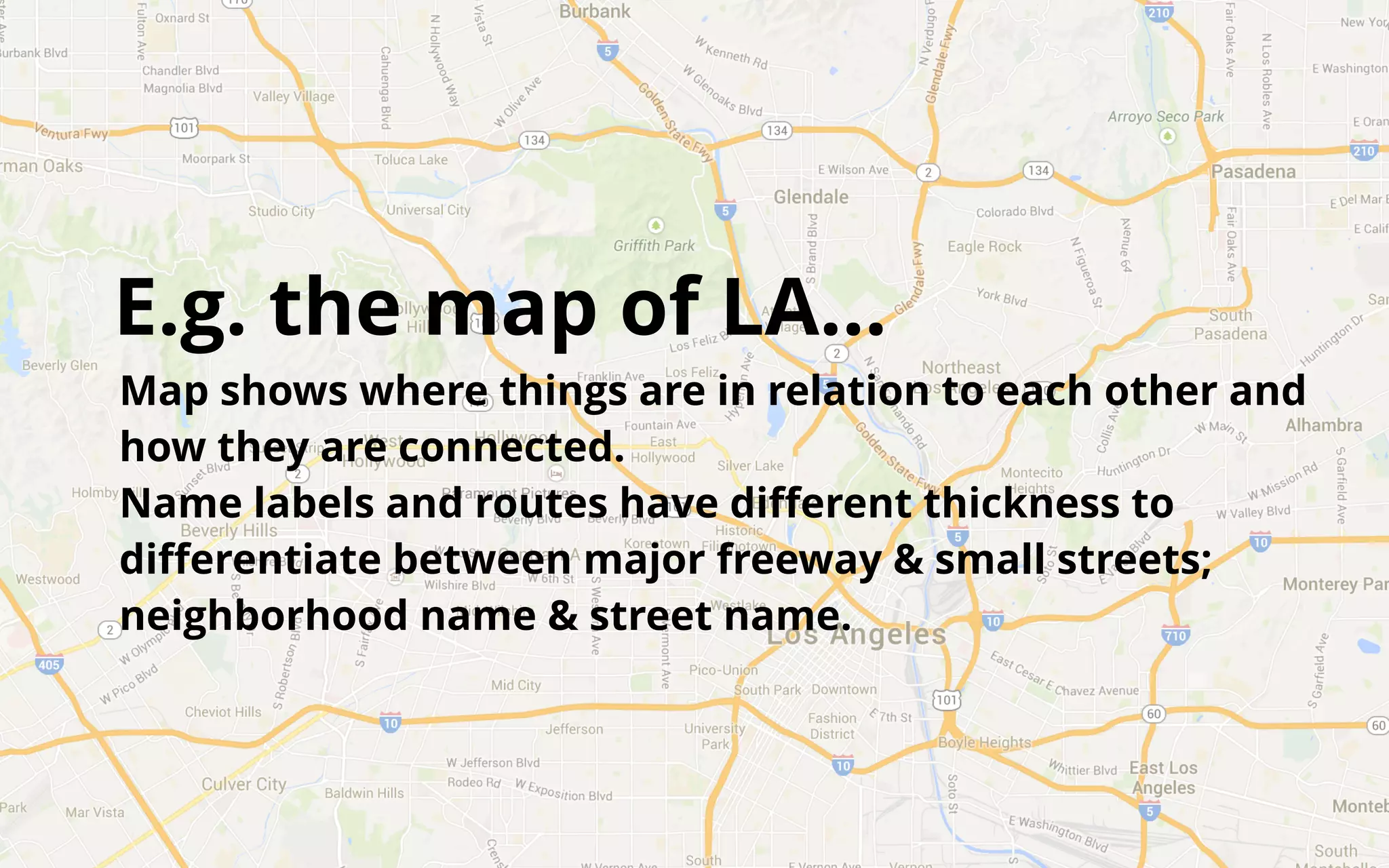
E.g. the map of LAโ€ฆ 
Map shows where things are in relation to each other and 
how they are connected. 
Name labels and routes have different thickness to 
differentiate between major freeway & small streets; 
neighborhood name & street name.
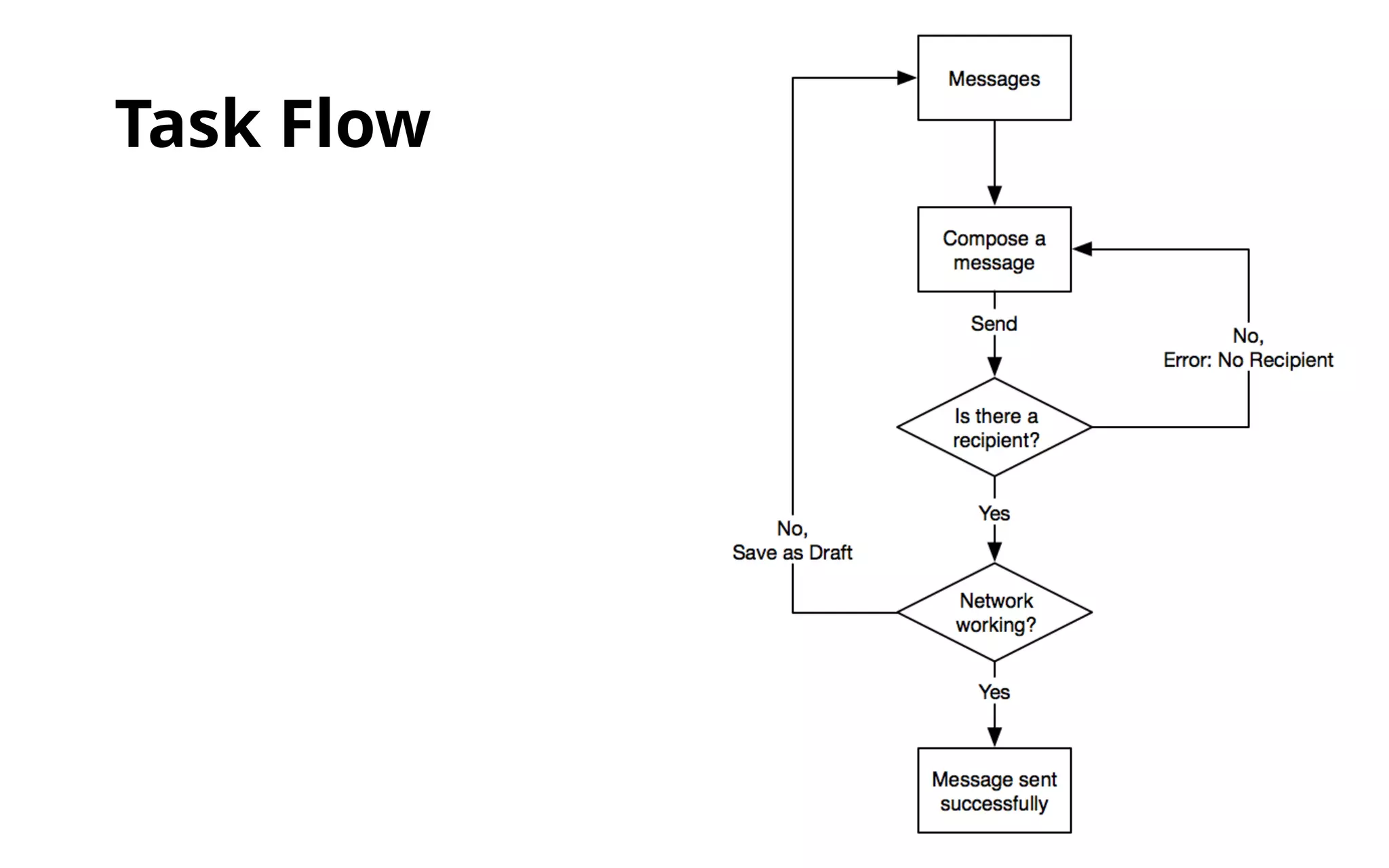
Task Flow 
A diagram that indicates the path a user must follow in order 
to complete a task in a product. 
A visual presentation of how one interacts with a system, which 
may span across multiple products and end users. 
Some may refer to it as โ€œflowchartโ€ or โ€œworkflowโ€
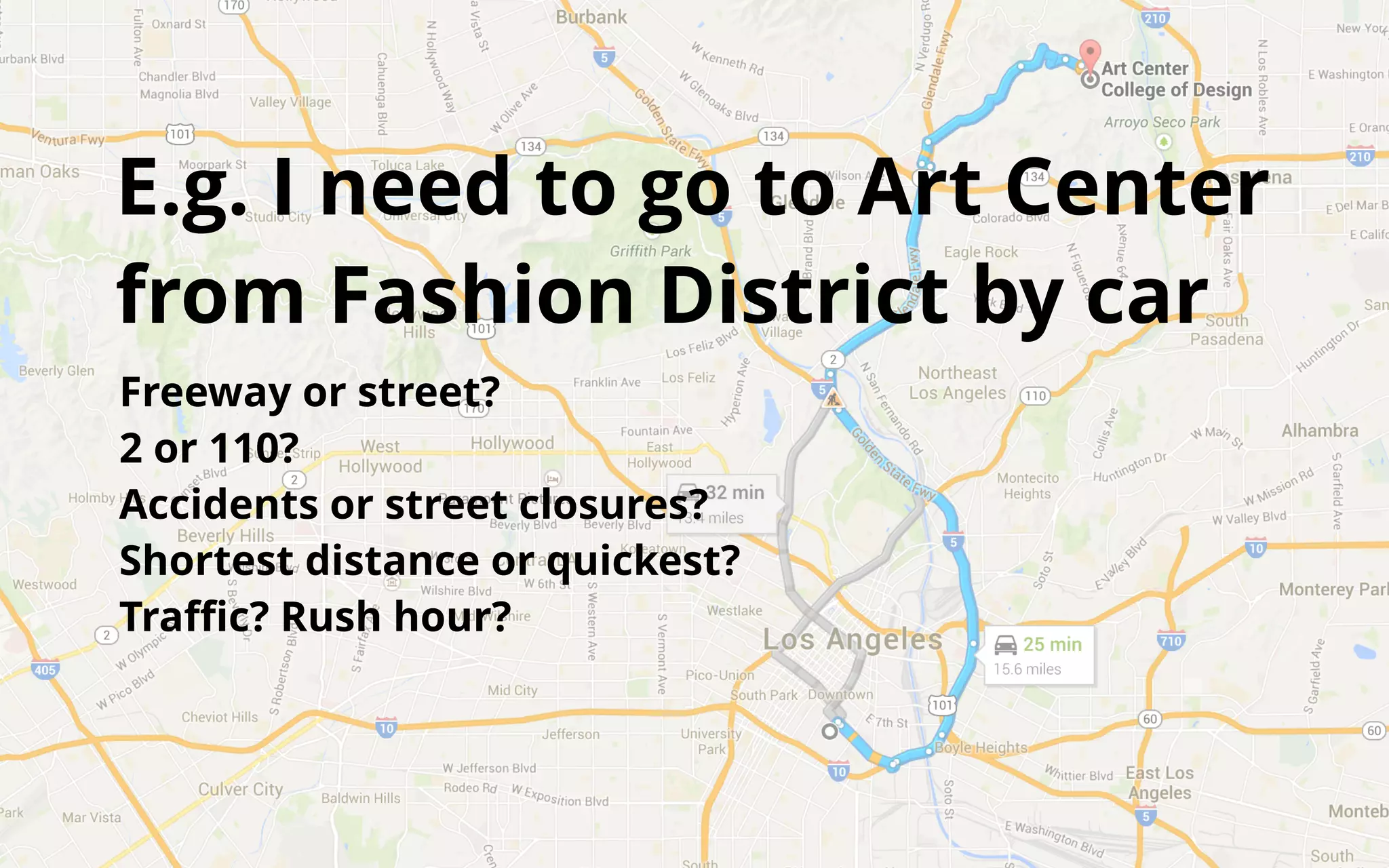
E.g. I need to go to Art Center 
from Fashion District by car 
Freeway or street? 
2 or 110? 
Accidents or street closures? 
Shortest distance or quickest? 
Traffic? Rush hour?
So what does it look like for 
a digital product?
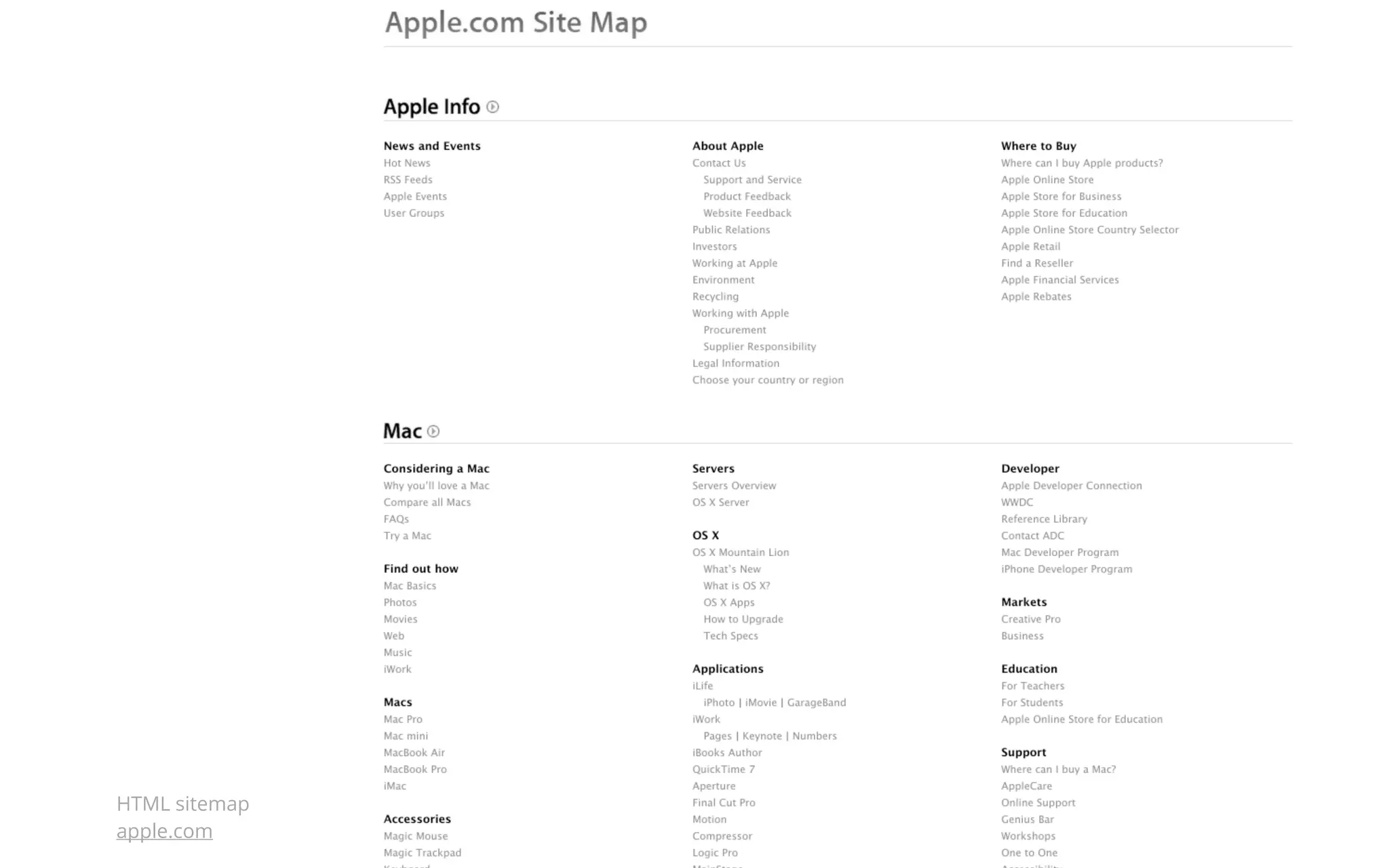
HTML sitemap 
apple.com
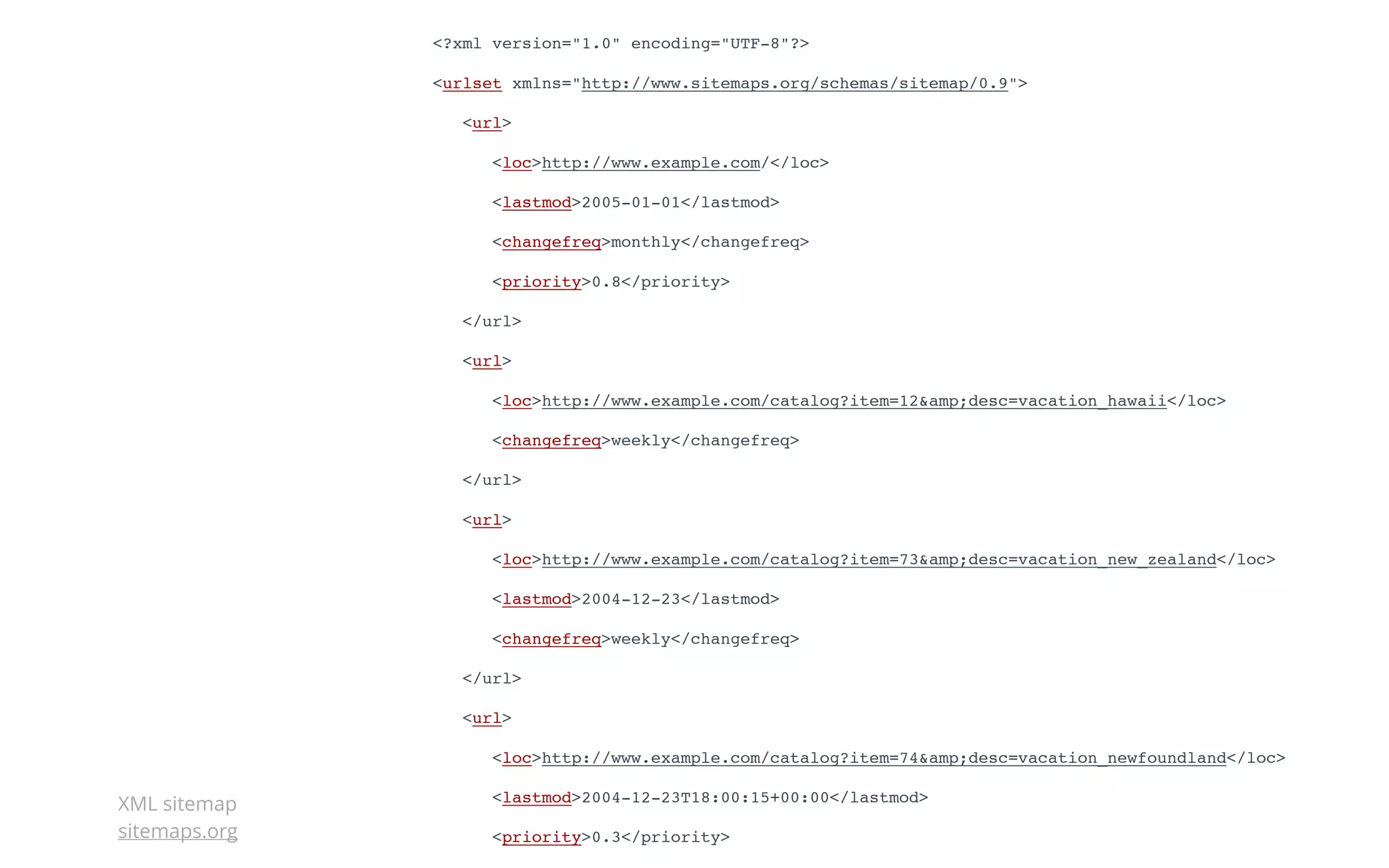
<?xml version="1.0" encoding="UTF-8"?> 
<urlset xmlns="http://www.sitemaps.org/schemas/sitemap/0.9"> 
<url> 
<loc>http://www.example.com/</loc> 
<lastmod>2005-01-01</lastmod> 
<changefreq>monthly</changefreq> 
<priority>0.8</priority> 
</url> 
<url> 
<loc>http://www.example.com/catalog?item=12&amp;desc=vacation_hawaii</loc> 
<changefreq>weekly</changefreq> 
</url> 
<url> 
<loc>http://www.example.com/catalog?item=73&amp;desc=vacation_new_zealand</loc> 
<lastmod>2004-12-23</lastmod> 
<changefreq>weekly</changefreq> 
</url> 
<url> 
<loc>http://www.example.com/catalog?item=74&amp;desc=vacation_newfoundland</loc> 
<lastmod>2004-12-23T18:00:15+00:00</lastmod> 
<priority>0.3</priority> 
</url> 
XML sitemap 
sitemaps.org
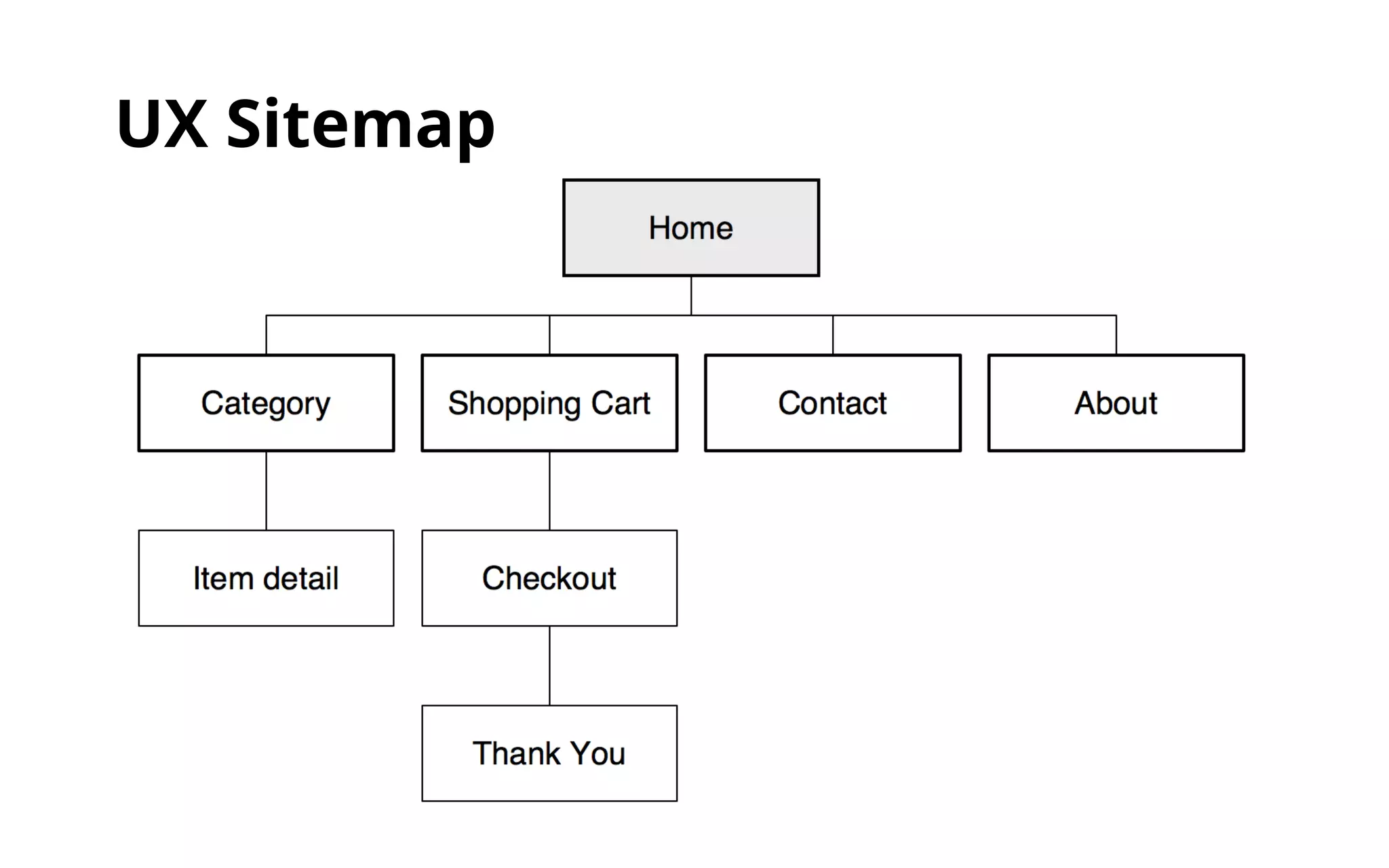
UX Sitemap
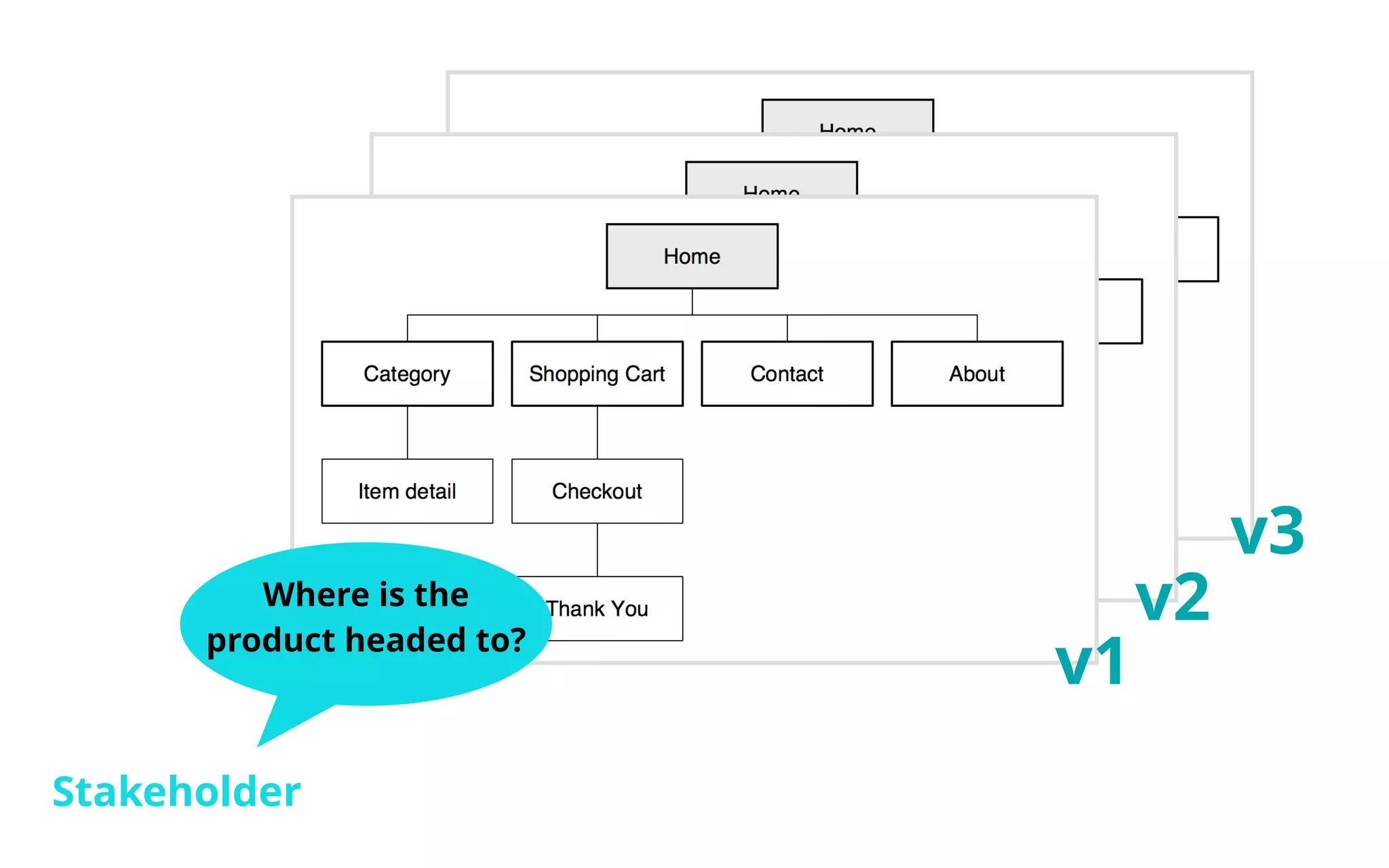
Where is the 
product headed to? 
Stakeholder 
v1 
v2 
v3
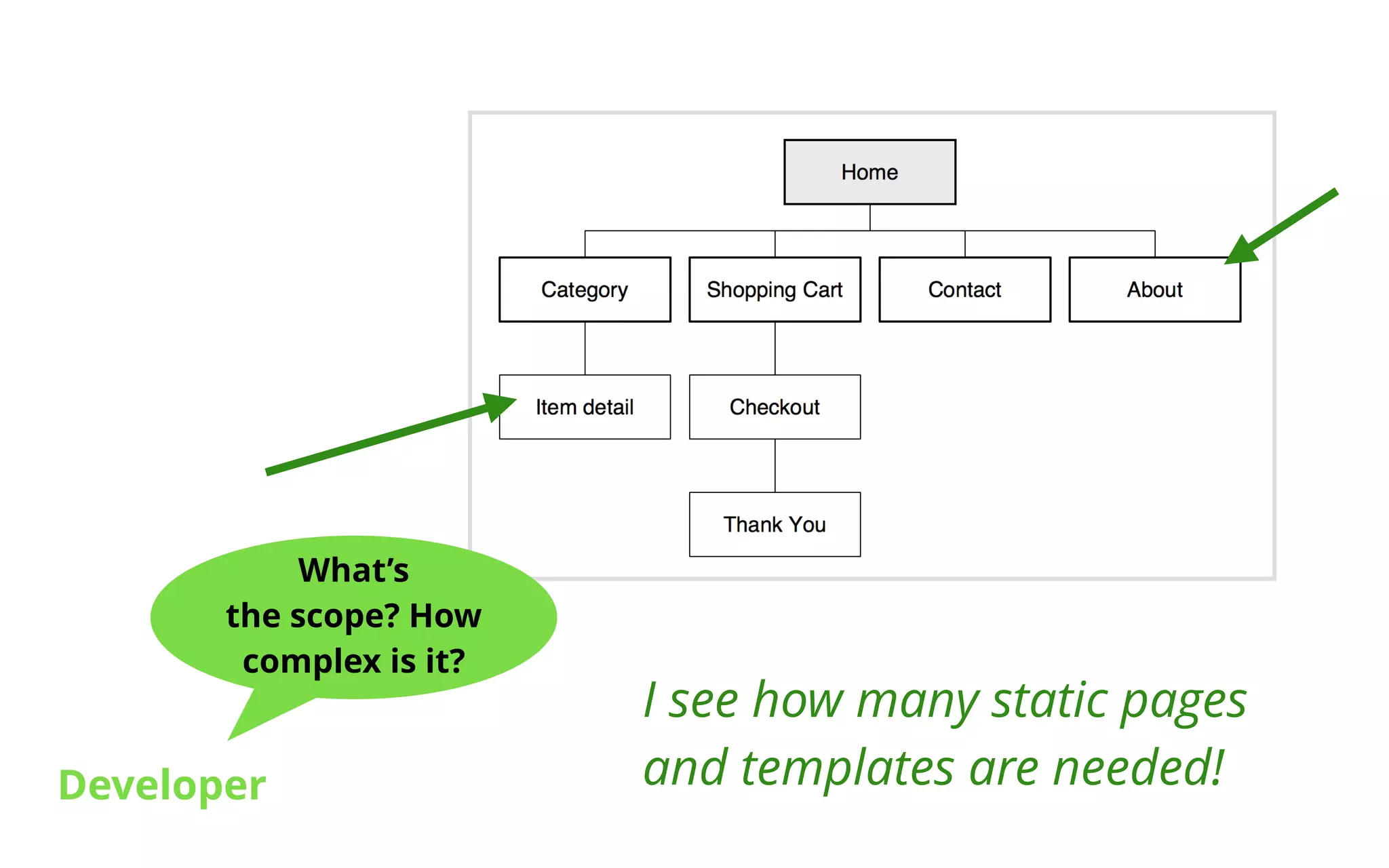
Whatโ€™s 
the scope? How 
complex is it? 
Developer 
I see how many static pages 
and templates are needed!
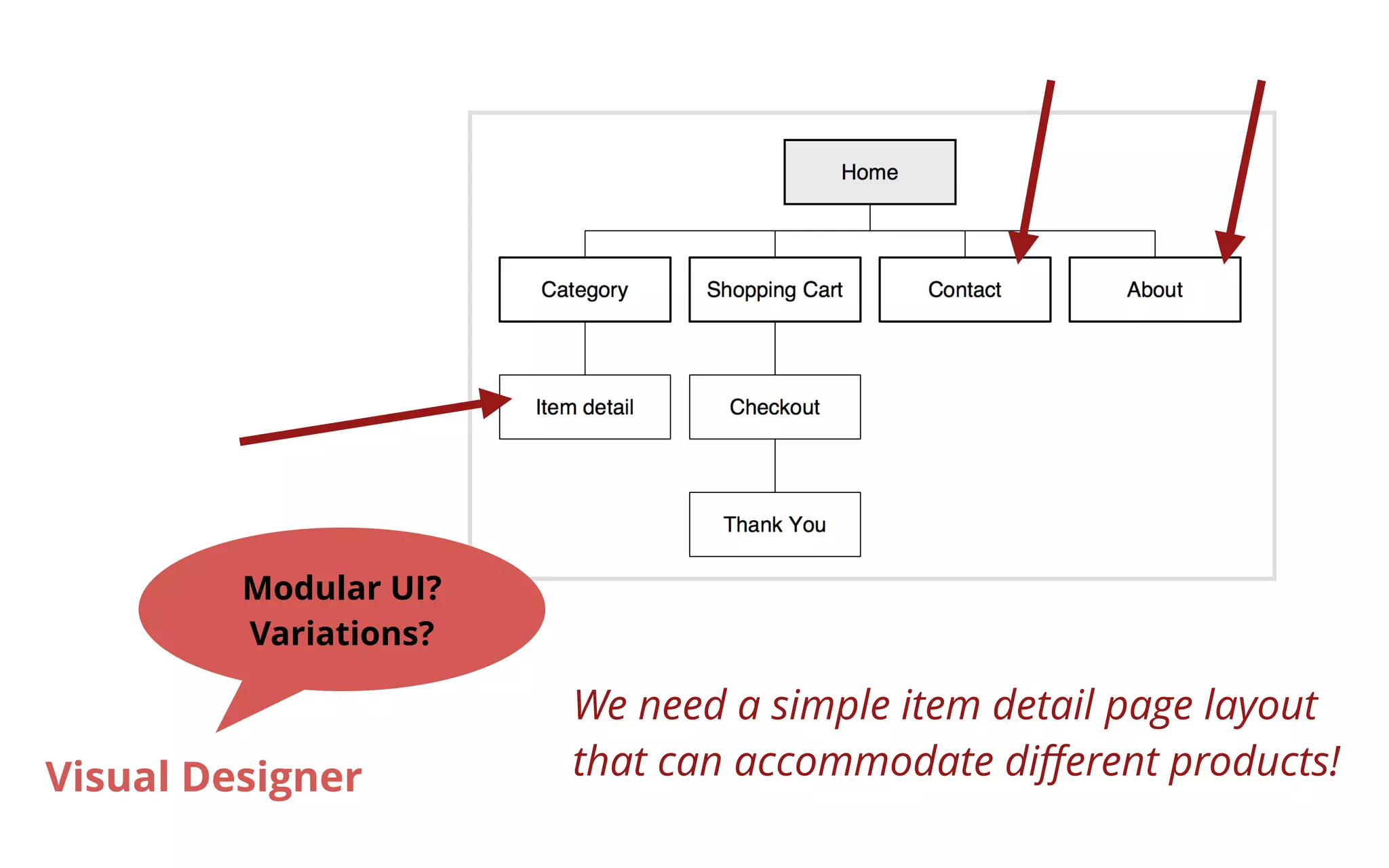
We need a simple item detail page layout 
that can accommodate different products! 
Modular UI? 
Variations? 
Visual Designer
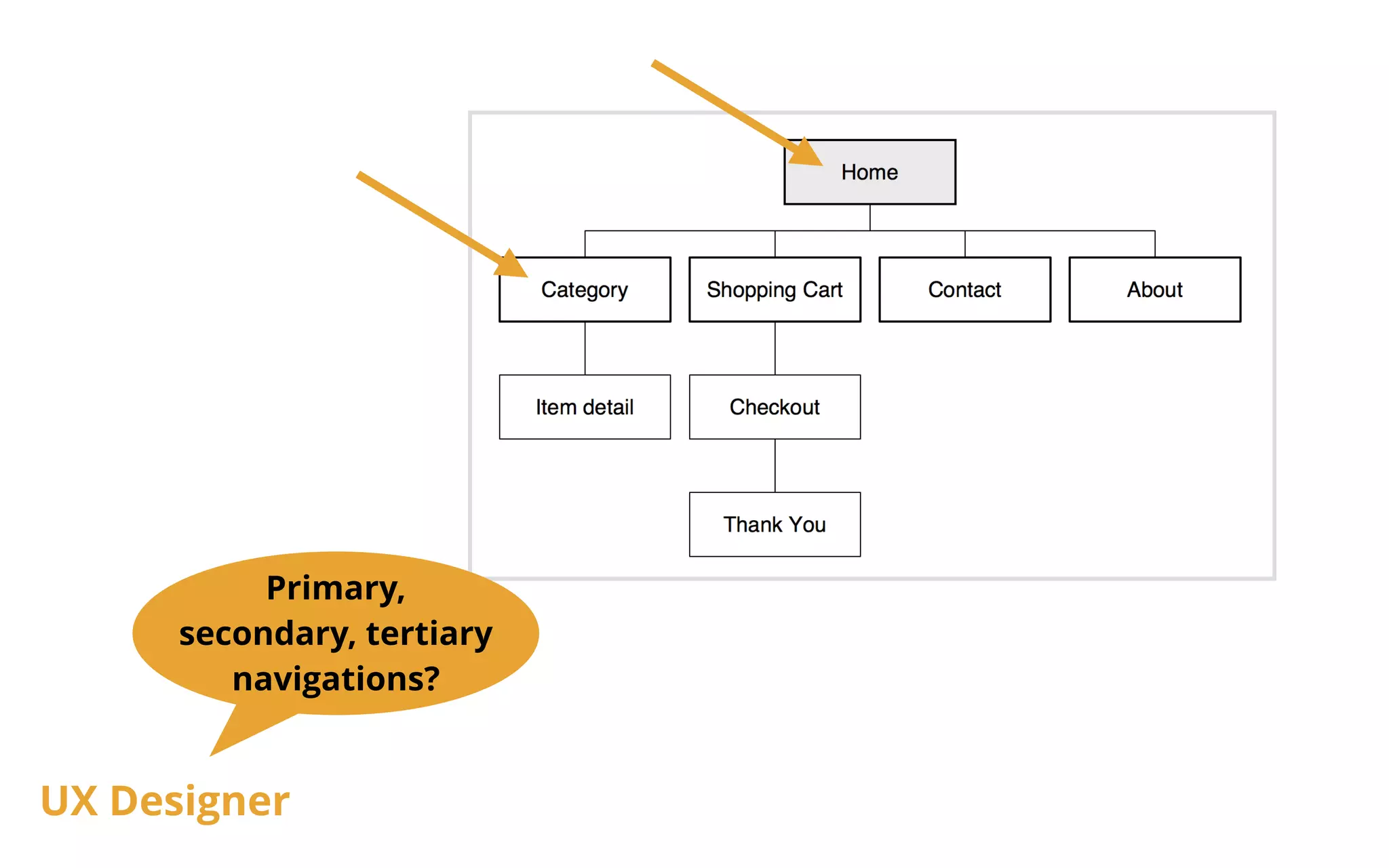
Primary, 
secondary, tertiary 
navigations? 
UX Designer
Task Flow
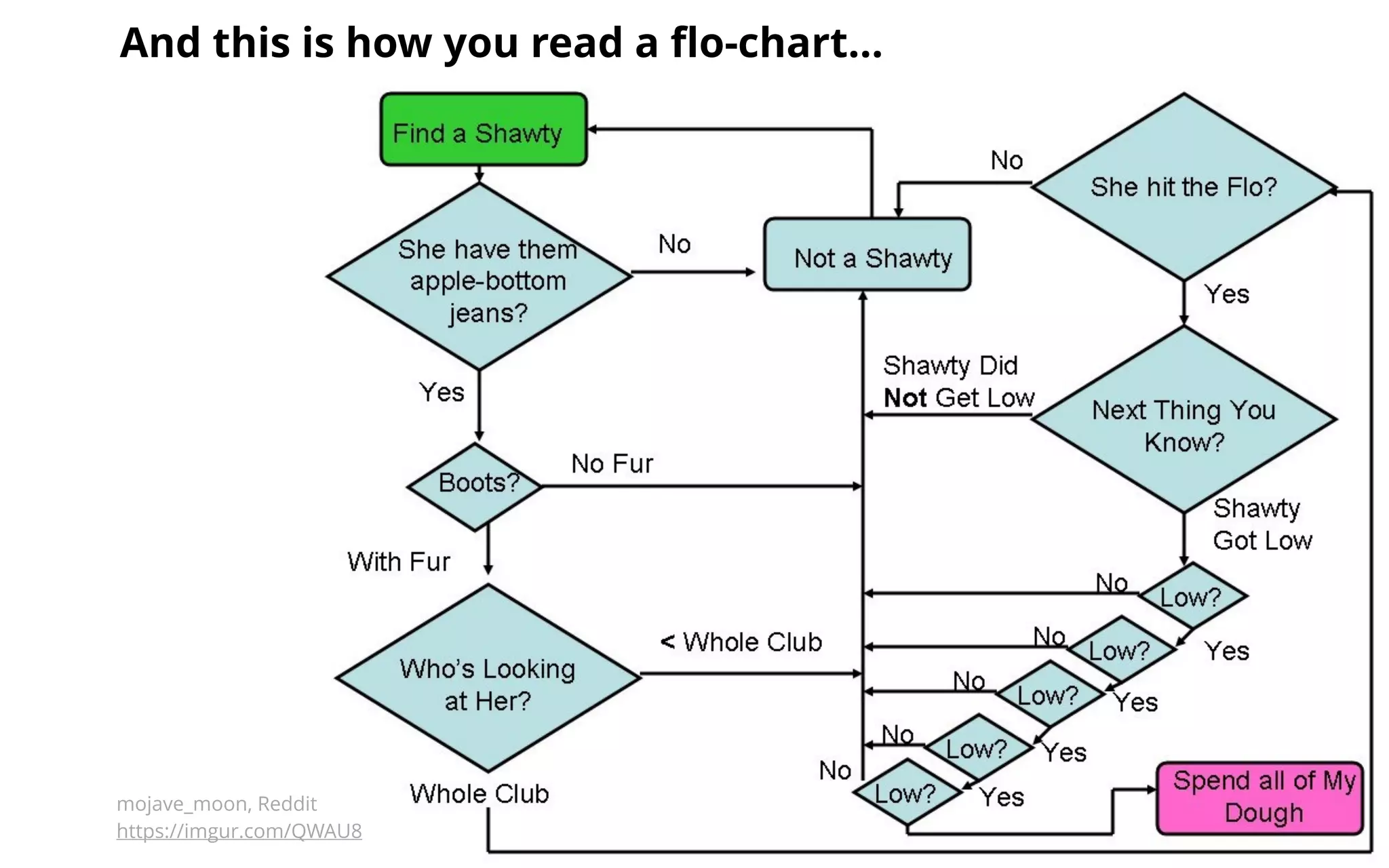
And this is how you read a flo-chartโ€ฆ 
mojave_moon, Reddit 
https://imgur.com/QWAU8
Garrett IA 
http://jjg.net/ia/visvocab/
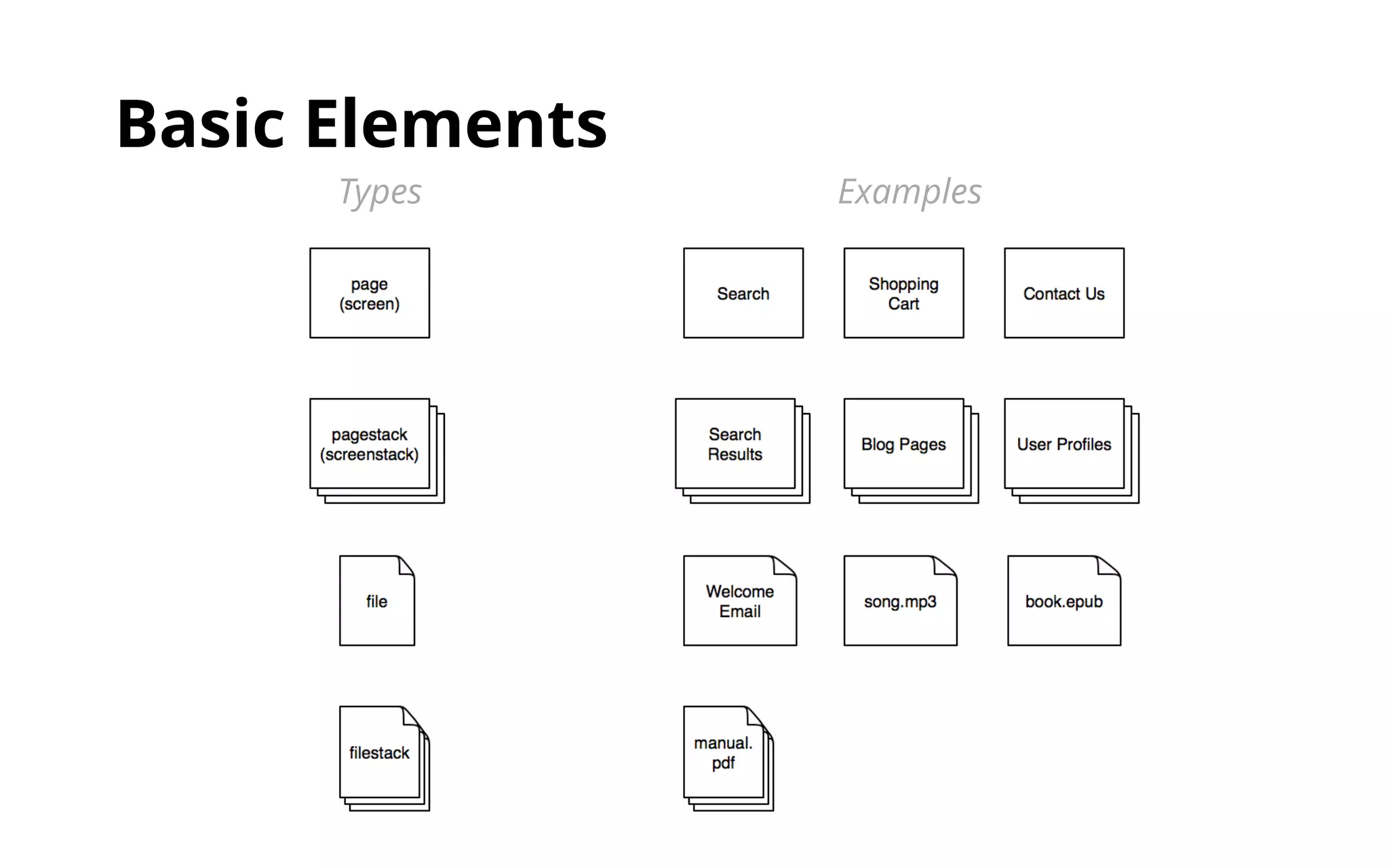
Basic Elements 
Types Examples
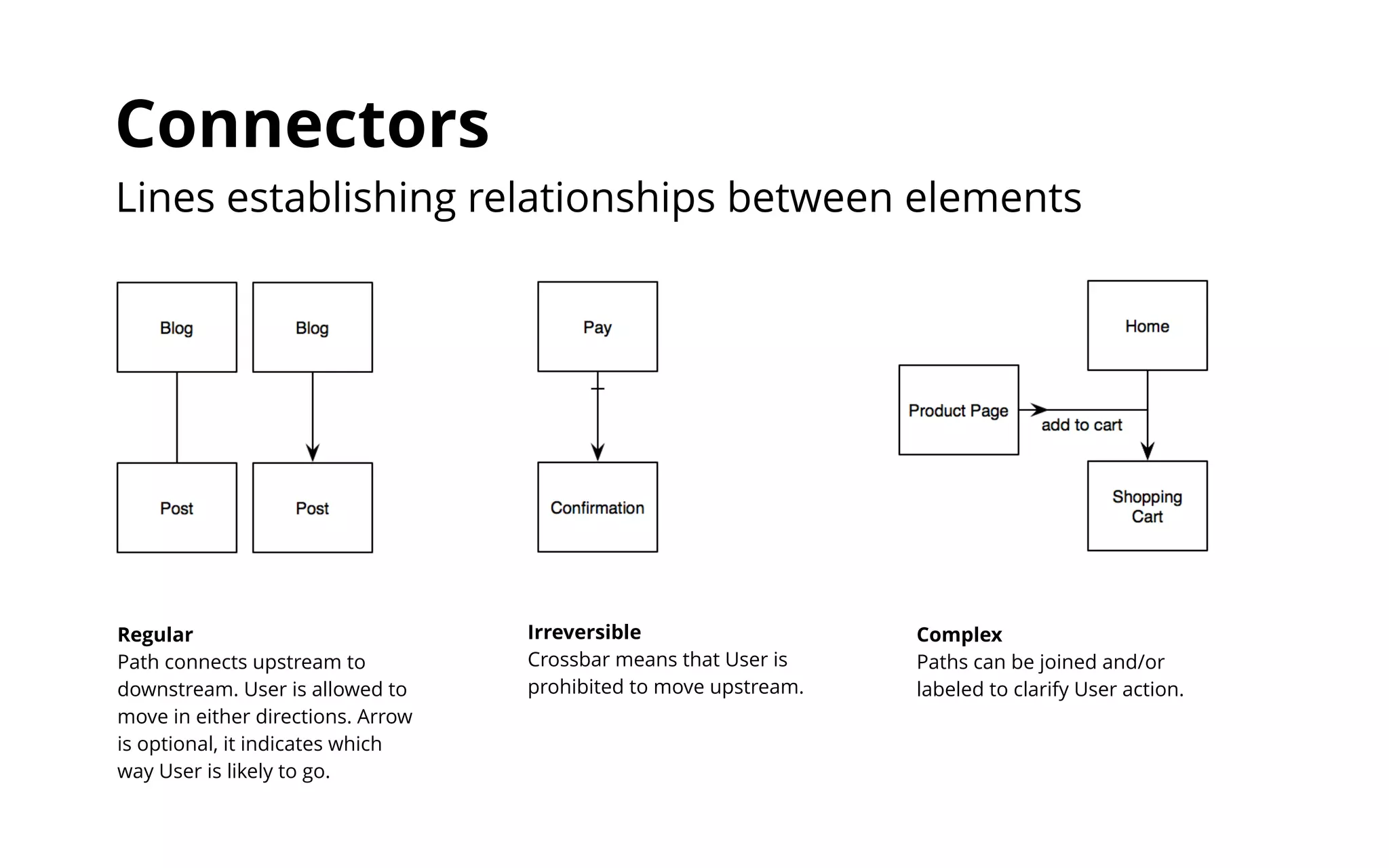
Connectors 
Lines establishing relationships between elements 
Regular 
Path connects upstream to 
downstream. User is allowed to 
move in either directions. Arrow 
is optional, it indicates which 
way User is likely to go. 
Irreversible 
Crossbar means that User is 
prohibited to move upstream. 
Complex 
Paths can be joined and/or 
labeled to clarify User action.
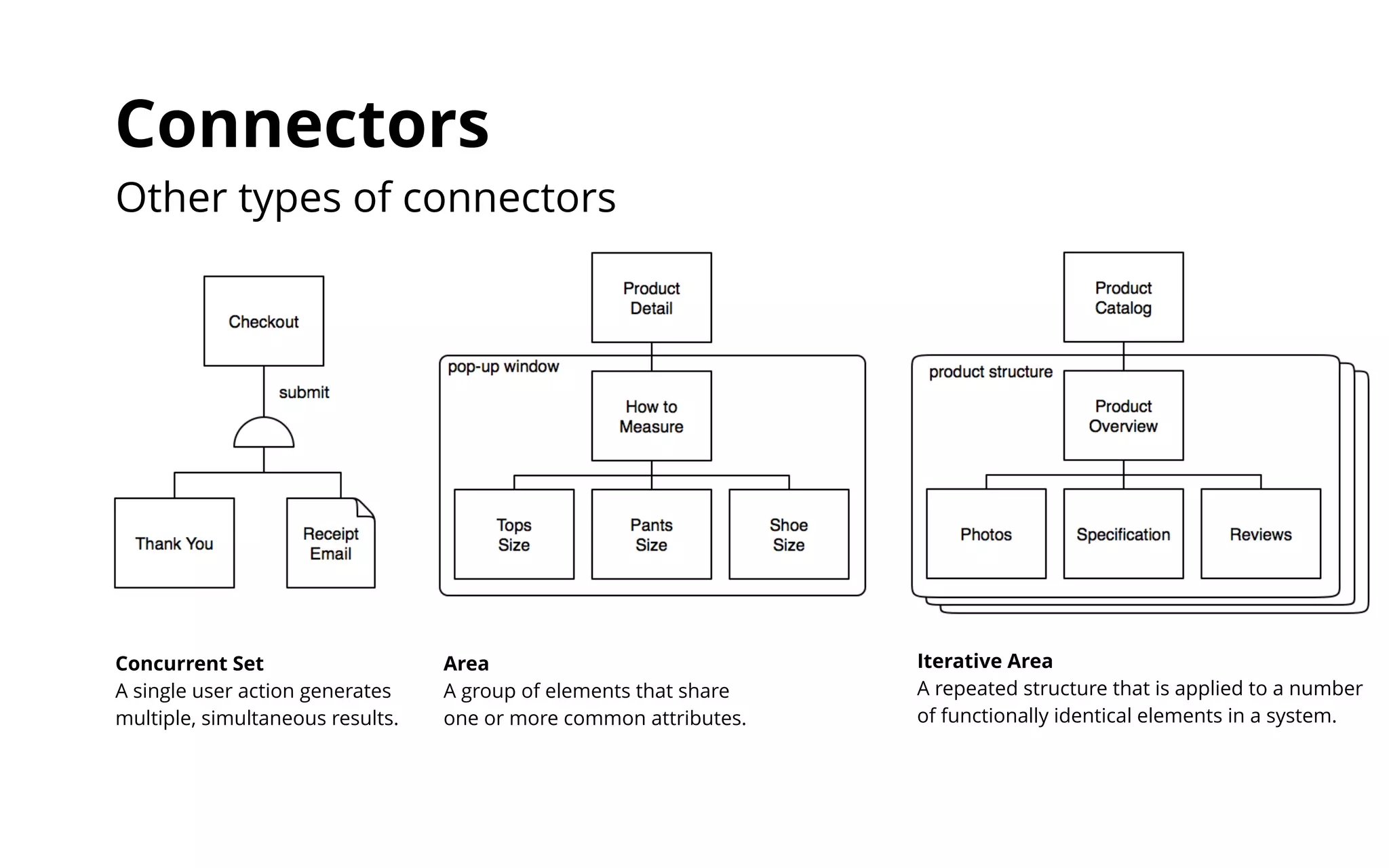
Connectors 
Other types of connectors 
Concurrent Set 
A single user action generates 
multiple, simultaneous results. 
Area 
A group of elements that share 
one or more common attributes. 
Iterative Area 
A repeated structure that is applied to a number 
of functionally identical elements in a system.
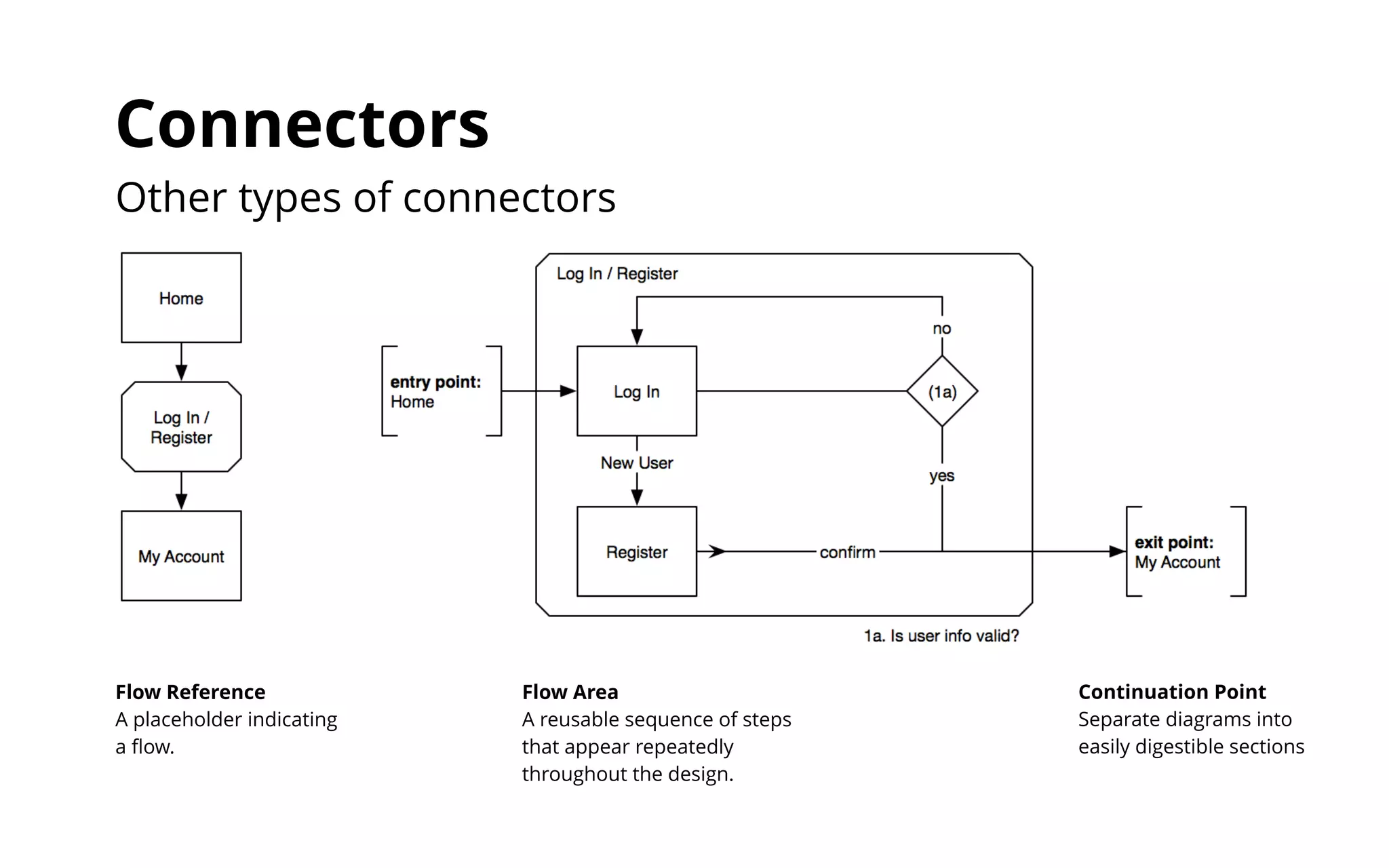
Connectors 
Other types of connectors 
Flow Reference 
A placeholder indicating 
a flow. 
Continuation Point 
Separate diagrams into 
easily digestible sections 
Flow Area 
A reusable sequence of steps 
that appear repeatedly 
throughout the design.
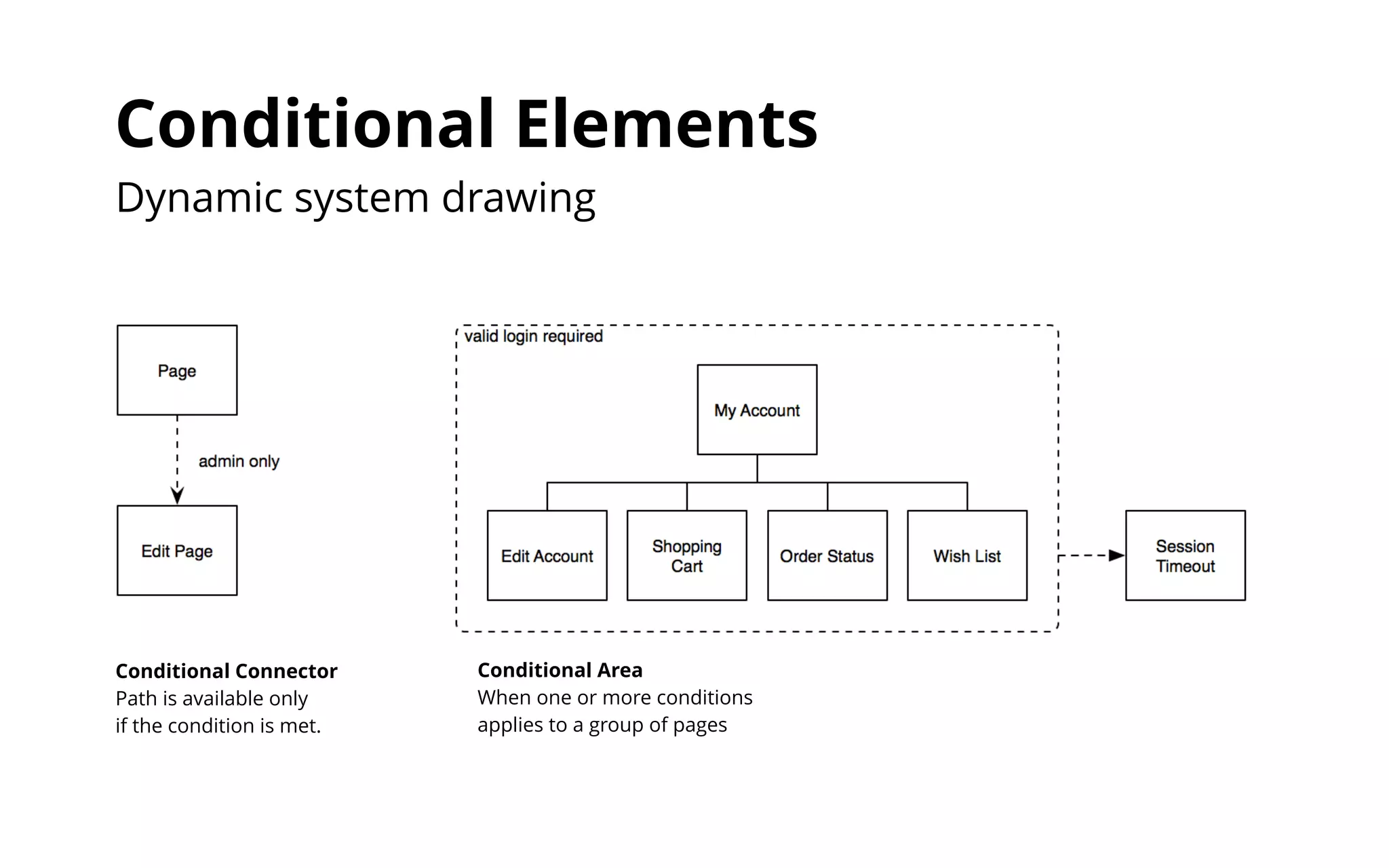
Conditional Elements 
Dynamic system drawing 
Conditional Area 
When one or more conditions 
applies to a group of pages 
Conditional Connector 
Path is available only 
if the condition is met.
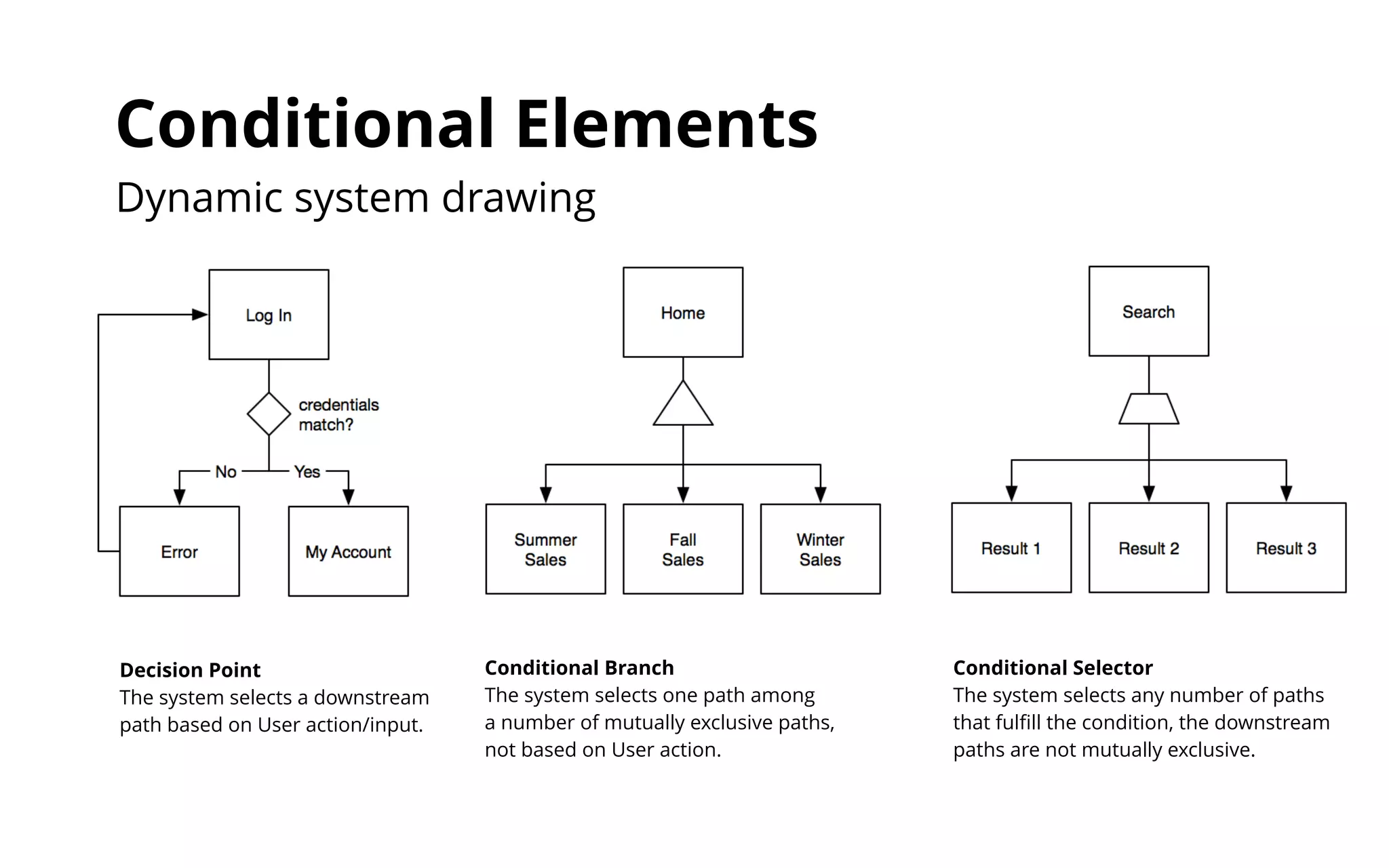
Conditional Elements 
Dynamic system drawing 
Decision Point 
The system selects a downstream 
path based on User action/input. 
Conditional Branch 
The system selects one path among 
a number of mutually exclusive paths, 
not based on User action. 
Conditional Selector 
The system selects any number of paths 
that fulfill the condition, the downstream 
paths are not mutually exclusive.
Resources & Reading 
โ€ฃhttp://www.uxbooth.com/articles/the-difference-between-ia-and-ux-design/ 
โ€ฃhttp://theuxreview.co.uk/sitemaps-the-beginners-guide/ 
โ€ฃhttp://www.jjg.net/ia/visvocab/ 
โ€ฃhttp://www.jjg.net/ia/visvocab/files/garrett_ia_quickref.pdf 
โ€ฃhttp://www.jjg.net/ia/visvocab/files/garrett_ia_cheatsheet.pdf

Art Center Interactive Design 4 - #3 Information Architecture & Product Diagrams

  • 1.
    Information Architecture &Product Diagrams Art Center Interactive Design 4 | Week 3 | Joy Liu
  • 2.
    The art andscience of organizing and labeling web sites, intranets, online communities and software to support usability and findability. โ€œInformation Architectureโ€ defined by The Information Architecture Institute
  • 3.
    Why is itimportant? How are items organized and grouped? How does a user navigate and move around in the system? How does a user search for what he/she is looking for? How are entities named? How does a user know where he/she is in the system? How is content presented to different types of users? How do things communicate with each other within the system?
  • 4.
    Product Diagrams Weuse diagrams and visual vocabulary to help externalize the actions and decisions that a user can do in the system.
  • 5.
    Sitemap A listof pages(screens) of a product organized in hierarchical fashion. A visual presentation of a productโ€™s organization and how different sections are linked together.
  • 6.
    E.g. the mapof LAโ€ฆ Map shows where things are in relation to each other and how they are connected. Name labels and routes have different thickness to differentiate between major freeway & small streets; neighborhood name & street name.
  • 7.
    Task Flow Adiagram that indicates the path a user must follow in order to complete a task in a product. A visual presentation of how one interacts with a system, which may span across multiple products and end users. Some may refer to it as โ€œflowchartโ€ or โ€œworkflowโ€
  • 8.
    E.g. I needto go to Art Center from Fashion District by car Freeway or street? 2 or 110? Accidents or street closures? Shortest distance or quickest? Traffic? Rush hour?
  • 9.
    So what doesit look like for a digital product?
  • 10.
  • 11.
    <?xml version="1.0" encoding="UTF-8"?> <urlset xmlns="http://www.sitemaps.org/schemas/sitemap/0.9"> <url> <loc>http://www.example.com/</loc> <lastmod>2005-01-01</lastmod> <changefreq>monthly</changefreq> <priority>0.8</priority> </url> <url> <loc>http://www.example.com/catalog?item=12&amp;desc=vacation_hawaii</loc> <changefreq>weekly</changefreq> </url> <url> <loc>http://www.example.com/catalog?item=73&amp;desc=vacation_new_zealand</loc> <lastmod>2004-12-23</lastmod> <changefreq>weekly</changefreq> </url> <url> <loc>http://www.example.com/catalog?item=74&amp;desc=vacation_newfoundland</loc> <lastmod>2004-12-23T18:00:15+00:00</lastmod> <priority>0.3</priority> </url> XML sitemap sitemaps.org
  • 12.
  • 13.
    Where is the product headed to? Stakeholder v1 v2 v3
  • 14.
    Whatโ€™s the scope?How complex is it? Developer I see how many static pages and templates are needed!
  • 15.
    We need asimple item detail page layout that can accommodate different products! Modular UI? Variations? Visual Designer
  • 16.
    Primary, secondary, tertiary navigations? UX Designer
  • 17.
  • 18.
    And this ishow you read a flo-chartโ€ฆ mojave_moon, Reddit https://imgur.com/QWAU8
  • 19.
  • 20.
  • 21.
    Connectors Lines establishingrelationships between elements Regular Path connects upstream to downstream. User is allowed to move in either directions. Arrow is optional, it indicates which way User is likely to go. Irreversible Crossbar means that User is prohibited to move upstream. Complex Paths can be joined and/or labeled to clarify User action.
  • 22.
    Connectors Other typesof connectors Concurrent Set A single user action generates multiple, simultaneous results. Area A group of elements that share one or more common attributes. Iterative Area A repeated structure that is applied to a number of functionally identical elements in a system.
  • 23.
    Connectors Other typesof connectors Flow Reference A placeholder indicating a flow. Continuation Point Separate diagrams into easily digestible sections Flow Area A reusable sequence of steps that appear repeatedly throughout the design.
  • 24.
    Conditional Elements Dynamicsystem drawing Conditional Area When one or more conditions applies to a group of pages Conditional Connector Path is available only if the condition is met.
  • 25.
    Conditional Elements Dynamicsystem drawing Decision Point The system selects a downstream path based on User action/input. Conditional Branch The system selects one path among a number of mutually exclusive paths, not based on User action. Conditional Selector The system selects any number of paths that fulfill the condition, the downstream paths are not mutually exclusive.
  • 26.
    Resources & Reading โ€ฃhttp://www.uxbooth.com/articles/the-difference-between-ia-and-ux-design/ โ€ฃhttp://theuxreview.co.uk/sitemaps-the-beginners-guide/ โ€ฃhttp://www.jjg.net/ia/visvocab/ โ€ฃhttp://www.jjg.net/ia/visvocab/files/garrett_ia_quickref.pdf โ€ฃhttp://www.jjg.net/ia/visvocab/files/garrett_ia_cheatsheet.pdf