ARIA Gone Wild!

    Jared Smith
  @jared_w_smith
    webaim.org
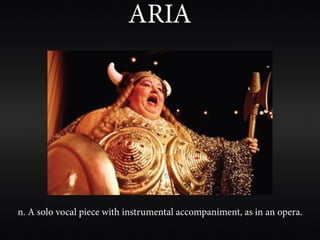
ARIA


n. A solo vocal piece with instrumental accompaniment, as in an opera.
Accessible Rich
Internet Applications
why aria?
weaknesses in
    html
dynamic
content
updates
soware-like
 interactions
 in web apps
complex
    web
applications
aria is sexy
 and cool
aria allows us to build
accessibility into modern
 web applications today
aria does not
   solve all
accessibility
    issues
“How do I
download
  aria?”
aria is simply markup

   roles, states, and properties
   <div role=”main”>
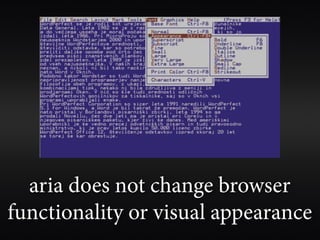
aria does not change browser
functionality or visual appearance
aria changes
and enhances
 native html
  semantics

 aria always
    wins
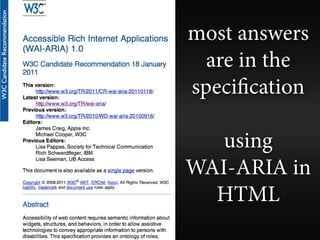
most answers
  are in the
specification

  using
WAI-ARIA in
  HTML
aria is
   supported*
  by nearly all
modern browsers,
 screen readers,
  and scripting
    libraries


         *support varies
you can only make
your content more
accessible by using
        aria

you lose nothing by
   using it now


          (if done correctly)
when shouldn’t i use aria?
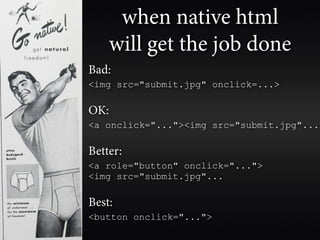
when native html
    will get the job done
Bad:
<img src="submit.jpg" onclick=...>

OK:
<a onclick="..."><img src="submit.jpg"...

Better:
<a role="button" onclick="...">
<img src="submit.jpg"...

Best:
<button onclick="...">
aria landmarks
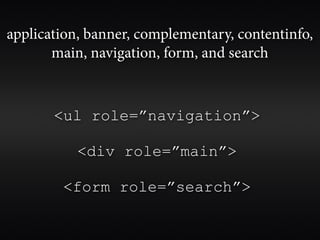
application, banner, complementary, contentinfo,
       main, navigation, form, and search


       <ul role=”navigation”>

           <div role=”main”>

        <form role=”search”>
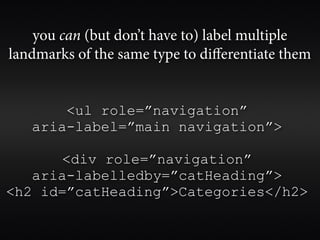
you can (but don’t have to) label multiple
landmarks of the same type to differentiate them


       <ul role=”navigation”
   aria-label=”main navigation”>

      <div role=”navigation”
   aria-labelledby=”catHeading”>
<h2 id=”catHeading”>Categories</h2>
don’t overdo it
adding aria just
 because you can
is a slippery slope
typically only one
     per page:
    banner,
contentinfo,
    and main
avoid orphaned
     content

put everything in a
     landmark
the end of
“skip” links?
screen reader “freakout” mode


when an element that has focus or is being read is
            modified or destroyed
screen reader “freakout” mode


can be controlled by allowing manual control of
 updates, setting focus with javascript, aria live
             regions, aria alerts, etc.
learn the power of
tabindex=0 and
 tabindex=-1

learn the dangers of
  tabindex=1+
role=”alert”

read me right now
regardless of focus

also alertdialog
role=”presentation”

  hides roles of elements
and most descendants from
   assistive technology

       <table
role=”presentation”>


   will should not hide default
   roles of navigable elements
role=”application”


forms mode vs. reading mode
application or forms
mode causes screen
reader keystrokes to
   be sent to the
browser/application

  standard screen
reader shortcuts are
      disabled
<body role=”application”>
makes it very difficult to manually move out
         of application/forms mode
some aria elements (tree view, slider, table,
tabpanel, dialog, toolbar, menus, etc.) have
      an assumed application role
test without a mouse

... and test without a mouse
      in a screen reader

  screen readers change
   keyboard interaction
        behavior
follow the aria
design patterns
program esc key
to cancel dialogs,
   menus, etc.
aria-required=”true”


       not necessary if it’s intuitive
        that the field is required

             does not change
            functionality, only
                semantics
aria-invalid=”true”


 identify broken or
 errant form fields
let css do the heavy liing


   you change semantic
 attributes, let css handle
          styling

[aria-invalid=true] {
    border : 2px solid red;
}
aria-disabled=”true”

disabled=”disabled” in html removes object from
 keyboard flow and have extremely poor contrast


                          aria-disabled=”true”
                          allows it to remain in the
                            keyboard flow, but be
                            presented as disabled.
aria-hidden=”true”


hides element and all
    descendants

child elements can’t be
       unhidden

[aria-hidden=true]{
   display:none;
}
aria-labelledby


 overcomes html’s
1-to-1 label to form
 control limitation
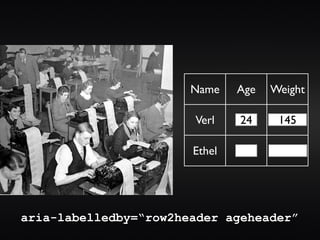
Name    Age   Weight

                       Verl    24     145

                       Ethel


aria-labelledby=“row2header ageheader”
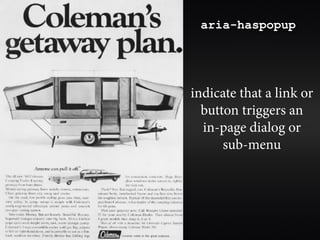
aria-haspopup


indicate that a link or
  button triggers an
  in-page dialog or
      sub-menu
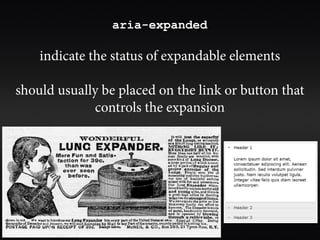
aria-expanded

    indicate the status of expandable elements

should usually be placed on the link or button that
             controls the expansion
... and much, much more...
              role=”menu”
              role=”tree”
              role=”grid”
            role=”slider”
          role=”progressbar”
            role=”tooltip”
           role=”tabpanel”
               aria-live
             aria-grabbed
                   etc.
 Authoring Practices document provides
  interaction models and design patterns
http://www.w3.org/WAI/PF/aria-practices/
sometimes things fail,
even if you’ve followed
   the specification

 screen reader testing
        is vital

support is improving
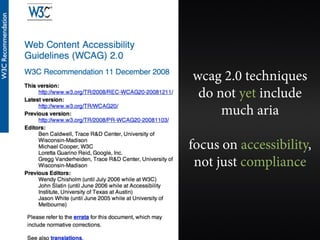
wcag 2.0 techniques
 do not yet include
     much aria

focus on accessibility,
 not just compliance
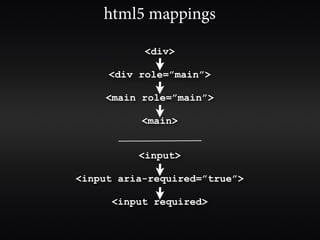
html5 mappings

           <div>

     <div role=”main”>

     <main role=”main”>

           <main>


          <input>

<input aria-required=”true”>

      <input required>
the future is html5
thank you
  Jared Smith
@jared_w_smith
  webaim.org

ARIA Gone Wild