Accessibility & Compatibility

           Jared Smith
         @jared_w_smith

           webaim.org
compatibility with ...?

      people!!!

                          3/49
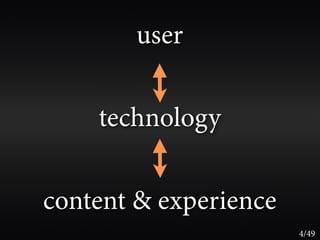
user


    technology


content & experience
                       4/49
technology
bridges the
gap between
people and
content &
experience
              5/49
assistive technology


                       6/49
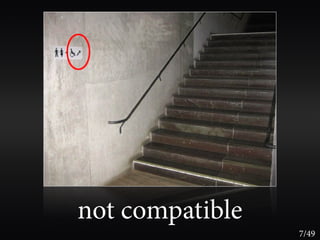
not compatible
                 7/49
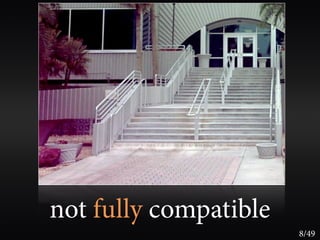
not fully compatible
                       8/49
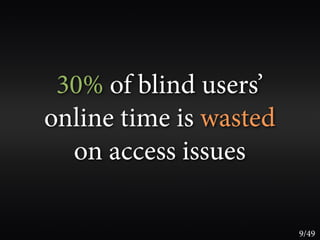
30% of blind users’
online time is wasted
  on access issues

                        9/49
reliably

  you can’t detect
assistive technology


                       10/49
you can’t trust
  assistive technology

it kinda sucks and is constantly changing
                                            11/49
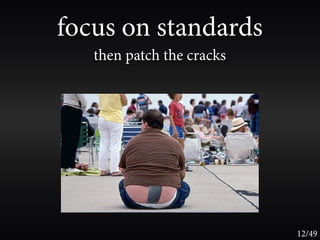
focus on standards
   then patch the cracks


                           12/49
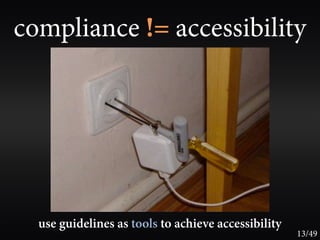
compliance != accessibility


  use guidelines as tools to achieve accessibility
                                                     13/49
your site can be fully compliant,
    yet totally inaccessible


                               14/49
your site can be
   fully compliant and
technically accessible, yet
 functionally inaccessible

                              15/49
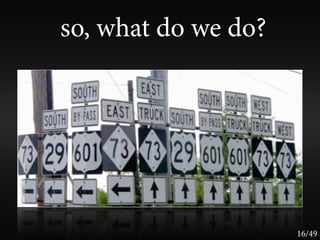
so, what do we do?


                     16/49
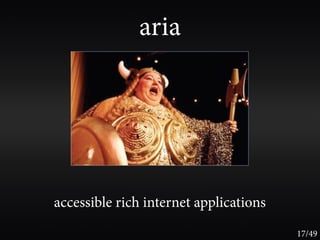
aria


accessible rich internet applications
                                        17/49
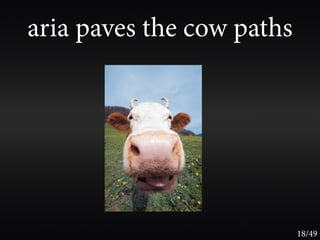
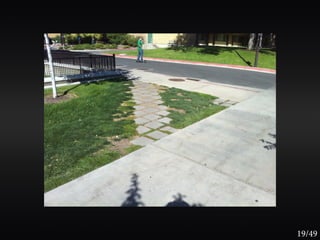
aria paves the cow paths


                           18/49
19/49
20/49
21/49
22/49
23/49
today’s focus is on
compatibility beyond standards
 ... or the complexities of basic accessibility

                                                  24/49
alternative text for images
       should present
CONTENT and FUNCTION

  very rarely a description


                               25/49
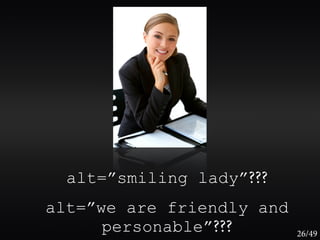
alt=”smiling lady”???
alt=”we are friendly and
      personable”???       26/49
“I don’t want to miss out on any content”
                          vs.
“I’m listening to the page at 300 words per minute
  in a robotic computer voice - I don’t care about
          the mood and feel of the page.”


       focus on succinct content and functionality   27/49
images that are the only thing within
     a link MUST have alt text


          image buttons and hot spots too   28/49
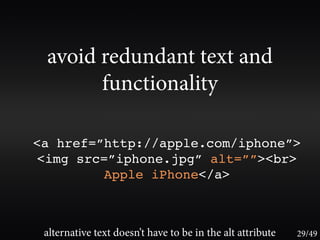
avoid redundant text and
       functionality

<a href=”http://apple.com/iphone”>
<img src=”iphone.jpg” alt=””><br>
         Apple iPhone</a>


 alternative text doesn’t have to be in the alt attribute   29/49
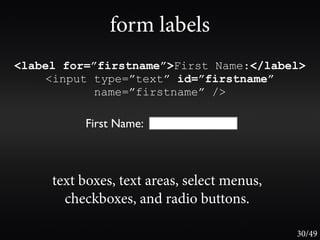
form labels
<label for=”firstname”>First Name:</label>
    <input type=”text” id=”firstname”
           name=”firstname” />

          First Name:


     text boxes, text areas, select menus,
       checkboxes, and radio buttons.

                                             30/49
form labels


<label> is limited to one form control

    use aria-labelledby for
      multiple labels per control
                  or
      multiple controls per label


                                         31/49
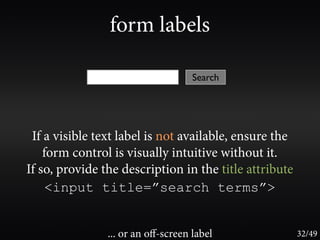
form labels

                                    Search


 If a visible text label is not available, ensure the
    form control is visually intuitive without it.
If so, provide the description in the title attribute
     <input title=”search terms”>


                ... or an off-screen label               32/49
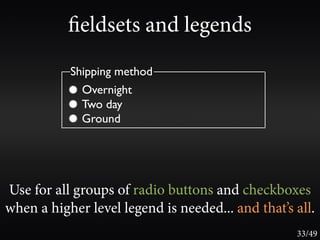
eldsets and legends
           Shipping method
             Overnight
             Two day
             Ground


Use for all groups of radio buttons and checkboxes
when a higher level legend is needed... and that’s all.
                                                   33/49
use buttons to submit forms,
             not links


and ensure that buttons and links initiate a context
       change (use focus() if necessary)
                                                 34/49
avoid accesskey and tabindex


...unless you're sure you know what you're doing.

   learn the power of tabindex=”0” and
              tabindex=”-1”                    35/49
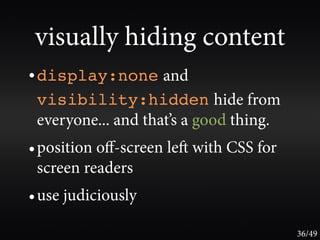
visually hiding content
• display:none and
 visibility:hidden hide from
 everyone... and that’s a good thing.
• position off-screen le with CSS for
 screen readers
• use judiciously

                                        36/49
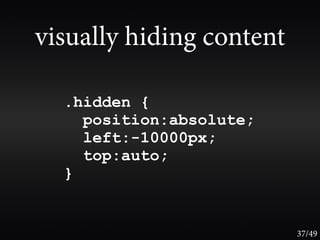
visually hiding content

  .hidden {
    position:absolute;
    left:-10000px;
    top:auto;
  }


                          37/49
hover is dead
  the title attribute and onmouseover is (mostly)
incompatible with touch-screen devices, keyboard,
          voice control, and screen readers


                                              38/49
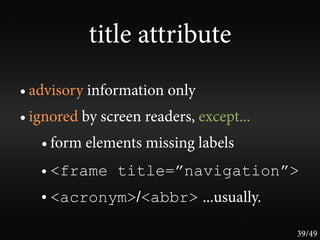
title attribute
• advisory information only
• ignored by screen readers, except...
   • form elements missing labels
   • <frame title=”navigation”>
   • <acronym>/<abbr> ...usually.

                                         39/49
“skip to main content” links?


Yes! Until browsers provide better keyboard
        navigation for sighted users
                                              40/49
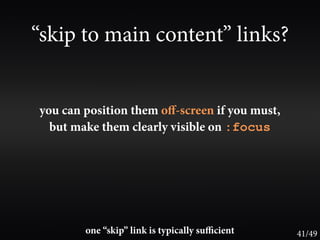
“skip to main content” links?


you can position them off-screen if you must,
  but make them clearly visible on :focus


        one “skip” link is typically sufficient   41/49
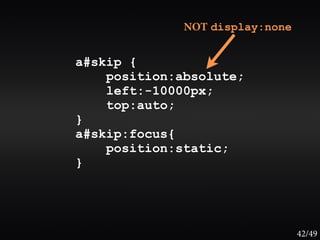
NOT display:none


a#skip {
    position:absolute;
    left:-10000px;
    top:auto;
}
a#skip:focus{
    position:static;
}


                                 42/49
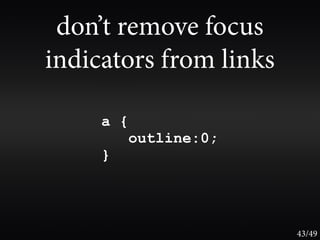
don’t remove focus
indicators from links

     a {
           outline:0;
     }


                        43/49
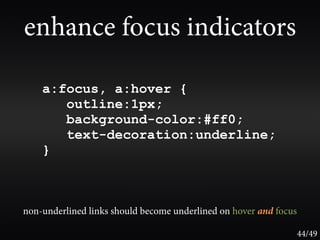
enhance focus indicators

    a:focus, a:hover {
       outline:1px;
       background-color:#ff0;
       text-decoration:underline;
    }


non-underlined links should become underlined on hover and focus

                                                                   44/49
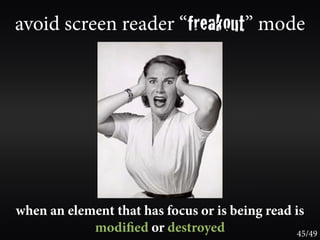
avoid screen reader “freakout” mode


when an element that has focus or is being read is
            modi ed or destroyed                 45/49
avoid screen reader “freakout” mode


 use javascript focus() to manage focus,
                 if necessary
                                           46/49
odds and ends
• Provide accurate, descriptive, succinct page titles.
• Don’t stress over screen reader pronunciation and
  quirks.
• Ensure full keyboard accessibility.
• Support zoom/text sizes to (at least) 2X.
• Layout tables don’t (typically) affect accessibility. Don’t
  use <th>, <caption>, or summary on layout
  tables.
                                                         47/49
wave.webaim.org

                  48/49
questions?

  webaim.org
@jared_w_smith

Accessibility & Compatibility

  • 1.
    Accessibility & Compatibility Jared Smith @jared_w_smith webaim.org
  • 3.
  • 4.
    user technology content & experience 4/49
  • 5.
    technology bridges the gap between peopleand content & experience 5/49
  • 6.
  • 7.
  • 8.
  • 9.
    30% of blindusers’ online time is wasted on access issues 9/49
  • 10.
    reliably youcan’t detect assistive technology 10/49
  • 11.
    you can’t trust assistive technology it kinda sucks and is constantly changing 11/49
  • 12.
    focus on standards then patch the cracks 12/49
  • 13.
    compliance != accessibility use guidelines as tools to achieve accessibility 13/49
  • 14.
    your site canbe fully compliant, yet totally inaccessible 14/49
  • 15.
    your site canbe fully compliant and technically accessible, yet functionally inaccessible 15/49
  • 16.
    so, what dowe do? 16/49
  • 17.
  • 18.
    aria paves thecow paths 18/49
  • 19.
  • 20.
  • 21.
  • 22.
  • 23.
  • 24.
    today’s focus ison compatibility beyond standards ... or the complexities of basic accessibility 24/49
  • 25.
    alternative text forimages should present CONTENT and FUNCTION very rarely a description 25/49
  • 26.
    alt=”smiling lady”??? alt=”we arefriendly and personable”??? 26/49
  • 27.
    “I don’t wantto miss out on any content” vs. “I’m listening to the page at 300 words per minute in a robotic computer voice - I don’t care about the mood and feel of the page.” focus on succinct content and functionality 27/49
  • 28.
    images that arethe only thing within a link MUST have alt text image buttons and hot spots too 28/49
  • 29.
    avoid redundant textand functionality <a href=”http://apple.com/iphone”> <img src=”iphone.jpg” alt=””><br> Apple iPhone</a> alternative text doesn’t have to be in the alt attribute 29/49
  • 30.
    form labels <label for=”firstname”>FirstName:</label> <input type=”text” id=”firstname” name=”firstname” /> First Name: text boxes, text areas, select menus, checkboxes, and radio buttons. 30/49
  • 31.
    form labels <label> islimited to one form control use aria-labelledby for multiple labels per control or multiple controls per label 31/49
  • 32.
    form labels Search If a visible text label is not available, ensure the form control is visually intuitive without it. If so, provide the description in the title attribute <input title=”search terms”> ... or an off-screen label 32/49
  • 33.
    eldsets and legends Shipping method Overnight Two day Ground Use for all groups of radio buttons and checkboxes when a higher level legend is needed... and that’s all. 33/49
  • 34.
    use buttons tosubmit forms, not links and ensure that buttons and links initiate a context change (use focus() if necessary) 34/49
  • 35.
    avoid accesskey andtabindex ...unless you're sure you know what you're doing. learn the power of tabindex=”0” and tabindex=”-1” 35/49
  • 36.
    visually hiding content •display:none and visibility:hidden hide from everyone... and that’s a good thing. • position off-screen le with CSS for screen readers • use judiciously 36/49
  • 37.
    visually hiding content .hidden { position:absolute; left:-10000px; top:auto; } 37/49
  • 38.
    hover is dead the title attribute and onmouseover is (mostly) incompatible with touch-screen devices, keyboard, voice control, and screen readers 38/49
  • 39.
    title attribute • advisoryinformation only • ignored by screen readers, except... • form elements missing labels • <frame title=”navigation”> • <acronym>/<abbr> ...usually. 39/49
  • 40.
    “skip to maincontent” links? Yes! Until browsers provide better keyboard navigation for sighted users 40/49
  • 41.
    “skip to maincontent” links? you can position them off-screen if you must, but make them clearly visible on :focus one “skip” link is typically sufficient 41/49
  • 42.
    NOT display:none a#skip { position:absolute; left:-10000px; top:auto; } a#skip:focus{ position:static; } 42/49
  • 43.
    don’t remove focus indicatorsfrom links a { outline:0; } 43/49
  • 44.
    enhance focus indicators a:focus, a:hover { outline:1px; background-color:#ff0; text-decoration:underline; } non-underlined links should become underlined on hover and focus 44/49
  • 45.
    avoid screen reader“freakout” mode when an element that has focus or is being read is modi ed or destroyed 45/49
  • 46.
    avoid screen reader“freakout” mode use javascript focus() to manage focus, if necessary 46/49
  • 47.
    odds and ends •Provide accurate, descriptive, succinct page titles. • Don’t stress over screen reader pronunciation and quirks. • Ensure full keyboard accessibility. • Support zoom/text sizes to (at least) 2X. • Layout tables don’t (typically) affect accessibility. Don’t use <th>, <caption>, or summary on layout tables. 47/49
  • 48.
  • 49.