APP DESIGN PROCESS
CONVERGENCE

• IOS    Human Interface Guidelines + IDEO Scenario Approach

• Problem    Statement + 5W1H + Target Users + Character Mapping

• Application   Definition Statement + Tasks + Users

 • The    purpose of your application
 • Who      it’s for and how they’ll use it
 • Its   core functionality
WORKFLOW
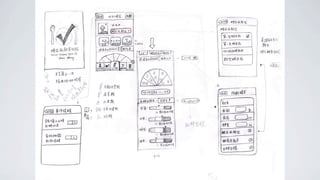
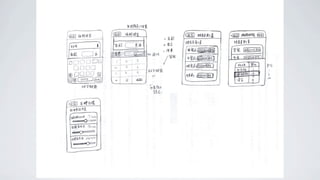
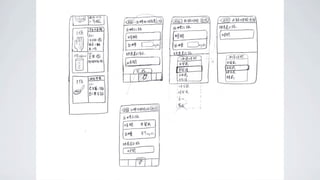
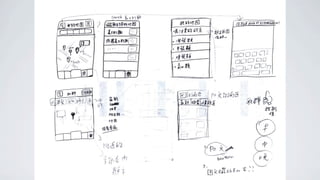
WIREFRAME
RAPID PROTOTYPING
Simply pick a widget from the widget library
and drop it to your mockucp screen, then
start customizing widgets using options.

Interface covers almost all iOS widgets, and
it follows guideline suggested by Apple when
creating widgets to achieve pixel-perfect
results.
AXURE RP

App design process part II

  • 1.
  • 3.
    CONVERGENCE • IOS Human Interface Guidelines + IDEO Scenario Approach • Problem Statement + 5W1H + Target Users + Character Mapping • Application Definition Statement + Tasks + Users • The purpose of your application • Who it’s for and how they’ll use it • Its core functionality
  • 5.
  • 10.
  • 16.
  • 17.
    Simply pick awidget from the widget library and drop it to your mockucp screen, then start customizing widgets using options. Interface covers almost all iOS widgets, and it follows guideline suggested by Apple when creating widgets to achieve pixel-perfect results.
  • 18.