Issue Date:
Revision:
APNIC IPv6 Deployment
Ulaanbaatar, Mongolia
19 October 2015
Overview
• Deployment motivation
• Network deployment
• IPv6 Services deployment
• IPv6 Anycast service
• IPv6 Cloud service
• Summary
Motivation for deployment
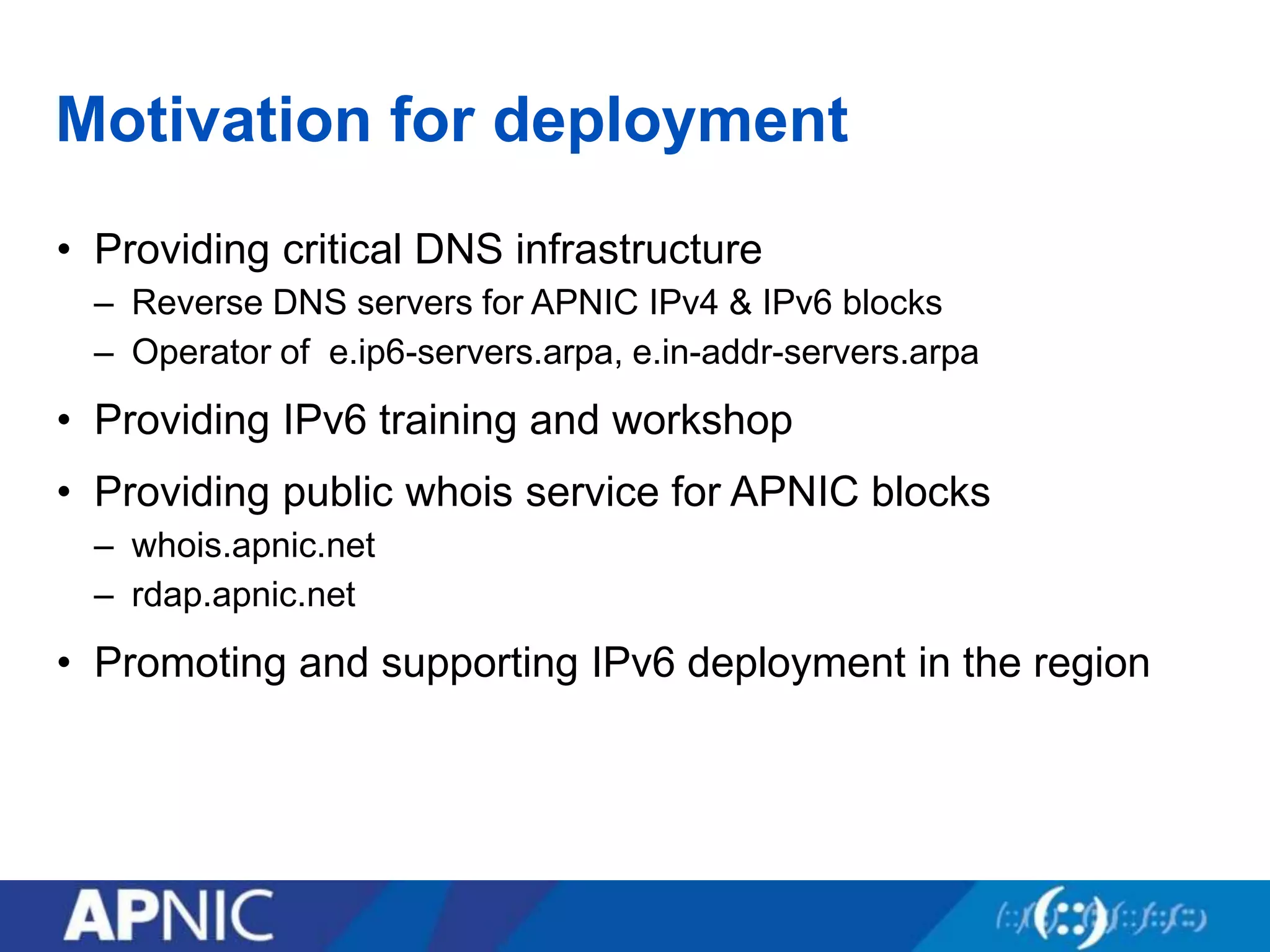
• Providing critical DNS infrastructure
– Reverse DNS servers for APNIC IPv4 & IPv6 blocks
– Operator of e.ip6-servers.arpa, e.in-addr-servers.arpa
• Providing IPv6 training and workshop
• Providing public whois service for APNIC blocks
– whois.apnic.net
– rdap.apnic.net
• Promoting and supporting IPv6 deployment in the region
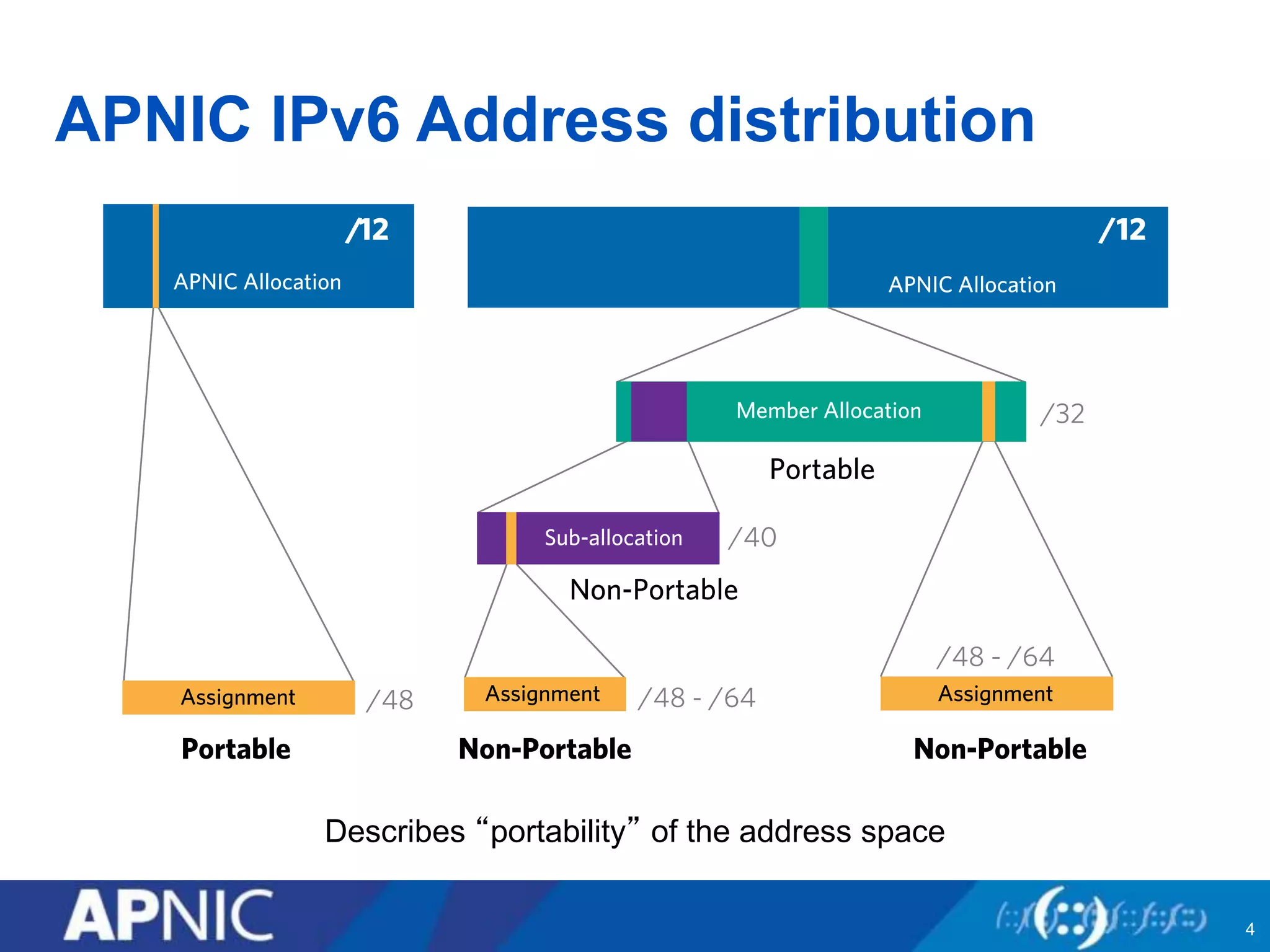
APNIC IPv6 Address distribution
4
Describes “portability” of the address space
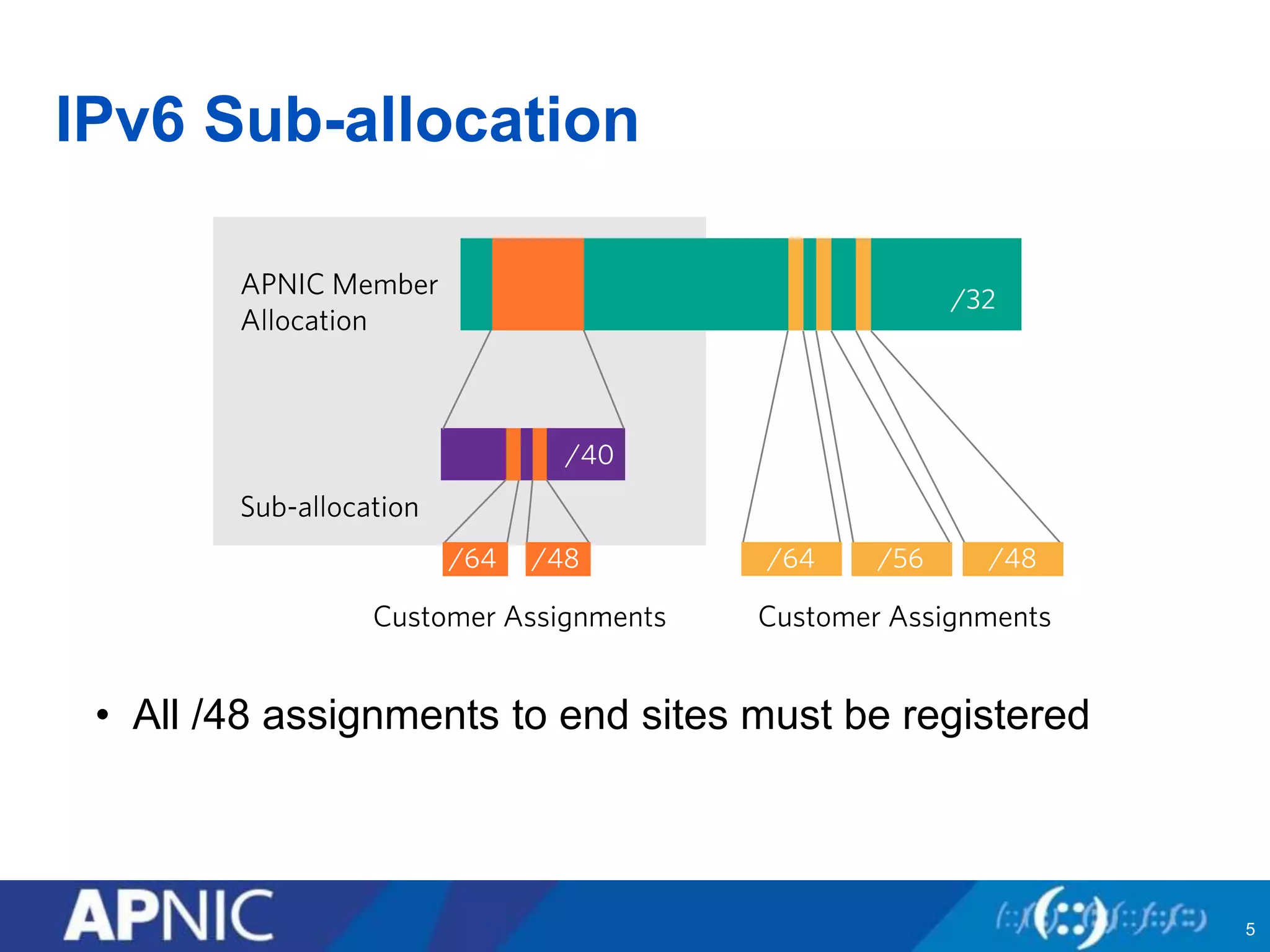
IPv6 Sub-allocation
• All /48 assignments to end sites must be registered
5
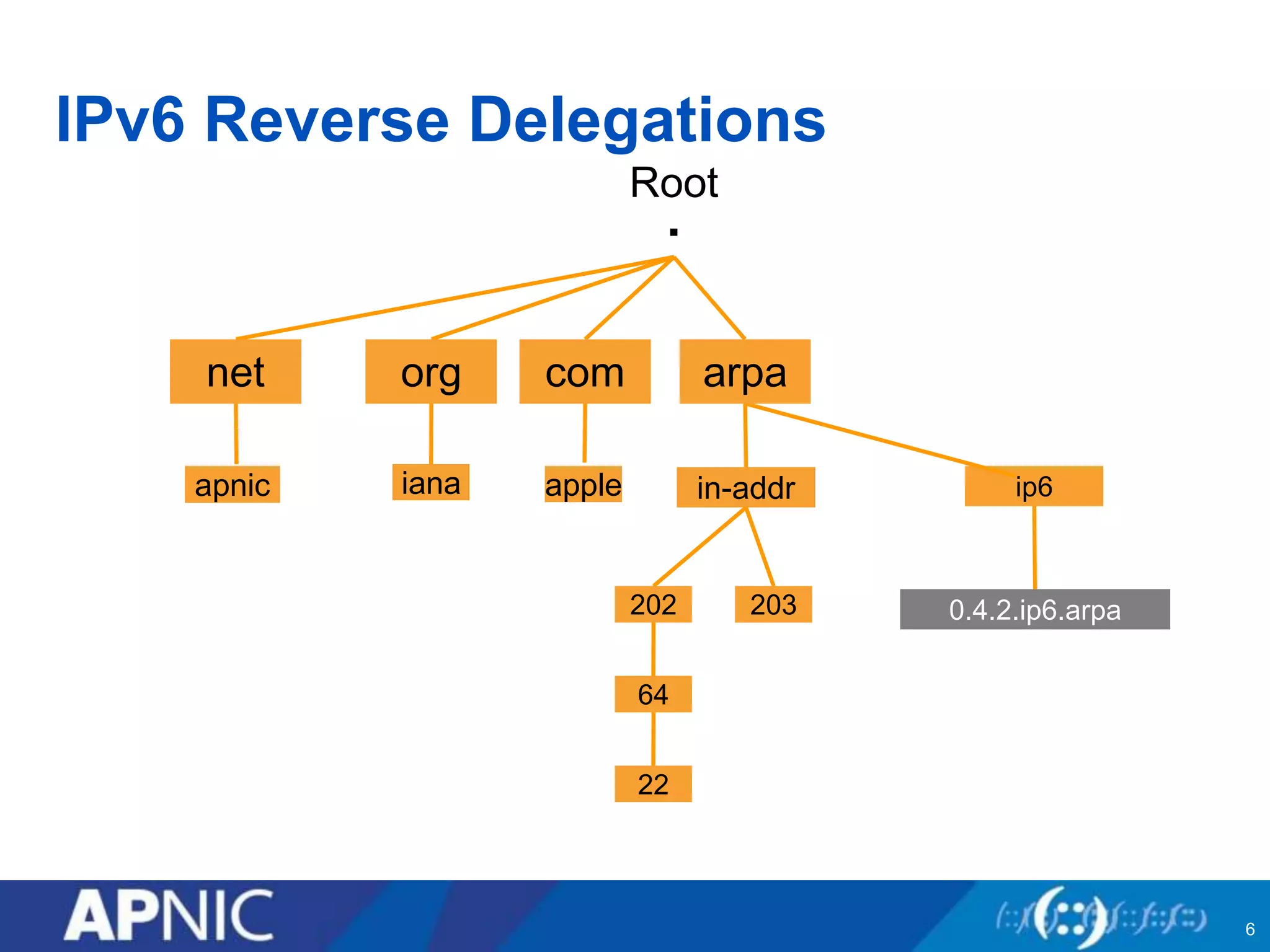
IPv6 Reverse Delegations
Root
.
in-addr
202 203
64
22
ip6
0.4.2.ip6.arpa
net org com arpa
ianaapnic
6
apple
Overview
• Deployment motivation
• Network deployment
• IPv6 Services deployment
• IPv6 Anycast service
• IPv6 Cloud service
• Summary
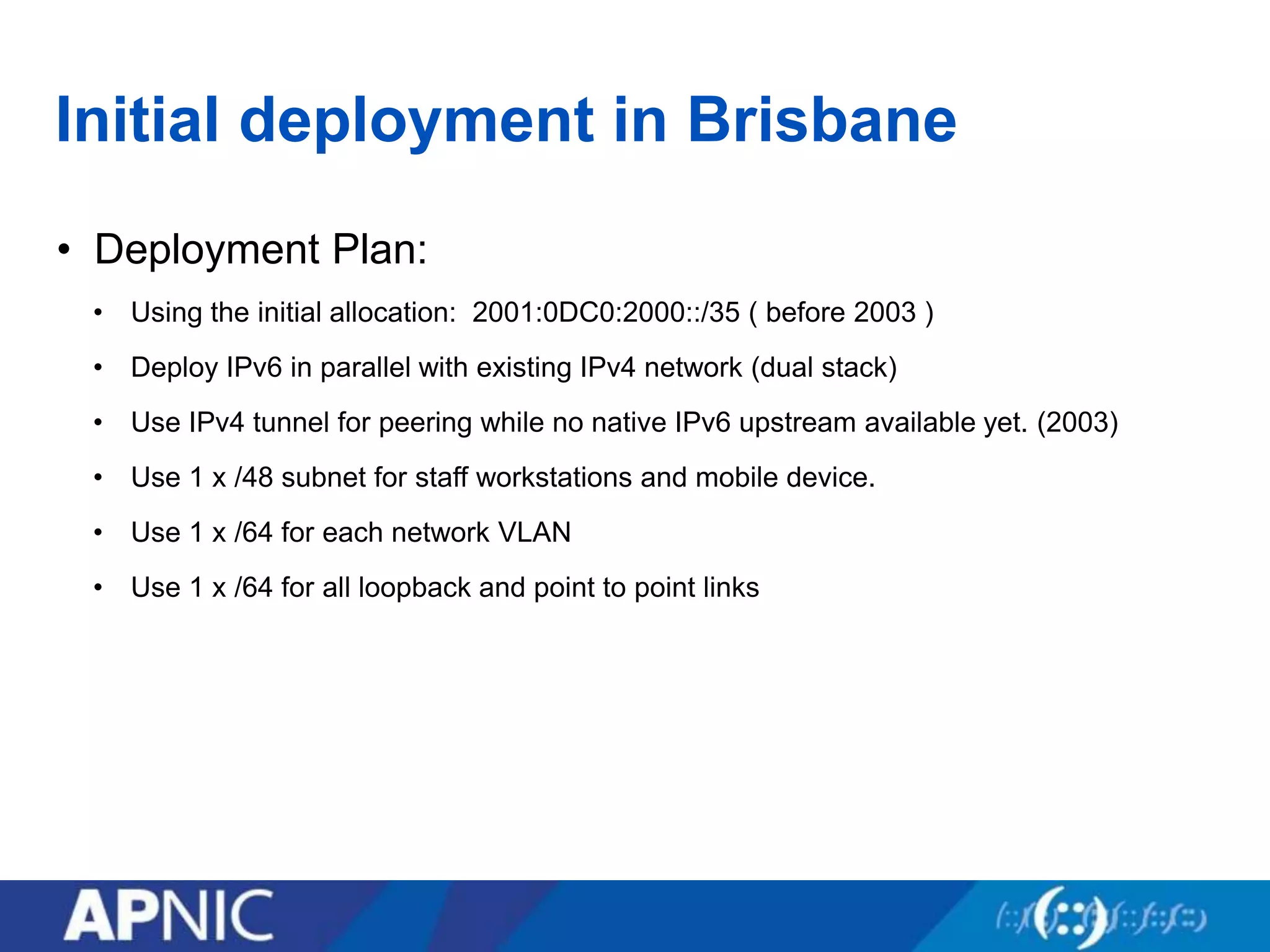
Initial deployment in Brisbane
• Deployment Plan:
• Using the initial allocation: 2001:0DC0:2000::/35 ( before 2003 )
• Deploy IPv6 in parallel with existing IPv4 network (dual stack)
• Use IPv4 tunnel for peering while no native IPv6 upstream available yet. (2003)
• Use 1 x /48 subnet for staff workstations and mobile device.
• Use 1 x /64 for each network VLAN
• Use 1 x /64 for all loopback and point to point links
Initial deployment in Brisbane
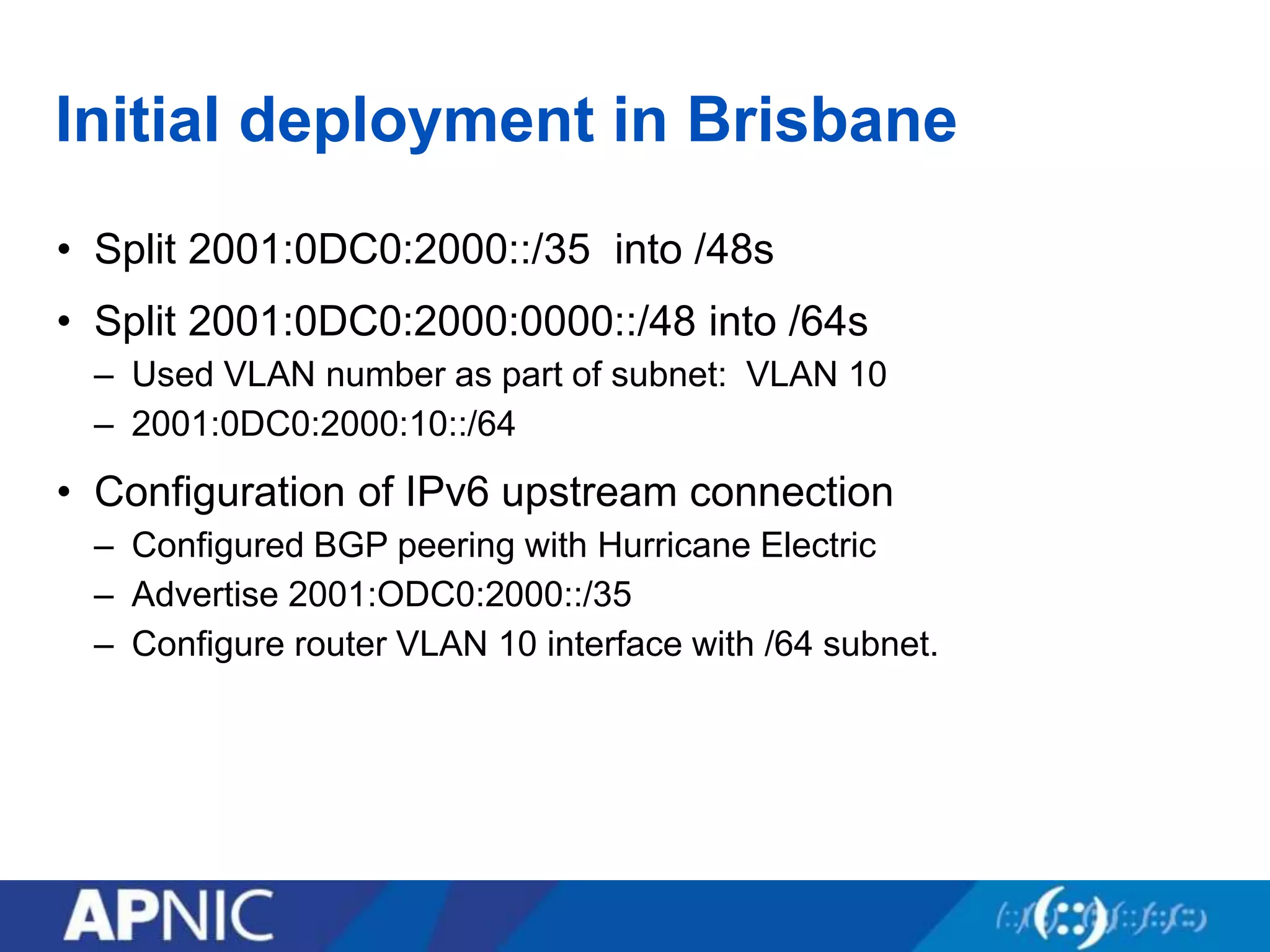
• Split 2001:0DC0:2000::/35 into /48s
• Split 2001:0DC0:2000:0000::/48 into /64s
– Used VLAN number as part of subnet: VLAN 10
– 2001:0DC0:2000:10::/64
• Configuration of IPv6 upstream connection
– Configured BGP peering with Hurricane Electric
– Advertise 2001:ODC0:2000::/35
– Configure router VLAN 10 interface with /64 subnet.
Initial deployment in Brisbane
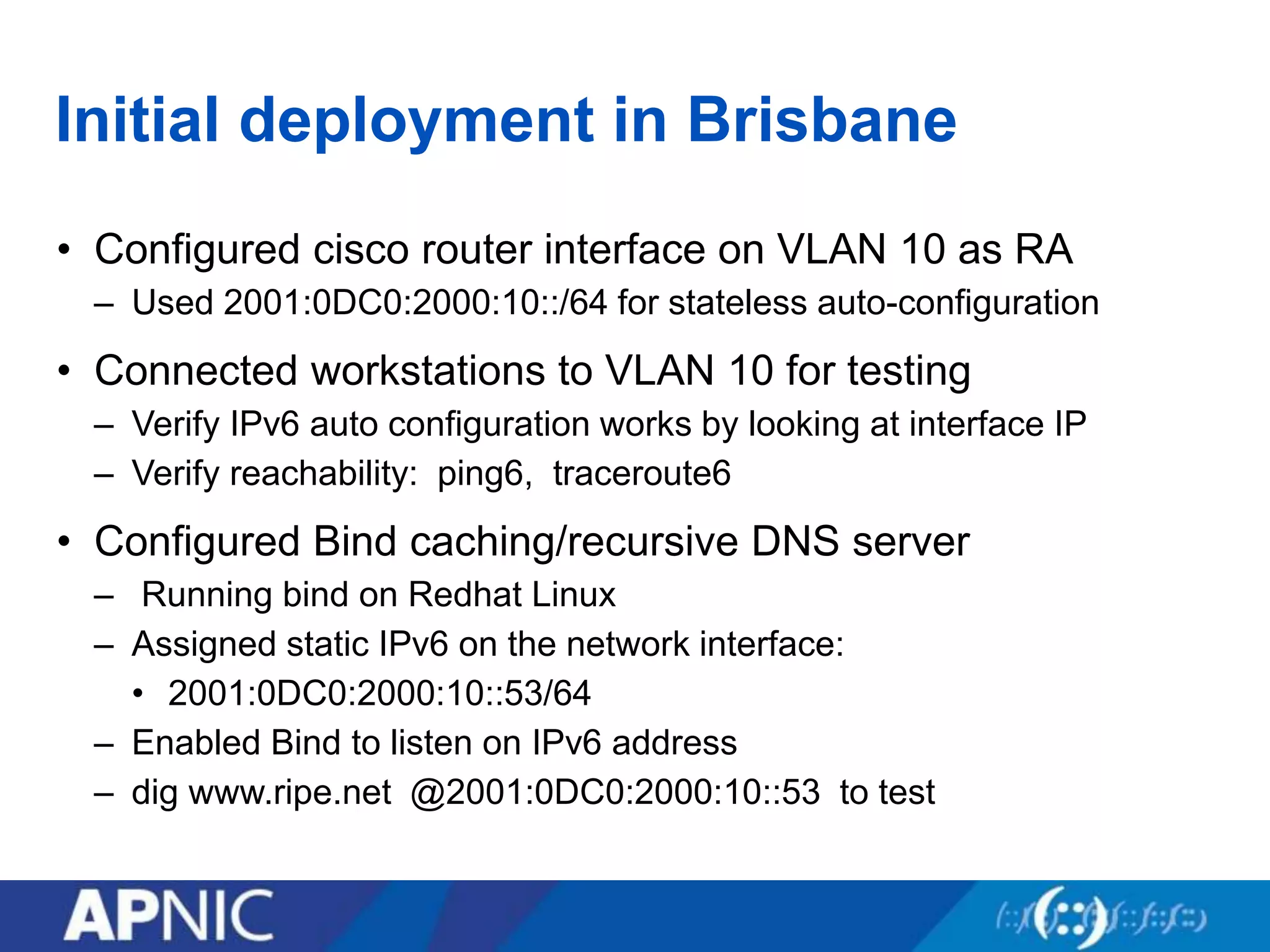
• Configured cisco router interface on VLAN 10 as RA
– Used 2001:0DC0:2000:10::/64 for stateless auto-configuration
• Connected workstations to VLAN 10 for testing
– Verify IPv6 auto configuration works by looking at interface IP
– Verify reachability: ping6, traceroute6
• Configured Bind caching/recursive DNS server
– Running bind on Redhat Linux
– Assigned static IPv6 on the network interface:
• 2001:0DC0:2000:10::53/64
– Enabled Bind to listen on IPv6 address
– dig www.ripe.net @2001:0DC0:2000:10::53 to test
Dual Stack Approach
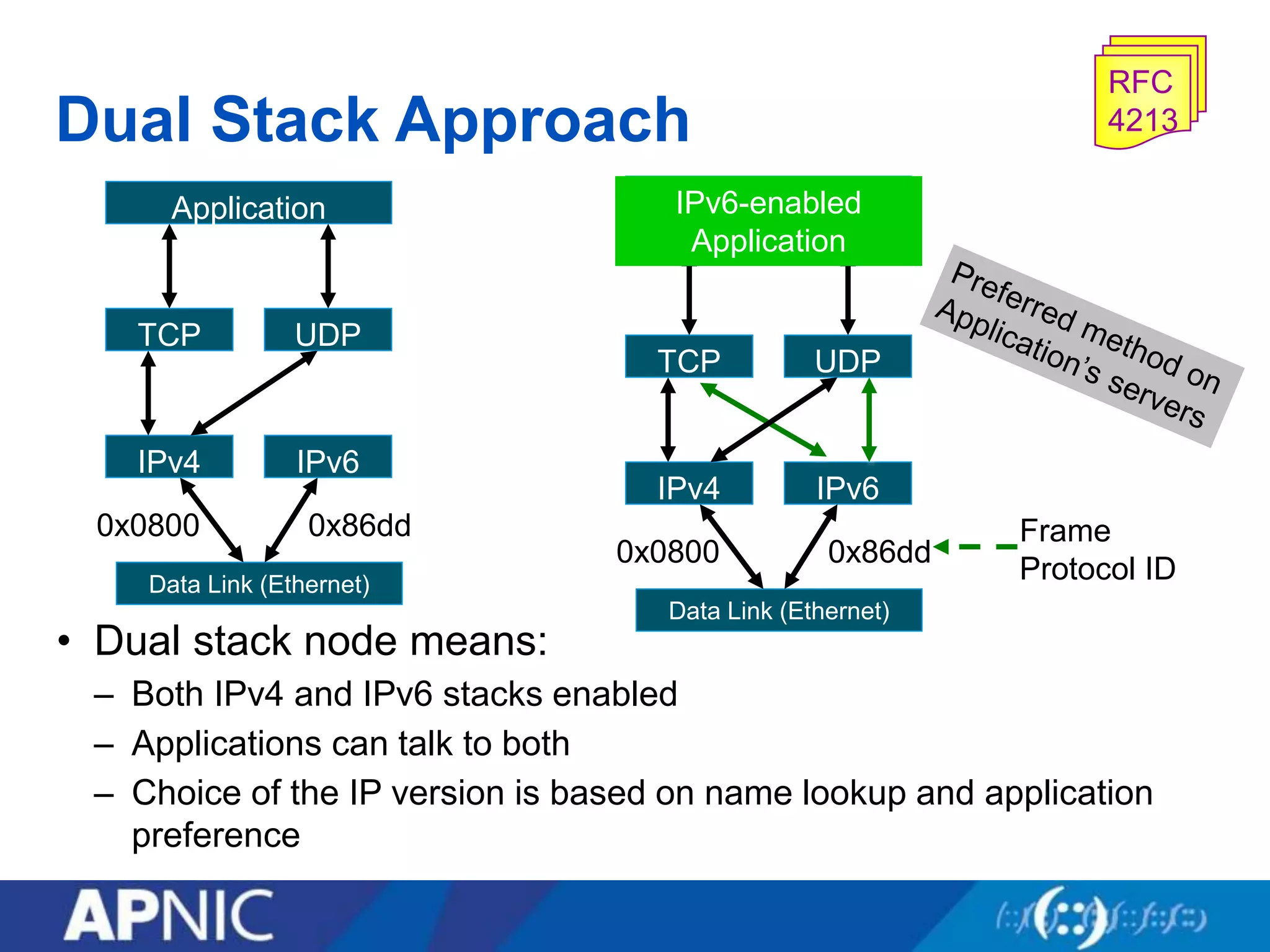
• Dual stack node means:
– Both IPv4 and IPv6 stacks enabled
– Applications can talk to both
– Choice of the IP version is based on name lookup and application
preference
TCP UDP
IPv4 IPv6
Application
Data Link (Ethernet)
0x0800 0x86dd
TCP UDP
IPv4 IPv6
IPv6-enabled
Application
Data Link (Ethernet)
0x0800 0x86dd
Frame
Protocol ID
RFC
4213
Subnetting (Example)
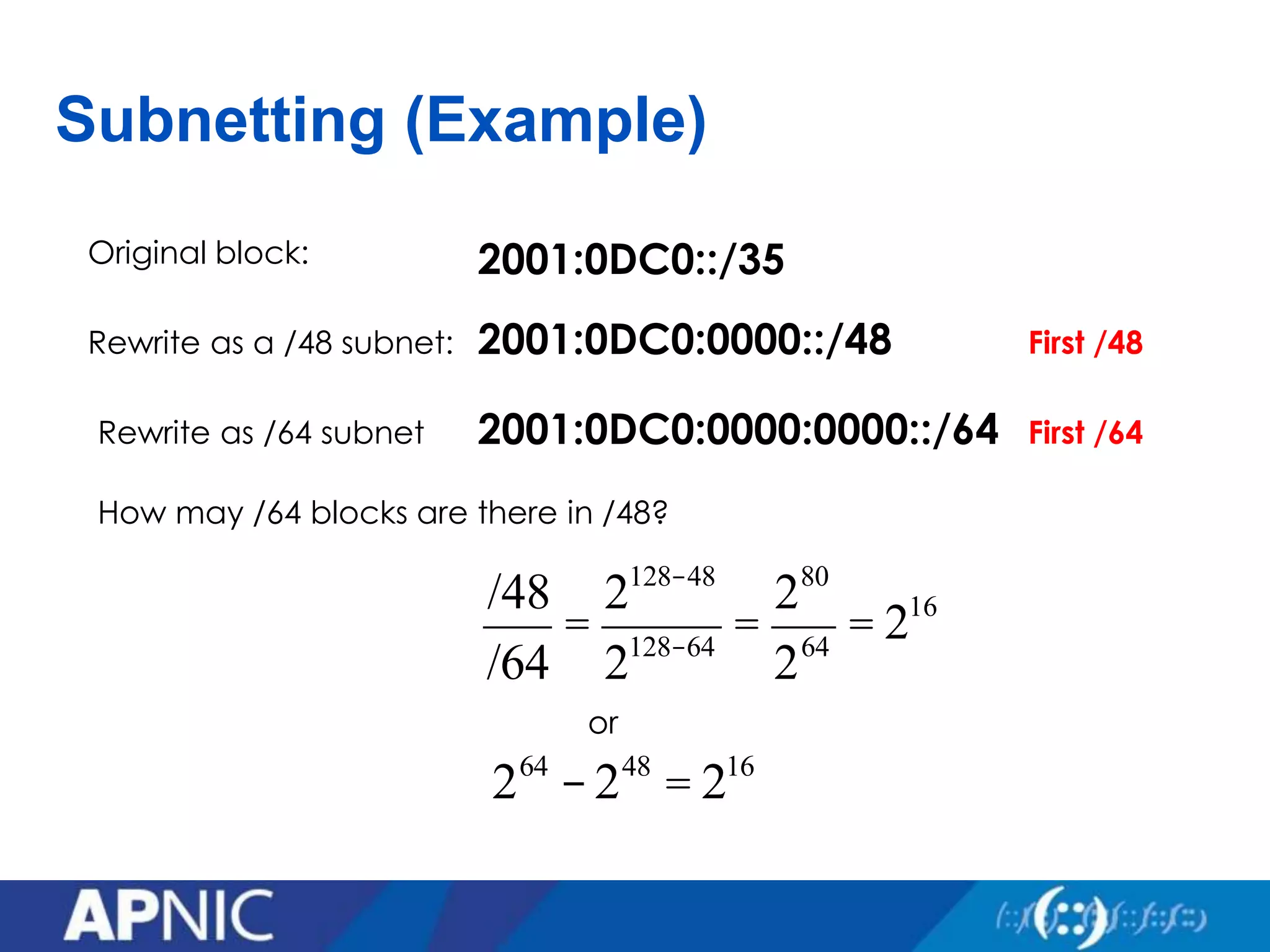
2001:0DC0::/35
2001:0DC0:0000::/48
Original block:
Rewrite as a /48 subnet: First /48
Rewrite as /64 subnet
How may /64 blocks are there in /48?
/48
/64
=
2128-48
2128-64
=
280
264
= 216
2001:0DC0:0000:0000::/64 First /64
or
264
-248
= 216
Subnetting (Example)
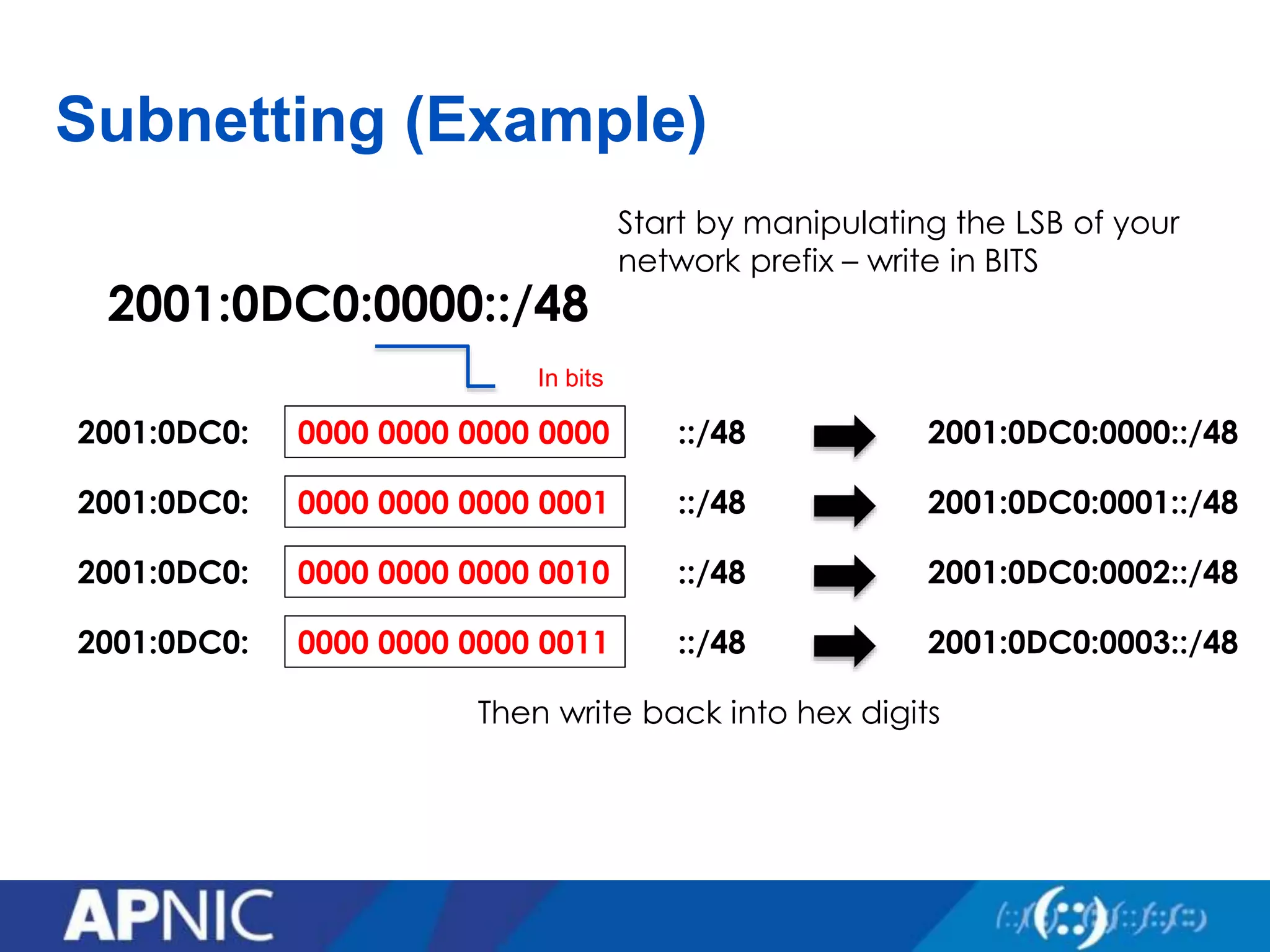
2001:0DC0:0000::/48
In bits
0000 0000 0000 00002001:0DC0: ::/48
0000 0000 0000 00012001:0DC0: ::/48
0000 0000 0000 00102001:0DC0: ::/48
0000 0000 0000 00112001:0DC0: ::/48
Start by manipulating the LSB of your
network prefix – write in BITS
2001:0DC0:0000::/48
2001:0DC0:0001::/48
2001:0DC0:0002::/48
2001:0DC0:0003::/48
Then write back into hex digits
Production deployment
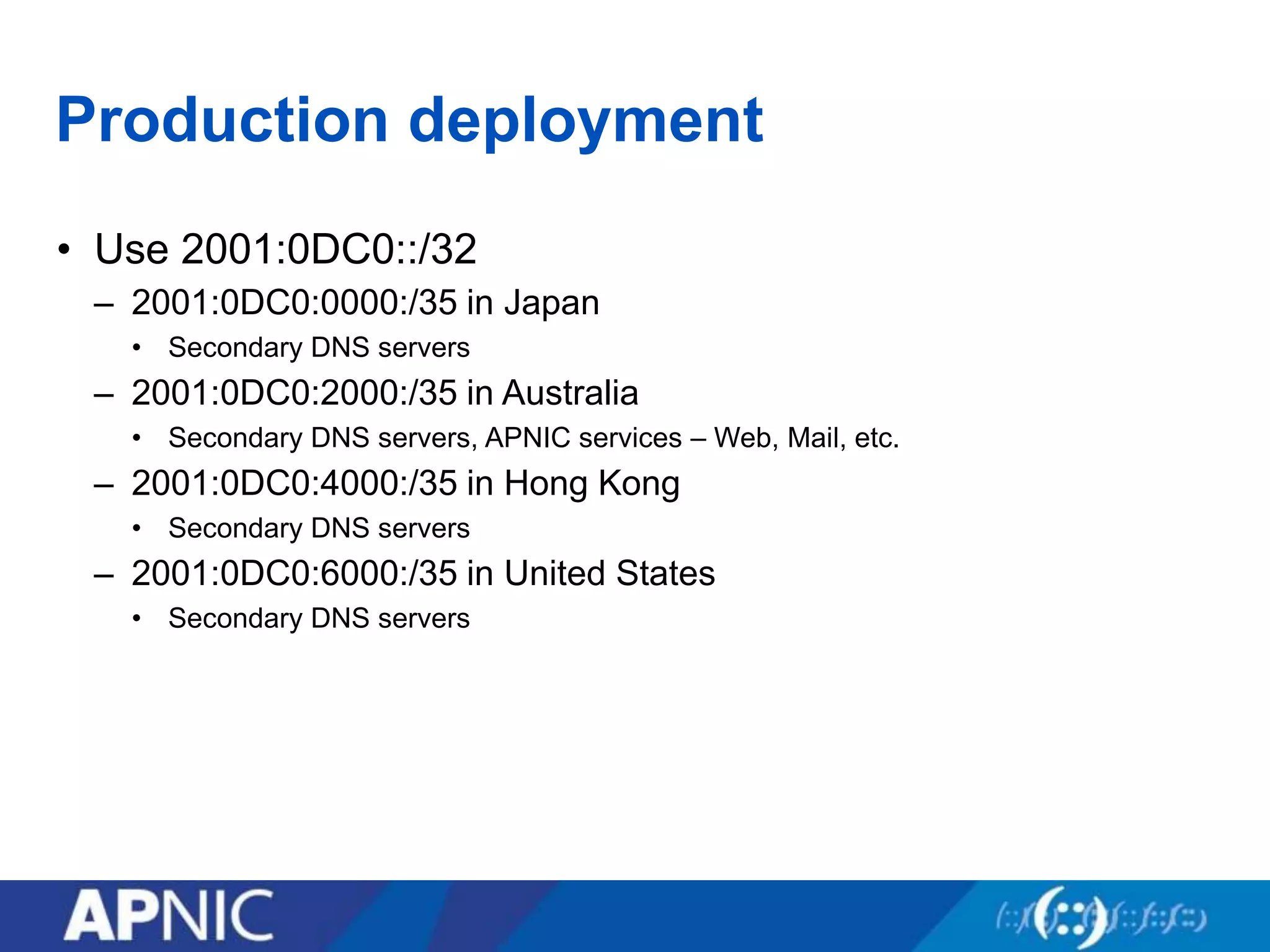
• Use 2001:0DC0::/32
– 2001:0DC0:0000:/35 in Japan
• Secondary DNS servers
– 2001:0DC0:2000:/35 in Australia
• Secondary DNS servers, APNIC services – Web, Mail, etc.
– 2001:0DC0:4000:/35 in Hong Kong
• Secondary DNS servers
– 2001:0DC0:6000:/35 in United States
• Secondary DNS servers
Overview
• Deployment motivation
• Network deployment
• IPv6 Services deployment
• IPv6 Anycast service
• IPv6 Cloud service
• Summary
IPv6 Services deployment
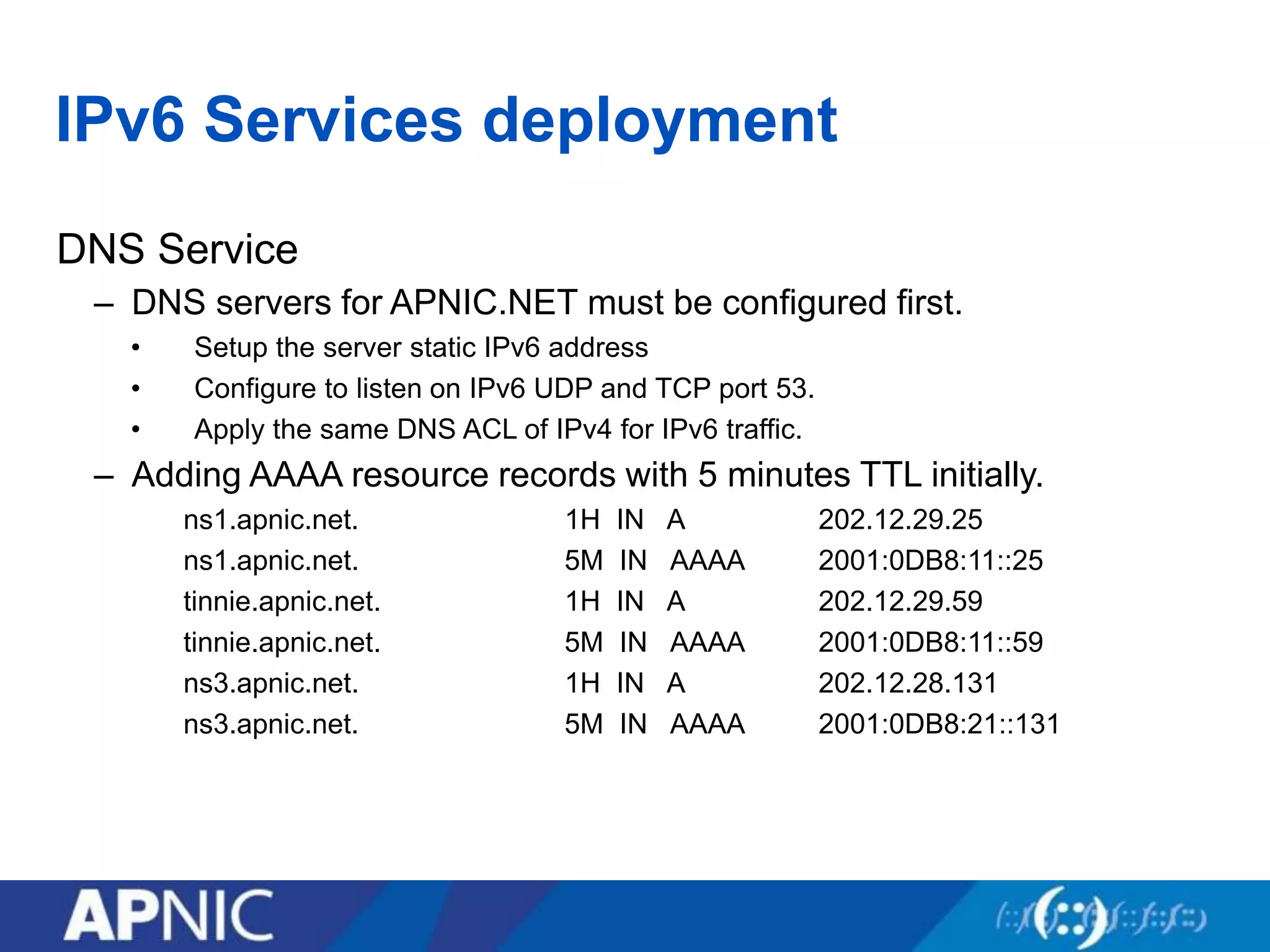
DNS Service
– DNS servers for APNIC.NET must be configured first.
• Setup the server static IPv6 address
• Configure to listen on IPv6 UDP and TCP port 53.
• Apply the same DNS ACL of IPv4 for IPv6 traffic.
– Adding AAAA resource records with 5 minutes TTL initially.
ns1.apnic.net. 1H IN A 202.12.29.25
ns1.apnic.net. 5M IN AAAA 2001:0DB8:11::25
tinnie.apnic.net. 1H IN A 202.12.29.59
tinnie.apnic.net. 5M IN AAAA 2001:0DB8:11::59
ns3.apnic.net. 1H IN A 202.12.28.131
ns3.apnic.net. 5M IN AAAA 2001:0DB8:21::131
Services deployment
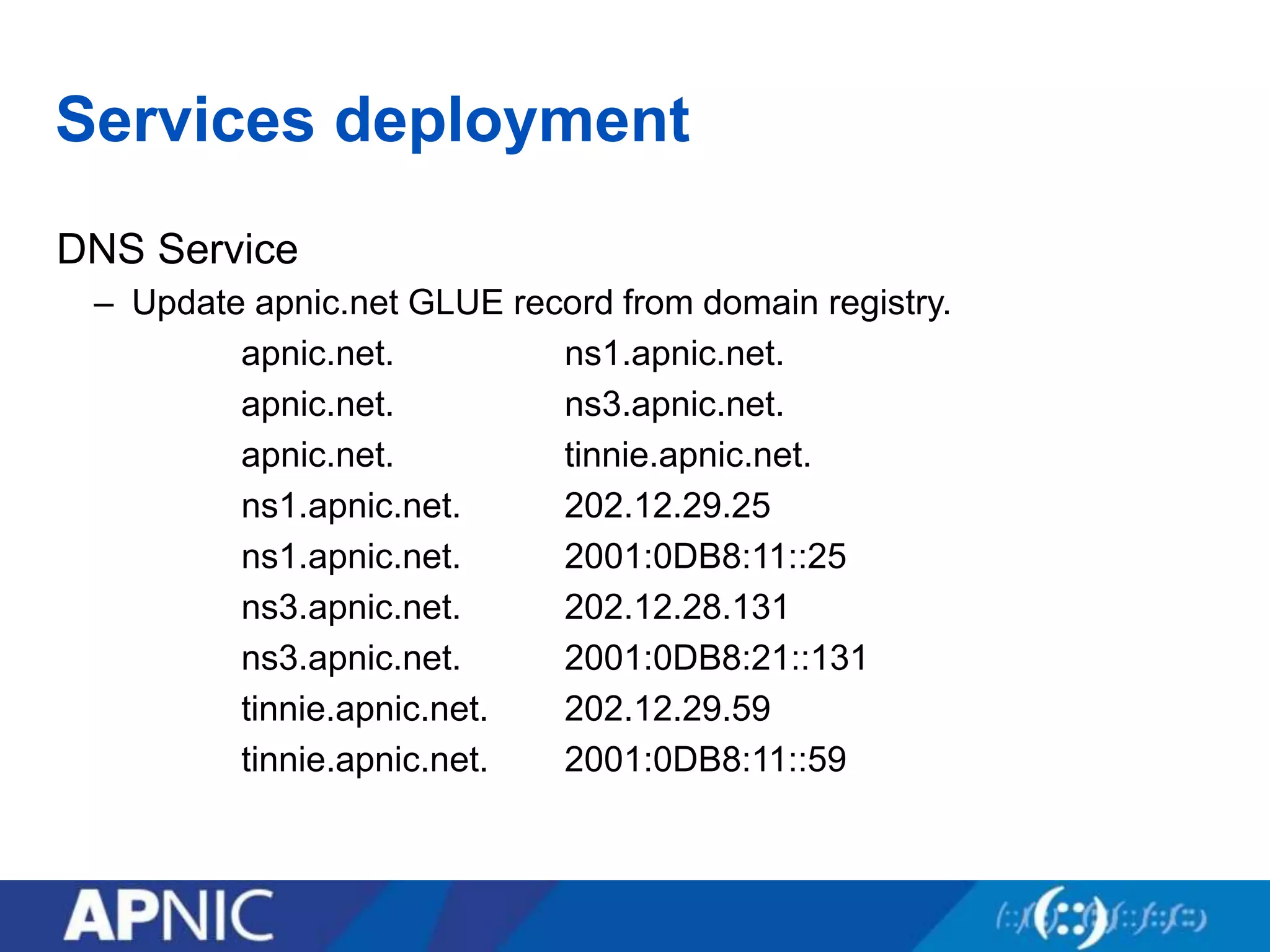
DNS Service
– Update apnic.net GLUE record from domain registry.
apnic.net. ns1.apnic.net.
apnic.net. ns3.apnic.net.
apnic.net. tinnie.apnic.net.
ns1.apnic.net. 202.12.29.25
ns1.apnic.net. 2001:0DB8:11::25
ns3.apnic.net. 202.12.28.131
ns3.apnic.net. 2001:0DB8:21::131
tinnie.apnic.net. 202.12.29.59
tinnie.apnic.net. 2001:0DB8:11::59
Services deployment
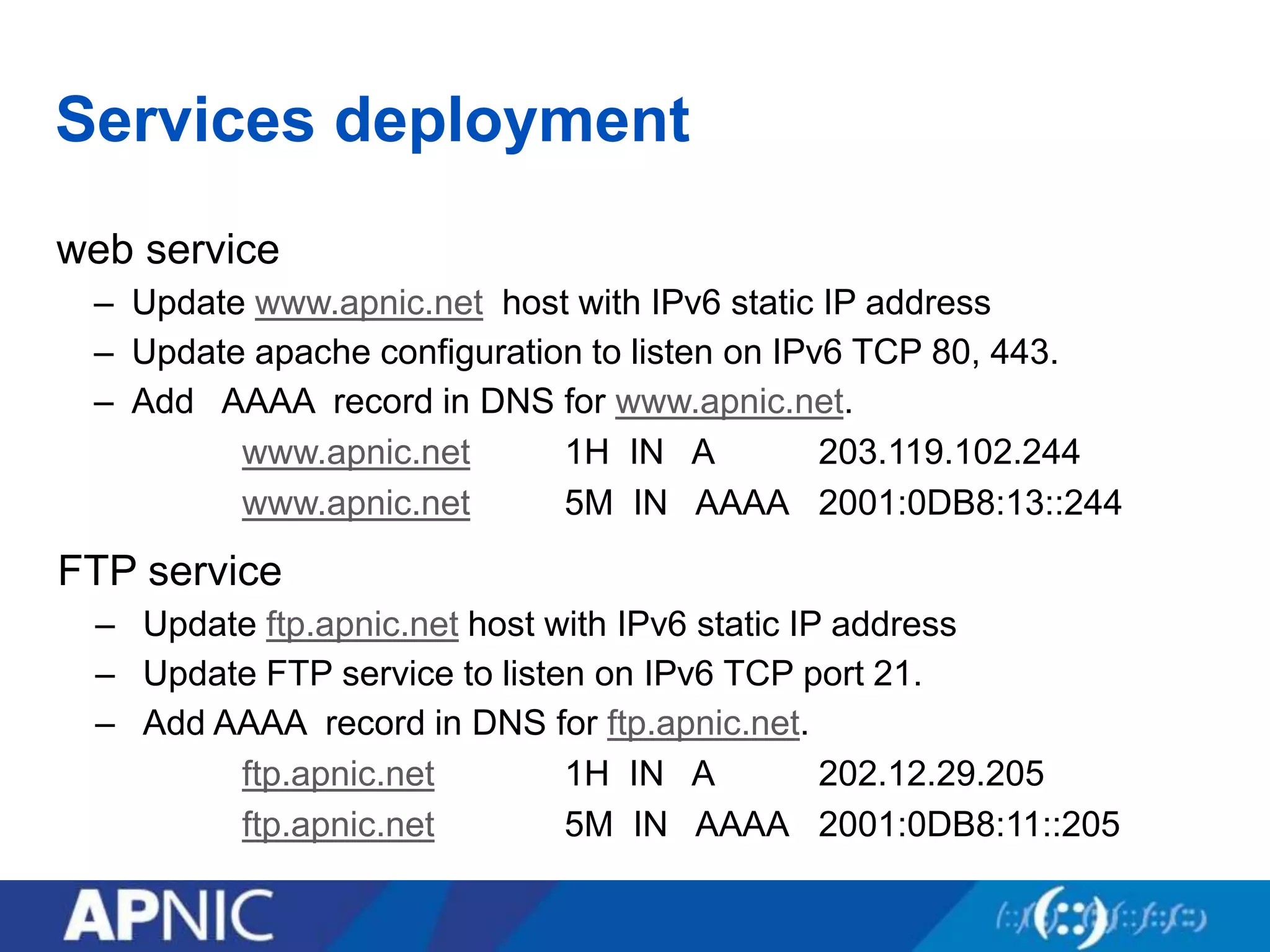
web service
– Update www.apnic.net host with IPv6 static IP address
– Update apache configuration to listen on IPv6 TCP 80, 443.
– Add AAAA record in DNS for www.apnic.net.
www.apnic.net 1H IN A 203.119.102.244
www.apnic.net 5M IN AAAA 2001:0DB8:13::244
FTP service
– Update ftp.apnic.net host with IPv6 static IP address
– Update FTP service to listen on IPv6 TCP port 21.
– Add AAAA record in DNS for ftp.apnic.net.
ftp.apnic.net 1H IN A 202.12.29.205
ftp.apnic.net 5M IN AAAA 2001:0DB8:11::205
Services deployment
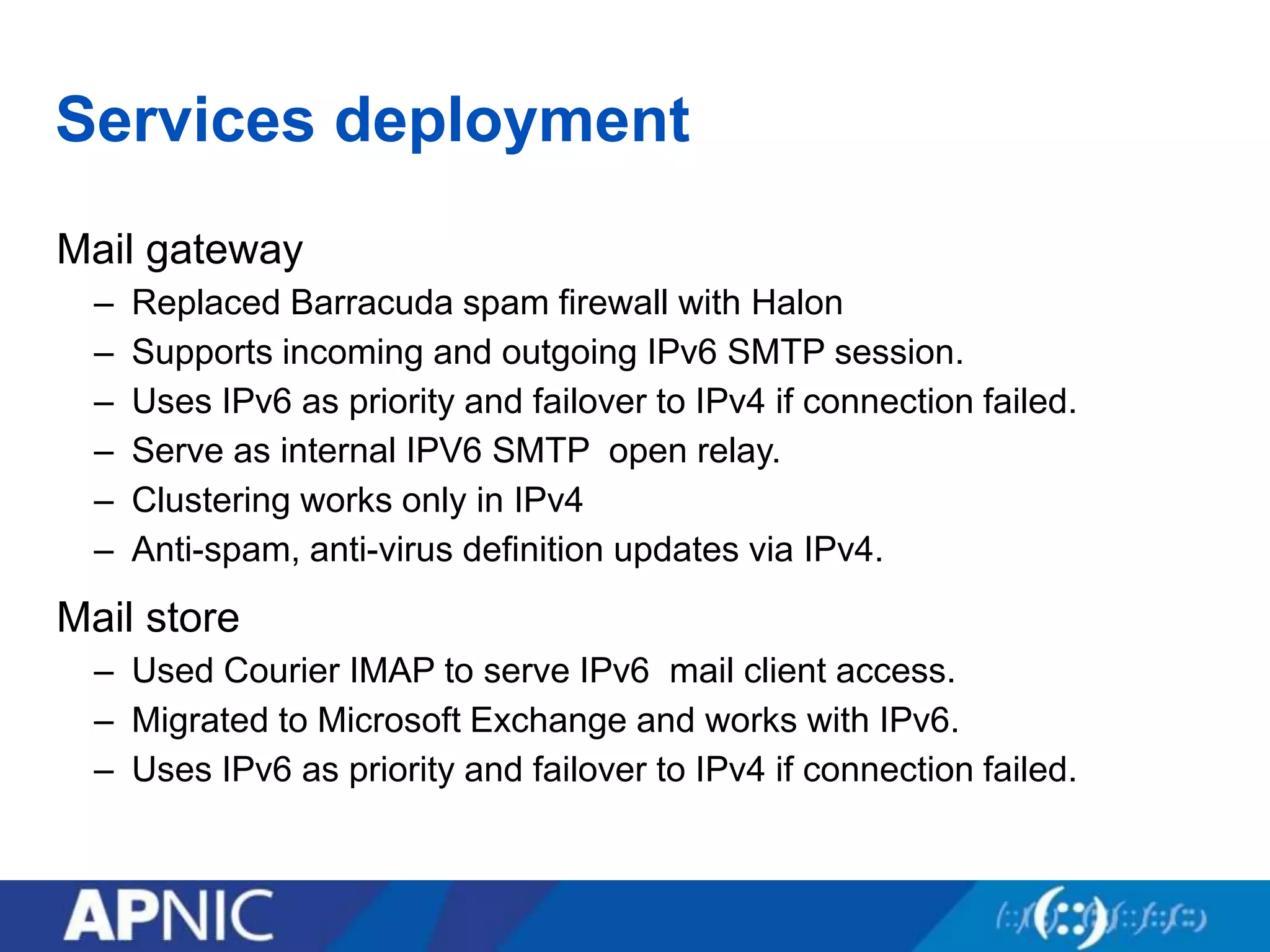
Mail gateway
– Replaced Barracuda spam firewall with Halon
– Supports incoming and outgoing IPv6 SMTP session.
– Uses IPv6 as priority and failover to IPv4 if connection failed.
– Serve as internal IPV6 SMTP open relay.
– Clustering works only in IPv4
– Anti-spam, anti-virus definition updates via IPv4.
Mail store
– Used Courier IMAP to serve IPv6 mail client access.
– Migrated to Microsoft Exchange and works with IPv6.
– Uses IPv6 as priority and failover to IPv4 if connection failed.
Services deployment
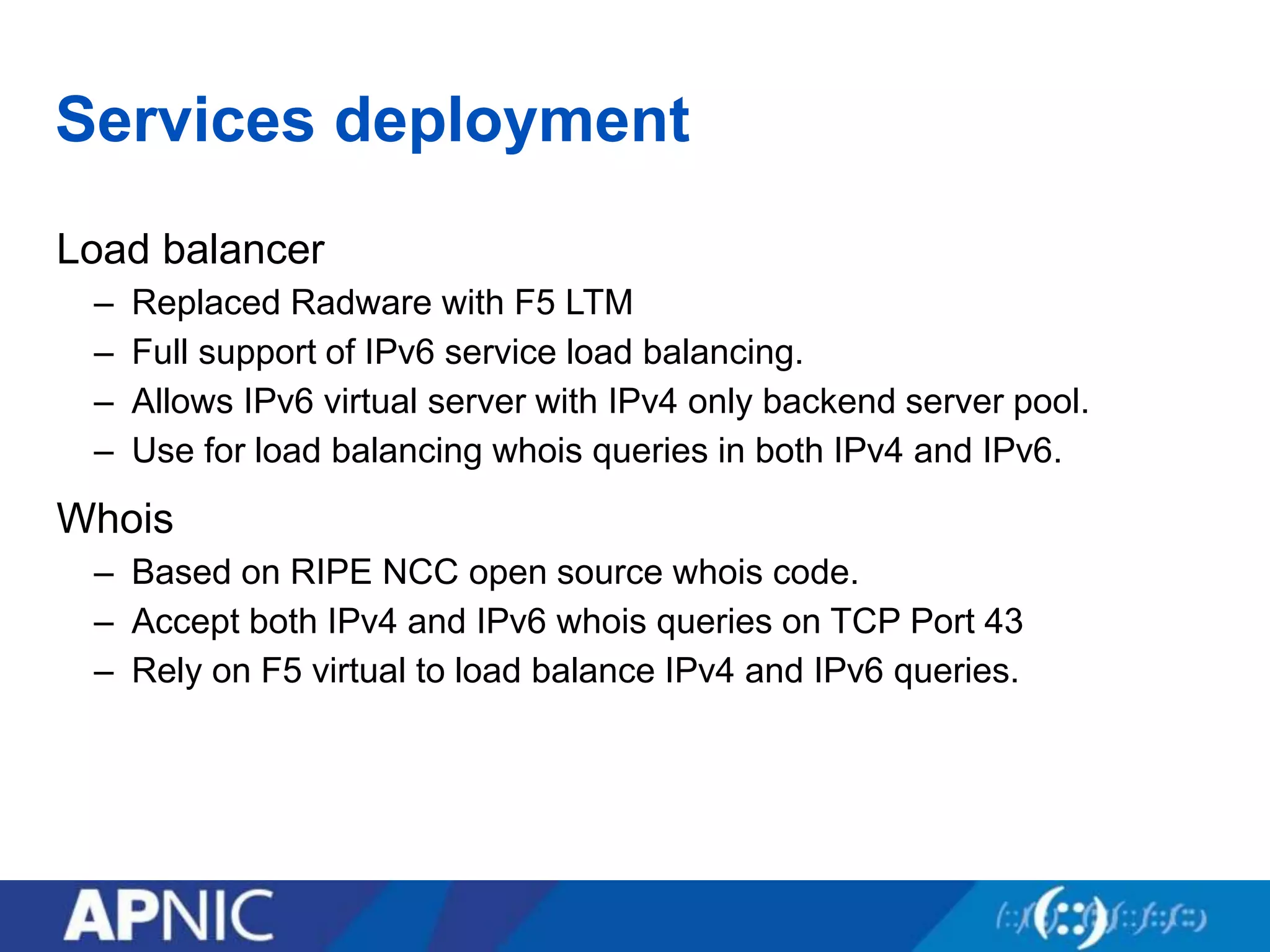
Load balancer
– Replaced Radware with F5 LTM
– Full support of IPv6 service load balancing.
– Allows IPv6 virtual server with IPv4 only backend server pool.
– Use for load balancing whois queries in both IPv4 and IPv6.
Whois
– Based on RIPE NCC open source whois code.
– Accept both IPv4 and IPv6 whois queries on TCP Port 43
– Rely on F5 virtual to load balance IPv4 and IPv6 queries.
Services deployment
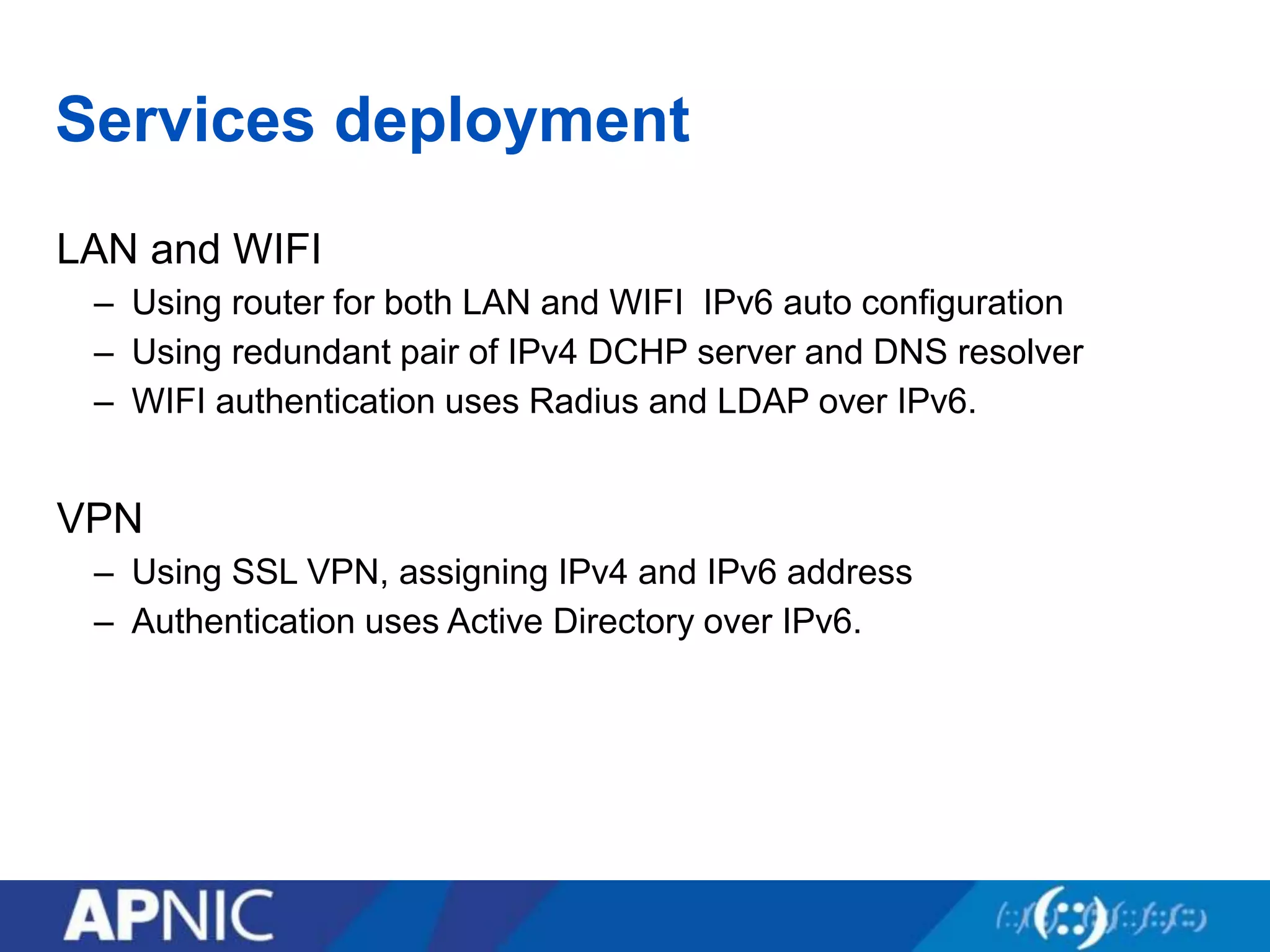
LAN and WIFI
– Using router for both LAN and WIFI IPv6 auto configuration
– Using redundant pair of IPv4 DCHP server and DNS resolver
– WIFI authentication uses Radius and LDAP over IPv6.
VPN
– Using SSL VPN, assigning IPv4 and IPv6 address
– Authentication uses Active Directory over IPv6.
Overview
• Deployment motivation
• Network deployment
• IPv6 Services deployment
• IPv6 Anycast service
• IPv6 Cloud service
• Summary
IPv6 Anycast Service
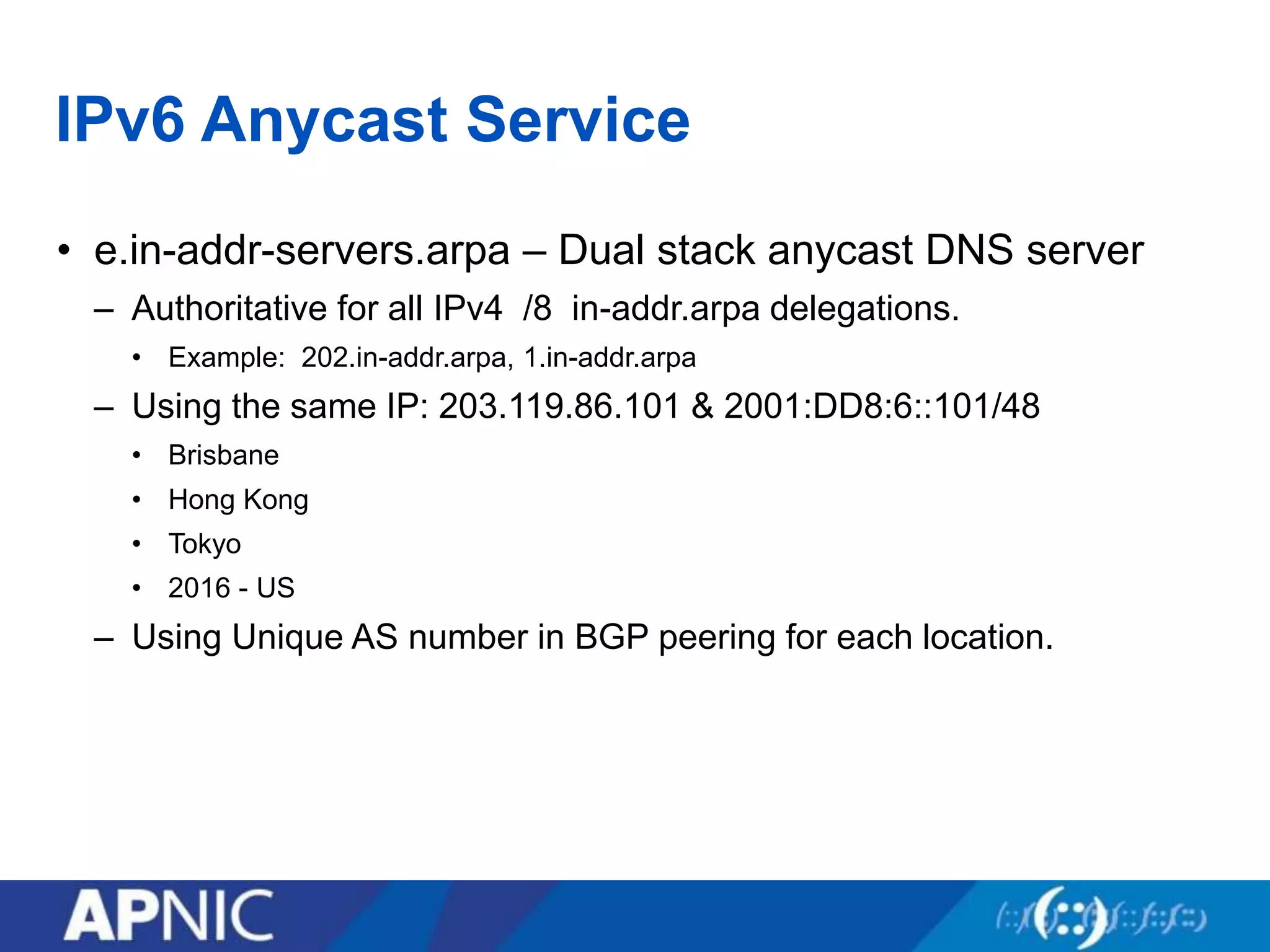
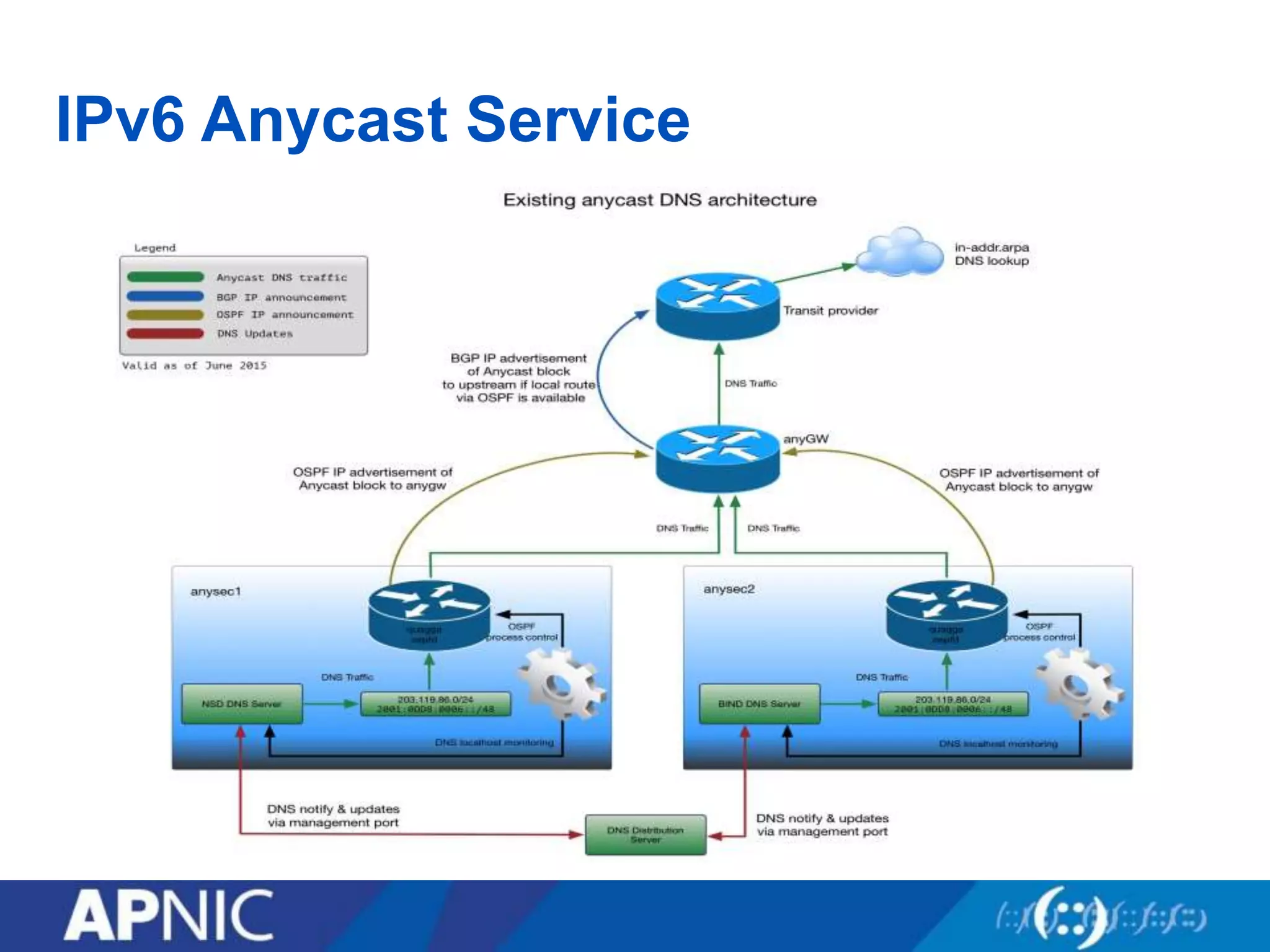
• e.in-addr-servers.arpa – Dual stack anycast DNS server
– Authoritative for all IPv4 /8 in-addr.arpa delegations.
• Example: 202.in-addr.arpa, 1.in-addr.arpa
– Using the same IP: 203.119.86.101 & 2001:DD8:6::101/48
• Brisbane
• Hong Kong
• Tokyo
• 2016 - US
– Using Unique AS number in BGP peering for each location.
IPv6 Anycast Service
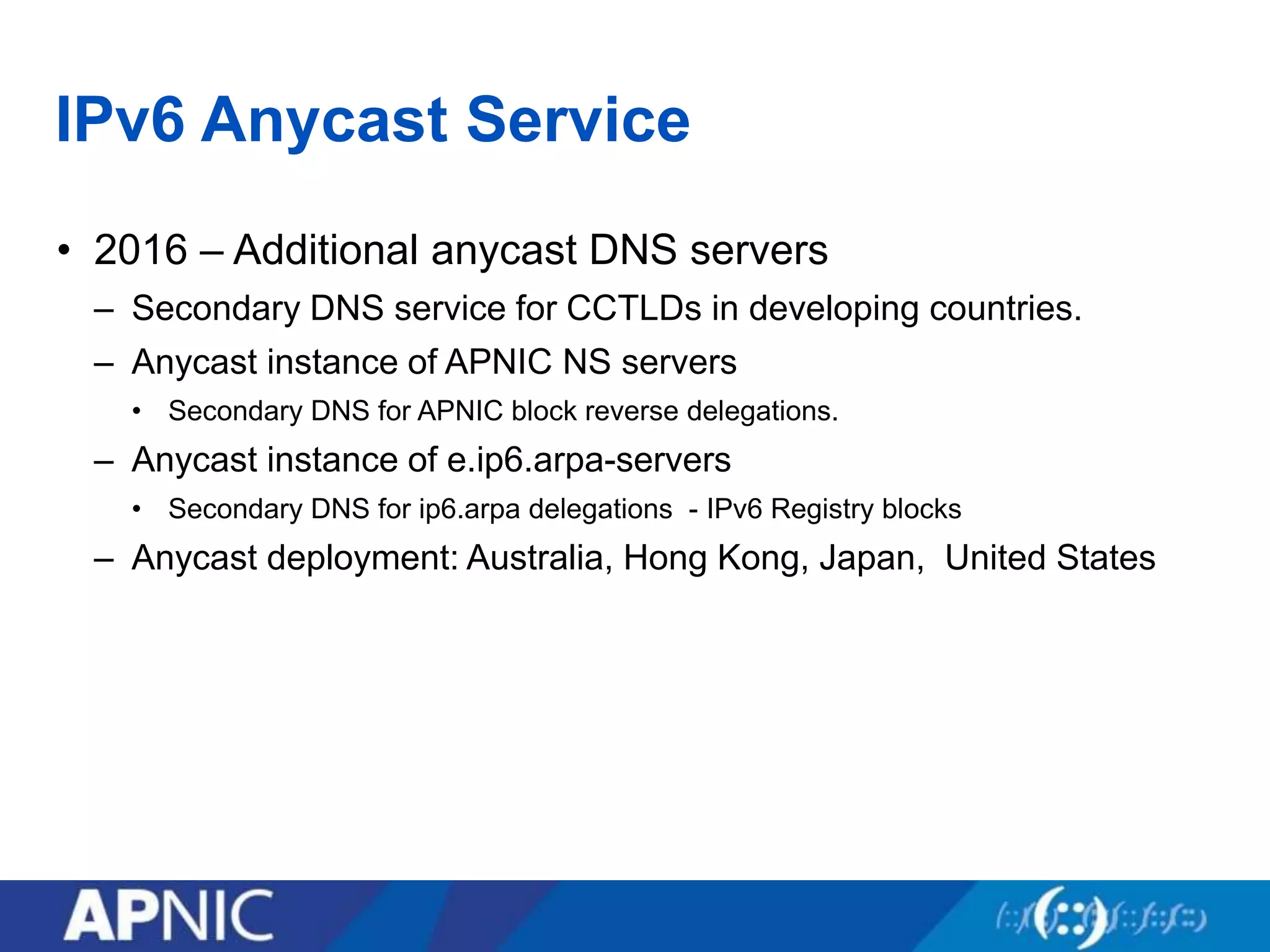
• 2016 – Additional anycast DNS servers
– Secondary DNS service for CCTLDs in developing countries.
– Anycast instance of APNIC NS servers
• Secondary DNS for APNIC block reverse delegations.
– Anycast instance of e.ip6.arpa-servers
• Secondary DNS for ip6.arpa delegations - IPv6 Registry blocks
– Anycast deployment: Australia, Hong Kong, Japan, United States
Overview
• Deployment motivation
• Network deployment
• IPv6 Services deployment
• IPv6 Anycast service
• IPv6 Cloud service
• Monitoring IPv6 Services
IPv6 Cloud Service
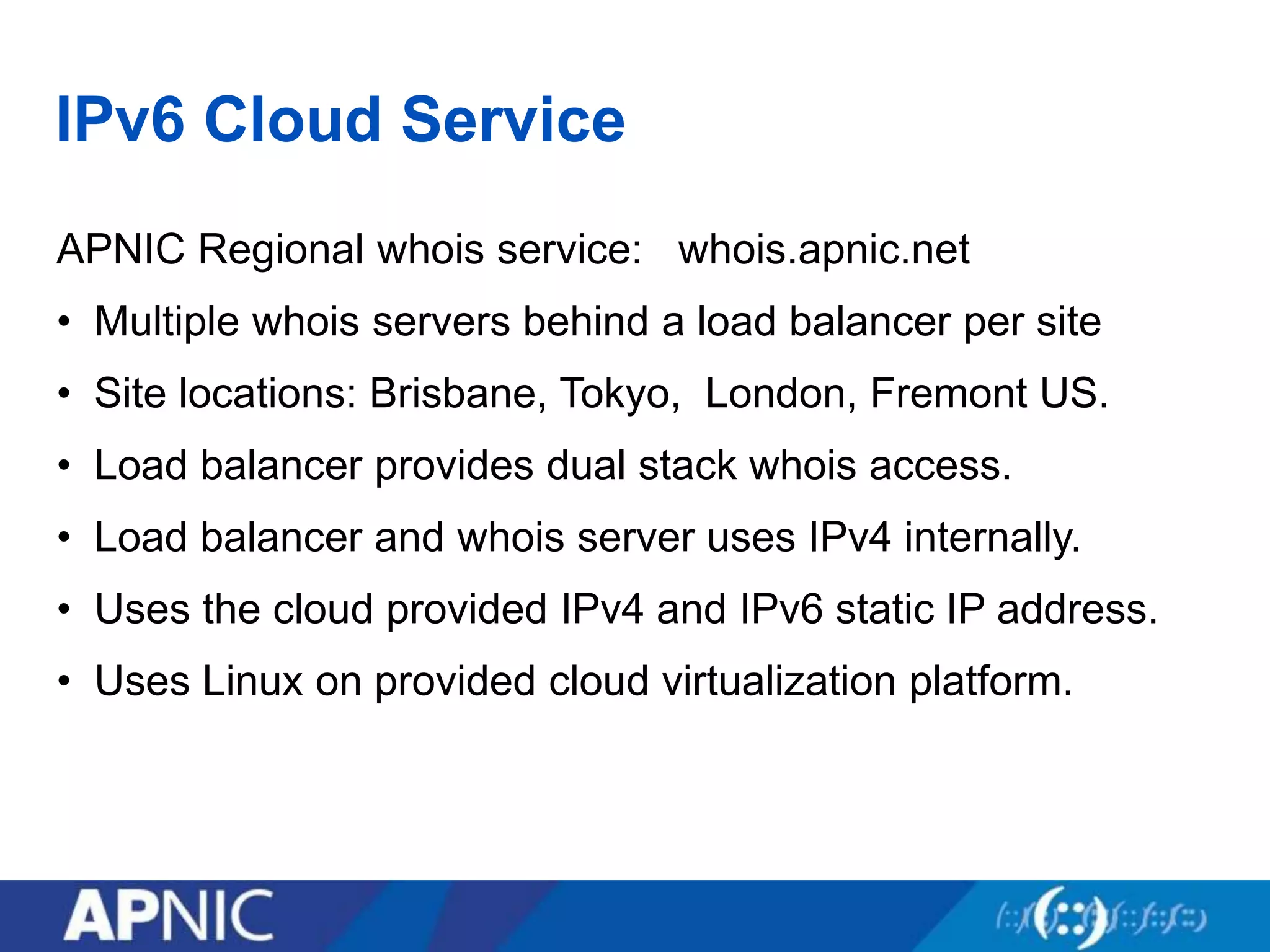
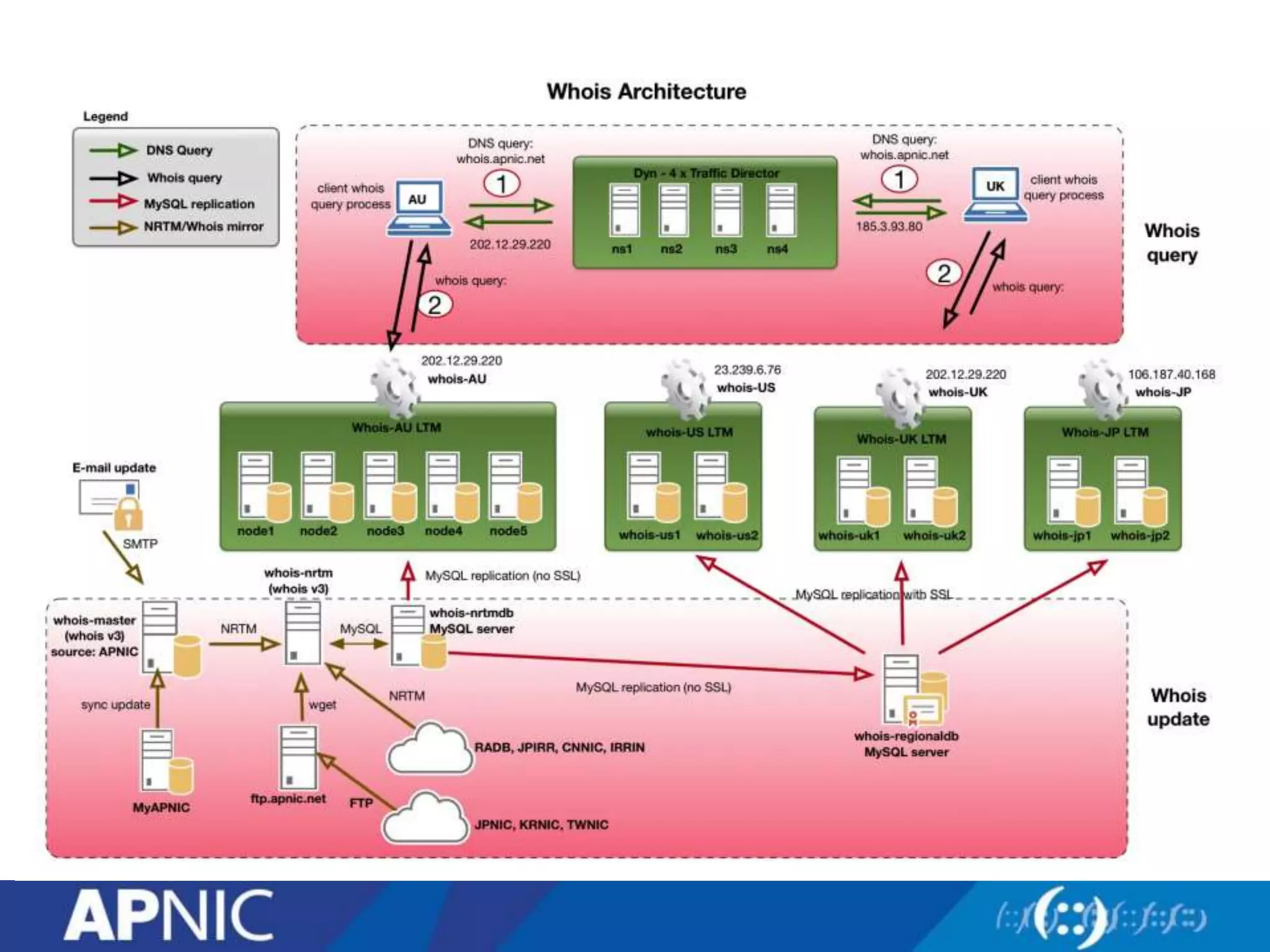
APNIC Regional whois service: whois.apnic.net
• Multiple whois servers behind a load balancer per site
• Site locations: Brisbane, Tokyo, London, Fremont US.
• Load balancer provides dual stack whois access.
• Load balancer and whois server uses IPv4 internally.
• Uses the cloud provided IPv4 and IPv6 static IP address.
• Uses Linux on provided cloud virtualization platform.
IPv6 Cloud Service
Overview
• Deployment motivation
• Network deployment
• IPv6 Services deployment
• IPv6 Anycast service
• IPv6 Cloud service
• Summary
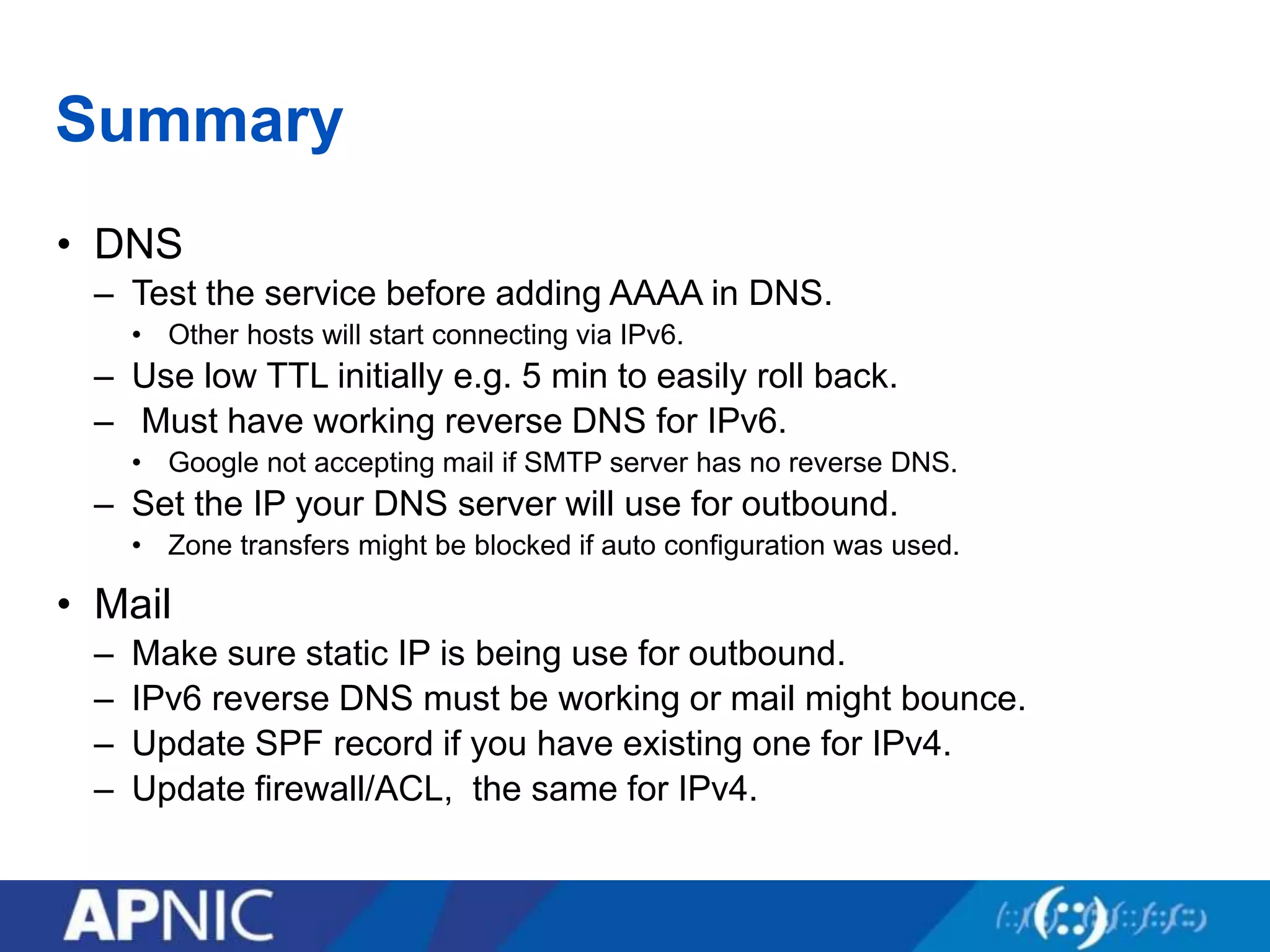
Summary
• DNS
– Test the service before adding AAAA in DNS.
• Other hosts will start connecting via IPv6.
– Use low TTL initially e.g. 5 min to easily roll back.
– Must have working reverse DNS for IPv6.
• Google not accepting mail if SMTP server has no reverse DNS.
– Set the IP your DNS server will use for outbound.
• Zone transfers might be blocked if auto configuration was used.
• Mail
– Make sure static IP is being use for outbound.
– IPv6 reverse DNS must be working or mail might bounce.
– Update SPF record if you have existing one for IPv4.
– Update firewall/ACL, the same for IPv4.
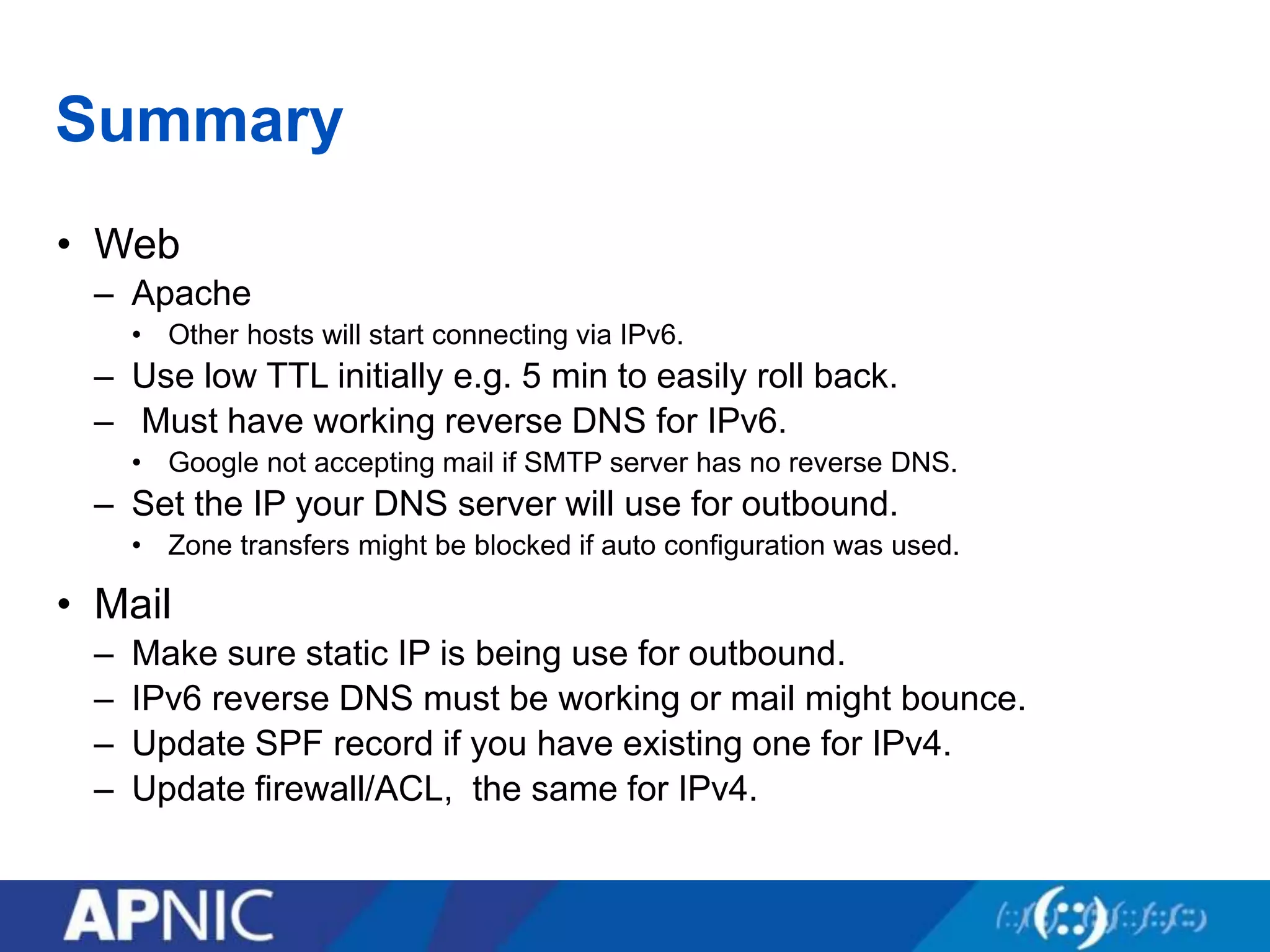
Summary
• Web
– Apache
• Other hosts will start connecting via IPv6.
– Use low TTL initially e.g. 5 min to easily roll back.
– Must have working reverse DNS for IPv6.
• Google not accepting mail if SMTP server has no reverse DNS.
– Set the IP your DNS server will use for outbound.
• Zone transfers might be blocked if auto configuration was used.
• Mail
– Make sure static IP is being use for outbound.
– IPv6 reverse DNS must be working or mail might bounce.
– Update SPF record if you have existing one for IPv4.
– Update firewall/ACL, the same for IPv4.
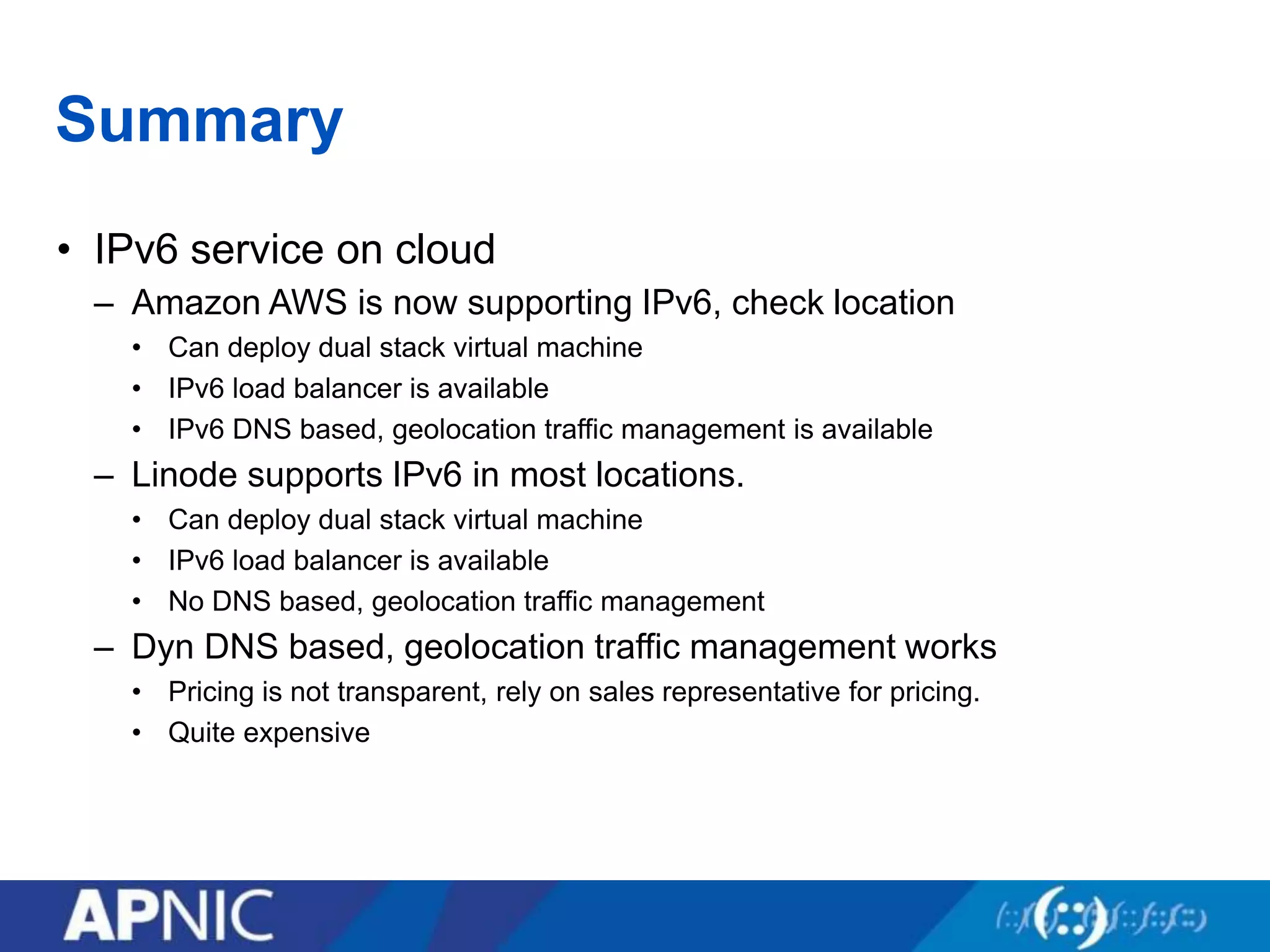
Summary
• IPv6 service on cloud
– Amazon AWS is now supporting IPv6, check location
• Can deploy dual stack virtual machine

• IPv6 load balancer is available
• IPv6 DNS based, geolocation traffic management is available
– Linode supports IPv6 in most locations.
• Can deploy dual stack virtual machine
• IPv6 load balancer is available
• No DNS based, geolocation traffic management
– Dyn DNS based, geolocation traffic management works
• Pricing is not transparent, rely on sales representative for pricing.
• Quite expensive
Summary
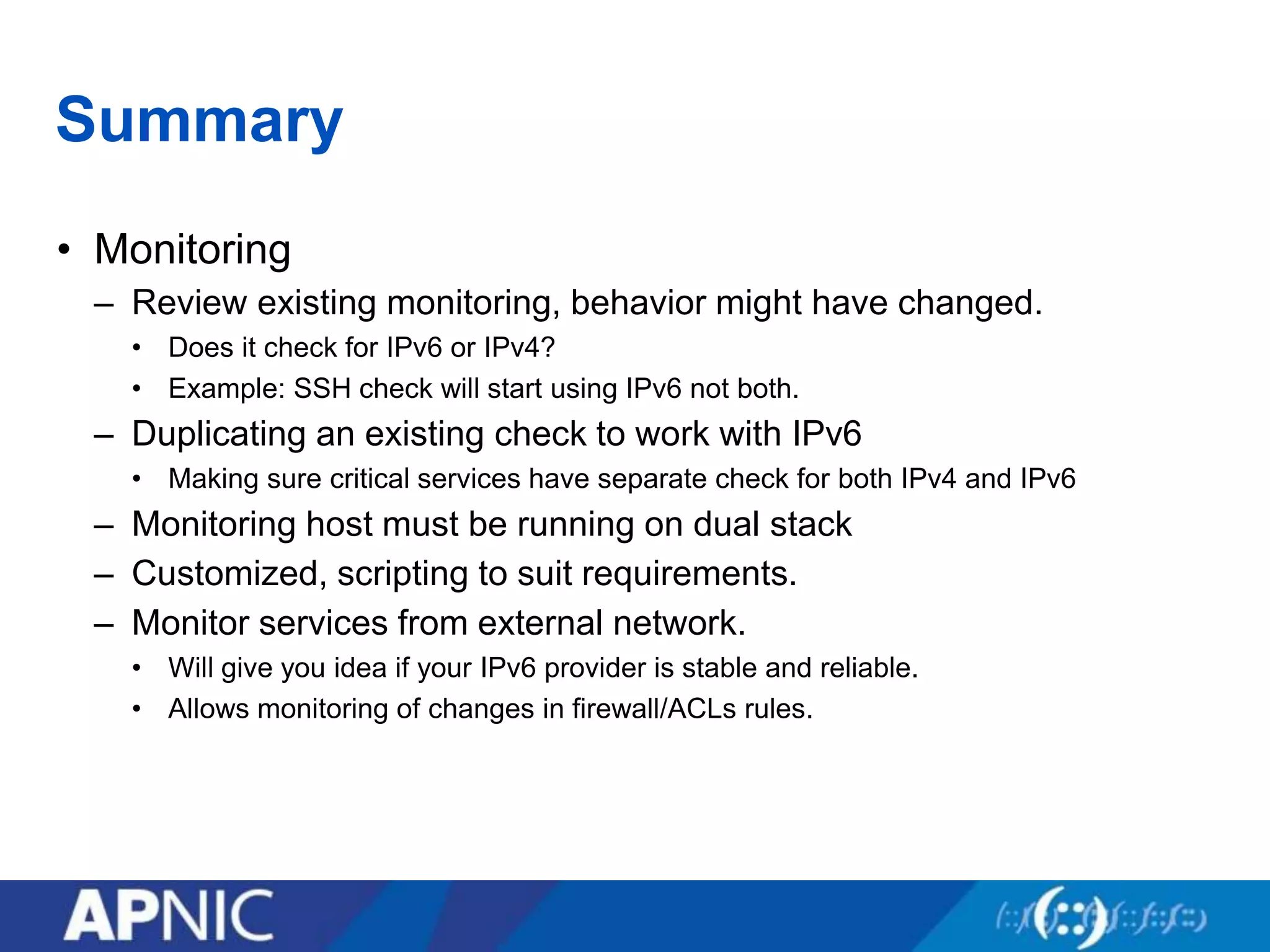
• Monitoring
– Review existing monitoring, behavior might have changed.
• Does it check for IPv6 or IPv4?
• Example: SSH check will start using IPv6 not both.
– Duplicating an existing check to work with IPv6
• Making sure critical services have separate check for both IPv4 and IPv6
– Monitoring host must be running on dual stack
– Customized, scripting to suit requirements.
– Monitor services from external network.
• Will give you idea if your IPv6 provider is stable and reliable.
• Allows monitoring of changes in firewall/ACLs rules.
34
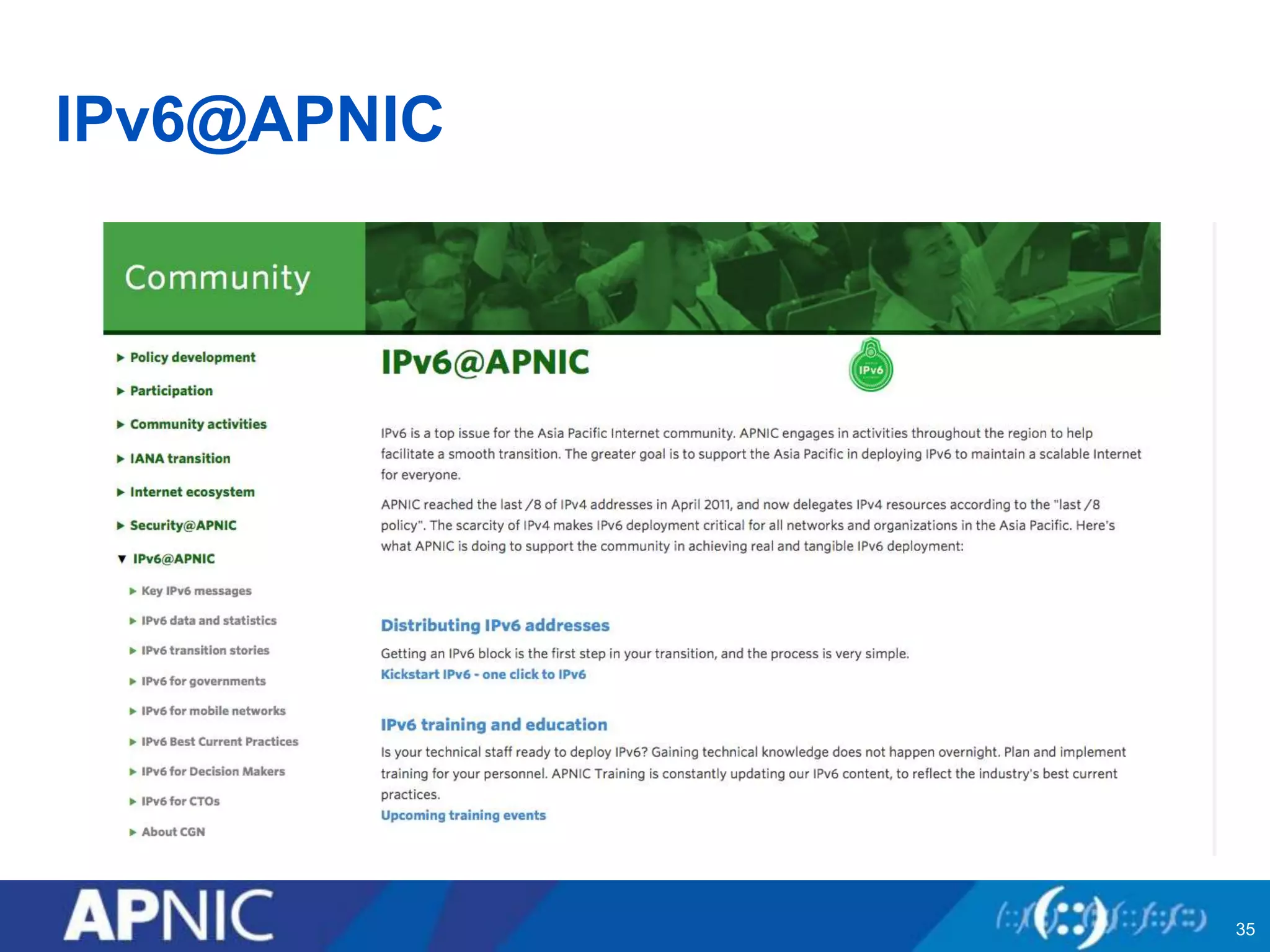
IPv6@APNIC
35
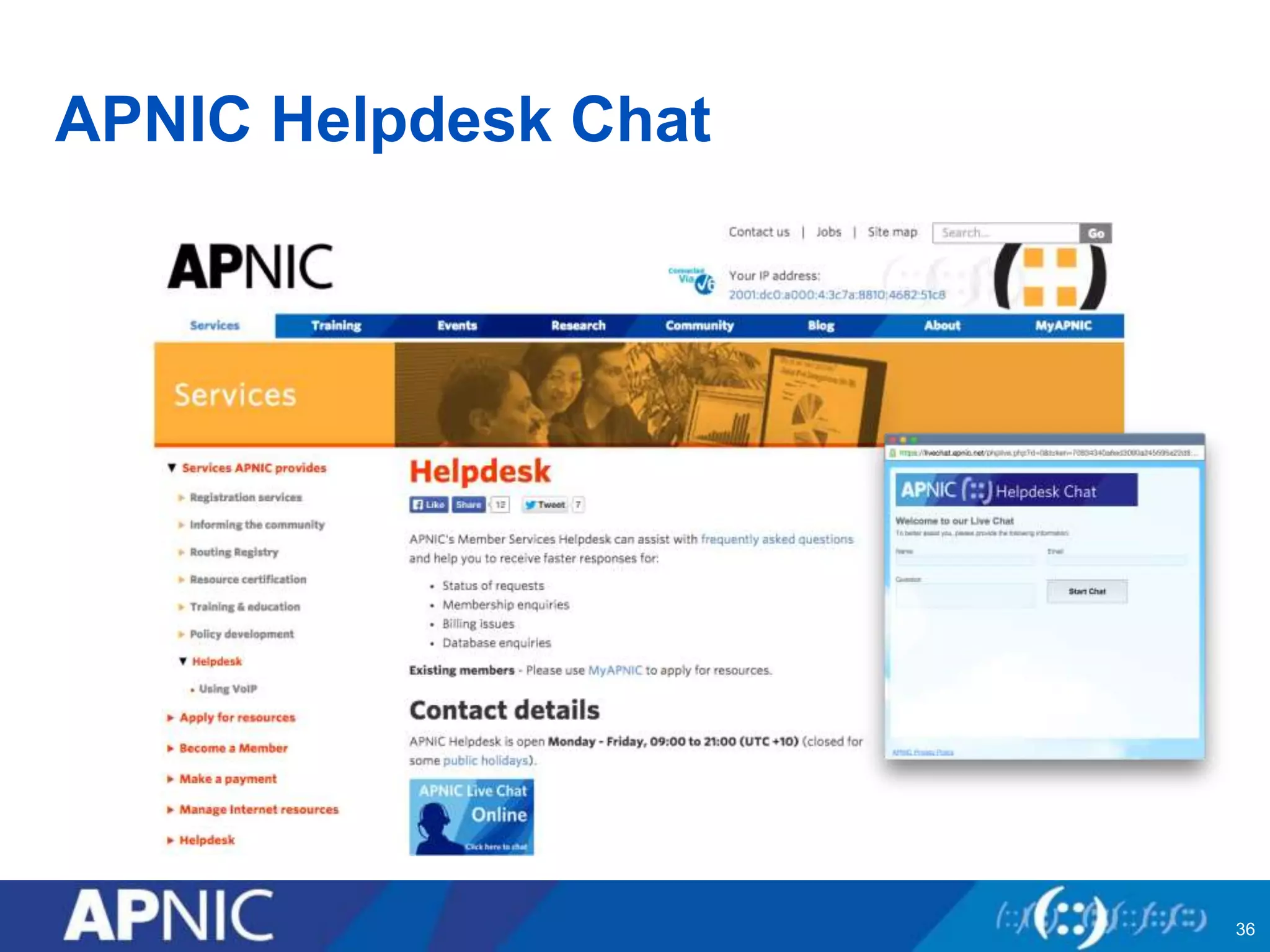
APNIC Helpdesk Chat
36
THANK YOU
www.facebook.com/APNIC
www.twitter.com/apnic
www.youtube.com/apnicmultimedia
www.flickr.com/apnic
www.weibo.com/APNICrir

Apnic IPv6 Deployment

  • 1.
    Issue Date: Revision: APNIC IPv6Deployment Ulaanbaatar, Mongolia 19 October 2015
  • 2.
    Overview • Deployment motivation •Network deployment • IPv6 Services deployment • IPv6 Anycast service • IPv6 Cloud service • Summary
  • 3.
    Motivation for deployment •Providing critical DNS infrastructure – Reverse DNS servers for APNIC IPv4 & IPv6 blocks – Operator of e.ip6-servers.arpa, e.in-addr-servers.arpa • Providing IPv6 training and workshop • Providing public whois service for APNIC blocks – whois.apnic.net – rdap.apnic.net • Promoting and supporting IPv6 deployment in the region
  • 4.
    APNIC IPv6 Addressdistribution 4 Describes “portability” of the address space
  • 5.
    IPv6 Sub-allocation • All/48 assignments to end sites must be registered 5
  • 6.
    IPv6 Reverse Delegations Root . in-addr 202203 64 22 ip6 0.4.2.ip6.arpa net org com arpa ianaapnic 6 apple
  • 7.
    Overview • Deployment motivation •Network deployment • IPv6 Services deployment • IPv6 Anycast service • IPv6 Cloud service • Summary
  • 8.
    Initial deployment inBrisbane • Deployment Plan: • Using the initial allocation: 2001:0DC0:2000::/35 ( before 2003 ) • Deploy IPv6 in parallel with existing IPv4 network (dual stack) • Use IPv4 tunnel for peering while no native IPv6 upstream available yet. (2003) • Use 1 x /48 subnet for staff workstations and mobile device. • Use 1 x /64 for each network VLAN • Use 1 x /64 for all loopback and point to point links
  • 9.
    Initial deployment inBrisbane • Split 2001:0DC0:2000::/35 into /48s • Split 2001:0DC0:2000:0000::/48 into /64s – Used VLAN number as part of subnet: VLAN 10 – 2001:0DC0:2000:10::/64 • Configuration of IPv6 upstream connection – Configured BGP peering with Hurricane Electric – Advertise 2001:ODC0:2000::/35 – Configure router VLAN 10 interface with /64 subnet.
  • 10.
    Initial deployment inBrisbane • Configured cisco router interface on VLAN 10 as RA – Used 2001:0DC0:2000:10::/64 for stateless auto-configuration • Connected workstations to VLAN 10 for testing – Verify IPv6 auto configuration works by looking at interface IP – Verify reachability: ping6, traceroute6 • Configured Bind caching/recursive DNS server – Running bind on Redhat Linux – Assigned static IPv6 on the network interface: • 2001:0DC0:2000:10::53/64 – Enabled Bind to listen on IPv6 address – dig www.ripe.net @2001:0DC0:2000:10::53 to test
  • 11.
    Dual Stack Approach •Dual stack node means: – Both IPv4 and IPv6 stacks enabled – Applications can talk to both – Choice of the IP version is based on name lookup and application preference TCP UDP IPv4 IPv6 Application Data Link (Ethernet) 0x0800 0x86dd TCP UDP IPv4 IPv6 IPv6-enabled Application Data Link (Ethernet) 0x0800 0x86dd Frame Protocol ID RFC 4213
  • 12.
    Subnetting (Example) 2001:0DC0::/35 2001:0DC0:0000::/48 Original block: Rewriteas a /48 subnet: First /48 Rewrite as /64 subnet How may /64 blocks are there in /48? /48 /64 = 2128-48 2128-64 = 280 264 = 216 2001:0DC0:0000:0000::/64 First /64 or 264 -248 = 216
  • 13.
    Subnetting (Example) 2001:0DC0:0000::/48 In bits 00000000 0000 00002001:0DC0: ::/48 0000 0000 0000 00012001:0DC0: ::/48 0000 0000 0000 00102001:0DC0: ::/48 0000 0000 0000 00112001:0DC0: ::/48 Start by manipulating the LSB of your network prefix – write in BITS 2001:0DC0:0000::/48 2001:0DC0:0001::/48 2001:0DC0:0002::/48 2001:0DC0:0003::/48 Then write back into hex digits
  • 14.
    Production deployment • Use2001:0DC0::/32 – 2001:0DC0:0000:/35 in Japan • Secondary DNS servers – 2001:0DC0:2000:/35 in Australia • Secondary DNS servers, APNIC services – Web, Mail, etc. – 2001:0DC0:4000:/35 in Hong Kong • Secondary DNS servers – 2001:0DC0:6000:/35 in United States • Secondary DNS servers
  • 15.
    Overview • Deployment motivation •Network deployment • IPv6 Services deployment • IPv6 Anycast service • IPv6 Cloud service • Summary
  • 16.
    IPv6 Services deployment DNSService – DNS servers for APNIC.NET must be configured first. • Setup the server static IPv6 address • Configure to listen on IPv6 UDP and TCP port 53. • Apply the same DNS ACL of IPv4 for IPv6 traffic. – Adding AAAA resource records with 5 minutes TTL initially. ns1.apnic.net. 1H IN A 202.12.29.25 ns1.apnic.net. 5M IN AAAA 2001:0DB8:11::25 tinnie.apnic.net. 1H IN A 202.12.29.59 tinnie.apnic.net. 5M IN AAAA 2001:0DB8:11::59 ns3.apnic.net. 1H IN A 202.12.28.131 ns3.apnic.net. 5M IN AAAA 2001:0DB8:21::131
  • 17.
    Services deployment DNS Service –Update apnic.net GLUE record from domain registry. apnic.net. ns1.apnic.net. apnic.net. ns3.apnic.net. apnic.net. tinnie.apnic.net. ns1.apnic.net. 202.12.29.25 ns1.apnic.net. 2001:0DB8:11::25 ns3.apnic.net. 202.12.28.131 ns3.apnic.net. 2001:0DB8:21::131 tinnie.apnic.net. 202.12.29.59 tinnie.apnic.net. 2001:0DB8:11::59
  • 18.
    Services deployment web service –Update www.apnic.net host with IPv6 static IP address – Update apache configuration to listen on IPv6 TCP 80, 443. – Add AAAA record in DNS for www.apnic.net. www.apnic.net 1H IN A 203.119.102.244 www.apnic.net 5M IN AAAA 2001:0DB8:13::244 FTP service – Update ftp.apnic.net host with IPv6 static IP address – Update FTP service to listen on IPv6 TCP port 21. – Add AAAA record in DNS for ftp.apnic.net. ftp.apnic.net 1H IN A 202.12.29.205 ftp.apnic.net 5M IN AAAA 2001:0DB8:11::205
  • 19.
    Services deployment Mail gateway –Replaced Barracuda spam firewall with Halon – Supports incoming and outgoing IPv6 SMTP session. – Uses IPv6 as priority and failover to IPv4 if connection failed. – Serve as internal IPV6 SMTP open relay. – Clustering works only in IPv4 – Anti-spam, anti-virus definition updates via IPv4. Mail store – Used Courier IMAP to serve IPv6 mail client access. – Migrated to Microsoft Exchange and works with IPv6. – Uses IPv6 as priority and failover to IPv4 if connection failed.
  • 20.
    Services deployment Load balancer –Replaced Radware with F5 LTM – Full support of IPv6 service load balancing. – Allows IPv6 virtual server with IPv4 only backend server pool. – Use for load balancing whois queries in both IPv4 and IPv6. Whois – Based on RIPE NCC open source whois code. – Accept both IPv4 and IPv6 whois queries on TCP Port 43 – Rely on F5 virtual to load balance IPv4 and IPv6 queries.
  • 21.
    Services deployment LAN andWIFI – Using router for both LAN and WIFI IPv6 auto configuration – Using redundant pair of IPv4 DCHP server and DNS resolver – WIFI authentication uses Radius and LDAP over IPv6. VPN – Using SSL VPN, assigning IPv4 and IPv6 address – Authentication uses Active Directory over IPv6.
  • 22.
    Overview • Deployment motivation •Network deployment • IPv6 Services deployment • IPv6 Anycast service • IPv6 Cloud service • Summary
  • 23.
    IPv6 Anycast Service •e.in-addr-servers.arpa – Dual stack anycast DNS server – Authoritative for all IPv4 /8 in-addr.arpa delegations. • Example: 202.in-addr.arpa, 1.in-addr.arpa – Using the same IP: 203.119.86.101 & 2001:DD8:6::101/48 • Brisbane • Hong Kong • Tokyo • 2016 - US – Using Unique AS number in BGP peering for each location.
  • 24.
  • 25.
    IPv6 Anycast Service •2016 – Additional anycast DNS servers – Secondary DNS service for CCTLDs in developing countries. – Anycast instance of APNIC NS servers • Secondary DNS for APNIC block reverse delegations. – Anycast instance of e.ip6.arpa-servers • Secondary DNS for ip6.arpa delegations - IPv6 Registry blocks – Anycast deployment: Australia, Hong Kong, Japan, United States
  • 26.
    Overview • Deployment motivation •Network deployment • IPv6 Services deployment • IPv6 Anycast service • IPv6 Cloud service • Monitoring IPv6 Services
  • 27.
    IPv6 Cloud Service APNICRegional whois service: whois.apnic.net • Multiple whois servers behind a load balancer per site • Site locations: Brisbane, Tokyo, London, Fremont US. • Load balancer provides dual stack whois access. • Load balancer and whois server uses IPv4 internally. • Uses the cloud provided IPv4 and IPv6 static IP address. • Uses Linux on provided cloud virtualization platform.
  • 28.
  • 29.
    Overview • Deployment motivation •Network deployment • IPv6 Services deployment • IPv6 Anycast service • IPv6 Cloud service • Summary
  • 30.
    Summary • DNS – Testthe service before adding AAAA in DNS. • Other hosts will start connecting via IPv6. – Use low TTL initially e.g. 5 min to easily roll back. – Must have working reverse DNS for IPv6. • Google not accepting mail if SMTP server has no reverse DNS. – Set the IP your DNS server will use for outbound. • Zone transfers might be blocked if auto configuration was used. • Mail – Make sure static IP is being use for outbound. – IPv6 reverse DNS must be working or mail might bounce. – Update SPF record if you have existing one for IPv4. – Update firewall/ACL, the same for IPv4.
  • 31.
    Summary • Web – Apache •Other hosts will start connecting via IPv6. – Use low TTL initially e.g. 5 min to easily roll back. – Must have working reverse DNS for IPv6. • Google not accepting mail if SMTP server has no reverse DNS. – Set the IP your DNS server will use for outbound. • Zone transfers might be blocked if auto configuration was used. • Mail – Make sure static IP is being use for outbound. – IPv6 reverse DNS must be working or mail might bounce. – Update SPF record if you have existing one for IPv4. – Update firewall/ACL, the same for IPv4.
  • 32.
    Summary • IPv6 serviceon cloud – Amazon AWS is now supporting IPv6, check location • Can deploy dual stack virtual machine • IPv6 load balancer is available • IPv6 DNS based, geolocation traffic management is available – Linode supports IPv6 in most locations. • Can deploy dual stack virtual machine • IPv6 load balancer is available • No DNS based, geolocation traffic management – Dyn DNS based, geolocation traffic management works • Pricing is not transparent, rely on sales representative for pricing. • Quite expensive
  • 33.
    Summary • Monitoring – Reviewexisting monitoring, behavior might have changed. • Does it check for IPv6 or IPv4? • Example: SSH check will start using IPv6 not both. – Duplicating an existing check to work with IPv6 • Making sure critical services have separate check for both IPv4 and IPv6 – Monitoring host must be running on dual stack – Customized, scripting to suit requirements. – Monitor services from external network. • Will give you idea if your IPv6 provider is stable and reliable. • Allows monitoring of changes in firewall/ACLs rules.
  • 34.
  • 35.
  • 36.
  • 37.