IPv6 campus deployment
       experience

            Tim Chown
   University of Southampton
    Irish IPv6 Summit, Dublin
           19th May 2010
Topics
•   Scope/scenario
•   Why IPv6
•   Phased deployment steps
•   Managing a dual-stack network
•   Lessons learnt
•   The future
Scope
• Context of our deployment is a large Electronics
  and Computer Science department
  –   Approx 3,000 staff/student users
  –   Up to 5,000 systems (>3,000 wireless)
  –   Over 1,000 physical data ports
  –   4 buildings
  –   Run all our own network and system services
  –   See http://www.ecs.soton.ac.uk


• ISP is JANET, the UK academic network
  – Connectivity via regional academic network (LeNSE)
Why IPv6?
• Not due to immediate lack of address space
  – Established UK universities have pre-CIDR /16’s
• Rather because universities are places of learning
  –   Important to gain early insights into IPv6 impact
  –   Teach IPv6 to students who will be using it
  –   IPv6 capability for research projects
  –   Prove new technologies in a production environment
  –   Attract students from outside the UK


• Network security aspects – manage the change
  – Deploy/manage IPv6 proactively
Deployment
• In practice this has happened over many years
  – IPv6 was first run on our site in 1997
  – Valuable experience gained through many projects
    such as 6NET (http://www.6net.org)
• But while most academic backbone networks
  support IPv6, there are very few end-
  site/campus deployments

• From our current position we can say
  – What we would do if starting from scratch now
  – What we think is working well
  – What remains to be done
Phased approach
• IPv6 deployment should be undertaken
  with a phased approach, broadly:
  –   Advance planning/preparation
  –   Trial/pilot service
  –   Production deployment
  –   Ongoing operation

• There’s no reason not to begin planning
  now
  – Gain early experience/insight
  – Minimise future costs by including
    requirements in future procurements
Dual stack vs IPv6-only
• Dual-stack
  –   Continue to operate existing IPv4 systems
  –   Run ‘two networks’ as closely coupled as possible
  –   Allow IPv6-only devices to operate internally
  –   Additional complexity lies within the network
• IPv6-only
  – Run only IPv6 internally
  – Complexity lies at the edge in the ‘NAT64’ function


• Currently dual stack is the most viable option
Advance planning
• Begin appropriate training for staff
  – Need to understand strategic and technical aspects
• Determine IPv6 requirements and ensure these
  are cited in procurement exercises
  – Important, but not an easy task
• Survey existing software/systems for IPv6
  capability
  – Assess effort to port to support IPv6 where necessary
• Review policies/processes for IPv6 implications
  – Security, management, etc.
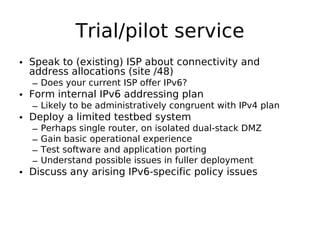
Trial/pilot service
• Speak to (existing) ISP about connectivity and
  address allocations (site /48)
  – Does your current ISP offer IPv6?
• Form internal IPv6 addressing plan
  – Likely to be administratively congruent with IPv4 plan
• Deploy a limited testbed system
  –   Perhaps single router, on isolated dual-stack DMZ
  –   Gain basic operational experience
  –   Test software and application porting
  –   Understand possible issues in fuller deployment
• Discuss any arising IPv6-specific policy issues
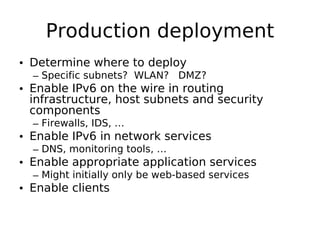
Production deployment
• Determine where to deploy
  – Specific subnets? WLAN? DMZ?
• Enable IPv6 on the wire in routing
  infrastructure, host subnets and security
  components
  – Firewalls, IDS, …
• Enable IPv6 in network services
  – DNS, monitoring tools, …
• Enable appropriate application services
  – Might initially only be web-based services
• Enable clients
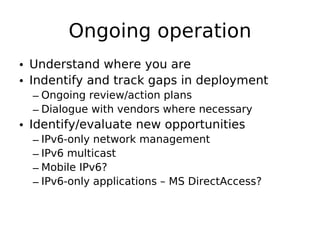
Ongoing operation
• Understand where you are
• Indentify and track gaps in deployment
  – Ongoing review/action plans
  – Dialogue with vendors where necessary
• Identify/evaluate new opportunities
  – IPv6-only network management
  – IPv6 multicast
  – Mobile IPv6?
  – IPv6-only applications – MS DirectAccess?
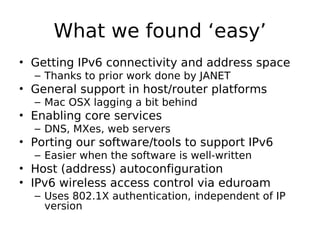
What we found ‘easy’
• Getting IPv6 connectivity and address space
  – Thanks to prior work done by JANET
• General support in host/router platforms
  – Mac OSX lagging a bit behind
• Enabling core services
  – DNS, MXes, web servers
• Porting our software/tools to support IPv6
  – Easier when the software is well-written
• Host (address) autoconfiguration
• IPv6 wireless access control via eduroam
  – Uses 802.1X authentication, independent of IP
    version
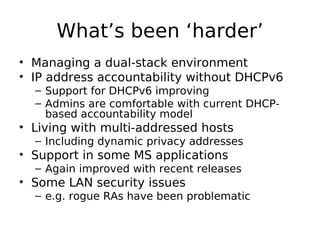
What’s been ‘harder’
• Managing a dual-stack environment
• IP address accountability without DHCPv6
  – Support for DHCPv6 improving
  – Admins are comfortable with current DHCP-
    based accountability model
• Living with multi-addressed hosts
  – Including dynamic privacy addresses
• Support in some MS applications
  – Again improved with recent releases
• Some LAN security issues
  – e.g. rogue RAs have been problematic
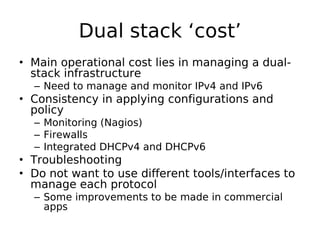
Dual stack ‘cost’
• Main operational cost lies in managing a dual-
  stack infrastructure
  – Need to manage and monitor IPv4 and IPv6
• Consistency in applying configurations and
  policy
  – Monitoring (Nagios)
  – Firewalls
  – Integrated DHCPv4 and DHCPv6
• Troubleshooting
• Do not want to use different tools/interfaces to
  manage each protocol
  – Some improvements to be made in commercial
    apps
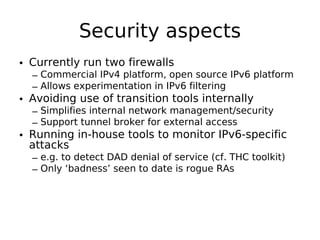
Security aspects
• Currently run two firewalls
  – Commercial IPv4 platform, open source IPv6 platform
  – Allows experimentation in IPv6 filtering
• Avoiding use of transition tools internally
  – Simplifies internal network management/security
  – Support tunnel broker for external access
• Running in-house tools to monitor IPv6-specific
  attacks
  – e.g. to detect DAD denial of service (cf. THC toolkit)
  – Only ‘badness’ seen to date is rogue RAs
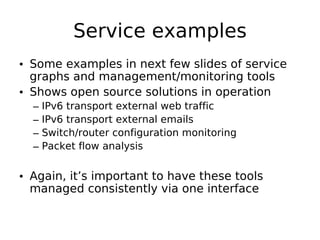
Service examples
• Some examples in next few slides of service
  graphs and management/monitoring tools
• Shows open source solutions in operation
  –   IPv6 transport external web traffic
  –   IPv6 transport external emails
  –   Switch/router configuration monitoring
  –   Packet flow analysis


• Again, it’s important to have these tools
  managed consistently via one interface
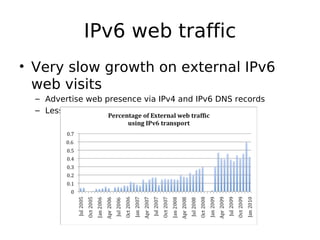
IPv6 web traffic
• Very slow growth on external IPv6
  web visits
  – Advertise web presence via IPv4 and IPv6 DNS records
  – Less than 1% of IPv6 accesses are via 6to4
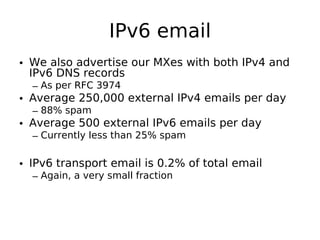
IPv6 email
• We also advertise our MXes with both IPv4 and
  IPv6 DNS records
  – As per RFC 3974
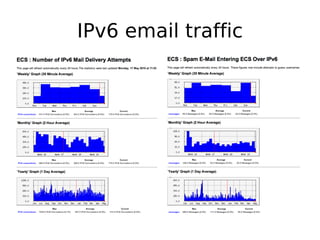
• Average 250,000 external IPv4 emails per day
  – 88% spam
• Average 500 external IPv6 emails per day
  – Currently less than 25% spam

• IPv6 transport email is 0.2% of total email
  – Again, a very small fraction
IPv6 email traffic
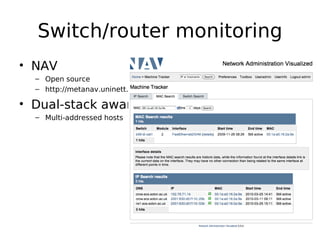
Switch/router monitoring
• NAV
  – Open source
  – http://metanav.uninett.no

• Dual-stack aware
  – Multi-addressed hosts
Integrated dual-stack
           monitoring
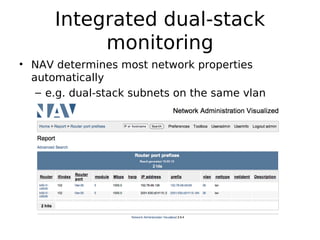
• NAV determines most network properties
  automatically
   – e.g. dual-stack subnets on the same vlan
Network flows
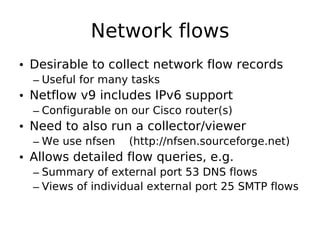
• Desirable to collect network flow records
  – Useful for many tasks
• Netflow v9 includes IPv6 support
  – Configurable on our Cisco router(s)
• Need to also run a collector/viewer
  – We use nfsen   (http://nfsen.sourceforge.net)
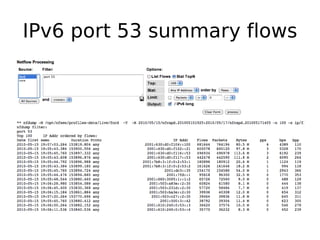
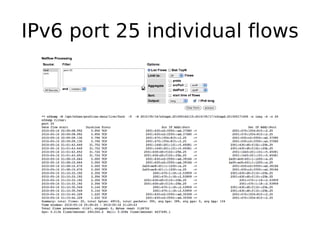
• Allows detailed flow queries, e.g.
  – Summary of external port 53 DNS flows
  – Views of individual external port 25 SMTP flows
IPv6 port 53 summary flows
IPv6 port 25 individual flows
New services?
• What can you do beyond deploying IPv6
  just to be ‘ready’?
  –   IPv6 Multicast – simpler, more agile?
  –   Mobile IPv6 – improved mobility support?
  –   Applications – from engaged users?
  –   Google IPv6 – is something big on the horizon?
  –   Community/ad-hoc networks – interest here
  –   New use cases – e.g. sensor networks
• Seeing some interesting ‘green shoots’ but
  no single ‘killer app’
IPv6 multicast
• Used for all our multicast services
• Some nice benefits:
  – Improved, explicit scoping
  – Embedded RP (RFC 3956) for global groups
• Some new projects building on IPv6 multicast
  – Student work, e.g. file-sharing applications
• Freeview TV/radio (ECS-TV)
  – Using VideoLAN tools
  – Scoped within research buildings only
Issues experienced
• Deploying per se is not the challenge
  – Managing a dual-stack environment is
  – You need good, consistent tools
  – There is increased complexity
• Don’t underestimate staff training
  – IPv6 will touch on all areas of systems support
  – Staff who don’t understand will proliferate FUD
• Do understand IPv6 differences
  – Multi-addressing, rogue RAs, …
• Don’t expect full dual-stack deployment
  from day 1
  – It’s perfectly fine to enable IPv6 in stages
The future?
• Still some internal services left to make dual-stack
• Integrate IPv4 and IPv6 firewall functions
• DHCPv6 deployment
  – Unless we can improve autoconfiguration
    accountability, perhaps by wider use of 802.1X
• Wider use of external services
  – IPv6 transport to root DNS
  – Google IPv6 Programme
• Possibility of new IPv6-only devices
  – These would put some focus on ‘NAT64’ solutions
• Plan for IPv6 deployment on wider campus network
Conclusions
• If you’re not actively planning for IPv6, begin now
  – Checking capabilities in procurements as a minimum
  – Consider security implications – IPv6 is in your network
    anyway
• Dual stack IPv6 deployment is possible today
  – Running here 4+ years without significant issues
  – There are some missing bits, but you don’t have to dual-stack
    everything from the outset
• Look for tools that offer integrated management of
  IPv4/IPv6 networks
  – Even if that might mean changing the tools you use
• Don’t forget training and awareness in your organisation
• Don’t expect huge IPv6 traffic volumes (yet)
References
• 6NET (2002-2005 Pan-European project)
  – http://www.6net.org


• 6DEPLOY (IPv6 training and resources)
  – http://www.6deploy.org


• JANET IPv6 Technical Guide (under revision)
  – http://www.webarchive.ja.net/services/publicatio
    ns/technical-guides/ipv6-tech-guide-for-web.pdf

12.00 - Dr. Tim Chown - University of Southampton

  • 1.
    IPv6 campus deployment experience Tim Chown University of Southampton Irish IPv6 Summit, Dublin 19th May 2010
  • 2.
    Topics • Scope/scenario • Why IPv6 • Phased deployment steps • Managing a dual-stack network • Lessons learnt • The future
  • 3.
    Scope • Context ofour deployment is a large Electronics and Computer Science department – Approx 3,000 staff/student users – Up to 5,000 systems (>3,000 wireless) – Over 1,000 physical data ports – 4 buildings – Run all our own network and system services – See http://www.ecs.soton.ac.uk • ISP is JANET, the UK academic network – Connectivity via regional academic network (LeNSE)
  • 4.
    Why IPv6? • Notdue to immediate lack of address space – Established UK universities have pre-CIDR /16’s • Rather because universities are places of learning – Important to gain early insights into IPv6 impact – Teach IPv6 to students who will be using it – IPv6 capability for research projects – Prove new technologies in a production environment – Attract students from outside the UK • Network security aspects – manage the change – Deploy/manage IPv6 proactively
  • 5.
    Deployment • In practicethis has happened over many years – IPv6 was first run on our site in 1997 – Valuable experience gained through many projects such as 6NET (http://www.6net.org) • But while most academic backbone networks support IPv6, there are very few end- site/campus deployments • From our current position we can say – What we would do if starting from scratch now – What we think is working well – What remains to be done
  • 6.
    Phased approach • IPv6deployment should be undertaken with a phased approach, broadly: – Advance planning/preparation – Trial/pilot service – Production deployment – Ongoing operation • There’s no reason not to begin planning now – Gain early experience/insight – Minimise future costs by including requirements in future procurements
  • 7.
    Dual stack vsIPv6-only • Dual-stack – Continue to operate existing IPv4 systems – Run ‘two networks’ as closely coupled as possible – Allow IPv6-only devices to operate internally – Additional complexity lies within the network • IPv6-only – Run only IPv6 internally – Complexity lies at the edge in the ‘NAT64’ function • Currently dual stack is the most viable option
  • 8.
    Advance planning • Beginappropriate training for staff – Need to understand strategic and technical aspects • Determine IPv6 requirements and ensure these are cited in procurement exercises – Important, but not an easy task • Survey existing software/systems for IPv6 capability – Assess effort to port to support IPv6 where necessary • Review policies/processes for IPv6 implications – Security, management, etc.
  • 9.
    Trial/pilot service • Speakto (existing) ISP about connectivity and address allocations (site /48) – Does your current ISP offer IPv6? • Form internal IPv6 addressing plan – Likely to be administratively congruent with IPv4 plan • Deploy a limited testbed system – Perhaps single router, on isolated dual-stack DMZ – Gain basic operational experience – Test software and application porting – Understand possible issues in fuller deployment • Discuss any arising IPv6-specific policy issues
  • 10.
    Production deployment • Determinewhere to deploy – Specific subnets? WLAN? DMZ? • Enable IPv6 on the wire in routing infrastructure, host subnets and security components – Firewalls, IDS, … • Enable IPv6 in network services – DNS, monitoring tools, … • Enable appropriate application services – Might initially only be web-based services • Enable clients
  • 11.
    Ongoing operation • Understandwhere you are • Indentify and track gaps in deployment – Ongoing review/action plans – Dialogue with vendors where necessary • Identify/evaluate new opportunities – IPv6-only network management – IPv6 multicast – Mobile IPv6? – IPv6-only applications – MS DirectAccess?
  • 12.
    What we found‘easy’ • Getting IPv6 connectivity and address space – Thanks to prior work done by JANET • General support in host/router platforms – Mac OSX lagging a bit behind • Enabling core services – DNS, MXes, web servers • Porting our software/tools to support IPv6 – Easier when the software is well-written • Host (address) autoconfiguration • IPv6 wireless access control via eduroam – Uses 802.1X authentication, independent of IP version
  • 13.
    What’s been ‘harder’ •Managing a dual-stack environment • IP address accountability without DHCPv6 – Support for DHCPv6 improving – Admins are comfortable with current DHCP- based accountability model • Living with multi-addressed hosts – Including dynamic privacy addresses • Support in some MS applications – Again improved with recent releases • Some LAN security issues – e.g. rogue RAs have been problematic
  • 14.
    Dual stack ‘cost’ •Main operational cost lies in managing a dual- stack infrastructure – Need to manage and monitor IPv4 and IPv6 • Consistency in applying configurations and policy – Monitoring (Nagios) – Firewalls – Integrated DHCPv4 and DHCPv6 • Troubleshooting • Do not want to use different tools/interfaces to manage each protocol – Some improvements to be made in commercial apps
  • 15.
    Security aspects • Currentlyrun two firewalls – Commercial IPv4 platform, open source IPv6 platform – Allows experimentation in IPv6 filtering • Avoiding use of transition tools internally – Simplifies internal network management/security – Support tunnel broker for external access • Running in-house tools to monitor IPv6-specific attacks – e.g. to detect DAD denial of service (cf. THC toolkit) – Only ‘badness’ seen to date is rogue RAs
  • 16.
    Service examples • Someexamples in next few slides of service graphs and management/monitoring tools • Shows open source solutions in operation – IPv6 transport external web traffic – IPv6 transport external emails – Switch/router configuration monitoring – Packet flow analysis • Again, it’s important to have these tools managed consistently via one interface
  • 17.
    IPv6 web traffic •Very slow growth on external IPv6 web visits – Advertise web presence via IPv4 and IPv6 DNS records – Less than 1% of IPv6 accesses are via 6to4
  • 18.
    IPv6 email • Wealso advertise our MXes with both IPv4 and IPv6 DNS records – As per RFC 3974 • Average 250,000 external IPv4 emails per day – 88% spam • Average 500 external IPv6 emails per day – Currently less than 25% spam • IPv6 transport email is 0.2% of total email – Again, a very small fraction
  • 19.
  • 20.
    Switch/router monitoring • NAV – Open source – http://metanav.uninett.no • Dual-stack aware – Multi-addressed hosts
  • 21.
    Integrated dual-stack monitoring • NAV determines most network properties automatically – e.g. dual-stack subnets on the same vlan
  • 22.
    Network flows • Desirableto collect network flow records – Useful for many tasks • Netflow v9 includes IPv6 support – Configurable on our Cisco router(s) • Need to also run a collector/viewer – We use nfsen (http://nfsen.sourceforge.net) • Allows detailed flow queries, e.g. – Summary of external port 53 DNS flows – Views of individual external port 25 SMTP flows
  • 23.
    IPv6 port 53summary flows
  • 24.
    IPv6 port 25individual flows
  • 25.
    New services? • Whatcan you do beyond deploying IPv6 just to be ‘ready’? – IPv6 Multicast – simpler, more agile? – Mobile IPv6 – improved mobility support? – Applications – from engaged users? – Google IPv6 – is something big on the horizon? – Community/ad-hoc networks – interest here – New use cases – e.g. sensor networks • Seeing some interesting ‘green shoots’ but no single ‘killer app’
  • 26.
    IPv6 multicast • Usedfor all our multicast services • Some nice benefits: – Improved, explicit scoping – Embedded RP (RFC 3956) for global groups • Some new projects building on IPv6 multicast – Student work, e.g. file-sharing applications • Freeview TV/radio (ECS-TV) – Using VideoLAN tools – Scoped within research buildings only
  • 27.
    Issues experienced • Deployingper se is not the challenge – Managing a dual-stack environment is – You need good, consistent tools – There is increased complexity • Don’t underestimate staff training – IPv6 will touch on all areas of systems support – Staff who don’t understand will proliferate FUD • Do understand IPv6 differences – Multi-addressing, rogue RAs, … • Don’t expect full dual-stack deployment from day 1 – It’s perfectly fine to enable IPv6 in stages
  • 28.
    The future? • Stillsome internal services left to make dual-stack • Integrate IPv4 and IPv6 firewall functions • DHCPv6 deployment – Unless we can improve autoconfiguration accountability, perhaps by wider use of 802.1X • Wider use of external services – IPv6 transport to root DNS – Google IPv6 Programme • Possibility of new IPv6-only devices – These would put some focus on ‘NAT64’ solutions • Plan for IPv6 deployment on wider campus network
  • 29.
    Conclusions • If you’renot actively planning for IPv6, begin now – Checking capabilities in procurements as a minimum – Consider security implications – IPv6 is in your network anyway • Dual stack IPv6 deployment is possible today – Running here 4+ years without significant issues – There are some missing bits, but you don’t have to dual-stack everything from the outset • Look for tools that offer integrated management of IPv4/IPv6 networks – Even if that might mean changing the tools you use • Don’t forget training and awareness in your organisation • Don’t expect huge IPv6 traffic volumes (yet)
  • 30.
    References • 6NET (2002-2005Pan-European project) – http://www.6net.org • 6DEPLOY (IPv6 training and resources) – http://www.6deploy.org • JANET IPv6 Technical Guide (under revision) – http://www.webarchive.ja.net/services/publicatio ns/technical-guides/ipv6-tech-guide-for-web.pdf