James Pearce
 Director, Developer Relations

 @ jamespearce
   jamesp@sencha.com
Building
Mobile Web Apps
          with
   HTML   CSS    JS
One PC


Multiple devices
Sedentary usage


 Mobile usage
Documents


Applications
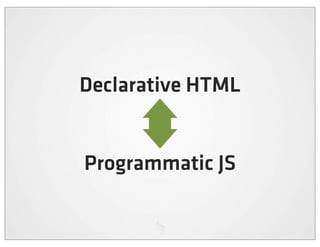
Declarative HTML


Programmatic JS
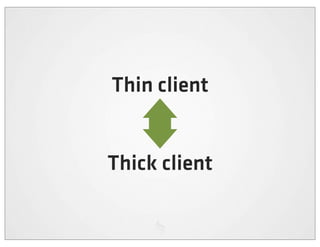
Thin client


Thick client
HTML5 is a new version of HTML4, XHTML1,
and DOM Level 2 HTML addressing many of the
  issues of those specifications while at the
       same time enhancing (X)HTML
to more adequately address Web applications.
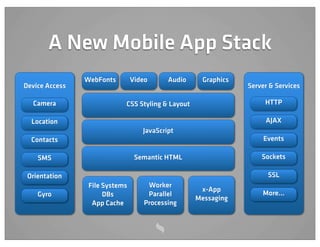
A New Mobile App Stack
                WebFonts        Video      Audio    Graphics
Device Access                                                  Server & Services

  Camera                    CSS Styling & Layout                    HTTP

  Location                                                          AJAX
                                   JavaScript
  Contacts                                                          Events

    SMS                          Semantic HTML                     Sockets

 Orientation                                                         SSL
                 File Systems        Worker
                                                    x-App
    Gyro              DBs            Parallel                      More...
                                                   Messaging
                  App Cache         Processing
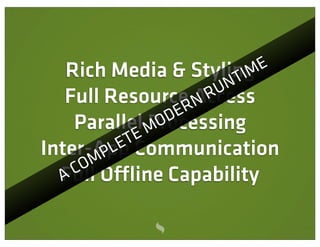
Rich Media & Styling         E
                           T IM
                        UN
   Full ResourceRAccess
                    N R
    Parallel MO  DE
               Processing
            TE
Inter-App
        P LE Communication
     OM
    C O ine Capability
  Full
  A
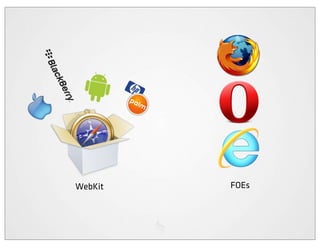
WebKit   FOEs
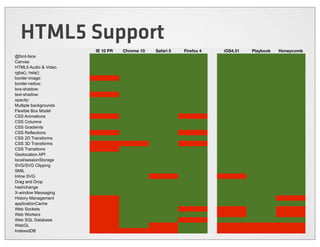
HTML5 Support
                       IE 10 PR   Chrome 10   Safari 5   Firefox 4   iOS4.31   Playbook   Honeycomb
@font-face
Canvas
HTML5 Audio & Video
rgba(), hsla()
border-image:
border-radius:
box-shadow:
text-shadow:
opacity:
Multiple backgrounds
Flexible Box Model
CSS Animations
CSS Columns
CSS Gradients
CSS Reflections
CSS 2D Transforms
CSS 3D Transforms
CSS Transitions
Geolocation API
local/sessionStorage
SVG/SVG Clipping
SMIL
Inline SVG
Drag and Drop
hashchange
X-window Messaging
History Management
applicationCache
Web Sockets
Web Workers
Web SQL Database
WebGL
IndexedDB
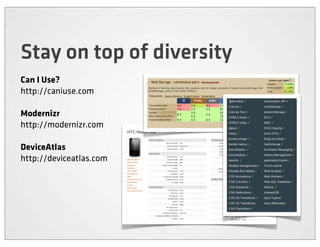
Stay on top of diversity
Can I Use?
http://caniuse.com

Modernizr
http://modernizr.com

DeviceAtlas
http://deviceatlas.com
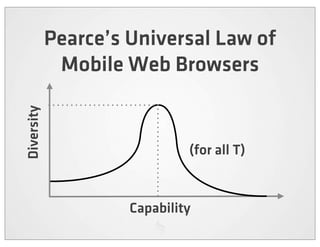
Pearce’s Universal Law of
             Mobile Web Browsers
Diversity


                              (for all T)


                     Capability
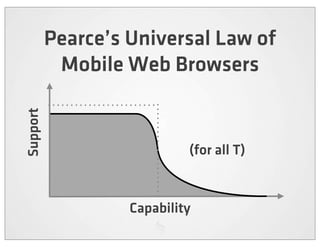
Pearce’s Universal Law of
           Mobile Web Browsers
Support


                            (for all T)


                   Capability
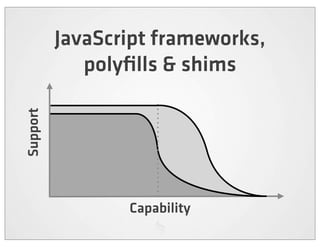
JavaScript frameworks,
             polyfills & shims
Support


                 Capability
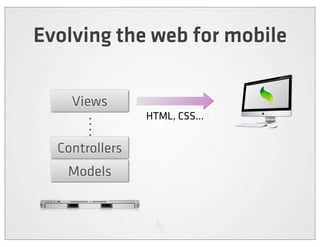
Evolving the web for mobile

    Views
                HTML, CSS...


  Controllers
   Models
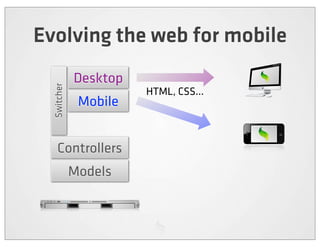
Evolving the web for mobile
             Desktop
  Switcher


                       HTML, CSS...
              Mobile


    Controllers
             Models
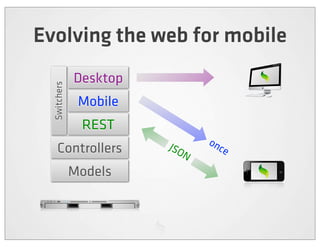
Evolving the web for mobile
              Desktop
  Switchers


               Mobile
               REST
                        JSO    on
    Controllers            N
                                 ce

              Models
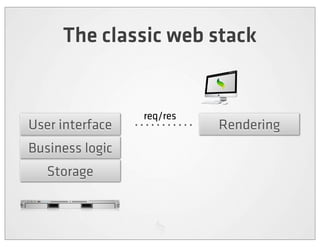
The classic web stack


                 req/res
User interface             Rendering
Business logic
   Storage
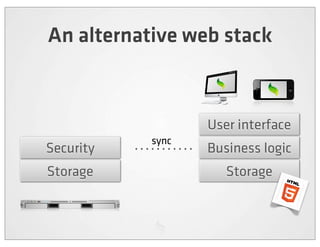
An alternative web stack


                  User interface
           sync
Security          Business logic
Storage              Storage
Write once,
run anywhere?
The Mobile Web
    is not a
  320px Web
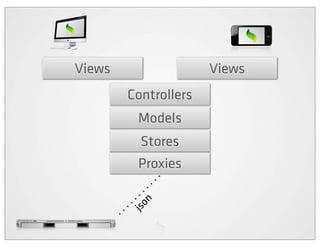
Views                 Views
        Controllers
         Models
          Stores
         Proxies
          n
        jso
Thick client, thin server


The shortfall in the cloud
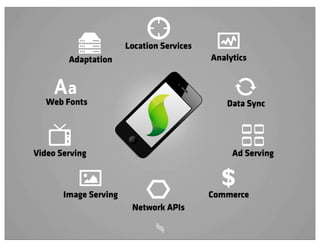
Location Services
        Adaptation                         Analytics


   Web Fonts                                   Data Sync


Video Serving                                   Ad Serving


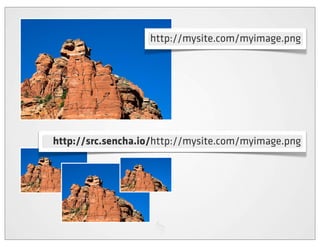
       Image Serving
                                             $
                                           Commerce
                        Network APIs
http://mysite.com/myimage.png


http://src.sencha.io/http://mysite.com/myimage.png
Sencha Touch
    A JavaScript framework for building
   rich mobile apps with web standards


http://www.sencha.com/products/touch
Get Sencha Touch


         / sencha.c om/touch
http:/
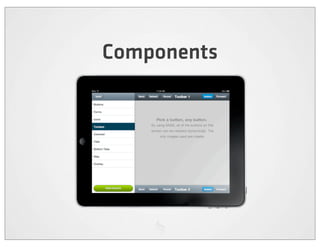
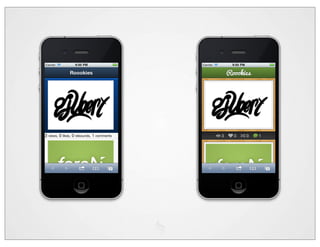
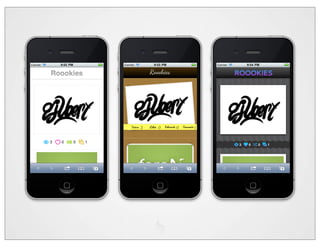
Components
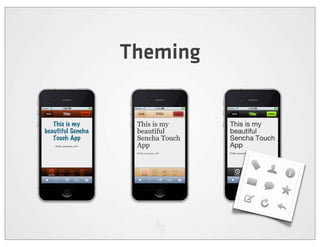
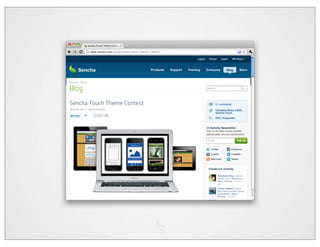
Theming
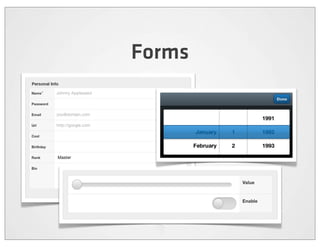
Forms
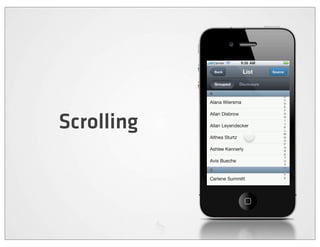
Scrolling
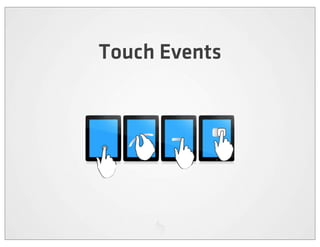
Touch Events
Data access & MVC
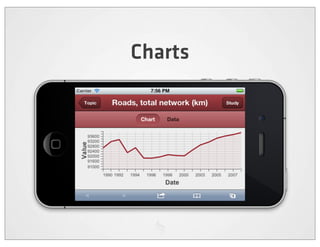
Charts
Kitchen Sink


       ://sencha .com/x/5e
http
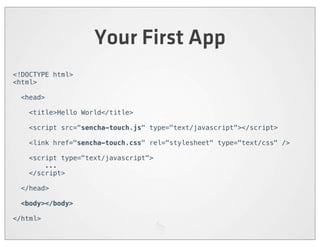
Your First App
<!DOCTYPE html>
<html>

  <head>

    <title>Hello World</title>

    <script src="sencha-touch.js" type="text/javascript"></script>

    <link href="sencha-touch.css" rel="stylesheet" type="text/css" />

    <script type="text/javascript">
        ...
    </script>

  </head>

 <body></body>

</html>
Your First App
new Ext.Application({

      launch: function() {

          new Ext.Panel({
              fullscreen: true,
              dockedItems: [{xtype:'toolbar', title:'My First App'}],
              layout: 'fit',
              styleHtmlContent: true,
              html: '<h2>Hello World!</h2>I did it!'
          });

      }

});
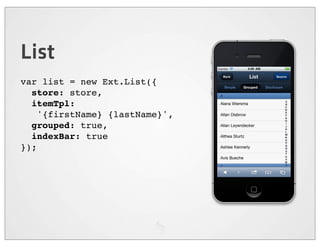
List
var list = new Ext.List({
  store: store,
  itemTpl:
    '{firstName} {lastName}',
  grouped: true,
  indexBar: true
});
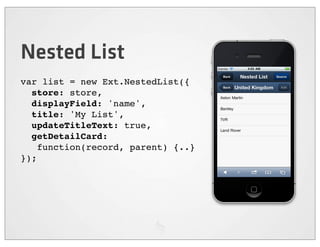
Nested List
var list = new Ext.NestedList({
  store: store,
  displayField: 'name',
  title: 'My List',
  updateTitleText: true,
  getDetailCard:
    function(record, parent) {..}
});
Carousel
var car = new Ext.Carousel({
  direction: 'horizontal',
  indicator: true,
  items: [
    ..
  ]
});
Sheets
var sheet = new Ext.ActionSheet({
  items: [
    {
      text: 'Delete draft',
      ui: 'decline'
    }, {
      text: 'Save draft'
    }, {
      text: 'Cancel',
    }
  ]
});
sheet.show();
Get Started!


       ://sencha .com/x/d5
http
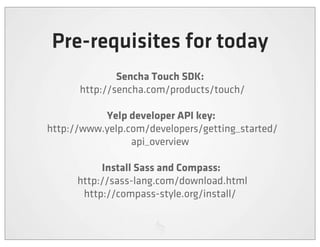
Pre-requisites for today
                Sencha Touch SDK:
        http://sencha.com/products/touch/

              Yelp developer API key:
  http://www.yelp.com/developers/getting_started/
                   api_overview

              Install Sass and Compass:
        http://sass-lang.com/download.html
         http://compass-style.org/install/
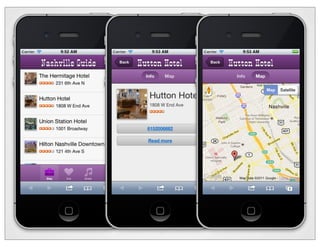
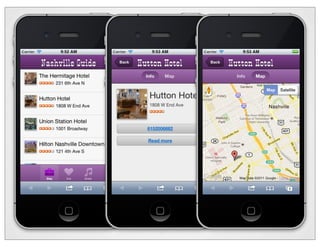
The Nashville App


        ://sencha .com/x/dg
  http://sencha.com/x/bu
  http
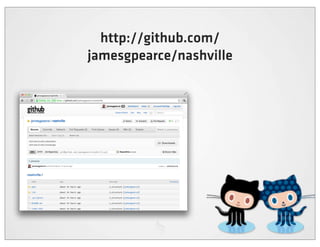
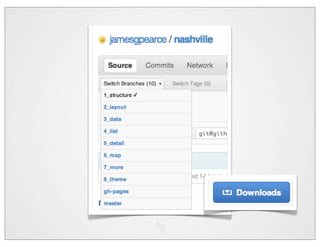
http://github.com/
jamesgpearce/nashville
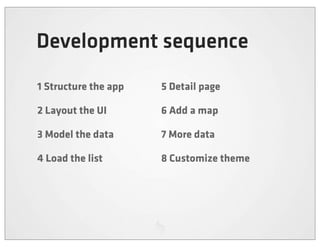
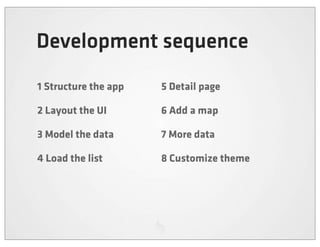
Development sequence
1 Structure the app   5 Detail page

2 Layout the UI       6 Add a map

3 Model the data      7 More data

4 Load the list       8 Customize theme
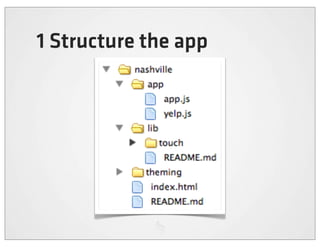
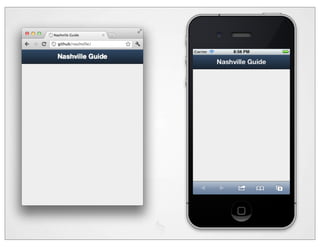
1 Structure the app
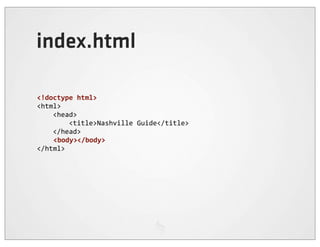
index.html

<!doctype	
  html>
<html>


  <head>


  <title>Nashville	
  Guide</title>


  </head>
                <body></body>
</html>
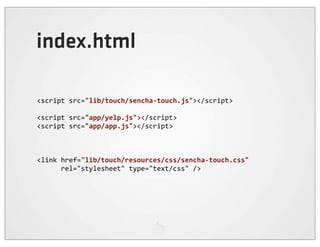
index.html

<script	
  src="lib/touch/sencha-­‐touch.js"></script>

<script	
  src="app/yelp.js"></script>
<script	
  src="app/app.js"></script>


<link	
  href="lib/touch/resources/css/sencha-­‐touch.css"	


  rel="stylesheet"	
  type="text/css"	
  />
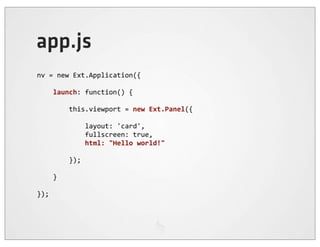
app.js
nv	
  =	
  new	
  Ext.Application({


  launch:	
  function()	
  {


  this.viewport	
  =	
  new	
  Ext.Panel({


  layout:	
  'card',


  fullscreen:	
  true,


  html:	
  "Hello	
  world!"


  });


  }

});
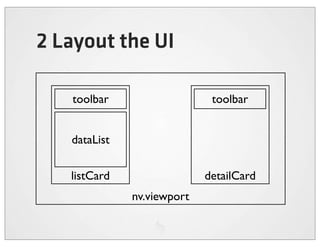
2 Layout the UI

   toolbar                   toolbar


   dataList

   listCard                 detailCard
              nv.viewport
The app...
nv	
  =	
  new	
  Ext.Application({


  launch:	
  function()	
  {


  this.listCard	
  =	
  new	
  Ext.Panel({


  html:	
  'I	
  am	
  the	
  list'


  });


  this.detailCard	
  =	
  new	
  Ext.Panel({


  html:	
  'I	
  am	
  the	
  detail'


  });


  this.viewport	
  =	
  new	
  Ext.Panel({


  layout:	
  'card',


  fullscreen:	
  true,


  cardSwitchAnimation:	
  'slide',


  items:	
  [this.listCard,	
  this.detailCard]


  });


  }
});
listCard
this.listCardToolbar	
  =	
  new	
  Ext.Toolbar({


  dock:	
  'top',


  title:	
  'Nashville	
  Guide'
});

this.listCardDataList	
  =	
  new	
  Ext.List({


  store:	
  null,


  itemTpl:	
  ''
});

this.listCard	
  =	
  new	
  Ext.Panel({


  dockedItems:	
  [this.listCardToolbar],


  items:	
  [this.listCardDataList],


  layout:	
  'fit'
});
detailCard
this.detailCardToolbar	
  =	
  new	
  Ext.Toolbar({


  dock:	
  'top',


  title:	
  '...'
});

this.detailCard	
  =	
  new	
  Ext.Panel({


  dockedItems:	
  [this.detailCardToolbar]
});
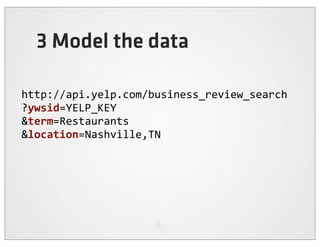
3 Model the data

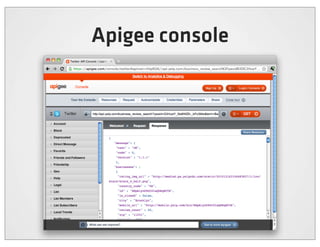
http://api.yelp.com/business_review_search
?ywsid=YELP_KEY
&term=Restaurants
&location=Nashville,TN
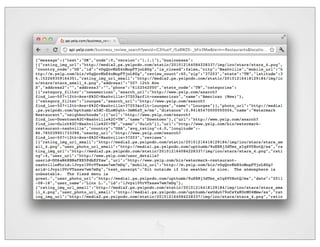
Apigee console
"businesses":	
  [


  {


  "rating_img_url"	
  :	
  "http://media4.px.yelpcdn.com/...",


  "country_code"	
  :	
  "US",


  "id"	
  :	
  "BHpAlynD9dIGIaQDRqHCTA",


  "is_closed"	
  :	
  false,


  "city"	
  :	
  "Nashville",


  "mobile_url"	
  :	
  "http://mobile.yelp.com/biz/...",


  "review_count"	
  :	
  50,


  "zip"	
  :	
  "11231",


  "state"	
  :	
  "TN",


  "latitude"	
  :	
  40.675758,


  "address1"	
  :	
  "253	
  Conover	
  St",


  "address2"	
  :	
  "",


  "address3"	
  :	
  "",


  "phone"	
  :	
  "7186258211",


  "state_code"	
  :	
  "TN",


  "categories":	
  [


  ...",


  ],


  ...
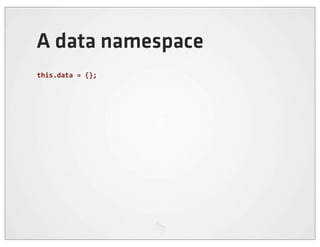
A data namespace
this.data	
  =	
  {};
The ‘Business’ model
this.data.Business	
  =	
  Ext.regModel('',	
  {


  fields:	
  [


  {name:	
  "id",	
  type:	
  "int"},


  {name:	
  "name",	
  type:	
  "string"},


  {name:	
  "latitude",	
  type:	
  "string"},


  {name:	
  "longitude",	
  type:	
  "string"},


  {name:	
  "address1",	
  type:	
  "string"},


  {name:	
  "address2",	
  type:	
  "string"},


  {name:	
  "address3",	
  type:	
  "string"},


  {name:	
  "phone",	
  type:	
  "string"},


  {name:	
  "state_code",	
  type:	
  "string"},


  {name:	
  "mobile_url",	
  type:	
  "string"},


  {name:	
  "rating_img_url_small",	
  type:	
  "string"},


  {name:	
  "photo_url",	
  type:	
  "string"},


  ]
});
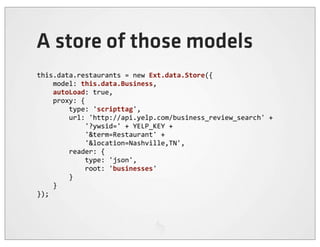
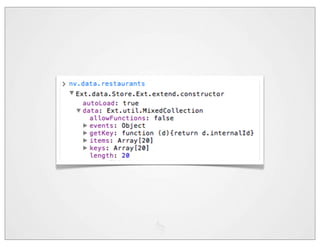
A store of those models
this.data.restaurants	
  =	
  new	
  Ext.data.Store({


  model:	
  this.data.Business,


  autoLoad:	
  true,


  proxy:	
  {


  type:	
  'scripttag',


  url:	
  'http://api.yelp.com/business_review_search'	
  +


  '?ywsid='	
  +	
  YELP_KEY	
  +


  '&term=Restaurant'	
  +


  '&location=Nashville,TN',


  reader:	
  {


  type:	
  'json',


  root:	
  'businesses'


  }


  }
});
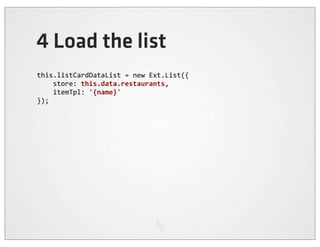
4 Load the list
this.listCardDataList	
  =	
  new	
  Ext.List({


  store:	
  this.data.restaurants,


  itemTpl:	
  '{name}'
});
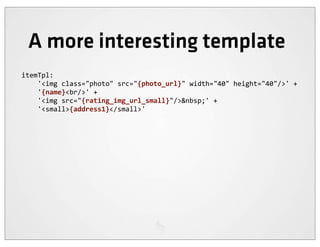
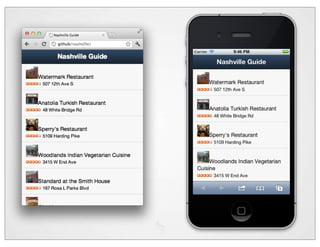
A more interesting template
itemTpl:


  '<img	
  class="photo"	
  src="{photo_url}"	
  width="40"	
  height="40"/>'	
  +


  '{name}<br/>'	
  +


  '<img	
  src="{rating_img_url_small}"/>&nbsp;'	
  +


  '<small>{address1}</small>'
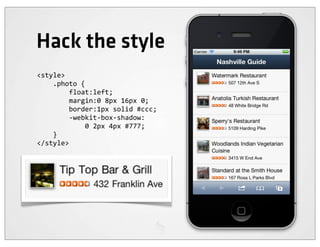
Hack the style
<style>


  .photo	
  {


  float:left;


  margin:0	
  8px	
  16px	
  0;


  border:1px	
  solid	
  #ccc;


  -­‐webkit-­‐box-­‐shadow:


  0	
  2px	
  4px	
  #777;


  }
</style>
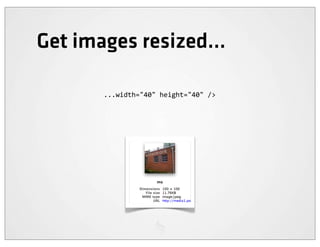
Get images resized...

       ...width="40"	
  height="40"	
  />
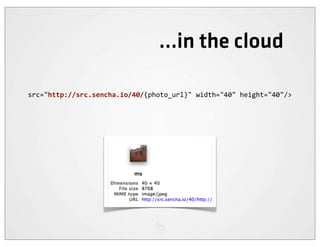
...in the cloud

src="http://src.sencha.io/40/{photo_url}"	
  width="40"	
  height="40"/>
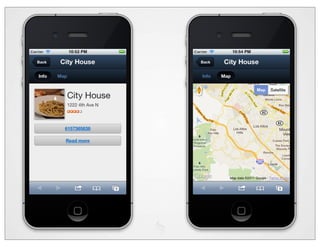
5 Detail page
this.listCardDataList	
  =	
  new	
  Ext.List({


  store:	
  this.data.restaurants,


  itemTpl:	
  ...


  listeners:	
  {


  selectionchange:	
  function	
  (selectionModel,	
  records)	
  {


  if	
  (records[0])	
  {


  nv.viewport.setActiveItem(nv.detailCard);


  nv.detailCardToolbar.setTitle(


  records[0].get('name')


  );


  }


  }


  }
});
A back button
this.detailCardToolbar	
  =	
  new	
  Ext.Toolbar({


  dock:	
  'top',


  title:	
  '...',


  items:	
  [{


  text:	
  'Back',


  ui:	
  'back',


  handler:	
  function	
  ()	
  {


  nv.viewport.setActiveItem(


  nv.listCard,


  {type:	
  'slide',	
  direction:	
  'right'}


  );


  }


  }]
});
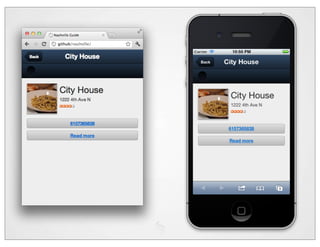
Detail template
this.detailCard	
  =	
  new	
  Ext.Panel({


  dockedItems:	
  [this.detailCardToolbar],


  styleHtmlContent:	
  true,


  cls:	
  'detail',


  tpl:	
  [


  '<img	
  class="photo"	
  src="{photo_url}"	


  width="100"	
  height="100"/>',


  '<h2>{name}</h2>',


  '<div	
  class="info">',


  '{address1}<br/>',


  '<img	
  src="{rating_img_url_small}"/>',


  '</div>',


  '<div	
  class="phone	
  x-­‐button">',


  '<a	
  href="tel:{phone}">{phone}</a>',


  '</div>',


  '<div	
  class="link	
  x-­‐button">',


  '<a	
  href="{mobile_url}">Read	
  more</a>',


  '</div>'


  ]
});
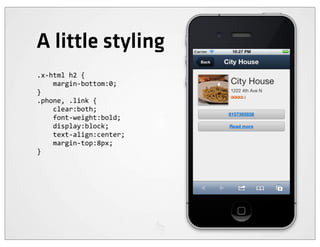
A little styling
.x-­‐html	
  h2	
  {


  margin-­‐bottom:0;
}
.phone,	
  .link	
  {


  clear:both;


  font-­‐weight:bold;


  display:block;


  text-­‐align:center;


  margin-­‐top:8px;
}
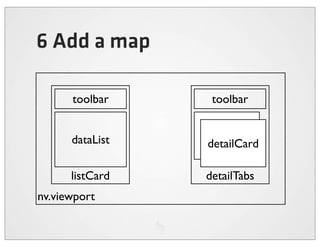
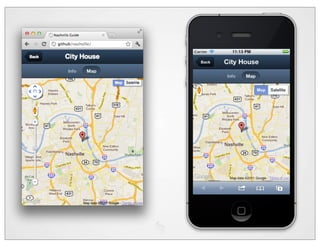
6 Add a map

      toolbar     toolbar


      dataList   dataList
                 detailCard

      listCard   detailTabs
nv.viewport
6 Add a map
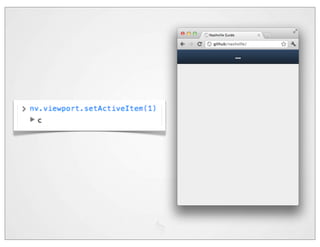
nv.viewport.setActiveItem(nv.detailTabs);

...

this.detailMap	
  =	
  new	
  Ext.Map({});

this.detailTabs	
  =	
  new	
  Ext.TabPanel({


  dockedItems:	
  [this.detailCardToolbar],


  items:	
  [this.detailCard,	
  this.detailMap]
});

nv.viewport	
  =	
  new	
  Ext.Panel({


  layout:	
  'card',


  fullscreen:	
  true,


  cardSwitchAnimation:	
  'slide',


  items:	
  [this.listCard,	
  this.detailTabs]
});
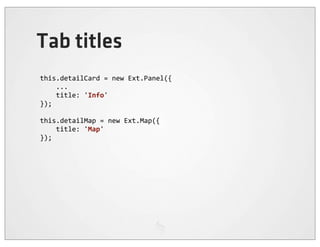
Tab titles
this.detailCard	
  =	
  new	
  Ext.Panel({


  ...


  title:	
  'Info'
});

this.detailMap	
  =	
  new	
  Ext.Map({


  title:	
  'Map'
});
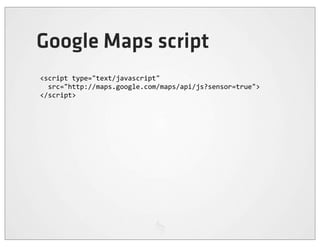
Google Maps script
<script	
  type="text/javascript"
	
  	
  src="http://maps.google.com/maps/api/js?sensor=true">
</script>
Update the map location
selectionchange:	
  function	
  (selectionModel,	
  records)	
  {


  ...


  var	
  map	
  =	
  nv.detailMap.map;


  if	
  (!map.marker)	
  {


  map.marker	
  =	
  new	
  google.maps.Marker();


  map.marker.setMap(map);


  }


  map.setCenter(


  new	
  google.maps.LatLng(


  records[0].get('latitude'),


  records[0].get('longitude')


  )


  );


  map.marker.setPosition(


  map.getCenter()


  );
Improve the tab bar
this.detailTabs	
  =	
  new	
  Ext.TabPanel({


  dockedItems:	
  [this.detailCardToolbar],


  items:	
  [this.detailCard,	
  this.detailMap],


  tabBar:	
  {


  ui:	
  'light',


  layout:	
  {	
  pack:	
  'center'	
  }


  }

});
7 More?
More data...
['hotels',	
  'bars',	
  'restaurants'].forEach(	
  function	
  (type)	
  {


  nv.data[type]	
  =	
  new	
  Ext.data.Store({


  model:	
  nv.data.Business,


  autoLoad:	
  true,


  proxy:	
  {


  type:	
  'scripttag',


  url:	
  'http://api.yelp.com/business_review_search'	
  +


  '?ywsid='	
  +	
  YELP_KEY	
  +


  '&term='	
  +	
  type	
  +


  '&location=Nashville,TN',


  reader:	
  {


  type:	
  'json',


  root:	
  'businesses'


  }


  }


  });
});
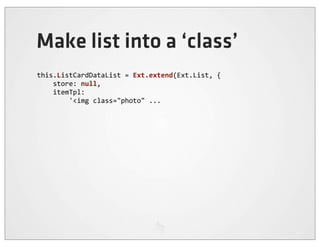
Make list into a ‘class’
this.ListCardDataList	
  =	
  Ext.extend(Ext.List,	
  {


  store:	
  null,


  itemTpl:


  '<img	
  class="photo"	
  ...
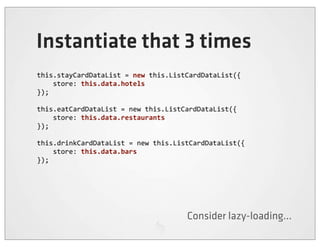
Instantiate that 3 times
this.stayCardDataList	
  =	
  new	
  this.ListCardDataList({


  store:	
  this.data.hotels
});

this.eatCardDataList	
  =	
  new	
  this.ListCardDataList({


  store:	
  this.data.restaurants
});

this.drinkCardDataList	
  =	
  new	
  this.ListCardDataList({


  store:	
  this.data.bars
});


                                            Consider lazy-loading...
Turn container into tabs too
this.listCard	
  =	
  new	
  Ext.TabPanel({


  items:	
  [


  this.stayCardDataList,	


  this.eatCardDataList,	


  this.drinkCardDataList


  ],


  tabBar:	
  {


  ui:	
  'light',


  layout:	
  {	
  pack:	
  'center'	
  },


  dock:	
  'bottom'


  },


  cardSwitchAnimation:	
  'flip',
...
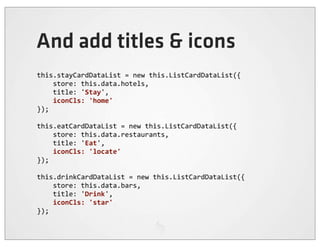
And add titles & icons
this.stayCardDataList	
  =	
  new	
  this.ListCardDataList({


  store:	
  this.data.hotels,


  title:	
  'Stay',


  iconCls:	
  'home'
});

this.eatCardDataList	
  =	
  new	
  this.ListCardDataList({


  store:	
  this.data.restaurants,


  title:	
  'Eat',


  iconCls:	
  'locate'
});

this.drinkCardDataList	
  =	
  new	
  this.ListCardDataList({


  store:	
  this.data.bars,


  title:	
  'Drink',


  iconCls:	
  'star'
});
Pull-to-refresh
this.ListCardDataList	
  =	
  Ext.extend(Ext.List,	
  {


  ...


  plugins:	
  [{


  ptype:	
  'pullrefresh'


  }]
});
8 Customize theme
http://sass-lang.com/
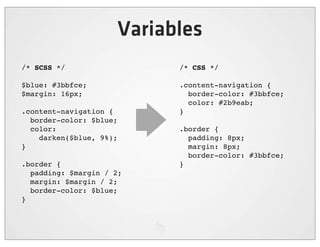
Variables
/* SCSS */                 /* CSS */

$blue: #3bbfce;            .content-navigation {
$margin: 16px;               border-color: #3bbfce;
                             color: #2b9eab;
.content-navigation {      }
  border-color: $blue;
  color:                   .border {
    darken($blue, 9%);       padding: 8px;
}                            margin: 8px;
                             border-color: #3bbfce;
.border {                  }
  padding: $margin / 2;
  margin: $margin / 2;
  border-color: $blue;
}
$> sudo gem install compass


       http://rubyinstaller.org/
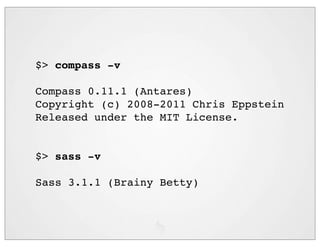
$> compass -v

Compass 0.11.1 (Antares)
Copyright (c) 2008-2011 Chris Eppstein
Released under the MIT License.


$> sass -v

Sass 3.1.1 (Brainy Betty)
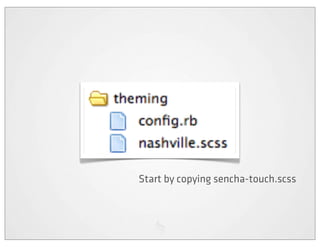
Start by copying sencha-touch.scss
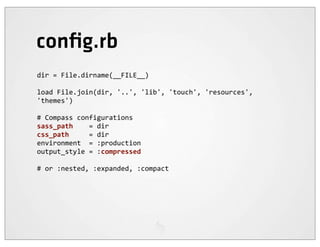
config.rb
dir	
  =	
  File.dirname(__FILE__)

load	
  File.join(dir,	
  '..',	
  'lib',	
  'touch',	
  'resources',	
  
'themes')

#	
  Compass	
  configurations
sass_path	


  =	
  dir
css_path	


  =	
  dir
environment	
  	
  =	
  :production
output_style	
  =	
  :compressed

#	
  or	
  :nested,	
  :expanded,	
  :compact
Compile...
$>	
  cd	
  theming

$>	
  compass	
  compile	
  nashville.scss


  create	
  nashville.css


$>	
  compass	
  compile	
  nashville.scss


  identical	
  nashville.css


[edit	
  file]
$>	
  compass	
  compile	
  nashville.scss


  overwrite	
  nashville.css


$>	
  compass	
  watch	
  nashville.scss


  >>>	
  Change	
  detected	
  to:	
  nashville.scss


  overwrite	
  nashville.css
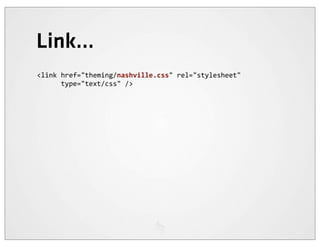
Link...
<link	
  href="theming/nashville.css"	
  rel="stylesheet"


  type="text/css"	
  />
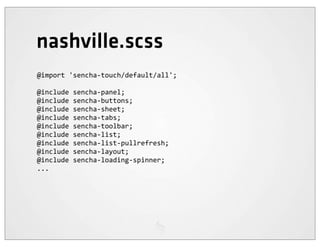
nashville.scss
@import	
  'sencha-­‐touch/default/all';

@include	
  sencha-­‐panel;
@include	
  sencha-­‐buttons;
@include	
  sencha-­‐sheet;
@include	
  sencha-­‐tabs;
@include	
  sencha-­‐toolbar;
@include	
  sencha-­‐list;
@include	
  sencha-­‐list-­‐pullrefresh;
@include	
  sencha-­‐layout;
@include	
  sencha-­‐loading-­‐spinner;
...
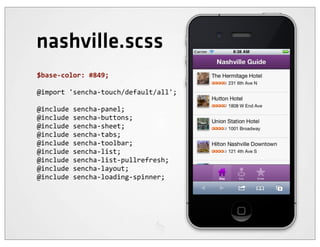
nashville.scss
$base-­‐color:	
  #849;

@import	
  'sencha-­‐touch/default/all';

@include	
  sencha-­‐panel;
@include	
  sencha-­‐buttons;
@include	
  sencha-­‐sheet;
@include	
  sencha-­‐tabs;
@include	
  sencha-­‐toolbar;
@include	
  sencha-­‐list;
@include	
  sencha-­‐list-­‐pullrefresh;
@include	
  sencha-­‐layout;
@include	
  sencha-­‐loading-­‐spinner;
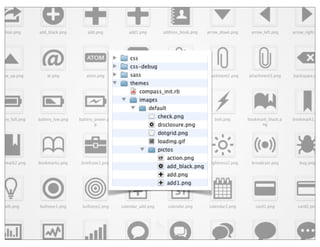
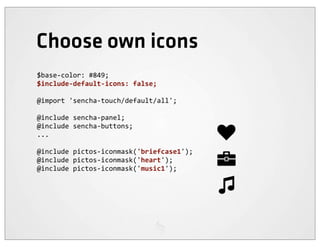
Choose own icons
$base-­‐color:	
  #849;
$include-­‐default-­‐icons:	
  false;

@import	
  'sencha-­‐touch/default/all';

@include	
  sencha-­‐panel;
@include	
  sencha-­‐buttons;
...

@include	
  pictos-­‐iconmask('briefcase1');
@include	
  pictos-­‐iconmask('heart');
@include	
  pictos-­‐iconmask('music1');
Specify iconCls
this.stayCardDataList	
  =	
  new	
  this.ListCardDataList({


  store:	
  this.data.hotels,


  title:	
  'Stay',


  iconCls:	
  'briefcase1'
});

this.eatCardDataList	
  =	
  new	
  this.ListCardDataList({


  store:	
  this.data.restaurants,


  title:	
  'Eat',


  iconCls:	
  'heart'
});

this.drinkCardDataList	
  =	
  new	
  this.ListCardDataList({


  store:	
  this.data.bars,


  title:	
  'Drink',


  iconCls:	
  'music1'
});
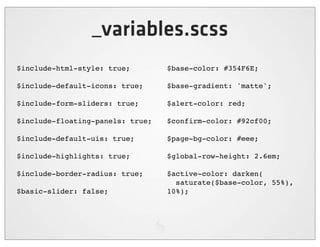
_variables.scss
$include-html-style: true;        $base-color: #354F6E;

$include-default-icons: true;     $base-gradient: 'matte';

$include-form-sliders: true;      $alert-color: red;

$include-floating-panels: true;   $confirm-color: #92cf00;

$include-default-uis: true;       $page-bg-color: #eee;

$include-highlights: true;        $global-row-height: 2.6em;

$include-border-radius: true;     $active-color: darken(
                                    saturate($base-color, 55%),
$basic-slider: false;             10%);
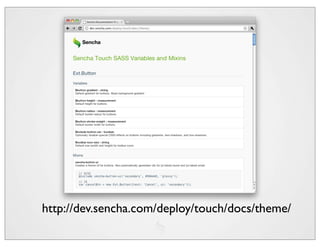
http://dev.sencha.com/deploy/touch/docs/theme/
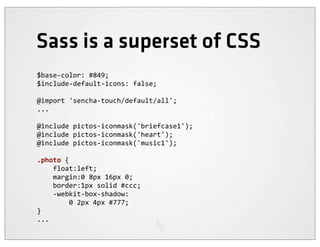
Sass is a superset of CSS
$base-­‐color:	
  #849;
$include-­‐default-­‐icons:	
  false;

@import	
  'sencha-­‐touch/default/all';
...

@include	
  pictos-­‐iconmask('briefcase1');
@include	
  pictos-­‐iconmask('heart');
@include	
  pictos-­‐iconmask('music1');

.photo	
  {


  float:left;


  margin:0	
  8px	
  16px	
  0;


  border:1px	
  solid	
  #ccc;


  -­‐webkit-­‐box-­‐shadow:


  0	
  2px	
  4px	
  #777;
}
...
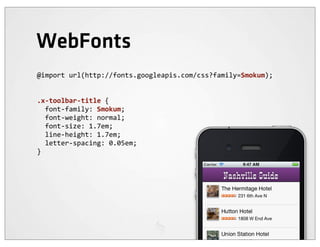
WebFonts
@import	
  url(http://fonts.googleapis.com/css?family=Smokum);


.x-­‐toolbar-­‐title	
  {
	
  	
  font-­‐family:	
  Smokum;
	
  	
  font-­‐weight:	
  normal;
	
  	
  font-­‐size:	
  1.7em;
	
  	
  line-­‐height:	
  1.7em;
	
  	
  letter-­‐spacing:	
  0.05em;
}
Done?
Development sequence
1 Structure the app   5 Detail page

2 Layout the UI       6 Add a map

3 Model the data      7 More data

4 Load the list       8 Customize theme
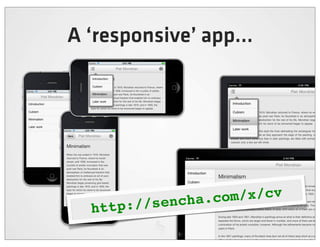
A ‘responsive’ app...


           /sencha.c om/x/cv
  http:/
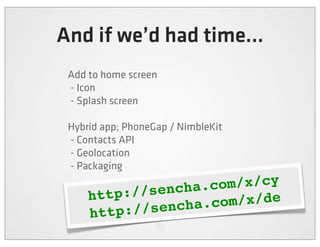
And if we’d had time...
 Add to home screen
 - Icon
 - Splash screen

 Hybrid app; PhoneGap / NimbleKit
 - Contacts API
 - Geolocation
 - Packaging

           //sencha .com/x/cy
     http:
          ://sencha .com/x/de
     http
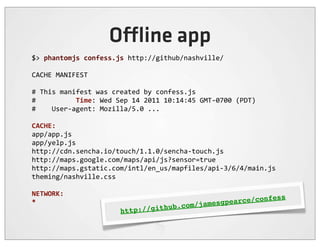
O ine app
$>	
  phantomjs	
  confess.js	
  http://github/nashville/

CACHE	
  MANIFEST

#	
  This	
  manifest	
  was	
  created	
  by	
  confess.js
#	


  Time:	
  Wed	
  Sep	
  14	
  2011	
  10:14:45	
  GMT-­‐0700	
  (PDT)
#	


  User-­‐agent:	
  Mozilla/5.0	
  ...

CACHE:
app/app.js
app/yelp.js
http://cdn.sencha.io/touch/1.1.0/sencha-­‐touch.js
http://maps.google.com/maps/api/js?sensor=true
http://maps.gstatic.com/intl/en_us/mapfiles/api-­‐3/6/4/main.js
theming/nashville.css

NETWORK:
                                                                                       ce/c                     onfess
*
                                                                hub   .com/ jamesgpear
                                           http://git
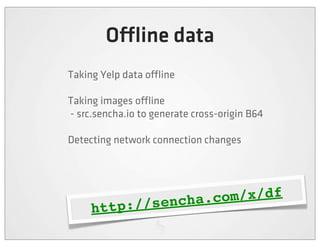
O ine data
Taking Yelp data o ine

Taking images o ine
- src.sencha.io to generate cross-origin B64

Detecting network connection changes


                 /sencha.c om/x/df
     http:/
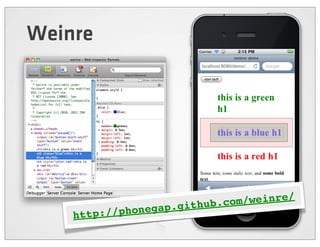
Weinre


                          .github.c om/weinre/
                      p
    http ://phonega
built with

Apps vs Web technology
James Pearce
 Director, Developer Relations

 @ jamespearce
   jamesp@sencha.com

Bd conf sencha touch workshop

  • 1.
    James Pearce Director,Developer Relations @ jamespearce jamesp@sencha.com
  • 2.
    Building Mobile Web Apps with HTML CSS JS
  • 3.
  • 4.
  • 5.
  • 6.
  • 7.
  • 9.
    HTML5 is anew version of HTML4, XHTML1, and DOM Level 2 HTML addressing many of the issues of those specifications while at the same time enhancing (X)HTML to more adequately address Web applications.
  • 12.
    A New MobileApp Stack WebFonts Video Audio Graphics Device Access Server & Services Camera CSS Styling & Layout HTTP Location AJAX JavaScript Contacts Events SMS Semantic HTML Sockets Orientation SSL File Systems Worker x-App Gyro DBs Parallel More... Messaging App Cache Processing
  • 13.
    Rich Media &Styling E T IM UN Full ResourceRAccess N R Parallel MO DE Processing TE Inter-App P LE Communication OM C O ine Capability Full A
  • 17.
    WebKit FOEs
  • 18.
    HTML5 Support IE 10 PR Chrome 10 Safari 5 Firefox 4 iOS4.31 Playbook Honeycomb @font-face Canvas HTML5 Audio & Video rgba(), hsla() border-image: border-radius: box-shadow: text-shadow: opacity: Multiple backgrounds Flexible Box Model CSS Animations CSS Columns CSS Gradients CSS Reflections CSS 2D Transforms CSS 3D Transforms CSS Transitions Geolocation API local/sessionStorage SVG/SVG Clipping SMIL Inline SVG Drag and Drop hashchange X-window Messaging History Management applicationCache Web Sockets Web Workers Web SQL Database WebGL IndexedDB
  • 19.
    Stay on topof diversity Can I Use? http://caniuse.com Modernizr http://modernizr.com DeviceAtlas http://deviceatlas.com
  • 20.
    Pearce’s Universal Lawof Mobile Web Browsers Diversity (for all T) Capability
  • 21.
    Pearce’s Universal Lawof Mobile Web Browsers Support (for all T) Capability
  • 22.
    JavaScript frameworks, polyfills & shims Support Capability
  • 24.
    Evolving the webfor mobile Views HTML, CSS... Controllers Models
  • 25.
    Evolving the webfor mobile Desktop Switcher HTML, CSS... Mobile Controllers Models
  • 26.
    Evolving the webfor mobile Desktop Switchers Mobile REST JSO on Controllers N ce Models
  • 27.
    The classic webstack req/res User interface Rendering Business logic Storage
  • 28.
    An alternative webstack User interface sync Security Business logic Storage Storage
  • 29.
  • 31.
    The Mobile Web is not a 320px Web
  • 32.
    Views Views Controllers Models Stores Proxies n jso
  • 33.
    Thick client, thinserver The shortfall in the cloud
  • 34.
    Location Services Adaptation Analytics Web Fonts Data Sync Video Serving Ad Serving Image Serving $ Commerce Network APIs
  • 36.
  • 37.
    Sencha Touch A JavaScript framework for building rich mobile apps with web standards http://www.sencha.com/products/touch
  • 38.
    Get Sencha Touch / sencha.c om/touch http:/
  • 39.
  • 40.
  • 44.
  • 45.
  • 46.
  • 47.
  • 48.
  • 49.
    Kitchen Sink ://sencha .com/x/5e http
  • 50.
    Your First App <!DOCTYPEhtml> <html> <head> <title>Hello World</title> <script src="sencha-touch.js" type="text/javascript"></script> <link href="sencha-touch.css" rel="stylesheet" type="text/css" /> <script type="text/javascript"> ... </script> </head> <body></body> </html>
  • 51.
    Your First App newExt.Application({ launch: function() { new Ext.Panel({ fullscreen: true, dockedItems: [{xtype:'toolbar', title:'My First App'}], layout: 'fit', styleHtmlContent: true, html: '<h2>Hello World!</h2>I did it!' }); } });
  • 52.
    List var list =new Ext.List({ store: store, itemTpl: '{firstName} {lastName}', grouped: true, indexBar: true });
  • 53.
    Nested List var list= new Ext.NestedList({ store: store, displayField: 'name', title: 'My List', updateTitleText: true, getDetailCard: function(record, parent) {..} });
  • 54.
    Carousel var car =new Ext.Carousel({ direction: 'horizontal', indicator: true, items: [ .. ] });
  • 55.
    Sheets var sheet =new Ext.ActionSheet({ items: [ { text: 'Delete draft', ui: 'decline' }, { text: 'Save draft' }, { text: 'Cancel', } ] }); sheet.show();
  • 57.
    Get Started! ://sencha .com/x/d5 http
  • 58.
    Pre-requisites for today Sencha Touch SDK:   http://sencha.com/products/touch/  Yelp developer API key:   http://www.yelp.com/developers/getting_started/ api_overview  Install Sass and Compass:   http://sass-lang.com/download.html http://compass-style.org/install/
  • 59.
    The Nashville App ://sencha .com/x/dg http://sencha.com/x/bu http
  • 61.
  • 62.
    Development sequence 1 Structurethe app 5 Detail page 2 Layout the UI 6 Add a map 3 Model the data 7 More data 4 Load the list 8 Customize theme
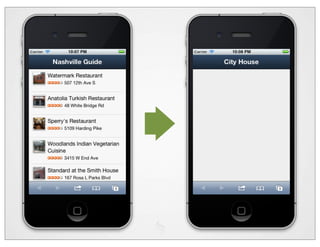
  • 64.
  • 65.
    index.html <!doctype  html> <html>        <head>                <title>Nashville  Guide</title>        </head> <body></body> </html>
  • 66.
    index.html <script  src="lib/touch/sencha-­‐touch.js"></script> <script  src="app/yelp.js"></script> <script  src="app/app.js"></script> <link  href="lib/touch/resources/css/sencha-­‐touch.css"              rel="stylesheet"  type="text/css"  />
  • 67.
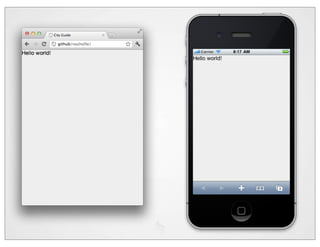
    app.js nv  =  new  Ext.Application({        launch:  function()  {                this.viewport  =  new  Ext.Panel({                        layout:  'card',                        fullscreen:  true,                        html:  "Hello  world!"                        });        } });
  • 69.
    2 Layout theUI toolbar toolbar dataList listCard detailCard nv.viewport
  • 70.
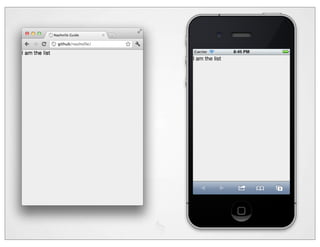
    The app... nv  =  new  Ext.Application({        launch:  function()  {                this.listCard  =  new  Ext.Panel({                        html:  'I  am  the  list'                });                this.detailCard  =  new  Ext.Panel({                        html:  'I  am  the  detail'                });                this.viewport  =  new  Ext.Panel({                        layout:  'card',                        fullscreen:  true,                        cardSwitchAnimation:  'slide',                        items:  [this.listCard,  this.detailCard]                });        } });
  • 72.
    listCard this.listCardToolbar  =  new  Ext.Toolbar({        dock:  'top',        title:  'Nashville  Guide' }); this.listCardDataList  =  new  Ext.List({        store:  null,        itemTpl:  '' }); this.listCard  =  new  Ext.Panel({        dockedItems:  [this.listCardToolbar],        items:  [this.listCardDataList],        layout:  'fit' });
  • 73.
    detailCard this.detailCardToolbar  =  new  Ext.Toolbar({        dock:  'top',        title:  '...' }); this.detailCard  =  new  Ext.Panel({        dockedItems:  [this.detailCardToolbar] });
  • 76.
    3 Model thedata http://api.yelp.com/business_review_search ?ywsid=YELP_KEY &term=Restaurants &location=Nashville,TN
  • 78.
  • 79.
    "businesses":  [        {          "rating_img_url"  :  "http://media4.px.yelpcdn.com/...",          "country_code"  :  "US",          "id"  :  "BHpAlynD9dIGIaQDRqHCTA",          "is_closed"  :  false,          "city"  :  "Nashville",          "mobile_url"  :  "http://mobile.yelp.com/biz/...",          "review_count"  :  50,          "zip"  :  "11231",          "state"  :  "TN",          "latitude"  :  40.675758,          "address1"  :  "253  Conover  St",          "address2"  :  "",          "address3"  :  "",          "phone"  :  "7186258211",          "state_code"  :  "TN",          "categories":  [            ...",          ],          ...
  • 80.
  • 81.
    The ‘Business’ model this.data.Business  =  Ext.regModel('',  {        fields:  [                {name:  "id",  type:  "int"},                {name:  "name",  type:  "string"},                {name:  "latitude",  type:  "string"},                {name:  "longitude",  type:  "string"},                {name:  "address1",  type:  "string"},                {name:  "address2",  type:  "string"},                {name:  "address3",  type:  "string"},                {name:  "phone",  type:  "string"},                {name:  "state_code",  type:  "string"},                {name:  "mobile_url",  type:  "string"},                {name:  "rating_img_url_small",  type:  "string"},                {name:  "photo_url",  type:  "string"},        ] });
  • 82.
    A store ofthose models this.data.restaurants  =  new  Ext.data.Store({        model:  this.data.Business,        autoLoad:  true,        proxy:  {                type:  'scripttag',                url:  'http://api.yelp.com/business_review_search'  +                        '?ywsid='  +  YELP_KEY  +                        '&term=Restaurant'  +                        '&location=Nashville,TN',                reader:  {                        type:  'json',                        root:  'businesses'                }        } });
  • 84.
    4 Load thelist this.listCardDataList  =  new  Ext.List({        store:  this.data.restaurants,        itemTpl:  '{name}' });
  • 87.
    A more interestingtemplate itemTpl:        '<img  class="photo"  src="{photo_url}"  width="40"  height="40"/>'  +        '{name}<br/>'  +        '<img  src="{rating_img_url_small}"/>&nbsp;'  +        '<small>{address1}</small>'
  • 89.
    Hack the style <style>        .photo  {                float:left;                margin:0  8px  16px  0;                border:1px  solid  #ccc;                -­‐webkit-­‐box-­‐shadow:                        0  2px  4px  #777;        } </style>
  • 90.
    Get images resized... ...width="40"  height="40"  />
  • 91.
  • 92.
    5 Detail page this.listCardDataList  =  new  Ext.List({        store:  this.data.restaurants,        itemTpl:  ...        listeners:  {                selectionchange:  function  (selectionModel,  records)  {                        if  (records[0])  {                                nv.viewport.setActiveItem(nv.detailCard);                                nv.detailCardToolbar.setTitle(                                        records[0].get('name')                                );                        }                }        } });
  • 94.
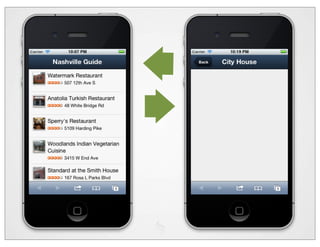
    A back button this.detailCardToolbar  =  new  Ext.Toolbar({        dock:  'top',        title:  '...',        items:  [{                text:  'Back',                ui:  'back',                handler:  function  ()  {                        nv.viewport.setActiveItem(                                nv.listCard,                                {type:  'slide',  direction:  'right'}                        );                }        }] });
  • 96.
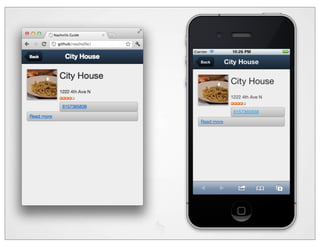
    Detail template this.detailCard  =  new  Ext.Panel({        dockedItems:  [this.detailCardToolbar],        styleHtmlContent:  true,        cls:  'detail',        tpl:  [                '<img  class="photo"  src="{photo_url}"                            width="100"  height="100"/>',                '<h2>{name}</h2>',                '<div  class="info">',                        '{address1}<br/>',                        '<img  src="{rating_img_url_small}"/>',                '</div>',                '<div  class="phone  x-­‐button">',                        '<a  href="tel:{phone}">{phone}</a>',                '</div>',                '<div  class="link  x-­‐button">',                        '<a  href="{mobile_url}">Read  more</a>',                '</div>'        ] });
  • 98.
    A little styling .x-­‐html  h2  {        margin-­‐bottom:0; } .phone,  .link  {        clear:both;        font-­‐weight:bold;        display:block;        text-­‐align:center;        margin-­‐top:8px; }
  • 99.
    6 Add amap toolbar toolbar dataList dataList detailCard listCard detailTabs nv.viewport
  • 100.
    6 Add amap nv.viewport.setActiveItem(nv.detailTabs); ... this.detailMap  =  new  Ext.Map({}); this.detailTabs  =  new  Ext.TabPanel({        dockedItems:  [this.detailCardToolbar],        items:  [this.detailCard,  this.detailMap] }); nv.viewport  =  new  Ext.Panel({        layout:  'card',        fullscreen:  true,        cardSwitchAnimation:  'slide',        items:  [this.listCard,  this.detailTabs] });
  • 102.
    Tab titles this.detailCard  =  new  Ext.Panel({        ...        title:  'Info' }); this.detailMap  =  new  Ext.Map({        title:  'Map' });
  • 103.
    Google Maps script <script  type="text/javascript"    src="http://maps.google.com/maps/api/js?sensor=true"> </script>
  • 105.
    Update the maplocation selectionchange:  function  (selectionModel,  records)  {        ...        var  map  =  nv.detailMap.map;        if  (!map.marker)  {                map.marker  =  new  google.maps.Marker();                map.marker.setMap(map);        }        map.setCenter(                new  google.maps.LatLng(                        records[0].get('latitude'),                        records[0].get('longitude')                )        );        map.marker.setPosition(                map.getCenter()        );
  • 106.
    Improve the tabbar this.detailTabs  =  new  Ext.TabPanel({        dockedItems:  [this.detailCardToolbar],        items:  [this.detailCard,  this.detailMap],        tabBar:  {                ui:  'light',                layout:  {  pack:  'center'  }        } });
  • 108.
  • 109.
    More data... ['hotels',  'bars',  'restaurants'].forEach(  function  (type)  {        nv.data[type]  =  new  Ext.data.Store({                model:  nv.data.Business,                autoLoad:  true,                proxy:  {                        type:  'scripttag',                        url:  'http://api.yelp.com/business_review_search'  +                                '?ywsid='  +  YELP_KEY  +                                '&term='  +  type  +                                '&location=Nashville,TN',                        reader:  {                                type:  'json',                                root:  'businesses'                        }                }        }); });
  • 110.
    Make list intoa ‘class’ this.ListCardDataList  =  Ext.extend(Ext.List,  {        store:  null,        itemTpl:                '<img  class="photo"  ...
  • 111.
    Instantiate that 3times this.stayCardDataList  =  new  this.ListCardDataList({        store:  this.data.hotels }); this.eatCardDataList  =  new  this.ListCardDataList({        store:  this.data.restaurants }); this.drinkCardDataList  =  new  this.ListCardDataList({        store:  this.data.bars }); Consider lazy-loading...
  • 112.
    Turn container intotabs too this.listCard  =  new  Ext.TabPanel({        items:  [                this.stayCardDataList,                  this.eatCardDataList,                  this.drinkCardDataList        ],        tabBar:  {                ui:  'light',                layout:  {  pack:  'center'  },                dock:  'bottom'        },        cardSwitchAnimation:  'flip', ...
  • 113.
    And add titles& icons this.stayCardDataList  =  new  this.ListCardDataList({        store:  this.data.hotels,        title:  'Stay',        iconCls:  'home' }); this.eatCardDataList  =  new  this.ListCardDataList({        store:  this.data.restaurants,        title:  'Eat',        iconCls:  'locate' }); this.drinkCardDataList  =  new  this.ListCardDataList({        store:  this.data.bars,        title:  'Drink',        iconCls:  'star' });
  • 115.
    Pull-to-refresh this.ListCardDataList  =  Ext.extend(Ext.List,  {        ...        plugins:  [{                ptype:  'pullrefresh'        }] });
  • 116.
  • 117.
  • 118.
    Variables /* SCSS */ /* CSS */ $blue: #3bbfce; .content-navigation { $margin: 16px; border-color: #3bbfce; color: #2b9eab; .content-navigation { } border-color: $blue; color: .border { darken($blue, 9%); padding: 8px; } margin: 8px; border-color: #3bbfce; .border { } padding: $margin / 2; margin: $margin / 2; border-color: $blue; }
  • 119.
    $> sudo geminstall compass http://rubyinstaller.org/
  • 120.
    $> compass -v Compass0.11.1 (Antares) Copyright (c) 2008-2011 Chris Eppstein Released under the MIT License. $> sass -v Sass 3.1.1 (Brainy Betty)
  • 121.
    Start by copyingsencha-touch.scss
  • 122.
    config.rb dir  =  File.dirname(__FILE__) load  File.join(dir,  '..',  'lib',  'touch',  'resources',   'themes') #  Compass  configurations sass_path        =  dir css_path          =  dir environment    =  :production output_style  =  :compressed #  or  :nested,  :expanded,  :compact
  • 123.
    Compile... $>  cd  theming $>  compass  compile  nashville.scss            create  nashville.css $>  compass  compile  nashville.scss            identical  nashville.css [edit  file] $>  compass  compile  nashville.scss            overwrite  nashville.css $>  compass  watch  nashville.scss            >>>  Change  detected  to:  nashville.scss            overwrite  nashville.css
  • 124.
  • 125.
    nashville.scss @import  'sencha-­‐touch/default/all'; @include  sencha-­‐panel; @include  sencha-­‐buttons; @include  sencha-­‐sheet; @include  sencha-­‐tabs; @include  sencha-­‐toolbar; @include  sencha-­‐list; @include  sencha-­‐list-­‐pullrefresh; @include  sencha-­‐layout; @include  sencha-­‐loading-­‐spinner; ...
  • 126.
    nashville.scss $base-­‐color:  #849; @import  'sencha-­‐touch/default/all'; @include  sencha-­‐panel; @include  sencha-­‐buttons; @include  sencha-­‐sheet; @include  sencha-­‐tabs; @include  sencha-­‐toolbar; @include  sencha-­‐list; @include  sencha-­‐list-­‐pullrefresh; @include  sencha-­‐layout; @include  sencha-­‐loading-­‐spinner;
  • 128.
    Choose own icons $base-­‐color:  #849; $include-­‐default-­‐icons:  false; @import  'sencha-­‐touch/default/all'; @include  sencha-­‐panel; @include  sencha-­‐buttons; ... @include  pictos-­‐iconmask('briefcase1'); @include  pictos-­‐iconmask('heart'); @include  pictos-­‐iconmask('music1');
  • 129.
    Specify iconCls this.stayCardDataList  =  new  this.ListCardDataList({        store:  this.data.hotels,        title:  'Stay',        iconCls:  'briefcase1' }); this.eatCardDataList  =  new  this.ListCardDataList({        store:  this.data.restaurants,        title:  'Eat',        iconCls:  'heart' }); this.drinkCardDataList  =  new  this.ListCardDataList({        store:  this.data.bars,        title:  'Drink',        iconCls:  'music1' });
  • 131.
    _variables.scss $include-html-style: true; $base-color: #354F6E; $include-default-icons: true; $base-gradient: 'matte'; $include-form-sliders: true; $alert-color: red; $include-floating-panels: true; $confirm-color: #92cf00; $include-default-uis: true; $page-bg-color: #eee; $include-highlights: true; $global-row-height: 2.6em; $include-border-radius: true; $active-color: darken( saturate($base-color, 55%), $basic-slider: false; 10%);
  • 132.
  • 133.
    Sass is asuperset of CSS $base-­‐color:  #849; $include-­‐default-­‐icons:  false; @import  'sencha-­‐touch/default/all'; ... @include  pictos-­‐iconmask('briefcase1'); @include  pictos-­‐iconmask('heart'); @include  pictos-­‐iconmask('music1'); .photo  {        float:left;        margin:0  8px  16px  0;        border:1px  solid  #ccc;        -­‐webkit-­‐box-­‐shadow:                0  2px  4px  #777; } ...
  • 134.
    WebFonts @import  url(http://fonts.googleapis.com/css?family=Smokum); .x-­‐toolbar-­‐title  {    font-­‐family:  Smokum;    font-­‐weight:  normal;    font-­‐size:  1.7em;    line-­‐height:  1.7em;    letter-­‐spacing:  0.05em; }
  • 135.
  • 136.
    Development sequence 1 Structurethe app 5 Detail page 2 Layout the UI 6 Add a map 3 Model the data 7 More data 4 Load the list 8 Customize theme
  • 138.
    A ‘responsive’ app... /sencha.c om/x/cv http:/
  • 139.
    And if we’dhad time... Add to home screen - Icon - Splash screen Hybrid app; PhoneGap / NimbleKit - Contacts API - Geolocation - Packaging //sencha .com/x/cy http: ://sencha .com/x/de http
  • 140.
    O ine app $>  phantomjs  confess.js  http://github/nashville/ CACHE  MANIFEST #  This  manifest  was  created  by  confess.js #                    Time:  Wed  Sep  14  2011  10:14:45  GMT-­‐0700  (PDT) #        User-­‐agent:  Mozilla/5.0  ... CACHE: app/app.js app/yelp.js http://cdn.sencha.io/touch/1.1.0/sencha-­‐touch.js http://maps.google.com/maps/api/js?sensor=true http://maps.gstatic.com/intl/en_us/mapfiles/api-­‐3/6/4/main.js theming/nashville.css NETWORK: ce/c onfess * hub .com/ jamesgpear http://git
  • 141.
    O ine data TakingYelp data o ine Taking images o ine - src.sencha.io to generate cross-origin B64 Detecting network connection changes /sencha.c om/x/df http:/
  • 142.
    Weinre .github.c om/weinre/ p http ://phonega
  • 143.
    built with Apps vsWeb technology
  • 144.
    James Pearce Director,Developer Relations @ jamespearce jamesp@sencha.com