ANDROID
    FRAMEWORK
           Henry Addo
Twitter: http://twitter.com/eyedol
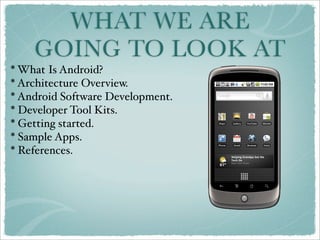
WHAT WE ARE
    GOING TO LOOK AT
* What Is Android?
* Architecture Overview.
* Android Software Development.
* Developer Tool Kits.
* Getting started.
* Sample Apps.
* References.
WHAT IS ANDROID
* An open platform for mobile computing.

* Its linux based.


* But development is in java.
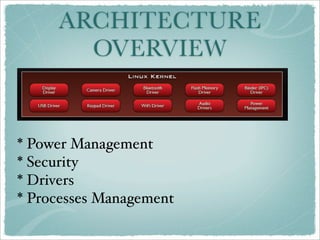
ARCHITECTURE
       OVERVIEW


* Power Management
* Security
* Drivers
* Processes Management
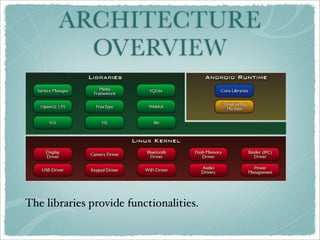
ARCHITECTURE
         OVERVIEW


The libraries provide functionalities.
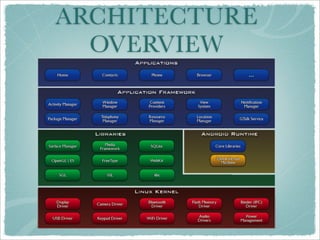
ARCHITECTURE
  OVERVIEW
ANDROID SOFTWARE
  DEVELOPMENT
* Application building blocks

* Application Model

* UI Components
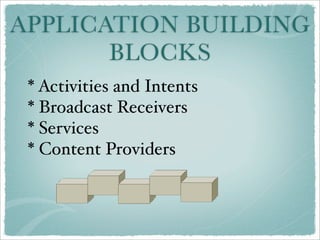
APPLICATION BUILDING
       BLOCKS
 * Activities and Intents
 * Broadcast Receivers
 * Services
 * Content Providers
ACTIVITIES
An activity is a screen in your
application.
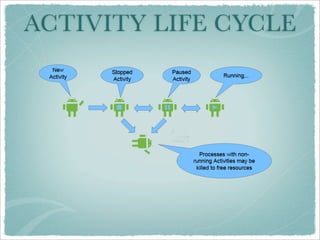
ACTIVITY LIFE CYCLE
INTENTS
* An activity communicate with each
other using Intents.

* The Intent is resolved to another
Activity, by matching it against an Intent
Filter.

* Intent conveys Data and Actions.
BROADCAST RECEIVERS
* Listens for Intents
   * Incoming calls
   * Incoming SMS
   * Alarms
   * Network availability
changes

* Does not display UI
  * Uses notifications
SERVICES
* Services perform long running activities.

* Services can be manual or automatic.

* Can run in process or in another process
altogether.
APPLICATION
          MODEL
* Android Package( .apk )
   * Compiled code & resources
   * Must be signed just like jar.

* Task
  * May span activities across several
packages and processes.
UI COMPONENTS
* Views
   * Simple
      * Edit, Button, Checkbox,Radio
   * Specialized
      * DatePicker, AutoComplete

  * ViewGroups
     * Relative, Table, Linear

  * Web, Video, Map, Gallery
DEVELOPER
         TOOLKITS
Emulator
* An emulator that runs same system
image as a device
* You could also use the developer
device.
DEVELOPER TOOLKITS
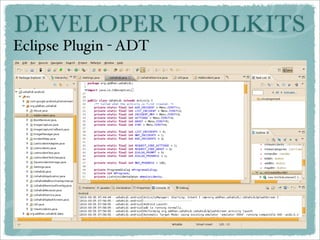
Eclipse Plugin - ADT
DEVELOPER TOOLKITS
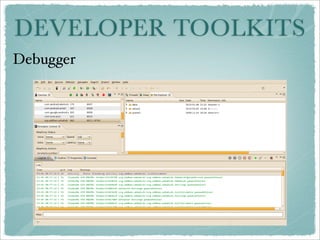
Debugger
GETTING STARTED
* The famous “Hello World”
Program provided by the SDK:
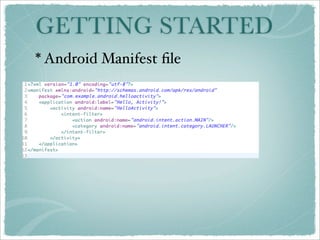
   *Android Manifest
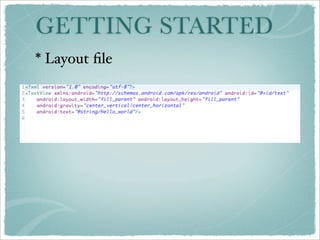
   * Layout file
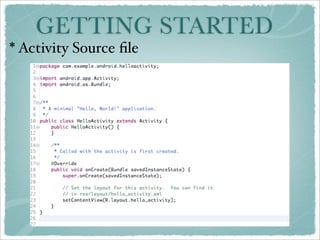
   * Activity source file
GETTING STARTED
* Android Manifest file
GETTING STARTED
* Layout file
GETTING STARTED
* Activity Source file
GETTING STARTED
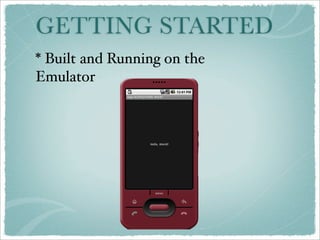
* Built and Running on the
Emulator
GETTING STARTED
Accelerator Titanium
 You don’t need java to write android apps.
       http://www.appcelerator.com/
RESOURCES
* Android SDK:
http://developer.android.com/sdk/index.html

* GUI Designer:
http://www.droiddraw.org/

* API Documentation:
http://developer.android.com/reference/android/package-
summary.html

* Developers Mailing List:
http://groups.google.com/group/android-developers
REFERENCES
* Android homepage:
http://www.android.com/

* Open Handset Alliance:
http://www.openhandsetalliance.com

* Android Developers Page:
http://developers.android.com/

* Android Open Source:
http://source.android.com/
THANK YOU
FOR COMING

Android101