Android
Touch
Android Training
By Khaled Anaqwa
Android touch basics
 The Android standard View class support
touch events.
 You can react to touch events in your
custom views and your activities.
 Android supports multiple pointers, e.g.
fingers which are interacting with the
screen.
 The base class for touch support is the
MotionEvent class which is passed to
Views via the onTouchEvent() method.
 To react to touch events you override the
onTouchEvent() method.
Single touch
 If single input is used you can use the
getX() and getY() methods to get the
current position of the first finger.
 Via the getAction() method you receive
the action which was performed
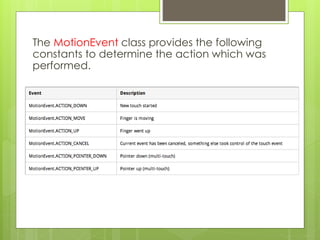
The MotionEvent class provides the following
constants to determine the action which was
performed.
Demo
 Using One Touch
 Create custom View
 Draw in it
 Track touches points
 Draw lines while move
Task
 Draw dot’s and connects these dot’s on
screen
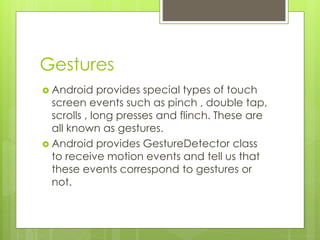
Gestures
 Android provides special types of touch
screen events such as pinch , double tap,
scrolls , long presses and flinch. These are
all known as gestures.
 Android provides GestureDetector class
to receive motion events and tell us that
these events correspond to gestures or
not.
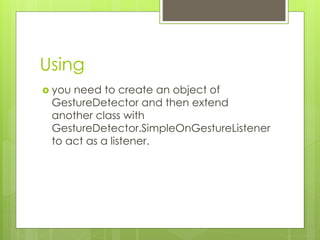
Using
 you need to create an object of
GestureDetector and then extend
another class with
GestureDetector.SimpleOnGestureListener
to act as a listener.
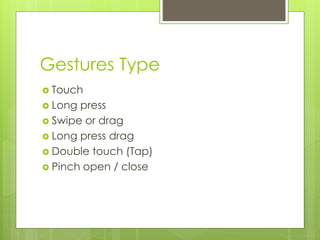
Gestures Type
 Touch
 Long press
 Swipe or drag
 Long press drag
 Double touch (Tap)
 Pinch open / close
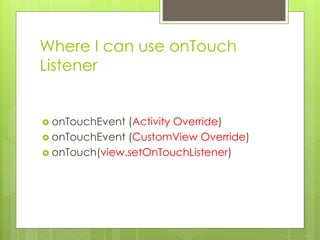
Where I can use onTouch
Listener
 onTouchEvent (Activity Override)
 onTouchEvent (CustomView Override)
 onTouch(view.setOnTouchListener)
Demo
 Use GestureDetector.
SimpleOnGestureListener
Task
 Create Listview and implement Swipe to
delete

Android Training (Touch)

  • 1.
  • 2.
    Android touch basics The Android standard View class support touch events.  You can react to touch events in your custom views and your activities.  Android supports multiple pointers, e.g. fingers which are interacting with the screen.
  • 3.
     The baseclass for touch support is the MotionEvent class which is passed to Views via the onTouchEvent() method.  To react to touch events you override the onTouchEvent() method.
  • 4.
    Single touch  Ifsingle input is used you can use the getX() and getY() methods to get the current position of the first finger.  Via the getAction() method you receive the action which was performed
  • 5.
    The MotionEvent classprovides the following constants to determine the action which was performed.
  • 6.
    Demo  Using OneTouch  Create custom View  Draw in it  Track touches points  Draw lines while move
  • 7.
    Task  Draw dot’sand connects these dot’s on screen
  • 8.
    Gestures  Android providesspecial types of touch screen events such as pinch , double tap, scrolls , long presses and flinch. These are all known as gestures.  Android provides GestureDetector class to receive motion events and tell us that these events correspond to gestures or not.
  • 9.
    Using  you needto create an object of GestureDetector and then extend another class with GestureDetector.SimpleOnGestureListener to act as a listener.
  • 10.
    Gestures Type  Touch Long press  Swipe or drag  Long press drag  Double touch (Tap)  Pinch open / close
  • 11.
    Where I canuse onTouch Listener  onTouchEvent (Activity Override)  onTouchEvent (CustomView Override)  onTouch(view.setOnTouchListener)
  • 12.
  • 13.
    Task  Create Listviewand implement Swipe to delete